├── data
└── motivation.png
├── launch
└── vs_navigation.launch
├── scripts
├── vs_navigationNode.py
├── Camera.py
├── movingVariance.py
├── geometric.py
├── controller.py
├── contours.py
├── featureMatching.py
├── vs_nodeHandler.py
└── imageProc.py
├── CMakeLists.txt
├── package.xml
├── LICENSE.md
├── .gitignore
├── configs
└── params.yaml
└── README.md
/data/motivation.png:
--------------------------------------------------------------------------------
https://raw.githubusercontent.com/Agricultural-Robotics-Bonn/visual-multi-crop-row-navigation/HEAD/data/motivation.png
--------------------------------------------------------------------------------
/launch/vs_navigation.launch:
--------------------------------------------------------------------------------
1 |
2 |
3 |
4 |
5 |
6 |
7 |
8 |
9 |
10 |
11 |
12 |
13 |
14 |
15 |
--------------------------------------------------------------------------------
/scripts/vs_navigationNode.py:
--------------------------------------------------------------------------------
1 | #!/usr/bin/env python2
2 | # -*- coding: utf-8 -*-
3 | import rospy
4 | from vs_nodeHandler import vs_nodeHandler
5 |
6 |
7 | if __name__ == '__main__':
8 | # initializing vs navigator node
9 | rospy.init_node('vs_navigator', anonymous=False)
10 | rospy.loginfo("#[VS] Visual_servoing navigator node running ...")
11 |
12 | # instantiating navigator class
13 | nodeHandler = vs_nodeHandler()
14 |
15 | try:
16 | rospy.spin()
17 | except KeyboardInterrupt:
18 | rospy.logwarn("#[VS] Shutting down Phenobot Controller")
--------------------------------------------------------------------------------
/scripts/Camera.py:
--------------------------------------------------------------------------------
1 | class Camera:
2 | def __init__(self, id,deltax,deltay,deltaz,tilt_angle,height,width,focal_length,sensor_width):
3 | self.id = id
4 | self.deltax = deltax # Translation to the origin of the robot
5 | self.deltay = deltay
6 | self.deltaz = deltaz # Heigth of the camera
7 | self.tilt_angle = tilt_angle # Tilt Angle
8 | self.height = height # Camera Intrinsics
9 | self.width = width
10 | self.focal_length = focal_length
11 | self.sensor_width = sensor_width
--------------------------------------------------------------------------------
/CMakeLists.txt:
--------------------------------------------------------------------------------
1 | cmake_minimum_required(VERSION 3.0.2)
2 | project(visual_multi_crop_row_navigation)
3 |
4 | find_package(catkin REQUIRED COMPONENTS
5 | roscpp
6 | rospy
7 | std_msgs
8 | )
9 |
10 | ## DEPENDS: system dependencies of this project that dependent projects also need
11 | catkin_package(
12 | # INCLUDE_DIRS include
13 | # LIBRARIES msr_project
14 | # CATKIN_DEPENDS roscpp rospy std_msgs
15 | # DEPENDS system_lib
16 | )
17 |
18 | ## Specify additional locations of header files
19 | ## Your package locations should be listed before other locations
20 | include_directories(
21 | # include
22 | ${catkin_INCLUDE_DIRS}
23 | )
24 |
25 | ## Add folders to be run by python nosetests
26 | # catkin_add_nosetests(test)
27 | # catkin_install_python(PROGRAMS scripts/vs_nodeHandler.py
28 | # DESTINATION ${CATKIN_PACKAGE_BIN_DESTINATION}
29 | # )
30 |
--------------------------------------------------------------------------------
/scripts/movingVariance.py:
--------------------------------------------------------------------------------
1 |
2 |
3 | import numpy as np
4 | import matplotlib.pyplot as plt
5 | from scipy.signal import find_peaks
6 | import copy
7 |
8 | # funciton to compute the moving standard deviation for a given window size
9 |
10 | def movingStd(data, winSize=5):
11 | _data = data.copy()
12 | # compute a moving standard deviation
13 | stdVec = np.zeros((len(_data)-winSize, 1))
14 | for i in range(0, len(stdVec)):
15 | sqsum = 0
16 | meanVal = np.mean(_data[i:i+winSize])
17 | for j in range(i, i+winSize):
18 | sqsum += (_data[j]-meanVal)**2
19 | stdVec[i] = np.sqrt(sqsum/(winSize))
20 |
21 | # normalize
22 | stdVec = stdVec/max(stdVec)
23 | stdVec = stdVec.reshape(len(stdVec),)
24 | # print(repr(stdVec))
25 | # plt.plot(stdVec)
26 | # plt.show()
27 | return stdVec
28 |
29 | def findPicksTroughths(movVarM, prominence=0.5, height=None):
30 | _movVarM = movVarM.copy()
31 | # find negative peaks (=least std, most stable line)
32 | peaksNeg, _ = find_peaks(-_movVarM, height=height)
33 | # find positive peaks (=least stable lines = crop row transition)
34 | peaksPos, _ = find_peaks(_movVarM, prominence=0.5, height=height)
35 | return peaksPos, peaksNeg
36 |
--------------------------------------------------------------------------------
/package.xml:
--------------------------------------------------------------------------------
1 |
2 |
3 | visual_multi_crop_row_navigation
4 | 0.0.1
5 | phenobot multicrop row visual servoing navigation
6 |
7 |
8 | alireza
9 |
10 |
11 |
12 |
13 | MIT
14 |
15 | catkin
16 | roscpp
17 | rospy
18 | std_msgs
19 | roscpp
20 | rospy
21 | std_msgs
22 | roscpp
23 | rospy
24 | std_msgs
25 |
26 |
27 |
28 |
29 |
30 |
31 |
32 |
33 |
--------------------------------------------------------------------------------
/LICENSE.md:
--------------------------------------------------------------------------------
1 | BSD 2-Clause License
2 |
3 | Copyright (c) 2022, Agricultural-Robotics-Bonn
4 | All rights reserved.
5 |
6 | Redistribution and use in source and binary forms, with or without
7 | modification, are permitted provided that the following conditions are met:
8 |
9 | 1. Redistributions of source code must retain the above copyright notice, this
10 | list of conditions and the following disclaimer.
11 |
12 | 2. Redistributions in binary form must reproduce the above copyright notice,
13 | this list of conditions and the following disclaimer in the documentation
14 | and/or other materials provided with the distribution.
15 |
16 | THIS SOFTWARE IS PROVIDED BY THE COPYRIGHT HOLDERS AND CONTRIBUTORS "AS IS"
17 | AND ANY EXPRESS OR IMPLIED WARRANTIES, INCLUDING, BUT NOT LIMITED TO, THE
18 | IMPLIED WARRANTIES OF MERCHANTABILITY AND FITNESS FOR A PARTICULAR PURPOSE ARE
19 | DISCLAIMED. IN NO EVENT SHALL THE COPYRIGHT HOLDER OR CONTRIBUTORS BE LIABLE
20 | FOR ANY DIRECT, INDIRECT, INCIDENTAL, SPECIAL, EXEMPLARY, OR CONSEQUENTIAL
21 | DAMAGES (INCLUDING, BUT NOT LIMITED TO, PROCUREMENT OF SUBSTITUTE GOODS OR
22 | SERVICES; LOSS OF USE, DATA, OR PROFITS; OR BUSINESS INTERRUPTION) HOWEVER
23 | CAUSED AND ON ANY THEORY OF LIABILITY, WHETHER IN CONTRACT, STRICT LIABILITY,
24 | OR TORT (INCLUDING NEGLIGENCE OR OTHERWISE) ARISING IN ANY WAY OUT OF THE USE
25 | OF THIS SOFTWARE, EVEN IF ADVISED OF THE POSSIBILITY OF SUCH DAMAGE.
26 |
--------------------------------------------------------------------------------
/.gitignore:
--------------------------------------------------------------------------------
1 |
2 | # Created by https://www.gitignore.io/api/python
3 |
4 | ### Python ###
5 | # Byte-compiled / optimized / DLL files
6 | __pycache__/
7 | *.py[cod]
8 | *$py.class
9 | *.pyc
10 | *.pkl
11 | # C extensions
12 | *.so
13 | *.pth
14 | *.csv
15 | *.pickle
16 |
17 | # Distribution / packaging
18 | .Python
19 | build/
20 | logs/
21 | develop-eggs/
22 | dist/
23 | downloads/
24 | eggs/
25 | .eggs/
26 | lib/
27 | lib64/
28 | parts/
29 | sdist/
30 | var/
31 | wheels/
32 | *.egg-info/
33 | .installed.cfg
34 | *.egg
35 |
36 | # PyInstaller
37 | # Usually these files are written by a python script from a template
38 | # before PyInstaller builds the exe, so as to inject date/other infos into it.
39 | *.manifest
40 | *.spec
41 |
42 | # Installer logs
43 | pip-log.txt
44 | pip-delete-this-directory.txt
45 |
46 | # Unit test / coverage reports
47 | htmlcov/
48 | .tox/
49 | .coverage
50 | .coverage.*
51 | .cache
52 | .pytest_cache/
53 | nosetests.xml
54 | coverage.xml
55 | *.cover
56 | .hypothesis/
57 |
58 | # Translations
59 | *.mo
60 | *.pot
61 |
62 | # Flask stuff:
63 | instance/
64 | .webassets-cache
65 |
66 | # Scrapy stuff:
67 | .scrapy
68 |
69 | # Sphinx documentation
70 | docs/_build/
71 |
72 | # PyBuilder
73 | target/
74 |
75 | # Jupyter Notebook
76 | .ipynb_checkpoints
77 |
78 | # pyenv
79 | .python-version
80 |
81 | # celery beat schedule file
82 | celerybeat-schedule.*
83 |
84 | # SageMath parsed files
85 | *.sage.py
86 |
87 | # Environments
88 | .env
89 | .venv
90 | env/
91 | venv/
92 | ENV/
93 | env.bak/
94 | venv.bak/
95 |
96 | # Spyder project settings
97 | .spyderproject
98 | .spyproject
99 |
100 | # Rope project settings
101 | .ropeproject
102 |
103 | # mkdocs documentation
104 | /site
105 |
106 | # mypy
107 | .mypy_cache/
108 |
109 |
110 | # End of https://www.gitignore.io/api/python
111 |
112 | # PyCharm
113 | .idea/
114 |
115 | # logs
116 | phenobot_rl/dqnWeeding/logs/
117 |
--------------------------------------------------------------------------------
/configs/params.yaml:
--------------------------------------------------------------------------------
1 | # ROS node
2 |
3 | # sub
4 | # simulation
5 | frontColor_topic: '/rs_nav_front/camera/color/image_raw'
6 | frontDepth_topic: '/rs_nav_front/camera/depth/image_raw'
7 | frontCameraInfo_topic: '/rs_nav_front/camera/color/camera_info'
8 | backColor_topic: '/rs_nav_front/camera/color/image_raw'
9 | backDepth_topic: '/rs_nav_front/camera/depth/image_raw'
10 | backCameraInfo_topic: '/rs_nav_front/camera/color/camera_info'
11 |
12 | # thorvald
13 | # frontColor_topic: '/rs_nav_front/color/image_raw'
14 | # frontDepth_topic: '/rs_nav_front/aligned_depth_to_color/image_raw'
15 | # frontCameraInfo_topic: '/rs_nav_front/color/camera_info'
16 | # backColor_topic: '/rs_nav_back/color/image_raw'
17 | # backDepth_topic: '/rs_nav_back/aligned_depth_to_color/image_raw'
18 | # backCameraInfo_topic: '/rs_nav_back/color/camera_info'
19 | # in experiments of the paper we use neither odom nor IMU !
20 | # using Odomtery
21 | useOdom: False
22 | odomTopic: /odometry/base_raw
23 | # use IMU for maintaining orinetation
24 | useImu: False
25 | imuTopic: /imu/orientation
26 | #pub
27 | # simulation
28 | cmd_vel_topic: /phenobot/twist_mux/cmd_vel
29 | # thorvlad
30 | # cmd_vel_topic: /twist_mux/cmd_vel
31 | # node params
32 | update rate: 30
33 | queue_size: 5
34 | # processed image size scale
35 | imgResizeRatio: 100
36 | # for filtering contours
37 | minContourArea: 10
38 | # stationary debug mode, (without publishing velocity)
39 | stationaryDebug: False
40 | # run time params
41 | # Mode 1: Driving forward with front camera (starting mode)
42 | # Mode 2: Driving forward with back camera
43 | # Mode 3: Driving backwards with back camera
44 | # Mode 4: Driving backwards with front camera
45 | navigationMode: 1
46 | # angular velocity scaler
47 | maxOmega: 0.05
48 | minOmega: 0.01
49 | omegaScaler: 0.1
50 | maxLinearVel: 0.5
51 | minLinearVel: 0.01
52 | # Parameter for setting the number of rows to pass in one switch
53 | linesToPass: 1
54 | # Max Offset of the Window for extracting the turn features
55 | maxMatchingDifference: 100
56 | # Min Offset of the Window for extracting the turn features
57 | minMatchingDifference: 0
58 | # Threshold for keypoints
59 | minKeypointNum: 10
60 | # scanner window params
61 | scanSteps: 5
62 | scanStartPoint: 0
63 | scanEndPoint: 1280
64 | scanWindowWidth: 128
65 | # tracker params
66 | trackingBoxWidth: 200
67 | topOffset: 0
68 | bottomOffset: 0
69 | sacleRatio: 0.4
70 | # for dividing bushy rows
71 | maxCoutourHeight: 120
72 | # in case of using bigger size image size, we suggest to set ROI
73 | enable_roi: True
74 | p1:
75 | - 0
76 | - 0
77 | p2:
78 | - 350
79 | - 0
80 | p3:
81 | - 10
82 | - 720
83 | p4:
84 | - 0
85 | - 720
86 | p5:
87 | - 830
88 | - 0
89 | p6:
90 | - 1280
91 | - 0
92 | p7:
93 | - 1280
94 | - 720
95 | p8:
96 | - 1270
97 | - 720
98 |
--------------------------------------------------------------------------------
/scripts/geometric.py:
--------------------------------------------------------------------------------
1 | import numpy as np
2 |
3 |
4 | def computeTheta(lineStart, lineEnd):
5 | """function to compute theta
6 | Args:
7 | lineStart (_type_): start point of line
8 | lineEnd (_type_): end point of line
9 | Returns:
10 | _type_: angle of line
11 | """
12 | return -(np.arctan2(abs(lineStart[1]-lineEnd[1]), lineStart[0]-lineEnd[0]))
13 |
14 | def lineIntersectY(m, b, y):
15 | """ function to evaluate the estimated line
16 | Args:
17 | m (_type_): slope
18 | b (_type_): bias
19 | y (_type_): Y loc
20 | Returns:
21 | _type_: X loc
22 | """
23 | # line calculations
24 | x = m * y + b
25 | return x
26 |
27 | def isInBox(box, p):
28 | """checks if point is inside the box
29 | Args:
30 | box (_type_): box
31 | p (_type_): point
32 | Returns:
33 | _type_: True or False
34 | """
35 | bl = box[0]
36 | tr = box[2]
37 | if (p[0] > bl[0] and p[0] < tr[0] and p[1] > bl[1] and p[1] < tr[1]):
38 | return True
39 | else:
40 | return False
41 |
42 |
43 | def getImgLineUpDown(line, imageHeight):
44 | up = [line[1], 0]
45 | down = [line[0], imageHeight]
46 | return up, down
47 |
48 | def lineIntersectImgSides(m, b, imageWidth):
49 | """_summary_
50 | Args:
51 | m (_type_): slope
52 | b (_type_): bias
53 | Returns:
54 | _type_: left and right interceptions
55 | """
56 | l_i = -b / m
57 | r_i = (imageWidth - b) / m
58 | return l_i, r_i
59 |
60 | def lineIntersectImgUpDown(m, b, imageHeight):
61 | """function to compute the bottom and top intersect between the line and the image
62 | Args:
63 | m (_type_): slope
64 | b (_type_): bias
65 | Returns:
66 | _type_: top and bottom intersection points on image boarders
67 | """
68 | # line calculations
69 | b_i = b
70 | t_i = m * imageHeight + b
71 | return t_i, b_i
72 |
73 | def lineIntersectWin(m, b, imageHeight, topOffset, bottomOffset):
74 | """function to compute the bottom and top intersect between the line and the window
75 | Args:
76 | m (_type_): slope
77 | b (_type_): bias
78 | Returns:
79 | _type_: to and bottom intersection with a box
80 | """
81 | # line calculations
82 | b_i = m * bottomOffset + b
83 | t_i = m * (imageHeight - topOffset) + b
84 | return t_i, b_i
85 |
86 | def getLineRphi(xyCords):
87 | """sets r , phi line
88 | Args:
89 | xyCords (_type_): x, y coordinates of point
90 | Returns:
91 | _type_: r, phi of line
92 | """
93 | x_coords, y_coords = zip(*xyCords)
94 | coefficients = np.polyfit(x_coords, y_coords, 1)
95 | return coefficients[0], coefficients[1]
96 |
--------------------------------------------------------------------------------
/scripts/controller.py:
--------------------------------------------------------------------------------
1 | # Class to compute the control parameters
2 | import numpy as np
3 |
4 | # Function to wrap an angle to the interval [-pi,pi]
5 | def wrapToPi(theta):
6 | while theta < -np.pi:
7 | theta = theta + 2*np.pi
8 | while theta > np.pi:
9 | theta = theta - 2*np.pi
10 | return theta
11 |
12 |
13 | # Function to compute the controls given the current state and the desired state and velocity
14 | def visualServoingCtl (camera, desiredState, actualState, v_des):
15 | # specifiy the acutal state for better readability
16 | x = actualState[0]
17 | y = actualState[1]
18 | theta = actualState[2]
19 |
20 | # some crazy parameters
21 | lambda_x_1 = 10
22 | lambda_w_1= 3000
23 | lambdavec = np.array([lambda_x_1,lambda_w_1])
24 |
25 | # state if it is a row or a column controller
26 | controller_type = 0
27 |
28 | # s_c = J * u = L_sc * T_r->c * u_r
29 |
30 | # Computation of the Interaction Matrix as presented by Cherubini & Chaumette
31 | # relates the control variables [v,w] in the camera frame to the change of the features [x,y,theta]
32 | angle = camera.tilt_angle
33 | delta_z = camera.deltaz
34 | IntMat = np.array([[(-np.sin(angle)-y*np.cos(angle))/delta_z, 0, x*(np.sin(angle)+y*np.cos(angle))/delta_z, x*y, -1-x**2, y],
35 | [0, -(np.sin(angle)+y*np.cos(angle))/delta_z, y*(np.sin(angle)+y*np.cos(angle))/delta_z, 1+y**2, -x*y, -x],
36 | [np.cos(angle)*np.power(np.cos(theta),2)/delta_z, np.cos(angle)*np.cos(theta)*np.sin(theta)/delta_z,
37 | -(np.cos(angle)*np.cos(theta)*(y*np.sin(theta) + x*np.cos(theta)))/delta_z,
38 | -(y*np.sin(theta) + x*np.cos(theta))*np.cos(theta), -(y*np.sin(theta) + x*np.cos(theta))*np.sin(theta), -1]])
39 |
40 | # Computation of the transformation from the robot to the camera frame
41 | delta_y = camera.deltay
42 | TransfMat = np.array([[0,-delta_y],
43 | [-np.sin(angle),0],
44 | [np.cos(angle),0],
45 | [0,0],
46 | [0,-np.cos(angle)],
47 | [0,-np.sin(angle)]])
48 | Trans_vel = TransfMat[:,0]
49 | Trans_ang = TransfMat[:,1]
50 |
51 | # Computation of the Jacobi-Matrix for velocity and angular velocity and their pseudo inverse
52 | # The Jacobi-Matrix relates the control variables in the robot frame to the change of the features
53 | Jac = np.array([IntMat[controller_type,:],IntMat[2,:]])
54 | Jac_vel = np.matmul(Jac,Trans_vel)
55 | # Jac_vel_pi = np.linalg.pinv([Jac_vel])
56 | Jac_ang = np.matmul(Jac,Trans_ang)
57 | Jac_ang_pi = np.linalg.pinv([Jac_ang])
58 |
59 | # Compute the delta, in this case the difference between the actual state and the desired state
60 | trans_delta = actualState[controller_type] - desiredState[controller_type]
61 | ang_delta = actualState[2] - desiredState[2]
62 | delta = np.array([trans_delta,wrapToPi(ang_delta)])
63 |
64 | # Compute the feedback control for the angular velocity
65 | temp = lambdavec * delta
66 | ang_fb = np.matmul(-Jac_ang_pi.T,(temp + Jac_vel * v_des))
67 | return ang_fb
68 |
69 |
--------------------------------------------------------------------------------
/scripts/contours.py:
--------------------------------------------------------------------------------
1 |
2 | import cv2 as cv
3 | import numpy as np
4 | from geometric import *
5 |
6 | def getContourCenter(contours):
7 | """function to compute the center points of the contours
8 |
9 | Args:
10 | contours (_type_): contours from image
11 |
12 | Returns:
13 | _type_: contours centers
14 | """
15 | # get center of contours
16 | contCenterPTS = np.zeros((len(contours),2))
17 | for i in range(0, len(contours)):
18 | # get contour
19 | c_curr = contours[i];
20 |
21 | # get moments
22 | M = cv.moments(c_curr)
23 |
24 | # compute center of mass
25 | if(M['m00'] != 0):
26 | cx = int(M['m10']/M['m00'])
27 | cy = int(M['m01']/M['m00'])
28 | contCenterPTS[i,:] = [cy,cx]
29 |
30 | contCenterPTS = contCenterPTS[~np.all(contCenterPTS == 0, axis=1)]
31 | return contCenterPTS
32 |
33 | def getPlantMasks(binrayMask, min_contour_area, bushy=False):
34 | # find contours
35 | contours = cv.findContours(binrayMask, cv.RETR_TREE, cv.CHAIN_APPROX_NONE)[1]
36 |
37 | # cv.imshow("crop rows mask",self.mask)
38 | # self.handleKey()
39 |
40 | # filter contours based on size
41 | # self.filtered_contours = contours
42 | filtered_contours = list()
43 | for i in range(len(contours)):
44 | if cv.contourArea(contours[i]) > min_contour_area:
45 |
46 | if bushy :
47 | cn_x, cn_y, cnt_w, cn_h = cv.boundingRect(contours[i])
48 |
49 | # split to N contours h/max_coutour_height
50 | sub_contours = splitContours(contours[i], cn_x, cn_y, cnt_w, cn_h)
51 | for j in sub_contours:
52 | if j != []:
53 | filtered_contours.append(j)
54 | else:
55 | if contours[i] != []:
56 | filtered_contours.append(contours[i])
57 | # else:
58 | # filtered_contours.append(contours[i])
59 | return filtered_contours
60 |
61 | def splitContours(contour, x, y, w, h, max_coutour_height):
62 | """splits larg contours in smaller regions
63 |
64 | Args:
65 | contour (_type_): _description_
66 | x (_type_): _description_
67 | y (_type_): _description_
68 | w (_type_): _description_
69 | h (_type_): _description_
70 |
71 | Returns:
72 | _type_: sub polygons (seperated countours)
73 | """
74 | sub_polygon_num = h // max_coutour_height
75 | sub_polys = list()
76 | subContour = list()
77 | vtx_idx = list()
78 | contour = [contour.squeeze().tolist()]
79 | for subPoly in range(1, sub_polygon_num + 1):
80 | for vtx in range(len(contour[0])):
81 | if (subPoly - 1 * max_coutour_height) -1 <= contour[0][vtx][1] and \
82 | (subPoly * max_coutour_height) -1 >= contour[0][vtx][1] and \
83 | vtx not in vtx_idx:
84 | subContour.append([contour[0][vtx]])
85 | vtx_idx.append(vtx)
86 |
87 | sub_polys.append(np.array(subContour))
88 | subContour = list()
89 |
90 | return sub_polys
91 |
92 | def sortContours(contours, method="left-to-right"):
93 | """initialize the reverse flag and sort index
94 |
95 | Args:
96 | cnts (_type_): _description_
97 | method (str, optional): _description_. Defaults to "left-to-right".
98 |
99 | Returns:
100 | _type_: sorted countours, bboxes
101 | """
102 | reverse = False
103 | i = 0
104 | # handle if we need to sort in reverse
105 | if method == "right-to-left" or method == "bottom-to-top":
106 | reverse = True
107 | # handle if we are sorting against the y-coordinate rather than
108 | # the x-coordinate of the bounding box
109 | if method == "top-to-bottom" or method == "bottom-to-top":
110 | i = 1
111 | # construct the list of bounding boxes and sort them from top to
112 | # bottom
113 | boundingBoxes = [cv.boundingRect(c) for c in contours]
114 | (contours, boundingBoxes) = zip(*sorted(zip(contours, boundingBoxes),
115 | key=lambda b:b[1][i], reverse=reverse))
116 | # return the list of sorted contours and bounding boxes
117 | return contours, boundingBoxes
118 |
119 | def getContoursInWindow(contourCenters, box):
120 | """iflters out countours inside a box
121 |
122 | Args:
123 | contourCenters (_type_): _description_
124 | box (_type_): _description_
125 |
126 | Returns:
127 | _type_: contour centers
128 | """
129 | points = []
130 | for cnt in range(len(contourCenters[1])):
131 | x, y = contourCenters[0][cnt], contourCenters[1][cnt]
132 | if isInBox(list(box), [x, y]):
133 | points.append([x, y])
134 | return points
135 |
--------------------------------------------------------------------------------
/README.md:
--------------------------------------------------------------------------------
1 |
2 | # Visual Multi Crop Row Navigation in Arable Farming Fields
3 |
4 | A work presented in IROS 2022 - Kyoto, Japan
5 |
6 |
7 |

8 |
12 |
13 | [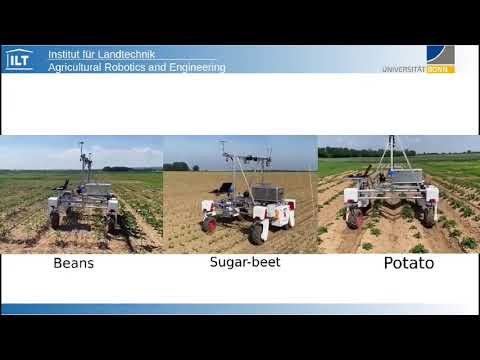](https://www.youtube.com/watch?v=z2Cb2FFZ2aU)
14 |
15 |
16 |
17 | ### pyCUDA installation (optional)
18 |
19 | wget https://developer.download.nvidia.com/compute/cuda/repos/ubuntu1804/x86_64$
20 | sudo mv cuda-ubuntu1804.pin /etc/apt/preferences.d/cuda-repository-pin-600
21 | wget https://developer.download.nvidia.com/compute/cuda/10.2/Prod/local_install$
22 | sudo dpkg -i cuda-repo-ubuntu1804-10-2-local-10.2.89-440.33.01_1.0-1_amd64.deb
23 | sudo apt-key add /var/cuda-repo-10-2-local-10.2.89-440.33.01/7fa2af80.pub
24 | sudo apt-get update
25 | sudo apt-get -y install cuda
26 |
27 | ### Dependencies
28 | - OpenCV == 3.3.0.10
29 | - pip install opencv-python==3.3.0.10
30 | - pip install opencv-contrib-python==3.3.0.10
31 | - ROS Melodic
32 | - itertools
33 | - scipy >= 1.5.2
34 | - numpy >= 1.19.9
35 |
36 | ### Build and run
37 |
38 | navigate to your catkin workspace folder, e.g.:
39 |
40 | cd catkin_ws/
41 |
42 | compile:
43 |
44 | rm -r build/
45 | rm -r devel/
46 | catkin_make
47 |
48 | source setup file:
49 |
50 | source ./devel/setup.bash
51 |
52 |
53 | launch main script:
54 |
55 | roslaunch visual_multi_crop_row_navigation vs_navigation.launch
56 |
57 |
58 | ### Dependencies:
59 | - Thorvald Platfrom package [Thorvald Saga](https://www.nmbu.no/en/faculty/realtek/research/groups/roboticsandcontrol/thorvaldinstall/node/34632)
60 | - ROS Melodic
61 | - python packages:
62 |
63 | sudo apt-get install python-catkin-tools python3-dev python3-catkin-pkg-modules python3-numpy python3-yaml ros-melodic-cv-bridge python3-opencv
64 | python3 -m pip install scikit-build scikit-learn laspy pandas
65 | - build CV_Bridge for python3:
66 |
67 | cd catkin_ws
68 | git clone https://github.com/ros-perception/vision_opencv.git src/vision_opencv
69 |
70 | Find version:
71 |
72 | sudo apt-cache show ros-melodic-cv-bridge | grep Version
73 | Version: 1.12.8-0xenial-20180416-143935-0800
74 |
75 | Checkout right version in git repo. In our case it is 1.12.8
76 |
77 | cd src/vision_opencv/
78 | git checkout 1.12.8
79 | cd ../../
80 |
81 | build
82 |
83 | catkin_make --cmake-args \
84 | -DCMAKE_BUILD_TYPE=Release \
85 | -DPYTHON_EXECUTABLE=/usr/bin/python3 \
86 | -DPYTHON_INCLUDE_DIR=/usr/include/python3.6m \
87 | -DPYTHON_LIBRARY=/usr/lib/x86_64-linux-gnu/libpython3.6m.so
88 |
89 | ## Multi-Crop Row Navigation Dataset
90 |
91 | used for analyze the robustness of crop-row detection
92 | technique as a quantitative evaluate. For each of the
93 | five crops (sugar_beet, potato, beans, lemon-balm and coriander) and three
94 | simulated fields, 100 images were annotated using data from
95 | BonnBot-I where the camera tilt angle ρ was varied from 55◦
96 | to 75◦. The annotations contain ground-truth of all the lines
97 | located underneath the robot.
98 | To measure the accuracy we compare the predicted lines of each image to the ground-truth
99 | using two parameters: position and orientation. The position
100 | of a line is defined based on its intersection with bottom edge
101 | of the image, where the distance between the prediction and
102 | the ground truth is normalized based on the width of the
103 | image.
104 |
105 |
106 |
107 | [](https://)
108 |
109 |
110 |
111 | for accessing dataset please sned an email to: Alireza.ahmadi@uni-bonn.de
112 |
113 | ## Citation
114 | if you use this project in your recent works please refernce to it by:
115 |
116 | ```bash
117 |
118 | @article{ahmadi2021towards,
119 | title={Towards Autonomous Crop-Agnostic Visual Navigation in Arable Fields},
120 | author={Ahmadi, Alireza and Halstead, Michael and McCool, Chris},
121 | journal={arXiv preprint arXiv:2109.11936},
122 | year={2021}
123 | }
124 |
125 | @inproceedings{ahmadi2020visual,
126 | title={Visual servoing-based navigation for monitoring row-crop fields},
127 | author={Ahmadi, Alireza and Nardi, Lorenzo and Chebrolu, Nived and Stachniss, Cyrill},
128 | booktitle={2020 IEEE International Conference on Robotics and Automation (ICRA)},
129 | pages={4920--4926},
130 | year={2020},
131 | organization={IEEE}
132 | }
133 | ```
134 |
135 | ## Acknowledgments
136 | This work has been supported by the German Research Foundation under Germany’s Excellence Strategy, EXC-2070 - 390732324 ([PhenoRob](http://www.phenorob.de/)) and [Bonn AgRobotics Group](http://agrobotics.uni-bonn.de/)
137 |
--------------------------------------------------------------------------------
/scripts/featureMatching.py:
--------------------------------------------------------------------------------
1 |
2 | import cv2 as cv
3 | import numpy as np
4 | import itertools
5 | import matplotlib.pyplot as plt
6 | from movingVariance import *
7 |
8 | from shapely.geometry import Point
9 | from shapely.geometry.polygon import Polygon
10 |
11 | class featureMatching:
12 | def __init__(self, featureParams):
13 | self.featureParams = featureParams
14 | self.simDistVec= []
15 | self.meanVec = []
16 | self.count = 0
17 |
18 | def sampleCropRowFeatures(self, mode, rgbImg, greenIDx, binaryMask, wLocs):
19 | _rgbImg = rgbImg.copy()
20 | # get the correct window depending on the current mode
21 | rowId = None
22 | if mode == 3:
23 | rowId = 0
24 | else:
25 | rowId = -1
26 | self.refWindowLoc = wLocs[rowId]
27 | # int_coords = lambda x: np.array(x).round().astype(np.int32)
28 | # exterior = np.array([int_coords(wLocs[rowId].exterior.coords)])
29 | # bboxImg = self.cropBboxFromImage(_greenIDx, exterior)
30 | # get masked rgb Image (ExG masked)
31 | rgbMasked = self.maskRgb(rgbImg, binaryMask)
32 | # detect keypoints in image
33 | self.refKeypoints, self.refDescriptors = self.detectTrackingFeatures(rgbMasked)
34 | # filter out features in desired window location
35 | self.refKeypoints, self.refDescriptors = self.filterKeypoints(self.refKeypoints,
36 | self.refDescriptors,
37 | self.refWindowLoc)
38 | # draw keypoints on rgb Image
39 | self.drawKeyPoints(_rgbImg, self.refKeypoints, [255,0,0])
40 |
41 | def reset(self):
42 | pass
43 |
44 | def detectNewCropLane(self, mode, rgbImg, greenIDx, binaryMask, wLocs, numofCropRows):
45 | _rgbImg = rgbImg.copy()
46 | # get masked rgb Image (ExG masked)
47 | rgbMasked = self.maskRgb(rgbImg, binaryMask)
48 | # extract keypoints and descriptors from new detected line
49 | srcKeypoints, srcDescriptors = self.detectTrackingFeatures(rgbMasked)
50 | # filter in desired window
51 | windowLoc = self.refWindowLoc
52 | # filter out features in desired window location
53 | srcKeypoints, srcDescriptors = self.filterKeypoints(srcKeypoints, srcDescriptors, windowLoc)
54 | # find matches between ref and src keypoints
55 | matches = self.matchTrackingFeatures(srcKeypoints, srcDescriptors)
56 | # if not that indicates that the window is between two lines
57 | # draw keypoints on rgb Image
58 | self.drawKeyPoints(_rgbImg, srcKeypoints, [0,255,0])
59 | # collect matches
60 | self.simDistVec = list(self.simDistVec)
61 | self.simDistVec.append(len(matches))
62 | # create recognition signal
63 | peaks, troughs= [], []
64 | if self.count > 90:
65 | self.simDistVec = np.where(np.array(self.simDistVec) >= 10, 10, np.min(self.simDistVec))
66 | # compute moving standard deviation
67 | mvSignal = movingStd(self.simDistVec)
68 | # find positive an negative peaks of the signal
69 | peaks, troughs = findPicksTroughths(self.simDistVec, 0.5)
70 | print("peaks", len(peaks), "troughs", len(troughs))
71 |
72 | self.count+=1
73 | if ((len(peaks) >= numofCropRows and len(troughs) >= numofCropRows)):
74 | plt.plot(self.simDistVec)
75 | pickPoses = [self.simDistVec[p] for p in peaks]
76 | troughPoses = [self.simDistVec[p] for p in troughs]
77 | plt.plot(peaks, pickPoses , "o")
78 | plt.plot(troughs, troughPoses , "x")
79 | plt.plot(np.zeros_like(self.simDistVec), "--", color="gray")
80 | plt.show()
81 |
82 | return (len(peaks) >= numofCropRows and len(troughs) >= numofCropRows)
83 |
84 | def maskRgb(self, rgbImg, mask):
85 | maskedRgb = np.zeros(np.shape(rgbImg), np.uint8)
86 | idx = (mask!=0)
87 | maskedRgb[idx] = rgbImg[idx]
88 | return maskedRgb
89 |
90 | def cropBboxFromImage(self, image, bbox):
91 | imgWHeight, imgWidth = np.shape(image)
92 | oneRowMask = np.zeros((imgWHeight, imgWidth), dtype=np.uint8)
93 | cv.fillPoly(oneRowMask, bbox, (255))
94 | res = cv.bitwise_and(image, image ,mask=oneRowMask)
95 | bbox = cv.boundingRect(bbox) # returns (x,y,w,h) of the rect
96 | bboxImg = res[bbox[1]: bbox[1] + bbox[3], bbox[0]: bbox[0] + bbox[2]]
97 | # cv.imshow("test", bboxImg)
98 | # cv.waitKey(0)
99 | # cv.destroyAllWindows()
100 | return bboxImg
101 |
102 | def filterKeypoints(self, keyPoints, descriptors, polygon):
103 | filteredKeypoints = []
104 | filteredDescriptors = []
105 | for kp, des in itertools.izip(keyPoints, descriptors):
106 | if polygon.contains(Point(kp.pt[0], kp.pt[1])):
107 | filteredKeypoints.append(kp)
108 | filteredDescriptors.append(des)
109 | return filteredKeypoints, filteredDescriptors
110 |
111 | def drawKeyPoints(self, rgbImg, keyPoints, color=[0, 0, 255], imShow=False):
112 | for kp in keyPoints:
113 | ptX = kp.pt[0]
114 | ptY = kp.pt[1]
115 | rgbImg[int(ptY)-3:int(ptY)+3, int(ptX) -
116 | 3:int(ptX)+3] = color
117 | if imShow:
118 | cv.imshow("test", rgbImg)
119 | cv.waitKey(0)
120 | cv.destroyAllWindows()
121 | return rgbImg
122 |
123 | def detectTrackingFeatures(self, greenIDX):
124 | """ Function to compute the features of the line which has to be recognized
125 |
126 | Args:
127 | rgbImg (_type_): _description_
128 | greenIDX (_type_): _description_
129 | mode (_type_): _description_
130 | wLocs (_type_): _description_
131 | turnWindowWidth (_type_): _description_
132 | min_matching_dif_features (_type_): _description_
133 | max_matching_dif_features (_type_): _description_
134 |
135 | Returns:
136 | _type_: _description_
137 | """
138 | print("#[INF] detect Tracking Features")
139 | # Initiate SIFT detector
140 | sift = cv.xfeatures2d.SIFT_create()
141 | # get sift key points
142 | keyPointsRaw, descriptorsRaw = sift.detectAndCompute(greenIDX, None)
143 | matchingKeypoints = []
144 | featureDescriptors = []
145 | # maintain the keypoints lying in the first window
146 | for kp, desc in itertools.izip(keyPointsRaw, descriptorsRaw):
147 | matchingKeypoints.append(kp)
148 | featureDescriptors.append(desc)
149 | return matchingKeypoints, featureDescriptors
150 |
151 | def matchTrackingFeatures(self, srcKeypoints, srcDescriptors):
152 | """Function to compute the features in the second window
153 | """
154 | # Check if there's a suitable number of key points
155 | qualifiedMatches = []
156 | if len(srcKeypoints) > self.featureParams["minKeypointNum"]:
157 | # compute the matches between the key points
158 | FLANN_INDEX_KDTREE = 1
159 | index_params = dict(algorithm=FLANN_INDEX_KDTREE, trees=5)
160 | search_params = dict(checks=50)
161 | flann = cv.FlannBasedMatcher(index_params, search_params)
162 | matches = flann.knnMatch(np.asarray(
163 | self.refDescriptors, np.float32), np.asarray(srcDescriptors, np.float32), k=2)
164 | # search for good matches (Lowes Ratio Test)
165 | for m, n in matches:
166 | if m.distance < 0.8*n.distance:
167 | qualifiedMatches.append(m)
168 | else:
169 | print('Not enough key points for matching for matching')
170 |
171 | return qualifiedMatches
--------------------------------------------------------------------------------
/scripts/vs_nodeHandler.py:
--------------------------------------------------------------------------------
1 | #!/usr/bin/env python2
2 | # -*- coding: utf-8 -*-
3 | from __future__ import division
4 | from __future__ import print_function
5 | from future.builtins import input
6 |
7 | import rospy
8 | import math
9 | import cv2 as cv
10 | import Camera as cam
11 | import imageProc as imc
12 | import controller as visualServoingCtl
13 | import numpy as np
14 | import time
15 |
16 | from geometry_msgs.msg import Twist
17 | import itertools
18 |
19 | import message_filters
20 |
21 | import tf2_ros
22 | import tf_conversions
23 | import tf2_geometry_msgs
24 | import image_geometry
25 | import geometry_msgs.msg
26 | from std_msgs.msg import Float64
27 | from cv_bridge import CvBridge, CvBridgeError
28 | from sensor_msgs.msg import Image, CameraInfo
29 |
30 | from featureMatching import *
31 |
32 | class vs_nodeHandler:
33 |
34 | def __init__(self):
35 | # cv bridge
36 | self.bridge = CvBridge()
37 | self.queue_size = 1
38 |
39 | # subscribed Topics (Images of front and back camera)
40 | self.frontColor_topic = rospy.get_param('frontColor_topic')
41 | self.frontDepth_topic = rospy.get_param('frontDepth_topic')
42 | self.frontCameraInfo_topic = rospy.get_param('frontCameraInfo_topic')
43 |
44 | self.frontColor_sub = message_filters.Subscriber(
45 | self.frontColor_topic, Image, queue_size=self.queue_size)
46 | self.frontDepth_sub = message_filters.Subscriber(
47 | self.frontDepth_topic, Image, queue_size=self.queue_size)
48 | self.frontCameraInfo_sub = message_filters.Subscriber(
49 | self.frontCameraInfo_topic, CameraInfo, queue_size=self.queue_size)
50 |
51 | self.ts = message_filters.ApproximateTimeSynchronizer(
52 | [self.frontColor_sub, self.frontDepth_sub, self.frontCameraInfo_sub], queue_size=self.queue_size, slop=0.5)
53 | self.ts.registerCallback(self.frontSyncCallback)
54 |
55 | self.backColor_topic = rospy.get_param('backColor_topic')
56 | self.backDepth_topic = rospy.get_param('backDepth_topic')
57 | self.backCameraInfo_topic = rospy.get_param('backCameraInfo_topic')
58 |
59 | self.backColor_sub = message_filters.Subscriber(
60 | self.backColor_topic, Image, queue_size=self.queue_size)
61 | self.backDepth_sub = message_filters.Subscriber(
62 | self.backDepth_topic, Image, queue_size=self.queue_size)
63 | self.backCameraInfo_sub = message_filters.Subscriber(
64 | self.backCameraInfo_topic, CameraInfo, queue_size=self.queue_size)
65 |
66 | self.ts = message_filters.ApproximateTimeSynchronizer(
67 | [self.backColor_sub, self.backDepth_sub, self.backCameraInfo_sub], queue_size=self.queue_size, slop=0.5)
68 | self.ts.registerCallback(self.backSyncCallback)
69 |
70 | # Initialize ros publisher, ros subscriber, topics we publish
71 | self.graphic_pub = rospy.Publisher('vs_nav/graphic',Image, queue_size=1)
72 | self.mask_pub = rospy.Publisher('vs_nav/mask',Image, queue_size=1)
73 | self.exg_pub = rospy.Publisher('vs_nav/ExG',Image, queue_size=1)
74 |
75 | cmd_vel_topic = rospy.get_param('cmd_vel_topic')
76 | self.velocity_pub = rospy.Publisher(cmd_vel_topic, Twist, queue_size=1)
77 |
78 | # settings
79 | # Mode 1: Driving forward with front camera (starting mode)
80 | # Mode 2: Driving forward with back camera
81 | # Mode 3: Driving backwards with back camera
82 | # Mode 4: Driving backwards with front camera
83 | self.navigationMode = rospy.get_param('navigationMode')
84 | # debug mode without publishing velocities
85 | self.stationaryDebug = rospy.get_param('stationaryDebug')
86 | # rotation direction FLAG
87 | self.rotationDir = 1
88 | # direction of motion 1: forward, -1:backward
89 | if self.navigationMode == 1 or self.navigationMode == 2:
90 | self.linearMotionDir = 1
91 | else:
92 | self.linearMotionDir = -1
93 | # true: front camera, False: back camera
94 | if self.isUsingFrontCamera():
95 | self.primaryCamera = True
96 | else:
97 | self.primaryCamera = False
98 | # used to recoder direction of motion
99 | self.omegaBuffer = list()
100 |
101 | self.scannerParams = {
102 | "scanSteps": rospy.get_param('scanSteps'),
103 | "scanEndPoint": rospy.get_param('scanEndPoint'),
104 | "scanStartPoint": rospy.get_param('scanStartPoint'),
105 | "scanWindowWidth": rospy.get_param('scanWindowWidth')
106 | }
107 | # in case of using bigger size image size, we suggest to set ROI
108 | self.rioParams = {
109 | "enable_roi": rospy.get_param('enable_roi'),
110 | "p1": rospy.get_param('p1'),
111 | "p2": rospy.get_param('p2'),
112 | "p3": rospy.get_param('p3'),
113 | "p4": rospy.get_param('p4'),
114 | "p5": rospy.get_param('p5'),
115 | "p6": rospy.get_param('p6'),
116 | "p7": rospy.get_param('p7'),
117 | "p8": rospy.get_param('p8')
118 | }
119 |
120 | self.contourParams = {
121 | "imgResizeRatio": rospy.get_param('imgResizeRatio'),
122 | "minContourArea": rospy.get_param('minContourArea'),
123 | }
124 |
125 | self.featureParams = {
126 | "linesToPass": rospy.get_param('linesToPass'),
127 | "minKeypointNum": rospy.get_param('minKeypointNum'),
128 | "maxMatchingDifference": rospy.get_param('maxMatchingDifference'),
129 | "minMatchingDifference": rospy.get_param('minMatchingDifference'),
130 | }
131 |
132 | self.trackerParams = {
133 | "sacleRatio": rospy.get_param('sacleRatio'),
134 | "topOffset": rospy.get_param('topOffset'),
135 | "bottomOffset": rospy.get_param('bottomOffset'),
136 | "trackingBoxWidth": rospy.get_param('trackingBoxWidth'),
137 | }
138 |
139 | # speed limits
140 | self.omegaScaler = rospy.get_param('omegaScaler')
141 | self.maxOmega = rospy.get_param('maxOmega')
142 | self.minOmega = rospy.get_param('minOmega')
143 | self.maxLinearVel = rospy.get_param('maxLinearVel')
144 | self.minLinearVel = rospy.get_param('minLinearVel')
145 |
146 | # images
147 | self.frontImg = None
148 | self.frontDepth = None
149 | self.backImg = None
150 | self.backDepth = None
151 |
152 | self.velocityMsg = Twist()
153 | self.enoughPoints = True
154 | self.samplingDone = False
155 |
156 | # camera
157 | self.camera = cam.Camera(1,1.2,0,1,np.deg2rad(-80),0.96,0,0,1)
158 | self.imageProcessor = imc.imageProc(self.scannerParams,
159 | self.contourParams,
160 | self.rioParams,
161 | self.trackerParams)
162 |
163 | self.cameraModel = image_geometry.PinholeCameraModel()
164 | rospy.loginfo('Detection Camera initialised..')
165 | print('')
166 |
167 | self.featureMatcher = featureMatching(self.featureParams)
168 |
169 | rospy.loginfo("#[VS] navigator initialied ... ")
170 |
171 | # main function to guide the robot through crop rows
172 | def navigate(self):
173 | # get the currently used image
174 | primaryRGB, primaryDepth = self.getProcessingImage(self.frontImg,
175 | self.frontDepth,
176 | self.backImg,
177 | self.backDepth)
178 | # If the feature extractor is not initialized yet, this has to be done
179 | if not self.imageProcessor.findCropLane(primaryRGB, primaryDepth, mode='RGB-D'):
180 | # this is only False if the initialization in 'setImage' was unsuccessful
181 | rospy.logwarn("The initialization was unsuccessful!! ")
182 | else:
183 | print("cropLaneFound", self.imageProcessor.cropLaneFound, "cropRowEnd", self.imageProcessor.cropRowEnd)
184 | # if the robot is currently following a line and is not turning just compute the controls
185 | if self.isFollowingLane() :
186 | self.imageProcessor.trackCropLane(self.navigationMode)
187 | ctlCommands = self.computeControls(self.imageProcessor.cropLaneFound,
188 | self.imageProcessor.P,
189 | self.imageProcessor.ang)
190 |
191 | if not self.imageProcessor.cropRowEnd:
192 | print("#[INF] Following detected Lane ...")
193 | self.setRobotVelocities(ctlCommands[0], 0.0, ctlCommands[1])
194 |
195 | elif self.imageProcessor.cropRowEnd:
196 | print("#[INF] End of Lane detected ...")
197 |
198 | if self.isExitingLane():
199 | self.updateNavigationStage()
200 | else:
201 | self.updateNavigationStage()
202 | self.imageProcessor.reset()
203 | self.imageProcessor.isInitialized = False
204 | self.imageProcessor.cropRowEnd = False
205 | self.switchCamera()
206 |
207 | elif self.isSwitchingLane() and not self.samplingDone:
208 | print("#[INF] Sampling the Lane!!")
209 | self.stopRobot(2.0)
210 | # Compute the features for the turning and stop the movement
211 | self.featureMatcher.sampleCropRowFeatures(self.navigationMode,
212 | self.imageProcessor.primaryRGBImg,
213 | self.imageProcessor.greenIDX,
214 | self.imageProcessor.mask,
215 | self.imageProcessor.rowTrackingBoxes)
216 | self.samplingDone = True
217 | self.stopRobot(2.0)
218 | else:
219 | # test if the condition for the row switching is fulfilled
220 | foundNewCropLane = self.featureMatcher.detectNewCropLane(self.navigationMode,
221 | self.imageProcessor.primaryRGBImg,
222 | self.imageProcessor.greenIDX,
223 | self.imageProcessor.mask,
224 | self.imageProcessor.rowTrackingBoxes,
225 | self.imageProcessor.numOfCropRows)
226 | if foundNewCropLane:
227 | self.stopRobot(2.0)
228 | print("following new Lane !!")
229 | # the turn is completed and the new lines to follow are computed
230 | self.switchDirection()
231 | print("#[INF] Turning Mode disabled, Entering next lane")
232 | self.updateNavigationStage()
233 | self.imageProcessor.reset()
234 | self.imageProcessor.isInitialized = False
235 | self.imageProcessor.cropRowEnd = False
236 | else:
237 | # if the condition is not fulfilled the robot moves continouisly sidewards
238 | self.setRobotVelocities(0.0, -0.05, 0.0)
239 | # check Odometry for safty (not to drive so much!)
240 | print("#[INF] Side motion to find New Lane ...")
241 |
242 | self.publishImageTopics()
243 |
244 | print("#[INF] m:",
245 | self.navigationMode,
246 | "p-cam:", "front" if self.primaryCamera else "back",
247 | "vel-x,y,z",
248 | self.velocityMsg.linear.x,
249 | self.velocityMsg.linear.y,
250 | round(self.velocityMsg.angular.z, 3),
251 | self.imageProcessor.numOfCropRows)
252 |
253 | def publishImageTopics(self):
254 | # Publish the Graphics image
255 | self.imageProcessor.drawGraphics()
256 | graphic_img = self.bridge.cv2_to_imgmsg(self.imageProcessor.graphicsImg, encoding='bgr8')
257 | self.graphic_pub.publish(graphic_img)
258 | # publish predicted Mask
259 | mask_msg = CvBridge().cv2_to_imgmsg(self.imageProcessor.mask)
260 | mask_msg.header.stamp = rospy.Time.now()
261 | self.mask_pub.publish(mask_msg)
262 | # publish Exg image
263 | exg_msg = CvBridge().cv2_to_imgmsg(self.imageProcessor.greenIDX)
264 | exg_msg.header.stamp = rospy.Time.now()
265 | self.exg_pub.publish(exg_msg)
266 |
267 | def setRobotVelocities(self, x, y, omega):
268 | self.velocityMsg = Twist()
269 | self.velocityMsg.linear.x = x
270 | self.velocityMsg.linear.y = y
271 | self.velocityMsg.angular.z = omega
272 | if not self.stationaryDebug:
273 | # publish the commands to the robot
274 | if self.velocityMsg is not None:
275 | self.velocity_pub.publish(self.velocityMsg)
276 |
277 | def stopRobot(self, delay):
278 | self.velocityMsg = Twist()
279 | self.velocityMsg.linear.x = 0.0
280 | self.velocityMsg.linear.y = 0.0
281 | self.velocityMsg.angular.z = 0.0
282 | time.sleep(delay)
283 | self.velocity_pub.publish(self.velocityMsg)
284 |
285 | def frontSyncCallback(self, rgbImage, depthImage, camera_info_msg):
286 | self.cameraModel.fromCameraInfo(camera_info_msg)
287 | try:
288 | # Convert your ROS Image message to OpenCV2
289 | self.frontImg = self.bridge.imgmsg_to_cv2(rgbImage, "bgr8")
290 | except CvBridgeError as e:
291 | print(e)
292 | try:
293 | # Convert your ROS Image message to OpenCV2
294 | # The depth image is a single-channel float32 image
295 | # the values is the distance in mm in z axis
296 | cv_depth = self.bridge.imgmsg_to_cv2(depthImage, "passthrough")
297 | # Convert the depth image to a Numpy array since most cv functions
298 | # require Numpy arrays.
299 | self.frontDepth = np.array(cv_depth, dtype=np.float32)
300 | # Normalize the depth image to fall between 0 (black) and 1 (white)
301 | cv.normalize(self.frontDepth, self.frontDepth,
302 | 0.0, 1.0, cv.NORM_MINMAX)
303 | except CvBridgeError as e:
304 | print(e)
305 |
306 | # get image size
307 | self.imgHeight, self.imgWidth, self.imgCh = self.frontImg.shape
308 | # if the image is not empty
309 | if self.frontImg is not None and self.backImg is not None:
310 | # compute and publish robot controls if the image is currently used
311 | if self.primaryCamera:
312 | self.navigate()
313 |
314 | def backSyncCallback(self, rgbImage, depthImage, camera_info_msg):
315 | self.cameraModel.fromCameraInfo(camera_info_msg)
316 | # print("here")
317 | try:
318 | # Convert your ROS Image message to OpenCV2
319 | self.backImg = self.bridge.imgmsg_to_cv2(rgbImage, "bgr8")
320 | except CvBridgeError as e:
321 | print(e)
322 | try:
323 | # Convert your ROS Image message to OpenCV2
324 | # The depth image is a single-channel float32 image
325 | # the values is the distance in mm in z axis
326 | cv_depth = self.bridge.imgmsg_to_cv2(depthImage, "passthrough")
327 | # Convert the depth image to a Numpy array since most cv functions
328 | # require Numpy arrays.
329 | self.backDepth = np.array(cv_depth, dtype=np.float32)
330 | # Normalize the depth image to fall between 0 (black) and 1 (white)
331 | cv.normalize(self.backDepth, self.backDepth,
332 | 0.0, 1.0, cv.NORM_MINMAX)
333 | except CvBridgeError as e:
334 | print(e)
335 |
336 | # get image size
337 | self.imgHeight, self.imgWidth, self.imgCh = self.backImg.shape
338 | # if the image is not empty
339 | if self.frontImg is not None and self.backImg is not None:
340 | # compute and publish robot controls if the image is currently used
341 | if not self.primaryCamera:
342 | self.navigate()
343 |
344 | def front_camera_callback(self, data):
345 | """Function to deal with the front image, called by the subscriber
346 |
347 | Args:
348 | data (_type_): _description_
349 | """
350 | # get and set new image from the ROS topic
351 | self.frontImg = self.bridge.imgmsg_to_cv2(data, desired_encoding='rgb8')
352 | # get image size
353 | self.imgHeight, self.imgWidth, self.imgCh = self.frontImg.shape
354 | # if the image is not empty
355 | if self.frontImg is not None and self.backImg is not None:
356 | # compute and publish robot controls if the image is currently used
357 | if self.primaryCamera:
358 | self.navigate()
359 |
360 | def back_camera_callback(self, data):
361 | """Function to deal with the back image
362 |
363 | Args:
364 | data (_type_): _description_
365 | """
366 | # get and set new image from the ROS topic
367 | self.backImg = self.bridge.imgmsg_to_cv2(data, desired_encoding='rgb8')
368 | # get image size
369 | self.imgHeight, self.imgWidth, self.imgCh = self.backImg.shape
370 | # if the image is not empty
371 | if self.frontImg is not None and self.backImg is not None:
372 | # compute and publish robot controls if the image is currently used
373 | if not self.primaryCamera:
374 | self.navigate()
375 |
376 | def updateNavigationStage(self):
377 | """updates navigation stagte (one higher or reset to 1 from > 4)
378 | """
379 | self.navigationMode += 1
380 | if self.navigationMode > 6:
381 | self.navigationMode = 1
382 | inputKey = input("#[INF] Press Enter to continue with mode:")
383 | print("#[INF] Switched to mode ", self.navigationMode)
384 |
385 | def isSwitchingLane(self):
386 | """condition of line existing action, modes 3, 6
387 |
388 | Returns:
389 | _type_: _description_
390 | """
391 | if self.navigationMode == 3 or self.navigationMode == 6:
392 | return True
393 | else:
394 | return False
395 |
396 | def isExitingLane(self):
397 | """condition of line existing action, modes 2, 5
398 |
399 | Returns:
400 | _type_: _description_
401 | """
402 | if self.navigationMode in [2 ,5]:
403 | return True
404 | else:
405 | return False
406 |
407 | def isFollowingLane(self):
408 | """if following a lane, modes 1, 4
409 |
410 | Returns:
411 | _type_: _description_
412 | """
413 | if self.navigationMode in [1,2,4,5]:
414 | return True
415 | else:
416 | return False
417 |
418 | def isUsingFrontCamera(self):
419 | if self.navigationMode == 1 or self.navigationMode == 5 or self.navigationMode == 6:
420 | return True
421 | else:
422 | return False
423 |
424 | def isUsingBackCamera(self):
425 | if self.navigationMode == 2 or self.navigationMode == 3 or self.navigationMode == 4:
426 | return True
427 | else:
428 | return False
429 |
430 | def switchDirection(self):
431 | """Function to manage the control variable for the driving direction
432 | """
433 | self.linearMotionDir = -self.linearMotionDir
434 | print("#####################switched Direction of Motion ...", self.linearMotionDir)
435 |
436 | def switchRotationDir(self):
437 | """Function to manage the control variable for the driving rotation
438 | """
439 | self.rotationDir = -self.rotationDir
440 | print("&&&&&&&&&&&&&&&&&&&&&switched Direction of Rotation ...", self.rotationDir)
441 |
442 | def switchCamera(self):
443 | print("switch camera to the other ...")
444 | # Function to manage the switching between the two cameras
445 | self.primaryCamera = not self.primaryCamera
446 |
447 | def getProcessingImage(self, frontRgb, frontDepth, backRgb, backDepth):
448 | """Function to set the currently used image
449 |
450 | Args:
451 | frontImg (_type_): _description_
452 | backImg (_type_): _description_
453 |
454 | Returns:
455 | _type_: _description_
456 | """
457 | # The front image is used
458 | if self.primaryCamera:
459 | primaryRgb = frontRgb
460 | primaryDepth = frontDepth
461 | # The back image is used
462 | else:
463 | primaryRgb = backRgb
464 | primaryDepth = backDepth
465 | return primaryRgb, primaryDepth
466 |
467 | def computeControls(self, LaneFound, P, Angle):
468 | """Function to compute the controls when following a crop row
469 |
470 | Returns:
471 | _type_: _description_
472 | """
473 | if LaneFound:
474 | # define desired and actual feature vector
475 | desiredFeature = np.array([0.0, self.imgWidth/2, 0.0])
476 | actualFeature = np.array([P[0], P[1], Angle])
477 | # compute controls
478 | controls = visualServoingCtl.visualServoingCtl(self.camera,
479 | desiredFeature,
480 | actualFeature,
481 | self.maxLinearVel)
482 | if self.isExitingLane():
483 | self.rotationDir = -1
484 | else:
485 | self.rotationDir = 1
486 | # scale rotational velocity
487 | omega = self.omegaScaler * controls
488 | # set linear speed and direction
489 | rho = 0.2 * self.linearMotionDir
490 | # store the command in a cache
491 | self.omegaBuffer.append(omega)
492 |
493 | return [rho, omega]
494 | else:
495 | # using the last known control
496 | if len(self.omegaBuffer) == 0:
497 | self.omegaBuffer.append(0.0)
498 | # straight exit
499 | omega = 0.0
500 | rho = 0.05 * self.linearMotionDir
501 | return [rho, omega]
502 |
503 | def transformTargets(self, targets, frameName):
504 | cameraToOdomTF = None
505 | targetList = []
506 | try:
507 | cameraToOdomTF = self.tfBuffer.lookup_transform(
508 | frameName, self.cameraModel.tfFrame(), rospy.Time(0))
509 | except:
510 | rospy.logerr("lookup_transform " + frameName + " to " + self.cameraModel.tfFrame() + " failed !!!")
511 |
512 | if not cameraToOdomTF == None:
513 | for i in range(len(targets)):
514 | stem = tf2_geometry_msgs.do_transform_pose(targets[i], cameraToOdomTF)
515 | targetList.append(stem)
516 |
517 | return targetList
--------------------------------------------------------------------------------
/scripts/imageProc.py:
--------------------------------------------------------------------------------
1 | #!/usr/bin/env python2
2 | from __future__ import division
3 | from __future__ import print_function
4 |
5 | import scipy
6 | import cv2 as cv
7 | import numpy as np
8 | from matplotlib import pyplot as plt
9 | import itertools
10 |
11 | from torch import zero_
12 | from cv_bridge import CvBridge
13 |
14 | from shapely.geometry import Point
15 | from shapely.geometry.polygon import Polygon
16 |
17 | from contours import *
18 | from geometric import *
19 | from featureMatching import *
20 | from movingVariance import *
21 |
22 | class imageProc:
23 | def __init__(self, scannerParams, contourParams, roiParams, trackerParams):
24 | """# class FeatureExtractor to extract the the line Features: bottom point, angle
25 |
26 | Args:
27 | windowProp (_type_): _description_
28 | roiParams (_type_): _description_
29 | featureParams (_type_): _description_
30 | """
31 | self.roiParams = roiParams
32 | self.contourParams = contourParams
33 | self.scannerParams = scannerParams
34 | self.trackerParams = trackerParams
35 |
36 | self.reset()
37 |
38 | def reset(self):
39 | print("**************Reset*************")
40 | self.count = 0
41 | self.pointsInTop = 0
42 | self.pointsInBottom = 0
43 |
44 | # parameters
45 | self.bushy = False
46 | self.CropRows = []
47 | self.primaryRGBImg = []
48 | self.cropLaneFound = False
49 | self.isInitialized = False
50 |
51 | self.cropRowEnd = False
52 |
53 | self.trackingBoxLoc = []
54 |
55 | # features
56 | self.allLineEnd = []
57 | self.allLineStart = []
58 | self.mainLine_up = np.array([])
59 | self.mainLine_down = np.array([])
60 |
61 | # window parameters
62 | self.trackingWindowOffsTop = 0
63 | self.trackingWindowOffsBottom = 0
64 | self.trackingWindowTopScaleRatio = 0.4 # scales the top of the window
65 |
66 | self.imgHeight, self.imgWidth = 720, 1280
67 |
68 | # steps create linspace
69 | self.scanFootSteps = np.linspace(self.scannerParams["scanStartPoint"],
70 | self.scannerParams["scanEndPoint"],
71 | self.scannerParams["scanWindowWidth"])
72 | self.rowTrackingBoxes = []
73 | self.updateTrackingBoxes()
74 |
75 | self.numOfCropRows = len(self.rowTrackingBoxes)
76 |
77 | def findCropLane(self, rgbImg, depthImg, mode='RGB-D', bushy=False):
78 | """finds Crops Rows in the image based on RGB and depth data
79 | Args:
80 | bushy (bool, optional): _description_. Defaults to False.
81 | """
82 | self.primaryRGBImg = rgbImg.copy()
83 | self.primaryDepthImg = depthImg.copy()
84 | self.imgHeight, self.imgWidth, self.imgChannels = rgbImg.shape
85 | # if crop canopy type is busshy like Coriander
86 | self.bushy = bushy
87 |
88 | # check if current image is not Empty or None
89 | if self.primaryRGBImg is None or len(self.primaryRGBImg) == 0:
90 | print("#[ERR] CR-Scanner - Image is None, Check Topics or the Sensor !")
91 | else:
92 | # initial RGB image process to get mask GreenIDx and plant centers
93 | self.mask, self.greenIDX, self.plantObjects2D, self.plantCenters2D = self.processRGBImage(self.primaryRGBImg)
94 | self.numPlantsInScene = len(self.plantCenters2D[0])
95 | if not self.isInitialized:
96 | print("#[INF] Find Crop Lane")
97 | self.lines2D, self.linesROIs2D = self.findCropRows2D(self.primaryRGBImg)
98 | # self.lines3D, self.linesROIs3D = self.findCropRows3D(self.mask, self.plantCenters2D, self.primaryDepthImg)
99 | # merge both predictions to get more robust results!
100 |
101 | return self.cropLaneFound
102 |
103 | def findCropRows3D(self, maskImg, plantCenters2D, depthImg):
104 | lines = []
105 | linesROIs = []
106 | # project the plant centers to 3D
107 |
108 | # cluster points
109 |
110 | # fit line on each cluster
111 |
112 | # project back 3D points to image
113 |
114 | # return the resutls
115 | return lines, linesROIs
116 |
117 | def findCropRows2D(self, rgbImg):
118 | # search for lines at given window locations using LQ-Adjustment
119 | lines, linesROIs, _ = self.findLinesInImage()
120 | # if any feature is observed during the scan
121 | if len(lines) != 0:
122 | np.set_printoptions(suppress=True)
123 | # compute moving standard deviation
124 | mvSignal = movingStd(lines[:, 0])
125 | # find positive an negative peaks of the signal
126 | peaksPos, peaksNeg = findPicksTroughths(mvSignal, 0.5)
127 | # locate best lines
128 | self.CropRows, self.trackingBoxLoc = self.findCropRowsInMVSignal(peaksPos, peaksNeg,
129 | mvSignal, lines, linesROIs)
130 | self.numOfCropRows = len(self.trackingBoxLoc)
131 | self.lostCropRows = list(np.zeros(self.numOfCropRows))
132 | # if there is any proper line to follow
133 | if self.numOfCropRows != 0:
134 | # set parameters indicating a successfull initialization
135 | self.isInitialized = True
136 | self.cropLaneFound = True
137 | print('#[INF] Controller Initialized - Crop Rows:',
138 | len(self.CropRows),
139 | ', Window positions:',
140 | self.CropRows[:,0].tolist())
141 | else:
142 | print(
143 | '--- Initialisation failed - No lines detected due to peak detection ---')
144 | self.cropLaneFound = False
145 | else:
146 | print(
147 | '--- Initialisation failed - No lines detected by sweeping window ---')
148 | self.cropLaneFound = False
149 | return lines, linesROIs
150 |
151 | def findCropRowsInMVSignal(self, peaksPos, peaksNeg, mvSignal, lines, linesROIs):
152 | # if multiple lines
153 | if len(peaksPos) != 0 and len(peaksNeg) != 0 and len(mvSignal) != 0:
154 | # best line one each side of the crop row transition
155 | qualifiedLines = np.zeros((len(peaksPos)+1, 2))
156 | windowLocations = np.zeros((len(peaksPos)+1, 1))
157 | # get lines at each side of a positive peak (= crop row
158 | # transition and select the best)
159 | try:
160 | lidx = 0
161 | # every peak stands for 2 croprows
162 | for k in range(0, len(peaksPos) + 1):
163 | # first peak
164 | if k == 0:
165 | peaksNegLine = peaksNeg[peaksNeg < peaksPos[k]]
166 | else:
167 | # second to last-1
168 | if k < len(peaksPos):
169 | linestmp = peaksNeg[peaksNeg < peaksPos[k]]
170 | peaksNegLine = linestmp[linestmp > peaksPos[k-1]]
171 | # last peak
172 | else:
173 | peaksNegLine = peaksNeg[peaksNeg > peaksPos[k-1]]
174 |
175 | if len(peaksNegLine) != 0:
176 | # best line (measured by variance)
177 | bestLine = np.where(
178 | mvSignal[peaksNegLine] == np.min(mvSignal[peaksNegLine]))[0][0]
179 | # parameters of that line
180 | qualifiedLines[lidx, :] = lines[peaksNegLine[bestLine]]
181 | # location of the window which led to this line
182 | if linesROIs[peaksNegLine[bestLine]] != [0]:
183 | windowLocations[lidx,
184 | :] = linesROIs[peaksNegLine[bestLine]]
185 | lidx += 1
186 | except:
187 |
188 | # fallback: just take all negative peaks
189 | qualifiedLines = lines[peaksNeg]
190 | windowLocations = np.mean(linesROIs[peaksNeg])
191 |
192 | # if there are no positive peaks but negative ones: no crop
193 | # row transition -> there might be just one line
194 | elif len(peaksPos) == 0 and len(peaksNeg) != 0 and len(mvSignal) != 0:
195 | peaksNegLine = peaksNeg
196 | bestLine = np.where(mvSignal[peaksNegLine] == np.min(mvSignal[peaksNegLine]))[0][0]
197 |
198 | qualifiedLines = np.zeros((1, 2))
199 | windowLocations = np.zeros((1, 1))
200 |
201 | qualifiedLines[0, :] = lines[peaksNegLine[bestLine]]
202 | windowLocations[0] = linesROIs[peaksNegLine[bestLine]]
203 | else:
204 | qualifiedLines = []
205 | windowLocations = []
206 |
207 | qualifiedLines = qualifiedLines[~np.all(qualifiedLines == 0, axis=1)]
208 | windowLocations = windowLocations[~np.all(windowLocations == 0, axis=1)]
209 |
210 | return qualifiedLines, windowLocations
211 |
212 | def findLinesInImage(self):
213 | """function to get lines at given window locations
214 | Args:
215 | self.scanFootSteps (_type_): _description_
216 | Returns:
217 | _type_: lines in image
218 | """
219 | # initialization
220 | lines = np.zeros((len(self.scanFootSteps), 2))
221 | trackingWindows = np.zeros((len(self.scanFootSteps), 1))
222 | meanLinesInWindows = np.zeros((len(self.scanFootSteps), 1))
223 | angleVariance = None
224 | # counting the points in the top and bottom half
225 | self.pointsInBottom = 0
226 | self.pointsInTop = 0
227 | # for all windows
228 | for boxIdx in range(0, self.numOfCropRows, 1):
229 | # define window
230 | if self.isInitialized:
231 | # get x values, where the top and bottom of the window intersect
232 | # with the previous found line
233 | lineIntersection = lineIntersectWin(self.CropRows[boxIdx, 1],
234 | self.CropRows[boxIdx, 0],
235 | self.imgHeight,
236 | self.trackerParams["topOffset"],
237 | self.trackerParams["bottomOffset"])
238 | self.updateTrackingBoxes(boxIdx, lineIntersection)
239 |
240 | plantsInCropRow = []
241 | for ptIdx in range(self.numPlantsInScene):
242 | # checking #points in upper/lower half of the image
243 | self.checkPlantsLocTB(self.plantCenters2D[:, ptIdx])
244 |
245 | # if plant center is inside tracking box
246 | if self.rowTrackingBoxes[boxIdx].contains(Point(self.plantCenters2D[0, ptIdx], self.plantCenters2D[1, ptIdx])):
247 | plantsInCropRow.append(self.plantCenters2D[:, ptIdx])
248 |
249 | if len(plantsInCropRow) >= 2:
250 | # flipped points
251 | ptsFlip = np.flip(plantsInCropRow, axis=1)
252 | # get line at scanning window
253 | xM, xB = getLineRphi(ptsFlip)
254 | t_i, b_i = lineIntersectImgUpDown(xM, xB, self.imgHeight)
255 | l_i, r_i = lineIntersectImgSides(xM, xB, self.imgHeight)
256 | # print("row ID:", boxIdx, t_i, b_i, l_i, r_i )
257 | # if the linefit does not return None and the line-image intersections
258 | # are within the image bounds
259 | if xM is not None and b_i >= 0 and b_i <= self.imgWidth:
260 | lines[boxIdx, :] = [xB, xM]
261 | # store the window location, which generated these line
262 | # parameters
263 | if self.isInitialized == False:
264 | trackingWindows[boxIdx] = self.scanFootSteps[boxIdx]
265 | # mean x value of all points used for fitting the line
266 | meanLinesInWindows[boxIdx] = np.median(plantsInCropRow, axis=0)[0]
267 |
268 | # if the feature extractor is initalized, adjust the window
269 | # size with the variance of the line fit
270 | if self.isInitialized and angleVariance is not None:
271 | self.trackerParams["trackingBoxWidth"] = max(3*angleVariance, self.trackerParams["trackingBoxWidth"])
272 |
273 | # delete zero rows from line parameters
274 | lines = lines[~np.all(lines == 0, axis=1)]
275 | trackingWindows = trackingWindows[~np.all(trackingWindows == 0, axis=1)]
276 | meanLinesInWindows = meanLinesInWindows[~np.all(meanLinesInWindows == 0, axis=1)]
277 |
278 | return lines, trackingWindows, meanLinesInWindows
279 |
280 | def updateTrackingBoxes(self, boxID=0, lineIntersection=None):
281 |
282 | if not self.isInitialized and lineIntersection==None:
283 | # initial tracking Boxes
284 | for i in range(len(self.scanFootSteps)):
285 | # window is centered around self.scanFootSteps[i]
286 | boxBL_x = self.scanFootSteps[i]
287 | boxBR_x = self.scanFootSteps[i] + self.trackerParams["trackingBoxWidth"]
288 | boxTL_x = int(boxBL_x - self.trackerParams["trackingBoxWidth"]/2 * self.trackerParams["sacleRatio"])
289 | boxTR_x = int(boxTL_x + self.trackerParams["trackingBoxWidth"] * self.trackerParams["sacleRatio"])
290 | boxT_y = self.trackerParams["bottomOffset"]
291 | boxB_y = self.imgHeight - self.trackerParams["topOffset"]
292 | # store the corner points
293 | self.rowTrackingBoxes.append(Polygon([(boxBR_x, boxB_y),
294 | (boxBL_x, boxB_y),
295 | (boxTL_x, boxT_y),
296 | (boxTR_x, boxT_y)]))
297 | else:
298 | # window corner points are left and right of these
299 | boxBL_x = int(lineIntersection[0] - self.trackerParams["trackingBoxWidth"]/2)
300 | boxBR_x = int(boxBL_x + self.trackerParams["trackingBoxWidth"])
301 | boxTL_x = int(lineIntersection[1] - self.trackerParams["trackingBoxWidth"]/2 * self.trackerParams["sacleRatio"])
302 | boxTR_x = int(boxTL_x + self.trackerParams["trackingBoxWidth"] * self.trackerParams["sacleRatio"])
303 | boxT_y = self.trackerParams["bottomOffset"]
304 | boxB_y = self.imgHeight - self.trackerParams["topOffset"]
305 | # store the corner points
306 | self.rowTrackingBoxes[boxID] = Polygon([(boxBR_x, boxB_y),
307 | (boxBL_x, boxB_y),
308 | (boxTL_x, boxT_y),
309 | (boxTR_x, boxT_y)])
310 |
311 | def checkPlantsInRows(self, cropRowID, plantsInCroRow):
312 |
313 | if len(plantsInCroRow) >= 2:
314 | return True
315 | else:
316 | self.lostCropRows[cropRowID] = 1
317 | return False
318 |
319 | def checkPlantsLocTB(self, point):
320 | if point[1] < self.imgHeight/2:
321 | self.pointsInTop += 1
322 | else:
323 | self.pointsInBottom += 1
324 |
325 | def trackCropLane(self, mode=None):
326 | """function to get lines at given window locations
327 | Returns:
328 | _type_: _description_
329 | """
330 | P, ang = None, None
331 | # if the feature extractor is initalized
332 | if self.cropLaneFound:
333 | # get the lines at windows defined through previous found lines
334 | lines, linesROIs, meanLinesInWindows = self.findLinesInImage()
335 |
336 | # if 'all' lines are found by 'self.getLinesInImage'
337 | if len(lines) >= len(self.trackingBoxLoc):
338 | # the line parameters are the new tracked lines (for the next step)
339 | self.CropRows = lines
340 | # location is always the left side of the window
341 | self.trackingBoxLoc = meanLinesInWindows - self.trackerParams["trackingBoxWidth"]/2
342 | # average image intersections of all found lines
343 | avgOfLines = np.mean(np.c_[lineIntersectImgUpDown(
344 | self.CropRows[:, 1], self.CropRows[:, 0], self.imgHeight)], axis=0)
345 | # get AvgLine in image cords
346 | self.mainLine_up, self.mainLine_down = getImgLineUpDown(
347 | avgOfLines, self.imgHeight)
348 | # compute all intersections between the image and each line
349 | allLineIntersect = np.c_[lineIntersectWin(self.CropRows[:, 1],
350 | self.CropRows[:, 0],
351 | self.imgHeight,
352 | self.trackerParams["topOffset"],
353 | self.trackerParams["bottomOffset"])]
354 | # store start and end points of lines - mainly for plotting
355 | self.allLineStart = np.c_[
356 | allLineIntersect[:, 0], self.imgHeight - self.trackerParams["bottomOffset"] * np.ones((len(self.CropRows), 1))]
357 | self.allLineEnd = np.c_[
358 | allLineIntersect[:, 1], self.trackerParams["topOffset"] * np.ones((len(self.CropRows), 1))]
359 | # main features
360 | self.P = self.cameraToImage([avgOfLines[1], self.imgHeight])
361 | self.ang = computeTheta(self.mainLine_up, self.mainLine_down)
362 | self.cropLaneFound = True
363 |
364 | else:
365 | print("#[ERR] Lost at least one line")
366 | self.cropLaneFound = False
367 | else:
368 | print('Running rest()..')
369 |
370 | if self.pointsInBottom == 0 and self.pointsInTop == 0:
371 | self.cropLaneFound = False
372 |
373 | if self.pointsInBottom == 0 and mode in [2, 5]:
374 | self.cropRowEnd = True
375 | elif self.pointsInTop == 0 and mode in [1, 4]:
376 | self.cropRowEnd = True
377 | else:
378 | self.cropRowEnd = False
379 |
380 | return self.cropLaneFound, self.cropRowEnd, P, ang
381 |
382 | def processRGBImage(self, rgbImg):
383 | """function to extract the greenidx and the contour center points
384 | Returns:
385 | _type_: _description_
386 | """
387 | # change datatype to enable negative values for self.greenIDX calculation
388 | rgbImg = rgbImg.astype('int32')
389 | # apply ROI
390 | rgbImg = self.applyROI(rgbImg)
391 | # get green index and binary mask (Otsu is used for extracting the green)
392 | mask, greenIDX = self.getExgMask(rgbImg)
393 | # find contours
394 | plantObjects = getPlantMasks(
395 | mask, self.contourParams["minContourArea"], bushy=False)
396 | # get center of contours
397 | contCenterPTS = getContourCenter(plantObjects)
398 | x = contCenterPTS[:, 1]
399 | y = contCenterPTS[:, 0]
400 | # cv.imshow("RGB image",mask.astype('uint8'))
401 | # self.handleKey(0)
402 | return mask, greenIDX, plantObjects, np.array([x, y])
403 |
404 | def getExgMask(self, img):
405 | """Function to compute the green index of the image
406 | """
407 | _img = img.copy()
408 |
409 | _img = _img.astype('int32')
410 | # Vegetation Mask
411 | r = _img[:, :, 0]
412 | g = _img[:, :, 1]
413 | b = _img[:, :, 2]
414 |
415 | # calculate Excess Green Index and filter out negative values
416 | greenIDX = 2*g - r - b
417 | greenIDX[greenIDX < 0] = 0
418 | greenIDX = greenIDX.astype('uint8')
419 |
420 | # Otsu's thresholding after gaussian smoothing
421 | blur = cv.GaussianBlur(greenIDX, (5, 5), 0)
422 | threshold, threshIMG = cv.threshold(
423 | blur, 0, 255, cv.THRESH_BINARY+cv.THRESH_OTSU)
424 |
425 | # dilation
426 | kernel = np.ones((10, 10), np.uint8)
427 | binaryMask = cv.dilate(threshIMG, kernel, iterations=1)
428 |
429 | # Erotion
430 | # er_kernel = np.ones((10,10),dtype=np.uint8) # this must be tuned
431 | # binaryMask= cv.erode(binaryMask, er_kernel)
432 |
433 | return binaryMask, greenIDX
434 |
435 | def applyROI(self, img):
436 | _img = img.copy()
437 | # defining ROI windown on the image
438 | if self.roiParams["enable_roi"]:
439 | r_pts = [self.roiParams["p1"], self.roiParams["p2"],
440 | self.roiParams["p3"], self.roiParams["p4"]]
441 | l_pts = [self.roiParams["p5"], self.roiParams["p6"],
442 | self.roiParams["p7"], self.roiParams["p8"]]
443 |
444 | cv.fillPoly(_img, np.array([r_pts]), (0, 0, 0))
445 | cv.fillPoly(_img, np.array([l_pts]), (0, 0, 0))
446 | return _img
447 |
448 | def cameraToImage(self, P):
449 | """function to transform the feature point from camera to image frame
450 | Args:
451 | P (_type_): point in camera Fr
452 | Returns:
453 | _type_: point in image Fr
454 | """
455 | P[0] = P[0] - self.imgWidth/2
456 | P[1] = P[1] - self.imgHeight/2
457 | return P
458 |
459 | def drawGraphics(self):
460 | """function to draw the lines and the windows onto the image (self.primaryRGBImg)
461 | """
462 | if self.primaryRGBImg != []:
463 | self.graphicsImg = self.primaryRGBImg.copy()
464 | # main line
465 | cv.line(self.graphicsImg, (int(self.mainLine_up[0]), int(self.mainLine_up[1])), (int(
466 | self.mainLine_down[0]), int(self.mainLine_down[1])), (255, 0, 0), thickness=3)
467 | # contoures
468 | cv.drawContours(self.graphicsImg,
469 | self.plantObjects2D, -1, (10, 50, 150), 3)
470 | for i in range(0, len(self.allLineStart)):
471 | # helper lines
472 | cv.line(self.graphicsImg, (int(self.allLineStart[i, 0]), int(self.allLineStart[i, 1])), (int(
473 | self.allLineEnd[i, 0]), int(self.allLineEnd[i, 1])), (0, 255, 0), thickness=1)
474 |
475 | for i in range(self.numOfCropRows):
476 | int_coords = lambda x: np.array(x).round().astype(np.int32)
477 | exterior = [int_coords(self.rowTrackingBoxes[i].exterior.coords)]
478 | cv.polylines(self.graphicsImg, exterior, True, (0, 255, 255))
479 |
480 | for i in range(len(self.plantCenters2D[0])):
481 | # draw point on countur centers
482 | x = int(self.plantCenters2D[0, i])
483 | y = int(self.plantCenters2D[1, i])
484 | self.graphicsImg = cv.circle(
485 | self.graphicsImg, (x, y), 3, (255, 0, 255), 5)
486 |
487 | def handleKey(self, sleepTime=0):
488 | key = cv.waitKey(sleepTime)
489 | # Close program with keyboard 'q'
490 | if key == ord('q'):
491 | cv.destroyAllWindows()
492 | exit(1)
493 |
--------------------------------------------------------------------------------