10 |
--------------------------------------------------------------------------------
/examples/35_child_window/src/MyChildClass.rb:
--------------------------------------------------------------------------------
1 | ##
2 | # This is just a generic window that gets opened as either modal
3 | # or non-modal.
4 | #
5 |
6 | class MyChildClass
7 |
8 | include GladeGUI
9 |
10 | def initialize(title, message)
11 | @labelMessage = message
12 | @window1 = title
13 | end
14 |
15 |
16 |
17 | end
18 |
19 |
--------------------------------------------------------------------------------
/lib/treeview/columns/SpinCol.rb:
--------------------------------------------------------------------------------
1 |
2 | # This column signals VR::TreeView to make a column that appears as a number
3 | # and uses a spinbutton to edit it.
4 |
5 | module VR::Col
6 |
7 | class SpinCol < Gtk::Adjustment
8 |
9 | def initialize(val, min, max, step)
10 | super(val, min, max, step, 0, 0)
11 | end
12 |
13 | end
14 |
15 | end
16 |
--------------------------------------------------------------------------------
/skeleton/document/NewWindow.rb:
--------------------------------------------------------------------------------
1 |
2 | class MyClass #(change name)
3 |
4 | include GladeGUI
5 |
6 | #code that runs immediately before the #show_glade method of this class
7 | def before_show()
8 | @var1 = "Hello World"
9 | end
10 |
11 | def widget__clicked(*args)
12 | #code that runs when widget named "widget" in glade is clicked.
13 | end
14 |
15 | end
16 |
--------------------------------------------------------------------------------
/examples/09_get_glade_variables/get_glade_variables.rb:
--------------------------------------------------------------------------------
1 |
2 | require "vrlib"
3 |
4 | require_relative "src/DataObjectGUI"
5 |
6 |
7 | form = DataObjectGUI.new("Harry Milktoast",
8 | "123 Main, San Clemente, CA 90090",
9 | "harvey@harveyserver.com",
10 | "132-243-4323")
11 | form.show_glade()
12 |
13 |
14 |
--------------------------------------------------------------------------------
/examples/80_golf_handicap/golf_handicap.rb:
--------------------------------------------------------------------------------
1 |
2 | require "vrlib"
3 | require_relative "src/Handicap"
4 | require_relative "src/LoadGolfer"
5 | require_relative "src/Score"
6 |
7 | last_file = Dir.glob("*.yaml").max_by {|f| File.mtime(f)}
8 |
9 | if last_file.nil?
10 | load_new_golfer
11 | else
12 | VR::load_yaml(Handicap, last_file).show_glade
13 | end
14 |
15 |
16 |
17 |
18 |
19 |
--------------------------------------------------------------------------------
/skeleton/document/New.glade:
--------------------------------------------------------------------------------
1 |
2 |
3 |
4 |
5 |
12 |
13 |
--------------------------------------------------------------------------------
/examples/07_event_handlers/src/MyTextView.rb:
--------------------------------------------------------------------------------
1 |
2 |
3 | class MyTextView < Gtk::TextView
4 |
5 | def self__focus_in_event(*args)
6 | self.buffer.text = "CALLED: self__focus_in_event(): Editing Now!"
7 | return false
8 | end
9 |
10 | def self__focus_out_event(*args)
11 | self.buffer.text = "CALLED: self__focus_out_event: Waiting..."
12 | return false
13 | end
14 |
15 |
16 | end
17 |
--------------------------------------------------------------------------------
/examples/72_object_views/src/CustomerClass.rb:
--------------------------------------------------------------------------------
1 |
2 |
3 | class CustomerClass
4 |
5 | attr_accessor :state
6 |
7 | def initialize(name, address, state)
8 | @name = name
9 | @address = address
10 | @state = state
11 | end
12 |
13 | def each_cell(col, ren, model, iter)
14 | ren.text = @name # necessary, this appears in the table
15 | ren.background = @state != "CA" ? "papayawhip" : "white"
16 | end
17 |
18 | end
19 |
--------------------------------------------------------------------------------
/lib/treeview/columns/CellRendererProgress.rb:
--------------------------------------------------------------------------------
1 | #module VR
2 | #
3 | # class CellRendererProgress < Gtk::CellRendererProgress # :nodoc:
4 | #
5 | # attr_reader :model_col, :column, :model_sym
6 | #
7 | # def initialize(model_col, column, view, model_sym)
8 | # super()
9 | # @model_col = model_col
10 | # @model_sym = model_sym
11 | # @column = column
12 | # @view = view
13 | # end
14 | #
15 | # end
16 | #
17 | #end
18 |
--------------------------------------------------------------------------------
/lib/treeview/columns/ImageCol.rb:
--------------------------------------------------------------------------------
1 |
2 | module VR::Col
3 |
4 | class ImageCol #< Gdk::Pixbuf
5 |
6 | include GladeGUI
7 |
8 | def initialize(image)
9 | # super(File.dirname(__FILE__) + "/../../../img/image-x-generic.png")
10 | @image1 = image
11 | end
12 |
13 | def before_show()
14 | @builder["window1"].resize 500, 360
15 | end
16 |
17 | def to_s
18 | ""
19 | end
20 |
21 | end
22 |
23 | end
24 |
--------------------------------------------------------------------------------
/examples/04_before_show/src/BeforeShow.rb:
--------------------------------------------------------------------------------
1 |
2 | class BeforeShow
3 |
4 | include GladeGUI
5 |
6 | def initialize()
7 | if @bilder.nil?
8 | alert("Inside initialize():\n@builder = nil")
9 | end
10 | end
11 |
12 | # in before_show() you can use @builder
13 | def before_show()
14 | my_button = @builder["ui_button"]
15 | my_button.label = "Hello World"
16 | @builder["ui_entry"].text = "This was put here by before_show()"
17 | end
18 |
19 |
20 | end
21 |
22 |
--------------------------------------------------------------------------------
/lib/oinspect/MethodsListView.rb:
--------------------------------------------------------------------------------
1 | module VR::ObjectInspector
2 |
3 | class MethodsListView < VR::ListView
4 |
5 | def initialize(obj)
6 | super(:method => String, :arity => String, :parameters => String)
7 | obj.public_methods.each do |meth|
8 | row = add_row
9 | row[:method] = meth.to_s
10 | row[:arity] = obj.method(meth).arity.to_s
11 | row[:parameters] = obj.method(meth).parameters.to_s
12 | end
13 | end
14 |
15 | end
16 |
17 | end
18 |
--------------------------------------------------------------------------------
/site/Screen_Shots.md_old:
--------------------------------------------------------------------------------
1 | # @title Screen Shots
2 |
3 | = Works Across Platforms
4 |
5 |
6 |
7 | ==Windows 7 http://visualruby.net/img/windows_logo.jpg
8 | http://visualruby.net/img/vr_win7.jpg
9 |
10 | ==Ubuntu http://visualruby.net/img/linux_logo.jpg
11 | http://visualruby.net/img/vr_ubuntu.jpg
12 |
13 | ==Windows XP http://visualruby.net/img/windows_logo.jpg
14 | http://visualruby.net/img/vr_winxp.jpg
15 |
16 | ==Mac http://visualruby.net/img/mac_logo.jpg
17 |
18 | ===(Under Construction)
19 |
--------------------------------------------------------------------------------
/examples/97_active_record2/bin/Employee.rb:
--------------------------------------------------------------------------------
1 |
2 | class Employee < ActiveRecord::Base
3 | has_many :paychecks
4 | belongs_to :employer
5 |
6 | include GladeGUI
7 |
8 | def each_cell(col, ren, model, iter)
9 | bal = balance().to_f
10 | ren.text = name
11 | ren.foreground = bal < 0 ? "white" : "black"
12 | ren.background = bal < 0 ? "red" : "white"
13 | end
14 |
15 | def balance()
16 | Paycheck.sum(:amount, :conditions => "employee_id = #{id}").round(2).to_s
17 | end
18 |
19 | end
20 |
--------------------------------------------------------------------------------
/examples/95_active_record/bin/ChoosePerson.rb:
--------------------------------------------------------------------------------
1 |
2 | class ChoosePerson < VR::ListView
3 |
4 | include GladeGUI
5 |
6 | def initialize()
7 | super(:person => Person) # Person class
8 | end
9 |
10 | def before_show()
11 | @builder["scrolledwindow1"].add(self)
12 | Person.all.each do |p|
13 | row = add_row(:person => p)
14 | end
15 | self.show
16 | end
17 |
18 | def buttonShow__clicked(*a)
19 | return unless row = selected_rows.first
20 | row[:person].show_glade()
21 | end
22 |
23 |
24 | end
25 |
--------------------------------------------------------------------------------
/lib/treeview/columns/CurrencyCol.rb:
--------------------------------------------------------------------------------
1 |
2 | module VR::Col
3 |
4 | class CurrencyCol
5 |
6 | attr_accessor :value, :format
7 |
8 | def initialize(value, format = "%.2f")
9 | set_value(value, format)
10 | end
11 |
12 | def set_value(value, format = "%.2f")
13 | @value = value
14 | @format = format
15 | end
16 |
17 | def each_cell(col, ren, model, iter)
18 | ren.text = to_s()
19 | end
20 |
21 | def to_s
22 | format % @value.to_f
23 | end
24 |
25 | end
26 |
27 | end
28 |
--------------------------------------------------------------------------------
/examples/03_builder_variable/src/BuilderDemo.rb:
--------------------------------------------------------------------------------
1 |
2 | class BuilderDemo
3 |
4 | include GladeGUI
5 |
6 | # You can retreive the @builder objects:
7 | def ui_change_but__clicked(*args)
8 | if @builder["ui_animal_ent"].buffer.text == "Dog"
9 | @builder["ui_animal_ent"].buffer.text = "Cat"
10 | @builder["ui_name_ent"].buffer.text = "Fluffy"
11 | else # use variables instead
12 | @builder["ui_animal_ent"].buffer.text = "Dog"
13 | @builder["ui_name_ent"].buffer.text = "Puddles"
14 | end
15 | end
16 |
17 |
18 | end
19 |
20 |
--------------------------------------------------------------------------------
/examples/36_dialog_box/src/ChooserDialog.rb:
--------------------------------------------------------------------------------
1 |
2 | class ChooserDialog
3 |
4 | include GladeGUI # to load ChooserDialog.glade
5 |
6 | def run()
7 | load_glade # in GladeGUI
8 | response = @builder[:window1].run()
9 | case response
10 | when Gtk::ResponseType::OK
11 | lang, default = @builder[:comboLang].active_text, @builder[:checkDefault].active?
12 | when Gtk::ResponseType::CANCEL
13 | lang, default = nil, nil
14 | end
15 | @builder[:window1].close
16 | return lang, default
17 | end
18 |
19 | end
20 |
21 |
--------------------------------------------------------------------------------
/examples/95_active_record/bin/Person.rb:
--------------------------------------------------------------------------------
1 | class Person < ActiveRecord::Base
2 |
3 | include GladeGUI
4 |
5 | def before_show
6 | @builder[:labelName].label = "#{name}"
7 | set_glade_all() # updates entry boxes
8 | end
9 |
10 | # this is what shows in the listview
11 | def to_s
12 | "#{self.name} (#{self.email}) #{self.phone}"
13 | end
14 |
15 | def buttonSave__clicked(*a)
16 | get_glade_all #sets name, address, phone etc. from glade
17 | save!
18 | @builder[:window1].close
19 | end
20 |
21 | end
22 |
--------------------------------------------------------------------------------
/lib/Tools.rb:
--------------------------------------------------------------------------------
1 |
2 | module VR
3 |
4 | # Copies a directory recursively
5 | def VR.copy_recursively(from, out_dir)
6 | Find.find(from) do |path|
7 | next if path == from
8 | rel_path = path.gsub(from, "")
9 | if File.directory?(path)
10 | FileUtils.makedirs(out_dir + rel_path)
11 | else
12 | if not File.directory?(out_dir + File.dirname(rel_path))
13 | FileUtils.makedirs(out_dir + File.dirname(rel_path))
14 | end
15 | FileUtils.copy(path, out_dir + rel_path)
16 | end
17 | end
18 | end
19 |
20 | end
21 |
--------------------------------------------------------------------------------
/examples/97_active_record2/.vr_settings.yaml:
--------------------------------------------------------------------------------
1 | --- !ruby/object:VR_ENV
2 | vr_yaml_file: "/home/eric/vrp/vr3/examples/97_active_record2/.vr_settings.yaml"
3 | width: 1854
4 | height: 1040
5 | panel_pos: 360
6 | notebook_panel_position: 400
7 | run_command_line: ruby main.rb
8 | open_files:
9 | - "/home/eric/vrp/vr3/examples/97_active_record2/Untitled"
10 | open_folders: []
11 | current_file: "/home/eric/vrp/vr3/examples/97_active_record2/Untitled"
12 | current_line: 1
13 | builder: !ruby/object:Gtk::Builder {}
14 | rdoc_command_line: rdoc -x README
15 | filename: ".vr_settings.yaml"
16 | settings_file_version: 1
17 |
--------------------------------------------------------------------------------
/examples/72_object_views/src/BalanceClass.rb:
--------------------------------------------------------------------------------
1 |
2 | class BalanceClass
3 |
4 | def initialize(value)
5 | @value = value # Float value of their balance
6 | end
7 |
8 |
9 | def each_cell(col, ren, model, iter)
10 | ren.text = @value.to_s
11 | ren.foreground = @value < 0 ? "darkred" : "black"
12 | ren.weight = @value < 0 ? 700 : 400 # bold or normal
13 |
14 | #set background based on customer column
15 | name_col = iter[ren.view.id(:name)]
16 | if name_col
17 | ren.background = name_col.state != "CA" ? "papayawhip" : "white"
18 | end
19 | end
20 |
21 | end
22 |
--------------------------------------------------------------------------------
/examples/95_active_record/.vr_settings.yaml:
--------------------------------------------------------------------------------
1 | --- !ruby/object:VR_ENV
2 | vr_yaml_file: "/home/eric/vrp/vr3/examples/95_active_record/.vr_settings.yaml"
3 | width: 1858
4 | height: 1003
5 | panel_pos: 360
6 | notebook_panel_position: 400
7 | run_command_line: ruby active_record.rb
8 | open_files:
9 | - "/home/eric/vrp/vr3/examples/35_child_window/Untitled"
10 | open_folders:
11 | - "/home/eric/vrp/vr3/examples/95_active_record"
12 | current_file: "/home/eric/vrp/vr3/examples/35_child_window/Untitled"
13 | current_line: 1
14 | rdoc_command_line: rdoc -x README
15 | builder: !ruby/object:Gtk::Builder {}
16 | top_level_window: false
17 |
--------------------------------------------------------------------------------
/examples/20_calculator/README.txt:
--------------------------------------------------------------------------------
1 |
2 | This example shows how you can make an array of glade widgets
3 | that corresponds to an array in ruby, and you can use
4 | the get_glade_variables and set_glade_variables to
5 | update between the form and variables.
6 |
7 | In the glade form, there are buttons named:
8 |
9 | button[0]
10 | button[1]
11 | button[2]
12 | etc.
13 |
14 | In ruby there is a corresponding array with the labels for the buttons.
15 | When show_glade() is run, it automatically runs set_glade_variables(), loading
16 | the ruby array onto the buttons. Then the calculator uses the labels to do the
17 | calculations.
18 |
--------------------------------------------------------------------------------
/examples/75_treeview/.vr_settings.yaml:
--------------------------------------------------------------------------------
1 | --- !ruby/object:VR_ENV
2 | vr_yaml_file: "/home/eric/vrp/vr3/examples/75_treeview/.vr_settings.yaml"
3 | width: 1854
4 | height: 1003
5 | panel_pos: 491
6 | notebook_panel_position: 687
7 | run_command_line: familytree.rb
8 | open_files:
9 | - "/home/eric/vrp/vr3/examples/75_treeview/familytree.rb"
10 | open_folders:
11 | - "/home/eric/vrp/vr3/examples/75_treeview"
12 | current_file: "/home/eric/vrp/vr3/examples/75_treeview/familytree.rb"
13 | current_line: 10
14 | builder: !ruby/object:Gtk::Builder {}
15 | rdoc_command_line: rdoc -x README
16 | top_level_window: false
17 | settings_file_version: 1
18 |
--------------------------------------------------------------------------------
/examples/92_standalone_exe/.vr_settings.yaml:
--------------------------------------------------------------------------------
1 | --- !ruby/object:VR_ENV
2 | vr_yaml_file: "/home/eric/vrp/vr3/examples/92_standalone_exe/.vr_settings.yaml"
3 | width: 1854
4 | height: 1003
5 | panel_pos: 360
6 | notebook_panel_position: 642
7 | run_command_line: my_program
8 | open_files:
9 | - "/home/eric/vrp/vr3/examples/92_standalone_exe/README.txt"
10 | - "/home/eric/vrp/vr3/examples/92_standalone_exe/my_program"
11 | - "/home/eric/vrp/vr3/examples/92_standalone_exe/src/MyClass.rb"
12 | open_folders:
13 | - "/home/eric/vrp/vr3/examples/92_standalone_exe"
14 | current_file: "/home/eric/vrp/vr3/examples/92_standalone_exe/README.txt"
15 | current_line: 39
16 |
--------------------------------------------------------------------------------
/examples/05_menus/src/Menus.rb:
--------------------------------------------------------------------------------
1 |
2 | class Menus
3 |
4 | include GladeGUI
5 |
6 | def ui_open_menu__activate(*args)
7 | alert("Opening File...")
8 | end
9 |
10 | def ui_save_menu__activate(*args)
11 | alert("Saving File...")
12 | end
13 |
14 | def ui_quit_menu__activate(*args)
15 | @builder["window1"].close
16 | end
17 |
18 | def ui_about_menu__activate(*args)
19 | alert("Version 16.7.31", headline: "Menu Program")
20 | end
21 |
22 | def ui_zoom_tool__clicked(*args)
23 | alert("Zooming In...")
24 | end
25 |
26 | def ui_home_tool__clicked(*args)
27 | alert("Going Home...")
28 | end
29 |
30 | end
31 |
32 |
--------------------------------------------------------------------------------
/.yardoc/my_yard.yaml:
--------------------------------------------------------------------------------
1 | --- !ruby/object:MyYard
2 | project_root: "/home/eric/vrp/vr3"
3 | theme_root: "/home/eric/my_yard/themes"
4 | template_root: "/home/eric/my_yard/templates"
5 | output_dir: docs
6 | theme: visualruby
7 | template: visualruby
8 | files: 'lib/**/*.rb '
9 | extra_files: "*/**/*.md"
10 | exclude: ''
11 | include_public: true
12 | include_private: false
13 | include_protected: false
14 | include_private_tag: false
15 | title: 'Generated with my_yard '
16 | main: README.md
17 | export_db: false
18 | export_db_path: ".yardoc"
19 | vr_yaml_file: "/home/eric/vrp/vr3/.yardoc/my_yard.yaml"
20 | builder: !ruby/object:Gtk::Builder
21 | top_level_window: false
22 |
--------------------------------------------------------------------------------
/lib/treeview/columns/glade/ImageCol.glade:
--------------------------------------------------------------------------------
1 |
2 |
3 |
4 |
5 |
17 |
18 |
--------------------------------------------------------------------------------
/examples/08_interrupt_exit/src/InterruptExit.rb:
--------------------------------------------------------------------------------
1 |
2 | class InterruptExit
3 |
4 | include GladeGUI
5 |
6 | def ui_destroy_btn__clicked(*a)
7 | @builder["window1"].destroy
8 | end
9 |
10 | def ui_ask_btn__clicked(*a)
11 | @builder["window1"].close
12 | end
13 |
14 | # The main window is always window1
15 | # the delete_event is fired when you click the "X" button.
16 | def window1__delete_event(*a)
17 | answer = alert("Do you really want to leave?", button_yes: "Yes!", button_no: "No")
18 | if answer == true
19 | return false # will close window
20 | else
21 | return true # abort and stay here
22 | end
23 | end
24 |
25 | end
26 |
27 |
--------------------------------------------------------------------------------
/src/main/ProjectTree.rb:
--------------------------------------------------------------------------------
1 |
2 | class ProjectTree < VR::FileTreeView #(change name)
3 |
4 | attr_accessor :ftv
5 |
6 | include GladeGUI
7 |
8 | def initialize()
9 | path = $VR_ENV_GLOBAL.projects_home
10 | icon_path = File.expand_path(File.join(File.path(__FILE__), "..", "..", "..", "img"))
11 | super(path, icon_path, "*", proc { |folder| has_settings_file?(folder) })
12 | open_folders($VR_ENV_GLOBAL.projects_home_open_folders)
13 | end
14 |
15 | def has_settings_file?(path)
16 | Find.find(path) do |file|
17 | if File.basename(file) == VR_ENV::SETTINGS_FILE
18 | return true
19 | end
20 | end
21 | return false
22 | end
23 |
24 | end
25 |
--------------------------------------------------------------------------------
/examples/49_settings_file/settings.yaml:
--------------------------------------------------------------------------------
1 | --- !ruby/object:SavableSettings
2 | height: 500
3 | width: 600
4 | username: Me Myself and I
5 | switch: false
6 | checkYesNo: false
7 | comboFruit: Apples
8 | adjustment2: 58.0
9 | text: |-
10 | Try changing this form, then running it again. You will find that it preserves its state after it closes. You can even resize the window, and it will preserve its size.
11 |
12 | It's storing itself in settings.yaml. To start again, just delete the settings.yaml file.You may need to click the 'Refresh' to see the settings.yaml file appear again.
13 | vr_yaml_file: "/home/eric/vrp/vr3/examples/49_settings_file/settings.yaml"
14 | builder: !ruby/object:Gtk::Builder {}
15 |
--------------------------------------------------------------------------------
/src/main/GemTree.rb:
--------------------------------------------------------------------------------
1 |
2 | class GemTree < VR::ListView
3 |
4 | RUBY_ICON = GdkPixbuf::Pixbuf.new(:file => File.dirname(__FILE__) + '/../../img/rb.png')
5 |
6 | def initialize()
7 | hash = {:gems => {:pix => GdkPixbuf::Pixbuf, :gem => String}}
8 | super(hash)
9 | self.headers_visible = false
10 | @api = RubygemsAPI.new
11 | end
12 |
13 | def self__button_release_event(w, event)
14 | return unless selection.selected and event.button == 3 #right mouse
15 | @builder['popGem'].popup(nil, nil, event.button, event.time)
16 | end
17 |
18 | def get_name_ver(line)
19 | match = /^(.*)\s+\((.*)\)/.match(line)
20 | return match[1], match[2]
21 | end
22 |
23 | end
24 |
--------------------------------------------------------------------------------
/lib/treeview/columns/ProgressCol.rb:
--------------------------------------------------------------------------------
1 | module VR::Col
2 |
3 | # This class is simply a wrapper for an Integer. It signals VR::Listview's
4 | # and VR::Treeviews constructor to make this column a progressbar using
5 | # VR::Col::Ren::CellRendererProgress. For example, whwn you create a VR::ListView,
6 | # you can pass VR::Progress as a column type:
7 | #
8 | # @view = VR::ListView.new(name: String, prog: VR::Col::ProgressCol, pix: Gdk::Pixbif)
9 | #
10 | # This makes model_col #1 a progress bar. When you set the value of the column,
11 | # provide an integer value from 0 to 100:
12 | #
13 | # @view.add_row("Jerry", 65, @pixbuf)
14 | #
15 | #
16 |
17 | class ProgressCol < Integer
18 | end
19 |
20 | end
21 |
--------------------------------------------------------------------------------
/examples/04_before_show/.vr_settings.yaml:
--------------------------------------------------------------------------------
1 | --- !ruby/object:VR_ENV
2 | vr_yaml_file: "/home/eric/vrp/vr3/examples/04_before_show/.vr_settings.yaml"
3 | width: 1854
4 | height: 1003
5 | panel_pos: 360
6 | notebook_panel_position: 410
7 | run_command_line: before_show.rb
8 | open_files:
9 | - "/home/eric/vrp/vr3/examples/04_before_show/README.txt"
10 | open_folders:
11 | - "/home/eric/vrp/vr3/examples/04_before_show"
12 | current_file: "/home/eric/vrp/vr3/examples/04_before_show/README.txt"
13 | current_line: 9
14 | rdoc_command_line: rdoc -x README
15 | builder: !ruby/object:Gtk::Builder {}
16 | top_level_window: false
17 | browser: firefox
18 | backup_path: "/home/eric"
19 | tab_spaces: 2
20 | glade_path: glade-3
21 | font_name: Monospace 10
22 |
--------------------------------------------------------------------------------
/examples/36_dialog_box/.vr_settings.yaml:
--------------------------------------------------------------------------------
1 | --- !ruby/object:VR_ENV
2 | vr_yaml_file: "/home/eric/vrp/vr3/examples/36_dialog_box/.vr_settings.yaml"
3 | width: 1854
4 | height: 1003
5 | panel_pos: 360
6 | notebook_panel_position: 606
7 | run_command_line: dialog_box.rb
8 | open_files:
9 | - "/home/eric/vrp/vr3/examples/36_dialog_box/README.txt"
10 | - "/home/eric/vrp/vr3/examples/36_dialog_box/dialog_box.rb"
11 | - "/home/eric/vrp/vr3/examples/36_dialog_box/src/ChooserDialog.rb"
12 | open_folders:
13 | - "/home/eric/vrp/vr3/examples/36_dialog_box"
14 | - "/home/eric/vrp/vr3/examples/36_dialog_box/src"
15 | - "/home/eric/vrp/vr3/examples/36_dialog_box/src/glade"
16 | current_file: "/home/eric/vrp/vr3/examples/36_dialog_box/README.txt"
17 | current_line: 30
18 |
--------------------------------------------------------------------------------
/examples/03_builder_variable/.vr_settings.yaml:
--------------------------------------------------------------------------------
1 | --- !ruby/object:VR_ENV
2 | vr_yaml_file: "/home/eric/vrp/vr3/examples/03_builder_variable/.vr_settings.yaml"
3 | width: 1854
4 | height: 1003
5 | panel_pos: 360
6 | notebook_panel_position: 718
7 | run_command_line: builder.rb
8 | open_files:
9 | - "/home/eric/vrp/vr3/examples/03_builder_variable/README.txt"
10 | open_folders:
11 | - "/home/eric/vrp/vr3/examples/03_builder_variable"
12 | current_file: "/home/eric/vrp/vr3/examples/03_builder_variable/README.txt"
13 | current_line: 1
14 | rdoc_command_line: rdoc -x README
15 | builder: !ruby/object:Gtk::Builder {}
16 | top_level_window: false
17 | browser: firefox
18 | backup_path: "/home/eric"
19 | tab_spaces: 2
20 | glade_path: glade-3
21 | font_name: Monospace 10
22 |
--------------------------------------------------------------------------------
/examples/49_settings_file/.vr_settings.yaml:
--------------------------------------------------------------------------------
1 | --- !ruby/object:VR_ENV
2 | vr_yaml_file: "/home/eric/vrp/vr3/examples/49_settings_file/.vr_settings.yaml"
3 | width: 1854
4 | height: 1003
5 | panel_pos: 360
6 | notebook_panel_position: 580
7 | run_command_line: save_settings.rb
8 | open_files:
9 | - "/home/eric/vrp/vr3/examples/49_settings_file/save_settings.rb"
10 | - "/home/eric/vrp/vr3/examples/49_settings_file/src/SavableSettings.rb"
11 | - "/home/eric/vrp/vr3/examples/49_settings_file/README.txt"
12 | open_folders:
13 | - "/home/eric/vrp/vr3/examples/49_settings_file"
14 | - "/home/eric/vrp/vr3/examples/49_settings_file/src"
15 | current_file: "/home/eric/vrp/vr3/examples/49_settings_file/save_settings.rb"
16 | current_line: 12
17 | rdoc_command_line: rdoc -x README
18 |
--------------------------------------------------------------------------------
/examples/80_drag_drop/.vr_settings.yaml:
--------------------------------------------------------------------------------
1 | --- !ruby/object:VR_ENV
2 | vr_yaml_file: "/home/eric/vrp/vr3/examples/80_drag_drop/.vr_settings.yaml"
3 | width: 1854
4 | height: 1003
5 | panel_pos: 423
6 | notebook_panel_position: 400
7 | run_command_line: ruby drag_drop.rb
8 | open_files:
9 | - "/home/eric/vrp/vr3/examples/80_drag_drop/src/DragDropDemo.rb"
10 | open_folders:
11 | - "/home/eric/vrp/vr3/examples/80_drag_drop"
12 | - "/home/eric/vrp/vr3/examples/80_drag_drop/src"
13 | - "/home/eric/vrp/vr3/examples/80_drag_drop/src/glade"
14 | current_file: "/home/eric/vrp/vr3/examples/80_drag_drop/src/DragDropDemo.rb"
15 | current_line: 13
16 | rdoc_command_line: rdoc -x README
17 | builder: !ruby/object:Gtk::Builder {}
18 | top_level_window: false
19 | settings_file_version: 1
20 |
--------------------------------------------------------------------------------
/src/main/NewProjectGUI.rb:
--------------------------------------------------------------------------------
1 |
2 | class NewProjectGUI
3 |
4 | include GladeGUI
5 |
6 | def initialize(parent)
7 | @parent = parent
8 | @projects_home = $VR_ENV_GLOBAL.projects_home + "/" # sets in glade
9 | end
10 |
11 | def buttonCreate__clicked(*args)
12 | fn = @builder["entryFolderName"].text
13 | fn = fn.gsub(/[^\w\.\/\-]/, '_')
14 | path = File.join($VR_ENV_GLOBAL.projects_home, fn)
15 | return if fn.length < 2
16 | unless File.directory?(path)
17 | FileUtils.mkpath path
18 | VR_Tools.copy_skeleton_project(path)
19 | end
20 | # creates .vr_settings.yaml
21 | VR::load_yaml(VR_ENV, path + "/" + VR_ENV::SETTINGS_FILE)
22 | @parent.load_project(path)
23 | @builder["window1"].close
24 | end
25 |
26 | end
27 |
--------------------------------------------------------------------------------
/examples/75_treeview/src/FamilyTree.rb:
--------------------------------------------------------------------------------
1 |
2 | class FamilyTree
3 |
4 | include GladeGUI
5 |
6 | def before_show()
7 | @tree = VR::TreeView.new(name: String, age: Integer)
8 | top = @tree.add_row(nil)
9 | top[:name] = "Family"
10 | eric = @tree.add_row(top, name: "Eric", age: 47)
11 | joe = @tree.add_row(eric, name: "Joe", age: 15)
12 | ann = @tree.add_row(eric, name: "Ann", age: 17)
13 | pat = @tree.add_row(ann, name: "Pat", age: 2)
14 | steve = @tree.add_row(top, name: "Steve", age: 51)
15 |
16 | #alternate format
17 | harvey = @tree.add_row(top)
18 | harvey[:name] = "Harvey"
19 | harvey[:age] = 60
20 |
21 | @tree.show
22 | @builder["scrolledwindow1"].add_child(@tree)
23 |
24 |
25 | end
26 |
27 | end
28 |
29 |
--------------------------------------------------------------------------------
/examples/06_alert_box/.vr_settings.yaml:
--------------------------------------------------------------------------------
1 | --- !ruby/object:VR_ENV
2 | vr_yaml_file: "/home/eric/vrp/vr3/examples/06_alert_box/.vr_settings.yaml"
3 | width: 1854
4 | height: 1003
5 | panel_pos: 362
6 | notebook_panel_position: 501
7 | run_command_line: alertdemo.rb
8 | open_files:
9 | - "/home/eric/vrp/vr3/examples/06_alert_box/README.txt"
10 | - "/home/eric/vrp/vr3/examples/06_alert_box/alertdemo.rb"
11 | - "/home/eric/vrp/vr3/examples/06_alert_box/src/AlertBoxDemo.rb"
12 | open_folders:
13 | - "/home/eric/vrp/vr3/examples/06_alert_box"
14 | - "/home/eric/vrp/vr3/examples/06_alert_box/src"
15 | current_file: "/home/eric/vrp/vr3/examples/06_alert_box/alertdemo.rb"
16 | current_line: 2
17 | rdoc_command_line: rdoc -x README
18 | builder: !ruby/object:Gtk::Builder {}
19 | top_level_window: false
20 |
--------------------------------------------------------------------------------
/examples/78_listview/.vr_settings.yaml:
--------------------------------------------------------------------------------
1 | --- !ruby/object:VR_ENV
2 | vr_yaml_file: "/home/eric/vrp/vr3/examples/78_listview/.vr_settings.yaml"
3 | width: 1854
4 | height: 1003
5 | panel_pos: 404
6 | notebook_panel_position: 566
7 | run_command_line: ruby listview.rb
8 | open_files:
9 | - "/home/eric/vrp/vr3/examples/78_listview/src/SongListView.rb"
10 | - "/home/eric/vrp/vr3/examples/78_listview/listview.rb"
11 | - "/home/eric/vrp/vr3/examples/78_listview/src/SongListViewGUI.rb"
12 | open_folders:
13 | - "/home/eric/vrp/vr3/examples/78_listview"
14 | current_file: "/home/eric/vrp/vr3/examples/78_listview/src/SongListViewGUI.rb"
15 | current_line: 2
16 | rdoc_command_line: rdoc -x README
17 | builder: !ruby/object:Gtk::Builder {}
18 | top_level_window: false
19 | filename: ".vr_settings.yaml"
20 |
--------------------------------------------------------------------------------
/examples/01_phantom/.vr_settings.yaml:
--------------------------------------------------------------------------------
1 | --- !ruby/object:VR_ENV
2 | vr_yaml_file: "/home/eric/vrp/vr3/examples/01_phantom/.vr_settings.yaml"
3 | width: 1854
4 | height: 1003
5 | panel_pos: 360
6 | notebook_panel_position: 630
7 | run_command_line: phantom.rb
8 | open_files:
9 | - "/home/eric/vrp/vr3/examples/01_phantom/README.txt"
10 | - "/home/eric/vrp/vr3/examples/01_phantom/phantom.rb"
11 | - "/home/eric/vrp/vr3/examples/01_phantom/src/Phantom.rb"
12 | open_folders:
13 | - "/home/eric/vrp/vr3/examples/01_phantom"
14 | - "/home/eric/vrp/vr3/examples/01_phantom/src"
15 | - "/home/eric/vrp/vr3/examples/01_phantom/src/glade"
16 | current_file: "/home/eric/vrp/vr3/examples/01_phantom/phantom.rb"
17 | current_line: 3
18 | rdoc_command_line: rdoc -x README
19 | builder: !ruby/object:Gtk::Builder {}
20 | top_level_window: false
21 |
--------------------------------------------------------------------------------
/examples/77_filetreeview/.vr_settings.yaml:
--------------------------------------------------------------------------------
1 | --- !ruby/object:VR_ENV
2 | vr_yaml_file: "/home/eric/vrp/vr3/examples/77_filetreeview/.vr_settings.yaml"
3 | width: 1854
4 | height: 1003
5 | panel_pos: 490
6 | notebook_panel_position: 400
7 | run_command_line: ruby filetreeview.rb
8 | open_files:
9 | - "/home/eric/vrp/vr3/examples/77_filetreeview/src/ProjectTree.rb"
10 | open_folders:
11 | - "/home/eric/vrp/vr3/examples/77_filetreeview"
12 | - "/home/eric/vrp/vr3/examples/77_filetreeview/img"
13 | - "/home/eric/vrp/vr3/examples/77_filetreeview/src"
14 | current_file: "/home/eric/vrp/vr3/examples/77_filetreeview/src/ProjectTree.rb"
15 | current_line: 25
16 | rdoc_command_line: rdoc -x README
17 | builder: !ruby/object:Gtk::Builder {}
18 | top_level_window: false
19 | settings_file_version: 1
20 | filename: ".vr_settings.yaml"
21 |
--------------------------------------------------------------------------------
/examples/10_all_widgets/.vr_settings.yaml:
--------------------------------------------------------------------------------
1 | --- !ruby/object:VR_ENV
2 | vr_yaml_file: "/home/eric/vrp/vr3/examples/10_all_widgets/.vr_settings.yaml"
3 | width: 1854
4 | height: 1003
5 | panel_pos: 327
6 | notebook_panel_position: 682
7 | run_command_line: all_widgets.rb
8 | open_files:
9 | - "/home/eric/vrp/vr3/examples/10_all_widgets/README.txt"
10 | - "/home/eric/vrp/vr3/examples/10_all_widgets/all_widgets.rb"
11 | - "/home/eric/vrp/vr3/examples/10_all_widgets/src/AllWidgets.rb"
12 | open_folders:
13 | - "/home/eric/vrp/vr3/examples/10_all_widgets"
14 | - "/home/eric/vrp/vr3/examples/10_all_widgets/src"
15 | current_file: "/home/eric/vrp/vr3/examples/10_all_widgets/src/AllWidgets.rb"
16 | current_line: 37
17 | rdoc_command_line: rdoc -x README
18 | builder: !ruby/object:Gtk::Builder {}
19 | top_level_window: false
20 | settings_file_version: 1
21 |
--------------------------------------------------------------------------------
/src/main/VR_ENV.rb:
--------------------------------------------------------------------------------
1 | class VR_ENV
2 |
3 | include GladeGUI
4 |
5 | SETTINGS_FILE = ".vr_settings.yaml"
6 |
7 | attr_accessor :width, :height, :panel_pos
8 | attr_accessor :run_command_line, :open_files, :open_folders, :current_file
9 | attr_accessor :notebook_panel_position, :current_line
10 |
11 | #to add setting, just add to list
12 | def defaults
13 | @width ||= 700
14 | @height ||= 500
15 | @panel_pos ||= 360
16 | @notebook_panel_position ||= 300
17 | @run_command_line ||= "main.rb"
18 | @open_files ||= []
19 | @open_folders ||= []
20 | @current_file ||= ""
21 | @current_line ||= 1
22 | end
23 |
24 |
25 | #todo validate
26 | def buttonSave__clicked(*a)
27 | get_glade_variables
28 | VR::save_yaml(self)
29 | @builder["window1"].close
30 | end
31 |
32 |
33 | end
34 |
35 |
36 |
--------------------------------------------------------------------------------
/examples/02_hello/.vr_settings.yaml:
--------------------------------------------------------------------------------
1 | --- !ruby/object:VR_ENV
2 | vr_yaml_file: "/home/eric/vrp/vr3/examples/02_hello/.vr_settings.yaml"
3 | width: 1854
4 | height: 1003
5 | panel_pos: 360
6 | notebook_panel_position: 553
7 | run_command_line: hello.rb
8 | open_files:
9 | - "/home/eric/vrp/vr3/examples/02_hello/README.txt"
10 | - "/home/eric/vrp/vr3/examples/02_hello/hello.rb"
11 | open_folders:
12 | - "/home/eric/vrp/vr3/examples/02_hello"
13 | - "/home/eric/vrp/vr3/examples/02_hello/src"
14 | - "/home/eric/vrp/vr3/examples/02_hello/src/glade"
15 | current_file: "/home/eric/vrp/vr3/examples/02_hello/hello.rb"
16 | current_line: 9
17 | rdoc_command_line: rdoc -x README
18 | builder: !ruby/object:Gtk::Builder {}
19 | top_level_window: false
20 | browser: firefox
21 | backup_path: "/home/eric"
22 | tab_spaces: 2
23 | glade_path: glade-3
24 | font_name: Monospace 10
25 |
--------------------------------------------------------------------------------
/examples/05_menus/.vr_settings.yaml:
--------------------------------------------------------------------------------
1 | --- !ruby/object:VR_ENV
2 | vr_yaml_file: "/home/eric/vrp/vr3/examples/05_menus/.vr_settings.yaml"
3 | width: 1854
4 | height: 1003
5 | panel_pos: 360
6 | notebook_panel_position: 671
7 | run_command_line: menus.rb
8 | open_files:
9 | - "/home/eric/vrp/vr3/examples/05_menus/menus.rb"
10 | - "/home/eric/vrp/vr3/examples/05_menus/src/Menus.rb"
11 | - "/home/eric/vrp/vr3/examples/05_menus/README.txt"
12 | open_folders:
13 | - "/home/eric/vrp/vr3/examples/05_menus"
14 | - "/home/eric/vrp/vr3/examples/05_menus/src"
15 | current_file: "/home/eric/vrp/vr3/examples/05_menus/README.txt"
16 | current_line: 37
17 | rdoc_command_line: rdoc -x README
18 | builder: !ruby/object:Gtk::Builder {}
19 | top_level_window: false
20 | browser: firefox
21 | backup_path: "/home/eric"
22 | tab_spaces: 2
23 | glade_path: glade-3
24 | font_name: Monospace 10
25 |
--------------------------------------------------------------------------------
/.vr_settings.yaml:
--------------------------------------------------------------------------------
1 | --- !ruby/object:VR_ENV
2 | vr_yaml_file: "/home/eric/vrp/vr3/.vr_settings.yaml"
3 | width: 1854
4 | height: 1040
5 | panel_pos: 368
6 | notebook_panel_position: 739
7 | run_command_line: vr
8 | open_files:
9 | - "/home/eric/vrp/vr3/lib/GladeGUI.rb"
10 | - "/home/eric/vrp/vr3/src/main/VR_Main.rb"
11 | - "/home/eric/vrp/vr3/src/editor/VR_Tabs.rb"
12 | - "/home/eric/vrp/vr3/examples/78_listview/src/SongListViewGUI.rb"
13 | - "/home/eric/vrp/vr3/src/main/Find_Replace.rb"
14 | - "/home/eric/vrp/vr3/vr"
15 | open_folders:
16 | - "/home/eric/vrp/vr3"
17 | - "/home/eric/vrp/vr3/src"
18 | - "/home/eric/vrp/vr3/src/main"
19 | - "/home/eric/vrp/vr3/src/main/glade"
20 | - "/home/eric/vrp/vr3/lib"
21 | current_file: "/home/eric/vrp/vr3/vr"
22 | current_line: 64
23 | builder: !ruby/object:Gtk::Builder {}
24 | rdoc_command_line: rdoc -x README
25 | top_level_window: false
26 |
--------------------------------------------------------------------------------
/examples/80_golf_handicap/.vr_settings.yaml:
--------------------------------------------------------------------------------
1 | --- !ruby/object:VR_ENV
2 | vr_yaml_file: "/home/eric/vrp/vr3/examples/80_golf_handicap/.vr_settings.yaml"
3 | width: 1854
4 | height: 1003
5 | panel_pos: 360
6 | notebook_panel_position: 400
7 | run_command_line: ruby golf_handicap.rb
8 | open_files:
9 | - "/home/eric/vrp/vr3/examples/80_golf_handicap/src/LoadGolfer.rb"
10 | open_folders:
11 | - "/home/eric/vrp/vr3/examples/80_golf_handicap"
12 | - "/home/eric/vrp/vr3/examples/80_golf_handicap/src"
13 | - "/home/eric/vrp/vr3/examples/80_golf_handicap/src/glade"
14 | current_file: "/home/eric/vrp/vr3/examples/80_golf_handicap/src/LoadGolfer.rb"
15 | current_line: 14
16 | rdoc_command_line: rdoc -x README
17 | builder: !ruby/object:Gtk::Builder {}
18 | top_level_window: false
19 | browser: firefox
20 | backup_path: "/home/eric"
21 | tab_spaces: 2
22 | glade_path: glade-3
23 | font_name: Monospace 10
24 |
--------------------------------------------------------------------------------
/examples/20_calculator/.vr_settings.yaml:
--------------------------------------------------------------------------------
1 | --- !ruby/object:VR_ENV
2 | vr_yaml_file: "/home/eric/vrp/vr3/examples/20_calculator/.vr_settings.yaml"
3 | width: 1854
4 | height: 1003
5 | panel_pos: 365
6 | notebook_panel_position: 400
7 | run_command_line: calculator.rb
8 | open_files:
9 | - "/home/eric/vrp/vr3/examples/20_calculator/calculator.rb"
10 | - "/home/eric/vrp/vr3/examples/20_calculator/src/CalculatorGUI.rb"
11 | - "/home/eric/vrp/vr3/examples/20_calculator/README.txt"
12 | open_folders:
13 | - "/home/eric/vrp/vr3/examples/20_calculator"
14 | - "/home/eric/vrp/vr3/examples/20_calculator/src"
15 | - "/home/eric/vrp/vr3/examples/20_calculator/src/glade"
16 | current_file: "/home/eric/vrp/vr3/examples/20_calculator/src/CalculatorGUI.rb"
17 | current_line: 44
18 | builder: !ruby/object:Gtk::Builder {}
19 | rdoc_command_line: rdoc -x README
20 | top_level_window: false
21 | settings_file_version: 1
22 | filename: ".vr_settings.yaml"
23 |
--------------------------------------------------------------------------------
/examples/09_get_glade_variables/.vr_settings.yaml:
--------------------------------------------------------------------------------
1 | --- !ruby/object:VR_ENV
2 | vr_yaml_file: "/home/eric/vrp/vr3/examples/09_get_glade_variables/.vr_settings.yaml"
3 | width: 1854
4 | height: 1003
5 | panel_pos: 368
6 | notebook_panel_position: 708
7 | run_command_line: get_glade_variables.rb
8 | open_files:
9 | - "/home/eric/vrp/vr3/examples/09_get_glade_variables/README.txt"
10 | - "/home/eric/vrp/vr3/examples/09_get_glade_variables/src/DataObjectGUI.rb"
11 | open_folders:
12 | - "/home/eric/vrp/vr3/examples/09_get_glade_variables"
13 | - "/home/eric/vrp/vr3/examples/09_get_glade_variables/src"
14 | - "/home/eric/vrp/vr3/examples/09_get_glade_variables/src/glade"
15 | current_file: "/home/eric/vrp/vr3/examples/09_get_glade_variables/src/DataObjectGUI.rb"
16 | current_line: 44
17 | rdoc_command_line: rdoc -x README
18 | builder: !ruby/object:Gtk::Builder {}
19 | top_level_window: false
20 | settings_file_version: 1
21 | filename: ".vr_settings.yaml"
22 |
--------------------------------------------------------------------------------
/examples/71_prettify_view/.vr_settings.yaml:
--------------------------------------------------------------------------------
1 | --- !ruby/object:VR_ENV
2 | vr_yaml_file: "/home/eric/vrp/vr3/examples/71_prettify_view/.vr_settings.yaml"
3 | width: 1854
4 | height: 1003
5 | panel_pos: 354
6 | notebook_panel_position: 553
7 | run_command_line: prettify_view.rb
8 | open_files:
9 | - "/home/eric/vrp/vr3/examples/71_prettify_view/prettify_view.rb"
10 | - "/home/eric/vrp/vr3/examples/71_prettify_view/src/PrettyView.rb"
11 | open_folders:
12 | - "/home/eric/vrp/vr3/examples/71_prettify_view"
13 | - "/home/eric/vrp/vr3/examples/71_prettify_view/src"
14 | - "/home/eric/vrp/vr3/examples/71_prettify_view/src/glade"
15 | current_file: "/home/eric/vrp/vr3/examples/71_prettify_view/src/PrettyView.rb"
16 | current_line: 13
17 | rdoc_command_line: rdoc -x README
18 | builder: !ruby/object:Gtk::Builder {}
19 | top_level_window: false
20 | browser: firefox
21 | backup_path: "/home/eric"
22 | tab_spaces: 2
23 | glade_path: glade-3
24 | font_name: Monospace 10
25 |
--------------------------------------------------------------------------------
/examples/80_golf_handicap/src/LoadGolfer.rb:
--------------------------------------------------------------------------------
1 | def load_new_golfer
2 | files = []
3 | names = []
4 | Dir[File.expand_path("*.yaml")].each do |file_name|
5 | files << file_name
6 | names << File.basename(file_name, ".*")
7 | end
8 |
9 | answer = files.empty? ? false : alert("Choose Golfer:", data: names, button_no: "New Golfer")
10 |
11 | if answer.is_a?(String)
12 | load_file = files[names.index(answer)]
13 | elsif answer == false
14 | golfer_name = alert("Enter Name of Golfer to Create a new Handicap File:",
15 | input_text: "",
16 | button_yes: "Add Golfer"
17 | )
18 | exit! unless golfer_name.is_a?(String)
19 | exit! unless golfer_name.length > 2
20 | load_file = golfer_name.downcase.tr("^a-z\s", '').gsub(" ", "_") + ".yaml"
21 | else
22 | exit!
23 | end
24 |
25 | VR::load_yaml(Handicap, load_file).show_glade
26 |
27 | end
28 |
--------------------------------------------------------------------------------
/examples/08_interrupt_exit/.vr_settings.yaml:
--------------------------------------------------------------------------------
1 | --- !ruby/object:VR_ENV
2 | vr_yaml_file: "/home/eric/vrp/vr3/examples/08_interrupt_exit/.vr_settings.yaml"
3 | width: 1854
4 | height: 1003
5 | panel_pos: 360
6 | notebook_panel_position: 622
7 | run_command_line: interrupt_exit.rb
8 | open_files:
9 | - "/home/eric/vrp/vr3/examples/08_interrupt_exit/interrupt_exit.rb"
10 | - "/home/eric/vrp/vr3/examples/08_interrupt_exit/src/InterruptExit.rb"
11 | - "/home/eric/vrp/vr3/examples/08_interrupt_exit/README.txt"
12 | open_folders:
13 | - "/home/eric/vrp/vr3/examples/08_interrupt_exit"
14 | - "/home/eric/vrp/vr3/examples/08_interrupt_exit/src"
15 | current_file: "/home/eric/vrp/vr3/examples/08_interrupt_exit/README.txt"
16 | current_line: 41
17 | rdoc_command_line: rdoc -x README
18 | builder: !ruby/object:Gtk::Builder {}
19 | top_level_window: false
20 | browser: firefox
21 | backup_path: "/home/eric"
22 | tab_spaces: 2
23 | glade_path: glade-3
24 | font_name: Monospace 10
25 |
--------------------------------------------------------------------------------
/examples/70_better_views/src/BetterView.rb:
--------------------------------------------------------------------------------
1 |
2 | class BetterView < VR::ListView
3 |
4 | include GladeGUI
5 |
6 |
7 | def initialize()
8 | super({ name: String, balance: Float })
9 | refresh()
10 | self.visible = true
11 | end
12 |
13 | def before_show
14 | @builder["scrolledwindow1"].add_child(self)
15 | end
16 |
17 | # this just loads the data into the model
18 | def refresh()
19 | data = get_data() # returns array of songs
20 | (0..6).each do |i|
21 | row = model.append # add_row()
22 | row[id(:name)] = data[i][0]
23 | row[id(:balance)] = data[i][1]
24 | end
25 |
26 | end
27 |
28 |
29 | def get_data
30 | rows = []
31 | rows << ["Iggy", 45.60]
32 | rows << ["Joe", 208.29]
33 | rows << ["Elvis", -56.23]
34 | rows << ["Paul", 782.45]
35 | rows << ["Dorothy", -129.01]
36 | rows << ["Rod", 55.87]
37 | rows << ["Lionel", 29.23]
38 | end
39 |
40 |
41 | end
42 |
43 |
--------------------------------------------------------------------------------
/examples/78_listview/listview.gemspec:
--------------------------------------------------------------------------------
1 | Gem::Specification.new do |s|
2 | s.name = "listview" # i.e. visualruby. This name will show up in the gem list.
3 | s.version = "0.0.1" # i.e. (major,non-backwards compatable).(backwards compatable).(bugfix)
4 | s.add_dependency "visualruby"
5 | s.has_rdoc = false
6 | s.authors = ["Your Name"]
7 | s.email = "you@yoursite.com" # optional
8 | s.summary = "Short Description Here." # optional
9 | s.homepage = "http://www.yoursite.org/" # optional
10 | s.description = "Full description here" # optional
11 | s.executables = ['listview.rb'] # i.e. 'vr' (optional, blank if library project)
12 | s.default_executable = 'listview.rb' # i.e. 'vr' (optional, blank if library project)
13 | s.bindir = ['.'] # optional, default = bin
14 | s.require_paths = ['lib'] # optional, default = lib
15 | s.files = Dir.glob(File.join("**", "*.{rb,glade,png}"))
16 | s.rubyforge_project = "nowarning" # supress warning message
17 | end
18 |
--------------------------------------------------------------------------------
/examples/78_listview_objects/.vr_settings.yaml:
--------------------------------------------------------------------------------
1 | --- !ruby/object:VR_ENV
2 | vr_yaml_file: "/home/eric/vrp/vr3/examples/78_listview_objects/.vr_settings.yaml"
3 | width: 1854
4 | height: 1003
5 | panel_pos: 360
6 | notebook_panel_position: 659
7 | run_command_line: ruby listviewobjects.rb
8 | open_files:
9 | - "/home/eric/vrp/vr3/examples/78_listview_objects/listviewobjects.rb"
10 | - "/home/eric/vrp/vr3/examples/78_listview_objects/src/ListViewObjectsGUI.rb"
11 | - "/home/eric/vrp/vr3/examples/78_listview_objects/src/DataObject.rb"
12 | - "/home/eric/vrp/vr3/examples/78_listview_objects/src/ListViewObjects.rb"
13 | open_folders:
14 | - "/home/eric/vrp/vr3/examples/78_listview_objects"
15 | - "/home/eric/vrp/vr3/examples/78_listview_objects/src"
16 | - "/home/eric/vrp/vr3/examples/78_listview_objects/src/glade"
17 | current_file: "/home/eric/vrp/vr3/examples/78_listview_objects/src/ListViewObjectsGUI.rb"
18 | current_line: 15
19 | rdoc_command_line: rdoc -x README
20 | builder: !ruby/object:Gtk::Builder {}
21 | top_level_window: false
22 |
--------------------------------------------------------------------------------
/examples/70_better_views/.vr_settings.yaml:
--------------------------------------------------------------------------------
1 | --- !ruby/object:VR_ENV
2 | vr_yaml_file: "/home/eric/vrp/vr3/examples/70_better_views/.vr_settings.yaml"
3 | width: 1854
4 | height: 1003
5 | panel_pos: 360
6 | notebook_panel_position: 718
7 | run_command_line: better_views.rb
8 | open_files:
9 | - "/home/eric/vrp/vr3/examples/70_better_views/README.txt"
10 | - "/home/eric/vrp/vr3/examples/70_better_views/better_views.rb"
11 | - "/home/eric/vrp/vr3/examples/70_better_views/src/BetterView.rb"
12 | open_folders:
13 | - "/home/eric/vrp/vr3/examples/70_better_views"
14 | - "/home/eric/vrp/vr3/examples/70_better_views/src"
15 | - "/home/eric/vrp/vr3/examples/70_better_views/src/glade"
16 | current_file: "/home/eric/vrp/vr3/examples/70_better_views/src/BetterView.rb"
17 | current_line: 9
18 | rdoc_command_line: rdoc -x README
19 | builder: !ruby/object:Gtk::Builder
20 | top_level_window: false
21 | top_level_window: false
22 | browser: firefox
23 | backup_path: "/home/eric"
24 | tab_spaces: 2
25 | glade_path: glade-3
26 | font_name: Monospace 10
27 |
--------------------------------------------------------------------------------
/examples/80_golf_handicap/src/Score.rb:
--------------------------------------------------------------------------------
1 |
2 | class Score
3 |
4 | attr_accessor :ui_date_calendar, :ui_score_ent, :ui_course_name_ent
5 | attr_accessor :ui_course_rating_ent, :ui_course_slope_ent, :used, :handicap
6 |
7 | include GladeGUI
8 |
9 | def initialize(course, rating, slope)
10 | @ui_course_name_ent = course
11 | @ui_course_rating_ent = rating
12 | @ui_course_slope_ent = slope
13 | @ui_date_calendar = DateTime.now
14 | @ui_score_ent = "90"
15 | @used = nil
16 | @handicap = 0
17 | end
18 |
19 | def ui_save_but__clicked(*a)
20 | get_glade_variables
21 | @used = "n" # signals save occured
22 | @builder[:window1].close
23 | end
24 |
25 | def diff()
26 | ((@ui_score_ent.to_f - @ui_course_rating_ent.to_f) * 113 / @ui_course_slope_ent.to_f).round(1)
27 | end
28 |
29 | def to_s
30 | (@used == "y" ? "*" : " ") + diff.round(1).to_s
31 | end
32 |
33 | def each_cell(col, ren, model, iter)
34 | ren.weight = @used == "y" ? 700 : 400
35 | end
36 |
37 | end
38 |
--------------------------------------------------------------------------------
/examples/72_object_views/.vr_settings.yaml:
--------------------------------------------------------------------------------
1 | --- !ruby/object:VR_ENV
2 | vr_yaml_file: "/home/eric/vrp/vr3/examples/72_object_views/.vr_settings.yaml"
3 | width: 1854
4 | height: 1003
5 | panel_pos: 360
6 | notebook_panel_position: 718
7 | run_command_line: ruby object_views.rb
8 | open_files:
9 | - "/home/eric/vrp/vr3/examples/72_object_views/src/BalanceListView.rb"
10 | - "/home/eric/vrp/vr3/examples/72_object_views/object_views.rb"
11 | - "/home/eric/vrp/vr3/examples/72_object_views/src/BalanceClass.rb"
12 | - "/home/eric/vrp/vr3/examples/72_object_views/src/CustomerClass.rb"
13 | open_folders:
14 | - "/home/eric/vrp/vr3/examples/72_object_views"
15 | - "/home/eric/vrp/vr3/examples/72_object_views/src"
16 | current_file: "/home/eric/vrp/vr3/examples/72_object_views/src/BalanceClass.rb"
17 | current_line: 12
18 | rdoc_command_line: rdoc -x README
19 | builder: !ruby/object:Gtk::Builder {}
20 | top_level_window: false
21 | browser: firefox
22 | backup_path: "/home/eric"
23 | tab_spaces: 2
24 | glade_path: glade-3
25 | font_name: Monospace 10
26 |
--------------------------------------------------------------------------------
/examples/35_child_window/.vr_settings.yaml:
--------------------------------------------------------------------------------
1 | --- !ruby/object:VR_ENV
2 | vr_yaml_file: "/home/eric/vrp/vr3/examples/35_child_window/.vr_settings.yaml"
3 | width: 1854
4 | height: 1003
5 | panel_pos: 437
6 | notebook_panel_position: 527
7 | run_command_line: child_window.rb
8 | open_files:
9 | - "/home/eric/vrp/vr3/examples/35_child_window/child_window.rb"
10 | - "/home/eric/vrp/vr3/examples/35_child_window/src/MyChildClass.rb"
11 | - "/home/eric/vrp/vr3/examples/35_child_window/src/ModelessWindow.rb"
12 | - "/home/eric/vrp/vr3/examples/35_child_window/src/ModalWindow.rb"
13 | - "/home/eric/vrp/vr3/examples/35_child_window/src/ChildWindowDemo.rb"
14 | open_folders:
15 | - "/home/eric/vrp/vr3/examples/35_child_window"
16 | - "/home/eric/vrp/vr3/examples/35_child_window/src"
17 | - "/home/eric/vrp/vr3/examples/35_child_window/src/glade"
18 | current_file: "/home/eric/vrp/vr3/examples/35_child_window/src/ChildWindowDemo.rb"
19 | current_line: 42
20 | rdoc_command_line: rdoc -x README
21 | builder: !ruby/object:Gtk::Builder {}
22 | top_level_window: false
23 | settings_file_version: 1
24 |
--------------------------------------------------------------------------------
/examples/49_settings_file/README.txt:
--------------------------------------------------------------------------------
1 |
2 | SAVING A CLASS TO A YAML FILE
3 |
4 | Visualruby has 2 methods that allow you to save any instance of a class to a yaml
5 | file, then retreive it from disk later:
6 |
7 | var = VR::load_yaml(MyClass, "/path/to/file/class_instance.yaml", *args)
8 |
9 | and
10 |
11 | VR::save_yaml(var) # or VR::save_yaml(self) from inside class
12 |
13 | The first time you use VR::load_yaml(), it will create an instance of MyClass
14 | with a variable, @vr_yaml_file that records the complete file
15 | path used for saving and retreiving it.
16 |
17 | When you call VR::load_yaml(), it will try to load the file from disk, but if the file
18 | isn't there, it will create an instance of MyClass that can be saved later.
19 |
20 | VR::save_yaml() will write the image of the file to that path.
21 |
22 | The "*args" parameter holds all the arguments you wish to pass to the constructor.
23 | So this happens under the hood:
24 |
25 | me = MyClass.new(*args)
26 |
27 | To create a savable class, you just need to
28 |
29 |
30 |
31 |
32 |
33 |
34 |
--------------------------------------------------------------------------------
/examples/07_event_handlers/.vr_settings.yaml:
--------------------------------------------------------------------------------
1 | --- !ruby/object:VR_ENV
2 | vr_yaml_file: "/home/eric/vrp/vr3/examples/07_event_handlers/.vr_settings.yaml"
3 | width: 1854
4 | height: 1003
5 | panel_pos: 360
6 | notebook_panel_position: 462
7 | run_command_line: event_handlers.rb
8 | open_files:
9 | - "/home/eric/vrp/vr3/examples/07_event_handlers/event_handlers.rb"
10 | - "/home/eric/vrp/vr3/examples/07_event_handlers/src/MyTextView.rb"
11 | - "/home/eric/vrp/vr3/examples/07_event_handlers/src/Event_Handlers.rb"
12 | - "/home/eric/vrp/vr3/examples/07_event_handlers/README.txt"
13 | open_folders:
14 | - "/home/eric/vrp/vr3/examples/07_event_handlers"
15 | - "/home/eric/vrp/vr3/examples/07_event_handlers/src"
16 | - "/home/eric/vrp/vr3/examples/07_event_handlers/src/glade"
17 | current_file: "/home/eric/vrp/vr3/examples/07_event_handlers/README.txt"
18 | current_line: 82
19 | rdoc_command_line: rdoc -x README
20 | builder: !ruby/object:Gtk::Builder {}
21 | top_level_window: false
22 | browser: firefox
23 | backup_path: "/home/eric"
24 | tab_spaces: 2
25 | glade_path: glade-3
26 | font_name: Monospace 10
27 |
--------------------------------------------------------------------------------
/examples/07_event_handlers/src/Event_Handlers.rb:
--------------------------------------------------------------------------------
1 |
2 | class Event_Handlers
3 |
4 | include GladeGUI
5 |
6 | def before_show()
7 | @my_var = @builder["ui_use_variable_but"]
8 |
9 | # This is how you add your own widget to a scrolledwindow:
10 | @txt = MyTextView.new()
11 | @txt.visible = true
12 |
13 | @txt.buffer.text = "Try clicking on the buttons and text area." +
14 | "\nIt will tell you what method gets called." +
15 | "\nWhen the TextView gets focus, it will allow editing."
16 |
17 | @builder["scrolledwindow1"].add_child(@txt)
18 |
19 | end
20 |
21 | def ui_normal_but__clicked(*args)
22 | @txt.buffer.text += "\nCALLED: ui_normal_but__clicked()"
23 | end
24 |
25 | # this will work because it will find @my_var as a Gtk::Button
26 | def my_var__clicked(*args)
27 | @txt.buffer.text += "\nCALLED: my_var__clicked()"
28 | end
29 |
30 | # this will work because @txt is an instance of Gtk::TextView
31 | def txt__cut_clipboard(*args)
32 | alert "Cut Clipboard"
33 | end
34 |
35 |
36 | end
37 |
38 |
--------------------------------------------------------------------------------
/examples/77_filetreeview/src/ProjectTreeGUI.rb:
--------------------------------------------------------------------------------
1 |
2 | class ProjectTreeGUI #(change name)
3 |
4 | attr_accessor :ftv
5 |
6 | include GladeGUI
7 |
8 | def before_show()
9 | @ftv = ProjectTree.new()
10 | @builder["scrolledwindow1"].add(@ftv) #needs show_all
11 | @ftv.set_show_expanders(false)
12 | @open_folders = []
13 | end
14 |
15 | def ftv__row_activated(_self, path, col)
16 | return unless row = @ftv.selected_rows.first
17 | if File.exist?(File.join(row[:path], ".vr_settings.yaml")) #test if its a vr project.
18 | alert "You selected: \n\n" + row[:file_name]
19 | else
20 | @ftv.expand_or_collapse_folder()
21 | end
22 | end
23 |
24 | def show_expanders__toggled(*a)
25 | @ftv.set_show_expanders(@builder[:show_expanders].active?)
26 | end
27 |
28 | def save_state__clicked(*a)
29 | @open_folders = @ftv.get_open_folders()
30 | alert("Saving folders: " + @open_folders.to_s, :parent=>self)
31 | end
32 |
33 | def load_state__clicked(*a)
34 | @ftv.refresh( :open_folders => @open_folders )
35 | end
36 |
37 | end
38 |
39 |
--------------------------------------------------------------------------------
/LICENSE:
--------------------------------------------------------------------------------
1 | Copyright (c) 2016 Eric Cunningham
2 |
3 | Permission is hereby granted, free of charge, to any person obtaining a copy
4 | of this software and associated documentation files (the "Software"), to deal
5 | in the Software without restriction, including without limitation the rights
6 | to use, copy, modify, merge, publish, distribute, sublicense, and/or sell
7 | copies of the Software, and to permit persons to whom the Software is
8 | furnished to do so, subject to the following conditions:
9 |
10 | The above copyright notice and this permission notice shall be included in
11 | all copies or substantial portions of the Software.
12 |
13 | THE SOFTWARE IS PROVIDED "AS IS", WITHOUT WARRANTY OF ANY KIND, EXPRESS OR
14 | IMPLIED, INCLUDING BUT NOT LIMITED TO THE WARRANTIES OF MERCHANTABILITY,
15 | FITNESS FOR A PARTICULAR PURPOSE AND NONINFRINGEMENT. IN NO EVENT SHALL THE
16 | AUTHORS OR COPYRIGHT HOLDERS BE LIABLE FOR ANY CLAIM, DAMAGES OR OTHER
17 | LIABILITY, WHETHER IN AN ACTION OF CONTRACT, TORT OR OTHERWISE, ARISING FROM,
18 | OUT OF OR IN CONNECTION WITH THE SOFTWARE OR THE USE OR OTHER DEALINGS IN
19 | THE SOFTWARE.
20 |
--------------------------------------------------------------------------------
/examples/78_listview_objects/src/ListViewObjectsGUI.rb:
--------------------------------------------------------------------------------
1 |
2 | # This class just adds a GUI to the ListViewObjects class.
3 |
4 | class ListViewObjectsGUI < ListViewObjects
5 |
6 | include GladeGUI
7 |
8 | def before_show
9 | @builder["scrolledwindow1"].add(self)
10 | self.visible = true
11 | # edited_callback is a method that is called after a cell has been edited. It is
12 | # used to do housekeeping after the value of the cell has changed.
13 | # this callback updates the quote at the bottom of the screen.
14 | renderer(:quote).edited_callback = Proc.new { |model_sym, row, view |
15 | @builder["labelQuote"].label = row[:quote].text
16 | }
17 | # renderer(:quote).edited_callback = method(:self__cursor_changed)
18 | end
19 |
20 | # When the selection changes, the quote at the bottom of the page needs to be updated.
21 | # Then the quote matches the selected record. Try it.
22 |
23 | def self__cursor_changed(*args)
24 | return unless row = selected_rows.first # iter = selection.selected
25 | @builder["labelQuote"].label = row[:quote].text
26 | end
27 |
28 |
29 | end
30 |
31 |
--------------------------------------------------------------------------------
/examples/80_golf_handicap/golf_handicap.gemspec:
--------------------------------------------------------------------------------
1 | Gem::Specification.new do |s|
2 | s.name = "golf_handicap" # i.e. visualruby. This name will show up in the gem list.
3 | s.version = "0.0.11" # i.e. (major,non-backwards compatable).(backwards compatable).(bugfix)
4 | s.add_dependency "visualruby"
5 | s.has_rdoc = false
6 | s.authors = ["Eric Cunningham"]
7 | s.email = "you@yoursite.com" # optional
8 | s.summary = "Calculates your USGA handicap." # optional
9 | s.homepage = "http://visualruby.net/" # optional
10 | s.description = "Calculates your USGA handicap. Just enter your scores, and this calculator will calculate your golf handicap index using the exact formula that the USGA uses."
11 | s.executables = ['golf_handicap'] # i.e. 'vr' (optional, blank if library project)
12 | s.default_executable = 'golf_handicap' # i.e. 'vr' (optional, blank if library project)
13 | s.bindir = ['.'] # optional, default = bin
14 | s.require_paths = ['lib'] # optional, default = lib
15 | s.files = Dir.glob(File.join("**", "*.{rb,glade}"))
16 | s.rubyforge_project = "nowarning" # supress warning message
17 | end
18 |
--------------------------------------------------------------------------------
/examples/10_all_widgets/src/AllWidgets.rb:
--------------------------------------------------------------------------------
1 | ##
2 | # This file shows all the widget types that auto-fill when you
3 | # call the show_glade() method. This provides a great shortcut
4 | # for assigning initial values to widgets in your forms.
5 | #
6 | # So when you might normally write:
7 | #
8 | # @builder["window1"].title = "All Widgets"
9 | #
10 | # instead you can write:
11 | #
12 | # @window1 = "All Widgets"
13 | #
14 |
15 | class AllWidgets
16 |
17 | include GladeGUI
18 |
19 |
20 | # all these widgets will populate appropriately:
21 | def initialize()
22 | @window1 = "Showing All Widgets"
23 | @label1 = "I'm a Label"
24 | @checkbutton1 = true
25 | @image1 = "src/splash.png"
26 | @linkbutton1 = "https://beagle123.github.io/visualruby/"
27 | @entry1 = "I'm an Entry Box"
28 | @progressbar1 = 0.85 # text property set in glade
29 | @textview1 = "I'm a Textview"
30 | @spinbutton1 = 10.5
31 | @fontbutton1 = "Courier 10"
32 | @calendar1 = DateTime.new(2011, 5, 14)
33 | end
34 |
35 | def before_show()
36 | @builder["checkbutton1"].label = "I'm a Check Button" #this could be set in glade
37 | end
38 |
39 | end
40 |
41 |
--------------------------------------------------------------------------------
/examples/05_menus/README.txt:
--------------------------------------------------------------------------------
1 |
2 | Menus
3 |
4 | You can easily make menus and toolbars in glade without any lines of code. You
5 | just insert a menu into your form using glade, and give each menu item a unique name, then
6 | create a method to run when the user selects the menu item.
7 |
8 | You can see the menus for this example program by double-clicking the Menus.glade file. Then
9 | right-click on the MenuBar in the tree and select "Edit."
10 | You'll see that theres a menu and a toolbar with the following menu items:
11 |
12 | ui_open_menu
13 | ui_save_menu
14 | ui_quit_menu
15 |
16 | ui_zoom_tool
17 | ui_home_tool
18 | etc.
19 |
20 |
21 | When you select a menu item, an event named "activate" is fired, so you can write
22 | a method to handle this event:
23 |
24 | def ui_open_menu__activate(*args)
25 | alert("Open clicked...")
26 | end
27 |
28 | Likewise, the toolbar items are buttons so they have a "clicked" event:
29 |
30 | def ui_zoom_tool__clicked(*args)
31 | alert("Zooming in...")
32 | end
33 |
34 | You can build the whole thing in glade, then just write event handlers with the
35 | naming convention:
36 |
37 | __ # two underscores!
38 |
39 |
--------------------------------------------------------------------------------
/examples/20_calculator/src/CalculatorGUI.rb:
--------------------------------------------------------------------------------
1 |
2 | class CalculatorGUI
3 |
4 | include GladeGUI
5 |
6 | def before_show()
7 | @window1 = "Calculator" #sets window1's title to "Calculator"
8 | @button = [ 1, 2, 3, "C" ] +
9 | [ 4, 5, 6, "+" ] +
10 | [ 7, 8, 9, "-" ] +
11 | [ 0, ".","/","=" ]
12 | @clear_display = false
13 | @display = @builder["ui_display_ent"]
14 | end
15 |
16 |
17 | def button__clicked(button)
18 | case button.label
19 | when "C" then
20 | clear_display
21 | when "=" then
22 | begin # this doesn't catch all errors
23 | @display.text = eval(@display.text).to_s
24 | rescue
25 | @display.text = "error"
26 | end
27 | @clear_display = true
28 | when /[0-9]/ then
29 | clear_display if @clear_display
30 | @display.text = @display.text + button.label
31 | else
32 | @display.text = @display.text + button.label
33 | end
34 | end
35 |
36 | def clear_display
37 | @display.text = "" # same as @builder["ui_display_ent"].text = ""
38 | @clear_display = false
39 | end
40 |
41 |
42 | end
43 |
44 |
--------------------------------------------------------------------------------
/examples/04_before_show/README.txt:
--------------------------------------------------------------------------------
1 |
2 | The before_show() method
3 |
4 | When you create a form, you'll often want to initialize it with data.
5 |
6 | However, the initialize() method can't be used to set-up your form because the @builder
7 | variable hasn't been created yet. In the initialize() method, @builder = nil!
8 | So you must use the before_show() method because it runs after initialize() and
9 | before the show() method.
10 |
11 | The before_show() method is automatically called just before a form is shown
12 | on the screen. It gives you an opportunity to set-up your form with data, just before
13 | being shown. It is optional, but if you write a before_show() method, it will
14 | automatically be called when you call the show_glade() method.
15 | There is no need to explicitly call it.
16 |
17 |
18 | Typically in the before_show() method, you populate your form:
19 |
20 | def before_show()
21 | @view = VR::ListView.new(...)
22 | @builder["scrolledwindow1"].add_child(@view) # add custom listview to scrolledwindow1
23 | @builder["button1"].label = get_customer_name()
24 | end
25 |
26 | Anything can be done because you have the @builder variable which references everything
27 | on the form.
28 |
--------------------------------------------------------------------------------
/examples/78_listview_objects/src/DataObject.rb:
--------------------------------------------------------------------------------
1 | # This is a basic object that contains data. Using visualruby, you can easily
2 | # load your objects into a listview and manipulate them. You just define one
3 | # of the colums's type as the object's name (here DataObject) and it will appear in the
4 | # ListView.
5 |
6 | class DataObject
7 |
8 | include GladeGUI
9 |
10 | def initialize(name, address, email, phone)
11 | @name = name
12 | @address = address
13 | @email = email
14 | @phone = phone
15 | end
16 |
17 | def buttonSave__clicked(*args)
18 | get_glade_variables()
19 | @builder["window1"].close
20 | end
21 |
22 | # The each_cell method defines the appearance of the object in the
23 | # ListView. You can change the background to red for example to flag the object.
24 | # Here the invalid emails will be shown with a yellow background. Try entering an invalid
25 | # email, and you'll see it will turn yellow.
26 |
27 | def each_cell(col, ren, model, iter)
28 | ren.text = "#{@name} (#{@email})"
29 | ren.background = email_valid? ? "white" : "pink"
30 | end
31 |
32 |
33 | def email_valid?
34 | @email =~ /\A[\w\._%-]+@[\w\.-]+\.[a-zA-Z]{2,4}\z/
35 | end
36 |
37 |
38 | end
39 |
--------------------------------------------------------------------------------
/lib/oinspect/VariablesListView.rb:
--------------------------------------------------------------------------------
1 | module VR::ObjectInspector
2 | # Listview that holds variables in the ObjectInspectorGUI
3 | class VariablesListView < VR::ListView
4 |
5 | def initialize(obj)
6 | super(variable: String, type: String, class: String, value: String, obj: Object)
7 | obj.instance_variables.each do |var|
8 | row = add_row
9 | row[:variable] = var.to_s
10 | row[:class] = obj.instance_variable_get(var).class.name
11 | row[:value] = obj.instance_variable_get(var).to_s
12 | row[:type] = "var"
13 | row[:obj] = obj.instance_variable_get(var)
14 | end
15 | if obj.is_a?(Hash)
16 | obj.each do |key, val|
17 | row = add_row
18 | row[:variable] = key.to_s
19 | row[:class] = val.class.name
20 | row[:value] = val.to_s
21 | row[:type] = "key"
22 | row[:obj] = val
23 | end
24 | end
25 | if obj.is_a?(Array)
26 | obj.each_index do |i|
27 | row = add_row
28 | row[:variable] = i.to_s
29 | row[:class] = obj[i].class.name
30 | row[:value] = obj[i].to_s
31 | row[:type] = "index"
32 | row[:obj] = obj[i]
33 | end
34 | end
35 | end
36 |
37 | end
38 |
39 | end
40 |
--------------------------------------------------------------------------------
/examples/36_dialog_box/README.txt:
--------------------------------------------------------------------------------
1 |
2 | DIALOG BOXES
3 |
4 | Dialog boxes offer the ability to present questions to the user and wait
5 | for the answer. They are simply a Gtk::Window that has a run() method that
6 | blocks the main event loop, and waits for a response.
7 |
8 | The alert() method in visualruby uses a dialog box because it needs to wait for
9 | the user input before proceeding. (see alert_box example)
10 |
11 | In fact, the vast majority of the time, you won't need to write your own dialog
12 | box becuase you can just use the alert() method.
13 |
14 | This example, shows a situation where you're asing for a boolean input, so it
15 | isn't supported by the alert() method. So, here you can just create a custom
16 | dialog box with a boolean input.
17 |
18 | These dialog boxes can be as extensive as you like.
19 |
20 |
21 | The run() method returns a Gtk::ResponseType object. It has several preset return values.
22 | You can see a list of them here:
23 |
24 | https://docs.gtk.org/gtk3/enum.ResponseType.html
25 |
26 | You need to set the "Response ID" of each button to tell it which value to return.
27 | Here, there is a "OK" button with a response id = OK. That means that when you click it,
28 | the run() method returns GTK::ResponseType::OK
29 |
30 |
31 |
--------------------------------------------------------------------------------
/examples/77_filetreeview/src/ProjectTree.rb:
--------------------------------------------------------------------------------
1 | # This demonstrates the VR::FileTreeView class. You can configure it using a glob and a
2 | # validation block. It will only include the files and folders designated in the glob
3 | # and that have the vaildation block return true.
4 | #
5 | # It does this:
6 | #
7 | # files = Dir.glob(folder_path, glob)
8 | # files = files.select &@validate_block
9 | #
10 | # It takes the root of the file tree as the first argument, and a path to the icon files
11 | # to display next to the files and folders. THe icons are named according to the extension.
12 | # For example, 'rb.png' will display next to files with a '.rb' extension.
13 |
14 |
15 | class ProjectTree < VR::FileTreeView
16 |
17 | attr_accessor :ftv
18 |
19 | include GladeGUI
20 |
21 | def initialize()
22 | root_path = File.join(ENV["HOME"], "visualruby")
23 | icon_path = File.join(File.dirname(__FILE__), "/../img")
24 | super(root_path, icon_path, "*" , proc { |folder| has_settings_file?(folder) })
25 | end
26 |
27 |
28 | def has_settings_file?(path)
29 | Find.find(path) do |file|
30 | if File.basename(file) == ".vr_settings.yaml"
31 | return true
32 | end
33 | end
34 | return false
35 | end
36 |
37 |
38 | end
39 |
--------------------------------------------------------------------------------
/src/editor/VR_TextViewCommon.rb:
--------------------------------------------------------------------------------
1 | module VR_TextViewCommon
2 |
3 | def get_line_iters(line, search_str = nil)
4 | s = buffer.get_iter_at(:line => line)
5 | e = get_end_iter(s)
6 | if !search_str.nil?
7 | s, e = s.forward_search(search_str, :case_insensitive, e)
8 | end
9 | return s, e
10 | end
11 |
12 | def select_text(line, search_str = nil)
13 | s, e = get_line_iters(line, search_str)
14 | return if s.nil? or e.nil?
15 | buffer.place_cursor(s)
16 | buffer.move_mark(buffer.get_mark("selection_bound"), e)
17 | end
18 |
19 |
20 | def apply_tag_to_line(line, tag, search_str = nil)
21 | s, e = get_line_iters(line, search_str)
22 | buffer.apply_tag(tag, s, e)
23 | end
24 |
25 |
26 |
27 | def get_end_iter(iter)
28 | if iter.line == buffer.line_count - 1 # last line
29 | return buffer.end_iter
30 | end
31 | return buffer.get_iter_at(:line => iter.line+1)
32 | end
33 |
34 | def remove_tag(tag)
35 | s, e = buffer.bounds
36 | buffer.remove_tag(tag, s, e)
37 | end
38 |
39 | def line_at_cursor()
40 | cursor_pos = buffer.cursor_position
41 | iter = buffer.get_iter_at(:offset => cursor_pos) #get_iter_at_offset depricated
42 | return iter.line + 1
43 | end
44 |
45 | end
46 |
--------------------------------------------------------------------------------
/all_requires.rb:
--------------------------------------------------------------------------------
1 | require "rubygems"
2 | require "yaml" #needed
3 | require "net/http" #needed
4 | require "net/https" #needed
5 | require "fileutils" #needed
6 | require "open3" # needed to run glade in own process
7 | require "rubygems/installer"
8 | require "rubygems/uninstaller"
9 | require "rubygems/package"
10 | require "rubygems/specification"
11 |
12 | require_relative 'lib/vrlib'
13 |
14 | require_relative "src/version"
15 |
16 | require_relative 'src/editor/VR_TextViewCommon'
17 | require_relative "src/editor/VR_TextShell"
18 | require_relative "src/editor/VR_TabSearch"
19 | require_relative "src/editor/VR_Tabs"
20 | require_relative "src/editor/VR_Document"
21 |
22 | require_relative "src/main/Find_Replace"
23 | require_relative "src/main/VR_Tools"
24 | require_relative "src/main/GemTree"
25 | require_relative "src/main/NewProjectGUI"
26 | require_relative "src/main/OpenProject"
27 | require_relative "src/main/ProjectTree"
28 | require_relative "src/main/RubygemsAPI"
29 | require_relative "src/main/VR_ENV_GLOBAL"
30 | require_relative "src/main/VR_ENV"
31 | require_relative "src/main/VR_File_Tree"
32 | require_relative "src/main/VR_Local_Gem_Tree"
33 | require_relative "src/main/VR_Main"
34 | require_relative "src/main/VR_Remote_Gem_Tree"
35 |
36 |
37 |
38 |
--------------------------------------------------------------------------------
/examples/75_treeview/README.txt:
--------------------------------------------------------------------------------
1 | Press the "Run" button and see what happens.
2 |
3 | This example shows the best way to insert a Gtk::TreeView object into your forms.
4 | If you double click on the FamilyTree.glade file, you will see that there is no Gtk::TreeView
5 | in the form. Instead, there is an empty Gtk::ScrolledWindow named "scrolledwindow1."
6 |
7 | This scrolledwindow1 is a blank canvas where we can insert our TreeView.
8 |
9 | Glade had a Gtk::TreeView widget that you can insert in glade, but it is very problematic
10 | to work with because it is stuck in a glade form. A much better approach is to create
11 | a custom Gtk::TreeView and insert it into the form like this:
12 |
13 | @builder["scrolledwindow1"].add_child(@my_tree)
14 |
15 | This example uses VR_TreeView from the vrlib library. It is a subclass of Gtk::TreeView but adds
16 | a lot of functionality and ease of use.
17 |
18 | Its beyond our scope to describe all the complexities of Gtk::TreeView here, but a major
19 | advantage to using VR::TreeView is that you can use symbols for the field names:
20 |
21 | @tree = VR::TreeView.new(name: String, age: Integer)
22 |
23 | Then identifly the fields by :name and :age instead of a column number as Gtk::TreeView uses.
24 |
25 | There will be more on TreeViews and ListViews in the following examples.
26 |
--------------------------------------------------------------------------------
/examples/92_standalone_exe/README.txt:
--------------------------------------------------------------------------------
1 |
2 | CREATING A STANDALONE EXE
3 |
4 | This project will create a standalone executable file using rubygems.
5 | The program will run independently from visualruby, but it depends
6 | on vrlib.rb, therefore it depends on the visualruby gem.
7 |
8 | Here are the steps needed to create the executable file, my_program:
9 |
10 | 1) Right-click my_program and make it the main program (bold).
11 |
12 | 2) Create the .gemspec file by going to:
13 |
14 | Tools > Create Gemspec File
15 |
16 | This will add a .gemspec file to the project. It will set the executable file
17 | to be the main program, my_program. You can click on it to look at it.
18 |
19 | 3) Right click on the my_program.gemspec file and Build the gem. It will then appear
20 | in the project.
21 |
22 | 4) Right-click on the .gem file and select:
23 |
24 | Install Gem
25 |
26 | This will install it locally on your computer.
27 |
28 | You can now run my_program at the command line. At the command prompt enter:
29 |
30 | my_program
31 |
32 | When you do this process, visualruby is just executing the gem commands. So
33 | if you experience and difficulty, just run the commands manually to see what's
34 | going on:
35 |
36 | gem install my_program-0.0.1.gem --local
37 |
38 | etc.
39 |
40 |
41 |
42 |
43 |
44 |
--------------------------------------------------------------------------------
/examples/10_all_widgets/README.txt:
--------------------------------------------------------------------------------
1 |
2 | This example shows a shortcut to assigning initial properties
3 | to widgets in your glade form. This method can be used in the
4 | initialize() method because it only assigns values to variables
5 | that are later loaded into widgets when show_glade() is called.
6 |
7 | So this works:
8 |
9 | def initialize()
10 | @ui_splash_img = "src/splash.png"
11 | end
12 |
13 | In ititialize() @ui_splash_img is a String. But, when show_glade()
14 | is called, it will be loaded into the glade form.
15 | The glade form contains an ID named ui_splash_img (a Gtk::Image)
16 | This is how GladeGUI loads the string into the Gtk::Image:
17 |
18 | GladeGUI:
19 |
20 | if @builder["ui_splash_img"].is_a Gtk::Image
21 | @builder["ui_splash_image"].file = @ui_splash_img
22 | end
23 |
24 | So its finding where a variable name matches a glade ID and populating
25 | the widget with the appropriate data.
26 |
27 | There is a method named set_glade_variables() in GladeGUI that does
28 | this translating. And there is a another method named get_glade_variables()
29 | that retreives the widget variables back into the instance variables.
30 | See the example named "get_glade_variables" for more.
31 |
32 | Note: you must add an "adjustment" object to the spinbutton in glade
33 | to make it work.
34 |
35 |
36 |
--------------------------------------------------------------------------------
/lib/treeview/columns/CellRendererSpin.rb:
--------------------------------------------------------------------------------
1 | module VR::Col::Ren
2 |
3 | # This class is a helper to VR::ListView and VR::TreeView. When
4 | # colums are created, this class is used as the renderer because
5 | # it adds functionality to the Gtk Renderer.
6 | #
7 | # When you call ListView#render(column_id) an instance of this class
8 | # will be returned. It is a subclass of
9 | #
10 | # GtkCellRendererSpin
11 | #
12 | # So it has all the functionality of its parent, plus the methods listed here.
13 |
14 | class CellRendererSpin < Gtk::CellRendererSpin
15 |
16 | attr_reader :model_col, :column, :model_sym
17 | attr_accessor :edited_callback
18 |
19 | def initialize(model_col, column, view, model_sym) # :nodoc:
20 | super()
21 | @model_col = model_col
22 | @model_sym = model_sym
23 | @column = column
24 | @view = view
25 | self.editable = true
26 | @view.model.set_sort_func(@model_col) { |m,x,y| x[@model_col].value <=> y[@model_col].value }
27 | @edited_callback = nil
28 | self.signal_connect('edited') do |ren, path, text|
29 | next unless iter = @view.model.get_iter(path)
30 | iter[@model_col].value = text.to_f if (iter)
31 | @edited_callback.call(@model_sym, @view.vr_row(iter)) if @edited_callback
32 | end
33 | end
34 |
35 | end
36 |
37 | end
38 |
--------------------------------------------------------------------------------
/examples/09_get_glade_variables/src/DataObjectGUI.rb:
--------------------------------------------------------------------------------
1 |
2 | class DataObjectGUI
3 |
4 | include GladeGUI
5 |
6 | # the @init_ variables are just saving the initial values for reset
7 | def initialize(name, address, phone, email)
8 | @ui_name_ent = @init_name = name
9 | @ui_address_ent = @init_address = address
10 | @ui_phone_ent = @init_phone = phone
11 | @ui_email_ent = @init_email = email
12 | end
13 |
14 | def before_show()
15 | show_values
16 | end
17 |
18 | # call get_glade_variables
19 | def ui_getglade_but__clicked(*args)
20 | get_glade_variables
21 | show_values
22 | end
23 |
24 | # don't call get_glade_variables
25 | def ui_show_variables_but__clicked(*args)
26 | show_values
27 | end
28 |
29 | # reset to initial values
30 | def ui_setglade_but__clicked(*args)
31 | @ui_name_ent = @init_name
32 | @ui_address_ent = @init_address
33 | @ui_phone_ent = @init_phone
34 | @ui_email_ent = @init_email
35 | set_glade_variables
36 | show_values
37 | end
38 |
39 | def show_values
40 | @builder[:ui_var_txt].buffer.text = "Variable Values:\n" +
41 | "@ui_name_ent = #{@ui_name_ent}\n" +
42 | "@ui_address_ent = #{@ui_address_ent}\n" +
43 | "@ui_email_ent = #{@ui_email_ent}\n" +
44 | "@ui_phone_ent = #{@ui_phone_ent}"
45 | end
46 |
47 |
48 | end
49 |
50 |
--------------------------------------------------------------------------------
/examples/03_builder_variable/README.txt:
--------------------------------------------------------------------------------
1 |
2 | This example shows how a instance variable named @builder is
3 | automatically created when the show_glade() method is called.
4 | It runs this code:
5 |
6 | @builder = Gtk::Builder.new(file: "glade/BuilderDemo.glade")
7 |
8 | which loads the glade file into the @builder variable. This is done
9 | behind the scenes in GladeGUI, so the @builder variable will magically
10 | apper in your script.
11 |
12 | The @builder variable holds references to all the widgets (and windows etc).
13 | You can access any widget using its glade ID:
14 |
15 | widget = @builder[:ui_widget_btn]
16 |
17 | You can get and set properties:
18 |
19 | my_button = @builder[:ui_widget_btn] # retreives reference to button
20 | puts my_button.label # using GtkLabel's "label" property.
21 | my_button.label = "Click Me" # Changes button's text to "Click Me"
22 |
23 |
24 | However, the @builder variable isn't created until show_glade() is called
25 | so it isn't useable in the initialize() method. But you can use it in a method,
26 | before_show(). This is a method that's automatically called before
27 | the window is shown.
28 |
29 | SUMMARY:
30 | 1) The @builder variable is created when you call show_glade()
31 | 2) Every item in the glade form can be retreived with its glade ID
32 | 3) @builder is an instance variable so visible to subclasses etc.
33 |
34 |
35 |
36 |
37 |
--------------------------------------------------------------------------------
/lib/treeview/columns/CellRendererText.rb:
--------------------------------------------------------------------------------
1 | module VR::Col::Ren
2 |
3 | # This class is a helper to VR::ListView and VR::TreeView. When
4 | # colums are created, this class is used as the renderer because
5 | # it adds functionality to the Gtk Renderer.
6 | #
7 | # When you call ListView#render(model_col) an instance of this class
8 | # will be returned. It is a subclass of Gtk::CellRendererText
9 | #
10 | # So it has all the functionality of its parent, plus the methods listed here.
11 |
12 | class CellRendererText < Gtk::CellRendererText
13 |
14 | attr_accessor :validate_block, :edited_callback
15 | attr_reader :model_col, :column, :model_sym, :view
16 |
17 | def initialize(model_col, column, view, model_sym) # :nodoc:
18 | super()
19 | @column = column
20 | @model_sym = model_sym
21 | @model_col = model_col
22 | @view = view
23 | @validate_block = Proc.new { |text, model_sym, row, view| true }
24 | @edited_callback = nil
25 | self.signal_connect('edited') do |ren, path, text|
26 | next unless iter = @view.model.get_iter(path)
27 | if @validate_block.call(text, @model_sym, @view.vr_row(iter), @view)
28 | iter[@model_col] = (iter[@model_col].is_a? String) ? text : text.to_f
29 | @edited_callback.call(@model_sym, @view.vr_row(iter)) if @edited_callback
30 | end
31 | end
32 | end
33 |
34 | end
35 |
36 | end
37 |
--------------------------------------------------------------------------------
/lib/DragDrop.rb:
--------------------------------------------------------------------------------
1 | # The main namespace for visualruby.
2 | module VR
3 |
4 | module Draggable
5 | def add_target_widget(widget)
6 | @target_widgets ||= []
7 | @target_widgets << widget
8 | ar = [[ self.object_id.to_s, :same_app, 12_345]]
9 | drag_source_set(Gdk::ModifierType::BUTTON1_MASK |
10 | Gdk::ModifierType::BUTTON2_MASK,
11 | ar,
12 | Gdk::DragAction::COPY |
13 | Gdk::DragAction::MOVE)
14 | widget.extend(VR::Droppable) unless widget.is_a?(VR::Droppable)
15 | widget.add_source_widget(self)
16 | # if not self.respond_to?(:drag_begin)
17 | self.signal_connect("drag_begin") do |widget, context|
18 | @target_widgets.each { |widg| widg.dragged_widget = self }
19 | end
20 | # end
21 | end
22 | end
23 |
24 | module Droppable
25 |
26 | attr_accessor :dragged_widget, :source_widgets
27 |
28 |
29 | @dragged_widget = nil
30 |
31 | def add_source_widget(widget)
32 | @source_widgets ||= []
33 | @source_widgets << [widget.object_id.to_s, :same_app, 12_345]
34 | drag_dest_set(Gtk::DestDefaults::MOTION |
35 | Gtk::DestDefaults::HIGHLIGHT,
36 | @source_widgets,
37 | Gdk::DragAction::COPY |
38 | Gdk::DragAction::MOVE)
39 | end
40 |
41 | end
42 | end
43 |
44 |
45 |
46 |
--------------------------------------------------------------------------------
/lib/oinspect/ObjectInspectorGUI.rb:
--------------------------------------------------------------------------------
1 |
2 | # ObjectInspector isn't meant to be called directly, #oinspect for API.
3 | module VR::ObjectInspector
4 | # ObjectInspector isn't meant to be called directly, see #oinspect for API.
5 | class ObjectInspectorGUI
6 |
7 | include GladeGUI
8 |
9 | def initialize(obj=self)
10 | @obj = obj
11 | @obj_to_s = obj.to_s
12 | @meth_view = MethodsListView.new(@obj)
13 | @var_view = VariablesListView.new(@obj)
14 | end
15 |
16 | def before_show()
17 | @headline = "#{@obj.class.name} (ID: #{@obj.__id__})"
18 | @builder[:scrolledwindow1].add @meth_view
19 | @builder[:scrolledwindow2].add @var_view
20 | @builder[:paned1].position = 400
21 | @builder[:window1].show_all
22 | end
23 |
24 | def var_view__row_activated(*args)
25 | row = @var_view.selected_rows.first
26 | oinspect row[:obj]
27 | end
28 |
29 | end
30 |
31 | end
32 |
33 |
34 | # Displays object on screen and halts the program. Anywhere in your code you can halt
35 | # the execution, and display an object in a window like this:
36 | # oinspect anyobject
37 | #
38 | # Also, at any window, if you press the F8 key, the object inspector will run. Try it.
39 | #
40 | # @param [Object] obj Any object that you want to display.
41 | # @return none.
42 | def oinspect(obj=self)
43 | VR::ObjectInspector::ObjectInspectorGUI.new(obj).show_glade()
44 | end
45 |
46 |
--------------------------------------------------------------------------------
/src/editor/VR_TabSearch.rb:
--------------------------------------------------------------------------------
1 |
2 | module VR_TabSearch
3 |
4 | def find_in_all(str, case_sensitive)
5 | out = "Search Results for: " + str + "\n"
6 | out += scan_for_text(str, @docs[self.page].buffer.text, @docs[self.page].full_path_file, case_sensitive)
7 | (0..self.n_pages-1).each do |i|
8 | if i != self.page
9 | out += scan_for_text(str, @docs[i].buffer.text, @docs[i].full_path_file)
10 | end
11 | end
12 | Find.find(Dir.pwd) do |path|
13 | Find.prune if path =~ /\/glade$/ or path =~ /\/docs$/ #or File.directory?(path)
14 | if (File.extname(path) == ".rb" or File.extname(path) == ".erb") and not File.directory?(path)
15 | next if not @docs.all? { |doc| doc.full_path_file != path } # skip open docs
16 | txt = File.open(path, "r").read
17 | out += scan_for_text(str, txt, path, case_sensitive)
18 | end
19 | end
20 | return out
21 | end
22 |
23 | def scan_for_text(str, txt, path, case_sensitive = true)
24 | i = 1
25 | out = ''
26 | txt.each_line do |line|
27 | found = case_sensitive ? line.include?(str) : line.downcase.include?(str.downcase)
28 | out += path + ':' + i.to_s + ": Found: "+ str + "\n" if found
29 | i += 1
30 | end
31 | return out
32 | end
33 |
34 | def jump_to(line)
35 | return if line.nil?
36 | load_tab(line[:path])
37 | @docs[self.page].jump_to_line(line[:line], line[:search_str])
38 | end
39 |
40 | end
41 |
--------------------------------------------------------------------------------
/lib/treeview/columns/ComboCol.rb:
--------------------------------------------------------------------------------
1 |
2 |
3 | module VR::Col
4 |
5 | # The Combo class is for use with VR::ListView and VR::TreeView. It
6 | # simply holds the values for a combobox to be displayed in the view.
7 | # It is not a visual component, it just holds data.
8 | #
9 | # It is one of the data types that you can pass to the constructors for VR::ListView and
10 | # VR::TreeView. For example, to make the second column render as a combobox:
11 | #
12 | # @view = VR::Treeview.new(Gdk::Pixbuf, VR::Combo, String)
13 | #
14 | # Then when you add data to the model:
15 | #
16 | # @view.add_row(@pixbuf, VR::Combo.new("Mr", "Mr", "Mrs", "Ms"), "Hello World")
17 | #
18 | # This would set the combobox for this row so that "Mr" is selected, and "Mr", "Mrs", and "Ms" are the choices.
19 |
20 |
21 | class ComboCol # can't subclass String tried twice!!!
22 |
23 | attr_accessor :selected, :selections
24 |
25 | # This defines a combobox for a row in VR::ListView or VR::TreeView. You pass three or more strings
26 | # to the constructor, and the first string is the selected value that appears in the row in the
27 | # view.
28 | #
29 | # - current_selection (type String)
30 | # - selections (comma separated list of Strings)
31 | #
32 | def initialize(current_selection, *selections)
33 | @selected = current_selection
34 | @selections = selections
35 | end
36 |
37 | def valid?(str)
38 | @selections.include?(str)
39 | end
40 |
41 | end
42 |
43 | end
44 |
--------------------------------------------------------------------------------
/examples/95_active_record/active_record.rb:
--------------------------------------------------------------------------------
1 | require "vrlib"
2 |
3 | begin
4 | require 'active_record'
5 | require 'sqlite3'
6 | rescue LoadError
7 | alert "You must install activerecord gem to use this example. " +
8 | "Just enter at command prompt:\n\ngem install activerecord\ngem install sqlite3"
9 | exit
10 | end
11 |
12 | # from require_all gem:
13 | require_rel 'bin/'
14 |
15 |
16 | ActiveRecord::Base.establish_connection(
17 | :adapter => "sqlite3",
18 | :database => "db/development.sqlite3",
19 | )
20 |
21 | #Person.all.show
22 |
23 | VR::ListView.new(Person.all).show_glade
24 |
25 | ChoosePerson.new.show_glade()
26 |
27 |
28 | #ActiveRecord::Schema.define do
29 | # create_table :people do |table|
30 | # table.column :name, :string
31 | # table.column :address, :string
32 | # table.column :phone, :string
33 | # table.column :email, :string
34 | # end
35 | #end
36 | #
37 | #p = Person.create
38 | #p.name = "Beaufort Klinkscale"
39 | #p.address = "4675 St Bernard Wy, Lincoln, NE 83748"
40 | #p.phone = "384-4859"
41 | #p.email = "beaubeau@klink.com"
42 | #p.save
43 | #
44 | #p = Person.create
45 | #p.name = "Alex Frederickson"
46 | #p.address = "675 Westgate, Alexandria, VA 94844"
47 | #p.phone = "844-4839"
48 | #p.email = "alex@visualruby.net"
49 | #p.save
50 | #
51 | #p = Person.create
52 | #p.name = "Tony Williams"
53 | #p.address = "12 Harvard Ct., Hemet, CA 94849"
54 | #p.phone = "435-4439"
55 | #p.email = "bigtony@yahoooo.com"
56 | #p.save
57 | #
58 | #
59 | #
60 |
--------------------------------------------------------------------------------
/vr:
--------------------------------------------------------------------------------
1 | #!/ruby
2 |
3 | require_relative "src/version"
4 |
5 | require GTK_VERSION
6 | require GTK_SOURCEVIEW_VERSION
7 |
8 | $root = File.dirname(__FILE__)
9 |
10 | require_relative "all_requires"
11 |
12 | VR_Main.new(ARGV).show_glade()
13 |
14 | # Gtk.main_quit
15 | #
16 | # main = Gtk::Application.new("visualruby.org.main", [:non_unique] )
17 | #
18 | # main.signal_connect "activate" do |app|
19 | # # @splash = nil
20 | # # @t = Thread.new do
21 | # # @splash = Gtk::Window.new()
22 | # # img = Gtk::Image.new(file: File.join($root, "img", "splash.png"))
23 | # # img.visible = true
24 | # # @splash.add(img)
25 | # # @splash.position = :center_always
26 | # # @splash.modal = true
27 | # # @splash.show_all
28 | # # @splash.set_keep_above(true)
29 | # # while (Gtk.events_pending?)
30 | # # Gtk.main_iteration
31 | # # end
32 | # # sleep 4
33 | # # @splash.destroy
34 | # # end
35 | # fake_parent = FakeParent.new()
36 | # # win = Gtk::Window.new()
37 | # app.add_window(fake_parent.win)
38 | # VR_Main.new(ARGV).show_glade(fake_parent)
39 | # # fake_parent.win.destroy
40 | # # @splash.show_all
41 | # # @splash.set_keep_above(true)
42 | # end
43 |
44 | # class FakeParent
45 | #
46 | # attr_accessor :builder, :win
47 | #
48 | # def initialize()
49 | # @win = Gtk::Window.new()
50 | # @win.show_all
51 | # @builder = {window1: win}
52 | # end
53 | #
54 | # end
55 | #
56 | #
57 | #
58 | #
59 | # main.run
60 |
61 |
62 |
63 |
64 |
--------------------------------------------------------------------------------
/lib/vrlib.rb:
--------------------------------------------------------------------------------
1 | require_relative "../src/version"
2 |
3 | require GTK_VERSION
4 | require "date"
5 | require "yaml"
6 | require "find"
7 | require "fileutils"
8 |
9 | #tools go first
10 | require_relative "GladeGUI"
11 | # require_relative "Alert"
12 | require_relative "AlertDialog"
13 | require_relative "DragDrop"
14 | require_relative "SavableClass"
15 |
16 | require_relative "Tools"
17 | require_relative "treeview/columns/BlobCol"
18 | require_relative "treeview/columns/CalendarCol"
19 | require_relative "treeview/columns/CellRendererCombo"
20 | require_relative "treeview/columns/CellRendererObject"
21 | require_relative "treeview/columns/CellRendererProgress"
22 | require_relative "treeview/columns/CellRendererSpin"
23 | require_relative "treeview/columns/CellRendererText"
24 | require_relative "treeview/columns/CellRendererToggle"
25 | require_relative "treeview/columns/ComboCol"
26 | require_relative "treeview/columns/CurrencyCol"
27 | require_relative "treeview/columns/ImageCol"
28 | require_relative "treeview/columns/ProgressCol"
29 | require_relative "treeview/columns/SpinCol"
30 | require_relative "treeview/columns/TreeViewColumn"
31 |
32 | require_relative "treeview/ViewCommon"
33 | require_relative "treeview/IterMethods"
34 | require_relative "treeview/TreeView"
35 | require_relative "treeview/FileTreeView"
36 | require_relative "treeview/ListView"
37 |
38 | #then stuff that relies on tools
39 | require_relative "oinspect/MethodsListView"
40 | require_relative "oinspect/ObjectInspectorGUI"
41 | require_relative "oinspect/VariablesListView"
42 |
43 |
44 |
45 |
--------------------------------------------------------------------------------
/examples/72_object_views/src/BalanceListView.rb:
--------------------------------------------------------------------------------
1 |
2 | class BalanceListView < VR::ListView
3 |
4 | include GladeGUI
5 |
6 | def initialize
7 | cols = { name: CustomerClass, balance: BalanceClass }
8 | super(cols)
9 | col_width(:name => 160, :balance => 120)
10 | col_attr(:balance, alignment: 1, xalign: 1)
11 | col_editable(true)
12 | refresh()
13 | self.visible = true
14 | end
15 |
16 | def before_show
17 | @builder["scrolledwindow1"].add_child(self)
18 | end
19 |
20 | # this just loads the data into the model
21 | def refresh()
22 | data = get_data() # returns array of songs
23 | (0..10).each do |i|
24 | row = model.append # add_row()
25 | row[id(:name)] = CustomerClass.new(data[i][0], data[i][1], data[i][2])
26 | row[id(:balance)] = BalanceClass.new(data[i][3])
27 | end
28 |
29 | end
30 |
31 | def get_data
32 | rows = []
33 | rows << ["Iggy", "123 Main St.", "CA", 45.60]
34 | rows << ["Joe", "4343 Magnolia Ave", "CA", 208.29]
35 | rows << ["Elvis", "3787 Graceland St.", "TN", -56.23]
36 | rows << ["Paul", "2929 Elm St.", "CA", 782.45]
37 | rows << ["Dorothy", "3749 23rd Ave", "CA", -129.01]
38 | rows << ["Rod", "487 Bushwood", "FL", 55.87]
39 | rows << ["Lionel", "1116 Haley Ct" , "CA" , 29.23]
40 | rows << ["Richard", "2245 13th Ave", "LA", 82.35]
41 | rows << ["Helen", "1223 Maple St", "CA", -29.31]
42 | rows << ["Alex", "33 Bushwood", "CA", 5.37]
43 | rows << ["Tom", "8 Marshall St", "NY", 329.27]
44 | end
45 |
46 | end
47 |
48 |
--------------------------------------------------------------------------------
/examples/80_drag_drop/src/DragDropDemo.rb:
--------------------------------------------------------------------------------
1 |
2 | class DragDropDemo
3 |
4 | include GladeGUI
5 |
6 | def before_show()
7 | @window1 = "Drag and Drop Demo"
8 | @textview1 = "I'm a widget named textview1.\n\nTry dragging a file or the button onto me."
9 | @view = VR::FileTreeView.new(Dir.pwd,"./img")
10 | @view.refresh()
11 | @view.expand_row(@view.model.iter_first.path, false)
12 | @builder["scrolledwindow1"].add(@view)
13 | @view.visible = true
14 | set_drag_drop("button1" => "textview1", @view => "textview1", "textview1" => "button1")
15 | end
16 |
17 |
18 | # This executes when button1 receives a widget dropped on it. When the button1 widget
19 | # receives a drag_drop signal, an instance variable named dragged_widget is set automatically set
20 | # by visualruby containing a reference to the dragged widget:
21 |
22 | def button1__drag_drop(widget, *args)
23 | but1 = @builder["button1"]
24 | if but1.dragged_widget.is_a?(Gtk::TextView)
25 | but1.label = but1.dragged_widget.buffer.text.slice(0,15)
26 | elsif but1.dragged_widget.is_a?(VR::FileTreeView)
27 | but1.label = @view.get_selected_path()
28 | end
29 | end
30 |
31 | def textview1__drag_drop(widget, context, *args)
32 | tv1 = @builder["textview1"]
33 | if tv1.dragged_widget == @view
34 | path = @view.get_selected_path()
35 | tv1.buffer.text = File.basename(path)
36 | elsif tv1.dragged_widget.is_a?(Gtk::Button)
37 | tv1.buffer.text = tv1.dragged_widget.label
38 | end
39 | end
40 |
41 | end
42 |
43 |
44 |
45 |
46 |
--------------------------------------------------------------------------------
/README.md:
--------------------------------------------------------------------------------
1 | # Visual Ruby GUI Builder
2 |
3 | Visualruby was designed specifically for rubyists who want to add
4 | a GUI to their ruby scripts. It enormously simplifies the process
5 | of adding GTK+ windows to your applications. Visualruby is completely
6 | integrated with the glade interface designer, so you only need to
7 | click on a ruby file to edit its widgets using glade.
8 |
9 | You can create a .gemspec file, compile your
10 | gem, install your gem, or push, yank or uninstall your gem with
11 | just one mouse-click.
12 |
13 | ## Welcome to Easy GUIs
14 |
15 | This is the main screen of Visualruby. It is also and example of
16 | what you can do with visualruby because it was written in Visualruby.
17 | To create a graphical program, you simply create a project directory for your
18 | files, and write your code:
19 |
20 | 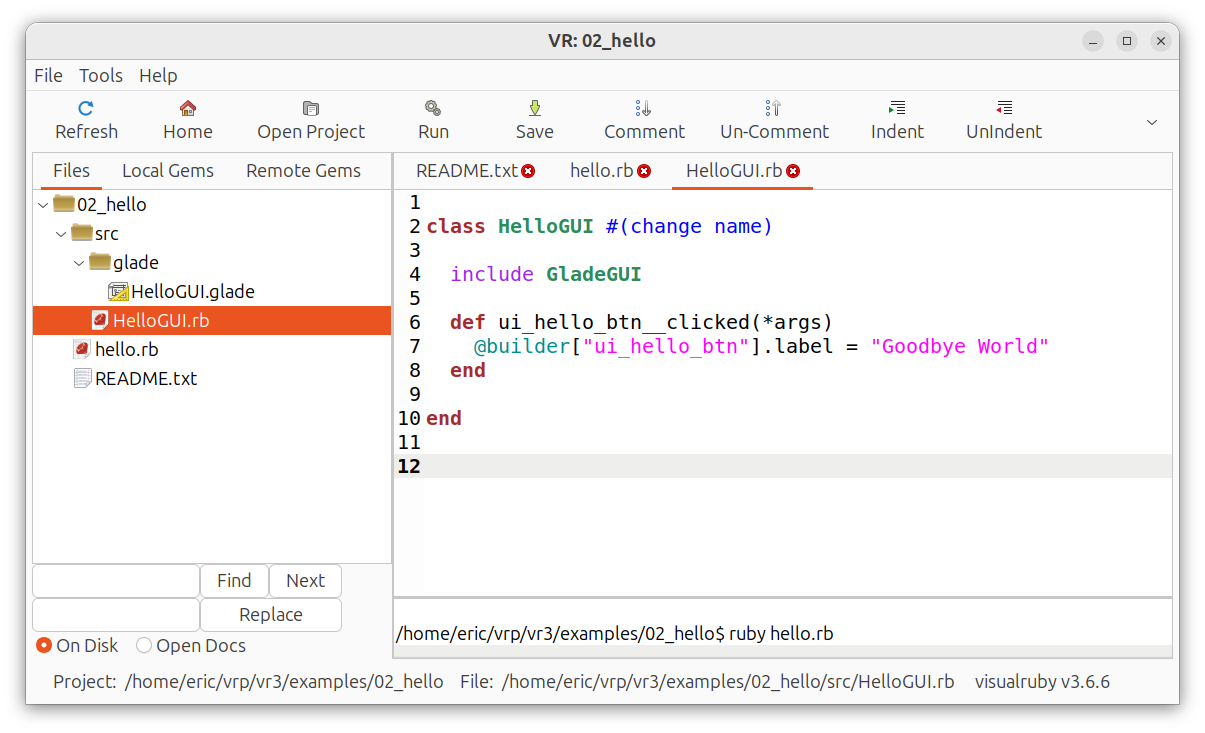
21 |
22 | Then just click the "Run" button:
23 |
24 | 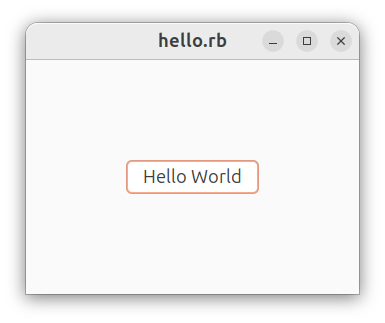
25 |
26 | Obviously, this is a trivial example, but there are about 20 example
27 | programs that illustrate many of the things you can do. The best way
28 | to learn visualruby, is to follow these example programs. (in ~/visualruby/examples).
29 | They are "bite-size" programs that show one idea at a time.
30 |
31 | To proceed, follow the install instructions, and run the first examples.
32 |
33 | ## Install Instructions
34 |
35 | Go to [Install Instructions](https://beagle123.github.io/visualruby/file.Download.html)
36 | to see instructions to install on your operating system.
37 |
--------------------------------------------------------------------------------
/vr.gemspec:
--------------------------------------------------------------------------------
1 |
2 | load "./src/version.rb"
3 |
4 | Gem::Specification.new do |s|
5 | s.name = "visualruby"
6 | s.licenses = ["MIT"]
7 | s.version = VERSION
8 | s.add_dependency(GTK_VERSION)
9 | s.add_dependency(GTK_SOURCEVIEW_VERSION)
10 | s.authors = ["Eric Cunningham"]
11 | s.email = "beagle4321_2000@yahoo.com" # optional
12 | s.summary = "Create IDE designed to make great GUIs with Ruby" # optional
13 | s.homepage = "https://beagle123.github.io/visualruby/" # optional
14 | s.description = "Visualruby is a complete IDE for making graphical user interfaces with ruby. It utilizes glade interface " +
15 | "designer to create windows, and uses a library of GUI helpers to make coding GTK+ programs easy. " +
16 | "The IDE really helps you organize your files and your thoughts because it names your ruby files and glade " +
17 | "files by a naming convention. You files take on the names MyClass.rb, and MyClass.glade. Then you can easily " +
18 | "edit the GUI (glade file) by right clicking on your class's file.\n It also creates .gemspec files for you, then " +
19 | "you can right-click on the .gemspec file to install it, or upload it to rubygems.org. You can also yank your " +
20 | "gems with one click.\n\nTo install, get instructions from our github page at https://github.com/Beagle123/visualruby"
21 | s.executables = ['vr']
22 | s.bindir = ['.'] # optional, default = bin
23 | s.files = Dir.glob("./**/*.{rb,glade,png,yaml,sqlite3,txt}", File::FNM_DOTMATCH)
24 | s.files << "vr"
25 | end
26 |
--------------------------------------------------------------------------------
/lib/treeview/columns/CellRendererToggle.rb:
--------------------------------------------------------------------------------
1 | module VR::Col::Ren
2 |
3 | #
4 | # This renderer has a slightly different validate_block than the others. Its validate_block will be called with three
5 | # parameters:
6 | #
7 | # @view.renderer(:name).validate_block = Proc.new { | model_sym, row, view |
8 | # (row[:name].length < 3)
9 | # }
10 | #
11 | # Also, you can use the VR::Col::Ren::CellRendererToggle#edited= method to allow editing.
12 | #
13 |
14 | class CellRendererToggle < Gtk::CellRendererToggle
15 |
16 | attr_accessor :validate_block, :edited_callback
17 | attr_reader :model_col, :column, :model_sym
18 |
19 | def initialize(model_col, column, view, model_sym)
20 | super()
21 | @model_col = model_col
22 | @model_sym = model_sym
23 | @column = column
24 | @view = view
25 | @edited_callback = nil
26 | @validate_block = Proc.new { |model_sym, row, view | true }
27 | self.signal_connect('toggled') do |ren, path|
28 | @view.model.each { |mod, path, iter| iter[@model_col] = false } if self.radio?
29 | next unless iter = @view.model.get_iter(path)
30 | if @validate_block.call(@model_sym, @view.vr_row(iter), @view)
31 | iter[model_col] = !iter[model_col]
32 | @edited_callback.call(@model_col, iter) if @edited_callback
33 | end
34 | end
35 | end
36 |
37 | def editable=(is_editable)
38 | self.sensitive = is_editable
39 | end
40 |
41 | def set_editable(is_editable)
42 | self.sensitive = is_editable
43 | end
44 |
45 | end
46 |
47 | end
48 |
--------------------------------------------------------------------------------
/examples/08_interrupt_exit/README.txt:
--------------------------------------------------------------------------------
1 |
2 | Closing Windows
3 |
4 | Visualruby has some helpful features to handle closing windows.
5 |
6 | First, you can make a "cancel button" on any form by simply giving
7 | it the glade name:
8 |
9 | cancelButton
10 |
11 | Any button with that name will be recognized, and its window will be closed automatically
12 | when you press it. This is nice because you don't need to clutter your code with
13 | a method named "cancelButton__clicked()" on every form.
14 |
15 | However, sometimes it's desirable to interrupt the window closing process
16 | to avoid data loss. Sometimes, you want the program to confirm that
17 | the user wants to discard the data on the form. Usually, asking, "Are you sure you want to close?"
18 |
19 | There's a GTK event named "delete_event" that is fired before the window is destroyed.
20 | You can write this method to run before the window is destroyed:
21 |
22 | def window1__delete_event(*a)
23 | answer = alert("Do you really want to leave?", button_yes: "Yes!", button_no: "No")
24 | if answer == true
25 | return false # will close window
26 | else
27 | return true # abort and stay here
28 | end
29 | end
30 |
31 | Remember, that ALL windows have the name "window1"
32 |
33 | If this method returns false, the window closes. If it returns true, it leaves the window
34 | open. You can try it for yourself by hitting the "run" button now.
35 |
36 | So the "destroy" method will kill the window without asking, but all the "close" requests will
37 | be interrupted, and run the window1__delete_event() method.
38 |
39 |
40 |
41 |
--------------------------------------------------------------------------------
/examples/49_settings_file/src/SavableSettings.rb:
--------------------------------------------------------------------------------
1 |
2 | class SavableSettings
3 |
4 | include GladeGUI
5 |
6 | def initialize()
7 | defaults()
8 | end
9 |
10 | # defaults are set on new and loaded objects. You can add to this list
11 | # and it will not cause errors. New variables will be added
12 | # and loaded objects will function flawlessly. When you load a yaml
13 | # file using VR::load_yaml, it will look for a method named "defaults"
14 | # and execute it, so use the name "defaults, and it will automatically run.
15 |
16 | def defaults()
17 | @height ||= 500
18 | @width ||= 600
19 | @username ||= "Me Myself and I"
20 | @switch ||= false
21 | @checkYesNo ||= false
22 | @comboFruit ||= "Apples"
23 | @adjustment2 ||= 58 # applies to Gtk::Scale control
24 | @text ||= "Try changing this form, then running it again. " +
25 | "You will find that it preserves its state after it closes. " +
26 | "You can even resize the window, and it will preserve its size.\n\n" +
27 | "It's storing itself in settings.yaml. " +
28 | "To start again, just delete the settings.yaml file." +
29 | "You may need to click the 'Refresh' to see the settings.yaml file appear again."
30 | end
31 |
32 | def before_show()
33 | @builder[:window1].resize @width, @height
34 | end
35 |
36 |
37 | def window1__delete_event(*)
38 | get_glade_variables
39 | @width, @height = @builder[:window1].size()
40 | VR::save_yaml(self)
41 | return false #ok to close
42 | end
43 |
44 |
45 |
46 | end
47 |
48 |
--------------------------------------------------------------------------------
/skeleton/project/src/glade/MyClass.glade:
--------------------------------------------------------------------------------
1 |
2 |
3 |
4 |
5 |
36 |
37 |
--------------------------------------------------------------------------------
/examples/02_hello/src/glade/HelloGUI.glade:
--------------------------------------------------------------------------------
1 |
2 |
3 |
4 |
5 |
37 |
38 |
--------------------------------------------------------------------------------
/lib/treeview/columns/CellRendererObject.rb:
--------------------------------------------------------------------------------
1 | module VR::Col::Ren
2 |
3 | # This class is a helper to VR::ListView and VR::TreeView. When
4 | # colums are created, this class is used as the renderer because
5 | # it adds functionality to the Gtk Renderer.
6 | #
7 | # When you call ListView#render(model_col) an instance of this class
8 | # will be returned. It is a subclass of Gtk::CellRendererText
9 | #
10 | # So it has all the functionality of its parent, plus the methods listed here.
11 |
12 | class CellRendererObject < Gtk::CellRendererText
13 |
14 | attr_accessor :model_col, :column, :edited_callback, :model_sym, :view
15 |
16 | def initialize(model_col, column, view, model_sym) # :nodoc:
17 | super()
18 | @model_col = model_col
19 | @model_sym = model_sym
20 | @view = view
21 | @column = column
22 | @edit = true
23 | @edited_callback = nil
24 | @view.model.set_sort_func(@model_col) { |m,x,y| x[@model_col] <=> y[@model_col] }
25 | @show_block = Proc.new { |obj| obj.show_glade() if obj.respond_to? "show_glade" }
26 | @view.signal_connect("row_activated") do | view, path, col |
27 | next if !@edit or !col.eql? @column
28 | iter = @view.model.get_iter(path)
29 | obj = iter[@model_col]
30 | @show_block.call(obj)
31 | block = @edited_callback ? @edited_callback.call(@model_sym, @view.vr_row(iter)) : true
32 | @view.signal_emit_stop("row_activated") if block
33 | end
34 | end
35 |
36 | alias :set_editable :editable=
37 | def editable=(e)
38 | @edit = e
39 | end
40 |
41 | end
42 |
43 | end
44 |
--------------------------------------------------------------------------------
/examples/02_hello/src/glade/HelloGUI.glade~:
--------------------------------------------------------------------------------
1 |
2 |
3 |
4 |
5 |
37 |
38 |
--------------------------------------------------------------------------------
/examples/01_phantom/README.txt:
--------------------------------------------------------------------------------
1 |
2 | To start, click the "Run" button, and the program will appear.
3 |
4 | Clicking the run button, simply runs this command:
5 |
6 | ruby phantom.rb
7 |
8 | You can see and edit the "Run" command in menu: Tools > Project Settings
9 |
10 | Try right-clicking on the files on the left to see options.
11 |
12 | Next, try editing a glade file by clicking on the glade folder,
13 | and double clicking on Phantom.glade. If this does't work,
14 | you need to install the Glade Interface Designer. Glade needs to be installed
15 | such that it runs from the command prompt using the command, "glade"
16 |
17 | These lines of code are what makes the program work:
18 |
19 | require 'vrlib'
20 |
21 | and
22 |
23 | include GladeGUI
24 |
25 | The GladeGUI module is in vrlib.rb, and it contains the vital methods
26 | to transform a class into a GUI program.
27 |
28 | One important method in GladeGUI is the #show_glade() method. It reads the
29 | glade file, and shows it on the screen.
30 |
31 | So this line of code:
32 |
33 | Phantom.new.show_glade()
34 |
35 | Creates an instance of the Phantom class, then loads Phantom.glade, then
36 | finds a window with ID "window1" in the glade file, and show it onscreen.
37 |
38 |
39 | Summary:
40 | 1) Always require "vrlib" in your programs.
41 | 2) Then, include GladeGUI to any class that has a GUI.
42 | 3) Visualruby will automatically find the glade files in the glade folder.
43 | 4) It will load the glade file, find ID "window1", and show it.
44 |
45 |
46 | Click the "Run" button to see this in action. Then click the "Open Project" button
47 | to move on to example 2 ....
48 |
49 |
50 |
51 |
--------------------------------------------------------------------------------
/examples/71_prettify_view/src/PrettyView.rb:
--------------------------------------------------------------------------------
1 |
2 | class PrettyView < VR::ListView
3 |
4 | include GladeGUI
5 |
6 |
7 | def initialize()
8 | super({ name: String, balance: Float })
9 | col_width(name: 160, balance: 120)
10 | col_attr(:balance, alignment: 1, xalign: 1) # align header and numbers to right
11 | refresh()
12 | self.visible = true
13 | each_cell_method(:balance, :balance, method(:make_negatives_red))
14 | end
15 |
16 | # This method is called by Gtk on each cell. It passes the Gtk::TreeViewColumn, the renderer etc.
17 | def make_negatives_red(col, rend, model, iter)
18 |
19 | col_id = id(rend.model_sym)
20 | balance = iter[col_id]
21 |
22 | if balance < 0
23 | rend.text = "(%.2f)" % balance.abs
24 | rend.foreground = "darkred"
25 | rend.weight = 700
26 | else
27 | rend.text = "%.2f" % balance
28 | rend.foreground = "black"
29 | rend.weight = 400
30 | end
31 |
32 | end
33 |
34 |
35 | def before_show
36 | @builder["scrolledwindow1"].add_child(self)
37 | end
38 |
39 | # this just loads the data into the model
40 | def refresh()
41 | data = get_data() # returns array of songs
42 | (0..6).each do |i|
43 | row = model.append # add_row()
44 | row[id(:name)] = data[i][0]
45 | row[id(:balance)] = data[i][1]
46 | end
47 | end
48 |
49 |
50 | def get_data
51 | rows = []
52 | rows << ["Iggy", 45.60]
53 | rows << ["Joe", 208.29]
54 | rows << ["Elvis", -56.23]
55 | rows << ["Paul", 782.45]
56 | rows << ["Dorothy", -129.01]
57 | rows << ["Rod", 55.87]
58 | rows << ["Lionel", 29.23]
59 | end
60 |
61 |
62 | end
63 |
64 |
--------------------------------------------------------------------------------
/examples/02_hello/README.txt:
--------------------------------------------------------------------------------
1 |
2 | This "hello world" script is simple, but there are some important lessons
3 | to be learned from it.
4 |
5 | As before, the HelloGUI.rb class has a corresponding glade file, HelloGUI.glade, to add a GUI.
6 | It maps like this:
7 |
8 | HelloGUI.rb ==> glade/HelloGUI.glade
9 |
10 | If you doubleclick on HelloGUI.glade, the file will open, and you can see
11 | the button with ID: "ui_hello_btn"
12 |
13 | This ID follows a naming convention:
14 |
15 | ui = user interface
16 | hello = identifier
17 | btn = a button
18 |
19 | This naming convention isn't required, but it helps distinguish a variable that
20 | refers to a widget from one of your variables.
21 |
22 | The main program creates an instance of the HelloGUI class and shows it:
23 |
24 | HelloGUI.new().show_glade()
25 |
26 | The following method uses this ID, such that it runs when the button is clicked:
27 |
28 | From HelloGUI.rb:
29 |
30 | def ui_hello_btn__clicked(*args)
31 | alert("Hello World")
32 | end
33 |
34 |
35 | The name of this method is definately not an accident. It follows a naming convention:
36 |
37 | __ # two underscores between ID and event!
38 |
39 | So the method, ui_hello_btn__clicked(*args) runs when the button with glade ID "ui_hello_btn"
40 | encounters a "clicked" event. To make this work, you only need to create a unique glade ID and
41 | name your method correctly. It will call the method based on its name.
42 |
43 |
44 | SUMMARY:
45 | 1) Give the widgets on the form unique glade IDs, then refer to them by their ID.
46 | 2) Store your glade files in the subdirectory /glade. Mapping: MyClass.rb => glade/MyClass.glade
47 | 3) Visualruby will call event handlers by the naming convention: __ (see next examples)
48 |
49 |
50 |
51 |
--------------------------------------------------------------------------------
/lib/SavableClass.rb:
--------------------------------------------------------------------------------
1 | module VR
2 |
3 | # Loads or creates a yaml file with a given object type (class).
4 | # If the file exists already, the object will be returned. If not,
5 | # a new instance will be returned, and the file will instantly be saved.
6 | # @param [Class] klass The class of the object to be loaded or created
7 | # @param [String] file_name File name to save. Should be named .yaml
8 | # @param [Splat] args Optional arguments to pass to contructor of class. Not used often.
9 | # @return [Object] Object of type klass that was loaded or created.
10 | def self.load_yaml(klass, file_name, *args)
11 | me = nil
12 | if File.file?(file_name)
13 | me = YAML.unsafe_load(File.open(file_name).read)
14 | else
15 | me = klass.new(*args)
16 | end
17 | file_name = File.expand_path(file_name)
18 | me.instance_variable_set(:@vr_yaml_file, file_name)
19 | me.defaults() if me.respond_to?(:defaults)
20 | VR::save_yaml(me)
21 | return me
22 | end
23 |
24 | # Saves an object likely loaded with #load_yaml to disk.
25 | # @param [Object] obj Object to save in yaml format
26 | # @param [String] file_name Optional file name to save yaml file to. When omitted,
27 | # it will save file to path where it was opened from. Only supply this param if you want to
28 | # make another copy of the yaml file.
29 | def self.save_yaml(obj, file_name = nil)
30 | file_name ||= obj.instance_variable_get(:@vr_yaml_file)
31 | @vr_yaml_file = file_name
32 | dir = File.dirname(file_name)
33 | unless File.directory?(dir)
34 | FileUtils.mkdir_p(dir)
35 | end
36 | File.open(file_name, "w") {|f| f.puts(obj.to_yaml)}
37 | end
38 | # Note: can't remove @builder or @top_level_window variables because needed to close window.
39 | end
40 |
41 |
42 |
--------------------------------------------------------------------------------
/src/main/VR_Local_Gem_Tree.rb:
--------------------------------------------------------------------------------
1 |
2 | class VR_Local_Gem_Tree < GemTree
3 |
4 | include GladeGUI
5 |
6 | def initialize(main)
7 | super()
8 | @main = main
9 | load_glade()
10 | parse_signals()
11 | end
12 |
13 | def refresh()
14 | self.model.clear
15 | result = `gem list`
16 | result.each_line do |line|
17 | gem, versions = get_name_ver(line)
18 | versions.split(",").each do |v|
19 | add_row( :pix => RUBY_ICON, :gem => "#{gem} (#{v})" )
20 | end
21 | end
22 | end
23 |
24 | #todo
25 | def popViewSpec_clicked
26 | gem, ver = selected_gem()
27 | spec = `gem specification #{gem} -v #{ver}`
28 | @main.tabs.load_tab()
29 | @main.tabs.set_contents(spec)
30 | end
31 |
32 | def popOpenRubygemsPage_clicked
33 | gem, ver = selected_gem()
34 | VR_Tools.popen("#{$VR_ENV_GLOBAL.browser} http://rubygems.org/gems/#{gem}")
35 | end
36 |
37 | def popOpenHomepage_clicked
38 | gem, ver = selected_gem()
39 | spec = `gem specification #{gem} -v #{ver}`
40 | match = /^homepage:\s+(.*)$/.match(spec)
41 | VR_Tools.popen("#{$VR_ENV_GLOBAL.browser} #{match[1]}")
42 | end
43 |
44 | def popUninstall_clicked
45 | gem, ver = selected_gem()
46 | # begin
47 | Gem::Uninstaller.new(gem, {:version => ver, :executables => true }).uninstall()
48 | txt = "Uninstalled Gem: #{gem} #{ver}"
49 | # rescue
50 | # command = "gem uninstall #{gem} -x -v '#{ver}' 2>&1"
51 | # txt = VR_Tools.sudo_command(command)
52 | # end
53 | @main.shell.buffer.text = txt
54 | refresh()
55 | end
56 |
57 |
58 | def selected_gem
59 | row = self.selection.selected[1].split(" (")
60 | ver = row[1].gsub(")","")
61 | return row[0], ver
62 | end
63 |
64 | end
65 |
66 |
--------------------------------------------------------------------------------
/examples/35_child_window/src/ChildWindowDemo.rb:
--------------------------------------------------------------------------------
1 |
2 | ##
3 | # This is a "main" GUI class for a program. It allows you
4 | # to open modal and non-modal windows.
5 | #
6 | # Modal windows are
7 | # windows that appear on top of the main program window and
8 | # halt the main window until they are closed. They're good for
9 | # dialogs etc.
10 | #
11 | # Normal non-modal windows operate concurrently with the main
12 | # window and each other. You can open many child windows, and they
13 | # will all function at the same time. For example, they're useful if you're
14 | # opening several documents at the same time.
15 | #
16 | # To open a modal window, set the "modal" property in glade then call the show_glade()
17 | # method with the parent
18 | # as the aregument. Almost always, you will be calling the show method
19 | # from within the parent window so you would pass "self" as the argument:
20 | #
21 | # ChildWindow.new.show_glade(self)
22 | #
23 | # This line would open a new ChildWindow window that always appears on top
24 | # of the parent (self) window, and freezes the parent window until it closes.
25 | #
26 |
27 |
28 | class ChildWindowDemo
29 |
30 | include GladeGUI
31 |
32 | def buttonOpenModeless__clicked(*argv)
33 | ModelessWindow.new.show_glade() # no parent given so window is modeless
34 | end
35 |
36 | # This modal window has its "modal" property set to true in glade.
37 | # I pass a reference to "self" in the show method, setting the parent to this window,
38 | # making it always on top. Its a good idea to have modal windows always on top
39 | # because the parent is frozen, so the next action must be in the modal window.
40 |
41 | def buttonOpenModal__clicked(*argv)
42 | ModalWindow.new.show_glade(self) # self = parent, so always on top of parent
43 | end
44 |
45 |
46 | end
47 |
48 |
49 |
50 |
--------------------------------------------------------------------------------
/src/main/VR_Remote_Gem_Tree.rb:
--------------------------------------------------------------------------------
1 | class VR_Remote_Gem_Tree < GemTree
2 |
3 | def initialize(main)
4 | super()
5 | @main = main
6 | @gems = Hash.new
7 | @builder = Gtk::Builder.new(file: File.join(File.dirname(__FILE__), "glade", "VR_Remote_Gem_Tree.glade"))
8 | @builder.connect_signals{ |handle| method(handle) }
9 | end
10 |
11 | def refresh(force = true)
12 | return if @t
13 | return unless force or not self.model.iter_first
14 | return unless @api.get_key()
15 | @t = Thread.new do
16 | @main.shell.buffer.text += "\nContacting rubygems.org..."
17 | self.model.clear
18 | return unless @gems = @api.get_obj_url("/api/v1/gems.yaml")
19 | @gems.each do |gem|
20 | gem_info = @api.get_obj_url("/api/v1/versions/#{gem['name']}.yaml")
21 | gem_info.each do |info|
22 | self.add_row(:pix => RUBY_ICON, :gem => "#{gem['name']} (#{info['number']})")
23 | end
24 | end
25 | @t.join
26 | end
27 | @t = false
28 | end
29 |
30 | def selected_gem
31 | row = self.selection.selected[1].split(" (")
32 | @gems.detect { |gem| gem['name'] == row[0] } #and gem['version'] == ver}
33 | end
34 |
35 | def popOpenRubygemsPage__activate(*args)
36 | gem = selected_gem()
37 | VR_Tools.popen("#{$VR_ENV_GLOBAL.browser} #{gem['project_uri']}")
38 | end
39 |
40 | def popOpenHomepage__activate(*args)
41 | gem = selected_gem()
42 | VR_Tools.popen("#{$VR_ENV_GLOBAL.browser} #{gem['homepage_uri']}")
43 | end
44 |
45 | def popYank__activate(*args)
46 | name, ver = get_name_ver(selection.selected[1])
47 | reply = @api.yank_gem(name, ver)
48 | @main.shell.buffer.text = "Yanking gem: #{name} #{ver}\n" + reply
49 | self.model.remove(selection.selected) if reply.include? "OK"
50 | end
51 |
52 | end
53 |
54 |
55 |
56 |
--------------------------------------------------------------------------------
/src/main/glade/VR_Remote_Gem_Tree.glade:
--------------------------------------------------------------------------------
1 |
2 |
3 |
4 |
5 |
39 |
40 |
--------------------------------------------------------------------------------
/examples/78_listview/src/SongListViewGUI.rb:
--------------------------------------------------------------------------------
1 |
2 | class SongListViewGUI < SongListView
3 |
4 | include GladeGUI
5 |
6 | def before_show
7 | @builder["scrolledwindow1"].add_child(self)
8 | end
9 |
10 | def self__row_activated(*args)
11 | return unless row = selected_rows.first
12 | alert "You selected\n#{row[:song]}\nby #{row[:artist]}"
13 | end
14 |
15 | def invisible__toggled(*args)
16 | refresh()
17 | v = !@builder["invisible"].active?
18 | ren_visible(:last_name => v, :first_name => v )
19 | repaint
20 | end
21 |
22 | def radio__toggled(*args)
23 | ren_radio(:check => @builder["radio"].active?)
24 | each_row { |r| r[:check] = false }
25 | repaint
26 | end
27 |
28 | def background__toggled(*args)
29 | val = @builder["background"].active? ? "yellow" : "white"
30 | ren_background(song: val)
31 | # renderer(:pix).background = val
32 | # ren_attr(:song, :background => val) # same as set_background( :song => val)
33 | repaint
34 | end
35 |
36 | def xalign__toggled(*args)
37 | val = @builder["xalign"].active? ? 1 : 0
38 | ren_xalign(:artist => val)
39 | repaint
40 | end
41 |
42 | def bold__toggled(*args)
43 | # val = @builder["bold"].active? ? Pango::WEIGHT_BOLD : Pango::WEIGHT_NORMAL
44 | val = @builder["bold"].active? ? 700 : 400
45 | ren_weight(:song => val) #number from 100 to 900, BOLD = 700
46 | # ren_attr(:song, weight: val)
47 | repaint
48 | end
49 |
50 | def center__toggled(*args)
51 | val = @builder["center"].active? ? 1 : 0
52 | col_alignment(:artist => val)
53 | repaint
54 | end
55 |
56 | def editable__toggled(*args)
57 | ren_editable(!@builder["editable"].active?)
58 | end
59 |
60 | def digits__toggled(*args)
61 | val = @builder["digits"].active? ? 1 : 0
62 | ren_digits(:quantity => val)
63 | repaint
64 | end
65 |
66 | def repaint
67 | @builder["scrolledwindow1"].hide
68 | @builder["window1"].show_all
69 | end
70 | end
71 |
72 |
73 |
--------------------------------------------------------------------------------
/examples/04_before_show/src/glade/BeforeShow.glade:
--------------------------------------------------------------------------------
1 |
2 |
3 |
4 |
5 |
47 |
48 |
--------------------------------------------------------------------------------
/examples/04_before_show/src/glade/BeforeShow.glade~:
--------------------------------------------------------------------------------
1 |
2 |
3 |
4 |
5 |
47 |
48 |
--------------------------------------------------------------------------------
/lib/treeview/TreeView.rb:
--------------------------------------------------------------------------------
1 |
2 | module VR
3 | #
4 | # TreeView is almost identical to VR::ListView. The only difference
5 | # is how rows are added, and that they use a different model class.
6 | # See VR::ListView for in-depth docs. Also, see Gtk::TreeView for more.
7 | #
8 | # Also, most of the useful methods for VR::TreeView are found in VR::ViewCommon.
9 | # All the methods in VR::ViewCommon work on VR::TreeViews and VR::ListViews.
10 | #
11 | class TreeView < Gtk::TreeView
12 |
13 | include ViewCommon
14 |
15 | # def initialize(cols)
16 | # super()
17 | # @vr_column = {}
18 | # @vr_renderer = {}
19 | # @vr_id = {}
20 | # @current_model_col = 0
21 | # args = *flatten_hash(cols).values
22 | # alert args.to_s
23 | # # model = Gtk::TreeStore.new(*args)
24 | # alert self.model.class.name
25 | # self.model = nil
26 | # self.model = model
27 | # cols.each_pair do |sym, type|
28 | # add_column(sym, type)
29 | # end
30 | # @column_keys = flatten_hash(cols).keys # this is shakey
31 | # end
32 |
33 | # See VR::ListView constructor. (exactly the same)
34 |
35 | # def initialize(cols)
36 | # super()
37 | # args = *flatten_hash(cols).values
38 | # alert args.to_s
39 | # self.model = Gtk::TreeStore.new(*args) # *flatten_hash(cols).values)
40 | # load_columns(cols)
41 | # end
42 | #
43 | # Adds row to the model. This will return a "row" type iter that responds
44 | # to column IDs (symbols). You need to provide a parent row (iter).
45 | # See GtkTreeView#append for more.
46 | #
47 | # The iter is a GtkTreeIter object for the parent or nil for the root of the tree. The hash argument is a Hash of values to add:
48 | #
49 | # @view.add_row(iter, :name => "Chester", :email => "chester@chesterizer.com")
50 | #
51 | #
52 |
53 | def add_row(parent, hash = {})
54 | row = vr_row(model.append(parent))
55 | hash.each_pair { |key, val| row[key] = val }
56 | return row
57 | end
58 |
59 | end
60 |
61 | end
62 |
--------------------------------------------------------------------------------
/examples/97_active_record2/bin/CompanyGUI.rb:
--------------------------------------------------------------------------------
1 |
2 | class CompanyGUI
3 |
4 | include GladeGUI
5 |
6 |
7 | def before_show()
8 | @employer_view = VR::ListView.new(:employer => Employer, :address => String, :company_type => String)
9 | @builder["scroll_employer"].add(@employer_view)
10 | # @employer_view.selection.signal_connect("changed") { employer_view__changed }
11 | @employer_view.col_width(:employer => 160, :address => 340, :company_type => 180)
12 |
13 | @employee_view = VR::ListView.new(:employer => Employer, :employee => Employee, :address => String, :balance => String)
14 | @builder["scroll_employee"].add(@employee_view)
15 | ## @employee_view.selection.signal_connect("changed") { employee_view__changed }
16 | @employee_view.col_width(:employer => 160, :employee => 150, :address => 320)
17 |
18 | @paycheck_view = VR::ListView.new(:employee => Employee, :date => DateTime, :description => String, :amt => Paycheck)
19 | @builder["scroll_paycheck"].add(@paycheck_view)
20 | @paycheck_view.col_width(:employee => 200, :date => 100, :description => 220, :amt => 100)
21 |
22 | Employer.all.each do |e|
23 | row = @employer_view.add_row
24 | row[:employer] = e
25 | row.load_object(e)
26 | end
27 | @builder[:window1].show_all
28 | # @employer_view.select_row()
29 | end
30 |
31 |
32 | def employer_view__cursor_changed(*a)
33 | return unless row = @employer_view.selected_rows[0]
34 | @employee_view.model.clear
35 | Employee.where(:employer_id => row[:employer].id).each do |e|
36 | row = @employee_view.add_row
37 | row[:employee] = e
38 | row.load_object(e)
39 | end
40 | # @employee_view.select_row(0)
41 | end
42 |
43 | def employee_view__cursor_changed(*a)
44 | return unless row = @employee_view.selected_rows[0]
45 | @paycheck_view.model.clear
46 | Paycheck.where(:employee_id => row[:employee].id).each do |e|
47 | row = @paycheck_view.add_row
48 | row.load_object(e) #this loads employee object
49 | row[:amt] = e
50 | end
51 | end
52 |
53 |
54 | end
55 |
--------------------------------------------------------------------------------
/src/editor/VR_TextShell.rb:
--------------------------------------------------------------------------------
1 |
2 | class VR_TextShell < GtkSource::View
3 |
4 | include VR_TextViewCommon
5 |
6 | def initialize(tabs)
7 | super()
8 | @tabs = tabs
9 | @current_line = 0
10 | @lines = [] #needed
11 | self.editable = false
12 | @blue = buffer.create_tag("blue", { "foreground" => "#0000A0", "underline" => :single }) # Pango::UNDERLINE_SINGLE })
13 | self.highlight_current_line = true
14 | @hilight = buffer.create_tag("hilight", { "background" => "#FFF0A0" } )
15 | signal_connect("button_release_event") { jump_to(line_at_cursor() - 1) } #buffer's lines start at 1
16 | signal_connect("key_release_event") { jump_to(line_at_cursor() - 1) } #buffer's lines start at 1
17 | end
18 |
19 | def hilight_links(text, jump_to_first)
20 | self.buffer.text = text
21 | first_valid_line = load_lines()
22 | (0..@lines.size - 1).each do |i|
23 | next if @lines[i].nil?
24 | apply_tag_to_line(i, @blue, @lines[i][:file_name] + ":" + @lines[i][:line].to_s)
25 | end
26 | @current_line = 0
27 | @tabs.jump_to(first_valid_line) if jump_to_first and first_valid_line
28 | end
29 |
30 | def load_lines()
31 | @lines = []
32 | first = nil
33 | reg = /^.*(#{Dir.pwd}[\w+|\/]*)\/([\w|\.]+):(\d+):/
34 | reg_str = /Found:\s(.+)$/
35 | self.buffer.text. each_line do |l|
36 | m = reg.match(l)
37 | if m.nil?
38 | @lines << nil
39 | else
40 | m2 = reg_str.match(l)
41 | search_str = (m2.nil?) ? "" : m2[1]
42 | @lines << { :path => m[1] + "/" + m[2], :file_name => m[2], :line => m[3].to_i, :search_str => search_str }
43 | first ||= @lines.last
44 | end
45 | end
46 | return first
47 | end
48 |
49 | def jump_to(line_no = @current_line+1)
50 | return false if line_no > @lines.size
51 | @current_line = line_no
52 | remove_tag(@hilight)
53 | apply_tag_to_line(@current_line, @hilight, nil)
54 | @tabs.jump_to(@lines[@current_line])
55 | return false #must return false for button_up event
56 | end
57 |
58 | end
59 |
--------------------------------------------------------------------------------
/src/main/VR_ENV_GLOBAL.rb:
--------------------------------------------------------------------------------
1 |
2 | class VR_ENV_GLOBAL
3 |
4 | GLOBAL_SETTINGS_FILE = File.join(ENV["HOME"], "visualruby", ".global_settings.yaml")
5 |
6 | include GladeGUI
7 |
8 | attr_accessor :browser, :tab_spaces, :glade_path, :default_project, :projects_home_open_folders
9 | attr_accessor :font_name, :settings_file_version, :projects_home, :home_project
10 |
11 | #runs automatically in VR::load_yaml. Either loads current values or sets defaults
12 | def defaults()
13 | @browser ||= "firefox"
14 | @tab_spaces ||= 2
15 | @font_name ||= "Monospace 10"
16 | @glade_path ||= "glade"
17 | @projects_home ||= File.join(ENV["HOME"], "visualruby")
18 | @projects_home_open_folders ||= [@projects_home]
19 | @default_project ||= File.join(ENV["HOME"], "visualruby", "examples", "01_phantom")
20 | @home_project ||= @default_project
21 | end
22 |
23 | def before_show
24 | @builder["font_name"].show_size = true
25 | end
26 |
27 | def buttonSave_clicked
28 | if valid?
29 | get_glade_variables
30 | @tab_spaces = @builder['tab_spaces'].text.to_i
31 | VR::save_yaml(self)
32 | @builder["window1"].close
33 | end
34 | end
35 |
36 | def valid? # must validate form, not variables
37 | tab_spaces = @builder['tab_spaces'].text.to_i
38 | if tab_spaces < 0 or tab_spaces > 9
39 | alert("Tab spaces must be between 1 and 9", :parent=>self)
40 | return false
41 | elsif not File.directory?(@builder[:projects_home].text)
42 | alert("Projects home folder is not valid.", :parent=>self)
43 | return false
44 | elsif not VR_Tools.vr_project?(@builder[:home_project].text)
45 | alert("Home button project is not valid.", :parent=>self)
46 | return false
47 | end
48 | return true
49 | end
50 |
51 |
52 | def buttonTryGlade__clicked(*argv)
53 | VR_Tools.popen(@builder[:glade_path].text)
54 | end
55 |
56 | def buttonTryBrowser__clicked(*argv)
57 | VR_Tools.popen(@builder[:browser].text)
58 | end
59 |
60 | def buttonCurrent__clicked(*argv)
61 | @builder["home_project"].text = Dir.pwd
62 | end
63 |
64 | end
65 |
--------------------------------------------------------------------------------
/examples/92_standalone_exe/src/glade/MyClass.glade~:
--------------------------------------------------------------------------------
1 |
2 |
3 |
4 |
5 |
48 |
49 |
--------------------------------------------------------------------------------
/examples/78_listview_objects/src/ListViewObjects.rb:
--------------------------------------------------------------------------------
1 | # This is a listview that contains objects! The columns contain a date object, a user defined, and
2 | # a long (blob) text string. The columns are named :join, :name, and :quote.
3 |
4 | class ListViewObjects < VR::ListView
5 |
6 | def initialize()
7 | # hash of column types.
8 | @cols = { join: VR::Col::CalendarCol, name: DataObject, quote: VR::Col::BlobCol }
9 | super(@cols)
10 | col_title(:join => "Joined On", :name => "Name (email)", :quote => "Favorite Quote")
11 | col_width(:join => 250, :name => 400)
12 | populate_data()
13 | end
14 |
15 | def refresh()
16 |
17 | end
18 |
19 |
20 | def populate_data() # just populates model with random data
21 | row = add_row()
22 | row[:join] = VR::Col::CalendarCol.new DateTime.new(2011, 1, 15, 7, 23, 0)
23 | row[:name] = DataObject.new("Henry Johnson", "18458 S Beauford St.", "hohohoja@email.net", "154-453-8585")
24 | row[:quote] = VR::Col::BlobCol.new "I have come to believe that the whole world is an enigma, a harmless enigma that is made terrible by our own mad attempt to interpret it as though it had an underlying truth.\n\n- Umberto Eco"
25 | row = add_row()
26 | row[:join] = VR::Col::CalendarCol.new DateTime.new(1997, 7, 24, 3, 26, 0)
27 | row[:name] = DataObject.new("Theo Alexander", "935 Medford Ln.", "noreply@gmail.com", "586-673-9474")
28 | row[:quote] = VR::Col::BlobCol.new "The instinct of nearly all societies is to lock up anybody who is truly free. First, society begins by trying to beat you up. If this fails, they try to poison you. If this fails too, they finish by loading honors on your head.\n\n- Jean Cocteau (1889-1963)"
29 | row = add_row()
30 | row[:join] = VR::Col::CalendarCol.new DateTime.new(1987, 5, 11, 6, 43, 0)
31 | row[:name] = DataObject.new("Billy Vincent", "675 Telegraph Rd.", "jimmy@visualruby.net", "432-485-5863")
32 | row[:quote] = VR::Col::BlobCol.new "There are two ways of constructing a software design; one way is to make it so simple that there are obviously no deficiencies, and the other way is to make it so complicated that there are no obvious deficiencies. The first method is far more difficult.\n\n- C. A. R. Hoare"
33 | end
34 |
35 |
36 | end
37 |
--------------------------------------------------------------------------------
/examples/92_standalone_exe/src/glade/MyClass.glade:
--------------------------------------------------------------------------------
1 |
2 |
3 |
4 |
5 |
49 |
50 |
--------------------------------------------------------------------------------
/examples/70_better_views/README.txt:
--------------------------------------------------------------------------------
1 |
2 | While Gtk offers a Gtk::TreeView and Gtk::ListView class, they are
3 | very difficult to use. Visualruby has created subclasses of Gtk::TreeView
4 | and Gtk::ListView that are much easier to use. The TreeView and ListView classes are
5 | almost the same class so all the methods and properties here can be applied to
6 | both ListViews and TreeViews. This example is for a VR::ListView, but everything applies to
7 | VR::TreeView too.
8 |
9 | The VR::ListView constructor has the benefit of applying names to all the columns:
10 |
11 | @view = VR::ListView( name: String, age: Integer )
12 |
13 | The VR::ListView class will keep a hash of column names that can be retreived
14 | using the id() method:
15 |
16 | @age = id(:age) # ==> 1
17 |
18 | This is much easier than Gtk's classes which use numbers to identify columns.
19 |
20 | Since VR::ListView is a subclass of Gtk::ListView, you can still use all the properties
21 | from Gtk::ListView including the ".model" property that holds all the data.
22 | The ".model" property is like a complete table (or spreadsheet) of data with columns and rows.
23 | When you access the ".model", you need to use the id() method so you pass a column number:
24 |
25 | row = model.first # this is model from Gtk::ListView
26 | x = row[id(:age)] # ==> that row's age
27 |
28 | In this example, it calls the Gtk::ListView's #append method to add rows:
29 |
30 | row = model.append
31 | row[id(:name)] = "Helen" # same as row[0] = "Helen"
32 | etc.
33 |
34 | Again, the id() method is converting the column symbol, ":name" to the correct integer
35 | for the column, so you can identify columns by their symbol.
36 |
37 | Summary:
38 | 1) using VR::ListView and VR::Treeveiw allows naming of columns
39 | 2) You can still use Gtk::Listview's methods and properties because it's their superclass
40 |
41 | This example creates the most basic VR::ListView, but it can do a lot more including
42 | changing columns' and cells' appearance, changing the header, sorting etc.
43 | Click "Open Project" to go to the next example...
44 |
45 |
46 |
47 |
48 | There is a list of color names here:
49 |
50 | https://drafts.csswg.org/css-color/#named-colors
51 |
52 |
53 |
54 |
55 |
56 |
57 |
58 |
59 |
60 |
61 |
62 |
63 |
64 |
65 |
--------------------------------------------------------------------------------
/lib/treeview/columns/BlobCol.rb:
--------------------------------------------------------------------------------
1 |
2 | module VR::Col
3 |
4 | # The BlobCol class is a simple text editor for editing strings of data:
5 | #
6 | # It is a very useful class when you want to display and edit long strings
7 | # of data in a VR::ListView. To create a coulmn of long strings in a VR::ListView,
8 | # simply define the column type as VR::Col::BlobCol:
9 | #
10 | # @view = VR::ListView.new(:name => String, :quote => VR::Col::BlobCol)
11 | # row = @view.add_row
12 | # row[:name] = "Eric"
13 | # row[:quote] = VR::Col::BlobCol.new("I have come to believe that the whole world is an enigma, a harmless enigma that is made terrible by our own mad attempt to interpret it as though it had an underlying truth. - Umberto Eco) ")
14 | #
15 | # The above listview will only display the first 20 characters of the quote, so
16 | # it won't destroy the appearance of the listview. When a user clicks on the
17 | # quote column, a window like the one above will appear.
18 | #
19 | # See the example project, "listview_objects" for more.
20 |
21 | class BlobCol
22 |
23 | include GladeGUI
24 |
25 | attr_accessor :text, :length_to_display, :edited_callback
26 | #
27 | # - text - String value of the field
28 | # - length_to_display - Integer number of characters to display in the listview. Default: 20
29 | #
30 | def initialize(text, length_to_display = 20)
31 | @length_to_display = length_to_display
32 | @text = text
33 | end
34 |
35 | def before_show()
36 | @builder["window1"].resize 650, 360
37 | end
38 |
39 | # The to_s method outputs the string that is shown in the VR::ListView. By default
40 | # it will display the first 20 characters of the string. If you
41 | # want to change the number of characters it displays, change the
42 | # value of the length_to_display variable.
43 |
44 | def to_s
45 | (@text.size > @length_to_display ? @text[0, @length_to_display - 4] + "..." : @text).gsub("\n"," ")
46 | end
47 |
48 | def buttonSave__clicked(*args) # :nodoc:
49 | get_glade_variables()
50 | @builder["window1"].close
51 | end
52 |
53 | def buttonCancel__clicked(*args) # :nodoc:
54 | @builder["window1"].close
55 | end
56 |
57 | def <=>(text_col)
58 | self.text <=> text_col.text
59 | end
60 |
61 | end
62 |
63 | end
64 |
--------------------------------------------------------------------------------
/src/main/OpenProject.rb:
--------------------------------------------------------------------------------
1 |
2 | class OpenProject
3 |
4 | include GladeGUI
5 |
6 | def initialize(parent)
7 | @parent = parent
8 | @projects_home = $VR_ENV_GLOBAL.projects_home
9 | end
10 |
11 | def before_show
12 | @ftv = ProjectTree.new()
13 | @ftv.show
14 | @ftv.set_show_expanders(false)
15 | @builder["view"].add_child(@ftv)
16 | end
17 |
18 | def ftv__cursor_changed(*a)
19 | @ftv.expand_or_collapse_folder()
20 | end
21 |
22 | def ftv__row_activated(_self, path, col)
23 | return unless row = @ftv.selected_rows.first
24 | if VR_Tools.vr_project?(row[:path])
25 | buttonOpen__clicked
26 | else
27 | @ftv.expand_or_collapse_folder()
28 | end
29 | end
30 |
31 | def buttonChange__clicked(*a)
32 | $VR_ENV_GLOBAL.show_glade(self)
33 | @projects_home = $VR_ENV_GLOBAL.projects_home
34 | @ftv.refresh(:root => @projects_home)
35 | @builder[:projects_home].label = @projects_home
36 | end
37 |
38 | def buttonDelete__clicked(*a)
39 | return unless row = @ftv.selected_rows.first
40 | return if row[:path] == Dir.pwd #can't delete current project
41 | if alert("Do you really want to delete \n" + row[:path] + " ?",
42 | parent: self, headline: "Warning!", button_yes: "Delete", button_no: "Cancel", width: 400)
43 | FileUtils.remove_dir(row[:path], true)
44 | @ftv.refresh()
45 | end
46 | end
47 |
48 | def buttonOpen__clicked(*a)
49 | return unless row = @ftv.selected_rows.first
50 | if VR_Tools.vr_project?( row[:path] )
51 | @parent.load_project( row[:path])
52 | # @parent.proj_path = row[:path]
53 | buttonCancel__clicked
54 | else
55 | @ftv.expand_or_collapse_folder()
56 | end
57 | end
58 |
59 | def buttonNewWindow__clicked(*a)
60 | return unless row = @ftv.selected_rows.first
61 | if VR_Tools.vr_project?(row[:path])
62 | Open3.popen3("vr #{row[:path]}")
63 | buttonCancel__clicked
64 | else
65 | @ftv.expand_or_collapse_folder()
66 | end
67 | end
68 |
69 | def buttonNew__clicked(*a)
70 | old_proj_path = @parent.proj_path
71 | NewProjectGUI.new(@parent).show_glade(self)
72 | buttonCancel__clicked if @parent.proj_path != old_proj_path #new path created!
73 | end
74 |
75 |
76 | def buttonCancel__clicked(*a)
77 | $VR_ENV_GLOBAL.projects_home_open_folders = @ftv.get_open_folders()
78 | VR::save_yaml($VR_ENV_GLOBAL)
79 | @builder["window1"].close
80 | end
81 |
82 | end
83 |
--------------------------------------------------------------------------------
/site/Quick_Start.md:
--------------------------------------------------------------------------------
1 | # @title Quick Start
2 | # Quick Start
3 |
4 | ## 1) Install Visual Ruby
5 |
6 | First [Install Ruby, Glade, and Visualruby](file.Download.html). Once you've installed it, run it by typing the command:
7 | ```
8 | vr
9 | ```
10 |
11 |
13 |
14 |
15 | ## Go to the Example Projects
16 |
17 | The best way to learn what you can do with visualruby is to run the example projects.
18 | Start by reading the README.txt file located in the first project. Each example
19 | will illustrate a few features. Then click the "Run" button to try the example.
20 |
21 | ## Navigating the IDE
22 |
23 | You can right-click on the files in the left column to see the options. If you right-click
24 | on a ruby script, you can set it to be the main program that will run when you hit the "Run"
25 | button. The main program will appear in bold text.
26 |
27 |
28 | ## Visual Ruby Home Folder
29 |
30 | When installed, visualruby will create a folder:
31 |
32 | /home/yourname/visualruby
33 |
34 | This is where you should keep all your visualruby projects.
35 |
36 | When you create a project in the /visualruby folder, it will then appear
37 | when you click the Open Project button on the toolbar.
38 |
39 | ## Try Editing the Glade Files
40 |
41 | Try right-clicking on a .rb file, and edit its glade file. You'll see that the glade
42 | file's name maps the glade file name to the class of the calling file:
43 |
44 | MyClass.rb => MyClass.glade
45 |
46 |
47 | ## Learn Gtk
48 |
49 | Visualruby is written entirely in Gtk, so every part of visualruby is a subclass of a Gtk object.
50 | Therefore, you have the entire Gtk library of classes that can be used in visualruby. Also,
51 | all the properties and methods of the Gtk parent classes can be used on the visualruby classes.
52 |
53 | For example, the class VR::ListView is a subclass of Gtk::TreeView. So you can use all of Gtk::TreeView's
54 | methods and instance variables.
55 |
56 |
57 | ## Getting Help
58 |
59 | There are several resources to get help, and I will be happy to answer your questions.
60 | However, I want to answer questions publicly so others can benefit as well. Please post
61 | to one of there forums:
62 |
63 |
64 | [Ruby Gnome Forum](http://www.ruby-forum.com/forum/gnome2)
65 |
66 | [Stack Overflow](StackOverflow.com)
67 |
68 | [Visual Ruby's Git Hub Page](http://github.com/Beagle123/visualruby)
69 |
70 |
71 |
72 |
73 |
74 |
75 |
76 |
77 |
--------------------------------------------------------------------------------
/lib/treeview/columns/CellRendererCombo.rb:
--------------------------------------------------------------------------------
1 | module VR::Col::Ren
2 |
3 | # This class is a helper to VR::ListView and VR::TreeView. When
4 | # colums are created, this class is used as the renderer because
5 | # it adds functionality to the Gtk Renderer.
6 | #
7 | # When you call ListView#render(model_col) an instance of this class
8 | # will be returned. It is a subclass of
9 | #
10 | # {Gtk::CellRendererCombo}[http://ruby-gnome2.sourceforge.jp/hiki.cgi?Gtk%3A%3ACellRendererCombo]
11 | #
12 | # So it has all the functionality of its parent, plus the methods listed here.
13 | #
14 |
15 |
16 | class CellRendererCombo < Gtk::CellRendererCombo
17 |
18 | attr_accessor :edited_callback, :validate_block
19 | attr_reader :model_col, :column, :model_sym
20 |
21 | def initialize(model_col, column, view, model_sym) # :nodoc:
22 | super()
23 | @model_col = model_col
24 | @column = column
25 | @view = view
26 | @model_sym = model_sym
27 | @view.model.set_sort_func(@model_col) { |m,x,y| x[@model_col].selected <=> y[@model_col].selected }
28 | @validate_block = Proc.new { |text, model_sym, row, view | true }
29 | self.editable = true
30 | self.has_entry = false
31 | @edited_callback = nil
32 | self.signal_connect('edited') do |ren, path, text| # iter for
33 | iter = @view.model.get_iter(path)
34 | if @validate_block.call(text, @model_sym, @view.vr_row(iter), @view)
35 | iter[@model_col].selected = text
36 | @edited_callback.call(@model_sym, @view.vr_row(iter)) if @edited_callback
37 | end
38 | end
39 | end
40 |
41 | # This sets the renderer's "editable" property to true, and makes it save
42 | # the edited value to the model. When a user edits a row in the ListView
43 | # the value isn't automatically saved by Gtk. This method groups both actions
44 | # together, so setting edit_save=true, allows both editing and saving of
45 | # the field.
46 | #
47 | # Also, you can use VR::ListView and VR::TreeView's convenience methods to
48 | # envoke call this method:
49 | #
50 | # NAME = 0
51 | # ADDR = 1
52 | # @view.set_attr([NAME, ADDR], :edit_save => true) #sets model_col = 0, 1
53 | # @view.set_edit_save( 0 => true, 1 => false)
54 | #
55 | # is_editable = boolean
56 | #
57 |
58 | def set_model(vr_combo) # :nodoc:
59 | self.model = Gtk::ListStore.new(String)
60 | vr_combo.selections.each { |s| r = self.model.append ; r[0] = s }
61 | self.text_column = 0
62 | end
63 |
64 | end
65 |
66 | end
67 |
--------------------------------------------------------------------------------
/site/Cheat_Sheet.md:
--------------------------------------------------------------------------------
1 | # @title Cheat Sheet
2 | # Cheat Sheet
3 |
4 |
5 | ## Learn From the Examples
6 | Click on the "Open Project" button, and start on the first example. This
7 | is the best way to learn.
8 |
9 | ## Require vrlib
10 | To add a GUI to any class, you must require the vrlib library. Put this at the top of your file:
11 | ```
12 | require "vrlib"
13 | ```
14 |
15 | ## Include GladeGUI
16 | GladeGUI is a module from vrlib.rb. You must include it in your class to make a GUI:
17 | ```
18 | class MyClass
19 | include GladeGUI
20 | end
21 | ```
22 |
23 | ## Name Files the Same as Class
24 | Visualruby needs to be able to find the .rb file, the class, and the .glade file.
25 | To keep things as organized as possible, you should name your files after the classes they hold:
26 | ```
27 | MyClass => MyClass.rb
28 | ```
29 | ## Locate .glade Files in /glade directory
30 | To open a GUI, visualruby needs to find the .glade file. It will look in the /glade subdirectory:
31 | ```
32 | ./MyClass.rb => ./glade/MyClass.glade
33 | ```
34 | ## Right-click on Files for Menu
35 | In the main screen, you can right-click to see options. For example, if you
36 | right-click on a .rb file, you will have the option to automatically open
37 | its .glade file in the correct directory.
38 |
39 | ## Run show_glade() to Show Form
40 | Once you've written your class that includes GladeGUI, just run the show_glade() method:
41 | ```
42 | var = MyClass.new()
43 | var.show_glade()
44 | ```
45 |
46 | ## Identify Widgets from their Glade ID
47 | Give glade IDs to your widgets that describe them so you can refer to them in your code.
48 | For example, a button could be:
49 | ```
50 | buttonRefresh # or
51 | ui_refresh_but
52 | ```
53 |
54 | ## @builder Variable Holds all Widgets
55 | After show_glade() is run, a variable, @builder will be created that holds all widgets:
56 | ```
57 | var = @builder[:buttonRefresh] # => Gtk::Button
58 | ```
59 |
60 | ## Top Window Must have ID, "window1"
61 | When you run show_glade() it will try to open the window with the glade ID, "window1". Any other name
62 | will not work.
63 |
64 | ## Event Handler Naming Convention
65 | When an event occurs, like a button click, your program will respond by running
66 | a method according to a naming convention. So, if a widget
67 | with ID, "buttonRefresh" is "clicked", it would run this method:
68 | ```
69 | def buttonRefresh__clicked(*args)
70 | # refresh code here.
71 | end
72 | ```
73 | Note: There are TWO UNDERSCORES between the glade ID and the signal name.
74 | You don't need to define event handlers in glade.
75 |
76 |
77 |
78 |
79 |
80 |
81 |
82 |
--------------------------------------------------------------------------------
/examples/06_alert_box/README.txt:
--------------------------------------------------------------------------------
1 |
2 | Alert Box Examples
3 |
4 | The alert() method can be used anywhere in your script.
5 | It is a simple pop-up window that gives the user a message
6 | with optional input.
7 |
8 | The most basic example is popping up a message on the screen:
9 |
10 | alert("Hello World")
11 |
12 | But it can do much more using optional parameters.
13 |
14 | You can add a headline or title:
15 |
16 | alert("Nice to see you", headline: "Hello World")
17 |
18 |
19 | It has the option to have additional buttons:
20 |
21 | button_yes: (returns data or true)
22 | button_no: (returns false)
23 | button_cancel: (returns nil)
24 |
25 | So you can program it to do anything with those options:
26 |
27 | answer = alert("Hello", button_yes: "Hi", button_cancel: "Goodbye")
28 |
29 | This will show an alert pop-up with a button saying "Hi" and "Goodbye"
30 | And it will return a value for the button clicked.
31 | You can write code to respond to clicking these buttons.
32 |
33 | You have several options to get users to input data using the :data option:
34 |
35 | answer = alert("Enter your name:", data: "Name goes here...")
36 |
37 | This will return a string for the name. There are a few ways to ask for data
38 | in alert(). It depends on the type of data you send it. In the last example,
39 | we sent it a String, and it shows a Gtk::Entry to edit the string. You can also
40 | pass it an array or a hash:
41 |
42 | String ==> Entry box
43 | Array ==> Drop Down chooser menu
44 | Hash ==> Multiple Entry Boxes
45 |
46 | Press the Run button to see them in action.
47 |
48 | Most of the time, you'll just use a simple "ok" and "cancel" button, but you have
49 | the option to add a :no_button to do any other task:
50 |
51 | answer = alert("Enter name/password:", data: { name: "", password: ""}, button_no: "Forgot Password")
52 |
53 | Now there is a third button to do something else if they forgot their password.
54 |
55 | Here are all the options:
56 |
57 | :buton_yes = label for button that returns true (default: "Ok", "Save" when input_text is set))
58 | :button_no = label for button that returns false (default "Cancel" when input text is set)
59 | :button_cancel = label for button that returns nil
60 | :data = data for user to edit. (String, Hash, or Array)
61 | :width = with of window (used to make longer messages with wrapping look good.)
62 | :title = title of the window (appears in bar at top) Default = :headline
63 | :headline = large text that appears at the top.
64 | :parent = reference to parent window. Alert box will always be on top of this parent. Usually=self!
65 |
66 |
67 |
68 |
69 |
70 |
71 |
72 |
--------------------------------------------------------------------------------
/examples/35_child_window/src/glade/MyChildClass.glade:
--------------------------------------------------------------------------------
1 |
2 |
3 |
4 |
5 |
60 |
61 |
--------------------------------------------------------------------------------
/src/main/glade/VR_Local_Gem_Tree.glade:
--------------------------------------------------------------------------------
1 |
2 |
3 |
4 |
5 |
53 |
54 |
--------------------------------------------------------------------------------
/examples/06_alert_box/src/AlertBoxDemo.rb:
--------------------------------------------------------------------------------
1 |
2 |
3 | class AlertBoxDemo
4 |
5 |
6 | include GladeGUI
7 |
8 | def buttonSimple__clicked(*a)
9 | alert "I'll be back"
10 | end
11 |
12 | # Its best to include a parent so alert box always on top.
13 | # Will return true, false or nil ("x" pressed)
14 | def buttonYesNo__clicked(*a)
15 | if alert("Do you want to continue?", :button_yes => "Yes", :button_no => "No", :parent => self) #on top
16 | alert "Ok we'll contine..." # not always on top
17 | else
18 | alert "Ok we'll abort!"
19 | end
20 | end
21 |
22 | # input boxes will return the string entered, false, or nil for "X" button:
23 | def buttonInput__clicked(*a)
24 | if answer = alert("Enter your full name:", data: "Ralph",
25 | button_yes: "Go", headline: "Enter Name")
26 | alert "You entered:\n\n" + answer + ""
27 | elsif answer == false
28 | alert "You pressed the Cancel button"
29 | elsif answer.nil?
30 | alert "You pressed the 'X' button"
31 | end
32 | end
33 |
34 | # returns a string, false or nil
35 | def buttonQuestion__clicked(*a)
36 | if answer = alert("Your pants are on fire. What do you want to do?", :width => 500, :button_cancel => "Quit",
37 | button_yes: "Jump in Pool", button_no: "Panic!",
38 | title: "Pants on Fire", headline: "Warning")
39 | alert "Get going!\n(alert() returned true)"
40 | elsif answer == false # Panic
41 | alert "Start Panicing!\n(alert() returned false)"
42 | else
43 | alert "Ok Avoid the question.\n(alert() returned nil)"
44 | end
45 | end
46 |
47 | # returns string, false or nil
48 | def buttonChoices__clicked(*a)
49 | names = ["Fred Flinstone", "Barney Rubble", "Pebbles"]
50 | user_id = [ 912343, 893833, 874633 ]
51 |
52 | answer = alert("Choose Person:", data: names, button_no: "New Person")
53 |
54 | if answer.is_a?(String)
55 | alert ("You chose: #{answer}\nUser_id: #{user_id[names.index(answer)].to_s}")
56 | elsif answer == false #no_button pressed = new name
57 | new_name = alert("Enter New Person:", data: "")
58 | elsif answer.nil?
59 | alert "You pressed the 'X' button"
60 | end
61 | end
62 |
63 | def buttonHash__clicked(*a)
64 | my_hash = { username: "", password: "" }
65 | answer = alert("Enter your credentials:", headline: "Sign In", data: my_hash, button_no: "Forgot Password", width:550)
66 | if answer.is_a? Hash
67 | alert "Alert() Returned Hash: \n\n" + answer.to_s
68 | elsif answer == false
69 | alert "Returned false." # so get password
70 | elsif answer.nil?
71 | alert("Returned nil")
72 | end
73 | end
74 |
75 | end
76 |
77 |
--------------------------------------------------------------------------------
/examples/09_get_glade_variables/README.txt:
--------------------------------------------------------------------------------
1 |
2 | Using get_glade_variables and set_glade_variables
3 |
4 | Visualruby uses @builder variable to hold references
5 | to all the GUI components on the glade form. It's created by GladeGUI.
6 | So you can retreive the instance of a widget by using its glade name:
7 |
8 | @builder["ui_customer_ent"].text = "Harry"
9 |
10 | This would likely be a Gtk::Entry for a customer's name that now shows "Harry".
11 |
12 | However, usually there will be many fields on the form that need to be filled beyond
13 | customer (e.g. address, phone, email etc.) To initialize your form, you would need
14 | to populate the fields like this:
15 |
16 | def before_show()
17 | @builder["ui_customer_ent"].text = "Harry"
18 | @builder["ui_customer_id_ent"].text = "4356444"
19 | @builder["ui_customer_address_ent"].text = "3424 Main St"
20 | # etc.
21 | end
22 |
23 | Then those values would show on the screen.
24 |
25 | However, visualruby will do this for you automatically using a method named
26 | set_glade_variables. To use it you just need to create instance variables
27 | with the same names as your widgets in glade:
28 |
29 | def initialize
30 | @ui_customer_ent" = "Harry"
31 | @ui_customer_id_ent = "4356444"
32 | @ui_customer_address_ent = "3424 Main St"
33 | end
34 |
35 | Then, when the #show_glade method is called, it will automatically call #set_glade_variables
36 | to do this:
37 |
38 |
39 | @builder["ui_customer_ent"].text = @ui_customer_ent
40 | @builder["ui_customer_id_ent"].text = @ui_customer_id_ent
41 | @builder["ui_customer_address_ent"].text = @ui_customer_address_ent
42 | # etc.
43 |
44 | It's a shortcut to match the names of the instance variables to the glade names
45 | and fill in the values on the form.
46 |
47 | You can also do the reverse, and read the form values back into the variables
48 | using method, #get_glade_variables.
49 |
50 | This saves even more typing and errors. You can replace this:
51 |
52 | @ui_customer_ent = @builder["ui_customer_ent"].text
53 | @ui_customer_id_ent = @builder["ui_customer_id_ent"].text
54 | @ui_customer_id_address = @builder["ui_customer_address_ent"].text
55 |
56 | with this:
57 |
58 | get_glade_variables
59 |
60 | Now you can save to a database etc.
61 |
62 | So the general procedure is to create a list of instance variables in the #initialize method,
63 | then visualruby will update the form with the values. When done, retreive the values
64 | using #get_glade_variables.
65 |
66 | An added benefit is that it creates a nice list of the fields on the
67 | form so you don't need to look them up in glade.
68 |
69 | This process can be done with many widgets including buttons, images, calendar dates, entries
70 | etc. You can see this in the next example.
71 |
72 |
73 |
--------------------------------------------------------------------------------
/lib/treeview/IterMethods.rb:
--------------------------------------------------------------------------------
1 |
2 | module VR::ViewCommon
3 |
4 | # The IterMethods module extends the GtkTreeIter class so it can work with
5 | # visualruby's colum ID symbols as well as Gtk's column numbers.
6 | #
7 |
8 | module IterMethods
9 |
10 | attr_accessor :column_keys
11 | @column_keys = nil
12 |
13 | # The [] method returns the value from the specified column in the iter:
14 | #
15 | # val = iter[:name]
16 | #
17 | # - col_id -- Either a visualruby column ID symbol, as above, or an integer.
18 | #
19 |
20 | def [](col_id)
21 | if col_id.is_a? Integer
22 | super
23 | else
24 | get_value(id(col_id))
25 | end
26 | end
27 |
28 | def []=(col_id,val)
29 | if col_id.is_a? Integer
30 | super(col_id, val)
31 | else
32 | super(id(col_id), val)
33 | end
34 | end
35 |
36 | # The id() method translates visualruby's colum ID symbols into integers that
37 | # GtkTreeIter can use:
38 | #
39 | # iter = model.append
40 | # iter[id(:name)] = "Henry"
41 | #
42 | # Normally, its best to use VR's "rows" instead. They will already use the column ID symbols.
43 | #
44 | def id(col_id) # :nodoc:
45 | return (col_id.is_a? Integer) ? col_id : @column_keys.index(col_id)
46 | end
47 |
48 | # This will load the values of any object into the iter. It will look at all the
49 | # instance variables, methods, and ActiveRecord fields and match them to
50 | # columns in a VR::ListView or VR::TreeView. For example, if your object
51 | # has an instance variable, @name, this will fill in a column with the symbol :name.
52 | #
53 | # class MyClass
54 | # @name = "Henry"
55 | # end
56 | #
57 | # @view = VR::ListView.new(:name => String)
58 | # my = MyClass.new
59 | # row = @view.add_row()
60 | # row.load_object(my) # assigns "Henry" to first cell
61 | #
62 | #
63 | # -obj--any ruby object or object subclassed from ActiveRecord::Base.
64 | #
65 | def load_object(obj)
66 | class_sym = obj.class.name.to_sym
67 | self[class_sym] = obj if @column_keys.include?(class_sym)
68 | @column_keys.each do |k|
69 | begin
70 | self[k] = obj.send(k) if obj.respond_to?(k.to_s)
71 | rescue
72 | end
73 | end
74 | keys = @column_keys.inject([]) { |ar, e| ar << e.to_s }
75 | matches = obj.attributes.keys & keys if obj.attributes.is_a? Hash
76 | matches.each do |field|
77 | begin
78 | self[field.to_sym] = obj.attributes[field]
79 | rescue
80 | end
81 | end
82 | obj.instance_variables.each do |name|
83 | self[name] = instance_variable_get(name) if @column_keys.include?(name)
84 | end
85 | end
86 |
87 | end
88 |
89 | end
90 |
--------------------------------------------------------------------------------
/examples/70_better_views/src/glade/BetterView.glade:
--------------------------------------------------------------------------------
1 |
2 |
3 |
4 |
5 |
66 |
67 |
--------------------------------------------------------------------------------
/examples/35_child_window/src/glade/ModalWindow.glade:
--------------------------------------------------------------------------------
1 |
2 |
3 |
4 |
5 |
64 |
65 |
--------------------------------------------------------------------------------
/examples/72_object_views/src/glade/BalanceListView.glade:
--------------------------------------------------------------------------------
1 |
2 |
3 |
4 |
5 |
66 |
67 |
--------------------------------------------------------------------------------
/examples/35_child_window/src/glade/ModelessWindow.glade:
--------------------------------------------------------------------------------
1 |
2 |
3 |
4 |
5 |
64 |
65 |
--------------------------------------------------------------------------------
/examples/07_event_handlers/README.txt:
--------------------------------------------------------------------------------
1 |
2 | This demonstrates how visualruby handles events.
3 |
4 | An example of an event is when a user clicks a button.
5 | The button itself is an instance of Gtk::Button, and it has an event
6 | associated with it called "clicked". When the user clicks the
7 | buttion, the "clicked" event occurs, calling a method to take some action.
8 |
9 | The code would look like this if you did everything without the benefit of
10 | visualruby or glade:
11 |
12 | @button = Gtk::Button.new(label: "Say hello")
13 | @button.signal_connect "clicked" do |_widget|
14 | puts "Hello World!!"
15 | end
16 |
17 | You are free to write code like this. However, its much easier and faster in visualruby.
18 |
19 | With visualruby, you can create your button in glade exacly how you like it, then
20 | give it a name like: ui_hello_but. Then you can write a method for
21 | the ui_hello_but by simply using this naming convention:
22 |
23 | def ui_hello_but__clicked(*args) # two underscores!
24 | puts "Hello World!!"
25 | end
26 |
27 | Visualruby will automatically find this method, and execute the code based
28 | on the method's naming convention.
29 |
30 | It takes the form:
31 |
32 | object__event_name(*args) # *args just captures arguments, often ignored
33 |
34 | When you run your program, visualruby will look at all the names of methods,
35 | and if it sees a name that has 2 underscores, it will look for an
36 | object and an event to match it to. In our example, it would find the method,
37 | #ui_hello_but__clicked, and see that ui_hello_but is a button on the glade
38 | form, and the button has a matching "clicked" event. So it would run this code
39 | when the user clicks the button.
40 |
41 | Visualruby would run this code under the hood:
42 |
43 | @builder["ui_hello_but"].signal_connect "clicked" do |*args|
44 | ui_hello_but__clicked(*args)
45 | end
46 |
47 | So you don't need to hard code everything, just use the naming convention.
48 |
49 | There are three different forms the method name can take:
50 |
51 | 1) the one described above
52 |
53 | 2) It will call event handlers based on an instance variable name:
54 |
55 | @var = @builder["ui_hello_but"] # var is instance of Gtk::Button
56 | def var__clicked(*args)
57 | puts "Hello World"
58 | end
59 |
60 | 3) If your class is a subclass of a Gtk::Button:
61 |
62 | class MyClass
63 | ...
64 | @button = MyButton.new(label: "Hello") # necessary step!
65 | end
66 |
67 | class MyButton < Gtk::Button
68 | ...
69 |
70 | def self__clicked(*args)
71 | puts "Hello World"
72 | end
73 |
74 | end
75 |
76 | Note: it is necessary to have an instance variable that refers to
77 | your button in order for visualruby to find the self__xxxxx methods.
78 | If you just insert it into a form, there will be no reference to it.
79 |
80 | Using this method, you can write your own custom subclass of Gtk::TextView
81 | and use it whereever you want.
82 |
--------------------------------------------------------------------------------
/examples/71_prettify_view/src/glade/PrettyView.glade~:
--------------------------------------------------------------------------------
1 |
2 |
3 |
4 |
5 |
67 |
68 |
--------------------------------------------------------------------------------
/examples/71_prettify_view/src/glade/PrettyView.glade:
--------------------------------------------------------------------------------
1 |
2 |
3 |
4 |
5 |
68 |
69 |
--------------------------------------------------------------------------------
/lib/treeview/columns/CalendarCol.rb:
--------------------------------------------------------------------------------
1 |
2 | module VR::Col
3 |
4 | # The CalendarCol class is a simple calendar window where you can edit
5 | # the date:
6 | #
7 | # http://visualruby.net/img/calendar.jpg
8 | #
9 | # This class is very useful when you want to display and edit dates
10 | # in a VR::ListView. You can define a column with the type VR::Col::CalendarCol
11 | # and the column will display as a date, and when the user clicks on the
12 | # date, a calendar window will appear so he/she can edit it:
13 | #
14 | # @view = VR::ListView.new(:name => String, :birthday => VR::Col::CalendarCol)
15 | # row = @view.add_row
16 | # row[:name] = "Eric"
17 | # row[:birthday] = VR::Col::CalendarCol.new(DateTime.new(1966, 7, 14))
18 | #
19 | # See the example project, "listview_objects" for more.
20 |
21 | class CalendarCol
22 |
23 | include GladeGUI
24 |
25 | attr_accessor :date, :date_format, :show_time, :show_calendar
26 | #
27 | # - datetime - Instance of DateTime class that holds the date value.
28 | # - date_format - String that holds the Ruby date format. Default: "%d %b %Y %I:%M%p"
29 | # - show_time - true/false If this is false, the time will not appear in the edit window.
30 | # - show_calendar - true/false If this is false, Calendar will not appear. Only time will edit.
31 | #
32 | def initialize(datetime, flags = {}) #flags = :hide_date => true, hide_time => true, :format => "%d %b %Y %I:%M%p"
33 | @format = flags[:format]
34 | @format ||= flags[:hide_date] ? "%I:%M%p" : "%d %b %Y %I:%M%p"
35 | @format ||= flags[:hide_time] ? "%d %b %Y" : @date_format
36 | @hide_date = flags[:hide_date]
37 | @hide_time = flags[:hide_time]
38 | @show_calendar = show_calendar
39 | @date = datetime
40 | @hour = @date.strftime("%I").to_f
41 | @minute = @date.min()
42 | @am = (@date.hour < 12)
43 | @pm = !@am
44 | end
45 |
46 | def show_glade(parent = nil)
47 | super
48 | @builder["hboxTime"].hide if @hide_time
49 | @builder["date"].hide if @hide_date
50 | end
51 |
52 | # Output shown in ListView according to the @date_format instance variable. If you want to
53 | # change the appearance of this object, assign a new vale to @date_format.
54 | # def to_s
55 | # @date.strftime(@format)
56 | # end
57 |
58 | def each_cell(col, ren, model, iter)
59 | ren.text = @date.strftime(@format)
60 | end
61 |
62 | def am__toggled(*args)
63 | @builder["pm"].active = !@builder["am"].active?
64 | end
65 |
66 | def pm__toggled(*args)
67 | @builder["am"].active = !@builder["pm"].active?
68 | end
69 |
70 | def buttonSave__clicked(*args)
71 | get_glade_variables()
72 | m = @builder["am"].active? ? "AM" : "PM"
73 | t = DateTime.strptime("#{@hour.to_i.to_s} #{@minute.to_i.to_s} #{m}", "%I %M %p")
74 | @date = DateTime.new(@date.year, @date.month, @date.day, t.hour, t.min, 0)
75 | @builder["window1"].close
76 | end
77 |
78 | # Used for sorting in ListView
79 | def <=>(calendar)
80 | return @date <=> calendar.date
81 | end
82 |
83 | def value
84 | @date
85 | end
86 |
87 | end
88 |
89 | end
90 |
--------------------------------------------------------------------------------