├── readme.md
├── license.md
├── mix.md
├── encryption.md
├── redirects.md
├── documentation.md
├── rate-limiting.md
├── hashing.md
├── seeding.md
├── csrf.md
├── pint.md
├── lifecycle.md
├── console-tests.md
├── starter-kits.md
├── contributions.md
├── eloquent-serialization.md
├── database-testing.md
├── providers.md
├── verification.md
├── testing.md
├── socialite.md
├── mocking.md
├── deployment.md
├── eloquent-collections.md
├── frontend.md
├── folio.md
├── urls.md
└── views.md
/readme.md:
--------------------------------------------------------------------------------
1 | # Laravel Documentation
2 |
3 | You can find the online version of the Laravel documentation at [https://laravel.com/docs](https://laravel.com/docs)
4 |
5 | ## Contribution Guidelines
6 |
7 | If you are submitting documentation for the **current stable release**, submit it to the corresponding branch. For example, documentation for Laravel 11 would be submitted to the `11.x` branch. Documentation intended for the next release of Laravel should be submitted to the `master` branch.
8 |
--------------------------------------------------------------------------------
/license.md:
--------------------------------------------------------------------------------
1 | The MIT License (MIT)
2 |
3 | Copyright (c) Taylor Otwell
4 |
5 | Permission is hereby granted, free of charge, to any person obtaining a copy
6 | of this software and associated documentation files (the "Software"), to deal
7 | in the Software without restriction, including without limitation the rights
8 | to use, copy, modify, merge, publish, distribute, sublicense, and/or sell
9 | copies of the Software, and to permit persons to whom the Software is
10 | furnished to do so, subject to the following conditions:
11 |
12 | The above copyright notice and this permission notice shall be included in
13 | all copies or substantial portions of the Software.
14 |
15 | THE SOFTWARE IS PROVIDED "AS IS", WITHOUT WARRANTY OF ANY KIND, EXPRESS OR
16 | IMPLIED, INCLUDING BUT NOT LIMITED TO THE WARRANTIES OF MERCHANTABILITY,
17 | FITNESS FOR A PARTICULAR PURPOSE AND NONINFRINGEMENT. IN NO EVENT SHALL THE
18 | AUTHORS OR COPYRIGHT HOLDERS BE LIABLE FOR ANY CLAIM, DAMAGES OR OTHER
19 | LIABILITY, WHETHER IN AN ACTION OF CONTRACT, TORT OR OTHERWISE, ARISING FROM,
20 | OUT OF OR IN CONNECTION WITH THE SOFTWARE OR THE USE OR OTHER DEALINGS IN
21 | THE SOFTWARE.
--------------------------------------------------------------------------------
/mix.md:
--------------------------------------------------------------------------------
1 | # Laravel Mix
2 |
3 | - [Introduction](#introduction)
4 |
5 |
6 | ## Introduction
7 |
8 | [Laravel Mix](https://github.com/laravel-mix/laravel-mix), a package developed by [Laracasts](https://laracasts.com) creator Jeffrey Way, provides a fluent API for defining [webpack](https://webpack.js.org) build steps for your Laravel application using several common CSS and JavaScript pre-processors.
9 |
10 | In other words, Mix makes it a cinch to compile and minify your application's CSS and JavaScript files. Through simple method chaining, you can fluently define your asset pipeline. For example:
11 |
12 | ```js
13 | mix.js('resources/js/app.js', 'public/js')
14 | .postCss('resources/css/app.css', 'public/css');
15 | ```
16 |
17 | If you've ever been confused and overwhelmed about getting started with webpack and asset compilation, you will love Laravel Mix. However, you are not required to use it while developing your application; you are free to use any asset pipeline tool you wish, or even none at all.
18 |
19 | > [!NOTE]
20 | > Vite has replaced Laravel Mix in new Laravel installations. For Mix documentation, please visit the [official Laravel Mix](https://laravel-mix.com/) website. If you would like to switch to Vite, please see our [Vite migration guide](https://github.com/laravel/vite-plugin/blob/main/UPGRADE.md#migrating-from-laravel-mix-to-vite).
21 |
--------------------------------------------------------------------------------
/encryption.md:
--------------------------------------------------------------------------------
1 | # Encryption
2 |
3 | - [Introduction](#introduction)
4 | - [Configuration](#configuration)
5 | - [Gracefully Rotating Encryption Keys](#gracefully-rotating-encryption-keys)
6 | - [Using the Encrypter](#using-the-encrypter)
7 |
8 |
9 | ## Introduction
10 |
11 | Laravel's encryption services provide a simple, convenient interface for encrypting and decrypting text via OpenSSL using AES-256 and AES-128 encryption. All of Laravel's encrypted values are signed using a message authentication code (MAC) so that their underlying value can not be modified or tampered with once encrypted.
12 |
13 |
14 | ## Configuration
15 |
16 | Before using Laravel's encrypter, you must set the `key` configuration option in your `config/app.php` configuration file. This configuration value is driven by the `APP_KEY` environment variable. You should use the `php artisan key:generate` command to generate this variable's value since the `key:generate` command will use PHP's secure random bytes generator to build a cryptographically secure key for your application. Typically, the value of the `APP_KEY` environment variable will be generated for you during [Laravel's installation](/docs/{{version}}/installation).
17 |
18 |
19 | ### Gracefully Rotating Encryption Keys
20 |
21 | If you change your application's encryption key, all authenticated user sessions will be logged out of your application. This is because every cookie, including session cookies, are encrypted by Laravel. In addition, it will no longer be possible to decrypt any data that was encrypted with your previous encryption key.
22 |
23 | To mitigate this issue, Laravel allows you to list your previous encryption keys in your application's `APP_PREVIOUS_KEYS` environment variable. This variable may contain a comma-delimited list of all of your previous encryption keys:
24 |
25 | ```ini
26 | APP_KEY="base64:J63qRTDLub5NuZvP+kb8YIorGS6qFYHKVo6u7179stY="
27 | APP_PREVIOUS_KEYS="base64:2nLsGFGzyoae2ax3EF2Lyq/hH6QghBGLIq5uL+Gp8/w="
28 | ```
29 |
30 | When you set this environment variable, Laravel will always use the "current" encryption key when encrypting values. However, when decrypting values, Laravel will first try the current key, and if decryption fails using the current key, Laravel will try all previous keys until one of the keys is able to decrypt the value.
31 |
32 | This approach to graceful decryption allows users to keep using your application uninterrupted even if your encryption key is rotated.
33 |
34 |
35 | ## Using the Encrypter
36 |
37 |
38 | #### Encrypting a Value
39 |
40 | You may encrypt a value using the `encryptString` method provided by the `Crypt` facade. All encrypted values are encrypted using OpenSSL and the AES-256-CBC cipher. Furthermore, all encrypted values are signed with a message authentication code (MAC). The integrated message authentication code will prevent the decryption of any values that have been tampered with by malicious users:
41 |
42 | user()->fill([
58 | 'token' => Crypt::encryptString($request->token),
59 | ])->save();
60 |
61 | return redirect('/secrets');
62 | }
63 | }
64 |
65 |
66 | #### Decrypting a Value
67 |
68 | You may decrypt values using the `decryptString` method provided by the `Crypt` facade. If the value can not be properly decrypted, such as when the message authentication code is invalid, an `Illuminate\Contracts\Encryption\DecryptException` will be thrown:
69 |
70 | use Illuminate\Contracts\Encryption\DecryptException;
71 | use Illuminate\Support\Facades\Crypt;
72 |
73 | try {
74 | $decrypted = Crypt::decryptString($encryptedValue);
75 | } catch (DecryptException $e) {
76 | // ...
77 | }
78 |
--------------------------------------------------------------------------------
/redirects.md:
--------------------------------------------------------------------------------
1 | # HTTP Redirects
2 |
3 | - [Creating Redirects](#creating-redirects)
4 | - [Redirecting To Named Routes](#redirecting-named-routes)
5 | - [Redirecting To Controller Actions](#redirecting-controller-actions)
6 | - [Redirecting With Flashed Session Data](#redirecting-with-flashed-session-data)
7 |
8 |
9 | ## Creating Redirects
10 |
11 | Redirect responses are instances of the `Illuminate\Http\RedirectResponse` class, and contain the proper headers needed to redirect the user to another URL. There are several ways to generate a `RedirectResponse` instance. The simplest method is to use the global `redirect` helper:
12 |
13 | Route::get('/dashboard', function () {
14 | return redirect('/home/dashboard');
15 | });
16 |
17 | Sometimes you may wish to redirect the user to their previous location, such as when a submitted form is invalid. You may do so by using the global `back` helper function. Since this feature utilizes the [session](/docs/{{version}}/session), make sure the route calling the `back` function is using the `web` middleware group or has all of the session middleware applied:
18 |
19 | Route::post('/user/profile', function () {
20 | // Validate the request...
21 |
22 | return back()->withInput();
23 | });
24 |
25 |
26 | ## Redirecting To Named Routes
27 |
28 | When you call the `redirect` helper with no parameters, an instance of `Illuminate\Routing\Redirector` is returned, allowing you to call any method on the `Redirector` instance. For example, to generate a `RedirectResponse` to a named route, you may use the `route` method:
29 |
30 | return redirect()->route('login');
31 |
32 | If your route has parameters, you may pass them as the second argument to the `route` method:
33 |
34 | // For a route with the following URI: profile/{id}
35 |
36 | return redirect()->route('profile', ['id' => 1]);
37 |
38 | For convenience, Laravel also offers the global `to_route` function:
39 |
40 | return to_route('profile', ['id' => 1]);
41 |
42 |
43 | #### Populating Parameters Via Eloquent Models
44 |
45 | If you are redirecting to a route with an "ID" parameter that is being populated from an Eloquent model, you may pass the model itself. The ID will be extracted automatically:
46 |
47 | // For a route with the following URI: profile/{id}
48 |
49 | return redirect()->route('profile', [$user]);
50 |
51 | If you would like to customize the value that is placed in the route parameter, you should override the `getRouteKey` method on your Eloquent model:
52 |
53 | /**
54 | * Get the value of the model's route key.
55 | */
56 | public function getRouteKey(): mixed
57 | {
58 | return $this->slug;
59 | }
60 |
61 |
62 | ## Redirecting To Controller Actions
63 |
64 | You may also generate redirects to [controller actions](/docs/{{version}}/controllers). To do so, pass the controller and action name to the `action` method:
65 |
66 | use App\Http\Controllers\HomeController;
67 |
68 | return redirect()->action([HomeController::class, 'index']);
69 |
70 | If your controller route requires parameters, you may pass them as the second argument to the `action` method:
71 |
72 | return redirect()->action(
73 | [UserController::class, 'profile'], ['id' => 1]
74 | );
75 |
76 |
77 | ## Redirecting With Flashed Session Data
78 |
79 | Redirecting to a new URL and [flashing data to the session](/docs/{{version}}/session#flash-data) are usually done at the same time. Typically, this is done after successfully performing an action when you flash a success message to the session. For convenience, you may create a `RedirectResponse` instance and flash data to the session in a single, fluent method chain:
80 |
81 | Route::post('/user/profile', function () {
82 | // Update the user's profile...
83 |
84 | return redirect('/dashboard')->with('status', 'Profile updated!');
85 | });
86 |
87 | You may use the `withInput` method provided by the `RedirectResponse` instance to flash the current request's input data to the session before redirecting the user to a new location. Once the input has been flashed to the session, you may easily [retrieve it](/docs/{{version}}/requests#retrieving-old-input) during the next request:
88 |
89 | return back()->withInput();
90 |
91 | After the user is redirected, you may display the flashed message from the [session](/docs/{{version}}/session). For example, using [Blade syntax](/docs/{{version}}/blade):
92 |
93 | @if (session('status'))
94 |
95 | {{ session('status') }}
96 |
97 | @endif
98 |
--------------------------------------------------------------------------------
/documentation.md:
--------------------------------------------------------------------------------
1 | - ## Prologue
2 | - [Release Notes](/docs/{{version}}/releases)
3 | - [Upgrade Guide](/docs/{{version}}/upgrade)
4 | - [Contribution Guide](/docs/{{version}}/contributions)
5 | - ## Getting Started
6 | - [Installation](/docs/{{version}}/installation)
7 | - [Configuration](/docs/{{version}}/configuration)
8 | - [Directory Structure](/docs/{{version}}/structure)
9 | - [Frontend](/docs/{{version}}/frontend)
10 | - [Starter Kits](/docs/{{version}}/starter-kits)
11 | - [Deployment](/docs/{{version}}/deployment)
12 | - ## Architecture Concepts
13 | - [Request Lifecycle](/docs/{{version}}/lifecycle)
14 | - [Service Container](/docs/{{version}}/container)
15 | - [Service Providers](/docs/{{version}}/providers)
16 | - [Facades](/docs/{{version}}/facades)
17 | - ## The Basics
18 | - [Routing](/docs/{{version}}/routing)
19 | - [Middleware](/docs/{{version}}/middleware)
20 | - [CSRF Protection](/docs/{{version}}/csrf)
21 | - [Controllers](/docs/{{version}}/controllers)
22 | - [Requests](/docs/{{version}}/requests)
23 | - [Responses](/docs/{{version}}/responses)
24 | - [Views](/docs/{{version}}/views)
25 | - [Blade Templates](/docs/{{version}}/blade)
26 | - [Asset Bundling](/docs/{{version}}/vite)
27 | - [URL Generation](/docs/{{version}}/urls)
28 | - [Session](/docs/{{version}}/session)
29 | - [Validation](/docs/{{version}}/validation)
30 | - [Error Handling](/docs/{{version}}/errors)
31 | - [Logging](/docs/{{version}}/logging)
32 | - ## Digging Deeper
33 | - [Artisan Console](/docs/{{version}}/artisan)
34 | - [Broadcasting](/docs/{{version}}/broadcasting)
35 | - [Cache](/docs/{{version}}/cache)
36 | - [Collections](/docs/{{version}}/collections)
37 | - [Context](/docs/{{version}}/context)
38 | - [Contracts](/docs/{{version}}/contracts)
39 | - [Events](/docs/{{version}}/events)
40 | - [File Storage](/docs/{{version}}/filesystem)
41 | - [Helpers](/docs/{{version}}/helpers)
42 | - [HTTP Client](/docs/{{version}}/http-client)
43 | - [Localization](/docs/{{version}}/localization)
44 | - [Mail](/docs/{{version}}/mail)
45 | - [Notifications](/docs/{{version}}/notifications)
46 | - [Package Development](/docs/{{version}}/packages)
47 | - [Processes](/docs/{{version}}/processes)
48 | - [Queues](/docs/{{version}}/queues)
49 | - [Rate Limiting](/docs/{{version}}/rate-limiting)
50 | - [Strings](/docs/{{version}}/strings)
51 | - [Task Scheduling](/docs/{{version}}/scheduling)
52 | - ## Security
53 | - [Authentication](/docs/{{version}}/authentication)
54 | - [Authorization](/docs/{{version}}/authorization)
55 | - [Email Verification](/docs/{{version}}/verification)
56 | - [Encryption](/docs/{{version}}/encryption)
57 | - [Hashing](/docs/{{version}}/hashing)
58 | - [Password Reset](/docs/{{version}}/passwords)
59 | - ## Database
60 | - [Getting Started](/docs/{{version}}/database)
61 | - [Query Builder](/docs/{{version}}/queries)
62 | - [Pagination](/docs/{{version}}/pagination)
63 | - [Migrations](/docs/{{version}}/migrations)
64 | - [Seeding](/docs/{{version}}/seeding)
65 | - [Redis](/docs/{{version}}/redis)
66 | - ## Eloquent ORM
67 | - [Getting Started](/docs/{{version}}/eloquent)
68 | - [Relationships](/docs/{{version}}/eloquent-relationships)
69 | - [Collections](/docs/{{version}}/eloquent-collections)
70 | - [Mutators / Casts](/docs/{{version}}/eloquent-mutators)
71 | - [API Resources](/docs/{{version}}/eloquent-resources)
72 | - [Serialization](/docs/{{version}}/eloquent-serialization)
73 | - [Factories](/docs/{{version}}/eloquent-factories)
74 | - ## Testing
75 | - [Getting Started](/docs/{{version}}/testing)
76 | - [HTTP Tests](/docs/{{version}}/http-tests)
77 | - [Console Tests](/docs/{{version}}/console-tests)
78 | - [Browser Tests](/docs/{{version}}/dusk)
79 | - [Database](/docs/{{version}}/database-testing)
80 | - [Mocking](/docs/{{version}}/mocking)
81 | - ## Packages
82 | - [Breeze](/docs/{{version}}/starter-kits#laravel-breeze)
83 | - [Cashier (Stripe)](/docs/{{version}}/billing)
84 | - [Cashier (Paddle)](/docs/{{version}}/cashier-paddle)
85 | - [Dusk](/docs/{{version}}/dusk)
86 | - [Envoy](/docs/{{version}}/envoy)
87 | - [Fortify](/docs/{{version}}/fortify)
88 | - [Folio](/docs/{{version}}/folio)
89 | - [Homestead](/docs/{{version}}/homestead)
90 | - [Horizon](/docs/{{version}}/horizon)
91 | - [Jetstream](https://jetstream.laravel.com)
92 | - [Mix](/docs/{{version}}/mix)
93 | - [Octane](/docs/{{version}}/octane)
94 | - [Passport](/docs/{{version}}/passport)
95 | - [Pennant](/docs/{{version}}/pennant)
96 | - [Pint](/docs/{{version}}/pint)
97 | - [Precognition](/docs/{{version}}/precognition)
98 | - [Prompts](/docs/{{version}}/prompts)
99 | - [Pulse](/docs/{{version}}/pulse)
100 | - [Reverb](/docs/{{version}}/reverb)
101 | - [Sail](/docs/{{version}}/sail)
102 | - [Sanctum](/docs/{{version}}/sanctum)
103 | - [Scout](/docs/{{version}}/scout)
104 | - [Socialite](/docs/{{version}}/socialite)
105 | - [Telescope](/docs/{{version}}/telescope)
106 | - [Valet](/docs/{{version}}/valet)
107 | - [API Documentation](/api/11.x)
108 |
--------------------------------------------------------------------------------
/rate-limiting.md:
--------------------------------------------------------------------------------
1 | # Rate Limiting
2 |
3 | - [Introduction](#introduction)
4 | - [Cache Configuration](#cache-configuration)
5 | - [Basic Usage](#basic-usage)
6 | - [Manually Incrementing Attempts](#manually-incrementing-attempts)
7 | - [Clearing Attempts](#clearing-attempts)
8 |
9 |
10 | ## Introduction
11 |
12 | Laravel includes a simple to use rate limiting abstraction which, in conjunction with your application's [cache](cache), provides an easy way to limit any action during a specified window of time.
13 |
14 | > [!NOTE]
15 | > If you are interested in rate limiting incoming HTTP requests, please consult the [rate limiter middleware documentation](/docs/{{version}}/routing#rate-limiting).
16 |
17 |
18 | ### Cache Configuration
19 |
20 | Typically, the rate limiter utilizes your default application cache as defined by the `default` key within your application's `cache` configuration file. However, you may specify which cache driver the rate limiter should use by defining a `limiter` key within your application's `cache` configuration file:
21 |
22 | 'default' => env('CACHE_STORE', 'database'),
23 |
24 | 'limiter' => 'redis',
25 |
26 |
27 | ## Basic Usage
28 |
29 | The `Illuminate\Support\Facades\RateLimiter` facade may be used to interact with the rate limiter. The simplest method offered by the rate limiter is the `attempt` method, which rate limits a given callback for a given number of seconds.
30 |
31 | The `attempt` method returns `false` when the callback has no remaining attempts available; otherwise, the `attempt` method will return the callback's result or `true`. The first argument accepted by the `attempt` method is a rate limiter "key", which may be any string of your choosing that represents the action being rate limited:
32 |
33 | use Illuminate\Support\Facades\RateLimiter;
34 |
35 | $executed = RateLimiter::attempt(
36 | 'send-message:'.$user->id,
37 | $perMinute = 5,
38 | function() {
39 | // Send message...
40 | }
41 | );
42 |
43 | if (! $executed) {
44 | return 'Too many messages sent!';
45 | }
46 |
47 | If necessary, you may provide a fourth argument to the `attempt` method, which is the "decay rate", or the number of seconds until the available attempts are reset. For example, we can modify the example above to allow five attempts every two minutes:
48 |
49 | $executed = RateLimiter::attempt(
50 | 'send-message:'.$user->id,
51 | $perTwoMinutes = 5,
52 | function() {
53 | // Send message...
54 | },
55 | $decayRate = 120,
56 | );
57 |
58 |
59 | ### Manually Incrementing Attempts
60 |
61 | If you would like to manually interact with the rate limiter, a variety of other methods are available. For example, you may invoke the `tooManyAttempts` method to determine if a given rate limiter key has exceeded its maximum number of allowed attempts per minute:
62 |
63 | use Illuminate\Support\Facades\RateLimiter;
64 |
65 | if (RateLimiter::tooManyAttempts('send-message:'.$user->id, $perMinute = 5)) {
66 | return 'Too many attempts!';
67 | }
68 |
69 | RateLimiter::increment('send-message:'.$user->id);
70 |
71 | // Send message...
72 |
73 | Alternatively, you may use the `remaining` method to retrieve the number of attempts remaining for a given key. If a given key has retries remaining, you may invoke the `increment` method to increment the number of total attempts:
74 |
75 | use Illuminate\Support\Facades\RateLimiter;
76 |
77 | if (RateLimiter::remaining('send-message:'.$user->id, $perMinute = 5)) {
78 | RateLimiter::increment('send-message:'.$user->id);
79 |
80 | // Send message...
81 | }
82 |
83 | If you would like to increment the value for a given rate limiter key by more than one, you may provide the desired amount to the `increment` method:
84 |
85 | RateLimiter::increment('send-message:'.$user->id, amount: 5);
86 |
87 |
88 | #### Determining Limiter Availability
89 |
90 | When a key has no more attempts left, the `availableIn` method returns the number of seconds remaining until more attempts will be available:
91 |
92 | use Illuminate\Support\Facades\RateLimiter;
93 |
94 | if (RateLimiter::tooManyAttempts('send-message:'.$user->id, $perMinute = 5)) {
95 | $seconds = RateLimiter::availableIn('send-message:'.$user->id);
96 |
97 | return 'You may try again in '.$seconds.' seconds.';
98 | }
99 |
100 | RateLimiter::increment('send-message:'.$user->id);
101 |
102 | // Send message...
103 |
104 |
105 | ### Clearing Attempts
106 |
107 | You may reset the number of attempts for a given rate limiter key using the `clear` method. For example, you may reset the number of attempts when a given message is read by the receiver:
108 |
109 | use App\Models\Message;
110 | use Illuminate\Support\Facades\RateLimiter;
111 |
112 | /**
113 | * Mark the message as read.
114 | */
115 | public function read(Message $message): Message
116 | {
117 | $message->markAsRead();
118 |
119 | RateLimiter::clear('send-message:'.$message->user_id);
120 |
121 | return $message;
122 | }
123 |
--------------------------------------------------------------------------------
/hashing.md:
--------------------------------------------------------------------------------
1 | # Hashing
2 |
3 | - [Introduction](#introduction)
4 | - [Configuration](#configuration)
5 | - [Basic Usage](#basic-usage)
6 | - [Hashing Passwords](#hashing-passwords)
7 | - [Verifying That a Password Matches a Hash](#verifying-that-a-password-matches-a-hash)
8 | - [Determining if a Password Needs to be Rehashed](#determining-if-a-password-needs-to-be-rehashed)
9 | - [Hash Algorithm Verification](#hash-algorithm-verification)
10 |
11 |
12 | ## Introduction
13 |
14 | The Laravel `Hash` [facade](/docs/{{version}}/facades) provides secure Bcrypt and Argon2 hashing for storing user passwords. If you are using one of the [Laravel application starter kits](/docs/{{version}}/starter-kits), Bcrypt will be used for registration and authentication by default.
15 |
16 | Bcrypt is a great choice for hashing passwords because its "work factor" is adjustable, which means that the time it takes to generate a hash can be increased as hardware power increases. When hashing passwords, slow is good. The longer an algorithm takes to hash a password, the longer it takes malicious users to generate "rainbow tables" of all possible string hash values that may be used in brute force attacks against applications.
17 |
18 |
19 | ## Configuration
20 |
21 | By default, Laravel uses the `bcrypt` hashing driver when hashing data. However, several other hashing drivers are supported, including [`argon`](https://en.wikipedia.org/wiki/Argon2) and [`argon2id`](https://en.wikipedia.org/wiki/Argon2).
22 |
23 | You may specify your application's hashing driver using the `HASH_DRIVER` environment variable. But, if you want to customize all of Laravel's hashing driver options, you should publish the complete `hashing` configuration file using the `config:publish` Artisan command:
24 |
25 | ```bash
26 | php artisan config:publish hashing
27 | ```
28 |
29 |
30 | ## Basic Usage
31 |
32 |
33 | ### Hashing Passwords
34 |
35 | You may hash a password by calling the `make` method on the `Hash` facade:
36 |
37 | user()->fill([
55 | 'password' => Hash::make($request->newPassword)
56 | ])->save();
57 |
58 | return redirect('/profile');
59 | }
60 | }
61 |
62 |
63 | #### Adjusting The Bcrypt Work Factor
64 |
65 | If you are using the Bcrypt algorithm, the `make` method allows you to manage the work factor of the algorithm using the `rounds` option; however, the default work factor managed by Laravel is acceptable for most applications:
66 |
67 | $hashed = Hash::make('password', [
68 | 'rounds' => 12,
69 | ]);
70 |
71 |
72 | #### Adjusting The Argon2 Work Factor
73 |
74 | If you are using the Argon2 algorithm, the `make` method allows you to manage the work factor of the algorithm using the `memory`, `time`, and `threads` options; however, the default values managed by Laravel are acceptable for most applications:
75 |
76 | $hashed = Hash::make('password', [
77 | 'memory' => 1024,
78 | 'time' => 2,
79 | 'threads' => 2,
80 | ]);
81 |
82 | > [!NOTE]
83 | > For more information on these options, please refer to the [official PHP documentation regarding Argon hashing](https://secure.php.net/manual/en/function.password-hash.php).
84 |
85 |
86 | ### Verifying That a Password Matches a Hash
87 |
88 | The `check` method provided by the `Hash` facade allows you to verify that a given plain-text string corresponds to a given hash:
89 |
90 | if (Hash::check('plain-text', $hashedPassword)) {
91 | // The passwords match...
92 | }
93 |
94 |
95 | ### Determining if a Password Needs to be Rehashed
96 |
97 | The `needsRehash` method provided by the `Hash` facade allows you to determine if the work factor used by the hasher has changed since the password was hashed. Some applications choose to perform this check during the application's authentication process:
98 |
99 | if (Hash::needsRehash($hashed)) {
100 | $hashed = Hash::make('plain-text');
101 | }
102 |
103 |
104 | ## Hash Algorithm Verification
105 |
106 | To prevent hash algorithm manipulation, Laravel's `Hash::check` method will first verify the given hash was generated using the application's selected hashing algorithm. If the algorithms are different, a `RuntimeException` exception will be thrown.
107 |
108 | This is the expected behavior for most applications, where the hashing algorithm is not expected to change and different algorithms can be an indication of a malicious attack. However, if you need to support multiple hashing algorithms within your application, such as when migrating from one algorithm to another, you can disable hash algorithm verification by setting the `HASH_VERIFY` environment variable to `false`:
109 |
110 | ```ini
111 | HASH_VERIFY=false
112 | ```
113 |
--------------------------------------------------------------------------------
/seeding.md:
--------------------------------------------------------------------------------
1 | # Database: Seeding
2 |
3 | - [Introduction](#introduction)
4 | - [Writing Seeders](#writing-seeders)
5 | - [Using Model Factories](#using-model-factories)
6 | - [Calling Additional Seeders](#calling-additional-seeders)
7 | - [Muting Model Events](#muting-model-events)
8 | - [Running Seeders](#running-seeders)
9 |
10 |
11 | ## Introduction
12 |
13 | Laravel includes the ability to seed your database with data using seed classes. All seed classes are stored in the `database/seeders` directory. By default, a `DatabaseSeeder` class is defined for you. From this class, you may use the `call` method to run other seed classes, allowing you to control the seeding order.
14 |
15 | > [!NOTE]
16 | > [Mass assignment protection](/docs/{{version}}/eloquent#mass-assignment) is automatically disabled during database seeding.
17 |
18 |
19 | ## Writing Seeders
20 |
21 | To generate a seeder, execute the `make:seeder` [Artisan command](/docs/{{version}}/artisan). All seeders generated by the framework will be placed in the `database/seeders` directory:
22 |
23 | ```shell
24 | php artisan make:seeder UserSeeder
25 | ```
26 |
27 | A seeder class only contains one method by default: `run`. This method is called when the `db:seed` [Artisan command](/docs/{{version}}/artisan) is executed. Within the `run` method, you may insert data into your database however you wish. You may use the [query builder](/docs/{{version}}/queries) to manually insert data or you may use [Eloquent model factories](/docs/{{version}}/eloquent-factories).
28 |
29 | As an example, let's modify the default `DatabaseSeeder` class and add a database insert statement to the `run` method:
30 |
31 | insert([
48 | 'name' => Str::random(10),
49 | 'email' => Str::random(10).'@example.com',
50 | 'password' => Hash::make('password'),
51 | ]);
52 | }
53 | }
54 |
55 | > [!NOTE]
56 | > You may type-hint any dependencies you need within the `run` method's signature. They will automatically be resolved via the Laravel [service container](/docs/{{version}}/container).
57 |
58 |
59 | ### Using Model Factories
60 |
61 | Of course, manually specifying the attributes for each model seed is cumbersome. Instead, you can use [model factories](/docs/{{version}}/eloquent-factories) to conveniently generate large amounts of database records. First, review the [model factory documentation](/docs/{{version}}/eloquent-factories) to learn how to define your factories.
62 |
63 | For example, let's create 50 users that each has one related post:
64 |
65 | use App\Models\User;
66 |
67 | /**
68 | * Run the database seeders.
69 | */
70 | public function run(): void
71 | {
72 | User::factory()
73 | ->count(50)
74 | ->hasPosts(1)
75 | ->create();
76 | }
77 |
78 |
79 | ### Calling Additional Seeders
80 |
81 | Within the `DatabaseSeeder` class, you may use the `call` method to execute additional seed classes. Using the `call` method allows you to break up your database seeding into multiple files so that no single seeder class becomes too large. The `call` method accepts an array of seeder classes that should be executed:
82 |
83 | /**
84 | * Run the database seeders.
85 | */
86 | public function run(): void
87 | {
88 | $this->call([
89 | UserSeeder::class,
90 | PostSeeder::class,
91 | CommentSeeder::class,
92 | ]);
93 | }
94 |
95 |
96 | ### Muting Model Events
97 |
98 | While running seeds, you may want to prevent models from dispatching events. You may achieve this using the `WithoutModelEvents` trait. When used, the `WithoutModelEvents` trait ensures no model events are dispatched, even if additional seed classes are executed via the `call` method:
99 |
100 | call([
117 | UserSeeder::class,
118 | ]);
119 | }
120 | }
121 |
122 |
123 | ## Running Seeders
124 |
125 | You may execute the `db:seed` Artisan command to seed your database. By default, the `db:seed` command runs the `Database\Seeders\DatabaseSeeder` class, which may in turn invoke other seed classes. However, you may use the `--class` option to specify a specific seeder class to run individually:
126 |
127 | ```shell
128 | php artisan db:seed
129 |
130 | php artisan db:seed --class=UserSeeder
131 | ```
132 |
133 | You may also seed your database using the `migrate:fresh` command in combination with the `--seed` option, which will drop all tables and re-run all of your migrations. This command is useful for completely re-building your database. The `--seeder` option may be used to specify a specific seeder to run:
134 |
135 | ```shell
136 | php artisan migrate:fresh --seed
137 |
138 | php artisan migrate:fresh --seed --seeder=UserSeeder
139 | ```
140 |
141 |
142 | #### Forcing Seeders to Run in Production
143 |
144 | Some seeding operations may cause you to alter or lose data. In order to protect you from running seeding commands against your production database, you will be prompted for confirmation before the seeders are executed in the `production` environment. To force the seeders to run without a prompt, use the `--force` flag:
145 |
146 | ```shell
147 | php artisan db:seed --force
148 | ```
149 |
--------------------------------------------------------------------------------
/csrf.md:
--------------------------------------------------------------------------------
1 | # CSRF Protection
2 |
3 | - [Introduction](#csrf-introduction)
4 | - [Preventing CSRF Requests](#preventing-csrf-requests)
5 | - [Excluding URIs](#csrf-excluding-uris)
6 | - [X-CSRF-Token](#csrf-x-csrf-token)
7 | - [X-XSRF-Token](#csrf-x-xsrf-token)
8 |
9 |
10 | ## Introduction
11 |
12 | Cross-site request forgeries are a type of malicious exploit whereby unauthorized commands are performed on behalf of an authenticated user. Thankfully, Laravel makes it easy to protect your application from [cross-site request forgery](https://en.wikipedia.org/wiki/Cross-site_request_forgery) (CSRF) attacks.
13 |
14 |
15 | #### An Explanation of the Vulnerability
16 |
17 | In case you're not familiar with cross-site request forgeries, let's discuss an example of how this vulnerability can be exploited. Imagine your application has a `/user/email` route that accepts a `POST` request to change the authenticated user's email address. Most likely, this route expects an `email` input field to contain the email address the user would like to begin using.
18 |
19 | Without CSRF protection, a malicious website could create an HTML form that points to your application's `/user/email` route and submits the malicious user's own email address:
20 |
21 | ```blade
22 |
25 |
26 |
29 | ```
30 |
31 | If the malicious website automatically submits the form when the page is loaded, the malicious user only needs to lure an unsuspecting user of your application to visit their website and their email address will be changed in your application.
32 |
33 | To prevent this vulnerability, we need to inspect every incoming `POST`, `PUT`, `PATCH`, or `DELETE` request for a secret session value that the malicious application is unable to access.
34 |
35 |
36 | ## Preventing CSRF Requests
37 |
38 | Laravel automatically generates a CSRF "token" for each active [user session](/docs/{{version}}/session) managed by the application. This token is used to verify that the authenticated user is the person actually making the requests to the application. Since this token is stored in the user's session and changes each time the session is regenerated, a malicious application is unable to access it.
39 |
40 | The current session's CSRF token can be accessed via the request's session or via the `csrf_token` helper function:
41 |
42 | use Illuminate\Http\Request;
43 |
44 | Route::get('/token', function (Request $request) {
45 | $token = $request->session()->token();
46 |
47 | $token = csrf_token();
48 |
49 | // ...
50 | });
51 |
52 | Anytime you define a "POST", "PUT", "PATCH", or "DELETE" HTML form in your application, you should include a hidden CSRF `_token` field in the form so that the CSRF protection middleware can validate the request. For convenience, you may use the `@csrf` Blade directive to generate the hidden token input field:
53 |
54 | ```blade
55 |
61 | ```
62 |
63 | The `Illuminate\Foundation\Http\Middleware\ValidateCsrfToken` [middleware](/docs/{{version}}/middleware), which is included in the `web` middleware group by default, will automatically verify that the token in the request input matches the token stored in the session. When these two tokens match, we know that the authenticated user is the one initiating the request.
64 |
65 |
66 | ### CSRF Tokens & SPAs
67 |
68 | If you are building an SPA that is utilizing Laravel as an API backend, you should consult the [Laravel Sanctum documentation](/docs/{{version}}/sanctum) for information on authenticating with your API and protecting against CSRF vulnerabilities.
69 |
70 |
71 | ### Excluding URIs From CSRF Protection
72 |
73 | Sometimes you may wish to exclude a set of URIs from CSRF protection. For example, if you are using [Stripe](https://stripe.com) to process payments and are utilizing their webhook system, you will need to exclude your Stripe webhook handler route from CSRF protection since Stripe will not know what CSRF token to send to your routes.
74 |
75 | Typically, you should place these kinds of routes outside of the `web` middleware group that Laravel applies to all routes in the `routes/web.php` file. However, you may also exclude specific routes by providing their URIs to the `validateCsrfTokens` method in your application's `bootstrap/app.php` file:
76 |
77 | ->withMiddleware(function (Middleware $middleware) {
78 | $middleware->validateCsrfTokens(except: [
79 | 'stripe/*',
80 | 'http://example.com/foo/bar',
81 | 'http://example.com/foo/*',
82 | ]);
83 | })
84 |
85 | > [!NOTE]
86 | > For convenience, the CSRF middleware is automatically disabled for all routes when [running tests](/docs/{{version}}/testing).
87 |
88 |
89 | ## X-CSRF-TOKEN
90 |
91 | In addition to checking for the CSRF token as a POST parameter, the `Illuminate\Foundation\Http\Middleware\ValidateCsrfToken` middleware, which is included in the `web` middleware group by default, will also check for the `X-CSRF-TOKEN` request header. You could, for example, store the token in an HTML `meta` tag:
92 |
93 | ```blade
94 |
95 | ```
96 |
97 | Then, you can instruct a library like jQuery to automatically add the token to all request headers. This provides simple, convenient CSRF protection for your AJAX based applications using legacy JavaScript technology:
98 |
99 | ```js
100 | $.ajaxSetup({
101 | headers: {
102 | 'X-CSRF-TOKEN': $('meta[name="csrf-token"]').attr('content')
103 | }
104 | });
105 | ```
106 |
107 |
108 | ## X-XSRF-TOKEN
109 |
110 | Laravel stores the current CSRF token in an encrypted `XSRF-TOKEN` cookie that is included with each response generated by the framework. You can use the cookie value to set the `X-XSRF-TOKEN` request header.
111 |
112 | This cookie is primarily sent as a developer convenience since some JavaScript frameworks and libraries, like Angular and Axios, automatically place its value in the `X-XSRF-TOKEN` header on same-origin requests.
113 |
114 | > [!NOTE]
115 | > By default, the `resources/js/bootstrap.js` file includes the Axios HTTP library which will automatically send the `X-XSRF-TOKEN` header for you.
116 |
--------------------------------------------------------------------------------
/pint.md:
--------------------------------------------------------------------------------
1 | # Laravel Pint
2 |
3 | - [Introduction](#introduction)
4 | - [Installation](#installation)
5 | - [Running Pint](#running-pint)
6 | - [Configuring Pint](#configuring-pint)
7 | - [Presets](#presets)
8 | - [Rules](#rules)
9 | - [Excluding Files / Folders](#excluding-files-or-folders)
10 | - [Continuous Integration](#continuous-integration)
11 | - [GitHub Actions](#running-tests-on-github-actions)
12 |
13 |
14 | ## Introduction
15 |
16 | [Laravel Pint](https://github.com/laravel/pint) is an opinionated PHP code style fixer for minimalists. Pint is built on top of PHP-CS-Fixer and makes it simple to ensure that your code style stays clean and consistent.
17 |
18 | Pint is automatically installed with all new Laravel applications so you may start using it immediately. By default, Pint does not require any configuration and will fix code style issues in your code by following the opinionated coding style of Laravel.
19 |
20 |
21 | ## Installation
22 |
23 | Pint is included in recent releases of the Laravel framework, so installation is typically unnecessary. However, for older applications, you may install Laravel Pint via Composer:
24 |
25 | ```shell
26 | composer require laravel/pint --dev
27 | ```
28 |
29 |
30 | ## Running Pint
31 |
32 | You can instruct Pint to fix code style issues by invoking the `pint` binary that is available in your project's `vendor/bin` directory:
33 |
34 | ```shell
35 | ./vendor/bin/pint
36 | ```
37 |
38 | You may also run Pint on specific files or directories:
39 |
40 | ```shell
41 | ./vendor/bin/pint app/Models
42 |
43 | ./vendor/bin/pint app/Models/User.php
44 | ```
45 |
46 | Pint will display a thorough list of all of the files that it updates. You can view even more detail about Pint's changes by providing the `-v` option when invoking Pint:
47 |
48 | ```shell
49 | ./vendor/bin/pint -v
50 | ```
51 |
52 | If you would like Pint to simply inspect your code for style errors without actually changing the files, you may use the `--test` option. Pint will return a non-zero exit code if any code style errors are found:
53 |
54 | ```shell
55 | ./vendor/bin/pint --test
56 | ```
57 |
58 | If you would like Pint to only modify the files that have uncommitted changes according to Git, you may use the `--dirty` option:
59 |
60 | ```shell
61 | ./vendor/bin/pint --dirty
62 | ```
63 |
64 | If you would like Pint to fix any files with code style errors but also exit with a non-zero exit code if any errors were fixed, you may use the `--repair` option:
65 |
66 | ```shell
67 | ./vendor/bin/pint --repair
68 | ```
69 |
70 |
71 | ## Configuring Pint
72 |
73 | As previously mentioned, Pint does not require any configuration. However, if you wish to customize the presets, rules, or inspected folders, you may do so by creating a `pint.json` file in your project's root directory:
74 |
75 | ```json
76 | {
77 | "preset": "laravel"
78 | }
79 | ```
80 |
81 | In addition, if you wish to use a `pint.json` from a specific directory, you may provide the `--config` option when invoking Pint:
82 |
83 | ```shell
84 | pint --config vendor/my-company/coding-style/pint.json
85 | ```
86 |
87 |
88 | ### Presets
89 |
90 | Presets define a set of rules that can be used to fix code style issues in your code. By default, Pint uses the `laravel` preset, which fixes issues by following the opinionated coding style of Laravel. However, you may specify a different preset by providing the `--preset` option to Pint:
91 |
92 | ```shell
93 | pint --preset psr12
94 | ```
95 |
96 | If you wish, you may also set the preset in your project's `pint.json` file:
97 |
98 | ```json
99 | {
100 | "preset": "psr12"
101 | }
102 | ```
103 |
104 | Pint's currently supported presets are: `laravel`, `per`, `psr12`, `symfony`, and `empty`.
105 |
106 |
107 | ### Rules
108 |
109 | Rules are style guidelines that Pint will use to fix code style issues in your code. As mentioned above, presets are predefined groups of rules that should be perfect for most PHP projects, so you typically will not need to worry about the individual rules they contain.
110 |
111 | However, if you wish, you may enable or disable specific rules in your `pint.json` file or use the `empty` preset and define the rules from scratch:
112 |
113 | ```json
114 | {
115 | "preset": "laravel",
116 | "rules": {
117 | "simplified_null_return": true,
118 | "braces": false,
119 | "new_with_braces": {
120 | "anonymous_class": false,
121 | "named_class": false
122 | }
123 | }
124 | }
125 | ```
126 |
127 | Pint is built on top of [PHP-CS-Fixer](https://github.com/FriendsOfPHP/PHP-CS-Fixer). Therefore, you may use any of its rules to fix code style issues in your project: [PHP-CS-Fixer Configurator](https://mlocati.github.io/php-cs-fixer-configurator).
128 |
129 |
130 | ### Excluding Files / Folders
131 |
132 | By default, Pint will inspect all `.php` files in your project except those in the `vendor` directory. If you wish to exclude more folders, you may do so using the `exclude` configuration option:
133 |
134 | ```json
135 | {
136 | "exclude": [
137 | "my-specific/folder"
138 | ]
139 | }
140 | ```
141 |
142 | If you wish to exclude all files that contain a given name pattern, you may do so using the `notName` configuration option:
143 |
144 | ```json
145 | {
146 | "notName": [
147 | "*-my-file.php"
148 | ]
149 | }
150 | ```
151 |
152 | If you would like to exclude a file by providing an exact path to the file, you may do so using the `notPath` configuration option:
153 |
154 | ```json
155 | {
156 | "notPath": [
157 | "path/to/excluded-file.php"
158 | ]
159 | }
160 | ```
161 |
162 |
163 | ## Continuous Integration
164 |
165 |
166 | ### GitHub Actions
167 |
168 | To automate linting your project with Laravel Pint, you can configure [GitHub Actions](https://github.com/features/actions) to run Pint whenever new code is pushed to GitHub. First, be sure to grant "Read and write permissions" to workflows within GitHub at **Settings > Actions > General > Workflow permissions**. Then, create a `.github/workflows/lint.yml` file with the following content:
169 |
170 | ```yaml
171 | name: Fix Code Style
172 |
173 | on: [push]
174 |
175 | jobs:
176 | lint:
177 | runs-on: ubuntu-latest
178 | strategy:
179 | fail-fast: true
180 | matrix:
181 | php: [8.3]
182 |
183 | steps:
184 | - name: Checkout code
185 | uses: actions/checkout@v4
186 |
187 | - name: Setup PHP
188 | uses: shivammathur/setup-php@v2
189 | with:
190 | php-version: ${{ matrix.php }}
191 | extensions: json, dom, curl, libxml, mbstring
192 | coverage: none
193 |
194 | - name: Install Pint
195 | run: composer global require laravel/pint
196 |
197 | - name: Run Pint
198 | run: pint
199 |
200 | - name: Commit linted files
201 | uses: stefanzweifel/git-auto-commit-action@v5
202 | with:
203 | commit_message: "Fixes coding style"
204 | ```
205 |
--------------------------------------------------------------------------------
/lifecycle.md:
--------------------------------------------------------------------------------
1 | # Request Lifecycle
2 |
3 | - [Introduction](#introduction)
4 | - [Lifecycle Overview](#lifecycle-overview)
5 | - [First Steps](#first-steps)
6 | - [HTTP / Console Kernels](#http-console-kernels)
7 | - [Service Providers](#service-providers)
8 | - [Routing](#routing)
9 | - [Finishing Up](#finishing-up)
10 | - [Focus on Service Providers](#focus-on-service-providers)
11 |
12 |
13 | ## Introduction
14 |
15 | When using any tool in the "real world", you feel more confident if you understand how that tool works. Application development is no different. When you understand how your development tools function, you feel more comfortable and confident using them.
16 |
17 | The goal of this document is to give you a good, high-level overview of how the Laravel framework works. By getting to know the overall framework better, everything feels less "magical" and you will be more confident building your applications. If you don't understand all of the terms right away, don't lose heart! Just try to get a basic grasp of what is going on, and your knowledge will grow as you explore other sections of the documentation.
18 |
19 |
20 | ## Lifecycle Overview
21 |
22 |
23 | ### First Steps
24 |
25 | The entry point for all requests to a Laravel application is the `public/index.php` file. All requests are directed to this file by your web server (Apache / Nginx) configuration. The `index.php` file doesn't contain much code. Rather, it is a starting point for loading the rest of the framework.
26 |
27 | The `index.php` file loads the Composer generated autoloader definition, and then retrieves an instance of the Laravel application from `bootstrap/app.php`. The first action taken by Laravel itself is to create an instance of the application / [service container](/docs/{{version}}/container).
28 |
29 |
30 | ### HTTP / Console Kernels
31 |
32 | Next, the incoming request is sent to either the HTTP kernel or the console kernel, using the `handleRequest` or `handleCommand` methods of the application instance, depending on the type of request entering the application. These two kernels serve as the central location through which all requests flow. For now, let's just focus on the HTTP kernel, which is an instance of `Illuminate\Foundation\Http\Kernel`.
33 |
34 | The HTTP kernel defines an array of `bootstrappers` that will be run before the request is executed. These bootstrappers configure error handling, configure logging, [detect the application environment](/docs/{{version}}/configuration#environment-configuration), and perform other tasks that need to be done before the request is actually handled. Typically, these classes handle internal Laravel configuration that you do not need to worry about.
35 |
36 | The HTTP kernel is also responsible for passing the request through the application's middleware stack. These middleware handle reading and writing the [HTTP session](/docs/{{version}}/session), determining if the application is in maintenance mode, [verifying the CSRF token](/docs/{{version}}/csrf), and more. We'll talk more about these soon.
37 |
38 | The method signature for the HTTP kernel's `handle` method is quite simple: it receives a `Request` and returns a `Response`. Think of the kernel as being a big black box that represents your entire application. Feed it HTTP requests and it will return HTTP responses.
39 |
40 |
41 | ### Service Providers
42 |
43 | One of the most important kernel bootstrapping actions is loading the [service providers](/docs/{{version}}/providers) for your application. Service providers are responsible for bootstrapping all of the framework's various components, such as the database, queue, validation, and routing components.
44 |
45 | Laravel will iterate through this list of providers and instantiate each of them. After instantiating the providers, the `register` method will be called on all of the providers. Then, once all of the providers have been registered, the `boot` method will be called on each provider. This is so service providers may depend on every container binding being registered and available by the time their `boot` method is executed.
46 |
47 | Essentially every major feature offered by Laravel is bootstrapped and configured by a service provider. Since they bootstrap and configure so many features offered by the framework, service providers are the most important aspect of the entire Laravel bootstrap process.
48 |
49 | While the framework internally uses dozens of service providers, you also have the option to create your own. You can find a list of the user-defined or third-party service providers that your application is using in the `bootstrap/providers.php` file.
50 |
51 |
52 | ### Routing
53 |
54 | Once the application has been bootstrapped and all service providers have been registered, the `Request` will be handed off to the router for dispatching. The router will dispatch the request to a route or controller, as well as run any route specific middleware.
55 |
56 | Middleware provide a convenient mechanism for filtering or examining HTTP requests entering your application. For example, Laravel includes a middleware that verifies if the user of your application is authenticated. If the user is not authenticated, the middleware will redirect the user to the login screen. However, if the user is authenticated, the middleware will allow the request to proceed further into the application. Some middleware are assigned to all routes within the application, like `PreventRequestsDuringMaintenance`, while some are only assigned to specific routes or route groups. You can learn more about middleware by reading the complete [middleware documentation](/docs/{{version}}/middleware).
57 |
58 | If the request passes through all of the matched route's assigned middleware, the route or controller method will be executed and the response returned by the route or controller method will be sent back through the route's chain of middleware.
59 |
60 |
61 | ### Finishing Up
62 |
63 | Once the route or controller method returns a response, the response will travel back outward through the route's middleware, giving the application a chance to modify or examine the outgoing response.
64 |
65 | Finally, once the response travels back through the middleware, the HTTP kernel's `handle` method returns the response object to the `handleRequest` of the application instance, and this method calls the `send` method on the returned response. The `send` method sends the response content to the user's web browser. We've now completed our journey through the entire Laravel request lifecycle!
66 |
67 |
68 | ## Focus on Service Providers
69 |
70 | Service providers are truly the key to bootstrapping a Laravel application. The application instance is created, the service providers are registered, and the request is handed to the bootstrapped application. It's really that simple!
71 |
72 | Having a firm grasp of how a Laravel application is built and bootstrapped via service providers is very valuable. Your application's user-defined service providers are stored in the `app/Providers` directory.
73 |
74 | By default, the `AppServiceProvider` is fairly empty. This provider is a great place to add your application's own bootstrapping and service container bindings. For large applications, you may wish to create several service providers, each with more granular bootstrapping for specific services used by your application.
75 |
--------------------------------------------------------------------------------
/console-tests.md:
--------------------------------------------------------------------------------
1 | # Console Tests
2 |
3 | - [Introduction](#introduction)
4 | - [Success / Failure Expectations](#success-failure-expectations)
5 | - [Input / Output Expectations](#input-output-expectations)
6 | - [Console Events](#console-events)
7 |
8 |
9 | ## Introduction
10 |
11 | In addition to simplifying HTTP testing, Laravel provides a simple API for testing your application's [custom console commands](/docs/{{version}}/artisan).
12 |
13 |
14 | ## Success / Failure Expectations
15 |
16 | To get started, let's explore how to make assertions regarding an Artisan command's exit code. To accomplish this, we will use the `artisan` method to invoke an Artisan command from our test. Then, we will use the `assertExitCode` method to assert that the command completed with a given exit code:
17 |
18 | ```php tab=Pest
19 | test('console command', function () {
20 | $this->artisan('inspire')->assertExitCode(0);
21 | });
22 | ```
23 |
24 | ```php tab=PHPUnit
25 | /**
26 | * Test a console command.
27 | */
28 | public function test_console_command(): void
29 | {
30 | $this->artisan('inspire')->assertExitCode(0);
31 | }
32 | ```
33 |
34 | You may use the `assertNotExitCode` method to assert that the command did not exit with a given exit code:
35 |
36 | $this->artisan('inspire')->assertNotExitCode(1);
37 |
38 | Of course, all terminal commands typically exit with a status code of `0` when they are successful and a non-zero exit code when they are not successful. Therefore, for convenience, you may utilize the `assertSuccessful` and `assertFailed` assertions to assert that a given command exited with a successful exit code or not:
39 |
40 | $this->artisan('inspire')->assertSuccessful();
41 |
42 | $this->artisan('inspire')->assertFailed();
43 |
44 |
45 | ## Input / Output Expectations
46 |
47 | Laravel allows you to easily "mock" user input for your console commands using the `expectsQuestion` method. In addition, you may specify the exit code and text that you expect to be output by the console command using the `assertExitCode` and `expectsOutput` methods. For example, consider the following console command:
48 |
49 | Artisan::command('question', function () {
50 | $name = $this->ask('What is your name?');
51 |
52 | $language = $this->choice('Which language do you prefer?', [
53 | 'PHP',
54 | 'Ruby',
55 | 'Python',
56 | ]);
57 |
58 | $this->line('Your name is '.$name.' and you prefer '.$language.'.');
59 | });
60 |
61 | You may test this command with the following test:
62 |
63 | ```php tab=Pest
64 | test('console command', function () {
65 | $this->artisan('question')
66 | ->expectsQuestion('What is your name?', 'Taylor Otwell')
67 | ->expectsQuestion('Which language do you prefer?', 'PHP')
68 | ->expectsOutput('Your name is Taylor Otwell and you prefer PHP.')
69 | ->doesntExpectOutput('Your name is Taylor Otwell and you prefer Ruby.')
70 | ->assertExitCode(0);
71 | });
72 | ```
73 |
74 | ```php tab=PHPUnit
75 | /**
76 | * Test a console command.
77 | */
78 | public function test_console_command(): void
79 | {
80 | $this->artisan('question')
81 | ->expectsQuestion('What is your name?', 'Taylor Otwell')
82 | ->expectsQuestion('Which language do you prefer?', 'PHP')
83 | ->expectsOutput('Your name is Taylor Otwell and you prefer PHP.')
84 | ->doesntExpectOutput('Your name is Taylor Otwell and you prefer Ruby.')
85 | ->assertExitCode(0);
86 | }
87 | ```
88 |
89 | If you are utilizing the `search` or `multisearch` functions provided by [Laravel Prompts](/docs/{{version}}/prompts), you may use the `expectsSearch` assertion to mock the user's input, search results, and selection:
90 |
91 | ```php tab=Pest
92 | test('console command', function () {
93 | $this->artisan('example')
94 | ->expectsSearch('What is your name?', search: 'Tay', answers: [
95 | 'Taylor Otwell',
96 | 'Taylor Swift',
97 | 'Darian Taylor'
98 | ], answer: 'Taylor Otwell')
99 | ->assertExitCode(0);
100 | });
101 | ```
102 |
103 | ```php tab=PHPUnit
104 | /**
105 | * Test a console command.
106 | */
107 | public function test_console_command(): void
108 | {
109 | $this->artisan('example')
110 | ->expectsSearch('What is your name?', search: 'Tay', answers: [
111 | 'Taylor Otwell',
112 | 'Taylor Swift',
113 | 'Darian Taylor'
114 | ], answer: 'Taylor Otwell')
115 | ->assertExitCode(0);
116 | }
117 | ```
118 |
119 | You may also assert that a console command does not generate any output using the `doesntExpectOutput` method:
120 |
121 | ```php tab=Pest
122 | test('console command', function () {
123 | $this->artisan('example')
124 | ->doesntExpectOutput()
125 | ->assertExitCode(0);
126 | });
127 | ```
128 |
129 | ```php tab=PHPUnit
130 | /**
131 | * Test a console command.
132 | */
133 | public function test_console_command(): void
134 | {
135 | $this->artisan('example')
136 | ->doesntExpectOutput()
137 | ->assertExitCode(0);
138 | }
139 | ```
140 |
141 | The `expectsOutputToContain` and `doesntExpectOutputToContain` methods may be used to make assertions against a portion of the output:
142 |
143 | ```php tab=Pest
144 | test('console command', function () {
145 | $this->artisan('example')
146 | ->expectsOutputToContain('Taylor')
147 | ->assertExitCode(0);
148 | });
149 | ```
150 |
151 | ```php tab=PHPUnit
152 | /**
153 | * Test a console command.
154 | */
155 | public function test_console_command(): void
156 | {
157 | $this->artisan('example')
158 | ->expectsOutputToContain('Taylor')
159 | ->assertExitCode(0);
160 | }
161 | ```
162 |
163 |
164 | #### Confirmation Expectations
165 |
166 | When writing a command which expects confirmation in the form of a "yes" or "no" answer, you may utilize the `expectsConfirmation` method:
167 |
168 | $this->artisan('module:import')
169 | ->expectsConfirmation('Do you really wish to run this command?', 'no')
170 | ->assertExitCode(1);
171 |
172 |
173 | #### Table Expectations
174 |
175 | If your command displays a table of information using Artisan's `table` method, it can be cumbersome to write output expectations for the entire table. Instead, you may use the `expectsTable` method. This method accepts the table's headers as its first argument and the table's data as its second argument:
176 |
177 | $this->artisan('users:all')
178 | ->expectsTable([
179 | 'ID',
180 | 'Email',
181 | ], [
182 | [1, 'taylor@example.com'],
183 | [2, 'abigail@example.com'],
184 | ]);
185 |
186 |
187 | ## Console Events
188 |
189 | By default, the `Illuminate\Console\Events\CommandStarting` and `Illuminate\Console\Events\CommandFinished` events are not dispatched while running your application's tests. However, you can enable these events for a given test class by adding the `Illuminate\Foundation\Testing\WithConsoleEvents` trait to the class:
190 |
191 | ```php tab=Pest
192 |
13 | ## Introduction
14 |
15 | To give you a head start building your new Laravel application, we are happy to offer authentication and application starter kits. These kits automatically scaffold your application with the routes, controllers, and views you need to register and authenticate your application's users.
16 |
17 | While you are welcome to use these starter kits, they are not required. You are free to build your own application from the ground up by simply installing a fresh copy of Laravel. Either way, we know you will build something great!
18 |
19 |
20 | ## Laravel Breeze
21 |
22 | [Laravel Breeze](https://github.com/laravel/breeze) is a minimal, simple implementation of all of Laravel's [authentication features](/docs/{{version}}/authentication), including login, registration, password reset, email verification, and password confirmation. In addition, Breeze includes a simple "profile" page where the user may update their name, email address, and password.
23 |
24 | Laravel Breeze's default view layer is made up of simple [Blade templates](/docs/{{version}}/blade) styled with [Tailwind CSS](https://tailwindcss.com). Additionally, Breeze provides scaffolding options based on [Livewire](https://livewire.laravel.com) or [Inertia](https://inertiajs.com), with the choice of using Vue or React for the Inertia-based scaffolding.
25 |
26 |
27 |
28 | #### Laravel Bootcamp
29 |
30 | If you're new to Laravel, feel free to jump into the [Laravel Bootcamp](https://bootcamp.laravel.com). The Laravel Bootcamp will walk you through building your first Laravel application using Breeze. It's a great way to get a tour of everything that Laravel and Breeze have to offer.
31 |
32 |
33 | ### Installation
34 |
35 | First, you should [create a new Laravel application](/docs/{{version}}/installation). If you create your application using the [Laravel installer](/docs/{{version}}/installation#creating-a-laravel-project), you will be prompted to install Laravel Breeze during the installation process. Otherwise, you will need to follow the manual installation instructions below.
36 |
37 | If you have already created a new Laravel application without a starter kit, you may manually install Laravel Breeze using Composer:
38 |
39 | ```shell
40 | composer require laravel/breeze --dev
41 | ```
42 |
43 | After Composer has installed the Laravel Breeze package, you should run the `breeze:install` Artisan command. This command publishes the authentication views, routes, controllers, and other resources to your application. Laravel Breeze publishes all of its code to your application so that you have full control and visibility over its features and implementation.
44 |
45 | The `breeze:install` command will prompt you for your preferred frontend stack and testing framework:
46 |
47 | ```shell
48 | php artisan breeze:install
49 |
50 | php artisan migrate
51 | npm install
52 | npm run dev
53 | ```
54 |
55 |
56 | ### Breeze and Blade
57 |
58 | The default Breeze "stack" is the Blade stack, which utilizes simple [Blade templates](/docs/{{version}}/blade) to render your application's frontend. The Blade stack may be installed by invoking the `breeze:install` command with no other additional arguments and selecting the Blade frontend stack. After Breeze's scaffolding is installed, you should also compile your application's frontend assets:
59 |
60 | ```shell
61 | php artisan breeze:install
62 |
63 | php artisan migrate
64 | npm install
65 | npm run dev
66 | ```
67 |
68 | Next, you may navigate to your application's `/login` or `/register` URLs in your web browser. All of Breeze's routes are defined within the `routes/auth.php` file.
69 |
70 | > [!NOTE]
71 | > To learn more about compiling your application's CSS and JavaScript, check out Laravel's [Vite documentation](/docs/{{version}}/vite#running-vite).
72 |
73 |
74 | ### Breeze and Livewire
75 |
76 | Laravel Breeze also offers [Livewire](https://livewire.laravel.com) scaffolding. Livewire is a powerful way of building dynamic, reactive, front-end UIs using just PHP.
77 |
78 | Livewire is a great fit for teams that primarily use Blade templates and are looking for a simpler alternative to JavaScript-driven SPA frameworks like Vue and React.
79 |
80 | To use the Livewire stack, you may select the Livewire frontend stack when executing the `breeze:install` Artisan command. After Breeze's scaffolding is installed, you should run your database migrations:
81 |
82 | ```shell
83 | php artisan breeze:install
84 |
85 | php artisan migrate
86 | ```
87 |
88 |
89 | ### Breeze and React / Vue
90 |
91 | Laravel Breeze also offers React and Vue scaffolding via an [Inertia](https://inertiajs.com) frontend implementation. Inertia allows you to build modern, single-page React and Vue applications using classic server-side routing and controllers.
92 |
93 | Inertia lets you enjoy the frontend power of React and Vue combined with the incredible backend productivity of Laravel and lightning-fast [Vite](https://vitejs.dev) compilation. To use an Inertia stack, you may select the Vue or React frontend stacks when executing the `breeze:install` Artisan command.
94 |
95 | When selecting the Vue or React frontend stack, the Breeze installer will also prompt you to determine if you would like [Inertia SSR](https://inertiajs.com/server-side-rendering) or TypeScript support. After Breeze's scaffolding is installed, you should also compile your application's frontend assets:
96 |
97 | ```shell
98 | php artisan breeze:install
99 |
100 | php artisan migrate
101 | npm install
102 | npm run dev
103 | ```
104 |
105 | Next, you may navigate to your application's `/login` or `/register` URLs in your web browser. All of Breeze's routes are defined within the `routes/auth.php` file.
106 |
107 |
108 | ### Breeze and Next.js / API
109 |
110 | Laravel Breeze can also scaffold an authentication API that is ready to authenticate modern JavaScript applications such as those powered by [Next](https://nextjs.org), [Nuxt](https://nuxt.com), and others. To get started, select the API stack as your desired stack when executing the `breeze:install` Artisan command:
111 |
112 | ```shell
113 | php artisan breeze:install
114 |
115 | php artisan migrate
116 | ```
117 |
118 | During installation, Breeze will add a `FRONTEND_URL` environment variable to your application's `.env` file. This URL should be the URL of your JavaScript application. This will typically be `http://localhost:3000` during local development. In addition, you should ensure that your `APP_URL` is set to `http://localhost:8000`, which is the default URL used by the `serve` Artisan command.
119 |
120 |
121 | #### Next.js Reference Implementation
122 |
123 | Finally, you are ready to pair this backend with the frontend of your choice. A Next reference implementation of the Breeze frontend is [available on GitHub](https://github.com/laravel/breeze-next). This frontend is maintained by Laravel and contains the same user interface as the traditional Blade and Inertia stacks provided by Breeze.
124 |
125 |
126 | ## Laravel Jetstream
127 |
128 | While Laravel Breeze provides a simple and minimal starting point for building a Laravel application, Jetstream augments that functionality with more robust features and additional frontend technology stacks. **For those brand new to Laravel, we recommend learning the ropes with Laravel Breeze before graduating to Laravel Jetstream.**
129 |
130 | Jetstream provides a beautifully designed application scaffolding for Laravel and includes login, registration, email verification, two-factor authentication, session management, API support via Laravel Sanctum, and optional team management. Jetstream is designed using [Tailwind CSS](https://tailwindcss.com) and offers your choice of [Livewire](https://livewire.laravel.com) or [Inertia](https://inertiajs.com) driven frontend scaffolding.
131 |
132 | Complete documentation for installing Laravel Jetstream can be found within the [official Jetstream documentation](https://jetstream.laravel.com).
133 |
--------------------------------------------------------------------------------
/contributions.md:
--------------------------------------------------------------------------------
1 | # Contribution Guide
2 |
3 | - [Bug Reports](#bug-reports)
4 | - [Support Questions](#support-questions)
5 | - [Core Development Discussion](#core-development-discussion)
6 | - [Which Branch?](#which-branch)
7 | - [Compiled Assets](#compiled-assets)
8 | - [Security Vulnerabilities](#security-vulnerabilities)
9 | - [Coding Style](#coding-style)
10 | - [PHPDoc](#phpdoc)
11 | - [StyleCI](#styleci)
12 | - [Code of Conduct](#code-of-conduct)
13 |
14 |
15 | ## Bug Reports
16 |
17 | To encourage active collaboration, Laravel strongly encourages pull requests, not just bug reports. Pull requests will only be reviewed when marked as "ready for review" (not in the "draft" state) and all tests for new features are passing. Lingering, non-active pull requests left in the "draft" state will be closed after a few days.
18 |
19 | However, if you file a bug report, your issue should contain a title and a clear description of the issue. You should also include as much relevant information as possible and a code sample that demonstrates the issue. The goal of a bug report is to make it easy for yourself - and others - to replicate the bug and develop a fix.
20 |
21 | Remember, bug reports are created in the hope that others with the same problem will be able to collaborate with you on solving it. Do not expect that the bug report will automatically see any activity or that others will jump to fix it. Creating a bug report serves to help yourself and others start on the path of fixing the problem. If you want to chip in, you can help out by fixing [any bugs listed in our issue trackers](https://github.com/issues?q=is%3Aopen+is%3Aissue+label%3Abug+user%3Alaravel). You must be authenticated with GitHub to view all of Laravel's issues.
22 |
23 | If you notice improper DocBlock, PHPStan, or IDE warnings while using Laravel, do not create a GitHub issue. Instead, please submit a pull request to fix the problem.
24 |
25 | The Laravel source code is managed on GitHub, and there are repositories for each of the Laravel projects:
26 |
27 |
55 |
56 |
57 | ## Support Questions
58 |
59 | Laravel's GitHub issue trackers are not intended to provide Laravel help or support. Instead, use one of the following channels:
60 |
61 |
72 |
73 |
74 | ## Core Development Discussion
75 |
76 | You may propose new features or improvements of existing Laravel behavior in the Laravel framework repository's [GitHub discussion board](https://github.com/laravel/framework/discussions). If you propose a new feature, please be willing to implement at least some of the code that would be needed to complete the feature.
77 |
78 | Informal discussion regarding bugs, new features, and implementation of existing features takes place in the `#internals` channel of the [Laravel Discord server](https://discord.gg/laravel). Taylor Otwell, the maintainer of Laravel, is typically present in the channel on weekdays from 8am-5pm (UTC-06:00 or America/Chicago), and sporadically present in the channel at other times.
79 |
80 |
81 | ## Which Branch?
82 |
83 | **All** bug fixes should be sent to the latest version that supports bug fixes (currently `10.x`). Bug fixes should **never** be sent to the `master` branch unless they fix features that exist only in the upcoming release.
84 |
85 | **Minor** features that are **fully backward compatible** with the current release may be sent to the latest stable branch (currently `11.x`).
86 |
87 | **Major** new features or features with breaking changes should always be sent to the `master` branch, which contains the upcoming release.
88 |
89 |
90 | ## Compiled Assets
91 |
92 | If you are submitting a change that will affect a compiled file, such as most of the files in `resources/css` or `resources/js` of the `laravel/laravel` repository, do not commit the compiled files. Due to their large size, they cannot realistically be reviewed by a maintainer. This could be exploited as a way to inject malicious code into Laravel. In order to defensively prevent this, all compiled files will be generated and committed by Laravel maintainers.
93 |
94 |
95 | ## Security Vulnerabilities
96 |
97 | If you discover a security vulnerability within Laravel, please send an email to Taylor Otwell at taylor@laravel.com. All security vulnerabilities will be promptly addressed.
98 |
99 |
100 | ## Coding Style
101 |
102 | Laravel follows the [PSR-2](https://github.com/php-fig/fig-standards/blob/master/accepted/PSR-2-coding-style-guide.md) coding standard and the [PSR-4](https://github.com/php-fig/fig-standards/blob/master/accepted/PSR-4-autoloader.md) autoloading standard.
103 |
104 |
105 | ### PHPDoc
106 |
107 | Below is an example of a valid Laravel documentation block. Note that the `@param` attribute is followed by two spaces, the argument type, two more spaces, and finally the variable name:
108 |
109 | /**
110 | * Register a binding with the container.
111 | *
112 | * @param string|array $abstract
113 | * @param \Closure|string|null $concrete
114 | * @param bool $shared
115 | * @return void
116 | *
117 | * @throws \Exception
118 | */
119 | public function bind($abstract, $concrete = null, $shared = false)
120 | {
121 | // ...
122 | }
123 |
124 | When the `@param` or `@return` attributes are redundant due to the use of native types, they can be removed:
125 |
126 | /**
127 | * Execute the job.
128 | */
129 | public function handle(AudioProcessor $processor): void
130 | {
131 | //
132 | }
133 |
134 | However, when the native type is generic, please specify the generic type through the use of the `@param` or `@return` attributes:
135 |
136 | /**
137 | * Get the attachments for the message.
138 | *
139 | * @return array
140 | */
141 | public function attachments(): array
142 | {
143 | return [
144 | Attachment::fromStorage('/path/to/file'),
145 | ];
146 | }
147 |
148 |
149 | ### StyleCI
150 |
151 | Don't worry if your code styling isn't perfect! [StyleCI](https://styleci.io/) will automatically merge any style fixes into the Laravel repository after pull requests are merged. This allows us to focus on the content of the contribution and not the code style.
152 |
153 |
154 | ## Code of Conduct
155 |
156 | The Laravel code of conduct is derived from the Ruby code of conduct. Any violations of the code of conduct may be reported to Taylor Otwell (taylor@laravel.com):
157 |
158 |
159 |
160 | - Participants will be tolerant of opposing views.
161 | - Participants must ensure that their language and actions are free of personal attacks and disparaging personal remarks.
162 | - When interpreting the words and actions of others, participants should always assume good intentions.
163 | - Behavior that can be reasonably considered harassment will not be tolerated.
164 |
165 |
166 |
--------------------------------------------------------------------------------
/eloquent-serialization.md:
--------------------------------------------------------------------------------
1 | # Eloquent: Serialization
2 |
3 | - [Introduction](#introduction)
4 | - [Serializing Models and Collections](#serializing-models-and-collections)
5 | - [Serializing to Arrays](#serializing-to-arrays)
6 | - [Serializing to JSON](#serializing-to-json)
7 | - [Hiding Attributes From JSON](#hiding-attributes-from-json)
8 | - [Appending Values to JSON](#appending-values-to-json)
9 | - [Date Serialization](#date-serialization)
10 |
11 |
12 | ## Introduction
13 |
14 | When building APIs using Laravel, you will often need to convert your models and relationships to arrays or JSON. Eloquent includes convenient methods for making these conversions, as well as controlling which attributes are included in the serialized representation of your models.
15 |
16 | > [!NOTE]
17 | > For an even more robust way of handling Eloquent model and collection JSON serialization, check out the documentation on [Eloquent API resources](/docs/{{version}}/eloquent-resources).
18 |
19 |
20 | ## Serializing Models and Collections
21 |
22 |
23 | ### Serializing to Arrays
24 |
25 | To convert a model and its loaded [relationships](/docs/{{version}}/eloquent-relationships) to an array, you should use the `toArray` method. This method is recursive, so all attributes and all relations (including the relations of relations) will be converted to arrays:
26 |
27 | use App\Models\User;
28 |
29 | $user = User::with('roles')->first();
30 |
31 | return $user->toArray();
32 |
33 | The `attributesToArray` method may be used to convert a model's attributes to an array but not its relationships:
34 |
35 | $user = User::first();
36 |
37 | return $user->attributesToArray();
38 |
39 | You may also convert entire [collections](/docs/{{version}}/eloquent-collections) of models to arrays by calling the `toArray` method on the collection instance:
40 |
41 | $users = User::all();
42 |
43 | return $users->toArray();
44 |
45 |
46 | ### Serializing to JSON
47 |
48 | To convert a model to JSON, you should use the `toJson` method. Like `toArray`, the `toJson` method is recursive, so all attributes and relations will be converted to JSON. You may also specify any JSON encoding options that are [supported by PHP](https://secure.php.net/manual/en/function.json-encode.php):
49 |
50 | use App\Models\User;
51 |
52 | $user = User::find(1);
53 |
54 | return $user->toJson();
55 |
56 | return $user->toJson(JSON_PRETTY_PRINT);
57 |
58 | Alternatively, you may cast a model or collection to a string, which will automatically call the `toJson` method on the model or collection:
59 |
60 | return (string) User::find(1);
61 |
62 | Since models and collections are converted to JSON when cast to a string, you can return Eloquent objects directly from your application's routes or controllers. Laravel will automatically serialize your Eloquent models and collections to JSON when they are returned from routes or controllers:
63 |
64 | Route::get('/users', function () {
65 | return User::all();
66 | });
67 |
68 |
69 | #### Relationships
70 |
71 | When an Eloquent model is converted to JSON, its loaded relationships will automatically be included as attributes on the JSON object. Also, though Eloquent relationship methods are defined using "camel case" method names, a relationship's JSON attribute will be "snake case".
72 |
73 |
74 | ## Hiding Attributes From JSON
75 |
76 | Sometimes you may wish to limit the attributes, such as passwords, that are included in your model's array or JSON representation. To do so, add a `$hidden` property to your model. Attributes that are listed in the `$hidden` property's array will not be included in the serialized representation of your model:
77 |
78 | [!NOTE]
95 | > To hide relationships, add the relationship's method name to your Eloquent model's `$hidden` property.
96 |
97 | Alternatively, you may use the `visible` property to define an "allow list" of attributes that should be included in your model's array and JSON representation. All attributes that are not present in the `$visible` array will be hidden when the model is converted to an array or JSON:
98 |
99 |
116 | #### Temporarily Modifying Attribute Visibility
117 |
118 | If you would like to make some typically hidden attributes visible on a given model instance, you may use the `makeVisible` method. The `makeVisible` method returns the model instance:
119 |
120 | return $user->makeVisible('attribute')->toArray();
121 |
122 | Likewise, if you would like to hide some attributes that are typically visible, you may use the `makeHidden` method.
123 |
124 | return $user->makeHidden('attribute')->toArray();
125 |
126 | If you wish to temporarily override all of the visible or hidden attributes, you may use the `setVisible` and `setHidden` methods respectively:
127 |
128 | return $user->setVisible(['id', 'name'])->toArray();
129 |
130 | return $user->setHidden(['email', 'password', 'remember_token'])->toArray();
131 |
132 |
133 | ## Appending Values to JSON
134 |
135 | Occasionally, when converting models to arrays or JSON, you may wish to add attributes that do not have a corresponding column in your database. To do so, first define an [accessor](/docs/{{version}}/eloquent-mutators) for the value:
136 |
137 | 'yes',
153 | );
154 | }
155 | }
156 |
157 | If you would like the accessor to always be appended to your model's array and JSON representations, you may add the attribute name to the `appends` property of your model. Note that attribute names are typically referenced using their "snake case" serialized representation, even though the accessor's PHP method is defined using "camel case":
158 |
159 |
178 | #### Appending at Run Time
179 |
180 | At runtime, you may instruct a model instance to append additional attributes using the `append` method. Or, you may use the `setAppends` method to override the entire array of appended properties for a given model instance:
181 |
182 | return $user->append('is_admin')->toArray();
183 |
184 | return $user->setAppends(['is_admin'])->toArray();
185 |
186 |
187 | ## Date Serialization
188 |
189 |
190 | #### Customizing the Default Date Format
191 |
192 | You may customize the default serialization format by overriding the `serializeDate` method. This method does not affect how your dates are formatted for storage in the database:
193 |
194 | /**
195 | * Prepare a date for array / JSON serialization.
196 | */
197 | protected function serializeDate(DateTimeInterface $date): string
198 | {
199 | return $date->format('Y-m-d');
200 | }
201 |
202 |
203 | #### Customizing the Date Format per Attribute
204 |
205 | You may customize the serialization format of individual Eloquent date attributes by specifying the date format in the model's [cast declarations](/docs/{{version}}/eloquent-mutators#attribute-casting):
206 |
207 | protected function casts(): array
208 | {
209 | return [
210 | 'birthday' => 'date:Y-m-d',
211 | 'joined_at' => 'datetime:Y-m-d H:00',
212 | ];
213 | }
214 |
--------------------------------------------------------------------------------
/database-testing.md:
--------------------------------------------------------------------------------
1 | # Database Testing
2 |
3 | - [Introduction](#introduction)
4 | - [Resetting the Database After Each Test](#resetting-the-database-after-each-test)
5 | - [Model Factories](#model-factories)
6 | - [Running Seeders](#running-seeders)
7 | - [Available Assertions](#available-assertions)
8 |
9 |
10 | ## Introduction
11 |
12 | Laravel provides a variety of helpful tools and assertions to make it easier to test your database driven applications. In addition, Laravel model factories and seeders make it painless to create test database records using your application's Eloquent models and relationships. We'll discuss all of these powerful features in the following documentation.
13 |
14 |
15 | ### Resetting the Database After Each Test
16 |
17 | Before proceeding much further, let's discuss how to reset your database after each of your tests so that data from a previous test does not interfere with subsequent tests. Laravel's included `Illuminate\Foundation\Testing\RefreshDatabase` trait will take care of this for you. Simply use the trait on your test class:
18 |
19 | ```php tab=Pest
20 | get('/');
28 |
29 | // ...
30 | });
31 | ```
32 |
33 | ```php tab=PHPUnit
34 | get('/');
51 |
52 | // ...
53 | }
54 | }
55 | ```
56 |
57 | The `Illuminate\Foundation\Testing\RefreshDatabase` trait does not migrate your database if your schema is up to date. Instead, it will only execute the test within a database transaction. Therefore, any records added to the database by test cases that do not use this trait may still exist in the database.
58 |
59 | If you would like to totally reset the database, you may use the `Illuminate\Foundation\Testing\DatabaseMigrations` or `Illuminate\Foundation\Testing\DatabaseTruncation` traits instead. However, both of these options are significantly slower than the `RefreshDatabase` trait.
60 |
61 |
62 | ## Model Factories
63 |
64 | When testing, you may need to insert a few records into your database before executing your test. Instead of manually specifying the value of each column when you create this test data, Laravel allows you to define a set of default attributes for each of your [Eloquent models](/docs/{{version}}/eloquent) using [model factories](/docs/{{version}}/eloquent-factories).
65 |
66 | To learn more about creating and utilizing model factories to create models, please consult the complete [model factory documentation](/docs/{{version}}/eloquent-factories). Once you have defined a model factory, you may utilize the factory within your test to create models:
67 |
68 | ```php tab=Pest
69 | use App\Models\User;
70 |
71 | test('models can be instantiated', function () {
72 | $user = User::factory()->create();
73 |
74 | // ...
75 | });
76 | ```
77 |
78 | ```php tab=PHPUnit
79 | use App\Models\User;
80 |
81 | public function test_models_can_be_instantiated(): void
82 | {
83 | $user = User::factory()->create();
84 |
85 | // ...
86 | }
87 | ```
88 |
89 |
90 | ## Running Seeders
91 |
92 | If you would like to use [database seeders](/docs/{{version}}/seeding) to populate your database during a feature test, you may invoke the `seed` method. By default, the `seed` method will execute the `DatabaseSeeder`, which should execute all of your other seeders. Alternatively, you pass a specific seeder class name to the `seed` method:
93 |
94 | ```php tab=Pest
95 | seed();
106 |
107 | // Run a specific seeder...
108 | $this->seed(OrderStatusSeeder::class);
109 |
110 | // ...
111 |
112 | // Run an array of specific seeders...
113 | $this->seed([
114 | OrderStatusSeeder::class,
115 | TransactionStatusSeeder::class,
116 | // ...
117 | ]);
118 | });
119 | ```
120 |
121 | ```php tab=PHPUnit
122 | seed();
142 |
143 | // Run a specific seeder...
144 | $this->seed(OrderStatusSeeder::class);
145 |
146 | // ...
147 |
148 | // Run an array of specific seeders...
149 | $this->seed([
150 | OrderStatusSeeder::class,
151 | TransactionStatusSeeder::class,
152 | // ...
153 | ]);
154 | }
155 | }
156 | ```
157 |
158 | Alternatively, you may instruct Laravel to automatically seed the database before each test that uses the `RefreshDatabase` trait. You may accomplish this by defining a `$seed` property on your base test class:
159 |
160 |
188 | ## Available Assertions
189 |
190 | Laravel provides several database assertions for your [Pest](https://pestphp.com) or [PHPUnit](https://phpunit.de) feature tests. We'll discuss each of these assertions below.
191 |
192 |
193 | #### assertDatabaseCount
194 |
195 | Assert that a table in the database contains the given number of records:
196 |
197 | $this->assertDatabaseCount('users', 5);
198 |
199 |
200 | #### assertDatabaseHas
201 |
202 | Assert that a table in the database contains records matching the given key / value query constraints:
203 |
204 | $this->assertDatabaseHas('users', [
205 | 'email' => 'sally@example.com',
206 | ]);
207 |
208 |
209 | #### assertDatabaseMissing
210 |
211 | Assert that a table in the database does not contain records matching the given key / value query constraints:
212 |
213 | $this->assertDatabaseMissing('users', [
214 | 'email' => 'sally@example.com',
215 | ]);
216 |
217 |
218 | #### assertSoftDeleted
219 |
220 | The `assertSoftDeleted` method may be used to assert a given Eloquent model has been "soft deleted":
221 |
222 | $this->assertSoftDeleted($user);
223 |
224 |
225 | #### assertNotSoftDeleted
226 |
227 | The `assertNotSoftDeleted` method may be used to assert a given Eloquent model hasn't been "soft deleted":
228 |
229 | $this->assertNotSoftDeleted($user);
230 |
231 |
232 | #### assertModelExists
233 |
234 | Assert that a given model exists in the database:
235 |
236 | use App\Models\User;
237 |
238 | $user = User::factory()->create();
239 |
240 | $this->assertModelExists($user);
241 |
242 |
243 | #### assertModelMissing
244 |
245 | Assert that a given model does not exist in the database:
246 |
247 | use App\Models\User;
248 |
249 | $user = User::factory()->create();
250 |
251 | $user->delete();
252 |
253 | $this->assertModelMissing($user);
254 |
255 |
256 | #### expectsDatabaseQueryCount
257 |
258 | The `expectsDatabaseQueryCount` method may be invoked at the beginning of your test to specify the total number of database queries that you expect to be run during the test. If the actual number of executed queries does not exactly match this expectation, the test will fail:
259 |
260 | $this->expectsDatabaseQueryCount(5);
261 |
262 | // Test...
263 |
--------------------------------------------------------------------------------
/providers.md:
--------------------------------------------------------------------------------
1 | # Service Providers
2 |
3 | - [Introduction](#introduction)
4 | - [Writing Service Providers](#writing-service-providers)
5 | - [The Register Method](#the-register-method)
6 | - [The Boot Method](#the-boot-method)
7 | - [Registering Providers](#registering-providers)
8 | - [Deferred Providers](#deferred-providers)
9 |
10 |
11 | ## Introduction
12 |
13 | Service providers are the central place of all Laravel application bootstrapping. Your own application, as well as all of Laravel's core services, are bootstrapped via service providers.
14 |
15 | But, what do we mean by "bootstrapped"? In general, we mean **registering** things, including registering service container bindings, event listeners, middleware, and even routes. Service providers are the central place to configure your application.
16 |
17 | Laravel uses dozens of service providers internally to bootstrap its core services, such as the mailer, queue, cache, and others. Many of these providers are "deferred" providers, meaning they will not be loaded on every request, but only when the services they provide are actually needed.
18 |
19 | All user-defined service providers are registered in the `bootstrap/providers.php` file. In the following documentation, you will learn how to write your own service providers and register them with your Laravel application.
20 |
21 | > [!NOTE]
22 | > If you would like to learn more about how Laravel handles requests and works internally, check out our documentation on the Laravel [request lifecycle](/docs/{{version}}/lifecycle).
23 |
24 |
25 | ## Writing Service Providers
26 |
27 | All service providers extend the `Illuminate\Support\ServiceProvider` class. Most service providers contain a `register` and a `boot` method. Within the `register` method, you should **only bind things into the [service container](/docs/{{version}}/container)**. You should never attempt to register any event listeners, routes, or any other piece of functionality within the `register` method.
28 |
29 | The Artisan CLI can generate a new provider via the `make:provider` command. Laravel will automatically register your new provider in your application's `bootstrap/providers.php` file:
30 |
31 | ```shell
32 | php artisan make:provider RiakServiceProvider
33 | ```
34 |
35 |
36 | ### The Register Method
37 |
38 | As mentioned previously, within the `register` method, you should only bind things into the [service container](/docs/{{version}}/container). You should never attempt to register any event listeners, routes, or any other piece of functionality within the `register` method. Otherwise, you may accidentally use a service that is provided by a service provider which has not loaded yet.
39 |
40 | Let's take a look at a basic service provider. Within any of your service provider methods, you always have access to the `$app` property which provides access to the service container:
41 |
42 | app->singleton(Connection::class, function (Application $app) {
58 | return new Connection(config('riak'));
59 | });
60 | }
61 | }
62 |
63 | This service provider only defines a `register` method, and uses that method to define an implementation of `App\Services\Riak\Connection` in the service container. If you're not yet familiar with Laravel's service container, check out [its documentation](/docs/{{version}}/container).
64 |
65 |
66 | #### The `bindings` and `singletons` Properties
67 |
68 | If your service provider registers many simple bindings, you may wish to use the `bindings` and `singletons` properties instead of manually registering each container binding. When the service provider is loaded by the framework, it will automatically check for these properties and register their bindings:
69 |
70 | DigitalOceanServerProvider::class,
90 | ];
91 |
92 | /**
93 | * All of the container singletons that should be registered.
94 | *
95 | * @var array
96 | */
97 | public $singletons = [
98 | DowntimeNotifier::class => PingdomDowntimeNotifier::class,
99 | ServerProvider::class => ServerToolsProvider::class,
100 | ];
101 | }
102 |
103 |
104 | ### The Boot Method
105 |
106 | So, what if we need to register a [view composer](/docs/{{version}}/views#view-composers) within our service provider? This should be done within the `boot` method. **This method is called after all other service providers have been registered**, meaning you have access to all other services that have been registered by the framework:
107 |
108 |
129 | #### Boot Method Dependency Injection
130 |
131 | You may type-hint dependencies for your service provider's `boot` method. The [service container](/docs/{{version}}/container) will automatically inject any dependencies you need:
132 |
133 | use Illuminate\Contracts\Routing\ResponseFactory;
134 |
135 | /**
136 | * Bootstrap any application services.
137 | */
138 | public function boot(ResponseFactory $response): void
139 | {
140 | $response->macro('serialized', function (mixed $value) {
141 | // ...
142 | });
143 | }
144 |
145 |
146 | ## Registering Providers
147 |
148 | All service providers are registered in the `bootstrap/providers.php` configuration file. This file returns an array that contains the class names of your application's service providers:
149 |
150 |
166 | ## Deferred Providers
167 |
168 | If your provider is **only** registering bindings in the [service container](/docs/{{version}}/container), you may choose to defer its registration until one of the registered bindings is actually needed. Deferring the loading of such a provider will improve the performance of your application, since it is not loaded from the filesystem on every request.
169 |
170 | Laravel compiles and stores a list of all of the services supplied by deferred service providers, along with the name of its service provider class. Then, only when you attempt to resolve one of these services does Laravel load the service provider.
171 |
172 | To defer the loading of a provider, implement the `\Illuminate\Contracts\Support\DeferrableProvider` interface and define a `provides` method. The `provides` method should return the service container bindings registered by the provider:
173 |
174 | app->singleton(Connection::class, function (Application $app) {
191 | return new Connection($app['config']['riak']);
192 | });
193 | }
194 |
195 | /**
196 | * Get the services provided by the provider.
197 | *
198 | * @return array
199 | */
200 | public function provides(): array
201 | {
202 | return [Connection::class];
203 | }
204 | }
205 |
--------------------------------------------------------------------------------
/verification.md:
--------------------------------------------------------------------------------
1 | # Email Verification
2 |
3 | - [Introduction](#introduction)
4 | - [Model Preparation](#model-preparation)
5 | - [Database Preparation](#database-preparation)
6 | - [Routing](#verification-routing)
7 | - [The Email Verification Notice](#the-email-verification-notice)
8 | - [The Email Verification Handler](#the-email-verification-handler)
9 | - [Resending the Verification Email](#resending-the-verification-email)
10 | - [Protecting Routes](#protecting-routes)
11 | - [Customization](#customization)
12 | - [Events](#events)
13 |
14 |
15 | ## Introduction
16 |
17 | Many web applications require users to verify their email addresses before using the application. Rather than forcing you to re-implement this feature by hand for each application you create, Laravel provides convenient built-in services for sending and verifying email verification requests.
18 |
19 | > [!NOTE]
20 | > Want to get started fast? Install one of the [Laravel application starter kits](/docs/{{version}}/starter-kits) in a fresh Laravel application. The starter kits will take care of scaffolding your entire authentication system, including email verification support.
21 |
22 |
23 | ### Model Preparation
24 |
25 | Before getting started, verify that your `App\Models\User` model implements the `Illuminate\Contracts\Auth\MustVerifyEmail` contract:
26 |
27 |
51 | ### Database Preparation
52 |
53 | Next, your `users` table must contain an `email_verified_at` column to store the date and time that the user's email address was verified. Typically, this is included in Laravel's default `0001_01_01_000000_create_users_table.php` database migration.
54 |
55 |
56 | ## Routing
57 |
58 | To properly implement email verification, three routes will need to be defined. First, a route will be needed to display a notice to the user that they should click the email verification link in the verification email that Laravel sent them after registration.
59 |
60 | Second, a route will be needed to handle requests generated when the user clicks the email verification link in the email.
61 |
62 | Third, a route will be needed to resend a verification link if the user accidentally loses the first verification link.
63 |
64 |
65 | ### The Email Verification Notice
66 |
67 | As mentioned previously, a route should be defined that will return a view instructing the user to click the email verification link that was emailed to them by Laravel after registration. This view will be displayed to users when they try to access other parts of the application without verifying their email address first. Remember, the link is automatically emailed to the user as long as your `App\Models\User` model implements the `MustVerifyEmail` interface:
68 |
69 | Route::get('/email/verify', function () {
70 | return view('auth.verify-email');
71 | })->middleware('auth')->name('verification.notice');
72 |
73 | The route that returns the email verification notice should be named `verification.notice`. It is important that the route is assigned this exact name since the `verified` middleware [included with Laravel](#protecting-routes) will automatically redirect to this route name if a user has not verified their email address.
74 |
75 | > [!NOTE]
76 | > When manually implementing email verification, you are required to define the contents of the verification notice view yourself. If you would like scaffolding that includes all necessary authentication and verification views, check out the [Laravel application starter kits](/docs/{{version}}/starter-kits).
77 |
78 |
79 | ### The Email Verification Handler
80 |
81 | Next, we need to define a route that will handle requests generated when the user clicks the email verification link that was emailed to them. This route should be named `verification.verify` and be assigned the `auth` and `signed` middlewares:
82 |
83 | use Illuminate\Foundation\Auth\EmailVerificationRequest;
84 |
85 | Route::get('/email/verify/{id}/{hash}', function (EmailVerificationRequest $request) {
86 | $request->fulfill();
87 |
88 | return redirect('/home');
89 | })->middleware(['auth', 'signed'])->name('verification.verify');
90 |
91 | Before moving on, let's take a closer look at this route. First, you'll notice we are using an `EmailVerificationRequest` request type instead of the typical `Illuminate\Http\Request` instance. The `EmailVerificationRequest` is a [form request](/docs/{{version}}/validation#form-request-validation) that is included with Laravel. This request will automatically take care of validating the request's `id` and `hash` parameters.
92 |
93 | Next, we can proceed directly to calling the `fulfill` method on the request. This method will call the `markEmailAsVerified` method on the authenticated user and dispatch the `Illuminate\Auth\Events\Verified` event. The `markEmailAsVerified` method is available to the default `App\Models\User` model via the `Illuminate\Foundation\Auth\User` base class. Once the user's email address has been verified, you may redirect them wherever you wish.
94 |
95 |
96 | ### Resending the Verification Email
97 |
98 | Sometimes a user may misplace or accidentally delete the email address verification email. To accommodate this, you may wish to define a route to allow the user to request that the verification email be resent. You may then make a request to this route by placing a simple form submission button within your [verification notice view](#the-email-verification-notice):
99 |
100 | use Illuminate\Http\Request;
101 |
102 | Route::post('/email/verification-notification', function (Request $request) {
103 | $request->user()->sendEmailVerificationNotification();
104 |
105 | return back()->with('message', 'Verification link sent!');
106 | })->middleware(['auth', 'throttle:6,1'])->name('verification.send');
107 |
108 |
109 | ### Protecting Routes
110 |
111 | [Route middleware](/docs/{{version}}/middleware) may be used to only allow verified users to access a given route. Laravel includes a `verified` [middleware alias](/docs/{{version}}/middleware#middleware-alias), which is an alias for the `Illuminate\Auth\Middleware\EnsureEmailIsVerified` middleware class. Since this alias is already automatically registered by Laravel, all you need to do is attach the `verified` middleware to a route definition. Typically, this middleware is paired with the `auth` middleware:
112 |
113 | Route::get('/profile', function () {
114 | // Only verified users may access this route...
115 | })->middleware(['auth', 'verified']);
116 |
117 | If an unverified user attempts to access a route that has been assigned this middleware, they will automatically be redirected to the `verification.notice` [named route](/docs/{{version}}/routing#named-routes).
118 |
119 |
120 | ## Customization
121 |
122 |
123 | #### Verification Email Customization
124 |
125 | Although the default email verification notification should satisfy the requirements of most applications, Laravel allows you to customize how the email verification mail message is constructed.
126 |
127 | To get started, pass a closure to the `toMailUsing` method provided by the `Illuminate\Auth\Notifications\VerifyEmail` notification. The closure will receive the notifiable model instance that is receiving the notification as well as the signed email verification URL that the user must visit to verify their email address. The closure should return an instance of `Illuminate\Notifications\Messages\MailMessage`. Typically, you should call the `toMailUsing` method from the `boot` method of your application's `AppServiceProvider` class:
128 |
129 | use Illuminate\Auth\Notifications\VerifyEmail;
130 | use Illuminate\Notifications\Messages\MailMessage;
131 |
132 | /**
133 | * Bootstrap any application services.
134 | */
135 | public function boot(): void
136 | {
137 | // ...
138 |
139 | VerifyEmail::toMailUsing(function (object $notifiable, string $url) {
140 | return (new MailMessage)
141 | ->subject('Verify Email Address')
142 | ->line('Click the button below to verify your email address.')
143 | ->action('Verify Email Address', $url);
144 | });
145 | }
146 |
147 | > [!NOTE]
148 | > To learn more about mail notifications, please consult the [mail notification documentation](/docs/{{version}}/notifications#mail-notifications).
149 |
150 |
151 | ## Events
152 |
153 | When using the [Laravel application starter kits](/docs/{{version}}/starter-kits), Laravel dispatches an `Illuminate\Auth\Events\Verified` [event](/docs/{{version}}/events) during the email verification process. If you are manually handling email verification for your application, you may wish to manually dispatch these events after verification is completed.
154 |
--------------------------------------------------------------------------------
/testing.md:
--------------------------------------------------------------------------------
1 | # Testing: Getting Started
2 |
3 | - [Introduction](#introduction)
4 | - [Environment](#environment)
5 | - [Creating Tests](#creating-tests)
6 | - [Running Tests](#running-tests)
7 | - [Running Tests in Parallel](#running-tests-in-parallel)
8 | - [Reporting Test Coverage](#reporting-test-coverage)
9 | - [Profiling Tests](#profiling-tests)
10 |
11 |
12 | ## Introduction
13 |
14 | Laravel is built with testing in mind. In fact, support for testing with [Pest](https://pestphp.com) and [PHPUnit](https://phpunit.de) is included out of the box and a `phpunit.xml` file is already set up for your application. The framework also ships with convenient helper methods that allow you to expressively test your applications.
15 |
16 | By default, your application's `tests` directory contains two directories: `Feature` and `Unit`. Unit tests are tests that focus on a very small, isolated portion of your code. In fact, most unit tests probably focus on a single method. Tests within your "Unit" test directory do not boot your Laravel application and therefore are unable to access your application's database or other framework services.
17 |
18 | Feature tests may test a larger portion of your code, including how several objects interact with each other or even a full HTTP request to a JSON endpoint. **Generally, most of your tests should be feature tests. These types of tests provide the most confidence that your system as a whole is functioning as intended.**
19 |
20 | An `ExampleTest.php` file is provided in both the `Feature` and `Unit` test directories. After installing a new Laravel application, execute the `vendor/bin/pest`, `vendor/bin/phpunit`, or `php artisan test` commands to run your tests.
21 |
22 |
23 | ## Environment
24 |
25 | When running tests, Laravel will automatically set the [configuration environment](/docs/{{version}}/configuration#environment-configuration) to `testing` because of the environment variables defined in the `phpunit.xml` file. Laravel also automatically configures the session and cache to the `array` driver so that no session or cache data will be persisted while testing.
26 |
27 | You are free to define other testing environment configuration values as necessary. The `testing` environment variables may be configured in your application's `phpunit.xml` file, but make sure to clear your configuration cache using the `config:clear` Artisan command before running your tests!
28 |
29 |
30 | #### The `.env.testing` Environment File
31 |
32 | In addition, you may create a `.env.testing` file in the root of your project. This file will be used instead of the `.env` file when running Pest and PHPUnit tests or executing Artisan commands with the `--env=testing` option.
33 |
34 |
35 | ## Creating Tests
36 |
37 | To create a new test case, use the `make:test` Artisan command. By default, tests will be placed in the `tests/Feature` directory:
38 |
39 | ```shell
40 | php artisan make:test UserTest
41 | ```
42 |
43 | If you would like to create a test within the `tests/Unit` directory, you may use the `--unit` option when executing the `make:test` command:
44 |
45 | ```shell
46 | php artisan make:test UserTest --unit
47 | ```
48 |
49 | > [!NOTE]
50 | > Test stubs may be customized using [stub publishing](/docs/{{version}}/artisan#stub-customization).
51 |
52 | Once the test has been generated, you may define test as you normally would using Pest or PHPUnit. To run your tests, execute the `vendor/bin/pest`, `vendor/bin/phpunit`, or `php artisan test` command from your terminal:
53 |
54 | ```php tab=Pest
55 | toBeTrue();
59 | });
60 | ```
61 |
62 | ```php tab=PHPUnit
63 | assertTrue(true);
77 | }
78 | }
79 | ```
80 |
81 | > [!WARNING]
82 | > If you define your own `setUp` / `tearDown` methods within a test class, be sure to call the respective `parent::setUp()` / `parent::tearDown()` methods on the parent class. Typically, you should invoke `parent::setUp()` at the start of your own `setUp` method, and `parent::tearDown()` at the end of your `tearDown` method.
83 |
84 |
85 | ## Running Tests
86 |
87 | As mentioned previously, once you've written tests, you may run them using `pest` or `phpunit`:
88 |
89 | ```shell tab=Pest
90 | ./vendor/bin/pest
91 | ```
92 |
93 | ```shell tab=PHPUnit
94 | ./vendor/bin/phpunit
95 | ```
96 |
97 | In addition to the `pest` or `phpunit` commands, you may use the `test` Artisan command to run your tests. The Artisan test runner provides verbose test reports in order to ease development and debugging:
98 |
99 | ```shell
100 | php artisan test
101 | ```
102 |
103 | Any arguments that can be passed to the `pest` or `phpunit` commands may also be passed to the Artisan `test` command:
104 |
105 | ```shell
106 | php artisan test --testsuite=Feature --stop-on-failure
107 | ```
108 |
109 |
110 | ### Running Tests in Parallel
111 |
112 | By default, Laravel and Pest / PHPUnit execute your tests sequentially within a single process. However, you may greatly reduce the amount of time it takes to run your tests by running tests simultaneously across multiple processes. To get started, you should install the `brianium/paratest` Composer package as a "dev" dependency. Then, include the `--parallel` option when executing the `test` Artisan command:
113 |
114 | ```shell
115 | composer require brianium/paratest --dev
116 |
117 | php artisan test --parallel
118 | ```
119 |
120 | By default, Laravel will create as many processes as there are available CPU cores on your machine. However, you may adjust the number of processes using the `--processes` option:
121 |
122 | ```shell
123 | php artisan test --parallel --processes=4
124 | ```
125 |
126 | > [!WARNING]
127 | > When running tests in parallel, some Pest / PHPUnit options (such as `--do-not-cache-result`) may not be available.
128 |
129 |
130 | #### Parallel Testing and Databases
131 |
132 | As long as you have configured a primary database connection, Laravel automatically handles creating and migrating a test database for each parallel process that is running your tests. The test databases will be suffixed with a process token which is unique per process. For example, if you have two parallel test processes, Laravel will create and use `your_db_test_1` and `your_db_test_2` test databases.
133 |
134 | By default, test databases persist between calls to the `test` Artisan command so that they can be used again by subsequent `test` invocations. However, you may re-create them using the `--recreate-databases` option:
135 |
136 | ```shell
137 | php artisan test --parallel --recreate-databases
138 | ```
139 |
140 |
141 | #### Parallel Testing Hooks
142 |
143 | Occasionally, you may need to prepare certain resources used by your application's tests so they may be safely used by multiple test processes.
144 |
145 | Using the `ParallelTesting` facade, you may specify code to be executed on the `setUp` and `tearDown` of a process or test case. The given closures receive the `$token` and `$testCase` variables that contain the process token and the current test case, respectively:
146 |
147 |
187 | #### Accessing the Parallel Testing Token
188 |
189 | If you would like to access the current parallel process "token" from any other location in your application's test code, you may use the `token` method. This token is a unique, string identifier for an individual test process and may be used to segment resources across parallel test processes. For example, Laravel automatically appends this token to the end of the test databases created by each parallel testing process:
190 |
191 | $token = ParallelTesting::token();
192 |
193 |
194 | ### Reporting Test Coverage
195 |
196 | > [!WARNING]
197 | > This feature requires [Xdebug](https://xdebug.org) or [PCOV](https://pecl.php.net/package/pcov).
198 |
199 | When running your application tests, you may want to determine whether your test cases are actually covering the application code and how much application code is used when running your tests. To accomplish this, you may provide the `--coverage` option when invoking the `test` command:
200 |
201 | ```shell
202 | php artisan test --coverage
203 | ```
204 |
205 |
206 | #### Enforcing a Minimum Coverage Threshold
207 |
208 | You may use the `--min` option to define a minimum test coverage threshold for your application. The test suite will fail if this threshold is not met:
209 |
210 | ```shell
211 | php artisan test --coverage --min=80.3
212 | ```
213 |
214 |
215 | ### Profiling Tests
216 |
217 | The Artisan test runner also includes a convenient mechanism for listing your application's slowest tests. Invoke the `test` command with the `--profile` option to be presented with a list of your ten slowest tests, allowing you to easily investigate which tests can be improved to speed up your test suite:
218 |
219 | ```shell
220 | php artisan test --profile
221 | ```
222 |
--------------------------------------------------------------------------------
/socialite.md:
--------------------------------------------------------------------------------
1 | # Laravel Socialite
2 |
3 | - [Introduction](#introduction)
4 | - [Installation](#installation)
5 | - [Upgrading Socialite](#upgrading-socialite)
6 | - [Configuration](#configuration)
7 | - [Authentication](#authentication)
8 | - [Routing](#routing)
9 | - [Authentication and Storage](#authentication-and-storage)
10 | - [Access Scopes](#access-scopes)
11 | - [Slack Bot Scopes](#slack-bot-scopes)
12 | - [Optional Parameters](#optional-parameters)
13 | - [Retrieving User Details](#retrieving-user-details)
14 |
15 |
16 | ## Introduction
17 |
18 | In addition to typical, form based authentication, Laravel also provides a simple, convenient way to authenticate with OAuth providers using [Laravel Socialite](https://github.com/laravel/socialite). Socialite currently supports authentication via Facebook, Twitter, LinkedIn, Google, GitHub, GitLab, Bitbucket, and Slack.
19 |
20 | > [!NOTE]
21 | > Adapters for other platforms are available via the community driven [Socialite Providers](https://socialiteproviders.com/) website.
22 |
23 |
24 | ## Installation
25 |
26 | To get started with Socialite, use the Composer package manager to add the package to your project's dependencies:
27 |
28 | ```shell
29 | composer require laravel/socialite
30 | ```
31 |
32 |
33 | ## Upgrading Socialite
34 |
35 | When upgrading to a new major version of Socialite, it's important that you carefully review [the upgrade guide](https://github.com/laravel/socialite/blob/master/UPGRADE.md).
36 |
37 |
38 | ## Configuration
39 |
40 | Before using Socialite, you will need to add credentials for the OAuth providers your application utilizes. Typically, these credentials may be retrieved by creating a "developer application" within the dashboard of the service you will be authenticating with.
41 |
42 | These credentials should be placed in your application's `config/services.php` configuration file, and should use the key `facebook`, `twitter` (OAuth 1.0), `twitter-oauth-2` (OAuth 2.0), `linkedin-openid`, `google`, `github`, `gitlab`, `bitbucket`, `slack`, or `slack-openid`, depending on the providers your application requires:
43 |
44 | 'github' => [
45 | 'client_id' => env('GITHUB_CLIENT_ID'),
46 | 'client_secret' => env('GITHUB_CLIENT_SECRET'),
47 | 'redirect' => 'http://example.com/callback-url',
48 | ],
49 |
50 | > [!NOTE]
51 | > If the `redirect` option contains a relative path, it will automatically be resolved to a fully qualified URL.
52 |
53 |
54 | ## Authentication
55 |
56 |
57 | ### Routing
58 |
59 | To authenticate users using an OAuth provider, you will need two routes: one for redirecting the user to the OAuth provider, and another for receiving the callback from the provider after authentication. The example routes below demonstrate the implementation of both routes:
60 |
61 | use Laravel\Socialite\Facades\Socialite;
62 |
63 | Route::get('/auth/redirect', function () {
64 | return Socialite::driver('github')->redirect();
65 | });
66 |
67 | Route::get('/auth/callback', function () {
68 | $user = Socialite::driver('github')->user();
69 |
70 | // $user->token
71 | });
72 |
73 | The `redirect` method provided by the `Socialite` facade takes care of redirecting the user to the OAuth provider, while the `user` method will examine the incoming request and retrieve the user's information from the provider after they have approved the authentication request.
74 |
75 |
76 | ### Authentication and Storage
77 |
78 | Once the user has been retrieved from the OAuth provider, you may determine if the user exists in your application's database and [authenticate the user](/docs/{{version}}/authentication#authenticate-a-user-instance). If the user does not exist in your application's database, you will typically create a new record in your database to represent the user:
79 |
80 | use App\Models\User;
81 | use Illuminate\Support\Facades\Auth;
82 | use Laravel\Socialite\Facades\Socialite;
83 |
84 | Route::get('/auth/callback', function () {
85 | $githubUser = Socialite::driver('github')->user();
86 |
87 | $user = User::updateOrCreate([
88 | 'github_id' => $githubUser->id,
89 | ], [
90 | 'name' => $githubUser->name,
91 | 'email' => $githubUser->email,
92 | 'github_token' => $githubUser->token,
93 | 'github_refresh_token' => $githubUser->refreshToken,
94 | ]);
95 |
96 | Auth::login($user);
97 |
98 | return redirect('/dashboard');
99 | });
100 |
101 | > [!NOTE]
102 | > For more information regarding what user information is available from specific OAuth providers, please consult the documentation on [retrieving user details](#retrieving-user-details).
103 |
104 |
105 | ### Access Scopes
106 |
107 | Before redirecting the user, you may use the `scopes` method to specify the "scopes" that should be included in the authentication request. This method will merge all previously specified scopes with the scopes that you specify:
108 |
109 | use Laravel\Socialite\Facades\Socialite;
110 |
111 | return Socialite::driver('github')
112 | ->scopes(['read:user', 'public_repo'])
113 | ->redirect();
114 |
115 | You can overwrite all existing scopes on the authentication request using the `setScopes` method:
116 |
117 | return Socialite::driver('github')
118 | ->setScopes(['read:user', 'public_repo'])
119 | ->redirect();
120 |
121 |
122 | ### Slack Bot Scopes
123 |
124 | Slack's API provides [different types of access tokens](https://api.slack.com/authentication/token-types), each with their own set of [permission scopes](https://api.slack.com/scopes). Socialite is compatible with both of the following Slack access tokens types:
125 |
126 |
127 |
128 | - Bot (prefixed with `xoxb-`)
129 | - User (prefixed with `xoxp-`)
130 |
131 |
132 |
133 | By default, the `slack` driver will generate a `user` token and invoking the driver's `user` method will return the user's details.
134 |
135 | Bot tokens are primarily useful if your application will be sending notifications to external Slack workspaces that are owned by your application's users. To generate a bot token, invoke the `asBotUser` method before redirecting the user to Slack for authentication:
136 |
137 | return Socialite::driver('slack')
138 | ->asBotUser()
139 | ->setScopes(['chat:write', 'chat:write.public', 'chat:write.customize'])
140 | ->redirect();
141 |
142 | In addition, you must invoke the `asBotUser` method before invoking the `user` method after Slack redirects the user back to your application after authentication:
143 |
144 | $user = Socialite::driver('slack')->asBotUser()->user();
145 |
146 | When generating a bot token, the `user` method will still return a `Laravel\Socialite\Two\User` instance; however, only the `token` property will be hydrated. This token may be stored in order to [send notifications to the authenticated user's Slack workspaces](/docs/{{version}}/notifications#notifying-external-slack-workspaces).
147 |
148 |
149 | ### Optional Parameters
150 |
151 | A number of OAuth providers support other optional parameters on the redirect request. To include any optional parameters in the request, call the `with` method with an associative array:
152 |
153 | use Laravel\Socialite\Facades\Socialite;
154 |
155 | return Socialite::driver('google')
156 | ->with(['hd' => 'example.com'])
157 | ->redirect();
158 |
159 | > [!WARNING]
160 | > When using the `with` method, be careful not to pass any reserved keywords such as `state` or `response_type`.
161 |
162 |
163 | ## Retrieving User Details
164 |
165 | After the user is redirected back to your application's authentication callback route, you may retrieve the user's details using Socialite's `user` method. The user object returned by the `user` method provides a variety of properties and methods you may use to store information about the user in your own database.
166 |
167 | Differing properties and methods may be available on this object depending on whether the OAuth provider you are authenticating with supports OAuth 1.0 or OAuth 2.0:
168 |
169 | use Laravel\Socialite\Facades\Socialite;
170 |
171 | Route::get('/auth/callback', function () {
172 | $user = Socialite::driver('github')->user();
173 |
174 | // OAuth 2.0 providers...
175 | $token = $user->token;
176 | $refreshToken = $user->refreshToken;
177 | $expiresIn = $user->expiresIn;
178 |
179 | // OAuth 1.0 providers...
180 | $token = $user->token;
181 | $tokenSecret = $user->tokenSecret;
182 |
183 | // All providers...
184 | $user->getId();
185 | $user->getNickname();
186 | $user->getName();
187 | $user->getEmail();
188 | $user->getAvatar();
189 | });
190 |
191 |
192 | #### Retrieving User Details From a Token (OAuth2)
193 |
194 | If you already have a valid access token for a user, you can retrieve their user details using Socialite's `userFromToken` method:
195 |
196 | use Laravel\Socialite\Facades\Socialite;
197 |
198 | $user = Socialite::driver('github')->userFromToken($token);
199 |
200 | If you are using Facebook Limited Login via an iOS application, Facebook will return an OIDC token instead of an access token. Like an access token, the OIDC token can be provided to the `userFromToken` method in order to retrieve user details.
201 |
202 |
203 | #### Retrieving User Details From a Token and Secret (OAuth1)
204 |
205 | If you already have a valid token and secret for a user, you can retrieve their user details using Socialite's `userFromTokenAndSecret` method:
206 |
207 | use Laravel\Socialite\Facades\Socialite;
208 |
209 | $user = Socialite::driver('twitter')->userFromTokenAndSecret($token, $secret);
210 |
211 |
212 | #### Stateless Authentication
213 |
214 | The `stateless` method may be used to disable session state verification. This is useful when adding social authentication to a stateless API that does not utilize cookie based sessions:
215 |
216 | use Laravel\Socialite\Facades\Socialite;
217 |
218 | return Socialite::driver('google')->stateless()->user();
219 |
220 | > [!WARNING]
221 | > Stateless authentication is not available for the Twitter OAuth 1.0 driver.
222 |
--------------------------------------------------------------------------------
/mocking.md:
--------------------------------------------------------------------------------
1 | # Mocking
2 |
3 | - [Introduction](#introduction)
4 | - [Mocking Objects](#mocking-objects)
5 | - [Mocking Facades](#mocking-facades)
6 | - [Facade Spies](#facade-spies)
7 | - [Interacting With Time](#interacting-with-time)
8 |
9 |
10 | ## Introduction
11 |
12 | When testing Laravel applications, you may wish to "mock" certain aspects of your application so they are not actually executed during a given test. For example, when testing a controller that dispatches an event, you may wish to mock the event listeners so they are not actually executed during the test. This allows you to only test the controller's HTTP response without worrying about the execution of the event listeners since the event listeners can be tested in their own test case.
13 |
14 | Laravel provides helpful methods for mocking events, jobs, and other facades out of the box. These helpers primarily provide a convenience layer over Mockery so you do not have to manually make complicated Mockery method calls.
15 |
16 |
17 | ## Mocking Objects
18 |
19 | When mocking an object that is going to be injected into your application via Laravel's [service container](/docs/{{version}}/container), you will need to bind your mocked instance into the container as an `instance` binding. This will instruct the container to use your mocked instance of the object instead of constructing the object itself:
20 |
21 | ```php tab=Pest
22 | use App\Service;
23 | use Mockery;
24 | use Mockery\MockInterface;
25 |
26 | test('something can be mocked', function () {
27 | $this->instance(
28 | Service::class,
29 | Mockery::mock(Service::class, function (MockInterface $mock) {
30 | $mock->shouldReceive('process')->once();
31 | })
32 | );
33 | });
34 | ```
35 |
36 | ```php tab=PHPUnit
37 | use App\Service;
38 | use Mockery;
39 | use Mockery\MockInterface;
40 |
41 | public function test_something_can_be_mocked(): void
42 | {
43 | $this->instance(
44 | Service::class,
45 | Mockery::mock(Service::class, function (MockInterface $mock) {
46 | $mock->shouldReceive('process')->once();
47 | })
48 | );
49 | }
50 | ```
51 |
52 | In order to make this more convenient, you may use the `mock` method that is provided by Laravel's base test case class. For example, the following example is equivalent to the example above:
53 |
54 | use App\Service;
55 | use Mockery\MockInterface;
56 |
57 | $mock = $this->mock(Service::class, function (MockInterface $mock) {
58 | $mock->shouldReceive('process')->once();
59 | });
60 |
61 | You may use the `partialMock` method when you only need to mock a few methods of an object. The methods that are not mocked will be executed normally when called:
62 |
63 | use App\Service;
64 | use Mockery\MockInterface;
65 |
66 | $mock = $this->partialMock(Service::class, function (MockInterface $mock) {
67 | $mock->shouldReceive('process')->once();
68 | });
69 |
70 | Similarly, if you want to [spy](http://docs.mockery.io/en/latest/reference/spies.html) on an object, Laravel's base test case class offers a `spy` method as a convenient wrapper around the `Mockery::spy` method. Spies are similar to mocks; however, spies record any interaction between the spy and the code being tested, allowing you to make assertions after the code is executed:
71 |
72 | use App\Service;
73 |
74 | $spy = $this->spy(Service::class);
75 |
76 | // ...
77 |
78 | $spy->shouldHaveReceived('process');
79 |
80 |
81 | ## Mocking Facades
82 |
83 | Unlike traditional static method calls, [facades](/docs/{{version}}/facades) (including [real-time facades](/docs/{{version}}/facades#real-time-facades)) may be mocked. This provides a great advantage over traditional static methods and grants you the same testability that you would have if you were using traditional dependency injection. When testing, you may often want to mock a call to a Laravel facade that occurs in one of your controllers. For example, consider the following controller action:
84 |
85 | once()
116 | ->with('key')
117 | ->andReturn('value');
118 |
119 | $response = $this->get('/users');
120 |
121 | // ...
122 | });
123 | ```
124 |
125 | ```php tab=PHPUnit
126 | once()
139 | ->with('key')
140 | ->andReturn('value');
141 |
142 | $response = $this->get('/users');
143 |
144 | // ...
145 | }
146 | }
147 | ```
148 |
149 | > [!WARNING]
150 | > You should not mock the `Request` facade. Instead, pass the input you desire into the [HTTP testing methods](/docs/{{version}}/http-tests) such as `get` and `post` when running your test. Likewise, instead of mocking the `Config` facade, call the `Config::set` method in your tests.
151 |
152 |
153 | ### Facade Spies
154 |
155 | If you would like to [spy](http://docs.mockery.io/en/latest/reference/spies.html) on a facade, you may call the `spy` method on the corresponding facade. Spies are similar to mocks; however, spies record any interaction between the spy and the code being tested, allowing you to make assertions after the code is executed:
156 |
157 | ```php tab=Pest
158 | get('/');
166 |
167 | $response->assertStatus(200);
168 |
169 | Cache::shouldHaveReceived('put')->once()->with('name', 'Taylor', 10);
170 | });
171 | ```
172 |
173 | ```php tab=PHPUnit
174 | use Illuminate\Support\Facades\Cache;
175 |
176 | public function test_values_are_be_stored_in_cache(): void
177 | {
178 | Cache::spy();
179 |
180 | $response = $this->get('/');
181 |
182 | $response->assertStatus(200);
183 |
184 | Cache::shouldHaveReceived('put')->once()->with('name', 'Taylor', 10);
185 | }
186 | ```
187 |
188 |
189 | ## Interacting With Time
190 |
191 | When testing, you may occasionally need to modify the time returned by helpers such as `now` or `Illuminate\Support\Carbon::now()`. Thankfully, Laravel's base feature test class includes helpers that allow you to manipulate the current time:
192 |
193 | ```php tab=Pest
194 | test('time can be manipulated', function () {
195 | // Travel into the future...
196 | $this->travel(5)->milliseconds();
197 | $this->travel(5)->seconds();
198 | $this->travel(5)->minutes();
199 | $this->travel(5)->hours();
200 | $this->travel(5)->days();
201 | $this->travel(5)->weeks();
202 | $this->travel(5)->years();
203 |
204 | // Travel into the past...
205 | $this->travel(-5)->hours();
206 |
207 | // Travel to an explicit time...
208 | $this->travelTo(now()->subHours(6));
209 |
210 | // Return back to the present time...
211 | $this->travelBack();
212 | });
213 | ```
214 |
215 | ```php tab=PHPUnit
216 | public function test_time_can_be_manipulated(): void
217 | {
218 | // Travel into the future...
219 | $this->travel(5)->milliseconds();
220 | $this->travel(5)->seconds();
221 | $this->travel(5)->minutes();
222 | $this->travel(5)->hours();
223 | $this->travel(5)->days();
224 | $this->travel(5)->weeks();
225 | $this->travel(5)->years();
226 |
227 | // Travel into the past...
228 | $this->travel(-5)->hours();
229 |
230 | // Travel to an explicit time...
231 | $this->travelTo(now()->subHours(6));
232 |
233 | // Return back to the present time...
234 | $this->travelBack();
235 | }
236 | ```
237 |
238 | You may also provide a closure to the various time travel methods. The closure will be invoked with time frozen at the specified time. Once the closure has executed, time will resume as normal:
239 |
240 | $this->travel(5)->days(function () {
241 | // Test something five days into the future...
242 | });
243 |
244 | $this->travelTo(now()->subDays(10), function () {
245 | // Test something during a given moment...
246 | });
247 |
248 | The `freezeTime` method may be used to freeze the current time. Similarly, the `freezeSecond` method will freeze the current time but at the start of the current second:
249 |
250 | use Illuminate\Support\Carbon;
251 |
252 | // Freeze time and resume normal time after executing closure...
253 | $this->freezeTime(function (Carbon $time) {
254 | // ...
255 | });
256 |
257 | // Freeze time at the current second and resume normal time after executing closure...
258 | $this->freezeSecond(function (Carbon $time) {
259 | // ...
260 | })
261 |
262 | As you would expect, all of the methods discussed above are primarily useful for testing time sensitive application behavior, such as locking inactive posts on a discussion forum:
263 |
264 | ```php tab=Pest
265 | use App\Models\Thread;
266 |
267 | test('forum threads lock after one week of inactivity', function () {
268 | $thread = Thread::factory()->create();
269 |
270 | $this->travel(1)->week();
271 |
272 | expect($thread->isLockedByInactivity())->toBeTrue();
273 | });
274 | ```
275 |
276 | ```php tab=PHPUnit
277 | use App\Models\Thread;
278 |
279 | public function test_forum_threads_lock_after_one_week_of_inactivity()
280 | {
281 | $thread = Thread::factory()->create();
282 |
283 | $this->travel(1)->week();
284 |
285 | $this->assertTrue($thread->isLockedByInactivity());
286 | }
287 | ```
288 |
--------------------------------------------------------------------------------
/deployment.md:
--------------------------------------------------------------------------------
1 | # Deployment
2 |
3 | - [Introduction](#introduction)
4 | - [Server Requirements](#server-requirements)
5 | - [Server Configuration](#server-configuration)
6 | - [Nginx](#nginx)
7 | - [FrankenPHP](#frankenphp)
8 | - [Directory Permissions](#directory-permissions)
9 | - [Optimization](#optimization)
10 | - [Caching Configuration](#optimizing-configuration-loading)
11 | - [Caching Events](#caching-events)
12 | - [Caching Routes](#optimizing-route-loading)
13 | - [Caching Views](#optimizing-view-loading)
14 | - [Debug Mode](#debug-mode)
15 | - [The Health Route](#the-health-route)
16 | - [Easy Deployment With Forge / Vapor](#deploying-with-forge-or-vapor)
17 |
18 |
19 | ## Introduction
20 |
21 | When you're ready to deploy your Laravel application to production, there are some important things you can do to make sure your application is running as efficiently as possible. In this document, we'll cover some great starting points for making sure your Laravel application is deployed properly.
22 |
23 |
24 | ## Server Requirements
25 |
26 | The Laravel framework has a few system requirements. You should ensure that your web server has the following minimum PHP version and extensions:
27 |
28 |
46 |
47 |
48 | ## Server Configuration
49 |
50 |
51 | ### Nginx
52 |
53 | If you are deploying your application to a server that is running Nginx, you may use the following configuration file as a starting point for configuring your web server. Most likely, this file will need to be customized depending on your server's configuration. **If you would like assistance in managing your server, consider using a first-party Laravel server management and deployment service such as [Laravel Forge](https://forge.laravel.com).**
54 |
55 | Please ensure, like the configuration below, your web server directs all requests to your application's `public/index.php` file. You should never attempt to move the `index.php` file to your project's root, as serving the application from the project root will expose many sensitive configuration files to the public Internet:
56 |
57 | ```nginx
58 | server {
59 | listen 80;
60 | listen [::]:80;
61 | server_name example.com;
62 | root /srv/example.com/public;
63 |
64 | add_header X-Frame-Options "SAMEORIGIN";
65 | add_header X-Content-Type-Options "nosniff";
66 |
67 | index index.php;
68 |
69 | charset utf-8;
70 |
71 | location / {
72 | try_files $uri $uri/ /index.php?$query_string;
73 | }
74 |
75 | location = /favicon.ico { access_log off; log_not_found off; }
76 | location = /robots.txt { access_log off; log_not_found off; }
77 |
78 | error_page 404 /index.php;
79 |
80 | location ~ \.php$ {
81 | fastcgi_pass unix:/var/run/php/php8.2-fpm.sock;
82 | fastcgi_param SCRIPT_FILENAME $realpath_root$fastcgi_script_name;
83 | include fastcgi_params;
84 | fastcgi_hide_header X-Powered-By;
85 | }
86 |
87 | location ~ /\.(?!well-known).* {
88 | deny all;
89 | }
90 | }
91 | ```
92 |
93 |
94 | ### FrankenPHP
95 |
96 | [FrankenPHP](https://frankenphp.dev/) may also be used to serve your Laravel applications. FrankenPHP is a modern PHP application server written in Go. To serve a Laravel PHP application using FrankenPHP, you may simply invoke its `php-server` command:
97 |
98 | ```shell
99 | frankenphp php-server -r public/
100 | ```
101 |
102 | To take advantage of more powerful features supported by FrankenPHP, such as its [Laravel Octane](/docs/{{version}}/octane) integration, HTTP/3, modern compression, or the ability to package Laravel applications as standalone binaries, please consult FrankenPHP's [Laravel documentation](https://frankenphp.dev/docs/laravel/).
103 |
104 |
105 | ### Directory Permissions
106 |
107 | Laravel will need to write to the `bootstrap/cache` and `storage` directories, so you should ensure the web server process owner has permission to write to these directories.
108 |
109 |
110 | ## Optimization
111 |
112 | When deploying your application to production, there are a variety of files that should be cached, including your configuration, events, routes, and views. Laravel provides a single, convenient `optimize` Artisan command that will cache all of these files. This command should typically be invoked as part of your application's deployment process:
113 |
114 | ```shell
115 | php artisan optimize
116 | ```
117 |
118 | The `optimize:clear` method may be used to remove all of the cache files generated by the `optimize` command as well as all keys in the default cache driver:
119 |
120 | ```shell
121 | php artisan optimize:clear
122 | ```
123 |
124 | In the following documentation, we will discuss each of the granular optimization commands that are executed by the `optimize` command.
125 |
126 |
127 | ### Caching Configuration
128 |
129 | When deploying your application to production, you should make sure that you run the `config:cache` Artisan command during your deployment process:
130 |
131 | ```shell
132 | php artisan config:cache
133 | ```
134 |
135 | This command will combine all of Laravel's configuration files into a single, cached file, which greatly reduces the number of trips the framework must make to the filesystem when loading your configuration values.
136 |
137 | > [!WARNING]
138 | > If you execute the `config:cache` command during your deployment process, you should be sure that you are only calling the `env` function from within your configuration files. Once the configuration has been cached, the `.env` file will not be loaded and all calls to the `env` function for `.env` variables will return `null`.
139 |
140 |
141 | ### Caching Events
142 |
143 | You should cache your application's auto-discovered event to listener mappings during your deployment process. This can be accomplished by invoking the `event:cache` Artisan command during deployment:
144 |
145 | ```shell
146 | php artisan event:cache
147 | ```
148 |
149 |
150 | ### Caching Routes
151 |
152 | If you are building a large application with many routes, you should make sure that you are running the `route:cache` Artisan command during your deployment process:
153 |
154 | ```shell
155 | php artisan route:cache
156 | ```
157 |
158 | This command reduces all of your route registrations into a single method call within a cached file, improving the performance of route registration when registering hundreds of routes.
159 |
160 |
161 | ### Caching Views
162 |
163 | When deploying your application to production, you should make sure that you run the `view:cache` Artisan command during your deployment process:
164 |
165 | ```shell
166 | php artisan view:cache
167 | ```
168 |
169 | This command precompiles all your Blade views so they are not compiled on demand, improving the performance of each request that returns a view.
170 |
171 |
172 | ## Debug Mode
173 |
174 | The debug option in your `config/app.php` configuration file determines how much information about an error is actually displayed to the user. By default, this option is set to respect the value of the `APP_DEBUG` environment variable, which is stored in your application's `.env` file.
175 |
176 | > [!WARNING]
177 | > **In your production environment, this value should always be `false`. If the `APP_DEBUG` variable is set to `true` in production, you risk exposing sensitive configuration values to your application's end users.**
178 |
179 |
180 | ## The Health Route
181 |
182 | Laravel includes a built-in health check route that can be used to monitor the status of your application. In production, this route may be used to report the status of your application to an uptime monitor, load balancer, or orchestration system such as Kubernetes.
183 |
184 | By default, the health check route is served at `/up` and will return a 200 HTTP response if the application has booted without exceptions. Otherwise, a 500 HTTP response will be returned. You may configure the URI for this route in your application's `bootstrap/app` file:
185 |
186 | ->withRouting(
187 | web: __DIR__.'/../routes/web.php',
188 | commands: __DIR__.'/../routes/console.php',
189 | health: '/up', // [tl! remove]
190 | health: '/status', // [tl! add]
191 | )
192 |
193 | When HTTP requests are made to this route, Laravel will also dispatch a `Illuminate\Foundation\Events\DiagnosingHealth` event, allowing you to perform additional health checks relevant to your application. Within a [listener](/docs/{{version}}/events) for this event, you may check your application's database or cache status. If you detect a problem with your application, you may simply throw an exception from the listener.
194 |
195 |
196 | ## Easy Deployment With Forge / Vapor
197 |
198 |
199 | #### Laravel Forge
200 |
201 | If you aren't quite ready to manage your own server configuration or aren't comfortable configuring all of the various services needed to run a robust Laravel application, [Laravel Forge](https://forge.laravel.com) is a wonderful alternative.
202 |
203 | Laravel Forge can create servers on various infrastructure providers such as DigitalOcean, Linode, AWS, and more. In addition, Forge installs and manages all of the tools needed to build robust Laravel applications, such as Nginx, MySQL, Redis, Memcached, Beanstalk, and more.
204 |
205 | > [!NOTE]
206 | > Want a full guide to deploying with Laravel Forge? Check out the [Laravel Bootcamp](https://bootcamp.laravel.com/deploying) and the Forge [video series available on Laracasts](https://laracasts.com/series/learn-laravel-forge-2022-edition).
207 |
208 |
209 | #### Laravel Vapor
210 |
211 | If you would like a totally serverless, auto-scaling deployment platform tuned for Laravel, check out [Laravel Vapor](https://vapor.laravel.com). Laravel Vapor is a serverless deployment platform for Laravel, powered by AWS. Launch your Laravel infrastructure on Vapor and fall in love with the scalable simplicity of serverless. Laravel Vapor is fine-tuned by Laravel's creators to work seamlessly with the framework so you can keep writing your Laravel applications exactly like you're used to.
212 |
--------------------------------------------------------------------------------
/eloquent-collections.md:
--------------------------------------------------------------------------------
1 | # Eloquent: Collections
2 |
3 | - [Introduction](#introduction)
4 | - [Available Methods](#available-methods)
5 | - [Custom Collections](#custom-collections)
6 |
7 |
8 | ## Introduction
9 |
10 | All Eloquent methods that return more than one model result will return instances of the `Illuminate\Database\Eloquent\Collection` class, including results retrieved via the `get` method or accessed via a relationship. The Eloquent collection object extends Laravel's [base collection](/docs/{{version}}/collections), so it naturally inherits dozens of methods used to fluently work with the underlying array of Eloquent models. Be sure to review the Laravel collection documentation to learn all about these helpful methods!
11 |
12 | All collections also serve as iterators, allowing you to loop over them as if they were simple PHP arrays:
13 |
14 | use App\Models\User;
15 |
16 | $users = User::where('active', 1)->get();
17 |
18 | foreach ($users as $user) {
19 | echo $user->name;
20 | }
21 |
22 | However, as previously mentioned, collections are much more powerful than arrays and expose a variety of map / reduce operations that may be chained using an intuitive interface. For example, we may remove all inactive models and then gather the first name for each remaining user:
23 |
24 | $names = User::all()->reject(function (User $user) {
25 | return $user->active === false;
26 | })->map(function (User $user) {
27 | return $user->name;
28 | });
29 |
30 |
31 | #### Eloquent Collection Conversion
32 |
33 | While most Eloquent collection methods return a new instance of an Eloquent collection, the `collapse`, `flatten`, `flip`, `keys`, `pluck`, and `zip` methods return a [base collection](/docs/{{version}}/collections) instance. Likewise, if a `map` operation returns a collection that does not contain any Eloquent models, it will be converted to a base collection instance.
34 |
35 |
36 | ## Available Methods
37 |
38 | All Eloquent collections extend the base [Laravel collection](/docs/{{version}}/collections#available-methods) object; therefore, they inherit all of the powerful methods provided by the base collection class.
39 |
40 | In addition, the `Illuminate\Database\Eloquent\Collection` class provides a superset of methods to aid with managing your model collections. Most methods return `Illuminate\Database\Eloquent\Collection` instances; however, some methods, like `modelKeys`, return an `Illuminate\Support\Collection` instance.
41 |
42 |
62 |
63 |
84 |
85 |
86 | #### `append($attributes)` {.collection-method .first-collection-method}
87 |
88 | The `append` method may be used to indicate that an attribute should be [appended](/docs/{{version}}/eloquent-serialization#appending-values-to-json) for every model in the collection. This method accepts an array of attributes or a single attribute:
89 |
90 | $users->append('team');
91 |
92 | $users->append(['team', 'is_admin']);
93 |
94 |
95 | #### `contains($key, $operator = null, $value = null)` {.collection-method}
96 |
97 | The `contains` method may be used to determine if a given model instance is contained by the collection. This method accepts a primary key or a model instance:
98 |
99 | $users->contains(1);
100 |
101 | $users->contains(User::find(1));
102 |
103 |
104 | #### `diff($items)` {.collection-method}
105 |
106 | The `diff` method returns all of the models that are not present in the given collection:
107 |
108 | use App\Models\User;
109 |
110 | $users = $users->diff(User::whereIn('id', [1, 2, 3])->get());
111 |
112 |
113 | #### `except($keys)` {.collection-method}
114 |
115 | The `except` method returns all of the models that do not have the given primary keys:
116 |
117 | $users = $users->except([1, 2, 3]);
118 |
119 |
120 | #### `find($key)` {.collection-method}
121 |
122 | The `find` method returns the model that has a primary key matching the given key. If `$key` is a model instance, `find` will attempt to return a model matching the primary key. If `$key` is an array of keys, `find` will return all models which have a primary key in the given array:
123 |
124 | $users = User::all();
125 |
126 | $user = $users->find(1);
127 |
128 |
129 | #### `fresh($with = [])` {.collection-method}
130 |
131 | The `fresh` method retrieves a fresh instance of each model in the collection from the database. In addition, any specified relationships will be eager loaded:
132 |
133 | $users = $users->fresh();
134 |
135 | $users = $users->fresh('comments');
136 |
137 |
138 | #### `intersect($items)` {.collection-method}
139 |
140 | The `intersect` method returns all of the models that are also present in the given collection:
141 |
142 | use App\Models\User;
143 |
144 | $users = $users->intersect(User::whereIn('id', [1, 2, 3])->get());
145 |
146 |
147 | #### `load($relations)` {.collection-method}
148 |
149 | The `load` method eager loads the given relationships for all models in the collection:
150 |
151 | $users->load(['comments', 'posts']);
152 |
153 | $users->load('comments.author');
154 |
155 | $users->load(['comments', 'posts' => fn ($query) => $query->where('active', 1)]);
156 |
157 |
158 | #### `loadMissing($relations)` {.collection-method}
159 |
160 | The `loadMissing` method eager loads the given relationships for all models in the collection if the relationships are not already loaded:
161 |
162 | $users->loadMissing(['comments', 'posts']);
163 |
164 | $users->loadMissing('comments.author');
165 |
166 | $users->loadMissing(['comments', 'posts' => fn ($query) => $query->where('active', 1)]);
167 |
168 |
169 | #### `modelKeys()` {.collection-method}
170 |
171 | The `modelKeys` method returns the primary keys for all models in the collection:
172 |
173 | $users->modelKeys();
174 |
175 | // [1, 2, 3, 4, 5]
176 |
177 |
178 | #### `makeVisible($attributes)` {.collection-method}
179 |
180 | The `makeVisible` method [makes attributes visible](/docs/{{version}}/eloquent-serialization#hiding-attributes-from-json) that are typically "hidden" on each model in the collection:
181 |
182 | $users = $users->makeVisible(['address', 'phone_number']);
183 |
184 |
185 | #### `makeHidden($attributes)` {.collection-method}
186 |
187 | The `makeHidden` method [hides attributes](/docs/{{version}}/eloquent-serialization#hiding-attributes-from-json) that are typically "visible" on each model in the collection:
188 |
189 | $users = $users->makeHidden(['address', 'phone_number']);
190 |
191 |
192 | #### `only($keys)` {.collection-method}
193 |
194 | The `only` method returns all of the models that have the given primary keys:
195 |
196 | $users = $users->only([1, 2, 3]);
197 |
198 |
199 | #### `setVisible($attributes)` {.collection-method}
200 |
201 | The `setVisible` method [temporarily overrides](/docs/{{version}}/eloquent-serialization#temporarily-modifying-attribute-visibility) all of the visible attributes on each model in the collection:
202 |
203 | $users = $users->setVisible(['id', 'name']);
204 |
205 |
206 | #### `setHidden($attributes)` {.collection-method}
207 |
208 | The `setHidden` method [temporarily overrides](/docs/{{version}}/eloquent-serialization#temporarily-modifying-attribute-visibility) all of the hidden attributes on each model in the collection:
209 |
210 | $users = $users->setHidden(['email', 'password', 'remember_token']);
211 |
212 |
213 | #### `toQuery()` {.collection-method}
214 |
215 | The `toQuery` method returns an Eloquent query builder instance containing a `whereIn` constraint on the collection model's primary keys:
216 |
217 | use App\Models\User;
218 |
219 | $users = User::where('status', 'VIP')->get();
220 |
221 | $users->toQuery()->update([
222 | 'status' => 'Administrator',
223 | ]);
224 |
225 |
226 | #### `unique($key = null, $strict = false)` {.collection-method}
227 |
228 | The `unique` method returns all of the unique models in the collection. Any models with the same primary key as another model in the collection are removed:
229 |
230 | $users = $users->unique();
231 |
232 |
233 | ## Custom Collections
234 |
235 | If you would like to use a custom `Collection` object when interacting with a given model, you may define a `newCollection` method on your model:
236 |
237 | $models
251 | * @return \Illuminate\Database\Eloquent\Collection
252 | */
253 | public function newCollection(array $models = []): Collection
254 | {
255 | return new UserCollection($models);
256 | }
257 | }
258 |
259 | Once you have defined a `newCollection` method, you will receive an instance of your custom collection anytime Eloquent would normally return an `Illuminate\Database\Eloquent\Collection` instance. If you would like to use a custom collection for every model in your application, you should define the `newCollection` method on a base model class that is extended by all of your application's models.
260 |
--------------------------------------------------------------------------------
/frontend.md:
--------------------------------------------------------------------------------
1 | # Frontend
2 |
3 | - [Introduction](#introduction)
4 | - [Using PHP](#using-php)
5 | - [PHP and Blade](#php-and-blade)
6 | - [Livewire](#livewire)
7 | - [Starter Kits](#php-starter-kits)
8 | - [Using Vue / React](#using-vue-react)
9 | - [Inertia](#inertia)
10 | - [Starter Kits](#inertia-starter-kits)
11 | - [Bundling Assets](#bundling-assets)
12 |
13 |
14 | ## Introduction
15 |
16 | Laravel is a backend framework that provides all of the features you need to build modern web applications, such as [routing](/docs/{{version}}/routing), [validation](/docs/{{version}}/validation), [caching](/docs/{{version}}/cache), [queues](/docs/{{version}}/queues), [file storage](/docs/{{version}}/filesystem), and more. However, we believe it's important to offer developers a beautiful full-stack experience, including powerful approaches for building your application's frontend.
17 |
18 | There are two primary ways to tackle frontend development when building an application with Laravel, and which approach you choose is determined by whether you would like to build your frontend by leveraging PHP or by using JavaScript frameworks such as Vue and React. We'll discuss both of these options below so that you can make an informed decision regarding the best approach to frontend development for your application.
19 |
20 |
21 | ## Using PHP
22 |
23 |
24 | ### PHP and Blade
25 |
26 | In the past, most PHP applications rendered HTML to the browser using simple HTML templates interspersed with PHP `echo` statements which render data that was retrieved from a database during the request:
27 |
28 | ```blade
29 |
30 |
31 | Hello, name; ?>
32 |
33 |
34 | ```
35 |
36 | In Laravel, this approach to rendering HTML can still be achieved using [views](/docs/{{version}}/views) and [Blade](/docs/{{version}}/blade). Blade is an extremely light-weight templating language that provides convenient, short syntax for displaying data, iterating over data, and more:
37 |
38 | ```blade
39 |
44 | ```
45 |
46 | When building applications in this fashion, form submissions and other page interactions typically receive an entirely new HTML document from the server and the entire page is re-rendered by the browser. Even today, many applications may be perfectly suited to having their frontends constructed in this way using simple Blade templates.
47 |
48 |
49 | #### Growing Expectations
50 |
51 | However, as user expectations regarding web applications have matured, many developers have found the need to build more dynamic frontends with interactions that feel more polished. In light of this, some developers choose to begin building their application's frontend using JavaScript frameworks such as Vue and React.
52 |
53 | Others, preferring to stick with the backend language they are comfortable with, have developed solutions that allow the construction of modern web application UIs while still primarily utilizing their backend language of choice. For example, in the [Rails](https://rubyonrails.org/) ecosystem, this has spurred the creation of libraries such as [Turbo](https://turbo.hotwired.dev/) [Hotwire](https://hotwired.dev/), and [Stimulus](https://stimulus.hotwired.dev/).
54 |
55 | Within the Laravel ecosystem, the need to create modern, dynamic frontends by primarily using PHP has led to the creation of [Laravel Livewire](https://livewire.laravel.com) and [Alpine.js](https://alpinejs.dev/).
56 |
57 |
58 | ### Livewire
59 |
60 | [Laravel Livewire](https://livewire.laravel.com) is a framework for building Laravel powered frontends that feel dynamic, modern, and alive just like frontends built with modern JavaScript frameworks like Vue and React.
61 |
62 | When using Livewire, you will create Livewire "components" that render a discrete portion of your UI and expose methods and data that can be invoked and interacted with from your application's frontend. For example, a simple "Counter" component might look like the following:
63 |
64 | ```php
65 | count++;
78 | }
79 |
80 | public function render()
81 | {
82 | return view('livewire.counter');
83 | }
84 | }
85 | ```
86 |
87 | And, the corresponding template for the counter would be written like so:
88 |
89 | ```blade
90 |
91 |
92 |
{{ $count }}
93 |
94 | ```
95 |
96 | As you can see, Livewire enables you to write new HTML attributes such as `wire:click` that connect your Laravel application's frontend and backend. In addition, you can render your component's current state using simple Blade expressions.
97 |
98 | For many, Livewire has revolutionized frontend development with Laravel, allowing them to stay within the comfort of Laravel while constructing modern, dynamic web applications. Typically, developers using Livewire will also utilize [Alpine.js](https://alpinejs.dev/) to "sprinkle" JavaScript onto their frontend only where it is needed, such as in order to render a dialog window.
99 |
100 | If you're new to Laravel, we recommend getting familiar with the basic usage of [views](/docs/{{version}}/views) and [Blade](/docs/{{version}}/blade). Then, consult the official [Laravel Livewire documentation](https://livewire.laravel.com/docs) to learn how to take your application to the next level with interactive Livewire components.
101 |
102 |
103 | ### Starter Kits
104 |
105 | If you would like to build your frontend using PHP and Livewire, you can leverage our Breeze or Jetstream [starter kits](/docs/{{version}}/starter-kits) to jump-start your application's development. Both of these starter kits scaffold your application's backend and frontend authentication flow using [Blade](/docs/{{version}}/blade) and [Tailwind](https://tailwindcss.com) so that you can simply start building your next big idea.
106 |
107 |
108 | ## Using Vue / React
109 |
110 | Although it's possible to build modern frontends using Laravel and Livewire, many developers still prefer to leverage the power of a JavaScript framework like Vue or React. This allows developers to take advantage of the rich ecosystem of JavaScript packages and tools available via NPM.
111 |
112 | However, without additional tooling, pairing Laravel with Vue or React would leave us needing to solve a variety of complicated problems such as client-side routing, data hydration, and authentication. Client-side routing is often simplified by using opinionated Vue / React frameworks such as [Nuxt](https://nuxt.com/) and [Next](https://nextjs.org/); however, data hydration and authentication remain complicated and cumbersome problems to solve when pairing a backend framework like Laravel with these frontend frameworks.
113 |
114 | In addition, developers are left maintaining two separate code repositories, often needing to coordinate maintenance, releases, and deployments across both repositories. While these problems are not insurmountable, we don't believe it's a productive or enjoyable way to develop applications.
115 |
116 |
117 | ### Inertia
118 |
119 | Thankfully, Laravel offers the best of both worlds. [Inertia](https://inertiajs.com) bridges the gap between your Laravel application and your modern Vue or React frontend, allowing you to build full-fledged, modern frontends using Vue or React while leveraging Laravel routes and controllers for routing, data hydration, and authentication — all within a single code repository. With this approach, you can enjoy the full power of both Laravel and Vue / React without crippling the capabilities of either tool.
120 |
121 | After installing Inertia into your Laravel application, you will write routes and controllers like normal. However, instead of returning a Blade template from your controller, you will return an Inertia page:
122 |
123 | ```php
124 | User::findOrFail($id)
142 | ]);
143 | }
144 | }
145 | ```
146 |
147 | An Inertia page corresponds to a Vue or React component, typically stored within the `resources/js/Pages` directory of your application. The data given to the page via the `Inertia::render` method will be used to hydrate the "props" of the page component:
148 |
149 | ```vue
150 |
156 |
157 |
158 |
159 |
160 |
161 |
162 |
163 | Profile
164 |
165 |
166 |
167 |
168 | Hello, {{ user.name }}
169 |
170 |
171 |
172 | ```
173 |
174 | As you can see, Inertia allows you to leverage the full power of Vue or React when building your frontend, while providing a light-weight bridge between your Laravel powered backend and your JavaScript powered frontend.
175 |
176 | #### Server-Side Rendering
177 |
178 | If you're concerned about diving into Inertia because your application requires server-side rendering, don't worry. Inertia offers [server-side rendering support](https://inertiajs.com/server-side-rendering). And, when deploying your application via [Laravel Forge](https://forge.laravel.com), it's a breeze to ensure that Inertia's server-side rendering process is always running.
179 |
180 |
181 | ### Starter Kits
182 |
183 | If you would like to build your frontend using Inertia and Vue / React, you can leverage our Breeze or Jetstream [starter kits](/docs/{{version}}/starter-kits#breeze-and-inertia) to jump-start your application's development. Both of these starter kits scaffold your application's backend and frontend authentication flow using Inertia, Vue / React, [Tailwind](https://tailwindcss.com), and [Vite](https://vitejs.dev) so that you can start building your next big idea.
184 |
185 |
186 | ## Bundling Assets
187 |
188 | Regardless of whether you choose to develop your frontend using Blade and Livewire or Vue / React and Inertia, you will likely need to bundle your application's CSS into production ready assets. Of course, if you choose to build your application's frontend with Vue or React, you will also need to bundle your components into browser ready JavaScript assets.
189 |
190 | By default, Laravel utilizes [Vite](https://vitejs.dev) to bundle your assets. Vite provides lightning-fast build times and near instantaneous Hot Module Replacement (HMR) during local development. In all new Laravel applications, including those using our [starter kits](/docs/{{version}}/starter-kits), you will find a `vite.config.js` file that loads our light-weight Laravel Vite plugin that makes Vite a joy to use with Laravel applications.
191 |
192 | The fastest way to get started with Laravel and Vite is by beginning your application's development using [Laravel Breeze](/docs/{{version}}/starter-kits#laravel-breeze), our simplest starter kit that jump-starts your application by providing frontend and backend authentication scaffolding.
193 |
194 | > [!NOTE]
195 | > For more detailed documentation on utilizing Vite with Laravel, please see our [dedicated documentation on bundling and compiling your assets](/docs/{{version}}/vite).
196 |
--------------------------------------------------------------------------------
/folio.md:
--------------------------------------------------------------------------------
1 | # Laravel Folio
2 |
3 | - [Introduction](#introduction)
4 | - [Installation](#installation)
5 | - [Page Paths / URIs](#page-paths-uris)
6 | - [Subdomain Routing](#subdomain-routing)
7 | - [Creating Routes](#creating-routes)
8 | - [Nested Routes](#nested-routes)
9 | - [Index Routes](#index-routes)
10 | - [Route Parameters](#route-parameters)
11 | - [Route Model Binding](#route-model-binding)
12 | - [Soft Deleted Models](#soft-deleted-models)
13 | - [Render Hooks](#render-hooks)
14 | - [Named Routes](#named-routes)
15 | - [Middleware](#middleware)
16 | - [Route Caching](#route-caching)
17 |
18 |
19 | ## Introduction
20 |
21 | [Laravel Folio](https://github.com/laravel/folio) is a powerful page based router designed to simplify routing in Laravel applications. With Laravel Folio, generating a route becomes as effortless as creating a Blade template within your application's `resources/views/pages` directory.
22 |
23 | For example, to create a page that is accessible at the `/greeting` URL, just create a `greeting.blade.php` file in your application's `resources/views/pages` directory:
24 |
25 | ```php
26 |
27 | Hello World
28 |
29 | ```
30 |
31 |
32 | ## Installation
33 |
34 | To get started, install Folio into your project using the Composer package manager:
35 |
36 | ```bash
37 | composer require laravel/folio
38 | ```
39 |
40 | After installing Folio, you may execute the `folio:install` Artisan command, which will install Folio's service provider into your application. This service provider registers the directory where Folio will search for routes / pages:
41 |
42 | ```bash
43 | php artisan folio:install
44 | ```
45 |
46 |
47 | ### Page Paths / URIs
48 |
49 | By default, Folio serves pages from your application's `resources/views/pages` directory, but you may customize these directories in your Folio service provider's `boot` method.
50 |
51 | For example, sometimes it may be convenient to specify multiple Folio paths in the same Laravel application. You may wish to have a separate directory of Folio pages for your application's "admin" area, while using another directory for the rest of your application's pages.
52 |
53 | You may accomplish this using the `Folio::path` and `Folio::uri` methods. The `path` method registers a directory that Folio will scan for pages when routing incoming HTTP requests, while the `uri` method specifies the "base URI" for that directory of pages:
54 |
55 | ```php
56 | use Laravel\Folio\Folio;
57 |
58 | Folio::path(resource_path('views/pages/guest'))->uri('/');
59 |
60 | Folio::path(resource_path('views/pages/admin'))
61 | ->uri('/admin')
62 | ->middleware([
63 | '*' => [
64 | 'auth',
65 | 'verified',
66 |
67 | // ...
68 | ],
69 | ]);
70 | ```
71 |
72 |
73 | ### Subdomain Routing
74 |
75 | You may also route to pages based on the incoming request's subdomain. For example, you may wish to route requests from `admin.example.com` to a different page directory than the rest of your Folio pages. You may accomplish this by invoking the `domain` method after invoking the `Folio::path` method:
76 |
77 | ```php
78 | use Laravel\Folio\Folio;
79 |
80 | Folio::domain('admin.example.com')
81 | ->path(resource_path('views/pages/admin'));
82 | ```
83 |
84 | The `domain` method also allows you to capture parts of the domain or subdomain as parameters. These parameters will be injected into your page template:
85 |
86 | ```php
87 | use Laravel\Folio\Folio;
88 |
89 | Folio::domain('{account}.example.com')
90 | ->path(resource_path('views/pages/admin'));
91 | ```
92 |
93 |
94 | ## Creating Routes
95 |
96 | You may create a Folio route by placing a Blade template in any of your Folio mounted directories. By default, Folio mounts the `resources/views/pages` directory, but you may customize these directories in your Folio service provider's `boot` method.
97 |
98 | Once a Blade template has been placed in a Folio mounted directory, you may immediately access it via your browser. For example, a page placed in `pages/schedule.blade.php` may be accessed in your browser at `http://example.com/schedule`.
99 |
100 | To quickly view a list of all of your Folio pages / routes, you may invoke the `folio:list` Artisan command:
101 |
102 | ```bash
103 | php artisan folio:list
104 | ```
105 |
106 |
107 | ### Nested Routes
108 |
109 | You may create a nested route by creating one or more directories within one of Folio's directories. For instance, to create a page that is accessible via `/user/profile`, create a `profile.blade.php` template within the `pages/user` directory:
110 |
111 | ```bash
112 | php artisan folio:page user/profile
113 |
114 | # pages/user/profile.blade.php → /user/profile
115 | ```
116 |
117 |
118 | ### Index Routes
119 |
120 | Sometimes, you may wish to make a given page the "index" of a directory. By placing an `index.blade.php` template within a Folio directory, any requests to the root of that directory will be routed to that page:
121 |
122 | ```bash
123 | php artisan folio:page index
124 | # pages/index.blade.php → /
125 |
126 | php artisan folio:page users/index
127 | # pages/users/index.blade.php → /users
128 | ```
129 |
130 |
131 | ## Route Parameters
132 |
133 | Often, you will need to have segments of the incoming request's URL injected into your page so that you can interact with them. For example, you may need to access the "ID" of the user whose profile is being displayed. To accomplish this, you may encapsulate a segment of the page's filename in square brackets:
134 |
135 | ```bash
136 | php artisan folio:page "users/[id]"
137 |
138 | # pages/users/[id].blade.php → /users/1
139 | ```
140 |
141 | Captured segments can be accessed as variables within your Blade template:
142 |
143 | ```html
144 |
145 | User {{ $id }}
146 |
147 | ```
148 |
149 | To capture multiple segments, you can prefix the encapsulated segment with three dots `...`:
150 |
151 | ```bash
152 | php artisan folio:page "users/[...ids]"
153 |
154 | # pages/users/[...ids].blade.php → /users/1/2/3
155 | ```
156 |
157 | When capturing multiple segments, the captured segments will be injected into the page as an array:
158 |
159 | ```html
160 |
161 | @foreach ($ids as $id)
162 |
User {{ $id }}
163 | @endforeach
164 |
165 | ```
166 |
167 |
168 | ## Route Model Binding
169 |
170 | If a wildcard segment of your page template's filename corresponds one of your application's Eloquent models, Folio will automatically take advantage of Laravel's route model binding capabilities and attempt to inject the resolved model instance into your page:
171 |
172 | ```bash
173 | php artisan folio:page "users/[User]"
174 |
175 | # pages/users/[User].blade.php → /users/1
176 | ```
177 |
178 | Captured models can be accessed as variables within your Blade template. The model's variable name will be converted to "camel case":
179 |
180 | ```html
181 |
182 | User {{ $user->id }}
183 |
184 | ```
185 |
186 | #### Customizing the Key
187 |
188 | Sometimes you may wish to resolve bound Eloquent models using a column other than `id`. To do so, you may specify the column in the page's filename. For example, a page with the filename `[Post:slug].blade.php` will attempt to resolve the bound model via the `slug` column instead of the `id` column.
189 |
190 | On Windows, you should use `-` to separate the model name from the key: `[Post-slug].blade.php`.
191 |
192 | #### Model Location
193 |
194 | By default, Folio will search for your model within your application's `app/Models` directory. However, if needed, you may specify the fully-qualified model class name in your template's filename:
195 |
196 | ```bash
197 | php artisan folio:page "users/[.App.Models.User]"
198 |
199 | # pages/users/[.App.Models.User].blade.php → /users/1
200 | ```
201 |
202 |
203 | ### Soft Deleted Models
204 |
205 | By default, models that have been soft deleted are not retrieved when resolving implicit model bindings. However, if you wish, you can instruct Folio to retrieve soft deleted models by invoking the `withTrashed` function within the page's template:
206 |
207 | ```php
208 |
215 |
216 |
217 | User {{ $user->id }}
218 |
219 | ```
220 |
221 |
222 | ## Render Hooks
223 |
224 | By default, Folio will return the content of the page's Blade template as the response to the incoming request. However, you may customize the response by invoking the `render` function within the page's template.
225 |
226 | The `render` function accepts a closure which will receive the `View` instance being rendered by Folio, allowing you to add additional data to the view or customize the entire response. In addition to receiving the `View` instance, any additional route parameters or model bindings will also be provided to the `render` closure:
227 |
228 | ```php
229 | can('view', $post)) {
239 | return response('Unauthorized', 403);
240 | }
241 |
242 | return $view->with('photos', $post->author->photos);
243 | }); ?>
244 |
245 |
246 | {{ $post->content }}
247 |
248 |
249 |
250 | This author has also taken {{ count($photos) }} photos.
251 |
252 | ```
253 |
254 |
255 | ## Named Routes
256 |
257 | You may specify a name for a given page's route using the `name` function:
258 |
259 | ```php
260 |
271 | All Users
272 |
273 | ```
274 |
275 | If the page has parameters, you may simply pass their values to the `route` function:
276 |
277 | ```php
278 | route('users.show', ['user' => $user]);
279 | ```
280 |
281 |
282 | ## Middleware
283 |
284 | You can apply middleware to a specific page by invoking the `middleware` function within the page's template:
285 |
286 | ```php
287 |
294 |
295 |
296 | Dashboard
297 |
298 | ```
299 |
300 | Or, to assign middleware to a group of pages, you may chain the `middleware` method after invoking the `Folio::path` method.
301 |
302 | To specify which pages the middleware should be applied to, the array of middleware may be keyed using the corresponding URL patterns of the pages they should be applied to. The `*` character may be utilized as a wildcard character:
303 |
304 | ```php
305 | use Laravel\Folio\Folio;
306 |
307 | Folio::path(resource_path('views/pages'))->middleware([
308 | 'admin/*' => [
309 | 'auth',
310 | 'verified',
311 |
312 | // ...
313 | ],
314 | ]);
315 | ```
316 |
317 | You may include closures in the array of middleware to define inline, anonymous middleware:
318 |
319 | ```php
320 | use Closure;
321 | use Illuminate\Http\Request;
322 | use Laravel\Folio\Folio;
323 |
324 | Folio::path(resource_path('views/pages'))->middleware([
325 | 'admin/*' => [
326 | 'auth',
327 | 'verified',
328 |
329 | function (Request $request, Closure $next) {
330 | // ...
331 |
332 | return $next($request);
333 | },
334 | ],
335 | ]);
336 | ```
337 |
338 |
339 | ## Route Caching
340 |
341 | When using Folio, you should always take advantage of [Laravel's route caching capabilities](/docs/{{version}}/routing#route-caching). Folio listens for the `route:cache` Artisan command to ensure that Folio page definitions and route names are properly cached for maximum performance.
342 |
--------------------------------------------------------------------------------
/urls.md:
--------------------------------------------------------------------------------
1 | # URL Generation
2 |
3 | - [Introduction](#introduction)
4 | - [The Basics](#the-basics)
5 | - [Generating URLs](#generating-urls)
6 | - [Accessing the Current URL](#accessing-the-current-url)
7 | - [URLs for Named Routes](#urls-for-named-routes)
8 | - [Signed URLs](#signed-urls)
9 | - [URLs for Controller Actions](#urls-for-controller-actions)
10 | - [Default Values](#default-values)
11 |
12 |
13 | ## Introduction
14 |
15 | Laravel provides several helpers to assist you in generating URLs for your application. These helpers are primarily helpful when building links in your templates and API responses, or when generating redirect responses to another part of your application.
16 |
17 |
18 | ## The Basics
19 |
20 |
21 | ### Generating URLs
22 |
23 | The `url` helper may be used to generate arbitrary URLs for your application. The generated URL will automatically use the scheme (HTTP or HTTPS) and host from the current request being handled by the application:
24 |
25 | $post = App\Models\Post::find(1);
26 |
27 | echo url("/posts/{$post->id}");
28 |
29 | // http://example.com/posts/1
30 |
31 | To generate a URL with query string parameters, you may use the `query` method:
32 |
33 | echo url()->query('/posts', ['search' => 'Laravel']);
34 |
35 | // https://example.com/posts?search=Laravel
36 |
37 | echo url()->query('/posts?sort=latest', ['search' => 'Laravel']);
38 |
39 | // http://example.com/posts?sort=latest&search=Laravel
40 |
41 | Providing query string parameters that already exist in the path will overwrite their existing value:
42 |
43 | echo url()->query('/posts?sort=latest', ['sort' => 'oldest']);
44 |
45 | // http://example.com/posts?sort=oldest
46 |
47 | Arrays of values may also be passed as query parameters. These values will be properly keyed and encoded in the generated URL:
48 |
49 | echo $url = url()->query('/posts', ['columns' => ['title', 'body']]);
50 |
51 | // http://example.com/posts?columns%5B0%5D=title&columns%5B1%5D=body
52 |
53 | echo urldecode($url);
54 |
55 | // http://example.com/posts?columns[0]=title&columns[1]=body
56 |
57 |
58 | ### Accessing the Current URL
59 |
60 | If no path is provided to the `url` helper, an `Illuminate\Routing\UrlGenerator` instance is returned, allowing you to access information about the current URL:
61 |
62 | // Get the current URL without the query string...
63 | echo url()->current();
64 |
65 | // Get the current URL including the query string...
66 | echo url()->full();
67 |
68 | // Get the full URL for the previous request...
69 | echo url()->previous();
70 |
71 | Each of these methods may also be accessed via the `URL` [facade](/docs/{{version}}/facades):
72 |
73 | use Illuminate\Support\Facades\URL;
74 |
75 | echo URL::current();
76 |
77 |
78 | ## URLs for Named Routes
79 |
80 | The `route` helper may be used to generate URLs to [named routes](/docs/{{version}}/routing#named-routes). Named routes allow you to generate URLs without being coupled to the actual URL defined on the route. Therefore, if the route's URL changes, no changes need to be made to your calls to the `route` function. For example, imagine your application contains a route defined like the following:
81 |
82 | Route::get('/post/{post}', function (Post $post) {
83 | // ...
84 | })->name('post.show');
85 |
86 | To generate a URL to this route, you may use the `route` helper like so:
87 |
88 | echo route('post.show', ['post' => 1]);
89 |
90 | // http://example.com/post/1
91 |
92 | Of course, the `route` helper may also be used to generate URLs for routes with multiple parameters:
93 |
94 | Route::get('/post/{post}/comment/{comment}', function (Post $post, Comment $comment) {
95 | // ...
96 | })->name('comment.show');
97 |
98 | echo route('comment.show', ['post' => 1, 'comment' => 3]);
99 |
100 | // http://example.com/post/1/comment/3
101 |
102 | Any additional array elements that do not correspond to the route's definition parameters will be added to the URL's query string:
103 |
104 | echo route('post.show', ['post' => 1, 'search' => 'rocket']);
105 |
106 | // http://example.com/post/1?search=rocket
107 |
108 |
109 | #### Eloquent Models
110 |
111 | You will often be generating URLs using the route key (typically the primary key) of [Eloquent models](/docs/{{version}}/eloquent). For this reason, you may pass Eloquent models as parameter values. The `route` helper will automatically extract the model's route key:
112 |
113 | echo route('post.show', ['post' => $post]);
114 |
115 |
116 | ### Signed URLs
117 |
118 | Laravel allows you to easily create "signed" URLs to named routes. These URLs have a "signature" hash appended to the query string which allows Laravel to verify that the URL has not been modified since it was created. Signed URLs are especially useful for routes that are publicly accessible yet need a layer of protection against URL manipulation.
119 |
120 | For example, you might use signed URLs to implement a public "unsubscribe" link that is emailed to your customers. To create a signed URL to a named route, use the `signedRoute` method of the `URL` facade:
121 |
122 | use Illuminate\Support\Facades\URL;
123 |
124 | return URL::signedRoute('unsubscribe', ['user' => 1]);
125 |
126 | You may exclude the domain from the signed URL hash by providing the `absolute` argument to the `signedRoute` method:
127 |
128 | return URL::signedRoute('unsubscribe', ['user' => 1], absolute: false);
129 |
130 | If you would like to generate a temporary signed route URL that expires after a specified amount of time, you may use the `temporarySignedRoute` method. When Laravel validates a temporary signed route URL, it will ensure that the expiration timestamp that is encoded into the signed URL has not elapsed:
131 |
132 | use Illuminate\Support\Facades\URL;
133 |
134 | return URL::temporarySignedRoute(
135 | 'unsubscribe', now()->addMinutes(30), ['user' => 1]
136 | );
137 |
138 |
139 | #### Validating Signed Route Requests
140 |
141 | To verify that an incoming request has a valid signature, you should call the `hasValidSignature` method on the incoming `Illuminate\Http\Request` instance:
142 |
143 | use Illuminate\Http\Request;
144 |
145 | Route::get('/unsubscribe/{user}', function (Request $request) {
146 | if (! $request->hasValidSignature()) {
147 | abort(401);
148 | }
149 |
150 | // ...
151 | })->name('unsubscribe');
152 |
153 | Sometimes, you may need to allow your application's frontend to append data to a signed URL, such as when performing client-side pagination. Therefore, you can specify request query parameters that should be ignored when validating a signed URL using the `hasValidSignatureWhileIgnoring` method. Remember, ignoring parameters allows anyone to modify those parameters on the request:
154 |
155 | if (! $request->hasValidSignatureWhileIgnoring(['page', 'order'])) {
156 | abort(401);
157 | }
158 |
159 | Instead of validating signed URLs using the incoming request instance, you may assign the `signed` (`Illuminate\Routing\Middleware\ValidateSignature`) [middleware](/docs/{{version}}/middleware) to the route. If the incoming request does not have a valid signature, the middleware will automatically return a `403` HTTP response:
160 |
161 | Route::post('/unsubscribe/{user}', function (Request $request) {
162 | // ...
163 | })->name('unsubscribe')->middleware('signed');
164 |
165 | If your signed URLs do not include the domain in the URL hash, you should provide the `relative` argument to the middleware:
166 |
167 | Route::post('/unsubscribe/{user}', function (Request $request) {
168 | // ...
169 | })->name('unsubscribe')->middleware('signed:relative');
170 |
171 |
172 | #### Responding to Invalid Signed Routes
173 |
174 | When someone visits a signed URL that has expired, they will receive a generic error page for the `403` HTTP status code. However, you can customize this behavior by defining a custom "render" closure for the `InvalidSignatureException` exception in your application's `bootstrap/app.php` file:
175 |
176 | use Illuminate\Routing\Exceptions\InvalidSignatureException;
177 |
178 | ->withExceptions(function (Exceptions $exceptions) {
179 | $exceptions->render(function (InvalidSignatureException $e) {
180 | return response()->view('errors.link-expired', status: 403);
181 | });
182 | })
183 |
184 |
185 | ## URLs for Controller Actions
186 |
187 | The `action` function generates a URL for the given controller action:
188 |
189 | use App\Http\Controllers\HomeController;
190 |
191 | $url = action([HomeController::class, 'index']);
192 |
193 | If the controller method accepts route parameters, you may pass an associative array of route parameters as the second argument to the function:
194 |
195 | $url = action([UserController::class, 'profile'], ['id' => 1]);
196 |
197 |
198 | ## Default Values
199 |
200 | For some applications, you may wish to specify request-wide default values for certain URL parameters. For example, imagine many of your routes define a `{locale}` parameter:
201 |
202 | Route::get('/{locale}/posts', function () {
203 | // ...
204 | })->name('post.index');
205 |
206 | It is cumbersome to always pass the `locale` every time you call the `route` helper. So, you may use the `URL::defaults` method to define a default value for this parameter that will always be applied during the current request. You may wish to call this method from a [route middleware](/docs/{{version}}/middleware#assigning-middleware-to-routes) so that you have access to the current request:
207 |
208 | $request->user()->locale]);
227 |
228 | return $next($request);
229 | }
230 | }
231 |
232 | Once the default value for the `locale` parameter has been set, you are no longer required to pass its value when generating URLs via the `route` helper.
233 |
234 |
235 | #### URL Defaults and Middleware Priority
236 |
237 | Setting URL default values can interfere with Laravel's handling of implicit model bindings. Therefore, you should [prioritize your middleware](/docs/{{version}}/middleware#sorting-middleware) that set URL defaults to be executed before Laravel's own `SubstituteBindings` middleware. You can accomplish this using the `priority` middleware method in your application's `bootstrap/app.php` file:
238 |
239 | ```php
240 | ->withMiddleware(function (Middleware $middleware) {
241 | $middleware->priority([
242 | \Illuminate\Foundation\Http\Middleware\HandlePrecognitiveRequests::class,
243 | \Illuminate\Cookie\Middleware\EncryptCookies::class,
244 | \Illuminate\Cookie\Middleware\AddQueuedCookiesToResponse::class,
245 | \Illuminate\Session\Middleware\StartSession::class,
246 | \Illuminate\View\Middleware\ShareErrorsFromSession::class,
247 | \Illuminate\Foundation\Http\Middleware\ValidateCsrfToken::class,
248 | \Illuminate\Contracts\Auth\Middleware\AuthenticatesRequests::class,
249 | \Illuminate\Routing\Middleware\ThrottleRequests::class,
250 | \Illuminate\Routing\Middleware\ThrottleRequestsWithRedis::class,
251 | \Illuminate\Session\Middleware\AuthenticateSession::class,
252 | \App\Http\Middleware\SetDefaultLocaleForUrls::class, // [tl! add]
253 | \Illuminate\Routing\Middleware\SubstituteBindings::class,
254 | \Illuminate\Auth\Middleware\Authorize::class,
255 | ]);
256 | })
257 | ```
258 |
--------------------------------------------------------------------------------
/views.md:
--------------------------------------------------------------------------------
1 | # Views
2 |
3 | - [Introduction](#introduction)
4 | - [Writing Views in React / Vue](#writing-views-in-react-or-vue)
5 | - [Creating and Rendering Views](#creating-and-rendering-views)
6 | - [Nested View Directories](#nested-view-directories)
7 | - [Creating the First Available View](#creating-the-first-available-view)
8 | - [Determining if a View Exists](#determining-if-a-view-exists)
9 | - [Passing Data to Views](#passing-data-to-views)
10 | - [Sharing Data With All Views](#sharing-data-with-all-views)
11 | - [View Composers](#view-composers)
12 | - [View Creators](#view-creators)
13 | - [Optimizing Views](#optimizing-views)
14 |
15 |
16 | ## Introduction
17 |
18 | Of course, it's not practical to return entire HTML documents strings directly from your routes and controllers. Thankfully, views provide a convenient way to place all of our HTML in separate files.
19 |
20 | Views separate your controller / application logic from your presentation logic and are stored in the `resources/views` directory. When using Laravel, view templates are usually written using the [Blade templating language](/docs/{{version}}/blade). A simple view might look something like this:
21 |
22 | ```blade
23 |
24 |
25 |
26 |
27 |
Hello, {{ $name }}
28 |
29 |
30 | ```
31 |
32 | Since this view is stored at `resources/views/greeting.blade.php`, we may return it using the global `view` helper like so:
33 |
34 | Route::get('/', function () {
35 | return view('greeting', ['name' => 'James']);
36 | });
37 |
38 | > [!NOTE]
39 | > Looking for more information on how to write Blade templates? Check out the full [Blade documentation](/docs/{{version}}/blade) to get started.
40 |
41 |
42 | ### Writing Views in React / Vue
43 |
44 | Instead of writing their frontend templates in PHP via Blade, many developers have begun to prefer to write their templates using React or Vue. Laravel makes this painless thanks to [Inertia](https://inertiajs.com/), a library that makes it a cinch to tie your React / Vue frontend to your Laravel backend without the typical complexities of building an SPA.
45 |
46 | Our Breeze and Jetstream [starter kits](/docs/{{version}}/starter-kits) give you a great starting point for your next Laravel application powered by Inertia. In addition, the [Laravel Bootcamp](https://bootcamp.laravel.com) provides a full demonstration of building a Laravel application powered by Inertia, including examples in Vue and React.
47 |
48 |
49 | ## Creating and Rendering Views
50 |
51 | You may create a view by placing a file with the `.blade.php` extension in your application's `resources/views` directory or by using the `make:view` Artisan command:
52 |
53 | ```shell
54 | php artisan make:view greeting
55 | ```
56 |
57 | The `.blade.php` extension informs the framework that the file contains a [Blade template](/docs/{{version}}/blade). Blade templates contain HTML as well as Blade directives that allow you to easily echo values, create "if" statements, iterate over data, and more.
58 |
59 | Once you have created a view, you may return it from one of your application's routes or controllers using the global `view` helper:
60 |
61 | Route::get('/', function () {
62 | return view('greeting', ['name' => 'James']);
63 | });
64 |
65 | Views may also be returned using the `View` facade:
66 |
67 | use Illuminate\Support\Facades\View;
68 |
69 | return View::make('greeting', ['name' => 'James']);
70 |
71 | As you can see, the first argument passed to the `view` helper corresponds to the name of the view file in the `resources/views` directory. The second argument is an array of data that should be made available to the view. In this case, we are passing the `name` variable, which is displayed in the view using [Blade syntax](/docs/{{version}}/blade).
72 |
73 |
74 | ### Nested View Directories
75 |
76 | Views may also be nested within subdirectories of the `resources/views` directory. "Dot" notation may be used to reference nested views. For example, if your view is stored at `resources/views/admin/profile.blade.php`, you may return it from one of your application's routes / controllers like so:
77 |
78 | return view('admin.profile', $data);
79 |
80 | > [!WARNING]
81 | > View directory names should not contain the `.` character.
82 |
83 |
84 | ### Creating the First Available View
85 |
86 | Using the `View` facade's `first` method, you may create the first view that exists in a given array of views. This may be useful if your application or package allows views to be customized or overwritten:
87 |
88 | use Illuminate\Support\Facades\View;
89 |
90 | return View::first(['custom.admin', 'admin'], $data);
91 |
92 |
93 | ### Determining if a View Exists
94 |
95 | If you need to determine if a view exists, you may use the `View` facade. The `exists` method will return `true` if the view exists:
96 |
97 | use Illuminate\Support\Facades\View;
98 |
99 | if (View::exists('admin.profile')) {
100 | // ...
101 | }
102 |
103 |
104 | ## Passing Data to Views
105 |
106 | As you saw in the previous examples, you may pass an array of data to views to make that data available to the view:
107 |
108 | return view('greetings', ['name' => 'Victoria']);
109 |
110 | When passing information in this manner, the data should be an array with key / value pairs. After providing data to a view, you can then access each value within your view using the data's keys, such as ``.
111 |
112 | As an alternative to passing a complete array of data to the `view` helper function, you may use the `with` method to add individual pieces of data to the view. The `with` method returns an instance of the view object so that you can continue chaining methods before returning the view:
113 |
114 | return view('greeting')
115 | ->with('name', 'Victoria')
116 | ->with('occupation', 'Astronaut');
117 |
118 |
119 | ### Sharing Data With All Views
120 |
121 | Occasionally, you may need to share data with all views that are rendered by your application. You may do so using the `View` facade's `share` method. Typically, you should place calls to the `share` method within a service provider's `boot` method. You are free to add them to the `App\Providers\AppServiceProvider` class or generate a separate service provider to house them:
122 |
123 |
149 | ## View Composers
150 |
151 | View composers are callbacks or class methods that are called when a view is rendered. If you have data that you want to be bound to a view each time that view is rendered, a view composer can help you organize that logic into a single location. View composers may prove particularly useful if the same view is returned by multiple routes or controllers within your application and always needs a particular piece of data.
152 |
153 | Typically, view composers will be registered within one of your application's [service providers](/docs/{{version}}/providers). In this example, we'll assume that the `App\Providers\AppServiceProvider` will house this logic.
154 |
155 | We'll use the `View` facade's `composer` method to register the view composer. Laravel does not include a default directory for class based view composers, so you are free to organize them however you wish. For example, you could create an `app/View/Composers` directory to house all of your application's view composers:
156 |
157 | with('count', $this->users->count());
219 | }
220 | }
221 |
222 | As you can see, all view composers are resolved via the [service container](/docs/{{version}}/container), so you may type-hint any dependencies you need within a composer's constructor.
223 |
224 |
225 | #### Attaching a Composer to Multiple Views
226 |
227 | You may attach a view composer to multiple views at once by passing an array of views as the first argument to the `composer` method:
228 |
229 | use App\Views\Composers\MultiComposer;
230 | use Illuminate\Support\Facades\View;
231 |
232 | View::composer(
233 | ['profile', 'dashboard'],
234 | MultiComposer::class
235 | );
236 |
237 | The `composer` method also accepts the `*` character as a wildcard, allowing you to attach a composer to all views:
238 |
239 | use Illuminate\Support\Facades;
240 | use Illuminate\View\View;
241 |
242 | Facades\View::composer('*', function (View $view) {
243 | // ...
244 | });
245 |
246 |
247 | ### View Creators
248 |
249 | View "creators" are very similar to view composers; however, they are executed immediately after the view is instantiated instead of waiting until the view is about to render. To register a view creator, use the `creator` method:
250 |
251 | use App\View\Creators\ProfileCreator;
252 | use Illuminate\Support\Facades\View;
253 |
254 | View::creator('profile', ProfileCreator::class);
255 |
256 |
257 | ## Optimizing Views
258 |
259 | By default, Blade template views are compiled on demand. When a request is executed that renders a view, Laravel will determine if a compiled version of the view exists. If the file exists, Laravel will then determine if the uncompiled view has been modified more recently than the compiled view. If the compiled view either does not exist, or the uncompiled view has been modified, Laravel will recompile the view.
260 |
261 | Compiling views during the request may have a small negative impact on performance, so Laravel provides the `view:cache` Artisan command to precompile all of the views utilized by your application. For increased performance, you may wish to run this command as part of your deployment process:
262 |
263 | ```shell
264 | php artisan view:cache
265 | ```
266 |
267 | You may use the `view:clear` command to clear the view cache:
268 |
269 | ```shell
270 | php artisan view:clear
271 | ```
272 |
--------------------------------------------------------------------------------
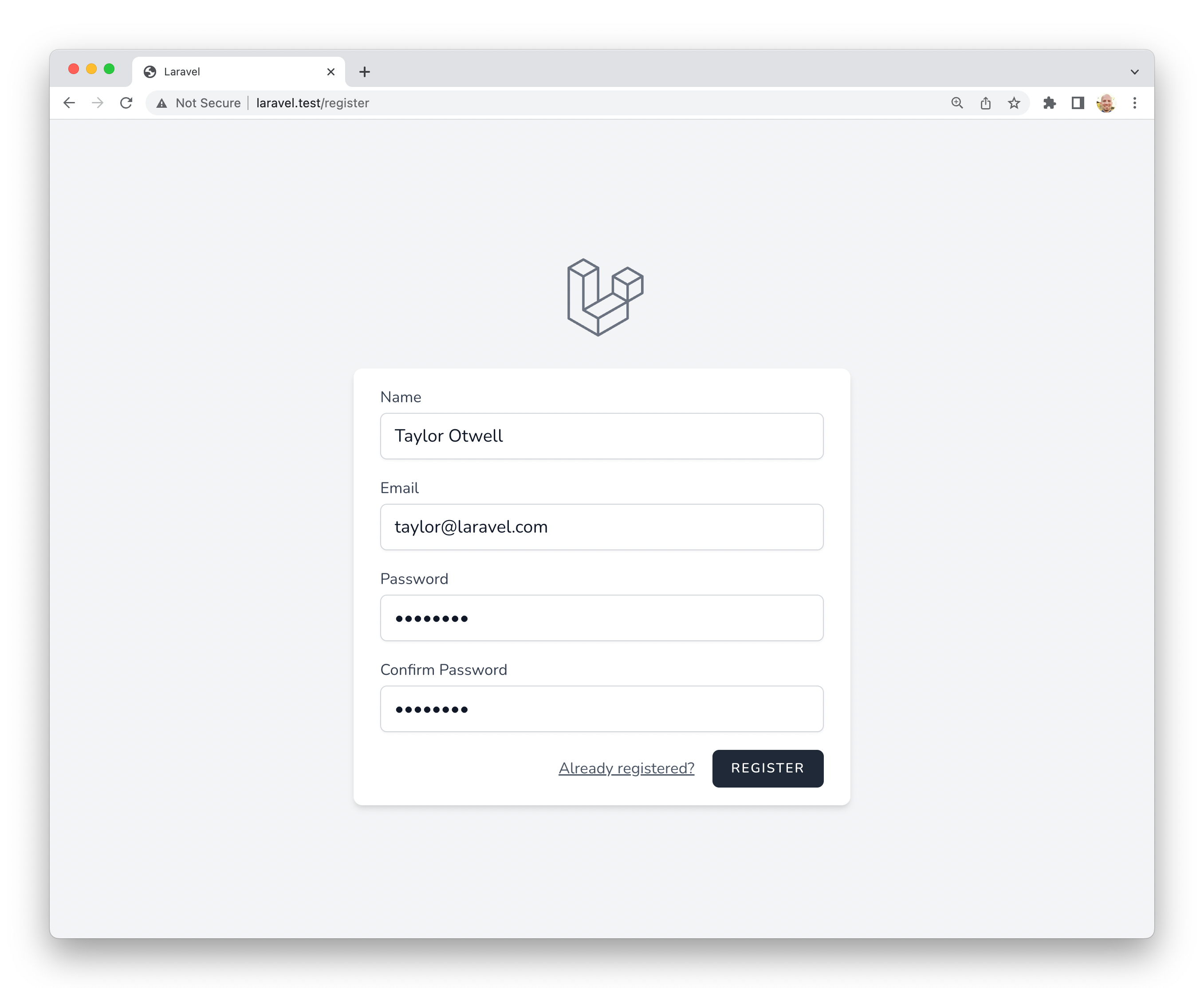 27 |
28 | #### Laravel Bootcamp
29 |
30 | If you're new to Laravel, feel free to jump into the [Laravel Bootcamp](https://bootcamp.laravel.com). The Laravel Bootcamp will walk you through building your first Laravel application using Breeze. It's a great way to get a tour of everything that Laravel and Breeze have to offer.
31 |
32 |
33 | ### Installation
34 |
35 | First, you should [create a new Laravel application](/docs/{{version}}/installation). If you create your application using the [Laravel installer](/docs/{{version}}/installation#creating-a-laravel-project), you will be prompted to install Laravel Breeze during the installation process. Otherwise, you will need to follow the manual installation instructions below.
36 |
37 | If you have already created a new Laravel application without a starter kit, you may manually install Laravel Breeze using Composer:
38 |
39 | ```shell
40 | composer require laravel/breeze --dev
41 | ```
42 |
43 | After Composer has installed the Laravel Breeze package, you should run the `breeze:install` Artisan command. This command publishes the authentication views, routes, controllers, and other resources to your application. Laravel Breeze publishes all of its code to your application so that you have full control and visibility over its features and implementation.
44 |
45 | The `breeze:install` command will prompt you for your preferred frontend stack and testing framework:
46 |
47 | ```shell
48 | php artisan breeze:install
49 |
50 | php artisan migrate
51 | npm install
52 | npm run dev
53 | ```
54 |
55 |
56 | ### Breeze and Blade
57 |
58 | The default Breeze "stack" is the Blade stack, which utilizes simple [Blade templates](/docs/{{version}}/blade) to render your application's frontend. The Blade stack may be installed by invoking the `breeze:install` command with no other additional arguments and selecting the Blade frontend stack. After Breeze's scaffolding is installed, you should also compile your application's frontend assets:
59 |
60 | ```shell
61 | php artisan breeze:install
62 |
63 | php artisan migrate
64 | npm install
65 | npm run dev
66 | ```
67 |
68 | Next, you may navigate to your application's `/login` or `/register` URLs in your web browser. All of Breeze's routes are defined within the `routes/auth.php` file.
69 |
70 | > [!NOTE]
71 | > To learn more about compiling your application's CSS and JavaScript, check out Laravel's [Vite documentation](/docs/{{version}}/vite#running-vite).
72 |
73 |
74 | ### Breeze and Livewire
75 |
76 | Laravel Breeze also offers [Livewire](https://livewire.laravel.com) scaffolding. Livewire is a powerful way of building dynamic, reactive, front-end UIs using just PHP.
77 |
78 | Livewire is a great fit for teams that primarily use Blade templates and are looking for a simpler alternative to JavaScript-driven SPA frameworks like Vue and React.
79 |
80 | To use the Livewire stack, you may select the Livewire frontend stack when executing the `breeze:install` Artisan command. After Breeze's scaffolding is installed, you should run your database migrations:
81 |
82 | ```shell
83 | php artisan breeze:install
84 |
85 | php artisan migrate
86 | ```
87 |
88 |
89 | ### Breeze and React / Vue
90 |
91 | Laravel Breeze also offers React and Vue scaffolding via an [Inertia](https://inertiajs.com) frontend implementation. Inertia allows you to build modern, single-page React and Vue applications using classic server-side routing and controllers.
92 |
93 | Inertia lets you enjoy the frontend power of React and Vue combined with the incredible backend productivity of Laravel and lightning-fast [Vite](https://vitejs.dev) compilation. To use an Inertia stack, you may select the Vue or React frontend stacks when executing the `breeze:install` Artisan command.
94 |
95 | When selecting the Vue or React frontend stack, the Breeze installer will also prompt you to determine if you would like [Inertia SSR](https://inertiajs.com/server-side-rendering) or TypeScript support. After Breeze's scaffolding is installed, you should also compile your application's frontend assets:
96 |
97 | ```shell
98 | php artisan breeze:install
99 |
100 | php artisan migrate
101 | npm install
102 | npm run dev
103 | ```
104 |
105 | Next, you may navigate to your application's `/login` or `/register` URLs in your web browser. All of Breeze's routes are defined within the `routes/auth.php` file.
106 |
107 |
108 | ### Breeze and Next.js / API
109 |
110 | Laravel Breeze can also scaffold an authentication API that is ready to authenticate modern JavaScript applications such as those powered by [Next](https://nextjs.org), [Nuxt](https://nuxt.com), and others. To get started, select the API stack as your desired stack when executing the `breeze:install` Artisan command:
111 |
112 | ```shell
113 | php artisan breeze:install
114 |
115 | php artisan migrate
116 | ```
117 |
118 | During installation, Breeze will add a `FRONTEND_URL` environment variable to your application's `.env` file. This URL should be the URL of your JavaScript application. This will typically be `http://localhost:3000` during local development. In addition, you should ensure that your `APP_URL` is set to `http://localhost:8000`, which is the default URL used by the `serve` Artisan command.
119 |
120 |
121 | #### Next.js Reference Implementation
122 |
123 | Finally, you are ready to pair this backend with the frontend of your choice. A Next reference implementation of the Breeze frontend is [available on GitHub](https://github.com/laravel/breeze-next). This frontend is maintained by Laravel and contains the same user interface as the traditional Blade and Inertia stacks provided by Breeze.
124 |
125 |
126 | ## Laravel Jetstream
127 |
128 | While Laravel Breeze provides a simple and minimal starting point for building a Laravel application, Jetstream augments that functionality with more robust features and additional frontend technology stacks. **For those brand new to Laravel, we recommend learning the ropes with Laravel Breeze before graduating to Laravel Jetstream.**
129 |
130 | Jetstream provides a beautifully designed application scaffolding for Laravel and includes login, registration, email verification, two-factor authentication, session management, API support via Laravel Sanctum, and optional team management. Jetstream is designed using [Tailwind CSS](https://tailwindcss.com) and offers your choice of [Livewire](https://livewire.laravel.com) or [Inertia](https://inertiajs.com) driven frontend scaffolding.
131 |
132 | Complete documentation for installing Laravel Jetstream can be found within the [official Jetstream documentation](https://jetstream.laravel.com).
133 |
--------------------------------------------------------------------------------
/contributions.md:
--------------------------------------------------------------------------------
1 | # Contribution Guide
2 |
3 | - [Bug Reports](#bug-reports)
4 | - [Support Questions](#support-questions)
5 | - [Core Development Discussion](#core-development-discussion)
6 | - [Which Branch?](#which-branch)
7 | - [Compiled Assets](#compiled-assets)
8 | - [Security Vulnerabilities](#security-vulnerabilities)
9 | - [Coding Style](#coding-style)
10 | - [PHPDoc](#phpdoc)
11 | - [StyleCI](#styleci)
12 | - [Code of Conduct](#code-of-conduct)
13 |
14 |
15 | ## Bug Reports
16 |
17 | To encourage active collaboration, Laravel strongly encourages pull requests, not just bug reports. Pull requests will only be reviewed when marked as "ready for review" (not in the "draft" state) and all tests for new features are passing. Lingering, non-active pull requests left in the "draft" state will be closed after a few days.
18 |
19 | However, if you file a bug report, your issue should contain a title and a clear description of the issue. You should also include as much relevant information as possible and a code sample that demonstrates the issue. The goal of a bug report is to make it easy for yourself - and others - to replicate the bug and develop a fix.
20 |
21 | Remember, bug reports are created in the hope that others with the same problem will be able to collaborate with you on solving it. Do not expect that the bug report will automatically see any activity or that others will jump to fix it. Creating a bug report serves to help yourself and others start on the path of fixing the problem. If you want to chip in, you can help out by fixing [any bugs listed in our issue trackers](https://github.com/issues?q=is%3Aopen+is%3Aissue+label%3Abug+user%3Alaravel). You must be authenticated with GitHub to view all of Laravel's issues.
22 |
23 | If you notice improper DocBlock, PHPStan, or IDE warnings while using Laravel, do not create a GitHub issue. Instead, please submit a pull request to fix the problem.
24 |
25 | The Laravel source code is managed on GitHub, and there are repositories for each of the Laravel projects:
26 |
27 |
27 |
28 | #### Laravel Bootcamp
29 |
30 | If you're new to Laravel, feel free to jump into the [Laravel Bootcamp](https://bootcamp.laravel.com). The Laravel Bootcamp will walk you through building your first Laravel application using Breeze. It's a great way to get a tour of everything that Laravel and Breeze have to offer.
31 |
32 |
33 | ### Installation
34 |
35 | First, you should [create a new Laravel application](/docs/{{version}}/installation). If you create your application using the [Laravel installer](/docs/{{version}}/installation#creating-a-laravel-project), you will be prompted to install Laravel Breeze during the installation process. Otherwise, you will need to follow the manual installation instructions below.
36 |
37 | If you have already created a new Laravel application without a starter kit, you may manually install Laravel Breeze using Composer:
38 |
39 | ```shell
40 | composer require laravel/breeze --dev
41 | ```
42 |
43 | After Composer has installed the Laravel Breeze package, you should run the `breeze:install` Artisan command. This command publishes the authentication views, routes, controllers, and other resources to your application. Laravel Breeze publishes all of its code to your application so that you have full control and visibility over its features and implementation.
44 |
45 | The `breeze:install` command will prompt you for your preferred frontend stack and testing framework:
46 |
47 | ```shell
48 | php artisan breeze:install
49 |
50 | php artisan migrate
51 | npm install
52 | npm run dev
53 | ```
54 |
55 |
56 | ### Breeze and Blade
57 |
58 | The default Breeze "stack" is the Blade stack, which utilizes simple [Blade templates](/docs/{{version}}/blade) to render your application's frontend. The Blade stack may be installed by invoking the `breeze:install` command with no other additional arguments and selecting the Blade frontend stack. After Breeze's scaffolding is installed, you should also compile your application's frontend assets:
59 |
60 | ```shell
61 | php artisan breeze:install
62 |
63 | php artisan migrate
64 | npm install
65 | npm run dev
66 | ```
67 |
68 | Next, you may navigate to your application's `/login` or `/register` URLs in your web browser. All of Breeze's routes are defined within the `routes/auth.php` file.
69 |
70 | > [!NOTE]
71 | > To learn more about compiling your application's CSS and JavaScript, check out Laravel's [Vite documentation](/docs/{{version}}/vite#running-vite).
72 |
73 |
74 | ### Breeze and Livewire
75 |
76 | Laravel Breeze also offers [Livewire](https://livewire.laravel.com) scaffolding. Livewire is a powerful way of building dynamic, reactive, front-end UIs using just PHP.
77 |
78 | Livewire is a great fit for teams that primarily use Blade templates and are looking for a simpler alternative to JavaScript-driven SPA frameworks like Vue and React.
79 |
80 | To use the Livewire stack, you may select the Livewire frontend stack when executing the `breeze:install` Artisan command. After Breeze's scaffolding is installed, you should run your database migrations:
81 |
82 | ```shell
83 | php artisan breeze:install
84 |
85 | php artisan migrate
86 | ```
87 |
88 |
89 | ### Breeze and React / Vue
90 |
91 | Laravel Breeze also offers React and Vue scaffolding via an [Inertia](https://inertiajs.com) frontend implementation. Inertia allows you to build modern, single-page React and Vue applications using classic server-side routing and controllers.
92 |
93 | Inertia lets you enjoy the frontend power of React and Vue combined with the incredible backend productivity of Laravel and lightning-fast [Vite](https://vitejs.dev) compilation. To use an Inertia stack, you may select the Vue or React frontend stacks when executing the `breeze:install` Artisan command.
94 |
95 | When selecting the Vue or React frontend stack, the Breeze installer will also prompt you to determine if you would like [Inertia SSR](https://inertiajs.com/server-side-rendering) or TypeScript support. After Breeze's scaffolding is installed, you should also compile your application's frontend assets:
96 |
97 | ```shell
98 | php artisan breeze:install
99 |
100 | php artisan migrate
101 | npm install
102 | npm run dev
103 | ```
104 |
105 | Next, you may navigate to your application's `/login` or `/register` URLs in your web browser. All of Breeze's routes are defined within the `routes/auth.php` file.
106 |
107 |
108 | ### Breeze and Next.js / API
109 |
110 | Laravel Breeze can also scaffold an authentication API that is ready to authenticate modern JavaScript applications such as those powered by [Next](https://nextjs.org), [Nuxt](https://nuxt.com), and others. To get started, select the API stack as your desired stack when executing the `breeze:install` Artisan command:
111 |
112 | ```shell
113 | php artisan breeze:install
114 |
115 | php artisan migrate
116 | ```
117 |
118 | During installation, Breeze will add a `FRONTEND_URL` environment variable to your application's `.env` file. This URL should be the URL of your JavaScript application. This will typically be `http://localhost:3000` during local development. In addition, you should ensure that your `APP_URL` is set to `http://localhost:8000`, which is the default URL used by the `serve` Artisan command.
119 |
120 |
121 | #### Next.js Reference Implementation
122 |
123 | Finally, you are ready to pair this backend with the frontend of your choice. A Next reference implementation of the Breeze frontend is [available on GitHub](https://github.com/laravel/breeze-next). This frontend is maintained by Laravel and contains the same user interface as the traditional Blade and Inertia stacks provided by Breeze.
124 |
125 |
126 | ## Laravel Jetstream
127 |
128 | While Laravel Breeze provides a simple and minimal starting point for building a Laravel application, Jetstream augments that functionality with more robust features and additional frontend technology stacks. **For those brand new to Laravel, we recommend learning the ropes with Laravel Breeze before graduating to Laravel Jetstream.**
129 |
130 | Jetstream provides a beautifully designed application scaffolding for Laravel and includes login, registration, email verification, two-factor authentication, session management, API support via Laravel Sanctum, and optional team management. Jetstream is designed using [Tailwind CSS](https://tailwindcss.com) and offers your choice of [Livewire](https://livewire.laravel.com) or [Inertia](https://inertiajs.com) driven frontend scaffolding.
131 |
132 | Complete documentation for installing Laravel Jetstream can be found within the [official Jetstream documentation](https://jetstream.laravel.com).
133 |
--------------------------------------------------------------------------------
/contributions.md:
--------------------------------------------------------------------------------
1 | # Contribution Guide
2 |
3 | - [Bug Reports](#bug-reports)
4 | - [Support Questions](#support-questions)
5 | - [Core Development Discussion](#core-development-discussion)
6 | - [Which Branch?](#which-branch)
7 | - [Compiled Assets](#compiled-assets)
8 | - [Security Vulnerabilities](#security-vulnerabilities)
9 | - [Coding Style](#coding-style)
10 | - [PHPDoc](#phpdoc)
11 | - [StyleCI](#styleci)
12 | - [Code of Conduct](#code-of-conduct)
13 |
14 |
15 | ## Bug Reports
16 |
17 | To encourage active collaboration, Laravel strongly encourages pull requests, not just bug reports. Pull requests will only be reviewed when marked as "ready for review" (not in the "draft" state) and all tests for new features are passing. Lingering, non-active pull requests left in the "draft" state will be closed after a few days.
18 |
19 | However, if you file a bug report, your issue should contain a title and a clear description of the issue. You should also include as much relevant information as possible and a code sample that demonstrates the issue. The goal of a bug report is to make it easy for yourself - and others - to replicate the bug and develop a fix.
20 |
21 | Remember, bug reports are created in the hope that others with the same problem will be able to collaborate with you on solving it. Do not expect that the bug report will automatically see any activity or that others will jump to fix it. Creating a bug report serves to help yourself and others start on the path of fixing the problem. If you want to chip in, you can help out by fixing [any bugs listed in our issue trackers](https://github.com/issues?q=is%3Aopen+is%3Aissue+label%3Abug+user%3Alaravel). You must be authenticated with GitHub to view all of Laravel's issues.
22 |
23 | If you notice improper DocBlock, PHPStan, or IDE warnings while using Laravel, do not create a GitHub issue. Instead, please submit a pull request to fix the problem.
24 |
25 | The Laravel source code is managed on GitHub, and there are repositories for each of the Laravel projects:
26 |
27 |