├── 3-Splitting-CI-CD
├── CD
│ ├── README.md
│ ├── app
│ │ ├── service.yaml
│ │ └── deployment.yaml
│ ├── artifact_version_update
│ ├── Application.yaml
│ └── Jenkinsfile
└── CI
│ ├── devops.html
│ ├── artifact_version_update
│ ├── k8s
│ ├── manifests
│ │ ├── service.yaml
│ │ └── deployment.yaml
│ └── Application.yaml
│ ├── src
│ └── main
│ │ ├── java
│ │ └── HelloWorld.java
│ │ └── webapp
│ │ └── WEB-INF
│ │ └── web.xml
│ ├── Dockerfile
│ ├── install-tomcat-playbook.yml
│ ├── deploy-playbook.yml
│ ├── README.md
│ ├── bluegreen-deployment.yaml
│ ├── tomcat-users.xml
│ ├── pom.xml
│ ├── blue-green-playbook.yml
│ └── Jenkinsfile
├── 1-apache-loadbalancer
├── apache_1
│ ├── index1.html
│ └── Dockerfile
├── apache_2
│ ├── index2.html
│ └── Dockerfile
├── haproxy
│ ├── Dockerfile
│ └── haproxy.cfg
├── docker-compose.yaml
└── README.MD
├── 2-nginx-reverseproxy
├── app1
│ ├── index.html
│ ├── Dockerfile
│ └── README.md
├── app2
│ ├── index.html
│ ├── Dockerfile
│ └── README.md
├── reverse-proxy
│ ├── index.html
│ ├── Dockerfile
│ └── default.conf
├── README.md
└── docker-compose.yaml
└── README.md
/3-Splitting-CI-CD/CD/README.md:
--------------------------------------------------------------------------------
1 | #
2 | #Argo-CD
3 |
--------------------------------------------------------------------------------
/1-apache-loadbalancer/apache_1/index1.html:
--------------------------------------------------------------------------------
1 | Serving from Apache Server 1
2 |
--------------------------------------------------------------------------------
/1-apache-loadbalancer/apache_2/index2.html:
--------------------------------------------------------------------------------
1 | Serving from Apache Server 2
2 |
--------------------------------------------------------------------------------
/3-Splitting-CI-CD/CI/devops.html:
--------------------------------------------------------------------------------
1 | This is the Load Balanced health check file
2 |
--------------------------------------------------------------------------------
/2-nginx-reverseproxy/app1/index.html:
--------------------------------------------------------------------------------
1 | Hello World!
2 |
3 | App1
4 |
--------------------------------------------------------------------------------
/2-nginx-reverseproxy/app2/index.html:
--------------------------------------------------------------------------------
1 | Hello World!
2 |
3 | App2
4 |
--------------------------------------------------------------------------------
/2-nginx-reverseproxy/app1/Dockerfile:
--------------------------------------------------------------------------------
1 | FROM nginx
2 | COPY ./index.html /usr/share/nginx/html/index.html
3 | EXPOSE 80
4 |
--------------------------------------------------------------------------------
/2-nginx-reverseproxy/app2/Dockerfile:
--------------------------------------------------------------------------------
1 | FROM nginx
2 | COPY ./index.html /usr/share/nginx/html/index.html
3 | EXPOSE 80
4 |
--------------------------------------------------------------------------------
/1-apache-loadbalancer/apache_1/Dockerfile:
--------------------------------------------------------------------------------
1 | FROM httpd:2.4
2 |
3 | COPY index1.html /usr/local/apache2/htdocs/index.html
4 |
--------------------------------------------------------------------------------
/1-apache-loadbalancer/apache_2/Dockerfile:
--------------------------------------------------------------------------------
1 | FROM httpd:2.4
2 |
3 | COPY index2.html /usr/local/apache2/htdocs/index.html
4 |
--------------------------------------------------------------------------------
/1-apache-loadbalancer/haproxy/Dockerfile:
--------------------------------------------------------------------------------
1 | FROM haproxy:1.7
2 |
3 | COPY ./haproxy.cfg /usr/local/etc/haproxy/haproxy.cfg
4 |
--------------------------------------------------------------------------------
/3-Splitting-CI-CD/CI/artifact_version_update:
--------------------------------------------------------------------------------
1 | #!/bin/bash
2 | set -x
3 |
4 | COMMIT=`git rev-parse HEAD | cut -c -7`
5 | echo $COMMIT
6 | sed -E -i'' "s/(.*nightwolf:).*/\1${COMMIT}/" $1
7 |
--------------------------------------------------------------------------------
/2-nginx-reverseproxy/reverse-proxy/index.html:
--------------------------------------------------------------------------------
1 |
2 |
3 | DevOPs Area Project
4 |
5 |
6 | Hello! This is the first reverse-proxy .
7 |
8 |
9 |
--------------------------------------------------------------------------------
/3-Splitting-CI-CD/CD/app/service.yaml:
--------------------------------------------------------------------------------
1 | apiVersion: v1
2 | kind: Service
3 | metadata:
4 | name: nginx-service-1
5 | labels:
6 | app: tomcat
7 | spec:
8 | type: LoadBalancer
9 | ports:
10 | - port: 8080
11 | selector:
12 | app: tomcat
13 |
--------------------------------------------------------------------------------
/3-Splitting-CI-CD/CI/k8s/manifests/service.yaml:
--------------------------------------------------------------------------------
1 | apiVersion: v1
2 | kind: Service
3 | metadata:
4 | name: nginx-service-1
5 | labels:
6 | app: tomcat
7 | spec:
8 | type: LoadBalancer
9 | ports:
10 | - port: 8080
11 | selector:
12 | app: tomcat
13 |
--------------------------------------------------------------------------------
/3-Splitting-CI-CD/CD/artifact_version_update:
--------------------------------------------------------------------------------
1 | #!/bin/bash
2 | set -x
3 |
4 | ##COMMIT=`git rev-parse HEAD | cut -c -7`
5 | ##echo $COMMIT
6 | echo $GIT_COMMIT_REV
7 | #sed -E -i'' "s/(.*nightwolf:).*/\1${COMMIT}/" $1
8 | sed -E -i'' "s/(.*nightwolf:).*/\1${GIT_COMMIT_REV}/" $1
9 |
--------------------------------------------------------------------------------
/2-nginx-reverseproxy/README.md:
--------------------------------------------------------------------------------
1 | # nginx-container-reverse-proxy
2 | if you want to create a reserve proxy for docker containers
3 |
4 |
5 | the goal of this project is to do reverse proxy:
6 |
7 | * /app1 --> goes to the 1st microservice
8 |
9 | * /app2 --> goes to the 2nd microservice
10 |
11 | * / will go to the default index.html file
12 |
--------------------------------------------------------------------------------
/2-nginx-reverseproxy/reverse-proxy/Dockerfile:
--------------------------------------------------------------------------------
1 | #GET the base default nginx image from docker hub
2 | FROM nginx
3 |
4 | #Delete the Existing default.conf
5 | RUN rm /etc/nginx/conf.d/default.conf
6 |
7 | #Copy the custom default.conf to the nginx configuration
8 | COPY default.conf /etc/nginx/conf.d
9 | COPY ./index.html /usr/share/nginx/html/index.html
10 |
--------------------------------------------------------------------------------
/3-Splitting-CI-CD/CI/src/main/java/HelloWorld.java:
--------------------------------------------------------------------------------
1 | import spark.servlet.SparkApplication;
2 |
3 | import static spark.Spark.get;
4 |
5 | public class HelloWorld implements SparkApplication {
6 | public static void main(String[] args) {
7 | new HelloWorld().init();
8 | }
9 |
10 | @Override
11 | public void init() {
12 | get("/", (req, res) -> "Final Project 26.12.2023!!!");
13 | }
14 | }
15 |
--------------------------------------------------------------------------------
/2-nginx-reverseproxy/app1/README.md:
--------------------------------------------------------------------------------
1 | # docker-nginx-sandbox
2 | This is a sandbox to play with Nginx under docker container
3 | and if you changed he message in index.html file you could see the changes after building the docker image and container form the Docker file like
4 |
5 | Today is 9th Augest
6 |
7 | #docker build -t testnginx .
8 |
9 | #docker run -d -p 80:80 testnginx
10 |
11 |
12 |
13 |
14 |
--------------------------------------------------------------------------------
/2-nginx-reverseproxy/app2/README.md:
--------------------------------------------------------------------------------
1 | # docker-nginx-sandbox
2 | This is a sandbox to play with Nginx under docker container
3 | and if you changed he message in index.html file you could see the changes after building the docker image and container form the Docker file like
4 |
5 | Today is 9th Augest
6 |
7 | #docker build -t testnginx .
8 |
9 | #docker run -d -p 80:80 testnginx
10 |
11 |
12 |
13 |
14 |
--------------------------------------------------------------------------------
/3-Splitting-CI-CD/CI/Dockerfile:
--------------------------------------------------------------------------------
1 | FROM maven:3.5.2-jdk-8-alpine AS MAVEN
2 | COPY pom.xml /tmp/
3 | COPY src /tmp/src/
4 | WORKDIR /tmp/
5 | RUN mvn package
6 |
7 | FROM tomcat:9.0-jre8-alpine
8 | WORKDIR $CATALINA_HOME/webapps/
9 | COPY --from=MAVEN /tmp/target/*.war .
10 | RUN rm -rf ROOT && mv *.war ROOT.war
11 | ##HEALTHCHECK --interval=1m --timeout=3s CMD wget --quiet --tries=1 --spider http://localhost:8080/wizard/ || exit 1
12 |
--------------------------------------------------------------------------------
/3-Splitting-CI-CD/CD/app/deployment.yaml:
--------------------------------------------------------------------------------
1 | apiVersion: apps/v1
2 | kind: Deployment
3 | metadata:
4 | name: tomcat-deployment
5 | spec:
6 | selector:
7 | matchLabels:
8 | app: tomcat
9 | replicas: 2
10 | template:
11 | metadata:
12 | labels:
13 | app: tomcat
14 | spec:
15 | containers:
16 | - name: tomcat
17 | image: mzain/nightwolf:0494775
18 | ports:
19 | - containerPort: 8080
20 |
--------------------------------------------------------------------------------
/3-Splitting-CI-CD/CI/k8s/manifests/deployment.yaml:
--------------------------------------------------------------------------------
1 | apiVersion: apps/v1
2 | kind: Deployment
3 | metadata:
4 | name: tomcat-deployment
5 | spec:
6 | selector:
7 | matchLabels:
8 | app: tomcat
9 | replicas: 2
10 | template:
11 | metadata:
12 | labels:
13 | app: tomcat
14 | spec:
15 | containers:
16 | - name: tomcat
17 | image: mzain/nightwolf:0c8ed12
18 | ports:
19 | - containerPort: 8080
20 |
--------------------------------------------------------------------------------
/2-nginx-reverseproxy/reverse-proxy/default.conf:
--------------------------------------------------------------------------------
1 | server {
2 | listen 80;
3 | server_name nginxserver;
4 |
5 | location / {
6 | root /usr/share/nginx/html;
7 | index index.html index.htm;
8 | }
9 |
10 | location /app1 {
11 | proxy_pass http://app1:80/;
12 | }
13 |
14 | location /app2 {
15 | proxy_pass http://app2:80/;
16 | }
17 |
18 | location /devops {
19 | proxy_pass http://devopsarea.com/;
20 | }
21 |
22 |
23 | error_page 500 502 503 504 /50x.html;
24 | location = /50x.html {
25 | root /usr/share/nginx/html;
26 | }
27 |
28 | }
29 |
--------------------------------------------------------------------------------
/3-Splitting-CI-CD/CI/k8s/Application.yaml:
--------------------------------------------------------------------------------
1 | apiVersion: argoproj.io/v1alpha1
2 | kind: Application
3 | metadata:
4 | name: zein-app
5 | # You'll usually want to add your resources to the argocd namespace.
6 | namespace: argocd
7 | spec:
8 | # The project the application belongs to.
9 | project: default
10 |
11 | # Source of the application manifests
12 | source:
13 | repoURL: https://github.com/DevOps-Area/Projects.git
14 | targetRevision: HEAD
15 | path: k8s/
16 | destination:
17 | server: https://kubernetes.default.svc
18 | namespace: prod
19 |
20 | syncPolicy:
21 | automated:
22 | selfHeal: true
23 | prune: true
24 |
--------------------------------------------------------------------------------
/3-Splitting-CI-CD/CD/Application.yaml:
--------------------------------------------------------------------------------
1 | apiVersion: argoproj.io/v1alpha1
2 | kind: Application
3 | metadata:
4 | name: devopsarea-app
5 | # You'll usually want to add your resources to the argocd namespace.
6 | namespace: argocd
7 | spec:
8 | # The project the application belongs to.
9 | project: default
10 |
11 | # Source of the application manifests
12 | source:
13 | repoURL: https://github.com/zeineldin/Java-testapp-CD.git
14 | targetRevision: HEAD
15 | path: app/
16 | destination:
17 | server: https://kubernetes.default.svc
18 | namespace: prod
19 |
20 | syncPolicy:
21 | automated:
22 | selfHeal: true
23 | prune: true
24 |
--------------------------------------------------------------------------------
/1-apache-loadbalancer/docker-compose.yaml:
--------------------------------------------------------------------------------
1 | version: '3'
2 |
3 | services:
4 | apache_1:
5 | container_name: apache_1
6 | build: ./apache_1
7 | ports:
8 | - 6060:80
9 | apache_2:
10 | container_name: apache_2
11 | build: ./apache_2
12 | ports:
13 | - 7070:80
14 | deploy:
15 | resources:
16 | limits:
17 | cpus: 1
18 | memory: 512M
19 | reservations:
20 | cpus: 0.5
21 | memory: 256M
22 |
23 | haproxy_img:
24 | container_name: haproxy
25 | build: ./haproxy
26 | ports:
27 | - 80:80
28 |
--------------------------------------------------------------------------------
/1-apache-loadbalancer/README.MD:
--------------------------------------------------------------------------------
1 | ## Creating a single HAProxy and two Apache containers with Docker compose
2 |
3 | - In this porject we will create two identical Apache servers and one HAProxy container.
4 |
5 | - When we want to access our website, we will be calling HAProxy, not the Apache servers. HAProxy will divert traffic to Apache servers in "round-robin" fashion.
6 |
7 | 1. HTTP Request goes to HAProxy container.
8 |
9 | 2. HAProxy container goes either Apache container 1 or 2.
10 |
11 | 3. Response is served by Apache container 1 or 2.
12 |
13 | - To test this use command
14 |
15 | $ for in in {1..10} ; do echo "the working server is `curl -s http://127.0.0.1:90/`"; done
16 |
17 |
--------------------------------------------------------------------------------
/3-Splitting-CI-CD/CI/src/main/webapp/WEB-INF/web.xml:
--------------------------------------------------------------------------------
1 |
5 |
6 |
7 | SparkFilter
8 | spark.servlet.SparkFilter
9 |
10 | applicationClass
11 | HelloWorld
12 |
13 |
14 |
15 |
16 | SparkFilter
17 | /
18 |
19 |
20 |
--------------------------------------------------------------------------------
/1-apache-loadbalancer/haproxy/haproxy.cfg:
--------------------------------------------------------------------------------
1 | global
2 | log /dev/log local0
3 | log localhost local1 notice
4 | maxconn 2000
5 | daemon
6 |
7 | defaults
8 | log global
9 | mode http
10 | option httplog
11 | option dontlognull
12 | retries 3
13 | timeout connect 5000
14 | timeout client 50000
15 | timeout server 50000
16 |
17 | frontend http-in
18 | bind *:80
19 | default_backend webservers
20 |
21 | backend webservers
22 | stats enable
23 | stats auth admin:admin
24 | stats uri /haproxy?stats
25 | balance roundrobin
26 | option httpchk
27 | option forwardfor
28 | option http-server-close
29 | server apache1 apache_1:80 check
30 | server apache2 apache_2:80 check
31 |
--------------------------------------------------------------------------------
/3-Splitting-CI-CD/CI/install-tomcat-playbook.yml:
--------------------------------------------------------------------------------
1 | ---
2 | - hosts: web
3 | serial: 1
4 | become: yes
5 | become_method: sudo
6 |
7 | tasks:
8 |
9 | - name: Install Java
10 | apt: name=default-jdk state=present
11 |
12 | - name: Install Tomcat
13 | apt: name=tomcat8 state=present
14 |
15 | - name: Install Tomcat admin
16 | apt: name=tomcat8-admin state=present
17 |
18 | - name: Configure Tomcat users
19 | copy:
20 | src: tomcat-users.xml
21 | dest: /etc/tomcat8/
22 | owner: root
23 | group: tomcat8
24 | mode: 0640
25 |
26 | - name: Start Tomcat
27 | service:
28 | name: tomcat8
29 | state: started
30 |
31 | - name: wait for tomcat to start
32 | wait_for: port=8080
33 |
34 |
--------------------------------------------------------------------------------
/2-nginx-reverseproxy/docker-compose.yaml:
--------------------------------------------------------------------------------
1 | version: '3'
2 |
3 | services:
4 | reverseproxy:
5 | build: ./reverse-proxy
6 | ports:
7 | - 80:80
8 | depends_on:
9 | - app1
10 | - app2
11 | container_name: reverse
12 |
13 | app1:
14 | build: ./app1
15 | ports:
16 | - 8080:80
17 | container_name: app1
18 | deploy:
19 | resources:
20 | limits:
21 | cpus: '1'
22 | memory: 512M
23 | reservations:
24 | cpus: '0.5'
25 | memory: 256M
26 |
27 | app2:
28 | build: ./app2
29 | ports:
30 | - 9090:80
31 | container_name: app2
32 | deploy:
33 | resources:
34 | limits:
35 | cpus: '1'
36 | memory: 512M
37 | reservations:
38 | cpus: '0.5'
39 | memory: 256M
40 |
--------------------------------------------------------------------------------
/3-Splitting-CI-CD/CD/Jenkinsfile:
--------------------------------------------------------------------------------
1 | node {
2 | def app
3 |
4 | stage('Clone repository') {
5 |
6 |
7 | checkout scm
8 | }
9 |
10 | stage('Update GIT') {
11 | script {
12 | catchError(buildResult: 'SUCCESS', stageResult: 'FAILURE') {
13 | withCredentials([usernamePassword(credentialsId: 'github', passwordVariable: 'GIT_PASSWORD', usernameVariable: 'GIT_USERNAME')]) {
14 | //def encodedPassword = URLEncoder.encode("$GIT_PASSWORD",'UTF-8')
15 | sh "git config user.email eng.mohamed.zeineldin@gmail.com"
16 | sh "git config user.name zeineldin"
17 | //sh "git switch master"
18 | sh "cat app/deployment.yaml"
19 | sh "sh artifact_version_update app/deployment.yaml"
20 | sh "echo $GIT_COMMIT_REV"
21 | //sh "sed -E -i'' "s/(.*nightwolf:).*/\1${GIT_COMMIT_REV}/" app/deployment.yaml"
22 | sh "cat app/deployment.yaml"
23 | sh "git add ."
24 | sh "git commit -m 'Done by Jenkins Job changemanifest: ${env.BUILD_NUMBER}'"
25 | sh "git push https://${GIT_USERNAME}:${GIT_PASSWORD}@github.com/${GIT_USERNAME}/Java-testapp-CD/ HEAD:main"
26 | }
27 | }
28 | }
29 | }
30 | }
31 |
--------------------------------------------------------------------------------
/3-Splitting-CI-CD/CI/deploy-playbook.yml:
--------------------------------------------------------------------------------
1 | ---
2 | - hosts: web
3 | serial: 1
4 | become: yes
5 | become_method: sudo
6 | # vars:
7 | # package_name: devopsarea-1.0.war
8 |
9 | tasks:
10 | - name: Install Java
11 | apt: name=default-jdk state=present
12 |
13 | - name: Install Tomcat
14 | apt: name=tomcat8 state=present
15 |
16 | - name: Install Tomcat admin
17 | apt: name=tomcat8-admin state=present
18 |
19 | - name: Configure Tomcat users
20 | copy:
21 | src: tomcat-users.xml
22 | dest: /etc/tomcat8/
23 | owner: root
24 | group: tomcat8
25 | mode: 640
26 |
27 | - name: Stop the firewall
28 | service:
29 | name: ufw
30 | state: stopped
31 |
32 | # - name: restart tomcat
33 | # service:
34 | # name: tomcat8
35 | # state: restarted
36 |
37 |
38 | # - name: wait for tomcat to start
39 | # wait_for: port=8080
40 | # - name: Adding the healthcheck file
41 | # copy:
42 | # src: v1-devopsarea-1.0.war
43 | # dest: /var/lib/tomcat8/webapps/ROOT/
44 |
45 | - name: deploy the generated package to tomcat
46 | copy:
47 | src: ./target/v1-devopsarea-1.0.war
48 | dest: /var/lib/tomcat8/webapps/
49 | mode: 0777
50 |
--------------------------------------------------------------------------------
/3-Splitting-CI-CD/CI/README.md:
--------------------------------------------------------------------------------
1 |
2 |
3 |
4 | # DevOpsArea Sample Java App -example
5 |
6 | Build war with maven and DevOpsArea framework
7 |
8 | Steps are the following:
9 |
10 | 1. Clone the repository to your local machine
11 | 2. The Dockerfile will do:
12 |
13 | A. Create maven container
14 |
15 | * copy pom.xml to /tmp
16 | * copy folder "src" to /tmp/src
17 | * Go to /tmp folder then run "mvn package"
18 |
19 | The previos command will generate devopsarea-01.war
20 |
21 | B. Create tomcat container
22 |
23 | * Will move the file devopsarea-01.war from maven container to /webapp in tomcat contaner
24 | * Do health check to make sure that the artifact is deployed
25 |
26 | 3. Run 'docker build -t devopsarea .'
27 |
28 | * Will create a Docker image called devopsarea
29 |
30 | 4. Run 'docker run -d -p 8080:8080 --name devopsarea-sample-java-app devopsarea'
31 | * Will create a container called devopsarea-sample-java-app and will forward the container internal port 8080 to locathost 8080 in the hosted machine
32 |
33 | 5. Open [http://localhost:8080/
34 | (http://localhost:8080/ in your browser and see the result.
35 |
36 | Note : if you will use ansible you could do the following command (Run command as user Ansible )
37 | # sudo runuser -l ansible -c 'ansible-playbook deploy-playbook.yml'
38 |
--------------------------------------------------------------------------------
/3-Splitting-CI-CD/CI/bluegreen-deployment.yaml:
--------------------------------------------------------------------------------
1 | ---
2 | - hosts: web
3 | serial: 1
4 | become: yes
5 | become_method: sudo
6 |
7 | tasks:
8 | # - name: Stop Tomcat
9 | # service:
10 | # name: tomcat8
11 | # state: stopped
12 |
13 | # - name: Waits for port 8080 of any IP to close active connections, don't start checking for 1 seconds
14 | # wait_for:
15 | # host: 0.0.0.0
16 | # port: 8080
17 | # delay: 1
18 | # state: drained
19 |
20 | # Remove the file to get out of the LoadBalancer
21 | - file:
22 | path: /var/lib/tomcat8/webapps/ROOT/devops.html
23 | state: absent
24 |
25 | # - name: Install Tomcat admin
26 | # apt: name=tomcat8-admin state=present
27 |
28 | # - name: Configure Tomcat users
29 | # copy:
30 | # src: tomcat-users.xml
31 | # dest: /etc/tomcat8/
32 | # owner: root
33 | # group: tomcat8
34 | # mode: 0640
35 |
36 | - name: Start Tomcat
37 | service:
38 | name: tomcat8
39 | state: started
40 |
41 |
42 | - name: wait for tomcat to start
43 | wait_for: port=8080
44 |
45 | - name: deploy the generated package to tomcat
46 | copy:
47 | src: ./target/v1-devopsarea-1.0.war
48 | #src: /var/lib/jenkins/workspace/Ansible/target/v1-devopsarea-1.0.war
49 | dest: /var/lib/tomcat8/webapps/
50 | mode: 0777
51 |
52 | - pause:
53 | seconds: 60
54 |
55 | - name: Check that you can connect (GET) to a page and it returns a status 200
56 | uri:
57 | url: http://localhost:8080/v1-devopsarea-1.0
58 |
59 | # Create the file to join LoadBalancer
60 | - name: Adding the healthcheck file
61 | copy:
62 | src: devops.html
63 | dest: /var/lib/tomcat8/webapps/ROOT/
64 |
65 | - pause:
66 | seconds: 10
67 |
--------------------------------------------------------------------------------
/3-Splitting-CI-CD/CI/tomcat-users.xml:
--------------------------------------------------------------------------------
1 |
2 |
3 |
4 |
5 |
19 |
20 |
25 |
30 |
31 |
32 |
33 |
40 |
41 |
42 |
--------------------------------------------------------------------------------
/README.md:
--------------------------------------------------------------------------------
1 | #### Project 1 : Balancing the load using HAProxy and transferring traffic to two microservices.
2 |
3 | - In this project, we will learn how to balance the traffic load to more than microservices based on a simple Round-Robin.
4 |
5 | Example:
6 |
7 | * Hit 1 → Forward to the 1st microservice.
8 |
9 | * Hit 2 → Forward to the 2nd microservice.
10 |
11 |
12 | #### You can see this Project in the Below Video.
13 | [](http://www.youtube.com/watch?v=tPjTk6381G8 " Project:1 DevOps Project using HA Proxy Load-Balancer")
14 |
15 | ---
16 |
17 | #### Project 2: Reverse Proxy using (Two Dockerized Microservices and one Nginx container ).
18 |
19 | - In this project, we will learn how to reverse proxy to two microservices
20 |
21 | - Example:
22 |
23 | /app1 → forward to the 1st microservice
24 | /app2 → forward to the 2nd microservice
25 |
26 | #### You can see this Project in the Below Video.
27 | [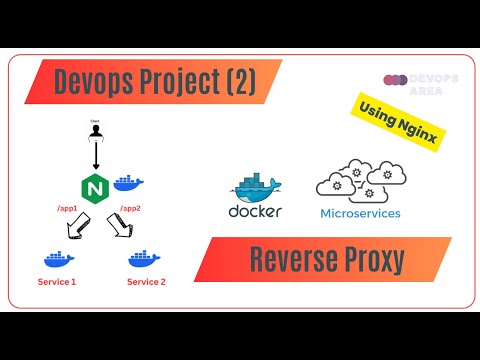](http://www.youtube.com/watch?v=1gSKz7-ZaL8 "Project:2 Reverse Proxy using Two Dockerized Microservices and one Nginx container ")
28 |
29 | ---
30 |
31 | #### Project 3: Separation between CI and CD is significant.
32 |
33 | -> Independent Changes (change the k8s replica number doesn't need a change in the code )
34 |
35 | * Same CI flow using Jenkins and GitHub Actions.
36 | * CI Repository: https://github.com/zeineldin/Java-tes...
37 | * CD Repository: https://github.com/zeineldin/Java-tes...
38 |
39 | #### You can see this Project in the Below Video.
40 |
41 | [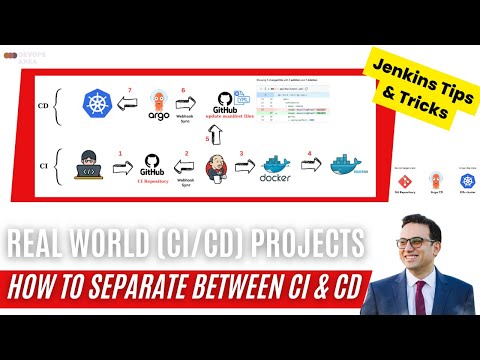](http://www.youtube.com/watch?v=0VHriqMjdlk "Project:3 Separation between CI and CD is significant using Github-Jenkins-Docker-ArgoCD-K8s ")
42 |
43 |
44 |
--------------------------------------------------------------------------------
/3-Splitting-CI-CD/CI/pom.xml:
--------------------------------------------------------------------------------
1 |
2 |
5 | 4.0.0
6 |
7 | devops
8 | v1
9 | devopsarea-1.0
10 | war
11 |
12 |
13 | com.sparkjava
14 | spark-core
15 | 2.7.2
16 |
17 |
18 |
19 |
20 |
21 |
22 | org.apache.maven.plugins
23 | maven-compiler-plugin
24 | 3.1
25 |
26 | 1.8
27 | 1.8
28 | true
29 | true
30 |
31 |
32 |
33 |
34 | org.apache.maven.plugins
35 | maven-release-plugin
36 | 3.0.0-M1
37 |
38 | v@{project.version}
39 |
40 |
41 |
42 |
43 |
44 | org.apache.maven.plugins
45 | maven-enforcer-plugin
46 | 1.3.1
47 |
48 |
49 | enforce-java
50 |
51 | enforce
52 |
53 |
54 |
55 |
56 | 1.8
57 |
58 |
59 |
60 |
61 |
62 |
63 |
64 |
65 |
66 |
--------------------------------------------------------------------------------
/3-Splitting-CI-CD/CI/blue-green-playbook.yml:
--------------------------------------------------------------------------------
1 | ---
2 | - hosts: tomcat
3 | serial: 1
4 | become: yes
5 | become_method: sudo
6 |
7 | tasks:
8 | - name: Stop Tomcat
9 | service:
10 | name: tomcat8
11 | state: stopped
12 |
13 | - name: Waits for port 8080 of any IP to close active connections, don't start checking for 1 seconds
14 | wait_for:
15 | host: 0.0.0.0
16 | port: 8080
17 | delay: 1
18 | state: drained
19 |
20 | # Remove the file to get out of the LoadBalancer
21 | - file:
22 | path: /var/lib/tomcat8/webapps/ROOT/devops.html
23 | state: absent
24 |
25 | # - shell: rm /var/lib/tomcat8/webapps/ROOT/devops.html
26 |
27 | # - name: Install Java
28 | # apt: name=default-jdk state=present
29 |
30 | # - name: Install Tomcat
31 | # apt: name=tomcat8 state=present
32 |
33 | - name: Install Tomcat admin
34 | apt: name=tomcat8-admin state=present
35 |
36 | - name: Configure Tomcat users
37 | copy:
38 | src: tomcat-users.xml
39 | dest: /etc/tomcat8/
40 | owner: root
41 | group: tomcat8
42 | mode: 0640
43 |
44 |
45 |
46 | - name: Start Tomcat
47 | service:
48 | name: tomcat8
49 | state: started
50 |
51 | # - name: Stop the firewall
52 | # service:
53 | # name: ufw
54 | # state: stopped
55 |
56 | # - name: restart tomcat
57 | # service:
58 | # name: tomcat8
59 | # state: restarted
60 |
61 | - name: wait for tomcat to start
62 | wait_for: port=8080
63 |
64 | - name: deploy the generated package to tomcat
65 | copy:
66 | src: ./target/devopsarea-1.0.war
67 | dest: /var/lib/tomcat8/webapps/
68 | mode: 0777
69 |
70 | - name: Check that you can connect (GET) to a page and it returns a status 200
71 | uri:
72 | url: http://localhost:8080/devopsarea-1.0
73 |
74 | # - pause:
75 | # seconds: 50
76 |
77 | # Create the file to join LoadBalancer
78 | - name: Adding the healthcheck file
79 | copy:
80 | src: devops.html
81 | dest: /var/lib/tomcat8/webapps/ROOT/
82 |
83 | # - shell: touch /var/lib/tomcat8/webapps/ROOT/devops.html
84 |
--------------------------------------------------------------------------------
/3-Splitting-CI-CD/CI/Jenkinsfile:
--------------------------------------------------------------------------------
1 | pipeline {
2 | agent any
3 | environment {
4 | DOCKER_IMAGE_NAME = "mzain/nightwolf"
5 | }
6 |
7 | stages {
8 | stage('Clone repository') {
9 | steps {
10 | checkout scm
11 | }
12 | }
13 |
14 |
15 | stage('Test and Build Docker Image') {
16 | steps {
17 | script {
18 | env.GIT_COMMIT_REV = sh (script: 'git log -n 1 --pretty=format:"%h"', returnStdout: true)
19 | customImage = docker.build("${DOCKER_IMAGE_NAME}:${GIT_COMMIT_REV}")
20 | }
21 | }
22 | }
23 | stage('Push Docker Image') {
24 | steps {
25 |
26 | script {
27 | docker.withRegistry('https://registry.hub.docker.com', 'docker') {
28 | customImage.push("${GIT_COMMIT_REV}")
29 | // customImage.push("latest")
30 |
31 | }
32 | }
33 | }
34 | }
35 |
36 | // stage('Update GIT') {
37 | // steps {
38 | // script {
39 | // catchError(buildResult: 'SUCCESS', stageResult: 'FAILURE') {
40 | // withCredentials([usernamePassword(credentialsId: 'github', passwordVariable: 'GIT_PASSWORD', usernameVariable: 'GIT_USERNAME')]) {
41 | //def encodedPassword = URLEncoder.encode("$GIT_PASSWORD",'UTF-8')
42 | // sh "git config user.email eng.mohamed.zeineldin@gmail.com"
43 | // sh "git config user.name zeineldin"
44 | //sh "git switch master"
45 | //sh "cd .."
46 | // sh "rm -rf Java-testapp-CD"
47 | // sh "git clone https://github.com/zeineldin/Java-testapp-CD.git"
48 | // sh "cd Java-testapp-CD/"
49 | // sh "pwd"
50 | // sh "cat app/deployment.yaml"
51 | // sh "sh artifact_version_update app/deployment.yaml"
52 | // sh "cat app/deployment.yaml"
53 | // sh "pwd"
54 | // sh "git add ."
55 | // sh "git commit -m 'Done by Jenkins Job changemanifest: ${env.BUILD_NUMBER}'"
56 | // sh "git push https://${GIT_USERNAME}:${GIT_PASSWORD}@github.com/${GIT_USERNAME}/Java-testapp-CD.git HEAD:main"
57 | //}
58 | //}
59 | //}
60 |
61 | stage('Trigger CD job ') {
62 | steps {
63 | echo "triggering CD"
64 | build job: 'CD', parameters: [string(name: 'GIT_COMMIT_REV', value: env.GIT_COMMIT_REV)]
65 | }
66 | }
67 |
68 | }
69 | }
70 |
71 |
--------------------------------------------------------------------------------