28 |
29 | | App Icon |
30 | App Name & Description |
31 | Supported Platforms |
32 |
33 |
34 |
35 |
36 |  37 |
38 |
37 |
38 | |
39 |
40 |
41 | TranslateKit: App Localizer
42 |
43 |
44 | Simple drag & drop translation of String Catalog files with support for multiple translation services & smart correctness checks.
45 | |
46 | Mac |
47 |
48 |
49 |
50 |
51 |  52 |
53 |
52 |
53 | |
54 |
55 |
56 | Pleydia Organizer: Movie & Series Renamer
57 |
58 |
59 | Simple, fast, and smart media management for your Movie, TV Show and Anime collection.
60 | |
61 | Mac |
62 |
63 |
64 |
65 |
66 |  67 |
68 |
67 |
68 | |
69 |
70 |
71 | FreemiumKit: In-App Purchases
72 |
73 |
74 | Simple In-App Purchases and Subscriptions for Apple Platforms: Automation, Paywalls, A/B Testing, Live Notifications, PPP, and more.
75 | |
76 | iPhone, iPad, Mac, Vision |
77 |
78 |
79 |
80 |
81 |  82 |
83 |
82 |
83 | |
84 |
85 |
86 | FreelanceKit: Time Tracking
87 |
88 |
89 | Simple & affordable time tracking with a native experience for all devices. iCloud sync & CSV export included.
90 | |
91 | iPhone, iPad, Mac, Vision |
92 |
93 |
94 |
95 |
96 |  97 |
98 |
97 |
98 | |
99 |
100 |
101 | CrossCraft: Custom Crosswords
102 |
103 |
104 | Create themed & personalized crosswords. Solve them yourself or share them to challenge others.
105 | |
106 | iPhone, iPad, Mac, Vision |
107 |
108 |
109 |
110 |
111 |  112 |
113 |
112 |
113 | |
114 |
115 |
116 | FocusBeats: Pomodoro + Music
117 |
118 |
119 | Deep Focus with proven Pomodoro method & select Apple Music playlists & themes. Automatically pauses music during breaks.
120 | |
121 | iPhone, iPad, Mac, Vision |
122 |
123 |
124 |
125 |
126 |  127 |
128 |
127 |
128 | |
129 |
130 |
131 | Guided Guest Mode
132 |
133 |
134 | Showcase Apple Vision Pro effortlessly to friends & family. Customizable, easy-to-use guides for everyone!
135 | |
136 | Vision |
137 |
138 |
139 |
140 |
141 |  142 |
143 |
142 |
143 | |
144 |
145 |
146 | Posters: Discover Movies at Home
147 |
148 |
149 | Auto-updating & interactive posters for your home with trailers, showtimes, and links to streaming services.
150 | |
151 | Vision |
152 |
153 |
154 |
--------------------------------------------------------------------------------
/Sources/HandySwift/HandySwift.docc/Essentials/New Types.md:
--------------------------------------------------------------------------------
1 | # New Types
2 |
3 | Adding missing types and global functions.
4 |
5 | @Metadata {
6 | @PageImage(purpose: icon, source: "HandySwift")
7 | @PageImage(purpose: card, source: "NewTypes")
8 | }
9 |
10 | ## Highlights
11 |
12 | In the [Topics](#topics) section below you can find a list of all new types & functions. Click on one to reveal more details.
13 |
14 | To get you started quickly, here are the ones I use in nearly all of my apps with a practical usage example for each:
15 |
16 | ### Gregorian Day & Time
17 |
18 | You want to construct a `Date` from year, month, and day? Easy:
19 |
20 | ```swift
21 | GregorianDay(year: 1960, month: 11, day: 01).startOfDay() // => Date
22 | ```
23 |
24 | You have a `Date` and want to store just the day part of the date, not the time? Just use ``GregorianDay`` in your model:
25 |
26 | ```swift
27 | struct User {
28 | let birthday: GregorianDay
29 | }
30 |
31 | let selectedDate = // coming from DatePicker
32 | let timCook = User(birthday: GregorianDay(date: selectedDate))
33 | print(timCook.birthday.iso8601Formatted) // => "1960-11-01"
34 | ```
35 |
36 | You just want today's date without time?
37 |
38 | ```swift
39 | GregorianDay.today
40 | ```
41 |
42 | Works also with `.yesterday` and `.tomorrow`. For more, just call:
43 |
44 | ```swift
45 | let todayNextWeek = GregorianDay.today.advanced(by: 7)
46 | ```
47 |
48 | > Note: `GregorianDay` conforms to all the protocols you would expect, such as `Codable`, `Hashable`, and `Comparable`. For encoding/decoding, it uses the ISO format as in "2014-07-13".
49 |
50 | ``GregorianTime`` is the counterpart:
51 |
52 | ```swift
53 | let iPhoneAnnounceTime = GregorianTime(hour: 09, minute: 41)
54 | let anHourFromNow = GregorianTime.now.advanced(by: .hours(1))
55 |
56 | let date = iPhoneAnnounceTime.date(day: GregorianDay.today) // => Date
57 | ```
58 |
59 | ### Delay & Debounce
60 |
61 | Have you ever wanted to delay some code and found this API annoying to remember & type out?
62 |
63 | ```swift
64 | DispatchQueue.main.asyncAfter(deadline: DispatchTime.now() + .milliseconds(250)) {
65 | // your code
66 | }
67 | ```
68 |
69 | HandySwift introduces a shorter version that's easier to remember:
70 |
71 | ```swift
72 | delay(by: .milliseconds(250)) {
73 | // your code
74 | }
75 | ```
76 |
77 | It also supports different Quality of Service classes like `DispatchQueue` (default is main queue):
78 |
79 | ```swift
80 | delay(by: .milliseconds(250), qosClass: .background) {
81 | // your code
82 | }
83 | ```
84 |
85 | While delaying is great for one-off tasks, sometimes there's fast input that causes performance or scalability issues. For example, a user might type fast in a search field. It's common practice to delay updating the search results and additionally cancelling any older inputs once the user makes a new one. This practice is called "Debouncing". And it's easy with HandySwift:
86 |
87 | ```swift
88 | @State private var searchText = ""
89 | let debouncer = Debouncer()
90 |
91 | var body: some View {
92 | List(filteredItems) { item in
93 | Text(item.title)
94 | }
95 | .searchable(text: self.$searchText)
96 | .onChange(of: self.searchText) { newValue in
97 | self.debouncer.delay(for: .milliseconds(500)) {
98 | // Perform search operation with the updated search text after 500 milliseconds of user inactivity
99 | self.performSearch(with: newValue)
100 | }
101 | }
102 | .onDisappear {
103 | debouncer.cancelAll()
104 | }
105 | }
106 | ```
107 |
108 | Note that the ``Debouncer`` was stored in a property so ``Debouncer/cancelAll()`` could be called on disappear for cleanup. But the ``Debouncer/delay(for:id:operation:)-83bbm`` is where the magic happens – and you don't have to deal with the details!
109 |
110 | > Note: If you need multiple debouncing operations in one view, you don't need multiple debouncers. Just pass an `id` to the delay function.
111 |
112 | ### Networking & Debugging
113 |
114 | Building REST API clients is common in modern apps. HandySwift provides ``RESTClient`` to simplify this:
115 |
116 | ```swift
117 | let client = RESTClient(
118 | baseURL: URL(string: "https://api.example.com")!,
119 | baseHeaders: ["Authorization": "Bearer \(token)"],
120 | errorBodyToMessage: { _ in "Error" }
121 | )
122 |
123 | let user: User = try await client.fetchAndDecode(method: .get, path: "users/me")
124 | ```
125 |
126 | When debugging API issues, choose the appropriate logging plugins based on your platform:
127 |
128 | #### For iOS/macOS/tvOS/watchOS Apps (Recommended)
129 |
130 | Use OSLog-based plugins for structured, searchable logging:
131 |
132 | ```swift
133 | let client = RESTClient(
134 | baseURL: URL(string: "https://api.example.com")!,
135 | requestPlugins: [LogRequestPlugin(debugOnly: true)], // Structured request logging
136 | responsePlugins: [LogResponsePlugin(debugOnly: true)], // Structured response logging
137 | errorBodyToMessage: { try JSONDecoder().decode(YourAPIErrorType.self, from: $0).message }
138 | )
139 | ```
140 |
141 | These plugins use the modern OSLog framework for structured logging that integrates with Console.app and Instruments for advanced debugging.
142 |
143 | #### For Server-Side Swift (Vapor/Linux)
144 |
145 | Use print-based plugins for console output where OSLog is not available:
146 |
147 | ```swift
148 | let client = RESTClient(
149 | baseURL: URL(string: "https://api.example.com")!,
150 | requestPlugins: [PrintRequestPlugin(debugOnly: true)], // Console request logging
151 | responsePlugins: [PrintResponsePlugin(debugOnly: true)], // Console response logging
152 | errorBodyToMessage: { try JSONDecoder().decode(YourAPIErrorType.self, from: $0).message }
153 | )
154 | ```
155 |
156 | These plugins are particularly helpful when adopting new APIs, providing detailed request/response information to help diagnose issues. The `debugOnly: true` parameter ensures they only operate in DEBUG builds, making them safe to leave in your code.
157 |
158 | ## Topics
159 |
160 | ### Collections
161 |
162 | - ``FrequencyTable``
163 | - ``SortedArray``
164 |
165 | ### Date & Time
166 |
167 | - ``GregorianDay``
168 | - ``GregorianTime``
169 |
170 | ### UI Helpers
171 |
172 | - ``Debouncer``
173 | - ``OperatingSystem`` (short: ``OS``)
174 |
175 | ### Networking & Debugging
176 |
177 | - ``RESTClient``
178 | - ``LogRequestPlugin`` (for iOS/macOS/tvOS/watchOS apps)
179 | - ``LogResponsePlugin`` (for iOS/macOS/tvOS/watchOS apps)
180 | - ``PrintRequestPlugin`` (for server-side Swift/Vapor)
181 | - ``PrintResponsePlugin`` (for server-side Swift/Vapor)
182 |
183 | ### Other
184 |
185 | - ``delay(by:qosClass:_:)-8iw4f``
186 | - ``delay(by:qosClass:_:)-yedf``
187 | - ``HandyRegex``
188 |
--------------------------------------------------------------------------------
/Sources/HandySwift/Types/LogRequestPlugin.swift:
--------------------------------------------------------------------------------
1 | #if canImport(OSLog)
2 | import Foundation
3 | import OSLog
4 |
5 | #if canImport(FoundationNetworking)
6 | import FoundationNetworking
7 | #endif
8 |
9 | /// A plugin for debugging HTTP requests using OSLog structured logging.
10 | ///
11 | /// This plugin logs comprehensive request information including URL, HTTP method, headers, and body content
12 | /// using the modern OSLog framework for structured, searchable logging in apps.
13 | /// It's designed as a debugging tool and should only be used temporarily during development.
14 | ///
15 | /// ## Usage
16 | ///
17 | /// Add to your RESTClient for debugging:
18 | ///
19 | /// ```swift
20 | /// let client = RESTClient(
21 | /// baseURL: URL(string: "https://api.example.com")!,
22 | /// requestPlugins: [LogRequestPlugin()], // debugOnly: true, redactAuthHeaders: true by default
23 | /// errorBodyToMessage: { _ in "Error" }
24 | /// )
25 | /// ```
26 | ///
27 | /// Both `debugOnly` and `redactAuthHeaders` default to `true` for security. You can disable these built-in protections if needed:
28 | ///
29 | /// ```swift
30 | /// // Default behavior (recommended)
31 | /// LogRequestPlugin() // debugOnly: true, redactAuthHeaders: true
32 | ///
33 | /// // Disable debugOnly to log in production (discouraged)
34 | /// LogRequestPlugin(debugOnly: false)
35 | ///
36 | /// // Disable redactAuthHeaders for debugging auth issues (use carefully)
37 | /// LogRequestPlugin(redactAuthHeaders: false)
38 | /// ```
39 | ///
40 | /// ## Log Output
41 | ///
42 | /// Logs are sent to the unified logging system with subsystem "RESTClient" and category "requests".
43 | /// Use Console.app or Instruments to view structured logs with searchable metadata.
44 | ///
45 | /// Example log entry:
46 | /// ```
47 | /// [RESTClient] Sending POST request to 'https://api.example.com/v1/users'
48 | /// Headers: Authorization=[redacted], Content-Type=application/json
49 | /// Body: {"name": "John Doe", "email": "john@example.com"}
50 | /// ```
51 | ///
52 | /// - Note: By default, logging only occurs in DEBUG builds and authentication headers are redacted for security.
53 | /// - Important: The plugin is safe to leave in your code with default settings thanks to `debugOnly` protection.
54 | /// - Important: For server-side Swift (Vapor), use ``PrintRequestPlugin`` instead as OSLog is not available on Linux.
55 | @available(iOS 16, macOS 13, tvOS 16, watchOS 9, *)
56 | public struct LogRequestPlugin: RESTClient.RequestPlugin {
57 | /// Whether logging should only occur in DEBUG builds.
58 | ///
59 | /// When `true` (default), requests are only logged in DEBUG builds.
60 | /// When `false`, requests are logged in both DEBUG and release builds (not recommended for production).
61 | public let debugOnly: Bool
62 |
63 | /// Whether to redact authentication headers in output.
64 | ///
65 | /// When `true` (default), authentication headers are replaced with "[redacted]" for security.
66 | /// When `false`, the full header value is shown (use carefully for debugging auth issues).
67 | public let redactAuthHeaders: Bool
68 |
69 | /// The logger instance used for structured logging.
70 | private let logger = Logger(subsystem: "RESTClient", category: "requests")
71 |
72 | /// Creates a new log request plugin.
73 | ///
74 | /// - Parameters:
75 | /// - debugOnly: Whether logging should only occur in DEBUG builds. Defaults to `true`.
76 | /// - redactAuthHeaders: Whether to redact authentication headers. Defaults to `true`.
77 | public init(debugOnly: Bool = true, redactAuthHeaders: Bool = true) {
78 | self.debugOnly = debugOnly
79 | self.redactAuthHeaders = redactAuthHeaders
80 | }
81 |
82 | /// Applies the plugin to the request, logging request details if conditions are met.
83 | ///
84 | /// This method is called automatically by RESTClient before sending the request.
85 | ///
86 | /// - Parameter request: The URLRequest to potentially log and pass through unchanged.
87 | public func apply(to request: inout URLRequest) {
88 | if self.debugOnly {
89 | #if DEBUG
90 | self.logRequest(request)
91 | #endif
92 | } else {
93 | self.logRequest(request)
94 | }
95 | }
96 |
97 | /// Logs detailed request information using OSLog.
98 | ///
99 | /// - Parameter request: The URLRequest to log details for.
100 | private func logRequest(_ request: URLRequest) {
101 | let method = request.httpMethod ?? "UNKNOWN"
102 | let url = request.url?.absoluteString ?? "Unknown URL"
103 |
104 | // Format headers for logging
105 | let headers = (request.allHTTPHeaderFields ?? [:])
106 | .sorted { $0.key < $1.key }
107 | .map { "\($0.key)=\(self.shouldRedactHeader($0.key) ? "[redacted]" : $0.value)" }
108 | .joined(separator: ", ")
109 |
110 | // Format body for logging
111 | var bodyString = "No body"
112 | if let bodyData = request.httpBody,
113 | let body = String(data: bodyData, encoding: .utf8)
114 | {
115 | bodyString = body
116 | }
117 |
118 | // Log with structured data
119 | self.logger.info(
120 | "Sending \(method, privacy: .public) request to '\(url, privacy: .public)'"
121 | )
122 | self.logger.debug("Headers: \(headers, privacy: .private)")
123 | self.logger.debug("Body: \(bodyString, privacy: .private)")
124 | }
125 |
126 | /// Determines whether a header should be redacted for security.
127 | ///
128 | /// - Parameter headerName: The header name to check.
129 | /// - Returns: `true` if the header should be redacted when `redactAuthHeaders` is enabled.
130 | private func shouldRedactHeader(_ headerName: String) -> Bool {
131 | guard self.redactAuthHeaders else { return false }
132 |
133 | let lowercasedName = headerName.lowercased()
134 |
135 | // Exact header name matches
136 | let exactMatches = [
137 | "authorization", "cookie", "set-cookie", "x-api-key", "x-auth-token",
138 | "x-access-token", "bearer", "apikey", "api-key", "access-token",
139 | "refresh-token", "jwt", "session-token", "csrf-token", "x-csrf-token", "x-session-id",
140 | ]
141 |
142 | // Substring patterns that indicate sensitive content
143 | let sensitivePatterns = ["password", "secret", "token"]
144 |
145 | return exactMatches.contains(lowercasedName) || sensitivePatterns.contains { lowercasedName.contains($0) }
146 | }
147 | }
148 | #endif
149 |
--------------------------------------------------------------------------------
/Sources/HandySwift/Types/LogResponsePlugin.swift:
--------------------------------------------------------------------------------
1 | #if canImport(OSLog)
2 | import Foundation
3 | import OSLog
4 |
5 | #if canImport(FoundationNetworking)
6 | import FoundationNetworking
7 | #endif
8 |
9 | /// A plugin for debugging HTTP responses using OSLog structured logging.
10 | ///
11 | /// This plugin logs comprehensive response information including status code, headers, and body content
12 | /// using the modern OSLog framework for structured, searchable logging in apps.
13 | /// It's designed as a debugging tool and should only be used temporarily during development.
14 | ///
15 | /// ## Usage
16 | ///
17 | /// Add to your RESTClient for debugging:
18 | ///
19 | /// ```swift
20 | /// let client = RESTClient(
21 | /// baseURL: URL(string: "https://api.example.com")!,
22 | /// responsePlugins: [LogResponsePlugin()], // debugOnly: true, redactAuthHeaders: true by default
23 | /// errorBodyToMessage: { _ in "Error" }
24 | /// )
25 | /// ```
26 | ///
27 | /// Both `debugOnly` and `redactAuthHeaders` default to `true` for security. You can disable these built-in protections if needed:
28 | ///
29 | /// ```swift
30 | /// // Default behavior (recommended)
31 | /// LogResponsePlugin() // debugOnly: true, redactAuthHeaders: true
32 | ///
33 | /// // Disable debugOnly to log in production (discouraged)
34 | /// LogResponsePlugin(debugOnly: false)
35 | ///
36 | /// // Disable redactAuthHeaders for debugging auth issues (use carefully)
37 | /// LogResponsePlugin(redactAuthHeaders: false)
38 | /// ```
39 | ///
40 | /// ## Log Output
41 | ///
42 | /// Logs are sent to the unified logging system with subsystem "RESTClient" and category "responses".
43 | /// Use Console.app or Instruments to view structured logs with searchable metadata.
44 | ///
45 | /// Example log entry:
46 | /// ```
47 | /// [RESTClient] Response 200 from 'https://api.example.com/v1/users/123'
48 | /// Headers: Content-Type=application/json, Set-Cookie=[redacted]
49 | /// Body: {"id": 123, "name": "John Doe", "email": "john@example.com"}
50 | /// ```
51 | ///
52 | /// - Note: By default, logging only occurs in DEBUG builds and authentication headers are redacted for security.
53 | /// - Important: The plugin is safe to leave in your code with default settings thanks to `debugOnly` protection.
54 | /// - Important: For server-side Swift (Vapor), use ``PrintResponsePlugin`` instead as OSLog is not available on Linux.
55 | @available(iOS 16, macOS 13, tvOS 16, watchOS 9, *)
56 | public struct LogResponsePlugin: RESTClient.ResponsePlugin {
57 | /// Whether logging should only occur in DEBUG builds.
58 | ///
59 | /// When `true` (default), responses are only logged in DEBUG builds.
60 | /// When `false`, responses are logged in both DEBUG and release builds (not recommended for production).
61 | public let debugOnly: Bool
62 |
63 | /// Whether to redact authentication headers in output.
64 | ///
65 | /// When `true` (default), authentication headers like Authorization and Set-Cookie are replaced with "[redacted]" for security.
66 | /// When `false`, the full header value is shown (use carefully for debugging auth issues).
67 | public let redactAuthHeaders: Bool
68 |
69 | /// The logger instance used for structured logging.
70 | private let logger = Logger(subsystem: "RESTClient", category: "responses")
71 |
72 | /// Creates a new log response plugin.
73 | ///
74 | /// - Parameters:
75 | /// - debugOnly: Whether logging should only occur in DEBUG builds. Defaults to `true`.
76 | /// - redactAuthHeaders: Whether to redact authentication headers. Defaults to `true`.
77 | public init(debugOnly: Bool = true, redactAuthHeaders: Bool = true) {
78 | self.debugOnly = debugOnly
79 | self.redactAuthHeaders = redactAuthHeaders
80 | }
81 |
82 | /// Applies the plugin to the response, logging response details if conditions are met.
83 | ///
84 | /// This method is called automatically by RESTClient after receiving the response.
85 | /// The response and data are passed through unchanged.
86 | ///
87 | /// - Parameters:
88 | /// - response: The HTTPURLResponse to potentially log.
89 | /// - data: The response body data to potentially log.
90 | /// - Throws: Does not throw errors, but passes through any errors from the response processing.
91 | public func apply(to response: inout HTTPURLResponse, data: inout Data) throws {
92 | if self.debugOnly {
93 | #if DEBUG
94 | self.logResponse(response, data: data)
95 | #endif
96 | } else {
97 | self.logResponse(response, data: data)
98 | }
99 | }
100 |
101 | /// Logs detailed response information using OSLog.
102 | ///
103 | /// - Parameters:
104 | /// - response: The HTTPURLResponse to log details for.
105 | /// - data: The response body data to log.
106 | private func logResponse(_ response: HTTPURLResponse, data: Data) {
107 | let statusCode = response.statusCode
108 | let url = response.url?.absoluteString ?? "Unknown URL"
109 |
110 | // Format headers for logging
111 | let headers = response.allHeaderFields
112 | .compactMapValues { "\($0)" }
113 | .sorted { "\($0.key)" < "\($1.key)" }
114 | .map { "\($0.key)=\(self.shouldRedactHeader("\($0.key)") ? "[redacted]" : $0.value)" }
115 | .joined(separator: ", ")
116 |
117 | // Format body for logging
118 | var bodyString = "No body"
119 | if !data.isEmpty,
120 | let body = String(data: data, encoding: .utf8)
121 | {
122 | bodyString = body
123 | }
124 |
125 | // Log with structured data
126 | self.logger.info(
127 | "Response \(statusCode, privacy: .public) from '\(url, privacy: .public)'"
128 | )
129 | self.logger.debug("Headers: \(headers, privacy: .private)")
130 | self.logger.debug("Body: \(bodyString, privacy: .private)")
131 | }
132 |
133 | /// Determines whether a header should be redacted for security.
134 | ///
135 | /// - Parameter headerName: The header name to check.
136 | /// - Returns: `true` if the header should be redacted when `redactAuthHeaders` is enabled.
137 | private func shouldRedactHeader(_ headerName: String) -> Bool {
138 | guard self.redactAuthHeaders else { return false }
139 |
140 | let lowercasedName = headerName.lowercased()
141 |
142 | // Exact header name matches
143 | let exactMatches = [
144 | "authorization", "cookie", "set-cookie", "x-api-key", "x-auth-token",
145 | "x-access-token", "bearer", "apikey", "api-key", "access-token",
146 | "refresh-token", "jwt", "session-token", "csrf-token", "x-csrf-token", "x-session-id",
147 | ]
148 |
149 | // Substring patterns that indicate sensitive content
150 | let sensitivePatterns = ["password", "secret", "token"]
151 |
152 | return exactMatches.contains(lowercasedName) || sensitivePatterns.contains { lowercasedName.contains($0) }
153 | }
154 | }
155 | #endif
156 |
--------------------------------------------------------------------------------
/Sources/HandySwift/Types/GregorianTime.swift:
--------------------------------------------------------------------------------
1 | import Foundation
2 |
3 | /// A time without date info.
4 | ///
5 | /// `GregorianTime` represents a time of day without any associated date information. It provides functionalities to work with time components like hour, minute, and second, and perform operations such as initializing from a given date, calculating durations, advancing, and reversing time.
6 | ///
7 | /// Example:
8 | /// ```swift
9 | /// // Initializing from a given date
10 | /// let date = Date()
11 | /// let timeOfDay = GregorianTime(date: date)
12 | ///
13 | /// // Calculating duration since the start of the day
14 | /// let durationSinceStartOfDay: Duration = timeOfDay.durationSinceStartOfDay
15 | /// let timeIntervalSinceStartOfDay: TimeInterval = durationSinceStartOfDay.timeInterval
16 | ///
17 | /// // Advancing time by a duration
18 | /// let advancedTime = timeOfDay.advanced(by: .hours(2) + .minutes(30))
19 | ///
20 | /// // Reversing time by a duration
21 | /// let reversedTime = timeOfDay.reversed(by: .minutes(15))
22 | /// ```
23 | public struct GregorianTime {
24 | /// The number of days beyond the current day.
25 | public var overflowingDays: Int
26 | /// The hour component of the time.
27 | public var hour: Int
28 | /// The minute component of the time.
29 | public var minute: Int
30 | /// The second component of the time.
31 | public var second: Int
32 |
33 | /// Initializes a `GregorianTime` instance from a given date.
34 | ///
35 | /// - Parameter date: The date from which to extract time components.
36 | public init(date: Date) {
37 | let components = Calendar(identifier: .gregorian).dateComponents([.hour, .minute, .second], from: date)
38 | self.overflowingDays = 0
39 | self.hour = components.hour!
40 | self.minute = components.minute!
41 | self.second = components.second!
42 | }
43 |
44 | /// Initializes a `GregorianTime` instance with the provided time components.
45 | ///
46 | /// - Parameters:
47 | /// - hour: The hour component.
48 | /// - minute: The minute component.
49 | /// - second: The second component (default is 0).
50 | public init(hour: Int, minute: Int, second: Int = 0) {
51 | assert(hour >= 0 && hour < 24)
52 | assert(minute >= 0 && minute < 60)
53 | assert(second >= 0 && second < 60)
54 |
55 | self.overflowingDays = 0
56 | self.hour = hour
57 | self.minute = minute
58 | self.second = second
59 | }
60 |
61 | /// Returns a `Date` object representing the time on a given day.
62 | ///
63 | /// - Parameters:
64 | /// - day: The day to which the time belongs.
65 | /// - timeZone: The time zone to use for the conversion (default is the current time zone).
66 | /// - Returns: A `Date` object representing the time.
67 | public func date(day: GregorianDay, timeZone: TimeZone = .current) -> Date {
68 | let components = DateComponents(
69 | calendar: Calendar(identifier: .gregorian),
70 | timeZone: timeZone,
71 | year: day.year,
72 | month: day.month,
73 | day: day.day,
74 | hour: self.hour,
75 | minute: self.minute,
76 | second: self.second
77 | )
78 | return components.date!.addingTimeInterval(.days(Double(self.overflowingDays)))
79 | }
80 |
81 | /// Initializes a `GregorianTime` instance from the duration since the start of the day.
82 | ///
83 | /// - Parameter durationSinceStartOfDay: The duration since the start of the day.
84 | @available(iOS 16, macOS 13, tvOS 16, visionOS 1, watchOS 9, *)
85 | public init(durationSinceStartOfDay: Duration) {
86 | self.overflowingDays = Int(durationSinceStartOfDay.timeInterval.days)
87 | self.hour = Int((durationSinceStartOfDay - .days(self.overflowingDays)).timeInterval.hours)
88 | self.minute = Int((durationSinceStartOfDay - .days(self.overflowingDays) - .hours(self.hour)).timeInterval.minutes)
89 | self.second = Int((durationSinceStartOfDay - .days(self.overflowingDays) - .hours(self.hour) - .minutes(self.minute)).timeInterval.seconds)
90 | }
91 |
92 | /// Returns the duration since the start of the day.
93 | @available(iOS 16, macOS 13, tvOS 16, visionOS 1, watchOS 9, *)
94 | public var durationSinceStartOfDay: Duration {
95 | .days(self.overflowingDays) + .hours(self.hour) + .minutes(self.minute) + .seconds(self.second)
96 | }
97 |
98 | /// Advances the time by the specified duration.
99 | ///
100 | /// - Parameter duration: The duration by which to advance the time.
101 | /// - Returns: A new `GregorianTime` instance advanced by the specified duration.
102 | @available(iOS 16, macOS 13, tvOS 16, visionOS 1, watchOS 9, *)
103 | public func advanced(by duration: Duration) -> Self {
104 | GregorianTime(durationSinceStartOfDay: self.durationSinceStartOfDay + duration)
105 | }
106 |
107 | /// Reverses the time by the specified duration.
108 | ///
109 | /// - Parameter duration: The duration by which to reverse the time.
110 | /// - Returns: A new `GregorianTime` instance reversed by the specified duration.
111 | @available(iOS 16, macOS 13, tvOS 16, visionOS 1, watchOS 9, *)
112 | public func reversed(by duration: Duration) -> Self {
113 | GregorianTime(durationSinceStartOfDay: self.durationSinceStartOfDay - duration)
114 | }
115 | }
116 |
117 | extension GregorianTime: Codable, Hashable, Sendable {}
118 | extension GregorianTime: Identifiable {
119 | /// The unique identifier of the time, formatted as "hour:minute:second".
120 | public var id: String { "\(self.hour):\(self.minute):\(self.second)" }
121 | }
122 |
123 | extension GregorianTime: Comparable {
124 | /// Compares two `GregorianTime` instances.
125 | ///
126 | /// - Parameters:
127 | /// - left: The left-hand side of the comparison.
128 | /// - right: The right-hand side of the comparison.
129 | /// - Returns: `true` if the left time is less than the right time; otherwise, `false`.
130 | public static func < (left: GregorianTime, right: GregorianTime) -> Bool {
131 | guard left.overflowingDays == right.overflowingDays else { return left.overflowingDays < right.overflowingDays }
132 | guard left.hour == right.hour else { return left.hour < right.hour }
133 | guard left.minute == right.minute else { return left.minute < right.minute }
134 | return left.second < right.second
135 | }
136 | }
137 |
138 | extension GregorianTime {
139 | /// The zero time of day (00:00:00).
140 | public static var zero: Self { GregorianTime(hour: 0, minute: 0, second: 0) }
141 | /// The current time of day.
142 | public static var now: Self { GregorianTime(date: Date()) }
143 | /// Noon (12:00:00).
144 | public static var noon: Self { GregorianTime(hour: 12, minute: 0, second: 0) }
145 | }
146 |
147 | extension GregorianTime: Withable {}
148 |
149 | /// Provides backward compatibility for the renamed `GregorianTime` type.
150 | ///
151 | /// This type has been renamed to ``GregorianTime`` to better reflect its purpose and maintain consistency with other types in the framework.
152 | ///
153 | /// Instead of using `GregorianTimeOfDay`, use ``GregorianTime``:
154 | /// ```swift
155 | /// // Old code:
156 | /// let time = GregorianTimeOfDay(hour: 14, minute: 30)
157 | ///
158 | /// // New code:
159 | /// let time = GregorianTime(hour: 14, minute: 30)
160 | /// ```
161 | @available(
162 | *,
163 | deprecated,
164 | renamed: "GregorianTime",
165 | message: "Use GregorianTime instead. This type has been renamed for better clarity and consistency."
166 | )
167 | public typealias GregorianTimeOfDay = GregorianTime
168 |
--------------------------------------------------------------------------------
/Tests/HandySwiftTests/Structs/HandyRegexTests.swift:
--------------------------------------------------------------------------------
1 | import Foundation
2 | import XCTest
3 |
4 | @testable import HandySwift
5 |
6 | class RegexTests: XCTestCase {
7 | func testValidInitialization() {
8 | XCTAssertNoThrow({ try HandyRegex("abc") })
9 | }
10 |
11 | func testInvalidInitialization() {
12 | do {
13 | _ = try HandyRegex("*")
14 | XCTFail("Regex initialization unexpectedly didn't fail")
15 | } catch {}
16 | }
17 |
18 | func testOptions() {
19 | let regexOptions1: HandyRegex.Options = [.ignoreCase, .ignoreMetacharacters, .anchorsMatchLines, .dotMatchesLineSeparators]
20 | let nsRegexOptions1: NSRegularExpression.Options = [.caseInsensitive, .ignoreMetacharacters, .anchorsMatchLines, .dotMatchesLineSeparators]
21 |
22 | let regexOptions2: HandyRegex.Options = [.ignoreMetacharacters]
23 | let nsRegexOptions2: NSRegularExpression.Options = [.ignoreMetacharacters]
24 |
25 | let regexOptions3: HandyRegex.Options = []
26 | let nsRegexOptions3: NSRegularExpression.Options = []
27 |
28 | XCTAssertEqual(regexOptions1.toNSRegularExpressionOptions, nsRegexOptions1)
29 | XCTAssertEqual(regexOptions2.toNSRegularExpressionOptions, nsRegexOptions2)
30 | XCTAssertEqual(regexOptions3.toNSRegularExpressionOptions, nsRegexOptions3)
31 | }
32 |
33 | func testMatchesBool() {
34 | let regex = try? HandyRegex("[1-9]+")
35 | XCTAssertTrue(regex!.matches("5"))
36 | }
37 |
38 | func testFirstMatch() {
39 | let regex = try? HandyRegex("[1-9]?+")
40 | XCTAssertEqual(regex?.firstMatch(in: "5 3 7")?.string, "5")
41 | }
42 |
43 | func testMatches() {
44 | let regex = try? HandyRegex("[1-9]+")
45 | XCTAssertEqual(regex?.matches(in: "5 432 11").map { $0.string }, ["5", "432", "11"])
46 |
47 | let key = "bi"
48 | let complexRegex = try? HandyRegex(#"<\#(key)>([^<>]+)"#)
49 | XCTAssertEqual(
50 | complexRegex?.matches(
51 | in:
52 | "Add all your  2 |
3 | [](https://swiftpackageindex.com/FlineDev/HandySwift)
4 |
5 | # HandySwift
6 |
7 | The goal of this library is to **provide handy features** that didn't make it into the Swift standard library (yet).
8 |
9 | Checkout [HandySwiftUI](https://github.com/FlineDev/HandySwiftUI) for handy UI features that should have been part of SwiftUI in the first place.
10 |
11 |
12 | ## Documentation
13 |
14 | Learn how you can make the most of HandySwift by reading the guides inside the documentation:
15 |
16 | [📖 Open HandySwift Documentation](https://swiftpackageindex.com/FlineDev/HandySwift/documentation/handyswift)
17 |
18 |
19 |
2 |
3 | [](https://swiftpackageindex.com/FlineDev/HandySwift)
4 |
5 | # HandySwift
6 |
7 | The goal of this library is to **provide handy features** that didn't make it into the Swift standard library (yet).
8 |
9 | Checkout [HandySwiftUI](https://github.com/FlineDev/HandySwiftUI) for handy UI features that should have been part of SwiftUI in the first place.
10 |
11 |
12 | ## Documentation
13 |
14 | Learn how you can make the most of HandySwift by reading the guides inside the documentation:
15 |
16 | [📖 Open HandySwift Documentation](https://swiftpackageindex.com/FlineDev/HandySwift/documentation/handyswift)
17 |
18 |
19 | 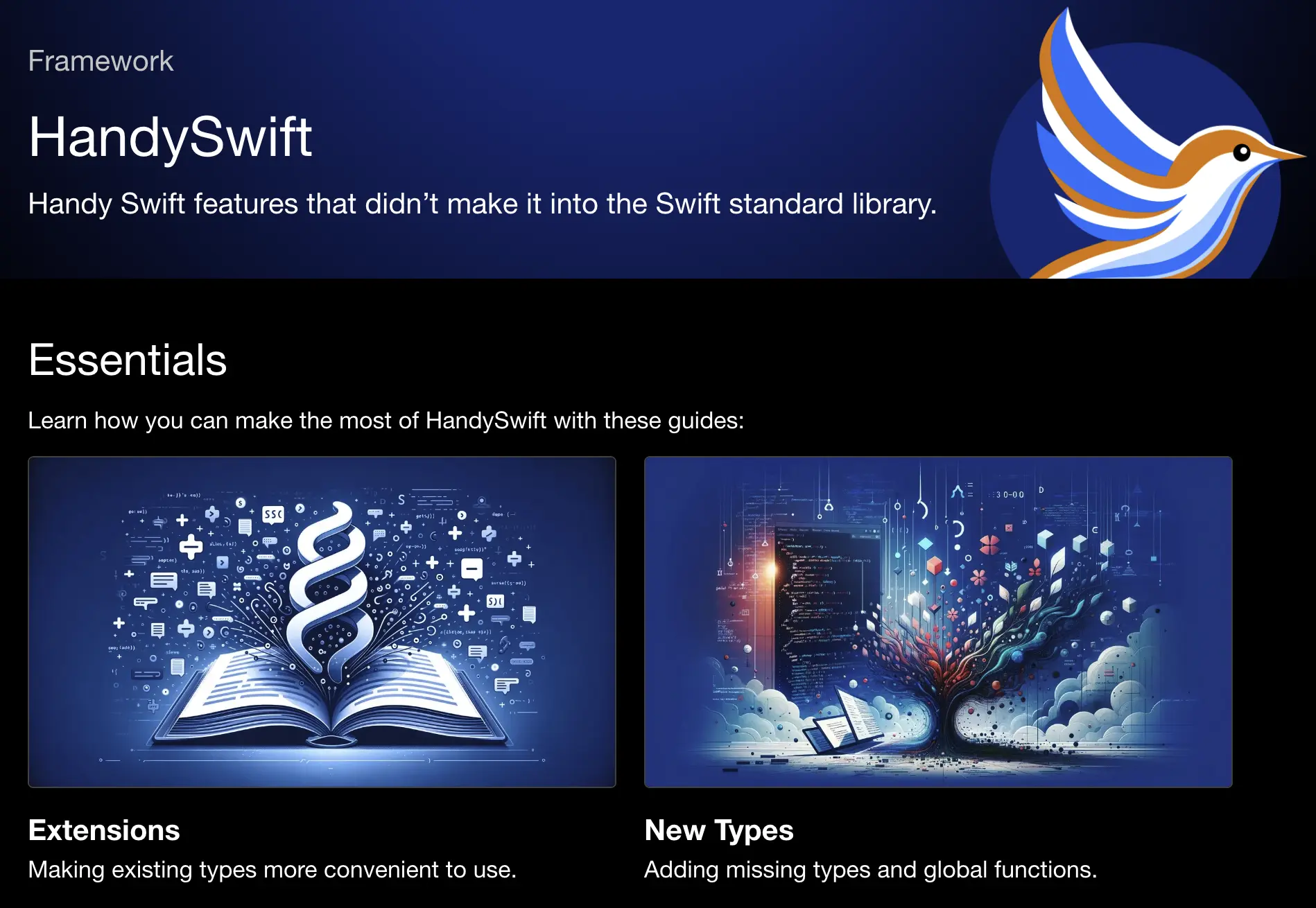 20 |
21 |
22 |
23 | ## Showcase
24 |
25 | I extracted this library from my following Indie apps (rate them with 5 stars to thank me!):
26 |
27 |
20 |
21 |
22 |
23 | ## Showcase
24 |
25 | I extracted this library from my following Indie apps (rate them with 5 stars to thank me!):
26 |
27 |