├── mdm-screen.png
├── README.md
├── bypass-mdm-v2.sh
└── bypass-mdm.sh
/mdm-screen.png:
--------------------------------------------------------------------------------
https://raw.githubusercontent.com/Kr0ff/bypass-mdm/main/mdm-screen.png
--------------------------------------------------------------------------------
/README.md:
--------------------------------------------------------------------------------
1 | # Bypass-MDM for MacOS 💻
2 |
3 | 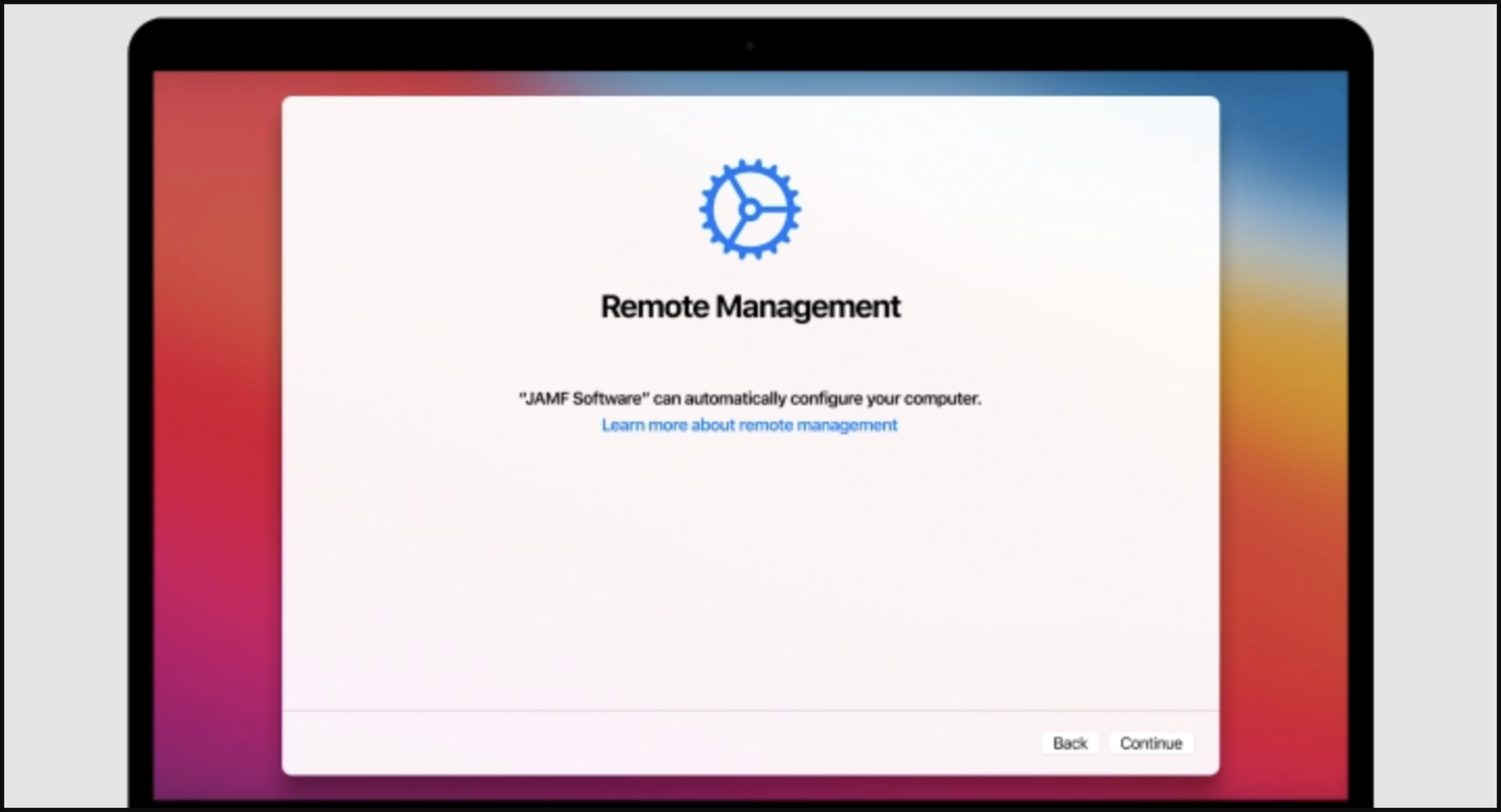
4 |
5 | #### Prerequisites ⚠️
6 |
7 | - **It is advised to erase the hard-drive prior to starting.**
8 | - **It is advised to re-install MacOS using an external flash drive.**
9 | - **Device language needs to be set to English, it can be changed afterwards.**
10 |
11 |
12 | #### Follow steps below to bypass MDM setup during a fresh installation of MacOS, up to Sonoma 14.4.1 (23E224).
13 |
14 | > Upon arriving to the setup stage of forced MDM enrollement:
15 |
16 | 1. Long press Power button to forcefully shut down your Mac.
17 |
18 | 2. Hold the power button to start your Mac & boot into recovery mode.
19 |
20 | > a. **Apple-based Mac**: Hold Power button.\
21 | > b. **Intel-based Mac**: Hold CMD + R during boot.
22 |
23 | 3. Connect to WiFi to activate your Mac.
24 |
25 | 4. Enter Recovery Mode & Open Safari.
26 |
27 | 5. Navigate to https://www.github.com/assafdori/bypass-mdm
28 |
29 | 6. Copy the script below:
30 |
31 | ```zsh
32 | curl https://raw.githubusercontent.com/assafdori/bypass-mdm/main/bypass-mdm.sh -o bypass-mdm.sh && chmod +x ./bypass-mdm.sh && ./bypass-mdm.sh
33 | ```
34 |
35 | 7. Launch Terminal (Utilities > Terminal).
36 |
37 | 8. Paste (CMD + V) and Run the script (ENTER).
38 |
39 | 9. Input 1 for Autobypass.
40 |
41 | 10. Press Enter to leave the default username 'Apple'.
42 |
43 | 11. Press Enter to leave the default password '1234'.
44 |
45 | 12. Wait for the script to finish & Reboot your Mac.
46 |
47 | 13. Sign in with user (Apple) & password (1234)
48 |
49 | 14. Skip all setup (Apple ID, Siri, Touch ID, Location Services)
50 |
51 | 15. Once on the desktop navigate to System Settings > Users and Groups, and create your real Admin account.
52 |
53 | 16. Log out of the Apple profile, and sign in into your real profile.
54 |
55 | 17. Feel free set up properly now (Apple ID, Siri, Touch ID, Location Services).
56 |
57 | 18. Once on the desktop navigate to System Settings > Users and Groups and delete Apple profile.
58 |
59 | 19. Congratulations, you're MDM free! 💫
60 |
61 | ###### Although it's virtually impossible to catch that you've removed the MDM (because it wasn't even configured), be aware that the serial number of the laptop will still be shown in the inventory system of your company. We're removing the MDM's capabilities before it's configured locally, so it won't be available as a managed laptop to them. Use with caution. Probably a good idea to have a valid excuse as well.
62 |
--------------------------------------------------------------------------------
/bypass-mdm-v2.sh:
--------------------------------------------------------------------------------
1 | #!/bin/bash
2 |
3 | # Define color codes
4 | RED='\033[1;31m'
5 | GRN='\033[1;32m'
6 | BLU='\033[1;34m'
7 | YEL='\033[1;33m'
8 | PUR='\033[1;35m'
9 | CYAN='\033[1;36m'
10 | NC='\033[0m'
11 |
12 | # Function to get the system volume name
13 | get_system_volume() {
14 | system_volume=$(diskutil info / | grep "Device Node" | awk -F': ' '{print $2}' | xargs diskutil info | grep "Volume Name" | awk -F': ' '{print $2}' | tr -d ' ')
15 | echo "$system_volume"
16 | }
17 |
18 | # Get the system volume name
19 | system_volume=$(get_system_volume)
20 |
21 | # Display header
22 | echo -e "${CYAN}Bypass MDM By Assaf Dori (assafdori.com)${NC}"
23 | echo ""
24 |
25 | # Prompt user for choice
26 | PS3='Please enter your choice: '
27 | options=("Bypass MDM from Recovery" "Reboot & Exit")
28 | select opt in "${options[@]}"; do
29 | case $opt in
30 | "Bypass MDM from Recovery")
31 | # Bypass MDM from Recovery
32 | echo -e "${YEL}Bypass MDM from Recovery"
33 | if [ -d "/Volumes/$system_volume - Data" ]; then
34 | diskutil rename "$system_volume - Data" "Data"
35 | fi
36 |
37 | # Create Temporary User
38 | echo -e "${NC}Create a Temporary User"
39 | read -p "Enter Temporary Fullname (Default is 'Apple'): " realName
40 | realName="${realName:=Apple}"
41 | read -p "Enter Temporary Username (Default is 'Apple'): " username
42 | username="${username:=Apple}"
43 | read -p "Enter Temporary Password (Default is '1234'): " passw
44 | passw="${passw:=1234}"
45 |
46 | # Create User
47 | dscl_path='/Volumes/Data/private/var/db/dslocal/nodes/Default'
48 | echo -e "${GREEN}Creating Temporary User"
49 | dscl -f "$dscl_path" localhost -create "/Local/Default/Users/$username"
50 | dscl -f "$dscl_path" localhost -create "/Local/Default/Users/$username" UserShell "/bin/zsh"
51 | dscl -f "$dscl_path" localhost -create "/Local/Default/Users/$username" RealName "$realName"
52 | dscl -f "$dscl_path" localhost -create "/Local/Default/Users/$username" UniqueID "501"
53 | dscl -f "$dscl_path" localhost -create "/Local/Default/Users/$username" PrimaryGroupID "20"
54 | mkdir "/Volumes/Data/Users/$username"
55 | dscl -f "$dscl_path" localhost -create "/Local/Default/Users/$username" NFSHomeDirectory "/Users/$username"
56 | dscl -f "$dscl_path" localhost -passwd "/Local/Default/Users/$username" "$passw"
57 | dscl -f "$dscl_path" localhost -append "/Local/Default/Groups/admin" GroupMembership $username
58 |
59 | # Block MDM domains
60 | echo "0.0.0.0 deviceenrollment.apple.com" >>/Volumes/"$system_volume"/etc/hosts
61 | echo "0.0.0.0 mdmenrollment.apple.com" >>/Volumes/"$system_volume"/etc/hosts
62 | echo "0.0.0.0 iprofiles.apple.com" >>/Volumes/"$system_volume"/etc/hosts
63 | echo -e "${GRN}Successfully blocked MDM & Profile Domains"
64 |
65 | # Remove configuration profiles
66 | touch /Volumes/Data/private/var/db/.AppleSetupDone
67 | rm -rf /Volumes/"$system_volume"/var/db/ConfigurationProfiles/Settings/.cloudConfigHasActivationRecord
68 | rm -rf /Volumes/"$system_volume"/var/db/ConfigurationProfiles/Settings/.cloudConfigRecordFound
69 | touch /Volumes/"$system_volume"/var/db/ConfigurationProfiles/Settings/.cloudConfigProfileInstalled
70 | touch /Volumes/"$system_volume"/var/db/ConfigurationProfiles/Settings/.cloudConfigRecordNotFound
71 |
72 | echo -e "${GRN}MDM enrollment has been bypassed!${NC}"
73 | echo -e "${NC}Exit terminal and reboot your Mac.${NC}"
74 | break
75 | ;;
76 | "Reboot & Exit")
77 | # Reboot & Exit
78 | echo "Rebooting..."
79 | reboot
80 | break
81 | ;;
82 | *) echo "Invalid option $REPLY" ;;
83 | esac
84 | done
85 |
--------------------------------------------------------------------------------
/bypass-mdm.sh:
--------------------------------------------------------------------------------
1 | #!/bin/bash
2 |
3 | # Define color codes
4 | RED='\033[1;31m'
5 | GRN='\033[1;32m'
6 | BLU='\033[1;34m'
7 | YEL='\033[1;33m'
8 | PUR='\033[1;35m'
9 | CYAN='\033[1;36m'
10 | NC='\033[0m'
11 |
12 | # Display header
13 | echo -e "${CYAN}Bypass MDM By Assaf Dori (assafdori.com)${NC}"
14 | echo ""
15 |
16 | # Prompt user for choice
17 | PS3='Please enter your choice: '
18 | options=("Bypass MDM from Recovery" "Reboot & Exit")
19 | select opt in "${options[@]}"; do
20 | case $opt in
21 | "Bypass MDM from Recovery")
22 | # Bypass MDM from Recovery
23 | echo -e "${YEL}Bypass MDM from Recovery"
24 | if [ -d "/Volumes/Macintosh HD - Data" ]; then
25 | diskutil rename "Macintosh HD - Data" "Data"
26 | fi
27 |
28 | # Create Temporary User
29 | echo -e "${NC}Create a Temporary User"
30 | read -p "Enter Temporary Fullname (Default is 'Apple'): " realName
31 | realName="${realName:=Apple}"
32 | read -p "Enter Temporary Username (Default is 'Apple'): " username
33 | username="${username:=Apple}"
34 | read -p "Enter Temporary Password (Default is '1234'): " passw
35 | passw="${passw:=1234}"
36 |
37 | # Create User
38 | dscl_path='/Volumes/Data/private/var/db/dslocal/nodes/Default'
39 | echo -e "${GREEN}Creating Temporary User"
40 | dscl -f "$dscl_path" localhost -create "/Local/Default/Users/$username"
41 | dscl -f "$dscl_path" localhost -create "/Local/Default/Users/$username" UserShell "/bin/zsh"
42 | dscl -f "$dscl_path" localhost -create "/Local/Default/Users/$username" RealName "$realName"
43 | dscl -f "$dscl_path" localhost -create "/Local/Default/Users/$username" UniqueID "501"
44 | dscl -f "$dscl_path" localhost -create "/Local/Default/Users/$username" PrimaryGroupID "20"
45 | mkdir "/Volumes/Data/Users/$username"
46 | dscl -f "$dscl_path" localhost -create "/Local/Default/Users/$username" NFSHomeDirectory "/Users/$username"
47 | dscl -f "$dscl_path" localhost -passwd "/Local/Default/Users/$username" "$passw"
48 | dscl -f "$dscl_path" localhost -append "/Local/Default/Groups/admin" GroupMembership $username
49 |
50 | # Block MDM domains
51 | echo "0.0.0.0 deviceenrollment.apple.com" >>/Volumes/Macintosh\ HD/etc/hosts
52 | echo "0.0.0.0 mdmenrollment.apple.com" >>/Volumes/Macintosh\ HD/etc/hosts
53 | echo "0.0.0.0 iprofiles.apple.com" >>/Volumes/Macintosh\ HD/etc/hosts
54 | echo -e "${GRN}Successfully blocked MDM & Profile Domains"
55 |
56 | # Remove configuration profiles
57 | touch /Volumes/Data/private/var/db/.AppleSetupDone
58 | rm -rf /Volumes/Macintosh\ HD/var/db/ConfigurationProfiles/Settings/.cloudConfigHasActivationRecord
59 | rm -rf /Volumes/Macintosh\ HD/var/db/ConfigurationProfiles/Settings/.cloudConfigRecordFound
60 | touch /Volumes/Macintosh\ HD/var/db/ConfigurationProfiles/Settings/.cloudConfigProfileInstalled
61 | touch /Volumes/Macintosh\ HD/var/db/ConfigurationProfiles/Settings/.cloudConfigRecordNotFound
62 |
63 | echo -e "${GRN}MDM enrollment has been bypassed!${NC}"
64 | echo -e "${NC}Exit terminal and reboot your Mac.${NC}"
65 | break
66 | ;;
67 | "Disable Notification (SIP)")
68 | # Disable Notification (SIP)
69 | echo -e "${RED}Please Insert Your Password To Proceed${NC}"
70 | sudo rm /var/db/ConfigurationProfiles/Settings/.cloudConfigHasActivationRecord
71 | sudo rm /var/db/ConfigurationProfiles/Settings/.cloudConfigRecordFound
72 | sudo touch /var/db/ConfigurationProfiles/Settings/.cloudConfigProfileInstalled
73 | sudo touch /var/db/ConfigurationProfiles/Settings/.cloudConfigRecordNotFound
74 | break
75 | ;;
76 | "Disable Notification (Recovery)")
77 | # Disable Notification (Recovery)
78 | rm -rf /Volumes/Macintosh\ HD/var/db/ConfigurationProfiles/Settings/.cloudConfigHasActivationRecord
79 | rm -rf /Volumes/Macintosh\ HD/var/db/ConfigurationProfiles/Settings/.cloudConfigRecordFound
80 | touch /Volumes/Macintosh\ HD/var/db/ConfigurationProfiles/Settings/.cloudConfigProfileInstalled
81 | touch /Volumes/Macintosh\ HD/var/db/ConfigurationProfiles/Settings/.cloudConfigRecordNotFound
82 | break
83 | ;;
84 | "Check MDM Enrollment")
85 | # Check MDM Enrollment
86 | echo ""
87 | echo -e "${GRN}Check MDM Enrollment. Error is success${NC}"
88 | echo ""
89 | echo -e "${RED}Please Insert Your Password To Proceed${NC}"
90 | echo ""
91 | sudo profiles show -type enrollment
92 | break
93 | ;;
94 | "Reboot & Exit")
95 | # Reboot & Exit
96 | echo "Rebooting..."
97 | reboot
98 | break
99 | ;;
100 | *) echo "Invalid option $REPLY" ;;
101 | esac
102 | done
103 |
--------------------------------------------------------------------------------