12 |
18 |
13 |
17 | FS
14 | 15 | {uiMgr.showMobileNav &&
9 |
30 |
31 | );
32 | };
33 |
34 | export default Hamburger;
35 |
--------------------------------------------------------------------------------
/client/src/components/NavComps/Nav/Nav.tsx:
--------------------------------------------------------------------------------
1 | // ICONMONSTR
2 | import ButtonBox from "../ButtonBox/ButtonBox";
3 | import Hamburger from "../Hamburger/Hamburger";
4 | import { useContext } from "react";
5 | import { UiCtx } from "../../../features/ui-ctx";
6 | import { AuthCtx } from "../../../features/auth-ctx";
7 | import NavLogged from "../NavLogged/NavLogged";
8 | import NavOut from "../NavOut/NavOut";
9 |
10 | const Nav: React.FC = () => {
11 | const uiMgr = useContext(UiCtx);
12 | const authMgr = useContext(AuthCtx);
13 | return (
14 |
15 |
20 |
21 |
26 | );
27 | };
28 |
29 | export default Nav;
30 |
--------------------------------------------------------------------------------
/client/src/App.tsx:
--------------------------------------------------------------------------------
1 | import axios from "axios";
2 | import React, { useEffect, useContext } from "react";
3 | import { AuthCtx } from "./features/auth-ctx";
4 | import Footer from "./components/FooterComps/Footer/Footer";
5 | import Home from "./pages/Home";
6 | import Portfolio from "./pages/Portfolio";
7 | import Modal from "./components/Modal/Modal";
8 | import Header from "./components/Header/Header";
9 | import { UiCtx } from "./features/ui-ctx";
10 |
11 | function App() {
12 | const authMgr = useContext(AuthCtx);
13 | const uiMgr = useContext(UiCtx);
14 |
15 | const fetchTest = async () => {
16 | await axios
17 | .get("/api")
18 | .then((serverRes) => console.log(serverRes.data))
19 | .catch((err) => console.log(err));
20 | };
21 |
22 | useEffect(() => {
23 | fetchTest();
24 | }, []);
25 |
26 | return (
27 |
22 | {!uiMgr.showMobileNav && !authMgr.isAuth &&
25 |
28 |
33 | );
34 | }
35 |
36 | export default App;
37 |
--------------------------------------------------------------------------------
/client/src/components/NavComps/ButtonBox/ButtonBox.tsx:
--------------------------------------------------------------------------------
1 | import { useContext } from "react";
2 | import { AuthCtx } from "../../../features/auth-ctx";
3 | import { UiCtx } from "../../../features/ui-ctx";
4 |
5 | const ButtonBox: React.FC = () => {
6 | const uiMgr = useContext(UiCtx);
7 | const authMgr = useContext(AuthCtx);
8 |
9 | return (
10 |
11 |
33 | );
34 | };
35 |
36 | export default ButtonBox;
37 |
--------------------------------------------------------------------------------
/LICENSE:
--------------------------------------------------------------------------------
1 | MIT License
2 |
3 | Copyright (c) 2022 Aryse Gabrielle Pagano
4 |
5 | Permission is hereby granted, free of charge, to any person obtaining a copy
6 | of this software and associated documentation files (the "Software"), to deal
7 | in the Software without restriction, including without limitation the rights
8 | to use, copy, modify, merge, publish, distribute, sublicense, and/or sell
9 | copies of the Software, and to permit persons to whom the Software is
10 | furnished to do so, subject to the following conditions:
11 |
12 | The above copyright notice and this permission notice shall be included in all
13 | copies or substantial portions of the Software.
14 |
15 | THE SOFTWARE IS PROVIDED "AS IS", WITHOUT WARRANTY OF ANY KIND, EXPRESS OR
16 | IMPLIED, INCLUDING BUT NOT LIMITED TO THE WARRANTIES OF MERCHANTABILITY,
17 | FITNESS FOR A PARTICULAR PURPOSE AND NONINFRINGEMENT. IN NO EVENT SHALL THE
18 | AUTHORS OR COPYRIGHT HOLDERS BE LIABLE FOR ANY CLAIM, DAMAGES OR OTHER
19 | LIABILITY, WHETHER IN AN ACTION OF CONTRACT, TORT OR OTHERWISE, ARISING FROM,
20 | OUT OF OR IN CONNECTION WITH THE SOFTWARE OR THE USE OR OTHER DEALINGS IN THE
21 | SOFTWARE.
22 |
--------------------------------------------------------------------------------
/ROSTER.md:
--------------------------------------------------------------------------------
1 | # WELCOME TO THE ROSTER
2 |
3 | > The perfect place for first time ever contributions
4 |
5 | ### This is the roster
6 |
7 | > Where collaborator's contact info can be found. Please skip a line, `---`, skip another line and add the template I have below (obviously with your information)
8 |
9 | ### COLLABORATORS:
10 |
11 | ---
12 |
13 | **:point_right: Aryse Tansy**
14 | :e-mail: paganowebdev@gmail.com
15 | :computer: [Portfolio](https://www.pagano.dev/)
16 |
17 | ---
18 |
19 | **:point_right: Cong Su Nguyen**
20 | :e-mail: sub1910692@student.ctu.edu.vn
21 |
22 | ---
23 |
24 |
25 | **:point_right: Priya Saraf**
26 | :e-mail: priyasaraf1011@gmail.com
27 |
28 | ---
29 |
30 | **:point_right: Aditya Narayan**
31 | :e-mail: 29adityanarayan2000@gmail.com
32 |
33 | ---
34 |
35 | **:point_right: Yahli Gitzi**
36 | :e-mail: yahligitzi2@gmail.com
37 |
38 | ---
39 |
40 | **:point_right: Wasiu Adelakun**
41 | :e-mail: adelakunwasiu1000@gmail.com
42 | :computer: [Portfolio](https://waslead.netlify.app/)
43 |
44 | ---
45 |
46 | **:point_right: Augustine Kirumba**
47 | :e-mail: kirumbaaugustinewambugu@gmail.com
48 |
49 | ---
50 |
51 | **:point_right: Matthew Mu** :e-mail: matty.mu96@gmail.com
--------------------------------------------------------------------------------
/client/src/components/FooterComps/FooterNav/FooterNav.tsx:
--------------------------------------------------------------------------------
1 | const FooterNav: React.FC = () => {
2 | return (
3 |
42 | );
43 | };
44 |
45 | export default FooterNav;
46 |
--------------------------------------------------------------------------------
/client/src/components/NavComps/NavOut/NavOut.tsx:
--------------------------------------------------------------------------------
1 | import { useContext } from "react";
2 | import { UiCtx } from "../../../features/ui-ctx";
3 | import classes from "./NavOut.module.css";
4 |
5 | const NavOut: React.FC = () => {
6 | const uiMgr = useContext(UiCtx);
7 | return (
8 | <>
9 | {" "}
10 |
15 | {" "}
16 | Github{" "}
17 |
18 | uiMgr.setShowMobileNav(false)}
20 | href="#who"
21 | className="px-6 py-3"
22 | >
23 | {" "}
24 | Who{" "}
25 |
26 | uiMgr.setShowMobileNav(false)}
28 | href="#why"
29 | className="flex items-center justify-between px-6 py-3"
30 | >
31 | Why
32 |
33 |
37 | Collab
38 |
39 |
40 | );
41 | };
42 |
43 | export default NavOut;
44 |
--------------------------------------------------------------------------------
/client/src/components/FooterComps/Footer/Footer.tsx:
--------------------------------------------------------------------------------
1 | import FooterIcons from "../FooterIcons/FooterIcons";
2 | import FooterNav from "../FooterNav/FooterNav";
3 |
4 | const Footer: React.FC = () => {
5 | return (
6 |
30 | );
31 | };
32 |
33 | export default Footer;
34 |
--------------------------------------------------------------------------------
/client/src/features/auth-ctx.tsx:
--------------------------------------------------------------------------------
1 | import React, { createContext, useState } from "react";
2 |
3 | interface AuthType {
4 | isLoggin: boolean;
5 | setIsLoggin: React.Dispatch{ 14 | uiMgr.setShowModal(true); 15 | authMgr.setIsLoggin(true); 16 | }} 17 | > 18 | Login 19 |
20 | 21 |
22 |
32 | { 25 | uiMgr.setShowModal(true); 26 | authMgr.setIsLoggin(false); 27 | }} 28 | > 29 | Register 30 |
31 |
6 |
36 | );
37 | };
38 |
39 | export default Team;
40 |
--------------------------------------------------------------------------------
/client/src/components/Why/Why.tsx:
--------------------------------------------------------------------------------
1 | const Why: React.FC = () => {
2 | return (
3 | 7 | Top Contributors 8 |
9 |
10 | {data.top.map((obj, index) => {
11 | return (
12 | <>
13 |
35 |
14 |  19 |
20 |
19 |
20 |
31 |
32 | );
33 | })}
34 |
21 |
30 | 22 | {obj.login} 23 |
24 | 25 | 26 | Check Github 27 | 28 | 29 |
5 |
27 |
6 |
26 | 7 | Why 8 |
9 |10 | “ 11 | The question is "why not". The sense of community comes with kind 12 | gestures of offering what you can from a good place. You never know 13 | what treasure is coming with the next commit, but you know 14 | inherently to treasure each and every single one no matter the 15 | outcome. 16 | ” 17 |
18 |
19 |
20 | Aryse Pagano
21 |
22 | /
23 | Project Owner
24 |
25 |
7 |
50 |
51 | );
52 | };
53 |
54 | export default Stats;
55 |
--------------------------------------------------------------------------------
/client/src/components/NavComps/NavMobile/NavMobile.tsx:
--------------------------------------------------------------------------------
1 | import { useContext } from "react";
2 | import { AuthCtx } from "../../../features/auth-ctx";
3 | import { UiCtx } from "../../../features/ui-ctx";
4 | import NavLogged from "../NavLogged/NavLogged";
5 | import NavOut from "../NavOut/NavOut";
6 |
7 | const NavMobile: React.FC = () => {
8 | const uiMgr = useContext(UiCtx);
9 | const authMgr = useContext(AuthCtx);
10 |
11 | return (
12 |
8 |
15 |
16 | Who
9 | 10 |11 | Dynamic team of developers at all levels, always evolving but most 12 | importantly always counting. 13 |
14 |
17 |
49 | -
18 |
- 20 | Collaborators 21 | 22 | 23 |
- 24 | {data.collaborators} 25 | 26 |
- 30 | Commits 31 | 32 | 33 |
- 34 | {data.commits} 35 | 36 |
- 40 | Team {"=)"} 41 | 42 | 43 |
- 44 | 1 45 | 46 |
19 |
27 |
28 |
29 |
37 |
38 |
39 |
47 |
14 |
50 |
15 |
49 |
16 |
17 |
18 | Menu
19 |
20 |
21 |
42 |
43 |
44 |
47 |
48 |
13 |
46 |
14 |
45 | 15 | Where developers are 16 | 17 | Finally Seen 18 | 19 |
20 | 21 |22 | A contribution initiative as open-source. 23 |
24 | 25 | 44 |
11 |
12 |
72 |
73 | );
74 | };
75 |
76 | export default Auth;
77 |
--------------------------------------------------------------------------------
/README.md:
--------------------------------------------------------------------------------
1 | # FINALLY-SEEN
2 |
3 | > A contribution initiative
4 |
5 | ---
6 |
7 | [LIVE DEV DEMO](https://finally-seen-oizk.onrender.com/)
8 |
9 | ---
10 |
11 | 
12 |
13 | ## STACK
14 |
15 | - Client:
16 | - React with CRA templated with TS
17 | - Server:
18 | - NodeJS and Express
19 | - DB:
20 | - MongoDB
21 | - Deployment:
22 | - Render.io
23 |
24 | ---
25 |
26 | ## The Project:
27 |
28 | Hello World! And welcome to FINALLY-SEEN, a soon to be a MERN stack application for which a user (a dev) will be able to post the URL of their portfolio and obtain some sort of feedback.
29 |
30 | The Project is still to be fully defined, I just wanted to get that out there as soon as possible to help those like me who chase "good first issue"s.
31 |
32 | The intention is to get everyone who wants to contribute, at least one task. I will personally try my best to adapt this project so anyone regardless of skills can hop in.
33 |
34 | > Ex: You know react but do not know TS...No problem. Ill take your JS (thanks for that) and give the convertion to someone else to collab on.
35 |
36 | ---
37 |
38 | ## Fearful? Don't be...
39 |
40 | While I intend to give devs a good amount of coding freedom, I will be very specific and even (if needed and requested), outline steps needed to be performed in order to achieve the task. IT'S OKAY TO MAKE MISTAKES. Fixing bugs always make great first issues.
41 |
42 | ## WHAT IS NOT OKAY?
43 |
44 | Leave your ego home. This industry is full of it and I'm sure you can find plenty of opportunities to take it "for a walk". This is not the place.
45 |
46 | ---
47 |
48 | ## HOW TO RUN?
49 |
50 | 1. Fork this repo:
51 |
52 | Step 1: Click the Fork button to the right of the repository.
53 | 13 | {authMgr.isLoggin ? "Log In" : "Register"} 14 |
15 | {authMgr.isLoggin || ( 16 | 23 | )} 24 | 25 | 32 | 33 | 40 | 41 | 44 | 45 | {authMgr.isLoggin && ( 46 | 50 | FORGOT PASSWORD? 51 | 52 | )} 53 | 54 |55 | {authMgr.isLoggin ? "No account? " : "Already registered? "} 56 | authMgr.setIsLoggin((prev) => !prev)} 60 | > 61 | {authMgr.isLoggin ? "Create One" : "Login"} 62 | 63 |
64 | 65 |uiMgr.setShowModal(false)} 67 | className="cursor-pointer text-center text-2xl font-medium text-teal-600" 68 | > 69 | FS 70 |
71 | 54 | Step 2: We will then be navigated to the create new a fork page and click the create fork button.
55 |
54 | Step 2: We will then be navigated to the create new a fork page and click the create fork button.
55 |  56 |
57 | 2. Clone the project:
58 |
59 | Step 1: On your Visual Studio Code IDE (or any IDE), click terminal and click new terminal.
60 |
56 |
57 | 2. Clone the project:
58 |
59 | Step 1: On your Visual Studio Code IDE (or any IDE), click terminal and click new terminal.
60 |  61 | Step 2: On the terminal run `git clone https://github.com/Medic1111/FINALLY-SEEN` to clone the project.
62 |
63 | 3. Install dependencies client and run client:
64 |
65 | Step 1: On the terminal in your VScode IDE run `cd .\FINALLY-SEEN\`
66 |
67 | Step 2: Then run `cd .\client\` and run `npm install` to install dependencies client.
68 |
69 | Step 3: With all dependencies installed, while still on the client you can run `npm start` to start the client on localhost 3000
70 |
71 | 4. Install dependencies server and run server:
72 |
73 | Step 1: On the new terminal in your VScode IDE(while on the root of the project) run `cd .\server\`
74 |
75 | Step 2: Then run `npm install` to install dependencies server.
76 |
77 | Step 3: With all dependencies installed, while still on the server you can run `node app.js` to start the server.
78 |
79 | > I highly suggest using nodemon to run the server. It is not a dependency of this project but feel free to use your globally installed one.
80 |
81 | ---
82 |
83 | ### WHO AM I
84 |
85 | **:point_right: Aryse Tansy**
86 | :e-mail: paganowebdev@gmail.com
87 | :computer: [Portfolio](https://www.pagano.dev/)
88 |
89 | ---
90 |
--------------------------------------------------------------------------------
/client/src/pages/Portfolio.tsx:
--------------------------------------------------------------------------------
1 | import Header from "../components/Header/Header";
2 |
3 | const Portfolio: React.FC = () => {
4 | return (
5 |
61 | Step 2: On the terminal run `git clone https://github.com/Medic1111/FINALLY-SEEN` to clone the project.
62 |
63 | 3. Install dependencies client and run client:
64 |
65 | Step 1: On the terminal in your VScode IDE run `cd .\FINALLY-SEEN\`
66 |
67 | Step 2: Then run `cd .\client\` and run `npm install` to install dependencies client.
68 |
69 | Step 3: With all dependencies installed, while still on the client you can run `npm start` to start the client on localhost 3000
70 |
71 | 4. Install dependencies server and run server:
72 |
73 | Step 1: On the new terminal in your VScode IDE(while on the root of the project) run `cd .\server\`
74 |
75 | Step 2: Then run `npm install` to install dependencies server.
76 |
77 | Step 3: With all dependencies installed, while still on the server you can run `node app.js` to start the server.
78 |
79 | > I highly suggest using nodemon to run the server. It is not a dependency of this project but feel free to use your globally installed one.
80 |
81 | ---
82 |
83 | ### WHO AM I
84 |
85 | **:point_right: Aryse Tansy**
86 | :e-mail: paganowebdev@gmail.com
87 | :computer: [Portfolio](https://www.pagano.dev/)
88 |
89 | ---
90 |
--------------------------------------------------------------------------------
/client/src/pages/Portfolio.tsx:
--------------------------------------------------------------------------------
1 | import Header from "../components/Header/Header";
2 |
3 | const Portfolio: React.FC = () => {
4 | return (
5 |
8 |
9 |
10 |
11 |
83 |
12 |
13 | Meet the developer's
16 |
17 |
82 |
13 | Meet the developer's
{" "}
14 | portfolios
15 |
16 |
17 |
18 | 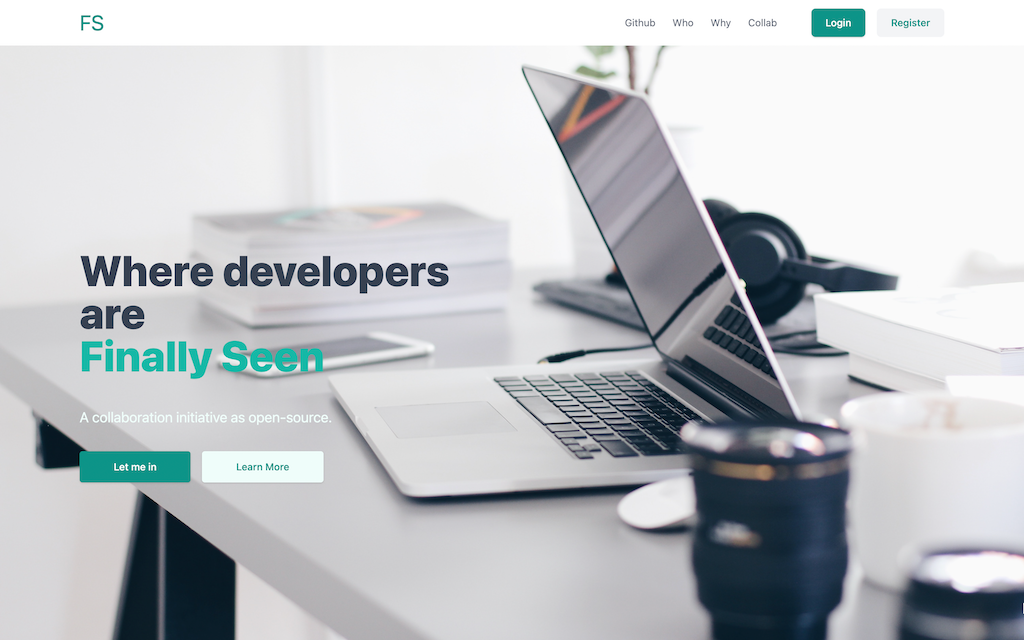 23 |
24 |
23 |
24 |
45 |
46 |
23 |
24 |
25 |
44 | 26 | Developer Title{" "} 27 | (Ups: 480) 28 |
29 | 30 |31 | “ A description of the developer and short journey brief ” 32 |
33 | 34 | 38 | DevName LastName(link to github) 39 | 40 | 41 | portfolio URL 42 | 43 |
47 |
63 |
64 |
80 |
81 | -
4 |
- 5 | 11 | Linkedin 12 | 24 | 25 | 26 | 27 |
- 28 | 34 | Discord 35 | 43 | 44 | 45 | 46 |
- 47 | 53 | GitHub 54 | 66 | 67 | 68 |