├── .github
└── workflows
│ └── pylint.yml
├── main.py
└── README.md
/.github/workflows/pylint.yml:
--------------------------------------------------------------------------------
1 | name: Pylint
2 |
3 | on: [push]
4 |
5 | jobs:
6 | build:
7 | runs-on: ubuntu-latest
8 | strategy:
9 | matrix:
10 | python-version: ["3.8", "3.9", "3.10"]
11 | steps:
12 | - uses: actions/checkout@v4
13 | - name: Set up Python ${{ matrix.python-version }}
14 | uses: actions/setup-python@v3
15 | with:
16 | python-version: ${{ matrix.python-version }}
17 | - name: Install dependencies
18 | run: |
19 | python -m pip install --upgrade pip
20 | pip install pylint
21 | - name: Analysing the code with pylint
22 | run: |
23 | pylint $(git ls-files '*.py')
24 |
--------------------------------------------------------------------------------
/main.py:
--------------------------------------------------------------------------------
1 | import requests
2 | import io
3 | import tkinter as tk
4 | from tkinter import ttk, filedialog
5 | from PIL import Image, ImageTk
6 | from ttkbootstrap import Style
7 |
8 | root = tk.Tk()
9 | root.title("Image Generator")
10 | root.geometry("700x600")
11 | root.config(bg="grey")
12 | root.resizable(False, False)
13 | style = Style(theme="sandstone")
14 |
15 | style.configure('TButton', font=('Helvetica', 12), padding=10)
16 | style.configure('like.TButton', foreground='green', background='white')
17 | style.configure('unlike.TButton', foreground='red', background='white')
18 | style.configure('download.TButton', foreground='blue', background='white')
19 |
20 | current_image_data = None
21 | current_image_url = None
22 |
23 | def display_image(category):
24 | global current_image_data, current_image_url
25 |
26 | url = f"https://api.unsplash.com/photos/random?query={category}&orientation=landscape&client_id=Gb78V27Jp6lime1lAKzYaJW_sUOn8Zh5ujWc0lbjF7o&w=3840&h=2160"
27 | try:
28 | response = requests.get(url)
29 | response.raise_for_status()
30 | data = response.json()
31 | current_image_url = data["urls"]["raw"]
32 |
33 | img_data = requests.get(current_image_url).content
34 |
35 | photo = ImageTk.PhotoImage(Image.open(io.BytesIO(img_data)).resize((600, 400), resample=Image.LANCZOS))
36 | label.config(image=photo)
37 | label.image = photo
38 | like_button.config(state="normal")
39 | unlike_button.config(state="normal")
40 | download_button.config(state="normal")
41 |
42 | current_image_data = img_data
43 | except requests.exceptions.RequestException as e:
44 | print(f"Error requesting data from Unsplash API: {e}")
45 |
46 | def enable_button(*args):
47 | generate_button.config(state="normal" if category_var.get() != "Choose Category" else "disabled")
48 |
49 | def like_image():
50 | print("Image liked!")
51 |
52 | def unlike_image():
53 | print("Image unliked!")
54 |
55 | def download_image():
56 | global current_image_url, current_image_data
57 |
58 | if current_image_url and current_image_data:
59 | file_path = filedialog.asksaveasfilename(defaultextension=".jpg", filetypes=[("JPEG files", "*.jpg"), ("All files", "*.*")])
60 | if file_path:
61 | try:
62 | with open(file_path, 'wb') as file:
63 | file.write(current_image_data)
64 | print(f"Image saved to {file_path}")
65 | except IOError as e:
66 | print(f"Error saving image: {e}")
67 |
68 | def start_generation():
69 | display_image(category_var.get())
70 |
71 | def exit_program():
72 | root.destroy()
73 |
74 | def create_gui():
75 | global category_var, generate_button, label, like_button, unlike_button, download_button
76 |
77 | category_var = tk.StringVar(value="Choose Category")
78 | category_options = ["Choose Category", "Food", "Animals", "People", "Marvel", "Art", "Technology", "Vehicles", "Moon", "Sky", "love", "Aesthetic", "Babies", "Random"]
79 | category_dropdown = ttk.OptionMenu(root, category_var, *category_options, command=enable_button)
80 | category_dropdown.grid(row=0, column=0, padx=10, pady=10, sticky="nsew")
81 | category_dropdown.config(width=14)
82 |
83 | generate_button = ttk.Button(text="Generate Image", state="disabled", command=start_generation)
84 | generate_button.grid(row=0, column=1, padx=10, pady=10, sticky="nsew")
85 |
86 | label = tk.Label(root, background="white")
87 | label.grid(row=1, column=0, columnspan=2, padx=10, pady=10, sticky="nsew")
88 |
89 | like_button = ttk.Button(root, text="Like", state="disabled", command=like_image, style="like.TButton")
90 | like_button.grid(row=2, column=0, padx=10, pady=10, sticky="nsew")
91 |
92 | unlike_button = ttk.Button(root, text="Unlike", state="disabled", command=unlike_image, style="unlike.TButton")
93 | unlike_button.grid(row=2, column=1, padx=10, pady=10, sticky="nsew")
94 |
95 | download_button = ttk.Button(root, text="Download", state="disabled", command=download_image, style="download.TButton")
96 | download_button.grid(row=3, column=0, columnspan=2, padx=10, pady=10, sticky="nsew")
97 |
98 | start_button = ttk.Button(root, text="Start", command=start_generation)
99 | start_button.grid(row=4, column=0, padx=10, pady=10, sticky="nsew")
100 |
101 | exit_button = ttk.Button(root, text="Exit", command=exit_program)
102 | exit_button.grid(row=4, column=1, padx=10, pady=10, sticky="nsew")
103 |
104 | root.columnconfigure([0, 1], weight=1)
105 | root.rowconfigure(1, weight=1)
106 | root.mainloop()
107 |
108 | if __name__ == '__main__':
109 | create_gui()
110 |
--------------------------------------------------------------------------------
/README.md:
--------------------------------------------------------------------------------
1 | ImagiMingle : A Random Image Generator App 🖼️🖨️
2 |
3 |
4 | 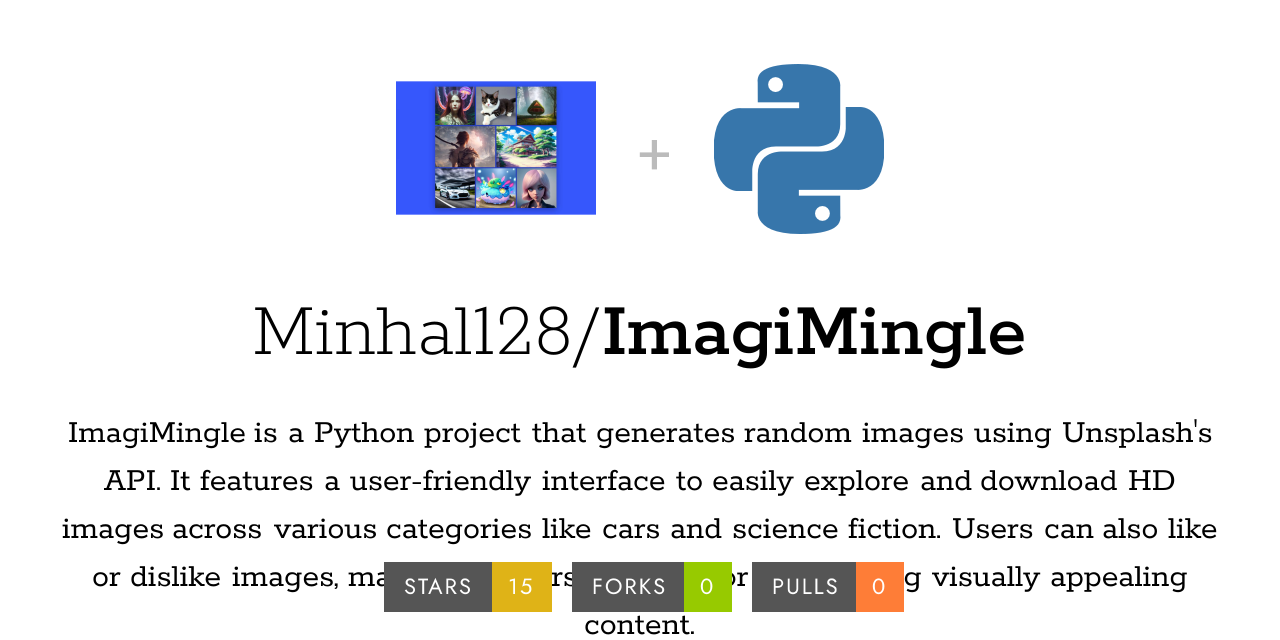
5 |
6 | I am thrilled to announce the development of my first Python application, ImagiMingle: a sophisticated Random Image Generator App leveraging the Unsplash API. This innovative tool is designed to provide users with a dynamic experience by generating random images in real-time. Users can explore a wide array of images, select their favorites, and engage with them by liking or disliking their choices. The application also offers the functionality to download images in high definition, ensuring that users have access to high-quality visuals. I am eager to see how this tool can be further enhanced and invite contributions to improve its features and functionality.
7 |
8 |
9 | 🔎 Project Preview
10 |
11 |  12 |
13 |
12 |
13 | Disclaimer
14 | This application, ImagiMingle, is a Python-based Random Image Generator that utilizes the Unsplash API to fetch and display images. While the application is designed to provide a user-friendly experience, it is important to note the following:
15 |
16 |
API Usage: This application relies on the Unsplash API, and its functionality is subject to changes in the API's terms of service and rate limits. Ensure you have a valid API key and adhere to Unsplash’s usage guidelines.
17 |
18 | Error Handling: Although error handling is included, issues such as network errors, API rate limits, or unexpected data formats may affect functionality. Users are encouraged to report any issues encountered.
19 |
20 | Data Privacy: The application does not collect personal data. However, be cautious when downloading and storing images to ensure compliance with copyright laws and Unsplash’s licensing terms.
21 |
22 | Dependencies: The application requires external libraries, including requests, tkinter, PIL, and ttkbootstrap. Ensure these dependencies are installed and updated to their compatible versions.
23 |
24 | No Warranty: This application is provided "as is" without any warranties or guarantees. The author is not responsible for any damages or issues arising from the use of this application.
25 |
26 | Please use this software responsibly and in accordance with applicable laws and guidelines.
27 |
28 | .
29 | 🧐 Features
30 |
31 | Our project ImagiMingle offers a range of functionalities designed to enhance the user experience with image generation and management. Key features include:
32 |
33 | - Real-Time Image Generation: Leverages the Unsplash API to fetch and display random images based on user-selected categories in real-time.
34 | - Dynamic Categories: Users can choose from a diverse set of categories, including Food, Animals, People, Marvel, Art, Technology, Vehicles, Moon, Sky, and more
35 | - Image Selection: Users can view and select their favorite images from a generated set, with the ability to like or dislike each image.
36 | - HD Image Download: Provides an option to download high-definition images for offline use or personal collection.
37 | - Intuitive GUI: Features a user-friendly graphical interface built with Tkinter and ttkbootstrap, including buttons for generating images, liking/disliking, downloading, and exiting the application.
38 | - Responsive Design: Designed to fit various screen sizes with a layout that adjusts to user interactions, ensuring a seamless experience across different devices.
39 | - Error Handling and Notifications: Includes robust error handling to manage issues like network errors and API rate limits, with user-friendly notifications to keep users informed.
40 | - Category-Based Generation: Users can start image generation with a selected category, making it easy to focus on specific types of images.
41 | - Save Preferences: Allows users to select and save their favorite images, providing a personalized experience and easy access to previously liked images.
42 |
43 |  44 |
45 |
46 |
44 |
45 |
46 | 🛠 Installation Steps:
47 |
48 | 1. Clone the repository
49 |
50 | ```bash
51 | git clone https://github.com/Minhal128/ImagiMingle.git
52 | ```
53 |
54 | 2. Install & Run python Language & its modules
55 |
56 | ```bash Modules to Install
57 | pip install pillow
58 | pip install tkinter
59 | pip install ttkbootstrap
60 |
61 | ```bash
62 | # Run the executable
63 | python3 imagi_mingle.py
64 | or
65 | python imagi_mingle.py
66 |
67 | ```
68 |
69 | Working
70 |
71 |
Modules Used
72 |
73 | - requests
74 | - io
75 | - tkinter
76 | - Pillow (PIL)
77 | - ttkbootstrap
78 |
79 |
80 |
81 | Unsplash API: Your Gateway to Stunning Random Images
82 | Unsplash API
83 | -Purpose: Provides access to high-quality, random images based on specific categories.
84 | -Endpoint: https://api.unsplash.com/photos/random?query={category}&orientation=landscape&client_id=YOUR_API_KEY
85 | Key Features:
86 | -Query Parameter: query={category} specifies the image category.
87 | -Orientation: landscape specifies the image orientation.
88 | -API Key: client_id=YOUR_API_KEY is required for authentication.
89 |
90 |
91 | SimpleEncryption Class
92 |
93 | A simple encryption class is defined to encrypt and decrypt user data using a XOR-based encryption method.
94 |
95 | Image Generator Functionality
96 |
97 | display_image(category): Fetches a random image from Unsplash based on the selected category and updates the GUI with the image.
98 | like_image() and unlike_image(): Placeholder functions to like or dislike the current image.
99 | download_image(): Saves the current image to a user-specified file path.
100 | start_generation(): Triggers the image generation process based on the selected category.
101 |
102 |
103 |
104 | GUI Components
105 | -Dropdown Menu: Allows users to select an image category.
106 | -Generate Button: Fetches and displays a new image based on the selected category.
107 | -Like Button: Enables users to like the displayed image.
108 | -Unlike Button: Enables users to dislike the displayed image.
109 | -Download Button: Allows users to download the current image.
110 | -Image Display Label: Shows the fetched image.
111 |
112 |
113 | GUI Layout
114 | -Uses tkinter for creating the window and arranging widgets.
115 | -Applies styles and themes with ttkbootstrap for a modern look.
116 |
117 |
118 |
119 |  120 |
121 |
120 |
121 | ⚠️Limitations
122 | API Rate Limits
123 | Error Handling
124 | No Authentication for Likes/Dislikes
125 | Limited Image Resizing Options:
126 | No Advanced Search Options
127 |
128 | 🔮Future Enhancements
129 | User Authentication and Profile Management
130 | Customizable Image Resizing
131 | Advanced Search and Filtering
132 | Cross-Platform Compatibility
133 | ntegration with Other APIs
134 |
135 |
136 |
What I learn?
137 |
138 | -
139 | Basic GUI Development with Tkinter: How to create a graphical user interface using Tkinter, including setting up the main window, adding buttons, and handling user interactions.
140 |
141 |
142 | -
143 | Integration with External APIs: How to interact with the Unsplash API to fetch and display images, including constructing API requests, handling JSON responses, and managing API keys.
144 |
145 |
146 | -
147 | Handling Images with PIL: How to use the Python Imaging Library (PIL) to open, manipulate, and display images in a Tkinter application.
148 |
149 |
150 | -
151 | Using ttkbootstrap for Styling: How to apply modern styles to Tkinter widgets using ttkbootstrap, including configuring button styles and themes.
152 |
153 |
154 | -
155 | Managing Application State: How to manage application state and update the UI based on user actions, such as enabling/disabling buttons and displaying images.
156 |
157 |
158 |  159 |
160 |
159 |
160 | 💖Hope you Like our work!
161 |
162 | This project needs a ⭐ from you. Don't forget to leave a star ⭐
163 |
--------------------------------------------------------------------------------