├── QtRaspberryPi6.3.0
├── voila.png
└── README.md
├── projectQml
├── resources.qrc
├── MyObject.h
├── main.cpp
├── main.qml
└── CMakeLists.txt
├── Qt6.8forJetson
├── projectQml
│ ├── resources.qrc
│ ├── MyObject.h
│ ├── main.cpp
│ ├── main.qml
│ └── CMakeLists.txt
├── Dockerfile.app
├── helperTasks.sh
├── DockerFileJetson
├── toolchain.cmake
├── Dockerfile
└── README.md
├── project
├── main.cpp
└── CMakeLists.txt
├── Dockerfile.app
├── .vscode
├── tasks.json
└── launch.json
├── QtJetsonNano5.15.0
├── qmake.conf
└── README.md
├── QtJetsonNano5.15.0WithX
├── qmake.conf
└── README.md
├── QtOpencvExample
├── main.cpp
├── CMakeLists.txt
└── toolchain.cmake
├── helperTasks.sh
├── opencvToolchain.cmake
├── DockerFileRasp
├── toolchain.cmake
├── QtRaspberryPi5.14.2
└── README.md
├── Dockerfile
├── QtRaspberryPi6.6.1
└── README.md
└── README.md
/QtRaspberryPi6.3.0/voila.png:
--------------------------------------------------------------------------------
https://raw.githubusercontent.com/PhysicsX/QTonRaspberryPi/HEAD/QtRaspberryPi6.3.0/voila.png
--------------------------------------------------------------------------------
/projectQml/resources.qrc:
--------------------------------------------------------------------------------
1 |
2 |
3 | main.qml
4 |
5 |
--------------------------------------------------------------------------------
/Qt6.8forJetson/projectQml/resources.qrc:
--------------------------------------------------------------------------------
1 |
2 |
3 | main.qml
4 |
5 |
--------------------------------------------------------------------------------
/project/main.cpp:
--------------------------------------------------------------------------------
1 | #include
2 | #include
3 |
4 | int main(int argc, char *argv[])
5 | {
6 | QCoreApplication a(argc, argv);
7 |
8 | int var = 3;
9 | var = var + 1;
10 | qDebug()<<"Hello world" << var;
11 | return 0;
12 | }
13 |
--------------------------------------------------------------------------------
/Dockerfile.app:
--------------------------------------------------------------------------------
1 | FROM qtcrossbuild:latest
2 |
3 | # Update the repoPath according to yours
4 | ARG projectDir=project
5 | ARG repoPath=/home/ulas/QTonRaspberryPi/
6 |
7 | RUN rm -rf $repoPath$projectDir
8 |
9 | RUN mkdir -p $repoPath$projectDir
10 |
11 | COPY $projectDir $repoPath$projectDir
12 |
13 | RUN cd $repoPath$projectDir && \
14 | /build/qt6/pi/bin/qt-cmake . -DCMAKE_BUILD_TYPE=Debug && \
15 | cmake --build .
16 |
--------------------------------------------------------------------------------
/projectQml/MyObject.h:
--------------------------------------------------------------------------------
1 | // MyObject.h
2 |
3 | #ifndef MYOBJECT_H
4 | #define MYOBJECT_H
5 |
6 | #include
7 | #include
8 |
9 | class MyObject : public QObject
10 | {
11 | Q_OBJECT
12 | public:
13 | explicit MyObject(QObject *parent = nullptr) : QObject(parent) {}
14 |
15 | public slots:
16 | void onButtonClicked() {
17 | qDebug() << "Button clicked!";
18 | }
19 | };
20 |
21 | #endif // MYOBJECT_H
--------------------------------------------------------------------------------
/Qt6.8forJetson/projectQml/MyObject.h:
--------------------------------------------------------------------------------
1 | // MyObject.h
2 |
3 | #ifndef MYOBJECT_H
4 | #define MYOBJECT_H
5 |
6 | #include
7 | #include
8 |
9 | class MyObject : public QObject
10 | {
11 | Q_OBJECT
12 | public:
13 | explicit MyObject(QObject *parent = nullptr) : QObject(parent) {}
14 |
15 | public slots:
16 | void onButtonClicked() {
17 | qDebug() << "Button clicked!";
18 | }
19 | };
20 |
21 | #endif // MYOBJECT_H
--------------------------------------------------------------------------------
/Qt6.8forJetson/Dockerfile.app:
--------------------------------------------------------------------------------
1 | FROM qtcrossjet string:latest
2 |
3 | # Update the repoPath according to yours
4 | ARG projectDir=project
5 | ARG repoPath=/home/ulas/Development/QTonRaspberryPi/
6 |
7 | RUN rm -rf $repoPath$projectDir
8 |
9 | RUN mkdir -p $repoPath$projectDir
10 |
11 | COPY $projectDir $repoPath$projectDir
12 |
13 | RUN cd $repoPath$projectDir && \
14 | /build/qt6/pi/bin/qt-cmake . -DCMAKE_BUILD_TYPE=Debug && \
15 | cmake --build .
16 |
--------------------------------------------------------------------------------
/project/CMakeLists.txt:
--------------------------------------------------------------------------------
1 | cmake_minimum_required(VERSION 3.5)
2 |
3 | project(HelloQt6 LANGUAGES CXX)
4 |
5 | set(CMAKE_INCLUDE_CURRENT_DIR ON)
6 |
7 | set(CMAKE_AUTOUIC ON)
8 | set(CMAKE_AUTOMOC ON)
9 | set(CMAKE_AUTORCC ON)
10 |
11 | set(CMAKE_CXX_STANDARD 11)
12 | set(CMAKE_CXX_STANDARD_REQUIRED ON)
13 |
14 | find_package(Qt6Core)
15 |
16 | set(CMAKE_C_FLAGS "${CMAKE_CXX_FLAGS} -fPIC -Wl,-rpath-link, ${CMAKE_SYSROOT}/usr/lib/${CMAKE_LIBRARY_ARCHITECTURE} -L${CMAKE_SYSROOT}/usr/lib/${CMAKE_LIBRARY_ARCHITECTURE}")
17 | set(CMAKE_CXX_FLAGS "${CMAKE_CXX_FLAGS} -fPIC -Wl,-rpath-link,${CMAKE_SYSROOT}/usr/lib/${CMAKE_LIBRARY_ARCHITECTURE} -L${CMAKE_SYSROOT}/usr/lib/${CMAKE_LIBRARY_ARCHITECTURE}")
18 |
19 | add_executable(HelloQt6 main.cpp)
20 |
21 | target_link_libraries(HelloQt6 Qt6::Core)
22 |
--------------------------------------------------------------------------------
/projectQml/main.cpp:
--------------------------------------------------------------------------------
1 | #include
2 | #include
3 | #include
4 |
5 | #include
6 | #include
7 | #include "MyObject.h"
8 |
9 |
10 | int main(int argc, char *argv[])
11 | {
12 | QGuiApplication app(argc, argv);
13 |
14 | QQmlApplicationEngine engine;
15 |
16 | MyObject myObject;
17 | engine.rootContext()->setContextProperty("myObject", &myObject);
18 |
19 | const QUrl url(QStringLiteral("qrc:/main.qml"));
20 | QObject::connect(&engine, &QQmlApplicationEngine::objectCreated,
21 | &app, [url](QObject *obj, const QUrl &objUrl) {
22 | if (!obj && url == objUrl)
23 | QCoreApplication::exit(-1);
24 | }, Qt::QueuedConnection);
25 | engine.load(url);
26 |
27 | return app.exec();
28 | }
29 |
30 |
--------------------------------------------------------------------------------
/Qt6.8forJetson/projectQml/main.cpp:
--------------------------------------------------------------------------------
1 | #include
2 | #include
3 | #include
4 |
5 | #include
6 | #include
7 | #include "MyObject.h"
8 |
9 |
10 | int main(int argc, char *argv[])
11 | {
12 | QGuiApplication app(argc, argv);
13 |
14 | QQmlApplicationEngine engine;
15 |
16 | MyObject myObject;
17 | engine.rootContext()->setContextProperty("myObject", &myObject);
18 |
19 | const QUrl url(QStringLiteral("qrc:/main.qml"));
20 | QObject::connect(&engine, &QQmlApplicationEngine::objectCreated,
21 | &app, [url](QObject *obj, const QUrl &objUrl) {
22 | if (!obj && url == objUrl)
23 | QCoreApplication::exit(-1);
24 | }, Qt::QueuedConnection);
25 | engine.load(url);
26 |
27 | return app.exec();
28 | }
29 |
30 |
--------------------------------------------------------------------------------
/projectQml/main.qml:
--------------------------------------------------------------------------------
1 | import QtQuick 2.12
2 | import QtQuick.Window 2.12
3 | import QtQuick.Controls 2.12
4 |
5 | Window {
6 | visible: true
7 | width: 640
8 | height: 480
9 | title: qsTr("CROSS COMPILED QT6")
10 |
11 |
12 | Rectangle {
13 | width: parent.width
14 | height: parent.height
15 |
16 | Rectangle {
17 | id: button
18 |
19 | width: 100
20 | height: 30
21 | color: "blue"
22 | anchors.centerIn: parent
23 |
24 | Text {
25 | id: buttonText
26 | text: qsTr("Button")
27 | color: "white"
28 | anchors.centerIn: parent
29 | }
30 |
31 | MouseArea {
32 | anchors.fill: parent
33 | onClicked: {
34 | buttonText.text = qsTr("Clicked");
35 | buttonText.color = "black";
36 | myObject.onButtonClicked()
37 |
38 | }
39 | }
40 | }
41 | }
42 | }
43 |
--------------------------------------------------------------------------------
/Qt6.8forJetson/projectQml/main.qml:
--------------------------------------------------------------------------------
1 | import QtQuick 2.12
2 | import QtQuick.Window 2.12
3 | import QtQuick.Controls 2.12
4 |
5 | Window {
6 | visible: true
7 | width: 640
8 | height: 480
9 | title: qsTr("CROSS COMPILED QT6")
10 |
11 |
12 | Rectangle {
13 | width: parent.width
14 | height: parent.height
15 |
16 | Rectangle {
17 | id: button
18 |
19 | width: 100
20 | height: 30
21 | color: "blue"
22 | anchors.centerIn: parent
23 |
24 | Text {
25 | id: buttonText
26 | text: qsTr("Button")
27 | color: "white"
28 | anchors.centerIn: parent
29 | }
30 |
31 | MouseArea {
32 | anchors.fill: parent
33 | onClicked: {
34 | buttonText.text = qsTr("Clicked");
35 | buttonText.color = "black";
36 | myObject.onButtonClicked()
37 |
38 | }
39 | }
40 | }
41 | }
42 | }
43 |
--------------------------------------------------------------------------------
/.vscode/tasks.json:
--------------------------------------------------------------------------------
1 | {
2 | "version": "2.0.0",
3 | "tasks": [
4 | {
5 | "label": "Build with Docker",
6 | "type": "shell",
7 | "command": "./helperTasks.sh build_docker_image",
8 | "group": "build"
9 | },
10 | {
11 | "label": "Copy binary from tmp container",
12 | "type": "shell",
13 | "command": "./helperTasks.sh create_binary_and_copy",
14 | "group": "build"
15 | },
16 | {
17 | "label": "Send binary to Rasp",
18 | "type": "shell",
19 | "command": "./helperTasks.sh send_binary_to_rasp",
20 | "group": "build"
21 | },
22 | {
23 | "label": "Run gdbserver on Rasp",
24 | "type": "shell",
25 | "command": "./helperTasks.sh run_gdb_server_on_rasp",
26 | "group": "build"
27 | }
28 | ]
29 | }
30 |
--------------------------------------------------------------------------------
/QtJetsonNano5.15.0/qmake.conf:
--------------------------------------------------------------------------------
1 | #
2 | # qmake configuration for the Jetson nano boards running Linux For nano
3 | #
4 |
5 |
6 | include(../common/linux_device_pre.conf)
7 |
8 | QMAKE_INCDIR_POST += \
9 | $$[QT_SYSROOT]/usr/include \
10 | $$[QT_SYSROOT]/usr/include/aarch64-linux-gnu
11 |
12 | QMAKE_LIBDIR_POST += \
13 | $$[QT_SYSROOT]/usr/lib \
14 | $$[QT_SYSROOT]/lib/aarch64-linux-gnu \
15 | $$[QT_SYSROOT]/usr/lib/aarch64-linux-gnu
16 |
17 | QMAKE_RPATHLINKDIR_POST += \
18 | $$[QT_SYSROOT]/usr/lib \
19 | $$[QT_SYSROOT]/usr/lib/aarch64-linux-gnu \
20 | $$[QT_SYSROOT]/lib/aarch64-linux-gnu
21 |
22 | QMAKE_INCDIR_EGL = $$[QT_SYSROOT]/usr/lib/aarch64-linux-gnu/tegra-egl
23 |
24 | DISTRO_OPTS += aarch64
25 | COMPILER_FLAGS += -march=armv8-a+crypto+crc
26 |
27 | EGLFS_DEVICE_INTEGRATION = eglfs_kms_egldevice
28 |
29 | include(../common/linux_arm_device_post.conf)
30 | load(qt_config)
--------------------------------------------------------------------------------
/QtJetsonNano5.15.0WithX/qmake.conf:
--------------------------------------------------------------------------------
1 | #
2 | # qmake configuration for the Jetson nano boards running Linux For nano
3 | #
4 |
5 |
6 | include(../common/linux_device_pre.conf)
7 |
8 | QMAKE_INCDIR_POST += \
9 | $$[QT_SYSROOT]/usr/include \
10 | $$[QT_SYSROOT]/usr/include/aarch64-linux-gnu
11 |
12 | QMAKE_LIBDIR_POST += \
13 | $$[QT_SYSROOT]/usr/lib \
14 | $$[QT_SYSROOT]/lib/aarch64-linux-gnu \
15 | $$[QT_SYSROOT]/usr/lib/aarch64-linux-gnu
16 |
17 | QMAKE_RPATHLINKDIR_POST += \
18 | $$[QT_SYSROOT]/usr/lib \
19 | $$[QT_SYSROOT]/usr/lib/aarch64-linux-gnu \
20 | $$[QT_SYSROOT]/lib/aarch64-linux-gnu
21 |
22 | QMAKE_INCDIR_EGL = $$[QT_SYSROOT]/usr/lib/aarch64-linux-gnu/tegra-egl
23 |
24 | DISTRO_OPTS += aarch64
25 | COMPILER_FLAGS += -march=armv8-a+crypto+crc
26 |
27 | EGLFS_DEVICE_INTEGRATION = eglfs_kms_egldevice
28 |
29 | include(../common/linux_arm_device_post.conf)
30 | load(qt_config)
--------------------------------------------------------------------------------
/projectQml/CMakeLists.txt:
--------------------------------------------------------------------------------
1 | cmake_minimum_required(VERSION 3.5)
2 |
3 | project(HelloQt6 LANGUAGES CXX)
4 | message("CMAKE_SYSROOT " ${CMAKE_SYSROOT})
5 | message("CMAKE_LIBRARY_ARCHITECTURE " ${CMAKE_LIBRARY_ARCHITECTURE})
6 | set(CMAKE_CXX_STANDARD 11)
7 | set(CMAKE_CXX_STANDARD_REQUIRED ON)
8 |
9 | find_package(Qt6 COMPONENTS Core Quick DBus REQUIRED)
10 |
11 | set(CMAKE_C_FLAGS "${CMAKE_CXX_FLAGS} -fPIC -Wl,-rpath-link, ${CMAKE_SYSROOT}/usr/lib/${CMAKE_LIBRARY_ARCHITECTURE} -L${CMAKE_SYSROOT}/usr/lib/${CMAKE_LIBRARY_ARCHITECTURE}")
12 | set(CMAKE_CXX_FLAGS "${CMAKE_CXX_FLAGS} -fPIC -Wl,-rpath-link,${CMAKE_SYSROOT}/usr/lib/${CMAKE_LIBRARY_ARCHITECTURE} -L${CMAKE_SYSROOT}/usr/lib/${CMAKE_LIBRARY_ARCHITECTURE}")
13 | # Enable automatic MOC, UIC, and RCC processing
14 | set(CMAKE_AUTOMOC ON)
15 | set(CMAKE_AUTOUIC ON)
16 | set(CMAKE_AUTORCC ON)
17 |
18 | qt_add_resources(QT_RESOURCES resources.qrc)
19 |
20 | add_executable(HelloQt6 ${QT_RESOURCES} main.cpp MyObject.h)
21 |
22 | target_link_libraries(HelloQt6 -lm -ldl Qt6::Core Qt6::DBus Qt6::Quick)
23 |
24 |
--------------------------------------------------------------------------------
/Qt6.8forJetson/projectQml/CMakeLists.txt:
--------------------------------------------------------------------------------
1 | cmake_minimum_required(VERSION 3.5)
2 |
3 | project(HelloQt6 LANGUAGES CXX)
4 | message("CMAKE_SYSROOT " ${CMAKE_SYSROOT})
5 | message("CMAKE_LIBRARY_ARCHITECTURE " ${CMAKE_LIBRARY_ARCHITECTURE})
6 | set(CMAKE_CXX_STANDARD 11)
7 | set(CMAKE_CXX_STANDARD_REQUIRED ON)
8 |
9 | find_package(Qt6 COMPONENTS Core Quick DBus REQUIRED)
10 |
11 | set(CMAKE_C_FLAGS "${CMAKE_CXX_FLAGS} -fPIC -Wl,-rpath-link, ${CMAKE_SYSROOT}/usr/lib/${CMAKE_LIBRARY_ARCHITECTURE} -L${CMAKE_SYSROOT}/usr/lib/${CMAKE_LIBRARY_ARCHITECTURE}")
12 | set(CMAKE_CXX_FLAGS "${CMAKE_CXX_FLAGS} -fPIC -Wl,-rpath-link,${CMAKE_SYSROOT}/usr/lib/${CMAKE_LIBRARY_ARCHITECTURE} -L${CMAKE_SYSROOT}/usr/lib/${CMAKE_LIBRARY_ARCHITECTURE}")
13 | # Enable automatic MOC, UIC, and RCC processing
14 | set(CMAKE_AUTOMOC ON)
15 | set(CMAKE_AUTOUIC ON)
16 | set(CMAKE_AUTORCC ON)
17 |
18 | qt_add_resources(QT_RESOURCES resources.qrc)
19 |
20 | add_executable(HelloQt6 ${QT_RESOURCES} main.cpp MyObject.h)
21 |
22 | target_link_libraries(HelloQt6 -lm -ldl Qt6::Core Qt6::DBus Qt6::Quick)
23 |
24 |
--------------------------------------------------------------------------------
/QtOpencvExample/main.cpp:
--------------------------------------------------------------------------------
1 | #include
2 | #include
3 | #include
4 | #include
5 | #include
6 |
7 | // Convert OpenCV Mat to QImage
8 | QImage MatToQImage(const cv::Mat &mat) {
9 | if (mat.type() == CV_8UC3) {
10 | return QImage(mat.data, mat.cols, mat.rows, mat.step, QImage::Format_RGB888).rgbSwapped();
11 | } else if (mat.type() == CV_8UC1) {
12 | return QImage(mat.data, mat.cols, mat.rows, mat.step, QImage::Format_Grayscale8);
13 | }
14 | return QImage();
15 | }
16 |
17 | int main(int argc, char *argv[]) {
18 | QApplication app(argc, argv);
19 |
20 | // Create an OpenCV image with a red circle
21 | cv::Mat img = cv::Mat::zeros(400, 400, CV_8UC3);
22 | cv::circle(img, cv::Point(200, 200), 100, cv::Scalar(0, 0, 255), -1); // Draw red circle
23 |
24 | // Convert to QImage
25 | QImage qimg = MatToQImage(img);
26 |
27 | // Display in QLabel
28 | QLabel label;
29 | label.setPixmap(QPixmap::fromImage(qimg));
30 | label.setFixedSize(qimg.size());
31 | label.show();
32 |
33 | return app.exec();
34 | }
--------------------------------------------------------------------------------
/QtOpencvExample/CMakeLists.txt:
--------------------------------------------------------------------------------
1 | cmake_minimum_required(VERSION 3.10)
2 | project(QtOpencvHello)
3 |
4 | set(CMAKE_CXX_STANDARD 17)
5 | set(CMAKE_PREFIX_PATH "/build/sysroot/usr/lib/aarch64-linux-gnu")
6 |
7 | set(Qt6_DIR "/build/qt6/pi/lib/cmake/Qt6")
8 | set(OpenCV_DIR "/build/opencvBuild/lib/cmake/opencv4") # Update for cross-compiled OpenCV
9 |
10 | set(CMAKE_MODULE_PATH "/build/qt6/pi/lib/cmake/Qt6/platforms" ${CMAKE_MODULE_PATH})
11 | find_package(Qt6 REQUIRED COMPONENTS Gui Widgets OpenGL)
12 |
13 | find_package(Qt6 REQUIRED COMPONENTS Widgets Gui)
14 | find_package(OpenCV REQUIRED CONFIG)
15 |
16 | include_directories(${Qt6_INCLUDE_DIRS})
17 | message(STATUS "Qt6 Include Dirs: ${Qt6_INCLUDE_DIRS}")
18 | message(STATUS "Qt6 Libraries: ${Qt6_LIBRARIES}")
19 |
20 | # Ensure CMake searches for BLAS and LAPACK in the sysroot
21 | set(LAPACK_LIB "/build/sysroot/usr/lib/aarch64-linux-gnu/liblapack.so")
22 | set(BLAS_LIB "/build/sysroot/usr/lib/aarch64-linux-gnu/libblas.so")
23 |
24 | add_executable(QtOpencvHello main.cpp)
25 | target_link_libraries(QtOpencvHello PRIVATE Qt6::Widgets Qt6::Gui ${OpenCV_LIBS} ${LAPACK_LIB} ${BLAS_LIB})
26 |
--------------------------------------------------------------------------------
/.vscode/launch.json:
--------------------------------------------------------------------------------
1 | {
2 | "version": "0.2.0",
3 | "configurations": [
4 | {
5 | "name": "Remote Debug on Raspberry Pi",
6 | "type": "cppdbg",
7 | "request": "launch",
8 | "program": "/home/ulas/Development/QTonRaspberryPi/HelloQt6", // Be sure that this is the path where binary is exist on host
9 | "stopAtEntry": false,
10 | "cwd": "/home/ulas/Development/QTonRaspberryPi", // should be host path not target
11 | "externalConsole": false,
12 | "MIMode": "gdb",
13 | "miDebuggerPath": "/usr/bin/gdb-multiarch", // gdb-multiacrh should be used not gdb
14 | "miDebuggerServerAddress": "192.168.178.21:2000", // Replace with your Raspberry Pi's IP and the gdbserver port
15 | "setupCommands": [
16 | {
17 | "description": "Enable pretty-printing for gdb",
18 | "text": "-enable-pretty-printing",
19 | "ignoreFailures": true
20 | }
21 | ],
22 | "preLaunchTask": "", // Optional: Specify a task to run before debugging starts
23 | "postDebugTask": "" // Optional: Specify a task to run after debugging ends
24 | }
25 | ]
26 | }
--------------------------------------------------------------------------------
/helperTasks.sh:
--------------------------------------------------------------------------------
1 | #!/bin/bash
2 |
3 | # install sshpass and gdb-multiarch
4 | # sudo apt-get install sshpass gdb-multiarch
5 |
6 | # Update the hostPath according to yours
7 | hostPath=/home/ulas/Development/QTonRaspberryPi/project
8 |
9 | piUserName=ulas
10 | piIpAddress=192.168.178.21
11 | piPath=/home/ulas
12 | piPass=1234
13 | qtPathOnTarget=/usr/local/qt6/lib/
14 |
15 | case "$1" in
16 | build_docker_image)
17 | echo "build docker image to build app"
18 | docker build -f Dockerfile.app -t final-app .
19 | ;;
20 | create_binary_and_copy)
21 | echo "Remove tmpapp container if it is exist"
22 | docker rm -f tmpapp
23 | echo "Create a tmp container to copy binary"
24 | docker create --name tmpapp final-app
25 | echo "Copy the binary from tmp container"
26 | docker cp tmpapp:$hostPath/HelloQt6 ./HelloQt6
27 | ;;
28 | send_binary_to_rasp)
29 | echo "Send binary to rasp over scp"
30 | sshpass -p "$piPass" scp HelloQt6 "$piUserName"@"$piIpAddress":"$piPath"
31 | ;;
32 | run_gdb_server_on_rasp)
33 | echo "Start gdb server on raspberry pi"
34 | sshpass -p "$piPass" ssh -X "$piUserName"@"$piIpAddress" "export LD_LIBRARY_PATH=$qtPathOnTarget pkill gdbserver; gdbserver localhost:2000 $piPath/HelloQt6 &"
35 | ;;
36 | *)
37 | echo "Usage: $0 {build_docker_image|create_binary_and_copy|send_binary_to_rasp|run_gdb_server_on_rasp}"
38 | exit 1
39 | ;;
40 | esac
41 |
--------------------------------------------------------------------------------
/QtOpencvExample/toolchain.cmake:
--------------------------------------------------------------------------------
1 | # Specify the target system
2 | set(CMAKE_SYSTEM_NAME Linux)
3 | set(CMAKE_SYSTEM_PROCESSOR aarch64)
4 |
5 | set(TARGET_ARCHITECTURE aarch64-linux-gnu)
6 | set(CMAKE_SYSROOT ${TARGET_SYSROOT})
7 |
8 | # Set the C and C++ compilers
9 | set(CMAKE_C_COMPILER /usr/bin/${TARGET_ARCHITECTURE}-gcc-14)
10 | set(CMAKE_CXX_COMPILER /usr/bin/${TARGET_ARCHITECTURE}-g++-14)
11 |
12 | # Define the sysroot path (adjust this to your sysroot location)
13 | set(CMAKE_SYSROOT /build/sysroot)
14 | set(CMAKE_FIND_ROOT_PATH ${CMAKE_SYSROOT})
15 |
16 | # Set compiler optimizations for ARM
17 | set(CMAKE_C_FLAGS "-march=armv8-a -mtune=cortex-a72 -O2 -pipe --sysroot=${CMAKE_SYSROOT}" CACHE STRING "" FORCE)
18 | set(CMAKE_CXX_FLAGS "-march=armv8-a -mtune=cortex-a72 -O2 -pipe --sysroot=${CMAKE_SYSROOT}" CACHE STRING "" FORCE)
19 |
20 | # Set linker flags
21 | set(CMAKE_EXE_LINKER_FLAGS "-L${CMAKE_SYSROOT}/usr/lib/aarch64-linux-gnu -Wl,-rpath-link,${CMAKE_SYSROOT}/usr/lib/aarch64-linux-gnu")
22 |
23 | # Set CMake paths for Qt and OpenCV
24 | set(Qt6_DIR "/build/qt6/pi/lib/cmake/Qt6")
25 | set(OpenCV_DIR "/build/opencvBuild")
26 |
27 | # Set CMake module and package path
28 | set(CMAKE_PREFIX_PATH "${Qt6_DIR};${OpenCV_DIR}")
29 |
30 | # Define how CMake should search for dependencies
31 | SET(CMAKE_FIND_ROOT_PATH_MODE_PROGRAM BOTH)
32 | SET(CMAKE_FIND_ROOT_PATH_MODE_LIBRARY BOTH)
33 | SET(CMAKE_FIND_ROOT_PATH_MODE_INCLUDE BOTH)
34 |
--------------------------------------------------------------------------------
/Qt6.8forJetson/helperTasks.sh:
--------------------------------------------------------------------------------
1 | #!/bin/bash
2 |
3 | # install sshpass and gdb-multiarch
4 | # sudo apt-get install sshpass gdb-multiarch
5 |
6 | # Update the hostPath according to yours
7 | hostPath=/home/ulas/Development/QtJetsonNx6.6.3/project
8 |
9 | nxUserName=ulas
10 | nxIpAddress=192.168.178.21
11 | nxPath=/home/ulas
12 | nxPass=1234
13 | qtPathOnTarget=/usr/local/qt6/lib/
14 |
15 | case "$1" in
16 | build_docker_image)
17 | echo "build docker image to build app"
18 | docker build -f Dockerfile.app -t final-app .
19 | ;;
20 | create_binary_and_copy)
21 | echo "Remove tmpapp container if it is exist"
22 | docker rm -f tmpapp
23 | echo "Create a tmp container to copy binary"
24 | docker create --name tmpapp final-app
25 | echo "Copy the binary from tmp container"
26 | docker cp tmpapp:$hostPath/HelloQt6 ./HelloQt6
27 | ;;
28 | send_binary_to_rasp)
29 | echo "Send binary to rasp over scp"
30 | sshpass -p "$nxPass" scp HelloQt6 "$nxUserName"@"$nxIpAddress":"$nxPath"
31 | ;;
32 | run_gdb_server_on_rasp)
33 | echo "Start gdb server on raspberry pi"
34 | sshpass -p "$nxPass" ssh -X "$nxUserName"@"$nxIpAddress" "export LD_LIBRARY_PATH=$qtPathOnTarget pkill gdbserver; gdbserver localhost:2000 $nxPath/HelloQt6 &"
35 | ;;
36 | *)
37 | echo "Usage: $0 {build_docker_image|create_binary_and_copy|send_binary_to_nx|run_gdb_server_on_nx}"
38 | exit 1
39 | ;;
40 | esac
41 |
--------------------------------------------------------------------------------
/opencvToolchain.cmake:
--------------------------------------------------------------------------------
1 | cmake_minimum_required(VERSION 3.25)
2 | include_guard(GLOBAL)
3 |
4 | # Set the system name and processor for cross-compilation
5 | set(CMAKE_SYSTEM_NAME Linux)
6 | set(CMAKE_SYSTEM_PROCESSOR aarch64)
7 |
8 | # Set the target sysroot and architecture
9 | set(TARGET_SYSROOT /build/sysroot)
10 | set(TARGET_ARCHITECTURE aarch64-linux-gnu)
11 | set(CMAKE_SYSROOT ${TARGET_SYSROOT})
12 | set(CMAKE_FIND_ROOT_PATH ${CMAKE_SYSROOT})
13 |
14 | # Configure the pkg-config environment variables
15 | set(ENV{PKG_CONFIG_PATH} "$ENV{PKG_CONFIG_PATH}:${CMAKE_SYSROOT}/usr/lib/${TARGET_ARCHITECTURE}/pkgconfig")
16 | set(ENV{PKG_CONFIG_LIBDIR} "/usr/lib/pkgconfig:/usr/share/pkgconfig:${CMAKE_SYSROOT}/usr/lib/${TARGET_ARCHITECTURE}/pkgconfig:${CMAKE_SYSROOT}/usr/lib/pkgconfig")
17 | set(ENV{PKG_CONFIG_SYSROOT_DIR} "${CMAKE_SYSROOT}")
18 |
19 | # Set the C and C++ compilers
20 | set(CMAKE_C_COMPILER /usr/bin/${TARGET_ARCHITECTURE}-gcc-14)
21 | set(CMAKE_CXX_COMPILER /usr/bin/${TARGET_ARCHITECTURE}-g++-14)
22 |
23 | # Set compiler optimizations for ARM
24 | set(CMAKE_C_FLAGS "-march=armv8-a -mtune=cortex-a72 -O2 --sysroot=${CMAKE_SYSROOT}" CACHE STRING "" FORCE)
25 | set(CMAKE_CXX_FLAGS "-march=armv8-a -mtune=cortex-a72 -O2 --sysroot=${CMAKE_SYSROOT}" CACHE STRING "" FORCE)
26 | # set(CMAKE_C_FLAGS "-march=armv8.2-a+dotprod+fp16 -mtune=cortex-a72 -ftree-vectorize --sysroot=${CMAKE_SYSROOT}" CACHE STRING "" FORCE)
27 | # set(CMAKE_CXX_FLAGS "-march=armv8.2-a+dotprod+fp16 -mtune=cortex-a72 -ftree-vectorize --sysroot=${CMAKE_SYSROOT}" CACHE STRING "" FORCE)
28 |
29 | # Set linker flags to use sysroot libraries + OpenGL + Math
30 | set(OPENGL_LIB_PATH "${CMAKE_SYSROOT}/usr/lib/aarch64-linux-gnu")
31 | set(MATH_LIB_PATH "${CMAKE_SYSROOT}/usr/lib/aarch64-linux-gnu")
32 |
33 | set(CMAKE_EXE_LINKER_FLAGS_INIT "--sysroot=${CMAKE_SYSROOT} \
34 | -L${CMAKE_SYSROOT}/usr/lib \
35 | -Wl,-rpath-link,${CMAKE_SYSROOT}/lib:${CMAKE_SYSROOT}/usr/lib \
36 | -L${MATH_LIB_PATH} -L${OPENGL_LIB_PATH} \
37 | -Wl,-rpath-link,${MATH_LIB_PATH}:${OPENGL_LIB_PATH} \
38 | -lm -lGLEW -lGLU -lGL -lEGL -lX11 -lGLX -lXext -lXrandr") # Order matters: GLEW before GL/GLU
39 |
40 | set(CMAKE_SHARED_LINKER_FLAGS_INIT "${CMAKE_EXE_LINKER_FLAGS_INIT}")
41 | set(CMAKE_MODULE_LINKER_FLAGS_INIT "${CMAKE_EXE_LINKER_FLAGS_INIT}")
42 |
43 | # CMake find settings
44 | SET(CMAKE_FIND_ROOT_PATH_MODE_PROGRAM BOTH)
45 | SET(CMAKE_FIND_ROOT_PATH_MODE_LIBRARY ONLY)
46 | SET(CMAKE_FIND_ROOT_PATH_MODE_INCLUDE ONLY)
47 |
--------------------------------------------------------------------------------
/DockerFileRasp:
--------------------------------------------------------------------------------
1 | # arm64 Trixie base 2025-10-01-raspios-trixie-arm64
2 | # 32 bit os will fail for this case
3 | FROM arm64v8/debian:trixie
4 |
5 | ENV DEBIAN_FRONTEND=noninteractive
6 |
7 | # Optional: keep a build log
8 | RUN touch /build.log
9 |
10 | # Use Trixie repositories
11 | RUN { \
12 | set -e; \
13 | printf '%s\n' \
14 | 'deb http://deb.debian.org/debian trixie main contrib non-free-firmware' \
15 | 'deb http://deb.debian.org/debian trixie-updates main contrib non-free-firmware' \
16 | 'deb http://security.debian.org/debian-security trixie-security main contrib non-free-firmware' \
17 | > /etc/apt/sources.list; \
18 | apt-get update; \
19 | apt-get -y full-upgrade; \
20 | apt-get install -y --no-install-recommends \
21 | # toolchain & basics (native arm64, no cross toolchains needed)
22 | build-essential ninja-build cmake git wget python3 pkg-config gfortran \
23 | # graphics / xcb / mesa / egl / gbm
24 | libx11-dev libx11-xcb-dev libxext-dev libxfixes-dev libxi-dev libxrender-dev \
25 | libxrandr-dev libxcursor-dev libxcomposite-dev libxdamage-dev libxss-dev libxtst-dev \
26 | libxcb1-dev libxcb-glx0-dev libxcb-keysyms1-dev libxcb-image0-dev libxcb-shm0-dev \
27 | libxcb-icccm4-dev libxcb-sync-dev libxcb-xfixes0-dev libxcb-shape0-dev \
28 | libxcb-randr0-dev libxcb-render-util0-dev libxcb-util-dev libxcb-xinerama0-dev \
29 | libxcb-xkb-dev libxkbcommon-dev libxkbcommon-x11-dev libxcb-cursor-dev libxcb-xinput-dev \
30 | libgl1-mesa-dev libgles2-mesa-dev libegl1-mesa-dev mesa-common-dev libgbm-dev libglx-dev \
31 | libdrm-dev libglew-dev libglu1-mesa-dev \
32 | # sound
33 | libasound2-dev libpulse-dev \
34 | # gstreamer
35 | gstreamer1.0-tools gstreamer1.0-plugins-base gstreamer1.0-plugins-good \
36 | gstreamer1.0-plugins-bad gstreamer1.0-plugins-ugly gstreamer1.0-libav \
37 | libgstreamer1.0-dev libgstreamer-plugins-base1.0-dev libgstreamer-plugins-bad1.0-dev \
38 | # codecs / ffmpeg
39 | libavcodec-dev libavformat-dev libswscale-dev libavutil-dev \
40 | libxvidcore-dev libx264-dev libx265-dev libvpx-dev \
41 | # misc libs often needed by Qt/WebKit/etc
42 | libudev-dev libinput-dev libts-dev libmtdev-dev \
43 | libjpeg-dev libpng-dev libtiff-dev libfontconfig1-dev libfreetype6-dev \
44 | libssl-dev libdbus-1-dev libglib2.0-dev libsqlite3-dev \
45 | libicu-dev libpq-dev libcups2-dev \
46 | libsnappy-dev libnss3-dev libsrtp2-dev \
47 | flex bison gperf ruby \
48 | libbz2-dev libreadline-dev liblzma-dev libffi-dev libgdbm-dev \
49 | libexpat1-dev libisl-dev zlib1g-dev \
50 | autoconf automake libtool m4 gettext \
51 | libopenblas-dev libblas-dev liblapack-dev liblapacke-dev \
52 | v4l-utils libv4l-dev \
53 | ; \
54 | apt-get clean; rm -rf /var/lib/apt/lists/*; \
55 | } 2>&1 | tee -a /build.log
56 |
57 | WORKDIR /build
58 |
59 | # If you really want a sysroot from THIS container (Debian Trixie, not RPi OS):
60 | RUN tar czf rasp.tar.gz -C / lib usr/include usr/lib etc/alternatives
61 |
--------------------------------------------------------------------------------
/Qt6.8forJetson/DockerFileJetson:
--------------------------------------------------------------------------------
1 | # Define build arguments for Ubuntu, CUDA, and GCC versions
2 | ARG UBUNTU_VERSION=20.04
3 | ARG CUDA_VERSION=11-4
4 | ARG UBUNTU_VERSION_SHORT=2004
5 | ARG JETPACK_VERSION=r35.2
6 | ARG BOARD_TYPE=t194
7 |
8 | # Use an ARM64 Ubuntu base image with the specified version
9 | FROM arm64v8/ubuntu:${UBUNTU_VERSION}
10 |
11 | # Create and initialize the log file
12 | RUN touch /build.log
13 |
14 | # Set up the NVIDIA repository and keyring
15 | RUN apt-get update && apt-get install -y \
16 | wget \
17 | gnupg \
18 | software-properties-common | tee -a /build.log
19 |
20 | ARG UBUNTU_VERSION_SHORT
21 | ARG JETPACK_VERSION
22 | ARG BOARD_TYPE
23 | RUN \
24 | # Use the manually defined short version to download the CUDA repository pin file \
25 | wget https://developer.download.nvidia.com/compute/cuda/repos/ubuntu${UBUNTU_VERSION_SHORT}/x86_64/cuda-ubuntu${UBUNTU_VERSION_SHORT}.pin && \
26 | mv cuda-ubuntu${UBUNTU_VERSION_SHORT}.pin /etc/apt/preferences.d/cuda-repository-pin-600 && \
27 | \
28 | # Add the new NVIDIA public key for CUDA repository \
29 | apt-key adv --fetch-keys https://developer.download.nvidia.com/compute/cuda/repos/ubuntu${UBUNTU_VERSION_SHORT}/x86_64/3bf863cc.pub | tee -a /build.log && \
30 | \
31 | # Add the CUDA repository to the sources list \
32 | add-apt-repository "deb http://developer.download.nvidia.com/compute/cuda/repos/ubuntu${UBUNTU_VERSION_SHORT}/x86_64/ /" | tee -a /build.log && \
33 | \
34 | # Add NVIDIA repositories and keyring for Jetson \
35 | echo "deb https://repo.download.nvidia.com/jetson/common ${JETPACK_VERSION} main" > /etc/apt/sources.list.d/nvidia-l4t-apt-source.list && \
36 | echo "deb https://repo.download.nvidia.com/jetson/${BOARD_TYPE} ${JETPACK_VERSION} main" >> /etc/apt/sources.list.d/nvidia-l4t-apt-source.list && \
37 | wget -qO - https://repo.download.nvidia.com/jetson/jetson-ota-public.asc | apt-key add -
38 |
39 | ARG CUDA_VERSION
40 |
41 | # Install NVIDIA drivers and libraries
42 | RUN apt-get update && apt-get install -y \
43 | cuda-toolkit-${CUDA_VERSION} \
44 | libcudnn8 \
45 | libnvinfer8 \
46 | nvidia-l4t-core | tee -a /build.log
47 |
48 | # Install additional dependencies for cross-compilation
49 | RUN apt-get update && apt-get install -y \
50 | '^libxcb.*-dev' \
51 | libx11-xcb-dev \
52 | '.*libxcb.*' \
53 | libxrender-dev \
54 | libxi-dev \
55 | libfontconfig1-dev \
56 | libudev-dev \
57 | libgles2-mesa-dev \
58 | libgl1-mesa-dev \
59 | git \
60 | bison \
61 | python3 \
62 | gperf \
63 | pkg-config \
64 | make \
65 | libclang-dev \
66 | build-essential \
67 | libegl1-mesa-dev \
68 | libgbm-dev \
69 | mesa-common-dev \
70 | libxcomposite1 \
71 | libxcb-keysyms1 \
72 | libxcb-keysyms1-dev \
73 | libxcb-image0 \
74 | libxss-dev \
75 | libxtst-dev \
76 | libxrandr-dev \
77 | libglu1-mesa-dev \
78 | libxkbcommon-dev \
79 | libpq-dev \
80 | libxkbcommon-x11-dev | tee -a /build.log
81 |
82 | # Create the sysroot tarball
83 | RUN tar cvfz /jetsonSysroot.tar.gz -C / lib usr/include usr/lib | tee -a /build.log
84 |
--------------------------------------------------------------------------------
/QtJetsonNano5.15.0/README.md:
--------------------------------------------------------------------------------
1 | # QT5.15.0 compilation for jetson nano
2 |
3 | Youtube video:
4 |
5 | [](//www.youtube.com/watch?v=PY41CP13p3k&t=0s "ulas dikme")
6 |
7 | Qt Configuration on jetson nano
8 | Plese watch the video carefully. :)
9 |
10 | ## jetson nano
11 |
12 | Update and upgrade the ubuntu(jetpack)
13 |
14 | ```bash
15 | sudo apt update
16 | sudo apt upgrade
17 | ```
18 |
19 | Install dependencies
20 |
21 | ```bash
22 | apt install -y '.*libxcb.*' libxrender-dev libxi-dev libfontconfig1-dev libudev-dev libgles2-mesa-dev libgl1-mesa-dev gcc git bison python gperf pkg-config make libclang-dev build-essential
23 | ```
24 |
25 | ## Host
26 | pdate and upgrade the ubuntu(20.04)
27 |
28 | ```bash
29 | sudo apt update
30 | sudo apt upgrade
31 | ```
32 |
33 | run sudo bash.
34 | If you do not want to run sudo, be carefuk about the permissions
35 |
36 | ```bash
37 | apt install gcc git bison python gperf pkg-config
38 | apt install make libclang-dev build-essential
39 | ```
40 |
41 | Create a director under opt for building
42 | ```bash
43 | mkdir /opt/qt5jnano
44 | chown jnanoqt:jnanoqt /opt/qt5jnano
45 | cd /opt/qt5jnano/
46 | ```
47 |
48 | Install linaro toolchain
49 |
50 | ```bash
51 | wget https://releases.linaro.org/components/toolchain/binaries/latest-5/aarch64-linux-gnu/gcc-linaro-5.5.0-2017.10-x86_64_aarch64-linux-gnu.tar.xz
52 | tar xf gcc-linaro-5.5.0-2017.10-x86_64_aarch64-linux-gnu.tar.xz
53 | export PATH=$PATH:/opt/qt5jnano/gcc-linaro-5.5.0-2017.10-x86_64_aarch64-linux-gnu/bin
54 |
55 | ```
56 | Download qt single, or if you want to build only base then you can do also.
57 |
58 | ```bash
59 | wget https://download.qt.io/official_releases/qt/5.15/5.15.0/single/qt-everywhere-src-5.15.0.tar.xz
60 | tar xf qt-everywhere-src-5.15.0.tar.xz
61 | ```
62 |
63 | Get the related dependencies for sysroot from nano hardware.
64 | Becareful about the slashes.
65 |
66 | ```bash
67 | rsync -avz root@192.168.16.24:/lib sysroot
68 | rsync -avz root@192.168.16.24:/usr/include sysroot/usr
69 | rsync -avz root@192.168.16.24:/usr/lib sysroot/usr
70 | wget https://raw.githubusercontent.com/Kukkimonsuta/rpi-buildqt/master/scripts/utils/sysroot-relativelinks.py
71 | chmod +x sysroot-relativelinks.py
72 | ./sysroot-relativelinks.py sysroot
73 | ```
74 |
75 | Replace the qmake.conf file with the one in the repo
76 | ```bash
77 | cp -r qt-everywhere-src-5.15.0/qtbase/mkspecs/devices/linux-jetson-tk1-g++/ qt-everywhere-src-5.15.0/qtbase/mkspecs/devices/linux-jetson-nano
78 | gedit qt-everywhere-src-5.15.0/qtbase/mkspecs/devices/linux-jetson-nano/qmake.conf
79 | ```
80 |
81 | Create a director for building binaries and configure qt
82 |
83 | ```bash
84 | mkdir qt5buid && cd qt5build
85 | ../qt-everywhere-src-5.15.0/configure -opengl es2 -device linux-jetson-nano -device-option CROSS_COMPILE=/opt/qt5jnano/gcc-linaro-5.5.0-2017.10-x86_64_aarch64-linux-gnu/bin/aarch64-linux-gnu- -sysroot /opt/qt5jnano/sysroot -prefix /usr/local/qt5jnano -opensource -confirm-license -skip qtscript -skip wayland -skip qtwebengine -force-debug-info -skip qtdatavis3d -skip qtlocation -nomake examples -make libs -pkg-config -no-use-gold-linker -v
86 | make -j4
87 | make install
88 | ```
89 | Send compiled binaries to jetson nano
90 |
91 | ```bash
92 | rsync -avz sysroot/usr/local/qt5jnano root@192.168.16.24:/usr/local
93 | ```
94 |
--------------------------------------------------------------------------------
/toolchain.cmake:
--------------------------------------------------------------------------------
1 | cmake_minimum_required(VERSION 3.25)
2 | include_guard(GLOBAL)
3 |
4 | # Set the system name and processor for cross-compilation
5 | set(CMAKE_SYSTEM_NAME Linux)
6 | set(CMAKE_SYSTEM_PROCESSOR arm)
7 |
8 | # Set the target sysroot and architecture
9 | set(TARGET_SYSROOT /build/sysroot)
10 | set(TARGET_ARCHITECTURE aarch64-linux-gnu)
11 | set(CMAKE_SYSROOT ${TARGET_SYSROOT})
12 |
13 | # Configure the pkg-config environment variables
14 | set(ENV{PKG_CONFIG_PATH} "$ENV{PKG_CONFIG_PATH}:${CMAKE_SYSROOT}/usr/lib/${TARGET_ARCHITECTURE}/pkgconfig")
15 | set(ENV{PKG_CONFIG_LIBDIR} "/usr/lib/pkgconfig:/usr/share/pkgconfig:${CMAKE_SYSROOT}/usr/lib/${TARGET_ARCHITECTURE}/pkgconfig:${CMAKE_SYSROOT}/usr/lib/pkgconfig")
16 | set(ENV{PKG_CONFIG_SYSROOT_DIR} "${CMAKE_SYSROOT}")
17 |
18 | # Set the C and C++ compilers
19 | set(CMAKE_C_COMPILER /usr/bin/${TARGET_ARCHITECTURE}-gcc-14)
20 | set(CMAKE_CXX_COMPILER /usr/bin/${TARGET_ARCHITECTURE}-g++-14)
21 |
22 | # Define additional compiler flags
23 | set(CMAKE_C_FLAGS "${CMAKE_C_FLAGS} -isystem=/usr/include -isystem=/usr/local/include -isystem=/usr/include/${TARGET_ARCHITECTURE}")
24 | set(CMAKE_CXX_FLAGS "${CMAKE_C_FLAGS}")
25 |
26 | # Set Qt-specific compiler and linker flags
27 | set(QT_COMPILER_FLAGS "-march=armv8-a -mtune=generic -ftree-vectorize")
28 | set(QT_COMPILER_FLAGS_RELEASE "-O2 -pipe")
29 | set(QT_LINKER_FLAGS "-Wl,-O1 -Wl,--hash-style=gnu -Wl,--as-needed -Wl,-rpath-link=${TARGET_SYSROOT}/usr/lib/${TARGET_ARCHITECTURE} -Wl,-rpath-link=$HOME/qt6/pi/lib")
30 |
31 | # Configure CMake find root path modes
32 | set(CMAKE_FIND_ROOT_PATH_MODE_PROGRAM NEVER)
33 | set(CMAKE_FIND_ROOT_PATH_MODE_LIBRARY ONLY)
34 | set(CMAKE_FIND_ROOT_PATH_MODE_INCLUDE ONLY)
35 | set(CMAKE_FIND_ROOT_PATH_MODE_PACKAGE ONLY)
36 |
37 | # Set the install RPATH use and build RPATH
38 | set(CMAKE_INSTALL_RPATH_USE_LINK_PATH TRUE)
39 | set(CMAKE_BUILD_RPATH ${TARGET_SYSROOT})
40 |
41 | # Initialize CMake configuration variables with the specified flags.
42 | set(CMAKE_C_FLAGS_INIT "${QT_COMPILER_FLAGS} -march=armv8-a")
43 | set(CMAKE_CXX_FLAGS_INIT "${QT_COMPILER_FLAGS} -march=armv8-a")
44 | set(CMAKE_EXE_LINKER_FLAGS_INIT "${QT_LINKER_FLAGS} -Wl,-O1 -Wl,--hash-style=gnu -Wl,--as-needed")
45 | set(CMAKE_SHARED_LINKER_FLAGS_INIT "${QT_LINKER_FLAGS} -Wl,-O1 -Wl,--hash-style=gnu -Wl,--as-needed")
46 | set(CMAKE_MODULE_LINKER_FLAGS_INIT "${QT_LINKER_FLAGS} -Wl,-O1 -Wl,--hash-style=gnu -Wl,--as-needed")
47 |
48 | # Set paths for XCB and OpenGL libraries
49 | set(XCB_PATH_VARIABLE ${TARGET_SYSROOT})
50 | set(GL_INC_DIR ${TARGET_SYSROOT}/usr/include)
51 | set(GL_LIB_DIR ${TARGET_SYSROOT}:${TARGET_SYSROOT}/usr/lib/${TARGET_ARCHITECTURE}:${TARGET_SYSROOT}/usr:${TARGET_SYSROOT}/usr/lib)
52 | set(EGL_INCLUDE_DIR ${GL_INC_DIR})
53 | set(EGL_LIBRARY ${XCB_PATH_VARIABLE}/usr/lib/${TARGET_ARCHITECTURE}/libEGL.so)
54 | set(OPENGL_INCLUDE_DIR ${GL_INC_DIR})
55 | set(OPENGL_opengl_LIBRARY ${XCB_PATH_VARIABLE}/usr/lib/${TARGET_ARCHITECTURE}/libOpenGL.so)
56 | set(GLESv2_INCLUDE_DIR ${GL_INC_DIR})
57 | set(GLIB_LIBRARY ${XCB_PATH_VARIABLE}/usr/lib/${TARGET_ARCHITECTURE}/libGLESv2.so)
58 | set(GLESv2_LIBRARY ${XCB_PATH_VARIABLE}/usr/lib/${TARGET_ARCHITECTURE}/libGLESv2.so)
59 |
60 | # Correct the setting for gbm_LIBRARY
61 | set(gbm_INCLUDE_DIR ${GL_INC_DIR})
62 | set(gbm_LIBRARY ${XCB_PATH_VARIABLE}/usr/lib/${TARGET_ARCHITECTURE}/libgbm.so)
63 |
64 | set(Libdrm_INCLUDE_DIR ${GL_INC_DIR})
65 | set(Libdrm_LIBRARY ${XCB_PATH_VARIABLE}/usr/lib/${TARGET_ARCHITECTURE}/libdrm.so)
66 | set(XCB_XCB_INCLUDE_DIR ${GL_INC_DIR})
67 | set(XCB_XCB_LIBRARY ${XCB_PATH_VARIABLE}/usr/lib/${TARGET_ARCHITECTURE}/libxcb.so)
68 |
69 | # Append to CMake library and prefix paths
70 | list(APPEND CMAKE_LIBRARY_PATH ${CMAKE_SYSROOT}/usr/lib/${TARGET_ARCHITECTURE})
71 | list(APPEND CMAKE_PREFIX_PATH "/usr/lib/${TARGET_ARCHITECTURE}/cmake")
72 |
--------------------------------------------------------------------------------
/Qt6.8forJetson/toolchain.cmake:
--------------------------------------------------------------------------------
1 | cmake_minimum_required(VERSION 3.20)
2 | include_guard(GLOBAL)
3 |
4 | # Set the system name and processor for cross-compilation
5 | set(CMAKE_SYSTEM_NAME Linux)
6 | set(CMAKE_SYSTEM_PROCESSOR aarch64)
7 |
8 | # Set the target sysroot and architecture
9 | set(TARGET_SYSROOT /opt/sysroot)
10 | set(TARGET_ARCHITECTURE aarch64-linux-gnu)
11 | set(CMAKE_SYSROOT ${TARGET_SYSROOT})
12 |
13 | # Configure the pkg-config environment variables
14 | set(ENV{PKG_CONFIG_PATH} "$ENV{PKG_CONFIG_PATH}:${CMAKE_SYSROOT}/usr/lib/${TARGET_ARCHITECTURE}/pkgconfig")
15 | set(ENV{PKG_CONFIG_LIBDIR} "/usr/lib/pkgconfig:/usr/share/pkgconfig:${CMAKE_SYSROOT}/usr/lib/${TARGET_ARCHITECTURE}/pkgconfig:${CMAKE_SYSROOT}/usr/lib/pkgconfig")
16 | set(ENV{PKG_CONFIG_SYSROOT_DIR} "${CMAKE_SYSROOT}")
17 |
18 | # Define a configurable GCC version, defaulting to 11 if not set
19 | if(NOT GCC_VERSION)
20 | set(GCC_VERSION 9)
21 | endif()
22 |
23 | # Set the C and C++ compilers
24 | set(CMAKE_C_COMPILER ${TARGET_ARCHITECTURE}-gcc-${GCC_VERSION})
25 | set(CMAKE_CXX_COMPILER ${TARGET_ARCHITECTURE}-g++-${GCC_VERSION})
26 |
27 | # Define additional compiler flags
28 | set(CMAKE_C_FLAGS "${CMAKE_C_FLAGS} -isystem=/usr/include -isystem=/usr/local/include -isystem=/usr/include/${TARGET_ARCHITECTURE}")
29 | set(CMAKE_CXX_FLAGS "${CMAKE_C_FLAGS}")
30 |
31 | # Set Qt-specific compiler and linker flags
32 | set(QT_COMPILER_FLAGS "-march=armv8-a -mfpu=crypto-neon-fp-armv8 -mtune=cortex-a72 -mfloat-abi=hard")
33 | set(QT_COMPILER_FLAGS_RELEASE "-O2 -pipe")
34 | set(QT_LINKER_FLAGS "-Wl,-O1 -Wl,--hash-style=gnu -Wl,--as-needed -Wl,-rpath-link=${TARGET_SYSROOT}/usr/lib/${TARGET_ARCHITECTURE} -Wl,-rpath-link=$HOME/qt6/pi/lib")
35 |
36 | # Configure CMake find root path modes
37 | set(CMAKE_FIND_ROOT_PATH_MODE_PROGRAM NEVER)
38 | set(CMAKE_FIND_ROOT_PATH_MODE_LIBRARY ONLY)
39 | set(CMAKE_FIND_ROOT_PATH_MODE_INCLUDE ONLY)
40 | set(CMAKE_FIND_ROOT_PATH_MODE_PACKAGE ONLY)
41 |
42 | # Set the install RPATH use and build RPATH
43 | set(CMAKE_INSTALL_RPATH_USE_LINK_PATH TRUE)
44 | set(CMAKE_BUILD_RPATH ${TARGET_SYSROOT})
45 |
46 | # Initialize CMake configuration variables with the specified flags
47 | set(CMAKE_C_FLAGS_INIT "${QT_COMPILER_FLAGS} -march=armv8-a")
48 | set(CMAKE_CXX_FLAGS_INIT "${QT_COMPILER_FLAGS} -march=armv8-a")
49 | set(CMAKE_EXE_LINKER_FLAGS_INIT "${QT_LINKER_FLAGS} -Wl,-O1 -Wl,--hash-style=gnu -Wl,--as-needed")
50 | set(CMAKE_SHARED_LINKER_FLAGS_INIT "${QT_LINKER_FLAGS} -Wl,-O1 -Wl,--hash-style=gnu -Wl,--as-needed")
51 | set(CMAKE_MODULE_LINKER_FLAGS_INIT "${QT_LINKER_FLAGS} -Wl,-O1 -Wl,--hash-style=gnu -Wl,--as-needed")
52 |
53 | # Set paths for XCB and OpenGL libraries
54 | set(XCB_PATH_VARIABLE ${TARGET_SYSROOT})
55 | set(GL_INC_DIR ${TARGET_SYSROOT}/usr/include)
56 | set(GL_LIB_DIR ${TARGET_SYSROOT}:${TARGET_SYSROOT}/usr/lib/${TARGET_ARCHITECTURE}:${TARGET_SYSROOT}/usr:${TARGET_SYSROOT}/usr/lib)
57 | set(EGL_INCLUDE_DIR ${GL_INC_DIR})
58 | set(EGL_LIBRARY ${XCB_PATH_VARIABLE}/usr/lib/${TARGET_ARCHITECTURE}/libEGL.so)
59 | set(OPENGL_INCLUDE_DIR ${GL_INC_DIR})
60 | set(OPENGL_opengl_LIBRARY ${XCB_PATH_VARIABLE}/usr/lib/${TARGET_ARCHITECTURE}/libOpenGL.so)
61 | set(GLESv2_INCLUDE_DIR ${GL_INC_DIR})
62 | set(GLIB_LIBRARY ${XCB_PATH_VARIABLE}/usr/lib/${TARGET_ARCHITECTURE}/libGLESv2.so)
63 | set(GLESv2_LIBRARY ${XCB_PATH_VARIABLE}/usr/lib/${TARGET_ARCHITECTURE}/libGLESv2.so)
64 |
65 | # Correct the setting for gbm_LIBRARY
66 | set(gbm_INCLUDE_DIR ${GL_INC_DIR})
67 | set(gbm_LIBRARY ${XCB_PATH_VARIABLE}/usr/lib/${TARGET_ARCHITECTURE}/libgbm.so)
68 |
69 | set(Libdrm_INCLUDE_DIR ${GL_INC_DIR})
70 | set(Libdrm_LIBRARY ${XCB_PATH_VARIABLE}/usr/lib/${TARGET_ARCHITECTURE}/libdrm.so)
71 | set(XCB_XCB_INCLUDE_DIR ${GL_INC_DIR})
72 | set(XCB_XCB_LIBRARY ${XCB_PATH_VARIABLE}/usr/lib/${TARGET_ARCHITECTURE}/libxcb.so)
73 |
74 | # Append to CMake library and prefix paths
75 | list(APPEND CMAKE_LIBRARY_PATH ${CMAKE_SYSROOT}/usr/lib/${TARGET_ARCHITECTURE})
76 | list(APPEND CMAKE_PREFIX_PATH "/usr/lib/${TARGET_ARCHITECTURE}/cmake")
77 |
--------------------------------------------------------------------------------
/QtRaspberryPi5.14.2/README.md:
--------------------------------------------------------------------------------
1 | # QTonRaspberryPi
2 |
3 | Youtube video:
4 |
5 | [](//www.youtube.com/watch?v=TmtN3Rmx9Rk?t=0s "ulas dikme")
6 |
7 | Qt Configuration on raspberry pi
8 |
9 | # Ubuntu History
10 |
11 | ```bash
12 | sudo apt-get update
13 | sudo apt-get upgrade
14 | ping 192.168.16.25
15 | sudo bash
16 | apt-get install gcc git bison python gperf pkg-config
17 | apt install make
18 | apt install libclang-dev
19 | apt install build-essential
20 | mkdir /opt/qt5pi
21 | chown ulas:ulas /opt/qt5pi
22 | cd /opt/qt5pi/
23 |
24 | wget https://releases.linaro.org/components/toolchain/binaries/latest-7/arm-linux-gnueabihf/gcc-linaro-7.5.0-2019.12-x86_64_arm-linux-gnueabihf.tar.xz
25 | tar xf gcc-linaro-7.5.0-2019.12-x86_64_arm-linux-gnueabihf.tar.xz
26 | export PATH=$PATH:/opt/qt5pi/gcc-linaro-7.5.0-2019.12-x86_64_arm-linux-gnueabihf/bin
27 | nano ~/.bashrc
28 |
29 | wget https://download.qt.io/official_releases/qt/5.15/5.15.2/single/qt-everywhere-src-5.15.2.tar.xz
30 | tar xf qt-everywhere-src-5.15.2.tar.xz
31 | cat qt-everywhere-src-5.15.2/qtbase/mkspecs/linux-arm-gnueabi-g++/qmake.conf
32 |
33 | ping 192.168.16.25
34 | rsync -avz --rsync-path="sudo rsync" pi@192.168.16.25:/usr/include sysroot/usr
35 | rsync -avz --rsync-path="sudo rsync" pi@192.168.16.25:/lib sysroot
36 | rsync -avz --rsync-path="sudo rsync" pi@192.168.16.25:/usr/lib sysroot/usr
37 | rsync -avz --rsync-path="sudo rsync" pi@192.168.16.25:/opt/vc sysroot/opt
38 | ls sysroot/usr/lib/arm-linux-gnueabihf/libEGL.so.1.1.0
39 | mv sysroot/usr/lib/arm-linux-gnueabihf/libEGL.so.1.1.0 sysroot/usr/lib/arm-linux-gnueabihf/libEGL.so.1.1.0_backup
40 | ln -s sysroot/opt/vc/lib/libEGL.so sysroot/usr/lib/arm-linux-gnueabihf/libEGL.so.1.1.0
41 | mv sysroot/usr/lib/arm-linux-gnueabihf/libGLESv2.so.2.1.0 sysroot/usr/lib/arm-linux-gnueabihf/libGLESv2.so.2.1.0_backup
42 | ln -s sysroot/opt/vc/lib/libGLESv2.so sysroot/usr/lib/arm-linux-gnueabihf/libGLESv2.so.2.1.0
43 | mv sysroot/usr/lib/arm-linux-gnueabihf/libGLESv2.so.2.1.0 sysroot/usr/lib/arm-linux-gnueabihf/libGLESv2.so.2.1.0_backup
44 | ls sysroot/usr/lib/arm-linux-gnueabihf/libGLESv2.so.2.1.0
45 | ln -s sysroot/opt/vc/lib/libGLESv2.so sysroot/usr/lib/arm-linux-gnueabihf/libGLESv2.so.2.1.0
46 | ln -s sysroot/opt/vc/lib/libEGL.so sysroot/opt/vc/lib/libEGL.so.1
47 | ln -s sysroot/opt/vc/lib/libGLESv2.so sysroot/opt/vc/lib/libGLESv2.so.2
48 | wget https://raw.githubusercontent.com/riscv/riscv-poky/master/scripts/sysroot-relativelinks.py
49 | chmod +x sysroot-relativelinks.py
50 | ./sysroot-relativelinks.py sysroot
51 | rsync -avz --rsync-path="sudo rsync" pi@192.168.16.25:/lib sysroot
52 | rsync -avz --rsync-path="sudo rsync" pi@192.168.16.25:/usr/include sysroot/usr
53 | rsync -avz --rsync-path="sudo rsync" pi@192.168.16.25:/usr/lib sysroot/usr
54 | rsync -avz --rsync-path="sudo rsync" pi@192.168.16.25:/opt/vc sysroot/opt/
55 | ./sysroot-relativelinks.py sysroot
56 | mkdir qt5build
57 | cd qt5build/
58 | ../qt-everywhere-src-5.15.2/configure -opengl es2 -device linux-rasp-pi4-v3d-g++ -device-option CROSS_COMPILE=/opt/qt5pi/gcc-linaro-7.5.0-2019.12-x86_64_arm-linux-gnueabihf/bin/arm-linux-gnueabihf- -sysroot /opt/qt5pi/sysroot -prefix /usr/local/qt5pi -opensource -confirm-license -skip qtscript -skip qtwayland -skip qtdatavis3d -nomake examples -make libs -pkg-config -no-use-gold-linker -v
59 | make -j8
60 | make install
61 | cd /opt/qt5pi/
62 | rsync -avz --rsync-path="sudo rsync" sysroot/usr/local/qt5pi pi@192.168.16.25:/usr/local
63 | ```
64 |
65 | # Raspberry pi history
66 |
67 | ```bash
68 | sudo vi /etc/apt/sources.list
69 | sudo apt update
70 | sudo apt full-upgrade
71 | sudo reboot
72 | sudo rpi-update
73 | sudo reboot
74 |
75 | sudo apt-get build-dep qt5-qmake
76 | sudo apt-get build-dep libqt5webengine-data
77 |
78 | sudo apt-get install libboost1.58-all-dev libudev-dev libinput-dev libts-dev libmtdev-dev libjpeg-dev libfontconfig1-dev
79 | sudo apt-get install libssl-dev libdbus-1-dev libglib2.0-dev libxkbcommon-dev libegl1-mesa-dev libgbm-dev libgles2-mesa-dev mesa-common-dev
80 | sudo apt-get install libasound2-dev libpulse-dev gstreamer1.0-omx libgstreamer1.0-dev libgstreamer-plugins-base1.0-dev gstreamer1.0-alsa
81 | sudo apt-get install libvpx-dev libsrtp0-dev libsnappy-dev libnss3-dev
82 | sudo apt-get install "^libxcb.*"
83 | sudo apt-get install flex bison libxslt-dev ruby gperf libbz2-dev libcups2-dev libatkmm-1.6-dev libxi6 libxcomposite1
84 | sudo apt-get install libfreetype6-dev libicu-dev libsqlite3-dev libxslt1-dev libavcodec-dev libavformat-dev libswscale-dev
85 | sudo apt-get install libgstreamer0.10-dev gstreamer-tools libraspberrypi-dev libx11-dev libglib2.0-dev
86 | sudo apt-get install freetds-dev libsqlite0-dev libpq-dev libiodbc2-dev firebird-dev libjpeg9-dev libgst-dev libxext-dev libxcb1 libxcb1-dev libx11-xcb1
87 | sudo apt-get install libx11-xcb-dev libxcb-keysyms1 libxcb-keysyms1-dev libxcb-image0 libxcb-image0-dev libxcb-shm0 libxcb-shm0-dev libxcb-icccm4 libxcb-icccm4-dev
88 | sudo apt-get install libxcb-sync1 libxcb-sync-dev libxcb-render-util0 libxcb-render-util0-dev libxcb-xfixes0-dev libxrender-dev libxcb-shape0-dev libxcb-randr0-dev
89 | sudo apt-get install libxcb-glx0-dev libxi-dev libdrm-dev libssl-dev libxcb-xinerama0 libxcb-xinerama0-dev
90 | sudo apt-get install libatspi-dev libssl-dev libxcursor-dev libxcomposite-dev libxdamage-dev libfontconfig1-dev
91 | sudo apt-get install libxss-dev libxtst-dev libpci-dev libcap-dev libsrtp0-dev libxrandr-dev libnss3-dev libdirectfb-dev libaudio-dev
92 |
93 |
94 | sudo mkdir /usr/local/qt5pi
95 | sudo chown pi:pi /usr/local/qt5pi
96 |
97 | ```
98 |
99 | ## Qt creator enable ssh deployment (on Raspberry Pi)
100 | ```bash
101 | export QT_QPA_PLATFOMRTHEME=qt5ct
102 | export DISPLAY=:0.0
103 | export XAUTHORITY=/home/pi/.Xauthrity
104 | export XDG_SESSION_TYPE=x11
105 | ```
--------------------------------------------------------------------------------
/Dockerfile:
--------------------------------------------------------------------------------
1 | # Use Debian 12 (trixie) as the base image
2 | FROM debian:trixie
3 |
4 | # Avoid interactive prompts during package installation
5 | ENV DEBIAN_FRONTEND=noninteractive
6 |
7 | ARG BUILD_OPENCV=FALSE
8 |
9 | # Update and install necessary packages
10 | RUN { \
11 | set -e && \
12 | apt-get update && apt-get install -y \
13 | wget \
14 | git \
15 | build-essential \
16 | make \
17 | rsync \
18 | sed \
19 | libclang-dev \
20 | ninja-build \
21 | gcc \
22 | bison \
23 | python3 \
24 | gperf \
25 | pkg-config \
26 | libfontconfig1-dev \
27 | libfreetype6-dev \
28 | libx11-dev \
29 | libx11-xcb-dev \
30 | libxext-dev \
31 | libxfixes-dev \
32 | libxi-dev \
33 | libxrender-dev \
34 | libxcb1-dev \
35 | libxcb-glx0-dev \
36 | libxcb-keysyms1-dev \
37 | libxcb-image0-dev \
38 | libxcb-shm0-dev \
39 | libxcb-icccm4-dev \
40 | libxcb-sync-dev \
41 | libxcb-xfixes0-dev \
42 | libxcb-shape0-dev \
43 | libxcb-randr0-dev \
44 | libxcb-render-util0-dev \
45 | libxcb-util-dev \
46 | libxcb-xinerama0-dev \
47 | libxcb-xkb-dev \
48 | libxkbcommon-dev \
49 | libxkbcommon-x11-dev \
50 | libatspi2.0-dev \
51 | libgl1-mesa-dev \
52 | libglu1-mesa-dev \
53 | freeglut3-dev \
54 | libssl-dev \
55 | libgmp-dev \
56 | libmpfr-dev \
57 | libmpc-dev \
58 | libpq-dev \
59 | flex \
60 | gawk \
61 | texinfo \
62 | libisl-dev \
63 | zlib1g-dev \
64 | libtool \
65 | autoconf \
66 | automake \
67 | libgdbm-dev \
68 | libdb-dev \
69 | libbz2-dev \
70 | libreadline-dev \
71 | libexpat1-dev \
72 | liblzma-dev \
73 | libffi-dev \
74 | libsqlite3-dev \
75 | libbsd-dev \
76 | perl \
77 | patch \
78 | m4 \
79 | libncurses-dev \
80 | gettext \
81 | gcc-14-aarch64-linux-gnu \
82 | g++-14-aarch64-linux-gnu \
83 | binutils-aarch64-linux-gnu \
84 | libc6-arm64-cross \
85 | libc6-dev-arm64-cross \
86 | cmake \
87 | glibc-source; \
88 | apt-get clean && \
89 | rm -rf /var/lib/apt/lists/*; \
90 | } 2>&1 | tee -a /build.log
91 |
92 | # Set the working directory to /build
93 | WORKDIR /build
94 |
95 | # Create sysroot directory
96 | RUN mkdir sysroot sysroot/usr sysroot/opt
97 |
98 | # Copy Raspberry Pi sysroot tarball (if available)
99 | COPY rasp.tar.gz /build/rasp.tar.gz
100 | RUN tar xvfz /build/rasp.tar.gz -C /build/sysroot
101 |
102 | # Copy the toolchain file
103 | COPY opencvToolchain.cmake /build/
104 |
105 | RUN set -e && \
106 | echo "Fix symbolic link" && \
107 | wget https://raw.githubusercontent.com/riscv/riscv-poky/master/scripts/sysroot-relativelinks.py && \
108 | chmod +x sysroot-relativelinks.py && \
109 | python3 sysroot-relativelinks.py /build/sysroot 2>&1 | tee -a /build.log
110 |
111 | ARG BUILD_OPENCV
112 |
113 | # Build Opencv
114 | RUN if [ "$BUILD_OPENCV" = "ON" ]; then \
115 | set -e && \
116 | echo "Cross Compile Opencv from source" && \
117 | mkdir -p /build/opencvBuild && \
118 | git clone --branch 4.9.0 --depth=1 https://github.com/opencv/opencv.git && \
119 | git clone --branch 4.9.0 --depth=1 https://github.com/opencv/opencv_contrib.git && \
120 | mkdir -p /build/opencv/build && \
121 | cd /build/opencv/build && \
122 | cmake \
123 | -G "Unix Makefiles" \
124 | -DCMAKE_BUILD_TYPE=Release \
125 | -DCMAKE_INSTALL_PREFIX=/build/opencvBuild \
126 | -DCMAKE_TOOLCHAIN_FILE=/build/opencvToolchain.cmake \
127 | -DOPENCV_EXTRA_MODULES_PATH=../../opencv_contrib/modules \
128 | -DCMAKE_C_FLAGS="-march=armv8-a -mtune=cortex-a53 -O2 --sysroot=/build/sysroot" \
129 | -DCMAKE_CXX_FLAGS="-march=armv8-a -mtune=cortex-a53 -O2 --sysroot=/build/sysroot" \
130 | -DCMAKE_C_FLAGS_RELEASE="-march=armv8-a -mtune=cortex-a53 -O2 --sysroot=/build/sysroot" \
131 | -DCMAKE_CXX_FLAGS_RELEASE="-march=armv8-a -mtune=cortex-a53 -O2 --sysroot=/build/sysroot" \
132 | -DOPENCV_ENABLE_NONFREE=ON \
133 | -DWITH_GSTREAMER=ON \
134 | -DWITH_FFMPEG=ON \
135 | -DWITH_V4L=ON \
136 | -DWITH_OPENGL=ON \
137 | -DWITH_GTK=OFF \
138 | -DWITH_QT=OFF \
139 | -DWITH_X11=ON \
140 | -DBUILD_opencv_highgui=ON \
141 | -DBUILD_TESTS=OFF \
142 | -DBUILD_PERF_TESTS=OFF \
143 | -DBUILD_EXAMPLES=OFF \
144 | -DOPENCV_ENABLE_CPU_DISPATCH=OFF \
145 | -DCPU_BASELINE="NEON" \
146 | -DCPU_DISPATCH="" \
147 | -DENABLE_NEON=ON \
148 | -DENABLE_VFPV3=OFF \
149 | -DENABLE_FP16=OFF \
150 | -DENABLE_BF16=OFF \
151 | -DENABLE_SVE=OFF \
152 | -DENABLE_SVE2=OFF \
153 | .. && \
154 | make -j4 VERBOSE=1 && \
155 | cmake --install . && \
156 | echo "Cross Compile Opencv completed" && \
157 | cd /build && \
158 | tar -czvf opencv-binaries.tar.gz -C /build/opencvBuild . \
159 | ; fi 2>&1 | tee -a /build.log
160 |
161 | # Copy the toolchain file
162 | COPY toolchain.cmake /build/
163 |
164 | RUN { \
165 | set -e && \
166 | mkdir -p qt6 qt6/host qt6/pi qt6/host-build qt6/pi-build qt6/src && \
167 | cd qt6/src && \
168 | wget https://download.qt.io/official_releases/qt/6.9/6.9.3/submodules/qtbase-everywhere-src-6.9.3.tar.xz && \
169 | wget https://download.qt.io/official_releases/qt/6.9/6.9.3/submodules/qtshadertools-everywhere-src-6.9.3.tar.xz && \
170 | wget https://download.qt.io/official_releases/qt/6.9/6.9.3/submodules/qtdeclarative-everywhere-src-6.9.3.tar.xz && \
171 | cd ../host-build && \
172 | tar xf ../src/qtbase-everywhere-src-6.9.3.tar.xz && \
173 | tar xf ../src/qtshadertools-everywhere-src-6.9.3.tar.xz && \
174 | tar xf ../src/qtdeclarative-everywhere-src-6.9.3.tar.xz && \
175 | echo "Compile qtbase for host" && \
176 | cd qtbase-everywhere-src-6.9.3 && \
177 | cmake -GNinja -DCMAKE_BUILD_TYPE=Release \
178 | -DQT_BUILD_EXAMPLES=OFF \
179 | -DQT_BUILD_TESTS=OFF \
180 | -DCMAKE_INSTALL_PREFIX=/build/qt6/host && \
181 | cmake --build . --parallel 4 && \
182 | cmake --install . && \
183 | echo "Compile shader for host" && \
184 | cd ../qtshadertools-everywhere-src-6.9.3 && \
185 | /build/qt6/host/bin/qt-configure-module . && \
186 | cmake --build . --parallel 4 && \
187 | cmake --install . && \
188 | echo "Compile declerative for host" && \
189 | cd ../qtdeclarative-everywhere-src-6.9.3 && \
190 | /build/qt6/host/bin/qt-configure-module . && \
191 | cmake --build . --parallel 4 && \
192 | cmake --install . && \
193 | cd ../../pi-build && \
194 | tar xf ../src/qtbase-everywhere-src-6.9.3.tar.xz && \
195 | tar xf ../src/qtshadertools-everywhere-src-6.9.3.tar.xz && \
196 | tar xf ../src/qtdeclarative-everywhere-src-6.9.3.tar.xz && \
197 | echo "Compile qtbase for rasp" && \
198 | cd qtbase-everywhere-src-6.9.3 && \
199 | cmake -GNinja -DCMAKE_BUILD_TYPE=Release -DINPUT_opengl=es2 \
200 | -DQT_BUILD_EXAMPLES=OFF -DQT_BUILD_TESTS=OFF \
201 | -DQT_HOST_PATH=/build/qt6/host \
202 | -DCMAKE_STAGING_PREFIX=/build/qt6/pi \
203 | -DCMAKE_INSTALL_PREFIX=/usr/local/qt6 \
204 | -DCMAKE_TOOLCHAIN_FILE=/build/toolchain.cmake \
205 | -DQT_FEATURE_xcb=ON -DFEATURE_xcb_xlib=ON \
206 | -DFEATURE_sql_psql=ON \
207 | -DQT_FEATURE_xlib=ON && \
208 | cmake --build . --parallel 4 && \
209 | cmake --install . && \
210 | echo "Compile shader for rasp" && \
211 | cd ../qtshadertools-everywhere-src-6.9.3 && \
212 | /build/qt6/pi/bin/qt-configure-module . && \
213 | cmake --build . --parallel 4 && \
214 | cmake --install . && \
215 | echo "Compile declerative for rasp" && \
216 | cd ../qtdeclarative-everywhere-src-6.9.3 && \
217 | /build/qt6/pi/bin/qt-configure-module . && \
218 | cmake --build . --parallel 4 && \
219 | cmake --install . && \
220 | echo "Compilation is finished"; \
221 | } 2>&1 | tee -a /build.log
222 |
223 | RUN tar -czvf qt-host-binaries.tar.gz -C /build/qt6/host .
224 | RUN tar -czvf qt-pi-binaries.tar.gz -C /build/qt6/pi .
225 |
226 | # Set up project directory
227 | RUN mkdir /build/project
228 | COPY project /build/project
229 |
230 | # Build the project using Qt for Raspberry Pi
231 | RUN { \
232 | cd /build/project && \
233 | /build/qt6/pi/bin/qt-cmake . && \
234 | cmake --build .; \
235 | } 2>&1 | tee -a /build.log
236 |
237 | # Set up QtOpencvExample directory
238 | RUN mkdir /build/QtOpencvExample
239 | COPY QtOpencvExample /build/QtOpencvExample
240 |
241 | ARG BUILD_OPENCV
242 | # Build the project using Qt and Opencv for Raspberry Pi
243 | RUN if [ "$BUILD_OPENCV" = "ON" ]; then { \
244 | cd /build/QtOpencvExample && \
245 | mkdir build && cd build && \
246 | cmake -DCMAKE_TOOLCHAIN_FILE=/build/QtOpencvExample/toolchain.cmake .. && \
247 | make ; \
248 | } 2>&1 | tee -a /build.log; fi
249 |
--------------------------------------------------------------------------------
/Qt6.8forJetson/Dockerfile:
--------------------------------------------------------------------------------
1 | # Use an x86 Ubuntu base image with a specified version
2 | ARG UBUNTU_VERSION=20.04
3 | FROM ubuntu:${UBUNTU_VERSION}
4 |
5 | # Avoid interactive prompts by setting the environment variable
6 | ENV DEBIAN_FRONTEND=noninteractive
7 |
8 | # Define build arguments for GCC version and other configurable packages
9 | ARG GCC_VERSION=9
10 | ARG UBUNTU_VERSION
11 | # Debug to confirm the build arguments
12 | RUN echo "DEBUG: UBUNTU_VERSION=${UBUNTU_VERSION}" && echo "DEBUG: GCC_VERSION=${GCC_VERSION}"
13 |
14 |
15 | # Set the argument as an environment variable
16 | ENV UBUNTU_VERSION=${UBUNTU_VERSION}
17 |
18 | # Set up sources.list
19 | RUN echo "DEBUG: UBUNTU_VERSION=${UBUNTU_VERSION}" && \
20 | if [ "${UBUNTU_VERSION}" = "20.04" ]; then \
21 | echo "deb http://archive.ubuntu.com/ubuntu/ focal main universe restricted multiverse" > /etc/apt/sources.list && \
22 | echo "deb http://archive.ubuntu.com/ubuntu/ focal-updates main universe restricted multiverse" >> /etc/apt/sources.list && \
23 | echo "deb http://archive.ubuntu.com/ubuntu/ focal-security main universe restricted multiverse" >> /etc/apt/sources.list; \
24 | elif [ "${UBUNTU_VERSION}" = "18.04" ]; then \
25 | echo "deb http://archive.ubuntu.com/ubuntu/ bionic main universe restricted multiverse" > /etc/apt/sources.list && \
26 | echo "deb http://archive.ubuntu.com/ubuntu/ bionic-updates main universe restricted multiverse" >> /etc/apt/sources.list && \
27 | echo "deb http://archive.ubuntu.com/ubuntu/ bionic-security main universe restricted multiverse" >> /etc/apt/sources.list; \
28 | elif [ "${UBUNTU_VERSION}" = "22.04" ]; then \
29 | echo "deb http://archive.ubuntu.com/ubuntu/ jammy main universe restricted multiverse" > /etc/apt/sources.list && \
30 | echo "deb http://archive.ubuntu.com/ubuntu/ jammy-updates main universe restricted multiverse" >> /etc/apt/sources.list && \
31 | echo "deb http://archive.ubuntu.com/ubuntu/ jammy-security main universe restricted multiverse" >> /etc/apt/sources.list; \
32 | else \
33 | echo "Unsupported Ubuntu version: ${UBUNTU_VERSION}" && exit 1; \
34 | fi
35 |
36 | ARG GCC_VERSION
37 | ARG UBUNTU_VERSION
38 |
39 | RUN apt-get update && apt-get install -y --no-install-recommends \
40 | wget \
41 | gnupg \
42 | software-properties-common && \
43 | if [ "${UBUNTU_VERSION}" = "18.04" ]; then \
44 | apt-get install -y --no-install-recommends \
45 | libgles2-mesa-dev \
46 | gcc-${GCC_VERSION} g++-${GCC_VERSION} \
47 | gcc-${GCC_VERSION}-aarch64-linux-gnu g++-${GCC_VERSION}-aarch64-linux-gnu; \
48 | elif [ "${UBUNTU_VERSION}" = "20.04" ]; then \
49 | apt-get install -y --no-install-recommends \
50 | libgles-dev \
51 | gcc-${GCC_VERSION} g++-${GCC_VERSION} \
52 | gcc-${GCC_VERSION}-aarch64-linux-gnu g++-${GCC_VERSION}-aarch64-linux-gnu; \
53 | elif [ "${UBUNTU_VERSION}" = "22.04" ]; then \
54 | apt-get install -y --no-install-recommends \
55 | libgles-dev \
56 | gcc-${GCC_VERSION} g++-${GCC_VERSION} \
57 | gcc-${GCC_VERSION}-aarch64-linux-gnu g++-${GCC_VERSION}-aarch64-linux-gnu; \
58 | else \
59 | echo "Unsupported Ubuntu version: ${UBUNTU_VERSION}" && exit 1; \
60 | fi && \
61 | apt-get install -y --no-install-recommends \
62 | libxrender-dev \
63 | libxkbcommon-dev \
64 | libxkbcommon-x11-dev \
65 | libfontconfig1-dev \
66 | libx11-xcb-dev \
67 | libudev-dev \
68 | libgl1-mesa-dev \
69 | libegl1-mesa-dev \
70 | libgbm-dev \
71 | git \
72 | bison \
73 | python3 \
74 | gperf \
75 | pkg-config \
76 | make \
77 | libclang-dev \
78 | build-essential \
79 | ninja-build \
80 | rsync \
81 | sed \
82 | libssl-dev \
83 | libgmp-dev \
84 | libmpfr-dev \
85 | libmpc-dev \
86 | flex \
87 | gawk \
88 | texinfo \
89 | libisl-dev \
90 | zlib1g-dev \
91 | libtool \
92 | autoconf \
93 | automake \
94 | libgdbm-dev \
95 | libdb-dev \
96 | libbz2-dev \
97 | libreadline-dev \
98 | libexpat1-dev \
99 | liblzma-dev \
100 | libffi-dev \
101 | libsqlite3-dev \
102 | libbsd-dev \
103 | perl \
104 | patch \
105 | m4 \
106 | libncurses5-dev \
107 | gettext && \
108 | rm -rf /var/lib/apt/lists/* && apt-get clean
109 |
110 | # Reset the frontend variable to avoid affecting other software
111 | ENV DEBIAN_FRONTEND=dialog
112 |
113 | # Copy the sysroot tarball from the previous Docker image
114 | COPY jetsonSysroot.tar.gz /tmp/jetsonSysroot.tar.gz
115 |
116 |
117 | RUN { \
118 | echo "Cmake build" && \
119 | mkdir cmakeBuild && \
120 | cd cmakeBuild && \
121 | git clone https://github.com/Kitware/CMake.git && \
122 | cd CMake && \
123 | ./bootstrap && make -j8 && make install && \
124 | echo "Cmake build is finished"; \
125 | } 2>&1 | tee -a /build.log
126 |
127 | # Extract the sysroot
128 | RUN mkdir -p /opt/sysroot && tar -xzf /tmp/jetsonSysroot.tar.gz -C /opt/sysroot | tee -a /build.log
129 |
130 | # Download and prepare the sysroot-relativelinks.py script
131 | RUN wget --no-check-certificate 'https://raw.githubusercontent.com/riscv/riscv-poky/master/scripts/sysroot-relativelinks.py' -O /usr/local/bin/sysroot-relativelinks.py \
132 | && chmod +x /usr/local/bin/sysroot-relativelinks.py \
133 | && python3 /usr/local/bin/sysroot-relativelinks.py /opt/sysroot | tee -a /build.log
134 |
135 | # Create necessary directories and download Qt source
136 | RUN mkdir -p /qt6/src /qt6/host-build /qt6/nx-build \
137 | && cd /qt6/src \
138 | && wget --no-check-certificate https://download.qt.io/official_releases/qt/6.8/6.8.1/submodules/qtbase-everywhere-src-6.8.1.tar.xz \
139 | && wget --no-check-certificate https://download.qt.io/official_releases/qt/6.8/6.8.1/submodules/qtshadertools-everywhere-src-6.8.1.tar.xz \
140 | && wget --no-check-certificate https://download.qt.io/official_releases/qt/6.8/6.8.1/submodules/qtdeclarative-everywhere-src-6.8.1.tar.xz \
141 | && tar xf qtbase-everywhere-src-6.8.1.tar.xz -C /qt6/host-build \
142 | && tar xf qtshadertools-everywhere-src-6.8.1.tar.xz -C /qt6/host-build \
143 | && tar xf qtdeclarative-everywhere-src-6.8.1.tar.xz -C /qt6/host-build | tee -a /build.log
144 |
145 | # Compile Qt for the host
146 | RUN { \
147 | cd /qt6/host-build/qtbase-everywhere-src-6.8.1 && \
148 | echo "Compile qtbase for host" | tee -a /build.log && \
149 | cmake -GNinja -DCMAKE_BUILD_TYPE=Release -DQT_BUILD_EXAMPLES=OFF -DQT_BUILD_TESTS=OFF -DCMAKE_INSTALL_PREFIX=/qt6/host && \
150 | ninja && \
151 | ninja install; \
152 | } 2>&1 | tee -a /build.log
153 |
154 | RUN { \
155 | echo "Compile qtshadertools for host" | tee -a /build.log && \
156 | cd /qt6/host-build/qtshadertools-everywhere-src-6.8.1 && \
157 | /qt6/host/bin/qt-configure-module . && \
158 | cmake --build . --parallel 4 && \
159 | cmake --install .; \
160 | } 2>&1 | tee -a /build.log
161 |
162 | RUN { \
163 | echo "Compile qtdeclarative for host" | tee -a /build.log && \
164 | cd /qt6/host-build/qtdeclarative-everywhere-src-6.8.1 && \
165 | /qt6/host/bin/qt-configure-module . && \
166 | cmake --build . --parallel 4 && \
167 | cmake --install .; \
168 | } 2>&1 | tee -a /build.log
169 |
170 | # Copy the toolchain file into the Docker image
171 | COPY toolchain.cmake /opt/toolchain.cmake
172 |
173 | # Set environment variables for the cross-compiler
174 | ENV CC=aarch64-linux-gnu-gcc-9
175 | ENV CXX=aarch64-linux-gnu-g++-9
176 | ENV SYSROOT=/opt/sysroot
177 |
178 | # Compile Qt for the target
179 | RUN cd /qt6/src && \
180 | tar xf qtbase-everywhere-src-6.8.1.tar.xz -C /qt6/nx-build && \
181 | tar xf qtshadertools-everywhere-src-6.8.1.tar.xz -C /qt6/nx-build && \
182 | tar xf qtdeclarative-everywhere-src-6.8.1.tar.xz -C /qt6/nx-build
183 |
184 | ARG GCC_VERSION
185 |
186 | # Build Qt for the target using the toolchain file
187 | RUN { \
188 | echo "Compile qtbase for nx" | tee -a /build.log && \
189 | cd /qt6/nx-build/qtbase-everywhere-src-6.8.1 && \
190 | cmake -GNinja \
191 | -DCMAKE_BUILD_TYPE=Release \
192 | -DINPUT_opengl=es2 \
193 | -DQT_BUILD_EXAMPLES=OFF \
194 | -DQT_BUILD_TESTS=OFF \
195 | -DQT_HOST_PATH=/qt6/host \
196 | -DCMAKE_STAGING_PREFIX=/qt6/nx \
197 | -DCMAKE_INSTALL_PREFIX=/usr/local/qt6 \
198 | -DCMAKE_TOOLCHAIN_FILE=/opt/toolchain.cmake \
199 | -DGCC_VERSION=${GCC_VERSION} \
200 | -DFEATURE_sql_psql=ON \
201 | -DFEATURE_xcb_xlib=ON \
202 | -DQT_FEATURE_xlib=ON && \
203 | ninja && \
204 | ninja install; \
205 | } 2>&1 | tee -a /build.log
206 |
207 | RUN { \
208 | echo "Compile qtshadertools for nx" | tee -a /build.log && \
209 | cd /qt6/nx-build/qtshadertools-everywhere-src-6.8.1 && \
210 | /qt6/nx/bin/qt-configure-module . && \
211 | cmake --build . --parallel 4 && \
212 | cmake --install .; \
213 | } 2>&1 | tee -a /build.log
214 |
215 | RUN { \
216 | echo "Compile qtdeclarative for nx" | tee -a /build.log && \
217 | cd /qt6/nx-build/qtdeclarative-everywhere-src-6.8.1 && \
218 | /qt6/nx/bin/qt-configure-module . && \
219 | cmake --build . --parallel 4 && \
220 | cmake --install .; \
221 | } 2>&1 | tee -a /build.log
222 |
223 | # Create tarball of the compiled binaries
224 | RUN tar -czvf qt-jetson-binaries.tar.gz -C /qt6/nx . | tee -a /build.log
225 |
226 | RUN mkdir /project
227 |
228 | COPY projectQml /project
229 |
230 | RUN { \
231 | cd project && \
232 | /qt6/nx/bin/qt-cmake && \
233 | cmake --build .; \
234 | }
235 |
--------------------------------------------------------------------------------
/QtJetsonNano5.15.0WithX/README.md:
--------------------------------------------------------------------------------
1 | # QT5.15.0 compilation for jetson nano with X option for ubuntu 18.04
2 |
3 | This guide is tested with only xcb platform for widget applications
4 |
5 | On Linux, the xcb QPA (Qt Platform Abstraction) platform plugin is used. It provides the basic functionality needed by Qt GUI and Qt Widgets to run against X11.
6 | https://doc.qt.io/qt-5/linux-requirements.html
7 |
8 | you can watch also Youtube video (this one is for different configuration
9 | but it can give an idea):
10 |
11 | [](//www.youtube.com/watch?v=PY41CP13p3k&t=0s "ulas dikme")
12 |
13 | Qt Configuration on jetson nano
14 | Plese watch the video carefully. :)
15 |
16 | ## Jetson nano
17 |
18 | Update and upgrade the ubuntu(jetpack 4.6)
19 |
20 | ```bash
21 | sudo apt update
22 | sudo apt upgrade
23 | ```
24 |
25 | Install qt5-default for xcb option
26 | ```bash
27 | sudo apt-get build-dep qt5-default
28 | ```
29 |
30 | If you see an error like this:
31 | ```bash
32 | E: You must put some 'source' URIs in your sources.list
33 | ```
34 | Then you will need to enable the "Source code" option in Software and Updates > Ubuntu Software under the "Downloadable from the Internet" section. This setting can also be found by running software-properties-gtk.
35 |
36 | Otherwise If this package is not installed correctly after configuration you will see like this:
37 |
38 | ERROR: Feature 'xcb' was enabled, but the pre-condition 'features.thread && libs.xcb && tests.xcb_syslibs && features.xkbcommon-x11' failed.
39 |
40 |
41 | Install dependencies
42 |
43 | ```bash
44 | sudo apt install ^libxcb.*-dev libx11-xcb-dev
45 | sudo apt install '.*libxcb.*' libxrender-dev libxi-dev libfontconfig1-dev libudev-dev libgles2-mesa-dev libgl1-mesa-dev gcc git bison python gperf pkg-config make libclang-dev build-essential
46 | sudo apt install libfontconfig1-dev libudev-dev libegl1-mesa-dev libgbm-dev libgles2-mesa-dev mesa-common-dev libxcomposite1 libx11-xcb-dev libxcb-keysyms1 libxcb-keysyms1-dev libxcb-image0 libxrender-dev libxss-dev libxtst-dev libxrandr-dev
47 | ```
48 |
49 | ## Host
50 | update and upgrade the ubuntu(18.04.6)
51 |
52 | ```bash
53 | sudo apt update
54 | sudo apt upgrade
55 | ```
56 | For fullscreen to insert guest additions
57 | for this restart can be needed after update and upgrade
58 | ```bash
59 | sudo apt install build-essential dkms linux-headers-$(uname -r)
60 | ```
61 |
62 | run sudo bash.
63 | If you do not want to run sudo, be careful about the permissions
64 |
65 | ```bash
66 | apt install gcc git bison python gperf pkg-config
67 | apt install make libclang-dev build-essential
68 | ```
69 |
70 | Create a directory under opt for building
71 | ```bash
72 | mkdir /opt/qt5jnano
73 | chown jnanoqt:jnanoqt /opt/qt5jnano
74 | cd /opt/qt5jnano/
75 | ```
76 |
77 | Install linaro toolchain
78 |
79 | ```bash
80 | wget https://releases.linaro.org/components/toolchain/binaries/latest-5/aarch64-linux-gnu/gcc-linaro-5.5.0-2017.10-x86_64_aarch64-linux-gnu.tar.xz
81 | tar xf gcc-linaro-5.5.0-2017.10-x86_64_aarch64-linux-gnu.tar.xz
82 | export PATH=$PATH:/opt/qt5jnano/gcc-linaro-5.5.0-2017.10-x86_64_aarch64-linux-gnu/bin
83 | ```
84 | Download qt base 5.15.
85 |
86 | ```bash
87 | wget https://download.qt.io/archive/qt/5.15/5.15.0/submodules/qtbase-everywhere-src-5.15.0.tar.xz
88 | tar xf qtbase-everywhere-src-5.15.0.tar.xz
89 | ```
90 |
91 | Get the related dependencies for sysroot from nano hardware.
92 | Becareful about the slashes.
93 |
94 | ```bash
95 | rsync -avz root@192.168.16.24:/lib sysroot
96 | rsync -avz root@192.168.16.24:/usr/include sysroot/usr
97 | rsync -avz root@192.168.16.24:/usr/lib sysroot/usr
98 | wget https://raw.githubusercontent.com/Kukkimonsuta/rpi-buildqt/master/scripts/utils/sysroot-relativelinks.py
99 | chmod +x sysroot-relativelinks.py
100 | ./sysroot-relativelinks.py sysroot
101 | ```
102 |
103 | Replace the qmake.conf file with the one in the repo
104 | ```bash
105 | cp -r qtbase-everywhere-src-5.15.0/mkspecs/devices/linux-jetson-tk1-pro-g++/ qtbase-everywhere-src-5.15.0/mkspecs/devices/linux-jetson-nano
106 | gedit qtbase-everywhere-src-5.15.0/mkspecs/devices/linux-jetson-nano/qmake.conf
107 | ```
108 | Create a directory for building binaries and configure qt
109 |
110 | ```bash
111 | mkdir qt5buid && cd qt5build
112 | ../qtbase-everywhere-src-5.15.0/configure -opengl desktop -xcb -xcb-xlib -device linux-jetson-nano -device-option CROSS_COMPILE=/opt/qt5jnano/gcc-linaro-5.5.0-2017.10-x86_64_aarch64-linux-gnu/bin/aarch64-linux-gnu- -sysroot /opt/qt5jnano/sysroot -prefix /usr/local/qt5jnano -opensource -confirm-license -force-debug-info -nomake examples -nomake tests -make libs -no-use-gold-linker -v
113 | ```
114 | After Configuration done you should see like this:
115 | ```bash
116 | Configure summary:
117 | Building on: linux-g++ (x86_64, CPU features: mmx sse sse2)
118 | Building for: devices/linux-jetson-nano (arm64, CPU features: neon crc32)
119 | Target compiler: gcc 5.5.0
120 | Configuration: cross_compile compile_examples enable_new_dtags force_debug_info largefile neon precompile_header shared shared rpath release c++11 c++14 concurrent dbus no-pkg-config reduce_exports stl
121 | Build options:
122 | Mode ................................... release (with debug info)
123 | Optimize release build for size ........ no
124 | Building shared libraries .............. yes
125 | Using C standard ....................... C11
126 | Using C++ standard ..................... C++14
127 | Using ccache ........................... no
128 | Using new DTAGS ........................ yes
129 | Generating GDB index ................... no
130 | Relocatable ............................ yes
131 | Using precompiled headers .............. yes
132 | Using LTCG ............................. no
133 | Target compiler supports:
134 | NEON ................................. yes
135 | Build parts ............................ libs
136 | Qt modules and options:
137 | Qt Concurrent .......................... yes
138 | Qt D-Bus ............................... yes
139 | Qt D-Bus directly linked to libdbus .... no
140 | Qt Gui ................................. yes
141 | Qt Network ............................. yes
142 | Qt Sql ................................. yes
143 | Qt Testlib ............................. yes
144 | Qt Widgets ............................. yes
145 | Qt Xml ................................. yes
146 | Support enabled for:
147 | Using pkg-config ....................... no
148 | udev ................................... yes
149 | Using system zlib ...................... yes
150 | Zstandard support ...................... no
151 | Qt Core:
152 | DoubleConversion ....................... yes
153 | Using system DoubleConversion ........ yes
154 | GLib ................................... no
155 | iconv .................................. no
156 | ICU .................................... yes
157 | Built-in copy of the MIME database ..... yes
158 | Tracing backend ........................
159 | Logging backends:
160 | journald ............................. no
161 | syslog ............................... no
162 | slog2 ................................ no
163 | PCRE2 .................................. yes
164 | Using system PCRE2 ................... no
165 | Qt Network:
166 | getifaddrs() ........................... yes
167 | IPv6 ifname ............................ yes
168 | @@ -180,12 +341,13 @@ Qt Network:
169 | SCTP ................................... no
170 | Use system proxies ..................... yes
171 | GSSAPI ................................. no
172 | Qt Gui:
173 | Accessibility .......................... yes
174 | FreeType ............................... yes
175 | Using system FreeType ................ yes
176 | HarfBuzz ............................... yes
177 | Using system HarfBuzz ................ yes
178 | Fontconfig ............................. yes
179 | Image formats:
180 | GIF .................................. yes
181 | @@ -223,6 +385,7 @@ Features used by QPA backends:
182 | XCB Xlib ............................. yes
183 | EGL on X11 ........................... yes
184 | xkbcommon-x11 ........................ yes
185 | QPA backends:
186 | DirectFB ............................... no
187 | EGLFS .................................. yes
188 | @@ -231,64 +394,219 @@ QPA backends:
189 | EGLFS i.Mx6 .......................... no
190 | EGLFS i.Mx6 Wayland .................. no
191 | EGLFS RCAR ........................... no
192 | EGLFS EGLDevice ...................... no
193 | EGLFS GBM ............................ no
194 | EGLFS VSP2 ........................... no
195 | EGLFS Mali ........................... no
196 | EGLFS Raspberry Pi ................... no
197 | EGLFS X11 ............................ yes
198 | LinuxFB ................................ yes
199 | VNC .................................... yes
200 | XCB:
201 | Using system-provided xcb-xinput ..... yes
202 | Native painting (experimental) ....... no
203 | GL integrations:
204 | GLX Plugin ......................... yes
205 | XCB GLX .......................... yes
206 | EGL-X11 Plugin ..................... yes
207 | Qt Sql:
208 | SQL item models ........................ yes
209 | Qt Widgets:
210 | GTK+ ................................... no
211 | Styles ................................. Fusion Windows
212 | Qt PrintSupport:
213 | CUPS ................................... yes
214 | Qt Sql Drivers:
215 | DB2 (IBM) .............................. no
216 | InterBase .............................. no
217 | MySql .................................. no
218 | OCI (Oracle) ........................... no
219 | ODBC ................................... yes
220 | PostgreSQL ............................. no
221 | SQLite2 ................................ no
222 | SQLite ................................. yes
223 | Using system provided SQLite ......... no
224 | TDS (Sybase) ........................... yes
225 | Qt Testlib:
226 | Tester for item models ................. yes
227 | Note: Also available for Linux: linux-clang linux-icc
228 | Note: Disabling X11 Accessibility Bridge: D-Bus or AT-SPI is missing.
229 | Qt is now configured for building. Just run 'make'.
230 | Once everything is built, you must run 'make install'.
231 | Qt will be installed into '/opt/qt5jnano/sysroot/usr/local/qt5jnano'.
232 | Prior to reconfiguration, make sure you remove any leftovers from
233 | the previous build.
234 | ```
235 | Do not worry about the notes. This is for only base module.
236 |
237 |
238 | After configuration compile the base.
239 | ```bash
240 | make -j4
241 | make install
242 | ```
243 |
244 | Send compiled binaries to jetson nano
245 | ```bash
246 | rsync -avz sysroot/usr/local/qt5jnano root@192.168.16.24:/usr/local
247 | ```
--------------------------------------------------------------------------------
/QtRaspberryPi6.6.1/README.md:
--------------------------------------------------------------------------------
1 | # Qt 6.6.1 cross compilation for Raspberry pi 4
2 |
3 | In this page, you can find related steps to compile Qt6.6.1 for raspberr pi 4
4 | As a host machine, ubuntu virtual machine is used.
5 |
6 | If you do not follow the steps exactly or add any extra step, process may fail.
7 | I recommend you to first follow this insturctions then apply your diff.
8 |
9 | # Prepare Raspberry pi 4
10 | I used 64 bit image 2023-12-05-raspios-bookworm-arm64.img. This is important because
11 | in the next we compile the gcc and we need to configure it correctly. If you use 32 bit image
12 | then you should use kernel7 instead of kernel8, so becareful. Steps can be different also for this case.
13 |
14 | We need to update raspberry pi because later while compiling the qt crossly on ubuntu host machine, we need sysroot directory where all headers/libraries from raspberry pi.
15 |
16 | Update the raspberry pi.
17 | ```bash
18 | $ sudo apt update
19 | $ sudo apt full-upgrade
20 | $ sudo reboot
21 | $ sudo rpi-update
22 | $ sudo reboot
23 | ```
24 | After this you can check your firmware revision number.
25 | ```bash
26 | ulas@raspberrypi:~ $ cat /boot/firmware/.firmware_revision
27 | 7ca14294c4bf09fda8d138f9987cd031ced61f7c
28 | ```
29 |
30 | If you want to be sure, you can
31 | set user this reviison with
32 |
33 | ```bash
34 | rpi-update 7ca14294c4bf09fda8d138f9987cd031ced61f7c
35 | ```
36 |
37 | but it is up to you.
38 |
39 |
40 | Install the dependencies
41 |
42 | ```bash
43 | sudo apt-get install \
44 | libboost-all-dev libudev-dev libinput-dev libts-dev libmtdev-dev \
45 | libjpeg-dev libfontconfig1-dev libssl-dev libdbus-1-dev libglib2.0-dev \
46 | libxkbcommon-dev libegl1-mesa-dev libgbm-dev libgles2-mesa-dev \
47 | mesa-common-dev libasound2-dev libpulse-dev gstreamer1.0-omx \
48 | libgstreamer1.0-dev libgstreamer-plugins-base1.0-dev gstreamer1.0-alsa \
49 | libvpx-dev libsrtp2-dev libsnappy-dev libnss3-dev "^libxcb.*" \
50 | flex bison libxslt-dev ruby gperf libbz2-dev libcups2-dev \
51 | libatkmm-1.6-dev libxi6 libxcomposite1 libfreetype6-dev libicu-dev \
52 | libsqlite3-dev libxslt1-dev libavcodec-dev libavformat-dev libswscale-dev \
53 | libx11-dev freetds-dev libpq-dev libiodbc2-dev firebird-dev \
54 | libgst-dev libxext-dev libxcb1 libxcb1-dev libx11-xcb1 libx11-xcb-dev \
55 | libxcb-keysyms1 libxcb-keysyms1-dev libxcb-image0 libxcb-image0-dev \
56 | libxcb-shm0 libxcb-shm0-dev libxcb-icccm4 libxcb-icccm4-dev \
57 | libxcb-sync1 libxcb-sync-dev libxcb-render-util0 libxcb-render-util0-dev \
58 | libxcb-xfixes0-dev libxrender-dev libxcb-shape0-dev libxcb-randr0-dev \
59 | libxcb-glx0-dev libxi-dev libdrm-dev libxcb-xinerama0 libxcb-xinerama0-dev \
60 | libatspi2.0-dev libxcursor-dev libxcomposite-dev libxdamage-dev \
61 | libxss-dev libxtst-dev libpci-dev libcap-dev libxrandr-dev \
62 | libdirectfb-dev libaudio-dev libxkbcommon-x11-dev gdbserver
63 |
64 | ```
65 |
66 | After this all, you should be able to see opengl libraries under /opt/vc/lib/ directory. This is important for future steps. Sth like this:
67 |
68 | ```bash
69 | ulas@raspberrypi:~ $ ls /opt/vc/lib/
70 | libbcm_host.so libelftoolchain.so libopenmaxil.so
71 | libbrcmEGL.so libGLESv1_CM.so libOpenVG.so
72 | libbrcmGLESv2.so libGLESv2.so libvchiq_arm.so
73 | libbrcmOpenVG.so libGLESv2_static.a libvchostif.a
74 | libbrcmWFC.so libkhrn_client.a libvcilcs.a
75 | libcontainers.so libkhrn_static.a libvcos.so
76 | libdebug_sym.so libmmal_components.so libvcsm.so
77 | libdebug_sym_static.a libmmal_core.so libWFC.so
78 | libdtovl.so libmmal.so pkgconfig
79 | libEGL.so libmmal_util.so plugins
80 | libEGL_static.a libmmal_vc_client.so
81 |
82 | ```
83 |
84 | # Host machine Prepartion
85 | I used ubuntu 22 as virtual machine( in case of problem it is easy to delete it)
86 |
87 | ```bash
88 | ulas@ulas:~/QTonRaspberryPi/QtRaspberryPi6.6.1$ uname -a
89 | Linux ulas 6.2.0-39-generic #40~22.04.1-Ubuntu SMP PREEMPT_DYNAMIC Thu Nov 16 10:53:04 UTC 2 x86_64 x86_64 x86_64 GNU/Linux
90 | ```
91 |
92 | ```bash
93 | $ sudo apt-get update
94 | $ sudo apt-get upgrade
95 | ```
96 | Install dependencies
97 | ```bash
98 | $ sudo apt-get install make build-essential cmake libclang-dev ninja-build gcc git bison \
99 | python3 gperf pkg-config libfontconfig1-dev libfreetype6-dev libx11-dev libx11-xcb-dev \
100 | libxext-dev libxfixes-dev libxi-dev libxrender-dev libxcb1-dev libxcb-glx0-dev \
101 | libxcb-keysyms1-dev libxcb-image0-dev libxcb-shm0-dev libxcb-icccm4-dev libxcb-sync-dev \
102 | libxcb-xfixes0-dev libxcb-shape0-dev libxcb-randr0-dev libxcb-render-util0-dev \
103 | libxcb-util-dev libxcb-xinerama0-dev libxcb-xkb-dev libxkbcommon-dev libxkbcommon-x11-dev \
104 | libatspi2.0-dev libgl1-mesa-dev libglu1-mesa-dev freeglut3-dev libgmp-dev libmpfr-dev libmpc-dev
105 | ```
106 |
107 | ### Compile toolchain
108 |
109 | We need toolchain to compile our qt or applications for cross compilation.
110 | This can be done in many ways. In this context, we will follow a way that I took as reference in this script. https://docs.slackware.com/howtos:hardware:arm:gcc-10.x_aarch64_cross-compiler
111 |
112 | Simply we will download the source code of gcc and compile it according to our needs. It is very tricky process. The steps for the process can vary for different version of gcc.
113 |
114 | Create a directory for compilation process and install gcc, glibc and binutils. I choose this version to match with the one in raspberry pi but it is not necessary, IF you use stable and quite latest one, it should work either.
115 | ```bash
116 | mkdir crossTools && cd crossTools
117 | wget https://mirror.lyrahosting.com/gnu/binutils/binutils-2.40.tar.gz
118 | wget https://ftp.nluug.nl/pub/gnu/glibc/glibc-2.36.tar.gz
119 | wget https://ftp.nluug.nl/pub/gnu/gcc/gcc-12.2.0/gcc-12.2.0.tar.gz
120 | git clone --depth=1 https://github.com/raspberrypi/linux
121 |
122 | tar xf binutils-2.40.tar.gz
123 | tar xf gcc-12.2.0.tar.gz
124 | tar xf glibc-2.36.tar.gz
125 | ```
126 | Create a directory under opt for installation
127 |
128 | ```bash
129 | sudo mkdir -p /opt/cross-pi-gcc
130 | sudo chown $USER /opt/cross-pi-gcc
131 | export PATH=/opt/cross-pi-gcc/bin:$PATH
132 | ```
133 | We need kernel interfaces for compilation for related architecture
134 | ```bash
135 | cd linux/
136 | KERNEL=kernel8
137 | ARCH=arm64 INSTALL_HDR_PATH=/opt/cross-pi-gcc/aarch64-linux-gnu headers_install
138 | ```
139 | Compile binutils
140 | ```bash
141 | cd ..
142 | mkdir build-binutils && cd build-binutils
143 | ./binutils-2.40/configure --prefix=/opt/cross-pi-gcc --target=aarch64-linux-gnu --with-arch=armv8 --disable-multilib
144 | make -j 8
145 | make install
146 | ```
147 | Add PATH_MAX define into to asan_linux.cpp (gcc-12.2.0/libsanitizer/asan/asan_linux.cpp)
148 | Otherwise you will have compilation error.
149 |
150 | Compile gcc and glibc partly
151 | ```bash
152 | mkdir build-gcc && cd build-gcc
153 | ../gcc-12.2.0/configure --prefix=/opt/cross-pi-gcc --target=aarch64-linux-gnu --enable-languages=c,c++ --disable-multilib
154 | make -j8 all-gcc
155 | make install-gcc
156 | ```
157 | for glibc
158 | ```bash
159 | mkdir build-glibc && cd build-glibc
160 | ../glibc-2.36/configure --prefix=/opt/cross-pi-gcc/aarch64-linux-gnu --build=$MACHTYPE --host=aarch64-linux-gnu --target=aarch64-linux-gnu --with-headers=/opt/cross-pi-gcc/aarch64-linux-gnu/include --disable-multilib libc_cv_forced_unwind=yes
161 | make install-bootstrap-headers=yes install-headers
162 | make -j8 csu/subdir_lib
163 | install csu/crt1.o csu/crti.o csu/crtn.o /opt/cross-pi-gcc/aarch64-linux-gnu/lib
164 | aarch64-linux-gnu-gcc -nostdlib -nostartfiles -shared -x c /dev/null -o /opt/cross-pi-gcc/aarch64-linux-gnu/lib/libc.so
165 | touch /opt/cross-pi-gcc/aarch64-linux-gnu/include/gnu/stubs.h
166 | ```
167 |
168 | Compile glibc and gcc completely
169 |
170 | ```bash
171 | cd ../build-gcc/
172 | make -j8 all-target-libgcc
173 | make install-target-libgcc
174 | cd ../build-glibc/
175 | make -j8
176 | make install
177 | cd ../build-gcc/
178 | make -j8
179 | make install
180 | ```
181 |
182 | Now you have croos toolchain, if you like, you can compile simple hello world application to test :)
183 |
184 | ### Qt compilation
185 | First we need to compile Qt for host.
186 |
187 | ```bash
188 | cd ~
189 | wget https://download.qt.io/official_releases/qt/6.6/6.6.1/submodules/qtbase-everywhere-src-6.6.1.tar.xz
190 | mkdir qt6 qt6/host qt6/pi qt6/host-build qt6/pi-build qt6/src
191 | tar xf qtbase-everywhere-src-6.6.1.tar.xz
192 | cd qt6/host-build/
193 | cmake ../../qtbase-everywhere-src-6.6.1/ -GNinja -DCMAKE_BUILD_TYPE=Release -DQT_BUILD_EXAMPLES=OFF -DQT_BUILD_TESTS=OFF -DCMAKE_INSTALL_PREFIX=$HOME/qt6/host
194 | cmake --build . --parallel 8
195 | ```
196 |
197 | ### Qt Cross compilation
198 |
199 | We need to pull some libraries/headers from raspberry pi
200 |
201 | ```bash
202 | cd ~
203 | mkdir rpi-sysroot rpi-sysroot/usr rpi-sysroot/opt
204 | rsync -avz --rsync-path="sudo rsync" ulas@192.168.16.25:/usr/include rpi-sysroot/usr
205 | rsync -avz --rsync-path="sudo rsync" ulas@192.168.16.25:/lib rpi-sysroot
206 | rsync -avz --rsync-path="sudo rsync" ulas@192.168.16.25:/usr/lib rpi-sysroot/usr
207 | rsync -avz --rsync-path="sudo rsync" ulas@192.168.16.25:/opt/vc rpi-sysroot/opt
208 | ```
209 | Correct symbollic links
210 | ```bash
211 | cd ~
212 | wget https://raw.githubusercontent.com/riscv/riscv-poky/master/scripts/sysroot-relativelinks.py
213 | chmod +x sysroot-relativelinks.py
214 | python3 sysroot-relativelinks.py rpi-sysroot
215 | ```
216 |
217 | Create toolchain.cmake under qt6 directory
218 |
219 | ```bash
220 | cmake_minimum_required(VERSION 3.20)
221 | include_guard(GLOBAL)
222 |
223 | # Set the system name and processor for cross-compilation
224 | set(CMAKE_SYSTEM_NAME Linux)
225 | set(CMAKE_SYSTEM_PROCESSOR arm)
226 |
227 | # Set the target sysroot and architecture
228 | set(TARGET_SYSROOT /home/ulas/rpi-sysroot) ## update this path accordingly
229 | set(TARGET_ARCHITECTURE aarch64-linux-gnu)
230 | set(CMAKE_SYSROOT ${TARGET_SYSROOT})
231 |
232 | # Configure the pkg-config environment variables
233 | set(ENV{PKG_CONFIG_PATH} "$ENV{PKG_CONFIG_PATH}:${CMAKE_SYSROOT}/usr/lib/${TARGET_ARCHITECTURE}/pkgconfig")
234 | set(ENV{PKG_CONFIG_LIBDIR} "/usr/lib/pkgconfig:/usr/share/pkgconfig:${CMAKE_SYSROOT}/usr/lib/${TARGET_ARCHITECTURE}/pkgconfig:${CMAKE_SYSROOT}/usr/lib/pkgconfig")
235 | set(ENV{PKG_CONFIG_SYSROOT_DIR} "${CMAKE_SYSROOT}")
236 |
237 | # Set the C and C++ compilers
238 | set(CMAKE_C_COMPILER /opt/cross-pi-gcc/bin/${TARGET_ARCHITECTURE}-gcc)
239 | set(CMAKE_CXX_COMPILER /opt/cross-pi-gcc/bin/${TARGET_ARCHITECTURE}-g++)
240 |
241 | # Define additional compiler flags
242 | set(CMAKE_C_FLAGS "${CMAKE_C_FLAGS} -isystem=/usr/include -isystem=/usr/local/include -isystem=/usr/include/${TARGET_ARCHITECTURE}")
243 | set(CMAKE_CXX_FLAGS "${CMAKE_C_FLAGS}")
244 |
245 | # Set Qt-specific compiler and linker flags
246 | set(QT_COMPILER_FLAGS "-march=armv8-a -mfpu=crypto-neon-fp-armv8 -mtune=cortex-a72 -mfloat-abi=hard")
247 | set(QT_COMPILER_FLAGS_RELEASE "-O2 -pipe")
248 | set(QT_LINKER_FLAGS "-Wl,-O1 -Wl,--hash-style=gnu -Wl,--as-needed -Wl,-rpath-link=${TARGET_SYSROOT}/usr/lib/${TARGET_ARCHITECTURE} -Wl,-rpath-link=$HOME/qt6/pi/lib")
249 |
250 | # Configure CMake find root path modes
251 | set(CMAKE_FIND_ROOT_PATH_MODE_PROGRAM NEVER)
252 | set(CMAKE_FIND_ROOT_PATH_MODE_LIBRARY ONLY)
253 | set(CMAKE_FIND_ROOT_PATH_MODE_INCLUDE ONLY)
254 | set(CMAKE_FIND_ROOT_PATH_MODE_PACKAGE ONLY)
255 |
256 | # Set the install RPATH use and build RPATH
257 | set(CMAKE_INSTALL_RPATH_USE_LINK_PATH TRUE)
258 | set(CMAKE_BUILD_RPATH ${TARGET_SYSROOT})
259 |
260 | # Initialize CMake configuration variables with the specified flags.
261 | set(CMAKE_C_FLAGS_INIT "${QT_COMPILER_FLAGS} -march=armv8-a")
262 | set(CMAKE_CXX_FLAGS_INIT "${QT_COMPILER_FLAGS} -march=armv8-a")
263 | set(CMAKE_EXE_LINKER_FLAGS_INIT "${QT_LINKER_FLAGS} -Wl,-O1 -Wl,--hash-style=gnu -Wl,--as-needed")
264 | set(CMAKE_SHARED_LINKER_FLAGS_INIT "${QT_LINKER_FLAGS} -Wl,-O1 -Wl,--hash-style=gnu -Wl,--as-needed")
265 | set(CMAKE_MODULE_LINKER_FLAGS_INIT "${QT_LINKER_FLAGS} -Wl,-O1 -Wl,--hash-style=gnu -Wl,--as-needed")
266 |
267 | # Set paths for XCB and OpenGL libraries
268 | set(XCB_PATH_VARIABLE ${TARGET_SYSROOT})
269 | set(GL_INC_DIR ${TARGET_SYSROOT}/usr/include)
270 | set(GL_LIB_DIR ${TARGET_SYSROOT}:${TARGET_SYSROOT}/usr/lib/${TARGET_ARCHITECTURE}:${TARGET_SYSROOT}/usr:${TARGET_SYSROOT}/usr/lib)
271 | set(EGL_INCLUDE_DIR ${GL_INC_DIR})
272 | set(EGL_LIBRARY ${XCB_PATH_VARIABLE}/usr/lib/${TARGET_ARCHITECTURE}/libEGL.so)
273 | set(OPENGL_INCLUDE_DIR ${GL_INC_DIR})
274 | set(OPENGL_opengl_LIBRARY ${XCB_PATH_VARIABLE}/usr/lib/${TARGET_ARCHITECTURE}/libOpenGL.so)
275 | set(GLESv2_INCLUDE_DIR ${GL_INC_DIR})
276 | set(GLIB_LIBRARY ${XCB_PATH_VARIABLE}/usr/lib/${TARGET_ARCHITECTURE}/libGLESv2.so)
277 | set(GLESv2_LIBRARY ${XCB_PATH_VARIABLE}/usr/lib/${TARGET_ARCHITECTURE}/libGLESv2.so)
278 |
279 | # Correct the setting for gbm_LIBRARY
280 | set(gbm_INCLUDE_DIR ${GL_INC_DIR})
281 | set(gbm_LIBRARY ${XCB_PATH_VARIABLE}/usr/lib/${TARGET_ARCHITECTURE}/libgbm.so)
282 |
283 | set(Libdrm_INCLUDE_DIR ${GL_INC_DIR})
284 | set(Libdrm_LIBRARY ${XCB_PATH_VARIABLE}/usr/lib/${TARGET_ARCHITECTURE}/libdrm.so)
285 | set(XCB_XCB_INCLUDE_DIR ${GL_INC_DIR})
286 | set(XCB_XCB_LIBRARY ${XCB_PATH_VARIABLE}/usr/lib/${TARGET_ARCHITECTURE}/libxcb.so)
287 |
288 | # Append to CMake library and prefix paths
289 | list(APPEND CMAKE_LIBRARY_PATH ${CMAKE_SYSROOT}/usr/lib/${TARGET_ARCHITECTURE})
290 | list(APPEND CMAKE_PREFIX_PATH "/usr/lib/${TARGET_ARCHITECTURE}/cmake")
291 | ```
292 | compile the qt6.6.1 crossly
293 | ```bash
294 | cd qt6/pi-build
295 | cmake ../../qtbase-everywhere-src-6.6.1/ -GNinja -DCMAKE_BUILD_TYPE=Release -DINPUT_opengl=es2 -DQT_BUILD_EXAMPLES=OFF -DQT_BUILD_TESTS=OFF -DQT_HOST_PATH=$HOME/qt6/host -DCMAKE_STAGING_PREFIX=$HOME/qt6/pi -DCMAKE_INSTALL_PREFIX=/usr/local/qt6 -DCMAKE_TOOLCHAIN_FILE=$HOME/qt6/toolchain.cmake -DQT_QMAKE_TARGET_MKSPEC=devices/linux-rasp-pi4-aarch64 -DQT_FEATURE_xcb=ON -DFEATURE_xcb_xlib=ON -DQT_FEATURE_xlib=ON
296 | ```
297 |
298 | After this you should have configuration summary sth like this :
299 |
300 | ```bash
301 |
302 | -- Configure summary:
303 |
304 | Building for: devices/linux-rasp-pi4-aarch64 (arm64, CPU features: cx16 neon)
305 | Compiler: gcc 12.2.0
306 | Build options:
307 | Mode ................................... release
308 | Optimize release build for size ........ no
309 | Fully optimize release builds (-O3) .... no
310 | Building shared libraries .............. yes
311 | Using ccache ........................... no
312 | Unity Build ............................ no
313 | Using new DTAGS ........................ yes
314 | Relocatable ............................ yes
315 | Using precompiled headers .............. yes
316 | Using Link Time Optimization (LTCG) .... no
317 | Using Intel CET ........................ no
318 | Target compiler supports:
319 | ARM Extensions ....................... NEON
320 | Sanitizers:
321 | Addresses ............................ no
322 | Threads .............................. no
323 | Memory ............................... no
324 | Fuzzer (instrumentation only) ........ no
325 | Undefined ............................ no
326 | Build parts ............................ libs
327 | Install examples sources ............... no
328 | Qt modules and options:
329 | Qt Concurrent .......................... yes
330 | Qt D-Bus ............................... yes
331 | Qt D-Bus directly linked to libdbus .... yes
332 | Qt Gui ................................. yes
333 | Qt Network ............................. yes
334 | Qt PrintSupport ........................ yes
335 | Qt Sql ................................. yes
336 | Qt Testlib ............................. yes
337 | Qt Widgets ............................. yes
338 | Qt Xml ................................. yes
339 | Support enabled for:
340 | Using pkg-config ....................... yes
341 | Using vcpkg ............................ no
342 | udev ................................... yes
343 | OpenSSL ................................ yes
344 | Qt directly linked to OpenSSL ........ no
345 | OpenSSL 1.1 ............................ no
346 | OpenSSL 3.0 ............................ yes
347 | Using system zlib ...................... yes
348 | Zstandard support ...................... yes
349 | Thread support ......................... yes
350 | Common build options:
351 | Linker can resolve circular dependencies yes
352 | Qt Core:
353 | backtrace .............................. yes
354 | DoubleConversion ....................... yes
355 | Using system DoubleConversion ........ no
356 | CLONE_PIDFD support in forkfd .......... yes
357 | GLib ................................... yes
358 | ICU .................................... yes
359 | Using system libb2 ..................... no
360 | Built-in copy of the MIME database ..... yes
361 | Application permissions ................ yes
362 | Defaulting legacy IPC to POSIX ......... no
363 | Tracing backend ........................
364 | OpenSSL based cryptographic hash ....... no
365 | Logging backends:
366 | journald ............................. no
367 | syslog ............................... no
368 | slog2 ................................ no
369 | PCRE2 .................................. yes
370 | Using system PCRE2 ................... yes
371 | Qt Sql:
372 | SQL item models ........................ yes
373 | Qt Network:
374 | getifaddrs() ........................... yes
375 | IPv6 ifname ............................ yes
376 | libproxy ............................... no
377 | Linux AF_NETLINK ....................... yes
378 | DTLS ................................... yes
379 | OCSP-stapling .......................... yes
380 | SCTP ................................... no
381 | Use system proxies ..................... yes
382 | GSSAPI ................................. no
383 | Brotli Decompression Support ........... yes
384 | qIsEffectiveTLD() ...................... yes
385 | Built-in publicsuffix database ....... yes
386 | System publicsuffix database ......... yes
387 | Core tools:
388 | Android deployment tool ................ no
389 | macOS deployment tool .................. no
390 | Windows deployment tool ................ no
391 | qmake .................................. yes
392 | Qt Gui:
393 | Accessibility .......................... yes
394 | FreeType ............................... yes
395 | Using system FreeType ................ yes
396 | HarfBuzz ............................... yes
397 | Using system HarfBuzz ................ no
398 | Fontconfig ............................. yes
399 | Image formats:
400 | GIF .................................. yes
401 | ICO .................................. yes
402 | JPEG ................................. yes
403 | Using system libjpeg ............... yes
404 | PNG .................................. yes
405 | Using system libpng ................ yes
406 | Text formats:
407 | HtmlParser ........................... yes
408 | CssParser ............................ yes
409 | OdfWriter ............................ yes
410 | MarkdownReader ....................... yes
411 | Using system libmd4c ............... no
412 | MarkdownWriter ....................... yes
413 | EGL .................................... yes
414 | OpenVG ................................. no
415 | OpenGL:
416 | Desktop OpenGL ....................... no
417 | OpenGL ES 2.0 ........................ yes
418 | OpenGL ES 3.0 ........................ yes
419 | OpenGL ES 3.1 ........................ yes
420 | OpenGL ES 3.2 ........................ yes
421 | Vulkan ................................. no
422 | Session Management ..................... yes
423 | Features used by QPA backends:
424 | evdev .................................. yes
425 | libinput ............................... yes
426 | HiRes wheel support in libinput ........ yes
427 | INTEGRITY HID .......................... no
428 | mtdev .................................. yes
429 | tslib .................................. yes
430 | xkbcommon .............................. yes
431 | X11 specific:
432 | xlib ................................. yes
433 | XCB Xlib ............................. yes
434 | EGL on X11 ........................... yes
435 | xkbcommon-x11 ........................ yes
436 | xcb-sm ............................... yes
437 | QPA backends:
438 | DirectFB ............................... no
439 | EGLFS .................................. yes
440 | EGLFS details:
441 | EGLFS OpenWFD ........................ no
442 | EGLFS i.Mx6 .......................... no
443 | EGLFS i.Mx6 Wayland .................. no
444 | EGLFS RCAR ........................... no
445 | EGLFS EGLDevice ...................... yes
446 | EGLFS GBM ............................ yes
447 | EGLFS VSP2 ........................... no
448 | EGLFS Mali ........................... no
449 | EGLFS Raspberry Pi ................... no
450 | EGLFS X11 ............................ yes
451 | LinuxFB ................................ yes
452 | VNC .................................... yes
453 | VK_KHR_display ......................... no
454 | QNX:
455 | lgmon ................................ no
456 | IMF .................................. no
457 | XCB:
458 | Using system-provided xcb-xinput ..... no
459 | GL integrations:
460 | GLX Plugin ......................... no
461 | XCB GLX .......................... no
462 | EGL-X11 Plugin ..................... yes
463 | Windows:
464 | Direct 2D ............................ no
465 | Direct 2D 1.1 ........................ no
466 | DirectWrite .......................... no
467 | DirectWrite 3 ........................ no
468 | Qt Widgets:
469 | GTK+ ................................... no
470 | Styles ................................. Fusion Windows
471 | Qt Testlib:
472 | Tester for item models ................. yes
473 | Batch tests ............................ no
474 | Qt PrintSupport:
475 | CUPS ................................... yes
476 | Qt Sql Drivers:
477 | DB2 (IBM) .............................. no
478 | InterBase .............................. yes
479 | MySql .................................. no
480 | OCI (Oracle) ........................... no
481 | ODBC ................................... no
482 | PostgreSQL ............................. yes
483 | SQLite ................................. yes
484 | Using system provided SQLite ......... no
485 | Mimer .................................. no
486 |
487 |
488 | Note: Due to CMAKE_STAGING_PREFIX usage and an unfixed CMake bug,
489 | to ensure correct build time rpaths, directory-level install
490 | rules like ninja src/gui/install will not work.
491 | Check QTBUG-102592 for further details.
492 |
493 | --
494 |
495 | Qt is now configured for building. Just run 'cmake --build . --parallel'
496 |
497 | Once everything is built, you must run 'cmake --install .'
498 | Qt will be installed into '/usr/local/qt6'
499 |
500 | To configure and build other Qt modules, you can use the following convenience script:
501 | /home/ulas/qt6/pi/bin/qt-configure-module
502 |
503 | If reconfiguration fails for some reason, try removing 'CMakeCache.txt' from the build directory
504 |
505 |
506 | -- Configuring done
507 | -- Generating done
508 | -- Build files have been written to: /home/ulas/qt6/pi-build
509 |
510 |
511 | ```
512 |
513 | Then you can start build process.
514 |
515 | ```bash
516 | cmake --build . --parallel 8
517 | cmake --install .
518 | ```
519 |
520 | Send binaries to Rasperry pi
521 |
522 | ```bash
523 | rsync -avz --rsync-path="sudo rsync" $HOME/qt6/pi/* ulas@192.168.16.25:/usr/local/qt6
524 | ```
525 |
526 |
527 |
--------------------------------------------------------------------------------
/Qt6.8forJetson/README.md:
--------------------------------------------------------------------------------
1 | # Cross compilation of Qt6.8.1 Jetson Orin/Nx/Nano with Docker(Base and QML packages) and Remote Debugging with Vscode
2 | In this content, you will find a way to cross-compile Qt 6.8.1 for Jetson Orin/Nx/Nano(ubuntu os) hardware using Docker isolation.
3 | This is a complete tutorial that you can learn how to debug the application with vscode.
4 |
5 | The primary advantage of Docker is its ability to isolate the build environment. This means you can build Qt without needing a Jetson Development Boards (real hardware) and regardless of your host OS type, as long as you can run Docker (along with QEMU). Additionally, you won’t need to handle dependencies anymore (and I’m not kidding). This approach is easier and less painful.
6 |
7 | Watch the video for more details:
8 |
9 | [](//www.youtube.com/watch?v=xQ8PkT8Utfc?t=0s "ulas dikme")
10 |
11 | This is previous video, detailed explanation is in here too.
12 |
13 | [](//www.youtube.com/watch?v=5XvQ_fLuBX0?t=0s "ulas dikme")
14 |
15 |
16 |
17 | For remote debugging and follow up [click](https://www.youtube.com/watch?v=RWNWAMT5UkM?t=0s).
18 |
19 | I tested this on Ubuntu 22 and 20(as host). Regardless of the version, Qt is successfully cross-compiled and builds a 'Hello World' application (with QML) for Jetson Orin/Nx/Nano.
20 |
21 | The steps will show you how to prepare your build environment (in this case, Ubuntu) and run the Docker commands to build Qt 6.8.1. But as I mentioned, you don't need to use Ubuntu; as long as you can run the Docker engine and QEMU, you should achieve the same result on any platform.
22 |
23 | If you want to check with virtual machine you can find tutorial [Here](https://github.com/PhysicsX/QTonRaspberryPi/tree/main/QtRaspberryPi6.6.1). Steps are quite same, for this case you need raspberry pi. It is classical way that you can find in this repository. Or If you want more infromation, check old videos about it.
24 | If you want to understand theory for cross complation of Qt for rasppberry pi without Docker in detail, you can watch this [video](https://www.youtube.com/watch?v=oWpomXg9yj0?t=0s) which shows how to compile Qt 6.3.0 for raspberry pi(only toolchain is not compiled).
25 |
26 | # Install Docker
27 | NOTE: If you see error during installation, then search on the internet how to install docker and qemu for your os. During time this steps can be different as you expect.
28 |
29 | I have ubuntu 24 (according to ubuntu version steps can vary)
30 | ```bash
31 | ulas@ulas:~$ lsb_release -a
32 | No LSB modules are available.
33 | Distributor ID: Ubuntu
34 | Description: Ubuntu 24.04 LTS
35 | Release: 24.04
36 | Codename: noble
37 | ```
38 |
39 | Lets install dependencies.
40 |
41 | ```bash
42 | # Add Docker's official GPG key:
43 | $ sudo apt-get update
44 | $ sudo apt-get install ca-certificates curl
45 | $ sudo install -m 0755 -d /etc/apt/keyrings
46 | $ sudo curl -fsSL https://download.docker.com/linux/ubuntu/gpg -o /etc/apt/keyrings/docker.asc
47 | $ sudo chmod a+r /etc/apt/keyrings/docker.asc
48 | ```
49 |
50 | Set up stable repository for docker
51 | ```bash
52 | echo \
53 | "deb [arch=$(dpkg --print-architecture) signed-by=/etc/apt/keyrings/docker.asc] https://download.docker.com/linux/ubuntu \
54 | $(. /etc/os-release && echo "$VERSION_CODENAME") stable" | \
55 | sudo tee /etc/apt/sources.list.d/docker.list > /dev/null
56 | $ sudo apt-get update
57 | ```
58 | Install related packages for Docker
59 |
60 | ```bash
61 | sudo apt-get install docker-ce docker-ce-cli containerd.io docker-buildx-plugin docker-compose-plugin
62 | ```
63 | Verify installation with hello-world image
64 |
65 | ```bash
66 | $ sudo docker run hello-world
67 | ```
68 |
69 | Lets manage user permission for Docker. Docker uses UDS so permission is needed.
70 | ```bash
71 | $ sudo usermod -aG docker ${USER}
72 | $ su - ${USER}
73 | $ sudo systemctl enable docker
74 | ```
75 |
76 | We also need to install QEMU, with it, it is possible to emulate/run raspbian os like it is on real raspberry pi 4 hardware
77 |
78 | ```bash
79 | $ sudo apt install qemu-system-x86 qemu-kvm libvirt-daemon-system libvirt-clients bridge-utils virt-manager
80 | ```
81 |
82 | Enable and Start Libvirt:
83 | ```bash
84 | $ sudo systemctl enable libvirtd
85 | $ sudo systemctl start libvirtd
86 | ```
87 |
88 | Add Your User to the Libvirt and KVM Groups:
89 |
90 | ```bash
91 | $ sudo usermod -aG libvirt $(whoami)
92 | $ sudo usermod -aG kvm $(whoami)
93 | ```
94 |
95 | Verify Installation:
96 | ```bash
97 | $ virsh list --all
98 | ```
99 |
100 | You should see an empty list.
101 |
102 | Set up QEMU for multi-architecture support
103 | ```bash
104 | $ docker run --rm --privileged multiarch/qemu-user-static --reset -p yes
105 | ```
106 |
107 | Create and use a new Buildx builder instance
108 | ```bash
109 | $ docker buildx create --use --name mybuilder
110 | $ docker buildx inspect mybuilder --bootstrap
111 | ```
112 |
113 | Verify Buildx installation
114 | ```bash
115 | $ docker buildx ls
116 | ```
117 |
118 | # Compile Qt 6.8.1 with Docker
119 |
120 | When I experimented with this idea, I expected to create a single Dockerfile with different stages, allowing me to switch between them even if they involved different hardware architectures. However, it didn't work as expected, so I ended up creating two separate Dockerfiles.
121 |
122 | The tricky part for jetson boards, there can be multiple versions for gcc, jetpack, cuda.. These versions should be handled correctly.
123 | You can find a table which shows the paremeters to be passed to dockerfile according to board which Qt is build for.
124 |
125 | ## Compatibility Table
126 |
127 | The table below provides details on the compatibility of GCC, Ubuntu, JetPack, CUDA, and Jetson board types:
128 |
129 | | **GCC Version** | **Ubuntu Version** | **JetPack Version** | **CUDA Version** | **BOARD_TYPE** | **Use Case / Notes** |
130 | |------------------|--------------------|---------------------------|-------------------|------------------|-------------------------------------------------------------------------------------------------------------|
131 | | 7 | 18.04 | r32.x (e.g., r32.7.3) | 10-2 | t210, t186 | Used for JetPack 4.x on Nano (t210) and TX2 (t186). Works with CUDA 10.2 and older. |
132 | | 9 | 20.04 | r35.1, r35.2 | 11-4 | t194, t210 | Default for JetPack 5.x with Xavier NX (t194) or Nano (JetPack 5.x experimental). |
133 | | 10 | 20.04 | r35.2 | 11-6 | t194 | Optional for advanced builds on JetPack 5.x when GCC 10-specific features are required. |
134 | | 11 | 22.04 | r35.3+ | 11-8 | t234 | Default for JetPack 5.x on Orin (t234) or future boards. Required for CUDA 11.8. |
135 |
136 | ---
137 | * note: Old gcc versions can cause conflicts with Qt6.x.x
138 |
139 | ### Notes on JetPack Versions
140 |
141 | - **JetPack 4.x**: Use `r32.x` (latest: `r32.7.3`) for legacy systems based on **Ubuntu 18.04** with GCC 7.
142 | - `r32.7.x` is the final release for JetPack 4.x and supports Nano (t210) and TX2 (t186).
143 | - **JetPack 5.x**: Use `r35.x` (e.g., `r35.1`, `r35.2`, or later) for modern systems based on **Ubuntu 20.04+** with GCC 9 or higher.
144 | - Recommended for Xavier NX (t194) and Orin (t234).
145 | - **CUDA Compatibility**:
146 | - **r32.x**: CUDA 10.x.
147 | - **r35.x**: CUDA 11.x.
148 |
149 |
150 | First, we will create a ubuntu 20/22 environment and emulate it. Then, we need to copy the relevant headers and libraries for later compilation
151 |
152 | Run the command to create ubuntu image. This command is for Nx. But if you change the version numbers according to table then you
153 | can build the qt for other boards.
154 | ```bash
155 | $ docker buildx build --platform linux/arm64 --load -f DockerFileJetson --build-arg UBUNTU_VERSION=20.04 --build-arg CUDA_VERSION=11-4 --build-arg UVUNTU_VERSION_SHORT=2004 --build-arg JETPACK_VERSION=r35.2 --build-arg BOARD_TYPE=t194 -t jetsonimage .
156 | ```
157 | When it finishes, you will find a file named 'jetsonSysroot.tar.gz' in the '/' directory within the image.
158 | Let's copy it to the same location where the Dockerfile exists.
159 |
160 | To copy the file, you need to create a temporary container using the 'create' command. You can delete this temporary container later if you wish
161 | ```bash
162 | $ docker create --name temp-arm jetsonimage
163 | $ docker cp temp-arm:/jetsonSysroot.tar.gz ./jetsonSysroot.tar.gz
164 | ```
165 | This jetsonSysroot.tar.gz file will be copied by the another image that is why location of the tar file is important. You do not need to extract it. Do not touch it.
166 |
167 | Now it is time to create ubuntu 22 image and compile the Qt 6.8.1.
168 | In one of the previous commands you used DockerFileNx, this file is written for Jetson boards, now we are going to use only Dockerfile which is default name that means we do not need to specify path or name explicitly. But if you want you can change the name, you already now how you can pass the file name (with -f)
169 |
170 | ```bash
171 | $ docker build --build-arg UBUNTU_VERSION=20.04 --build-arg GCC_VERSION=9 -t qtcrossjet .
172 | ```
173 |
174 | As you see there is no buildx in this command because buildx uses qemu and we do not need qemu for x86 ubuntu. After some time, (I tested with 16GB RAM and it took around couple of hours) you see that image will be created without an error. After this, you can find HelloQt6 binary which is ready to run on Jetson board, in the /project directory in the image. So lets copy it. As we did before, you need to create temporary container to copy it.
175 |
176 | ```bash
177 | $ docker create --name tmpbuild qtcrossjet
178 | $ docker cp tmpbuild:/project/HelloQt6 ./HelloQt6
179 | ```
180 |
181 | As you see, example application is compiled for arm.
182 | ```bash
183 | ulas@ulas:~/QtJetsonNx$ file HelloQt6
184 | HelloQt6: ELF 64-bit LSB executable, ARM aarch64, version 1 (SYSV), dynamically linked, interpreter /lib/ld-linux-aarch64.so.1, for GNU/Linux 3.7.0, with debug_info, not stripped
185 | ```
186 |
187 | To test the hello world, you need to copy and send the compiled qt binaries in the image.
188 | ```bash
189 | $ docker cp tmpbuild:/qt-jetson-binaries.tar.gz ./qt-jetson-binaries.tar.gz
190 | $ scp qt-jetson-binaries.tar.gz ulas@192.168.16.20:/home/ulas/
191 | $ ssh ulas@192.168.16.25
192 | $ ulas@jetson:~ sudo mkdir /usr/local/qt6
193 | $ ulas@jetson:~ sudo tar -xvf qt-jetson-binaries.tar.gz -C /usr/local/qt6
194 | $ ulas@jetson:~ export LD_LIBRARY_PATH=$LD_LIBRARY_PATH:/usr/local/qt6/lib/
195 | ```
196 | Extract it under /usr/local or wherever you want and do not forget to add the path to LD_LIBRARY_PATH in case of path is not in the list.
197 |
198 | ```bash
199 | ulas@Jetson:~ $ ./HelloQt6
200 | Hello world
201 | ```
202 |
203 | # Debugging of compilation
204 | Nothing is free! Okay now we find a nice way to compile or build Qt applications but there is a tradeoff. Debugging is really hard. So If you want to change Dockerfile then first you sould build or test the steps on VM to be sure. If you know what you are doing then do not worry.
205 |
206 | Each RUN commands output are printed in Build.log file that you can find in the build directory of image.
207 |
208 | ```bash
209 | docker cp tmpbuild:/build.log ./build.log
210 | ```
211 |
212 | # Cross Development and Remote Debugging of Application with vscode ( this is tested with rasp but you can adjust it accordingly)
213 |
214 | Detailed information:
215 |
216 | [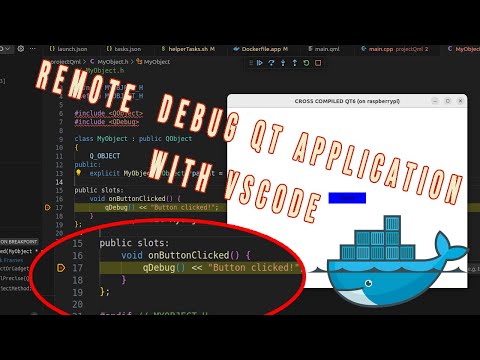](//www.youtube.com/watch?v=RWNWAMT5UkM?t=0s "ulas dikme")
217 |
218 | Now, you can build your application by simply adding your files to the project directory and running the command:
219 |
220 | ```bash
221 | $ docker build -t qtcrossjet .
222 | ```
223 |
224 | If you do not modify the Dockerfile, the above command will only compile the code. However, even if you don't alter the Dockerfile, if there is any update to Ubuntu, Docker will rebuild the image starting from the Ubuntu layer. This means it will take more time. To compile the Qt application you wish to develop, this is not necessary. There is another Dockerfile, Dockerfile.app, which allows you to compile only the application. If you examine the contents of this file, you will find:
225 |
226 | ```bash
227 | FROM qtcrossjet:latest
228 | ```
229 | This indicates that if you build an image with Dockerfile.app, it will utilize the qtcrossjet image. There's no need to run qtcrossjet again.
230 |
231 | If you run:
232 |
233 | ```bash
234 | $ docker build -f Dockerfile.app -t final-app .
235 | ```
236 | With the final-app image, you can create a container solely for compilation purposes. Docker caches the previous commands, so when you run this command, it will not start from scratch but only execute the latest command where you wish to compile your application. The compilation process will begin in the image, then, as before, create a temporary container and copy your binary:
237 |
238 | ```bash
239 | $ docker create --name tmpapp final-app
240 | $ docker cp tmpapp:/projectPath/HelloQt6 ./HelloQt6
241 | ```
242 | If you do not want to use the cache, or if you want to start building the same image anew, use:
243 | ```bash
244 | $ docker build -t qtcrossjet . --no-cache
245 | ```
246 |
247 | ~~However, if you prefer not to follow these steps, I have shared the tar files that I compiled for the Raspberry Pi, along with the related sysroot and toolchain. You can download them. In this case, you will need to have the correct dependencies. It's your choice.~~
248 |
249 | I assume you have vscode already, we need some dependencies on the host for remote debugging with vscode.
250 | ```bash
251 | $ sudo apt-get install sshpass gdb-multiarch
252 | ```
253 | sshpass is needed to start gdbserver on the target remotely, and gdb-multiarch is the debugger itself for the cross-compiled binary.
254 |
255 | In VS Code, you will need the "C/C++ IntelliSense, debugging, and code browsing" extension.
256 |
257 | 
258 |
259 | On the target, install gdbserver.
260 | ```bash
261 | $ sudo apt-get install gdbserver
262 | ```
263 |
264 | To debug the cross-compiled application, which was compiled in the container, we can use VS Code. The steps are simple:
265 |
266 | 1. Compile the application using Dockerfile.app.
267 | 2. Copy the binary of the application to the target.
268 | 3. Run gdbserver on the target before debug process.
269 | 4. Connect to the server from the host using VS Code, then start debugging.
270 |
271 | There are multiple ways to implement these steps. I have created a bash script called helperTasks.sh. This script contains commands to compile the application, send the binary to the target, and start gdbserver. The script acts as an intermediary between VS Code and the user. When you want to call one of these functionalities, VS Code may access them through tasks.json. As mentioned, there are many ways to do this; you can directly update tasks.json as well. Tasks.json is located under .vscode in the repository. If you start VS Code directly in the root of the repository, it will automatically detect related files, and everything will be ready to go.
272 |
273 | For debugging itself, VS Code needs a launch.json configuration file. In this file, you need to specify the path of the application and other related options. However, be careful; the paths for the binary should be on the host, so a copy of the binary must also exist on the host.
274 |
275 | One trick to note is the importance of the checkout path. When you compile the application in the container (with project and projectQml as ready-to-use examples), the binary contains information about the absolute path of the project files, which were copied from the host to the container. It has the path in the container, and when you copy it to the host, it doesn't recognize that the path has changed. Therefore, you need to copy the binary to the exact same location on the host, or you need to change the path in the container. That's why I created a variable for the path in both Dockerfile.app and helperTasks.sh. Please check and update them accordingly.
276 |
277 | 
278 |
279 | For more detalied information please watch the video about debugging.
280 |
281 |
282 | Enjoy.
283 |
284 | # Configuration parameters
285 |
286 | For reference the qt is compiled with below parameters in this example
287 |
288 | ```bash
289 |
290 | Building for: linux-g++ (arm64, CPU features: cx16 neon)
291 | Compiler: gcc 9.4.0
292 | Build options:
293 | Mode ................................... release
294 | Optimize release build for size ........ no
295 | Fully optimize release builds (-O3) .... no
296 | Building shared libraries .............. yes
297 | Using ccache ........................... no
298 | Unity Build ............................ no
299 | Using new DTAGS ........................ yes
300 | Relocatable ............................ yes
301 | Using precompiled headers .............. yes
302 | Using Link Time Optimization (LTCG) .... no
303 | Using Intel Control-flow Enforcement Technology (CET) no
304 | Using Glibc function fortification ..... yes
305 | Using -ftrivial-auto-var-init=pattern .. no
306 | Using -fstack-protector-strong ......... yes
307 | Using -fstack-clash-protection ......... yes
308 | Using libstdc++ assertions ............. yes
309 | Using libc++ hardening ................. no
310 | Using -z relro -z now when linking ..... yes
311 | Target compiler supports:
312 | ARM Extensions ....................... NEON
313 | Sanitizers:
314 | Addresses ............................ no
315 | Threads .............................. no
316 | Memory ............................... no
317 | Fuzzer (instrumentation only) ........ no
318 | Undefined ............................ no
319 | Build parts ............................ libs
320 | Install examples sources ............... no
321 | Qt modules and options:
322 | Qt Concurrent .......................... yes
323 | Qt D-Bus ............................... yes
324 | Qt D-Bus directly linked to libdbus .... no
325 | Qt Gui ................................. yes
326 | Qt Network ............................. yes
327 | Qt PrintSupport ........................ yes
328 | Qt Sql ................................. yes
329 | Qt Testlib ............................. yes
330 | Qt Widgets ............................. yes
331 | Qt Xml ................................. yes
332 | Support enabled for:
333 | Using pkg-config ....................... yes
334 | Using vcpkg ............................ no
335 | udev ................................... yes
336 | OpenSSL ................................ no
337 | Qt directly linked to OpenSSL ........ no
338 | OpenSSL 1.1 ............................ no
339 | OpenSSL 3.0 ............................ no
340 | Using system zlib ...................... yes
341 | Zstandard support ...................... no
342 | Thread support ......................... yes
343 | Common build options:
344 | Linker can resolve circular dependencies yes
345 | Qt Core:
346 | backtrace .............................. yes
347 | C++23 ..................... no
348 | DoubleConversion ....................... yes
349 | Using system DoubleConversion ........ no
350 | CLONE_PIDFD support in forkfd .......... yes
351 | GLib ................................... no
352 | ICU .................................... no
353 | Using system libb2 ..................... no
354 | Built-in copy of the MIME database ..... yes
355 | Application permissions ................ yes
356 | Defaulting legacy IPC to POSIX ......... no
357 | Tracing backend ........................
358 | OpenSSL based cryptographic hash ....... no
359 | Logging backends:
360 | journald ............................. no
361 | syslog ............................... no
362 | slog2 ................................ no
363 | PCRE2 .................................. yes
364 | Using system PCRE2 ................... no
365 | Qt Sql:
366 | SQL item models ........................ yes
367 | Qt Network:
368 | getifaddrs() ........................... no
369 | IPv6 ifname ............................ no
370 | libproxy ............................... no
371 | Linux AF_NETLINK ....................... yes
372 | DTLS ................................... no
373 | OCSP-stapling .......................... no
374 | SCTP ................................... no
375 | Use system proxies ..................... yes
376 | GSSAPI ................................. no
377 | Brotli Decompression Support ........... no
378 | qIsEffectiveTLD() ...................... yes
379 | Built-in publicsuffix database ....... yes
380 | System publicsuffix database ......... yes
381 | Core tools:
382 | Android deployment tool ................ no
383 | macOS deployment tool .................. no
384 | Windows deployment tool ................ no
385 | qmake .................................. yes
386 | Qt Gui:
387 | Accessibility .......................... yes
388 | FreeType ............................... yes
389 | Using system FreeType ................ yes
390 | HarfBuzz ............................... yes
391 | Using system HarfBuzz ................ no
392 | Fontconfig ............................. yes
393 | Image formats:
394 | GIF .................................. yes
395 | ICO .................................. yes
396 | JPEG ................................. yes
397 | Using system libjpeg ............... no
398 | PNG .................................. yes
399 | Using system libpng ................ yes
400 | Text formats:
401 | HtmlParser ........................... yes
402 | CssParser ............................ yes
403 | OdfWriter ............................ yes
404 | MarkdownReader ....................... yes
405 | Using system libmd4c ............... no
406 | MarkdownWriter ....................... yes
407 | EGL .................................... yes
408 | OpenVG ................................. no
409 | OpenGL:
410 | Desktop OpenGL ....................... no
411 | OpenGL ES 2.0 ........................ yes
412 | OpenGL ES 3.0 ........................ yes
413 | OpenGL ES 3.1 ........................ yes
414 | OpenGL ES 3.2 ........................ yes
415 | Vulkan ................................. no
416 | Metal .................................. no
417 | QGraphicsFrameCapture .................. no
418 | Session Management ..................... yes
419 | Features used by QPA backends:
420 | evdev .................................. yes
421 | libinput ............................... no
422 | HiRes wheel support in libinput ........ no
423 | INTEGRITY HID .......................... no
424 | mtdev .................................. no
425 | tslib .................................. no
426 | xkbcommon .............................. yes
427 | X11 specific:
428 | xlib ................................. yes
429 | XCB Xlib ............................. yes
430 | EGL on X11 ........................... yes
431 | xkbcommon-x11 ........................ yes
432 | xcb-sm ............................... no
433 | QPA backends:
434 | DirectFB ............................... no
435 | EGLFS .................................. yes
436 | EGLFS details:
437 | EGLFS OpenWFD ........................ no
438 | EGLFS i.Mx6 .......................... no
439 | EGLFS i.Mx6 Wayland .................. no
440 | EGLFS RCAR ........................... no
441 | EGLFS EGLDevice ...................... yes
442 | EGLFS GBM ............................ yes
443 | EGLFS VSP2 ........................... no
444 | EGLFS Mali ........................... no
445 | EGLFS Raspberry Pi ................... no
446 | EGLFS X11 ............................ yes
447 | LinuxFB ................................ yes
448 | VNC .................................... yes
449 | VK_KHR_display ......................... no
450 | QNX:
451 | lgmon ................................ no
452 | IMF .................................. no
453 | XCB:
454 | Using system-provided xcb-xinput ..... no
455 | GL integrations:
456 | GLX Plugin ......................... no
457 | XCB GLX .......................... no
458 | EGL-X11 Plugin ..................... yes
459 | Windows:
460 | Direct 2D ............................ no
461 | Direct 2D 1.1 ........................ no
462 | DirectWrite .......................... no
463 | DirectWrite 3 ........................ no
464 | Qt Widgets:
465 | GTK+ ................................... no
466 | Styles ................................. Fusion Windows
467 | Qt Testlib:
468 | Tester for item models ................. yes
469 | Batch tests ............................ no
470 | Qt PrintSupport:
471 | CUPS ................................... no
472 | Qt Sql Drivers:
473 | DB2 (IBM) .............................. no
474 | InterBase .............................. no
475 | MySql .................................. no
476 | OCI (Oracle) ........................... no
477 | ODBC ................................... no
478 | PostgreSQL ............................. yes
479 | SQLite ................................. yes
480 | Using system provided SQLite ......... no
481 | Mimer .................................. no
482 | Note: Disabling X11 Accessibility Bridge: D-Bus or AT-SPI is missing.
483 | Note: Due to CMAKE_STAGING_PREFIX usage and an unfixed CMake bug,
484 | to ensure correct build time rpaths, directory-level install
485 | rules like ninja src/gui/install will not work.
486 | Check QTBUG-102592 for further details.
487 |
488 | ```
489 |
490 |
--------------------------------------------------------------------------------
/QtRaspberryPi6.3.0/README.md:
--------------------------------------------------------------------------------
1 | # Cross compilation of Qt6.3.0 on Raspberry pi 4
2 | This page represents the related steps to compile Qt6.3.0 crossly for raspberry pi 4 ( And link to video contents which shows how to make cross compilation step by step).
3 | Before start, If you use different rasp version or different ubuntu version then you can see that steps may fail.
4 |
5 | Related instructions is tested for only Qt6.3.0. The below video is only for qt6base. For qtdeclarative scroll down.
6 |
7 | Youtube video (this video shows only qt3base cross compilation for raspberry pi 4)
8 |
9 | [](//www.youtube.com/watch?v=oWpomXg9yj0?t=0s "ulas dikme")
10 |
11 | # Prepare Raspberry pi 4
12 | My raspberry pi image is : 2022-04-04-raspios-bullseye-armhf
13 |
14 | When you update the your raspberry pi, firmware version can be different.
15 | If you want, you can make it same with mine.
16 | For this instructions, mine firmware version:
17 | ```bash
18 | ulas@raspberrypi:~ $ cat /boot/.firmware_revision
19 | 6db8c1cdd3da2f070866d2149c956ce86a4ccdd5
20 | ```
21 | To do that instead of empty rpi-update(no argument), just run rpi-update 6db8c1cdd3da2f070866d2149c956ce86a4ccdd5
22 | But it is up to you.
23 |
24 | Update raspberry pi
25 | ```bash
26 | $ sudo apt update
27 | $ sudo apt full-upgrade
28 | $ sudo reboot
29 | $ sudo rpi-update
30 | $ sudo reboot
31 | ```
32 |
33 | Install the dependencies
34 |
35 | ```bash
36 | $ sudo apt-get install -y libboost1.71-all-dev libudev-dev libinput-dev libts-dev \
37 | libmtdev-dev libjpeg-dev libfontconfig1-dev libssl-dev libdbus-1-dev libglib2.0-dev \
38 | libxkbcommon-dev libegl1-mesa-dev libgbm-dev libgles2-mesa-dev mesa-common-dev \
39 | libasound2-dev libpulse-dev gstreamer1.0-omx libgstreamer1.0-dev \
40 | libgstreamer-plugins-base1.0-dev gstreamer1.0-alsa libvpx-dev libsrtp0-dev libsnappy-dev \
41 | libnss3-dev "^libxcb.*" flex bison libxslt-dev ruby gperf libbz2-dev libcups2-dev \
42 | libatkmm-1.6-dev libxi6 libxcomposite1 libfreetype6-dev libicu-dev libsqlite3-dev libxslt1-dev
43 |
44 | $ sudo apt-get install -y libavcodec-dev libavformat-dev libswscale-dev \
45 | libx11-dev freetds-dev libsqlite0-dev libpq-dev libiodbc2-dev firebird-dev \
46 | libgst-dev libxext-dev libxcb1 libxcb1-dev libx11-xcb1 libx11-xcb-dev \
47 | libxcb-keysyms1 libxcb-keysyms1-dev libxcb-image0 libxcb-image0-dev libxcb-shm0 libxcb-shm0-dev \
48 | libxcb-icccm4 libxcb-icccm4-dev libxcb-sync1 libxcb-sync-dev libxcb-render-util0 \
49 | libxcb-render-util0-dev libxcb-xfixes0-dev libxrender-dev libxcb-shape0-dev libxcb-randr0-dev \
50 | libxcb-glx0-dev libxi-dev libdrm-dev libxcb-xinerama0 libxcb-xinerama0-dev libatspi2.0-dev \
51 | libxcursor-dev libxcomposite-dev libxdamage-dev libxss-dev libxtst-dev libpci-dev libcap-dev \
52 | libxrandr-dev libdirectfb-dev libaudio-dev libxkbcommon-x11-dev
53 |
54 | sudo apt remove libzstd-dev libharfbuzz-bin libharfbuzz-dev
55 | ```
56 | Create a directory for binaries.Give enough permission for your user.
57 |
58 | ```bash
59 | $ sudo mkdir /usr/local/qt6pi
60 | $ sudo chown ulas:ulas /usr/local/qt6pi
61 | ```
62 |
63 | # Prepare Ubuntu
64 | Ubuntu version is 22.04 ( ubuntu-22.04-desktop-amd64 ).
65 | ```bash
66 | $ ulas@ulas:~/qtCrossExample$ lsb_release -a
67 | No LSB modules are available.
68 | Distributor ID: Ubuntu
69 | Description: Ubuntu 22.04 LTS
70 | Release: 22.04
71 | Codename: jammy
72 | $ ulas@ulas:~/qtCrossExample$ uname -a
73 | Linux ulas 5.15.0-27-generic #28-Ubuntu SMP Thu Apr 14 04:55:28 UTC 2022 x86_64 x86_64 x86_64 GNU/Linux
74 | ```
75 |
76 | Update the ubuntu
77 | ```bash
78 | $ sudo apt-get update
79 | $ sudo apt-get upgrade
80 | ```
81 | Install dependencies
82 | ```bash
83 | $ sudo apt-get install make build-essential libclang-dev ninja-build gcc git bison \
84 | python3 gperf pkg-config libfontconfig1-dev libfreetype6-dev libx11-dev libx11-xcb-dev \
85 | libxext-dev libxfixes-dev libxi-dev libxrender-dev libxcb1-dev libxcb-glx0-dev \
86 | libxcb-keysyms1-dev libxcb-image0-dev libxcb-shm0-dev libxcb-icccm4-dev libxcb-sync-dev \
87 | libxcb-xfixes0-dev libxcb-shape0-dev libxcb-randr0-dev libxcb-render-util0-dev \
88 | libxcb-util-dev libxcb-xinerama0-dev libxcb-xkb-dev libxkbcommon-dev libxkbcommon-x11-dev \
89 | libatspi2.0-dev libgl1-mesa-dev libglu1-mesa-dev freeglut3-dev
90 | ```
91 |
92 | ## Build CMake from source
93 | During compilation I see a lot of dependency problems because of cmake. Then I simply compiled it from source.
94 | Latest version is better. My version is:
95 | ```bash
96 | ulas@ulas: $ cmake --version
97 | cmake version 3.23.20220428-g90d5d42
98 |
99 | CMake suite maintained and supported by Kitware (kitware.com/cmake).
100 | ```
101 | Compilation of CMake is easy:
102 | ```bash
103 | $ sudo apt install libssl-dev
104 | $ git clone https://github.com/Kitware/CMake.git
105 | $ cd CMake
106 | $ ./bootstrap && make && sudo make install
107 | ```
108 |
109 | ## Build the qt6 for host
110 | Qt6 is different then Qt5. If you checked my old videos, you can see that, I installed qt5-default on target. But not anymore.
111 | We need to build Qt6 on the host then we will pass the path of installation to the cmake which is used to cross compile.
112 | As I see host version should be same with the cross one.
113 | All the directories are in the home directory except toolchain. ( so check paths about it. )
114 | ```bash
115 | $ cd ~
116 | $ wget https://download.qt.io/official_releases/qt/6.3/6.3.0/submodules/qtbase-everywhere-src-6.3.0.tar.xz
117 | $ mkdir qt6HostBuild
118 | $ cd !$
119 | $ tar xf ../qtbase-everywhere-src-6.3.0.tar.xz
120 | $ cd qtbase-everywhere-src-6.3.0
121 | $ cmake -GNinja -DCMAKE_BUILD_TYPE=RelWithDebInfo -DINPUT_opengl=es2 -DQT_BUILD_EXAMPLES=OFF -DQT_BUILD_TESTS=OFF -DCMAKE_INSTALL_PREFIX=/home/ulas/qt6Host
122 | $ cmake --build . --parallel 4
123 | $ cmake --install .
124 | ```
125 | Test the host qt6
126 |
127 | ```bash
128 | $ cd $HOME
129 | $ mkdir QtHostExample
130 | $ cd !$
131 |
132 | $ cat< main.cpp
133 | #include
134 | #include
135 |
136 | int main(int argc, char *argv[])
137 | {
138 | QCoreApplication a(argc, argv);
139 |
140 | qDebug()<<"Hello world";
141 | return a.exec();
142 | }
143 | EOF
144 |
145 | $ cat< CMakeLists.txt
146 | cmake_minimum_required(VERSION 3.5)
147 |
148 | project(HelloQt6 LANGUAGES CXX)
149 |
150 | set(CMAKE_INCLUDE_CURRENT_DIR ON)
151 |
152 | set(CMAKE_AUTOUIC ON)
153 | set(CMAKE_AUTOMOC ON)
154 | set(CMAKE_AUTORCC ON)
155 |
156 | set(CMAKE_CXX_STANDARD 11)
157 | set(CMAKE_CXX_STANDARD_REQUIRED ON)
158 |
159 | find_package(Qt6Core)
160 |
161 | add_executable(HelloQt6 main.cpp)
162 |
163 | target_link_libraries(HelloQt6 Qt6::Core)
164 | EOF
165 |
166 | /home/ulas/qt6Host/bin/qt-cmake
167 | cmake --build .
168 | ./HelloQt6
169 | ```
170 |
171 | Get toolchain
172 | toolchain must be extracted under /opt/rpi/
173 |
174 | ```bash
175 | $ sudo mkdir /opt/rpi
176 | $ cd !$
177 | $ sudo wget www.ulasdikme.com/yedek/rpi-gcc-8.3.0_linux.tar.xz
178 | $ sudo tar xf rpi-gcc-8.3.0_linux.tar.xz
179 |
180 |
181 | ulas@ulas:/opt/rpi$ ls -l | grep rpi-gcc-8.3.0
182 | drwxr-xr-x 8 ulas ulas 4096 sep 4 2019 rpi-gcc-8.3.0
183 | -rw-r--r-- 1 root root 200056952 apr 29 12:47 rpi-gcc-8.3.0_linux.tar.xz
184 |
185 | ```
186 |
187 | Install sysroot from raspberry pi target device. ( be sure it is in the same network. Just ping )
188 | Update the user name and the ip adress of yours.
189 | ```bash
190 | $ cd $HOME
191 | $ mkdir rpi-sdk
192 | $ cd !$
193 |
194 | $ mkdir sysroot sysroot/usr sysroot/opt
195 | $ rsync -avz --rsync-path="sudo rsync" ulas@192.168.16.20:/usr/include sysroot/usr
196 | $ rsync -avz --rsync-path="sudo rsync" ulas@192.168.16.20:/lib sysroot
197 | $ rsync -avz --rsync-path="sudo rsync" ulas@192.168.16.20:/usr/lib sysroot/usr
198 | $ rsync -avz --rsync-path="sudo rsync" ulas@192.168.16.20:/opt/vc sysroot/opt
199 |
200 | $ wget https://raw.githubusercontent.com/riscv/riscv-poky/master/scripts/sysroot-relativelinks.py
201 | $ chmod +x sysroot-relativelinks.py
202 | $ python3 sysroot-relativelinks.py sysroot
203 | ```
204 |
205 | ## Compile the Qt6.3.0
206 | lets create qt-cross directory where we can compile qt.
207 |
208 | ```bash
209 | $ cd ..
210 | $ mkdir qt-cross
211 | $ cd !$
212 | ```
213 | Because of cmake we need a toolcain.cmake file(name can be different) which is used to give the some paths for sysroot and compiler flags. This can be different according to your need. This file will be passed to cmake as an argument.
214 | Update the sysroot path TARGET_SYSROOT with user name. Cross compiler path must be same. Create a toolchain.cmake file and copy the content below in it.
215 | toolchain.cmake :
216 | ```bash
217 | cmake_minimum_required(VERSION 3.16)
218 | include_guard(GLOBAL)
219 |
220 | set(CMAKE_SYSTEM_NAME Linux)
221 | set(CMAKE_SYSTEM_PROCESSOR arm)
222 |
223 | set(TARGET_SYSROOT /home/ulas/rpi-sdk/sysroot)
224 |
225 | set(CROSS_COMPILER /opt/rpi/rpi-gcc-8.3.0/bin/arm-linux-gnueabihf)
226 |
227 | set(CMAKE_SYSROOT ${TARGET_SYSROOT})
228 |
229 | set(CMAKE_C_COMPILER ${CROSS_COMPILER}-gcc)
230 | set(CMAKE_CXX_COMPILER ${CROSS_COMPILER}-g++)
231 |
232 | set(CMAKE_LIBRARY_ARCHITECTURE arm-linux-gnueabihf)
233 |
234 | set(CMAKE_EXE_LINKER_FLAGS "${CMAKE_EXE_LINKER_FLAGS} -fPIC -Wl,-rpath-link,${CMAKE_SYSROOT}/usr/lib/${CMAKE_LIBRARY_ARCHITECTURE} -L${CMAKE_SYSROOT}/usr/lib/${CMAKE_LIBRARY_ARCHITECTURE}")
235 |
236 | set(CMAKE_C_FLAGS "${CMAKE_CXX_FLAGS} -fPIC -Wl,-rpath-link,${CMAKE_SYSROOT}/usr/lib/${CMAKE_LIBRARY_ARCHITECTURE} -L${CMAKE_SYSROOT}/usr/lib/${CMAKE_LIBRARY_ARCHITECTURE}")
237 |
238 | set(CMAKE_CXX_FLAGS "${CMAKE_CXX_FLAGS} -fPIC -Wl,-rpath-link,${CMAKE_SYSROOT}/usr/lib/${CMAKE_LIBRARY_ARCHITECTURE} -L${CMAKE_SYSROOT}/usr/lib/${CMAKE_LIBRARY_ARCHITECTURE}")
239 |
240 | set(QT_COMPILER_FLAGS "-march=armv8-a -mfpu=crypto-neon-fp-armv8 -mtune=cortex-a72 -mfloat-abi=hard")
241 | set(QT_COMPILER_FLAGS_RELEASE "-O2 -pipe")
242 | set(QT_LINKER_FLAGS "-Wl,-O1 -Wl,--hash-style=gnu -Wl,--as-needed")
243 |
244 | set(CMAKE_FIND_ROOT_PATH_MODE_PROGRAM NEVER)
245 | set(CMAKE_FIND_ROOT_PATH_MODE_LIBRARY ONLY)
246 | set(CMAKE_FIND_ROOT_PATH_MODE_INCLUDE ONLY)
247 | set(CMAKE_FIND_ROOT_PATH_MODE_PACKAGE ONLY)
248 |
249 | set(CMAKE_THREAD_LIBS_INIT "-lpthread")
250 | set(CMAKE_HAVE_THREADS_LIBRARY 1)
251 | set(CMAKE_USE_WIN32_THREADS_INIT 0)
252 | set(CMAKE_USE_PTHREADS_INIT 1)
253 | set(THREADS_PREFER_PTHREAD_FLAG ON)
254 | ```
255 | We can use the same qtbase src tar file for cross compilation. If you check closely, there are DQT_HOST_PATH, DCMAKE_STAGING_PREFIX, DCMAKE_INSTALL_PREFIX, DCMAKE_PREFIX_PATH, DCMAKE_TOOLCHAIN_FILE paths. Please update these according to yours (Change user name).
256 |
257 | ```bash
258 | $ tar xf ../qtbase-everywhere-src-6.3.0.tar.xz
259 |
260 | $cmake -GNinja -DCMAKE_BUILD_TYPE=Release -DQT_FEATURE_eglfs_egldevice=ON -DQT_FEATURE_eglfs_gbm=ON \
261 | -DQT_BUILD_TOOLS_WHEN_CROSSCOMPILING=ON -DQT_BUILD_EXAMPLES=OFF -DQT_BUILD_TESTS=OFF \
262 | -DQT_HOST_PATH=/home/ulas/qt6Host -DCMAKE_STAGING_PREFIX=/home/ulas/qt6rpi \
263 | -DCMAKE_INSTALL_PREFIX=/home/ulas/qt6crosspi -DCMAKE_PREFIX_PATH=/home/ulas/rpi-sdk/sysroot/usr/lib/ \
264 | -DCMAKE_TOOLCHAIN_FILE=/home/ulas/qt-cross/toolchain.cmake /home/ulas/qt-cross/qtbase-everywhere-src-6.3.0/
265 | ```
266 | After this you should see like this (If it is configured successfully):
267 | (If the configuration result is not in the output check the config.summary file in the same directory. It should be exist after configuration. It is explained in the video.)
268 |
269 |
270 | ```bash
271 |
272 | Configure summary:
273 |
274 | Building for: linux-g++ (arm, CPU features: )
275 | Compiler: gcc 8.3.0
276 | Build options:
277 | Mode ................................... release
278 | Optimize release build for size ........ no
279 | Fully optimize release builds (-O3) .... no
280 | Building shared libraries .............. yes
281 | Using C standard ....................... C11
282 | Using C++ standard ..................... C++17
283 | Using ccache ........................... no
284 | Using new DTAGS ........................ yes
285 | Relocatable ............................ yes
286 | Using precompiled headers .............. yes
287 | Using LTCG ............................. no
288 | Target compiler supports:
289 | Extensions ...........................
290 | Sanitizers:
291 | Addresses ............................ no
292 | Threads .............................. no
293 | Memory ............................... no
294 | Fuzzer (instrumentation only) ........ no
295 | Undefined ............................ no
296 | Build parts ............................ libs tools
297 | Qt modules and options:
298 | Qt Concurrent .......................... yes
299 | Qt D-Bus ............................... yes
300 | Qt D-Bus directly linked to libdbus .... yes
301 | Qt Gui ................................. yes
302 | Qt Network ............................. yes
303 | Qt PrintSupport ........................ yes
304 | Qt Sql ................................. yes
305 | Qt Testlib ............................. yes
306 | Qt Widgets ............................. yes
307 | Qt Xml ................................. yes
308 | Support enabled for:
309 | Using pkg-config ....................... yes
310 | udev ................................... no
311 | Using system zlib ...................... yes
312 | Zstandard support ...................... no
313 | Thread support ......................... yes
314 | Common build options:
315 | Linker can resolve circular dependencies yes
316 | Qt Core:
317 | backtrace .............................. yes
318 | DoubleConversion ....................... yes
319 | Using system DoubleConversion ........ no
320 | GLib ................................... yes
321 | ICU .................................... yes
322 | Using system libb2 ..................... no
323 | Built-in copy of the MIME database ..... yes
324 | cpp/winrt base ......................... no
325 | Tracing backend ........................
326 | Logging backends:
327 | journald ............................. no
328 | syslog ............................... no
329 | slog2 ................................ no
330 | PCRE2 .................................. yes
331 | Using system PCRE2 ................... yes
332 | CLONE_PIDFD support in forkfd .......... yes
333 | Qt Sql:
334 | SQL item models ........................ yes
335 | Qt Network:
336 | getifaddrs() ........................... yes
337 | IPv6 ifname ............................ yes
338 | libproxy ............................... no
339 | Linux AF_NETLINK ....................... yes
340 | OpenSSL ................................ yes
341 | Qt directly linked to OpenSSL ........ no
342 | OpenSSL 1.1 ............................ yes
343 | DTLS ................................... yes
344 | OCSP-stapling .......................... yes
345 | SCTP ................................... no
346 | Use system proxies ..................... yes
347 | GSSAPI ................................. no
348 | Brotli Decompression Support ........... yes
349 | Qt Gui:
350 | Accessibility .......................... yes
351 | FreeType ............................... yes
352 | Using system FreeType ................ yes
353 | HarfBuzz ............................... yes
354 | Using system HarfBuzz ................ no
355 | Fontconfig ............................. yes
356 | Image formats:
357 | GIF .................................. yes
358 | ICO .................................. yes
359 | JPEG ................................. yes
360 | Using system libjpeg ............... yes
361 | PNG .................................. yes
362 | Using system libpng ................ yes
363 | Text formats:
364 | HtmlParser ........................... yes
365 | CssParser ............................ yes
366 | OdfWriter ............................ yes
367 | MarkdownReader ....................... yes
368 | Using system libmd4c ............... no
369 | MarkdownWriter ....................... yes
370 | EGL .................................... yes
371 | OpenVG ................................. no
372 | OpenGL:
373 | Desktop OpenGL ....................... yes
374 | OpenGL ES 2.0 ........................ no
375 | OpenGL ES 3.0 ........................ no
376 | OpenGL ES 3.1 ........................ no
377 | OpenGL ES 3.2 ........................ no
378 | Vulkan ................................. no
379 | Session Management ..................... yes
380 | Features used by QPA backends:
381 | evdev .................................. yes
382 | libinput ............................... no
383 | INTEGRITY HID .......................... no
384 | mtdev .................................. no
385 | tslib .................................. no
386 | xkbcommon .............................. yes
387 | X11 specific:
388 | XLib ................................. yes
389 | XCB Xlib ............................. yes
390 | EGL on X11 ........................... yes
391 | xkbcommon-x11 ........................ yes
392 | xcb-sm ............................... no
393 | QPA backends:
394 | DirectFB ............................... no
395 | EGLFS .................................. yes
396 | EGLFS details:
397 | EGLFS OpenWFD ........................ no
398 | EGLFS i.Mx6 .......................... no
399 | EGLFS i.Mx6 Wayland .................. no
400 | EGLFS RCAR ........................... no
401 | eglfs_egldevice ...................... yes
402 | eglfs_gbm ............................ yes
403 | EGLFS VSP2 ........................... no
404 | EGLFS Mali ........................... no
405 | EGLFS Raspberry Pi ................... no
406 | EGLFS X11 ............................ yes
407 | LinuxFB ................................ yes
408 | VNC .................................... yes
409 | VK_KHR_display ......................... no
410 | QNX:
411 | lgmon ................................ no
412 | IMF .................................. no
413 | XCB:
414 | Using system-provided xcb-xinput ..... yes
415 | GL integrations:
416 | GLX Plugin ......................... yes
417 | XCB GLX .......................... yes
418 | EGL-X11 Plugin ..................... yes
419 | Windows:
420 | Direct 2D ............................ no
421 | Direct 2D 1.1 ........................ no
422 | DirectWrite .......................... no
423 | DirectWrite 3 ........................ no
424 | Qt Widgets:
425 | GTK+ ................................... no
426 | Styles ................................. Fusion Windows
427 | Qt Testlib:
428 | Tester for item models ................. yes
429 | Qt PrintSupport:
430 | CUPS ................................... yes
431 | Qt Sql Drivers:
432 | DB2 (IBM) .............................. no
433 | InterBase .............................. yes
434 | MySql .................................. no
435 | OCI (Oracle) ........................... no
436 | ODBC ................................... no
437 | PostgreSQL ............................. yes
438 | SQLite ................................. yes
439 | Using system provided SQLite ......... no
440 | Core tools:
441 | qmake tool ............................. yes
442 |
443 | Qt is now configured for building. Just run 'cmake --build . --parallel'
444 |
445 | Once everything is built, you must run 'cmake --install .'
446 | Qt will be installed into '/home/ulas/qt6crosspi'
447 |
448 | To configure and build other Qt modules, you can use the following convenience script:
449 | /home/ulas/qt6rpi/bin/qt-configure-module
450 |
451 | If reconfiguration fails for some reason, try to remove 'CMakeCache.txt' from the build directory
452 |
453 | -- Configuring done
454 | -- Generating done
455 | -- Build files have been written to: /home/ulas/qt-cross/qtbase-everywhere-src-6.3.0
456 | ```
457 |
458 | Lets start to build and install. Binaries will be in qt6rpi directory.
459 | ```bash
460 | cmake --build . --parallel 4
461 | cmake --install .
462 | ```
463 |
464 | Send binaries to raspberry pi.
465 | ```bash
466 | rsync -avz --rsync-path="sudo rsync" /home/ulas/qt6rpi ulas@192.168.16.20:/usr/local
467 | ```
468 |
469 | I reccommend you to do not move these directories. There are relative links that script files can work.
470 | When you compile the modules, helper scripts assume directory is in the same path.
471 | ## Test compilation
472 | Lets create hello world application
473 | We need simple main.cpp and CMakeLists.txt, main.cpp is same with above.
474 | We need to add CMAKE_C_FLAGS and CMAKE_CXX_FLAGS to our cross compile cmake.
475 | ```bash
476 | $ cd ..
477 | $ mkdir qtCrossExample
478 | $ cd !$
479 |
480 | $ cat< main.cpp
481 | #include
482 | #include
483 |
484 | int main(int argc, char *argv[])
485 | {
486 | QCoreApplication a(argc, argv);
487 |
488 | qDebug()<<"Hello world";
489 | return a.exec();
490 | }
491 | EOF
492 | ```
493 | Copy paste CMakeLists.txt:
494 | ```bash
495 | cmake_minimum_required(VERSION 3.5)
496 |
497 | project(HelloQt6 LANGUAGES CXX)
498 |
499 | set(CMAKE_INCLUDE_CURRENT_DIR ON)
500 |
501 | set(CMAKE_AUTOUIC ON)
502 | set(CMAKE_AUTOMOC ON)
503 | set(CMAKE_AUTORCC ON)
504 |
505 | set(CMAKE_CXX_STANDARD 11)
506 | set(CMAKE_CXX_STANDARD_REQUIRED ON)
507 |
508 | find_package(Qt6Core)
509 |
510 | set(CMAKE_C_FLAGS "${CMAKE_CXX_FLAGS} -fPIC -Wl,-rpath-link, ${CMAKE_SYSROOT}/usr/lib/${CMAKE_LIBRARY_ARCHITECTURE} -L${CMAKE_SYSROOT}/usr/lib/${CMAKE_LIBRARY_ARCHITECTURE}")
511 | set(CMAKE_CXX_FLAGS "${CMAKE_CXX_FLAGS} -fPIC -Wl,-rpath-link,${CMAKE_SYSROOT}/usr/lib/${CMAKE_LIBRARY_ARCHITECTURE} -L${CMAKE_SYSROOT}/usr/lib/${CMAKE_LIBRARY_ARCHITECTURE}")
512 |
513 | add_executable(HelloQt6 main.cpp)
514 |
515 | target_link_libraries(HelloQt6 Qt6::Core)
516 | ```
517 |
518 | Compile the binary, we need qt-cmake file which is created after compilation of the Qt6.3.0 .
519 | It should be in the installation folder.
520 | qt-cmake file creates makefile.
521 | ```bash
522 | $ /home/ulas/qt6rpi/bin/qt-cmake
523 | $ cmake --build .
524 | $ file HelloQt6
525 | HelloQt6: ELF 32-bit LSB executable, ARM, EABI5 version 1 (SYSV), dynamically linked, interpreter /lib/ld-linux-armhf.so.3, for GNU/Linux 3.2.0, with debug_info, not stripped
526 | ```
527 |
528 | then send the HelloQt6 binary to raspberry pi
529 | ```bash
530 | ulas@ulas:~/qtCrossExample$ scp HelloQt6 ulas@192.168.16.20:/home/ulas/
531 | ulas@192.168.16.20's password:
532 | HelloQt6 100% 12KB 3.2MB/s 00:00
533 | ```
534 | Go to raspberry pi or connect via ssh then run:
535 | (We need to export the path for libraries.
536 | When you check the dependecies with ldd, you should not see any non-found ones.)
537 | ```bash
538 | $ export LD_LIBRARY_PATH=$LD_LIBRARY_PATH:/usr/local/qt6rpi/lib/
539 | $ cd $HOME
540 | ulas@raspberrypi:~ $ ldd HelloQt6 linux-vdso.so.1 (0xbeeea000)
541 | /usr/lib/arm-linux-gnueabihf/libarmmem-${PLATFORM}.so => /usr/lib/arm-linux-gnueabihf/libarmmem-v7l.so (0xb6f4b000)
542 | libdl.so.2 => /lib/arm-linux-gnueabihf/libdl.so.2 (0xb6f1d000)
543 | libQt6Core.so.6 => /usr/local/qt6rpi/lib/libQt6Core.so.6 (0xb6b0d000)
544 | libstdc++.so.6 => /lib/arm-linux-gnueabihf/libstdc++.so.6 (0xb6985000)
545 | libm.so.6 => /lib/arm-linux-gnueabihf/libm.so.6 (0xb6916000)
546 | libgcc_s.so.1 => /lib/arm-linux-gnueabihf/libgcc_s.so.1 (0xb68e9000)
547 | libpthread.so.0 => /lib/arm-linux-gnueabihf/libpthread.so.0 (0xb68bd000)
548 | libc.so.6 => /lib/arm-linux-gnueabihf/libc.so.6 (0xb6769000)
549 | /lib/ld-linux-armhf.so.3 (0xb6f60000)
550 | libicui18n.so.67 => /lib/arm-linux-gnueabihf/libicui18n.so.67 (0xb64f1000)
551 | libicuuc.so.67 => /lib/arm-linux-gnueabihf/libicuuc.so.67 (0xb6353000)
552 | libicudata.so.67 => /lib/arm-linux-gnueabihf/libicudata.so.67 (0xb482d000)
553 | libglib-2.0.so.0 => /lib/arm-linux-gnueabihf/libglib-2.0.so.0 (0xb470a000)
554 | libz.so.1 => /lib/arm-linux-gnueabihf/libz.so.1 (0xb46e2000)
555 | libpcre2-16.so.0 => /lib/arm-linux-gnueabihf/libpcre2-16.so.0 (0xb4656000)
556 | libgthread-2.0.so.0 => /lib/arm-linux-gnueabihf/libgthread-2.0.so.0 (0xb4644000)
557 | librt.so.1 => /lib/arm-linux-gnueabihf/librt.so.1 (0xb462c000)
558 | libpcre.so.3 => /lib/arm-linux-gnueabihf/libpcre.so.3 (0xb45b5000)
559 |
560 | ulas@raspberrypi:~ $ ./HelloQt6
561 | Hello world
562 | ```
563 |
564 | voila !! You have cross compiled Qt6.3.0 for Raspberry pi !
565 |
566 | We can play more with Qt Base. For instance there is a gui library inside base.
567 | Go to host ( ubuntu virtual machine )
568 | ```bash
569 | $ cd $HOME
570 | $ mkdir qtCrossExampleGui
571 | $ cd !$
572 |
573 | $ cat< main.cpp
574 | #include
575 | #include
576 |
577 | int main(int argc, char *argv[])
578 | {
579 | QApplication a(argc, argv);
580 |
581 | QImage myImage;
582 | myImage.load("/home/ulas/test.jpg");
583 |
584 | QLabel myLabel;
585 | myLabel.setPixmap(QPixmap::fromImage(myImage));
586 |
587 | myLabel.show();
588 |
589 | return a.exec();
590 | }
591 | EOF
592 | ```
593 | For CMakeLists.txt
594 | ```bash
595 | $ cat< CMakeLists.txt
596 | cmake_minimum_required(VERSION 3.5)
597 |
598 | project(qtGui LANGUAGES CXX)
599 | message("CMAKE_SYSROOT " ${CMAKE_SYSROOT})
600 | message("CMAKE_LIBRARY_ARCHITECTURE " ${CMAKE_LIBRARY_ARCHITECTURE})
601 | set(CMAKE_CXX_STANDARD 11)
602 | set(CMAKE_CXX_STANDARD_REQUIRED ON)
603 |
604 | find_package(Qt6 REQUIRED COMPONENTS Core Gui Widgets)
605 |
606 | set(CMAKE_C_FLAGS "${CMAKE_CXX_FLAGS} -fPIC -Wl,-rpath-link, ${CMAKE_SYSROOT}/usr/lib/${CMAKE_LIBRARY_ARCHITECTURE} -L${CMAKE_SYSROOT}/usr/lib/${CMAKE_LIBRARY_ARCHITECTURE}")
607 | set(CMAKE_CXX_FLAGS "${CMAKE_CXX_FLAGS} -fPIC -Wl,-rpath-link,${CMAKE_SYSROOT}/usr/lib/${CMAKE_LIBRARY_ARCHITECTURE} -L${CMAKE_SYSROOT}/usr/lib/${CMAKE_LIBRARY_ARCHITECTURE}")
608 |
609 | #include_directories(/home/ulas/qt6rpi/include/)
610 |
611 | add_executable(qtGui main.cpp)
612 |
613 | target_link_libraries(qtGui Qt6::Core Qt6::Gui Qt6::Widgets)
614 | EOF
615 | ```
616 |
617 | Update the path in the main.cpp ( "/home/ulas/test.jpg") according to target. You can use whichever image. (not all extension is supported but jpg and png are fine.)
618 | Send the binary like before example and run, then:
619 |
620 | 
621 |
622 | ## Build QML( qtdeclarative ) module
623 | [](//www.youtube.com/watch?v=GGhUtBKVy18?t=0s "ulas dikme")
624 |
625 | Now it is time to build declarative module. You can build others using same idea.
626 | But be careful. Modules can depend on each other. So when you try to configure it, check dependencies.yaml file in the related module directory. According to information in this directory you can choose the dependecies or needed modules.
627 | As I tested, declarative module depends on qtshadertools module for qt6.3.0
628 |
629 | ```bash
630 | $ cd $HOME
631 | $ wget https://download.qt.io/official_releases/qt/6.3/6.3.0/submodules/qtshadertools-everywhere-src-6.3.0.tar.xz
632 | $ wget https://download.qt.io/official_releases/qt/6.3/6.3.0/submodules/qtdeclarative-everywhere-src-6.3.0.tar.xz
633 | ```
634 | first you need to build these for base before cross compilation.
635 | ```bash
636 |
637 | $ cd ../qt6HostBuild
638 | $ tar xf ../qtshadertools-everywhere-src-6.3.0.tar.xz
639 | $ tar xf ../qtdeclarative-everywhere-src-6.3.0.tar.xz
640 |
641 | $ cd qtshadertools-everywhere-src-6.3.0
642 | $ /home/ulas/qt6Host/bin/qt-configure-module .
643 | $ cmake --build . --parallel 4
644 | $ cmake --install .
645 |
646 | $ cd qtdeclarative-everywhere-src-6.3.0
647 | $ /home/ulas/qt6Host/bin/qt-configure-module .
648 | $ cmake --build . --parallel 4
649 | $ cmake --install .
650 |
651 | ```
652 | Now we have qml binaries for host. If you want you can test it.
653 | Then we can make cross compilation for these modules for raspberry pi 4.
654 | ```bash
655 |
656 | $ cd ../qt-cross
657 | $ tar xf ../qtshadertools-everywhere-src-6.3.0.tar.xz
658 | $ tar xf ../qtdeclarative-everywhere-src-6.3.0.tar.xz
659 |
660 | $ cd qtshadertools-everywhere-src-6.3.0
661 | $ /home/ulas/qt6rpi/bin/qt-configure-module .
662 | $ cmake --build . --parallel 4
663 | $ cmake --install .
664 |
665 | $ cd qtdeclarative-everywhere-src-6.3.0
666 | $ /home/ulas/qt6rpi/bin/qt-configure-module .
667 | $ cmake --build . --parallel 4
668 | $ cmake --install .
669 |
670 | ```
671 | That is it! Lets send these to rasp, like we did before.
672 | ```bash
673 | rsync -avz --rsync-path="sudo rsync" /home/ulas/qt6rpi ulas@192.168.16.20:/usr/local
674 | ```
675 | ## Test QML( qtdeclarative ) module
676 | ```bash
677 | $ cd $HOME
678 | $ mkdir qtCrossExampleQml
679 | $ cd !$
680 | ```
681 | Copy paste following files (All in the qtCrossExampleQml directory):
682 | for CMakeLists.txt
683 | ```bash
684 | cmake_minimum_required(VERSION 3.5)
685 |
686 | project(HelloQt6Qml LANGUAGES CXX)
687 | message("CMAKE_SYSROOT " ${CMAKE_SYSROOT})
688 | message("CMAKE_LIBRARY_ARCHITECTURE " ${CMAKE_LIBRARY_ARCHITECTURE})
689 | set(CMAKE_CXX_STANDARD 11)
690 | set(CMAKE_CXX_STANDARD_REQUIRED ON)
691 |
692 | find_package(Qt6 COMPONENTS Core Quick REQUIRED)
693 |
694 | set(CMAKE_C_FLAGS "${CMAKE_CXX_FLAGS} -fPIC -Wl,-rpath-link, ${CMAKE_SYSROOT}/usr/lib/${CMAKE_LIBRARY_ARCHITECTURE} -L${CMAKE_SYSROOT}/usr/lib/${CMAKE_LIBRARY_ARCHITECTURE}")
695 | set(CMAKE_CXX_FLAGS "${CMAKE_CXX_FLAGS} -fPIC -Wl,-rpath-link,${CMAKE_SYSROOT}/usr/lib/${CMAKE_LIBRARY_ARCHITECTURE} -L${CMAKE_SYSROOT}/usr/lib/${CMAKE_LIBRARY_ARCHITECTURE}")
696 |
697 | add_executable(HelloQt6Qml main.cpp)
698 |
699 | target_link_libraries(HelloQt6Qml -lm -ldl Qt6::Core Qt6::Quick)
700 | ```
701 | For main.cpp ( becareful for the path link in the main function. Update it accordingly for your raspberry pi user name)
702 | ```bash
703 | #include
704 | #include
705 |
706 | int main(int argc, char *argv[])
707 | {
708 | QCoreApplication::setAttribute(Qt::AA_EnableHighDpiScaling);
709 |
710 | QGuiApplication app(argc, argv);
711 |
712 | QQmlApplicationEngine engine;
713 | const QUrl url(QStringLiteral("/home/ulas/main.qml"));
714 | QObject::connect(&engine, &QQmlApplicationEngine::objectCreated,
715 | &app, [url](QObject *obj, const QUrl &objUrl) {
716 | if (!obj && url == objUrl)
717 | QCoreApplication::exit(-1);
718 | }, Qt::QueuedConnection);
719 | engine.load(url);
720 |
721 | return app.exec();
722 | }
723 | ```
724 | For main.qml
725 | ```bash
726 | import QtQuick 2.12
727 | import QtQuick.Window 2.12
728 |
729 | Window {
730 | visible: true
731 | width: 640
732 | height: 480
733 | title: qsTr("CROSS COMPILED QT6")
734 |
735 |
736 | Rectangle {
737 | width: parent.width
738 | height: parent.height
739 |
740 | Rectangle {
741 | id: button
742 |
743 | width: 100
744 | height: 30
745 | color: "blue"
746 | anchors.centerIn: parent
747 |
748 | Text {
749 | id: buttonText
750 | text: qsTr("Button")
751 | color: "white"
752 | anchors.centerIn: parent
753 | }
754 |
755 | MouseArea {
756 | anchors.fill: parent
757 | onClicked: {
758 | buttonText.text = qsTr("Clicked");
759 | buttonText.color = "black";
760 | }
761 | }
762 | }
763 | }
764 | }
765 | ```
766 |
767 | Compile the example and send the binary and qml file to rasp. ( we did not embed the qml to binary for this example )
768 | ```bash
769 | $ /home/ulas/qt6rpi/bin/qt-cmake
770 | $ cmake --build .
771 | $ scp HelloQt6Qml main.qml ulas@192.168.16.20:/home/ulas/
772 | ```
773 |
774 |
--------------------------------------------------------------------------------
/README.md:
--------------------------------------------------------------------------------
1 | # Cross compilation of Qt6.9.3 and OpenCV For Raspberry pi 3/4/5 with Docker(Base and QML packages) and Remote Debugging with Vscode
2 | In this content, you will find a way to cross-compile Qt 6.9.3 and Opencv (4.9.0) for Raspberry Pi hardware using Docker isolation.
3 | This is a complete tutorial that you can learn how to debug the application with vscode.
4 |
5 | The primary advantage of Docker is its ability to isolate the build environment. This means you can build Qt without needing a Raspberry Pi (real hardware) and regardless of your host OS type, as long as you can run Docker (along with QEMU). Additionally, you won’t need to handle dependencies anymore (and I’m not kidding). This approach is easier and less painful.
6 |
7 | Watch the video for more details:
8 |
9 | [](//www.youtube.com/watch?v=5XvQ_fLuBX0?t=0s "ulas dikme")
10 |
11 | For opencv [Compilation Opencv with Docker](#compilation-opencv-with-docker)
12 |
13 | For remote debugging and follow up [click](https://www.youtube.com/watch?v=RWNWAMT5UkM?t=0s).
14 |
15 | I tested this on Ubuntu 22 and 20. Regardless of the version, Qt is successfully compiled and builds a 'Hello World' application (with QML) for the Raspberry Pi.
16 |
17 | The steps will show you how to prepare your build environment (in this case, Ubuntu) and run the Docker commands to build Qt 6.9.3. But as I mentioned, you don't need to use Ubuntu; as long as you can run the Docker engine and QEMU, you should achieve the same result on any platform.
18 |
19 | If you want to check with virtual machine you can find tutorial [Here](https://github.com/PhysicsX/QTonRaspberryPi/tree/main/QtRaspberryPi6.6.1). Steps are quite same, for this case you need raspberry pi. It is classical way that you can find in this repository. Or If you want more infromation, check old videos about it.
20 | If you want to understand theory for cross complation of Qt for rasppberry pi without Docker in detail, you can watch this [video](https://www.youtube.com/watch?v=oWpomXg9yj0?t=0s) which shows how to compile Qt 6.3.0 for raspberry pi(only toolchain is not compiled).
21 |
22 | # Install Docker
23 | NOTE: If you see error during installation, then search on the internet how to install docker and qemu for your os. During time this steps can be different as you expect.
24 |
25 | I have ubuntu 24 (according to ubuntu version steps can vary)
26 | ```bash
27 | ulas@ulas:~$ lsb_release -a
28 | No LSB modules are available.
29 | Distributor ID: Ubuntu
30 | Description: Ubuntu 24.04.1 LTS
31 | Release: 24.04
32 | Codename: noble
33 | ```
34 |
35 | Lets install dependencies.
36 |
37 | ```bash
38 | # Add Docker's official GPG key:
39 | $ sudo apt-get update
40 | $ sudo apt-get install ca-certificates curl
41 | $ sudo install -m 0755 -d /etc/apt/keyrings
42 | $ sudo curl -fsSL https://download.docker.com/linux/ubuntu/gpg -o /etc/apt/keyrings/docker.asc
43 | $ sudo chmod a+r /etc/apt/keyrings/docker.asc
44 | ```
45 |
46 | Set up stable repository for docker
47 | ```bash
48 | echo \
49 | "deb [arch=$(dpkg --print-architecture) signed-by=/etc/apt/keyrings/docker.asc] https://download.docker.com/linux/ubuntu \
50 | $(. /etc/os-release && echo "$VERSION_CODENAME") stable" | \
51 | sudo tee /etc/apt/sources.list.d/docker.list > /dev/null
52 | $ sudo apt-get update
53 | ```
54 | Install related packages for Docker
55 |
56 | ```bash
57 | sudo apt-get install docker-ce docker-ce-cli containerd.io docker-buildx-plugin docker-compose-plugin
58 | ```
59 | Verify installation with hello-world image
60 |
61 | ```bash
62 | $ sudo docker run hello-world
63 | ```
64 |
65 | Lets manage user permission for Docker. Docker uses UDS so permission is needed.
66 | ```bash
67 | $ sudo usermod -aG docker ${USER}
68 | $ su - ${USER}
69 | $ sudo systemctl enable docker
70 | ```
71 |
72 | We also need to install QEMU, with it, it is possible to emulate/run raspbian os like it is on real raspberry pi 4 hardware
73 |
74 | ```bash
75 | $ sudo apt install qemu-system-x86 qemu-kvm libvirt-daemon-system libvirt-clients bridge-utils virt-manager
76 | ```
77 |
78 | Enable and Start Libvirt:
79 | ```bash
80 | $ sudo systemctl enable libvirtd
81 | $ sudo systemctl start libvirtd
82 | ```
83 |
84 | Add Your User to the Libvirt and KVM Groups:
85 |
86 | ```bash
87 | $ sudo usermod -aG libvirt $(whoami)
88 | $ sudo usermod -aG kvm $(whoami)
89 | ```
90 |
91 | Verify Installation:
92 | ```bash
93 | $ virsh list --all
94 | ```
95 |
96 | You should see an empty list.
97 |
98 | Set up QEMU for multi-architecture support
99 | ```bash
100 | $ docker run --rm --privileged multiarch/qemu-user-static --reset -p yes
101 | ```
102 |
103 | Create and use a new Buildx builder instance
104 | ```bash
105 | $ docker buildx create --use --name mybuilder
106 | $ docker buildx inspect mybuilder --bootstrap
107 | ```
108 |
109 | Verify Buildx installation
110 | ```bash
111 | $ docker buildx ls
112 | ```
113 |
114 | # Compile Qt 6.9.3 with Docker
115 |
116 | When I experimented with this idea, I expected to create a single Dockerfile with different stages, allowing me to switch between them even if they involved different hardware architectures. However, it didn't work as expected, so I ended up creating two separate Dockerfiles.
117 |
118 | First, we will create a Raspbian (Debian-based) environment and emulate it. Then, we need to copy the relevant headers and libraries for later compilation
119 |
120 | Run the command to create rasbian(debian) image.
121 | ```bash
122 | $ docker buildx build --platform linux/arm64 --load -f DockerFileRasp -t raspimage .
123 | ```
124 | When it finishes, you will find a file named 'rasp.tar.gz' in the '/build' directory within the image.
125 | Let's copy it to the same location where the Dockerfile exists. Just copy it to where you pulled the branch.
126 | To copy the file, you need to create a temporary container using the 'create' command. You can delete this temporary container later if you wish
127 | ```bash
128 | $ docker create --name temp-arm raspimage
129 | $ docker cp temp-arm:/build/rasp.tar.gz ./rasp.tar.gz
130 | ```
131 | This rasp.tar.gz file will be copied by the another image that is why location of the tar file is important. You do not need to extract it. Do not touch it.
132 |
133 | Now it is time to create debian trixie image and compile the Qt 6.9.3. Idea of the image selection is that if both images are match then it is not needed to compile specific toolchain. Because most of the time related cross toolchain is available in the repository. This process can be done using ubuntu as well but in this case spefici toolchain(gcc) should be compiled for the target. This will take time.
134 | In one of the previous commands you used DockerFileRasp, this file is written for raspberry pi, now we are going to use only Dockerfile which is default name that means we do not need to specify path or name explicitly. But if you want you can change the name, you already now how you can pass the file name (with -f)
135 |
136 | ```bash
137 | $ docker build -t qtcrossbuild .
138 | ```
139 |
140 | As you see there is no buildx in this command because buildx uses qemu and we do not need qemu for x86 debian. After some time, ( I tested with 16GB RAM and it took around couple of hours) you see that image will be created without an error. After this, you can find HelloQt6 binary which is ready to run on Raspberry pi, in the /build/project directory in the image. So lets copy it. As we did before, you need to create temporary container to copy it.
141 |
142 | ```bash
143 | $ docker create --name tmpbuild qtcrossbuild
144 | $ docker cp tmpbuild:/build/project/HelloQt6 ./HelloQt6
145 | ```
146 |
147 | As you see, example application is compiled for arm.
148 | ```bash
149 | ulas@ulas:~/QTonRaspberryPi$ file HelloQt6
150 | HelloQt6: ELF 64-bit LSB executable, ARM aarch64, version 1 (SYSV), dynamically linked, interpreter /lib/ld-linux-aarch64.so.1, for GNU/Linux 3.7.0, with debug_info, not stripped
151 | ```
152 |
153 | To test the hello world, you need to copy and send the compiled qt binaries in the image.
154 | ```bash
155 | $ docker cp tmpbuild:/build/qt-pi-binaries.tar.gz ./qt-pi-binaries.tar.gz
156 | $ scp qt-pi-binaries.tar.gz ulas@192.168.16.20:/home/ulas/
157 | $ ssh rasp@192.168.16.25
158 | $ ulas@raspberrypi:~ sudo mkdir /usr/local/qt6
159 | $ ulas@raspberrypi:~ sudo tar -xvf qt-pi-binaries.tar.gz -C /usr/local/qt6
160 | $ ulas@raspberrypi:~ export LD_LIBRARY_PATH=$LD_LIBRARY_PATH:/usr/local/qt6/lib/
161 | ```
162 | Extract it under /usr/local or wherever you want and do not forget to add the path to LD_LIBRARY_PATH in case of path is not in the list.
163 |
164 | ```bash
165 | ulas@raspberrypi:~ $ ./HelloQt6
166 | Hello world
167 | ```
168 | # Compilation Opencv with Docker
169 | Video:
170 |
171 | [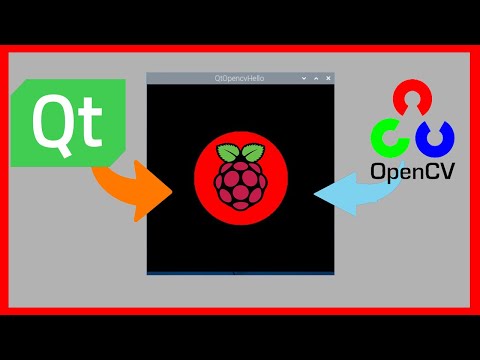](//www.youtube.com/watch?v=1dr1e2saxpo?t=0s "ulas dikme")
172 |
173 | To enable opencv (4.9.0) cross compilation during the x86 image creation, it is needed to make BUILD_OPENCV flag ON.
174 |
175 | ```bash
176 | docker build --build-arg BUILD_OPENCV=ON -t qtcrossbuild .
177 | ```
178 |
179 | This will compile the opencv with Qt. Qt will be compiled for default.
180 |
181 | To copy opencv libraries you need to have container from this image like above. You can use the same container.
182 |
183 | ```bash
184 | $ docker create --name tmpbuild qtcrossbuild
185 | $ docker cp tmpbuild:/build/QtOpencvExample/build/QtOpencvHello ./QtOpencvHello
186 | $ file QtOpencvHello
187 | QtOpencvExample/build/QtOpencvHello: ELF 64-bit LSB pie executable, ARM aarch64, version 1 (GNU/Linux), dynamically linked, interpreter /lib/ld-linux-aarch64.so.1, BuildID[sha1]=e846e63fec33e431bfdc1e70ad6d6b10c138992e, for GNU/Linux 3.7.0, not stripped
188 |
189 | ```
190 | Then you can copy the tar file to raspberry pi.
191 | ```bash
192 | $ docker cp tmpbuild:/build/opencv-binaries.tar.gz ./opencv-binaries.tar.gz
193 | $ scp opencv-binaries.tar.gz ulas@192.168.16.20:/home/ulas/
194 | $ scp QtOpencvHello ulas@192.168.16.20:/home/ulas/
195 | $ ssh rasp@192.168.16.25
196 | $ ulas@raspberrypi:~ sudo mkdir /usr/local/opencv
197 | $ ulas@raspberrypi:~ sudo tar -xvf opencv-binaries.tar.gz -C /usr/local/opencv
198 | $ ulas@raspberrypi:~ export LD_LIBRARY_PATH=$LD_LIBRARY_PATH:/usr/local/opencv/lib/
199 | ```
200 | When you run the application after setting path correctly. Note that you need to extract Qt binaries and export the path for Qt also, becuase example needs Qt and Opencv together.
201 |
202 | ```bash
203 | $ ./QtOpencvHello
204 | ```
205 |  206 |
207 |
208 | # Debugging of compilation
209 | Nothing is free! Okay now we find a nice way to compile or build Qt applications but there is a tradeoff. Debugging is really hard. So If you want to change Dockerfile then first you sould build or test the steps on VM to be sure. If you know what you are doing then do not worry.
210 |
211 | Each RUN commands output are printed in Build.log file that you can find in the build directory of image.
212 |
213 | ```bash
214 | docker cp tmpbuild:/build.log ./build.log
215 | ```
216 |
217 | # Cross Development and Remote Debugging of Application with vscode
218 |
219 | Detailed information:
220 |
221 | [](//www.youtube.com/watch?v=RWNWAMT5UkM?t=0s "ulas dikme")
222 |
223 | Now, you can build your application by simply adding your files to the project directory and running the command:
224 |
225 | ```bash
226 | $ docker build -t qtcrossbuild .
227 | ```
228 |
229 | If you do not modify the Dockerfile, the above command will only compile the code. However, even if you don't alter the Dockerfile, if there is any update to Ubuntu, Docker will rebuild the image starting from the Ubuntu layer. This means it will take more time. To compile the Qt application you wish to develop, this is not necessary. There is another Dockerfile, Dockerfile.app, which allows you to compile only the application. If you examine the contents of this file, you will find:
230 |
231 | ```bash
232 | FROM qtcrossbuild:latest
233 | ```
234 | This indicates that if you build an image with Dockerfile.app, it will utilize the qtcrossbuild image. There's no need to run qtcrossbuild again.
235 |
236 | If you run:
237 |
238 | ```bash
239 | $ docker build -f Dockerfile.app -t final-app .
240 | ```
241 | With the final-app image, you can create a container solely for compilation purposes. Docker caches the previous commands, so when you run this command, it will not start from scratch but only execute the latest command where you wish to compile your application. The compilation process will begin in the image, then, as before, create a temporary container and copy your binary:
242 |
243 | ```bash
244 | $ docker create --name tmpapp final-app
245 | $ docker cp tmpapp:/projectPath/HelloQt6 ./HelloQt6
246 | ```
247 | If you do not want to use the cache, or if you want to start building the same image anew, use:
248 | ```bash
249 | $ docker build -t qtcrossbuild . --no-cache
250 | ```
251 |
252 | ~~However, if you prefer not to follow these steps, I have shared the tar files that I compiled for the Raspberry Pi, along with the related sysroot and toolchain. You can download them. In this case, you will need to have the correct dependencies. It's your choice.~~
253 |
254 | I assume you have vscode already, we need some dependencies on the host for remote debugging with vscode.
255 | ```bash
256 | $ sudo apt-get install sshpass gdb-multiarch
257 | ```
258 | sshpass is needed to start gdbserver on the target remotely, and gdb-multiarch is the debugger itself for the cross-compiled binary.
259 |
260 | In VS Code, you will need the "C/C++ IntelliSense, debugging, and code browsing" extension.
261 |
262 | 
263 |
264 | On the target, install gdbserver.
265 | ```bash
266 | $ sudo apt-get install gdbserver
267 | ```
268 |
269 | To debug the cross-compiled application, which was compiled in the container, we can use VS Code. The steps are simple:
270 |
271 | 1. Compile the application using Dockerfile.app.
272 | 2. Copy the binary of the application to the target.
273 | 3. Run gdbserver on the target before debug process.
274 | 4. Connect to the server from the host using VS Code, then start debugging.
275 |
276 | There are multiple ways to implement these steps. I have created a bash script called helperTasks.sh. This script contains commands to compile the application, send the binary to the target, and start gdbserver. The script acts as an intermediary between VS Code and the user. When you want to call one of these functionalities, VS Code may access them through tasks.json. As mentioned, there are many ways to do this; you can directly update tasks.json as well. Tasks.json is located under .vscode in the repository. If you start VS Code directly in the root of the repository, it will automatically detect related files, and everything will be ready to go.
277 |
278 | For debugging itself, VS Code needs a launch.json configuration file. In this file, you need to specify the path of the application and other related options. However, be careful; the paths for the binary should be on the host, so a copy of the binary must also exist on the host.
279 |
280 | One trick to note is the importance of the checkout path. When you compile the application in the container (with project and projectQml as ready-to-use examples), the binary contains information about the absolute path of the project files, which were copied from the host to the container. It has the path in the container, and when you copy it to the host, it doesn't recognize that the path has changed. Therefore, you need to copy the binary to the exact same location on the host, or you need to change the path in the container. That's why I created a variable for the path in both Dockerfile.app and helperTasks.sh. Please check and update them accordingly.
281 |
282 | 
283 |
284 | For more detalied information please watch the video about debugging.
285 |
286 |
287 | Enjoy.
288 |
289 | # Configuration parameters
290 |
291 | For reference the qt is compiled with below parameters in this example
292 |
293 | ```bash
294 |
295 | Building for: linux-g++ (arm64, CPU features: cx16 neon)
296 | Compiler: gcc 14.2.0
297 | Build options:
298 | Mode ................................... release
299 | Optimize release build for size ........ no
300 | Fully optimize release builds (-O3) .... no
301 | Building shared libraries .............. yes
302 | Using ccache ........................... no
303 | Unity Build ............................ no
304 | Using new DTAGS ........................ yes
305 | Relocatable ............................ yes
306 | Using precompiled headers .............. yes
307 | Using Link Time Optimization (LTCG) .... no
308 | Using Intel Control-flow Enforcement Technology (CET) no
309 | Using Glibc function fortification ..... yes
310 | Using -ftrivial-auto-var-init=pattern .. yes
311 | Using -fstack-protector-strong ......... yes
312 | Using -fstack-clash-protection ......... yes
313 | Using libstdc++ assertions ............. yes
314 | Using libc++ hardening ................. no
315 | Using -z relro -z now when linking ..... yes
316 | Target compiler supports:
317 | ARM Extensions ....................... NEON AES SVE
318 | Sanitizers:
319 | Addresses ............................ no
320 | Threads .............................. no
321 | Memory ............................... no
322 | Fuzzer (instrumentation only) ........ no
323 | Undefined ............................ no
324 | Build parts ............................ libs
325 | Install examples sources ............... no
326 | Qt modules and options:
327 | Qt Concurrent .......................... yes
328 | Qt D-Bus ............................... yes
329 | Qt D-Bus directly linked to libdbus .... yes
330 | Qt Gui ................................. yes
331 | Qt Network ............................. yes
332 | Qt PrintSupport ........................ yes
333 | Qt Sql ................................. yes
334 | Qt Testlib ............................. yes
335 | Qt Widgets ............................. yes
336 | Qt Xml ................................. yes
337 | Support enabled for:
338 | Using pkg-config ....................... yes
339 | Using vcpkg ............................ no
340 | udev ................................... yes
341 | OpenSSL ................................ yes
342 | Qt directly linked to OpenSSL ........ no
343 | OpenSSL 1.1 ............................ no
344 | OpenSSL 3.0 ............................ yes
345 | Using system zlib ...................... yes
346 | Zstandard support ...................... yes
347 | Thread support ......................... yes
348 | Common build options:
349 | Linker can resolve circular dependencies yes
350 | Qt Core:
351 | backtrace .............................. yes
352 | C++23 ..................... no
353 | DoubleConversion ....................... yes
354 | Using system DoubleConversion ........ no
355 | CLONE_PIDFD support in forkfd .......... yes
356 | GLib ................................... yes
357 | ICU .................................... yes
358 | std::chrono::tzdb QTZ backend .......... no
359 | Using system libb2 ..................... no
360 | Built-in copy of the MIME database ..... yes
361 | Application permissions ................ yes
362 | Defaulting legacy IPC to POSIX ......... no
363 | Tracing backend ........................
364 | OpenSSL based cryptographic hash ....... no
365 | Logging backends:
366 | journald ............................. no
367 | syslog ............................... no
368 | slog2 ................................ no
369 | PCRE2 .................................. yes
370 | Using system PCRE2 ................... yes
371 | Qt Sql:
372 | SQL item models ........................ yes
373 | Qt Network:
374 | getifaddrs() ........................... no
375 | IPv6 ifname ............................ no
376 | libproxy ............................... no
377 | Linux AF_NETLINK ....................... yes
378 | DTLS ................................... yes
379 | OCSP-stapling .......................... yes
380 | SCTP ................................... no
381 | Use system proxies ..................... yes
382 | GSSAPI ................................. no
383 | Brotli Decompression Support ........... yes
384 | qIsEffectiveTLD() ...................... yes
385 | Built-in publicsuffix database ....... yes
386 | System publicsuffix database ......... yes
387 | Core tools:
388 | Android deployment tool ................ no
389 | macOS deployment tool .................. no
390 | Windows deployment tool ................ no
391 | qmake .................................. yes
392 | Qt Gui:
393 | Accessibility .......................... yes
394 | Emoji Segmenter ........................ yes
395 | FreeType ............................... yes
396 | Using system FreeType ................ yes
397 | HarfBuzz ............................... yes
398 | Using system HarfBuzz ................ no
399 | Fontconfig ............................. yes
400 | Image formats:
401 | GIF .................................. yes
402 | ICO .................................. yes
403 | JPEG ................................. yes
404 | Using system libjpeg ............... yes
405 | PNG .................................. yes
406 | Using system libpng ................ yes
407 | Text formats:
408 | HtmlParser ........................... yes
409 | CssParser ............................ yes
410 | OdfWriter ............................ yes
411 | MarkdownReader ....................... yes
412 | Using system libmd4c ............... no
413 | MarkdownWriter ....................... yes
414 | EGL .................................... yes
415 | OpenVG ................................. no
416 | OpenGL:
417 | Desktop OpenGL ....................... no
418 | OpenGL ES 2.0 ........................ yes
419 | OpenGL ES 3.0 ........................ yes
420 | OpenGL ES 3.1 ........................ yes
421 | OpenGL ES 3.2 ........................ yes
422 | Vulkan ................................. no
423 | Metal .................................. no
424 | QGraphicsFrameCapture .................. no
425 | Session Management ..................... yes
426 | Multi-threaded image and painting helpers yes
427 | Features used by QPA backends:
428 | evdev .................................. yes
429 | libinput ............................... yes
430 | HiRes wheel support in libinput ........ yes
431 | INTEGRITY HID .......................... no
432 | mtdev .................................. yes
433 | tslib .................................. yes
434 | xkbcommon .............................. yes
435 | vxworksevdev ........................... no
436 | X11 specific:
437 | xlib ................................. yes
438 | XCB Xlib ............................. yes
439 | EGL on X11 ........................... yes
440 | xkbcommon-x11 ........................ yes
441 | xcb-sm ............................... no
442 | QPA backends:
443 | DirectFB ............................... no
444 | EGLFS .................................. yes
445 | EGLFS details:
446 | EGLFS OpenWFD ........................ no
447 | EGLFS i.Mx6 .......................... no
448 | EGLFS i.Mx6 Wayland .................. no
449 | EGLFS RCAR ........................... no
450 | EGLFS EGLDevice ...................... yes
451 | EGLFS GBM ............................ yes
452 | EGLFS VSP2 ........................... no
453 | EGLFS Mali ........................... no
454 | EGLFS Raspberry Pi ................... no
455 | EGLFS X11 ............................ yes
456 | LinuxFB ................................ yes
457 | VNC .................................... yes
458 | VK_KHR_display ......................... no
459 | QNX:
460 | lgmon ................................ no
461 | IMF .................................. no
462 | XCB:
463 | Using system-provided xcb-xinput ..... no
464 | GL integrations:
465 | GLX Plugin ......................... no
466 | XCB GLX .......................... no
467 | EGL-X11 Plugin ..................... yes
468 | Windows:
469 | Direct 2D ............................ no
470 | Direct 2D 1.1 ........................ no
471 | DirectWrite .......................... no
472 | DirectWrite 3 ........................ no
473 | DirectWrite COLRv1 Support ........... no
474 | Qt Widgets:
475 | GTK+ ................................... no
476 | Styles ................................. Fusion Windows
477 | Qt Testlib:
478 | Tester for item models ................. yes
479 | Batch tests ............................ no
480 | Qt PrintSupport:
481 | CUPS ................................... yes
482 | Qt Sql Drivers:
483 | DB2 (IBM) .............................. no
484 | InterBase .............................. no
485 | MySql .................................. no
486 | OCI (Oracle) ........................... no
487 | ODBC ................................... no
488 | PostgreSQL ............................. yes
489 | SQLite ................................. yes
490 | Using system provided SQLite ......... no
491 | Mimer .................................. no
492 | Note: Disabling X11 Accessibility Bridge: D-Bus or AT-SPI is missing.
493 | Note: Due to CMAKE_STAGING_PREFIX usage and an unfixed CMake bug,
494 | to ensure correct build time rpaths, directory-level install
495 | rules like ninja src/gui/install will not work.
496 | Check QTBUG-102592 for further details.
497 |
498 | ```
499 |
500 | ```bash
501 | for opencv
502 | -- General configuration for OpenCV 4.9.0 =====================================
503 | -- Version control: 4.9.0
504 | --
505 | -- Extra modules:
506 | -- Location (extra): /build/opencv_contrib/modules
507 | -- Version control (extra): 4.9.0
508 | --
509 | -- Platform:
510 | -- Timestamp: 2025-10-19T20:39:08Z
511 | -- Host: Linux 6.11.0-26-generic x86_64
512 | -- Target: Linux aarch64
513 | -- CMake: 4.2.20251019-gc7089d6
514 | -- CMake generator: Unix Makefiles
515 | -- CMake build tool: /usr/bin/gmake
516 | -- Configuration: Release
517 | --
518 | -- CPU/HW features:
519 | -- Baseline: NEON
520 | -- required: NEON
521 | -- disabled: VFPV3
522 | --
523 | -- C/C++:
524 | -- Built as dynamic libs?: YES
525 | -- C++ standard: 11
526 | -- C++ Compiler: /usr/bin/aarch64-linux-gnu-g++-14 (ver 14.2.0)
527 | -- C++ flags (Release): -march=armv8-a -mtune=cortex-a72 -O2 --sysroot=/build/sysroot -fsigned-char -W -Wall -Wreturn-type -Wnon-virtual-dtor -Waddress -Wsequence-point -Wformat -Wformat-security -Wmissing-declarations -Wundef -Winit-self -Wpointer-arith -Wshadow -Wsign-promo -Wuninitialized -Wsuggest-override -Wno-delete-non-virtual-dtor -Wno-comment -Wimplicit-fallthrough=3 -Wno-strict-overflow -fdiagnostics-show-option -pthread -fomit-frame-pointer -ffunction-sections -fdata-sections -fvisibility=hidden -fvisibility-inlines-hidden -march=armv8-a -mtune=cortex-a53 -O2 --sysroot=/build/sysroot -DNDEBUG
528 | -- C++ flags (Debug): -march=armv8-a -mtune=cortex-a72 -O2 --sysroot=/build/sysroot -fsigned-char -W -Wall -Wreturn-type -Wnon-virtual-dtor -Waddress -Wsequence-point -Wformat -Wformat-security -Wmissing-declarations -Wundef -Winit-self -Wpointer-arith -Wshadow -Wsign-promo -Wuninitialized -Wsuggest-override -Wno-delete-non-virtual-dtor -Wno-comment -Wimplicit-fallthrough=3 -Wno-strict-overflow -fdiagnostics-show-option -pthread -fomit-frame-pointer -ffunction-sections -fdata-sections -fvisibility=hidden -fvisibility-inlines-hidden -g -DDEBUG -D_DEBUG
529 | -- C Compiler: /usr/bin/aarch64-linux-gnu-gcc-14
530 | -- C flags (Release): -march=armv8-a -mtune=cortex-a72 -O2 --sysroot=/build/sysroot -fsigned-char -W -Wall -Wreturn-type -Waddress -Wsequence-point -Wformat -Wformat-security -Wmissing-declarations -Wmissing-prototypes -Wstrict-prototypes -Wundef -Winit-self -Wpointer-arith -Wshadow -Wuninitialized -Wno-comment -Wimplicit-fallthrough=3 -Wno-strict-overflow -fdiagnostics-show-option -pthread -fomit-frame-pointer -ffunction-sections -fdata-sections -fvisibility=hidden -march=armv8-a -mtune=cortex-a53 -O2 --sysroot=/build/sysroot -DNDEBUG
531 | -- C flags (Debug): -march=armv8-a -mtune=cortex-a72 -O2 --sysroot=/build/sysroot -fsigned-char -W -Wall -Wreturn-type -Waddress -Wsequence-point -Wformat -Wformat-security -Wmissing-declarations -Wmissing-prototypes -Wstrict-prototypes -Wundef -Winit-self -Wpointer-arith -Wshadow -Wuninitialized -Wno-comment -Wimplicit-fallthrough=3 -Wno-strict-overflow -fdiagnostics-show-option -pthread -fomit-frame-pointer -ffunction-sections -fdata-sections -fvisibility=hidden -g -DDEBUG -D_DEBUG
532 | -- Linker flags (Release): --sysroot=/build/sysroot -L/build/sysroot/usr/lib -Wl,-rpath-link,/build/sysroot/lib:/build/sysroot/usr/lib -L/build/sysroot/usr/lib/aarch64-linux-gnu -L/build/sysroot/usr/lib/aarch64-linux-gnu -Wl,-rpath-link,/build/sysroot/usr/lib/aarch64-linux-gnu:/build/sysroot/usr/lib/aarch64-linux-gnu -lm -lGLEW -lGLU -lGL -lEGL -lX11 -lGLX -lXext -lXrandr -Wl,--gc-sections -Wl,--as-needed -Wl,--no-undefined
533 | -- Linker flags (Debug): --sysroot=/build/sysroot -L/build/sysroot/usr/lib -Wl,-rpath-link,/build/sysroot/lib:/build/sysroot/usr/lib -L/build/sysroot/usr/lib/aarch64-linux-gnu -L/build/sysroot/usr/lib/aarch64-linux-gnu -Wl,-rpath-link,/build/sysroot/usr/lib/aarch64-linux-gnu:/build/sysroot/usr/lib/aarch64-linux-gnu -lm -lGLEW -lGLU -lGL -lEGL -lX11 -lGLX -lXext -lXrandr -Wl,--gc-sections -Wl,--as-needed -Wl,--no-undefined
534 | -- ccache: NO
535 | -- Precompiled headers: NO
536 | -- Extra dependencies: dl m pthread rt
537 | -- 3rdparty dependencies:
538 | --
539 | -- OpenCV modules:
540 | -- To be built: aruco bgsegm bioinspired calib3d ccalib core datasets dnn dnn_objdetect dnn_superres dpm face features2d flann fuzzy gapi hfs highgui img_hash imgcodecs imgproc intensity_transform line_descriptor mcc ml objdetect optflow phase_unwrapping photo plot quality rapid reg rgbd saliency shape stereo stitching structured_light superres surface_matching text tracking video videoio videostab wechat_qrcode xfeatures2d ximgproc xobjdetect xphoto
541 | -- Disabled: world
542 | -- Disabled by dependency: -
543 | -- Unavailable: alphamat cannops cudaarithm cudabgsegm cudacodec cudafeatures2d cudafilters cudaimgproc cudalegacy cudaobjdetect cudaoptflow cudastereo cudawarping cudev cvv freetype hdf java julia matlab ovis python2 python3 sfm ts viz
544 | -- Applications: apps
545 | -- Documentation: NO
546 | -- Non-free algorithms: YES
547 | --
548 | -- GUI: NONE
549 | -- OpenGL support: NO
550 | --
551 | -- Media I/O:
552 | -- ZLib: /build/sysroot/usr/lib/aarch64-linux-gnu/libz.so (ver 1.3.1)
553 | -- JPEG: /build/sysroot/usr/lib/aarch64-linux-gnu/libjpeg.so (ver 62)
554 | -- WEBP: /build/sysroot/usr/lib/aarch64-linux-gnu/libwebp.so (ver encoder: 0x0210)
555 | -- PNG: /build/sysroot/usr/lib/aarch64-linux-gnu/libpng.so (ver 1.6.48)
556 | -- TIFF: /build/sysroot/usr/lib/aarch64-linux-gnu/libtiff.so (ver 42 / 4.7.0)
557 | -- JPEG 2000: build (ver 2.5.0)
558 | -- HDR: YES
559 | -- SUNRASTER: YES
560 | -- PXM: YES
561 | -- PFM: YES
562 | --
563 | -- Video I/O:
564 | -- DC1394: YES (2.2.6)
565 | -- FFMPEG: YES
566 | -- avcodec: YES (61.19.101)
567 | -- avformat: YES (61.7.100)
568 | -- avutil: YES (59.39.100)
569 | -- swscale: YES (8.3.100)
570 | -- avresample: NO
571 | -- GStreamer: YES (1.26.2)
572 | -- v4l/v4l2: YES (linux/videodev2.h)
573 | --
574 | -- Parallel framework: pthreads
575 | --
576 | -- Trace: YES (with Intel ITT)
577 | --
578 | -- Other third-party libraries:
579 | -- Lapack: NO
580 | -- Custom HAL: YES (carotene (ver 0.0.1, Auto detected))
581 | -- Protobuf: build (3.19.1)
582 | -- Flatbuffers: builtin/3rdparty (23.5.9)
583 | --
584 | -- OpenCL: YES (no extra features)
585 | -- Include path: /build/opencv/3rdparty/include/opencl/1.2
586 | -- Link libraries: Dynamic load
587 | --
588 | -- Python (for build): /usr/bin/python3
589 | --
590 | -- Install to: /build/opencvBuild
591 | -- -----------------------------------------------------------------
592 | --
593 | -- Configuring done (31.7s)
594 | -- Generating done (0.5s)
595 | -- Build files have been written to: /build/opencv/build
596 | ```
597 |
598 |
--------------------------------------------------------------------------------
206 |
207 |
208 | # Debugging of compilation
209 | Nothing is free! Okay now we find a nice way to compile or build Qt applications but there is a tradeoff. Debugging is really hard. So If you want to change Dockerfile then first you sould build or test the steps on VM to be sure. If you know what you are doing then do not worry.
210 |
211 | Each RUN commands output are printed in Build.log file that you can find in the build directory of image.
212 |
213 | ```bash
214 | docker cp tmpbuild:/build.log ./build.log
215 | ```
216 |
217 | # Cross Development and Remote Debugging of Application with vscode
218 |
219 | Detailed information:
220 |
221 | [](//www.youtube.com/watch?v=RWNWAMT5UkM?t=0s "ulas dikme")
222 |
223 | Now, you can build your application by simply adding your files to the project directory and running the command:
224 |
225 | ```bash
226 | $ docker build -t qtcrossbuild .
227 | ```
228 |
229 | If you do not modify the Dockerfile, the above command will only compile the code. However, even if you don't alter the Dockerfile, if there is any update to Ubuntu, Docker will rebuild the image starting from the Ubuntu layer. This means it will take more time. To compile the Qt application you wish to develop, this is not necessary. There is another Dockerfile, Dockerfile.app, which allows you to compile only the application. If you examine the contents of this file, you will find:
230 |
231 | ```bash
232 | FROM qtcrossbuild:latest
233 | ```
234 | This indicates that if you build an image with Dockerfile.app, it will utilize the qtcrossbuild image. There's no need to run qtcrossbuild again.
235 |
236 | If you run:
237 |
238 | ```bash
239 | $ docker build -f Dockerfile.app -t final-app .
240 | ```
241 | With the final-app image, you can create a container solely for compilation purposes. Docker caches the previous commands, so when you run this command, it will not start from scratch but only execute the latest command where you wish to compile your application. The compilation process will begin in the image, then, as before, create a temporary container and copy your binary:
242 |
243 | ```bash
244 | $ docker create --name tmpapp final-app
245 | $ docker cp tmpapp:/projectPath/HelloQt6 ./HelloQt6
246 | ```
247 | If you do not want to use the cache, or if you want to start building the same image anew, use:
248 | ```bash
249 | $ docker build -t qtcrossbuild . --no-cache
250 | ```
251 |
252 | ~~However, if you prefer not to follow these steps, I have shared the tar files that I compiled for the Raspberry Pi, along with the related sysroot and toolchain. You can download them. In this case, you will need to have the correct dependencies. It's your choice.~~
253 |
254 | I assume you have vscode already, we need some dependencies on the host for remote debugging with vscode.
255 | ```bash
256 | $ sudo apt-get install sshpass gdb-multiarch
257 | ```
258 | sshpass is needed to start gdbserver on the target remotely, and gdb-multiarch is the debugger itself for the cross-compiled binary.
259 |
260 | In VS Code, you will need the "C/C++ IntelliSense, debugging, and code browsing" extension.
261 |
262 | 
263 |
264 | On the target, install gdbserver.
265 | ```bash
266 | $ sudo apt-get install gdbserver
267 | ```
268 |
269 | To debug the cross-compiled application, which was compiled in the container, we can use VS Code. The steps are simple:
270 |
271 | 1. Compile the application using Dockerfile.app.
272 | 2. Copy the binary of the application to the target.
273 | 3. Run gdbserver on the target before debug process.
274 | 4. Connect to the server from the host using VS Code, then start debugging.
275 |
276 | There are multiple ways to implement these steps. I have created a bash script called helperTasks.sh. This script contains commands to compile the application, send the binary to the target, and start gdbserver. The script acts as an intermediary between VS Code and the user. When you want to call one of these functionalities, VS Code may access them through tasks.json. As mentioned, there are many ways to do this; you can directly update tasks.json as well. Tasks.json is located under .vscode in the repository. If you start VS Code directly in the root of the repository, it will automatically detect related files, and everything will be ready to go.
277 |
278 | For debugging itself, VS Code needs a launch.json configuration file. In this file, you need to specify the path of the application and other related options. However, be careful; the paths for the binary should be on the host, so a copy of the binary must also exist on the host.
279 |
280 | One trick to note is the importance of the checkout path. When you compile the application in the container (with project and projectQml as ready-to-use examples), the binary contains information about the absolute path of the project files, which were copied from the host to the container. It has the path in the container, and when you copy it to the host, it doesn't recognize that the path has changed. Therefore, you need to copy the binary to the exact same location on the host, or you need to change the path in the container. That's why I created a variable for the path in both Dockerfile.app and helperTasks.sh. Please check and update them accordingly.
281 |
282 | 
283 |
284 | For more detalied information please watch the video about debugging.
285 |
286 |
287 | Enjoy.
288 |
289 | # Configuration parameters
290 |
291 | For reference the qt is compiled with below parameters in this example
292 |
293 | ```bash
294 |
295 | Building for: linux-g++ (arm64, CPU features: cx16 neon)
296 | Compiler: gcc 14.2.0
297 | Build options:
298 | Mode ................................... release
299 | Optimize release build for size ........ no
300 | Fully optimize release builds (-O3) .... no
301 | Building shared libraries .............. yes
302 | Using ccache ........................... no
303 | Unity Build ............................ no
304 | Using new DTAGS ........................ yes
305 | Relocatable ............................ yes
306 | Using precompiled headers .............. yes
307 | Using Link Time Optimization (LTCG) .... no
308 | Using Intel Control-flow Enforcement Technology (CET) no
309 | Using Glibc function fortification ..... yes
310 | Using -ftrivial-auto-var-init=pattern .. yes
311 | Using -fstack-protector-strong ......... yes
312 | Using -fstack-clash-protection ......... yes
313 | Using libstdc++ assertions ............. yes
314 | Using libc++ hardening ................. no
315 | Using -z relro -z now when linking ..... yes
316 | Target compiler supports:
317 | ARM Extensions ....................... NEON AES SVE
318 | Sanitizers:
319 | Addresses ............................ no
320 | Threads .............................. no
321 | Memory ............................... no
322 | Fuzzer (instrumentation only) ........ no
323 | Undefined ............................ no
324 | Build parts ............................ libs
325 | Install examples sources ............... no
326 | Qt modules and options:
327 | Qt Concurrent .......................... yes
328 | Qt D-Bus ............................... yes
329 | Qt D-Bus directly linked to libdbus .... yes
330 | Qt Gui ................................. yes
331 | Qt Network ............................. yes
332 | Qt PrintSupport ........................ yes
333 | Qt Sql ................................. yes
334 | Qt Testlib ............................. yes
335 | Qt Widgets ............................. yes
336 | Qt Xml ................................. yes
337 | Support enabled for:
338 | Using pkg-config ....................... yes
339 | Using vcpkg ............................ no
340 | udev ................................... yes
341 | OpenSSL ................................ yes
342 | Qt directly linked to OpenSSL ........ no
343 | OpenSSL 1.1 ............................ no
344 | OpenSSL 3.0 ............................ yes
345 | Using system zlib ...................... yes
346 | Zstandard support ...................... yes
347 | Thread support ......................... yes
348 | Common build options:
349 | Linker can resolve circular dependencies yes
350 | Qt Core:
351 | backtrace .............................. yes
352 | C++23 ..................... no
353 | DoubleConversion ....................... yes
354 | Using system DoubleConversion ........ no
355 | CLONE_PIDFD support in forkfd .......... yes
356 | GLib ................................... yes
357 | ICU .................................... yes
358 | std::chrono::tzdb QTZ backend .......... no
359 | Using system libb2 ..................... no
360 | Built-in copy of the MIME database ..... yes
361 | Application permissions ................ yes
362 | Defaulting legacy IPC to POSIX ......... no
363 | Tracing backend ........................
364 | OpenSSL based cryptographic hash ....... no
365 | Logging backends:
366 | journald ............................. no
367 | syslog ............................... no
368 | slog2 ................................ no
369 | PCRE2 .................................. yes
370 | Using system PCRE2 ................... yes
371 | Qt Sql:
372 | SQL item models ........................ yes
373 | Qt Network:
374 | getifaddrs() ........................... no
375 | IPv6 ifname ............................ no
376 | libproxy ............................... no
377 | Linux AF_NETLINK ....................... yes
378 | DTLS ................................... yes
379 | OCSP-stapling .......................... yes
380 | SCTP ................................... no
381 | Use system proxies ..................... yes
382 | GSSAPI ................................. no
383 | Brotli Decompression Support ........... yes
384 | qIsEffectiveTLD() ...................... yes
385 | Built-in publicsuffix database ....... yes
386 | System publicsuffix database ......... yes
387 | Core tools:
388 | Android deployment tool ................ no
389 | macOS deployment tool .................. no
390 | Windows deployment tool ................ no
391 | qmake .................................. yes
392 | Qt Gui:
393 | Accessibility .......................... yes
394 | Emoji Segmenter ........................ yes
395 | FreeType ............................... yes
396 | Using system FreeType ................ yes
397 | HarfBuzz ............................... yes
398 | Using system HarfBuzz ................ no
399 | Fontconfig ............................. yes
400 | Image formats:
401 | GIF .................................. yes
402 | ICO .................................. yes
403 | JPEG ................................. yes
404 | Using system libjpeg ............... yes
405 | PNG .................................. yes
406 | Using system libpng ................ yes
407 | Text formats:
408 | HtmlParser ........................... yes
409 | CssParser ............................ yes
410 | OdfWriter ............................ yes
411 | MarkdownReader ....................... yes
412 | Using system libmd4c ............... no
413 | MarkdownWriter ....................... yes
414 | EGL .................................... yes
415 | OpenVG ................................. no
416 | OpenGL:
417 | Desktop OpenGL ....................... no
418 | OpenGL ES 2.0 ........................ yes
419 | OpenGL ES 3.0 ........................ yes
420 | OpenGL ES 3.1 ........................ yes
421 | OpenGL ES 3.2 ........................ yes
422 | Vulkan ................................. no
423 | Metal .................................. no
424 | QGraphicsFrameCapture .................. no
425 | Session Management ..................... yes
426 | Multi-threaded image and painting helpers yes
427 | Features used by QPA backends:
428 | evdev .................................. yes
429 | libinput ............................... yes
430 | HiRes wheel support in libinput ........ yes
431 | INTEGRITY HID .......................... no
432 | mtdev .................................. yes
433 | tslib .................................. yes
434 | xkbcommon .............................. yes
435 | vxworksevdev ........................... no
436 | X11 specific:
437 | xlib ................................. yes
438 | XCB Xlib ............................. yes
439 | EGL on X11 ........................... yes
440 | xkbcommon-x11 ........................ yes
441 | xcb-sm ............................... no
442 | QPA backends:
443 | DirectFB ............................... no
444 | EGLFS .................................. yes
445 | EGLFS details:
446 | EGLFS OpenWFD ........................ no
447 | EGLFS i.Mx6 .......................... no
448 | EGLFS i.Mx6 Wayland .................. no
449 | EGLFS RCAR ........................... no
450 | EGLFS EGLDevice ...................... yes
451 | EGLFS GBM ............................ yes
452 | EGLFS VSP2 ........................... no
453 | EGLFS Mali ........................... no
454 | EGLFS Raspberry Pi ................... no
455 | EGLFS X11 ............................ yes
456 | LinuxFB ................................ yes
457 | VNC .................................... yes
458 | VK_KHR_display ......................... no
459 | QNX:
460 | lgmon ................................ no
461 | IMF .................................. no
462 | XCB:
463 | Using system-provided xcb-xinput ..... no
464 | GL integrations:
465 | GLX Plugin ......................... no
466 | XCB GLX .......................... no
467 | EGL-X11 Plugin ..................... yes
468 | Windows:
469 | Direct 2D ............................ no
470 | Direct 2D 1.1 ........................ no
471 | DirectWrite .......................... no
472 | DirectWrite 3 ........................ no
473 | DirectWrite COLRv1 Support ........... no
474 | Qt Widgets:
475 | GTK+ ................................... no
476 | Styles ................................. Fusion Windows
477 | Qt Testlib:
478 | Tester for item models ................. yes
479 | Batch tests ............................ no
480 | Qt PrintSupport:
481 | CUPS ................................... yes
482 | Qt Sql Drivers:
483 | DB2 (IBM) .............................. no
484 | InterBase .............................. no
485 | MySql .................................. no
486 | OCI (Oracle) ........................... no
487 | ODBC ................................... no
488 | PostgreSQL ............................. yes
489 | SQLite ................................. yes
490 | Using system provided SQLite ......... no
491 | Mimer .................................. no
492 | Note: Disabling X11 Accessibility Bridge: D-Bus or AT-SPI is missing.
493 | Note: Due to CMAKE_STAGING_PREFIX usage and an unfixed CMake bug,
494 | to ensure correct build time rpaths, directory-level install
495 | rules like ninja src/gui/install will not work.
496 | Check QTBUG-102592 for further details.
497 |
498 | ```
499 |
500 | ```bash
501 | for opencv
502 | -- General configuration for OpenCV 4.9.0 =====================================
503 | -- Version control: 4.9.0
504 | --
505 | -- Extra modules:
506 | -- Location (extra): /build/opencv_contrib/modules
507 | -- Version control (extra): 4.9.0
508 | --
509 | -- Platform:
510 | -- Timestamp: 2025-10-19T20:39:08Z
511 | -- Host: Linux 6.11.0-26-generic x86_64
512 | -- Target: Linux aarch64
513 | -- CMake: 4.2.20251019-gc7089d6
514 | -- CMake generator: Unix Makefiles
515 | -- CMake build tool: /usr/bin/gmake
516 | -- Configuration: Release
517 | --
518 | -- CPU/HW features:
519 | -- Baseline: NEON
520 | -- required: NEON
521 | -- disabled: VFPV3
522 | --
523 | -- C/C++:
524 | -- Built as dynamic libs?: YES
525 | -- C++ standard: 11
526 | -- C++ Compiler: /usr/bin/aarch64-linux-gnu-g++-14 (ver 14.2.0)
527 | -- C++ flags (Release): -march=armv8-a -mtune=cortex-a72 -O2 --sysroot=/build/sysroot -fsigned-char -W -Wall -Wreturn-type -Wnon-virtual-dtor -Waddress -Wsequence-point -Wformat -Wformat-security -Wmissing-declarations -Wundef -Winit-self -Wpointer-arith -Wshadow -Wsign-promo -Wuninitialized -Wsuggest-override -Wno-delete-non-virtual-dtor -Wno-comment -Wimplicit-fallthrough=3 -Wno-strict-overflow -fdiagnostics-show-option -pthread -fomit-frame-pointer -ffunction-sections -fdata-sections -fvisibility=hidden -fvisibility-inlines-hidden -march=armv8-a -mtune=cortex-a53 -O2 --sysroot=/build/sysroot -DNDEBUG
528 | -- C++ flags (Debug): -march=armv8-a -mtune=cortex-a72 -O2 --sysroot=/build/sysroot -fsigned-char -W -Wall -Wreturn-type -Wnon-virtual-dtor -Waddress -Wsequence-point -Wformat -Wformat-security -Wmissing-declarations -Wundef -Winit-self -Wpointer-arith -Wshadow -Wsign-promo -Wuninitialized -Wsuggest-override -Wno-delete-non-virtual-dtor -Wno-comment -Wimplicit-fallthrough=3 -Wno-strict-overflow -fdiagnostics-show-option -pthread -fomit-frame-pointer -ffunction-sections -fdata-sections -fvisibility=hidden -fvisibility-inlines-hidden -g -DDEBUG -D_DEBUG
529 | -- C Compiler: /usr/bin/aarch64-linux-gnu-gcc-14
530 | -- C flags (Release): -march=armv8-a -mtune=cortex-a72 -O2 --sysroot=/build/sysroot -fsigned-char -W -Wall -Wreturn-type -Waddress -Wsequence-point -Wformat -Wformat-security -Wmissing-declarations -Wmissing-prototypes -Wstrict-prototypes -Wundef -Winit-self -Wpointer-arith -Wshadow -Wuninitialized -Wno-comment -Wimplicit-fallthrough=3 -Wno-strict-overflow -fdiagnostics-show-option -pthread -fomit-frame-pointer -ffunction-sections -fdata-sections -fvisibility=hidden -march=armv8-a -mtune=cortex-a53 -O2 --sysroot=/build/sysroot -DNDEBUG
531 | -- C flags (Debug): -march=armv8-a -mtune=cortex-a72 -O2 --sysroot=/build/sysroot -fsigned-char -W -Wall -Wreturn-type -Waddress -Wsequence-point -Wformat -Wformat-security -Wmissing-declarations -Wmissing-prototypes -Wstrict-prototypes -Wundef -Winit-self -Wpointer-arith -Wshadow -Wuninitialized -Wno-comment -Wimplicit-fallthrough=3 -Wno-strict-overflow -fdiagnostics-show-option -pthread -fomit-frame-pointer -ffunction-sections -fdata-sections -fvisibility=hidden -g -DDEBUG -D_DEBUG
532 | -- Linker flags (Release): --sysroot=/build/sysroot -L/build/sysroot/usr/lib -Wl,-rpath-link,/build/sysroot/lib:/build/sysroot/usr/lib -L/build/sysroot/usr/lib/aarch64-linux-gnu -L/build/sysroot/usr/lib/aarch64-linux-gnu -Wl,-rpath-link,/build/sysroot/usr/lib/aarch64-linux-gnu:/build/sysroot/usr/lib/aarch64-linux-gnu -lm -lGLEW -lGLU -lGL -lEGL -lX11 -lGLX -lXext -lXrandr -Wl,--gc-sections -Wl,--as-needed -Wl,--no-undefined
533 | -- Linker flags (Debug): --sysroot=/build/sysroot -L/build/sysroot/usr/lib -Wl,-rpath-link,/build/sysroot/lib:/build/sysroot/usr/lib -L/build/sysroot/usr/lib/aarch64-linux-gnu -L/build/sysroot/usr/lib/aarch64-linux-gnu -Wl,-rpath-link,/build/sysroot/usr/lib/aarch64-linux-gnu:/build/sysroot/usr/lib/aarch64-linux-gnu -lm -lGLEW -lGLU -lGL -lEGL -lX11 -lGLX -lXext -lXrandr -Wl,--gc-sections -Wl,--as-needed -Wl,--no-undefined
534 | -- ccache: NO
535 | -- Precompiled headers: NO
536 | -- Extra dependencies: dl m pthread rt
537 | -- 3rdparty dependencies:
538 | --
539 | -- OpenCV modules:
540 | -- To be built: aruco bgsegm bioinspired calib3d ccalib core datasets dnn dnn_objdetect dnn_superres dpm face features2d flann fuzzy gapi hfs highgui img_hash imgcodecs imgproc intensity_transform line_descriptor mcc ml objdetect optflow phase_unwrapping photo plot quality rapid reg rgbd saliency shape stereo stitching structured_light superres surface_matching text tracking video videoio videostab wechat_qrcode xfeatures2d ximgproc xobjdetect xphoto
541 | -- Disabled: world
542 | -- Disabled by dependency: -
543 | -- Unavailable: alphamat cannops cudaarithm cudabgsegm cudacodec cudafeatures2d cudafilters cudaimgproc cudalegacy cudaobjdetect cudaoptflow cudastereo cudawarping cudev cvv freetype hdf java julia matlab ovis python2 python3 sfm ts viz
544 | -- Applications: apps
545 | -- Documentation: NO
546 | -- Non-free algorithms: YES
547 | --
548 | -- GUI: NONE
549 | -- OpenGL support: NO
550 | --
551 | -- Media I/O:
552 | -- ZLib: /build/sysroot/usr/lib/aarch64-linux-gnu/libz.so (ver 1.3.1)
553 | -- JPEG: /build/sysroot/usr/lib/aarch64-linux-gnu/libjpeg.so (ver 62)
554 | -- WEBP: /build/sysroot/usr/lib/aarch64-linux-gnu/libwebp.so (ver encoder: 0x0210)
555 | -- PNG: /build/sysroot/usr/lib/aarch64-linux-gnu/libpng.so (ver 1.6.48)
556 | -- TIFF: /build/sysroot/usr/lib/aarch64-linux-gnu/libtiff.so (ver 42 / 4.7.0)
557 | -- JPEG 2000: build (ver 2.5.0)
558 | -- HDR: YES
559 | -- SUNRASTER: YES
560 | -- PXM: YES
561 | -- PFM: YES
562 | --
563 | -- Video I/O:
564 | -- DC1394: YES (2.2.6)
565 | -- FFMPEG: YES
566 | -- avcodec: YES (61.19.101)
567 | -- avformat: YES (61.7.100)
568 | -- avutil: YES (59.39.100)
569 | -- swscale: YES (8.3.100)
570 | -- avresample: NO
571 | -- GStreamer: YES (1.26.2)
572 | -- v4l/v4l2: YES (linux/videodev2.h)
573 | --
574 | -- Parallel framework: pthreads
575 | --
576 | -- Trace: YES (with Intel ITT)
577 | --
578 | -- Other third-party libraries:
579 | -- Lapack: NO
580 | -- Custom HAL: YES (carotene (ver 0.0.1, Auto detected))
581 | -- Protobuf: build (3.19.1)
582 | -- Flatbuffers: builtin/3rdparty (23.5.9)
583 | --
584 | -- OpenCL: YES (no extra features)
585 | -- Include path: /build/opencv/3rdparty/include/opencl/1.2
586 | -- Link libraries: Dynamic load
587 | --
588 | -- Python (for build): /usr/bin/python3
589 | --
590 | -- Install to: /build/opencvBuild
591 | -- -----------------------------------------------------------------
592 | --
593 | -- Configuring done (31.7s)
594 | -- Generating done (0.5s)
595 | -- Build files have been written to: /build/opencv/build
596 | ```
597 |
598 |
--------------------------------------------------------------------------------