├── .nojekyll
├── resources
├── images
│ └── demo.png
└── styles
│ ├── demo_img.css
│ └── theme.css
├── docs
└── 1.81
│ ├── resources
│ ├── styles
│ │ ├── demo_img.css
│ │ └── theme.css
│ └── images
│ │ └── getting-started
│ │ ├── get-code-github-zip-step1.png
│ │ └── get-code-github-zip-step2.png
│ ├── getting-started.md
│ ├── _sidebar.md
│ ├── home.md
│ ├── getting-started
│ ├── usage.md
│ ├── integrating.md
│ └── building.md
│ ├── reference
│ ├── backends.md
│ ├── imgui-paradigm.md
│ ├── examples.md
│ ├── fonts.md
│ └── faq.md
│ └── _glossary.md
├── _coverpage.md
├── README.md
├── index.html
└── sw.js
/.nojekyll:
--------------------------------------------------------------------------------
1 |
--------------------------------------------------------------------------------
/resources/images/demo.png:
--------------------------------------------------------------------------------
https://raw.githubusercontent.com/PossiblyAShrub/imgui-docs/HEAD/resources/images/demo.png
--------------------------------------------------------------------------------
/resources/styles/demo_img.css:
--------------------------------------------------------------------------------
1 | .demo {
2 | box-shadow: 0 0 25px rgba(0, 0, 0, 0.35);
3 | border-radius: 5px;
4 | margin-bottom: 35px;
5 | }
6 |
--------------------------------------------------------------------------------
/docs/1.81/resources/styles/demo_img.css:
--------------------------------------------------------------------------------
1 | .demo {
2 | box-shadow: 0 0 25px rgba(0, 0, 0, 0.35);
3 | border-radius: 5px;
4 | margin-bottom: 35px;
5 | }
6 |
--------------------------------------------------------------------------------
/docs/1.81/resources/images/getting-started/get-code-github-zip-step1.png:
--------------------------------------------------------------------------------
https://raw.githubusercontent.com/PossiblyAShrub/imgui-docs/HEAD/docs/1.81/resources/images/getting-started/get-code-github-zip-step1.png
--------------------------------------------------------------------------------
/docs/1.81/resources/images/getting-started/get-code-github-zip-step2.png:
--------------------------------------------------------------------------------
https://raw.githubusercontent.com/PossiblyAShrub/imgui-docs/HEAD/docs/1.81/resources/images/getting-started/get-code-github-zip-step2.png
--------------------------------------------------------------------------------
/_coverpage.md:
--------------------------------------------------------------------------------
1 | # Dear ImGui
2 |
3 |
4 |
5 | > Bloat-free Graphical User interface for C++ with minimal dependencies
6 |
7 | [Docs](/docs/latest/home.md)
8 | [Get Started](/docs/latest/getting-started.md)
9 |
10 | 
11 |
--------------------------------------------------------------------------------
/docs/1.81/getting-started.md:
--------------------------------------------------------------------------------
1 | # Getting Started
2 |
3 | This is a guide on getting started with Dear ImGui. It is split into 3 sections:
4 |
5 | 1. Obtaining and building the Dear ImGui source,
6 | 2. Integrating Dear ImGui in a new or existing application, and
7 | 3. The basics of using Dear ImGui
8 |
9 | Depending on your C++ and/or general programming skills, you may be able to skip certain sections/subsections.
10 | However, **we encourage all new users to thoroughly read this guide.** Especially before asking
11 | [thorough questions](https://bit.ly/3nwRnx1) on the [issue tracker](https://github.com/ocornut/imgui/issues).
12 |
13 | First, let's start with [Obtaining and building the Dear ImGui source](getting-started/building.md).
14 |
--------------------------------------------------------------------------------
/docs/1.81/_sidebar.md:
--------------------------------------------------------------------------------
1 |
2 | - [**Home**](/docs/latest/home.md)
3 | - **Reference**
4 | - [FAQ](/docs/latest/reference/faq.md)
5 | - [Fonts FAQ](/docs/latest/reference/fonts.md)
6 | - [About Backends](/docs/latest/reference/backends.md)
7 | - [About Examples](/docs/latest/reference/examples.md)
8 | - [IMGUI Paradigm](/docs/latest/reference/imgui-paradigm.md)
9 | - [Glossary](/docs/latest/_glossary.md)
10 | - [**Getting Started**](/docs/latest/getting-started.md)
11 | - [Building](/docs/latest/getting-started/building.md)
12 | - [Integrating](/docs/latest/getting-started/integrating.md)
13 | - [Basic Usage](/docs/latest/getting-started/usage.md)
14 | - [**Interactive Manual**](https://pthom.github.io/imgui_manual_online/manual/imgui_manual.html)
15 |
--------------------------------------------------------------------------------
/docs/1.81/home.md:
--------------------------------------------------------------------------------
1 |
Dear ImGui
2 |
3 | Dear ImGui is a **bloat-free graphical user interface library for C++**. It outputs optimized vertex buffers that you can render anytime in your 3D-pipeline enabled application. It is fast, portable, renderer agnostic and self-contained (no external dependencies).
4 |
5 | Dear ImGui is designed to **enable fast iterations** and to **empower programmers** to create **content creation tools and visualization / debug tools** (as opposed to UI for the average end-user). It favors simplicity and productivity toward this goal, and lacks certain features normally found in more high-level libraries.
6 |
7 | Dear ImGui is particularly suited to integration in games engine (for tooling), real-time 3D applications, fullscreen applications, embedded applications, or any applications on consoles platforms where operating system features are non-standard.
8 |
9 | ---
10 |
11 | If you've never used Dear ImGui before, we recommend that you follow the [get started guide](getting-started.md).
12 |
--------------------------------------------------------------------------------
/README.md:
--------------------------------------------------------------------------------
1 | > Notice of archival. These docs have not been updated in years, I have decided to archive the project as it is no longer up-to-date with Dear ImGui.
2 |
3 | # Dear ImGui Documentation Site
4 |
5 | This is an attempt at creating higher level documentation for the wonderful
6 | Dear ImGui library. [Demo here.](https://possiblyashrub.github.io/imgui-docs/#/)
7 |
8 | I've also started working on a getting started guide, however it is still
9 | very much a WIP.
10 |
11 | The documentation is all written in markdown. I am using a tool
12 | called [docsify](https://docsify.js.org/#/) which is a lightweight
13 | documentation generator, and runs entirely on the client side.
14 | (There is no 'build docs' step)
15 |
16 | It can be hosted with any static hosting tool pointing to the root directory.
17 | For example, there is a [live demo](https://possiblyashrub.github.io/imgui-docs/#/)
18 | hosted with github pages.
19 |
20 | Locally one can use any http(s) static server tools for development.
21 | See a list [oneliners using common tools here](https://gist.github.com/willurd/5720255)
22 |
23 | For example, if you have python 3 installed:
24 | ```
25 | git clone https://github.com/PossiblyAShrub/imgui-docs
26 | cd imgui-docs
27 | python -m http.server 3000
28 | ```
29 | And then visit http://localhost:3000.
30 |
31 | Because the docs are just markdown files, it can be viewed in any markdown viewer.
32 |
33 | Also! If you visit the documentation (via the site, or a local http server)
34 | using any modern web browser (service workers must be enabled) you can view
35 | the docs offline!
36 | *Try visiting the site after disabling you connection/stopping your local server*
37 |
38 |
--------------------------------------------------------------------------------
/index.html:
--------------------------------------------------------------------------------
1 |
2 |
3 |
4 |
5 | Dear ImGui
6 |
7 |
8 |
9 |
10 |
11 |
12 |
13 |
14 |
41 |
42 |
43 |
44 |
45 |
46 |
47 |
48 |
49 |
50 |
51 |
52 |
53 |
54 |
55 |
56 |
61 |
62 |
63 |
--------------------------------------------------------------------------------
/docs/1.81/getting-started/usage.md:
--------------------------------------------------------------------------------
1 | # The basics of using Dear ImGui
2 |
3 | You have now successfully, built and integrated Dear ImGui with your application. To ensure everything is working, let's
4 | display the demo window.
5 |
6 | ## Showing the Demo Window
7 |
8 | *Anywhere* between the `ImGui::NewFrame` and `ImGui::Render` functions call:
9 |
10 | ```cpp
11 | ImGui::ShowDemoWindow();
12 | ```
13 |
14 | This should display the demo window. If you encounter any errors, please see
15 | [common issues](./integrating.md#common-issues).
16 |
17 | The demo window **is incredibly helpful for both the developers and users of Dear ImGui**. This is because it acts as
18 | an interactive guide and in-app documentation of the entire library. Also, all of the code is under `imgui_demo.cpp`, with
19 | plenty of comments to aid in understanding how the library is supposed to be used. **So please do not delete the file**, if
20 | your worried about compiled binary size, the linker will strip out the entire file if no calls to `ImGui::ShowDemoWindow` are
21 | made.
22 |
23 | ## Your first Dear ImGui Window
24 |
25 | Now it's time to create your very first Dear ImGui window! Once again, *anywhere* between the `ImGui::NewFrame` and
26 | `ImGui::Render` functions call:
27 |
28 | ```cpp
29 | if (ImGui::Begin("My First Window")) {
30 | ImGui::Text("Hello Dear ImGui!");
31 | }
32 | ImGui::End();
33 | ```
34 |
35 | Dear ImGui windows begin via a call to `ImGui::Begin`, and end with a call to `ImGui::End`. The string in the first param of
36 | `ImGui::Begin` acts as the window's name, and it's id. The id must be unique in order to have different windows. If the ids are
37 | the same, then the windows will concatenate.
38 |
39 | !> Note: The call to `ImGui::End` *must* occur outside of the if statement
40 |
41 | ?> Dear ImGui uses id's to differentiate between unique widgets.
42 | [Read more about id's here](../reference/faq.md#q-why-is-my-widget-not-reacting-when-i-click-on-it).
43 |
44 | Any calls to widget functions occur within the if statement's body. Here we draw a Text widget, in order for it to always be
45 | visible, we must call it every frame. Because of this, we can do the following:
46 |
47 | ```cpp
48 | static bool show_text = false;
49 | ImGui::Checkbox("Show Text", &show_text);
50 | if (show_text)
51 | ImGui::Text("Hello Dear ImGui!");
52 | ```
53 |
54 | or
55 |
56 | ```cpp
57 | for (int i = 0; i < 10; i++)
58 | ImGui::Text("[%04d] Hello Dear ImGui!", i);
59 | ```
60 |
61 | Notice that with an immediate mode graphical user interface (IMGUI) there are no delete functions. To stop showing a widget
62 | simply don't call it in the first place. To learn more about what the IMGUI paradigm even is see
63 | [About the IMGUI paradigm](../reference/imgui-paradigm.md).
64 |
65 | **Remember to use the Demo Window as a reference for all of Dear ImGui's provided widgets, and their usage.**
66 |
67 | ?> Note: There is an [online interactive manual](https://pthom.github.io/imgui_manual_online/manual/imgui_manual.html),
68 | which will display the demo code alongside the demo window.
69 |
--------------------------------------------------------------------------------
/sw.js:
--------------------------------------------------------------------------------
1 | // This is a service worker, which means that users with slow/no
2 | // network can cache the site on their personal devices. This means
3 | // that the docs are cached, and thus can be used without internet
4 | // any time after the first visit!
5 |
6 | /* ===========================================================
7 | * docsify sw.js
8 | * ===========================================================
9 | * Copyright 2016 @huxpro
10 | * Licensed under Apache 2.0
11 | * Register service worker.
12 | * ========================================================== */
13 |
14 | const RUNTIME = 'docsify'
15 | const HOSTNAME_WHITELIST = [
16 | self.location.hostname,
17 | 'fonts.gstatic.com',
18 | 'fonts.googleapis.com',
19 | 'cdn.jsdelivr.net'
20 | ]
21 |
22 | // The Util Function to hack URLs of intercepted requests
23 | const getFixedUrl = (req) => {
24 | var now = Date.now()
25 | var url = new URL(req.url)
26 |
27 | // 1. fixed http URL
28 | // Just keep syncing with location.protocol
29 | // fetch(httpURL) belongs to active mixed content.
30 | // And fetch(httpRequest) is not supported yet.
31 | url.protocol = self.location.protocol
32 |
33 | // 2. add query for caching-busting.
34 | // Github Pages served with Cache-Control: max-age=600
35 | // max-age on mutable content is error-prone, with SW life of bugs can even extend.
36 | // Until cache mode of Fetch API landed, we have to workaround cache-busting with query string.
37 | // Cache-Control-Bug: https://bugs.chromium.org/p/chromium/issues/detail?id=453190
38 | if (url.hostname === self.location.hostname) {
39 | url.search += (url.search ? '&' : '?') + 'cache-bust=' + now
40 | }
41 | return url.href
42 | }
43 |
44 | /**
45 | * @Lifecycle Activate
46 | * New one activated when old isnt being used.
47 | *
48 | * waitUntil(): activating ====> activated
49 | */
50 | self.addEventListener('activate', event => {
51 | event.waitUntil(self.clients.claim())
52 | })
53 |
54 | /**
55 | * @Functional Fetch
56 | * All network requests are being intercepted here.
57 | *
58 | * void respondWith(Promise r)
59 | */
60 | self.addEventListener('fetch', event => {
61 | // Skip some of cross-origin requests, like those for Google Analytics.
62 | if (HOSTNAME_WHITELIST.indexOf(new URL(event.request.url).hostname) > -1) {
63 | // Stale-while-revalidate
64 | // similar to HTTP's stale-while-revalidate: https://www.mnot.net/blog/2007/12/12/stale
65 | // Upgrade from Jake's to Surma's: https://gist.github.com/surma/eb441223daaedf880801ad80006389f1
66 | const cached = caches.match(event.request)
67 | const fixedUrl = getFixedUrl(event.request)
68 | const fetched = fetch(fixedUrl, { cache: 'no-store' })
69 | const fetchedCopy = fetched.then(resp => resp.clone())
70 |
71 | // Call respondWith() with whatever we get first.
72 | // If the fetch fails (e.g disconnected), wait for the cache.
73 | // If there’s nothing in cache, wait for the fetch.
74 | // If neither yields a response, return offline pages.
75 | event.respondWith(
76 | Promise.race([fetched.catch(_ => cached), cached])
77 | .then(resp => resp || fetched)
78 | .catch(_ => { /* eat any errors */ })
79 | )
80 |
81 | // Update the cache with the version we fetched (only for ok status)
82 | event.waitUntil(
83 | Promise.all([fetchedCopy, caches.open(RUNTIME)])
84 | .then(([response, cache]) => response.ok && cache.put(event.request, response))
85 | .catch(_ => { /* eat any errors */ })
86 | )
87 | }
88 | })
89 |
--------------------------------------------------------------------------------
/docs/1.81/getting-started/integrating.md:
--------------------------------------------------------------------------------
1 | # Integrating Dear ImGui in a New or Existing application
2 |
3 | You should now be able to successfully build Dear ImGui. The next step is correctly integrating it with your app/game. This
4 | involves the use of backends. For brevity we will not do in depth with backends in this article. However, if you are not sure
5 | as to:
6 |
7 | - What backends are
8 | - How backends work
9 | - Which backends you should use
10 |
11 | Then please read the [primer on backends](../reference/backends.md).
12 |
13 | First, in the file in which you will be handling Dear ImGui boilerplate; we must include `imgui.h` and the header files for your
14 | backend(s).
15 |
16 | ```cpp
17 | #include
18 | #include // One of these for each of your backend header files
19 | ```
20 |
21 | !> If you encounter errors regarding your compiler being unable to find any of the above files please make sure you've
22 | properly configured your include directories as specified in the
23 | [building section](getting-started/building#building-the-source)
24 |
25 | !> Also note, IDE's can easily get confused and emit false positive errors in regards to include directories. When in doubt
26 | attempt a build, and your compiler will complain if there's actually an error.
27 |
28 |
29 | Integration in a typical existing application, should take <20 lines when using standard backends. Note the four key points in
30 | which Dear ImGui boilerplate must occur:
31 |
32 | **At initialization:**
33 | - call `ImGui::CreateContext()`
34 | - call `ImGui_ImplXXXX_Init()` for each backend.
35 |
36 | **At the beginning of your frame:**
37 | - call `ImGui_ImplXXXX_NewFrame()` for each backend.
38 | - call `ImGui::NewFrame()`
39 |
40 | **At the end of your frame:**
41 | - call `ImGui::Render()`
42 | - call `ImGui_ImplXXXX_RenderDrawData()` for your Renderer backend.
43 |
44 | **At shutdown:**
45 | - call `ImGui_ImplXXXX_Shutdown()` for each backend.
46 | - call `ImGui::DestroyContext()`
47 |
48 | For example, in a standard `while (running)` event loop:
49 |
50 | ```cpp
51 | int main()
52 | {
53 | // initialization
54 |
55 | while (running)
56 | {
57 | // beginning of frame
58 |
59 | // Dear ImGui API calls
60 | ImGui::ShowDemoWindow();
61 |
62 | // end of frame
63 | }
64 |
65 | // shutdown
66 | }
67 | ```
68 |
69 | For brevity we will not list the function signatures for every backend combination. You will have to find an
70 | [example project](https://github.com/ocornut/imgui/tree/master/examples) which uses your combination of backends.
71 | These projects contain the canonical usage of the standard backends, and are thoroughly commented.
72 |
73 | ## Dear ImGui Configuration Options
74 |
75 | Right after calling `ImGui::CreateContext()` it is canonical to:
76 |
77 | - Enable applicable configuration flags
78 | - Set style options
79 | - Load fonts
80 |
81 | To get help with fonts please see the [font reference](../reference/fonts.md).
82 |
83 | #### Setting configuration flags
84 |
85 | Configuration flags can be set like so:
86 |
87 | ```cpp
88 | ImGuiIO& io = ImGui::GetIO();
89 | io.ConfigFlags |= ImGuiConfigFlags_NavEnableKeyboard; // Enable Keyboard Controls
90 | io.ConfigFlags |= ImGuiConfigFlags_NavEnableGamepad; // Enable Gamepad Controls
91 | ```
92 |
93 | For a full list of config flags, see the [`ImGuiConfigFlags` enum](https://github.com/ocornut/imgui/blob/master/imgui.h#L1353).
94 |
95 | #### Setting Style Options
96 |
97 | Dear ImGui allows for plenty of style configuration. The easiest way to get started with styling is by using the built in style
98 | editor. This can be displayed by first showing the demo window, more on that in the [next section](). And then
99 | **navigating to `Demo Window > Tools > Style Editor`**.
100 |
101 | ## Common Issues
102 |
103 | It is easy to make mistakes, after all nobody is perfect. Below are the solutions to many common issues that arise while
104 | integrating Dear ImGui.
105 |
106 | !> **Make sure to carefully compare your code to that of the [examples](https://github.com/ocornut/imgui/tree/master/examples).**
107 |
108 | #### Q: I encounter linker errors or symbol not found/defined errors
109 |
110 | **You have not properly built/linked Dear ImGui with you application.**
111 |
112 | Please review the [building section](./building.md) and ensure you've followed *all* of the steps without error.
113 |
114 | #### Q: My Application is not responding to user input
115 |
116 | You are not calling *all* of the required input handling (new frame) functions.
117 |
118 | Or, you have not correctly set up your windowing library.
119 |
120 | **Make sure to carefully compare your code to that of the [examples](https://github.com/ocornut/imgui/tree/master/examples).**
121 |
122 | #### Q: I do not see any UI rendering
123 |
124 | There are two reasons as to why this maybe:
125 |
126 | 1. You aren't actually calling any widget functions see the [basic usage](./usage.md) section for more.
127 | 2. You aren't properly calling the render functions
128 |
129 | **Make sure to carefully compare your code to that of the [examples](https://github.com/ocornut/imgui/tree/master/examples).**
130 |
131 | #### Q: My fonts aren't appearing correctly
132 |
133 | Font's are a large topic on their own. In the case of any errors regarding fonts please see the
134 | [fonts documentation](../reference/fonts.md).
135 |
--------------------------------------------------------------------------------
/docs/1.81/getting-started/building.md:
--------------------------------------------------------------------------------
1 | # Obtaining and Building the Dear ImGui Source
2 |
3 | **The core of Dear ImGui is self-contained within a few platform-agnostic files** which you can easily compile in your
4 | application/engine. They are all the files in the root folder of the repository
5 | - imgui.h
6 | - imgui_internal.h
7 | - imgui.cpp
8 | - imgui_demo.cpp
9 | - imgui_draw.cpp
10 | - imgui_tables.cpp
11 | - imgui_widgets.cpp
12 |
13 | And, you will need to compile the applicable backend files.
14 | (Located in [backends/imgui_impl_XXX.cpp](https://github.com/ocornut/imgui/tree/master/backends))
15 | **You can read all about [backends here](../reference/backends.md)**.
16 |
17 | A few other files included in the repository are:
18 | - examples/ -- Complete example projects for various platforms
19 | - docs/ -- Dear ImGui documentation in the form of markdown files for offline documentation viewing
20 | - misc -- Misc. Dear ImGui tools
21 | - cpp/ -- C++ STL type support (std::string) for InputText()
22 | - fonts/ -- Several font files that work well with Dear ImGui, as well as tools to embed fonts in your app/game
23 | - freetype/ -- FreeType font rasterization support for Dear ImGui
24 | - natvis/ -- Natvis debugging files which help the Visual Studio (MSVC) debugger understand Dear ImGui types (Like ImVector<>)
25 | - single_file/ -- Used for single file/unity build users, not recommended
26 |
27 | ## Obtaining the Source Code
28 |
29 | The first part of building Dear ImGui is actually getting the source code. There are a plethora of ways to manage dependencies.
30 | If you're brand new to managing C++ dependencies, using git submodules or vcpkg is highly recommended. However, Dear ImGui is
31 | independent of build systems and package managers; if you already have your preferred dependency manager, feel free to use that
32 | tool instead.
33 |
34 |
35 |
36 | ### **Git Submodules**
37 |
38 | ```bash
39 | $ git submodule add https://github.com/ocornut/imgui
40 | ```
41 |
42 | ### **Vcpkg**
43 |
44 | ```batch
45 | > .\vcpkg\vcpkg install imgui
46 | > .\vcpkg\vcpkg integrate install
47 | ```
48 |
49 | ### **CMake**
50 |
51 | * CMake version \>3.3
52 |
53 | ```cmake
54 | find_package(imgui REQUIRED)
55 | ...
56 | target_link_libraries( ... imgui ...)
57 | ```
58 |
59 | * CMake version 2.8.12 - 3.2
60 |
61 | ```cmake
62 | find_package(imgui REQUIRED)
63 | ...
64 | add_exutable( ... ${IMGUI_SOURCES})
65 | target_link_libraries( ... imgui ...)
66 | ```
67 |
68 | ### **Conan**
69 |
70 | See https://github.com/bincrafters/conan-imgui and https://bintray.com/bincrafters/public-conan/imgui%3Abincrafters.
71 |
72 | ### **Github Web Download**
73 |
74 | Github allows users to *Download as Zip*. While it is generally recommended that you use a package management solution, this is a
75 | viable way of obtaining Dear ImGui Source.
76 |
77 | First, click the green `Download Code` button.
78 |
79 | 
80 |
81 | Then, click the `Download ZIP` button.
82 |
83 | 
84 |
85 | The download will now begin in your browser. As it is a ZIP file you will have to extract it's contents and move them into your
86 | project.
87 |
88 |
89 |
90 | ## Try the Examples
91 |
92 | Before adding Dear ImGui to an existing project, it is recommended that users try to fist build the examples. In fact, if you don't have an
93 | existing app that you wish to integrate Dear ImGui into, the examples may be used as a starting template.
94 |
95 | First, choose an example with you given pair of backends. (These are all located in the [examples/](https://github.com/ocornut/imgui/tree/master/examples) folder)
96 | And then each example has a README file with config & build instructions. Please follow those exactly.
97 |
98 | ?> If you want to use a build tool such as premake, cmake, or GN etc. Please see the [list of third party build tools support](https://github.com/ocornut/imgui/wiki/Home2#building).
99 |
100 | Once you have an example project running:
101 | - [I want to learn how to embed Dear ImGui in my existing application](#a-note-about-backends), or
102 | - [The example is enough, I want to learn how to use Dear ImGui](./usage.md)
103 |
104 | From here on, until [usage](./usage.md), this guide will assume you want to embed Dear ImGui in your existing project.
105 |
106 | ## A Note about Backends
107 |
108 | Dear ImGui is platform independent. However, in order to provide Dear ImGui with the necessary inputs/outputs, you will have to
109 | provide platform dependant functions. These are called backends, which are required to integrate Dear ImGui in your app. The
110 | backend passes mouse/keyboard/gamepad inputs and variety of settings to Dear ImGui, and is in charge of rendering the
111 | resulting vertices.
112 |
113 | **Backends for a variety of graphics api and rendering platforms** are provided in the
114 | [backends/](https://github.com/ocornut/imgui/tree/master/backends) folder, along with example applications displaying their usage in the
115 | [examples/](https://github.com/ocornut/imgui/tree/master/examples) folder. See the section on
116 | [Integration](./getting-started/integrating) for details. You may also create your own backend, if necessary. However, this is
117 | only recommended for advanced users.
118 |
119 | ?> This is a very high level overview of backends. For the curious, see the
120 | [backend reference](../reference/backends.md) - which is much more in depth.
121 |
122 | **Each backend contains a `.cpp` file that will need to be built alongside Dear ImGui.**
123 |
124 | ## Building the Source
125 |
126 | **No specific build process is required**. You can add the .cpp files to your existing project. Or you can build your project
127 | based off of the numerous prebuilt [example/starter projects](https://github.com/ocornut/imgui/tree/master/examples).
128 | Remember, that must include **all** of the `*cpp` files listed at the [beginning](./building.md) of this guide. **And** it must include
129 | your backend's `*.cpp` files.
130 |
131 | *If you are already comfortable compiling 3rd party libraries feel free to skip to the [next section](./integrating.md)*
132 |
133 | However, to accommodate everyone, we've included step-by-step instructions for several common build systems.
134 |
135 |
136 |
137 | ### ** Visual Studio **
138 |
139 | TODO
140 |
141 | ### ** CMake **
142 |
143 | TODO
144 |
145 | ### ** Premake **
146 |
147 | TODO
148 |
149 | ### ** Make **
150 |
151 | TODO
152 |
153 |
154 |
155 | Congratulations! You should now be able to successfully build Dear ImGui alongside your project. However, this should have no
156 | effect on your project (other than slightly longer compile time.) This is because we haven't called any Dear ImGui functions
157 | yet.
158 |
159 | If you encounter any errors throughout this process, please make sure you've followed every step exactly as described.
160 | And if you still encounter errors, please ask a [thorough question](https://bit.ly/3nwRnx1) in the
161 | [issue tracker](https://github.com/ocornut/imgui/issues).
162 |
--------------------------------------------------------------------------------
/docs/1.81/reference/backends.md:
--------------------------------------------------------------------------------
1 | # Dear ImGui: Backends
2 |
3 | **The backends/ folder contains backends for popular platforms/graphics API, which you can use in
4 | your application or engine to easily integrate Dear ImGui.** Each backend is typically self-contained in a pair of files: imgui_impl_XXXX.cpp + imgui_impl_XXXX.h.
5 |
6 | - The 'Platform' backends are in charge of: mouse/keyboard/gamepad inputs, cursor shape, timing, windowing.
7 | e.g. Windows ([imgui_impl_win32.cpp](https://github.com/ocornut/imgui/blob/master/backends/imgui_impl_win32.cpp)), GLFW ([imgui_impl_glfw.cpp](https://github.com/ocornut/imgui/blob/master/backends/imgui_impl_glfw.cpp)), SDL2 ([imgui_impl_sdl.cpp](https://github.com/ocornut/imgui/blob/master/backends/imgui_impl_sdl.cpp)), etc.
8 |
9 | - The 'Renderer' backends are in charge of: creating atlas texture, rendering imgui draw data.
10 | e.g. DirectX11 ([imgui_impl_dx11.cpp](https://github.com/ocornut/imgui/blob/master/backends/imgui_impl_dx11.cpp)), OpenGL/WebGL ([imgui_impl_opengl3.cpp]((https://github.com/ocornut/imgui/blob/master/backends/imgui_impl_opengl3.cpp)), Vulkan ([imgui_impl_vulkan.cpp]((https://github.com/ocornut/imgui/blob/master/backends/imgui_impl_vulkan.cpp)), etc.
11 |
12 | - For some high-level frameworks, a single backend usually handle both 'Platform' and 'Renderer' parts.
13 | e.g. Allegro 5 ([imgui_impl_allegro5.cpp](https://github.com/ocornut/imgui/blob/master/backends/imgui_impl_allegro5.cpp)), Marmalade ([imgui_impl_marmalade.cpp](https://github.com/ocornut/imgui/blob/master/backends/imgui_impl_marmalade.cpp)). If you end up creating a custom backend for your engine, you may want to do the same.
14 |
15 | An application usually combines 1 Platform backend + 1 Renderer backend + main Dear ImGui sources.
16 | For example, the [example_win32_directx11](https://github.com/ocornut/imgui/tree/master/examples/example_win32_directx11) application combines imgui_impl_win32.cpp + imgui_impl_dx11.cpp. See [EXAMPLES.MD](https://github.com/ocornut/imgui/blob/master/docs/EXAMPLES.md) for details.
17 |
18 |
19 | ## What are backends
20 |
21 | Dear ImGui is highly portable and only requires a few things to run and render, typically:
22 |
23 | - Required: providing mouse/keyboard inputs (fed into the `ImGuiIO` structure).
24 | - Required: uploading the font atlas texture into graphics memory.
25 | - Required: rendering indexed textured triangles with a clipping rectangle.
26 |
27 | Extra features are opt-in, our backends try to support as many as possible:
28 |
29 | - Optional: custom texture binding support.
30 | - Optional: clipboard support.
31 | - Optional: gamepad support.
32 | - Optional: mouse cursor shape support.
33 | - Optional: IME support.
34 | - Optional: multi-viewports support.
35 | etc.
36 |
37 | This is essentially what each backends are doing + obligatory portability cruft.
38 |
39 | It is important to understand the difference between the core Dear ImGui library (files in the root folder)
40 | and backends which we are describing here (backends/ folder).
41 |
42 | - Some issues may only be backend or platform specific.
43 | - You should be able to write backends for pretty much any platform and any 3D graphics API.
44 | e.g. you can get creative and use software rendering or render remotely on a different machine.
45 |
46 |
47 | ## List of backends
48 |
49 | In the [backends/](https://github.com/ocornut/imgui/blob/master/backends) folder:
50 |
51 | List of Platforms Backends:
52 |
53 | imgui_impl_glfw.cpp ; GLFW (Windows, macOS, Linux, etc.) http://www.glfw.org/
54 | imgui_impl_osx.mm ; macOS native API (not as feature complete as glfw/sdl backends)
55 | imgui_impl_sdl.cpp ; SDL2 (Windows, macOS, Linux, iOS, Android) https://www.libsdl.org
56 | imgui_impl_win32.cpp ; Win32 native API (Windows)
57 | imgui_impl_glut.cpp ; GLUT/FreeGLUT (this is prehistoric software and absolutely not recommended today!)
58 |
59 | List of Renderer Backends:
60 |
61 | imgui_impl_dx9.cpp ; DirectX9
62 | imgui_impl_dx10.cpp ; DirectX10
63 | imgui_impl_dx11.cpp ; DirectX11
64 | imgui_impl_dx12.cpp ; DirectX12
65 | imgui_impl_metal.mm ; Metal (with ObjC)
66 | imgui_impl_opengl2.cpp ; OpenGL 2 (legacy, fixed pipeline <- don't use with modern OpenGL context)
67 | imgui_impl_opengl3.cpp ; OpenGL 3/4, OpenGL ES 2, OpenGL ES 3 (modern programmable pipeline)
68 | imgui_impl_vulkan.cpp ; Vulkan
69 | imgui_impl_wgpu.cpp ; WebGPU
70 |
71 | List of high-level Frameworks Backends (combining Platform + Renderer):
72 |
73 | imgui_impl_allegro5.cpp
74 | imgui_impl_marmalade.cpp
75 |
76 | Emscripten is also supported.
77 | The [example_emscripten_opengl3](https://github.com/ocornut/imgui/tree/master/examples/example_emscripten_opengl3) app uses imgui_impl_sdl.cpp + imgui_impl_opengl3.cpp, but other combos are possible.
78 |
79 | ## Backends for third-party frameworks, graphics API or other languages
80 |
81 | See https://github.com/ocornut/imgui/wiki/Bindings for the full list.
82 |
83 | ## Recommended Backends
84 |
85 | If you are not sure which backend to use, the recommended platform/frameworks for portable applications:
86 |
87 | |Library |Website |Backend |Note |
88 | |--------|--------|--------|-----|
89 | | GLFW | https://github.com/glfw/glfw | imgui_impl_glfw.cpp | |
90 | | SDL2 | https://www.libsdl.org | imgui_impl_sdl.cpp | |
91 | | Sokol | https://github.com/floooh/sokol | [util/sokol_imgui.h](https://github.com/floooh/sokol/blob/master/util/sokol_imgui.h) | Lower-level than GLFW/SDL |
92 |
93 |
94 | ## Using a custom engine?
95 |
96 | You will likely be tempted to start by rewrite your own backend using your own custom/high-level facilities...
97 | Think twice!
98 |
99 | If you are new to Dear ImGui, first try using the existing backends as-is.
100 | You will save lots of time integrating the library.
101 | You can LATER decide to rewrite yourself a custom backend if you really need to.
102 | In most situations, custom backends have less features and more bugs than the standard backends we provide.
103 | If you want portability, you can use multiple backends and choose between them either at compile time
104 | or at runtime.
105 |
106 | **Example A**: your engine is built over Windows + DirectX11 but you have your own high-level rendering
107 | system layered over DirectX11.
108 | Suggestion: try using imgui_impl_win32.cpp + imgui_impl_dx11.cpp first.
109 | Once it works, if you really need it you can replace the imgui_impl_dx11.cpp code with a
110 | custom renderer using your own rendering functions, and keep using the standard Win32 code etc.
111 |
112 | **Example B**: your engine runs on Windows, Mac, Linux and uses DirectX11, Metal, Vulkan respectively.
113 | Suggestion: use multiple generic backends!
114 | Once it works, if you really need it you can replace parts of backends with your own abstractions.
115 |
116 | **Example C**: your engine runs on platforms we can't provide public backends for (e.g. PS4/PS5, Switch),
117 | and you have high-level systems everywhere.
118 | Suggestion: try using a non-portable backend first (e.g. win32 + underlying graphics API) to get
119 | your desktop builds working first. This will get you running faster and get your acquainted with
120 | how Dear ImGui works and is setup. You can then rewrite a custom backend using your own engine API.
121 |
122 | Also:
123 | The [multi-viewports feature](https://github.com/ocornut/imgui/issues/1542) of the 'docking' branch allows
124 | Dear ImGui windows to be seamlessly detached from the main application window. This is achieved using an
125 | extra layer to the Platform and Renderer backends, which allows Dear ImGui to communicate platform-specific
126 | requests such as: "create an additional OS window", "create a render context", "get the OS position of this
127 | window" etc. See 'ImGuiPlatformIO' for details.
128 | Supporting the multi-viewports feature correctly using 100% of your own abstractions is more difficult
129 | than supporting single-viewport.
130 | If you decide to use unmodified imgui_impl_XXXX.cpp files, you can automatically benefit from
131 | improvements and fixes related to viewports and platform windows without extra work on your side.
132 |
--------------------------------------------------------------------------------
/docs/1.81/_glossary.md:
--------------------------------------------------------------------------------
1 | (work in progress)
2 |
3 | ## General Terms
4 |
5 | ##### Backends/Bindings
6 | A piece of code that connects your OS/platform/windowing system, graphics API or programming language to Dear ImGui. In the `examples/` folder we provide a bunch of `imgui_impl_xxxx` files which are backends for a variety of platforms and graphics API. Many other [third-party bindings](https://github.com/ocornut/imgui/wiki/Bindings) exist.
7 |
8 | ##### Demo
9 | The demo code in `imgui_demo.cpp`, whose main entry point is the `ImGui::ShowDemoWindow()` function.
10 |
11 | ##### Docking
12 | Refers to the feature (currently available in the `docking` branch) where multiple windows can be combined with each other, used to create tab bars, or laid out next to each other.
13 |
14 | ##### Draw command, ImDrawCmd
15 | Refers to one item within an `ImDrawList`. One draw command generally maps to one draw call in the underlying graphics API. Some draw commands hold callbacks or special functions that don't necessarily map to an actual draw call in the graphics API.
16 |
17 | ##### Draw list, ImDrawList
18 | Refers to the low-level rendering API which you can use to submit shapes (such as rectangles, lines, circles or text elements). The ImGui API uses the ImDrawList API to draw elements. You can easily access the drawlist of the current ImGui window using `ImGui::GetWindowDrawList()` or access special drawlists such as `ImGui::GetBackgroundDrawList()` (drawn before all ImGui windows) or `ImGui::GetForegroundDrawList()` (drawn after all ImGui windows). A draw list is generally comprised of multiple draw commands.
19 |
20 | ##### Examples
21 | The example applications in the sub-folders of `examples/`. An example application generally combines one or two backends + dear imgui code + a main.cpp file to form a running application.
22 |
23 | ##### Font atlas
24 | A font atlas manage multiple fonts, which for performance reasons are generally rasterized and packed together into a single graphics texture. The font atlas also contains other graphics data that is used by ImGui and ImDrawList.
25 |
26 | ##### Item (same as Widget)
27 | A single ImGui element (e.g. a `ImGui::Button()` or `ImGui::Text()` call).
28 |
29 | ##### Navigation
30 | Refer to the subsystem in charge of allowing full control of the UI using Gamepad or Keyboard inputs. Initially Dear ImGui mostly used mouse inputs, and the "navigation" feature allows directional navigation within a set of widgets.
31 |
32 | ##### Metrics
33 | Refers to the confusingly named `Dear ImGui Metrics` window, whose main entry point is the `ImGui::ShowMetricsWindow()` function. The Metrics window exposes lots of internal information about the state of your Dear ImGui context. Using it can help you debug and understand many problems you may have with Dear ImGui. It may also help you better understand how Dear ImGui works.
34 |
35 | ##### Multi-Viewports
36 | Refers to the feature (currently available in the `docking` branch) where Dear ImGui windows can easily be moved outside the boundaries of your main application window. The multi-viewports feature provides an interface to interact with bindings in order to create its own application windows to host the floating Dear ImGui windows.
37 |
38 | ##### Root Window
39 | A top-level window created with `Begin()`. Child windows created with `BeginChild()` tend to share the same Root Window.
40 |
41 | ##### Widget: (same as Item)
42 | A single ImGui element (e.g. a `ImGui::Button()` or `ImGui::Text()` call).
43 |
44 | ## Docking Terms
45 |
46 | 
47 |
48 | ##### Docking (noun)
49 | Refers to the Docking subsystem as a whole.
50 |
51 | ##### Docking (verb)
52 | Refers to the action of combining one Window or Dock Node into another Window or Dock Node. A docking operation can be a "Split" (split the target window/node into two sections) or an "Merge" (add into the existing target window/node).
53 |
54 | ##### Docking Decorations
55 | Tab Bar and Close Buttons (when managed by a dock node), Resizing Separators.
56 |
57 | ##### Dock Node
58 | Carries a Tab Bar + zero or more Windows _or_ child dock nodes. A Dock Node can be either a Floating Dock Node or a Dockspace.
59 |
60 | ##### Dock Node Hierarchy
61 | A dock node and all its child dock nodes.
62 |
63 | ##### Dockspace
64 | A dock node whose Host Window has been created by the user. This implies that the position and size of the dock node is not controlled by the Docking system. It also implies that the lifetime of the dock node is not controlled by the Docking system.
65 |
66 | ##### Floating Dock Node
67 | A dock node whose Host Window is automatically created and managed by the Docking system. They are generally freely moveable.
68 |
69 | ##### Root Dock Node
70 | A dock node that has no parent dock node.
71 |
72 | ##### Leaf Dock Node
73 | A dock node that that no child dock nodes.
74 |
75 | ##### Host Window
76 | The Window used to display _Docking Decorations_. In a Dock Node Hierarchy sitting over a Dockspace, the Host Window is always the window where the Dockspace was submitted. In a Dock Node Hierarchy sitting over a Floating Window, the Host Window is created by the Docking system.
77 |
78 | ## Multi-Viewports Terms
79 |
80 | 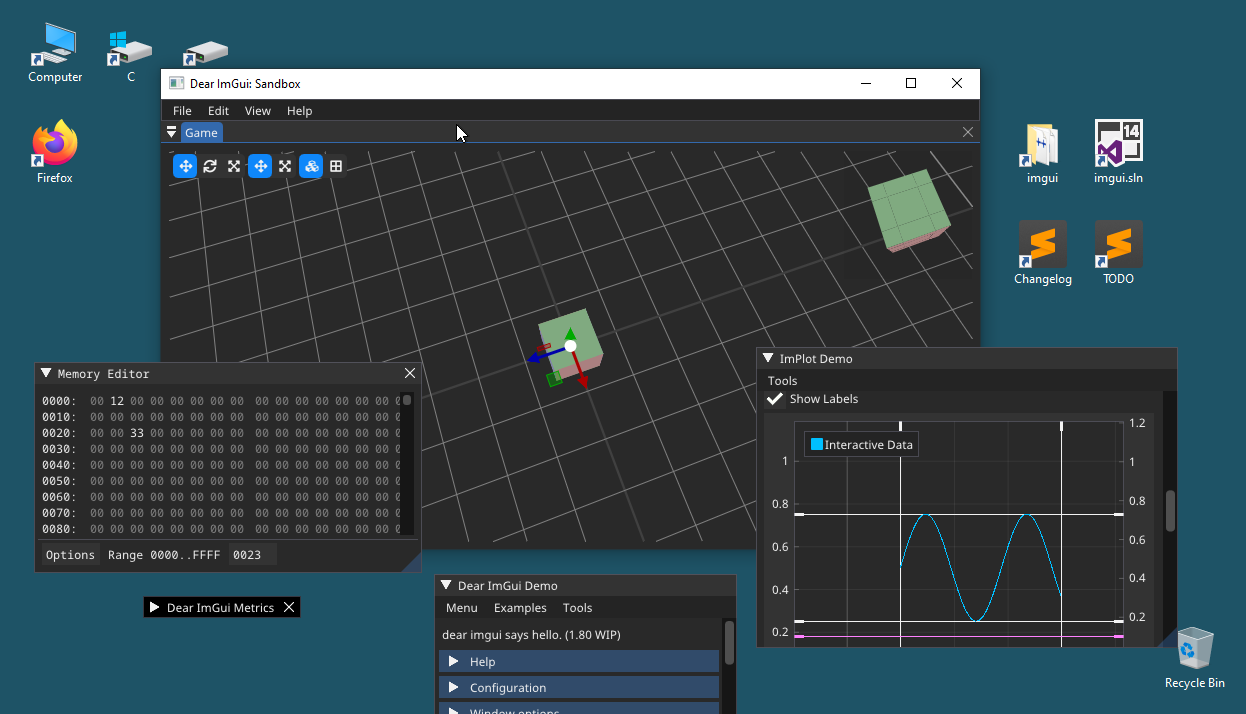
81 |
82 | Note: when talking about issues related to the multi-viewports feature, always try to remove ambiguity by specifying if an item is controlled by Dear ImGui or the host system - e.g. "_Dear ImGui Window_" vs "_Platform Window_".
83 |
84 | ##### Desktop
85 | The area managed by the Operating System or Window Manager that covers all _Platform Monitors_.
86 |
87 | ##### Platform
88 | Refers to the low-level system used to interface with native windows: it could be an Operating System library (Win32) or a cross-platform library (such as SDL, GLFW, Allegro).
89 |
90 | ##### Platform Backend
91 | Refers to the piece of glue code used to have Dear ImGui interact with a given platform (e.g. the `imgui_impl_glfw.cpp` file). This code typically creates and destroy _Platform Windows_ associated with each _Viewport_, and sets up the _Platform Decorations_ based on the _Viewport_ flags.
92 |
93 | ##### Platform Decoration
94 | Refers to the frame and title bar managed and displayed by the Operating System or Window Manager.
95 |
96 | ##### Platform Monitor
97 | Refers to the representation of a monitor. On a modern OS, each monitor is associated with a non-overlapping set of coordinates (position, size), a work area (main area minus OS task bar) and a DPI scaling factor. Dear ImGui takes advantage of _Platform Monitor_ knowledge for certain tasks (for example, tooltip windows get clamped to fit within a single _Platform Monitor_ and not straddle multiple monitors, new popups try not to overlap the OS task-bar).
98 |
99 | ##### Platform Window
100 | A window managed by the Operating System. This is typically associated with a framebuffer, a swap chain and the machinery to perform 3D rendering via some graphics API.
101 |
102 | ##### ImGui Decoration
103 | Refers to the frame, title bar, collapse and close buttons managed and displayed by _ImGui Windows_.
104 |
105 | ##### ImGui Window
106 | A window managed by Dear ImGui. For the purposes of multi-viewports, we often use "ImGui Window" to refer to a top-level _ImGui Window_ only, not child or docked windows.
107 |
108 | ##### Host Viewport
109 | A _Host Viewport_ can contains multiple _ImGui Windows_. Currently the _Main Viewport_ is always a _Host Viewport_. In the future we would like to allow application to create zero, one or more _Host Viewports_. When a _Host Viewport_ is moved, all the _ImGui Windows_ it contains get moved along with it. By default, any _ImGui Window_ overlapping a _Host Viewport_ will be merged into it. Setting `io.ConfigViewportsNoAutoMerge` disables that behavior, causing every _ImGui Window_ to be hosted by their own unique _Single-Window Viewport_.
110 |
111 | ##### Single-Window Viewport, Owned Viewport
112 | a _Viewport_ owned by a single _ImGui Window_. In the typical setup, dragging a _ImGui Window_ outside the boundaries of a _Host Viewport_ will create a _Single-Window Viewport_ for the purpose of allowing the _ImGui Window_ to be displayed anywhere on the _Desktop_.
113 |
114 | ##### Main Viewport
115 | Due to common usage and backward compatibility reasons, the system currently enforces the creation of one _Main Viewport_ which is typically the main application window of the user application. The _Main Viewport_ is also a _Host Viewport_. In most traditional applications, the _Main Viewport_ has _Platform Decorations_ enabled when not maximized, and has _Platform Decorations_ disabled when fullscreen. In the future we would like to completely remove the concept of a "Main Viewport" and instead allow the application to freely create zero, one or more _Host Viewports_. Most games applications will create one of them, whereas most desktop applications are expected to create none. Under this scheme, an application creating no _Host Viewport_ would have every _ImGui Window_ using an individual _Platform Window_ with _Platform Decorations_ disabled. It would become the application's responsibility to shutdown when all the windows are closed.
116 |
117 | ##### Viewport
118 | The Dear ImGui representation of a _Platform Window_. When a _Viewport_ is active, the _Platform Backend_ creates a _Platform Window_ for it. Whether the _Platform Window_ has _Platform Decorations_ enabled currently depends on `io.ConfigViewportsNoDecoration` flag which gets turned into a `ImGuiViewportFlags_NoDecoration` for the _Platform Backend_ to honor.
119 |
--------------------------------------------------------------------------------
/docs/1.81/reference/imgui-paradigm.md:
--------------------------------------------------------------------------------
1 | THIS IS WIP/DRAFT / [Discuss this article](https://github.com/ocornut/imgui/issues/3815)
2 |
3 | ## Why
4 |
5 | **This is an attempt at explaining what the IMGUI paradigm stands for, and what it could be**.
6 |
7 | Proponent of the IMGUI paradigm have noticed that it was widely misunderstood, over and over.
8 | As of Feb 2021, even the [IMGUI Wikipedia page](https://en.wikipedia.org/wiki/Immediate_mode_GUI) is completely off the mark. There are reasons for that:
9 | - the acronym is very misleading.
10 | - people didn't do a good job enough explaining or documentation what IMGUI means?
11 | - they are different interpretation of what IMGUI means?
12 | - many popular IMGUI implementation have made similar design choices, making it more confusing what is actually the soul and backbone of the IMGUI paradigm vs a set of implementation choices.
13 | - the naming and success of "Dear ImGui" blurred the line a little bit further (should have used another name).
14 |
15 | The acronym is very misleading because "immediate-mode" was initially coined as a reference to obsolete graphics API which made it very easy to render contents. The choice of that word got us into years, maybe decades of misunderstanding.
16 |
17 | From now on, IMGUI will stand for "Incredibly Magic Graphics User Interface" ;)
18 |
19 | The second purpose of this page should be to make it clear that there is a large space to explore in UI programming.
20 |
21 | ## History
22 |
23 | The acronym IMGUI was coined by Casey Muratori in this video in 2005:
24 | https://www.youtube.com/watch?v=Z1qyvQsjK5Y (see also [blog](https://caseymuratori.com/blog_0001))
25 |
26 | _"I’ve also seen lots of people getting into arguments about immediate-mode vs. retained-mode GUI APIs. I think this has something to do with how simple the IMGUI concept is, as it leads people to think they understand it, and then they proceed to get into heated arguments as if they actually know what they’re talking about. I rarely see this problem when I’m talking about anything even mildly complicated, like quaternions."_
27 |
28 | It has been privately researched before and after.
29 | Casey's work on formulating and popularizing research on this topic has been invaluable. I however believe that picking the word "immediate-mode" was a mistake which a decade later we are still paying for in term of misunderstanding what IMGUI are.
30 |
31 | ## Do we need a definition?
32 |
33 | _"I kind of wish there was more radical experimentation in this space"_ [tweet](https://twitter.com/pervognsen/status/1361241939593416705)
34 |
35 | Nowadays I am starting to believe that the term has caused more harm than benefits, because it suggests there are two camps "IMGUI" vs "RMGUI". The reality is there is a continuum of possibilities over multiple unrelated axises. Many of them haven't been explored enough, as popular IMGUI libraries have been designed for certain needs and not others. Many of them are at reach as extension of existing popular frameworks. Some are likely to only ever exist as part of yet undeveloped IMGUI frameworks.
36 |
37 | The existence of those two terms effectively has hindered both discussions and research. The fact that we are even trying to put an official definition to a label is hindering people's imagination about the many possible areas of researches to be done in UI space.
38 |
39 | ## Half of a definition
40 |
41 | @ocornut's attempt for a definition (WIP, 2021)
42 |
43 | What we care about:
44 |
45 | - IMGUI refers to the API: literally the interface between the application and the UI system.
46 | - The API tries to minimize the application having to retain data related to the UI system.
47 | - The API tries to minimize the UI system having to retain data related to the application.
48 | - IMGUI does NOT refer to the implementation. Whatever happens inside the UI system doesn't matter.
49 |
50 | This is in comparison with typical RMGUI ("retained-mode UI"):
51 |
52 | - RMGUI APIs often have the application retain artifacts from the UI system (e.g. maintain references to UI objects).
53 | - RMGUI APIs often require synchronization mechanisms because the UI system retain more application data.
54 |
55 | What it doesn't stands for:
56 |
57 | - IMGUI does not mean that the library doesn't retain data.
58 | - IMGUI does not mean that stuff are drawn immediately.
59 | - IMGUI does not mean it needs a continuous loop nor need to refresh continuously.
60 | - IMGUI does not mean it needs to refresh all-or-nothing.
61 | - IMGUI does not mean that states are polled.
62 | - IMGUI does not mean the UI doesn't look "native" or looks a certain way.
63 | - IMGUI does not mean it cannot animate.
64 | - IMGUI does not mean it needs a GPU to render.
65 | - IMGUI does not mean that the library can or cannot support feature x or y.
66 | - IMGUI does not mean that the library is more or less portable.
67 |
68 | TODO: Each of those points should be explained with a paragraph. We could also describe how common UI libraries (of all types) stand on a given axis. We could also describe less explored paths and envision what new UI libraries could do.
69 |
70 | It's particularly important we develop this section to dissociate the promise (sometimes unfulfilled) vs current implementation. The full-feature bell-and-whistle promise is more likely to be ever fulfilled by a UI library if people understand that it is possible.
71 |
72 | ## Vurtun's write-up
73 |
74 | [@vurtun](https://github.com/vurtun) said very eloquently around April 2019:
75 |
76 | _"I usually don't like to write about immediate mode UI since there are a lot of preconceived notions about them. Addressing all of them is hard since often that is required since they all are thrown at once. For example a single implementation of a concept does not define a concept (dear imgui is a immediate mode UI not all imgui are like dear imgui)._
77 |
78 | _Everything that can be done with "retained" gui can by definition be done by an immediate mode gui (I hate this whole divide at this point). Then we have state. For some reason like andrew already said I often see confusion that immediate mode means stateless. Immediate mode has nothing to do with how or if state is stored. Immediate mode in guis doesn't remove having two data representation. One on the calling side and one in the library. Even dear imgui and nuklear both have internal state they keep track of. Rather at its core immediate mode is about how this state is updated. In classical gui the state of the application was synchronized to the gui state by modification. On the other hand immediate mode is closer to functional programming. Instead of mutating state, all previous state is immutable and new state can only be generated by taking the previous state and applying new changes. Both in dear imgui and nuklear there is very little previous state and most is build up every "frame"._
79 |
80 | _Next up handling widget events (press,clicked,...). Immediate mode has nothing to do with events vs polling for input changes. The famously convenient if (button(...)). You can even have retained libraries that use polling instead of events._
81 |
82 | _Then we have "immediate mode bundles layouting, input and rendering". Once again only dear imgui and nuklear do this. At this point all my imguis have multiple passes. For example if I cache state for layouting I have (layout, input, render). Any change in the input or render pass will will jump back to layouting. If I don't cache state for layouting I still have two passes (input, render) to prevent glitches. To make sure that performance is not a problem I make sure that only those elements that are actually visible are updated, which is important for datastructures (list, trees). Invisible widgets are not only not rendered but also not layouted or have input handling. In a current implementation they are not even iterated over._
83 |
84 | _Another argument I've read is that immediate mode cannot be used with OOP. While I try to stay away from that term since at this point it has taken so many meaning that it is basically worthless, what I hear it in context of is having composability for widgets. Once again just because dear imgui and nuklear don't have does not mean it has to be or even should be that way. For example the imgui we have at work supports composability and just like retain mode UIs you can put any widget inside any other. Want a slider inside a tab you can just compose them (not that it makes sense in this case)._
85 |
86 | _Getting to game vs. tool ui. Disclaimer: I spend most of my time on tool ui however I played around with game ui or rather the concept behind it in my immediate/retain mode hybrid (https://gist.github.com/vurtun/c5b0374c27d2f5e9905bfbe7431d9dc0)._
87 |
88 | _Personally for me tool and game ui are two completely different use cases. Interestingly at work we actually have a single immediate mode core that is used for both game as well as tool ui and it still works. However our advantage is that our UI designer can code. Immediate mode biggest advantage is that state mutation is extremely simple and easy. However in games all UI (including stuff like animations) outside datastructures likes list are know at compile time or loading time. So most advantages of immediate mode doesn't hold up (outside mentioned datastructures). Interestingly for datastructures you can even have an immediate mode API inside a retained state UI. So having the best of both worlds by having a hybrid._
89 |
90 | _Finally state handling. For games this is easier since most state is known beforehand and can be reserved/preallocated. For tool ui it is a bit more complicated. First of it is possible to have state per widget. That is what we currently do at keen core. The state itself is lifetime tracked and freed if not used anymore. However what is actually possible as well is having a concept of an window/view and managing state outside the library. By that I mean a tabbed window with content. Like for example a log view or scene view storing all needed state for the UI and the actually data needed (log entries for the log view). Instead of trying to do state handling on the widget level it makes a lot more sense to have state management inside the view itself, since unlike the actually widgets the view itself has an easy to track lifetime. Just to clarify the view in the library API would just an handle while the actual view implementation would store the state._
91 |
92 | _A lot in ui depends on the problem on hand so I feel there is no silver bullet. But what is actually great about UI is that it is possible to write a version fitting the problem. I hope if anything is taken from this rant is that "imgui" currently entangles a lot of concepts that however don't define it. So everytime it does not work out immediate mode as a grand concept itself is tossed aside instead of reevaluating the parts that did not work out."_
93 |
94 | ## Links
95 |
96 | - [Johannes 'johno' Norneby's article](http://www.johno.se/book/imgui.html), 2007.
97 | - [A presentation by Rickard Gustafsson and Johannes Algelind](http://www.cse.chalmers.se/edu/year/2011/course/TDA361/Advanced%20Computer%20Graphics/IMGUI.pdf), 2011.
98 | - [Jari Komppa's tutorial on building an IMGUI library](http://iki.fi/sol/imgui/), @jarikomppa, 2006.
99 | - [Casey Muratori's original video that popularized the concept](https://mollyrocket.com/861), 2005.
100 | - [Nicolas Guillemot's CppCon'16 flash-talk about Dear ImGui](https://www.youtube.com/watch?v=LSRJ1jZq90k), 2016.
101 | - [Thierry Excoffier's ZMV (Zero Memory Widget)](http://perso.univ-lyon1.fr/thierry.excoffier/ZMW/), 2004.
102 | - [Unity's IMGUI](https://docs.unity3d.com/Manual/GUIScriptingGuide.html)
103 |
--------------------------------------------------------------------------------
/docs/1.81/reference/examples.md:
--------------------------------------------------------------------------------
1 | # Dear ImGui: Examples
2 |
3 | **The [examples/](https://github.com/ocornut/imgui/blob/master/examples) folder example applications (standalone, ready-to-build) for variety of
4 | platforms and graphics APIs.** They all use standard backends from the [backends/](https://github.com/ocornut/imgui/blob/master/backends) folder.
5 |
6 | You can find Windows binaries for some of those example applications at:
7 | http://www.dearimgui.org/binaries
8 |
9 |
10 | ## Getting Started
11 |
12 | Integration in a typical existing application, should take <20 lines when using standard backends.
13 |
14 | At initialization:
15 | call ImGui::CreateContext()
16 | call ImGui_ImplXXXX_Init() for each backend.
17 |
18 | At the beginning of your frame:
19 | call ImGui_ImplXXXX_NewFrame() for each backend.
20 | call ImGui::NewFrame()
21 |
22 | At the end of your frame:
23 | call ImGui::Render()
24 | call ImGui_ImplXXXX_RenderDrawData() for your Renderer backend.
25 |
26 | At shutdown:
27 | call ImGui_ImplXXXX_Shutdown() for each backend.
28 | call ImGui::DestroyContext()
29 |
30 | Example (using [backends/imgui_impl_win32.cpp](https://github.com/ocornut/imgui/blob/master/backends/imgui_impl_win32.cpp) + [backends/imgui_impl_dx11.cpp](https://github.com/ocornut/imgui/blob/master/backends/imgui_impl_dx11.cpp)):
31 |
32 | // Create a Dear ImGui context, setup some options
33 | ImGui::CreateContext();
34 | ImGuiIO& io = ImGui::GetIO();
35 | io.ConfigFlags |= ImGuiConfigFlags_NavEnableKeyboard; // Enable some options
36 |
37 | // Initialize Platform + Renderer backends (here: using imgui_impl_win32.cpp + imgui_impl_dx11.cpp)
38 | ImGui_ImplWin32_Init(my_hwnd);
39 | ImGui_ImplDX11_Init(my_d3d_device, my_d3d_device_context);
40 |
41 | // Application main loop
42 | while (true)
43 | {
44 | // Beginning of frame: update Renderer + Platform backend, start Dear ImGui frame
45 | ImGui_ImplDX11_NewFrame();
46 | ImGui_ImplWin32_NewFrame();
47 | ImGui::NewFrame();
48 |
49 | // Any application code here
50 | ImGui::Text("Hello, world!");
51 |
52 | // End of frame: render Dear ImGui
53 | ImGui::Render();
54 | ImGui_ImplDX11_RenderDrawData(ImGui::GetDrawData());
55 |
56 | // Swap
57 | g_pSwapChain->Present(1, 0);
58 | }
59 |
60 | // Shutdown
61 | ImGui_ImplDX11_Shutdown();
62 | ImGui_ImplWin32_Shutdown();
63 | ImGui::DestroyContext();
64 |
65 | Please read 'PROGRAMMER GUIDE' in imgui.cpp for notes on how to setup Dear ImGui in your codebase.
66 | Please read the comments and instruction at the top of each file.
67 | Please read FAQ at http://www.dearimgui.org/faq
68 |
69 | If you are using of the backend provided here, you can add the backends/imgui_impl_xxxx(.cpp,.h)
70 | files to your project and use as-in. Each imgui_impl_xxxx.cpp file comes with its own individual
71 | Changelog, so if you want to update them later it will be easier to catch up with what changed.
72 |
73 |
74 | ## Examples Applications
75 |
76 | [example_allegro5/](https://github.com/ocornut/imgui/blob/master/examples/example_allegro5/)
77 | Allegro 5 example.
78 | = main.cpp + imgui_impl_allegro5.cpp
79 |
80 | [example_apple_metal/](https://github.com/ocornut/imgui/blob/master/examples/example_metal/)
81 | OSX & iOS + Metal example.
82 | = main.m + imgui_impl_osx.mm + imgui_impl_metal.mm
83 | It is based on the "cross-platform" game template provided with Xcode as of Xcode 9.
84 | (NB: imgui_impl_osx.mm is currently not as feature complete as other platforms backends.
85 | You may prefer to use the GLFW Or SDL backends, which will also support Windows and Linux.)
86 |
87 | [example_apple_opengl2/](https://github.com/ocornut/imgui/blob/master/examples/example_apple_opengl2/)
88 | OSX + OpenGL2 example.
89 | = main.mm + imgui_impl_osx.mm + imgui_impl_opengl2.cpp
90 | (NB: imgui_impl_osx.mm is currently not as feature complete as other platforms backends.
91 | You may prefer to use the GLFW Or SDL backends, which will also support Windows and Linux.)
92 |
93 | [example_emscripten_opengl3/](https://github.com/ocornut/imgui/blob/master/examples/example_emscripten_opengl3/)
94 | Emcripten + SDL2 + OpenGL3+/ES2/ES3 example.
95 | = main.cpp + imgui_impl_sdl.cpp + imgui_impl_opengl3.cpp
96 | Note that other examples based on SDL or GLFW + OpenGL could easily be modified to work with Emscripten.
97 | We provide this to make the Emscripten differences obvious, and have them not pollute all other examples.
98 |
99 | [example_emscripten_wgpu/](https://github.com/ocornut/imgui/blob/master/examples/example_emscripten_wgpu/)
100 | Emcripten + GLFW + WebGPU example.
101 | = main.cpp + imgui_impl_glfw.cpp + imgui_impl_wgpu.cpp
102 |
103 | [example_glfw_metal/](https://github.com/ocornut/imgui/blob/master/examples/example_glfw_metal/)
104 | GLFW (Mac) + Metal example.
105 | = main.mm + imgui_impl_glfw.cpp + imgui_impl_metal.mm
106 |
107 | [example_glfw_opengl2/](https://github.com/ocornut/imgui/blob/master/examples/example_glfw_opengl2/)
108 | GLFW + OpenGL2 example (legacy, fixed pipeline).
109 | = main.cpp + imgui_impl_glfw.cpp + imgui_impl_opengl2.cpp
110 | **DO NOT USE OPENGL2 CODE IF YOUR CODE/ENGINE IS USING MODERN OPENGL (SHADERS, VBO, VAO, etc.)**
111 | **Prefer using OPENGL3 code (with gl3w/glew/glad/glad2/glbinding, you can replace the OpenGL function loader)**
112 | This code is mostly provided as a reference to learn about Dear ImGui integration, because it is shorter.
113 | If your code is using GL3+ context or any semi modern OpenGL calls, using this renderer is likely to
114 | make things more complicated, will require your code to reset many OpenGL attributes to their initial
115 | state, and might confuse your GPU driver. One star, not recommended.
116 |
117 | [example_glfw_opengl3/](https://github.com/ocornut/imgui/blob/master/examples/example_glfw_opengl3/)
118 | GLFW (Win32, Mac, Linux) + OpenGL3+/ES2/ES3 example (programmable pipeline).
119 | = main.cpp + imgui_impl_glfw.cpp + imgui_impl_opengl3.cpp
120 | This uses more modern OpenGL calls and custom shaders.
121 | Prefer using that if you are using modern OpenGL in your application (anything with shaders).
122 | (Please be mindful that accessing OpenGL3+ functions requires a function loader, which are a frequent
123 | source for confusion for new users. We use a loader in imgui_impl_opengl3.cpp which may be different
124 | from the one your app normally use. Read imgui_impl_opengl3.h for details and how to change it.)
125 |
126 | [example_glfw_vulkan/](https://github.com/ocornut/imgui/blob/master/examples/example_glfw_vulkan/)
127 | GLFW (Win32, Mac, Linux) + Vulkan example.
128 | = main.cpp + imgui_impl_glfw.cpp + imgui_impl_vulkan.cpp
129 | This is quite long and tedious, because: Vulkan.
130 | For this example, the main.cpp file exceptionally use helpers function from imgui_impl_vulkan.h/cpp.
131 |
132 | [example_glut_opengl2/](https://github.com/ocornut/imgui/blob/master/examples/example_glut_opengl2/)
133 | GLUT (e.g., FreeGLUT on Linux/Windows, GLUT framework on OSX) + OpenGL2 example.
134 | = main.cpp + imgui_impl_glut.cpp + imgui_impl_opengl2.cpp
135 | Note that GLUT/FreeGLUT is largely obsolete software, prefer using GLFW or SDL.
136 |
137 | [example_marmalade/](https://github.com/ocornut/imgui/blob/master/examples/example_marmalade/)
138 | Marmalade example using IwGx.
139 | = main.cpp + imgui_impl_marmalade.cpp
140 |
141 | [example_null/](https://github.com/ocornut/imgui/blob/master/examples/example_null/)
142 | Null example, compile and link imgui, create context, run headless with no inputs and no graphics output.
143 | = main.cpp
144 | This is used to quickly test compilation of core imgui files in as many setups as possible.
145 | Because this application doesn't create a window nor a graphic context, there's no graphics output.
146 |
147 | [example_sdl_directx11/](https://github.com/ocornut/imgui/blob/master/examples/example_sdl_directx11/)
148 | SDL2 + DirectX11 example, Windows only.
149 | = main.cpp + imgui_impl_sdl.cpp + imgui_impl_dx11.cpp
150 | This to demonstrate usage of DirectX with SDL.
151 |
152 | [example_sdl_metal/](https://github.com/ocornut/imgui/blob/master/examples/example_sdl_metal/)
153 | SDL2 (Mac) + Metal example.
154 | = main.mm + imgui_impl_sdl.cpp + imgui_impl_metal.mm
155 |
156 | [example_sdl_opengl2/](https://github.com/ocornut/imgui/blob/master/examples/example_sdl_opengl2/)
157 | SDL2 (Win32, Mac, Linux etc.) + OpenGL example (legacy, fixed pipeline).
158 | = main.cpp + imgui_impl_sdl.cpp + imgui_impl_opengl2.cpp
159 | **DO NOT USE OPENGL2 CODE IF YOUR CODE/ENGINE IS USING MODERN OPENGL (SHADERS, VBO, VAO, etc.)**
160 | **Prefer using OPENGL3 code (with gl3w/glew/glad/glad2/glbinding, you can replace the OpenGL function loader)**
161 | This code is mostly provided as a reference to learn about Dear ImGui integration, because it is shorter.
162 | If your code is using GL3+ context or any semi modern OpenGL calls, using this renderer is likely to
163 | make things more complicated, will require your code to reset many OpenGL attributes to their initial
164 | state, and might confuse your GPU driver. One star, not recommended.
165 |
166 | [example_sdl_opengl3/](https://github.com/ocornut/imgui/blob/master/examples/example_sdl_opengl3/)
167 | SDL2 (Win32, Mac, Linux, etc.) + OpenGL3+/ES2/ES3 example.
168 | = main.cpp + imgui_impl_sdl.cpp + imgui_impl_opengl3.cpp
169 | This uses more modern OpenGL calls and custom shaders.
170 | Prefer using that if you are using modern OpenGL in your application (anything with shaders).
171 | (Please be mindful that accessing OpenGL3+ functions requires a function loader, which are a frequent
172 | source for confusion for new users. We use a loader in imgui_impl_opengl3.cpp which may be different
173 | from the one your app normally use. Read imgui_impl_opengl3.h for details and how to change it.)
174 |
175 | [example_sdl_vulkan/](https://github.com/ocornut/imgui/blob/master/examples/example_sdl_vulkan/)
176 | SDL2 (Win32, Mac, Linux, etc.) + Vulkan example.
177 | = main.cpp + imgui_impl_sdl.cpp + imgui_impl_vulkan.cpp
178 | This is quite long and tedious, because: Vulkan.
179 | For this example, the main.cpp file exceptionally use helpers function from imgui_impl_vulkan.h/cpp.
180 |
181 | [example_win32_directx9/](https://github.com/ocornut/imgui/blob/master/examples/example_win32_directx9/)
182 | DirectX9 example, Windows only.
183 | = main.cpp + imgui_impl_win32.cpp + imgui_impl_dx9.cpp
184 |
185 | [example_win32_directx10/](https://github.com/ocornut/imgui/blob/master/examples/example_win32_directx10/)
186 | DirectX10 example, Windows only.
187 | = main.cpp + imgui_impl_win32.cpp + imgui_impl_dx10.cpp
188 |
189 | [example_win32_directx11/](https://github.com/ocornut/imgui/blob/master/examples/example_win32_directx11/)
190 | DirectX11 example, Windows only.
191 | = main.cpp + imgui_impl_win32.cpp + imgui_impl_dx11.cpp
192 |
193 | [example_win32_directx12/](https://github.com/ocornut/imgui/blob/master/examples/example_win32_directx12/)
194 | DirectX12 example, Windows only.
195 | = main.cpp + imgui_impl_win32.cpp + imgui_impl_dx12.cpp
196 | This is quite long and tedious, because: DirectX12.
197 |
198 |
199 | ## Miscallaneous
200 |
201 | **Building**
202 |
203 | Unfortunately nowadays it is still tedious to create and maintain portable build files using external
204 | libraries (the kind we're using here to create a window and render 3D triangles) without relying on
205 | third party software and build systems. For most examples here we choose to provide:
206 | - Makefiles for Linux/OSX
207 | - Batch files for Visual Studio 2008+
208 | - A .sln project file for Visual Studio 2012+
209 | - Xcode project files for the Apple examples
210 | Please let us know if they don't work with your setup!
211 | You can probably just import the imgui_impl_xxx.cpp/.h files into your own codebase or compile those
212 | directly with a command-line compiler.
213 |
214 | If you are interested in using Cmake to build and links examples, see:
215 | https://github.com/ocornut/imgui/pull/1713 and https://github.com/ocornut/imgui/pull/3027
216 |
217 | **About mouse cursor latency**
218 |
219 | Dear ImGui has no particular extra lag for most behaviors,
220 | e.g. the value of 'io.MousePos' provided at the time of NewFrame() will result in windows being moved
221 | to the right spot at the time of EndFrame()/Render(). At 60 FPS your experience should be pleasant.
222 |
223 | However, consider that OS mouse cursors are typically drawn through a very specific hardware accelerated
224 | path and will feel smoother than the majority of contents rendered via regular graphics API (including,
225 | but not limited to Dear ImGui windows). Because UI rendering and interaction happens on the same plane
226 | as the mouse, that disconnect may be jarring to particularly sensitive users.
227 | You may experiment with enabling the io.MouseDrawCursor flag to request Dear ImGui to draw a mouse cursor
228 | using the regular graphics API, to help you visualize the difference between a "hardware" cursor and a
229 | regularly rendered software cursor.
230 | However, rendering a mouse cursor at 60 FPS will feel sluggish so you likely won't want to enable that at
231 | all times. It might be beneficial for the user experience to switch to a software rendered cursor _only_
232 | when an interactive drag is in progress.
233 |
234 | Note that some setup or GPU drivers are likely to be causing extra display lag depending on their settings.
235 | If you feel that dragging windows feels laggy and you are not sure what the cause is: try to build a simple
236 | drawing a flat 2D shape directly under the mouse cursor!
237 |
238 |
--------------------------------------------------------------------------------
/docs/1.81/reference/fonts.md:
--------------------------------------------------------------------------------
1 | # Dear ImGui: Using Fonts
2 |
3 | The code in imgui.cpp embeds a copy of 'ProggyClean.ttf' (by Tristan Grimmer),
4 | a 13 pixels high, pixel-perfect font used by default. We embed it in the source code so you can use Dear ImGui without any file system access. ProggyClean does not scale smoothly, therefore it is recommended that you load your own file when using Dear ImGui in an application aiming to look nice and wanting to support multiple resolutions.
5 |
6 | You may also load external .TTF/.OTF files.
7 | In the [misc/fonts/](https://github.com/ocornut/imgui/tree/master/misc/fonts) folder you can find a few suggested fonts, provided as a convenience.
8 |
9 | **Read the FAQ:** https://www.dearimgui.org/faq (there is a Fonts section!)
10 |
11 | ## Index
12 | - [Readme First](#readme-first)
13 | - [How should I handle DPI in my application?](#how-should-i-handle-dpi-in-my-application)
14 | - [Fonts Loading Instructions](#font-loading-instructions)
15 | - [Using Icons](#using-icons)
16 | - [Using FreeType Rasterizer](#using-freetype-rasterizer)
17 | - [Using Custom Glyph Ranges](#using-custom-glyph-ranges)
18 | - [Using Custom Colorful Icons](#using-custom-colorful-icons)
19 | - [Using Font Data Embedded In Source Code](#using-font-data-embedded-in-source-code)
20 | - [About filenames](#about-filenames)
21 | - [Credits/Licenses For Fonts Included In Repository](#creditslicenses-for-fonts-included-in-repository)
22 | - [Font Links](#font-links)
23 |
24 | ---------------------------------------
25 | ## Readme First
26 |
27 | - All loaded fonts glyphs are rendered into a single texture atlas ahead of time. Calling either of `io.Fonts->GetTexDataAsAlpha8()`, `io.Fonts->GetTexDataAsRGBA32()` or `io.Fonts->Build()` will build the atlas.
28 |
29 | - You can use the style editor `ImGui::ShowStyleEditor()` in the "Fonts" section to browse your fonts and understand what's going on if you have an issue. You can also reach it in `Demo->Tools->Style Editor->Fonts`:
30 |
31 | 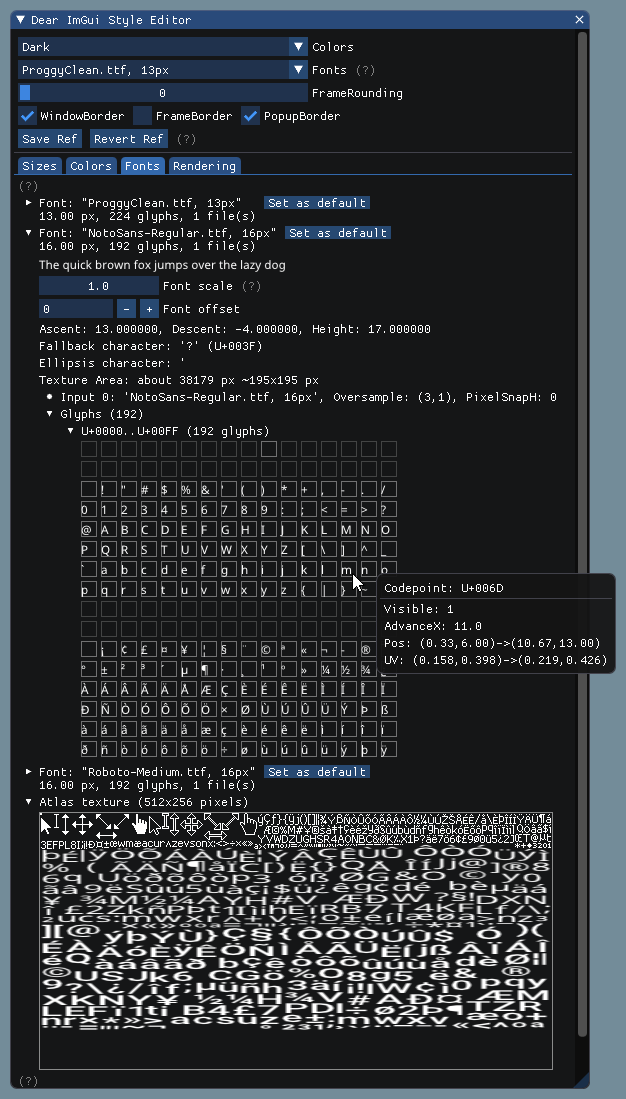
32 |
33 | - Make sure your font ranges data are persistent (available during the calls to `GetTexDataAsAlpha8()`/`GetTexDataAsRGBA32()/`Build()`.
34 |
35 | - Use C++11 u8"my text" syntax to encode literal strings as UTF-8. e.g.:
36 | ```cpp
37 | u8"hello"
38 | u8"こんにちは" // this will be encoded as UTF-8
39 | ```
40 |
41 | ##### [Return to Index](#index)
42 |
43 | ## How should I handle DPI in my application?
44 |
45 | See [FAQ entry](https://github.com/ocornut/imgui/blob/master/docs/FAQ.md#q-how-should-i-handle-dpi-in-my-application).
46 |
47 | ##### [Return to Index](#index)
48 |
49 |
50 | ## Font Loading Instructions
51 |
52 | **Load default font:**
53 | ```cpp
54 | ImGuiIO& io = ImGui::GetIO();
55 | io.Fonts->AddFontDefault();
56 | ```
57 |
58 |
59 | **Load .TTF/.OTF file with:**
60 | ```cpp
61 | ImGuiIO& io = ImGui::GetIO();
62 | io.Fonts->AddFontFromFileTTF("font.ttf", size_pixels);
63 | ```
64 | If you get an assert stating "Could not load font file!", your font filename is likely incorrect. Read "[About filenames](#about-filenames)" carefully.
65 |
66 |
67 | **Load multiple fonts:**
68 | ```cpp
69 | // Init
70 | ImGuiIO& io = ImGui::GetIO();
71 | ImFont* font1 = io.Fonts->AddFontFromFileTTF("font.ttf", size_pixels);
72 | ImFont* font2 = io.Fonts->AddFontFromFileTTF("anotherfont.otf", size_pixels);
73 | ```
74 | ```cpp
75 | // In application loop: select font at runtime
76 | ImGui::Text("Hello"); // use the default font (which is the first loaded font)
77 | ImGui::PushFont(font2);
78 | ImGui::Text("Hello with another font");
79 | ImGui::PopFont();
80 | ```
81 |
82 |
83 | **For advanced options create a ImFontConfig structure and pass it to the AddFont() function (it will be copied internally):**
84 | ```cpp
85 | ImFontConfig config;
86 | config.OversampleH = 2;
87 | config.OversampleV = 1;
88 | config.GlyphExtraSpacing.x = 1.0f;
89 | ImFont* font = io.Fonts->AddFontFromFileTTF("font.ttf", size_pixels, &config);
90 | ```
91 |
92 |
93 | **Combine multiple fonts into one:**
94 | ```cpp
95 | // Load a first font
96 | ImFont* font = io.Fonts->AddFontDefault();
97 |
98 | // Add character ranges and merge into the previous font
99 | // The ranges array is not copied by the AddFont* functions and is used lazily
100 | // so ensure it is available at the time of building or calling GetTexDataAsRGBA32().
101 | static const ImWchar icons_ranges[] = { 0xf000, 0xf3ff, 0 }; // Will not be copied by AddFont* so keep in scope.
102 | ImFontConfig config;
103 | config.MergeMode = true;
104 | io.Fonts->AddFontFromFileTTF("DroidSans.ttf", 18.0f, &config, io.Fonts->GetGlyphRangesJapanese()); // Merge into first font
105 | io.Fonts->AddFontFromFileTTF("fontawesome-webfont.ttf", 18.0f, &config, icons_ranges); // Merge into first font
106 | io.Fonts->Build();
107 | ```
108 |
109 | **Add a fourth parameter to bake specific font ranges only:**
110 |
111 | ```cpp
112 | // Basic Latin, Extended Latin
113 | io.Fonts->AddFontFromFileTTF("font.ttf", size_pixels, NULL, io.Fonts->GetGlyphRangesDefault());
114 |
115 | // Default + Selection of 2500 Ideographs used by Simplified Chinese
116 | io.Fonts->AddFontFromFileTTF("font.ttf", size_pixels, NULL, io.Fonts->GetGlyphRangesChineseSimplifiedCommon());
117 |
118 | // Default + Hiragana, Katakana, Half-Width, Selection of 1946 Ideographs
119 | io.Fonts->AddFontFromFileTTF("font.ttf", size_pixels, NULL, io.Fonts->GetGlyphRangesJapanese());
120 | ```
121 | See [Using Custom Glyph Ranges](#using-custom-glyph-ranges) section to create your own ranges.
122 |
123 |
124 | **Example loading and using a Japanese font:**
125 |
126 | ```cpp
127 | ImGuiIO& io = ImGui::GetIO();
128 | io.Fonts->AddFontFromFileTTF("NotoSansCJKjp-Medium.otf", 20.0f, NULL, io.Fonts->GetGlyphRangesJapanese());
129 | ```
130 | ```cpp
131 | ImGui::Text(u8"こんにちは!テスト %d", 123);
132 | if (ImGui::Button(u8"ロード"))
133 | {
134 | // do stuff
135 | }
136 | ImGui::InputText("string", buf, IM_ARRAYSIZE(buf));
137 | ImGui::SliderFloat("float", &f, 0.0f, 1.0f);
138 | ```
139 |
140 | 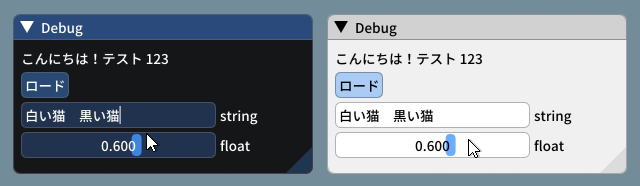
141 | _(settings: Dark style (left), Light style (right) / Font: NotoSansCJKjp-Medium, 20px / Rounding: 5)_
142 |
143 | **Font Atlas too large?**
144 |
145 | - If you have very large number of glyphs or multiple fonts, the texture may become too big for your graphics API. The typical result of failing to upload a texture is if every glyphs appears as white rectangles.
146 | - Mind the fact that some graphics drivers have texture size limitation. If you are building a PC application, mind the fact that your users may use hardware with lower limitations than yours.
147 |
148 | Some solutions:
149 |
150 | 1. Reduce glyphs ranges by calculating them from source localization data.
151 | You can use the `ImFontGlyphRangesBuilder` for this purpose and rebuilding your atlas between frames when new characters are needed. This will be the biggest win!
152 | 2. You may reduce oversampling, e.g. `font_config.OversampleH = 2`, this will largely reduce your texture size.
153 | Note that while OversampleH = 2 looks visibly very close to 3 in most situations, with OversampleH = 1 the quality drop will be noticeable.
154 | 3. Set `io.Fonts.TexDesiredWidth` to specify a texture width to minimize texture height (see comment in `ImFontAtlas::Build()` function).
155 | 4. Set `io.Fonts.Flags |= ImFontAtlasFlags_NoPowerOfTwoHeight;` to disable rounding the texture height to the next power of two.
156 | 5. Read about oversampling [here](https://github.com/nothings/stb/blob/master/tests/oversample).
157 | 6. To support the extended range of unicode beyond 0xFFFF (e.g. emoticons, dingbats, symbols, shapes, ancient languages, etc...) add `#define IMGUI_USE_WCHAR32`in your `imconfig.h`.
158 |
159 | ##### [Return to Index](#index)
160 |
161 | ## Using Icons
162 |
163 | Using an icon font (such as [FontAwesome](http://fontawesome.io) or [OpenFontIcons](https://github.com/traverseda/OpenFontIcons)) is an easy and practical way to use icons in your Dear ImGui application.
164 | A common pattern is to merge the icon font within your main font, so you can embed icons directly from your strings without having to change fonts back and forth.
165 |
166 | To refer to the icon UTF-8 codepoints from your C++ code, you may use those headers files created by Juliette Foucaut: https://github.com/juliettef/IconFontCppHeaders.
167 |
168 | So you can use `ICON_FA_SEARCH` as a string that will render as a "Search" icon.
169 |
170 | Example Setup:
171 | ```cpp
172 | // Merge icons into default tool font
173 | #include "IconsFontAwesome.h"
174 | ImGuiIO& io = ImGui::GetIO();
175 | io.Fonts->AddFontDefault();
176 |
177 | ImFontConfig config;
178 | config.MergeMode = true;
179 | config.GlyphMinAdvanceX = 13.0f; // Use if you want to make the icon monospaced
180 | static const ImWchar icon_ranges[] = { ICON_MIN_FA, ICON_MAX_FA, 0 };
181 | io.Fonts->AddFontFromFileTTF("fonts/fontawesome-webfont.ttf", 13.0f, &config, icon_ranges);
182 | ```
183 | Example Usage:
184 | ```cpp
185 | // Usage, e.g.
186 | ImGui::Text("%s among %d items", ICON_FA_SEARCH, count);
187 | ImGui::Button(ICON_FA_SEARCH " Search");
188 | // C string _literals_ can be concatenated at compilation time, e.g. "hello" " world"
189 | // ICON_FA_SEARCH is defined as a string literal so this is the same as "A" "B" becoming "AB"
190 | ```
191 | See Links below for other icons fonts and related tools.
192 |
193 | Here's an application using icons ("Avoyd", https://www.avoyd.com):
194 | 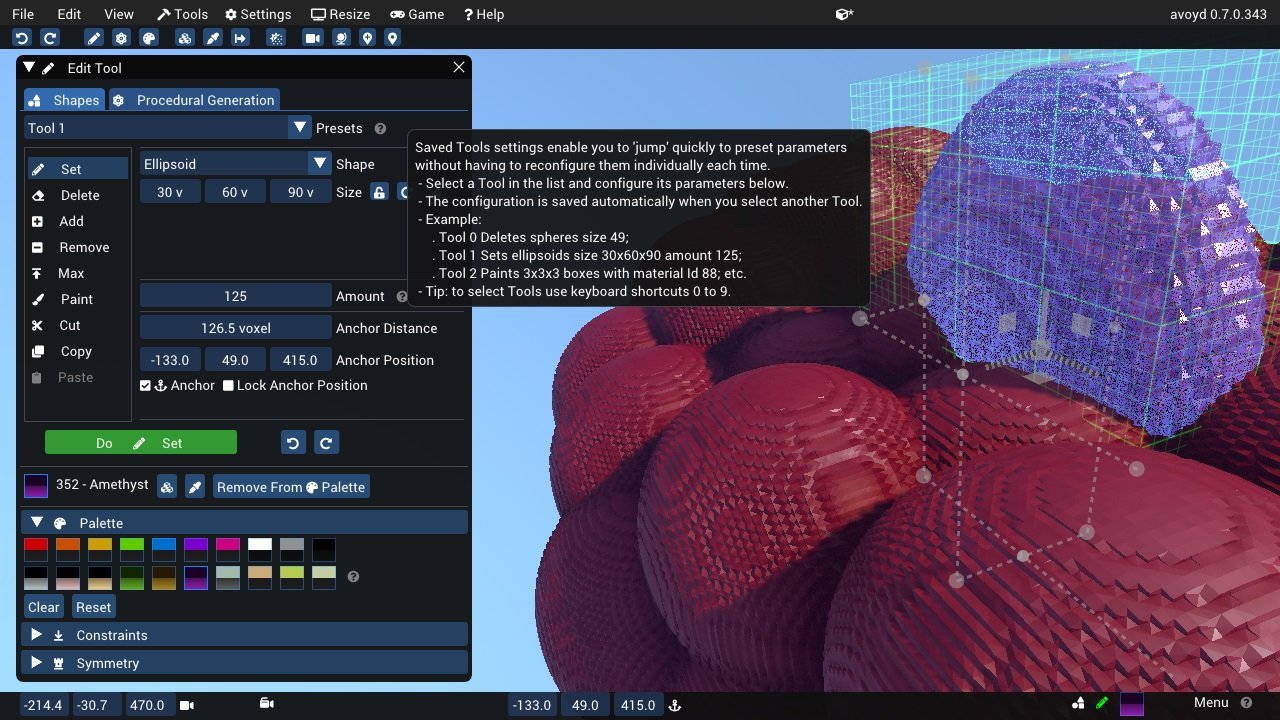
195 |
196 | ##### [Return to Index](#index)
197 |
198 | ## Using FreeType Rasterizer
199 |
200 | - Dear ImGui uses imstb\_truetype.h to rasterize fonts (with optional oversampling). This technique and its implementation are not ideal for fonts rendered at small sizes, which may appear a little blurry or hard to read.
201 | - There is an implementation of the ImFontAtlas builder using FreeType that you can use in the [misc/freetype/](https://github.com/ocornut/imgui/tree/master/misc/freetype) folder.
202 | - FreeType supports auto-hinting which tends to improve the readability of small fonts.
203 | - Read documentation in the [misc/freetype/](https://github.com/ocornut/imgui/tree/master/misc/freetype) folder.
204 | - Correct sRGB space blending will have an important effect on your font rendering quality.
205 |
206 | ##### [Return to Index](#index)
207 |
208 | ## Using Custom Glyph Ranges
209 |
210 | You can use the `ImFontGlyphRangesBuilder` helper to create glyph ranges based on text input. For example: for a game where your script is known, if you can feed your entire script to it and only build the characters the game needs.
211 | ```cpp
212 | ImVector ranges;
213 | ImFontGlyphRangesBuilder builder;
214 | builder.AddText("Hello world"); // Add a string (here "Hello world" contains 7 unique characters)
215 | builder.AddChar(0x7262); // Add a specific character
216 | builder.AddRanges(io.Fonts->GetGlyphRangesJapanese()); // Add one of the default ranges
217 | builder.BuildRanges(&ranges); // Build the final result (ordered ranges with all the unique characters submitted)
218 |
219 | io.Fonts->AddFontFromFileTTF("myfontfile.ttf", size_in_pixels, NULL, ranges.Data);
220 | io.Fonts->Build(); // Build the atlas while 'ranges' is still in scope and not deleted.
221 | ```
222 |
223 | ##### [Return to Index](#index)
224 |
225 | ## Using Custom Colorful Icons
226 |
227 | **(This is a BETA api, use if you are familiar with dear imgui and with your rendering backend)**
228 |
229 | - You can use the `ImFontAtlas::AddCustomRect()` and `ImFontAtlas::AddCustomRectFontGlyph()` api to register rectangles that will be packed into the font atlas texture. Register them before building the atlas, then call Build()`.
230 | - You can then use `ImFontAtlas::GetCustomRectByIndex(int)` to query the position/size of your rectangle within the texture, and blit/copy any graphics data of your choice into those rectangles.
231 | - This API is beta because it is likely to change in order to support multi-dpi (multiple viewports on multiple monitors with varying DPI scale).
232 |
233 | #### Pseudo-code:
234 | ```cpp
235 | // Add font, then register two custom 13x13 rectangles mapped to glyph 'a' and 'b' of this font
236 | ImFont* font = io.Fonts->AddFontDefault();
237 | int rect_ids[2];
238 | rect_ids[0] = io.Fonts->AddCustomRectFontGlyph(font, 'a', 13, 13, 13+1);
239 | rect_ids[1] = io.Fonts->AddCustomRectFontGlyph(font, 'b', 13, 13, 13+1);
240 |
241 | // Build atlas
242 | io.Fonts->Build();
243 |
244 | // Retrieve texture in RGBA format
245 | unsigned char* tex_pixels = NULL;
246 | int tex_width, tex_height;
247 | io.Fonts->GetTexDataAsRGBA32(&tex_pixels, &tex_width, &tex_height);
248 |
249 | for (int rect_n = 0; rect_n < IM_ARRAYSIZE(rect_ids); rect_n++)
250 | {
251 | int rect_id = rects_ids[rect_n];
252 | if (const ImFontAtlas::CustomRect* rect = io.Fonts->GetCustomRectByIndex(rect_id))
253 | {
254 | // Fill the custom rectangle with red pixels (in reality you would draw/copy your bitmap data here!)
255 | for (int y = 0; y < rect->Height; y++)
256 | {
257 | ImU32* p = (ImU32*)tex_pixels + (rect->Y + y) * tex_width + (rect->X);
258 | for (int x = rect->Width; x > 0; x--)
259 | *p++ = IM_COL32(255, 0, 0, 255);
260 | }
261 | }
262 | }
263 | ```
264 |
265 | ##### [Return to Index](#index)
266 |
267 | ## Using Font Data Embedded In Source Code
268 |
269 | - Compile and use [binary_to_compressed_c.cpp](https://github.com/ocornut/imgui/blob/master/misc/fonts/binary_to_compressed_c.cpp) to create a compressed C style array that you can embed in source code.
270 | - See the documentation in [binary_to_compressed_c.cpp](https://github.com/ocornut/imgui/blob/master/misc/fonts/binary_to_compressed_c.cpp) for instruction on how to use the tool.
271 | - You may find a precompiled version binary_to_compressed_c.exe for Windows instead of demo binaries package (see [README](https://github.com/ocornut/imgui/blob/master/docs/README.md)).
272 | - The tool can optionally output Base85 encoding to reduce the size of _source code_ but the read-only arrays in the actual binary will be about 20% bigger.
273 |
274 | Then load the font with:
275 | ```cpp
276 | ImFont* font = io.Fonts->AddFontFromMemoryCompressedTTF(compressed_data, compressed_data_size, size_pixels, ...);
277 | ```
278 | or
279 | ```cpp
280 | ImFont* font = io.Fonts->AddFontFromMemoryCompressedBase85TTF(compressed_data_base85, size_pixels, ...);
281 | ```
282 |
283 | ##### [Return to Index](#index)
284 |
285 | ## About filenames
286 |
287 | **Please note that many new C/C++ users have issues their files _because the filename they provide is wrong_.**
288 |
289 | Two things to watch for:
290 | - Make sure your IDE/debugger settings starts your executable from the right working directory. In Visual Studio you can change your working directory in project `Properties > General > Debugging > Working Directory`. People assume that their execution will start from the root folder of the project, where by default it oftens start from the folder where object or executable files are stored.
291 | ```cpp
292 | // Relative filename depends on your Working Directory when running your program!
293 | io.Fonts->AddFontFromFileTTF("MyImage01.jpg", ...);
294 |
295 | // Load from the parent folder of your Working Directory
296 | io.Fonts->AddFontFromFileTTF("../MyImage01.jpg", ...);
297 | ```
298 | - In C/C++ and most programming languages if you want to use a backslash `\` within a string literal, you need to write it double backslash `\\`. At it happens, Windows uses backslashes as a path separator, so be mindful.
299 | ```cpp
300 | io.Fonts->AddFontFromFileTTF("MyFiles\MyImage01.jpg", ...); // This is INCORRECT!!
301 | io.Fonts->AddFontFromFileTTF("MyFiles\\MyImage01.jpg", ...); // This is CORRECT
302 | ```
303 | In some situations, you may also use `/` path separator under Windows.
304 |
305 | ##### [Return to Index](#index)
306 |
307 | ## Credits/Licenses For Fonts Included In Repository
308 |
309 | Some fonts files are available in the `misc/fonts/` folder:
310 |
311 | **Roboto-Medium.ttf**, by Christian Robetson
312 | Apache License 2.0
313 | https://fonts.google.com/specimen/Roboto
314 |
315 | **Cousine-Regular.ttf**, by Steve Matteson
316 | Digitized data copyright (c) 2010 Google Corporation.
317 | Licensed under the SIL Open Font License, Version 1.1
318 | https://fonts.google.com/specimen/Cousine
319 |
320 | **DroidSans.ttf**, by Steve Matteson
321 | Apache License 2.0
322 | https://www.fontsquirrel.com/fonts/droid-sans
323 |
324 | **ProggyClean.ttf**, by Tristan Grimmer
325 | MIT License
326 | (recommended loading setting: Size = 13.0, GlyphOffset.y = +1)
327 | http://www.proggyfonts.net/
328 |
329 | **ProggyTiny.ttf**, by Tristan Grimmer
330 | MIT License
331 | (recommended loading setting: Size = 10.0, GlyphOffset.y = +1)
332 | http://www.proggyfonts.net/
333 |
334 | **Karla-Regular.ttf**, by Jonathan Pinhorn
335 | SIL OPEN FONT LICENSE Version 1.1
336 |
337 | ##### [Return to Index](#index)
338 |
339 | ## Font Links
340 |
341 | #### ICON FONTS
342 |
343 | - C/C++ header for icon fonts (#define with code points to use in source code string literals) https://github.com/juliettef/IconFontCppHeaders
344 | - FontAwesome https://fortawesome.github.io/Font-Awesome
345 | - OpenFontIcons https://github.com/traverseda/OpenFontIcons
346 | - Google Icon Fonts https://design.google.com/icons/
347 | - Kenney Icon Font (Game Controller Icons) https://github.com/nicodinh/kenney-icon-font
348 | - IcoMoon - Custom Icon font builder https://icomoon.io/app
349 |
350 | #### REGULAR FONTS
351 |
352 | - Google Noto Fonts (worldwide languages) https://www.google.com/get/noto/
353 | - Open Sans Fonts https://fonts.google.com/specimen/Open+Sans
354 | - (Japanese) M+ fonts by Coji Morishita http://mplus-fonts.sourceforge.jp/mplus-outline-fonts/index-en.html
355 |
356 | #### MONOSPACE FONTS
357 |
358 | Pixel Perfect:
359 | - Proggy Fonts, by Tristan Grimmer http://www.proggyfonts.net or http://upperbounds.net
360 | - Sweet16, Sweet16 Mono, by Martin Sedlak (Latin + Supplemental + Extended A) https://github.com/kmar/Sweet16Font (also include an .inl file to use directly in dear imgui.)
361 |
362 | Regular:
363 | - Google Noto Mono Fonts https://www.google.com/get/noto/
364 | - Typefaces for source code beautification https://github.com/chrissimpkins/codeface
365 | - Programmation fonts http://s9w.github.io/font_compare/
366 | - Inconsolata http://www.levien.com/type/myfonts/inconsolata.html
367 | - Adobe Source Code Pro: Monospaced font family for ui & coding environments https://github.com/adobe-fonts/source-code-pro
368 | - Monospace/Fixed Width Programmer's Fonts http://www.lowing.org/fonts/
369 |
370 | Or use Arial Unicode or other Unicode fonts provided with Windows for full characters coverage (not sure of their licensing).
371 |
372 | ##### [Return to Index](#index)
373 |
--------------------------------------------------------------------------------
/resources/styles/theme.css:
--------------------------------------------------------------------------------
1 | /* based off of dolphin theme (https://cdn.jsdelivr.net/npm/docsify@4.12.0/themes/dolphin.css) */
2 |
3 | @import url("https://fonts.googleapis.com/css?family=Thasadith:400,400i,700");
4 | * {
5 | -webkit-font-smoothing: antialiased;
6 | -webkit-overflow-scrolling: touch;
7 | -webkit-tap-highlight-color: rgba(0,0,0,0);
8 | -webkit-text-size-adjust: none;
9 | -webkit-touch-callout: none;
10 | box-sizing: border-box;
11 | }
12 | body:not(.ready) {
13 | overflow: hidden;
14 | }
15 | body:not(.ready) [data-cloak],
16 | body:not(.ready) .app-nav,
17 | body:not(.ready) > nav {
18 | display: none;
19 | }
20 | div#app {
21 | font-size: 30px;
22 | font-weight: lighter;
23 | margin: 40vh auto;
24 | text-align: center;
25 | }
26 | div#app:empty::before {
27 | content: 'Loading...';
28 | }
29 | .emoji {
30 | height: 1.2rem;
31 | vertical-align: middle;
32 | }
33 | .progress {
34 | background-color: var(--theme-color, rgb(0, 119, 255));
35 | height: 2px;
36 | left: 0px;
37 | position: fixed;
38 | right: 0px;
39 | top: 0px;
40 | transition: width 0.2s, opacity 0.4s;
41 | width: 0%;
42 | z-index: 999999;
43 | }
44 | .search a:hover {
45 | color: var(--theme-color, rgb(0, 119, 255));
46 | }
47 | .search .search-keyword {
48 | color: var(--theme-color, rgb(0, 119, 255));
49 | font-style: normal;
50 | font-weight: bold;
51 | }
52 | html,
53 | body {
54 | height: 100%;
55 | }
56 | body {
57 | -moz-osx-font-smoothing: grayscale;
58 | -webkit-font-smoothing: antialiased;
59 | color: #34495e;
60 | font-family: 'Source Sans Pro', 'Helvetica Neue', Arial, sans-serif;
61 | font-size: 15px;
62 | letter-spacing: 0;
63 | margin: 0;
64 | overflow-x: hidden;
65 | }
66 | img {
67 | max-width: 100%;
68 | }
69 | a[disabled] {
70 | cursor: not-allowed;
71 | opacity: 0.6;
72 | }
73 | kbd {
74 | border: solid 1px #ccc;
75 | border-radius: 3px;
76 | display: inline-block;
77 | font-size: 12px !important;
78 | line-height: 12px;
79 | margin-bottom: 3px;
80 | padding: 3px 5px;
81 | vertical-align: middle;
82 | }
83 | li input[type='checkbox'] {
84 | margin: 0 0.2em 0.25em 0;
85 | vertical-align: middle;
86 | }
87 | .app-nav {
88 | margin: 25px 60px 0 0;
89 | position: absolute;
90 | right: 0;
91 | text-align: right;
92 | z-index: 10;
93 | /* navbar dropdown */
94 | }
95 | .app-nav.no-badge {
96 | margin-right: 25px;
97 | }
98 | .app-nav p {
99 | margin: 0;
100 | }
101 | .app-nav > a {
102 | margin: 0 1rem;
103 | padding: 5px 0;
104 | }
105 | .app-nav ul,
106 | .app-nav li {
107 | display: inline-block;
108 | list-style: none;
109 | margin: 0;
110 | }
111 | .app-nav a {
112 | color: inherit;
113 | font-size: 16px;
114 | text-decoration: none;
115 | transition: color 0.3s;
116 | }
117 | .app-nav a:hover {
118 | color: var(--theme-color, rgb(0, 119, 255));
119 | }
120 | .app-nav a.active {
121 | border-bottom: 2px solid var(--theme-color, rgb(0, 119, 255));
122 | color: var(--theme-color, rgb(0, 119, 255));
123 | }
124 | .app-nav li {
125 | display: inline-block;
126 | margin: 0 1rem;
127 | padding: 5px 0;
128 | position: relative;
129 | cursor: pointer;
130 | }
131 | .app-nav li ul {
132 | background-color: #fff;
133 | border: 1px solid #ddd;
134 | border-bottom-color: #ccc;
135 | border-radius: 4px;
136 | box-sizing: border-box;
137 | display: none;
138 | max-height: calc(100vh - 61px);
139 | overflow-y: auto;
140 | padding: 10px 0;
141 | position: absolute;
142 | right: -15px;
143 | text-align: left;
144 | top: 100%;
145 | white-space: nowrap;
146 | }
147 | .app-nav li ul li {
148 | display: block;
149 | font-size: 14px;
150 | line-height: 1rem;
151 | margin: 0;
152 | margin: 8px 14px;
153 | white-space: nowrap;
154 | }
155 | .app-nav li ul a {
156 | display: block;
157 | font-size: inherit;
158 | margin: 0;
159 | padding: 0;
160 | }
161 | .app-nav li ul a.active {
162 | border-bottom: 0;
163 | }
164 | .app-nav li:hover ul {
165 | display: block;
166 | }
167 | .github-corner {
168 | border-bottom: 0;
169 | position: fixed;
170 | right: 0;
171 | text-decoration: none;
172 | top: 0;
173 | z-index: 1;
174 | }
175 | .github-corner:hover .octo-arm {
176 | -webkit-animation: octocat-wave 560ms ease-in-out;
177 | animation: octocat-wave 560ms ease-in-out;
178 | }
179 | .github-corner svg {
180 | color: #f0f0f0;
181 | fill: var(--theme-color, rgb(0, 119, 255));
182 | height: 80px;
183 | width: 80px;
184 | }
185 | main {
186 | display: block;
187 | position: relative;
188 | width: 100vw;
189 | height: 100%;
190 | z-index: 0;
191 | }
192 | main.hidden {
193 | display: none;
194 | }
195 | .anchor {
196 | display: inline-block;
197 | text-decoration: none;
198 | transition: all 0.3s;
199 | }
200 | .anchor span {
201 | color: #34495e;
202 | }
203 | .anchor:hover {
204 | text-decoration: underline;
205 | }
206 | .sidebar {
207 | border-right: 1px solid rgba(0,0,0,0.07);
208 | overflow-y: auto;
209 | padding: 40px 0 0;
210 | position: absolute;
211 | top: 0;
212 | bottom: 0;
213 | left: 0;
214 | transition: transform 250ms ease-out;
215 | width: 300px;
216 | z-index: 20;
217 | }
218 | .sidebar > h1 {
219 | margin: 0 auto 1rem;
220 | font-size: 1.5rem;
221 | font-weight: 300;
222 | text-align: center;
223 | }
224 | .sidebar > h1 a {
225 | color: inherit;
226 | text-decoration: none;
227 | }
228 | .sidebar > h1 .app-nav {
229 | display: block;
230 | position: static;
231 | }
232 | .sidebar .sidebar-nav {
233 | line-height: 2em;
234 | padding-bottom: 40px;
235 | }
236 | .sidebar li.collapse .app-sub-sidebar {
237 | display: none;
238 | }
239 | .sidebar ul {
240 | margin: 0 0 0 15px;
241 | padding: 0;
242 | }
243 | .sidebar li > p {
244 | font-weight: 700;
245 | margin: 0;
246 | }
247 | .sidebar ul,
248 | .sidebar ul li {
249 | list-style: none;
250 | }
251 | .sidebar ul li a {
252 | border-bottom: none;
253 | display: block;
254 | }
255 | .sidebar ul li ul {
256 | padding-left: 20px;
257 | }
258 | .sidebar::-webkit-scrollbar {
259 | width: 4px;
260 | }
261 | .sidebar::-webkit-scrollbar-thumb {
262 | background: transparent;
263 | border-radius: 4px;
264 | }
265 | .sidebar:hover::-webkit-scrollbar-thumb {
266 | background: rgba(136,136,136,0.4);
267 | }
268 | .sidebar:hover::-webkit-scrollbar-track {
269 | background: rgba(136,136,136,0.1);
270 | }
271 | .sidebar-toggle {
272 | background-color: transparent;
273 | border: 0;
274 | outline: none;
275 | padding: 10px;
276 | position: absolute;
277 | bottom: 0;
278 | left: 0;
279 | text-align: center;
280 | transition: opacity 0.3s;
281 | width: 284px;
282 | z-index: 30;
283 | cursor: pointer;
284 | }
285 | .sidebar-toggle:hover .sidebar-toggle-button {
286 | opacity: 0.4;
287 | }
288 | .sidebar-toggle span {
289 | background-color: var(--theme-color, rgb(0, 119, 255));
290 | display: block;
291 | margin-bottom: 4px;
292 | width: 16px;
293 | height: 2px;
294 | }
295 | body.sticky .sidebar,
296 | body.sticky .sidebar-toggle {
297 | position: fixed;
298 | }
299 | .content {
300 | padding-top: 60px;
301 | position: absolute;
302 | top: 0;
303 | right: 0;
304 | bottom: 0;
305 | left: 300px;
306 | transition: left 250ms ease;
307 | }
308 | .markdown-section {
309 | margin: 0 auto;
310 | max-width: 80%;
311 | padding: 30px 15px 40px 15px;
312 | position: relative;
313 | }
314 | .markdown-section > * {
315 | box-sizing: border-box;
316 | font-size: inherit;
317 | }
318 | .markdown-section > :first-child {
319 | margin-top: 0 !important;
320 | }
321 | .markdown-section hr {
322 | border: none;
323 | border-bottom: 1px solid #eee;
324 | margin: 2em 0;
325 | }
326 | .markdown-section iframe {
327 | border: 1px solid #eee;
328 | /* fix horizontal overflow on iOS Safari */
329 | width: 1px;
330 | min-width: 100%;
331 | }
332 | .markdown-section table {
333 | border-collapse: collapse;
334 | border-spacing: 0;
335 | display: block;
336 | margin-bottom: 1rem;
337 | overflow: auto;
338 | width: 100%;
339 | }
340 | .markdown-section th {
341 | border: 1px solid #ddd;
342 | font-weight: bold;
343 | padding: 6px 13px;
344 | }
345 | .markdown-section td {
346 | border: 1px solid #ddd;
347 | padding: 6px 13px;
348 | }
349 | .markdown-section tr {
350 | border-top: 1px solid #ccc;
351 | }
352 | .markdown-section tr:nth-child(2n) {
353 | background-color: #f8f8f8;
354 | }
355 | .markdown-section p.tip {
356 | background-color: #f8f8f8;
357 | border-bottom-right-radius: 2px;
358 | border-left: 4px solid #f66;
359 | border-top-right-radius: 2px;
360 | margin: 2em 0;
361 | padding: 12px 24px 12px 30px;
362 | position: relative;
363 | }
364 | .markdown-section p.tip:before {
365 | background-color: #f66;
366 | border-radius: 100%;
367 | color: #f0f0f0;
368 | content: '!';
369 | font-family: 'Dosis', 'Source Sans Pro', 'Helvetica Neue', Arial, sans-serif;
370 | font-size: 14px;
371 | font-weight: bold;
372 | left: -12px;
373 | line-height: 20px;
374 | position: absolute;
375 | height: 20px;
376 | width: 20px;
377 | text-align: center;
378 | top: 14px;
379 | }
380 | .markdown-section p.tip code {
381 | background-color: #efefef;
382 | }
383 | .markdown-section p.tip em {
384 | color: #34495e;
385 | }
386 | .markdown-section p.warn {
387 | background: rgba(0,255,255,0.1);
388 | border-radius: 2px;
389 | padding: 1rem;
390 | }
391 | .markdown-section ul.task-list > li {
392 | list-style-type: none;
393 | }
394 | body.close .sidebar {
395 | transform: translateX(-300px);
396 | }
397 | body.close .sidebar-toggle {
398 | width: auto;
399 | }
400 | body.close .content {
401 | left: 0;
402 | }
403 | @media print {
404 | .github-corner,
405 | .sidebar-toggle,
406 | .sidebar,
407 | .app-nav {
408 | display: none;
409 | }
410 | }
411 | @media screen and (max-width: 768px) {
412 | .github-corner,
413 | .sidebar-toggle,
414 | .sidebar {
415 | position: fixed;
416 | }
417 | .app-nav {
418 | margin-top: 16px;
419 | }
420 | .app-nav li ul {
421 | top: 30px;
422 | }
423 | main {
424 | height: auto;
425 | overflow-x: hidden;
426 | }
427 | .sidebar {
428 | left: -300px;
429 | transition: transform 250ms ease-out;
430 | }
431 | .content {
432 | left: 0;
433 | max-width: 100vw;
434 | position: static;
435 | padding-top: 20px;
436 | transition: transform 250ms ease;
437 | }
438 | .app-nav,
439 | .github-corner {
440 | transition: transform 250ms ease-out;
441 | }
442 | .sidebar-toggle {
443 | background-color: transparent;
444 | width: auto;
445 | padding: 30px 30px 10px 10px;
446 | }
447 | body.close .sidebar {
448 | transform: translateX(300px);
449 | }
450 | body.close .sidebar-toggle {
451 | background-color: rgb(255, 255, 255);
452 | transition: 1s background-color;
453 | width: 284px;
454 | padding: 10px;
455 | }
456 | body.close .content {
457 | transform: translateX(300px);
458 | }
459 | body.close .app-nav,
460 | body.close .github-corner {
461 | display: none;
462 | }
463 | .github-corner:hover .octo-arm {
464 | -webkit-animation: none;
465 | animation: none;
466 | }
467 | .github-corner .octo-arm {
468 | -webkit-animation: octocat-wave 560ms ease-in-out;
469 | animation: octocat-wave 560ms ease-in-out;
470 | }
471 | }
472 | @-webkit-keyframes octocat-wave {
473 | 0%, 100% {
474 | transform: rotate(0);
475 | }
476 | 20%, 60% {
477 | transform: rotate(-25deg);
478 | }
479 | 40%, 80% {
480 | transform: rotate(10deg);
481 | }
482 | }
483 | @keyframes octocat-wave {
484 | 0%, 100% {
485 | transform: rotate(0);
486 | }
487 | 20%, 60% {
488 | transform: rotate(-25deg);
489 | }
490 | 40%, 80% {
491 | transform: rotate(10deg);
492 | }
493 | }
494 | section.cover {
495 | align-items: center;
496 | background-position: center center;
497 | background-repeat: no-repeat;
498 | background-size: cover;
499 | height: 100vh;
500 | width: 100vw;
501 | display: none;
502 | }
503 | section.cover.show {
504 | display: flex;
505 | }
506 | section.cover.has-mask .mask {
507 | background-color: #ffffff;
508 | opacity: 0.8;
509 | position: absolute;
510 | top: 0;
511 | height: 100%;
512 | width: 100%;
513 | }
514 | section.cover .cover-main {
515 | flex: 1;
516 | margin: -20px 16px 0;
517 | text-align: center;
518 | position: relative;
519 | }
520 | section.cover a {
521 | color: inherit;
522 | text-decoration: none;
523 | }
524 | section.cover a:hover {
525 | text-decoration: none;
526 | }
527 | section.cover p {
528 | line-height: 1.5rem;
529 | margin: 1em 0;
530 | }
531 | section.cover h1 {
532 | color: inherit;
533 | font-size: 2.5rem;
534 | font-weight: 300;
535 | margin: 0.625rem 0 2.5rem;
536 | position: relative;
537 | text-align: center;
538 | }
539 | section.cover h1 a {
540 | display: block;
541 | }
542 | section.cover h1 small {
543 | bottom: -0.4375rem;
544 | font-size: 1rem;
545 | position: absolute;
546 | }
547 | section.cover blockquote {
548 | font-size: 1.5rem;
549 | text-align: center;
550 | }
551 | section.cover ul {
552 | line-height: 1.8;
553 | list-style-type: none;
554 | margin: 1em auto;
555 | max-width: 500px;
556 | padding: 0;
557 | }
558 | section.cover .cover-main > p:last-child a {
559 | border-color: var(--theme-color, rgb(0, 119, 255));
560 | border-radius: 2rem;
561 | border-style: solid;
562 | border-width: 1px;
563 | box-sizing: border-box;
564 | color: var(--theme-color, rgb(0, 119, 255));
565 | display: inline-block;
566 | font-size: 1.05rem;
567 | letter-spacing: 0.1rem;
568 | margin: 0.5rem 1rem;
569 | padding: 0.75em 2rem;
570 | text-decoration: none;
571 | transition: all 0.15s ease;
572 | }
573 | section.cover .cover-main > p:last-child a:last-child {
574 | background-color: var(--theme-color, rgb(0, 119, 255));
575 | color: #fff;
576 | }
577 | section.cover .cover-main > p:last-child a:last-child:hover {
578 | color: inherit;
579 | opacity: 0.8;
580 | }
581 | section.cover .cover-main > p:last-child a:hover {
582 | color: inherit;
583 | }
584 | section.cover blockquote > p > a {
585 | border-bottom: 2px solid var(--theme-color, rgb(0, 119, 255));
586 | transition: color 0.3s;
587 | }
588 | section.cover blockquote > p > a:hover {
589 | color: var(--theme-color, rgb(0, 119, 255));
590 | }
591 | body {
592 | background-color: #fff;
593 | }
594 | /* sidebar */
595 | .sidebar {
596 | background-color: #fff;
597 | color: #364149;
598 | }
599 | .sidebar li {
600 | margin: 6px 0 6px 0;
601 | }
602 | .sidebar ul li a {
603 | color: #505d6b;
604 | font-size: 14px;
605 | font-weight: normal;
606 | overflow: hidden;
607 | text-decoration: none;
608 | text-overflow: ellipsis;
609 | white-space: nowrap;
610 | }
611 | .sidebar ul li a:hover {
612 | text-decoration: underline;
613 | }
614 | .sidebar ul li ul {
615 | padding: 0;
616 | }
617 | .sidebar ul li.active > a {
618 | border-right: 2px solid;
619 | color: var(--theme-color, rgb(0, 119, 255));
620 | font-weight: 600;
621 | }
622 | .app-sub-sidebar li::before {
623 | content: '-';
624 | padding-right: 4px;
625 | float: left;
626 | }
627 | /* markdown content found on pages */
628 | .markdown-section h1,
629 | .markdown-section h2,
630 | .markdown-section h3,
631 | .markdown-section h4,
632 | .markdown-section strong {
633 | color: #2c3e50;
634 | font-weight: 600;
635 | }
636 | .markdown-section a {
637 | color: var(--theme-color, rgb(0, 119, 255));
638 | font-weight: 600;
639 | }
640 | .markdown-section a:hover {
641 | text-decoration: underline;
642 | }
643 | .markdown-section h1 {
644 | font-size: 2rem;
645 | margin: 0 0 1rem;
646 | }
647 | .markdown-section h2 {
648 | font-size: 1.75rem;
649 | margin: 45px 0 0.8rem;
650 | }
651 | .markdown-section h3 {
652 | font-size: 1.5rem;
653 | margin: 40px 0 0.6rem;
654 | }
655 | .markdown-section h4 {
656 | font-size: 1.25rem;
657 | }
658 | .markdown-section h5 {
659 | font-size: 1rem;
660 | }
661 | .markdown-section h6 {
662 | color: #777;
663 | font-size: 1rem;
664 | }
665 | .markdown-section figure,
666 | .markdown-section p {
667 | margin: 1.2em 0;
668 | }
669 | .markdown-section p,
670 | .markdown-section ul,
671 | .markdown-section ol {
672 | line-height: 1.6rem;
673 | word-spacing: 0.05rem;
674 | }
675 | .markdown-section ul,
676 | .markdown-section ol {
677 | padding-left: 1.5rem;
678 | }
679 | .markdown-section blockquote {
680 | border-left: 4px solid var(--theme-color, rgb(0, 119, 255));
681 | color: #858585;
682 | margin: 2em 0;
683 | padding-left: 20px;
684 | }
685 | .markdown-section blockquote p {
686 | font-weight: 600;
687 | margin-left: 0;
688 | }
689 | .markdown-section iframe {
690 | margin: 1em 0;
691 | }
692 | .markdown-section em {
693 | color: #7f8c8d;
694 | }
695 | .markdown-section code {
696 | background-color: #f8f8f8;
697 | border-radius: 2px;
698 | color: #e96900;
699 | font-family: 'Roboto Mono', Monaco, courier, monospace;
700 | margin: 0 2px;
701 | padding: 3px 5px;
702 | white-space: pre-wrap;
703 | }
704 | .markdown-section > :not(h1):not(h2):not(h3):not(h4):not(h5):not(h6) code {
705 | font-size: 0.8rem;
706 | }
707 | .markdown-section pre {
708 | -moz-osx-font-smoothing: initial;
709 | -webkit-font-smoothing: initial;
710 | background-color: #f8f8f8;
711 | font-family: 'Roboto Mono', Monaco, courier, monospace;
712 | line-height: 1.5rem;
713 | margin: 1.2em 0;
714 | overflow: auto;
715 | padding: 0 1.4rem;
716 | position: relative;
717 | word-wrap: normal;
718 | }
719 | /* code highlight */
720 | .token.comment,
721 | .token.prolog,
722 | .token.doctype,
723 | .token.cdata {
724 | color: #8e908c;
725 | }
726 | .token.namespace {
727 | opacity: 0.7;
728 | }
729 | .token.boolean,
730 | .token.number {
731 | color: #c76b29;
732 | }
733 | .token.punctuation {
734 | color: #525252;
735 | }
736 | .token.property {
737 | color: #c08b30;
738 | }
739 | .token.tag {
740 | color: #2973b7;
741 | }
742 | .token.string {
743 | color: var(--theme-color, rgb(0, 119, 255));
744 | }
745 | .token.selector {
746 | color: #6679cc;
747 | }
748 | .token.attr-name {
749 | color: #2973b7;
750 | }
751 | .token.entity,
752 | .token.url,
753 | .language-css .token.string,
754 | .style .token.string {
755 | color: #22a2c9;
756 | }
757 | .token.attr-value,
758 | .token.control,
759 | .token.directive,
760 | .token.unit {
761 | color: var(--theme-color, rgb(0, 119, 255));
762 | }
763 | .token.keyword,
764 | .token.function {
765 | color: #e96900;
766 | }
767 | .token.statement,
768 | .token.regex,
769 | .token.atrule {
770 | color: #22a2c9;
771 | }
772 | .token.placeholder,
773 | .token.variable {
774 | color: #3d8fd1;
775 | }
776 | .token.deleted {
777 | text-decoration: line-through;
778 | }
779 | .token.inserted {
780 | border-bottom: 1px dotted #202746;
781 | text-decoration: none;
782 | }
783 | .token.italic {
784 | font-style: italic;
785 | }
786 | .token.important,
787 | .token.bold {
788 | font-weight: bold;
789 | }
790 | .token.important {
791 | color: #c94922;
792 | }
793 | .token.entity {
794 | cursor: help;
795 | }
796 | .markdown-section pre > code {
797 | -moz-osx-font-smoothing: initial;
798 | -webkit-font-smoothing: initial;
799 | background-color: #f8f8f8;
800 | border-radius: 2px;
801 | color: #525252;
802 | display: block;
803 | font-family: 'Roboto Mono', Monaco, courier, monospace;
804 | font-size: 0.8rem;
805 | line-height: inherit;
806 | margin: 0 2px;
807 | max-width: inherit;
808 | overflow: inherit;
809 | padding: 2.2em 5px;
810 | white-space: inherit;
811 | }
812 | .markdown-section code::after,
813 | .markdown-section code::before {
814 | letter-spacing: 0.05rem;
815 | }
816 | code .token {
817 | -moz-osx-font-smoothing: initial;
818 | -webkit-font-smoothing: initial;
819 | min-height: 1.5rem;
820 | position: relative;
821 | left: auto;
822 | }
823 | pre::after {
824 | color: #ccc;
825 | content: attr(data-lang);
826 | font-size: 0.6rem;
827 | font-weight: 600;
828 | height: 15px;
829 | line-height: 15px;
830 | padding: 5px 10px 0;
831 | position: absolute;
832 | right: 0;
833 | text-align: right;
834 | top: 0;
835 | }
--------------------------------------------------------------------------------
/docs/1.81/resources/styles/theme.css:
--------------------------------------------------------------------------------
1 | /* based off of dolphin theme (https://cdn.jsdelivr.net/npm/docsify@4.12.0/themes/dolphin.css) */
2 |
3 | @import url("https://fonts.googleapis.com/css?family=Thasadith:400,400i,700");
4 | * {
5 | -webkit-font-smoothing: antialiased;
6 | -webkit-overflow-scrolling: touch;
7 | -webkit-tap-highlight-color: rgba(0,0,0,0);
8 | -webkit-text-size-adjust: none;
9 | -webkit-touch-callout: none;
10 | box-sizing: border-box;
11 | }
12 | body:not(.ready) {
13 | overflow: hidden;
14 | }
15 | body:not(.ready) [data-cloak],
16 | body:not(.ready) .app-nav,
17 | body:not(.ready) > nav {
18 | display: none;
19 | }
20 | div#app {
21 | font-size: 30px;
22 | font-weight: lighter;
23 | margin: 40vh auto;
24 | text-align: center;
25 | }
26 | div#app:empty::before {
27 | content: 'Loading...';
28 | }
29 | .emoji {
30 | height: 1.2rem;
31 | vertical-align: middle;
32 | }
33 | .progress {
34 | background-color: var(--theme-color, rgb(0, 119, 255));
35 | height: 2px;
36 | left: 0px;
37 | position: fixed;
38 | right: 0px;
39 | top: 0px;
40 | transition: width 0.2s, opacity 0.4s;
41 | width: 0%;
42 | z-index: 999999;
43 | }
44 | .search a:hover {
45 | color: var(--theme-color, rgb(0, 119, 255));
46 | }
47 | .search .search-keyword {
48 | color: var(--theme-color, rgb(0, 119, 255));
49 | font-style: normal;
50 | font-weight: bold;
51 | }
52 | html,
53 | body {
54 | height: 100%;
55 | }
56 | body {
57 | -moz-osx-font-smoothing: grayscale;
58 | -webkit-font-smoothing: antialiased;
59 | color: #34495e;
60 | font-family: 'Source Sans Pro', 'Helvetica Neue', Arial, sans-serif;
61 | font-size: 15px;
62 | letter-spacing: 0;
63 | margin: 0;
64 | overflow-x: hidden;
65 | }
66 | img {
67 | max-width: 100%;
68 | }
69 | a[disabled] {
70 | cursor: not-allowed;
71 | opacity: 0.6;
72 | }
73 | kbd {
74 | border: solid 1px #ccc;
75 | border-radius: 3px;
76 | display: inline-block;
77 | font-size: 12px !important;
78 | line-height: 12px;
79 | margin-bottom: 3px;
80 | padding: 3px 5px;
81 | vertical-align: middle;
82 | }
83 | li input[type='checkbox'] {
84 | margin: 0 0.2em 0.25em 0;
85 | vertical-align: middle;
86 | }
87 | .app-nav {
88 | margin: 25px 60px 0 0;
89 | position: absolute;
90 | right: 0;
91 | text-align: right;
92 | z-index: 10;
93 | /* navbar dropdown */
94 | }
95 | .app-nav.no-badge {
96 | margin-right: 25px;
97 | }
98 | .app-nav p {
99 | margin: 0;
100 | }
101 | .app-nav > a {
102 | margin: 0 1rem;
103 | padding: 5px 0;
104 | }
105 | .app-nav ul,
106 | .app-nav li {
107 | display: inline-block;
108 | list-style: none;
109 | margin: 0;
110 | }
111 | .app-nav a {
112 | color: inherit;
113 | font-size: 16px;
114 | text-decoration: none;
115 | transition: color 0.3s;
116 | }
117 | .app-nav a:hover {
118 | color: var(--theme-color, rgb(0, 119, 255));
119 | }
120 | .app-nav a.active {
121 | border-bottom: 2px solid var(--theme-color, rgb(0, 119, 255));
122 | color: var(--theme-color, rgb(0, 119, 255));
123 | }
124 | .app-nav li {
125 | display: inline-block;
126 | margin: 0 1rem;
127 | padding: 5px 0;
128 | position: relative;
129 | cursor: pointer;
130 | }
131 | .app-nav li ul {
132 | background-color: #fff;
133 | border: 1px solid #ddd;
134 | border-bottom-color: #ccc;
135 | border-radius: 4px;
136 | box-sizing: border-box;
137 | display: none;
138 | max-height: calc(100vh - 61px);
139 | overflow-y: auto;
140 | padding: 10px 0;
141 | position: absolute;
142 | right: -15px;
143 | text-align: left;
144 | top: 100%;
145 | white-space: nowrap;
146 | }
147 | .app-nav li ul li {
148 | display: block;
149 | font-size: 14px;
150 | line-height: 1rem;
151 | margin: 0;
152 | margin: 8px 14px;
153 | white-space: nowrap;
154 | }
155 | .app-nav li ul a {
156 | display: block;
157 | font-size: inherit;
158 | margin: 0;
159 | padding: 0;
160 | }
161 | .app-nav li ul a.active {
162 | border-bottom: 0;
163 | }
164 | .app-nav li:hover ul {
165 | display: block;
166 | }
167 | .github-corner {
168 | border-bottom: 0;
169 | position: fixed;
170 | right: 0;
171 | text-decoration: none;
172 | top: 0;
173 | z-index: 1;
174 | }
175 | .github-corner:hover .octo-arm {
176 | -webkit-animation: octocat-wave 560ms ease-in-out;
177 | animation: octocat-wave 560ms ease-in-out;
178 | }
179 | .github-corner svg {
180 | color: #f0f0f0;
181 | fill: var(--theme-color, rgb(0, 119, 255));
182 | height: 80px;
183 | width: 80px;
184 | }
185 | main {
186 | display: block;
187 | position: relative;
188 | width: 100vw;
189 | height: 100%;
190 | z-index: 0;
191 | }
192 | main.hidden {
193 | display: none;
194 | }
195 | .anchor {
196 | display: inline-block;
197 | text-decoration: none;
198 | transition: all 0.3s;
199 | }
200 | .anchor span {
201 | color: #34495e;
202 | }
203 | .anchor:hover {
204 | text-decoration: underline;
205 | }
206 | .sidebar {
207 | border-right: 1px solid rgba(0,0,0,0.07);
208 | overflow-y: auto;
209 | padding: 40px 0 0;
210 | position: absolute;
211 | top: 0;
212 | bottom: 0;
213 | left: 0;
214 | transition: transform 250ms ease-out;
215 | width: 300px;
216 | z-index: 20;
217 | }
218 | .sidebar > h1 {
219 | margin: 0 auto 1rem;
220 | font-size: 1.5rem;
221 | font-weight: 300;
222 | text-align: center;
223 | }
224 | .sidebar > h1 a {
225 | color: inherit;
226 | text-decoration: none;
227 | }
228 | .sidebar > h1 .app-nav {
229 | display: block;
230 | position: static;
231 | }
232 | .sidebar .sidebar-nav {
233 | line-height: 2em;
234 | padding-bottom: 40px;
235 | }
236 | .sidebar li.collapse .app-sub-sidebar {
237 | display: none;
238 | }
239 | .sidebar ul {
240 | margin: 0 0 0 15px;
241 | padding: 0;
242 | }
243 | .sidebar li > p {
244 | font-weight: 700;
245 | margin: 0;
246 | }
247 | .sidebar ul,
248 | .sidebar ul li {
249 | list-style: none;
250 | }
251 | .sidebar ul li a {
252 | border-bottom: none;
253 | display: block;
254 | }
255 | .sidebar ul li ul {
256 | padding-left: 20px;
257 | }
258 | .sidebar::-webkit-scrollbar {
259 | width: 4px;
260 | }
261 | .sidebar::-webkit-scrollbar-thumb {
262 | background: transparent;
263 | border-radius: 4px;
264 | }
265 | .sidebar:hover::-webkit-scrollbar-thumb {
266 | background: rgba(136,136,136,0.4);
267 | }
268 | .sidebar:hover::-webkit-scrollbar-track {
269 | background: rgba(136,136,136,0.1);
270 | }
271 | .sidebar-toggle {
272 | background-color: transparent;
273 | border: 0;
274 | outline: none;
275 | padding: 10px;
276 | position: absolute;
277 | bottom: 0;
278 | left: 0;
279 | text-align: center;
280 | transition: opacity 0.3s;
281 | width: 284px;
282 | z-index: 30;
283 | cursor: pointer;
284 | }
285 | .sidebar-toggle:hover .sidebar-toggle-button {
286 | opacity: 0.4;
287 | }
288 | .sidebar-toggle span {
289 | background-color: var(--theme-color, rgb(0, 119, 255));
290 | display: block;
291 | margin-bottom: 4px;
292 | width: 16px;
293 | height: 2px;
294 | }
295 | body.sticky .sidebar,
296 | body.sticky .sidebar-toggle {
297 | position: fixed;
298 | }
299 | .content {
300 | padding-top: 60px;
301 | position: absolute;
302 | top: 0;
303 | right: 0;
304 | bottom: 0;
305 | left: 300px;
306 | transition: left 250ms ease;
307 | }
308 | .markdown-section {
309 | margin: 0 auto;
310 | max-width: 80%;
311 | padding: 30px 15px 40px 15px;
312 | position: relative;
313 | }
314 | .markdown-section > * {
315 | box-sizing: border-box;
316 | font-size: inherit;
317 | }
318 | .markdown-section > :first-child {
319 | margin-top: 0 !important;
320 | }
321 | .markdown-section hr {
322 | border: none;
323 | border-bottom: 1px solid #eee;
324 | margin: 2em 0;
325 | }
326 | .markdown-section iframe {
327 | border: 1px solid #eee;
328 | /* fix horizontal overflow on iOS Safari */
329 | width: 1px;
330 | min-width: 100%;
331 | }
332 | .markdown-section table {
333 | border-collapse: collapse;
334 | border-spacing: 0;
335 | display: block;
336 | margin-bottom: 1rem;
337 | overflow: auto;
338 | width: 100%;
339 | }
340 | .markdown-section th {
341 | border: 1px solid #ddd;
342 | font-weight: bold;
343 | padding: 6px 13px;
344 | }
345 | .markdown-section td {
346 | border: 1px solid #ddd;
347 | padding: 6px 13px;
348 | }
349 | .markdown-section tr {
350 | border-top: 1px solid #ccc;
351 | }
352 | .markdown-section tr:nth-child(2n) {
353 | background-color: #f8f8f8;
354 | }
355 | .markdown-section p.tip {
356 | background-color: #f8f8f8;
357 | border-bottom-right-radius: 2px;
358 | border-left: 4px solid #f66;
359 | border-top-right-radius: 2px;
360 | margin: 2em 0;
361 | padding: 12px 24px 12px 30px;
362 | position: relative;
363 | }
364 | .markdown-section p.tip:before {
365 | background-color: #f66;
366 | border-radius: 100%;
367 | color: #f0f0f0;
368 | content: '!';
369 | font-family: 'Dosis', 'Source Sans Pro', 'Helvetica Neue', Arial, sans-serif;
370 | font-size: 14px;
371 | font-weight: bold;
372 | left: -12px;
373 | line-height: 20px;
374 | position: absolute;
375 | height: 20px;
376 | width: 20px;
377 | text-align: center;
378 | top: 14px;
379 | }
380 | .markdown-section p.tip code {
381 | background-color: #efefef;
382 | }
383 | .markdown-section p.tip em {
384 | color: #34495e;
385 | }
386 | .markdown-section p.warn {
387 | background: rgba(0,255,255,0.1);
388 | border-radius: 2px;
389 | padding: 1rem;
390 | }
391 | .markdown-section ul.task-list > li {
392 | list-style-type: none;
393 | }
394 | body.close .sidebar {
395 | transform: translateX(-300px);
396 | }
397 | body.close .sidebar-toggle {
398 | width: auto;
399 | }
400 | body.close .content {
401 | left: 0;
402 | }
403 | @media print {
404 | .github-corner,
405 | .sidebar-toggle,
406 | .sidebar,
407 | .app-nav {
408 | display: none;
409 | }
410 | }
411 | @media screen and (max-width: 768px) {
412 | .github-corner,
413 | .sidebar-toggle,
414 | .sidebar {
415 | position: fixed;
416 | }
417 | .app-nav {
418 | margin-top: 16px;
419 | }
420 | .app-nav li ul {
421 | top: 30px;
422 | }
423 | main {
424 | height: auto;
425 | overflow-x: hidden;
426 | }
427 | .sidebar {
428 | left: -300px;
429 | transition: transform 250ms ease-out;
430 | }
431 | .content {
432 | left: 0;
433 | max-width: 100vw;
434 | position: static;
435 | padding-top: 20px;
436 | transition: transform 250ms ease;
437 | }
438 | .app-nav,
439 | .github-corner {
440 | transition: transform 250ms ease-out;
441 | }
442 | .sidebar-toggle {
443 | background-color: transparent;
444 | width: auto;
445 | padding: 30px 30px 10px 10px;
446 | }
447 | body.close .sidebar {
448 | transform: translateX(300px);
449 | }
450 | body.close .sidebar-toggle {
451 | background-color: rgb(255, 255, 255);
452 | transition: 1s background-color;
453 | width: 284px;
454 | padding: 10px;
455 | }
456 | body.close .content {
457 | transform: translateX(300px);
458 | }
459 | body.close .app-nav,
460 | body.close .github-corner {
461 | display: none;
462 | }
463 | .github-corner:hover .octo-arm {
464 | -webkit-animation: none;
465 | animation: none;
466 | }
467 | .github-corner .octo-arm {
468 | -webkit-animation: octocat-wave 560ms ease-in-out;
469 | animation: octocat-wave 560ms ease-in-out;
470 | }
471 | }
472 | @-webkit-keyframes octocat-wave {
473 | 0%, 100% {
474 | transform: rotate(0);
475 | }
476 | 20%, 60% {
477 | transform: rotate(-25deg);
478 | }
479 | 40%, 80% {
480 | transform: rotate(10deg);
481 | }
482 | }
483 | @keyframes octocat-wave {
484 | 0%, 100% {
485 | transform: rotate(0);
486 | }
487 | 20%, 60% {
488 | transform: rotate(-25deg);
489 | }
490 | 40%, 80% {
491 | transform: rotate(10deg);
492 | }
493 | }
494 | section.cover {
495 | align-items: center;
496 | background-position: center center;
497 | background-repeat: no-repeat;
498 | background-size: cover;
499 | height: 100vh;
500 | width: 100vw;
501 | display: none;
502 | }
503 | section.cover.show {
504 | display: flex;
505 | }
506 | section.cover.has-mask .mask {
507 | background-color: #ffffff;
508 | opacity: 0.8;
509 | position: absolute;
510 | top: 0;
511 | height: 100%;
512 | width: 100%;
513 | }
514 | section.cover .cover-main {
515 | flex: 1;
516 | margin: -20px 16px 0;
517 | text-align: center;
518 | position: relative;
519 | }
520 | section.cover a {
521 | color: inherit;
522 | text-decoration: none;
523 | }
524 | section.cover a:hover {
525 | text-decoration: none;
526 | }
527 | section.cover p {
528 | line-height: 1.5rem;
529 | margin: 1em 0;
530 | }
531 | section.cover h1 {
532 | color: inherit;
533 | font-size: 2.5rem;
534 | font-weight: 300;
535 | margin: 0.625rem 0 2.5rem;
536 | position: relative;
537 | text-align: center;
538 | }
539 | section.cover h1 a {
540 | display: block;
541 | }
542 | section.cover h1 small {
543 | bottom: -0.4375rem;
544 | font-size: 1rem;
545 | position: absolute;
546 | }
547 | section.cover blockquote {
548 | font-size: 1.5rem;
549 | text-align: center;
550 | }
551 | section.cover ul {
552 | line-height: 1.8;
553 | list-style-type: none;
554 | margin: 1em auto;
555 | max-width: 500px;
556 | padding: 0;
557 | }
558 | section.cover .cover-main > p:last-child a {
559 | border-color: var(--theme-color, rgb(0, 119, 255));
560 | border-radius: 2rem;
561 | border-style: solid;
562 | border-width: 1px;
563 | box-sizing: border-box;
564 | color: var(--theme-color, rgb(0, 119, 255));
565 | display: inline-block;
566 | font-size: 1.05rem;
567 | letter-spacing: 0.1rem;
568 | margin: 0.5rem 1rem;
569 | padding: 0.75em 2rem;
570 | text-decoration: none;
571 | transition: all 0.15s ease;
572 | }
573 | section.cover .cover-main > p:last-child a:last-child {
574 | background-color: var(--theme-color, rgb(0, 119, 255));
575 | color: #fff;
576 | }
577 | section.cover .cover-main > p:last-child a:last-child:hover {
578 | color: inherit;
579 | opacity: 0.8;
580 | }
581 | section.cover .cover-main > p:last-child a:hover {
582 | color: inherit;
583 | }
584 | section.cover blockquote > p > a {
585 | border-bottom: 2px solid var(--theme-color, rgb(0, 119, 255));
586 | transition: color 0.3s;
587 | }
588 | section.cover blockquote > p > a:hover {
589 | color: var(--theme-color, rgb(0, 119, 255));
590 | }
591 | body {
592 | background-color: #fff;
593 | }
594 | /* sidebar */
595 | .sidebar {
596 | background-color: #fff;
597 | color: #364149;
598 | }
599 | .sidebar li {
600 | margin: 6px 0 6px 0;
601 | }
602 | .sidebar ul li a {
603 | color: #505d6b;
604 | font-size: 14px;
605 | font-weight: normal;
606 | overflow: hidden;
607 | text-decoration: none;
608 | text-overflow: ellipsis;
609 | white-space: nowrap;
610 | }
611 | .sidebar ul li a:hover {
612 | text-decoration: underline;
613 | }
614 | .sidebar ul li ul {
615 | padding: 0;
616 | }
617 | .sidebar ul li.active > a {
618 | border-right: 2px solid;
619 | color: var(--theme-color, rgb(0, 119, 255));
620 | font-weight: 600;
621 | }
622 | .app-sub-sidebar li::before {
623 | content: '-';
624 | padding-right: 4px;
625 | float: left;
626 | }
627 | /* markdown content found on pages */
628 | .markdown-section h1,
629 | .markdown-section h2,
630 | .markdown-section h3,
631 | .markdown-section h4,
632 | .markdown-section strong {
633 | color: #2c3e50;
634 | font-weight: 600;
635 | }
636 | .markdown-section a {
637 | color: var(--theme-color, rgb(0, 119, 255));
638 | font-weight: 600;
639 | }
640 | .markdown-section a:hover {
641 | text-decoration: underline;
642 | }
643 | .markdown-section h1 {
644 | font-size: 2rem;
645 | margin: 0 0 1rem;
646 | }
647 | .markdown-section h2 {
648 | font-size: 1.75rem;
649 | margin: 45px 0 0.8rem;
650 | }
651 | .markdown-section h3 {
652 | font-size: 1.5rem;
653 | margin: 40px 0 0.6rem;
654 | }
655 | .markdown-section h4 {
656 | font-size: 1.25rem;
657 | }
658 | .markdown-section h5 {
659 | font-size: 1rem;
660 | }
661 | .markdown-section h6 {
662 | color: #777;
663 | font-size: 1rem;
664 | }
665 | .markdown-section figure,
666 | .markdown-section p {
667 | margin: 1.2em 0;
668 | }
669 | .markdown-section p,
670 | .markdown-section ul,
671 | .markdown-section ol {
672 | line-height: 1.6rem;
673 | word-spacing: 0.05rem;
674 | }
675 | .markdown-section ul,
676 | .markdown-section ol {
677 | padding-left: 1.5rem;
678 | }
679 | .markdown-section blockquote {
680 | border-left: 4px solid var(--theme-color, rgb(0, 119, 255));
681 | color: #858585;
682 | margin: 2em 0;
683 | padding-left: 20px;
684 | }
685 | .markdown-section blockquote p {
686 | font-weight: 600;
687 | margin-left: 0;
688 | }
689 | .markdown-section iframe {
690 | margin: 1em 0;
691 | }
692 | .markdown-section em {
693 | color: #7f8c8d;
694 | }
695 | .markdown-section code {
696 | background-color: #f8f8f8;
697 | border-radius: 2px;
698 | color: #e96900;
699 | font-family: 'Roboto Mono', Monaco, courier, monospace;
700 | margin: 0 2px;
701 | padding: 3px 5px;
702 | white-space: pre-wrap;
703 | }
704 | .markdown-section > :not(h1):not(h2):not(h3):not(h4):not(h5):not(h6) code {
705 | font-size: 0.8rem;
706 | }
707 | .markdown-section pre {
708 | -moz-osx-font-smoothing: initial;
709 | -webkit-font-smoothing: initial;
710 | background-color: #f8f8f8;
711 | font-family: 'Roboto Mono', Monaco, courier, monospace;
712 | line-height: 1.5rem;
713 | margin: 1.2em 0;
714 | overflow: auto;
715 | padding: 0 1.4rem;
716 | position: relative;
717 | word-wrap: normal;
718 | }
719 | /* code highlight */
720 | .token.comment,
721 | .token.prolog,
722 | .token.doctype,
723 | .token.cdata {
724 | color: #8e908c;
725 | }
726 | .token.namespace {
727 | opacity: 0.7;
728 | }
729 | .token.boolean,
730 | .token.number {
731 | color: #c76b29;
732 | }
733 | .token.punctuation {
734 | color: #525252;
735 | }
736 | .token.property {
737 | color: #c08b30;
738 | }
739 | .token.tag {
740 | color: #2973b7;
741 | }
742 | .token.string {
743 | color: var(--theme-color, rgb(0, 119, 255));
744 | }
745 | .token.selector {
746 | color: #6679cc;
747 | }
748 | .token.attr-name {
749 | color: #2973b7;
750 | }
751 | .token.entity,
752 | .token.url,
753 | .language-css .token.string,
754 | .style .token.string {
755 | color: #22a2c9;
756 | }
757 | .token.attr-value,
758 | .token.control,
759 | .token.directive,
760 | .token.unit {
761 | color: var(--theme-color, rgb(0, 119, 255));
762 | }
763 | .token.keyword,
764 | .token.function {
765 | color: #e96900;
766 | }
767 | .token.statement,
768 | .token.regex,
769 | .token.atrule {
770 | color: #22a2c9;
771 | }
772 | .token.placeholder,
773 | .token.variable {
774 | color: #3d8fd1;
775 | }
776 | .token.deleted {
777 | text-decoration: line-through;
778 | }
779 | .token.inserted {
780 | border-bottom: 1px dotted #202746;
781 | text-decoration: none;
782 | }
783 | .token.italic {
784 | font-style: italic;
785 | }
786 | .token.important,
787 | .token.bold {
788 | font-weight: bold;
789 | }
790 | .token.important {
791 | color: #c94922;
792 | }
793 | .token.entity {
794 | cursor: help;
795 | }
796 | .markdown-section pre > code {
797 | -moz-osx-font-smoothing: initial;
798 | -webkit-font-smoothing: initial;
799 | background-color: #f8f8f8;
800 | border-radius: 2px;
801 | color: #525252;
802 | display: block;
803 | font-family: 'Roboto Mono', Monaco, courier, monospace;
804 | font-size: 0.8rem;
805 | line-height: inherit;
806 | margin: 0 2px;
807 | max-width: inherit;
808 | overflow: inherit;
809 | padding: 2.2em 5px;
810 | white-space: inherit;
811 | }
812 | .markdown-section code::after,
813 | .markdown-section code::before {
814 | letter-spacing: 0.05rem;
815 | }
816 | code .token {
817 | -moz-osx-font-smoothing: initial;
818 | -webkit-font-smoothing: initial;
819 | min-height: 1.5rem;
820 | position: relative;
821 | left: auto;
822 | }
823 | pre::after {
824 | color: #ccc;
825 | content: attr(data-lang);
826 | font-size: 0.6rem;
827 | font-weight: 600;
828 | height: 15px;
829 | line-height: 15px;
830 | padding: 5px 10px 0;
831 | position: absolute;
832 | right: 0;
833 | text-align: right;
834 | top: 0;
835 | }
--------------------------------------------------------------------------------
/docs/1.81/reference/faq.md:
--------------------------------------------------------------------------------
1 | # FAQ (Frequenty Asked Questions)
2 |
3 | ?> This has simply been copy & pasted from the current docs, it will have to be updated with new info regarding the new WIP
4 | getting started guide.
5 |
6 | ## Index
7 |
8 | | **Q&A: Basics** |
9 | :---------------------------------------------------------- |
10 | | [Where is the documentation?](#q-where-is-the-documentation) |
11 | | [What is this library called?](#q-what-is-this-library-called) |
12 | | [Which version should I get?](#q-which-version-should-i-get) |
13 | | **Q&A: Integration** |
14 | | **[How to get started?](#q-how-to-get-started)** |
15 | | **[How can I tell whether to dispatch mouse/keyboard to Dear ImGui or to my application?](#q-how-can-i-tell-whether-to-dispatch-mousekeyboard-to-dear-imgui-or-to-my-application)** |
16 | | [How can I enable keyboard or gamepad controls?](#q-how-can-i-enable-keyboard-or-gamepad-controls) |
17 | | [How can I use this on a machine without mouse, keyboard or screen? (input share, remote display)](#q-how-can-i-use-this-on-a-machine-without-mouse-keyboard-or-screen-input-share-remote-display) |
18 | | [I integrated Dear ImGui in my engine and little squares are showing instead of text..](#q-i-integrated-dear-imgui-in-my-engine-and-little-squares-are-showing-instead-of-text) |
19 | | [I integrated Dear ImGui in my engine and some elements are clipping or disappearing when I move windows around..](#q-i-integrated-dear-imgui-in-my-engine-and-some-elements-are-clipping-or-disappearing-when-i-move-windows-around) |
20 | | [I integrated Dear ImGui in my engine and some elements are displaying outside their expected windows boundaries..](#q-i-integrated-dear-imgui-in-my-engine-and-some-elements-are-displaying-outside-their-expected-windows-boundaries) |
21 | | **Q&A: Usage** |
22 | | **[Why is my widget not reacting when I click on it? How can I have widgets with an empty label? How can I have multiple widgets with the same label?](#q-why-is-my-widget-not-reacting-when-i-click-on-it)** |
23 | | [How can I display an image? What is ImTextureID, how does it work?](#q-how-can-i-display-an-image-what-is-imtextureid-how-does-it-work)|
24 | | [How can I use my own math types instead of ImVec2/ImVec4?](#q-how-can-i-use-my-own-math-types-instead-of-imvec2imvec4) |
25 | | [How can I interact with standard C++ types (such as std::string and std::vector)?](#q-how-can-i-interact-with-standard-c-types-such-as-stdstring-and-stdvector) |
26 | | [How can I display custom shapes? (using low-level ImDrawList API)](#q-how-can-i-display-custom-shapes-using-low-level-imdrawlist-api) |
27 | | **Q&A: Fonts, Text** |
28 | | [How should I handle DPI in my application?](#q-how-should-i-handle-dpi-in-my-application) |
29 | | [How can I load a different font than the default?](#q-how-can-i-load-a-different-font-than-the-default) |
30 | | [How can I easily use icons in my application?](#q-how-can-i-easily-use-icons-in-my-application) |
31 | | [How can I load multiple fonts?](#q-how-can-i-load-multiple-fonts) |
32 | | [How can I display and input non-Latin characters such as Chinese, Japanese, Korean, Cyrillic?](#q-how-can-i-display-and-input-non-latin-characters-such-as-chinese-japanese-korean-cyrillic) |
33 | | **Q&A: Concerns** |
34 | | [Who uses Dear ImGui?](#q-who-uses-dear-imgui) |
35 | | [Can you create elaborate/serious tools with Dear ImGui?](#q-can-you-create-elaborateserious-tools-with-dear-imgui) |
36 | | [Can you reskin the look of Dear ImGui?](#q-can-you-reskin-the-look-of-dear-imgui) |
37 | | [Why using C++ (as opposed to C)?](#q-why-using-c-as-opposed-to-c) |
38 | | **Q&A: Community** |
39 | | [How can I help?](#q-how-can-i-help) |
40 |
41 |
42 | # Q&A: Basics
43 |
44 | ### Q: Where is the documentation?
45 |
46 | **This library is poorly documented at the moment and expects of the user to be acquainted with C/C++.**
47 | - Dozens of standalone example applications using e.g. OpenGL/DirectX are provided in the [examples/](https://github.com/ocornut/imgui/blob/master/examples/) folder to explain how to integrate Dear ImGui with your own engine/application. You can run those applications and explore them.
48 | - See demo code in [imgui_demo.cpp](https://github.com/ocornut/imgui/blob/master/imgui_demo.cpp) and particularly the `ImGui::ShowDemoWindow()` function. The demo covers most features of Dear ImGui, so you can read the code and see its output.
49 | - See documentation: [Backends](https://github.com/ocornut/imgui/blob/master/docs/BACKENDS.md), [Examples](https://github.com/ocornut/imgui/blob/master/docs/EXAMPLES.md), [Fonts](https://github.com/ocornut/imgui/blob/master/docs/FONTS.md).
50 | - See documentation and comments at the top of [imgui.cpp](https://github.com/ocornut/imgui/blob/master/imgui.cpp) + general API comments in [imgui.h](https://github.com/ocornut/imgui/blob/master/imgui.h).
51 | - The [Wiki](https://github.com/ocornut/imgui/wiki) has many resources and links.
52 | - The [Glossary](https://github.com/ocornut/imgui/wiki/Glossary) page may be useful.
53 | - The [Issues](https://github.com/ocornut/imgui/issues) section can be searched for past questions and issues.
54 | - Your programming IDE is your friend, find the type or function declaration to find comments associated to it.
55 | - The `ImGui::ShowMetricsWindow()` function exposes lots of internal information and tools. Although it is primary designed as a debugging tool, having access to that information tends to help understands concepts.
56 |
57 | ##### [Return to Index](#index)
58 |
59 | ---
60 |
61 | ### Q. What is this library called?
62 |
63 | **This library is called Dear ImGui**. Please refer to it as Dear ImGui (not ImGui, not IMGUI).
64 |
65 | (The library misleadingly started its life in 2014 as "ImGui" due to the fact that I didn't give it a proper name when when I released 1.0, and had no particular expectation that it would take off. However, the term IMGUI (immediate-mode graphical user interface) was coined before and is being used in variety of other situations e.g. Unity uses it own implementation of the IMGUI paradigm. To reduce the ambiguity without affecting existing code bases, I have decided in December 2015 a fully qualified name "Dear ImGui" for this library.
66 |
67 | ##### [Return to Index](#index)
68 |
69 | ---
70 |
71 | ### Q: Which version should I get?
72 | I occasionally tag [Releases](https://github.com/ocornut/imgui/releases) but it is generally safe and recommended to sync to master/latest. The library is fairly stable and regressions tend to be fixed fast when reported.
73 |
74 | You may use the [docking](https://github.com/ocornut/imgui/tree/docking) branch which includes:
75 | - [Docking features](https://github.com/ocornut/imgui/issues/2109)
76 | - [Multi-viewport features](https://github.com/ocornut/imgui/issues/1542)
77 |
78 | Many projects are using this branch and it is kept in sync with master regularly.
79 |
80 | You may merge in the [tables](https://github.com/ocornut/imgui/tree/tables) branch which includes:
81 | - [Table features](https://github.com/ocornut/imgui/issues/2957)
82 |
83 | ##### [Return to Index](#index)
84 |
85 | ----
86 |
87 | # Q&A: Integration
88 |
89 | ### Q: How to get started?
90 |
91 | Read [EXAMPLES.md](https://github.com/ocornut/imgui/blob/master/docs/EXAMPLES.md).
92 | Read [BACKENDS.md](https://github.com/ocornut/imgui/blob/master/docs/BACKENDS.md).
93 | Read `PROGRAMMER GUIDE` section of [imgui.cpp](https://github.com/ocornut/imgui/blob/master/imgui.cpp).
94 |
95 | ##### [Return to Index](#index)
96 |
97 | ---
98 |
99 | ### Q: How can I tell whether to dispatch mouse/keyboard to Dear ImGui or to my application?
100 |
101 | You can read the `io.WantCaptureMouse`, `io.WantCaptureKeyboard` and `io.WantTextInput` flags from the ImGuiIO structure.
102 |
103 | e.g. `if (ImGui::GetIO().WantCaptureMouse) { ... }`
104 |
105 | - When `io.WantCaptureMouse` is set, imgui wants to use your mouse state, and you may want to discard/hide the inputs from the rest of your application.
106 | - When `io.WantCaptureKeyboard` is set, imgui wants to use your keyboard state, and you may want to discard/hide the inputs from the rest of your application.
107 | - When `io.WantTextInput` is set to may want to notify your OS to popup an on-screen keyboard, if available (e.g. on a mobile phone, or console OS).
108 |
109 | **Note:** You should always pass your mouse/keyboard inputs to Dear ImGui, even when the io.WantCaptureXXX flag are set false.
110 | This is because imgui needs to detect that you clicked in the void to unfocus its own windows.
111 |
112 | **Note:** The `io.WantCaptureMouse` is more correct that any manual attempt to "check if the mouse is hovering a window" (don't do that!). It handle mouse dragging correctly (both dragging that started over your application or over a Dear ImGui window) and handle e.g. popup and modal windows blocking inputs.
113 |
114 | **Note:** Those flags are updated by `ImGui::NewFrame()`. However it is generally more correct and easier that you poll flags from the previous frame, then submit your inputs, then call `NewFrame()`. If you attempt to do the opposite (which is generally harder) you are likely going to submit your inputs after `NewFrame()`, and therefore too late.
115 |
116 | **Note:** If you are using a touch device, you may find use for an early call to `UpdateHoveredWindowAndCaptureFlags()` to correctly dispatch your initial touch. We will work on better out-of-the-box touch support in the future.
117 |
118 | **Note:** Text input widget releases focus on the "KeyDown" event of the Return key, so the subsequent "KeyUp" event that your application receive will typically have `io.WantCaptureKeyboard == false`. Depending on your application logic it may or not be inconvenient to receive that KeyUp event. You might want to track which key-downs were targeted for Dear ImGui, e.g. with an array of bool, and filter out the corresponding key-ups.)
119 |
120 | ##### [Return to Index](#index)
121 |
122 | ---
123 |
124 | ### Q: How can I enable keyboard or gamepad controls?
125 | - The gamepad/keyboard navigation is fairly functional and keeps being improved. The initial focus was to support game controllers, but keyboard is becoming increasingly and decently usable. Gamepad support is particularly useful to use Dear ImGui on a game console (e.g. PS4, Switch, XB1) without a mouse connected!
126 | - Keyboard: set `io.ConfigFlags |= ImGuiConfigFlags_NavEnableKeyboard` to enable.
127 | - Gamepad: set `io.ConfigFlags |= ImGuiConfigFlags_NavEnableGamepad` to enable (with a supporting backend).
128 | - See [Control Sheets for Gamepads](http://www.dearimgui.org/controls_sheets) (reference PNG/PSD for for PS4, XB1, Switch gamepads).
129 | - See `USING GAMEPAD/KEYBOARD NAVIGATION CONTROLS` section of [imgui.cpp](https://github.com/ocornut/imgui/blob/master/imgui.cpp) for more details.
130 |
131 | ##### [Return to Index](#index)
132 |
133 | ---
134 |
135 | ### Q: How can I use this on a machine without mouse, keyboard or screen? (input share, remote display)
136 | - You can share your computer mouse seamlessly with your console/tablet/phone using solutions such as [Synergy](https://symless.com/synergy)
137 | This is the preferred solution for developer productivity.
138 | In particular, the [micro-synergy-client repository](https://github.com/symless/micro-synergy-client) has simple
139 | and portable source code (uSynergy.c/.h) for a small embeddable client that you can use on any platform to connect
140 | to your host computer, based on the Synergy 1.x protocol. Make sure you download the Synergy 1 server on your computer.
141 | Console SDK also sometimes provide equivalent tooling or wrapper for Synergy-like protocols.
142 | - Game console users: consider emulating a mouse cursor with DualShock4 touch pad or a spare analog stick as a mouse-emulation fallback.
143 | - You may also use a third party solution such as [netImgui](https://github.com/sammyfreg/netImgui), [Remote ImGui](https://github.com/JordiRos/remoteimgui) or [imgui-ws](https://github.com/ggerganov/imgui-ws) which sends the vertices to render over the local network, allowing you to use Dear ImGui even on a screen-less machine. See [Wiki](https://github.com/ocornut/imgui/wiki) index for most details.
144 | - For touch inputs, you can increase the hit box of widgets (via the `style.TouchPadding` setting) to accommodate for the lack of precision of touch inputs, but it is recommended you use a mouse or gamepad to allow optimizing for screen real-estate and precision.
145 |
146 | ##### [Return to Index](#index)
147 |
148 | ---
149 |
150 | ### Q: I integrated Dear ImGui in my engine and little squares are showing instead of text..
151 | This usually means that: your font texture wasn't uploaded into GPU, or your shader or other rendering state are not reading from the right texture (e.g. texture wasn't bound).
152 | If this happens using the standard backends it is probably that the texture failed to upload, which could happens if for some reason your texture is too big. Also see [docs/FONTS.md](https://github.com/ocornut/imgui/blob/master/docs/FONTS.md).
153 |
154 | ##### [Return to Index](#index)
155 |
156 | ---
157 |
158 | ### Q: I integrated Dear ImGui in my engine and some elements are clipping or disappearing when I move windows around..
159 | ### Q: I integrated Dear ImGui in my engine and some elements are displaying outside their expected windows boundaries..
160 | You are probably mishandling the clipping rectangles in your render function.
161 | Each draw command needs the triangle rendered using the clipping rectangle provided in the ImDrawCmd structure (`ImDrawCmd->CllipRect`).
162 | Rectangles provided by Dear ImGui are defined as
163 | `(x1=left,y1=top,x2=right,y2=bottom)`
164 | and **NOT** as
165 | `(x1,y1,width,height)`
166 | Refer to rendering backends in the [examples/](https://github.com/ocornut/imgui/tree/master/examples) folder for references of how to handle the `ClipRect` field.
167 |
168 | ##### [Return to Index](#index)
169 |
170 | ---
171 |
172 | # Q&A: Usage
173 |
174 | ### Q: Why is my widget not reacting when I click on it?
175 | ### Q: How can I have widgets with an empty label?
176 | ### Q: How can I have multiple widgets with the same label?
177 |
178 | A primer on labels and the ID Stack...
179 |
180 | Dear ImGui internally need to uniquely identify UI elements.
181 | Elements that are typically not clickable (such as calls to the Text functions) don't need an ID.
182 | Interactive widgets (such as calls to Button buttons) need a unique ID.
183 | Unique ID are used internally to track active widgets and occasionally associate state to widgets.
184 | Unique ID are implicitly built from the hash of multiple elements that identify the "path" to the UI element.
185 |
186 | - Unique ID are often derived from a string label and at minimum scoped within their host window:
187 | ```cpp
188 | Begin("MyWindow");
189 | Button("OK"); // Label = "OK", ID = hash of ("MyWindow", "OK")
190 | Button("Cancel"); // Label = "Cancel", ID = hash of ("MyWindow", "Cancel")
191 | End();
192 | ```
193 | - Other elements such as tree nodes, etc. also pushes to the ID stack:
194 | ```cpp
195 | Begin("MyWindow");
196 | if (TreeNode("MyTreeNode"))
197 | {
198 | Button("OK"); // Label = "OK", ID = hash of ("MyWindow", "MyTreeNode", "OK")
199 | TreePop();
200 | }
201 | End();
202 | ```
203 | - Two items labeled "OK" in different windows or different tree locations won't collide:
204 | ```cpp
205 | Begin("MyFirstWindow");
206 | Button("OK"); // Label = "OK", ID = hash of ("MyFirstWindow", "OK")
207 | End();
208 | Begin("MyOtherWindow");
209 | Button("OK"); // Label = "OK", ID = hash of ("MyOtherWindow", "OK")
210 | End();
211 | ```
212 |
213 | - If you have a same ID twice in the same location, you'll have a conflict:
214 | ```cpp
215 | Button("OK");
216 | Button("OK"); // ID collision! Interacting with either button will trigger the first one.
217 | ```
218 | Fear not! this is easy to solve and there are many ways to solve it!
219 |
220 | - Solving ID conflict in a simple/local context:
221 | When passing a label you can optionally specify extra ID information within string itself.
222 | Use "##" to pass a complement to the ID that won't be visible to the end-user.
223 | This helps solving the simple collision cases when you know e.g. at compilation time which items
224 | are going to be created:
225 | ```cpp
226 | Begin("MyWindow");
227 | Button("Play"); // Label = "Play", ID = hash of ("MyWindow", "Play")
228 | Button("Play##foo1"); // Label = "Play", ID = hash of ("MyWindow", "Play##foo1") // Different from above
229 | Button("Play##foo2"); // Label = "Play", ID = hash of ("MyWindow", "Play##foo2") // Different from above
230 | End();
231 | ```
232 | - If you want to completely hide the label, but still need an ID:
233 | ```cpp
234 | Checkbox("##On", &b); // Label = "", ID = hash of (..., "##On") // No visible label, just a checkbox!
235 | ```
236 | - Occasionally/rarely you might want change a label while preserving a constant ID. This allows
237 | you to animate labels. For example you may want to include varying information in a window title bar,
238 | but windows are uniquely identified by their ID. Use "###" to pass a label that isn't part of ID:
239 | ```cpp
240 | Button("Hello###ID"); // Label = "Hello", ID = hash of (..., "###ID")
241 | Button("World###ID"); // Label = "World", ID = hash of (..., "###ID") // Same ID, different label
242 |
243 | sprintf(buf, "My game (%f FPS)###MyGame", fps);
244 | Begin(buf); // Variable title, ID = hash of "MyGame"
245 | ```
246 | - Solving ID conflict in a more general manner:
247 | Use PushID() / PopID() to create scopes and manipulate the ID stack, as to avoid ID conflicts
248 | within the same window. This is the most convenient way of distinguishing ID when iterating and
249 | creating many UI elements programmatically.
250 | You can push a pointer, a string or an integer value into the ID stack.
251 | Remember that ID are formed from the concatenation of _everything_ pushed into the ID stack.
252 | At each level of the stack we store the seed used for items at this level of the ID stack.
253 | ```cpp
254 | Begin("Window");
255 | for (int i = 0; i < 100; i++)
256 | {
257 | PushID(i); // Push i to the id tack
258 | Button("Click"); // Label = "Click", ID = hash of ("Window", i, "Click")
259 | PopID();
260 | }
261 | for (int i = 0; i < 100; i++)
262 | {
263 | MyObject* obj = Objects[i];
264 | PushID(obj);
265 | Button("Click"); // Label = "Click", ID = hash of ("Window", obj pointer, "Click")
266 | PopID();
267 | }
268 | for (int i = 0; i < 100; i++)
269 | {
270 | MyObject* obj = Objects[i];
271 | PushID(obj->Name);
272 | Button("Click"); // Label = "Click", ID = hash of ("Window", obj->Name, "Click")
273 | PopID();
274 | }
275 | End();
276 | ```
277 | - You can stack multiple prefixes into the ID stack:
278 | ```cpp
279 | Button("Click"); // Label = "Click", ID = hash of (..., "Click")
280 | PushID("node");
281 | Button("Click"); // Label = "Click", ID = hash of (..., "node", "Click")
282 | PushID(my_ptr);
283 | Button("Click"); // Label = "Click", ID = hash of (..., "node", my_ptr, "Click")
284 | PopID();
285 | PopID();
286 | ```
287 | - Tree nodes implicitly creates a scope for you by calling PushID().
288 | ```cpp
289 | Button("Click"); // Label = "Click", ID = hash of (..., "Click")
290 | if (TreeNode("node")) // <-- this function call will do a PushID() for you (unless instructed not to, with a special flag)
291 | {
292 | Button("Click"); // Label = "Click", ID = hash of (..., "node", "Click")
293 | TreePop();
294 | }
295 | ```
296 |
297 | When working with trees, ID are used to preserve the open/close state of each tree node.
298 | Depending on your use cases you may want to use strings, indices or pointers as ID.
299 | - e.g. when following a single pointer that may change over time, using a static string as ID
300 | will preserve your node open/closed state when the targeted object change.
301 | - e.g. when displaying a list of objects, using indices or pointers as ID will preserve the
302 | node open/closed state differently. See what makes more sense in your situation!
303 |
304 | ##### [Return to Index](#index)
305 |
306 | ---
307 |
308 | ### Q: How can I display an image? What is ImTextureID, how does it work?
309 |
310 | Short explanation:
311 | - Refer to [Image Loading and Displaying Examples](https://github.com/ocornut/imgui/wiki/Image-Loading-and-Displaying-Examples) on the [Wiki](https://github.com/ocornut/imgui/wiki).
312 | - You may use functions such as `ImGui::Image()`, `ImGui::ImageButton()` or lower-level `ImDrawList::AddImage()` to emit draw calls that will use your own textures.
313 | - Actual textures are identified in a way that is up to the user/engine. Those identifiers are stored and passed as ImTextureID (void*) value.
314 | - Loading image files from the disk and turning them into a texture is not within the scope of Dear ImGui (for a good reason).
315 |
316 | **Please read documentations or tutorials on your graphics API to understand how to display textures on the screen before moving onward.**
317 |
318 | Long explanation:
319 | - Dear ImGui's job is to create "meshes", defined in a renderer-agnostic format made of draw commands and vertices. At the end of the frame those meshes (ImDrawList) will be displayed by your rendering function. They are made up of textured polygons and the code to render them is generally fairly short (a few dozen lines). In the examples/ folder we provide functions for popular graphics API (OpenGL, DirectX, etc.).
320 | - Each rendering function decides on a data type to represent "textures". The concept of what is a "texture" is entirely tied to your underlying engine/graphics API.
321 | We carry the information to identify a "texture" in the ImTextureID type.
322 | ImTextureID is nothing more that a void*, aka 4/8 bytes worth of data: just enough to store 1 pointer or 1 integer of your choice.
323 | Dear ImGui doesn't know or understand what you are storing in ImTextureID, it merely pass ImTextureID values until they reach your rendering function.
324 | - In the [examples/](https://github.com/ocornut/imgui/tree/master/examples) backends, for each graphics API we decided on a type that is likely to be a good representation for specifying an image from the end-user perspective. This is what the _examples_ rendering functions are using:
325 | ```cpp
326 | OpenGL:
327 | - ImTextureID = GLuint
328 | - See ImGui_ImplOpenGL3_RenderDrawData() function in imgui_impl_opengl3.cpp
329 | ```
330 | ```cpp
331 | DirectX9:
332 | - ImTextureID = LPDIRECT3DTEXTURE9
333 | - See ImGui_ImplDX9_RenderDrawData() function in imgui_impl_dx9.cpp
334 | ```
335 | ```cpp
336 | DirectX11:
337 | - ImTextureID = ID3D11ShaderResourceView*
338 | - See ImGui_ImplDX11_RenderDrawData() function in imgui_impl_dx11.cpp
339 | ```
340 | ```cpp
341 | DirectX12:
342 | - ImTextureID = D3D12_GPU_DESCRIPTOR_HANDLE
343 | - See ImGui_ImplDX12_RenderDrawData() function in imgui_impl_dx12.cpp
344 | ```
345 | For example, in the OpenGL example backend we store raw OpenGL texture identifier (GLuint) inside ImTextureID.
346 | Whereas in the DirectX11 example backend we store a pointer to ID3D11ShaderResourceView inside ImTextureID, which is a higher-level structure tying together both the texture and information about its format and how to read it.
347 |
348 | - If you have a custom engine built over e.g. OpenGL, instead of passing GLuint around you may decide to use a high-level data type to carry information about the texture as well as how to display it (shaders, etc.). The decision of what to use as ImTextureID can always be made better knowing how your codebase is designed. If your engine has high-level data types for "textures" and "material" then you may want to use them.
349 | If you are starting with OpenGL or DirectX or Vulkan and haven't built much of a rendering engine over them, keeping the default ImTextureID representation suggested by the example backends is probably the best choice.
350 | (Advanced users may also decide to keep a low-level type in ImTextureID, and use ImDrawList callback and pass information to their renderer)
351 |
352 | User code may do:
353 | ```cpp
354 | // Cast our texture type to ImTextureID / void*
355 | MyTexture* texture = g_CoffeeTableTexture;
356 | ImGui::Image((void*)texture, ImVec2(texture->Width, texture->Height));
357 | ```
358 | The renderer function called after ImGui::Render() will receive that same value that the user code passed:
359 | ```cpp
360 | // Cast ImTextureID / void* stored in the draw command as our texture type
361 | MyTexture* texture = (MyTexture*)pcmd->TextureId;
362 | MyEngineBindTexture2D(texture);
363 | ```
364 | Once you understand this design you will understand that loading image files and turning them into displayable textures is not within the scope of Dear ImGui.
365 | This is by design and is actually a good thing, because it means your code has full control over your data types and how you display them.
366 | If you want to display an image file (e.g. PNG file) into the screen, please refer to documentation and tutorials for the graphics API you are using.
367 |
368 | Refer to [Image Loading and Displaying Examples](https://github.com/ocornut/imgui/wiki/Image-Loading-and-Displaying-Examples) on the [Wiki](https://github.com/ocornut/imgui/wiki) to find simplified examples for loading textures with OpenGL, DirectX9 and DirectX11.
369 |
370 | C/C++ tip: a void* is pointer-sized storage. You may safely store any pointer or integer into it by casting your value to ImTextureID / void*, and vice-versa.
371 | Because both end-points (user code and rendering function) are under your control, you know exactly what is stored inside the ImTextureID / void*.
372 | Examples:
373 | ```cpp
374 | GLuint my_tex = XXX;
375 | void* my_void_ptr;
376 | my_void_ptr = (void*)(intptr_t)my_tex; // cast a GLuint into a void* (we don't take its address! we literally store the value inside the pointer)
377 | my_tex = (GLuint)(intptr_t)my_void_ptr; // cast a void* into a GLuint
378 |
379 | ID3D11ShaderResourceView* my_dx11_srv = XXX;
380 | void* my_void_ptr;
381 | my_void_ptr = (void*)my_dx11_srv; // cast a ID3D11ShaderResourceView* into an opaque void*
382 | my_dx11_srv = (ID3D11ShaderResourceView*)my_void_ptr; // cast a void* into a ID3D11ShaderResourceView*
383 | ```
384 | Finally, you may call `ImGui::ShowMetricsWindow()` to explore/visualize/understand how the ImDrawList are generated.
385 |
386 | ##### [Return to Index](#index)
387 |
388 | ---
389 |
390 | ### Q: How can I use my own math types instead of ImVec2/ImVec4?
391 |
392 | You can edit [imconfig.h](https://github.com/ocornut/imgui/blob/master/imconfig.h) and setup the `IM_VEC2_CLASS_EXTRA`/`IM_VEC4_CLASS_EXTRA` macros to add implicit type conversions.
393 | This way you'll be able to use your own types everywhere, e.g. passing `MyVector2` or `glm::vec2` to ImGui functions instead of `ImVec2`.
394 |
395 | ##### [Return to Index](#index)
396 |
397 | ---
398 |
399 | ### Q: How can I interact with standard C++ types (such as std::string and std::vector)?
400 | - Being highly portable (backends/bindings for several languages, frameworks, programming style, obscure or older platforms/compilers), and aiming for compatibility & performance suitable for every modern real-time game engines, dear imgui does not use any of std C++ types. We use raw types (e.g. char* instead of std::string) because they adapt to more use cases.
401 | - To use ImGui::InputText() with a std::string or any resizable string class, see [misc/cpp/imgui_stdlib.h](https://github.com/ocornut/imgui/blob/master/misc/cpp/imgui_stdlib.h).
402 | - To use combo boxes and list boxes with `std::vector` or any other data structure: the `BeginCombo()/EndCombo()` API
403 | lets you iterate and submit items yourself, so does the `ListBoxHeader()/ListBoxFooter()` API.
404 | Prefer using them over the old and awkward `Combo()/ListBox()` api.
405 | - Generally for most high-level types you should be able to access the underlying data type.
406 | You may write your own one-liner wrappers to facilitate user code (tip: add new functions in ImGui:: namespace from your code).
407 | - Dear ImGui applications often need to make intensive use of strings. It is expected that many of the strings you will pass
408 | to the API are raw literals (free in C/C++) or allocated in a manner that won't incur a large cost on your application.
409 | Please bear in mind that using `std::string` on applications with large amount of UI may incur unsatisfactory performances.
410 | Modern implementations of `std::string` often include small-string optimization (which is often a local buffer) but those
411 | are not configurable and not the same across implementations.
412 | - If you are finding your UI traversal cost to be too large, make sure your string usage is not leading to excessive amount
413 | of heap allocations. Consider using literals, statically sized buffers and your own helper functions. A common pattern
414 | is that you will need to build lots of strings on the fly, and their maximum length can be easily be scoped ahead.
415 | One possible implementation of a helper to facilitate printf-style building of strings: https://github.com/ocornut/Str
416 | This is a small helper where you can instance strings with configurable local buffers length. Many game engines will
417 | provide similar or better string helpers.
418 |
419 | ##### [Return to Index](#index)
420 |
421 | ---
422 |
423 | ### Q: How can I display custom shapes? (using low-level ImDrawList API)
424 |
425 | - You can use the low-level `ImDrawList` api to render shapes within a window.
426 | ```cpp
427 | ImGui::Begin("My shapes");
428 |
429 | ImDrawList* draw_list = ImGui::GetWindowDrawList();
430 |
431 | // Get the current ImGui cursor position
432 | ImVec2 p = ImGui::GetCursorScreenPos();
433 |
434 | // Draw a red circle
435 | draw_list->AddCircleFilled(ImVec2(p.x + 50, p.y + 50), 30.0f, IM_COL32(255, 0, 0, 255), 16);
436 |
437 | // Draw a 3 pixel thick yellow line
438 | draw_list->AddLine(ImVec2(p.x, p.y), ImVec2(p.x + 100.0f, p.y + 100.0f), IM_COL32(255, 255, 0, 255), 3.0f);
439 |
440 | // Advance the ImGui cursor to claim space in the window (otherwise the window will appears small and needs to be resized)
441 | ImGui::Dummy(ImVec2(200, 200));
442 |
443 | ImGui::End();
444 | ```
445 | 
446 |
447 | - Refer to "Demo > Examples > Custom Rendering" in the demo window and read the code of `ShowExampleAppCustomRendering()` in `imgui_demo.cpp` from more examples.
448 | - To generate colors: you can use the macro `IM_COL32(255,255,255,255)` to generate them at compile time, or use `ImGui::GetColorU32(IM_COL32(255,255,255,255))` or `ImGui::GetColorU32(ImVec4(1.0f,1.0f,1.0f,1.0f))` to generate a color that is multiplied by the current value of `style.Alpha`.
449 | - Math operators: if you have setup `IM_VEC2_CLASS_EXTRA` in `imconfig.h` to bind your own math types, you can use your own math types and their natural operators instead of ImVec2. ImVec2 by default doesn't export any math operators in the public API. You may use `#define IMGUI_DEFINE_MATH_OPERATORS` `#include "imgui_internal.h"` to use the internally defined math operators, but instead prefer using your own math library and set it up in `imconfig.h`.
450 | - You can use `ImGui::GetBackgroundDrawList()` or `ImGui::GetForegroundDrawList()` to access draw lists which will be displayed behind and over every other dear imgui windows (one bg/fg drawlist per viewport). This is very convenient if you need to quickly display something on the screen that is not associated to a dear imgui window.
451 | - You can also create your own empty window and draw inside it. Call Begin() with the NoBackground | NoDecoration | NoSavedSettings | NoInputs flags (The `ImGuiWindowFlags_NoDecoration` flag itself is a shortcut for NoTitleBar | NoResize | NoScrollbar | NoCollapse). Then you can retrieve the ImDrawList* via GetWindowDrawList() and draw to it in any way you like.
452 | - You can create your own ImDrawList instance. You'll need to initialize them with `ImGui::GetDrawListSharedData()`, or create your own instancing ImDrawListSharedData, and then call your renderer function with your own ImDrawList or ImDrawData data.
453 |
454 | ##### [Return to Index](#index)
455 |
456 | ---
457 |
458 | # Q&A: Fonts, Text
459 |
460 | ### Q: How should I handle DPI in my application?
461 |
462 | The short answer is: obtain the desired DPI scale, load your fonts resized with that scale (always round down fonts size to nearest integer), and scale your Style structure accordingly using `style.ScaleAllSizes()`.
463 |
464 | Your application may want to detect DPI change and reload the fonts and reset style between frames.
465 |
466 | Your ui code should avoid using hardcoded constants for size and positioning. Prefer to express values as multiple of reference values such as `ImGui::GetFontSize()` or `ImGui::GetFrameHeight()`. So e.g. instead of seeing a hardcoded height of 500 for a given item/window, you may want to use `30*ImGui::GetFontSize()` instead.
467 |
468 | Down the line Dear ImGui will provide a variety of standardized reference values to facilitate using this.
469 |
470 | Applications in the `examples/` folder are not DPI aware partly because they are unable to load a custom font from the file-system (may change that in the future).
471 |
472 | The reason DPI is not auto-magically solved in stock examples is that we don't yet have a satisfying solution for the "multi-dpi" problem (using the `docking` branch: when multiple viewport windows are over multiple monitors using different DPI scale). The current way to handle this on the application side is:
473 | - Create and maintain one font atlas per active DPI scale (e.g. by iterating `platform_io.Monitors[]` before `NewFrame()`).
474 | - Hook `platform_io.OnChangedViewport()` to detect when a `Begin()` call makes a Dear ImGui window change monitor (and therefore DPI).
475 | - In the hook: swap atlas, swap style with correctly sized one, remap the current font from one atlas to the other (may need to maintain a remapping table of your fonts at variying DPI scale).
476 |
477 | This approach is relatively easy and functional but come with two issues:
478 | - It's not possibly to reliably size or position a window ahead of `Begin()` without knowing on which monitor it'll land.
479 | - Style override may be lost during the `Begin()` call crossing monitor boundaries. You may need to do some custom scaling mumbo-jumbo if you want your `OnChangedViewport()` handler to preserve style overrides.
480 |
481 | Please note that if you are not using multi-viewports with multi-monitors using different DPI scale, you can ignore all of this and use the simpler technique recommended at the top.
482 |
483 | ### Q: How can I load a different font than the default?
484 | Use the font atlas to load the TTF/OTF file you want:
485 |
486 | ```cpp
487 | ImGuiIO& io = ImGui::GetIO();
488 | io.Fonts->AddFontFromFileTTF("myfontfile.ttf", size_in_pixels);
489 | io.Fonts->GetTexDataAsRGBA32() or GetTexDataAsAlpha8()
490 | ```
491 |
492 | Default is ProggyClean.ttf, monospace, rendered at size 13, embedded in dear imgui's source code.
493 |
494 | (Tip: monospace fonts are convenient because they allow to facilitate horizontal alignment directly at the string level.)
495 |
496 | (Read the [docs/FONTS.md](https://github.com/ocornut/imgui/blob/master/docs/FONTS.md) file for more details about font loading.)
497 |
498 | New programmers: remember that in C/C++ and most programming languages if you want to use a
499 | backslash \ within a string literal, you need to write it double backslash "\\":
500 |
501 | ```cpp
502 | io.Fonts->AddFontFromFileTTF("MyFolder\MyFont.ttf", size); // WRONG (you are escaping the M here!)
503 | io.Fonts->AddFontFromFileTTF("MyFolder\\MyFont.ttf", size; // CORRECT (Windows only)
504 | io.Fonts->AddFontFromFileTTF("MyFolder/MyFont.ttf", size); // ALSO CORRECT
505 | ```
506 |
507 | ##### [Return to Index](#index)
508 |
509 | ---
510 |
511 | ### Q: How can I easily use icons in my application?
512 | The most convenient and practical way is to merge an icon font such as FontAwesome inside you
513 | main font. Then you can refer to icons within your strings.
514 | You may want to see `ImFontConfig::GlyphMinAdvanceX` to make your icon look monospace to facilitate alignment.
515 | (Read the [docs/FONTS.md](https://github.com/ocornut/imgui/blob/master/docs/FONTS.md) file for more details about icons font loading.)
516 | With some extra effort, you may use colorful icon by registering custom rectangle space inside the font atlas,
517 | and copying your own graphics data into it. See docs/FONTS.md about using the AddCustomRectFontGlyph API.
518 |
519 | ##### [Return to Index](#index)
520 |
521 | ---
522 |
523 | ### Q: How can I load multiple fonts?
524 | Use the font atlas to pack them into a single texture:
525 | (Read the [docs/FONTS.md](https://github.com/ocornut/imgui/blob/master/docs/FONTS.md) file and the code in ImFontAtlas for more details.)
526 |
527 | ```cpp
528 | ImGuiIO& io = ImGui::GetIO();
529 | ImFont* font0 = io.Fonts->AddFontDefault();
530 | ImFont* font1 = io.Fonts->AddFontFromFileTTF("myfontfile.ttf", size_in_pixels);
531 | ImFont* font2 = io.Fonts->AddFontFromFileTTF("myfontfile2.ttf", size_in_pixels);
532 | io.Fonts->GetTexDataAsRGBA32() or GetTexDataAsAlpha8()
533 | // the first loaded font gets used by default
534 | // use ImGui::PushFont()/ImGui::PopFont() to change the font at runtime
535 |
536 | // Options
537 | ImFontConfig config;
538 | config.OversampleH = 2;
539 | config.OversampleV = 1;
540 | config.GlyphOffset.y -= 1.0f; // Move everything by 1 pixels up
541 | config.GlyphExtraSpacing.x = 1.0f; // Increase spacing between characters
542 | io.Fonts->AddFontFromFileTTF("myfontfile.ttf", size_pixels, &config);
543 |
544 | // Combine multiple fonts into one (e.g. for icon fonts)
545 | static ImWchar ranges[] = { 0xf000, 0xf3ff, 0 };
546 | ImFontConfig config;
547 | config.MergeMode = true;
548 | io.Fonts->AddFontDefault();
549 | io.Fonts->AddFontFromFileTTF("fontawesome-webfont.ttf", 16.0f, &config, ranges); // Merge icon font
550 | io.Fonts->AddFontFromFileTTF("myfontfile.ttf", size_pixels, NULL, &config, io.Fonts->GetGlyphRangesJapanese()); // Merge japanese glyphs
551 | ```
552 |
553 | ##### [Return to Index](#index)
554 |
555 | ---
556 |
557 | ### Q: How can I display and input non-Latin characters such as Chinese, Japanese, Korean, Cyrillic?
558 | When loading a font, pass custom Unicode ranges to specify the glyphs to load.
559 |
560 | ```cpp
561 | // Add default Japanese ranges
562 | io.Fonts->AddFontFromFileTTF("myfontfile.ttf", size_in_pixels, NULL, io.Fonts->GetGlyphRangesJapanese());
563 |
564 | // Or create your own custom ranges (e.g. for a game you can feed your entire game script and only build the characters the game need)
565 | ImVector ranges;
566 | ImFontGlyphRangesBuilder builder;
567 | builder.AddText("Hello world"); // Add a string (here "Hello world" contains 7 unique characters)
568 | builder.AddChar(0x7262); // Add a specific character
569 | builder.AddRanges(io.Fonts->GetGlyphRangesJapanese()); // Add one of the default ranges
570 | builder.BuildRanges(&ranges); // Build the final result (ordered ranges with all the unique characters submitted)
571 | io.Fonts->AddFontFromFileTTF("myfontfile.ttf", 16.0f, NULL, ranges.Data);
572 | ```
573 |
574 | All your strings needs to use UTF-8 encoding. In C++11 you can encode a string literal in UTF-8
575 | by using the u8"hello" syntax. Specifying literal in your source code using a local code page
576 | (such as CP-923 for Japanese or CP-1251 for Cyrillic) will NOT work!
577 | Otherwise you can convert yourself to UTF-8 or load text data from file already saved as UTF-8.
578 |
579 | Text input: it is up to your application to pass the right character code by calling `io.AddInputCharacter()`.
580 | The applications in examples/ are doing that.
581 | Windows: you can use the WM_CHAR or WM_UNICHAR or WM_IME_CHAR message (depending if your app is built using Unicode or MultiByte mode).
582 | You may also use MultiByteToWideChar() or ToUnicode() to retrieve Unicode codepoints from MultiByte characters or keyboard state.
583 | Windows: if your language is relying on an Input Method Editor (IME), you copy the HWND of your window to io.ImeWindowHandle in order for
584 | the default implementation of io.ImeSetInputScreenPosFn() to set your Microsoft IME position correctly.
585 |
586 | ##### [Return to Index](#index)
587 |
588 | ---
589 |
590 | # Q&A: Concerns
591 |
592 | ### Q: Who uses Dear ImGui?
593 |
594 | You may take a look at:
595 |
596 | - [Quotes](https://github.com/ocornut/imgui/wiki/Quotes)
597 | - [Software using Dear ImGui](https://github.com/ocornut/imgui/wiki/Software-using-dear-imgui)
598 | - [Gallery](https://github.com/ocornut/imgui/issues/3488)
599 |
600 | ##### [Return to Index](#index)
601 |
602 | ---
603 |
604 | ### Q: Can you create elaborate/serious tools with Dear ImGui?
605 |
606 | Yes. People have written game editors, data browsers, debuggers, profilers and all sort of non-trivial tools with the library. In my experience the simplicity of the API is very empowering. Your UI runs close to your live data. Make the tools always-on and everybody in the team will be inclined to create new tools (as opposed to more "offline" UI toolkits where only a fraction of your team effectively creates tools). The list of sponsors below is also an indicator that serious game teams have been using the library.
607 |
608 | Dear ImGui is very programmer centric and the immediate-mode GUI paradigm might require you to readjust some habits before you can realize its full potential. Dear ImGui is about making things that are simple, efficient and powerful.
609 |
610 | Dear ImGui is built to be efficient and scalable toward the needs for AAA-quality applications running all day. The IMGUI paradigm offers different opportunities for optimization that the more typical RMGUI paradigm.
611 |
612 | ##### [Return to Index](#index)
613 |
614 | ---
615 |
616 | ### Q: Can you reskin the look of Dear ImGui?
617 |
618 | Somehow. You can alter the look of the interface to some degree: changing colors, sizes, padding, rounding, fonts. However, as Dear ImGui is designed and optimized to create debug tools, the amount of skinning you can apply is limited. There is only so much you can stray away from the default look and feel of the interface. Dear ImGui is NOT designed to create user interface for games, although with ingenious use of the low-level API you can do it.
619 |
620 | A reasonably skinned application may look like (screenshot from [#2529](https://github.com/ocornut/imgui/issues/2529#issuecomment-524281119))
621 | 
622 |
623 | ##### [Return to Index](#index)
624 |
625 | ---
626 |
627 | ### Q: Why using C++ (as opposed to C)?
628 |
629 | Dear ImGui takes advantage of a few C++ languages features for convenience but nothing anywhere Boost insanity/quagmire. Dear ImGui does NOT require C++11 so it can be used with most old C++ compilers. Dear ImGui doesn't use any C++ header file. Language-wise, function overloading and default parameters are used to make the API easier to use and code more terse. Doing so I believe the API is sitting on a sweet spot and giving up on those features would make the API more cumbersome. Other features such as namespace, constructors and templates (in the case of the ImVector<> class) are also relied on as a convenience.
630 |
631 | There is an auto-generated [c-api for Dear ImGui (cimgui)](https://github.com/cimgui/cimgui) by Sonoro1234 and Stephan Dilly. It is designed for creating bindings to other languages. If possible, I would suggest using your target language functionalities to try replicating the function overloading and default parameters used in C++ else the API may be harder to use. Also see [Bindings](https://github.com/ocornut/imgui/wiki/Bindings) for various third-party bindings.
632 |
633 | ##### [Return to Index](#index)
634 |
635 | ---
636 |
637 | # Q&A: Community
638 |
639 | ### Q: How can I help?
640 | - Businesses: please reach out to `contact AT dearimgui.com` if you work in a place using Dear ImGui! We can discuss ways for your company to fund development via invoiced technical support, maintenance or sponsoring contacts. This is among the most useful thing you can do for Dear ImGui. With increased funding we can hire more people working on this project.
641 | - Individuals: you can support continued maintenance and development via PayPal donations. See [README](https://github.com/ocornut/imgui/blob/master/docs/README.md).
642 | - If you are experienced with Dear ImGui and C++, look at the [GitHub Issues](https://github.com/ocornut/imgui/issues), look at the [Wiki](https://github.com/ocornut/imgui/wiki), read [docs/TODO.txt](https://github.com/ocornut/imgui/blob/master/docs/TODO.txt) and see how you want to help and can help!
643 | - Disclose your usage of Dear ImGui via a dev blog post, a tweet, a screenshot, a mention somewhere etc.
644 | You may post screenshot or links in the [gallery threads](https://github.com/ocornut/imgui/issues/3488). Visuals are ideal as they inspire other programmers. Disclosing your use of dear imgui help the library grow credibility, and help other teams and programmers with taking decisions.
645 | - If you have issues or if you need to hack into the library, even if you don't expect any support it is useful that you share your issues or sometimes incomplete PR.
646 |
647 | ##### [Return to Index](#index)
648 |
--------------------------------------------------------------------------------
 4 |
5 | > Bloat-free Graphical User interface for C++ with minimal dependencies
6 |
7 | [Docs](/docs/latest/home.md)
8 | [Get Started](/docs/latest/getting-started.md)
9 |
10 | 
11 |
--------------------------------------------------------------------------------
/docs/1.81/getting-started.md:
--------------------------------------------------------------------------------
1 | # Getting Started
2 |
3 | This is a guide on getting started with Dear ImGui. It is split into 3 sections:
4 |
5 | 1. Obtaining and building the Dear ImGui source,
6 | 2. Integrating Dear ImGui in a new or existing application, and
7 | 3. The basics of using Dear ImGui
8 |
9 | Depending on your C++ and/or general programming skills, you may be able to skip certain sections/subsections.
10 | However, **we encourage all new users to thoroughly read this guide.** Especially before asking
11 | [thorough questions](https://bit.ly/3nwRnx1) on the [issue tracker](https://github.com/ocornut/imgui/issues).
12 |
13 | First, let's start with [Obtaining and building the Dear ImGui source](getting-started/building.md).
14 |
--------------------------------------------------------------------------------
/docs/1.81/_sidebar.md:
--------------------------------------------------------------------------------
1 |
2 | - [**Home**](/docs/latest/home.md)
3 | - **Reference**
4 | - [FAQ](/docs/latest/reference/faq.md)
5 | - [Fonts FAQ](/docs/latest/reference/fonts.md)
6 | - [About Backends](/docs/latest/reference/backends.md)
7 | - [About Examples](/docs/latest/reference/examples.md)
8 | - [IMGUI Paradigm](/docs/latest/reference/imgui-paradigm.md)
9 | - [Glossary](/docs/latest/_glossary.md)
10 | - [**Getting Started**](/docs/latest/getting-started.md)
11 | - [Building](/docs/latest/getting-started/building.md)
12 | - [Integrating](/docs/latest/getting-started/integrating.md)
13 | - [Basic Usage](/docs/latest/getting-started/usage.md)
14 | - [**Interactive Manual**](https://pthom.github.io/imgui_manual_online/manual/imgui_manual.html)
15 |
--------------------------------------------------------------------------------
/docs/1.81/home.md:
--------------------------------------------------------------------------------
1 |
4 |
5 | > Bloat-free Graphical User interface for C++ with minimal dependencies
6 |
7 | [Docs](/docs/latest/home.md)
8 | [Get Started](/docs/latest/getting-started.md)
9 |
10 | 
11 |
--------------------------------------------------------------------------------
/docs/1.81/getting-started.md:
--------------------------------------------------------------------------------
1 | # Getting Started
2 |
3 | This is a guide on getting started with Dear ImGui. It is split into 3 sections:
4 |
5 | 1. Obtaining and building the Dear ImGui source,
6 | 2. Integrating Dear ImGui in a new or existing application, and
7 | 3. The basics of using Dear ImGui
8 |
9 | Depending on your C++ and/or general programming skills, you may be able to skip certain sections/subsections.
10 | However, **we encourage all new users to thoroughly read this guide.** Especially before asking
11 | [thorough questions](https://bit.ly/3nwRnx1) on the [issue tracker](https://github.com/ocornut/imgui/issues).
12 |
13 | First, let's start with [Obtaining and building the Dear ImGui source](getting-started/building.md).
14 |
--------------------------------------------------------------------------------
/docs/1.81/_sidebar.md:
--------------------------------------------------------------------------------
1 |
2 | - [**Home**](/docs/latest/home.md)
3 | - **Reference**
4 | - [FAQ](/docs/latest/reference/faq.md)
5 | - [Fonts FAQ](/docs/latest/reference/fonts.md)
6 | - [About Backends](/docs/latest/reference/backends.md)
7 | - [About Examples](/docs/latest/reference/examples.md)
8 | - [IMGUI Paradigm](/docs/latest/reference/imgui-paradigm.md)
9 | - [Glossary](/docs/latest/_glossary.md)
10 | - [**Getting Started**](/docs/latest/getting-started.md)
11 | - [Building](/docs/latest/getting-started/building.md)
12 | - [Integrating](/docs/latest/getting-started/integrating.md)
13 | - [Basic Usage](/docs/latest/getting-started/usage.md)
14 | - [**Interactive Manual**](https://pthom.github.io/imgui_manual_online/manual/imgui_manual.html)
15 |
--------------------------------------------------------------------------------
/docs/1.81/home.md:
--------------------------------------------------------------------------------
1 |