├── v2
├── bin
│ ├── ControlzEx.dll
│ ├── MahApps.Metro.dll
│ ├── System.Windows.Interactivity.dll
│ ├── LICENSE
│ └── LICENSE+
├── Show-OSUpgradeBackground.ps1
├── Create-Runspaces.ps1
├── Xaml
│ └── SplashScreen.xaml
└── Create-FullScreenBackground.ps1
├── v1
├── bin
│ ├── MahApps.Metro.dll
│ ├── System.Windows.Interactivity.dll
│ ├── LICENSE
│ └── LICENSE+
├── Show-OSUpgradeBackground.ps1
├── Create-FullScreenBackground.ps1
└── Invoke-PSScriptAsUser.ps1
└── README.md
/v2/bin/ControlzEx.dll:
--------------------------------------------------------------------------------
https://raw.githubusercontent.com/SMSAgentSoftware/CustomW10UpgradeSplashScreen/HEAD/v2/bin/ControlzEx.dll
--------------------------------------------------------------------------------
/v1/bin/MahApps.Metro.dll:
--------------------------------------------------------------------------------
https://raw.githubusercontent.com/SMSAgentSoftware/CustomW10UpgradeSplashScreen/HEAD/v1/bin/MahApps.Metro.dll
--------------------------------------------------------------------------------
/v2/bin/MahApps.Metro.dll:
--------------------------------------------------------------------------------
https://raw.githubusercontent.com/SMSAgentSoftware/CustomW10UpgradeSplashScreen/HEAD/v2/bin/MahApps.Metro.dll
--------------------------------------------------------------------------------
/v1/bin/System.Windows.Interactivity.dll:
--------------------------------------------------------------------------------
https://raw.githubusercontent.com/SMSAgentSoftware/CustomW10UpgradeSplashScreen/HEAD/v1/bin/System.Windows.Interactivity.dll
--------------------------------------------------------------------------------
/v2/bin/System.Windows.Interactivity.dll:
--------------------------------------------------------------------------------
https://raw.githubusercontent.com/SMSAgentSoftware/CustomW10UpgradeSplashScreen/HEAD/v2/bin/System.Windows.Interactivity.dll
--------------------------------------------------------------------------------
/v2/Show-OSUpgradeBackground.ps1:
--------------------------------------------------------------------------------
1 | # Create a new PS process to call the "Show-OSUpgradeBackground" script, to avoid blocking the continuation of task sequence
2 |
3 | $Process = New-Object System.Diagnostics.Process
4 | $Process.StartInfo.UseShellExecute = $false
5 | $Process.StartInfo.FileName = "PowerShell.exe"
6 | $Process.StartInfo.Arguments = " -File ""$PSScriptRoot\Create-Runspaces.ps1"""
7 | $Process.StartInfo.CreateNoWindow = $true
8 | $Process.Start()
--------------------------------------------------------------------------------
/README.md:
--------------------------------------------------------------------------------
1 | # Custom Windows 10 Upgrade Splash Screen
2 | PowerShell scripts to create a custom Windows 10 Upgrade Splash Screen for use with a ConfigMgr In-Place Upgrade task sequence
3 |
4 | More info here:
5 |
6 | Version 1: https://smsagent.wordpress.com/2018/08/21/create-a-custom-splash-screen-for-a-windows-10-in-place-upgrade/
7 |
8 | Version 2: https://smsagent.blog/2019/08/01/windows-10-upgrade-splash-screen-take-2/
9 |
10 | Splash screen demo:
11 |
12 | 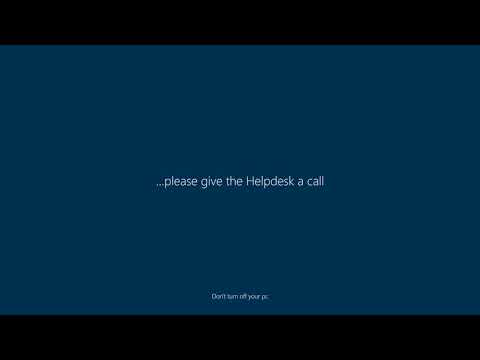 14 |
--------------------------------------------------------------------------------
/v1/Show-OSUpgradeBackground.ps1:
--------------------------------------------------------------------------------
1 | # Calls the script that creates the OS upgrade background into a runspace, one per detected screen
2 |
3 | # Add required assemblies
4 | Add-Type -AssemblyName System.Windows.Forms
5 |
6 | # Get active screens
7 | $Screens = [System.Windows.Forms.Screen]::AllScreens
8 |
9 | # Create a runspace to initiate powershell for each screen and call the main script (otherwise each window will only open when the first closes due to the .ShowDialog() method)
10 | Foreach ($Screen in $screens) {
11 | $PowerShell = [Powershell]::Create()
12 | [void]$PowerShell.AddScript({Param($ScriptLocation, $DeviceName); powershell.exe -ExecutionPolicy Bypass -WindowStyle Hidden -File "$ScriptLocation\Create-FullScreenBackground.ps1" -DeviceName $DeviceName})
13 | [void]$PowerShell.AddArgument($PSScriptRoot)
14 | [void]$PowerShell.AddArgument($Screen.DeviceName)
15 | [void]$PowerShell.BeginInvoke()
16 | }
17 |
18 | # Wait for runspace execution
19 | Start-Sleep -Seconds 10
20 |
--------------------------------------------------------------------------------
/v2/Create-Runspaces.ps1:
--------------------------------------------------------------------------------
1 | # Calls the script that creates the OS upgrade background into a runspace, one per detected screen
2 |
3 | Add-Type -AssemblyName System.Windows.Forms
4 | $Screens = [System.Windows.Forms.Screen]::AllScreens
5 | $PSInstances = New-Object System.Collections.ArrayList
6 | Foreach ($Screen in $screens) {
7 | $PowerShell = [Powershell]::Create()
8 | [void]$PowerShell.AddScript({Param($ScriptLocation, $DeviceName); powershell.exe -ExecutionPolicy Bypass -WindowStyle Hidden -File "$ScriptLocation\Create-FullScreenBackground.ps1" -DeviceName $DeviceName})
9 | [void]$PowerShell.AddArgument($PSScriptRoot)
10 | [void]$PowerShell.AddArgument($Screen.DeviceName)
11 | [void]$PSInstances.Add($PowerShell)
12 | [void]$PowerShell.BeginInvoke()
13 | }
14 | # Wait for runspace execution
15 | Start-Sleep -Seconds 10
16 |
17 | # Keep the process alive until each splash screen is closed
18 | Do {
19 | Start-Sleep -Seconds 5
20 | }
21 | Until ($PSInstances.InvocationStateInfo.State -notcontains "Running")
--------------------------------------------------------------------------------
/v1/bin/LICENSE:
--------------------------------------------------------------------------------
1 | MIT License (MIT)
2 |
3 | Copyright (c) 2016 MahApps
4 |
5 | Permission is hereby granted, free of charge, to any person obtaining a copy
6 | of this software and associated documentation files (the "Software"), to deal
7 | in the Software without restriction, including without limitation the rights
8 | to use, copy, modify, merge, publish, distribute, sublicense, and/or sell
9 | copies of the Software, and to permit persons to whom the Software is
10 | furnished to do so, subject to the following conditions:
11 |
12 | The above copyright notice and this permission notice shall be included in all
13 | copies or substantial portions of the Software.
14 |
15 | THE SOFTWARE IS PROVIDED "AS IS", WITHOUT WARRANTY OF ANY KIND, EXPRESS OR
16 | IMPLIED, INCLUDING BUT NOT LIMITED TO THE WARRANTIES OF MERCHANTABILITY,
17 | FITNESS FOR A PARTICULAR PURPOSE AND NONINFRINGEMENT. IN NO EVENT SHALL THE
18 | AUTHORS OR COPYRIGHT HOLDERS BE LIABLE FOR ANY CLAIM, DAMAGES OR OTHER
19 | LIABILITY, WHETHER IN AN ACTION OF CONTRACT, TORT OR OTHERWISE, ARISING FROM,
20 | OUT OF OR IN CONNECTION WITH THE SOFTWARE OR THE USE OR OTHER DEALINGS IN THE
21 | SOFTWARE.
--------------------------------------------------------------------------------
/v2/bin/LICENSE:
--------------------------------------------------------------------------------
1 | MIT License (MIT)
2 |
3 | Copyright (c) 2016 MahApps
4 |
5 | Permission is hereby granted, free of charge, to any person obtaining a copy
6 | of this software and associated documentation files (the "Software"), to deal
7 | in the Software without restriction, including without limitation the rights
8 | to use, copy, modify, merge, publish, distribute, sublicense, and/or sell
9 | copies of the Software, and to permit persons to whom the Software is
10 | furnished to do so, subject to the following conditions:
11 |
12 | The above copyright notice and this permission notice shall be included in all
13 | copies or substantial portions of the Software.
14 |
15 | THE SOFTWARE IS PROVIDED "AS IS", WITHOUT WARRANTY OF ANY KIND, EXPRESS OR
16 | IMPLIED, INCLUDING BUT NOT LIMITED TO THE WARRANTIES OF MERCHANTABILITY,
17 | FITNESS FOR A PARTICULAR PURPOSE AND NONINFRINGEMENT. IN NO EVENT SHALL THE
18 | AUTHORS OR COPYRIGHT HOLDERS BE LIABLE FOR ANY CLAIM, DAMAGES OR OTHER
19 | LIABILITY, WHETHER IN AN ACTION OF CONTRACT, TORT OR OTHERWISE, ARISING FROM,
20 | OUT OF OR IN CONNECTION WITH THE SOFTWARE OR THE USE OR OTHER DEALINGS IN THE
21 | SOFTWARE.
--------------------------------------------------------------------------------
/v2/Xaml/SplashScreen.xaml:
--------------------------------------------------------------------------------
1 |
6 |
7 |
8 |
9 |
10 |
11 |
12 |
13 |
14 |
15 |
16 |
17 |
18 |
19 |
20 |
21 |
22 |
23 |
24 |
25 |
26 |
27 |
28 |
29 |
30 |
31 |
32 |
33 |
34 |
--------------------------------------------------------------------------------
/v1/bin/LICENSE+:
--------------------------------------------------------------------------------
1 | Unless indicated otherwise on a per-file basis all source and documentation herein
2 | is licensed under the MIT license. Some included code is licensed under MS-PL which
3 | is compatible with the terms of MIT.
4 |
5 | Original code from RangeSlider (AvalonControlsLibrary), ToggleSwitch (Microsoft's Silverlight "Cosmopolitan"),
6 | Callisto (@timheuer), WindowChrome (@Microsoft, @joecastro) and TransitioningContentControl from the
7 | Silverlight Toolkit 5 are licensed under MS-PL which is compatible with the terms of MIT.
8 |
9 | -----
10 |
11 | Microsoft Public License (MS-PL)
12 |
13 | This license governs use of the accompanying software. If you use the software, you
14 | accept this license. If you do not accept the license, do not use the software.
15 |
16 | 1. Definitions
17 | The terms "reproduce," "reproduction," "derivative works," and "distribution" have the
18 | same meaning here as under U.S. copyright law.
19 | A "contribution" is the original software, or any additions or changes to the software.
20 | A "contributor" is any person that distributes its contribution under this license.
21 | "Licensed patents" are a contributor's patent claims that read directly on its contribution.
22 |
23 | 2. Grant of Rights
24 | (A) Copyright Grant- Subject to the terms of this license, including the license conditions and limitations in section 3, each contributor grants you a non-exclusive, worldwide, royalty-free copyright license to reproduce its contribution, prepare derivative works of its contribution, and distribute its contribution or any derivative works that you create.
25 | (B) Patent Grant- Subject to the terms of this license, including the license conditions and limitations in section 3, each contributor grants you a non-exclusive, worldwide, royalty-free license under its licensed patents to make, have made, use, sell, offer for sale, import, and/or otherwise dispose of its contribution in the software or derivative works of the contribution in the software.
26 |
27 | 3. Conditions and Limitations
28 | (A) No Trademark License- This license does not grant you rights to use any contributors' name, logo, or trademarks.
29 | (B) If you bring a patent claim against any contributor over patents that you claim are infringed by the software, your patent license from such contributor to the software ends automatically.
30 | (C) If you distribute any portion of the software, you must retain all copyright, patent, trademark, and attribution notices that are present in the software.
31 | (D) If you distribute any portion of the software in source code form, you may do so only under this license by including a complete copy of this license with your distribution. If you distribute any portion of the software in compiled or object code form, you may only do so under a license that complies with this license.
32 | (E) The software is licensed "as-is." You bear the risk of using it. The contributors give no express warranties, guarantees or conditions. You may have additional consumer rights under your local laws which this license cannot change. To the extent permitted under your local laws, the contributors exclude the implied warranties of merchantability, fitness for a particular purpose and non-infringement.
33 |
--------------------------------------------------------------------------------
/v2/bin/LICENSE+:
--------------------------------------------------------------------------------
1 | Unless indicated otherwise on a per-file basis all source and documentation herein
2 | is licensed under the MIT license. Some included code is licensed under MS-PL which
3 | is compatible with the terms of MIT.
4 |
5 | Original code from RangeSlider (AvalonControlsLibrary), ToggleSwitch (Microsoft's Silverlight "Cosmopolitan"),
6 | Callisto (@timheuer), WindowChrome (@Microsoft, @joecastro) and TransitioningContentControl from the
7 | Silverlight Toolkit 5 are licensed under MS-PL which is compatible with the terms of MIT.
8 |
9 | -----
10 |
11 | Microsoft Public License (MS-PL)
12 |
13 | This license governs use of the accompanying software. If you use the software, you
14 | accept this license. If you do not accept the license, do not use the software.
15 |
16 | 1. Definitions
17 | The terms "reproduce," "reproduction," "derivative works," and "distribution" have the
18 | same meaning here as under U.S. copyright law.
19 | A "contribution" is the original software, or any additions or changes to the software.
20 | A "contributor" is any person that distributes its contribution under this license.
21 | "Licensed patents" are a contributor's patent claims that read directly on its contribution.
22 |
23 | 2. Grant of Rights
24 | (A) Copyright Grant- Subject to the terms of this license, including the license conditions and limitations in section 3, each contributor grants you a non-exclusive, worldwide, royalty-free copyright license to reproduce its contribution, prepare derivative works of its contribution, and distribute its contribution or any derivative works that you create.
25 | (B) Patent Grant- Subject to the terms of this license, including the license conditions and limitations in section 3, each contributor grants you a non-exclusive, worldwide, royalty-free license under its licensed patents to make, have made, use, sell, offer for sale, import, and/or otherwise dispose of its contribution in the software or derivative works of the contribution in the software.
26 |
27 | 3. Conditions and Limitations
28 | (A) No Trademark License- This license does not grant you rights to use any contributors' name, logo, or trademarks.
29 | (B) If you bring a patent claim against any contributor over patents that you claim are infringed by the software, your patent license from such contributor to the software ends automatically.
30 | (C) If you distribute any portion of the software, you must retain all copyright, patent, trademark, and attribution notices that are present in the software.
31 | (D) If you distribute any portion of the software in source code form, you may do so only under this license by including a complete copy of this license with your distribution. If you distribute any portion of the software in compiled or object code form, you may only do so under a license that complies with this license.
32 | (E) The software is licensed "as-is." You bear the risk of using it. The contributors give no express warranties, guarantees or conditions. You may have additional consumer rights under your local laws which this license cannot change. To the extent permitted under your local laws, the contributors exclude the implied warranties of merchantability, fitness for a particular purpose and non-infringement.
33 |
--------------------------------------------------------------------------------
/v1/Create-FullScreenBackground.ps1:
--------------------------------------------------------------------------------
1 | # Creates a full screen 'background' styled for a Windows 10 upgrade, and hides the task bar
2 | # Called by the "Show-OSUpgradeBackground" script
3 |
4 | Param($DeviceName)
5 |
6 | # Add required assemblies
7 | Add-Type -AssemblyName PresentationFramework,PresentationCore,WindowsBase,System.Windows.Forms,System.Drawing
8 | Add-Type -AssemblyName System.DirectoryServices.AccountManagement
9 | Add-Type -Path "$PSSCriptRoot\bin\MahApps.Metro.dll"
10 | Add-Type -Path "$PSSCriptRoot\bin\System.Windows.Interactivity.dll"
11 |
12 | # Find screen by DeviceName
13 | $Screens = [System.Windows.Forms.Screen]::AllScreens
14 | $Screen = $Screens | Where {$_.DeviceName -eq $DeviceName}
15 |
16 | # Add custom type to hide the taskbar
17 | # Thanks to https://stackoverflow.com/questions/25499393/make-my-wpf-application-full-screen-cover-taskbar-and-title-bar-of-window
18 | $Source = @"
19 | using System;
20 | using System.Runtime.InteropServices;
21 |
22 | public class Taskbar
23 | {
24 | [DllImport("user32.dll")]
25 | private static extern int FindWindow(string className, string windowText);
26 | [DllImport("user32.dll")]
27 | private static extern int ShowWindow(int hwnd, int command);
28 |
29 | private const int SW_HIDE = 0;
30 | private const int SW_SHOW = 1;
31 |
32 | protected static int Handle
33 | {
34 | get
35 | {
36 | return FindWindow("Shell_TrayWnd", "");
37 | }
38 | }
39 |
40 | private Taskbar()
41 | {
42 | // hide ctor
43 | }
44 |
45 | public static void Show()
46 | {
47 | ShowWindow(Handle, SW_SHOW);
48 | }
49 |
50 | public static void Hide()
51 | {
52 | ShowWindow(Handle, SW_HIDE);
53 | }
54 | }
55 | "@
56 | Add-Type -ReferencedAssemblies 'System', 'System.Runtime.InteropServices' -TypeDefinition $Source -Language CSharp
57 |
58 | # Find the user identity from the domain if possible
59 | Try
60 | {
61 | $PrincipalContext = [System.DirectoryServices.AccountManagement.PrincipalContext]::new([System.DirectoryServices.AccountManagement.ContextType]::Domain, [System.DirectoryServices.ActiveDirectory.Domain]::GetCurrentDomain())
62 | $GivenName = ([System.DirectoryServices.AccountManagement.Principal]::FindByIdentity($PrincipalContext,[System.DirectoryServices.AccountManagement.IdentityType]::SamAccountName,[Environment]::UserName)).GivenName
63 | $PrincipalContext.Dispose()
64 | }
65 | Catch {}
66 |
67 | # Create a WPF window
68 | $Window = New-Object System.Windows.Window
69 | $window.Background = "#012a47"
70 | $Window.WindowStyle = [System.Windows.WindowStyle]::None
71 | $Window.ResizeMode = [System.Windows.ResizeMode]::NoResize
72 | $Window.Foreground = [System.Windows.Media.Brushes]::White
73 | $window.Topmost = $True
74 |
75 | # Get the bounds of the primary screen
76 | $Bounds = $Screen.Bounds
77 |
78 | # Assemble a grid
79 | $Grid = New-object System.Windows.Controls.Grid
80 | $Grid.Width = "NaN"
81 | $Grid.Height = "NaN"
82 | $Grid.HorizontalAlignment = "Stretch"
83 | $Grid.VerticalAlignment = "Stretch"
84 |
85 | # Add a column
86 | $Column = New-Object System.Windows.Controls.ColumnDefinition
87 | $Grid.ColumnDefinitions.Add($Column)
88 |
89 | # Add rows
90 | $Row = New-Object System.Windows.Controls.RowDefinition
91 | $Row.Height = "1*"
92 | $Grid.RowDefinitions.Add($Row)
93 | $Row = New-Object System.Windows.Controls.RowDefinition
94 | $Row.Height = [System.Windows.GridLength]::Auto
95 | $Grid.RowDefinitions.Add($Row)
96 | $Row = New-Object System.Windows.Controls.RowDefinition
97 | $Row.Height = [System.Windows.GridLength]::Auto
98 | $Grid.RowDefinitions.Add($Row)
99 | $Row = New-Object System.Windows.Controls.RowDefinition
100 | $Row.Height = "1*"
101 | $Grid.RowDefinitions.Add($Row)
102 |
103 | # Add a progress ring
104 | $ProgressRing = [MahApps.Metro.Controls.ProgressRing]::new()
105 | $ProgressRing.Opacity = 0
106 | $ProgressRing.IsActive = $false
107 | $ProgressRing.Margin = "0,0,0,60"
108 | $Grid.AddChild($ProgressRing)
109 | $ProgressRing.SetValue([System.Windows.Controls.Grid]::RowProperty,1)
110 |
111 | # Add a textblock
112 | $TextBlock = New-Object System.Windows.Controls.TextBlock
113 | If ($GivenName)
114 | {
115 | $TextBlock.Text = "Hi $GivenName"
116 | }
117 | Else
118 | {
119 | $TextBlock.Text = "Hi there"
120 | }
121 | $TextBlock.TextWrapping = [System.Windows.TextWrapping]::Wrap
122 | $TextBlock.MaxWidth = $Bounds.Width
123 | $TextBlock.Margin = "0,0,0,120"
124 | $TextBlock.FontSize = 50
125 | $TextBlock.FontWeight = [System.Windows.FontWeights]::Light
126 | $TextBlock.VerticalAlignment = "Top"
127 | $TextBlock.HorizontalAlignment = "Center"
128 | $TextBlock.Opacity = 0
129 | $Grid.AddChild($TextBlock)
130 | $TextBlock.SetValue([System.Windows.Controls.Grid]::RowProperty,2)
131 |
132 | # Add a textblock
133 | $TextBlock2 = New-Object System.Windows.Controls.TextBlock
134 | $TextBlock2.Margin = "0,0,0,60"
135 | $TextBlock2.Text = "Don't turn off your pc"
136 | $TextBlock2.TextWrapping = [System.Windows.TextWrapping]::Wrap
137 | $TextBlock2.MaxWidth = $Bounds.Width
138 | $TextBlock2.FontSize = 25
139 | $TextBlock2.FontWeight = [System.Windows.FontWeights]::Light
140 | $TextBlock2.VerticalAlignment = "Bottom"
141 | $TextBlock2.HorizontalAlignment = "Center"
142 | $TextBlock2.Opacity = 0
143 | $Grid.AddChild($TextBlock2)
144 | $TextBlock2.SetValue([System.Windows.Controls.Grid]::RowProperty,3)
145 |
146 | # Add to window
147 | $Window.AddChild($Grid)
148 |
149 | # Create some animations
150 | $FadeinAnimation = [System.Windows.Media.Animation.DoubleAnimation]::new(0,1,[System.Windows.Duration]::new([Timespan]::FromSeconds(3)))
151 | $FadeOutAnimation = [System.Windows.Media.Animation.DoubleAnimation]::new(1,0,[System.Windows.Duration]::new([Timespan]::FromSeconds(3)))
152 | $ColourBrighterAnimation = [System.Windows.Media.Animation.ColorAnimation]::new("#012a47","#1271b5",[System.Windows.Duration]::new([Timespan]::FromSeconds(5)))
153 | $ColourDarkerAnimation = [System.Windows.Media.Animation.ColorAnimation]::new("#1271b5","#012a47",[System.Windows.Duration]::new([Timespan]::FromSeconds(5)))
154 |
155 | # An array of sentences to display, in order. Leave the first one blank as the 0 index gets skipped.
156 | $TextArray = @(
157 | ""
158 | "We're upgrading you to Windows 10 1803"
159 | "It may take 30-60 minutes"
160 | "Your pc will restart a few times"
161 | "Should anything go wrong (we hope it won't)..."
162 | "...please give the Helpdesk a call"
163 | "Now might be a good time to get a coffee :)"
164 | "We'll have you up and running again in no time"
165 | )
166 |
167 | # Start a dispatcher timer. This is used to control when the sentences are changed.
168 | $TimerCode = {
169 |
170 | # The IF statement number should equal the number of sentences in the TextArray
171 | If ($i -lt 7)
172 | {
173 | $FadeoutAnimation.Add_Completed({
174 | $TextBlock.Opacity = 0
175 | $TextBlock.Text = $TextArray[$i]
176 | $TextBlock.BeginAnimation([System.Windows.Controls.TextBlock]::OpacityProperty,$FadeinAnimation)
177 |
178 | })
179 | $TextBlock.BeginAnimation([System.Windows.Controls.TextBlock]::OpacityProperty,$FadeoutAnimation)
180 | }
181 | # The final sentence to display ongoing
182 | ElseIf ($i -eq 7)
183 | {
184 |
185 | $FadeoutAnimation.Add_Completed({
186 | $TextBlock.Opacity = 0
187 | $TextBlock.Text = "Windows 10 Upgrade in Progress"
188 | $TextBlock.BeginAnimation([System.Windows.Controls.TextBlock]::OpacityProperty,$FadeinAnimation)
189 | $ProgressRing.IsActive = $True
190 |
191 | })
192 | $TextBlock.BeginAnimation([System.Windows.Controls.TextBlock]::OpacityProperty,$FadeoutAnimation)
193 | }
194 | Else
195 | {}
196 |
197 | $ColourBrighterAnimation.Add_Completed({
198 | $Window.Background.BeginAnimation([System.Windows.Media.SolidColorBrush]::ColorProperty,$ColourDarkerAnimation)
199 | })
200 | $Window.Background.BeginAnimation([System.Windows.Media.SolidColorBrush]::ColorProperty,$ColourBrighterAnimation)
201 |
202 | $Script:i++
203 |
204 | }
205 | $DispatcherTimer = New-Object -TypeName System.Windows.Threading.DispatcherTimer
206 | $DispatcherTimer.Interval = [TimeSpan]::FromSeconds(10)
207 | $DispatcherTimer.Add_Tick($TimerCode)
208 |
209 |
210 | # Event: Window loaded
211 | $Window.Add_Loaded({
212 |
213 | # Activate the window to bring it to the fore
214 | $This.Activate()
215 |
216 | # Fill the screen
217 | $Bounds = $screen.Bounds
218 | $Window.Left = $Bounds.Left
219 | $Window.Top = $Bounds.Top
220 | $Window.Height = $Bounds.Height
221 | $Window.Width = $Bounds.Width
222 |
223 | # Hide the taskbar
224 | [TaskBar]::Hide()
225 |
226 | # Hide the mouse cursor
227 | [System.Windows.Forms.Cursor]::Hide()
228 |
229 | # Begin animations
230 | $TextBlock.BeginAnimation([System.Windows.Controls.TextBlock]::OpacityProperty,$FadeinAnimation)
231 | $TextBlock2.BeginAnimation([System.Windows.Controls.TextBlock]::OpacityProperty,$FadeinAnimation)
232 | $ProgressRing.BeginAnimation([System.Windows.Controls.TextBlock]::OpacityProperty,$FadeinAnimation)
233 | $ColourBrighterAnimation.Add_Completed({
234 | $Window.Background.BeginAnimation([System.Windows.Media.SolidColorBrush]::ColorProperty,$ColourDarkerAnimation)
235 | })
236 | $Window.Background.BeginAnimation([System.Windows.Media.SolidColorBrush]::ColorProperty,$ColourBrighterAnimation)
237 |
238 | })
239 |
240 | # Event: Window closing
241 | $Window.Add_Closing({
242 |
243 | # Restore the taskbar
244 | [Taskbar]::Show()
245 |
246 | # Restore the mouse cursor
247 | [System.Windows.Forms.Cursor]::Show()
248 |
249 | $DispatcherTimer.Stop()
250 |
251 | })
252 |
253 | # Event: Allows to close the window on right-click (uncomment for testing)
254 | <#
255 | $Window.Add_MouseRightButtonDown({
256 |
257 | $This.Close()
258 |
259 | })
260 | #>
261 |
262 | # Display the window
263 | $DispatcherTimer.Start()
264 | $Window.ShowDialog()
265 |
--------------------------------------------------------------------------------
/v2/Create-FullScreenBackground.ps1:
--------------------------------------------------------------------------------
1 | # Creates a full screen 'background' styled for a Windows 10 upgrade, and hides the task bar
2 | # Called by the "Show-OSUpgradeBackground" script
3 |
4 | Param($DeviceName)
5 |
6 | # Set the location we are running from
7 | $Source = $PSScriptRoot
8 |
9 | Add-Type -AssemblyName PresentationFramework,PresentationCore,WindowsBase,System.Windows.Forms,System.Drawing,System.DirectoryServices.AccountManagement
10 | Add-Type -Path "$Source\bin\System.Windows.Interactivity.dll"
11 | Add-Type -Path "$Source\bin\ControlzEx.dll"
12 | Add-Type -Path "$Source\bin\MahApps.Metro.dll"
13 |
14 | # Add custom type to hide the taskbar
15 | # Thanks to https://stackoverflow.com/questions/25499393/make-my-wpf-application-full-screen-cover-taskbar-and-title-bar-of-window
16 | $CSharpSource = @"
17 | using System;
18 | using System.Runtime.InteropServices;
19 |
20 | public class Taskbar
21 | {
22 | [DllImport("user32.dll")]
23 | private static extern int FindWindow(string className, string windowText);
24 | [DllImport("user32.dll")]
25 | private static extern int ShowWindow(int hwnd, int command);
26 |
27 | private const int SW_HIDE = 0;
28 | private const int SW_SHOW = 1;
29 |
30 | protected static int Handle
31 | {
32 | get
33 | {
34 | return FindWindow("Shell_TrayWnd", "");
35 | }
36 | }
37 |
38 | private Taskbar()
39 | {
40 | // hide ctor
41 | }
42 |
43 | public static void Show()
44 | {
45 | ShowWindow(Handle, SW_SHOW);
46 | }
47 |
48 | public static void Hide()
49 | {
50 | ShowWindow(Handle, SW_HIDE);
51 | }
52 | }
53 | "@
54 | Add-Type -ReferencedAssemblies 'System', 'System.Runtime.InteropServices' -TypeDefinition $CSharpSource -Language CSharp
55 |
56 | # Add custom type to prevent the screen from sleeping
57 | $code=@'
58 | using System;
59 | using System.Runtime.InteropServices;
60 |
61 | public class DisplayState
62 | {
63 | [DllImport("kernel32.dll", CharSet = CharSet.Auto,SetLastError = true)]
64 | public static extern void SetThreadExecutionState(uint esFlags);
65 |
66 | public static void KeepDisplayAwake()
67 | {
68 | SetThreadExecutionState(
69 | 0x00000002 | 0x80000000);
70 | }
71 |
72 | public static void Cancel()
73 | {
74 | SetThreadExecutionState(0x80000000);
75 | }
76 | }
77 | '@
78 | Add-Type -ReferencedAssemblies 'System', 'System.Runtime.InteropServices' -TypeDefinition $code -Language CSharp
79 |
80 | # Load the main window XAML code
81 | [XML]$Xaml = [System.IO.File]::ReadAllLines("$Source\Xaml\SplashScreen.xaml")
82 |
83 | # Create a synchronized hash table and add the WPF window and its named elements to it
84 | $UI = [System.Collections.Hashtable]::Synchronized(@{})
85 | $UI.Window = [Windows.Markup.XamlReader]::Load((New-Object -TypeName System.Xml.XmlNodeReader -ArgumentList $xaml))
86 | $xaml.SelectNodes("//*[@*[contains(translate(name(.),'n','N'),'Name')]]") |
87 | ForEach-Object -Process {
88 | $UI.$($_.Name) = $UI.Window.FindName($_.Name)
89 | }
90 |
91 | # Find screen by DeviceName
92 | $Screens = [System.Windows.Forms.Screen]::AllScreens
93 | $Screen = $Screens | Where {$_.DeviceName -eq $DeviceName}
94 | #$Screen = [System.Windows.Forms.Screen]::PrimaryScreen
95 | # Get the bounds of the primary screen
96 | $script:Bounds = $Screen.Bounds
97 |
98 | # Set some initial values
99 | $UI.MainTextBlock.MaxWidth = $Bounds.Width
100 | $UI.TextBlock2.MaxWidth = $Bounds.Width
101 | $UI.TextBlock3.MaxWidth = $Bounds.Width
102 | $UI.TextBlock4.MaxWidth = $Bounds.Width
103 | $UI.TextBlock2.Text = "Windows Setup Progress 0%"
104 | $UI.TextBlock3.Text = "00:00:00"
105 | $UI.TextBlock4.Text = "This will take a while...don't turn off your pc"
106 |
107 |
108 | # Find the user identity from the registry
109 | $LoggedOnSID = Get-WmiObject -Namespace ROOT\CCM -Class CCM_UserLogonEvents -Filter "LogoffTime=null" | Select -ExpandProperty UserSID
110 | If ($LoggedOnSID.GetType().IsArray)
111 | {
112 | # Multiple values returned
113 | $GivenName = "there"
114 | }
115 | Else
116 | {
117 | $RegKey = "HKLM:\SOFTWARE\Microsoft\Windows\CurrentVersion\Authentication\LogonUI\SessionData"
118 | $DisplayName = (Get-ChildItem -Path $RegKey | Where {$_.GetValue('LoggedOnUserSID') -eq $LoggedOnSID}).GetValue('LoggedOnDisplayName')
119 | If ($DisplayName)
120 | {
121 | $GivenName = $DisplayName.Split(',')[1].Trim()
122 | }
123 | Else
124 | {
125 | $GivenName = "there"
126 | }
127 | }
128 | $UI.MainTextBlock.Text = "Hi $GivenName"
129 |
130 | # Create some animations
131 | $FadeinAnimation = [System.Windows.Media.Animation.DoubleAnimation]::new(0,1,[System.Windows.Duration]::new([Timespan]::FromSeconds(3)))
132 | $FadeOutAnimation = [System.Windows.Media.Animation.DoubleAnimation]::new(1,0,[System.Windows.Duration]::new([Timespan]::FromSeconds(3)))
133 | $ColourBrighterAnimation = [System.Windows.Media.Animation.ColorAnimation]::new("#012a47","#1271b5",[System.Windows.Duration]::new([Timespan]::FromSeconds(5)))
134 | $ColourDarkerAnimation = [System.Windows.Media.Animation.ColorAnimation]::new("#1271b5","#012a47",[System.Windows.Duration]::new([Timespan]::FromSeconds(5)))
135 |
136 | # Create TSEnvironment COM object
137 | $tsenv = New-Object -COMObject Microsoft.SMS.TSEnvironment
138 | $WindowsVersion = $tsenv.Value('WindowsVersion')
139 |
140 | # An array of sentences to display, in order. Leave the first one blank as the 0 index gets skipped.
141 | $TextArray = @(
142 | ""
143 | "We're upgrading you to Windows 10 $WindowsVersion"
144 | "It may take 30-90 minutes"
145 | "Your pc will restart a few times"
146 | "Should anything go wrong (unlikely)..."
147 | "...please contact the Service Desk"
148 | "Now might be a good time to get a coffee :)"
149 | "We'll have you up and running again in no time"
150 | )
151 |
152 |
153 |
154 | # Start a dispatcher timer. This is used to control when the sentences are changed.
155 | $TimerCode = {
156 |
157 | If ($tsenv.Value('QuitSplashing') -eq "True")
158 | {
159 | $UI.Window.Close()
160 | }
161 |
162 | # The IF statement number should equal the number of sentences in the TextArray
163 | If ($i -lt 7)
164 | {
165 | $FadeoutAnimation.Add_Completed({
166 | $UI.MaintextBlock.Opacity = 0
167 | $UI.MaintextBlock.Text = $TextArray[$i]
168 | $UI.MaintextBlock.BeginAnimation([System.Windows.Controls.TextBlock]::OpacityProperty,$FadeinAnimation)
169 |
170 | })
171 | $UI.MaintextBlock.BeginAnimation([System.Windows.Controls.TextBlock]::OpacityProperty,$FadeoutAnimation)
172 | }
173 | # The final sentence to display ongoing
174 | ElseIf ($i -eq 7)
175 | {
176 |
177 | $FadeoutAnimation.Add_Completed({
178 | $UI.MaintextBlock.Opacity = 0
179 | $UI.MaintextBlock.Text = "Windows 10 Upgrade in Progress"
180 | $UI.MaintextBlock.BeginAnimation([System.Windows.Controls.TextBlock]::OpacityProperty,$FadeinAnimation)
181 | $UI.ProgressRing.IsActive = $True
182 |
183 | })
184 | $UI.MaintextBlock.BeginAnimation([System.Windows.Controls.TextBlock]::OpacityProperty,$FadeoutAnimation)
185 | }
186 | Else
187 | {}
188 |
189 | $ColourBrighterAnimation.Add_Completed({
190 | $UI.Window.Background.BeginAnimation([System.Windows.Media.SolidColorBrush]::ColorProperty,$ColourDarkerAnimation)
191 | })
192 | $UI.Window.Background.BeginAnimation([System.Windows.Media.SolidColorBrush]::ColorProperty,$ColourBrighterAnimation)
193 |
194 | $Script:i++
195 |
196 | }
197 | $DispatcherTimer = New-Object -TypeName System.Windows.Threading.DispatcherTimer
198 | $DispatcherTimer.Interval = [TimeSpan]::FromSeconds(10)
199 | $DispatcherTimer.Add_Tick($TimerCode)
200 |
201 |
202 | $Stopwatch = New-Object System.Diagnostics.Stopwatch
203 | $Stopwatch.Start()
204 | $TimerCode2 = {
205 | $ProgressValue = Get-ItemProperty -Path HKLM:\SYSTEM\Setup\MoSetup\Volatile -Name SetupProgress | Select -ExpandProperty SetupProgress -ErrorAction SilentlyContinue
206 | $UI.TextBlock3.Text = "$($Stopwatch.Elapsed.Hours.ToString('00')):$($Stopwatch.Elapsed.Minutes.ToString('00')):$($Stopwatch.Elapsed.Seconds.ToString('00'))"
207 | $UI.ProgressBar.Value = $ProgressValue
208 | $UI.TextBlock2.Text = "Windows Setup Progress $ProgressValue%"
209 | }
210 | $DispatcherTimer2 = New-Object -TypeName System.Windows.Threading.DispatcherTimer
211 | $DispatcherTimer2.Interval = [TimeSpan]::FromSeconds(1)
212 | $DispatcherTimer2.Add_Tick($TimerCode2)
213 |
214 | # Event: Window loaded
215 | $UI.Window.Add_Loaded({
216 |
217 | # Activate the window to bring it to the fore
218 | $This.Activate()
219 |
220 | # Fill the screen
221 | $This.Left = $Bounds.Left
222 | $This.Top = $Bounds.Top
223 | $This.Height = $Bounds.Height
224 | $This.Width = $Bounds.Width
225 |
226 | # Hide the taskbar
227 | [TaskBar]::Hide()
228 |
229 | # Hide the mouse cursor
230 | [System.Windows.Forms.Cursor]::Hide()
231 |
232 | # Keep Display awake
233 | [DisplayState]::KeepDisplayAwake()
234 |
235 | # Begin animations
236 | $UI.MaintextBlock.BeginAnimation([System.Windows.Controls.TextBlock]::OpacityProperty,$FadeinAnimation)
237 | $UI.TextBlock2.BeginAnimation([System.Windows.Controls.TextBlock]::OpacityProperty,$FadeinAnimation)
238 | $UI.TextBlock3.BeginAnimation([System.Windows.Controls.TextBlock]::OpacityProperty,$FadeinAnimation)
239 | $UI.TextBlock4.BeginAnimation([System.Windows.Controls.TextBlock]::OpacityProperty,$FadeinAnimation)
240 | $UI.ProgressRing.BeginAnimation([System.Windows.Controls.TextBlock]::OpacityProperty,$FadeinAnimation)
241 | $UI.ProgressBar.BeginAnimation([System.Windows.Controls.TextBlock]::OpacityProperty,$FadeinAnimation)
242 | $ColourBrighterAnimation.Add_Completed({
243 | $UI.Window.Background.BeginAnimation([System.Windows.Media.SolidColorBrush]::ColorProperty,$ColourDarkerAnimation)
244 | })
245 | $UI.Window.Background.BeginAnimation([System.Windows.Media.SolidColorBrush]::ColorProperty,$ColourBrighterAnimation)
246 |
247 | })
248 |
249 |
250 |
251 | # Event: Window closing (for testing)
252 | $UI.Window.Add_Closing({
253 |
254 | # Restore the taskbar
255 | [Taskbar]::Show()
256 |
257 | # Restore the mouse cursor
258 | [System.Windows.Forms.Cursor]::Show()
259 |
260 | # Cancel keeping the display awake
261 | [DisplayState]::Cancel()
262 |
263 | $Stopwatch.Stop()
264 | $DispatcherTimer.Stop()
265 | $DispatcherTimer2.Stop()
266 |
267 | })
268 |
269 | # Event: Close the window on right-click (for testing)
270 | #$UI.Window.Add_MouseRightButtonDown({
271 | #
272 | # $This.Close()
273 | #
274 | #})
275 |
276 | # Display the window
277 | $DispatcherTimer.Start()
278 | $DispatcherTimer2.Start()
279 | $UI.Window.ShowDialog()
280 |
--------------------------------------------------------------------------------
/v1/Invoke-PSScriptAsUser.ps1:
--------------------------------------------------------------------------------
1 | # Executes a PowerShell script in the context of the currently active user
2 |
3 | Param($File)
4 |
5 | # CSharp code for creating a process in the user context
6 | # Thanks to http://rzander.azurewebsites.net/create-a-process-as-loggedon-user/
7 | # and https://github.com/murrayju/CreateProcessAsUser
8 | $Source = @"
9 | using System;
10 | using System.Runtime.InteropServices;
11 |
12 | namespace Runasuser
13 | {
14 | public static class ProcessExtensions
15 | {
16 | #region Win32 Constants
17 |
18 | private const int CREATE_UNICODE_ENVIRONMENT = 0x00000400;
19 | private const int CREATE_NO_WINDOW = 0x08000000;
20 |
21 | private const int CREATE_NEW_CONSOLE = 0x00000010;
22 |
23 | private const uint INVALID_SESSION_ID = 0xFFFFFFFF;
24 | private static readonly IntPtr WTS_CURRENT_SERVER_HANDLE = IntPtr.Zero;
25 |
26 | #endregion
27 |
28 | #region DllImports
29 |
30 | [DllImport("advapi32.dll", EntryPoint = "CreateProcessAsUser", SetLastError = true, CharSet = CharSet.Ansi, CallingConvention = CallingConvention.StdCall)]
31 | private static extern bool CreateProcessAsUser(
32 | IntPtr hToken,
33 | String lpApplicationName,
34 | String lpCommandLine,
35 | IntPtr lpProcessAttributes,
36 | IntPtr lpThreadAttributes,
37 | bool bInheritHandle,
38 | uint dwCreationFlags,
39 | IntPtr lpEnvironment,
40 | String lpCurrentDirectory,
41 | ref STARTUPINFO lpStartupInfo,
42 | out PROCESS_INFORMATION lpProcessInformation);
43 |
44 | [DllImport("advapi32.dll", EntryPoint = "DuplicateTokenEx")]
45 | private static extern bool DuplicateTokenEx(
46 | IntPtr ExistingTokenHandle,
47 | uint dwDesiredAccess,
48 | IntPtr lpThreadAttributes,
49 | int TokenType,
50 | int ImpersonationLevel,
51 | ref IntPtr DuplicateTokenHandle);
52 |
53 | [DllImport("userenv.dll", SetLastError = true)]
54 | private static extern bool CreateEnvironmentBlock(ref IntPtr lpEnvironment, IntPtr hToken, bool bInherit);
55 |
56 | [DllImport("userenv.dll", SetLastError = true)]
57 | [return: MarshalAs(UnmanagedType.Bool)]
58 | private static extern bool DestroyEnvironmentBlock(IntPtr lpEnvironment);
59 |
60 | [DllImport("kernel32.dll", SetLastError = true)]
61 | private static extern bool CloseHandle(IntPtr hSnapshot);
62 |
63 | [DllImport("kernel32.dll")]
64 | private static extern uint WTSGetActiveConsoleSessionId();
65 |
66 | [DllImport("Wtsapi32.dll")]
67 | private static extern uint WTSQueryUserToken(uint SessionId, ref IntPtr phToken);
68 |
69 | [DllImport("wtsapi32.dll", SetLastError = true)]
70 | private static extern int WTSEnumerateSessions(
71 | IntPtr hServer,
72 | int Reserved,
73 | int Version,
74 | ref IntPtr ppSessionInfo,
75 | ref int pCount);
76 |
77 | #endregion
78 |
79 | #region Win32 Structs
80 |
81 | private enum SW
82 | {
83 | SW_HIDE = 0,
84 | SW_SHOWNORMAL = 1,
85 | SW_NORMAL = 1,
86 | SW_SHOWMINIMIZED = 2,
87 | SW_SHOWMAXIMIZED = 3,
88 | SW_MAXIMIZE = 3,
89 | SW_SHOWNOACTIVATE = 4,
90 | SW_SHOW = 5,
91 | SW_MINIMIZE = 6,
92 | SW_SHOWMINNOACTIVE = 7,
93 | SW_SHOWNA = 8,
94 | SW_RESTORE = 9,
95 | SW_SHOWDEFAULT = 10,
96 | SW_MAX = 10
97 | }
98 |
99 | private enum WTS_CONNECTSTATE_CLASS
100 | {
101 | WTSActive,
102 | WTSConnected,
103 | WTSConnectQuery,
104 | WTSShadow,
105 | WTSDisconnected,
106 | WTSIdle,
107 | WTSListen,
108 | WTSReset,
109 | WTSDown,
110 | WTSInit
111 | }
112 |
113 | [StructLayout(LayoutKind.Sequential)]
114 | private struct PROCESS_INFORMATION
115 | {
116 | public IntPtr hProcess;
117 | public IntPtr hThread;
118 | public uint dwProcessId;
119 | public uint dwThreadId;
120 | }
121 |
122 | private enum SECURITY_IMPERSONATION_LEVEL
123 | {
124 | SecurityAnonymous = 0,
125 | SecurityIdentification = 1,
126 | SecurityImpersonation = 2,
127 | SecurityDelegation = 3,
128 | }
129 |
130 | [StructLayout(LayoutKind.Sequential)]
131 | private struct STARTUPINFO
132 | {
133 | public int cb;
134 | public String lpReserved;
135 | public String lpDesktop;
136 | public String lpTitle;
137 | public uint dwX;
138 | public uint dwY;
139 | public uint dwXSize;
140 | public uint dwYSize;
141 | public uint dwXCountChars;
142 | public uint dwYCountChars;
143 | public uint dwFillAttribute;
144 | public uint dwFlags;
145 | public short wShowWindow;
146 | public short cbReserved2;
147 | public IntPtr lpReserved2;
148 | public IntPtr hStdInput;
149 | public IntPtr hStdOutput;
150 | public IntPtr hStdError;
151 | }
152 |
153 | private enum TOKEN_TYPE
154 | {
155 | TokenPrimary = 1,
156 | TokenImpersonation = 2
157 | }
158 |
159 | [StructLayout(LayoutKind.Sequential)]
160 | private struct WTS_SESSION_INFO
161 | {
162 | public readonly UInt32 SessionID;
163 |
164 | [MarshalAs(UnmanagedType.LPStr)]
165 | public readonly String pWinStationName;
166 |
167 | public readonly WTS_CONNECTSTATE_CLASS State;
168 | }
169 |
170 | #endregion
171 |
172 | // Gets the user token from the currently active session
173 | private static bool GetSessionUserToken(ref IntPtr phUserToken)
174 | {
175 | var bResult = false;
176 | var hImpersonationToken = IntPtr.Zero;
177 | var activeSessionId = INVALID_SESSION_ID;
178 | var pSessionInfo = IntPtr.Zero;
179 | var sessionCount = 0;
180 |
181 | // Get a handle to the user access token for the current active session.
182 | if (WTSEnumerateSessions(WTS_CURRENT_SERVER_HANDLE, 0, 1, ref pSessionInfo, ref sessionCount) != 0)
183 | {
184 | var arrayElementSize = Marshal.SizeOf(typeof(WTS_SESSION_INFO));
185 | var current = pSessionInfo;
186 |
187 | for (var i = 0; i < sessionCount; i++)
188 | {
189 | var si = (WTS_SESSION_INFO)Marshal.PtrToStructure((IntPtr)current, typeof(WTS_SESSION_INFO));
190 | current += arrayElementSize;
191 |
192 | if (si.State == WTS_CONNECTSTATE_CLASS.WTSActive)
193 | {
194 | activeSessionId = si.SessionID;
195 | }
196 | }
197 | }
198 |
199 | // If enumerating did not work, fall back to the old method
200 | if (activeSessionId == INVALID_SESSION_ID)
201 | {
202 | activeSessionId = WTSGetActiveConsoleSessionId();
203 | }
204 |
205 | if (WTSQueryUserToken(activeSessionId, ref hImpersonationToken) != 0)
206 | {
207 | // Convert the impersonation token to a primary token
208 | bResult = DuplicateTokenEx(hImpersonationToken, 0, IntPtr.Zero,
209 | (int)SECURITY_IMPERSONATION_LEVEL.SecurityImpersonation, (int)TOKEN_TYPE.TokenPrimary,
210 | ref phUserToken);
211 |
212 | CloseHandle(hImpersonationToken);
213 | }
214 |
215 | return bResult;
216 | }
217 |
218 | public static bool StartProcessAsCurrentUser(string appPath, string cmdLine = null, string workDir = null, bool visible = true)
219 | {
220 | var hUserToken = IntPtr.Zero;
221 | var startInfo = new STARTUPINFO();
222 | var procInfo = new PROCESS_INFORMATION();
223 | var pEnv = IntPtr.Zero;
224 | int iResultOfCreateProcessAsUser;
225 |
226 | startInfo.cb = Marshal.SizeOf(typeof(STARTUPINFO));
227 |
228 | try
229 | {
230 | if (!GetSessionUserToken(ref hUserToken))
231 | {
232 | throw new Exception("StartProcessAsCurrentUser: GetSessionUserToken failed.");
233 | }
234 |
235 | uint dwCreationFlags = CREATE_UNICODE_ENVIRONMENT | (uint)(visible ? CREATE_NEW_CONSOLE : CREATE_NO_WINDOW);
236 | startInfo.wShowWindow = (short)(visible ? SW.SW_SHOW : SW.SW_HIDE);
237 | startInfo.lpDesktop = "winsta0\\default";
238 |
239 | if (!CreateEnvironmentBlock(ref pEnv, hUserToken, false))
240 | {
241 | throw new Exception("StartProcessAsCurrentUser: CreateEnvironmentBlock failed.");
242 | }
243 |
244 | if (!CreateProcessAsUser(hUserToken,
245 | appPath, // Application Name
246 | cmdLine, // Command Line
247 | IntPtr.Zero,
248 | IntPtr.Zero,
249 | false,
250 | dwCreationFlags,
251 | pEnv,
252 | workDir, // Working directory
253 | ref startInfo,
254 | out procInfo))
255 | {
256 | iResultOfCreateProcessAsUser = Marshal.GetLastWin32Error();
257 | throw new Exception("StartProcessAsCurrentUser: CreateProcessAsUser failed. Error Code -" + iResultOfCreateProcessAsUser);
258 | }
259 |
260 | iResultOfCreateProcessAsUser = Marshal.GetLastWin32Error();
261 | }
262 | finally
263 | {
264 | CloseHandle(hUserToken);
265 | if (pEnv != IntPtr.Zero)
266 | {
267 | DestroyEnvironmentBlock(pEnv);
268 | }
269 | CloseHandle(procInfo.hThread);
270 | CloseHandle(procInfo.hProcess);
271 | }
272 |
273 | return true;
274 | }
275 |
276 | }
277 | }
278 |
279 |
280 | "@
281 |
282 | # Load the custom type
283 | Add-Type -ReferencedAssemblies 'System', 'System.Runtime.InteropServices' -TypeDefinition $Source -Language CSharp -ErrorAction Stop
284 |
285 | # Run PS as user to display the message box
286 | [Runasuser.ProcessExtensions]::StartProcessAsCurrentUser("$env:windir\System32\WindowsPowerShell\v1.0\Powershell.exe"," -ExecutionPolicy Bypass -WindowStyle Hidden -File $PSScriptRoot\$File")
--------------------------------------------------------------------------------
14 |
--------------------------------------------------------------------------------
/v1/Show-OSUpgradeBackground.ps1:
--------------------------------------------------------------------------------
1 | # Calls the script that creates the OS upgrade background into a runspace, one per detected screen
2 |
3 | # Add required assemblies
4 | Add-Type -AssemblyName System.Windows.Forms
5 |
6 | # Get active screens
7 | $Screens = [System.Windows.Forms.Screen]::AllScreens
8 |
9 | # Create a runspace to initiate powershell for each screen and call the main script (otherwise each window will only open when the first closes due to the .ShowDialog() method)
10 | Foreach ($Screen in $screens) {
11 | $PowerShell = [Powershell]::Create()
12 | [void]$PowerShell.AddScript({Param($ScriptLocation, $DeviceName); powershell.exe -ExecutionPolicy Bypass -WindowStyle Hidden -File "$ScriptLocation\Create-FullScreenBackground.ps1" -DeviceName $DeviceName})
13 | [void]$PowerShell.AddArgument($PSScriptRoot)
14 | [void]$PowerShell.AddArgument($Screen.DeviceName)
15 | [void]$PowerShell.BeginInvoke()
16 | }
17 |
18 | # Wait for runspace execution
19 | Start-Sleep -Seconds 10
20 |
--------------------------------------------------------------------------------
/v2/Create-Runspaces.ps1:
--------------------------------------------------------------------------------
1 | # Calls the script that creates the OS upgrade background into a runspace, one per detected screen
2 |
3 | Add-Type -AssemblyName System.Windows.Forms
4 | $Screens = [System.Windows.Forms.Screen]::AllScreens
5 | $PSInstances = New-Object System.Collections.ArrayList
6 | Foreach ($Screen in $screens) {
7 | $PowerShell = [Powershell]::Create()
8 | [void]$PowerShell.AddScript({Param($ScriptLocation, $DeviceName); powershell.exe -ExecutionPolicy Bypass -WindowStyle Hidden -File "$ScriptLocation\Create-FullScreenBackground.ps1" -DeviceName $DeviceName})
9 | [void]$PowerShell.AddArgument($PSScriptRoot)
10 | [void]$PowerShell.AddArgument($Screen.DeviceName)
11 | [void]$PSInstances.Add($PowerShell)
12 | [void]$PowerShell.BeginInvoke()
13 | }
14 | # Wait for runspace execution
15 | Start-Sleep -Seconds 10
16 |
17 | # Keep the process alive until each splash screen is closed
18 | Do {
19 | Start-Sleep -Seconds 5
20 | }
21 | Until ($PSInstances.InvocationStateInfo.State -notcontains "Running")
--------------------------------------------------------------------------------
/v1/bin/LICENSE:
--------------------------------------------------------------------------------
1 | MIT License (MIT)
2 |
3 | Copyright (c) 2016 MahApps
4 |
5 | Permission is hereby granted, free of charge, to any person obtaining a copy
6 | of this software and associated documentation files (the "Software"), to deal
7 | in the Software without restriction, including without limitation the rights
8 | to use, copy, modify, merge, publish, distribute, sublicense, and/or sell
9 | copies of the Software, and to permit persons to whom the Software is
10 | furnished to do so, subject to the following conditions:
11 |
12 | The above copyright notice and this permission notice shall be included in all
13 | copies or substantial portions of the Software.
14 |
15 | THE SOFTWARE IS PROVIDED "AS IS", WITHOUT WARRANTY OF ANY KIND, EXPRESS OR
16 | IMPLIED, INCLUDING BUT NOT LIMITED TO THE WARRANTIES OF MERCHANTABILITY,
17 | FITNESS FOR A PARTICULAR PURPOSE AND NONINFRINGEMENT. IN NO EVENT SHALL THE
18 | AUTHORS OR COPYRIGHT HOLDERS BE LIABLE FOR ANY CLAIM, DAMAGES OR OTHER
19 | LIABILITY, WHETHER IN AN ACTION OF CONTRACT, TORT OR OTHERWISE, ARISING FROM,
20 | OUT OF OR IN CONNECTION WITH THE SOFTWARE OR THE USE OR OTHER DEALINGS IN THE
21 | SOFTWARE.
--------------------------------------------------------------------------------
/v2/bin/LICENSE:
--------------------------------------------------------------------------------
1 | MIT License (MIT)
2 |
3 | Copyright (c) 2016 MahApps
4 |
5 | Permission is hereby granted, free of charge, to any person obtaining a copy
6 | of this software and associated documentation files (the "Software"), to deal
7 | in the Software without restriction, including without limitation the rights
8 | to use, copy, modify, merge, publish, distribute, sublicense, and/or sell
9 | copies of the Software, and to permit persons to whom the Software is
10 | furnished to do so, subject to the following conditions:
11 |
12 | The above copyright notice and this permission notice shall be included in all
13 | copies or substantial portions of the Software.
14 |
15 | THE SOFTWARE IS PROVIDED "AS IS", WITHOUT WARRANTY OF ANY KIND, EXPRESS OR
16 | IMPLIED, INCLUDING BUT NOT LIMITED TO THE WARRANTIES OF MERCHANTABILITY,
17 | FITNESS FOR A PARTICULAR PURPOSE AND NONINFRINGEMENT. IN NO EVENT SHALL THE
18 | AUTHORS OR COPYRIGHT HOLDERS BE LIABLE FOR ANY CLAIM, DAMAGES OR OTHER
19 | LIABILITY, WHETHER IN AN ACTION OF CONTRACT, TORT OR OTHERWISE, ARISING FROM,
20 | OUT OF OR IN CONNECTION WITH THE SOFTWARE OR THE USE OR OTHER DEALINGS IN THE
21 | SOFTWARE.
--------------------------------------------------------------------------------
/v2/Xaml/SplashScreen.xaml:
--------------------------------------------------------------------------------
1 |
6 |
7 |
8 |
9 |
10 |
11 |
12 |
13 |
14 |
15 |
16 |
17 |
18 |
19 |
20 |
21 |
22 |
23 |
24 |
25 |
26 |
27 |
28 |
29 |
30 |
31 |
32 |
33 |
34 |
--------------------------------------------------------------------------------
/v1/bin/LICENSE+:
--------------------------------------------------------------------------------
1 | Unless indicated otherwise on a per-file basis all source and documentation herein
2 | is licensed under the MIT license. Some included code is licensed under MS-PL which
3 | is compatible with the terms of MIT.
4 |
5 | Original code from RangeSlider (AvalonControlsLibrary), ToggleSwitch (Microsoft's Silverlight "Cosmopolitan"),
6 | Callisto (@timheuer), WindowChrome (@Microsoft, @joecastro) and TransitioningContentControl from the
7 | Silverlight Toolkit 5 are licensed under MS-PL which is compatible with the terms of MIT.
8 |
9 | -----
10 |
11 | Microsoft Public License (MS-PL)
12 |
13 | This license governs use of the accompanying software. If you use the software, you
14 | accept this license. If you do not accept the license, do not use the software.
15 |
16 | 1. Definitions
17 | The terms "reproduce," "reproduction," "derivative works," and "distribution" have the
18 | same meaning here as under U.S. copyright law.
19 | A "contribution" is the original software, or any additions or changes to the software.
20 | A "contributor" is any person that distributes its contribution under this license.
21 | "Licensed patents" are a contributor's patent claims that read directly on its contribution.
22 |
23 | 2. Grant of Rights
24 | (A) Copyright Grant- Subject to the terms of this license, including the license conditions and limitations in section 3, each contributor grants you a non-exclusive, worldwide, royalty-free copyright license to reproduce its contribution, prepare derivative works of its contribution, and distribute its contribution or any derivative works that you create.
25 | (B) Patent Grant- Subject to the terms of this license, including the license conditions and limitations in section 3, each contributor grants you a non-exclusive, worldwide, royalty-free license under its licensed patents to make, have made, use, sell, offer for sale, import, and/or otherwise dispose of its contribution in the software or derivative works of the contribution in the software.
26 |
27 | 3. Conditions and Limitations
28 | (A) No Trademark License- This license does not grant you rights to use any contributors' name, logo, or trademarks.
29 | (B) If you bring a patent claim against any contributor over patents that you claim are infringed by the software, your patent license from such contributor to the software ends automatically.
30 | (C) If you distribute any portion of the software, you must retain all copyright, patent, trademark, and attribution notices that are present in the software.
31 | (D) If you distribute any portion of the software in source code form, you may do so only under this license by including a complete copy of this license with your distribution. If you distribute any portion of the software in compiled or object code form, you may only do so under a license that complies with this license.
32 | (E) The software is licensed "as-is." You bear the risk of using it. The contributors give no express warranties, guarantees or conditions. You may have additional consumer rights under your local laws which this license cannot change. To the extent permitted under your local laws, the contributors exclude the implied warranties of merchantability, fitness for a particular purpose and non-infringement.
33 |
--------------------------------------------------------------------------------
/v2/bin/LICENSE+:
--------------------------------------------------------------------------------
1 | Unless indicated otherwise on a per-file basis all source and documentation herein
2 | is licensed under the MIT license. Some included code is licensed under MS-PL which
3 | is compatible with the terms of MIT.
4 |
5 | Original code from RangeSlider (AvalonControlsLibrary), ToggleSwitch (Microsoft's Silverlight "Cosmopolitan"),
6 | Callisto (@timheuer), WindowChrome (@Microsoft, @joecastro) and TransitioningContentControl from the
7 | Silverlight Toolkit 5 are licensed under MS-PL which is compatible with the terms of MIT.
8 |
9 | -----
10 |
11 | Microsoft Public License (MS-PL)
12 |
13 | This license governs use of the accompanying software. If you use the software, you
14 | accept this license. If you do not accept the license, do not use the software.
15 |
16 | 1. Definitions
17 | The terms "reproduce," "reproduction," "derivative works," and "distribution" have the
18 | same meaning here as under U.S. copyright law.
19 | A "contribution" is the original software, or any additions or changes to the software.
20 | A "contributor" is any person that distributes its contribution under this license.
21 | "Licensed patents" are a contributor's patent claims that read directly on its contribution.
22 |
23 | 2. Grant of Rights
24 | (A) Copyright Grant- Subject to the terms of this license, including the license conditions and limitations in section 3, each contributor grants you a non-exclusive, worldwide, royalty-free copyright license to reproduce its contribution, prepare derivative works of its contribution, and distribute its contribution or any derivative works that you create.
25 | (B) Patent Grant- Subject to the terms of this license, including the license conditions and limitations in section 3, each contributor grants you a non-exclusive, worldwide, royalty-free license under its licensed patents to make, have made, use, sell, offer for sale, import, and/or otherwise dispose of its contribution in the software or derivative works of the contribution in the software.
26 |
27 | 3. Conditions and Limitations
28 | (A) No Trademark License- This license does not grant you rights to use any contributors' name, logo, or trademarks.
29 | (B) If you bring a patent claim against any contributor over patents that you claim are infringed by the software, your patent license from such contributor to the software ends automatically.
30 | (C) If you distribute any portion of the software, you must retain all copyright, patent, trademark, and attribution notices that are present in the software.
31 | (D) If you distribute any portion of the software in source code form, you may do so only under this license by including a complete copy of this license with your distribution. If you distribute any portion of the software in compiled or object code form, you may only do so under a license that complies with this license.
32 | (E) The software is licensed "as-is." You bear the risk of using it. The contributors give no express warranties, guarantees or conditions. You may have additional consumer rights under your local laws which this license cannot change. To the extent permitted under your local laws, the contributors exclude the implied warranties of merchantability, fitness for a particular purpose and non-infringement.
33 |
--------------------------------------------------------------------------------
/v1/Create-FullScreenBackground.ps1:
--------------------------------------------------------------------------------
1 | # Creates a full screen 'background' styled for a Windows 10 upgrade, and hides the task bar
2 | # Called by the "Show-OSUpgradeBackground" script
3 |
4 | Param($DeviceName)
5 |
6 | # Add required assemblies
7 | Add-Type -AssemblyName PresentationFramework,PresentationCore,WindowsBase,System.Windows.Forms,System.Drawing
8 | Add-Type -AssemblyName System.DirectoryServices.AccountManagement
9 | Add-Type -Path "$PSSCriptRoot\bin\MahApps.Metro.dll"
10 | Add-Type -Path "$PSSCriptRoot\bin\System.Windows.Interactivity.dll"
11 |
12 | # Find screen by DeviceName
13 | $Screens = [System.Windows.Forms.Screen]::AllScreens
14 | $Screen = $Screens | Where {$_.DeviceName -eq $DeviceName}
15 |
16 | # Add custom type to hide the taskbar
17 | # Thanks to https://stackoverflow.com/questions/25499393/make-my-wpf-application-full-screen-cover-taskbar-and-title-bar-of-window
18 | $Source = @"
19 | using System;
20 | using System.Runtime.InteropServices;
21 |
22 | public class Taskbar
23 | {
24 | [DllImport("user32.dll")]
25 | private static extern int FindWindow(string className, string windowText);
26 | [DllImport("user32.dll")]
27 | private static extern int ShowWindow(int hwnd, int command);
28 |
29 | private const int SW_HIDE = 0;
30 | private const int SW_SHOW = 1;
31 |
32 | protected static int Handle
33 | {
34 | get
35 | {
36 | return FindWindow("Shell_TrayWnd", "");
37 | }
38 | }
39 |
40 | private Taskbar()
41 | {
42 | // hide ctor
43 | }
44 |
45 | public static void Show()
46 | {
47 | ShowWindow(Handle, SW_SHOW);
48 | }
49 |
50 | public static void Hide()
51 | {
52 | ShowWindow(Handle, SW_HIDE);
53 | }
54 | }
55 | "@
56 | Add-Type -ReferencedAssemblies 'System', 'System.Runtime.InteropServices' -TypeDefinition $Source -Language CSharp
57 |
58 | # Find the user identity from the domain if possible
59 | Try
60 | {
61 | $PrincipalContext = [System.DirectoryServices.AccountManagement.PrincipalContext]::new([System.DirectoryServices.AccountManagement.ContextType]::Domain, [System.DirectoryServices.ActiveDirectory.Domain]::GetCurrentDomain())
62 | $GivenName = ([System.DirectoryServices.AccountManagement.Principal]::FindByIdentity($PrincipalContext,[System.DirectoryServices.AccountManagement.IdentityType]::SamAccountName,[Environment]::UserName)).GivenName
63 | $PrincipalContext.Dispose()
64 | }
65 | Catch {}
66 |
67 | # Create a WPF window
68 | $Window = New-Object System.Windows.Window
69 | $window.Background = "#012a47"
70 | $Window.WindowStyle = [System.Windows.WindowStyle]::None
71 | $Window.ResizeMode = [System.Windows.ResizeMode]::NoResize
72 | $Window.Foreground = [System.Windows.Media.Brushes]::White
73 | $window.Topmost = $True
74 |
75 | # Get the bounds of the primary screen
76 | $Bounds = $Screen.Bounds
77 |
78 | # Assemble a grid
79 | $Grid = New-object System.Windows.Controls.Grid
80 | $Grid.Width = "NaN"
81 | $Grid.Height = "NaN"
82 | $Grid.HorizontalAlignment = "Stretch"
83 | $Grid.VerticalAlignment = "Stretch"
84 |
85 | # Add a column
86 | $Column = New-Object System.Windows.Controls.ColumnDefinition
87 | $Grid.ColumnDefinitions.Add($Column)
88 |
89 | # Add rows
90 | $Row = New-Object System.Windows.Controls.RowDefinition
91 | $Row.Height = "1*"
92 | $Grid.RowDefinitions.Add($Row)
93 | $Row = New-Object System.Windows.Controls.RowDefinition
94 | $Row.Height = [System.Windows.GridLength]::Auto
95 | $Grid.RowDefinitions.Add($Row)
96 | $Row = New-Object System.Windows.Controls.RowDefinition
97 | $Row.Height = [System.Windows.GridLength]::Auto
98 | $Grid.RowDefinitions.Add($Row)
99 | $Row = New-Object System.Windows.Controls.RowDefinition
100 | $Row.Height = "1*"
101 | $Grid.RowDefinitions.Add($Row)
102 |
103 | # Add a progress ring
104 | $ProgressRing = [MahApps.Metro.Controls.ProgressRing]::new()
105 | $ProgressRing.Opacity = 0
106 | $ProgressRing.IsActive = $false
107 | $ProgressRing.Margin = "0,0,0,60"
108 | $Grid.AddChild($ProgressRing)
109 | $ProgressRing.SetValue([System.Windows.Controls.Grid]::RowProperty,1)
110 |
111 | # Add a textblock
112 | $TextBlock = New-Object System.Windows.Controls.TextBlock
113 | If ($GivenName)
114 | {
115 | $TextBlock.Text = "Hi $GivenName"
116 | }
117 | Else
118 | {
119 | $TextBlock.Text = "Hi there"
120 | }
121 | $TextBlock.TextWrapping = [System.Windows.TextWrapping]::Wrap
122 | $TextBlock.MaxWidth = $Bounds.Width
123 | $TextBlock.Margin = "0,0,0,120"
124 | $TextBlock.FontSize = 50
125 | $TextBlock.FontWeight = [System.Windows.FontWeights]::Light
126 | $TextBlock.VerticalAlignment = "Top"
127 | $TextBlock.HorizontalAlignment = "Center"
128 | $TextBlock.Opacity = 0
129 | $Grid.AddChild($TextBlock)
130 | $TextBlock.SetValue([System.Windows.Controls.Grid]::RowProperty,2)
131 |
132 | # Add a textblock
133 | $TextBlock2 = New-Object System.Windows.Controls.TextBlock
134 | $TextBlock2.Margin = "0,0,0,60"
135 | $TextBlock2.Text = "Don't turn off your pc"
136 | $TextBlock2.TextWrapping = [System.Windows.TextWrapping]::Wrap
137 | $TextBlock2.MaxWidth = $Bounds.Width
138 | $TextBlock2.FontSize = 25
139 | $TextBlock2.FontWeight = [System.Windows.FontWeights]::Light
140 | $TextBlock2.VerticalAlignment = "Bottom"
141 | $TextBlock2.HorizontalAlignment = "Center"
142 | $TextBlock2.Opacity = 0
143 | $Grid.AddChild($TextBlock2)
144 | $TextBlock2.SetValue([System.Windows.Controls.Grid]::RowProperty,3)
145 |
146 | # Add to window
147 | $Window.AddChild($Grid)
148 |
149 | # Create some animations
150 | $FadeinAnimation = [System.Windows.Media.Animation.DoubleAnimation]::new(0,1,[System.Windows.Duration]::new([Timespan]::FromSeconds(3)))
151 | $FadeOutAnimation = [System.Windows.Media.Animation.DoubleAnimation]::new(1,0,[System.Windows.Duration]::new([Timespan]::FromSeconds(3)))
152 | $ColourBrighterAnimation = [System.Windows.Media.Animation.ColorAnimation]::new("#012a47","#1271b5",[System.Windows.Duration]::new([Timespan]::FromSeconds(5)))
153 | $ColourDarkerAnimation = [System.Windows.Media.Animation.ColorAnimation]::new("#1271b5","#012a47",[System.Windows.Duration]::new([Timespan]::FromSeconds(5)))
154 |
155 | # An array of sentences to display, in order. Leave the first one blank as the 0 index gets skipped.
156 | $TextArray = @(
157 | ""
158 | "We're upgrading you to Windows 10 1803"
159 | "It may take 30-60 minutes"
160 | "Your pc will restart a few times"
161 | "Should anything go wrong (we hope it won't)..."
162 | "...please give the Helpdesk a call"
163 | "Now might be a good time to get a coffee :)"
164 | "We'll have you up and running again in no time"
165 | )
166 |
167 | # Start a dispatcher timer. This is used to control when the sentences are changed.
168 | $TimerCode = {
169 |
170 | # The IF statement number should equal the number of sentences in the TextArray
171 | If ($i -lt 7)
172 | {
173 | $FadeoutAnimation.Add_Completed({
174 | $TextBlock.Opacity = 0
175 | $TextBlock.Text = $TextArray[$i]
176 | $TextBlock.BeginAnimation([System.Windows.Controls.TextBlock]::OpacityProperty,$FadeinAnimation)
177 |
178 | })
179 | $TextBlock.BeginAnimation([System.Windows.Controls.TextBlock]::OpacityProperty,$FadeoutAnimation)
180 | }
181 | # The final sentence to display ongoing
182 | ElseIf ($i -eq 7)
183 | {
184 |
185 | $FadeoutAnimation.Add_Completed({
186 | $TextBlock.Opacity = 0
187 | $TextBlock.Text = "Windows 10 Upgrade in Progress"
188 | $TextBlock.BeginAnimation([System.Windows.Controls.TextBlock]::OpacityProperty,$FadeinAnimation)
189 | $ProgressRing.IsActive = $True
190 |
191 | })
192 | $TextBlock.BeginAnimation([System.Windows.Controls.TextBlock]::OpacityProperty,$FadeoutAnimation)
193 | }
194 | Else
195 | {}
196 |
197 | $ColourBrighterAnimation.Add_Completed({
198 | $Window.Background.BeginAnimation([System.Windows.Media.SolidColorBrush]::ColorProperty,$ColourDarkerAnimation)
199 | })
200 | $Window.Background.BeginAnimation([System.Windows.Media.SolidColorBrush]::ColorProperty,$ColourBrighterAnimation)
201 |
202 | $Script:i++
203 |
204 | }
205 | $DispatcherTimer = New-Object -TypeName System.Windows.Threading.DispatcherTimer
206 | $DispatcherTimer.Interval = [TimeSpan]::FromSeconds(10)
207 | $DispatcherTimer.Add_Tick($TimerCode)
208 |
209 |
210 | # Event: Window loaded
211 | $Window.Add_Loaded({
212 |
213 | # Activate the window to bring it to the fore
214 | $This.Activate()
215 |
216 | # Fill the screen
217 | $Bounds = $screen.Bounds
218 | $Window.Left = $Bounds.Left
219 | $Window.Top = $Bounds.Top
220 | $Window.Height = $Bounds.Height
221 | $Window.Width = $Bounds.Width
222 |
223 | # Hide the taskbar
224 | [TaskBar]::Hide()
225 |
226 | # Hide the mouse cursor
227 | [System.Windows.Forms.Cursor]::Hide()
228 |
229 | # Begin animations
230 | $TextBlock.BeginAnimation([System.Windows.Controls.TextBlock]::OpacityProperty,$FadeinAnimation)
231 | $TextBlock2.BeginAnimation([System.Windows.Controls.TextBlock]::OpacityProperty,$FadeinAnimation)
232 | $ProgressRing.BeginAnimation([System.Windows.Controls.TextBlock]::OpacityProperty,$FadeinAnimation)
233 | $ColourBrighterAnimation.Add_Completed({
234 | $Window.Background.BeginAnimation([System.Windows.Media.SolidColorBrush]::ColorProperty,$ColourDarkerAnimation)
235 | })
236 | $Window.Background.BeginAnimation([System.Windows.Media.SolidColorBrush]::ColorProperty,$ColourBrighterAnimation)
237 |
238 | })
239 |
240 | # Event: Window closing
241 | $Window.Add_Closing({
242 |
243 | # Restore the taskbar
244 | [Taskbar]::Show()
245 |
246 | # Restore the mouse cursor
247 | [System.Windows.Forms.Cursor]::Show()
248 |
249 | $DispatcherTimer.Stop()
250 |
251 | })
252 |
253 | # Event: Allows to close the window on right-click (uncomment for testing)
254 | <#
255 | $Window.Add_MouseRightButtonDown({
256 |
257 | $This.Close()
258 |
259 | })
260 | #>
261 |
262 | # Display the window
263 | $DispatcherTimer.Start()
264 | $Window.ShowDialog()
265 |
--------------------------------------------------------------------------------
/v2/Create-FullScreenBackground.ps1:
--------------------------------------------------------------------------------
1 | # Creates a full screen 'background' styled for a Windows 10 upgrade, and hides the task bar
2 | # Called by the "Show-OSUpgradeBackground" script
3 |
4 | Param($DeviceName)
5 |
6 | # Set the location we are running from
7 | $Source = $PSScriptRoot
8 |
9 | Add-Type -AssemblyName PresentationFramework,PresentationCore,WindowsBase,System.Windows.Forms,System.Drawing,System.DirectoryServices.AccountManagement
10 | Add-Type -Path "$Source\bin\System.Windows.Interactivity.dll"
11 | Add-Type -Path "$Source\bin\ControlzEx.dll"
12 | Add-Type -Path "$Source\bin\MahApps.Metro.dll"
13 |
14 | # Add custom type to hide the taskbar
15 | # Thanks to https://stackoverflow.com/questions/25499393/make-my-wpf-application-full-screen-cover-taskbar-and-title-bar-of-window
16 | $CSharpSource = @"
17 | using System;
18 | using System.Runtime.InteropServices;
19 |
20 | public class Taskbar
21 | {
22 | [DllImport("user32.dll")]
23 | private static extern int FindWindow(string className, string windowText);
24 | [DllImport("user32.dll")]
25 | private static extern int ShowWindow(int hwnd, int command);
26 |
27 | private const int SW_HIDE = 0;
28 | private const int SW_SHOW = 1;
29 |
30 | protected static int Handle
31 | {
32 | get
33 | {
34 | return FindWindow("Shell_TrayWnd", "");
35 | }
36 | }
37 |
38 | private Taskbar()
39 | {
40 | // hide ctor
41 | }
42 |
43 | public static void Show()
44 | {
45 | ShowWindow(Handle, SW_SHOW);
46 | }
47 |
48 | public static void Hide()
49 | {
50 | ShowWindow(Handle, SW_HIDE);
51 | }
52 | }
53 | "@
54 | Add-Type -ReferencedAssemblies 'System', 'System.Runtime.InteropServices' -TypeDefinition $CSharpSource -Language CSharp
55 |
56 | # Add custom type to prevent the screen from sleeping
57 | $code=@'
58 | using System;
59 | using System.Runtime.InteropServices;
60 |
61 | public class DisplayState
62 | {
63 | [DllImport("kernel32.dll", CharSet = CharSet.Auto,SetLastError = true)]
64 | public static extern void SetThreadExecutionState(uint esFlags);
65 |
66 | public static void KeepDisplayAwake()
67 | {
68 | SetThreadExecutionState(
69 | 0x00000002 | 0x80000000);
70 | }
71 |
72 | public static void Cancel()
73 | {
74 | SetThreadExecutionState(0x80000000);
75 | }
76 | }
77 | '@
78 | Add-Type -ReferencedAssemblies 'System', 'System.Runtime.InteropServices' -TypeDefinition $code -Language CSharp
79 |
80 | # Load the main window XAML code
81 | [XML]$Xaml = [System.IO.File]::ReadAllLines("$Source\Xaml\SplashScreen.xaml")
82 |
83 | # Create a synchronized hash table and add the WPF window and its named elements to it
84 | $UI = [System.Collections.Hashtable]::Synchronized(@{})
85 | $UI.Window = [Windows.Markup.XamlReader]::Load((New-Object -TypeName System.Xml.XmlNodeReader -ArgumentList $xaml))
86 | $xaml.SelectNodes("//*[@*[contains(translate(name(.),'n','N'),'Name')]]") |
87 | ForEach-Object -Process {
88 | $UI.$($_.Name) = $UI.Window.FindName($_.Name)
89 | }
90 |
91 | # Find screen by DeviceName
92 | $Screens = [System.Windows.Forms.Screen]::AllScreens
93 | $Screen = $Screens | Where {$_.DeviceName -eq $DeviceName}
94 | #$Screen = [System.Windows.Forms.Screen]::PrimaryScreen
95 | # Get the bounds of the primary screen
96 | $script:Bounds = $Screen.Bounds
97 |
98 | # Set some initial values
99 | $UI.MainTextBlock.MaxWidth = $Bounds.Width
100 | $UI.TextBlock2.MaxWidth = $Bounds.Width
101 | $UI.TextBlock3.MaxWidth = $Bounds.Width
102 | $UI.TextBlock4.MaxWidth = $Bounds.Width
103 | $UI.TextBlock2.Text = "Windows Setup Progress 0%"
104 | $UI.TextBlock3.Text = "00:00:00"
105 | $UI.TextBlock4.Text = "This will take a while...don't turn off your pc"
106 |
107 |
108 | # Find the user identity from the registry
109 | $LoggedOnSID = Get-WmiObject -Namespace ROOT\CCM -Class CCM_UserLogonEvents -Filter "LogoffTime=null" | Select -ExpandProperty UserSID
110 | If ($LoggedOnSID.GetType().IsArray)
111 | {
112 | # Multiple values returned
113 | $GivenName = "there"
114 | }
115 | Else
116 | {
117 | $RegKey = "HKLM:\SOFTWARE\Microsoft\Windows\CurrentVersion\Authentication\LogonUI\SessionData"
118 | $DisplayName = (Get-ChildItem -Path $RegKey | Where {$_.GetValue('LoggedOnUserSID') -eq $LoggedOnSID}).GetValue('LoggedOnDisplayName')
119 | If ($DisplayName)
120 | {
121 | $GivenName = $DisplayName.Split(',')[1].Trim()
122 | }
123 | Else
124 | {
125 | $GivenName = "there"
126 | }
127 | }
128 | $UI.MainTextBlock.Text = "Hi $GivenName"
129 |
130 | # Create some animations
131 | $FadeinAnimation = [System.Windows.Media.Animation.DoubleAnimation]::new(0,1,[System.Windows.Duration]::new([Timespan]::FromSeconds(3)))
132 | $FadeOutAnimation = [System.Windows.Media.Animation.DoubleAnimation]::new(1,0,[System.Windows.Duration]::new([Timespan]::FromSeconds(3)))
133 | $ColourBrighterAnimation = [System.Windows.Media.Animation.ColorAnimation]::new("#012a47","#1271b5",[System.Windows.Duration]::new([Timespan]::FromSeconds(5)))
134 | $ColourDarkerAnimation = [System.Windows.Media.Animation.ColorAnimation]::new("#1271b5","#012a47",[System.Windows.Duration]::new([Timespan]::FromSeconds(5)))
135 |
136 | # Create TSEnvironment COM object
137 | $tsenv = New-Object -COMObject Microsoft.SMS.TSEnvironment
138 | $WindowsVersion = $tsenv.Value('WindowsVersion')
139 |
140 | # An array of sentences to display, in order. Leave the first one blank as the 0 index gets skipped.
141 | $TextArray = @(
142 | ""
143 | "We're upgrading you to Windows 10 $WindowsVersion"
144 | "It may take 30-90 minutes"
145 | "Your pc will restart a few times"
146 | "Should anything go wrong (unlikely)..."
147 | "...please contact the Service Desk"
148 | "Now might be a good time to get a coffee :)"
149 | "We'll have you up and running again in no time"
150 | )
151 |
152 |
153 |
154 | # Start a dispatcher timer. This is used to control when the sentences are changed.
155 | $TimerCode = {
156 |
157 | If ($tsenv.Value('QuitSplashing') -eq "True")
158 | {
159 | $UI.Window.Close()
160 | }
161 |
162 | # The IF statement number should equal the number of sentences in the TextArray
163 | If ($i -lt 7)
164 | {
165 | $FadeoutAnimation.Add_Completed({
166 | $UI.MaintextBlock.Opacity = 0
167 | $UI.MaintextBlock.Text = $TextArray[$i]
168 | $UI.MaintextBlock.BeginAnimation([System.Windows.Controls.TextBlock]::OpacityProperty,$FadeinAnimation)
169 |
170 | })
171 | $UI.MaintextBlock.BeginAnimation([System.Windows.Controls.TextBlock]::OpacityProperty,$FadeoutAnimation)
172 | }
173 | # The final sentence to display ongoing
174 | ElseIf ($i -eq 7)
175 | {
176 |
177 | $FadeoutAnimation.Add_Completed({
178 | $UI.MaintextBlock.Opacity = 0
179 | $UI.MaintextBlock.Text = "Windows 10 Upgrade in Progress"
180 | $UI.MaintextBlock.BeginAnimation([System.Windows.Controls.TextBlock]::OpacityProperty,$FadeinAnimation)
181 | $UI.ProgressRing.IsActive = $True
182 |
183 | })
184 | $UI.MaintextBlock.BeginAnimation([System.Windows.Controls.TextBlock]::OpacityProperty,$FadeoutAnimation)
185 | }
186 | Else
187 | {}
188 |
189 | $ColourBrighterAnimation.Add_Completed({
190 | $UI.Window.Background.BeginAnimation([System.Windows.Media.SolidColorBrush]::ColorProperty,$ColourDarkerAnimation)
191 | })
192 | $UI.Window.Background.BeginAnimation([System.Windows.Media.SolidColorBrush]::ColorProperty,$ColourBrighterAnimation)
193 |
194 | $Script:i++
195 |
196 | }
197 | $DispatcherTimer = New-Object -TypeName System.Windows.Threading.DispatcherTimer
198 | $DispatcherTimer.Interval = [TimeSpan]::FromSeconds(10)
199 | $DispatcherTimer.Add_Tick($TimerCode)
200 |
201 |
202 | $Stopwatch = New-Object System.Diagnostics.Stopwatch
203 | $Stopwatch.Start()
204 | $TimerCode2 = {
205 | $ProgressValue = Get-ItemProperty -Path HKLM:\SYSTEM\Setup\MoSetup\Volatile -Name SetupProgress | Select -ExpandProperty SetupProgress -ErrorAction SilentlyContinue
206 | $UI.TextBlock3.Text = "$($Stopwatch.Elapsed.Hours.ToString('00')):$($Stopwatch.Elapsed.Minutes.ToString('00')):$($Stopwatch.Elapsed.Seconds.ToString('00'))"
207 | $UI.ProgressBar.Value = $ProgressValue
208 | $UI.TextBlock2.Text = "Windows Setup Progress $ProgressValue%"
209 | }
210 | $DispatcherTimer2 = New-Object -TypeName System.Windows.Threading.DispatcherTimer
211 | $DispatcherTimer2.Interval = [TimeSpan]::FromSeconds(1)
212 | $DispatcherTimer2.Add_Tick($TimerCode2)
213 |
214 | # Event: Window loaded
215 | $UI.Window.Add_Loaded({
216 |
217 | # Activate the window to bring it to the fore
218 | $This.Activate()
219 |
220 | # Fill the screen
221 | $This.Left = $Bounds.Left
222 | $This.Top = $Bounds.Top
223 | $This.Height = $Bounds.Height
224 | $This.Width = $Bounds.Width
225 |
226 | # Hide the taskbar
227 | [TaskBar]::Hide()
228 |
229 | # Hide the mouse cursor
230 | [System.Windows.Forms.Cursor]::Hide()
231 |
232 | # Keep Display awake
233 | [DisplayState]::KeepDisplayAwake()
234 |
235 | # Begin animations
236 | $UI.MaintextBlock.BeginAnimation([System.Windows.Controls.TextBlock]::OpacityProperty,$FadeinAnimation)
237 | $UI.TextBlock2.BeginAnimation([System.Windows.Controls.TextBlock]::OpacityProperty,$FadeinAnimation)
238 | $UI.TextBlock3.BeginAnimation([System.Windows.Controls.TextBlock]::OpacityProperty,$FadeinAnimation)
239 | $UI.TextBlock4.BeginAnimation([System.Windows.Controls.TextBlock]::OpacityProperty,$FadeinAnimation)
240 | $UI.ProgressRing.BeginAnimation([System.Windows.Controls.TextBlock]::OpacityProperty,$FadeinAnimation)
241 | $UI.ProgressBar.BeginAnimation([System.Windows.Controls.TextBlock]::OpacityProperty,$FadeinAnimation)
242 | $ColourBrighterAnimation.Add_Completed({
243 | $UI.Window.Background.BeginAnimation([System.Windows.Media.SolidColorBrush]::ColorProperty,$ColourDarkerAnimation)
244 | })
245 | $UI.Window.Background.BeginAnimation([System.Windows.Media.SolidColorBrush]::ColorProperty,$ColourBrighterAnimation)
246 |
247 | })
248 |
249 |
250 |
251 | # Event: Window closing (for testing)
252 | $UI.Window.Add_Closing({
253 |
254 | # Restore the taskbar
255 | [Taskbar]::Show()
256 |
257 | # Restore the mouse cursor
258 | [System.Windows.Forms.Cursor]::Show()
259 |
260 | # Cancel keeping the display awake
261 | [DisplayState]::Cancel()
262 |
263 | $Stopwatch.Stop()
264 | $DispatcherTimer.Stop()
265 | $DispatcherTimer2.Stop()
266 |
267 | })
268 |
269 | # Event: Close the window on right-click (for testing)
270 | #$UI.Window.Add_MouseRightButtonDown({
271 | #
272 | # $This.Close()
273 | #
274 | #})
275 |
276 | # Display the window
277 | $DispatcherTimer.Start()
278 | $DispatcherTimer2.Start()
279 | $UI.Window.ShowDialog()
280 |
--------------------------------------------------------------------------------
/v1/Invoke-PSScriptAsUser.ps1:
--------------------------------------------------------------------------------
1 | # Executes a PowerShell script in the context of the currently active user
2 |
3 | Param($File)
4 |
5 | # CSharp code for creating a process in the user context
6 | # Thanks to http://rzander.azurewebsites.net/create-a-process-as-loggedon-user/
7 | # and https://github.com/murrayju/CreateProcessAsUser
8 | $Source = @"
9 | using System;
10 | using System.Runtime.InteropServices;
11 |
12 | namespace Runasuser
13 | {
14 | public static class ProcessExtensions
15 | {
16 | #region Win32 Constants
17 |
18 | private const int CREATE_UNICODE_ENVIRONMENT = 0x00000400;
19 | private const int CREATE_NO_WINDOW = 0x08000000;
20 |
21 | private const int CREATE_NEW_CONSOLE = 0x00000010;
22 |
23 | private const uint INVALID_SESSION_ID = 0xFFFFFFFF;
24 | private static readonly IntPtr WTS_CURRENT_SERVER_HANDLE = IntPtr.Zero;
25 |
26 | #endregion
27 |
28 | #region DllImports
29 |
30 | [DllImport("advapi32.dll", EntryPoint = "CreateProcessAsUser", SetLastError = true, CharSet = CharSet.Ansi, CallingConvention = CallingConvention.StdCall)]
31 | private static extern bool CreateProcessAsUser(
32 | IntPtr hToken,
33 | String lpApplicationName,
34 | String lpCommandLine,
35 | IntPtr lpProcessAttributes,
36 | IntPtr lpThreadAttributes,
37 | bool bInheritHandle,
38 | uint dwCreationFlags,
39 | IntPtr lpEnvironment,
40 | String lpCurrentDirectory,
41 | ref STARTUPINFO lpStartupInfo,
42 | out PROCESS_INFORMATION lpProcessInformation);
43 |
44 | [DllImport("advapi32.dll", EntryPoint = "DuplicateTokenEx")]
45 | private static extern bool DuplicateTokenEx(
46 | IntPtr ExistingTokenHandle,
47 | uint dwDesiredAccess,
48 | IntPtr lpThreadAttributes,
49 | int TokenType,
50 | int ImpersonationLevel,
51 | ref IntPtr DuplicateTokenHandle);
52 |
53 | [DllImport("userenv.dll", SetLastError = true)]
54 | private static extern bool CreateEnvironmentBlock(ref IntPtr lpEnvironment, IntPtr hToken, bool bInherit);
55 |
56 | [DllImport("userenv.dll", SetLastError = true)]
57 | [return: MarshalAs(UnmanagedType.Bool)]
58 | private static extern bool DestroyEnvironmentBlock(IntPtr lpEnvironment);
59 |
60 | [DllImport("kernel32.dll", SetLastError = true)]
61 | private static extern bool CloseHandle(IntPtr hSnapshot);
62 |
63 | [DllImport("kernel32.dll")]
64 | private static extern uint WTSGetActiveConsoleSessionId();
65 |
66 | [DllImport("Wtsapi32.dll")]
67 | private static extern uint WTSQueryUserToken(uint SessionId, ref IntPtr phToken);
68 |
69 | [DllImport("wtsapi32.dll", SetLastError = true)]
70 | private static extern int WTSEnumerateSessions(
71 | IntPtr hServer,
72 | int Reserved,
73 | int Version,
74 | ref IntPtr ppSessionInfo,
75 | ref int pCount);
76 |
77 | #endregion
78 |
79 | #region Win32 Structs
80 |
81 | private enum SW
82 | {
83 | SW_HIDE = 0,
84 | SW_SHOWNORMAL = 1,
85 | SW_NORMAL = 1,
86 | SW_SHOWMINIMIZED = 2,
87 | SW_SHOWMAXIMIZED = 3,
88 | SW_MAXIMIZE = 3,
89 | SW_SHOWNOACTIVATE = 4,
90 | SW_SHOW = 5,
91 | SW_MINIMIZE = 6,
92 | SW_SHOWMINNOACTIVE = 7,
93 | SW_SHOWNA = 8,
94 | SW_RESTORE = 9,
95 | SW_SHOWDEFAULT = 10,
96 | SW_MAX = 10
97 | }
98 |
99 | private enum WTS_CONNECTSTATE_CLASS
100 | {
101 | WTSActive,
102 | WTSConnected,
103 | WTSConnectQuery,
104 | WTSShadow,
105 | WTSDisconnected,
106 | WTSIdle,
107 | WTSListen,
108 | WTSReset,
109 | WTSDown,
110 | WTSInit
111 | }
112 |
113 | [StructLayout(LayoutKind.Sequential)]
114 | private struct PROCESS_INFORMATION
115 | {
116 | public IntPtr hProcess;
117 | public IntPtr hThread;
118 | public uint dwProcessId;
119 | public uint dwThreadId;
120 | }
121 |
122 | private enum SECURITY_IMPERSONATION_LEVEL
123 | {
124 | SecurityAnonymous = 0,
125 | SecurityIdentification = 1,
126 | SecurityImpersonation = 2,
127 | SecurityDelegation = 3,
128 | }
129 |
130 | [StructLayout(LayoutKind.Sequential)]
131 | private struct STARTUPINFO
132 | {
133 | public int cb;
134 | public String lpReserved;
135 | public String lpDesktop;
136 | public String lpTitle;
137 | public uint dwX;
138 | public uint dwY;
139 | public uint dwXSize;
140 | public uint dwYSize;
141 | public uint dwXCountChars;
142 | public uint dwYCountChars;
143 | public uint dwFillAttribute;
144 | public uint dwFlags;
145 | public short wShowWindow;
146 | public short cbReserved2;
147 | public IntPtr lpReserved2;
148 | public IntPtr hStdInput;
149 | public IntPtr hStdOutput;
150 | public IntPtr hStdError;
151 | }
152 |
153 | private enum TOKEN_TYPE
154 | {
155 | TokenPrimary = 1,
156 | TokenImpersonation = 2
157 | }
158 |
159 | [StructLayout(LayoutKind.Sequential)]
160 | private struct WTS_SESSION_INFO
161 | {
162 | public readonly UInt32 SessionID;
163 |
164 | [MarshalAs(UnmanagedType.LPStr)]
165 | public readonly String pWinStationName;
166 |
167 | public readonly WTS_CONNECTSTATE_CLASS State;
168 | }
169 |
170 | #endregion
171 |
172 | // Gets the user token from the currently active session
173 | private static bool GetSessionUserToken(ref IntPtr phUserToken)
174 | {
175 | var bResult = false;
176 | var hImpersonationToken = IntPtr.Zero;
177 | var activeSessionId = INVALID_SESSION_ID;
178 | var pSessionInfo = IntPtr.Zero;
179 | var sessionCount = 0;
180 |
181 | // Get a handle to the user access token for the current active session.
182 | if (WTSEnumerateSessions(WTS_CURRENT_SERVER_HANDLE, 0, 1, ref pSessionInfo, ref sessionCount) != 0)
183 | {
184 | var arrayElementSize = Marshal.SizeOf(typeof(WTS_SESSION_INFO));
185 | var current = pSessionInfo;
186 |
187 | for (var i = 0; i < sessionCount; i++)
188 | {
189 | var si = (WTS_SESSION_INFO)Marshal.PtrToStructure((IntPtr)current, typeof(WTS_SESSION_INFO));
190 | current += arrayElementSize;
191 |
192 | if (si.State == WTS_CONNECTSTATE_CLASS.WTSActive)
193 | {
194 | activeSessionId = si.SessionID;
195 | }
196 | }
197 | }
198 |
199 | // If enumerating did not work, fall back to the old method
200 | if (activeSessionId == INVALID_SESSION_ID)
201 | {
202 | activeSessionId = WTSGetActiveConsoleSessionId();
203 | }
204 |
205 | if (WTSQueryUserToken(activeSessionId, ref hImpersonationToken) != 0)
206 | {
207 | // Convert the impersonation token to a primary token
208 | bResult = DuplicateTokenEx(hImpersonationToken, 0, IntPtr.Zero,
209 | (int)SECURITY_IMPERSONATION_LEVEL.SecurityImpersonation, (int)TOKEN_TYPE.TokenPrimary,
210 | ref phUserToken);
211 |
212 | CloseHandle(hImpersonationToken);
213 | }
214 |
215 | return bResult;
216 | }
217 |
218 | public static bool StartProcessAsCurrentUser(string appPath, string cmdLine = null, string workDir = null, bool visible = true)
219 | {
220 | var hUserToken = IntPtr.Zero;
221 | var startInfo = new STARTUPINFO();
222 | var procInfo = new PROCESS_INFORMATION();
223 | var pEnv = IntPtr.Zero;
224 | int iResultOfCreateProcessAsUser;
225 |
226 | startInfo.cb = Marshal.SizeOf(typeof(STARTUPINFO));
227 |
228 | try
229 | {
230 | if (!GetSessionUserToken(ref hUserToken))
231 | {
232 | throw new Exception("StartProcessAsCurrentUser: GetSessionUserToken failed.");
233 | }
234 |
235 | uint dwCreationFlags = CREATE_UNICODE_ENVIRONMENT | (uint)(visible ? CREATE_NEW_CONSOLE : CREATE_NO_WINDOW);
236 | startInfo.wShowWindow = (short)(visible ? SW.SW_SHOW : SW.SW_HIDE);
237 | startInfo.lpDesktop = "winsta0\\default";
238 |
239 | if (!CreateEnvironmentBlock(ref pEnv, hUserToken, false))
240 | {
241 | throw new Exception("StartProcessAsCurrentUser: CreateEnvironmentBlock failed.");
242 | }
243 |
244 | if (!CreateProcessAsUser(hUserToken,
245 | appPath, // Application Name
246 | cmdLine, // Command Line
247 | IntPtr.Zero,
248 | IntPtr.Zero,
249 | false,
250 | dwCreationFlags,
251 | pEnv,
252 | workDir, // Working directory
253 | ref startInfo,
254 | out procInfo))
255 | {
256 | iResultOfCreateProcessAsUser = Marshal.GetLastWin32Error();
257 | throw new Exception("StartProcessAsCurrentUser: CreateProcessAsUser failed. Error Code -" + iResultOfCreateProcessAsUser);
258 | }
259 |
260 | iResultOfCreateProcessAsUser = Marshal.GetLastWin32Error();
261 | }
262 | finally
263 | {
264 | CloseHandle(hUserToken);
265 | if (pEnv != IntPtr.Zero)
266 | {
267 | DestroyEnvironmentBlock(pEnv);
268 | }
269 | CloseHandle(procInfo.hThread);
270 | CloseHandle(procInfo.hProcess);
271 | }
272 |
273 | return true;
274 | }
275 |
276 | }
277 | }
278 |
279 |
280 | "@
281 |
282 | # Load the custom type
283 | Add-Type -ReferencedAssemblies 'System', 'System.Runtime.InteropServices' -TypeDefinition $Source -Language CSharp -ErrorAction Stop
284 |
285 | # Run PS as user to display the message box
286 | [Runasuser.ProcessExtensions]::StartProcessAsCurrentUser("$env:windir\System32\WindowsPowerShell\v1.0\Powershell.exe"," -ExecutionPolicy Bypass -WindowStyle Hidden -File $PSScriptRoot\$File")
--------------------------------------------------------------------------------