This page contains wefit workout routine plans where users can access all free and elite workouts and users are also provided with search, filter, categories, and navigate functionality across all pages .
70 |
71 |
72 |
73 |
74 |
75 | ### Thank you
76 |
77 |
--------------------------------------------------------------------------------
/shivam-gym/src/Page/About.css:
--------------------------------------------------------------------------------
1 | .MainContainer {
2 | padding: 10px;
3 | }
4 |
5 | .LoseSectionDiv {
6 | width: 80%;
7 | margin: auto;
8 | height: 20px;
9 |
10 | }
11 |
12 | .LoseSectionHeader {
13 | color: #0a5282;
14 | font-size: 23px;
15 | font-weight: bolder;
16 | margin: 10px 0 20px;
17 | padding-bottom: 11px;
18 | border-bottom: 1px solid #e6e6e6;
19 | }
20 |
21 | .LoseSectionPTagSection {
22 | /* border: 1px solid black; */
23 | width: 95%;
24 | height: auto;
25 | display: grid;
26 | gap: 2px;
27 | grid-template-columns: 70% 35%;
28 | }
29 |
30 | .LoseSectionPTagSection>div {
31 | border: 0px solid red;
32 | }
33 |
34 | .LossPTagOrigin {
35 | font-size: 14px;
36 | color: #120012;
37 | line-height: 18px;
38 | font-weight: 500;
39 | margin-bottom: 18px;
40 | font-family: Arial, sans-serif;
41 | }
42 |
43 | .HowDoesItWorkDiv {
44 | background-color: #f6f6f6;
45 | border: 2px solid #cbcbcb;
46 | background-image: url(https://www.myfitnesspal.com/assets/img-about-us.png);
47 | padding: 180px 43px 46px 162px;
48 | background-repeat: no-repeat;
49 | }
50 |
51 | .HowDoesTag {
52 | /* border: 1px solid black; */
53 | margin-top: -10rem;
54 | }
55 |
56 | .HowDoesHTwoTag {
57 | color: #0a5282;
58 | font-size: 16px;
59 | font-weight: bold;
60 | margin-bottom: 10px;
61 | }
62 |
63 | .HowDoesThePTag {
64 | font-size: 15px;
65 | line-height: 18px;
66 | margin-bottom: 10px;
67 | font-family: Arial, sans-serif;
68 | }
69 |
70 |
71 | .WithFreeSection {
72 | /* border: 1px solid black; */
73 | margin-top: 30px;
74 | }
75 |
76 | .WithFreeHTwoTag {
77 | color: #0a5282;
78 | font-size: 18px;
79 | margin-bottom: 15px;
80 | font-weight: bold;
81 | }
82 |
83 | .WithFreePTag {
84 | /* border: 1px solid black; */
85 | font-size: 14px;
86 | line-height: 18px;
87 | margin-bottom: 10px;
88 | font-family: Arial, sans-serif;
89 | }
90 |
91 | .WaitSection {
92 | border: 0px solid black;
93 | margin-top: 50px;
94 | height: 50px;
95 | }
96 |
97 |
98 | .StartLosing {
99 | background-color: #f6f6f6;
100 | border: 2px solid #cbcbcb;
101 | margin-top: 5px;
102 | background-image: url(https://www.myfitnesspal.com/assets/img-about-us-2.png);
103 | padding: 180px 43px 0px 162px;
104 | background-repeat: no-repeat;
105 | }
106 |
107 | .JoinBtn {
108 | background-color: rgb(21, 144, 21);
109 | border: 1px solid rgb(52, 219, 85);
110 | padding: 7px;
111 | width: 40%;
112 | margin: auto;
113 | margin-left: 100px;
114 | margin-top: 10px;
115 | border-radius: 10px;
116 | color: white;
117 | }
118 |
119 | .FooterAbout {
120 | margin-top: 80rem;
121 | }
122 | .LoseSectionPTagSection>div:nth-child(2){
123 | height: 400px;
124 | margin-top: -10px;
125 | margin-left: 10px;
126 | border: 3px solid #f3f1f1;;
127 | box-shadow: rgba(0, 0, 0, 0.35) 0px 5px 15px;
128 | }
129 |
130 | .AboutLoginHead{
131 | margin-top: 20px;
132 | text-align: center;
133 | font-size: 21px;
134 | font-weight: 800;
135 | }
136 |
137 | .InputFormDiv{
138 | /* border: 1px solid black; */
139 | width: 90%;
140 | margin: auto;
141 | }
--------------------------------------------------------------------------------
/shivam-gym/README.md:
--------------------------------------------------------------------------------
1 | # Getting Started with Create React App
2 |
3 | This project was bootstrapped with [Create React App](https://github.com/facebook/create-react-app).
4 |
5 | ## Available Scripts
6 |
7 | In the project directory, you can run:
8 |
9 | ### `npm start`
10 |
11 | Runs the app in the development mode.\
12 | Open [http://localhost:3000](http://localhost:3000) to view it in your browser.
13 |
14 | The page will reload when you make changes.\
15 | You may also see any lint errors in the console.
16 |
17 | ### `npm test`
18 |
19 | Launches the test runner in the interactive watch mode.\
20 | See the section about [running tests](https://facebook.github.io/create-react-app/docs/running-tests) for more information.
21 |
22 | ### `npm run build`
23 |
24 | Builds the app for production to the `build` folder.\
25 | It correctly bundles React in production mode and optimizes the build for the best performance.
26 |
27 | The build is minified and the filenames include the hashes.\
28 | Your app is ready to be deployed!
29 |
30 | See the section about [deployment](https://facebook.github.io/create-react-app/docs/deployment) for more information.
31 |
32 | ### `npm run eject`
33 |
34 | **Note: this is a one-way operation. Once you `eject`, you can't go back!**
35 |
36 | If you aren't satisfied with the build tool and configuration choices, you can `eject` at any time. This command will remove the single build dependency from your project.
37 |
38 | Instead, it will copy all the configuration files and the transitive dependencies (webpack, Babel, ESLint, etc) right into your project so you have full control over them. All of the commands except `eject` will still work, but they will point to the copied scripts so you can tweak them. At this point you're on your own.
39 |
40 | You don't have to ever use `eject`. The curated feature set is suitable for small and middle deployments, and you shouldn't feel obligated to use this feature. However we understand that this tool wouldn't be useful if you couldn't customize it when you are ready for it.
41 |
42 | ## Learn More
43 |
44 | You can learn more in the [Create React App documentation](https://facebook.github.io/create-react-app/docs/getting-started).
45 |
46 | To learn React, check out the [React documentation](https://reactjs.org/).
47 |
48 | ### Code Splitting
49 |
50 | This section has moved here: [https://facebook.github.io/create-react-app/docs/code-splitting](https://facebook.github.io/create-react-app/docs/code-splitting)
51 |
52 | ### Analyzing the Bundle Size
53 |
54 | This section has moved here: [https://facebook.github.io/create-react-app/docs/analyzing-the-bundle-size](https://facebook.github.io/create-react-app/docs/analyzing-the-bundle-size)
55 |
56 | ### Making a Progressive Web App
57 |
58 | This section has moved here: [https://facebook.github.io/create-react-app/docs/making-a-progressive-web-app](https://facebook.github.io/create-react-app/docs/making-a-progressive-web-app)
59 |
60 | ### Advanced Configuration
61 |
62 | This section has moved here: [https://facebook.github.io/create-react-app/docs/advanced-configuration](https://facebook.github.io/create-react-app/docs/advanced-configuration)
63 |
64 | ### Deployment
65 |
66 | This section has moved here: [https://facebook.github.io/create-react-app/docs/deployment](https://facebook.github.io/create-react-app/docs/deployment)
67 |
68 | ### `npm run build` fails to minify
69 |
70 | This section has moved here: [https://facebook.github.io/create-react-app/docs/troubleshooting#npm-run-build-fails-to-minify](https://facebook.github.io/create-react-app/docs/troubleshooting#npm-run-build-fails-to-minify)
71 |
--------------------------------------------------------------------------------
/shivam-gym/src/Page/Login.jsx:
--------------------------------------------------------------------------------
1 | import React from "react"
2 | import SecoundNavbar from "../Components/SecoundNavbar";
3 | import {
4 | Flex,
5 | Heading,
6 | Input,
7 | Button,
8 | FormControl,
9 | FormLabel,
10 | Switch,
11 | useColorMode,
12 | useColorModeValue,
13 | HStack,
14 | Text,
15 | } from '@chakra-ui/react';
16 | import { FaFacebook, FaTwitter } from 'react-icons/fa';
17 | import style from "../Page/Login.module.css"
18 | import Footer from "../Components/Footer";
19 | import { Link } from "react-router-dom";
20 |
21 |
22 |
23 | function Login() {
24 |
25 |
26 | const { toggleColorMode } = useColorMode();
27 | const formBackground = useColorModeValue('gray.100', 'gray.700');
28 |
29 |
30 | return (
31 | <>
32 |
33 |
34 |
35 |
119 | A
120 | B
121 | C
122 | D
123 | E
124 | F
125 | G
126 | H
127 | I
128 | J
129 | K
130 | L
131 | M
132 | N
133 | O
134 | P
135 | Q
136 | R
137 | S
138 | T
139 | U
140 | V
141 | W
142 | X
143 | Y
144 | Z
145 |
146 |
147 |
Losing weight isn't easy - we know. But with a membership to MyFitnessPal.com, you'll get the tools you need to successfully take weight off - and keep it off. And best of all, you can signup for free, no strings attached. So put away your credit card - you'll never have to pay a cent.
32 |
Study after study has confirmed the benefits of keeping track of the food you eat and the activity you do. It's simple - the more consistently you track your food intake, the more likely you are to lose weight. That's why every successful weight management program suggests that you keep a food diary and/or an activity log. But recording everything you eat without the right tools can be tedious at best, or simply impossible at worst.
33 |
At MyFitnessPal.com, we focus on making sure you can log your meals as quickly and easily as possible. Because the easier we make it for you, the more likely you are to stay on track, and the more likely you are to succeed in your weight loss goals.
34 |
35 |
36 |
37 |
38 |
39 |
How does it work?
40 |
The reason our system is so easy to use is because it learns from you! All of us tend to eat the same foods over time. MyFitnessPal.com remembers what you've eaten and done most often in the past, and makes it easy for you to add those foods again to your log.
41 |
So the more you track your meals, the easier it becomes!
42 |
43 |
44 |
45 |
46 |
47 |
With a FREE membership you get:
48 |
The easiest to use food diary on the web - Track what you eat with just a few clicks from anywhere with an internet connection - at home or at work
49 |
A searchable food database of over 300,000,000 items - Track what you eat with just a few clicks from anywhere with an internet connection - at home or at work
50 |
Your own personal food database - Track what you eat with just a few clicks from anywhere with an internet connection - at home or at work
51 |
Free mobile apps for iPhone and Android - Track what you eat with just a few clicks from anywhere with an internet connection - at home or at work
52 |
Support and motivation Track what you eat with just a few clicks from anywhere with an internet connection - at home or at work
53 |
A personalized diet profile - Track what you eat with just a few clicks from anywhere with an internet connection - at home or at work
54 |
Flexibility - Track what you eat with just a few clicks from anywhere with an internet connection - at home or at work
55 |
56 |
57 |
58 |
59 |
60 |
Don't wait! Start losing weight the healthy way - all for FREE!
61 |
62 |
63 |
64 |
65 |
All the tools you need for healthy, sustainable weight loss are right at your fingertips - and you'll never have to pay a cent! So what are you waiting for? Stop wasting money on other dieting programs.
66 |
Join today and get on the path to healthier living!
67 |
68 |
69 |
70 |
71 |
72 |
73 |
74 |
75 |
Member Login
76 | }>
77 | Login With Facebook
78 |
79 |
or
80 |
81 |
82 |
83 |
84 |
85 | Email address
86 |
87 | We'll never share your email.
88 |
89 | Password
90 |
91 |
92 | Remember me next time
93 |
94 |
95 |
98 |
99 |
100 |
Want to eat more mindfully? Track meals, learn about your habits, and reach your goals with MyFitnessPal.
52 |
53 |
54 |
55 |
56 |
57 |
58 |
59 |
60 | {/* */}
61 |
62 |
63 |
64 |
65 |
66 |
67 |
68 |
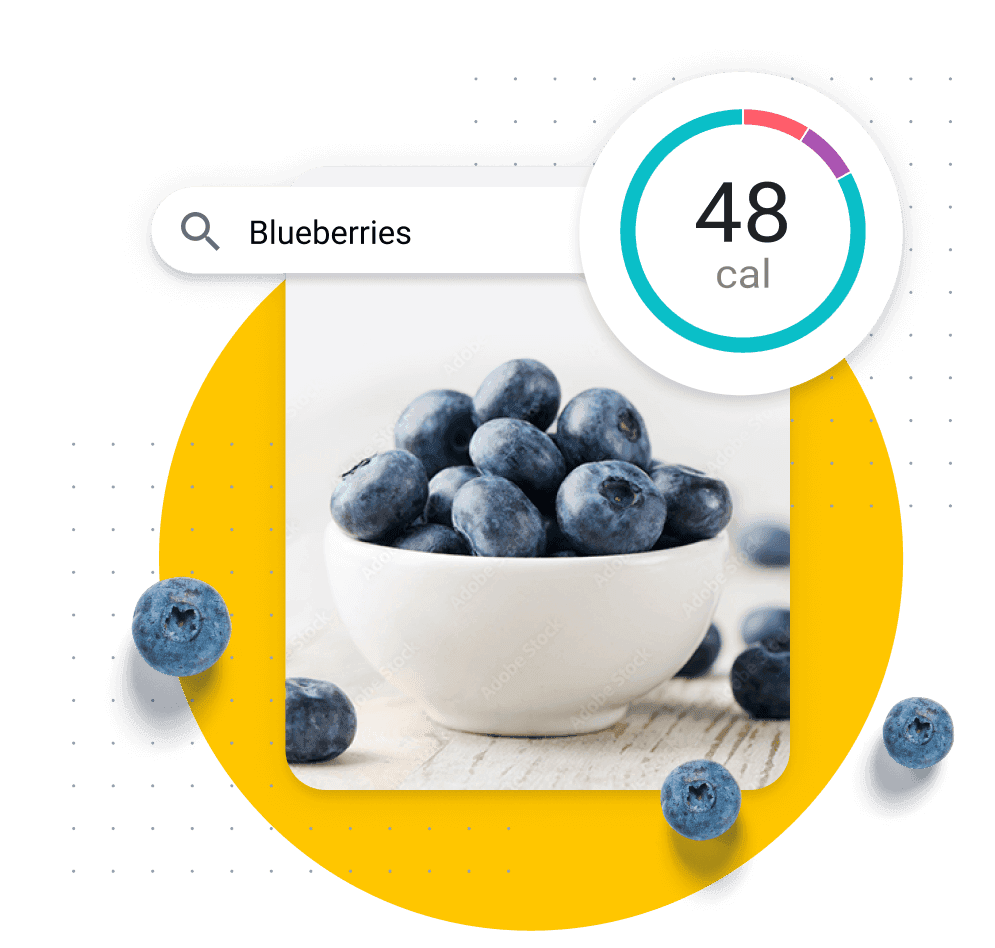
Log from over 14 million foods.
69 |
See a breakdown of calories and nutrients, compare serving sizes, and discover how the food you eat supports your goals.
70 |
71 |
72 |
73 | {/* */}
74 |
75 |
76 |
77 |
78 |
The Tools for Your Goals
79 |
Trying to lose weight, tone up, lower your BMI, or invest in your overall health? We give you the right features to get there.
80 |
81 |
82 |
83 |
84 |
85 |
86 |
87 |
Learn. Track. Improve.
88 |
Keeping a food diary helps you understand your habits and increases your likelihood of hitting your goals.
89 |
90 |
91 |
92 |
93 |
94 |
95 |
96 |
97 |
Logging Simplified.
98 |
Scan barcodes, save meals and recipes, and use Quick Tools for fast and easy food tracking.
99 |
100 |
101 |
102 |
103 |
104 |
105 |
106 |
Stay Motivated.
107 |
Join the World’s Largest Fitness Community for advice, tips, and support 24/7.
108 |
109 |
110 |
111 |
112 |
113 |
114 |
115 |
116 |
117 |
118 | {/* */}
119 |
120 |
121 |
122 |
Victory Stories
123 |
Every day, more than 3,000 members reach their goals with MyFitnessPal. Get inspired for the journey ahead.
124 |
125 |
126 | {
127 |
128 |
136 |
137 | }
138 |
139 |
140 |
141 |
142 | {/* */}
143 |
144 |
145 |
146 |
Recipes & Inspiration
147 |
Get nutritionist-approved recipes and motivational workout tips from MyFitnessPal experts.
148 |
149 |
150 |
151 |
152 |
153 |
154 |
155 |
15 Make-Ahead Breakfasts Under 300 Calories
156 |
157 |
MyFitnessPal Blog
158 |
159 |
160 |
161 |
162 |
163 |
The Problem With Cheat Days
164 |
165 |
MyFitnessPal Blog
166 |
167 |
168 |
169 |
170 |
171 |
172 |
Essential Guide to Getting Moving
173 |
174 |
MyFitnessPal Blog
175 |
176 |
177 |
178 |
179 |
180 |
181 |
182 |
183 |
184 |
185 |
186 | {/* */}
187 |
188 |
189 |
190 |
Connect with over 50 apps.
191 |
Easily link your MyFitnessPal account with apps that support your healthier lifestyle. It’s not just about calories. It’s about feeling better, looking better, and living better.
192 |
193 |
194 |
195 |
196 |
197 |
198 |
199 |
200 |
201 |
MyFitnessPal is one of the best weight loss apps and fitness apps, helping nearly 1 million members reach their nutrition and fitness goals every year. Members use it as a calories tracker and calorie counter to log their foods, and take advantage of the app’s food database that contains over 14 million foods. It’s not just a free calorie counter app — it’s also the best calorie counter app for people who are looking to take back control of their health and fitness.