├── src
├── favicon.ico
├── SnapCrap.csproj
└── Program.cs
├── SnapCrap.sln
└── README.md
/src/favicon.ico:
--------------------------------------------------------------------------------
https://raw.githubusercontent.com/V3rB0se/Snapcrap/HEAD/src/favicon.ico
--------------------------------------------------------------------------------
/src/SnapCrap.csproj:
--------------------------------------------------------------------------------
1 |
2 |
3 |
4 | Exe
5 | net5.0
6 | SnapCrap_v1
7 | favicon.ico
8 |
9 |
10 |
11 |
12 |
13 |
14 |
15 |
16 |
17 |
18 |
19 |
--------------------------------------------------------------------------------
/SnapCrap.sln:
--------------------------------------------------------------------------------
1 |
2 | Microsoft Visual Studio Solution File, Format Version 12.00
3 | # Visual Studio Version 17
4 | VisualStudioVersion = 17.0.31919.166
5 | MinimumVisualStudioVersion = 10.0.40219.1
6 | Project("{9A19103F-16F7-4668-BE54-9A1E7A4F7556}") = "SnapCrap", "src\SnapCrap.csproj", "{4A5ACD6D-0797-4828-AC92-4E594E27A3D0}"
7 | EndProject
8 | Global
9 | GlobalSection(SolutionConfigurationPlatforms) = preSolution
10 | Debug|Any CPU = Debug|Any CPU
11 | Release|Any CPU = Release|Any CPU
12 | EndGlobalSection
13 | GlobalSection(ProjectConfigurationPlatforms) = postSolution
14 | {4A5ACD6D-0797-4828-AC92-4E594E27A3D0}.Debug|Any CPU.ActiveCfg = Debug|Any CPU
15 | {4A5ACD6D-0797-4828-AC92-4E594E27A3D0}.Debug|Any CPU.Build.0 = Debug|Any CPU
16 | {4A5ACD6D-0797-4828-AC92-4E594E27A3D0}.Release|Any CPU.ActiveCfg = Release|Any CPU
17 | {4A5ACD6D-0797-4828-AC92-4E594E27A3D0}.Release|Any CPU.Build.0 = Release|Any CPU
18 | EndGlobalSection
19 | GlobalSection(SolutionProperties) = preSolution
20 | HideSolutionNode = FALSE
21 | EndGlobalSection
22 | GlobalSection(ExtensibilityGlobals) = postSolution
23 | SolutionGuid = {565EE6E2-4C07-4B47-8194-C6B78F5F85D8}
24 | EndGlobalSection
25 | EndGlobal
26 |
--------------------------------------------------------------------------------
/README.md:
--------------------------------------------------------------------------------
1 | # SNAPCRAP
2 |
3 | @Alynx_Facl
4 |
5 |
6 | 
7 |
8 | Extract Snapchat Data on a Rooted Android Phone
Inspired by This Spotlight Project
9 |
10 |
11 |
12 |
13 |  14 |
15 |
16 |
14 |
15 |
16 |  17 |
18 |
19 |
17 |
18 |
19 |  20 |
21 |
22 |
20 |
21 |
22 |
23 |
24 |
25 |
26 |
27 |
28 |
29 |
30 |
31 |
32 | # What Is Snapcrap?
33 |
34 | 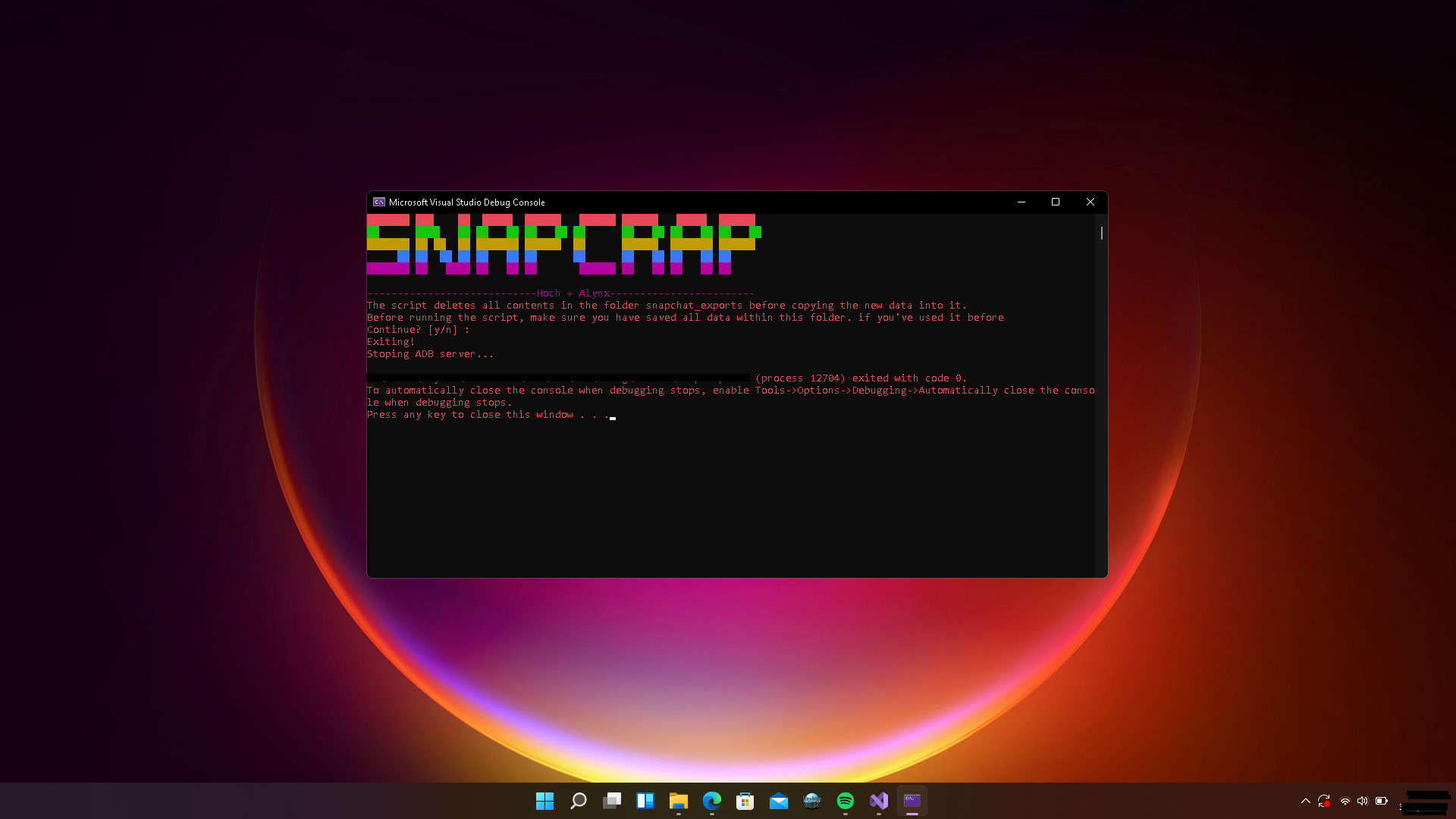 35 |
35 |
36 | Snapcrap is a console application I made to make it easier to extract snapchat's data (snaps and shit) stored in the data folder of snapchat
37 | using windows.
38 | before using this program download and install this snapchat version Snapchat v11
39 |
40 |
41 | # How it works?
42 | it just extract the data stored in the data folder of snapchat to sdcard and change the extension to their respective file format using file headers. it works over android debugging bridge (adb).
43 |
44 |
45 |
46 | # Requirements?
47 | 1. Rooted Android Phone.
48 | 2. Snapchat Installed (Well?)
49 | 3. Brain (Optional :P)
50 |
51 | # Extraction
52 |
53 | 1. Compile it using Visual Studio Code 2019 or 2022 OR Download a precompiled Executable from here
54 | 2. Turn on The Developer Options by tapping on build number 7 times
55 | 3. Turn on Usb Debugging from settings
56 | 4. Connect your Android Device to windows machine
57 | 4.5 Download and Install Snapchat v11 Login to Snapchat & open/play all the snaps saved in chat to load them.
58 | 5. Run the program and press Y you'll get an error (do not close the program) disconnect the phone from your pc and connect again .
You'll get a prompt confirming usb debugging operation permission, allow it
59 | 6. Run the program again. When it finishes, you will find the result on your phone in a folder named snapchat_exports.
60 |
61 | You have to run this program twice its a bug, trying to figure out a solution.
62 |
63 |
64 |
65 | Having a tough time doing a Magisk root ??
66 |
67 | Follow this guide XDA-Developers Root Directory
68 |
69 |
70 | # Contributors
71 |
76 |
--------------------------------------------------------------------------------
/src/Program.cs:
--------------------------------------------------------------------------------
1 | using SharpAdbClient;
2 | using System;
3 | using System.ComponentModel;
4 | using System.IO;
5 | using System.Net;
6 | using System.Threading;
7 | using System.Text;
8 |
9 | namespace SnapCrap_v1
10 | {
11 | internal class SnapCrap
12 | {
13 | public static bool isDownloading = false;
14 | static void Main(string[] args)
15 | {
16 |
17 | // IF Banner function return true exit
18 | if (Banner()) {
19 | AdbStopOnExit();
20 | return;
21 | }
22 |
23 | if (!Directory.Exists("platform-tools"))
24 | {
25 | DownloadSDK();
26 | ExtractSDK();
27 | }
28 | AdbStartFirst();
29 |
30 | DeviceConnection DC = new DeviceConnection();
31 | DC.MonitorConnection();
32 |
33 | // if startserver function return true exit
34 | if (StartServer()) {
35 | AdbStopOnExit();
36 | return;
37 | }
38 |
39 |
40 | //platform-tools directory doesn't exist download adb and unzip it (unzipping it will give us the directory we need)
41 |
42 | // else directly download the script for android to control all the procedure
43 | DownloadSnapcrap();
44 |
45 | if (UploadFile("sdcard/snapcrap.sh", "snapcrap.sh")) { return; }
46 |
47 | var ADBClient = new AdbClient();
48 | var devices = ADBClient.GetDevices().ToArray();
49 | var CurrentDevice = devices[0];
50 | var receiver = new ConsoleOutputReceiver();
51 |
52 | Ext();
53 | ADBClient.ExecuteRemoteCommand("su -c sh /sdcard/snapcrap.sh", CurrentDevice, receiver);
54 | ADBClient.ExecuteRemoteCommand("cd sdcard", CurrentDevice, receiver);
55 | Console.WriteLine("We're Finished!");
56 |
57 |
58 | }
59 |
60 | static bool StartServer()
61 | {
62 | AdbServer server = new AdbServer();
63 | server.StartServer($"{Directory.GetCurrentDirectory()}/platform-tools/adb.exe", restartServerIfNewer: true);
64 | var ADBClient = new AdbClient();
65 | var devices = ADBClient.GetDevices().ToArray();
66 |
67 |
68 | if (devices == null || devices.Length == 0)
69 | {
70 | Console.WriteLine("No Device Connected! Exiting");
71 | return true;
72 | }
73 |
74 | var CurrentDevice = devices[0];
75 | var receiver = new ConsoleOutputReceiver();
76 | var CheckAppStatus = new ConsoleOutputReceiver();
77 | ADBClient.ExecuteRemoteCommand("getprop ro.product.model", CurrentDevice, receiver);
78 | Console.ForegroundColor = ConsoleColor.Green;
79 | Console.WriteLine("Connected Device: " + receiver.ToString());
80 | ADBClient.ExecuteRemoteCommand("pm list packages | grep com.snapchat.android", CurrentDevice, CheckAppStatus);
81 | string package = CheckAppStatus.ToString();
82 |
83 | if (package == "")
84 | {
85 | Console.ForegroundColor = ConsoleColor.Red;
86 | Console.WriteLine("Snapchat Not Found! Press Any Key To Exit...");
87 | Console.ReadLine();
88 | return true;
89 | }
90 |
91 | Console.WriteLine("Snapchat Found!");
92 | Console.WriteLine("Has anyone ever found a lost treasure?");
93 | return false;
94 |
95 |
96 | }
97 | static void DownloadSDK()
98 | {
99 | File.Delete("adb.zip");
100 | Console.WriteLine("Downloading Android SDK Tools");
101 | var DownloadSDK = new WebClient();
102 | DownloadSDK.DownloadFile("https://dl.google.com/android/repository/platform-tools-latest-windows.zip", "adb.zip");
103 | Console.WriteLine("Download Completed ");
104 | }
105 | static void DownloadSnapcrap()
106 | {
107 | File.Delete("snapcrap.sh");
108 | Console.WriteLine("Downloading Snapcrap");
109 | var DownloadSDK = new WebClient();
110 | DownloadSDK.DownloadFile("https://gist.githubusercontent.com/V3rB0se/db843dd1691318409570d95dd8108635/raw/6948418f9668b939e6b7487d2cd68929097579d3/snapcrap.sh", "snapcrap.sh");
111 | Console.WriteLine("Download Completed ");
112 | }
113 |
114 | static void ExtractSDK()
115 | {
116 | Console.WriteLine("Extracting Android SDK Tools");
117 | var AdbPath = $"{Directory.GetCurrentDirectory()}/adb.zip";
118 | var AdbFolder = $"{Directory.GetCurrentDirectory()}/";
119 | System.IO.Compression.ZipFile.ExtractToDirectory(AdbPath, AdbFolder);
120 | }
121 | static bool UploadFile(string Location, string CurrentFile)
122 | {
123 | var ADBClient = new AdbClient();
124 | var devices = ADBClient.GetDevices().ToArray();
125 | if (devices == null || devices.Length == 0)
126 | {
127 | Console.WriteLine("No Device Connected! Exiting");
128 | AdbStopOnExit();
129 | return true;
130 | }
131 |
132 | var CurrentDevice = devices[0];
133 | SyncService service = new SyncService(new AdbSocket(new IPEndPoint(IPAddress.Loopback, AdbClient.AdbServerPort)), CurrentDevice);
134 | using (Stream stream = File.OpenRead(CurrentFile))
135 | {
136 | service.Push(stream, Location, 666, DateTime.Now, null, CancellationToken.None);
137 | }
138 | return false;
139 |
140 | }
141 |
142 | static void Ext()
143 | {
144 | Console.Write("Extracting");
145 | Console.Write(".");
146 | Thread.Sleep(1000);
147 | Console.Write(".");
148 | Thread.Sleep(1000);
149 | Console.Write(".");
150 | Thread.Sleep(1000);
151 | Console.Write(".");
152 | Thread.Sleep(1000);
153 | Console.Write(".");
154 | Thread.Sleep(1000);
155 | }
156 | static bool PromptConfirmation(string confirmText)
157 | {
158 | Console.Write(confirmText + " [y/n] : ");
159 | ConsoleKey response = Console.ReadKey(false).Key;
160 | Console.WriteLine();
161 | return (response == ConsoleKey.Y);
162 | }
163 | static bool Banner()
164 | {
165 | var valueBytes = System.Convert.FromBase64String("WW91IHN1cmUgYnJvIHNoZSBhaW4ndCBhIGhvZT8=");
166 | Console.Title = Encoding.UTF8.GetString(valueBytes);
167 | Console.ForegroundColor = ConsoleColor.DarkYellow;
168 | Console.ForegroundColor = ConsoleColor.Red;
169 | Console.WriteLine("███████ ███ ██ █████ ██████ ██████ ██████ █████ ██████ ");
170 | Console.ForegroundColor = ConsoleColor.Green;
171 | Console.WriteLine("██ ████ ██ ██ ██ ██ ██ ██ ██ ██ ██ ██ ██ ██ ");
172 | Console.ForegroundColor = ConsoleColor.DarkYellow;
173 | Console.WriteLine("███████ ██ ██ ██ ███████ ██████ ██ ██████ ███████ ██████ ");
174 | Console.ForegroundColor = ConsoleColor.Blue;
175 | Console.WriteLine(" ██ ██ ██ ██ ██ ██ ██ ██ ██ ██ ██ ██ ██ ");
176 | Console.ForegroundColor = ConsoleColor.Magenta;
177 | Console.WriteLine("███████ ██ ████ ██ ██ ██ ██████ ██ ██ ██ ██ ██ ");
178 | Console.WriteLine("\n----------------------------Hoch + Alynx------------------------");
179 | Console.ForegroundColor = ConsoleColor.Red;
180 | Console.WriteLine("The script deletes all contents in the folder snapchat_exports before copying the new data into it.\nBefore running the script, make sure you have saved all data within this folder. if you've used it before");
181 | if (PromptConfirmation("Continue?"))
182 | {
183 | return false;
184 | }
185 | Console.WriteLine("Exiting! ");
186 | return true;
187 |
188 | }
189 | static void AdbStartFirst()
190 | {
191 |
192 | System.Diagnostics.Process process = new System.Diagnostics.Process();
193 | System.Diagnostics.ProcessStartInfo startInfo = new System.Diagnostics.ProcessStartInfo()
194 | {
195 | WorkingDirectory = $"{Directory.GetCurrentDirectory()}/platform-tools",
196 | WindowStyle = System.Diagnostics.ProcessWindowStyle.Normal,
197 | FileName = "cmd.exe",
198 | RedirectStandardInput = true,
199 | UseShellExecute = false,
200 | Arguments = "/C adb.exe start-server"
201 | };
202 | process.StartInfo = startInfo;
203 | process.Start();
204 | Console.WriteLine("Starting ADB server...");
205 | Thread.Sleep(5000);
206 |
207 | }
208 | static void AdbStopOnExit()
209 | {
210 | System.Diagnostics.Process process = new System.Diagnostics.Process();
211 | System.Diagnostics.ProcessStartInfo startInfo = new System.Diagnostics.ProcessStartInfo()
212 | {
213 | WorkingDirectory = $"{Directory.GetCurrentDirectory()}/platform-tools",
214 | WindowStyle = System.Diagnostics.ProcessWindowStyle.Normal,
215 | FileName = "cmd.exe",
216 | RedirectStandardInput = true,
217 | UseShellExecute = false,
218 | Arguments = "/C adb.exe kill-server"
219 | };
220 | process.StartInfo = startInfo;
221 | process.Start();
222 | Console.WriteLine("Stoping ADB server...");
223 | Thread.Sleep(5000);
224 | }
225 |
226 |
227 | }
228 | }
229 | class DeviceConnection
230 | {
231 | public void MonitorConnection()
232 | {
233 | var monitor = new DeviceMonitor(new AdbSocket(new IPEndPoint(IPAddress.Loopback, AdbClient.AdbServerPort)));
234 | monitor.DeviceConnected += this.OnDeviceConnected;
235 | monitor.DeviceDisconnected += this.OnDeviceDisconnected;
236 | monitor.Start();
237 | }
238 | public void OnDeviceConnected(object sender, DeviceDataEventArgs e)
239 | {
240 | Console.WriteLine($"The device has connected to this PC");
241 | }
242 | public void OnDeviceDisconnected(object sender, DeviceDataEventArgs e)
243 | {
244 | Console.WriteLine($"The device has Disconnected ");
245 | }
246 | }
247 |
--------------------------------------------------------------------------------