├── CNAME
├── docs
├── CNAME
├── robots.txt
├── .vuepress
│ ├── public
│ │ ├── Send.png
│ │ ├── AddWallet.png
│ │ ├── History.png
│ │ ├── WhiteMode.png
│ │ ├── favicon.ico
│ │ ├── DownloadAll.png
│ │ ├── DownloadDeb.png
│ │ ├── DownloadMac.png
│ │ ├── DownloadTar.png
│ │ ├── HistorySort.png
│ │ ├── PSBTSigned.png
│ │ ├── PayJoinSend.png
│ │ ├── PrivacyBar.png
│ │ ├── SendButton.png
│ │ ├── SendFeeIcon.png
│ │ ├── SendToField.png
│ │ ├── Virtualbox.png
│ │ ├── WalletOpen.png
│ │ ├── PSBTUnsigned.png
│ │ ├── SendChangeFee.png
│ │ ├── SendCustomFee.png
│ │ ├── SendFeeSlider.png
│ │ ├── SendPassword.png
│ │ ├── SettingsButton.png
│ │ ├── WalletRecovery.png
│ │ ├── mstile-150x150.png
│ │ ├── AddWalletButton.png
│ │ ├── CancelTxConfirm.png
│ │ ├── CoinjoinSettings.png
│ │ ├── CoinjoinStrategy.png
│ │ ├── DownloadWindows.png
│ │ ├── HistoryCoinjoin.png
│ │ ├── SendAmountField.png
│ │ ├── SettingsBitcoin.png
│ │ ├── SettingsNetwork.png
│ │ ├── SpeedUpTxConfirm.png
│ │ ├── TestNetIndicator.png
│ │ ├── UpdateAvailable.png
│ │ ├── WalletBackupType.png
│ │ ├── apple-touch-icon.png
│ │ ├── AddWalletWalletName.png
│ │ ├── HistoryRightClick.png
│ │ ├── Logo_without_text.png
│ │ ├── MusicBoxMenuItems.png
│ │ ├── PaymentSuccessful.png
│ │ ├── PrivacyProgressTile.png
│ │ ├── SearchBarTXIDSearch.png
│ │ ├── SendButtonSubAction.png
│ │ ├── SendRecipientLabel.png
│ │ ├── SettingsBitcoinRPC.png
│ │ ├── VerifyRecoveryWords.png
│ │ ├── WalletSynchronizing.png
│ │ ├── AnonymityScoreTarget.png
│ │ ├── DiscreetModeActivate.png
│ │ ├── InfographicWhyWasabi.png
│ │ ├── SendPrivacySuggestion.png
│ │ ├── StatusIconBitcoinRPC.png
│ │ ├── StopCoinjoinThreshold.png
│ │ ├── TorStatusWarningIcon.png
│ │ ├── AddWalletAddPassphrase.png
│ │ ├── AddWalletRecoveryWords.png
│ │ ├── AddressAwaitingPayment.png
│ │ ├── AddressesAwaitingPayment.png
│ │ ├── CoinjoinStrategySettings.png
│ │ ├── DiscreetModeDeactivate.png
│ │ ├── HistoryCoinjoinExpanded.png
│ │ ├── Logo_without_text_dark.png
│ │ ├── MusicBoxCoinjoinStopped.png
│ │ ├── NonPrivateCoinIsolation.png
│ │ ├── ReceiveLabelingRequired.png
│ │ ├── SearchBarHelpSupportOpen.png
│ │ ├── SendPreviewTransaction.png
│ │ ├── SettingsCoinjoinConfigs.png
│ │ ├── SettingsCoordinatorURI.png
│ │ ├── SettingsDustAttackLimit.png
│ │ ├── WalletDiscreetModeActive.png
│ │ ├── WalletRecoveryAdvanced.png
│ │ ├── android-chrome-192x192.png
│ │ ├── android-chrome-512x512.png
│ │ ├── AddWalletSuccessfullyAdded.png
│ │ ├── MusicBoxCoinjoinInProgress.png
│ │ ├── MusicBoxCoinjoinSuccessful.png
│ │ ├── PayJoinPreviewTransaction.png
│ │ ├── AddWalletConfirmRecoveryWords.png
│ │ ├── WalletSettingsCoinjoinToWallet.png
│ │ ├── AddressesAwaitingPaymentEditLabel.png
│ │ ├── AddressesAwaitingPaymentQRCodeIcon.png
│ │ ├── MusicBoxAwaitingOtherParticipants.png
│ │ ├── MusicBoxCoordinatorNotConfigured.png
│ │ ├── SendPreviewTransactionReviewCoins.png
│ │ ├── MusicBoxAwaitingToAutoStartCoinjoin.png
│ │ ├── Logo_without_text_with_bg_dark_with_yt.png
│ │ ├── CoinjoinSettingsAutomaticallyStartCoinjoin.png
│ │ ├── browserconfig.xml
│ │ └── site.webmanifest
│ ├── styles
│ │ ├── palette.scss
│ │ ├── index.scss
│ │ └── index.styl
│ ├── enhanceApp.js
│ └── config.ts
├── using-wasabi
│ ├── DeterministicBuild.md
│ ├── DiscreetMode.md
│ ├── BuildSource.md
│ ├── ExternalRestore.md
│ ├── README.md
│ ├── WalletLoad.md
│ ├── Daemon.md
│ ├── BitcoinFullNode.md
│ ├── BIPs.md
│ ├── WalletRecovery.md
│ ├── Testnet.md
│ ├── PayJoin.md
│ ├── ELI5.md
│ ├── ChangeCoins.md
│ ├── StartupParameters.md
│ ├── BackupBestPractices.md
│ ├── WalletGeneration.md
│ ├── Receive.md
│ ├── InstallPackage.md
│ └── Send.md
├── building-wasabi
│ ├── Security.md
│ ├── README.md
│ ├── LICENSE.md
│ └── ContributionChecklist.md
├── glossary
│ └── README.md
├── FAQ
│ ├── README.md
│ └── FAQ-Contribution.md
├── why-wasabi
│ ├── README.md
│ ├── TransactionGraph.md
│ ├── AddressReuse.md
│ ├── WhyPrivacyImportant.md
│ ├── WhyFinancialPrivacy.md
│ ├── Coins.md
│ ├── TransactionSurveillanceCompanies.md
│ └── NetworkLevelPrivacy.md
├── README.md
└── getting-started
│ └── README.md
├── .gitignore
├── LICENSE
├── .github
└── workflows
│ ├── build-and-deploy.yml
│ └── updateVersion.yml
├── package.json
└── README.md
/CNAME:
--------------------------------------------------------------------------------
1 | docs.wasabiwallet.io
--------------------------------------------------------------------------------
/docs/CNAME:
--------------------------------------------------------------------------------
1 | docs.wasabiwallet.io
--------------------------------------------------------------------------------
/docs/robots.txt:
--------------------------------------------------------------------------------
1 | User-agent: *
2 | Disallow:
3 |
--------------------------------------------------------------------------------
/docs/.vuepress/public/Send.png:
--------------------------------------------------------------------------------
https://raw.githubusercontent.com/WalletWasabi/WasabiDoc/HEAD/docs/.vuepress/public/Send.png
--------------------------------------------------------------------------------
/.gitignore:
--------------------------------------------------------------------------------
1 | /docs/.vuepress/dist
2 | /docs/.vuepress/.cache
3 | /docs/.vuepress/.temp
4 | /node_modules
5 | /.vs
6 | /.idea
7 |
--------------------------------------------------------------------------------
/docs/.vuepress/public/AddWallet.png:
--------------------------------------------------------------------------------
https://raw.githubusercontent.com/WalletWasabi/WasabiDoc/HEAD/docs/.vuepress/public/AddWallet.png
--------------------------------------------------------------------------------
/docs/.vuepress/public/History.png:
--------------------------------------------------------------------------------
https://raw.githubusercontent.com/WalletWasabi/WasabiDoc/HEAD/docs/.vuepress/public/History.png
--------------------------------------------------------------------------------
/docs/.vuepress/public/WhiteMode.png:
--------------------------------------------------------------------------------
https://raw.githubusercontent.com/WalletWasabi/WasabiDoc/HEAD/docs/.vuepress/public/WhiteMode.png
--------------------------------------------------------------------------------
/docs/.vuepress/public/favicon.ico:
--------------------------------------------------------------------------------
https://raw.githubusercontent.com/WalletWasabi/WasabiDoc/HEAD/docs/.vuepress/public/favicon.ico
--------------------------------------------------------------------------------
/docs/.vuepress/public/DownloadAll.png:
--------------------------------------------------------------------------------
https://raw.githubusercontent.com/WalletWasabi/WasabiDoc/HEAD/docs/.vuepress/public/DownloadAll.png
--------------------------------------------------------------------------------
/docs/.vuepress/public/DownloadDeb.png:
--------------------------------------------------------------------------------
https://raw.githubusercontent.com/WalletWasabi/WasabiDoc/HEAD/docs/.vuepress/public/DownloadDeb.png
--------------------------------------------------------------------------------
/docs/.vuepress/public/DownloadMac.png:
--------------------------------------------------------------------------------
https://raw.githubusercontent.com/WalletWasabi/WasabiDoc/HEAD/docs/.vuepress/public/DownloadMac.png
--------------------------------------------------------------------------------
/docs/.vuepress/public/DownloadTar.png:
--------------------------------------------------------------------------------
https://raw.githubusercontent.com/WalletWasabi/WasabiDoc/HEAD/docs/.vuepress/public/DownloadTar.png
--------------------------------------------------------------------------------
/docs/.vuepress/public/HistorySort.png:
--------------------------------------------------------------------------------
https://raw.githubusercontent.com/WalletWasabi/WasabiDoc/HEAD/docs/.vuepress/public/HistorySort.png
--------------------------------------------------------------------------------
/docs/.vuepress/public/PSBTSigned.png:
--------------------------------------------------------------------------------
https://raw.githubusercontent.com/WalletWasabi/WasabiDoc/HEAD/docs/.vuepress/public/PSBTSigned.png
--------------------------------------------------------------------------------
/docs/.vuepress/public/PayJoinSend.png:
--------------------------------------------------------------------------------
https://raw.githubusercontent.com/WalletWasabi/WasabiDoc/HEAD/docs/.vuepress/public/PayJoinSend.png
--------------------------------------------------------------------------------
/docs/.vuepress/public/PrivacyBar.png:
--------------------------------------------------------------------------------
https://raw.githubusercontent.com/WalletWasabi/WasabiDoc/HEAD/docs/.vuepress/public/PrivacyBar.png
--------------------------------------------------------------------------------
/docs/.vuepress/public/SendButton.png:
--------------------------------------------------------------------------------
https://raw.githubusercontent.com/WalletWasabi/WasabiDoc/HEAD/docs/.vuepress/public/SendButton.png
--------------------------------------------------------------------------------
/docs/.vuepress/public/SendFeeIcon.png:
--------------------------------------------------------------------------------
https://raw.githubusercontent.com/WalletWasabi/WasabiDoc/HEAD/docs/.vuepress/public/SendFeeIcon.png
--------------------------------------------------------------------------------
/docs/.vuepress/public/SendToField.png:
--------------------------------------------------------------------------------
https://raw.githubusercontent.com/WalletWasabi/WasabiDoc/HEAD/docs/.vuepress/public/SendToField.png
--------------------------------------------------------------------------------
/docs/.vuepress/public/Virtualbox.png:
--------------------------------------------------------------------------------
https://raw.githubusercontent.com/WalletWasabi/WasabiDoc/HEAD/docs/.vuepress/public/Virtualbox.png
--------------------------------------------------------------------------------
/docs/.vuepress/public/WalletOpen.png:
--------------------------------------------------------------------------------
https://raw.githubusercontent.com/WalletWasabi/WasabiDoc/HEAD/docs/.vuepress/public/WalletOpen.png
--------------------------------------------------------------------------------
/docs/.vuepress/public/PSBTUnsigned.png:
--------------------------------------------------------------------------------
https://raw.githubusercontent.com/WalletWasabi/WasabiDoc/HEAD/docs/.vuepress/public/PSBTUnsigned.png
--------------------------------------------------------------------------------
/docs/.vuepress/public/SendChangeFee.png:
--------------------------------------------------------------------------------
https://raw.githubusercontent.com/WalletWasabi/WasabiDoc/HEAD/docs/.vuepress/public/SendChangeFee.png
--------------------------------------------------------------------------------
/docs/.vuepress/public/SendCustomFee.png:
--------------------------------------------------------------------------------
https://raw.githubusercontent.com/WalletWasabi/WasabiDoc/HEAD/docs/.vuepress/public/SendCustomFee.png
--------------------------------------------------------------------------------
/docs/.vuepress/public/SendFeeSlider.png:
--------------------------------------------------------------------------------
https://raw.githubusercontent.com/WalletWasabi/WasabiDoc/HEAD/docs/.vuepress/public/SendFeeSlider.png
--------------------------------------------------------------------------------
/docs/.vuepress/public/SendPassword.png:
--------------------------------------------------------------------------------
https://raw.githubusercontent.com/WalletWasabi/WasabiDoc/HEAD/docs/.vuepress/public/SendPassword.png
--------------------------------------------------------------------------------
/docs/.vuepress/public/SettingsButton.png:
--------------------------------------------------------------------------------
https://raw.githubusercontent.com/WalletWasabi/WasabiDoc/HEAD/docs/.vuepress/public/SettingsButton.png
--------------------------------------------------------------------------------
/docs/.vuepress/public/WalletRecovery.png:
--------------------------------------------------------------------------------
https://raw.githubusercontent.com/WalletWasabi/WasabiDoc/HEAD/docs/.vuepress/public/WalletRecovery.png
--------------------------------------------------------------------------------
/docs/.vuepress/public/mstile-150x150.png:
--------------------------------------------------------------------------------
https://raw.githubusercontent.com/WalletWasabi/WasabiDoc/HEAD/docs/.vuepress/public/mstile-150x150.png
--------------------------------------------------------------------------------
/docs/.vuepress/public/AddWalletButton.png:
--------------------------------------------------------------------------------
https://raw.githubusercontent.com/WalletWasabi/WasabiDoc/HEAD/docs/.vuepress/public/AddWalletButton.png
--------------------------------------------------------------------------------
/docs/.vuepress/public/CancelTxConfirm.png:
--------------------------------------------------------------------------------
https://raw.githubusercontent.com/WalletWasabi/WasabiDoc/HEAD/docs/.vuepress/public/CancelTxConfirm.png
--------------------------------------------------------------------------------
/docs/.vuepress/public/CoinjoinSettings.png:
--------------------------------------------------------------------------------
https://raw.githubusercontent.com/WalletWasabi/WasabiDoc/HEAD/docs/.vuepress/public/CoinjoinSettings.png
--------------------------------------------------------------------------------
/docs/.vuepress/public/CoinjoinStrategy.png:
--------------------------------------------------------------------------------
https://raw.githubusercontent.com/WalletWasabi/WasabiDoc/HEAD/docs/.vuepress/public/CoinjoinStrategy.png
--------------------------------------------------------------------------------
/docs/.vuepress/public/DownloadWindows.png:
--------------------------------------------------------------------------------
https://raw.githubusercontent.com/WalletWasabi/WasabiDoc/HEAD/docs/.vuepress/public/DownloadWindows.png
--------------------------------------------------------------------------------
/docs/.vuepress/public/HistoryCoinjoin.png:
--------------------------------------------------------------------------------
https://raw.githubusercontent.com/WalletWasabi/WasabiDoc/HEAD/docs/.vuepress/public/HistoryCoinjoin.png
--------------------------------------------------------------------------------
/docs/.vuepress/public/SendAmountField.png:
--------------------------------------------------------------------------------
https://raw.githubusercontent.com/WalletWasabi/WasabiDoc/HEAD/docs/.vuepress/public/SendAmountField.png
--------------------------------------------------------------------------------
/docs/.vuepress/public/SettingsBitcoin.png:
--------------------------------------------------------------------------------
https://raw.githubusercontent.com/WalletWasabi/WasabiDoc/HEAD/docs/.vuepress/public/SettingsBitcoin.png
--------------------------------------------------------------------------------
/docs/.vuepress/public/SettingsNetwork.png:
--------------------------------------------------------------------------------
https://raw.githubusercontent.com/WalletWasabi/WasabiDoc/HEAD/docs/.vuepress/public/SettingsNetwork.png
--------------------------------------------------------------------------------
/docs/.vuepress/public/SpeedUpTxConfirm.png:
--------------------------------------------------------------------------------
https://raw.githubusercontent.com/WalletWasabi/WasabiDoc/HEAD/docs/.vuepress/public/SpeedUpTxConfirm.png
--------------------------------------------------------------------------------
/docs/.vuepress/public/TestNetIndicator.png:
--------------------------------------------------------------------------------
https://raw.githubusercontent.com/WalletWasabi/WasabiDoc/HEAD/docs/.vuepress/public/TestNetIndicator.png
--------------------------------------------------------------------------------
/docs/.vuepress/public/UpdateAvailable.png:
--------------------------------------------------------------------------------
https://raw.githubusercontent.com/WalletWasabi/WasabiDoc/HEAD/docs/.vuepress/public/UpdateAvailable.png
--------------------------------------------------------------------------------
/docs/.vuepress/public/WalletBackupType.png:
--------------------------------------------------------------------------------
https://raw.githubusercontent.com/WalletWasabi/WasabiDoc/HEAD/docs/.vuepress/public/WalletBackupType.png
--------------------------------------------------------------------------------
/docs/.vuepress/public/apple-touch-icon.png:
--------------------------------------------------------------------------------
https://raw.githubusercontent.com/WalletWasabi/WasabiDoc/HEAD/docs/.vuepress/public/apple-touch-icon.png
--------------------------------------------------------------------------------
/docs/.vuepress/public/AddWalletWalletName.png:
--------------------------------------------------------------------------------
https://raw.githubusercontent.com/WalletWasabi/WasabiDoc/HEAD/docs/.vuepress/public/AddWalletWalletName.png
--------------------------------------------------------------------------------
/docs/.vuepress/public/HistoryRightClick.png:
--------------------------------------------------------------------------------
https://raw.githubusercontent.com/WalletWasabi/WasabiDoc/HEAD/docs/.vuepress/public/HistoryRightClick.png
--------------------------------------------------------------------------------
/docs/.vuepress/public/Logo_without_text.png:
--------------------------------------------------------------------------------
https://raw.githubusercontent.com/WalletWasabi/WasabiDoc/HEAD/docs/.vuepress/public/Logo_without_text.png
--------------------------------------------------------------------------------
/docs/.vuepress/public/MusicBoxMenuItems.png:
--------------------------------------------------------------------------------
https://raw.githubusercontent.com/WalletWasabi/WasabiDoc/HEAD/docs/.vuepress/public/MusicBoxMenuItems.png
--------------------------------------------------------------------------------
/docs/.vuepress/public/PaymentSuccessful.png:
--------------------------------------------------------------------------------
https://raw.githubusercontent.com/WalletWasabi/WasabiDoc/HEAD/docs/.vuepress/public/PaymentSuccessful.png
--------------------------------------------------------------------------------
/docs/.vuepress/public/PrivacyProgressTile.png:
--------------------------------------------------------------------------------
https://raw.githubusercontent.com/WalletWasabi/WasabiDoc/HEAD/docs/.vuepress/public/PrivacyProgressTile.png
--------------------------------------------------------------------------------
/docs/.vuepress/public/SearchBarTXIDSearch.png:
--------------------------------------------------------------------------------
https://raw.githubusercontent.com/WalletWasabi/WasabiDoc/HEAD/docs/.vuepress/public/SearchBarTXIDSearch.png
--------------------------------------------------------------------------------
/docs/.vuepress/public/SendButtonSubAction.png:
--------------------------------------------------------------------------------
https://raw.githubusercontent.com/WalletWasabi/WasabiDoc/HEAD/docs/.vuepress/public/SendButtonSubAction.png
--------------------------------------------------------------------------------
/docs/.vuepress/public/SendRecipientLabel.png:
--------------------------------------------------------------------------------
https://raw.githubusercontent.com/WalletWasabi/WasabiDoc/HEAD/docs/.vuepress/public/SendRecipientLabel.png
--------------------------------------------------------------------------------
/docs/.vuepress/public/SettingsBitcoinRPC.png:
--------------------------------------------------------------------------------
https://raw.githubusercontent.com/WalletWasabi/WasabiDoc/HEAD/docs/.vuepress/public/SettingsBitcoinRPC.png
--------------------------------------------------------------------------------
/docs/.vuepress/public/VerifyRecoveryWords.png:
--------------------------------------------------------------------------------
https://raw.githubusercontent.com/WalletWasabi/WasabiDoc/HEAD/docs/.vuepress/public/VerifyRecoveryWords.png
--------------------------------------------------------------------------------
/docs/.vuepress/public/WalletSynchronizing.png:
--------------------------------------------------------------------------------
https://raw.githubusercontent.com/WalletWasabi/WasabiDoc/HEAD/docs/.vuepress/public/WalletSynchronizing.png
--------------------------------------------------------------------------------
/docs/.vuepress/public/AnonymityScoreTarget.png:
--------------------------------------------------------------------------------
https://raw.githubusercontent.com/WalletWasabi/WasabiDoc/HEAD/docs/.vuepress/public/AnonymityScoreTarget.png
--------------------------------------------------------------------------------
/docs/.vuepress/public/DiscreetModeActivate.png:
--------------------------------------------------------------------------------
https://raw.githubusercontent.com/WalletWasabi/WasabiDoc/HEAD/docs/.vuepress/public/DiscreetModeActivate.png
--------------------------------------------------------------------------------
/docs/.vuepress/public/InfographicWhyWasabi.png:
--------------------------------------------------------------------------------
https://raw.githubusercontent.com/WalletWasabi/WasabiDoc/HEAD/docs/.vuepress/public/InfographicWhyWasabi.png
--------------------------------------------------------------------------------
/docs/.vuepress/public/SendPrivacySuggestion.png:
--------------------------------------------------------------------------------
https://raw.githubusercontent.com/WalletWasabi/WasabiDoc/HEAD/docs/.vuepress/public/SendPrivacySuggestion.png
--------------------------------------------------------------------------------
/docs/.vuepress/public/StatusIconBitcoinRPC.png:
--------------------------------------------------------------------------------
https://raw.githubusercontent.com/WalletWasabi/WasabiDoc/HEAD/docs/.vuepress/public/StatusIconBitcoinRPC.png
--------------------------------------------------------------------------------
/docs/.vuepress/public/StopCoinjoinThreshold.png:
--------------------------------------------------------------------------------
https://raw.githubusercontent.com/WalletWasabi/WasabiDoc/HEAD/docs/.vuepress/public/StopCoinjoinThreshold.png
--------------------------------------------------------------------------------
/docs/.vuepress/public/TorStatusWarningIcon.png:
--------------------------------------------------------------------------------
https://raw.githubusercontent.com/WalletWasabi/WasabiDoc/HEAD/docs/.vuepress/public/TorStatusWarningIcon.png
--------------------------------------------------------------------------------
/docs/.vuepress/public/AddWalletAddPassphrase.png:
--------------------------------------------------------------------------------
https://raw.githubusercontent.com/WalletWasabi/WasabiDoc/HEAD/docs/.vuepress/public/AddWalletAddPassphrase.png
--------------------------------------------------------------------------------
/docs/.vuepress/public/AddWalletRecoveryWords.png:
--------------------------------------------------------------------------------
https://raw.githubusercontent.com/WalletWasabi/WasabiDoc/HEAD/docs/.vuepress/public/AddWalletRecoveryWords.png
--------------------------------------------------------------------------------
/docs/.vuepress/public/AddressAwaitingPayment.png:
--------------------------------------------------------------------------------
https://raw.githubusercontent.com/WalletWasabi/WasabiDoc/HEAD/docs/.vuepress/public/AddressAwaitingPayment.png
--------------------------------------------------------------------------------
/docs/.vuepress/public/AddressesAwaitingPayment.png:
--------------------------------------------------------------------------------
https://raw.githubusercontent.com/WalletWasabi/WasabiDoc/HEAD/docs/.vuepress/public/AddressesAwaitingPayment.png
--------------------------------------------------------------------------------
/docs/.vuepress/public/CoinjoinStrategySettings.png:
--------------------------------------------------------------------------------
https://raw.githubusercontent.com/WalletWasabi/WasabiDoc/HEAD/docs/.vuepress/public/CoinjoinStrategySettings.png
--------------------------------------------------------------------------------
/docs/.vuepress/public/DiscreetModeDeactivate.png:
--------------------------------------------------------------------------------
https://raw.githubusercontent.com/WalletWasabi/WasabiDoc/HEAD/docs/.vuepress/public/DiscreetModeDeactivate.png
--------------------------------------------------------------------------------
/docs/.vuepress/public/HistoryCoinjoinExpanded.png:
--------------------------------------------------------------------------------
https://raw.githubusercontent.com/WalletWasabi/WasabiDoc/HEAD/docs/.vuepress/public/HistoryCoinjoinExpanded.png
--------------------------------------------------------------------------------
/docs/.vuepress/public/Logo_without_text_dark.png:
--------------------------------------------------------------------------------
https://raw.githubusercontent.com/WalletWasabi/WasabiDoc/HEAD/docs/.vuepress/public/Logo_without_text_dark.png
--------------------------------------------------------------------------------
/docs/.vuepress/public/MusicBoxCoinjoinStopped.png:
--------------------------------------------------------------------------------
https://raw.githubusercontent.com/WalletWasabi/WasabiDoc/HEAD/docs/.vuepress/public/MusicBoxCoinjoinStopped.png
--------------------------------------------------------------------------------
/docs/.vuepress/public/NonPrivateCoinIsolation.png:
--------------------------------------------------------------------------------
https://raw.githubusercontent.com/WalletWasabi/WasabiDoc/HEAD/docs/.vuepress/public/NonPrivateCoinIsolation.png
--------------------------------------------------------------------------------
/docs/.vuepress/public/ReceiveLabelingRequired.png:
--------------------------------------------------------------------------------
https://raw.githubusercontent.com/WalletWasabi/WasabiDoc/HEAD/docs/.vuepress/public/ReceiveLabelingRequired.png
--------------------------------------------------------------------------------
/docs/.vuepress/public/SearchBarHelpSupportOpen.png:
--------------------------------------------------------------------------------
https://raw.githubusercontent.com/WalletWasabi/WasabiDoc/HEAD/docs/.vuepress/public/SearchBarHelpSupportOpen.png
--------------------------------------------------------------------------------
/docs/.vuepress/public/SendPreviewTransaction.png:
--------------------------------------------------------------------------------
https://raw.githubusercontent.com/WalletWasabi/WasabiDoc/HEAD/docs/.vuepress/public/SendPreviewTransaction.png
--------------------------------------------------------------------------------
/docs/.vuepress/public/SettingsCoinjoinConfigs.png:
--------------------------------------------------------------------------------
https://raw.githubusercontent.com/WalletWasabi/WasabiDoc/HEAD/docs/.vuepress/public/SettingsCoinjoinConfigs.png
--------------------------------------------------------------------------------
/docs/.vuepress/public/SettingsCoordinatorURI.png:
--------------------------------------------------------------------------------
https://raw.githubusercontent.com/WalletWasabi/WasabiDoc/HEAD/docs/.vuepress/public/SettingsCoordinatorURI.png
--------------------------------------------------------------------------------
/docs/.vuepress/public/SettingsDustAttackLimit.png:
--------------------------------------------------------------------------------
https://raw.githubusercontent.com/WalletWasabi/WasabiDoc/HEAD/docs/.vuepress/public/SettingsDustAttackLimit.png
--------------------------------------------------------------------------------
/docs/.vuepress/public/WalletDiscreetModeActive.png:
--------------------------------------------------------------------------------
https://raw.githubusercontent.com/WalletWasabi/WasabiDoc/HEAD/docs/.vuepress/public/WalletDiscreetModeActive.png
--------------------------------------------------------------------------------
/docs/.vuepress/public/WalletRecoveryAdvanced.png:
--------------------------------------------------------------------------------
https://raw.githubusercontent.com/WalletWasabi/WasabiDoc/HEAD/docs/.vuepress/public/WalletRecoveryAdvanced.png
--------------------------------------------------------------------------------
/docs/.vuepress/public/android-chrome-192x192.png:
--------------------------------------------------------------------------------
https://raw.githubusercontent.com/WalletWasabi/WasabiDoc/HEAD/docs/.vuepress/public/android-chrome-192x192.png
--------------------------------------------------------------------------------
/docs/.vuepress/public/android-chrome-512x512.png:
--------------------------------------------------------------------------------
https://raw.githubusercontent.com/WalletWasabi/WasabiDoc/HEAD/docs/.vuepress/public/android-chrome-512x512.png
--------------------------------------------------------------------------------
/docs/.vuepress/public/AddWalletSuccessfullyAdded.png:
--------------------------------------------------------------------------------
https://raw.githubusercontent.com/WalletWasabi/WasabiDoc/HEAD/docs/.vuepress/public/AddWalletSuccessfullyAdded.png
--------------------------------------------------------------------------------
/docs/.vuepress/public/MusicBoxCoinjoinInProgress.png:
--------------------------------------------------------------------------------
https://raw.githubusercontent.com/WalletWasabi/WasabiDoc/HEAD/docs/.vuepress/public/MusicBoxCoinjoinInProgress.png
--------------------------------------------------------------------------------
/docs/.vuepress/public/MusicBoxCoinjoinSuccessful.png:
--------------------------------------------------------------------------------
https://raw.githubusercontent.com/WalletWasabi/WasabiDoc/HEAD/docs/.vuepress/public/MusicBoxCoinjoinSuccessful.png
--------------------------------------------------------------------------------
/docs/.vuepress/public/PayJoinPreviewTransaction.png:
--------------------------------------------------------------------------------
https://raw.githubusercontent.com/WalletWasabi/WasabiDoc/HEAD/docs/.vuepress/public/PayJoinPreviewTransaction.png
--------------------------------------------------------------------------------
/docs/.vuepress/styles/palette.scss:
--------------------------------------------------------------------------------
1 | // responsive breakpoints
2 | $MQNarrow: 1140px !default;
3 | $MQMobile: 979px !default;
4 | $MQMobileNarrow: 419px !default;
--------------------------------------------------------------------------------
/docs/.vuepress/public/AddWalletConfirmRecoveryWords.png:
--------------------------------------------------------------------------------
https://raw.githubusercontent.com/WalletWasabi/WasabiDoc/HEAD/docs/.vuepress/public/AddWalletConfirmRecoveryWords.png
--------------------------------------------------------------------------------
/docs/.vuepress/public/WalletSettingsCoinjoinToWallet.png:
--------------------------------------------------------------------------------
https://raw.githubusercontent.com/WalletWasabi/WasabiDoc/HEAD/docs/.vuepress/public/WalletSettingsCoinjoinToWallet.png
--------------------------------------------------------------------------------
/docs/.vuepress/public/AddressesAwaitingPaymentEditLabel.png:
--------------------------------------------------------------------------------
https://raw.githubusercontent.com/WalletWasabi/WasabiDoc/HEAD/docs/.vuepress/public/AddressesAwaitingPaymentEditLabel.png
--------------------------------------------------------------------------------
/docs/.vuepress/public/AddressesAwaitingPaymentQRCodeIcon.png:
--------------------------------------------------------------------------------
https://raw.githubusercontent.com/WalletWasabi/WasabiDoc/HEAD/docs/.vuepress/public/AddressesAwaitingPaymentQRCodeIcon.png
--------------------------------------------------------------------------------
/docs/.vuepress/public/MusicBoxAwaitingOtherParticipants.png:
--------------------------------------------------------------------------------
https://raw.githubusercontent.com/WalletWasabi/WasabiDoc/HEAD/docs/.vuepress/public/MusicBoxAwaitingOtherParticipants.png
--------------------------------------------------------------------------------
/docs/.vuepress/public/MusicBoxCoordinatorNotConfigured.png:
--------------------------------------------------------------------------------
https://raw.githubusercontent.com/WalletWasabi/WasabiDoc/HEAD/docs/.vuepress/public/MusicBoxCoordinatorNotConfigured.png
--------------------------------------------------------------------------------
/docs/.vuepress/public/SendPreviewTransactionReviewCoins.png:
--------------------------------------------------------------------------------
https://raw.githubusercontent.com/WalletWasabi/WasabiDoc/HEAD/docs/.vuepress/public/SendPreviewTransactionReviewCoins.png
--------------------------------------------------------------------------------
/docs/.vuepress/public/MusicBoxAwaitingToAutoStartCoinjoin.png:
--------------------------------------------------------------------------------
https://raw.githubusercontent.com/WalletWasabi/WasabiDoc/HEAD/docs/.vuepress/public/MusicBoxAwaitingToAutoStartCoinjoin.png
--------------------------------------------------------------------------------
/docs/.vuepress/public/Logo_without_text_with_bg_dark_with_yt.png:
--------------------------------------------------------------------------------
https://raw.githubusercontent.com/WalletWasabi/WasabiDoc/HEAD/docs/.vuepress/public/Logo_without_text_with_bg_dark_with_yt.png
--------------------------------------------------------------------------------
/docs/.vuepress/public/CoinjoinSettingsAutomaticallyStartCoinjoin.png:
--------------------------------------------------------------------------------
https://raw.githubusercontent.com/WalletWasabi/WasabiDoc/HEAD/docs/.vuepress/public/CoinjoinSettingsAutomaticallyStartCoinjoin.png
--------------------------------------------------------------------------------
/docs/.vuepress/public/browserconfig.xml:
--------------------------------------------------------------------------------
1 |
2 |
3 |
4 |
5 |
6 | #211b24
7 |
8 |
9 |
10 |
--------------------------------------------------------------------------------
/docs/.vuepress/public/site.webmanifest:
--------------------------------------------------------------------------------
1 | {
2 | "name": "Wasabi Docs",
3 | "short_name": "Wasabi",
4 | "icons": [
5 | {
6 | "src": "/android-chrome-192x192.png",
7 | "sizes": "192x192",
8 | "type": "image/png"
9 | },
10 | {
11 | "src": "/android-chrome-512x512.png",
12 | "sizes": "512x512",
13 | "type": "image/png"
14 | }
15 | ],
16 | "theme_color": "#211b24",
17 | "background_color": "#211b24",
18 | "display": "standalone"
19 | }
20 |
--------------------------------------------------------------------------------
/docs/using-wasabi/DeterministicBuild.md:
--------------------------------------------------------------------------------
1 | ---
2 | {
3 | "title": "Deterministic Build",
4 | "description": "A step by step guide on how to reproduce the deterministic builds of Wasabi. This is the Wasabi documentation, an archive of knowledge about the open-source, non-custodial and privacy-focused Bitcoin wallet for desktop."
5 | }
6 | ---
7 |
8 | # Deterministic Build
9 |
10 | The guide for the deterministic builds can be found in the [WalletWasabi repository](https://github.com/WalletWasabi/WalletWasabi/blob/master/WalletWasabi.Documentation/Guides/DeterministicBuildGuide.md).
11 |
--------------------------------------------------------------------------------
/docs/building-wasabi/Security.md:
--------------------------------------------------------------------------------
1 | ---
2 | {
3 | "title": "Security Policy",
4 | "description": "For those looking to responsibly disclose a vulnerability. This is the Wasabi documentation, an archive of knowledge about the open-source, non-custodial and privacy-focused Bitcoin wallet for desktop."
5 | }
6 | ---
7 |
8 | # Security Policy
9 |
10 | If a vulnerability does not compromise users' privacy or security, open a [regular GitHub issue](https://github.com/WalletWasabi/WalletWasabi/issues/new/choose).
11 | If it does, then take great care with responsible disclosure by reporting a [vulnerability on GitHub](https://github.com/WalletWasabi/WalletWasabi/security/advisories/new).
12 |
--------------------------------------------------------------------------------
/docs/glossary/README.md:
--------------------------------------------------------------------------------
1 | ---
2 | {
3 | "title": "Glossary",
4 | "description": "Explanations of common words used in Wasabi and regarding Bitcoin privacy with links to the docs for more details. This is the Wasabi documentation, an archive of knowledge about the open-source, non-custodial and privacy-focused Bitcoin wallet for desktop."
5 | }
6 | ---
7 |
8 | # Glossary
9 |
10 | This glossary contains the explanations of common words used in Wasabi and regarding Bitcoin privacy in general.
11 | Every item contains a link to the respective full document for more details.
12 |
13 | ## Chapters
14 |
15 | - [Bitcoin in general](/glossary/Glossary-GeneralBitcoin.md)
16 | - [Privacy and Wasabi](/glossary/Glossary-PrivacyWasabi.md)
17 |
--------------------------------------------------------------------------------
/docs/building-wasabi/README.md:
--------------------------------------------------------------------------------
1 | ---
2 | {
3 | "title": "Building Wasabi",
4 | "description": "All the information for those Wasabikas interested in helping us build Wasabi Wallet. This is the Wasabi documentation, an archive of knowledge about the open-source, non-custodial and privacy-focused Bitcoin wallet for desktop."
5 | }
6 | ---
7 |
8 | # Building Wasabi
9 |
10 | This is the place with all the nuances of how Wasabi Wallet is being built.
11 | You will also find some of the issues they are working on now, the research for future ideas, and all of the necessary information needed to quickly begin making your own invaluable contributions.
12 |
13 | ## Chapters
14 |
15 | ### Contributing to Wasabi
16 |
17 | - [Contribution Checklist](/building-wasabi/ContributionChecklist.md)
18 |
19 | ### Advanced
20 |
21 | - [Security Policy](/building-wasabi/Security.md)
22 | - [MIT License](/building-wasabi/LICENSE.md)
23 |
24 |
--------------------------------------------------------------------------------
/docs/FAQ/README.md:
--------------------------------------------------------------------------------
1 | ---
2 | {
3 | "title": "Frequently Asked Questions",
4 | "description": "Some of the questions that Wasabikas frequently have, with answers for easy reference. This is the Wasabi documentation, an archive of knowledge about the open-source, non-custodial and privacy-focused Bitcoin wallet for desktop."
5 | }
6 | ---
7 |
8 | # Frequently Asked Questions
9 |
10 | This is an archive with many questions that Wasabikas have asked most frequently, including:
11 |
12 | - Answers about the basics of privacy and Bitcoin in general.
13 | - The important details of how to install Wasabi properly, and the best practices for using it.
14 | - Further guidance for those who are interested in contributing to Wasabi.
15 |
16 | ## Chapters
17 |
18 | - [Introduction FAQ](/FAQ/FAQ-Introduction.md)
19 | - [Installation FAQ](/FAQ/FAQ-Installation.md)
20 | - [Use of Wasabi FAQ](/FAQ/FAQ-UseWasabi.md)
21 | - [Bitcoin Privacy FAQ](/FAQ/FAQ-GeneralBitcoinPrivacy.md)
22 | - [Contribution FAQ](/FAQ/FAQ-Contribution.md)
23 |
--------------------------------------------------------------------------------
/LICENSE:
--------------------------------------------------------------------------------
1 | MIT License
2 |
3 | Copyright (c) 2025 The Wasabi Wallet Developers
4 |
5 | Permission is hereby granted, free of charge, to any person obtaining a copy
6 | of this software and associated documentation files (the "Software"), to deal
7 | in the Software without restriction, including without limitation the rights
8 | to use, copy, modify, merge, publish, distribute, sublicense, and/or sell
9 | copies of the Software, and to permit persons to whom the Software is
10 | furnished to do so, subject to the following conditions:
11 |
12 | The above copyright notice and this permission notice shall be included in all
13 | copies or substantial portions of the Software.
14 |
15 | THE SOFTWARE IS PROVIDED "AS IS", WITHOUT WARRANTY OF ANY KIND, EXPRESS OR
16 | IMPLIED, INCLUDING BUT NOT LIMITED TO THE WARRANTIES OF MERCHANTABILITY,
17 | FITNESS FOR A PARTICULAR PURPOSE AND NONINFRINGEMENT. IN NO EVENT SHALL THE
18 | AUTHORS OR COPYRIGHT HOLDERS BE LIABLE FOR ANY CLAIM, DAMAGES OR OTHER
19 | LIABILITY, WHETHER IN AN ACTION OF CONTRACT, TORT OR OTHERWISE, ARISING FROM,
20 | OUT OF OR IN CONNECTION WITH THE SOFTWARE OR THE USE OR OTHER DEALINGS IN THE
21 | SOFTWARE.
22 |
--------------------------------------------------------------------------------
/docs/why-wasabi/README.md:
--------------------------------------------------------------------------------
1 | ---
2 | {
3 | "title": "Why Wasabi",
4 | "description": "An introduction to why privacy is important and what problems Wasabi solves. This is the Wasabi documentation, an archive of knowledge about the open-source, non-custodial and privacy-focused Bitcoin wallet for desktop."
5 | }
6 | ---
7 |
8 | # Why Wasabi
9 |
10 | This is the place with an introduction to privacy in general, and why especially financial privacy is so important.
11 | Here is covered how Bitcoin is already good for privacy, much better than the incumbent monetary system.
12 | And why Wasabi can make Bitcoin an even better tool of self-defense by default.
13 |
14 | ## Chapters
15 |
16 | ### Why Privacy
17 |
18 | - [Why Privacy is Important](/why-wasabi/WhyPrivacyImportant.md)
19 | - [Why Financial Privacy is Especially Important](/why-wasabi/WhyFinancialPrivacy.md)
20 |
21 | ### Privacy in Bitcoin
22 |
23 | - [Coins](/why-wasabi/Coins.md)
24 | - [Address Reuse](/why-wasabi/AddressReuse.md)
25 | - [Transaction Graph](/why-wasabi/TransactionGraph.md)
26 | - [Network-Level Privacy](/why-wasabi/NetworkLevelPrivacy.md)
27 | - [Transaction Surveillance Companies](/why-wasabi/TransactionSurveillanceCompanies.md)
28 |
--------------------------------------------------------------------------------
/docs/building-wasabi/LICENSE.md:
--------------------------------------------------------------------------------
1 | ---
2 | {
3 | "title": "MIT License",
4 | "description": "Every line of code in Wasabi wallet and documentation is libre and open source under the MIT license. This is the Wasabi documentation, an archive of knowledge about the open-source, non-custodial and privacy-focused Bitcoin wallet for desktop."
5 | }
6 | ---
7 |
8 | # MIT License
9 |
10 | Wasabi Wallet and Wasabi documentation is licensed under the MIT License.
11 |
12 | A short and simple permissive license with conditions only requiring preservation of copyright and license notices.
13 | Licensed works, modifications, and larger works may be distributed under different terms and without source code.
14 |
15 | | Permissions | Limitations | Conditions |
16 | |----------------|--------------|------------------------------|
17 | | Commercial use | Liability | License and copyright notice |
18 | | Modification | Warranty | |
19 | | Distribution | | |
20 | | Private use | | |
21 |
22 |
23 | You can check the license [here](https://github.com/WalletWasabi/WasabiDoc/blob/master/LICENSE).
--------------------------------------------------------------------------------
/.github/workflows/build-and-deploy.yml:
--------------------------------------------------------------------------------
1 | name: Deploy to GitHub Pages
2 |
3 | on:
4 | push:
5 | branches:
6 | - master
7 | repository_dispatch:
8 | types: [ deploy-to-pages ]
9 |
10 | jobs:
11 | deploy:
12 | runs-on: ubuntu-latest
13 |
14 | steps:
15 | - name: Checkout repository
16 | uses: actions/checkout@v3
17 |
18 | - name: Set up Node.js
19 | uses: actions/setup-node@v3
20 | with:
21 | node-version: '18'
22 |
23 | - name: Install dependencies
24 | run: npm install
25 |
26 | - name: Clean everything and install dependencies
27 | run: npm ci
28 |
29 | - name: Build the project
30 | run: npm run build
31 |
32 | - name: Deploy to GitHub Pages
33 | env:
34 | DEPLOY_ACCESS_TOKEN: ${{ secrets.DEPLOY_ACCESS_TOKEN }}
35 | MY_EMAIL: lucasontivero@gmail.com
36 | MY_NAME: lucasontivero
37 | run: |
38 | git config --global user.email $MY_EMAIL
39 | git config --global user.name $MY_NAME
40 | git remote set-url origin https://${{ secrets.DEPLOY_ACCESS_TOKEN }}@github.com/WalletWasabi/WasabiDoc.git
41 | npm run deploy -- -u "Lucas Ontivero "
--------------------------------------------------------------------------------
/docs/using-wasabi/DiscreetMode.md:
--------------------------------------------------------------------------------
1 | ---
2 | {
3 | "title": "Discreet Mode",
4 | "description": "A feature that hides sensitive and critical information from physical observers. Designed to allow the user to post screenshots without having to worry about leaking private details of their wallet. This is the Wasabi documentation, an archive of knowledge about the open-source, non-custodial and privacy-focused Bitcoin wallet for desktop."
5 | }
6 | ---
7 |
8 | # Discreet Mode
9 |
10 | Discreet Mode is a Wasabi Wallet feature that hides sensitive and critical information from physical observers and allows you to post screenshots without worrying about your privacy.
11 |
12 | 
13 |
14 | [[toc]]
15 |
16 | ---
17 |
18 | ## How to activate/deactivate Discreet Mode
19 | You can activate or deactivate by clicking the Discreet Mode icon in the bottom left corner of the main view.
20 |
21 | 
22 |
23 | 
24 |
25 | ## More information on Discreet Mode
26 | - In Discreet Mode the wallet is still usable, meaning that you can send and receive payments, as well as coinjoin.
27 | - Discreet Mode only masks the surface.
28 | This means that when you click to see more Details, some information (which wasn't visible at first) will be shown.
29 | - When hovering over the ### chars with the cursor, the content will be visible for a short amount of time.
30 | - Some justification of design decisions can be seen [here](https://github.com/WalletWasabi/WalletWasabi/issues/2234).
31 |
--------------------------------------------------------------------------------
/docs/why-wasabi/TransactionGraph.md:
--------------------------------------------------------------------------------
1 | ---
2 | {
3 | "title": "Transaction Graph",
4 | "description": "On how Bitcoin transactions are interconnected, how this is dangerous for privacy, and how to fix it. This is the Wasabi documentation, an archive of knowledge about the open-source, non-custodial and privacy-focused Bitcoin wallet for desktop."
5 | }
6 | ---
7 |
8 | # Transaction Graph
9 |
10 | [[toc]]
11 |
12 | ## Problem
13 |
14 | ### Public transaction history
15 |
16 | Because of the input and output model of Bitcoin, there is a chain of digital signatures all the way from the coinbase reward to the current UTXO.
17 | This transaction history can reveal sensitive information about the spending patterns of individuals.
18 | The receiver of a coin can look back into the transaction history of the sender.
19 | And the sender can see the future spending of the receiver.
20 |
21 | ## Wasabi's Solution
22 |
23 | ### WabiSabi coinjoins
24 |
25 | In order to obfuscate the link between inputs and outputs, Wasabi uses the [WabiSabi](https://github.com/WalletWasabi/WabiSabi) coinjoin protocol.
26 | The Wasabi central coordinator cannot steal and cannot spy, it simply helps many peers to build a huge transaction, with many inputs, and many outputs.
27 | The non-private inputs can be linked to their previous transaction history.
28 | However, the coinjoin outputs with an anonymity score cannot be tied to the inputs.
29 |
30 | This means that when sending an anonscore coin, the receiver does not know about the transaction history before the coinjoin.
31 | And when the receiver does a coinjoin himself, then the sender cannot spy on the later spending patterns.
32 | An outside observer can only guess the correct link at a rate of 1 in the anonscore, for example, 1-in-100, or 1%.
33 |
--------------------------------------------------------------------------------
/docs/using-wasabi/BuildSource.md:
--------------------------------------------------------------------------------
1 | ---
2 | {
3 | "title": "Build from source code",
4 | "description": "A step by step guide on how to build Wasabi from source code. This is the Wasabi documentation, an archive of knowledge about the open-source, non-custodial and privacy-focused Bitcoin wallet for desktop."
5 | }
6 | ---
7 |
8 | # Build from source code
9 |
10 | [[toc]]
11 |
12 | ## Introduction
13 |
14 | You can compile the source code in order to get the most recent commits by the developers.
15 | This enables you to try out features or fixes that are not yet released.
16 | This can be the main repository master branch for those changes that should be in the next release, or developer branches for cutting edge features.
17 | Be aware that these branches might be unstable and can include bugs that lead to a loss of funds, so use with caution and on [testnet](/using-wasabi/Testnet.md).
18 |
19 | ## Get The Requirements
20 |
21 | 1. Install [Git](https://git-scm.com/downloads)
22 | 2. Install [.NET ${dotnetVersion} SDK](https://dotnet.microsoft.com/download) for "Build apps"
23 |
24 | :::tip Optional for privacy
25 | You can disable .NET's telemetry, which is sending some usage information to Microsoft, by typing:
26 |
27 | `export DOTNET_CLI_TELEMETRY_OPTOUT=1` on Linux and macOS.
28 |
29 | `setx DOTNET_CLI_TELEMETRY_OPTOUT 1` to disable it permanently on Windows.
30 | :::
31 |
32 | ## Get Wasabi
33 |
34 | Clone Wasabi repository:
35 |
36 | ```sh
37 | git clone https://github.com/WalletWasabi/WalletWasabi.git
38 | cd WalletWasabi/WalletWasabi.Fluent.Desktop
39 | ```
40 |
41 | ## Run Wasabi
42 |
43 | Build and run the Wasabi client application from the `WalletWasabi.Fluent.Desktop` folder:
44 |
45 | ```sh
46 | dotnet run
47 | ```
48 |
49 | ## Update Wasabi
50 |
51 | ```sh
52 | git pull
53 | ```
54 |
55 |
--------------------------------------------------------------------------------
/docs/using-wasabi/ExternalRestore.md:
--------------------------------------------------------------------------------
1 | ---
2 | {
3 | "title": "Restoring Wasabi Wallet in Other Wallets",
4 | "description": "A detailed compatibility list to restore Wasabi Wallet in other wallets. This is the Wasabi documentation, an archive of knowledge about the open-source, non-custodial and privacy-focused Bitcoin wallet for desktop."
5 | }
6 | ---
7 |
8 | # Restoring Wasabi Wallet in Other Wallets
9 |
10 | :::danger Potential privacy leak!
11 | If you do not run your own node or your own Electrum server, you will leak all your addresses to random third-party servers, losing anonymity against those entities, so you must make a judgement call by being aware of this.
12 |
13 | You should set up Tor on Network preferences, connect to your own node or install your own Electrum server (if the wallet supports it) via [Electrum Personal Server](https://github.com/chris-belcher/electrum-personal-server), [ElectrumX](https://github.com/kyuupichan/electrumx) or [Electrs](https://github.com/romanz/electrs).
14 | :::
15 |
16 | [[toc]]
17 |
18 | ## Compatibility List for Segwit Addresses (bc1)
19 |
20 | Wasabi uses script type **Native SegWit (P2WPKH)** and derivation path **m/84'/0'/0'** to generate Segwit addresses.
21 |
22 | Wallets generated with Wasabi also require a passphrase.
23 |
24 | Here are major wallets you can use to recover a Wasabi Wallet for Segwit addresses:
25 |
26 | - Blue Wallet
27 | - BTCPay Server
28 | - Electrum Wallet
29 | - Sparrow
30 | - Specter Desktop
31 |
32 | For a complete list of compatible wallets, see here: https://walletsrecovery.org
33 |
34 | ## Compatibility List for Taproot Addresses (bc1p)
35 |
36 | Wasabi uses script type **Taproot (P2TR)** and derivation path **m/86'/0'/0'** to generate Taproot addresses.
37 |
38 | Wallets generated with Wasabi also require a passphrase.
39 |
40 | Here is a wallet you can use to recover a Wasabi Wallet for Taproot addresses:
41 |
42 | - Sparrow Wallet
43 |
--------------------------------------------------------------------------------
/docs/.vuepress/enhanceApp.js:
--------------------------------------------------------------------------------
1 | // https://v1.vuepress.vuejs.org/guide/basic-config.html#app-level-enhancements
2 | const openDetails = (timeout = 50) => {
3 | setTimeout(() => { // wait for hash to change after link click
4 | const { hash } = location
5 | if (hash && hash.length) {
6 | setTimeout(() => {
7 | const el = document.getElementById(hash.substr(1))
8 | if (el && el.tagName.toLowerCase() === 'details') {
9 | el.setAttribute('open', true)
10 | const { offsetTop } = el
11 | window.scrollTo({ top: offsetTop })
12 | }
13 | }, timeout)
14 | }
15 | }, 150)
16 | }
17 |
18 | const openVideo = embedEl => {
19 | const lazyAttr = 'data-src'
20 | const iframe = embedEl.querySelector(`iframe[${lazyAttr}]`)
21 | if (iframe) {
22 | const src = iframe.getAttribute(lazyAttr)
23 | iframe.setAttribute('src', src)
24 | }
25 | }
26 |
27 | const isEnter = e => e.code === 'Enter' || (e.keyCode || e.which) === 13
28 |
29 | const handleClick = e => {
30 | const isSearchInput = e.target.matches('#algolia-search-input') && isEnter(e)
31 |
32 | // faq details
33 | if (e.target.matches('.sidebar-link,.header-anchor,[class*="algolia"]') || isSearchInput) {
34 | openDetails()
35 | }
36 |
37 | // blur search field on select
38 | if (e.target.matches('.ds-dropdown-menu *') || isSearchInput) {
39 | document.getElementById('algolia-search-input').blur()
40 | }
41 |
42 | // youtube previews
43 | if (e.target.matches('.ytEmbed')) {
44 | openVideo(e.target)
45 | }
46 | }
47 |
48 | export default ({ router }) => {
49 | if (typeof process === 'undefined' || process.env.VUE_ENV !== 'server') {
50 | router.onReady(() => {
51 | const { app } = router
52 |
53 | // initial page rendering
54 | app.$once('hook:mounted', () => openDetails(500))
55 |
56 | document.addEventListener('click', handleClick)
57 | document.addEventListener('keyup', e => {
58 | if (isEnter(e)) handleClick(e)
59 | })
60 | })
61 | }
62 | }
63 |
--------------------------------------------------------------------------------
/package.json:
--------------------------------------------------------------------------------
1 | {
2 | "name": "wasabidoc",
3 | "version": "0.1.0",
4 | "description": "[Wasabi](https://wasabiwallet.io) is an open-source, non-custodial, privacy focused Bitcoin wallet for desktop. It implements a trustless privacy technique, called [Chaumian CoinJoin](https://github.com/nopara73/ZeroLink/).",
5 | "config": {
6 | "dist": "docs/.vuepress/dist"
7 | },
8 | "scripts": {
9 | "prestart": "rm -rf $npm_package_config_dist",
10 | "start": "vuepress dev docs",
11 | "build": "vuepress build docs",
12 | "deploy": "echo 'docs.wasabiwallet.io' > $npm_package_config_dist/CNAME && gh-pages -d $npm_package_config_dist -m 'deploy'"
13 | },
14 | "repository": {
15 | "type": "git",
16 | "url": "git+https://github.com/WalletWasabi/WasabiDoc.git"
17 | },
18 | "license": "MIT",
19 | "bugs": {
20 | "url": "https://github.com/WalletWasabi/WasabiDoc/issues"
21 | },
22 | "homepage": "https://github.com/WalletWasabi/WasabiDoc#readme",
23 | "devDependencies": {
24 | "@vuepress/bundler-vite": "^2.0.0-rc.7",
25 | "@vuepress/plugin-back-to-top": "1.9.7",
26 | "@vuepress/plugin-search": "^2.0.0-beta.51",
27 | "@vuepress/theme-default": "^2.0.0-rc.14",
28 | "gh-pages": "5.0.0",
29 | "vuepress": "^2.0.0-rc.7"
30 | },
31 | "engines": {
32 | "node": ">=18.16.0"
33 | },
34 | "dependencies": {
35 | "@vue/component-compiler-utils": "^3.3.0",
36 | "@vuepress/plugin-palette": "^2.0.0-rc.0",
37 | "@vuepress/shared-utils": "^1.9.7",
38 | "ansi-regex": "^6.0.1",
39 | "braces": "^3.0.3",
40 | "esbuild": "^0.25.11",
41 | "follow-redirects": "^1.15.6",
42 | "glob-parent": "^6.0.2",
43 | "got": "^12.5.0",
44 | "highlight.js": "^11.9.0",
45 | "http-proxy-middleware": "^3.0.5",
46 | "lru-cache": "^4.1.3",
47 | "markdown-it-emoji": "^2.0.2",
48 | "micromatch": "^4.0.8",
49 | "node-forge": "^1.3.2",
50 | "nth-check": "^2.1.1",
51 | "postcss": "^8.4.31",
52 | "vite": "^7.1.11"
53 | },
54 | "resolutions": {
55 | "esbuild": "^0.19.12"
56 | }
57 | }
58 |
--------------------------------------------------------------------------------
/docs/using-wasabi/README.md:
--------------------------------------------------------------------------------
1 | ---
2 | {
3 | "title": "Using Wasabi",
4 | "description": "Information and step-by-step guides on the nuances of how to use Wasabi. This is the Wasabi documentation, an archive of knowledge about the open-source, non-custodial and privacy-focused Bitcoin wallet for desktop."
5 | }
6 | ---
7 |
8 | # Using Wasabi
9 |
10 | Here are all the nuances of how to use Wasabi Wallet in all regards.
11 | Starting with a step-by-step guide on how to verify and install the software.
12 | Further tutorials about the different parts of the wallet, for newbies and power users.
13 |
14 | ## Chapters
15 |
16 | ### Introducing Wasabi
17 | - [Explain Wasabi like I'm 5](/using-wasabi/ELI5.md)
18 |
19 | ### Installing Wasabi
20 | - [Install package](/using-wasabi/InstallPackage.md)
21 |
22 | ### Using Wasabi
23 | - [Wallet Generation](/using-wasabi/WalletGeneration.md)
24 | - [Wallet Load](/using-wasabi/WalletLoad.md)
25 | - [Receive](/using-wasabi/Receive.md)
26 | - [CoinJoin](/using-wasabi/CoinJoin.md)
27 | - [Send](/using-wasabi/Send.md)
28 | - [Hardware Wallet](/using-wasabi/ColdWasabi.md)
29 | - [Bitcoin Full Node](/using-wasabi/BitcoinFullNode.md)
30 |
31 | ### Best Practices
32 | - [Passwords](/using-wasabi/PasswordBestPractices.md)
33 | - [Backups](/using-wasabi/BackupBestPractices.md)
34 | - [Change Coins](/using-wasabi/ChangeCoins.md)
35 |
36 | ### Restoring Wasabi
37 | - [Recover a Wallet](/using-wasabi/WalletRecovery.md)
38 | - [Restoring Wasabi Wallet to Other Wallets](/using-wasabi/ExternalRestore.md)
39 |
40 | ### Advanced Installing Wasabi
41 | - [Build from source code](/using-wasabi/BuildSource.md)
42 | - [Deterministic Build](/using-wasabi/DeterministicBuild.md)
43 | - [Wasabi Setup using Virtual Machines](/using-wasabi/WasabiSetupVM.md)
44 |
45 | ### Advanced Using Wasabi
46 | - [Startup parameters](/using-wasabi/StartupParameters.md)
47 | - [Headless Wasabi Daemon](/using-wasabi/Daemon.md)
48 | - [RPC Interface](/using-wasabi/RPC.md)
49 | - [Discreet Mode](/using-wasabi/DiscreetMode.md)
50 | - [PayJoin](/using-wasabi/PayJoin.md)
51 | - [Testnet](/using-wasabi/Testnet.md)
52 | - [Supported BIPs](/using-wasabi/BIPs.md)
53 |
--------------------------------------------------------------------------------
/.github/workflows/updateVersion.yml:
--------------------------------------------------------------------------------
1 | name: Update WasabiDoc Version
2 |
3 | on:
4 | repository_dispatch:
5 | types: [update-version]
6 |
7 | permissions:
8 | contents: write
9 | jobs:
10 | update-config:
11 | runs-on: ubuntu-latest
12 | steps:
13 | - uses: actions/checkout@v2
14 | with:
15 | fetch-depth: 0
16 |
17 | - name: Update config.ts
18 | run: |
19 | NEW_VERSION="${{ github.event.client_payload.new_version }}"
20 | echo "Updating to version: $NEW_VERSION"
21 | sed -i "s/currentVersion: '[^']*'/currentVersion: '$NEW_VERSION'/" docs/.vuepress/config.ts
22 |
23 | - name: Commit changes
24 | run: |
25 | git config --local user.email "turbolay@proton.me"
26 | git config --local user.name "turbolay"
27 | git checkout -b update-version-branch
28 | git add docs/.vuepress/config.ts
29 | git commit -m "Update version to ${{ github.event.client_payload.new_version }}"
30 | git push -f --set-upstream origin update-version-branch
31 | env:
32 | GITHUB_TOKEN: ${{ secrets.VERSION_UPDATE_TOKEN }}
33 | - name: Install GitHub CLI
34 | run: sudo apt-get install gh
35 |
36 | - name: Create Pull Request
37 | run: |
38 | gh pr create --base master --head update-version-branch --title "Update version to ${{ github.event.client_payload.new_version }}" --body "Auto-update version to ${{ github.event.client_payload.new_version }}."
39 | env:
40 | GH_TOKEN: ${{ secrets.GITHUB_TOKEN }}
41 |
42 | - name: Merge Pull Request with Admin Privileges
43 | run: |
44 | gh pr merge update-version-branch --admin --squash --delete-branch
45 | env:
46 | GH_TOKEN: ${{ secrets.GITHUB_TOKEN }}
47 |
48 | - name: Trigger Deployment
49 | run: |
50 | curl -X POST \
51 | -H "Authorization: token ${{ secrets.GITHUB_TOKEN }}" \
52 | -H "Accept: application/vnd.github.v3+json" \
53 | https://api.github.com/repos/${{ github.repository }}/dispatches \
54 | -d '{"event_type":"deploy-to-pages"}'
55 |
--------------------------------------------------------------------------------
/docs/README.md:
--------------------------------------------------------------------------------
1 | ---
2 | home: true
3 | heroText: Wasabi Documentation
4 | heroImage: /Logo_without_text_dark.png
5 | heroImageDark: /Logo_without_text.png
6 | tagline: An archive of knowledge about Wasabi Wallet, an open-source, non-custodial and privacy-focused Bitcoin wallet for desktop.
7 | actions:
8 | - text: Reclaim Your Privacy →
9 | link: /getting-started/
10 | type: primary
11 | features:
12 | - title: Open-source
13 | details: Don't trust, verify. Wasabi is libre and open source software under the MIT license. You have full access to every single line of code, and you can do with it as you please.
14 | - title: Non-custodial
15 | details: Not your keys, not your bitcoin. With Wasabi, you are always in full control of your private and public keys, you never share them with any third party.
16 | - title: Privacy-focused
17 | details: Privacy is the ability to choose what you reveal to others. Wasabi is designed with one goal in mind, to protect your sensitive financial data, on the network level and on the blockchain level.
18 | ---
19 |
20 | -----
21 |
22 | This is [Wasabi Wallet's](https://wasabiwallet.io) open source documentation.
23 | Here you will find information about the nuances of privacy in Bitcoin, how Wasabi solves some of the existing problems, and how you can use this tool to defend yourself.
24 | Everyone is welcome to make the Wasabi Wallet documentation better, by contributing [on GitHub](https://github.com/WalletWasabi/WasabiDoc/)!
25 | The documentation of Wasabi Wallet 1.0 is archived [here](https://web.archive.org/web/20220804041943/https://docs.wasabiwallet.io/).
26 |
27 | ## How to use this documentation
28 |
29 | This documentation is a good place to start your education on how to use Wasabi Wallet, as it is a thorough archive about many nuances of Bitcoin privacy.
30 |
31 | ### Explain Like I'm 5
32 |
33 | If you are new to Wasabi and want to get a quick tutorial on how to use it, you may [start here](/using-wasabi/ELI5.md).
34 |
35 | ### Stand-alone chapters
36 |
37 | If you are interested in the nuances of how one specific aspect of Wasabi works, then check-out the [detailed chapters here](/using-wasabi/).
38 |
39 | ### Search function
40 |
41 | If you have a question about some particular detail, then use the search function at the top right corner to browse the entire archive, including the [frequently asked questions](/FAQ/).
42 |
--------------------------------------------------------------------------------
/docs/using-wasabi/WalletLoad.md:
--------------------------------------------------------------------------------
1 | ---
2 | {
3 | "title": "Wallet Load",
4 | "description": "A detailed guide about loading multiple wallets in Wasabi. This is the Wasabi documentation, an archive of knowledge about the open-source, non-custodial and privacy-focused Bitcoin wallet for desktop."
5 | }
6 | ---
7 |
8 | # Wallet Load
9 |
10 | [[toc]]
11 |
12 | ## Loading wallet step-by-step
13 |
14 | To load a wallet and start the synchonization process, you need to open your wallet by typing in the passphrase.
15 | The first time synchronization of your wallet might take some time depending on the size of its history.
16 |
17 | ### Wallet list
18 |
19 | On the left side of Wasabi Wallet is the `Wallet list`, where you see a list of all the previously [generated](/using-wasabi/WalletGeneration.md) wallets.
20 |
21 | Click the wallet you want to load, type in the passphrase and press `Open`.
22 |
23 | 
24 |
25 | ## Synchronization
26 |
27 | ### Filter download
28 |
29 | As soon as you start Wasabi, it connects to the indexer (backend) server with a new Tor identity and requests the (custom) Wasabi block filters.
30 | At the first start, this can take a while because all filters need to be downloaded, but for the subsequent starts, this is faster as only the most recent filters are requested.
31 |
32 | 
33 |
34 | If a Bitcoin full node is connected and has the BIP 158 block filters, Wasabi will use these to synchronize.
35 |
36 | ### Filter scanning
37 |
38 | When you load a wallet, it checks if the generated addresses within the gap limit hit against a block filter.
39 | Most filters do not hit, and then the wallet is certain that this block does not contain a transaction of yours so it will not download it.
40 | If a transaction of yours is in a block, then the corresponding filter will always be hit, and the wallet will know this is a relevant block for you.
41 | There can be a small chance for a false positive where the filter matches, but the block actually does not contain a transaction.
42 |
43 | ### Block download
44 |
45 | When a block filter hits, either a true match or a false positive, then this block is important for you, so the wallet will download it.
46 | If you have [a Bitcoin full node connected](/using-wasabi/BitcoinFullNode.md), then it will fetch the verified block from the node.
47 | If not, Wasabi will download the block from the P2P network, and disconnect from the node after it served the block.
48 |
--------------------------------------------------------------------------------
/docs/using-wasabi/Daemon.md:
--------------------------------------------------------------------------------
1 | ---
2 | {
3 | "title": "Headless Wasabi Daemon",
4 | "description": "A guide on how to use the light weight headless Wasabi daemon. This is the Wasabi documentation, an archive of knowledge about the open-source, non-custodial and privacy-focused Bitcoin wallet for desktop."
5 | }
6 | ---
7 |
8 | # Headless Wasabi Daemon
9 |
10 | [[toc]]
11 |
12 | ## Introduction
13 |
14 | The default of how to interact with your Wasabi wallet is the graphical user interface (GUI).
15 | There is also a headless daemon where you do not run a resource-intensive GUI, but only the command line interface.
16 | Running the daemon minimizes the usage of resources (CPU, GPU, Memory, Bandwidth) with the goal of making it more suitable for running all the time in the background.
17 | The [RPC interface](/using-wasabi/RPC.md) can be used to interact with the Daemon.
18 |
19 | The daemon is included in the package starting from Wasabi version [2.0.4](https://github.com/WalletWasabi/WalletWasabi/releases/tag/v2.0.4) and can be launched using the command line.
20 |
21 | The desktop app (GUI) is built on top of the daemon.
22 | Meaning that command line arguments/variables can also be used to configure the desktop app.
23 |
24 | The available startup parameters can be found at the [Starting Wasabi with parameters](/using-wasabi/StartupParameters.md) pillar.
25 |
26 | ## How to run
27 |
28 | ### If the package is installed
29 |
30 | Depending on your operating system, open the command line and execute:
31 |
32 | #### Linux
33 |
34 | ```bash
35 | wassabeed
36 | ```
37 |
38 | #### macOS
39 |
40 | ```bash
41 | cd /Applications/Wasabi\ Wallet.app/Contents/MacOs
42 | ./wassabeed
43 | ```
44 |
45 | #### Windows
46 |
47 | ```bash
48 | cd C:\Program Files\WasabiWallet
49 | wassabeed
50 | ```
51 |
52 | ### If building from source code
53 |
54 | Open the terminal, navigate to the _WalletWasabi.Daemon_ directory (inside the cloned repository) and execute the desired commands.
55 |
56 | ```bash
57 | $ dotnet run
58 | ```
59 |
60 | ## Examples
61 |
62 | Run Wasabi Daemon and connect to the testnet Bitcoin network.
63 |
64 | ```bash
65 | $ wassabeed --network=testnet
66 | ```
67 |
68 | Run Wasabi and connect to the testnet Bitcoin network, with Tor disabled, accept JSON RPC calls, ignore P2P transactions, and store everything in `$HOME/temp/wasabi-1` directory.
69 |
70 | ```bash
71 | $ wassabeed --usetor=false --datadir="$HOME/temp/wasabi-1" --network=testnet --jsonrpcserverenabled=true --blockonly=true
72 | ```
73 |
74 | Run Wasabi and open two wallets: AliceWallet and BobWallet
75 |
76 | ```bash
77 | $ wassabeed --wallet=AliceWallet --wallet=BobWallet
78 | ```
79 |
80 | Check the Wasabi Daemon version
81 |
82 | ```bash
83 | $ wassabeed --version
84 | Wasabi Daemon ${currentVersion}
85 | ```
86 |
--------------------------------------------------------------------------------
/docs/why-wasabi/AddressReuse.md:
--------------------------------------------------------------------------------
1 | ---
2 | {
3 | "title": "Address Reuse",
4 | "description": "On the nuances of address reuse, why it is bad and how to fix it. This is the Wasabi documentation, an archive of knowledge about the open-source, non-custodial and privacy-focused Bitcoin wallet for desktop."
5 | }
6 | ---
7 |
8 | # Address Reuse
9 |
10 | The first rule of Bitcoin privacy:
11 |
12 | > Never reuse addresses!
13 |
14 | The second rule of Bitcoin privacy:
15 |
16 | > NEVER reuse addresses!!
17 |
18 | [[toc]]
19 |
20 | ---
21 |
22 | ## Problem
23 |
24 | ### Easy wallet clustering
25 |
26 | If an address is used more than once, it means that the same private key can spend all its coins.
27 | It is very easy to find all the UTXOs of an address, and thus to find out how many bitcoin the private key holds.
28 |
29 | Further, in a transaction where one output has a reused address, then it is very likely that this output is the payment destination, and not the change.
30 | Most wallets automatically generate new change addresses for every transaction, but payment addresses are selected manually by the user.
31 |
32 | Read more about the privacy concerns of address reuse in the [separate entry](https://en.bitcoin.it/wiki/Address_reuse) and the [privacy chapter](https://en.bitcoin.it/Privacy#Address_reuse) of the Bitcoin wiki.
33 |
34 | There are different types of address reuse:
35 |
36 | ### Publicly advertised addresses (donations)
37 |
38 | Here, a person publishes a single address to a public forum, like in the bio of a social media network or on a website, and anyone can send bitcoin to this address.
39 |
40 | ### Dusting
41 |
42 | With a [forced address reuse attack](https://en.bitcoin.it/Privacy#Forced_address_reuse), an attacker sends a small amount of bitcoin to an already existing address.
43 | The attacker hopes that this dust coin is consolidated with another coin, thus linking the two in a cluster.
44 |
45 | ### Intentionally malicious
46 |
47 | Since Wasabi is libre and open-source, anyone can modify a fork of Wasabi to make sure the same two addresses are recycled in every CoinJoin registration.
48 | This is someone intentionally deanonymizing himself, and he might have quite dubious motives.
49 |
50 | ## Wasabi's Solution
51 |
52 | ### Remove used address from GUI
53 |
54 | Wasabi encourages the user to not reuse addresses.
55 | You always get a new Bitcoin address whenever you generate one.
56 | Previously generated addresses, which haven't received bitcoin yet, are displayed at `Addresses Awaiting Payment`.
57 | An address is automatically removed from the `Addresses Awaiting Payment` list once that address receives funds.
58 |
59 | To protect against forced address reuse attack (Dusting), Wasabi has a modifiable [dust limit](/FAQ/FAQ-UseWasabi.md#what-is-the-dust-threshold), where the wallet does not show coins below a certain threshold value.
60 |
--------------------------------------------------------------------------------
/docs/using-wasabi/BitcoinFullNode.md:
--------------------------------------------------------------------------------
1 | ---
2 | {
3 | "title": "Bitcoin Full Node",
4 | "description": "Information and step-by-step guides on how to use your own Bitcoin Core full node together with Wasabi Wallet. This is the Wasabi documentation, an archive of knowledge about the open-source, non-custodial and privacy-focused Bitcoin wallet for desktop."
5 | }
6 | ---
7 |
8 | # Bitcoin Full Node
9 |
10 | [[toc]]
11 |
12 | ## The importance of running a full node
13 |
14 | When running a Bitcoin full node, you define the precise monetary rules that you voluntarily agree on.
15 | Nobody else forces this choice upon you.
16 | Thus any sovereign individual who wants to claim financial independence must run a full node.
17 | Once your own rules are firmly established, your software discovers other nodes in the Bitcoin peer-to-peer network which do not break your rules.
18 | These peers send you transactions and blocks which are valid according to their set of rules, and you verify for yourself if they are also correct for you.
19 | If one of the proposed transactions breaks your own rules, then you mark it as invalid, disconnect from and ban the node who sent you the malicious transaction.
20 |
21 | :::tip Claim your monetary sovereignty
22 | With your full node you define, verify, and enforce the rules of your sound money Bitcoin.
23 | :::
24 |
25 | Only by running a full node, do you verify by yourself that the money you receive is actually valid bitcoin.
26 | You do not trust an external third party, and thus you also do not leak any sensitive financial information.
27 |
28 | There are several software implementations that function as a full node, for example, [Bitcoin Core](https://bitcoincore.org/), [Bitcoin Knots](https://bitcoinknots.org/), or [LibBitcoin](https://libbitcoin.info/).
29 |
30 | ## How does Wasabi use your Bitcoin full node
31 |
32 | If a full node is connected, it will be used for:
33 | - fetching BIP 158 block filters (if available)
34 | - downloading blocks
35 | - fetching fee rate estimations
36 | - broadcasting transactions
37 |
38 | If any of these are not available or fail, Wasabi will fall back to the default mechanisms.
39 |
40 | ## How to connect to your full node
41 |
42 | Wasabi can connect to a Bitcoin full node by using the Bitcoin RPC.
43 | Enter the `Bitcoin RPC Endpoint` and `Bitcoin RPC Credential String` of the node at the Settings.
44 |
45 | See step-by-step instructions [here](/FAQ/FAQ-UseWasabi.html#how-do-i-connect-my-own-full-node-to-wasabi).
46 |
47 | ## Verify that Wasabi is connected to your full node
48 |
49 | Wasabi will add `Bitcoin RPC` to the status bar when `Connect to Bitcoin Node RPC` is enabled.
50 | This will show the status and will display a warning triangle when it's not connected.
51 |
52 | 
53 |
54 | Additionally, there will be log messages related to the Bitcoin Node RPC.
55 |
56 |
--------------------------------------------------------------------------------
/docs/using-wasabi/BIPs.md:
--------------------------------------------------------------------------------
1 | ---
2 | {
3 | "title": "Supported BIPs",
4 | "description": "A collection and explanation of all the Bitcoin Improvement Proposals that are supported by Wasabi. This is the Wasabi documentation, an archive of knowledge about the open-source, non-custodial and privacy-focused Bitcoin wallet for desktop."
5 | }
6 | ---
7 |
8 | # Supported BIPs
9 |
10 | [[toc]]
11 |
12 | Wasabi Wallet strives toward establishing solid industry best practices and standards.
13 | Here is a list of all the supported and integrated Bitcoin Improvement Proposals:
14 |
15 | ## What is supported
16 |
17 | - [BIP 21: URI Scheme](https://github.com/bitcoin/bips/blob/master/bip-0021.mediawiki)
18 | - [BIP 32: Hierarchical Deterministic Wallets](https://github.com/bitcoin/bips/blob/master/bip-0032.mediawiki)
19 | - [BIP 38: Password-Protected Private Key](https://github.com/bitcoin/bips/blob/master/bip-0038.mediawiki)
20 | - [BIP 39: Mnemonic Code for Generating Deterministic Keys](https://github.com/bitcoin/bips/blob/master/bip-0039.mediawiki)
21 | - [BIP 44: Multi-Account Hierarchy for Deterministic Wallets](https://github.com/bitcoin/bips/blob/master/bip-0044.mediawiki)
22 | - [BIP 72: bitcoin: uri extensions for Payment Protocol](https://github.com/bitcoin/bips/blob/master/bip-0072.mediawiki)
23 | - [BIP 78: A Simple Payjoin Proposal](https://github.com/bitcoin/bips/blob/master/bip-0078.mediawiki)
24 | - [BIP 84: Derivation scheme for P2WPKH based accounts](https://github.com/bitcoin/bips/blob/master/bip-0084.mediawiki)
25 | - [BIP 86: Key Derivation for Single Key P2TR Outputs](https://github.com/bitcoin/bips/blob/master/bip-0086.mediawiki)
26 | - [BIP 125: Opt-In full Replace-by-Fee Signaling](https://github.com/bitcoin/bips/blob/master/bip-0125.mediawiki)
27 | - [BIP 141: Segregated Witness (Consensus Layer)](https://github.com/bitcoin/bips/blob/master/bip-0141.mediawiki)
28 | - [BIP 143: Transaction Signature Verification for Version 0 Witness Program](https://github.com/bitcoin/bips/blob/master/bip-0143.mediawiki)
29 | - [BIP 144: Segregated Witness (Peer Services)](https://github.com/bitcoin/bips/blob/master/bip-0144.mediawiki)
30 | - [BIP 158: Block filters](https://github.com/bitcoin/bips/blob/master/bip-0158.mediawiki)
31 | - [BIP 173: Base32 address format for native v0-16 witness outputs](https://github.com/bitcoin/bips/blob/master/bip-0173.mediawiki)
32 | - [BIP 174: Partially Signed Bitcoin Transaction Format](https://github.com/bitcoin/bips/blob/master/bip-0174.mediawiki)
33 | - [BIP 341: Taproot: SegWit version 1 spending rules](https://github.com/bitcoin/bips/blob/master/bip-0341.mediawiki)
34 | - [BIP 352: Silent Payments](https://github.com/bitcoin/bips/blob/master/bip-0352.mediawiki)
35 |
36 | ## What is not supported
37 |
38 | - [BIP 37: Bloom filters](https://github.com/bitcoin/bips/blob/master/bip-0037.mediawiki)
39 | - [BIP 69: Lexicographical Indexing of Transaction Inputs and Outputs](https://github.com/bitcoin/bips/blob/master/bip-0069.mediawiki)
40 |
41 | ## Other supported proposals (SLIPs)
42 |
43 | Wasabi supports one Satoshi Labs Improvement Proposal:
44 |
45 | - [SLIP 39: Shamir's Secret-Sharing for Mnemonic Codes](https://github.com/satoshilabs/slips/blob/master/slip-0039.md)
46 |
--------------------------------------------------------------------------------
/docs/using-wasabi/WalletRecovery.md:
--------------------------------------------------------------------------------
1 | ---
2 | {
3 | "title": "Recover a Wallet",
4 | "description": "A detailed guide about restoring a wallet in Wasabi. This is the Wasabi documentation, an archive of knowledge about the open-source, non-custodial and privacy-focused Bitcoin wallet for desktop."
5 | }
6 | ---
7 |
8 | # Recover a Wallet
9 |
10 | There are two different ways that you can recover an already used wallet in Wasabi.
11 |
12 | [[toc]]
13 |
14 | ## Mnemonic Recovery Words and Password
15 |
16 | Wasabi uses the [BIP 39](https://github.com/bitcoin/bips/blob/master/bip-0039.mediawiki) mnemonic code for generating [BIP 32](https://github.com/bitcoin/bips/blob/master/bip-0032.mediawiki) hierarchical deterministic wallets.
17 | **Both** your passphrase **and** the generated 12 mnemonic recovery words are the necessary secrets to recover your wallet.
18 | The recovery words are spell checked based on the [official wordlist](https://github.com/bitcoin/bips/blob/master/bip-0039/english.txt), with the right word shown below the text box.
19 |
20 | To recover a wallet:
21 |
22 | 1. Click on `Add Wallet` at the bottom left corner of the main view.
23 |
24 | 
25 |
26 | 2. Click on `Recover a wallet`.
27 |
28 | 
29 |
30 | 3. Give the wallet a name for future recognition of the wallet.
31 |
32 | 
33 |
34 | 4. Type in the Recovery Words in the correct order and click `Continue`.
35 |
36 | 
37 |
38 | 5. Type in the Passphrase.
39 |
40 | 
41 |
42 | Now Wasabi will recover your wallet.
43 |
44 | With this, only the private keys are imported, but not the labels of your addresses.
45 |
46 | :::danger
47 | At recovery, Wasabi is unable to check if your passphrase is correct or not.
48 | If you type a wrong passphrase a completely different wallet will be recovered.
49 | :::
50 |
51 | You can also use the `Advanced Recovery Options` to specify the gap limit.
52 | The gap limit is about how far Wasabi will check the HD wallet structure for consecutive addresses that have no coins, in some cases, you may want to increase this limit.
53 |
54 | 
55 |
56 | :::tip
57 | With this method, you can recover a wallet that was generated with any BIP39 compatible software, not just a Wasabi generated wallet.
58 | :::
59 |
60 | ## Back up Wallet File and Password
61 |
62 | Wasabi Wallet stores your wallet file inside `Wallets` folder in your [Wasabi data folder](/FAQ/FAQ-UseWasabi.md#where-can-i-find-the-wasabi-data-folder).
63 | If you have done a backup of this file, then you can import it at `Add Wallet`, by clicking on `Import a wallet`.
64 |
65 | Alternitavely: copy the wallet file to the `Wallets` folder, and upon the next restart of Wasabi, it will show this wallet in the `NavBar`, from there you can open it as usual.
66 |
67 | Using this method will also backup your address labels and cluster history.
68 |
69 | :::warning
70 | Make sure to back up your passphrase separately because it is necessary to spend your bitcoin.
71 | :::
72 |
--------------------------------------------------------------------------------
/docs/using-wasabi/Testnet.md:
--------------------------------------------------------------------------------
1 | ---
2 | {
3 | "title": "Testnet",
4 | "description": "A guide on how to use Wasabi on testnet. This is the Wasabi documentation, an archive of knowledge about the open-source, non-custodial and privacy-focused Bitcoin wallet for desktop."
5 | }
6 | ---
7 |
8 | # Testnet
9 |
10 | [[toc]]
11 |
12 | ## Bitcoin testnet
13 |
14 | The Bitcoin testnet is a network that behaves almost exactly the same as the Bitcoin mainnet.
15 | The major difference is that the bitcoin on the testnet do not have any economical value, they should not be used to buy or sell goods and services.
16 | This makes the network very useful for testing software and features, because there is no risk of losing precious "real" bitcoin from the main network.
17 |
18 | Wasabi uses testnet4.
19 |
20 | :::tip Don't loose your bitcoin
21 | When testing cutting edge software like Wasabi, use testnet to ensure that your mistakes don't cost you money!
22 | :::
23 |
24 | ## Activating testnet in Wasabi
25 |
26 | First, open your Wasabi Wallet and click the `Settings` button in the bottom left corner.
27 |
28 | 
29 |
30 | Select the `Bitcoin` tab, click on the `Network` dropdown and select `TestNet4`.
31 |
32 | 
33 |
34 | Restart Wasabi to activate the change.
35 | After the restart, you should see the `TestNet4` indicator in the top right corner of the wallet.
36 |
37 | 
38 |
39 | When Wasabi is started in testnet, it will fetch testnet4 block filters from the indexer (backend).
40 | For the first start, this may take a couple of minutes.
41 |
42 | After the testing, set the settings back to mainnet, and close Wasabi.
43 | It will load on mainnet the next time you start it.
44 |
45 | :::tip
46 | Alternatively, you can edit the `network` file in your [Wasabi data folder](/FAQ/FAQ-UseWasabi.md#where-can-i-find-the-wasabi-data-folder).
47 | Valid options are: `"Main"`, `"TestNet4"`, or `"RegTest"`.
48 | The changes will apply on the next launch of Wasabi.
49 | :::
50 |
51 | ## Loading a wallet
52 |
53 | Wasabi differentiates between Mainnet and TestNet wallets.
54 | Meaning that a TestNet wallet will not show up when the Main network is active, and vice versa.
55 | You have to create a new wallet when you activate TestNet for the first time.
56 |
57 | ## Receiving testnet bitcoin
58 |
59 | You can [generate a receive address](/using-wasabi/Receive.md) the same way as on mainnet, by labeling the known by entities in the `Receive` dialog.
60 | Notice that testnet SegWit addresses start with `tb1q...`, and not with `bc1q...` as mainnet addresses.
61 |
62 | Because testnet bitcoin don't have economical value, they are gifted by different sources.
63 | There are faucets like [this one](https://faucet.testnet4.dev/) or [https://coinfaucet.eu/en/btc-testnet4/](https://coinfaucet.eu/en/btc-testnet4/).
64 | You may also ask other developers if they have a couple of spare testnet coins available.
65 |
66 | ## Coinjoin on testnet
67 |
68 | [CoinJoin](/using-wasabi/CoinJoin.md) on testnet can be as easy as on mainnet.
69 | However, not all mainnet coordinators also run a testnet coordinator.
70 | The testnet coordinator that the Wasabi team uses can be used for testing: `https://api.wasabiwallet.co/`.
71 | Sometimes there are other testers doing a coinjoin, but if you are the only one at the moment, then load two wallets and start coinjoining in both of them or ask someone to join you.
72 |
--------------------------------------------------------------------------------
/docs/.vuepress/styles/index.scss:
--------------------------------------------------------------------------------
1 | :root {
2 | --c-brand: #77C600 !important;
3 | --search-input-width: 10rem !important;
4 | --c-danger: #cc0000 !important;
5 | --c-danger-bg: #ffe0e0 !important;
6 | --c-danger-text: #660000 !important;
7 | --c-danger-text-accent:#2c3e50 !important;
8 | --c-tip: var(--c-brand) !important;
9 | --c-warning: #e7c000 !important;
10 | --c-warning-bg: #fffae3 !important;
11 | --c-warning-text: #746000 !important;
12 | --c-warning-text-accent: #000 !important;
13 | --c-text-light: #fff !important;
14 | --c-border-dark: var(--c-brand) !important;
15 | --c-text-quote: var(--c-text) !important;
16 | }
17 | html {
18 | height: 100vh;
19 | }
20 | body {
21 | padding-bottom: 40px;
22 | min-height: 100vh;
23 | }
24 | .home .feature h2 {
25 | font-weight: bold;
26 | }
27 | .home .hero img {
28 | max-height: 230px;
29 | margin: 4rem auto;
30 | }
31 | .navbar-items a {
32 | font-weight:bold;
33 | font-size: 16px;
34 | }
35 | .custom-container.details summary {
36 | font-weight: bold;
37 | }
38 | .action-button.primary {
39 | font-weight: bold;
40 | color: #fff !important;
41 | text-transform: uppercase;
42 | }
43 | .custom-container {
44 | padding-bottom: 20px !important;
45 | }
46 | a[href^="https://youtu.be"] {
47 | display: block;
48 | position: relative;
49 |
50 | &:after {
51 | background: url("data:image/png;base64,iVBORw0KGgoAAAANSUhEUgAAAEAAAABACAYAAACqaXHeAAAERklEQVR4nOWbTWhcVRTHb1IJVoxGtNCNdal2JYJReC6GWuO83PM/59yUS3FRFARdFlwYP1CfiojQWt36sRCUurRIdVFXIn41lAoVdRGrG1M01YpKrWjiYmaSl8ybZJL3cd+YA//NLObd3++eO8x79z5jSq5Gw+8kov0AP8vMR5l1BtBZQM4B8ks75wCdZdYZZj5qLZ4hov2Nht9Z9vhKKSIaB/gI4M4w62KeAO6Mte4lYOq20FxrlqqOibhHmeWbvNC9ZfDX1mLae391aN6limO/gwgvAPJbWeAZuSDingdwXTBw7/0IsyaA/Fkh+KqOkD+YNfHej1QKD+y7iVlOhgLvFqFfNJvNGyuBJ+KDAF8MDd0tgS8y64OlgSdJMsysL4cG7SOHkyQZLhTee7+d2R2rAVy/S+Jd7/32ouBHAP4gNNRGQyTHc/84NhqNywZp5rvjjnnvt21aABFeCQ+RLwAf2hQ8s7sv9OCLk6AHNgQvIrvbfzKCD76g/O6cu7lf/iER/aQGgy448pExZmhdegAPhR9sObFWH1gT3lp7DaA/5bkIgJhZPgsNmz02novj+KqeApj1ubwXWe4kdyeznAgNvTpE/HQmvKqOMeuFogTUVQSRno+iaLRLAJF7uIgL9O4ubgL8aWgB7S44mNX+35YpICUiAvS9sBLkq1WzT+NFffl6AuoiApi6NT37h6sWkBIRZGkQ8YtLgyji6e1mBYTqCEBPG2Naz+0BWQgtoGoRgCzEsd9hAN1X5BfnFZASUfrSAFQNsyZ1FJASUVpHiLinDJG8U2cBZYogkrcNs5waBAGdstbeU9zdqpw0gPwwSAI6VUxHyFlDpOcHUUBBIuYNs14aZAE5RVwyzPr3/0EAEY0TyfGNjBWQvwZ +CTSbehfAH29mrID8bET0+0EUkAd8WYDOmqJ3ecsG30yr9wqRfm6Y+a1BEFDEjHfHvWmY9ck6CygHvBVr8Xhtb4ZE5HZA3y8DvBNA1TjnrmXWf+sioMwZX5V/VHXMGGMMoKdDCxCRvRWBdzKzdHEO+EisilbPyopHYqp6S9UCAsz4iojI7hUDAtyXVQgIDd6KnOoaWNkbI6FaPSuZGyMArsi7MZoloB4zviI/Nhr3X95jltwTRQmoIfgisy5ai+me67OI7fE4nrqjrqfK1t0eby0FPRB6oGVlchL3rgnfrq19RKbVBdhV9IOSwJmfmJi4vi/4ThERitwyCxVAFqydshuCX5awhQ9KtmuIWd8IDZED/nXT77rvVVv6sHRKwjYi91poqP7Dr+Y6JJ1VSZIMA3wkPNy6bX+o8Bcm0sXMdwM8Fxo0A3xORPaWBp6uPXsmbxCRD0NDL0dOANhVCXy6iAjMcjbcrMt3RITKwdMVRdFo+y5yvkL4eWZ+zHt/ZVD4dEVRNGotpst+dZZZH8k86lqn2pIvT/eqrNfn2xuyqYPZ8mv7s8pfn/8Pybm4TIjanscAAAAASUVORK5CYII=") no-repeat 50%;
52 | background-size: 64px 64px;
53 | position: absolute;
54 | height: 100%;
55 | width: 100%;
56 | opacity: .8;
57 | transition: all .2s ease-out;
58 | content: "";
59 | cursor: pointer;
60 | top: 0;
61 | left: 0;
62 | }
63 | img {
64 | width: 100% !important;
65 | }
66 | }
67 | html.dark {
68 | --c-text: #fff;
69 | body {
70 | background: #111;
71 | }
72 | .sidebar {
73 | background-color: transparent;
74 | }
75 | .navbar {
76 | background: rgba(0, 0, 0, 0.3);
77 | -webkit-backdrop-filter: saturate(180%) blur(20px);
78 | backdrop-filter: saturate(180%) blur(20px);
79 | }
80 | .external-link-icon {
81 | --external-link-icon-color: none;
82 | }
83 | }
84 | html:not(.dark){
85 | --c-text-light: var(--c-text) !important;
86 | }
87 | @media only screen and (max-width:1140px){
88 | .navbar .site-name {
89 | display:none;
90 | }
91 | .navbar .navbar-items-wrapper {
92 | max-width: calc(100% - 80px) !important;
93 | }
94 | }
95 | @media only screen and (max-width:979px){
96 | html.dark {
97 | .sidebar {
98 | background-color: #222;
99 | }
100 | }
101 | }
--------------------------------------------------------------------------------
/docs/using-wasabi/PayJoin.md:
--------------------------------------------------------------------------------
1 | ---
2 | {
3 | "title": "PayJoin",
4 | "description": "A detailed explanation about PayJoin and it's implementation in Wasabi Wallet. This is the Wasabi documentation, an archive of knowledge about the open-source, non-custodial and privacy-focused Bitcoin wallet for desktop."
5 | }
6 | ---
7 |
8 | # PayJoin
9 |
10 | [[toc]]
11 |
12 | ## Sending PayJoin step-by-step
13 |
14 | 1. Load a wallet and open the `Send` dialog.
15 |
16 | 2. Request from the receiver a [BIP21 Bitcoin URI](https://github.com/bitcoin/bips/blob/master/bip-0021.mediawiki) with the flag `pj=` and paste it into the `To` field of the `Send` dialog.
17 | (E.g. `bitcoin:tb1q0382a3m2jzvyk5lkea5h5jcht88xa6l0jufgwx?amount=0.00010727&pj=https://payjoin.test.kukks.org/BTC/pj`)
18 |
19 | Enter the label of the recipient.
20 |
21 | 
22 |
23 | 3. Click `Continue`.
24 |
25 | 4. At `Preview Transaction`, verify that the information is correct.
26 |
27 | 
28 |
29 | 5. Click `Confirm`, and type in the passphrase.
30 |
31 | :::warning The success of a PayJoin transaction is not something that depends on Wasabi.
32 | It may happen that the transaction is broadcast with success, but that it is not a PayJoin.
33 | This can happen for several reasons including:
34 |
35 | - The receiver did not have any utxos to contribute towards a PayJoin.
36 | - Your wallet does not use the same address format as the receiver's.
37 | - The PayJoin server is not available.
38 | :::
39 |
40 | ## The goal of PayJoin
41 |
42 | PayJoin is a collaborative transaction between the sender and the receiver of a payment, for example the merchant and the customer.
43 | The goal of the protocol is to break the common input ownership heuristic, while making it difficult to fingerprint that the transaction is in fact a CoinJoin.
44 | Further, it reduces the transaction fees paid by the merchant due to consolidation of coins.
45 |
46 | ## Coordination
47 |
48 | The coordination of this coinjoin is done with the PayToEndPoint (P2EP) concept.
49 | The receiver is reachable over the internet, either over a Tor onion service or clearnet IP address.
50 | The link is included in a BIP21 Bitcoin URI, and is provided to the sender as the payment invoice.
51 | The sender uses this onion service or IP address to connect to the server of the receiver and communicate the further protocol.
52 | The coordination is usually done within seconds, and will abort to the fallback transaction after some time if the connection breaks.
53 |
54 | ## Fallback transaction
55 |
56 | In the very first request to the receiving server, the sender provides a finalized signed transaction which has only the inputs of the sender, like any other Bitcoin transaction.
57 | The inputs are only from the sender.
58 | The outputs are the address of the receiver, as well as the change address of the sender.
59 | For example here, Alice pays Bob `0.2 bitcoin`.
60 |
61 | ```
62 | Alice input 1 bitcoin --> Bob output 0.2 bitcoin
63 | Alice change output 0.8 bitcoin
64 | ```
65 |
66 | Both the sender and the receiver _could_ broadcast this transaction.
67 |
68 | ## PayJoin transaction
69 |
70 | The receiving server responds to this initial proposal, with a transaction that adds more inputs to the transaction.
71 | Thus, the output belonging to the receiver increases in value, above the value that the payment amount is due.
72 |
73 | ```
74 | Alice input 1 bitcoin --> Bob output 0.7 bitcoin
75 | Bob input 0.5 bitcoin --> Alice change output 0.8 bitcoin
76 | ```
77 |
78 | The sender broadcasts this transaction to the Bitcoin network.
79 |
80 | ## Advantages of PayJoin
81 |
82 | First and foremost, the common input ownership heuristic is broken, meaning that the inputs do not belong to one single entity, but to several of them.
83 | This breaks one of the most important assumptions of transaction surveillance companies.
84 | Contrarily to other coinjoin implementations, the outputs are not of equal value, so it is not obvious that this transaction is in fact a coinjoin.
85 |
86 | Further, the outputs do not reflect the actual value of the transaction.
87 | In our example, the economic transfer is of `0.2 bitcoin` from Alice to Bob, but the outputs are worth `0.7 bitcoin` and `0.8 bitcoin`.
88 | This is obfuscating the actual amount payed.
89 |
90 | Finally, the receiver is consolidating his coins, thus saving on future transaction fees.
91 | Without the PayJoin, the receiver would have two coins, worth `0.2 bitcoin` and `0.5 bitcoin`, and he would have to pay twice the transaction fee to spend these coins.
92 | But because of using PayJoin, he only has one coin, worth `0.7 bitcoin`, thus reducing his future transaction costs when spending this coin.
93 |
--------------------------------------------------------------------------------
/docs/why-wasabi/WhyPrivacyImportant.md:
--------------------------------------------------------------------------------
1 | ---
2 | {
3 | "title": "Why Privacy is Important",
4 | "description": "An explanation of why Privacy is a fundamental human right, and why financial privacy is worth fighting for. This is the Wasabi documentation, an archive of knowledge about the open-source, non-custodial and privacy-focused Bitcoin wallet for desktop."
5 | }
6 | ---
7 |
8 | # Why Privacy is Important
9 |
10 | > It's not that I have something to hide.
11 | It's that I have nothing to share.
12 |
13 | Privacy is the selective revealing of your Self to your peers.
14 | You have many thoughts in your mind which you choose to never tell anyone, and many of your actions are never witnessed by another person.
15 | The ability to keep a secret is an essential part of the human experience.
16 |
17 | - Why do you draw the curtains at night?
18 | - Why do you close the door when in the shower?
19 | - Why do you send your love letters only to your spouse?
20 |
21 | [](https://youtu.be/laem7G6LPAM)
22 |
23 | Economic trade of goods and services is based on mutual beneficial voluntary action.
24 | But when an outside authority demands that the peers reveal the details of their exchange, then they must beg for permission of every act.
25 | Yet individuals can use the tools of self-defense at their disposal to regain their sovereignty.
26 |
27 | > Without financial privacy, there is no human dignity.
28 |
29 | [[toc]]
30 |
31 | ## Privacy? I don't have anything to hide
32 |
33 | > Over the last 16 months, as I've debated this issue around the world, every single time somebody has said to me, "I don't really worry about invasions of privacy because I don't have anything to hide."
34 | I always say the same thing to them. I get out a pen, I write down my email address.
35 | I say, "Here's my email address.
36 | What I want you to do when you get home is email me the passwords to all of your email accounts, not just the nice, respectable work one in your name, but all of them, because I want to be able to just troll through what it is you're doing online, read what I want to read and publish whatever I find interesting.
37 | After all, if you're not a bad person, if you're doing nothing wrong, you should have nothing to hide."
38 | Not a single person has taken me up on that offer. - Glenn Greenwald in [Why privacy matters - TED Talk](https://www.ted.com/talks/glenn_greenwald_why_privacy_matters)
39 |
40 | > The primary reason for window curtains in our house, is to stop people from being able to see in.
41 | The reason we don’t want them to see in is because we consider much of what we do inside our homes to be private.
42 | Whether that be having dinner at the table, watching a movie with your kids, or even engaging in intimate or sexual acts with your partner.
43 | None of these things are illegal by any means but even knowing this, we still keep the curtains and blinds on our windows.
44 | We clearly have this strong desire for privacy when it comes to our personal life and the public. - Joshua in [The Crypto Paper](https://github.com/cryptoseb/CryptoPaper#let-me-explain-further)
45 |
46 | ## Read also
47 | - [Nothing to hide argument (Wikipedia)](https://en.wikipedia.org/wiki/Nothing_to_hide_argument)
48 | - [How do you counter the "I have nothing to hide?" argument? (reddit.com)](https://www.reddit.com/r/privacy/comments/3hynvp/how_do_you_counter_the_i_have_nothing_to_hide/)
49 | - ['I've Got Nothing to Hide' and Other Misunderstandings of Privacy (Daniel J. Solove - San Diego Law Review)](https://papers.ssrn.com/sol3/papers.cfm?abstract_id=998565)
50 |
51 | ## Quotes
52 | > Arguing that you don't care about the right to privacy because you have nothing to hide is no different than saying you don't care about free speech because you have nothing to say. - Edward Snowden on [Reddit](https://www.reddit.com/r/IAmA/comments/36ru89/just_days_left_to_kill_mass_surveillance_under/crglgh2)
53 |
54 | > The NSA has built an infrastructure that allows it to intercept almost everything.
55 | With this capability, the vast majority of human communications are automatically ingested without targeting.
56 | If I wanted to see your emails or your wife's phone, all I have to do is use intercepts.
57 | I can get your emails, passwords, phone records, credit cards.
58 | I don't want to live in a society that does these sort of things...
59 | I do not want to live in a world where everything I do and say is recorded.
60 | That is not something I am willing to support or live under. - Edward Snowden in [The Guardian](https://www.theguardian.com/world/2013/jun/09/nsa-whistleblower-edward-snowden-why)
61 |
62 | > We all need places where we can go to explore without the judgmental eyes of other people being cast upon us, only in a realm where we're not being watched can we really test the limits of who we want to be.
63 | It's really in the private realm where dissent, creativity and personal exploration lie. - Glenn Greenwald in [Huffington Post](https://www.huffingtonpost.com/2014/06/20/glenn-greenwald-privacy_n_5509704.html)
64 |
65 |
66 |
--------------------------------------------------------------------------------
/docs/getting-started/README.md:
--------------------------------------------------------------------------------
1 | ---
2 | {
3 | "title": "Getting Started",
4 | "description": "An easy and short guide on how to get started using Wasabi Wallet. This is the Wasabi documentation, an archive of knowledge about the open-source, non-custodial and privacy-focused Bitcoin wallet for desktop."
5 | }
6 | ---
7 |
8 | # Getting Started
9 |
10 | This is a short comprehensive guide on how to get started using Wasabi.
11 |
12 | Please refer to the rest of the documentation for detailed explanations and best practices.
13 |
14 | [[toc]]
15 |
16 | ## Download Wasabi
17 |
18 | Download Wasabi from the official website [wasabiwallet.io](https://wasabiwallet.io) or [wasabiukrxmkdgve5kynjztuovbg43uxcbcxn6y2okcrsg7gb6jdmbad.onion](http://wasabiukrxmkdgve5kynjztuovbg43uxcbcxn6y2okcrsg7gb6jdmbad.onion) if you're using the Tor Browser.
19 |
20 | ## Verify the Download
21 |
22 | Optionally, but highly recommended is to verify the downloaded package.
23 | This needs to be done in order to make sure that the just downloaded package is the authentic one and not a malicious one (replaced by a hacker etc...).
24 |
25 | How to do this depends on the desktop operating system, the detailed guides can be found here: [Windows](/using-wasabi/InstallPackage.md#windows), [Debian/Ubuntu](/using-wasabi/InstallPackage.md#debian-and-ubuntu), [Other Linux](/using-wasabi/InstallPackage.md#other-linux), [macOS](/using-wasabi/InstallPackage.md#macos)
26 |
27 | ## Install Wasabi
28 |
29 | The downloaded Wasabi package needs to be installed on the computer so the application can be used.
30 |
31 | How to do this depends on the desktop operating system, the detailed guides can be found here: [Windows](/using-wasabi/InstallPackage.md#windows), [Debian/Ubuntu](/using-wasabi/InstallPackage.md#debian-and-ubuntu), [Other Linux](/using-wasabi/InstallPackage.md#other-linux), [macOS](/using-wasabi/InstallPackage.md#macos)
32 |
33 | ## Welcome Screen
34 |
35 | The first time that you start Wasabi, you will see the welcome screen.
36 |
37 | ## Add Wallet
38 |
39 | You will be asked what kind of wallet you want to add.
40 | There are 4 options:
41 | - Create a new wallet
42 | - Connect hardware wallet
43 | - Import a wallet
44 | - Recover a wallet
45 |
46 | Select _Create a new wallet_.
47 |
48 | Now follow the next few steps/dialogs:
49 | - Select the `Wallet Backup Type`.
50 | - Write down the recovery words. (do not share these with anyone!)
51 | - Add a passphrase. (do not forget it and also write it down on a separate place from the recovery words, without your passphrase you cannot open your wallet and send your bitcoin!)
52 |
53 | :::danger
54 | The Recovery words can never be shown again.
55 | :::
56 |
57 | :::danger
58 | The passphrase cannot be changed later on.
59 | If you lose your passphrase you lose your bitcoin.
60 | :::
61 |
62 | ## Downloading block filters
63 |
64 | Wasabi will now download all the block filters, starting from 481824 (SegWit activation) until the chain tip.
65 | This first-time filter download can take a while (up to 1 hour or more).
66 | Subsequent filter downloads will be fast(er) as then only the recent filters need to be downloaded.
67 |
68 | ## Receive bitcoin
69 |
70 | As you can see, the new wallet is empty as it has a balance of 0.
71 | Click on `Receive` at the top right to [receive](/using-wasabi/Receive.md) some bitcoin to this new wallet.
72 |
73 | ## Coinjoin
74 |
75 | A coordinator needs to be configured to participate in coinjoin(s).
76 | This can be done at the _Coordinator_ tab in the _Settings_, along with other coordinator settings.
77 |
78 | Read more [here](/FAQ/FAQ-UseWasabi.html#how-do-i-find-a-coordinator) about how to find a coordinator.
79 |
80 | 
81 |
82 | It is also possible to use a _coordinator connection string_ which Wasabi automatically detects in the clipboard and it will apply these settings with a dialog for the user to confirm.
83 |
84 | Once a coordinator is configured and you have received some bitcoin, Wasabi will automatically coinjoin the bitcoin for you.
85 |
86 | After the incoming funds are confirmed, coinjoin can be started by pressing the Play button.
87 |
88 | You know that your wallet is coinjoining if you see the stop button in the musicbox and the spectrum ("waving" color animation) at the bottom of the wallet.
89 |
90 | Now wait while you leave Wasabi running so it can do some coinjoins.
91 | You might need to wait for (a couple of) hour(s) (sometimes less or sometimes more) to get successful coinjoins and to see your privacy percentage reach 100%.
92 |
93 | ## Funds 100% private
94 |
95 | After one or more coinjoins your funds should be made private as you can see in the _Privacy Progress_ tile at the top.
96 | All your funds are private if it displays 100%.
97 | In the history you will see a shield icon(s), which indicates that you successfully participated in a coinjoin round(s).
98 |
99 | ## Use the private bitcoin
100 |
101 | Now that all your bitcoin is private you can use your bitcoin to:
102 | - Make a payment.
103 | - Send it to cold storage.
104 |
105 | :::tip
106 | Congratulations you are now using Wasabi!
107 | :::
108 |
109 |
--------------------------------------------------------------------------------
/docs/using-wasabi/ELI5.md:
--------------------------------------------------------------------------------
1 | ---
2 | {
3 | "title": "Explain Wasabi like I'm 5",
4 | "description": "A very simple explanation of how to install and start Wasabi Wallet, as well as receiving, sending, and coinjoining.
5 | This is the Wasabi documentation, an archive of knowledge about the open-source, non-custodial and privacy-focused Bitcoin wallet for desktop."
6 | }
7 | ---
8 |
9 | # Explain Wasabi like I'm 5
10 |
11 | [[toc]]
12 |
13 | ## Introduction
14 |
15 | Wasabi Wallet is an open-source, non-custodial, privacy-focused Bitcoin wallet with built-in coinjoins.
16 | It is a piece of software that runs on your computer and helps you to manage your bitcoins.
17 | Although Wasabi has some very advanced magic under the hood, it is rather easy to use.
18 | You can generate a new set of seed words, or import already existing ones.
19 | With Wasabi you can receive bitcoins into your full control, and you can send them to someone else without needing permission from any other person or entity.
20 | There is also a powerful auto-coinjoin feature to help obfuscate your transaction history.
21 | You can use Wasabi to manage your hardware wallet, and it even connects to your own full node.
22 | Of course, Wasabi is libre and open-source, which means you have full control over the software you manage your money with.
23 |
24 | ## Installing Wasabi
25 |
26 | Installing Wasabi is super-easy.
27 | Go to the official website [wasabiwallet.io](https://wasabiwallet.io) and download the version for your operating system.
28 | You can then install Wasabi as you would do any other software on your computer.
29 |
30 | See [this chapter](/using-wasabi/InstallPackage.md) for a detailed step-by-step tutorial for all operating systems, and also how to verify the PGP signature.
31 |
32 | ## Generating a Wallet
33 |
34 | When you start Wasabi for the first time, the dialog to generate a new wallet will be open.
35 | You can set a unique name for the wallet so that you remember what it is for.
36 | In the next step, Wasabi will show your 12 recovery words.
37 | These must be carefully backed up, in the correct order, as they are needed to recover your wallet (together with the passphrase) on another computer or in another wallet software.
38 | Next, choose a very secure passphrase, as this encrypts the secrets, and should not be guessed by others.
39 | You will always need this passphrase in order to spend your bitcoins, so take great care to back it up properly.
40 | Make sure you store the backup of your recovery words in a different location than the backup of your passphrase.
41 |
42 | :::warning Backup both!
43 | If you ever need to restore your wallet in Wasabi, or any other wallet, you will need both: your passphrase AND your 12 recovery words.
44 | :::
45 |
46 | See [this chapter](/using-wasabi/WalletGeneration.md) for more information on how to securely generate your wallet.
47 |
48 | ## Receiving bitcoin
49 |
50 | In order to receive bitcoin, you need to generate an address in the `Receive` dialog.
51 | But first, you must label it with the names of any observers who know that this address is yours.
52 | For example, if Alice pays you back for last nights pizza, then the label is `Alice`.
53 | This is an important feature for you and the wallet to know which coin is from whom, and it will help with your privacy in the future.
54 | Once this newly generated address receives some coins, Wasabi Wallet will automatically hide this used address, so you don't reuse it by accident.
55 |
56 | See [this chapter](/using-wasabi/Receive.md) for a tutorial on how to properly label your addresses and receive bitcoin.
57 |
58 | ## Sending bitcoin
59 |
60 | Sending process is different depending on the privacy of coins you have. Assuming you have enough private coins the sending process is the following:
61 |
62 | 1. Click the `Send` button (top right corner) at the main view.
63 | 2. Insert the address of the receiver and type in the amount the receiver should get, then click `Continue`.
64 | 3. Enter the name of the person or company receiving the payment and click `Continue`.
65 | 4. Make sure everything is filled in correctly in `Preview Transaction` window and click `Confirm`.
66 | 5. Type in your passphrase and click `Continue`.
67 |
68 | You will now see a pop-up window telling you that the transaction is broadcasted to the Bitcoin network.
69 |
70 | See [this chapter](/using-wasabi/Send.md) for more details about sending bitcoin and the privacy nuances of it.
71 |
72 | ## Coinjoin with Wasabi
73 |
74 | If you don't like that your employer knows where you spend your money, or that a merchant can find out how much money you have, then you should coinjoin your bitcoin, as this breaks link to its transaction history.
75 | Although the coinjoin protocol is a bit complex, it is very easy to use in Wasabi.
76 | The wallet automatically coinjoins all your funds, so that your money becomes private.
77 | This process might take some time (hours/days).
78 | You can still use your wallet in the mean time, however it is a best practice to only use private funds, which the wallet does automatically when possible.
79 | At the wallet's homescreen the percentage indicates the progress to making your wallet fully private.
80 | The exact available private amount of bitcoin is listed as `PRIVATE`.
81 |
82 | See [this chapter](/using-wasabi/CoinJoin.md) for a thorough analysis of coinjoin, details on the Wasabi implementation and best practices on how to use it properly.
83 |
--------------------------------------------------------------------------------
/docs/using-wasabi/ChangeCoins.md:
--------------------------------------------------------------------------------
1 | ---
2 | {
3 | "title": "Change Coins",
4 | "description": "Details about the privacy of different types of change and strategies for using them. This is the Wasabi documentation, an archive of knowledge about the open-source, non-custodial and privacy-focused Bitcoin wallet for desktop."
5 | }
6 | ---
7 |
8 | # Change coins
9 |
10 | [[toc]]
11 |
12 | ## Types of change
13 |
14 | ### Non-Coinjoin change
15 |
16 | Let's assume you want to send 0.5 bitcoin to Alice.
17 | You enter Alice's address in the `To` field (destination address), and set the `Amount` to 0.5 BTC.
18 | This will be one output of the transaction.
19 |
20 | Since your chosen UTXO is worth 2 bitcoins, after sending 0.5 bitcoin to Alice there will be 1.5 bitcoins change from the original amount.
21 | This leftover amount will automatically go to a new address in your wallet, and this is called the change output.
22 |
23 | This leftover 1.5 bitcoins change UTXO is connected to the input UTXO of the transaction, and thus also has an `anonymity set` of 1.
24 | As a result, when you send this leftover/change coin in a new transaction, it is clear to any observer that you were part of the transaction that sent 0.5 bitcoin to someone.
25 |
26 | This process is applicable to any Bitcoin transaction where the _sent_ amount is less than the total value of the input UTXO.
27 |
28 | ### Coinjoin change
29 |
30 | In some few cases, especially for the wealthiest user of a coinjoin, there will be an `anonymity score 1` output in a coinjoin transaction.
31 | Eventhough it is not trivial to link those to the inputs of the same user, they should be handled with care.
32 | Wasabi will not automatically spend those change coins in a payment, but instead register them again in a future coinjoin round.
33 |
34 | ## Why change is an issue
35 |
36 | Change is not inherently bad, it's a fundamental part of how Bitcoin and the UTXO model works.
37 | However, when sending a coin that is change from an earlier transaction, then the receiver can easily deduce that the sender was also part of the previous transaction that generated the change.
38 |
39 | Whenever you are merging coins in one transaction, it becomes clear to any outside observer that these coins belong to the same entity, thus linking the previous transaction history.
40 | Thus [identifying change](/why-wasabi/Coins.md#heuristics-identifying-change) based on some heuristics is a top goal of transaction surveillance.
41 |
42 | You want to avoid merging coins with different anonymity set values whenever possible, because this will link these coins and reduce their anonymity set to the lowest value.
43 |
44 | ## Your options to use change privately
45 |
46 | ### Avoid change in the first place
47 |
48 | Whenever possible, choose UTXO's for transactions where the destination addresses receive the entire value of your UTXO's, and you don't get any change back.
49 | This can easily be done by clicking the shield icon in the top right corner of the transaction preview screen, and adjusting the payment amount to be slightly higher or lower.
50 | This might not be possible in some cases where you have to pay a specific value of a payment request.
51 |
52 | ### Make it difficult to deduce the change
53 |
54 | There are [common heuristics identifying change outputs](/why-wasabi/Coins.md#heuristics-identifying-change), try to avoid these with every transaction.
55 | Don't reuse addresses, don't send precise amounts but randomize them, use replace by fee (RBF) only if necessary, and try to send to bech32 or bech32m addresses.
56 |
57 | ### Spend the change to the same entity as in the initial transaction
58 |
59 | If in the first transaction you have 0.10 bitcoin and send Alice 0.04 bitcoin, you get 0.06 bitcoin back as change in a new address, which Alice can see belongs to you.
60 | Now, in a second transaction where you want to send Alice 0.05 bitcoin, you can select that 0.06 bitcoin change coin without losing any privacy, because Alice already knows this is your coin.
61 |
62 | In this second transaction you will get back 0.01 bitcoin as change, which again, will still be known to Alice.
63 | If in a third transaction you want to send Alice 0.02 bitcoin, then you can consolidate the 0.01 bitcoin change with a new 0.10 bitcoin mixed coin, thus getting 0.09 bitcoin change.
64 |
65 | Now Alice will know that you owned the 0.10 bitcoin and that you currently own the 0.09 bitcoin change, but she cannot find out about your premix transaction history.
66 |
67 | Wasabi will automatically check if you have a coin with the same label for the current payment recipient, and will use those coins to be spent.
68 |
69 | ### Spend the change with another entity, where you don't mind if each of the two know that you transact with the other entity
70 |
71 | When you send a transaction to Alice, then she knows that the change output goes back to you.
72 | You can use this change to send bitcoin to Bob, and if he has bad privacy habits, Alice can find out you sent to him.
73 | But if you have a trusted relationship with the two, then this is alright, and not part of your threat model.
74 |
75 | ### Coinjoin more
76 |
77 | Since Wasabi 2.0 has a minimum amount for coinjoin of only 5000 sats, any change coin with an amount larger than that will be registered in a future coinjoin round.
78 | If you wait long enough, Wasabi will make sure that you don't have any anonscore 1 change coin in your wallet, but only private coins not linked to any previous payment.
79 |
--------------------------------------------------------------------------------
/docs/using-wasabi/StartupParameters.md:
--------------------------------------------------------------------------------
1 | ---
2 | {
3 | "title": "Starting Wasabi with parameters",
4 | "description": "A guide on starting Wasabi with parameters, using the command line interface. This is the Wasabi documentation, an archive of knowledge about the open-source, non-custodial and privacy-focused Bitcoin wallet for desktop."
5 | }
6 | ---
7 |
8 | # Starting Wasabi with parameters
9 |
10 | [[toc]]
11 |
12 | ## Available commands
13 |
14 | It is possible to start Wasabi with specific parameters.
15 | The parameters override the configurations in the configuration file.
16 |
17 | When entering the commands on the command line, they are capital letter insensitive.
18 |
19 | The parameters work for both the GUI and the [Daemon](/using-wasabi/Daemon.md).
20 |
21 | > Help about the options is available when using the command line by adding `--help` to the executable: _wassabeed --help_ or _dotnet run -- --help_ when building from source.
22 |
23 | ### Config file configurations
24 |
25 | As of Wasabi version version [2.7.0](https://github.com/WalletWasabi/WalletWasabi/releases/tag/v2.7.0), each network has their own config file.
26 |
27 | All configuration options available via the config files are also available as command line arguments:
28 |
29 | | Config File | Command Line | Environment variable |
30 | |---------|--------|----------------------|
31 | | `network` file | --network=testnet | WASABI_NETWORK=testnet |
32 | | "BackendUri": "https://api.wasabiwallet.io/" | --backenduri="https://api.wasabiwallet.io/" | WASABI_BACKENDURI="https://api.wasabiwallet.io/"|
33 | | "CoordinatorUri": "" | --coordinatoruri="" | WASABI_COORDINATORURI="" |
34 | | "UseTor": "Enabled" | --usetor=enabled | WASABI_USETOR=enabled |
35 | | "TerminateTorOnExit": false | --terminatetoronexit=false | WASABI_TERMINATETORONEXIT=false |
36 | | "TorBridges": "[TorBridge]" | --torbridges="[TorBridge]" | WASABI_TORBRIDGES="[TorBridge]" |
37 | | "DownloadNewVersion": true | --downloadnewversion=true | WASABI_DOWNLOADNEWVERSION=true |
38 | | "UseBitcoinRpc": true | --usebitcoinrpc=true | WASABI_USEBITCOINRPC=true |
39 | | "BitcoinRpcCredentialString": "rpcuser:rpcpassword" | --bitcoinrpccredentialstring="rpcuser:rpcpassword" | WASABI_BITCOINRPCCREDENTIALSTRING="rpcuser:rpcpassword" |
40 | | "BitcoinRpcEndpoint": "http://127.0.0.1:8333" | --bitcoinrpcendpoint="http://127.0.0.1:8333" | WASABI_BITCOINRPCENDPOINT="http://127.0.0.1:8333" |
41 | | "JsonRpcServerEnabled": true | --jsonrpcserverenabled=true | WASABI_JSONRPCSERVERENABLED=true |
42 | | "JsonRpcUser": "" | --jsonrpcuser="" | WASABI_JSONRPCUSER="" |
43 | | "JsonRpcPassword": "" | --jsonrpcpassword="" | WASABI_JSONRPCPASSWORD="" |
44 | | "JsonRpcServerPrefixes":["http://127.0.0.1:37128/", "http://localhost:37128/"] | --jsonrpcserverprefixes=["http://127.0.0.1:37128/", "http://localhost:37128/"] | WASABI_JSONRPCSERVERPREFIXES=["http://127.0.0.1:37128/", "http://localhost:37128/"] |
45 | | "DustThreshold": "0.00005" | --dustthreshold=0.00005 | WASABI_DUSTTHRESHOLD=0.00005 |
46 | | "EnableGpu": true | --enablegpu=true | WASABI_ENABLEGPU=true |
47 | | "CoordinatorIdentifier": "CoinJoinCoordinatorIdentifier" | --coordinatoridentifier="coinjoincoordinatoridentifier" | WASABI_COORDINATORIDENTIFIER="coinjoincoordinatoridentifier" |
48 | | "ExchangeRateProvider": "MempoolSpace" | --exchangerateprovider=MempoolSpace | WASABI_EXCHANGERATEPROVIDER=MempoolSpace |
49 | | "FeeRateEstimationProvider": "MempoolSpace" | --feerateestimationprovider=MempoolSpace | WASABI_FEERATEESTIMATIONPROVIDER=MempoolSpace |
50 | | "ExternalTransactionBroadcaster": "MempoolSpace" | --externaltransactionbroadcaster=MempoolSpace | WASABI_EXTERNALTRANSACTIONBROADCASTER=MempoolSpace |
51 | | "MaxCoinJoinMiningFeeRate": 150.0 | --maxcoinjoinminingfeerate=150.0 | WASABI_MAXCOINJOINMININGFEERATE=150.0 |
52 | | "AbsoluteMinInputCount": 21 | --absolutemininputcount=21 | WASABI_ABSOLUTEMININPUTCOUNT=21 |
53 | | "MaxDaysInMempool": 30 | --dropunconfirmedtransactionsafterdays=30 | WASABI_DROPUNCONFIRMEDTRANSACTIONSAFTERDAYS=30 |
54 |
55 | _MaxDaysInMempool will only be listed in the config file after being changed from the default (30)._
56 |
57 | ### Non-Config file configurations
58 |
59 | There are a few special switches that are not present in the `Config.json` file and are only available using the command line:
60 |
61 | | Switch | Command Line | Environment variable |
62 | |-------|-------------|---------------------|
63 | | Ignore P2P transactions | --blockonly=true | WASABI_BLOCKONLY=true |
64 | | The level of detail used during logging | --loglevel=trace | WASABI_LOGLEVEL=trace |
65 | | Specify to log only to specific target* | --logmodes=console | WASABI_LOGMODES=console |
66 | | The path to the directory used during runtime | --datadir="$HOME/temp/wasabi-1" | WASABI_DATADIR="$HOME/temp/wasabi-1" |
67 | | Open wallet "WalletName" | --wallet=WalletName | WASABI_WALLET=WalletName |
68 | | Expose the RPC as onion service | --rpconionenabled=true | WASABI_RPCONIONENABLED=true |
69 | | Tor will listen to this SOCKS5 port | --torsocksport=35000 | WASABI_TORSOCKSPORT=35000 |
70 | | Tor will listen to this control port | --torcontrolport=35001 | WASABI_TORCONTROLPORT=35001 |
71 | | Folder to use where Tor binary is located | --torfolder="$HOME/tor-browser_en-US/Browser/TorBrowser/Tor" | WASABI_TORFOLDER="$HOME/tor-browser_en-US/Browser/TorBrowser/Tor" |
72 |
73 | *_Available options are `""` (don't log at all), `"file"` (log only to file), `"console"` (log only to console) and `"file,console"` (log to file and console)._
74 |
--------------------------------------------------------------------------------
/docs/building-wasabi/ContributionChecklist.md:
--------------------------------------------------------------------------------
1 | ---
2 | {
3 | "title": "Contribution Checklist",
4 | "description": "A collection of tips for new Wasabikas who are interested in supporting Wasabi Wallet. Here you find all the details to enable a swift start to your contribution. This is the Wasabi documentation, an archive of knowledge about the open-source, non-custodial and privacy-focused Bitcoin wallet for desktop."
5 | }
6 | ---
7 |
8 | # Contribution Checklist
9 |
10 | So you're interested in contributing to Wasabi - welcome!
11 |
12 | :::tip Embrace the open-source crypto-anarchy!
13 | No one is here to tell you what to do, and it is not required to work on an existing issue to contribute to Wasabi.
14 | Contributors are free to work on their own forked versions on whatever they want, however they wish and without any permission from anyone.
15 | With that being said, in order to maximize the usefulness/impact of your work, it's a good idea to consult with other Wasabikas via Slack, GitHub, or other communication channels before setting out on any serious contribution effort.
16 | :::
17 |
18 | This checklist will get you plugged in and productive as quickly as possible.
19 |
20 | [[toc]]
21 |
22 | ## Who is a contributor?
23 |
24 | **A contributor is any individual who works to improve and add value to Wasabi and its users.**
25 |
26 | :::tip You can become a Wasabika!
27 | Wasabi Wallet is free and open-source software, but contributing is **not** just about writing code.
28 | This means anything from fixing typos in documentation, answering questions of fellow Wasabikas, creating videos, podcasts and memes, implementing new Wasabi features and everything in-between.
29 | All such contributions are very welcomed and greatly appreciated.
30 | :::
31 |
32 | ## Say hello and get started
33 |
34 | - Join our [Slack](https://join.slack.com/t/tumblebit/shared_invite/enQtNjQ1MTQ2NzQ1ODI0LWIzOTg5YTM3YmNkOTg1NjZmZTQ3NmM1OTAzYmQyYzk1M2M0MTdlZDk2OTQwNzFiNTg1ZmExNzM0NjgzY2M0Yzg) and especially check out our [GitHub repository](https://github.com/WalletWasabi/WalletWasabi).
35 | - Introduce yourself, say a bit about your skills and interests.
36 | This will help others point you in the right direction.
37 | - Explore the communication channels and find out what the peers are tinkering on, learn about the project and who is contributing in what way.
38 | This will help you to find the interesting challenges you can work on.
39 |
40 | ## Learn how Wasabikas work
41 |
42 | - Educate yourself about the software by reading through [Using Wasabi](/using-wasabi/).
43 | - To understand how Wasabi CoinJoins work, read [WabiSabi Framework](https://eprint.iacr.org/2021/206).
44 | - Familiarize yourself with [C4: The Collective Code Construction Contract](https://rfc.zeromq.org/spec/42/).
45 |
46 | It’s a simple set of collaboration rules based on GitHub’s fork and pull request model, and a foundational part of how we work together.
47 |
48 | ## What to work on
49 |
50 | Education and development are vitally important aspects of Bitcoin privacy and Wasabi Wallet specifically.
51 |
52 | The more Wasabi users there are, the better their privacy, because [anonymity loves company](https://www.freehaven.net/anonbib/cache/usability:weis2006.pdf).
53 |
54 | The better UX and privacy Wasabi provides, the more there will be users, because of [network effect](https://en.wikipedia.org/wiki/Network_effect).
55 |
56 | ### Education Contributor
57 |
58 | 1. **Videos, podcasts, memes and articles** are great ways of sharing information to your peers.
59 | You can create wallet tutorials, record insightful discussions, write articles or make memes about Wasabi and privacy.
60 | 2. **Organizing events and doing presentations** about Wasabi Wallet and Bitcoin privacy.
61 | Connecting like-minded individuals, who want to take control of their own financial privacy and teaching them about the awesome tools that are available, can be life changing.
62 | 3. **Helping and teaching new users**, once you are familiar with the software, is something that can't be underestimated.
63 | You can do this in any social media like X, Telegram, Reddit etc or in your own neighborhood.
64 |
65 | ### GitHub Contributor
66 |
67 | 1. **Find a problem somewhere in Wasabi-land** that (a) needs fixing or improvement and (b) is a match for your skills and interests.
68 | Browse [open issues](https://github.com/WalletWasabi/walletwasabi/issues) and ask around about what other contributors think needs fixing.
69 | Because while you don’t need anybody’s permission and you can work on whatever you want, you’ll want to know up front whether anybody else is going to care about the work you do.
70 | 2. **Do work to fix that problem.** Submit your fix for review with a pull request (for [code](https://github.com/WalletWasabi/WalletWasabi/pulls?q=is%3Apr+is%3Aopen+sort%3Aupdated-desc) and [documentation](https://github.com/WalletWasabi/WasabiDoc/pulls) changes) or with a GitHub [issue](https://github.com/WalletWasabi/walletwasabi/issues?q=is%3Aissue+is%3Aopen+sort%3Aupdated-desc) (for everything else).
71 | 3. **Request that others review your work.** The best way to do this is by writing good commit comments and pull request/issue descriptions that clearly explain the problem your work is intended to solve, why it’s important, and why you fixed it the way you did.
72 | Make it as easy as possible for others to review your work. Make it a *pleasure* for others to review your work.
73 | 4. **Incorporate review feedback** you get until your fix gets merged or is otherwise accepted.
74 | 5. Repeat steps 1–4.
75 |
76 | Remember: _every contributor_ is free to work on what they want, including maintainers who may or may not want to review and merge your pull request if they don't have any prior context for it, or reason to believe it's worth spending their time on.
77 |
78 | :::tip Reviews are for everybody!
79 | If you want to be really popular around here, don’t just submit your own work, but also spend time reviewing the work of others.
80 | :::
81 |
--------------------------------------------------------------------------------
/docs/why-wasabi/WhyFinancialPrivacy.md:
--------------------------------------------------------------------------------
1 | ---
2 | {
3 | "title": "Why Financial Privacy is Especially Important",
4 | "description": "An introduction to the positive and negative side of Privacy in Bitcoin today. This is the Wasabi documentation, an archive of knowledge about the open-source, non-custodial and privacy-focused Bitcoin wallet for desktop."
5 | }
6 | ---
7 |
8 | # Why Financial Privacy is Especially Important
9 |
10 | > The possibility to be anonymous or pseudonymous relies on you not revealing any identifying information about yourself in connection with the bitcoin addresses you use.
11 | If you post your bitcoin address on the web, then you're associating that address and any transactions with it with the name you posted under.
12 | If you posted under a handle that you haven't associated with your real identity, then you're still pseudonymous.
13 | For greater privacy, it's best to use bitcoin addresses only once.
14 |
15 | By Satoshi Nakamoto in [How anonymous are bitcoins? - Bitcointalk](https://bitcointalk.org/index.php?topic=8.msg34#msg34)
16 |
17 | 
18 |
19 | [[toc]]
20 |
21 | ---
22 |
23 | ## Why it is important to keep your funds private
24 |
25 | One of the apparent contradictions of Bitcoin is the notion that your transactions can be private but have a public transaction record.
26 |
27 | As a financial system, Bitcoin functions completely differently from the established banking network.
28 | Bitcoin allows you to store funds yourself, without the need for a third party and therefore places the burden on you of keeping said funds secure and accessible.
29 |
30 | While opening an account with a traditional bank or other financial institution requires significant cost and effort, creating a Bitcoin wallet is quick and easy to do on your home computer.
31 | This speedy process makes it possible to create hundreds of separate wallets if you wish.
32 |
33 | Two aspects —in particular privacy and identity— function very differently with Bitcoin than in the legacy financial system.
34 |
35 | ## Pseudonyms protect your identity in Bitcoin
36 |
37 | A bank account, PayPal account, or credit card is always tied to a real identity, making it difficult for many people to open one.
38 | Bitcoin doesn't require any identity to be part of this network.
39 |
40 | Being able to use the internet anonymously or pseudonymously is the only way for many people to truly be themselves.
41 | Hundreds of millions of people around the globe are not accepted in their societies for reasons they cannot control.
42 |
43 | Maintaining an identity with a large following might require paid services such as blogs, logo designs, stock photos, VPNs, or translations.
44 | Without the ability to pay for these services anonymously, you would be forced to reveal your true identity in order to maintain your pseudonym situation.
45 | This clearly makes no sense and has potentially dangerous ramifications.
46 |
47 | ## How Bitcoin empowers anonymity
48 |
49 | Bitcoin is an important, empowering technology.
50 | Using Bitcoin protects your right to remain anonymous on the internet.
51 | It allows anonymous or pseudonymous fundraising.
52 | Groups can collectively control Bitcoin accounts and choose to either hide or reveal financial information at will.
53 |
54 | There are many positive reasons for a private and secure banking system like Bitcoin.
55 |
56 | For example, a workers' rights group could raise funds with Bitcoin.
57 | The money could be used for servers, flyers, remote helpers… and all without tying any transaction to the real identities of the volunteers.
58 |
59 | Likewise, a domestic abuse victim might use Bitcoin to securely stack away funds to prepare for an independent life.
60 |
61 | ## Privacy through pseudonymous accounts
62 |
63 | Privacy in traditional banking is guaranteed by the institutions that make up the system, such as banks, credit card companies, and governments.
64 | They (try to) ensure that your bank balance stays a secret.
65 | This puts them in a powerful position, where only they have complete oversight as to what is going on.
66 |
67 | In the Bitcoin ecosystem, everyone can see the history and balance of every address, but they cannot necessarily see who controls it.
68 | All addresses and transactions are recorded in Bitcoin's publicly distributed database, the blockchain.
69 | The addresses do not have names or IP addresses attached to them, so it is not always possible to know which transaction belongs to which individual.
70 |
71 | ## Threat model
72 |
73 | When considering privacy you need to think about exactly who you're hiding from.
74 | You must examine how a hypothetical adversary could spy on you, what kind of information is most important to you and which technology you need to use to protect your privacy.
75 | The kind of behaviour needed to protect your privacy therefore depends on your threat model.
76 |
77 | Newcomers to privacy often think that they can simply download some software and all their privacy concerns will be solved.
78 | This is not so.
79 | Privacy requires a change in behaviour, however slight.
80 | For example, imagine if you had a perfectly private internet where who you're communicating with and what you say are completely private.
81 | You could still use this to communicate with a social media website to write your real name, upload a selfie and talk about what you're doing right now.
82 | Anybody on the internet could view that information so your privacy would be ruined even though you were using perfectly private technology.
83 |
84 | For details read the talk [Opsec for Hackers by grugq](https://www.slideshare.net/grugq/opsec-for-hackers).
85 | The talk is aimed mostly at political activists who need privacy from governments, but the advice generally applies to all of us.
86 |
87 | Most of the time plausible deniability is not good enough because lots of spying methods only need to work on a statistical level (e.g. targeted advertising).
88 |
--------------------------------------------------------------------------------
/docs/why-wasabi/Coins.md:
--------------------------------------------------------------------------------
1 | ---
2 | {
3 | "title": "Coins",
4 | "description": "On the nuances of Bitcoin's coin model with unspent transaction outputs, the privacy problems and how to fix it. This is the Wasabi documentation, an archive of knowledge about the open-source, non-custodial and privacy-focused Bitcoin wallet for desktop."
5 | }
6 | ---
7 |
8 | # Coins
9 |
10 | Bitcoin has an accounting model of [unspent transaction output [UTXO]](https://developer.bitcoin.org/devguide/block_chain.html).
11 | A transaction has inputs: the coins that are being spent, and outputs: the corresponding newly created coins (unspent).
12 | The input of a transaction has to be an unspent output of a previous transaction.
13 | Each UTXO is the tip of the chain of links between inputs and outputs, all the way back to a [coinbase transaction](https://en.bitcoin.it/wiki/Coinbase) that pays the miner.
14 |
15 | [[toc]]
16 |
17 | ---
18 |
19 | ## Problem
20 |
21 | ### UTXOs are not fungible
22 |
23 | Each UTXO is a unique snowflake with a public transaction history.
24 | For example, when Alice sends a coin to Bob, then Bob does not just have any random UTXO, but he has specifically the coin that Alice has sent him.
25 | When Bob sends this coin to Charlie, then Charlie can check the history of the coin and see the transaction from Alice to Bob.
26 | But due to the pseudonymity of Bitcoin, he does not necessarily find out that Alice is involved.
27 |
28 | Further, when Alice has one non-private coin and one private coin, and she selects both of them as the inputs of a transaction, the linking of these two coins strongly suggests that the coin that was private also belongs to Alice.
29 | This means that coin consolidation can lead to an overall decrease in privacy, especially when using an automatic coin selection algorithm.
30 |
31 | ## Wasabi's Solution
32 |
33 | ### Manual coin labeling and selection
34 |
35 | Using Wasabi it is mandatory to label every receiving and destination address.
36 | This helps the user to know where their coins came from so that they can judge whether there are privacy concerns when sending a specific coin to a specific receiver.
37 | The default _Send_ workflow uses the auto coin selection algorithm, which is based on the labeling system.
38 |
39 | Read more [here](/using-wasabi/Receive.md#the-importance-of-labeling).
40 |
41 | ### Change avoidance suggestion
42 |
43 | When sending bitcoin, the transaction might contain change (back to the sender).
44 | This can have privacy downsides as explained [here](/using-wasabi/ChangeCoins.md#why-change-is-an-issue).
45 | When sending in Wasabi the user will be shown a suggestion to avoid change if possible, by slightly increasing or decreasing the sent amount at most by 15%.
46 | There is a shield icon shown at the _Preview Transaction_ screen at the top right corner which displays the options when hovering over with the cursor.
47 |
48 | ## Heuristics identifying change
49 |
50 | One prime goal of [transaction surveillance companies](/why-wasabi/TransactionSurveillanceCompanies.md) is to identify the change coin of a Bitcoin transaction, as this is vital information for building a cluster of coins belonging to one entity.
51 | There are several heuristics, practical assumptions which are not guaranteed to be accurate or optimal, that are used to deanonymize users:
52 |
53 | ### Address reuse
54 |
55 | When several coins have the same address, then they are owned by the same entity.
56 | Thus if a transaction has a reused address in the output, it is very likely to be the payment amount from one entity to another.
57 | Thus the other output of this transaction is likely to be the change of the entity providing the inputs of the transaction.
58 |
59 | :::warning Remember
60 | Never [reuse addresses](/why-wasabi/AddressReuse.md#problem)!
61 | :::
62 |
63 | ### Wallet fingerprinting
64 |
65 | Different software wallets have different methods of creating Bitcoin transactions.
66 | So if it is known that a transaction was created by a specific wallet, then it can be checked how this wallet handles change.
67 |
68 | Wasabi tries to build the most common form of transaction structure, thus reducing the likelihood of identifying any given transaction as being from Wasabi.
69 | However, Wasabi coinjoins are very easily fingerprinted, and any coin associated is clearly managed with Wasabi Wallet.
70 |
71 | ### Round numbers
72 |
73 | When making a payment, then often the destination address receives a round number of bitcoin.
74 | Because the input is usually a non-round number, the other output will also be a non-round number.
75 | This makes it clear that the non-round number output is the change back to the sender.
76 |
77 | ```
78 | A [0.1293 0112 btc] --> B [0.0500 0000 btc]
79 | C [0.0792 9962 btc] (= change)
80 | ```
81 |
82 | :::tip
83 | In order to protect your privacy, add or remove (when possible) a couple of sats from the payment amount to obfuscate which output is your change and which one is the payment.
84 | :::
85 |
86 | ### Coinjoin
87 |
88 | A coinjoin has many unequal value inputs, and creates several equal value anonset outputs, as well as unequal value outputs, making it clear that these are the change outputs.
89 |
90 | :::tip
91 | This is why the coinjoin change has only 1 [anonset](/glossary/Glossary-PrivacyWasabi.md#anonymity-set-anonset).
92 | :::
93 |
94 | ```
95 | C [1 btc]
96 | A [6 btc] --> D [1 btc]
97 | B [3 btc] E [5 btc] (= change A)
98 | F [2 btc] (= change B)
99 |
100 | ```
101 |
102 | ### Replace by Fee
103 |
104 | [BIP 125](https://github.com/bitcoin/bips/blob/master/bip-0125.mediawiki) allows for one unconfirmed transaction to be double-spent and replaced by a second transaction that pays a higher fee.
105 | However, the output that is reduced in the second transaction is likely to be the change output, as the sender pays the fee.
106 |
107 | ```
108 | First transaction
109 |
110 | A [1.3576 1516 btc] --> B [1.0135 6515 btc]
111 | C [0.3440 4861 btc]
112 |
113 | Second transaction (RBF)
114 |
115 | A [1.3576 1516 btc] --> B [1.0135 6515 btc]
116 | C [0.3440 4721 btc] (= change)
117 | ```
118 |
--------------------------------------------------------------------------------
/docs/FAQ/FAQ-Contribution.md:
--------------------------------------------------------------------------------
1 | ---
2 | {
3 | "title": "Contribution FAQ",
4 | "description": "Frequently asked questions about how Wasabikas can support the project. This is the Wasabi documentation, an archive of knowledge about the open-source, non-custodial and privacy-focused Bitcoin wallet for desktop."
5 | }
6 | ---
7 |
8 | # Contributions to Wasabi
9 |
10 | ## Donations
11 |
12 | ### Why should I donate?
13 |
14 | Wasabi is Free Open Source Software (FOSS).
15 | No service is provided, and therefore it doesn't generate any revenue.
16 | However, maintaining and improving the software requires ongoing effort, such as maintenance, continuous research, bug fixes, testing, documentation, regular updates, etc...
17 |
18 | While Wasabi is one of the best tools available to use Bitcoin privately, achieving flawless financial sovereignty is still a work in progress.
19 | There are many features yet to be implemented, and your support can help make them a reality.
20 |
21 | Additionally, contributors cover static costs, such as server expenses and release management, using their personal funds.
22 |
23 | By donating, you’re directly supporting the developers who work tirelessly to maintain and improve Wasabi Wallet and make Bitcoin privacy accessible for everyone.
24 |
25 | ### How I can donate?
26 |
27 | You can support The Wasabi Wallet Developers by:
28 |
29 | - Clicking the `Donate` button found in the Wasabi application search bar
30 | - Sending funds to their Silent Payment address: `sp1qq2exrz9xjumnvujw7zmav4r3vhfj9rvmd0aytjx0xesvzlmn48ctgqnqdgaan0ahmcfw3cpq5nxvnczzfhhvl3hmsps683cap4y696qecs7wejl3`
31 |
32 | ### How will those funds be used?
33 |
34 | Funds sent to the Silent Payment address are personal donations to individual members of The Wasabi Wallet Developers, a collective of contributors to the Wasabi Wallet project.
35 |
36 | The funds are distributed fairly among active contributors based on their work in improving and maintaining the software, documentation, or other related efforts.
37 | Even new contributors may receive a share of the donations.
38 |
39 | Each contributor is individually responsible for handling their tax obligations according to the laws of their jurisdiction regarding personal donations.
40 |
41 | ## You can become a Wasabika
42 |
43 | ### How should I start contributing to Wasabi?
44 |
45 | Thank you for helping support this beautiful libre and open-source project!
46 | It is the responsibility of everyone using the software to contribute to its growth.
47 | First please read the [contribution checklist](/building-wasabi/ContributionChecklist.md) to get introduced to the project and to start out in the right direction.
48 | Join our [Slack](https://join.slack.com/t/tumblebit/shared_invite/enQtNjQ1MTQ2NzQ1ODI0LWIzOTg5YTM3YmNkOTg1NjZmZTQ3NmM1OTAzYmQyYzk1M2M0MTdlZDk2OTQwNzFiNTg1ZmExNzM0NjgzY2M0Yzg) and check out our [GitHub repository](https://github.com/WalletWasabi/WalletWasabi), so that you can stay up-to-date with the latest contributions.
49 |
50 | ### How can I report a bug?
51 |
52 | When you stumble upon an issue that needs fixing, please first check the open [issues](https://github.com/WalletWasabi/WalletWasabi/issues/) and [pull requests](https://github.com/WalletWasabi/WalletWasabi/pulls) if there is already someone working on it.
53 | If yes, then you can comment your situation and bug report under the open issue.
54 | If no, then please consider to [open a new issue](https://github.com/WalletWasabi/WalletWasabi/issues/new?template=bug-report.md) and give a detailed report on the problem.
55 | It is especially helpful when you provide a step-by-step guide on how to reproduce what you have found.
56 | There is constantly a lot of work done to the code base, thus it's good to know which version of Wasabi, and what operating system you are using.
57 | In most cases, it is necessary to see your logs.
58 | Please consider your privacy by omitting sensitive log data like transaction IDs.
59 |
60 | :::danger
61 | If you find a bug that puts users' privacy or security at serious risk, please take great care with responsible disclosure by reporting a [vulnerability on GitHub](https://github.com/WalletWasabi/WalletWasabi/security/advisories/new).
62 | :::
63 |
64 | ### How can I request a feature?
65 |
66 | Regardless if you are a new user of Wasabi, or a veteran black belt Wasabika, any suggestions on how to improve it are appreciated.
67 | Please first check the existing [issues](https://github.com/WalletWasabi/WalletWasabi/issues/) and [pull requests](https://github.com/WalletWasabi/WalletWasabi/pulls) if someone has the same feature request as you.
68 | If yes, then you can comment your desired improvement under the open issue.
69 | If no, then please consider to [open a new issue](https://github.com/WalletWasabi/WalletWasabi/issues/new?template=feature-request.md) and give a detailed request.
70 | It makes sense to first explain the problem you have in the incumbent version of Wasabi, this is the place to express your frustrations and annoyances.
71 | Then describe the solution that you have envisioned, with all the nuances and details of how this would fix your problem.
72 | To flesh out your argument, please consider alternatives and different approaches to this feature request.
73 |
74 | ### How can I get help and support?
75 |
76 | You are already on the right track by first checking [this documentation](https://docs.wasabiwallet.io) for the knowledge you are seeking.
77 | It's likely that you are not the first person who has an issue or a question, and hopefully someone has curated the answer in here already.
78 | You can use the search function in the top navbar to look for a specific topic, and the sidebar menu as a table of content.
79 | You can also use our [GitHub Discussions](https://github.com/WalletWasabi/WalletWasabi/discussions/5185) to find solutions to different issues and to ask questions if necessary.
80 | If your trouble is specific to the code, then it might also be suitable to check the existing [GitHub issues](https://github.com/WalletWasabi/WalletWasabi/issues/) and open a new one.
81 |
82 | ### What does the Wasabi project need help with?
83 |
84 | Wasabi is libre and open-source software, thus it relies on the support from many talented contributors.
85 | This includes coding new features, bug fixes, and stability improvements.
86 | Yet just equally important is the review of the commits of all other Wasabikas.
87 | It's not just the contributions to the code, but also to the documentation and the effort to educate peers using Wasabi.
88 | This includes education at Bitcoin meetups, conferences, and within online communities.
89 | So basically, we need help with building and shilling Wasabi!
90 |
--------------------------------------------------------------------------------
/docs/using-wasabi/BackupBestPractices.md:
--------------------------------------------------------------------------------
1 | ---
2 | {
3 | "title": "Wasabi Backup Best Practices",
4 | "description": "A detailed guide about the best practices of backing up your passphrases and recovery words. This is the Wasabi documentation, an archive of knowledge about the open-source, non-custodial and privacy-focused Bitcoin wallet for desktop."
5 | }
6 | ---
7 |
8 | # Wasabi Backup Best Practices
9 |
10 | [[toc]]
11 |
12 | ## Common mediums for backups
13 |
14 | ### Written on a piece of paper
15 | - Anyone who can see it, can steal it
16 | - Handwriting can be hard to read or completely illegible
17 | - Human error in transcription can cause errors on the end product
18 | - Paper can rot, be torn, burn, or be smoke damaged
19 |
20 | ### Printed on a piece of paper
21 | - Anyone who can see it, can steal it
22 | - Type of printer - non-laser printers ink can run if the paper gets wet
23 | - Have to trust printer - some have internet connections, wifi, and memory
24 | - Paper can rot, be torn, burn, or be smoke damaged
25 |
26 | ### On laminated paper
27 | - Anyone who can see it, can steal it
28 | - Lamination is prone to degradation over time, as well as punctures or cuts that could allow moisture to get trapped in the paper and cause deterioration or rotting in some circumstances | store in cool dry place
29 | - Can burn or be smoke damaged
30 | - 'Fireproof' & 'Fire-resistant' boxes can help protect paper in a small house fire but be warned that they can sometimes fall apart in the fire and get wet if the fire is put out with water.
31 | Remember people can just carry out a small safe
32 |
33 | ### Engraved / etched / ablated / stamped on a piece of metal
34 | - Anyone who can see it, can steal it
35 | - Some metals can deteriorate or corrode, choose a good metal; also store your metal away from direct contact other metals.
36 | - Some metals that are corrosion resistant have low melting points, are extremely expensive, or hard to machine.
37 | - Metals can still deform or melt from heat, destroying any engraved SK.
38 | "Most house fires do not burn hotter than 1,200 degrees Fahrenheit.
39 | This temperature is typically associated with the hottest portion of a home, which is in the roof area.
40 | Homes that burn for longer than 30 minutes or consist of multiple levels sometimes burn at higher temperatures."
41 | You want to pick a metal that won't be destroyed by a fire.
42 | So magnesium, tin, and lead are all out as engraving materials.
43 | - Silver, gold, copper, brass, bronze, nickel, cobalt, would survive the housefire unmelted.
44 | Some Aluminium alloys can survive but you have to have the right ones.
45 | At around 1500° Steel and Nickel should be okay.
46 | Titanium is above the housefire range and so is tungsten, however tungsten rings are known to shatter due to the brittle nature of the very hard metal.
47 |
48 | ### Stored digitally on a computer
49 | - Computers can crash, making data recovery expensive
50 | - Data can still technically be recovered after a system is abandoned by the user.
51 | In some cases data can be recovered after multiple overwriting attempts and physical destruction (as long as the attacker can get all or most the of pieces) so if you copy files to a new computer and ditch the old one, be careful.
52 | - Can burn or be smoke damaged
53 | - A traditional hard disc drive can have data corrupted by powerful magnetic fields and can physically shatter
54 | - A non-negligible amount of HDDs suffer from factory defects that will cause them to fail unexpectedly during their lifetime
55 | - Accidents can happen that could result in loss of data
56 | - Solid state drives (SSDs) will lose data if unpowered, they may last years before this becomes a problem but it is unwise to store long-term data in unpowered SSDs
57 | - Connecting to the internet is another attack vector and the safety is only as good as the encryption used; I don't know what I would recommend but it wouldn't be BitLocker.
58 | Someone could be trying to break into the computer constantly.
59 | Even with good encryption if the machine or location is compromised the key could be stolen as soon as it is decrypted.
60 | - There are a lot of ongoing threats with computers, from 0-day exploits to firmware exploits and malicious USB cords
61 | - External HDDs are good for storage for a few years at least if stored properly
62 | - If not connected to internet, safety is only as good as the physical protection encryption used; could someone break into the location and copy the data without anyone noticing?
63 |
64 | ### Stored digitally on CD, floppy disk, laserdisc, or mini-disc
65 | - Plastics break down over time and with exposure to heat, humidity, regular light, all sorts of chemicals, even the oxygen in the air.
66 | This can lead to the loss of your data when stored on a medium made of plastic or written/printed on plastic.
67 | - Can burn or be smoke damaged
68 | - Can be physically damaged, making data recovery expensive or even impossible
69 | - Magnetic media (tapes, floppy disc) can be damaged by magnets
70 | - Data can become difficult to recover if the software and/or hardware to decode is old, don't use proprietary formats
71 |
72 | ### Stored digitally on a flash drive
73 | - Can break and have to be physically repaired before use
74 | - Rapidly changing magnetic fields (See MRIs) can damage the data stored on flash drives
75 | - Can burn, or be smoke damaged
76 | - Can become corroded from salt water or some atmospheric conditions
77 | - If they break apart, some lighting conditions can cause data corruption (you can also put them back together and often still get the data)
78 | - Different devices are inconsistent.
79 | Even similar devices from the same production batch can be different.
80 | There are large quality differences in drives, but I am assuming you aren't using these for anything but storage.
81 | - There are some fake flash drives that look like they saved the data but you can't get it back later.
82 | - Flash drives are not advised for long term storage; they can be used as one part of a multi-medium-location-format plan.
83 |
84 | ### A pre-funded physical bitcoin coin (where the manufacturer generates and installs the secret key)
85 | - The medium that the key is on is often paper/plastic which can burn or be smoke damaged
86 | - Trust in the manufacturer themselves, they could copy the key
87 | - Trust in their key generation procedure
88 | - Trust in the operational security of the manufacturer, they could be generating the keys on their everyday computer
89 | - Trust no one is successfully spying on them, electronically, looking through their documents while they are out of town, or with tiny tin foil hat cameras or long range ones
90 | - Trust that the object was not tampered with in delivery
91 | - Trust that no one has tampered with the object since you got it
92 |
93 | These are the methods you can use for your Wasabi backup and their benefits and tradeoffs.
94 |
--------------------------------------------------------------------------------
/docs/using-wasabi/WalletGeneration.md:
--------------------------------------------------------------------------------
1 | ---
2 | {
3 | "title": "Wallet Generation",
4 | "description": "A detailed guide about the wallet and the key generation in Wasabi. This is the Wasabi documentation, an archive of knowledge about the open-source, non-custodial and privacy-focused Bitcoin wallet for desktop."
5 | }
6 | ---
7 |
8 | # Wallet Generation
9 |
10 | [[toc]]
11 |
12 | ## Introduction
13 |
14 | With Wasabi you can generate an unlimited number of Bitcoin wallets very quickly, without any cost, and without asking anyone for permission.
15 | Each wallet has separate private and public keys in a unique backup, and they are not at all linked to the other wallets generated on the same computer.
16 | So, with several wallets, you can conveniently manage your bitcoin for different use cases without worrying about revealing that you control them.
17 |
18 | ## Generating the wallet step-by-step
19 |
20 | 1. Launch Wasabi Wallet.
21 | The very first time you run the software the `Add Wallet` dialog will be open automatically, but you can also access it by clicking on `Add Wallet` in the NavBar or Searchbar.
22 |
23 | 2. Click `Create a new wallet` to generate a new wallet.
24 |
25 | 
26 |
27 | 3. Give the wallet a name.
28 | This name is not shared with anyone, it is only stored locally on your computer.
29 | (If there are no wallets then this step is skipped and the new wallet will automatically be named _Wallet_)
30 | Click `Continue`.
31 |
32 | 
33 |
34 | 4. Select the Wallet Backup Type.
35 |
36 | `Recovery Words Backup` will give 12 words (BIP 39).
37 | `Multi-share Backup` will give multiple sets of 20 words (SLIP 39) of which a subset is needed to recover the wallet.
38 | How many total shares (16 maximum), and the threshold that is needed for recovery is set by the user.
39 |
40 | 
41 |
42 | 5. Write down the 12 recovery words (mnemonic seed phrase) in the correct order and store them in a safe place.
43 | You have to use this seed phrase **together with** your passphrase to recover your wallet (using Wasabi or another [BIP 39](https://github.com/bitcoin/bips/blob/master/bip-0039.mediawiki) compliant wallet).
44 |
45 | :::danger Back up your recovery words!
46 | Without the recovery words (Seed phrase) AND the passphrase, you cannot recover your wallet.
47 | So, triple-check that you have a proper backup!
48 | Make sure the backup of your recovery words is stored separately from the passphrase backup.
49 | :::
50 |
51 | 
52 |
53 | Or write down all the shares, when using `Multi-share Backup`, and store them in safe places.
54 |
55 | 6. You must confirm the Recovery Words by clicking on the right word in the right order, as a check to make sure that your Recovery Words are backed up.
56 | So, confirm the Recovery Words, and click `Continue`.
57 |
58 | 
59 |
60 | 7. Write a long and random passphrase and **[back it up](/using-wasabi/BackupBestPractices.md)**.
61 | It encrypts your secrets, and you will need it every time you want to open the wallet, spend bitcoin from this wallet or recover your wallet.
62 |
63 | If you are uncertain about how to create a secure passphrase, refer to [Password Best Practices](/using-wasabi/PasswordBestPractices.md) for helpful information.
64 |
65 | :::danger Back up your passphrase!
66 | Without the passphrase, you cannot spend your bitcoin or recover your wallet, even if you have the recovery words (Seed phrase).
67 | So, triple-check that you have a proper backup!
68 | :::
69 |
70 | 8. Confirm the passphrase and click the `Continue` button.
71 |
72 | 
73 |
74 | 9. The wallet is succesfully added and will automatically be opened.
75 |
76 | 
77 |
78 | ## Important info about your wallet password
79 |
80 | Wasabi integrates [BIP 38: Password-Protected Private Key](https://github.com/bitcoin/bips/blob/master/bip-0038.mediawiki), which means that the secrets needed to spend the bitcoin are encrypted on the computer.
81 | If someone has compromised your operating system and hardware and he only has the encrypted secrets, then no bitcoin can be spent by him.
82 | You need **both** the encrypted secrets and the passphrase in order to enable the private key which can sign a spending transaction.
83 | This means that the passphrase is your last line of defense against anyone who tries to steal your bitcoin.
84 |
85 | ## How are the secrets created
86 |
87 | Wasabi uses [BIP 38: Password-Protected Private Key](https://github.com/bitcoin/bips/blob/master/bip-0038.mediawiki)
88 |
89 | ```
90 | +--------------+
91 | | Entropy |
92 | +--------------+
93 | +------------+ |
94 | | Word list +------------>+
95 | +------------+ |
96 | +------v-------+
97 | | Mnemonics |
98 | +--------------+
99 | |
100 | +--------->
101 | | |
102 | | +------v-------+
103 | | | Seed |
104 | | +--------------+
105 | | |
106 | +------------+ | |
107 | | Passphrase +---+ +------v-------+
108 | +------------+ | | Extended Key |
109 | | +--------------+
110 | | |
111 | | |
112 | | +------v-------+
113 | | | Private key | ** This step is needed to use bip38
114 | | +--------------+
115 | | | +-------------+
116 | +-------->+<-------------+ Network |
117 | | +-------------+
118 | +------v-------+
119 | | Encrypted |
120 | | secret |
121 | +--------------+
122 | |
123 | |
124 | |
125 | +--------------------+
126 | | Save encrypted |
127 | | secret+chaincode+ |
128 | | Fingerprint+ExtPub |
129 | +--------------------+
130 |
131 | ```
132 |
--------------------------------------------------------------------------------
/README.md:
--------------------------------------------------------------------------------
1 | # Wasabi Wallet 2.0 Documentation
2 |
3 | [Wasabi Wallet](https://wasabiwallet.io) is an open-source, non-custodial, privacy focused Bitcoin wallet for desktop. It implements a trustless privacy technique, called [WabiSabi CoinJoin](https://eprint.iacr.org/2021/206).
4 |
5 | This is Wasabi Wallet's open-source [documentation](https://docs.wasabiwallet.io) repository.
6 | Here you will find information about the nuances of privacy in Bitcoin, how Wasabi solves some of the existing problems, and how you can use this tool to defend yourself.
7 |
8 | If you would like to support the project by educating other people, this documentation repository is the right place for your efforts!
9 | If you have a question regarding the documentation, please [open an issue](https://github.com/WalletWasabi/WasabiDoc/issues).
10 | If you have an answer to a question, please [open a pull request](https://github.com/WalletWasabi/WasabiDoc/pulls).
11 | For more details on how to contribute, see the [contribution checklist](https://docs.wasabiwallet.io/building-wasabi/ContributionChecklist.html).
12 |
13 | If you need help regarding the software specifically, please check out [Discussions](https://github.com/WalletWasabi/WalletWasabi/discussions) in Wasabi Wallet's [main repository](https://github.com/WalletWasabi/WalletWasabi).
14 |
15 | [](https://dev.azure.com/zkSNACKs/WasabiDoc/_build/latest?definitionId=4&branchName=master)
16 |
17 | ---
18 |
19 | # 🏛️ The pillars of the documentation
20 |
21 | * ## [Getting Started](https://github.com/WalletWasabi/WasabiDoc/tree/master/docs/getting-started/)
22 | * Getting started guide.
23 | * ## [Why Wasabi](https://github.com/WalletWasabi/WasabiDoc/tree/master/docs/why-wasabi/)
24 | * Why privacy is important.
25 | * ## [Using Wasabi](https://github.com/WalletWasabi/WasabiDoc/tree/master/docs/using-wasabi/)
26 | * How to use Wasabi Wallet.
27 | * ## [Building Wasabi](https://github.com/WalletWasabi/WasabiDoc/tree/master/docs/building-wasabi/)
28 | * How to contribute to Wasabi.
29 | * ## [Wasabi FAQ](https://github.com/WalletWasabi/WasabiDoc/tree/master/docs/FAQ/)
30 | * Frequently asked questions.
31 | * ## [Wasabi Glossary](https://github.com/WalletWasabi/WasabiDoc/tree/master/docs/glossary/)
32 | * Explanations of common words.
33 |
34 | ---
35 |
36 | # 📄 Contribute to the Documentation
37 |
38 | Just like the Wasabi Wallet software, this documentation is libre and open-source under the [MIT license](LICENSE).
39 | Not only do we appreciate everyone's contribution, but we desperately need it!
40 |
41 | * [VuePress](#vuepress)
42 | * [Writing Conventions](#writing-conventions)
43 | * [Reference files](#reference-files)
44 | * [Embedding images](#embedding-images)
45 | * [Embedding videos](#embedding-videos)
46 | * [Text Highlights](#text-highlights)
47 | * [Frequently asked questions](#frequently-asked-questions)
48 | * [Variables](#variables)
49 |
50 | ---
51 |
52 | ## VuePress
53 |
54 | The [Wasabi documentation website](https://docs.wasabiwallet.io) is built using an open-source static site generator called VuePress.
55 | Its [configuration](https://github.com/WalletWasabi/WasabiDoc/blob/master/docs/.vuepress/config.js) and [theme](https://github.com/WalletWasabi/WasabiDoc/tree/master/docs/.vuepress/styles) are extremely customizable, and it offers great defaults out-of-the-box.
56 | Check out the [VuePress website](https://v1.vuepress.vuejs.org/) for details on how to use it.
57 |
58 | To contribute to the content of the website, you can make PRs related to the markdown files in the `/docs/` directory, and if merged, the changes will automatically be integrated into the documentation website by VuePress.
59 | Know that you do not need to understand/deal with VuePress at all in this case.
60 |
61 | ## Writing Conventions
62 |
63 | - Wasabi [capitalized]
64 | - coinjoin [not capitalized, one word]
65 | - WabiSabi [capitalized, one word]
66 | - Every sentence must start in a new line.
67 | - For a paragraph, add an `empty line` or `
` in the markdown.
68 |
69 | ## Reference files
70 |
71 | Please consider this repository structure for hyperlinks, and use relative links whenever possible, for example:
72 |
73 | ```
74 | [What is a coinjoin?](FAQ-Introduction.md#what-is-a-coinjoin)
75 | ```
76 |
77 | ## Embedding images
78 |
79 | The images are stored in the [`/docs/.vuepress/public/`](https://github.com/WalletWasabi/WasabiDoc/tree/master/docs/.vuepress/public) directory.
80 | They can be embedded via the following markdown tags:
81 |
82 | ```
83 | 
84 | ```
85 |
86 | ## Embedding videos
87 |
88 | Youtube videos and playlists can be embedded via the following custom markdown tags:
89 |
90 | ```md
91 | [](https://youtu.be/VIDEO_ID)
92 | ```
93 |
94 | Optionally you can also specify the start position of a video in seconds (e.g. starts at 100 seconds):
95 |
96 | ```md
97 | [](https://youtu.be/VIDEO_ID?t=123)
98 | ```
99 |
100 | And the index of the video of a playlist (e.g. starts the third video):
101 |
102 | ```md
103 | [](https://youtu.be/VIDEO_ID?list=PLAYLIST_ID)
104 | ```
105 |
106 | If the image doesn't appear, that usually happens with older videos, use hqdefault.jpg instead of maxresdefault.jpg
107 |
108 | In case that the thumbnail doesn't fit well with the documentation, a default image can be added as custom thumbnail, located at `/Logo_without_text_with_bg_dark_with_yt.png`.
109 | Currently, all thumbnails have been set to this default image as a temporary solution because videos are old, sometimes not under our control, and the thumbnails were irrelevant.
110 |
111 | ## Text Highlights
112 |
113 | There are three types of text highlights that can be used to display different colored boxes.
114 |
115 | A green box displaying a [friendly tip](https://docs.wasabiwallet.io/using-wasabi/PasswordBestPractices.html):
116 |
117 | ```
118 | :::tip
119 | foo
120 | :::
121 | ```
122 |
123 | A yellow box with a [cautious warning](https://docs.wasabiwallet.io/using-wasabi/WalletRecovery.html#back-up-wallet-file-and-password):
124 |
125 | ```
126 | :::warning
127 | foo
128 | :::
129 | ```
130 |
131 | A red box with a [clear danger](https://docs.wasabiwallet.io/using-wasabi/ExternalRestore.html), you can also add a title `foo` to any container:
132 |
133 | ```
134 | :::danger foo
135 | bar
136 | :::
137 | ```
138 |
139 | ## Frequently asked questions
140 |
141 | Use this markdown box with the headers to write the FAQ:
142 | ```
143 | ### question
144 |
145 | answer answer answer.
146 | answer answer answer.
147 | ```
148 |
149 | ## Variables
150 |
151 | To have a single place to maintain universal strings like the current Wasabi version number, we use variables in the Markdown (i.e. `${currentVersion}`and `${zksnacksPublicKeyFingerprint}`).
152 | These variables are managed in [`docs/.vuepress/config.ts`](https://github.com/WalletWasabi/WasabiDoc/blob/master/docs/.vuepress/config.ts).
153 | Occurrences of `${variableName}` get substituted before the Markdown is processed.
154 |
155 | # Build the Documentation Locally
156 |
157 | In order to build the website locally, you'll need [Node.js](https://nodejs.org/) >= 10.16 (or basically the latest LTS version).
158 |
159 | ## Serve locally
160 |
161 | 1. Install dependencies
162 | 2. Serve locally (by default on port 8080)
163 |
164 | ```bash
165 | npm install
166 | npm start
167 | ```
168 |
--------------------------------------------------------------------------------
/docs/why-wasabi/TransactionSurveillanceCompanies.md:
--------------------------------------------------------------------------------
1 | ---
2 | {
3 | "title": "Transaction Surveillance Companies",
4 | "description": "An explanation of transaction surveillance companies and a list of the most known ones. This is the Wasabi documentation, an archive of knowledge about the open-source, non-custodial and privacy-focused Bitcoin wallet for desktop."
5 | }
6 | ---
7 |
8 | # Transaction Surveillance Companies
9 |
10 | A transaction surveillance company is one that attempts to spy on bitcoin users.
11 | Their business model is usually to sell the data to any governments, corporations and individuals willing to pay for their services.
12 |
13 | [[toc]]
14 |
15 | ## Spying technology
16 |
17 | There are a number of techniques probably used by transaction surveillance companies:
18 |
19 | ### AML/KYC information
20 | Many bitcoin exchanges require users to undergo Anti-Money Laundering (AML) and Know-Your-Customer (KYC) checks, which requires users to reveal all kinds of invasive personal information such as their real name, residence, occupation, net worth and income.
21 | All this information is usually passed onto the exchange's partner transaction surveillance company, which keeps a database linking the victim's personal information with their bitcoin addresses and transactions.
22 |
23 | ### Blockchain analysis
24 | Bitcoin on-chain transactions are visible to all and so can be analyzed.
25 | Important techniques are the [common-input-ownership](/glossary/Glossary-PrivacyWasabi.md#common-input-ownership-heuristic) heuristic and [address reuse](/why-wasabi/AddressReuse.md).
26 |
27 | ### Wallet synchronization analysis
28 | Bitcoin lightweight wallets often download their own history and balance by querying a third-party server.
29 | Transaction surveillance companies often try to exploit this to learn which addresses and transactions belong to certain wallets and IPs.
30 | The companies have been known to collect [BIP 37](https://github.com/bitcoin/bips/blob/master/bip-0037.mediawiki) filters from BIP37-enabled wallets.
31 | They almost-certainly also run many Electrum servers which can spy on any Electrum wallet that connects to them.
32 |
33 | ### Transaction broadcasting
34 | Surveillance companies have been known to sybil and eclipse attack the bitcoin network, and specific nodes, in order to try to find the source IP addresses of unconfirmed transactions.
35 |
36 | ## Criticisms
37 |
38 | ### Attempt to invade privacy
39 |
40 | The right to privacy is recognized as a human right, for instance in the US constitution, European Union regulations and the Constitution of India.
41 |
42 | Financial privacy is an essential criteria for the efficient operation of a free market: if you run a business, you cannot effectively set prices if your suppliers and customers can see all your transactions against your will.
43 | You cannot compete effectively if your competition is tracking your sales.
44 | Individually your informational leverage is lost in your private dealings if you don't have privacy over your accounts: if you pay your landlord in Bitcoin without enough privacy in place, your landlord will see when you've received a pay raise and can hit you up for more rent.
45 |
46 | Financial privacy is essential for personal safety: if thieves can see your income, holdings, and spending, they can use that information to target and exploit you.
47 | Without privacy, malicious parties have more ability to steal your identity, snatch your packages from your doorstep, or impersonate businesses you transact with.
48 | They also know exactly how much to try to scam you for.
49 |
50 | Financial privacy is essential for human dignity: no one wants the snotty barista at the coffee shop or their nosy neighbors commenting on their income or spending habits.
51 | No one wants their baby-crazy in-laws asking why they're buying contraception (or sex toys).
52 | Your employer has no business knowing what church you donate to.
53 | Only in a perfectly enlightened discrimination-free world where no one has undue authority over anyone else could we retain our dignity and make our lawful transactions freely without self-censorship if we don't have privacy.
54 |
55 | Most importantly, financial privacy isn't incompatible with things like law enforcement or transparency.
56 | You can always keep records, be ordered (or volunteer) to provide them to whomever, have judges hold against your interest when you can't produce records (as is the case today).
57 | None of this requires globally visible public records.
58 |
59 | Globally visible public records in finance are completely unheard-of.
60 | They are undesirable and arguably intolerable.
61 | The Bitcoin whitepaper made a promise of how we could get around the visibility of the ledger with pseudonymous addresses, but the ecosystem has broken that promise in a bunch of places and we ought to fix it.
62 | Bitcoin could have coded your name or IP address into every transaction.
63 | It didn't.
64 | The whitepaper even has a section on privacy.
65 | Sufficient privacy is an essential prerequisite for a viable digital currency.
66 |
67 | ### Attempt to destroy fungibility
68 |
69 | Privacy invasions can lead to damaging or destroying bitcoin [fungibility](/glossary/Glossary-GeneralBitcoin.md#fungibility).
70 | The aim of bitcoin is to be a decentralized digital currency, but if all users are eventually required to consult centralized blacklists before accepting bitcoin, then its decentralization will be destroyed.
71 |
72 | [How is financial privacy an essential element to fungibility in Bitcoin?](/FAQ/FAQ-GeneralBitcoinPrivacy.md#how-is-financial-privacy-an-essential-element-to-fungibility-in-bitcoin)
73 |
74 | ### No mechanism for oversight or appeal
75 |
76 | There appears to be no recourse for someone affected by false positive identification of exchange-disapproved transaction history.
77 | This could result in them wrongly having their coins confiscated.
78 |
79 | ### Jurisdiction
80 |
81 | Transaction surveillance company market themselves as a tool for finding "bad guys", but it's unclear which jurisdiction that applies to.
82 | For example, could one day the government of China pressure those companies into marking certain coins as "bad" because they belong to users who disagree with Chinese government policy?
83 |
84 | ### Incentivized to oppose bitcoin updates
85 |
86 | During the deployment of segregated witness, certain transaction surveillance companies were believed to have spread misinformation about it, because the update enables Lightning Network. The companies saw it as a threat to their business, since it can enable transacting with bitcoin more privately.
87 |
88 | ### Oversold effectiveness
89 |
90 | Transaction surveillance companies rely on heuristics or assumptions when analyzing the blockchain.
91 | These heuristics are sometimes not true, for example, the common-input-ownership heuristic is broken by coinjoin.
92 | Even if that heuristic is true, it still requires actually identifying the cluster, which is not always possible.
93 |
94 | Laws surrounding anti-money-laundering typically require businesses to make reasonable efforts to investigate the source of funds.
95 | Usually, the transaction surveillance company's customers simply want to legally protect themselves, regardless of whether the surveillance actually works.
96 | There is a lot of money in this space from governments and other authorities, who usually don't understand the underlying technology and are happy to throw money at several startups who claim to be able to accurately track everything.
97 | Whether the activities of transaction surveillance companies actually help against money laundering is an open question.
98 |
99 | 
100 |
101 | _According to an excerpt from Chainalysis in their [2021 report](https://blog.chainalysis.com/reports/2021-crypto-crime-report-intro-ransomware-scams-darknet-markets), in 2019, criminal activity represented only 2.1% of all cryptocurrency transaction volume._
102 |
103 |
--------------------------------------------------------------------------------
/docs/using-wasabi/Receive.md:
--------------------------------------------------------------------------------
1 | ---
2 | {
3 | "title": "Receive",
4 | "description": "A step-by-step guide on how to receive bitcoin in Wasabi. This is the Wasabi documentation, an archive of knowledge about the open-source, non-custodial and privacy-focused Bitcoin wallet for desktop."
5 | }
6 | ---
7 |
8 | # Receive bitcoin
9 |
10 | [[toc]]
11 |
12 | [](https://youtu.be/Wjc00GBn-OQ "Receive bitcoin in Wasabi Wallet")
13 |
14 | ## Generating addresses step-by-step
15 |
16 | 1. Start Wasabi and open the wallet that you want to receive coins into.
17 | 2. Click the `Receive` button in the main view's top right corner.
18 | 3. Type in the name of the entities who know that this address is yours.
19 | If you have already used a label before, simply choose it from the suggested labels.
20 |
21 | 
22 |
23 | 4. Press `Continue` and the wallet will generate a new address.
24 |
25 | 
26 |
27 | ## Bitcoin public keys and addresses
28 |
29 | The Bitcoin protocol utilizes [public key cryptography](https://en.wikipedia.org/wiki/Public-key_cryptography) to defend and verify the property rights of the individuals holding and transacting bitcoin.
30 | A private key is a large random number that should be kept secret.
31 | With the [elliptic curve digital signature algorithm](https://en.wikipedia.org/wiki/Elliptic_Curve_Digital_Signature_Algorithm), based on the private key you can calculate a public key.
32 | If someone has only the public key, it is computationally infeasible [pretty much impossible] to calculate the private key.
33 | Whoever knows the private key can calculate a cryptography signature over a message, which proves that the private key was known by the signer, without actually revealing the secret.
34 |
35 | For data size efficiency, in Bitcoin, the public key is [hashed](https://en.wikipedia.org/wiki/Cryptographic_hash_function) and encoded into a [bech32](/using-wasabi/BIPs.md#bip-173-base32-address-format-for-native-v0-16-witness-outputs) address.
36 | This address commits to the public key, which commits to the private key.
37 | In a Bitcoin transaction, the output creates a new unspent transaction output which is "locked up" by an address.
38 | The input of the transaction spends a UTXO by providing a valid signature of the public key that the address committed to.
39 |
40 | :::tip
41 | Wasabi Wallet does not "store your money", rather it stores your public keys and an encrypted secret that requires your passphrase to derive the private keys.
42 | It creates addresses for receiving bitcoin, and it signs transactions that spend your bitcoin.
43 | :::
44 |
45 | ## The problem with address reuse
46 |
47 | Whenever you use the same address to lock up different UTXOs, then all these coins can be spent by anyone who knows the same private key.
48 | This makes it obvious for anyone that this one entity [you] owns all these coins, which is very bad for privacy.
49 | The first rule of Bitcoin privacy is [never reuse addresses](/why-wasabi/AddressReuse.md)!
50 |
51 | :::tip
52 | This is why Wasabi removes the address from the `Addresses Awaiting Payment` list as soon as it has received a coin.
53 | :::
54 |
55 | ## The importance of labeling
56 |
57 | Satoshis are the base unit currency of the Bitcoin network and are truly fungible, meaning that any 100 000 000 satoshis are always equal to 1 bitcoin.
58 | Just like with gold atoms, it doesn't matter which specific gold atoms you have, as long as it's gold, it's gold.
59 | However, an unspent transaction output, a bitcoin, is a chunk of money and is not fungible, because it has a different amount of satoshis in it, a different public key locking it up, a unique transaction history, and a unique index number.
60 | This is just like a gold coin, with a unique amount of gold atoms, and either a pretty mintage or an old chipped broken coin.
61 | Because UTXOs are not fungible, it is very important to know exactly which coin is which, and that is done by carefully labeling.
62 |
63 | For example, if I create a new address to receive a `0.5 BTC` payment from Andrew for a laptop that I sold to him then the label has to be: `Andrew`.
64 |
65 | The label is not for describing the `reason for payment`, but rather to list those who know that this address is yours.
66 | Understanding this difference between labeling an address and describing a transaction is very important for your privacy.
67 |
68 | :::tip
69 | In Wasabi it is mandatory to give every receive address a label of those who know that this address is yours, so that later you know what to do with it, and it also helps the auto coin selection algorithm when sending.
70 | :::
71 |
72 | ### Clusters
73 |
74 | Following the previous example, if I have to send a fraction (`0.1 BTC`) of the previously received coin to Charlie then in the `Send` tab the observers should be: `Charlie`.
75 | In that way, the change (`0.4 BTC`) will be known by Andrew and Charlie because they both will be able to follow the change.
76 | That's exactly what Wasabi displays in the coins list (cluster column), Wasabi tells us who are the ones that know about each of our coins in order to allow us to decide what to do with the coins.
77 |
78 | Let's take a look at another example:
79 | Imagine you have three coins, one known by Alice, one known by a KYC exchange and finally one known by Charlie.
80 | Imagine you need to sell a few sats to Charlie, which coin/s should you send?
81 | The obvious selection is the one already known by Charlie because by doing that he cannot learn anything new about our wallet, moreover, neither Alice nor the KYC exchange can learn anything new!
82 | But what if the coin is not big enough and we need to use more than one coin?
83 | You can use the one known by Alice or the one known by the KYC exchange, but are you okay with Charlie knowing about your deposit/withdrawal from the exchange?
84 | Are you okay with Alice knowing about your deal with Charlie?
85 | In case none of those combinations are acceptable for you then you should CoinJoin your coins.
86 |
87 | ### Coinjoined coins
88 |
89 | Those inputs that participate in a Wasabi [coinjoin](/using-wasabi/CoinJoin.md) transaction get transformed into arbitrary sized outputs with an increased anonymity score.
90 | By default, Wasabi tries to create big coinjoin transactions with many inputs and outputs, but the individual coins' privacy varies depending on the final amounts and values of the inputs and outputs of other participants.
91 | The higher the anonymity score of a coin, the harder it is for an observer to know who that coin belongs to.
92 | For that reason, coins with a high anonymity score are usually the ones preferred when making a payment transaction.
93 | When coins achieve the target anonymity score of the selected coinjoin strategy, their values will the visible under the Privacy Progress bar.
94 |
95 | ### Final words about labels and examples
96 |
97 | 4 coins with good labels:
98 |
99 | ```
100 | Andrew
101 | David, Me
102 | Carlos, Sofia
103 | KYC exchange
104 | ```
105 |
106 | 2 coins with bad labels:
107 |
108 | ```
109 | Payment from Andrew for my laptop
110 | From my old wallet
111 | ```
112 |
113 | In case we take the two first coins with good labels and send them to María, look how the change cluster will be displayed: `Maria, Andrew, David, Me` (these people know about the coin).
114 | Now, look how this will be displayed if I use the two coins with bad labels: `Maria, Payment from Andrew for my laptop, From my old wallet` (Is this high-quality info about the privacy level of my coin? Not really.).
115 |
116 | So, think about coins, think about who knows and make sure to make decisions about privacy based on what you are going to reveal and to whom.
117 | Wasabi doesn't care about why you transact with bitcoins, it only cares about who you transact with because this is what helps you reclaim your privacy.
118 |
119 | ## Unconfirmed transaction
120 |
121 | Wasabi will be aware of an incoming unconfirmed transaction if it is broadcasted across the P2P network while Wasabi is online. If the transaction was broadcasted while Wasabi was offline, it will only show up after receiving its first confirmation.
122 |
123 | Unconfirmed transactions are automatically dropped from the mempool after 30 days (default setting).
124 |
--------------------------------------------------------------------------------
/docs/using-wasabi/InstallPackage.md:
--------------------------------------------------------------------------------
1 | ---
2 | {
3 | "title": "Install-package",
4 | "description": "A step by step guide on how to securely download, verify and install the software packages of Wasabi for Linux, Windows and Mac. This is the Wasabi documentation, an archive of knowledge about the open-source, non-custodial and privacy-focused Bitcoin wallet for desktop."
5 | }
6 | ---
7 |
8 | # Install package
9 |
10 | [[toc]]
11 |
12 | ## Introduction
13 |
14 | The easiest way to start with Wasabi is to download, verify and install the released package.
15 | This is a version of the software that is thoroughly reviewed by the contributors.
16 | The package has the binary code that is needed to run the Wasabi Wallet client including the graphical user interface.
17 | For compiling the open-source code with cutting edge development features, also including the backend server, see this [tutorial here](/using-wasabi/BuildSource.md).
18 |
19 | Download the packages either from the official [WasabiWallet.io](https://wasabiwallet.io) clearnet website or for your privacy's sake, from the official Tor onion service [http://wasabiukrxmkdgve5kynjztuovbg43uxcbcxn6y2okcrsg7gb6jdmbad.onion](http://wasabiukrxmkdgve5kynjztuovbg43uxcbcxn6y2okcrsg7gb6jdmbad.onion).
20 |
21 | 
22 |
23 | Although there is automatic signature verification on Windows and macOS, it is still recommended to manually **VERIFY PGP SIGNATURES** of the downloaded package with zkSNACKs' PGP public key [${zksnacksPublicKeyFingerprint}](https://github.com/WalletWasabi/WalletWasabi/blob/master/PGP.txt) before installing Wasabi.
24 | This protects you against malicious phishing sites giving you back-doored wallet software.
25 | If you have personally verified zkSNACKs' PGP public key [${zksnacksPublicKeyFingerprint}](https://github.com/WalletWasabi/WalletWasabi/blob/master/PGP.txt) and you are familiar with the [Web Of Trust](https://security.stackexchange.com/questions/147447/gpg-why-is-my-trusted-key-not-certified-with-a-trusted-signature), please consider also [signing it](https://www.gnupg.org/gph/en/manual/x334.html).
26 |
27 | :::tip Always
28 | Don't trust - Verify!
29 | :::
30 |
31 | ## Install Wasabi step-by-step
32 |
33 | 1. Download the Wasabi package relevant to your operating system from [wasabiwallet.io](https://wasabiwallet.io).
34 | 2. Verify the PGP signatures of the download.
35 | 3. Install Wasabi package as you would do any other software on your operating system.
36 |
37 | ---
38 |
39 | ## Windows
40 |
41 | 1. [Download](https://wasabiwallet.io/#download) the `.msi` installer of the latest Wasabi release.
42 |
43 | 
44 |
45 | 2. Install Wasabi by double-clicking the `.msi` and following the GUI instructions.
46 |
47 | 3. Make sure that you see this window that verifies the installer was signed by Clement Rouquier (one of Wasabi's maintainer signing the release as Wasabi is a simple Open Source Project, not any kind of Legal Entity).
48 | Manual PGP verification is optional, as the package is signed and verified automatically on Windows.
49 |
50 | Wasabi will be installed to your `C:\Program Files\WasabiWallet\` folder.
51 | You will also have an icon in your Start Menu and on your Desktop.
52 | After the first run, a [data folder](/FAQ/FAQ-UseWasabi.md#where-can-i-find-the-wasabi-data-folder) will be created.
53 | Among others, here is where your wallet files and your logs reside.
54 |
55 | ## Debian and Ubuntu
56 |
57 | If you have already imported zkSNACKs' PGP public key, then jump to step 2.
58 |
59 | 1. Download zkSNACKs' PGP public key [here](https://github.com/WalletWasabi/WalletWasabi/blob/master/PGP.txt), and then import it with `gpg --import PGP.txt`.
60 |
61 | Verify that the fingerprint is `${zksnacksPublicKeyFingerprint}` by running this command `gpg --list-keys zkSNACKs`.
62 |
63 | 2. [Download](https://wasabiwallet.io/#download) the latest Wasabi release, both the `.deb` package and the corresponding `.asc` signature file.
64 |
65 | 
66 |
67 | 3. Verify the signature in the Download repository with `gpg --verify Wasabi-${currentVersion}.deb.asc Wasabi-${currentVersion}.deb`.
68 | If the message returned says `Good signature from zkSNACKs` and that it was signed with `Primary key fingerprint: ${zksnacksPublicKeyFingerprint}`, then the software was not tampered with since the developer signed it.
69 |
70 | :::tip
71 | The output from the verify command may contain `WARNING: This key is not certified with a trusted signature!`.
72 | You can ignore this, but if you want to fully verify your download, you need to ask people you trust to confirm that the key fingerprint belongs to zkSNACKs.
73 | :::
74 |
75 | 4. [GUI] Install by double-clicking and follow the GUI Instruction.
76 | [CLI] In the Download repository, execute the command `sudo apt install ./Wasabi-${currentVersion}.deb` to install Wasabi and after that run Wasabi by executing `wassabee`.
77 |
78 | After the first run, a [data folder](/FAQ/FAQ-UseWasabi.md#where-can-i-find-the-wasabi-data-folder) will be created.
79 | Among others, here is where your wallet files and your logs reside.
80 |
81 | ## Other Linux
82 |
83 | If you have already imported zkSNACKs' PGP public key, then jump to step 2.
84 |
85 | 1. Download zkSNACKs' PGP public key [here](https://github.com/WalletWasabi/WalletWasabi/blob/master/PGP.txt), and then import it with `gpg --import PGP.txt`.
86 |
87 | Verify that the fingerprint is `${zksnacksPublicKeyFingerprint}` by running this command `gpg --list-keys zkSNACKs`.
88 |
89 | 2. [Download](https://wasabiwallet.io/#download) the latest Wasabi release, both the `.tar.gz` archive and the corresponding `.asc` signature file.
90 |
91 | 
92 |
93 | 3. In the Download folder, run `gpg --verify Wasabi-${currentVersion}-linux-x64.tar.gz.asc Wasabi-${currentVersion}-linux-x64.tar.gz`.
94 |
95 | If the message returned says `Good signature from zkSNACKs` and that it was signed with `Primary key fingerprint: ${zksnacksPublicKeyFingerprint}`, then the software was not tampered with since the developer signed it.
96 |
97 | :::tip
98 | The output from the verify command may contain `WARNING: This key is not certified with a trusted signature!`.
99 | You can ignore this, but if you want to fully verify your download, you need to ask people you trust to confirm that the key fingerprint belongs to zkSNACKs.
100 | :::
101 |
102 | 4. Extract the archive while keeping the file permissions: `tar -pxzf Wasabi-${currentVersion}-linux-x64.tar.gz`.
103 |
104 | 5. Run Wasabi by executing `./wassabee`.
105 |
106 | After the first run, a [data folder](/FAQ/FAQ-UseWasabi.md#where-can-i-find-the-wasabi-data-folder) will be created.
107 | Among others, here is where your wallet files and your logs reside.
108 |
109 | ## macOS
110 |
111 | 1. [Download](https://wasabiwallet.io/#download) the `.dmg` package of Wasabi ${currentVersion} for your machine's processor.
112 | [There are two types of packages for macOS](/FAQ/FAQ-Installation.md#why-are-there-two-different-packages-for-macos-intel-and-apple-silicon), one for Intel and one for the Apple Silicon chip.
113 | If you're not sure what processor your device has, you can [check it](https://www.howtogeek.com/706226/how-to-check-if-your-mac-is-using-an-intel-or-apple-silicon-processor/).
114 |
115 | 
116 |
117 | 2. Double-click `.dmg` to open it.
118 |
119 | 3. Install Wasabi by dragging it into your `Applications` folder.
120 |
121 | 4. At first startup, there will be a pop-up that Wasabi was downloaded from the internet.
122 | Click on `Open` and restart Wasabi.
123 |
124 | After the first run, a [data folder](/FAQ/FAQ-UseWasabi.md#where-can-i-find-the-wasabi-data-folder) will be created.
125 | Among others, here is where your wallet files and your logs reside.
126 |
127 | ### Optional PGP Verification
128 |
129 | If you have already imported zkSNACKs' PGP public key, then jump to step 4.
130 |
131 | 1. [Get GnuPG](https://www.gnupg.org/download/index.html).
132 |
133 | 2. Copy [zkSNACKs' PGP public key](https://github.com/WalletWasabi/WalletWasabi/blob/master/PGP.txt) into a new `TextEdit` document and saving it as `zkSNACKsPubKey.txt`.
134 | Before saving, you need to go to `Format / Make Plain Text` (otherwise TextEdit will not be able to save it as a .txt file).
135 |
136 | 3. Open Terminal and go to the folder in which you saved the `zkSNACKsPubKey.txt` file and import the PGP public key with `sudo gpg --import zkSNACKsPubKey.txt`.
137 | This should return the output: `key 856348328949861E: public key "zkSNACKs " imported`.
138 |
139 | 4. [Download](https://wasabiwallet.io/#download) the latest Wasabi release, both the `.dmg` package and the corresponding `.asc` signature file.
140 |
141 | 
142 |
143 | 5. In the Download folder, run `sudo gpg --verify Wasabi-${currentVersion}.dmg.asc Wasabi-${currentVersion}.dmg`.
144 | If the message returned says `Good signature from zkSNACKs` and that it was signed with `Primary key fingerprint: ${zksnacksPublicKeyFingerprint}`, then the software was not tampered with since the developer signed it.
145 |
146 | :::tip
147 | The output from the verify command may contain `WARNING: This key is not certified with a trusted signature!`.
148 | You can ignore this, but if you want to fully verify your download, you need to ask people you trust to confirm that the key fingerprint belongs to zkSNACKs.
149 | :::
150 |
151 | [](https://youtu.be/ry6qIyQmzRE)
152 |
153 | [](https://youtu.be/QHIpEYYqddE)
154 |
--------------------------------------------------------------------------------
/docs/.vuepress/styles/index.styl:
--------------------------------------------------------------------------------
1 | // Custom styles, see this file for details:
2 | // https://github.com/vuejs/vuepress/blob/master/packages/docs/docs/miscellaneous/design-concepts.md#reasonable-priority-management
3 |
4 | // Default is dark mode: @media (prefers-color-scheme: dark)
5 | // Overrides can be done using @media (prefers-color-scheme: light)
6 | @import url('https://fonts.googleapis.com/css2?family=Roboto&display=swap')
7 |
8 | @font-face
9 | font-family 'objectivity'
10 | font-style normal
11 | font-weight normal
12 | src url('/objectivity.regular.otf')
13 |
14 | @font-face
15 | font-family 'objectivity'
16 | font-style normal
17 | font-weight 700
18 | src url('/objectivity.bold.otf')
19 |
20 | * {
21 | font-family 'objectivity', sans-serif
22 | }
23 | html
24 | body
25 | background linear-gradient(160deg, rgba(73, 88, 107, 1) 0%, rgba(0, 16, 31, 1) 55%);
26 | color $lightTextColor
27 |
28 | @media (prefers-color-scheme: light)
29 | background #fff
30 | color $textColor
31 |
32 | .theme-default-content code
33 | color $codeTextColor
34 |
35 | #app
36 | overflow hidden
37 | padding-top 80px
38 | min-height 100vh
39 |
40 | // fonts
41 | font-family Inconsolata, monospace
42 | font-weight 400
43 | line-height 1.5
44 |
45 | @media (min-width: 0)
46 | font-size 15px
47 | @media (min-width: ($MQMobileNarrow + 1px))
48 | font-size 16px
49 | @media (min-width: ($MQMobile + 1px))
50 | font-size 16px
51 | @media (min-width: ($MQNarrow + 1px))
52 | font-size 16px
53 |
54 | h1
55 | h2
56 | .site-name
57 | font-weight 700
58 | line-height 1.2
59 |
60 | h1
61 | font-size 3rem
62 | margin-bottom 1.5rem
63 |
64 | h2
65 | font-size 2rem
66 |
67 | h3
68 | h4
69 | summary
70 | text-transform uppercase
71 | font-weight 700
72 |
73 | details
74 | margin -3rem 0 0 0
75 | &[open]
76 | > :last-child
77 | margin-bottom 3rem
78 |
79 | + h2
80 | padding-top 6.6rem
81 |
82 | h2
83 | + details
84 | margin-top -3rem
85 |
86 | summary
87 | margin-top (0.5rem - $navbarHeight)
88 | padding-top ($navbarHeight + 1rem)
89 | margin-bottom 0
90 | outline none
91 | &:first-child
92 | margin-top -1.5rem
93 | margin-bottom 1rem
94 | &:hover .header-anchor
95 | opacity 1
96 | &::marker
97 | color $accentColor
98 | h4
99 | margin 0
100 | display inline
101 |
102 | hr
103 | margin 2.5rem 0
104 | border-color $dividerColor
105 |
106 | // home
107 | .home
108 | .action-button
109 | background $buttonColor
110 | border 1px solid $buttonColor
111 | text-transform uppercase
112 | font-weight bold
113 | padding 0.8rem 1.6rem 0.6rem
114 | &:hover
115 | background-color: #00BBC4
116 | border-color: #00BBC4s
117 | .custom
118 | .hero .description
119 | color #fff
120 | a
121 | color lighten($reducedTextColor, 40%)
122 | @media (prefers-color-scheme: light)
123 | color darken($reducedTextColor, 40%)
124 | &:hover
125 | text-decoration underline
126 | .feature h2
127 | .feature p
128 | color unset
129 |
130 | // navbar
131 | .navbar
132 | color $navbarTextColor
133 | background $navbarBgColor
134 | border-bottom-color #49586b
135 | .logo
136 | margin-right .25rem
137 | .nav-links
138 | .nav-item
139 | margin-left 1.75rem
140 | .nav-link,
141 | .repo-link
142 | color $navbarTextColor
143 | font-weight 700
144 | .site-name
145 | color $navbarTextColor
146 | font-size 1.5rem
147 | .links
148 | background $navbarBgColor
149 | color $navbarTextColor
150 | font-size 1em
151 |
152 | .search-box
153 | order 10
154 | margin 0 0 0 2rem
155 | input
156 | background-color white !important
157 |
158 | .search-query.ds-hint
159 | display none !important
160 |
161 | @media (max-width: 899px)
162 | input
163 | left 0
164 |
165 | .ds-dropdown-menu
166 | position fixed !important
167 | top 3.25rem !important
168 | bottom 0 !important
169 | right 0 !important
170 | overflow-y auto
171 | border-radius 0
172 | border-color lighten($navbarBgColor, 10%)
173 |
174 | [class^="ds-dataset-"]
175 | border-radius 0
176 |
177 | .suggestions
178 | background $navbarBgColor
179 | @media (prefers-color-scheme: light)
180 | background #fff
181 |
182 | .suggestion
183 | a
184 | color $navbarTextColor
185 | @media (prefers-color-scheme: light)
186 | color $textColor
187 | &.focused
188 | background-color alpha($accentColor, 30%)
189 | @media (prefers-color-scheme: light)
190 | background-color alpha($textColor, 10%)
191 | a
192 | color darken($lightTextColor, 20%)
193 | @media (prefers-color-scheme: light)
194 | color darken($textColor, 20%)
195 |
196 | // sidebar
197 | .sidebar-mask
198 | background alpha($darkBgColor, 90%)
199 | @media (prefers-color-scheme: light)
200 | background alpha(#fff, 90%)
201 |
202 | .sidebar
203 | font-size unset
204 | border-right-color #49586b
205 | background transparent
206 | @media (prefers-color-scheme: light)
207 | border-right-color $borderColor
208 | background: #fff
209 |
210 | .sidebar-link
211 | color unset
212 | &.active
213 | color $accentColor
214 | @media (prefers-color-scheme: light)
215 | color darken($accentColor, 20%)
216 | &:hover
217 | color $accentColor
218 | @media (prefers-color-scheme: light)
219 | color darken($accentColor, 40%)
220 |
221 | // content
222 | .page
223 | a:not(.nav-link)
224 | text-decoration none
225 | color $accentColor
226 | @media (prefers-color-scheme: light)
227 | color darken($accentColor, 20%)
228 | &:hover
229 | text-decoration underline
230 | color lighten($accentColor, 40%)
231 | @media (prefers-color-scheme: light)
232 | color darken($accentColor, 40%)
233 |
234 | // force long words (i.e. onion addresses to break)
235 | p
236 | word-break break-word
237 |
238 | code
239 | color darken($lightTextColor, 100%)
240 | background-color alpha($accentColor, 100%)
241 | @media (prefers-color-scheme: light)
242 | color lighten($textColor, 20%)
243 | background-color alpha($textColor, 10%)
244 |
245 | pre
246 | code
247 | color unset
248 | background-color unset
249 |
250 | blockquote
251 | margin 1rem 0
252 | color $lightTextColor
253 | border-left-color $accentColor
254 | @media (prefers-color-scheme: light)
255 | border-left-color lighten($reducedTextColor, 50%)
256 |
257 | ul
258 | padding-left 1em
259 |
260 | ol
261 | padding-left 1.5em
262 |
263 | img
264 | margin 1rem 0
265 | &.shield
266 | width 14px
267 | height 15px
268 | margin 0
269 | border 0
270 |
271 | table
272 | width 100%
273 |
274 | tr:nth-child(2n)
275 | background-color alpha($borderColor, 10%)
276 |
277 | .custom-block
278 | background-color $codeBgColor
279 | &.danger
280 | color #c00
281 | a
282 | color #e63e3e
283 | &.warning
284 | color #ffd400
285 | &.tip
286 | border-color $accentColor
287 | @media (prefers-color-scheme: light)
288 | &.tip,
289 | &.danger
290 | background-color #f3f5f7
291 | &.warning
292 | color #ffd400
293 | background-color rgba(255,229,100,.3)
294 |
295 | .ytEmbed
296 | position relative
297 | margin 1rem 0 2rem
298 | height 0
299 | overflow hidden
300 | max-width 100%
301 | padding-bottom 56.25%
302 | background-repeat no-repeat
303 | background-position 50%
304 | background-size cover
305 | background-color $codeBgColor
306 |
307 | &:before
308 | background url("data:image/png;base64,iVBORw0KGgoAAAANSUhEUgAAAEAAAABACAYAAACqaXHeAAAERklEQVR4nOWbTWhcVRTHb1IJVoxGtNCNdal2JYJReC6GWuO83PM/59yUS3FRFARdFlwYP1CfiojQWt36sRCUurRIdVFXIn41lAoVdRGrG1M01YpKrWjiYmaSl8ybZJL3cd+YA//NLObd3++eO8x79z5jSq5Gw+8kov0AP8vMR5l1BtBZQM4B8ks75wCdZdYZZj5qLZ4hov2Nht9Z9vhKKSIaB/gI4M4w62KeAO6Mte4lYOq20FxrlqqOibhHmeWbvNC9ZfDX1mLae391aN6limO/gwgvAPJbWeAZuSDingdwXTBw7/0IsyaA/Fkh+KqOkD+YNfHej1QKD+y7iVlOhgLvFqFfNJvNGyuBJ+KDAF8MDd0tgS8y64OlgSdJMsysL4cG7SOHkyQZLhTee7+d2R2rAVy/S+Jd7/32ouBHAP4gNNRGQyTHc/84NhqNywZp5rvjjnnvt21aABFeCQ+RLwAf2hQ8s7sv9OCLk6AHNgQvIrvbfzKCD76g/O6cu7lf/iER/aQGgy448pExZmhdegAPhR9sObFWH1gT3lp7DaA/5bkIgJhZPgsNmz02novj+KqeApj1ubwXWe4kdyeznAgNvTpE/HQmvKqOMeuFogTUVQSRno+iaLRLAJF7uIgL9O4ubgL8aWgB7S44mNX+35YpICUiAvS9sBLkq1WzT+NFffl6AuoiApi6NT37h6sWkBIRZGkQ8YtLgyji6e1mBYTqCEBPG2Naz+0BWQgtoGoRgCzEsd9hAN1X5BfnFZASUfrSAFQNsyZ1FJASUVpHiLinDJG8U2cBZYogkrcNs5waBAGdstbeU9zdqpw0gPwwSAI6VUxHyFlDpOcHUUBBIuYNs14aZAE5RVwyzPr3/0EAEY0TyfGNjBWQvwZ +CTSbehfAH29mrID8bET0+0EUkAd8WYDOmqJ3ecsG30yr9wqRfm6Y+a1BEFDEjHfHvWmY9ck6CygHvBVr8Xhtb4ZE5HZA3y8DvBNA1TjnrmXWf+sioMwZX5V/VHXMGGMMoKdDCxCRvRWBdzKzdHEO+EisilbPyopHYqp6S9UCAsz4iojI7hUDAtyXVQgIDd6KnOoaWNkbI6FaPSuZGyMArsi7MZoloB4zviI/Nhr3X95jltwTRQmoIfgisy5ai+me67OI7fE4nrqjrqfK1t0eby0FPRB6oGVlchL3rgnfrq19RKbVBdhV9IOSwJmfmJi4vi/4ThERitwyCxVAFqydshuCX5awhQ9KtmuIWd8IDZED/nXT77rvVVv6sHRKwjYi91poqP7Dr+Y6JJ1VSZIMA3wkPNy6bX+o8Bcm0sXMdwM8Fxo0A3xORPaWBp6uPXsmbxCRD0NDL0dOANhVCXy6iAjMcjbcrMt3RITKwdMVRdFo+y5yvkL4eWZ+zHt/ZVD4dEVRNGotpst+dZZZH8k86lqn2pIvT/eqrNfn2xuyqYPZ8mv7s8pfn/8Pybm4TIjanscAAAAASUVORK5CYII=") no-repeat center center
309 | background-size 64px 64px
310 | position absolute
311 | height 100%
312 | width 100%
313 | opacity .8
314 | transition all 0.2s ease-out
315 | content ''
316 | cursor pointer
317 |
318 | iframe
319 | position absolute
320 | top 0
321 | left 0
322 | width 100%
323 | height 100%
324 | display none
325 | &[src]
326 | display block
327 |
328 | .page-nav .inner
329 | border-color $dividerColor
330 |
331 | .edit-link a
332 | .edit-link .icon
333 | .last-updated .prefix
334 | .last-updated .time
335 | font-size .9rem
336 | color $reducedTextColor
337 |
338 | .header-anchor
339 | margin-left:-1.2em !important
--------------------------------------------------------------------------------
/docs/why-wasabi/NetworkLevelPrivacy.md:
--------------------------------------------------------------------------------
1 | ---
2 | {
3 | "title": "Network-Level Privacy",
4 | "description": "A comparison of the network-level privacy of Wasabi wallet and Bitcoin Core. This is the Wasabi documentation, an archive of knowledge about the open-source, non-custodial and privacy-focused Bitcoin wallet for desktop."
5 | }
6 | ---
7 |
8 | # Network-Level Privacy - Bitcoin Core vs Wasabi Wallet
9 |
10 | Bitcoin is a peer-to-peer network of full nodes that define, verify, and enforce the Bitcoin consensus rules.
11 | There is a lot of communication between them and metadata can be used to de-anonymize Bitcoin users.
12 |
13 | [[toc]]
14 |
15 | ## Problem
16 |
17 | ### Clearnet light clients
18 |
19 | When the communication to the network is unencrypted over clearnet, then there is an easy correlation of the Bitcoin transactions to the IP address of the peer who sent it.
20 | The IP address can even be used to find the physical location of the user!
21 |
22 | A Bitcoin full node broadcasts not just the transactions of its user, but it also gossips all of the other transactions that it has received from its peers.
23 | Thus it is very difficult to find out which transactions originated from which full node.
24 | However, when a node or a wallet does not gossip all transactions, but only the transactions of its user, then it is easier to find out which node has sent those specific transactions.
25 |
26 | There are light wallets, which query a backend server to get information regarding specific addresses or use [BIP 37](https://github.com/bitcoin/bips/blob/master/bip-0037.mediawiki) bloom filtering SPV wallet protocol, which is [extremely bad for privacy](https://jonasnick.github.io/blog/2015/02/12/privacy-in-bitcoinj/).
27 | And there is Electrum, which [sends your addresses](https://www.reddit.com/r/Bitcoin/comments/2feox9/electrum_securityprivacy_model/ck8szc0/) to random Electrum servers.
28 |
29 | :::danger
30 | When the user sends the extended public key or a filter of all the addresses to the central server, then the server can **COMPLETELY** deanonymize the users.
31 | :::
32 |
33 | ## Wasabi's solution
34 |
35 | ### Block filters over Tor
36 |
37 | Wasabi checks if there is a local Tor instance installed, and if so, it uses this to onion-route all the traffic to and from the network.
38 | If Tor is not already installed, then it is accessed automatically from within Wasabi.
39 | This means that by default, all network communication is secured from outside snooping and the IP address is hidden.
40 |
41 | Wasabi has a client-backend design that does not compromise user privacy.
42 | Meaning that even without using a full node the user stays private.
43 | The Wasabi indexer (backend) sends a block filter of all the transactions in each block to all the clients.
44 | Then, users check locally if the block contains any transactions with their addresses.
45 | If not, then the filter is stored for later reference, and no block is downloaded.
46 | However, if there is a user transaction in that block, then Wasabi requests the block from a random Bitcoin P2P node.
47 | This block request is indistinguishable from the regular P2P gossip.
48 |
49 | In order to fully verify everything, running a full node is essential.
50 | Wasabi can connect to a full node using the RPC interface.
51 | If connected, Wasabi fetches the blocks and [other data](/using-wasabi/BitcoinFullNode.md#how-does-wasabi-use-your-bitcoin-full-node) from the node.
52 |
53 | :::tip Privacy by default!
54 | Wasabi has network-level privacy as good as a Bitcoin full node.
55 | :::
56 |
57 | ## In-depth comparison
58 |
59 | Furthermore, network-level privacy consists of two sub-categories.
60 |
61 | - Private UTXO Retrieval
62 | - Private Transaction Broadcasting
63 |
64 | ### Bitcoin Core
65 |
66 | #### Private UTXO retrieval
67 |
68 | Bitcoin Core downloads all the blocks ever created and establishes your wallet balances locally.
69 | This is as good as it gets.
70 |
71 | #### Private transaction broadcasting
72 |
73 | Bitcoin Core broadcasts transactions to other peers on the clearnet, unencrypted.
74 | Other peers cannot figure out which transaction originates from a specific node because Core does not only broadcast its own transactions but also propagates every other transaction that hits its mempool.
75 | However, some papers note it’s not bulletproof:
76 |
77 | > Bitcoin transaction propagation does not hide the source of a transaction very well, especially against a “supernode” eavesdropper that forms a large number of outgoing connections to reachable nodes on the network.
78 | > [Dandelion: Privacy-Preserving Transaction Propagation](https://github.com/bitcoin/bips/blob/master/bip-0156.mediawiki).
79 |
80 | #### Adversaries identified
81 |
82 | - Malicious Peer
83 | - Supernode
84 |
85 | ### Bitcoin Core + Tor
86 |
87 | You can use Bitcoin Core with Tor, which solves some of the above-mentioned issues.
88 | In this case, a supernode cannot track back transactions to your IP address.
89 |
90 | An entity that can break Tor is a universal adversary, however, most Tor attacks are not possible if exit nodes are not involved.
91 | It is reasonable to assume that this entity can break the onion routing, not Tor's encryption itself.
92 |
93 | #### Adversaries identified
94 |
95 | - Tor breaker
96 |
97 | ### Wasabi Wallet light node
98 |
99 | #### Private UTXO retrieval
100 |
101 | The indexer (backend) server serves block filters to all the clients over Tor.
102 | From those filters, the clients figure out which blocks they are interested in and download them (and some false positive blocks) from peers.
103 | One block per peer, and always over a fresh Tor stream.
104 | When a block is acquired, the peer gets disconnected.
105 | Because of the end-to-end encryption of the onion network, it immediately defeats an ISP adversary and makes the already impossible job of the Sybil adversary even more impossible.
106 | The only adversary that could possibly overcome this would have to setup thousands of full nodes over Tor and also break Tor itself.
107 |
108 | #### Private transaction broadcasting
109 |
110 | All Wasabi traffic is tunneled through Tor.
111 | Wasabi connects only to onion nodes, so end-to-end encryption is enforced between the wallet and peers.
112 | All this without involving any exit node.
113 | Wasabi connects to each peer through a different Tor stream.
114 | A new Bitcoin peer is chosen for every transaction broadcast.
115 |
116 | :::tip Everything over Tor!
117 | Wasabi broadcast transactions to only one peer over Tor, and immediately after that the peer is disconnected.
118 | :::
119 |
120 | #### Adversaries identified
121 | - ISP
122 | - Tor Breaker Sybil Attacker With Thousands Of Full Nodes Over Onion
123 |
124 | ### Wasabi Wallet + full node
125 |
126 | Wasabi can connect to a specified node using the Bitcoin RPC interface.
127 |
128 | #### Private UTXO retrieval
129 |
130 | If a specific node is connected, Wasabi will fetch the blocks from this node.
131 | Using Wasabi this way results in the same privacy model as Bitcoin Core's, regarding Private UTXO Retrieval.
132 |
133 | #### Private transaction broadcasting
134 |
135 | Wasabi will first try to broadcast a transaction to the connected full node.
136 | If the node is not available it will broadcast to the Bitcoin P2P network or an external site, over Tor.
137 |
138 | Read more [here](/FAQ/FAQ-UseWasabi.md#how-is-the-transaction-broadcast).
139 |
140 | ## Universal Attacks
141 |
142 | Every time you use software that interacts with a Bitcoin network, and especially a Bitcoin node, you leave a sticky fingerprint in your traffic.
143 | It comes in the form of a small but unavoidable spike in volume every time a new block is mined and the nodes start gossiping about it.
144 | The blocks in Bitcoin are quite big, and the propagation speed is critical for consensus (greater delay means more frequent accidental forks), so such effect is predictable, and, in a sense, inherent to the Bitcoin architecture.
145 |
146 | Notably, the volume of block-related messages was drastically reduced since the introduction of Compact Block Relay ([BIP 152](https://github.com/bitcoin/bips/blob/master/bip-0152.mediawiki).
147 | Instead of requesting whole blocks, mostly consisting of transactions already known to the node, the peer informed of a new block is only requesting the missing transactions.
148 | Yet the amount of extra communications in the seconds following a new block is still considerable.
149 | This effect may not be noticeable for a single block, but over time it gets statistically significant and may get exploited.
150 |
151 | As reported by [Niko Kudriastev and Michael Maltsev](https://m417z.com/bitsniff/), it is possible to detect Bitcoin communications using nothing but traffic volume over time - a piece of information even most privacy concerned individuals are likely leaking to their law-abiding Internet Service Provider.
152 | In this case, using a VPN and running the node over Tor may not be enough to avoid being detected.
153 |
154 | ### Protection
155 |
156 | There are many ways to go about it, but staying completely undetected is far from trivial - traditional privacy-enhancing tools mostly focus on the packet level, which is orthogonal to the technique.
157 | Let’s break down the potential defense vectors.
158 |
159 | - **VPN / Tor** - unlikely to affect the time series shape much, and therefore for larger traffic lengths the statistical significance of block-related spikes will inevitably become overwhelming.
160 |
161 | - **Traffic mixing** - for traffic volumes that are orders of magnitude higher than Bitcoin P2P communications, mixing is likely to be very effective.
162 | That would, however, demand constant shielding of both upstream and downstream communications, and couldn't be done effectively by just running the node on a general-purpose machine - any noticeably long unshielded period may be enough for detection.
163 |
164 | - **Being your own ISP** - too spicy for most, but that should work.
165 |
166 | - **Blockstream Satellite** - the ultimate solution.
167 | Eliminates the traffic analysis threat altogether.
168 |
169 | Beyond active measures available now, both the privacy and the bandwidth efficiency of Bitcoin communications are actively worked on.
170 | It is entirely possible that the messaging protocol will get to the point where block propagation doesn't trigger any significant spikes in traffic volume.
171 |
172 | You can read more about BitSniff [here](https://79jke.github.io/BitSniff/) and check the interactive demo [here](https://m417z.com/bitsniff/).
173 |
174 | [](https://youtu.be/9S8xsDq3PTU)
175 |
--------------------------------------------------------------------------------
/docs/using-wasabi/Send.md:
--------------------------------------------------------------------------------
1 | ---
2 | {
3 | "title": "Send",
4 | "description": "A step-by-step guide on how to send bitcoin in Wasabi. This is the Wasabi documentation, an archive of knowledge about the open-source, non-custodial and privacy-focused Bitcoin wallet for desktop."
5 | }
6 | ---
7 |
8 | # Send
9 |
10 | [[toc]]
11 |
12 | [](https://youtu.be/vCI5aza-lv0 "Send in Wasabi Wallet")
13 |
14 | ## How to send bitcoin step-by-step
15 |
16 | 1. Click the `Send` button.
17 |
18 | 
19 |
20 | 2. Enter/paste the destination address.
21 |
22 | 
23 |
24 | 3. Specify the amount of bitcoin to send to the destination address.
25 | Optionally, you can specify the dollar amount to send instead.
26 |
27 | 
28 |
29 | 4. Label the recipient by entering the name of the person or company who you are sending to.
30 |
31 | 
32 |
33 |
34 | 5. Click `Continue`.
35 |
36 | 
37 |
38 | 6. Preview Transaction.
39 | - Verify the amount, recipient, and the address.
40 | - Review the estimated time for confirmation and the transaction fee.
41 | Optionally, you can change the transaction fee or confirmation time by clicking on the edit fee icon.
42 |
43 | 
44 |
45 | - Review the suggestions to improve your privacy by clicking the shield icon in the top right corner.
46 | For example, you may want to slightly increase or decrease your payment amount to avoid change.
47 |
48 | 
49 |
50 | 7. Click `Confirm`.
51 |
52 | 
53 |
54 | 8. Type in your passphrase, then click `Send`.
55 |
56 | 
57 |
58 | 9. Transaction successfully sent!
59 |
60 | 
61 |
62 | ## Clusters
63 |
64 | Every time you receive a payment, you first must [label the observers](/using-wasabi/Receive.md#the-importance-of-labeling) who know this address is yours.
65 | This transaction metadata is used to build a cluster of which people know about your coins.
66 | For example, if you receive a coin from Alice, then the cluster is `Alice`.
67 | If you now send half of this coin to Bob, then the cluster of your change coin is `Alice, Bob`.
68 | The goal is to know the observers who know about your coins and try to reduce their number for each coin.
69 |
70 | ## Destination Address
71 |
72 | When sending bitcoin, you need to know the destination address of the receiver.
73 | This commits to the spending condition that the receiver agrees to have for this coin.
74 | The address can be a public key hash [starting with `1`], a script hash [starting with `3`], a native SegWit bech32 public key hash [starting with `bc1q`], or a Taproot bech32m public key [starting with `bc1p`].
75 | Make sure that you ask the receiver for a [new address](/why-wasabi/AddressReuse.md) for every payment to protect your privacy and theirs.
76 | Wasabi will calculate the checksum and notify you if the provided address is wrong/contains a typo.
77 |
78 | ## Observers
79 |
80 | In Wasabi it is mandatory to provide one or more [labels](/using-wasabi/Receive.md#the-importance-of-labeling) each time you initiate a transfer of bitcoin.
81 | These labels should be the observers of the transaction.
82 | An observer of a sending transaction is, of course, the receiver, as well as any other third party that knows that you are the sender of this transaction.
83 | For example, you should include as a label the payment processor or the bitcoin exchange if you use their services.
84 | This metadata will be used to build an accurate cluster of observers who know about your coins.
85 |
86 | ## Amount
87 |
88 | In the `Amount` text box you can specify how many bitcoins the receiving address will gain.
89 | You can also see and enter the current US Dollar value of the sending amount.
90 |
91 | :::tip Avoid sending rounded values
92 | If you specify a rounded amount, like `0.0100 0000 bitcoin`, then the change output will not be rounded, like `0.0896 8413 bitcoin`.
93 | This makes it easy for an observer to conclude that the spending amount was the `0.01 bitcoin`, and that the other output is the change back to the sender.
94 | So in order to increase your privacy, you can set a non-rounded amount, like `0.0101 6843`.
95 | :::
96 |
97 | 
98 |
99 | ## Mining Fee
100 |
101 | Every transaction must specify a fee which incentives the miner to include it in a block, it is calculated by `value of inputs - value of outputs`.
102 | The higher the fee per virtual byte (vByte) transaction size, the more likely miners are to confirm this transaction.
103 |
104 | Wasabi's fetches fee rate estimations from mempool.space (default) or blockchain.info.
105 |
106 | You can change the fee by moving the slider, or by manually setting the [transaction fee rate](/FAQ/FAQ-UseWasabi.md#how-do-i-set-custom-fee-rate).
107 |
108 | 
109 |
110 | In some cases, there is very little demand for block space, and then Wasabi will set the minimum fee of `1 sat/vByte`.
111 |
112 | :::tip High-priority transaction fees
113 |
114 | If you have a transaction that is high-priority and you really want it to be confirmed ASAP:
115 |
116 | 1. Use [a mempool monitor](https://mempool.space) (available [Tor onion website](http://mempoolhqx4isw62xs7abwphsq7ldayuidyx2v2oethdhhj6mlo2r6ad.onion/)) to see what fees are likely to get a transaction to be confirmed in the next block.
117 | 2. Select a fee that is well above the current highest fee (perhaps double or triple it) if it is very important to you that the transaction is confirmed soon.
118 | :::
119 |
120 | ## Privacy Suggestions
121 |
122 | Since Wasabi version [2.0.4](https://github.com/WalletWasabi/WalletWasabi/releases/tag/v2.0.4) the _Preview Transaction_ dialog contains privacy suggestions.
123 | The privacy suggestions help the user to improve their transaction.
124 | They are displayed when hovering over the triangle or shield in the top right corner.
125 | The suggestions are based on the current coin selection for this transaction.
126 | For example, the suggestions will warn the user when the transaction contains non-private coins.
127 |
128 | There are warnings for:
129 | - Interlinking labels
130 | - Using non-private coins
131 | - Using semi-private coins
132 | - Creating change
133 | - Using more than 90% of wallet balance
134 | - Using unconfirmed coins
135 | - Using coinjoining coins
136 |
137 | There are clickable suggestions to:
138 | - Manage labels (when interlinking labels)
139 | - Only use private coins
140 | - Not use non-private coins (only use private and semi-private)
141 | - Avoid change
142 |
143 | The suggestions to only use private or semi-private coins are shown only if the amount decreases at most by 15%.
144 | The suggestion to avoid change is shown only if the amount increases/decreases at most by 15%.
145 |
146 | :::tip
147 | Each suggestion has a tooltip.
148 | Hover over the suggestion to see more information.
149 | :::
150 |
151 | ## Password
152 |
153 | In order to spend a coin, the transaction must be signed by the private key corresponding to that coin.
154 | Wasabi stores a secret on the computer, encrypted with the passphrase that you specified during the [wallet generation](/using-wasabi/WalletGeneration.md#important-info-about-your-wallet-password).
155 | To spend a coin you need to type in the passphrase, which decrypts the encrypted secret, and then derive the child private key that signs the transaction.
156 | Afterwards, the passphrase is wiped from memory.
157 |
158 | ## Broadcast
159 |
160 | Once the transaction is signed, it will automatically be broadcasted.
161 | Wasabi has 3 mechanisms for broadcasting a transaction.
162 | It will try these in the following order until one is successful: connected Bitcoin full node, Bitcoin P2P network, 3rd party API.
163 | Read more [here](/FAQ/FAQ-UseWasabi.html#how-is-the-transaction-broadcast).
164 |
165 | ## Speed Up or Cancel Transaction
166 |
167 | Pending (unconfirmed) Bitcoin transactions can be replaced by sending a new transaction that pays a higher fee rate using the same (or some) coins/UTXOs.
168 | This can be used to speed up or cancel a transaction.
169 | The miners are incentivized to mine the transaction with the higher fee rate, as this will earn them more money.
170 | If the new higher fee rate paying transaction is confirmed, the old transaction can be considered "replaced".
171 |
172 | Since Wasabi version [2.0.4](https://github.com/WalletWasabi/WalletWasabi/releases/tag/v2.0.4) it is possible to easily speed up or cancel a pending transaction.
173 | Speeding up and cancelling are similar to each other, the main difference being that a _Cancel Transaction_ will send the coins to a new address owned by the user/wallet (this is all done automatically).
174 | The transaction is then "cancelled" because the bitcoin (minus the fees) is returned to the user's wallet.
175 |
176 | Speeding up or cancelling a transaction costs additional fees, because a new bitcoin transaction with a higher fee rate (than the previous transaction) has to be sent.
177 |
178 | Wasabi first tries to utilize [RBF](glossary/Glossary-GeneralBitcoin.html#replace-by-fee-rbf), if that's not possible it tries to do [CPFP](glossary/Glossary-GeneralBitcoin.html#child-pays-for-parent-cpfp).
179 |
180 | To Speed Up or Cancel a Transaction, right-click on the pending transaction in the history.
181 |
182 | 
183 |
184 | Click one of the two options and then confirm that you want to pay the additional fee for this action.
185 | After which the succesfully speed up/cancelled dialog is displayed.
186 |
187 | In the history, the transaction will now have a rocket (speeded up) or a cross (cancelled) icon.
188 | The transaction is still pending, but it should be confirmed sooner than the initial transaction.
189 |
190 | [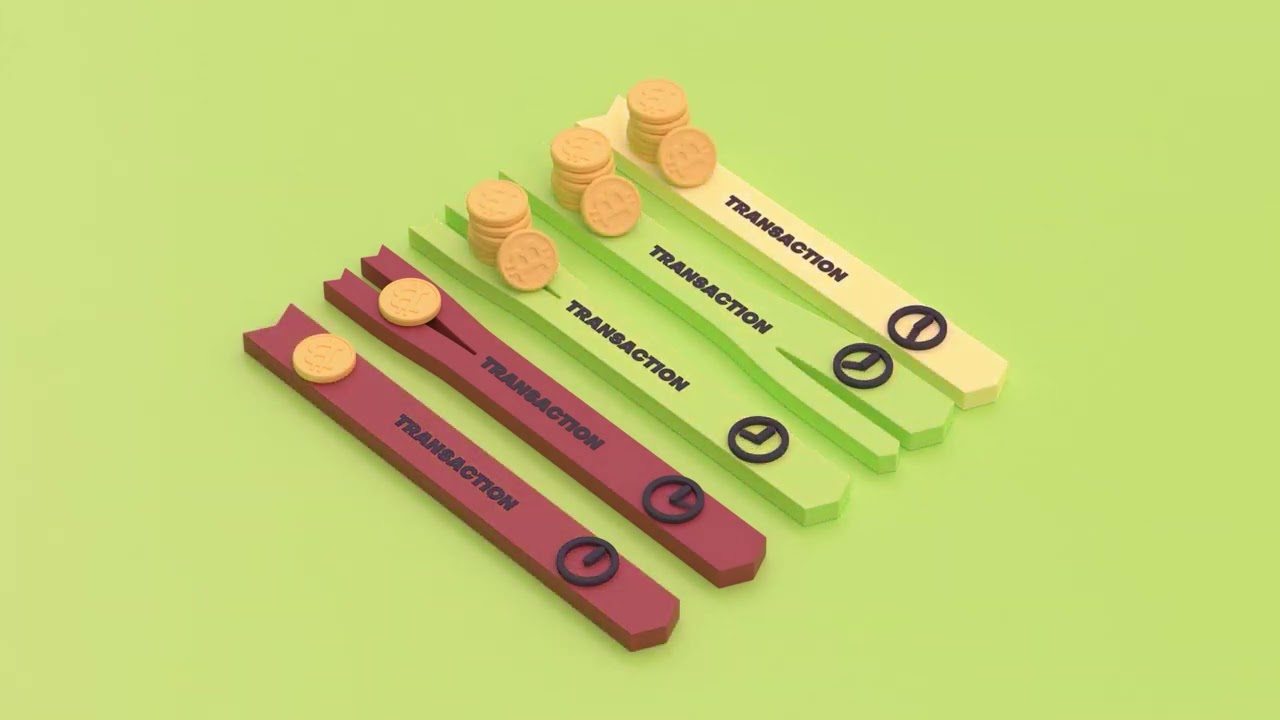](https://youtu.be/55KURak5r58)
191 |
--------------------------------------------------------------------------------
/docs/.vuepress/config.ts:
--------------------------------------------------------------------------------
1 | import resolve from 'path'
2 | import { viteBundler } from '@vuepress/bundler-vite'
3 | import { defineUserConfig } from 'vuepress'
4 | import defaultTheme from '@vuepress/theme-default'
5 | import slugify from '@vuepress/shared-utils'
6 | import searchPlugin from '@vuepress/plugin-search'
7 | import palettePlugin from '@vuepress/plugin-palette'
8 |
9 |
10 | const themeColor = "#211b24"
11 |
12 | export default defineUserConfig({
13 | title: "Wasabi Docs",
14 | description: "An archive of knowledge about Wasabi Wallet, an open-source, non-custodial and privacy-focused Bitcoin wallet for desktop.",
15 | extendsMarkdown: (md) => {
16 |
17 | const render = md.renderer.render;
18 |
19 | const variables = {
20 | currentVersion: '2.7.2',
21 | dotnetVersion: '8.0',
22 | zksnacksPublicKeyFingerprint: '6FB3 872B 5D42 292F 5992 0797 8563 4832 8949 861E'
23 | }
24 |
25 | md.renderer.render = (...args) => {
26 | // Render markdown.
27 | const html = render.call(md, ...args);
28 | // Replace variables.
29 | let modifiedHtml = Object.keys(variables)
30 | .reduce((result, variable) => result.replaceAll('${'+ variable +'}', variables[variable]), html);
31 |
32 | return modifiedHtml;
33 | };
34 | },
35 | bundler: viteBundler(),
36 | theme: defaultTheme({
37 | logo: "/Logo_without_text_dark.png",
38 | logoDark: "/Logo_without_text.png",
39 | docsRepo: 'https://github.com/WalletWasabi/WasabiDoc',
40 | docsBranch: 'master',
41 | docsDir: 'docs',
42 | editLinks: true,
43 | contributors: false,
44 | colorMode: 'dark',
45 | //lastUpdated: 'Last Updated',
46 | algolia: {
47 | indexName: 'wasabiwallet',
48 | apiKey: 'c9d9b7688e0f9e6d0ed534655321a424',
49 | // See https://www.algolia.com/doc/api-reference/api-parameters/
50 | algoliaOptions: {
51 | hitsPerPage: 25
52 | },
53 | // See https://community.algolia.com/docsearch/behavior.html#autocompleteoptions
54 | autocompleteOptions: {
55 | openOnFocus: true
56 | }
57 | },
58 | head: [
59 | ["link", {
60 | rel: "icon",
61 | href: "/favicon.ico"
62 | }],
63 | ["link", {
64 | rel: "apple-touch-icon",
65 | href: "/apple-touch-icon.png",
66 | sizes: "180x180"
67 | }],
68 | ["link", {
69 | rel: "manifest",
70 | href: "/site.webmanifest"
71 | }],
72 | ["link", {
73 | rel: "mask-icon",
74 | href: "/safari-pinned-tab.svg",
75 | color: themeColor
76 | }],
77 | ["link", {
78 | rel: "stylesheet",
79 | href: "https://fonts.googleapis.com/css?family=Inconsolata:400,700|Playfair+Display:700&display=swap"
80 | }],
81 | ["meta", {
82 | name: "msapplication-TileColor",
83 | content: themeColor
84 | }],
85 | ["meta", {
86 | name: "theme-color",
87 | content: themeColor
88 | }],
89 | ],
90 | navbar: [{
91 | text: "Getting Started",
92 | link: "/getting-started/"
93 | }, {
94 | text: "Why Wasabi",
95 | link: "/why-wasabi/"
96 | }, {
97 | text: "Using Wasabi",
98 | link: "/using-wasabi/"
99 | }, {
100 | text: "Building Wasabi",
101 | link: "/building-wasabi/"
102 | }, {
103 | text: "FAQ",
104 | link: "/FAQ/"
105 | }, {
106 | text: "Glossary",
107 | link: "/glossary/"
108 | }],
109 | sidebar: {
110 | "/why-wasabi/": [{
111 | text: "Why Privacy",
112 | collapsable: false,
113 | sidebarDepth: 2,
114 | children: [
115 | "/why-wasabi/WhyPrivacyImportant.md",
116 | "/why-wasabi/WhyFinancialPrivacy.md"
117 | ]
118 | }, {
119 | text: "Privacy in Bitcoin",
120 | collapsable: false,
121 | sidebarDepth: 2,
122 | children: [
123 | "/why-wasabi/Coins.md",
124 | "/why-wasabi/AddressReuse.md",
125 | "/why-wasabi/TransactionGraph.md",
126 | "/why-wasabi/NetworkLevelPrivacy.md",
127 | "/why-wasabi/TransactionSurveillanceCompanies.md"
128 | ]
129 | }],
130 |
131 | "/using-wasabi/": [{
132 | text: "Introducing Wasabi",
133 | collapsable: false,
134 | sidebarDepth: 2,
135 | children: [
136 | "/using-wasabi/ELI5.md"
137 | ]
138 | }, {
139 | text: "Installing Wasabi",
140 | collapsable: false,
141 | sidebarDepth: 2,
142 | children: [
143 | "/using-wasabi/InstallPackage.md",
144 | ]
145 | }, {
146 | text: "Using Wasabi",
147 | collapsable: false,
148 | sidebarDepth: 2,
149 | children: [
150 | "/using-wasabi/WalletGeneration.md",
151 | "/using-wasabi/WalletLoad.md",
152 | "/using-wasabi/Receive.md",
153 | "/using-wasabi/CoinJoin.md",
154 | "/using-wasabi/Send.md",
155 | "/using-wasabi/ColdWasabi.md",
156 | "/using-wasabi/BitcoinFullNode.md"
157 | ]
158 | }, {
159 | text: "Best Practices",
160 | collapsable: false,
161 | sidebarDepth: 2,
162 | children: [
163 | "/using-wasabi/PasswordBestPractices.md",
164 | "/using-wasabi/BackupBestPractices.md",
165 | "/using-wasabi/ChangeCoins.md"
166 | ]
167 | }, {
168 | text: "Restoring Wasabi",
169 | collapsable: false,
170 | sidebarDepth: 2,
171 | children: [
172 | "/using-wasabi/WalletRecovery.md",
173 | "/using-wasabi/ExternalRestore.md"
174 | ]
175 | }, {
176 | text: "Advanced Installing Wasabi",
177 | collapsable: false,
178 | sidebarDepth: 2,
179 | children: [
180 | "/using-wasabi/BuildSource.md",
181 | "/using-wasabi/DeterministicBuild.md",
182 | "/using-wasabi/WasabiSetupVM.md"
183 | ]
184 | }, {
185 | text: "Advanced Using Wasabi",
186 | collapsable: false,
187 | sidebarDepth: 2,
188 | children: [
189 | "/using-wasabi/DiscreetMode.md",
190 | "/using-wasabi/Testnet.md",
191 | "/using-wasabi/PayJoin.md",
192 | "/using-wasabi/Daemon.md",
193 | "/using-wasabi/StartupParameters.md",
194 | "/using-wasabi/RPC.md",
195 | "/using-wasabi/BIPs.md"
196 | ]
197 | }],
198 |
199 | "/building-wasabi/": [{
200 | text: "Contributing to Wasabi",
201 | collapsable: false,
202 | sidebarDepth: 2,
203 | children: [
204 | "/building-wasabi/ContributionChecklist.md"
205 | ]
206 | }, {
207 | text: "Advanced",
208 | collapsable: false,
209 | sidebarDepth: 2,
210 | children: [
211 | "/building-wasabi/Security.md",
212 | "/building-wasabi/LICENSE.md"
213 | ]
214 | }],
215 |
216 | "/FAQ/": [{
217 | text: "Frequently Asked Questions",
218 | collapsable: false,
219 | sidebarDepth: 2,
220 | children: [
221 | "/FAQ/FAQ-Introduction.md",
222 | "/FAQ/FAQ-Installation.md",
223 | "/FAQ/FAQ-UseWasabi.md",
224 | "/FAQ/FAQ-GeneralBitcoinPrivacy.md",
225 | "/FAQ/FAQ-Contribution.md"
226 | ]
227 | }],
228 |
229 | "/glossary/": [{
230 | text: "Glossary",
231 | collapsable: false,
232 | sidebarDepth: 2,
233 | children: [
234 | "/glossary/Glossary-GeneralBitcoin.md",
235 | "/glossary/Glossary-PrivacyWasabi.md"
236 | ]
237 | }]
238 | },
239 | }),
240 | plugins: [
241 | "@vuepress/back-to-top", ["container", {
242 | type: "details",
243 | render(tokens, idx) {
244 | const token = tokens[idx]
245 | // turn details headline into summary
246 | if (token.type === 'container_details_open') {
247 | const next = tokens[idx + 1]
248 | const match = token.info.trim().match(/^details\s+(.*)$/)
249 | let title = match && match[1]
250 | if (next.type === 'heading_open' && !title) {
251 | const headContent = tokens[idx + 2]
252 | const headClose = tokens[idx + 3]
253 | // hide headline and its contents
254 | next.hidden = headClose.hidden = headContent.hidden = true
255 | headContent.children = []
256 | // extract title
257 | title = headContent.content || ''
258 | } else {
259 | title = ''
260 | }
261 | const slug = slugify(title)
262 | return ` ${title}
`
263 | } else if (token.type === 'container_details_close') {
264 | return '