,
12 | document.getElementById('root')
13 | );
14 |
--------------------------------------------------------------------------------
/.gitignore:
--------------------------------------------------------------------------------
1 | # See https://help.github.com/articles/ignoring-files/ for more about ignoring files.
2 |
3 | # dependencies
4 | /node_modules
5 | /.pnp
6 | .pnp.js
7 |
8 | # testing
9 | /coverage
10 |
11 | # production
12 | /build
13 |
14 | # misc
15 | .DS_Store
16 | .env.local
17 | .env.development.local
18 | .env.test.local
19 | .env.production.local
20 |
21 | npm-debug.log*
22 | yarn-debug.log*
23 | yarn-error.log*
24 |
25 | # Learn-specific .results.json
26 | .results.json
27 |
28 | # Ignore ESLint files
29 | .eslintcache
--------------------------------------------------------------------------------
/public/manifest.json:
--------------------------------------------------------------------------------
1 | {
2 | "short_name": "React App",
3 | "name": "Create React App Sample",
4 | "icons": [
5 | {
6 | "src": "favicon.ico",
7 | "sizes": "64x64 32x32 24x24 16x16",
8 | "type": "image/x-icon"
9 | },
10 | {
11 | "src": "logo192.png",
12 | "type": "image/png",
13 | "sizes": "192x192"
14 | },
15 | {
16 | "src": "logo512.png",
17 | "type": "image/png",
18 | "sizes": "512x512"
19 | }
20 | ],
21 | "start_url": ".",
22 | "display": "standalone",
23 | "theme_color": "#000000",
24 | "background_color": "#ffffff"
25 | }
26 |
--------------------------------------------------------------------------------
/.github/workflows/canvas-sync-codegrade.yml:
--------------------------------------------------------------------------------
1 | name: Sync with Canvas CodeGrade
2 |
3 | on:
4 | push:
5 | branches: [master, main]
6 | paths:
7 | - "README.md"
8 |
9 | jobs:
10 | sync:
11 | name: Sync with Canvas
12 |
13 | runs-on: ubuntu-latest
14 |
15 | steps:
16 | - uses: actions/checkout@v2
17 |
18 | - name: Set up Ruby
19 | uses: ruby/setup-ruby@v1
20 | with:
21 | ruby-version: 2.6
22 |
23 | - name: Install github-to-canvas
24 | run: gem install github-to-canvas
25 |
26 | # Secret stored in learn-co-curriculum Settings/Secrets
27 | - name: Sync from .canvas file
28 | run: github-to-canvas -a -lr --contains-html
29 | env:
30 | CANVAS_API_KEY: ${{ secrets.CANVAS_API_KEY }}
31 | CANVAS_API_PATH: ${{ secrets.CANVAS_API_PATH }}
32 |
--------------------------------------------------------------------------------
/src/__tests__/Keypad.test.js:
--------------------------------------------------------------------------------
1 | import "@testing-library/jest-dom";
2 | import { render, fireEvent } from "@testing-library/react";
3 | import Keypad from "../components/Keypad";
4 |
5 | let container;
6 |
7 | beforeEach(() => {
8 | container = render().container;
9 | });
10 |
11 | test("displays one input", () => {
12 | const input = container.querySelector("input");
13 | expect(input).toBeInTheDocument();
14 | expect(input.tagName).toBe("INPUT");
15 | });
16 |
17 | test("displays an input with the right input type", () => {
18 | const input = container.querySelector("input");
19 | expect(input.type).toBe("password");
20 | });
21 |
22 | test("typing in the input triggers console output", () => {
23 | console.log = jest.fn();
24 |
25 | const input = container.querySelector("input");
26 | fireEvent.change(input, { target: { value: "123" } });
27 |
28 | expect(console.log).toHaveBeenCalled();
29 | expect(console.log.mock.calls[0][0]).toBe("Entering password...");
30 | });
31 |
--------------------------------------------------------------------------------
/src/__tests__/EyesOnMe.test.js:
--------------------------------------------------------------------------------
1 | import "@testing-library/jest-dom";
2 | import { render, screen, fireEvent } from "@testing-library/react";
3 | import EyesOnMe from "../components/EyesOnMe";
4 |
5 | beforeEach(() => {
6 | render();
7 | });
8 |
9 | test('displays a button with the text "Eyes on me"', () => {
10 | expect(screen.queryByText(/Eyes on me/)).toBeInTheDocument();
11 | });
12 |
13 | test("focusing the button triggers console output", () => {
14 | console.log = jest.fn();
15 |
16 | const button = screen.queryByText(/Eyes on me/);
17 | fireEvent.focus(button);
18 |
19 | expect(console.log).toHaveBeenCalled();
20 | expect(console.log.mock.calls[0][0]).toBe("Good!");
21 | });
22 |
23 | test("removing focus (blur) on the button triggers console output", () => {
24 | console.log = jest.fn();
25 |
26 | const button = screen.queryByText(/Eyes on me/);
27 | fireEvent.blur(button);
28 |
29 | expect(console.log).toHaveBeenCalled();
30 | expect(console.log.mock.calls[0][0]).toBe("Hey! Eyes on me!");
31 | });
32 |
--------------------------------------------------------------------------------
/package.json:
--------------------------------------------------------------------------------
1 | {
2 | "name": "react-hooks-event-handling-lab",
3 | "version": "0.1.0",
4 | "private": true,
5 | "dependencies": {
6 | "react": "^17.0.1",
7 | "react-dom": "^17.0.1",
8 | "react-scripts": "^5.0.1"
9 | },
10 | "devDependencies": {
11 | "@learn-co-curriculum/jest-learn-reporter": "^0.1.0",
12 | "@testing-library/jest-dom": "^5.11.4",
13 | "@testing-library/react": "^11.1.0",
14 | "@testing-library/user-event": "^12.1.10",
15 | "mocha": "^8.2.1"
16 | },
17 | "scripts": {
18 | "start": "react-scripts start",
19 | "build": "react-scripts build",
20 | "test": "echo \".results.json\" && react-scripts test --reporters=@learn-co-curriculum/jest-learn-reporter --reporters=default --watchAll",
21 | "eject": "react-scripts eject"
22 | },
23 | "eslintConfig": {
24 | "extends": [
25 | "react-app",
26 | "react-app/jest"
27 | ]
28 | },
29 | "browserslist": {
30 | "production": [
31 | ">0.2%",
32 | "not dead",
33 | "not op_mini all"
34 | ],
35 | "development": [
36 | "last 1 chrome version",
37 | "last 1 firefox version",
38 | "last 1 safari version"
39 | ]
40 | }
41 | }
42 |
--------------------------------------------------------------------------------
/LICENSE.md:
--------------------------------------------------------------------------------
1 | # Learn.co Educational Content License
2 |
3 | Copyright (c) 2016 Flatiron School, Inc
4 |
5 | The Flatiron School, Inc. owns this Educational Content. However, the Flatiron School supports the development and availability of educational materials in the public domain. Therefore, the Flatiron School grants Users of the Flatiron Educational Content set forth in this repository certain rights to reuse, build upon and share such Educational Content subject to the terms of the Educational Content License set forth [here](http://learn.co/content-license) (http://learn.co/content-license). You must read carefully the terms and conditions contained in the Educational Content License as such terms govern access to and use of the Educational Content.
6 |
7 | Flatiron School is willing to allow you access to and use of the Educational Content only on the condition that you accept all of the terms and conditions contained in the Educational Content License set forth [here](http://learn.co/content-license) (http://learn.co/content-license). By accessing and/or using the Educational Content, you are agreeing to all of the terms and conditions contained in the Educational Content License. If you do not agree to any or all of the terms of the Educational Content License, you are prohibited from accessing, reviewing or using in any way the Educational Content.
8 |
--------------------------------------------------------------------------------
/public/index.html:
--------------------------------------------------------------------------------
1 |
2 |
3 |
4 |
5 |
6 |
7 |
8 |
12 |
13 |
17 |
18 |
27 | React App
28 |
29 |
30 |
31 |
32 |
42 |
43 |
44 |
--------------------------------------------------------------------------------
/CONTRIBUTING.md:
--------------------------------------------------------------------------------
1 | # Contributing to Learn.co Curriculum
2 |
3 | We're really excited that you're about to contribute to the
4 | [open curriculum](https://learn.co/content-license) on
5 | [Learn.co](https://learn.co). If this is your first time contributing, please
6 | continue reading to learn how to make the most meaningful and useful impact
7 | possible.
8 |
9 | ## Raising an Issue to Encourage a Contribution
10 |
11 | If you notice a problem with the curriculum that you believe needs improvement
12 | but you're unable to make the change yourself, you should raise a Github issue
13 | containing a clear description of the problem. Include relevant snippets of the
14 | content and/or screenshots if applicable. Curriculum owners regularly review
15 | issue lists and your issue will be prioritized and addressed as appropriate.
16 |
17 | ## Submitting a Pull Request to Suggest an Improvement
18 |
19 | If you see an opportunity for improvement and can make the change yourself go
20 | ahead and use a typical git workflow to make it happen:
21 |
22 | - Fork this curriculum repository
23 | - Make the change on your fork, with descriptive commits in the standard format
24 | - Open a Pull Request against this repo
25 |
26 | A curriculum owner will review your change and approve or comment on it in due
27 | course.
28 |
29 | ## Why Contribute?
30 |
31 | Curriculum on Learn is publicly and freely available under Learn's
32 | [Educational Content License](https://learn.co/content-license). By embracing an
33 | open-source contribution model, our goal is for the curriculum on Learn to
34 | become, in time, the best educational content the world has ever seen.
35 |
36 | We need help from the community of Learners to maintain and improve the
37 | educational content. Everything from fixing typos, to correcting out-dated
38 | information, to improving exposition, to adding better examples, to fixing
39 | tests—all contributions to making the curriculum more effective are welcome.
40 |
--------------------------------------------------------------------------------
/README.md:
--------------------------------------------------------------------------------
1 | # Event Handling in React Lab
2 |
3 | ## Learning Goals
4 |
5 | - Add event listeners to DOM elements in React
6 |
7 | ## Overview
8 |
9 | In this lab, you'll respond to events in React and write event handlers.
10 |
11 | > **Note**: The components are not defined yet, but the files are present.
12 | > Before the tests will run, you must export components from `EyesOnMe.js` and
13 | > `Keypad.js`. To get started, write very basic components that you _know_ will
14 | > not pass all the tests, but at least be valid React.
15 |
16 | ## Keypad
17 |
18 | 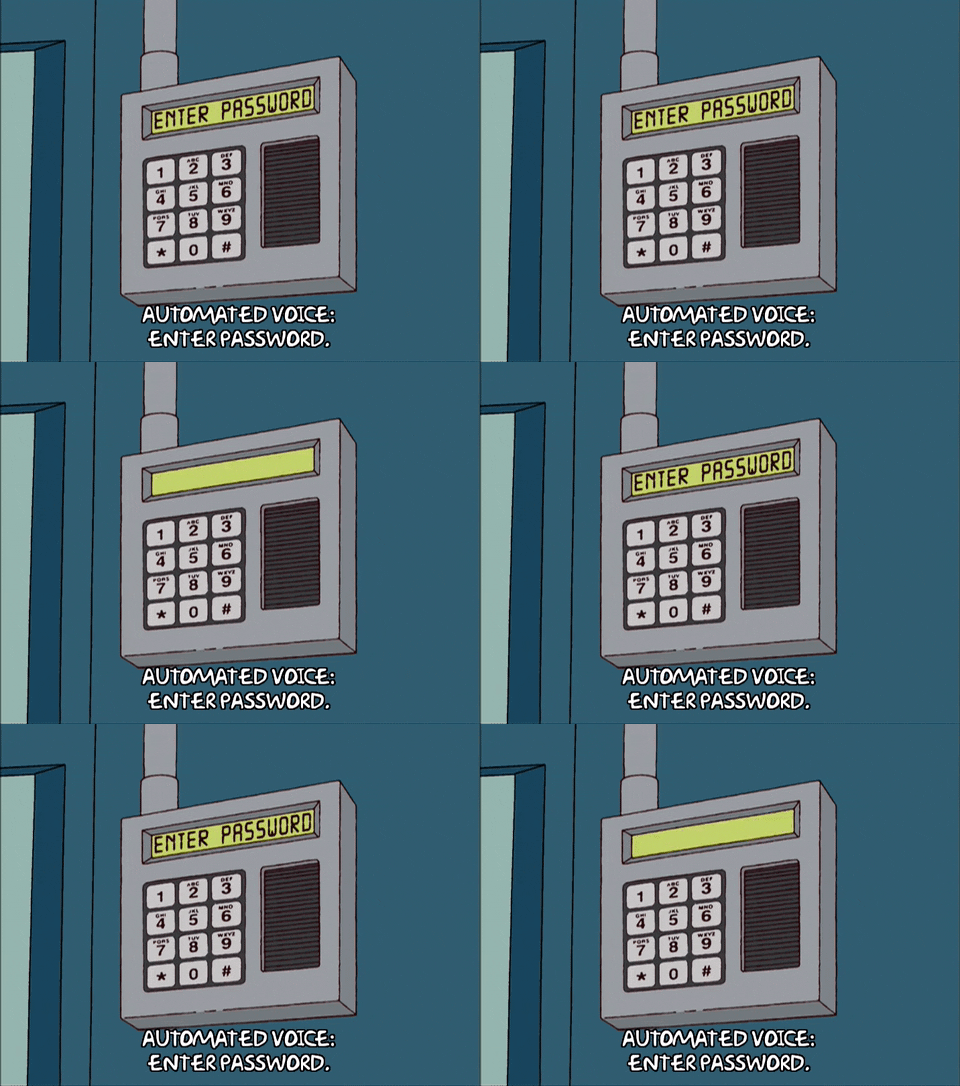
19 |
20 | Mr. Burns has requested us to build a new keypad component for the nuclear
21 | plant, since the last one was way too complicated for his employees to use.
22 | We'll keep things super simple instead, and use an ``
23 | field to capture input. Here's how to complete the exercise:
24 |
25 | 1. In the `components/Keypad.js` file, create a `Keypad` React component.
26 | 2. In that component, render an `input` with the right type.
27 | 3. On that `input`, add an event handler that listens for the `change` event.
28 | 4. When that event fires, use `console.log` to print out the text `'Entering password...'`.
29 |
30 | ## Eyes on the ball
31 |
32 | Let's say you're in the club with your buddy. The music's blaring, lights are
33 | flashing... It's so hard to get his attention! Your job is to create a component
34 | that registers whenever he focuses on you, _and_ when his eyes are drifting off.
35 |
36 | 1. In the `components/EyesOnMe.js` file, create a `EyesOnMe` React component.
37 | 2. In that component, render a `button` with the text `'Eyes on me'`.
38 | 3. On that `button`, add event handlers that listen for the `focus` and `blur` events.
39 | 4. When the `focus` event fires, use `console.log` to print out the text `'Good!'`.
40 | 5. When the `blur` event fires, use `console.log` to print out the text `'Hey! Eyes on me!'`.
41 |
42 | ## Resources
43 |
44 | - [React Events](https://reactjs.org/docs/events.html)
45 |
--------------------------------------------------------------------------------