├── .nojekyll
├── CNAME
├── Dockerfile
├── update.sh
├── 404.html
├── doc
├── ml
│ ├── img
│ │ ├── 10-1.png
│ │ ├── 10-2.png
│ │ ├── 10-3.png
│ │ ├── 10-4.png
│ │ ├── 12-1.png
│ │ ├── 12-2.png
│ │ ├── 12-3.png
│ │ ├── 12-4.png
│ │ ├── 13-1.png
│ │ ├── 13-2.png
│ │ ├── 13-3.png
│ │ ├── 13-4.png
│ │ ├── 13-5.png
│ │ ├── 13-6.png
│ │ ├── 15-1.png
│ │ ├── 16-1.png
│ │ ├── 17-1.png
│ │ ├── 2-1.png
│ │ ├── 20-1.png
│ │ ├── 20-2.png
│ │ ├── 20-3.png
│ │ ├── 20-4.png
│ │ ├── 20-5.png
│ │ ├── 20-6.png
│ │ ├── 20-7.png
│ │ ├── 21-1.png
│ │ ├── 21-2.png
│ │ ├── 21-3.png
│ │ ├── 21-4.png
│ │ ├── 22-1.png
│ │ ├── 22-2.png
│ │ ├── 22-3.png
│ │ ├── 22-4.png
│ │ ├── 22-5.png
│ │ ├── 22-6.png
│ │ ├── 22-7.png
│ │ ├── 22-9.png
│ │ ├── 23-1.png
│ │ ├── 23-2.png
│ │ ├── 23-3.png
│ │ ├── 23-4.png
│ │ ├── 23-5.png
│ │ ├── 23-6.png
│ │ ├── 23-7.png
│ │ ├── 23-8.png
│ │ ├── 23-9.png
│ │ ├── 24-1.png
│ │ ├── 24-2.png
│ │ ├── 24-4.png
│ │ ├── 24-5.png
│ │ ├── 28-1.png
│ │ ├── 29-1.png
│ │ ├── 29-2.png
│ │ ├── 29-3.png
│ │ ├── 29-4.png
│ │ ├── 29-5.png
│ │ ├── 29-6.png
│ │ ├── 30-1.png
│ │ ├── 30-2.png
│ │ ├── 30-3.png
│ │ ├── 30-4.png
│ │ ├── 30-5.png
│ │ ├── 30-6.png
│ │ ├── 30-7.png
│ │ ├── 30-8.png
│ │ ├── 30-9.png
│ │ ├── 31-1.png
│ │ ├── 31-2.png
│ │ ├── 31-3.png
│ │ ├── 31-4.png
│ │ ├── 31-5.png
│ │ ├── 31-6.png
│ │ ├── 33-1.png
│ │ ├── 33-2.png
│ │ ├── 33-3.png
│ │ ├── 34-1.png
│ │ ├── 34-2.png
│ │ ├── 37-1.png
│ │ ├── 38-1.png
│ │ ├── 38-2.png
│ │ ├── 38-3.png
│ │ ├── 39-1.png
│ │ ├── 41-1.png
│ │ ├── 41-2.png
│ │ ├── 43-1.png
│ │ ├── 43-2.png
│ │ ├── 43-3.png
│ │ ├── 43-4.png
│ │ ├── 43-5.png
│ │ ├── 5-1.png
│ │ ├── 6-1.png
│ │ ├── 7-1.png
│ │ ├── 7-2.png
│ │ ├── 7-3.png
│ │ ├── 7-4.png
│ │ ├── 7-5.png
│ │ ├── 7-6.png
│ │ ├── 8-1.png
│ │ ├── 8-2.png
│ │ ├── 9-1.png
│ │ ├── 9-2.png
│ │ ├── 9-3.png
│ │ ├── 9-4.png
│ │ ├── 23-10.png
│ │ ├── 23-11.png
│ │ ├── 23-12.png
│ │ └── 23-13.png
│ ├── README.md
│ └── 4.md
└── tf-object-detection.md
├── asset
├── moon.svg
├── share.css
├── edit.css
├── sidebar.min.css
├── docsify-baidu-push.js
├── edit.js
├── back-to-top.css
├── docsify-cnzz.js
├── docsify-baidu-stat.js
├── dark-mode.css
├── sun.svg
├── back-to-top.js
├── right.svg
├── up.svg
├── left.svg
├── docsify-quick-page.css
├── edit.svg
├── dark-mode.js
├── docsify-quick-page.js
├── share.svg
├── prism-python.min.js
├── docsify-apachecn-footer.js
├── style.css
├── docsify-copy-code.min.js
├── prism-darcula.css
├── docsify-sidebar-collapse.min.js
├── search.min.js
├── share.js
├── docsify-clicker.js
└── vue.css
├── SUMMARY.md
├── README.md
├── .gitignore
├── index.html
├── LICENSE
└── NAV.md
/.nojekyll:
--------------------------------------------------------------------------------
1 |
--------------------------------------------------------------------------------
/CNAME:
--------------------------------------------------------------------------------
1 | pypn.apachecn.org
--------------------------------------------------------------------------------
/Dockerfile:
--------------------------------------------------------------------------------
1 | FROM httpd:2.4
2 | COPY ./ /usr/local/apache2/htdocs/
--------------------------------------------------------------------------------
/update.sh:
--------------------------------------------------------------------------------
1 | git add -A
2 | git commit -am "$(date "+%Y-%m-%d %H:%M:%S")"
3 | git push
--------------------------------------------------------------------------------
/404.html:
--------------------------------------------------------------------------------
1 | ---
2 | permalink: /404.html
3 | ---
4 |
5 |
--------------------------------------------------------------------------------
/doc/ml/img/10-1.png:
--------------------------------------------------------------------------------
https://raw.githubusercontent.com/apachecn/python-programming-net-zh/HEAD/doc/ml/img/10-1.png
--------------------------------------------------------------------------------
/doc/ml/img/10-2.png:
--------------------------------------------------------------------------------
https://raw.githubusercontent.com/apachecn/python-programming-net-zh/HEAD/doc/ml/img/10-2.png
--------------------------------------------------------------------------------
/doc/ml/img/10-3.png:
--------------------------------------------------------------------------------
https://raw.githubusercontent.com/apachecn/python-programming-net-zh/HEAD/doc/ml/img/10-3.png
--------------------------------------------------------------------------------
/doc/ml/img/10-4.png:
--------------------------------------------------------------------------------
https://raw.githubusercontent.com/apachecn/python-programming-net-zh/HEAD/doc/ml/img/10-4.png
--------------------------------------------------------------------------------
/doc/ml/img/12-1.png:
--------------------------------------------------------------------------------
https://raw.githubusercontent.com/apachecn/python-programming-net-zh/HEAD/doc/ml/img/12-1.png
--------------------------------------------------------------------------------
/doc/ml/img/12-2.png:
--------------------------------------------------------------------------------
https://raw.githubusercontent.com/apachecn/python-programming-net-zh/HEAD/doc/ml/img/12-2.png
--------------------------------------------------------------------------------
/doc/ml/img/12-3.png:
--------------------------------------------------------------------------------
https://raw.githubusercontent.com/apachecn/python-programming-net-zh/HEAD/doc/ml/img/12-3.png
--------------------------------------------------------------------------------
/doc/ml/img/12-4.png:
--------------------------------------------------------------------------------
https://raw.githubusercontent.com/apachecn/python-programming-net-zh/HEAD/doc/ml/img/12-4.png
--------------------------------------------------------------------------------
/doc/ml/img/13-1.png:
--------------------------------------------------------------------------------
https://raw.githubusercontent.com/apachecn/python-programming-net-zh/HEAD/doc/ml/img/13-1.png
--------------------------------------------------------------------------------
/doc/ml/img/13-2.png:
--------------------------------------------------------------------------------
https://raw.githubusercontent.com/apachecn/python-programming-net-zh/HEAD/doc/ml/img/13-2.png
--------------------------------------------------------------------------------
/doc/ml/img/13-3.png:
--------------------------------------------------------------------------------
https://raw.githubusercontent.com/apachecn/python-programming-net-zh/HEAD/doc/ml/img/13-3.png
--------------------------------------------------------------------------------
/doc/ml/img/13-4.png:
--------------------------------------------------------------------------------
https://raw.githubusercontent.com/apachecn/python-programming-net-zh/HEAD/doc/ml/img/13-4.png
--------------------------------------------------------------------------------
/doc/ml/img/13-5.png:
--------------------------------------------------------------------------------
https://raw.githubusercontent.com/apachecn/python-programming-net-zh/HEAD/doc/ml/img/13-5.png
--------------------------------------------------------------------------------
/doc/ml/img/13-6.png:
--------------------------------------------------------------------------------
https://raw.githubusercontent.com/apachecn/python-programming-net-zh/HEAD/doc/ml/img/13-6.png
--------------------------------------------------------------------------------
/doc/ml/img/15-1.png:
--------------------------------------------------------------------------------
https://raw.githubusercontent.com/apachecn/python-programming-net-zh/HEAD/doc/ml/img/15-1.png
--------------------------------------------------------------------------------
/doc/ml/img/16-1.png:
--------------------------------------------------------------------------------
https://raw.githubusercontent.com/apachecn/python-programming-net-zh/HEAD/doc/ml/img/16-1.png
--------------------------------------------------------------------------------
/doc/ml/img/17-1.png:
--------------------------------------------------------------------------------
https://raw.githubusercontent.com/apachecn/python-programming-net-zh/HEAD/doc/ml/img/17-1.png
--------------------------------------------------------------------------------
/doc/ml/img/2-1.png:
--------------------------------------------------------------------------------
https://raw.githubusercontent.com/apachecn/python-programming-net-zh/HEAD/doc/ml/img/2-1.png
--------------------------------------------------------------------------------
/doc/ml/img/20-1.png:
--------------------------------------------------------------------------------
https://raw.githubusercontent.com/apachecn/python-programming-net-zh/HEAD/doc/ml/img/20-1.png
--------------------------------------------------------------------------------
/doc/ml/img/20-2.png:
--------------------------------------------------------------------------------
https://raw.githubusercontent.com/apachecn/python-programming-net-zh/HEAD/doc/ml/img/20-2.png
--------------------------------------------------------------------------------
/doc/ml/img/20-3.png:
--------------------------------------------------------------------------------
https://raw.githubusercontent.com/apachecn/python-programming-net-zh/HEAD/doc/ml/img/20-3.png
--------------------------------------------------------------------------------
/doc/ml/img/20-4.png:
--------------------------------------------------------------------------------
https://raw.githubusercontent.com/apachecn/python-programming-net-zh/HEAD/doc/ml/img/20-4.png
--------------------------------------------------------------------------------
/doc/ml/img/20-5.png:
--------------------------------------------------------------------------------
https://raw.githubusercontent.com/apachecn/python-programming-net-zh/HEAD/doc/ml/img/20-5.png
--------------------------------------------------------------------------------
/doc/ml/img/20-6.png:
--------------------------------------------------------------------------------
https://raw.githubusercontent.com/apachecn/python-programming-net-zh/HEAD/doc/ml/img/20-6.png
--------------------------------------------------------------------------------
/doc/ml/img/20-7.png:
--------------------------------------------------------------------------------
https://raw.githubusercontent.com/apachecn/python-programming-net-zh/HEAD/doc/ml/img/20-7.png
--------------------------------------------------------------------------------
/doc/ml/img/21-1.png:
--------------------------------------------------------------------------------
https://raw.githubusercontent.com/apachecn/python-programming-net-zh/HEAD/doc/ml/img/21-1.png
--------------------------------------------------------------------------------
/doc/ml/img/21-2.png:
--------------------------------------------------------------------------------
https://raw.githubusercontent.com/apachecn/python-programming-net-zh/HEAD/doc/ml/img/21-2.png
--------------------------------------------------------------------------------
/doc/ml/img/21-3.png:
--------------------------------------------------------------------------------
https://raw.githubusercontent.com/apachecn/python-programming-net-zh/HEAD/doc/ml/img/21-3.png
--------------------------------------------------------------------------------
/doc/ml/img/21-4.png:
--------------------------------------------------------------------------------
https://raw.githubusercontent.com/apachecn/python-programming-net-zh/HEAD/doc/ml/img/21-4.png
--------------------------------------------------------------------------------
/doc/ml/img/22-1.png:
--------------------------------------------------------------------------------
https://raw.githubusercontent.com/apachecn/python-programming-net-zh/HEAD/doc/ml/img/22-1.png
--------------------------------------------------------------------------------
/doc/ml/img/22-2.png:
--------------------------------------------------------------------------------
https://raw.githubusercontent.com/apachecn/python-programming-net-zh/HEAD/doc/ml/img/22-2.png
--------------------------------------------------------------------------------
/doc/ml/img/22-3.png:
--------------------------------------------------------------------------------
https://raw.githubusercontent.com/apachecn/python-programming-net-zh/HEAD/doc/ml/img/22-3.png
--------------------------------------------------------------------------------
/doc/ml/img/22-4.png:
--------------------------------------------------------------------------------
https://raw.githubusercontent.com/apachecn/python-programming-net-zh/HEAD/doc/ml/img/22-4.png
--------------------------------------------------------------------------------
/doc/ml/img/22-5.png:
--------------------------------------------------------------------------------
https://raw.githubusercontent.com/apachecn/python-programming-net-zh/HEAD/doc/ml/img/22-5.png
--------------------------------------------------------------------------------
/doc/ml/img/22-6.png:
--------------------------------------------------------------------------------
https://raw.githubusercontent.com/apachecn/python-programming-net-zh/HEAD/doc/ml/img/22-6.png
--------------------------------------------------------------------------------
/doc/ml/img/22-7.png:
--------------------------------------------------------------------------------
https://raw.githubusercontent.com/apachecn/python-programming-net-zh/HEAD/doc/ml/img/22-7.png
--------------------------------------------------------------------------------
/doc/ml/img/22-9.png:
--------------------------------------------------------------------------------
https://raw.githubusercontent.com/apachecn/python-programming-net-zh/HEAD/doc/ml/img/22-9.png
--------------------------------------------------------------------------------
/doc/ml/img/23-1.png:
--------------------------------------------------------------------------------
https://raw.githubusercontent.com/apachecn/python-programming-net-zh/HEAD/doc/ml/img/23-1.png
--------------------------------------------------------------------------------
/doc/ml/img/23-2.png:
--------------------------------------------------------------------------------
https://raw.githubusercontent.com/apachecn/python-programming-net-zh/HEAD/doc/ml/img/23-2.png
--------------------------------------------------------------------------------
/doc/ml/img/23-3.png:
--------------------------------------------------------------------------------
https://raw.githubusercontent.com/apachecn/python-programming-net-zh/HEAD/doc/ml/img/23-3.png
--------------------------------------------------------------------------------
/doc/ml/img/23-4.png:
--------------------------------------------------------------------------------
https://raw.githubusercontent.com/apachecn/python-programming-net-zh/HEAD/doc/ml/img/23-4.png
--------------------------------------------------------------------------------
/doc/ml/img/23-5.png:
--------------------------------------------------------------------------------
https://raw.githubusercontent.com/apachecn/python-programming-net-zh/HEAD/doc/ml/img/23-5.png
--------------------------------------------------------------------------------
/doc/ml/img/23-6.png:
--------------------------------------------------------------------------------
https://raw.githubusercontent.com/apachecn/python-programming-net-zh/HEAD/doc/ml/img/23-6.png
--------------------------------------------------------------------------------
/doc/ml/img/23-7.png:
--------------------------------------------------------------------------------
https://raw.githubusercontent.com/apachecn/python-programming-net-zh/HEAD/doc/ml/img/23-7.png
--------------------------------------------------------------------------------
/doc/ml/img/23-8.png:
--------------------------------------------------------------------------------
https://raw.githubusercontent.com/apachecn/python-programming-net-zh/HEAD/doc/ml/img/23-8.png
--------------------------------------------------------------------------------
/doc/ml/img/23-9.png:
--------------------------------------------------------------------------------
https://raw.githubusercontent.com/apachecn/python-programming-net-zh/HEAD/doc/ml/img/23-9.png
--------------------------------------------------------------------------------
/doc/ml/img/24-1.png:
--------------------------------------------------------------------------------
https://raw.githubusercontent.com/apachecn/python-programming-net-zh/HEAD/doc/ml/img/24-1.png
--------------------------------------------------------------------------------
/doc/ml/img/24-2.png:
--------------------------------------------------------------------------------
https://raw.githubusercontent.com/apachecn/python-programming-net-zh/HEAD/doc/ml/img/24-2.png
--------------------------------------------------------------------------------
/doc/ml/img/24-4.png:
--------------------------------------------------------------------------------
https://raw.githubusercontent.com/apachecn/python-programming-net-zh/HEAD/doc/ml/img/24-4.png
--------------------------------------------------------------------------------
/doc/ml/img/24-5.png:
--------------------------------------------------------------------------------
https://raw.githubusercontent.com/apachecn/python-programming-net-zh/HEAD/doc/ml/img/24-5.png
--------------------------------------------------------------------------------
/doc/ml/img/28-1.png:
--------------------------------------------------------------------------------
https://raw.githubusercontent.com/apachecn/python-programming-net-zh/HEAD/doc/ml/img/28-1.png
--------------------------------------------------------------------------------
/doc/ml/img/29-1.png:
--------------------------------------------------------------------------------
https://raw.githubusercontent.com/apachecn/python-programming-net-zh/HEAD/doc/ml/img/29-1.png
--------------------------------------------------------------------------------
/doc/ml/img/29-2.png:
--------------------------------------------------------------------------------
https://raw.githubusercontent.com/apachecn/python-programming-net-zh/HEAD/doc/ml/img/29-2.png
--------------------------------------------------------------------------------
/doc/ml/img/29-3.png:
--------------------------------------------------------------------------------
https://raw.githubusercontent.com/apachecn/python-programming-net-zh/HEAD/doc/ml/img/29-3.png
--------------------------------------------------------------------------------
/doc/ml/img/29-4.png:
--------------------------------------------------------------------------------
https://raw.githubusercontent.com/apachecn/python-programming-net-zh/HEAD/doc/ml/img/29-4.png
--------------------------------------------------------------------------------
/doc/ml/img/29-5.png:
--------------------------------------------------------------------------------
https://raw.githubusercontent.com/apachecn/python-programming-net-zh/HEAD/doc/ml/img/29-5.png
--------------------------------------------------------------------------------
/doc/ml/img/29-6.png:
--------------------------------------------------------------------------------
https://raw.githubusercontent.com/apachecn/python-programming-net-zh/HEAD/doc/ml/img/29-6.png
--------------------------------------------------------------------------------
/doc/ml/img/30-1.png:
--------------------------------------------------------------------------------
https://raw.githubusercontent.com/apachecn/python-programming-net-zh/HEAD/doc/ml/img/30-1.png
--------------------------------------------------------------------------------
/doc/ml/img/30-2.png:
--------------------------------------------------------------------------------
https://raw.githubusercontent.com/apachecn/python-programming-net-zh/HEAD/doc/ml/img/30-2.png
--------------------------------------------------------------------------------
/doc/ml/img/30-3.png:
--------------------------------------------------------------------------------
https://raw.githubusercontent.com/apachecn/python-programming-net-zh/HEAD/doc/ml/img/30-3.png
--------------------------------------------------------------------------------
/doc/ml/img/30-4.png:
--------------------------------------------------------------------------------
https://raw.githubusercontent.com/apachecn/python-programming-net-zh/HEAD/doc/ml/img/30-4.png
--------------------------------------------------------------------------------
/doc/ml/img/30-5.png:
--------------------------------------------------------------------------------
https://raw.githubusercontent.com/apachecn/python-programming-net-zh/HEAD/doc/ml/img/30-5.png
--------------------------------------------------------------------------------
/doc/ml/img/30-6.png:
--------------------------------------------------------------------------------
https://raw.githubusercontent.com/apachecn/python-programming-net-zh/HEAD/doc/ml/img/30-6.png
--------------------------------------------------------------------------------
/doc/ml/img/30-7.png:
--------------------------------------------------------------------------------
https://raw.githubusercontent.com/apachecn/python-programming-net-zh/HEAD/doc/ml/img/30-7.png
--------------------------------------------------------------------------------
/doc/ml/img/30-8.png:
--------------------------------------------------------------------------------
https://raw.githubusercontent.com/apachecn/python-programming-net-zh/HEAD/doc/ml/img/30-8.png
--------------------------------------------------------------------------------
/doc/ml/img/30-9.png:
--------------------------------------------------------------------------------
https://raw.githubusercontent.com/apachecn/python-programming-net-zh/HEAD/doc/ml/img/30-9.png
--------------------------------------------------------------------------------
/doc/ml/img/31-1.png:
--------------------------------------------------------------------------------
https://raw.githubusercontent.com/apachecn/python-programming-net-zh/HEAD/doc/ml/img/31-1.png
--------------------------------------------------------------------------------
/doc/ml/img/31-2.png:
--------------------------------------------------------------------------------
https://raw.githubusercontent.com/apachecn/python-programming-net-zh/HEAD/doc/ml/img/31-2.png
--------------------------------------------------------------------------------
/doc/ml/img/31-3.png:
--------------------------------------------------------------------------------
https://raw.githubusercontent.com/apachecn/python-programming-net-zh/HEAD/doc/ml/img/31-3.png
--------------------------------------------------------------------------------
/doc/ml/img/31-4.png:
--------------------------------------------------------------------------------
https://raw.githubusercontent.com/apachecn/python-programming-net-zh/HEAD/doc/ml/img/31-4.png
--------------------------------------------------------------------------------
/doc/ml/img/31-5.png:
--------------------------------------------------------------------------------
https://raw.githubusercontent.com/apachecn/python-programming-net-zh/HEAD/doc/ml/img/31-5.png
--------------------------------------------------------------------------------
/doc/ml/img/31-6.png:
--------------------------------------------------------------------------------
https://raw.githubusercontent.com/apachecn/python-programming-net-zh/HEAD/doc/ml/img/31-6.png
--------------------------------------------------------------------------------
/doc/ml/img/33-1.png:
--------------------------------------------------------------------------------
https://raw.githubusercontent.com/apachecn/python-programming-net-zh/HEAD/doc/ml/img/33-1.png
--------------------------------------------------------------------------------
/doc/ml/img/33-2.png:
--------------------------------------------------------------------------------
https://raw.githubusercontent.com/apachecn/python-programming-net-zh/HEAD/doc/ml/img/33-2.png
--------------------------------------------------------------------------------
/doc/ml/img/33-3.png:
--------------------------------------------------------------------------------
https://raw.githubusercontent.com/apachecn/python-programming-net-zh/HEAD/doc/ml/img/33-3.png
--------------------------------------------------------------------------------
/doc/ml/img/34-1.png:
--------------------------------------------------------------------------------
https://raw.githubusercontent.com/apachecn/python-programming-net-zh/HEAD/doc/ml/img/34-1.png
--------------------------------------------------------------------------------
/doc/ml/img/34-2.png:
--------------------------------------------------------------------------------
https://raw.githubusercontent.com/apachecn/python-programming-net-zh/HEAD/doc/ml/img/34-2.png
--------------------------------------------------------------------------------
/doc/ml/img/37-1.png:
--------------------------------------------------------------------------------
https://raw.githubusercontent.com/apachecn/python-programming-net-zh/HEAD/doc/ml/img/37-1.png
--------------------------------------------------------------------------------
/doc/ml/img/38-1.png:
--------------------------------------------------------------------------------
https://raw.githubusercontent.com/apachecn/python-programming-net-zh/HEAD/doc/ml/img/38-1.png
--------------------------------------------------------------------------------
/doc/ml/img/38-2.png:
--------------------------------------------------------------------------------
https://raw.githubusercontent.com/apachecn/python-programming-net-zh/HEAD/doc/ml/img/38-2.png
--------------------------------------------------------------------------------
/doc/ml/img/38-3.png:
--------------------------------------------------------------------------------
https://raw.githubusercontent.com/apachecn/python-programming-net-zh/HEAD/doc/ml/img/38-3.png
--------------------------------------------------------------------------------
/doc/ml/img/39-1.png:
--------------------------------------------------------------------------------
https://raw.githubusercontent.com/apachecn/python-programming-net-zh/HEAD/doc/ml/img/39-1.png
--------------------------------------------------------------------------------
/doc/ml/img/41-1.png:
--------------------------------------------------------------------------------
https://raw.githubusercontent.com/apachecn/python-programming-net-zh/HEAD/doc/ml/img/41-1.png
--------------------------------------------------------------------------------
/doc/ml/img/41-2.png:
--------------------------------------------------------------------------------
https://raw.githubusercontent.com/apachecn/python-programming-net-zh/HEAD/doc/ml/img/41-2.png
--------------------------------------------------------------------------------
/doc/ml/img/43-1.png:
--------------------------------------------------------------------------------
https://raw.githubusercontent.com/apachecn/python-programming-net-zh/HEAD/doc/ml/img/43-1.png
--------------------------------------------------------------------------------
/doc/ml/img/43-2.png:
--------------------------------------------------------------------------------
https://raw.githubusercontent.com/apachecn/python-programming-net-zh/HEAD/doc/ml/img/43-2.png
--------------------------------------------------------------------------------
/doc/ml/img/43-3.png:
--------------------------------------------------------------------------------
https://raw.githubusercontent.com/apachecn/python-programming-net-zh/HEAD/doc/ml/img/43-3.png
--------------------------------------------------------------------------------
/doc/ml/img/43-4.png:
--------------------------------------------------------------------------------
https://raw.githubusercontent.com/apachecn/python-programming-net-zh/HEAD/doc/ml/img/43-4.png
--------------------------------------------------------------------------------
/doc/ml/img/43-5.png:
--------------------------------------------------------------------------------
https://raw.githubusercontent.com/apachecn/python-programming-net-zh/HEAD/doc/ml/img/43-5.png
--------------------------------------------------------------------------------
/doc/ml/img/5-1.png:
--------------------------------------------------------------------------------
https://raw.githubusercontent.com/apachecn/python-programming-net-zh/HEAD/doc/ml/img/5-1.png
--------------------------------------------------------------------------------
/doc/ml/img/6-1.png:
--------------------------------------------------------------------------------
https://raw.githubusercontent.com/apachecn/python-programming-net-zh/HEAD/doc/ml/img/6-1.png
--------------------------------------------------------------------------------
/doc/ml/img/7-1.png:
--------------------------------------------------------------------------------
https://raw.githubusercontent.com/apachecn/python-programming-net-zh/HEAD/doc/ml/img/7-1.png
--------------------------------------------------------------------------------
/doc/ml/img/7-2.png:
--------------------------------------------------------------------------------
https://raw.githubusercontent.com/apachecn/python-programming-net-zh/HEAD/doc/ml/img/7-2.png
--------------------------------------------------------------------------------
/doc/ml/img/7-3.png:
--------------------------------------------------------------------------------
https://raw.githubusercontent.com/apachecn/python-programming-net-zh/HEAD/doc/ml/img/7-3.png
--------------------------------------------------------------------------------
/doc/ml/img/7-4.png:
--------------------------------------------------------------------------------
https://raw.githubusercontent.com/apachecn/python-programming-net-zh/HEAD/doc/ml/img/7-4.png
--------------------------------------------------------------------------------
/doc/ml/img/7-5.png:
--------------------------------------------------------------------------------
https://raw.githubusercontent.com/apachecn/python-programming-net-zh/HEAD/doc/ml/img/7-5.png
--------------------------------------------------------------------------------
/doc/ml/img/7-6.png:
--------------------------------------------------------------------------------
https://raw.githubusercontent.com/apachecn/python-programming-net-zh/HEAD/doc/ml/img/7-6.png
--------------------------------------------------------------------------------
/doc/ml/img/8-1.png:
--------------------------------------------------------------------------------
https://raw.githubusercontent.com/apachecn/python-programming-net-zh/HEAD/doc/ml/img/8-1.png
--------------------------------------------------------------------------------
/doc/ml/img/8-2.png:
--------------------------------------------------------------------------------
https://raw.githubusercontent.com/apachecn/python-programming-net-zh/HEAD/doc/ml/img/8-2.png
--------------------------------------------------------------------------------
/doc/ml/img/9-1.png:
--------------------------------------------------------------------------------
https://raw.githubusercontent.com/apachecn/python-programming-net-zh/HEAD/doc/ml/img/9-1.png
--------------------------------------------------------------------------------
/doc/ml/img/9-2.png:
--------------------------------------------------------------------------------
https://raw.githubusercontent.com/apachecn/python-programming-net-zh/HEAD/doc/ml/img/9-2.png
--------------------------------------------------------------------------------
/doc/ml/img/9-3.png:
--------------------------------------------------------------------------------
https://raw.githubusercontent.com/apachecn/python-programming-net-zh/HEAD/doc/ml/img/9-3.png
--------------------------------------------------------------------------------
/doc/ml/img/9-4.png:
--------------------------------------------------------------------------------
https://raw.githubusercontent.com/apachecn/python-programming-net-zh/HEAD/doc/ml/img/9-4.png
--------------------------------------------------------------------------------
/doc/ml/img/23-10.png:
--------------------------------------------------------------------------------
https://raw.githubusercontent.com/apachecn/python-programming-net-zh/HEAD/doc/ml/img/23-10.png
--------------------------------------------------------------------------------
/doc/ml/img/23-11.png:
--------------------------------------------------------------------------------
https://raw.githubusercontent.com/apachecn/python-programming-net-zh/HEAD/doc/ml/img/23-11.png
--------------------------------------------------------------------------------
/doc/ml/img/23-12.png:
--------------------------------------------------------------------------------
https://raw.githubusercontent.com/apachecn/python-programming-net-zh/HEAD/doc/ml/img/23-12.png
--------------------------------------------------------------------------------
/doc/ml/img/23-13.png:
--------------------------------------------------------------------------------
https://raw.githubusercontent.com/apachecn/python-programming-net-zh/HEAD/doc/ml/img/23-13.png
--------------------------------------------------------------------------------
/asset/moon.svg:
--------------------------------------------------------------------------------
1 |
--------------------------------------------------------------------------------
/doc/ml/README.md:
--------------------------------------------------------------------------------
1 | # PythonProgramming.net Python 机器学习实战教程
2 |
3 | > 原文:[Practical Machine Learning Tutorial with Python Introduction](https://pythonprogramming.net/machine-learning-tutorial-python-introduction/)
4 |
5 | > 译者:[飞龙](https://github.com/)
6 |
7 | > 协议:[CC BY-NC-SA 4.0](http://creativecommons.org/licenses/by-nc-sa/4.0/)
--------------------------------------------------------------------------------
/asset/share.css:
--------------------------------------------------------------------------------
1 | #share-btn {
2 | position: fixed;
3 | right: 15px;
4 | top: 220px;
5 | width: 35px;
6 | height: 35px;
7 | background-repeat: no-repeat;
8 | background-size: cover;
9 | cursor: pointer;
10 | -webkit-user-select: none;
11 | -moz-user-select: none;
12 | -ms-user-select: none;
13 | user-select: none;
14 | background-image: url('share.svg');
15 | }
--------------------------------------------------------------------------------
/asset/edit.css:
--------------------------------------------------------------------------------
1 | #edit-btn {
2 | position: fixed;
3 | right: 15px;
4 | top: 260px;
5 | width: 35px;
6 | height: 35px;
7 | background-repeat: no-repeat;
8 | background-size: cover;
9 | cursor: pointer;
10 | -webkit-user-select: none;
11 | -moz-user-select: none;
12 | -ms-user-select: none;
13 | user-select: none;
14 | background-image: url(edit.svg);
15 | }
--------------------------------------------------------------------------------
/asset/sidebar.min.css:
--------------------------------------------------------------------------------
1 | .sidebar-nav li{position:relative;margin:0;cursor:pointer}.sidebar-nav ul:not(.app-sub-sidebar)>li:not(.file)::before{content:'';display:block;position:absolute;top:11px;left:-12px;height:6px;width:6px;border-right:1px solid #505d6b;border-bottom:1px solid #505d6b;transform:rotate(-45deg);transition:transform .1s}.sidebar-nav ul:not(.app-sub-sidebar)>li.open::before{transform:rotate(45deg)}.sidebar-nav ul:not(.app-sub-sidebar)>li.collapse::before{transform:rotate(-45deg)}
--------------------------------------------------------------------------------
/asset/docsify-baidu-push.js:
--------------------------------------------------------------------------------
1 | (function(){
2 | var plugin = function(hook) {
3 | hook.doneEach(function() {
4 | new Image().src =
5 | '//api.share.baidu.com/s.gif?r=' +
6 | encodeURIComponent(document.referrer) +
7 | "&l=" + encodeURIComponent(location.href)
8 | })
9 | }
10 | var plugins = window.$docsify.plugins || []
11 | plugins.push(plugin)
12 | window.$docsify.plugins = plugins
13 | })()
--------------------------------------------------------------------------------
/asset/edit.js:
--------------------------------------------------------------------------------
1 | document.addEventListener('DOMContentLoaded', function() {
2 | var editBtn = document.createElement('div')
3 | editBtn.id = 'edit-btn'
4 | document.body.append(editBtn)
5 |
6 | var repo = window.$docsify.repo
7 | editBtn.addEventListener('click', function() {
8 | if (!repo) return
9 | if (!/https?:\/\//.exec(repo))
10 | repo = 'https://github.com/' + repo
11 | var url = repo + '/tree/master' +
12 | location.hash.slice(1) + '.md'
13 | window.open(url)
14 | })
15 | })
--------------------------------------------------------------------------------
/asset/back-to-top.css:
--------------------------------------------------------------------------------
1 | #scroll-btn {
2 | position: fixed;
3 | right: 15px;
4 | bottom: 10px;
5 | width: 35px;
6 | height: 35px;
7 | background-repeat: no-repeat;
8 | background-size: cover;
9 | cursor: pointer;
10 | -webkit-user-select: none;
11 | -moz-user-select: none;
12 | -ms-user-select: none;
13 | user-select: none;
14 | background-image: url(up.svg);
15 | background-position-y: -1px;
16 | display: none;
17 | border: 2px solid;
18 | border-radius: 4px;
19 | }
--------------------------------------------------------------------------------
/asset/docsify-cnzz.js:
--------------------------------------------------------------------------------
1 | (function(){
2 | var plugin = function(hook) {
3 | hook.doneEach(function() {
4 | var sc = document.createElement('script')
5 | sc.src = 'https://s5.cnzz.com/z_stat.php?id=' +
6 | window.$docsify.cnzzId + '&online=1&show=line'
7 | document.querySelector('article').appendChild(sc)
8 | })
9 | }
10 | var plugins = window.$docsify.plugins || []
11 | plugins.push(plugin)
12 | window.$docsify.plugins = plugins
13 | })()
--------------------------------------------------------------------------------
/SUMMARY.md:
--------------------------------------------------------------------------------
1 | + [PythonProgramming.net 系列教程](README.md)
2 | + [机器学习实战教程](doc/ml/README.md)
3 | + [第一部分 回归](doc/ml/1.md)
4 | + [第二部分 分类](doc/ml/2.md)
5 | + [第三部分 聚类](doc/ml/3.md)
6 | + [第四部分 神经网络](doc/ml/4.md)
7 | + [Matplotlib 入门教程](doc/matplotlib.md)
8 | + [自然语言处理教程](doc/nltk.md)
9 | + [图像和视频分析](doc/opencv.md)
10 | + [Python 和 Pandas 数据分析教程](doc/pandas.md)
11 | + [Python 金融教程](doc/quant.md)
12 | + [TensorFlow 聊天机器人](doc/tf-chatbot.md)
13 | + [TensorFlow 目标检测](doc/tf-object-detection.md)
--------------------------------------------------------------------------------
/asset/docsify-baidu-stat.js:
--------------------------------------------------------------------------------
1 | (function(){
2 | var plugin = function(hook) {
3 | hook.doneEach(function() {
4 | window._hmt = window._hmt || []
5 | var hm = document.createElement("script")
6 | hm.src = "https://hm.baidu.com/hm.js?" + window.$docsify.bdStatId
7 | document.querySelector("article").appendChild(hm)
8 | })
9 | }
10 | var plugins = window.$docsify.plugins || []
11 | plugins.push(plugin)
12 | window.$docsify.plugins = plugins
13 | })()
--------------------------------------------------------------------------------
/asset/dark-mode.css:
--------------------------------------------------------------------------------
1 | #dark-mode-btn {
2 | position: fixed;
3 | right: 15px;
4 | top: 100px;
5 | width: 35px;
6 | height: 35px;
7 | background-repeat: no-repeat;
8 | background-size: cover;
9 | cursor: pointer;
10 | -webkit-user-select: none;
11 | -moz-user-select: none;
12 | -ms-user-select: none;
13 | user-select: none;
14 | transition: background-image .15s ease-in-out .15s;
15 | }
16 |
17 | .dark-logo {
18 | background-image: url('sun.svg');
19 | }
20 |
21 | .light-logo {
22 | background-image: url('moon.svg');
23 | }
--------------------------------------------------------------------------------
/asset/sun.svg:
--------------------------------------------------------------------------------
1 |
--------------------------------------------------------------------------------
/asset/back-to-top.js:
--------------------------------------------------------------------------------
1 | document.addEventListener('DOMContentLoaded', function() {
2 | var scrollBtn = document.createElement('div')
3 | scrollBtn.id = 'scroll-btn'
4 | document.body.append(scrollBtn)
5 |
6 | window.addEventListener('scroll', function() {
7 | var offset = window.document.documentElement.scrollTop;
8 | scrollBtn.style.display = offset >= 500 ? "block" : "none";
9 | })
10 | scrollBtn.addEventListener('click', function(e) {
11 | e.stopPropagation();
12 | var step = window.scrollY / 15;
13 | var hdl = setInterval(function() {
14 | window.scrollTo(0, window.scrollY - step);
15 | if(window.scrollY <= 0) {
16 | clearInterval(hdl)
17 | }
18 | }, 15)
19 | })
20 | })
--------------------------------------------------------------------------------
/asset/right.svg:
--------------------------------------------------------------------------------
1 |
2 |
--------------------------------------------------------------------------------
/asset/up.svg:
--------------------------------------------------------------------------------
1 |
2 |
--------------------------------------------------------------------------------
/asset/left.svg:
--------------------------------------------------------------------------------
1 |
2 |
--------------------------------------------------------------------------------
/asset/docsify-quick-page.css:
--------------------------------------------------------------------------------
1 | #prev-page-button {
2 | position:fixed;
3 | top:140px;
4 | width: 35px;
5 | height: 35px;
6 | right: 15px;
7 | background-color: transparent;
8 | background-image: url(left.svg);
9 | background-repeat: no-repeat;
10 | background-size: cover;
11 | border:0;
12 | -webkit-user-select: none;
13 | -moz-user-select: none;
14 | -ms-user-select: none;
15 | user-select: none;
16 | outline:none;
17 | cursor: pointer;
18 | }
19 |
20 | #next-page-button {
21 | position:fixed;
22 | top:180px;
23 | width:35px;
24 | height:35px;
25 | right:15px;
26 | background-color: transparent;
27 | background-image: url(right.svg);
28 | background-repeat: no-repeat;
29 | background-size: cover;
30 | border:0;
31 | -webkit-user-select: none;
32 | -moz-user-select: none;
33 | -ms-user-select: none;
34 | user-select: none;
35 | outline:none;
36 | cursor: pointer;
37 | }
--------------------------------------------------------------------------------
/asset/edit.svg:
--------------------------------------------------------------------------------
1 |
2 |
--------------------------------------------------------------------------------
/README.md:
--------------------------------------------------------------------------------
1 | # PythonProgramming.net 系列教程
2 |
3 | > 原文:[pythonprogramming.net](https://pythonprogramming.net)
4 |
5 | > 译者:[飞龙](https://github.com/)
6 |
7 | > 协议:[CC BY-NC-SA 4.0](http://creativecommons.org/licenses/by-nc-sa/4.0/)
8 |
9 | > 自豪地采用[谷歌翻译](https://translate.google.cn/)
10 |
11 | + [在线阅读](http://pypn.apachecn.org)
12 | + [在线阅读(Gitee)](https://apachecn.gitee.io/python-programming-net-zh/)
13 | + [ApacheCN 机器学习交流群 629470233](http://shang.qq.com/wpa/qunwpa?idkey=30e5f1123a79867570f665aa3a483ca404b1c3f77737bc01ec520ed5f078ddef)
14 | + [ApacheCN 学习资源](http://www.apachecn.org/)
15 |
16 | ## 下载
17 |
18 | ### Docker
19 |
20 | ```
21 | docker pull apachecn0/python-programming-net-zh
22 | docker run -tid -p :80 apachecn0/python-programming-net-zh
23 | # 访问 http://localhost:{port} 查看文档
24 | ```
25 |
26 | ### PYPI
27 |
28 | ```
29 | pip install python-programming-net-zh
30 | python-programming-net-zh
31 | # 访问 http://localhost:{port} 查看文档
32 | ```
33 |
34 | ### NPM
35 |
36 | ```
37 | npm install -g python-programming-net-zh
38 | python-programming-net-zh
39 | # 访问 http://localhost:{port} 查看文档
40 | ```
41 |
42 | ## 赞助我
43 |
44 | 
--------------------------------------------------------------------------------
/asset/dark-mode.js:
--------------------------------------------------------------------------------
1 | document.addEventListener('DOMContentLoaded', function() {
2 | var style = document.querySelector('#invert')
3 | if (style == null) {
4 | style = document.createElement('style')
5 | style.id = 'invert'
6 | document.head.append(style)
7 | }
8 | var btn = document.querySelector('#dark-mode-btn')
9 | if (btn == null) {
10 | btn = document.createElement('div')
11 | btn.id = 'dark-mode-btn'
12 | btn.classList.add('light-logo')
13 | document.body.append(btn)
14 | }
15 |
16 | var enableDarkMode = function() {
17 | style.innerText = 'html,img,pre,#dark-mode-btn{filter:invert(100%)}'
18 | btn.classList.remove('light-logo')
19 | btn.classList.add('dark-logo')
20 | localStorage.darkLight = 'dark'
21 |
22 | }
23 | var disableDarkMode = function() {
24 | style.innerText = ''
25 | btn.classList.remove('dark-logo')
26 | btn.classList.add('light-logo')
27 | localStorage.darkLight = 'light'
28 | }
29 |
30 | btn.addEventListener('click', function(){
31 | var currMode = localStorage.darkLight || 'light'
32 | if (currMode == 'light')
33 | enableDarkMode()
34 | else
35 | disableDarkMode()
36 | })
37 |
38 | if (localStorage.darkLight == 'dark')
39 | enableDarkMode()
40 |
41 | })
42 |
43 |
--------------------------------------------------------------------------------
/asset/docsify-quick-page.js:
--------------------------------------------------------------------------------
1 | document.addEventListener('DOMContentLoaded', function() {
2 | var prevBtn = document.createElement("div")
3 | prevBtn.id = "prev-page-button"
4 | document.body.appendChild(prevBtn)
5 | var nextBtn = document.createElement("div");
6 | nextBtn.id = "next-page-button"
7 | document.body.appendChild(nextBtn)
8 |
9 | var links = null
10 | var linkMap = null
11 | var getCurIdx = function() {
12 | if (!links) {
13 | links = Array
14 | .from(document.querySelectorAll(".sidebar-nav a"))
15 | .map(x => x.href)
16 | linkMap = {}
17 | links.forEach((x, i) => linkMap[x] = i)
18 | }
19 |
20 | var elem = document.querySelector(".active a")
21 | var curIdx = elem? linkMap[elem.href]: -1
22 | return curIdx
23 | }
24 |
25 | prevBtn.addEventListener('click', function () {
26 | if (!document.body.classList.contains('ready'))
27 | return
28 | var curIdx = getCurIdx()
29 | location.href = curIdx == -1?
30 | links[0]:
31 | links[(curIdx - 1 + links.length) % links.length]
32 | document.body.scrollIntoView()
33 | }, false)
34 |
35 | nextBtn.addEventListener('click', function () {
36 | if (!document.body.classList.contains('ready'))
37 | return
38 | var curIdx = getCurIdx()
39 | location.href = links[(curIdx + 1) % links.length]
40 | document.body.scrollIntoView()
41 | }, false)
42 | })
--------------------------------------------------------------------------------
/asset/share.svg:
--------------------------------------------------------------------------------
1 |
2 |
--------------------------------------------------------------------------------
/.gitignore:
--------------------------------------------------------------------------------
1 | # Byte-compiled / optimized / DLL files
2 | __pycache__/
3 | *.py[cod]
4 | *$py.class
5 |
6 | # C extensions
7 | *.so
8 |
9 | # Distribution / packaging
10 | .Python
11 | env/
12 | build/
13 | develop-eggs/
14 | dist/
15 | downloads/
16 | eggs/
17 | .eggs/
18 | lib/
19 | lib64/
20 | parts/
21 | sdist/
22 | var/
23 | wheels/
24 | *.egg-info/
25 | .installed.cfg
26 | *.egg
27 |
28 | # PyInstaller
29 | # Usually these files are written by a python script from a template
30 | # before PyInstaller builds the exe, so as to inject date/other infos into it.
31 | *.manifest
32 | *.spec
33 |
34 | # Installer logs
35 | pip-log.txt
36 | pip-delete-this-directory.txt
37 |
38 | # Unit test / coverage reports
39 | htmlcov/
40 | .tox/
41 | .coverage
42 | .coverage.*
43 | .cache
44 | nosetests.xml
45 | coverage.xml
46 | *.cover
47 | .hypothesis/
48 |
49 | # Translations
50 | *.mo
51 | *.pot
52 |
53 | # Django stuff:
54 | *.log
55 | local_settings.py
56 |
57 | # Flask stuff:
58 | instance/
59 | .webassets-cache
60 |
61 | # Scrapy stuff:
62 | .scrapy
63 |
64 | # Sphinx documentation
65 | docs/_build/
66 |
67 | # PyBuilder
68 | target/
69 |
70 | # Jupyter Notebook
71 | .ipynb_checkpoints
72 |
73 | # pyenv
74 | .python-version
75 |
76 | # celery beat schedule file
77 | celerybeat-schedule
78 |
79 | # SageMath parsed files
80 | *.sage.py
81 |
82 | # dotenv
83 | .env
84 |
85 | # virtualenv
86 | .venv
87 | venv/
88 | ENV/
89 |
90 | # Spyder project settings
91 | .spyderproject
92 | .spyproject
93 |
94 | # Rope project settings
95 | .ropeproject
96 |
97 | # mkdocs documentation
98 | /site
99 |
100 | # mypy
101 | .mypy_cache/
102 | .DS_Store
103 |
104 | # gitbook
105 | _book
106 |
107 | # node.js
108 | node_modules
109 |
110 | # windows
111 | Thumbs.db
112 |
113 | # word
114 | ~$*.docx
115 | ~$*.doc
116 |
--------------------------------------------------------------------------------
/asset/prism-python.min.js:
--------------------------------------------------------------------------------
1 | Prism.languages.python={comment:{pattern:/(^|[^\\])#.*/,lookbehind:!0},"string-interpolation":{pattern:/(?:f|rf|fr)(?:("""|''')[\s\S]*?\1|("|')(?:\\.|(?!\2)[^\\\r\n])*\2)/i,greedy:!0,inside:{interpolation:{pattern:/((?:^|[^{])(?:{{)*){(?!{)(?:[^{}]|{(?!{)(?:[^{}]|{(?!{)(?:[^{}])+})+})+}/,lookbehind:!0,inside:{"format-spec":{pattern:/(:)[^:(){}]+(?=}$)/,lookbehind:!0},"conversion-option":{pattern://,alias:"punctuation"},rest:null}},string:/[\s\S]+/}},"triple-quoted-string":{pattern:/(?:[rub]|rb|br)?("""|''')[\s\S]*?\1/i,greedy:!0,alias:"string"},string:{pattern:/(?:[rub]|rb|br)?("|')(?:\\.|(?!\1)[^\\\r\n])*\1/i,greedy:!0},function:{pattern:/((?:^|\s)def[ \t]+)[a-zA-Z_]\w*(?=\s*\()/g,lookbehind:!0},"class-name":{pattern:/(\bclass\s+)\w+/i,lookbehind:!0},decorator:{pattern:/(^\s*)@\w+(?:\.\w+)*/im,lookbehind:!0,alias:["annotation","punctuation"],inside:{punctuation:/\./}},keyword:/\b(?:and|as|assert|async|await|break|class|continue|def|del|elif|else|except|exec|finally|for|from|global|if|import|in|is|lambda|nonlocal|not|or|pass|print|raise|return|try|while|with|yield)\b/,builtin:/\b(?:__import__|abs|all|any|apply|ascii|basestring|bin|bool|buffer|bytearray|bytes|callable|chr|classmethod|cmp|coerce|compile|complex|delattr|dict|dir|divmod|enumerate|eval|execfile|file|filter|float|format|frozenset|getattr|globals|hasattr|hash|help|hex|id|input|int|intern|isinstance|issubclass|iter|len|list|locals|long|map|max|memoryview|min|next|object|oct|open|ord|pow|property|range|raw_input|reduce|reload|repr|reversed|round|set|setattr|slice|sorted|staticmethod|str|sum|super|tuple|type|unichr|unicode|vars|xrange|zip)\b/,boolean:/\b(?:True|False|None)\b/,number:/(?:\b(?=\d)|\B(?=\.))(?:0[bo])?(?:(?:\d|0x[\da-f])[\da-f]*\.?\d*|\.\d+)(?:e[+-]?\d+)?j?\b/i,operator:/[-+%=]=?|!=|\*\*?=?|\/\/?=?|<[<=>]?|>[=>]?|[&|^~]/,punctuation:/[{}[\];(),.:]/},Prism.languages.python["string-interpolation"].inside.interpolation.inside.rest=Prism.languages.python,Prism.languages.py=Prism.languages.python;
--------------------------------------------------------------------------------
/asset/docsify-apachecn-footer.js:
--------------------------------------------------------------------------------
1 | (function(){
2 | var cnzzId = window.$docsify.cnzzId
3 | var unRepo = window.$docsify.repo || ''
4 | var [un, repo] = unRepo.split('/')
5 | var footer = `
6 |
7 |
22 | `
23 | var plugin = function(hook) {
24 | hook.afterEach(function(html) {
25 | return html + footer
26 | })
27 | hook.doneEach(function() {
28 | (adsbygoogle = window.adsbygoogle || []).push({})
29 | })
30 | }
31 | var plugins = window.$docsify.plugins || []
32 | plugins.push(plugin)
33 | window.$docsify.plugins = plugins
34 | })()
--------------------------------------------------------------------------------
/asset/style.css:
--------------------------------------------------------------------------------
1 | /*隐藏头部的目录*/
2 | #main>ul:nth-child(1) {
3 | display: none;
4 | }
5 |
6 | #main>ul:nth-child(2) {
7 | display: none;
8 | }
9 |
10 | .markdown-section h1 {
11 | margin: 3rem 0 2rem 0;
12 | }
13 |
14 | .markdown-section h2 {
15 | margin: 2rem 0 1rem;
16 | }
17 |
18 | img,
19 | pre {
20 | border-radius: 8px;
21 | }
22 |
23 | .content,
24 | .sidebar,
25 | .markdown-section,
26 | body,
27 | .search input {
28 | background-color: rgba(243, 242, 238, 1) !important;
29 | }
30 |
31 | @media (min-width:600px) {
32 | .sidebar-toggle {
33 | background-color: #f3f2ee;
34 | }
35 | }
36 |
37 | .docsify-copy-code-button {
38 | background: #f8f8f8 !important;
39 | color: #7a7a7a !important;
40 | }
41 |
42 | body {
43 | /*font-family: Microsoft YaHei, Source Sans Pro, Helvetica Neue, Arial, sans-serif !important;*/
44 | }
45 |
46 | .markdown-section>p {
47 | font-size: 16px !important;
48 | }
49 |
50 | .markdown-section pre>code {
51 | font-family: Consolas, Roboto Mono, Monaco, courier, monospace !important;
52 | font-size: .9rem !important;
53 |
54 | }
55 |
56 | /*.anchor span {
57 | color: rgb(66, 185, 131);
58 | }*/
59 |
60 | section.cover h1 {
61 | margin: 0;
62 | }
63 |
64 | body>section>div.cover-main>ul>li>a {
65 | color: #42b983;
66 | }
67 |
68 | .markdown-section img {
69 | box-shadow: 7px 9px 10px #aaa !important;
70 | }
71 |
72 |
73 | pre {
74 | background-color: #f3f2ee !important;
75 | }
76 |
77 | @media (min-width:600px) {
78 | pre code {
79 | /*box-shadow: 2px 1px 20px 2px #aaa;*/
80 | /*border-radius: 10px !important;*/
81 | padding-left: 20px !important;
82 | }
83 | }
84 |
85 | @media (max-width:600px) {
86 | pre {
87 | padding-left: 0px !important;
88 | padding-right: 0px !important;
89 | }
90 | }
91 |
92 | .markdown-section pre {
93 | padding-left: 0 !important;
94 | padding-right: 0px !important;
95 | box-shadow: 2px 1px 20px 2px #aaa;
96 | }
--------------------------------------------------------------------------------
/index.html:
--------------------------------------------------------------------------------
1 |
2 |
3 |
4 |
5 |
6 |
7 |
8 |
9 |
10 |
11 |
12 |
13 |
14 |
15 |
16 |
17 |
18 |
19 |
20 |
21 |
22 |
23 |
24 |
25 |
26 |
27 |
28 |
29 |
30 | now loading...
31 |
54 |
55 |
56 |
57 |
58 |
59 |
60 |
61 |
62 |
63 |
64 |
65 |
66 |
67 |
68 |
69 |
--------------------------------------------------------------------------------
/asset/docsify-copy-code.min.js:
--------------------------------------------------------------------------------
1 | /*!
2 | * docsify-copy-code
3 | * v2.1.0
4 | * https://github.com/jperasmus/docsify-copy-code
5 | * (c) 2017-2019 JP Erasmus
6 | * MIT license
7 | */
8 | !function(){"use strict";function r(o){return(r="function"==typeof Symbol&&"symbol"==typeof Symbol.iterator?function(o){return typeof o}:function(o){return o&&"function"==typeof Symbol&&o.constructor===Symbol&&o!==Symbol.prototype?"symbol":typeof o})(o)}!function(o,e){void 0===e&&(e={});var t=e.insertAt;if(o&&"undefined"!=typeof document){var n=document.head||document.getElementsByTagName("head")[0],c=document.createElement("style");c.type="text/css","top"===t&&n.firstChild?n.insertBefore(c,n.firstChild):n.appendChild(c),c.styleSheet?c.styleSheet.cssText=o:c.appendChild(document.createTextNode(o))}}(".docsify-copy-code-button,.docsify-copy-code-button span{cursor:pointer;transition:all .25s ease}.docsify-copy-code-button{position:absolute;z-index:1;top:0;right:0;overflow:visible;padding:.65em .8em;border:0;border-radius:0;outline:0;font-size:1em;background:grey;background:var(--theme-color,grey);color:#fff;opacity:0}.docsify-copy-code-button span{border-radius:3px;background:inherit;pointer-events:none}.docsify-copy-code-button .error,.docsify-copy-code-button .success{position:absolute;z-index:-100;top:50%;left:0;padding:.5em .65em;font-size:.825em;opacity:0;-webkit-transform:translateY(-50%);transform:translateY(-50%)}.docsify-copy-code-button.error .error,.docsify-copy-code-button.success .success{opacity:1;-webkit-transform:translate(-115%,-50%);transform:translate(-115%,-50%)}.docsify-copy-code-button:focus,pre:hover .docsify-copy-code-button{opacity:1}"),document.querySelector('link[href*="docsify-copy-code"]')&&console.warn("[Deprecation] Link to external docsify-copy-code stylesheet is no longer necessary."),window.DocsifyCopyCodePlugin={init:function(){return function(o,e){o.ready(function(){console.warn("[Deprecation] Manually initializing docsify-copy-code using window.DocsifyCopyCodePlugin.init() is no longer necessary.")})}}},window.$docsify=window.$docsify||{},window.$docsify.plugins=[function(o,s){o.doneEach(function(){var o=Array.apply(null,document.querySelectorAll("pre[data-lang]")),c={buttonText:"Copy to clipboard",errorText:"Error",successText:"Copied"};s.config.copyCode&&Object.keys(c).forEach(function(t){var n=s.config.copyCode[t];"string"==typeof n?c[t]=n:"object"===r(n)&&Object.keys(n).some(function(o){var e=-1',''.concat(c.buttonText,""),''.concat(c.errorText,""),''.concat(c.successText,""),""].join("");o.forEach(function(o){o.insertAdjacentHTML("beforeend",e)})}),o.mounted(function(){document.querySelector(".content").addEventListener("click",function(o){if(o.target.classList.contains("docsify-copy-code-button")){var e="BUTTON"===o.target.tagName?o.target:o.target.parentNode,t=document.createRange(),n=e.parentNode.querySelector("code"),c=window.getSelection();t.selectNode(n),c.removeAllRanges(),c.addRange(t);try{document.execCommand("copy")&&(e.classList.add("success"),setTimeout(function(){e.classList.remove("success")},1e3))}catch(o){console.error("docsify-copy-code: ".concat(o)),e.classList.add("error"),setTimeout(function(){e.classList.remove("error")},1e3)}"function"==typeof(c=window.getSelection()).removeRange?c.removeRange(t):"function"==typeof c.removeAllRanges&&c.removeAllRanges()}})})}].concat(window.$docsify.plugins||[])}();
9 | //# sourceMappingURL=docsify-copy-code.min.js.map
10 |
--------------------------------------------------------------------------------
/asset/prism-darcula.css:
--------------------------------------------------------------------------------
1 | /**
2 | * Darcula theme
3 | *
4 | * Adapted from a theme based on:
5 | * IntelliJ Darcula Theme (https://github.com/bulenkov/Darcula)
6 | *
7 | * @author Alexandre Paradis
8 | * @version 1.0
9 | */
10 |
11 | code[class*="lang-"],
12 | pre[data-lang] {
13 | color: #a9b7c6 !important;
14 | background-color: #2b2b2b !important;
15 | font-family: Consolas, Monaco, 'Andale Mono', monospace;
16 | direction: ltr;
17 | text-align: left;
18 | white-space: pre;
19 | word-spacing: normal;
20 | word-break: normal;
21 | line-height: 1.5;
22 |
23 | -moz-tab-size: 4;
24 | -o-tab-size: 4;
25 | tab-size: 4;
26 |
27 | -webkit-hyphens: none;
28 | -moz-hyphens: none;
29 | -ms-hyphens: none;
30 | hyphens: none;
31 | }
32 |
33 | pre[data-lang]::-moz-selection, pre[data-lang] ::-moz-selection,
34 | code[class*="lang-"]::-moz-selection, code[class*="lang-"] ::-moz-selection {
35 | color: inherit;
36 | background: rgba(33, 66, 131, .85);
37 | }
38 |
39 | pre[data-lang]::selection, pre[data-lang] ::selection,
40 | code[class*="lang-"]::selection, code[class*="lang-"] ::selection {
41 | color: inherit;
42 | background: rgba(33, 66, 131, .85);
43 | }
44 |
45 | /* Code blocks */
46 | pre[data-lang] {
47 | padding: 1em;
48 | margin: .5em 0;
49 | overflow: auto;
50 | }
51 |
52 | :not(pre) > code[class*="lang-"],
53 | pre[data-lang] {
54 | background: #2b2b2b;
55 | }
56 |
57 | /* Inline code */
58 | :not(pre) > code[class*="lang-"] {
59 | padding: .1em;
60 | border-radius: .3em;
61 | }
62 |
63 | .token.comment,
64 | .token.prolog,
65 | .token.cdata {
66 | color: #808080;
67 | }
68 |
69 | .token.delimiter,
70 | .token.boolean,
71 | .token.keyword,
72 | .token.selector,
73 | .token.important,
74 | .token.atrule {
75 | color: #cc7832;
76 | }
77 |
78 | .token.operator,
79 | .token.punctuation,
80 | .token.attr-name {
81 | color: #a9b7c6;
82 | }
83 |
84 | .token.tag,
85 | .token.tag .punctuation,
86 | .token.doctype,
87 | .token.builtin {
88 | color: #e8bf6a;
89 | }
90 |
91 | .token.entity,
92 | .token.number,
93 | .token.symbol {
94 | color: #6897bb;
95 | }
96 |
97 | .token.property,
98 | .token.constant,
99 | .token.variable {
100 | color: #9876aa;
101 | }
102 |
103 | .token.string,
104 | .token.char {
105 | color: #6a8759;
106 | }
107 |
108 | .token.attr-value,
109 | .token.attr-value .punctuation {
110 | color: #a5c261;
111 | }
112 |
113 | .token.attr-value .punctuation:first-child {
114 | color: #a9b7c6;
115 | }
116 |
117 | .token.url {
118 | color: #287bde;
119 | text-decoration: underline;
120 | }
121 |
122 | .token.function {
123 | color: #ffc66d;
124 | }
125 |
126 | .token.regex {
127 | background: #364135;
128 | }
129 |
130 | .token.bold {
131 | font-weight: bold;
132 | }
133 |
134 | .token.italic {
135 | font-style: italic;
136 | }
137 |
138 | .token.inserted {
139 | background: #294436;
140 | }
141 |
142 | .token.deleted {
143 | background: #484a4a;
144 | }
145 |
146 | code.lang-css .token.property,
147 | code.lang-css .token.property + .token.punctuation {
148 | color: #a9b7c6;
149 | }
150 |
151 | code.lang-css .token.id {
152 | color: #ffc66d;
153 | }
154 |
155 | code.lang-css .token.selector > .token.class,
156 | code.lang-css .token.selector > .token.attribute,
157 | code.lang-css .token.selector > .token.pseudo-class,
158 | code.lang-css .token.selector > .token.pseudo-element {
159 | color: #ffc66d;
160 | }
--------------------------------------------------------------------------------
/asset/docsify-sidebar-collapse.min.js:
--------------------------------------------------------------------------------
1 | !function(e){("object"!=typeof exports||"undefined"==typeof module)&&"function"==typeof define&&define.amd?define(e):e()}(function(){"use strict";function e(e,n){var t,a=(n=void 0===n?{}:n).insertAt;e&&"undefined"!=typeof document&&(t=document.head||document.getElementsByTagName("head")[0],(n=document.createElement("style")).type="text/css","top"===a&&t.firstChild?t.insertBefore(n,t.firstChild):t.appendChild(n),n.styleSheet?n.styleSheet.cssText=e:n.appendChild(document.createTextNode(e)))}var t;function a(e){e&&null!=t&&(e=e.getBoundingClientRect().top,document.querySelector(".sidebar").scrollBy(0,e-t))}function n(){requestAnimationFrame(function(){var e=document.querySelector(".app-sub-sidebar > .active");if(e)for(e.parentNode.parentNode.querySelectorAll(".app-sub-sidebar").forEach(function(e){return e.classList.remove("open")});e.parentNode.classList.contains("app-sub-sidebar")&&!e.parentNode.classList.contains("open");)e.parentNode.classList.add("open"),e=e.parentNode})}function o(e){t=e.target.getBoundingClientRect().top;var n=d(e.target,"LI",2);n&&(n.classList.contains("open")?(n.classList.remove("open"),setTimeout(function(){n.classList.add("collapse")},0)):(function(e){if(e)for(e.classList.remove("open","active");e&&"sidebar-nav"!==e.className&&e.parentNode;)"LI"!==e.parentNode.tagName&&"app-sub-sidebar"!==e.parentNode.className||e.parentNode.classList.remove("open"),e=e.parentNode}(s()),i(n),setTimeout(function(){n.classList.remove("collapse")},0)),a(n))}function s(){var e=document.querySelector(".sidebar-nav .active");return e||(e=d(document.querySelector('.sidebar-nav a[href="'.concat(decodeURIComponent(location.hash).replace(/ /gi,"%20"),'"]')),"LI",2))&&e.classList.add("active"),e}function i(e){if(e)for(e.classList.add("open","active");e&&"sidebar-nav"!==e.className&&e.parentNode;)"LI"!==e.parentNode.tagName&&"app-sub-sidebar"!==e.parentNode.className||e.parentNode.classList.add("open"),e=e.parentNode}function d(e,n,t){if(e&&e.tagName===n)return e;for(var a=0;e;){if(t<++a)return;if(e.parentNode.tagName===n)return e.parentNode;e=e.parentNode}}e(".sidebar-nav > ul > li ul {\n display: none;\n}\n\n.app-sub-sidebar {\n display: none;\n}\n\n.app-sub-sidebar.open {\n display: block;\n}\n\n.sidebar-nav .open > ul:not(.app-sub-sidebar),\n.sidebar-nav .active:not(.collapse) > ul {\n display: block;\n}\n\n/* 抖动 */\n.sidebar-nav li.open:not(.collapse) > ul {\n display: block;\n}\n\n.active + ul.app-sub-sidebar {\n display: block;\n}\n"),document.addEventListener("scroll",n);e("@media screen and (max-width: 768px) {\n /* 移动端适配 */\n .markdown-section {\n max-width: none;\n padding: 16px;\n }\n /* 改变原来按钮热区大小 */\n .sidebar-toggle {\n padding: 0 0 10px 10px;\n }\n /* my pin */\n .sidebar-pin {\n appearance: none;\n outline: none;\n position: fixed;\n bottom: 0;\n border: none;\n width: 40px;\n height: 40px;\n background: transparent;\n }\n}\n");var r,c="DOCSIFY_SIDEBAR_PIN_FLAG";function l(){var e="true"===(e=localStorage.getItem(c));localStorage.setItem(c,!e),e?(document.querySelector(".sidebar").style.transform="translateX(0)",document.querySelector(".content").style.transform="translateX(0)"):(document.querySelector(".sidebar").style.transform="translateX(300px)",document.querySelector(".content").style.transform="translateX(300px)")}768 ul"),1),a(t),n(e)}),e.ready(function(){document.querySelector(".sidebar-nav").addEventListener("click",o)})})});
--------------------------------------------------------------------------------
/asset/search.min.js:
--------------------------------------------------------------------------------
1 | !function(){var h={},f={EXPIRE_KEY:"docsify.search.expires",INDEX_KEY:"docsify.search.index"};function l(e){var n={"&":"&","<":"<",">":">",'"':""","'":"'"};return String(e).replace(/[&<>"']/g,function(e){return n[e]})}function p(e){return e.text||"table"!==e.type||(e.cells.unshift(e.header),e.text=e.cells.map(function(e){return e.join(" | ")}).join(" |\n ")),e.text}function u(r,e,i,o){void 0===e&&(e="");var s,n=window.marked.lexer(e),c=window.Docsify.slugify,d={};return n.forEach(function(e){if("heading"===e.type&&e.depth<=o){var n=function(e){void 0===e&&(e="");var a={};return{str:e=e&&e.replace(/^'/,"").replace(/'$/,"").replace(/(?:^|\s):([\w-]+:?)=?([\w-%]+)?/g,function(e,n,t){return-1===n.indexOf(":")?(a[n]=t&&t.replace(/"/g,"")||!0,""):e}).trim(),config:a}}(e.text),t=n.str,a=n.config;s=a.id?i.toURL(r,{id:c(a.id)}):i.toURL(r,{id:c(l(e.text))}),d[s]={slug:s,title:t,body:""}}else{if(!s)return;d[s]?d[s].body?(e.text=p(e),d[s].body+="\n"+(e.text||"")):(e.text=p(e),d[s].body=d[s].body?d[s].body+e.text:e.text):d[s]={slug:s,title:"",body:""}}}),c.clear(),d}function c(e){var r=[],i=[];Object.keys(h).forEach(function(n){i=i.concat(Object.keys(h[n]).map(function(e){return h[n][e]}))});var o=(e=e.trim()).split(/[\s\-,\\/]+/);1!==o.length&&(o=[].concat(e,o));function n(e){var n=i[e],s=0,c="",d=n.title&&n.title.trim(),p=n.body&&n.body.trim(),t=n.slug||"";if(d&&(o.forEach(function(e){var n,t=new RegExp(e.replace(/[|\\{}()[\]^$+*?.]/g,"\\$&"),"gi"),a=-1;if(n=d?d.search(t):-1,a=p?p.search(t):-1,0<=n||0<=a){s+=0<=n?3:0<=a?2:0,a<0&&(a=0);var r,i=0;i=0==(r=a<11?0:a-10)?70:a+e.length+60,p&&i>p.length&&(i=p.length);var o="..."+l(p).substring(r,i).replace(t,function(e){return''+e+""})+"...";c+=o}}),0\n\n'+e.title+"
\n"+e.content+"
\n\n"}),t.classList.add("show"),a.classList.add("show"),t.innerHTML=s||''+m+"
",d.hideOtherSidebarContent&&(r.classList.add("hide"),i.classList.add("hide"))}function a(e){d=e}function o(e,n){var t=n.router.parse().query.s;a(e),Docsify.dom.style("\n.sidebar {\n padding-top: 0;\n}\n\n.search {\n margin-bottom: 20px;\n padding: 6px;\n border-bottom: 1px solid #eee;\n}\n\n.search .input-wrap {\n display: flex;\n align-items: center;\n}\n\n.search .results-panel {\n display: none;\n}\n\n.search .results-panel.show {\n display: block;\n}\n\n.search input {\n outline: none;\n border: none;\n width: 100%;\n padding: 0 7px;\n line-height: 36px;\n font-size: 14px;\n border: 1px solid transparent;\n}\n\n.search input:focus {\n box-shadow: 0 0 5px var(--theme-color, #42b983);\n border: 1px solid var(--theme-color, #42b983);\n}\n\n.search input::-webkit-search-decoration,\n.search input::-webkit-search-cancel-button,\n.search input {\n -webkit-appearance: none;\n -moz-appearance: none;\n appearance: none;\n}\n.search .clear-button {\n cursor: pointer;\n width: 36px;\n text-align: right;\n display: none;\n}\n\n.search .clear-button.show {\n display: block;\n}\n\n.search .clear-button svg {\n transform: scale(.5);\n}\n\n.search h2 {\n font-size: 17px;\n margin: 10px 0;\n}\n\n.search a {\n text-decoration: none;\n color: inherit;\n}\n\n.search .matching-post {\n border-bottom: 1px solid #eee;\n}\n\n.search .matching-post:last-child {\n border-bottom: 0;\n}\n\n.search p {\n font-size: 14px;\n overflow: hidden;\n text-overflow: ellipsis;\n display: -webkit-box;\n -webkit-line-clamp: 2;\n -webkit-box-orient: vertical;\n}\n\n.search p.empty {\n text-align: center;\n}\n\n.app-name.hide, .sidebar-nav.hide {\n display: none;\n}"),function(e){void 0===e&&(e="");var n='\n \n ',t=Docsify.dom.create("div",n),a=Docsify.dom.find("aside");Docsify.dom.toggleClass(t,"search"),Docsify.dom.before(a,t)}(t),function(){var e,n=Docsify.dom.find("div.search"),t=Docsify.dom.find(n,"input"),a=Docsify.dom.find(n,".input-wrap");Docsify.dom.on(n,"click",function(e){return-1===["A","H2","P","EM"].indexOf(e.target.tagName)&&e.stopPropagation()}),Docsify.dom.on(t,"input",function(n){clearTimeout(e),e=setTimeout(function(e){return r(n.target.value.trim())},100)}),Docsify.dom.on(a,"click",function(e){"INPUT"!==e.target.tagName&&(t.value="",r())})}(),t&&setTimeout(function(e){return r(t)},500)}function s(e,n){a(e),function(e,n){var t=Docsify.dom.getNode('.search input[type="search"]');if(t)if("string"==typeof e)t.placeholder=e;else{var a=Object.keys(e).filter(function(e){return-11?(this.svnMod=n[0],this.name=n[1]):this.name=t}this.svnMod||(this.svnMod=this.path.split("/js/")[0].substr(1)),this.type="js",this.getKey=function(){return this.svnMod+":"+this.name},this._info={}}function o(e,t){var n=t=="css",r=document.createElement(n?"link":"script");return r}function u(t,n,r,i){function c(){c.isCalled||(c.isCalled=!0,clearTimeout(l),r&&r())}var s=o(t,n);s.nodeName==="SCRIPT"?a(s,c):f(s,c);var l=setTimeout(function(){throw new Error("load "+n+" timeout : "+t)},e._loadScriptTimeout||1e4),h=document.getElementsByTagName("head")[0];n=="css"?(s.rel="stylesheet",s.href=t,h.appendChild(s)):(s.type="text/javascript",s.src=t,h.insertBefore(s,h.firstChild))}function a(e,t){e.onload=e.onerror=e.onreadystatechange=function(){if(/loaded|complete|undefined/.test(e.readyState)){e.onload=e.onerror=e.onreadystatechange=null;if(e.parentNode){e.parentNode.removeChild(e);try{if(e.clearAttributes)e.clearAttributes();else for(var n in e)delete e[n]}catch(r){}}e=undefined,t&&t()}}}function f(e,t){e.attachEvent?e.attachEvent("onload",t):setTimeout(function(){l(e,t)},0)}function l(e,t){if(t&&t.isCalled)return;var n,r=navigator.userAgent,i=~r.indexOf("AppleWebKit"),s=~r.indexOf("Opera");if(i||s)e.sheet&&(n=!0);else if(e.sheet)try{e.sheet.cssRules&&(n=!0)}catch(o){if(o.name==="SecurityError"||o.name==="NS_ERROR_DOM_SECURITY_ERR")n=!0}setTimeout(function(){n?t&&t():l(e,t)},1)}var n="api";e.each=r,i.currentPath="",i.loadedPaths={},i.loadingPaths={},i.cache={},i.paths={},i.handlers=[],i.moduleFileMap={},i.requiredPaths={},i.lazyLoadPaths={},i.services={},i.isPathsLoaded=function(e){var t=!0;return r(e,function(e){if(!(e in i.loadedPaths))return t=!1}),t},i.require=function(e,t){e.search(":")<0&&(t||(t=n,i.currentPath&&(t=i.currentPath.split("/js/")[0].substr(1))),e=t+":"+e);var r=i.get(e,i.currentPath);if(r.type=="css")return;if(r){if(!r._inited){r._inited=!0;var s,o=r.svnMod;if(s=r.fn.call(null,function(e){return i.require(e,o)},r.exports,new h(r.name,o)))r.exports=s}return r.exports}throw new Error('Module "'+e+'" not found!')},i.baseUrl=t?t[t.length-1]=="/"?t:t+"/":"/",i.getBasePath=function(e){var t,n;return(n=e.indexOf("/"))!==-1&&(t=e.slice(0,n)),t&&t in i.paths?i.paths[t]:i.baseUrl},i.getJsPath=function(t,r){if(t.charAt(0)==="."){r=r.replace(/\/[^\/]+\/[^\/]+$/,""),t.search("./")===0&&(t=t.substr(2));var s=0;t=t.replace(/^(\.\.\/)+/g,function(e){return s=e.length/3,""});while(s>0)r=r.substr(0,r.lastIndexOf("/")),s--;return r+"/"+t+"/"+t.substr(t.lastIndexOf("/")+1)+".js"}var o,u,a,f,l,c;if(t.search(":")>=0){var h=t.split(":");o=h[0],t=h[1]}else r&&(o=r.split("/")[1]);o=o||n;var p=/\.css(?:\?|$)/i.test(t);p&&e._useConfig&&i.moduleFileMap[o][t]&&(t=i.moduleFileMap[o][t]);var t=l=t,d=i.getBasePath(t);return(a=t.indexOf("/"))!==-1&&(u=t.slice(0,a),f=t.lastIndexOf("/"),l=t.slice(f+1)),u&&u in i.paths&&(t=t.slice(a+1)),c=d+o+"/js/"+t+".js",c},i.get=function(e,t){var n=i.getJsPath(e,t);return i.cache[n]?i.cache[n]:new i(n,e)},i.prototype={load:function(){i.loadingPaths[this.path]=!0;var t=this.svnMod||n,r=window._bd_share_main.jscfg.domain.staticUrl+"static/"+t+"/",o=this,u=/\.css(?:\?|$)/i.test(this.name);this.type=u?"css":"js";var a="/"+this.type+"/"+i.moduleFileMap[t][this.name];e._useConfig&&i.moduleFileMap[t][this.name]?r+=this.type+"/"+i.moduleFileMap[t][this.name]:r+=this.type+"/"+this.name+(u?"":".js");if(e._firstScreenCSS.indexOf(this.name)>0||e._useConfig&&a==e._firstScreenJS)o._loaded=!0,o.ready();else{var f=(new Date).getTime();s.create({src:r,type:this.type,loaded:function(){o._info.loadedTime=(new Date).getTime()-f,o.type=="css"&&(o._loaded=!0,o.ready())}})}},lazyLoad:function(){var e=this.name;if(i.lazyLoadPaths[this.getKey()])this.define(),delete i.lazyLoadPaths[this.getKey()];else{if(this.exist())return;i.requiredPaths[this.getKey()]=!0,this.load()}},ready:function(e,t){var n=t?this._requiredStack:this._readyStack;if(e)this._loaded?e():n.push(e);else{i.loadedPaths[this.path]=!0,delete i.loadingPaths[this.path],this._loaded=!0,i.currentPath=this.path;if(this._readyStack&&this._readyStack.length>0){this._inited=!0;var s,o=this.svnMod;this.fn&&(s=this.fn.call(null,function(e){return i.require(e,o)},this.exports,new h(this.name,o)))&&(this.exports=s),r(this._readyStack,function(e){e()}),delete this._readyStack}this._requiredStack&&this._requiredStack.length>0&&(r(this._requiredStack,function(e){e()}),delete this._requiredStack)}},define:function(){var e=this,t=this.deps,n=this.path,s=[];t||(t=this.getDependents()),t.length?(r(t,function(t){s.push(i.getJsPath(t,e.path))}),r(t,function(t){var n=i.get(t,e.path);n.ready(function(){i.isPathsLoaded(s)&&e.ready()},!0),n.lazyLoad()})):this.ready()},exist:function(){var e=this.path;return e in i.loadedPaths||e in i.loadingPaths},getDependents:function(){var e=this,t=this.fn.toString(),n=t.match(/function\s*\(([^,]*),/i),i=new RegExp("[^.]\\b"+n[1]+"\\(\\s*('|\")([^()\"']*)('|\")\\s*\\)","g"),s=t.match(i),o=[];return s&&r(s,function(e,t){o[t]=e.substr(n[1].length+3).slice(0,-2)}),o}};var s={create:function(e){var t=e.src;if(t in this._paths)return;this._paths[t]=!0,r(this._rules,function(e){t=e.call(null,t)}),u(t,e.type,e.loaded)},_paths:{},_rules:[],addPathRule:function(e){this._rules.push(e)}};e.version="1.0",e.use=function(e,t){typeof e=="string"&&(e=[e]);var n=[],s=[];r(e,function(e,t){s[t]=!1}),r(e,function(e,o){var u=i.get(e),a=u._loaded;u.ready(function(){var e=u.exports||{};e._INFO=u._info,e._INFO&&(e._INFO.isNew=!a),n[o]=e,s[o]=!0;var i=!0;r(s,function(e){if(e===!1)return i=!1}),t&&i&&t.apply(null,n)}),u.lazyLoad()})},e.module=function(e,t,n){var r=i.get(e);r.fn=t,r.deps=n,i.requiredPaths[r.getKey()]?r.define():i.lazyLoadPaths[r.getKey()]=!0},e.pathRule=function(e){s.addPathRule(e)},e._addPath=function(e,t){t.slice(-1)!=="/"&&(t+="/");if(e in i.paths)throw new Error(e+" has already in Module.paths");i.paths[e]=t};var c=n;e._setMod=function(e){c=e||n},e._fileMap=function(t,n){if(typeof t=="object")r(t,function(t,n){e._fileMap(n,t)});else{var s=c;typeof n=="string"&&(n=[n]),t=t.indexOf("js/")==1?t.substr(4):t,t=t.indexOf("css/")==1?t.substr(5):t;var o=i.moduleFileMap[s];o||(o={}),r(n,function(e){o[e]||(o[e]=t)}),i.moduleFileMap[s]=o}},e._eventMap={},e.call=function(t,n,r){var i=[];for(var s=2,o=arguments.length;s=0;r--)t[r]=this.svnMod+":"+t[r];e.use(t,n)}},e._Context=h,e.addLog=function(t,n){e.use("lib/log",function(e){e.defaultLog(t,n)})},e.fire=function(t,n,r){e.use("lib/mod_evt",function(e){e.fire(t,n,r)})},e._defService=function(e,t){if(e){var n=i.services[e];n=n||{},r(t,function(e,t){n[t]=e}),i.services[e]=n}},e.getService=function(t,n,r){var s=i.services[t];if(!s)throw new Error(t+" mod didn't define any services");var o=s[n];if(!o)throw new Error(t+" mod didn't provide service "+n);e.use(t+":"+o,r)},e}({})),!window._bd_share_is_recently_loaded&&window._bd_share_main.F.module("base/min_tangram",function(e,t){var n={};n.each=function(e,t,n){var r,i,s,o=e.length;if("function"==typeof t)for(s=0;s0?t.each(e[o],function(s,u){e[o][s]=t.extend({},r[o],n,u,i[o])}):e[o]=t.extend({},r[o],n,e[o],i[o]))}),e}var t=e.T;_bd_share_main.init=function(e){e=e||window._bd_share_config||{share:{}};if(e){var t=i(e);t.like&&r(["share/like_api","view/like_view"],t.like),t.share&&r(["share/share_api","view/share_view"],t.share),t.slide&&r(["share/slide_api","view/slide_view"],t.slide),t.selectShare&&r(["share/select_api","view/select_view"],t.selectShare),t.image&&r(["share/image_api","view/image_view"],t.image)}},window._bd_share_main._LogPoolV2=[],window._bd_share_main.n1=(new Date).getTime(),t.domready(function(){window._bd_share_main.n2=(new Date).getTime()+1e3,_bd_share_main.init(),setTimeout(function(){window._bd_share_main.F.use("trans/logger",function(e){e.nsClick(),e.back(),e.duration()})},3e3)})}),!window._bd_share_is_recently_loaded&&window._bd_share_main.F.module("component/comm_tools",function(e,t){var n=function(){var e=window.location||document.location||{};return e.href||""},r=function(e,t){var n=e.length,r="";for(var i=1;i<=t;i++){var s=Math.floor(n*Math.random());r+=e.charAt(s)}return r},i=function(){var e=(+(new Date)).toString(36),t=r("0123456789abcdefghijklmnopqrstuvwxyz",3);return e+t};t.getLinkId=i,t.getPageUrl=n}),!window._bd_share_is_recently_loaded&&window._bd_share_main.F.module("trans/trans",function(e,t){var n=e("component/comm_tools"),r=e("conf/const").URLS,i=function(){window._bd_share_main.F.use("base/tangram",function(e){var t=e.T;t.cookie.get("bdshare_firstime")==null&&t.cookie.set("bdshare_firstime",new Date*1,{path:"/",expires:(new Date).setFullYear(2022)-new Date})})},s=function(e){var t=e.bdUrl||n.getPageUrl();return t=t.replace(/\'/g,"%27").replace(/\"/g,"%22"),t},o=function(e){var t=(new Date).getTime()+3e3,r={click:1,url:s(e),uid:e.bdUid||"0",to:e.__cmd,type:"text",pic:e.bdPic||"",title:(e.bdText||document.title).substr(0,300),key:(e.bdSnsKey||{})[e.__cmd]||"",desc:e.bdDesc||"",comment:e.bdComment||"",relateUid:e.bdWbuid||"",searchPic:e.bdSearchPic||0,sign:e.bdSign||"on",l:window._bd_share_main.n1.toString(32)+window._bd_share_main.n2.toString(32)+t.toString(32),linkid:n.getLinkId(),firstime:a("bdshare_firstime")||""};switch(e.__cmd){case"copy":l(r);break;case"print":c();break;case"bdxc":h();break;case"bdysc":p(r);break;case"weixin":d(r);break;default:u(e,r)}window._bd_share_main.F.use("trans/logger",function(t){t.commit(e,r)})},u=function(e,t){var n=r.jumpUrl;e.__cmd=="mshare"?n=r.mshareUrl:e.__cmd=="mail"&&(n=r.emailUrl);var i=n+"?"+f(t);window.open(i)},a=function(e){if(e){var t=new RegExp("(^| )"+e+"=([^;]*)(;|$)"),n=t.exec(document.cookie);if(n)return decodeURIComponent(n[2]||null)}},f=function(e){var t=[];for(var n in e)t.push(encodeURIComponent(n)+"="+encodeURIComponent(e[n]));return t.join("&").replace(/%20/g,"+")},l=function(e){window._bd_share_main.F.use("base/tangram",function(t){var r=t.T;r.browser.ie?(window.clipboardData.setData("text",document.title+" "+(e.bdUrl||n.getPageUrl())),alert("\u6807\u9898\u548c\u94fe\u63a5\u590d\u5236\u6210\u529f\uff0c\u60a8\u53ef\u4ee5\u63a8\u8350\u7ed9QQ/MSN\u4e0a\u7684\u597d\u53cb\u4e86\uff01")):window.prompt("\u60a8\u4f7f\u7528\u7684\u662f\u975eIE\u6838\u5fc3\u6d4f\u89c8\u5668\uff0c\u8bf7\u6309\u4e0b Ctrl+C \u590d\u5236\u4ee3\u7801\u5230\u526a\u8d34\u677f",document.title+" "+(e.bdUrl||n.getPageUrl()))})},c=function(){window.print()},h=function(){window._bd_share_main.F.use("trans/trans_bdxc",function(e){e&&e.run()})},p=function(e){window._bd_share_main.F.use("trans/trans_bdysc",function(t){t&&t.run(e)})},d=function(e){window._bd_share_main.F.use("trans/trans_weixin",function(t){t&&t.run(e)})},v=function(e){o(e)};t.run=v,i()});
24 |
--------------------------------------------------------------------------------
/asset/docsify-clicker.js:
--------------------------------------------------------------------------------
1 | (function() {
2 | var ids = [
3 | '109577065', '108852955', '102682374', '100520874', '92400861', '90312982',
4 | '109963325', '109323014', '109301511', '108898970', '108590722', '108538676',
5 | '108503526', '108437109', '108402202', '108292691', '108291153', '108268498',
6 | '108030854', '107867070', '107847299', '107827334', '107825454', '107802131',
7 | '107775320', '107752974', '107735139', '107702571', '107598864', '107584507',
8 | '107568311', '107526159', '107452391', '107437455', '107430050', '107395781',
9 | '107325304', '107283210', '107107145', '107085440', '106995421', '106993460',
10 | '106972215', '106959775', '106766787', '106749609', '106745967', '106634313',
11 | '106451602', '106180097', '106095505', '106077010', '106008089', '106002346',
12 | '105653809', '105647855', '105130705', '104837872', '104706815', '104192620',
13 | '104074941', '104040537', '103962171', '103793502', '103783460', '103774572',
14 | '103547748', '103547703', '103547571', '103490757', '103413481', '103341935',
15 | '103330191', '103246597', '103235808', '103204403', '103075981', '103015105',
16 | '103014899', '103014785', '103014702', '103014540', '102993780', '102993754',
17 | '102993680', '102958443', '102913317', '102903382', '102874766', '102870470',
18 | '102864513', '102811179', '102761237', '102711565', '102645443', '102621845',
19 | '102596167', '102593333', '102585262', '102558427', '102537547', '102530610',
20 | '102527017', '102504698', '102489806', '102372981', '102258897', '102257303',
21 | '102056248', '101920097', '101648638', '101516708', '101350577', '101268149',
22 | '101128167', '101107328', '101053939', '101038866', '100977414', '100945061',
23 | '100932401', '100886407', '100797378', '100634918', '100588305', '100572447',
24 | '100192249', '100153559', '100099032', '100061455', '100035392', '100033450',
25 | '99671267', '99624846', '99172551', '98992150', '98989508', '98987516', '98938304',
26 | '98937682', '98725145', '98521688', '98450861', '98306787', '98203342', '98026348',
27 | '97680167', '97492426', '97108940', '96888872', '96568559', '96509100', '96508938',
28 | '96508611', '96508374', '96498314', '96476494', '96333593', '96101522', '95989273',
29 | '95960507', '95771870', '95770611', '95766810', '95727700', '95588929', '95218707',
30 | '95073151', '95054615', '95016540', '94868371', '94839549', '94719281', '94401578',
31 | '93931439', '93853494', '93198026', '92397889', '92063437', '91635930', '91433989',
32 | '91128193', '90915507', '90752423', '90738421', '90725712', '90725083', '90722238',
33 | '90647220', '90604415', '90544478', '90379769', '90288341', '90183695', '90144066',
34 | '90108283', '90021771', '89914471', '89876284', '89852050', '89839033', '89812373',
35 | '89789699', '89786189', '89752620', '89636380', '89632889', '89525811', '89480625',
36 | '89464088', '89464025', '89463984', '89463925', '89445280', '89441793', '89430432',
37 | '89429877', '89416176', '89412750', '89409618', '89409485', '89409365', '89409292',
38 | '89409222', '89399738', '89399674', '89399526', '89355336', '89330241', '89308077',
39 | '89222240', '89140953', '89139942', '89134398', '89069355', '89049266', '89035735',
40 | '89004259', '88925790', '88925049', '88915838', '88912706', '88911548', '88899438',
41 | '88878890', '88837519', '88832555', '88824257', '88777952', '88752158', '88659061',
42 | '88615256', '88551434', '88375675', '88322134', '88322085', '88321996', '88321978',
43 | '88321950', '88321931', '88321919', '88321899', '88321830', '88321756', '88321710',
44 | '88321661', '88321632', '88321566', '88321550', '88321506', '88321475', '88321440',
45 | '88321409', '88321362', '88321321', '88321293', '88321226', '88232699', '88094874',
46 | '88090899', '88090784', '88089091', '88048808', '87938224', '87913318', '87905933',
47 | '87897358', '87856753', '87856461', '87827666', '87822008', '87821456', '87739137',
48 | '87734022', '87643633', '87624617', '87602909', '87548744', '87548689', '87548624',
49 | '87548550', '87548461', '87463201', '87385913', '87344048', '87078109', '87074784',
50 | '87004367', '86997632', '86997466', '86997303', '86997116', '86996474', '86995899',
51 | '86892769', '86892654', '86892569', '86892457', '86892347', '86892239', '86892124',
52 | '86798671', '86777307', '86762845', '86760008', '86759962', '86759944', '86759930',
53 | '86759922', '86759646', '86759638', '86759633', '86759622', '86759611', '86759602',
54 | '86759596', '86759591', '86759580', '86759572', '86759567', '86759558', '86759545',
55 | '86759534', '86749811', '86741502', '86741074', '86741059', '86741020', '86740897',
56 | '86694754', '86670104', '86651882', '86651875', '86651866', '86651828', '86651790',
57 | '86651767', '86651756', '86651735', '86651720', '86651708', '86618534', '86618526',
58 | '86594785', '86590937', '86550497', '86550481', '86550472', '86550453', '86550438',
59 | '86550429', '86550407', '86550381', '86550359', '86536071', '86536035', '86536014',
60 | '86535988', '86535963', '86535953', '86535932', '86535902', '86472491', '86472298',
61 | '86472236', '86472191', '86472108', '86471967', '86471899', '86471822', '86439022',
62 | '86438972', '86438902', '86438887', '86438867', '86438836', '86438818', '85850119',
63 | '85850075', '85850021', '85849945', '85849893', '85849837', '85849790', '85849740',
64 | '85849661', '85849620', '85849550', '85606096', '85564441', '85547709', '85471981',
65 | '85471317', '85471136', '85471073', '85470629', '85470456', '85470169', '85469996',
66 | '85469877', '85469775', '85469651', '85469331', '85469033', '85345768', '85345742',
67 | '85337900', '85337879', '85337860', '85337833', '85337797', '85322822', '85322810',
68 | '85322791', '85322745', '85317667', '85265742', '85265696', '85265618', '85265350',
69 | '85098457', '85057670', '85009890', '84755581', '84637437', '84637431', '84637393',
70 | '84637374', '84637355', '84637338', '84637321', '84637305', '84637283', '84637259',
71 | '84629399', '84629314', '84629233', '84629124', '84629065', '84628997', '84628933',
72 | '84628838', '84628777', '84628690', '84591581', '84591553', '84591511', '84591484',
73 | '84591468', '84591416', '84591386', '84591350', '84591308', '84572155', '84572107',
74 | '84503228', '84500221', '84403516', '84403496', '84403473', '84403442', '84075703',
75 | '84029659', '83933480', '83933459', '83933435', '83903298', '83903274', '83903258',
76 | '83752369', '83345186', '83116487', '83116446', '83116402', '83116334', '83116213',
77 | '82944248', '82941023', '82938777', '82936611', '82932735', '82918102', '82911085',
78 | '82888399', '82884263', '82883507', '82880996', '82875334', '82864060', '82831039',
79 | '82823385', '82795277', '82790832', '82775718', '82752022', '82730437', '82718126',
80 | '82661646', '82588279', '82588267', '82588261', '82588192', '82347066', '82056138',
81 | '81978722', '81211571', '81104145', '81069048', '81006768', '80788365', '80767582',
82 | '80759172', '80759144', '80759129', '80736927', '80661288', '80616304', '80602366',
83 | '80584625', '80561364', '80549878', '80549875', '80541470', '80539726', '80531328',
84 | '80513257', '80469816', '80406810', '80356781', '80334130', '80333252', '80332666',
85 | '80332389', '80311244', '80301070', '80295974', '80292252', '80286963', '80279504',
86 | '80278369', '80274371', '80249825', '80247284', '80223054', '80219559', '80209778',
87 | '80200279', '80164236', '80160900', '80153046', '80149560', '80144670', '80061205',
88 | '80046520', '80025644', '80014721', '80005213', '80004664', '80001653', '79990178',
89 | '79989283', '79947873', '79946002', '79941517', '79938786', '79932755', '79921178',
90 | '79911339', '79897603', '79883931', '79872574', '79846509', '79832150', '79828161',
91 | '79828156', '79828149', '79828146', '79828140', '79828139', '79828135', '79828123',
92 | '79820772', '79776809', '79776801', '79776788', '79776782', '79776772', '79776767',
93 | '79776760', '79776753', '79776736', '79776705', '79676183', '79676171', '79676166',
94 | '79676160', '79658242', '79658137', '79658130', '79658123', '79658119', '79658112',
95 | '79658100', '79658092', '79658089', '79658069', '79658054', '79633508', '79587857',
96 | '79587850', '79587842', '79587831', '79587825', '79587819', '79547908', '79477700',
97 | '79477692', '79440956', '79431176', '79428647', '79416896', '79406699', '79350633',
98 | '79350545', '79344765', '79339391', '79339383', '79339157', '79307345', '79293944',
99 | '79292623', '79274443', '79242798', '79184420', '79184386', '79184355', '79184269',
100 | '79183979', '79100314', '79100206', '79100064', '79090813', '79057834', '78967246',
101 | '78941571', '78927340', '78911467', '78909741', '78848006', '78628917', '78628908',
102 | '78628889', '78571306', '78571273', '78571253', '78508837', '78508791', '78448073',
103 | '78430940', '78408150', '78369548', '78323851', '78314301', '78307417', '78300457',
104 | '78287108', '78278945', '78259349', '78237192', '78231360', '78141031', '78100357',
105 | '78095793', '78084949', '78073873', '78073833', '78067868', '78067811', '78055014',
106 | '78041555', '78039240', '77948804', '77879624', '77837792', '77824937', '77816459',
107 | '77816208', '77801801', '77801767', '77776636', '77776610', '77505676', '77485156',
108 | '77478296', '77460928', '77327521', '77326428', '77278423', '77258908', '77252370',
109 | '77248841', '77239042', '77233843', '77230880', '77200256', '77198140', '77196405',
110 | '77193456', '77186557', '77185568', '77181823', '77170422', '77164604', '77163389',
111 | '77160103', '77159392', '77150721', '77146204', '77141824', '77129604', '77123259',
112 | '77113014', '77103247', '77101924', '77100165', '77098190', '77094986', '77088637',
113 | '77073399', '77062405', '77044198', '77036923', '77017092', '77007016', '76999924',
114 | '76977678', '76944015', '76923087', '76912696', '76890184', '76862282', '76852434',
115 | '76829683', '76794256', '76780755', '76762181', '76732277', '76718569', '76696048',
116 | '76691568', '76689003', '76674746', '76651230', '76640301', '76615315', '76598528',
117 | '76571947', '76551820', '74178127', '74157245', '74090991', '74012309', '74001789',
118 | '73910511', '73613471', '73605647', '73605082', '73503704', '73380636', '73277303',
119 | '73274683', '73252108', '73252085', '73252070', '73252039', '73252025', '73251974',
120 | '73135779', '73087531', '73044025', '73008658', '72998118', '72997953', '72847091',
121 | '72833384', '72830909', '72828999', '72823633', '72793092', '72757626', '71157154',
122 | '71131579', '71128551', '71122253', '71082760', '71078326', '71075369', '71057216',
123 | '70812997', '70384625', '70347260', '70328937', '70313267', '70312950', '70255825',
124 | '70238893', '70237566', '70237072', '70230665', '70228737', '70228729', '70175557',
125 | '70175401', '70173259', '70172591', '70170835', '70140724', '70139606', '70053923',
126 | '69067886', '69063732', '69055974', '69055708', '69031254', '68960022', '68957926',
127 | '68957556', '68953383', '68952755', '68946828', '68483371', '68120861', '68065606',
128 | '68064545', '68064493', '67646436', '67637525', '67632961', '66984317', '66968934',
129 | '66968328', '66491589', '66475786', '66473308', '65946462', '65635220', '65632553',
130 | '65443309', '65437683', '63260222', '63253665', '63253636', '63253628', '63253610',
131 | '63253572', '63252767', '63252672', '63252636', '63252537', '63252440', '63252329',
132 | '63252155', '62888876', '62238064', '62039365', '62038016', '61925813', '60957024',
133 | '60146286', '59523598', '59489460', '59480461', '59160354', '59109234', '59089006',
134 | '58595549', '57406062', '56678797', '55001342', '55001340', '55001336', '55001330',
135 | '55001328', '55001325', '55001311', '55001305', '55001298', '55001290', '55001283',
136 | '55001278', '55001272', '55001265', '55001262', '55001253', '55001246', '55001242',
137 | '55001236', '54907997', '54798827', '54782693', '54782689', '54782688', '54782676',
138 | '54782673', '54782671', '54782662', '54782649', '54782636', '54782630', '54782628',
139 | '54782627', '54782624', '54782621', '54782620', '54782615', '54782613', '54782608',
140 | '54782604', '54782600', '54767237', '54766779', '54755814', '54755674', '54730253',
141 | '54709338', '54667667', '54667657', '54667639', '54646201', '54407212', '54236114',
142 | '54234220', '54233181', '54232788', '54232407', '54177960', '53991319', '53932970',
143 | '53888106', '53887128', '53885944', '53885094', '53884497', '53819985', '53812640',
144 | '53811866', '53790628', '53785053', '53782838', '53768406', '53763191', '53763163',
145 | '53763148', '53763104', '53763092', '53576302', '53576157', '53573472', '53560183',
146 | '53523648', '53516634', '53514474', '53510917', '53502297', '53492224', '53467240',
147 | '53467122', '53437115', '53436579', '53435710', '53415115', '53377875', '53365337',
148 | '53350165', '53337979', '53332925', '53321283', '53318758', '53307049', '53301773',
149 | '53289364', '53286367', '53259948', '53242892', '53239518', '53230890', '53218625',
150 | '53184121', '53148662', '53129280', '53116507', '53116486', '52980893', '52980652',
151 | '52971002', '52950276', '52950259', '52944714', '52934397', '52932994', '52924939',
152 | '52887083', '52877145', '52858258', '52858046', '52840214', '52829673', '52818774',
153 | '52814054', '52805448', '52798019', '52794801', '52786111', '52774750', '52748816',
154 | '52745187', '52739313', '52738109', '52734410', '52734406', '52734401', '52515005',
155 | '52056818', '52039757', '52034057', '50899381', '50738883', '50726018', '50695984',
156 | '50695978', '50695961', '50695931', '50695913', '50695902', '50695898', '50695896',
157 | '50695885', '50695852', '50695843', '50695829', '50643222', '50591997', '50561827',
158 | '50550829', '50541472', '50527581', '50527317', '50527206', '50527094', '50526976',
159 | '50525931', '50525764', '50518363', '50498312', '50493019', '50492927', '50492881',
160 | '50492863', '50492772', '50492741', '50492688', '50492454', '50491686', '50491675',
161 | '50491602', '50491550', '50491467', '50488409', '50485177', '48683433', '48679853',
162 | '48678381', '48626023', '48623059', '48603183', '48599041', '48595555', '48576507',
163 | '48574581', '48574425', '48547849', '48542371', '48518705', '48494395', '48493321',
164 | '48491545', '48471207', '48471161', '48471085', '48468239', '48416035', '48415577',
165 | '48415515', '48297597', '48225865', '48224037', '48223553', '48213383', '48211439',
166 | '48206757', '48195685', '48193981', '48154955', '48128811', '48105995', '48105727',
167 | '48105441', '48105085', '48101717', '48101691', '48101637', '48101569', '48101543',
168 | '48085839', '48085821', '48085797', '48085785', '48085775', '48085765', '48085749',
169 | '48085717', '48085687', '48085377', '48085189', '48085119', '48085043', '48084991',
170 | '48084747', '48084139', '48084075', '48055511', '48055403', '48054259', '48053917',
171 | '47378253', '47359989', '47344793', '47344083', '47336927', '47335827', '47316383',
172 | '47315813', '47312213', '47295745', '47294471', '47259467', '47256015', '47255529',
173 | '47253649', '47207791', '47206309', '47189383', '47172333', '47170495', '47166223', '47149681', '47146967', '47126915', '47126883', '47108297', '47091823', '47084039',
174 | '47080883', '47058549', '47056435', '47054703', '47041395', '47035325', '47035143',
175 | '47027547', '47016851', '47006665', '46854213', '46128743', '45035163', '43053503',
176 | '41968283', '41958265', '40707993', '40706971', '40685165', '40684953', '40684575',
177 | '40683867', '40683021', '39853417', '39806033', '39757139', '38391523', '37595169',
178 | '37584503', '35696501', '29593529', '28100441', '27330071', '26950993', '26011757',
179 | '26010983', '26010603', '26004793', '26003621', '26003575', '26003405', '26003373',
180 | '26003307', '26003225', '26003189', '26002929', '26002863', '26002749', '26001477',
181 | '25641541', '25414671', '25410705', '24973063', '20648491', '20621099', '17802317',
182 | '17171597', '17141619', '17141381', '17139321', '17121903', '16898605', '16886449',
183 | '14523439', '14104635', '14054225', '9317965'
184 | ]
185 | var urlb64 = 'aHR0cHM6Ly9ibG9nLmNzZG4ubmV0L3dpemFyZGZvcmNlbC9hcnRpY2xlL2RldGFpbHMv'
186 | var plugin = function(hook) {
187 | hook.doneEach(function() {
188 | for (var i = 0; i < 5; i++) {
189 | var idx = Math.trunc(Math.random() * ids.length)
190 | new Image().src = atob(urlb64) + ids[idx]
191 | }
192 | })
193 | }
194 | var plugins = window.$docsify.plugins || []
195 | plugins.push(plugin)
196 | window.$docsify.plugins = plugins
197 | })()
--------------------------------------------------------------------------------
/doc/ml/4.md:
--------------------------------------------------------------------------------
1 | # 第四部分 神经网络
2 |
3 | ## 四十三、神经网络简介
4 |
5 | 欢迎阅读机器学习系列教程的一个新部分:深度学习和神经网络、以及 TensorFlow。人造的神经网络受生物学启发,用于指导机器学习,刻意模拟你的大脑(生物神经网络)。
6 |
7 | 人造神经网络是个新的概念,我现在将其用神经网络来指代。这个概念刻意追溯到 20 世纪 40 年代,并且有数次波动,尤其是跟支持向量机来比较。例如,神经网络直到 90 年代中期才流行,同时 SVM 使用一种新公开的技术(技术在应用之前经过了很长时间),“核的技巧”,适用于非线性分隔的数据集。有了它,SVM 再次流行起来,将神经网络和很多有趣的东西遗留在了后面,直到 2011 年。由于大量的可用数据集,以及更加强大的计算机,这个时候神经网络使用新的技巧,开始优于 SVM。
8 |
9 | 这就是为什么,如果你打算致力于机器学习领域,理解其它模型也是很重要的,因为趋势可以或者的确改变了。既然我们有了一些机器,它们能够实际执行神经网络,我们就有了一个有些有趣的情况,因为人们一直坐着,一直琢磨这个话题已经有十年了。这并不是说,发表神经研究的论文的人很少见,并且有些具体话题的论文在十年前就写完了。
10 |
11 | 神经网络的模型实际上是个非常简单的概念。这个概念就是模拟神经元(neuron),并且对于一个基本的神经元,它有树突(dendrites)、细胞核、轴突(axon)和轴突末梢(axon terminal)。
12 |
13 | 
14 |
15 | 然后,对于一个网络,你需要两个神经元。神经元通过树突和轴突末梢之间的突触(synapse)来传递信息。
16 |
17 | 
18 |
19 | 好的,所以这就是神经元的工作方式。现在计算机科学家认为我们可以用这个。所以我们提出了一个人造神经元的模型:
20 |
21 | 
22 |
23 | 就是这样。所以你和你的神经元很像了。虽然,我们进一步简化了事情,并且如果你搜索神经网络的图片,你可能看到这个:
24 |
25 | 
26 |
27 | 那个圆圈就是神经元或者节点,它们带有数据上的函数,并且互相连接的线是所传递的权重或者信息。每一列都是一个层。你的数据的第一层是输入层。之后,除非你的输出就是你的输入,你拥有至少一个隐藏层。如果你只有一个隐藏层,你就有了一个常规的人造神经网络。如果你拥有多个隐藏层,你就有了深度神经网络,是不是很简单呢?至少是概念上。
28 |
29 | 所以对于这个模型,你拥有输入数据,对其加权,并且将其传给神经元中的函数。神经元中的函数是个阈值函数,也叫作激活函数。基本上,它是使用一个高于或者低于特定值加权之后的总合。如果它是,你就可以得到一个信号(1),或者什么都没有(0)。然后它加权并且转给下一个神经元,并且执行同样的函数。
30 |
31 | 这就是一个神经网络模型。所以,什么是权重和阈值函数呢?首先,多亏了 1974 的 Paul Werbos,我们去掉了阈值“变量”。我们不将这些阈值处理为另一个要优化的变量,而是选取然后阈值的值,将其权重为 -1,阈值总是为0,。无论阈值有多大,它都会自行消除,并且始终为 0。我们仍然有一个丑陋的步骤函数,因为神经元产生 0 还是 1 的决策是非常混乱的。我们决定使用某种类型的 sigmoid 函数(S 形)来代替。
32 |
33 | 
34 |
35 | 对于权重,它们只是随机启动,并且它们对于每个输入到节点/神经元是唯一的。 然后,在典型的“前馈”(最基本的类型)神经网络中,你的信息通过你创建的网络直接传递,并使用你的样本数据,将输出与期望输出进行比较。 从这里,你需要调整权重,来帮助你获得与预期输出匹配的输出。 直接通过神经网络发送数据的行为称为前馈神经网络。 我们的数据从输入层到隐藏层,然后是输出层。 当我们向后退,开始调整权重来最小化损失/成本时,这称为反向传播。
36 |
37 | 这是一个新的优化问题。 回忆一下,几个教程之前的支持向量机优化问题,我们如何解释这是一个很好的凸优化问题。 即使我们有两个变量,我们的优化问题是一个完美的碗形,所以我们可以知道什么时候达到了最优化,同时沿着路径执行了大量的步骤,使处理便宜。 使用神经网络,情况并非如此。 在实际中,你寻找更多成千上万个变量,甚至数百万或更多的变量。这里的原始解决方案是使用随机梯度下降,但还有其他选项,如 AdaGrad 和 Adam Optimizer。无论如何,这是一项巨大的计算任务。
38 |
39 | 现在你可以看到为什么神经网络几乎已经搁置了半个多世纪。 只是最近,我们才拥有了这种能力和架构的机器,以便执行这些操作,以及用于匹配的适当大小的数据集。 好消息是,我们已经有花个世纪来就这个话题进行哲学思考,而且大量的基础工作已经完成了,只需要实施和测试。
40 |
41 | 有意思的是,正如我们不完全了解人类大脑一样,我们并不完全理解神经网络为什么或如何实现这样有趣的结果。 通过大量的挖掘和分析,我们可以揭开一些事情,但是由于许多变量和维度,我们实际上并不太了解发生了什么,我们只是看到了很好的结果,并且很开心。 即使是我们的第一个例子,原则上也是非常基本的,但是他做的事情也有惊人的结果。
42 |
43 | 对于简单的分类任务,神经网络在性能上与其他简单算法相对接近,甚至像 KNN 那样。 神经网络中的真正美丽带来了更大的数据,更复杂的问题,这两个都使其他机器学习模型变得无力。 例如,当前的神经网络可以做出如下回答:
44 |
45 | > Jack 12 岁,Jane 10 岁,Kate 比 Jane 年长,比 Jack 年轻,Kate 多少岁?
46 |
47 | 答案是11,一个深度学习模型可以解释出来,无需你在某种程度上教会如何实际完成逻辑部分。 你只需简单地传递原始数据,它是单词,甚至是字符,而神经网络则完成其余部分。 哦,你需要数百万个样例! 以数百万计,我的意思是为了理想的准确度需要约 5 亿。
48 |
49 | 你在哪里得到数以百万计的样品?你有一些选择。图像数据的一个选择是 [ImageNet](https://image-net.org/),它在事物的组织中非常类似于 wordnet。如果你不熟悉,你可以提出一个想法。这里的一切都是免费的。接下来,对于文本数据,第一个站点应该是像[维基百科数据转储](https://dumps.wikimedia.org/backup-index.html)。这对于更多的深度学习的任务非常有用,而不是标签数据。接下来,对于更多的文本数据,为什么不去已经被爬去和解析的大部分网站呢?如果这听起来很有趣,请查看 [CommonCrawl](https://commoncrawl.org/)。这个数据集不是一个笑话,但是它的数据是 PB 级的。对于演讲,我并没有很多思路。一个选项是像 [Tatoeba](https://tatoeba.org/eng/),它有标签和一些翻译,这是非常有用的。当一切都失败时,你可以尝试创建自己的数据集,但是大小要求相当有挑战性。另外,你可以随时寻求帮助。根据我的经验,存在任何东西的数据集,你只需要找到它。很多时候,Google 在尝试查找数据集时会失败,但是人们可以帮助你。目前,你可以在[机器学习 subreddit](https://www.reddit.com/r/machinelearning/) 中尝试询问,大概 90% 的内容与神经网络相关,每个人都需要了解大量的数据集。
50 |
51 | 现在应该比较明显的是,像 Facebook 和 Google 这样的公司,对于 AI 和神经网络的投入如此之大。 他们实际上拥有所需的数据量来做一些非常有趣的事情。
52 |
53 | 现在我们有这样的方式,我们如何在神经网络上工作? 我们将使用 TensorFlow,这是 Google 的一个相对较新的软件包,在撰写本文时仍然是测试版。 还有其他用于机器学习的包,如 Theano 或 Torch,但它们都以类似的方式工作。 我们真的只需要选一个,我选择 Tensorflow。 在下一个教程中,我们将安装 TensorFlow。 如果你已经安装了 TensorFlow,可以跳过下一个教程(使用侧面导航栏,或者单击下一步,滚动到底部,然后再次单击)。
54 |
55 |
56 | ## 四十四、为神经网络安装 TensorFlow(可选)
57 |
58 | > 原文:[Installing TensorFlow for Deep Learning - OPTIONAL
59 | ](https://pythonprogramming.net/installing-tensorflow-machine-learning-tutorial/)
60 |
61 | 这是一个可选的教程,用于安装 TensorFlow。 如果你有 Mac 或者 Linux,你不需要这个教程,只需访问`TensorFlow.org > get started > pip installation`。 你只需要运行几个命令,然后就设置好了。 对于 Windows 用户,你需要使用 Docker 或虚拟机来安装 TensorFlow。 我选择虚拟机,因为它很容易,后来可能需要使用双引导。
62 |
63 | 对于启动,TensorFlow 由 Mac 和 Linux 支持,但 Windows 不支持。 如果需要,可以在 Windows 上使用它们的 Docker 发行包。
64 |
65 | 你可以随意使用任何你想要的设置,但我个人将在 Windows 机器上的虚拟机上使用 Ubuntu 16.04。 目前,人们要在哪个平台执行机器学习模型,还是比较不清楚的,所以谁也不知道哪个操作系数最终会成为这个领域的王者。 随意使用任何你想要使用的方法,这一点不重要,但我仍然简单通过虚拟机来运行。
66 |
67 | 首先,下载 [Virtualbox](https://www.virtualbox.org/wiki/Downloads)。 这将允许你虚拟化各种组件,如一些 CPU,GPU 和磁盘空间。 接下来,你需要一个操作系统。 我选择 [Ubuntu 16.04 64bit](https://www.ubuntu.com/download/alternative-downloads)。 如果你有 64 位处理器,那么你可以运行 64 位的映像,但是你可能需要在 BIOS 设置中启用硬件虚拟化,这在 BIOS 设置的 CPU 部分显示。 每个主板是不同的,所以我不能更具体了。 只需在设置和高级设置中查找 CPU 设置选项。
68 |
69 | 一旦你安装了 VirtualBox 软件,以及要使用的操作系统映像,请在 VirtualBox 中单击“新建”,为新机器命名,选择操作系统的类型和版本,然后转到下一个选项。
70 |
71 | 如果你想看到我的实时选项,你可以观看视频。 然而,设置非常简单。 选择一个固定大小的硬盘,至少要有 20 GB 的硬盘。 我选择了 50.VDI。 选择适配内存的东西。 你仍然需要一些内存留给你的主机,所以不要全部都占了。
72 |
73 | 一旦你完成了,你可以双击虚拟机来尝试启动它,你应该得到一个消息,没有什么可以引导,也没有任何启动驱动器。 从这里可以选择你最近下载的 Ubuntu 安装映像,并开始安装过程。 安装时,你将了解到是否要擦除硬盘驱动器的内容,并替换为 Ubuntu。 可能感觉不舒服,答案是肯定的,那就是你想做的。 这将清除虚拟硬盘上的安装,而不是实际的硬盘驱动器。
74 |
75 | 安装完成后,系统将提示你重启虚拟机。 重新启动提示似乎对我没有太大意义,所以你可以关闭窗口来关闭电源,或者从 GUI 右键单击你的虚拟机,并选择关闭。
76 |
77 | 当你关闭虚拟机时,你可以右键单击它,然后进入设置。 在那里,进入系统,并分配多于 cpus(1) 的默认数量。 这些只会在启动时分配给你的虚拟机,而不是所有时间。 你可能还想为视频,给自己一些更多的内存。
78 |
79 | 现在开机,你可能已经注意到你没有得到很好的解决方案。 你可以运行以下操作来启用可调整大小的屏幕:
80 |
81 | ```
82 | sudo apt-get install virtualbox-guest-utils virtualbox-guest-x11 virtualbox-guest-dkms
83 | ```
84 |
85 | 现在,我们准备好在我们的机器上安装 TensorFlow。 你还需要 Python3,但这是 Ubuntu 16.04 自带的。 前往 TensorFlow.org,点击开始,然后在侧栏上的`pip installation`。 如果你稍后查看本教程,可能会有所不同。 但是,随着事情的变化,我会尽力更新这个文本的版本。 所以,在`pip installation`页面上,指南首先让我们运行:
86 |
87 |
88 | ```
89 | $ sudo apt-get install python3-pip python3-dev
90 | ```
91 |
92 | 以上在你的终端中运行。 在 Ubuntu 上,你可以按`ctrl + alt + t`使其在 GUI 桌面上出现。 由于我运行的是 64 位版本的 Linux(Ubuntu),有了 Python 3.5,而且想要 CPU 版本,我选择:
93 |
94 | ```
95 | # Ubuntu/Linux 64-bit, CPU only, Python 3.5
96 | $ export TF_BINARY_URL=https://storage.googleapis.com/tensorflow/linux/cpu/tensorflow-0.9.0-cp35-cp35m-linux_x86_64.whl
97 | ```
98 |
99 | 之后执行:
100 |
101 | ```
102 | $ sudo pip3 install --upgrade $TF_BINARY_URL
103 | ```
104 |
105 | 我们完成了。为了测试,我们可以在控制台中输入`python3`,并尝试导入`tensorflow`。 如果工作正常,我们就都设置好了!
106 |
107 | 我使用 Sublime Text 来编辑 Python 文件。 使用任何你喜欢的 编辑器。在 Ubuntu 上,一旦下载了`.deb`文件,你需要运行:`sudo dpkg -i /path/to/deb/file`,然后`sudo apt-get install -f`。
108 |
109 | 下一篇教程中,我们打算涉及使用 TensorFlow 的基础。
110 |
111 |
112 | ## 四十五、深度学习和 TensorFlow 简介
113 |
114 | 欢迎阅读深度学习与神经网络和 TensorFlow 的第二部分,以及机器学习教程系列的第 44 部分。 在本教程中,我们将介绍一些关于 TensorFlow 的基础知识,以及如何开始使用它。
115 |
116 | 像 TensorFlow 和 Theano 这样的库不仅仅是深入学习库,它们是**用于**深入学习的库。 他们实际上只是数值处理库,就像 Numpy 一样。 然而,不同的是,像 TensorFlow 这样的软件包使我们能够以高效率执行特定的机器学习数值处理操作,如巨大的矩阵上的求导。 我们也可以轻松地在 CPU 内核,GPU 内核或甚至多个 GPU 等多个设备上分布式处理。 但这不是全部! 我们甚至可以在具有 TensorFlow 的分布式计算机网络上分发计算。 所以,虽然 TensorFlow 主要是与机器学习一起使用,但它实际上在其他领域也有使用,因为它真的只是一个庞大的数组操作库。
117 |
118 | 什么是张量(tensor)? 到目前为止,在机器学习系列中,我们主要使用向量(numpy 数组),张量可以是一个向量。 最简单的说,一个张量是一个类似数组的对象,正如你所看到的,一个数组可以容纳你的矩阵,你的向量,甚至一个标量。
119 |
120 | 在这一点上,我们只需要将机器学习问题转化为张量函数,这可以用每一个 ML 算法来实现。 考虑神经网络。 神经网络能够分解成什么?
121 |
122 | 我们有数据(`X`),权重(`w`)和阈值(`t`)。 所有这些都是张量嘛? `X`是数据集(一个数组),所以这是一个张量。 权重也是一组权重值,所以它们也是张量。阈值? 与权重相同。 因此,我们的神经网络确实是`X`,`w`和``t或`f(Xwt)`的函数,所以我们准备完全了,当然可以使用 TensorFlow,但是如何呢?
123 |
124 | TensorFlow 的工作方式是,首先定义和描述我们的抽象模型,然后在我们准备好的时候,在会话(session)中成为现实。 在 TensorFlow 术语中,该模型的描述是所谓的“计算图形”。 我们来玩一个简单的例子。 首先,我们来构建图:
125 |
126 | ```py
127 | import tensorflow as tf
128 |
129 | # creates nodes in a graph
130 | # "construction phase"
131 | x1 = tf.constant(5)
132 | x2 = tf.constant(6)
133 | ```
134 |
135 | 所以我们有了一些值。现在,我们可以用这些值做一些事情,例如相乘:
136 |
137 | ```py
138 | result = tf.mul(x1,x2)
139 | print(result)
140 | ```
141 |
142 | 要注意输出仍然是个抽象的张量。没有运行实际计算,只能创建操作。我们的计算图中的每个操作或“op”都是图中的“节点”。
143 |
144 | 要真正看到结果,我们需要运行会话。 一般来说,你首先构建图形,然后“启动”图形:
145 |
146 | ```py
147 | # defines our session and launches graph
148 | sess = tf.Session()
149 | # runs result
150 | print(sess.run(result))
151 | ```
152 |
153 | 我们也可以将会话的输出赋给变量:
154 |
155 | ```py
156 | output = sess.run(result)
157 | print(output)
158 | ```
159 |
160 | 当你完成了一个会话是,你需要关闭它,来释放所使用的资源。
161 |
162 | ```py
163 | sess.close()
164 | ```
165 |
166 | 关闭之后,你仍然可以引用`output`变量,但是你不能这样做了:
167 |
168 | ```py
169 | sess.run(result)
170 | ```
171 |
172 | 这会返回错误另一个选项就是利用 Python 的`with`语句:
173 |
174 | ```py
175 | with tf.Session() as sess:
176 | output = sess.run(result)
177 | print(output)
178 | ```
179 |
180 | 如果你不熟悉这些操作,它在这些语句所在的代码块中使用会话,然后在完成后自动关闭会话,和使用`with`语句打开文件的方法相同。
181 |
182 | 你还可以在多个设备上使用 TensorFlow,甚至可以使用多台分布式机器。 在特定 GPU 上运行某些计算的示例是:
183 |
184 | ```py
185 | with tf.Session() as sess:
186 | with tf.device("/gpu:1"):
187 | matrix1 = tf.constant([[3., 3.]])
188 | matrix2 = tf.constant([[2.],[2.]])
189 | product = tf.matmul(matrix1, matrix2)
190 | ```
191 |
192 | 代码来自:[TensorFlow 文档](https://www.tensorflow.org/versions/r0.9/get_started/basic_usage.html#overview)。`tf.matmul`是矩阵乘法函数。
193 |
194 | 上述代码将在第二个系统 GPU 上运行计算。 如果你安装了 CPU 版本,那么这不是一个选项,但是你仍然应该意识到这个可能性。 TensorFlow 的 GPU 版本要求正确设置 CUDA(以及需要支持 CUDA 的 GPU)。 我有几个支持 CUDA 的 GPU,并希望最终能够充分使用它们,但这要等到以后了!
195 |
196 | 现在我们已经有了 TensorFlow 的基础知识了,下一个教程中我会邀请你,创建一个深度神经网络的“兔子洞”。 如果你需要安装 TensorFlow,如果你在 Mac 或 Linux 上,安装过程非常简单。 在 Windows 上,也不是很麻烦。 下一个教程是可选的,它只是用于在 Windows 机器上安装 TensorFlow。
197 |
198 |
199 | ## 四十六、深度学习和 TensorFlow - 创建神经网络模型
200 |
201 | 欢迎阅读深度学习与神经网络和 TensorFlow 的第三部分,以及机器学习教程系列的第 45 部分。 在本教程中,我们将通过创建我们自己的深度神经网络(TensorFlow),来进入(下落)的兔子洞。
202 |
203 | 我们首先使用 MNIST 数据集,该数据集包含 6 万个手写和标记数字训练样本和 10,000 个的测试样本,0 到 9,因此共有 10 个“分类”。 我会注意到,这是一个非常小的数据集,就你在任何现实环境中的工作而言,它也应该足够小到在每个人的电脑上工作。
204 |
205 | MNIST 数据集具有图像,我们将使用纯粹的黑色和白色,阈值,图像,总共 28×28 或 784 像素。 我们的特征是每个像素的像素值,阈值。 像素是“空白”(没有什么,0),或有东西(1)。 这些是我们的特征。 我们尝试使用这个非常基本的数据,并预测我们正在查看的数字(0 ~ 9)。 我们希望我们的神经网络,将以某种方式创建像素之间的关系的内在模型,并且能够查看数字的新样例,并且高准确度预测。
206 |
207 | 虽然这里的代码不会那么长,但如果你不完全了解应该发生的事情,那么我们可以尝试凝结我们迄今为止所学到的知识,以及我们在这里会做什么。
208 |
209 | 首先,我们传入输入数据,并将其发送到隐藏层1。因此,我们对输入数据加权,并将其发送到层1。在那里将经历激活函数,因此神经元可以决定是否触发,并将一些数据输出到输出层或另一个隐藏层。在这个例子中,我们有三个隐藏层,使之成为深度神经网络。从我们得到的输出中,我们将该输出与预期输出进行比较。我们使用成本函数(或称为损失函数)来确定我们的正确率。最后,我们将使用优化器函数,Adam Optimizer。在这种情况下,最小化损失(我们有多错误)。成本最小化的方法是通过修改权重,目的是希望降低损失。我们要降低损失的速度由学习率决定。学习率越低,我们学习的速度越慢,我们越有可能获得更好的结果。学习率越高,我们学习越快,训练时间更短,也可能会受到影响。当然,这里的收益递减,你不能只是继续降低学习率,并且总是做得更好。
210 |
211 | 通过我们的网络直接发送数据的行为,意味着我们正在运行前馈神经网络。 向后调整权重是我们的反向传播。
212 |
213 | 我们这样做是向前和向后传播,但我们想要多次。 这个周期被称为一个迭代(epoch)。 我们可以选择任何数量的迭代,但你可能想要避免太多,这会导致过拟合。
214 |
215 | 在每个时代之后,我们希望进一步调整我们的权重,降低损失和提高准确性。 当我们完成所有的迭代,我们可以使用测试集进行测试。
216 |
217 | 清楚了吗?准备开始了!
218 |
219 | ```py
220 | import tensorflow as tf
221 | from tensorflow.examples.tutorials.mnist import input_data
222 | mnist = input_data.read_data_sets("/tmp/data/", one_hot = True)
223 | ```
224 |
225 | 我们导入 TensorFlow 和我们将要使用的样本数据。 请注意`one_hot`参数。 这个术语来自只有一个元素的点子,在其余元素当中,字面上是“热”的,或者开启的。 这对于我们这里的多类分类任务是有用的(0 ~ 9)。 因此,不是简单的 0 或者 1,我们拥有:
226 |
227 | ```
228 | 0 = [1,0,0,0,0,0,0,0,0]
229 | 1 = [0,1,0,0,0,0,0,0,0]
230 | 2 = [0,0,1,0,0,0,0,0,0]
231 | 3 = [0,0,0,1,0,0,0,0,0]
232 | ...
233 | ```
234 |
235 | 好的,所以我们有了数据。 我选择使用 MNIST 数据集,因为它是一个合适的起始数据集,实际上,收集原始数据并将其转换为可以使用的东西,比创建机器学习模型本身需要更多的时间,我认为这里大多数人都想学习 神经网络,而不是网页抓取和正则表达式。
236 |
237 | 现在我们要开始构建模型:
238 |
239 | ```py
240 | n_nodes_hl1 = 500
241 | n_nodes_hl2 = 500
242 | n_nodes_hl3 = 500
243 | n_classes = 10
244 | batch_size = 100
245 | ```
246 |
247 | 我们首先指定每个隐藏层将有多少个节点,我们的数据集有多少份额里,以及我们的批量大小。 虽然你理论上**可以**一次训练整个网络,这是不切实际的。 你们中的许多人可能有可以完全处理 MNIST 数据集的计算机,但是大多数人都没有或可以访问这种计算机,它们可以一次完成实际大小的数据集。 因此,我们进行批量优化。 在这种情况下,我们进行 100 个批次。
248 |
249 | ```py
250 | x = tf.placeholder('float', [None, 784])
251 | y = tf.placeholder('float')
252 | ```
253 |
254 | 这些是我们图中某些值的占位符。 回想一下,你只需在 TensorFlow 图中构建模型即可。 在这里,TensorFlow 操纵一切,而你不会。 一旦完成,这将更加明显,你尝试寻找在哪里修改重量! 请注意,我已经使用`[None,784]`作为第一个占位符中的第二个参数。 这是一个可选参数,然而这样显式指定非常有用。 如果你不显式指定,TensorFlow 会在那里填充任何东西。 如果你的形状是显式的,并且一些不同形状的东西尝试放进这个变量的地方,TensorFlow 将抛出一个错误。
255 |
256 | 我们现在完成了我们的常量以及其实值。现在我们可以实际构建神经网络模型了:
257 |
258 | ```py
259 | def neural_network_model(data):
260 | hidden_1_layer = {'weights':tf.Variable(tf.random_normal([784, n_nodes_hl1])),
261 | 'biases':tf.Variable(tf.random_normal([n_nodes_hl1]))}
262 |
263 | hidden_2_layer = {'weights':tf.Variable(tf.random_normal([n_nodes_hl1, n_nodes_hl2])),
264 | 'biases':tf.Variable(tf.random_normal([n_nodes_hl2]))}
265 |
266 | hidden_3_layer = {'weights':tf.Variable(tf.random_normal([n_nodes_hl2, n_nodes_hl3])),
267 | 'biases':tf.Variable(tf.random_normal([n_nodes_hl3]))}
268 |
269 | output_layer = {'weights':tf.Variable(tf.random_normal([n_nodes_hl3, n_classes])),
270 | 'biases':tf.Variable(tf.random_normal([n_classes]))}
271 | ```
272 |
273 |
274 | 这里,我们开始定义我们的权重和我们的...等等,这些偏差是什么? 偏差是在通过激活函数之前,与我们的相加的值,不要与偏差节点混淆,偏差节点只是一个总是存在的节点。 这里的偏差的目的主要是,处理所有神经元生成 0 的情况。 偏差使得神经元仍然能够从该层中触发。 偏差与权重一样独特,也需要优化。
275 |
276 | 我们迄今所做的一切都是为我们的权重和偏差创建一个起始定义。 对于层的矩阵的应有形状,这些定义只是随机值(这是`tf.random_normal`为我们做的事情,它为我们输出符合形状的随机值)。 还没有发生任何事情,没有发生流动(前馈)。我们开始流程:
277 |
278 | ```py
279 | l1 = tf.add(tf.matmul(data,hidden_1_layer['weights']), hidden_1_layer['biases'])
280 | l1 = tf.nn.relu(l1)
281 |
282 | l2 = tf.add(tf.matmul(l1,hidden_2_layer['weights']), hidden_2_layer['biases'])
283 | l2 = tf.nn.relu(l2)
284 |
285 | l3 = tf.add(tf.matmul(l2,hidden_3_layer['weights']), hidden_3_layer['biases'])
286 | l3 = tf.nn.relu(l3)
287 |
288 | output = tf.matmul(l3,output_layer['weights']) + output_layer['biases']
289 |
290 | return output
291 | ```
292 |
293 | 在这里,我们将值传入第一层。 这些值是什么? 它们是原始输入数据乘以其唯一权重(从随机开始,但将被优化):`tf.matmul(l1,hidden_2_layer['weights'])`。 然后,我们添加了`tf.add`的偏差。 我们对每个隐藏层重复这个过程,直到我们的输出,我们的最终值仍然是输入和权重的乘积,加上输出层的偏差值。
294 |
295 | 完成后,我们只需返回该输出层。 所以现在,我们已经构建了网络,几乎完成了整个计算图形。 在下一个教程中,我们将构建一个函数,使用 TensorFlow 实际运行并训练网络。
296 |
297 | # 第四十七章 深度学习和 TensorFlow - 神经网络如何运行
298 |
299 | > 原文:[Deep Learning with TensorFlow - Creating the Neural Network Model](https://pythonprogramming.net/tensorflow-neural-network-session-machine-learning-tutorial/)
300 |
301 | > 译者:[飞龙](https://github.com/wizardforcel)
302 |
303 | > 协议:[CC BY-NC-SA 4.0](http://creativecommons.org/licenses/by-nc-sa/4.0/)
304 |
305 | 欢迎阅读深度学习与神经网络和 TensorFlow 的第四部分,以及机器学习教程系列的第 46 部分。 在本教程中,我们将在 TensorFlow 中编写会话期间发生的代码。
306 |
307 | 这里的代码已经更新,以便支持TensorFlow 1.0,但视频有两行需要稍微更新。
308 |
309 | 在前面的教程中,我们构建了人工神经网络的模型,并用 TensorFlow 建立了计算图表。 现在我们需要实际建立训练过程,这将在 TensorFlow 会话中运行。 继续处理我们的代码:
310 |
311 | ```py
312 | def train_neural_network(x):
313 | prediction = neural_network_model(x)
314 | cost = tf.reduce_mean( tf.nn.softmax_cross_entropy_with_logits(logits=prediction, labels=y) )
315 | ```
316 |
317 | 在新的函数`train_neural_network`下,我们传入数据。 然后,我们通过我们的`neural_network_model`产生一个基于该数据输出的预测。 接下来,我们创建一个开销变量,衡量我们有多少错误,而且我们希望通过操纵我们的权重来最小化这个变量。 开销函数是损失函数的代名词。 为了优化我们的成本,我们将使用`AdamOptimizer`,它是一个流行的优化器,以及其他类似的随机梯度下降和`AdaGrad`。
318 |
319 | ```py
320 | optimizer = tf.train.AdamOptimizer().minimize(cost)
321 | ```
322 |
323 | 在`AdamOptimizer()`中,您可以选择将`learning_rate`指定为参数。默认值为 0.001,这在大多数情况下都不错。 现在我们定义了这些东西,我们将启动会话。
324 |
325 | ```py
326 | hm_epochs = 10
327 | with tf.Session() as sess:
328 | sess.run(tf.global_variables_initializer())
329 | ```
330 |
331 | 首先,我们有一个简单的`hm_epochs`变量,它将确定有多少个迭代(前馈和后退循环)。 接下来,我们使用上一个教程中讨论的会话开启和关闭的语法。 首先,我们初始化所有的变量。这是主要步骤:
332 |
333 | ```py
334 | for epoch in range(hm_epochs):
335 | epoch_loss = 0
336 | for _ in range(int(mnist.train.num_examples/batch_size)):
337 | epoch_x, epoch_y = mnist.train.next_batch(batch_size)
338 | _, c = sess.run([optimizer, cost], feed_dict={x: epoch_x, y: epoch_y})
339 | epoch_loss += c
340 |
341 | print('Epoch', epoch, 'completed out of',hm_epochs,'loss:',epoch_loss)
342 | ```
343 |
344 | 对于每个迭代,对于我们的数据中的每个批次,我们将针对我们数据批次运行优化器和开销。 为了跟踪我们每一步的损失或开销,我们要添加每个迭代的总开销。 对于每个迭代,我们输出损失,每次都应该下降。 这可以用于跟踪,所以随着时间的推移,你可以看到收益递减。 前几个迭代应该有很大的改进,但是在大约 10 或 20 之间,你会看到很小的变化,或者可能会变得更糟。
345 |
346 | 现在,在循环之外:
347 |
348 | ```py
349 | correct = tf.equal(tf.argmax(prediction, 1), tf.argmax(y, 1))
350 | ```
351 |
352 | 这会告诉我们,我们做了多少个预测,它完美匹配它们的标签。
353 |
354 | ```py
355 | accuracy = tf.reduce_mean(tf.cast(correct, 'float'))
356 | print('Accuracy:',accuracy.eval({x:mnist.test.images, y:mnist.test.labels}))
357 | ```
358 |
359 | 现在我们拥有了测试集上的最终准确率。现在我们需要:
360 |
361 | ```py
362 | train_neural_network(x)
363 | ```
364 |
365 | 在 10 到 20 个迭代的某个地方应该有 95% 的准确度。 95% 的准确度,听起来不错,但比起更主流的方法,实际上被认为非常糟糕。 我实际上认为 95% 的准确性,这个模型是没有什么意外的。 考虑到我们给网络的唯一信息是像素值,就是这样。 我们没有告诉它如何寻找模式,或者说如何从 9 中得到一个4 ,或者从 8 中得到一个 1。网络只是用一个内在的模型来计算出来,纯粹是基于像素值来开始,并且达到了 95% 准确性。 对我来说这是惊人的,虽然最先进的技术超过 99%。
366 |
367 | 目前为止的完整代码:
368 |
369 | ```py
370 | import tensorflow as tf
371 | from tensorflow.examples.tutorials.mnist import input_data
372 | mnist = input_data.read_data_sets("/tmp/data/", one_hot = True)
373 |
374 | n_nodes_hl1 = 500
375 | n_nodes_hl2 = 500
376 | n_nodes_hl3 = 500
377 |
378 | n_classes = 10
379 | batch_size = 100
380 |
381 | x = tf.placeholder('float', [None, 784])
382 | y = tf.placeholder('float')
383 |
384 | def neural_network_model(data):
385 | hidden_1_layer = {'weights':tf.Variable(tf.random_normal([784, n_nodes_hl1])),
386 | 'biases':tf.Variable(tf.random_normal([n_nodes_hl1]))}
387 |
388 | hidden_2_layer = {'weights':tf.Variable(tf.random_normal([n_nodes_hl1, n_nodes_hl2])),
389 | 'biases':tf.Variable(tf.random_normal([n_nodes_hl2]))}
390 |
391 | hidden_3_layer = {'weights':tf.Variable(tf.random_normal([n_nodes_hl2, n_nodes_hl3])),
392 | 'biases':tf.Variable(tf.random_normal([n_nodes_hl3]))}
393 |
394 | output_layer = {'weights':tf.Variable(tf.random_normal([n_nodes_hl3, n_classes])),
395 | 'biases':tf.Variable(tf.random_normal([n_classes])),}
396 |
397 |
398 | l1 = tf.add(tf.matmul(data,hidden_1_layer['weights']), hidden_1_layer['biases'])
399 | l1 = tf.nn.relu(l1)
400 |
401 | l2 = tf.add(tf.matmul(l1,hidden_2_layer['weights']), hidden_2_layer['biases'])
402 | l2 = tf.nn.relu(l2)
403 |
404 | l3 = tf.add(tf.matmul(l2,hidden_3_layer['weights']), hidden_3_layer['biases'])
405 | l3 = tf.nn.relu(l3)
406 |
407 | output = tf.matmul(l3,output_layer['weights']) + output_layer['biases']
408 |
409 | return output
410 |
411 | def train_neural_network(x):
412 | prediction = neural_network_model(x)
413 | # OLD VERSION:
414 | #cost = tf.reduce_mean( tf.nn.softmax_cross_entropy_with_logits(prediction,y) )
415 | # NEW:
416 | cost = tf.reduce_mean( tf.nn.softmax_cross_entropy_with_logits(logits=prediction, labels=y) )
417 | optimizer = tf.train.AdamOptimizer().minimize(cost)
418 |
419 | hm_epochs = 10
420 | with tf.Session() as sess:
421 | # OLD:
422 | #sess.run(tf.initialize_all_variables())
423 | # NEW:
424 | sess.run(tf.global_variables_initializer())
425 |
426 | for epoch in range(hm_epochs):
427 | epoch_loss = 0
428 | for _ in range(int(mnist.train.num_examples/batch_size)):
429 | epoch_x, epoch_y = mnist.train.next_batch(batch_size)
430 | _, c = sess.run([optimizer, cost], feed_dict={x: epoch_x, y: epoch_y})
431 | epoch_loss += c
432 |
433 | print('Epoch', epoch, 'completed out of',hm_epochs,'loss:',epoch_loss)
434 |
435 | correct = tf.equal(tf.argmax(prediction, 1), tf.argmax(y, 1))
436 |
437 | accuracy = tf.reduce_mean(tf.cast(correct, 'float'))
438 | print('Accuracy:',accuracy.eval({x:mnist.test.images, y:mnist.test.labels}))
439 |
440 | train_neural_network(x)
441 | ```
442 |
443 | 下一篇教程中,我们尝试使用这个准确的模型,并将其应用到一个新的数据集,这对我们来说并没有准备好。
444 |
--------------------------------------------------------------------------------
/asset/vue.css:
--------------------------------------------------------------------------------
1 | @import url("https://fonts.googleapis.com/css?family=Roboto+Mono|Source+Sans+Pro:300,400,600");
2 | * {
3 | -webkit-font-smoothing: antialiased;
4 | -webkit-overflow-scrolling: touch;
5 | -webkit-tap-highlight-color: rgba(0,0,0,0);
6 | -webkit-text-size-adjust: none;
7 | -webkit-touch-callout: none;
8 | box-sizing: border-box;
9 | }
10 | body:not(.ready) {
11 | overflow: hidden;
12 | }
13 | body:not(.ready) [data-cloak],
14 | body:not(.ready) .app-nav,
15 | body:not(.ready) > nav {
16 | display: none;
17 | }
18 | div#app {
19 | font-size: 30px;
20 | font-weight: lighter;
21 | margin: 40vh auto;
22 | text-align: center;
23 | }
24 | div#app:empty::before {
25 | content: 'Loading...';
26 | }
27 | .emoji {
28 | height: 1.2rem;
29 | vertical-align: middle;
30 | }
31 | .progress {
32 | background-color: var(--theme-color, #42b983);
33 | height: 2px;
34 | left: 0px;
35 | position: fixed;
36 | right: 0px;
37 | top: 0px;
38 | transition: width 0.2s, opacity 0.4s;
39 | width: 0%;
40 | z-index: 999999;
41 | }
42 | .search a:hover {
43 | color: var(--theme-color, #42b983);
44 | }
45 | .search .search-keyword {
46 | color: var(--theme-color, #42b983);
47 | font-style: normal;
48 | font-weight: bold;
49 | }
50 | html,
51 | body {
52 | height: 100%;
53 | }
54 | body {
55 | -moz-osx-font-smoothing: grayscale;
56 | -webkit-font-smoothing: antialiased;
57 | color: #34495e;
58 | font-family: 'Source Sans Pro', 'Helvetica Neue', Arial, sans-serif;
59 | font-size: 15px;
60 | letter-spacing: 0;
61 | margin: 0;
62 | overflow-x: hidden;
63 | }
64 | img {
65 | max-width: 100%;
66 | }
67 | a[disabled] {
68 | cursor: not-allowed;
69 | opacity: 0.6;
70 | }
71 | kbd {
72 | border: solid 1px #ccc;
73 | border-radius: 3px;
74 | display: inline-block;
75 | font-size: 12px !important;
76 | line-height: 12px;
77 | margin-bottom: 3px;
78 | padding: 3px 5px;
79 | vertical-align: middle;
80 | }
81 | li input[type='checkbox'] {
82 | margin: 0 0.2em 0.25em 0;
83 | vertical-align: middle;
84 | }
85 | .app-nav {
86 | margin: 25px 60px 0 0;
87 | position: absolute;
88 | right: 0;
89 | text-align: right;
90 | z-index: 10;
91 | /* navbar dropdown */
92 | }
93 | .app-nav.no-badge {
94 | margin-right: 25px;
95 | }
96 | .app-nav p {
97 | margin: 0;
98 | }
99 | .app-nav > a {
100 | margin: 0 1rem;
101 | padding: 5px 0;
102 | }
103 | .app-nav ul,
104 | .app-nav li {
105 | display: inline-block;
106 | list-style: none;
107 | margin: 0;
108 | }
109 | .app-nav a {
110 | color: inherit;
111 | font-size: 16px;
112 | text-decoration: none;
113 | transition: color 0.3s;
114 | }
115 | .app-nav a:hover {
116 | color: var(--theme-color, #42b983);
117 | }
118 | .app-nav a.active {
119 | border-bottom: 2px solid var(--theme-color, #42b983);
120 | color: var(--theme-color, #42b983);
121 | }
122 | .app-nav li {
123 | display: inline-block;
124 | margin: 0 1rem;
125 | padding: 5px 0;
126 | position: relative;
127 | cursor: pointer;
128 | }
129 | .app-nav li ul {
130 | background-color: #fff;
131 | border: 1px solid #ddd;
132 | border-bottom-color: #ccc;
133 | border-radius: 4px;
134 | box-sizing: border-box;
135 | display: none;
136 | max-height: calc(100vh - 61px);
137 | overflow-y: auto;
138 | padding: 10px 0;
139 | position: absolute;
140 | right: -15px;
141 | text-align: left;
142 | top: 100%;
143 | white-space: nowrap;
144 | }
145 | .app-nav li ul li {
146 | display: block;
147 | font-size: 14px;
148 | line-height: 1rem;
149 | margin: 0;
150 | margin: 8px 14px;
151 | white-space: nowrap;
152 | }
153 | .app-nav li ul a {
154 | display: block;
155 | font-size: inherit;
156 | margin: 0;
157 | padding: 0;
158 | }
159 | .app-nav li ul a.active {
160 | border-bottom: 0;
161 | }
162 | .app-nav li:hover ul {
163 | display: block;
164 | }
165 | .github-corner {
166 | border-bottom: 0;
167 | position: fixed;
168 | right: 0;
169 | text-decoration: none;
170 | top: 0;
171 | z-index: 1;
172 | }
173 | .github-corner:hover .octo-arm {
174 | -webkit-animation: octocat-wave 560ms ease-in-out;
175 | animation: octocat-wave 560ms ease-in-out;
176 | }
177 | .github-corner svg {
178 | color: #fff;
179 | fill: var(--theme-color, #42b983);
180 | height: 80px;
181 | width: 80px;
182 | }
183 | main {
184 | display: block;
185 | position: relative;
186 | width: 100vw;
187 | height: 100%;
188 | z-index: 0;
189 | }
190 | main.hidden {
191 | display: none;
192 | }
193 | .anchor {
194 | display: inline-block;
195 | text-decoration: none;
196 | transition: all 0.3s;
197 | }
198 | .anchor span {
199 | color: #34495e;
200 | }
201 | .anchor:hover {
202 | text-decoration: underline;
203 | }
204 | .sidebar {
205 | border-right: 1px solid rgba(0,0,0,0.07);
206 | overflow-y: auto;
207 | padding: 40px 0 0;
208 | position: absolute;
209 | top: 0;
210 | bottom: 0;
211 | left: 0;
212 | transition: transform 250ms ease-out;
213 | width: 300px;
214 | z-index: 20;
215 | }
216 | .sidebar > h1 {
217 | margin: 0 auto 1rem;
218 | font-size: 1.5rem;
219 | font-weight: 300;
220 | text-align: center;
221 | }
222 | .sidebar > h1 a {
223 | color: inherit;
224 | text-decoration: none;
225 | }
226 | .sidebar > h1 .app-nav {
227 | display: block;
228 | position: static;
229 | }
230 | .sidebar .sidebar-nav {
231 | line-height: 2em;
232 | padding-bottom: 40px;
233 | }
234 | .sidebar li.collapse .app-sub-sidebar {
235 | display: none;
236 | }
237 | .sidebar ul {
238 | margin: 0 0 0 15px;
239 | padding: 0;
240 | }
241 | .sidebar li > p {
242 | font-weight: 700;
243 | margin: 0;
244 | }
245 | .sidebar ul,
246 | .sidebar ul li {
247 | list-style: none;
248 | }
249 | .sidebar ul li a {
250 | border-bottom: none;
251 | display: block;
252 | }
253 | .sidebar ul li ul {
254 | padding-left: 20px;
255 | }
256 | .sidebar::-webkit-scrollbar {
257 | width: 4px;
258 | }
259 | .sidebar::-webkit-scrollbar-thumb {
260 | background: transparent;
261 | border-radius: 4px;
262 | }
263 | .sidebar:hover::-webkit-scrollbar-thumb {
264 | background: rgba(136,136,136,0.4);
265 | }
266 | .sidebar:hover::-webkit-scrollbar-track {
267 | background: rgba(136,136,136,0.1);
268 | }
269 | .sidebar-toggle {
270 | background-color: transparent;
271 | background-color: rgba(255,255,255,0.8);
272 | border: 0;
273 | outline: none;
274 | padding: 10px;
275 | position: absolute;
276 | bottom: 0;
277 | left: 0;
278 | text-align: center;
279 | transition: opacity 0.3s;
280 | width: 284px;
281 | z-index: 30;
282 | cursor: pointer;
283 | }
284 | .sidebar-toggle:hover .sidebar-toggle-button {
285 | opacity: 0.4;
286 | }
287 | .sidebar-toggle span {
288 | background-color: var(--theme-color, #42b983);
289 | display: block;
290 | margin-bottom: 4px;
291 | width: 16px;
292 | height: 2px;
293 | }
294 | body.sticky .sidebar,
295 | body.sticky .sidebar-toggle {
296 | position: fixed;
297 | }
298 | .content {
299 | padding-top: 60px;
300 | position: absolute;
301 | top: 0;
302 | right: 0;
303 | bottom: 0;
304 | left: 300px;
305 | transition: left 250ms ease;
306 | }
307 | .markdown-section {
308 | margin: 0 auto;
309 | max-width: 80%;
310 | padding: 30px 15px 40px 15px;
311 | position: relative;
312 | }
313 | .markdown-section > * {
314 | box-sizing: border-box;
315 | font-size: inherit;
316 | }
317 | .markdown-section > :first-child {
318 | margin-top: 0 !important;
319 | }
320 | .markdown-section hr {
321 | border: none;
322 | border-bottom: 1px solid #eee;
323 | margin: 2em 0;
324 | }
325 | .markdown-section iframe {
326 | border: 1px solid #eee;
327 | /* fix horizontal overflow on iOS Safari */
328 | width: 1px;
329 | min-width: 100%;
330 | }
331 | .markdown-section table {
332 | border-collapse: collapse;
333 | border-spacing: 0;
334 | display: block;
335 | margin-bottom: 1rem;
336 | overflow: auto;
337 | width: 100%;
338 | }
339 | .markdown-section th {
340 | border: 1px solid #ddd;
341 | font-weight: bold;
342 | padding: 6px 13px;
343 | }
344 | .markdown-section td {
345 | border: 1px solid #ddd;
346 | padding: 6px 13px;
347 | }
348 | .markdown-section tr {
349 | border-top: 1px solid #ccc;
350 | }
351 | .markdown-section tr:nth-child(2n) {
352 | background-color: #f8f8f8;
353 | }
354 | .markdown-section p.tip {
355 | background-color: #f8f8f8;
356 | border-bottom-right-radius: 2px;
357 | border-left: 4px solid #f66;
358 | border-top-right-radius: 2px;
359 | margin: 2em 0;
360 | padding: 12px 24px 12px 30px;
361 | position: relative;
362 | }
363 | .markdown-section p.tip:before {
364 | background-color: #f66;
365 | border-radius: 100%;
366 | color: #fff;
367 | content: '!';
368 | font-family: 'Dosis', 'Source Sans Pro', 'Helvetica Neue', Arial, sans-serif;
369 | font-size: 14px;
370 | font-weight: bold;
371 | left: -12px;
372 | line-height: 20px;
373 | position: absolute;
374 | height: 20px;
375 | width: 20px;
376 | text-align: center;
377 | top: 14px;
378 | }
379 | .markdown-section p.tip code {
380 | background-color: #efefef;
381 | }
382 | .markdown-section p.tip em {
383 | color: #34495e;
384 | }
385 | .markdown-section p.warn {
386 | background: rgba(66,185,131,0.1);
387 | border-radius: 2px;
388 | padding: 1rem;
389 | }
390 | .markdown-section ul.task-list > li {
391 | list-style-type: none;
392 | }
393 | body.close .sidebar {
394 | transform: translateX(-300px);
395 | }
396 | body.close .sidebar-toggle {
397 | width: auto;
398 | }
399 | body.close .content {
400 | left: 0;
401 | }
402 | @media print {
403 | .github-corner,
404 | .sidebar-toggle,
405 | .sidebar,
406 | .app-nav {
407 | display: none;
408 | }
409 | }
410 | @media screen and (max-width: 768px) {
411 | .github-corner,
412 | .sidebar-toggle,
413 | .sidebar {
414 | position: fixed;
415 | }
416 | .app-nav {
417 | margin-top: 16px;
418 | }
419 | .app-nav li ul {
420 | top: 30px;
421 | }
422 | main {
423 | height: auto;
424 | overflow-x: hidden;
425 | }
426 | .sidebar {
427 | left: -300px;
428 | transition: transform 250ms ease-out;
429 | }
430 | .content {
431 | left: 0;
432 | max-width: 100vw;
433 | position: static;
434 | padding-top: 20px;
435 | transition: transform 250ms ease;
436 | }
437 | .app-nav,
438 | .github-corner {
439 | transition: transform 250ms ease-out;
440 | }
441 | .sidebar-toggle {
442 | background-color: transparent;
443 | width: auto;
444 | padding: 30px 30px 10px 10px;
445 | }
446 | body.close .sidebar {
447 | transform: translateX(300px);
448 | }
449 | body.close .sidebar-toggle {
450 | background-color: rgba(255,255,255,0.8);
451 | transition: 1s background-color;
452 | width: 284px;
453 | padding: 10px;
454 | }
455 | body.close .content {
456 | transform: translateX(300px);
457 | }
458 | body.close .app-nav,
459 | body.close .github-corner {
460 | display: none;
461 | }
462 | .github-corner:hover .octo-arm {
463 | -webkit-animation: none;
464 | animation: none;
465 | }
466 | .github-corner .octo-arm {
467 | -webkit-animation: octocat-wave 560ms ease-in-out;
468 | animation: octocat-wave 560ms ease-in-out;
469 | }
470 | }
471 | @-webkit-keyframes octocat-wave {
472 | 0%, 100% {
473 | transform: rotate(0);
474 | }
475 | 20%, 60% {
476 | transform: rotate(-25deg);
477 | }
478 | 40%, 80% {
479 | transform: rotate(10deg);
480 | }
481 | }
482 | @keyframes octocat-wave {
483 | 0%, 100% {
484 | transform: rotate(0);
485 | }
486 | 20%, 60% {
487 | transform: rotate(-25deg);
488 | }
489 | 40%, 80% {
490 | transform: rotate(10deg);
491 | }
492 | }
493 | section.cover {
494 | align-items: center;
495 | background-position: center center;
496 | background-repeat: no-repeat;
497 | background-size: cover;
498 | height: 100vh;
499 | width: 100vw;
500 | display: none;
501 | }
502 | section.cover.show {
503 | display: flex;
504 | }
505 | section.cover.has-mask .mask {
506 | background-color: #fff;
507 | opacity: 0.8;
508 | position: absolute;
509 | top: 0;
510 | height: 100%;
511 | width: 100%;
512 | }
513 | section.cover .cover-main {
514 | flex: 1;
515 | margin: -20px 16px 0;
516 | text-align: center;
517 | position: relative;
518 | }
519 | section.cover a {
520 | color: inherit;
521 | text-decoration: none;
522 | }
523 | section.cover a:hover {
524 | text-decoration: none;
525 | }
526 | section.cover p {
527 | line-height: 1.5rem;
528 | margin: 1em 0;
529 | }
530 | section.cover h1 {
531 | color: inherit;
532 | font-size: 2.5rem;
533 | font-weight: 300;
534 | margin: 0.625rem 0 2.5rem;
535 | position: relative;
536 | text-align: center;
537 | }
538 | section.cover h1 a {
539 | display: block;
540 | }
541 | section.cover h1 small {
542 | bottom: -0.4375rem;
543 | font-size: 1rem;
544 | position: absolute;
545 | }
546 | section.cover blockquote {
547 | font-size: 1.5rem;
548 | text-align: center;
549 | }
550 | section.cover ul {
551 | line-height: 1.8;
552 | list-style-type: none;
553 | margin: 1em auto;
554 | max-width: 500px;
555 | padding: 0;
556 | }
557 | section.cover .cover-main > p:last-child a {
558 | border-color: var(--theme-color, #42b983);
559 | border-radius: 2rem;
560 | border-style: solid;
561 | border-width: 1px;
562 | box-sizing: border-box;
563 | color: var(--theme-color, #42b983);
564 | display: inline-block;
565 | font-size: 1.05rem;
566 | letter-spacing: 0.1rem;
567 | margin: 0.5rem 1rem;
568 | padding: 0.75em 2rem;
569 | text-decoration: none;
570 | transition: all 0.15s ease;
571 | }
572 | section.cover .cover-main > p:last-child a:last-child {
573 | background-color: var(--theme-color, #42b983);
574 | color: #fff;
575 | }
576 | section.cover .cover-main > p:last-child a:last-child:hover {
577 | color: inherit;
578 | opacity: 0.8;
579 | }
580 | section.cover .cover-main > p:last-child a:hover {
581 | color: inherit;
582 | }
583 | section.cover blockquote > p > a {
584 | border-bottom: 2px solid var(--theme-color, #42b983);
585 | transition: color 0.3s;
586 | }
587 | section.cover blockquote > p > a:hover {
588 | color: var(--theme-color, #42b983);
589 | }
590 | body {
591 | background-color: #fff;
592 | }
593 | /* sidebar */
594 | .sidebar {
595 | background-color: #fff;
596 | color: #364149;
597 | }
598 | .sidebar li {
599 | margin: 6px 0 6px 0;
600 | }
601 | .sidebar ul li a {
602 | color: #505d6b;
603 | font-size: 14px;
604 | font-weight: normal;
605 | overflow: hidden;
606 | text-decoration: none;
607 | text-overflow: ellipsis;
608 | white-space: nowrap;
609 | }
610 | .sidebar ul li a:hover {
611 | text-decoration: underline;
612 | }
613 | .sidebar ul li ul {
614 | padding: 0;
615 | }
616 | .sidebar ul li.active > a {
617 | border-right: 2px solid;
618 | color: var(--theme-color, #42b983);
619 | font-weight: 600;
620 | }
621 | .app-sub-sidebar li::before {
622 | content: '-';
623 | padding-right: 4px;
624 | float: left;
625 | }
626 | /* markdown content found on pages */
627 | .markdown-section h1,
628 | .markdown-section h2,
629 | .markdown-section h3,
630 | .markdown-section h4,
631 | .markdown-section strong {
632 | color: #2c3e50;
633 | font-weight: 600;
634 | }
635 | .markdown-section a {
636 | color: var(--theme-color, #42b983);
637 | font-weight: 600;
638 | }
639 | .markdown-section h1 {
640 | font-size: 2rem;
641 | margin: 0 0 1rem;
642 | }
643 | .markdown-section h2 {
644 | font-size: 1.75rem;
645 | margin: 45px 0 0.8rem;
646 | }
647 | .markdown-section h3 {
648 | font-size: 1.5rem;
649 | margin: 40px 0 0.6rem;
650 | }
651 | .markdown-section h4 {
652 | font-size: 1.25rem;
653 | }
654 | .markdown-section h5 {
655 | font-size: 1rem;
656 | }
657 | .markdown-section h6 {
658 | color: #777;
659 | font-size: 1rem;
660 | }
661 | .markdown-section figure,
662 | .markdown-section p {
663 | margin: 1.2em 0;
664 | }
665 | .markdown-section p,
666 | .markdown-section ul,
667 | .markdown-section ol {
668 | line-height: 1.6rem;
669 | word-spacing: 0.05rem;
670 | }
671 | .markdown-section ul,
672 | .markdown-section ol {
673 | padding-left: 1.5rem;
674 | }
675 | .markdown-section blockquote {
676 | border-left: 4px solid var(--theme-color, #42b983);
677 | color: #858585;
678 | margin: 2em 0;
679 | padding-left: 20px;
680 | }
681 | .markdown-section blockquote p {
682 | font-weight: 600;
683 | margin-left: 0;
684 | }
685 | .markdown-section iframe {
686 | margin: 1em 0;
687 | }
688 | .markdown-section em {
689 | color: #7f8c8d;
690 | }
691 | .markdown-section code {
692 | background-color: #f8f8f8;
693 | border-radius: 2px;
694 | color: #e96900;
695 | font-family: 'Roboto Mono', Monaco, courier, monospace;
696 | font-size: 0.8rem;
697 | margin: 0 2px;
698 | padding: 3px 5px;
699 | white-space: pre-wrap;
700 | }
701 | .markdown-section pre {
702 | -moz-osx-font-smoothing: initial;
703 | -webkit-font-smoothing: initial;
704 | background-color: #f8f8f8;
705 | font-family: 'Roboto Mono', Monaco, courier, monospace;
706 | line-height: 1.5rem;
707 | margin: 1.2em 0;
708 | overflow: auto;
709 | padding: 0 1.4rem;
710 | position: relative;
711 | word-wrap: normal;
712 | }
713 | /* code highlight */
714 | .token.comment,
715 | .token.prolog,
716 | .token.doctype,
717 | .token.cdata {
718 | color: #8e908c;
719 | }
720 | .token.namespace {
721 | opacity: 0.7;
722 | }
723 | .token.boolean,
724 | .token.number {
725 | color: #c76b29;
726 | }
727 | .token.punctuation {
728 | color: #525252;
729 | }
730 | .token.property {
731 | color: #c08b30;
732 | }
733 | .token.tag {
734 | color: #2973b7;
735 | }
736 | .token.string {
737 | color: var(--theme-color, #42b983);
738 | }
739 | .token.selector {
740 | color: #6679cc;
741 | }
742 | .token.attr-name {
743 | color: #2973b7;
744 | }
745 | .token.entity,
746 | .token.url,
747 | .language-css .token.string,
748 | .style .token.string {
749 | color: #22a2c9;
750 | }
751 | .token.attr-value,
752 | .token.control,
753 | .token.directive,
754 | .token.unit {
755 | color: var(--theme-color, #42b983);
756 | }
757 | .token.keyword,
758 | .token.function {
759 | color: #e96900;
760 | }
761 | .token.statement,
762 | .token.regex,
763 | .token.atrule {
764 | color: #22a2c9;
765 | }
766 | .token.placeholder,
767 | .token.variable {
768 | color: #3d8fd1;
769 | }
770 | .token.deleted {
771 | text-decoration: line-through;
772 | }
773 | .token.inserted {
774 | border-bottom: 1px dotted #202746;
775 | text-decoration: none;
776 | }
777 | .token.italic {
778 | font-style: italic;
779 | }
780 | .token.important,
781 | .token.bold {
782 | font-weight: bold;
783 | }
784 | .token.important {
785 | color: #c94922;
786 | }
787 | .token.entity {
788 | cursor: help;
789 | }
790 | .markdown-section pre > code {
791 | -moz-osx-font-smoothing: initial;
792 | -webkit-font-smoothing: initial;
793 | background-color: #f8f8f8;
794 | border-radius: 2px;
795 | color: #525252;
796 | display: block;
797 | font-family: 'Roboto Mono', Monaco, courier, monospace;
798 | font-size: 0.8rem;
799 | line-height: inherit;
800 | margin: 0 2px;
801 | max-width: inherit;
802 | overflow: inherit;
803 | padding: 2.2em 5px;
804 | white-space: inherit;
805 | }
806 | .markdown-section code::after,
807 | .markdown-section code::before {
808 | letter-spacing: 0.05rem;
809 | }
810 | code .token {
811 | -moz-osx-font-smoothing: initial;
812 | -webkit-font-smoothing: initial;
813 | min-height: 1.5rem;
814 | position: relative;
815 | left: auto;
816 | }
817 | pre::after {
818 | color: #ccc;
819 | content: attr(data-lang);
820 | font-size: 0.6rem;
821 | font-weight: 600;
822 | height: 15px;
823 | line-height: 15px;
824 | padding: 5px 10px 0;
825 | position: absolute;
826 | right: 0;
827 | text-align: right;
828 | top: 0;
829 | }
830 |
--------------------------------------------------------------------------------
/doc/tf-object-detection.md:
--------------------------------------------------------------------------------
1 | # PythonProgramming.net TensorFlow 目标检测
2 |
3 | > 原文:[TensorFlow Object Detection](https://pythonprogramming.net/introduction-use-tensorflow-object-detection-api-tutorial/)
4 |
5 | > 译者:[飞龙](https://github.com/)
6 |
7 | > 协议:[CC BY-NC-SA 4.0](http://creativecommons.org/licenses/by-nc-sa/4.0/)
8 |
9 | ## 一、引言
10 |
11 | 你好,欢迎阅读 TensorFlow 目标检测 API 迷你系列。 这个 API 可以用于检测图像和/或视频中的对象,带有使用边界框,使用可用的一些预先训练好的模型,或者你自己可以训练的模型(API 也变得更容易)。
12 |
13 | 首先,你要确保你有 TensorFlow 和所有的依赖。 对于 TensorFlow CPU,你可以执行`pip install tensorflow`,但是,当然,GPU 版本的 TensorFlow 在处理上要快得多,所以它是理想的。 如果你需要安装 TensorFlow GPU :
14 |
15 | 安装 TensorFlow GPU 的链接:
16 |
17 | [Ubuntu](https://pythonprogramming.net/how-to-cuda-gpu-tensorflow-deep-learning-tutorial/)
18 | [Windows](https://www.youtube.com/watch?v=r7-WPbx8VuY)
19 |
20 | 如果你没有足够强大的 GPU 来运行 GPU 版本的 TensorFlow,则可以选择使用 PaperSpace。 使用该链接会给你 10 美元的起始折扣,10-20 小时的使用时间。
21 |
22 | 除此之外,其他的 Python 依赖包括:
23 |
24 | ```py
25 | pip install pillow
26 | pip install lxml
27 | pip install jupyter
28 | pip install matplotlib
29 | ```
30 |
31 | 接下来,我们需要克隆 github。 我们可以使用`git`来完成,或者你可以将仓库下载到`.zip`:
32 |
33 | `git clone https://github.com/tensorflow/models.git`或者点击`https://github.com/tensorflow/model`页面上绿色的“克隆或下载”按钮,下载`.zip`并解压。
34 |
35 | 一旦你有了模型目录(或`models-master`,如果你下载并解压`.zip`),在你的终端或`cmd.exe`中访问这个目录。 在 Ubuntu 和 Windows 下的步骤略有不同。
36 |
37 | ---
38 |
39 | ### Ubuntu:
40 |
41 | ```
42 | protoc object_detection/protos/*.proto --python_out=.
43 | ```
44 |
45 | 并且...
46 |
47 | ```
48 | export PYTHONPATH=$PYTHONPATH:`pwd`:`pwd`/slim
49 | ```
50 |
51 | 如果 Ubuntu 上的`protoc`命令出现错误,请使用`protoc --version`检查你运行的版本,如果它不是最新版本,你可能需要更新。 我写这个的时候,我们使用 3.4.0。 为了更新或获取`protoc`,请前往[`protoc`发布页面](https://github.com/google/protobuf/releases)。 下载 python 版本,解压,访问目录,然后执行:
52 |
53 | ```
54 | sudo ./configure
55 | sudo make check
56 | sudo make install
57 | ```
58 |
59 | 之后,再次尝试`protoc`命令(再次确保你在模型目录中执行)。
60 |
61 | ---
62 |
63 | ### Windows
64 |
65 | 前往`protoc`发布页面并下载`protoc-3.4.0-win32.zip`,解压缩,然后在`bin`目录中找到`protoc.exe`。
66 |
67 | 如果你喜欢,你可以把它移到更合适的地方,或者把它放在这里。 我最终为我的程序文件生成`protoc`目录,并放在那里。
68 |
69 | 现在,从`models`(或`models-master`)目录中,可以使用`protoc`命令,如下所示:
70 |
71 | ```
72 | "C:/Program Files/protoc/bin/protoc" object_detection/protos/*.proto --python_out=.
73 | ```
74 |
75 | ---
76 |
77 | 接下来,从`models/object_detection`目录中打开`terminal/cmd.exe`,然后用`jupyter notebook`打开 Jupyter 笔记本。 从这里选择`object_detection_tutorial.ipynb`。 从这里,你应该能在主菜单中运行单元格,并选择全部运行。
78 |
79 | 你应该得到以下结果:
80 |
81 | 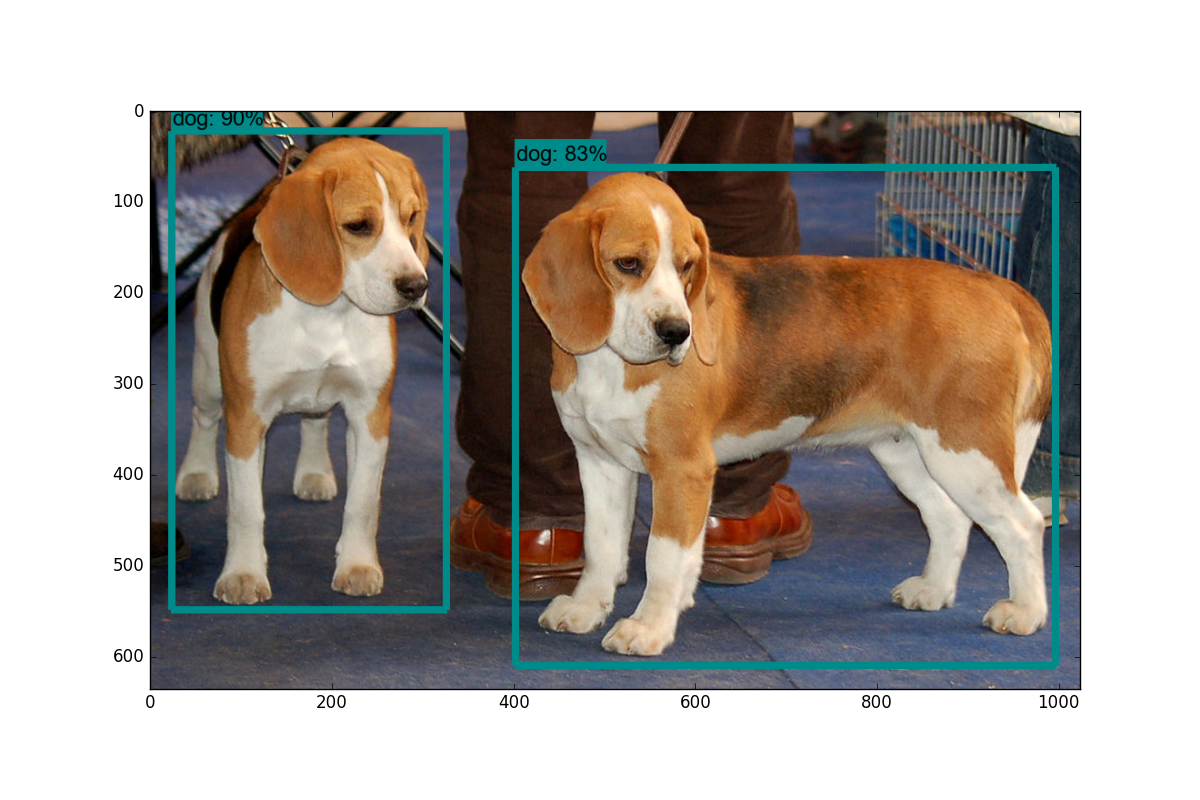
82 |
83 | 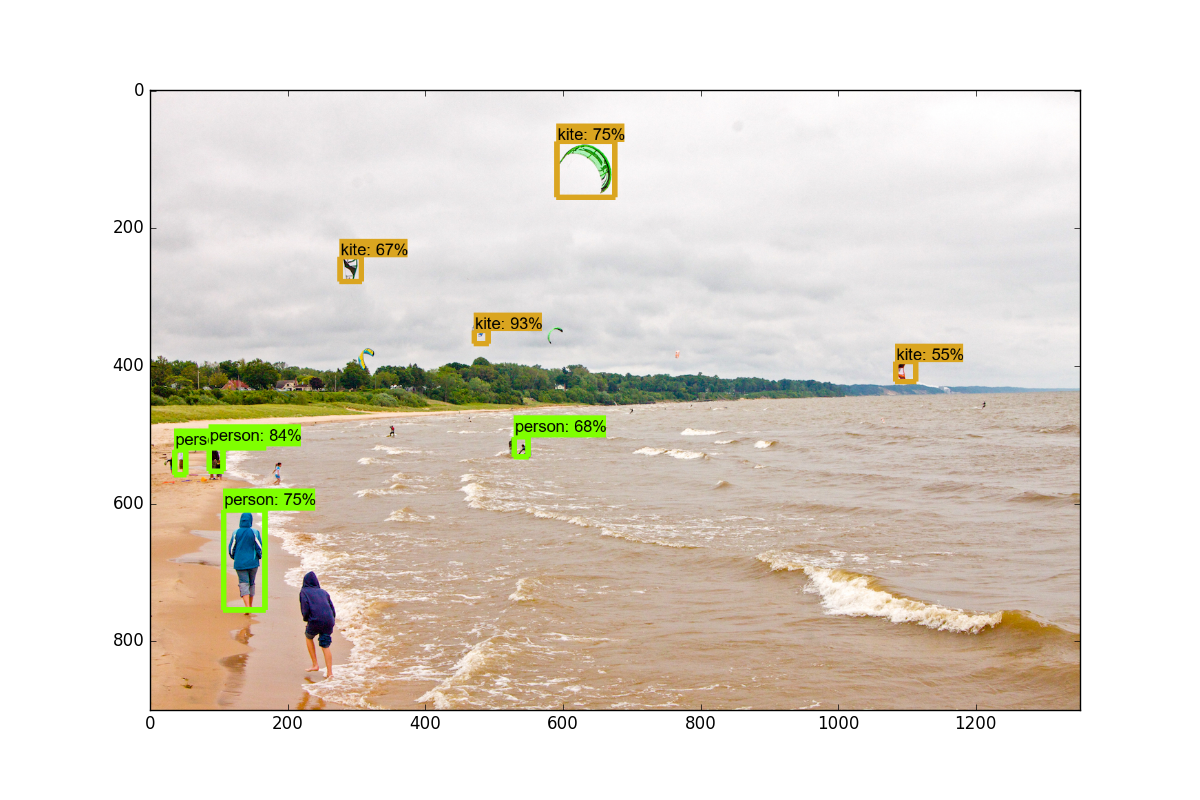
84 |
85 |
86 | 在下一个教程中,我们将介绍,如何通过稍微修改此示例代码,来实时标注来自网络摄像头流的数据。
87 |
88 | ## 二、视频流的目标检测
89 |
90 | 欢迎阅读 TensorFlow 目标检测 API 教程的第二部分。 在本教程中,我们将介绍如何调整 API 的 github 仓库中的示例代码,来将对象检测应用到来自摄像头的视频流。
91 |
92 | 首先,我们将首先修改笔记本,将其转换为`.py`文件。 如果你想保存在笔记本中,那也没关系。 为了转换,你可以访问`file > save as > python file`。 一旦完成,你需要注释掉`get_ipython().magic('matplotlib inline')`这一行。
93 |
94 | 接下来,我们将引入 Python OpenCV 包装器:
95 |
96 | 如果你没有安装 OpenCV,你需要获取它。 说明请参阅 OpenCV 简介。
97 |
98 | ```py
99 | import cv2
100 |
101 | cap = cv2.VideoCapture(0)
102 | ```
103 |
104 | 这将准备`cap`变量来访问你的摄像头。
105 |
106 | 接下来,你将下面的代码:
107 |
108 | ```py
109 | for image_path in TEST_IMAGE_PATHS:
110 | image = Image.open(image_path)
111 | # the array based representation of the image will be used later in order to prepare the
112 | # result image with boxes and labels on it.
113 | image_np = load_image_into_numpy_array(image)
114 | ```
115 |
116 | 替换为:
117 |
118 | ```py
119 | while True:
120 | ret, image_np = cap.read()
121 | ```
122 |
123 | 最后将这些东西:
124 |
125 | ```py
126 | plt.figure(figsize=IMAGE_SIZE)
127 | plt.imshow(image_np)
128 | plt.show()
129 | ```
130 |
131 | 替换为:
132 |
133 | ```py
134 | cv2.imshow('object detection', cv2.resize(image_np, (800,600)))
135 | if cv2.waitKey(25) & 0xFF == ord('q'):
136 | cv2.destroyAllWindows()
137 | break
138 | ```
139 |
140 | 这就好了。完整代码:
141 |
142 | ```py
143 | import numpy as np
144 | import os
145 | import six.moves.urllib as urllib
146 | import sys
147 | import tarfile
148 | import tensorflow as tf
149 | import zipfile
150 |
151 | from collections import defaultdict
152 | from io import StringIO
153 | from matplotlib import pyplot as plt
154 | from PIL import Image
155 |
156 | import cv2
157 | cap = cv2.VideoCapture(1)
158 |
159 | # This is needed since the notebook is stored in the object_detection folder.
160 | sys.path.append("..")
161 |
162 |
163 | # ## Object detection imports
164 | # Here are the imports from the object detection module.
165 |
166 | # In[3]:
167 |
168 | from utils import label_map_util
169 |
170 | from utils import visualization_utils as vis_util
171 |
172 |
173 | # # Model preparation
174 |
175 | # ## Variables
176 | #
177 | # Any model exported using the `export_inference_graph.py` tool can be loaded here simply by changing `PATH_TO_CKPT` to point to a new .pb file.
178 | #
179 | # By default we use an "SSD with Mobilenet" model here. See the [detection model zoo](https://github.com/tensorflow/models/blob/master/object_detection/g3doc/detection_model_zoo.md) for a list of other models that can be run out-of-the-box with varying speeds and accuracies.
180 |
181 | # In[4]:
182 |
183 | # What model to download.
184 | MODEL_NAME = 'ssd_mobilenet_v1_coco_11_06_2017'
185 | MODEL_FILE = MODEL_NAME + '.tar.gz'
186 | DOWNLOAD_BASE = 'http://download.tensorflow.org/models/object_detection/'
187 |
188 | # Path to frozen detection graph. This is the actual model that is used for the object detection.
189 | PATH_TO_CKPT = MODEL_NAME + '/frozen_inference_graph.pb'
190 |
191 | # List of the strings that is used to add correct label for each box.
192 | PATH_TO_LABELS = os.path.join('data', 'mscoco_label_map.pbtxt')
193 |
194 | NUM_CLASSES = 90
195 |
196 |
197 | # ## Download Model
198 |
199 | # In[5]:
200 |
201 | opener = urllib.request.URLopener()
202 | opener.retrieve(DOWNLOAD_BASE + MODEL_FILE, MODEL_FILE)
203 | tar_file = tarfile.open(MODEL_FILE)
204 | for file in tar_file.getmembers():
205 | file_name = os.path.basename(file.name)
206 | if 'frozen_inference_graph.pb' in file_name:
207 | tar_file.extract(file, os.getcwd())
208 |
209 |
210 | # ## Load a (frozen) Tensorflow model into memory.
211 |
212 | # In[6]:
213 |
214 | detection_graph = tf.Graph()
215 | with detection_graph.as_default():
216 | od_graph_def = tf.GraphDef()
217 | with tf.gfile.GFile(PATH_TO_CKPT, 'rb') as fid:
218 | serialized_graph = fid.read()
219 | od_graph_def.ParseFromString(serialized_graph)
220 | tf.import_graph_def(od_graph_def, name='')
221 |
222 |
223 | # ## Loading label map
224 | # Label maps map indices to category names, so that when our convolution network predicts `5`, we know that this corresponds to `airplane`. Here we use internal utility functions, but anything that returns a dictionary mapping integers to appropriate string labels would be fine
225 |
226 | # In[7]:
227 |
228 | label_map = label_map_util.load_labelmap(PATH_TO_LABELS)
229 | categories = label_map_util.convert_label_map_to_categories(label_map, max_num_classes=NUM_CLASSES, use_display_name=True)
230 | category_index = label_map_util.create_category_index(categories)
231 |
232 |
233 | # ## Helper code
234 |
235 | # In[8]:
236 |
237 | def load_image_into_numpy_array(image):
238 | (im_width, im_height) = image.size
239 | return np.array(image.getdata()).reshape(
240 | (im_height, im_width, 3)).astype(np.uint8)
241 |
242 |
243 | # # Detection
244 |
245 | # In[9]:
246 |
247 | # For the sake of simplicity we will use only 2 images:
248 | # image1.jpg
249 | # image2.jpg
250 | # If you want to test the code with your images, just add path to the images to the TEST_IMAGE_PATHS.
251 | PATH_TO_TEST_IMAGES_DIR = 'test_images'
252 | TEST_IMAGE_PATHS = [ os.path.join(PATH_TO_TEST_IMAGES_DIR, 'image{}.jpg'.format(i)) for i in range(1, 3) ]
253 |
254 | # Size, in inches, of the output images.
255 | IMAGE_SIZE = (12, 8)
256 |
257 |
258 | # In[10]:
259 |
260 | with detection_graph.as_default():
261 | with tf.Session(graph=detection_graph) as sess:
262 | while True:
263 | ret, image_np = cap.read()
264 | # Expand dimensions since the model expects images to have shape: [1, None, None, 3]
265 | image_np_expanded = np.expand_dims(image_np, axis=0)
266 | image_tensor = detection_graph.get_tensor_by_name('image_tensor:0')
267 | # Each box represents a part of the image where a particular object was detected.
268 | boxes = detection_graph.get_tensor_by_name('detection_boxes:0')
269 | # Each score represent how level of confidence for each of the objects.
270 | # Score is shown on the result image, together with the class label.
271 | scores = detection_graph.get_tensor_by_name('detection_scores:0')
272 | classes = detection_graph.get_tensor_by_name('detection_classes:0')
273 | num_detections = detection_graph.get_tensor_by_name('num_detections:0')
274 | # Actual detection.
275 | (boxes, scores, classes, num_detections) = sess.run(
276 | [boxes, scores, classes, num_detections],
277 | feed_dict={image_tensor: image_np_expanded})
278 | # Visualization of the results of a detection.
279 | vis_util.visualize_boxes_and_labels_on_image_array(
280 | image_np,
281 | np.squeeze(boxes),
282 | np.squeeze(classes).astype(np.int32),
283 | np.squeeze(scores),
284 | category_index,
285 | use_normalized_coordinates=True,
286 | line_thickness=8)
287 |
288 | cv2.imshow('object detection', cv2.resize(image_np, (800,600)))
289 | if cv2.waitKey(25) & 0xFF == ord('q'):
290 | cv2.destroyAllWindows()
291 | break
292 | ```
293 |
294 | 我们可以清理更多代码,比如去掉`matplotlib`的导入,以及旧的图像数据,如果你喜欢的话,随意清理。
295 |
296 | 你应该有一个被标记的流媒体摄像头源。 一些可以测试的物体:自己,手机或者一瓶水。 所有这些应该有效。
297 |
298 | 在下一个教程中,我们将介绍如何添加我们自己的自定义对象来跟踪。
299 |
300 | ## 三、跟踪自定义对象
301 |
302 | 欢迎阅读 TensorFlow 目标检测 API 系列教程的第 3 部分。 在这部分以及随后的几部分中,我们将介绍如何使用此 API 跟踪和检测自己的自定义对象。 如果你观看视频,我正在使用 Paperspace。 如果你需要一个高端的 GPU,你可以使用他们的云桌面解决方案,这里有个推广链接能获得 10 美元的折扣,这足以完成这个迷你系列(训练时间约为 1 小时,GPU 为 0.40 美元/小时)
303 |
304 | 从使用预先建立的模型,到添加自定义对象,对于我的发现是个巨大跳跃,我找不到任何完整的一步一步的指导,所以希望我可以拯救你们于苦难。 一旦解决,训练任何你能想到的自定义对象(并为其创建数据)的能力,是一项了不起的技能。
305 |
306 | 好吧,简单介绍一下所需的步骤:
307 |
308 | + 收集几百个包含你的对象的图像 - 最低限度是大约 100,理想情况下是 500+,但是,你有的图像越多,第二部就越乏味...
309 | + 注释/标注你的图像,理想情况下使用程序。 我个人使用 LabelImg。 这个过程基本上是,在你图像的对象周围画框。 标注程序会自动创建一个描述图片中的对象的 XML 文件。
310 | + 将这些数据分解成训练/测试样本
311 | + 从这些分割生成 TF 记录
312 | + 为所选模型设置`.config`文件(你可以从头自己开始训练,但是我们将使用迁移学习)
313 | + 训练
314 | + 从新的训练模型导出图形
315 | + 实时检测自定义对象!
316 | + ...
317 | + 完成!
318 |
319 | 所以,在本教程中,我需要一个对象。 我想要一些有用的东西,但还没有完成。 显然,每个人都需要知道通心粉和奶酪的位置,所以让我们跟踪它!
320 |
321 | 我使用 Google Images,Bing 和 ImageNet 来收集一些通心粉和奶酪的图像。 一般来说,图片大小在`800x600`左右,不能太大也不能太小。
322 |
323 | 对于本教程,你可以跟踪任何你想要的东西,只需要 100 多张图片。 一旦你有图像,你需要标注它们。 为此,我将使用 LabelImg,你可以使用`git clone https://github.com/tzutalin/labelImg`来获取它,或者直接下载并解压`zip`。
324 |
325 | 安装说明在`labelimg github`上,但对于 Ubuntu 上的 Python3:
326 |
327 | ```py
328 | sudo apt-get install pyqt5-dev-tools
329 |
330 | sudo pip3 install lxml
331 |
332 | make qt5py3
333 |
334 | python3 labelImg.py
335 | ```
336 |
337 | 运行这个时,你应该得到一个 GUI 窗口。 从这里,选择打开目录并选择你保存所有图像的目录。 现在,你可以开始使用创建`rectbox`按钮进行注释。 绘制你的框,添加名称,并点击确定。 保存,点击下一张图片,然后重复! 你可以按`w`键来画框,并按`ctrl + s`来保存得更快。 不确定是否有下一张图片的快捷键。
338 |
339 | 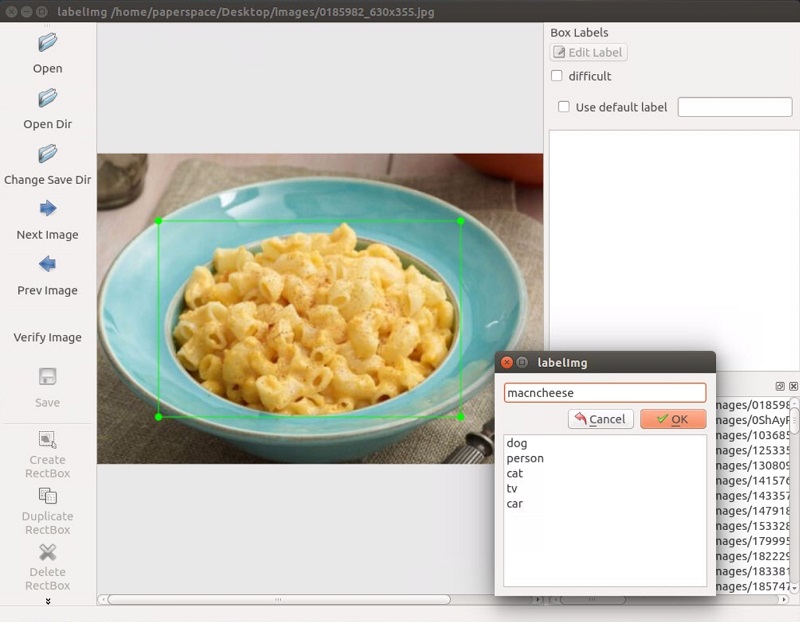
340 |
341 | 一旦你标记了超过 100 张图片被,我们将把他们分成训练和测试组。 为此,只需将你的图像和注解 XML 文件的约 10% 复制到一个称为`test `的新目录,然后将其余的复制到一个叫做`train`的新目录。
342 |
343 | 一旦完成了所有这些,就可以开始下一个教程了,我们将介绍如何从这些数据创建所需的 TFRecord 文件。
344 |
345 | 另外,如果你想使用我的预制文件,你可以下载我的[已标注的通心粉和奶酪](https://pythonprogramming.net/static/downloads/machine-learning-data/object-detection-macaroni.zip)。
346 |
347 | ## 四、创建 TFRecord
348 |
349 | 欢迎阅读 TensorFlow 目标检测 API 系列教程的第 4 部分。在本教程的这一部分,我们将介绍如何创建 TFRecord 文件,我们需要它来训练对象检测模型。
350 |
351 | 到了这里,你应该有一个图像目录,里面有所有的图像,以及 2 个额外的目录:训练和测试。在测试目录内应该是你的图像的月 10% 的副本与他们的 XML 注释数据,然后训练目录应该有其余的副本。如果你没有,请转到上一个教程。
352 |
353 | 现在我们需要将这些 XML 文件转换为单个 CSV 文件,它们可以转换为 TFRecord 文件。为此,我将利用[`datitran`的 github](https://github.com/datitran/raccoon_dataset) 中的一些代码做一些小的改动。首先,我们要使用`xml_to_csv.py`。你既可以克隆他的整个目录,也可以抓取这些文件,我们将使用其中的两个。由于他的存储库已经改变了多次,我已经搞乱了,我注意到,我所使用的具体提交是:[这个](https://github.com/datitran/raccoon_dataset/commit/386a8f4f1064ea0fe90cfac8644e0dba48f0387b)。如果这两个脚本中的任何一个都不适合你,请尝试拉取和我相同的提交。绝对要尝试他的最新版本。例如,在我写这个的时候,他刚刚更新了图像中的多个盒标签,这显然是一个非常有用的改进。
354 |
355 | 在`xml_to_csv`脚本中,我将:
356 |
357 | ```py
358 | def main():
359 | image_path = os.path.join(os.getcwd(), 'annotations')
360 | xml_df = xml_to_csv(image_path)
361 | xml_df.to_csv('raccoon_labels.csv', index=None)
362 | print('Successfully converted xml to csv.')
363 | ```
364 |
365 | 修改为:
366 |
367 | ```py
368 | def main():
369 | for directory in ['train','test']:
370 | image_path = os.path.join(os.getcwd(), 'images/{}'.format(directory))
371 | xml_df = xml_to_csv(image_path)
372 | xml_df.to_csv('data/{}_labels.csv'.format(directory), index=None)
373 | print('Successfully converted xml to csv.')
374 | ```
375 |
376 | 这只是拆分训练/测试和命名文件的有用的东西。 继续并创建一个数据目录,然后运行它来创建这两个文件。 接下来,在主对象检测目录中创建一个训练目录。 到了这里,你应该有以下结构,它在我的桌面上:
377 |
378 | ```
379 | Object-Detection
380 | -data/
381 | --test_labels.csv
382 | --train_labels.csv
383 | -images/
384 | --test/
385 | ---testingimages.jpg
386 | --train/
387 | ---testingimages.jpg
388 | --...yourimages.jpg
389 | -training
390 | -xml_to_csv.py
391 | ```
392 |
393 | 现在,抓取`generate_tfrecord.py`。 你需要做的唯一修改在`class_text_to_int`函数中。 你需要改变你的具体类别。 在我们的例子中,我们只有一个类别。 如果你有很多类别,那么你需要继续构建这个`if`语句。
394 |
395 | ```py
396 | # TO-DO replace this with label map
397 | def class_text_to_int(row_label):
398 | if row_label == 'macncheese':
399 | return 1
400 | else:
401 | None
402 | ```
403 |
404 | 从 TODO 来看,这个函数在将来可能会有一些变化,所以再一次使用你的直觉来修改最新版本,或者使用我正在使用的同一个提交。
405 |
406 | 接下来,为了使用它,我们需要在 github 克隆的模型目录内运行,或者可以更正式地安装对象检测 API。
407 |
408 | 我正在在一个新的机器上的做这个教程,来确保我不会错过任何步骤,所以我将完整配置对象的 API。 如果你已经克隆和配置,可以跳过最初的步骤,选择`setup.py`部分!
409 |
410 | 首先,我将仓库克隆到我的桌面上:
411 |
412 | ```
413 | git clone https://github.com/tensorflow/models.git
414 | ```
415 |
416 | 之后,遵循以下安装指令:
417 |
418 | ```
419 | sudo apt-get install protobuf-compiler python-pil python-lxml
420 | sudo pip install jupyter
421 | sudo pip install matplotlib
422 | ```
423 |
424 |
425 | 之后:
426 |
427 | ```
428 | # From tensorflow/models/
429 | protoc object_detection/protos/*.proto --python_out=.
430 | ```
431 |
432 | 如果 Ubuntu 上的`protoc`命令出现错误,请使用`protoc --version`检查你运行的版本,如果它不是最新版本,你可能需要更新。 我写这个的时候,我们使用 3.4.0。 为了更新或获取`protoc`,请前往`protoc`发布页面。 下载 python 版本,解压,访问目录,然后执行:
433 |
434 | ```
435 | sudo ./configure
436 | sudo make check
437 | sudo make install
438 | ```
439 |
440 | 之后,再次尝试`protoc`命令(再次确保你在模型目录中执行)。
441 |
442 | 并且
443 |
444 | ```
445 | # From tensorflow/models/
446 | export PYTHONPATH=$PYTHONPATH:`pwd`:`pwd`/slim
447 | ```
448 |
449 | 最后,我们通过在`models`目录中执行以下步骤,来正式安装`object_dection`库:
450 |
451 | ```
452 | sudo python3 setup.py install
453 | ```
454 |
455 | 现在我们可以运行`generate_tfrecord.py`脚本。 我们将运行两次,一次用于训练 TFRecord,一次用于测试 TFRecord。
456 |
457 | ```
458 | python3 generate_tfrecord.py --csv_input=data/train_labels.csv --output_path=data/train.record
459 |
460 | python3 generate_tfrecord.py --csv_input=data/test_labels.csv --output_path=data/test.record
461 | ```
462 |
463 | 现在,在你的数据目录中,你应该有`train.record`和`test.record`。
464 |
465 | 接下来,我们需要设置一个配置文件,然后训练一个新的模型,或者从一个预先训练好的模型的检查点开始,这将在下一个教程中介绍。
466 |
467 | ## 五、训练自定义对象检测器
468 |
469 | 欢迎阅读 TensorFlow 对象检测 API 系列教程的第 5 部分。在本教程的这一部分,我们将训练我们的对象检测模型,来检测我们的自定义对象。为此,我们需要匹配 TFRecords 的训练和测试数据的图像,然后我们需要配置模型,然后我们可以训练。对我们来说,这意味着我们需要设置一个配置文件。
470 |
471 | 在这里,我们有两个选择。我们可以使用预训练的模型,然后使用迁移学习来习得一个新的对象,或者我们可以从头开始习得新的对象。迁移学习的好处是训练可能更快,你需要的数据可能少得多。出于这个原因,我们将在这里执行迁移学习。
472 |
473 | TensorFlow 有相当多的预训练模型,带有检查点文件和配置文件。如果你喜欢,可以自己完成所有这些工作,查看他们的配置作业文档。对象 API 还提供了一些示例配置供你选择。
474 |
475 | 我打算使用 mobilenet,使用下面的检查点和配置文件:
476 |
477 | ```
478 | wget https://raw.githubusercontent.com/tensorflow/models/master/object_detection/samples/configs/ssd_mobilenet_v1_pets.config
479 | wget http://download.tensorflow.org/models/object_detection/ssd_mobilenet_v1_coco_11_06_2017.tar.gz
480 |
481 | ```
482 |
483 | 你可以查看一些其他检查点选项,来从这里起步。
484 |
485 | 将该配置放在训练目录中,并解压`models/object_detection`目录中的`ssd_mobilenet_v1`。
486 |
487 | 在配置文件中,你需要搜索所有`PATH_TO_BE_CONFIGURED`的位置并更改它们。 你可能还想要修改批量大小。 目前,我的配置文件中设置为 24。 其他模型可能有不同的批量。 如果出现内存错误,可以尝试减小批量以使模型适合你的 VRAM。 最后,还需要修改检查点名称/路径,将`num_classes`更改为 1,`num_examples`更改为 12,以及`label_map_path`改为`"training/object-detect.pbtxt"`。
488 |
489 | 这是一些编辑,所以这里是我的完整的配置文件:
490 |
491 | ```py
492 | # SSD with Mobilenet v1, configured for the mac-n-cheese dataset.
493 | # Users should configure the fine_tune_checkpoint field in the train config as
494 | # well as the label_map_path and input_path fields in the train_input_reader and
495 | # eval_input_reader. Search for "${YOUR_GCS_BUCKET}" to find the fields that
496 | # should be configured.
497 |
498 | model {
499 | ssd {
500 | num_classes: 1
501 | box_coder {
502 | faster_rcnn_box_coder {
503 | y_scale: 10.0
504 | x_scale: 10.0
505 | height_scale: 5.0
506 | width_scale: 5.0
507 | }
508 | }
509 | matcher {
510 | argmax_matcher {
511 | matched_threshold: 0.5
512 | unmatched_threshold: 0.5
513 | ignore_thresholds: false
514 | negatives_lower_than_unmatched: true
515 | force_match_for_each_row: true
516 | }
517 | }
518 | similarity_calculator {
519 | iou_similarity {
520 | }
521 | }
522 | anchor_generator {
523 | ssd_anchor_generator {
524 | num_layers: 6
525 | min_scale: 0.2
526 | max_scale: 0.95
527 | aspect_ratios: 1.0
528 | aspect_ratios: 2.0
529 | aspect_ratios: 0.5
530 | aspect_ratios: 3.0
531 | aspect_ratios: 0.3333
532 | }
533 | }
534 | image_resizer {
535 | fixed_shape_resizer {
536 | height: 300
537 | width: 300
538 | }
539 | }
540 | box_predictor {
541 | convolutional_box_predictor {
542 | min_depth: 0
543 | max_depth: 0
544 | num_layers_before_predictor: 0
545 | use_dropout: false
546 | dropout_keep_probability: 0.8
547 | kernel_size: 1
548 | box_code_size: 4
549 | apply_sigmoid_to_scores: false
550 | conv_hyperparams {
551 | activation: RELU_6,
552 | regularizer {
553 | l2_regularizer {
554 | weight: 0.00004
555 | }
556 | }
557 | initializer {
558 | truncated_normal_initializer {
559 | stddev: 0.03
560 | mean: 0.0
561 | }
562 | }
563 | batch_norm {
564 | train: true,
565 | scale: true,
566 | center: true,
567 | decay: 0.9997,
568 | epsilon: 0.001,
569 | }
570 | }
571 | }
572 | }
573 | feature_extractor {
574 | type: 'ssd_mobilenet_v1'
575 | min_depth: 16
576 | depth_multiplier: 1.0
577 | conv_hyperparams {
578 | activation: RELU_6,
579 | regularizer {
580 | l2_regularizer {
581 | weight: 0.00004
582 | }
583 | }
584 | initializer {
585 | truncated_normal_initializer {
586 | stddev: 0.03
587 | mean: 0.0
588 | }
589 | }
590 | batch_norm {
591 | train: true,
592 | scale: true,
593 | center: true,
594 | decay: 0.9997,
595 | epsilon: 0.001,
596 | }
597 | }
598 | }
599 | loss {
600 | classification_loss {
601 | weighted_sigmoid {
602 | anchorwise_output: true
603 | }
604 | }
605 | localization_loss {
606 | weighted_smooth_l1 {
607 | anchorwise_output: true
608 | }
609 | }
610 | hard_example_miner {
611 | num_hard_examples: 3000
612 | iou_threshold: 0.99
613 | loss_type: CLASSIFICATION
614 | max_negatives_per_positive: 3
615 | min_negatives_per_image: 0
616 | }
617 | classification_weight: 1.0
618 | localization_weight: 1.0
619 | }
620 | normalize_loss_by_num_matches: true
621 | post_processing {
622 | batch_non_max_suppression {
623 | score_threshold: 1e-8
624 | iou_threshold: 0.6
625 | max_detections_per_class: 100
626 | max_total_detections: 100
627 | }
628 | score_converter: SIGMOID
629 | }
630 | }
631 | }
632 |
633 | train_config: {
634 | batch_size: 10
635 | optimizer {
636 | rms_prop_optimizer: {
637 | learning_rate: {
638 | exponential_decay_learning_rate {
639 | initial_learning_rate: 0.004
640 | decay_steps: 800720
641 | decay_factor: 0.95
642 | }
643 | }
644 | momentum_optimizer_value: 0.9
645 | decay: 0.9
646 | epsilon: 1.0
647 | }
648 | }
649 | fine_tune_checkpoint: "ssd_mobilenet_v1_coco_11_06_2017/model.ckpt"
650 | from_detection_checkpoint: true
651 | data_augmentation_options {
652 | random_horizontal_flip {
653 | }
654 | }
655 | data_augmentation_options {
656 | ssd_random_crop {
657 | }
658 | }
659 | }
660 |
661 | train_input_reader: {
662 | tf_record_input_reader {
663 | input_path: "data/train.record"
664 | }
665 | label_map_path: "data/object-detection.pbtxt"
666 | }
667 |
668 | eval_config: {
669 | num_examples: 40
670 | }
671 |
672 | eval_input_reader: {
673 | tf_record_input_reader {
674 | input_path: "data/test.record"
675 | }
676 | label_map_path: "training/object-detection.pbtxt"
677 | shuffle: false
678 | num_readers: 1
679 | }
680 | ```
681 |
682 | 在训练目录里面,添加`object-detection.pbtxt`:
683 |
684 | ```py
685 | item {
686 | id: 1
687 | name: 'macncheese'
688 | }
689 | ```
690 |
691 | 而现在,见证奇迹时刻! 在`models/object_detection`中:
692 |
693 | ```py
694 | python3 train.py --logtostderr --train_dir=training/ --pipeline_config_path=training/ssd_mobilenet_v1_pets.config
695 | ```
696 |
697 | 禁止错误,你应该看到如下输出:
698 |
699 | ```
700 | INFO:tensorflow:global step 11788: loss = 0.6717 (0.398 sec/step)
701 | INFO:tensorflow:global step 11789: loss = 0.5310 (0.436 sec/step)
702 | INFO:tensorflow:global step 11790: loss = 0.6614 (0.405 sec/step)
703 | INFO:tensorflow:global step 11791: loss = 0.7758 (0.460 sec/step)
704 | INFO:tensorflow:global step 11792: loss = 0.7164 (0.378 sec/step)
705 | INFO:tensorflow:global step 11793: loss = 0.8096 (0.393 sec/step)
706 | ```
707 |
708 | 你的步骤从1开始,损失会高一些。 根据你的 GPU 和你有多少训练数据,这个过程需要不同的时间。 像 1080ti 这样的东西,应该只需要一个小时左右。 如果你有很多训练数据,则可能需要更长的时间。 你想截取的损失平均约为 1(或更低)。 我不会停止训练,直到你确定在 2 以下。你可以通过 TensorBoard 检查模型如何训练。 你的`models/object_detection/training`目录中会出现新的事件文件,可以通过 TensorBoard 查看。
709 |
710 | 在`models/object_detection`中通过终端,这样启动 TensorBoard:
711 |
712 | ```py
713 | tensorboard --logdir='training'
714 | ```
715 |
716 | 这会运行在`127.0.0.1:6006`(在浏览器中访问);
717 |
718 | 我的总损失图:
719 |
720 | 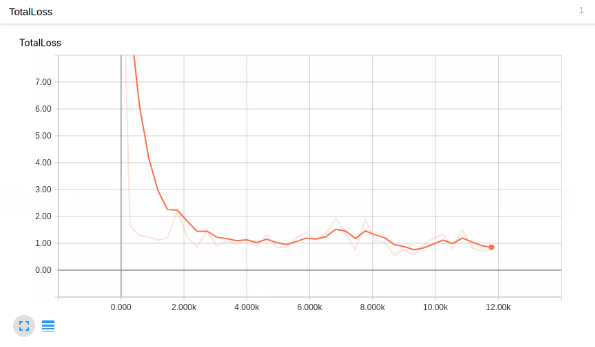
721 |
722 | 看起来不错,但它能检测通心粉和奶酪嘛?!
723 |
724 | 为了使用模型来检测事物,我们需要导出图形,所以在下一个教程中,我们将导出图形,然后测试模型。
725 |
726 | ## 六、测试自定义对象检测器
727 |
728 | 欢迎阅读 TensorFlow 对象检测 API 教程系列的第 6 部分。 在本教程的这一部分,我们将测试我们的模型,看看它是否符合我们的希望。 为此,我们需要导出推理图。
729 |
730 | 幸运的是,在`models/object_detection`目录中,有一个脚本可以帮助我们:`export_inference_graph.py`
731 |
732 | 为了运行它,你只需要传入你的检查点和你的流水线配置,然后是你想放置推理图的任何地方。 例如:
733 |
734 | ```
735 | python3 export_inference_graph.py \
736 | --input_type image_tensor \
737 | --pipeline_config_path training/ssd_mobilenet_v1_pets.config \
738 | --trained_checkpoint_prefix training/model.ckpt-10856 \
739 | --output_directory mac_n_cheese_inference_graph
740 | ```
741 |
742 | 你的检查点文件应该在训练目录中。 只要找出最大步骤(破折号后面最大的那个),那就是你想要使用的那个。 接下来,确保`pipeline_config_path`设置为你选择的任何配置文件,然后最后选择输出目录的名称,我用`mac_n_cheese_inference_graph`。
743 |
744 | 在`models/object_detection`中运行上述命令。
745 |
746 | 如果你得到一个错误,没有名为`nets`的模块,那么你需要重新运行:
747 |
748 | ```
749 | # From tensorflow/models/
750 | export PYTHONPATH=$PYTHONPATH:`pwd`:`pwd`/slim
751 | # switch back to object_detection after this and re run the above command
752 | ```
753 |
754 | 否则,你应该有一个新的目录,在我的情况下,我的是`mac_n_cheese_inference_graph`,里面,我有新的检查点数据,`saved_model`目录,最重要的是,`forzen_inference_graph.pb`文件。
755 |
756 | 现在,我们将使用示例笔记本,对其进行编辑,并查看我们的模型在某些测试图像上的工作情况。 我将一些`models/object_detection/images/test images`图像复制到`models/object_detection/test_images`目录中,并将其更名为`image3.jpg`,`image4.jpg`...等。
757 |
758 | 启动 jupyter 笔记本并打开`object_detection_tutorial.ipynb`,让我们进行一些更改。 首先,前往“变量”部分,然后更改模型名称以及检查点和标签的路径:
759 |
760 | ```py
761 | # What model to download.
762 | MODEL_NAME = 'mac_n_cheese_inference_graph'
763 |
764 | # Path to frozen detection graph. This is the actual model that is used for the object detection.
765 | PATH_TO_CKPT = MODEL_NAME + '/frozen_inference_graph.pb'
766 |
767 | # List of the strings that is used to add correct label for each box.
768 | PATH_TO_LABELS = os.path.join('training', 'object-detection.pbtxt')
769 |
770 | NUM_CLASSES = 1
771 | ```
772 |
773 | 接下来,我们可以删除整个下载模型部分,因为我们不需要再下载了。
774 |
775 | 最后,在“检测”部分中,将`TEST_IMAGE_PATHS`变量更改为:
776 |
777 | ```py
778 | TEST_IMAGE_PATHS = [ os.path.join(PATH_TO_TEST_IMAGES_DIR, 'image{}.jpg'.format(i)) for i in range(3, 8) ]
779 |
780 | ```
781 |
782 | 有了这个,你可以访问单元格菜单选项,然后“运行全部”。
783 |
784 | 以下是我的一些结果:
785 |
786 | 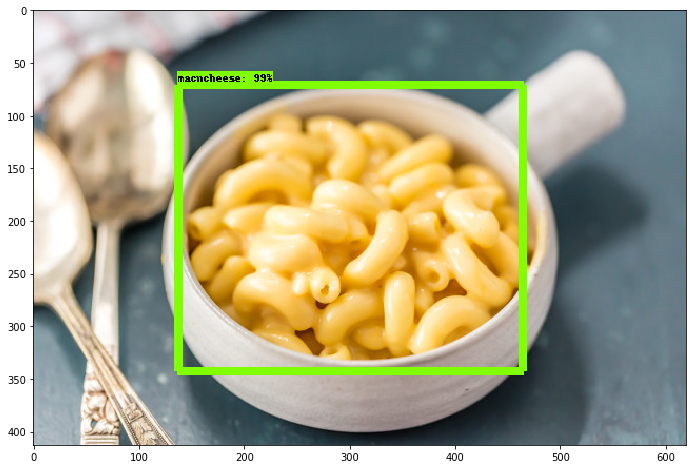
787 |
788 | 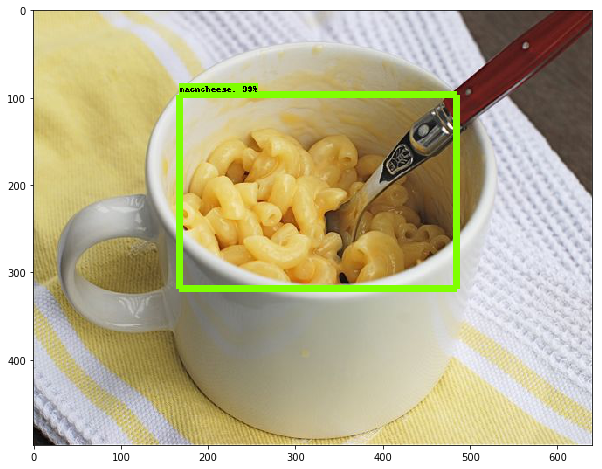
789 |
790 | 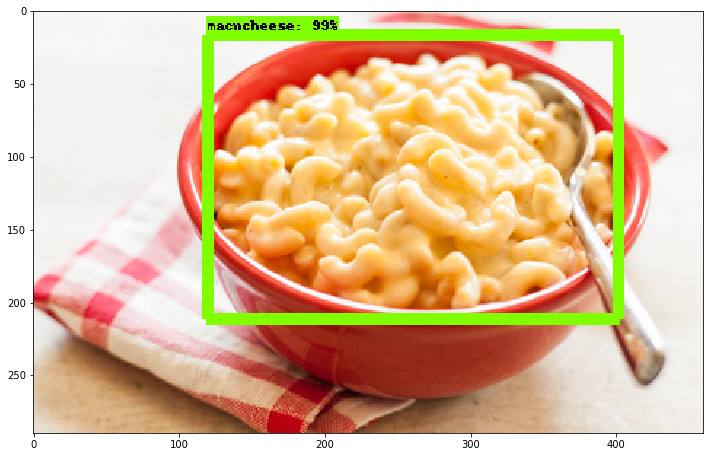
791 |
792 | 总的来说,我非常高兴看到它的效果有多棒,即使你有一个非常小的数据集,你仍然可以成功。使用迁移学习来训练一个模型只需要一个小时(在一个像样的 GPU 上)。 很酷!
793 |
794 |
--------------------------------------------------------------------------------
