├── media
├── flask-banner.png
└── swipe-bootstrap-5.png
├── flask-mongodb-discord-oauth.md
├── LICENSE
├── jinja-template.md
├── README.md
├── flask-bootstrap-sample.md
└── flask-project-structure.md
/media/flask-banner.png:
--------------------------------------------------------------------------------
https://raw.githubusercontent.com/app-generator/tutorial-flask/HEAD/media/flask-banner.png
--------------------------------------------------------------------------------
/media/swipe-bootstrap-5.png:
--------------------------------------------------------------------------------
https://raw.githubusercontent.com/app-generator/tutorial-flask/HEAD/media/swipe-bootstrap-5.png
--------------------------------------------------------------------------------
/flask-mongodb-discord-oauth.md:
--------------------------------------------------------------------------------
1 | # Flask / Discord OAuth/ MongoDB
2 |
3 | > A working sample that encapsulates Flask, MongoDB and Dicord (for authentication) in a sigle, open-source starter.
4 |
5 |
6 |
7 | **STATUS** - WIP
8 |
9 | ---
10 | Flask / Discord OAuth/ MongoDB - Open-source starter provided by **AppSeed [App Generator](https://appseed.us/app-generator)**.
11 |
--------------------------------------------------------------------------------
/LICENSE:
--------------------------------------------------------------------------------
1 | MIT License
2 |
3 | Copyright (c) 2021 App Generator
4 |
5 | Permission is hereby granted, free of charge, to any person obtaining a copy
6 | of this software and associated documentation files (the "Software"), to deal
7 | in the Software without restriction, including without limitation the rights
8 | to use, copy, modify, merge, publish, distribute, sublicense, and/or sell
9 | copies of the Software, and to permit persons to whom the Software is
10 | furnished to do so, subject to the following conditions:
11 |
12 | The above copyright notice and this permission notice shall be included in all
13 | copies or substantial portions of the Software.
14 |
15 | THE SOFTWARE IS PROVIDED "AS IS", WITHOUT WARRANTY OF ANY KIND, EXPRESS OR
16 | IMPLIED, INCLUDING BUT NOT LIMITED TO THE WARRANTIES OF MERCHANTABILITY,
17 | FITNESS FOR A PARTICULAR PURPOSE AND NONINFRINGEMENT. IN NO EVENT SHALL THE
18 | AUTHORS OR COPYRIGHT HOLDERS BE LIABLE FOR ANY CLAIM, DAMAGES OR OTHER
19 | LIABILITY, WHETHER IN AN ACTION OF CONTRACT, TORT OR OTHERWISE, ARISING FROM,
20 | OUT OF OR IN CONNECTION WITH THE SOFTWARE OR THE USE OR OTHER DEALINGS IN THE
21 | SOFTWARE.
22 |
--------------------------------------------------------------------------------
/jinja-template.md:
--------------------------------------------------------------------------------
1 | # Jinja Templates
2 |
3 | > Part of [Flask Tutorial](https://github.com/app-generator/tutorial-flask): Learn how to use Jinja Template engine to render HTML pages efficiently and secure.
4 |
5 | **Spot an issues or want to contribute?** - use the [Issues Tracker](https://github.com/app-generator/tutorial-flask/issues/) and tell us more.
6 |
7 |
8 |
9 | ## Topics
10 |
11 | - [What is Jinja](#what-is-jinja)
12 | - [Jinja in action](#jinja-in-action)
13 | - [Template Inheritance](#template-inheritance)
14 | - [Jinja Math](#jinja-math)
15 | - [Jinja Filters](#jinja-filters)
16 | - [Summary](#summary)
17 |
18 |
19 |
20 | ## What is Jinja
21 |
22 | :point_right: ToDo
23 |
24 |
25 |
26 | :point_up_2: Return to top
27 |
28 |
29 |
30 | ## Jinja in action
31 |
32 | :point_right: ToDo
33 |
34 |
35 |
36 | :point_up_2: Return to top
37 |
38 |
39 |
40 | ## Template Inheritance
41 |
42 | :point_right: ToDo
43 |
44 |
45 |
46 | :point_up_2: Return to top
47 |
48 |
49 |
50 | ## Jinja Math
51 |
52 | :point_right: ToDo
53 |
54 |
55 |
56 | :point_up_2: Return to top
57 |
58 |
59 |
60 | ## Jinja Filters
61 |
62 | :point_right: ToDo
63 |
64 |
65 |
66 | :point_up_2: Return to top
67 |
68 |
69 |
70 | ## Summary
71 |
72 | :point_right: ToDo
73 |
74 |
75 |
76 | :point_up_2: Return to top
77 |
78 |
79 |
80 | ---
81 | **Jinja Templates** - [Flask Tutorial](https://github.com/app-generator/tutorial-flask) | by [AppSeed](https://appseed.us?ref=gh).
82 |
--------------------------------------------------------------------------------
/README.md:
--------------------------------------------------------------------------------
1 | # [Getting Started with Flask](https://app-generator.dev/docs/technologies/flask/index.html)
2 |
3 | > Content provided by experienced developers based on the suggestions/questions from the audience - Actively supported by [App-Generator](https://app-generator.dev/) platform.
4 |
5 |
6 |
7 | ## Flask Topics
8 |
9 | - [Flask Cheatsheet](https://app-generator.dev/docs/technologies/flask/cheatsheet.html)
10 | - [Flask Database Migrations](https://app-generator.dev/docs/technologies/flask/db-migrations.html)
11 | - [Flask Jinja Templates](https://app-generator.dev/docs/technologies/flask/jinja-templates.html)
12 |
13 |
14 |
15 | ## [Open-Source Flask Starters](https://app-generator.dev/product/?search=flask&free=True#)
16 |
17 | - [Flask AdminLTE](https://app-generator.dev/product/adminlte/flask/) - provides Dynamic Services, Charts
18 | - [Flask Datta Able](https://app-generator.dev/product/datta-able/flask/) - provides Dynamic Services, Charts
19 | - [Rocket Flask](https://app-generator.dev/product/rocket/flask/) - styled with Tailwind/Flowbite
20 |
21 |
22 |
23 | ## [What is Flask](https://app-generator.dev/docs/technologies/flask.html)
24 |
25 | Flask is a server-side framework that facilitates the development of web applications and RESTful APIs. It leverages Werkzeug for WSGI utilities and Jinja2 for templating, providing a robust foundation for handling HTTP requests and generating dynamic content. Flask’s seamless integration with these powerful libraries enables developers to create sophisticated web applications with minimal overhead.
26 |
27 |
28 |
29 | ## Install Flask
30 |
31 | :point_right: The easiest way to install [Flask](https://palletsprojects.com/p/flask/) is to use [PIP](https://pip.pypa.io/en/stable/quickstart/) the official package-management tool.
32 |
33 | ```bash
34 | $ pip install Flask
35 | ```
36 |
37 |
38 |
39 | **How to check Flask version**
40 |
41 | Open a Python console (type python in terminal) and check the installed version as below:
42 |
43 | ```python
44 | >> import flask
45 | >> flask.__version__
46 | '1.1.2'
47 | >>>
48 | ```
49 |
50 | In this case the installed version is **1.1.2**
51 |
52 |
53 |
54 | :point_up_2: Return to top
55 |
56 |
57 |
58 | ## A minimal App
59 |
60 | :point_right: Open a terminal and install Flask (if not already installed) using PIP:
61 |
62 | ```bash
63 | $ pip install Flask
64 | ```
65 |
66 | Use your preferred editor to create a file called **hello.py** with this content:
67 |
68 | ```python
69 | from flask import Flask
70 |
71 | app = Flask(__name__)
72 |
73 | @app.route('/')
74 | def hello():
75 | return f'My first Flask!'
76 | ```
77 |
78 | Save the file and start the app:
79 |
80 |
81 |
82 | ```bash
83 | $ env FLASK_APP=hello.py flask run
84 | * Serving Flask app "hello"
85 | * Running on http://127.0.0.1:5000/
86 | ```
87 |
88 | Above commnand does two things:
89 |
90 | - Set the `FLASK_APP` variable (required by Flask)
91 | - Execute our code with `flask run` command
92 |
93 |
94 |
95 | By visiting the app in the browser **localhost:5000** we should see **My first Flask!** message.
96 |
97 |
98 |
99 | :point_up_2: Return to top
100 |
101 |
102 |
103 | ## [Flask Project Structure](./flask-project-structure.md)
104 |
105 | :point_right: Being such a lightweight framework, Flask comes with great flexibility regarding the codebase structure of a project. We can use a single file and drop all the code or split the app logic in more files and directories. All variants works but we migth have issues once our project is getting bigger and migth become unreadable for others.
106 |
107 | Well, this section presents a few options to keep in mind when we start a Flask project.
108 |
109 |
110 |
111 | > :link: Read more: [Flask Project Structure](./flask-project-structure.md): [Single File](./flask-project-structure.md#single-file), [Isolated App](./flask-project-structure.md#isolated-app-directory), [Blueprints](./flask-project-structure.md#blueprints)
112 |
113 |
114 |
115 | :point_up_2: Return to top
116 |
117 |
118 |
119 | ## [Flask Bootstrap Sample](./flask-bootstrap-sample.md)
120 |
121 | :point_right: We can use the information learned in the previous sections and build from scratch a simple Flask project on top of a modern Bootstrap UI Kit.
122 |
123 |
124 |
125 | > :link: Read more: [Flask Bootstrap Sample](./flask-bootstrap-sample.md)
126 |
127 |
128 |
129 | :point_up_2: Return to top
130 |
131 |
132 |
133 | ## [Jinja Template](./jinja-template.md)
134 |
135 | :point_right: Jinja is a modern and designer-friendly templating language for Python, modelled after Django's templates. It is a text-based template language and thus can be used to generate any markup as well as source code.
136 |
137 |
138 |
139 | > :link: Read more: [Jinja Template](./jinja-template.md)
140 |
141 |
142 |
143 | :point_up_2: Return to top
144 |
145 |
146 |
147 | ---
148 | [Getting Started with Flask](https://app-generator.dev/docs/technologies/flask/index.html) Tutorial provided by [App-Generator](https://app-generator.dev/) platform.
149 |
--------------------------------------------------------------------------------
/flask-bootstrap-sample.md:
--------------------------------------------------------------------------------
1 | # Flask Bootstrap Sample
2 |
3 | > Part of [Flask Tutorial](https://github.com/app-generator/tutorial-flask): Learn how to built from scratch a simple Flask project by using an open-source Bootstrap UI Kit.
4 |
5 | **Spot an issues or want to contribute?** - use the [Issues Tracker](https://github.com/app-generator/tutorial-flask/issues/) and tell us more.
6 |
7 |
8 |
9 | ## Topics
10 |
11 | - [What is Bootstrap](#what-is-bootstrap)
12 | - [Swipe - Bootstrap UI Kit](#swipe-bootstrap-ui-kit)
13 | - [Project Structure](#project-structure)
14 | - [Assets Management](#assets-management)
15 | - [Jinja Templates](#jinja-templates)
16 | - [Create New Pages](#create-new-pages)
17 | - [Summary](#summary)
18 |
19 |
20 |
21 | ## What is Bootstrap
22 |
23 | :point_right: Bootstrap is a free and open-source framework that contains CSS and JavaScript-based design templates for typography, forms, buttons, navigation, and other interface components. Using Bootstrap in our work, we might code faster the UI by reusing the elements provided in this popular library.
24 |
25 | - [Bootstrap](https://getbootstrap.com/) - the official website
26 | - [Bootstrap Docs](https://getbootstrap.com/docs/5.0/getting-started/introduction/) - explain in deep how to get started
27 |
28 | In our sample we will use more than just Bootstrap: Swipe is a modern, open-source UI Kit released under MIT License on Github. The permissive license allows unlimited copies for hobby and commercial projects.
29 |
30 |
31 |
32 | :point_up_2: Return to top
33 |
34 |
35 |
36 | ## Swipe Bootstrap UI Kit
37 |
38 | :point_right: This open-source UI Kit can be downloaded directly from the public repository: [Swipe - One Page Bootstrap 5](https://github.com/themesberg/swipe-one-page-bootstrap-5). The project comes with three pages:
39 |
40 | - Landing page
41 | - Sign In (login)
42 | - Sign Up (register)
43 |
44 | This design will be integrated in our Flask project.
45 |
46 |
47 |
48 | 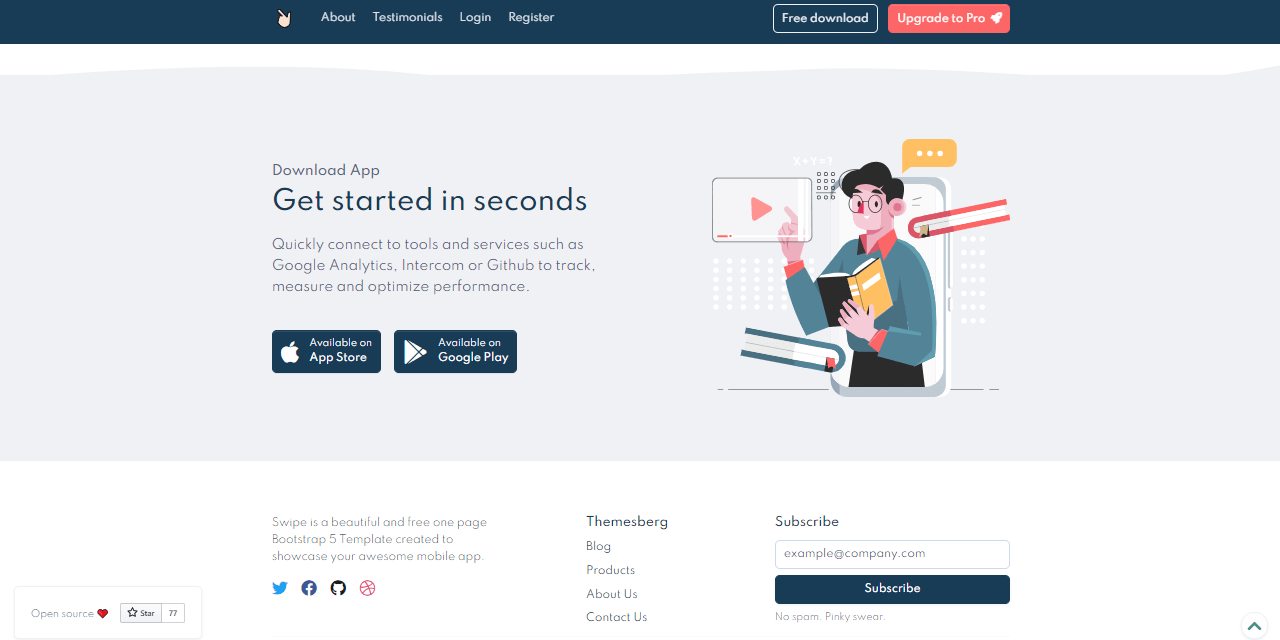
49 |
50 |
51 |
52 | :point_up_2: Return to top
53 |
54 |
55 |
56 | ## Project Structure
57 |
58 | :point_right: Flask comes with great flexibility regarding the codebase structure of a project. The sample presented in this page will use a clean and intuitive file-structure presented in detail in **[Flask Project Structure](./flask-project-structure.md)** chapter on this tutorial as **[Isolated app directory](./flask-project-structure.md#isolated-app-directory)** pattern.
59 |
60 |
61 |
62 | **The project structure**
63 |
64 | ```bash
65 | < PROJECT ROOT >
66 | |
67 | |-- app/
68 | | |
69 | | | -- views.py # App Routing
70 | | | -- __init__.py # Expose the Flask Application object
71 | | |
72 | | |-- static/
73 | | | |-- # CSS files, Javascripts files
74 | | |
75 | | |-- templates/
76 | | | |
77 | | | |-- includes/ # Page chunks, components
78 | | | | |
79 | | | | |-- navigation.html # Top bar
80 | | | | |-- scripts.html # JS scripts common to all pages
81 | | | | |-- footer.html # The footer component
82 | | | |
83 | | | |-- layouts/ # App Layouts (the master pages)
84 | | | | |
85 | | | | |-- base.html # Used by index page
86 | | | | |-- base-fullscreen.html # Used by auth pages
87 | | | |
88 | | | |-- accounts/ # Auth Pages (login, register)
89 | | | | |
90 | | | | |-- login.html # Use layout `base-fullscreen.html`
91 | | | | |-- register.html # Use layout `base-fullscreen.html`
92 | | | |
93 | | | index.html # The default page
94 | |
95 | |-- requirements.txt # Application Dependencies
96 | |
97 | |-- run.py # Start the app in development and production
98 | |
99 | |-- *************************************
100 | ```
101 |
102 |
103 |
104 | > Relevant Files and folders
105 |
106 | - `run.py` - is the entry point called to start the app
107 | - `app/__init__.py` - constructs the application
108 | - `views.py` - define app routing
109 | - Static assets and template folders:
110 | - `static`: the place where JS,Images and CSS files are saved
111 | - `templates`: pages and components to be used
112 |
113 |
114 |
115 | :point_up_2: Return to top
116 |
117 |
118 |
119 | ## Assets Management
120 |
121 | :point_right: Assets are copied from the HTML version preserving the structure:
122 |
123 | ```bash
124 | ```bash
125 | < PROJECT ROOT >
126 | |
127 | |-- app/
128 | | |
129 | | |-- static/assets
130 | | |-- css # CSS files
131 | | |-- img # Images
132 | | |-- js # Javascript Files
133 | |
134 | |
135 | |-- *************************************
136 | ```
137 |
138 | By default `Flask` will serve the assets from a directory with name `static` located in the current folder. This can be changed with ease when `Flask` constructor is invoked:
139 |
140 | ```python
141 |
142 | app = Flask(__name__,
143 | static_url_path='',
144 | static_folder='web/static')
145 | ```
146 |
147 | In this code snippet Flask constructs the application loading the assets from a subfolder `web/static`.
148 |
149 |
150 |
151 | :point_up_2: Return to top
152 |
153 |
154 |
155 | ## [Jinja Templates](./jinja-template.md)
156 |
157 | :point_right: ToDo
158 |
159 |
160 |
161 | :point_up_2: Return to top
162 |
163 |
164 |
165 | ## Create New Pages
166 |
167 | :point_right: ToDo
168 |
169 |
170 |
171 | :point_up_2: Return to top
172 |
173 |
174 |
175 | ## Summary
176 |
177 | :point_right: ToDo
178 |
179 |
180 |
181 | :point_up_2: Return to top
182 |
183 |
184 |
185 | ---
186 | **Flask Bootstrap Sample** - [Flask Tutorial](https://github.com/app-generator/tutorial-flask) | by [AppSeed](https://appseed.us?ref=gh).
187 |
--------------------------------------------------------------------------------
/flask-project-structure.md:
--------------------------------------------------------------------------------
1 | # Flask Project Structure
2 |
3 | > Part of [Flask Tutorial](https://github.com/app-generator/tutorial-flask): Learn how to structure your Flask project and compare the **pros** and **cons** between different options.
4 |
5 | **Spot an issues or want to contribute?** - use the [Issues Tracker](https://github.com/app-generator/tutorial-flask/issues/) and tell us more.
6 |
7 |
8 |
9 | ## Topics
10 |
11 | - [Single File](#single-file)
12 | - [Isolated `App` directory](#isolated-app-directory)
13 | - [Blueprints with `app-factory` pattern](#blueprints)
14 | - [Sample Apps](#sample-apps)
15 |
16 |
17 |
18 | ## Single File
19 |
20 | :point_right: This structure is recommended for simple projects and DEMO's where we need to code simple apps fast.
21 |
22 |
23 |
24 | ```python
25 | # Simple, one file Flask App
26 | from flask import Flask
27 |
28 | app = Flask(__name__)
29 |
30 | @app.route('/')
31 | def hello():
32 | return f'Hello from Flask!'
33 | ```
34 |
35 | The code will encapsulate routing, configuration, and assets management in the same place. To start the application, we need to export the `FLASK_APP` variable and invoke `flask run`.
36 |
37 | ```bash
38 | $ export FLASK_APP=run.py
39 | $ flask run
40 | ```
41 |
42 | Our simple app should be accessible in the browser: `localhost:5000`. By default Flask will start the application using the port **5000** but this can be changed using `--port` argument:
43 |
44 | ```bash
45 | $ # Flask app will start on 5001
46 | $ flask run --port=5001
47 | ```
48 |
49 |
50 |
51 | :point_up_2: Return to top
52 |
53 |
54 |
55 | ## Isolated app directory
56 |
57 | :point_right: Once our project is getting bigger we might want to use a better codebase structure. The structure presented below it might be a good choice:
58 |
59 |
60 |
61 | ```bash
62 | < PROJECT ROOT >
63 | |
64 | |-- app/
65 | | |
66 | | | -- config.py # App Configuration
67 | | | -- models.py # Database Tables
68 | | | -- forms.py # App Forms: login, registration
69 | | | -- util.py # Helpers to manipulate date, files
70 | | | -- views.py # App Routing
71 | | | -- __init__.py # Bundle all above sections and expose the Flask APP
72 | | |
73 | | |-- static/
74 | | | |-- # CSS files, Javascripts files
75 | | |
76 | | |-- templates/
77 | | | |
78 | | | |-- includes/ # Page chunks, components
79 | | | | |
80 | | | | |-- navigation.html # Top bar
81 | | | | |-- sidebar.html # Left sidebar
82 | | | | |-- scripts.html # JS scripts common to all pages
83 | | | | |-- footer.html # The common footer
84 | | | |
85 | | | |-- layouts/ # App Layouts (the master pages)
86 | | | | |
87 | | | | |-- base.html # Used by common pages like index, UI
88 | | | |
89 | | | |-- accounts/ # Auth Pages (login, register)
90 | | | | |
91 | | | | |-- login.html # Use layout `base-fullscreen.html`
92 | | | | |-- register.html # Use layout `base-fullscreen.html`
93 | | | |
94 | | | index.html # The default page
95 | | | page-404.html # Error 404 page (page not found)
96 | | | page-500.html # Error 500 page (server error)
97 | | | *.html # All other pages provided by the UI Kit
98 | |
99 | |-- requirements.txt # Application Dependencies
100 | |
101 | |-- run.py # Start the app in development and production
102 | |
103 | |-- ************************************************************************
104 | ```
105 |
106 |
107 |
108 | > Relevant Files and folders
109 |
110 | - `run.py` - is the entry point called to start the app
111 | - `app/__init__.py` - bundle all app sections: configuration, forms, database connection
112 | - App modules: `views` (routing), `config`, `forms`, `util`
113 | - App static assets and template folders:
114 | - `static`: the place where JS,Images and CSS files are saved
115 | - `templates`: pages and components to be used
116 |
117 |
118 |
119 | > To visualize samples app that uses this structure please visit the [Sample Apps](#sample-apps) section.
120 |
121 |
122 |
123 | :point_up_2: Return to top
124 |
125 |
126 |
127 | ## Blueprints
128 |
129 | :point_right: Flask uses Blueprints concept for a modular, easy to extend app structure. Bleuprints, similar to Django `apps` are basically modules that implement specific features. A Blueprint sample migth be the `authentication` module or a module that handles user notifications via email or SMS.
130 |
131 | Using Blueprints is ideal to large projects like eCommerce projects for instance. Here is a sample extracted from the [official docs](https://flask.palletsprojects.com/en/1.1.x/blueprints/):
132 |
133 |
134 |
135 | **Define a Blueprint**
136 |
137 | ```python
138 | from flask import Blueprint, render_template, abort
139 | from jinja2 import TemplateNotFound
140 |
141 | # Define the Blueprint
142 | simple_bp = Blueprint( 'simple_bp', __name__,
143 | template_folder='templates')
144 |
145 | @simple_page.route('/')
146 | def show(page):
147 | return f'My first Blueprint!'
148 | ```
149 |
150 | Once we code it, we need to register the blueprint and make it usable.
151 |
152 |
153 |
154 | **Register Blueprint**
155 |
156 | ```python
157 | from flask import Flask
158 | from app.simple_bp import simple_bp
159 |
160 | app = Flask(__name__)
161 | app.register_blueprint(simple_bp)
162 | ```
163 |
164 | In this sample, the Blueprint is 'mounted' in the root of the app but we can also use different locations:
165 |
166 | ```python
167 | app.register_blueprint(simple_bb, url_prefix='/contact')
168 | ```
169 |
170 | Afer this update, the Blueprint is reachable by accessing `/contact` path of our application.
171 |
172 |
173 |
174 |
175 | **Blueprints** - A real sample
176 |
177 | ```bash
178 | < PROJECT ROOT >
179 | |
180 | |-- app/ # Implements app logic
181 | | |-- base/ # Base Blueprint - handles the authentication
182 | | |-- home/ # Home Blueprint - serve UI Kit pages
183 | | |
184 | | __init__.py # Initialize the app
185 | |
186 | |-- requirements.txt # Development modules - SQLite storage
187 | |
188 | |-- .env # Inject Configuration via Environment
189 | |-- config.py # Set up the app
190 | |-- run.py # Start the app - WSGI gateway
191 | |
192 | |-- ************************************************************************
193 | ```
194 |
195 |
196 |
197 | > Relevant Files and folders
198 |
199 | - `run.py` - is the entry point that expose our `APP`
200 | - `app/__init__.py` - bundle/constructs the app: register Blueprints, configuration, set up Database
201 | - Define `base` blueprint - handles the authentication
202 | - Define `home` blueprint - serve the pages to authenticated users
203 | - expose `create_app()` method - **App factory Pattern**
204 |
205 |
206 |
207 | **App Factory Pattern**
208 |
209 | This method is usually a good technique to develop complex projects in Flask. A `factory` pattern exposes the application bundled with all mandatory assets:
210 |
211 | - Read Configuration
212 | - Register Blueprints
213 | - Set up the database
214 | - Activate extensions (logging for instance)
215 |
216 |
217 |
218 | > To visualize samples app that uses this structure please visit the [Sample Apps](#sample-apps) section.
219 |
220 |
221 |
222 | :point_up_2: Return to top
223 |
224 |
225 |
226 | ## Sample apps
227 |
228 | :point_right: To visualize mentioned pattern in real-world Flask applications, here is a short-list:
229 |
230 | - [Flask Swipe](https://github.com/app-generator/jinja-swipe-bootstrap-5) - uses the **[Isolated app directory](#isolated-app-directory)** pattern
231 | - [Flask IraDesign](https://github.com/app-generator/flask-illustrations-iradesign) - uses the **[Isolated app directory](#isolated-app-directory)** pattern
232 | - [Flask Datta Able](https://github.com/app-generator/flask-dashboard-dattaable) - uses the **[blueprints](#blueprints)** pattern
233 |
234 |
235 |
236 | :point_up_2: Return to top
237 |
238 |
239 |
240 | ---
241 | **Flask Project Structure** - [Flask Tutorial](https://github.com/app-generator/tutorial-flask) | by [AppSeed](https://appseed.us?ref=gh).
242 |
--------------------------------------------------------------------------------