├── .npmignore ├── logo.png ├── src ├── index.js ├── DefaultRenderer.js ├── DefaultTimer.js ├── DefaultTouchProcessor.js ├── GameLoop.js └── GameEngine.js ├── .gitignore ├── package.json ├── LICENSE ├── react-native-game-engine.d.ts └── README.md /.npmignore: -------------------------------------------------------------------------------- 1 | # Images and other content 2 | # 3 | logo.png -------------------------------------------------------------------------------- /logo.png: -------------------------------------------------------------------------------- https://raw.githubusercontent.com/bberak/react-native-game-engine/HEAD/logo.png -------------------------------------------------------------------------------- /src/index.js: -------------------------------------------------------------------------------- 1 | import GameLoop from "./GameLoop"; 2 | import GameEngine from "./GameEngine"; 3 | import DefaultTouchProcessor from "./DefaultTouchProcessor"; 4 | import DefaultRenderer from "./DefaultRenderer"; 5 | import DefaultTimer from "./DefaultTimer"; 6 | 7 | export { 8 | GameLoop, 9 | GameLoop as BasicGameLoop, 10 | GameEngine, 11 | GameEngine as ComponentEntitySystem, 12 | GameEngine as ComponentEntitySystems, 13 | DefaultTouchProcessor, 14 | DefaultRenderer, 15 | DefaultTimer 16 | }; 17 | 18 | -------------------------------------------------------------------------------- /src/DefaultRenderer.js: -------------------------------------------------------------------------------- 1 | import React from "react"; 2 | 3 | export default (entities, screen, layout) => { 4 | if (!entities || !screen || !layout) return null; 5 | 6 | return Object.keys(entities) 7 | .filter(key => entities[key].renderer) 8 | .map(key => { 9 | let entity = entities[key]; 10 | if (typeof entity.renderer === "object") 11 | return ( 12 | 18 | ); 19 | else if (typeof entity.renderer === "function") 20 | return ( 21 | 27 | ); 28 | }); 29 | }; 30 | -------------------------------------------------------------------------------- /.gitignore: -------------------------------------------------------------------------------- 1 | # OSX 2 | # 3 | .DS_Store 4 | 5 | # Xcode 6 | # 7 | build/ 8 | *.pbxuser 9 | !default.pbxuser 10 | *.mode1v3 11 | !default.mode1v3 12 | *.mode2v3 13 | !default.mode2v3 14 | *.perspectivev3 15 | !default.perspectivev3 16 | xcuserdata 17 | *.xccheckout 18 | *.moved-aside 19 | DerivedData 20 | *.hmap 21 | *.ipa 22 | *.xcuserstate 23 | project.xcworkspace 24 | 25 | # Android/IntelliJ 26 | # 27 | build/ 28 | .idea 29 | .gradle 30 | local.properties 31 | *.iml 32 | 33 | # node.js 34 | # 35 | node_modules/ 36 | npm-debug.log 37 | yarn-error.log 38 | 39 | # BUCK 40 | buck-out/ 41 | \.buckd/ 42 | *.keystore 43 | 44 | # fastlane 45 | # 46 | # It is recommended to not store the screenshots in the git repo. Instead, use fastlane to re-generate the 47 | # screenshots whenever they are needed. 48 | # For more information about the recommended setup visit: 49 | # https://github.com/fastlane/fastlane/blob/master/fastlane/docs/Gitignore.md 50 | 51 | fastlane/report.xml 52 | fastlane/Preview.html 53 | fastlane/screenshots 54 | -------------------------------------------------------------------------------- /package.json: -------------------------------------------------------------------------------- 1 | { 2 | "name": "react-native-game-engine", 3 | "version": "1.2.0", 4 | "description": "Some React Native components that make it easier to construct interactive scenes using the familiar update + draw lifecycle used in the development of many games ✨", 5 | "main": "src/index.js", 6 | "scripts": { 7 | "test": "echo \"Error: no test specified\" && exit 1" 8 | }, 9 | "types": "react-native-game-engine.d.ts", 10 | "repository": { 11 | "type": "git", 12 | "url": "git+https://github.com/bberak/react-native-game-engine.git" 13 | }, 14 | "keywords": [ 15 | "React", 16 | "React Native", 17 | "Game", 18 | "Gaming", 19 | "Game Dev", 20 | "Game Development", 21 | "Game Engine" 22 | ], 23 | "author": "Boris Berak", 24 | "license": "MIT", 25 | "bugs": { 26 | "url": "https://github.com/bberak/react-native-game-engine/issues" 27 | }, 28 | "homepage": "https://github.com/bberak/react-native-game-engine", 29 | "dependencies": { 30 | "rxjs": "^6.2.2" 31 | }, 32 | "peerDependencies": { 33 | "react": ">= 16.3.0", 34 | "react-native": "*" 35 | } 36 | } 37 | -------------------------------------------------------------------------------- /LICENSE: -------------------------------------------------------------------------------- 1 | MIT License 2 | 3 | Copyright (c) 2017 Boris Berak 4 | 5 | Permission is hereby granted, free of charge, to any person obtaining a copy 6 | of this software and associated documentation files (the "Software"), to deal 7 | in the Software without restriction, including without limitation the rights 8 | to use, copy, modify, merge, publish, distribute, sublicense, and/or sell 9 | copies of the Software, and to permit persons to whom the Software is 10 | furnished to do so, subject to the following conditions: 11 | 12 | The above copyright notice and this permission notice shall be included in all 13 | copies or substantial portions of the Software. 14 | 15 | THE SOFTWARE IS PROVIDED "AS IS", WITHOUT WARRANTY OF ANY KIND, EXPRESS OR 16 | IMPLIED, INCLUDING BUT NOT LIMITED TO THE WARRANTIES OF MERCHANTABILITY, 17 | FITNESS FOR A PARTICULAR PURPOSE AND NONINFRINGEMENT. IN NO EVENT SHALL THE 18 | AUTHORS OR COPYRIGHT HOLDERS BE LIABLE FOR ANY CLAIM, DAMAGES OR OTHER 19 | LIABILITY, WHETHER IN AN ACTION OF CONTRACT, TORT OR OTHERWISE, ARISING FROM, 20 | OUT OF OR IN CONNECTION WITH THE SOFTWARE OR THE USE OR OTHER DEALINGS IN THE 21 | SOFTWARE. -------------------------------------------------------------------------------- /src/DefaultTimer.js: -------------------------------------------------------------------------------- 1 | /* 2 | With thanks, https://github.com/FormidableLabs/react-game-kit/blob/master/src/native/utils/game-loop.js 3 | */ 4 | 5 | /* 6 | The MIT License (MIT) 7 | 8 | Copyright (c) 2013 9 | 10 | Permission is hereby granted, free of charge, to any person obtaining a copy of this software and associated documentation files (the "Software"), to deal in the Software without restriction, including without limitation the rights to use, copy, modify, merge, publish, distribute, sublicense, and/or sell copies of the Software, and to permit persons to whom the Software is furnished to do so, subject to the following conditions: 11 | 12 | The above copyright notice and this permission notice shall be included in all copies or substantial portions of the Software. 13 | 14 | THE SOFTWARE IS PROVIDED "AS IS", WITHOUT WARRANTY OF ANY KIND, EXPRESS OR IMPLIED, INCLUDING BUT NOT LIMITED TO THE WARRANTIES OF MERCHANTABILITY, FITNESS FOR A PARTICULAR PURPOSE AND NONINFRINGEMENT. IN NO EVENT SHALL THE AUTHORS OR COPYRIGHT HOLDERS BE LIABLE FOR ANY CLAIM, DAMAGES OR OTHER LIABILITY, WHETHER IN AN ACTION OF CONTRACT, TORT OR OTHERWISE, ARISING FROM, OUT OF OR IN CONNECTION WITH THE SOFTWARE OR THE USE OR OTHER DEALINGS IN THE SOFTWARE. 15 | */ 16 | 17 | export default class DefaultTimer { 18 | constructor() { 19 | this.subscribers = []; 20 | this.loopId = null; 21 | } 22 | 23 | loop = time => { 24 | if (this.loopId) { 25 | this.subscribers.forEach(callback => { 26 | callback(time); 27 | }); 28 | } 29 | 30 | this.loopId = requestAnimationFrame(this.loop); 31 | }; 32 | 33 | start() { 34 | if (!this.loopId) { 35 | this.loop(); 36 | } 37 | } 38 | 39 | stop() { 40 | if (this.loopId) { 41 | cancelAnimationFrame(this.loopId); 42 | this.loopId = null; 43 | } 44 | } 45 | 46 | subscribe(callback) { 47 | if (this.subscribers.indexOf(callback) === -1) 48 | this.subscribers.push(callback); 49 | } 50 | 51 | unsubscribe(callback) { 52 | this.subscribers = this.subscribers.filter(s => s !== callback) 53 | } 54 | } 55 | -------------------------------------------------------------------------------- /react-native-game-engine.d.ts: -------------------------------------------------------------------------------- 1 | // Project: https://github.com/bberak/react-native-game-engine 2 | // TypeScript Version: 3.5 3 | 4 | declare module "react-native-game-engine" { 5 | import * as React from "react"; 6 | import { StyleProp, ViewStyle, ScaledSize } from "react-native"; 7 | 8 | interface DefaultRendererOptions { 9 | state: any; 10 | screen: ScaledSize; 11 | } 12 | 13 | export function DefaultRenderer(defaultRendererOptions: DefaultRendererOptions): any; 14 | 15 | export class DefaultTimer {} 16 | 17 | interface TouchProcessorOptions { 18 | triggerPressEventBefore: number; 19 | triggerLongPressEventAfter: number; 20 | moveThreshold: number; 21 | } 22 | 23 | export function DefaultTouchProcessor (touchProcessorOptions?: TouchProcessorOptions): any; 24 | 25 | export interface TimeUpdate { 26 | current: number; 27 | delta: number; 28 | previous: number; 29 | previousDelta: number; 30 | } 31 | 32 | export interface GameEngineUpdateEventOptionType { 33 | dispatch: (event: any) => void; 34 | events: Array; 35 | screen: ScaledSize; 36 | time: TimeUpdate; 37 | touches: Array; 38 | } 39 | 40 | export type GameEngineSystem = (entities: any, update: GameEngineUpdateEventOptionType) => any; 41 | 42 | export interface GameEngineProperties { 43 | systems?: any[]; 44 | entities?: {} | Promise; 45 | renderer?: any; 46 | touchProcessor?: any; 47 | timer?: any; 48 | running?: boolean; 49 | onEvent?: any; 50 | style?: StyleProp; 51 | children?: React.ReactNode; 52 | } 53 | 54 | export class GameEngine extends React.Component {} 55 | 56 | export type TouchEventType = 'start' | 'end' | 'move' | 'press' | 'long-press'; 57 | 58 | export interface TouchEvent { 59 | event: { 60 | changedTouches: Array; 61 | identifier: number; 62 | locationX: number; 63 | locationY: number; 64 | pageX: number; 65 | pageY: number; 66 | target: number; 67 | timestamp: number; 68 | touches: Array; 69 | }; 70 | id: number; 71 | type: TouchEventType; 72 | delta?: { 73 | locationX: number; 74 | locationY: number; 75 | pageX: number; 76 | pageY: number; 77 | timestamp: number; 78 | } 79 | } 80 | 81 | interface GameLoopUpdateEventOptionType { 82 | touches: TouchEvent[]; 83 | screen: ScaledSize; 84 | time: TimeUpdate; 85 | } 86 | 87 | export interface GameLoopProperties { 88 | touchProcessor?: any; 89 | timer?: any; 90 | running?: boolean; 91 | onUpdate?: (args: GameLoopUpdateEventOptionType) => void; 92 | style?: StyleProp; 93 | children?: React.ReactNode; 94 | } 95 | 96 | export class GameLoop extends React.Component {} 97 | } 98 | 99 | -------------------------------------------------------------------------------- /src/DefaultTouchProcessor.js: -------------------------------------------------------------------------------- 1 | import { Observable, Subject, empty, of, merge } from "rxjs"; 2 | import { 3 | mergeMap, 4 | first, 5 | timeoutWith, 6 | delay, 7 | takeUntil, 8 | map, 9 | groupBy, 10 | filter, 11 | pairwise 12 | } from "rxjs/operators"; 13 | 14 | export default ({ 15 | triggerPressEventBefore = 200, 16 | triggerLongPressEventAfter = 700, 17 | moveThreshold = 0 18 | }) => { 19 | return touches => { 20 | let touchStart = new Subject().pipe( 21 | map(e => ({ id: e.identifier, type: "start", event: e })) 22 | ); 23 | let touchMove = new Subject().pipe( 24 | map(e => ({ id: e.identifier, type: "move", event: e })) 25 | ); 26 | let touchEnd = new Subject().pipe( 27 | map(e => ({ id: e.identifier, type: "end", event: e })) 28 | ); 29 | 30 | let touchPress = touchStart.pipe( 31 | mergeMap(e => 32 | touchEnd.pipe( 33 | first(x => x.id === e.id), 34 | timeoutWith(triggerPressEventBefore, empty()) 35 | ) 36 | ), 37 | map(e => ({ ...e, type: "press" })) 38 | ); 39 | 40 | let touchMoveDelta = merge(touchStart, touchMove, touchEnd).pipe( 41 | groupBy(e => e.id), 42 | mergeMap(group => 43 | group.pipe( 44 | pairwise(), 45 | map(([e1, e2]) => { 46 | if (e1.type !== "end" && e2.type === "move") { 47 | return { 48 | id: group.key, 49 | type: "move", 50 | event: e2.event, 51 | delta: { 52 | locationX: e2.event.locationX - e1.event.locationX, 53 | locationY: e2.event.locationY - e1.event.locationY, 54 | pageX: e2.event.pageX - e1.event.pageX, 55 | pageY: e2.event.pageY - e1.event.pageY, 56 | timestamp: e2.event.timestamp - e1.event.timestamp 57 | } 58 | }; 59 | } 60 | }), 61 | filter(e => e), 62 | filter(e => e.delta.pageX ** 2 + e.delta.pageY ** 2 > moveThreshold ** 2) 63 | ) 64 | ) 65 | ); 66 | 67 | let longTouch = touchStart.pipe( 68 | mergeMap(e => 69 | of(e).pipe( 70 | delay(triggerLongPressEventAfter), 71 | takeUntil( 72 | merge(touchMoveDelta, touchEnd).pipe( 73 | first(x => x.id === e.id) 74 | ) 75 | ) 76 | ) 77 | ), 78 | map(e => ({ ...e, type: "long-press" })) 79 | ); 80 | 81 | let subscriptions = [ 82 | touchStart, 83 | touchEnd, 84 | touchPress, 85 | longTouch, 86 | touchMoveDelta 87 | ].map(x => x.subscribe(y => touches.push(y))); 88 | 89 | return { 90 | process(type, event) { 91 | switch (type) { 92 | case "start": 93 | touchStart.next(event); 94 | break; 95 | case "move": 96 | touchMove.next(event); 97 | break; 98 | case "end": 99 | touchEnd.next(event); 100 | break; 101 | } 102 | }, 103 | end() { 104 | subscriptions.forEach(x => x.unsubscribe()); 105 | touchStart.unsubscribe(); 106 | touchMove.unsubscribe(); 107 | touchEnd.unsubscribe(); 108 | touchPress.unsubscribe(); 109 | longTouch.unsubscribe(); 110 | } 111 | }; 112 | }; 113 | }; 114 | -------------------------------------------------------------------------------- /src/GameLoop.js: -------------------------------------------------------------------------------- 1 | import React, { Component } from "react"; 2 | import { View, StyleSheet, Dimensions } from "react-native"; 3 | import DefaultTimer from "./DefaultTimer"; 4 | import DefaultTouchProcessor from "./DefaultTouchProcessor"; 5 | 6 | export default class GameLoop extends Component { 7 | constructor(props) { 8 | super(props); 9 | this.timer = props.timer || new DefaultTimer(); 10 | this.timer.subscribe(this.updateHandler); 11 | this.touches = []; 12 | this.screen = Dimensions.get("window"); 13 | this.previousTime = null; 14 | this.previousDelta = null; 15 | this.touchProcessor = props.touchProcessor(this.touches); 16 | this.layout = null; 17 | } 18 | 19 | componentDidMount() { 20 | if (this.props.running) this.start(); 21 | } 22 | 23 | componentWillUnmount() { 24 | this.stop(); 25 | this.timer.unsubscribe(this.updateHandler); 26 | if (this.touchProcessor.end) this.touchProcessor.end(); 27 | } 28 | 29 | UNSAFE_componentWillReceiveProps(nextProps) { 30 | if (nextProps.running !== this.props.running) { 31 | if (nextProps.running) this.start(); 32 | else this.stop(); 33 | } 34 | } 35 | 36 | start = () => { 37 | this.touches.length = 0; 38 | this.previousTime = null; 39 | this.previousDelta = null; 40 | this.timer.start(); 41 | }; 42 | 43 | stop = () => { 44 | this.timer.stop(); 45 | }; 46 | 47 | updateHandler = currentTime => { 48 | let args = { 49 | touches: this.touches, 50 | screen: this.screen, 51 | layout: this.layout, 52 | time: { 53 | current: currentTime, 54 | previous: this.previousTime, 55 | delta: currentTime - (this.previousTime || currentTime), 56 | previousDelta: this.previousDelta 57 | } 58 | }; 59 | 60 | if (this.props.onUpdate) this.props.onUpdate(args); 61 | 62 | this.touches.length = 0; 63 | this.previousTime = currentTime; 64 | this.previousDelta = args.time.delta; 65 | }; 66 | 67 | onLayoutHandler = e => { 68 | this.screen = Dimensions.get("window"); 69 | this.layout = e.nativeEvent.layout; 70 | this.forceUpdate(); 71 | }; 72 | 73 | onTouchStartHandler = e => { 74 | this.touchProcessor.process("start", e.nativeEvent); 75 | }; 76 | 77 | onTouchMoveHandler = e => { 78 | this.touchProcessor.process("move", e.nativeEvent); 79 | }; 80 | 81 | onTouchEndHandler = e => { 82 | this.touchProcessor.process("end", e.nativeEvent); 83 | }; 84 | 85 | render() { 86 | return ( 87 | 94 | {this.props.children} 95 | 96 | ); 97 | } 98 | } 99 | 100 | GameLoop.defaultProps = { 101 | touchProcessor: DefaultTouchProcessor({ 102 | triggerPressEventBefore: 200, 103 | triggerLongPressEventAfter: 700 104 | }), 105 | running: true 106 | }; 107 | 108 | const css = StyleSheet.create({ 109 | container: { 110 | flex: 1 111 | } 112 | }); 113 | -------------------------------------------------------------------------------- /src/GameEngine.js: -------------------------------------------------------------------------------- 1 | import React, { Component } from "react"; 2 | import { View, StyleSheet, Dimensions } from "react-native"; 3 | import DefaultTimer from "./DefaultTimer"; 4 | import DefaultRenderer from "./DefaultRenderer"; 5 | import DefaultTouchProcessor from "./DefaultTouchProcessor"; 6 | 7 | const getEntitiesFromProps = props => 8 | props.initState || 9 | props.initialState || 10 | props.state || 11 | props.initEntities || 12 | props.initialEntities || 13 | props.entities; 14 | 15 | const isPromise = obj => { 16 | return !!( 17 | obj && 18 | obj.then && 19 | obj.then.constructor && 20 | obj.then.call && 21 | obj.then.apply 22 | ); 23 | }; 24 | 25 | export default class GameEngine extends Component { 26 | constructor(props) { 27 | super(props); 28 | this.state = { 29 | entities: null 30 | }; 31 | this.timer = props.timer || new DefaultTimer(); 32 | this.timer.subscribe(this.updateHandler); 33 | this.touches = []; 34 | this.screen = Dimensions.get("window"); 35 | this.previousTime = null; 36 | this.previousDelta = null; 37 | this.events = []; 38 | this.touchProcessor = props.touchProcessor(this.touches); 39 | this.layout = null; 40 | } 41 | 42 | async componentDidMount() { 43 | let entities = getEntitiesFromProps(this.props); 44 | 45 | if (isPromise(entities)) entities = await entities; 46 | 47 | this.setState( 48 | { 49 | entities: entities || {} 50 | }, 51 | () => { 52 | if (this.props.running) this.start(); 53 | } 54 | ); 55 | } 56 | 57 | componentWillUnmount() { 58 | this.stop(); 59 | this.timer.unsubscribe(this.updateHandler); 60 | if (this.touchProcessor.end) this.touchProcessor.end(); 61 | } 62 | 63 | UNSAFE_componentWillReceiveProps(nextProps) { 64 | if (nextProps.running !== this.props.running) { 65 | if (nextProps.running) this.start(); 66 | else this.stop(); 67 | } 68 | } 69 | 70 | clear = () => { 71 | this.touches.length = 0; 72 | this.events.length = 0; 73 | this.previousTime = null; 74 | this.previousDelta = null; 75 | }; 76 | 77 | start = () => { 78 | this.clear(); 79 | this.timer.start(); 80 | this.dispatch({ type: "started" }); 81 | }; 82 | 83 | stop = () => { 84 | this.timer.stop(); 85 | this.dispatch({ type: "stopped" }); 86 | }; 87 | 88 | swap = async newEntities => { 89 | if (isPromise(newEntities)) newEntities = await newEntities; 90 | 91 | this.setState({ entities: newEntities || {} }, () => { 92 | this.clear(); 93 | this.dispatch({ type: "swapped" }); 94 | }); 95 | }; 96 | 97 | publish = e => { 98 | this.dispatch(e); 99 | }; 100 | 101 | publishEvent = e => { 102 | this.dispatch(e); 103 | }; 104 | 105 | dispatch = e => { 106 | setTimeout(() => { 107 | this.events.push(e); 108 | if (this.props.onEvent) this.props.onEvent(e); 109 | }, 0); 110 | }; 111 | 112 | dispatchEvent = e => { 113 | this.dispatch(e); 114 | }; 115 | 116 | updateHandler = currentTime => { 117 | let args = { 118 | touches: this.touches, 119 | screen: this.screen, 120 | layout: this.layout, 121 | events: this.events, 122 | dispatch: this.dispatch, 123 | time: { 124 | current: currentTime, 125 | previous: this.previousTime, 126 | delta: currentTime - (this.previousTime || currentTime), 127 | previousDelta: this.previousDelta 128 | } 129 | }; 130 | 131 | let newState = this.props.systems.reduce( 132 | (state, sys) => sys(state, args), 133 | this.state.entities 134 | ); 135 | 136 | this.touches.length = 0; 137 | this.events.length = 0; 138 | this.previousTime = currentTime; 139 | this.previousDelta = args.time.delta; 140 | this.setState({ entities: newState }); 141 | }; 142 | 143 | onLayoutHandler = e => { 144 | this.screen = Dimensions.get("window"); 145 | this.layout = e.nativeEvent.layout; 146 | this.forceUpdate(); 147 | }; 148 | 149 | onTouchStartHandler = e => { 150 | this.touchProcessor.process("start", e.nativeEvent); 151 | }; 152 | 153 | onTouchMoveHandler = e => { 154 | this.touchProcessor.process("move", e.nativeEvent); 155 | }; 156 | 157 | onTouchEndHandler = e => { 158 | this.touchProcessor.process("end", e.nativeEvent); 159 | }; 160 | 161 | render() { 162 | return ( 163 | 167 | 173 | {this.props.renderer(this.state.entities, this.screen, this.layout)} 174 | 175 | 176 | 180 | {this.props.children} 181 | 182 | 183 | ); 184 | } 185 | } 186 | 187 | GameEngine.defaultProps = { 188 | systems: [], 189 | entities: {}, 190 | renderer: DefaultRenderer, 191 | touchProcessor: DefaultTouchProcessor({ 192 | triggerPressEventBefore: 200, 193 | triggerLongPressEventAfter: 700 194 | }), 195 | running: true 196 | }; 197 | 198 | const css = StyleSheet.create({ 199 | container: { 200 | flex: 1 201 | }, 202 | entityContainer: { 203 | flex: 1, 204 | //-- Looks like Android requires bg color here 205 | //-- to register touches. If we didn't worry about 206 | //-- 'children' (foreground) components capturing events, 207 | //-- this whole shenanigan could be avoided.. 208 | backgroundColor: "transparent" 209 | } 210 | }); 211 | -------------------------------------------------------------------------------- /README.md: -------------------------------------------------------------------------------- 1 |

2 | React Native Game Engine 3 |

4 | 5 | # React Native Game Engine · [![npm version](https://badge.fury.io/js/react-native-game-engine.svg)](https://badge.fury.io/js/react-native-game-engine) [![mit license](https://img.shields.io/badge/license-MIT-50CB22.svg)](https://opensource.org/licenses/MIT) 6 | 7 | Some components that make it easier to construct dynamic and interactive scenes using React Native. 8 | 9 | If you are looking for the **React (Web)** version of this library, go to [react-game-engine](https://github.com/bberak/react-game-engine). 10 | 11 | ## Table of Contents 12 | 13 | - [Examples](#examples) 14 | - [Quick Start](#quick-start) 15 | - [GameEngine Properties](#gameengine-properties) 16 | - [GameEngine Methods](#gameengine-methods) 17 | - [FAQ](#faq) 18 | - [Introduction](#introduction) 19 | - [The Game Loop](#the-game-loop) 20 | - [The Game Loop vs React Native](#the-game-loop-vs-react-native) 21 | - [Using the GameLoop Component](#using-the-gameloop-component) 22 | - [Behind the Scenes](#behind-the-scenes) 23 | - [Where is the Draw Function?](#where-is-the-draw-function) 24 | - [Managing Complexity with Component Entity Systems](#managing-complexity-with-component-entity-systems) 25 | - [Additional CES Reading Material](#additional-ces-reading-material) 26 | - [Using the GameEngine Component](#using-the-gameengine-component) 27 | - [Awesome Packages for Game Development](#awesome-packages-for-game-development) 28 | - [Get in Touch](#get-in-touch) 29 | - [License](#license) 30 | 31 | ## Examples 32 | 33 | Check out [Cannon Ball Sea](https://apps.apple.com/us/app/cannon-ball-sea/id6736433554), an incredibly fun physics-based puzzle game with a vibrant aesthetic. 34 | 35 |

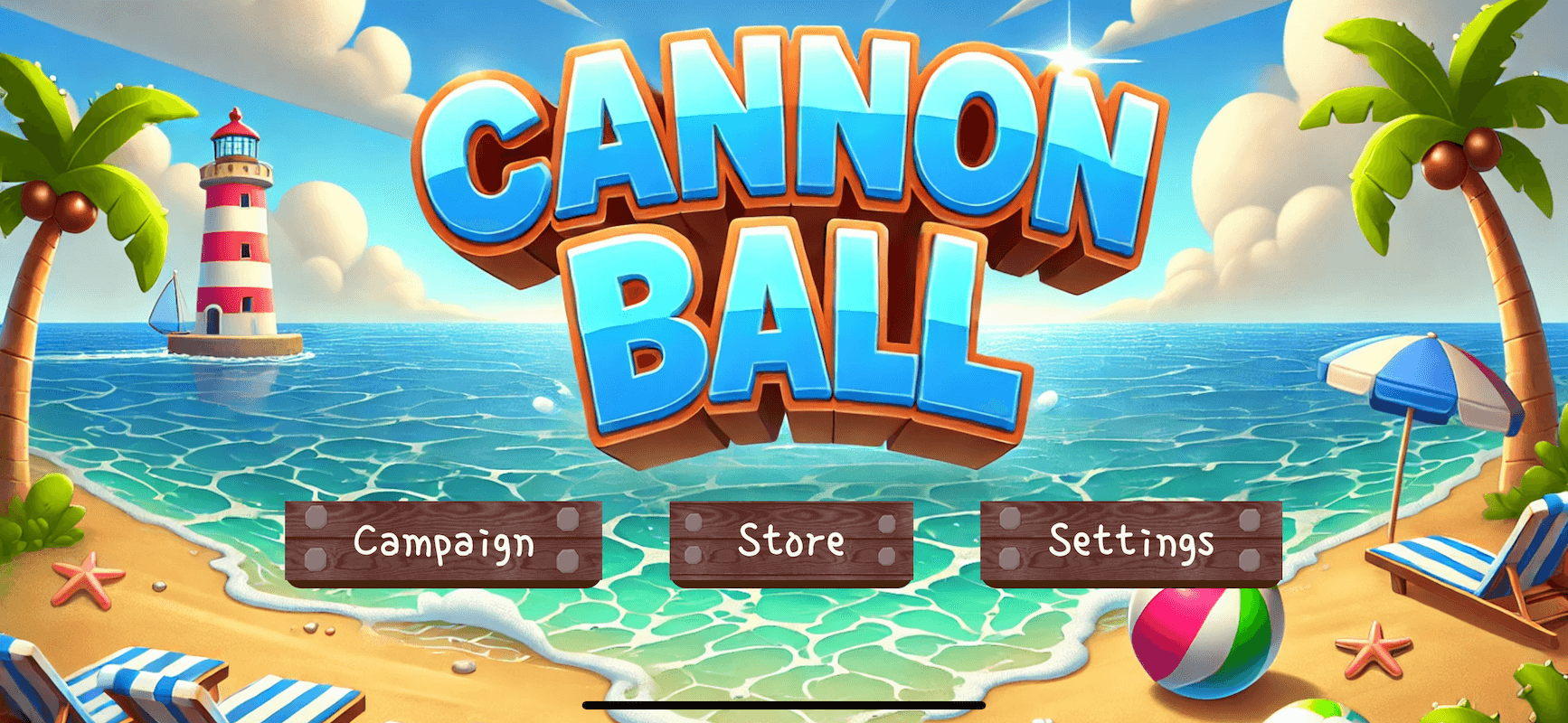
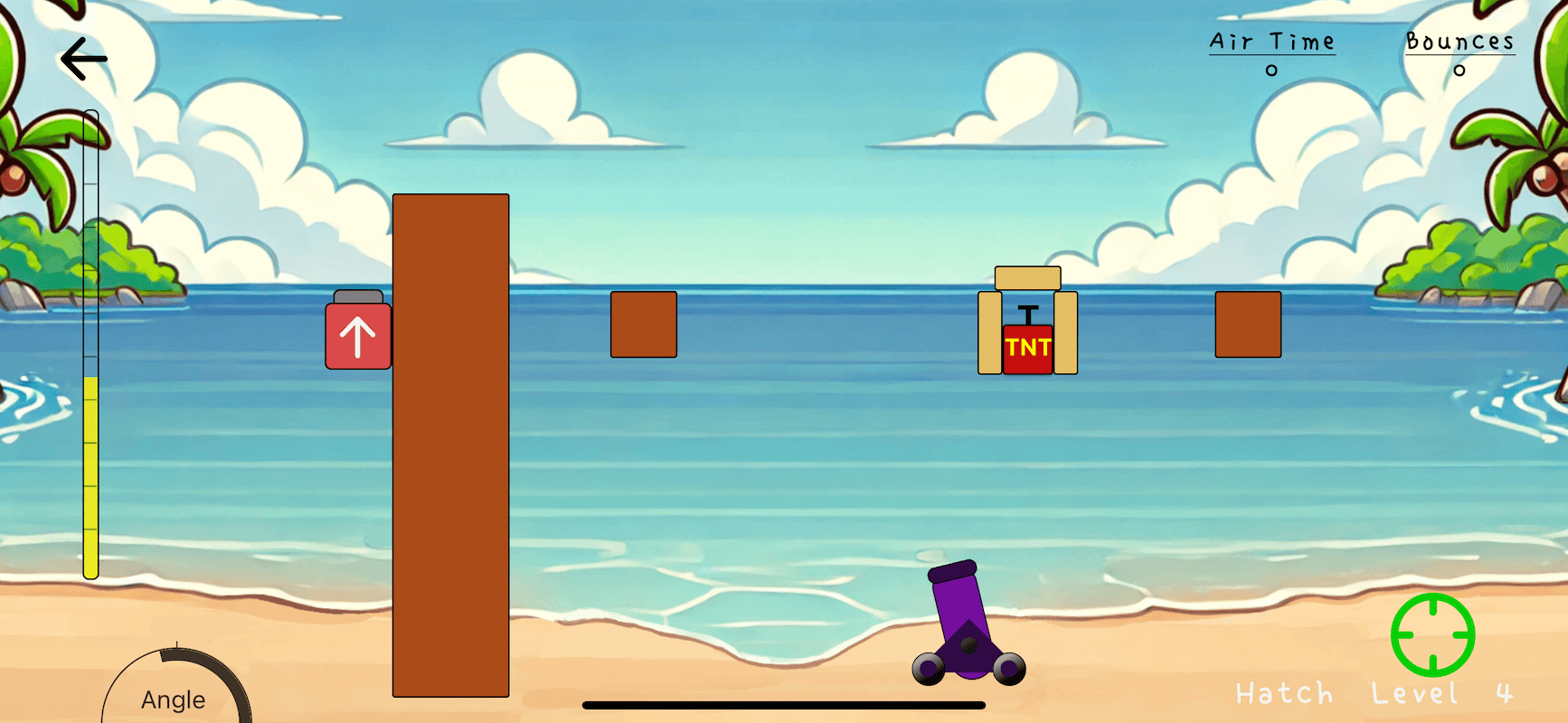
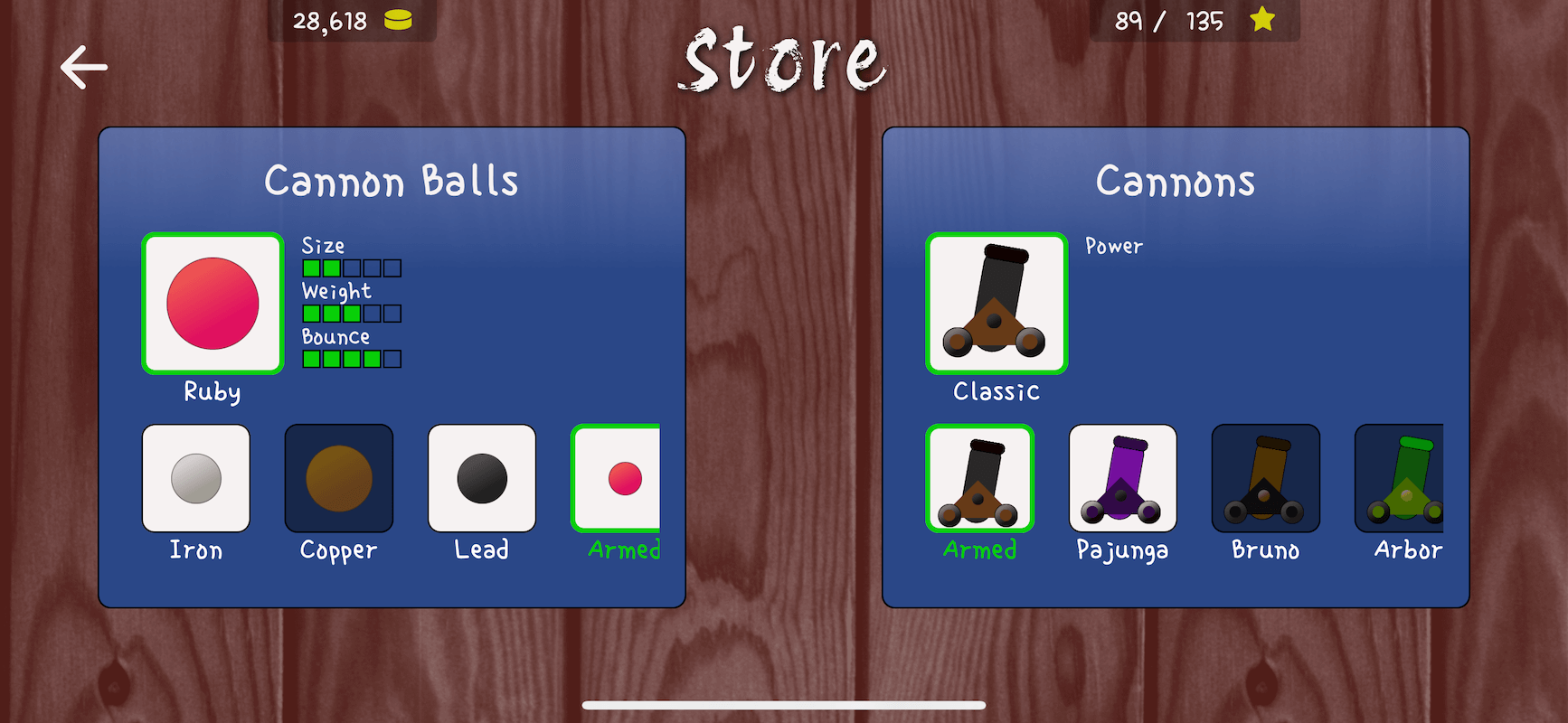
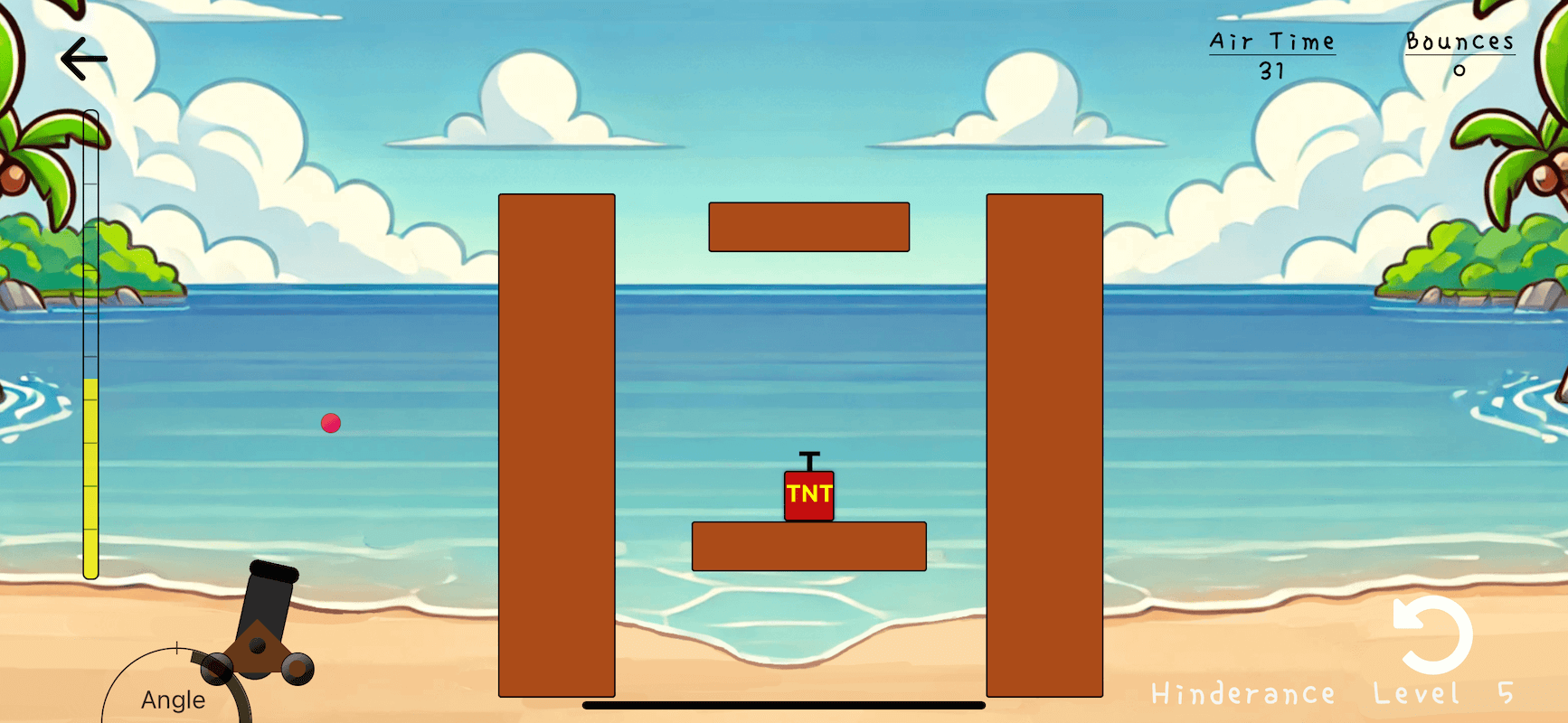
36 | 37 | 38 | 39 | 40 | 41 | 42 |

43 | 44 | Take a look at [Studious Bear](https://itunes.apple.com/us/app/studious-bear/id1434377602), a super-polished puzzle game with great visuals and music. One of the first published games to use RNGE. 45 | 46 |

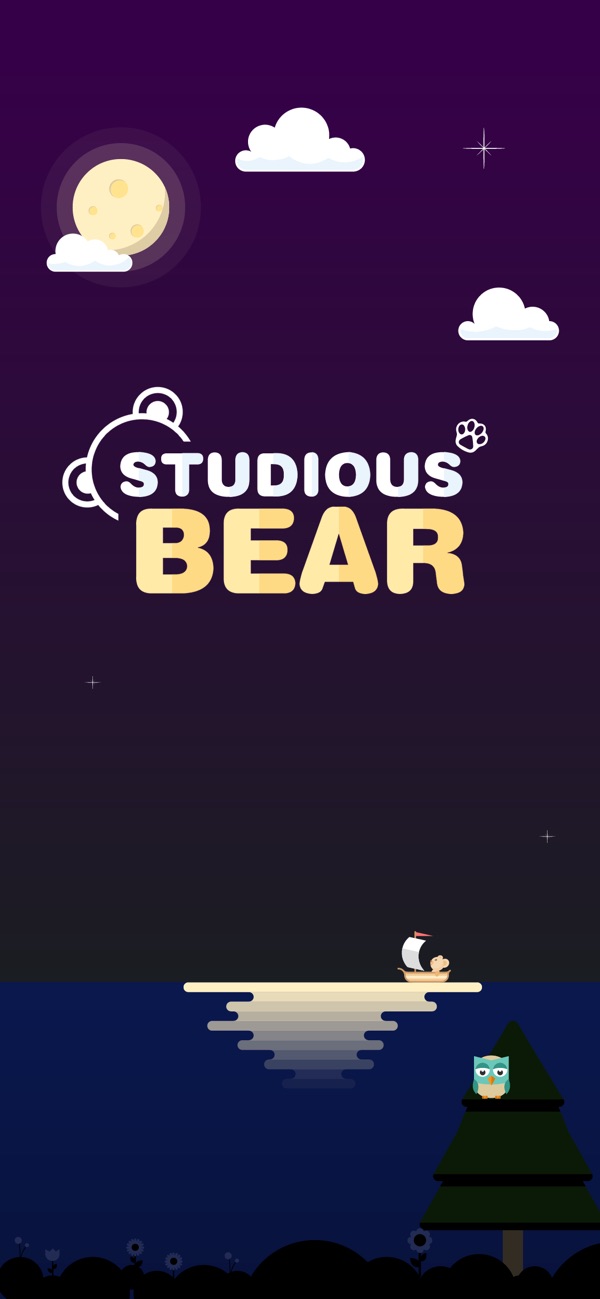
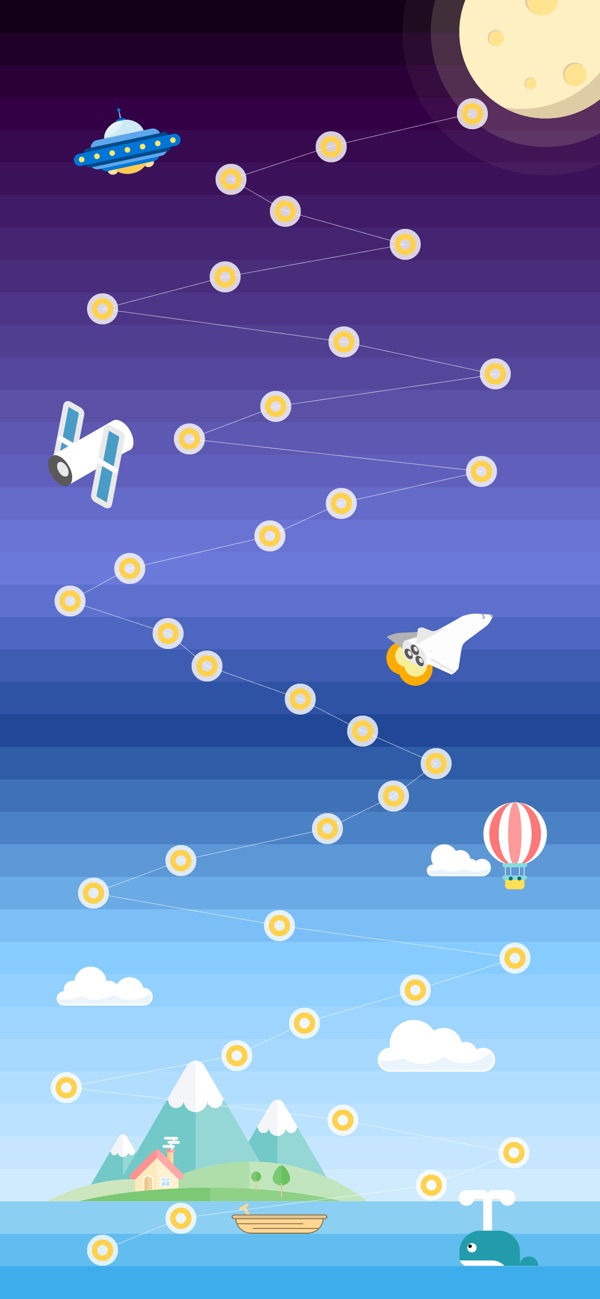
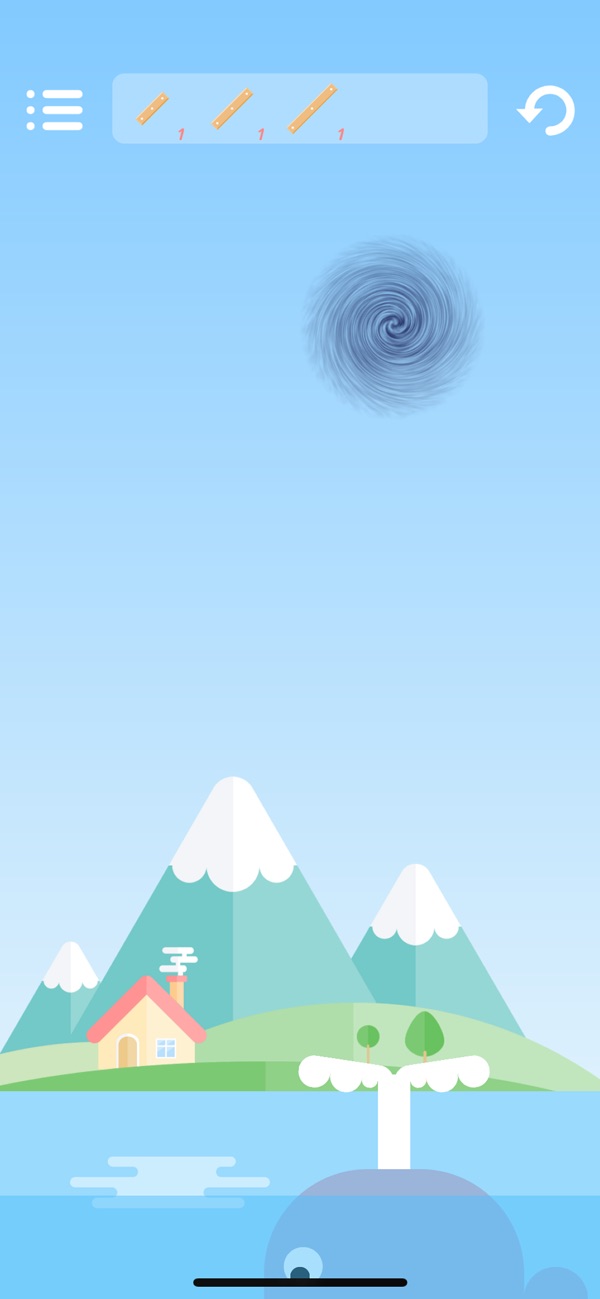
47 | 48 | 49 | 50 | 51 | 52 | 53 |

54 | 55 | See the [React Native Game Engine Handbook](https://github.com/bberak/react-native-game-engine-handbook) for a complimentary app, examples and ideas. 56 | 57 | ## Quick Start 58 | 59 | If you've used **react-native-game-engine** before and understand the core concepts, take a look at [react-native-game-engine-template](https://github.com/bberak/react-native-game-engine-template). It's a sort of game kickstarter project that allows you to prototype ideas quickly and comes preloaded with a bunch of stuff like: 60 | 61 | - A 3D renderer 62 | - Physics 63 | - Particle system 64 | - Crude sound API 65 | - Sprite support with animations 66 | - Etc 67 | 68 | Otherwise, continue reading the quick start guide below. 69 | 70 |
71 | 72 | Firstly, install the package to your project: 73 | 74 | ```npm install --save react-native-game-engine``` 75 | 76 | Then import the GameEngine component: 77 | 78 | ```javascript 79 | import { GameEngine } from "react-native-game-engine" 80 | ``` 81 | 82 | Let's code a scene that incorporates some multi-touch logic. To start with, let's create some components that can be rendered by React. Create a file called ```renderers.js```: 83 | 84 | ```javascript 85 | import React, { PureComponent } from "react"; 86 | import { StyleSheet, View } from "react-native"; 87 | 88 | const RADIUS = 20; 89 | 90 | class Finger extends PureComponent { 91 | render() { 92 | const x = this.props.position[0] - RADIUS / 2; 93 | const y = this.props.position[1] - RADIUS / 2; 94 | return ( 95 | 96 | ); 97 | } 98 | } 99 | 100 | const styles = StyleSheet.create({ 101 | finger: { 102 | borderColor: "#CCC", 103 | borderWidth: 4, 104 | borderRadius: RADIUS * 2, 105 | width: RADIUS * 2, 106 | height: RADIUS * 2, 107 | backgroundColor: "pink", 108 | position: "absolute" 109 | } 110 | }); 111 | 112 | export { Finger }; 113 | ``` 114 | 115 | Next, let's code our logic in a file called ```systems.js```: 116 | 117 | ```javascript 118 | const MoveFinger = (entities, { touches }) => { 119 | 120 | //-- I'm choosing to update the game state (entities) directly for the sake of brevity and simplicity. 121 | //-- There's nothing stopping you from treating the game state as immutable and returning a copy.. 122 | //-- Example: return { ...entities, t.id: { UPDATED COMPONENTS }}; 123 | //-- That said, it's probably worth considering performance implications in either case. 124 | 125 | touches.filter(t => t.type === "move").forEach(t => { 126 | let finger = entities[t.id]; 127 | if (finger && finger.position) { 128 | finger.position = [ 129 | finger.position[0] + t.delta.pageX, 130 | finger.position[1] + t.delta.pageY 131 | ]; 132 | } 133 | }); 134 | 135 | return entities; 136 | }; 137 | 138 | export { MoveFinger }; 139 | ``` 140 | 141 | Finally let's bring it all together in our ```index.ios.js``` (or ```index.android.js```): 142 | 143 | ```javascript 144 | import React, { PureComponent } from "react"; 145 | import { AppRegistry, StyleSheet, StatusBar } from "react-native"; 146 | import { GameEngine } from "react-native-game-engine"; 147 | import { Finger } from "./renderers"; 148 | import { MoveFinger } from "./systems" 149 | 150 | export default class BestGameEver extends PureComponent { 151 | constructor() { 152 | super(); 153 | } 154 | 155 | render() { 156 | return ( 157 | }, //-- Notice that each entity has a unique id (required) 162 | 2: { position: [100, 200], renderer: }, //-- and a renderer property (optional). If no renderer 163 | 3: { position: [160, 200], renderer: }, //-- is supplied with the entity - it won't get displayed. 164 | 4: { position: [220, 200], renderer: }, 165 | 5: { position: [280, 200], renderer: } 166 | }}> 167 | 168 | 171 | ); 172 | } 173 | } 174 | 175 | const styles = StyleSheet.create({ 176 | container: { 177 | flex: 1, 178 | backgroundColor: "#FFF" 179 | } 180 | }); 181 | 182 | AppRegistry.registerComponent("BestGameEver", () => BestGameEver); 183 | ``` 184 | 185 | Build and run. Each entity is a **"finger"** and is assigned to a particular touch id. The touch ids increase as you place more fingers on the screen. Move your fingers around the screen to move the entities. As an exercise, try add a system that will insert another finger entity into the game state when a **"start"** touch event is encountered. What about adding a system that removes the closest entity from the game state when a **"long-press"** is encountered? 186 | 187 | If you're curious, our ```GameEngine``` component is a loose implementation of the [Compenent-Entity-System](#managing-complexity-with-component-entity-systems) pattern - we've written up a quick intro [here](#managing-complexity-with-component-entity-systems). 188 | 189 | ## GameEngine Properties 190 | 191 | | Prop | Description | Default | 192 | |---|---|---| 193 | |**`systems`**|An array of functions to be called on every tick. |`[]`| 194 | |**`entities`**|An object containing your game's initial entities. This can also be a Promise that resolves to an object containing your entities. This is useful when you need to asynchronously load a texture or other assets during the creation of your entities or level. |`{} or Promise`| 195 | |**`renderer`**|A function that receives the entities and needs to render them on every tick. ```(entities, screen, layout) => { /* DRAW ENTITIES */ }``` |`DefaultRenderer`| 196 | |**`touchProcessor`**|A function that can be used to override the default touch processing behavior |`DefaultTouchProcessor`| 197 | |**`timer`**|An object that can be used to override the default timer behavior |`new DefaultTimer()`| 198 | |**`running`**|A boolean that can be used to control whether the game loop is running or not |`true`| 199 | |**`onEvent`**|A callback for being notified when events are dispatched |`undefined`| 200 | |**`style`**|An object containing styles for the root container |`undefined`| 201 | |**`children`**|React components that will be rendered after the entities |`undefined`| 202 | 203 | ## GameEngine Methods 204 | 205 | | Method | Description | Args | 206 | |---|---|---| 207 | |**`stop`**|Stop the game loop |`NA`| 208 | |**`start`**|Start the game loop. |`NA`| 209 | |**`swap`**|A method that can be called to update your game with new entities. Can be useful for level switching etc. You can also pass a Promise that resolves to an entities object into this method. |`{} or Promise`| 210 | |**`dispatch`**|A method that can be called to dispatch events. The event will be received by the systems and any `onEvent` callbacks |`event`| 211 | 212 | ## FAQ 213 | 214 | ### Is React Native Game Engine suitable for production quality games? 215 | 216 | > This depends on your definition of production quality. You're not going to make a AAA title with RNGE. You could however create some more basic games (doesn't mean they can't be fun games), or even jazz up your existing business applications with some interactive eye candy. 217 | 218 | > Simple turn-based games, side-scrollers and platformers with a handful of entites and simple physics would be feasible. Bullet-hell style games with many enemies, particles and effects on the screen at one time will struggle with performance - for these sorts of projects React Native is probably not the right choice of technology at the moment. 219 | 220 | > Lastly, for quick prototyping, self-education, and personal projects - React Native (and RNGE) should be suitable tools. For large projects that are commercial in nature, my recommendation would be to take a look at more established platforms like [Godot](https://godotengine.org) and [Unity](https://unity.com) first. 221 | 222 | ### Do you know of any apps that currently utilize this library? 223 | 224 | > [Studious Bear](https://itunes.apple.com/us/app/studious-bear/id1434377602) and [React Native Donkey Kong](https://github.com/bberak/react-native-donkey-kong) both use this library. The [React Native Game Engine Handbook](https://github.com/bberak/react-native-game-engine-handbook) is a complimentary app that showcases some examples and ideas. If you're aware of any others or wouldn't mind a shameless plug here - please reach out. 225 | 226 | ### How do I manage physics? 227 | 228 | > RNGE does not come with an out-of-the-box physics engine. We felt that this would be an area where the game designers should be given greater liberty. There are lots of JS-based physics engines out there, each with their pros and cons. Check out [Matter JS](https://github.com/liabru/matter-js) if you're stuck. 229 | 230 | ### Do I have a choice of renderers? 231 | 232 | > How you render your entities is up to you. You can use the stand React Native components (View, Image) or try [react-native-svg](https://github.com/react-native-community/react-native-svg) or go full exotic with [gl-react-native](https://github.com/gre/gl-react-native-v2). 233 | 234 | ### RNGE doesn't give me sensor data out of the box - what gives? 235 | 236 | > I felt that this would be a nice-to-have and for most use cases it would not be required. Hence, I didn't want to burden RNGE users with any native linking or additional configuration. I was also weary about any unnecessary performance and battery costs. Again, it is easy to integrate into the GameEngine and then RNGE Handbook will have an example using [react-native-sensors](https://github.com/react-native-sensors/react-native-sensors). 237 | 238 | ### Is this compatible with Android and iOS? 239 | 240 | > Yes. 241 | 242 | ### Won't this kind of be harsh on the battery? 243 | 244 | > Well kinda.. But so will any game really! It's a bit of a trade-off, hopefully it's worthwhile! 245 | 246 | ## Introduction 247 | 248 | This package contains only two components: 249 | 250 | - ```GameLoop``` 251 | - ```GameEngine``` 252 | 253 | Both are standalone components. The ```GameLoop``` is a subset of the ```GameEngine``` and gives you access to an ```onUpdate``` callback that fires every **16ms** (or roughly 60 fps). On top of this, the ```GameLoop``` will supply a reference to the screen (via ```Dimensions.get("window"))```, touch events for multiple fingers (start, end, press, long-press, move) and time + deltas. The ```GameLoop``` is useful for simple interactive scenes, and pretty much stays out of your way. 254 | 255 | The ```GameEngine``` is more opinionated and is a react-friendly implementation of the [Component-Entity-Systems pattern](#managing-complexity-with-component-entity-systems). It provides the same features out of the box as the ```GameEngine``` but also includes a crude event/signaling pipeline for communication between your game and your other React Native components. You probably want to use the ```GameEngine``` to implement slightly more complex games and interactive scenes. 256 | 257 | ## The Game Loop 258 | 259 | The game loop is a common pattern in game development and other interactive programs. It loosely consists of two main functions that get called over and over again: ```update``` and ```draw```. 260 | 261 | The ```update``` function is responsible for calculating the next state of your game. It updates all of your game objects, taking into consideration physics, ai, movement, input, health/fire/damage etc. We can consider this the *logic* of your game. 262 | 263 | Once the ```update``` function has done its thing - the ```draw``` function is responsible for taking the current state of the game and rendering it to the screen. Typically, this would include drawing characters, scenery and backgrounds, static or dynamic objects, bad guys, special effects and HUD etc. 264 | 265 | Ideally, both functions complete within **16ms**, and we start the next iteration of the loop until some loop-breaking condition is encountered: *pause, quit, game over etc*. This might seem like a lot of processing overhead, but unlike regular applications, games are highly interactive and ever changing. The game loop affords us full control over scenes - even when no user input or external events have fired. 266 | 267 | ## The Game Loop vs React Native 268 | 269 | A typical React Native app will only redraw itself when ```this.setState()``` is called on a component with some new state (for lack of better words). Often times, this is a direct response to user input (button presses, keystrokes, swipes) or other event (WebSocket callbacks, push notifications, etc). 270 | 271 | This works perfectly fine (and is even ideal) for a business-oriented app - but it doesn't give the developer fine grained control to create highly interactive and dynamic scenes. 272 | 273 | > Unlike most other software, games keep moving even when the user isn’t providing input. If you sit staring at the screen, the game doesn’t freeze. Animations keep animating. Visual effects dance and sparkle. If you’re unlucky, that monster keeps chomping on your hero. 274 | 275 | > This is the first key part of a real game loop: it processes user input, but doesn’t wait for it. The loop always keeps spinning - **[Robert Nystrom](http://gameprogrammingpatterns.com/game-loop.html)** 276 | 277 | That said, React Native and game loops are not mutually exclusive, and we can use ```React Native Game Engine``` to bridge the two paradigms. 278 | 279 | ## Using the GameLoop Component 280 | 281 | **The ```GameLoop``` component is suitable for simple scenes and interactions only. For more complex scenes and games, please take a look at the ```GameEngine``` component and have a quick read through [Managing Complexity with Component Entity Systems](#managing-complexity-with-component-entity-systems)** 282 | 283 | Firstly, install the package to your project: 284 | 285 | ```npm install --save react-native-game-engine``` 286 | 287 | Then import the GameLoop component: 288 | 289 | ```javascript 290 | import { GameLoop } from "react-native-game-engine" 291 | ``` 292 | 293 | Let's code a basic scene with a single moveable game object. Add this into your ```index.ios.js``` (or ```index.android.js```): 294 | 295 | ```javascript 296 | import React, { PureComponent } from "react"; 297 | import { AppRegistry, StyleSheet, Dimensions, View } from "react-native"; 298 | import { GameLoop } from "react-native-game-engine"; 299 | 300 | const { width: WIDTH, height: HEIGHT } = Dimensions.get("window"); 301 | const RADIUS = 25; 302 | 303 | export default class BestGameEver extends PureComponent { 304 | constructor() { 305 | super(); 306 | this.state = { 307 | x: WIDTH / 2 - RADIUS, 308 | y: HEIGHT / 2 - RADIUS 309 | }; 310 | } 311 | 312 | updateHandler = ({ touches, screen, layout, time }) => { 313 | let move = touches.find(x => x.type === "move"); 314 | if (move) { 315 | this.setState({ 316 | x: this.state.x + move.delta.pageX, 317 | y: this.state.y + move.delta.pageY 318 | }); 319 | } 320 | }; 321 | 322 | render() { 323 | return ( 324 | 325 | 326 | 327 | 328 | 329 | ); 330 | } 331 | } 332 | 333 | const styles = StyleSheet.create({ 334 | container: { 335 | flex: 1, 336 | backgroundColor: "#FFF" 337 | }, 338 | player: { 339 | position: "absolute", 340 | backgroundColor: "pink", 341 | width: RADIUS * 2, 342 | height: RADIUS * 2, 343 | borderRadius: RADIUS * 2 344 | } 345 | }); 346 | 347 | AppRegistry.registerComponent("BestGameEver", () => BestGameEver); 348 | ``` 349 | 350 | ### Behind the Scenes 351 | 352 | - The ```GameLoop``` starts a timer using ```requestAnimationFrame(fn)```. Effectively, this is our game loop. 353 | - Each iteration through the loop, the ```GameLoop``` will call the function passed in via ```props.onUpdate```. 354 | - Our ```updateHandler``` looks for any ```move``` touches that were made between now and the last time through the loop. 355 | - If found, we update the position of our lone game object using ```this.setState()```. 356 | 357 | ### Where is the Draw Function 358 | 359 | Nice observation! Indeed, there is none. The logic of our scene is processed in the ```updateHandler``` function, and our drawing is handled by our component's out-of-the-box ```render()``` function. 360 | 361 | All we've done here is hookup a timer to a function that fires every **~16ms**, and used ```this.setState()``` to force React Native to diff the changes in our scene and send them across the bridge to the host device. ```React Native Game Engine``` only takes care of the game timing and input processing for us. 362 | 363 | ## Managing Complexity with Component Entity Systems 364 | 365 | Typically, game developers have used OOP to implement complex game objects and scenes. Each game object is instantiated from a class, and polymorphism allows code re-use and behaviors to be extended through inheritance. As class hierarchies grow, it becomes increasingly difficult to create new types of game entities without duplicating code or seriously re-thinking the entire class hierarchy. 366 | 367 | ``` 368 | [GameEntity] 369 | | 370 | | 371 | [Vehicle] 372 | / | \ 373 | / | \ 374 | / | \ 375 | / | \ 376 | [Terrestrial] [Marine] [Airborne] 377 | | | | 378 | | | | 379 | [Tank] [Boat] [Jet] 380 | ``` 381 | > How do we insert a new terrestrial and marine-based vehicle - say a Hovercraft - into the class hierarchy? 382 | 383 | One way to address these problems is to favor composition over inheritance. With this approach, we break out the attributes and behaviours of our various game entities into decoupled, encapsulated and atomic components. This allows us to be really imaginative with the sorts of game entities we create because we can easily compose them with components from disparate domains and concerns. 384 | 385 | Component entity systems are one way to organize your game entities in a composable manner. To start with, we take the common attributes (data) of our game entities and move them into siloed components. These don't have to be concrete classes, simple hash maps (or equivalent) and scalars will do - but this depends on the data you're storing. 386 | 387 | - ***Position:** { x: 0, y: 0 }* 388 | - ***Velocity:** { x: 0, y: 0 }* 389 | - ***Acceleration:** { x: 0, y: 0 }* 390 | - ***Mass:** 1.0* 391 | - ***Health:** 100* 392 | - ***Physics:** Body b* 393 | - ***Controls:** { jump: 'w', left: 'a', crouch: 's', right: 'd' }* 394 | 395 | > Examples of different types of components in a hypothetical programming language. 396 | 397 | Your game entities will be reduced to lists/arrays of components and labeled with a unique identifier. An entity's components are by no means static - you're free to update components and even add or remove them on the fly. If our favourite Italian plumber ingests a mushroom, we simple double his velocity. If our character turns into a ghost - we remove his physics component and let him walk through walls. 398 | 399 | - ***Player#1:** [Position, Velocity, Health, Sprite, Physics, Controls]* 400 | - ***Enemy#1:** [Position, Velocity, Health, Sprite, Physics, AI]* 401 | - ***Platform#1:** [Position, Sprite, Physics]* 402 | - ***Platform#2:** [Position, Sprite, Physics, Velocity] // <-- Moving platform!* 403 | 404 | > All entities are assigned a unique id. 405 | 406 | Since our entities are simple data holders now, we must move all our game logic into our systems. At its core, a system is a function that processes related groups of components and is called on each iteration of the game loop. The system will extract entities that contain the necessary components it requires to run, update those entities as necessary, and wait for the next cycle. For example, we could code a "Gravity" component that calculates the force of gravity and applies it to all entities that have an acceleration AND velocity AND mass component. Entities that do not contain these components will not be affected by gravity. 407 | 408 | - ***Gravity:** (Acceleration, Velocity, Mass) => { // Update all matching entities // }* 409 | - ***Render:** (Sprite, Position) => { }* 410 | - ***Movement:** (Position, Velocity, Controls) => { }* 411 | - ***Damage:** (Health) => { }* 412 | - ***Bot:** (Position, Velocity, AI) => { }* 413 | 414 | > The logic in a system is inherently reusable because it can be applied to all entities that meet the system's criteria. 415 | 416 | How exactly you choose to define your components, entities and systems is up to you. You'll probably find that coming up with well-defined components and systems will take some practice - but the general pattern is conducive to refactoring and the long term benefits will outweigh the learning curve. 417 | 418 | ### Additional CES Reading Material 419 | 420 | - [Gamedev.net article](https://www.gamedev.net/articles/programming/general-and-gameplay-programming/understanding-component-entity-systems-r3013/) 421 | - [Intro to Entity Systems](https://github.com/junkdog/artemis-odb/wiki/Introduction-to-Entity-Systems) 422 | - [Intro to CES from A-Frame](https://aframe.io/docs/0.7.0/introduction/entity-component-system.html) 423 | 424 | ## Using the GameEngine Component 425 | 426 | The ```GameEngine``` component is a loose implementation of a [Component-Entity-Systems architecture](#managing-complexity-with-component-entity-systems). It is a plain React component that allows us to pass in a map of entities (and their components) and an array of systems that will process the entities on each frame. In addition, the ```GameEngine``` will provide touch feedback, screen size, layout and some other niceties to help us code our logic. 427 | 428 | To begin with, install the package to your project: 429 | 430 | ```npm install --save react-native-game-engine``` 431 | 432 | Then import the GameEngine component: 433 | 434 | ```javascript 435 | import { GameEngine } from "react-native-game-engine" 436 | ``` 437 | 438 | Let's code a scene that incorporates some multi-touch logic. To start with, let's create some components that can be rendered by React. Create a file called ```renderers.js```: 439 | 440 | ```javascript 441 | import React, { PureComponent } from "react"; 442 | import { StyleSheet, View } from "react-native"; 443 | 444 | const RADIUS = 20; 445 | 446 | class Finger extends PureComponent { 447 | render() { 448 | const x = this.props.position[0] - RADIUS / 2; 449 | const y = this.props.position[1] - RADIUS / 2; 450 | return ( 451 | 452 | ); 453 | } 454 | } 455 | 456 | const styles = StyleSheet.create({ 457 | finger: { 458 | borderColor: "#CCC", 459 | borderWidth: 4, 460 | borderRadius: RADIUS * 2, 461 | width: RADIUS * 2, 462 | height: RADIUS * 2, 463 | backgroundColor: "pink", 464 | position: "absolute" 465 | } 466 | }); 467 | 468 | export { Finger }; 469 | ``` 470 | 471 | Next, let's code our logic in a file called ```systems.js```: 472 | 473 | ```javascript 474 | const MoveFinger = (entities, { touches }) => { 475 | 476 | //-- I'm choosing to update the game state (entities) directly for the sake of brevity and simplicity. 477 | //-- There's nothing stopping you from treating the game state as immutable and returning a copy.. 478 | //-- Example: return { ...entities, t.id: { UPDATED COMPONENTS }}; 479 | //-- That said, it's probably worth considering performance implications in either case. 480 | 481 | touches.filter(t => t.type === "move").forEach(t => { 482 | let finger = entities[t.id]; 483 | if (finger && finger.position) { 484 | finger.position = [ 485 | finger.position[0] + t.delta.pageX, 486 | finger.position[1] + t.delta.pageY 487 | ]; 488 | } 489 | }); 490 | 491 | return entities; 492 | }; 493 | 494 | export { MoveFinger }; 495 | ``` 496 | 497 | Finally let's bring it all together in our ```index.ios.js``` (or ```index.android.js```): 498 | 499 | ```javascript 500 | import React, { PureComponent } from "react"; 501 | import { AppRegistry, StyleSheet, StatusBar } from "react-native"; 502 | import { GameEngine } from "react-native-game-engine"; 503 | import { Finger } from "./renderers"; 504 | import { MoveFinger } from "./systems" 505 | 506 | export default class BestGameEver extends PureComponent { 507 | constructor() { 508 | super(); 509 | } 510 | 511 | render() { 512 | return ( 513 | }, //-- Notice that each entity has a unique id (required) 518 | 2: { position: [100, 200], renderer: }, //-- and a map of components. Each entity has an optional 519 | 3: { position: [160, 200], renderer: }, //-- renderer component. If no renderer is supplied with the 520 | 4: { position: [220, 200], renderer: }, //-- entity - it won't get displayed. 521 | 5: { position: [280, 200], renderer: } 522 | }}> 523 | 524 | 527 | ); 528 | } 529 | } 530 | 531 | const styles = StyleSheet.create({ 532 | container: { 533 | flex: 1, 534 | backgroundColor: "#FFF" 535 | } 536 | }); 537 | 538 | AppRegistry.registerComponent("BestGameEver", () => BestGameEver); 539 | ``` 540 | 541 | Build and run. Each entity is a **"finger"** and is assigned to a particular touch id. The touch ids increase as you place more fingers on the screen. Move your fingers around the screen to move the entities. As an exercise, try add a system that will insert another finger entity into the game state when a **"start"** touch event is encountered. What about adding a system that removes the closest entity from the game state when a **"long-press"** is encountered? 542 | 543 | ## Awesome Packages for Game Development 544 | 545 | The following is a list of invaluable packages when it comes to coding interactive scenes. Please feel free to nominate others: 546 | 547 | - [React Native Animatable](https://github.com/oblador/react-native-animatable) 548 | - [React Motion](https://github.com/chenglou/react-motion) 549 | - [Matter JS](https://github.com/liabru/matter-js) (beware has some DOM code) 550 | - [React Game Kit](https://github.com/FormidableLabs/react-game-kit) 551 | - [React Native SVG](https://github.com/react-native-community/react-native-svg) 552 | - [React Native Linear Gradient](https://github.com/react-native-community/react-native-linear-gradient) 553 | - [React Native Sensors](https://github.com/react-native-sensors/react-native-sensors) 554 | - [React Native WebGL](https://github.com/react-community/react-native-webgl) 555 | - [GL React](https://github.com/gre/gl-react) 556 | 557 | ## License 558 | 559 | MIT License 560 | 561 | Copyright (c) 2018 Boris Berak 562 | 563 | Permission is hereby granted, free of charge, to any person obtaining a copy 564 | of this software and associated documentation files (the "Software"), to deal 565 | in the Software without restriction, including without limitation the rights 566 | to use, copy, modify, merge, publish, distribute, sublicense, and/or sell 567 | copies of the Software, and to permit persons to whom the Software is 568 | furnished to do so, subject to the following conditions: 569 | 570 | The above copyright notice and this permission notice shall be included in all 571 | copies or substantial portions of the Software. 572 | 573 | THE SOFTWARE IS PROVIDED "AS IS", WITHOUT WARRANTY OF ANY KIND, EXPRESS OR 574 | IMPLIED, INCLUDING BUT NOT LIMITED TO THE WARRANTIES OF MERCHANTABILITY, 575 | FITNESS FOR A PARTICULAR PURPOSE AND NON-INFRINGEMENT. IN NO EVENT SHALL THE 576 | AUTHORS OR COPYRIGHT HOLDERS BE LIABLE FOR ANY CLAIM, DAMAGES OR OTHER 577 | LIABILITY, WHETHER IN AN ACTION OF CONTRACT, TORT OR OTHERWISE, ARISING FROM, 578 | OUT OF OR IN CONNECTION WITH THE SOFTWARE OR THE USE OR OTHER DEALINGS IN THE 579 | SOFTWARE. 580 | --------------------------------------------------------------------------------