├── .gitignore ├── docs ├── README.md ├── bg.png ├── icon.png ├── colored_tilemap_packed.png └── index.html ├── bg.png ├── hero.png ├── icon.png ├── 01coin.gif ├── header.png ├── doc ├── title.png ├── tilemap-large.png ├── infinitelivesLogo.png ├── sfxr-copy-button.png └── blips.svg ├── screenshots ├── PDF.png ├── dead.png ├── game-1.png ├── game-2.png ├── iphone.gif ├── title.png ├── inventory.png ├── itch-embed.png ├── large-1-bit-tiles.png ├── large-default-tiles.png ├── roguelike-celebration-video-thumbnail.png └── PDF.svg ├── colored_tilemap_packed.png ├── slingcode-unpack ├── private-coaching.md ├── old-licenses ├── license-student-hobbyist.md ├── license-indie-professional.md └── license-common.md ├── LICENSE.txt ├── compile.js ├── Makefile ├── print.css ├── README.md ├── index.html ├── style.css ├── Documentation.md └── main.js /.gitignore: -------------------------------------------------------------------------------- 1 | .*.swp 2 | *.pdf 3 | *.zip 4 | node_modules 5 | build 6 | -------------------------------------------------------------------------------- /docs/README.md: -------------------------------------------------------------------------------- 1 | This folder has to be called docs because gh-pages. 2 | -------------------------------------------------------------------------------- /bg.png: -------------------------------------------------------------------------------- https://raw.githubusercontent.com/chr15m/roguelike-browser-boilerplate/HEAD/bg.png -------------------------------------------------------------------------------- /hero.png: -------------------------------------------------------------------------------- https://raw.githubusercontent.com/chr15m/roguelike-browser-boilerplate/HEAD/hero.png -------------------------------------------------------------------------------- /icon.png: -------------------------------------------------------------------------------- https://raw.githubusercontent.com/chr15m/roguelike-browser-boilerplate/HEAD/icon.png -------------------------------------------------------------------------------- /01coin.gif: -------------------------------------------------------------------------------- https://raw.githubusercontent.com/chr15m/roguelike-browser-boilerplate/HEAD/01coin.gif -------------------------------------------------------------------------------- /header.png: -------------------------------------------------------------------------------- https://raw.githubusercontent.com/chr15m/roguelike-browser-boilerplate/HEAD/header.png -------------------------------------------------------------------------------- /doc/title.png: -------------------------------------------------------------------------------- https://raw.githubusercontent.com/chr15m/roguelike-browser-boilerplate/HEAD/doc/title.png -------------------------------------------------------------------------------- /docs/bg.png: -------------------------------------------------------------------------------- https://raw.githubusercontent.com/chr15m/roguelike-browser-boilerplate/HEAD/docs/bg.png -------------------------------------------------------------------------------- /docs/icon.png: -------------------------------------------------------------------------------- https://raw.githubusercontent.com/chr15m/roguelike-browser-boilerplate/HEAD/docs/icon.png -------------------------------------------------------------------------------- /screenshots/PDF.png: -------------------------------------------------------------------------------- https://raw.githubusercontent.com/chr15m/roguelike-browser-boilerplate/HEAD/screenshots/PDF.png -------------------------------------------------------------------------------- /screenshots/dead.png: -------------------------------------------------------------------------------- https://raw.githubusercontent.com/chr15m/roguelike-browser-boilerplate/HEAD/screenshots/dead.png -------------------------------------------------------------------------------- /doc/tilemap-large.png: -------------------------------------------------------------------------------- https://raw.githubusercontent.com/chr15m/roguelike-browser-boilerplate/HEAD/doc/tilemap-large.png -------------------------------------------------------------------------------- /screenshots/game-1.png: -------------------------------------------------------------------------------- https://raw.githubusercontent.com/chr15m/roguelike-browser-boilerplate/HEAD/screenshots/game-1.png -------------------------------------------------------------------------------- /screenshots/game-2.png: -------------------------------------------------------------------------------- https://raw.githubusercontent.com/chr15m/roguelike-browser-boilerplate/HEAD/screenshots/game-2.png -------------------------------------------------------------------------------- /screenshots/iphone.gif: -------------------------------------------------------------------------------- https://raw.githubusercontent.com/chr15m/roguelike-browser-boilerplate/HEAD/screenshots/iphone.gif -------------------------------------------------------------------------------- /screenshots/title.png: -------------------------------------------------------------------------------- https://raw.githubusercontent.com/chr15m/roguelike-browser-boilerplate/HEAD/screenshots/title.png -------------------------------------------------------------------------------- /doc/infinitelivesLogo.png: -------------------------------------------------------------------------------- https://raw.githubusercontent.com/chr15m/roguelike-browser-boilerplate/HEAD/doc/infinitelivesLogo.png -------------------------------------------------------------------------------- /doc/sfxr-copy-button.png: -------------------------------------------------------------------------------- https://raw.githubusercontent.com/chr15m/roguelike-browser-boilerplate/HEAD/doc/sfxr-copy-button.png -------------------------------------------------------------------------------- /screenshots/inventory.png: -------------------------------------------------------------------------------- https://raw.githubusercontent.com/chr15m/roguelike-browser-boilerplate/HEAD/screenshots/inventory.png -------------------------------------------------------------------------------- /colored_tilemap_packed.png: -------------------------------------------------------------------------------- https://raw.githubusercontent.com/chr15m/roguelike-browser-boilerplate/HEAD/colored_tilemap_packed.png -------------------------------------------------------------------------------- /screenshots/itch-embed.png: -------------------------------------------------------------------------------- https://raw.githubusercontent.com/chr15m/roguelike-browser-boilerplate/HEAD/screenshots/itch-embed.png -------------------------------------------------------------------------------- /docs/colored_tilemap_packed.png: -------------------------------------------------------------------------------- https://raw.githubusercontent.com/chr15m/roguelike-browser-boilerplate/HEAD/docs/colored_tilemap_packed.png -------------------------------------------------------------------------------- /screenshots/large-1-bit-tiles.png: -------------------------------------------------------------------------------- https://raw.githubusercontent.com/chr15m/roguelike-browser-boilerplate/HEAD/screenshots/large-1-bit-tiles.png -------------------------------------------------------------------------------- /screenshots/large-default-tiles.png: -------------------------------------------------------------------------------- https://raw.githubusercontent.com/chr15m/roguelike-browser-boilerplate/HEAD/screenshots/large-default-tiles.png -------------------------------------------------------------------------------- /screenshots/roguelike-celebration-video-thumbnail.png: -------------------------------------------------------------------------------- https://raw.githubusercontent.com/chr15m/roguelike-browser-boilerplate/HEAD/screenshots/roguelike-celebration-video-thumbnail.png -------------------------------------------------------------------------------- /slingcode-unpack: -------------------------------------------------------------------------------- 1 | #!/bin/sh 2 | set -e 3 | 4 | mv ~/Downloads/roguelike-browser-boilerplate.zip . 5 | unzip -oj roguelike-browser-boilerplate.zip 6 | rm roguelike-browser-boilerplate.zip 7 | -------------------------------------------------------------------------------- /private-coaching.md: -------------------------------------------------------------------------------- 1 | #### Private Video Coaching 2 | 3 | Thanks for purchasing the PRO tier of Roguelike Browser Boilerplate! 4 | 5 | This document entitles you to 1 hour of private video coaching. 6 | 7 | Email me at [chris+rogue@mccormick.cx](mailto:chris+rogue@mccormick.cx) or find me on [the Infinite Lives Discord](https://discord.gg/XgVEJtC) to set up a time. 8 | 9 |  10 | -------------------------------------------------------------------------------- /doc/blips.svg: -------------------------------------------------------------------------------- 1 | 2 | -------------------------------------------------------------------------------- /old-licenses/license-student-hobbyist.md: -------------------------------------------------------------------------------- 1 | ## Student / Hobbyist License 2 | 3 | * You may use this boilerplate as the basis of **non-commercial projects**. 4 | * You may modify this boilerplate to suit your needs. 5 | * You may not redistribute this boilerplate without reasonable modifications that make it a new work. 6 | * You do not have to give credit but it is appreciated. 7 | * If a third party wishes to use this boilerplate please ask them to purchase a copy. 8 | 9 | -------------------------------------------------------------------------------- /old-licenses/license-indie-professional.md: -------------------------------------------------------------------------------- 1 | ## Indie / Professional Tier License 2 | 3 | * **You may use this boilerplate as the basis of commercial projects**. 4 | * You may modify this boilerplate to suit your needs. 5 | * You may not redistribute this boilerplate without reasonable modifications that make it a new work. 6 | * You do not have to give credit but it is appreciated. 7 | * If a third party wishes to use this boilerplate please ask them to purchase a copy. 8 | 9 | The clauses in this license override those of the student/hobbyist license. 10 | -------------------------------------------------------------------------------- /LICENSE.txt: -------------------------------------------------------------------------------- 1 | Copyright © 2020-2023 Chris McCormick. 2 | 3 | Permission is hereby granted, free of charge, to any person obtaining a copy of this software and associated documentation files (the “Software”), to deal in the Software without restriction, including without limitation the rights to use, copy, modify, merge, publish, distribute, sublicense, and/or sell copies of the Software, and to permit persons to whom the Software is furnished to do so, subject to the following conditions: 4 | 5 | The above copyright notice and this permission notice shall be included in all copies or substantial portions of the Software. 6 | 7 | THE SOFTWARE IS PROVIDED “AS IS”, WITHOUT WARRANTY OF ANY KIND, EXPRESS OR IMPLIED, INCLUDING BUT NOT LIMITED TO THE WARRANTIES OF MERCHANTABILITY, FITNESS FOR A PARTICULAR PURPOSE AND NONINFRINGEMENT. IN NO EVENT SHALL THE AUTHORS OR COPYRIGHT HOLDERS BE LIABLE FOR ANY CLAIM, DAMAGES OR OTHER LIABILITY, WHETHER IN AN ACTION OF CONTRACT, TORT OR OTHERWISE, ARISING FROM, OUT OF OR IN CONNECTION WITH THE SOFTWARE OR THE USE OR OTHER DEALINGS IN THE SOFTWARE. 8 | -------------------------------------------------------------------------------- /old-licenses/license-common.md: -------------------------------------------------------------------------------- 1 | # License 2 | 3 | Roguelike Browser Boilerplate is Copyright Chris McCormick 2020. 4 | 5 | > All rights reserved, including the 6 | > right to reproduce the boilerplate or 7 | > portions thereof in any form 8 | > whatsoever, except where portions or the whole 9 | > are covered by the additional permissions below. 10 | > For information, or permission requests, 11 | > write to the author at chris+rogue@mccormick.cx 12 | 13 | If you want to cite this work or give credit, please link to the Itch.io website: 14 | 15 | 16 | 17 | ## Third party properties 18 | 19 | The following third party properties are also bundled or linked with the boilerplate and are governed by their own licenses: 20 | 21 | * [ROT.js](https://ondras.github.io/rot.js/hp/) (BSD license) 22 | * [kenney.nl Micro Rogue tileset](https://kenney.nl/assets/micro-roguelike) (CC0 1.0 Universal license) 23 | * [NES.css](https://nostalgic-css.github.io/NES.css/) (MIT License) 24 | * [sfxr.me](https://sfxr.me) (Public domain) 25 | * [Pixel coin image](https://opengameart.org/content/spinning-pixel-coin-0) (CC-BY 3.0 license) 26 | 27 | -------------------------------------------------------------------------------- /compile.js: -------------------------------------------------------------------------------- 1 | const readFileSync = require('fs').readFileSync; 2 | const jsdom = require("jsdom"); 3 | const minify = require('minify'); 4 | const htmlminify = require('minify').html; 5 | const { JSDOM } = jsdom; 6 | const dom = new JSDOM(readFileSync("index.html")); 7 | const document = dom.window.document; 8 | 9 | const linkouthtmlfragment = ` 10 | Get this boilerplateto make your own game! 11 | `; 12 | 13 | const linkoutstylefragment = ` 14 | #link-out { 15 | position: absolute; 16 | bottom: 3em; 17 | border-radius: 10px; 18 | padding: 0px; 19 | font-size: .66em; 20 | text-decoration: underline; 21 | text-align: center; 22 | } 23 | `; 24 | 25 | (async function() { 26 | const jsmin = await minify('main.js').catch(console.error); 27 | const stylemin = await minify('style.css') + linkoutstylefragment; 28 | const elementscript = document.querySelector("script#main") 29 | const elementstyle = document.querySelector("link#style"); 30 | const elementtitlescreen = document.querySelector("div#title"); 31 | elementtitlescreen.innerHTML += linkouthtmlfragment; 32 | const stylenode = document.createElement("style"); 33 | stylenode.textContent = stylemin; 34 | elementstyle.after(stylenode); 35 | elementstyle.parentNode.removeChild(elementstyle); 36 | elementscript.removeAttribute("src"); 37 | elementscript.textContent = jsmin; 38 | console.log(htmlminify(dom.serialize(), {html: { 39 | removeAttributeQuotes: false, 40 | removeOptionalTags: false 41 | }})); 42 | })(); 43 | -------------------------------------------------------------------------------- /Makefile: -------------------------------------------------------------------------------- 1 | name=roguelike-browser-boilerplate 2 | 3 | all: $(name).zip $(name)-private-coaching.pdf $(name).pdf # $(name)-license.pdf 4 | 5 | $(name).zip: index.html main.js style.css icon.png colored_tilemap_packed.png 01coin.gif bg.png LICENSE.txt 6 | mkdir -p $(name) 7 | cp $? $(name) 8 | zip -r $@ $(foreach f, $?, "$(name)/$(f)") 9 | rm -rf $(name) 10 | 11 | #$(name)-documents.zip: $(name).pdf $(name)-license-indie-professional.pdf 12 | # mkdir -p $(name)-documents 13 | # cp $? $(name)-documents 14 | # zip -r $@ $(foreach f, $?, "$(name)-documents/$(f)") 15 | # rm -rf $(name)-documents 16 | 17 | $(name)-private-coaching.pdf: private-coaching.md print.css Makefile 18 | pandoc -f markdown --highlight-style=tango --css print.css $< -o "$(@:.pdf=.html)" 19 | chromium-browser --headless --disable-gpu --run-all-compositor-stages-before-draw --print-to-pdf-no-header --print-to-pdf="$@" "$(@:.pdf=.html)" --virtual-time-budget=10000 20 | rm -f "$(@:.pdf=.html)" 21 | 22 | $(name).pdf: Documentation.md print.css Makefile 23 | pandoc -f markdown --highlight-style=tango --css print.css $< -o "$(@:.pdf=.html)" 24 | chromium-browser --headless --disable-gpu --run-all-compositor-stages-before-draw --print-to-pdf-no-header --print-to-pdf="$@" "$(@:.pdf=.html)" --virtual-time-budget=10000 25 | rm -f "$(@:.pdf=.html)" 26 | 27 | #$(name)-license-student-hobbyist.pdf: license-common.md license-student-hobbyist.md 28 | # cat $? | pandoc -f markdown -t latex --highlight-style=tango --css print.css -o $@ 29 | 30 | #$(name)-license.pdf: license-common.md license-indie-professional.md 31 | # cat $? | pandoc -f markdown -t latex --highlight-style=tango --css print.css -o $@ 32 | 33 | ### gh-pages build ### 34 | 35 | docs: docs/index.html docs/icon.png docs/colored_tilemap_packed.png docs/bg.png 36 | 37 | docs/%.png: %.png 38 | mkdir -p docs 39 | cp $< $@ 40 | 41 | docs/index.html: index.html style.css main.js compile.js 42 | mkdir -p docs 43 | node compile.js > $@ 44 | 45 | .PHONY: watch serve browserstack clean 46 | 47 | watcher: 48 | while true; do $(MAKE) -q || $(MAKE); sleep 0.5; done 49 | 50 | serve: node_modules 51 | npx live-server --no-browser --host=0.0.0.0 --port=8000 52 | 53 | watch: 54 | make -j 2 serve watcher 55 | 56 | browserstack: 57 | BrowserStackLocal --key 9pLHVRg5npQmv96R5QEx 58 | 59 | clean: 60 | rm -rf roguelike-browser-boilerplate* 61 | -------------------------------------------------------------------------------- /print.css: -------------------------------------------------------------------------------- 1 | @import url('https://fonts.googleapis.com/css2?family=Press+Start+2P'); 2 | @import url('https://fonts.googleapis.com/css2?family=Cutive+Mono&display=swap'); 3 | 4 | * { 5 | box-sizing: border-box; 6 | } 7 | 8 | html { 9 | min-height: 100%; 10 | } 11 | 12 | @media print { 13 | @page { 14 | margin-top: 2cm; 15 | margin-bottom: 2cm; 16 | } 17 | } 18 | 19 | body { 20 | margin: 1.6cm 0cm; 21 | margin: 1cm; 22 | font-family: 'Cutive Mono', monospace; 23 | font-weight: bold; 24 | background-color: #232222; 25 | background-color: #fff; 26 | color: #eee; 27 | color: #666; 28 | height: 100%; 29 | line-height: 1.5em; 30 | padding: 3em; 31 | -webkit-print-color-adjust: exact; 32 | font-size: 1.25em; 33 | } 34 | 35 | code { 36 | color: #5f5; 37 | color: #3a3; 38 | background-color: #fff; 39 | } 40 | 41 | a { 42 | color: #d66; 43 | text-decoration: none; 44 | font-size: 0.9em; 45 | } 46 | 47 | img { 48 | display: block; 49 | margin: 2em auto; 50 | max-width: 100%; 51 | border-radius: 10px; 52 | } 53 | 54 | h1, h2, h3 { 55 | font-family: 'Press Start 2P', cursive; 56 | margin-top: 3em; 57 | page-break-after: avoid; 58 | color: #fff; 59 | color: #333; 60 | } 61 | 62 | h4 { 63 | font-family: 'Press Start 2P', cursive; 64 | color: #333; 65 | } 66 | 67 | h2, h3 { 68 | page-break-before: always; 69 | } 70 | 71 | h3 { 72 | font-size: 16px; 73 | } 74 | 75 | p, h1, h2, h3, li { 76 | orphans: 5; 77 | widows: 5; 78 | page-break-after: avoid; 79 | } 80 | 81 | blockquote { 82 | max-width: 100%; 83 | padding-right: 1em; 84 | page-break-inside: avoid; 85 | border-radius: 10px; 86 | background-color: #333232; 87 | padding: 1em 2em; 88 | background-color: #e2e0e0; 89 | color: #333; 90 | margin-left: 0px; 91 | width: 100%; 92 | } 93 | 94 | tr, img { 95 | page-break-inside: avoid; 96 | } 97 | 98 | li { 99 | /*margin-top: 1em;*/ 100 | } 101 | 102 | div.sourceCode::before { 103 | content: url(doc/blips.svg); 104 | display: block; 105 | margin-bottom: 1em; 106 | margin-top: 0.5em; 107 | margin-left: 0.5em; 108 | } 109 | 110 | div.sourceCode { 111 | background-color: #f8f8f8; 112 | border: 2px solid #aeaeae; 113 | border-radius: 10px; 114 | margin: 2em 0px; 115 | page-break-inside: avoid; 116 | overflow-x: hidden; 117 | } 118 | 119 | div.sourceCode code { 120 | background-color: #f8f8f8; 121 | } 122 | 123 | div.sourceCode td.sourceCode { 124 | width: 100%; 125 | } 126 | 127 | div.sourceCode td.lineNumbers pre { 128 | } 129 | 130 | div.sourceCode td { 131 | line-height: 1.25em; 132 | } 133 | 134 | /*.numberLines pre { 135 | border: 0px; 136 | margin: 0px; 137 | padding: 0px; 138 | margin-right: -2em; 139 | } 140 | 141 | .numberLines pre::before*/ 142 | -------------------------------------------------------------------------------- /README.md: -------------------------------------------------------------------------------- 1 |  2 | 3 | # Hello! 4 | 5 | Roguelike Browser Boilerplate helps you get your web based roguelike up and running fast. 6 | 7 | The boilerplate takes care of the boring stuff so you can focus on the fun part: making the game. 8 | It includes **level generation, rooms, scenery, item boxes, inventory, an example monster implementation, splash screen, start screen, credits screen, instructions screen, settings screen, menus, pixel styled UI, win/lose condition screens, sound effects, juicy CSS game animations**. It works on **mobile and desktop** with a custom touch-screen interface. 9 | 10 | Roguelike Browser Boilerplate is fully open source and **MIT licensed**. 11 | 12 | Yes, that means **you can use it for commercial projects**, no problem. 13 | 14 | # [Play the demo game](https://chr15m.github.io/roguelike-browser-boilerplate/) 15 | 16 | # Documentation 17 | 18 | Check out the [documentation](./Documentation.md) for detailed instructions on **getting started** and how to customise the boilerplate. 19 | 20 | # Video tutorials 21 | 22 | You can check out this [YouTube playlist of tutorial screencasts explaining how to use the boilerplate](https://www.youtube.com/playlist?list=PL5dyN9XHelZOl2yTZQu9IA4SQFcA3giac) to make your own Roguelike game in a step-by-step way. Here's a list of the episodes included: 23 | 24 | ### Episodes 25 | 26 | - [Introduction](https://www.youtube.com/watch?v=28dvHfd4fIU&list=PL5dyN9XHelZOl2yTZQu9IA4SQFcA3giac&index=2&t=0s) 27 | - [A first look at the default game](https://www.youtube.com/watch?v=d1zhoXwOdtQ&list=PL5dyN9XHelZOl2yTZQu9IA4SQFcA3giac&index=3&t=0s) 28 | - [Customising the title and user interface](https://www.youtube.com/watch?v=U4rfM3ksF9c&list=PL5dyN9XHelZOl2yTZQu9IA4SQFcA3giac&index=4&t=0s) 29 | - [Customising the graphics and tileset](https://www.youtube.com/watch?v=kto78PSTMkw&list=PL5dyN9XHelZOl2yTZQu9IA4SQFcA3giac&index=5&t=0s) 30 | - [Adding 8-bit sound effects](https://www.youtube.com/watch?v=JYr7LkKlzK0&list=PL5dyN9XHelZOl2yTZQu9IA4SQFcA3giac&index=5) 31 | - [Making your own maps](https://www.youtube.com/watch?v=m62UM2SRHUA&list=PL5dyN9XHelZOl2yTZQu9IA4SQFcA3giac&index=6) 32 | 33 | # How to support RBB 34 | 35 | Buy the [itch.io zip file package of the boilerplate](https://chr15m.itch.io/roguelike-browser-boilerplate): 36 | 37 | [](https://chr15m.itch.io/roguelike-browser-boilerplate) 38 | 39 | The [itch.io package](https://chr15m.itch.io/roguelike-browser-boilerplatae) also comes with a nice 47 page PDF guide: 40 | 41 | [](https://chr15m.itch.io/roguelike-browser-boilerplate) 42 | 43 | ## Contributing 44 | 45 | If you improve RBB and you want to contribute your fix or feature just open a PR. 46 | I'll merge clean, modular PRs that fix one thing per commit in a way that is easy to read and test. 47 | Thanks! 48 | 49 | # Games made with RBB 50 | 51 | [Asterogue, a sci fi roguelike](https://asterogue.space) set in the interior caverns of an asteroid. 52 | 53 | [](https://chr15m.itch.io/asterogue) 54 | 55 | [Smallest Quest](https://thepunkcollective.itch.io/smallest-quest) is a simple kid-friendly hand drawn roguelike. 56 | 57 | [](https://thepunkcollective.itch.io/smallest-quest) 58 | 59 | To get your game listed here just send me a PR. 60 | 61 | # Roguelike Celebration talk 62 | 63 | [Building Juicy Minimal Roguelikes in the Browser](https://www.youtube.com/watch?v=dJbUmDsyJRw). 64 | 65 | [](https://www.youtube.com/watch?v=dJbUmDsyJRw) 66 | 67 | # Credits 68 | 69 | The following third party properties are used in the boilerplate: 70 | 71 | * [ROT.js](https://ondras.github.io/rot.js/hp/) (BSD license) 72 | * [kenney.nl Micro Rogue tileset](https://kenney.nl/assets/micro-roguelike) (CC0 1.0 Universal license) 73 | * [NES.css](https://nostalgic-css.github.io/NES.css/) (MIT License) 74 | * [sfxr.me](https://sfxr.me) (Public domain) 75 | * [Pixel coin image](https://opengameart.org/content/spinning-pixel-coin-0) (CC-BY 3.0 license) 76 | 77 | # Thanks! 78 | 79 | Thanks for checking out RBB. I hope you find it useful. 80 | 81 | Sign up to my newsletter at to find out when I make new stuff. 82 | -------------------------------------------------------------------------------- /index.html: -------------------------------------------------------------------------------- 1 | 2 | 3 | 4 | Roguelike Browser Boilerplate 5 | 6 | 7 | 8 | 9 | 10 | 11 | 12 | 13 | 14 | 15 | 16 | 17 | 18 | 19 | 20 | 21 | 22 | RoguelikeBrowserBoilerplate 23 | 24 | 25 | 26 | 27 | 28 | 29 | 30 | 31 | 32 | 33 | 34 | 35 | 36 | Roguelike 37 | 38 | 39 | 40 | 41 | Roguelike 42 | 43 | 44 | 45 | 46 | 47 | 48 | 49 | 54 | Instructions 55 | 56 | 57 | 58 | 62 | Settings 63 | 64 | 65 | 66 | 70 | Credits 71 | 72 | 73 | 74 | Play 75 | 76 | 77 | 78 | 79 | Settings 80 | 81 | Put your settings menu here. 82 | 83 | Ok 84 | 85 | 86 | 87 | 88 | 89 | By Your Name 90 | Made with: 91 | 93 | Roguelike Browser Boilerplate 94 | 95 | Engine = 96 | ROT.js 98 | Tiles by 99 | kenney.nl 101 | Styles from 102 | NESS.css 104 | SFX from 105 | sfxr.me 107 | Pixel coin by 108 | irmirx 110 | 111 | 112 | Ok 113 | 114 | 115 | 116 | 117 | Instructions 118 | 119 | You must find The Amulet and avoid getting captured by The Monster 120 | Use the arrow keys to move around. To look in a chest move over it. 121 | 122 | Ok 123 | 124 | 125 | 126 | 127 | Win! 128 | 129 | 130 | You found The Amulet and won the game! 131 | You had gold and XP. 132 | 133 | Ok 134 | 135 | 136 | 137 | 138 | Lose! 139 | 140 | 141 | Oh no, The Monster got you. 142 | You're dead. 143 | You had gold and XP. 144 | 145 | Ok 146 | 147 | 148 | 149 | 150 | 151 | 152 | 153 | 154 | 155 | Example inventory 156 | 157 | X 158 | 159 | i 160 | 161 | 162 | < 163 | < 164 | > 165 | > 166 | . 167 | 168 | 169 | 170 | 171 | 172 | 173 | -------------------------------------------------------------------------------- /style.css: -------------------------------------------------------------------------------- 1 | @import url('https://fonts.googleapis.com/css2?family=Press+Start+2P'); 2 | 3 | /* if you have a longer title 4 | * make the font size smaller */ 5 | .game-title-text { 6 | font-size: 64px; 7 | } 8 | 9 | * { 10 | box-sizing: border-box; 11 | touch-action: manipulation; 12 | user-select: none; 13 | -webkit-user-select: none; 14 | -webkit-touch-callout: none; 15 | } 16 | 17 | html { 18 | height: 100%; 19 | overflow: hidden; 20 | } 21 | 22 | body { 23 | font-family: 'Press Start 2P', cursive; 24 | width: 100%; 25 | height: 100%; 26 | margin: 0px auto; 27 | font-size: 1.5em; 28 | background-color: #222323; 29 | color: #eee; 30 | } 31 | 32 | @media (max-width: 700px), (max-height: 820px) { 33 | body { 34 | font-size: 0.75em; 35 | } 36 | } 37 | 38 | canvas { 39 | image-rendering: optimizeSpeed; 40 | image-rendering: crisp-edges; 41 | image-rendering: -moz-crisp-edges; 42 | image-rendering: -o-crisp-edges; 43 | image-rendering: -webkit-optimize-contrast; 44 | -ms-interpolation-mode: nearest-neighbor; 45 | image-rendering: pixelated; 46 | } 47 | 48 | a { 49 | color: #e77; 50 | } 51 | 52 | a:hover { 53 | color: #faa; 54 | text-decoration: none; 55 | } 56 | 57 | /*** NES.css overrides ***/ 58 | 59 | .nes-container.is-rounded.is-dark { 60 | border-image-slice: 9 9 9 9 fill; 61 | border-image-source: url('data:image/png;base64,iVBORw0KGgoAAAANSUhEUgAAABgAAAAYCAYAAADgdz34AAAABHNCSVQICAgIfAhkiAAAAAlwSFlzAAAphgAAKYYBIuzfjAAAABl0RVh0U29mdHdhcmUAd3d3Lmlua3NjYXBlLm9yZ5vuPBoAAABgSURBVEiJY2AYBQQAIzGK/v///x+rZkZGgvqZSHURqYDmFrDgkkAOFikpZYJqcAXX0A8iFG8REyy4wLNndxGGIgXX0A+iUQsIApxlCTEpClfKQQbDOIiQwcgurkcBQQAARlMedugABy8AAAAASUVORK5CYII='); 62 | background-color: transparent; 63 | border-image-repeat: stretch; 64 | } 65 | 66 | .nes-container.is-fake-rounded.is-dark::after { 67 | background: none; 68 | } 69 | 70 | /*** screens ***/ 71 | 72 | .screen { 73 | height: 100%; 74 | width: 100%; 75 | display: none; 76 | flex-direction: column; 77 | position: absolute; 78 | justify-content: center; 79 | align-items: center; 80 | } 81 | 82 | .modal { 83 | position: absolute; 84 | top: 0px; 85 | left: 0px; 86 | bottom: 0px; 87 | right: 0px; 88 | width: 100%; 89 | height: 100%; 90 | background-color: #222323; 91 | } 92 | 93 | #title { 94 | background-image: url(bg.png); 95 | background-size: cover; 96 | animation: 20s para infinite ease; 97 | } 98 | 99 | @keyframes para { 100 | 0% { 101 | background-position: 0px 0%; 102 | } 103 | 50% { 104 | background-position: 0px 80px; 105 | } 106 | 100% { 107 | background-position: 0px 0px; 108 | } 109 | } 110 | 111 | #plate { 112 | display: flex; 113 | animation: 2s plate-fade; 114 | opacity: 0; 115 | } 116 | 117 | #plate > div { 118 | display: flex; 119 | justify-content: center; 120 | align-items: center; 121 | text-align: left; 122 | padding: 40px; 123 | border-radius: 5px; 124 | } 125 | 126 | @keyframes plate-fade { 127 | 0% { 128 | opacity: 0; 129 | } 130 | 25% { 131 | opacity: 0; 132 | } 133 | 50% { 134 | opacity: 1; 135 | } 136 | 75% { 137 | opacity: 1; 138 | } 139 | 100% { 140 | opacity: 0; 141 | } 142 | } 143 | 144 | #plate > div > * + * { 145 | margin-left: 32px; 146 | margin-right: 0px; 147 | } 148 | 149 | @media (max-width: 700px), (max-height: 820px) { 150 | #plate > div { 151 | flex-direction: column; 152 | text-align: center; 153 | } 154 | 155 | #plate > div > * + * { 156 | margin-left: 0px; 157 | margin-right: 0px; 158 | margin-top: 16px; 159 | } 160 | } 161 | 162 | #game-title { 163 | margin-bottom: 0px; 164 | width: 900px; 165 | max-width: 98%; 166 | } 167 | 168 | @media (min-width: 700px) and (max-height: 820px) { 169 | #game-title { 170 | width: 900px; 171 | max-width: 98%; 172 | max-height: 35vh; 173 | } 174 | } 175 | 176 | @media (max-height: 600px) { 177 | #game-title { 178 | width: 500px; 179 | } 180 | } 181 | 182 | .game-title-animation { 183 | animation: 2s zoomInDown; 184 | } 185 | 186 | /* https://github.com/animate-css/animate.css/blob/master/animate.css */ 187 | @keyframes zoomInDown { 188 | 0% { 189 | opacity: 0; 190 | transform: scale3d(0.1, 0.1, 0.1) translate3d(0, -1000px, 0); 191 | animation-timing-function: cubic-bezier(0.55, 0.055, 0.675, 0.19); 192 | } 193 | 194 | 60% { 195 | opacity: 1; 196 | transform: scale3d(0.475, 0.475, 0.475) translate3d(0, 60px, 0); 197 | animation-timing-function: cubic-bezier(0.175, 0.885, 0.32, 1); 198 | } 199 | } 200 | 201 | #options { 202 | text-align: center; 203 | justify-content: center; 204 | max-width: 90%; 205 | } 206 | 207 | #logo { 208 | width: 100px; 209 | } 210 | 211 | #menu { 212 | width: 400px; 213 | max-width: 100%; 214 | margin-bottom: 64px; 215 | padding: 32px; 216 | } 217 | 218 | #menu label { 219 | margin-left: -1em; 220 | padding-top: 0.5em; 221 | padding-bottom: 0.5em; 222 | } 223 | 224 | .modal > * { 225 | max-width: 90%; 226 | width: 400px; 227 | margin: 50px; 228 | text-align: center; 229 | } 230 | 231 | @media (max-width: 700px), (max-height: 820px) { 232 | .modal > * { 233 | margin: 10px; 234 | } 235 | } 236 | 237 | #instructions div > p { 238 | text-align: left; 239 | } 240 | 241 | #settings div > p { 242 | text-align: left; 243 | } 244 | 245 | /* credits page interface */ 246 | 247 | #credits ul { 248 | list-style: "> "; 249 | padding-left: 2em; 250 | text-align: left; 251 | } 252 | 253 | #credits ul li { 254 | margin: 0.5em 0px; 255 | } 256 | 257 | .sprite { 258 | display: block; 259 | width: 8px; 260 | height: 8px; 261 | image-rendering: optimizeSpeed; 262 | image-rendering: crisp-edges; 263 | image-rendering: -moz-crisp-edges; 264 | image-rendering: -o-crisp-edges; 265 | image-rendering: -webkit-optimize-contrast; 266 | -ms-interpolation-mode: nearest-neighbor; 267 | image-rendering: pixelated; 268 | transform: scale(8); 269 | background-image: url("colored_tilemap_packed.png"); 270 | margin: 80px auto; 271 | } 272 | 273 | .free { 274 | position: absolute; 275 | transform: none; 276 | } 277 | 278 | .amulet { 279 | background-position: -0px -64px; 280 | } 281 | 282 | .tomb { 283 | background-position: -72px -56px; 284 | } 285 | 286 | .ghost { 287 | background-position: -72px -8px; 288 | margin: 0px; 289 | } 290 | 291 | .empty { 292 | background-position: -8px -48px; 293 | } 294 | 295 | .float-up { 296 | animation: float-up 2s linear forwards; 297 | } 298 | 299 | @keyframes float-up { 300 | from { 301 | transform: scale(1) translate(0px, 0px); 302 | opacity: 1; 303 | } 304 | to { 305 | transform: scale(3) translate(0px, -20px); 306 | opacity: 0; 307 | } 308 | } 309 | 310 | .grow-fade { 311 | animation: grow-fade 2s linear; 312 | } 313 | 314 | @keyframes grow-fade { 315 | from { 316 | transform: translate(0px, 0px) scale(8); 317 | opacity: 0.5; 318 | } 319 | to { 320 | transform: translate(0px, 0px) scale(16); 321 | opacity: 0; 322 | } 323 | } 324 | 325 | #play { 326 | width: 400px; 327 | max-width: 90%; 328 | } 329 | 330 | #win { 331 | background: url(01coin.gif); 332 | background-size: 20%; 333 | } 334 | 335 | /*** HUD ***/ 336 | 337 | #hud { 338 | position: absolute; 339 | bottom: 0px; 340 | width: 600px; 341 | max-width: 100%; 342 | display: flex; 343 | justify-content: space-evenly; 344 | padding: 24px; 345 | } 346 | 347 | #message { 348 | position: absolute; 349 | top: 24px; 350 | flex-direction: column; 351 | } 352 | 353 | #message .hit { 354 | color: #C01256; 355 | } 356 | 357 | #message .miss { 358 | color: #FFB570; 359 | } 360 | 361 | #inventory { 362 | position: absolute; 363 | bottom: 0px; 364 | left: 0px; 365 | } 366 | 367 | #inventory .sprite { 368 | transform: scale(3); 369 | display: inline-block; 370 | margin: 1em 2em 1em 1em; 371 | vertical-align: middle; 372 | } 373 | 374 | #inventory li { 375 | margin: 1em 0px; 376 | } 377 | 378 | #inventory ul { 379 | list-style-type: none; 380 | margin: 0px; 381 | padding: 0px; 382 | } 383 | 384 | #inventory > div { 385 | display: none; 386 | } 387 | 388 | @media (max-width: 750px) { 389 | #inventory { 390 | bottom: 72px; 391 | } 392 | 393 | #hud { 394 | width: 100%; 395 | } 396 | } 397 | 398 | #arrows { 399 | display: none; 400 | position: absolute; 401 | right: 0px; 402 | bottom: 0px; 403 | } 404 | 405 | #arrows > * { 406 | float: left; 407 | font-size: 16px; 408 | bottom: 0px; 409 | width: 60px; 410 | height: 60px; 411 | display: flex; 412 | align-items: center; 413 | justify-content: center; 414 | } 415 | 416 | #arrows > * > span { 417 | pointer-events: none; 418 | } 419 | 420 | #btn-left { 421 | position: absolute; 422 | right: 7em; 423 | } 424 | 425 | #btn-right { 426 | position: absolute; 427 | right: 0em; 428 | } 429 | 430 | #btn-up { 431 | transform: rotate(90deg); 432 | position: absolute; 433 | right: 3.5em; 434 | margin-bottom: 3.75em; 435 | } 436 | 437 | #btn-down { 438 | transform: rotate(90deg); 439 | position: absolute; 440 | right: 3.5em; 441 | } 442 | 443 | #btn-skip { 444 | position: absolute; 445 | right: 0em; 446 | margin-bottom: 3.75em; 447 | padding: 0px; 448 | } 449 | 450 | @media (max-width: 1024px) { 451 | #arrows > * { 452 | bottom: 72px; 453 | } 454 | } 455 | 456 | /*** CSS animations ***/ 457 | 458 | .fade-in { 459 | animation: fade-in 0.8s; 460 | display: flex; 461 | } 462 | 463 | @keyframes fade-in { 464 | from{opacity:0} to{opacity:1} 465 | } 466 | 467 | .hide { 468 | display: none; 469 | } 470 | 471 | .show { 472 | display: flex; 473 | } 474 | 475 | .fade-out { 476 | display: flex; 477 | opacity: 1; 478 | animation: fade-out 3s forwards; 479 | } 480 | 481 | @keyframes fade-out { 482 | from{opacity:1; display: flex;} 50%{opacity:1; display: flex;} to{opacity:0; display: none;} 483 | } 484 | -------------------------------------------------------------------------------- /docs/index.html: -------------------------------------------------------------------------------- 1 | Roguelike Browser BoilerplateRoguelikeBrowserBoilerplateRoguelikeRoguelike Instructions Settings CreditsPlay Get this boilerplateto make your own game!SettingsPut your settings menu here.OkBy Your NameMade with:Roguelike Browser BoilerplateEngine = ROT.jsTiles by kenney.nlStyles from NESS.cssSFX from sfxr.mePixel coin by irmirxOkInstructionsYou must find The Amulet and avoid getting captured by The MonsterUse the arrow keys to move around. To look in a chest move over it.OkWin!You found The Amulet and won the game!You had gold and XP.OkLose!Oh no, The Monster got you.You're dead.You had gold and XP.OkExample inventoryXi<<>>. 2 | -------------------------------------------------------------------------------- /Documentation.md: -------------------------------------------------------------------------------- 1 |  2 | 3 | # Hello! 4 | 5 | Hello and thanks for purchasing the Roguelike Browser Boilerplate. Are you ready to make your roguelike? Let's get started! 6 | 7 | [chr15m.itch.io/roguelike-browser-boilerplate](https://chr15m.itch.io/roguelike-browser-boilerplate) 8 | 9 | > © 2020-2023 Chris McCormick 10 | > 11 | > Licensed under the terms of the MIT License. 12 | > See the file "LICENSE.txt" for details. 13 | 14 |  15 | 16 | ## Contents 17 | 18 | * [Setup](#setup) 19 | * [The Boilerplate](#the-boilerplate) 20 | * [Changing the title and icon](#changing-the-title-and-icon) 21 | * [Changing the look of the UI](#changing-the-look-of-the-ui) 22 | * [Changing the tileset graphics](#changing-the-tileset-graphics) 23 | * [Changing the sound effects](#changing-the-sound-effects) 24 | * [Changing the level generator](#changing-the-level-generator) 25 | * [Changing the player code](#changing-the-player-code) 26 | * [Changing the monster code](#changing-the-monster-code) 27 | * [Changing the items code](#changing-the-items-code) 28 | * [Using the inventory](#using-the-inventory) 29 | * [Changing the combat system](#changing-the-combat-system) 30 | * [Changing or adding new screens](#changing-or-adding-new-screens) 31 | * [Exercises](#exercises) 32 | * [Bonus: make an app](#bonus-make-an-app) 33 | * [Publish your game](#publish-your-game) 34 | * [More documentation](#more-documentation) 35 | * [Resources](#resources) 36 | * [Credits](#credits) 37 | * [Thanks](#thanks) 38 | 39 | ## Setup 40 | 41 | If you're reading this you have already figured out how to unpack the zip file. Congratulations, achievement unlocked! 42 | 43 | The next step is to open `index.html` in your browser. You can do that however you like but the easiest thing is probably just to double-click it. 44 | 45 | Once you've done that you're going to want to open `index.html`, `main.js`, and `style.css` in your text editor so you can change the code. 46 | 47 | If you don't have a text editor you can use the one at [slingcode.net](https://slingcode.net/), just upload `roguelike-browser-boilerplate.zip` in the app there and you can start editing. 48 | 49 | If you need some help, head on over to the [Roguelike Browser Boilerplate community](https://chr15m.itch.io/roguelike-browser-boilerplate/community) and ask. 50 | 51 | ## The boilerplate 52 | 53 | Let's take a look at the files in the boilerplate. 54 | 55 | * `index.html` is the standard web app front page. When you load this in your browser you will see the game start up. There are sections in this HTML file for each of the major screens the user sees: splash screen, title screen and menu, settings screen, credits screen, instructions screen, win and lose screens, and of course the in-game screen with hud, inventory, messages, and play area. You can modify this file to change the different screens. 56 | * `main.js` is where the actual Javascript game code goes. This is what drives the map generation, player and monster behaviour, and item pickups etc. You can modify this file to change the behaviour of the game itself. 57 | * `style.css` is a stylesheet specifying how things should be laid out on each screen, colors, fonts, and animations. You can modify this to change the appearance of menus and user interface elements. 58 | * `colored_tilemap_packed.png` is the tilemap containing both sprites and background tiles used in the boilerplate game. You can modify or replace this to use your own game tiles. 59 | * `icon.png`, `bg.png`, and `01coin.gif` are graphical assets used for the browser icon of the game, the background image on the first menu, and a rotating coin animation for the win screen. 60 | 61 | Take a look around at each of these files to familiarize yourself. 62 | Throughout the code in `main.js` you'll see references to [ROT.js](https://ondras.github.io/rot.js/hp/), the "ROguelike Toolkit in JavaScript". 63 | The boilerplate relies on this library heavily for rendering and to implement a bunch of typical roguelike functionality. 64 | 65 | Next up we'll look at changing stuff in these files to make the game look and work the way you want it to. 66 | 67 | One final thing to note when editing the boilerplate is that browsers sometimes cache files aggressively. If it seems like changes to your files are not "taking" then try using the key sequence `Ctrl-Shift-Refresh` (or `Cmd-Shift-Refresh` if you're on a Mac) which will ask the browser to ignore the cache. 68 | 69 | ### Changing the title and icon 70 | 71 | The first thing you can do is change the game title. There are two places to change the title. 72 | 73 | First there is the title tag at the top of the `index.html` file. This is the standard page title attribute from HTML. 74 | 75 | ``` {.html .numberLines startFrom="4"} 76 | Roguelike Browser Boilerplate 77 | ``` 78 | 79 | Next there is the title that appears at the start of the game: 80 | 81 |  82 | 83 | You can change the text of this title right at the top of the `main.js`: 84 | 85 | ``` {.javascript .numberLines startFrom="3"} 86 | // Update this string to set the game title 87 | const gametitle = "My Rogue"; 88 | ``` 89 | 90 | If your game has a longer title you might find that some letters disappear off the screen. 91 | You can accommodate a longer title by changing the font size of the title at the top of `style.css`: 92 | 93 | ``` {.css .numberLines startFrom="5"} 94 | .game-title-text { 95 | font-size: 64px; 96 | } 97 | ``` 98 | 99 | The title is created with an inline SVG which you can change any way you like, or even replace it with an image. You can find the start of the SVG on line `30` of the `index.html` file: 100 | 101 | ``` {.xml .numberLines startFrom="30"} 102 | 103 | 104 | ``` 105 | 106 | After modifying the code, refresh the game page in your browser to see the changes. 107 | 108 | The icon for your game is defined at the top of `index.html`: 109 | 110 | ``` {.html .numberLines startFrom="9"} 111 | 112 | ``` 113 | 114 | You can simply replace the file `icon.png` with your own image to change it. 115 | 116 | ### Changing the look of the UI 117 | 118 | All of the UIs in the game are drawn using basic HTML primitives and styled with the [NES.css](https://github.com/nostalgic-css/NES.css) stylesheet. That's what gives the game those pixelly retro styled boxes and buttons. If you want to style it differently you can remove the NES.css style sheet load on line `13` of `index.html`: 119 | 120 | ``` {.html .numberLines startFrom="13"} 121 | 122 | ``` 123 | 124 | You'll probably want to implement your own styles if you do this and you can do that using CSS in `style.css`. You might also want to change the HTML classes used like `nes-container is-rounded is-dark` as they are specific to the NES.css styling. 125 | 126 | The default font used in the boilerplate is called "Press Start 2P". The font is loaded at the start of `style.css`: 127 | 128 | ``` {.css .numberLines startFrom="1" } 129 | @import url('https://fonts.googleapis.com/css2?family=Press+Start+2P'); 130 | ``` 131 | 132 | You can change that to any other CSS font stylesheet. 133 | 134 | One place to find new fonts is on Google Fonts. 135 | 136 | If you link to a different font you'll need to update the CSS to the name of the new font: 137 | 138 | ``` {.css .numberLines startFrom="22" } 139 | body { 140 | font-family: 'Press Start 2P', cursive; 141 | ``` 142 | 143 | ### Changing the tileset graphics 144 | 145 | The default tileset used is the [Micro Rogue tileset from kenney.nl](https://kenney.nl/assets/micro-roguelike). You're welcome to keep using these tiles, or you can tweak them a bit, or you can replace them completely with your own tileset. 146 | 147 |  148 | 149 | To tweak the tiles in the boilerplate, load `colored_tilemap_packed.png` up in your favourite pixel editor and just modify the bits you want to change, then save it again. If you reload the game in the browser your changes will take effect immediately. 150 | 151 | If you want to use a completely different tile set you can find a lot of roguelike tilesets by searching for ["roguelike" on the Open Game Art site](https://opengameart.org/art-search?keys=roguelike) and you can also search for ["roguelike" on kenney.nl](https://kenney.nl/assets?s=roguelike) to find more like the default one included with the boilerplate. Finally there is the [epic list of tile sets in the /r/roguelikedev community on Reddit](https://www.reddit.com/r/roguelikedev/wiki/tilesets). 152 | 153 | If you are interested in creating your own tile sets from scratch there are several great apps and tutorials available. One of the best pixel graphics editors out there is [Aseprite](https://www.aseprite.org/). Another good option is the free online pixel art editor [Piskel](https://www.piskelapp.com/). If you prefer free vector graphics editors, there is an interesting tip in the video [How to Draw Pixel Art in Inkscape](https://www.youtube.com/watch?v=Se7WVuyIEnU). Finally, there are hundreds of video tutorials on YouTube to help you learn to draw pixel art, simply search for "pixel art tutorial". 154 | 155 | To set everything up with your new tileset you'll need to change `main.js` starting at line `16` where you can replace `colored_tilemap_packed.png` with the file name of your new tileset image: 156 | 157 | ``` {.javascript .numberLines startFrom="16"} 158 | tileSet.src = "YOUR-NEW-IMAGE-FILE-NAME"; 159 | ``` 160 | 161 | The boilerplate uses the ROT.js library for rendering tiles, so next you'll need to tell ROT.js how your tiles are laid out. 162 | To do this modify the `tileOptions` data just below that: 163 | 164 | ``` {.javascript .numberLines startFrom="23"} 165 | const tileOptions = { 166 | layout: "tile", 167 | bg: "transparent", 168 | tileWidth: 8, 169 | tileHeight: 8, 170 | tileSet: tileSet, 171 | tileMap: { 172 | "@": [40, 0], 173 | ".": [32, 32], 174 | ... 175 | ``` 176 | 177 | The `tileWidth` and `tileHeight` keys specify how many pixels wide and high each of your tiles is. The Micro Rogue tiles are `8 x 8` but if you use a different tileset they may have different dimensions. 178 | 179 | Next you will want to modify the `tileMap` to specify how to draw each character. It's a lookup table from the character type to the position in the tilemap for that character's graphic. 180 | 181 | For example in the default `tileMap` the player (`"@"` symbol) is represented by a little adventurer who is at position `[40, 0]` pixels in the `colored_tilemap_packed.png` tilemap. Try position `[32, 0]` instead to use a different adventurer sprite. 182 | 183 | If you add more character types to your game this is how you specify the corresponding graphic to draw, just create new entries for each character type: 184 | 185 | ``` {.javascript} 186 | "X": [80, 40], 187 | ``` 188 | 189 | and then use the `draw()` method to draw them: 190 | 191 | ``` {.javascript} 192 | Game.display.draw(x, y, "X"); 193 | ``` 194 | 195 | You can find more documentation on the tile options in the [ROT.js documentation for graphical tiles](http://ondras.github.io/rot.js/manual/#tiles). There is also a neat tile colorizing technique you can use in there to get more variation. 196 | 197 | Finally, if you want to overlay multiple tiles on each other that's easy too. 198 | When you are calling the ROT.js `display.draw()` method, simply pass it an array of characters rather than a single character. For example, to draw the floor tile (`"."`) underneath the player tile (`"@"`) do this: 199 | 200 | ``` {.javascript} 201 | Game.display.draw(x, y, [".", "@"]); 202 | ``` 203 | 204 | ### Changing the sound effects 205 | 206 | All of the sound effects in the boilerplate are generated with `jsfxr`. It is both a library for playing sounds and a user interface for creating sounds. You can find an online version of this at [sfxr.me](https://sfxr.me) and you can make new sound effects there. It's pretty fun to play with. 207 | 208 | To change the sound effects in the game, or to add new ones, you're going to want to modify the table on line `75` in `main.js`: 209 | 210 | ``` {.javascript .numberLines startFrom="75"} 211 | const sfx = { 212 | "rubber": "5EoyNVaezhPnpFZjpkcJkF8FNCio... 213 | ``` 214 | 215 | The key (e.g. `"rubber"`) is the name that you use to play the sound effect: 216 | 217 | ``` {.javascript} 218 | sfx["rubber"].play(); 219 | ``` 220 | 221 | The code on the right hand side comes from pressing the "copy" button on the [sfxr.me](https://sfxr.me/) interface: 222 | 223 |  224 | 225 | So the workflow is to tinker around on [sfxr.me](https://sfxr.me) until you make a sound you want to use. Then click the "Copy" button to copy the sound's code. Then finally paste the code into the `sfx` table on line `75` of `main.js`, either as a new sound (with a unique key) or replacing an existing sound. 226 | 227 | After that you can play the sound with `sfx[key].play()`. 228 | 229 | If you search the source code for `sfx` or `play` you should find all the places where sounds are played and you can change those too. 230 | 231 | ### Changing the level generator 232 | 233 | The default level is created using the `generateMap()` function on line `221`. The dungeon layout is generated first using ROT's `Digger` implementation: 234 | 235 | ``` {.javascript .numberLines startFrom="229"} 236 | const digger = new ROT.Map.Digger( 237 | tileOptions.width, 238 | tileOptions.height); 239 | ``` 240 | 241 | ``` {.javascript .numberLines startFrom="257"} 242 | digger.create(digCallback.bind(this)); 243 | ``` 244 | 245 | There are several excellent dungeon generators in the ROT library including maze, cellular, and dungeon algorithms, and you can find [more info on those in the interactive documentation](http://ondras.github.io/rot.js/manual/#map). Of course you can also write your own dungeon generation algorithm and there are a ton of resources on [RogueBasin](http://www.roguebasin.com/index.php?title=Roguelike_Dev_FAQ#How_are_dungeons_generated.3F) to help you do this. All you need to do is fill the `map` data structure with `x,y` keys pointing to the character that goes at that position. 246 | 247 | Next the level generator places 15 items on the map in the `generateItems()` function. It randomly assigns these to be either pieces of gold or treasure chests. The treasure chests are all empty except for the first one which contains the amulet: 248 | 249 | ``` {.javascript .numberLines startFrom="278"} 250 | function generateItems(game, freeCells) { 251 | for (var i=0; i<15; i++) { 252 | ... 253 | ``` 254 | 255 | You can modify this method to generate your own more complicated types of items with different properties. 256 | 257 | After this the `generateMap()` level generator adds some background scenery (trees and plants) which is purely for looks and mood, using the `generateScenery()` method. A total of 100 background scenery elements are added like this and you can modify that method on line `314` to add your own scenery elements. 258 | 259 | Next the room walls and corners are drawn in `generateRooms()` and you can customise the way these are drawn too if you need. 260 | 261 | Finally the `player` and `monster` objects are created and added to the map. If you want more than one monster in your levels you will need to modify this code to add monsters to an array rather than setting a single value on `Game.monster`. You will want to create multiple monster classes with different abilities and properties, and randomly choose between them to make your game more interesting. 262 | 263 | If you want to implement a fog of war algorithm, do so in the `drawWholeMap()` method, only drawing tiles that are within a certain distance of the player. You can use a simple distance calculation to check the distance of the tile from the player's position like this: 264 | 265 | ``` {.javascript} 266 | function distance(x1, y1, x2, y2) { 267 | return Math.sqrt( 268 | Math.pow(x2 - x1, 2) + 269 | Math.pow(y2 - y1, 2)); 270 | } 271 | ``` 272 | 273 | Implementing more complex field-of-view lookups is also possible and again the ROT library has functions for this built in. Check [the documentation for FOV](http://ondras.github.io/rot.js/manual/#fov) for more details. 274 | 275 | ### Changing the player code 276 | 277 | There are three main parts to the player code. 278 | First up is the basic definition of the player object starting on line `402` of `main.js`: 279 | 280 | ``` {.javascript .numberLines startFrom="402"} 281 | function makePlayer(x, y) { 282 | return { 283 | // player's position 284 | _x: x, 285 | _y: y, 286 | // which tile to draw the player with 287 | character: "@", 288 | // what the player is carrying 289 | inventory: [ 290 | ["x", "Axe (+5)"], 291 | ["p", "Potion"] 292 | ], 293 | // the player's stats 294 | stats: {"hp": 10, "xp": 1, "gold": 0}, 295 | ... 296 | ``` 297 | 298 | Here you can see the player's position is defined from whatever position is passed in at creation time. There is also an inventory of items the player carries, and some character stats (hit points, experience points, and gold). If you want to build more complex player entities you should start by adding to this datastructure, any extra information which you need to store about the player. At the moment if you add or change a stat it will automatically be rendered in the heads-up-display at the bottom of the screen. See the later section for using the basic inventory implementation. 299 | 300 | The next interesting bit of code is what happens when a key press event comes in. This behaviour is defined on line `432` in the `keyHandler()` function. Basically a lookup is done to see which direction corresponds to the key pressed, and then the `movePlayer()` function on line `478` is called with the direction vector. The reason the `movePlayer()` function is broken out is because is also used later in the click/touch even code so that the game is playable with a touch device or mouse. If you want to implement interesting movement mechanics such as drunken walk or freezing, this is the place to do it. This is also the place where you would implement a traditional roguelike hunger clock, with the hunger increasing every X steps until food is found for example. You'd keep track of the hunger stat in the `Game.player` object too. 301 | 302 | In the `movePlayer()` function we can also see checks for what kind of tile is being stepped on. Only floor tiles and items are allowed to be stepped on in this implementation. If a monster is moved onto then the `combat()` function is initiated. Near the end of this function the "step" sound is played and the `checkItem()` function is called. 303 | 304 | The `checkItem()` function on line `444` is the final important part of the player code. Three checks are performed against the tile the player has stepped into. If the amulet has been stepped on the `win()` function is called, displaying that win condition UI flow. If the player has picked up gold their stat is incremented and a sound is played. Finally, if the player has stepped on a chest it must be empty because the amulet was checked for already, so a message is shown to the user. 305 | 306 | In this implementation the item is used up and replaced with a floor tile on the last line of that function, but you could just as easily do something different. For example if a trap has been discovered then you would draw the trap in the map datastructure at this point. 307 | 308 | ### Changing the monster code 309 | 310 | The code implementing the monster starts on line `537` of `main.js` in the makeMonster function: 311 | 312 | ```{.javascript .numberLines startFrom="537"} 313 | function makeMonster(x, y) { 314 | return { 315 | // monster position 316 | _x: x, 317 | _y: y, 318 | // which tile to draw the player with 319 | character: "M", 320 | // the monster's stats 321 | stats: {"hp": 14}, 322 | ... 323 | ``` 324 | 325 | If you want to store other variables or properties of this particular monster you can put them in here. At the moment the only variables passed in are the `x, y` position, but you could add things like hit points, damage, etc. for implementing combat. 326 | 327 | On line `555` of `main.js` you can find the code which controls how the monster behaves on each turn in `monsterAct`. This function gets called every time the ROT scheduler determines that it is the monster's turn to move. 328 | 329 | At the moment what happens is the monster uses the `astar` algorithm to figure out the fastest way to get to where the player is, and takes one step in that direction. There are lots of more interesting behaviours you could implement including field-of-view and distance from the player, interaction between monsters, monsters that can create items, monsters that talk, fast monsters, slow monsters, monsters that freeze the player, monsters that are friendly, etc. etc. The only limit is your imagination. 330 | 331 | ROT.js has some great helpers you can use like the [field-of-view](http://ondras.github.io/rot.js/manual/#fov) algorithm. Check out the [interactive documentation](http://ondras.github.io/rot.js/manual/) for more info. 332 | 333 | The monster in the boilerplate is added on line `270` of `main.js` and you can modify the code there to add an array of different monsters with different properties when the level starts, rather than just adding a single monster. 334 | 335 | ### Changing the items code 336 | 337 | At the moment the treasure chests are very simply implemented as `"*"` characters on the map. They don't carry any more interesting data than their position in the map. You can make more interesting items by creating a data structure to hold item positions and the properties of the items which are there. A good place to add a new datastructure like that would be in the `Game` object around line `156` in `main.js` and then initialize it in the `init()` function on line `161`. 338 | 339 | For example you might have traps which take off varying amounts of HP when the player lands on them, or potions that give the player strength, or food so that players don't starve, or scrolls etc. etc. You can also implement items which can be collected and added to the player's inventory. 340 | 341 | The code for detecting when the player steps on an item is on line `444` in `main.js` in the `checkItem()` function. You can add checks for your other types of items in there and take different action. You can use the "gold" item as an example, which simply increments the player's gold stat, shows a message, and plays a sound. 342 | 343 | ### Using the inventory 344 | 345 | The inventory user interface is rendered with the `renderInventory()` function and at the moment by default it is rendering the contents of the `player` object's `inventory` property. It's a simple data structure indicating what to draw in the inventory list. Each row in the inventory structure is an array with the first element being the tile image lookup character and the second element being the words to print next to the image. 346 | 347 | When an inventory item is selected the code in the callback starting on line `178` in `main.js` is called. Customise this to make more complicated inventory item selection behaviours such as weilding weapons, drinking potions, reading scrolls, etc. 348 | 349 | Eventually you will probably want to store more complex item data structures in the player's inventory and then you will want to pre-process `player.inventory` before passing it into the `renderInventory()` function in the format it expects (e.g. the tile/words pairs described above). 350 | 351 | ### Changing the combat system 352 | 353 | Combat is initiated in `main.js` either when the player tries to move onto the monster square on line `496`: 354 | 355 | ``` {.javascript .numberLines startFrom="496"} 356 | const m = Game.monster; 357 | if (m && m._x == x && m._y == y) { 358 | combat(m); 359 | return; 360 | } 361 | ``` 362 | 363 | Or when the monster tries to move onto the player square on line `583`: 364 | 365 | ``` {.javascript .numberLines startFrom="583"} 366 | if (path.length <= 1) { 367 | combat(this); 368 | } else { 369 | ``` 370 | 371 | Both of these events will run the `combat()` function on line `613`. The combat function itself is fairly simple and easy to modify to make it more interesting. At the moment a dice roll is simulated for the player and if they roll above a 3 they take that many HP off the monster's health. Then if the monster is not dead the same happens in reverse with the monster rolling a dice and trying for a number above 3. If the monster HP are depleted completely the monster dies and is taken out of the game. If the player's HP are depleted the `lose()` function is called to initiate the lose condition UI. 372 | 373 | Here are some different ways you could build on this to make the combat more interesting: 374 | 375 | * Factor in the weapon the player is weilding. 376 | * Factor in how many experience points the player has. 377 | * Factor in the strength of armour the player is wearing. 378 | * Give the player experience points if they beat the monster. 379 | * More complex dice and probability systems. 380 | * Design a more interesting UI to communicate the player's health. 381 | * Reveal to the player the health of the monster. 382 | * Add some AI so the monster can run when hurt. 383 | * Add ranged weapons, throwing, darts, etc. 384 | 385 | The [RogueBasin Articles page](http://www.roguebasin.com/index.php?title=Articles) has numerous interesting articles on combat systems in Roguelikes that you can use for inspiration. 386 | 387 | ### Changing or adding new screens 388 | 389 | The non-game screens defined in the HTML code are: 390 | 391 | * Title screen 392 | * Settings 393 | * Credits 394 | * Instructions 395 | * Win game 396 | * Lose game 397 | 398 | You can modify any of these simply by editing the HTML. If you need additional functionality such as adding clickable toggles in the settings screen then you can add to the event bindings at the bottom of `main.js` from line `1006`. 399 | 400 | You can add a new screen by cloning one of the existing screens and using the `showScreen()` command to show a particular screen using its `id` like this: `showScreen("myscreen")`. Make sure you give each new screen a unique `id` like this: 401 | 402 | ``` {.html} 403 | 404 | ``` 405 | 406 | ### Exercises 407 | 408 | Now that you know your way around the code, here are a few exercises you can use to make a fuller roguelike game: 409 | 410 | * Replace the monster sprite with the skeleton or snake tile. 411 | * Create a health pickup item type using the `potion` tile, which increases the players `hp` stat when the pick it up. 412 | * Create a trap which is invisible until the player steps upon it when it then takes `hp` off and displays a fire tile. 413 | * Create a healing spell item which goes into the player inventory but does not do anything until it is clicked, when it increases hp. 414 | * Use the "stairs down" tile to make multiple levels using the `init()` function with a `level` property that increments as you go down. 415 | * Implement a "hunger clock" by incrementing a new hunger stat on the player until they die, and a new "food" item which resets hunger. 416 | 417 | These exercises should get you started on your way to creating a real roguelike game. If you make something cool head over to the community section on the [Roguelike Browser Boilerplate community](https://chr15m.itch.io/roguelike-browser-boilerplate/community). 418 | 419 | ## Bonus: make an app 420 | 421 | With a few extra steps, it is possible to distribute your game as a Windows, Mac, iOS, and Android binary. 422 | This is a requirement of distributing through channels like Steam and if you want to sell your game on Itch.io. 423 | 424 | There are two basic targets for native binaries: mobile devices running iOS and Android, or desktop devices running Windows, OSX, and Linux. 425 | The largest markets globally for mobile and desktop are Android and Windows, so those platforms are a good place to start. 426 | 427 | If you want to make binaries for **mobile platforms** like iOS and Android you can use [Apache Cordova](https://cordova.apache.org/). It's a framework for converting web apps to native apps with command line tools. If you know how to use Nodejs you can get an app converted in just a few steps. Some other interesting options for porting your HTML game to native apps include [Capacitor](https://capacitorjs.com/), [Monaco](https://monaca.io/), and just straight up [Progressive web apps](https://web.dev/progressive-web-apps/). 428 | 429 | If you want to target **desktop platforms** the [Electron framework](https://www.electronjs.org/) is similar to Cordova, but it builds desktop apps for OSX, Windows, and Linux. Once again if you are comfortable using Nodejs on the command line this is a good option for creating a native app. 430 | 431 | There are also now websites which will accomplish the same task without having to use the command line. Simply search for "convert web app to native" in your favourite search engine. Often you can simply input the URL of your web app and they will produce the right kind of artifact for you automatically. 432 | 433 | Once you have produced the native binary using one of the tools above you can use it to sell on Steam, Itch.io the App Store, or Google Play. 434 | 435 | ## Publish your game 436 | 437 | > Pro tip: post frequent updates and screenshots of your progress as you make your game. 438 | > This will increase engagement when it's time to release. 439 | 440 | A great place to publish your game is on Itch.io, and it's very easy. You can publish your HTML game directly on [itch.io](https://itch.io) by going to "upload new project" and then selecting "HTML" in the "Kind of project" selector. If you have take the extra step of building binaries of your game then you can upload them to to stores for sale. 441 | 442 | Once you have published you will want to tell people about your game. Some places you can announce your game: 443 | 444 | * Announce your game in the [Roguelike Browser Boilerplate community](https://itch.io/t/934173/games-made-with-rbb). 445 | * Tag your game with #roguelike when you upload it to Itch.io. 446 | * [reddit.com/r/roguelikedev](https://reddit.com/r/roguelikedev) (please read the rules before posting). 447 | * The #advertise-releases channel on the Roguelikes Discord channel. 448 | * On Twitter, tagging your game with #roguelike, #gamedev, and #indiedev. 449 | * If you have an email list of people interested in your games already, then this is one of the best ways to get the word out. 450 | 451 | ## More documentation 452 | 453 | * The [ROT.js interactive manual](https://ondras.github.io/rot.js/manual/) is an excellent resource for exploring what ROT is capable of. 454 | * If you need more technical documentation the [ROT.js API](https://ondras.github.io/rot.js/doc/index.html) is also comprehensive. 455 | * [Documentation for NES.css](https://nostalgic-css.github.io/NES.css/) is available and you can do quite a bit with it. 456 | * The [sfxr.me GitHub page](https://github.com/chr15m/jsfxr) has documentation on using it should you need it. 457 | 458 | ## Resources 459 | 460 | * [Roguelike Browser Boilerplate community](https://chr15m.itch.io/roguelike-browser-boilerplate/community) 461 | * [Roguelike Radio podcast](http://www.roguelikeradio.com/) 462 | * [/r/roguelikedev on Reddit](https://www.reddit.com/r/roguelikedev/) 463 | * [Roguelike tag on Itch.io](https://itch.io/games/tag-roguelike) 464 | * [Roguebasin Wiki](http://www.roguebasin.com/index.php?title=Main_Page) 465 | * [7 Day Roguelike challenge](https://7drl.com/) 466 | * [BSD Rogue v5.4.4 source code](https://github.com/Davidslv/rogue) 467 | * [Josh Ge's "How To Make A Roguelike" article](https://www.gamasutra.com/blogs/JoshGe/20181029/329512/How_to_Make_a_Roguelike.php) 468 | 469 | ## Credits 470 | 471 | Roguelike Browser Boilerplate is Copyright Chris McCormick, 2020. 472 | 473 | The following third party properties are also bundled or linked with the boilerplate: 474 | 475 | * [ROT.js](https://ondras.github.io/rot.js/hp/) (BSD license) 476 | * [kenney.nl Micro Rogue tileset](https://kenney.nl/assets/micro-roguelike) (CC0 1.0 Universal license) 477 | * [NES.css](https://nostalgic-css.github.io/NES.css/) (MIT License) 478 | * [sfxr.me](https://sfxr.me) (Public domain) 479 | * [Pixel coin image](https://opengameart.org/content/spinning-pixel-coin-0) (CC-BY 3.0 license) 480 | 481 | ## Thanks! 482 | 483 | Thank you very much for your purchase and best of luck with your games. 484 | 485 | If you have feedback or suggestions please do get in touch at [chris+rogue@mccormick.cx](mailto:chris+rogue@mccormick.cx)! 486 | 487 | To find out when I make more stuff you can [sign up to my mailing list](https://mccormick.cx). 488 | 489 | -------------------------------------------------------------------------------- /main.js: -------------------------------------------------------------------------------- 1 | (function(w) { 2 | 3 | // Update this string to set the game title 4 | const gametitle = "My Rogue"; 5 | 6 | 7 | /***************** 8 | *** resources *** 9 | *****************/ 10 | 11 | 12 | // This tileset is from kenney.nl 13 | // It's the "microrogue" tileset 14 | 15 | const tileSet = document.createElement("img"); 16 | tileSet.src = "colored_tilemap_packed.png"; 17 | 18 | // This is where you specify which tile 19 | // is used to draw each "character" 20 | // where a character can be a background tile 21 | // or a player, monster, or item tile 22 | 23 | const tileOptions = { 24 | layout: "tile", 25 | bg: "transparent", 26 | tileWidth: 8, 27 | tileHeight: 8, 28 | tileSet: tileSet, 29 | tileMap: { 30 | "@": [40, 0], // player 31 | ".": [32, 32], // floor 32 | "M": [88, 0], // monster 33 | "*": [72, 24], // treasure chest 34 | "g": [64, 40], // gold 35 | "x": [56, 32], // axe 36 | "p": [56, 64], // potion 37 | "a": [40, 32], // tree 1 38 | "b": [32, 40], // tree 2 39 | "c": [40, 40], // tree 3 40 | "d": [48, 40], // tree 4 41 | "e": [56, 40], // tree 5 42 | "T": [72, 56], // tombstone 43 | "╔": [0, 72], // room corner 44 | "╗": [24, 72], // room corner 45 | "╝": [72, 72], // room corner 46 | "╚": [48, 72], // room corner 47 | "═": [8, 72], // room edge 48 | "║": [32, 72], // room edge 49 | "o": [40, 72], // room corner 50 | }, 51 | width: 25, 52 | height: 40 53 | } 54 | 55 | // should we pay attention to click/touch events on the map 56 | // and should we show arrow buttons on touch screens? 57 | const usePointer = true; 58 | const useArrows = true; 59 | const touchOffsetY = -20; // move the center by this much 60 | const scaleMobile = 4; // scale mobile screens by this much 61 | const scaleMonitor = 6; // scale computer screens by this much 62 | const turnLengthMS = 200; // shortest time between turns 63 | 64 | // these map tiles are walkable 65 | const walkable = [".", "*", "g"] 66 | 67 | // these map tiles should not be replaced by room edges 68 | const noreplace = walkable.concat(["M", "╔", "╗", "╚", "╝", "═", "║"]); 69 | 70 | // These sound effects are generated using sfxr.me 71 | // 72 | // You can generate your own and click the "copy" button 73 | // to get the sound code and paste it here. 74 | // Play sounds using this code: `sfxr[soundname].play()` 75 | 76 | const sfx = { 77 | "rubber": "5EoyNVaezhPnpFZjpkcJkF8FNCioPncLoztbSHU4u9wDQ8W3P7puffRWvGMnrLRdHa61kGcwhZK3RdoDRitmtwn4JjrQsZCZBmDQgkP5uGUGk863wbpRi1xdA", 78 | "step": "34T6PkwiBPcxMGrK7aegATo5WTMWoP17BTc6pwXbwqRvndwRjGYXx6rG758rLSU5suu35ZTkRCs1K2NAqyrTZbiJUHQmra9qvbBrSdbBbJ7JvmyBFVDo6eiVD", 79 | "choice": "34T6PkzXyyB6jHiwFztCFWEWsogkzrhzAH3FH2d97BCuFhqmZgfuXG3xtz8YYSKMzn95yyX8xZXJyesKmpcjpEL3dPP5h2e8mt5MmhExAksyqZyqgavBgsWMd", 80 | "hide": "34T6PkzXyyB6jHiwFztCFWEniygA1GJtjsQuGxcd38JLDquhRqTB28dQgigseMjQSjSY14Z3aBmAtzz9KWcJZ2o9S1oCcgqQY4dxTAXikS7qCs3QJ3KuWJUyD", 81 | "empty": "111112RrwhZ2Q7NGcdAP21KUHHKNQa3AhmK4Xea8mbiXfzkxr9aX41M8XYt5xYaaLeo9iZdUKUVL3u2N6XASue2wPv2wCCDy6W6TeFiUjk3dXSzFcBY7kTAM", 82 | "hit": "34T6Pks4nddGzchAFWpSTRAKitwuQsfX8bfzRpJx5eDR7NSqxeeLMEkLjcuwvTCDS1ve7amXBg4eipzDdgKWoYnJBsQVESZh2X1DFV2GWybY5bAihB2EdHsbd", 83 | "miss": "8R25jogvbp3Qy6A4GTPxRP4aT2SywwsAgoJ2pKmxUFMExgNashjgd311MnmZ2ThwrPQz71LA53QCfFmYQLHaXo6SocUv4zcfNAU5SFocZnoQSDCovnjpioNz3", 84 | "win": "34T6Pkv34QJsqDqEa8aV4iwF2LnASMc3683oFUPKZic6kVUHvwjUQi6rz8qNRUHRs34cu37P5iQzz2AzipW3DHMoG5h4BZgDmZnyLhsXgPKsq2r4Fb2eBFVuR", 85 | "lose": "7BMHBGHKKnn7bgcmGprqiBmpuRaTytcd4JS9eRNDzUTRuQy8BTBzs5g8XzS7rrp4C9cNeSaqAtWR9qdvXvtnWVTmTC8GXgDuCXD2KyHJNXzfUahbZrce8ibuy", 86 | "kill": "7BMHBGKMhg8NZkxKcJxNfTWXKtMPiZVNsLR4aPEAghCSpz5ZxpjS5k4j4ZQpJ65UZnHSr4R2d7ALCHJe41pAS2ZPjauM7SveudhDGAxw2dhXpiNwEhG8xUYkX", 87 | } 88 | 89 | // here we are turning the sfxr sound codes into 90 | // audio objects that can be played with `sfx[name].play()` 91 | for (let s in sfx) { 92 | sfx[s] = (new SoundEffect(sfx[s])).generate().getAudio(); 93 | } 94 | 95 | // these are lookup tables mapping keycodes and 96 | // click/tap directions to game direction vectors 97 | 98 | const keyMap = { 99 | 38: 0, 100 | 33: 1, 101 | 39: 2, 102 | 34: 3, 103 | 40: 4, 104 | 35: 5, 105 | 37: 6, 106 | 36: 7, 107 | }; 108 | 109 | const tapMap = { 110 | 0: 6, 111 | 1: 0, 112 | 2: 2, 113 | 3: 4, 114 | }; 115 | 116 | const arrowMap = { 117 | "btn-left": 6, 118 | "btn-right": 2, 119 | "btn-up": 0, 120 | "btn-down": 4, 121 | }; 122 | 123 | const gamepadState = {}; // last known state of gamepad buttons 124 | var gamepadPoller = null; // poller checking for gamepad events 125 | 126 | /***************** 127 | *** game code *** 128 | *****************/ 129 | 130 | 131 | // based on the original tutorial by Ondřej Žára 132 | // www.roguebasin.com/index.php?title=Rot.js_tutorial,_part_1 133 | 134 | // this Game object holds all of the game state 135 | // including the map, engine, entites, and items, etc. 136 | const Game = { 137 | // this is the ROT.js display handler 138 | display: null, 139 | // this is our map data 140 | // it's a lookup of `x,y` to "character" 141 | // where "character" can any one of: 142 | // background, item, player, or monster 143 | map: {}, 144 | // map of all items 145 | items: {}, 146 | // reference to the ROT.js engine which 147 | // manages stuff like scheduling 148 | engine: null, 149 | // schedules events in the game for ROT.js 150 | scheduler: null, 151 | // reference to the player object 152 | player: null, 153 | // reference to the game monsters array 154 | monsters: null, 155 | // the position of the amulet in the map 156 | // as `x,y` so it can be checked against 157 | // the map keys above 158 | amulet: null, 159 | // arrow handler 160 | lastArrow: null, // arrow keys held 161 | arrowInterval: null, // arrow key repeat 162 | arrowListener: null, // registered listener for arrow event 163 | // clean up this game instance 164 | // we keep a reference for live-reloading 165 | cleanup: cleanup, 166 | }; 167 | 168 | // this gets called by the menu system 169 | // to launch the actual game 170 | function init(game) { 171 | game.map = {}; 172 | game.items = {}; 173 | // first create a ROT.js display manager 174 | game.display = new ROT.Display(tileOptions); 175 | resetCanvas(game.display.getContainer()); 176 | 177 | // this is where we populate the map data structure 178 | // with all of the background tiles, items, 179 | // player and the monster positions 180 | generateMap(game); 181 | 182 | // let ROT.js schedule the player and monster entities 183 | game.scheduler = new ROT.Scheduler.Simple(); 184 | game.scheduler.add(game.player, true); 185 | game.monsters.map((m) => game.scheduler.add(m, true)); 186 | 187 | // render some example items in the inventory 188 | renderInventory(game.player.inventory); 189 | 190 | // render the stats hud at the bottom of the screen 191 | renderStats(game.player.stats); 192 | 193 | // kick everything off 194 | game.engine = new ROT.Engine(game.scheduler); 195 | game.engine.start(); 196 | } 197 | 198 | // this gets called at the end of the game when we want 199 | // to exit back out and clean everything up to display 200 | // the menu and get ready for next round 201 | function destroy(game) { 202 | // remove all listening event handlers 203 | removeListeners(game); 204 | 205 | // tear everything down and 206 | // reset all our variables back 207 | // to null as before init() 208 | if (game.engine) { 209 | game.engine.lock(); 210 | game.display = null; 211 | game.map = {}; 212 | game.items = {}; 213 | game.engine = null; 214 | game.scheduler.clear(); 215 | game.scheduler = null; 216 | game.player = null; 217 | game.monsters = null; 218 | game.amulet = null; 219 | } 220 | 221 | // hide the toast message 222 | hideToast(true); 223 | // close out the game screen and show the title 224 | showScreen("title"); 225 | } 226 | 227 | // guess what, this generates the game map 228 | function generateMap(game) { 229 | // we're using the ROT.js Digger tilemap 230 | // there are lots of interesting dungeon 231 | // generation algorithms here: 232 | // http://ondras.github.io/rot.js/manual/#map 233 | // http://ondras.github.io/rot.js/manual/#map/maze 234 | // http://ondras.github.io/rot.js/manual/#map/cellular 235 | // http://ondras.github.io/rot.js/manual/#map/dungeon 236 | const digger = new ROT.Map.Digger( 237 | tileOptions.width, 238 | tileOptions.height); 239 | // list of floor tiles that can be walked on 240 | // but don't have anything on them yet 241 | const freeCells = []; 242 | // list of non-floor tiles that can't be traversed 243 | // which we'll put scenery on 244 | const zeroCells = []; 245 | 246 | // the way the ROT.js map generators work is they 247 | // call this callback for every tile generated with 248 | // the `value` set to the type of space at that point 249 | const digCallback = function(x, y, value) { 250 | const key = x + "," + y; 251 | if (value) { 252 | // store this in the non-walkable cells list 253 | zeroCells.push(key); 254 | } else { 255 | // on our map we want to draw a "walkable" tile 256 | // here which is represented by a dot 257 | game.map[key] = "."; 258 | // store this in the walkable cells list 259 | freeCells.push(key); 260 | } 261 | } 262 | // kick off the map creation algorithm to build 263 | // the basic map shape with rooms and corridors 264 | digger.create(digCallback.bind(game)); 265 | 266 | // now we spawn generators for populating other stuff 267 | // in the map - you can read each of these below 268 | generateItems(game, freeCells); 269 | generateScenery(game.map, zeroCells); 270 | generateRooms(game.map, digger); 271 | 272 | // finally we put the player and one monster on their 273 | // starting tiles, which must be from the walkable list 274 | game.player = createBeing(makePlayer, freeCells); 275 | game.monsters = [createBeing(makeMonster, freeCells)]; 276 | 277 | // draw the map and items 278 | for (let key in game.map) { 279 | drawTile(game, key); 280 | } 281 | 282 | // here we are re-scaling the background so it is 283 | // zoomed in and centered on the player tile 284 | rescale(game.player._x, game.player._y, game); 285 | } 286 | 287 | // here we are creating the treasure chest items 288 | function generateItems(game, freeCells) { 289 | for (let i=0; i<15; i++) { 290 | const key = takeFreeCell(freeCells); 291 | // the first chest contains the amulet 292 | if (!i) { 293 | game.amulet = key; 294 | game.items[key] = "*"; 295 | } else { 296 | // add either a treasure chest 297 | // or a piece of gold to the map 298 | game.items[key] = ROT.RNG.getItem(["*", "g"]); 299 | } 300 | } 301 | } 302 | 303 | // randomly choose one cell from the freeCells array 304 | // remove it from the array and return it 305 | function takeFreeCell(freeCells) { 306 | const index = Math.floor( 307 | ROT.RNG.getUniform() * freeCells.length); 308 | const key = freeCells.splice(index, 1)[0]; 309 | return key; 310 | } 311 | 312 | // parse a string "x,y" key and return the 313 | // actual x, y values 314 | function posFromKey(key) { 315 | const parts = key.split(","); 316 | const x = parseInt(parts[0]); 317 | const y = parseInt(parts[1]); 318 | return [x, y]; 319 | } 320 | 321 | // these plant tiles are purely bling 322 | // we're just going to place 100 plants randomly 323 | // in the spaces where there isn't anything already 324 | function generateScenery(map, freeCells) { 325 | for (let i=0;i<100;i++) { 326 | if (freeCells.length) { 327 | const key = takeFreeCell(freeCells); 328 | map[key] = ROT.RNG.getItem("abcde"); 329 | } 330 | } 331 | } 332 | 333 | // to make the map look a bit cooler we'll generate 334 | // walls around the rooms 335 | function generateRooms(map, mapgen) { 336 | const rooms = mapgen.getRooms(); 337 | for (let rm=0; rmi)); 399 | } 400 | } 401 | 402 | // both the player and monster initial position is set 403 | // by choosing a random freeCell and creating the type 404 | // of object (`what`) on that position 405 | function createBeing(what, freeCells) { 406 | const key = takeFreeCell(freeCells); 407 | const pos = posFromKey(key); 408 | const being = what(pos[0], pos[1]); 409 | return being; 410 | } 411 | 412 | /****************** 413 | *** the player *** 414 | ******************/ 415 | 416 | 417 | // creates a player object with position, inventory, and stats 418 | function makePlayer(x, y) { 419 | return { 420 | // player's position 421 | _x: x, 422 | _y: y, 423 | // which tile to draw the player with 424 | character: "@", 425 | // the name to display in combat 426 | name: "you", 427 | // what the player is carrying 428 | inventory: [ 429 | ["x", "Axe (+5)"], 430 | ["p", "Potion"] 431 | ], 432 | // the player's stats 433 | stats: {"hp": 10, "xp": 1, "gold": 0}, 434 | // the ROT.js scheduler calls this method when it is time 435 | // for the player to act 436 | // what this does is lock the engine to take control 437 | // and then wait for input from the user 438 | act: () => { 439 | Game.engine.lock(); 440 | if (!Game["arrowListener"]) { 441 | document.addEventListener("arrow", arrowEventHandler); 442 | Game.arrowListener = true; 443 | } 444 | }, 445 | } 446 | } 447 | 448 | // this method gets called by the `movePlayer` function 449 | // in order to check whether they hit an empty box 450 | // or The Amulet 451 | function checkItem(entity) { 452 | const key = entity._x + "," + entity._y; 453 | if (key == Game.amulet) { 454 | // the amulet is hit initiate the win flow below 455 | win(); 456 | } else if (Game.items[key] == "g") { 457 | // if the player stepped on gold 458 | // increment their gold stat, 459 | // show a message, re-render the stats 460 | // then play the pickup/win sound 461 | Game.player.stats.gold += 1; 462 | renderStats(Game.player.stats); 463 | toast("You found gold!"); 464 | sfx["win"].play(); 465 | delete Game.items[key]; 466 | } else if (Game.items[key] == "*") { 467 | // if an empty box is opened 468 | // by replacing with a floor tile, show the user 469 | // a message, and play the "empty" sound effect 470 | toast("This chest is empty."); 471 | sfx["empty"].play(); 472 | delete Game.items[key]; 473 | } 474 | drawTile(Game, key); 475 | } 476 | 477 | // move the player according to a direction vector 478 | // called from the keyboard event handler below 479 | // `keyHandler()` 480 | // and also from the click/tap handler `handlePointing()` below 481 | function movePlayer(dir) { 482 | const p = Game.player; 483 | return movePlayerTo(p._x + dir[0], p._y + dir[1]); 484 | } 485 | 486 | // move the player on the tilemap to a particular position 487 | function movePlayerTo(x, y) { 488 | // get a reference to our global player object 489 | // this is needed when called from the tap/click handler 490 | const p = Game.player; 491 | 492 | // map lookup - if we're not moving onto a floor tile 493 | // or a treasure chest, then we should abort this move 494 | const newKey = x + "," + y; 495 | if (walkable.indexOf(Game.map[newKey]) == -1) { return; } 496 | 497 | // check if we've hit the monster 498 | // and if we have initiate combat 499 | const hitMonster = monsterAt(x, y); 500 | if (hitMonster) { 501 | // we enter a combat situation 502 | combat(p, hitMonster); 503 | // pass the turn on to the next entity 504 | setTimeout(function() { 505 | Game.engine.unlock(); 506 | }, 250); 507 | } else { 508 | // we're taking a step 509 | 510 | // hide the toast message when the player moves 511 | hideToast(); 512 | 513 | // update the old tile to whatever was there before 514 | // (e.g. "." floor tile) 515 | drawTile(Game, p._x + "," + p._y, p); 516 | 517 | // update the player's coordinates 518 | p._x = x; 519 | p._y = y; 520 | 521 | // re-draw the player 522 | for (let key in Game.map) { 523 | drawTile(Game, key); 524 | } 525 | // re-locate the game screen to center the player 526 | rescale(x, y, Game); 527 | // remove the arrow event listener 528 | window.removeEventListener("arrow", arrowEventHandler); 529 | Game.engine.unlock(); 530 | // play the "step" sound 531 | sfx["step"].play(); 532 | // check if the player stepped on an item 533 | checkItem(p); 534 | } 535 | } 536 | 537 | 538 | /******************* 539 | *** The monster *** 540 | *******************/ 541 | 542 | 543 | // basic ROT.js entity with position and stats 544 | function makeMonster(x, y) { 545 | return { 546 | // monster position 547 | _x: x, 548 | _y: y, 549 | // which tile to draw the player with 550 | character: "M", 551 | // the name to display in combat 552 | name: "the monster", 553 | // the monster's stats 554 | stats: {"hp": 14}, 555 | // called by the ROT.js scheduler 556 | act: monsterAct, 557 | } 558 | } 559 | 560 | // the ROT.js scheduler calls this method when it is time 561 | // for the monster to act 562 | function monsterAct() { 563 | // reference to the monster itself 564 | const m = this; 565 | // the monster wants to know where the player is 566 | const p = Game.player; 567 | // reference to the game map 568 | const map = Game.map; 569 | // reference to ROT.js display 570 | const display = Game.display; 571 | 572 | // in this whole code block we use the ROT.js "astar" path finding 573 | // algorithm to help the monster figure out the fastest way to get 574 | // to the player - for implementation details check out the doc: 575 | // http://ondras.github.io/rot.js/manual/#path 576 | const passableCallback = function(x, y) { 577 | return (walkable.indexOf(map[x + "," + y]) != -1); 578 | } 579 | const astar = new ROT.Path.AStar(p._x, p._y, passableCallback, {topology:4}); 580 | const path = []; 581 | const pathCallback = function(x, y) { 582 | path.push([x, y]); 583 | } 584 | astar.compute(m._x, m._y, pathCallback); 585 | 586 | // ignore the first move on the path as it is the starting point 587 | path.shift(); 588 | // if the distance from the monster to the player is less than one 589 | // square then initiate combat 590 | if (path.length <= 1) { 591 | combat(m, p); 592 | } else { 593 | // draw whatever was on the last tile the monster was one 594 | drawTile(Game, m._x + "," + m._y, m); 595 | // the player is safe for now so update the monster position 596 | // to the first step on the path and redraw 597 | m._x = path[0][0]; 598 | m._y = path[0][1]; 599 | drawTile(Game, m._x + "," + m._y); 600 | } 601 | } 602 | 603 | function monsterAt(x, y) { 604 | if (Game.monsters && Game.monsters.length) { 605 | for (let mi=0; mimx!=m); 638 | drawTile(Game, key); 639 | } 640 | 641 | 642 | /****************************** 643 | *** combat/win/lose events *** 644 | ******************************/ 645 | 646 | 647 | // this is how the player fights a monster 648 | function combat(hitter, receiver) { 649 | const names = ["you", "the monster"]; 650 | // a description of the combat to tell 651 | // the user what is happening 652 | let msg = []; 653 | // roll a dice to see if the player hits 654 | const roll1 = ROT.RNG.getItem([1,2,3,4,5,6]); 655 | // a hit is a four or more 656 | if (roll1 > 3) { 657 | // add to the combat message 658 | msg.push(hitter.name + " hit " + receiver.name + "."); 659 | // remove hitpoints from the receiver 660 | receiver.stats.hp -= roll1; 661 | // play the hit sound 662 | sfx["hit"].play(); 663 | } else { 664 | sfx["miss"].play(); 665 | msg.push(hitter.name + " missed " + receiver.name + "."); 666 | } 667 | // if there is a message to display do so 668 | if (msg) { 669 | toast(battleMessage(msg)); 670 | } 671 | // check if the receiver has died 672 | checkDeath(receiver); 673 | } 674 | 675 | // this gets called when the player wins the game 676 | function win() { 677 | Game.engine.lock(); 678 | // play the win sound effect a bunch of times 679 | for (let i=0; i<5; i++) { 680 | setTimeout(function() { 681 | sfx["win"].play(); 682 | }, 100 * i); 683 | } 684 | // set our stats for the end screen 685 | setEndScreenValues(Game.player.stats.xp, Game.player.stats.gold); 686 | // tear down the game 687 | destroy(Game); 688 | // show the blingy "win" screen to the user 689 | showScreen("win"); 690 | } 691 | 692 | // this gets called when the player loses the game 693 | function lose() { 694 | Game.engine.lock(); 695 | // change the player into a tombstone tile 696 | const p = Game.player; 697 | p.character = "T"; 698 | drawTile(Game, p._x + "," + p._y); 699 | // create an animated div element over the top of the game 700 | // holding a rising ghost image above the tombstone 701 | const ghost = createGhost([p._x, p._y]); 702 | // we stop listening for user input while the ghost animates 703 | removeListeners(Game); 704 | // play the lose sound effect 705 | sfx["lose"].play(); 706 | // wait 2 seconds for the ghost animation to finish 707 | setTimeout(function() { 708 | // set our stats for the end screen 709 | setEndScreenValues(Game.player.stats.xp, Game.player.stats.gold); 710 | // tear down the game 711 | destroy(Game); 712 | // show the "lose" screen to the user 713 | showScreen("lose"); 714 | }, 2000); 715 | } 716 | 717 | 718 | /************************************ 719 | *** graphics, UI & browser utils *** 720 | ************************************/ 721 | 722 | 723 | const clickevt = !!('ontouchstart' in window) ? "touchstart" : "click"; 724 | 725 | // handy shortcuts and shims for manipulating the dom 726 | const $ = document.querySelector.bind(document); 727 | const $$ = document.querySelectorAll.bind(document); 728 | NodeList.prototype.forEach = Array.prototype.forEach 729 | 730 | // this code resets the ROT.js display canvas 731 | // and sets up the touch and click event handlers 732 | // when it's called at the start of the game 733 | function resetCanvas(el) { 734 | $("#canvas").innerHTML = ""; 735 | $("#canvas").appendChild(el); 736 | window.onkeydown = keyHandler; 737 | window.onkeyup = arrowStop; 738 | if (usePointer) { $("#canvas").addEventListener(clickevt, handlePointing); }; 739 | if (useArrows) { 740 | document.ontouchstart = handleArrowTouch; 741 | document.ontouchend = arrowStop; 742 | }; 743 | clearInterval(gamepadPoller); 744 | gamepadPoller = setInterval(pollGamepads, 25); 745 | showScreen("game"); 746 | } 747 | 748 | // this function uses CSS styles to reposition the 749 | // canvas so that the player is centered. 750 | // it does this using an "ease" animation which 751 | // gives a sort of camera follow effect. 752 | function rescale(x, y, game) { 753 | const c = $("canvas"); 754 | const scale = (window.innerWidth < 600 ? scaleMobile : scaleMonitor); 755 | const offset = (game.touchScreen ? touchOffsetY : 0); 756 | const tw = ((x * -tileOptions.tileWidth) + 757 | (tileOptions.width * tileOptions.tileWidth / 2) + -4); 758 | const th = ((y * -tileOptions.tileHeight) + 759 | (tileOptions.height * tileOptions.tileHeight / 2) + offset); 760 | if (canvas) { 761 | // this applies the animation effect 762 | canvas.style.transition = "transform 0.5s ease-out 0s"; 763 | if (game.display) { 764 | game.display.getContainer().getContext('2d').imageSmoothingEnabled = false; 765 | } 766 | // this sets the scale and position to focus on the player 767 | canvas.style.transform = 768 | "scale(" + scale + ") " + "translate3d(" + Math.floor(tw) + 769 | "px," + Math.floor(th) + "px,0px)"; 770 | } 771 | } 772 | 773 | // while showing the lose animation we don't want 774 | // any event handlers to fire so we remove them 775 | // and lock the game 776 | function removeListeners(game) { 777 | if (game.engine) { 778 | game.lastArrow = null; 779 | clearInterval(game.arrowInterval); 780 | game.arrowInterval = null; 781 | game.engine.lock(); 782 | game.scheduler.clear(); 783 | window.removeEventListener("arrow", arrowEventHandler); 784 | game.arrowListener = false; 785 | window.onkeydown = null; 786 | window.onkeyup = null; 787 | if (usePointer) { $("#canvas").removeEventListener(clickevt, handlePointing); }; 788 | if (useArrows) { 789 | document.ontouchstart = null; 790 | document.ontouchend = null; 791 | }; 792 | clearInterval(gamepadPoller); 793 | } 794 | } 795 | 796 | // hides all screens and shows the requested screen 797 | function showScreen(which, ev) { 798 | ev && ev.preventDefault(); 799 | history.pushState(null, which, "#" + which); 800 | const el = $("#" + which); 801 | const actionbutton = $("#" + which + ">.action"); 802 | document.querySelectorAll(".screen") 803 | .forEach(function(s) { 804 | s.classList.remove("show"); 805 | s.classList.add("hide"); 806 | }); 807 | el.classList.remove("hide"); 808 | el.classList.remove("show"); 809 | void(el.offsetHeight); // trigger CSS reflow 810 | el.classList.add("show"); 811 | if (actionbutton) { actionbutton.focus(); }; 812 | } 813 | 814 | // set the end-screen message to show 815 | // how well the player did 816 | function setEndScreenValues(xp, gold) { 817 | $$(".xp-stat").forEach(el=>el.textContent = Math.floor(xp)); 818 | $$(".gold-stat").forEach(el=>el.textContent = gold); 819 | } 820 | 821 | // updates the contents of the inventory UI 822 | // with a list of things you want in there 823 | // items is an array of ["C", "Words"] 824 | // where "C" is the character from the tileset 825 | // and "Words" are whatever words you want next 826 | // to it 827 | function renderInventory(items) { 828 | const inv = $("#inventory ul"); 829 | inv.innerHTML = ""; 830 | items.forEach(function(i, idx) { 831 | const tile = tileOptions.tileMap[i[0]]; 832 | const words = i[1]; 833 | attach(inv, 834 | el("li", {"onclick": selectedInventory.bind(null, i, idx, items), 835 | "className": "inventory-item",}, 836 | [el("div", { 837 | "className": "sprite", 838 | "style": "background-position: -" + 839 | tile[0] + "px -" + tile[1] + "px;" 840 | }), words])); 841 | }); 842 | } 843 | 844 | // called when an inventory item is selected 845 | function selectedInventory(which, index, items, ev) { 846 | // this function is called when an inventory item is clicked 847 | toast(which[1] + " selected"); 848 | toggleInventory(ev, true); 849 | // if you want to remove an item from the inventory 850 | // inventoryRemove(items, which); 851 | } 852 | 853 | // call this to remove an item from the inventory 854 | function inventoryRemove(items, which) { 855 | const idx = items.indexOf(which); 856 | items.splice(idx, 1); 857 | renderInventory(items); 858 | } 859 | 860 | // updates the stats listed at the bottom of the screen 861 | // pass in an object containing key value pairs where 862 | // the key is the name of the stat and the value is the 863 | // number 864 | function renderStats(stats) { 865 | const st = $("#hud"); 866 | st.innerHTML = ""; 867 | for (let s in stats) { 868 | attach(st, el("span", {}, [s.toUpperCase() + ": " + stats[s]])); 869 | } 870 | } 871 | 872 | // toggles the inventory UI open or closed 873 | function toggleInventory(ev, force) { 874 | const c = ev.target.className; 875 | if (c != "sprite" && c != "inventory-item" || force) { 876 | ev.preventDefault(); 877 | // toggle the inventory to visible/invisible 878 | const b = $("#inventory>span"); 879 | const d = $("#inventory>div"); 880 | if (b.style.display == "none") { 881 | b.style.display = "block"; 882 | d.style.display = "none"; 883 | } else { 884 | b.style.display = "none"; 885 | d.style.display = "block"; 886 | } 887 | return false; 888 | } 889 | } 890 | 891 | // creates the ghost sprite when the player dies 892 | // use this template to overlay effects on the game canvas 893 | function createGhost(pos) { 894 | const tw = tileOptions.tileWidth; 895 | const th = tileOptions.tileHeight; 896 | // place the ghost on the map at the player's position 897 | const left = "left:" + (pos[0] * tw) + "px;"; 898 | const top = "top:" + (pos[1] * th) + "px;"; 899 | const ghost = el("div", {"className": "sprite ghost free float-up", "style": left + top}); 900 | ghost.onanimationend = function() { rmel(ghost); }; 901 | return attach($("#canvas"), ghost); 902 | } 903 | 904 | // creates a battle message with highlighted outcomes 905 | // pass it an array of strings like: 906 | // ["Something missed something.", "Something hit something."] 907 | // it will highlight the word "miss" and "hit" 908 | // by giving them a CSS class 909 | function battleMessage(messages) { 910 | const components = messages.reduce(function(msgs, m) { 911 | return msgs.concat(m.split(" ").map(function(p) { 912 | const match = p.match(/hit|miss/); 913 | return el("span", {"className": match ? match[0] : ""}, [p, " "]); 914 | })).concat(el("br", {})); 915 | }, []); 916 | return el("span", {}, components); 917 | } 918 | 919 | // this function displays a message at the top 920 | // of the game screen for the player such as 921 | // "You have found a sneaky wurzel." 922 | function toast(message) { 923 | const m = $("#message"); 924 | // if current scheduler act is player 925 | // then clear our messages first 926 | // or if we're hiding the messages anyway 927 | if (Game.scheduler._current == Game.player || 928 | m.className.indexOf("show") == -1) { 929 | m.innerHTML = ""; 930 | } 931 | m.classList.remove("fade-out"); 932 | m.classList.add("show"); 933 | if (typeof(message) == "string") { 934 | m.appendChild(el("span", {}, [message])); 935 | } else { 936 | m.appendChild(message); 937 | } 938 | } 939 | 940 | // hide the toast message 941 | function hideToast(instant) { 942 | const m = $("#message"); 943 | if (instant) { 944 | m.classList.remove("show"); 945 | m.classList.remove("fade-out") 946 | m.innerHTML = ""; 947 | } else if (m.className.match("show")) { 948 | m.classList.remove("show"); 949 | m.classList.add("fade-out"); 950 | m.onanimationend = function() { 951 | m.classList.remove("fade-out"); 952 | m.innerHTML = ""; 953 | }; 954 | } 955 | } 956 | 957 | // create an HTML element 958 | function el(tag, attrs, children) { 959 | const node = document.createElement(tag); 960 | for (a in attrs) { node[a] = attrs[a]; } 961 | (children || []).forEach(function(c) { 962 | if (typeof(c) == "string") { 963 | node.appendChild(document.createTextNode(c)); 964 | } else { 965 | attach(node, c); 966 | } 967 | }); 968 | return node; 969 | } 970 | 971 | // add an HTML element to a parent node 972 | function attach(node, el) { 973 | node.appendChild(el); 974 | return el; 975 | } 976 | 977 | // remove an element from the dom 978 | function rmel(node) { 979 | node.parentNode.removeChild(node); 980 | } 981 | 982 | 983 | /************************* 984 | *** UI event handlers *** 985 | *************************/ 986 | 987 | 988 | // when a touch event happens 989 | // this is where it is caught 990 | function handlePointing(ev) { 991 | ev.preventDefault(); 992 | if (Game.touchScreen) { return; } 993 | const g = $("#game"); 994 | // where on the map the click or touch occurred 995 | const cx = (ev["touches"] ? ev.touches[0].clientX : ev.clientX); 996 | const cy = (ev["touches"] ? ev.touches[0].clientY : ev.clientY) 997 | const x = cx - (g.offsetWidth / 2); 998 | const y = cy - (g.offsetHeight / 2) - 999 | (game.touchScreen ? touchOffsetY : 0) * window.devicePixelRatio; 1000 | // figure out which quadrant was clicked relative to the player 1001 | const qs = Math.ceil((Math.floor( 1002 | (Math.atan2(y, x) + Math.PI) / 1003 | (Math.PI / 4.0)) % 7) / 2); 1004 | const dir = ROT.DIRS[8][tapMap[qs]]; 1005 | // actually move the player in that direction 1006 | movePlayer(dir); 1007 | } 1008 | 1009 | // when keyboard input happens this even handler is called 1010 | // and the position of the player is updated 1011 | function keyHandler(ev) { 1012 | const code = ev.keyCode; 1013 | // prevent zoom 1014 | if (code == 187 || code == 189) { 1015 | ev.preventDefault(); 1016 | return; 1017 | } 1018 | // full screen 1019 | if (code == 70 && ev.altKey && ev.ctrlKey && ev.shiftKey) { 1020 | document.body.requestFullscreen(); 1021 | console.log("Full screen pressed."); 1022 | return; 1023 | } 1024 | if (code == 81) { destroy(Game); return; } 1025 | if (code == 73) { toggleInventory(ev, true); return; } 1026 | // if (code == 27) { toggleInventory(ev, true, true); return; } ; escape button should only close 1027 | if (code == 190) { Game.engine.unlock(); return; } // skip turn 1028 | /* one of numpad directions? */ 1029 | if (!(code in keyMap)) { return; } 1030 | const dir = ROT.DIRS[8][keyMap[code]]; 1031 | if (Game.display) { 1032 | ev.preventDefault(); 1033 | } 1034 | arrowStart(dir); 1035 | } 1036 | 1037 | 1038 | // when the on-screen arrow buttons are clicked 1039 | function handleArrowTouch(ev) { 1040 | ev.preventDefault(); 1041 | if (ev.target["id"] == "btn-skip") { 1042 | Game.engine.unlock(); return; 1043 | } 1044 | // translate the button to the direction 1045 | const dir = ROT.DIRS[8][arrowMap[ev.target["id"]]]; 1046 | // actually move the player in that direction 1047 | arrowStart(dir); 1048 | } 1049 | 1050 | // handle an on-screen or keyboard arrow 1051 | function arrowStart(dir) { 1052 | const last = Game.lastArrow; 1053 | Game.lastArrow = dir; 1054 | if (!last) { 1055 | document.dispatchEvent(new Event("arrow")); 1056 | if (Game.arrowInterval) { clearInterval(Game.arrowInterval); }; 1057 | Game.arrowInterval = setInterval(function() { 1058 | document.dispatchEvent(new Event("arrow")); 1059 | }, turnLengthMS); 1060 | } 1061 | } 1062 | 1063 | // when the fingers have been lifted 1064 | function arrowStop(ev) { 1065 | clearInterval(Game.arrowInterval); 1066 | Game.arrowInterval = null; 1067 | Game.lastArrow = null; 1068 | } 1069 | 1070 | // actually move the player when an arrow is pressed 1071 | function arrowEventHandler() { 1072 | if (Game.lastArrow) { 1073 | movePlayer(Game.lastArrow); 1074 | } else { 1075 | arrowStop(); 1076 | } 1077 | } 1078 | 1079 | // trigger arrow events from gamepad changes 1080 | function pollGamepads() { 1081 | const gamepads = navigator.getGamepads ? navigator.getGamepads() : (navigator.webkitGetGamepads ? navigator.webkitGetGamepads : []); 1082 | for (var i = 0; i < gamepads.length; i++) { 1083 | var gp = gamepads[i]; 1084 | if (gp) { 1085 | const newstate = { 1086 | "h": Math.round(gp.axes[6]), 1087 | "v": Math.round(gp.axes[7]), 1088 | "b": [0,1,3,4].map(i=>gp.buttons[i].pressed), 1089 | } 1090 | const oldstate = gamepadState[gp.id]; 1091 | if (oldstate) { 1092 | [["btn-left", "h", "btn-right"], ["btn-up", "v", "btn-down"]].map(tr => { 1093 | if (newstate[tr[1]] != oldstate[tr[1]]) { 1094 | if (newstate[tr[1]] == 0) { 1095 | arrowStop(); 1096 | } else { 1097 | arrowStart(ROT.DIRS[8][arrowMap[tr[newstate[tr[1]] + 1]]]); 1098 | } 1099 | } 1100 | }); 1101 | } 1102 | gamepadState[gp.id] = newstate; 1103 | //console.log(newstate); 1104 | //console.log(gp.index, gp.id, gp.buttons, gp.axes); 1105 | //console.log("Gamepad connected at index " + gp.index + ": " + gp.id + 1106 | // ". It has " + gp.buttons.length + " buttons and " + gp.axes.length + " axes."); 1107 | //gameLoop(); 1108 | //clearInterval(interval); 1109 | } 1110 | } 1111 | } 1112 | 1113 | // this function gets called from the first screen 1114 | // when the "play" button is clicked. 1115 | function startGame(ev) { 1116 | showScreen("game"); 1117 | sfx["rubber"].play(); 1118 | // if this was a touch event show the arrows buttons 1119 | if (ev["touches"]) { 1120 | $("#arrows").style.display = "block"; 1121 | Game.touchScreen = true; 1122 | } 1123 | init(Game); 1124 | } 1125 | 1126 | // this function gets called when the user selects 1127 | // a menu item on the front page and shows the 1128 | // relevant screen 1129 | function handleMenuChange(which, ev) { 1130 | ev.preventDefault(); 1131 | const choice = which.getAttribute("value"); 1132 | showScreen(choice); 1133 | sfx["choice"].play(); 1134 | } 1135 | 1136 | // this helper function hides any of the menu 1137 | // screens above, shows the title screen again, 1138 | // and plays a sound as it does so 1139 | function hideModal(ev) { 1140 | ev.preventDefault(); 1141 | showScreen("title"); 1142 | sfx['hide'].play(); 1143 | } 1144 | 1145 | function cleanup() { 1146 | destroy(Game); 1147 | $("#play").removeEventListener(clickevt, startGame); 1148 | } 1149 | 1150 | 1151 | /*************** 1152 | *** Startup *** 1153 | ***************/ 1154 | 1155 | 1156 | // this code is called at load time and sets the game title 1157 | // to the `gametitle` variable at the top 1158 | document.querySelectorAll(".game-title-text") 1159 | .forEach(function(t) { 1160 | t.textContent = gametitle; 1161 | }) 1162 | 1163 | // listen for the start game button 1164 | $("#play").addEventListener(clickevt, startGame); 1165 | 1166 | // listen for gamepads to make them readable 1167 | window.addEventListener("gamepadconnected", function(e) { 1168 | console.log("Gamepad connected:", e); 1169 | }); 1170 | 1171 | // allow live reloading of the game code 1172 | if (w["rbb"]) { 1173 | w["rbb"].cleanup(); 1174 | } else { 1175 | // listen for the end of the title 1176 | // animation to show the first screen 1177 | $("#plate").addEventListener( 1178 | "animationend", showScreen.bind(null, 'title')); 1179 | // listen for clicks on the front screen menu options 1180 | document.querySelectorAll("#options #menu input") 1181 | .forEach(function(el) { 1182 | el.addEventListener("touchstart", 1183 | handleMenuChange.bind(null, el)); 1184 | el.addEventListener("click", 1185 | handleMenuChange.bind(null, el)); 1186 | }); 1187 | // listen for inventory interactions 1188 | $("#inventory").addEventListener(clickevt, toggleInventory); 1189 | // listen for "close modal" ok buttons 1190 | document.querySelectorAll(".modal button.action") 1191 | .forEach(function(el) { 1192 | el.addEventListener(clickevt, hideModal); 1193 | }); 1194 | // listen for back button navigation 1195 | window.onpopstate = function(ev) { 1196 | //console.log("location: " + document.location + ", state: " + JSON.stringify(event.state)); 1197 | if (Game.engine) { 1198 | destroy(Game); 1199 | } else { 1200 | hideModal(ev); 1201 | } 1202 | }; 1203 | } 1204 | 1205 | w["rbb"] = Game; 1206 | 1207 | })(window); 1208 | -------------------------------------------------------------------------------- /screenshots/PDF.svg: -------------------------------------------------------------------------------- 1 | 2 | 3 | 4 | 23 | 25 | 26 | 28 | image/svg+xml 29 | 31 | 32 | 33 | 34 | 35 | 37 | 57 | 588 | 591 | 600 | PDF Guide! 614 | 615 | --------------------------------------------------------------------------------
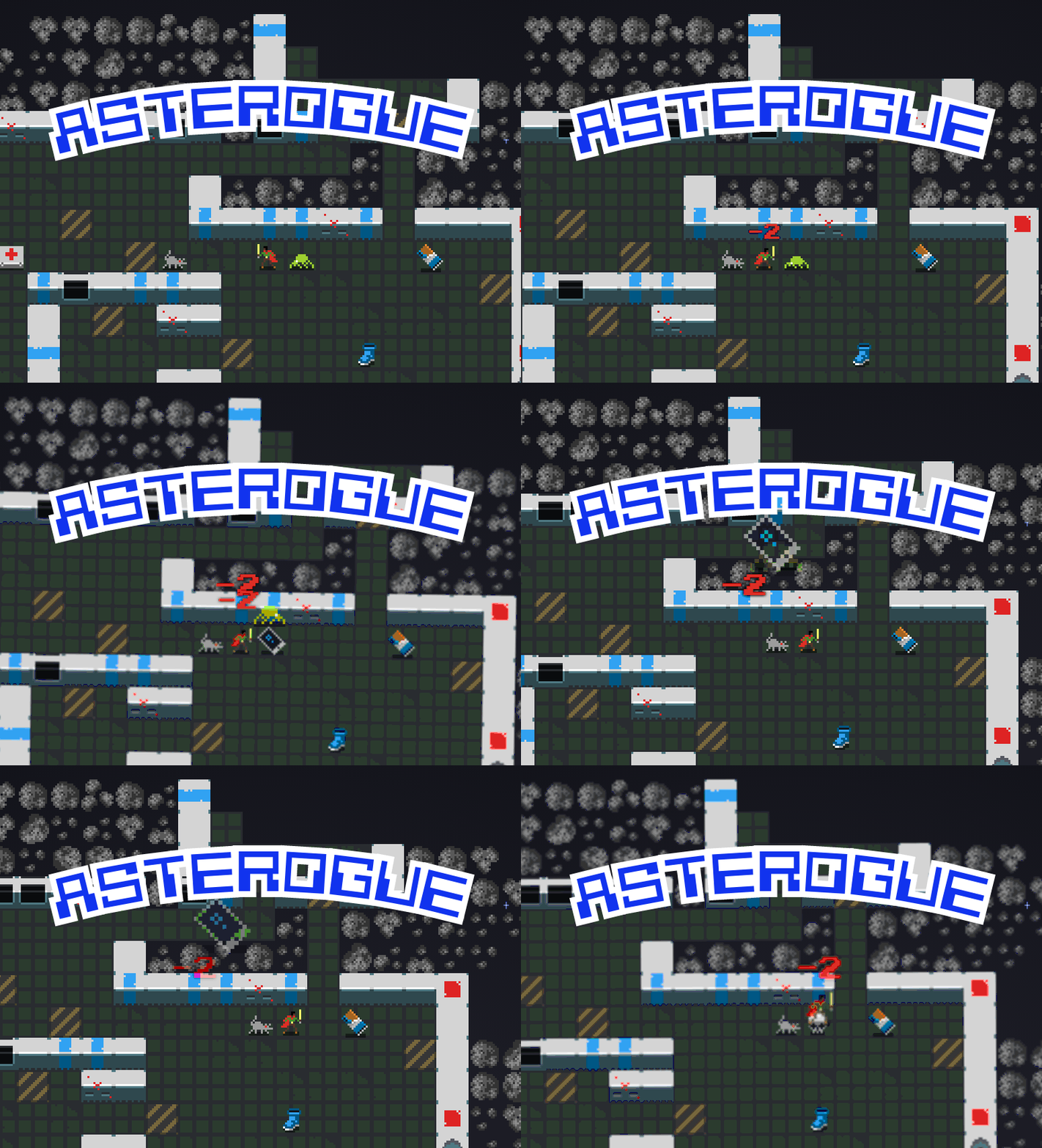
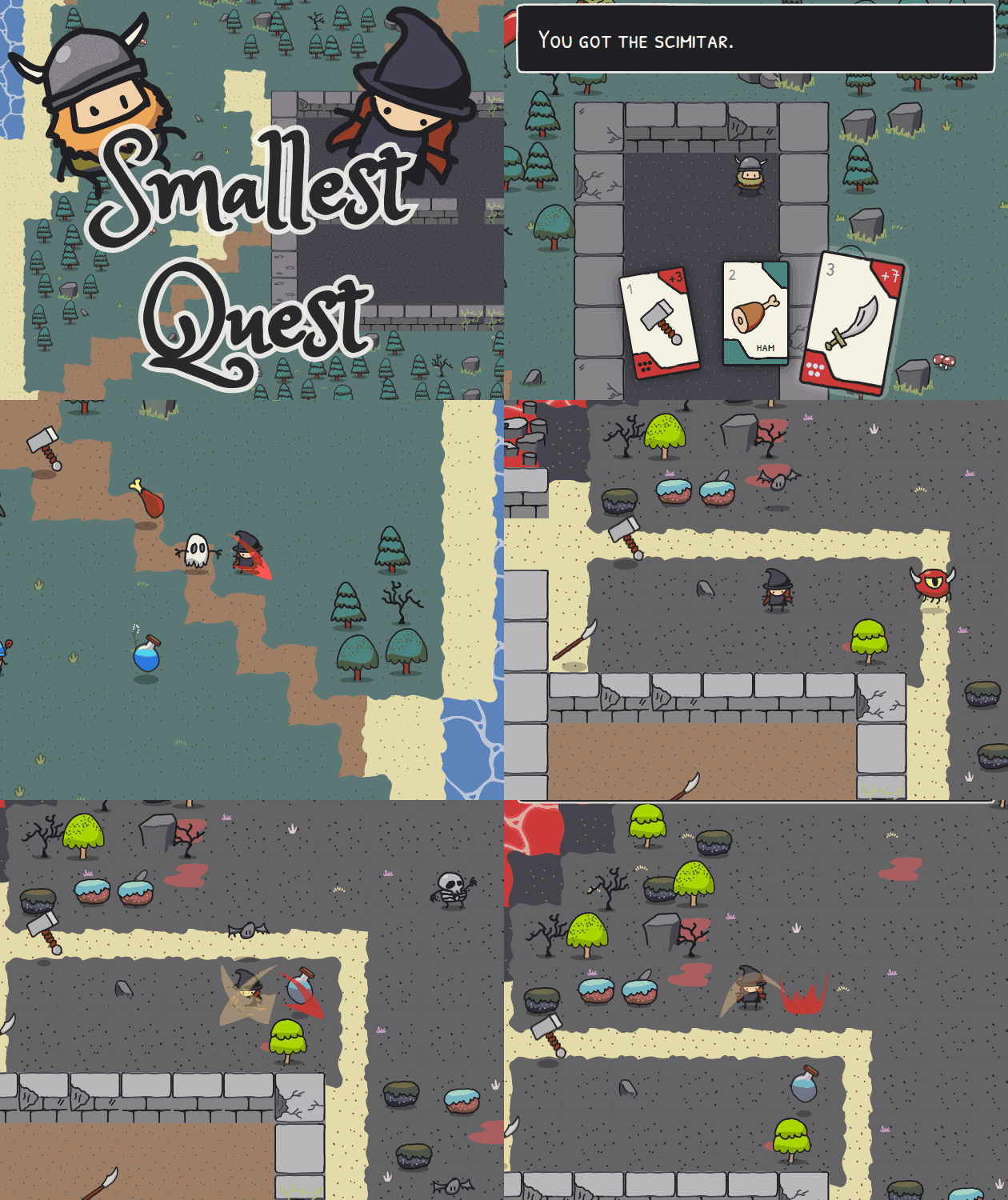
RoguelikeBrowserBoilerplate
Settings
Put your settings menu here.
By Your Name
Made with:
93 | Roguelike Browser Boilerplate
Instructions
You must find The Amulet and avoid getting captured by The Monster
Use the arrow keys to move around. To look in a chest move over it.
Win!
You found The Amulet and won the game!
You had gold and XP.
Lose!
Oh no, The Monster got you.
You're dead.
Example inventory
Roguelike Browser Boilerplate