44 |
45 |
46 |
47 |
48 |
49 |
50 |
51 |
52 |
--------------------------------------------------------------------------------
/js/stateMachine.js:
--------------------------------------------------------------------------------
1 | import {buildEventTarget} from './lib/utils.js';
2 |
3 | export const STATE_INIT = 'Init',
4 | STATE_MASKING = 'Masking',
5 | STATE_DISPLAYING = 'Displaying',
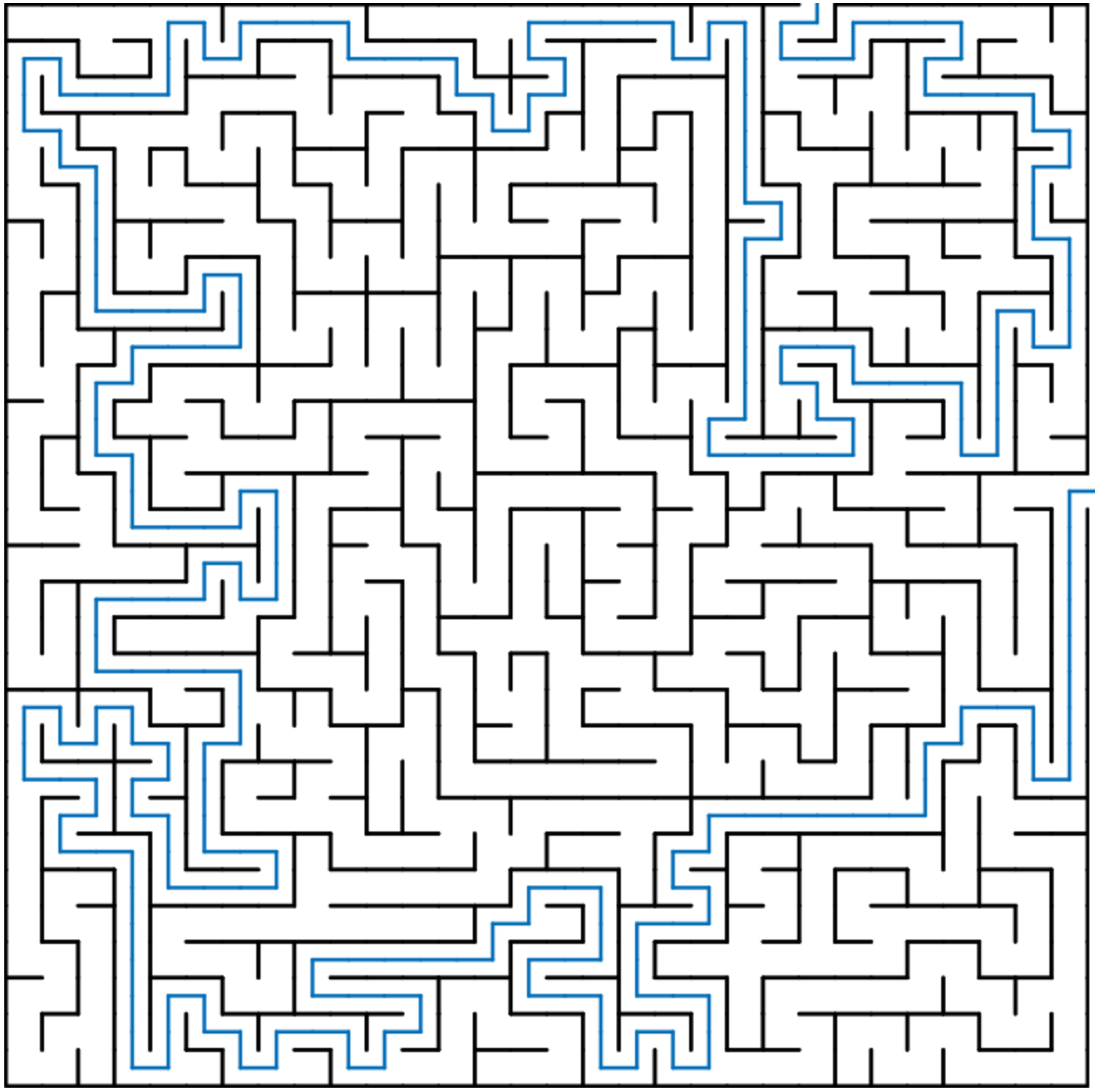
6 | STATE_DISTANCE_MAPPING = 'Distance Mapping',
7 | STATE_RUNNING_ALGORITHM = 'Running Algorithm',
8 | STATE_PLAYING = 'Playing';
9 |
10 | export function buildStateMachine() {
11 | "use strict";
12 | const eventTarget = buildEventTarget('stateMachine'),
13 | EVENT_STATE_CHANGED = 'stateChanged';
14 | let state = STATE_INIT;
15 |
16 | function ifStateIsOneOf(...validStates) {
17 | return {
18 | thenChangeTo(newState) {
19 | if (validStates.includes(state)) {
20 | console.debug('State changed to', newState);
21 | state = newState;
22 | eventTarget.trigger(EVENT_STATE_CHANGED, newState);
23 |
24 | } else if (state === newState) {
25 | console.debug('Ignoring redundant state transition', state);
26 |
27 | } else {
28 | console.warn(`Unexpected state transition requested: ${state} -> ${newState}`);
29 | }
30 | }
31 | }
32 | }
33 |
34 | return {
35 | get state() {
36 | return state;
37 | },
38 | init() {
39 | ifStateIsOneOf(STATE_DISPLAYING, STATE_MASKING, STATE_DISTANCE_MAPPING)
40 | .thenChangeTo(STATE_INIT);
41 | },
42 | masking() {
43 | ifStateIsOneOf(STATE_INIT, STATE_DISPLAYING)
44 | .thenChangeTo(STATE_MASKING);
45 | },
46 | displaying() {
47 | ifStateIsOneOf(STATE_INIT, STATE_MASKING, STATE_PLAYING, STATE_DISTANCE_MAPPING, STATE_RUNNING_ALGORITHM)
48 | .thenChangeTo(STATE_DISPLAYING);
49 | },
50 | distanceMapping() {
51 | ifStateIsOneOf(STATE_DISPLAYING)
52 | .thenChangeTo(STATE_DISTANCE_MAPPING);
53 | },
54 | playing() {
55 | ifStateIsOneOf(STATE_DISPLAYING)
56 | .thenChangeTo(STATE_PLAYING);
57 | },
58 | runningAlgorithm() {
59 | ifStateIsOneOf(STATE_INIT, STATE_DISPLAYING)
60 | .thenChangeTo(STATE_RUNNING_ALGORITHM);
61 | },
62 | onStateChange(handler) {
63 | eventTarget.on(EVENT_STATE_CHANGED, handler);
64 | }
65 | };
66 |
67 | }
--------------------------------------------------------------------------------
/css/main.css:
--------------------------------------------------------------------------------
1 | :root {
2 | --font-colour: #444;
3 | --border-colour: #222;
4 | --alt-colour: #006BB7;
5 | --panel-bg-colour: #EEE;
6 | --small-font-size: 0.8em;
7 | --wide-margin: 10px;
8 | --narrow-margin: 5px;
9 | }
10 | * {
11 | box-sizing: border-box
12 | }
13 | html, body {
14 | width: 100%;
15 | height: 100%;
16 | margin: 0;
17 | font-family: sans-serif;
18 | color: var(--font-colour);
19 | }
20 | #container {
21 | display: flex;
22 | flex-direction: row;
23 | height: 100%;
24 | padding: var(--wide-margin);
25 | }
26 | #mobileTitle {
27 | display: none;
28 | }
29 | #mazeContainer {
30 | flex: 1 1 auto;
31 | min-width: 0;
32 | }
33 | #sidebarContainer {
34 | flex: 0 0 220px;
35 | padding: var(--narrow-margin);
36 | border: 1px solid var(--border-colour);
37 | overflow-y: auto;
38 | user-select: none;
39 | }
40 | #info{
41 | user-select: text;
42 | }
43 | #sidebarContainer li.selected, p.selected {
44 | background-color: var(--alt-colour);
45 | color: white;
46 | }
47 | #sidebarContainer div, .title {
48 | border: 1px solid var(--border-colour);
49 | background-color: var(--panel-bg-colour);
50 | border-radius: 3px;
51 | }
52 | .title {
53 | text-align: center;
54 | padding: 15px 0;
55 | margin-bottom: var(--wide-margin);
56 | }
57 | h1 {
58 | margin: 0;
59 | font-weight:normal;
60 | font-size: 1.5em;
61 | }
62 | .title a {
63 | font-size: var(--small-font-size);
64 | }
65 | .title a, .title a:visited {
66 | color: var(--alt-colour);
67 | }
68 | button, li, .selectable {
69 | cursor: pointer;
70 | }
71 | li, #applyMask p {
72 | padding: 2px 5px;
73 | }
74 | #sidebarContainer ul {
75 | border: 1px solid var(--border-colour);
76 | padding: var(--narrow-margin) 0;
77 | list-style-type: none;
78 | font-size: var(--small-font-size);
79 | background-color: var(--panel-bg-colour);
80 | border-radius: 3px;
81 | margin: var(--narrow-margin) 0;
82 | }
83 | #applyMask {
84 | padding: var(--narrow-margin) 0;
85 | font-size: var(--small-font-size);
86 | margin: var(--narrow-margin) 0;
87 | }
88 | #applyMask p {
89 | margin: 0;
90 | }
91 | button {
92 | display: block;
93 | width: 100%;
94 | background-color: var(--panel-bg-colour);
95 | margin: 5px 0;
96 | border: 1px solid var(--border-colour);
97 | border-radius: 3px;
98 | padding: var(--narrow-margin) 0;
99 | font-size: 1em;
100 | }
101 | #go {
102 | font-weight: bold;
103 | }
104 | #maskNotSupported, #info {
105 | text-align: center;
106 | }
107 | div#info, div#details {
108 | margin-top: var(--wide-margin);
109 | background-color: white;
110 | padding: var(--wide-margin);
111 | }
112 | div#details em {
113 | font-style: normal;
114 | color: var(--alt-colour);
115 | }
116 | ul label {
117 | display: inline-block;
118 | width: 50px;
119 | }
120 | #shapeSelector li, #sizeParameters label {
121 | text-transform: capitalize;
122 | }
123 | #seedInput {
124 | width: 100px;
125 | }
126 | #play, #changeParams {
127 | margin-top: var(--wide-margin);
128 | }
129 | @media screen and (max-width: 500px) {
130 | #container {
131 | flex-direction: column;
132 | height: auto;
133 | }
134 | #mazeContainer {
135 | margin-bottom: 10px;
136 | }
137 | #maze {
138 | margin: 0 auto;
139 | display: block;
140 | }
141 | .title {
142 | display: none;
143 | }
144 | #mobileTitle {
145 | display: block;
146 | padding: 5px;
147 | }
148 | #sidebarContainer {
149 | flex: none;
150 | overflow: auto;
151 | }
152 | }
--------------------------------------------------------------------------------
/README.md:
--------------------------------------------------------------------------------
1 | # Maze Generator
2 |
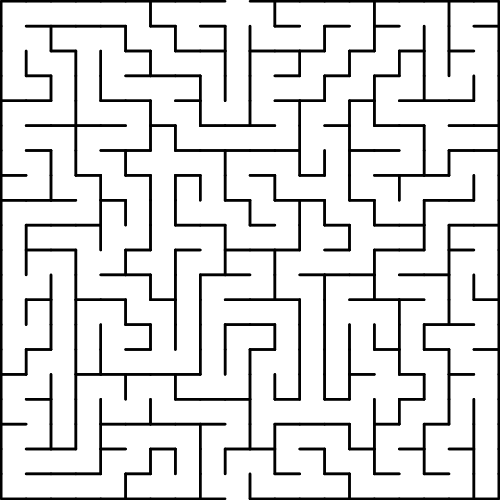
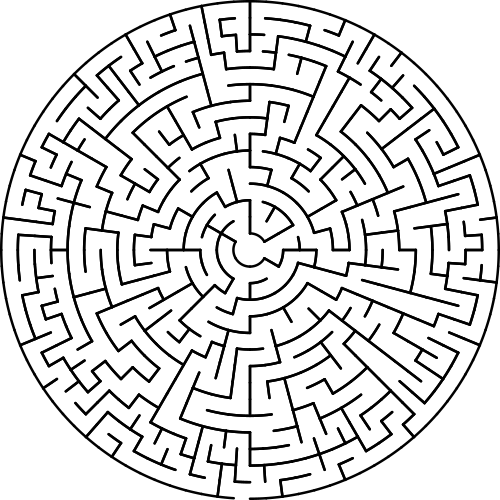
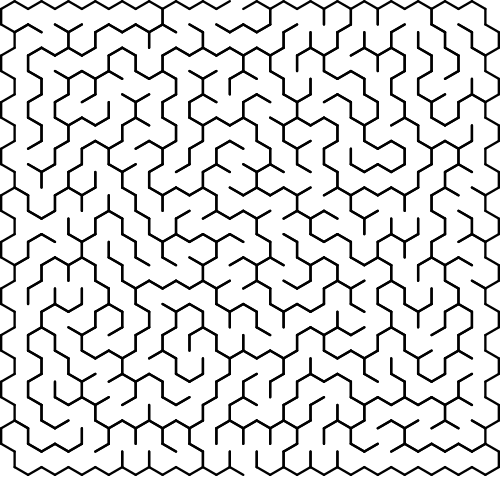
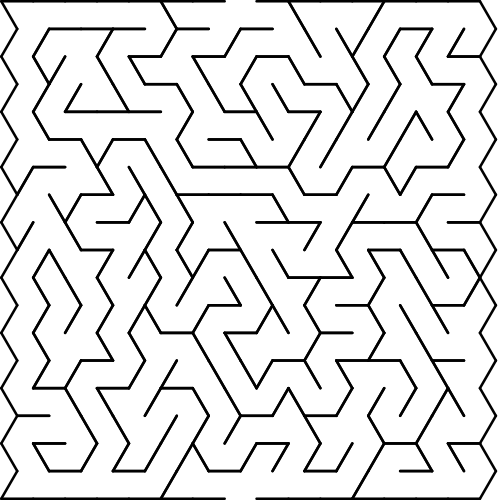
3 | Here is an online [maze generator](https://codebox.net/pages/maze-generator/online) that can create mazes using square,
4 | triangular, hexagonal or circular grids:
5 |
6 |
7 |
8 | As well as creating mazes the generator has many other features, for example it can render a 'distance map',
9 | colouring each location in the grid according how far away it is from a selected point:
10 |
11 |
12 |
13 | The generator offers a choice of 10 different algorithms, which each produce mazes with different characteristics.
14 | All mazes created by these algorithms are 'perfect' mazes, i.e. there is exactly one path connecting any pair of
15 | locations within the grid, and therefore one unique solution to each maze.
16 |
17 | If you want to try solving one of the mazes yourself then you can! The generator lets you navigate through the maze
18 | using mouse/keyboard controls, and can automatically move you forward to the next junction in the maze to save you
19 | time. Once you finish a maze your time is displayed, together with an 'optimality score' showing how close your
20 | solution was to the optimal one. Of course, you can also give up at any point and see where you should have gone:
21 |
22 |
23 |
24 | The generator can either create mazes instantly, or slow down the process so that you can watch the algorithms at work.
25 | Some algorithms work using a process of trial and error, and can take a long time to finish, whereas others are guaranteed
26 | to complete quickly:
27 |
28 |
34 |
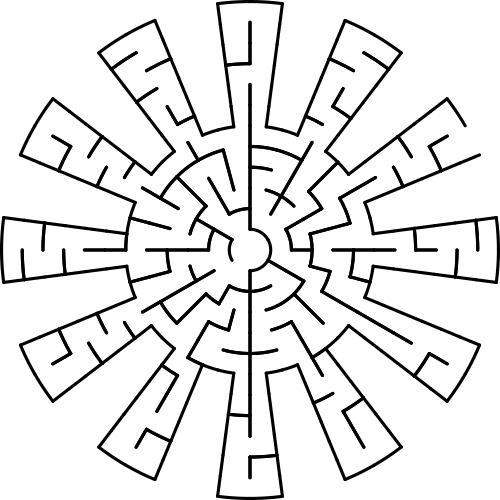
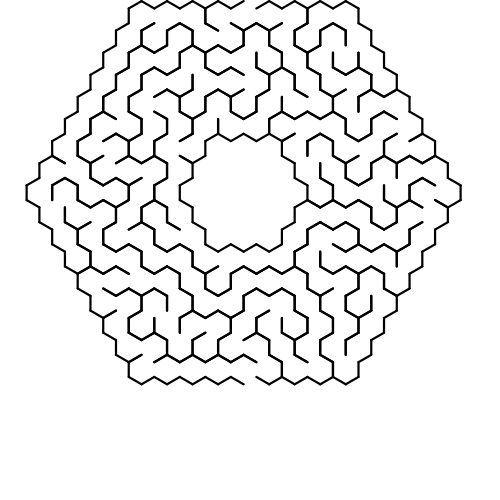
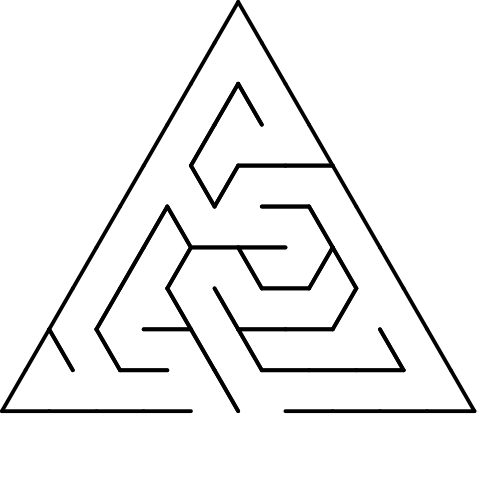
35 | By creating a mask you can remove cells from the default grids to create interesting shapes:
36 |
37 |
38 |
39 | Normally the generator creates a completely unique random maze each time you use it, however if you want to play around with a
40 | particular maze without changing the layout then just take a note of the 'Seed Value' that is displayed alongside it.
41 | Entering this value into the 'Seed' input field will make sure you get the same pattern again when you click the 'New Maze' button.
42 |
43 | If you make a maze that you would like to keep you can download your creation as an SVG file,
44 | either with or without the solution displayed.
45 |
46 | Many thanks to Jamis Buck for his excellent book [Mazes for Programmers](http://mazesforprogrammers.com) which taught me
47 | everything I needed to know to make this.
48 |
49 | ## Running Locally
50 | You can [try out the maze generator online here](https://codebox.net/pages/maze-generator/online).
51 | If you want to run your own copy then:
52 | * Clone the repository, including the 'mazejs' submodule:
53 |
54 | `git clone --recurse-submodules git@github.com:codebox/mazes.git`
55 |
56 | * Go into the 'mazes' directory:
57 |
58 | `cd mazes`
59 |
60 | * Start a web server at this location:
61 |
62 | `python3 -m http.server`
63 |
--------------------------------------------------------------------------------
/js/view.js:
--------------------------------------------------------------------------------
1 | import {buildEventTarget} from './lib/utils.js';
2 |
3 | export const
4 | EVENT_MAZE_SHAPE_SELECTED = 'mazeShapeSelected',
5 | EVENT_SIZE_PARAMETER_CHANGED = 'mazeSizeParameterChanged',
6 | EVENT_DELAY_SELECTED = 'runModeSelected',
7 | EVENT_ALGORITHM_SELECTED = 'algorithmSelected',
8 | EVENT_GO_BUTTON_CLICKED = 'goButtonClicked',
9 | EVENT_SHOW_MAP_BUTTON_CLICKED = 'showDistanceMapButtonClicked',
10 | EVENT_CLEAR_MAP_BUTTON_CLICKED = 'clearDistanceMapButtonClicked',
11 | EVENT_CREATE_MASK_BUTTON_CLICKED = 'createMaskButtonClicked',
12 | EVENT_SAVE_MASK_BUTTON_CLICKED = 'saveMaskButtonClicked',
13 | EVENT_CLEAR_MASK_BUTTON_CLICKED = 'clearMaskButtonClicked',
14 | EVENT_FINISH_RUNNING_BUTTON_CLICKED = 'finishRunningButtonClicked',
15 | EVENT_CHANGE_PARAMS_BUTTON_CLICKED = 'changeParamsButtonClicked',
16 | EVENT_SOLVE_BUTTON_CLICKED = 'solveButtonClicked',
17 | EVENT_PLAY_BUTTON_CLICKED = 'playButtonClicked',
18 | EVENT_STOP_BUTTON_CLICKED = 'stopButtonClicked',
19 | EVENT_DOWNLOAD_CLICKED = 'downloadClicked',
20 | EVENT_KEY_PRESS = 'keyPress',
21 | EVENT_WINDOW_RESIZED = 'windowResized',
22 | EVENT_EXITS_SELECTED = 'exitsSelected';
23 |
24 |
25 | import {STATE_INIT, STATE_DISPLAYING, STATE_PLAYING, STATE_MASKING, STATE_DISTANCE_MAPPING, STATE_RUNNING_ALGORITHM} from './stateMachine.js';
26 |
27 | export function buildView(model, stateMachine) {
28 | "use strict";
29 |
30 | const eventTarget = buildEventTarget('view'),
31 | elCanvas = document.getElementById('maze'),
32 | elMazeContainer = document.getElementById('mazeContainer'),
33 | elGoButton = document.getElementById('go'),
34 | elShowDistanceMapButton = document.getElementById('showDistanceMap'),
35 | elClearDistanceMapButton = document.getElementById('clearDistanceMap'),
36 | elCreateMaskButton = document.getElementById('createMask'),
37 | elSaveMaskButton = document.getElementById('saveMask'),
38 | elClearMaskButton = document.getElementById('clearMask'),
39 | elFinishRunningButton = document.getElementById('finishRunning'),
40 | elSolveButton = document.getElementById('solve'),
41 | elPlayButton = document.getElementById('play'),
42 | elStopButton = document.getElementById('stop'),
43 | elChangeParamsButton = document.getElementById('changeParams'),
44 | elDownloadButton = document.getElementById('download'),
45 | elInfo = document.getElementById('info'),
46 | elSeedInput = document.getElementById('seedInput'),
47 | elSizeParameterList = document.getElementById('sizeParameters'),
48 | elSeedParameterList = document.getElementById('seedParameters'),
49 | elMazeShapeList = document.getElementById('shapeSelector'),
50 | elMazeAlgorithmList = document.getElementById('algorithmSelector'),
51 | elAlgorithmDelayList = document.getElementById('delaySelector'),
52 | elExitsList = document.getElementById('exitSelector'),
53 | elMobileTitle = document.getElementById('mobileTitle'),
54 |
55 | isMobileLayout = !! elMobileTitle.offsetParent;
56 |
57 |
58 | elGoButton.onclick = () => eventTarget.trigger(EVENT_GO_BUTTON_CLICKED);
59 | elShowDistanceMapButton.onclick = () => eventTarget.trigger(EVENT_SHOW_MAP_BUTTON_CLICKED);
60 | elClearDistanceMapButton.onclick = () => eventTarget.trigger(EVENT_CLEAR_MAP_BUTTON_CLICKED);
61 | elCreateMaskButton.onclick = () => eventTarget.trigger(EVENT_CREATE_MASK_BUTTON_CLICKED);
62 | elSaveMaskButton.onclick = () => eventTarget.trigger(EVENT_SAVE_MASK_BUTTON_CLICKED);
63 | elClearMaskButton.onclick = () => eventTarget.trigger(EVENT_CLEAR_MASK_BUTTON_CLICKED);
64 | elFinishRunningButton.onclick = () => eventTarget.trigger(EVENT_FINISH_RUNNING_BUTTON_CLICKED);
65 | elChangeParamsButton.onclick = () => eventTarget.trigger(EVENT_CHANGE_PARAMS_BUTTON_CLICKED);
66 | elSolveButton.onclick = () => eventTarget.trigger(EVENT_SOLVE_BUTTON_CLICKED);
67 | elPlayButton.onclick = () => eventTarget.trigger(EVENT_PLAY_BUTTON_CLICKED);
68 | elStopButton.onclick = () => eventTarget.trigger(EVENT_STOP_BUTTON_CLICKED);
69 | elDownloadButton.onclick = () => eventTarget.trigger(EVENT_DOWNLOAD_CLICKED);
70 |
71 | window.onkeydown = event => eventTarget.trigger(EVENT_KEY_PRESS, {keyCode: event.keyCode, alt: event.altKey, shift: event.shiftKey});
72 |
73 | function fitCanvasToContainer() {
74 | if (isMobileLayout) {
75 | elMazeContainer.style.height = `${elMazeContainer.clientWidth}px`;
76 | }
77 |
78 | elCanvas.width = elMazeContainer.clientWidth;
79 | elCanvas.height = elMazeContainer.clientHeight;
80 | }
81 | window.onresize = () => {
82 | fitCanvasToContainer();
83 | eventTarget.trigger(EVENT_WINDOW_RESIZED);
84 | };
85 | fitCanvasToContainer();
86 |
87 | function toggleElementVisibility(el, display) {
88 | el.style.display = display ? 'block' : 'none';
89 | }
90 |
91 | return {
92 | // Shape
93 | addShape(shapeName) {
94 | const elMazeShapeItem = document.createElement('li');
95 | elMazeShapeItem.innerHTML = shapeName;
96 | elMazeShapeItem.onclick = () => eventTarget.trigger(EVENT_MAZE_SHAPE_SELECTED, shapeName);
97 | elMazeShapeList.appendChild(elMazeShapeItem);
98 | elMazeShapeItem.dataset.value = shapeName;
99 | },
100 | setShape(shapeName) {
101 | [...elMazeShapeList.querySelectorAll('li')].forEach(el => {
102 | el.classList.toggle('selected', el.dataset.value === shapeName);
103 | });
104 | },
105 |
106 | // Size
107 | clearSizeParameters() {
108 | elSizeParameterList.innerHTML = '';
109 | },
110 | addSizeParameter(name, minimumValue, maximumValue) {
111 | const elParameterItem = document.createElement('li'),
112 | elParameterName = document.createElement('label'),
113 | elParameterValue = document.createElement('input');
114 |
115 | elParameterName.innerHTML = name;
116 |
117 | elParameterValue.setAttribute('type', 'number');
118 | elParameterValue.setAttribute('required', 'required');
119 | elParameterValue.setAttribute('min', minimumValue);
120 | elParameterValue.setAttribute('max', maximumValue);
121 | elParameterValue.oninput = () => eventTarget.trigger(EVENT_SIZE_PARAMETER_CHANGED, {
122 | name,
123 | value: Number(elParameterValue.value)
124 | });
125 | elParameterValue.dataset.value = name;
126 |
127 | elParameterItem.appendChild(elParameterName);
128 | elParameterItem.appendChild(elParameterValue);
129 | elSizeParameterList.appendChild(elParameterItem);
130 | },
131 | setSizeParameter(name, value) {
132 | const elParamInput = [...elSizeParameterList.querySelectorAll('input')].find(el => el.dataset.value === name);
133 | elParamInput.value = value;
134 | },
135 |
136 | // Exits
137 | addExitConfiguration(description, value) {
138 | const elExitsItem = document.createElement('li');
139 | elExitsItem.innerHTML = description;
140 | elExitsItem.onclick = () => eventTarget.trigger(EVENT_EXITS_SELECTED, value);
141 | elExitsList.appendChild(elExitsItem);
142 | elExitsItem.dataset.value = value;
143 | },
144 | setExitConfiguration(exitConfiguration) {
145 | [...elExitsList.querySelectorAll('li')].forEach(el => {
146 | el.classList.toggle('selected', el.dataset.value === exitConfiguration);
147 | });
148 | },
149 |
150 | // Algorithm Delay
151 | addAlgorithmDelay(description, value) {
152 | const elDelayItem = document.createElement('li');
153 | elDelayItem.innerHTML = description;
154 | elDelayItem.onclick = () => eventTarget.trigger(EVENT_DELAY_SELECTED, value);
155 | elAlgorithmDelayList.appendChild(elDelayItem);
156 | elDelayItem.dataset.value = value;
157 | },
158 | setAlgorithmDelay(algorithmDelay) {
159 | [...elAlgorithmDelayList.querySelectorAll('li')].forEach(el => {
160 | el.classList.toggle('selected', Number(el.dataset.value) === algorithmDelay);
161 | });
162 | },
163 |
164 | // Algorithm
165 | clearAlgorithms() {
166 | elMazeAlgorithmList.innerHTML = '';
167 | },
168 | addAlgorithm(description, algorithmId) {
169 | const elAlgorithmItem = document.createElement('li');
170 | elAlgorithmItem.innerHTML = description;
171 | elAlgorithmItem.onclick = () => eventTarget.trigger(EVENT_ALGORITHM_SELECTED, algorithmId);
172 | elMazeAlgorithmList.appendChild(elAlgorithmItem);
173 | elAlgorithmItem.dataset.value = algorithmId;
174 | },
175 | setAlgorithm(algorithmId) {
176 | [...elMazeAlgorithmList.querySelectorAll('li')].forEach(el => {
177 | el.classList.toggle('selected', el.dataset.value === algorithmId);
178 | });
179 | },
180 |
181 | toggleSolveButtonCaption(solve) {
182 | elSolveButton.innerHTML = solve ? 'Solve' : 'Clear Solution';
183 | },
184 |
185 | getSeed() {
186 | return elSeedInput.value;
187 | },
188 |
189 | getValidSizeParameters() {
190 | return [...elSizeParameterList.querySelectorAll('input')].filter(elInput => elInput.checkValidity()).map(el => el.dataset.value);
191 | },
192 |
193 | inputErrorMessage() {
194 | const errors = [];
195 |
196 | [...elSizeParameterList.querySelectorAll('input')].forEach(elInput => {
197 | if (!elInput.checkValidity()) {
198 | errors.push(`Enter a number between ${elInput.min} and ${elInput.max} for ${elInput.dataset.value}`);
199 | }
200 | });
201 |
202 | if (!elSeedInput.checkValidity()) {
203 | errors.push('Enter between 1 and 9 digits for the Seed');
204 | }
205 |
206 | return errors.join('\n');
207 | },
208 | isMobileLayout,
209 |
210 | updateForNewState(state) {
211 | toggleElementVisibility(elMazeShapeList, [STATE_INIT].includes(state));
212 | toggleElementVisibility(elMazeAlgorithmList, [STATE_INIT].includes(state));
213 | toggleElementVisibility(elSizeParameterList, [STATE_INIT].includes(state));
214 | toggleElementVisibility(elSeedParameterList, [STATE_INIT].includes(state));
215 | toggleElementVisibility(elExitsList, [STATE_INIT].includes(state));
216 | toggleElementVisibility(elAlgorithmDelayList, [STATE_INIT].includes(state));
217 | toggleElementVisibility(elCreateMaskButton, [STATE_INIT].includes(state));
218 |
219 | toggleElementVisibility(elGoButton, [STATE_INIT, STATE_DISPLAYING].includes(state));
220 | toggleElementVisibility(elDownloadButton, [STATE_DISPLAYING, STATE_DISTANCE_MAPPING].includes(state));
221 |
222 | toggleElementVisibility(elChangeParamsButton, [STATE_DISPLAYING].includes(state));
223 | toggleElementVisibility(elShowDistanceMapButton, [STATE_DISPLAYING].includes(state));
224 | toggleElementVisibility(elSolveButton, [STATE_DISPLAYING].includes(state));
225 | toggleElementVisibility(elPlayButton, [STATE_DISPLAYING].includes(state));
226 | toggleElementVisibility(elStopButton, [STATE_PLAYING].includes(state));
227 |
228 | toggleElementVisibility(elClearDistanceMapButton, [STATE_DISTANCE_MAPPING].includes(state));
229 |
230 | toggleElementVisibility(elSaveMaskButton, [STATE_MASKING].includes(state));
231 | toggleElementVisibility(elClearMaskButton, [STATE_MASKING].includes(state));
232 | toggleElementVisibility(elFinishRunningButton, [STATE_RUNNING_ALGORITHM].includes(state));
233 |
234 | switch(state) {
235 | case STATE_INIT:
236 | this.showInfo('Select parameters for your maze and then click New Maze');
237 | break;
238 | case STATE_DISPLAYING:
239 | this.showSeedValue();
240 | this.toggleSolveButtonCaption(true);
241 | break;
242 | case STATE_DISTANCE_MAPPING:
243 | this.showInfo('Click somewhere in the maze to generate a distance map for that location.
Cells are coloured according to how difficult they are to reach from your chosen point.');
244 | break;
245 | case STATE_PLAYING:
246 | this.showInfo('');
247 | break;
248 | case STATE_RUNNING_ALGORITHM:
249 | this.showInfo('The maze generation algorithm has been slowed down.
Click FINISH to skip to the end.');
250 | break;
251 | case STATE_MASKING:
252 | this.showInfo('Define a mask by selecting cells from the grid.
Holding down ALT and SHIFT will move you to the next junction';
379 |
380 | if (isMobile) {
381 | return MOBILE_INSTRUCTIONS;
382 | }
383 |
384 | return {
385 | [SHAPE_SQUARE]: `${MOUSE_INSTRUCTIONS} or use the arrow keys
${ALT_SHIFT_INSTRUCTIONS}`,
386 | [SHAPE_TRIANGLE]: `${MOUSE_INSTRUCTIONS} or use the arrow keys
 7 |
8 | As well as creating mazes the generator has many other features, for example it can render a 'distance map',
9 | colouring each location in the grid according how far away it is from a selected point:
10 |
11 |
7 |
8 | As well as creating mazes the generator has many other features, for example it can render a 'distance map',
9 | colouring each location in the grid according how far away it is from a selected point:
10 |
11 | 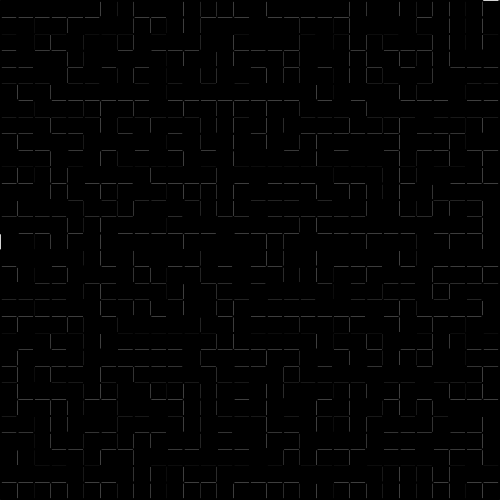 12 |
13 | The generator offers a choice of 10 different algorithms, which each produce mazes with different characteristics.
14 | All mazes created by these algorithms are 'perfect' mazes, i.e. there is exactly one path connecting any pair of
15 | locations within the grid, and therefore one unique solution to each maze.
16 |
17 | If you want to try solving one of the mazes yourself then you can! The generator lets you navigate through the maze
18 | using mouse/keyboard controls, and can automatically move you forward to the next junction in the maze to save you
19 | time. Once you finish a maze your time is displayed, together with an 'optimality score' showing how close your
20 | solution was to the optimal one. Of course, you can also give up at any point and see where you should have gone:
21 |
22 |
12 |
13 | The generator offers a choice of 10 different algorithms, which each produce mazes with different characteristics.
14 | All mazes created by these algorithms are 'perfect' mazes, i.e. there is exactly one path connecting any pair of
15 | locations within the grid, and therefore one unique solution to each maze.
16 |
17 | If you want to try solving one of the mazes yourself then you can! The generator lets you navigate through the maze
18 | using mouse/keyboard controls, and can automatically move you forward to the next junction in the maze to save you
19 | time. Once you finish a maze your time is displayed, together with an 'optimality score' showing how close your
20 | solution was to the optimal one. Of course, you can also give up at any point and see where you should have gone:
21 |
22 | 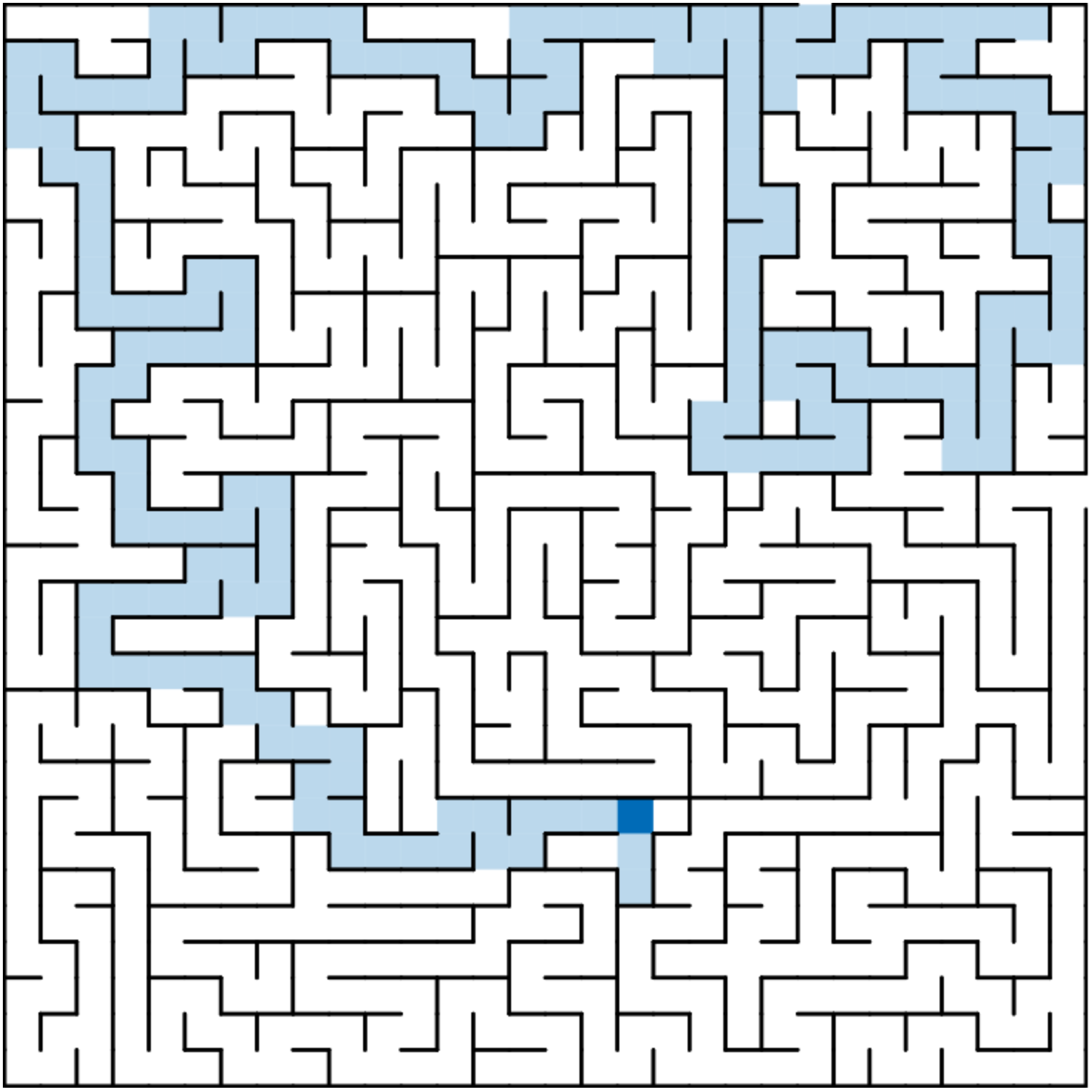
 23 |
24 | The generator can either create mazes instantly, or slow down the process so that you can watch the algorithms at work.
25 | Some algorithms work using a process of trial and error, and can take a long time to finish, whereas others are guaranteed
26 | to complete quickly:
27 |
28 |
34 |
35 | By creating a mask you can remove cells from the default grids to create interesting shapes:
36 |
37 |
23 |
24 | The generator can either create mazes instantly, or slow down the process so that you can watch the algorithms at work.
25 | Some algorithms work using a process of trial and error, and can take a long time to finish, whereas others are guaranteed
26 | to complete quickly:
27 |
28 |
34 |
35 | By creating a mask you can remove cells from the default grids to create interesting shapes:
36 |
37 | 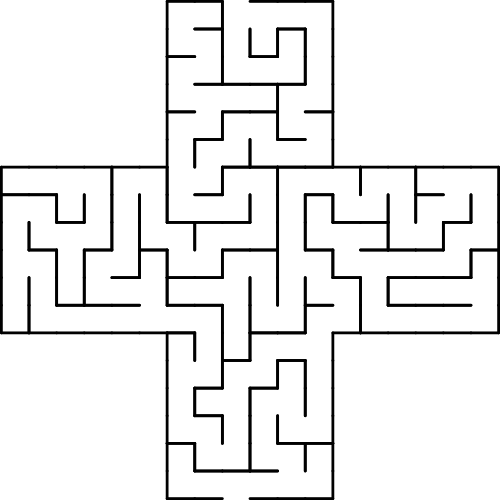
 38 |
39 | Normally the generator creates a completely unique random maze each time you use it, however if you want to play around with a
40 | particular maze without changing the layout then just take a note of the 'Seed Value' that is displayed alongside it.
41 | Entering this value into the 'Seed' input field will make sure you get the same pattern again when you click the 'New Maze' button.
42 |
43 | If you make a maze that you would like to keep you can download your creation as an SVG file,
44 | either with or without the solution displayed.
45 |
46 | Many thanks to Jamis Buck for his excellent book [Mazes for Programmers](http://mazesforprogrammers.com) which taught me
47 | everything I needed to know to make this.
48 |
49 | ## Running Locally
50 | You can [try out the maze generator online here](https://codebox.net/pages/maze-generator/online).
51 | If you want to run your own copy then:
52 | * Clone the repository, including the 'mazejs' submodule:
53 |
54 | `git clone --recurse-submodules git@github.com:codebox/mazes.git`
55 |
56 | * Go into the 'mazes' directory:
57 |
58 | `cd mazes`
59 |
60 | * Start a web server at this location:
61 |
62 | `python3 -m http.server`
63 |
--------------------------------------------------------------------------------
/js/view.js:
--------------------------------------------------------------------------------
1 | import {buildEventTarget} from './lib/utils.js';
2 |
3 | export const
4 | EVENT_MAZE_SHAPE_SELECTED = 'mazeShapeSelected',
5 | EVENT_SIZE_PARAMETER_CHANGED = 'mazeSizeParameterChanged',
6 | EVENT_DELAY_SELECTED = 'runModeSelected',
7 | EVENT_ALGORITHM_SELECTED = 'algorithmSelected',
8 | EVENT_GO_BUTTON_CLICKED = 'goButtonClicked',
9 | EVENT_SHOW_MAP_BUTTON_CLICKED = 'showDistanceMapButtonClicked',
10 | EVENT_CLEAR_MAP_BUTTON_CLICKED = 'clearDistanceMapButtonClicked',
11 | EVENT_CREATE_MASK_BUTTON_CLICKED = 'createMaskButtonClicked',
12 | EVENT_SAVE_MASK_BUTTON_CLICKED = 'saveMaskButtonClicked',
13 | EVENT_CLEAR_MASK_BUTTON_CLICKED = 'clearMaskButtonClicked',
14 | EVENT_FINISH_RUNNING_BUTTON_CLICKED = 'finishRunningButtonClicked',
15 | EVENT_CHANGE_PARAMS_BUTTON_CLICKED = 'changeParamsButtonClicked',
16 | EVENT_SOLVE_BUTTON_CLICKED = 'solveButtonClicked',
17 | EVENT_PLAY_BUTTON_CLICKED = 'playButtonClicked',
18 | EVENT_STOP_BUTTON_CLICKED = 'stopButtonClicked',
19 | EVENT_DOWNLOAD_CLICKED = 'downloadClicked',
20 | EVENT_KEY_PRESS = 'keyPress',
21 | EVENT_WINDOW_RESIZED = 'windowResized',
22 | EVENT_EXITS_SELECTED = 'exitsSelected';
23 |
24 |
25 | import {STATE_INIT, STATE_DISPLAYING, STATE_PLAYING, STATE_MASKING, STATE_DISTANCE_MAPPING, STATE_RUNNING_ALGORITHM} from './stateMachine.js';
26 |
27 | export function buildView(model, stateMachine) {
28 | "use strict";
29 |
30 | const eventTarget = buildEventTarget('view'),
31 | elCanvas = document.getElementById('maze'),
32 | elMazeContainer = document.getElementById('mazeContainer'),
33 | elGoButton = document.getElementById('go'),
34 | elShowDistanceMapButton = document.getElementById('showDistanceMap'),
35 | elClearDistanceMapButton = document.getElementById('clearDistanceMap'),
36 | elCreateMaskButton = document.getElementById('createMask'),
37 | elSaveMaskButton = document.getElementById('saveMask'),
38 | elClearMaskButton = document.getElementById('clearMask'),
39 | elFinishRunningButton = document.getElementById('finishRunning'),
40 | elSolveButton = document.getElementById('solve'),
41 | elPlayButton = document.getElementById('play'),
42 | elStopButton = document.getElementById('stop'),
43 | elChangeParamsButton = document.getElementById('changeParams'),
44 | elDownloadButton = document.getElementById('download'),
45 | elInfo = document.getElementById('info'),
46 | elSeedInput = document.getElementById('seedInput'),
47 | elSizeParameterList = document.getElementById('sizeParameters'),
48 | elSeedParameterList = document.getElementById('seedParameters'),
49 | elMazeShapeList = document.getElementById('shapeSelector'),
50 | elMazeAlgorithmList = document.getElementById('algorithmSelector'),
51 | elAlgorithmDelayList = document.getElementById('delaySelector'),
52 | elExitsList = document.getElementById('exitSelector'),
53 | elMobileTitle = document.getElementById('mobileTitle'),
54 |
55 | isMobileLayout = !! elMobileTitle.offsetParent;
56 |
57 |
58 | elGoButton.onclick = () => eventTarget.trigger(EVENT_GO_BUTTON_CLICKED);
59 | elShowDistanceMapButton.onclick = () => eventTarget.trigger(EVENT_SHOW_MAP_BUTTON_CLICKED);
60 | elClearDistanceMapButton.onclick = () => eventTarget.trigger(EVENT_CLEAR_MAP_BUTTON_CLICKED);
61 | elCreateMaskButton.onclick = () => eventTarget.trigger(EVENT_CREATE_MASK_BUTTON_CLICKED);
62 | elSaveMaskButton.onclick = () => eventTarget.trigger(EVENT_SAVE_MASK_BUTTON_CLICKED);
63 | elClearMaskButton.onclick = () => eventTarget.trigger(EVENT_CLEAR_MASK_BUTTON_CLICKED);
64 | elFinishRunningButton.onclick = () => eventTarget.trigger(EVENT_FINISH_RUNNING_BUTTON_CLICKED);
65 | elChangeParamsButton.onclick = () => eventTarget.trigger(EVENT_CHANGE_PARAMS_BUTTON_CLICKED);
66 | elSolveButton.onclick = () => eventTarget.trigger(EVENT_SOLVE_BUTTON_CLICKED);
67 | elPlayButton.onclick = () => eventTarget.trigger(EVENT_PLAY_BUTTON_CLICKED);
68 | elStopButton.onclick = () => eventTarget.trigger(EVENT_STOP_BUTTON_CLICKED);
69 | elDownloadButton.onclick = () => eventTarget.trigger(EVENT_DOWNLOAD_CLICKED);
70 |
71 | window.onkeydown = event => eventTarget.trigger(EVENT_KEY_PRESS, {keyCode: event.keyCode, alt: event.altKey, shift: event.shiftKey});
72 |
73 | function fitCanvasToContainer() {
74 | if (isMobileLayout) {
75 | elMazeContainer.style.height = `${elMazeContainer.clientWidth}px`;
76 | }
77 |
78 | elCanvas.width = elMazeContainer.clientWidth;
79 | elCanvas.height = elMazeContainer.clientHeight;
80 | }
81 | window.onresize = () => {
82 | fitCanvasToContainer();
83 | eventTarget.trigger(EVENT_WINDOW_RESIZED);
84 | };
85 | fitCanvasToContainer();
86 |
87 | function toggleElementVisibility(el, display) {
88 | el.style.display = display ? 'block' : 'none';
89 | }
90 |
91 | return {
92 | // Shape
93 | addShape(shapeName) {
94 | const elMazeShapeItem = document.createElement('li');
95 | elMazeShapeItem.innerHTML = shapeName;
96 | elMazeShapeItem.onclick = () => eventTarget.trigger(EVENT_MAZE_SHAPE_SELECTED, shapeName);
97 | elMazeShapeList.appendChild(elMazeShapeItem);
98 | elMazeShapeItem.dataset.value = shapeName;
99 | },
100 | setShape(shapeName) {
101 | [...elMazeShapeList.querySelectorAll('li')].forEach(el => {
102 | el.classList.toggle('selected', el.dataset.value === shapeName);
103 | });
104 | },
105 |
106 | // Size
107 | clearSizeParameters() {
108 | elSizeParameterList.innerHTML = '';
109 | },
110 | addSizeParameter(name, minimumValue, maximumValue) {
111 | const elParameterItem = document.createElement('li'),
112 | elParameterName = document.createElement('label'),
113 | elParameterValue = document.createElement('input');
114 |
115 | elParameterName.innerHTML = name;
116 |
117 | elParameterValue.setAttribute('type', 'number');
118 | elParameterValue.setAttribute('required', 'required');
119 | elParameterValue.setAttribute('min', minimumValue);
120 | elParameterValue.setAttribute('max', maximumValue);
121 | elParameterValue.oninput = () => eventTarget.trigger(EVENT_SIZE_PARAMETER_CHANGED, {
122 | name,
123 | value: Number(elParameterValue.value)
124 | });
125 | elParameterValue.dataset.value = name;
126 |
127 | elParameterItem.appendChild(elParameterName);
128 | elParameterItem.appendChild(elParameterValue);
129 | elSizeParameterList.appendChild(elParameterItem);
130 | },
131 | setSizeParameter(name, value) {
132 | const elParamInput = [...elSizeParameterList.querySelectorAll('input')].find(el => el.dataset.value === name);
133 | elParamInput.value = value;
134 | },
135 |
136 | // Exits
137 | addExitConfiguration(description, value) {
138 | const elExitsItem = document.createElement('li');
139 | elExitsItem.innerHTML = description;
140 | elExitsItem.onclick = () => eventTarget.trigger(EVENT_EXITS_SELECTED, value);
141 | elExitsList.appendChild(elExitsItem);
142 | elExitsItem.dataset.value = value;
143 | },
144 | setExitConfiguration(exitConfiguration) {
145 | [...elExitsList.querySelectorAll('li')].forEach(el => {
146 | el.classList.toggle('selected', el.dataset.value === exitConfiguration);
147 | });
148 | },
149 |
150 | // Algorithm Delay
151 | addAlgorithmDelay(description, value) {
152 | const elDelayItem = document.createElement('li');
153 | elDelayItem.innerHTML = description;
154 | elDelayItem.onclick = () => eventTarget.trigger(EVENT_DELAY_SELECTED, value);
155 | elAlgorithmDelayList.appendChild(elDelayItem);
156 | elDelayItem.dataset.value = value;
157 | },
158 | setAlgorithmDelay(algorithmDelay) {
159 | [...elAlgorithmDelayList.querySelectorAll('li')].forEach(el => {
160 | el.classList.toggle('selected', Number(el.dataset.value) === algorithmDelay);
161 | });
162 | },
163 |
164 | // Algorithm
165 | clearAlgorithms() {
166 | elMazeAlgorithmList.innerHTML = '';
167 | },
168 | addAlgorithm(description, algorithmId) {
169 | const elAlgorithmItem = document.createElement('li');
170 | elAlgorithmItem.innerHTML = description;
171 | elAlgorithmItem.onclick = () => eventTarget.trigger(EVENT_ALGORITHM_SELECTED, algorithmId);
172 | elMazeAlgorithmList.appendChild(elAlgorithmItem);
173 | elAlgorithmItem.dataset.value = algorithmId;
174 | },
175 | setAlgorithm(algorithmId) {
176 | [...elMazeAlgorithmList.querySelectorAll('li')].forEach(el => {
177 | el.classList.toggle('selected', el.dataset.value === algorithmId);
178 | });
179 | },
180 |
181 | toggleSolveButtonCaption(solve) {
182 | elSolveButton.innerHTML = solve ? 'Solve' : 'Clear Solution';
183 | },
184 |
185 | getSeed() {
186 | return elSeedInput.value;
187 | },
188 |
189 | getValidSizeParameters() {
190 | return [...elSizeParameterList.querySelectorAll('input')].filter(elInput => elInput.checkValidity()).map(el => el.dataset.value);
191 | },
192 |
193 | inputErrorMessage() {
194 | const errors = [];
195 |
196 | [...elSizeParameterList.querySelectorAll('input')].forEach(elInput => {
197 | if (!elInput.checkValidity()) {
198 | errors.push(`Enter a number between ${elInput.min} and ${elInput.max} for ${elInput.dataset.value}`);
199 | }
200 | });
201 |
202 | if (!elSeedInput.checkValidity()) {
203 | errors.push('Enter between 1 and 9 digits for the Seed');
204 | }
205 |
206 | return errors.join('\n');
207 | },
208 | isMobileLayout,
209 |
210 | updateForNewState(state) {
211 | toggleElementVisibility(elMazeShapeList, [STATE_INIT].includes(state));
212 | toggleElementVisibility(elMazeAlgorithmList, [STATE_INIT].includes(state));
213 | toggleElementVisibility(elSizeParameterList, [STATE_INIT].includes(state));
214 | toggleElementVisibility(elSeedParameterList, [STATE_INIT].includes(state));
215 | toggleElementVisibility(elExitsList, [STATE_INIT].includes(state));
216 | toggleElementVisibility(elAlgorithmDelayList, [STATE_INIT].includes(state));
217 | toggleElementVisibility(elCreateMaskButton, [STATE_INIT].includes(state));
218 |
219 | toggleElementVisibility(elGoButton, [STATE_INIT, STATE_DISPLAYING].includes(state));
220 | toggleElementVisibility(elDownloadButton, [STATE_DISPLAYING, STATE_DISTANCE_MAPPING].includes(state));
221 |
222 | toggleElementVisibility(elChangeParamsButton, [STATE_DISPLAYING].includes(state));
223 | toggleElementVisibility(elShowDistanceMapButton, [STATE_DISPLAYING].includes(state));
224 | toggleElementVisibility(elSolveButton, [STATE_DISPLAYING].includes(state));
225 | toggleElementVisibility(elPlayButton, [STATE_DISPLAYING].includes(state));
226 | toggleElementVisibility(elStopButton, [STATE_PLAYING].includes(state));
227 |
228 | toggleElementVisibility(elClearDistanceMapButton, [STATE_DISTANCE_MAPPING].includes(state));
229 |
230 | toggleElementVisibility(elSaveMaskButton, [STATE_MASKING].includes(state));
231 | toggleElementVisibility(elClearMaskButton, [STATE_MASKING].includes(state));
232 | toggleElementVisibility(elFinishRunningButton, [STATE_RUNNING_ALGORITHM].includes(state));
233 |
234 | switch(state) {
235 | case STATE_INIT:
236 | this.showInfo('Select parameters for your maze and then click New Maze');
237 | break;
238 | case STATE_DISPLAYING:
239 | this.showSeedValue();
240 | this.toggleSolveButtonCaption(true);
241 | break;
242 | case STATE_DISTANCE_MAPPING:
243 | this.showInfo('Click somewhere in the maze to generate a distance map for that location.
38 |
39 | Normally the generator creates a completely unique random maze each time you use it, however if you want to play around with a
40 | particular maze without changing the layout then just take a note of the 'Seed Value' that is displayed alongside it.
41 | Entering this value into the 'Seed' input field will make sure you get the same pattern again when you click the 'New Maze' button.
42 |
43 | If you make a maze that you would like to keep you can download your creation as an SVG file,
44 | either with or without the solution displayed.
45 |
46 | Many thanks to Jamis Buck for his excellent book [Mazes for Programmers](http://mazesforprogrammers.com) which taught me
47 | everything I needed to know to make this.
48 |
49 | ## Running Locally
50 | You can [try out the maze generator online here](https://codebox.net/pages/maze-generator/online).
51 | If you want to run your own copy then:
52 | * Clone the repository, including the 'mazejs' submodule:
53 |
54 | `git clone --recurse-submodules git@github.com:codebox/mazes.git`
55 |
56 | * Go into the 'mazes' directory:
57 |
58 | `cd mazes`
59 |
60 | * Start a web server at this location:
61 |
62 | `python3 -m http.server`
63 |
--------------------------------------------------------------------------------
/js/view.js:
--------------------------------------------------------------------------------
1 | import {buildEventTarget} from './lib/utils.js';
2 |
3 | export const
4 | EVENT_MAZE_SHAPE_SELECTED = 'mazeShapeSelected',
5 | EVENT_SIZE_PARAMETER_CHANGED = 'mazeSizeParameterChanged',
6 | EVENT_DELAY_SELECTED = 'runModeSelected',
7 | EVENT_ALGORITHM_SELECTED = 'algorithmSelected',
8 | EVENT_GO_BUTTON_CLICKED = 'goButtonClicked',
9 | EVENT_SHOW_MAP_BUTTON_CLICKED = 'showDistanceMapButtonClicked',
10 | EVENT_CLEAR_MAP_BUTTON_CLICKED = 'clearDistanceMapButtonClicked',
11 | EVENT_CREATE_MASK_BUTTON_CLICKED = 'createMaskButtonClicked',
12 | EVENT_SAVE_MASK_BUTTON_CLICKED = 'saveMaskButtonClicked',
13 | EVENT_CLEAR_MASK_BUTTON_CLICKED = 'clearMaskButtonClicked',
14 | EVENT_FINISH_RUNNING_BUTTON_CLICKED = 'finishRunningButtonClicked',
15 | EVENT_CHANGE_PARAMS_BUTTON_CLICKED = 'changeParamsButtonClicked',
16 | EVENT_SOLVE_BUTTON_CLICKED = 'solveButtonClicked',
17 | EVENT_PLAY_BUTTON_CLICKED = 'playButtonClicked',
18 | EVENT_STOP_BUTTON_CLICKED = 'stopButtonClicked',
19 | EVENT_DOWNLOAD_CLICKED = 'downloadClicked',
20 | EVENT_KEY_PRESS = 'keyPress',
21 | EVENT_WINDOW_RESIZED = 'windowResized',
22 | EVENT_EXITS_SELECTED = 'exitsSelected';
23 |
24 |
25 | import {STATE_INIT, STATE_DISPLAYING, STATE_PLAYING, STATE_MASKING, STATE_DISTANCE_MAPPING, STATE_RUNNING_ALGORITHM} from './stateMachine.js';
26 |
27 | export function buildView(model, stateMachine) {
28 | "use strict";
29 |
30 | const eventTarget = buildEventTarget('view'),
31 | elCanvas = document.getElementById('maze'),
32 | elMazeContainer = document.getElementById('mazeContainer'),
33 | elGoButton = document.getElementById('go'),
34 | elShowDistanceMapButton = document.getElementById('showDistanceMap'),
35 | elClearDistanceMapButton = document.getElementById('clearDistanceMap'),
36 | elCreateMaskButton = document.getElementById('createMask'),
37 | elSaveMaskButton = document.getElementById('saveMask'),
38 | elClearMaskButton = document.getElementById('clearMask'),
39 | elFinishRunningButton = document.getElementById('finishRunning'),
40 | elSolveButton = document.getElementById('solve'),
41 | elPlayButton = document.getElementById('play'),
42 | elStopButton = document.getElementById('stop'),
43 | elChangeParamsButton = document.getElementById('changeParams'),
44 | elDownloadButton = document.getElementById('download'),
45 | elInfo = document.getElementById('info'),
46 | elSeedInput = document.getElementById('seedInput'),
47 | elSizeParameterList = document.getElementById('sizeParameters'),
48 | elSeedParameterList = document.getElementById('seedParameters'),
49 | elMazeShapeList = document.getElementById('shapeSelector'),
50 | elMazeAlgorithmList = document.getElementById('algorithmSelector'),
51 | elAlgorithmDelayList = document.getElementById('delaySelector'),
52 | elExitsList = document.getElementById('exitSelector'),
53 | elMobileTitle = document.getElementById('mobileTitle'),
54 |
55 | isMobileLayout = !! elMobileTitle.offsetParent;
56 |
57 |
58 | elGoButton.onclick = () => eventTarget.trigger(EVENT_GO_BUTTON_CLICKED);
59 | elShowDistanceMapButton.onclick = () => eventTarget.trigger(EVENT_SHOW_MAP_BUTTON_CLICKED);
60 | elClearDistanceMapButton.onclick = () => eventTarget.trigger(EVENT_CLEAR_MAP_BUTTON_CLICKED);
61 | elCreateMaskButton.onclick = () => eventTarget.trigger(EVENT_CREATE_MASK_BUTTON_CLICKED);
62 | elSaveMaskButton.onclick = () => eventTarget.trigger(EVENT_SAVE_MASK_BUTTON_CLICKED);
63 | elClearMaskButton.onclick = () => eventTarget.trigger(EVENT_CLEAR_MASK_BUTTON_CLICKED);
64 | elFinishRunningButton.onclick = () => eventTarget.trigger(EVENT_FINISH_RUNNING_BUTTON_CLICKED);
65 | elChangeParamsButton.onclick = () => eventTarget.trigger(EVENT_CHANGE_PARAMS_BUTTON_CLICKED);
66 | elSolveButton.onclick = () => eventTarget.trigger(EVENT_SOLVE_BUTTON_CLICKED);
67 | elPlayButton.onclick = () => eventTarget.trigger(EVENT_PLAY_BUTTON_CLICKED);
68 | elStopButton.onclick = () => eventTarget.trigger(EVENT_STOP_BUTTON_CLICKED);
69 | elDownloadButton.onclick = () => eventTarget.trigger(EVENT_DOWNLOAD_CLICKED);
70 |
71 | window.onkeydown = event => eventTarget.trigger(EVENT_KEY_PRESS, {keyCode: event.keyCode, alt: event.altKey, shift: event.shiftKey});
72 |
73 | function fitCanvasToContainer() {
74 | if (isMobileLayout) {
75 | elMazeContainer.style.height = `${elMazeContainer.clientWidth}px`;
76 | }
77 |
78 | elCanvas.width = elMazeContainer.clientWidth;
79 | elCanvas.height = elMazeContainer.clientHeight;
80 | }
81 | window.onresize = () => {
82 | fitCanvasToContainer();
83 | eventTarget.trigger(EVENT_WINDOW_RESIZED);
84 | };
85 | fitCanvasToContainer();
86 |
87 | function toggleElementVisibility(el, display) {
88 | el.style.display = display ? 'block' : 'none';
89 | }
90 |
91 | return {
92 | // Shape
93 | addShape(shapeName) {
94 | const elMazeShapeItem = document.createElement('li');
95 | elMazeShapeItem.innerHTML = shapeName;
96 | elMazeShapeItem.onclick = () => eventTarget.trigger(EVENT_MAZE_SHAPE_SELECTED, shapeName);
97 | elMazeShapeList.appendChild(elMazeShapeItem);
98 | elMazeShapeItem.dataset.value = shapeName;
99 | },
100 | setShape(shapeName) {
101 | [...elMazeShapeList.querySelectorAll('li')].forEach(el => {
102 | el.classList.toggle('selected', el.dataset.value === shapeName);
103 | });
104 | },
105 |
106 | // Size
107 | clearSizeParameters() {
108 | elSizeParameterList.innerHTML = '';
109 | },
110 | addSizeParameter(name, minimumValue, maximumValue) {
111 | const elParameterItem = document.createElement('li'),
112 | elParameterName = document.createElement('label'),
113 | elParameterValue = document.createElement('input');
114 |
115 | elParameterName.innerHTML = name;
116 |
117 | elParameterValue.setAttribute('type', 'number');
118 | elParameterValue.setAttribute('required', 'required');
119 | elParameterValue.setAttribute('min', minimumValue);
120 | elParameterValue.setAttribute('max', maximumValue);
121 | elParameterValue.oninput = () => eventTarget.trigger(EVENT_SIZE_PARAMETER_CHANGED, {
122 | name,
123 | value: Number(elParameterValue.value)
124 | });
125 | elParameterValue.dataset.value = name;
126 |
127 | elParameterItem.appendChild(elParameterName);
128 | elParameterItem.appendChild(elParameterValue);
129 | elSizeParameterList.appendChild(elParameterItem);
130 | },
131 | setSizeParameter(name, value) {
132 | const elParamInput = [...elSizeParameterList.querySelectorAll('input')].find(el => el.dataset.value === name);
133 | elParamInput.value = value;
134 | },
135 |
136 | // Exits
137 | addExitConfiguration(description, value) {
138 | const elExitsItem = document.createElement('li');
139 | elExitsItem.innerHTML = description;
140 | elExitsItem.onclick = () => eventTarget.trigger(EVENT_EXITS_SELECTED, value);
141 | elExitsList.appendChild(elExitsItem);
142 | elExitsItem.dataset.value = value;
143 | },
144 | setExitConfiguration(exitConfiguration) {
145 | [...elExitsList.querySelectorAll('li')].forEach(el => {
146 | el.classList.toggle('selected', el.dataset.value === exitConfiguration);
147 | });
148 | },
149 |
150 | // Algorithm Delay
151 | addAlgorithmDelay(description, value) {
152 | const elDelayItem = document.createElement('li');
153 | elDelayItem.innerHTML = description;
154 | elDelayItem.onclick = () => eventTarget.trigger(EVENT_DELAY_SELECTED, value);
155 | elAlgorithmDelayList.appendChild(elDelayItem);
156 | elDelayItem.dataset.value = value;
157 | },
158 | setAlgorithmDelay(algorithmDelay) {
159 | [...elAlgorithmDelayList.querySelectorAll('li')].forEach(el => {
160 | el.classList.toggle('selected', Number(el.dataset.value) === algorithmDelay);
161 | });
162 | },
163 |
164 | // Algorithm
165 | clearAlgorithms() {
166 | elMazeAlgorithmList.innerHTML = '';
167 | },
168 | addAlgorithm(description, algorithmId) {
169 | const elAlgorithmItem = document.createElement('li');
170 | elAlgorithmItem.innerHTML = description;
171 | elAlgorithmItem.onclick = () => eventTarget.trigger(EVENT_ALGORITHM_SELECTED, algorithmId);
172 | elMazeAlgorithmList.appendChild(elAlgorithmItem);
173 | elAlgorithmItem.dataset.value = algorithmId;
174 | },
175 | setAlgorithm(algorithmId) {
176 | [...elMazeAlgorithmList.querySelectorAll('li')].forEach(el => {
177 | el.classList.toggle('selected', el.dataset.value === algorithmId);
178 | });
179 | },
180 |
181 | toggleSolveButtonCaption(solve) {
182 | elSolveButton.innerHTML = solve ? 'Solve' : 'Clear Solution';
183 | },
184 |
185 | getSeed() {
186 | return elSeedInput.value;
187 | },
188 |
189 | getValidSizeParameters() {
190 | return [...elSizeParameterList.querySelectorAll('input')].filter(elInput => elInput.checkValidity()).map(el => el.dataset.value);
191 | },
192 |
193 | inputErrorMessage() {
194 | const errors = [];
195 |
196 | [...elSizeParameterList.querySelectorAll('input')].forEach(elInput => {
197 | if (!elInput.checkValidity()) {
198 | errors.push(`Enter a number between ${elInput.min} and ${elInput.max} for ${elInput.dataset.value}`);
199 | }
200 | });
201 |
202 | if (!elSeedInput.checkValidity()) {
203 | errors.push('Enter between 1 and 9 digits for the Seed');
204 | }
205 |
206 | return errors.join('\n');
207 | },
208 | isMobileLayout,
209 |
210 | updateForNewState(state) {
211 | toggleElementVisibility(elMazeShapeList, [STATE_INIT].includes(state));
212 | toggleElementVisibility(elMazeAlgorithmList, [STATE_INIT].includes(state));
213 | toggleElementVisibility(elSizeParameterList, [STATE_INIT].includes(state));
214 | toggleElementVisibility(elSeedParameterList, [STATE_INIT].includes(state));
215 | toggleElementVisibility(elExitsList, [STATE_INIT].includes(state));
216 | toggleElementVisibility(elAlgorithmDelayList, [STATE_INIT].includes(state));
217 | toggleElementVisibility(elCreateMaskButton, [STATE_INIT].includes(state));
218 |
219 | toggleElementVisibility(elGoButton, [STATE_INIT, STATE_DISPLAYING].includes(state));
220 | toggleElementVisibility(elDownloadButton, [STATE_DISPLAYING, STATE_DISTANCE_MAPPING].includes(state));
221 |
222 | toggleElementVisibility(elChangeParamsButton, [STATE_DISPLAYING].includes(state));
223 | toggleElementVisibility(elShowDistanceMapButton, [STATE_DISPLAYING].includes(state));
224 | toggleElementVisibility(elSolveButton, [STATE_DISPLAYING].includes(state));
225 | toggleElementVisibility(elPlayButton, [STATE_DISPLAYING].includes(state));
226 | toggleElementVisibility(elStopButton, [STATE_PLAYING].includes(state));
227 |
228 | toggleElementVisibility(elClearDistanceMapButton, [STATE_DISTANCE_MAPPING].includes(state));
229 |
230 | toggleElementVisibility(elSaveMaskButton, [STATE_MASKING].includes(state));
231 | toggleElementVisibility(elClearMaskButton, [STATE_MASKING].includes(state));
232 | toggleElementVisibility(elFinishRunningButton, [STATE_RUNNING_ALGORITHM].includes(state));
233 |
234 | switch(state) {
235 | case STATE_INIT:
236 | this.showInfo('Select parameters for your maze and then click New Maze');
237 | break;
238 | case STATE_DISPLAYING:
239 | this.showSeedValue();
240 | this.toggleSolveButtonCaption(true);
241 | break;
242 | case STATE_DISTANCE_MAPPING:
243 | this.showInfo('Click somewhere in the maze to generate a distance map for that location.