├── .gitignore
├── img
├── 1.jpg
├── 2.jpg
├── 3.jpg
├── 4.jpg
├── 5.jpg
├── 6.jpg
├── 7.jpg
├── 8.jpg
├── 9.jpg
├── 10.jpg
├── 11.jpg
├── 12.jpg
├── 13.jpg
├── 14.jpg
├── 15.jpg
├── 16.jpg
├── 17.jpg
├── 18.jpg
├── 19.jpg
├── 20.jpg
├── 21.jpg
├── 22.jpg
├── 23.jpg
├── 24.jpg
├── 25.jpg
├── 26.jpg
├── 27.jpg
├── 28.jpg
├── 29.jpg
├── 30.jpg
├── 31.jpg
├── 32.jpg
├── 33.jpg
├── 34.jpg
├── 35.jpg
├── 36.jpg
├── 37.jpg
├── 38.jpg
├── 39.jpg
├── 40.jpg
├── 41.jpg
├── 42.jpg
├── 43.jpg
├── 44.jpg
├── 45.jpg
├── 46.jpg
├── 47.jpg
├── 48.jpg
├── 49.jpg
├── 50.jpg
├── 51.jpg
├── 52.jpg
├── 53.jpg
├── 54.jpg
├── 55.jpg
├── 56.jpg
├── 57.jpg
├── 58.jpg
├── 59.jpg
├── 60.jpg
├── 61.jpg
├── 62.jpg
├── 63.jpg
├── 64.jpg
├── 65.jpg
├── 66.jpg
├── 67.jpg
├── 68.jpg
├── 69.jpg
└── 70.jpg
├── .gitattributes
├── favicon.ico
├── fonts
├── AlphaLyrae-Medium.woff
└── AlphaLyrae-Medium.woff2
├── js
├── demo1
│ ├── index.js
│ └── imageTrail.js
├── demo2
│ ├── index.js
│ └── imageTrail.js
├── demo3
│ ├── index.js
│ └── imageTrail.js
├── demo4
│ ├── index.js
│ └── imageTrail.js
├── demo5
│ ├── index.js
│ └── imageTrail.js
├── demo6
│ ├── index.js
│ └── imageTrail.js
├── demo7
│ ├── index.js
│ └── imageTrail.js
├── demo8
│ ├── index.js
│ ├── image.js
│ └── imageTrail.js
├── demo9
│ ├── index.js
│ └── imageTrail.js
├── image.js
├── imagesloaded.pkgd.min.js
└── utils.js
├── LICENSE
├── README.md
├── index3.html
├── index9.html
├── index.html
├── index5.html
├── index6.html
├── index8.html
├── index7.html
├── index4.html
├── index2.html
└── css
└── base.css
/.gitignore:
--------------------------------------------------------------------------------
1 | node_modules
2 | .cache
3 | .parcel-cache
4 | package-lock.json
--------------------------------------------------------------------------------
/img/1.jpg:
--------------------------------------------------------------------------------
https://raw.githubusercontent.com/codrops/MotionTrailAnimations/HEAD/img/1.jpg
--------------------------------------------------------------------------------
/img/2.jpg:
--------------------------------------------------------------------------------
https://raw.githubusercontent.com/codrops/MotionTrailAnimations/HEAD/img/2.jpg
--------------------------------------------------------------------------------
/img/3.jpg:
--------------------------------------------------------------------------------
https://raw.githubusercontent.com/codrops/MotionTrailAnimations/HEAD/img/3.jpg
--------------------------------------------------------------------------------
/img/4.jpg:
--------------------------------------------------------------------------------
https://raw.githubusercontent.com/codrops/MotionTrailAnimations/HEAD/img/4.jpg
--------------------------------------------------------------------------------
/img/5.jpg:
--------------------------------------------------------------------------------
https://raw.githubusercontent.com/codrops/MotionTrailAnimations/HEAD/img/5.jpg
--------------------------------------------------------------------------------
/img/6.jpg:
--------------------------------------------------------------------------------
https://raw.githubusercontent.com/codrops/MotionTrailAnimations/HEAD/img/6.jpg
--------------------------------------------------------------------------------
/img/7.jpg:
--------------------------------------------------------------------------------
https://raw.githubusercontent.com/codrops/MotionTrailAnimations/HEAD/img/7.jpg
--------------------------------------------------------------------------------
/img/8.jpg:
--------------------------------------------------------------------------------
https://raw.githubusercontent.com/codrops/MotionTrailAnimations/HEAD/img/8.jpg
--------------------------------------------------------------------------------
/img/9.jpg:
--------------------------------------------------------------------------------
https://raw.githubusercontent.com/codrops/MotionTrailAnimations/HEAD/img/9.jpg
--------------------------------------------------------------------------------
/.gitattributes:
--------------------------------------------------------------------------------
1 | # Auto detect text files and perform LF normalization
2 | * text=auto
3 |
--------------------------------------------------------------------------------
/favicon.ico:
--------------------------------------------------------------------------------
https://raw.githubusercontent.com/codrops/MotionTrailAnimations/HEAD/favicon.ico
--------------------------------------------------------------------------------
/img/10.jpg:
--------------------------------------------------------------------------------
https://raw.githubusercontent.com/codrops/MotionTrailAnimations/HEAD/img/10.jpg
--------------------------------------------------------------------------------
/img/11.jpg:
--------------------------------------------------------------------------------
https://raw.githubusercontent.com/codrops/MotionTrailAnimations/HEAD/img/11.jpg
--------------------------------------------------------------------------------
/img/12.jpg:
--------------------------------------------------------------------------------
https://raw.githubusercontent.com/codrops/MotionTrailAnimations/HEAD/img/12.jpg
--------------------------------------------------------------------------------
/img/13.jpg:
--------------------------------------------------------------------------------
https://raw.githubusercontent.com/codrops/MotionTrailAnimations/HEAD/img/13.jpg
--------------------------------------------------------------------------------
/img/14.jpg:
--------------------------------------------------------------------------------
https://raw.githubusercontent.com/codrops/MotionTrailAnimations/HEAD/img/14.jpg
--------------------------------------------------------------------------------
/img/15.jpg:
--------------------------------------------------------------------------------
https://raw.githubusercontent.com/codrops/MotionTrailAnimations/HEAD/img/15.jpg
--------------------------------------------------------------------------------
/img/16.jpg:
--------------------------------------------------------------------------------
https://raw.githubusercontent.com/codrops/MotionTrailAnimations/HEAD/img/16.jpg
--------------------------------------------------------------------------------
/img/17.jpg:
--------------------------------------------------------------------------------
https://raw.githubusercontent.com/codrops/MotionTrailAnimations/HEAD/img/17.jpg
--------------------------------------------------------------------------------
/img/18.jpg:
--------------------------------------------------------------------------------
https://raw.githubusercontent.com/codrops/MotionTrailAnimations/HEAD/img/18.jpg
--------------------------------------------------------------------------------
/img/19.jpg:
--------------------------------------------------------------------------------
https://raw.githubusercontent.com/codrops/MotionTrailAnimations/HEAD/img/19.jpg
--------------------------------------------------------------------------------
/img/20.jpg:
--------------------------------------------------------------------------------
https://raw.githubusercontent.com/codrops/MotionTrailAnimations/HEAD/img/20.jpg
--------------------------------------------------------------------------------
/img/21.jpg:
--------------------------------------------------------------------------------
https://raw.githubusercontent.com/codrops/MotionTrailAnimations/HEAD/img/21.jpg
--------------------------------------------------------------------------------
/img/22.jpg:
--------------------------------------------------------------------------------
https://raw.githubusercontent.com/codrops/MotionTrailAnimations/HEAD/img/22.jpg
--------------------------------------------------------------------------------
/img/23.jpg:
--------------------------------------------------------------------------------
https://raw.githubusercontent.com/codrops/MotionTrailAnimations/HEAD/img/23.jpg
--------------------------------------------------------------------------------
/img/24.jpg:
--------------------------------------------------------------------------------
https://raw.githubusercontent.com/codrops/MotionTrailAnimations/HEAD/img/24.jpg
--------------------------------------------------------------------------------
/img/25.jpg:
--------------------------------------------------------------------------------
https://raw.githubusercontent.com/codrops/MotionTrailAnimations/HEAD/img/25.jpg
--------------------------------------------------------------------------------
/img/26.jpg:
--------------------------------------------------------------------------------
https://raw.githubusercontent.com/codrops/MotionTrailAnimations/HEAD/img/26.jpg
--------------------------------------------------------------------------------
/img/27.jpg:
--------------------------------------------------------------------------------
https://raw.githubusercontent.com/codrops/MotionTrailAnimations/HEAD/img/27.jpg
--------------------------------------------------------------------------------
/img/28.jpg:
--------------------------------------------------------------------------------
https://raw.githubusercontent.com/codrops/MotionTrailAnimations/HEAD/img/28.jpg
--------------------------------------------------------------------------------
/img/29.jpg:
--------------------------------------------------------------------------------
https://raw.githubusercontent.com/codrops/MotionTrailAnimations/HEAD/img/29.jpg
--------------------------------------------------------------------------------
/img/30.jpg:
--------------------------------------------------------------------------------
https://raw.githubusercontent.com/codrops/MotionTrailAnimations/HEAD/img/30.jpg
--------------------------------------------------------------------------------
/img/31.jpg:
--------------------------------------------------------------------------------
https://raw.githubusercontent.com/codrops/MotionTrailAnimations/HEAD/img/31.jpg
--------------------------------------------------------------------------------
/img/32.jpg:
--------------------------------------------------------------------------------
https://raw.githubusercontent.com/codrops/MotionTrailAnimations/HEAD/img/32.jpg
--------------------------------------------------------------------------------
/img/33.jpg:
--------------------------------------------------------------------------------
https://raw.githubusercontent.com/codrops/MotionTrailAnimations/HEAD/img/33.jpg
--------------------------------------------------------------------------------
/img/34.jpg:
--------------------------------------------------------------------------------
https://raw.githubusercontent.com/codrops/MotionTrailAnimations/HEAD/img/34.jpg
--------------------------------------------------------------------------------
/img/35.jpg:
--------------------------------------------------------------------------------
https://raw.githubusercontent.com/codrops/MotionTrailAnimations/HEAD/img/35.jpg
--------------------------------------------------------------------------------
/img/36.jpg:
--------------------------------------------------------------------------------
https://raw.githubusercontent.com/codrops/MotionTrailAnimations/HEAD/img/36.jpg
--------------------------------------------------------------------------------
/img/37.jpg:
--------------------------------------------------------------------------------
https://raw.githubusercontent.com/codrops/MotionTrailAnimations/HEAD/img/37.jpg
--------------------------------------------------------------------------------
/img/38.jpg:
--------------------------------------------------------------------------------
https://raw.githubusercontent.com/codrops/MotionTrailAnimations/HEAD/img/38.jpg
--------------------------------------------------------------------------------
/img/39.jpg:
--------------------------------------------------------------------------------
https://raw.githubusercontent.com/codrops/MotionTrailAnimations/HEAD/img/39.jpg
--------------------------------------------------------------------------------
/img/40.jpg:
--------------------------------------------------------------------------------
https://raw.githubusercontent.com/codrops/MotionTrailAnimations/HEAD/img/40.jpg
--------------------------------------------------------------------------------
/img/41.jpg:
--------------------------------------------------------------------------------
https://raw.githubusercontent.com/codrops/MotionTrailAnimations/HEAD/img/41.jpg
--------------------------------------------------------------------------------
/img/42.jpg:
--------------------------------------------------------------------------------
https://raw.githubusercontent.com/codrops/MotionTrailAnimations/HEAD/img/42.jpg
--------------------------------------------------------------------------------
/img/43.jpg:
--------------------------------------------------------------------------------
https://raw.githubusercontent.com/codrops/MotionTrailAnimations/HEAD/img/43.jpg
--------------------------------------------------------------------------------
/img/44.jpg:
--------------------------------------------------------------------------------
https://raw.githubusercontent.com/codrops/MotionTrailAnimations/HEAD/img/44.jpg
--------------------------------------------------------------------------------
/img/45.jpg:
--------------------------------------------------------------------------------
https://raw.githubusercontent.com/codrops/MotionTrailAnimations/HEAD/img/45.jpg
--------------------------------------------------------------------------------
/img/46.jpg:
--------------------------------------------------------------------------------
https://raw.githubusercontent.com/codrops/MotionTrailAnimations/HEAD/img/46.jpg
--------------------------------------------------------------------------------
/img/47.jpg:
--------------------------------------------------------------------------------
https://raw.githubusercontent.com/codrops/MotionTrailAnimations/HEAD/img/47.jpg
--------------------------------------------------------------------------------
/img/48.jpg:
--------------------------------------------------------------------------------
https://raw.githubusercontent.com/codrops/MotionTrailAnimations/HEAD/img/48.jpg
--------------------------------------------------------------------------------
/img/49.jpg:
--------------------------------------------------------------------------------
https://raw.githubusercontent.com/codrops/MotionTrailAnimations/HEAD/img/49.jpg
--------------------------------------------------------------------------------
/img/50.jpg:
--------------------------------------------------------------------------------
https://raw.githubusercontent.com/codrops/MotionTrailAnimations/HEAD/img/50.jpg
--------------------------------------------------------------------------------
/img/51.jpg:
--------------------------------------------------------------------------------
https://raw.githubusercontent.com/codrops/MotionTrailAnimations/HEAD/img/51.jpg
--------------------------------------------------------------------------------
/img/52.jpg:
--------------------------------------------------------------------------------
https://raw.githubusercontent.com/codrops/MotionTrailAnimations/HEAD/img/52.jpg
--------------------------------------------------------------------------------
/img/53.jpg:
--------------------------------------------------------------------------------
https://raw.githubusercontent.com/codrops/MotionTrailAnimations/HEAD/img/53.jpg
--------------------------------------------------------------------------------
/img/54.jpg:
--------------------------------------------------------------------------------
https://raw.githubusercontent.com/codrops/MotionTrailAnimations/HEAD/img/54.jpg
--------------------------------------------------------------------------------
/img/55.jpg:
--------------------------------------------------------------------------------
https://raw.githubusercontent.com/codrops/MotionTrailAnimations/HEAD/img/55.jpg
--------------------------------------------------------------------------------
/img/56.jpg:
--------------------------------------------------------------------------------
https://raw.githubusercontent.com/codrops/MotionTrailAnimations/HEAD/img/56.jpg
--------------------------------------------------------------------------------
/img/57.jpg:
--------------------------------------------------------------------------------
https://raw.githubusercontent.com/codrops/MotionTrailAnimations/HEAD/img/57.jpg
--------------------------------------------------------------------------------
/img/58.jpg:
--------------------------------------------------------------------------------
https://raw.githubusercontent.com/codrops/MotionTrailAnimations/HEAD/img/58.jpg
--------------------------------------------------------------------------------
/img/59.jpg:
--------------------------------------------------------------------------------
https://raw.githubusercontent.com/codrops/MotionTrailAnimations/HEAD/img/59.jpg
--------------------------------------------------------------------------------
/img/60.jpg:
--------------------------------------------------------------------------------
https://raw.githubusercontent.com/codrops/MotionTrailAnimations/HEAD/img/60.jpg
--------------------------------------------------------------------------------
/img/61.jpg:
--------------------------------------------------------------------------------
https://raw.githubusercontent.com/codrops/MotionTrailAnimations/HEAD/img/61.jpg
--------------------------------------------------------------------------------
/img/62.jpg:
--------------------------------------------------------------------------------
https://raw.githubusercontent.com/codrops/MotionTrailAnimations/HEAD/img/62.jpg
--------------------------------------------------------------------------------
/img/63.jpg:
--------------------------------------------------------------------------------
https://raw.githubusercontent.com/codrops/MotionTrailAnimations/HEAD/img/63.jpg
--------------------------------------------------------------------------------
/img/64.jpg:
--------------------------------------------------------------------------------
https://raw.githubusercontent.com/codrops/MotionTrailAnimations/HEAD/img/64.jpg
--------------------------------------------------------------------------------
/img/65.jpg:
--------------------------------------------------------------------------------
https://raw.githubusercontent.com/codrops/MotionTrailAnimations/HEAD/img/65.jpg
--------------------------------------------------------------------------------
/img/66.jpg:
--------------------------------------------------------------------------------
https://raw.githubusercontent.com/codrops/MotionTrailAnimations/HEAD/img/66.jpg
--------------------------------------------------------------------------------
/img/67.jpg:
--------------------------------------------------------------------------------
https://raw.githubusercontent.com/codrops/MotionTrailAnimations/HEAD/img/67.jpg
--------------------------------------------------------------------------------
/img/68.jpg:
--------------------------------------------------------------------------------
https://raw.githubusercontent.com/codrops/MotionTrailAnimations/HEAD/img/68.jpg
--------------------------------------------------------------------------------
/img/69.jpg:
--------------------------------------------------------------------------------
https://raw.githubusercontent.com/codrops/MotionTrailAnimations/HEAD/img/69.jpg
--------------------------------------------------------------------------------
/img/70.jpg:
--------------------------------------------------------------------------------
https://raw.githubusercontent.com/codrops/MotionTrailAnimations/HEAD/img/70.jpg
--------------------------------------------------------------------------------
/fonts/AlphaLyrae-Medium.woff:
--------------------------------------------------------------------------------
https://raw.githubusercontent.com/codrops/MotionTrailAnimations/HEAD/fonts/AlphaLyrae-Medium.woff
--------------------------------------------------------------------------------
/fonts/AlphaLyrae-Medium.woff2:
--------------------------------------------------------------------------------
https://raw.githubusercontent.com/codrops/MotionTrailAnimations/HEAD/fonts/AlphaLyrae-Medium.woff2
--------------------------------------------------------------------------------
/js/demo1/index.js:
--------------------------------------------------------------------------------
1 | // 'preloadImages' is a utility function that handles the preloading of images to ensure they are fully loaded before being used.
2 | import { preloadImages } from '../utils.js';
3 | // 'ImageTrail' is a class designed to manage and animate a sequence of images, reacting to mouse movements.
4 | import { ImageTrail } from './imageTrail.js';
5 |
6 | // Preload all images
7 | preloadImages('.content__img-inner').then(() => {
8 | // Once all images are preloaded, remove the 'loading' class from the body element.
9 | document.body.classList.remove('loading');
10 |
11 | // Instantiate a new ImageTrail object, initializing it with the element that has the class 'content'.
12 | // The ImageTrail instance starts managing and animating the sequence of images within the specified element, reacting to mouse movements.
13 | new ImageTrail(document.querySelector('.content'));
14 | });
15 |
--------------------------------------------------------------------------------
/js/demo2/index.js:
--------------------------------------------------------------------------------
1 | // 'preloadImages' is a utility function that handles the preloading of images to ensure they are fully loaded before being used.
2 | import { preloadImages } from '../utils.js';
3 | // 'ImageTrail' is a class designed to manage and animate a sequence of images, reacting to mouse movements.
4 | import { ImageTrail } from './imageTrail.js';
5 |
6 | // Preload all images
7 | preloadImages('.content__img-inner').then(() => {
8 | // Once all images are preloaded, remove the 'loading' class from the body element.
9 | document.body.classList.remove('loading');
10 |
11 | // Instantiate a new ImageTrail object, initializing it with the element that has the class 'content'.
12 | // The ImageTrail instance starts managing and animating the sequence of images within the specified element, reacting to mouse movements.
13 | new ImageTrail(document.querySelector('.content'));
14 | });
15 |
--------------------------------------------------------------------------------
/js/demo3/index.js:
--------------------------------------------------------------------------------
1 | // 'preloadImages' is a utility function that handles the preloading of images to ensure they are fully loaded before being used.
2 | import { preloadImages } from '../utils.js';
3 | // 'ImageTrail' is a class designed to manage and animate a sequence of images, reacting to mouse movements.
4 | import { ImageTrail } from './imageTrail.js';
5 |
6 | // Preload all images
7 | preloadImages('.content__img-inner').then(() => {
8 | // Once all images are preloaded, remove the 'loading' class from the body element.
9 | document.body.classList.remove('loading');
10 |
11 | // Instantiate a new ImageTrail object, initializing it with the element that has the class 'content'.
12 | // The ImageTrail instance starts managing and animating the sequence of images within the specified element, reacting to mouse movements.
13 | new ImageTrail(document.querySelector('.content'));
14 | });
15 |
--------------------------------------------------------------------------------
/js/demo4/index.js:
--------------------------------------------------------------------------------
1 | // 'preloadImages' is a utility function that handles the preloading of images to ensure they are fully loaded before being used.
2 | import { preloadImages } from '../utils.js';
3 | // 'ImageTrail' is a class designed to manage and animate a sequence of images, reacting to mouse movements.
4 | import { ImageTrail } from './imageTrail.js';
5 |
6 | // Preload all images
7 | preloadImages('.content__img-inner').then(() => {
8 | // Once all images are preloaded, remove the 'loading' class from the body element.
9 | document.body.classList.remove('loading');
10 |
11 | // Instantiate a new ImageTrail object, initializing it with the element that has the class 'content'.
12 | // The ImageTrail instance starts managing and animating the sequence of images within the specified element, reacting to mouse movements.
13 | new ImageTrail(document.querySelector('.content'));
14 | });
15 |
--------------------------------------------------------------------------------
/js/demo5/index.js:
--------------------------------------------------------------------------------
1 | // 'preloadImages' is a utility function that handles the preloading of images to ensure they are fully loaded before being used.
2 | import { preloadImages } from '../utils.js';
3 | // 'ImageTrail' is a class designed to manage and animate a sequence of images, reacting to mouse movements.
4 | import { ImageTrail } from './imageTrail.js';
5 |
6 | // Preload all images
7 | preloadImages('.content__img-inner').then(() => {
8 | // Once all images are preloaded, remove the 'loading' class from the body element.
9 | document.body.classList.remove('loading');
10 |
11 | // Instantiate a new ImageTrail object, initializing it with the element that has the class 'content'.
12 | // The ImageTrail instance starts managing and animating the sequence of images within the specified element, reacting to mouse movements.
13 | new ImageTrail(document.querySelector('.content'));
14 | });
15 |
--------------------------------------------------------------------------------
/js/demo6/index.js:
--------------------------------------------------------------------------------
1 | // 'preloadImages' is a utility function that handles the preloading of images to ensure they are fully loaded before being used.
2 | import { preloadImages } from '../utils.js';
3 | // 'ImageTrail' is a class designed to manage and animate a sequence of images, reacting to mouse movements.
4 | import { ImageTrail } from './imageTrail.js';
5 |
6 | // Preload all images
7 | preloadImages('.content__img-inner').then(() => {
8 | // Once all images are preloaded, remove the 'loading' class from the body element.
9 | document.body.classList.remove('loading');
10 |
11 | // Instantiate a new ImageTrail object, initializing it with the element that has the class 'content'.
12 | // The ImageTrail instance starts managing and animating the sequence of images within the specified element, reacting to mouse movements.
13 | new ImageTrail(document.querySelector('.content'));
14 | });
15 |
--------------------------------------------------------------------------------
/js/demo7/index.js:
--------------------------------------------------------------------------------
1 | // 'preloadImages' is a utility function that handles the preloading of images to ensure they are fully loaded before being used.
2 | import { preloadImages } from '../utils.js';
3 | // 'ImageTrail' is a class designed to manage and animate a sequence of images, reacting to mouse movements.
4 | import { ImageTrail } from './imageTrail.js';
5 |
6 | // Preload all images
7 | preloadImages('.content__img-inner').then(() => {
8 | // Once all images are preloaded, remove the 'loading' class from the body element.
9 | document.body.classList.remove('loading');
10 |
11 | // Instantiate a new ImageTrail object, initializing it with the element that has the class 'content'.
12 | // The ImageTrail instance starts managing and animating the sequence of images within the specified element, reacting to mouse movements.
13 | new ImageTrail(document.querySelector('.content'));
14 | });
15 |
--------------------------------------------------------------------------------
/js/demo8/index.js:
--------------------------------------------------------------------------------
1 | // 'preloadImages' is a utility function that handles the preloading of images to ensure they are fully loaded before being used.
2 | import { preloadImages } from '../utils.js';
3 | // 'ImageTrail' is a class designed to manage and animate a sequence of images, reacting to mouse movements.
4 | import { ImageTrail } from './imageTrail.js';
5 |
6 | // Preload all images
7 | preloadImages('.content__img-inner').then(() => {
8 | // Once all images are preloaded, remove the 'loading' class from the body element.
9 | document.body.classList.remove('loading');
10 |
11 | // Instantiate a new ImageTrail object, initializing it with the element that has the class 'content'.
12 | // The ImageTrail instance starts managing and animating the sequence of images within the specified element, reacting to mouse movements.
13 | new ImageTrail(document.querySelector('.content'));
14 | });
15 |
--------------------------------------------------------------------------------
/js/demo9/index.js:
--------------------------------------------------------------------------------
1 | // 'preloadImages' is a utility function that handles the preloading of images to ensure they are fully loaded before being used.
2 | import { preloadImages } from '../utils.js';
3 | // 'ImageTrail' is a class designed to manage and animate a sequence of images, reacting to mouse movements.
4 | import { ImageTrail } from './imageTrail.js';
5 |
6 | // Preload all images
7 | preloadImages('.content__img-inner').then(() => {
8 | // Once all images are preloaded, remove the 'loading' class from the body element.
9 | document.body.classList.remove('loading');
10 |
11 | // Instantiate a new ImageTrail object, initializing it with the element that has the class 'content'.
12 | // The ImageTrail instance starts managing and animating the sequence of images within the specified element, reacting to mouse movements.
13 | new ImageTrail(document.querySelector('.content'));
14 | });
15 |
--------------------------------------------------------------------------------
/LICENSE:
--------------------------------------------------------------------------------
1 | MIT License
2 |
3 | Copyright (c) 2009 - 2022 [Codrops](https://tympanus.net/codrops)
4 |
5 | Permission is hereby granted, free of charge, to any person obtaining a copy
6 | of this software and associated documentation files (the "Software"), to deal
7 | in the Software without restriction, including without limitation the rights
8 | to use, copy, modify, merge, publish, distribute, sublicense, and/or sell
9 | copies of the Software, and to permit persons to whom the Software is
10 | furnished to do so, subject to the following conditions:
11 |
12 | The above copyright notice and this permission notice shall be included in all
13 | copies or substantial portions of the Software.
14 |
15 | THE SOFTWARE IS PROVIDED "AS IS", WITHOUT WARRANTY OF ANY KIND, EXPRESS OR
16 | IMPLIED, INCLUDING BUT NOT LIMITED TO THE WARRANTIES OF MERCHANTABILITY,
17 | FITNESS FOR A PARTICULAR PURPOSE AND NONINFRINGEMENT. IN NO EVENT SHALL THE
18 | AUTHORS OR COPYRIGHT HOLDERS BE LIABLE FOR ANY CLAIM, DAMAGES OR OTHER
19 | LIABILITY, WHETHER IN AN ACTION OF CONTRACT, TORT OR OTHERWISE, ARISING FROM,
20 | OUT OF OR IN CONNECTION WITH THE SOFTWARE OR THE USE OR OTHER DEALINGS IN THE
21 | SOFTWARE.
22 |
--------------------------------------------------------------------------------
/README.md:
--------------------------------------------------------------------------------
1 | # Ideas for Image Motion Trail Animations
2 |
3 | Some ideas for mouse/touch responsive image animations.
4 |
5 | 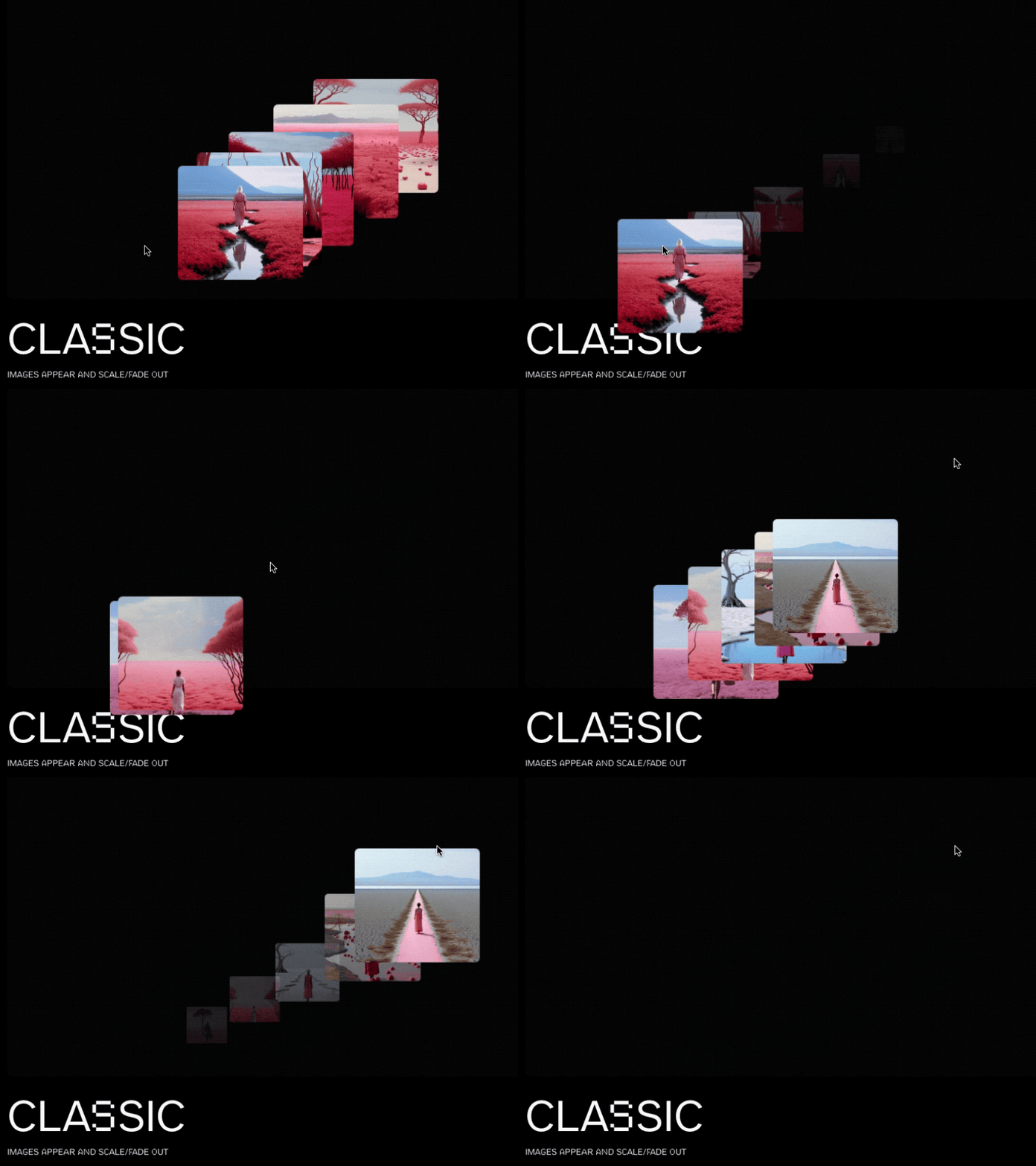
6 |
7 | [Article on Codrops](https://tympanus.net/codrops/?p=74079)
8 |
9 | [Demo](http://tympanus.net/Development/MotionTrailAnimations/)
10 |
11 | ## Installation
12 |
13 | Run this demo on a [local server](https://developer.mozilla.org/en-US/docs/Learn/Common_questions/Tools_and_setup/set_up_a_local_testing_server).
14 |
15 | ## Credits
16 |
17 | - Images generated with [Midjourney](https://midjourney.com)
18 |
19 | ## Misc
20 |
21 | Follow Manoela: [Twitter](https://twitter.com/crnacura), [Instagram](https://www.instagram.com/manoela.ilic), [GitHub](https://github.com/crnacura)
22 |
23 | Follow Codrops: [Twitter](http://www.twitter.com/codrops), [Facebook](http://www.facebook.com/codrops), [GitHub](https://github.com/codrops), [Instagram](https://www.instagram.com/codropsss/)
24 |
25 | ## License
26 | [MIT](LICENSE)
27 |
28 | Made with :blue_heart: by [Codrops](http://www.codrops.com)
29 |
30 |
31 |
32 |
33 |
34 |
--------------------------------------------------------------------------------
/js/image.js:
--------------------------------------------------------------------------------
1 |
2 | export class Image {
3 | // Class property initialization with default values.
4 | // The DOM property holds references to the main and inner elements of the image component.
5 | DOM = {
6 | el: null, // Holds the reference to the main DOM element with class 'content__img'.
7 | inner: null, // Holds the reference to the inner DOM element with class 'content__img-inner'.
8 | };
9 | // Default style properties for the image, initialized with initial values.
10 | defaultStyle = {
11 | scale: 1, // Scale factor of the image, initialized to 1 (original size).
12 | x: 0, // Horizontal position of the image, initialized to 0.
13 | y: 0, // Vertical position of the image, initialized to 0.
14 | opacity: 0 // Opacity of the image, initialized to 0 (completely transparent).
15 | };
16 | // Property to hold the animation timeline for the image.
17 | timeline = null;
18 | // Holds the bounding rectangle of the image element.
19 | rect = null;
20 |
21 | /**
22 | * Constructor for the Image class. Initializes the instance, sets up DOM references, and binds events.
23 | * @param {HTMLElement} DOM_el - The main DOM element for the image, expected to have a child with class 'content__img-inner'.
24 | */
25 | constructor(DOM_el) {
26 | // Assign the provided DOM element to the 'el' property of the 'DOM' object.
27 | this.DOM.el = DOM_el;
28 | // Find and assign the inner element (with class 'content__img-inner') to the 'inner' property of the 'DOM' object.
29 | this.DOM.inner = this.DOM.el.querySelector('.content__img-inner');
30 |
31 | // Call the getRect method to calculate and store the size and position of the image element.
32 | this.getRect();
33 |
34 | // Call the initEvents method to set up event listeners for the image element.
35 | this.initEvents();
36 | }
37 |
38 | /**
39 | * The initEvents method sets up event handlers for the image element, particularly for the window resize event.
40 | * @returns {void}
41 | */
42 | initEvents() {
43 | // Define the resize method to reset image styles and recalculate its size and position on window resize.
44 | this.resize = () => {
45 | // Reset the image styles to default values using GSAP.
46 | gsap.set(this.DOM.el, this.defaultStyle);
47 |
48 | // Recalculate and update the size and position of the image element.
49 | this.getRect();
50 | };
51 |
52 | // Add a window resize event listener that calls the defined resize method to handle image adjustments on window resize.
53 | window.addEventListener('resize', () => this.resize());
54 | }
55 |
56 | /**
57 | * The getRect method calculates and stores the size and position of the image element in the 'rect' property.
58 | * @returns {void}
59 | */
60 | getRect() {
61 | // Use the getBoundingClientRect method to calculate and assign the size and position of the image element to the 'rect' property.
62 | this.rect = this.DOM.el.getBoundingClientRect();
63 | }
64 | }
--------------------------------------------------------------------------------
/index3.html:
--------------------------------------------------------------------------------
1 |
2 |
3 |
4 |
5 |
6 | Motion Trail Animations | Demo 3 | Codrops
7 |
8 |
9 |
10 |
11 |
12 |
13 |
14 |
15 |
16 |
69 |
70 |
71 |
72 |
73 |
74 |
75 |
--------------------------------------------------------------------------------
/js/demo8/image.js:
--------------------------------------------------------------------------------
1 | import { setClipPath} from '../utils.js';
2 |
3 | export class Image {
4 | // Class property initialization with default values.
5 | // The DOM property holds references to the main and inner elements of the image component.
6 | DOM = {
7 | el: null, // Holds the reference to the main DOM element with class 'content__img'.
8 | inner: null, // Holds the reference to the inner DOM element with class 'content__img-inner'.
9 | clipInnerElements: null // Holds the references to the inner clip DOM elements with class 'content__img-inner'.
10 | };
11 | // Default style properties for the image, initialized with initial values.
12 | defaultStyle = {
13 | scale: 1, // Scale factor of the image, initialized to 1 (original size).
14 | x: 0, // Horizontal position of the image, initialized to 0.
15 | y: 0, // Vertical position of the image, initialized to 0.
16 | opacity: 0 // Opacity of the image, initialized to 0 (completely transparent).
17 | };
18 | // Property to hold the animation timeline for the image.
19 | timeline = null;
20 | // Holds the bounding rectangle of the image element.
21 | rect = null;
22 | // Number of clip path inner elements (rows and columns)
23 | clipRows = 3;
24 | clipColumns = 3
25 | clipCount = this.clipRows*this.clipColumns;
26 |
27 | /**
28 | * Constructor for the Image class. Initializes the instance, sets up DOM references, and binds events.
29 | * @param {HTMLElement} DOM_el - The main DOM element for the image, expected to have a child with class 'content__img-inner'.
30 | */
31 | constructor(DOM_el) {
32 | // Assign the provided DOM element to the 'el' property of the 'DOM' object.
33 | this.DOM.el = DOM_el;
34 | // Find and assign the inner element (with class 'content__img-inner') to the 'inner' property of the 'DOM' object.
35 | this.DOM.inner = this.DOM.el.querySelector('.content__img-inner');
36 |
37 | // Create [this.clipCount] inner elements: Repeat the inner elements [this.clipCount] times
38 | for (let i = 1; i < this.clipCount; ++i) {
39 | let clonedDiv = this.DOM.inner.cloneNode(true);
40 | this.DOM.el.appendChild(clonedDiv);
41 | }
42 | this.DOM.el.classList.add('content__img--clip');
43 | this.DOM.clipInnerElements = this.DOM.el.children;
44 | setClipPath(this.DOM.clipInnerElements, this.clipRows, this.clipColumns)
45 | // Call the getRect method to calculate and store the size and position of the image element.
46 | this.getRect();
47 |
48 | // Call the initEvents method to set up event listeners for the image element.
49 | this.initEvents();
50 | }
51 |
52 | /**
53 | * The initEvents method sets up event handlers for the image element, particularly for the window resize event.
54 | * @returns {void}
55 | */
56 | initEvents() {
57 | // Define the resize method to reset image styles and recalculate its size and position on window resize.
58 | this.resize = () => {
59 | // Reset the image styles to default values using GSAP.
60 | gsap.set(this.DOM.el, this.defaultStyle);
61 |
62 | // Recalculate and update the size and position of the image element.
63 | this.getRect();
64 | };
65 |
66 | // Add a window resize event listener that calls the defined resize method to handle image adjustments on window resize.
67 | window.addEventListener('resize', () => this.resize());
68 | }
69 |
70 | /**
71 | * The getRect method calculates and stores the size and position of the image element in the 'rect' property.
72 | * @returns {void}
73 | */
74 | getRect() {
75 | // Use the getBoundingClientRect method to calculate and assign the size and position of the image element to the 'rect' property.
76 | this.rect = this.DOM.el.getBoundingClientRect();
77 | }
78 | }
--------------------------------------------------------------------------------
/js/imagesloaded.pkgd.min.js:
--------------------------------------------------------------------------------
1 | /*!
2 | * imagesLoaded PACKAGED v5.0.0
3 | * JavaScript is all like "You images are done yet or what?"
4 | * MIT License
5 | */
6 | !function(t,e){"object"==typeof module&&module.exports?module.exports=e():t.EvEmitter=e()}("undefined"!=typeof window?window:this,(function(){function t(){}let e=t.prototype;return e.on=function(t,e){if(!t||!e)return this;let i=this._events=this._events||{},s=i[t]=i[t]||[];return s.includes(e)||s.push(e),this},e.once=function(t,e){if(!t||!e)return this;this.on(t,e);let i=this._onceEvents=this._onceEvents||{};return(i[t]=i[t]||{})[e]=!0,this},e.off=function(t,e){let i=this._events&&this._events[t];if(!i||!i.length)return this;let s=i.indexOf(e);return-1!=s&&i.splice(s,1),this},e.emitEvent=function(t,e){let i=this._events&&this._events[t];if(!i||!i.length)return this;i=i.slice(0),e=e||[];let s=this._onceEvents&&this._onceEvents[t];for(let n of i){s&&s[n]&&(this.off(t,n),delete s[n]),n.apply(this,e)}return this},e.allOff=function(){return delete this._events,delete this._onceEvents,this},t})),
7 | /*!
8 | * imagesLoaded v5.0.0
9 | * JavaScript is all like "You images are done yet or what?"
10 | * MIT License
11 | */
12 | function(t,e){"object"==typeof module&&module.exports?module.exports=e(t,require("ev-emitter")):t.imagesLoaded=e(t,t.EvEmitter)}("undefined"!=typeof window?window:this,(function(t,e){let i=t.jQuery,s=t.console;function n(t,e,o){if(!(this instanceof n))return new n(t,e,o);let r=t;var h;("string"==typeof t&&(r=document.querySelectorAll(t)),r)?(this.elements=(h=r,Array.isArray(h)?h:"object"==typeof h&&"number"==typeof h.length?[...h]:[h]),this.options={},"function"==typeof e?o=e:Object.assign(this.options,e),o&&this.on("always",o),this.getImages(),i&&(this.jqDeferred=new i.Deferred),setTimeout(this.check.bind(this))):s.error(`Bad element for imagesLoaded ${r||t}`)}n.prototype=Object.create(e.prototype),n.prototype.getImages=function(){this.images=[],this.elements.forEach(this.addElementImages,this)};const o=[1,9,11];n.prototype.addElementImages=function(t){"IMG"===t.nodeName&&this.addImage(t),!0===this.options.background&&this.addElementBackgroundImages(t);let{nodeType:e}=t;if(!e||!o.includes(e))return;let i=t.querySelectorAll("img");for(let t of i)this.addImage(t);if("string"==typeof this.options.background){let e=t.querySelectorAll(this.options.background);for(let t of e)this.addElementBackgroundImages(t)}};const r=/url\((['"])?(.*?)\1\)/gi;function h(t){this.img=t}function d(t,e){this.url=t,this.element=e,this.img=new Image}return n.prototype.addElementBackgroundImages=function(t){let e=getComputedStyle(t);if(!e)return;let i=r.exec(e.backgroundImage);for(;null!==i;){let s=i&&i[2];s&&this.addBackground(s,t),i=r.exec(e.backgroundImage)}},n.prototype.addImage=function(t){let e=new h(t);this.images.push(e)},n.prototype.addBackground=function(t,e){let i=new d(t,e);this.images.push(i)},n.prototype.check=function(){if(this.progressedCount=0,this.hasAnyBroken=!1,!this.images.length)return void this.complete();let t=(t,e,i)=>{setTimeout((()=>{this.progress(t,e,i)}))};this.images.forEach((function(e){e.once("progress",t),e.check()}))},n.prototype.progress=function(t,e,i){this.progressedCount++,this.hasAnyBroken=this.hasAnyBroken||!t.isLoaded,this.emitEvent("progress",[this,t,e]),this.jqDeferred&&this.jqDeferred.notify&&this.jqDeferred.notify(this,t),this.progressedCount===this.images.length&&this.complete(),this.options.debug&&s&&s.log(`progress: ${i}`,t,e)},n.prototype.complete=function(){let t=this.hasAnyBroken?"fail":"done";if(this.isComplete=!0,this.emitEvent(t,[this]),this.emitEvent("always",[this]),this.jqDeferred){let t=this.hasAnyBroken?"reject":"resolve";this.jqDeferred[t](this)}},h.prototype=Object.create(e.prototype),h.prototype.check=function(){this.getIsImageComplete()?this.confirm(0!==this.img.naturalWidth,"naturalWidth"):(this.proxyImage=new Image,this.img.crossOrigin&&(this.proxyImage.crossOrigin=this.img.crossOrigin),this.proxyImage.addEventListener("load",this),this.proxyImage.addEventListener("error",this),this.img.addEventListener("load",this),this.img.addEventListener("error",this),this.proxyImage.src=this.img.currentSrc||this.img.src)},h.prototype.getIsImageComplete=function(){return this.img.complete&&this.img.naturalWidth},h.prototype.confirm=function(t,e){this.isLoaded=t;let{parentNode:i}=this.img,s="PICTURE"===i.nodeName?i:this.img;this.emitEvent("progress",[this,s,e])},h.prototype.handleEvent=function(t){let e="on"+t.type;this[e]&&this[e](t)},h.prototype.onload=function(){this.confirm(!0,"onload"),this.unbindEvents()},h.prototype.onerror=function(){this.confirm(!1,"onerror"),this.unbindEvents()},h.prototype.unbindEvents=function(){this.proxyImage.removeEventListener("load",this),this.proxyImage.removeEventListener("error",this),this.img.removeEventListener("load",this),this.img.removeEventListener("error",this)},d.prototype=Object.create(h.prototype),d.prototype.check=function(){this.img.addEventListener("load",this),this.img.addEventListener("error",this),this.img.src=this.url,this.getIsImageComplete()&&(this.confirm(0!==this.img.naturalWidth,"naturalWidth"),this.unbindEvents())},d.prototype.unbindEvents=function(){this.img.removeEventListener("load",this),this.img.removeEventListener("error",this)},d.prototype.confirm=function(t,e){this.isLoaded=t,this.emitEvent("progress",[this,this.element,e])},n.makeJQueryPlugin=function(e){(e=e||t.jQuery)&&(i=e,i.fn.imagesLoaded=function(t,e){return new n(this,t,e).jqDeferred.promise(i(this))})},n.makeJQueryPlugin(),n}));
--------------------------------------------------------------------------------
/js/utils.js:
--------------------------------------------------------------------------------
1 | const body = document.body;
2 | const docEl = document.documentElement;
3 |
4 | /**
5 | * Preloads images specified by the CSS selector.
6 | * @function
7 | * @param {string} [selector='img'] - CSS selector for target images.
8 | * @returns {Promise} - Resolves when all specified images are loaded.
9 | */
10 | const preloadImages = (selector = 'img') => {
11 | return new Promise((resolve) => {
12 | // The imagesLoaded library is used to ensure all images (including backgrounds) are fully loaded.
13 | imagesLoaded(document.querySelectorAll(selector), {background: true}, resolve);
14 | });
15 | };
16 |
17 | /**
18 | * Performs linear interpolation between two numbers.
19 | * @function
20 | * @param {number} a - The starting value.
21 | * @param {number} b - The target value.
22 | * @param {number} n - Normalization factor, typically between 0 and 1.
23 | * @returns {number} - Result of the linear interpolation.
24 | */
25 | const lerp = (a, b, n) => (1 - n) * a + n * b;
26 |
27 | /**
28 | * Calculates the Euclidean distance between two points in a 2D space.
29 | * @function
30 | * @param {number} x1 - X-coordinate of the first point.
31 | * @param {number} y1 - Y-coordinate of the first point.
32 | * @param {number} x2 - X-coordinate of the second point.
33 | * @param {number} y2 - Y-coordinate of the second point.
34 | * @returns {number} - Distance between the two points.
35 | */
36 | const distance = (x1, y1, x2, y2) => Math.hypot(x2 - x1, y2 - y1);
37 |
38 | /**
39 | * Retrieves the current position from a mouse or touch event.
40 | * @function
41 | * @param {Event} ev - The mouse or touch event.
42 | * @returns {Object} - Object containing the x and y coordinates of the cursor or finger.
43 | */
44 | const getPointerPos = ev => {
45 | let posx = 0;
46 | let posy = 0;
47 |
48 | // If the event is not provided, use the global window event object.
49 | if (!ev) ev = window.event;
50 |
51 | // Handle touch events
52 | if (ev.touches) {
53 | if (ev.touches.length > 0) { // Check if there are any touches available
54 | posx = ev.touches[0].pageX;
55 | posy = ev.touches[0].pageY;
56 | }
57 | }
58 | // Handle mouse events
59 | else if (ev.pageX || ev.pageY) {
60 | posx = ev.pageX;
61 | posy = ev.pageY;
62 | }
63 | else if (ev.clientX || ev.clientY) {
64 | posx = ev.clientX + body.scrollLeft + docEl.scrollLeft;
65 | posy = ev.clientY + body.scrollTop + docEl.scrollTop;
66 | }
67 |
68 | // Return the position.
69 | return {x: posx, y: posy};
70 | }
71 |
72 | /**
73 | * Computes the distance between current and last recorded mouse positions.
74 | * @function
75 | * @param {Object} mousePos - Current mouse position with x and y coordinates.
76 | * @param {Object} lastMousePos - Last recorded mouse position with x and y coordinates.
77 | * @returns {number} - Distance between the two mouse positions.
78 | */
79 | const getMouseDistance = (mousePos, lastMousePos) => {
80 | return distance(mousePos.x, mousePos.y, lastMousePos.x, lastMousePos.y);
81 | };
82 |
83 | /**
84 | * Computes the new position in an array after moving by a given offset.
85 | * The array is treated as circular, meaning subtracting from the beginning
86 | * wraps to the end of the array.
87 | *
88 | * @function
89 | * @param {number} position - The starting position in the array.
90 | * @param {number} offset - The number of positions to move backward.
91 | * @param {Array} arr - The array in which to compute the new position.
92 | * @returns {number} The new position in the array after moving by the offset.
93 | */
94 | const getNewPosition = (position, offset, arr) => {
95 | // Ensure offset is non-negative and is within the range of the array's length
96 | const realOffset = Math.abs(offset) % arr.length;
97 |
98 | // Check if subtracting the offset stays within the array's bounds
99 | if (position - realOffset >= 0) {
100 | return position - realOffset;
101 | } else {
102 | // If not, wrap around to the end of the array and compute the new position
103 | return arr.length - (realOffset - position);
104 | }
105 | };
106 |
107 | /**
108 | * Set the clip path for each of the clipInnerElements based on the provided grid dimensions.
109 | * @param {Array} clipInnerElements - The list of elements to set the clip paths on.
110 | * @param {number} numRows - The number of rows in the grid.
111 | * @param {number} numCols - The number of columns in the grid.
112 | */
113 | const setClipPath = (clipInnerElements, numRows, numCols) => {
114 | if (clipInnerElements.length !== numRows * numCols) {
115 | console.error('Mismatch between provided grid dimensions and number of elements.');
116 | return;
117 | }
118 |
119 | for (let i = 0; i < numRows; i++) {
120 | for (let j = 0; j < numCols; j++) {
121 | const idx = i * numCols + j;
122 |
123 | const top = (100 / numRows) * i + '%';
124 | const bottom = (100 / numRows) * (i + 1) + '%';
125 | const left = (100 / numCols) * j + '%';
126 | const right = (100 / numCols) * (j + 1) + '%';
127 |
128 | const clipPathValue = `polygon(${left} ${top}, ${right} ${top}, ${right} ${bottom}, ${left} ${bottom})`;
129 |
130 | clipInnerElements[idx].style.clipPath = clipPathValue;
131 | }
132 | }
133 | }
134 |
135 | // Exporting utility functions for use in other modules.
136 | export {
137 | preloadImages,
138 | lerp,
139 | distance,
140 | getPointerPos,
141 | getMouseDistance,
142 | getNewPosition,
143 | setClipPath
144 | };
145 |
--------------------------------------------------------------------------------
/js/demo1/imageTrail.js:
--------------------------------------------------------------------------------
1 | // Importing utility functions from 'utils.js'
2 | import { getPointerPos, getMouseDistance, lerp } from '../utils.js';
3 | import { Image } from '../image.js';
4 |
5 | // Initial declaration of mouse position variables with default values
6 | let mousePos, lastMousePos, cacheMousePos;
7 | mousePos = {x: 0, y: 0}; // current mouse position
8 | cacheMousePos = {...mousePos}; // previous mouse position
9 | lastMousePos = {...mousePos}; // stores the position of the mouse at the time the most recent image was displayed, serving as a reference point for calculating the distance the cursor has moved in subsequent frames
10 |
11 | // This function will be used to handle both mouse and touch events
12 | const handlePointerMove = (ev) => {
13 | // If it's a touch event, we'll use the first touch point
14 | if (ev.touches) {
15 | mousePos = getPointerPos(ev.touches[0]);
16 | } else {
17 | // If it's a mouse event, proceed as usual
18 | mousePos = getPointerPos(ev);
19 | }
20 | };
21 |
22 | // Adding an event listener to the window to update mouse position on mousemove event
23 | window.addEventListener('mousemove', handlePointerMove);
24 | window.addEventListener('touchmove', handlePointerMove);
25 |
26 | export class ImageTrail {
27 | // Class properties initialization
28 | DOM = {el: null}; // Object to hold DOM elements
29 | images = []; // Array to store Image objects
30 | imagesTotal = 0; // Variable to store total number of images
31 | imgPosition = 0; // Variable to store the position of the upcoming image
32 | zIndexVal = 1; // z-index value for the upcoming image
33 | activeImagesCount = 0; // Counter for active images
34 | isIdle = true; // Flag to check if all images are inactive
35 | // Mouse distance from the previous trigger, required to show the next image
36 | threshold = 80;
37 |
38 | /**
39 | * Constructor for the ImageTrail class.
40 | * Initializes the instance, sets up the DOM elements, creates Image objects for each image element, and starts the rendering loop.
41 | * @param {HTMLElement} DOM_el - The parent DOM element containing all image elements.
42 | */
43 | constructor(DOM_el) {
44 | // Store the reference to the parent DOM element.
45 | this.DOM.el = DOM_el;
46 |
47 | // Create and store Image objects for each image element found within the parent DOM element.
48 | this.images = [...this.DOM.el.querySelectorAll('.content__img')].map(img => new Image(img));
49 |
50 | // Store the total number of images.
51 | this.imagesTotal = this.images.length;
52 |
53 | const onPointerMoveEv = () => {
54 | // Initialize cacheMousePos with the current mousePos values.
55 | // This is necessary to have a reference point for the initial mouse position.
56 | cacheMousePos = {...mousePos};
57 | // Initiate the rendering loop.
58 | requestAnimationFrame(() => this.render());
59 | // Remove this mousemove event listener after it runs once to avoid reinitialization.
60 | window.removeEventListener('mousemove', onPointerMoveEv);
61 | window.removeEventListener('touchmove', onPointerMoveEv);
62 | };
63 | // Set up an initial mousemove event listener to run onMouseMoveEv once.
64 | window.addEventListener('mousemove', onPointerMoveEv);
65 | window.addEventListener('touchmove', onPointerMoveEv);
66 | }
67 |
68 | /**
69 | * The `render` function is the main rendering loop for the `ImageTrail` class, updating images based on mouse movement.
70 | * It calculates the distance between the current and the last mouse position, then decides whether to show the next image.
71 | * @returns {void}
72 | */
73 | render() {
74 | // Calculate distance between current mouse position and last recorded mouse position.
75 | let distance = getMouseDistance(mousePos, lastMousePos);
76 |
77 | // Smoothly interpolate between cached mouse position and current mouse position for smoother visual effects.
78 | cacheMousePos.x = lerp(cacheMousePos.x || mousePos.x, mousePos.x, 0.1);
79 | cacheMousePos.y = lerp(cacheMousePos.y || mousePos.y, mousePos.y, 0.1);
80 |
81 | // If the calculated distance is greater than the defined threshold, show the next image and update lastMousePos.
82 | if ( distance > this.threshold ) {
83 | this.showNextImage();
84 | lastMousePos = mousePos;
85 | }
86 |
87 | // If all images are inactive (isIdle is true) and zIndexVal is not 1, reset zIndexVal to avoid endless incrementation.
88 | if ( this.isIdle && this.zIndexVal !== 1 ) {
89 | this.zIndexVal = 1;
90 | }
91 |
92 | // Request the next animation frame, creating a recursive loop for continuous rendering.
93 | requestAnimationFrame(() => this.render());
94 | }
95 |
96 | /**
97 | * The `showNextImage` function is responsible for displaying, animating, and managing the next image in the sequence.
98 | * It increments the zIndexVal, selects the next image, stops ongoing animations, and defines a series of GSAP animations.
99 | * @returns {void}
100 | */
101 | showNextImage() {
102 | // Increment zIndexVal for next image.
103 | ++this.zIndexVal;
104 |
105 | // Select the next image in the sequence, or revert to the first image if at the end of the sequence.
106 | this.imgPosition = this.imgPosition < this.imagesTotal-1 ? this.imgPosition+1 : 0;
107 |
108 | // Retrieve the Image object for the selected position.
109 | const img = this.images[this.imgPosition];
110 |
111 | // Stop any ongoing GSAP animations on the target image element to prepare for new animations.
112 | gsap.killTweensOf(img.DOM.el);
113 |
114 | // Define GSAP timeline.
115 | img.timeline = gsap.timeline({
116 | onStart: () => this.onImageActivated(),
117 | onComplete: () => this.onImageDeactivated()
118 | })
119 | // Animate position
120 | .fromTo(img.DOM.el, {
121 | opacity: 1,
122 | scale: 1,
123 | zIndex: this.zIndexVal,
124 | x: cacheMousePos.x - img.rect.width/2 ,
125 | y: cacheMousePos.y - img.rect.height/2
126 | }, {
127 | duration: 0.4,
128 | ease: 'power1',
129 | x: mousePos.x - img.rect.width/2,
130 | y: mousePos.y - img.rect.height/2
131 | }, 0)
132 | // then make it disappear
133 | .to(img.DOM.el, {
134 | duration: 0.4,
135 | ease: 'power3',
136 | opacity: 0,
137 | scale: 0.2
138 | }, 0.4)
139 | }
140 |
141 | /**
142 | * onImageActivated function is called when an image's activation (display) animation begins.
143 | * It increments the activeImagesCount and sets isIdle flag to false.
144 | * @returns {void}
145 | */
146 | onImageActivated = () => {
147 | // Increment the counter for active images.
148 | this.activeImagesCount++;
149 |
150 | // Set the isIdle flag to false as there's at least one active image.
151 | this.isIdle = false;
152 | }
153 |
154 | /**
155 | * onImageDeactivated function is called when an image's deactivation (disappearance) animation ends.
156 | * It decrements the activeImagesCount and sets isIdle flag to true if no images are active.
157 | * @returns {void}
158 | */
159 | onImageDeactivated = () => {
160 | // Decrement the counter for active images.
161 | this.activeImagesCount--;
162 |
163 | // If there are no active images, set the isIdle flag to true.
164 | if (this.activeImagesCount === 0) {
165 | this.isIdle = true;
166 | }
167 | }
168 | }
--------------------------------------------------------------------------------
/js/demo8/imageTrail.js:
--------------------------------------------------------------------------------
1 | // Importing utility functions from 'utils.js'
2 | import { getPointerPos, getMouseDistance, lerp } from '../utils.js';
3 | import { Image } from './image.js';
4 |
5 | // Initial declaration of mouse position variables with default values
6 | let mousePos, lastMousePos, cacheMousePos;
7 | mousePos = {x: 0, y: 0}; // current mouse position
8 | cacheMousePos = {...mousePos}; // previous mouse position
9 | lastMousePos = {...mousePos}; // stores the position of the mouse at the time the most recent image was displayed, serving as a reference point for calculating the distance the cursor has moved in subsequent frames
10 |
11 | // This function will be used to handle both mouse and touch events
12 | const handlePointerMove = (ev) => {
13 | // If it's a touch event, we'll use the first touch point
14 | if (ev.touches) {
15 | mousePos = getPointerPos(ev.touches[0]);
16 | } else {
17 | // If it's a mouse event, proceed as usual
18 | mousePos = getPointerPos(ev);
19 | }
20 | };
21 |
22 | // Adding an event listener to the window to update mouse position on mousemove event
23 | window.addEventListener('mousemove', handlePointerMove);
24 | window.addEventListener('touchmove', handlePointerMove);
25 |
26 | export class ImageTrail {
27 | // Class properties initialization
28 | DOM = {el: null}; // Object to hold DOM elements
29 | images = []; // Array to store Image objects
30 | imagesTotal = 0; // Variable to store total number of images
31 | imgPosition = 0; // Variable to store the position of the upcoming image
32 | zIndexVal = 1; // z-index value for the upcoming image
33 | activeImagesCount = 0; // Counter for active images
34 | isIdle = true; // Flag to check if all images are inactive
35 | // Mouse distance from the previous trigger, required to show the next image
36 | threshold = 80;
37 |
38 | /**
39 | * Constructor for the ImageTrail class.
40 | * Initializes the instance, sets up the DOM elements, creates Image objects for each image element, and starts the rendering loop.
41 | * @param {HTMLElement} DOM_el - The parent DOM element containing all image elements.
42 | */
43 | constructor(DOM_el) {
44 | // Store the reference to the parent DOM element.
45 | this.DOM.el = DOM_el;
46 |
47 | // Create and store Image objects for each image element found within the parent DOM element.
48 | this.images = [...this.DOM.el.querySelectorAll('.content__img')].map(img => new Image(img));
49 |
50 | // Store the total number of images.
51 | this.imagesTotal = this.images.length;
52 |
53 | const onPointerMoveEv = () => {
54 | // Initialize cacheMousePos with the current mousePos values.
55 | // This is necessary to have a reference point for the initial mouse position.
56 | cacheMousePos = {...mousePos};
57 | // Initiate the rendering loop.
58 | requestAnimationFrame(() => this.render());
59 | // Remove this mousemove event listener after it runs once to avoid reinitialization.
60 | window.removeEventListener('mousemove', onPointerMoveEv);
61 | window.removeEventListener('touchmove', onPointerMoveEv);
62 | };
63 | // Set up an initial mousemove event listener to run onMouseMoveEv once.
64 | window.addEventListener('mousemove', onPointerMoveEv);
65 | window.addEventListener('touchmove', onPointerMoveEv);
66 | }
67 |
68 | /**
69 | * The `render` function is the main rendering loop for the `ImageTrail` class, updating images based on mouse movement.
70 | * It calculates the distance between the current and the last mouse position, then decides whether to show the next image.
71 | * @returns {void}
72 | */
73 | render() {
74 | // Calculate distance between current mouse position and last recorded mouse position.
75 | let distance = getMouseDistance(mousePos, lastMousePos);
76 |
77 | // Smoothly interpolate between cached mouse position and current mouse position for smoother visual effects.
78 | cacheMousePos.x = lerp(cacheMousePos.x || mousePos.x, mousePos.x, 0.3);
79 | cacheMousePos.y = lerp(cacheMousePos.y || mousePos.y, mousePos.y, 0.3);
80 |
81 | // If the calculated distance is greater than the defined threshold, show the next image and update lastMousePos.
82 | if ( distance > this.threshold ) {
83 | this.showNextImage();
84 | lastMousePos = mousePos;
85 | }
86 |
87 | // If all images are inactive (isIdle is true) and zIndexVal is not 1, reset zIndexVal to avoid endless incrementation.
88 | if ( this.isIdle && this.zIndexVal !== 1 ) {
89 | this.zIndexVal = 1;
90 | }
91 |
92 | // Request the next animation frame, creating a recursive loop for continuous rendering.
93 | requestAnimationFrame(() => this.render());
94 | }
95 |
96 | /**
97 | * The `showNextImage` function is responsible for displaying, animating, and managing the next image in the sequence.
98 | * It increments the zIndexVal, selects the next image, stops ongoing animations, and defines a series of GSAP animations.
99 | * @returns {void}
100 | */
101 | showNextImage() {
102 | // Increment zIndexVal for next image.
103 | ++this.zIndexVal;
104 |
105 | // Select the next image in the sequence, or revert to the first image if at the end of the sequence.
106 | this.imgPosition = this.imgPosition < this.imagesTotal-1 ? this.imgPosition+1 : 0;
107 |
108 | // Retrieve the Image object for the selected position.
109 | const img = this.images[this.imgPosition];
110 |
111 | // Stop any ongoing GSAP animations on the target image element to prepare for new animations.
112 | gsap.killTweensOf(img.DOM.clipInnerElements);
113 |
114 | // Define GSAP timeline.
115 | img.timeline = gsap.timeline({
116 | onStart: () => this.onImageActivated(),
117 | onComplete: () => this.onImageDeactivated()
118 | })
119 | .set(img.DOM.el, {
120 | opacity: 1,
121 | zIndex: this.zIndexVal,
122 | x: mousePos.x - img.rect.width/2,
123 | y: mousePos.y - img.rect.height/2,
124 | }, 0)
125 | .set(img.DOM.clipInnerElements, {
126 | x: 0,
127 | y: 0,
128 | scale: 1,
129 | opacity: 1
130 | }, 0)
131 | .to(img.DOM.clipInnerElements, {
132 | duration: 0.3,
133 | ease: 'power3',
134 | x: () => gsap.utils.random(-20,20),
135 | y: () => gsap.utils.random(-20,20),
136 | opacity: 0,
137 | scale: () => gsap.utils.random(0.7,1),
138 | stagger: {
139 | each: 0.01,
140 | from: 'random'
141 | },
142 | onComplete: () => {
143 | gsap.set(img.DOM.el, {
144 | opacity: 0
145 | })
146 | }
147 | }, 0.05)
148 |
149 | }
150 |
151 | /**
152 | * onImageActivated function is called when an image's activation (display) animation begins.
153 | * It increments the activeImagesCount and sets isIdle flag to false.
154 | * @returns {void}
155 | */
156 | onImageActivated = () => {
157 | // Increment the counter for active images.
158 | this.activeImagesCount++;
159 |
160 | // Set the isIdle flag to false as there's at least one active image.
161 | this.isIdle = false;
162 | }
163 |
164 | /**
165 | * onImageDeactivated function is called when an image's deactivation (disappearance) animation ends.
166 | * It decrements the activeImagesCount and sets isIdle flag to true if no images are active.
167 | * @returns {void}
168 | */
169 | onImageDeactivated = () => {
170 | // Decrement the counter for active images.
171 | this.activeImagesCount--;
172 |
173 | // If there are no active images, set the isIdle flag to true.
174 | if (this.activeImagesCount === 0) {
175 | this.isIdle = true;
176 | }
177 | }
178 | }
--------------------------------------------------------------------------------
/js/demo2/imageTrail.js:
--------------------------------------------------------------------------------
1 | // Importing utility functions from 'utils.js'
2 | import { getPointerPos, getMouseDistance, lerp } from '../utils.js';
3 | import { Image } from '../image.js';
4 |
5 | // Initial declaration of mouse position variables with default values
6 | let mousePos, lastMousePos, cacheMousePos;
7 | mousePos = {x: 0, y: 0}; // current mouse position
8 | cacheMousePos = {...mousePos}; // previous mouse position
9 | lastMousePos = {...mousePos}; // stores the position of the mouse at the time the most recent image was displayed, serving as a reference point for calculating the distance the cursor has moved in subsequent frames
10 |
11 | // This function will be used to handle both mouse and touch events
12 | const handlePointerMove = (ev) => {
13 | // If it's a touch event, we'll use the first touch point
14 | if (ev.touches) {
15 | mousePos = getPointerPos(ev.touches[0]);
16 | } else {
17 | // If it's a mouse event, proceed as usual
18 | mousePos = getPointerPos(ev);
19 | }
20 | };
21 |
22 | // Adding an event listener to the window to update mouse position on mousemove event
23 | window.addEventListener('mousemove', handlePointerMove);
24 | window.addEventListener('touchmove', handlePointerMove);
25 |
26 | export class ImageTrail {
27 | // Class properties initialization
28 | DOM = {el: null}; // Object to hold DOM elements
29 | images = []; // Array to store Image objects
30 | imagesTotal = 0; // Variable to store total number of images
31 | imgPosition = 0; // Variable to store the position of the upcoming image
32 | zIndexVal = 1; // z-index value for the upcoming image
33 | activeImagesCount = 0; // Counter for active images
34 | isIdle = true; // Flag to check if all images are inactive
35 | // Mouse distance from the previous trigger, required to show the next image
36 | threshold = 80;
37 |
38 | /**
39 | * Constructor for the ImageTrail class.
40 | * Initializes the instance, sets up the DOM elements, creates Image objects for each image element, and starts the rendering loop.
41 | * @param {HTMLElement} DOM_el - The parent DOM element containing all image elements.
42 | */
43 | constructor(DOM_el) {
44 | // Store the reference to the parent DOM element.
45 | this.DOM.el = DOM_el;
46 |
47 | // Create and store Image objects for each image element found within the parent DOM element.
48 | this.images = [...this.DOM.el.querySelectorAll('.content__img')].map(img => new Image(img));
49 |
50 | // Store the total number of images.
51 | this.imagesTotal = this.images.length;
52 |
53 | const onPointerMoveEv = () => {
54 | // Initialize cacheMousePos with the current mousePos values.
55 | // This is necessary to have a reference point for the initial mouse position.
56 | cacheMousePos = {...mousePos};
57 | // Initiate the rendering loop.
58 | requestAnimationFrame(() => this.render());
59 | // Remove this mousemove event listener after it runs once to avoid reinitialization.
60 | window.removeEventListener('mousemove', onPointerMoveEv);
61 | window.removeEventListener('touchmove', onPointerMoveEv);
62 | };
63 | // Set up an initial mousemove event listener to run onMouseMoveEv once.
64 | window.addEventListener('mousemove', onPointerMoveEv);
65 | window.addEventListener('touchmove', onPointerMoveEv);
66 | }
67 |
68 | /**
69 | * The `render` function is the main rendering loop for the `ImageTrail` class, updating images based on mouse movement.
70 | * It calculates the distance between the current and the last mouse position, then decides whether to show the next image.
71 | * @returns {void}
72 | */
73 | render() {
74 | // Calculate distance between current mouse position and last recorded mouse position.
75 | let distance = getMouseDistance(mousePos, lastMousePos);
76 |
77 | // Smoothly interpolate between cached mouse position and current mouse position for smoother visual effects.
78 | cacheMousePos.x = lerp(cacheMousePos.x || mousePos.x, mousePos.x, 0.1);
79 | cacheMousePos.y = lerp(cacheMousePos.y || mousePos.y, mousePos.y, 0.1);
80 |
81 | // If the calculated distance is greater than the defined threshold, show the next image and update lastMousePos.
82 | if ( distance > this.threshold ) {
83 | this.showNextImage();
84 | lastMousePos = mousePos;
85 | }
86 |
87 | // If all images are inactive (isIdle is true) and zIndexVal is not 1, reset zIndexVal to avoid endless incrementation.
88 | if ( this.isIdle && this.zIndexVal !== 1 ) {
89 | this.zIndexVal = 1;
90 | }
91 |
92 | // Request the next animation frame, creating a recursive loop for continuous rendering.
93 | requestAnimationFrame(() => this.render());
94 | }
95 |
96 | /**
97 | * The `showNextImage` function is responsible for displaying, animating, and managing the next image in the sequence.
98 | * It increments the zIndexVal, selects the next image, stops ongoing animations, and defines a series of GSAP animations.
99 | * @returns {void}
100 | */
101 | showNextImage() {
102 | // Increment zIndexVal for next image.
103 | ++this.zIndexVal;
104 |
105 | // Select the next image in the sequence, or revert to the first image if at the end of the sequence.
106 | this.imgPosition = this.imgPosition < this.imagesTotal-1 ? this.imgPosition+1 : 0;
107 |
108 | // Retrieve the Image object for the selected position.
109 | const img = this.images[this.imgPosition];
110 |
111 | // Stop any ongoing GSAP animations on the target image element to prepare for new animations.
112 | gsap.killTweensOf(img.DOM.el);
113 |
114 | // Define GSAP timeline.
115 | img.timeline = gsap.timeline({
116 | onStart: () => this.onImageActivated(),
117 | onComplete: () => this.onImageDeactivated()
118 | })
119 | .fromTo(img.DOM.el, {
120 | opacity: 1,
121 | scale: 0,
122 | zIndex: this.zIndexVal,
123 | x: cacheMousePos.x - img.rect.width/2 ,
124 | y: cacheMousePos.y - img.rect.height/2
125 | }, {
126 | duration: 0.4,
127 | ease: 'power1',
128 | scale: 1,
129 | x: mousePos.x - img.rect.width/2,
130 | y: mousePos.y - img.rect.height/2
131 | }, 0)
132 | /* Inner image */
133 | .fromTo(img.DOM.inner, {
134 | scale: 2.8,
135 | filter: 'brightness(250%)'
136 | }, {
137 | duration: 0.4,
138 | ease: 'power1',
139 | scale: 1,
140 | filter: 'brightness(100%)'
141 | }, 0)
142 | /* Inner image */
143 | // then make it disappear
144 | .to(img.DOM.el, {
145 | duration: 0.4,
146 | ease: 'power2',
147 | opacity: 0,
148 | scale: 0.2
149 | }, 0.45)
150 | }
151 |
152 | /**
153 | * onImageActivated function is called when an image's activation (display) animation begins.
154 | * It increments the activeImagesCount and sets isIdle flag to false.
155 | * @returns {void}
156 | */
157 | onImageActivated = () => {
158 | // Increment the counter for active images.
159 | this.activeImagesCount++;
160 |
161 | // Set the isIdle flag to false as there's at least one active image.
162 | this.isIdle = false;
163 | }
164 |
165 | /**
166 | * onImageDeactivated function is called when an image's deactivation (disappearance) animation ends.
167 | * It decrements the activeImagesCount and sets isIdle flag to true if no images are active.
168 | * @returns {void}
169 | */
170 | onImageDeactivated = () => {
171 | // Decrement the counter for active images.
172 | this.activeImagesCount--;
173 |
174 | // If there are no active images, set the isIdle flag to true.
175 | if (this.activeImagesCount === 0) {
176 | this.isIdle = true;
177 | }
178 | }
179 | }
--------------------------------------------------------------------------------
/js/demo3/imageTrail.js:
--------------------------------------------------------------------------------
1 | // Importing utility functions from 'utils.js'
2 | import { getPointerPos, getMouseDistance, lerp } from '../utils.js';
3 | import { Image } from '../image.js';
4 |
5 | // Initial declaration of mouse position variables with default values
6 | let mousePos, lastMousePos, cacheMousePos;
7 | mousePos = {x: 0, y: 0}; // current mouse position
8 | cacheMousePos = {...mousePos}; // previous mouse position
9 | lastMousePos = {...mousePos}; // stores the position of the mouse at the time the most recent image was displayed, serving as a reference point for calculating the distance the cursor has moved in subsequent frames
10 |
11 | // This function will be used to handle both mouse and touch events
12 | const handlePointerMove = (ev) => {
13 | // If it's a touch event, we'll use the first touch point
14 | if (ev.touches) {
15 | mousePos = getPointerPos(ev.touches[0]);
16 | } else {
17 | // If it's a mouse event, proceed as usual
18 | mousePos = getPointerPos(ev);
19 | }
20 | };
21 |
22 | // Adding an event listener to the window to update mouse position on mousemove event
23 | window.addEventListener('mousemove', handlePointerMove);
24 | window.addEventListener('touchmove', handlePointerMove);
25 |
26 | export class ImageTrail {
27 | // Class properties initialization
28 | DOM = {el: null}; // Object to hold DOM elements
29 | images = []; // Array to store Image objects
30 | imagesTotal = 0; // Variable to store total number of images
31 | imgPosition = 0; // Variable to store the position of the upcoming image
32 | zIndexVal = 1; // z-index value for the upcoming image
33 | activeImagesCount = 0; // Counter for active images
34 | isIdle = true; // Flag to check if all images are inactive
35 | // Mouse distance from the previous trigger, required to show the next image
36 | threshold = 80;
37 |
38 | /**
39 | * Constructor for the ImageTrail class.
40 | * Initializes the instance, sets up the DOM elements, creates Image objects for each image element, and starts the rendering loop.
41 | * @param {HTMLElement} DOM_el - The parent DOM element containing all image elements.
42 | */
43 | constructor(DOM_el) {
44 | // Store the reference to the parent DOM element.
45 | this.DOM.el = DOM_el;
46 |
47 | // Create and store Image objects for each image element found within the parent DOM element.
48 | this.images = [...this.DOM.el.querySelectorAll('.content__img')].map(img => new Image(img));
49 |
50 | // Store the total number of images.
51 | this.imagesTotal = this.images.length;
52 |
53 | const onPointerMoveEv = () => {
54 | // Initialize cacheMousePos with the current mousePos values.
55 | // This is necessary to have a reference point for the initial mouse position.
56 | cacheMousePos = {...mousePos};
57 | // Initiate the rendering loop.
58 | requestAnimationFrame(() => this.render());
59 | // Remove this mousemove event listener after it runs once to avoid reinitialization.
60 | window.removeEventListener('mousemove', onPointerMoveEv);
61 | window.removeEventListener('touchmove', onPointerMoveEv);
62 | };
63 | // Set up an initial mousemove event listener to run onMouseMoveEv once.
64 | window.addEventListener('mousemove', onPointerMoveEv);
65 | window.addEventListener('touchmove', onPointerMoveEv);
66 | }
67 |
68 | /**
69 | * The `render` function is the main rendering loop for the `ImageTrail` class, updating images based on mouse movement.
70 | * It calculates the distance between the current and the last mouse position, then decides whether to show the next image.
71 | * @returns {void}
72 | */
73 | render() {
74 | // Calculate distance between current mouse position and last recorded mouse position.
75 | let distance = getMouseDistance(mousePos, lastMousePos);
76 |
77 | // Smoothly interpolate between cached mouse position and current mouse position for smoother visual effects.
78 | cacheMousePos.x = lerp(cacheMousePos.x || mousePos.x, mousePos.x, 0.1);
79 | cacheMousePos.y = lerp(cacheMousePos.y || mousePos.y, mousePos.y, 0.1);
80 |
81 | // If the calculated distance is greater than the defined threshold, show the next image and update lastMousePos.
82 | if ( distance > this.threshold ) {
83 | this.showNextImage();
84 | lastMousePos = mousePos;
85 | }
86 |
87 | // If all images are inactive (isIdle is true) and zIndexVal is not 1, reset zIndexVal to avoid endless incrementation.
88 | if ( this.isIdle && this.zIndexVal !== 1 ) {
89 | this.zIndexVal = 1;
90 | }
91 |
92 | // Request the next animation frame, creating a recursive loop for continuous rendering.
93 | requestAnimationFrame(() => this.render());
94 | }
95 |
96 | /**
97 | * The `showNextImage` function is responsible for displaying, animating, and managing the next image in the sequence.
98 | * It increments the zIndexVal, selects the next image, stops ongoing animations, and defines a series of GSAP animations.
99 | * @returns {void}
100 | */
101 | showNextImage() {
102 | // Increment zIndexVal for next image.
103 | ++this.zIndexVal;
104 |
105 | // Select the next image in the sequence, or revert to the first image if at the end of the sequence.
106 | this.imgPosition = this.imgPosition < this.imagesTotal-1 ? this.imgPosition+1 : 0;
107 |
108 | // Retrieve the Image object for the selected position.
109 | const img = this.images[this.imgPosition];
110 |
111 | // Stop any ongoing GSAP animations on the target image element to prepare for new animations.
112 | gsap.killTweensOf(img.DOM.el);
113 |
114 | // Define GSAP timeline.
115 | img.timeline = gsap.timeline({
116 | onStart: () => this.onImageActivated(),
117 | onComplete: () => this.onImageDeactivated()
118 | })
119 | .fromTo(img.DOM.el, {
120 | opacity: 1,
121 | scale: 0,
122 | zIndex: this.zIndexVal,
123 | xPercent: 0,
124 | yPercent: 0,
125 | x: cacheMousePos.x - img.rect.width/2,
126 | y: cacheMousePos.y - img.rect.height/2
127 | }, {
128 | duration: 0.4,
129 | ease: 'power1',
130 | scale: 1,
131 | x: mousePos.x - img.rect.width/2,
132 | y: mousePos.y - img.rect.height/2
133 | }, 0)
134 | /* Inner image */
135 | .fromTo(img.DOM.inner, {
136 | scale: 1.2
137 | }, {
138 | duration: 0.4,
139 | ease: 'power1',
140 | scale: 1
141 | }, 0)
142 | /* Inner image */
143 | // then make it disappear
144 | .to(img.DOM.el, {
145 | duration: .6,
146 | ease: 'power2',
147 | opacity: 0,
148 | scale: 0.2,
149 | xPercent: () => gsap.utils.random(-30,30),
150 | yPercent: -200,
151 | }, 0.6)
152 | }
153 |
154 | /**
155 | * onImageActivated function is called when an image's activation (display) animation begins.
156 | * It increments the activeImagesCount and sets isIdle flag to false.
157 | * @returns {void}
158 | */
159 | onImageActivated = () => {
160 | // Increment the counter for active images.
161 | this.activeImagesCount++;
162 |
163 | // Set the isIdle flag to false as there's at least one active image.
164 | this.isIdle = false;
165 | }
166 |
167 | /**
168 | * onImageDeactivated function is called when an image's deactivation (disappearance) animation ends.
169 | * It decrements the activeImagesCount and sets isIdle flag to true if no images are active.
170 | * @returns {void}
171 | */
172 | onImageDeactivated = () => {
173 | // Decrement the counter for active images.
174 | this.activeImagesCount--;
175 |
176 | // If there are no active images, set the isIdle flag to true.
177 | if (this.activeImagesCount === 0) {
178 | this.isIdle = true;
179 | }
180 | }
181 | }
--------------------------------------------------------------------------------
/css/base.css:
--------------------------------------------------------------------------------
1 | *,
2 | *::after,
3 | *::before {
4 | box-sizing: border-box;
5 | }
6 |
7 | /* https://vegaprotocol.github.io/alpha-lyrae/ */
8 |
9 | @font-face {
10 | font-family: 'AlphaLyrae';
11 | src: url('../fonts/AlphaLyrae-Medium.woff2') format('woff2'),
12 | url('../fonts/AlphaLyrae-Medium.woff') format('woff');
13 | font-style: normal;
14 | }
15 |
16 | @font-feature-values 'AlphaLyrae' {
17 | @styleset { ss01: 1; ss02: 2; ss03: 3; ss04: 4; ss05: 5 }
18 | }
19 |
20 | :root {
21 | font-size: 13px;
22 | --color-text: #fff;
23 | --color-bg: #000;
24 | --color-link: #fff;
25 | --color-link-hover: #fff;
26 | --img-width: 190px;
27 | --img-ratio: 1.1;
28 | --img-offset-x: 20px;
29 | --img-offset-y: 20px;
30 | --img-border-radius: 7px;
31 | --color-bg-content: rgba(255,255,255,0.05);
32 | --color-bg-demos: rgba(255,255,255,0.05);
33 | }
34 |
35 | body {
36 | margin: 0;
37 | color: var(--color-text);
38 | background-color: var(--color-bg);
39 | font-family: 'AlphaLyrae', sans-serif;
40 | text-transform: uppercase;
41 | -webkit-font-smoothing: antialiased;
42 | -moz-osx-font-smoothing: grayscale;
43 | overflow: hidden;
44 | -webkit-touch-callout: none;
45 | -webkit-user-select: none;
46 | -moz-user-select: none;
47 | -ms-user-select: none;
48 | user-select: none;
49 | min-height: 100vh;
50 | /* mobile viewport bug fix */
51 | min-height: -webkit-fill-available;
52 | }
53 |
54 | html {
55 | height: -webkit-fill-available;
56 | }
57 |
58 | .demo-3 {
59 | --img-width: 160px;
60 | --img-ratio: 0.7;
61 | }
62 |
63 | .demo-4 {
64 | --img-ratio: 1;
65 | }
66 |
67 | .demo-5 {
68 | --img-width: 230px;
69 | --img-ratio: 1.2;
70 | }
71 |
72 | .demo-6 {
73 | --color-bg: #000;
74 | --img-ratio: 0.85;
75 | --img-border-radius: 0px;
76 | }
77 |
78 | .demo-7 {
79 | --img-ratio: 1;
80 | --img-border-radius: 4px;
81 | }
82 |
83 | .demo-8 {
84 | --img-width: 175px;
85 | --img-ratio: 1;
86 | --img-border-radius: 4px;
87 | }
88 |
89 | .demo-9 {
90 | --img-width: 260px;
91 | --img-ratio: 1;
92 | }
93 |
94 | /* Page Loader */
95 | .js .loading::before,
96 | .js .loading::after {
97 | content: '';
98 | position: fixed;
99 | z-index: 2000;
100 | }
101 |
102 | .js .loading::before {
103 | top: 0;
104 | left: 0;
105 | width: 100%;
106 | height: 100%;
107 | background: var(--color-bg);
108 | }
109 |
110 | .js .loading::after {
111 | top: 50%;
112 | left: 50%;
113 | width: 60px;
114 | height: 60px;
115 | margin: -30px 0 0 -30px;
116 | border-radius: 50%;
117 | opacity: 0.4;
118 | background: var(--color-link);
119 | animation: loaderAnim 0.7s linear infinite alternate forwards;
120 |
121 | }
122 |
123 | @keyframes loaderAnim {
124 | to {
125 | opacity: 1;
126 | transform: scale3d(0.5,0.5,1);
127 | }
128 | }
129 |
130 | a {
131 | text-decoration: none;
132 | color: var(--color-link);
133 | outline: none;
134 | cursor: pointer;
135 | }
136 |
137 | a:hover {
138 | color: var(--color-link-hover);
139 | outline: none;
140 | }
141 |
142 | /* Better focus styles from https://developer.mozilla.org/en-US/docs/Web/CSS/:focus-visible */
143 | a:focus {
144 | /* Provide a fallback style for browsers
145 | that don't support :focus-visible */
146 | outline: none;
147 | background: lightgrey;
148 | }
149 |
150 | a:focus:not(:focus-visible) {
151 | /* Remove the focus indicator on mouse-focus for browsers
152 | that do support :focus-visible */
153 | background: inherit;
154 | }
155 |
156 | a:focus-visible {
157 | /* Draw a very noticeable focus style for
158 | keyboard-focus on browsers that do support
159 | :focus-visible */
160 | outline: 2px solid red;
161 | background: transparent;
162 | }
163 |
164 | .unbutton {
165 | background: none;
166 | border: 0;
167 | padding: 0;
168 | margin: 0;
169 | font: inherit;
170 | cursor: pointer;
171 | }
172 |
173 | .unbutton:focus {
174 | outline: none;
175 | }
176 |
177 | main {
178 | padding: 1.25rem;
179 | display: grid;
180 | height: 100vh;
181 | width: 100%;
182 | grid-row-gap: 1.25rem;
183 | grid-template-columns: 1fr;
184 | grid-template-rows: auto 1fr auto auto;
185 | grid-template-areas: 'frame' 'content' 'meta' 'demos';
186 | }
187 |
188 | .meta {
189 | grid-area: meta;
190 | }
191 |
192 | .meta__title {
193 | margin: 0;
194 | font-size: clamp(2rem,5vw,5rem);
195 | font-weight: 300;
196 | }
197 |
198 | .meta__subtitle {
199 | margin: 0;
200 | }
201 |
202 | .demos {
203 | position: relative;
204 | text-align: right;
205 | grid-area: demos;
206 | background: var(--color-bg-demos);
207 | border-radius: 8px;
208 | padding: 0.5rem;
209 | display: flex;
210 | grid-column-gap: 0.5rem;
211 | grid-row-gap: 0.5rem;
212 | align-items: flex-end;
213 | align-content: flex-end;
214 | flex-wrap: wrap;
215 | justify-content: flex-end;
216 | z-index: 200;
217 | }
218 |
219 | .demos span {
220 | width: 100%;
221 | }
222 |
223 | .demo {
224 | background: var(--color-bg);
225 | aspect-ratio: 1;
226 | flex: none;
227 | width: 3rem;
228 | display: grid;
229 | place-items: center;
230 | text-align: center;
231 | border-radius: 5px;
232 | }
233 |
234 | .demo--current {
235 | color: rgba(255,255,255,0.5);
236 | }
237 |
238 | .frame {
239 | grid-area: frame;
240 | z-index: 1000;
241 | position: relative;
242 | display: grid;
243 | grid-template-columns: auto auto;
244 | grid-template-areas: 'title title' 'prev back' 'sponsor sponsor';
245 | grid-gap: 0.5rem;
246 | }
247 |
248 | body #cdawrap {
249 | justify-self: start;
250 | }
251 |
252 | .frame a {
253 | pointer-events: auto;
254 | }
255 |
256 | .frame__title {
257 | grid-area: title;
258 | font-size: inherit;
259 | margin: 0;
260 | font-weight: inherit;
261 | }
262 |
263 | .frame__back {
264 | grid-area: back;
265 | }
266 |
267 | .frame__prev {
268 | grid-area: prev;
269 | }
270 |
271 | .content {
272 | grid-area: content;
273 | border-radius: 8px;
274 | background: var(--color-bg-content);
275 | position: relative;
276 | z-index: 100;
277 | }
278 |
279 | .content__img {
280 | width: var(--img-width);
281 | aspect-ratio: var(--img-ratio);
282 | border-radius: var(--img-border-radius);
283 | position: absolute;
284 | top: 0;
285 | left: 0;
286 | opacity: 0;
287 | overflow: hidden;
288 | will-change: transform, filter;
289 | }
290 |
291 | .demo-7 .content__img {
292 | mix-blend-mode: screen;
293 | }
294 |
295 | .demo-8 .content__img {
296 | overflow: visible;
297 | }
298 |
299 | .content__img-inner {
300 | background-position: 50% 50%;
301 | width: calc(100% + var(--img-offset-x));
302 | height: calc(100% + var(--img-offset-y));
303 | background-size: cover;
304 | position: absolute;
305 | top: calc( -1 * var(--img-offset-y) / 2 );
306 | left: calc( -1 * var(--img-offset-x) / 2 );
307 | }
308 |
309 | @supports(font-variant-alternates: styleset(ss02)) {
310 | .show-if-variant-alternates-supported {
311 | color: #f00;
312 | }
313 |
314 | .hide-if-variant-alternates-supported {
315 | display: none;
316 | }
317 |
318 | .show-if-no-variant-alternates-supported {
319 | display: none;
320 | }
321 | }
322 |
323 | @supports not (font-variant-alternates: styleset(ss02)) {
324 | .hide-if-no-variant-alternates-support {
325 | display: none;
326 | }
327 |
328 | .show-if-no-variant-alternates-supported {
329 | color: #f00;
330 | }
331 |
332 | }
333 |
334 | .ss01 {
335 | font-variant-alternates: styleset(ss01);
336 | }
337 |
338 | .ss02 {
339 | font-variant-alternates: styleset(ss02);
340 | }
341 |
342 | .ss03 {
343 | font-variant-alternates: styleset(ss03);
344 | }
345 |
346 | .ss04 {
347 | font-variant-alternates: styleset(ss04);
348 | }
349 |
350 | .ss05 {
351 | font-variant-alternates: styleset(ss05);
352 | }
353 |
354 | @media screen and (min-width: 53em) {
355 | main {
356 | grid-template-columns: 1fr 1fr;
357 | grid-template-rows: auto 1fr auto;
358 | grid-template-areas: 'frame frame' 'content content' 'meta demos';
359 | }
360 | .frame {
361 | grid-template-columns: auto auto auto 1fr;
362 | grid-template-areas: 'title back prev sponsor';
363 | align-content: space-between;
364 | align-items: end;
365 | grid-gap: 2rem;
366 | }
367 |
368 | .frame__title::after {
369 | content: '_';
370 | }
371 | .frame__title::before {
372 | content: '_';
373 | }
374 | .demos {
375 | justify-self: end;
376 | grid-column-gap: 0.5rem;
377 | grid-row-gap: 1rem;
378 | padding: 1rem;
379 | }
380 |
381 | body #cdawrap {
382 | justify-self: end;
383 | }
384 | }
385 |
--------------------------------------------------------------------------------
/js/demo7/imageTrail.js:
--------------------------------------------------------------------------------
1 | // Importing utility functions from 'utils.js'
2 | import { getPointerPos, getMouseDistance, getNewPosition, lerp } from '../utils.js';
3 | import { Image } from '../image.js';
4 |
5 | // Initial declaration of mouse position variables with default values
6 | let mousePos, lastMousePos, cacheMousePos;
7 | mousePos = {x: 0, y: 0}; // current mouse position
8 | cacheMousePos = {...mousePos}; // previous mouse position
9 | lastMousePos = {...mousePos}; // stores the position of the mouse at the time the most recent image was displayed, serving as a reference point for calculating the distance the cursor has moved in subsequent frames
10 |
11 | // This function will be used to handle both mouse and touch events
12 | const handlePointerMove = (ev) => {
13 | // If it's a touch event, we'll use the first touch point
14 | if (ev.touches) {
15 | mousePos = getPointerPos(ev.touches[0]);
16 | } else {
17 | // If it's a mouse event, proceed as usual
18 | mousePos = getPointerPos(ev);
19 | }
20 | };
21 |
22 | // Adding an event listener to the window to update mouse position on mousemove event
23 | window.addEventListener('mousemove', handlePointerMove);
24 | window.addEventListener('touchmove', handlePointerMove);
25 |
26 | export class ImageTrail {
27 | // Class properties initialization
28 | DOM = {el: null}; // Object to hold DOM elements
29 | images = []; // Array to store Image objects
30 | imagesTotal = 0; // Variable to store total number of images
31 | imgPosition = 0; // Variable to store the position of the upcoming image
32 | zIndexVal = 1; // z-index value for the upcoming image
33 | activeImagesCount = 0; // Counter for active images
34 | isIdle = true; // Flag to check if all images are inactive
35 | visibleImagesCount = 0;
36 | // Mouse distance from the previous trigger, required to show the next image
37 | threshold = 80;
38 | // The total number of visible images
39 | visibleImagesTotal = 9;
40 |
41 | /**
42 | * Constructor for the ImageTrail class.
43 | * Initializes the instance, sets up the DOM elements, creates Image objects for each image element, and starts the rendering loop.
44 | * @param {HTMLElement} DOM_el - The parent DOM element containing all image elements.
45 | */
46 | constructor(DOM_el) {
47 |
48 | // Store the reference to the parent DOM element.
49 | this.DOM.el = DOM_el;
50 |
51 | // Create and store Image objects for each image element found within the parent DOM element.
52 | this.images = [...this.DOM.el.querySelectorAll('.content__img')].map(img => new Image(img));
53 |
54 | // Store the total number of images.
55 | this.imagesTotal = this.images.length;
56 |
57 | // Restriction on maximum visible images
58 | this.visibleImagesTotal = Math.min(this.visibleImagesTotal, this.imagesTotal-1)
59 |
60 | const onPointerMoveEv = () => {
61 | // Initialize cacheMousePos with the current mousePos values.
62 | // This is necessary to have a reference point for the initial mouse position.
63 | cacheMousePos = {...mousePos};
64 | // Initiate the rendering loop.
65 | requestAnimationFrame(() => this.render());
66 | // Remove this mousemove event listener after it runs once to avoid reinitialization.
67 | window.removeEventListener('mousemove', onPointerMoveEv);
68 | window.removeEventListener('touchmove', onPointerMoveEv);
69 | };
70 | // Set up an initial mousemove event listener to run onMouseMoveEv once.
71 | window.addEventListener('mousemove', onPointerMoveEv);
72 | window.addEventListener('touchmove', onPointerMoveEv);
73 | }
74 |
75 | /**
76 | * The `render` function is the main rendering loop for the `ImageTrail` class, updating images based on mouse movement.
77 | * It calculates the distance between the current and the last mouse position, then decides whether to show the next image.
78 | * @returns {void}
79 | */
80 | render() {
81 | // Calculate distance between current mouse position and last recorded mouse position.
82 | let distance = getMouseDistance(mousePos, lastMousePos);
83 |
84 | // Smoothly interpolate between cached mouse position and current mouse position for smoother visual effects.
85 | cacheMousePos.x = lerp(cacheMousePos.x || mousePos.x, mousePos.x, 0.3);
86 | cacheMousePos.y = lerp(cacheMousePos.y || mousePos.y, mousePos.y, 0.3);
87 |
88 | // If the calculated distance is greater than the defined threshold, show the next image and update lastMousePos.
89 | if ( distance > this.threshold ) {
90 | this.showNextImage();
91 | lastMousePos = mousePos;
92 | }
93 |
94 | // If all images are inactive (isIdle is true) and zIndexVal is not 1, reset zIndexVal to avoid endless incrementation.
95 | if ( this.isIdle && this.zIndexVal !== 1 ) {
96 | this.zIndexVal = 1;
97 | }
98 |
99 | // Request the next animation frame, creating a recursive loop for continuous rendering.
100 | requestAnimationFrame(() => this.render());
101 | }
102 |
103 | /**
104 | * The `showNextImage` function is responsible for displaying, animating, and managing the next image in the sequence.
105 | * It increments the zIndexVal, selects the next image, stops ongoing animations, and defines a series of GSAP animations.
106 | * @returns {void}
107 | */
108 | showNextImage() {
109 | // Increment zIndexVal for next image.
110 | ++this.zIndexVal;
111 |
112 | // Select the next image in the sequence, or revert to the first image if at the end of the sequence.
113 | this.imgPosition = this.imgPosition < this.imagesTotal-1 ? this.imgPosition+1 : 0;
114 |
115 | // Retrieve the Image object for the selected position.
116 | const img = this.images[this.imgPosition];
117 |
118 | ++this.visibleImagesCount;
119 |
120 | // Stop any ongoing GSAP animations on the target image element to prepare for new animations.
121 | gsap.killTweensOf(img.DOM.el);
122 |
123 | // Random scale value
124 | const scaleValue = gsap.utils.random(0.5, 1.6,);
125 |
126 | img.timeline = gsap.timeline({
127 | onStart: () => this.onImageActivated(),
128 | onComplete: () => this.onImageDeactivated(),
129 | })
130 | .fromTo(img.DOM.el, {
131 | scale: scaleValue - Math.max(gsap.utils.random(0.2,0.6), 0),
132 | rotationZ: 0,
133 | opacity: 1,
134 | zIndex: this.zIndexVal,
135 | x: cacheMousePos.x - img.rect.width/2 ,
136 | y: cacheMousePos.y - img.rect.height/2
137 | }, {
138 | duration: 0.4,
139 | ease: 'power3',
140 | scale: scaleValue,
141 | rotationZ: gsap.utils.random(-3, 3),
142 | x: mousePos.x - img.rect.width/2,
143 | y: mousePos.y - img.rect.height/2
144 | }, 0);
145 |
146 | // This block of code handles the situation where the number of images currently visible on the screen exceeds a predefined limit,
147 | // which is set in [settings.visibleImagesTotal]. When there are too many images, it ensures that the oldest image (the "last in queue")
148 | // is hidden to maintain the desired number of visible images.
149 |
150 | // Check if the count of visible images has exceeded the specified limit.
151 | if ( this.visibleImagesCount >= this.visibleImagesTotal ) {
152 | // Calculate the position of the image that is last in the visibility queue.
153 | // It's the oldest visible image and needs to be hidden next.
154 | const lastInQueue = getNewPosition(this.imgPosition, this.visibleImagesTotal, this.images);
155 |
156 | // Retrieve the Image object that needs to be hidden.
157 | const img = this.images[lastInQueue];
158 |
159 | // Animate the oldest visible image to gradually disappear, making room for new images in the scene.
160 | gsap.to(img.DOM.el, {
161 | duration: 0.4,
162 | ease: 'power4',
163 | opacity: 0,
164 | scale: 1.3,
165 | onComplete: () => {
166 | if (this.activeImagesCount === 0) {
167 | this.isIdle = true;
168 | }
169 | }
170 | });
171 | }
172 | }
173 |
174 | /**
175 | * onImageActivated function is called when an image's activation (display) animation begins.
176 | * It increments the activeImagesCount and sets isIdle flag to false.
177 | * @returns {void}
178 | */
179 | onImageActivated = () => {
180 |
181 | // Increment the counter for active images.
182 | this.activeImagesCount++;
183 |
184 | // Set the isIdle flag to false as there's at least one active image.
185 | this.isIdle = false;
186 | }
187 |
188 | /**
189 | * onImageDeactivated function is called when an image's deactivation (disappearance) animation ends.
190 | * It decrements the activeImagesCount and sets isIdle flag to true if no images are active.
191 | * @returns {void}
192 | */
193 | onImageDeactivated = () => {
194 | // Decrement the counter for active images.
195 | this.activeImagesCount--;
196 | }
197 | }
--------------------------------------------------------------------------------
/js/demo4/imageTrail.js:
--------------------------------------------------------------------------------
1 | // Importing utility functions from 'utils.js'
2 | import { getPointerPos, getMouseDistance, lerp } from '../utils.js';
3 | import { Image } from '../image.js';
4 |
5 | // Initial declaration of mouse position variables with default values
6 | let mousePos, lastMousePos, cacheMousePos;
7 | mousePos = {x: 0, y: 0}; // current mouse position
8 | cacheMousePos = {...mousePos}; // previous mouse position
9 | lastMousePos = {...mousePos}; // stores the position of the mouse at the time the most recent image was displayed, serving as a reference point for calculating the distance the cursor has moved in subsequent frames
10 |
11 | // This function will be used to handle both mouse and touch events
12 | const handlePointerMove = (ev) => {
13 | // If it's a touch event, we'll use the first touch point
14 | if (ev.touches) {
15 | mousePos = getPointerPos(ev.touches[0]);
16 | } else {
17 | // If it's a mouse event, proceed as usual
18 | mousePos = getPointerPos(ev);
19 | }
20 | };
21 |
22 | // Adding an event listener to the window to update mouse position on mousemove event
23 | window.addEventListener('mousemove', handlePointerMove);
24 | window.addEventListener('touchmove', handlePointerMove);
25 |
26 | export class ImageTrail {
27 | // Class properties initialization
28 | DOM = {el: null}; // Object to hold DOM elements
29 | images = []; // Array to store Image objects
30 | imagesTotal = 0; // Variable to store total number of images
31 | imgPosition = 0; // Variable to store the position of the upcoming image
32 | zIndexVal = 1; // z-index value for the upcoming image
33 | activeImagesCount = 0; // Counter for active images
34 | isIdle = true; // Flag to check if all images are inactive
35 | // Mouse distance from the previous trigger, required to show the next image
36 | threshold = 80;
37 |
38 | /**
39 | * Constructor for the ImageTrail class.
40 | * Initializes the instance, sets up the DOM elements, creates Image objects for each image element, and starts the rendering loop.
41 | * @param {HTMLElement} DOM_el - The parent DOM element containing all image elements.
42 | */
43 | constructor(DOM_el) {
44 |
45 | // Store the reference to the parent DOM element.
46 | this.DOM.el = DOM_el;
47 |
48 | // Create and store Image objects for each image element found within the parent DOM element.
49 | this.images = [...this.DOM.el.querySelectorAll('.content__img')].map(img => new Image(img));
50 |
51 | // Store the total number of images.
52 | this.imagesTotal = this.images.length;
53 |
54 | const onPointerMoveEv = () => {
55 | // Initialize cacheMousePos with the current mousePos values.
56 | // This is necessary to have a reference point for the initial mouse position.
57 | cacheMousePos = {...mousePos};
58 | // Initiate the rendering loop.
59 | requestAnimationFrame(() => this.render());
60 | // Remove this mousemove event listener after it runs once to avoid reinitialization.
61 | window.removeEventListener('mousemove', onPointerMoveEv);
62 | window.removeEventListener('touchmove', onPointerMoveEv);
63 | };
64 | // Set up an initial mousemove event listener to run onMouseMoveEv once.
65 | window.addEventListener('mousemove', onPointerMoveEv);
66 | window.addEventListener('touchmove', onPointerMoveEv);
67 | }
68 |
69 | /**
70 | * The `render` function is the main rendering loop for the `ImageTrail` class, updating images based on mouse movement.
71 | * It calculates the distance between the current and the last mouse position, then decides whether to show the next image.
72 | * @returns {void}
73 | */
74 | render() {
75 | // Calculate distance between current mouse position and last recorded mouse position.
76 | let distance = getMouseDistance(mousePos, lastMousePos);
77 |
78 | // If the calculated distance is greater than the defined threshold, show the next image and update lastMousePos.
79 | if ( distance > this.threshold ) {
80 | this.showNextImage();
81 | lastMousePos = mousePos;
82 | }
83 |
84 | // Smoothly interpolate between cached mouse position and current mouse position for smoother visual effects.
85 | cacheMousePos.x = lerp(cacheMousePos.x || mousePos.x, mousePos.x, 0.1);
86 | cacheMousePos.y = lerp(cacheMousePos.y || mousePos.y, mousePos.y, 0.1);
87 |
88 | // If all images are inactive (isIdle is true) and zIndexVal is not 1, reset zIndexVal to avoid endless incrementation.
89 | if ( this.isIdle && this.zIndexVal !== 1 ) {
90 | this.zIndexVal = 1;
91 | }
92 |
93 | // Request the next animation frame, creating a recursive loop for continuous rendering.
94 | requestAnimationFrame(() => this.render());
95 | }
96 |
97 | /**
98 | * The `showNextImage` function is responsible for displaying, animating, and managing the next image in the sequence.
99 | * It increments the zIndexVal, selects the next image, stops ongoing animations, and defines a series of GSAP animations.
100 | * @returns {void}
101 | */
102 | showNextImage() {
103 | // Increment zIndexVal for next image.
104 | ++this.zIndexVal;
105 |
106 | // Select the next image in the sequence, or revert to the first image if at the end of the sequence.
107 | this.imgPosition = this.imgPosition < this.imagesTotal-1 ? this.imgPosition+1 : 0;
108 |
109 | // Retrieve the Image object for the selected position.
110 | const img = this.images[this.imgPosition];
111 |
112 | // Stop any ongoing GSAP animations on the target image element to prepare for new animations.
113 | gsap.killTweensOf(img.DOM.el);
114 |
115 | // Calculate the horizontal and vertical distances between the current and last mouse positions.
116 | let dx = mousePos.x - cacheMousePos.x;
117 | let dy = mousePos.y - cacheMousePos.y;
118 |
119 | // Compute the Euclidean distance between the current and last mouse positions. This represents the direct line distance regardless of direction.
120 | let distance = Math.sqrt(dx * dx + dy * dy);
121 |
122 | // The next steps involve "normalizing" the distance vector. Normalization refers to adjusting the length of a vector to 1 while keeping its direction constant.
123 | // This is especially useful for simplifying calculations when you're only interested in vector direction and not its magnitude.
124 |
125 | // Check to avoid division by zero if the distance is not zero.
126 | if (distance !== 0) {
127 | dx /= distance; // Normalize the x component of the distance vector.
128 | dy /= distance; // Normalize the y component of the distance vector.
129 | }
130 |
131 | // The x and y components are now parts of a unit vector in the direction of the mouse movement.
132 | // However, we want the animation to be perceptible, so we scale the components by a factor.
133 | // Here, the factor is calculated based on the original distance, dividing it by a constant to lessen the effect, to avoid overly rapid movement.
134 |
135 | // Adjust the x and y components of the unit vector by scaling.
136 | // The scaling factor is the original distance divided by 150, ensuring the movement is noticeable yet smooth.
137 | dx *= distance/100; // Scale the normalized x component.
138 | dy *= distance/100; // Scale the normalized y component.
139 |
140 | // Define GSAP timeline.
141 | img.timeline = gsap.timeline({
142 | onStart: () => this.onImageActivated(),
143 | onComplete: () => this.onImageDeactivated()
144 | })
145 | .fromTo(img.DOM.el, {
146 | opacity: 1,
147 | scale: 0,
148 | zIndex: this.zIndexVal,
149 | x: cacheMousePos.x - img.rect.width/2 ,
150 | y: cacheMousePos.y - img.rect.height/2
151 | }, {
152 | duration: 0.4,
153 | ease: 'power1',
154 | scale: 1,
155 | x: mousePos.x - img.rect.width/2,
156 | y: mousePos.y - img.rect.height/2
157 | }, 0)
158 | /* Inner image */
159 | .fromTo(img.DOM.inner, {
160 | scale: 2,
161 | filter: `brightness(${ Math.max(400*distance/100, 100) }%) contrast(${ Math.max(400*distance/100, 100) }%)`
162 | }, {
163 | duration: 0.4,
164 | ease: 'power1',
165 | scale: 1,
166 | filter: 'brightness(100%) contrast(100%)'
167 | }, 0)
168 | /* Inner image */
169 | // then make it disappear
170 | .to(img.DOM.el, {
171 | duration: 0.4,
172 | ease: 'power3',
173 | opacity: 0
174 | }, 0.4)
175 | .to(img.DOM.el, {
176 | duration: 1.5,
177 | ease: 'power4',
178 | x: "+=" + (dx * 110), // Adjust the multiplier as needed
179 | y: "+=" + (dy * 110) // Adjust the multiplier as needed
180 | }, 0.05)
181 | }
182 |
183 | /**
184 | * onImageActivated function is called when an image's activation (display) animation begins.
185 | * It increments the activeImagesCount and sets isIdle flag to false.
186 | * @returns {void}
187 | */
188 | onImageActivated = () => {
189 | // Increment the counter for active images.
190 | this.activeImagesCount++;
191 |
192 | // Set the isIdle flag to false as there's at least one active image.
193 | this.isIdle = false;
194 | }
195 |
196 | /**
197 | * onImageDeactivated function is called when an image's deactivation (disappearance) animation ends.
198 | * It decrements the activeImagesCount and sets isIdle flag to true if no images are active.
199 | * @returns {void}
200 | */
201 | onImageDeactivated = () => {
202 | // Decrement the counter for active images.
203 | this.activeImagesCount--;
204 |
205 | // If there are no active images, set the isIdle flag to true.
206 | if (this.activeImagesCount === 0) {
207 | this.isIdle = true;
208 | }
209 | }
210 | }
--------------------------------------------------------------------------------
/js/demo9/imageTrail.js:
--------------------------------------------------------------------------------
1 | // Importing utility functions from 'utils.js'
2 | import { getPointerPos, getMouseDistance, lerp } from '../utils.js';
3 | import { Image } from '../image.js';
4 |
5 | // Initial declaration of mouse position variables with default values
6 | let mousePos, lastMousePos, cacheMousePos;
7 | mousePos = {x: 0, y: 0}; // current mouse position
8 | cacheMousePos = {...mousePos}; // previous mouse position
9 | lastMousePos = {...mousePos}; // stores the position of the mouse at the time the most recent image was displayed, serving as a reference point for calculating the distance the cursor has moved in subsequent frames
10 |
11 | // This function will be used to handle both mouse and touch events
12 | const handlePointerMove = (ev) => {
13 | // If it's a touch event, we'll use the first touch point
14 | if (ev.touches) {
15 | mousePos = getPointerPos(ev.touches[0]);
16 | } else {
17 | // If it's a mouse event, proceed as usual
18 | mousePos = getPointerPos(ev);
19 | }
20 | };
21 |
22 | // Adding an event listener to the window to update mouse position on mousemove event
23 | window.addEventListener('mousemove', handlePointerMove);
24 | window.addEventListener('touchmove', handlePointerMove);
25 |
26 | let winsize = {width: window.innerWidth, height: window.innerHeight};
27 | window.addEventListener('resize', () => {
28 | winsize = {width: window.innerWidth, height: window.innerHeight};
29 | });
30 |
31 | export class ImageTrail {
32 | // Class properties initialization
33 | DOM = {el: null}; // Object to hold DOM elements
34 | images = []; // Array to store Image objects
35 | imagesTotal = 0; // Variable to store total number of images
36 | imgPosition = 0; // Variable to store the position of the upcoming image
37 | zIndexVal = 1; // z-index value for the upcoming image
38 | activeImagesCount = 0; // Counter for active images
39 | isIdle = true; // Flag to check if all images are inactive
40 | // Mouse distance from the previous trigger, required to show the next image
41 | threshold = 80;
42 | // Rotation and transform (z) values and cached values
43 | rotation = {x: 0, y: 0};
44 | cachedRotation = {...this.rotation};
45 | zValue = 0;
46 | cachedZValue = 0;
47 | /**
48 | * Constructor for the ImageTrail class.
49 | * Initializes the instance, sets up the DOM elements, creates Image objects for each image element, and starts the rendering loop.
50 | * @param {HTMLElement} DOM_el - The parent DOM element containing all image elements.
51 | */
52 | constructor(DOM_el) {
53 | // Store the reference to the parent DOM element.
54 | this.DOM.el = DOM_el;
55 |
56 | // Create and store Image objects for each image element found within the parent DOM element.
57 | this.images = [...this.DOM.el.querySelectorAll('.content__img')].map(img => new Image(img));
58 |
59 | // Store the total number of images.
60 | this.imagesTotal = this.images.length;
61 |
62 | const onPointerMoveEv = () => {
63 | // Initialize cacheMousePos with the current mousePos values.
64 | // This is necessary to have a reference point for the initial mouse position.
65 | cacheMousePos = {...mousePos};
66 | // Initiate the rendering loop.
67 | requestAnimationFrame(() => this.render());
68 | // Remove this mousemove event listener after it runs once to avoid reinitialization.
69 | window.removeEventListener('mousemove', onPointerMoveEv);
70 | window.removeEventListener('touchmove', onPointerMoveEv);
71 | };
72 | // Set up an initial mousemove event listener to run onMouseMoveEv once.
73 | window.addEventListener('mousemove', onPointerMoveEv);
74 | window.addEventListener('touchmove', onPointerMoveEv);
75 | }
76 |
77 | /**
78 | * The `render` function is the main rendering loop for the `ImageTrail` class, updating images based on mouse movement.
79 | * It calculates the distance between the current and the last mouse position, then decides whether to show the next image.
80 | * @returns {void}
81 | */
82 | render() {
83 | // Calculate distance between current mouse position and last recorded mouse position.
84 | let distance = getMouseDistance(mousePos, lastMousePos);
85 |
86 | // Smoothly interpolate between cached mouse position and current mouse position for smoother visual effects.
87 | cacheMousePos.x = lerp(cacheMousePos.x || mousePos.x, mousePos.x, 0.1);
88 | cacheMousePos.y = lerp(cacheMousePos.y || mousePos.y, mousePos.y, 0.1);
89 |
90 | // If the calculated distance is greater than the defined threshold, show the next image and update lastMousePos.
91 | if ( distance > this.threshold ) {
92 | this.showNextImage();
93 | lastMousePos = mousePos;
94 | }
95 |
96 | // If all images are inactive (isIdle is true) and zIndexVal is not 1, reset zIndexVal to avoid endless incrementation.
97 | if ( this.isIdle && this.zIndexVal !== 1 ) {
98 | this.zIndexVal = 1;
99 | }
100 |
101 | // Request the next animation frame, creating a recursive loop for continuous rendering.
102 | requestAnimationFrame(() => this.render());
103 | }
104 |
105 | /**
106 | * The `showNextImage` function is responsible for displaying, animating, and managing the next image in the sequence.
107 | * It increments the zIndexVal, selects the next image, stops ongoing animations, and defines a series of GSAP animations.
108 | * @returns {void}
109 | */
110 | showNextImage() {
111 | // Get the window's center coordinates
112 | const centerX = winsize.width / 2;
113 | const centerY = winsize.height / 2;
114 |
115 | // Calculate the mouse position relative to the center of the window
116 | const relX = mousePos.x - centerX;
117 | const relY = mousePos.y - centerY;
118 |
119 | // Convert these distances into rotation values (these constants can be adjusted)
120 | // Here we're saying the full width/height of the window corresponds to a 30 degree rotation
121 | this.rotation.x = -(relY / centerY) * 30;
122 | this.rotation.y = (relX / centerX) * 30;
123 | // Cache these values
124 | this.cachedRotation = { ...this.rotation };
125 |
126 | // Calculate the distance of the mouse from the center.
127 | const distanceFromCenter = Math.sqrt(relX * relX + relY * relY);
128 | // Assuming the maximum distance is the diagonal of the screen.
129 | const maxDistance = Math.sqrt(centerX * centerX + centerY * centerY);
130 | // Calculate the proportion of the distance to the maximum possible (which is the diagonal).
131 | const proportion = distanceFromCenter / maxDistance;
132 | // Map this to the Z-axis range (-600 to 600). The overall range is 1200.
133 | this.zValue = proportion * 1200 - 600;
134 | // Cache this value
135 | this.cachedZValue = this.zValue;
136 |
137 | // Now, calculate brightness based on z-value. Assume the brightness should be between 0.5 and 1.5 for effect.
138 | // Normalize the zValue from range -600 to 600 to a range of 0.5 to 1.5 for brightness.
139 | // As the zValue increases, the brightness increases, meaning the object is closer and thus brighter.
140 | const normalizedZ = (this.zValue + 600) / 1200; // This will convert the range from -600 - 600 to 0 - 1.
141 | const brightness = 0.2 + (normalizedZ * 2.3); // This will map the 0 - 1 range into 0.5 - 2.5 (adjust if necessary).
142 |
143 | // Increment zIndexVal for next image.
144 | ++this.zIndexVal;
145 |
146 | // Select the next image in the sequence, or revert to the first image if at the end of the sequence.
147 | this.imgPosition = this.imgPosition < this.imagesTotal-1 ? this.imgPosition+1 : 0;
148 |
149 | // Retrieve the Image object for the selected position.
150 | const img = this.images[this.imgPosition];
151 |
152 | // Stop any ongoing GSAP animations on the target image element to prepare for new animations.
153 | gsap.killTweensOf(img.DOM.el);
154 |
155 | // Define GSAP timeline.
156 | img.timeline = gsap.timeline({
157 | onStart: () => this.onImageActivated(),
158 | onComplete: () => this.onImageDeactivated()
159 | })
160 | .set(this.DOM.el, {
161 | perspective: 1000
162 | }, 0)
163 | .fromTo(img.DOM.el, {
164 | opacity: 1,
165 | z: 0,
166 | scale: 1 + (this.cachedZValue / 1000),
167 | zIndex: this.zIndexVal,
168 | x: cacheMousePos.x - img.rect.width/2 ,
169 | y: cacheMousePos.y - img.rect.height/2,
170 | rotationX: this.cachedRotation.x,
171 | rotationY: this.cachedRotation.y,
172 | filter: `brightness(${brightness})`
173 | }, {
174 | duration: 1,
175 | ease: 'expo',
176 | scale: 1 + (this.zValue / 1000),
177 | x: mousePos.x - img.rect.width/2,
178 | y: mousePos.y - img.rect.height/2,
179 | rotationX: this.rotation.x,
180 | rotationY: this.rotation.y,
181 | }, 0)
182 | // then make it disappear
183 | .to(img.DOM.el, {
184 | duration: 0.4,
185 | ease: 'power2',
186 | opacity: 0,
187 | z: -800
188 | }, 0.3)
189 | }
190 |
191 | /**
192 | * onImageActivated function is called when an image's activation (display) animation begins.
193 | * It increments the activeImagesCount and sets isIdle flag to false.
194 | * @returns {void}
195 | */
196 | onImageActivated = () => {
197 | // Increment the counter for active images.
198 | this.activeImagesCount++;
199 |
200 | // Set the isIdle flag to false as there's at least one active image.
201 | this.isIdle = false;
202 | }
203 |
204 | /**
205 | * onImageDeactivated function is called when an image's deactivation (disappearance) animation ends.
206 | * It decrements the activeImagesCount and sets isIdle flag to true if no images are active.
207 | * @returns {void}
208 | */
209 | onImageDeactivated = () => {
210 | // Decrement the counter for active images.
211 | this.activeImagesCount--;
212 |
213 | // If there are no active images, set the isIdle flag to true.
214 | if (this.activeImagesCount === 0) {
215 | this.isIdle = true;
216 | }
217 | }
218 | }
--------------------------------------------------------------------------------
/js/demo5/imageTrail.js:
--------------------------------------------------------------------------------
1 | // Importing utility functions from 'utils.js'
2 | import { getPointerPos, getMouseDistance, lerp } from '../utils.js';
3 | import { Image } from '../image.js';
4 |
5 | // Initial declaration of mouse position variables with default values
6 | let mousePos, lastMousePos, cacheMousePos;
7 | mousePos = {x: 0, y: 0}; // current mouse position
8 | cacheMousePos = {...mousePos}; // previous mouse position
9 | lastMousePos = {...mousePos}; // stores the position of the mouse at the time the most recent image was displayed, serving as a reference point for calculating the distance the cursor has moved in subsequent frames
10 |
11 | // This function will be used to handle both mouse and touch events
12 | const handlePointerMove = (ev) => {
13 | // If it's a touch event, we'll use the first touch point
14 | if (ev.touches) {
15 | mousePos = getPointerPos(ev.touches[0]);
16 | } else {
17 | // If it's a mouse event, proceed as usual
18 | mousePos = getPointerPos(ev);
19 | }
20 | };
21 |
22 | // Adding an event listener to the window to update mouse position on mousemove event
23 | window.addEventListener('mousemove', handlePointerMove);
24 | window.addEventListener('touchmove', handlePointerMove);
25 |
26 | export class ImageTrail {
27 | // Class properties initialization
28 | DOM = {el: null}; // Object to hold DOM elements
29 | images = []; // Array to store Image objects
30 | imagesTotal = 0; // Variable to store total number of images
31 | imgPosition = 0; // Variable to store the position of the upcoming image
32 | zIndexVal = 1; // z-index value for the upcoming image
33 | activeImagesCount = 0; // Counter for active images
34 | isIdle = true; // Flag to check if all images are inactive
35 | lastAngle = 0; // track last image's angle
36 | // Mouse distance from the previous trigger, required to show the next image
37 | threshold = 80;
38 |
39 | /**
40 | * Constructor for the ImageTrail class.
41 | * Initializes the instance, sets up the DOM elements, creates Image objects for each image element, and starts the rendering loop.
42 | * @param {HTMLElement} DOM_el - The parent DOM element containing all image elements.
43 | */
44 | constructor(DOM_el) {
45 | // Store the reference to the parent DOM element.
46 | this.DOM.el = DOM_el;
47 |
48 | // Create and store Image objects for each image element found within the parent DOM element.
49 | this.images = [...this.DOM.el.querySelectorAll('.content__img')].map(img => new Image(img));
50 |
51 | // Store the total number of images.
52 | this.imagesTotal = this.images.length;
53 |
54 | const onPointerMoveEv = () => {
55 | // Initialize cacheMousePos with the current mousePos values.
56 | // This is necessary to have a reference point for the initial mouse position.
57 | cacheMousePos = {...mousePos};
58 | // Initiate the rendering loop.
59 | requestAnimationFrame(() => this.render());
60 | // Remove this mousemove event listener after it runs once to avoid reinitialization.
61 | window.removeEventListener('mousemove', onPointerMoveEv);
62 | window.removeEventListener('touchmove', onPointerMoveEv);
63 | };
64 | // Set up an initial mousemove event listener to run onMouseMoveEv once.
65 | window.addEventListener('mousemove', onPointerMoveEv);
66 | window.addEventListener('touchmove', onPointerMoveEv);
67 | }
68 |
69 | /**
70 | * The `render` function is the main rendering loop for the `ImageTrail` class, updating images based on mouse movement.
71 | * It calculates the distance between the current and the last mouse position, then decides whether to show the next image.
72 | * @returns {void}
73 | */
74 | render() {
75 | // Calculate distance between current mouse position and last recorded mouse position.
76 | let distance = getMouseDistance(mousePos, lastMousePos);
77 |
78 | // If the calculated distance is greater than the defined threshold, show the next image and update lastMousePos.
79 | if ( distance > this.threshold ) {
80 | this.showNextImage();
81 | lastMousePos = mousePos;
82 | }
83 |
84 | // Smoothly interpolate between cached mouse position and current mouse position for smoother visual effects.
85 | cacheMousePos.x = lerp(cacheMousePos.x || mousePos.x, mousePos.x, 0.1);
86 | cacheMousePos.y = lerp(cacheMousePos.y || mousePos.y, mousePos.y, 0.1);
87 |
88 | // If all images are inactive (isIdle is true) and zIndexVal is not 1, reset zIndexVal to avoid endless incrementation.
89 | if ( this.isIdle && this.zIndexVal !== 1 ) {
90 | this.zIndexVal = 1;
91 | }
92 |
93 | // Request the next animation frame, creating a recursive loop for continuous rendering.
94 | requestAnimationFrame(() => this.render());
95 | }
96 |
97 | /**
98 | * The `showNextImage` function is responsible for displaying, animating, and managing the next image in the sequence.
99 | * It increments the zIndexVal, selects the next image, stops ongoing animations, and defines a series of GSAP animations.
100 | * @returns {void}
101 | */
102 | showNextImage() {
103 | // Calculate the horizontal and vertical distances between the current and last mouse positions.
104 | let dx = mousePos.x - cacheMousePos.x;
105 | let dy = mousePos.y - cacheMousePos.y;
106 |
107 | // Calculate angle in degrees
108 | this.angle = Math.atan2(dy, dx) * (180 / Math.PI);
109 |
110 | // Adjust angle here if necessary
111 | if (this.angle < 0) {
112 | this.angle += 360; // Normalize negative angles
113 | }
114 |
115 | // Optionally, adjust angles in specific quadrants if needed
116 | if (this.angle > 90 && this.angle <= 270) {
117 | this.angle += 180; // Flip the image if it is in the 2nd or 3rd quadrant
118 | }
119 |
120 | // Determine the movement direction
121 | const isMovingClockwise = this.angle >= this.lastAngle;
122 |
123 | // Store the current angle for the next mouse move event
124 | this.lastAngle = this.angle;
125 |
126 | // Adjust the startAngle based on movement direction
127 | let startAngle = isMovingClockwise ? this.angle - 10 : this.angle + 10;
128 |
129 | // Compute the Euclidean distance between the current and last mouse positions. This represents the direct line distance regardless of direction.
130 | let distance = Math.sqrt(dx * dx + dy * dy); // Calculate the distance
131 |
132 | // The next steps involve "normalizing" the distance vector. Normalization refers to adjusting the length of a vector to 1 while keeping its direction constant.
133 | // This is especially useful for simplifying calculations when you're only interested in vector direction and not its magnitude.
134 |
135 | // Check to avoid division by zero if the distance is not zero.
136 | if (distance !== 0) {
137 | dx /= distance; // Normalize the x component of the distance vector.
138 | dy /= distance; // Normalize the y component of the distance vector.
139 | }
140 |
141 | // The x and y components are now parts of a unit vector in the direction of the mouse movement.
142 | // However, we want the animation to be perceptible, so we scale the components by a factor.
143 | // Here, the factor is calculated based on the original distance, dividing it by a constant to lessen the effect, to avoid overly rapid movement.
144 |
145 | // Adjust the x and y components of the unit vector by scaling.
146 | // The scaling factor is the original distance divided by 150, ensuring the movement is noticeable yet smooth.
147 | dx *= distance/150; // Scale the normalized x component.
148 | dy *= distance/150; // Scale the normalized y component.
149 |
150 | // Increment zIndexVal for next image.
151 | ++this.zIndexVal;
152 |
153 | // Select the next image in the sequence, or revert to the first image if at the end of the sequence.
154 | this.imgPosition = this.imgPosition < this.imagesTotal-1 ? this.imgPosition+1 : 0;
155 |
156 | // Retrieve the Image object for the selected position.
157 | const img = this.images[this.imgPosition];
158 |
159 | // Stop any ongoing GSAP animations on the target image element to prepare for new animations.
160 | gsap.killTweensOf(img.DOM.el);
161 |
162 | // Define GSAP timeline.
163 | img.timeline = gsap.timeline({
164 | onStart: () => this.onImageActivated(),
165 | onComplete: () => this.onImageDeactivated()
166 | })
167 | .fromTo(img.DOM.el, {
168 | opacity: 1,
169 | filter: 'brightness(80%)',
170 | scale: 0.1,
171 | zIndex: this.zIndexVal,
172 | x: cacheMousePos.x - img.rect.width/2 ,
173 | y: cacheMousePos.y - img.rect.height/2,
174 | rotation: startAngle
175 | }, {
176 | duration: 1,
177 | ease: 'power2',
178 | scale: 1,
179 | filter: 'brightness(100%)',
180 | x: mousePos.x - img.rect.width/2 + (dx*70),
181 | y: mousePos.y - img.rect.height/2 + (dy*70),
182 | rotation: this.lastAngle
183 | }, 0)
184 | // then make it disappear
185 | .to(img.DOM.el, {
186 | duration: 0.4,
187 | ease: 'expo',
188 | opacity: 0
189 | }, 0.5)
190 | .to(img.DOM.el, {
191 | duration: 1.5,
192 | ease: 'power4',
193 | x: "+=" + (dx * 120), // Adjust the multiplier as needed
194 | y: "+=" + (dy * 120), // Adjust the multiplier as needed
195 | }, 0.05)
196 | }
197 |
198 | /**
199 | * onImageActivated function is called when an image's activation (display) animation begins.
200 | * It increments the activeImagesCount and sets isIdle flag to false.
201 | * @returns {void}
202 | */
203 | onImageActivated = () => {
204 | // Increment the counter for active images.
205 | this.activeImagesCount++;
206 |
207 | // Set the isIdle flag to false as there's at least one active image.
208 | this.isIdle = false;
209 | }
210 |
211 | /**
212 | * onImageDeactivated function is called when an image's deactivation (disappearance) animation ends.
213 | * It decrements the activeImagesCount and sets isIdle flag to true if no images are active.
214 | * @returns {void}
215 | */
216 | onImageDeactivated = () => {
217 | // Decrement the counter for active images.
218 | this.activeImagesCount--;
219 |
220 | // If there are no active images, set the isIdle flag to true.
221 | if (this.activeImagesCount === 0) {
222 | this.isIdle = true;
223 | }
224 | }
225 | }
--------------------------------------------------------------------------------
/js/demo6/imageTrail.js:
--------------------------------------------------------------------------------
1 | // Importing utility functions from 'utils.js'
2 | import { getPointerPos, getMouseDistance, lerp } from '../utils.js';
3 | import { Image } from '../image.js';
4 |
5 | // Initial declaration of mouse position variables with default values
6 | let mousePos, lastMousePos, cacheMousePos;
7 | mousePos = {x: 0, y: 0}; // current mouse position
8 | cacheMousePos = {...mousePos}; // previous mouse position
9 | lastMousePos = {...mousePos}; // stores the position of the mouse at the time the most recent image was displayed, serving as a reference point for calculating the distance the cursor has moved in subsequent frames
10 |
11 | // This function will be used to handle both mouse and touch events
12 | const handlePointerMove = (ev) => {
13 | // If it's a touch event, we'll use the first touch point
14 | if (ev.touches) {
15 | mousePos = getPointerPos(ev.touches[0]);
16 | } else {
17 | // If it's a mouse event, proceed as usual
18 | mousePos = getPointerPos(ev);
19 | }
20 | };
21 |
22 | // Adding an event listener to the window to update mouse position on mousemove event
23 | window.addEventListener('mousemove', handlePointerMove);
24 | window.addEventListener('touchmove', handlePointerMove);
25 |
26 | export class ImageTrail {
27 | // Class properties initialization
28 | DOM = {el: null}; // Object to hold DOM elements
29 | images = []; // Array to store Image objects
30 | imagesTotal = 0; // Variable to store total number of images
31 | imgPosition = 0; // Variable to store the position of the upcoming image
32 | zIndexVal = 1; // z-index value for the upcoming image
33 | activeImagesCount = 0; // Counter for active images
34 | isIdle = true; // Flag to check if all images are inactive
35 | // Mouse distance from the previous trigger, required to show the next image
36 | threshold = 80;
37 |
38 | /**
39 | * Constructor for the ImageTrail class.
40 | * Initializes the instance, sets up the DOM elements, creates Image objects for each image element, and starts the rendering loop.
41 | * @param {HTMLElement} DOM_el - The parent DOM element containing all image elements.
42 | */
43 | constructor(DOM_el) {
44 | // Store the reference to the parent DOM element.
45 | this.DOM.el = DOM_el;
46 |
47 | // Create and store Image objects for each image element found within the parent DOM element.
48 | this.images = [...this.DOM.el.querySelectorAll('.content__img')].map(img => new Image(img));
49 |
50 | // Store the total number of images.
51 | this.imagesTotal = this.images.length;
52 |
53 | const onPointerMoveEv = () => {
54 | // Initialize cacheMousePos with the current mousePos values.
55 | // This is necessary to have a reference point for the initial mouse position.
56 | cacheMousePos = {...mousePos};
57 | // Initiate the rendering loop.
58 | requestAnimationFrame(() => this.render());
59 | // Remove this mousemove event listener after it runs once to avoid reinitialization.
60 | window.removeEventListener('mousemove', onPointerMoveEv);
61 | window.removeEventListener('touchmove', onPointerMoveEv);
62 | };
63 | // Set up an initial mousemove event listener to run onMouseMoveEv once.
64 | window.addEventListener('mousemove', onPointerMoveEv);
65 | window.addEventListener('touchmove', onPointerMoveEv);
66 | }
67 |
68 | /**
69 | * The `render` function is the main rendering loop for the `ImageTrail` class, updating images based on mouse movement.
70 | * It calculates the distance between the current and the last mouse position, then decides whether to show the next image.
71 | * @returns {void}
72 | */
73 | render() {
74 | // Calculate distance between current mouse position and last recorded mouse position.
75 | let distance = getMouseDistance(mousePos, lastMousePos);
76 |
77 | // Smoothly interpolate between cached mouse position and current mouse position for smoother visual effects.
78 | cacheMousePos.x = lerp(cacheMousePos.x || mousePos.x, mousePos.x, 0.3);
79 | cacheMousePos.y = lerp(cacheMousePos.y || mousePos.y, mousePos.y, 0.3);
80 |
81 | // If the calculated distance is greater than the defined threshold, show the next image and update lastMousePos.
82 | if ( distance > this.threshold ) {
83 | this.showNextImage();
84 | lastMousePos = mousePos;
85 | }
86 |
87 | // If all images are inactive (isIdle is true) and zIndexVal is not 1, reset zIndexVal to avoid endless incrementation.
88 | if ( this.isIdle && this.zIndexVal !== 1 ) {
89 | this.zIndexVal = 1;
90 | }
91 |
92 | // Request the next animation frame, creating a recursive loop for continuous rendering.
93 | requestAnimationFrame(() => this.render());
94 | }
95 |
96 | /**
97 | * Based on the speed of the mouse, calculates a size value within a specific range.
98 | * The function maps the speed to a size multiplier, ensuring that higher speeds result in larger sizes.
99 | * It uses a maximum speed threshold to normalize the size adjustment.
100 | *
101 | * @param {number} speed - The current speed of the mouse movement.
102 | * @param {number} minSize - The minimum size limit for the transformation.
103 | * @param {number} maxSize - The maximum size limit for the transformation.
104 | * @returns {number} - The adjusted size value.
105 | */
106 | mapSpeedToSize(speed, minSize, maxSize) {
107 | const maxSpeed = 200;
108 | return minSize + (maxSize - minSize) * Math.min(speed / maxSpeed, 1);
109 | }
110 |
111 | /**
112 | * Determines the brightness level based on the mouse speed, staying within defined limits.
113 | * The faster the mouse movement, the higher the brightness, with a maximum speed threshold for normalization.
114 | *
115 | * @param {number} speed - Current speed of the mouse movement.
116 | * @param {number} minBrightness - Minimum brightness level allowed.
117 | * @param {number} maxBrightness - Maximum brightness level allowed.
118 | * @returns {number} - The calculated brightness level.
119 | */
120 | mapSpeedToBrightness(speed, minBrightness, maxBrightness) {
121 | const maxSpeed = 70;
122 | return minBrightness + (maxBrightness - minBrightness) * Math.min(speed / maxSpeed, 1);
123 | };
124 |
125 | /**
126 | * Adjusts the blur effect based on the current speed of the mouse, ensuring it remains within a specific range.
127 | * Higher speeds result in more blur. A maximum speed threshold is used for normalization purposes.
128 | *
129 | * @param {number} speed - The current speed of the mouse movement.
130 | * @param {number} minBlur - The minimum blur effect allowed.
131 | * @param {number} maxBlur - The maximum blur effect allowed.
132 | * @returns {number} - The computed blur value.
133 | */
134 | mapSpeedToBlur(speed, minBlur, maxBlur) {
135 | const maxSpeed = 90;
136 | return minBlur + (maxBlur - minBlur) * Math.min(speed / maxSpeed, 1);
137 | };
138 |
139 | /**
140 | * Modifies the grayscale level of an image based on the mouse's speed, within set minimum and maximum boundaries.
141 | * Faster movements lead to higher grayscale levels. A maximum speed is defined to normalize the grayscale adjustment.
142 | *
143 | * @param {number} speed - The detected speed of the mouse movement.
144 | * @param {number} minGrayscale - The lowest permissible grayscale level.
145 | * @param {number} maxGrayscale - The highest permissible grayscale level.
146 | * @returns {number} - The adjusted grayscale level.
147 | */
148 | mapSpeedToGrayscale(speed, minGrayscale, maxGrayscale) {
149 | const maxSpeed = 90;
150 | return minGrayscale + (maxGrayscale - minGrayscale) * Math.min(speed / maxSpeed, 1);
151 | };
152 |
153 | /**
154 | * The `showNextImage` function is responsible for displaying, animating, and managing the next image in the sequence.
155 | * It increments the zIndexVal, selects the next image, stops ongoing animations, and defines a series of GSAP animations.
156 | * @returns {void}
157 | */
158 | showNextImage() {
159 | // Calculate the horizontal and vertical distances between the current and last mouse positions.
160 | let dx = mousePos.x - cacheMousePos.x;
161 | let dy = mousePos.y - cacheMousePos.y;
162 |
163 | // Compute the Euclidean distance between the current and last mouse positions. This represents the direct line distance regardless of direction.
164 | let speed = Math.sqrt(dx * dx + dy * dy);
165 |
166 | // Increment zIndexVal for next image.
167 | ++this.zIndexVal;
168 |
169 | // Select the next image in the sequence, or revert to the first image if at the end of the sequence.
170 | this.imgPosition = this.imgPosition < this.imagesTotal-1 ? this.imgPosition+1 : 0;
171 |
172 | // Retrieve the Image object for the selected position.
173 | const img = this.images[this.imgPosition];
174 |
175 | let scaleFactor = this.mapSpeedToSize(speed, 0.3, 2); // Assuming min scale of 0.3 and max scale of 2
176 | let brightnessValue = this.mapSpeedToBrightness(speed, 0, 1.3); // Assuming min brightness of 0 (0%) and max brightness of 1.3 (130%)
177 | let blurValue = this.mapSpeedToBlur(speed, 20, 0);
178 | let grayscaleValue = this.mapSpeedToGrayscale(speed, 600, 0);
179 |
180 | // Stop any ongoing GSAP animations on the target image element to prepare for new animations.
181 | gsap.killTweensOf(img.DOM.el);
182 |
183 | // Define GSAP timeline.
184 | img.timeline = gsap.timeline({
185 | onStart: () => this.onImageActivated(),
186 | onComplete: () => this.onImageDeactivated()
187 | })
188 | .fromTo(img.DOM.el, {
189 | opacity: 1,
190 | scale: 0,
191 | zIndex: this.zIndexVal,
192 | x: cacheMousePos.x - img.rect.width/2 ,
193 | y: cacheMousePos.y - img.rect.height/2
194 | }, {
195 | duration: 0.8,
196 | ease: 'power3',
197 | scale: scaleFactor,
198 | filter: `grayscale(${grayscaleValue*100}%) brightness(${brightnessValue*100}%) blur(${blurValue}px)`,
199 | x: mousePos.x - img.rect.width/2,
200 | y: mousePos.y - img.rect.height/2
201 | }, 0)
202 | /* Inner image */
203 | .fromTo(img.DOM.inner, {
204 | scale: 2
205 | }, {
206 | duration: 0.8,
207 | ease: 'power3',
208 | scale: 1
209 | }, 0)
210 | /* Inner image */
211 | // then make it disappear
212 | .to(img.DOM.el, {
213 | duration: 0.4,
214 | ease: 'power3.in',
215 | opacity: 0,
216 | scale: 0.2
217 | }, 0.45);
218 | }
219 |
220 | /**
221 | * onImageActivated function is called when an image's activation (display) animation begins.
222 | * It increments the activeImagesCount and sets isIdle flag to false.
223 | * @returns {void}
224 | */
225 | onImageActivated = () => {
226 | // Increment the counter for active images.
227 | this.activeImagesCount++;
228 |
229 | // Set the isIdle flag to false as there's at least one active image.
230 | this.isIdle = false;
231 | }
232 |
233 | /**
234 | * onImageDeactivated function is called when an image's deactivation (disappearance) animation ends.
235 | * It decrements the activeImagesCount and sets isIdle flag to true if no images are active.
236 | * @returns {void}
237 | */
238 | onImageDeactivated = () => {
239 | // Decrement the counter for active images.
240 | this.activeImagesCount--;
241 |
242 | // If there are no active images, set the isIdle flag to true.
243 | if (this.activeImagesCount === 0) {
244 | this.isIdle = true;
245 | }
246 | }
247 | }
--------------------------------------------------------------------------------