├── ISSUE_TEMPLATE.md
├── .github
└── workflows
│ └── main.yml
├── CHANGELOG.md
└── README.md
/ISSUE_TEMPLATE.md:
--------------------------------------------------------------------------------
1 |
8 |
9 |
14 |
--------------------------------------------------------------------------------
/.github/workflows/main.yml:
--------------------------------------------------------------------------------
1 | name: Autocloser
2 | on: [issues]
3 | jobs:
4 | autoclose:
5 | runs-on: ubuntu-latest
6 | steps:
7 | - name: Issue auto-closer
8 | uses: roots/issue-closer-action@v1.1
9 | with:
10 | repo-token: ${{ secrets.GITHUB_TOKEN }}
11 | issue-close-message: "@${issue.user.login} this issue was automatically closed because it did not follow our rules:\n\n\n\n\n\nIMPORTANT: Please use the following link to create a new issue:\n\nhttps://www.creative-tim.com/new-issue/nextjs-material-kit-pro\n\n**If your issue was not created using the app above, it will be closed immediately.**\n\n\n\nLove Creative Tim? Do you need Angular, React, Vuejs or HTML? You can visit:\n👉 https://www.creative-tim.com/bundles\n👉 https://www.creative-tim.com\n\n\n
\n\n"
12 | issue-pattern: (\#\#\# Version([\S\s.*]*?)\#\#\# Reproduction link([\S\s.*]*?)\#\#\# Operating System([\S\s.*]*?)\#\#\# Device([\S\s.*]*?)\#\#\# Browser & Version([\S\s.*]*?)\#\#\# Steps to reproduce([\S\s.*]*?)\#\#\# What is expected([\S\s.*]*?)\#\#\# What is actually happening([\S\s.*]*?)---([\S\s.*]*?)\#\#\# Solution([\S\s.*]*?)\#\#\# Additional comments([\S\s.*]*?)\<\!-- generated by creative-tim-issues\. DO NOT REMOVE --\>)|(\#\#\# What is your enhancement([\S\s.*]*?)\<\!-- generated by creative-tim-issues\. DO NOT REMOVE --\>)
13 |
--------------------------------------------------------------------------------
/CHANGELOG.md:
--------------------------------------------------------------------------------
1 | # Change Log
2 |
3 | ## [1.3.2] 2023-08-22
4 |
5 | - Update dependencies
6 | - Fix build time issues
7 |
8 | ## [1.3.1] 2022-11-16
9 |
10 | - Fixed the peer-dependencies issue
11 | - Migration to @mui v5
12 |
13 | ## [1.2.1] 2022-08-15
14 |
15 | - Fixed the issues
16 | - Updated dependencies
17 | - Migration to React 18
18 | - Migration to sass from node-sass
19 |
20 | ## [1.2.0] 2021-05-14
21 |
22 | ### Bug fixing
23 |
24 | - Moved all images inside `public` folder (i.e. moved from `assets/img` to `public/img`)
25 | - https://github.com/creativetimofficial/ct-nextjs-material-kit-pro/issues/11
26 |
27 | ### Major style changes
28 |
29 | - Moved all of the styles inside `styles` folder (i.e. moved from `assets/scss`, `assets/css`, `assets/jss` to `styles/scss`, `styles/css` and `styles/jss`)
30 |
31 | ### Deleted components
32 |
33 | ### Added components
34 |
35 | ### Deleted dependencies
36 |
37 | - `@zeit/next-sass` (SCSS will not be imported with the built-in support of NextJS)
38 | - `@zeit/next-css` (CSS will not be imported with the built-in support of NextJS)
39 | - `react-swipeable-views` (not event Material-UI use it anymore)
40 | - `react-google-maps` (replaced with simple Google Maps API since it was no longer maintained)
41 | - `@types/googlemaps`
42 | - `@types/markerclustererplus`
43 |
44 | ### Added dependencies
45 |
46 | ### Updated dependencies
47 |
48 | ```
49 | @material-ui/core 4.9.12 → 4.11.4
50 | @material-ui/icons 4.9.1 → 4.11.2
51 | animate.css 3.7.2 → 4.1.1
52 | classnames 2.2.6 → 2.3.1
53 | moment 2.24.0 → 2.29.1
54 | next 9.3.6 → 10.2.0
55 | next-compose-plugins 2.2.0 → 2.2.1
56 | next-images 1.3.1 → 1.7.0
57 | node-sass 4.14.0 → 5.0.0
58 | nouislider 14.2.0 → 15.1.0
59 | react 16.13.1 → 17.0.2
60 | react-datetime 2.16.3 → 3.0.4
61 | react-dom 16.13.1 → 17.0.2
62 | react-image-gallery 1.0.7 → 1.0.9
63 | react-slick 0.25.2 → 0.28.1
64 | webpack 4.43.0 → 4.46.0
65 | ```
66 |
67 | ### Warning
68 |
69 | _We could not update webpack past version 4 and node-sass past version 5 due to some warnings from NextJS._
70 | _The following warnings come from some of our dependencies, however they do not affect the UI or the functionality of the product - we are thinking of dropping their usage and replace with other dependencies:_
71 |
72 | ```
73 | npm WARN react-animate-on-scroll@2.1.5 requires a peer of react@>= 15.4.1 < 17.0.0-0 but none is installed. You must install peer dependencies yourself.
74 | npm WARN react-datetime@3.0.4 requires a peer of react@^16.5.0 but none is installed. You must install peer dependencies yourself.
75 | npm WARN react-tagsinput@3.19.0 requires a peer of react@^16.0.0 || ^15.0.0 || ^0.14.0 but none is installed. You must install peer dependencies yourself.
76 | npm WARN react-swipeable@5.5.1 requires a peer of react@^16.0.0-0 but none is installed. You must install peer dependencies yourself.
77 | ```
78 |
79 | ### [1.1.0] 2020-05-01
80 |
81 | ### Bug fixing
82 |
83 | - https://github.com/creativetimofficial/ct-nextjs-material-kit-pro/issues/7
84 | - https://github.com/creativetimofficial/ct-nextjs-material-kit-pro/issues/6
85 | - https://github.com/creativetimofficial/ct-nextjs-material-kit-pro/issues/5
86 | - https://github.com/creativetimofficial/ct-nextjs-material-kit-pro/issues/3
87 | - https://github.com/creativetimofficial/ct-nextjs-material-kit-pro/issues/2
88 |
89 | ### Major style changes
90 |
91 | - `assets/scss/plugins/_plugin-react-image-gallery.scss`
92 | - `assets/jss/nextjs-material-kit-pro/pages/productStyle.js`
93 | - `assets/jss/nextjs-material-kit-pro/components/customDropdownStyle.js`
94 |
95 | ### Deleted components
96 |
97 | ### Added components
98 |
99 | - Add `pages/404.js` to stop NextJS warning of not having a 404 page
100 |
101 | ### Deleted dependencies
102 |
103 | ### Added dependencies
104 |
105 | ### Updated dependencies
106 |
107 | ```
108 | @material-ui/core 4.3.2 → 4.9.12
109 | @material-ui/icons 4.2.1 → 4.9.1
110 | next 9.0.5 → 9.3.6
111 | next-images 1.1.2 → 1.3.1
112 | node-sass 4.12.0 → 4.14.0
113 | nouislider 14.0.2 → 14.2.0
114 | react 16.9.0 → 16.13.1
115 | react-dom 16.9.0 → 16.13.1
116 | react-image-gallery 0.8.18 → 1.0.7
117 | react-swipeable-views 0.13.3 → 0.13.9
118 | webpack 4.40.2 → 4.43.0
119 | @types/googlemaps 3.37.6 → 3.39.4
120 | ```
121 |
122 | ### Warning
123 |
124 | _The following warnings come from some of our dependencies, however they do not affect the UI or the functionality of the product - if the issues will perssit and will change into errors in the next version of React (v17), we will drop their usage and replace with other dependencies:_
125 |
126 | ```
127 | npm WARN deprecated popper.js@1.16.1: Popper changed home, find its new releases at @popperjs/core
128 | npm WARN deprecated request@2.88.2: request has been deprecated, see https://github.com/request/request/issues/3142
129 | npm WARN deprecated mkdirp@0.5.3: Legacy versions of mkdirp are no longer supported. Please update to mkdirp 1.x. (Note that the API surface has changed to use Promises in 1.x.)
130 | npm WARN deprecated core-js@2.6.11: core-js@<3 is no longer maintained and not recommended for usage due to the number of issues. Please, upgrade your dependencies to the actual version of core-js@3.
131 | ```
132 |
133 | _The following dependencies raise warnings (of deprecation or renamed) in develpment mode: Component, DateTime, ReactSwipableView, TagsInput, withGoogleMap(Component), withScriptjs(withGoogleMap(Component)). If the warnings will perssit, and will become errors in React 17, we will drop their usage and replace them with other plugins._
134 |
135 | ## [1.0.0] 2019-09-23
136 |
137 | ### Original Release
138 |
139 | - Started project with NextJS
140 | - Added Material-UI as base framework
141 | - Added React Hooks
142 | - Added design from Material Kit PRO React by Creative Tim
143 |
--------------------------------------------------------------------------------
/README.md:
--------------------------------------------------------------------------------
1 | # [NextJS Material Kit PRO](https://demos.creative-tim.com/nextjs-material-kit-pro?ref=njsmkp-readme) [](https://twitter.com/share?url=https%3A%2F%2Fdemos.creative-tim.com%2Fnextjs-material-kit-pro%2Fpresentation&text=NextJS%20Material%20Kit%20PRO&via=Creative%20Tim&hashtags=nextjs%20%23creativetim%20%23material-ui%20%23react%20%23reactjs%20%23materialdesign)
2 |
3 |  [](https://github.com/creativetimofficial/ct-nextjs-material-kit-pro/issues?q=is%3Aopen+is%3Aissue) [](https://github.com/creativetimofficial/ct-nextjs-material-kit-pro/issues?q=is%3Aissue+is%3Aclosed) [](https://gitter.im/creative-tim-general/Lobby) [](https://discord.gg/E4aHAQy)
4 |
5 | 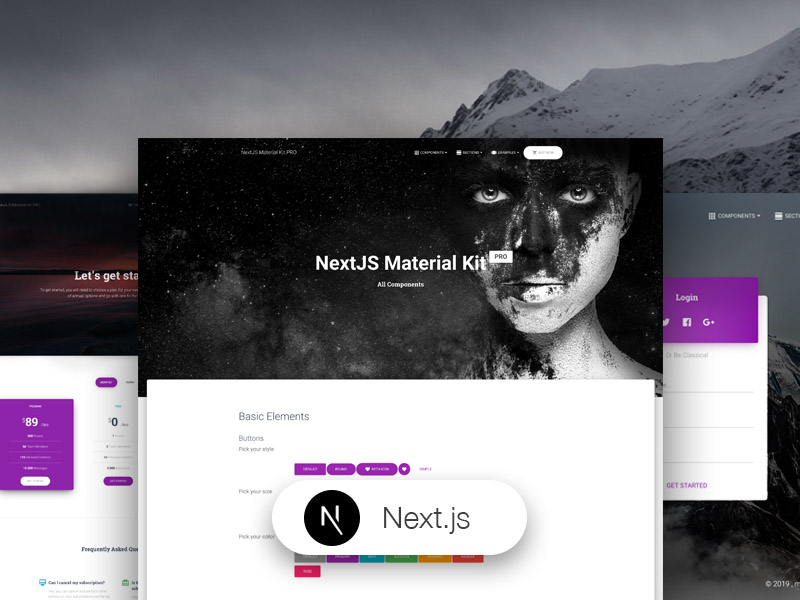
6 |
7 | **NextJS Material Kit PRO** is a Premium UI Kit made for NextJS version 9.0.5, React version 16.9.0 and Material-UI version 4.3.2.
8 |
9 | If you like bright and fresh colors, you will love this Premium NextJS Material-UI Kit! It features a huge number of components that can help you create amazing websites.
10 |
11 | Special thanks go to:
12 |
13 | - [Nepcha Analytics](https://nepcha.com?ref=readme) for the analytics tool. Nepcha is already integrated with Next.js Material Kit PRO. You can use it to gain insights into your sources of traffic
14 |
15 | **Getting Started**
16 |
17 | - Install NodeJs from [NodeJs Official Page](https://nodejs.org/en/?ref=creativetim)
18 | - Go to [creative tim website](https://creative-tim.com?ref=njsmkp-readme) and login into your account
19 | - Go to [downloads](https://www.creative-tim.com/downloads?ref=njsmkp-readme) section on creative tim website (be sure to be logged into your account) - after you've bought the theme
20 | - Press the download button near **NextJS Material Kit Pro** product (this will download onto your computer a zip file)
21 | - Unzip the downloaded file to a folder in your computer
22 | - Open Terminal
23 | - Go to your file project (where you've unzipped the product)
24 | - Run in terminal `npm install`
25 | - Then run `npm start`
26 | - Alternatively you can run `npm run install:clean` which will delete `node_modules`, `package-lock.json`, `.next/`, automatically run `install` script and `start` script
27 | - Navigate to [http://localhost:3000](http://localhost:3000)
28 | - More information → [React](https://reactjs.org/docs/installation.html?ref=creativetim)
29 | - More information → [NextJS](https://nextjs.org?ref=creativetim)
30 | - More information → [Material-UI](https://material-ui.com/?ref=creativetim)
31 | - More information → [Material Kit PRO React](https://www.creative-tim.com/product/nextjs-material-kit-pro?ref=njsmkp-readme)
32 |
33 | **Fully Coded Components**
34 |
35 | NextJS Material Kit PRO is built with over frontend 1000 individual components, giving you the freedom of choosing and combining. All components can take variations in colour, that you can easily modify using SASS and JSS files and classes.
36 |
37 | You will save a lot of time going from prototyping to full-functional code, because all elements are implemented. This Premium NextJS Material-UI Kit is coming with prebuilt examples, so the development process is seamless, switching from our pages to the real website is very easy to be done.
38 |
39 | Every element has multiple states for colors, styles, hover, focus, that you can easily access and use.
40 |
41 | View [all components here](https://demos.creative-tim.com/nextjs-material-kit-pro/documentation/accordion?ref=njsmkp-readme).
42 |
43 | **COMPLEX DOCUMENTATION**
44 |
45 | Each element is well presented in a very complex documentation. You can read more about the [idea behind this product here](https://demos.creative-tim.com/nextjs-material-kit-pro/documentation/tutorial?ref=njsmkp-readme). You can [check the components here](https://demos.creative-tim.com/nextjs-material-kit-pro/documentation/accordion?ref=njsmkp-readme).
46 |
47 | **Example Pages**
48 |
49 | If you want to get inspiration or just show something directly to your clients, you can jump start your development with our pre-built example pages. You will be able to quickly set up the basic structure for your web project.
50 |
51 | View [example pages here](https://demos.creative-tim.com/nextjs-material-kit-pro/presentation?ref=njsmkp-readme).
52 |
53 | ## Table of Contents
54 |
55 | - [Versions](#versions)
56 | - [Demo](#demo)
57 | - [Quick Start](#quick-start)
58 | - [Documentation](#documentation)
59 | - [File Structure](#file-structure)
60 | - [Browser Support](#browser-support)
61 | - [Resources](#resources)
62 | - [Reporting Issues](#reporting-issues)
63 | - [Technical Support or Questions](#technical-support-or-questions)
64 | - [Licensing](#licensing)
65 | - [Useful Links](#useful-links)
66 |
67 | ## Versions
68 |
69 | [ ](https://www.creative-tim.com/product/material-kit?ref=njsmkp-readme)[
 ](https://www.creative-tim.com/product/nextjs-material-kit?ref=njsmkp-readme)[
 ](https://www.creative-tim.com/product/vue-material-kit?ref=njsmkp-readme)[
 ](https://www.creative-tim.com/product/material-kit-react?ref=njsmkp-readme)[
 ](https://www.creative-tim.com/product/material-kit-react-native?ref=njsmkp-readme)[
 ](https://themeisle.com/themes/hestia-pro/?ref=creativetim)[
 ](https://www.creative-tim.com/product/nextjs-material-kit-pro?ref=njsmkp-readme)[
 ](https://www.creative-tim.com/product/nextjs-material-kit-pro?ref=njsmkp-readme)
70 |
71 | | React Native | WordPress | NextJS | HTML |
72 | | ----------------------------------------------------------------------------------------------------------------------------------------------------------------------------------------------------------------------------------------------------------- | ------------------------------------------------------------------------------------------------------------------------------------------------------------------------------------------------------------- | ---------------------------------------------------------------------------------------------------------------------------------------------------------------------------------------------------------------------------------------- | ------------------------------------------------------------------------------------------------------------------------------------------------------------------------------------------------------------------------ |
73 | | [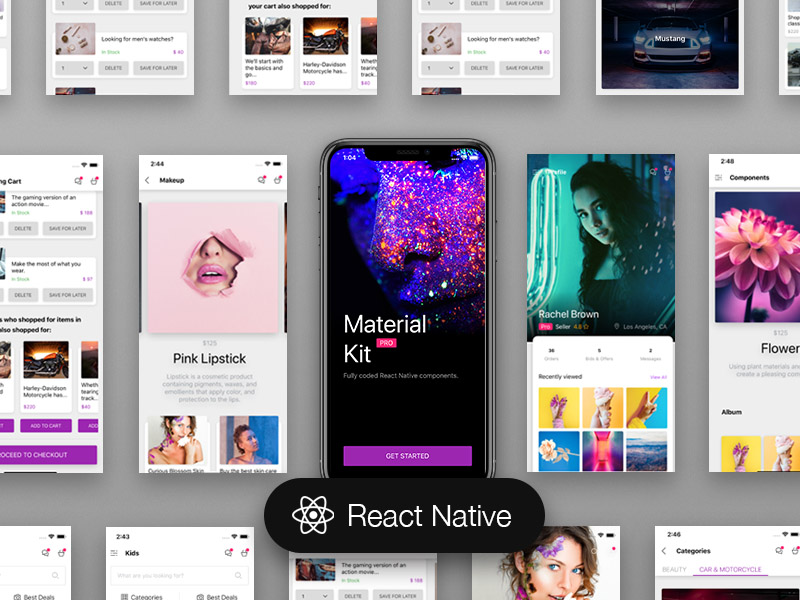](https://www.creative-tim.com/product/material-kit-react-native?ref=njsmkp-readme) | [](https://themeisle.com/themes/hestia-pro/?ref=creativetim) | [](https://www.creative-tim.com/product/nextjs-material-kit-pro?ref=njsmkp-readme) | [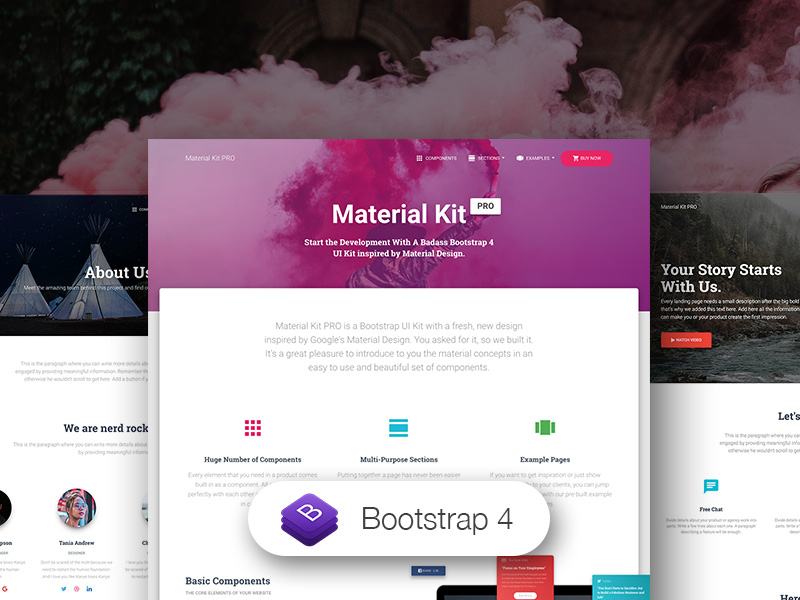](https://www.creative-tim.com/product/material-kit-pro?ref=njsmkp-readme) |
74 |
75 | | React | Vue |
76 | | ------------------------------------------------------------------------------------------------------------------------------------------------------------------------------------------------------------------------ | ---------------------------------------------------------------------------------------------------------------------------------------------------------------------------------------------------------------- |
77 | | [](https://www.creative-tim.com/product/material-kit-react?ref=njsmkp-readme) | [](https://www.creative-tim.com/product/vue-material-kit?ref=njsmkp-readme) |
78 |
79 | ## Demo
80 |
81 | - [Index Page](https://demos.creative-tim.com/nextjs-material-kit-pro/presentation?ref=njsmkp-readme)
82 | - [Buttons Section](https://demos.creative-tim.com/nextjs-material-kit-pro/components#buttons?ref=njsmkp-readme)
83 | - [Navigation Section](https://demos.creative-tim.com/nextjs-material-kit-pro/components#navigation?ref=njsmkp-readme)
84 | - [Notifications Section](https://demos.creative-tim.com/nextjs-material-kit-pro/components#notifications?ref=njsmkp-readme)
85 | - [User profile page](https://demos.creative-tim.com/nextjs-material-kit-pro/profile?ref=njsmkp-readme)
86 | - [Landing page](https://demos.creative-tim.com/nextjs-material-kit-pro/landing-page?ref=njsmkp-readme)
87 |
88 | [View More](https://demos.creative-tim.com/nextjs-material-kit-pro/components?ref=njsmkp-readme).
89 |
90 | ## Quick start
91 |
92 | - Buy from [Creative Tim](https://www.creative-tim.com/product/nextjs-material-kit-pro?ref=njsmkp-readme)
93 |
94 | ## Documentation
95 |
96 | The documentation for the NextJS Material Kit PRO is hosted at our [website](https://demos.creative-tim.com/nextjs-material-kit-pro/documentation/tutorial?ref=njsmkp-readme).
97 |
98 | ## File Structure
99 |
100 | Within the download you'll find the following directories and files:
101 |
102 | ```
103 | nextjs-material-kit-pro
104 | .
105 | ├── CHANGELOG.md
106 | ├── ISSUE_TEMPLATE.md
107 | ├── README.md
108 | ├── next.config.js
109 | ├── package.json
110 | ├── Documentation
111 | │ ├── assets
112 | │ │ ├── css
113 | │ │ ├── img
114 | │ │ │ └── faces
115 | │ │ └── js
116 | │ └── tutorial-components.html
117 | ├── pages
118 | │ ├── _app.js
119 | │ ├── _document.js
120 | │ ├── _error.js
121 | │ ├── about-us.js
122 | │ ├── blog-post.js
123 | │ ├── blog-posts.js
124 | │ ├── components.js
125 | │ ├── contact-us.js
126 | │ ├── ecommerce.js
127 | │ ├── error-page.js
128 | │ ├── index.js
129 | │ ├── landing-page.js
130 | │ ├── login.js
131 | │ ├── presentation.js
132 | │ ├── pricing.js
133 | │ ├── product.js
134 | │ ├── profile.js
135 | │ ├── sections.js
136 | │ ├── shopping-cart.js
137 | │ └── signup.js
138 | ├── assets
139 | │ ├── css
140 | │ │ ├── nextjs-material-kit-pro.css
141 | │ │ ├── nextjs-material-kit-pro.css.map
142 | │ │ └── nextjs-material-kit-pro.min.css
143 | │ ├── img
144 | │ │ ├── assets-for-demo
145 | │ │ │ ├── example-pages
146 | │ │ │ ├── ourClients
147 | │ │ │ ├── presentationViewSectionComponent
148 | │ │ │ └── sections
149 | │ │ │ └── imgs.js
150 | │ │ ├── examples
151 | │ │ ├── faces
152 | │ │ ├── flags
153 | │ │ └── sections
154 | │ ├── jss
155 | │ │ ├── nextjs-material-kit-pro
156 | │ │ │ ├── components
157 | │ │ │ └── views
158 | │ │ │ ├── aboutUsSections
159 | │ │ │ ├── blogPostSections
160 | │ │ │ ├── blogPostsSections
161 | │ │ │ ├── componentsSections
162 | │ │ │ ├── ecommerceSections
163 | │ │ │ ├── landingPageSections
164 | │ │ │ ├── presentationSections
165 | │ │ │ ├── pricingSections
166 | │ │ │ ├── sectionsSections
167 | │ │ └── nextjs-material-kit-pro.js
168 | │ └── scss
169 | │ ├── core
170 | │ │ ├── mixins
171 | │ │ └── variables
172 | │ ├── plugins
173 | │ └── nextjs-material-kit-pro.scss
174 | ├── components
175 | │ ├── Accordion
176 | │ │ └── Accordion.js
177 | │ ├── Badge
178 | │ │ └── Badge.js
179 | │ ├── Card
180 | │ │ ├── Card.js
181 | │ │ ├── CardAvatar.js
182 | │ │ ├── CardBody.js
183 | │ │ ├── CardFooter.js
184 | │ │ └── CardHeader.js
185 | │ ├── Clearfix
186 | │ │ └── Clearfix.js
187 | │ ├── CustomButtons
188 | │ │ └── Button.js
189 | │ ├── CustomDropdown
190 | │ │ └── CustomDropdown.js
191 | │ ├── CustomFileInput
192 | │ │ └── CustomFileInput.js
193 | │ ├── CustomInput
194 | │ │ └── CustomInput.js
195 | │ ├── CustomLinearProgress
196 | │ │ └── CustomLinearProgress.js
197 | │ ├── CustomTabs
198 | │ │ └── CustomTabs.js
199 | │ ├── CustomUpload
200 | │ │ └── ImageUpload.js
201 | │ ├── Footer
202 | │ │ └── Footer.js
203 | │ ├── Grid
204 | │ │ ├── GridContainer.js
205 | │ │ └── GridItem.js
206 | │ ├── Header
207 | │ │ ├── Header.js
208 | │ │ └── HeaderLinks.js
209 | │ ├── InfoArea
210 | │ │ └── InfoArea.js
211 | │ ├── Instruction
212 | │ │ └── Instruction.js
213 | │ ├── Media
214 | │ │ └── Media.js
215 | │ ├── NavPills
216 | │ │ └── NavPills.js
217 | │ ├── PageChange
218 | │ │ └── PageChange.js
219 | │ ├── Pagination
220 | │ │ └── Pagination.js
221 | │ ├── Parallax
222 | │ │ └── Parallax.js
223 | │ ├── Snackbar
224 | │ │ └── SnackbarContent.js
225 | │ ├── Table
226 | │ │ └── Table.js
227 | │ └── Typography
228 | │ ├── Danger.js
229 | │ ├── Info.js
230 | │ ├── Muted.js
231 | │ ├── Primary.js
232 | │ ├── Quote.js
233 | │ ├── Rose.js
234 | │ ├── Small.js
235 | │ ├── Success.js
236 | │ └── Warning.js
237 | └── pages-sections
238 | ├── about-us
239 | │ ├── SectionContact.js
240 | │ ├── SectionDescription.js
241 | │ ├── SectionOffice.js
242 | │ ├── SectionServices.js
243 | │ └── SectionTeam.js
244 | ├── blog-post
245 | │ ├── SectionBlogInfo.js
246 | │ ├── SectionComments.js
247 | │ ├── SectionSimilarStories.js
248 | │ └── SectionText.js
249 | ├── blog-posts
250 | │ ├── SectionImage.js
251 | │ ├── SectionInterested.js
252 | │ ├── SectionPills.js
253 | │ └── SubscribeLine.js
254 | ├── components
255 | │ ├── SectionBasics.js
256 | │ ├── SectionCards.js
257 | │ ├── SectionCarousel.js
258 | │ ├── SectionContentAreas.js
259 | │ ├── SectionFooter.js
260 | │ ├── SectionJavascript.js
261 | │ ├── SectionNavbars.js
262 | │ ├── SectionNotifications.js
263 | │ ├── SectionPills.js
264 | │ ├── SectionPreFooter.js
265 | │ ├── SectionTabs.js
266 | │ └── SectionTypography.js
267 | ├── ecommerce
268 | │ ├── SectionBlog.js
269 | │ ├── SectionLatestOffers.js
270 | │ └── SectionProducts.js
271 | ├── landing-page
272 | │ ├── SectionProduct.js
273 | │ ├── SectionTeam.js
274 | │ └── SectionWork.js
275 | ├── presentation-page
276 | │ ├── SectionCards.js
277 | │ ├── SectionComponents.js
278 | │ ├── SectionContent.js
279 | │ ├── SectionDescription.js
280 | │ ├── SectionExamples.js
281 | │ ├── SectionFreeDemo.js
282 | │ ├── SectionOverview.js
283 | │ ├── SectionPricing.js
284 | │ └── SectionSections.js
285 | ├── pricing-page
286 | │ ├── SectionFeatures.js
287 | │ └── SectionPricing.js
288 | └── sections-page
289 | ├── SectionBlogs.js
290 | ├── SectionContacts.js
291 | ├── SectionFeatures.js
292 | ├── SectionHeaders.js
293 | ├── SectionPricing.js
294 | ├── SectionProjects.js
295 | ├── SectionTeams.js
296 | └── SectionTestimonials.js
297 | ```
298 |
299 | ## Browser Support
300 |
301 | At present, we officially aim to support the last two versions of the following browsers:
302 |
303 |
](https://www.creative-tim.com/product/nextjs-material-kit-pro?ref=njsmkp-readme)
70 |
71 | | React Native | WordPress | NextJS | HTML |
72 | | ----------------------------------------------------------------------------------------------------------------------------------------------------------------------------------------------------------------------------------------------------------- | ------------------------------------------------------------------------------------------------------------------------------------------------------------------------------------------------------------- | ---------------------------------------------------------------------------------------------------------------------------------------------------------------------------------------------------------------------------------------- | ------------------------------------------------------------------------------------------------------------------------------------------------------------------------------------------------------------------------ |
73 | | [](https://www.creative-tim.com/product/material-kit-react-native?ref=njsmkp-readme) | [](https://themeisle.com/themes/hestia-pro/?ref=creativetim) | [](https://www.creative-tim.com/product/nextjs-material-kit-pro?ref=njsmkp-readme) | [](https://www.creative-tim.com/product/material-kit-pro?ref=njsmkp-readme) |
74 |
75 | | React | Vue |
76 | | ------------------------------------------------------------------------------------------------------------------------------------------------------------------------------------------------------------------------ | ---------------------------------------------------------------------------------------------------------------------------------------------------------------------------------------------------------------- |
77 | | [](https://www.creative-tim.com/product/material-kit-react?ref=njsmkp-readme) | [](https://www.creative-tim.com/product/vue-material-kit?ref=njsmkp-readme) |
78 |
79 | ## Demo
80 |
81 | - [Index Page](https://demos.creative-tim.com/nextjs-material-kit-pro/presentation?ref=njsmkp-readme)
82 | - [Buttons Section](https://demos.creative-tim.com/nextjs-material-kit-pro/components#buttons?ref=njsmkp-readme)
83 | - [Navigation Section](https://demos.creative-tim.com/nextjs-material-kit-pro/components#navigation?ref=njsmkp-readme)
84 | - [Notifications Section](https://demos.creative-tim.com/nextjs-material-kit-pro/components#notifications?ref=njsmkp-readme)
85 | - [User profile page](https://demos.creative-tim.com/nextjs-material-kit-pro/profile?ref=njsmkp-readme)
86 | - [Landing page](https://demos.creative-tim.com/nextjs-material-kit-pro/landing-page?ref=njsmkp-readme)
87 |
88 | [View More](https://demos.creative-tim.com/nextjs-material-kit-pro/components?ref=njsmkp-readme).
89 |
90 | ## Quick start
91 |
92 | - Buy from [Creative Tim](https://www.creative-tim.com/product/nextjs-material-kit-pro?ref=njsmkp-readme)
93 |
94 | ## Documentation
95 |
96 | The documentation for the NextJS Material Kit PRO is hosted at our [website](https://demos.creative-tim.com/nextjs-material-kit-pro/documentation/tutorial?ref=njsmkp-readme).
97 |
98 | ## File Structure
99 |
100 | Within the download you'll find the following directories and files:
101 |
102 | ```
103 | nextjs-material-kit-pro
104 | .
105 | ├── CHANGELOG.md
106 | ├── ISSUE_TEMPLATE.md
107 | ├── README.md
108 | ├── next.config.js
109 | ├── package.json
110 | ├── Documentation
111 | │ ├── assets
112 | │ │ ├── css
113 | │ │ ├── img
114 | │ │ │ └── faces
115 | │ │ └── js
116 | │ └── tutorial-components.html
117 | ├── pages
118 | │ ├── _app.js
119 | │ ├── _document.js
120 | │ ├── _error.js
121 | │ ├── about-us.js
122 | │ ├── blog-post.js
123 | │ ├── blog-posts.js
124 | │ ├── components.js
125 | │ ├── contact-us.js
126 | │ ├── ecommerce.js
127 | │ ├── error-page.js
128 | │ ├── index.js
129 | │ ├── landing-page.js
130 | │ ├── login.js
131 | │ ├── presentation.js
132 | │ ├── pricing.js
133 | │ ├── product.js
134 | │ ├── profile.js
135 | │ ├── sections.js
136 | │ ├── shopping-cart.js
137 | │ └── signup.js
138 | ├── assets
139 | │ ├── css
140 | │ │ ├── nextjs-material-kit-pro.css
141 | │ │ ├── nextjs-material-kit-pro.css.map
142 | │ │ └── nextjs-material-kit-pro.min.css
143 | │ ├── img
144 | │ │ ├── assets-for-demo
145 | │ │ │ ├── example-pages
146 | │ │ │ ├── ourClients
147 | │ │ │ ├── presentationViewSectionComponent
148 | │ │ │ └── sections
149 | │ │ │ └── imgs.js
150 | │ │ ├── examples
151 | │ │ ├── faces
152 | │ │ ├── flags
153 | │ │ └── sections
154 | │ ├── jss
155 | │ │ ├── nextjs-material-kit-pro
156 | │ │ │ ├── components
157 | │ │ │ └── views
158 | │ │ │ ├── aboutUsSections
159 | │ │ │ ├── blogPostSections
160 | │ │ │ ├── blogPostsSections
161 | │ │ │ ├── componentsSections
162 | │ │ │ ├── ecommerceSections
163 | │ │ │ ├── landingPageSections
164 | │ │ │ ├── presentationSections
165 | │ │ │ ├── pricingSections
166 | │ │ │ ├── sectionsSections
167 | │ │ └── nextjs-material-kit-pro.js
168 | │ └── scss
169 | │ ├── core
170 | │ │ ├── mixins
171 | │ │ └── variables
172 | │ ├── plugins
173 | │ └── nextjs-material-kit-pro.scss
174 | ├── components
175 | │ ├── Accordion
176 | │ │ └── Accordion.js
177 | │ ├── Badge
178 | │ │ └── Badge.js
179 | │ ├── Card
180 | │ │ ├── Card.js
181 | │ │ ├── CardAvatar.js
182 | │ │ ├── CardBody.js
183 | │ │ ├── CardFooter.js
184 | │ │ └── CardHeader.js
185 | │ ├── Clearfix
186 | │ │ └── Clearfix.js
187 | │ ├── CustomButtons
188 | │ │ └── Button.js
189 | │ ├── CustomDropdown
190 | │ │ └── CustomDropdown.js
191 | │ ├── CustomFileInput
192 | │ │ └── CustomFileInput.js
193 | │ ├── CustomInput
194 | │ │ └── CustomInput.js
195 | │ ├── CustomLinearProgress
196 | │ │ └── CustomLinearProgress.js
197 | │ ├── CustomTabs
198 | │ │ └── CustomTabs.js
199 | │ ├── CustomUpload
200 | │ │ └── ImageUpload.js
201 | │ ├── Footer
202 | │ │ └── Footer.js
203 | │ ├── Grid
204 | │ │ ├── GridContainer.js
205 | │ │ └── GridItem.js
206 | │ ├── Header
207 | │ │ ├── Header.js
208 | │ │ └── HeaderLinks.js
209 | │ ├── InfoArea
210 | │ │ └── InfoArea.js
211 | │ ├── Instruction
212 | │ │ └── Instruction.js
213 | │ ├── Media
214 | │ │ └── Media.js
215 | │ ├── NavPills
216 | │ │ └── NavPills.js
217 | │ ├── PageChange
218 | │ │ └── PageChange.js
219 | │ ├── Pagination
220 | │ │ └── Pagination.js
221 | │ ├── Parallax
222 | │ │ └── Parallax.js
223 | │ ├── Snackbar
224 | │ │ └── SnackbarContent.js
225 | │ ├── Table
226 | │ │ └── Table.js
227 | │ └── Typography
228 | │ ├── Danger.js
229 | │ ├── Info.js
230 | │ ├── Muted.js
231 | │ ├── Primary.js
232 | │ ├── Quote.js
233 | │ ├── Rose.js
234 | │ ├── Small.js
235 | │ ├── Success.js
236 | │ └── Warning.js
237 | └── pages-sections
238 | ├── about-us
239 | │ ├── SectionContact.js
240 | │ ├── SectionDescription.js
241 | │ ├── SectionOffice.js
242 | │ ├── SectionServices.js
243 | │ └── SectionTeam.js
244 | ├── blog-post
245 | │ ├── SectionBlogInfo.js
246 | │ ├── SectionComments.js
247 | │ ├── SectionSimilarStories.js
248 | │ └── SectionText.js
249 | ├── blog-posts
250 | │ ├── SectionImage.js
251 | │ ├── SectionInterested.js
252 | │ ├── SectionPills.js
253 | │ └── SubscribeLine.js
254 | ├── components
255 | │ ├── SectionBasics.js
256 | │ ├── SectionCards.js
257 | │ ├── SectionCarousel.js
258 | │ ├── SectionContentAreas.js
259 | │ ├── SectionFooter.js
260 | │ ├── SectionJavascript.js
261 | │ ├── SectionNavbars.js
262 | │ ├── SectionNotifications.js
263 | │ ├── SectionPills.js
264 | │ ├── SectionPreFooter.js
265 | │ ├── SectionTabs.js
266 | │ └── SectionTypography.js
267 | ├── ecommerce
268 | │ ├── SectionBlog.js
269 | │ ├── SectionLatestOffers.js
270 | │ └── SectionProducts.js
271 | ├── landing-page
272 | │ ├── SectionProduct.js
273 | │ ├── SectionTeam.js
274 | │ └── SectionWork.js
275 | ├── presentation-page
276 | │ ├── SectionCards.js
277 | │ ├── SectionComponents.js
278 | │ ├── SectionContent.js
279 | │ ├── SectionDescription.js
280 | │ ├── SectionExamples.js
281 | │ ├── SectionFreeDemo.js
282 | │ ├── SectionOverview.js
283 | │ ├── SectionPricing.js
284 | │ └── SectionSections.js
285 | ├── pricing-page
286 | │ ├── SectionFeatures.js
287 | │ └── SectionPricing.js
288 | └── sections-page
289 | ├── SectionBlogs.js
290 | ├── SectionContacts.js
291 | ├── SectionFeatures.js
292 | ├── SectionHeaders.js
293 | ├── SectionPricing.js
294 | ├── SectionProjects.js
295 | ├── SectionTeams.js
296 | └── SectionTestimonials.js
297 | ```
298 |
299 | ## Browser Support
300 |
301 | At present, we officially aim to support the last two versions of the following browsers:
302 |
303 | 


 304 |
305 | ## Resources
306 |
307 | - Demo:
308 | - Download Page:
309 | - Documentation:
310 | - License Agreement:
311 | - Support:
312 | - Issues: [Github Issues Page](https://github.com/creativetimofficial/ct-nextjs-material-kit-pro/issues)
313 | - [Nepcha Analytics](https://nepcha.com?ref=readme) - Analytics tool for your website
314 | - **Dashboards:**
315 |
316 | | HTML | React | Angular | Vue | Laravel | Vuetify |
317 | | ---------------------------------------------------------------------------------------------------------------------------------------------------------------------------------------------------------------------------------------- | ---------------------------------------------------------------------------------------------------------------------------------------------------------------------------------------------------------------------------------------------------------------- | ------------------------------------------------------------------------------------------------------------------------------------------------------------------------------------------------------------------------------------------------------------------------- | -------------------------------------------------------------------------------------------------------------------------------------------------------------------------------------------------------------------------------------------------------- | ------------------------------------------------------------------------------------------------------------------------------------------------------------------------------------------------------------------------------------------------------------------------ | ------------------------------------------------------------------------------------------------------------------------------------------------------------------------------------------------------------------------------------------------------------------------ |
318 | | [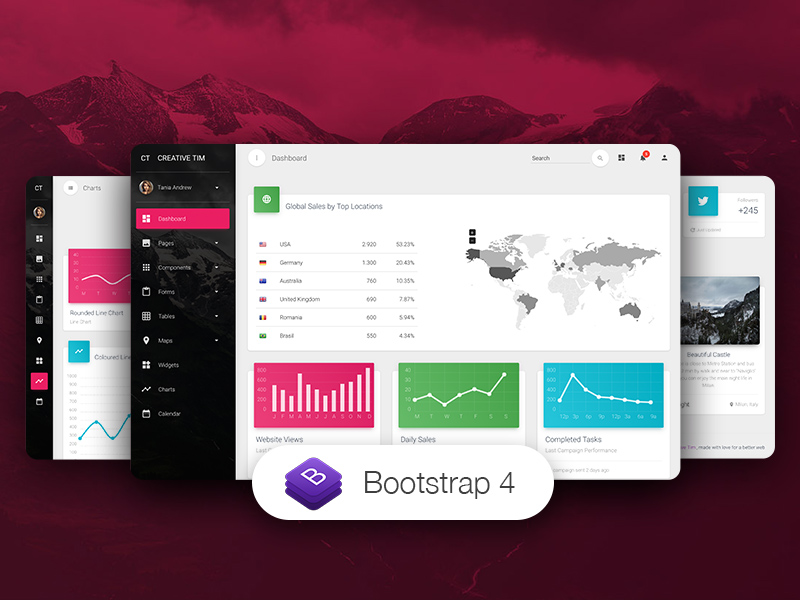](https://www.creative-tim.com/product/material-dashboard-pro?ref=njsmkp-readme) | [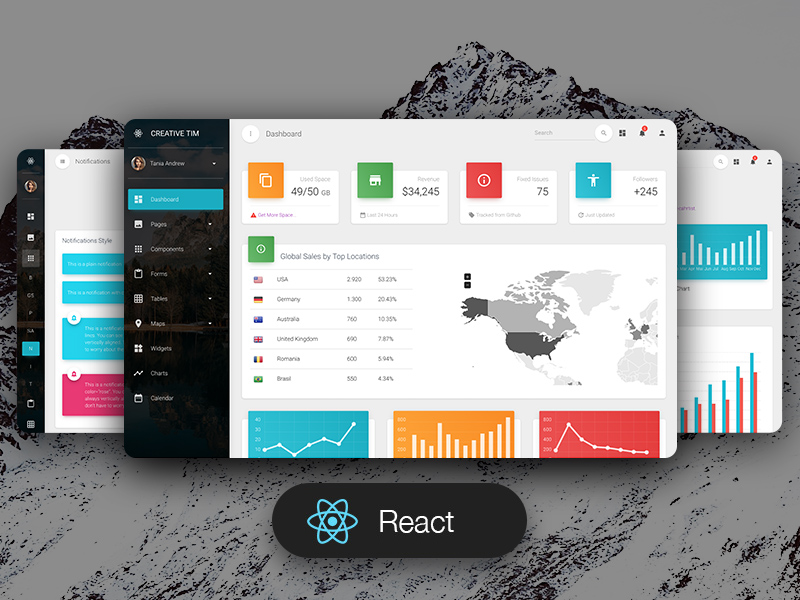](https://www.creative-tim.com/product/material-dashboard-pro-react?ref=njsmkp-readme) | [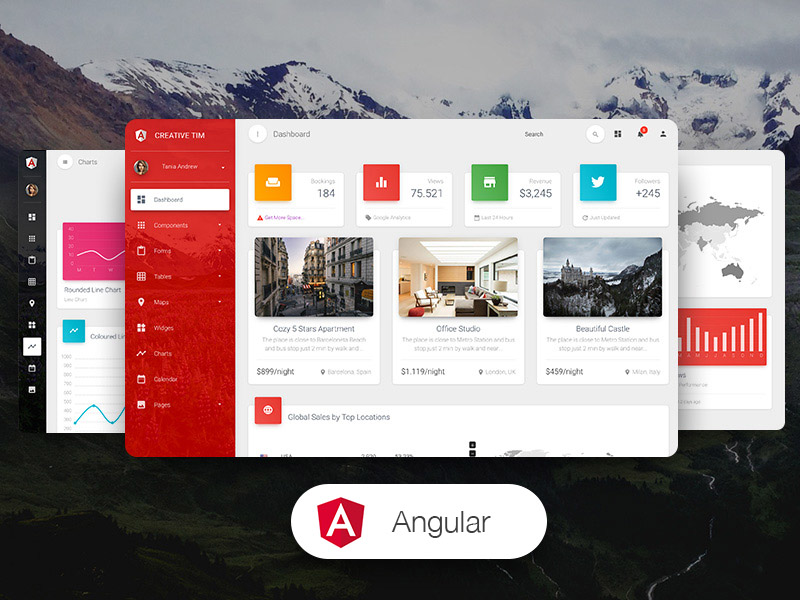](https://www.creative-tim.com/product/material-dashboard-pro-angular2?ref=njsmkp-readme) | [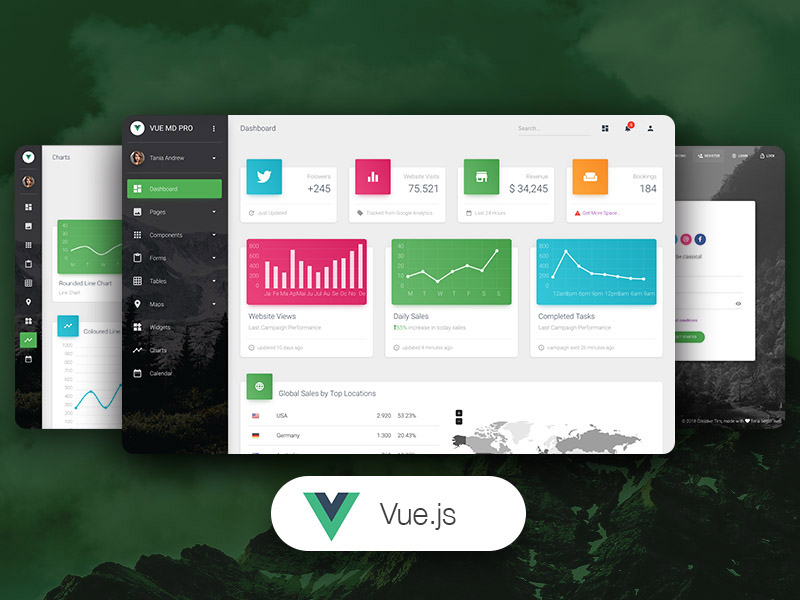](https://www.creative-tim.com/product/vue-material-dashboard-pro?ref=njsmkp-readme) | [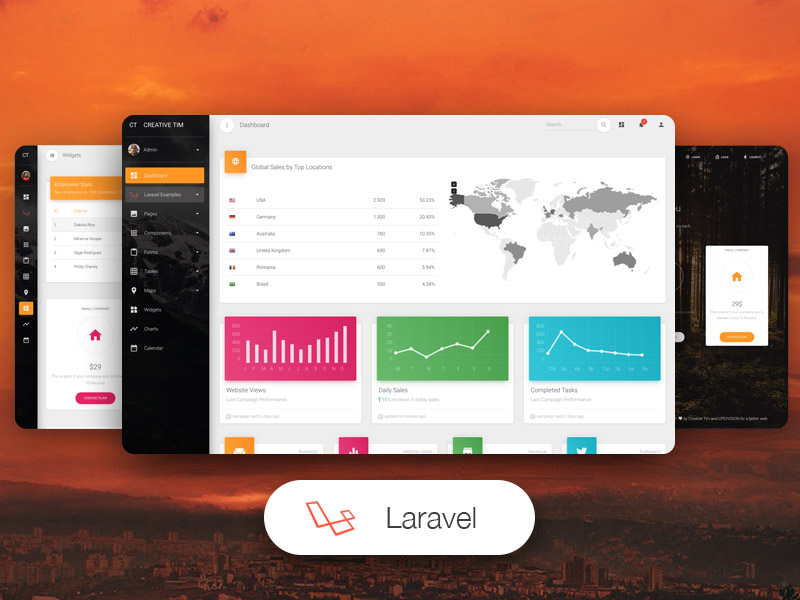](https://www.creative-tim.com/product/material-dashboard-pro-laravel?ref=njsmkp-readme) | [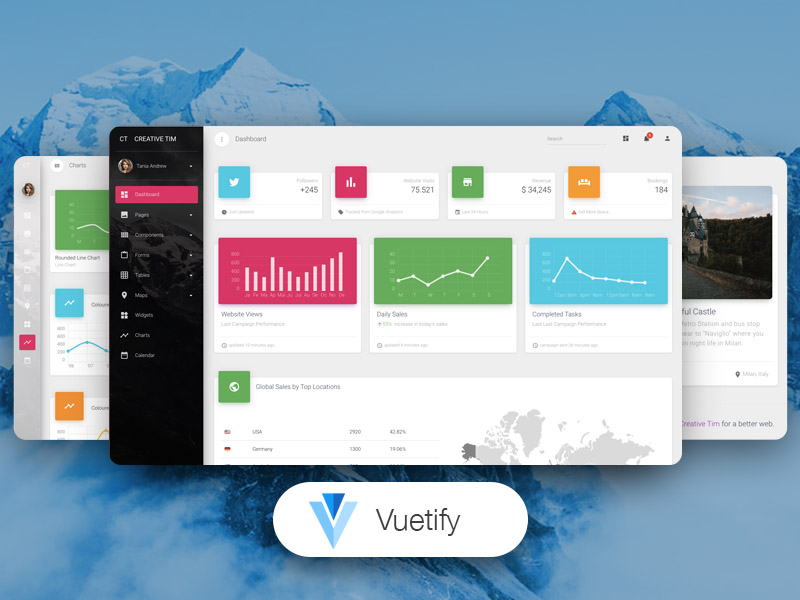](https://www.creative-tim.com/product/vuetify-material-dashboard-pro?ref=njsmkp-readme) |
319 |
320 | ## Reporting Issues
321 |
322 | We use GitHub Issues as the official bug tracker for the NextJS Material Kit PRO. Here are some advices for our users that want to report an issue:
323 |
324 | 1. Make sure that you are using the latest version of the NextJS Material Kit PRO. Check the CHANGELOG from your dashboard on our [website](https://www.creative-tim.com/?ref=njsmkp-readme).
325 | 2. Providing us reproducible steps for the issue will shorten the time it takes for it to be fixed.
326 | 3. Some issues may be browser specific, so specifying in what browser you encountered the issue might help.
327 |
328 | ## Technical Support or Questions
329 |
330 | If you have questions or need help integrating the product please [contact us](https://www.creative-tim.com/contact-us?ref=njsmkp-readme) instead of opening an issue.
331 |
332 | ## Licensing
333 |
334 | - Copyright 2022 Creative Tim (https://www.creative-tim.com/?ref=njsmkp-readme)
335 |
336 | - Creative Tim [license](https://www.creative-tim.com/license?ref=njsmkp-readme)
337 |
338 | ## Useful Links
339 |
340 | - [Tutorials](https://www.youtube.com/channel/UCVyTG4sCw-rOvB9oHkzZD1w)
341 | - [Affiliate Program](https://www.creative-tim.com/affiliates/new?ref=njsmkp-readme) (earn money)
342 | - [Blog Creative Tim](http://blog.creative-tim.com/?ref=njsmkp-readme)
343 | - [Free Products](https://www.creative-tim.com/templates/free?direction=desc&sort=created_at&ref=njsmkp-readme) from Creative Tim
344 | - [Premium Products](https://www.creative-tim.com/templates/premium?direction=desc&sort=created_at&ref=njsmkp-readme) from Creative Tim
345 | - [React Products](https://www.creative-tim.com/templates/react?direction=desc&sort=created_at&ref=njsmkp-readme) from Creative Tim
346 | - [Angular Products](https://www.creative-tim.com/templates/angular?direction=desc&sort=created_at&ref=njsmkp-readme) from Creative Tim
347 | - [VueJS Products](https://www.creative-tim.com/templates/vuejs?direction=desc&sort=created_atref=njsmkp-readme) from Creative Tim
348 | - [More products](https://www.creative-tim.com/templates?ref=njsmkp-readme) from Creative Tim
349 | - Check our Bundles [here](https://www.creative-tim.com/bundles?ref=njsmkp-readme)
350 |
351 | ##### Social Media
352 |
353 | Twitter:
354 |
355 | Facebook:
356 |
357 | Dribbble:
358 |
359 | Github:
360 |
361 | Instagram:
362 |
--------------------------------------------------------------------------------
304 |
305 | ## Resources
306 |
307 | - Demo:
308 | - Download Page:
309 | - Documentation:
310 | - License Agreement:
311 | - Support:
312 | - Issues: [Github Issues Page](https://github.com/creativetimofficial/ct-nextjs-material-kit-pro/issues)
313 | - [Nepcha Analytics](https://nepcha.com?ref=readme) - Analytics tool for your website
314 | - **Dashboards:**
315 |
316 | | HTML | React | Angular | Vue | Laravel | Vuetify |
317 | | ---------------------------------------------------------------------------------------------------------------------------------------------------------------------------------------------------------------------------------------- | ---------------------------------------------------------------------------------------------------------------------------------------------------------------------------------------------------------------------------------------------------------------- | ------------------------------------------------------------------------------------------------------------------------------------------------------------------------------------------------------------------------------------------------------------------------- | -------------------------------------------------------------------------------------------------------------------------------------------------------------------------------------------------------------------------------------------------------- | ------------------------------------------------------------------------------------------------------------------------------------------------------------------------------------------------------------------------------------------------------------------------ | ------------------------------------------------------------------------------------------------------------------------------------------------------------------------------------------------------------------------------------------------------------------------ |
318 | | [](https://www.creative-tim.com/product/material-dashboard-pro?ref=njsmkp-readme) | [](https://www.creative-tim.com/product/material-dashboard-pro-react?ref=njsmkp-readme) | [](https://www.creative-tim.com/product/material-dashboard-pro-angular2?ref=njsmkp-readme) | [](https://www.creative-tim.com/product/vue-material-dashboard-pro?ref=njsmkp-readme) | [](https://www.creative-tim.com/product/material-dashboard-pro-laravel?ref=njsmkp-readme) | [](https://www.creative-tim.com/product/vuetify-material-dashboard-pro?ref=njsmkp-readme) |
319 |
320 | ## Reporting Issues
321 |
322 | We use GitHub Issues as the official bug tracker for the NextJS Material Kit PRO. Here are some advices for our users that want to report an issue:
323 |
324 | 1. Make sure that you are using the latest version of the NextJS Material Kit PRO. Check the CHANGELOG from your dashboard on our [website](https://www.creative-tim.com/?ref=njsmkp-readme).
325 | 2. Providing us reproducible steps for the issue will shorten the time it takes for it to be fixed.
326 | 3. Some issues may be browser specific, so specifying in what browser you encountered the issue might help.
327 |
328 | ## Technical Support or Questions
329 |
330 | If you have questions or need help integrating the product please [contact us](https://www.creative-tim.com/contact-us?ref=njsmkp-readme) instead of opening an issue.
331 |
332 | ## Licensing
333 |
334 | - Copyright 2022 Creative Tim (https://www.creative-tim.com/?ref=njsmkp-readme)
335 |
336 | - Creative Tim [license](https://www.creative-tim.com/license?ref=njsmkp-readme)
337 |
338 | ## Useful Links
339 |
340 | - [Tutorials](https://www.youtube.com/channel/UCVyTG4sCw-rOvB9oHkzZD1w)
341 | - [Affiliate Program](https://www.creative-tim.com/affiliates/new?ref=njsmkp-readme) (earn money)
342 | - [Blog Creative Tim](http://blog.creative-tim.com/?ref=njsmkp-readme)
343 | - [Free Products](https://www.creative-tim.com/templates/free?direction=desc&sort=created_at&ref=njsmkp-readme) from Creative Tim
344 | - [Premium Products](https://www.creative-tim.com/templates/premium?direction=desc&sort=created_at&ref=njsmkp-readme) from Creative Tim
345 | - [React Products](https://www.creative-tim.com/templates/react?direction=desc&sort=created_at&ref=njsmkp-readme) from Creative Tim
346 | - [Angular Products](https://www.creative-tim.com/templates/angular?direction=desc&sort=created_at&ref=njsmkp-readme) from Creative Tim
347 | - [VueJS Products](https://www.creative-tim.com/templates/vuejs?direction=desc&sort=created_atref=njsmkp-readme) from Creative Tim
348 | - [More products](https://www.creative-tim.com/templates?ref=njsmkp-readme) from Creative Tim
349 | - Check our Bundles [here](https://www.creative-tim.com/bundles?ref=njsmkp-readme)
350 |
351 | ##### Social Media
352 |
353 | Twitter:
354 |
355 | Facebook:
356 |
357 | Dribbble:
358 |
359 | Github:
360 |
361 | Instagram:
362 |
--------------------------------------------------------------------------------