├── examples
├── bmi
│ ├── .gitignore
│ ├── README.md
│ ├── elm.json
│ └── src
│ │ └── Main.elm
├── fizzBuzz
│ ├── README.md
│ ├── tests
│ │ ├── Main.elm
│ │ ├── elm-package.json
│ │ └── Tests.elm
│ ├── elm-package.json
│ └── src
│ │ └── FizzBuzz.elm
├── elm-ports
│ ├── .gitignore
│ ├── audio.mp3
│ ├── package.json
│ ├── elm-package.json
│ └── Main.elm
├── images
│ ├── dice_1.jpg
│ ├── dice_2.jpg
│ ├── dice_3.jpg
│ ├── dice_4.jpg
│ ├── dice_5.jpg
│ └── dice_6.jpg
├── hello-world.elm
├── addone.elm
├── switch.elm
├── README.md
├── pluralize.elm
├── elm-flags
│ ├── index.html
│ ├── elm-package.json
│ ├── package.json
│ └── Main.elm
├── elm-package.json
├── elm-package
│ ├── elm.json
│ └── README.md
├── elm.json
├── spelling.html
├── counter.elm
├── buttons-viewdot.elm
├── buttons-counter-reset.elm
├── counter-reset.elm
├── buttons.elm
├── text_fields.elm
├── command-dice.elm
├── html_external_css.elm
├── app.elm
├── subscriptions.elm
├── random.elm
├── random-number.elm
├── random_dice.elm
├── time.elm
├── checkboxes.elm
├── spelling.elm
├── buttons-tachyons.elm
├── web_sockets.elm
├── http.elm
├── form.elm
├── time_pause.elm
├── http_input_exercise.elm
├── time_basic.elm
├── SignupForm.elm
├── binary_tree.elm
└── form_extended.elm
├── tutorials
├── elm-ui
│ ├── .gitignore
│ ├── elm.json
│ ├── src
│ │ └── Main.elm
│ └── README.md
└── lazy-loading
│ ├── elm.json
│ ├── index.html
│ ├── src
│ └── Main.elm
│ └── README.md
├── CONTRIBUTING.md
├── .gitignore
├── circle.yml
├── circle-dependencies.sh
├── package.json
├── elm-package.json
└── README.md
/examples/bmi/.gitignore:
--------------------------------------------------------------------------------
1 | elm-stuff
--------------------------------------------------------------------------------
/tutorials/elm-ui/.gitignore:
--------------------------------------------------------------------------------
1 | index.html
2 |
--------------------------------------------------------------------------------
/examples/fizzBuzz/README.md:
--------------------------------------------------------------------------------
1 | # FizzBuzz done in Elm
2 |
--------------------------------------------------------------------------------
/examples/elm-ports/.gitignore:
--------------------------------------------------------------------------------
1 | elm.js
2 | elm-stuff
3 | node_modules
4 | .DS_Store
5 |
--------------------------------------------------------------------------------
/examples/images/dice_1.jpg:
--------------------------------------------------------------------------------
https://raw.githubusercontent.com/dwyl/learn-elm/HEAD/examples/images/dice_1.jpg
--------------------------------------------------------------------------------
/examples/images/dice_2.jpg:
--------------------------------------------------------------------------------
https://raw.githubusercontent.com/dwyl/learn-elm/HEAD/examples/images/dice_2.jpg
--------------------------------------------------------------------------------
/examples/images/dice_3.jpg:
--------------------------------------------------------------------------------
https://raw.githubusercontent.com/dwyl/learn-elm/HEAD/examples/images/dice_3.jpg
--------------------------------------------------------------------------------
/examples/images/dice_4.jpg:
--------------------------------------------------------------------------------
https://raw.githubusercontent.com/dwyl/learn-elm/HEAD/examples/images/dice_4.jpg
--------------------------------------------------------------------------------
/examples/images/dice_5.jpg:
--------------------------------------------------------------------------------
https://raw.githubusercontent.com/dwyl/learn-elm/HEAD/examples/images/dice_5.jpg
--------------------------------------------------------------------------------
/examples/images/dice_6.jpg:
--------------------------------------------------------------------------------
https://raw.githubusercontent.com/dwyl/learn-elm/HEAD/examples/images/dice_6.jpg
--------------------------------------------------------------------------------
/examples/elm-ports/audio.mp3:
--------------------------------------------------------------------------------
https://raw.githubusercontent.com/dwyl/learn-elm/HEAD/examples/elm-ports/audio.mp3
--------------------------------------------------------------------------------
/CONTRIBUTING.md:
--------------------------------------------------------------------------------
1 | _**Please read** our_
2 | [**contribution guide**](https://github.com/dwyl/contributing)
3 | (_thank you_!)
4 |
5 |
--------------------------------------------------------------------------------
/examples/hello-world.elm:
--------------------------------------------------------------------------------
1 | import Html exposing (text)
2 |
3 | name = "Jimmy" -- set name to your name!
4 |
5 | main =
6 | text ("Hello " ++ name ++ "!")
7 |
--------------------------------------------------------------------------------
/examples/addone.elm:
--------------------------------------------------------------------------------
1 | module Main exposing (..)
2 |
3 | import Html exposing (text)
4 |
5 |
6 | addOne : Int -> Int
7 | addOne x =
8 | Debug.log "addOne" x + 1
9 |
10 |
11 | main =
12 | text (String.fromInt (addOne 41))
13 |
--------------------------------------------------------------------------------
/.gitignore:
--------------------------------------------------------------------------------
1 | # elm-package generated files
2 | elm-stuff/
3 | # elm-repl generated files
4 | repl-temp-*
5 | /index.html
6 | node_modules
7 | .DS_store
8 | examples/index.html
9 | elm-architecture-tutorial/
10 |
11 | tutorials/lazy-loading/main.js
--------------------------------------------------------------------------------
/examples/fizzBuzz/tests/Main.elm:
--------------------------------------------------------------------------------
1 | port module Main exposing (..)
2 |
3 | import Tests
4 | import Test.Runner.Node exposing (run, TestProgram)
5 | import Json.Encode exposing (Value)
6 |
7 |
8 | main : TestProgram
9 | main =
10 | run emit Tests.all
11 |
12 |
13 | port emit : ( String, Value ) -> Cmd msg
14 |
--------------------------------------------------------------------------------
/examples/bmi/README.md:
--------------------------------------------------------------------------------
1 | # BMI Calculator
2 |
3 | Calculates body mass index (BMI).
4 | BMI is calculated by dividing weight (Kg) to square of height (m).
5 |
6 | ## Compile app
7 |
8 | ```bash
9 | elm install elm/html
10 | elm install elm/browser
11 | elm install myrho/elm-round
12 |
13 | elm make src/Main.elm --output bmi.html
14 | ```
15 |
--------------------------------------------------------------------------------
/examples/switch.elm:
--------------------------------------------------------------------------------
1 | module Main exposing (main, switch, tupleToList)
2 |
3 | import Html exposing (text)
4 |
5 |
6 | switch : ( a, b ) -> ( b, a )
7 | switch ( x, y ) =
8 | ( y, x )
9 |
10 |
11 | main =
12 | switch ( "A", "B" )
13 | |> tupleToList
14 | |> String.concat
15 | |> text
16 |
17 |
18 | tupleToList ( a, b ) =
19 | [ a, b ]
20 |
--------------------------------------------------------------------------------
/examples/README.md:
--------------------------------------------------------------------------------
1 | # _Examples_
2 |
3 | This is a collection of _basic_ examples
4 | collated from various sources including
5 | https://elm-lang.org/examples
6 | to give you a feel for Elm code.
7 |
8 | If you get stuck, please open an issue with a question:
9 | https://github.com/dwyl/learn-elm/issues
10 |
11 | We are happy to help _anyone_ learning Elm to make progress! 😊
12 |
--------------------------------------------------------------------------------
/examples/pluralize.elm:
--------------------------------------------------------------------------------
1 | module Main exposing (main, pluralize)
2 |
3 | import Html exposing (..)
4 | import Html.Attributes exposing (..)
5 |
6 |
7 | pluralize singular plural quantity =
8 | if quantity == 1 then
9 | singular
10 |
11 | else
12 | plural
13 |
14 |
15 | main =
16 | text <| List.foldr (++) "" <| List.map (pluralize "leaf" "leaves") [ 1, 2, 3 ]
17 |
--------------------------------------------------------------------------------
/circle.yml:
--------------------------------------------------------------------------------
1 |
2 | machine:
3 | node:
4 | version: 6.0.0
5 |
6 | general:
7 | artifacts:
8 | - "test"
9 |
10 | test:
11 | pre:
12 | - sh circle-dependencies.sh
13 | - npm i -g elm
14 |
15 | # using sysconfcpus to speed up elm compiler # See: https://github.com/elm-lang/elm-compiler/issues/1473#issuecomment-245704142
16 | override:
17 | - ~/dependencies/sysconfcpus/bin/sysconfcpus -n 2 npm test
18 |
--------------------------------------------------------------------------------
/examples/elm-ports/package.json:
--------------------------------------------------------------------------------
1 | {
2 | "name": "elm-ports",
3 | "version": "1.0.0",
4 | "description": "",
5 | "main": "index.js",
6 | "scripts": {
7 | "start": "elm-live Main.elm --output=elm.js --open",
8 | "test": "echo \"Error: no test specified\" && exit 1"
9 | },
10 | "keywords": [],
11 | "author": "",
12 | "license": "ISC",
13 | "dependencies": {
14 | "elm-live": "^2.7.4"
15 | }
16 | }
17 |
--------------------------------------------------------------------------------
/examples/elm-flags/index.html:
--------------------------------------------------------------------------------
1 |
2 |
3 |
4 |
5 |
6 |
13 |
14 |
--------------------------------------------------------------------------------
/examples/fizzBuzz/elm-package.json:
--------------------------------------------------------------------------------
1 | {
2 | "version": "1.0.0",
3 | "summary": "Fizz Buzz Test",
4 | "repository": "https://github.com/gabrielperales/fizzbuzz.git",
5 | "license": "BSD3",
6 | "source-directories": [
7 | "src"
8 | ],
9 | "exposed-modules": [],
10 | "dependencies": {
11 | "elm-lang/core": "5.1.1 <= v < 6.0.0",
12 | "elm-lang/html": "2.0.0 <= v < 3.0.0"
13 | },
14 | "elm-version": "0.18.0 <= v < 0.19.0"
15 | }
16 |
--------------------------------------------------------------------------------
/examples/elm-flags/elm-package.json:
--------------------------------------------------------------------------------
1 | {
2 | "version": "1.0.0",
3 | "summary": "",
4 | "repository": "https://github.com/user/project.git",
5 | "license": "BSD3",
6 | "source-directories": [
7 | ],
8 | "exposed-modules": [],
9 | "dependencies": {
10 | "elm-lang/core": "5.0.0 <= v < 6.0.0",
11 | "elm-lang/html": "2.0.0 <= v < 3.0.0",
12 | "elm-lang/http": "1.0.0 <= v < 2.0.0"
13 | },
14 | "elm-version": "0.18.0 <= v < 0.19.0"
15 | }
16 |
--------------------------------------------------------------------------------
/examples/elm-package.json:
--------------------------------------------------------------------------------
1 | {
2 | "version": "1.0.0",
3 | "summary": "helpful summary of your project, less than 80 characters",
4 | "repository": "https://github.com/user/project.git",
5 | "license": "BSD3",
6 | "source-directories": [
7 | "."
8 | ],
9 | "exposed-modules": [],
10 | "dependencies": {
11 | "elm-lang/core": "5.1.1 <= v < 6.0.0",
12 | "elm-lang/html": "2.0.0 <= v < 3.0.0"
13 | },
14 | "elm-version": "0.18.0 <= v < 0.19.0"
15 | }
16 |
--------------------------------------------------------------------------------
/examples/elm-ports/elm-package.json:
--------------------------------------------------------------------------------
1 | {
2 | "version": "1.0.0",
3 | "summary": "helpful summary of your project, less than 80 characters",
4 | "repository": "https://github.com/gabrielperales/elm-ports-example.git",
5 | "license": "BSD3",
6 | "source-directories": [
7 | "."
8 | ],
9 | "exposed-modules": [],
10 | "dependencies": {
11 | "elm-lang/core": "5.1.1 <= v < 6.0.0",
12 | "elm-lang/html": "2.0.0 <= v < 3.0.0"
13 | },
14 | "elm-version": "0.18.0 <= v < 0.19.0"
15 | }
16 |
--------------------------------------------------------------------------------
/circle-dependencies.sh:
--------------------------------------------------------------------------------
1 | # Installs sysconfcpus so we can make elm compile faster
2 | # and limit the CPUS that elm uses to compile.
3 | # See: https://github.com/elm-lang/elm-compiler/issues/1473#issuecomment-245704142
4 | # and https://github.com/JamesHageman/whistlet-elm/blob/1bc50446987e3bcf92a9710698ae417652d7517f/circle-deps.sh
5 | export INSTALL_PATH="$HOME/dependencies"
6 |
7 | if [ ! -d $INSTALL_PATH/sysconfcpus/bin ]; then
8 | git clone https://github.com/obmarg/libsysconfcpus.git
9 | cd libsysconfcpus
10 | ./configure --prefix=$INSTALL_PATH/sysconfcpus
11 | make && make install
12 | cd ..
13 | fi
14 |
--------------------------------------------------------------------------------
/package.json:
--------------------------------------------------------------------------------
1 | {
2 | "name": "learn-elm",
3 | "version": "0.0.1",
4 | "description": "A quick intro tutorial for learning Elm",
5 | "dependencies": {
6 | "elm": "^0.18.0"
7 | },
8 | "scripts": {
9 | "elm-install": "node_modules/.bin/elm-package install -y",
10 | "postinstall": "npm run elm-install",
11 | "make": "node_modules/.bin/"
12 | },
13 | "repository": {
14 | "type": "git",
15 | "url": "git+https://github.com/dwyl/learn-elm.git"
16 | },
17 | "license": "BSD-3-Clause",
18 | "homepage": "https://github.com/dwyl/learn-elm",
19 | "bugs": "https://github.com/dwyl/learn-elm/issues"
20 | }
21 |
--------------------------------------------------------------------------------
/examples/elm-package/elm.json:
--------------------------------------------------------------------------------
1 | {
2 | "type": "application",
3 | "source-directories": [
4 | "src"
5 | ],
6 | "elm-version": "0.19.0",
7 | "dependencies": {
8 | "direct": {
9 | "elm/browser": "1.0.1",
10 | "elm/core": "1.0.2",
11 | "elm/html": "1.0.0"
12 | },
13 | "indirect": {
14 | "elm/json": "1.1.2",
15 | "elm/time": "1.0.0",
16 | "elm/url": "1.0.0",
17 | "elm/virtual-dom": "1.0.2"
18 | }
19 | },
20 | "test-dependencies": {
21 | "direct": {},
22 | "indirect": {}
23 | }
24 | }
--------------------------------------------------------------------------------
/tutorials/lazy-loading/elm.json:
--------------------------------------------------------------------------------
1 | {
2 | "type": "application",
3 | "source-directories": [
4 | "src"
5 | ],
6 | "elm-version": "0.19.0",
7 | "dependencies": {
8 | "direct": {
9 | "elm/browser": "1.0.1",
10 | "elm/core": "1.0.2",
11 | "elm/html": "1.0.0"
12 | },
13 | "indirect": {
14 | "elm/json": "1.1.2",
15 | "elm/time": "1.0.0",
16 | "elm/url": "1.0.0",
17 | "elm/virtual-dom": "1.0.2"
18 | }
19 | },
20 | "test-dependencies": {
21 | "direct": {},
22 | "indirect": {}
23 | }
24 | }
--------------------------------------------------------------------------------
/elm-package.json:
--------------------------------------------------------------------------------
1 | {
2 | "version": "1.0.0",
3 | "summary": "helpful summary of your project, less than 80 characters",
4 | "repository": "https://github.com/user/project.git",
5 | "license": "BSD3",
6 | "source-directories": [
7 | "."
8 | ],
9 | "exposed-modules": [],
10 | "dependencies": {
11 | "elm-lang/core": "5.0.0 <= v < 6.0.0",
12 | "elm-lang/html": "2.0.0 <= v < 3.0.0",
13 | "elm-lang/http": "1.0.0 <= v < 2.0.0",
14 | "elm-lang/svg": "2.0.0 <= v < 3.0.0",
15 | "elm-lang/websocket": "1.0.2 <= v < 2.0.0"
16 | },
17 | "elm-version": "0.18.0 <= v < 0.19.0"
18 | }
19 |
--------------------------------------------------------------------------------
/examples/elm.json:
--------------------------------------------------------------------------------
1 | {
2 | "type": "application",
3 | "source-directories": [
4 | "src"
5 | ],
6 | "elm-version": "0.19.0",
7 | "dependencies": {
8 | "direct": {
9 | "elm/browser": "1.0.0",
10 | "elm/core": "1.0.0",
11 | "elm/html": "1.0.0",
12 | "elm/random": "1.0.0",
13 | "elm/time": "1.0.0"
14 | },
15 | "indirect": {
16 | "elm/json": "1.0.0",
17 | "elm/url": "1.0.0",
18 | "elm/virtual-dom": "1.0.0"
19 | }
20 | },
21 | "test-dependencies": {
22 | "direct": {},
23 | "indirect": {}
24 | }
25 | }
--------------------------------------------------------------------------------
/examples/bmi/elm.json:
--------------------------------------------------------------------------------
1 | {
2 | "type": "application",
3 | "source-directories": [
4 | "src"
5 | ],
6 | "elm-version": "0.19.0",
7 | "dependencies": {
8 | "direct": {
9 | "elm/browser": "1.0.1",
10 | "elm/core": "1.0.2",
11 | "elm/html": "1.0.0",
12 | "myrho/elm-round": "1.0.4"
13 | },
14 | "indirect": {
15 | "elm/json": "1.1.3",
16 | "elm/time": "1.0.0",
17 | "elm/url": "1.0.0",
18 | "elm/virtual-dom": "1.0.2"
19 | }
20 | },
21 | "test-dependencies": {
22 | "direct": {},
23 | "indirect": {}
24 | }
25 | }
--------------------------------------------------------------------------------
/examples/spelling.html:
--------------------------------------------------------------------------------
1 |
2 | Main
3 |
4 |
5 |
6 |
21 |
22 |
--------------------------------------------------------------------------------
/tutorials/elm-ui/elm.json:
--------------------------------------------------------------------------------
1 | {
2 | "type": "application",
3 | "source-directories": [
4 | "src"
5 | ],
6 | "elm-version": "0.19.1",
7 | "dependencies": {
8 | "direct": {
9 | "elm/browser": "1.0.2",
10 | "elm/core": "1.0.4",
11 | "elm/html": "1.0.0",
12 | "mdgriffith/elm-ui": "1.1.5"
13 | },
14 | "indirect": {
15 | "elm/json": "1.1.3",
16 | "elm/time": "1.0.0",
17 | "elm/url": "1.0.0",
18 | "elm/virtual-dom": "1.0.2"
19 | }
20 | },
21 | "test-dependencies": {
22 | "direct": {},
23 | "indirect": {}
24 | }
25 | }
26 |
--------------------------------------------------------------------------------
/examples/elm-flags/package.json:
--------------------------------------------------------------------------------
1 | {
2 | "name": "elm-flags-example",
3 | "version": "0.0.1",
4 | "description": "To watch and compile: ` elm-live Main.elm --output=elm.js --open `",
5 | "main": "elm.js",
6 | "scripts": {
7 | "start": "elm-live Main.elm --output=elm.js --open",
8 | "debug": "elm-live Main.elm --output=elm.js --open --debug"
9 | },
10 | "repository": {
11 | "type": "git",
12 | "url": "git+https://github.com/dwyl/learn-elm.git"
13 | },
14 | "author": "",
15 | "license": "ISC",
16 | "bugs": {
17 | "url": "https://github.com/dwyl/learn-elm/issues"
18 | },
19 | "homepage": "https://github.com/dwyl/learn-elm#readme",
20 | "dependencies": {
21 | "elm-live": "^2.7.4"
22 | }
23 | }
24 |
--------------------------------------------------------------------------------
/examples/fizzBuzz/tests/elm-package.json:
--------------------------------------------------------------------------------
1 | {
2 | "version": "1.0.0",
3 | "summary": "FizzBuzz Tests",
4 | "repository": "https://github.com/user/project.git",
5 | "license": "BSD-3-Clause",
6 | "source-directories": [
7 | ".",
8 | "../src"
9 | ],
10 | "exposed-modules": [],
11 | "dependencies": {
12 | "elm-community/json-extra": "2.0.0 <= v < 3.0.0",
13 | "elm-lang/html": "2.0.0 <= v < 3.0.0",
14 | "mgold/elm-random-pcg": "4.0.2 <= v < 5.0.0",
15 | "elm-lang/core": "5.0.0 <= v < 6.0.0",
16 | "elm-community/elm-test": "3.0.0 <= v < 4.0.0",
17 | "rtfeldman/node-test-runner": "3.0.0 <= v < 4.0.0"
18 | },
19 | "elm-version": "0.18.0 <= v < 0.19.0"
20 | }
21 |
--------------------------------------------------------------------------------
/tutorials/elm-ui/src/Main.elm:
--------------------------------------------------------------------------------
1 | module Main exposing (main)
2 |
3 | import Element exposing (Element, alignRight, centerX, centerY, el, fill, padding, rgb255, row, spacing, text, width)
4 | import Element.Background as Background
5 | import Element.Border as Border
6 | import Element.Font as Font
7 |
8 |
9 | main =
10 | Element.layout []
11 | rowOfStuff
12 |
13 |
14 | rowOfStuff : Element msg
15 | rowOfStuff =
16 | row [ width fill, centerY, spacing 30 ]
17 | [ myElement
18 | , el [ centerX ] myElement
19 | , el [ alignRight ] myElement
20 | ]
21 |
22 |
23 | myElement : Element msg
24 | myElement =
25 | el
26 | [ Background.color (rgb255 75 192 169)
27 | , Font.color (rgb255 255 255 255)
28 | , Border.rounded 10
29 | , padding 30
30 | ]
31 | (text "stylish!")
32 |
--------------------------------------------------------------------------------
/examples/counter.elm:
--------------------------------------------------------------------------------
1 | -- Elm 0.19 counter as per https://guide.elm-lang.org
2 |
3 |
4 | module Main exposing (Msg(..), main, update, view)
5 |
6 | import Browser
7 | import Html exposing (Html, button, div, text)
8 | import Html.Events exposing (onClick)
9 |
10 |
11 | main =
12 | Browser.sandbox { init = 0, update = update, view = view }
13 |
14 |
15 | type Msg
16 | = Increment
17 | | Decrement
18 | | Reset
19 |
20 |
21 | update msg model =
22 | case msg of
23 | Increment ->
24 | model + 1
25 |
26 | Decrement ->
27 | model - 1
28 |
29 | Reset ->
30 | 0
31 |
32 |
33 | view model =
34 | div []
35 | [ button [ onClick Increment ] [ text "+" ]
36 | , div [] [ text (String.fromInt model) ]
37 | , button [ onClick Reset ] [ text "Reset" ]
38 | ]
39 |
--------------------------------------------------------------------------------
/examples/buttons-viewdot.elm:
--------------------------------------------------------------------------------
1 | -- Read more about this program in the official Elm guide:
2 | -- https://guide.elm-lang.org/architecture/user_input/buttons.html
3 |
4 |
5 | module Main exposing (..)
6 |
7 | import Browser
8 | import Html exposing (button, div, text)
9 | import Html.Events exposing (onClick)
10 |
11 |
12 | main =
13 | Browser.sandbox { init = 0, view = view, update = update }
14 |
15 |
16 | view model =
17 | div []
18 | [ button [ onClick Decrement ] [ text "-" ]
19 | , div [] (List.map viewDot (List.range 1 model))
20 | , button [ onClick Increment ] [ text "+" ]
21 | ]
22 |
23 |
24 | viewDot n =
25 | text "*"
26 |
27 |
28 | type Msg
29 | = Increment
30 | | Decrement
31 |
32 |
33 | update msg model =
34 | case msg of
35 | Increment ->
36 | model + 1
37 |
38 | Decrement ->
39 | model - 1
40 |
--------------------------------------------------------------------------------
/examples/buttons-counter-reset.elm:
--------------------------------------------------------------------------------
1 | -- Read more about this program in the official Elm guide:
2 | -- https://guide.elm-lang.org/architecture/user_input/buttons.html
3 |
4 |
5 | module Main exposing (..)
6 |
7 | import Browser
8 | import Html exposing (button, div, text)
9 | import Html.Events exposing (onClick)
10 |
11 |
12 | main =
13 | Browser.sandbox { init = 0, view = view, update = update }
14 |
15 |
16 | view model =
17 | div []
18 | [ button [ onClick Increment ] [ text "+" ]
19 | , div [] [ text (String.fromInt model) ]
20 | , button [ onClick Decrement ] [ text "-" ]
21 | , button [ onClick Reset ] [ text "Reset" ]
22 | ]
23 |
24 |
25 | type Msg
26 | = Increment
27 | | Decrement
28 | | Reset
29 |
30 |
31 | update msg model =
32 | case msg of
33 | Increment ->
34 | model + 1
35 |
36 | Decrement ->
37 | model - 1
38 |
39 | Reset ->
40 | 0
41 |
--------------------------------------------------------------------------------
/examples/counter-reset.elm:
--------------------------------------------------------------------------------
1 | -- Read more about this program in the official Elm guide:
2 | -- https://guide.elm-lang.org/architecture/user_input/buttons.html
3 |
4 |
5 | module Main exposing (..)
6 |
7 | import Browser
8 | import Html exposing (Html, button, div, text)
9 | import Html.Events exposing (onClick)
10 |
11 |
12 | main =
13 | Browser.sandbox { init = 0, update = update, view = view }
14 |
15 |
16 | view model =
17 | div []
18 | [ button [ onClick Increment ] [ text "+" ]
19 | , div [] [ text (String.fromInt model) ]
20 | , button [ onClick Decrement ] [ text "-" ]
21 | , button [ onClick Reset ] [ text "Reset" ]
22 | ]
23 |
24 |
25 | type Msg
26 | = Increment
27 | | Decrement
28 | | Reset
29 |
30 |
31 | update msg model =
32 | case msg of
33 | Increment ->
34 | model + 1
35 |
36 | Decrement ->
37 | model - 1
38 |
39 | Reset ->
40 | 0
41 |
--------------------------------------------------------------------------------
/examples/buttons.elm:
--------------------------------------------------------------------------------
1 | -- Read more about this program in the official Elm guide:
2 | -- https://guide.elm-lang.org/architecture/user_input/buttons.html
3 |
4 |
5 | module Main exposing (Model, Msg(..), init, main, update, view)
6 |
7 | import Browser
8 | import Html exposing (..)
9 | import Html.Events exposing (onClick)
10 |
11 |
12 | main =
13 | Browser.sandbox { init = init, view = view, update = update }
14 |
15 |
16 | type alias Model =
17 | Int
18 |
19 |
20 | init : Model
21 | init =
22 | 0
23 |
24 |
25 | type Msg
26 | = Increment
27 | | Decrement
28 |
29 |
30 | update msg model =
31 | case msg of
32 | Increment ->
33 | model + 1
34 |
35 | Decrement ->
36 | model - 1
37 |
38 |
39 | view : Model -> Html Msg
40 | view model =
41 | div []
42 | [ button [ onClick Increment ] [ text "+" ]
43 | , div [] [ text (String.fromInt model) ]
44 | , button [ onClick Decrement ] [ text "-" ]
45 | ]
46 |
--------------------------------------------------------------------------------
/tutorials/lazy-loading/index.html:
--------------------------------------------------------------------------------
1 |
2 |
3 |
4 | Elm Lazy Loading
5 |
6 |
7 |
8 |
9 |
10 |
29 |
30 |
31 |
--------------------------------------------------------------------------------
/examples/text_fields.elm:
--------------------------------------------------------------------------------
1 | module Main exposing (Model, Msg(..), init, main, update, view)
2 |
3 | import Browser exposing (..)
4 | import Html exposing (Attribute, Html, div, input, text)
5 | import Html.Attributes exposing (..)
6 | import Html.Events exposing (onInput)
7 |
8 |
9 | main =
10 | Browser.sandbox { init = init, view = view, update = update }
11 |
12 |
13 |
14 | -- MODEL
15 |
16 |
17 | type alias Model =
18 | { content : String
19 | }
20 |
21 |
22 | init : Model
23 | init =
24 | { content = "" }
25 |
26 |
27 |
28 | -- UPDATE
29 |
30 |
31 | type Msg
32 | = Change String
33 |
34 |
35 | update : Msg -> Model -> Model
36 | update msg model =
37 | case msg of
38 | Change newContent ->
39 | { model | content = newContent }
40 |
41 |
42 |
43 | -- VIEW
44 |
45 |
46 | view : Model -> Html Msg
47 | view model =
48 | div []
49 | [ input [ placeholder "Text to reverse", onInput Change ] []
50 | , div [] [ text (String.reverse model.content) ]
51 | ]
52 |
--------------------------------------------------------------------------------
/examples/command-dice.elm:
--------------------------------------------------------------------------------
1 | module App exposing (Model, Msg(..), init, main, update, view)
2 |
3 | import Browser exposing (..)
4 | import Html exposing (..)
5 | import Html.Events exposing (onClick)
6 | import Random
7 |
8 |
9 |
10 | -- MODEL
11 |
12 |
13 | type alias Model =
14 | Int
15 |
16 |
17 | init : () -> ( Model, Cmd Msg )
18 | init _ =
19 | ( 1, Cmd.none )
20 |
21 |
22 |
23 | -- MESSAGES
24 |
25 |
26 | type Msg
27 | = Roll
28 | | OnResult Int
29 |
30 |
31 |
32 | -- VIEW
33 |
34 |
35 | view : Model -> Html Msg
36 | view model =
37 | div []
38 | [ button [ onClick Roll ] [ text "Roll" ]
39 | , text (String.fromInt model)
40 | ]
41 |
42 |
43 |
44 | -- -- UPDATE
45 |
46 |
47 | update : Msg -> Model -> ( Model, Cmd Msg )
48 | update msg model =
49 | case msg of
50 | Roll ->
51 | ( model, Random.generate OnResult (Random.int 1 6) )
52 |
53 | OnResult res ->
54 | ( res, Cmd.none )
55 |
56 |
57 |
58 | -- MAIN
59 |
60 |
61 | main =
62 | Browser.element
63 | { init = init
64 | , update = update
65 | , view = view
66 | , subscriptions = always Sub.none
67 | }
68 |
--------------------------------------------------------------------------------
/examples/bmi/src/Main.elm:
--------------------------------------------------------------------------------
1 | module Main exposing (Model, main)
2 |
3 | import Browser
4 | import Html exposing (..)
5 | import Html.Attributes exposing (..)
6 | import Html.Events exposing (onInput)
7 | import Round
8 |
9 |
10 | main =
11 | Browser.sandbox { init = init, update = update, view = view }
12 |
13 |
14 | type alias Model =
15 | { weight : Float, height : Float }
16 |
17 |
18 | init : Model
19 | init =
20 | Model 0 0
21 |
22 |
23 | type Msg
24 | = Weight String
25 | | Height String
26 |
27 |
28 | update : Msg -> Model -> Model
29 | update msg model =
30 | case msg of
31 | Weight val ->
32 | { model | weight = Maybe.withDefault 0 (String.toFloat val) }
33 |
34 | Height val ->
35 | { model | height = Maybe.withDefault 0 (String.toFloat val) }
36 |
37 |
38 | view : Model -> Html Msg
39 | view model =
40 | div []
41 | [ input [ type_ "text", placeholder "weight in kilogram", onInput Weight ] []
42 | , input [ type_ "text", placeholder "height in meter", onInput Height ] []
43 | , div []
44 | [ model.weight / model.height ^ 2 |> Round.round 3 |> (++) "BMI: " |> text
45 | ]
46 | ]
47 |
--------------------------------------------------------------------------------
/examples/html_external_css.elm:
--------------------------------------------------------------------------------
1 | {--
2 | You *can* load an external CSS file in Elm, but currently,
3 | in Pure Elm that means adding a style element to the body instead of the head.
4 |
5 | It does cause a flash of unstyled content, so I think it's only useful
6 | for testing in Reactor.
7 | source: https://gist.github.com/coreytrampe/a120fac4959db7852c0f
8 | --}
9 |
10 |
11 | module Main exposing (..)
12 |
13 | import Html exposing (..)
14 | import Html.Attributes exposing (..)
15 |
16 |
17 | stylesheet =
18 | let
19 | tag =
20 | "link"
21 |
22 | attrs =
23 | [ attribute "rel" "stylesheet"
24 | , attribute "property" "stylesheet"
25 | , attribute "href" "//maxcdn.bootstrapcdn.com/bootstrap/3.3.5/css/bootstrap.min.css"
26 | ]
27 |
28 | children =
29 | []
30 | in
31 | node tag attrs children
32 |
33 |
34 | main =
35 | let
36 | inner =
37 | div [ id "inner", class "container" ] [ h1 [ class "text-center" ] [ text "hello flash of unstyled content" ] ]
38 |
39 | hero =
40 | div [ id "hero", class "jumbotron" ] [ inner ]
41 | in
42 | div [ id "outer" ] [ stylesheet, hero ]
43 |
--------------------------------------------------------------------------------
/examples/app.elm:
--------------------------------------------------------------------------------
1 | module App exposing (..)
2 |
3 | import Html exposing (Html, button, div, text, program)
4 | import Html.Events exposing (onClick)
5 |
6 | -- MODEL
7 |
8 |
9 | type alias Model =
10 | Bool
11 |
12 |
13 | init : ( Model, Cmd Msg )
14 | init =
15 | ( False, Cmd.none )
16 |
17 |
18 |
19 | -- MESSAGES
20 |
21 |
22 | type Msg
23 | = Expand
24 | | Collapse
25 |
26 |
27 |
28 | -- VIEW
29 |
30 |
31 | view : Model -> Html Msg
32 | view model =
33 | if model then
34 | div []
35 | [ button [ onClick Collapse ] [text "Collapse" ]
36 | , text "Widget"
37 | ]
38 | else
39 | div []
40 | [ button [ onClick Expand ] [text "Expand"] ]
41 |
42 |
43 |
44 | -- -- UPDATE
45 |
46 |
47 | update : Msg -> Model -> ( Model, Cmd Msg )
48 | update msg model =
49 | case msg of
50 | Expand ->
51 | ( True, Cmd.none )
52 | Collapse ->
53 | ( False, Cmd.none )
54 |
55 |
56 |
57 | -- SUBSCRIPTIONS
58 |
59 |
60 | subscriptions : Model -> Sub Msg
61 | subscriptions model =
62 | Sub.none
63 |
64 |
65 |
66 | -- MAIN
67 |
68 |
69 | main : Program Never Model Msg
70 | main =
71 | program
72 | { init = init
73 | , view = view
74 | , update = update
75 | , subscriptions = subscriptions
76 | }
77 |
--------------------------------------------------------------------------------
/examples/subscriptions.elm:
--------------------------------------------------------------------------------
1 | module App exposing (..)
2 |
3 | import Html exposing (Html, button, div, text, program)
4 |
5 |
6 | -- import Html.Events exposing (onClick)
7 |
8 | import Mouse
9 | import Keyboard
10 |
11 |
12 | -- MODEL
13 |
14 |
15 | type alias Model =
16 | Int
17 |
18 |
19 | init : ( Model, Cmd Msg )
20 | init =
21 | ( 0, Cmd.none )
22 |
23 |
24 |
25 | -- MESSAGES
26 |
27 |
28 | type Msg
29 | = MouseMsg Mouse.Position
30 | | KeyMsg Keyboard.KeyCode
31 |
32 |
33 |
34 | -- VIEW
35 |
36 |
37 | view : Model -> Html Msg
38 | view model =
39 | div []
40 | [ text (toString model) ]
41 |
42 |
43 |
44 | -- -- UPDATE
45 |
46 |
47 | update : Msg -> Model -> ( Model, Cmd Msg )
48 | update msg model =
49 | case msg of
50 | MouseMsg position ->
51 | ( model + 1, Cmd.none )
52 |
53 | KeyMsg code ->
54 | ( model + 2, Cmd.none )
55 |
56 |
57 |
58 | -- SUBSCRIPTIONS
59 |
60 |
61 | subscriptions : Model -> Sub Msg
62 | subscriptions model =
63 | Sub.batch
64 | [ Mouse.clicks MouseMsg
65 | , Keyboard.downs KeyMsg
66 | ]
67 |
68 |
69 |
70 | -- MAIN
71 |
72 |
73 | main : Program Never Model Msg
74 | main =
75 | program
76 | { init = init
77 | , view = view
78 | , update = update
79 | , subscriptions = subscriptions
80 | }
81 |
--------------------------------------------------------------------------------
/examples/random.elm:
--------------------------------------------------------------------------------
1 | module Main exposing (Model, Msg(..), init, main, subscriptions, update, view)
2 |
3 | -- Read more about this program in the official Elm guide:
4 | -- https://guide.elm-lang.org/architecture/effects/random.html
5 |
6 | import Browser
7 | import Html exposing (..)
8 | import Html.Events exposing (..)
9 | import Random
10 |
11 |
12 | main =
13 | Browser.element
14 | { init = init
15 | , update = update
16 | , subscriptions = subscriptions
17 | , view = view
18 | }
19 |
20 |
21 |
22 | -- MODEL
23 |
24 |
25 | type alias Model =
26 | { dieFace : Int
27 | }
28 |
29 |
30 | init : () -> ( Model, Cmd Msg )
31 | init _ =
32 | ( Model 1, Cmd.none )
33 |
34 |
35 |
36 | -- UPDATE
37 |
38 |
39 | type Msg
40 | = Roll
41 | | NewFace Int
42 |
43 |
44 | update : Msg -> Model -> ( Model, Cmd Msg )
45 | update msg model =
46 | case msg of
47 | Roll ->
48 | ( model, Random.generate NewFace (Random.int 1 6) )
49 |
50 | NewFace newFace ->
51 | ( Model newFace, Cmd.none )
52 |
53 |
54 |
55 | -- SUBSCRIPTIONS
56 |
57 |
58 | subscriptions : Model -> Sub Msg
59 | subscriptions model =
60 | Sub.none
61 |
62 |
63 |
64 | -- VIEW
65 |
66 |
67 | view : Model -> Html Msg
68 | view model =
69 | div []
70 | [ h1 [] [ text (String.fromInt model.dieFace) ]
71 | , button [ onClick Roll ] [ text "Roll" ]
72 | ]
73 |
--------------------------------------------------------------------------------
/examples/elm-flags/Main.elm:
--------------------------------------------------------------------------------
1 | module Main exposing (..)
2 |
3 | import Html exposing (..)
4 |
5 |
6 | type alias Model =
7 | { url : String
8 | , title : String
9 | }
10 |
11 |
12 |
13 | -- Our Flags type alias must match the data passed to it from the index.html
14 |
15 |
16 | type alias Flags =
17 | { url : String
18 | }
19 |
20 |
21 | initialModel : Model
22 | initialModel =
23 | { url = ""
24 | , title = "This is the current URL: "
25 | }
26 |
27 |
28 | main : Program Flags Model Msg
29 | main =
30 | programWithFlags
31 | { init = init
32 | , view = view
33 | , update = update
34 | , subscriptions = subscriptions
35 | }
36 |
37 |
38 |
39 | -- init function to take the initial model but change url to the url flag passed to it
40 |
41 |
42 | init : Flags -> ( Model, Cmd Msg )
43 | init flags =
44 | ( { initialModel
45 | | url = flags.url
46 | }
47 | , Cmd.none
48 | )
49 |
50 |
51 | view : Model -> Html Msg
52 | view model =
53 | div []
54 | [ span []
55 | [ text (model.title) ]
56 | , span [] [ text (model.url) ]
57 | ]
58 |
59 |
60 | subscriptions : Model -> Sub Msg
61 | subscriptions model =
62 | Sub.none
63 |
64 |
65 | update : Msg -> Model -> ( Model, Cmd Msg )
66 | update msg model =
67 | case msg of
68 | Example ->
69 | ( model, Cmd.none )
70 |
71 |
72 | type Msg
73 | = Example
74 |
--------------------------------------------------------------------------------
/examples/random-number.elm:
--------------------------------------------------------------------------------
1 | module Main exposing (Model, Msg(..), init, main, subscriptions, update, view)
2 |
3 | -- Read more about this program in the official Elm guide:
4 | -- https://guide.elm-lang.org/architecture/effects/random.html
5 |
6 | import Browser exposing (..)
7 | import Html exposing (..)
8 | import Html.Events exposing (..)
9 | import Random
10 |
11 |
12 | main =
13 | Browser.element
14 | { init = init
15 | , update = update
16 | , subscriptions = subscriptions
17 | , view = view
18 | }
19 |
20 |
21 |
22 | -- MODEL
23 |
24 |
25 | type alias Model =
26 | { dieFace : Int
27 | }
28 |
29 |
30 | init : () -> ( Model, Cmd Msg )
31 | init _ =
32 | ( Model 1, Cmd.none )
33 |
34 |
35 |
36 | -- UPDATE
37 |
38 |
39 | type Msg
40 | = Roll
41 | | NewFace Int
42 |
43 |
44 | update : Msg -> Model -> ( Model, Cmd Msg )
45 | update msg model =
46 | case msg of
47 | Roll ->
48 | ( model, Random.generate NewFace (Random.int 1 6) )
49 |
50 | NewFace newFace ->
51 | ( Model newFace, Cmd.none )
52 |
53 |
54 |
55 | -- SUBSCRIPTIONS
56 |
57 |
58 | subscriptions : Model -> Sub Msg
59 | subscriptions model =
60 | Sub.none
61 |
62 |
63 |
64 | -- VIEW
65 |
66 |
67 | view : Model -> Html Msg
68 | view model =
69 | div []
70 | [ h1 [] [ text (String.fromInt model.dieFace) ]
71 | , button [ onClick Roll ] [ text "Roll" ]
72 | ]
73 |
--------------------------------------------------------------------------------
/examples/random_dice.elm:
--------------------------------------------------------------------------------
1 | module Main exposing (..)
2 |
3 | import Browser
4 | import Html exposing (..)
5 | import Html.Attributes exposing (..)
6 | import Html.Events exposing (..)
7 | import Random
8 |
9 |
10 | main =
11 | Browser.element
12 | { init = init
13 | , view = view
14 | , update = update
15 | , subscriptions = subscriptions
16 | }
17 |
18 |
19 | subscriptions model =
20 | Sub.none
21 |
22 |
23 |
24 | -- MODEL
25 |
26 |
27 | type alias Model =
28 | { dieFace1 : Int
29 | , dieFace2 : Int
30 | }
31 |
32 |
33 | init : () -> ( Model, Cmd Msg )
34 | init _ =
35 | ( Model 4 2, Cmd.none )
36 |
37 |
38 |
39 | -- VIEW
40 |
41 |
42 | view model =
43 | div []
44 | [ img [ src (makeSrcUrl model.dieFace1), height 100, width 100 ] []
45 | , img [ src (makeSrcUrl model.dieFace2), height 100, width 100 ] []
46 | , br [] []
47 | , button [ onClick Roll ] [ text "roll" ]
48 | ]
49 |
50 |
51 | makeSrcUrl num =
52 | "./images/dice_" ++ String.fromInt num ++ ".jpg"
53 |
54 |
55 |
56 | -- UPDATE
57 |
58 |
59 | type Msg
60 | = Roll
61 | | NewFace ( Int, Int )
62 |
63 |
64 | update : Msg -> Model -> ( Model, Cmd Msg )
65 | update msg model =
66 | case msg of
67 | Roll ->
68 | ( model, Random.generate NewFace (Random.pair (Random.int 1 6) (Random.int 1 6)) )
69 |
70 | NewFace ( newFace1, newFace2 ) ->
71 | ( Model newFace1 newFace2, Cmd.none )
72 |
--------------------------------------------------------------------------------
/tutorials/lazy-loading/src/Main.elm:
--------------------------------------------------------------------------------
1 | port module Main exposing (..)
2 |
3 | import Browser
4 | import Html exposing (Html, div, text, ul)
5 | import Html.Attributes exposing (style)
6 |
7 |
8 | -- TYPES
9 |
10 |
11 | type alias Model =
12 | List Int
13 |
14 |
15 | type Msg
16 | = Load Bool
17 |
18 |
19 |
20 | -- MAIN
21 |
22 |
23 | main =
24 | Browser.element { init = init, update = update, view = view, subscriptions = subscriptions }
25 |
26 |
27 |
28 | -- INIT
29 |
30 |
31 | init : () -> ( Model, Cmd Msg )
32 | init _ =
33 | ( initialModel, Cmd.none )
34 |
35 |
36 | initialModel : Model
37 | initialModel =
38 | [ 1, 2, 3, 4, 5, 6, 7, 8, 9, 10 ]
39 |
40 |
41 |
42 | -- UPDATE
43 |
44 |
45 | update : Msg -> Model -> ( Model, Cmd Msg )
46 | update msg model =
47 | case msg of
48 | Load _ ->
49 | let
50 | newModel =
51 | model ++ List.map (\n -> List.length model + n) initialModel
52 | in
53 | ( newModel, Cmd.none )
54 |
55 |
56 |
57 | -- VIEW
58 |
59 |
60 | view : Model -> Html Msg
61 | view model =
62 | div []
63 | [ ul [] (List.map displayNum model)
64 | ]
65 |
66 |
67 | displayNum : Int -> Html Msg
68 | displayNum num =
69 | div [ style "margin-bottom" "50px" ]
70 | [ num |> String.fromInt |> text ]
71 |
72 |
73 |
74 | -- SUBSCRIPTIONS
75 |
76 |
77 | subscriptions : Model -> Sub Msg
78 | subscriptions model =
79 | scroll Load
80 |
81 |
82 | port scroll : (Bool -> msg) -> Sub msg
83 |
--------------------------------------------------------------------------------
/examples/time.elm:
--------------------------------------------------------------------------------
1 | -- from: https://guide.elm-lang.org/architecture/effects/time.html
2 |
3 |
4 | module Main exposing (..)
5 |
6 | import Browser
7 | import Html exposing (Html)
8 | import Svg exposing (..)
9 | import Svg.Attributes exposing (..)
10 | import Time
11 |
12 |
13 | main =
14 | Browser.element
15 | { init = init
16 | , view = view
17 | , update = update
18 | , subscriptions = subscriptions
19 | }
20 |
21 |
22 |
23 | -- MODEL
24 |
25 |
26 | type alias Model =
27 | Time
28 |
29 |
30 | init : () -> ( Model, Cmd Msg )
31 | init _ =
32 | ( 0, Cmd.none )
33 |
34 |
35 |
36 | -- UPDATE
37 |
38 |
39 | type Msg
40 | = Tick Time
41 |
42 |
43 | update : Msg -> Model -> ( Model, Cmd Msg )
44 | update msg model =
45 | case msg of
46 | Tick newTime ->
47 | ( newTime, Cmd.none )
48 |
49 |
50 |
51 | -- SUBSCRIPTIONS
52 |
53 |
54 | subscriptions : Model -> Sub Msg
55 | subscriptions model =
56 | Time.every 1000 Tick
57 |
58 |
59 |
60 | -- VIEW
61 |
62 |
63 | view : Model -> Html Msg
64 | view model =
65 | let
66 | angle =
67 | turns (Time.inMinutes model)
68 |
69 | handX =
70 | toString (50 + 40 * cos angle)
71 |
72 | handY =
73 | toString (50 + 40 * sin angle)
74 | in
75 | svg [ viewBox "0 0 100 100", width "300px" ]
76 | [ circle [ cx "50", cy "50", r "45", fill "#0B79CE" ] []
77 | , line [ x1 "50", y1 "50", x2 handX, y2 handY, stroke "#023963" ] []
78 | ]
79 |
--------------------------------------------------------------------------------
/examples/checkboxes.elm:
--------------------------------------------------------------------------------
1 | module Main exposing (Model, Msg(..), checkbox, init, main, update, view)
2 |
3 | import Browser exposing (..)
4 | import Html exposing (..)
5 | import Html.Attributes exposing (style, type_)
6 | import Html.Events exposing (onClick)
7 |
8 |
9 | main =
10 | Browser.sandbox { init = init, update = update, view = view }
11 |
12 |
13 |
14 | -- MODEL
15 |
16 |
17 | type alias Model =
18 | { notifications : Bool
19 | , autoplay : Bool
20 | , location : Bool
21 | }
22 |
23 |
24 | init : Model
25 | init =
26 | Model False False False
27 |
28 |
29 |
30 | -- UPDATE
31 |
32 |
33 | type Msg
34 | = ToggleNotifications
35 | | ToggleAutoplay
36 | | ToggleLocation
37 |
38 |
39 | update : Msg -> Model -> Model
40 | update msg model =
41 | case msg of
42 | ToggleNotifications ->
43 | { model | notifications = not model.notifications }
44 |
45 | ToggleAutoplay ->
46 | { model | autoplay = not model.autoplay }
47 |
48 | ToggleLocation ->
49 | { model | location = not model.location }
50 |
51 |
52 |
53 | -- VIEW
54 |
55 |
56 | view : Model -> Html Msg
57 | view model =
58 | fieldset []
59 | [ checkbox ToggleNotifications "Email Notifications"
60 | , checkbox ToggleAutoplay "Video Autoplay"
61 | , checkbox ToggleLocation "Use Location"
62 | ]
63 |
64 |
65 | checkbox : Msg -> String -> Html Msg
66 | checkbox msg name =
67 | label
68 | [ style "padding" "20px" ]
69 | [ input [ type_ "checkbox", onClick msg ] []
70 | , text name
71 | ]
72 |
--------------------------------------------------------------------------------
/examples/spelling.elm:
--------------------------------------------------------------------------------
1 | -- run: elm-make examples/spelling.elm --output=examples/spelling.js
2 | port module Spelling exposing (..)
3 |
4 | import Html exposing (..)
5 | import Html.Attributes exposing (..)
6 | import Html.Events exposing (..)
7 | import String
8 |
9 |
10 | main =
11 | program
12 | { init = init
13 | , view = view
14 | , update = update
15 | , subscriptions = subscriptions
16 | }
17 |
18 |
19 |
20 | -- MODEL
21 |
22 |
23 | type alias Model =
24 | { word : String
25 | , suggestions : List String
26 | }
27 |
28 |
29 | init : ( Model, Cmd Msg )
30 | init =
31 | ( Model "" [], Cmd.none )
32 |
33 |
34 |
35 | -- UPDATE
36 |
37 |
38 | type Msg
39 | = Change String
40 | | Check
41 | | Suggest (List String)
42 |
43 |
44 | port check : String -> Cmd msg
45 |
46 |
47 | update : Msg -> Model -> ( Model, Cmd Msg )
48 | update msg model =
49 | case msg of
50 | Change newWord ->
51 | ( Model newWord [], Cmd.none )
52 |
53 | Check ->
54 | ( model, check model.word )
55 |
56 | Suggest newSuggestions ->
57 | ( Model model.word newSuggestions, Cmd.none )
58 |
59 |
60 |
61 | -- SUBSCRIPTIONS
62 |
63 |
64 | port suggestions : (List String -> msg) -> Sub msg
65 |
66 |
67 | subscriptions : Model -> Sub Msg
68 | subscriptions model =
69 | suggestions Suggest
70 |
71 |
72 |
73 | -- VIEW
74 |
75 |
76 | view : Model -> Html Msg
77 | view model =
78 | div []
79 | [ input [ onInput Change ] []
80 | , button [ onClick Check ] [ text "Check" ]
81 | , div [] [ text (String.join ", " model.suggestions) ]
82 | ]
--------------------------------------------------------------------------------
/examples/buttons-tachyons.elm:
--------------------------------------------------------------------------------
1 | -- Read more about this program in the official Elm guide:
2 | -- https://guide.elm-lang.org/architecture/user_input/buttons.html
3 |
4 |
5 | module Main exposing (..)
6 |
7 | import Browser
8 | import Html exposing (..)
9 | import Html.Attributes exposing (..)
10 | import Html.Events exposing (onClick)
11 |
12 |
13 | main =
14 | Browser.sandbox { init = 0, view = view, update = update }
15 |
16 |
17 |
18 | -- see: examples/external-css.elm
19 |
20 |
21 | stylesheet =
22 | let
23 | tag =
24 | "link"
25 |
26 | attrs =
27 | [ attribute "rel" "stylesheet"
28 | , attribute "property" "stylesheet"
29 | , attribute "href" "//unpkg.com/tachyons@4.6.1/css/tachyons.min.css"
30 | ]
31 |
32 | children =
33 | []
34 | in
35 | node tag attrs children
36 |
37 |
38 | view model =
39 | div [ class "f-headline w-third tc ml5" ]
40 | [ stylesheet
41 | , button [ onClick Increment, class "bw2 br2 b--green bg-light-green green pa2 white fw4 w4 tc ttu tracked" ] [ text "+" ]
42 | , div [] [ text (String.fromInt model) ]
43 | , button [ onClick Decrement, class "bw2 br2 b--blue bg-light-blue blue pa2 white fw4 w4 tc ttu tracked" ] [ text "-" ]
44 | , button [ onClick Reset, class "bw2 br2 red b--red hover-bg-light-red mt2 pa2 white fw4 tc ttu tracked" ] [ text "Reset" ]
45 | ]
46 |
47 |
48 | type Msg
49 | = Increment
50 | | Decrement
51 | | Reset
52 |
53 |
54 | update msg model =
55 | case msg of
56 | Increment ->
57 | model + 1
58 |
59 | Decrement ->
60 | model - 1
61 |
62 | Reset ->
63 | 0
64 |
--------------------------------------------------------------------------------
/examples/web_sockets.elm:
--------------------------------------------------------------------------------
1 | -- Read more about this program in the official Elm guide:
2 | -- https://guide.elm-lang.org/architecture/effects/web_sockets.html
3 |
4 |
5 | module Main exposing (..)
6 |
7 | import Html exposing (..)
8 | import Html.Attributes exposing (..)
9 | import Html.Events exposing (..)
10 | import WebSocket
11 |
12 |
13 | main =
14 | Html.program
15 | { init = init
16 | , view = view
17 | , update = update
18 | , subscriptions = subscriptions
19 | }
20 |
21 |
22 | echoServer : String
23 | echoServer =
24 | "wss://echo.websocket.org"
25 |
26 |
27 |
28 | -- MODEL
29 |
30 |
31 | type alias Model =
32 | { input : String
33 | , messages : List String
34 | }
35 |
36 |
37 | init : ( Model, Cmd Msg )
38 | init =
39 | ( Model "" [], Cmd.none )
40 |
41 |
42 |
43 | -- UPDATE
44 |
45 |
46 | type Msg
47 | = Input String
48 | | Send
49 | | NewMessage String
50 |
51 |
52 | update : Msg -> Model -> ( Model, Cmd Msg )
53 | update msg { input, messages } =
54 | case msg of
55 | Input newInput ->
56 | ( Model newInput messages, Cmd.none )
57 |
58 | Send ->
59 | ( Model "" messages, WebSocket.send echoServer input )
60 |
61 | NewMessage str ->
62 | ( Model input (str :: messages), Cmd.none )
63 |
64 |
65 |
66 | -- SUBSCRIPTIONS
67 |
68 |
69 | subscriptions : Model -> Sub Msg
70 | subscriptions model =
71 | WebSocket.listen echoServer NewMessage
72 |
73 |
74 |
75 | -- VIEW
76 |
77 |
78 | view : Model -> Html Msg
79 | view model =
80 | div []
81 | [ input [ onInput Input, value model.input ] []
82 | , button [ onClick Send ] [ text "Send" ]
83 | , div [] (List.map viewMessage (List.reverse model.messages))
84 | ]
85 |
86 |
87 | viewMessage : String -> Html msg
88 | viewMessage msg =
89 | div [] [ text msg ]
90 |
--------------------------------------------------------------------------------
/examples/fizzBuzz/tests/Tests.elm:
--------------------------------------------------------------------------------
1 | module Tests exposing (..)
2 |
3 | import Test exposing (..)
4 | import Expect
5 | import FizzBuzz exposing (fizzBuzz)
6 |
7 |
8 | all : Test
9 | all =
10 | describe "FizzBuzz Test Suite"
11 | [ describe "module 3 numbers"
12 | [ test "3 should return 'Fizz'" <|
13 | \() ->
14 | Expect.equal "Fizz" (fizzBuzz 3)
15 | , test "6 should return 'Fizz'" <|
16 | \() ->
17 | Expect.equal "Fizz" (fizzBuzz 6)
18 | ]
19 | , describe "module 5 numbers"
20 | [ test "5 should return 'Buzz'" <|
21 | \() ->
22 | Expect.equal "Buzz" (fizzBuzz 5)
23 | , test "10 should return 'Buzz'" <|
24 | \() ->
25 | Expect.equal "Buzz" (fizzBuzz 10)
26 | , test "20 should return 'Buzz'" <|
27 | \() ->
28 | Expect.equal "Buzz" (fizzBuzz 20)
29 | ]
30 | , describe "module 3 and 5 numbers"
31 | [ test "15 should return 'FizzBuzz'" <|
32 | \() ->
33 | Expect.equal "FizzBuzz" (fizzBuzz 15)
34 | , test "30 should return 'Buzz'" <|
35 | \() ->
36 | Expect.equal "FizzBuzz" (fizzBuzz 30)
37 | , test "60 should return 'Buzz'" <|
38 | \() ->
39 | Expect.equal "FizzBuzz" (fizzBuzz 60)
40 | ]
41 | , describe "numers which not are module 3 neither 5"
42 | [ test "1 should return '1'" <|
43 | \() ->
44 | Expect.equal "1" (fizzBuzz 1)
45 | , test "2 should return '2'" <|
46 | \() ->
47 | Expect.equal "2" (fizzBuzz 2)
48 | , test "4 should return '4'" <|
49 | \() ->
50 | Expect.equal "4" (fizzBuzz 4)
51 | , test "7 should return '7'" <|
52 | \() ->
53 | Expect.equal "7" (fizzBuzz 7)
54 | ]
55 | ]
56 |
--------------------------------------------------------------------------------
/examples/http.elm:
--------------------------------------------------------------------------------
1 | module Main exposing (Model, Msg(..), decodeGifUrl, getRandomGif, init, main, subscriptions, update, view)
2 |
3 | import Browser exposing (..)
4 | import Html exposing (..)
5 | import Html.Attributes exposing (..)
6 | import Html.Events exposing (..)
7 | import Http exposing (..)
8 | import Json.Decode exposing (Decoder, field, string)
9 |
10 |
11 | main =
12 | Browser.element
13 | { init = init "kitten"
14 | , update = update
15 | , subscriptions = subscriptions
16 | , view = view
17 | }
18 |
19 |
20 |
21 | -- MODEL
22 |
23 |
24 | type alias Model =
25 | { topic : String
26 | , gifUrl : String
27 | }
28 |
29 |
30 | init : String -> () -> ( Model, Cmd Msg )
31 | init topic _ =
32 | ( Model topic "waiting.gif"
33 | , getRandomGif topic
34 | )
35 |
36 |
37 |
38 | -- UPDATE
39 |
40 |
41 | type Msg
42 | = MorePlease
43 | | GotGif (Result Http.Error String)
44 |
45 |
46 | update : Msg -> Model -> ( Model, Cmd Msg )
47 | update msg model =
48 | case msg of
49 | MorePlease ->
50 | ( model, getRandomGif model.topic )
51 |
52 | GotGif (Ok newUrl) ->
53 | ( Model model.topic newUrl, Cmd.none )
54 |
55 | GotGif (Err _) ->
56 | ( model, Cmd.none )
57 |
58 |
59 |
60 | -- https://www.reddit.com/r/elm/comments/5wv2s6/what_does_the_cmdnone_do_in_an_update_statement/
61 | -- VIEW
62 |
63 |
64 | view : Model -> Html Msg
65 | view model =
66 | div []
67 | [ h2 [] [ text model.topic ]
68 | , button [ onClick MorePlease ] [ text "More Please!" ]
69 | , br [] []
70 | , img [ src model.gifUrl ] []
71 | ]
72 |
73 |
74 |
75 | -- SUBSCRIPTIONS
76 |
77 |
78 | subscriptions : Model -> Sub Msg
79 | subscriptions model =
80 | Sub.none
81 |
82 |
83 |
84 | -- HTTP
85 |
86 |
87 | getRandomGif : String -> Cmd Msg
88 | getRandomGif topic =
89 | Http.get
90 | { url = "https://api.giphy.com/v1/gifs/random?api_key=dc6zaTOxFJmzC&tag=" ++ topic
91 | , expect = Http.expectJson GotGif decodeGifUrl
92 | }
93 |
94 |
95 | decodeGifUrl : Decoder String
96 | decodeGifUrl =
97 | field "data" (field "image_url" string)
98 |
--------------------------------------------------------------------------------
/examples/form.elm:
--------------------------------------------------------------------------------
1 | -- Read all about this program in the official Elm guide:
2 | -- https://guide.elm-lang.org/architecture/user_input/forms.html
3 |
4 |
5 | module Main exposing (..)
6 |
7 | import Browser
8 | import Html exposing (..)
9 | import Html.Attributes exposing (..)
10 | import Html.Events exposing (onInput)
11 |
12 |
13 | main =
14 | Browser.sandbox
15 | { init = init
16 | , view = view
17 | , update = update
18 | }
19 |
20 |
21 |
22 | -- MODEL
23 |
24 |
25 | type alias Model =
26 | { name : String
27 | , password : String
28 | , passwordAgain : String
29 | }
30 |
31 |
32 | init : Model
33 | init =
34 | Model "" "" ""
35 |
36 |
37 |
38 | -- UPDATE
39 |
40 |
41 | type Msg
42 | = Name String
43 | | Password String
44 | | PasswordAgain String
45 |
46 |
47 | update : Msg -> Model -> Model
48 | update msg model =
49 | case msg of
50 | Name name ->
51 | { model | name = name }
52 |
53 | Password password ->
54 | { model | password = password }
55 |
56 | PasswordAgain password ->
57 | { model | passwordAgain = password }
58 |
59 |
60 |
61 | -- VIEW
62 |
63 |
64 | view : Model -> Html Msg
65 | view model =
66 | div []
67 | [ viewInput "text" "Name" model.name Name
68 | , viewInput "password" "Password" model.password Password
69 | , viewInput "password" "Re-enter Password" model.passwordAgain PasswordAgain
70 | , viewValidation model
71 | ]
72 |
73 |
74 | viewInput : String -> String -> String -> (String -> msg) -> Html msg
75 | viewInput t p v toMsg =
76 | input [ type_ t, placeholder p, value v, onInput toMsg ] []
77 |
78 |
79 | viewValidation : Model -> Html msg
80 | viewValidation model =
81 | if String.length model.password == 0 then
82 | div [] []
83 | -- empty
84 | else if String.length model.password > 0 && String.length model.password < 8 then
85 | div [ style "color" "red" ] [ text "Passwords must be longer than 8 characters." ]
86 | else if model.password == model.passwordAgain then
87 | div [ style "color" "green" ] [ text "OK" ]
88 | else
89 | div [ style "color" "red" ] [ text "Passwords do not match!" ]
90 |
--------------------------------------------------------------------------------
/examples/time_pause.elm:
--------------------------------------------------------------------------------
1 | -- from: https://guide.elm-lang.org/architecture/effects/time.html
2 | -- with: https://stackoverflow.com/questions/38708911/cancel-subscriptions-in-elm
3 |
4 |
5 | module Main exposing (..)
6 |
7 | import Html exposing (Html)
8 |
9 |
10 | --import Html
11 |
12 | import Html.Events exposing (onClick)
13 | import Svg exposing (..)
14 | import Svg.Attributes exposing (..)
15 | import Time exposing (Time, second)
16 |
17 |
18 | main =
19 | Html.program
20 | { init = init
21 | , view = view
22 | , update = update
23 | , subscriptions = subscriptions
24 | }
25 |
26 |
27 | type alias Model =
28 | { time : Time
29 | , paused : Bool
30 | }
31 |
32 |
33 | init : ( Model, Cmd Msg )
34 | init =
35 | ( Model 0 False, Cmd.none )
36 |
37 |
38 | type Msg
39 | = Tick Time
40 | | PauseStart
41 |
42 |
43 | update : Msg -> Model -> ( Model, Cmd Msg )
44 | update msg model =
45 | case msg of
46 | Tick newTime ->
47 | if not model.paused then
48 | ( Model newTime False, Cmd.none )
49 | else
50 | ( model, Cmd.none )
51 |
52 | PauseStart ->
53 | ( Model model.time (not model.paused), Cmd.none )
54 |
55 |
56 | subscriptions : Model -> Sub Msg
57 | subscriptions model =
58 | Time.every second Tick
59 |
60 |
61 | clock : Time -> Html Msg
62 | clock time =
63 | let
64 | sAngle =
65 | turns (Time.inMinutes time)
66 |
67 | sHandX =
68 | toString (50 + 40 * cos sAngle)
69 |
70 | sHandY =
71 | toString (50 + 40 * sin sAngle)
72 | in
73 | svg [ viewBox "0 0 100 100", width "300px" ]
74 | [ circle [ cx "50", cy "50", r "45", fill "#0B79CE" ] []
75 | , line [ x1 "50", y1 "50", x2 sHandX, y2 sHandY, stroke "#023963" ] []
76 | ]
77 |
78 |
79 | view : Model -> Html Msg
80 | view model =
81 | let
82 | btnText =
83 | if model.paused then
84 | "Start"
85 | else
86 | "Pause"
87 | in
88 | Html.div []
89 | [ clock model.time
90 | , Html.button [ onClick PauseStart ] [ Html.text btnText ]
91 | ]
92 |
--------------------------------------------------------------------------------
/examples/http_input_exercise.elm:
--------------------------------------------------------------------------------
1 | -- solution to the exercise on https://guide.elm-lang.org/architecture/effects/http.html
2 |
3 |
4 | module Main exposing (..)
5 |
6 | import Html exposing (..)
7 | import Html.Attributes exposing (..)
8 | import Html.Events exposing (..)
9 | import Http
10 | import Json.Decode as Decode
11 |
12 |
13 | main =
14 | Html.program
15 | { init = init "awesome"
16 | , view = view
17 | , update = update
18 | , subscriptions = subscriptions
19 | }
20 |
21 |
22 |
23 | -- MODEL
24 |
25 |
26 | type alias Model =
27 | { topic : String
28 | , gifUrl : String
29 | }
30 |
31 |
32 | init : String -> ( Model, Cmd Msg )
33 | init topic =
34 | ( Model topic "waiting.gif"
35 | , getRandomGif topic
36 | )
37 |
38 |
39 |
40 | -- UPDATE
41 |
42 |
43 | type Msg
44 | = MorePlease
45 | | NewGif (Result Http.Error String)
46 | | NewTopic String
47 |
48 |
49 | update : Msg -> Model -> ( Model, Cmd Msg )
50 | update msg model =
51 | case msg of
52 | MorePlease ->
53 | ( model, getRandomGif model.topic )
54 |
55 | NewGif (Ok newUrl) ->
56 | ( Model model.topic newUrl, Cmd.none )
57 |
58 | NewGif (Err _) ->
59 | ( model, Cmd.none )
60 |
61 | NewTopic topic ->
62 | ( { model | topic = topic }, Cmd.none )
63 |
64 |
65 |
66 | -- VIEW
67 |
68 |
69 | view : Model -> Html Msg
70 | view model =
71 | div []
72 | [ h2 [] [ text ("Topic: " ++ model.topic) ]
73 | , input [ type_ "text", placeholder model.topic, onInput NewTopic ] []
74 | , button [ onClick MorePlease ] [ text "Load Gifs!" ]
75 | , br [] []
76 | , img [ src model.gifUrl ] []
77 | ]
78 |
79 |
80 |
81 | -- SUBSCRIPTIONS
82 |
83 |
84 | subscriptions : Model -> Sub Msg
85 | subscriptions model =
86 | Sub.none
87 |
88 |
89 |
90 | -- HTTP
91 |
92 |
93 | getRandomGif : String -> Cmd Msg
94 | getRandomGif topic =
95 | let
96 | url =
97 | "https://api.giphy.com/v1/gifs/random?api_key=dc6zaTOxFJmzC&tag=" ++ topic
98 | in
99 | Http.send NewGif (Http.get url decodeGifUrl)
100 |
101 |
102 | decodeGifUrl : Decode.Decoder String
103 | decodeGifUrl =
104 | Decode.at [ "data", "image_url" ] Decode.string
105 |
--------------------------------------------------------------------------------
/examples/time_basic.elm:
--------------------------------------------------------------------------------
1 | -- https://guide.elm-lang.org/effects/time.html
2 |
3 |
4 | module Main exposing (..)
5 |
6 | import Browser
7 | import Html exposing (..)
8 | import Html.Attributes exposing (..)
9 | import Html.Events exposing (..)
10 | import Http
11 | import Json.Decode as Decode
12 | import Url.Builder as Url
13 |
14 |
15 | -- MAIN
16 |
17 |
18 | main =
19 | Browser.element
20 | { init = init
21 | , update = update
22 | , subscriptions = subscriptions
23 | , view = view
24 | }
25 |
26 |
27 |
28 | -- MODEL
29 |
30 |
31 | type alias Model =
32 | { topic : String
33 | , url : String
34 | }
35 |
36 |
37 | init : () -> ( Model, Cmd Msg )
38 | init _ =
39 | ( Model "cat" "waiting.gif"
40 | , getRandomGif "cat"
41 | )
42 |
43 |
44 |
45 | -- UPDATE
46 |
47 |
48 | type Msg
49 | = MorePlease
50 | | NewGif (Result Http.Error String)
51 |
52 |
53 | update : Msg -> Model -> ( Model, Cmd Msg )
54 | update msg model =
55 | case msg of
56 | MorePlease ->
57 | ( model
58 | , getRandomGif model.topic
59 | )
60 |
61 | NewGif result ->
62 | case result of
63 | Ok newUrl ->
64 | ( { model | url = newUrl }
65 | , Cmd.none
66 | )
67 |
68 | Err _ ->
69 | ( model
70 | , Cmd.none
71 | )
72 |
73 |
74 |
75 | -- SUBSCRIPTIONS
76 |
77 |
78 | subscriptions : Model -> Sub Msg
79 | subscriptions model =
80 | Sub.none
81 |
82 |
83 |
84 | -- VIEW
85 |
86 |
87 | view : Model -> Html Msg
88 | view model =
89 | div []
90 | [ h2 [] [ text model.topic ]
91 | , button [ onClick MorePlease ] [ text "More Please!" ]
92 | , br [] []
93 | , img [ src model.url ] []
94 | ]
95 |
96 |
97 |
98 | -- HTTP
99 |
100 |
101 | getRandomGif : String -> Cmd Msg
102 | getRandomGif topic =
103 | Http.send NewGif (Http.get (toGiphyUrl topic) gifDecoder)
104 |
105 |
106 | toGiphyUrl : String -> String
107 | toGiphyUrl topic =
108 | Url.crossOrigin "https://api.giphy.com"
109 | [ "v1", "gifs", "random" ]
110 | [ Url.string "api_key" "dc6zaTOxFJmzC"
111 | , Url.string "tag" topic
112 | ]
113 |
114 |
115 | gifDecoder : Decode.Decoder String
116 | gifDecoder =
117 | Decode.field "data" (Decode.field "image_url" Decode.string)
118 |
--------------------------------------------------------------------------------
/examples/SignupForm.elm:
--------------------------------------------------------------------------------
1 | module SignupForm exposing (..)
2 |
3 | -- This is where our Elm logic lives.`module SignupForm` declares that this is
4 | -- the SignupForm module, which is how other modules will reference this one
5 | -- if they want to import it and reuse its code.
6 |
7 |
8 | -- Elm’s "import" keyword works similarly to "require" in node.js.
9 |
10 | import Html exposing (..)
11 |
12 |
13 | -- The “exposing (..)” option says that we want to bring the Html module’s contents
14 | -- into this file’s current namespace, so that instead of writing out
15 | -- Html.form and Html.label we can use "form" and "label" without the "Html."
16 |
17 | import Html.Events exposing (..)
18 |
19 |
20 | -- This works the same way; we also want to import the entire
21 | -- Html.Events module into the current namespace.
22 |
23 | import Html.Attributes exposing (id, type_, for, value, class)
24 |
25 |
26 | -- With this import we are only bringing a few specific functions into our
27 | -- namespace, specifically "id", "type_", "for", "value", and "class".
28 |
29 |
30 | view model =
31 | form [ id "signup-form" ]
32 | [ h1 [] [ text "Sensational Signup Form" ]
33 | , label [ for "username-field" ] [ text "username: " ]
34 | , input [ id "username-field", type_ "text", value model.username ] []
35 | , div [ class "validation-error" ] [ text model.errors.username ]
36 | , label [ for "password" ] [ text "password: " ]
37 | , input [ id "password-field", type_ "password", value model.password ] []
38 | , div [ class "validation-error" ] [ text model.errors.password ]
39 | , div [ class "signup-button" ] [ text "Sign Up!" ]
40 | ]
41 |
42 |
43 | -- Take a look at this starting model we’re passing to our view function.
44 | -- Note that in Elm syntax, we use = to separate fields from values
45 | -- instead of : like JavaScript uses for its object literals.
46 |
47 |
48 | getErrors model =
49 | { username =
50 | if model.username == "" then
51 | "Please enter a username!"
52 | else
53 | ""
54 | , password =
55 | if model.password == "" then
56 | "Please enter a password!"
57 | else
58 | ""
59 | }
60 |
61 |
62 | initialErrors =
63 | { username = "", password = "" }
64 |
65 | initialModel =
66 | { username = "", password = "", errors = initialErrors }
67 |
68 | update msg model =
69 | if msg.msgType == "VALIDATE" then
70 | ( { model | errors = getErrors model }, Cmd.none )
71 | else
72 | ( model, Cmd.none )
73 |
74 | main =
75 | Html.program
76 | { init = ( initialModel, Cmd.none )
77 | , view = view
78 | , update = update
79 | , subscriptions = \_ -> Sub.none
80 | }
81 |
82 | -- see: https://tech.noredink.com/post/129641182738/building-a-live-validated-signup-form-in-elm
83 |
--------------------------------------------------------------------------------
/examples/elm-ports/Main.elm:
--------------------------------------------------------------------------------
1 | port module Main exposing (..)
2 |
3 | import Html exposing (..)
4 | import Html.Events exposing (onClick)
5 |
6 |
7 | {- Defining ports
8 | Here we are going to define ports where our elm application
9 | is going to send or receive messages to or from JavaScript
10 |
11 | The JavaScript code we have written is in the index.html
12 | -}
13 | -- we will send a message with the name of the file we want to play
14 |
15 |
16 | port play : String -> Cmd msg
17 |
18 |
19 |
20 | -- we will send a message to stop the current audio
21 |
22 |
23 | port stop : () -> Cmd msg
24 |
25 |
26 |
27 | -- we will send a message to pause the current audio
28 |
29 |
30 | port pause : () -> Cmd msg
31 |
32 |
33 |
34 | -- we will receive a message from javascript when an audio ends
35 |
36 |
37 | port ended : (() -> msg) -> Sub msg
38 |
39 |
40 | type alias Model =
41 | { playing : Bool
42 | }
43 |
44 |
45 | model : Model
46 | model =
47 | Model False
48 |
49 |
50 | main : Program Never Model Msg
51 | main =
52 | Html.program
53 | { init = ( model, Cmd.none )
54 | , update = update
55 | , view = view
56 | , subscriptions = subscriptions
57 | }
58 |
59 |
60 | type Msg
61 | = Play String
62 | | Stop
63 | | Pause
64 |
65 |
66 | update : Msg -> Model -> ( Model, Cmd Msg )
67 | update msg model =
68 | case msg of
69 | Play song ->
70 | -- When a Play message is received, we wil send through our port
71 | -- a message with the name of the file we want to play
72 | ( { model | playing = True }, play song )
73 |
74 | Stop ->
75 | -- When a Stop message is received, we wil send through our port
76 | -- a message (an empty tuple) to JavaScript
77 | ( { model | playing = False }, stop () )
78 |
79 | Pause ->
80 | -- When a Pause message is received, we wil send through our port
81 | -- a message (an empty tuple) to JavaScript
82 | ( { model | playing = False }, pause () )
83 |
84 |
85 | view : Model -> Html Msg
86 | view model =
87 | let
88 | playPauseBtn =
89 | if (model.playing) then
90 | button [ onClick Pause ] [ text "Pause" ]
91 | else
92 | button [ onClick (Play "audio.mp3") ] [ text "Play" ]
93 | in
94 | div []
95 | [ playPauseBtn
96 | , button [ onClick Stop ] [ text "Stop" ]
97 | ]
98 |
99 |
100 |
101 | {-
102 | Here we will be listening for our elm 'ended' port
103 | to Stop our player (we need to update our model with 'playing' = False)
104 | -}
105 |
106 |
107 | subscriptions : Model -> Sub Msg
108 | subscriptions model =
109 | ended (always Stop)
110 |
--------------------------------------------------------------------------------
/examples/fizzBuzz/src/FizzBuzz.elm:
--------------------------------------------------------------------------------
1 | -- We are exposing all functions inside our module. This will allow us to reuse
2 | -- functions we have defined here in other modules.
3 |
4 |
5 | module FizzBuzz exposing (..)
6 |
7 | -- Import Html module exposing to this context all functions inside that module
8 | -- this means, we can call its functions without having to prepend the name of the module
9 | -- so we can call [text](https://package.elm-lang.org/packages/elm-lang/html/2.0.0/Html#text)
10 | -- just using the name function 'text' instead of 'Html.text'
11 |
12 | import Html exposing (..)
13 |
14 |
15 | -- Now we are importing List an String modules. In this case we are not exposing
16 | -- any function, so we if we want to use any of their function we have to access
17 | -- to them prepending the name of the module like `List.map` or `String.isEmpty`
18 |
19 | import List
20 | import String
21 |
22 |
23 | -- Under this lines we are defining our fizzbuzz function. The first line is
24 | -- the function type annotation, it is telling that our function is going to
25 | -- receive a Int (integer) as a parameter and it is going to return a String.
26 | -- This will help us know how the function works, and also will help to the elm
27 | -- compiler to raise errors if we are calling or returning other types when we
28 | -- are using that function.
29 |
30 |
31 | fizzBuzz : Int -> String
32 | fizzBuzz n =
33 | let
34 | -- if a number module 3 is 0 then we will return Just "Fizz"
35 | -- otherwise we will return Nothing
36 | fizz n =
37 | if (n % 3 == 0) then
38 | Just "Fizz"
39 | else
40 | Nothing
41 |
42 | -- if a number module 5 is 0 then we will return Just "Buzz"
43 | -- otherwise we will return Nothing
44 | buzz n =
45 | if (n % 5 == 0) then
46 | Just "Buzz"
47 | else
48 | Nothing
49 | in
50 | -- We will map our list with fizz an buzz funtions over
51 | -- an anonimous function executing them with our input number 'n'
52 | -- if any of them return Nothing, it will be filtered and it won't be
53 | -- in the returned list.
54 | List.filterMap (\fn -> fn n) [ fizz, buzz ]
55 | |> String.concat
56 | -- concat them
57 | |>
58 | \fizzbuzz ->
59 | if (String.isEmpty fizzbuzz) then
60 | toString n
61 | -- if for that imput is not Fizz, neither Buzz
62 | -- we will return a string with the input number
63 | else
64 | fizzbuzz
65 |
66 |
67 |
68 | -- Elm programs define a main function, that gets run when the program starts.
69 | -- This main function will render Html with a list of the one hundred first
70 | -- fizzbuzz numbers.
71 |
72 |
73 | main : Html msg
74 | main =
75 | let
76 | fizzNumbers : List (Html msg)
77 | fizzNumbers =
78 | -- Generate a list with numbers between 1 and 100
79 | -- then we will map them to the fizzBuzz of that number
80 | -- wrapped in a Html li element
81 | List.range 1 100
82 | |> List.map fizzBuzz
83 | |> List.map text
84 | |> List.map List.singleton
85 | |> List.map (li [])
86 | in
87 | ul [] fizzNumbers
88 |
--------------------------------------------------------------------------------
/examples/binary_tree.elm:
--------------------------------------------------------------------------------
1 | {- OVERVIEW ------------------------------------------------------
2 |
3 | A "Tree" represents a binary tree. A "Node" in a binary tree
4 | always has two children. A tree can also be "Empty". Below I have
5 | defined "Tree" and a number of useful functions.
6 |
7 | This example also includes some challenge problems!
8 |
9 | -----------------------------------------------------------------}
10 |
11 |
12 | import Html exposing (Html, div, text)
13 | import Html.Attributes exposing (style)
14 |
15 |
16 |
17 | -- TREES
18 |
19 |
20 | type Tree a
21 | = Empty
22 | | Node a (Tree a) (Tree a)
23 |
24 |
25 | empty : Tree a
26 | empty =
27 | Empty
28 |
29 |
30 | singleton : a -> Tree a
31 | singleton v =
32 | Node v Empty Empty
33 |
34 |
35 | insert : comparable -> Tree comparable -> Tree comparable
36 | insert x tree =
37 | case tree of
38 | Empty ->
39 | singleton x
40 |
41 | Node y left right ->
42 | if x > y then
43 | Node y left (insert x right)
44 |
45 | else if x < y then
46 | Node y (insert x left) right
47 |
48 | else
49 | tree
50 |
51 |
52 | fromList : List comparable -> Tree comparable
53 | fromList xs =
54 | List.foldl insert empty xs
55 |
56 |
57 | depth : Tree a -> Int
58 | depth tree =
59 | case tree of
60 | Empty -> 0
61 | Node v left right ->
62 | 1 + max (depth left) (depth right)
63 |
64 |
65 | map : (a -> b) -> Tree a -> Tree b
66 | map f tree =
67 | case tree of
68 | Empty -> Empty
69 | Node v left right ->
70 | Node (f v) (map f left) (map f right)
71 |
72 |
73 |
74 | -- PLAYGROUND
75 |
76 |
77 | deepTree =
78 | fromList [1,2,3]
79 |
80 |
81 | niceTree =
82 | fromList [2,1,3]
83 |
84 |
85 | main =
86 | div [ style [ ("font-family", "monospace") ] ]
87 | [ display "depth deepTree" (depth deepTree)
88 | , display "depth niceTree" (depth niceTree)
89 | , display "incremented" (map (\n -> n + 1) niceTree)
90 | ]
91 |
92 |
93 | display : String -> a -> Html msg
94 | display name value =
95 | div [] [ text (name ++ " ==> " ++ toString value) ]
96 |
97 |
98 |
99 | {-----------------------------------------------------------------
100 |
101 | Exercises:
102 |
103 | (1) Sum all of the elements of a tree.
104 |
105 | sum : Tree number -> number
106 |
107 | (2) Flatten a tree into a list.
108 |
109 | flatten : Tree a -> List a
110 |
111 | (3) Check to see if an element is in a given tree.
112 |
113 | isElement : a -> Tree a -> Bool
114 |
115 | (4) Write a general fold function that acts on trees. The fold
116 | function does not need to guarantee a particular order of
117 | traversal.
118 |
119 | fold : (a -> b -> b) -> b -> Tree a -> b
120 |
121 | (5) Use "fold" to do exercises 1-3 in one line each. The best
122 | readable versions I have come up have the following length
123 | in characters including spaces and function name:
124 | sum: 16
125 | flatten: 21
126 | isElement: 46
127 | See if you can match or beat me! Don't forget about currying
128 | and partial application!
129 |
130 | (6) Can "fold" be used to implement "map" or "depth"?
131 |
132 | (7) Try experimenting with different ways to traverse a
133 | tree: pre-order, in-order, post-order, depth-first, etc.
134 | More info at: https://en.wikipedia.org/wiki/Tree_traversal
135 |
136 | -----------------------------------------------------------------}
137 |
138 |
139 |
140 |
141 |
--------------------------------------------------------------------------------
/examples/form_extended.elm:
--------------------------------------------------------------------------------
1 | -- Implementation of the Exercises for the Forms section of the Elm Architecture Tutotial
2 | -- https://guide.elm-lang.org/architecture/user_input/forms.html
3 | -- Elm Version 0.18
4 |
5 |
6 | module Main exposing (..)
7 |
8 | import Browser
9 | import Char exposing (isDigit, isLower, isUpper)
10 | import Html as Html exposing (..)
11 | import Html.Attributes exposing (..)
12 | import Html.Events exposing (onClick, onInput)
13 | import String
14 |
15 |
16 | -- see: https://package.elm-lang.org/packages/elm-lang/core/latest/Char
17 |
18 |
19 | main =
20 | Browser.sandbox
21 | { init = init
22 | , view = view
23 | , update = update
24 | }
25 |
26 |
27 | type Validation
28 | = None
29 | | Ok
30 | | Error String
31 |
32 |
33 | type alias Model =
34 | { name : String
35 | , password : String
36 | , pwAgain : String
37 | , age : String
38 | , valid : Validation
39 | }
40 |
41 |
42 | init : Model
43 | init =
44 | { name = ""
45 | , password = ""
46 | , pwAgain = ""
47 | , age = ""
48 | , valid = None
49 | }
50 |
51 |
52 | type Msg
53 | = Name String
54 | | Password String
55 | | PwAgain String
56 | | Age String
57 | | Check
58 |
59 |
60 | update : Msg -> Model -> Model
61 | update msg model =
62 | case msg of
63 | Name name ->
64 | { model | name = name }
65 |
66 | Password password ->
67 | { model | password = password }
68 |
69 | PwAgain pwAgain ->
70 | { model | pwAgain = pwAgain }
71 |
72 | Age age ->
73 | { model | age = age }
74 |
75 | Check ->
76 | { model | valid = validate model }
77 |
78 |
79 |
80 | -- this validation isn't great, can you help improve it?
81 |
82 |
83 | validate : Model -> Validation
84 | validate model =
85 | if model.password /= model.pwAgain then
86 | Error "Passwords don't match"
87 | else if String.length model.password < 8 then
88 | Error "Password must be 8 characters or more"
89 | else if not (String.any isDigit model.password) then
90 | Error "Password must contain digits"
91 | else if not (String.any isUpper model.password) then
92 | Error "Password must contain uppercase"
93 | else if not (String.any isLower model.password) then
94 | Error "Password must contain lowercase"
95 | else if String.length model.age == 0 then
96 | Error "Enter age"
97 | else if not (String.all isDigit model.age) then
98 | Error "Age must be a number"
99 | else
100 | Ok
101 |
102 |
103 |
104 | -- Html Msg is a chunk of html that can product msg vals!
105 |
106 |
107 | view : Model -> Html Msg
108 | view model =
109 | div []
110 | [ input [ type_ "text", placeholder "Name", onInput Name ] []
111 | , input [ type_ "password", placeholder "Password", onInput Password ] []
112 | , input [ type_ "password", placeholder "Re-enter Password", onInput PwAgain ] []
113 | , input [ type_ "text", placeholder "Age", onInput Age ] []
114 | , button [ onClick Check ] [ text "Submit" ]
115 | , viewValidation model
116 | ]
117 |
118 |
119 | viewValidation : Model -> Html Msg
120 | viewValidation model =
121 | let
122 | ( color, message ) =
123 | case model.valid of
124 | Ok ->
125 | ( "green", "OK" )
126 |
127 | Error err ->
128 | ( "red", err )
129 |
130 | None ->
131 | ( "black", "Enter your details" )
132 | in
133 | div [ style "color" color ] [ text message ]
134 |
--------------------------------------------------------------------------------
/tutorials/lazy-loading/README.md:
--------------------------------------------------------------------------------
1 | ## Lazy Loading
2 |
3 | Sometimes we have a lot of data in our applications, and if we're displaying it all at once, it can be quite the burden on the DOM, causing the browser to slow down and feel laggy.
4 |
5 | If we don't need to display all of the data at once, we can take advantage of a technique known as lazy loading.
6 |
7 | This involves displaying an initial set of data, then loading more as the user scrolls to the bottom of the page. It's how sites like Reddit, Instagram and Twitter can appear to have infinitely long feeds.
8 |
9 | Let's look at how we can implement this in Elm.
10 |
11 | To start, create the boilerplate for your Elm app in a file called `src/Main.elm`
12 |
13 | ``` elm
14 | module Main exposing (..)
15 |
16 | import Browser
17 | import Html exposing (Html, div, text, ul)
18 | import Html.Attributes exposing (style)
19 |
20 |
21 | -- TYPES
22 |
23 |
24 | type alias Model =
25 | {}
26 |
27 |
28 | type Msg
29 | = Load
30 |
31 |
32 |
33 | -- MAIN
34 |
35 |
36 | main =
37 | Browser.element { init = init, update = update, view = view, subscriptions = subscriptions }
38 |
39 |
40 |
41 | -- INIT
42 |
43 |
44 | init : () -> ( Model, Cmd Msg )
45 | init _ =
46 | ( initialModel, Cmd.none )
47 |
48 |
49 | initialModel : Model
50 | initialModel =
51 | {}
52 |
53 |
54 |
55 | -- UPDATE
56 |
57 |
58 | update : Msg -> Model -> ( Model, Cmd Msg )
59 | update msg model =
60 | case msg of
61 | Load ->
62 | ( model, Cmd.none )
63 |
64 |
65 |
66 | -- VIEW
67 |
68 |
69 | view : Model -> Html Msg
70 | view model =
71 | div [] []
72 |
73 |
74 |
75 | -- SUBSCRIPTIONS
76 |
77 |
78 | subscriptions : Model -> Sub Msg
79 | subscriptions model =
80 | Sub.none
81 | ```
82 |
83 | Then, the first thing we'll do is create our model. For this example we'll use a simple list of integers. So we need to simply set the Model's `type alias` to a list of integers (`List Int`) and create our initial model, a list of integers from 1 to 10.
84 |
85 | ``` elm
86 | module Main exposing (..)
87 |
88 | ...
89 |
90 | -- TYPES
91 |
92 |
93 | type alias Model =
94 | List Int
95 |
96 | ...
97 |
98 | -- INIT
99 |
100 |
101 | init : () -> ( Model, Cmd Msg )
102 | init _ =
103 | ( initialModel, Cmd.none )
104 |
105 |
106 | initialModel : Model
107 | initialModel =
108 | [ 1, 2, 3, 4, 5, 6, 7, 8, 9, 10 ]
109 |
110 | ...
111 | ```
112 |
113 | Next we want to display the data on the page
114 |
115 | ``` elm
116 | module Main exposing (..)
117 |
118 | ...
119 |
120 | -- VIEW
121 |
122 |
123 | view : Model -> Html Msg
124 | view model =
125 | div []
126 | [ ul [] (List.map displayNum model)
127 | ]
128 |
129 |
130 | displayNum : Int -> Html Msg
131 | displayNum num =
132 | div [ style "margin-bottom" "50px" ] -- Spread the data out so it takes up the whole page
133 | [ num |> String.fromInt |> text ] --Convert integer to string to display it as text
134 |
135 | ...
136 |
137 | ```
138 |
139 | Here we render an unordered list that maps through our integers, displaying them each in a div.
140 |
141 | Next, we need some way of being alerted that the user has scrolled to the bottom of the page. To do this we unfortunately need to use javascript, as Elm does not yet have an onScroll event.
142 |
143 | ``` elm
144 | port module Main exposing (..) -- Mark this as a port module
145 |
146 | ...
147 |
148 | -- SUBSCRIPTIONS
149 |
150 |
151 | subscriptions : Model -> Sub Msg
152 | subscriptions model =
153 | scroll Load
154 |
155 |
156 | port scroll : (Bool -> msg) -> Sub msg
157 |
158 | ```
159 |
160 | Here we are doing a couple of things. An important part that can be easily missed is to use the word `port` in from of the module declaration. This needs to be done in order to define a port function. If you have many port functions, it may be best to define them all in one module together, but here as we only have one, we'll do it in the `Main` module.
161 |
162 | Next, we're defining the `port` function `scroll`, and saying that it will receive a boolean from javascript. We then make sure to subscribe to that function, and passing in the update Msg we want to call when we receive it (`Load`).
163 |
164 | For now, we'll update our `update` function to alert us when the `Load` message is called.
165 |
166 | ``` elm
167 | update : Msg -> Model -> ( Model, Cmd Msg )
168 | update msg model =
169 | case msg of
170 | Load _ ->
171 | let
172 | a =
173 | Debug.log "message called" "Load"
174 | in
175 | ( newModel, Cmd.none )
176 | ```
177 |
178 | Then we need to create our javascript to detect when a user has scrolled. We'll do this in an index.html file.
179 |
180 | ``` html
181 |
182 |
183 | Elm Lazy Loading
184 |
185 |
186 |
187 |
188 |
206 |
207 |
208 | ```
209 |
210 | If you haven't already, you'll need to compile your Elm code to embed it in the html. Do this by running:
211 | ```
212 | elm make src/Main.elm --output=main.js
213 | ```
214 |
215 | Then we need to do is actually render our elm app. We do this by requiring our compiled Elm code and calling `Elm.Main.init`, passing it a dom node.
216 |
217 | ``` html
218 |
219 |
220 |
226 | ```
227 |
228 | We save the initialised elm app to a variable, which we'll use later.
229 |
230 | Next, we set up an event listener, to detect when a user scrolls
231 |
232 | ``` js
233 | window.addEventListener("scroll", function (e) {
234 | var top = (document.documentElement && document.documentElement.scrollTop) || document.body.scrollTop;
235 | var height = (document.documentElement && document.documentElement.scrollHeight) || document.body.scrollHeight;
236 |
237 | if (top + window.innerHeight >= height - (height / 10)) {
238 | app.ports.scroll.send(true);
239 | }
240 | })
241 | ```
242 |
243 | Then, in the event listener, we calculate how far the user is from the bottom of the page.
244 |
245 | We do this using `document.body.scrollTop` (or `document.documentElement.scrollTop` depending on the browser) and add that to `window.innerHeight` to get the users current scroll position. We then compare that to `document.body.scrollHeight` (or `document.documentElement.scrollHeight`), which is the entire height of the page.
246 |
247 | If they are equal (or the users position is slightly greater), we know the user has scrolled to the bottom of the page.
248 |
249 | In this case we actually compare it to 90% of the page height (`height - (height / 10)`), meaning we'll detect when the user is within 10% of the bottom of the page. This will give a slightly smoother experience, as the data will have a chance to load before the user actually reaches the bottom of the page.
250 |
251 | So then, if we determine the user has reached the bottom, we send a message to the Elm code, using the `app` variable we defined earlier and our Elm port function `scroll`:
252 |
253 | ``` js
254 | app.ports.scroll.send(true);
255 | ```
256 |
257 | We can now test that what we've got so far is working. Run
258 |
259 | ```
260 | elm reactor
261 | ```
262 | in your terminal, and visit `localhost:8000/index.html` in your browser.
263 |
264 | You should see our list of integers, and if you open your dev console and scroll to the bottom of the page, you should see our log:
265 |
266 | 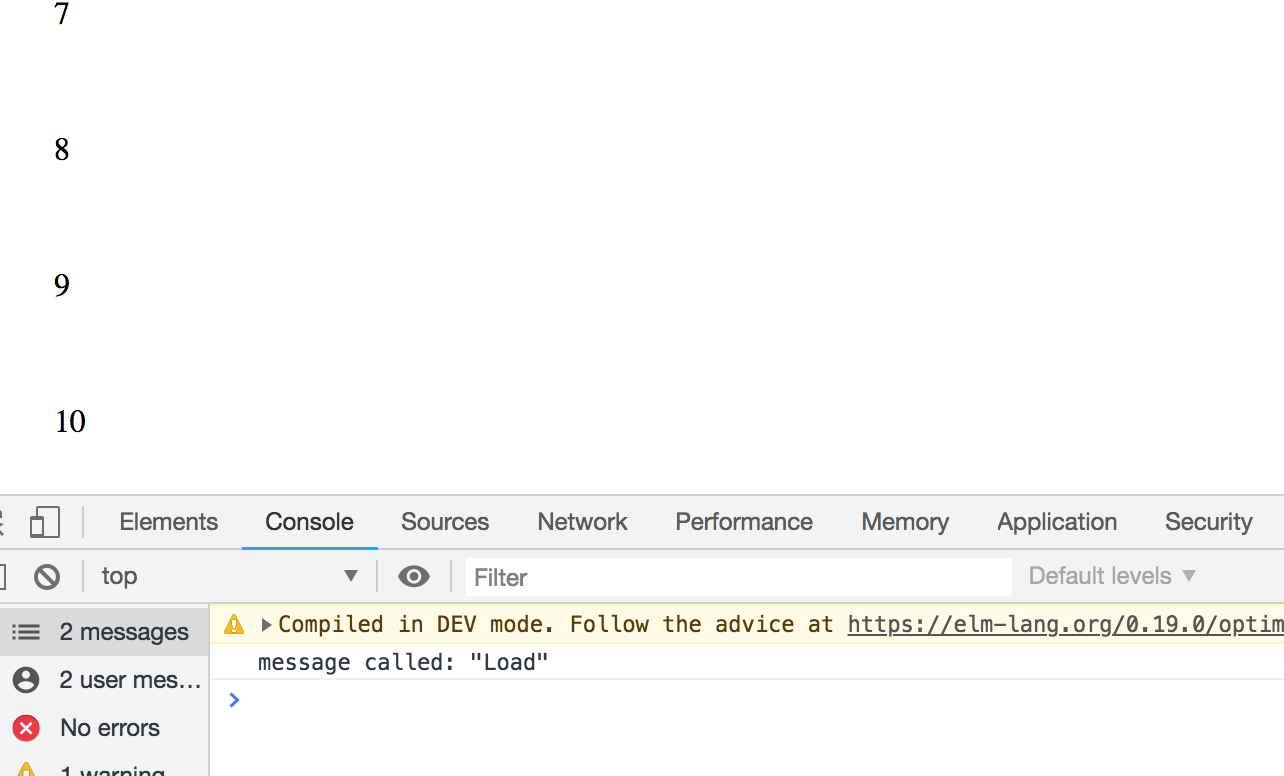 267 |
268 | The next step is to actually load/render some more data.
269 |
270 | ``` elm
271 | -- UPDATE
272 |
273 | update : Msg -> Model -> ( Model, Cmd Msg )
274 | update msg model =
275 | case msg of
276 | Load _ ->
277 | let
278 | newModel =
279 | model ++ List.map (\n -> List.length model + n) initialModel
280 | in
281 | ( newModel, Cmd.none )
282 | ```
283 |
284 | Here we update our model in our `Load` message call. At this point we're simply doubling the size of the list, and displaying the next integers in the sequence, allowing us to endlessly scroll through an ever increasing list of numbers.
285 |
286 | (Note: For code simplicity, we're just doubling the size of the list on every call, but the more we scroll, the less efficient this function will get. We could solve this by utilising another field in the model which holds our previous update, then adding onto that).
287 |
288 | Now if we recompile our code:
289 |
290 | ```
291 | elm make src/Main.elm --output=main.js
292 | ```
293 |
294 | and head back to the browser, we should see our infinite list of numbers:
295 |
296 |
267 |
268 | The next step is to actually load/render some more data.
269 |
270 | ``` elm
271 | -- UPDATE
272 |
273 | update : Msg -> Model -> ( Model, Cmd Msg )
274 | update msg model =
275 | case msg of
276 | Load _ ->
277 | let
278 | newModel =
279 | model ++ List.map (\n -> List.length model + n) initialModel
280 | in
281 | ( newModel, Cmd.none )
282 | ```
283 |
284 | Here we update our model in our `Load` message call. At this point we're simply doubling the size of the list, and displaying the next integers in the sequence, allowing us to endlessly scroll through an ever increasing list of numbers.
285 |
286 | (Note: For code simplicity, we're just doubling the size of the list on every call, but the more we scroll, the less efficient this function will get. We could solve this by utilising another field in the model which holds our previous update, then adding onto that).
287 |
288 | Now if we recompile our code:
289 |
290 | ```
291 | elm make src/Main.elm --output=main.js
292 | ```
293 |
294 | and head back to the browser, we should see our infinite list of numbers:
295 |
296 | 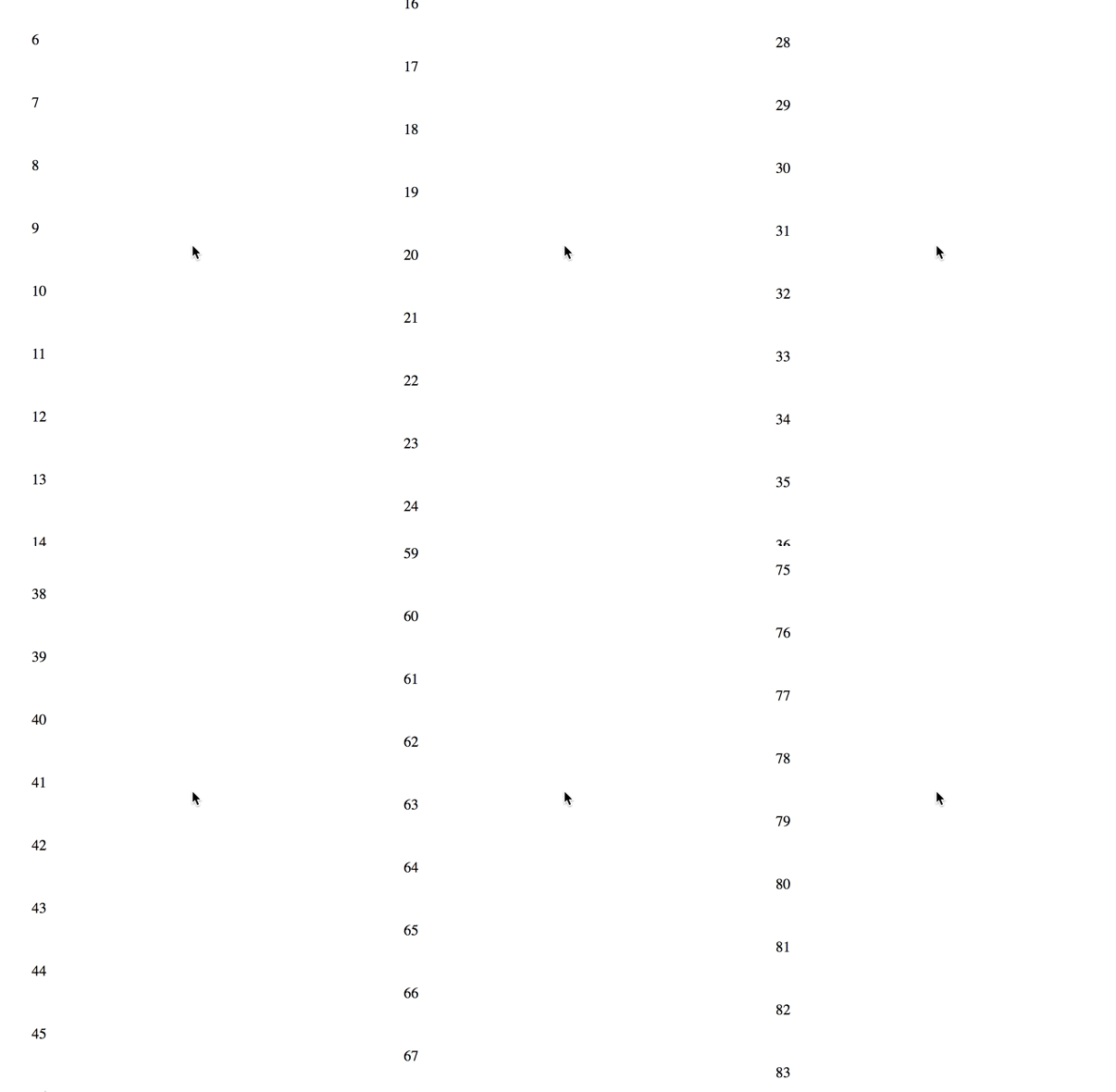 297 |
298 | Now that you've got the basic concept, you can switch out your `Load` function with anything you want. Display older blog posts, fetch random cat gifs from an API, whatever it is your app needs.
--------------------------------------------------------------------------------
/examples/elm-package/README.md:
--------------------------------------------------------------------------------
1 | # What
2 |
3 | A step by step guide on how to create a dropdown/filters
4 | Elm package that you can reuse on your projects.
5 |
6 | This Readme will not only show you how to use the package on your project but
7 | also how it is created and published.
8 | The process of writing this step by step guide
9 | is to force us to question the choices we make for the package's implementation
10 | and to discover some new questions problems that we will need to answer.
11 | This will help us to improve and enhance the package and
12 | hopefully motivate also others to contribute to the project.
13 |
14 | This document aims to reflect and describe as we implement the package our thoughts, ideas and solutions. **It is our learning process for creating a useful and reusable Elm package.**
15 |
16 | # Requirements
17 |
18 | **Before creating a new elm package, it's a good idea to read the
19 | [design guidlines](https://package.elm-lang.org/help/design-guidelines) documentation:**
20 |
21 | > Design for a concrete use case
22 |
23 | This is the research phase and it should help you to answer why
24 | we want to create a package. In our case we want to be able to
25 | have a list of selectable filters on multiple levels.
26 | [Searching](https://package.elm-lang.org/) for similar existing packages with the terms
27 | `filter` or `dropdown` wasn't very fruitful.
28 | This research step is in progress and creating this guide is also a way to learn
29 | how to create a useful elm package.
30 |
31 | > Avoid gratuitous abstraction
32 |
33 | We'll try to avoid abstracting too soon and we'll try to keep the API simple and useful.
34 | For example the first version of the package limit the level of filters to 2
35 | instead of having an unlimited number of levels. This will simplify the API and UI.
36 |
37 | > Write helpful documentation with examples
38 |
39 | Read https://package.elm-lang.org/help/documentation-format.
40 | The second link in this section (https://package.elm-lang.org/help/docs-preview) returns 404
41 | and will be removed (see https://discourse.elm-lang.org/t/docs-preview-404s/1687)
42 |
43 | The last three sections of the guidelines
44 | (`The data structure is always the last argument`, `Keep tags and record constructors secret` and `Naming`)
45 | are a bit more technical and we will come back to them when we start building our package
46 |
47 | This guide help us to define our requirements for the package:
48 |
49 | 
50 |
51 | - Open/Close filter when click on the pill
52 | - Close filter when click outside of the dropdown/filters.
53 | This allow to use multiple dropdown but only have one open at a time (similar to normal dropdown)
54 | - Allow to select first and second level filters
55 | - The module must be responsive. On mobile the filter will take the full screen
56 | - When a filter is selected it is underlined
57 | - The user must be able to use the dropdown/filter with the keyboard
58 | - A first level filter can be open/close if it contains sub filters
59 | - The user can reset the filters by clicking on the "x" button
60 |
61 |
62 | # How
63 |
64 | 1. Create the package (ie create **documentation**, test and code)
65 | 2. Publish the package
66 | 3. Use the package
67 |
68 | ## Minimum setup
69 |
70 | ### Initialise the package
71 |
72 | **Elm is using Github to name and publish packages. So the first step when creating a new package is to create a new Github repository.**
73 |
74 | Then we can initialise our new Elm package with the command `elm init`, this will create a `src` folder and a `elm.json` file.
75 | This json file contains the description of our new project (name, author, version, dependencies,...). See https://elm-lang.org/0.19.0/init
76 | to get more informaiton on how to create a new project.
77 |
78 | As we are creating a package that will be `import`ed in other projects and not a full application in itself, we need first to update the `elm.json`
79 |
80 | > The [elm/compiler](https://github.com/elm/compiler) repository contains the documentation for the two types of elm.json file (application and pakage), see https://github.com/elm/compiler/tree/master/docs/elm.json
81 |
82 |
83 | So the `elm.json` file should have the following format:
84 | ```json
85 | {
86 | "type": "package",
87 | "name": "dwyl/elm-criteria",
88 | "summary": "Dropdown with selectable filters",
89 | "license": "BSD-3-Clause",
90 | "version": "1.0.0",
91 | "exposed-modules": [],
92 | "elm-version": "0.19.0 <= v < 0.20.0",
93 | "dependencies": {
94 | "elm/core": "1.0.0 <= v < 2.0.0"
95 | },
96 | "test-dependencies": {}
97 | }
98 | ```
99 |
100 | - Make sure the `type` value is `package`
101 | - update the name of your package. The name must be the name of the repository of the package
102 | - `exposed-modules` will contain the modules' name that will exposed the API of the package
103 | - `dependencies` is the list of dependencies necessary for the package. This will be updated if necessary when a new package is installed with `elm install`
104 |
105 | We will have a few more things to add later on to be able to publish our package (e.g license file, tests, documentation) but firt to be able to play with the code will come with we first create an example folder.
106 |
107 | ### Create the example folder
108 |
109 | run `mkdir examples` to create the folder.
110 |
111 | The `example` folder will allow us to test rapidly our implementation and ideas and make sure the code for the package is working correctly. At the end of the development process it will also be small project example that our users can take ideas from.
112 |
113 | Create the elm example application: `cd examples && elm init`. This time the `type`'s' value in the generated `elm.json` doesn't need to be modified as it's already an application. Instead of using the `src` folder we can use the current folder of the application, change the value ` "source-directories": ["src"]` to `"source-directories": ["."]`. It makes a bit easier to see the list of examples.
114 |
115 |
116 | Let's create a simple (dummy for now) Elm app in `examples/Example.elm`:
117 |
118 | ```elm
119 | import Browser
120 | import Html exposing (Html, button, div, h1, text)
121 |
122 |
123 | main =
124 | Browser.sandbox { init = init, update = update, view = view }
125 |
126 |
127 | -- MODEL
128 |
129 | type alias Model = String
130 |
131 | init : Model
132 | init =
133 | "Hello"
134 |
135 |
136 | -- UPDATE
137 |
138 | type Msg = None
139 |
140 | update : Msg -> Model -> Model
141 | update msg model =
142 | case msg of
143 | None ->
144 | model
145 |
146 | -- VIEW
147 |
148 | view : Model -> Html Msg
149 | view model =
150 | div [] [ h1 [] [text model] ]
151 |
152 | ```
153 |
154 | Still in the `examples` folder run `elm reactor` and open the application on `http://localhost:8000/Example.elm`, you should see `Hello`
155 |
156 |
157 | ### Create the package
158 |
159 | Now that we have the `Example.elm` file we can start creating our package and try to plug it and use it with our new example application.
160 |
161 | Create a file `Criteria.elm` which will have for API only a `view` function (let's try to keep things simple while we make sure that everything is initialised and plugged together)
162 |
163 | ```elm
164 | module Criteria exposing (view)
165 | import Html exposing (Html, button, div, h1, text)
166 |
167 | view : Html msg
168 | view =
169 | div [] [ h1 [] [text "text from package"] ]
170 | ```
171 |
172 | As our package is not yet published, to allow our example to use it we need to update the `elm.json` file to expose our new module:
173 |
174 | ```json
175 | "source-directories": [
176 | ".",
177 | "../src"
178 | ],
179 | ```
180 |
181 | Then in our `Example.elm` file we can use the `view` function by importing the package then using the function in the example's view
182 |
183 | ```elm
184 | ...
185 | import Criteria
186 | ...
187 | view : Model -> Html Msg
188 | view model =
189 | div []
190 | [ h1 [] [text model]
191 | , Criteria.view
192 | ]
193 | ```
194 |
195 | We have now a minimum version of a package (not published yet) and an example using it! We can start to think what are the next steps to be able to publish our first version!
196 |
197 | # First version
198 |
199 | From our requirement list above we can try to trim down the features and make a first basic version with the following elements
200 |
201 | - a button/pillbox with a default text to open/close the filters
202 | - 1 level of filters (instead of 2)
203 | - a filter consist of a displayed text, a value linked to this text (similar to normal dropdown) and a filter can be selected or not.
204 | - The package will accept a list of text/value filters
205 |
206 | ## Reusable?
207 |
208 | Our main concern when creating the package is to make it **valuable** for our users and one way to do this is for the package to be **reusable** on different kind of projects.
209 |
210 | When we think about reusable code we'll most often think about components. However Elm is a functional programming language and is not really designed for creating components. To try to understand this you can read/watch the following links
211 |
212 | - https://twitter.com/czaplic/status/903266544544878592 (components are objects)
213 | - https://www.reddit.com/r/elm/comments/6x5w07/components_in_elm_why_not_and_how/
214 |
215 | - https://www.youtube.com/watch?v=DoA4Txr4GUs
216 |
217 | - https://www.reddit.com/r/elm/comments/5oi8jx/creating_a_simple_reusable_view_module_in_elm/
218 |
219 | - https://medium.com/@mickey.vip/an-approach-to-nested-reusable-view-functions-in-elm-a1531b9abaf3
220 |
221 | - https://discourse.elm-lang.org/t/api-design-reusable-modules/2623
222 |
223 | - https://github.com/evancz/elm-sortable-table
224 |
225 | So instead of creating components we should focus on creating reusable view.
226 | **Views are functions and Elm uses function composition to build applications.**
227 |
228 | Some concepts to keep in mind (extract from the above links) while designing the API of the package:
229 |
230 | - build reusable view not components (elm is a Functional Programming language not an Object-Oriented programming language)
231 | - Keep the API simple and short
232 | - Try to keep the types signature simple
233 | - Single source of truth for the data to avoid synchronisation issues
234 | - Avoid parent-child communication - don't build tree of objects/components
235 |
236 | Now that we have a better idea of resusable code with Elm, let's start to design our API
237 |
238 | ## Designing the API
239 |
--------------------------------------------------------------------------------
/README.md:
--------------------------------------------------------------------------------
1 | # learn `elm`
2 |
3 | ## Why?
4 |
5 | > It's _difficult_ to _introduce_ elm to someone
6 | who has _never_ heard of it before without sounding "_evangelical_" ...
297 |
298 | Now that you've got the basic concept, you can switch out your `Load` function with anything you want. Display older blog posts, fetch random cat gifs from an API, whatever it is your app needs.
--------------------------------------------------------------------------------
/examples/elm-package/README.md:
--------------------------------------------------------------------------------
1 | # What
2 |
3 | A step by step guide on how to create a dropdown/filters
4 | Elm package that you can reuse on your projects.
5 |
6 | This Readme will not only show you how to use the package on your project but
7 | also how it is created and published.
8 | The process of writing this step by step guide
9 | is to force us to question the choices we make for the package's implementation
10 | and to discover some new questions problems that we will need to answer.
11 | This will help us to improve and enhance the package and
12 | hopefully motivate also others to contribute to the project.
13 |
14 | This document aims to reflect and describe as we implement the package our thoughts, ideas and solutions. **It is our learning process for creating a useful and reusable Elm package.**
15 |
16 | # Requirements
17 |
18 | **Before creating a new elm package, it's a good idea to read the
19 | [design guidlines](https://package.elm-lang.org/help/design-guidelines) documentation:**
20 |
21 | > Design for a concrete use case
22 |
23 | This is the research phase and it should help you to answer why
24 | we want to create a package. In our case we want to be able to
25 | have a list of selectable filters on multiple levels.
26 | [Searching](https://package.elm-lang.org/) for similar existing packages with the terms
27 | `filter` or `dropdown` wasn't very fruitful.
28 | This research step is in progress and creating this guide is also a way to learn
29 | how to create a useful elm package.
30 |
31 | > Avoid gratuitous abstraction
32 |
33 | We'll try to avoid abstracting too soon and we'll try to keep the API simple and useful.
34 | For example the first version of the package limit the level of filters to 2
35 | instead of having an unlimited number of levels. This will simplify the API and UI.
36 |
37 | > Write helpful documentation with examples
38 |
39 | Read https://package.elm-lang.org/help/documentation-format.
40 | The second link in this section (https://package.elm-lang.org/help/docs-preview) returns 404
41 | and will be removed (see https://discourse.elm-lang.org/t/docs-preview-404s/1687)
42 |
43 | The last three sections of the guidelines
44 | (`The data structure is always the last argument`, `Keep tags and record constructors secret` and `Naming`)
45 | are a bit more technical and we will come back to them when we start building our package
46 |
47 | This guide help us to define our requirements for the package:
48 |
49 | 
50 |
51 | - Open/Close filter when click on the pill
52 | - Close filter when click outside of the dropdown/filters.
53 | This allow to use multiple dropdown but only have one open at a time (similar to normal dropdown)
54 | - Allow to select first and second level filters
55 | - The module must be responsive. On mobile the filter will take the full screen
56 | - When a filter is selected it is underlined
57 | - The user must be able to use the dropdown/filter with the keyboard
58 | - A first level filter can be open/close if it contains sub filters
59 | - The user can reset the filters by clicking on the "x" button
60 |
61 |
62 | # How
63 |
64 | 1. Create the package (ie create **documentation**, test and code)
65 | 2. Publish the package
66 | 3. Use the package
67 |
68 | ## Minimum setup
69 |
70 | ### Initialise the package
71 |
72 | **Elm is using Github to name and publish packages. So the first step when creating a new package is to create a new Github repository.**
73 |
74 | Then we can initialise our new Elm package with the command `elm init`, this will create a `src` folder and a `elm.json` file.
75 | This json file contains the description of our new project (name, author, version, dependencies,...). See https://elm-lang.org/0.19.0/init
76 | to get more informaiton on how to create a new project.
77 |
78 | As we are creating a package that will be `import`ed in other projects and not a full application in itself, we need first to update the `elm.json`
79 |
80 | > The [elm/compiler](https://github.com/elm/compiler) repository contains the documentation for the two types of elm.json file (application and pakage), see https://github.com/elm/compiler/tree/master/docs/elm.json
81 |
82 |
83 | So the `elm.json` file should have the following format:
84 | ```json
85 | {
86 | "type": "package",
87 | "name": "dwyl/elm-criteria",
88 | "summary": "Dropdown with selectable filters",
89 | "license": "BSD-3-Clause",
90 | "version": "1.0.0",
91 | "exposed-modules": [],
92 | "elm-version": "0.19.0 <= v < 0.20.0",
93 | "dependencies": {
94 | "elm/core": "1.0.0 <= v < 2.0.0"
95 | },
96 | "test-dependencies": {}
97 | }
98 | ```
99 |
100 | - Make sure the `type` value is `package`
101 | - update the name of your package. The name must be the name of the repository of the package
102 | - `exposed-modules` will contain the modules' name that will exposed the API of the package
103 | - `dependencies` is the list of dependencies necessary for the package. This will be updated if necessary when a new package is installed with `elm install`
104 |
105 | We will have a few more things to add later on to be able to publish our package (e.g license file, tests, documentation) but firt to be able to play with the code will come with we first create an example folder.
106 |
107 | ### Create the example folder
108 |
109 | run `mkdir examples` to create the folder.
110 |
111 | The `example` folder will allow us to test rapidly our implementation and ideas and make sure the code for the package is working correctly. At the end of the development process it will also be small project example that our users can take ideas from.
112 |
113 | Create the elm example application: `cd examples && elm init`. This time the `type`'s' value in the generated `elm.json` doesn't need to be modified as it's already an application. Instead of using the `src` folder we can use the current folder of the application, change the value ` "source-directories": ["src"]` to `"source-directories": ["."]`. It makes a bit easier to see the list of examples.
114 |
115 |
116 | Let's create a simple (dummy for now) Elm app in `examples/Example.elm`:
117 |
118 | ```elm
119 | import Browser
120 | import Html exposing (Html, button, div, h1, text)
121 |
122 |
123 | main =
124 | Browser.sandbox { init = init, update = update, view = view }
125 |
126 |
127 | -- MODEL
128 |
129 | type alias Model = String
130 |
131 | init : Model
132 | init =
133 | "Hello"
134 |
135 |
136 | -- UPDATE
137 |
138 | type Msg = None
139 |
140 | update : Msg -> Model -> Model
141 | update msg model =
142 | case msg of
143 | None ->
144 | model
145 |
146 | -- VIEW
147 |
148 | view : Model -> Html Msg
149 | view model =
150 | div [] [ h1 [] [text model] ]
151 |
152 | ```
153 |
154 | Still in the `examples` folder run `elm reactor` and open the application on `http://localhost:8000/Example.elm`, you should see `Hello`
155 |
156 |
157 | ### Create the package
158 |
159 | Now that we have the `Example.elm` file we can start creating our package and try to plug it and use it with our new example application.
160 |
161 | Create a file `Criteria.elm` which will have for API only a `view` function (let's try to keep things simple while we make sure that everything is initialised and plugged together)
162 |
163 | ```elm
164 | module Criteria exposing (view)
165 | import Html exposing (Html, button, div, h1, text)
166 |
167 | view : Html msg
168 | view =
169 | div [] [ h1 [] [text "text from package"] ]
170 | ```
171 |
172 | As our package is not yet published, to allow our example to use it we need to update the `elm.json` file to expose our new module:
173 |
174 | ```json
175 | "source-directories": [
176 | ".",
177 | "../src"
178 | ],
179 | ```
180 |
181 | Then in our `Example.elm` file we can use the `view` function by importing the package then using the function in the example's view
182 |
183 | ```elm
184 | ...
185 | import Criteria
186 | ...
187 | view : Model -> Html Msg
188 | view model =
189 | div []
190 | [ h1 [] [text model]
191 | , Criteria.view
192 | ]
193 | ```
194 |
195 | We have now a minimum version of a package (not published yet) and an example using it! We can start to think what are the next steps to be able to publish our first version!
196 |
197 | # First version
198 |
199 | From our requirement list above we can try to trim down the features and make a first basic version with the following elements
200 |
201 | - a button/pillbox with a default text to open/close the filters
202 | - 1 level of filters (instead of 2)
203 | - a filter consist of a displayed text, a value linked to this text (similar to normal dropdown) and a filter can be selected or not.
204 | - The package will accept a list of text/value filters
205 |
206 | ## Reusable?
207 |
208 | Our main concern when creating the package is to make it **valuable** for our users and one way to do this is for the package to be **reusable** on different kind of projects.
209 |
210 | When we think about reusable code we'll most often think about components. However Elm is a functional programming language and is not really designed for creating components. To try to understand this you can read/watch the following links
211 |
212 | - https://twitter.com/czaplic/status/903266544544878592 (components are objects)
213 | - https://www.reddit.com/r/elm/comments/6x5w07/components_in_elm_why_not_and_how/
214 |
215 | - https://www.youtube.com/watch?v=DoA4Txr4GUs
216 |
217 | - https://www.reddit.com/r/elm/comments/5oi8jx/creating_a_simple_reusable_view_module_in_elm/
218 |
219 | - https://medium.com/@mickey.vip/an-approach-to-nested-reusable-view-functions-in-elm-a1531b9abaf3
220 |
221 | - https://discourse.elm-lang.org/t/api-design-reusable-modules/2623
222 |
223 | - https://github.com/evancz/elm-sortable-table
224 |
225 | So instead of creating components we should focus on creating reusable view.
226 | **Views are functions and Elm uses function composition to build applications.**
227 |
228 | Some concepts to keep in mind (extract from the above links) while designing the API of the package:
229 |
230 | - build reusable view not components (elm is a Functional Programming language not an Object-Oriented programming language)
231 | - Keep the API simple and short
232 | - Try to keep the types signature simple
233 | - Single source of truth for the data to avoid synchronisation issues
234 | - Avoid parent-child communication - don't build tree of objects/components
235 |
236 | Now that we have a better idea of resusable code with Elm, let's start to design our API
237 |
238 | ## Designing the API
239 |
--------------------------------------------------------------------------------
/README.md:
--------------------------------------------------------------------------------
1 | # learn `elm`
2 |
3 | ## Why?
4 |
5 | > It's _difficult_ to _introduce_ elm to someone
6 | who has _never_ heard of it before without sounding "_evangelical_" ...
7 | We've tried our best to be "_objective_" and ***factual***;
8 | the _fact_ is that Elm is ***awesome***.
9 | Which is why _so many_ JS projects
10 | have "borrowed" (_shamelessly copied_) it's ideas. (Redux, Immutable.js, etc.)
11 |
12 |
13 | > @rtfeldman put it best in his
14 | [**6 Months of Elm in Production** talk](https://youtu.be/R2FtMbb-nLs?t=47m36s)
15 | (_which we **highly recommend** watching!_)
16 | "_If you take **two products** and **compare** them
17 | on **feature-checklists**
18 | that gets you
19 | a **very inaccurate picture**
20 | of what it's going to be like to actually **use them**_."
21 |
22 | 
23 |
24 | > If anything in `this` guide is unclear/unexplained,
25 | _please_ help us _improve_ by opening an issue:
26 | https://github.com/dwyl/learn-elm/issues [](https://github.com/dwyl/learn-elm/issues)
27 |
28 | ### Why _Not_ Just use XYZ JavaScript Framework (_which has similar features_) ?
29 |
30 | _Most_ of us are _already comfortable_ with `JavaScript`
31 | and it is _still_ (_and will remain_) the
32 | [_**most popular programming language**_](https://insights.stackoverflow.com/survey/2018/#technology-programming-scripting-and-markup-languages)
33 | ... so _**why**_ should we even _consider_ it?
34 |
35 | There are _many_ "_technical_" reasons for using Elm:
36 |
37 | + "[_**Pure**_](https://drboolean.gitbooks.io/mostly-adequate-guide/content/ch3.html)"
38 | _functional style_ means all your functions are _**predictable**_
39 | and thus _**very reliable**_.
40 | No surprises even when you are working with
41 | a distributed team of dozens of people!
42 | + [***Immutable state***](https://softwareengineering.stackexchange.com/questions/235558/what-is-state-mutable-state-and-immutable-state) means there are _fewer_ (_often zero_)
43 | ["_**side effects**_"](https://softwareengineering.stackexchange.com/questions/40297/what-is-a-side-effect)
44 | + _**Fewer language features**_
45 | [**_lowers_ cognitive load**](https://blog.prototypr.io/design-principles-for-reducing-cognitive-load-84e82ca61abd)
46 | when you're reading (_other people's_) code
47 | + **_Much_ less to learn** than comparable "Stacks" e.g:
48 | + **React** + Redux + Flow + Immutable + Babel + all the other setup code...
49 | + **Angular 2** + Typescript + Babel + ReactiveX + etc.
50 | (_bottom line is: elm is `less` to learn_!)
51 | + _**Much faster**_ than React.js or Angular 2 in _all_ ["***benchmarks***"](https://elm-lang.org/blog/blazing-fast-html-round-two)
52 | + **Built-in ["_Time Travelling_" Debugger](https://www.youtube.com/watch?v=DSjbTC-hvqQ&feature=youtu.be&list=PLglJM3BYAMPH2zuz1nbKHQyeawE4SN0Cd&t=1633)**
53 | that lets you record and replay actions in a user session
54 | (_thus **eliminating** the need for manually
55 | writing Selenium/Nightwatch tests!_)
56 | + _**Helpful/friendly compiler `error` messages**_ that _inform you **exactly**_
57 | what is wrong (_during compilation_) _before_ you attempt
58 | to view your app in the browser/device.
59 | + Evan surveyed the _existing_ web programming languages for his
60 | University thesis and Elm is the `result` of that study
61 | (_borrows ideas from several places and assembles them
62 | into a cohesive beautiful package much how Apple made the original iPhone..._)
63 |
64 | The _reason(s)_ we [@**dwyl**](https://twitter.com/dwyl) are _using_
65 | the `elm` _ecosystem_ is because it has:
66 | + _**beginner-friendly** and thriving **community** where everyone is welcome_
67 | + _clear **leadership** from nice + smart people and_
68 | + _excellent **documentation**
69 | (which greatly reduces frustration for beginners)_
70 | + _a shared **mission** to build the **best**
71 | graphical user interfaces for the web!_
72 |
73 | These are a _few_ of [our **_favourite_ things**](https://youtu.be/0IagRZBvLtw).
74 |
75 |
76 | ## What?
77 |
78 | ### `Elm` is a programming language for creating web browser-based graphical user interfaces. Elm is `purely functional`, and is developed with `emphasis` on `usability`, `performance`, and `robustness`. It advertises "`no runtime exceptions` in practice," made possible by the Elm compiler's `static type` checking.
79 |
80 | > It's _difficult_ to _overstate_ how _game-changing_ `elm`,
81 | the `elm-architecture` and `elm-platform` are to web development right now! The fact that Dan Abramov was "_inspired_" by Elm (architecture and debugger) for Redux and React Hot-Reloader
82 | respectively, should tell you that there's "_something_" here worth exploring ...
83 |
84 | ### Great Video Intro to Elm (_by Jessica Kerr_)
85 |
86 | We _highly_ recommend watching Jessica Kerr's
87 | "***Adventures in Elm***" from GOTO Conference 2016:
88 | [](https://youtu.be/cgXhMc8M4X4)
89 |
90 | https://youtu.be/cgXhMc8M4X4
91 |
92 | ### Isn't "Functional Programming" _Difficult_...?
93 |
94 | If you **`feel`** like _**F**unctional **P**rogramming_
95 | is "_complicated_" you aren't _alone_,
96 | it's a _perfectly normal_ sentiment:
97 |
98 | > I _tried_ functional programming in JavaScript before, it was _confusing_...
99 |
100 | All we can say to that is:
101 |
102 | [](
103 | https://en.wikipedia.org/wiki/Phrases_from_The_Hitchhiker%27s_Guide_to_the_Galaxy#Don.27t_Panic)
104 |
105 | Fear not, we have witnessed _many_ non-mathematician people
106 | (_without a Computer Science
107 | or "Engineering" background_) learning Elm "from scratch"
108 | and while some _initially_ **`felt`** that Functional Programming
109 | was a _steep_ learning curve,
110 | _because_ it's _quite_ different from what we were _used_ to
111 | (_procedural/imperative/mutable_...).
112 |
113 | We **`found`** that the Elm language is actually really _small and focussed_
114 | and when we break it down there are only a handful of concepts
115 | we need to _understand_ before we can start reading/writing code.
116 |
117 | > **Tip**: if you want to _understand_ the core concepts,
118 | jump to the [Language](#language) section below.
119 |
120 | ## Who?
121 |
122 | If you haven't felt the _pain_ of trying to debug/maintain/extend
123 | code you did not _originally write_, or have not worked
124 | on a sufficiently large app to `feel` the
125 | "_fix one thing breaks two other features_" ["_whack-a-mole_"](https://youtu.be/GVJL9oXgsAA),
126 | you _might not_ not see the _benefit_ of the `elm` ecosystem ...
127 |
128 | But we _urge_ you to consider the list in the "Why?" section (_above_)
129 | and if _any_ of those points appeals to you,
130 | give elm ***5 minutes*** of your
131 | time _**today**_ to _try_ the "_**Quick-Start**" below_!
132 |
133 |
134 | ## How?
135 |
136 | The best place to start is with the "_Official Guide_". But we have _condensed_ their "Install" guide into the **5-minute** instructions below:
137 |
138 | ### Pre-requisites
139 |
140 | + A **Computer** with:
141 | + **Node.js _Installed_** (_if you don't already have node get it here_: https://nodejs.org/en/download/ )
142 | + **Text Editor** (_any will do but we recommend_ https://atom.io/ _because it has good Elm syntax/plugins_)
143 | + Internet Access (_just so you can install elm and the modules_)
144 | + Some **JavaScript/Node.js Knowledge** (_ideally you have built a basic Node/JS app before,
145 | but no "major" experience required/expected_)
146 |
147 | ### _Recommended_ Pre-Elm Learning: Elm Architecture
148 |
149 | While it's not a "Pre-requisite",
150 | we (_highly_) _recommend_ learning/understanding
151 | **The Elm _Architecture_** ("TEA")
152 | `before` learning Elm (_the **language**_)
153 | to _flatten_ the
154 | ["Elm learning curve"](https://github.com/dwyl/learn-elm/issues/45).
155 | To that end, we wrote an _introductory **step-by-step**_
156 | tutorial for the Elm Architecture in JavaScript:
157 | [https://github.com/dwyl/**learn-elm-architecture**-in-**javascript**](https://github.com/dwyl/learn-elm-architecture-in-javascript)
158 |
159 | ### Quick-Start (_5 Mins_)
160 |
161 | Enough talk, let's see an _example_!
162 |
163 | #### 1. Clone this repository
164 |
165 | On your local machine, open a terminal window and run the following command:
166 |
167 | ```sh
168 | git clone https://github.com/dwyl/learn-elm.git && cd learn-elm
169 | ```
170 |
171 | #### 2. Install
172 |
173 | Install the node.js dependencies (`elm` platform):
174 |
175 | ```sh
176 | npm install
177 | ```
178 | > **Note**: We install `elm` (_the `elm` compiler_)
179 | _locally_ for the "_quick-start_".
180 | If you decide to use it for your own project(s),
181 | you _can_ install it _globally_ using
182 | `npm install -g elm`
183 |
184 | #### 3. Hello {Name}!
185 |
186 | + Open the `examples/hello-world.elm` file in your editor.
187 | + Move your cursor to the 3rd line and change `name` to your name!
188 |
189 | #### 4. Server Time!
190 |
191 | Run the `elm-reactor` command to start the _server:_
192 |
193 | ```sh
194 | node_modules/.bin/elm-reactor
195 | ```
196 |
197 | Elm-reactor has now started the server on your localhost.
198 |
199 | > Note if you install elm _globally_ you will be able to type `elm-reactor`
200 | without the `node_modules/.bin/` (_relative path_)
201 |
202 | > If you're curious why you're running a server to view the output
203 | of your ```elm``` code, it's because ```elm``` is compiled to JavaScript,
204 | and it's fiddly to have to compile your code manually
205 | every time you want to see the output. With ```elm reactor```
206 | this is handled for you. Read more about it here:
207 | https://elmprogramming.com/elm-reactor.html
208 |
209 |
210 | #### 5. View in Browser
211 |
212 | View the entire repository in your web browser by going to:
213 | http://localhost:8000/
214 |
215 | Click on _example/hello-world.elm_ to see your Hello World!
216 | This shows how it
217 | would compile into `HTML` _without_ having to use `elm-make`
218 | (which we'll save for later)!
219 |
220 |
221 | #### 6. _Reflect_
222 |
223 | You just saw how _easy_ it is to get started with `elm`,
224 | how do you _feel_?
225 | Was it "_difficult_"?
226 | Better or _worse_ than your experience of learning
227 | any other technical concept/tool/language?
228 |
229 | Please share your thoughts!
230 |
231 |
232 |
233 |
234 | ### In-depth Step-by-Step Tutorial (_60mins_)
235 |
236 | The _best_ place to start your elm journey
237 | is with the (_free_) "_Official Guide_"
238 | https://guide.elm-lang.org/
239 |
240 | > At the time of writing, the _entire_ "_Official_" guide to Elm (GitBook)
241 | (_written Evan Czaplicki, creator of Elm, and improved by the community_)
242 | is ***136 pages*** (_with generous spacing in the code examples_).
243 | > The guide is readable/learnable in _less than a day_
244 | including trying all the example and demo code.
245 | > If you prefer to download and read the guide "offline"
246 | (_e.g: on public transport during your commute to work..._),
247 | You can download a PDF, ePub or Mobi (Kindle) for _free_ at:
248 | https://www.gitbook.com/book/evancz/an-introduction-to-elm/details
249 |
250 | ### Frontend Masters Workshop
251 |
252 | It's _not often_ we find a _half-decent_ tutorial
253 | on a subject we are trying to learn.
254 | We were _delighted_ to discover that
255 | [**Richard Feldman**](https://github.com/rtfeldman)
256 | (_one of the `core` contributors to `elm`_)
257 | has produced a workshop (_videos + learning materials_)
258 | for learning `elm`: https://frontendmasters.com/workshops/elm/ + https://github.com/rtfeldman/elm-workshop
259 |
260 | While it costs **$39** we think it's an _absolute bargain_!
261 |
262 | > **Note** if you have a lack of funds to pay for a _subscription_
263 | to get access to the workshop, contact us! (_we can help!_)
264 |
265 |
268 |
269 | ## Installation
270 |
271 | The _official_ installation instructions for Mac, Linux & Windows:
272 | https://guide.elm-lang.org/install.html
273 |
274 | ### Install the Elm Platform _Globally_ on your Computer
275 |
276 | Yes, install it _globally_ so you get the `elm` command which
277 | has a several useful functions. Including `elm reactor`
278 | a hot-reloading webserver that allows you write/test simple apps fast.
279 | and `elm make` which compiles your App.
280 |
281 | Install using NPM with the following command:
282 |
283 | ```js
284 | npm install elm -g
285 | ```
286 |
287 | > avoid using [`sudo`](https://stackoverflow.com/questions/16151018/npm-throws-error-without-sudo)
288 | as you _really_ should be following the
289 | [principle of least privilege](https://en.wikipedia.org/wiki/Principle_of_least_privilege).
290 |
291 | Remember, if you are adding Elm to a project
292 | which will be deployed on a hosting service (such as heroku)
293 | you will need to add elm to the dependencies in your `package.json`.
294 |
295 | ```js
296 | npm install elm --save
297 | ```
298 |
299 | ### Install Elm Format
300 |
301 | There are many things to love about ```elm```
302 | but something you can appreciate right away is `elm-format`.
303 | It's a tool that formats your ```elm``` code
304 | so that it is consistent
305 | with the community standard format.
306 |
307 | **Installation instructions**
308 | 1. Download the current version of elm-format found
309 | at: https://github.com/avh4/elm-format
310 | 2. Unzip the downloaded file and move the elm-format executable
311 | to a location in your PATH variable.
312 | If the unzipped file is in your Downloads folder,
313 | you could move it with the following terminal
314 | command: `mv ~/Downloads/elm-format /usr/local/bin/elm-format`,
315 | which will move it to the default path.
316 | 3. Install the elm-format package in your text editor.
317 | In Atom, type `apm install elm-format` into the terminal,
318 | or install via Packages (filter by `elm`)
319 | 4. Set elm-format to format your work on save.
320 | In Atom, Open Settings `CMD + ,` (Linux: `ctrl + ,`),
321 | click Packages, filter by 'elm',
322 | then click on the elm-format package's settings button.
323 | Set the `elm-format` command path setting
324 | and ensure the 'format on save' checkbox is selected.
325 |
326 | For more advice on `elm` development environment setup: https://github.com/knowthen/elm/blob/master/DEVSETUP.md
327 |
328 | ### Language
329 |
330 | > Help Wanted summarizing the language features!
331 | > for now see: https://elm-lang.org/docs/syntax
332 |
333 | ## Testing
334 |
335 | Ready to start testing?
336 | Simply follow these 3 steps:
337 |
338 | 1) ``` npm i -g elm-test```
339 |
340 | 2) ``` elm test init ```
341 | This will set up your test environment and give you 7
342 | dummy tests in your newly created test folder
343 |
344 | 3) Run ```elm test``` or the **very nice** ```elm test --watch```
345 | which will re-run your tests as you write them
346 |
347 | The general format of the tests are:
348 | ```elm
349 | describe "Dummy test"
350 | [ test "dummy test description" <|
351 | \() ->
352 | Expect.equal actualValue expectedValue
353 | ]
354 | ```
355 | For example:
356 | ``` elm
357 | all : Test
358 | all =
359 | describe "My first test"
360 | [ test "Addition test works correctly" <|
361 | \() ->
362 | Expect.equal (2 + 2) 4
363 | , test "Our subtraction function works correctly" <|
364 | \() ->
365 | -- here we are pretending we have a subtract function that takes 2 arguments
366 | Expect.equal (subtract 10 5) 5
367 | ]
368 | ```
369 |
370 | More info on testing can be found at
371 | [testing in elm](https://medium.com/@_rchaves_/testing-in-elm-93ad05ee1832#.3i3ibxcxz)
372 | and
373 | [elm community](https://package.elm-lang.org/packages/elm-community/elm-test/2.1.0).
374 |
375 | ## Continuous Integration
376 |
377 | ### Circle CI
378 |
379 | To set up your elm project on Circle CI, copy over our ```circle.yml``` and ```circle-dependencies.sh``` and follow the instructions on [our Circle CI tutorial](https://github.com/dwyl/learn-circleci).
380 |
381 | ### Travis CI
382 |
383 | See: https://github.com/dwyl/learn-travis#elm-lang-project
384 |
385 | ## Flags
386 |
387 | Flags allow you to pass data from Javascript to Elm
388 | as part of the initial state of your application.
389 |
390 | See our [working flags example](https://github.com/dwyl/learn-elm/tree/master/examples/elm-flags).
391 | Here we pass the URL from Javascript to Elm
392 | (via the script tags in our `index.html`).
393 |
394 | Run ```npm install```,```elm install``` and ```npm start```
395 | to see the output.
396 |
397 | ## Further/Background Reading
398 |
399 | + Great collection of examples and posts:
400 | https://github.com/isRuslan/awesome-elm
401 |
402 | ### Selected Articles (_Our Favourites_)
403 |
404 | + How to use Elm at work: https://elm-lang.org/blog/how-to-use-elm-at-work
405 | (_or work for DWYL where you're actively encouraged to use it!_)
406 | + JavaScript interoperability: https://guide.elm-lang.org/interop/
407 | + How to add Elm to _existing_ JS codebase: https://tech.noredink.com/post/126978281075/walkthrough-introducing-elm-to-a-js-web-app
408 | + How Elm made our work better (_success story_):
409 | https://futurice.com/blog/elm-in-the-real-world
410 |
411 | ### General Functional Programming (background reading)
412 |
413 | + Objects Should Be Immutable: https://www.yegor256.com/2014/06/09/objects-should-be-immutable.html
414 |
415 | ### Further reading
416 |
417 | + Once you've gotten to grips with making Single Page Apps with Elm,
418 | adding routing in can really improve your user's experience!
419 | If they're seeing a different `view`,
420 | it can make sense for the URL to change as well,
421 | so that the user can navigate back to the same view as they please.
422 | + Check [this article from staticapps.org](https://staticapps.org/articles/routing-urls-in-static-apps/)
423 | out for a little more info on routing in Single Page Apps in General
424 | + And get started [by going to the routing section of the elm-tutorial gitbook](https://sporto.gitbooks.io/elm-tutorial/content/en/07-routing/02-routing.html)
425 | to learn how to implement it in your Elm app!
426 | + [This example](https://github.com/elm-lang/navigation/tree/master/examples)
427 | from the _elm-lang/navigation_ github repo is super helpful too.
428 |
429 | ## Videos
430 |
431 | + Mutable vs Immutable: https://youtu.be/5qQQ3yzbKp8
432 | + Learning Functional Programming with JavaScript (Anjana Vakil): https://youtu.be/e-5obm1G_FY
433 | + Functional Programming from First Principles (Erik Meijer):
434 | https://youtu.be/a-RAltgH8tw
435 | + Teaching functional programming to noobs (Rob Martin):
436 | https://youtu.be/bmFKEewRRQg
437 | + Functional Programming is Terrible (Rúnar Bjarnason):
438 | https://youtu.be/hzf3hTUKk8U
439 |
440 | ### Promising but _incomplete_:
441 |
442 | + Learn You an `Elm` https://learnyouanelm.github.io/
443 | (_lots of "Todo" items and last updated about a year go_)
444 |
445 | [](http://hits.dwyl.com/dwyl/learn-elm)
446 |
--------------------------------------------------------------------------------
/tutorials/elm-ui/README.md:
--------------------------------------------------------------------------------
1 | # `elm-ui` a Language for _Reliable_ Layout and Interface
2 |
3 | _This_ tutorial aims to take a complete beginner -
4 | who has never seen any `elm-ui` -
5 | to a basic understanding in 10 minutes.
6 |
7 |
8 |
9 | ## _Why?_ 🤷 ... 😢 🌧 `|>` 😍🌈
10 |
11 | Few people _love_ writing CSS.
12 | Most people just want to build their App
13 | _without_ the headache of knowing how to position things.
14 | **`elm-ui`** lets you build beautiful,
15 | fast and responsive UIs in `elm`,
16 | without writing _any_ CSS!
17 | But `elm-ui` goes _way_ beyond _just_ a design system.
18 | Since it's built using pure `elm` functions,
19 | it gives you ***compile-time guarantees*** that your layout/styles
20 | are valid. So not only is it easier/faster to build the UI,
21 | it makes **extending and _maintaining_** your App ***effortless***!
22 |
23 | > @dwyl we _love_ the idea of having semantic, functional and responsive UIs
24 | with no side effects.
25 | **Functional CSS** libraries allow anyone on a team
26 | to change _one_ style on a single element
27 | without affecting any others.
28 | For the past few years we have been using the Tachyons library
29 | see:
30 | [github.com/dwyl/**learn-tachyons**](https://github.com/dwyl/learn-tachyons)
31 | and it's been a breath of fresh air.
32 | Using Tachyons in dozens of projects
33 | has been _good_ in small teams (_0-12 people_)
34 | and we have had _far_ fewer UI bugs than before adopting Tachyons.
35 | _However_ we have found that even with a functional CSS library
36 | (_that greatly reduces the possibility of cascading side effects_),
37 | we still see redundant and unnecessary styles
38 | and _occasionally_ visual bugs are introduced that go undetected.
39 | No CSS library or pre-processor we know of offers compile-time guarantees
40 | that the layout/styles applied to a given element are _correct_.
41 | That's where `elm-ui` comes in and changes the game!
42 |
43 |
44 |
45 | ## _What?_ 💭
46 |
47 | `elm-ui` is a design system
48 | for building semantic UI
49 | with compile-time guarantees.
50 |
51 |
52 | Matthew Griffith described it eloquently in his Elm Conf talk
53 | "Building a Toolkit for Design":
54 |
55 | [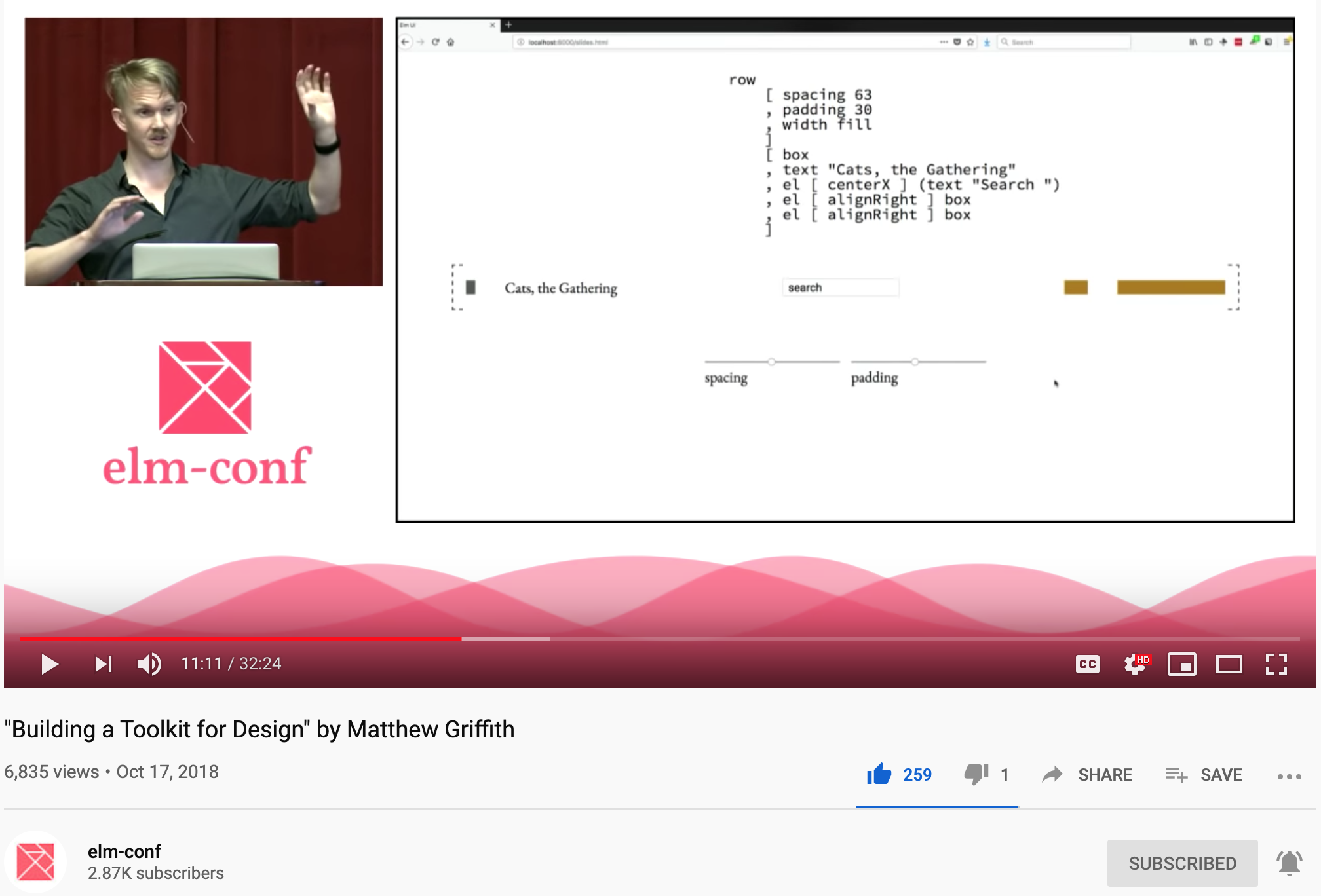](https://youtu.be/Ie-gqwSHQr0)
56 | https://youtu.be/Ie-gqwSHQr0
57 |
58 | > "_It's all right there.
59 | There's no other place you have to go to modify this_."
60 |
61 |
62 | `elm-ui` is to `HTML` and `CSS`
63 | what `elm` is to `JavaScript`,
64 | a way of making designing web applications fun again!
65 | `elm-ui` offers compile-time guarantees
66 | that your layout and styles work as expected.
67 | `elm-ui` will provide you with _helpful_ compiler errors/warnings
68 | if you attempt to make a _breaking_ change to UI!
69 |
70 |
71 | ### Example Compile Time Warnings
72 |
73 | In this case I have attempted to apply a `Float`
74 | of `2.5` to the `Border.rounded` (`border-radius`) property:
75 | 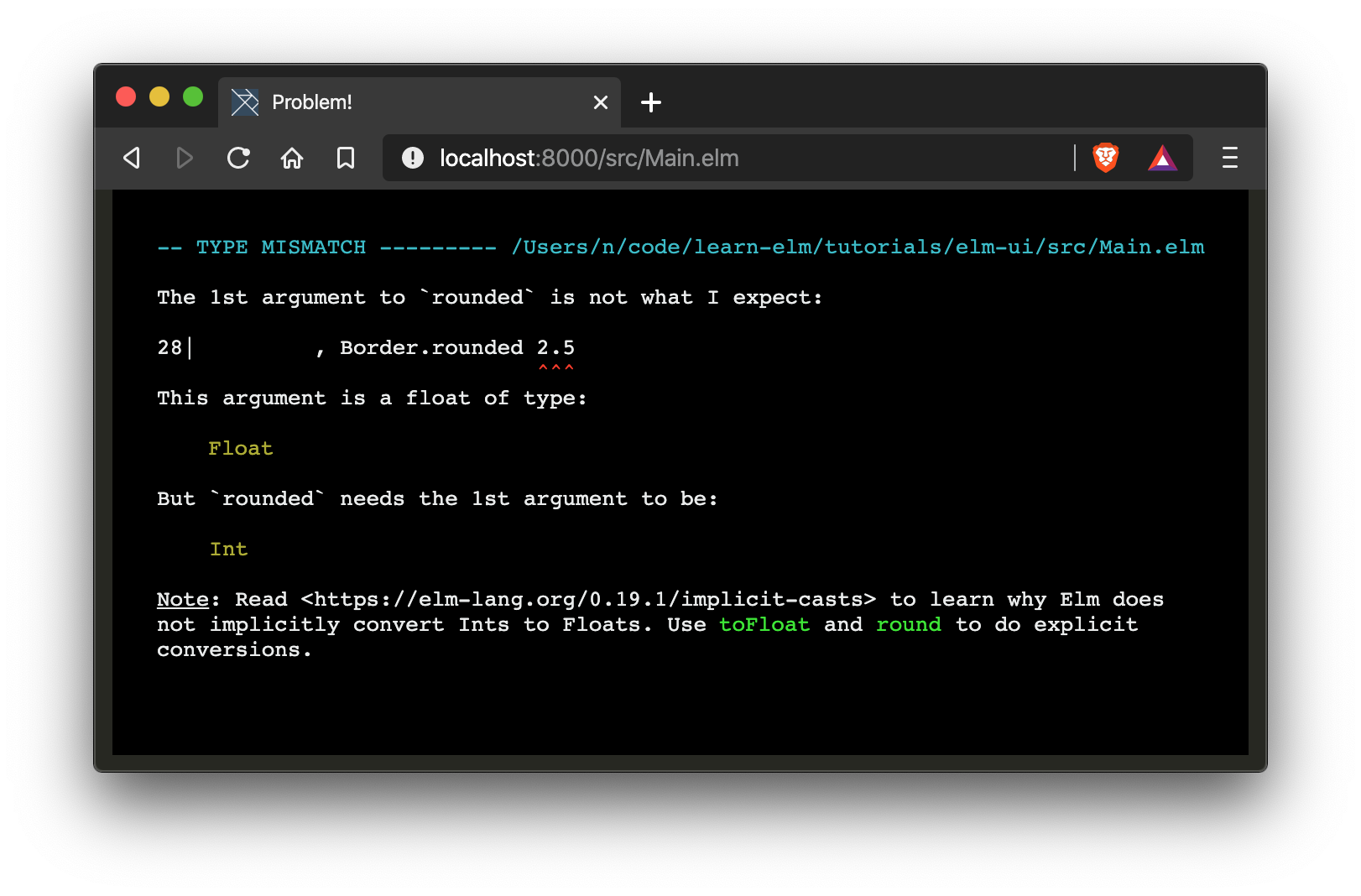
76 |
77 | The same thing goes if we attempt to pass a `String`
78 | to `Border.rounded` e.g: `"2px"`
79 | 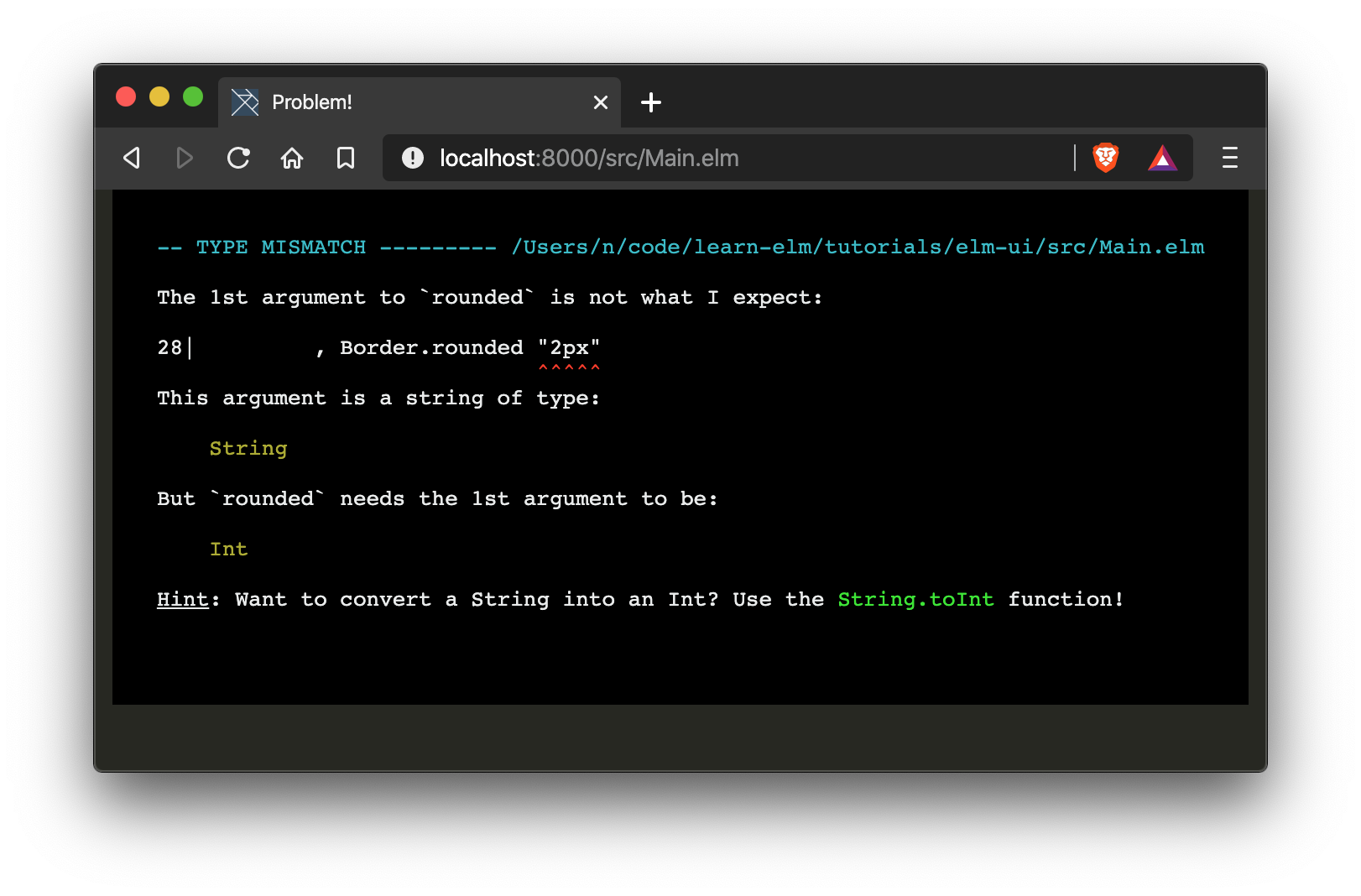
80 | We get a type mismatch and know _exactly_ what needs to be fixed
81 | for our view to compile.
82 |
83 | If you make a typo in your layout/style it won't compile:
84 |
85 | 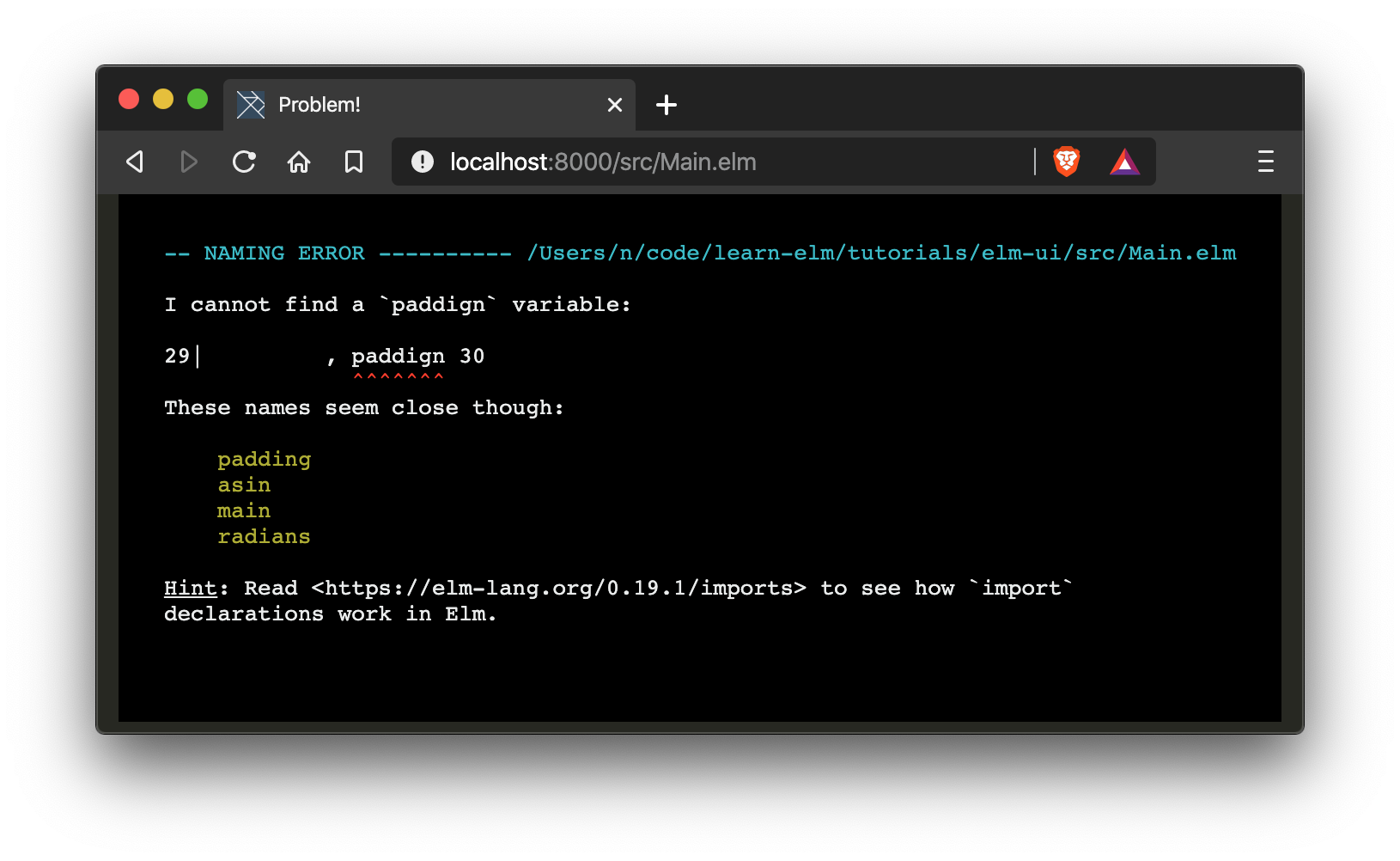
86 |
87 | Hopefully that gives you a _taste_
88 | for the compiler warnings provided by `elm-ui`.
89 | The best way to experience this further
90 | is to fire up your text editor and start coding!
91 |
92 |
93 | ## _How?_ 📝
94 |
95 | In a new directory, initialise your `elm` workflow with the following command:
96 | ```sh
97 | elm init
98 | ```
99 |
100 | That will prompt you to create an `elm.json` file similar to this one:
101 | [`elm.json`](https://github.com/dwyl/learn-elm/blob/master/tutorials/elm-ui/elm.json)
102 |
103 | Next we will add the dependency for `mdgriffith/elm-ui`:
104 | ```sh
105 | elm install mdgriffith/elm-ui
106 | ```
107 | > **Note**: that command will only add an entry
108 | in the `elm.json` `"dependencies"` section.
109 | `elm install` does not actually _install_ anything
110 | until you attempt to compile the app.
111 |
112 |
113 | Now create a directory called `src`
114 | and a new file in the directory `src/Main.elm`.
115 | Next _type_ (_or copy-paste_) the following code
116 | into the `src/Main.elm` file:
117 |
118 | ```elm
119 | module Main exposing (main)
120 |
121 | import Element exposing (Element, alignRight, centerX, centerY, el, fill, padding, rgb255, row, spacing, text, width)
122 | import Element.Background as Background
123 | import Element.Border as Border
124 | import Element.Font as Font
125 |
126 |
127 | main =
128 | Element.layout []
129 | rowOfStuff
130 |
131 |
132 | rowOfStuff : Element msg
133 | rowOfStuff =
134 | row [ width fill, centerY, spacing 30 ]
135 | [ myElement
136 | , el [ centerX ] myElement
137 | , el [ alignRight ] myElement
138 | ]
139 |
140 |
141 | myElement : Element msg
142 | myElement =
143 | el
144 | [ Background.color (rgb255 75 192 169)
145 | , Font.color (rgb255 255 255 255)
146 | , Border.rounded 10
147 | , padding 30
148 | ]
149 | (text "stylish!")
150 | ```
151 |
152 | > This is the example in the official `elm-ui` docs:
153 | https://github.com/mdgriffith/elm-ui
154 | try the Ellie version: https://ellie-app.com/7vDrXpCckNWa1
155 |
156 | In your terminal run:
157 |
158 | ```
159 | elm reactor
160 | ```
161 |
162 | Open the following page in your web browser:
163 | http://localhost:8000/src/Main.elm
164 |
165 | You should expect to see:
166 |
167 | 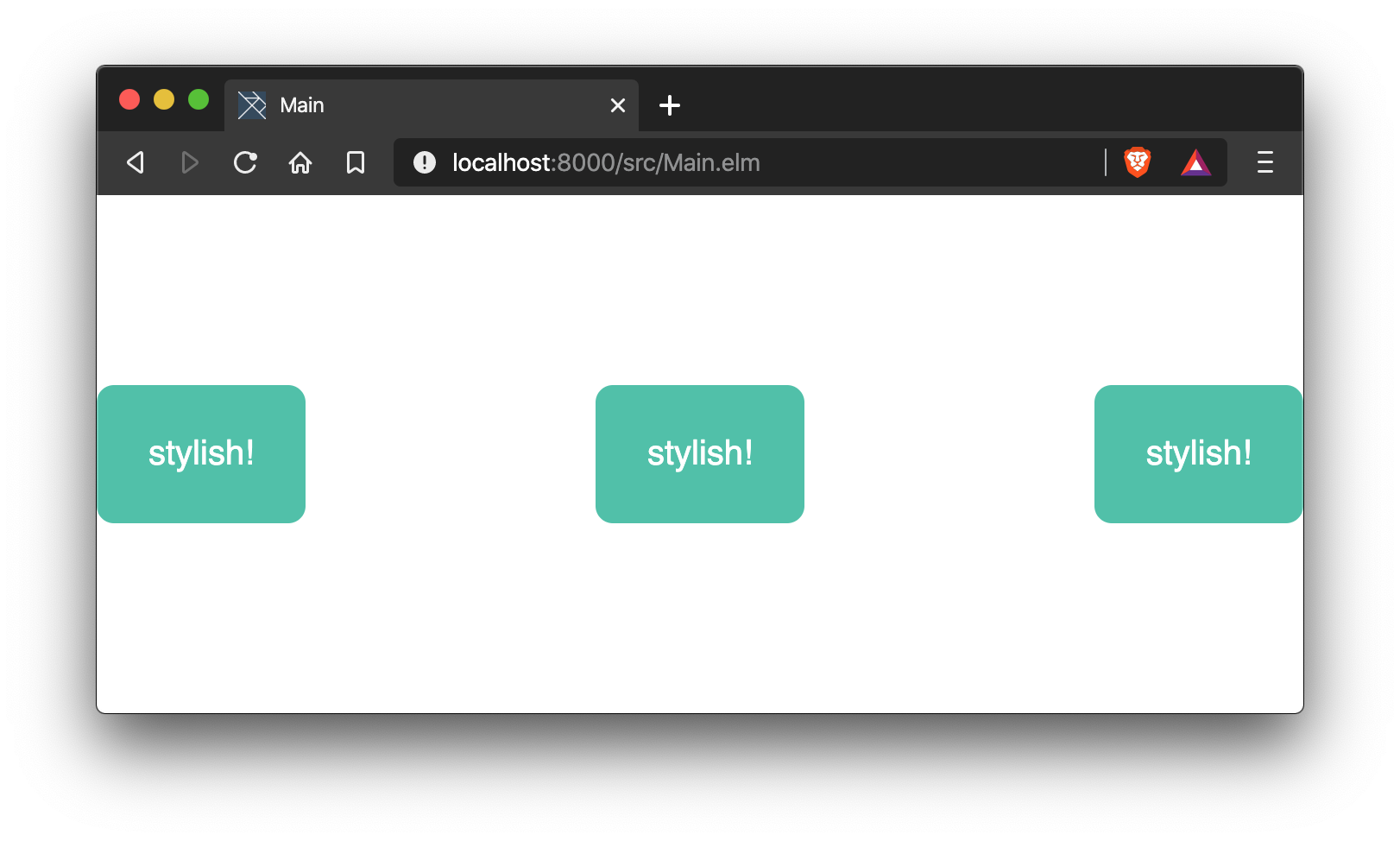
168 |
169 | If you open the elements tab of Dev Tools in your browser
170 | you will see the HTML code (_generated by the `elm` compiler_):
171 |
172 | 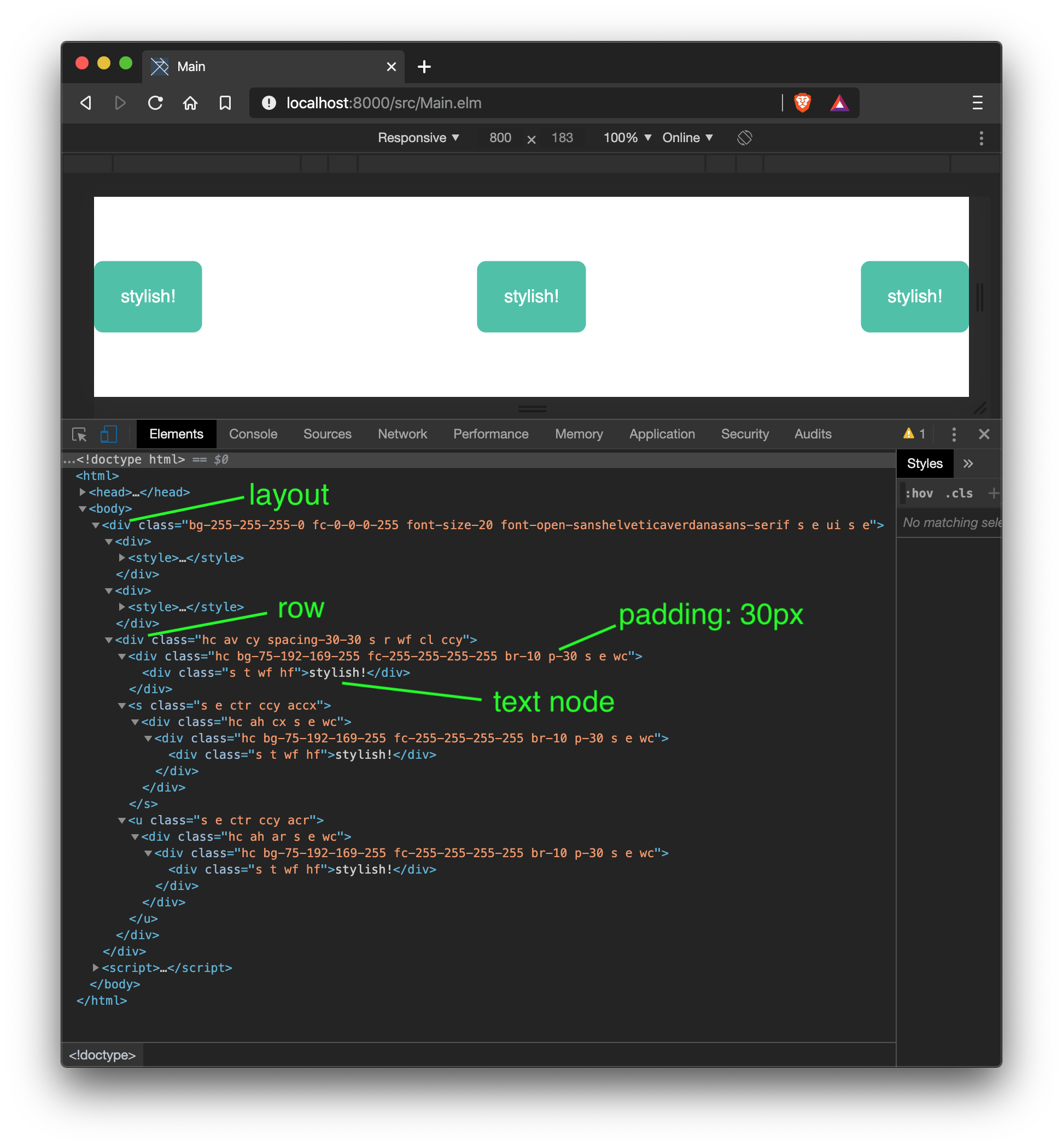
173 |
174 | The in-line CSS classes are generated at compile time
175 | and included in `