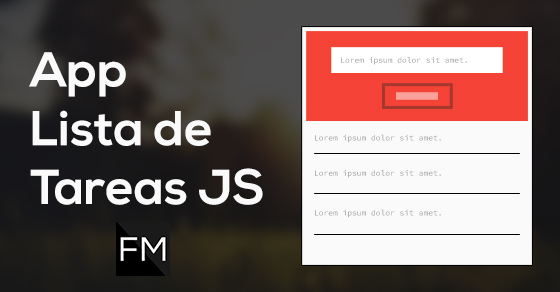
├── img └── Como hacer una App Lista de Tareas con Javascript.jpg ├── README.md ├── index.html ├── css └── estilos.css └── js └── main.js /img/Como hacer una App Lista de Tareas con Javascript.jpg: -------------------------------------------------------------------------------- https://raw.githubusercontent.com/falconmasters/lista-tareas/HEAD/img/Como hacer una App Lista de Tareas con Javascript.jpg -------------------------------------------------------------------------------- /README.md: -------------------------------------------------------------------------------- 1 | # App Lista de Tareas con Javascript 2 | 3 | ![Thumb](https://raw.githubusercontent.com/falconmasters/lista-tareas/master/img/Como%20hacer%20una%20App%20Lista%20de%20Tareas%20con%20Javascript.jpg) 4 | 5 | Demo: http://codepen.io/falconmasters/pen/RWrYaP 6 | 7 | ### Tutorial: [http://www.falconmasters.com/javascript/app-lista-tareas-javascript/](http://www.falconmasters.com/javascript/app-lista-tareas-javascript/) 8 | 9 | Por [Carlos Arturo](http://www.twitter.com/falconmasters) 10 | ## [FalconMasters, Blog de Diseño y Desarrollo Web](http://www.falconmasters.com) 11 | 12 | --- -------------------------------------------------------------------------------- /index.html: -------------------------------------------------------------------------------- 1 | 2 | 3 | 4 | 5 | 6 | 7 | 8 | Lista de Tareas 9 | 10 | 11 |
12 |
13 |
14 | 15 | 16 |
17 |
18 |
19 | 20 |
21 |
22 | 27 |
28 |
29 | 30 | 31 | -------------------------------------------------------------------------------- /css/estilos.css: -------------------------------------------------------------------------------- 1 | * { 2 | margin: 0; 3 | padding: 0; 4 | -webkit-box-sizing: border-box; 5 | -moz-box-sizing: border-box; 6 | box-sizing: border-box; 7 | } 8 | 9 | body { 10 | background: #FAFAFA; 11 | font-family: arial, helvetica, sans-serif; 12 | font-size: 16px; 13 | } 14 | 15 | .wrap { 16 | margin: auto; 17 | max-width: 800px; 18 | width: 90%; 19 | } 20 | 21 | .principal { 22 | background: #F44336; 23 | border-top: 20px solid #D32F2F; 24 | color: #fff; 25 | padding: 50px 0; 26 | width: 100%; 27 | } 28 | 29 | .principal .formulario { 30 | color: #212121; 31 | text-align: center; 32 | } 33 | 34 | .principal .formulario input[type=text] { 35 | margin-bottom: 20px; 36 | padding: 10px; 37 | width: 100%; 38 | } 39 | 40 | .principal .formulario input[type=text].error { 41 | border: 5px solid #D32F2F; 42 | color: red; 43 | } 44 | 45 | .principal .formulario .boton { 46 | background: none; 47 | border: 1px solid #D32F2F; 48 | color: #fff; 49 | display: inline-block; 50 | font-size: 16px; 51 | padding: 15px; 52 | } 53 | 54 | .principal .formulario .boton:hover { 55 | border: 1px solid #fff; 56 | } 57 | 58 | /* - Tareas - */ 59 | .tareas .lista { 60 | list-style: none; 61 | } 62 | 63 | .tareas .lista li { 64 | border-bottom: 1px solid #B6B6B6; 65 | } 66 | 67 | .tareas .lista li a { 68 | color: #212121; 69 | display: block; 70 | padding: 20px 0; 71 | text-decoration: none; 72 | } 73 | 74 | .tareas .lista li a:hover { 75 | text-decoration: line-through; 76 | } -------------------------------------------------------------------------------- /js/main.js: -------------------------------------------------------------------------------- 1 | (function(){ 2 | // Variables 3 | var lista = document.getElementById("lista"), 4 | tareaInput = document.getElementById("tareaInput"), 5 | btnNuevaTarea = document.getElementById("btn-agregar"); 6 | 7 | // Funciones 8 | var agregarTarea = function(){ 9 | var tarea = tareaInput.value, 10 | nuevaTarea = document.createElement("li"), 11 | enlace = document.createElement("a"), 12 | contenido = document.createTextNode(tarea); 13 | 14 | if (tarea === "") { 15 | tareaInput.setAttribute("placeholder", "Agrega una tarea valida"); 16 | tareaInput.className = "error"; 17 | return false; 18 | } 19 | 20 | // Agregamos el contenido al enlace 21 | enlace.appendChild(contenido); 22 | // Le establecemos un atributo href 23 | enlace.setAttribute("href", "#"); 24 | // Agrergamos el enlace (a) a la nueva tarea (li) 25 | nuevaTarea.appendChild(enlace); 26 | // Agregamos la nueva tarea a la lista 27 | lista.appendChild(nuevaTarea); 28 | 29 | tareaInput.value = ""; 30 | 31 | for (var i = 0; i <= lista.children.length -1; i++) { 32 | lista.children[i].addEventListener("click", function(){ 33 | this.parentNode.removeChild(this); 34 | }); 35 | } 36 | 37 | }; 38 | var comprobarInput = function(){ 39 | tareaInput.className = ""; 40 | teareaInput.setAttribute("placeholder", "Agrega tu tarea"); 41 | }; 42 | 43 | var eleminarTarea = function(){ 44 | this.parentNode.removeChild(this); 45 | }; 46 | 47 | // Eventos 48 | 49 | // Agregar Tarea 50 | btnNuevaTarea.addEventListener("click", agregarTarea); 51 | 52 | // Comprobar Input 53 | tareaInput.addEventListener("click", comprobarInput); 54 | 55 | // Borrando Elementos de la lista 56 | for (var i = 0; i <= lista.children.length -1; i++) { 57 | lista.children[i].addEventListener("click", eleminarTarea); 58 | } 59 | }()); --------------------------------------------------------------------------------