├── requirements.txt
├── docs
├── book
│ ├── Part F - Fundamentals
│ │ ├── F6 - Advanced Topics
│ │ │ ├── F6.3 Basic UI and Apps
│ │ │ │ ├── A38s1 - Supplemental.js
│ │ │ │ ├── A38s1 - Supplemental.py
│ │ │ │ ├── F63c Checkpoint.js
│ │ │ │ ├── F63c Checkpoint.py
│ │ │ │ ├── F63d Checkpoint.js
│ │ │ │ ├── F63d Checkpoint.py
│ │ │ │ ├── F63b Checkpoint.js
│ │ │ │ ├── F63b Checkpoint.py
│ │ │ │ └── A38s1 - Supplemental.ipynb
│ │ │ ├── F6.4 Combining R and Earth Engine
│ │ │ │ ├── F64b Checkpoint.js
│ │ │ │ ├── F64c Checkpoint.js
│ │ │ │ ├── F64d Checkpoint.js
│ │ │ │ ├── F64e Checkpoint.js
│ │ │ │ ├── F64g Checkpoint.js
│ │ │ │ ├── F64b Checkpoint.py
│ │ │ │ ├── F64c Checkpoint.py
│ │ │ │ ├── F64d Checkpoint.py
│ │ │ │ ├── F64e Checkpoint.py
│ │ │ │ ├── F64g Checkpoint.py
│ │ │ │ ├── F64f Checkpoint.py
│ │ │ │ └── F64f Checkpoint.js
│ │ │ ├── F6.2 Scaling Up
│ │ │ │ ├── F62e Checkpoint.js
│ │ │ │ └── F62e Checkpoint.py
│ │ │ └── F6.0 Advanced Raster Visualizations
│ │ │ │ ├── F60b Checkpoint.js
│ │ │ │ ├── F60b Checkpoint.py
│ │ │ │ ├── F60a Checkpoint.js
│ │ │ │ ├── F60a Checkpoint.py
│ │ │ │ ├── F60d Checkpoint.js
│ │ │ │ ├── F60d Checkpoint.py
│ │ │ │ ├── F60g Checkpoint.py
│ │ │ │ ├── F60g Checkpoint.js
│ │ │ │ └── F60c Checkpoint.js
│ │ ├── F1 - Programming and Remote Sensing Basics
│ │ │ ├── F1.1 Exploring Images
│ │ │ │ ├── F11s2 Assignment 5.py
│ │ │ │ ├── F11s2 Assignment 5.js
│ │ │ │ ├── F11s1 Assignment 4.py
│ │ │ │ ├── F11s1 Assignment 4.js
│ │ │ │ ├── F11a Checkpoint.py
│ │ │ │ └── F11a Checkpoint.js
│ │ │ ├── F1.0 Javascript and the Earth Engine API
│ │ │ │ ├── F10b Checkpoint.js
│ │ │ │ ├── F10b Checkpoint.py
│ │ │ │ ├── F10a Checkpoint.js
│ │ │ │ └── F10a Checkpoint.py
│ │ │ └── F1.2 Survey of Imagery
│ │ │ │ ├── F12g Checkpoint.py
│ │ │ │ ├── F12a Checkpoint.py
│ │ │ │ ├── F12a Checkpoint.js
│ │ │ │ ├── F12c Checkpoint.py
│ │ │ │ ├── F12c Checkpoint.js
│ │ │ │ ├── F12g Checkpoint.js
│ │ │ │ ├── F12f Checkpoint.py
│ │ │ │ ├── F12f Checkpoint.js
│ │ │ │ ├── F12e Checkpoint.py
│ │ │ │ └── F12e Checkpoint.js
│ │ ├── F4 - Interpreting Image Series
│ │ │ ├── F4.2 Aggregating Time Series
│ │ │ │ ├── F42a Checkpoint.js
│ │ │ │ ├── F42a Checkpoint.py
│ │ │ │ ├── F42b Checkpoint.js
│ │ │ │ └── F42b Checkpoint.py
│ │ │ ├── F4.7 Interpreting Time Series with CCDC
│ │ │ │ ├── F47a Checkpoint.js
│ │ │ │ ├── F47a Checkpoint.py
│ │ │ │ ├── F47d Checkpoint.js
│ │ │ │ └── F47d Checkpoint.py
│ │ │ ├── F4.8 Data Fusion- Merging Classification Streams
│ │ │ │ ├── F48s1 - Supplemental - BULC explainer.js
│ │ │ │ ├── F48s1 - Supplemental - BULC explainer.py
│ │ │ │ ├── F48b Checkpoint - BULC interface link.js
│ │ │ │ ├── F48c Checkpoint - BULC-D Interface Link.js
│ │ │ │ ├── F48a Checkpoint.js
│ │ │ │ ├── F48b Checkpoint - BULC interface link.py
│ │ │ │ ├── F48c Checkpoint - BULC-D Interface Link.py
│ │ │ │ └── F48a Checkpoint.py
│ │ │ ├── F4.4 Change Detection
│ │ │ │ ├── vis
│ │ │ │ │ ├── mtStHelen.js
│ │ │ │ │ ├── paradise.js
│ │ │ │ │ ├── mtStHelen.py
│ │ │ │ │ ├── paradise.py
│ │ │ │ │ ├── incheon.js
│ │ │ │ │ ├── incheon.py
│ │ │ │ │ ├── mining.js
│ │ │ │ │ └── mining.py
│ │ │ │ ├── F44a Checkpoint.py
│ │ │ │ └── F44a Checkpoint.js
│ │ │ ├── F4.5 LandTrendr
│ │ │ │ ├── F45a LandTrendr Links and info.js
│ │ │ │ └── F45a LandTrendr Links and info.py
│ │ │ ├── F4.3 Clouds and Image Compositing
│ │ │ │ ├── F43c Checkpoint.js
│ │ │ │ ├── F43c Checkpoint.py
│ │ │ │ ├── F43d Checkpoint.js
│ │ │ │ └── F43d Checkpoint.py
│ │ │ ├── F4.1 Exploring Image Collections
│ │ │ │ ├── F41a Checkpoint.js
│ │ │ │ └── F41a Checkpoint.py
│ │ │ └── F4.0 Functional Programming Concepts
│ │ │ │ ├── F40a Checkpoint.js
│ │ │ │ └── F40a Checkpoint.py
│ │ ├── F5 - Vectors and Tables
│ │ │ ├── F5.4 GEEDiT
│ │ │ │ ├── F54a Checkpoint Links and Info.js
│ │ │ │ └── F54a Checkpoint Links and Info.py
│ │ │ └── F5.1 Vector Raster Conversion
│ │ │ │ ├── F51d Checkpoint.py
│ │ │ │ └── F51d Checkpoint.js
│ │ ├── F3 - Advanced Image Processing
│ │ │ └── F3.1 Advanced Pixel-Based Image Transformations
│ │ │ │ ├── F31b Checkpoint.js
│ │ │ │ └── F31b Checkpoint.py
│ │ └── F2 - Interpreting Images
│ │ │ └── F2.2 Accuracy Assessment
│ │ │ ├── F22a Checkpoint.js
│ │ │ └── F22a Checkpoint.py
│ ├── Part A - Applications
│ │ ├── A3 - Terrestrial Applications
│ │ │ ├── A3.1 Active Fire Monitoring
│ │ │ │ ├── A31c Checkpoint.js
│ │ │ │ ├── A31d Checkpoint.js
│ │ │ │ ├── A31b Checkpoint.js
│ │ │ │ ├── A31c Checkpoint.py
│ │ │ │ ├── A31d Checkpoint.py
│ │ │ │ └── A31b Checkpoint.py
│ │ │ ├── A3.5 Deforestation Viewed from Multiple Sensors
│ │ │ │ ├── A35a Checkpoint.js
│ │ │ │ ├── A35a Checkpoint.py
│ │ │ │ ├── A35b Checkpoint.py
│ │ │ │ └── A35b Checkpoint.js
│ │ │ ├── A3.4 Forest Degradation and Deforestation
│ │ │ │ ├── A34c Checkpoint.js
│ │ │ │ ├── A34c Checkpoint.py
│ │ │ │ └── modules
│ │ │ │ │ ├── palettes.js
│ │ │ │ │ └── palettes.py
│ │ │ ├── A3.2 Mangroves
│ │ │ │ ├── A32a Checkpoint.py
│ │ │ │ └── A32a Checkpoint.js
│ │ │ ├── A3.8 Detecting Land Cover Change in Rangelands
│ │ │ │ ├── A38s1 - Supplemental.py
│ │ │ │ ├── A38s1 - Supplemental.js
│ │ │ │ ├── A38a Checkpoint.py
│ │ │ │ └── A38a Checkpoint.js
│ │ │ └── A3.6 Working With GPS & Weather Data
│ │ │ │ ├── A36a Checkpoint.js
│ │ │ │ └── A36a Checkpoint.py
│ │ ├── A2 - Aquatic and Hydrological Applications
│ │ │ ├── A2.2 Benthic Habitats
│ │ │ │ ├── A22a Checkpoint.js
│ │ │ │ └── A22a Checkpoint.py
│ │ │ └── A2.1 GRACE Groundwater
│ │ │ │ ├── A21a Checkpoint.js
│ │ │ │ └── A21a Checkpoint.py
│ │ └── A1 - Human Applications
│ │ │ ├── A1.6 Health Applications
│ │ │ ├── A16a Checkpoint.py
│ │ │ └── A16a Checkpoint.js
│ │ │ ├── A1.2 Urban Environments
│ │ │ ├── A12c Checkpoint.js
│ │ │ ├── A12c Checkpoint.py
│ │ │ ├── A12a Checkpoint.js
│ │ │ ├── A12a Checkpoint.py
│ │ │ ├── A12b Checkpoint.js
│ │ │ ├── A12e Checkpoint.js
│ │ │ ├── A12e Checkpoint.py
│ │ │ ├── A12d Checkpoint.py
│ │ │ ├── A12d Checkpoint.js
│ │ │ └── A12b Checkpoint.py
│ │ │ ├── A1.5 Heat Islands
│ │ │ ├── modules
│ │ │ │ ├── cloudmask.py
│ │ │ │ ├── cloudmask.js
│ │ │ │ ├── compute_FVC.js
│ │ │ │ ├── compute_FVC.py
│ │ │ │ ├── compute_NDVI.py
│ │ │ │ └── compute_NDVI.js
│ │ │ └── A15a Checkpoint.py
│ │ │ └── A1.3 Built Environments
│ │ │ ├── A13d Checkpoint.js
│ │ │ └── A13d Checkpoint.py
│ ├── js_to_py.py
│ └── build_toc.py
├── overrides
│ └── main.html
├── index.md
└── template.ipynb
├── README.md
├── .pre-commit-config.yaml
├── .github
└── workflows
│ └── docs.yml
└── LICENSE
/requirements.txt:
--------------------------------------------------------------------------------
1 | --find-links=https://girder.github.io/large_image_wheels GDAL
2 | geemap
3 |
--------------------------------------------------------------------------------
/docs/book/Part F - Fundamentals/F6 - Advanced Topics/F6.3 Basic UI and Apps/A38s1 - Supplemental.js:
--------------------------------------------------------------------------------
1 |
--------------------------------------------------------------------------------
/docs/book/Part F - Fundamentals/F6 - Advanced Topics/F6.3 Basic UI and Apps/A38s1 - Supplemental.py:
--------------------------------------------------------------------------------
1 | import ee
2 | import geemap
3 |
4 | Map = geemap.Map()
5 |
6 | Map
7 |
--------------------------------------------------------------------------------
/docs/overrides/main.html:
--------------------------------------------------------------------------------
1 | {% extends "base.html" %}
2 |
3 | {% block content %}
4 | {% if page.nb_url %}
5 |
6 | {% include ".icons/material/download.svg" %}
7 |
8 | {% endif %}
9 |
10 | {{ super() }}
11 | {% endblock content %}
12 |
--------------------------------------------------------------------------------
/README.md:
--------------------------------------------------------------------------------
1 | # eefa-notebook
2 |
3 | [](https://colab.research.google.com/github/gee-community/eefa-notebook/blob/main)
4 |
5 | Python scripts and Jupyter notebooks for the [EEFA book](https://www.eefabook.org)
6 |
7 | [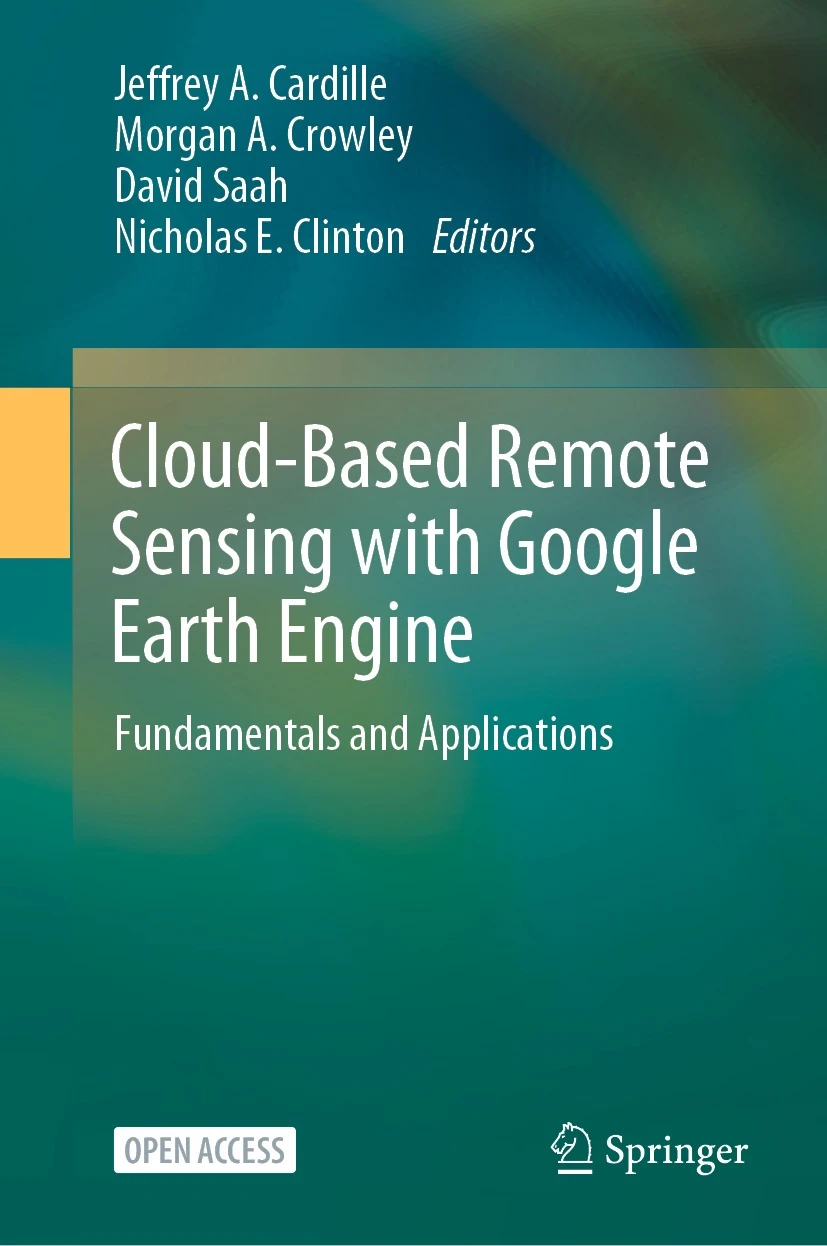
8 | ](https://link.springer.com/book/10.1007/978-3-031-26588-4)
9 |
--------------------------------------------------------------------------------
/docs/index.md:
--------------------------------------------------------------------------------
1 | ## EEFA Notebook
2 |
3 | [](https://colab.research.google.com/github/gee-community/eefa-notebook/blob/main)
4 |
5 | Python scripts and Jupyter notebooks for the [EEFA book](https://www.eefabook.org)
6 |
7 | [
8 | ](https://link.springer.com/book/10.1007/978-3-031-26588-4)
9 |
--------------------------------------------------------------------------------
/docs/book/Part A - Applications/A3 - Terrestrial Applications/A3.1 Active Fire Monitoring/A31c Checkpoint.js:
--------------------------------------------------------------------------------
1 | // ~~~~~~~~~~~~~~~~~~~~~~~~~~~~~~~~~~~~~~~~~~~~~~~~~~~~~~~~~~~~~~~~~~~~~~~~~~~~
2 | // Chapter: A3.1 Active fire monitoring
3 | // Checkpoint: A31c
4 | // Authors: Morgan A. Crowley* and Tianjia Liu* (*shared first-authorship)
5 | // ~~~~~~~~~~~~~~~~~~~~~~~~~~~~~~~~~~~~~~~~~~~~~~~~~~~~~~~~~~~~~~~~~~~~~~~~~~~~
6 |
7 | Your app should now look like this (click the Submit button):
8 |
9 | https://bit.ly/FIRMS_Bobcat.
10 |
--------------------------------------------------------------------------------
/docs/book/Part A - Applications/A3 - Terrestrial Applications/A3.1 Active Fire Monitoring/A31d Checkpoint.js:
--------------------------------------------------------------------------------
1 | // ~~~~~~~~~~~~~~~~~~~~~~~~~~~~~~~~~~~~~~~~~~~~~~~~~~~~~~~~~~~~~~~~~~~~~~~~~~~~
2 | // Chapter: A3.1 Active fire monitoring
3 | // Checkpoint: A31d
4 | // Authors: Morgan A. Crowley* and Tianjia Liu* (*shared first-authorship)
5 | // ~~~~~~~~~~~~~~~~~~~~~~~~~~~~~~~~~~~~~~~~~~~~~~~~~~~~~~~~~~~~~~~~~~~~~~~~~~~~
6 |
7 |
8 | the Earth Engine app U.S. Fire Dashboard (
9 |
10 | https://globalfires.earthengine.app/view/us-fire-dashboard
11 |
12 | ).
--------------------------------------------------------------------------------
/docs/book/Part A - Applications/A3 - Terrestrial Applications/A3.1 Active Fire Monitoring/A31b Checkpoint.js:
--------------------------------------------------------------------------------
1 | // ~~~~~~~~~~~~~~~~~~~~~~~~~~~~~~~~~~~~~~~~~~~~~~~~~~~~~~~~~~~~~~~~~~~~~~~~~~~~
2 | // Chapter: A3.1 Active fire monitoring
3 | // Checkpoint: A31b
4 | // Authors: Morgan A. Crowley* and Tianjia Liu* (*shared first-authorship)
5 | // ~~~~~~~~~~~~~~~~~~~~~~~~~~~~~~~~~~~~~~~~~~~~~~~~~~~~~~~~~~~~~~~~~~~~~~~~~~~~
6 |
7 | Bobcat Fire in the Earth Engine app FIRMS Active Fires (
8 |
9 | https://globalfires.earthengine.app/view/firms
10 |
11 | ).
12 |
13 |
--------------------------------------------------------------------------------
/docs/book/js_to_py.py:
--------------------------------------------------------------------------------
1 | import os
2 | from geemap.conversion import *
3 |
4 | # Clone the repository
5 | # git clone https://earthengine.googlesource.com/projects/gee-edu/book
6 |
7 | # Add .js file extension to all files in a directory
8 | # find . -type f ! -name "*.*" -exec mv {} {}.js \;
9 |
10 |
11 | out_dir = os.getcwd()
12 | js_dir = out_dir
13 | js_to_python_dir(in_dir=js_dir, out_dir=out_dir, use_qgis=False, import_geemap=True)
14 | py_to_ipynb_dir(js_dir)
15 |
16 | # Remove _geemap suffix from all files in a directory
17 | # find . -type f -name '*_geemap*' -exec sh -c 'mv "$1" "${1//_geemap/}"' _ {} \;
18 |
--------------------------------------------------------------------------------
/docs/book/Part A - Applications/A3 - Terrestrial Applications/A3.1 Active Fire Monitoring/A31c Checkpoint.py:
--------------------------------------------------------------------------------
1 | import ee
2 | import geemap
3 |
4 | Map = geemap.Map()
5 |
6 | # ~~~~~~~~~~~~~~~~~~~~~~~~~~~~~~~~~~~~~~~~~~~~~~~~~~~~~~~~~~~~~~~~~~~~~~~~~~~~
7 | # Chapter: A3.1 Active fire monitoring
8 | # Checkpoint: A31c
9 | # Authors: Morgan A. Crowley* and Tianjia Liu* (*shared first-authorship)
10 | # ~~~~~~~~~~~~~~~~~~~~~~~~~~~~~~~~~~~~~~~~~~~~~~~~~~~~~~~~~~~~~~~~~~~~~~~~~~~~
11 |
12 | 'Your app should now look like this (click the Submit button)':
13 |
14 | 'https':#bit.ly/FIRMS_Bobcat.
15 |
16 | Map
17 |
--------------------------------------------------------------------------------
/docs/book/Part A - Applications/A3 - Terrestrial Applications/A3.1 Active Fire Monitoring/A31d Checkpoint.py:
--------------------------------------------------------------------------------
1 | import ee
2 | import geemap
3 |
4 | Map = geemap.Map()
5 |
6 | # ~~~~~~~~~~~~~~~~~~~~~~~~~~~~~~~~~~~~~~~~~~~~~~~~~~~~~~~~~~~~~~~~~~~~~~~~~~~~
7 | # Chapter: A3.1 Active fire monitoring
8 | # Checkpoint: A31d
9 | # Authors: Morgan A. Crowley* and Tianjia Liu* (*shared first-authorship)
10 | # ~~~~~~~~~~~~~~~~~~~~~~~~~~~~~~~~~~~~~~~~~~~~~~~~~~~~~~~~~~~~~~~~~~~~~~~~~~~~
11 |
12 |
13 | the Earth Engine app U.S. Fire Dashboard (
14 |
15 | 'https':#globalfires.earthengine.app/view/us-fire-dashboard
16 |
17 | ).
18 | Map
19 |
--------------------------------------------------------------------------------
/docs/book/Part A - Applications/A3 - Terrestrial Applications/A3.1 Active Fire Monitoring/A31b Checkpoint.py:
--------------------------------------------------------------------------------
1 | import ee
2 | import geemap
3 |
4 | Map = geemap.Map()
5 |
6 | # ~~~~~~~~~~~~~~~~~~~~~~~~~~~~~~~~~~~~~~~~~~~~~~~~~~~~~~~~~~~~~~~~~~~~~~~~~~~~
7 | # Chapter: A3.1 Active fire monitoring
8 | # Checkpoint: A31b
9 | # Authors: Morgan A. Crowley* and Tianjia Liu* (*shared first-authorship)
10 | # ~~~~~~~~~~~~~~~~~~~~~~~~~~~~~~~~~~~~~~~~~~~~~~~~~~~~~~~~~~~~~~~~~~~~~~~~~~~~
11 |
12 | Bobcat Fire in the Earth Engine app FIRMS Active Fires (
13 |
14 | 'https':#globalfires.earthengine.app/view/firms
15 |
16 | ).
17 |
18 | Map
19 |
--------------------------------------------------------------------------------
/.pre-commit-config.yaml:
--------------------------------------------------------------------------------
1 | repos:
2 | - repo: https://github.com/pre-commit/pre-commit-hooks
3 | rev: v4.6.0
4 | hooks:
5 | - id: check-toml
6 | - id: check-yaml
7 | - id: end-of-file-fixer
8 | types: [python]
9 | - id: trailing-whitespace
10 | - id: requirements-txt-fixer
11 | - id: check-added-large-files
12 | args: ["--maxkb=500"]
13 |
14 | - repo: https://github.com/psf/black
15 | rev: 24.8.0
16 | hooks:
17 | - id: black-jupyter
18 | language_version: python3.11
19 |
20 | - repo: https://github.com/kynan/nbstripout
21 | rev: 0.7.1
22 | hooks:
23 | - id: nbstripout
24 |
--------------------------------------------------------------------------------
/docs/book/Part F - Fundamentals/F1 - Programming and Remote Sensing Basics/F1.1 Exploring Images/F11s2 Assignment 5.py:
--------------------------------------------------------------------------------
1 | import ee
2 | import geemap
3 |
4 | Map = geemap.Map()
5 |
6 | # ~~~~~~~~~~~~~~~~~~~~~~~~~~~~~~~~~~~~~~~~~~~~~~~~~~~~~~~~~~~~~~~~~~~~~~~
7 | # Chapter: F1.1 Exploring images
8 | # Section: Practice problem (Assignment 5)
9 | # Author: Jeff Howarth
10 | # ~~~~~~~~~~~~~~~~~~~~~~~~~~~~~~~~~~~~~~~~~~~~~~~~~~~~~~~~~~~~~~~~~~~~~~~
11 |
12 | image = ee.Image("LANDSAT/LT05/C02/T1_L2/LT05_118038_20000606")
13 |
14 | Map.addLayer(image, {"bands": ["SR_B1"], "min": 8000, "max": 17000}, "Layer 1")
15 |
16 | Map.addLayer(image.select("SR_B1"), {"min": 8000, "max": 17000}, "Layer 2")
17 |
18 |
19 | Map
20 |
--------------------------------------------------------------------------------
/docs/book/Part F - Fundamentals/F6 - Advanced Topics/F6.3 Basic UI and Apps/F63c Checkpoint.js:
--------------------------------------------------------------------------------
1 | // ~~~~~~~~~~~~~~~~~~~~~~~~~~~~~~~~~~~~~~~~~~~~~~~~~~~~~~~~~~~~~~~~~~~~~~~
2 | // Chapter: F6.3 Sharing Work in Earth Engine: Basic UI and Apps
3 | // Checkpoint: F63c
4 | // Author: Qiusheng Wu
5 | // ~~~~~~~~~~~~~~~~~~~~~~~~~~~~~~~~~~~~~~~~~~~~~~~~~~~~~~~~~~~~~~~~~~~~~~~
6 |
7 |
8 | Enter the link below into your browser to see how your code should look at this point
9 |
10 | https://geemap.org/notebooks/nlcd_app
11 |
12 |
13 |
14 |
15 | // -----------------------------------------------------------------------
16 | // CHECKPOINT
17 | // -----------------------------------------------------------------------
18 |
19 |
20 |
--------------------------------------------------------------------------------
/docs/book/Part A - Applications/A3 - Terrestrial Applications/A3.5 Deforestation Viewed from Multiple Sensors/A35a Checkpoint.js:
--------------------------------------------------------------------------------
1 | // ~~~~~~~~~~~~~~~~~~~~~~~~~~~~~~~~~~~~~~~~~~~~~~~~~~~~~~~~~~~~~~~~~~~~~~~
2 | // Chapter: A3.5 Deforestation Viewed from Multiple Sensors
3 | // Checkpoint: A35a
4 | // Author: Xiaojing Tang
5 | // ~~~~~~~~~~~~~~~~~~~~~~~~~~~~~~~~~~~~~~~~~~~~~~~~~~~~~~~~~~~~~~~~~~~~~~~
6 |
7 | // Fusion Near Real-time (GUI)
8 | // Near real-time monitoring of forest disturbance by fusion of
9 | // multi-sensor data. @author Xiaojing Tang (xjtang@bu.edu).
10 |
11 | // To run this interface, please access it by entering the link
12 | // below in a separate browser window.
13 |
14 | https://gee-book.earthengine.app/view/fnrt
15 |
--------------------------------------------------------------------------------
/docs/book/Part F - Fundamentals/F1 - Programming and Remote Sensing Basics/F1.0 Javascript and the Earth Engine API/F10b Checkpoint.js:
--------------------------------------------------------------------------------
1 | // ~~~~~~~~~~~~~~~~~~~~~~~~~~~~~~~~~~~~~~~~~~~~~~~~~~~~~~~~~~~~~~~~~~~~~~~
2 | // Chapter: F1.0 Javascript and the Earth Engine API
3 | // Checkpoint: F10b
4 | // Author: Ujaval Gandhi
5 | // ~~~~~~~~~~~~~~~~~~~~~~~~~~~~~~~~~~~~~~~~~~~~~~~~~~~~~~~~~~~~~~~~~~~~~~~
6 |
7 | var a = 1;
8 | var b = 2;
9 |
10 | var result = ee.Number(a).add(b);
11 | print(result);
12 |
13 | var yearList = ee.List.sequence(1980, 2020, 5);
14 | print(yearList);
15 |
16 | // -----------------------------------------------------------------------
17 | // CHECKPOINT
18 | // -----------------------------------------------------------------------
19 |
20 |
--------------------------------------------------------------------------------
/docs/book/Part A - Applications/A3 - Terrestrial Applications/A3.4 Forest Degradation and Deforestation/A34c Checkpoint.js:
--------------------------------------------------------------------------------
1 | // ~~~~~~~~~~~~~~~~~~~~~~~~~~~~~~~~~~~~~~~~~~~~~~~~~~~~~~~~~~~~~~~~~~~~~~~
2 | // Chapter: A3.4 Forest Degradation and Deforestation
3 | // Checkpoint: A34c
4 | // Author: Carlos Souza Jr., Karis Tenneson, John Dilger,
5 | // Crystal Wespestad, Eric Bullock
6 | // ~~~~~~~~~~~~~~~~~~~~~~~~~~~~~~~~~~~~~~~~~~~~~~~~~~~~~~~~~~~~~~~~~~~~~~~
7 |
8 | var api = require('users/bullocke/coded:CODED/api');
9 | var utils = require('projects/GLANCE:ccdcUtilities/api');
10 |
11 | // ------------------------------------------------------------------------
12 | // CHECKPOINT
13 | // ------------------------------------------------------------------------
--------------------------------------------------------------------------------
/docs/book/Part F - Fundamentals/F6 - Advanced Topics/F6.3 Basic UI and Apps/F63c Checkpoint.py:
--------------------------------------------------------------------------------
1 | import ee
2 | import geemap
3 |
4 | Map = geemap.Map()
5 |
6 | # ~~~~~~~~~~~~~~~~~~~~~~~~~~~~~~~~~~~~~~~~~~~~~~~~~~~~~~~~~~~~~~~~~~~~~~~
7 | # Chapter: F6.3 Sharing Work in Earth Engine: Basic UI and Apps
8 | # Checkpoint: F63c
9 | # Author: Qiusheng Wu
10 | # ~~~~~~~~~~~~~~~~~~~~~~~~~~~~~~~~~~~~~~~~~~~~~~~~~~~~~~~~~~~~~~~~~~~~~~~
11 |
12 |
13 | Enter the link below into your browser to see how your code should look at this point
14 |
15 | 'https':#geemap.Org/notebooks/nlcd_app
16 |
17 |
18 |
19 |
20 | # -----------------------------------------------------------------------
21 | # CHECKPOINT
22 | # -----------------------------------------------------------------------
23 |
24 |
25 | Map
26 |
--------------------------------------------------------------------------------
/docs/book/Part F - Fundamentals/F1 - Programming and Remote Sensing Basics/F1.1 Exploring Images/F11s2 Assignment 5.js:
--------------------------------------------------------------------------------
1 | // ~~~~~~~~~~~~~~~~~~~~~~~~~~~~~~~~~~~~~~~~~~~~~~~~~~~~~~~~~~~~~~~~~~~~~~~
2 | // Chapter: F1.1 Exploring images
3 | // Section: Practice problem (Assignment 5)
4 | // Author: Jeff Howarth
5 | // ~~~~~~~~~~~~~~~~~~~~~~~~~~~~~~~~~~~~~~~~~~~~~~~~~~~~~~~~~~~~~~~~~~~~~~~
6 |
7 | var image = ee.Image('LANDSAT/LT05/C02/T1_L2/LT05_118038_20000606');
8 |
9 | Map.addLayer(
10 | image,
11 | {
12 | bands: ['SR_B1'],
13 | min: 8000,
14 | max: 17000
15 | },
16 | 'Layer 1'
17 | );
18 |
19 | Map.addLayer(
20 | image.select('SR_B1'),
21 | {
22 | min: 8000,
23 | max: 17000
24 | },
25 | 'Layer 2'
26 | );
27 |
28 |
29 |
30 |
--------------------------------------------------------------------------------
/docs/book/Part A - Applications/A3 - Terrestrial Applications/A3.5 Deforestation Viewed from Multiple Sensors/A35a Checkpoint.py:
--------------------------------------------------------------------------------
1 | import ee
2 | import geemap
3 |
4 | Map = geemap.Map()
5 |
6 | # ~~~~~~~~~~~~~~~~~~~~~~~~~~~~~~~~~~~~~~~~~~~~~~~~~~~~~~~~~~~~~~~~~~~~~~~
7 | # Chapter: A3.5 Deforestation Viewed from Multiple Sensors
8 | # Checkpoint: A35a
9 | # Author: Xiaojing Tang
10 | # ~~~~~~~~~~~~~~~~~~~~~~~~~~~~~~~~~~~~~~~~~~~~~~~~~~~~~~~~~~~~~~~~~~~~~~~
11 |
12 | # Fusion Near Real-time (GUI)
13 | # Near real-time monitoring of forest disturbance by fusion of
14 | # multi-sensor data. @author Xiaojing Tang (xjtang@bu.edu).
15 |
16 | # To run this interface, please access it by entering the link
17 | # below in a separate browser window.
18 |
19 | 'https':#gee-book.earthengine.app/view/fnrt
20 | Map
21 |
--------------------------------------------------------------------------------
/docs/book/Part F - Fundamentals/F1 - Programming and Remote Sensing Basics/F1.0 Javascript and the Earth Engine API/F10b Checkpoint.py:
--------------------------------------------------------------------------------
1 | import ee
2 | import geemap
3 |
4 | Map = geemap.Map()
5 |
6 | # ~~~~~~~~~~~~~~~~~~~~~~~~~~~~~~~~~~~~~~~~~~~~~~~~~~~~~~~~~~~~~~~~~~~~~~~
7 | # Chapter: F1.0 Javascript and the Earth Engine API
8 | # Checkpoint: F10b
9 | # Author: Ujaval Gandhi
10 | # ~~~~~~~~~~~~~~~~~~~~~~~~~~~~~~~~~~~~~~~~~~~~~~~~~~~~~~~~~~~~~~~~~~~~~~~
11 |
12 | a = 1
13 | b = 2
14 |
15 | result = ee.Number(a).add(b)
16 | print(result)
17 |
18 | yearList = ee.List.sequence(1980, 2020, 5)
19 | print(yearList)
20 |
21 | # -----------------------------------------------------------------------
22 | # CHECKPOINT
23 | # -----------------------------------------------------------------------
24 |
25 | Map
26 |
--------------------------------------------------------------------------------
/docs/book/Part F - Fundamentals/F6 - Advanced Topics/F6.4 Combining R and Earth Engine/F64b Checkpoint.js:
--------------------------------------------------------------------------------
1 | // ~~~~~~~~~~~~~~~~~~~~~~~~~~~~~~~~~~~~~~~~~~~~~~~~~~~~~~~~~~~~~~~~~~~~~~~
2 | // Chapter: F6.4 Combining R and Earth Engine
3 | // Checkpoint: F64b
4 | // Authors: Cesar Aybar, David Montero, Antony Barja, Fernando Herrera, Andrea Gonzales, and Wendy Espinoza
5 | // ~~~~~~~~~~~~~~~~~~~~~~~~~~~~~~~~~~~~~~~~~~~~~~~~~~~~~~~~~~~~~~~~~~~~~~~
6 |
7 | Enter the link below into your browser to see how your code should look at this point
8 |
9 | https://github.com/csaybar/rgee_examples/blob/main/script01.R
10 |
11 |
12 |
13 |
14 | // -----------------------------------------------------------------------
15 | // CHECKPOINT
16 | // -----------------------------------------------------------------------
17 |
18 |
19 |
--------------------------------------------------------------------------------
/docs/book/Part F - Fundamentals/F6 - Advanced Topics/F6.4 Combining R and Earth Engine/F64c Checkpoint.js:
--------------------------------------------------------------------------------
1 | // ~~~~~~~~~~~~~~~~~~~~~~~~~~~~~~~~~~~~~~~~~~~~~~~~~~~~~~~~~~~~~~~~~~~~~~~
2 | // Chapter: F6.4 Combining R and Earth Engine
3 | // Checkpoint: F64c
4 | // Authors: Cesar Aybar, David Montero, Antony Barja, Fernando Herrera, Andrea Gonzales, and Wendy Espinoza
5 | // ~~~~~~~~~~~~~~~~~~~~~~~~~~~~~~~~~~~~~~~~~~~~~~~~~~~~~~~~~~~~~~~~~~~~~~~
6 |
7 | Enter the link below into your browser to see how your code should look at this point
8 |
9 | https://github.com/csaybar/rgee_examples/blob/main/script02.R
10 |
11 |
12 |
13 |
14 | // -----------------------------------------------------------------------
15 | // CHECKPOINT
16 | // -----------------------------------------------------------------------
17 |
18 |
19 |
--------------------------------------------------------------------------------
/docs/book/Part F - Fundamentals/F6 - Advanced Topics/F6.4 Combining R and Earth Engine/F64d Checkpoint.js:
--------------------------------------------------------------------------------
1 | // ~~~~~~~~~~~~~~~~~~~~~~~~~~~~~~~~~~~~~~~~~~~~~~~~~~~~~~~~~~~~~~~~~~~~~~~
2 | // Chapter: F6.4 Combining R and Earth Engine
3 | // Checkpoint: F64d
4 | // Authors: Cesar Aybar, David Montero, Antony Barja, Fernando Herrera, Andrea Gonzales, and Wendy Espinoza
5 | // ~~~~~~~~~~~~~~~~~~~~~~~~~~~~~~~~~~~~~~~~~~~~~~~~~~~~~~~~~~~~~~~~~~~~~~~
6 |
7 | Enter the link below into your browser to see how your code should look at this point
8 |
9 | https://github.com/csaybar/rgee_examples/blob/main/script03.R
10 |
11 |
12 |
13 |
14 | // -----------------------------------------------------------------------
15 | // CHECKPOINT
16 | // -----------------------------------------------------------------------
17 |
18 |
19 |
--------------------------------------------------------------------------------
/docs/book/Part F - Fundamentals/F6 - Advanced Topics/F6.4 Combining R and Earth Engine/F64e Checkpoint.js:
--------------------------------------------------------------------------------
1 | // ~~~~~~~~~~~~~~~~~~~~~~~~~~~~~~~~~~~~~~~~~~~~~~~~~~~~~~~~~~~~~~~~~~~~~~~
2 | // Chapter: F6.4 Combining R and Earth Engine
3 | // Checkpoint: F64e
4 | // Authors: Cesar Aybar, David Montero, Antony Barja, Fernando Herrera, Andrea Gonzales, and Wendy Espinoza
5 | // ~~~~~~~~~~~~~~~~~~~~~~~~~~~~~~~~~~~~~~~~~~~~~~~~~~~~~~~~~~~~~~~~~~~~~~~
6 |
7 | Enter the link below into your browser to see how your code should look at this point
8 |
9 | https://github.com/csaybar/rgee_examples/blob/main/script04.R
10 |
11 |
12 |
13 |
14 | // -----------------------------------------------------------------------
15 | // CHECKPOINT
16 | // -----------------------------------------------------------------------
17 |
18 |
19 |
--------------------------------------------------------------------------------
/docs/book/Part F - Fundamentals/F6 - Advanced Topics/F6.4 Combining R and Earth Engine/F64g Checkpoint.js:
--------------------------------------------------------------------------------
1 | // ~~~~~~~~~~~~~~~~~~~~~~~~~~~~~~~~~~~~~~~~~~~~~~~~~~~~~~~~~~~~~~~~~~~~~~~
2 | // Chapter: F6.4 Combining R and Earth Engine
3 | // Checkpoint: F64g
4 | // Authors: Cesar Aybar, David Montero, Antony Barja, Fernando Herrera, Andrea Gonzales, and Wendy Espinoza
5 | // ~~~~~~~~~~~~~~~~~~~~~~~~~~~~~~~~~~~~~~~~~~~~~~~~~~~~~~~~~~~~~~~~~~~~~~~
6 |
7 | Enter the link below into your browser to see how your code should look at this point
8 |
9 | https://github.com/csaybar/rgee_examples/blob/main/script05.R
10 |
11 |
12 |
13 |
14 | // -----------------------------------------------------------------------
15 | // CHECKPOINT
16 | // -----------------------------------------------------------------------
17 |
18 |
19 |
--------------------------------------------------------------------------------
/.github/workflows/docs.yml:
--------------------------------------------------------------------------------
1 | name: docs
2 | on:
3 | push:
4 | branches:
5 | - main
6 | jobs:
7 | deploy:
8 | runs-on: ubuntu-latest
9 | steps:
10 | - uses: actions/checkout@v3
11 | - uses: actions/setup-python@v4
12 | with:
13 | python-version: "3.11"
14 | - name: Install dependencies
15 | run: |
16 | python -m pip install --upgrade pip
17 | pip install --user --no-cache-dir Cython
18 | pip install --user -r requirements.txt
19 | - name: Install dependencies
20 | run: pip install mkdocs-material mkdocstrings mkdocs-git-revision-date-plugin mkdocs-jupyter mkdocs-pdf-export-plugin ipykernel
21 | - name: depoly
22 | run: mkdocs gh-deploy --force
23 | env:
24 | RUN_GITHUB_ACTION: ${{ secrets.RUN_GITHUB_ACTION }}
25 |
--------------------------------------------------------------------------------
/docs/book/Part A - Applications/A3 - Terrestrial Applications/A3.4 Forest Degradation and Deforestation/A34c Checkpoint.py:
--------------------------------------------------------------------------------
1 | import ee
2 | import geemap
3 |
4 | Map = geemap.Map()
5 |
6 | # ~~~~~~~~~~~~~~~~~~~~~~~~~~~~~~~~~~~~~~~~~~~~~~~~~~~~~~~~~~~~~~~~~~~~~~~
7 | # Chapter: A3.4 Forest Degradation and Deforestation
8 | # Checkpoint: A34c
9 | # Author: Carlos Souza Jr., Karis Tenneson, John Dilger,
10 | # Crystal Wespestad, Eric Bullock
11 | # ~~~~~~~~~~~~~~~~~~~~~~~~~~~~~~~~~~~~~~~~~~~~~~~~~~~~~~~~~~~~~~~~~~~~~~~
12 |
13 | api = require("users/bullocke/coded:CODED/api")
14 | utils = require("projects/GLANCE:ccdcUtilities/api")
15 |
16 | # ------------------------------------------------------------------------
17 | # CHECKPOINT
18 | # ------------------------------------------------------------------------
19 | Map
20 |
--------------------------------------------------------------------------------
/docs/book/Part F - Fundamentals/F4 - Interpreting Image Series/F4.2 Aggregating Time Series/F42a Checkpoint.js:
--------------------------------------------------------------------------------
1 | // ~~~~~~~~~~~~~~~~~~~~~~~~~~~~~~~~~~~~~~~~~~~~~~~~~~~~~~~~~~~~~~~~~~~~~~~
2 | // Chapter: F4.2 Aggregating Images for Time Series
3 | // Checkpoint: F42a
4 | // Author: Ujaval Gandhi
5 | // ~~~~~~~~~~~~~~~~~~~~~~~~~~~~~~~~~~~~~~~~~~~~~~~~~~~~~~~~~~~~~~~~~~~~~~~
6 |
7 | var chirps = ee.ImageCollection('UCSB-CHG/CHIRPS/PENTAD');
8 | var startDate = '2019-01-01';
9 | var endDate = '2020-01-01';
10 | var yearFiltered = chirps.filter(ee.Filter.date(startDate, endDate));
11 |
12 | print(yearFiltered, 'Date-filtered CHIRPS images');
13 |
14 |
15 | // -----------------------------------------------------------------------
16 | // CHECKPOINT
17 | // -----------------------------------------------------------------------
18 |
19 |
20 |
--------------------------------------------------------------------------------
/docs/book/Part F - Fundamentals/F4 - Interpreting Image Series/F4.2 Aggregating Time Series/F42a Checkpoint.py:
--------------------------------------------------------------------------------
1 | import ee
2 | import geemap
3 |
4 | Map = geemap.Map()
5 |
6 | # ~~~~~~~~~~~~~~~~~~~~~~~~~~~~~~~~~~~~~~~~~~~~~~~~~~~~~~~~~~~~~~~~~~~~~~~
7 | # Chapter: F4.2 Aggregating Images for Time Series
8 | # Checkpoint: F42a
9 | # Author: Ujaval Gandhi
10 | # ~~~~~~~~~~~~~~~~~~~~~~~~~~~~~~~~~~~~~~~~~~~~~~~~~~~~~~~~~~~~~~~~~~~~~~~
11 |
12 | chirps = ee.ImageCollection("UCSB-CHG/CHIRPS/PENTAD")
13 | startDate = "2019-01-01"
14 | endDate = "2020-01-01"
15 | yearFiltered = chirps.filter(ee.Filter.date(startDate, endDate))
16 |
17 | print(yearFiltered, "Date-filtered CHIRPS images")
18 |
19 |
20 | # -----------------------------------------------------------------------
21 | # CHECKPOINT
22 | # -----------------------------------------------------------------------
23 |
24 |
25 | Map
26 |
--------------------------------------------------------------------------------
/docs/book/Part F - Fundamentals/F6 - Advanced Topics/F6.4 Combining R and Earth Engine/F64b Checkpoint.py:
--------------------------------------------------------------------------------
1 | import ee
2 | import geemap
3 |
4 | Map = geemap.Map()
5 |
6 | # ~~~~~~~~~~~~~~~~~~~~~~~~~~~~~~~~~~~~~~~~~~~~~~~~~~~~~~~~~~~~~~~~~~~~~~~
7 | # Chapter: F6.4 Combining R and Earth Engine
8 | # Checkpoint: F64b
9 | # Authors: Cesar Aybar, David Montero, Antony Barja, Fernando Herrera, Andrea Gonzales, and Wendy Espinoza
10 | # ~~~~~~~~~~~~~~~~~~~~~~~~~~~~~~~~~~~~~~~~~~~~~~~~~~~~~~~~~~~~~~~~~~~~~~~
11 |
12 | Enter the link below into your browser to see how your code should look at this point
13 |
14 | 'https':#github.com/csaybar/rgee_examples/blob/main/script01.R
15 |
16 |
17 |
18 |
19 | # -----------------------------------------------------------------------
20 | # CHECKPOINT
21 | # -----------------------------------------------------------------------
22 |
23 |
24 | Map
25 |
--------------------------------------------------------------------------------
/docs/book/Part F - Fundamentals/F6 - Advanced Topics/F6.4 Combining R and Earth Engine/F64c Checkpoint.py:
--------------------------------------------------------------------------------
1 | import ee
2 | import geemap
3 |
4 | Map = geemap.Map()
5 |
6 | # ~~~~~~~~~~~~~~~~~~~~~~~~~~~~~~~~~~~~~~~~~~~~~~~~~~~~~~~~~~~~~~~~~~~~~~~
7 | # Chapter: F6.4 Combining R and Earth Engine
8 | # Checkpoint: F64c
9 | # Authors: Cesar Aybar, David Montero, Antony Barja, Fernando Herrera, Andrea Gonzales, and Wendy Espinoza
10 | # ~~~~~~~~~~~~~~~~~~~~~~~~~~~~~~~~~~~~~~~~~~~~~~~~~~~~~~~~~~~~~~~~~~~~~~~
11 |
12 | Enter the link below into your browser to see how your code should look at this point
13 |
14 | 'https':#github.com/csaybar/rgee_examples/blob/main/script02.R
15 |
16 |
17 |
18 |
19 | # -----------------------------------------------------------------------
20 | # CHECKPOINT
21 | # -----------------------------------------------------------------------
22 |
23 |
24 | Map
25 |
--------------------------------------------------------------------------------
/docs/book/Part F - Fundamentals/F6 - Advanced Topics/F6.4 Combining R and Earth Engine/F64d Checkpoint.py:
--------------------------------------------------------------------------------
1 | import ee
2 | import geemap
3 |
4 | Map = geemap.Map()
5 |
6 | # ~~~~~~~~~~~~~~~~~~~~~~~~~~~~~~~~~~~~~~~~~~~~~~~~~~~~~~~~~~~~~~~~~~~~~~~
7 | # Chapter: F6.4 Combining R and Earth Engine
8 | # Checkpoint: F64d
9 | # Authors: Cesar Aybar, David Montero, Antony Barja, Fernando Herrera, Andrea Gonzales, and Wendy Espinoza
10 | # ~~~~~~~~~~~~~~~~~~~~~~~~~~~~~~~~~~~~~~~~~~~~~~~~~~~~~~~~~~~~~~~~~~~~~~~
11 |
12 | Enter the link below into your browser to see how your code should look at this point
13 |
14 | 'https':#github.com/csaybar/rgee_examples/blob/main/script03.R
15 |
16 |
17 |
18 |
19 | # -----------------------------------------------------------------------
20 | # CHECKPOINT
21 | # -----------------------------------------------------------------------
22 |
23 |
24 | Map
25 |
--------------------------------------------------------------------------------
/docs/book/Part F - Fundamentals/F6 - Advanced Topics/F6.4 Combining R and Earth Engine/F64e Checkpoint.py:
--------------------------------------------------------------------------------
1 | import ee
2 | import geemap
3 |
4 | Map = geemap.Map()
5 |
6 | # ~~~~~~~~~~~~~~~~~~~~~~~~~~~~~~~~~~~~~~~~~~~~~~~~~~~~~~~~~~~~~~~~~~~~~~~
7 | # Chapter: F6.4 Combining R and Earth Engine
8 | # Checkpoint: F64e
9 | # Authors: Cesar Aybar, David Montero, Antony Barja, Fernando Herrera, Andrea Gonzales, and Wendy Espinoza
10 | # ~~~~~~~~~~~~~~~~~~~~~~~~~~~~~~~~~~~~~~~~~~~~~~~~~~~~~~~~~~~~~~~~~~~~~~~
11 |
12 | Enter the link below into your browser to see how your code should look at this point
13 |
14 | 'https':#github.com/csaybar/rgee_examples/blob/main/script04.R
15 |
16 |
17 |
18 |
19 | # -----------------------------------------------------------------------
20 | # CHECKPOINT
21 | # -----------------------------------------------------------------------
22 |
23 |
24 | Map
25 |
--------------------------------------------------------------------------------
/docs/book/Part F - Fundamentals/F6 - Advanced Topics/F6.4 Combining R and Earth Engine/F64g Checkpoint.py:
--------------------------------------------------------------------------------
1 | import ee
2 | import geemap
3 |
4 | Map = geemap.Map()
5 |
6 | # ~~~~~~~~~~~~~~~~~~~~~~~~~~~~~~~~~~~~~~~~~~~~~~~~~~~~~~~~~~~~~~~~~~~~~~~
7 | # Chapter: F6.4 Combining R and Earth Engine
8 | # Checkpoint: F64g
9 | # Authors: Cesar Aybar, David Montero, Antony Barja, Fernando Herrera, Andrea Gonzales, and Wendy Espinoza
10 | # ~~~~~~~~~~~~~~~~~~~~~~~~~~~~~~~~~~~~~~~~~~~~~~~~~~~~~~~~~~~~~~~~~~~~~~~
11 |
12 | Enter the link below into your browser to see how your code should look at this point
13 |
14 | 'https':#github.com/csaybar/rgee_examples/blob/main/script05.R
15 |
16 |
17 |
18 |
19 | # -----------------------------------------------------------------------
20 | # CHECKPOINT
21 | # -----------------------------------------------------------------------
22 |
23 |
24 | Map
25 |
--------------------------------------------------------------------------------
/docs/book/Part F - Fundamentals/F4 - Interpreting Image Series/F4.7 Interpreting Time Series with CCDC/F47a Checkpoint.js:
--------------------------------------------------------------------------------
1 | // ~~~~~~~~~~~~~~~~~~~~~~~~~~~~~~~~~~~~~~~~~~~~~~~~~~~~~~~~~~~~~~~~~~~~~~~~~~~~~~~
2 | // Chapter: F4.7 Interpreting Time Series with CCDC
3 | // Checkpoint: F47a
4 | // Authors: Paulo Arévalo, Pontus Olofsson
5 | // ~~~~~~~~~~~~~~~~~~~~~~~~~~~~~~~~~~~~~~~~~~~~~~~~~~~~~~~~~~~~~~~~~~~~~~~~~~~~~~~
6 |
7 | // Access the CCDC interface at the following link,
8 | // by copy-pasting the line below into your browser.
9 |
10 |
11 | https://parevalo-bu.users.earthengine.app/view/advanced-tstools
12 |
13 | This will open an app that you can use to explore time series and familiarize
14 | yourself with CCDC capabilities
15 |
16 | // -----------------------------------------------------------------------
17 | // CHECKPOINT
18 | // -----------------------------------------------------------------------
19 |
20 |
21 |
--------------------------------------------------------------------------------
/docs/book/Part F - Fundamentals/F4 - Interpreting Image Series/F4.8 Data Fusion- Merging Classification Streams/F48s1 - Supplemental - BULC explainer.js:
--------------------------------------------------------------------------------
1 | // ~~~~~~~~~~~~~~~~~~~~~~~~~~~~~~~~~~~~~~~~~~~~~~~~~~~~~~~~~~~~~~~~~~~~~~~~~~~~~~~
2 | // Chapter: F4.8 Data Fusion: Merging Classification Streams
3 | // Checkpoint: F48s1
4 | // Authors: Jeff Cardille, Rylan Boothman, Mary Villamor, Elijah Perez,
5 | // Eidan Willis, Flavie Pelletier
6 | // ~~~~~~~~~~~~~~~~~~~~~~~~~~~~~~~~~~~~~~~~~~~~~~~~~~~~~~~~~~~~~~~~~~~~~~~~~~~~~~~
7 |
8 | // You can learn more about the operation of BULC at
9 | // the following link: enter it into your browser.
10 |
11 | https://docs.google.com/spreadsheets/d/1Xo7UllSWFade4_lh9sLc2mqeYwHxJ-JEJGV7mInAILU/edit#gid=0
12 |
13 | // -----------------------------------------------------------------------
14 | // CHECKPOINT
15 | // -----------------------------------------------------------------------
16 |
--------------------------------------------------------------------------------
/docs/book/Part F - Fundamentals/F5 - Vectors and Tables/F5.4 GEEDiT/F54a Checkpoint Links and Info.js:
--------------------------------------------------------------------------------
1 | To access the latest version of GEEDiT (and legacy versions), use the following link:
2 | https://liverpoolgee.wordpress.com/geedit-geedit-reviewer/
3 |
4 | This tutorial was built using GEEDiT v2.02, and should also be valid for any later versions of version 2 that become available in the future. On this page you will see that there are actually two different GEEDiTs for each version. The first accesses Landsat Tier 1 imagery, and the second Landsat Tier 2. The former represent the highest quality imagery with respect to both spectral properties and geolocation accuracy, whereas the latter contains imagery that does not meet Tier 1 criteria. For some regions (e.g., Antarctica and some smaller islands) Tier 2 does provide a greater volume of imagery compared to Tier 1 that may be usable for particular research questions. However, in most cases, you will find that Tier 1 imagery is available.
5 |
--------------------------------------------------------------------------------
/docs/book/Part F - Fundamentals/F4 - Interpreting Image Series/F4.7 Interpreting Time Series with CCDC/F47a Checkpoint.py:
--------------------------------------------------------------------------------
1 | import ee
2 | import geemap
3 |
4 | Map = geemap.Map()
5 |
6 | # ~~~~~~~~~~~~~~~~~~~~~~~~~~~~~~~~~~~~~~~~~~~~~~~~~~~~~~~~~~~~~~~~~~~~~~~~~~~~~~~
7 | # Chapter: F4.7 Interpreting Time Series with CCDC
8 | # Checkpoint: F47a
9 | # Authors: Paulo Arévalo, Pontus Olofsson
10 | # ~~~~~~~~~~~~~~~~~~~~~~~~~~~~~~~~~~~~~~~~~~~~~~~~~~~~~~~~~~~~~~~~~~~~~~~~~~~~~~~
11 |
12 | # Access the CCDC interface at the following link,
13 | # by copy-pasting the line below into your browser.
14 |
15 |
16 | 'https':#parevalo-bu.users.earthengine.app/view/advanced-tstools
17 |
18 | This will open an app that you can use to explore time series and familiarize
19 | yourself with CCDC capabilities
20 |
21 | # -----------------------------------------------------------------------
22 | # CHECKPOINT
23 | # -----------------------------------------------------------------------
24 |
25 |
26 | Map
27 |
--------------------------------------------------------------------------------
/docs/book/Part F - Fundamentals/F4 - Interpreting Image Series/F4.8 Data Fusion- Merging Classification Streams/F48s1 - Supplemental - BULC explainer.py:
--------------------------------------------------------------------------------
1 | import ee
2 | import geemap
3 |
4 | Map = geemap.Map()
5 |
6 | # ~~~~~~~~~~~~~~~~~~~~~~~~~~~~~~~~~~~~~~~~~~~~~~~~~~~~~~~~~~~~~~~~~~~~~~~~~~~~~~~
7 | # Chapter: F4.8 Data Fusion: Merging Classification Streams
8 | # Checkpoint: F48s1
9 | # Authors: Jeff Cardille, Rylan Boothman, Mary Villamor, Elijah Perez,
10 | # Eidan Willis, Flavie Pelletier
11 | # ~~~~~~~~~~~~~~~~~~~~~~~~~~~~~~~~~~~~~~~~~~~~~~~~~~~~~~~~~~~~~~~~~~~~~~~~~~~~~~~
12 |
13 | # You can learn more about the operation of BULC at
14 | # the following link: enter it into your browser.
15 |
16 | 'https':#docs.google.com/spreadsheets/d/1Xo7UllSWFade4_lh9sLc2mqeYwHxJ-JEJGV7mInAILU/edit#gid=0
17 |
18 | # -----------------------------------------------------------------------
19 | # CHECKPOINT
20 | # -----------------------------------------------------------------------
21 |
22 | Map
23 |
--------------------------------------------------------------------------------
/docs/book/build_toc.py:
--------------------------------------------------------------------------------
1 | import os
2 | import geemap
3 |
4 | input_dir = os.getcwd()
5 | files = geemap.find_files(input_dir, ext=".ipynb", fullpath=True)
6 | files = [file.replace(f"{input_dir}/docs/", "") for file in files]
7 | files.sort()
8 |
9 | fundamentals = []
10 | applications = []
11 |
12 | for file in files:
13 | if file.startswith("book/Part F"):
14 | fundamentals.append(file)
15 | elif file.startswith("book/Part A"):
16 | applications.append(file)
17 |
18 | files = fundamentals + applications
19 |
20 | sections = []
21 | toc = []
22 |
23 | for file in files:
24 | if file.startswith("book/Part"):
25 | section = file.split("/")[2]
26 | if section not in sections:
27 | sections.append(section)
28 | toc.append(f" - {section}:\n")
29 | print(f" - {section}:")
30 | print(f" - {file}")
31 | toc.append(f" - {file}\n")
32 |
33 | print(sections)
34 |
35 | with open("_toc.yml", "w") as f:
36 | f.writelines(toc)
37 |
--------------------------------------------------------------------------------
/docs/book/Part F - Fundamentals/F4 - Interpreting Image Series/F4.8 Data Fusion- Merging Classification Streams/F48b Checkpoint - BULC interface link.js:
--------------------------------------------------------------------------------
1 | // ~~~~~~~~~~~~~~~~~~~~~~~~~~~~~~~~~~~~~~~~~~~~~~~~~~~~~~~~~~~~~~~~~~~~~~~~~~~~~~~
2 | // Chapter: F4.8 Data Fusion: Merging Classification Streams
3 | // Checkpoint: F48b
4 | // Authors: Jeff Cardille, Rylan Boothman, Mary Villamor, Elijah Perez,
5 | // Eidan Willis, Flavie Pelletier
6 | // ~~~~~~~~~~~~~~~~~~~~~~~~~~~~~~~~~~~~~~~~~~~~~~~~~~~~~~~~~~~~~~~~~~~~~~~~~~~~~~~
7 |
8 | // Access the BULC interface at the following link,
9 | // by copy-pasting the line below into your browser.
10 | // Run the script that loads.
11 |
12 | https://code.earthengine.google.com/?scriptPath=users%2Falemlakes%2Fr-2909-BULC-Releases%3AInterfaces%2FBULC-Interface%2FCurrent%2FBULC-Interface-Current
13 |
14 | // -----------------------------------------------------------------------
15 | // CHECKPOINT
16 | // -----------------------------------------------------------------------
17 |
--------------------------------------------------------------------------------
/docs/book/Part F - Fundamentals/F5 - Vectors and Tables/F5.4 GEEDiT/F54a Checkpoint Links and Info.py:
--------------------------------------------------------------------------------
1 | import ee
2 | import geemap
3 |
4 | Map = geemap.Map()
5 |
6 | 'To access the latest version of GEEDiT (and legacy versions), use the following link':
7 | 'https':#liverpoolgee.wordpress.com/geedit-geedit-reviewer/
8 |
9 | This tutorial was built using GEEDiT v2.02, and should also be valid for any later versions of version 2 that become available in the future. On this page you will see that there are actually two different GEEDiTs for each version. The first accesses Landsat Tier 1 imagery, and the second Landsat Tier 2. The former represent the highest quality imagery with respect to both spectral properties and geolocation accuracy, whereas the latter contains imagery that does not meet Tier 1 criteria. For some regions (e.g., Antarctica and some smaller islands) Tier 2 does provide a greater volume of imagery compared to Tier 1 that may be usable for particular research questions. However, in most cases, you will find that Tier 1 imagery is available.
10 | Map
11 |
--------------------------------------------------------------------------------
/docs/book/Part F - Fundamentals/F4 - Interpreting Image Series/F4.8 Data Fusion- Merging Classification Streams/F48c Checkpoint - BULC-D Interface Link.js:
--------------------------------------------------------------------------------
1 | // ~~~~~~~~~~~~~~~~~~~~~~~~~~~~~~~~~~~~~~~~~~~~~~~~~~~~~~~~~~~~~~~~~~~~~~~~~~~~~~~
2 | // Chapter: F4.8 Data Fusion: Merging Classification Streams
3 | // Checkpoint: F48c
4 | // Authors: Jeff Cardille, Rylan Boothman, Mary Villamor, Elijah Perez,
5 | // Eidan Willis, Flavie Pelletier
6 | // ~~~~~~~~~~~~~~~~~~~~~~~~~~~~~~~~~~~~~~~~~~~~~~~~~~~~~~~~~~~~~~~~~~~~~~~~~~~~~~~
7 |
8 | // Access the BULC-D interface at the following link,
9 | // by copy-pasting the line below into your browser.
10 | // Run the script that loads.
11 |
12 |
13 | Current link:
14 | https://code.earthengine.google.com/?scriptPath=users/alemlakes/r-2909-BULC-Releases%3AInterfaces%2FBULC-D-Interface%2FCurrent%2FBULCD-Interface-Current
15 |
16 |
17 | // -----------------------------------------------------------------------
18 | // CHECKPOINT
19 | // -----------------------------------------------------------------------
20 |
--------------------------------------------------------------------------------
/docs/book/Part F - Fundamentals/F4 - Interpreting Image Series/F4.8 Data Fusion- Merging Classification Streams/F48a Checkpoint.js:
--------------------------------------------------------------------------------
1 | // ~~~~~~~~~~~~~~~~~~~~~~~~~~~~~~~~~~~~~~~~~~~~~~~~~~~~~~~~~~~~~~~~~~~~~~~~~~~~~~~
2 | // Chapter: F4.8 Data Fusion: Merging Classification Streams
3 | // Checkpoint: F48a
4 | // Authors: Jeff Cardille, Rylan Boothman, Mary Villamor, Elijah Perez,
5 | // Eidan Willis, Flavie Pelletier
6 | // ~~~~~~~~~~~~~~~~~~~~~~~~~~~~~~~~~~~~~~~~~~~~~~~~~~~~~~~~~~~~~~~~~~~~~~~~~~~~~~~
7 |
8 | var events = ee.ImageCollection(
9 | 'projects/gee-book/assets/F4-8/cleanEvents');
10 | print(events, 'List of Events');
11 | print('Number of events:', events.size());
12 |
13 | print(ui.Thumbnail(events, {
14 | min: 0,
15 | max: 3,
16 | palette: ['black', 'green', 'blue', 'yellow'],
17 | framesPerSecond: 1,
18 | dimensions: 1000
19 | }));
20 |
21 | // -----------------------------------------------------------------------
22 | // CHECKPOINT
23 | // -----------------------------------------------------------------------
24 |
--------------------------------------------------------------------------------
/docs/book/Part A - Applications/A2 - Aquatic and Hydrological Applications/A2.2 Benthic Habitats/A22a Checkpoint.js:
--------------------------------------------------------------------------------
1 | // ~~~~~~~~~~~~~~~~~~~~~~~~~~~~~~~~~~~~~~~~~~~~~~~~~~~~~~~~~~~~~~~~~~~~~~~~~~~~~
2 | // Chapter: A2.2 Benthic Habitats
3 | // Checkpoint: A22a
4 | // Authors: Dimitris Poursanidis, Aurélie C. Shapiro, Spyros Christofilakos
5 | // ~~~~~~~~~~~~~~~~~~~~~~~~~~~~~~~~~~~~~~~~~~~~~~~~~~~~~~~~~~~~~~~~~~~~~~~~~~~~~
6 |
7 | // Section 1
8 | // Import and display satellite image.
9 | var planet = ee.Image('projects/gee-book/assets/A2-2/20200505_N2000')
10 | .divide(10000);
11 |
12 | Map.centerObject(planet, 12);
13 | var visParams = {
14 | bands: ['b3', 'b2', 'b1'],
15 | min: 0.17,
16 | max: 0.68,
17 | gamma: 0.8
18 | };
19 | Map.addLayer({
20 | eeObject: planet,
21 | visParams: visParams,
22 | name: 'planet initial',
23 | shown: true
24 | });
25 |
26 | // ------------------------------------------------------------------------------
27 | // CHECKPOINT
28 | // ------------------------------------------------------------------------------
--------------------------------------------------------------------------------
/docs/book/Part F - Fundamentals/F4 - Interpreting Image Series/F4.2 Aggregating Time Series/F42b Checkpoint.js:
--------------------------------------------------------------------------------
1 | // ~~~~~~~~~~~~~~~~~~~~~~~~~~~~~~~~~~~~~~~~~~~~~~~~~~~~~~~~~~~~~~~~~~~~~~~
2 | // Chapter: F4.2 Aggregating Images for Time Series
3 | // Checkpoint: F42b
4 | // Author: Ujaval Gandhi
5 | // ~~~~~~~~~~~~~~~~~~~~~~~~~~~~~~~~~~~~~~~~~~~~~~~~~~~~~~~~~~~~~~~~~~~~~~~
6 |
7 | var chirps = ee.ImageCollection('UCSB-CHG/CHIRPS/PENTAD');
8 | var year = 2019;
9 | var startDate = ee.Date.fromYMD(year, 1, 1);
10 |
11 | var endDate = startDate.advance(1, 'year');
12 |
13 | var yearFiltered = chirps
14 | .filter(ee.Filter.date(startDate, endDate));
15 | print(yearFiltered, 'Date-filtered CHIRPS images');
16 |
17 | print(startDate, 'Start date');
18 | print(endDate, 'End date');
19 |
20 | print('Start date as timestamp', startDate.millis());
21 | print('End date as timestamp', endDate.millis());
22 |
23 | // -----------------------------------------------------------------------
24 | // CHECKPOINT
25 | // -----------------------------------------------------------------------
26 |
27 |
28 |
--------------------------------------------------------------------------------
/docs/book/Part F - Fundamentals/F4 - Interpreting Image Series/F4.8 Data Fusion- Merging Classification Streams/F48b Checkpoint - BULC interface link.py:
--------------------------------------------------------------------------------
1 | import ee
2 | import geemap
3 |
4 | Map = geemap.Map()
5 |
6 | # ~~~~~~~~~~~~~~~~~~~~~~~~~~~~~~~~~~~~~~~~~~~~~~~~~~~~~~~~~~~~~~~~~~~~~~~~~~~~~~~
7 | # Chapter: F4.8 Data Fusion: Merging Classification Streams
8 | # Checkpoint: F48b
9 | # Authors: Jeff Cardille, Rylan Boothman, Mary Villamor, Elijah Perez,
10 | # Eidan Willis, Flavie Pelletier
11 | # ~~~~~~~~~~~~~~~~~~~~~~~~~~~~~~~~~~~~~~~~~~~~~~~~~~~~~~~~~~~~~~~~~~~~~~~~~~~~~~~
12 |
13 | # Access the BULC interface at the following link,
14 | # by copy-pasting the line below into your browser.
15 | # Run the script that loads.
16 |
17 | 'https':#code.earthengine.google.com/?scriptPath=users%2Falemlakes%2Fr-2909-BULC-Releases%3AInterfaces%2FBULC-Interface%2FCurrent%2FBULC-Interface-Current
18 |
19 | # -----------------------------------------------------------------------
20 | # CHECKPOINT
21 | # -----------------------------------------------------------------------
22 | Map
23 |
--------------------------------------------------------------------------------
/docs/book/Part F - Fundamentals/F4 - Interpreting Image Series/F4.2 Aggregating Time Series/F42b Checkpoint.py:
--------------------------------------------------------------------------------
1 | import ee
2 | import geemap
3 |
4 | Map = geemap.Map()
5 |
6 | # ~~~~~~~~~~~~~~~~~~~~~~~~~~~~~~~~~~~~~~~~~~~~~~~~~~~~~~~~~~~~~~~~~~~~~~~
7 | # Chapter: F4.2 Aggregating Images for Time Series
8 | # Checkpoint: F42b
9 | # Author: Ujaval Gandhi
10 | # ~~~~~~~~~~~~~~~~~~~~~~~~~~~~~~~~~~~~~~~~~~~~~~~~~~~~~~~~~~~~~~~~~~~~~~~
11 |
12 | chirps = ee.ImageCollection("UCSB-CHG/CHIRPS/PENTAD")
13 | year = 2019
14 | startDate = ee.Date.fromYMD(year, 1, 1)
15 |
16 | endDate = startDate.advance(1, "year")
17 |
18 | yearFiltered = chirps.filter(ee.Filter.date(startDate, endDate))
19 | print(yearFiltered, "Date-filtered CHIRPS images")
20 |
21 | print(startDate, "Start date")
22 | print(endDate, "End date")
23 |
24 | print("Start date as timestamp", startDate.millis())
25 | print("End date as timestamp", endDate.millis())
26 |
27 | # -----------------------------------------------------------------------
28 | # CHECKPOINT
29 | # -----------------------------------------------------------------------
30 |
31 |
32 | Map
33 |
--------------------------------------------------------------------------------
/docs/book/Part A - Applications/A2 - Aquatic and Hydrological Applications/A2.2 Benthic Habitats/A22a Checkpoint.py:
--------------------------------------------------------------------------------
1 | import ee
2 | import geemap
3 |
4 | Map = geemap.Map()
5 |
6 | # ~~~~~~~~~~~~~~~~~~~~~~~~~~~~~~~~~~~~~~~~~~~~~~~~~~~~~~~~~~~~~~~~~~~~~~~~~~~~~
7 | # Chapter: A2.2 Benthic Habitats
8 | # Checkpoint: A22a
9 | # Authors: Dimitris Poursanidis, Aurélie C. Shapiro, Spyros Christofilakos
10 | # ~~~~~~~~~~~~~~~~~~~~~~~~~~~~~~~~~~~~~~~~~~~~~~~~~~~~~~~~~~~~~~~~~~~~~~~~~~~~~
11 |
12 | # Section 1
13 | # Import and display satellite image.
14 | planet = ee.Image("projects/gee-book/assets/A2-2/20200505_N2000").divide(10000)
15 |
16 | Map.centerObject(planet, 12)
17 | visParams = {"bands": ["b3", "b2", "b1"], "min": 0.17, "max": 0.68, "gamma": 0.8}
18 | Map.addLayer(
19 | {
20 | "eeObject": planet,
21 | "visParams": visParams,
22 | "name": "planet initial",
23 | "shown": True,
24 | }
25 | )
26 |
27 | # ------------------------------------------------------------------------------
28 | # CHECKPOINT
29 | # ------------------------------------------------------------------------------
30 | Map
31 |
--------------------------------------------------------------------------------
/docs/book/Part F - Fundamentals/F4 - Interpreting Image Series/F4.8 Data Fusion- Merging Classification Streams/F48c Checkpoint - BULC-D Interface Link.py:
--------------------------------------------------------------------------------
1 | import ee
2 | import geemap
3 |
4 | Map = geemap.Map()
5 |
6 | # ~~~~~~~~~~~~~~~~~~~~~~~~~~~~~~~~~~~~~~~~~~~~~~~~~~~~~~~~~~~~~~~~~~~~~~~~~~~~~~~
7 | # Chapter: F4.8 Data Fusion: Merging Classification Streams
8 | # Checkpoint: F48c
9 | # Authors: Jeff Cardille, Rylan Boothman, Mary Villamor, Elijah Perez,
10 | # Eidan Willis, Flavie Pelletier
11 | # ~~~~~~~~~~~~~~~~~~~~~~~~~~~~~~~~~~~~~~~~~~~~~~~~~~~~~~~~~~~~~~~~~~~~~~~~~~~~~~~
12 |
13 | # Access the BULC-D interface at the following link,
14 | # by copy-pasting the line below into your browser.
15 | # Run the script that loads.
16 |
17 |
18 | 'Current link':
19 | 'https':#code.earthengine.google.com/?scriptPath=users/alemlakes/r-2909-BULC-Releases%3AInterfaces%2FBULC-D-Interface%2FCurrent%2FBULCD-Interface-Current
20 |
21 |
22 | # -----------------------------------------------------------------------
23 | # CHECKPOINT
24 | # -----------------------------------------------------------------------
25 | Map
26 |
--------------------------------------------------------------------------------
/docs/book/Part F - Fundamentals/F6 - Advanced Topics/F6.2 Scaling Up/F62e Checkpoint.js:
--------------------------------------------------------------------------------
1 | // ~~~~~~~~~~~~~~~~~~~~~~~~~~~~~~~~~~~~~~~~~~~~~~~~~~~~~~~~~~~~~~~~~~~~~~~~~~~~~~~
2 | // Chapter: F6.2 Scaling Up in Earth Engine
3 | // Checkpoint: F62e
4 | // Authors: Jillian M. Deines, Stefania Di Tommaso, Nicholas Clinton, Noel Gorelick
5 | // ~~~~~~~~~~~~~~~~~~~~~~~~~~~~~~~~~~~~~~~~~~~~~~~~~~~~~~~~~~~~~~~~~~~~~~~~~~~~~~~
6 |
7 | // load image collection and mosaic into single image
8 | var assetCollection = 'projects/gee-book/assets/F6-2/s2_composite_WA';
9 | var composite = ee.ImageCollection(assetCollection).mosaic();
10 |
11 | // Display the results
12 | var geometry = ee.Geometry.Point([-120.5873563817392,
13 | 47.39035206888694
14 | ]);
15 | Map.centerObject(geometry, 6);
16 | var vizParams = {
17 | bands: ['B4_median', 'B3_median', 'B2_median'],
18 | min: 0,
19 | max: 3000
20 | };
21 | Map.addLayer(composite, vizParams, 'median');
22 |
23 | // -----------------------------------------------------------------------
24 | // CHECKPOINT
25 | // -----------------------------------------------------------------------
26 |
27 |
28 |
29 |
--------------------------------------------------------------------------------
/docs/book/Part F - Fundamentals/F6 - Advanced Topics/F6.2 Scaling Up/F62e Checkpoint.py:
--------------------------------------------------------------------------------
1 | import ee
2 | import geemap
3 |
4 | Map = geemap.Map()
5 |
6 | # ~~~~~~~~~~~~~~~~~~~~~~~~~~~~~~~~~~~~~~~~~~~~~~~~~~~~~~~~~~~~~~~~~~~~~~~~~~~~~~~
7 | # Chapter: F6.2 Scaling Up in Earth Engine
8 | # Checkpoint: F62e
9 | # Authors: Jillian M. Deines, Stefania Di Tommaso, Nicholas Clinton, Noel Gorelick
10 | # ~~~~~~~~~~~~~~~~~~~~~~~~~~~~~~~~~~~~~~~~~~~~~~~~~~~~~~~~~~~~~~~~~~~~~~~~~~~~~~~
11 |
12 | # load image collection and mosaic into single image
13 | assetCollection = "projects/gee-book/assets/F6-2/s2_composite_WA"
14 | composite = ee.ImageCollection(assetCollection).mosaic()
15 |
16 | # Display the results
17 | geometry = ee.Geometry.Point([-120.5873563817392, 47.39035206888694])
18 | Map.centerObject(geometry, 6)
19 | vizParams = {"bands": ["B4_median", "B3_median", "B2_median"], "min": 0, "max": 3000}
20 | Map.addLayer(composite, vizParams, "median")
21 |
22 | # -----------------------------------------------------------------------
23 | # CHECKPOINT
24 | # -----------------------------------------------------------------------
25 |
26 |
27 | Map
28 |
--------------------------------------------------------------------------------
/LICENSE:
--------------------------------------------------------------------------------
1 | MIT License
2 |
3 | Copyright (c) 2023 Google Earth Engine Community
4 |
5 | Permission is hereby granted, free of charge, to any person obtaining a copy
6 | of this software and associated documentation files (the "Software"), to deal
7 | in the Software without restriction, including without limitation the rights
8 | to use, copy, modify, merge, publish, distribute, sublicense, and/or sell
9 | copies of the Software, and to permit persons to whom the Software is
10 | furnished to do so, subject to the following conditions:
11 |
12 | The above copyright notice and this permission notice shall be included in all
13 | copies or substantial portions of the Software.
14 |
15 | THE SOFTWARE IS PROVIDED "AS IS", WITHOUT WARRANTY OF ANY KIND, EXPRESS OR
16 | IMPLIED, INCLUDING BUT NOT LIMITED TO THE WARRANTIES OF MERCHANTABILITY,
17 | FITNESS FOR A PARTICULAR PURPOSE AND NONINFRINGEMENT. IN NO EVENT SHALL THE
18 | AUTHORS OR COPYRIGHT HOLDERS BE LIABLE FOR ANY CLAIM, DAMAGES OR OTHER
19 | LIABILITY, WHETHER IN AN ACTION OF CONTRACT, TORT OR OTHERWISE, ARISING FROM,
20 | OUT OF OR IN CONNECTION WITH THE SOFTWARE OR THE USE OR OTHER DEALINGS IN THE
21 | SOFTWARE.
22 |
--------------------------------------------------------------------------------
/docs/book/Part F - Fundamentals/F4 - Interpreting Image Series/F4.4 Change Detection/vis/mtStHelen.js:
--------------------------------------------------------------------------------
1 | /**** Start of imports. If edited, may not auto-convert in the playground. ****/
2 | var point =
3 | /* color: #d63000 */
4 | /* shown: false */
5 | ee.Geometry.Point([-122.19174741047361, 46.20040199038881]);
6 | /***** End of imports. If edited, may not auto-convert in the playground. *****/
7 | var landsat2 = ee.ImageCollection('LANDSAT/LM02/C02/T2')
8 | .select(['B4', 'B5', 'B6', 'B7'],
9 | ['green', 'red', 'nir1', 'nir2']);
10 |
11 | var preImage = landsat2
12 | .filterBounds(point)
13 | .filterDate('1979-08-01', '1979-10-30')
14 | .sort('CLOUD_COVER', true)
15 | .first();
16 | var postImage = landsat2
17 | .filterBounds(point)
18 | .filterDate('1980-04-01', '1981-10-30')
19 | .sort('CLOUD_COVER', true)
20 | .first();
21 |
22 | var visParam = {
23 | 'opacity': 1,
24 | 'bands': ['nir1', 'red', 'green'],
25 | 'min': 0,
26 | 'max': 128,
27 | 'gamma':1
28 | };
29 |
30 | Map.centerObject(point, 10);
31 | Map.addLayer(preImage, visParam, 'pre');
32 | Map.addLayer(postImage, visParam, 'post');
33 |
34 |
--------------------------------------------------------------------------------
/docs/book/Part F - Fundamentals/F4 - Interpreting Image Series/F4.4 Change Detection/vis/paradise.js:
--------------------------------------------------------------------------------
1 | /**** Start of imports. If edited, may not auto-convert in the playground. ****/
2 | var imageVisParam = {"opacity":1,"bands":["swir2","nir","red"],"min":7749,"max":22215,"gamma":1},
3 | point =
4 | /* color: #0b4a8b */
5 | /* shown: false */
6 | ee.Geometry.Point([-121.55188822809693, 39.794570152006976]);
7 | /***** End of imports. If edited, may not auto-convert in the playground. *****/
8 | var landsat8 = ee.ImageCollection('LANDSAT/LC08/C02/T1_L2')
9 | .select(
10 | ['SR_B2', 'SR_B3', 'SR_B4', 'SR_B5', 'SR_B6', 'SR_B7'],
11 | ['blue', 'green', 'red', 'nir', 'swir1', 'swir2']);
12 |
13 | var preImage = landsat8
14 | .filterBounds(point)
15 | .filterDate('2018-10-01', '2018-10-30')
16 | .sort('CLOUD_COVER', true)
17 | .first();
18 | var postImage = landsat8
19 | .filterBounds(point)
20 | .filterDate('2018-12-01', '2019-04-30')
21 | .sort('CLOUD_COVER', true)
22 | .first();
23 |
24 | Map.centerObject(point, 10);
25 | Map.addLayer(preImage, imageVisParam, 'pre');
26 | Map.addLayer(postImage, imageVisParam, 'post');
27 |
--------------------------------------------------------------------------------
/docs/book/Part F - Fundamentals/F1 - Programming and Remote Sensing Basics/F1.0 Javascript and the Earth Engine API/F10a Checkpoint.js:
--------------------------------------------------------------------------------
1 | // ~~~~~~~~~~~~~~~~~~~~~~~~~~~~~~~~~~~~~~~~~~~~~~~~~~~~~~~~~~~~~~~~~~~~~~~
2 | // Chapter: F1.0 Javascript and the Earth Engine API
3 | // Checkpoint: F10a
4 | // Author: Ujaval Gandhi
5 | // ~~~~~~~~~~~~~~~~~~~~~~~~~~~~~~~~~~~~~~~~~~~~~~~~~~~~~~~~~~~~~~~~~~~~~~~
6 |
7 | print('Hello World');
8 |
9 | var city = 'San Francisco';
10 | print(city);
11 |
12 | var population = 873965;
13 | print(population);
14 |
15 | var cities = ['San Francisco', 'Los Angeles', 'New York', 'Atlanta'];
16 | print(cities);
17 |
18 | var cityData = {
19 | 'city': 'San Francisco',
20 | 'coordinates': [-122.4194, 37.7749],
21 | 'population': 873965
22 | };
23 | print(cityData);
24 |
25 | var greet = function(name) {
26 | return 'Hello ' + name;
27 | };
28 | print(greet('World'));
29 | print(greet('Readers'));
30 |
31 | // This is a comment!
32 |
33 | // -----------------------------------------------------------------------
34 | // CHECKPOINT
35 | // -----------------------------------------------------------------------
36 |
37 |
38 |
--------------------------------------------------------------------------------
/docs/book/Part F - Fundamentals/F4 - Interpreting Image Series/F4.4 Change Detection/vis/mtStHelen.py:
--------------------------------------------------------------------------------
1 | import ee
2 | import geemap
3 |
4 | Map = geemap.Map()
5 |
6 | #*** Start of imports. If edited, may not auto-convert in the playground. ***#
7 | point =
8 |
9 | # shown: False #
10 | ee.Geometry.Point([-122.19174741047361, 46.20040199038881])
11 | #**** End of imports. If edited, may not auto-convert in the playground. ****#
12 | landsat2 = ee.ImageCollection('LANDSAT/LM02/C02/T2') \
13 | .select(['B4', 'B5', 'B6', 'B7'],
14 | ['green', 'red', 'nir1', 'nir2'])
15 |
16 | preImage = landsat2 \
17 | .filterBounds(point) \
18 | .filterDate('1979-08-01', '1979-10-30') \
19 | .sort('CLOUD_COVER', True) \
20 | .first()
21 | postImage = landsat2 \
22 | .filterBounds(point) \
23 | .filterDate('1980-04-01', '1981-10-30') \
24 | .sort('CLOUD_COVER', True) \
25 | .first()
26 |
27 | visParam = {
28 | 'opacity': 1,
29 | 'bands': ['nir1', 'red', 'green'],
30 | 'min': 0,
31 | 'max': 128,
32 | 'gamma':1
33 | }
34 |
35 | Map.centerObject(point, 10)
36 | Map.addLayer(preImage, visParam, 'pre')
37 | Map.addLayer(postImage, visParam, 'post')
38 |
39 | Map
40 |
--------------------------------------------------------------------------------
/docs/book/Part F - Fundamentals/F1 - Programming and Remote Sensing Basics/F1.0 Javascript and the Earth Engine API/F10a Checkpoint.py:
--------------------------------------------------------------------------------
1 | import ee
2 | import geemap
3 |
4 | Map = geemap.Map()
5 |
6 | # ~~~~~~~~~~~~~~~~~~~~~~~~~~~~~~~~~~~~~~~~~~~~~~~~~~~~~~~~~~~~~~~~~~~~~~~
7 | # Chapter: F1.0 Javascript and the Earth Engine API
8 | # Checkpoint: F10a
9 | # Author: Ujaval Gandhi
10 | # ~~~~~~~~~~~~~~~~~~~~~~~~~~~~~~~~~~~~~~~~~~~~~~~~~~~~~~~~~~~~~~~~~~~~~~~
11 |
12 | print("Hello World")
13 |
14 | city = "San Francisco"
15 | print(city)
16 |
17 | population = 873965
18 | print(population)
19 |
20 | cities = ["San Francisco", "Los Angeles", "New York", "Atlanta"]
21 | print(cities)
22 |
23 | cityData = {
24 | "city": "San Francisco",
25 | "coordinates": [-122.4194, 37.7749],
26 | "population": 873965,
27 | }
28 | print(cityData)
29 |
30 |
31 | def greet(name):
32 | return "Hello " + name
33 |
34 |
35 | print(greet("World"))
36 | print(greet("Readers"))
37 |
38 | # This is a comment!
39 |
40 | # -----------------------------------------------------------------------
41 | # CHECKPOINT
42 | # -----------------------------------------------------------------------
43 |
44 |
45 | Map
46 |
--------------------------------------------------------------------------------
/docs/book/Part F - Fundamentals/F4 - Interpreting Image Series/F4.4 Change Detection/vis/paradise.py:
--------------------------------------------------------------------------------
1 | import ee
2 | import geemap
3 |
4 | Map = geemap.Map()
5 |
6 | #*** Start of imports. If edited, may not auto-convert in the playground. ***#
7 | imageVisParam = {"opacity":1,"bands":["swir2","nir","red"],"min":7749,"max":22215,"gamma":1},
8 | point =
9 |
10 | # shown: False #
11 | ee.Geometry.Point([-121.55188822809693, 39.794570152006976])
12 | #**** End of imports. If edited, may not auto-convert in the playground. ****#
13 | landsat8 = ee.ImageCollection('LANDSAT/LC08/C02/T1_L2') \
14 | .select(
15 | ['SR_B2', 'SR_B3', 'SR_B4', 'SR_B5', 'SR_B6', 'SR_B7'],
16 | ['blue', 'green', 'red', 'nir', 'swir1', 'swir2'])
17 |
18 | preImage = landsat8 \
19 | .filterBounds(point) \
20 | .filterDate('2018-10-01', '2018-10-30') \
21 | .sort('CLOUD_COVER', True) \
22 | .first()
23 | postImage = landsat8 \
24 | .filterBounds(point) \
25 | .filterDate('2018-12-01', '2019-04-30') \
26 | .sort('CLOUD_COVER', True) \
27 | .first()
28 |
29 | Map.centerObject(point, 10)
30 | Map.addLayer(preImage, imageVisParam, 'pre')
31 | Map.addLayer(postImage, imageVisParam, 'post')
32 | Map
33 |
--------------------------------------------------------------------------------
/docs/book/Part F - Fundamentals/F4 - Interpreting Image Series/F4.5 LandTrendr/F45a LandTrendr Links and info.js:
--------------------------------------------------------------------------------
1 | // ~~~~~~~~~~~~~~~~~~~~~~~~~~~~~~~~~~~~~~~~~~~~~~~~~~~~~~~~~~~~~~~~~~~~~~~~~~~~~~~
2 | // Chapter: F4.5 Interpreting Annual Time Series with LandTrendr
3 | // Checkpoint: F45a
4 | // Authors: Robert Kennedy, Justin Braaten, Peter Clary
5 | // ~~~~~~~~~~~~~~~~~~~~~~~~~~~~~~~~~~~~~~~~~~~~~~~~~~~~~~~~~~~~~~~~~~~~~~~~~~~~~~~
6 |
7 |
8 | // the interface used in this chapter can be seen at the following link:
9 |
10 | // https://code.earthengine.google.com/?accept_repo=users%2Femaprlab%2Fpublic&scriptPath=users%2Femaprlab%2Fpublic%3ALT-data-download%2FLT-Data-Visualization-Download-App
11 |
12 | // Enter that link above into your browser, and you should see the interface described in the book.
13 |
14 |
15 | // for more advanced work, you could dig into the script-based
16 | // application of these same concepts by exploring the more
17 | // expansive set of manuals on the https://emapr.github.io/LT-GEE/site.
18 |
19 |
20 | // -----------------------------------------------------------------------
21 | // CHECKPOINT
22 | // -----------------------------------------------------------------------
23 |
--------------------------------------------------------------------------------
/docs/book/Part F - Fundamentals/F4 - Interpreting Image Series/F4.8 Data Fusion- Merging Classification Streams/F48a Checkpoint.py:
--------------------------------------------------------------------------------
1 | import ee
2 | import geemap
3 |
4 | Map = geemap.Map()
5 |
6 | # ~~~~~~~~~~~~~~~~~~~~~~~~~~~~~~~~~~~~~~~~~~~~~~~~~~~~~~~~~~~~~~~~~~~~~~~~~~~~~~~
7 | # Chapter: F4.8 Data Fusion: Merging Classification Streams
8 | # Checkpoint: F48a
9 | # Authors: Jeff Cardille, Rylan Boothman, Mary Villamor, Elijah Perez,
10 | # Eidan Willis, Flavie Pelletier
11 | # ~~~~~~~~~~~~~~~~~~~~~~~~~~~~~~~~~~~~~~~~~~~~~~~~~~~~~~~~~~~~~~~~~~~~~~~~~~~~~~~
12 |
13 | events = ee.ImageCollection("projects/gee-book/assets/F4-8/cleanEvents")
14 | print(events, "List of Events")
15 | print("Number of events:", events.size())
16 |
17 | print(
18 | ui.Thumbnail(
19 | events,
20 | {
21 | "min": 0,
22 | "max": 3,
23 | "palette": ["black", "green", "blue", "yellow"],
24 | "framesPerSecond": 1,
25 | "dimensions": 1000,
26 | },
27 | )
28 | )
29 |
30 | # -----------------------------------------------------------------------
31 | # CHECKPOINT
32 | # -----------------------------------------------------------------------
33 | Map
34 |
--------------------------------------------------------------------------------
/docs/book/Part F - Fundamentals/F4 - Interpreting Image Series/F4.3 Clouds and Image Compositing/F43c Checkpoint.js:
--------------------------------------------------------------------------------
1 | // ~~~~~~~~~~~~~~~~~~~~~~~~~~~~~~~~~~~~~~~~~~~~~~~~~~~~~~~~~~~~~~~~~~~~~~~
2 | // Chapter: F4.3 Clouds and Image Compositing
3 | // Checkpoint: F43c
4 | // Authors: Txomin Hermosilla, Saverio Francini, Andréa P. Nicolau,
5 | // Michael A. Wulder, Joanne C. White, Nicholas C. Coops,
6 | // Gherardo Chirici
7 | // ~~~~~~~~~~~~~~~~~~~~~~~~~~~~~~~~~~~~~~~~~~~~~~~~~~~~~~~~~~~~~~~~~~~~~~~
8 |
9 | // Access the GEE-BAP interface at the following link,
10 | // by copy-pasting the line below into your browser.
11 |
12 | /*
13 | https://code.earthengine.google.com/?accept_repo=users/sfrancini/bap
14 |
15 | This will create a repository on your Earth Engine account.
16 | The repository will appear in the Reader section of the Scripts panel.
17 |
18 | To access the user interface, open the “ui” script and click Run.
19 | */
20 |
21 | // You can find more information about GEE-BAP at:
22 | // https://github.com/saveriofrancini/bap
23 |
24 | // -----------------------------------------------------------------------
25 | // CHECKPOINT
26 | // -----------------------------------------------------------------------
27 |
28 |
--------------------------------------------------------------------------------
/docs/book/Part F - Fundamentals/F4 - Interpreting Image Series/F4.5 LandTrendr/F45a LandTrendr Links and info.py:
--------------------------------------------------------------------------------
1 | import ee
2 | import geemap
3 |
4 | Map = geemap.Map()
5 |
6 | # ~~~~~~~~~~~~~~~~~~~~~~~~~~~~~~~~~~~~~~~~~~~~~~~~~~~~~~~~~~~~~~~~~~~~~~~~~~~~~~~
7 | # Chapter: F4.5 Interpreting Annual Time Series with LandTrendr
8 | # Checkpoint: F45a
9 | # Authors: Robert Kennedy, Justin Braaten, Peter Clary
10 | # ~~~~~~~~~~~~~~~~~~~~~~~~~~~~~~~~~~~~~~~~~~~~~~~~~~~~~~~~~~~~~~~~~~~~~~~~~~~~~~~
11 |
12 |
13 | # the interface used in this chapter can be seen at the following link:
14 |
15 | # https:#code.earthengine.google.com/?accept_repo=users%2Femaprlab%2Fpublic&scriptPath=users%2Femaprlab%2Fpublic%3ALT-data-download%2FLT-Data-Visualization-Download-App
16 |
17 | # Enter that link above into your browser, and you should see the interface described in the book.
18 |
19 |
20 | # for more advanced work, you could dig into the script-based
21 | # application of these same concepts by exploring the more
22 | # expansive set of manuals on the https:#emapr.github.io/LT-GEE/site.
23 |
24 |
25 | # -----------------------------------------------------------------------
26 | # CHECKPOINT
27 | # -----------------------------------------------------------------------
28 | Map
29 |
--------------------------------------------------------------------------------
/docs/book/Part F - Fundamentals/F6 - Advanced Topics/F6.4 Combining R and Earth Engine/F64f Checkpoint.py:
--------------------------------------------------------------------------------
1 | import ee
2 | import geemap
3 |
4 | Map = geemap.Map()
5 |
6 | # ~~~~~~~~~~~~~~~~~~~~~~~~~~~~~~~~~~~~~~~~~~~~~~~~~~~~~~~~~~~~~~~~~~~~~~~
7 | # Chapter: F6.4 Combining R and Earth Engine
8 | # Checkpoint: F64f
9 | # Authors: Cesar Aybar, David Montero, Antony Barja, Fernando Herrera, Andrea Gonzales, and Wendy Espinoza
10 | # ~~~~~~~~~~~~~~~~~~~~~~~~~~~~~~~~~~~~~~~~~~~~~~~~~~~~~~~~~~~~~~~~~~~~~~~
11 |
12 | LandsatLST = require("users/sofiaermida/landsat_smw_lst:modules/Landsat_LST.js")
13 |
14 | geometry = ee.Geometry.Rectangle([-8.91, 40.0, -8.3, 40.4])
15 | satellite = "L8"
16 | date_start = "2018-05-15"
17 | date_end = "2018-05-31"
18 | use_ndvi = True
19 |
20 | LandsatColl = LandsatLST.collection(satellite, date_start, date_end, geometry, use_ndvi)
21 |
22 | exImage = LandsatColl.first()
23 |
24 | cmap = ["blue", "cyan", "green", "yellow", "red"]
25 |
26 | Map.centerObject(geometry)
27 |
28 | Map.addLayer(exImage.select("LST"), {"min": 290, "max": 320, "palette": cmap}, "LST")
29 |
30 |
31 | # -----------------------------------------------------------------------
32 | # CHECKPOINT
33 | # -----------------------------------------------------------------------
34 |
35 |
36 | Map
37 |
--------------------------------------------------------------------------------
/docs/book/Part F - Fundamentals/F4 - Interpreting Image Series/F4.3 Clouds and Image Compositing/F43c Checkpoint.py:
--------------------------------------------------------------------------------
1 | import ee
2 | import geemap
3 |
4 | Map = geemap.Map()
5 |
6 | # ~~~~~~~~~~~~~~~~~~~~~~~~~~~~~~~~~~~~~~~~~~~~~~~~~~~~~~~~~~~~~~~~~~~~~~~
7 | # Chapter: F4.3 Clouds and Image Compositing
8 | # Checkpoint: F43c
9 | # Authors: Txomin Hermosilla, Saverio Francini, Andréa P. Nicolau,
10 | # Michael A. Wulder, Joanne C. White, Nicholas C. Coops,
11 | # Gherardo Chirici
12 | # ~~~~~~~~~~~~~~~~~~~~~~~~~~~~~~~~~~~~~~~~~~~~~~~~~~~~~~~~~~~~~~~~~~~~~~~
13 |
14 | # Access the GEE-BAP interface at the following link,
15 | # by copy-pasting the line below into your browser.
16 |
17 | #
18 | 'https':#code.earthengine.google.com/?accept_repo=users/sfrancini/bap
19 |
20 | This will create a repository on your Earth Engine account.
21 | The repository will appear in the Reader section of the Scripts panel.
22 |
23 | To access the user interface, open the “ui” script and click Run.
24 | #
25 |
26 | # You can find more information about GEE-BAP at:
27 | # https:#github.com/saveriofrancini/bap
28 |
29 | # -----------------------------------------------------------------------
30 | # CHECKPOINT
31 | # -----------------------------------------------------------------------
32 |
33 | Map
34 |
--------------------------------------------------------------------------------
/docs/book/Part F - Fundamentals/F6 - Advanced Topics/F6.4 Combining R and Earth Engine/F64f Checkpoint.js:
--------------------------------------------------------------------------------
1 | // ~~~~~~~~~~~~~~~~~~~~~~~~~~~~~~~~~~~~~~~~~~~~~~~~~~~~~~~~~~~~~~~~~~~~~~~
2 | // Chapter: F6.4 Combining R and Earth Engine
3 | // Checkpoint: F64f
4 | // Authors: Cesar Aybar, David Montero, Antony Barja, Fernando Herrera, Andrea Gonzales, and Wendy Espinoza
5 | // ~~~~~~~~~~~~~~~~~~~~~~~~~~~~~~~~~~~~~~~~~~~~~~~~~~~~~~~~~~~~~~~~~~~~~~~
6 |
7 | var LandsatLST = require(
8 | 'users/sofiaermida/landsat_smw_lst:modules/Landsat_LST.js');
9 |
10 | var geometry = ee.Geometry.Rectangle([-8.91, 40.0, -8.3, 40.4]);
11 | var satellite = 'L8';
12 | var date_start = '2018-05-15';
13 | var date_end = '2018-05-31';
14 | var use_ndvi = true;
15 |
16 | var LandsatColl = LandsatLST.collection(satellite, date_start,
17 | date_end, geometry, use_ndvi);
18 |
19 | var exImage = LandsatColl.first();
20 |
21 | var cmap = ['blue', 'cyan', 'green', 'yellow', 'red'];
22 |
23 | Map.centerObject(geometry);
24 |
25 | Map.addLayer(exImage.select('LST'), {
26 | min: 290,
27 | max: 320,
28 | palette: cmap
29 | }, 'LST')
30 |
31 |
32 |
33 |
34 | // -----------------------------------------------------------------------
35 | // CHECKPOINT
36 | // -----------------------------------------------------------------------
37 |
38 |
39 |
--------------------------------------------------------------------------------
/docs/book/Part F - Fundamentals/F4 - Interpreting Image Series/F4.4 Change Detection/vis/incheon.js:
--------------------------------------------------------------------------------
1 | /**** Start of imports. If edited, may not auto-convert in the playground. ****/
2 | var point = /* color: #ffc82d */ee.Geometry.Point([126.46560976562499, 37.520194763339695]),
3 | preIncheon = {"opacity":1,"bands":["red","nir1","green"],"min":3.9,"max":143.1,"gamma":0.711},
4 | postIncheon = {"opacity":1,"bands":["red","nir","green"],"min":7196.82,"max":16980.18,"gamma":0.814};
5 | /***** End of imports. If edited, may not auto-convert in the playground. *****/
6 | var landsat8 = ee.ImageCollection('LANDSAT/LC08/C02/T1_L2')
7 | .select(
8 | ['SR_B2', 'SR_B3', 'SR_B4', 'SR_B5', 'SR_B6', 'SR_B7'],
9 | ['blue', 'green', 'red', 'nir', 'swir1', 'swir2']);
10 | var landsat3 = ee.ImageCollection('LANDSAT/LM03/C01/T2')
11 | .select(['B4', 'B5', 'B6', 'B7'], ['green', 'red', 'nir1', 'nir2']);
12 |
13 | var preImage = landsat3
14 | .filterBounds(point)
15 | .filterDate('1981-01-01', '1981-12-30')
16 | .sort('CLOUD_COVER', true)
17 | .first();
18 | var postImage = landsat8
19 | .filterBounds(point)
20 | .filterDate('2020-01-01', '2020-12-30')
21 | .sort('CLOUD_COVER', true)
22 | .first();
23 |
24 | Map.centerObject(point, 10);
25 | Map.addLayer(preImage, preIncheon, 'pre');
26 | Map.addLayer(postImage, postIncheon, 'post');
27 |
--------------------------------------------------------------------------------
/docs/book/Part F - Fundamentals/F1 - Programming and Remote Sensing Basics/F1.1 Exploring Images/F11s1 Assignment 4.py:
--------------------------------------------------------------------------------
1 | import ee
2 | import geemap
3 |
4 | Map = geemap.Map()
5 |
6 | # ~~~~~~~~~~~~~~~~~~~~~~~~~~~~~~~~~~~~~~~~~~~~~~~~~~~~~~~~~~~~~~~~~~~~~~~
7 | # Chapter: F1.1 Exploring images
8 | # Section: Practice problem (Assignment 4)
9 | # Author: Jeff Howarth
10 | # ~~~~~~~~~~~~~~~~~~~~~~~~~~~~~~~~~~~~~~~~~~~~~~~~~~~~~~~~~~~~~~~~~~~~~~~
11 |
12 | # Load the practice image from the Earth Engine ID.
13 | practice_image = ee.Image("LANDSAT/LT05/C02/T1_L2/LT05_022039_20050907")
14 |
15 | # Print image metadata to the Console.
16 | print(practice_image)
17 |
18 | # Center the Map on the image.
19 | Map.centerObject(practice_image, 9)
20 |
21 | # Add a natural color composite to the Map.
22 | Map.addLayer(
23 | practice_image,
24 | {"bands": ["SR_B3", "SR_B2", "SR_B1"], "min": 8000, "max": 17000},
25 | "Natural color",
26 | )
27 |
28 | # Add an NIR False color composite to the Map.
29 | Map.addLayer(
30 | practice_image,
31 | {"bands": ["SR_B4", "SR_B3", "SR_B2"], "min": 8000, "max": 17000},
32 | "NIR False color",
33 | )
34 |
35 | # Add a SWIR False color composite to the Map.
36 | Map.addLayer(
37 | practice_image,
38 | {"bands": ["SR_B5", "SR_B4", "SR_B2"], "min": 8000, "max": 17000},
39 | "SWIR False color",
40 | )
41 | Map
42 |
--------------------------------------------------------------------------------
/docs/template.ipynb:
--------------------------------------------------------------------------------
1 | {
2 | "cells": [
3 | {
4 | "attachments": {},
5 | "cell_type": "markdown",
6 | "id": "0",
7 | "metadata": {},
8 | "source": [
9 | "[](https://colab.research.google.com/github/giswqs/mkdocs-template/blob/master/docs/template.ipynb)\n",
10 | "[](https://mybinder.org/v2/gh/giswqs/mkdocs-template/HEAD?labpath=docs%2Ftemplate.ipynb)"
11 | ]
12 | },
13 | {
14 | "cell_type": "code",
15 | "execution_count": null,
16 | "id": "1",
17 | "metadata": {},
18 | "outputs": [],
19 | "source": [
20 | "# !pip install leafmap"
21 | ]
22 | },
23 | {
24 | "cell_type": "code",
25 | "execution_count": null,
26 | "id": "2",
27 | "metadata": {},
28 | "outputs": [],
29 | "source": []
30 | }
31 | ],
32 | "metadata": {
33 | "kernelspec": {
34 | "display_name": "Python 3",
35 | "language": "python",
36 | "name": "python3"
37 | },
38 | "language_info": {
39 | "codemirror_mode": {
40 | "name": "ipython",
41 | "version": 3
42 | },
43 | "file_extension": ".py",
44 | "mimetype": "text/x-python",
45 | "name": "python",
46 | "nbconvert_exporter": "python",
47 | "pygments_lexer": "ipython3",
48 | "version": "3.10.8"
49 | }
50 | },
51 | "nbformat": 4,
52 | "nbformat_minor": 5
53 | }
54 |
--------------------------------------------------------------------------------
/docs/book/Part F - Fundamentals/F4 - Interpreting Image Series/F4.4 Change Detection/vis/incheon.py:
--------------------------------------------------------------------------------
1 | import ee
2 | import geemap
3 |
4 | Map = geemap.Map()
5 |
6 | #*** Start of imports. If edited, may not auto-convert in the playground. ***#
7 | point = ee.Geometry.Point([126.46560976562499, 37.520194763339695]),
8 | preIncheon = {"opacity":1,"bands":["red","nir1","green"],"min":3.9,"max":143.1,"gamma":0.711},
9 | postIncheon = {"opacity":1,"bands":["red","nir","green"],"min":7196.82,"max":16980.18,"gamma":0.814}
10 | #**** End of imports. If edited, may not auto-convert in the playground. ****#
11 | landsat8 = ee.ImageCollection('LANDSAT/LC08/C02/T1_L2') \
12 | .select(
13 | ['SR_B2', 'SR_B3', 'SR_B4', 'SR_B5', 'SR_B6', 'SR_B7'],
14 | ['blue', 'green', 'red', 'nir', 'swir1', 'swir2'])
15 | landsat3 = ee.ImageCollection('LANDSAT/LM03/C01/T2') \
16 | .select(['B4', 'B5', 'B6', 'B7'], ['green', 'red', 'nir1', 'nir2'])
17 |
18 | preImage = landsat3 \
19 | .filterBounds(point) \
20 | .filterDate('1981-01-01', '1981-12-30') \
21 | .sort('CLOUD_COVER', True) \
22 | .first()
23 | postImage = landsat8 \
24 | .filterBounds(point) \
25 | .filterDate('2020-01-01', '2020-12-30') \
26 | .sort('CLOUD_COVER', True) \
27 | .first()
28 |
29 | Map.centerObject(point, 10)
30 | Map.addLayer(preImage, preIncheon, 'pre')
31 | Map.addLayer(postImage, postIncheon, 'post')
32 | Map
33 |
--------------------------------------------------------------------------------
/docs/book/Part F - Fundamentals/F6 - Advanced Topics/F6.0 Advanced Raster Visualizations/F60b Checkpoint.js:
--------------------------------------------------------------------------------
1 | // ~~~~~~~~~~~~~~~~~~~~~~~~~~~~~~~~~~~~~~~~~~~~~~~~~~~~~~~~~~~~~~~~~~~~~~~~~~~~~~~
2 | // Chapter: F6.0 Advanced Raster Visualization
3 | // Checkpoint: F60b
4 | // Authors: Gennadii Donchyts, Fedor Baart
5 | // ~~~~~~~~~~~~~~~~~~~~~~~~~~~~~~~~~~~~~~~~~~~~~~~~~~~~~~~~~~~~~~~~~~~~~~~~~~~~~~~
6 |
7 | // An image of the Thwaites glacier.
8 | var imageId =
9 | 'COPERNICUS/S1_GRD/S1B_EW_GRDM_1SSH_20211216T041925_20211216T042029_030045_03965B_AF0A';
10 |
11 | // Look it up and select the HH band.
12 | var img = ee.Image(imageId).select('HH');
13 |
14 | // Use the palette library.
15 | var palettes = require('users/gena/packages:palettes');
16 |
17 | // Access the ice palette.
18 | var icePalette = palettes.cmocean.Ice[7];
19 |
20 | // Show it in the console.
21 | palettes.showPalette('Ice', icePalette);
22 |
23 | // Use it to visualize the radar data.
24 | Map.addLayer(img, {
25 | palette: icePalette,
26 | min: -15,
27 | max: 1
28 | }, 'Sentinel-1 radar');
29 |
30 | // Zoom to the grounding line of the Thwaites Glacier.
31 | Map.centerObject(ee.Geometry.Point([-105.45882094907664, -
32 | 74.90419580705336
33 | ]), 8);
34 |
35 | // -----------------------------------------------------------------------
36 | // CHECKPOINT
37 | // -----------------------------------------------------------------------
38 |
--------------------------------------------------------------------------------
/docs/book/Part F - Fundamentals/F1 - Programming and Remote Sensing Basics/F1.2 Survey of Imagery/F12g Checkpoint.py:
--------------------------------------------------------------------------------
1 | import ee
2 | import geemap
3 |
4 | Map = geemap.Map()
5 |
6 | # ~~~~~~~~~~~~~~~~~~~~~~~~~~~~~~~~~~~~~~~~~~~~~~~~~~~~~~~~~~~~~~~~~~~~~~~
7 | # Chapter: F1.2 Survey of Raster Datasets
8 | # Checkpoint: F12g
9 | # Authors: Andréa, Karen, Nick Clinton, David Saah
10 | # ~~~~~~~~~~~~~~~~~~~~~~~~~~~~~~~~~~~~~~~~~~~~~~~~~~~~~~~~~~~~~~~~~~~~~~~
11 |
12 | ##/
13 | # Other datasets
14 | ##/
15 |
16 | # Import and filter a gridded population dataset.
17 | griddedPopulation = ee.ImageCollection("CIESIN/GPWv411/GPW_Population_Count").first()
18 |
19 | # Predefined palette.
20 | populationPalette = ["ffffe7", "86a192", "509791", "307296", "2c4484", "000066"]
21 |
22 | # Center the Map.
23 | Map.centerObject(griddedPopulation, 3)
24 |
25 | # Add the population data to the map.
26 | Map.addLayer(
27 | griddedPopulation,
28 | {"min": 0, "max": 1200, "palette": populationPalette},
29 | "Gridded Population",
30 | )
31 |
32 | # Import the NASA DEM Dataset.
33 | nasaDEM = ee.Image("NASA/NASADEM_HGT/001")
34 |
35 | # Add the elevation layer to the map.
36 | Map.addLayer(nasaDEM, {"bands": ["elevation"], "min": 0, "max": 3000}, "NASA DEM")
37 |
38 | # -----------------------------------------------------------------------
39 | # CHECKPOINT
40 | # -----------------------------------------------------------------------
41 | Map
42 |
--------------------------------------------------------------------------------
/docs/book/Part F - Fundamentals/F4 - Interpreting Image Series/F4.4 Change Detection/vis/mining.js:
--------------------------------------------------------------------------------
1 | /**** Start of imports. If edited, may not auto-convert in the playground. ****/
2 | var point = /* color: #d63000 */ee.Geometry.Point([-70.54473946976444, -13.046675490210111]),
3 | mininPostVis = {"opacity":1,"bands":["swir2","nir","red"],"min":7749,"max":22215,"gamma":1},
4 | miningPreVis = {"opacity":1,"bands":["swir2","nir","red"],"min":569.5106854708367,"max":3002.543077970024,"gamma":0.649};
5 | /***** End of imports. If edited, may not auto-convert in the playground. *****/
6 | var landsat8 = ee.ImageCollection('LANDSAT/LC08/C02/T1_L2')
7 | .select(
8 | ['SR_B2', 'SR_B3', 'SR_B4', 'SR_B5', 'SR_B6', 'SR_B7'],
9 | ['blue', 'green', 'red', 'nir', 'swir1', 'swir2']);
10 | var landsat5 = ee.ImageCollection('LANDSAT/LT05/C01/T2_SR')
11 | .select(
12 | ['B1', 'B2', 'B3', 'B4', 'B5', 'B7'],
13 | ['blue', 'green', 'red', 'nir', 'swir1', 'swir2']);
14 |
15 | var preImage = landsat5
16 | .filterBounds(point)
17 | .filterDate('1985-01-01', '2002-12-30')
18 | .sort('CLOUD_COVER', true)
19 | .first();
20 | var postImage = landsat8
21 | .filterBounds(point)
22 | .filterDate('2020-01-01', '2020-12-30')
23 | .sort('CLOUD_COVER', true)
24 | .first();
25 |
26 | Map.centerObject(point, 10);
27 | Map.addLayer(preImage, miningPreVis, 'pre');
28 | Map.addLayer(postImage, mininPostVis, 'post');
--------------------------------------------------------------------------------
/docs/book/Part F - Fundamentals/F1 - Programming and Remote Sensing Basics/F1.1 Exploring Images/F11s1 Assignment 4.js:
--------------------------------------------------------------------------------
1 | // ~~~~~~~~~~~~~~~~~~~~~~~~~~~~~~~~~~~~~~~~~~~~~~~~~~~~~~~~~~~~~~~~~~~~~~~
2 | // Chapter: F1.1 Exploring images
3 | // Section: Practice problem (Assignment 4)
4 | // Author: Jeff Howarth
5 | // ~~~~~~~~~~~~~~~~~~~~~~~~~~~~~~~~~~~~~~~~~~~~~~~~~~~~~~~~~~~~~~~~~~~~~~~
6 |
7 | // Load the practice image from the Earth Engine ID.
8 | var practice_image = ee.Image(
9 | 'LANDSAT/LT05/C02/T1_L2/LT05_022039_20050907');
10 |
11 | // Print image metadata to the Console.
12 | print(practice_image);
13 |
14 | // Center the Map on the image.
15 | Map.centerObject(practice_image, 9);
16 |
17 | // Add a natural color composite to the Map.
18 | Map.addLayer(
19 | practice_image,
20 | {
21 | bands: ['SR_B3', 'SR_B2', 'SR_B1'],
22 | min: 8000,
23 | max: 17000
24 | },
25 | 'Natural color'
26 | );
27 |
28 | // Add an NIR false color composite to the Map.
29 | Map.addLayer(
30 | practice_image,
31 | {
32 | bands: ['SR_B4', 'SR_B3', 'SR_B2'],
33 | min: 8000,
34 | max: 17000
35 | },
36 | 'NIR false color'
37 | );
38 |
39 | // Add a SWIR false color composite to the Map.
40 | Map.addLayer(
41 | practice_image,
42 | {
43 | bands: ['SR_B5', 'SR_B4', 'SR_B2'],
44 | min: 8000,
45 | max: 17000
46 | },
47 | 'SWIR false color'
48 | );
49 |
--------------------------------------------------------------------------------
/docs/book/Part F - Fundamentals/F1 - Programming and Remote Sensing Basics/F1.2 Survey of Imagery/F12a Checkpoint.py:
--------------------------------------------------------------------------------
1 | import ee
2 | import geemap
3 |
4 | Map = geemap.Map()
5 |
6 | # ~~~~~~~~~~~~~~~~~~~~~~~~~~~~~~~~~~~~~~~~~~~~~~~~~~~~~~~~~~~~~~~~~~~~~~~
7 | # Chapter: F1.2 Survey of Raster Datasets
8 | # Checkpoint: F12a
9 | # Authors: Andréa, Karen, Nick Clinton, David Saah
10 | # ~~~~~~~~~~~~~~~~~~~~~~~~~~~~~~~~~~~~~~~~~~~~~~~~~~~~~~~~~~~~~~~~~~~~~~~
11 |
12 | ##/
13 | # View an Image Collection
14 | ##/
15 |
16 | # Import the Landsat 8 Raw Collection.
17 | landsat8 = ee.ImageCollection("LANDSAT/LC08/C02/T1")
18 |
19 | # Print the size of the Landsat 8 dataset.
20 | print("The size of the Landsat 8 image collection is:", landsat8.size())
21 |
22 | # Try to print the image collection.
23 | # WARNING! Running the print code immediately below produces an error because
24 | # the Console can not print more than 5000 elements.
25 | print(landsat8)
26 |
27 | # Add the Landsat 8 dataset to the Map as a mosaic. The collection is
28 | # already chronologically sorted, so the most recent pixel is displayed.
29 | Map.addLayer(
30 | landsat8,
31 | {"bands": ["B4", "B3", "B2"], "min": 5000, "max": 15000},
32 | "Landsat 8 Image Collection",
33 | )
34 |
35 | # -----------------------------------------------------------------------
36 | # CHECKPOINT
37 | # -----------------------------------------------------------------------
38 |
39 |
40 | Map
41 |
--------------------------------------------------------------------------------
/docs/book/Part F - Fundamentals/F6 - Advanced Topics/F6.3 Basic UI and Apps/F63d Checkpoint.js:
--------------------------------------------------------------------------------
1 | // ~~~~~~~~~~~~~~~~~~~~~~~~~~~~~~~~~~~~~~~~~~~~~~~~~~~~~~~~~~~~~~~~~~~~~~~
2 | // Chapter: F6.3 Sharing Work in Earth Engine: Basic UI and Apps
3 | // Checkpoint: F63d
4 | // Author: Qiusheng Wu
5 | // ~~~~~~~~~~~~~~~~~~~~~~~~~~~~~~~~~~~~~~~~~~~~~~~~~~~~~~~~~~~~~~~~~~~~~~~
6 |
7 |
8 | Enter the link below into your browser to see how your code should look at this point
9 |
10 | https://github.com/giswqs/earthengine-apps
11 |
12 |
13 | Note from Ellen below: "Congratulations! You have successfully deployed the Earth Engine App on Heroku. "
14 | Does not work although I followed the instructions :). https://docs.google.com/document/d/197jvxxajqEfCHbuw_2EcxHAv83Pjka36/edit?usp=sharing&ouid=101065852418423274055&rtpof=true&sd=true
15 | Author will have to test. I can test it if desired. Others are also welcome to test this.
16 | Was tested and closed by author in beginning of March. Feel bad that is happening right now.
17 | @jeffcardille@gmail.com
18 | Show less
19 | Hi, I am also tagging Quisheng @qwu18@utk.edu here. Perhaps this got missed due to the editing comments. Hi Qiusheng, I ran into an issue here. Can you please check once more please? Thanks.
20 |
21 |
22 | // -----------------------------------------------------------------------
23 | // CHECKPOINT
24 | // -----------------------------------------------------------------------
25 |
26 |
27 |
--------------------------------------------------------------------------------
/docs/book/Part F - Fundamentals/F1 - Programming and Remote Sensing Basics/F1.2 Survey of Imagery/F12a Checkpoint.js:
--------------------------------------------------------------------------------
1 | // ~~~~~~~~~~~~~~~~~~~~~~~~~~~~~~~~~~~~~~~~~~~~~~~~~~~~~~~~~~~~~~~~~~~~~~~
2 | // Chapter: F1.2 Survey of Raster Datasets
3 | // Checkpoint: F12a
4 | // Authors: Andréa, Karen, Nick Clinton, David Saah
5 | // ~~~~~~~~~~~~~~~~~~~~~~~~~~~~~~~~~~~~~~~~~~~~~~~~~~~~~~~~~~~~~~~~~~~~~~~
6 |
7 | /////
8 | // View an Image Collection
9 | /////
10 |
11 | // Import the Landsat 8 Raw Collection.
12 | var landsat8 = ee.ImageCollection('LANDSAT/LC08/C02/T1');
13 |
14 | // Print the size of the Landsat 8 dataset.
15 | print('The size of the Landsat 8 image collection is:', landsat8
16 | .size());
17 |
18 | // Try to print the image collection.
19 | // WARNING! Running the print code immediately below produces an error because
20 | // the Console can not print more than 5000 elements.
21 | print(landsat8);
22 |
23 | // Add the Landsat 8 dataset to the Map as a mosaic. The collection is
24 | // already chronologically sorted, so the most recent pixel is displayed.
25 | Map.addLayer(landsat8,
26 | {
27 | bands: ['B4', 'B3', 'B2'],
28 | min: 5000,
29 | max: 15000
30 | },
31 | 'Landsat 8 Image Collection');
32 |
33 | // -----------------------------------------------------------------------
34 | // CHECKPOINT
35 | // -----------------------------------------------------------------------
36 |
37 |
38 |
--------------------------------------------------------------------------------
/docs/book/Part F - Fundamentals/F4 - Interpreting Image Series/F4.4 Change Detection/vis/mining.py:
--------------------------------------------------------------------------------
1 | import ee
2 | import geemap
3 |
4 | Map = geemap.Map()
5 |
6 | #*** Start of imports. If edited, may not auto-convert in the playground. ***#
7 | point = ee.Geometry.Point([-70.54473946976444, -13.046675490210111]),
8 | mininPostVis = {"opacity":1,"bands":["swir2","nir","red"],"min":7749,"max":22215,"gamma":1},
9 | miningPreVis = {"opacity":1,"bands":["swir2","nir","red"],"min":569.5106854708367,"max":3002.543077970024,"gamma":0.649}
10 | #**** End of imports. If edited, may not auto-convert in the playground. ****#
11 | landsat8 = ee.ImageCollection('LANDSAT/LC08/C02/T1_L2') \
12 | .select(
13 | ['SR_B2', 'SR_B3', 'SR_B4', 'SR_B5', 'SR_B6', 'SR_B7'],
14 | ['blue', 'green', 'red', 'nir', 'swir1', 'swir2'])
15 | landsat5 = ee.ImageCollection('LANDSAT/LT05/C01/T2_SR') \
16 | .select(
17 | ['B1', 'B2', 'B3', 'B4', 'B5', 'B7'],
18 | ['blue', 'green', 'red', 'nir', 'swir1', 'swir2'])
19 |
20 | preImage = landsat5 \
21 | .filterBounds(point) \
22 | .filterDate('1985-01-01', '2002-12-30') \
23 | .sort('CLOUD_COVER', True) \
24 | .first()
25 | postImage = landsat8 \
26 | .filterBounds(point) \
27 | .filterDate('2020-01-01', '2020-12-30') \
28 | .sort('CLOUD_COVER', True) \
29 | .first()
30 |
31 | Map.centerObject(point, 10)
32 | Map.addLayer(preImage, miningPreVis, 'pre')
33 | Map.addLayer(postImage, mininPostVis, 'post')
34 | Map
35 |
--------------------------------------------------------------------------------
/docs/book/Part F - Fundamentals/F6 - Advanced Topics/F6.0 Advanced Raster Visualizations/F60b Checkpoint.py:
--------------------------------------------------------------------------------
1 | import ee
2 | import geemap
3 |
4 | Map = geemap.Map()
5 |
6 | # ~~~~~~~~~~~~~~~~~~~~~~~~~~~~~~~~~~~~~~~~~~~~~~~~~~~~~~~~~~~~~~~~~~~~~~~~~~~~~~~
7 | # Chapter: F6.0 Advanced Raster Visualization
8 | # Checkpoint: F60b
9 | # Authors: Gennadii Donchyts, Fedor Baart
10 | # ~~~~~~~~~~~~~~~~~~~~~~~~~~~~~~~~~~~~~~~~~~~~~~~~~~~~~~~~~~~~~~~~~~~~~~~~~~~~~~~
11 |
12 | # An image of the Thwaites glacier.
13 | imageId =
14 | 'COPERNICUS/S1_GRD/S1B_EW_GRDM_1SSH_20211216T041925_20211216T042029_030045_03965B_AF0A'
15 |
16 | # Look it up and select the HH band.
17 | img = ee.Image(imageId).select('HH')
18 |
19 | # Use the palette library.
20 | palettes = require('users/gena/packages:palettes')
21 |
22 | # Access the ice palette.
23 | icePalette = palettes.cmocean.Ice[7]
24 |
25 | # Show it in the console.
26 | palettes.showPalette('Ice', icePalette)
27 |
28 | # Use it to visualize the radar data.
29 | Map.addLayer(img, {
30 | 'palette': icePalette,
31 | 'min': -15,
32 | 'max': 1
33 | }, 'Sentinel-1 radar')
34 |
35 | # Zoom to the grounding line of the Thwaites Glacier.
36 | Map.centerObject(ee.Geometry.Point([-105.45882094907664, -
37 | 74.90419580705336
38 | ]), 8)
39 |
40 | # -----------------------------------------------------------------------
41 | # CHECKPOINT
42 | # -----------------------------------------------------------------------
43 | Map
44 |
--------------------------------------------------------------------------------
/docs/book/Part F - Fundamentals/F1 - Programming and Remote Sensing Basics/F1.2 Survey of Imagery/F12c Checkpoint.py:
--------------------------------------------------------------------------------
1 | import ee
2 | import geemap
3 |
4 | Map = geemap.Map()
5 |
6 | # ~~~~~~~~~~~~~~~~~~~~~~~~~~~~~~~~~~~~~~~~~~~~~~~~~~~~~~~~~~~~~~~~~~~~~~~
7 | # Chapter: F1.2 Survey of Raster Datasets
8 | # Checkpoint: F12c
9 | # Authors: Andréa, Karen, Nick Clinton, David Saah
10 | # ~~~~~~~~~~~~~~~~~~~~~~~~~~~~~~~~~~~~~~~~~~~~~~~~~~~~~~~~~~~~~~~~~~~~~~~
11 |
12 | ##/
13 | # Collections of single images - Landsat 8 Surface Reflectance
14 | ##/
15 |
16 | # Create and Earth Engine Point object over San Francisco.
17 | pointSF = ee.Geometry.Point([-122.44, 37.76])
18 |
19 | # Import the Landsat 8 Surface Reflectance collection.
20 | landsat8SR = ee.ImageCollection("LANDSAT/LC08/C02/T1_L2")
21 |
22 | # Filter the collection and select the first image.
23 | landsat8SRimage = (
24 | landsat8SR.filterDate("2014-03-18", "2014-03-19").filterBounds(pointSF).first()
25 | )
26 |
27 | print("Landsat 8 Surface Reflectance image", landsat8SRimage)
28 |
29 | # Center map to the first image.
30 | Map.centerObject(landsat8SRimage, 8)
31 |
32 | # Add first image to the map.
33 | Map.addLayer(
34 | landsat8SRimage,
35 | {"bands": ["SR_B4", "SR_B3", "SR_B2"], "min": 7000, "max": 13000},
36 | "Landsat 8 SR",
37 | )
38 |
39 | # -----------------------------------------------------------------------
40 | # CHECKPOINT
41 | # -----------------------------------------------------------------------
42 | Map
43 |
--------------------------------------------------------------------------------
/docs/book/Part A - Applications/A1 - Human Applications/A1.6 Health Applications/A16a Checkpoint.py:
--------------------------------------------------------------------------------
1 | import ee
2 | import geemap
3 |
4 | Map = geemap.Map()
5 |
6 | # ~~~~~~~~~~~~~~~~~~~~~~~~~~~~~~~~~~~~~~~~~~~~~~~~~~~~~~~~~~~~~~~~~~~~~~~
7 | # Chapter: A1.6 Health Applications
8 | # Checkpoint: A16a
9 | # Author: Dawn Nekorchuk
10 | # ~~~~~~~~~~~~~~~~~~~~~~~~~~~~~~~~~~~~~~~~~~~~~~~~~~~~~~~~~~~~~~~~~~~~~~~
11 |
12 | # Section 1: Data Import
13 | woredas = ee.FeatureCollection("projects/gee-book/assets/A1-6/amhara_woreda_20170207")
14 | # Create region outer boundary to filter products on.
15 | amhara = woredas.geometry().bounds()
16 | gpm = ee.ImageCollection("NASA/GPM_L3/IMERG_V06")
17 | LSTTerra8 = ee.ImageCollection("MODIS/061/MOD11A2").filterDate("2001-06-26", Date.now())
18 | brdfReflect = ee.ImageCollection("MODIS/006/MCD43A4")
19 | brdfQa = ee.ImageCollection("MODIS/006/MCD43A2")
20 |
21 | # Visualize woredas with black borders and no fill.
22 | # Create an empty image into which to paint the features, cast to byte.
23 | empty = ee.Image().byte()
24 | # Paint all the polygon edges with the same number and width.
25 | outline = empty.paint({"featureCollection": woredas, "color": 1, "width": 1})
26 | # Add woreda boundaries to the map.
27 | Map.setCenter(38, 11.5, 7)
28 | Map.addLayer(outline, {"palette": "000000"}, "Woredas")
29 |
30 | # -----------------------------------------------------------------------
31 | # CHECKPOINT
32 | # -----------------------------------------------------------------------
33 | Map
34 |
--------------------------------------------------------------------------------
/docs/book/Part F - Fundamentals/F6 - Advanced Topics/F6.3 Basic UI and Apps/F63d Checkpoint.py:
--------------------------------------------------------------------------------
1 | import ee
2 | import geemap
3 |
4 | Map = geemap.Map()
5 |
6 | # ~~~~~~~~~~~~~~~~~~~~~~~~~~~~~~~~~~~~~~~~~~~~~~~~~~~~~~~~~~~~~~~~~~~~~~~
7 | # Chapter: F6.3 Sharing Work in Earth Engine: Basic UI and Apps
8 | # Checkpoint: F63d
9 | # Author: Qiusheng Wu
10 | # ~~~~~~~~~~~~~~~~~~~~~~~~~~~~~~~~~~~~~~~~~~~~~~~~~~~~~~~~~~~~~~~~~~~~~~~
11 |
12 |
13 | Enter the link below into your browser to see how your code should look at this point
14 |
15 | 'https':#github.com/giswqs/earthengine-apps
16 |
17 |
18 | 'Note from Ellen below': "Congratulations! You have successfully deployed the Earth Engine App on Heroku. "
19 | 'Does not work although I followed the instructions':'). https':#docs.google.com/document/d/197jvxxajqEfCHbuw_2EcxHAv83Pjka36/edit?usp=sharing&ouid=101065852418423274055&rtpof=True&sd=True
20 | Author will have to test. I can test it if desired. Others are also welcome to test this.
21 | Was tested and closed by author in beginning of March. Feel bad that is happening right now.
22 | @jeffcardille@gmail.com
23 | Show less
24 | Hi, I am also tagging Quisheng @qwu18@utk.edu here. Perhaps this got missed due to the editing comments. Hi Qiusheng, I ran into an issue here. Can you please check once more please? Thanks.
25 |
26 |
27 | # -----------------------------------------------------------------------
28 | # CHECKPOINT
29 | # -----------------------------------------------------------------------
30 |
31 |
32 | Map
33 |
--------------------------------------------------------------------------------
/docs/book/Part A - Applications/A1 - Human Applications/A1.2 Urban Environments/A12c Checkpoint.js:
--------------------------------------------------------------------------------
1 | /**** Start of imports. If edited, may not auto-convert in the playground. ****/
2 | var CORINE = ee.ImageCollection("COPERNICUS/CORINE/V20/100m");
3 | /***** End of imports. If edited, may not auto-convert in the playground. *****/
4 | // ~~~~~~~~~~~~~~~~~~~~~~~~~~~~~~~~~~~~~~~~~~~~~~~~~~~~~~~~~~~~~~~~~~~~~~~
5 | // Chapter: A1.2 Urban Environments
6 | // Checkpoint: A12c
7 | // Authors: Michelle Stuhlmacher and Ran Goldblatt
8 | // ~~~~~~~~~~~~~~~~~~~~~~~~~~~~~~~~~~~~~~~~~~~~~~~~~~~~~~~~~~~~~~~~~~~~~~~
9 |
10 | // CORINE (London)
11 | // Center over London
12 | Map.setCenter(-0.1795, 51.4931, 10);
13 |
14 | // Visualize the urban extent in 2000 and 2018.
15 | // 2018 (2017-2018)
16 | var CORINE_2018 = CORINE.select('landcover').filterDate(ee.Date(
17 | '2017-01-01'));
18 |
19 | var C_urb_2018 = CORINE_2018.mosaic().lte(133); //Select urban areas
20 | Map.addLayer(C_urb_2018.mask(C_urb_2018), {
21 | 'palette': 'FF0000'
22 | }, 'CORINE Urban 2018');
23 |
24 | // 2000 (1999-2001)
25 | var CORINE_2000 = CORINE.select('landcover').filterDate(ee.Date(
26 | '1999-01-01'));
27 | var C_urb_2000 = CORINE_2000.mosaic().lte(133); //Select urban areas
28 | Map.addLayer(C_urb_2000.mask(C_urb_2000), {
29 | 'palette': 'a5a5a5'
30 | }, 'CORINE Urban 2000');
31 |
32 | // -----------------------------------------------------------------------
33 | // CHECKPOINT
34 | // -----------------------------------------------------------------------
--------------------------------------------------------------------------------
/docs/book/Part A - Applications/A1 - Human Applications/A1.2 Urban Environments/A12c Checkpoint.py:
--------------------------------------------------------------------------------
1 | import ee
2 | import geemap
3 |
4 | Map = geemap.Map()
5 |
6 | # *** Start of imports. If edited, may not auto-convert in the playground. ***#
7 | CORINE = ee.ImageCollection("COPERNICUS/CORINE/V20/100m")
8 | # **** End of imports. If edited, may not auto-convert in the playground. ****#
9 | # ~~~~~~~~~~~~~~~~~~~~~~~~~~~~~~~~~~~~~~~~~~~~~~~~~~~~~~~~~~~~~~~~~~~~~~~
10 | # Chapter: A1.2 Urban Environments
11 | # Checkpoint: A12c
12 | # Authors: Michelle Stuhlmacher and Ran Goldblatt
13 | # ~~~~~~~~~~~~~~~~~~~~~~~~~~~~~~~~~~~~~~~~~~~~~~~~~~~~~~~~~~~~~~~~~~~~~~~
14 |
15 | # CORINE (London)
16 | # Center over London
17 | Map.setCenter(-0.1795, 51.4931, 10)
18 |
19 | # Visualize the urban extent in 2000 and 2018.
20 | # 2018 (2017-2018)
21 | CORINE_2018 = CORINE.select("landcover").filterDate(ee.Date("2017-01-01"))
22 |
23 | C_urb_2018 = CORINE_2018.mosaic().lte(133)
24 | # Select urban areas
25 | Map.addLayer(C_urb_2018.mask(C_urb_2018), {"palette": "FF0000"}, "CORINE Urban 2018")
26 |
27 | # 2000 (1999-2001)
28 | CORINE_2000 = CORINE.select("landcover").filterDate(ee.Date("1999-01-01"))
29 | C_urb_2000 = CORINE_2000.mosaic().lte(133)
30 | # Select urban areas
31 | Map.addLayer(C_urb_2000.mask(C_urb_2000), {"palette": "a5a5a5"}, "CORINE Urban 2000")
32 |
33 | # -----------------------------------------------------------------------
34 | # CHECKPOINT
35 | # -----------------------------------------------------------------------
36 | Map
37 |
--------------------------------------------------------------------------------
/docs/book/Part F - Fundamentals/F3 - Advanced Image Processing/F3.1 Advanced Pixel-Based Image Transformations/F31b Checkpoint.js:
--------------------------------------------------------------------------------
1 | // ~~~~~~~~~~~~~~~~~~~~~~~~~~~~~~~~~~~~~~~~~~~~~~~~~~~~~~~~~~~~~~~~~~~~~~~
2 | // Chapter: F3.1 Advanced Pixel-Based Image Transformations
3 | // Checkpoint: F31b
4 | // Authors: Karen, Andrea, Nick, and David
5 | // ~~~~~~~~~~~~~~~~~~~~~~~~~~~~~~~~~~~~~~~~~~~~~~~~~~~~~~~~~~~~~~~~~~~~~~~
6 |
7 | // Examine the true-color Landsat 8 images for the 2013 Rim Fire.
8 | var burnImage = ee.ImageCollection('LANDSAT/LC08/C02/T1_TOA')
9 | .filterBounds(ee.Geometry.Point(-120.083, 37.850))
10 | .filterDate('2013-09-15', '2013-09-27')
11 | .sort('CLOUD_COVER')
12 | .first();
13 |
14 | Map.centerObject(ee.Geometry.Point(-120.083, 37.850), 11);
15 |
16 | var rgbParams = {
17 | bands: ['B4', 'B3', 'B2'],
18 | min: 0,
19 | max: 0.3
20 | };
21 | Map.addLayer(burnImage, rgbParams, 'True-Color Burn Image');
22 |
23 | // Calculate BAI.
24 | var bai = burnImage.expression(
25 | '1.0 / ((0.1 - RED)**2 + (0.06 - NIR)**2)', {
26 | 'NIR': burnImage.select('B5'),
27 | 'RED': burnImage.select('B4'),
28 | });
29 |
30 | // Display the BAI image.
31 | var burnPalette = ['green', 'blue', 'yellow', 'red'];
32 | Map.addLayer(bai, {
33 | min: 0,
34 | max: 400,
35 | palette: burnPalette
36 | }, 'BAI');
37 |
38 | // -----------------------------------------------------------------------
39 | // CHECKPOINT
40 | // -----------------------------------------------------------------------
--------------------------------------------------------------------------------
/docs/book/Part F - Fundamentals/F1 - Programming and Remote Sensing Basics/F1.2 Survey of Imagery/F12c Checkpoint.js:
--------------------------------------------------------------------------------
1 | // ~~~~~~~~~~~~~~~~~~~~~~~~~~~~~~~~~~~~~~~~~~~~~~~~~~~~~~~~~~~~~~~~~~~~~~~
2 | // Chapter: F1.2 Survey of Raster Datasets
3 | // Checkpoint: F12c
4 | // Authors: Andréa, Karen, Nick Clinton, David Saah
5 | // ~~~~~~~~~~~~~~~~~~~~~~~~~~~~~~~~~~~~~~~~~~~~~~~~~~~~~~~~~~~~~~~~~~~~~~~
6 |
7 | /////
8 | // Collections of single images - Landsat 8 Surface Reflectance
9 | /////
10 |
11 | // Create and Earth Engine Point object over San Francisco.
12 | var pointSF = ee.Geometry.Point([-122.44, 37.76]);
13 |
14 | // Import the Landsat 8 Surface Reflectance collection.
15 | var landsat8SR = ee.ImageCollection('LANDSAT/LC08/C02/T1_L2');
16 |
17 | // Filter the collection and select the first image.
18 | var landsat8SRimage = landsat8SR.filterDate('2014-03-18',
19 | '2014-03-19')
20 | .filterBounds(pointSF)
21 | .first();
22 |
23 | print('Landsat 8 Surface Reflectance image', landsat8SRimage);
24 |
25 | // Center map to the first image.
26 | Map.centerObject(landsat8SRimage, 8);
27 |
28 | // Add first image to the map.
29 | Map.addLayer(landsat8SRimage,
30 | {
31 | bands: ['SR_B4', 'SR_B3', 'SR_B2'],
32 | min: 7000,
33 | max: 13000
34 | },
35 | 'Landsat 8 SR');
36 |
37 | // -----------------------------------------------------------------------
38 | // CHECKPOINT
39 | // -----------------------------------------------------------------------
40 |
--------------------------------------------------------------------------------
/docs/book/Part A - Applications/A3 - Terrestrial Applications/A3.5 Deforestation Viewed from Multiple Sensors/A35b Checkpoint.py:
--------------------------------------------------------------------------------
1 | import ee
2 | import geemap
3 |
4 | Map = geemap.Map()
5 |
6 | # ~~~~~~~~~~~~~~~~~~~~~~~~~~~~~~~~~~~~~~~~~~~~~~~~~~~~~~~~~~~~~~~~~~~~~~~
7 | # Chapter: A3.5 Deforestation Viewed from Multiple Sensors
8 | # Checkpoint: A35b
9 | # Author: Xiaojing Tang
10 | # ~~~~~~~~~~~~~~~~~~~~~~~~~~~~~~~~~~~~~~~~~~~~~~~~~~~~~~~~~~~~~~~~~~~~~~~
11 |
12 | testArea = ee.Geometry.Polygon(
13 | [
14 | [
15 | [-66.73156878460787, -8.662236005089952],
16 | [-66.73156878460787, -8.916025640576244],
17 | [-66.44867083538912, -8.916025640576244],
18 | [-66.44867083538912, -8.662236005089952],
19 | ]
20 | ]
21 | )
22 |
23 | Map.centerObject(testArea)
24 |
25 | # Start and end of the training and monitoring period.
26 | trainPeriod = ee.Dictionary({"start": "2017-01-01", "end": "2020-01-01"})
27 | monitorPeriod = ee.Dictionary({"start": "2020-01-01", "end": "2021-01-01"})
28 |
29 | # Near-real-time monitoring parameters.
30 | nrtParam = {"z": 2, "m": 5, "n": 4}
31 |
32 | # Sensor specific parameters.
33 | lstParam = {"band": "NDFI", "minRMSE": 0.05, "strikeOnly": False}
34 | s2Param = {"band": "NDFI", "minRMSE": 0.05, "strikeOnly": False}
35 | s1Param = {"band": "VV", "minRMSE": 0.01, "strikeOnly": True}
36 |
37 | # ------------------------------------------------------------------------
38 | # CHECKPOINT
39 | # ------------------------------------------------------------------------
40 | Map
41 |
--------------------------------------------------------------------------------
/docs/book/Part F - Fundamentals/F3 - Advanced Image Processing/F3.1 Advanced Pixel-Based Image Transformations/F31b Checkpoint.py:
--------------------------------------------------------------------------------
1 | import ee
2 | import geemap
3 |
4 | Map = geemap.Map()
5 |
6 | # ~~~~~~~~~~~~~~~~~~~~~~~~~~~~~~~~~~~~~~~~~~~~~~~~~~~~~~~~~~~~~~~~~~~~~~~
7 | # Chapter: F3.1 Advanced Pixel-Based Image Transformations
8 | # Checkpoint: F31b
9 | # Authors: Karen, Andrea, Nick, and David
10 | # ~~~~~~~~~~~~~~~~~~~~~~~~~~~~~~~~~~~~~~~~~~~~~~~~~~~~~~~~~~~~~~~~~~~~~~~
11 |
12 | # Examine the True-color Landsat 8 images for the 2013 Rim Fire.
13 | burnImage = (
14 | ee.ImageCollection("LANDSAT/LC08/C02/T1_TOA")
15 | .filterBounds(ee.Geometry.Point(-120.083, 37.850))
16 | .filterDate("2013-09-15", "2013-09-27")
17 | .sort("CLOUD_COVER")
18 | .first()
19 | )
20 |
21 | Map.centerObject(ee.Geometry.Point(-120.083, 37.850), 11)
22 |
23 | rgbParams = {"bands": ["B4", "B3", "B2"], "min": 0, "max": 0.3}
24 | Map.addLayer(burnImage, rgbParams, "True-Color Burn Image")
25 |
26 | # Calculate BAI.
27 | bai = burnImage.expression(
28 | "1.0 / ((0.1 - RED)**2 + (0.06 - NIR)**2)",
29 | {
30 | "NIR": burnImage.select("B5"),
31 | "RED": burnImage.select("B4"),
32 | },
33 | )
34 |
35 | # Display the BAI image.
36 | burnPalette = ["green", "blue", "yellow", "red"]
37 | Map.addLayer(bai, {"min": 0, "max": 400, "palette": burnPalette}, "BAI")
38 |
39 | # -----------------------------------------------------------------------
40 | # CHECKPOINT
41 | # -----------------------------------------------------------------------
42 | Map
43 |
--------------------------------------------------------------------------------
/docs/book/Part F - Fundamentals/F4 - Interpreting Image Series/F4.1 Exploring Image Collections/F41a Checkpoint.js:
--------------------------------------------------------------------------------
1 | // ~~~~~~~~~~~~~~~~~~~~~~~~~~~~~~~~~~~~~~~~~~~~~~~~~~~~~~~~~~~~~~~~~~~~~~~
2 | // Chapter: F4.1 Exploring Image Collections
3 | // Checkpoint: F41a
4 | // Author: Gennadii Donchyts
5 | // ~~~~~~~~~~~~~~~~~~~~~~~~~~~~~~~~~~~~~~~~~~~~~~~~~~~~~~~~~~~~~~~~~~~~~~~
6 |
7 | // Define a region of interest as a point in Lisbon, Portugal.
8 | var lisbonPoint = ee.Geometry.Point(-9.179473, 38.763948);
9 |
10 | // Center the map at that point.
11 | Map.centerObject(lisbonPoint, 16);
12 |
13 | // filter the large ImageCollection to be just images from 2020
14 | // around Lisbon. From each image, select true-color bands to draw
15 | var filteredIC = ee.ImageCollection('LANDSAT/LC08/C02/T1_TOA')
16 | .filterDate('2020-01-01', '2021-01-01')
17 | .filterBounds(lisbonPoint)
18 | .select(['B6', 'B5', 'B4']);
19 |
20 | // Add the filtered ImageCollection so that we can inspect values
21 | // via the Inspector tool
22 | Map.addLayer(filteredIC, {}, 'TOA image collection');
23 |
24 | // Construct a chart using values queried from image collection.
25 | var chart = ui.Chart.image.series({
26 | imageCollection: filteredIC,
27 | region: lisbonPoint,
28 | reducer: ee.Reducer.first(),
29 | scale: 10
30 | });
31 |
32 | // Show the chart in the Console.
33 | print(chart);
34 |
35 | // -----------------------------------------------------------------------
36 | // CHECKPOINT
37 | // -----------------------------------------------------------------------
38 |
--------------------------------------------------------------------------------
/docs/book/Part F - Fundamentals/F1 - Programming and Remote Sensing Basics/F1.2 Survey of Imagery/F12g Checkpoint.js:
--------------------------------------------------------------------------------
1 | // ~~~~~~~~~~~~~~~~~~~~~~~~~~~~~~~~~~~~~~~~~~~~~~~~~~~~~~~~~~~~~~~~~~~~~~~
2 | // Chapter: F1.2 Survey of Raster Datasets
3 | // Checkpoint: F12g
4 | // Authors: Andréa, Karen, Nick Clinton, David Saah
5 | // ~~~~~~~~~~~~~~~~~~~~~~~~~~~~~~~~~~~~~~~~~~~~~~~~~~~~~~~~~~~~~~~~~~~~~~~
6 |
7 | /////
8 | // Other datasets
9 | /////
10 |
11 | // Import and filter a gridded population dataset.
12 | var griddedPopulation = ee.ImageCollection(
13 | 'CIESIN/GPWv411/GPW_Population_Count')
14 | .first();
15 |
16 | // Predefined palette.
17 | var populationPalette = [
18 | 'ffffe7',
19 | '86a192',
20 | '509791',
21 | '307296',
22 | '2c4484',
23 | '000066'
24 | ];
25 |
26 | // Center the Map.
27 | Map.centerObject(griddedPopulation, 3);
28 |
29 | // Add the population data to the map.
30 | Map.addLayer(griddedPopulation,
31 | {
32 | min: 0,
33 | max: 1200,
34 | 'palette': populationPalette
35 | },
36 | 'Gridded Population');
37 |
38 | // Import the NASA DEM Dataset.
39 | var nasaDEM = ee.Image('NASA/NASADEM_HGT/001');
40 |
41 | // Add the elevation layer to the map.
42 | Map.addLayer(nasaDEM, {
43 | bands: ['elevation'],
44 | min: 0,
45 | max: 3000
46 | }, 'NASA DEM');
47 |
48 | // -----------------------------------------------------------------------
49 | // CHECKPOINT
50 | // -----------------------------------------------------------------------
--------------------------------------------------------------------------------
/docs/book/Part F - Fundamentals/F1 - Programming and Remote Sensing Basics/F1.1 Exploring Images/F11a Checkpoint.py:
--------------------------------------------------------------------------------
1 | import ee
2 | import geemap
3 |
4 | Map = geemap.Map()
5 |
6 | # ~~~~~~~~~~~~~~~~~~~~~~~~~~~~~~~~~~~~~~~~~~~~~~~~~~~~~~~~~~~~~~~~~~~~~~~
7 | # Chapter: F1.1 Exploring images
8 | # Checkpoint: F11a
9 | # Author: Jeff Howarth
10 | # ~~~~~~~~~~~~~~~~~~~~~~~~~~~~~~~~~~~~~~~~~~~~~~~~~~~~~~~~~~~~~~~~~~~~~~~
11 |
12 | # Load an image from its Earth Engine ID.
13 | first_image = ee.Image("LANDSAT/LT05/C02/T1_L2/LT05_118038_20000606")
14 |
15 | # Inspect the image object in the Console.
16 | print(first_image)
17 |
18 | # Display band 1 of the image as the first map layer.
19 | Map.addLayer(
20 | first_image, # dataset to display
21 | {
22 | "bands": ["SR_B1"], # band to display
23 | "min": 8000, # display range
24 | "max": 17000,
25 | },
26 | "Layer 1", # name to show in Layer Manager
27 | )
28 |
29 | # Display band 2 as the second map layer.
30 | Map.addLayer(
31 | first_image,
32 | {"bands": ["SR_B2"], "min": 8000, "max": 17000},
33 | "Layer 2",
34 | 0, # shown
35 | 1, # opacity
36 | )
37 |
38 | # Display band 3 as the third map layer.
39 | Map.addLayer(
40 | first_image,
41 | {"bands": ["SR_B3"], "min": 8000, "max": 17000},
42 | "Layer 3",
43 | 1, # shown
44 | 0, # opacity
45 | )
46 |
47 | # -----------------------------------------------------------------------
48 | # CHECKPOINT
49 | # -----------------------------------------------------------------------
50 |
51 |
52 | Map
53 |
--------------------------------------------------------------------------------
/docs/book/Part A - Applications/A2 - Aquatic and Hydrological Applications/A2.1 GRACE Groundwater/A21a Checkpoint.js:
--------------------------------------------------------------------------------
1 | // ~~~~~~~~~~~~~~~~~~~~~~~~~~~~~~~~~~~~~~~~~~~~~~~~~~~~~~~~~~~~~~~~~~~~~~~
2 | // Chapter: A2.1 Groundwater Monitoring with GRACE
3 | // Checkpoint: A21a
4 | // Authors: A.J. Purdy, J.S. Famiglietti
5 | // ~~~~~~~~~~~~~~~~~~~~~~~~~~~~~~~~~~~~~~~~~~~~~~~~~~~~~~~~~~~~~~~~~~~~~~~
6 |
7 | // Import Basins.
8 | var basins = ee.FeatureCollection('USGS/WBD/2017/HUC04');
9 |
10 | // Extract the 3 HUC 04 basins for the Central Valley.
11 | var codes = ['1802', '1803', '1804'];
12 | var basin = basins.filter(ee.Filter.inList('huc4', codes));
13 |
14 | // Add the basin to the map to show the extent of our analysis.
15 | Map.centerObject(basin, 6);
16 | Map.addLayer(basin, {
17 | color: 'green'
18 | }, 'Central Valley Basins', true, 0.5);
19 |
20 | var landcover = ee.ImageCollection('USDA/NASS/CDL')
21 | .filter(ee.Filter.date('2019-01-01', '2019-12-31'))
22 | .select('cultivated');
23 |
24 | Map.addLayer(landcover.first().clip(basin), {}, 'Cropland', true,
25 | 0.5);
26 |
27 | // This table was generated using the index from the CDEC website
28 | var res = ee.FeatureCollection(
29 | 'projects/gee-book/assets/A2-1/ca_reservoirs_index');
30 | // Filter reservoir locations by the Central Valley geometry
31 | var res_cv = res.filterBounds(basin);
32 | Map.addLayer(res_cv, {
33 | 'color': 'blue'
34 | }, 'Reservoirs');
35 |
36 | // -----------------------------------------------------------------------
37 | // CHECKPOINT
38 | // -----------------------------------------------------------------------
--------------------------------------------------------------------------------
/docs/book/Part F - Fundamentals/F1 - Programming and Remote Sensing Basics/F1.1 Exploring Images/F11a Checkpoint.js:
--------------------------------------------------------------------------------
1 | // ~~~~~~~~~~~~~~~~~~~~~~~~~~~~~~~~~~~~~~~~~~~~~~~~~~~~~~~~~~~~~~~~~~~~~~~
2 | // Chapter: F1.1 Exploring images
3 | // Checkpoint: F11a
4 | // Author: Jeff Howarth
5 | // ~~~~~~~~~~~~~~~~~~~~~~~~~~~~~~~~~~~~~~~~~~~~~~~~~~~~~~~~~~~~~~~~~~~~~~~
6 |
7 | // Load an image from its Earth Engine ID.
8 | var first_image = ee.Image(
9 | 'LANDSAT/LT05/C02/T1_L2/LT05_118038_20000606');
10 |
11 | // Inspect the image object in the Console.
12 | print(first_image);
13 |
14 | // Display band 1 of the image as the first map layer.
15 | Map.addLayer(
16 | first_image, // dataset to display
17 | {
18 | bands: ['SR_B1'], // band to display
19 | min: 8000, // display range
20 | max: 17000
21 | },
22 | 'Layer 1' // name to show in Layer Manager
23 | );
24 |
25 | // Display band 2 as the second map layer.
26 | Map.addLayer(
27 | first_image,
28 | {
29 | bands: ['SR_B2'],
30 | min: 8000,
31 | max: 17000
32 | },
33 | 'Layer 2',
34 | 0, // shown
35 | 1 // opacity
36 | );
37 |
38 | // Display band 3 as the third map layer.
39 | Map.addLayer(
40 | first_image,
41 | {
42 | bands: ['SR_B3'],
43 | min: 8000,
44 | max: 17000
45 | },
46 | 'Layer 3',
47 | 1, // shown
48 | 0 // opacity
49 | );
50 |
51 | // -----------------------------------------------------------------------
52 | // CHECKPOINT
53 | // -----------------------------------------------------------------------
54 |
55 |
56 |
--------------------------------------------------------------------------------
/docs/book/Part A - Applications/A1 - Human Applications/A1.6 Health Applications/A16a Checkpoint.js:
--------------------------------------------------------------------------------
1 | // ~~~~~~~~~~~~~~~~~~~~~~~~~~~~~~~~~~~~~~~~~~~~~~~~~~~~~~~~~~~~~~~~~~~~~~~
2 | // Chapter: A1.6 Health Applications
3 | // Checkpoint: A16a
4 | // Author: Dawn Nekorchuk
5 | // ~~~~~~~~~~~~~~~~~~~~~~~~~~~~~~~~~~~~~~~~~~~~~~~~~~~~~~~~~~~~~~~~~~~~~~~
6 |
7 | // Section 1: Data Import
8 | var woredas = ee.FeatureCollection(
9 | 'projects/gee-book/assets/A1-6/amhara_woreda_20170207');
10 | // Create region outer boundary to filter products on.
11 | var amhara = woredas.geometry().bounds();
12 | var gpm = ee.ImageCollection('NASA/GPM_L3/IMERG_V06');
13 | var LSTTerra8 = ee.ImageCollection('MODIS/061/MOD11A2')
14 | // Due to MCST outage, only use dates after this for this script.
15 | .filterDate('2001-06-26', Date.now());
16 | var brdfReflect = ee.ImageCollection('MODIS/006/MCD43A4');
17 | var brdfQa = ee.ImageCollection('MODIS/006/MCD43A2');
18 |
19 | // Visualize woredas with black borders and no fill.
20 | // Create an empty image into which to paint the features, cast to byte.
21 | var empty = ee.Image().byte();
22 | // Paint all the polygon edges with the same number and width.
23 | var outline = empty.paint({
24 | featureCollection: woredas,
25 | color: 1,
26 | width: 1
27 | });
28 | // Add woreda boundaries to the map.
29 | Map.setCenter(38, 11.5, 7);
30 | Map.addLayer(outline, {
31 | palette: '000000'
32 | }, 'Woredas');
33 |
34 | // -----------------------------------------------------------------------
35 | // CHECKPOINT
36 | // -----------------------------------------------------------------------
--------------------------------------------------------------------------------
/docs/book/Part A - Applications/A2 - Aquatic and Hydrological Applications/A2.1 GRACE Groundwater/A21a Checkpoint.py:
--------------------------------------------------------------------------------
1 | import ee
2 | import geemap
3 |
4 | Map = geemap.Map()
5 |
6 | # ~~~~~~~~~~~~~~~~~~~~~~~~~~~~~~~~~~~~~~~~~~~~~~~~~~~~~~~~~~~~~~~~~~~~~~~
7 | # Chapter: A2.1 Groundwater Monitoring with GRACE
8 | # Checkpoint: A21a
9 | # Authors: A.J. Purdy, J.S. Famiglietti
10 | # ~~~~~~~~~~~~~~~~~~~~~~~~~~~~~~~~~~~~~~~~~~~~~~~~~~~~~~~~~~~~~~~~~~~~~~~
11 |
12 | # Import Basins.
13 | basins = ee.FeatureCollection("USGS/WBD/2017/HUC04")
14 |
15 | # Extract the 3 HUC 04 basins for the Central Valley.
16 | codes = ["1802", "1803", "1804"]
17 | basin = basins.filter(ee.Filter.inList("huc4", codes))
18 |
19 | # Add the basin to the map to show the extent of our analysis.
20 | Map.centerObject(basin, 6)
21 | Map.addLayer(basin, {"color": "green"}, "Central Valley Basins", True, 0.5)
22 |
23 | landcover = (
24 | ee.ImageCollection("USDA/NASS/CDL")
25 | .filter(ee.Filter.date("2019-01-01", "2019-12-31"))
26 | .select("cultivated")
27 | )
28 |
29 | Map.addLayer(landcover.first().clip(basin), {}, "Cropland", True, 0.5)
30 |
31 | # This table was generated using the index from the CDEC website
32 | res = ee.FeatureCollection("projects/gee-book/assets/A2-1/ca_reservoirs_index")
33 | # Filter reservoir locations by the Central Valley geometry
34 | res_cv = res.filterBounds(basin)
35 | Map.addLayer(res_cv, {"color": "blue"}, "Reservoirs")
36 |
37 | # -----------------------------------------------------------------------
38 | # CHECKPOINT
39 | # -----------------------------------------------------------------------
40 | Map
41 |
--------------------------------------------------------------------------------
/docs/book/Part F - Fundamentals/F4 - Interpreting Image Series/F4.1 Exploring Image Collections/F41a Checkpoint.py:
--------------------------------------------------------------------------------
1 | import ee
2 | import geemap
3 |
4 | Map = geemap.Map()
5 |
6 | # ~~~~~~~~~~~~~~~~~~~~~~~~~~~~~~~~~~~~~~~~~~~~~~~~~~~~~~~~~~~~~~~~~~~~~~~
7 | # Chapter: F4.1 Exploring Image Collections
8 | # Checkpoint: F41a
9 | # Author: Gennadii Donchyts
10 | # ~~~~~~~~~~~~~~~~~~~~~~~~~~~~~~~~~~~~~~~~~~~~~~~~~~~~~~~~~~~~~~~~~~~~~~~
11 |
12 | # Define a region of interest as a point in Lisbon, Portugal.
13 | lisbonPoint = ee.Geometry.Point(-9.179473, 38.763948)
14 |
15 | # Center the map at that point.
16 | Map.centerObject(lisbonPoint, 16)
17 |
18 | # filter the large ImageCollection to be just images from 2020
19 | # around Lisbon. From each image, select True-color bands to draw
20 | filteredIC = (
21 | ee.ImageCollection("LANDSAT/LC08/C02/T1_TOA")
22 | .filterDate("2020-01-01", "2021-01-01")
23 | .filterBounds(lisbonPoint)
24 | .select(["B6", "B5", "B4"])
25 | )
26 |
27 | # Add the filtered ImageCollection so that we can inspect values
28 | # via the Inspector tool
29 | Map.addLayer(filteredIC, {}, "TOA image collection")
30 |
31 | # Construct a chart using values queried from image collection.
32 | chart = ui.Chart.image.series(
33 | {
34 | "imageCollection": filteredIC,
35 | "region": lisbonPoint,
36 | "reducer": ee.Reducer.first(),
37 | "scale": 10,
38 | }
39 | )
40 |
41 | # Show the chart in the Console.
42 | print(chart)
43 |
44 | # -----------------------------------------------------------------------
45 | # CHECKPOINT
46 | # -----------------------------------------------------------------------
47 | Map
48 |
--------------------------------------------------------------------------------
/docs/book/Part F - Fundamentals/F4 - Interpreting Image Series/F4.4 Change Detection/F44a Checkpoint.py:
--------------------------------------------------------------------------------
1 | import ee
2 | import geemap
3 |
4 | Map = geemap.Map()
5 |
6 | # ~~~~~~~~~~~~~~~~~~~~~~~~~~~~~~~~~~~~~~~~~~~~~~~~~~~~~~~~~~~~~~~~~~~~~~~
7 | # Chapter: F4.4 Change Detection
8 | # Checkpoint: F44a
9 | # Author: Karis Tenneson, John Dilger, Crystal Wespestad, Brian Zutta,
10 | # Andréa P Nicolau, Karen Dyson
11 | # ~~~~~~~~~~~~~~~~~~~~~~~~~~~~~~~~~~~~~~~~~~~~~~~~~~~~~~~~~~~~~~~~~~~~~~~
12 |
13 | landsat8 = ee.ImageCollection("LANDSAT/LC08/C02/T1_L2").select(
14 | ["SR_B2", "SR_B3", "SR_B4", "SR_B5", "SR_B6", "SR_B7"],
15 | ["blue", "green", "red", "nir", "swir1", "swir2"],
16 | )
17 |
18 | point = ee.Geometry.Point([-123.64, 42.96])
19 | Map.centerObject(point, 11)
20 |
21 | preImage = (
22 | landsat8.filterBounds(point)
23 | .filterDate("2013-06-01", "2013-06-30")
24 | .sort("CLOUD_COVER", True)
25 | .first()
26 | )
27 |
28 | postImage = (
29 | landsat8.filterBounds(point)
30 | .filterDate("2020-06-01", "2020-06-30")
31 | .sort("CLOUD_COVER", True)
32 | .first()
33 | )
34 |
35 | visParam = {"bands": ["swir2", "nir", "red"], "min": 7750, "max": 22200}
36 | Map.addLayer(preImage, visParam, "pre")
37 | Map.addLayer(postImage, visParam, "post")
38 |
39 | # Calculate NBR.
40 | nbrPre = preImage.normalizedDifference(["nir", "swir2"]).rename("nbr_pre")
41 | nbrPost = postImage.normalizedDifference(["nir", "swir2"]).rename("nbr_post")
42 |
43 | # -----------------------------------------------------------------------
44 | # CHECKPOINT
45 | # -----------------------------------------------------------------------
46 | Map
47 |
--------------------------------------------------------------------------------
/docs/book/Part A - Applications/A3 - Terrestrial Applications/A3.5 Deforestation Viewed from Multiple Sensors/A35b Checkpoint.js:
--------------------------------------------------------------------------------
1 | // ~~~~~~~~~~~~~~~~~~~~~~~~~~~~~~~~~~~~~~~~~~~~~~~~~~~~~~~~~~~~~~~~~~~~~~~
2 | // Chapter: A3.5 Deforestation Viewed from Multiple Sensors
3 | // Checkpoint: A35b
4 | // Author: Xiaojing Tang
5 | // ~~~~~~~~~~~~~~~~~~~~~~~~~~~~~~~~~~~~~~~~~~~~~~~~~~~~~~~~~~~~~~~~~~~~~~~
6 |
7 | var testArea = ee.Geometry.Polygon(
8 | [
9 | [
10 | [-66.73156878460787, -8.662236005089952],
11 | [-66.73156878460787, -8.916025640576244],
12 | [-66.44867083538912, -8.916025640576244],
13 | [-66.44867083538912, -8.662236005089952]
14 | ]
15 | ]);
16 |
17 | Map.centerObject(testArea);
18 |
19 | // Start and end of the training and monitoring period.
20 | var trainPeriod = ee.Dictionary({
21 | 'start': '2017-01-01',
22 | 'end': '2020-01-01'
23 | });
24 | var monitorPeriod = ee.Dictionary({
25 | 'start': '2020-01-01',
26 | 'end': '2021-01-01'
27 | });
28 |
29 | // Near-real-time monitoring parameters.
30 | var nrtParam = {
31 | z: 2,
32 | m: 5,
33 | n: 4
34 | };
35 |
36 | // Sensor specific parameters.
37 | var lstParam = {
38 | band: 'NDFI',
39 | minRMSE: 0.05,
40 | strikeOnly: false
41 | };
42 | var s2Param = {
43 | band: 'NDFI',
44 | minRMSE: 0.05,
45 | strikeOnly: false
46 | };
47 | var s1Param = {
48 | band: 'VV',
49 | minRMSE: 0.01,
50 | strikeOnly: true
51 | };
52 |
53 | // ------------------------------------------------------------------------
54 | // CHECKPOINT
55 | // ------------------------------------------------------------------------
--------------------------------------------------------------------------------
/docs/book/Part F - Fundamentals/F4 - Interpreting Image Series/F4.4 Change Detection/F44a Checkpoint.js:
--------------------------------------------------------------------------------
1 | // ~~~~~~~~~~~~~~~~~~~~~~~~~~~~~~~~~~~~~~~~~~~~~~~~~~~~~~~~~~~~~~~~~~~~~~~
2 | // Chapter: F4.4 Change Detection
3 | // Checkpoint: F44a
4 | // Author: Karis Tenneson, John Dilger, Crystal Wespestad, Brian Zutta,
5 | // Andréa P Nicolau, Karen Dyson
6 | // ~~~~~~~~~~~~~~~~~~~~~~~~~~~~~~~~~~~~~~~~~~~~~~~~~~~~~~~~~~~~~~~~~~~~~~~
7 |
8 | var landsat8 = ee.ImageCollection('LANDSAT/LC08/C02/T1_L2')
9 | .select(
10 | ['SR_B2', 'SR_B3', 'SR_B4', 'SR_B5', 'SR_B6', 'SR_B7'],
11 | ['blue', 'green', 'red', 'nir', 'swir1', 'swir2']
12 | );
13 |
14 | var point = ee.Geometry.Point([-123.64, 42.96]);
15 | Map.centerObject(point, 11);
16 |
17 | var preImage = landsat8
18 | .filterBounds(point)
19 | .filterDate('2013-06-01', '2013-06-30')
20 | .sort('CLOUD_COVER', true)
21 | .first();
22 |
23 | var postImage = landsat8
24 | .filterBounds(point)
25 | .filterDate('2020-06-01', '2020-06-30')
26 | .sort('CLOUD_COVER', true)
27 | .first();
28 |
29 | var visParam = {
30 | 'bands': ['swir2', 'nir', 'red'],
31 | 'min': 7750,
32 | 'max': 22200
33 | };
34 | Map.addLayer(preImage, visParam, 'pre');
35 | Map.addLayer(postImage, visParam, 'post');
36 |
37 | // Calculate NBR.
38 | var nbrPre = preImage.normalizedDifference(['nir', 'swir2'])
39 | .rename('nbr_pre');
40 | var nbrPost = postImage.normalizedDifference(['nir', 'swir2'])
41 | .rename('nbr_post');
42 |
43 | // -----------------------------------------------------------------------
44 | // CHECKPOINT
45 | // -----------------------------------------------------------------------
46 |
--------------------------------------------------------------------------------
/docs/book/Part A - Applications/A1 - Human Applications/A1.5 Heat Islands/modules/cloudmask.py:
--------------------------------------------------------------------------------
1 | import ee
2 | import geemap
3 |
4 | Map = geemap.Map()
5 |
6 | #
7 | 'Author': Sofia Ermida (sofia.ermida@ipma.pt; @ermida_sofia)
8 |
9 | this function mask clouds and cloud shadow using the Quality band
10 |
11 | 'to call this function use':
12 |
13 | cloudmask = require('users/sofiaermida/landsat_smw_lst:modules/cloudmask.js')
14 | TOAImageMasked = cloudmask.toa(image)
15 | SRImageMasked = cloudmask.sr(image)
16 | or
17 | TOAcollectionMasked = ImageCollection.map(cloudmask.toa)
18 | SRcollectionMasked = ImageCollection.map(cloudmask.sr)
19 |
20 |
21 | 'INPUTS':
22 | '- image':
23 | image for which clouds are masked
24 | 'OUTPUTS':
25 | -
26 | the input image with updated mask
27 |
28 | '11-07-2022': update to use collection 2
29 | #
30 |
31 | # cloudmask for TOA data
32 | def exports.toa(image):
33 | qa = image.select('QA_PIXEL')
34 | mask = qa.bitwiseAnd(1 << 3)
35 | return image.updateMask(mask.Not())
36 |
37 |
38 | # cloudmask for SR data
39 | def exports.sr(image):
40 | qa = image.select('QA_PIXEL')
41 | mask = qa.bitwiseAnd(1 << 3) \
42 | .Or(qa.bitwiseAnd(1 << 4))
43 | return image.updateMask(mask.Not())
44 |
45 |
46 | # COLLECTION 1
47 | # cloudmask for TOA data
48 | def exports.toa(image):
49 | qa = image.select('BQA')
50 | mask = qa.bitwiseAnd(1 << 4).eq(0)
51 | return image.updateMask(mask)
52 |
53 |
54 | # cloudmask for SR data
55 | def exports.sr(image):
56 | qa = image.select('pixel_qa')
57 | mask = qa.bitwiseAnd(1 << 3) \
58 | .Or(qa.bitwiseAnd(1 << 5))
59 | return image.updateMask(mask.Not())
60 |
61 | #
62 | Map
63 |
--------------------------------------------------------------------------------
/docs/book/Part F - Fundamentals/F6 - Advanced Topics/F6.3 Basic UI and Apps/F63b Checkpoint.js:
--------------------------------------------------------------------------------
1 | // ~~~~~~~~~~~~~~~~~~~~~~~~~~~~~~~~~~~~~~~~~~~~~~~~~~~~~~~~~~~~~~~~~~~~~~~
2 | // Chapter: F6.3 Sharing Work in Earth Engine: Basic UI and Apps
3 | // Checkpoint: F63b
4 | // Author: Qiusheng Wu
5 | // ~~~~~~~~~~~~~~~~~~~~~~~~~~~~~~~~~~~~~~~~~~~~~~~~~~~~~~~~~~~~~~~~~~~~~~~
6 |
7 |
8 | Follow the steps below to set up a conda environment and install geemap. More information about the geemap installation can be found at https://geemap.org/installation.
9 |
10 | First, you need to download and install Miniconda or Anaconda on your computer. After installation, open the Anaconda Prompt. If you are using Windows, go to Start Menu > Anaconda3 > Anaconda Prompt. If you are using macOS or Linux, open the Terminal. Enter the following commands into the Anaconda Prompt or Terminal and follow the on-screen instructions to create a conda environment and install geemap.
11 |
12 | conda create -n gee python=3.9
13 | conda activate gee
14 | conda install mamba -c conda-forge
15 | mamba install geemap voila -c conda-forge
16 |
17 |
18 | Note that mamba is a reimplementation of the conda package manager in C++. It enables the parallel downloading of repository data and package files using multithreading and usually resolves dependencies much faster than conda. Once geemap has been installed successfully, enter the following commands into the Terminal and press Enter to launch a Jupyter notebook in your browser.
19 |
20 | conda activate gee
21 | jupyter notebook
22 |
23 |
24 |
25 |
26 | // -----------------------------------------------------------------------
27 | // CHECKPOINT
28 | // -----------------------------------------------------------------------
29 |
30 |
31 |
--------------------------------------------------------------------------------
/docs/book/Part A - Applications/A1 - Human Applications/A1.2 Urban Environments/A12a Checkpoint.js:
--------------------------------------------------------------------------------
1 | /**** Start of imports. If edited, may not auto-convert in the playground. ****/
2 | var geometry =
3 | /* color: #00ffff */
4 | /* displayProperties: [
5 | {
6 | "type": "rectangle"
7 | }
8 | ] */
9 | ee.Geometry.Polygon(
10 | [[[77.65634552256087, 13.221993749480964],
11 | [77.65634552256087, 13.170852478759896],
12 | [77.75041595713118, 13.170852478759896],
13 | [77.75041595713118, 13.221993749480964]]], null, false),
14 | L8 = ee.ImageCollection("LANDSAT/LC08/C02/T1_L2");
15 | /***** End of imports. If edited, may not auto-convert in the playground. *****/
16 | // ~~~~~~~~~~~~~~~~~~~~~~~~~~~~~~~~~~~~~~~~~~~~~~~~~~~~~~~~~~~~~~~~~~~~~~~
17 | // Chapter: A1.2 Urban Environments
18 | // Checkpoint: A12a
19 | // Authors: Michelle Stuhlmacher and Ran Goldblatt
20 | // ~~~~~~~~~~~~~~~~~~~~~~~~~~~~~~~~~~~~~~~~~~~~~~~~~~~~~~~~~~~~~~~~~~~~~~~
21 | Map.centerObject(geometry);
22 |
23 | // Filter collection.
24 | var collection = L8
25 | .filterBounds(geometry)
26 | .filterDate('2010-01-01', '2020-12-31')
27 | .filter(ee.Filter.lte('CLOUD_COVER_LAND', 3));
28 |
29 | // Define GIF visualization arguments.
30 | var gifParams = {
31 | bands: ['SR_B4', 'SR_B3', 'SR_B2'],
32 | min: 0.07 * 65536,
33 | max: 0.3 * 65536,
34 | region: geometry,
35 | framesPerSecond: 15,
36 | format: 'gif'
37 | };
38 |
39 | // Render the GIF animation in the console.
40 | print(ui.Thumbnail(collection, gifParams));
41 |
42 | // -----------------------------------------------------------------------
43 | // CHECKPOINT
44 | // -----------------------------------------------------------------------
--------------------------------------------------------------------------------
/docs/book/Part A - Applications/A1 - Human Applications/A1.5 Heat Islands/modules/cloudmask.js:
--------------------------------------------------------------------------------
1 | /*
2 | Author: Sofia Ermida (sofia.ermida@ipma.pt; @ermida_sofia)
3 |
4 | this function mask clouds and cloud shadow using the Quality band
5 |
6 | to call this function use:
7 |
8 | var cloudmask = require('users/sofiaermida/landsat_smw_lst:modules/cloudmask.js')
9 | var TOAImageMasked = cloudmask.toa(image)
10 | var SRImageMasked = cloudmask.sr(image)
11 | or
12 | var TOAcollectionMasked = ImageCollection.map(cloudmask.toa)
13 | var SRcollectionMasked = ImageCollection.map(cloudmask.sr)
14 |
15 |
16 | INPUTS:
17 | - image:
18 | image for which clouds are masked
19 | OUTPUTS:
20 | -
21 | the input image with updated mask
22 |
23 | 11-07-2022: update to use collection 2
24 | */
25 |
26 | // cloudmask for TOA data
27 | exports.toa = function(image) {
28 | var qa = image.select('QA_PIXEL');
29 | var mask = qa.bitwiseAnd(1 << 3);
30 | return image.updateMask(mask.not());
31 | };
32 |
33 | // cloudmask for SR data
34 | exports.sr = function(image) {
35 | var qa = image.select('QA_PIXEL');
36 | var mask = qa.bitwiseAnd(1 << 3)
37 | .or(qa.bitwiseAnd(1 << 4))
38 | return image.updateMask(mask.not());
39 | };
40 |
41 | /* COLLECTION 1
42 | // cloudmask for TOA data
43 | exports.toa = function(image) {
44 | var qa = image.select('BQA');
45 | var mask = qa.bitwiseAnd(1 << 4).eq(0);
46 | return image.updateMask(mask);
47 | };
48 |
49 | // cloudmask for SR data
50 | exports.sr = function(image) {
51 | var qa = image.select('pixel_qa');
52 | var mask = qa.bitwiseAnd(1 << 3)
53 | .or(qa.bitwiseAnd(1 << 5))
54 | return image.updateMask(mask.not());
55 | };
56 | */
--------------------------------------------------------------------------------
/docs/book/Part A - Applications/A1 - Human Applications/A1.2 Urban Environments/A12a Checkpoint.py:
--------------------------------------------------------------------------------
1 | import ee
2 | import geemap
3 |
4 | Map = geemap.Map()
5 |
6 | #*** Start of imports. If edited, may not auto-convert in the playground. ***#
7 | geometry =
8 |
9 | # displayProperties: [
10 | {
11 | "type": "rectangle"
12 | }
13 | ] #
14 | ee.Geometry.Polygon(
15 | [[[77.65634552256087, 13.221993749480964],
16 | [77.65634552256087, 13.170852478759896],
17 | [77.75041595713118, 13.170852478759896],
18 | [77.75041595713118, 13.221993749480964]]], None, False),
19 | L8 = ee.ImageCollection("LANDSAT/LC08/C02/T1_L2")
20 | #**** End of imports. If edited, may not auto-convert in the playground. ****#
21 | # ~~~~~~~~~~~~~~~~~~~~~~~~~~~~~~~~~~~~~~~~~~~~~~~~~~~~~~~~~~~~~~~~~~~~~~~
22 | # Chapter: A1.2 Urban Environments
23 | # Checkpoint: A12a
24 | # Authors: Michelle Stuhlmacher and Ran Goldblatt
25 | # ~~~~~~~~~~~~~~~~~~~~~~~~~~~~~~~~~~~~~~~~~~~~~~~~~~~~~~~~~~~~~~~~~~~~~~~
26 | Map.centerObject(geometry)
27 |
28 | # Filter collection.
29 | collection = L8 \
30 | .filterBounds(geometry) \
31 | .filterDate('2010-01-01', '2020-12-31') \
32 | .filter(ee.Filter.lte('CLOUD_COVER_LAND', 3))
33 |
34 | # Define GIF visualization arguments.
35 | gifParams = {
36 | 'bands': ['SR_B4', 'SR_B3', 'SR_B2'],
37 | 'min': 0.07 * 65536,
38 | 'max': 0.3 * 65536,
39 | 'region': geometry,
40 | 'framesPerSecond': 15,
41 | format: 'gif'
42 | }
43 |
44 | # Render the GIF animation in the console.
45 | print(ui.Thumbnail(collection, gifParams))
46 |
47 | # -----------------------------------------------------------------------
48 | # CHECKPOINT
49 | # -----------------------------------------------------------------------
50 | Map
51 |
--------------------------------------------------------------------------------
/docs/book/Part A - Applications/A3 - Terrestrial Applications/A3.4 Forest Degradation and Deforestation/modules/palettes.js:
--------------------------------------------------------------------------------
1 | var ndfiColors =
2 | 'FFFFFF,FFFCFF,FFF9FF,FFF7FF,FFF4FF,FFF2FF,FFEFFF,FFECFF,FFEAFF,FFE7FF,'+
3 | 'FFE5FF,FFE2FF,FFE0FF,FFDDFF,FFDAFF,FFD8FF,FFD5FF,FFD3FF,FFD0FF,FFCEFF,'+
4 | 'FFCBFF,FFC8FF,FFC6FF,FFC3FF,FFC1FF,FFBEFF,FFBCFF,FFB9FF,FFB6FF,FFB4FF,'+
5 | 'FFB1FF,FFAFFF,FFACFF,FFAAFF,FFA7FF,FFA4FF,FFA2FF,FF9FFF,FF9DFF,FF9AFF,'+
6 | 'FF97FF,FF95FF,FF92FF,FF90FF,FF8DFF,FF8BFF,FF88FF,FF85FF,FF83FF,FF80FF,'+
7 | 'FF7EFF,FF7BFF,FF79FF,FF76FF,FF73FF,FF71FF,FF6EFF,FF6CFF,FF69FF,FF67FF,'+
8 | 'FF64FF,FF61FF,FF5FFF,FF5CFF,FF5AFF,FF57FF,FF55FF,FF52FF,FF4FFF,FF4DFF,'+
9 | 'FF4AFF,FF48FF,FF45FF,FF42FF,FF40FF,FF3DFF,FF3BFF,FF38FF,FF36FF,FF33FF,'+
10 | 'FF30FF,FF2EFF,FF2BFF,FF29FF,FF26FF,FF24FF,FF21FF,FF1EFF,FF1CFF,FF19FF,'+
11 | 'FF17FF,FF14FF,FF12FF,FF0FFF,FF0CFF,FF0AFF,FF07FF,FF05FF,FF02FF,FF00FF,'+
12 | 'FF00FF,FF0AF4,FF15E9,FF1FDF,FF2AD4,FF35C9,FF3FBF,FF4AB4,FF55AA,FF5F9F,'+
13 | 'FF6A94,FF748A,FF7F7F,FF8A74,FF946A,FF9F5F,FFAA55,FFB44A,FFBF3F,FFC935,'+
14 | 'FFD42A,FFDF1F,FFE915,FFF40A,FFFF00,FFFF00,FFFB00,FFF700,FFF300,FFF000,'+
15 | 'FFEC00,FFE800,FFE400,FFE100,FFDD00,FFD900,FFD500,FFD200,FFCE00,FFCA00,'+
16 | 'FFC600,FFC300,FFBF00,FFBB00,FFB700,FFB400,FFB000,FFAC00,FFA800,FFA500,'+
17 | 'FFA500,F7A400,F0A300,E8A200,E1A200,D9A100,D2A000,CA9F00,C39F00,BB9E00,'+
18 | 'B49D00,AC9C00,A59C00,9D9B00,969A00,8E9900,879900,7F9800,789700,709700,'+
19 | '699600,619500,5A9400,529400,4B9300,439200,349100,2D9000,258F00,1E8E00,'+
20 | '168E00,0F8D00,078C00,008C00,008C00,008700,008300,007F00,007A00,007600,'+
21 | '007200,006E00,006900,006500,006100,005C00,005800,005400,005000,004C00';
22 | exports = {
23 | ndfiColors : ndfiColors
24 | };
--------------------------------------------------------------------------------
/docs/book/Part F - Fundamentals/F6 - Advanced Topics/F6.0 Advanced Raster Visualizations/F60a Checkpoint.js:
--------------------------------------------------------------------------------
1 | // ~~~~~~~~~~~~~~~~~~~~~~~~~~~~~~~~~~~~~~~~~~~~~~~~~~~~~~~~~~~~~~~~~~~~~~~~~~~~~~~
2 | // Chapter: F6.0 Advanced Raster Visualization
3 | // Checkpoint: F60a
4 | // Authors: Gennadii Donchyts, Fedor Baart
5 | // ~~~~~~~~~~~~~~~~~~~~~~~~~~~~~~~~~~~~~~~~~~~~~~~~~~~~~~~~~~~~~~~~~~~~~~~~~~~~~~~
6 |
7 | // Load the ERA5 reanalysis monthly means.
8 | var era5 = ee.ImageCollection('ECMWF/ERA5_LAND/MONTHLY');
9 |
10 | // Load the palettes package.
11 | var palettes = require('users/gena/packages:palettes');
12 |
13 | // Select temperature near ground.
14 | era5 = era5.select('temperature_2m');
15 |
16 | // Choose a diverging colormap for anomalies.
17 | var balancePalette = palettes.cmocean.Balance[7];
18 | var threeColorPalette = ['blue', 'white', 'red'];
19 |
20 | // Show the palette in the Inspector window.
21 | palettes.showPalette('temperature anomaly', balancePalette);
22 | palettes.showPalette('temperature anomaly', threeColorPalette);
23 |
24 | // Select 2 time windows of 10 years.
25 | var era5_1980 = era5.filterDate('1981-01-01', '1991-01-01').mean();
26 | var era5_2010 = era5.filterDate('2011-01-01', '2020-01-01').mean();
27 |
28 | // Compute the temperature change.
29 | var era5_diff = era5_2010.subtract(era5_1980);
30 |
31 | // Show it on the map.
32 | Map.addLayer(era5_diff, {
33 | palette: threeColorPalette,
34 | min: -2,
35 | max: 2
36 | }, 'Blue White Red palette');
37 |
38 | Map.addLayer(era5_diff, {
39 | palette: balancePalette,
40 | min: -2,
41 | max: 2
42 | }, 'Balance palette');
43 |
44 | // -----------------------------------------------------------------------
45 | // CHECKPOINT
46 | // -----------------------------------------------------------------------
47 |
--------------------------------------------------------------------------------
/docs/book/Part F - Fundamentals/F1 - Programming and Remote Sensing Basics/F1.2 Survey of Imagery/F12f Checkpoint.py:
--------------------------------------------------------------------------------
1 | import ee
2 | import geemap
3 |
4 | Map = geemap.Map()
5 |
6 | # ~~~~~~~~~~~~~~~~~~~~~~~~~~~~~~~~~~~~~~~~~~~~~~~~~~~~~~~~~~~~~~~~~~~~~~~
7 | # Chapter: F1.2 Survey of Raster Datasets
8 | # Checkpoint: F12f
9 | # Authors: Andréa, Karen, Nick Clinton, David Saah
10 | # ~~~~~~~~~~~~~~~~~~~~~~~~~~~~~~~~~~~~~~~~~~~~~~~~~~~~~~~~~~~~~~~~~~~~~~~
11 |
12 | ##/
13 | # Pre-classified Land Use Land Cover
14 | ##/
15 |
16 | # Import the ESA WorldCover dataset.
17 | worldCover = ee.ImageCollection("ESA/WorldCover/v100").first()
18 |
19 | # Center the Map.
20 | Map.centerObject(worldCover, 3)
21 |
22 | # Add the worldCover layer to the map.
23 | Map.addLayer(worldCover, {"bands": ["Map"]}, "WorldCover")
24 |
25 | # Import the Hansen Global Forest Change dataset.
26 | globalForest = ee.Image("UMD/hansen/global_forest_change_2020_v1_8")
27 |
28 | # Create a visualization for tree cover in 2000.
29 | treeCoverViz = {
30 | "bands": ["treecover2000"],
31 | "min": 0,
32 | "max": 100,
33 | "palette": ["black", "green"],
34 | }
35 |
36 | # Add the 2000 tree cover image to the map.
37 | Map.addLayer(globalForest, treeCoverViz, "Hansen 2000 Tree Cover")
38 |
39 | # Create a visualization for the year of tree loss over the past 20 years.
40 | treeLossYearViz = {
41 | "bands": ["lossyear"],
42 | "min": 0,
43 | "max": 20,
44 | "palette": ["yellow", "red"],
45 | }
46 |
47 | # Add the 2000-2020 tree cover loss image to the map.
48 | Map.addLayer(globalForest, treeLossYearViz, "2000-2020 Year of Loss")
49 |
50 | # -----------------------------------------------------------------------
51 | # CHECKPOINT
52 | # -----------------------------------------------------------------------
53 | Map
54 |
--------------------------------------------------------------------------------
/docs/book/Part F - Fundamentals/F6 - Advanced Topics/F6.3 Basic UI and Apps/F63b Checkpoint.py:
--------------------------------------------------------------------------------
1 | import ee
2 | import geemap
3 |
4 | Map = geemap.Map()
5 |
6 | # ~~~~~~~~~~~~~~~~~~~~~~~~~~~~~~~~~~~~~~~~~~~~~~~~~~~~~~~~~~~~~~~~~~~~~~~
7 | # Chapter: F6.3 Sharing Work in Earth Engine: Basic UI and Apps
8 | # Checkpoint: F63b
9 | # Author: Qiusheng Wu
10 | # ~~~~~~~~~~~~~~~~~~~~~~~~~~~~~~~~~~~~~~~~~~~~~~~~~~~~~~~~~~~~~~~~~~~~~~~
11 |
12 |
13 | 'Follow the steps below to set up a conda environment and install geemap. More information about the geemap installation can be found at https':#geemap.Org/installation.
14 |
15 | First, you need to download and install Miniconda or Anaconda on your computer. After installation, open the Anaconda Prompt. If you are using Windows, go to Start Menu > Anaconda3 > Anaconda Prompt. If you are using macOS or Linux, open the Terminal. Enter the following commands into the Anaconda Prompt or Terminal and follow the on-screen instructions to create a conda environment and install geemap.
16 |
17 | conda create -n gee python=3.9
18 | conda activate gee
19 | conda install mamba -c conda-forge
20 | mamba install geemap voila -c conda-forge
21 |
22 |
23 | Note that mamba is a reimplementation of the conda package manager in C++. It enables the parallel downloading of repository data and package files using multithreading and usually resolves dependencies much faster than conda. Once geemap has been installed successfully, enter the following commands into the Terminal and press Enter to launch a Jupyter notebook in your browser.
24 |
25 | conda activate gee
26 | jupyter notebook
27 |
28 |
29 |
30 |
31 | # -----------------------------------------------------------------------
32 | # CHECKPOINT
33 | # -----------------------------------------------------------------------
34 |
35 |
36 | Map
37 |
--------------------------------------------------------------------------------
/docs/book/Part F - Fundamentals/F6 - Advanced Topics/F6.0 Advanced Raster Visualizations/F60a Checkpoint.py:
--------------------------------------------------------------------------------
1 | import ee
2 | import geemap
3 |
4 | Map = geemap.Map()
5 |
6 | # ~~~~~~~~~~~~~~~~~~~~~~~~~~~~~~~~~~~~~~~~~~~~~~~~~~~~~~~~~~~~~~~~~~~~~~~~~~~~~~~
7 | # Chapter: F6.0 Advanced Raster Visualization
8 | # Checkpoint: F60a
9 | # Authors: Gennadii Donchyts, Fedor Baart
10 | # ~~~~~~~~~~~~~~~~~~~~~~~~~~~~~~~~~~~~~~~~~~~~~~~~~~~~~~~~~~~~~~~~~~~~~~~~~~~~~~~
11 |
12 | # Load the ERA5 reanalysis monthly means.
13 | era5 = ee.ImageCollection("ECMWF/ERA5_LAND/MONTHLY")
14 |
15 | # Load the palettes package.
16 | palettes = require("users/gena/packages:palettes")
17 |
18 | # Select temperature near ground.
19 | era5 = era5.select("temperature_2m")
20 |
21 | # Choose a diverging colormap for anomalies.
22 | balancePalette = palettes.cmocean.Balance[7]
23 | threeColorPalette = ["blue", "white", "red"]
24 |
25 | # Show the palette in the Inspector window.
26 | palettes.showPalette("temperature anomaly", balancePalette)
27 | palettes.showPalette("temperature anomaly", threeColorPalette)
28 |
29 | # Select 2 time windows of 10 years.
30 | era5_1980 = era5.filterDate("1981-01-01", "1991-01-01").mean()
31 | era5_2010 = era5.filterDate("2011-01-01", "2020-01-01").mean()
32 |
33 | # Compute the temperature change.
34 | era5_diff = era5_2010.subtract(era5_1980)
35 |
36 | # Show it on the map.
37 | Map.addLayer(
38 | era5_diff,
39 | {"palette": threeColorPalette, "min": -2, "max": 2},
40 | "Blue White Red palette",
41 | )
42 |
43 | Map.addLayer(
44 | era5_diff, {"palette": balancePalette, "min": -2, "max": 2}, "Balance palette"
45 | )
46 |
47 | # -----------------------------------------------------------------------
48 | # CHECKPOINT
49 | # -----------------------------------------------------------------------
50 | Map
51 |
--------------------------------------------------------------------------------
/docs/book/Part F - Fundamentals/F1 - Programming and Remote Sensing Basics/F1.2 Survey of Imagery/F12f Checkpoint.js:
--------------------------------------------------------------------------------
1 | // ~~~~~~~~~~~~~~~~~~~~~~~~~~~~~~~~~~~~~~~~~~~~~~~~~~~~~~~~~~~~~~~~~~~~~~~
2 | // Chapter: F1.2 Survey of Raster Datasets
3 | // Checkpoint: F12f
4 | // Authors: Andréa, Karen, Nick Clinton, David Saah
5 | // ~~~~~~~~~~~~~~~~~~~~~~~~~~~~~~~~~~~~~~~~~~~~~~~~~~~~~~~~~~~~~~~~~~~~~~~
6 |
7 | /////
8 | // Pre-classified Land Use Land Cover
9 | /////
10 |
11 | // Import the ESA WorldCover dataset.
12 | var worldCover = ee.ImageCollection('ESA/WorldCover/v100').first();
13 |
14 | // Center the Map.
15 | Map.centerObject(worldCover, 3);
16 |
17 | // Add the worldCover layer to the map.
18 | Map.addLayer(worldCover, {
19 | bands: ['Map']
20 | }, 'WorldCover');
21 |
22 | // Import the Hansen Global Forest Change dataset.
23 | var globalForest = ee.Image(
24 | 'UMD/hansen/global_forest_change_2020_v1_8');
25 |
26 | // Create a visualization for tree cover in 2000.
27 | var treeCoverViz = {
28 | bands: ['treecover2000'],
29 | min: 0,
30 | max: 100,
31 | palette: ['black', 'green']
32 | };
33 |
34 | // Add the 2000 tree cover image to the map.
35 | Map.addLayer(globalForest, treeCoverViz, 'Hansen 2000 Tree Cover');
36 |
37 | // Create a visualization for the year of tree loss over the past 20 years.
38 | var treeLossYearViz = {
39 | bands: ['lossyear'],
40 | min: 0,
41 | max: 20,
42 | palette: ['yellow', 'red']
43 | };
44 |
45 | // Add the 2000-2020 tree cover loss image to the map.
46 | Map.addLayer(globalForest, treeLossYearViz, '2000-2020 Year of Loss');
47 |
48 | // -----------------------------------------------------------------------
49 | // CHECKPOINT
50 | // -----------------------------------------------------------------------
51 |
--------------------------------------------------------------------------------
/docs/book/Part A - Applications/A1 - Human Applications/A1.2 Urban Environments/A12b Checkpoint.js:
--------------------------------------------------------------------------------
1 | /**** Start of imports. If edited, may not auto-convert in the playground. ****/
2 | var MODIS = ee.ImageCollection("MODIS/006/MCD12Q1");
3 | /***** End of imports. If edited, may not auto-convert in the playground. *****/
4 | // ~~~~~~~~~~~~~~~~~~~~~~~~~~~~~~~~~~~~~~~~~~~~~~~~~~~~~~~~~~~~~~~~~~~~~~~
5 | // Chapter: A1.2 Urban Environments
6 | // Checkpoint: A12b
7 | // Authors: Michelle Stuhlmacher and Ran Goldblatt
8 | // ~~~~~~~~~~~~~~~~~~~~~~~~~~~~~~~~~~~~~~~~~~~~~~~~~~~~~~~~~~~~~~~~~~~~~~~
9 |
10 | // MODIS (Accra)
11 | // Center over Accra.
12 | Map.setCenter(-0.2264, 5.5801, 10);
13 |
14 | // Visualize the full classification.
15 | var MODIS_lc = MODIS.select('LC_Type1');
16 | var igbpLandCoverVis = {
17 | min: 1.0,
18 | max: 17.0,
19 | palette: ['05450a', '086a10', '54a708', '78d203', '009900',
20 | 'c6b044', 'dcd159', 'dade48', 'fbff13', 'b6ff05',
21 | '27ff87', 'c24f44', 'a5a5a5', 'ff6d4c', '69fff8',
22 | 'f9ffa4', '1c0dff'
23 | ],
24 | };
25 | Map.addLayer(MODIS_lc, igbpLandCoverVis, 'IGBP Land Cover');
26 |
27 | // Visualize the urban extent in 2001 and 2019.
28 | // 2019
29 | var MODIS_2019 = MODIS_lc.filterDate(ee.Date('2019-01-01'));
30 |
31 | var M_urb_2019 = MODIS_2019.mosaic().eq(13);
32 | Map.addLayer(M_urb_2019.mask(M_urb_2019), {
33 | 'palette': 'FF0000'
34 | }, 'MODIS Urban 2019');
35 |
36 | var MODIS_2001 = MODIS_lc.filterDate(ee.Date('2001-01-01'));
37 | var M_urb_2001 = MODIS_2001.mosaic().eq(13);
38 | Map.addLayer(M_urb_2001.mask(M_urb_2001), {
39 | 'palette': 'a5a5a5'
40 | }, 'MODIS Urban 2001');
41 |
42 | // -----------------------------------------------------------------------
43 | // CHECKPOINT
44 | // -----------------------------------------------------------------------
--------------------------------------------------------------------------------
/docs/book/Part F - Fundamentals/F1 - Programming and Remote Sensing Basics/F1.2 Survey of Imagery/F12e Checkpoint.py:
--------------------------------------------------------------------------------
1 | import ee
2 | import geemap
3 |
4 | Map = geemap.Map()
5 |
6 | # ~~~~~~~~~~~~~~~~~~~~~~~~~~~~~~~~~~~~~~~~~~~~~~~~~~~~~~~~~~~~~~~~~~~~~~~
7 | # Chapter: F1.2 Survey of Raster Datasets
8 | # Checkpoint: F12e
9 | # Authors: Andréa, Karen, Nick Clinton, David Saah
10 | # ~~~~~~~~~~~~~~~~~~~~~~~~~~~~~~~~~~~~~~~~~~~~~~~~~~~~~~~~~~~~~~~~~~~~~~~
11 |
12 | ##/
13 | # Other satellite products
14 | ##/
15 |
16 | # Import a Sentinel-5 methane dataset.
17 | methane = ee.ImageCollection("COPERNICUS/S5P/OFFL/L3_CH4")
18 |
19 | # Filter the methane dataset.
20 | methane2018 = (
21 | methane.select("CH4_column_volume_mixing_ratio_dry_air")
22 | .filterDate("2018-11-28", "2018-11-29")
23 | .first()
24 | )
25 |
26 | # Make a visualization for the methane data.
27 | methaneVis = {
28 | "palette": ["black", "blue", "purple", "cyan", "green", "yellow", "red"],
29 | "min": 1770,
30 | "max": 1920,
31 | }
32 |
33 | # Center the Map.
34 | Map.centerObject(methane2018, 3)
35 |
36 | # Add the methane dataset to the map.
37 | Map.addLayer(methane2018, methaneVis, "Methane")
38 |
39 | # Import the ERA5 Monthly dataset
40 | era5Monthly = ee.ImageCollection("ECMWF/ERA5/MONTHLY")
41 |
42 | # Filter the dataset
43 | era5MonthlyTemp = (
44 | era5Monthly.select("mean_2m_air_temperature")
45 | .filterDate("2018-01-01", "2018-01-31")
46 | .first()
47 | )
48 |
49 | # Add the ERA dataset to the map.
50 | Map.addLayer(
51 | era5MonthlyTemp,
52 | {"palette": ["yellow", "red"], "min": 260, "max": 320},
53 | "ERA5 Max Monthly Temp",
54 | )
55 |
56 | # -----------------------------------------------------------------------
57 | # CHECKPOINT
58 | # -----------------------------------------------------------------------
59 | Map
60 |
--------------------------------------------------------------------------------
/docs/book/Part A - Applications/A1 - Human Applications/A1.2 Urban Environments/A12e Checkpoint.js:
--------------------------------------------------------------------------------
1 | /**** Start of imports. If edited, may not auto-convert in the playground. ****/
2 | var L7 = ee.ImageCollection("LANDSAT/LE07/C02/T1_L2");
3 | /***** End of imports. If edited, may not auto-convert in the playground. *****/
4 | // ~~~~~~~~~~~~~~~~~~~~~~~~~~~~~~~~~~~~~~~~~~~~~~~~~~~~~~~~~~~~~~~~~~~~~~~
5 | // Chapter: A1.2 Urban Environments
6 | // Checkpoint: A12e
7 | // Authors: Michelle Stuhlmacher and Ran Goldblatt
8 | // ~~~~~~~~~~~~~~~~~~~~~~~~~~~~~~~~~~~~~~~~~~~~~~~~~~~~~~~~~~~~~~~~~~~~~~~
9 |
10 | // Surface reflectance function from example:
11 | function maskL457sr(image) {
12 | var qaMask = image.select('QA_PIXEL').bitwiseAnd(parseInt('11111',
13 | 2)).eq(0);
14 | var saturationMask = image.select('QA_RADSAT').eq(0);
15 |
16 | // Apply the scaling factors to the appropriate bands.
17 | var opticalBands = image.select('SR_B.').multiply(0.0000275).add(-
18 | 0.2);
19 | var thermalBand = image.select('ST_B6').multiply(0.00341802).add(
20 | 149.0);
21 |
22 | // Replace the original bands with the scaled ones and apply the masks.
23 | return image.addBands(opticalBands, null, true)
24 | .addBands(thermalBand, null, true)
25 | .updateMask(qaMask)
26 | .updateMask(saturationMask);
27 | }
28 |
29 | // Map the function over one year of data.
30 | var collection = L7.filterDate('2020-01-01', '2021-01-01').map(
31 | maskL457sr);
32 | var landsat7_2020 = collection.median();
33 |
34 | Map.addLayer(landsat7_2020, {
35 | bands: ['SR_B3', 'SR_B2', 'SR_B1'],
36 | min: 0,
37 | max: 0.3
38 | }, 'landsat 7, 2020');
39 |
40 | // -----------------------------------------------------------------------
41 | // CHECKPOINT
42 | // -----------------------------------------------------------------------
--------------------------------------------------------------------------------
/docs/book/Part A - Applications/A1 - Human Applications/A1.2 Urban Environments/A12e Checkpoint.py:
--------------------------------------------------------------------------------
1 | import ee
2 | import geemap
3 |
4 | Map = geemap.Map()
5 |
6 | # *** Start of imports. If edited, may not auto-convert in the playground. ***#
7 | L7 = ee.ImageCollection("LANDSAT/LE07/C02/T1_L2")
8 | # **** End of imports. If edited, may not auto-convert in the playground. ****#
9 | # ~~~~~~~~~~~~~~~~~~~~~~~~~~~~~~~~~~~~~~~~~~~~~~~~~~~~~~~~~~~~~~~~~~~~~~~
10 | # Chapter: A1.2 Urban Environments
11 | # Checkpoint: A12e
12 | # Authors: Michelle Stuhlmacher and Ran Goldblatt
13 | # ~~~~~~~~~~~~~~~~~~~~~~~~~~~~~~~~~~~~~~~~~~~~~~~~~~~~~~~~~~~~~~~~~~~~~~~
14 |
15 |
16 | # Surface reflectance function from example:
17 | def maskL457sr(image):
18 | qaMask = image.select("QA_PIXEL").bitwiseAnd(parseInt("11111", 2)).eq(0)
19 | saturationMask = image.select("QA_RADSAT").eq(0)
20 |
21 | # Apply the scaling factors to the appropriate bands.
22 | opticalBands = image.select("SR_B.").multiply(0.0000275).add(-0.2)
23 | thermalBand = image.select("ST_B6").multiply(0.00341802).add(149.0)
24 |
25 | # Replace the original bands with the scaled ones and apply the masks.
26 | return (
27 | image.addBands(opticalBands, None, True)
28 | .addBands(thermalBand, None, True)
29 | .updateMask(qaMask)
30 | .updateMask(saturationMask)
31 | )
32 |
33 |
34 | # Map the function over one year of data.
35 | collection = L7.filterDate("2020-01-01", "2021-01-01").map(maskL457sr)
36 | landsat7_2020 = collection.median()
37 |
38 | Map.addLayer(
39 | landsat7_2020,
40 | {"bands": ["SR_B3", "SR_B2", "SR_B1"], "min": 0, "max": 0.3},
41 | "landsat 7, 2020",
42 | )
43 |
44 | # -----------------------------------------------------------------------
45 | # CHECKPOINT
46 | # -----------------------------------------------------------------------
47 | Map
48 |
--------------------------------------------------------------------------------
/docs/book/Part F - Fundamentals/F1 - Programming and Remote Sensing Basics/F1.2 Survey of Imagery/F12e Checkpoint.js:
--------------------------------------------------------------------------------
1 | // ~~~~~~~~~~~~~~~~~~~~~~~~~~~~~~~~~~~~~~~~~~~~~~~~~~~~~~~~~~~~~~~~~~~~~~~
2 | // Chapter: F1.2 Survey of Raster Datasets
3 | // Checkpoint: F12e
4 | // Authors: Andréa, Karen, Nick Clinton, David Saah
5 | // ~~~~~~~~~~~~~~~~~~~~~~~~~~~~~~~~~~~~~~~~~~~~~~~~~~~~~~~~~~~~~~~~~~~~~~~
6 |
7 | /////
8 | // Other satellite products
9 | /////
10 |
11 | // Import a Sentinel-5 methane dataset.
12 | var methane = ee.ImageCollection('COPERNICUS/S5P/OFFL/L3_CH4');
13 |
14 | // Filter the methane dataset.
15 | var methane2018 = methane.select(
16 | 'CH4_column_volume_mixing_ratio_dry_air')
17 | .filterDate('2018-11-28', '2018-11-29')
18 | .first();
19 |
20 | // Make a visualization for the methane data.
21 | var methaneVis = {
22 | palette: ['black', 'blue', 'purple', 'cyan', 'green',
23 | 'yellow', 'red'
24 | ],
25 | min: 1770,
26 | max: 1920
27 | };
28 |
29 | // Center the Map.
30 | Map.centerObject(methane2018, 3);
31 |
32 | // Add the methane dataset to the map.
33 | Map.addLayer(methane2018, methaneVis, 'Methane');
34 |
35 | // Import the ERA5 Monthly dataset
36 | var era5Monthly = ee.ImageCollection('ECMWF/ERA5/MONTHLY');
37 |
38 | // Filter the dataset
39 | var era5MonthlyTemp = era5Monthly.select('mean_2m_air_temperature')
40 | .filterDate('2018-01-01', '2018-01-31')
41 | .first();
42 |
43 | // Add the ERA dataset to the map.
44 | Map.addLayer(era5MonthlyTemp,
45 | {
46 | palette: ['yellow', 'red'],
47 | min: 260,
48 | max: 320
49 | },
50 | 'ERA5 Max Monthly Temp');
51 |
52 | // -----------------------------------------------------------------------
53 | // CHECKPOINT
54 | // -----------------------------------------------------------------------
--------------------------------------------------------------------------------
/docs/book/Part A - Applications/A1 - Human Applications/A1.2 Urban Environments/A12d Checkpoint.py:
--------------------------------------------------------------------------------
1 | import ee
2 | import geemap
3 |
4 | Map = geemap.Map()
5 |
6 | # *** Start of imports. If edited, may not auto-convert in the playground. ***#
7 | NLCD = ee.ImageCollection("USGS/NLCD_RELEASES/2019_REL/NLCD")
8 | # **** End of imports. If edited, may not auto-convert in the playground. ****#
9 | # ~~~~~~~~~~~~~~~~~~~~~~~~~~~~~~~~~~~~~~~~~~~~~~~~~~~~~~~~~~~~~~~~~~~~~~~
10 | # Chapter: A1.2 Urban Environments
11 | # Checkpoint: A12d
12 | # Authors: Michelle Stuhlmacher and Ran Goldblatt
13 | # ~~~~~~~~~~~~~~~~~~~~~~~~~~~~~~~~~~~~~~~~~~~~~~~~~~~~~~~~~~~~~~~~~~~~~~~
14 |
15 | # NLCD (Chicago)
16 | # Center over Chicago.
17 | Map.setCenter(-87.6324, 41.8799, 10)
18 |
19 | # Select the land cover band.
20 | NLCD_lc = NLCD.select("landcover")
21 |
22 | # Filter NLCD collection to 2016.
23 | NLCD_2016 = NLCD_lc.filter(ee.Filter.eq("system:index", "2016")).first()
24 | Map.addLayer(NLCD_2016, {}, "NLCD 2016")
25 |
26 | # Calculate the total area of the 'Developed high intensity' class (24) in Chicago.
27 | Chicago = ee.FeatureCollection("projects/gee-book/assets/A1-2/Chicago")
28 |
29 | # Clip classification to Chicago
30 | NLCD_2016_chi = NLCD_2016.clip(Chicago)
31 |
32 | # Set class 24 pixels to 1 and mask the rest.
33 | NLCD_2016_chi_24 = NLCD_2016_chi.eq(24).selfMask()
34 | Map.addLayer(NLCD_2016_chi_24, {}, "Chicago developed high intensity")
35 |
36 | # Area calculation.
37 | areaDev = (
38 | NLCD_2016_chi_24.multiply(ee.Image.pixelArea())
39 | .reduceRegion(
40 | {"reducer": ee.Reducer.sum(), "geometry": Chicago.geometry(), "scale": 30}
41 | )
42 | .get("landcover")
43 | )
44 | print(areaDev)
45 |
46 | # -----------------------------------------------------------------------
47 | # CHECKPOINT
48 | # -----------------------------------------------------------------------
49 | Map
50 |
--------------------------------------------------------------------------------
/docs/book/Part A - Applications/A3 - Terrestrial Applications/A3.4 Forest Degradation and Deforestation/modules/palettes.py:
--------------------------------------------------------------------------------
1 | import ee
2 | import geemap
3 |
4 | Map = geemap.Map()
5 |
6 | ndfiColors =
7 | 'FFFFFF,FFFCFF,FFF9FF,FFF7FF,FFF4FF,FFF2FF,FFEFFF,FFECFF,FFEAFF,FFE7FF,'+ \
8 | 'FFE5FF,FFE2FF,FFE0FF,FFDDFF,FFDAFF,FFD8FF,FFD5FF,FFD3FF,FFD0FF,FFCEFF,'+ \
9 | 'FFCBFF,FFC8FF,FFC6FF,FFC3FF,FFC1FF,FFBEFF,FFBCFF,FFB9FF,FFB6FF,FFB4FF,'+ \
10 | 'FFB1FF,FFAFFF,FFACFF,FFAAFF,FFA7FF,FFA4FF,FFA2FF,FF9FFF,FF9DFF,FF9AFF,'+ \
11 | 'FF97FF,FF95FF,FF92FF,FF90FF,FF8DFF,FF8BFF,FF88FF,FF85FF,FF83FF,FF80FF,'+ \
12 | 'FF7EFF,FF7BFF,FF79FF,FF76FF,FF73FF,FF71FF,FF6EFF,FF6CFF,FF69FF,FF67FF,'+ \
13 | 'FF64FF,FF61FF,FF5FFF,FF5CFF,FF5AFF,FF57FF,FF55FF,FF52FF,FF4FFF,FF4DFF,'+ \
14 | 'FF4AFF,FF48FF,FF45FF,FF42FF,FF40FF,FF3DFF,FF3BFF,FF38FF,FF36FF,FF33FF,'+ \
15 | 'FF30FF,FF2EFF,FF2BFF,FF29FF,FF26FF,FF24FF,FF21FF,FF1EFF,FF1CFF,FF19FF,'+ \
16 | 'FF17FF,FF14FF,FF12FF,FF0FFF,FF0CFF,FF0AFF,FF07FF,FF05FF,FF02FF,FF00FF,'+ \
17 | 'FF00FF,FF0AF4,FF15E9,FF1FDF,FF2AD4,FF35C9,FF3FBF,FF4AB4,FF55AA,FF5F9F,'+ \
18 | 'FF6A94,FF748A,FF7F7F,FF8A74,FF946A,FF9F5F,FFAA55,FFB44A,FFBF3F,FFC935,'+ \
19 | 'FFD42A,FFDF1F,FFE915,FFF40A,FFFF00,FFFF00,FFFB00,FFF700,FFF300,FFF000,'+ \
20 | 'FFEC00,FFE800,FFE400,FFE100,FFDD00,FFD900,FFD500,FFD200,FFCE00,FFCA00,'+ \
21 | 'FFC600,FFC300,FFBF00,FFBB00,FFB700,FFB400,FFB000,FFAC00,FFA800,FFA500,'+ \
22 | 'FFA500,F7A400,F0A300,E8A200,E1A200,D9A100,D2A000,CA9F00,C39F00,BB9E00,'+ \
23 | 'B49D00,AC9C00,A59C00,9D9B00,969A00,8E9900,879900,7F9800,789700,709700,'+ \
24 | '699600,619500,5A9400,529400,4B9300,439200,349100,2D9000,258F00,1E8E00,'+ \
25 | '168E00,0F8D00,078C00,008C00,008C00,008700,008300,007F00,007A00,007600,'+ \
26 | '007200,006E00,006900,006500,006100,005C00,005800,005400,005000,004C00'
27 | exports = {
28 | 'ndfiColors' : ndfiColors
29 | }
30 | Map
31 |
--------------------------------------------------------------------------------
/docs/book/Part A - Applications/A1 - Human Applications/A1.2 Urban Environments/A12d Checkpoint.js:
--------------------------------------------------------------------------------
1 | /**** Start of imports. If edited, may not auto-convert in the playground. ****/
2 | var NLCD = ee.ImageCollection("USGS/NLCD_RELEASES/2019_REL/NLCD");
3 | /***** End of imports. If edited, may not auto-convert in the playground. *****/
4 | // ~~~~~~~~~~~~~~~~~~~~~~~~~~~~~~~~~~~~~~~~~~~~~~~~~~~~~~~~~~~~~~~~~~~~~~~
5 | // Chapter: A1.2 Urban Environments
6 | // Checkpoint: A12d
7 | // Authors: Michelle Stuhlmacher and Ran Goldblatt
8 | // ~~~~~~~~~~~~~~~~~~~~~~~~~~~~~~~~~~~~~~~~~~~~~~~~~~~~~~~~~~~~~~~~~~~~~~~
9 |
10 | // NLCD (Chicago)
11 | // Center over Chicago.
12 | Map.setCenter(-87.6324, 41.8799, 10);
13 |
14 | // Select the land cover band.
15 | var NLCD_lc = NLCD.select('landcover');
16 |
17 | // Filter NLCD collection to 2016.
18 | var NLCD_2016 = NLCD_lc.filter(ee.Filter.eq('system:index', '2016'))
19 | .first();
20 | Map.addLayer(NLCD_2016, {}, 'NLCD 2016');
21 |
22 | // Calculate the total area of the 'Developed high intensity' class (24) in Chicago.
23 | var Chicago = ee.FeatureCollection(
24 | 'projects/gee-book/assets/A1-2/Chicago');
25 |
26 | // Clip classification to Chicago
27 | var NLCD_2016_chi = NLCD_2016.clip(Chicago);
28 |
29 | // Set class 24 pixels to 1 and mask the rest.
30 | var NLCD_2016_chi_24 = NLCD_2016_chi.eq(24).selfMask();
31 | Map.addLayer(NLCD_2016_chi_24, {},
32 | 'Chicago developed high intensity');
33 |
34 | // Area calculation.
35 | var areaDev = NLCD_2016_chi_24.multiply(ee.Image.pixelArea())
36 | .reduceRegion({
37 | reducer: ee.Reducer.sum(),
38 | geometry: Chicago.geometry(),
39 | scale: 30
40 | })
41 | .get('landcover');
42 | print(areaDev);
43 |
44 | // -----------------------------------------------------------------------
45 | // CHECKPOINT
46 | // -----------------------------------------------------------------------
--------------------------------------------------------------------------------
/docs/book/Part A - Applications/A1 - Human Applications/A1.5 Heat Islands/modules/compute_FVC.js:
--------------------------------------------------------------------------------
1 | /*
2 | Author: Sofia Ermida (sofia.ermida@ipma.pt; @ermida_sofia)
3 |
4 | This code is free and open.
5 | By using this code and any data derived with it,
6 | you agree to cite the following reference
7 | in any publications derived from them:
8 | Ermida, S.L., Soares, P., Mantas, V., Göttsche, F.-M., Trigo, I.F., 2020.
9 | Google Earth Engine open-source code for Land Surface Temperature estimation from the Landsat series.
10 | Remote Sensing, 12 (9), 1471; https://doi.org/10.3390/rs12091471
11 |
12 | this function computes the Fraction of Vegetation Cover from NDVI
13 | the compute_NDVI.js function must be called before this one
14 |
15 | to call this function use:
16 |
17 | var FVCfun = require('users/sofiaermida/landsat_smw_lst:modules/compute_FVC.js')
18 | var ImagewithFVC = FVCfun.addBand(landsat)(image)
19 | or
20 | var collectionwithFVC = ImageCollection.map(FVCfun.addBand(landsat))
21 |
22 | USES:
23 | - SMW_coefficients.js
24 |
25 | INPUTS:
26 | - landsat:
27 | the Landsat satellite id
28 | valid inputs: 'L4', 'L5', 'L7' and 'L8'
29 | - image:
30 | image for which to calculate the FVC
31 | OUTPUTS:
32 | -
33 | the input image with 1 new band:
34 | 'FVC': fraction of vegetation cover
35 | */
36 | exports.addBand = function(landsat){
37 | var wrap = function(image){
38 |
39 | var ndvi = image.select('NDVI')
40 |
41 | // Compute FVC
42 | var fvc = image.expression('((ndvi-ndvi_bg)/(ndvi_vg - ndvi_bg))**2',
43 | {'ndvi':ndvi,'ndvi_bg':0.2,'ndvi_vg':0.86});
44 | fvc = fvc.where(fvc.lt(0.0),0.0);
45 | fvc = fvc.where(fvc.gt(1.0),1.0);
46 |
47 | return image.addBands(fvc.rename('FVC'));
48 | }
49 | return wrap
50 | };
--------------------------------------------------------------------------------
/docs/book/Part A - Applications/A1 - Human Applications/A1.5 Heat Islands/modules/compute_FVC.py:
--------------------------------------------------------------------------------
1 | import ee
2 | import geemap
3 |
4 | Map = geemap.Map()
5 |
6 | #
7 | 'Author': Sofia Ermida (sofia.ermida@ipma.pt; @ermida_sofia)
8 |
9 | This code is free and open.
10 | By using this code and any data derived with it,
11 | you agree to cite the following reference
12 | 'in any publications derived from them':
13 | Ermida, S.L., Soares, P., Mantas, V., Göttsche, F.-M., Trigo, I.F., 2020.
14 | Google Earth Engine open-source code for Land Surface Temperature estimation from the Landsat series.
15 | 'Remote Sensing, 12 (9), 1471; https':#doi.Org/10.3390/rs12091471
16 |
17 | this function computes the Fraction of Vegetation Cover from NDVI
18 | the compute_NDVI.js function must be called before this one
19 |
20 | 'to call this function use':
21 |
22 | FVCfun = require('users/sofiaermida/landsat_smw_lst:modules/compute_FVC.js')
23 | ImagewithFVC = FVCfun.addBand(landsat)(image)
24 | or
25 | collectionwithFVC = ImageCollection.map(FVCfun.addBand(landsat))
26 |
27 | 'USES':
28 | - SMW_coefficients.js
29 |
30 | 'INPUTS':
31 | '- landsat':
32 | the Landsat satellite id
33 | 'valid inputs': 'L4', 'L5', 'L7' and 'L8'
34 | '- image':
35 | image for which to calculate the FVC
36 | 'OUTPUTS':
37 | -
38 | 'the input image with 1 new band':
39 | 'FVC': fraction of vegetation cover
40 | #
41 | def exports.addBand(landsat):
42 | def wrap(image):
43 |
44 | ndvi = image.select('NDVI')
45 |
46 | # Compute FVC
47 | fvc = image.expression('((ndvi-ndvi_bg)/(ndvi_vg - ndvi_bg))**2',
48 | {'ndvi':ndvi,'ndvi_bg':0.2,'ndvi_vg':0.86})
49 | fvc = fvc.where(fvc.lt(0.0),0.0)
50 | fvc = fvc.where(fvc.gt(1.0),1.0)
51 |
52 | return image.addBands(fvc.rename('FVC'))
53 |
54 | return wrap
55 |
56 | Map
57 |
--------------------------------------------------------------------------------
/docs/book/Part F - Fundamentals/F4 - Interpreting Image Series/F4.3 Clouds and Image Compositing/F43d Checkpoint.js:
--------------------------------------------------------------------------------
1 | // ~~~~~~~~~~~~~~~~~~~~~~~~~~~~~~~~~~~~~~~~~~~~~~~~~~~~~~~~~~~~~~~~~~~~~~~
2 | // Chapter: F4.3 Clouds and Image Compositing
3 | // Checkpoint: F43d
4 | // Authors: Txomin Hermosilla, Saverio Francini, Andréa P. Nicolau,
5 | // Michael A. Wulder, Joanne C. White, Nicholas C. Coops,
6 | // Gherardo Chirici
7 | // ~~~~~~~~~~~~~~~~~~~~~~~~~~~~~~~~~~~~~~~~~~~~~~~~~~~~~~~~~~~~~~~~~~~~~~~
8 |
9 | // Define required parameters.
10 | var targetDay = '06-01';
11 | var daysRange = 75;
12 | var cloudsTh = 70;
13 | var SLCoffPenalty = 0.7;
14 | var opacityScoreMin = 0.2;
15 | var opacityScoreMax = 0.3;
16 | var cloudDistMax = 1500;
17 | var despikeTh = 0.65;
18 | var despikeNbands = 3;
19 | var startYear = 2015;
20 | var endYear = 2017;
21 |
22 | // Define study area.
23 | var worldCountries = ee.FeatureCollection('USDOS/LSIB_SIMPLE/2017');
24 | var colombia = worldCountries.filter(ee.Filter.eq('country_na',
25 | 'Colombia'));
26 |
27 | // Load the bap library.
28 | var library = require('users/sfrancini/bap:library');
29 |
30 | // Calculate BAP.
31 | var BAPCS = library.BAP(null, targetDay, daysRange, cloudsTh,
32 | SLCoffPenalty, opacityScoreMin, opacityScoreMax, cloudDistMax);
33 |
34 | // Despike the collection.
35 | BAPCS = library.despikeCollection(despikeTh, despikeNbands, BAPCS,
36 | 1984, 2021, true);
37 |
38 | // Infill datagaps.
39 | BAPCS = library.infill(BAPCS, 1984, 2021, false, true);
40 |
41 | // Visualize the image.
42 | Map.centerObject(colombia, 5);
43 | library.ShowCollection(BAPCS, startYear, endYear, colombia, false,
44 | null);
45 | library.AddSLider(startYear, endYear);
46 |
47 | // -----------------------------------------------------------------------
48 | // CHECKPOINT
49 | // -----------------------------------------------------------------------
50 |
--------------------------------------------------------------------------------
/docs/book/Part A - Applications/A3 - Terrestrial Applications/A3.2 Mangroves/A32a Checkpoint.py:
--------------------------------------------------------------------------------
1 | import ee
2 | import geemap
3 |
4 | Map = geemap.Map()
5 |
6 | # ~~~~~~~~~~~~~~~~~~~~~~~~~~~~~~~~~~~~~~~~~~~~~~~~~~~~~~~~~~~~~~~~~~~~~~~
7 | # Chapter: A3.2 Mangroves
8 | # Checkpoint: A32a
9 | # Author: Aurélie Shapiro
10 | # ~~~~~~~~~~~~~~~~~~~~~~~~~~~~~~~~~~~~~~~~~~~~~~~~~~~~~~~~~~~~~~~~~~~~~~~
11 |
12 | # Create an ee.Geometry.
13 | aoi = ee.Geometry.Polygon([[[88.3, 22.61], [90, 22.61], [90, 21.47], [88.3, 21.47]]])
14 |
15 | # Locate a coordinate in the aoi with land and water.
16 | point = ee.Geometry.Point([89.2595, 21.7317])
17 |
18 | # Position the map.
19 | Map.centerObject(point, 13)
20 | Map.addLayer(aoi, {}, "AOI")
21 |
22 | # Sentinel-1 wet season data.
23 | wetS1 = ee.Image("projects/gee-book/assets/A3-2/wet_season_tscan_2020")
24 | # Sentinel-1 dry season data.
25 | dryS1 = ee.Image("projects/gee-book/assets/A3-2/dry_season_tscan_2020")
26 | # Sentinel-2 mosaic.
27 | S2 = ee.Image("projects/gee-book/assets/A3-2/Sundarbans_S2_2020")
28 |
29 | # Visualize the input data.
30 | s1VisParams = {"bands": ["VV_min", "VH_min", "VVVH_ratio_min"], "min": -36, "max": 3}
31 | s2VisParams = {"bands": ["swir1", "nir", "red"], "min": 82, "max": 3236}
32 |
33 | Map.addLayer(dryS1, s1VisParams, "S1 dry", False)
34 | Map.addLayer(wetS1, s1VisParams, "S1 wet", False)
35 | Map.addLayer(S2, s2VisParams, "S2 2020")
36 |
37 | NDVI = S2.normalizedDifference(["nir", "red"]).rename(["NDVI"])
38 |
39 | ratio_swir1_nir = S2.expression(
40 | "swir1/(nir+0.1)", {"swir1": S2.select("swir1"), "nir": S2.select("nir")}
41 | ).rename("ratio_swir1_nir_wet")
42 |
43 | data_stack = S2.addBands(NDVI).addBands(ratio_swir1_nir).addBands(dryS1).addBands(wetS1)
44 |
45 | print(data_stack)
46 | # -----------------------------------------------------------------------
47 | # CHECKPOINT
48 | # -----------------------------------------------------------------------
49 | Map
50 |
--------------------------------------------------------------------------------
/docs/book/Part F - Fundamentals/F4 - Interpreting Image Series/F4.3 Clouds and Image Compositing/F43d Checkpoint.py:
--------------------------------------------------------------------------------
1 | import ee
2 | import geemap
3 |
4 | Map = geemap.Map()
5 |
6 | # ~~~~~~~~~~~~~~~~~~~~~~~~~~~~~~~~~~~~~~~~~~~~~~~~~~~~~~~~~~~~~~~~~~~~~~~
7 | # Chapter: F4.3 Clouds and Image Compositing
8 | # Checkpoint: F43d
9 | # Authors: Txomin Hermosilla, Saverio Francini, Andréa P. Nicolau,
10 | # Michael A. Wulder, Joanne C. White, Nicholas C. Coops,
11 | # Gherardo Chirici
12 | # ~~~~~~~~~~~~~~~~~~~~~~~~~~~~~~~~~~~~~~~~~~~~~~~~~~~~~~~~~~~~~~~~~~~~~~~
13 |
14 | # Define required parameters.
15 | targetDay = "06-01"
16 | daysRange = 75
17 | cloudsTh = 70
18 | SLCoffPenalty = 0.7
19 | opacityScoreMin = 0.2
20 | opacityScoreMax = 0.3
21 | cloudDistMax = 1500
22 | despikeTh = 0.65
23 | despikeNbands = 3
24 | startYear = 2015
25 | endYear = 2017
26 |
27 | # Define study area.
28 | worldCountries = ee.FeatureCollection("USDOS/LSIB_SIMPLE/2017")
29 | colombia = worldCountries.filter(ee.Filter.eq("country_na", "Colombia"))
30 |
31 | # Load the bap library.
32 | library = require("users/sfrancini/bap:library")
33 |
34 | # Calculate BAP.
35 | BAPCS = library.BAP(
36 | None,
37 | targetDay,
38 | daysRange,
39 | cloudsTh,
40 | SLCoffPenalty,
41 | opacityScoreMin,
42 | opacityScoreMax,
43 | cloudDistMax,
44 | )
45 |
46 | # Despike the collection.
47 | BAPCS = library.despikeCollection(despikeTh, despikeNbands, BAPCS, 1984, 2021, True)
48 |
49 | # Infill datagaps.
50 | BAPCS = library.infill(BAPCS, 1984, 2021, False, True)
51 |
52 | # Visualize the image.
53 | Map.centerObject(colombia, 5)
54 | library.ShowCollection(BAPCS, startYear, endYear, colombia, False, None)
55 | library.AddSLider(startYear, endYear)
56 |
57 | # -----------------------------------------------------------------------
58 | # CHECKPOINT
59 | # -----------------------------------------------------------------------
60 | Map
61 |
--------------------------------------------------------------------------------
/docs/book/Part A - Applications/A1 - Human Applications/A1.2 Urban Environments/A12b Checkpoint.py:
--------------------------------------------------------------------------------
1 | import ee
2 | import geemap
3 |
4 | Map = geemap.Map()
5 |
6 | # *** Start of imports. If edited, may not auto-convert in the playground. ***#
7 | MODIS = ee.ImageCollection("MODIS/006/MCD12Q1")
8 | # **** End of imports. If edited, may not auto-convert in the playground. ****#
9 | # ~~~~~~~~~~~~~~~~~~~~~~~~~~~~~~~~~~~~~~~~~~~~~~~~~~~~~~~~~~~~~~~~~~~~~~~
10 | # Chapter: A1.2 Urban Environments
11 | # Checkpoint: A12b
12 | # Authors: Michelle Stuhlmacher and Ran Goldblatt
13 | # ~~~~~~~~~~~~~~~~~~~~~~~~~~~~~~~~~~~~~~~~~~~~~~~~~~~~~~~~~~~~~~~~~~~~~~~
14 |
15 | # MODIS (Accra)
16 | # Center over Accra.
17 | Map.setCenter(-0.2264, 5.5801, 10)
18 |
19 | # Visualize the full classification.
20 | MODIS_lc = MODIS.select("LC_Type1")
21 | igbpLandCoverVis = {
22 | "min": 1.0,
23 | "max": 17.0,
24 | "palette": [
25 | "05450a",
26 | "086a10",
27 | "54a708",
28 | "78d203",
29 | "009900",
30 | "c6b044",
31 | "dcd159",
32 | "dade48",
33 | "fbff13",
34 | "b6ff05",
35 | "27ff87",
36 | "c24f44",
37 | "a5a5a5",
38 | "ff6d4c",
39 | "69fff8",
40 | "f9ffa4",
41 | "1c0dff",
42 | ],
43 | }
44 | Map.addLayer(MODIS_lc, igbpLandCoverVis, "IGBP Land Cover")
45 |
46 | # Visualize the urban extent in 2001 and 2019.
47 | # 2019
48 | MODIS_2019 = MODIS_lc.filterDate(ee.Date("2019-01-01"))
49 |
50 | M_urb_2019 = MODIS_2019.mosaic().eq(13)
51 | Map.addLayer(M_urb_2019.mask(M_urb_2019), {"palette": "FF0000"}, "MODIS Urban 2019")
52 |
53 | MODIS_2001 = MODIS_lc.filterDate(ee.Date("2001-01-01"))
54 | M_urb_2001 = MODIS_2001.mosaic().eq(13)
55 | Map.addLayer(M_urb_2001.mask(M_urb_2001), {"palette": "a5a5a5"}, "MODIS Urban 2001")
56 |
57 | # -----------------------------------------------------------------------
58 | # CHECKPOINT
59 | # -----------------------------------------------------------------------
60 | Map
61 |
--------------------------------------------------------------------------------
/docs/book/Part A - Applications/A3 - Terrestrial Applications/A3.8 Detecting Land Cover Change in Rangelands/A38s1 - Supplemental.py:
--------------------------------------------------------------------------------
1 | import ee
2 | import geemap
3 |
4 | Map = geemap.Map()
5 |
6 | # ~~~~~~~~~~~~~~~~~~~~~~~~~~~~~~~~~~~~~~~~~~~~~~~~~~~~~~~~~~~~~~~~~~~~~~~
7 | # Chapter: A3.8 Detecting Land Cover Change in Rangelands
8 | # Section: Section 3 (A38s1 - Supplemental)
9 | # Authors: G.R.H. Allington, N. Kreitzer
10 | # ~~~~~~~~~~~~~~~~~~~~~~~~~~~~~~~~~~~~~~~~~~~~~~~~~~~~~~~~~~~~~~~~~~~~~~~
11 |
12 | # This code chunk demonstrates how to generate an Image Collection from
13 | # a multi-band Image. In this case each band in the Image represents a year.
14 |
15 | # Load the shapefile asset for the AOI as a Feature Collection.
16 | aoi = ee.FeatureCollection(
17 | 'projects/gee-book/assets/A3-8/GEE_Ch_AOI')
18 | # Load the multi-band Image of fitted residual greenness values.
19 | fittedStack = ee.Image('projects/gee-book/assets/A3-8/FR_stack')
20 |
21 | startYear_Num = 1985
22 | endYear_Num = 2019
23 | numYears = endYear_Num - startYear_Num
24 | startMonth = '-01-01'
25 | endMonth = '-12-31'
26 |
27 | # Convert the multi-band Image to a List
28 |
29 | fittedStackList = ee.List([])
30 | for year in range(startYear_Num, , 1):
31 | selBand = (fittedStack.select('fittedResidual_' + year.toString()).rename('FR'))
32 | selImg = ee.Image(selBand)
33 | nextYear = year + 1
34 | system_time_start = ee.Date(year.toString() + startMonth).millis()
35 | system_time_end = ee.Date(nextYear.toString() + startMonth).millis()
36 | system_index = year - startYear_Num + 1
37 | selImg = selImg \
38 | .set('year', year) \
39 | .set('system:time_start', system_time_start) \
40 | .set('system:time_end', system_time_end) \
41 | .set('system:index', system_index.toString())
42 | fittedStackList = fittedStackList.add(selImg)
43 |
44 |
45 |
46 | fittedresidColl = ee.ImageCollection(fittedStackList)
47 |
48 | # You will need to export this to an Asset if you want to call it in a separate script.
49 | Map
50 |
--------------------------------------------------------------------------------
/docs/book/Part F - Fundamentals/F6 - Advanced Topics/F6.0 Advanced Raster Visualizations/F60d Checkpoint.js:
--------------------------------------------------------------------------------
1 | // ~~~~~~~~~~~~~~~~~~~~~~~~~~~~~~~~~~~~~~~~~~~~~~~~~~~~~~~~~~~~~~~~~~~~~~~~~~~~~~~
2 | // Chapter: F6.0 Advanced Raster Visualization
3 | // Checkpoint: F60d
4 | // Authors: Gennadii Donchyts, Fedor Baart
5 | // ~~~~~~~~~~~~~~~~~~~~~~~~~~~~~~~~~~~~~~~~~~~~~~~~~~~~~~~~~~~~~~~~~~~~~~~~~~~~~~~
6 |
7 | /**
8 | * Draws a string as a raster image at a given point.
9 | *
10 | * @param {string} str - string to draw
11 | * @param {ee.Geometry} point - location the the string will be drawn
12 | * @param {{string, Object}} options - optional properties used to style text
13 | *
14 | * The options dictionary may include one or more of the following:
15 | * fontSize - 16|18|24|32 - the size of the font (default: 16)
16 | * fontType - Arial|Consolas - the type of the font (default: Arial)
17 | * alignX - left|center|right (default: left)
18 | * alignY - top|center|bottom (default: top)
19 | * textColor - text color string (default: ffffff - white)
20 | * textOpacity - 0-1, opacity of the text (default: 0.9)
21 | * textWidth - width of the text (default: 1)
22 | * outlineColor - text outline color string (default: 000000 - black)
23 | * outlineOpacity - 0-1, opacity of the text outline (default: 0.4)
24 | * outlineWidth - width of the text outlines (default: 0)
25 | */
26 |
27 | // Include the text package.
28 | var text = require('users/gena/packages:text');
29 |
30 | // Configure map (change center and map type).
31 | Map.setCenter(0, 0, 10);
32 | Map.setOptions('HYBRID');
33 |
34 | // Draw text string and add to map.
35 | var pt = Map.getCenter();
36 | var scale = Map.getScale();
37 | var image = text.draw('Hello World!', pt, scale);
38 | Map.addLayer(image);
39 |
40 | // -----------------------------------------------------------------------
41 | // CHECKPOINT
42 | // -----------------------------------------------------------------------
43 |
--------------------------------------------------------------------------------
/docs/book/Part F - Fundamentals/F6 - Advanced Topics/F6.3 Basic UI and Apps/A38s1 - Supplemental.ipynb:
--------------------------------------------------------------------------------
1 | {
2 | "cells": [
3 | {
4 | "cell_type": "markdown",
5 | "metadata": {},
6 | "source": [
7 | "## Import libraries"
8 | ]
9 | },
10 | {
11 | "cell_type": "code",
12 | "execution_count": null,
13 | "metadata": {},
14 | "outputs": [],
15 | "source": [
16 | "import ee\n",
17 | "import geemap"
18 | ]
19 | },
20 | {
21 | "cell_type": "markdown",
22 | "metadata": {},
23 | "source": [
24 | "## Create an interactive map"
25 | ]
26 | },
27 | {
28 | "cell_type": "code",
29 | "execution_count": null,
30 | "metadata": {},
31 | "outputs": [],
32 | "source": [
33 | "Map = geemap.Map(center=[40, -100], zoom=4)"
34 | ]
35 | },
36 | {
37 | "cell_type": "markdown",
38 | "metadata": {},
39 | "source": [
40 | "## Add Earth Engine Python script"
41 | ]
42 | },
43 | {
44 | "cell_type": "code",
45 | "execution_count": null,
46 | "metadata": {},
47 | "outputs": [],
48 | "source": [
49 | "# Add Earth Engine dataset\n",
50 | "image = ee.Image(\"USGS/SRTMGL1_003\")"
51 | ]
52 | },
53 | {
54 | "cell_type": "markdown",
55 | "metadata": {},
56 | "source": [
57 | "## Display the interactive map"
58 | ]
59 | },
60 | {
61 | "cell_type": "code",
62 | "execution_count": null,
63 | "metadata": {},
64 | "outputs": [],
65 | "source": [
66 | "Map"
67 | ]
68 | }
69 | ],
70 | "metadata": {
71 | "anaconda-cloud": {},
72 | "kernelspec": {
73 | "display_name": "Python 3",
74 | "language": "python",
75 | "name": "python3"
76 | },
77 | "language_info": {
78 | "codemirror_mode": {
79 | "name": "ipython",
80 | "version": 3
81 | },
82 | "file_extension": ".py",
83 | "mimetype": "text/x-python",
84 | "name": "python",
85 | "nbconvert_exporter": "python",
86 | "pygments_lexer": "ipython3",
87 | "version": "3.6.1"
88 | }
89 | },
90 | "nbformat": 4,
91 | "nbformat_minor": 4
92 | }
93 |
--------------------------------------------------------------------------------
/docs/book/Part A - Applications/A3 - Terrestrial Applications/A3.8 Detecting Land Cover Change in Rangelands/A38s1 - Supplemental.js:
--------------------------------------------------------------------------------
1 | // ~~~~~~~~~~~~~~~~~~~~~~~~~~~~~~~~~~~~~~~~~~~~~~~~~~~~~~~~~~~~~~~~~~~~~~~
2 | // Chapter: A3.8 Detecting Land Cover Change in Rangelands
3 | // Section: Section 3 (A38s1 - Supplemental)
4 | // Authors: G.R.H. Allington, N. Kreitzer
5 | // ~~~~~~~~~~~~~~~~~~~~~~~~~~~~~~~~~~~~~~~~~~~~~~~~~~~~~~~~~~~~~~~~~~~~~~~
6 |
7 | // This code chunk demonstrates how to generate an Image Collection from
8 | // a multi-band Image. In this case each band in the Image represents a year.
9 |
10 | // Load the shapefile asset for the AOI as a Feature Collection.
11 | var aoi = ee.FeatureCollection(
12 | 'projects/gee-book/assets/A3-8/GEE_Ch_AOI');
13 | // Load the multi-band Image of fitted residual greenness values.
14 | var fittedStack = ee.Image('projects/gee-book/assets/A3-8/FR_stack');
15 |
16 | var startYear_Num = 1985;
17 | var endYear_Num = 2019;
18 | var numYears = endYear_Num - startYear_Num;
19 | var startMonth = '-01-01';
20 | var endMonth = '-12-31';
21 |
22 | // Convert the multi-band Image to a List
23 |
24 | var fittedStackList = ee.List([]);
25 | for (var year = startYear_Num; year <= endYear_Num ; year++) {
26 | var selBand = (fittedStack.select('fittedResidual_' + year.toString()).rename('FR'));
27 | var selImg = ee.Image(selBand);
28 | var nextYear = year + 1;
29 | var system_time_start = ee.Date(year.toString() + startMonth).millis();
30 | var system_time_end = ee.Date(nextYear.toString() + startMonth).millis();
31 | var system_index = year - startYear_Num + 1;
32 | selImg = selImg
33 | .set('year', year)
34 | .set('system:time_start', system_time_start)
35 | .set('system:time_end', system_time_end)
36 | .set('system:index', system_index.toString());
37 | fittedStackList = fittedStackList.add(selImg);
38 | }
39 |
40 |
41 | var fittedresidColl = ee.ImageCollection(fittedStackList);
42 |
43 | // You will need to export this to an Asset if you want to call it in a separate script.
44 |
--------------------------------------------------------------------------------
/docs/book/Part F - Fundamentals/F6 - Advanced Topics/F6.0 Advanced Raster Visualizations/F60d Checkpoint.py:
--------------------------------------------------------------------------------
1 | import ee
2 | import geemap
3 |
4 | Map = geemap.Map()
5 |
6 | # ~~~~~~~~~~~~~~~~~~~~~~~~~~~~~~~~~~~~~~~~~~~~~~~~~~~~~~~~~~~~~~~~~~~~~~~~~~~~~~~
7 | # Chapter: F6.0 Advanced Raster Visualization
8 | # Checkpoint: F60d
9 | # Authors: Gennadii Donchyts, Fedor Baart
10 | # ~~~~~~~~~~~~~~~~~~~~~~~~~~~~~~~~~~~~~~~~~~~~~~~~~~~~~~~~~~~~~~~~~~~~~~~~~~~~~~~
11 |
12 | # *
13 | # Draws a string as a raster image at a given point.
14 | #
15 | # @param {string} str - string to draw
16 | # @param {ee.Geometry} point - location the the string will be drawn
17 | # @param {{string, Object}} options - optional properties used to style text
18 | #
19 | # The options dictionary may include one or more of the following:
20 | # fontSize - 16|18|24|32 - the size of the font (default: 16)
21 | # fontType - Arial|Consolas - the type of the font (default: Arial)
22 | # alignX - left|center|right (default: left)
23 | # alignY - top|center|bottom (default: top)
24 | # textColor - text color string (default: ffffff - white)
25 | # textOpacity - 0-1, opacity of the text (default: 0.9)
26 | # textWidth - width of the text (default: 1)
27 | # outlineColor - text outline color string (default: 000000 - black)
28 | # outlineOpacity - 0-1, opacity of the text outline (default: 0.4)
29 | # outlineWidth - width of the text outlines (default: 0)
30 | #
31 |
32 | # Include the text package.
33 | text = require("users/gena/packages:text")
34 |
35 | # Configure map (change center and map type).
36 | Map.setCenter(0, 0, 10)
37 | Map.setOptions("HYBRID")
38 |
39 | # Draw text string and add to map.
40 | pt = Map.getCenter()
41 | scale = Map.getScale()
42 | image = text.draw("Hello World!", pt, scale)
43 | Map.addLayer(image)
44 |
45 | # -----------------------------------------------------------------------
46 | # CHECKPOINT
47 | # -----------------------------------------------------------------------
48 | Map
49 |
--------------------------------------------------------------------------------
/docs/book/Part A - Applications/A1 - Human Applications/A1.5 Heat Islands/modules/compute_NDVI.py:
--------------------------------------------------------------------------------
1 | import ee
2 | import geemap
3 |
4 | Map = geemap.Map()
5 |
6 | #
7 | 'Author': Sofia Ermida (sofia.ermida@ipma.pt; @ermida_sofia)
8 |
9 | this function computes NDVI values for Landsat
10 |
11 |
12 | 'to call this function use':
13 |
14 | NDVIfun = require('users/sofiaermida/landsat_smw_lst:modules/compute_NDVI.js')
15 | ImagewithNDVI = NDVIfun.addBand(landsat)(image)
16 | or
17 | collectionwithNDVI = ImageCollection.map(NDVIfun.addBand(landsat))
18 |
19 | 'INPUTS':
20 | '- landsat':
21 | the Landsat satellite id
22 | 'valid inputs': 'L4', 'L5', 'L7' and 'L8'
23 | '- image':
24 | image for which to calculate the NDVI
25 | 'OUTPUTS':
26 | -
27 | 'the input image with 1 new band':
28 | 'NDVI': normalized difference vegetation index
29 |
30 | '11-07-2022': update to use Collection 2 Level 2 Surface Reflectance data
31 | #
32 |
33 | def exports.addBand(landsat):
34 | def wrap(image):
35 |
36 | # choose bands
37 | nir = ee.String(ee.Algorithms.If(landsat==='L8','SR_B5','SR_B4'))
38 | red = ee.String(ee.Algorithms.If(landsat==='L8','SR_B4','SR_B3'))
39 |
40 | # compute NDVI
41 | return image.addBands(image.expression('(nir-red)/(nir+red)',{
42 | 'nir':image.select(nir).multiply(0.0000275).add(-0.2),
43 | 'red':image.select(red).multiply(0.0000275).add(-0.2)
44 | }).rename('NDVI'))
45 |
46 | return wrap
47 |
48 |
49 | # COLLECTION 1
50 | def exports.addBand(landsat):
51 | def wrap(image):
52 |
53 | # choose bands
54 | nir = ee.String(ee.Algorithms.If(landsat==='L8','B5','B4'))
55 | red = ee.String(ee.Algorithms.If(landsat==='L8','B4','B3'))
56 |
57 | # compute NDVI
58 | return image.addBands(image.expression('(nir-red)/(nir+red)',{
59 | 'nir':image.select(nir).multiply(0.0001),
60 | 'red':image.select(red).multiply(0.0001)
61 | }).rename('NDVI'))
62 |
63 | return wrap
64 |
65 | #
66 | Map
67 |
--------------------------------------------------------------------------------
/docs/book/Part F - Fundamentals/F6 - Advanced Topics/F6.0 Advanced Raster Visualizations/F60g Checkpoint.py:
--------------------------------------------------------------------------------
1 | import ee
2 | import geemap
3 |
4 | Map = geemap.Map()
5 |
6 | #*** Start of imports. If edited, may not auto-convert in the playground. ***#
7 | geometry = ee.Geometry.MultiPoint()
8 | #**** End of imports. If edited, may not auto-convert in the playground. ****#
9 | # ~~~~~~~~~~~~~~~~~~~~~~~~~~~~~~~~~~~~~~~~~~~~~~~~~~~~~~~~~~~~~~~~~~~~~~~~~~~~~~~
10 | # Chapter: F6.0 Advanced Raster Visualization
11 | # Checkpoint: F60g
12 | # Authors: Gennadii Donchyts, Fedor Baart
13 | # ~~~~~~~~~~~~~~~~~~~~~~~~~~~~~~~~~~~~~~~~~~~~~~~~~~~~~~~~~~~~~~~~~~~~~~~~~~~~~~~
14 |
15 | # Include packages.
16 | palettes = require('users/gena/packages:palettes')
17 | text = require('users/gena/packages:text')
18 |
19 | point = ee.Geometry.Point([-
20 | 106.15944300895228, -74.58262940096245
21 | ])
22 |
23 | rect =
24 | ee.Geometry.Polygon(
25 | [
26 | [
27 | [-106.19789515738981, -74.56509549360152],
28 | [-106.19789515738981, -74.78071448733921],
29 | [-104.98115931754606, -74.78071448733921],
30 | [-104.98115931754606, -74.56509549360152]
31 | ]
32 | ], None, False)
33 |
34 | # Lookup the ice palette.
35 | palette = palettes.cmocean.Ice[7]
36 |
37 | # Show it in the console.
38 | palettes.showPalette('Ice', palette)
39 |
40 | # Center map on geometry.
41 | Map.centerObject(point, 9)
42 |
43 | # Select S1 images for the Thwaites glacier.
44 | images = ee.ImageCollection('COPERNICUS/S1_GRD') \
45 | .filterBounds(rect) \
46 | .filterDate('2021-01-01', '2021-03-01') \
47 | .select('HH') \
48 | .filter(ee.Filter.isContained({
49 | 'leftValue': rect,
50 | 'rightField': '.geo'
51 | })) \
52 | .sort('system:time_start')
53 |
54 | # Print number of images.
55 | print(images.size())
56 |
57 | # -----------------------------------------------------------------------
58 | # CHECKPOINT
59 | # -----------------------------------------------------------------------
60 | Map
61 |
--------------------------------------------------------------------------------
/docs/book/Part A - Applications/A1 - Human Applications/A1.5 Heat Islands/modules/compute_NDVI.js:
--------------------------------------------------------------------------------
1 | /*
2 | Author: Sofia Ermida (sofia.ermida@ipma.pt; @ermida_sofia)
3 |
4 | this function computes NDVI values for Landsat
5 |
6 |
7 | to call this function use:
8 |
9 | var NDVIfun = require('users/sofiaermida/landsat_smw_lst:modules/compute_NDVI.js')
10 | var ImagewithNDVI = NDVIfun.addBand(landsat)(image)
11 | or
12 | var collectionwithNDVI = ImageCollection.map(NDVIfun.addBand(landsat))
13 |
14 | INPUTS:
15 | - landsat:
16 | the Landsat satellite id
17 | valid inputs: 'L4', 'L5', 'L7' and 'L8'
18 | - image:
19 | image for which to calculate the NDVI
20 | OUTPUTS:
21 | -
22 | the input image with 1 new band:
23 | 'NDVI': normalized difference vegetation index
24 |
25 | 11-07-2022: update to use Collection 2 Level 2 Surface Reflectance data
26 | */
27 |
28 | exports.addBand = function(landsat){
29 | var wrap = function(image){
30 |
31 | // choose bands
32 | var nir = ee.String(ee.Algorithms.If(landsat==='L8','SR_B5','SR_B4'))
33 | var red = ee.String(ee.Algorithms.If(landsat==='L8','SR_B4','SR_B3'))
34 |
35 | // compute NDVI
36 | return image.addBands(image.expression('(nir-red)/(nir+red)',{
37 | 'nir':image.select(nir).multiply(0.0000275).add(-0.2),
38 | 'red':image.select(red).multiply(0.0000275).add(-0.2)
39 | }).rename('NDVI'))
40 | }
41 | return wrap
42 | };
43 |
44 | /* COLLECTION 1
45 | exports.addBand = function(landsat){
46 | var wrap = function(image){
47 |
48 | // choose bands
49 | var nir = ee.String(ee.Algorithms.If(landsat==='L8','B5','B4'))
50 | var red = ee.String(ee.Algorithms.If(landsat==='L8','B4','B3'))
51 |
52 | // compute NDVI
53 | return image.addBands(image.expression('(nir-red)/(nir+red)',{
54 | 'nir':image.select(nir).multiply(0.0001),
55 | 'red':image.select(red).multiply(0.0001)
56 | }).rename('NDVI'))
57 | }
58 | return wrap
59 | };
60 | */
--------------------------------------------------------------------------------
/docs/book/Part F - Fundamentals/F2 - Interpreting Images/F2.2 Accuracy Assessment/F22a Checkpoint.js:
--------------------------------------------------------------------------------
1 | // ~~~~~~~~~~~~~~~~~~~~~~~~~~~~~~~~~~~~~~~~~~~~~~~~~~~~~~~~~~~~~~~~~~~~~~~~~~~~~~
2 | // Chapter: F2.2 Accuracy Assessment: Quantifying Classification Quality
3 | // Checkpoint: F22a
4 | // Authors: Andréa Puzzi Nicolau, Karen Dyson, David Saah, Nicholas Clinton
5 | // ~~~~~~~~~~~~~~~~~~~~~~~~~~~~~~~~~~~~~~~~~~~~~~~~~~~~~~~~~~~~~~~~~~~~~~~~~~~~~~
6 |
7 | // Import the reference dataset.
8 | var data = ee.FeatureCollection(
9 | 'projects/gee-book/assets/F2-2/milan_data');
10 |
11 | // Define the prediction bands.
12 | var predictionBands = [
13 | 'SR_B1', 'SR_B2', 'SR_B3', 'SR_B4', 'SR_B5', 'SR_B6', 'SR_B7',
14 | 'ST_B10',
15 | 'ndvi', 'ndwi'
16 | ];
17 |
18 | // Split the dataset into training and testing sets.
19 | var trainingTesting = data.randomColumn();
20 | var trainingSet = trainingTesting
21 | .filter(ee.Filter.lessThan('random', 0.8));
22 | var testingSet = trainingTesting
23 | .filter(ee.Filter.greaterThanOrEquals('random', 0.8));
24 |
25 | // Train the Random Forest Classifier with the trainingSet.
26 | var RFclassifier = ee.Classifier.smileRandomForest(50).train({
27 | features: trainingSet,
28 | classProperty: 'class',
29 | inputProperties: predictionBands
30 | });
31 |
32 | // Now, to test the classification (verify model's accuracy),
33 | // we classify the testingSet and get a confusion matrix.
34 | var confusionMatrix = testingSet.classify(RFclassifier)
35 | .errorMatrix({
36 | actual: 'class',
37 | predicted: 'classification'
38 | });
39 |
40 | // Print the results.
41 | print('Confusion matrix:', confusionMatrix);
42 | print('Overall Accuracy:', confusionMatrix.accuracy());
43 | print('Producers Accuracy:', confusionMatrix.producersAccuracy());
44 | print('Consumers Accuracy:', confusionMatrix.consumersAccuracy());
45 | print('Kappa:', confusionMatrix.kappa());
46 |
47 | // -----------------------------------------------------------------------
48 | // CHECKPOINT
49 | // -----------------------------------------------------------------------
50 |
51 |
--------------------------------------------------------------------------------
/docs/book/Part A - Applications/A3 - Terrestrial Applications/A3.6 Working With GPS & Weather Data/A36a Checkpoint.js:
--------------------------------------------------------------------------------
1 | /**** Start of imports. If edited, may not auto-convert in the playground. ****/
2 | var geometry =
3 | /* color: #d63000 */
4 | /* displayProperties: [
5 | {
6 | "type": "rectangle"
7 | }
8 | ] */
9 | ee.Geometry.Polygon(
10 | [[[-112.1088347655006, 38.522463862329126],
11 | [-112.1088347655006, 38.22315763773188],
12 | [-111.91520073229748, 38.22315763773188],
13 | [-111.91520073229748, 38.522463862329126]]], null, false);
14 | /***** End of imports. If edited, may not auto-convert in the playground. *****/
15 | // ~~~~~~~~~~~~~~~~~~~~~~~~~~~~~~~~~~~~~~~~~~~~~~~~~~~~~~~~~~~~~~~~~~~~~~~
16 | // Chapter: A3.6 Working With GPS and Weather Data
17 | // Checkpoint: A36a
18 | // Authors: Peder Engelstad, Daniel Carver, Nicholas E. Young
19 | // ~~~~~~~~~~~~~~~~~~~~~~~~~~~~~~~~~~~~~~~~~~~~~~~~~~~~~~~~~~~~~~~~~~~~~~~
20 |
21 | // Import the data and add it to the map and print.
22 | var cougarF53 = ee.FeatureCollection(
23 | 'projects/gee-book/assets/A3-6/cougarF53');
24 |
25 | Map.centerObject(cougarF53, 10);
26 |
27 | Map.addLayer(cougarF53, {}, 'cougar presence data');
28 |
29 | print(cougarF53, 'cougar data');
30 |
31 | // Call in image collection and filter.
32 | var Daymet = ee.ImageCollection('NASA/ORNL/DAYMET_V4')
33 | .filterDate('2014-02-11', '2014-11-02')
34 | .filterBounds(geometry)
35 | .map(function(image) {
36 | return image.clip(geometry);
37 | });
38 |
39 | print(Daymet, 'Daymet');
40 |
41 |
42 | // Convert to a multiband image.
43 | var DaymetImage = Daymet.toBands();
44 |
45 | print(DaymetImage, 'DaymetImage');
46 |
47 | // Call the sample regions function.
48 | var samples = DaymetImage.sampleRegions({
49 | collection: cougarF53,
50 | properties: ['id'],
51 | scale: 1000
52 | });
53 |
54 | print(samples, 'samples');
55 |
56 | // -----------------------------------------------------------------------
57 | // CHECKPOINT
58 | // -----------------------------------------------------------------------
--------------------------------------------------------------------------------
/docs/book/Part A - Applications/A3 - Terrestrial Applications/A3.2 Mangroves/A32a Checkpoint.js:
--------------------------------------------------------------------------------
1 | // ~~~~~~~~~~~~~~~~~~~~~~~~~~~~~~~~~~~~~~~~~~~~~~~~~~~~~~~~~~~~~~~~~~~~~~~
2 | // Chapter: A3.2 Mangroves
3 | // Checkpoint: A32a
4 | // Author: Aurélie Shapiro
5 | // ~~~~~~~~~~~~~~~~~~~~~~~~~~~~~~~~~~~~~~~~~~~~~~~~~~~~~~~~~~~~~~~~~~~~~~~
6 |
7 | // Create an ee.Geometry.
8 | var aoi = ee.Geometry.Polygon([
9 | [
10 | [88.3, 22.61],
11 | [90, 22.61],
12 | [90, 21.47],
13 | [88.3, 21.47]
14 | ]
15 | ]);
16 |
17 | // Locate a coordinate in the aoi with land and water.
18 | var point = ee.Geometry.Point([89.2595, 21.7317]);
19 |
20 | // Position the map.
21 | Map.centerObject(point, 13);
22 | Map.addLayer(aoi, {}, 'AOI');
23 |
24 | // Sentinel-1 wet season data.
25 | var wetS1 = ee.Image(
26 | 'projects/gee-book/assets/A3-2/wet_season_tscan_2020');
27 | // Sentinel-1 dry season data.
28 | var dryS1 = ee.Image(
29 | 'projects/gee-book/assets/A3-2/dry_season_tscan_2020');
30 | // Sentinel-2 mosaic.
31 | var S2 = ee.Image('projects/gee-book/assets/A3-2/Sundarbans_S2_2020');
32 |
33 | //Visualize the input data.
34 | var s1VisParams = {
35 | bands: ['VV_min', 'VH_min', 'VVVH_ratio_min'],
36 | min: -36,
37 | max: 3
38 | };
39 | var s2VisParams = {
40 | bands: ['swir1', 'nir', 'red'],
41 | min: 82,
42 | max: 3236
43 | };
44 |
45 | Map.addLayer(dryS1, s1VisParams, 'S1 dry', false);
46 | Map.addLayer(wetS1, s1VisParams, 'S1 wet', false);
47 | Map.addLayer(S2, s2VisParams, 'S2 2020');
48 |
49 | var NDVI = S2.normalizedDifference(['nir', 'red']).rename(['NDVI']);
50 |
51 | var ratio_swir1_nir = S2.expression(
52 | 'swir1/(nir+0.1)', {
53 | 'swir1': S2.select('swir1'),
54 | 'nir': S2.select('nir')
55 | })
56 | .rename('ratio_swir1_nir_wet');
57 |
58 | var data_stack = S2.addBands(NDVI).addBands(ratio_swir1_nir).addBands(
59 | dryS1).addBands(wetS1);
60 |
61 | print(data_stack);
62 | // -----------------------------------------------------------------------
63 | // CHECKPOINT
64 | // -----------------------------------------------------------------------
--------------------------------------------------------------------------------
/docs/book/Part A - Applications/A3 - Terrestrial Applications/A3.8 Detecting Land Cover Change in Rangelands/A38a Checkpoint.py:
--------------------------------------------------------------------------------
1 | import ee
2 | import geemap
3 |
4 | Map = geemap.Map()
5 |
6 | # ~~~~~~~~~~~~~~~~~~~~~~~~~~~~~~~~~~~~~~~~~~~~~~~~~~~~~~~~~~~~~~~~~~~~~~~
7 | # Chapter: A3.8 Detecting Land Cover Change in Rangelands
8 | # Checkpoint: A38a
9 | # Authors: Ginger Allington, Natalie Kreitzer
10 | # ~~~~~~~~~~~~~~~~~~~~~~~~~~~~~~~~~~~~~~~~~~~~~~~~~~~~~~~~~~~~~~~~~~~~~~~
11 |
12 | # Load the shapefile asset for the AOI as a Feature Collection
13 | aoi = ee.FeatureCollection(
14 | 'projects/gee-book/assets/A3-8/GEE_Ch_AOI')
15 | Map.centerObject(aoi, 11)
16 | Map.addLayer(aoi, {}, 'Subset of Naiman Banner')
17 |
18 | # Filter the MODIS Collection
19 | MODIS_LC = ee.ImageCollection('MODIS/006/MCD12Q1').select(
20 | 'LC_Type1')
21 |
22 | # Function to clip an image from the collection and set the year
23 | def clipCol(img):
24 | date = ee.String(img.get('system:index'))
25 | date = date.slice(0, 4)
26 | return img.select('LC_Type1').clip(aoi) # .clip(aoi) \
27 | .set('year', date)
28 |
29 |
30 | # Generate images for diff years you want to compare
31 | modis01 = MODIS_LC.filterDate('2001-01-01', '2002-01-01').map(
32 | clipCol)
33 | modis09 = MODIS_LC.filterDate('2009-01-01', '2010-01-01').map(
34 | clipCol)
35 | modis16 = MODIS_LC.filterDate('2016-01-01', '2017-01-01').map(
36 | clipCol)
37 | # Create an Image for each of the years
38 | modis01 = modis01.first()
39 | modis09 = modis09.first()
40 | modis16 = modis16.first()
41 |
42 | Map.addLayer(modis01.randomVisualizer(), {}, 'modis 2001', False)
43 | Map.addLayer(modis09.randomVisualizer(), {}, 'modis 2009', False)
44 | Map.addLayer(modis16.randomVisualizer(), {}, 'modis 2016', False)
45 |
46 | # Add and clip the WorldCover data
47 | wCov = ee.ImageCollection('ESA/WorldCover/v100').first()
48 | landcover20 = wCov.clip(aoi)
49 | Map.addLayer(landcover20, {}, 'Landcover 2020')
50 |
51 | # -----------------------------------------------------------------------
52 | # CHECKPOINT
53 | # -----------------------------------------------------------------------
54 | Map
55 |
--------------------------------------------------------------------------------
/docs/book/Part A - Applications/A3 - Terrestrial Applications/A3.8 Detecting Land Cover Change in Rangelands/A38a Checkpoint.js:
--------------------------------------------------------------------------------
1 | // ~~~~~~~~~~~~~~~~~~~~~~~~~~~~~~~~~~~~~~~~~~~~~~~~~~~~~~~~~~~~~~~~~~~~~~~
2 | // Chapter: A3.8 Detecting Land Cover Change in Rangelands
3 | // Checkpoint: A38a
4 | // Authors: Ginger Allington, Natalie Kreitzer
5 | // ~~~~~~~~~~~~~~~~~~~~~~~~~~~~~~~~~~~~~~~~~~~~~~~~~~~~~~~~~~~~~~~~~~~~~~~
6 |
7 | // Load the shapefile asset for the AOI as a Feature Collection
8 | var aoi = ee.FeatureCollection(
9 | 'projects/gee-book/assets/A3-8/GEE_Ch_AOI');
10 | Map.centerObject(aoi, 11);
11 | Map.addLayer(aoi, {}, 'Subset of Naiman Banner');
12 |
13 | // Filter the MODIS Collection
14 | var MODIS_LC = ee.ImageCollection('MODIS/006/MCD12Q1').select(
15 | 'LC_Type1');
16 |
17 | // Function to clip an image from the collection and set the year
18 | var clipCol = function(img) {
19 | var date = ee.String(img.get('system:index'));
20 | date = date.slice(0, 4);
21 | return img.select('LC_Type1').clip(aoi) // .clip(aoi)
22 | .set('year', date);
23 | };
24 |
25 | // Generate images for diff years you want to compare
26 | var modis01 = MODIS_LC.filterDate('2001-01-01', '2002-01-01').map(
27 | clipCol);
28 | var modis09 = MODIS_LC.filterDate('2009-01-01', '2010-01-01').map(
29 | clipCol);
30 | var modis16 = MODIS_LC.filterDate('2016-01-01', '2017-01-01').map(
31 | clipCol);
32 | // Create an Image for each of the years
33 | var modis01 = modis01.first();
34 | var modis09 = modis09.first();
35 | var modis16 = modis16.first();
36 |
37 | Map.addLayer(modis01.randomVisualizer(), {}, 'modis 2001', false);
38 | Map.addLayer(modis09.randomVisualizer(), {}, 'modis 2009', false);
39 | Map.addLayer(modis16.randomVisualizer(), {}, 'modis 2016', false);
40 |
41 | // Add and clip the WorldCover data
42 | var wCov = ee.ImageCollection('ESA/WorldCover/v100').first();
43 | var landcover20 = wCov.clip(aoi);
44 | Map.addLayer(landcover20, {}, 'Landcover 2020');
45 |
46 | // -----------------------------------------------------------------------
47 | // CHECKPOINT
48 | // -----------------------------------------------------------------------
--------------------------------------------------------------------------------
/docs/book/Part A - Applications/A3 - Terrestrial Applications/A3.6 Working With GPS & Weather Data/A36a Checkpoint.py:
--------------------------------------------------------------------------------
1 | import ee
2 | import geemap
3 |
4 | Map = geemap.Map()
5 |
6 | #*** Start of imports. If edited, may not auto-convert in the playground. ***#
7 | geometry =
8 |
9 | # displayProperties: [
10 | {
11 | "type": "rectangle"
12 | }
13 | ] #
14 | ee.Geometry.Polygon(
15 | [[[-112.1088347655006, 38.522463862329126],
16 | [-112.1088347655006, 38.22315763773188],
17 | [-111.91520073229748, 38.22315763773188],
18 | [-111.91520073229748, 38.522463862329126]]], None, False)
19 | #**** End of imports. If edited, may not auto-convert in the playground. ****#
20 | # ~~~~~~~~~~~~~~~~~~~~~~~~~~~~~~~~~~~~~~~~~~~~~~~~~~~~~~~~~~~~~~~~~~~~~~~
21 | # Chapter: A3.6 Working With GPS and Weather Data
22 | # Checkpoint: A36a
23 | # Authors: Peder Engelstad, Daniel Carver, Nicholas E. Young
24 | # ~~~~~~~~~~~~~~~~~~~~~~~~~~~~~~~~~~~~~~~~~~~~~~~~~~~~~~~~~~~~~~~~~~~~~~~
25 |
26 | # Import the data and add it to the map and print.
27 | cougarF53 = ee.FeatureCollection(
28 | 'projects/gee-book/assets/A3-6/cougarF53')
29 |
30 | Map.centerObject(cougarF53, 10)
31 |
32 | Map.addLayer(cougarF53, {}, 'cougar presence data')
33 |
34 | print(cougarF53, 'cougar data')
35 |
36 | # Call in image collection and filter.
37 | Daymet = ee.ImageCollection('NASA/ORNL/DAYMET_V4') \
38 | .filterDate('2014-02-11', '2014-11-02') \
39 | .filterBounds(geometry)
40 |
41 | def func_zwz(image):
42 | return image.clip(geometry) \
43 | .map(func_zwz)
44 |
45 |
46 |
47 |
48 | print(Daymet, 'Daymet')
49 |
50 |
51 | # Convert to a multiband image.
52 | DaymetImage = Daymet.toBands()
53 |
54 | print(DaymetImage, 'DaymetImage')
55 |
56 | # Call the sample regions function.
57 | samples = DaymetImage.sampleRegions({
58 | 'collection': cougarF53,
59 | 'properties': ['id'],
60 | 'scale': 1000
61 | })
62 |
63 | print(samples, 'samples')
64 |
65 | # -----------------------------------------------------------------------
66 | # CHECKPOINT
67 | # -----------------------------------------------------------------------
68 | Map
69 |
--------------------------------------------------------------------------------
/docs/book/Part F - Fundamentals/F4 - Interpreting Image Series/F4.0 Functional Programming Concepts/F40a Checkpoint.js:
--------------------------------------------------------------------------------
1 | // ~~~~~~~~~~~~~~~~~~~~~~~~~~~~~~~~~~~~~~~~~~~~~~~~~~~~~~~~~~~~~~~~~~~~~~~
2 | // Chapter: F4.0 Filter, Map, Reduce
3 | // Checkpoint: F40a
4 | // Author: Jeff Cardille
5 | // ~~~~~~~~~~~~~~~~~~~~~~~~~~~~~~~~~~~~~~~~~~~~~~~~~~~~~~~~~~~~~~~~~~~~~~~
6 |
7 | var imgCol = ee.ImageCollection('LANDSAT/LT05/C02/T1_L2');
8 | // How many Tier 1 Landsat 5 images have ever been collected?
9 | print("All images ever: ", imgCol.size()); // A very large number
10 |
11 | // How many images were collected in the 2000s?
12 | var startDate = '2000-01-01';
13 | var endDate = '2010-01-01';
14 |
15 | var imgColfilteredByDate = imgCol.filterDate(startDate, endDate);
16 | print("All images 2000-2010: ", imgColfilteredByDate.size());
17 | // A smaller (but still large) number
18 |
19 | var ShanghaiImage = ee.Image(
20 | 'LANDSAT/LT05/C02/T1_L2/LT05_118038_20000606');
21 | Map.centerObject(ShanghaiImage, 9);
22 |
23 | var imgColfilteredByDateHere = imgColfilteredByDate.filterBounds(Map
24 | .getCenter());
25 | print("All images here, 2000-2010: ", imgColfilteredByDateHere
26 | .size()); // A smaller number
27 |
28 | var L5FilteredLowCloudImages = imgColfilteredByDateHere
29 | .filterMetadata('CLOUD_COVER', 'less_than', 50);
30 | print("Less than 50% clouds in this area, 2000-2010",
31 | L5FilteredLowCloudImages.size()); // A smaller number
32 |
33 | var chainedFilteredSet = imgCol.filterDate(startDate, endDate)
34 | .filterBounds(Map.getCenter())
35 | .filterMetadata('CLOUD_COVER', 'less_than', 50);
36 | print('Chained: Less than 50% clouds in this area, 2000-2010',
37 | chainedFilteredSet.size());
38 |
39 | var efficientFilteredSet = imgCol.filterBounds(Map.getCenter())
40 | .filterDate(startDate, endDate)
41 | .filterMetadata('CLOUD_COVER', 'less_than', 50);
42 | print('Efficient filtering: Less than 50% clouds in this area, 2000-2010',
43 | efficientFilteredSet.size());
44 |
45 | // -----------------------------------------------------------------------
46 | // CHECKPOINT
47 | // -----------------------------------------------------------------------
48 |
--------------------------------------------------------------------------------
/docs/book/Part F - Fundamentals/F2 - Interpreting Images/F2.2 Accuracy Assessment/F22a Checkpoint.py:
--------------------------------------------------------------------------------
1 | import ee
2 | import geemap
3 |
4 | Map = geemap.Map()
5 |
6 | # ~~~~~~~~~~~~~~~~~~~~~~~~~~~~~~~~~~~~~~~~~~~~~~~~~~~~~~~~~~~~~~~~~~~~~~~~~~~~~~
7 | # Chapter: F2.2 Accuracy Assessment: Quantifying Classification Quality
8 | # Checkpoint: F22a
9 | # Authors: Andréa Puzzi Nicolau, Karen Dyson, David Saah, Nicholas Clinton
10 | # ~~~~~~~~~~~~~~~~~~~~~~~~~~~~~~~~~~~~~~~~~~~~~~~~~~~~~~~~~~~~~~~~~~~~~~~~~~~~~~
11 |
12 | # Import the reference dataset.
13 | data = ee.FeatureCollection("projects/gee-book/assets/F2-2/milan_data")
14 |
15 | # Define the prediction bands.
16 | predictionBands = [
17 | "SR_B1",
18 | "SR_B2",
19 | "SR_B3",
20 | "SR_B4",
21 | "SR_B5",
22 | "SR_B6",
23 | "SR_B7",
24 | "ST_B10",
25 | "ndvi",
26 | "ndwi",
27 | ]
28 |
29 | # Split the dataset into training and testing sets.
30 | trainingTesting = data.randomColumn()
31 | trainingSet = trainingTesting.filter(ee.Filter.lessThan("random", 0.8))
32 | testingSet = trainingTesting.filter(ee.Filter.greaterThanOrEquals("random", 0.8))
33 |
34 | # Train the Random Forest Classifier with the trainingSet.
35 | RFclassifier = ee.Classifier.smileRandomForest(50).train(
36 | {
37 | "features": trainingSet,
38 | "classProperty": "class",
39 | "inputProperties": predictionBands,
40 | }
41 | )
42 |
43 | # Now, to test the classification (verify model's accuracy),
44 | # we classify the testingSet and get a confusion matrix.
45 | confusionMatrix = testingSet.classify(RFclassifier).errorMatrix(
46 | {"actual": "class", "predicted": "classification"}
47 | )
48 |
49 | # Print the results.
50 | print("Confusion matrix:", confusionMatrix)
51 | print("Overall Accuracy:", confusionMatrix.accuracy())
52 | print("Producers Accuracy:", confusionMatrix.producersAccuracy())
53 | print("Consumers Accuracy:", confusionMatrix.consumersAccuracy())
54 | print("Kappa:", confusionMatrix.kappa())
55 |
56 | # -----------------------------------------------------------------------
57 | # CHECKPOINT
58 | # -----------------------------------------------------------------------
59 |
60 | Map
61 |
--------------------------------------------------------------------------------
/docs/book/Part F - Fundamentals/F6 - Advanced Topics/F6.0 Advanced Raster Visualizations/F60g Checkpoint.js:
--------------------------------------------------------------------------------
1 | /**** Start of imports. If edited, may not auto-convert in the playground. ****/
2 | var geometry = /* color: #d63000 */ee.Geometry.MultiPoint();
3 | /***** End of imports. If edited, may not auto-convert in the playground. *****/
4 | // ~~~~~~~~~~~~~~~~~~~~~~~~~~~~~~~~~~~~~~~~~~~~~~~~~~~~~~~~~~~~~~~~~~~~~~~~~~~~~~~
5 | // Chapter: F6.0 Advanced Raster Visualization
6 | // Checkpoint: F60g
7 | // Authors: Gennadii Donchyts, Fedor Baart
8 | // ~~~~~~~~~~~~~~~~~~~~~~~~~~~~~~~~~~~~~~~~~~~~~~~~~~~~~~~~~~~~~~~~~~~~~~~~~~~~~~~
9 |
10 | // Include packages.
11 | var palettes = require('users/gena/packages:palettes');
12 | var text = require('users/gena/packages:text');
13 |
14 | var point = /* color: #98ff00 */ ee.Geometry.Point([-
15 | 106.15944300895228, -74.58262940096245
16 | ]);
17 |
18 | var rect = /* color: #d63000 */
19 | ee.Geometry.Polygon(
20 | [
21 | [
22 | [-106.19789515738981, -74.56509549360152],
23 | [-106.19789515738981, -74.78071448733921],
24 | [-104.98115931754606, -74.78071448733921],
25 | [-104.98115931754606, -74.56509549360152]
26 | ]
27 | ], null, false);
28 |
29 | // Lookup the ice palette.
30 | var palette = palettes.cmocean.Ice[7];
31 |
32 | // Show it in the console.
33 | palettes.showPalette('Ice', palette);
34 |
35 | // Center map on geometry.
36 | Map.centerObject(point, 9);
37 |
38 | // Select S1 images for the Thwaites glacier.
39 | var images = ee.ImageCollection('COPERNICUS/S1_GRD')
40 | .filterBounds(rect)
41 | .filterDate('2021-01-01', '2021-03-01')
42 | .select('HH')
43 | // Make sure we include only images which fully contain the region geometry.
44 | .filter(ee.Filter.isContained({
45 | leftValue: rect,
46 | rightField: '.geo'
47 | }))
48 | .sort('system:time_start');
49 |
50 | // Print number of images.
51 | print(images.size());
52 |
53 | // -----------------------------------------------------------------------
54 | // CHECKPOINT
55 | // -----------------------------------------------------------------------
56 |
--------------------------------------------------------------------------------
/docs/book/Part F - Fundamentals/F4 - Interpreting Image Series/F4.7 Interpreting Time Series with CCDC/F47d Checkpoint.js:
--------------------------------------------------------------------------------
1 | // ~~~~~~~~~~~~~~~~~~~~~~~~~~~~~~~~~~~~~~~~~~~~~~~~~~~~~~~~~~~~~~~~~~~~~~~~~~~~~~~
2 | // Chapter: F4.7 Interpreting Time Series with CCDC
3 | // Checkpoint: F47d
4 | // Authors: Paulo Arévalo, Pontus Olofsson
5 | // ~~~~~~~~~~~~~~~~~~~~~~~~~~~~~~~~~~~~~~~~~~~~~~~~~~~~~~~~~~~~~~~~~~~~~~~~~~~~~~~
6 |
7 | var palettes = require('users/gena/packages:palettes');
8 |
9 | var resultsPath =
10 | 'projects/gee-book/assets/F4-7/Rondonia_example_small';
11 | var ccdResults = ee.Image(resultsPath);
12 | Map.centerObject(ccdResults, 10);
13 | print(ccdResults);
14 |
15 | // Display segment start and end times.
16 | var start = ccdResults.select('tStart');
17 | var end = ccdResults.select('tEnd');
18 | Map.addLayer(start, {
19 | min: 1999,
20 | max: 2001
21 | }, 'Segment start');
22 | Map.addLayer(end, {
23 | min: 2010,
24 | max: 2020
25 | }, 'Segment end');
26 |
27 | // Find the segment that intersects a given date.
28 | var targetDate = 2005.5;
29 | var selectSegment = start.lte(targetDate).and(end.gt(targetDate));
30 | Map.addLayer(selectSegment, {}, 'Identified segment');
31 |
32 | // Get all coefs in the SWIR1 band.
33 | var SWIR1Coefs = ccdResults.select('SWIR1_coefs');
34 | Map.addLayer(SWIR1Coefs, {}, 'SWIR1 coefs');
35 |
36 | // Select only those for the segment that we identified previously.
37 | var sliceStart = selectSegment.arrayArgmax().arrayFlatten([
38 | ['index']
39 | ]);
40 | var sliceEnd = sliceStart.add(1);
41 | var selectedCoefs = SWIR1Coefs.arraySlice(0, sliceStart, sliceEnd);
42 | Map.addLayer(selectedCoefs, {}, 'Selected SWIR1 coefs');
43 |
44 | // Retrieve only the intercept coefficient.
45 | var intercept = selectedCoefs.arraySlice(1, 0, 1).arrayProject([1]);
46 | var intVisParams = {
47 | palette: palettes.matplotlib.viridis[7],
48 | min: -6,
49 | max: 6
50 | };
51 | Map.addLayer(intercept.arrayFlatten([
52 | ['INTP']
53 | ]), intVisParams, 'INTP_SWIR1');
54 |
55 | // -----------------------------------------------------------------------
56 | // CHECKPOINT
57 | // -----------------------------------------------------------------------
58 |
--------------------------------------------------------------------------------
/docs/book/Part F - Fundamentals/F5 - Vectors and Tables/F5.1 Vector Raster Conversion/F51d Checkpoint.py:
--------------------------------------------------------------------------------
1 | import ee
2 | import geemap
3 |
4 | Map = geemap.Map()
5 |
6 | # ~~~~~~~~~~~~~~~~~~~~~~~~~~~~~~~~~~~~~~~~~~~~~~~~~~~~~~~~~~~~~~~~~~~~~~~~~~~~~~~
7 | # Chapter: F5.1 Raster/Vector Conversions
8 | # Checkpoint: F51d
9 | # Authors: Keiko Nomura, Samuel Bowers
10 | # ~~~~~~~~~~~~~~~~~~~~~~~~~~~~~~~~~~~~~~~~~~~~~~~~~~~~~~~~~~~~~~~~~~~~~~~~~~~~~~~
11 |
12 | # -------------#
13 | # Section 2.1 #
14 | # -------------#
15 |
16 | # Load required datasets.
17 | gfc = ee.Image("UMD/hansen/global_forest_change_2020_v1_8")
18 | wdpa = ee.FeatureCollection("WCMC/WDPA/current/polygons")
19 |
20 | # Get deforestation.
21 | deforestation = gfc.select("lossyear")
22 |
23 | # Generate a new property called 'protected' to apply to the output mask.
24 |
25 |
26 | def func_hmy(feat):
27 | return feat.set("protected", 1)
28 |
29 |
30 | wdpa = wdpa.map(func_hmy)
31 |
32 |
33 | # Rasterize using the new property.
34 | # unmask() sets areas outside protected area polygons to 0.
35 | wdpaMask = wdpa.reduceToImage(["protected"], ee.Reducer.first()).unmask()
36 |
37 | # Center on Colombia.
38 | Map.setCenter(-75, 3, 6)
39 |
40 | # Display on map.
41 | Map.addLayer(wdpaMask, {"min": 0, "max": 1}, "Protected areas (mask)")
42 |
43 | # Set the deforestation layer to 0 where outside a protected area.
44 | deforestationProtected = deforestation.where(wdpaMask.eq(0), 0)
45 |
46 | # Update mask to hide where deforestation layer = 0
47 | deforestationProtected = deforestationProtected.updateMask(deforestationProtected.gt(0))
48 |
49 | # Display deforestation in protected areas
50 | Map.addLayer(
51 | deforestationProtected,
52 | {"min": 1, "max": 20, "palette": ["yellow", "orange", "red"]},
53 | "Deforestation protected",
54 | )
55 |
56 | # Produce an image with unique ID of protected areas.
57 | wdpaId = wdpa.reduceToImage(["WDPAID"], ee.Reducer.first())
58 |
59 | Map.addLayer(wdpaId, {"min": 1, "max": 100000}, "Protected area ID")
60 |
61 | # -----------------------------------------------------------------------
62 | # CHECKPOINT
63 | # -----------------------------------------------------------------------
64 | Map
65 |
--------------------------------------------------------------------------------
/docs/book/Part F - Fundamentals/F5 - Vectors and Tables/F5.1 Vector Raster Conversion/F51d Checkpoint.js:
--------------------------------------------------------------------------------
1 | // ~~~~~~~~~~~~~~~~~~~~~~~~~~~~~~~~~~~~~~~~~~~~~~~~~~~~~~~~~~~~~~~~~~~~~~~~~~~~~~~
2 | // Chapter: F5.1 Raster/Vector Conversions
3 | // Checkpoint: F51d
4 | // Authors: Keiko Nomura, Samuel Bowers
5 | // ~~~~~~~~~~~~~~~~~~~~~~~~~~~~~~~~~~~~~~~~~~~~~~~~~~~~~~~~~~~~~~~~~~~~~~~~~~~~~~~
6 |
7 | //-------------//
8 | // Section 2.1 //
9 | //-------------//
10 |
11 | // Load required datasets.
12 | var gfc = ee.Image('UMD/hansen/global_forest_change_2020_v1_8');
13 | var wdpa = ee.FeatureCollection('WCMC/WDPA/current/polygons');
14 |
15 | // Get deforestation.
16 | var deforestation = gfc.select('lossyear');
17 |
18 | // Generate a new property called 'protected' to apply to the output mask.
19 | var wdpa = wdpa.map(function(feat) {
20 | return feat.set('protected', 1);
21 | });
22 |
23 | // Rasterize using the new property.
24 | // unmask() sets areas outside protected area polygons to 0.
25 | var wdpaMask = wdpa.reduceToImage(['protected'], ee.Reducer.first())
26 | .unmask();
27 |
28 | // Center on Colombia.
29 | Map.setCenter(-75, 3, 6);
30 |
31 | // Display on map.
32 | Map.addLayer(wdpaMask, {
33 | min: 0,
34 | max: 1
35 | }, 'Protected areas (mask)');
36 |
37 | // Set the deforestation layer to 0 where outside a protected area.
38 | var deforestationProtected = deforestation.where(wdpaMask.eq(0), 0);
39 |
40 | // Update mask to hide where deforestation layer = 0
41 | var deforestationProtected = deforestationProtected
42 | .updateMask(deforestationProtected.gt(0));
43 |
44 | // Display deforestation in protected areas
45 | Map.addLayer(deforestationProtected, {
46 | min: 1,
47 | max: 20,
48 | palette: ['yellow', 'orange', 'red']
49 | }, 'Deforestation protected');
50 |
51 | // Produce an image with unique ID of protected areas.
52 | var wdpaId = wdpa.reduceToImage(['WDPAID'], ee.Reducer.first());
53 |
54 | Map.addLayer(wdpaId, {
55 | min: 1,
56 | max: 100000
57 | }, 'Protected area ID');
58 |
59 | // -----------------------------------------------------------------------
60 | // CHECKPOINT
61 | // -----------------------------------------------------------------------
62 |
--------------------------------------------------------------------------------
/docs/book/Part F - Fundamentals/F4 - Interpreting Image Series/F4.0 Functional Programming Concepts/F40a Checkpoint.py:
--------------------------------------------------------------------------------
1 | import ee
2 | import geemap
3 |
4 | Map = geemap.Map()
5 |
6 | # ~~~~~~~~~~~~~~~~~~~~~~~~~~~~~~~~~~~~~~~~~~~~~~~~~~~~~~~~~~~~~~~~~~~~~~~
7 | # Chapter: F4.0 Filter, Map, Reduce
8 | # Checkpoint: F40a
9 | # Author: Jeff Cardille
10 | # ~~~~~~~~~~~~~~~~~~~~~~~~~~~~~~~~~~~~~~~~~~~~~~~~~~~~~~~~~~~~~~~~~~~~~~~
11 |
12 | imgCol = ee.ImageCollection("LANDSAT/LT05/C02/T1_L2")
13 | # How many Tier 1 Landsat 5 images have ever been collected?
14 | print("All images ever: ", imgCol.size())
15 | # A very large number
16 |
17 | # How many images were collected in the 2000s?
18 | startDate = "2000-01-01"
19 | endDate = "2010-01-01"
20 |
21 | imgColfilteredByDate = imgCol.filterDate(startDate, endDate)
22 | print("All images 2000-2010: ", imgColfilteredByDate.size())
23 | # A smaller (but still large) number
24 |
25 | ShanghaiImage = ee.Image("LANDSAT/LT05/C02/T1_L2/LT05_118038_20000606")
26 | Map.centerObject(ShanghaiImage, 9)
27 |
28 | imgColfilteredByDateHere = imgColfilteredByDate.filterBounds(Map.getCenter())
29 | print("All images here, 2000-2010: ", imgColfilteredByDateHere.size())
30 |
31 | L5FilteredLowCloudImages = imgColfilteredByDateHere.filterMetadata(
32 | "CLOUD_COVER", "less_than", 50
33 | )
34 | print("Less than 50% clouds in this area, 2000-2010", L5FilteredLowCloudImages.size())
35 | # A smaller number
36 |
37 | chainedFilteredSet = (
38 | imgCol.filterDate(startDate, endDate)
39 | .filterBounds(Map.getCenter())
40 | .filterMetadata("CLOUD_COVER", "less_than", 50)
41 | )
42 | print(
43 | "Chained: Less than 50% clouds in this area, 2000-2010", chainedFilteredSet.size()
44 | )
45 |
46 | efficientFilteredSet = (
47 | imgCol.filterBounds(Map.getCenter())
48 | .filterDate(startDate, endDate)
49 | .filterMetadata("CLOUD_COVER", "less_than", 50)
50 | )
51 | print(
52 | "Efficient filtering: Less than 50% clouds in this area, 2000-2010",
53 | efficientFilteredSet.size(),
54 | )
55 |
56 | # -----------------------------------------------------------------------
57 | # CHECKPOINT
58 | # -----------------------------------------------------------------------
59 | Map
60 |
--------------------------------------------------------------------------------
/docs/book/Part F - Fundamentals/F4 - Interpreting Image Series/F4.7 Interpreting Time Series with CCDC/F47d Checkpoint.py:
--------------------------------------------------------------------------------
1 | import ee
2 | import geemap
3 |
4 | Map = geemap.Map()
5 |
6 | # ~~~~~~~~~~~~~~~~~~~~~~~~~~~~~~~~~~~~~~~~~~~~~~~~~~~~~~~~~~~~~~~~~~~~~~~~~~~~~~~
7 | # Chapter: F4.7 Interpreting Time Series with CCDC
8 | # Checkpoint: F47d
9 | # Authors: Paulo Arévalo, Pontus Olofsson
10 | # ~~~~~~~~~~~~~~~~~~~~~~~~~~~~~~~~~~~~~~~~~~~~~~~~~~~~~~~~~~~~~~~~~~~~~~~~~~~~~~~
11 |
12 | palettes = require('users/gena/packages:palettes')
13 |
14 | resultsPath =
15 | 'projects/gee-book/assets/F4-7/Rondonia_example_small'
16 | ccdResults = ee.Image(resultsPath)
17 | Map.centerObject(ccdResults, 10)
18 | print(ccdResults)
19 |
20 | # Display segment start and end times.
21 | start = ccdResults.select('tStart')
22 | end = ccdResults.select('tEnd')
23 | Map.addLayer(start, {
24 | 'min': 1999,
25 | 'max': 2001
26 | }, 'Segment start')
27 | Map.addLayer(end, {
28 | 'min': 2010,
29 | 'max': 2020
30 | }, 'Segment end')
31 |
32 | # Find the segment that intersects a given date.
33 | targetDate = 2005.5
34 | selectSegment = start.lte(targetDate).And(end.gt(targetDate))
35 | Map.addLayer(selectSegment, {}, 'Identified segment')
36 |
37 | # Get all coefs in the SWIR1 band.
38 | SWIR1Coefs = ccdResults.select('SWIR1_coefs')
39 | Map.addLayer(SWIR1Coefs, {}, 'SWIR1 coefs')
40 |
41 | # Select only those for the segment that we identified previously.
42 | sliceStart = selectSegment.arrayArgmax().arrayFlatten([
43 | ['index']
44 | ])
45 | sliceEnd = sliceStart.add(1)
46 | selectedCoefs = SWIR1Coefs.arraySlice(0, sliceStart, sliceEnd)
47 | Map.addLayer(selectedCoefs, {}, 'Selected SWIR1 coefs')
48 |
49 | # Retrieve only the intercept coefficient.
50 | intercept = selectedCoefs.arraySlice(1, 0, 1).arrayProject([1])
51 | intVisParams = {
52 | 'palette': palettes.matplotlib.viridis[7],
53 | 'min': -6,
54 | 'max': 6
55 | }
56 | Map.addLayer(intercept.arrayFlatten([
57 | ['INTP']
58 | ]), intVisParams, 'INTP_SWIR1')
59 |
60 | # -----------------------------------------------------------------------
61 | # CHECKPOINT
62 | # -----------------------------------------------------------------------
63 |
64 | Map
65 |
--------------------------------------------------------------------------------
/docs/book/Part A - Applications/A1 - Human Applications/A1.5 Heat Islands/A15a Checkpoint.py:
--------------------------------------------------------------------------------
1 | import ee
2 | import geemap
3 |
4 | Map = geemap.Map()
5 |
6 | # ~~~~~~~~~~~~~~~~~~~~~~~~~~~~~~~~~~~~~~~~~~~~~~~~~~~~~~~~~~~~~~~~~~~~~~~
7 | # Chapter: A1.5 Heat Islands
8 | # Checkpoint: A15a
9 | # Author: TC Chakraborty
10 | # ~~~~~~~~~~~~~~~~~~~~~~~~~~~~~~~~~~~~~~~~~~~~~~~~~~~~~~~~~~~~~~~~~~~~~~~
11 |
12 | # Load feature collection of New Haven's census tracts from user assets.
13 | regionInt = ee.FeatureCollection("projects/gee-book/assets/A1-5/TC_NewHaven")
14 |
15 | # Get dissolved feature collection using an error margin of 50 meters.
16 | regionInt = regionInt.union(50)
17 |
18 | # Set map center and zoom level (Zoom level varies from 1 to 20).
19 | Map.setCenter(-72.9, 41.3, 12)
20 |
21 | # Add layer to map.
22 | Map.addLayer(regionInt, {}, "New Haven boundary")
23 |
24 | # Load MODIS image collection from the Earth Engine data catalog.
25 | modisLst = ee.ImageCollection("MODIS/006/MYD11A2")
26 |
27 | # Select the band of interest (in this case: Daytime LST).
28 | landSurfTemperature = modisLst.select("LST_Day_1km")
29 |
30 | # Create a summer filter.
31 | sumFilter = ee.Filter.dayOfYear(152, 243)
32 |
33 | # Filter the date range of interest using a date filter.
34 | lstDateInt = landSurfTemperature.filterDate("2014-01-01", "2019-01-01").filter(
35 | sumFilter
36 | )
37 |
38 | # Take pixel-wise mean of all the images in the collection.
39 | lstMean = lstDateInt.mean()
40 |
41 | # Multiply each pixel by scaling factor to get the LST values.
42 | lstFinal = lstMean.multiply(0.02)
43 |
44 | # Generate a water mask.
45 | water = ee.Image("JRC/GSW1_0/GlobalSurfaceWater").select("occurrence")
46 | notWater = water.mask().Not()
47 |
48 | # Clip data to region of interest, convert to degree Celsius, and mask water pixels.
49 | lstNewHaven = lstFinal.clip(regionInt).subtract(273.15).updateMask(notWater)
50 |
51 | # Add layer to map.
52 | Map.addLayer(
53 | lstNewHaven,
54 | {"palette": ["blue", "white", "red"], "min": 25, "max": 38},
55 | "LST_MODIS",
56 | )
57 |
58 | # -----------------------------------------------------------------------
59 | # CHECKPOINT
60 | # -----------------------------------------------------------------------
61 | Map
62 |
--------------------------------------------------------------------------------
/docs/book/Part A - Applications/A1 - Human Applications/A1.3 Built Environments/A13d Checkpoint.js:
--------------------------------------------------------------------------------
1 | // ~~~~~~~~~~~~~~~~~~~~~~~~~~~~~~~~~~~~~~~~~~~~~~~~~~~~~~~~~~~~~~~~~~~~~~~
2 | // Chapter: A1.3 Built Environments
3 | // Checkpoint: A13d
4 | // Author: Erin Trochim
5 | // ~~~~~~~~~~~~~~~~~~~~~~~~~~~~~~~~~~~~~~~~~~~~~~~~~~~~~~~~~~~~~~~~~~~~~~~
6 |
7 | // Import roads data.
8 | var grip4_africa = ee.FeatureCollection(
9 | 'projects/sat-io/open-datasets/GRIP4/Africa'),
10 | grip4_europe = ee.FeatureCollection(
11 | 'projects/sat-io/open-datasets/GRIP4/Europe'),
12 | grip4_north_america = ee.FeatureCollection(
13 | 'projects/sat-io/open-datasets/GRIP4/North-America');
14 |
15 | // Add a function to add line length in km.
16 | var addLength = function(feature) {
17 | return feature.set({
18 | lengthKm: feature.length().divide(1000)
19 | }); // km;
20 | };
21 |
22 | // Calculate line lengths for all roads in Africa.
23 | var grip4_africaLength = grip4_africa.map(addLength);
24 |
25 | // Convert the roads to raster.
26 | var empty = ee.Image().float();
27 |
28 | var grip4_africaRaster = empty.paint({
29 | featureCollection: grip4_africaLength,
30 | color: 'lengthKm'
31 | });
32 |
33 | // Import simplified countries.
34 | var countries = ee.FeatureCollection('USDOS/LSIB_SIMPLE/2017');
35 |
36 | // Filter to Africa.
37 | var Africa = countries.filter(ee.Filter.eq('wld_rgn', 'Africa'));
38 |
39 | // Import global power transmission lines.
40 | var transmission = ee.FeatureCollection(
41 | 'projects/sat-io/open-datasets/predictive-global-power-system/distribution-transmission-lines'
42 | );
43 |
44 | // Filter transmission lines to Africa.
45 | var transmissionAfrica = transmission.filterBounds(Africa);
46 |
47 | // Calculate line lengths for all transmission lines in Africa.
48 | var transmissionAfricaLength = transmissionAfrica.map(addLength);
49 |
50 | // Convert the transmission lines to raster.
51 | var transmissionAfricaRaster = empty.paint({
52 | featureCollection: transmissionAfricaLength,
53 | color: 'lengthKm'
54 | });
55 |
56 | // -----------------------------------------------------------------------
57 | // CHECKPOINT
58 | // -----------------------------------------------------------------------
59 |
--------------------------------------------------------------------------------
/docs/book/Part A - Applications/A1 - Human Applications/A1.3 Built Environments/A13d Checkpoint.py:
--------------------------------------------------------------------------------
1 | import ee
2 | import geemap
3 |
4 | Map = geemap.Map()
5 |
6 | # ~~~~~~~~~~~~~~~~~~~~~~~~~~~~~~~~~~~~~~~~~~~~~~~~~~~~~~~~~~~~~~~~~~~~~~~
7 | # Chapter: A1.3 Built Environments
8 | # Checkpoint: A13d
9 | # Author: Erin Trochim
10 | # ~~~~~~~~~~~~~~~~~~~~~~~~~~~~~~~~~~~~~~~~~~~~~~~~~~~~~~~~~~~~~~~~~~~~~~~
11 |
12 | # Import roads data.
13 | grip4_africa = ee.FeatureCollection(
14 | 'projects/sat-io/open-datasets/GRIP4/Africa'),
15 | grip4_europe = ee.FeatureCollection(
16 | 'projects/sat-io/open-datasets/GRIP4/Europe'),
17 | grip4_north_america = ee.FeatureCollection(
18 | 'projects/sat-io/open-datasets/GRIP4/North-America')
19 |
20 | # Add a function to add line length in km.
21 | def addLength(feature):
22 | return feature.set({
23 | 'lengthKm': feature.length().divide(1000)
24 | }); # km
25 |
26 |
27 | # Calculate line lengths for all roads in Africa.
28 | grip4_africaLength = grip4_africa.map(addLength)
29 |
30 | # Convert the roads to raster.
31 | empty = ee.Image().float()
32 |
33 | grip4_africaRaster = empty.paint({
34 | 'featureCollection': grip4_africaLength,
35 | 'color': 'lengthKm'
36 | })
37 |
38 | # Import simplified countries.
39 | countries = ee.FeatureCollection('USDOS/LSIB_SIMPLE/2017')
40 |
41 | # Filter to Africa.
42 | Africa = countries.filter(ee.Filter.eq('wld_rgn', 'Africa'))
43 |
44 | # Import global power transmission lines.
45 | transmission = ee.FeatureCollection(
46 | 'projects/sat-io/open-datasets/predictive-global-power-system/distribution-transmission-lines'
47 | )
48 |
49 | # Filter transmission lines to Africa.
50 | transmissionAfrica = transmission.filterBounds(Africa)
51 |
52 | # Calculate line lengths for all transmission lines in Africa.
53 | transmissionAfricaLength = transmissionAfrica.map(addLength)
54 |
55 | # Convert the transmission lines to raster.
56 | transmissionAfricaRaster = empty.paint({
57 | 'featureCollection': transmissionAfricaLength,
58 | 'color': 'lengthKm'
59 | })
60 |
61 | # -----------------------------------------------------------------------
62 | # CHECKPOINT
63 | # -----------------------------------------------------------------------
64 | Map
65 |
--------------------------------------------------------------------------------
/docs/book/Part F - Fundamentals/F6 - Advanced Topics/F6.0 Advanced Raster Visualizations/F60c Checkpoint.js:
--------------------------------------------------------------------------------
1 | // ~~~~~~~~~~~~~~~~~~~~~~~~~~~~~~~~~~~~~~~~~~~~~~~~~~~~~~~~~~~~~~~~~~~~~~~~~~~~~~~
2 | // Chapter: F6.0 Advanced Raster Visualization
3 | // Checkpoint: F60c
4 | // Authors: Gennadii Donchyts, Fedor Baart
5 | // ~~~~~~~~~~~~~~~~~~~~~~~~~~~~~~~~~~~~~~~~~~~~~~~~~~~~~~~~~~~~~~~~~~~~~~~~~~~~~~~
6 |
7 | // Advanced remapping using NLCD.
8 | // Import NLCD.
9 | var nlcd = ee.ImageCollection('USGS/NLCD_RELEASES/2016_REL');
10 |
11 | // Use Filter to select the 2016 dataset.
12 | var nlcd2016 = nlcd.filter(ee.Filter.eq('system:index', '2016'))
13 | .first();
14 |
15 | // Select the land cover band.
16 | var landcover = nlcd2016.select('landcover');
17 |
18 | // Map the NLCD land cover.
19 | Map.addLayer(landcover, null, 'NLCD Landcover');
20 |
21 |
22 | // Now suppose we want to change the color palette.
23 | var newPalette = ['466b9f', 'd1def8', 'dec5c5',
24 | 'ab0000', 'ab0000', 'ab0000',
25 | 'b3ac9f', '68ab5f', '1c5f2c',
26 | 'b5c58f', 'af963c', 'ccb879',
27 | 'dfdfc2', 'd1d182', 'a3cc51',
28 | '82ba9e', 'dcd939', 'ab6c28',
29 | 'b8d9eb', '6c9fb8'
30 | ];
31 |
32 | // Try mapping with the new color palette.
33 | Map.addLayer(landcover, {
34 | palette: newPalette
35 | }, 'NLCD New Palette');
36 |
37 | // Extract the class values and save them as a list.
38 | var values = ee.List(landcover.get('landcover_class_values'));
39 |
40 | // Print the class values to console.
41 | print('raw class values', values);
42 |
43 | // Determine the maximum index value
44 | var maxIndex = values.size().subtract(1);
45 |
46 | // Create a new index for the remap
47 | var indexes = ee.List.sequence(0, maxIndex);
48 |
49 | // Print the updated class values to console.
50 | print('updated class values', indexes);
51 |
52 | // Remap NLCD and display it in the map.
53 | var colorized = landcover.remap(values, indexes)
54 | .visualize({
55 | min: 0,
56 | max: maxIndex,
57 | palette: newPalette
58 | });
59 | Map.addLayer(colorized, {}, 'NLCD Remapped Colors');
60 |
61 | // -----------------------------------------------------------------------
62 | // CHECKPOINT
63 | // -----------------------------------------------------------------------
64 |
--------------------------------------------------------------------------------