├── images ├── banner.jpg └── voronoi.png ├── docs ├── barChart │ └── images │ │ ├── barchart1.png │ │ └── barchart2.png ├── helloWorld │ └── README.md └── changeNotes.md ├── .gitattributes ├── examples ├── gallery │ ├── README.md │ ├── elm.json │ ├── css │ │ └── gallery.css │ ├── gallery.html │ ├── radial.html │ ├── bar.html │ ├── lineArea.html │ ├── tree.html │ ├── network.html │ ├── custom.html │ ├── scatter.html │ ├── other.html │ ├── interaction.html │ ├── geo.html │ └── dist.html ├── elm.json ├── tests │ ├── elm.json │ ├── helloWorld.html │ ├── colorTests.html │ ├── eventTests.html │ ├── topLevelTests.html │ ├── temporalTests.html │ ├── src │ │ ├── HelloWorld.elm │ │ ├── EventTests.elm │ │ ├── TopLevelTests.elm │ │ ├── ColorTests.elm │ │ ├── AriaTests.elm │ │ ├── ProjectionTests.elm │ │ ├── GeoTests.elm │ │ ├── LegendTests.elm │ │ └── TemporalTests.elm │ ├── markTests.html │ ├── legendTests.html │ ├── ariaTests.html │ ├── geoTests.html │ ├── transformTests.html │ ├── configTests.html │ └── projectionTests.html ├── barchart.html ├── helloWorld.html ├── voronoi.html ├── src │ ├── HelloWorld.elm │ ├── Voronoi.elm │ ├── ApacheArrow.elm │ └── Barchart.elm └── apacheArrow.html ├── .gitignore ├── elm.json ├── release.sh ├── LICENSE ├── CODE_OF_CONDUCT.md └── README.md /images/banner.jpg: -------------------------------------------------------------------------------- https://raw.githubusercontent.com/gicentre/elm-vega/HEAD/images/banner.jpg -------------------------------------------------------------------------------- /images/voronoi.png: -------------------------------------------------------------------------------- https://raw.githubusercontent.com/gicentre/elm-vega/HEAD/images/voronoi.png -------------------------------------------------------------------------------- /docs/barChart/images/barchart1.png: -------------------------------------------------------------------------------- https://raw.githubusercontent.com/gicentre/elm-vega/HEAD/docs/barChart/images/barchart1.png -------------------------------------------------------------------------------- /docs/barChart/images/barchart2.png: -------------------------------------------------------------------------------- https://raw.githubusercontent.com/gicentre/elm-vega/HEAD/docs/barChart/images/barchart2.png -------------------------------------------------------------------------------- /.gitattributes: -------------------------------------------------------------------------------- 1 | examples/js/*.js linguist-generated=true 2 | tests/js/*.js linguist-generated=true 3 | test-gallery/js/*.js linguist-generated=true 4 | -------------------------------------------------------------------------------- /examples/gallery/README.md: -------------------------------------------------------------------------------- 1 | # Vega gallery 2 | 3 | elm-vega implementation of all examples in the [Vega Examples Gallery](https://vega.github.io/vega/examples). 4 | 5 | To see the gallery index, view `gallery.hmtl` from a web server (e.g. local web server via `python -m http.server 8000`). 6 | -------------------------------------------------------------------------------- /.gitignore: -------------------------------------------------------------------------------- 1 | # local node dependencies 2 | node_modules 3 | package.json 4 | package-lock.json 5 | .prettierrc.json 6 | # elm-package generated files 7 | elm-stuff 8 | # elm-repl generated files 9 | repl-temp-* 10 | # Skinny release folder 11 | release 12 | # VS Code Settings 13 | .vscode/ 14 | # Mac Settings 15 | .DS_Store 16 | -------------------------------------------------------------------------------- /elm.json: -------------------------------------------------------------------------------- 1 | { 2 | "type": "package", 3 | "name": "gicentre/elm-vega", 4 | "summary": "Declarative visualization with Elm and Vega", 5 | "license": "BSD-3-Clause", 6 | "version": "5.7.1", 7 | "exposed-modules": [ 8 | "Vega" 9 | ], 10 | "elm-version": "0.19.0 <= v < 0.20.0", 11 | "dependencies": { 12 | "elm/core": "1.0.0 <= v < 2.0.0", 13 | "elm/json": "1.0.0 <= v < 2.0.0" 14 | }, 15 | "test-dependencies": { 16 | "elm/html": "1.0.0 <= v < 2.0.0" 17 | } 18 | } 19 | -------------------------------------------------------------------------------- /examples/elm.json: -------------------------------------------------------------------------------- 1 | { 2 | "type": "application", 3 | "source-directories": [ 4 | "src", 5 | "../src" 6 | ], 7 | "elm-version": "0.19.1", 8 | "dependencies": { 9 | "direct": { 10 | "elm/browser": "1.0.0", 11 | "elm/core": "1.0.0", 12 | "elm/html": "1.0.0", 13 | "elm/json": "1.0.0" 14 | }, 15 | "indirect": { 16 | "elm/time": "1.0.0", 17 | "elm/url": "1.0.0", 18 | "elm/virtual-dom": "1.0.0" 19 | } 20 | }, 21 | "test-dependencies": { 22 | "direct": {}, 23 | "indirect": {} 24 | } 25 | } -------------------------------------------------------------------------------- /examples/tests/elm.json: -------------------------------------------------------------------------------- 1 | { 2 | "type": "application", 3 | "source-directories": [ 4 | "src", 5 | "../../src" 6 | ], 7 | "elm-version": "0.19.1", 8 | "dependencies": { 9 | "direct": { 10 | "elm/browser": "1.0.0", 11 | "elm/core": "1.0.0", 12 | "elm/html": "1.0.0", 13 | "elm/json": "1.0.0" 14 | }, 15 | "indirect": { 16 | "elm/time": "1.0.0", 17 | "elm/url": "1.0.0", 18 | "elm/virtual-dom": "1.0.0" 19 | } 20 | }, 21 | "test-dependencies": { 22 | "direct": {}, 23 | "indirect": {} 24 | } 25 | } -------------------------------------------------------------------------------- /examples/gallery/elm.json: -------------------------------------------------------------------------------- 1 | { 2 | "type": "application", 3 | "source-directories": [ 4 | "src", 5 | "../../src" 6 | ], 7 | "elm-version": "0.19.1", 8 | "dependencies": { 9 | "direct": { 10 | "elm/browser": "1.0.0", 11 | "elm/core": "1.0.0", 12 | "elm/html": "1.0.0", 13 | "elm/http": "1.0.0", 14 | "elm/json": "1.0.0" 15 | }, 16 | "indirect": { 17 | "elm/time": "1.0.0", 18 | "elm/url": "1.0.0", 19 | "elm/virtual-dom": "1.0.0" 20 | } 21 | }, 22 | "test-dependencies": { 23 | "direct": {}, 24 | "indirect": {} 25 | } 26 | } -------------------------------------------------------------------------------- /release.sh: -------------------------------------------------------------------------------- 1 | #!/bin/bash 2 | 3 | ## adapted from https://github.com/elm-community/webgl/blob/master/release.sh 4 | 5 | set -euxo pipefail 6 | 7 | rm -rf release || exit 0; 8 | 9 | elm bump 10 | 11 | version=$(grep -m1 version elm package.json | awk -F: '{ print $2 }' | sed 's/[", ]//g') 12 | 13 | git commit -a -m "Bump to $version" 14 | git push 15 | 16 | cleanup="docs images examples test-gallery tests release.sh" 17 | last_commit=$(git rev-parse HEAD) 18 | 19 | git clone --reference . git@github.com:gicentre/elm-vega.git release 20 | ( 21 | cd release 22 | git checkout $last_commit 23 | git rm -rf --ignore-unmatch $cleanup 24 | git commit -m "Cleanup and release $version" 25 | git tag -a $version -m "Release $version" 26 | git push origin $version 27 | elm publish 28 | ) 29 | -------------------------------------------------------------------------------- /examples/barchart.html: -------------------------------------------------------------------------------- 1 | 2 | 3 | 4 | Vega Barchart example 5 | 6 | 7 | 8 | 9 | 10 | 11 | 12 | 13 | 14 | 15 | 16 |

Bar chart tutorial example

17 |
18 | 19 | 29 | 30 | 31 | -------------------------------------------------------------------------------- /examples/helloWorld.html: -------------------------------------------------------------------------------- 1 | 2 | 3 | 4 | Hello Vega 5 | 6 | 7 | 8 | 9 | 10 | 11 | 12 | 13 | 14 | 15 | 16 | 17 |
18 | 19 | 30 | 31 | 32 | -------------------------------------------------------------------------------- /examples/voronoi.html: -------------------------------------------------------------------------------- 1 | 2 | 3 | 4 | Simple Voronoi Example 5 | 6 | 7 | 8 | 9 | 10 | 11 | 12 | 13 | 14 | 15 | 16 | 17 |
18 | 19 | 30 | 31 | 32 | -------------------------------------------------------------------------------- /examples/tests/helloWorld.html: -------------------------------------------------------------------------------- 1 | 2 | 3 | 4 | Vega Hello World 5 | 6 | 7 | 8 | 9 | 10 | 11 | 12 | 13 | 14 | 15 | 16 |

Hello from Vega

17 | 18 | 19 |
20 | 21 | 32 | 33 | 34 | -------------------------------------------------------------------------------- /examples/gallery/css/gallery.css: -------------------------------------------------------------------------------- 1 | body { 2 | font-family: "Roboto Condensed", sans-serif; 3 | font-size: 11pt; 4 | } 5 | 6 | h1, 7 | h2, 8 | h3, 9 | h4, 10 | h5, 11 | h6 { 12 | font-family: "Fjalla One", serif; 13 | } 14 | 15 | .view > * { 16 | display: inline-block; 17 | vertical-align: middle; 18 | } 19 | .view .marks { 20 | margin-right: 1em; 21 | } 22 | .view .vega-bindings { 23 | font-size: 14px; 24 | line-height: 20px; 25 | } 26 | .view .vega-bind-name { 27 | display: inline-block; 28 | text-align: right; 29 | padding-right: 5px; 30 | width: 90px; 31 | } 32 | .view .vega-bind input[type="range"] { 33 | padding: 0; 34 | width: 100px; 35 | } 36 | .view .vega-bind select { 37 | max-width: 200px; 38 | } 39 | .view .vega-bind label { 40 | margin-left: 4px; 41 | } 42 | .view .vega-bind-radio label { 43 | margin-left: 0; 44 | margin-right: 4px; 45 | } 46 | .embed > a { 47 | visibility: hidden; 48 | margin-right: 0.5em; 49 | } 50 | .embed:hover > a { 51 | visibility: visible; 52 | } 53 | .example .embed > a { 54 | display: none; 55 | } 56 | .example .view > * { 57 | display: inline-block; 58 | vertical-align: top; 59 | } 60 | .example .view .vega-bindings { 61 | margin-top: 1em; 62 | } 63 | -------------------------------------------------------------------------------- /examples/gallery/gallery.html: -------------------------------------------------------------------------------- 1 | 2 | 3 | 4 | Vega Test Gallery 5 | 6 | 10 | 11 | 12 | 13 | 14 |

Vega Test Gallery

15 | 16 |

17 | From the 18 | Vega Example Gallery 21 |

22 | 23 | 36 | 37 | 38 | -------------------------------------------------------------------------------- /examples/src/HelloWorld.elm: -------------------------------------------------------------------------------- 1 | port module HelloWorld exposing (elmToJS) 2 | 3 | import Platform 4 | import Vega exposing (..) 5 | 6 | 7 | helloWorld : Spec 8 | helloWorld = 9 | let 10 | ds = 11 | dataSource 12 | [ dataFromRows "myData" 13 | [] 14 | (dataRow [ ( "label", vStr "Hello from Vega" ) ] []) 15 | ] 16 | 17 | mk = 18 | marks 19 | << mark text 20 | [ mFrom [ srData (str "myData") ] 21 | , mEncode [ enEnter [ maText [ vField (field "label") ] ] ] 22 | ] 23 | in 24 | toVega [ ds, mk [] ] 25 | 26 | 27 | 28 | {- This list comprises the specifications to be provided to the Vega runtime. 29 | In this example, only a single spec 'helloWord' is provided. 30 | -} 31 | 32 | 33 | mySpecs : Spec 34 | mySpecs = 35 | combineSpecs [ ( "helloWorld", helloWorld ) ] 36 | 37 | 38 | 39 | {- --------------------------------------------------------------------------- 40 | The code below is boilerplate for creating a headless Elm module that opens 41 | an outgoing port to JavaScript and sends the Vega specs (mySpecs) to it. 42 | There should be no need to change this. 43 | -} 44 | 45 | 46 | main : Program () Spec msg 47 | main = 48 | Platform.worker 49 | { init = always ( mySpecs, elmToJS mySpecs ) 50 | , update = \_ model -> ( model, Cmd.none ) 51 | , subscriptions = always Sub.none 52 | } 53 | 54 | 55 | port elmToJS : Spec -> Cmd msg 56 | -------------------------------------------------------------------------------- /examples/tests/colorTests.html: -------------------------------------------------------------------------------- 1 | 2 | 3 | 4 | Vega Colour Tests 5 | 6 | 7 | 11 | 25 | 26 | 27 | 28 | 29 | 30 | 31 | 32 | 33 | 34 | 35 |

Vega Colour Tests

36 | 37 |
38 | 39 |

Source

40 |
41 | 42 | 54 | 55 | 56 | -------------------------------------------------------------------------------- /LICENSE: -------------------------------------------------------------------------------- 1 | BSD 3-Clause License 2 | 3 | Copyright (c) 2017-present, giCentre, City University London 4 | All rights reserved. 5 | 6 | Redistribution and use in source and binary forms, with or without 7 | modification, are permitted provided that the following conditions are met: 8 | 9 | * Redistributions of source code must retain the above copyright notice, this 10 | list of conditions and the following disclaimer. 11 | 12 | * Redistributions in binary form must reproduce the above copyright notice, 13 | this list of conditions and the following disclaimer in the documentation 14 | and/or other materials provided with the distribution. 15 | 16 | * Neither the name of the copyright holder nor the names of its 17 | contributors may be used to endorse or promote products derived from 18 | this software without specific prior written permission. 19 | 20 | THIS SOFTWARE IS PROVIDED BY THE COPYRIGHT HOLDERS AND CONTRIBUTORS "AS IS" 21 | AND ANY EXPRESS OR IMPLIED WARRANTIES, INCLUDING, BUT NOT LIMITED TO, THE 22 | IMPLIED WARRANTIES OF MERCHANTABILITY AND FITNESS FOR A PARTICULAR PURPOSE ARE 23 | DISCLAIMED. IN NO EVENT SHALL THE COPYRIGHT HOLDER OR CONTRIBUTORS BE LIABLE 24 | FOR ANY DIRECT, INDIRECT, INCIDENTAL, SPECIAL, EXEMPLARY, OR CONSEQUENTIAL 25 | DAMAGES (INCLUDING, BUT NOT LIMITED TO, PROCUREMENT OF SUBSTITUTE GOODS OR 26 | SERVICES; LOSS OF USE, DATA, OR PROFITS; OR BUSINESS INTERRUPTION) HOWEVER 27 | CAUSED AND ON ANY THEORY OF LIABILITY, WHETHER IN CONTRACT, STRICT LIABILITY, 28 | OR TORT (INCLUDING NEGLIGENCE OR OTHERWISE) ARISING IN ANY WAY OUT OF THE USE 29 | OF THIS SOFTWARE, EVEN IF ADVISED OF THE POSSIBILITY OF SUCH DAMAGE. 30 | -------------------------------------------------------------------------------- /examples/tests/eventTests.html: -------------------------------------------------------------------------------- 1 | 2 | 3 | 4 | Vega Event Tests 5 | 6 | 7 | 11 | 25 | 26 | 27 | 28 | 29 | 30 | 31 | 32 | 33 | 34 | 35 |

Vega Event Handling Tests

36 | 37 |

UI Components

38 |
39 | 40 |

Event Streams

41 |
42 | 43 |

Source

44 |
45 | 46 | 58 | 59 | 60 | -------------------------------------------------------------------------------- /examples/tests/topLevelTests.html: -------------------------------------------------------------------------------- 1 | 2 | 3 | 4 | Vega Top-level Specification Tests 5 | 6 | 7 | 11 | 25 | 26 | 27 | 28 | 29 | 30 | 31 | 32 | 33 | 34 | 35 |

Vega Top-Level Specification Tests

36 | 37 |

Metadata

38 | 39 |

Description

40 |
41 | 42 |

User metadata

43 |
44 | 45 |

Top-level signal expressions

46 | 47 |

Dimensions and padding

48 |
49 | 50 |

Source

51 |
52 | 53 | 65 | 66 | 67 | -------------------------------------------------------------------------------- /examples/tests/temporalTests.html: -------------------------------------------------------------------------------- 1 | 2 | 3 | 4 | Vega Temporal Tests 5 | 6 | 7 | 11 | 25 | 26 | 27 | 28 | 29 | 30 | 31 | 32 | 33 | 34 | 35 |

Vega Temporal Tests

36 | 37 |

Timeline aggregated by year and month using trFormula.

38 |
39 | 40 |

Timeline aggregated by month using trTimeUnit.

41 |
42 | 43 |

Timeline aggregated by day of year using trTimeUnit.

44 |
45 | 46 |

Aggregated temperature coloured by average date.

47 |
48 | 49 |

Source

50 |
51 | 52 | 64 | 65 | 66 | -------------------------------------------------------------------------------- /examples/tests/src/HelloWorld.elm: -------------------------------------------------------------------------------- 1 | port module HelloWorld exposing (elmToJS) 2 | 3 | import Platform 4 | import Vega exposing (..) 5 | 6 | 7 | helloWorld : Spec 8 | helloWorld = 9 | let 10 | table = 11 | dataFromColumns "table" [] 12 | << dataColumn "label" (vStrs [ "Hello", "from", "elm-vega" ]) 13 | << dataColumn "x" (vNums [ 1, 2, 3 ]) 14 | 15 | ds = 16 | dataSource [ table [] ] 17 | 18 | sc = 19 | scales 20 | << scale "xscale" 21 | [ scDomain (doData [ daDataset "table", daField (field "x") ]) 22 | , scRange raWidth 23 | ] 24 | 25 | mk = 26 | marks 27 | << mark text 28 | [ mFrom [ srData (str "table") ] 29 | , mEncode 30 | [ enEnter 31 | [ maX [ vScale "xscale", vField (field "x") ] 32 | , maText [ vField (field "label") ] 33 | ] 34 | ] 35 | ] 36 | in 37 | toVega 38 | [ width 100, ds, sc [], mk [] ] 39 | 40 | 41 | 42 | {- This list comprises the specifications to be provided to the Vega runtime. 43 | In this example, only a single spec 'helloWord' is provided. 44 | -} 45 | 46 | 47 | mySpecs : Spec 48 | mySpecs = 49 | combineSpecs [ ( "helloWorld", helloWorld ) ] 50 | 51 | 52 | 53 | {- --------------------------------------------------------------------------- 54 | The code below is boilerplate for creating a headless Elm module that opens 55 | an outgoing port to JavaScript and sends the Vega specs (mySpecs) to it. 56 | There should be no need to change this. 57 | -} 58 | 59 | 60 | main : Program () Spec msg 61 | main = 62 | Platform.worker 63 | { init = always ( mySpecs, elmToJS mySpecs ) 64 | , update = \_ model -> ( model, Cmd.none ) 65 | , subscriptions = always Sub.none 66 | } 67 | 68 | 69 | port elmToJS : Spec -> Cmd msg 70 | -------------------------------------------------------------------------------- /examples/tests/markTests.html: -------------------------------------------------------------------------------- 1 | 2 | 3 | 4 | Vega Mark Tests 5 | 6 | 7 | 11 | 25 | 26 | 27 | 28 | 29 | 30 | 31 | 32 | 33 | 34 | 35 |

Vega Mark Tests

36 | 37 |

Arc

38 |
39 | 40 |

Area

41 |
42 | 43 |

Group

44 |
45 | 46 |

Image

47 |
48 | 49 |

Line

50 |
51 | 52 |

Path

53 |
54 | 55 |

Rect

56 |
57 | 58 |

Rule

59 |
60 | 61 |

Shape

62 |
63 | 64 |

Symbol

65 |
66 | 67 |

Text

68 |
69 | 70 |

Trail

71 |
72 | 73 |

Source

74 |
75 | 76 | 88 | 89 | 90 | -------------------------------------------------------------------------------- /examples/apacheArrow.html: -------------------------------------------------------------------------------- 1 | 2 | 3 | 4 | Apache Arrow Example 5 | 6 | 7 | 11 | 17 | 18 | 19 | 20 | 21 | 22 | 23 | 24 | 25 | 26 | 27 | 28 | 29 |

Apache Arrow Data

30 | 31 |

32 | Apache arrow 37 | is a cross-platform binary format for in-memory data storage. Being much 38 | more compact than JSON it is suitable for larger datasets as well as for 39 | interoperability with other software that generates apache-arrow format 40 | files: 41 |

42 | 43 |

44 | To use Apache Arrow data with Vega (or Vega-Lite) you need to link to the 45 | vega-loader-arrow 48 | and apache-arrow javascript packages in the head of your HTML along with 49 | the normal links to the vega and vega-lite runtimes: 50 |

51 | 52 |
53 |   <script src="https://cdn.jsdelivr.net/npm/apache-arrow"></script>
54 |   <script src="https://cdn.jsdelivr.net/npm/vega-loader-arrow"></script>
55 |     
56 | 57 |

Flight Data Example

58 | 59 |

Data source contains 200,000 flight records as a binary arrow file.

60 | 61 |
62 | 63 | 73 | 74 | 75 | -------------------------------------------------------------------------------- /examples/tests/legendTests.html: -------------------------------------------------------------------------------- 1 | 2 | 3 | 4 | Vega Legend Tests 5 | 6 | 7 | 11 | 25 | 26 | 27 | 28 | 29 | 30 | 31 | 32 | 33 | 34 | 35 |

Vega Legend Tests

36 | 37 |

Standard Legend Layout (3 legends):

38 |
39 | 40 |

Standard Legend Layout (3 legends, cusomtised central legend):

41 |
42 | 43 |

44 | Legend Layout (3 legends with thick dashed borders, styled only through 45 | config options) with left and down offset large italic title: 46 |

47 |
48 | 49 |

50 | Horizontal Legend Layout below chart (3 legends, no borders, styled only 51 | through config options). Should not have a large margin: 52 |

53 |
54 | 55 |

56 | Manually positioned single legend within the top-right of the charting 57 | area. Positions via enter encoding: 58 |

59 |
60 | 61 |

62 | Manually positioned single legend within the top-right of the charting 63 | area. Positions via top-level absolute positioning; should be identical to 64 | example above: 65 |

66 |
67 | 68 |

Source

69 |
70 | 71 | 83 | 84 | 85 | -------------------------------------------------------------------------------- /examples/tests/ariaTests.html: -------------------------------------------------------------------------------- 1 | 2 | 3 | 4 | Vega Aria Tests 5 | 6 | 7 | 11 | 25 | 26 | 27 | 28 | 29 | 30 | 31 | 32 | 33 | 34 | 35 |

Vega Aria Tests

36 | 37 |

Original plot with default ARIA settigs

38 |
39 | 40 |

With ARIA labels disabled for axes

41 |
42 | 43 |

With ARIA labels disabled for axes via explicit call to arDisable

44 |
45 | 46 |

With custom ARIA description for axes

47 |
48 | 49 |

With ARIA labels disabled for legend

50 |
51 | 52 |

With ARIA labels disabled for legend via explicit call to arDisable

53 |
54 | 55 |

With custom ARIA description for legend

56 |
57 | 58 |

With title removed from ARIA description

59 |
60 | 61 |

With ARIA labels disabled for marks

62 |
63 | 64 |

With ARIA labels disabled for marks via explicit call to arDisable

65 |
66 | 67 |

With custom ARIA description for marks

68 |
69 | 70 |

Source

71 |
72 | 73 | 85 | 86 | 87 | -------------------------------------------------------------------------------- /examples/src/Voronoi.elm: -------------------------------------------------------------------------------- 1 | port module Voronoi exposing (elmToJS) 2 | 3 | import Platform 4 | import Vega exposing (..) 5 | 6 | 7 | dPath : String 8 | dPath = 9 | "https://gicentre.github.io/data/uk/" 10 | 11 | 12 | voronoi : Spec 13 | voronoi = 14 | let 15 | ds = 16 | dataSource 17 | [ data "centroids" 18 | [ daUrl (str (dPath ++ "constituencySpacedCentroidsWithSpacers.csv")) 19 | , daFormat [ csv, parseAuto ] 20 | ] 21 | |> transform 22 | [ trGeoPoint "projection" (field "longitude") (field "latitude") 23 | , trVoronoi (field "x") (field "y") [ voSize (numSignals [ "width", "height" ]) ] 24 | ] 25 | ] 26 | 27 | pr = 28 | projections 29 | << projection "projection" 30 | [ prType transverseMercator 31 | , prScale (num 3700) 32 | , prTranslate (nums [ 320, 3855 ]) 33 | ] 34 | 35 | sc = 36 | scales << scale "cScale" [ scType scOrdinal, scRange raCategory ] 37 | 38 | mk = 39 | marks 40 | << mark path 41 | [ mFrom [ srData (str "centroids") ] 42 | , mEncode 43 | [ enEnter 44 | [ maPath [ vField (field "path") ] 45 | , maFill 46 | [ ifElse "datum.region == 0" 47 | [ transparent ] 48 | [ vScale "cScale", vField (field "region") ] 49 | ] 50 | ] 51 | ] 52 | ] 53 | in 54 | toVega 55 | [ width 420, height 670, ds, pr [], sc [], mk [] ] 56 | 57 | 58 | 59 | {- This list comprises the specifications to be provided to the Vega runtime. 60 | In this example, only a single spec 'helloWord' is provided. 61 | -} 62 | 63 | 64 | mySpecs : Spec 65 | mySpecs = 66 | combineSpecs [ ( "voronoi", voronoi ) ] 67 | 68 | 69 | 70 | {- --------------------------------------------------------------------------- 71 | The code below is boilerplate for creating a headless Elm module that opens 72 | an outgoing port to JavaScript and sends the Vega specs (mySpecs) to it. 73 | There should be no need to change this. 74 | -} 75 | 76 | 77 | main : Program () Spec msg 78 | main = 79 | Platform.worker 80 | { init = always ( mySpecs, elmToJS mySpecs ) 81 | , update = \_ model -> ( model, Cmd.none ) 82 | , subscriptions = always Sub.none 83 | } 84 | 85 | 86 | port elmToJS : Spec -> Cmd msg 87 | -------------------------------------------------------------------------------- /examples/tests/geoTests.html: -------------------------------------------------------------------------------- 1 | 2 | 3 | 4 | Vega Geo Tests 5 | 6 | 7 | 11 | 25 | 26 | 27 | 28 | 29 | 30 | 31 | 32 | 33 | 34 | 35 |

Vega Geo Tests

36 | 37 |

Line marks between (lng,lat) coordinates

38 |

39 | Lines should be straight but with lower side longer than upper side 40 | because of the orthographic projection. 41 |

42 |
43 | 44 |

Shape mark from simple geoJson file

45 |

46 | Similar to above but with solid interior and curved upper and lower 47 | boundaries because boundaries of geoJSON files interpolated along great 48 | circles. 49 |

50 |
51 | 52 |

Shape mark from simple topoJson file

53 |

Two regions with separate IDs and coloured interiors.

54 |
55 | 56 |

Shape mark from multi-part topoJson file

57 |

Four regions including region with hole and coloured interiors.

58 |
59 | 60 |

Shape mark from multi-part topoJson file

61 |

As above but as a mesh instance

62 |
63 | 64 |

Shape mark from multi-part topoJson file

65 |

As above but as an interior mesh instance

66 |
67 | 68 |

Shape mark from multi-part topoJson file

69 |

As above but as an exterior mesh instance

70 |
71 | 72 |

London Mesh and Features

73 |

74 | London Boroughs with features shaded, exterior mesh in black and interior 75 | mesh in red 76 |

77 |
78 | 79 |

Source

80 |
81 | 82 | 94 | 95 | 96 | -------------------------------------------------------------------------------- /examples/tests/transformTests.html: -------------------------------------------------------------------------------- 1 | 2 | 3 | 4 | 5 | Vega Transform Tests 6 | 7 | 8 | 12 | 26 | 27 | 28 | 29 | 30 | 31 | 32 | 33 | 34 | 35 | 36 |

Vega Transform Tests

37 | 38 |

Pack Tests

39 |
40 | 41 |

Stack Tests

42 |
43 | 44 |

Force-Directed Layout Tests

45 |
46 | 47 |

Nest Tests

48 |
49 | 50 |

Tree Tests

51 |
52 | 53 |

Voronoi Tests

54 | 55 |

Clipping a Voronoi diagram to an arbitrary polygon

56 |
57 | 58 |

Voronoi cells constrained by invisible 'dummy' cells

59 |
60 | 61 |

Contours through KDE weighted by x position

62 |
63 | 64 |

Normal density distribution

65 |
66 | 67 |

KDE transform

68 |
69 | 70 |

Stacked KDE transforms

71 |
72 | 73 |

74 | TimeUnit transforms: Should overlay irregular red timestamp lines on 75 | regularl two-week time bins. 76 |

77 |
78 | 79 |

80 | Raster of (x,y) cells generated inline and transformed via the heatmap 81 | transform in which colour is a function 82 |

83 |
84 | 85 |

Non-overlapping text marks with the label transformation.

86 |
87 | 88 |

Source

89 |
90 | 91 | 103 | 104 | 105 | -------------------------------------------------------------------------------- /examples/gallery/radial.html: -------------------------------------------------------------------------------- 1 | 2 | 3 | 4 | Vega Test Gallery: Radial Charts 5 | 6 | 10 | 11 | 12 | 13 | 14 | 15 | 16 | 17 | 18 | 19 | 20 | 21 |

Vega Test Gallery

22 |

23 | From the 24 | Vega Example Gallery 27 |

28 | 29 | 42 | 43 |

Circular Charts

44 |

45 | Pie charts encode proportional differences among a set of numeric values 46 | as the angular extent and in area of a circular slice. 47 |

48 |
49 | 50 |

51 | Similarly 'doughnut charts' encode proportional differences but with a 52 | central 'hole' to reduce emphasis on variability in area saliency. 53 |

54 |
55 | 56 |

57 | This radial plot uses both angular and radial extent to convey multiple 58 | dimensions of data. However, this approach is not perceptually effective, 59 | as viewers will most likely be drawn to the total area of the shape, 60 | conflating the two dimensions. This example also demonstrates one way to 61 | add labels to circular plots. 62 |

63 |
64 | 65 |

66 | A radar chart displaya multivariate data in the form of a two-dimensional 67 | radual layout of three or more quantitative variables whose magnitude is 68 | represented by distsance from a central point. Useful for quantitative 69 | variables that have a circular distribution (e.g. temporal cycles and 70 | azimuthal directions). 71 |

72 |
73 | 74 |

Source

75 |
76 | click to see code 77 |
78 |
79 | 80 | 92 | 93 | 94 | -------------------------------------------------------------------------------- /CODE_OF_CONDUCT.md: -------------------------------------------------------------------------------- 1 | # Contributor Covenant Code of Conduct 2 | 3 | ## Our Pledge 4 | 5 | In the interest of fostering an open and welcoming environment, we as 6 | contributors and maintainers pledge to make participation in our project and 7 | our community a harassment-free experience for everyone, regardless of age, body 8 | size, disability, ethnicity, sex characteristics, gender identity and expression, 9 | level of experience, education, socio-economic status, nationality, personal 10 | appearance, race, religion, or sexual identity and orientation. 11 | 12 | ## Our Standards 13 | 14 | Examples of behavior that contributes to creating a positive environment 15 | include: 16 | 17 | * Using welcoming and inclusive language 18 | * Being respectful of differing viewpoints and experiences 19 | * Gracefully accepting constructive criticism 20 | * Focusing on what is best for the community 21 | * Showing empathy towards other community members 22 | 23 | Examples of unacceptable behavior by participants include: 24 | 25 | * The use of sexualized language or imagery and unwelcome sexual attention or 26 | advances 27 | * Trolling, insulting/derogatory comments, and personal or political attacks 28 | * Public or private harassment 29 | * Publishing others' private information, such as a physical or electronic 30 | address, without explicit permission 31 | * Other conduct which could reasonably be considered inappropriate in a 32 | professional setting 33 | 34 | ## Our Responsibilities 35 | 36 | Project maintainers are responsible for clarifying the standards of acceptable 37 | behavior and are expected to take appropriate and fair corrective action in 38 | response to any instances of unacceptable behavior. 39 | 40 | Project maintainers have the right and responsibility to remove, edit, or 41 | reject comments, commits, code, wiki edits, issues, and other contributions 42 | that are not aligned to this Code of Conduct, or to ban temporarily or 43 | permanently any contributor for other behaviors that they deem inappropriate, 44 | threatening, offensive, or harmful. 45 | 46 | ## Scope 47 | 48 | This Code of Conduct applies within all project spaces, and it also applies when 49 | an individual is representing the project or its community in public spaces. 50 | Examples of representing a project or community include using an official 51 | project e-mail address, posting via an official social media account, or acting 52 | as an appointed representative at an online or offline event. Representation of 53 | a project may be further defined and clarified by project maintainers. 54 | 55 | ## Enforcement 56 | 57 | Instances of abusive, harassing, or otherwise unacceptable behavior may be 58 | reported by contacting the project team at gicentre@city.ac.uk. All 59 | complaints will be reviewed and investigated and will result in a response that 60 | is deemed necessary and appropriate to the circumstances. The project team is 61 | obligated to maintain confidentiality with regard to the reporter of an incident. 62 | Further details of specific enforcement policies may be posted separately. 63 | 64 | Project maintainers who do not follow or enforce the Code of Conduct in good 65 | faith may face temporary or permanent repercussions as determined by other 66 | members of the project's leadership. 67 | 68 | ## Attribution 69 | 70 | This Code of Conduct is adapted from the [Contributor Covenant][homepage], version 1.4, 71 | available at https://www.contributor-covenant.org/version/1/4/code-of-conduct.html 72 | 73 | [homepage]: https://www.contributor-covenant.org 74 | 75 | For answers to common questions about this code of conduct, see 76 | https://www.contributor-covenant.org/faq 77 | 78 | -------------------------------------------------------------------------------- /examples/tests/configTests.html: -------------------------------------------------------------------------------- 1 | 2 | 3 | 4 | Vega Configuration Tests 5 | 6 | 7 | 11 | 25 | 26 | 27 | 28 | 29 | 30 | 31 | 32 | 33 | 34 | 35 |

Vega Configuration Tests

36 | 37 |

Style Configuration

38 | 39 |

Original plot with no configuration

40 |
41 | 42 |

ggplot2 style configuration

43 |
44 | 45 |

46 | signal determining base font size and configuration of thick capped grid 47 | and domain and larger lineBottom aligned x axis labels offset to the 48 | right. 49 |

50 |
51 | 52 |

Title, subtitle and group encoding (hover pointer over subtitle)

53 |
54 | 55 |

56 | Title encoding using deprecated tiEncode (should generate new 57 | title element encoding with blue text for title only). 58 |

59 |
60 | 61 |

Subtitle configuration

62 |
63 | 64 |

Event Configuration

65 | 66 |

Unconfigured event spec

67 |
68 | 69 |

Dragging disabled via config

70 |
71 | 72 |

73 | Bar chart with horizontal axis ticks aligned to band extent and horizontal 74 | axis displaced by 4 pixels and crosshair cursor over bars. 75 |

76 |
77 | 78 |

As previous but with global crosshair cursor

79 |
80 | 81 |

Locale Configuration

82 | 83 |

Default locale (no extra configuration).

84 |
85 | 86 |

Empty locale provided (should default as above)

87 |
88 | 89 |

90 | German locale assuming Euro currency, German month names and . tbousand 91 | divider 92 |

93 |
94 | 95 |

Source

96 |
97 | 98 | 110 | 111 | 112 | -------------------------------------------------------------------------------- /examples/gallery/bar.html: -------------------------------------------------------------------------------- 1 | 2 | 3 | 4 | Vega Test Gallery: Bar Charts 5 | 6 | 10 | 11 | 12 | 13 | 14 | 15 | 16 | 17 | 18 | 19 | 20 | 21 |

Vega Test Gallery

22 |

23 | Mostly converted from the 24 | Vega Example Gallery 27 |

28 | 29 | 42 | 43 |

Bar Charts

44 |

45 | A bar chart encodes quantitative values as the extent of rectangular bars. 46 | This example includes basic highlighting and tooltips on mouse hover. 47 |

48 |
49 | 50 |

A bar chart with gradient colouring.

51 |
52 | 53 |

54 | A stacked bar chart depicts the sum of series of quantitative values using 55 | layered bars, while still enabling inspection of individual series. 56 |

57 |
58 | 59 |

60 | This grouped bar chart facets the data into groups, then creates a bar 61 | chart for each sub-group. 62 |

63 |
64 | 65 |

66 | This nested bar chart depicts aggregated values across multiple 67 | categories. The input data is subdivided according to two fields (with 68 | uneven category membership). Each sub-group is then aggregated to show the 69 | average value of a third, quantitative field. 70 |

71 |
72 | 73 |

74 | A population pyramid shows the distribution of age groups within a 75 | population. This example shows males and females across 150 years of U.S. 76 | census data. Drag the slider to see the U.S. population change over time 77 | (but watch out for missing data in 1890!). 78 |

79 |
80 | 81 |

Source

82 |
83 | click to see code 84 |
85 |
86 | 87 | 99 | 100 | 101 | -------------------------------------------------------------------------------- /examples/src/ApacheArrow.elm: -------------------------------------------------------------------------------- 1 | port module ApacheArrow exposing (elmToJS) 2 | 3 | import Platform 4 | import Vega exposing (..) 5 | 6 | 7 | dPath : String 8 | dPath = 9 | "https://cdn.jsdelivr.net/npm/vega-datasets@2.9/data/" 10 | 11 | 12 | arrow1 : Spec 13 | arrow1 = 14 | let 15 | ds = 16 | dataSource 17 | [ data "flights" 18 | [ daUrl (str (dPath ++ "flights-200k.arrow")), daFormat [ arrow ] ] 19 | |> transform 20 | [ trExtentAsSignal (fSignal "field") "extent" 21 | , trBin (fSignal "field") (numSignal "extent") [ bnMaxBins (numSignal "maxbins") ] 22 | , trAggregate 23 | [ agFields [ field "bin0" ] 24 | , agOps [ opCount ] 25 | , agAs [ "count" ] 26 | , agKey (field "bin0") 27 | , agGroupBy [ field "bin0", field "bin1" ] 28 | ] 29 | ] 30 | ] 31 | 32 | si = 33 | signals 34 | << signal "field" [ siValue (vStr "delay"), siBind (iSelect [ inOptions (vStrs [ "delay", "distance", "time" ]) ]) ] 35 | << signal "maxbins" [ siValue (vNum 50), siBind (iSelect [ inOptions (vNums [ 10, 20, 50, 200 ]) ]) ] 36 | 37 | sc = 38 | scales 39 | << scale "xScale" 40 | [ scDomain (doData [ daDataset "flights", daFields [ field "bin0", field "bin1" ] ]) 41 | , scRange raWidth 42 | ] 43 | << scale "yScale" 44 | [ scDomain (doData [ daDataset "flights", daField (field "count") ]) 45 | , scRange raHeight 46 | , scNice niTrue 47 | ] 48 | 49 | ax = 50 | axes 51 | << axis "xScale" siBottom [] 52 | << axis "yScale" siLeft [ axTitle (str "Number of Records"), axTitlePadding (vNum 8) ] 53 | 54 | mk = 55 | marks 56 | << mark rect 57 | [ mFrom [ srData (str "flights") ] 58 | , mEncode 59 | [ enUpdate 60 | [ maX [ vScale "xScale", vField (field "bin0") ] 61 | , maX2 [ vScale "xScale", vField (field "bin1"), vOffset (vNum -1) ] 62 | , maY [ vScale "yScale", vField (field "count") ] 63 | , maY2 [ vScale "yScale", vNum 1 ] 64 | , maFill [ vStr "steelblue" ] 65 | , maTooltip [ vSignal "field + ' [' + format(datum.bin0, '.1f') + ', ' + format(datum.bin1, '.1f') + '): ' + format(datum.count, ',')" ] 66 | ] 67 | ] 68 | ] 69 | in 70 | toVega [ width 600, height 200, padding 5, autosize [ asFit, asPadding ], ds, si [], sc [], ax [], mk [] ] 71 | 72 | 73 | 74 | {- This list comprises the specifications to be provided to the Vega runtime. -} 75 | 76 | 77 | mySpecs : Spec 78 | mySpecs = 79 | combineSpecs [ ( "arrow1", arrow1 ) ] 80 | 81 | 82 | 83 | {- --------------------------------------------------------------------------- 84 | The code below is boilerplate for creating a headless Elm module that opens 85 | an outgoing port to JavaScript and sends the Vega specs (mySpecs) to it. 86 | There should be no need to change this. 87 | -} 88 | 89 | 90 | main : Program () Spec msg 91 | main = 92 | Platform.worker 93 | { init = always ( mySpecs, elmToJS mySpecs ) 94 | , update = \_ model -> ( model, Cmd.none ) 95 | , subscriptions = always Sub.none 96 | } 97 | 98 | 99 | port elmToJS : Spec -> Cmd msg 100 | -------------------------------------------------------------------------------- /examples/gallery/lineArea.html: -------------------------------------------------------------------------------- 1 | 2 | 3 | 4 | Vega Test Gallery: Line and Area Charts 5 | 6 | 10 | 11 | 12 | 13 | 14 | 15 | 16 | 17 | 18 | 19 | 20 | 21 |

Vega Test Gallery

22 | 23 |

24 | From the 25 | Vega Example Gallery 28 |

29 | 30 | 43 | 44 |

Line and Area Charts

45 |

46 | Different interpolators change the curvature of the line. Options such as 47 | cardinal or Catmull-Rom interpolation can produce pleasing curves, but can 48 | also “hallucinate” maximum or minimum values that do not exist in the 49 | data. Use monotone interpolation for smooth curves that faithfully 50 | preserve monotonicity. 51 |

52 |
53 | 54 |

55 | An area chart uses a filled shape to show changes in a quantitative value. 56 |

57 |
58 | 59 |

60 | A stacked area chart depicts the sum of series of quantitative values 61 | using layered areas, while still enabling inspection of individual series. 62 |

63 |
64 | 65 |

66 | By dividing an area chart into consecutive layers, horizon graphs present 67 | time-series data in a compact space while preserving resolution. Click the 68 | chart to change the number of layers. Though the chart size changes, the 69 | spatial resolution of the area chart stays constant. 70 |

71 |
72 | 73 |

74 | The Job Voyager is an interactive stacked graph of occupations based on 75 | 150 years of U.S. census data. Either click elements or type queries to 76 | explore. The search box supports regular expressions; for example the 77 | query ist$ finds all jobs ending with 'ist'. 78 |

79 |
80 | 81 |

Source

82 |
83 | click to see code 84 |
85 |
86 | 87 | 99 | 100 | 101 | -------------------------------------------------------------------------------- /examples/tests/projectionTests.html: -------------------------------------------------------------------------------- 1 | 2 | 3 | 4 | Vega Projection Tests 5 | 6 | 7 | 11 | 25 | 26 | 27 | 28 | 29 | 30 | 31 | 32 | 33 | 34 | 35 | 36 | 37 | 38 | 39 | 40 |

Vega Projection Tests

41 | 42 |
43 | 44 |

Source

45 |
46 | 47 | 103 | 104 | 105 | -------------------------------------------------------------------------------- /examples/src/Barchart.elm: -------------------------------------------------------------------------------- 1 | port module Barchart exposing (elmToJS) 2 | 3 | import Platform 4 | import Vega exposing (..) 5 | 6 | 7 | barchart : Spec 8 | barchart = 9 | let 10 | ds = 11 | let 12 | table = 13 | dataFromColumns "table" [] 14 | << dataColumn "category" (vStrs [ "A", "B", "C", "D", "E", "F", "G", "H" ]) 15 | << dataColumn "amount" (vNums [ 28, 55, 43, 91, 81, 53, 19, 87 ]) 16 | in 17 | dataSource [ table [] ] 18 | 19 | si = 20 | signals 21 | << signal "myTooltip" 22 | [ siValue (vStr "") 23 | , siOn 24 | [ evHandler [ esObject [ esMark rect, esType etMouseOver ] ] [ evUpdate "datum" ] 25 | , evHandler [ esObject [ esMark rect, esType etMouseOut ] ] [ evUpdate "" ] 26 | ] 27 | ] 28 | 29 | sc = 30 | scales 31 | << scale "xScale" 32 | [ scType scBand 33 | , scDomain (doData [ daDataset "table", daField (field "category") ]) 34 | , scRange raWidth 35 | , scPadding (num 0.05) 36 | ] 37 | << scale "yScale" 38 | [ scType scLinear 39 | , scDomain (doData [ daDataset "table", daField (field "amount") ]) 40 | , scRange raHeight 41 | ] 42 | 43 | ax = 44 | axes 45 | << axis "xScale" siBottom [] 46 | << axis "yScale" siLeft [] 47 | 48 | mk = 49 | marks 50 | << mark rect 51 | [ mFrom [ srData (str "table") ] 52 | , mEncode 53 | [ enEnter 54 | [ maX [ vScale "xScale", vField (field "category") ] 55 | , maWidth [ vScale "xScale", vBand (num 1) ] 56 | , maY [ vScale "yScale", vField (field "amount") ] 57 | , maY2 [ vScale "yScale", vNum 0 ] 58 | ] 59 | , enUpdate 60 | [ maFill [ vStr "steelblue" ] ] 61 | , enHover 62 | [ maFill [ vStr "red" ] ] 63 | ] 64 | ] 65 | << mark text 66 | [ mEncode 67 | [ enEnter 68 | [ maAlign [ hCenter ] 69 | , maBaseline [ vBottom ] 70 | , maFill [ vStr "grey" ] 71 | ] 72 | , enUpdate 73 | [ maX [ vScale "xScale", vSignal "myTooltip.category", vBand (num 0.5) ] 74 | , maY [ vScale "yScale", vSignal "myTooltip.amount", vOffset (vNum -2) ] 75 | , maText [ vSignal "myTooltip.amount" ] 76 | ] 77 | ] 78 | ] 79 | in 80 | toVega [ width 400, height 200, padding 5, ds, si [], sc [], ax [], mk [] ] 81 | 82 | 83 | 84 | {- This list comprises the specifications to be provided to the Vega runtime. 85 | In this example, only a single spec 'helloWord' is provided. 86 | -} 87 | 88 | 89 | mySpecs : Spec 90 | mySpecs = 91 | combineSpecs [ ( "barchart", barchart ) ] 92 | 93 | 94 | 95 | {- --------------------------------------------------------------------------- 96 | The code below is boilerplate for creating a headless Elm module that opens 97 | an outgoing port to JavaScript and sends the Vega specs (mySpecs) to it. 98 | There should be no need to change this. 99 | -} 100 | 101 | 102 | main : Program () Spec msg 103 | main = 104 | Platform.worker 105 | { init = always ( mySpecs, elmToJS mySpecs ) 106 | , update = \_ model -> ( model, Cmd.none ) 107 | , subscriptions = always Sub.none 108 | } 109 | 110 | 111 | port elmToJS : Spec -> Cmd msg 112 | -------------------------------------------------------------------------------- /examples/gallery/tree.html: -------------------------------------------------------------------------------- 1 | 2 | 3 | 4 | Vega Test Gallery: Tree Diagrams 5 | 6 | 10 | 11 | 12 | 13 | 14 | 15 | 16 | 17 | 18 | 19 | 20 | 21 |

Vega Test Gallery

22 | 23 |

24 | From the 25 | Vega Example Gallery 28 |

29 | 30 | 43 | 44 |

Tree Diagrams

45 |

46 | A node-link tree diagram of classes in a software package hierarchy, 47 | positioned in Cartesian coordinates using Vega’s tree transform. Adjust 48 | the parameters to see layouts suitable for general trees or cluster 49 | dendrograms. 50 |

51 |
52 | 53 |

54 | A node-link tree diagram of classes in a software package hierarchy, 55 | positioned in polar coordinates using Vega’s tree transform. Adjust the 56 | parameters to see layouts suitable for general trees or cluster 57 | dendrograms. 58 |

59 |
60 | 61 |

62 | Treemaps display hierarchical data as a set of nested rectangles. This 63 | example shows the software class hierarchy of the Flare visualization 64 | toolkit (a precursor to D3 and Vega). Node areas are proportional to the 65 | file size in bytes of each source code file. 66 |

67 |
68 | 69 |

70 | A circle packing layout uses containment to convey hierarchical 71 | relationships. The layout is computed using Vega’s pack transform. This 72 | example shows the software class hierarchy of the Flare visualization 73 | toolkit; node areas are proportional to the file size in bytes of each 74 | source code file. 75 |

76 |
77 | 78 |

79 | A sunburst diagram is a radial space-filling tree visualization, similar 80 | in spirit to a treemap. Adjacency, rather than containment, is used to 81 | depict hierarchical relationships. The layout is computed using Vega’s 82 | partition transform. This example shows the software class hierarchy of 83 | the Flare visualization toolkit; node areas are proportional to the file 84 | size in bytes of each source code file. 85 |

86 |
87 | 88 |

Source

89 |
90 | click to see code 91 |
92 |
93 | 94 | 106 | 107 | 108 | -------------------------------------------------------------------------------- /examples/gallery/network.html: -------------------------------------------------------------------------------- 1 | 2 | 3 | 4 | Vega Test Gallery: Network Diagrams 5 | 6 | 10 | 11 | 12 | 13 | 14 | 15 | 16 | 17 | 18 | 19 | 20 | 21 |

Vega Test Gallery

22 | 23 |

24 | From the 25 | Vega Example Gallery 28 |

29 | 30 | 43 | 44 |

Network Diagrams

45 | 46 |

47 | Hierarchical edge bundling that visualizes dependencies between classes in 48 | a software class hierarchy. Dependency curves are routed along the tree 49 | path between source and targets nodes in the package hierarchy. This 50 | example uses Vega’s tree transform to layout the nodes, and a line mark 51 | with bundle interpolation to draw dependencies. Hover over a node to 52 | highlight specific linkages. 53 |

54 |
55 | 56 |

57 | Network layout by force-directed placement. Uses Vega’s force transform to 58 | simulate physical forces such as charge repulsion and edge constraint. 59 | Drag nodes to reposition them. 60 |

61 |
62 | 63 |

64 | Matrix diagrams visualize a network by treating nodes as rows and columns 65 | of a table; cells are colored in if an edge exists between two nodes. This 66 | example depicts character co-occurrences in Victor Hugo’s Les Misérables. 67 | The underlying data is an undirected graph, and so the matrix is symmetric 68 | around the diagonal. The matrix is also reorderable by grabbing a node 69 | label to rearrange rows and columns. 70 |

71 |
72 | 73 |

74 | An arc diagram visualizes a network using a one-dimensional layout of 75 | nodes and circular arcs to represent links. Though an arc diagram may not 76 | always convey the overall structure of the graph as effectively as a 77 | two-dimensional layout, with a good ordering of nodes one can identify 78 | cliques and bridges. Arc diagrams were originally invented to depict 79 | repeated musical structures in Martin Wattenberg’s The Shape of Song. 80 |

81 |
82 | 83 |

84 | An interactive visualization of connections among major U.S. airports in 85 | 2008. Based on a U.S. airports example by Mike Bostock. 86 |

87 |
88 | 89 |

Source

90 |
91 | click to see code 92 |
93 |
94 | 95 | 107 | 108 | 109 | -------------------------------------------------------------------------------- /examples/gallery/custom.html: -------------------------------------------------------------------------------- 1 | 2 | 3 | 4 | Vega Test Gallery: Custom Visual Designs 5 | 6 | 10 | 11 | 12 | 13 | 14 | 15 | 16 | 17 | 18 | 19 | 20 | 21 |

Vega Test Gallery

22 |

23 | From the 24 | Vega Example Gallery 27 |

28 | 29 | 42 | 43 |

Custom Visual Designs

44 |

45 | An interactive graphic showing projected and real U.S. national budgets. 46 | Adapted from 47 | Budget Forecasts, Compared With Reality 52 | by Amanda Cox, The New York Times (February 2, 2010). 53 |

54 |
55 | 56 |

57 | Often credited as the founder of statistical graphics, William Playfair 58 | published this chart in 1822 in a letter to Parliament. It shows 250 years 59 | of the price of wheat, typical weekly wages of a mechanic, and the 60 | reigning monarch. He intended to demonstrate that "never at any former period was wheat so cheap, in proportion to 62 | mechanical labour, as it is at the present time." 64 |

65 |
66 | 67 |

68 | The population of the German city of Falkensee over time, by Dominik 69 | Moritz. Based on an 70 | image from Wikipedia. 75 |

76 |
77 | 78 |

79 | A collection of small multiple area charts, showing average daily 80 | temperatures in Seattle for each hour of the day. 81 |

82 |
83 | 84 |

85 | Weekly weather data depicting ranges of record temperatures (light gray), 86 | normal temperatures (dark gray), actual temperatures (solid black) and 87 | forecasted temperatures (black barbells, with thick ends indicating 88 | forecasted ranges for high and low values). 89 |

90 |
91 | 92 |

93 | A ridgeline plot showing the prevalence of various food and beverage 94 | categories in Seattle’s University District. Similar to a violin plot, 95 | this plot uses a continuous approximation of discrete data computed using 96 | kernel density estimation (KDE). 97 |

98 |
99 | 100 |

Source

101 |
102 | click to see code 103 |
104 |
105 | 106 | 118 | 119 | 120 | -------------------------------------------------------------------------------- /examples/gallery/scatter.html: -------------------------------------------------------------------------------- 1 | 2 | 3 | 4 | Vega Test Gallery: Dot and Scatterplots 5 | 6 | 10 | 11 | 12 | 13 | 14 | 15 | 16 | 17 | 18 | 19 | 20 | 21 |

Vega Test Gallery

22 | 23 |

24 | From the 25 | Vega Example Gallery 28 |

29 | 30 | 43 | 44 |

Dot and Scatterplots

45 |

46 | Scatter plots are ideal for visualizing the relationship between two 47 | quantitative variables. This example plots horsepower vs. mileage for a 48 | data set of cars. A size encoding is used to additionally depict 49 | acceleration. 50 |

51 |
52 | 53 |

54 | A configurable scatter plot of movie statistics, including IMDB and Rotten 55 | Tomatoes review scores. Null values in one or more dimensions are depicted 56 | along the margins to better convey missing values. Tooltips are included 57 | for interactive inspection of individual movies. 58 |

59 |
60 | 61 |

62 | A connected scatter plot uses line segments to connect consecutive scatter 63 | plot points, for example to illustrate trajectories over time. This 64 | example shows the shifting relationship between the price of gas and the 65 | average number of miles driven in a year, adapted from Driving Shifts Into 66 | Reverse by Hannah Fairfield, The New York Times (May 2, 2010). 67 |

68 |
69 | 70 |

71 | A dot plot of average yields for a variety of barley strains, with error 72 | bars indicating the spread of values. Vega can visualize pre-calculated 73 | error ranges or apply a number of standard measures. Use the drop down 74 | menu to visualize different measures of spread, including the 95% 75 | confidence interval of the mean (calculated via bootstrapping), standard 76 | error, standard deviation, and the interquartile range. 77 |

78 |
79 | 80 |

81 | A trellis plot subdivides a chart into small multiples to isolate specific 82 | subsets and promote comparison. This example shows barley yields by 83 | variety at different sites, adapted from the original 84 | Trellis Display article 89 | by Becker et al. 90 |

91 |
92 | 93 |

94 | A labelled scatter plot of Rotten Tomatoes and IMDB scores. Text marks are 95 | re-positioned using non-overlapping label transform. 96 |

97 |
98 | 99 |

Source

100 |
101 | click to see code 102 |
103 |
104 | 105 | 117 | 118 | 119 | -------------------------------------------------------------------------------- /examples/gallery/other.html: -------------------------------------------------------------------------------- 1 | 2 | 3 | 4 | 5 | Vega Test Gallery: Other Chart Types 6 | 7 | 8 | 9 | 10 | 11 | 12 | 13 | 14 | 15 | 16 | 17 | 18 | 19 |

Vega Test Gallery

20 | 21 |

22 | From the 23 | Vega Example Gallery 24 |

25 | 26 | 39 | 40 |

Other Chart Types

41 |

42 | A heatmap of annual temperatures in Seattle, organized by day versus hour. 43 | How do different choices of color palette affect the clarity of the 44 | patterns? 45 |

46 |
47 | 48 |

49 | Density estimates for automobile statistics, partitioned by region of 50 | origin. The density grids are rendered as images by the heatmap transform. 51 | By default each heatmap is normalized independently. If resolve equals 52 | `shared`, the heatmaps instead show probability or count densities 53 | normalized by the global maximum across plots. 54 |

55 |
56 | 57 |

58 | Parallel coordinates visualize multi-dimensional data by representing each 59 | dimension as a parallel axis, and drawing individual data records as lines 60 | connecting points on each axis. Line crossings indicate negative 61 | correlation, and different axis orderings may reveal different patterns of 62 | interest. 63 |

64 |
65 | 66 |

67 | A word cloud (or tag cloud) depicts text data, typically by sizing each 68 | word proportionally to its frequency within the text. Vega’s wordcloud 69 | transform uses a layout similar to Wordle, based on Jason Davies’ 70 | wordcloud implementation. This example visualizes frequent words in the 71 | abstracts of published research papers from the Vega project. 72 |

73 |
74 | 75 |

76 | A custom timeline visualization showing the lifespans of the first five 77 | U.S. presidents, including the years each held office. The timeline is 78 | additionally annotated with selected historical events. 79 |

80 |
81 | 82 |

83 | A beeswarm plot conveys the size of a group of items by visually 84 | clustering the each individual data point. This example uses Vega’s force 85 | transform to calculate the clustered layout. The example uses non-standard 86 | xfocus and yfocus encoding channels to create anchor coordinates that 87 | parameterize the x and y forces. 88 |

89 |
90 | 91 |

92 | A calendar visualization of daily changes to the S&P 500 since 2000. 93 | Adapted from a 94 | Calendar View 95 | by Mike Bostock. 96 |

97 |
98 | 99 |

100 | A packed bubble chart displays relatively sized circles arbitrarily packed together. You can change the shape of the 101 | packing by adjusting the x or y gravity. This example shows dummy categorical data where node areas are proportional 102 | to the amount value. 103 | 104 | The original Vega example was made by David Bacci 105 |

106 |
107 | 108 |

Source

109 |
110 | click to see code 111 |
112 |
113 | 114 | 126 | 127 | 128 | -------------------------------------------------------------------------------- /examples/gallery/interaction.html: -------------------------------------------------------------------------------- 1 | 2 | 3 | 4 | 5 | Vega Test Gallery: Interaction Techniques 6 | 7 | 8 | 9 | 10 | 11 | 12 | 13 | 14 | 15 | 16 | 17 | 18 | 19 |

Vega Test Gallery

20 | 21 |

22 | From the 23 | Vega Example Gallery 24 |

25 | 26 | 39 | 40 |

Interaction Techniques

41 |

42 | Interactive cross-filtering of airline arrival delay, departure time and 43 | travel distance data for 200,000 flights. Uses the Vega crossfilter 44 | transform to perform efficient incremental updates. Click and drag to move 45 | or resize a brush, double-click to maximize, or use the scroll wheel to 46 | zoom the brush size. Based on the 47 | Crossfilter.js example 48 | by Mike Bostock. 49 |

50 |
51 | 52 |

53 | An overview plus detail interaction: click and drag in the overview to 54 | zoom the larger detail view. Based on a 55 | D3 example 56 | by Mike Bostock. 57 |

58 |
59 | 60 |

61 | Brushing and linking is an interaction technique that highlights points 62 | based on linked selections across multiple views. This can be particularly 63 | useful for exploring relationships in multi-dimensional data. This example 64 | uses an interactive scatter plot matrix of penguin morphology, in an 65 | homage to the original 66 | Brushing Scatterplots 67 | paper 68 | by Becker and Cleveland. Click and drag on the visualization to make a 69 | linked selection. 70 |

71 |
72 | 73 |

74 | Interactive scatter plot that can be panned and zoomed. Click and drag to 75 | pan, use the scroll wheel to zoom. Scatter plot points also adjust their 76 | size in response to the zoom level. 77 |

78 |
79 | 80 |

81 | Interactive timelines for global health and economic development data: 82 | grab a point to drag it through time. Based on the 83 | DimpVis technique 84 | by Brittany Kondo and Christopher Collins, University of Ontario Institute 85 | of Technology (2014). 86 |

87 |
88 | 89 |

90 | A scatter plot with interactive guides. Shift-click legend entries to 91 | select subsets of the data, or drag along the x-axis to create a 1D brush. 92 | Click the chart background to clear all selections. 93 |

94 |
95 | 96 |

97 | This example enables interactive exploration of investment returns based 98 | on the time of purchase. As the mouse position changes, the chart updates 99 | to show the resulting proportional returns for a set of technology stocks 100 | had one invested at that time. 101 |

102 |
103 | 104 |

105 | Estimation of π by randomly sampling points and counting how many of them 106 | fall inside or outside a unit circle. Based on the 107 | Observable notebook by Cameron Yick. 109 |

110 |
111 | 112 | 113 |

114 | Circle packing with interaction based on an original Vega spec by Madison 115 | Giammaria. It incorporates a timer to facilitate zoom and fade animations, offering a technique beneficial for 116 | drill-down behavior and exploration. A few text marks associated with the user-selected node are revealed on zoom. 117 |

118 | 119 |
120 | 121 |

Source

122 |
123 | click to see code 124 |
125 |
126 | 127 | 139 | 140 | 141 | -------------------------------------------------------------------------------- /examples/tests/src/EventTests.elm: -------------------------------------------------------------------------------- 1 | port module EventTests exposing (elmToJS) 2 | 3 | import Browser 4 | import Dict 5 | import Html exposing (Html) 6 | import Html.Attributes 7 | import Html.Events 8 | import Json.Encode 9 | import Vega exposing (..) 10 | 11 | 12 | 13 | {- These tests converted from the examples under 'Marks' on the offical Vega site: 14 | https://vega.github.io/vega/docs/marks/ 15 | -} 16 | 17 | 18 | uiEvents : Spec 19 | uiEvents = 20 | let 21 | si = 22 | signals 23 | << signal "rSize" [ siValue (vNum 100), siBind (iRange [ inMin 1, inMax 400 ]) ] 24 | << signal "rColor" [ siValue (vStr "red"), siBind (iRadio [ inOptions (vStrs [ "red", "blue", "black" ]) ]) ] 25 | << signal "borderColor" [ siValue black, siBind (iColor []) ] 26 | << signal "rFill" [ siValue vFalse, siBind (iCheckbox []) ] 27 | << signal "rLabel" [ siValue (vStr ""), siBind (iText [ inPlaceholder "Type label here" ]) ] 28 | << signal "labelSize" [ siValue (vNum 10), siBind (iNumber []) ] 29 | << signal "borderWidth" [ siValue (vStr "medium"), siBind (iSelect [ inOptions (vStrs [ "thin", "medium", "thick" ]) ]) ] 30 | << signal "timestamp" [ siValue (vStr "12:00"), siBind (iTime []) ] 31 | 32 | mk = 33 | marks 34 | << mark rect 35 | [ mEncode 36 | [ enUpdate 37 | [ maFillOpacity [ vSignal "rFill ? 1 : 0" ] 38 | , maFill [ vSignal "rColor" ] 39 | , maStroke [ vSignal "borderColor" ] 40 | , maStrokeWidth [ vSignal "borderWidth == 'thin' ? 1 : borderWidth == 'medium' ? 4 : 10" ] 41 | , maWidth [ vSignal "rSize" ] 42 | , maHeight [ vSignal "rSize" ] 43 | ] 44 | ] 45 | ] 46 | << mark text 47 | [ mEncode 48 | [ enEnter [ maAlign [ hCenter ] ] 49 | , enUpdate 50 | [ maX [ vSignal "rSize / 2" ] 51 | , maY [ vSignal "rSize / 2" ] 52 | , maText [ vSignal "rLabel +' '+ timestamp" ] 53 | , maFill [ vSignal "rColor == 'black' && rFill ? 'white' : 'black'" ] 54 | , maFontSize [ vSignal "labelSize" ] 55 | ] 56 | ] 57 | ] 58 | in 59 | toVega 60 | [ width 400, height 400, padding 5, si [], mk [] ] 61 | 62 | 63 | eventStream1 : Spec 64 | eventStream1 = 65 | let 66 | si = 67 | signals 68 | << signal "myDrag" 69 | [ siValue (vNums [ 200, 200 ]) 70 | , siOn 71 | [ evHandler 72 | [ esObject 73 | [ esBetween [ esMark rect, esType etMouseDown ] [ esSource esView, esType etMouseUp ] 74 | , esSource esView 75 | , esType etMouseMove 76 | ] 77 | ] 78 | [ evUpdate "xy()" ] 79 | ] 80 | ] 81 | 82 | mk = 83 | marks 84 | << mark rect 85 | [ mEncode 86 | [ enEnter [ maFill [ vStr "firebrick" ], maWidth [ vNum 80 ], maHeight [ vNum 50 ] ] 87 | , enUpdate [ maX [ vSignal "myDrag[0]" ], maY [ vSignal "myDrag[1]" ] ] 88 | ] 89 | ] 90 | << mark text 91 | [ mEncode 92 | [ enEnter 93 | [ maAlign [ hCenter ] 94 | , maBaseline [ vMiddle ] 95 | , maFill [ white ] 96 | , maText [ vStr "Drag me" ] 97 | ] 98 | , enUpdate 99 | [ maX [ vSignal "myDrag[0]+40" ] 100 | , maY [ vSignal "myDrag[1]+25" ] 101 | ] 102 | ] 103 | ] 104 | in 105 | toVega 106 | [ width 400, height 400, background (str "rgb(252,247,236)"), padding 5, si [], mk [] ] 107 | 108 | 109 | 110 | {- This list comprises the specifications to be provided to the Vega runtime. -} 111 | 112 | 113 | specs : List ( String, Spec ) 114 | specs = 115 | [ ( "uiEvents", uiEvents ) 116 | , ( "eventStream1", eventStream1 ) 117 | ] 118 | 119 | 120 | 121 | {- --------------------------------------------------------------------------- 122 | BOILERPLATE: NO NEED TO EDIT 123 | 124 | The code below creates an Elm module that opens an outgoing port to Javascript 125 | and sends both the specs and DOM node to it. 126 | It allows the source code of any of the generated specs to be selected from 127 | a drop-down list. Useful for viewin specs that might generate invalid Vega-Lite. 128 | -} 129 | 130 | 131 | type Msg 132 | = NewSource String 133 | 134 | 135 | main : Program () Spec Msg 136 | main = 137 | Browser.element 138 | { init = always ( Json.Encode.null, specs |> combineSpecs |> elmToJS ) 139 | , view = view 140 | , update = update 141 | , subscriptions = always Sub.none 142 | } 143 | 144 | 145 | view : Spec -> Html Msg 146 | view spec = 147 | Html.div [] 148 | [ Html.select [ Html.Events.onInput NewSource ] 149 | (( "Select source", Json.Encode.null ) 150 | :: specs 151 | |> List.map (\( s, _ ) -> Html.option [ Html.Attributes.value s ] [ Html.text s ]) 152 | ) 153 | , Html.div [ Html.Attributes.id "specSource" ] [] 154 | , if spec == Json.Encode.null then 155 | Html.div [] [] 156 | 157 | else 158 | Html.pre [] [ Html.text (Json.Encode.encode 2 spec) ] 159 | ] 160 | 161 | 162 | update : Msg -> Spec -> ( Spec, Cmd Msg ) 163 | update msg _ = 164 | case msg of 165 | NewSource srcName -> 166 | ( specs |> Dict.fromList |> Dict.get srcName |> Maybe.withDefault Json.Encode.null, Cmd.none ) 167 | 168 | 169 | port elmToJS : Spec -> Cmd msg 170 | -------------------------------------------------------------------------------- /README.md: -------------------------------------------------------------------------------- 1 | # elm-vega 2 | 3 | ![elm-vega banner](https://raw.githubusercontent.com/gicentre/elm-vega/main/images/banner.jpg) 4 | 5 | [![elm version](https://img.shields.io/badge/Elm-v0.19-blue.svg?style=flat-square)](https://elm-lang.org) 6 | [![vega version](https://img.shields.io/badge/Vega-v5.21-purple.svg?style=flat-square)](https://vega.github.io/vega/) 7 | [![Contributor Covenant](https://img.shields.io/badge/Contributor%20Covenant-v1.4%20adopted-ff69b4.svg)](CODE_OF_CONDUCT.md) 8 | 9 | _Declarative visualization for Elm._ 10 | 11 | This package allows you to create [Vega](https://vega.github.io/vega/) specifications in Elm providing a pure functional approach to declarative visualization. 12 | It does not generate graphical output directly, but instead allows you to create JSON _specifications_ that can be sent to the Vega runtime to create the output. 13 | 14 | _Note: If you wish to create Vega-Lite specifications, use the sister-package [elm-vegaLite](https://github.com/gicentre/elm-vegaLite)._ 15 | 16 | ## Example 17 | 18 | Visualizing a set of geospatial centroids as a Voronoi diagram: 19 | 20 | ```elm 21 | let 22 | ds = 23 | dataSource 24 | [ data "centroids" 25 | [ daUrl (str "https://gicentre.github.io/data/uk/constituencySpacedCentroidsWithSpacers.csv") 26 | , daFormat [ csv, parseAuto ] 27 | ] 28 | |> transform 29 | [ trGeoPoint "projection" 30 | (field "longitude") 31 | (field "latitude") 32 | , trVoronoi (field "x") 33 | (field "y") 34 | [ voSize (numSignals [ "width", "height" ]) ] 35 | ] 36 | ] 37 | 38 | pr = 39 | projections 40 | << projection "projection" 41 | [ prType transverseMercator 42 | , prScale (num 3700) 43 | , prTranslate (nums [ 320, 3855 ]) 44 | ] 45 | 46 | sc = 47 | scales 48 | << scale "cScale" [ scType scOrdinal, scRange raCategory ] 49 | 50 | mk = 51 | marks 52 | << mark path 53 | [ mFrom [ srData (str "centroids") ] 54 | , mEncode 55 | [ enEnter 56 | [ maPath [ vField (field "path") ] 57 | , maFill 58 | [ ifElse "datum.region == 0" 59 | [ transparent ] 60 | [ vScale "cScale", vField (field "region") ] 61 | ] 62 | ] 63 | ] 64 | ] 65 | in 66 | toVega 67 | [ width 420, height 670, ds, pr [], sc [], mk [] ] 68 | ``` 69 | 70 | This generates a JSON specification that when sent to the Vega runtime produces the following output: 71 | 72 | ![Voronoi-based map](https://raw.githubusercontent.com/gicentre/elm-vega/main/images/voronoi.png) 73 | 74 | ## Why elm-vega? 75 | 76 | ### A rationale for Elm programmers 77 | 78 | There is a [demand for good visualization packages with Elm](https://package.elm-lang.org/packages/elm/svg/latest), especially ones that incorporate good practice in visualization design. 79 | [Vega](https://vega.github.io/vega/) provides a theoretically robust and flexible grammar for specifying visualization design but is based on the JSON format. 80 | elm-vega provides a typed functional mapping of Vega, so affording the advantages of the Elm language in building up higher level visualization functions. 81 | Because Vega is widely used, you can take advantage of the many thousands of visualizations already shared in the Vega language. 82 | 83 | **Characteristics of elm-vega.** 84 | 85 | - Built upon the widely used [Vega](https://vega.github.io/vega/) specification that has an academic robustness and momentum behind its development. 86 | 87 | - Full access to lower level expressive visualization design. 88 | 89 | - Strict typing and friendly error messages means "the compiler is your friend" when building and debugging complex visualizations. 90 | 91 | ### A rationale for data visualizers 92 | 93 | In using JSON to fully encode a visualization specification Vega is portable across a range of platforms and sits well in the JavaScript / Web ecosystem. 94 | Yet JSON is really an interchange format rather than one suited directly for visualization design and construction. 95 | 96 | By wrapping Vega within the Elm language, we can avoid working with JSON directly and instead take advantage of a typed functional programming environment for improved error support and customisation. 97 | This greatly improves reusability of code and integration with larger programming projects. 98 | 99 | Elm and elm-vega provide an ideal environment for educators wishing to teach more advanced Data Visualization combining the beginner-friendly design of Elm with the robust and theoretically underpinned design of Vega. 100 | 101 | ## Limitations 102 | 103 | - elm-vega does not render graphics directly, but instead generates data visualization specifications that may be passed to JavaScript for rendering. 104 | 105 | ## Further Reading 106 | 107 | - If you have not done so already, to get familiar with the approach of declarative visualization you may find it helpful to look first at the simpler [elm-vegaLite](https://github.com/gicentre/elm-vegaLite). 108 | - Then try [creating your first Vega visualization with elm-vega](https://github.com/gicentre/elm-vega/tree/main/docs/helloWorld) and [specifying a Vega bar chart](https://github.com/gicentre/elm-vega/tree/main/docs/barChart). 109 | - For a rich set of Vega examples see the [Vega example gallery](https://github.com/gicentre/elm-vega/tree/main/examples/gallery). 110 | - To get coding, see the [elm-vega API](https://package.elm-lang.org/packages/gicentre/elm-vega/latest) documentation. 111 | - Further examples can be found in the [elm-vega examples](https://github.com/gicentre/elm-vega/tree/main/examples) and [elm-vega tests](https://github.com/gicentre/elm-vega/tree/main/examples/tests) folders. 112 | - You can also work with elm-vega in [litvis](https://github.com/gicentre/litvis) – a _literate visualization_ environment for embedding visualization specifications in a formatted text environment. 113 | 114 | ## Looking for an older version? 115 | 116 | If you are using Elm 0.18, you will need to use [elm-vega 3.0](https://github.com/gicentre/elm-vega/tree/v3.0) and its [API documentation](https://package.elm-lang.org/packages/gicentre/elm-vega/3.0.1). 117 | This older version combines modules for working with both Vega and Vega-Lite. 118 | -------------------------------------------------------------------------------- /examples/tests/src/TopLevelTests.elm: -------------------------------------------------------------------------------- 1 | port module TopLevelTests exposing (elmToJS) 2 | 3 | import Browser 4 | import Dict 5 | import Html exposing (Html) 6 | import Html.Attributes 7 | import Html.Events 8 | import Json.Encode 9 | import Vega exposing (..) 10 | 11 | 12 | topLevelTest1 : Spec 13 | topLevelTest1 = 14 | let 15 | table = 16 | dataFromColumns "table" [] 17 | << dataColumn "label" (vStrs [ "Hello", "from", "elm-vega" ]) 18 | << dataColumn "x" (vNums [ 1, 2, 3 ]) 19 | 20 | ds = 21 | dataSource [ table [] ] 22 | 23 | sc = 24 | scales 25 | << scale "xscale" 26 | [ scDomain (doData [ daDataset "table", daField (field "x") ]) 27 | , scRange raWidth 28 | ] 29 | 30 | mk = 31 | marks 32 | << mark text 33 | [ mFrom [ srData (str "table") ] 34 | , mEncode 35 | [ enEnter 36 | [ maX [ vScale "xscale", vField (field "x") ] 37 | , maText [ vField (field "label") ] 38 | ] 39 | ] 40 | ] 41 | in 42 | toVega 43 | [ description "Hello from Elm-Vega", width 100, ds, sc [], mk [] ] 44 | 45 | 46 | topLevelTest2 : Spec 47 | topLevelTest2 = 48 | let 49 | table = 50 | dataFromColumns "table" [] 51 | << dataColumn "label" (vStrs [ "Hello", "from", "elm-vega" ]) 52 | << dataColumn "x" (vNums [ 1, 2, 3 ]) 53 | 54 | ds = 55 | dataSource [ table [] ] 56 | 57 | sc = 58 | scales 59 | << scale "xscale" 60 | [ scDomain (doData [ daDataset "table", daField (field "x") ]) 61 | , scRange raWidth 62 | ] 63 | 64 | mk = 65 | marks 66 | << mark text 67 | [ mFrom [ srData (str "table") ] 68 | , mEncode 69 | [ enEnter 70 | [ maX [ vScale "xscale", vField (field "x") ] 71 | , maText [ vField (field "label") ] 72 | ] 73 | ] 74 | ] 75 | in 76 | toVega 77 | [ userMeta 78 | [ ( "Org", vStr "giCentre" ) 79 | , ( "Date", vStr "2019-10-29" ) 80 | , ( "Version", vNum 3.2 ) 81 | ] 82 | , width 100 83 | , ds 84 | , sc [] 85 | , mk [] 86 | ] 87 | 88 | 89 | topLevelTest3 : Spec 90 | topLevelTest3 = 91 | let 92 | table = 93 | dataFromColumns "table" [] 94 | << dataColumn "label" (vStrs [ "Pink background", "300px wide", "60px tall", "L-T-R-B padding 20,30,40 & 50px" ]) 95 | << dataColumn "y" (vNums [ 1, 2, 3, 4 ]) 96 | 97 | si = 98 | signals 99 | << signal "myBgColor" [ siInit "rgb(255,200,200)" ] 100 | << signal "myHeight" [ siInit "60" ] 101 | << signal "myPadding" 102 | [ siValue 103 | (vObject 104 | [ keyValue "left" (vNum 20) 105 | , keyValue "top" (vNum 30) 106 | , keyValue "right" (vNum 40) 107 | , keyValue "bottom" (vNum 50) 108 | ] 109 | ) 110 | ] 111 | << signal "myAutosize" [ siValue (vObject [ keyValue "type" (vStr "fit") ]) ] 112 | 113 | ds = 114 | dataSource [ table [] ] 115 | 116 | sc = 117 | scales 118 | << scale "yScale" 119 | [ scDomain (doData [ daDataset "table", daField (field "y") ]) 120 | , scRange raHeight 121 | ] 122 | 123 | mk = 124 | marks 125 | << mark text 126 | [ mFrom [ srData (str "table") ] 127 | , mEncode 128 | [ enEnter 129 | [ maY [ vScale "yScale", vField (field "y") ] 130 | , maText [ vField (field "label") ] 131 | ] 132 | ] 133 | ] 134 | in 135 | toVega 136 | [ description "Hello from Elm-Vega" 137 | , background (strSignal "myBgColor") 138 | , widthSignal "600/2" 139 | , heightSignal "myHeight" 140 | , paddingSignal "myPadding" 141 | , autosize [ asSignal "myAutosize" ] 142 | , si [] 143 | , ds 144 | , sc [] 145 | , mk [] 146 | ] 147 | 148 | 149 | 150 | {- This list comprises the specifications to be provided to the Vega runtime. -} 151 | 152 | 153 | specs : List ( String, Spec ) 154 | specs = 155 | [ ( "topLevelTest1", topLevelTest1 ) 156 | , ( "topLevelTest2", topLevelTest2 ) 157 | , ( "topLevelTest3", topLevelTest3 ) 158 | ] 159 | 160 | 161 | 162 | {- --------------------------------------------------------------------------- 163 | BOILERPLATE: NO NEED TO EDIT 164 | 165 | The code below creates an Elm module that opens an outgoing port to Javascript 166 | and sends both the specs and DOM node to it. 167 | It allows the source code of any of the generated specs to be selected from 168 | a drop-down list. Useful for viewin specs that might generate invalid Vega-Lite. 169 | -} 170 | 171 | 172 | type Msg 173 | = NewSource String 174 | 175 | 176 | main : Program () Spec Msg 177 | main = 178 | Browser.element 179 | { init = always ( Json.Encode.null, specs |> combineSpecs |> elmToJS ) 180 | , view = view 181 | , update = update 182 | , subscriptions = always Sub.none 183 | } 184 | 185 | 186 | view : Spec -> Html Msg 187 | view spec = 188 | Html.div [] 189 | [ Html.select [ Html.Events.onInput NewSource ] 190 | (( "Select source", Json.Encode.null ) 191 | :: specs 192 | |> List.map (\( s, _ ) -> Html.option [ Html.Attributes.value s ] [ Html.text s ]) 193 | ) 194 | , Html.div [ Html.Attributes.id "specSource" ] [] 195 | , if spec == Json.Encode.null then 196 | Html.div [] [] 197 | 198 | else 199 | Html.pre [] [ Html.text (Json.Encode.encode 2 spec) ] 200 | ] 201 | 202 | 203 | update : Msg -> Spec -> ( Spec, Cmd Msg ) 204 | update msg _ = 205 | case msg of 206 | NewSource srcName -> 207 | ( specs |> Dict.fromList |> Dict.get srcName |> Maybe.withDefault Json.Encode.null, Cmd.none ) 208 | 209 | 210 | port elmToJS : Spec -> Cmd msg 211 | -------------------------------------------------------------------------------- /examples/tests/src/ColorTests.elm: -------------------------------------------------------------------------------- 1 | port module ColorTests exposing (elmToJS) 2 | 3 | import Browser 4 | import Dict 5 | import Html exposing (Html) 6 | import Html.Attributes 7 | import Html.Events 8 | import Json.Encode 9 | import Vega exposing (..) 10 | 11 | 12 | colorTest1 : Spec 13 | colorTest1 = 14 | let 15 | ellipse = 16 | let 17 | rminor = 18 | -- Minor axis as a proportion of major axis 19 | 0.3 20 | 21 | pair t = 22 | let 23 | x = 24 | cos t 25 | 26 | y = 27 | rminor * sin t 28 | in 29 | "L " ++ String.fromFloat x ++ " " ++ String.fromFloat y 30 | 31 | thetas = 32 | List.range 0 40 |> List.map (\n -> (2 * pi / 40) * toFloat n) 33 | in 34 | List.intersperse " " (List.map pair thetas) |> String.concat 35 | 36 | ellipseEncoding c a = 37 | let 38 | ( x1, x2 ) = 39 | if a < 0 then 40 | ( 1, 0 ) 41 | 42 | else if a > 0 then 43 | ( 0.7, 0.3 ) 44 | 45 | else 46 | ( 0.5, 0.5 ) 47 | 48 | ( y1, y2 ) = 49 | if a < 0 then 50 | ( 1, 0 ) 51 | 52 | else if a > 0 then 53 | ( 0.1, 1 ) 54 | 55 | else 56 | ( 1, 0 ) 57 | in 58 | [ mEncode 59 | [ enEnter 60 | [ maStroke [ vStr c ] 61 | , maFill 62 | [ vGradient grLinear 63 | [ grStops [ ( num 0, "white" ), ( num 1, c ) ] 64 | , grX1 (num x1) 65 | , grX2 (num x2) 66 | , grY1 (num y1) 67 | , grY2 (num y2) 68 | ] 69 | ] 70 | , maX [ vNum 100 ] 71 | , maY [ vNum 100 ] 72 | , maScaleX [ vNum 100 ] 73 | , maScaleY [ vNum 100 ] 74 | , maPath [ vStr ellipse ] 75 | , maAngle [ vNum a ] 76 | , maStrokeWidth [ vNum 2 ] 77 | ] 78 | , enUpdate 79 | [ maOpacity [ vNum 1 ] 80 | , maBlend [ vSignal "blend" ] 81 | ] 82 | , enHover [ maOpacity [ vNum 0.5 ] ] 83 | ] 84 | ] 85 | 86 | si = 87 | signals 88 | << signal "blend" 89 | [ siValue (vStr "normal") 90 | , siBind 91 | (iSelect 92 | [ inOptions 93 | (vStrs 94 | [ "normal" 95 | , "multiply" 96 | , "screen" 97 | , "overlay" 98 | , "darken" 99 | , "lighten" 100 | , "color-dodge" 101 | , "color-burn" 102 | , "hard-light" 103 | , "soft-light" 104 | , "difference" 105 | , "exclusion" 106 | , "hue" 107 | , "saturation" 108 | , "color" 109 | , "luminosity" 110 | ] 111 | ) 112 | ] 113 | ) 114 | ] 115 | 116 | sc = 117 | scales 118 | << scale "scale" 119 | [ scType scLinear, scRange raWidth ] 120 | 121 | ax = 122 | axes 123 | << axis "scale" 124 | siBottom 125 | [ axGrid true 126 | , axTickCount (num 10) 127 | , axDomain false 128 | , axTicks false 129 | , axLabels false 130 | ] 131 | << axis "scale" 132 | siLeft 133 | [ axGrid true 134 | , axTickCount (num 10) 135 | , axDomain false 136 | , axTicks false 137 | , axLabels false 138 | ] 139 | 140 | mk = 141 | marks 142 | << mark path (ellipseEncoding "#f00" 45) 143 | << mark path (ellipseEncoding "#0f0" 0) 144 | << mark path (ellipseEncoding "#00f" -45) 145 | in 146 | toVega 147 | [ width 200, height 200, si [], sc [], ax [], mk [] ] 148 | 149 | 150 | 151 | {- This list comprises the specifications to be provided to the Vega runtime. -} 152 | 153 | 154 | specs : List ( String, Spec ) 155 | specs = 156 | [ ( "colorTest1", colorTest1 ) 157 | ] 158 | 159 | 160 | 161 | {- --------------------------------------------------------------------------- 162 | BOILERPLATE: NO NEED TO EDIT 163 | 164 | The code below creates an Elm module that opens an outgoing port to Javascript 165 | and sends both the specs and DOM node to it. 166 | It allows the source code of any of the generated specs to be selected from 167 | a drop-down list. Useful for viewin specs that might generate invalid Vega-Lite. 168 | -} 169 | 170 | 171 | type Msg 172 | = NewSource String 173 | 174 | 175 | main : Program () Spec Msg 176 | main = 177 | Browser.element 178 | { init = always ( Json.Encode.null, specs |> combineSpecs |> elmToJS ) 179 | , view = view 180 | , update = update 181 | , subscriptions = always Sub.none 182 | } 183 | 184 | 185 | view : Spec -> Html Msg 186 | view spec = 187 | Html.div [] 188 | [ Html.select [ Html.Events.onInput NewSource ] 189 | (( "Select source", Json.Encode.null ) 190 | :: specs 191 | |> List.map (\( s, _ ) -> Html.option [ Html.Attributes.value s ] [ Html.text s ]) 192 | ) 193 | , Html.div [ Html.Attributes.id "specSource" ] [] 194 | , if spec == Json.Encode.null then 195 | Html.div [] [] 196 | 197 | else 198 | Html.pre [] [ Html.text (Json.Encode.encode 2 spec) ] 199 | ] 200 | 201 | 202 | update : Msg -> Spec -> ( Spec, Cmd Msg ) 203 | update msg _ = 204 | case msg of 205 | NewSource srcName -> 206 | ( specs |> Dict.fromList |> Dict.get srcName |> Maybe.withDefault Json.Encode.null, Cmd.none ) 207 | 208 | 209 | port elmToJS : Spec -> Cmd msg 210 | -------------------------------------------------------------------------------- /docs/helloWorld/README.md: -------------------------------------------------------------------------------- 1 | # Creating Your First Vega Visualization with Elm-Vega 2 | 3 | ## 1. One-time setup of Elm 4 | 5 | If you already have [Elm](http://elm-lang.org) installed, you can skip this section. If not, you can install Elm by following [these instructions](https://guide.elm-lang.org/install.html). While not strictly necessary, I would strongly recommend configuring your favourite text editor to be able to format, syntax highlight and lint Elm code (details in the installation guide above). My preferred editor that accepts Elm-specific plug-ins is [VSCode](https://code.visualstudio.com), but any text editor will do. 6 | 7 | ## 2. Create HTML/JavaScript page to link with Elm 8 | 9 | The easiest way to get Elm-Vega to produce graphical output is to write a skeleton Elm program that sends some Vega to an HTML page. That HTML page will contain some JavaScript that turns a Vega specification into graphics. 10 | 11 | To get started, copy this example to a file `helloWorld.html` somewhere on your machine: 12 | 13 | ```html 14 | 15 | 16 | 17 | Hello Vega 18 | 19 | 20 | 21 | 22 | 23 | 24 | 25 | 26 | 27 | 28 | 29 | 30 |
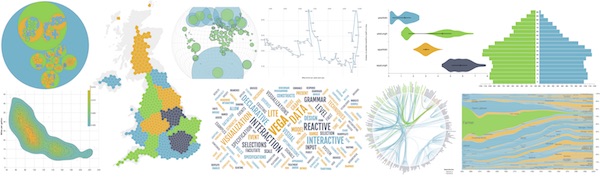
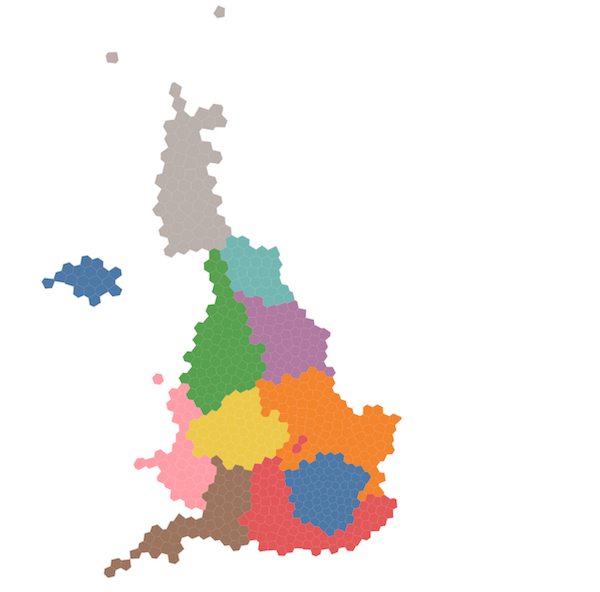
31 | 32 | 43 | 44 | 45 | ``` 46 | 47 | Most of this is scaffolding that you won't need to change as you write new Elm-vega applications. 48 | The key elements are: 49 | 50 | - Links to `vega` and `vega-embed` JavaScript that do the hard work of converting the Vega specification you will be generating into graphical output. 51 | 52 | - A link to the JavaScript file generated by Elm-Vega that creates your Vega specification (here called `helloWorld.js`) 53 | 54 | - A `
` container with an ID (here called `helloWorld`) that will be the location in the HTML page that will contain your visualization. 55 | 56 | - An _Elm subscription_ that links this page with the Elm program that generates the Vega specification. 57 | Here `Elm.HelloWorld.init()` references an Elm module that must be called `HelloWorld`. 58 | When you create Elm-Vega modules with different names, you must match that name here (for example, `Elm.MyNewModule.init()`). 59 | 60 | ## 3. Create an Elm-Vega Program 61 | 62 | Create a file called `HelloWorld.elm` in the same location as `helloWorld.html`. Copy the following code into it. 63 | 64 | ```elm 65 | port module HelloWorld exposing (elmToJS) 66 | 67 | import Platform 68 | import Vega exposing (..) 69 | 70 | 71 | helloWorld : Spec 72 | helloWorld = 73 | let 74 | ds = 75 | dataSource 76 | [ dataFromRows "myData" 77 | [] 78 | (dataRow [ ( "label", vStr "Hello from Vega" ) ] []) 79 | ] 80 | 81 | mk = 82 | marks 83 | << mark text 84 | [ mFrom [ srData (str "myData") ] 85 | , mEncode [ enEnter [ maText [ vField (field "label") ] ] ] 86 | ] 87 | in 88 | toVega [ ds, mk [] ] 89 | 90 | 91 | 92 | {- This list comprises the specifications to be provided to the Vega runtime. 93 | In this example, only a single spec 'helloWord' is provided. 94 | -} 95 | 96 | 97 | mySpecs : Spec 98 | mySpecs = 99 | combineSpecs [ ( "helloWorld", helloWorld ) ] 100 | 101 | 102 | 103 | {- --------------------------------------------------------------------------- 104 | The code below is boilerplate for creating a headless Elm module that opens 105 | an outgoing port to JavaScript and sends the Vega specs (mySpecs) to it. 106 | There should be no need to change this. 107 | -} 108 | 109 | 110 | main : Program () Spec msg 111 | main = 112 | Platform.worker 113 | { init = always ( mySpecs, elmToJS mySpecs ) 114 | , update = \_ model -> ( model, Cmd.none ) 115 | , subscriptions = always Sub.none 116 | } 117 | 118 | 119 | port elmToJS : Spec -> Cmd msg 120 | ``` 121 | 122 | This creates a working Elm-program whose job is to send a Vega specification as a JSON file via an Elm _port_ to the JavaScript seen in the HTML file above. For convenience, we will always call this port `elmToJS` so it need not be changed when creating new programs. The only code you need to modify as you write your own Elm-Vega is the function that generates a `Spec`, here called `helloWorld`, and the name of the module, here called `HelloWorld`. 123 | 124 | You can add multiple Vega specifications to the same page by creating new `Spec` functions and adding their names to `combineSpecs` where each tuple comprises the name of the spec that can be referenced by the HTML and its corresponding elm function that generates the spec. Typically, to avoid confusion, both will share the same name (`( "helloWord", helloWorld )` in this example). 125 | 126 | This Vega example creates a simple data source called `myData` comprising a single row (`"label" : "Hello from Vega"`) and a single text mark that displays the label defined in the data source. 127 | 128 | ## 4. Compile the Elm-Vega into JavaScript 129 | 130 | The final task is to convert the Elm file into JavaScript so it can be used by the HTML. To do this, open a command line window (e.g. a Terminal on MacOS or PowerShell on Windows), change to the directory containing your HTML and Elm files and type 131 | 132 | ```bash 133 | elm make helloWorld.elm --output=js/helloWorld.js --optimize 134 | ``` 135 | 136 | This should create the `helloWorld.js` file required by the HTML. 137 | 138 | Opening `helloWorld.html` in the browser should display a page showing the text "Hello from Vega". 139 | 140 | _Note that in this example the data used in the visualization is generated entirely inline and does not rely on external files. Typical Elm-Vega programs will however load data from external .json, .csv or other files and so normal JavaScript file loading restrictions apply. As such you would more typically test your applications with a local web server (such as generated by `python -m http.server` or `elm-reactor`) rather than load directly from your file system._ 141 | 142 | ## 5. Next Steps 143 | 144 | Most of the setup described above varies little between applications. To understand more about how Elm-Vega can generate Vega specifications, see 145 | 146 | - [creating a simple bar chart](../barChart/README.md), 147 | - the [simple Vega examples](../../examples/) included in the `examples` folder, 148 | - the [test-gallery](../../test-gallery/) for a full range of examples. 149 | -------------------------------------------------------------------------------- /examples/tests/src/AriaTests.elm: -------------------------------------------------------------------------------- 1 | port module AriaTests exposing (elmToJS) 2 | 3 | import Browser 4 | import Dict 5 | import Html exposing (Html) 6 | import Html.Attributes 7 | import Html.Events 8 | import Json.Encode 9 | import Vega exposing (..) 10 | 11 | 12 | dPath : String 13 | dPath = 14 | "https://cdn.jsdelivr.net/npm/vega-datasets@2.1/data/" 15 | 16 | 17 | scatter : Boo -> List AxisProperty -> List LegendProperty -> List TopMarkProperty -> Spec 18 | scatter titleAria axps leps mps = 19 | let 20 | ti = 21 | title (strs [ "Engine Efficiency" ]) 22 | [ tiSubtitle (strs [ "Size vs efficiency" ]) 23 | , tiAria titleAria 24 | ] 25 | 26 | ds = 27 | dataSource 28 | [ data "cars" [ daUrl (str (dPath ++ "cars.json")) ] 29 | |> transform [ trFilter (expr "datum['Horsepower'] != null && datum['Miles_per_Gallon'] != null && datum['Acceleration'] != null") ] 30 | ] 31 | 32 | sc = 33 | scales 34 | << scale "xScale" 35 | [ scType scLinear 36 | , scRound true 37 | , scNice niTrue 38 | , scZero true 39 | , scDomain (doData [ daDataset "cars", daField (field "Horsepower") ]) 40 | , scRange raWidth 41 | ] 42 | << scale "yScale" 43 | [ scType scLinear 44 | , scRound true 45 | , scNice niTrue 46 | , scZero true 47 | , scDomain (doData [ daDataset "cars", daField (field "Miles_per_Gallon") ]) 48 | , scRange raHeight 49 | ] 50 | << scale "cScale" 51 | [ scType scOrdinal 52 | , scRange raCategory 53 | , scDomain (doData [ daDataset "cars", daField (field "Origin") ]) 54 | ] 55 | 56 | ax = 57 | axes 58 | << axis "xScale" 59 | siBottom 60 | (axps 61 | ++ [ axGrid true 62 | , axTickCount (num 6) 63 | , axTitle (str "Horsepower") 64 | ] 65 | ) 66 | << axis "yScale" 67 | siLeft 68 | (axps 69 | ++ [ axGrid true 70 | , axTickCount (num 6) 71 | , axTitle (strs [ "Efficiency" ]) 72 | ] 73 | ) 74 | 75 | lg = 76 | legends 77 | << legend 78 | (leps 79 | ++ [ leFill "cScale" 80 | , leTitle (strs [ "Country of Manufacture" ]) 81 | , leEncode [ enSymbols [ enUpdate [ maShape [ symbolValue symCircle ] ] ] ] 82 | ] 83 | ) 84 | 85 | mk = 86 | marks 87 | << mark symbol 88 | (mps 89 | ++ [ mFrom [ srData (str "cars") ] 90 | , mEncode 91 | [ enUpdate 92 | [ maX [ vScale "xScale", vField (field "Horsepower") ] 93 | , maY [ vScale "yScale", vField (field "Miles_per_Gallon") ] 94 | , maFill [ vScale "cScale", vField (field "Origin") ] 95 | , maShape [ symbolValue symCircle ] 96 | ] 97 | ] 98 | ] 99 | ) 100 | in 101 | toVega 102 | [ width 400, height 300, ti, ds, sc [], ax [], lg [], mk [] ] 103 | 104 | 105 | ariaTest1 : Spec 106 | ariaTest1 = 107 | scatter true [] [] [] 108 | 109 | 110 | ariaTest2 : Spec 111 | ariaTest2 = 112 | scatter true [ axAria [] ] [] [] 113 | 114 | 115 | ariaTest3 : Spec 116 | ariaTest3 = 117 | scatter true [ axAria [ arDisable ] ] [] [] 118 | 119 | 120 | ariaTest4 : Spec 121 | ariaTest4 = 122 | scatter true [ axAria [ arDescription (str "my ARIA description") ] ] [] [] 123 | 124 | 125 | ariaTest5 : Spec 126 | ariaTest5 = 127 | scatter true [] [ leAria [] ] [] 128 | 129 | 130 | ariaTest6 : Spec 131 | ariaTest6 = 132 | scatter true [] [ leAria [ arDisable ] ] [] 133 | 134 | 135 | ariaTest7 : Spec 136 | ariaTest7 = 137 | scatter true [] [ leAria [ arDescription (str "my ARIA description") ] ] [] 138 | 139 | 140 | ariaTest8 : Spec 141 | ariaTest8 = 142 | scatter false [] [] [] 143 | 144 | 145 | ariaTest9 : Spec 146 | ariaTest9 = 147 | scatter true [] [] [ mAria [] ] 148 | 149 | 150 | ariaTest10 : Spec 151 | ariaTest10 = 152 | scatter true [] [] [ mAria [ arDisable ] ] 153 | 154 | 155 | ariaTest11 : Spec 156 | ariaTest11 = 157 | scatter true [] [] [ mAria [ arDescription (str "my ARIA description") ] ] 158 | 159 | 160 | 161 | {- This list comprises the specifications to be provided to the Vega runtime. -} 162 | 163 | 164 | specs : List ( String, Spec ) 165 | specs = 166 | [ ( "ariaTest1", ariaTest1 ) 167 | , ( "ariaTest2", ariaTest2 ) 168 | , ( "ariaTest3", ariaTest3 ) 169 | , ( "ariaTest4", ariaTest4 ) 170 | , ( "ariaTest5", ariaTest5 ) 171 | , ( "ariaTest6", ariaTest6 ) 172 | , ( "ariaTest7", ariaTest7 ) 173 | , ( "ariaTest8", ariaTest8 ) 174 | , ( "ariaTest9", ariaTest9 ) 175 | , ( "ariaTest10", ariaTest10 ) 176 | , ( "ariaTest11", ariaTest11 ) 177 | ] 178 | 179 | 180 | 181 | {- --------------------------------------------------------------------------- 182 | BOILERPLATE: NO NEED TO EDIT 183 | 184 | The code below creates an Elm module that opens an outgoing port to Javascript 185 | and sends both the specs and DOM node to it. 186 | It allows the source code of any of the generated specs to be selected from 187 | a drop-down list. Useful for viewin specs that might generate invalid Vega-Lite. 188 | -} 189 | 190 | 191 | type Msg 192 | = NewSource String 193 | 194 | 195 | main : Program () Spec Msg 196 | main = 197 | Browser.element 198 | { init = always ( Json.Encode.null, specs |> combineSpecs |> elmToJS ) 199 | , view = view 200 | , update = update 201 | , subscriptions = always Sub.none 202 | } 203 | 204 | 205 | view : Spec -> Html Msg 206 | view spec = 207 | Html.div [] 208 | [ Html.select [ Html.Events.onInput NewSource ] 209 | (( "Select source", Json.Encode.null ) 210 | :: specs 211 | |> List.map (\( s, _ ) -> Html.option [ Html.Attributes.value s ] [ Html.text s ]) 212 | ) 213 | , Html.div [ Html.Attributes.id "specSource" ] [] 214 | , if spec == Json.Encode.null then 215 | Html.div [] [] 216 | 217 | else 218 | Html.pre [] [ Html.text (Json.Encode.encode 2 spec) ] 219 | ] 220 | 221 | 222 | update : Msg -> Spec -> ( Spec, Cmd Msg ) 223 | update msg _ = 224 | case msg of 225 | NewSource srcName -> 226 | ( specs |> Dict.fromList |> Dict.get srcName |> Maybe.withDefault Json.Encode.null, Cmd.none ) 227 | 228 | 229 | port elmToJS : Spec -> Cmd msg 230 | -------------------------------------------------------------------------------- /examples/gallery/geo.html: -------------------------------------------------------------------------------- 1 | 2 | 3 | 4 | Vega Test Gallery: Geographic Maps 5 | 6 | 10 | 11 | 12 | 13 | 14 | 15 | 16 | 17 | 18 | 19 | 20 | 21 | 22 | 23 | 24 | 25 | 26 |

Vega Test Gallery

27 |

28 | From the 29 | Vega Example Gallery 32 |

33 | 34 | 47 | 48 |

Geographic

49 |

50 | A choropleth map of 2009 U.S. unemployment rates by county. A quantize 51 | scale is used to divide the color range into 9 discrete, uniformly-spaced 52 | bins. 53 |

54 |
55 | 56 |

57 | A Dorling cartogram is a thematic map that uses sized circles to represent 58 | a quantity of interest per geographic region. This example visualizes the 59 | ratio of obese adults (BMI >= 30) by U.S. state in 2008. A double encoding 60 | uses both circle area and fill color to convey the obesity rate. Vega’s 61 | force transform and geoCentroid expression function are used to compute 62 | the layout. 63 |

64 |
65 | 66 |

67 | A configurable map of world countries. Explore the results of applying 68 | different map projections and parameter settings. This example loads 69 | TopoJSON data and applies the Vega geoshape and graticule transforms. 70 |

71 |
72 | 73 |

74 | A globe visualization of earthquakes reported by the USGS for the week of 75 | February 6, 2018. The earthquakes are formatted as GeoJSON data, and the 76 | geoshape transform’s pointRadius parameter is used to visualize earthquake 77 | magnitude as a circular area. This example is based on Jeremy Ashkenas’ 78 | USGS World Earthquake Map. 83 |

84 |
85 | 86 |

87 | A gallery of world maps using various cartographic projections. Each map 88 | clips the projected land masses and graticule to the sphere of the Earth 89 | to ensure no extraneous shapes are shown. This example uses projections 90 | from the 91 | d3-geo-projection library 94 | that are not included in the standard Vega release. 95 |

96 |
97 | 98 |

99 | A world map that pans and zooms in response to mouse drag and scroll wheel 100 | input. This example applies an inverse map projection (using Vega’s invert 101 | expression function) to map changes in pixel space to updated projection 102 | parameters. 103 |

104 |
105 | 106 |

107 | This example visualizes the difference in projected area of countries 108 | using two different map projections. Each country is abstracted to a 109 | circle, sized by the area of that country under a particular map 110 | projection. Country circles are positioned based on the centroid position 111 | of the country under a primary projection. A second set of circles are 112 | then overlaid, with projected areas based on a secondary projection. This 113 | example demonstrates Vega’s geoArea and geoCentroid expression language 114 | functions. 115 |

116 |
117 | 118 |

119 | A colored contour plot of the Maungawhau volcano in New Zealand. This 120 | example demonstrates contour generation directly from a provided grid of 121 | data values, rather than performing kernel density estimation on a 122 | discrete point set. 123 |

124 |
125 | 126 |

127 | A vector field visualization of simulated winds over northwestern Europe. 128 | This example uses the angle channel of the symbol mark to set the 129 | orientation of wedge or arrow shape types. 130 |

131 |
132 | 133 |

134 | 2016 annual global precipitation data from the 135 | NOAA Climate Forecast System (CFS) v2. The data are provided as a raster grid of longitude and latitude (1° 140 | per cell). Isocontours are computed against the grid and projected. 141 | Adapted from an example by @mattijn. 142 |

143 |
144 | 145 |

Source

146 |
147 | click to see code 148 |
149 |
150 | 151 | 195 | 196 | 208 | 209 | 210 | -------------------------------------------------------------------------------- /examples/tests/src/ProjectionTests.elm: -------------------------------------------------------------------------------- 1 | port module ProjectionTests exposing (elmToJS) 2 | 3 | import Browser 4 | import Dict 5 | import Html exposing (Html) 6 | import Html.Attributes 7 | import Html.Events 8 | import Json.Encode 9 | import Vega exposing (..) 10 | 11 | 12 | dPath : String 13 | dPath = 14 | "https://cdn.jsdelivr.net/npm/vega-datasets@2/data/" 15 | 16 | 17 | 18 | {- This test is converted from 'Projections Example' on the offical Vega site: 19 | https://vega.github.io/vega/examples/projections/ 20 | -} 21 | 22 | 23 | projTest : Spec 24 | projTest = 25 | let 26 | ds = 27 | dataSource 28 | [ data "projections" 29 | [ daValue 30 | (vStrs 31 | [ "airy" 32 | , "aitoff" 33 | , "albers" 34 | , "armadillo" 35 | , "august" 36 | , "azimuthalEqualArea" 37 | , "azimuthalEquidistant" 38 | , "baker" 39 | , "berghaus" 40 | , "bertin1953" 41 | , "boggs" 42 | , "bonne" 43 | , "bottomley" 44 | , "collignon" 45 | , "conicConformal" 46 | , "conicEqualArea" 47 | , "conicEquidistant" 48 | , "craig" 49 | , "cylindricalequalarea" 50 | , "eckert1" 51 | , "eckert3" 52 | , "eckert5" 53 | , "eisenlohr" 54 | , "equalEarth" 55 | , "equirectangular" 56 | , "fahey" 57 | , "foucaut" 58 | , "gingery" 59 | , "gnomonic" 60 | , "guyou" 61 | , "hammer" 62 | , "interruptedMollweide" 63 | , "interruptedMollweideHemispheres" 64 | , "interruptedSinusoidal" 65 | , "littrow" 66 | , "mercator" 67 | , "mollweide" 68 | , "naturalEarth1" 69 | , "orthographic" 70 | , "peirceQuincuncial" 71 | , "polyhedralButterfly" 72 | , "stereographic" 73 | , "wagner6" 74 | , "wiechel" 75 | , "winkel3" 76 | ] 77 | ) 78 | ] 79 | , data "world" 80 | [ daUrl (str (dPath ++ "world-110m.json")), daFormat [ topojsonFeature (str "countries") ] ] 81 | , data "graticule" [] |> transform [ trGraticule [] ] 82 | , dataFromRows "sphere" [] (dataRow [ ( "type", vStr "Sphere" ) ] []) 83 | , (dataFromColumns "labelOffsets" [] 84 | << dataColumn "dx" (vNums [ -1, -1, 1, 1 ]) 85 | << dataColumn "dy" (vNums [ -1, 1, -1, 1 ]) 86 | ) 87 | [] 88 | ] 89 | 90 | si = 91 | -- Note: For reference purposes this uses signals to set up proj parameters 92 | -- but it would normally be easier to use elm values to do this instead. 93 | signals 94 | << signal "mapWidth" [ siValue (vNum 300) ] 95 | << signal "mapHeight" [ siValue (vNum 200) ] 96 | << signal "projScale" [ siValue (vNum 45) ] 97 | << signal "projTranslate" [ siUpdate "[mapWidth / 2, mapHeight / 2]" ] 98 | 99 | nestedSi = 100 | signals 101 | << signal "width" [ siUpdate "mapWidth" ] 102 | << signal "height" [ siUpdate "mapHeight" ] 103 | 104 | lo = 105 | layout [ loColumns (num 3), loPadding (num 20) ] 106 | 107 | nestedPr = 108 | projections 109 | << projection "myProjection" 110 | [ prType (customProjection (strSignal "parent.data")) 111 | , prScale (numSignal "parent.data === 'orthographic' ? projScale * 2 : projScale") 112 | , prTranslate (numSignal "projTranslate") 113 | ] 114 | 115 | mk = 116 | marks 117 | << mark group 118 | [ mFrom [ srData (str "projections") ] 119 | , mEncode 120 | [ enEnter 121 | [ maWidth [ vSignal "mapWidth" ] 122 | , maHeight [ vSignal "mapHeight" ] 123 | , maGroupClip [ vTrue ] 124 | ] 125 | ] 126 | , mGroup [ nestedSi [], nestedPr [], nestedMk [] ] 127 | ] 128 | 129 | nestedMk = 130 | marks 131 | << mark shape 132 | [ mFrom [ srData (str "sphere") ] 133 | , mEncode [ enEnter [ maFill [ vStr "aliceblue" ] ] ] 134 | , mTransform [ trGeoShape "myProjection" [] ] 135 | ] 136 | << mark shape 137 | [ mFrom [ srData (str "graticule") ] 138 | , mClip (clSphere (str "myProjection")) 139 | , mInteractive false 140 | , mEncode 141 | [ enEnter 142 | [ maStrokeWidth [ vNum 1 ] 143 | , maStroke [ vStr "#ddd" ] 144 | ] 145 | ] 146 | , mTransform [ trGeoShape "myProjection" [] ] 147 | ] 148 | << mark shape 149 | [ mFrom [ srData (str "world") ] 150 | , mClip (clSphere (str "myProjection")) 151 | , mEncode 152 | [ enEnter 153 | [ maStrokeWidth [ vNum 0.25 ] 154 | , maStroke [ vStr "#888" ] 155 | , maFill [ black ] 156 | ] 157 | ] 158 | , mTransform [ trGeoShape "myProjection" [] ] 159 | ] 160 | << mark text 161 | [ mFrom [ srData (str "labelOffsets") ] 162 | , mEncode 163 | [ enEnter 164 | [ maFill [ white ] 165 | , maDx [ vField (field "dx") ] 166 | , maDy [ vField (field "dy") ] 167 | , maX [ vNum 5 ] 168 | , maY [ vSignal "mapHeight -5" ] 169 | , maBaseline [ vBottom ] 170 | , maFontSize [ vNum 14 ] 171 | , maFontWeight [ vStr "bold" ] 172 | , maText [ vSignal "parent.data" ] 173 | ] 174 | ] 175 | ] 176 | << mark text 177 | [ mEncode 178 | [ enEnter 179 | [ maFill [ black ] 180 | , maX [ vNum 5 ] 181 | , maY [ vSignal "mapHeight -5" ] 182 | , maBaseline [ vBottom ] 183 | , maFontSize [ vNum 14 ] 184 | , maFontWeight [ vStr "bold" ] 185 | , maText [ vSignal "parent.data" ] 186 | ] 187 | ] 188 | ] 189 | in 190 | toVega 191 | [ autosize [ asPad ], ds, si [], lo, mk [] ] 192 | 193 | 194 | 195 | {- This list comprises the specifications to be provided to the Vega runtime. -} 196 | 197 | 198 | specs : List ( String, Spec ) 199 | specs = 200 | [ ( "projTest", projTest ) 201 | ] 202 | 203 | 204 | 205 | {- --------------------------------------------------------------------------- 206 | BOILERPLATE: NO NEED TO EDIT 207 | 208 | The code below creates an Elm module that opens an outgoing port to Javascript 209 | and sends both the specs and DOM node to it. 210 | It allows the source code of any of the generated specs to be selected from 211 | a drop-down list. Useful for viewin specs that might generate invalid Vega-Lite. 212 | -} 213 | 214 | 215 | type Msg 216 | = NewSource String 217 | 218 | 219 | main : Program () Spec Msg 220 | main = 221 | Browser.element 222 | { init = always ( Json.Encode.null, specs |> combineSpecs |> elmToJS ) 223 | , view = view 224 | , update = update 225 | , subscriptions = always Sub.none 226 | } 227 | 228 | 229 | view : Spec -> Html Msg 230 | view spec = 231 | Html.div [] 232 | [ Html.select [ Html.Events.onInput NewSource ] 233 | (( "Select source", Json.Encode.null ) 234 | :: specs 235 | |> List.map (\( s, _ ) -> Html.option [ Html.Attributes.value s ] [ Html.text s ]) 236 | ) 237 | , Html.div [ Html.Attributes.id "specSource" ] [] 238 | , if spec == Json.Encode.null then 239 | Html.div [] [] 240 | 241 | else 242 | Html.pre [] [ Html.text (Json.Encode.encode 2 spec) ] 243 | ] 244 | 245 | 246 | update : Msg -> Spec -> ( Spec, Cmd Msg ) 247 | update msg _ = 248 | case msg of 249 | NewSource srcName -> 250 | ( specs |> Dict.fromList |> Dict.get srcName |> Maybe.withDefault Json.Encode.null, Cmd.none ) 251 | 252 | 253 | port elmToJS : Spec -> Cmd msg 254 | -------------------------------------------------------------------------------- /examples/gallery/dist.html: -------------------------------------------------------------------------------- 1 | 2 | 3 | 4 | Vega Test Gallery: Distributions 5 | 6 | 10 | 11 | 12 | 13 | 14 | 15 | 16 | 17 | 18 | 19 | 20 | 21 |

Vega Test Gallery

22 | 23 |

24 | From the 25 | Vega Example Gallery 28 |

29 | 30 | 43 | 44 |

Distributions

45 | 46 |

47 | A histogram subdivides a numerical range into bins, and counts the number 48 | of data points with each segment. The resulting bar chart provides a 49 | discrete estimate of the probability density function. 50 |

51 |
52 | 53 |

54 | This example demonstrates a histogram over a numerical range, with a 55 | segment to show the prevalence of null values. 56 |

57 |
58 | 59 |

60 | Visual comparison of estimated probability distributions for a sample of 61 | numeric values. A normal (Gaussian) distribution parameterized by the mean 62 | and standard deviation, and a kernel density estimate. This example 63 | supports estimates of either probability density functions (pdf) or 64 | cumulative distribution functions (cdf), using Vega’s density transform. 65 |

66 |
67 | 68 |

69 | A box plot summarizes a distribution of quantitative values using a set of 70 | summary statistics. Here, the boxes show the interquartile range (IQR), 71 | with the white bar indicating the median value. The thin lines 72 | (“whiskers”) currently show the extent of the minimum and maximum values; 73 | other values, such as whiskers extending 1.5 * IQR from each end of the 74 | box, are often used as well. See the violin plot example for an 75 | alternative approach. 76 |

77 |
78 | 79 |

80 | A violin plot visualizes a distribution of quantitative values as a 81 | continuous approximation of the probability density function, computed 82 | using kernel density estimation (KDE). The densities are additionally 83 | annotated with the median value and interquartile range, shown as black 84 | lines. Violin plots can be more informative than classical box plots. 85 |

86 |
87 | 88 |

89 | A plot of the top-k film directors by aggregate worldwide gross. Performs 90 | an aggregation of all directors, ranks them, and filters to only the top 91 | results, using the 'window' transform. 92 |

93 |
94 | 95 |

96 | A plot of the top-k film directors, plus all other directors, by aggregate 97 | worldwide gross. Unlike the previous example, this chart includes a 98 | category of all other directors aggregated together. The visualization 99 | spec first computes aggregates for all directors and ranks them. It then 100 | copies these ranks back to the source data using a lookup transform, and 101 | determines which directors belong in the “other” category before 102 | performing a final aggregation. 103 |

104 |
105 | 106 |

107 | A binned scatterplot is a more scalable alternative to the standard 108 | scatter plot. The data points are grouped into bins, and an aggregate 109 | statistic is used to summarize each bin. Here we use a circular area 110 | encoding to depict the count of records, visualizing the density of data 111 | points. For higher bin counts color might instead be used, though with 112 | some loss of perceptual comparison accuracy. 113 |

114 |
115 | 116 |

117 | Data point density calculation that can be have its parameters 118 | interactively changed. Depicts the density as both a raster ('heatmap') 119 | and isocontour plot. 120 |

121 |
122 | 123 |

124 | Although now deprecated, it is also possible to create contours with the 125 | trContour transform. 126 |

127 |
128 | 129 |

130 | A wheat plot is an alternative to standard dot plots and histograms that 131 | incorporates aspects of both. The x-coordinate of a point is based on its 132 | exact value. The y-coordinate is determined by grouping points into 133 | histogram bins, then stacking them based on their rank order within each 134 | bin. While not scalable to large numbers of data points, wheat plots allow 135 | inspection of (and interaction with) individual points without 136 | overplotting. 137 |

138 |
139 | 140 |

141 | A quantile dot plot represents a probability distribution by taking a 142 | uniform sample of quantile values and plotting them in a dot plot. It 143 | visualizes a representative set of possible outcomes of a random process, 144 | and provides a discrete alternative to probability density and violin 145 | plots in which finding probability intervals reduces to counting dots in 146 | the display. 147 |

148 | 149 |

150 | This example visualizes quantiles for a log-normal distribution that 151 | models hypothetical bus arrival times (in minutes from the current time), 152 | following the example of 153 | 157 | Kay, Kola, Hullman and Munson, 2016. If we are willing to miss a bus 2 out of 20 times, given 20 quantiles 159 | we can count up 2 dots from the left to get the time we should arrive at 160 | the bus stop. 161 |

162 | 163 |

164 | Click or drag on the chart to explore risk thresholds for arriving at the 165 | bus stop. Double-click to remove the threshold. 166 |

167 |
168 | 169 |

170 | A quantile-quantile (or Q-Q) plot visually compares two probability 171 | distributions by plotting a set of matching quantile values for both. For 172 | example, plotting the corresponding 1st, 2nd, 3rd, etc., percentiles for 173 | each distribution. Q-Q plots are often used to plot an empirical data 174 | distribution against a theoretical distribution. If the two distributions 175 | are similar, they will lie along a line; notable deviations from a line 176 | are evidence of different distribution functions. 177 |

178 | 179 |

180 | This example compares an empirical sample against two theoretical 181 | distributions. Change the input data source (samples from normal or 182 | uniform distributions) to observe how different samples compare with the 183 | theoretical distributions. The quantile transform produces quantile values 184 | for input data; the quantileUniform and quantileNormal expression 185 | functions produce the theoretical quantile values. 186 |

187 |
188 | 189 |

190 | Rather than showing a continuous probability distribution, Hypothetical 191 | Outcome Plots (or HOPs) visualize a set of draws from a distribution, 192 | where each draw is shown as a new plot in either a small multiples or 193 | animated form. 194 |

195 |

196 | This example – inspired by The New York Times – displays random draws for 197 | a simulated time-series of values (these could be sales or employment 198 | statistics). The noise signal determines the amount of random variation 199 | added to the signal. The trend signal determines the strength of a linear 200 | trend, where zero corresponds to no trend at all (a flat uniform 201 | distribution). When the noise is high enough, draws from a distribution 202 | without any underlying trend may cause us to “hallucinate” interesting 203 | variations. Viewing the different frames may help viewers get a more 204 | intuitive sense of random variation. 205 |

206 |
207 | 208 |

209 | A two-dimensional regression analysis models one data variable as a 210 | function of another. The resulting model produces a trend line that 211 | summarizes and extrapolates observed data. This example uses parametric 212 | regression models to predict IMDB users’ film ratings based on Rotten 213 | Tomatoes critics’ ratings. 214 |

215 |
216 | 217 |

218 | Locally-estimated regression 221 | produces a trend line by performing weighted regressions over a sliding 222 | window of points. The bandwidth parameter determines the size of the 223 | sliding window of nearest-neighbor points, expressed as a fraction of the 224 | total number of points included. 225 |

226 |
227 | 228 |

229 | Summary statistics for U.S. flight data, interactively grouped by time 230 | unit. Demonstrates use of the timeunit transform, in conjunction with the 231 | timeSequence and timeUnitSpecifier expression functions, to flexibly 232 | process and format date-time data. 233 |

234 |
235 | 236 |

Source

237 |
238 | click to see code 239 |
240 |
241 | 242 | 254 | 255 | 256 | -------------------------------------------------------------------------------- /examples/tests/src/GeoTests.elm: -------------------------------------------------------------------------------- 1 | port module GeoTests exposing (elmToJS) 2 | 3 | import Browser 4 | import Dict 5 | import Html exposing (Html) 6 | import Html.Attributes 7 | import Html.Events 8 | import Json.Encode 9 | import Vega exposing (..) 10 | 11 | 12 | dPath : String 13 | dPath = 14 | "https://gicentre.github.io/data/geoTutorials/" 15 | 16 | 17 | geoTest1 : Spec 18 | geoTest1 = 19 | let 20 | table = 21 | dataFromColumns "table" [] 22 | << dataColumn "longitude" (vNums [ -3, 4, 4, -3, -3 ]) 23 | << dataColumn "latitude" (vNums [ 52, 52, 45, 45, 52 ]) 24 | 25 | ds = 26 | dataSource 27 | [ table [] 28 | |> transform 29 | [ trGeoJson 30 | [ gjFields (field "longitude") (field "latitude") 31 | , gjSignal "feature" 32 | ] 33 | , trGeoPoint "myProjection" (field "longitude") (field "latitude") 34 | ] 35 | ] 36 | 37 | pr = 38 | projections 39 | << projection "myProjection" 40 | [ prType orthographic 41 | , prSize (numSignal "[width,height]") 42 | , prFit (featureSignal "feature") 43 | ] 44 | 45 | mk = 46 | marks 47 | << mark line 48 | [ mFrom [ srData (str "table") ] 49 | , mEncode 50 | [ enUpdate 51 | [ maX [ vField (field "x") ] 52 | , maY [ vField (field "y") ] 53 | , maStroke [ vStr "#4c78a8" ] 54 | ] 55 | ] 56 | , mTransform [ trGeoShape "myProjection" [] ] 57 | ] 58 | in 59 | toVega 60 | [ width 250, height 250, autosize [ asPad ], ds, pr [], mk [] ] 61 | 62 | 63 | geoTest2 : Spec 64 | geoTest2 = 65 | let 66 | ds = 67 | dataSource 68 | [ data "mapData" [ daUrl (str (dPath ++ "geoJson1.json")) ] 69 | ] 70 | 71 | pr = 72 | projections 73 | << projection "myProjection" 74 | [ prType orthographic 75 | , prSize (numSignal "[width,height]") 76 | , prFit (feName "mapData") 77 | ] 78 | 79 | mk = 80 | marks 81 | << mark shape 82 | [ mFrom [ srData (str "mapData") ] 83 | , mEncode 84 | [ enUpdate 85 | [ maStroke [ vStr "#4c78a8" ] 86 | , maFill [ vStr "#006633" ] 87 | , maFillOpacity [ vNum 0.3 ] 88 | , maStrokeWidth [ vNum 4 ] 89 | ] 90 | ] 91 | , mTransform [ trGeoShape "myProjection" [] ] 92 | ] 93 | in 94 | toVega 95 | [ width 250, height 250, autosize [ asPad ], ds, pr [], mk [] ] 96 | 97 | 98 | featureSpec : Data -> String -> Spec 99 | featureSpec ds fld = 100 | let 101 | pr = 102 | projections 103 | << projection "myProjection" 104 | [ prType orthographic 105 | , prSize (numSignal "[width,height]") 106 | , prFit (feName "mapData") 107 | ] 108 | 109 | sc = 110 | scales 111 | << scale "cScale" 112 | [ scType scOrdinal 113 | , scDomain (doData [ daDataset "mapData", daField (field fld) ]) 114 | , scRange raCategory 115 | ] 116 | 117 | le = 118 | legends << legend [ leFill "cScale" ] 119 | 120 | mk = 121 | marks 122 | << mark shape 123 | [ mFrom [ srData (str "mapData") ] 124 | , mEncode 125 | [ enUpdate 126 | [ maStroke [ vStr "#4c78a8" ] 127 | , maFill [ vScale "cScale", vField (field fld) ] 128 | ] 129 | ] 130 | , mTransform [ trGeoShape "myProjection" [] ] 131 | ] 132 | in 133 | toVega 134 | [ width 250, height 250, autosize [ asPad ], ds, pr [], sc [], le [], mk [] ] 135 | 136 | 137 | meshSpec : Data -> Spec 138 | meshSpec ds = 139 | let 140 | pr = 141 | projections 142 | << projection "myProjection" 143 | [ prType orthographic 144 | , prSize (numSignal "[width,height]") 145 | , prFit (feName "mapData") 146 | ] 147 | 148 | mk = 149 | marks 150 | << mark shape 151 | [ mFrom [ srData (str "mapData") ] 152 | , mEncode 153 | [ enUpdate 154 | [ maStroke [ vStr "black" ] 155 | , maFill [ vStr "steelblue" ] 156 | ] 157 | ] 158 | , mTransform [ trGeoShape "myProjection" [] ] 159 | ] 160 | in 161 | toVega 162 | [ width 250, height 250, autosize [ asPad ], ds, pr [], mk [] ] 163 | 164 | 165 | geoTest3 : Spec 166 | geoTest3 = 167 | let 168 | ds = 169 | dataSource 170 | [ data "mapData" 171 | [ daUrl (str (dPath ++ "topoJson3.json")) 172 | , daFormat [ topojsonFeature (str "myRegions") ] 173 | ] 174 | ] 175 | in 176 | featureSpec ds "id" 177 | 178 | 179 | geoTest4 : Spec 180 | geoTest4 = 181 | let 182 | ds = 183 | dataSource 184 | [ data "mapData" 185 | [ daUrl (str (dPath ++ "topoJson6.json")) 186 | , daFormat [ topojsonFeature (str "myRegions") ] 187 | ] 188 | ] 189 | in 190 | featureSpec ds "properties.myRegionName" 191 | 192 | 193 | geoTest5 : Spec 194 | geoTest5 = 195 | let 196 | ds = 197 | dataSource 198 | [ data "mapData" 199 | [ daUrl (str (dPath ++ "topoJson6.json")) 200 | , daFormat [ topojsonMesh (str "myRegions") ] 201 | ] 202 | ] 203 | in 204 | meshSpec ds 205 | 206 | 207 | geoTest6 : Spec 208 | geoTest6 = 209 | let 210 | ds = 211 | dataSource 212 | [ data "mapData" 213 | [ daUrl (str (dPath ++ "topoJson6.json")) 214 | , daFormat [ topojsonMeshInterior (str "myRegions") ] 215 | ] 216 | ] 217 | in 218 | meshSpec ds 219 | 220 | 221 | geoTest7 : Spec 222 | geoTest7 = 223 | let 224 | ds = 225 | dataSource 226 | [ data "mapData" 227 | [ daUrl (str (dPath ++ "topoJson6.json")) 228 | , daFormat [ topojsonMeshExterior (str "myRegions") ] 229 | ] 230 | ] 231 | in 232 | meshSpec ds 233 | 234 | 235 | geoTest8 : Spec 236 | geoTest8 = 237 | let 238 | ds = 239 | dataSource 240 | [ data "featureData" 241 | [ daUrl (str (dPath ++ "londonBoroughs.json")) 242 | , daFormat [ topojsonFeature (str "boroughs") ] 243 | ] 244 | , data "interiorData" 245 | [ daUrl (str (dPath ++ "londonBoroughs.json")) 246 | , daFormat [ topojsonMeshInterior (str "boroughs") ] 247 | ] 248 | , data "exteriorData" 249 | [ daUrl (str (dPath ++ "londonBoroughs.json")) 250 | , daFormat [ topojsonMeshExterior (str "boroughs") ] 251 | ] 252 | ] 253 | 254 | pr = 255 | projections 256 | << projection "myProjection" 257 | [ prType naturalEarth1 258 | , prSize (numSignal "[width,height]") 259 | , prFit (feName "featureData") 260 | ] 261 | 262 | mk = 263 | marks 264 | << mark shape 265 | [ mFrom [ srData (str "featureData") ] 266 | , mEncode [ enUpdate [ maFill [ vStr "#eee" ] ] ] 267 | , mTransform [ trGeoShape "myProjection" [] ] 268 | ] 269 | << mark shape 270 | [ mFrom [ srData (str "interiorData") ] 271 | , mEncode [ enUpdate [ maStroke [ vStr "red" ] ] ] 272 | , mTransform [ trGeoShape "myProjection" [] ] 273 | ] 274 | << mark shape 275 | [ mFrom [ srData (str "exteriorData") ] 276 | , mEncode [ enUpdate [ maStroke [ vStr "black" ] ] ] 277 | , mTransform [ trGeoShape "myProjection" [] ] 278 | ] 279 | in 280 | toVega 281 | [ width 600, height 450, autosize [ asPad ], ds, pr [], mk [] ] 282 | 283 | 284 | 285 | {- This list comprises the specifications to be provided to the Vega runtime. -} 286 | 287 | 288 | specs : List ( String, Spec ) 289 | specs = 290 | [ ( "geoTest1", geoTest1 ) 291 | , ( "geoTest2", geoTest2 ) 292 | , ( "geoTest3", geoTest3 ) 293 | , ( "geoTest4", geoTest4 ) 294 | , ( "geoTest5", geoTest5 ) 295 | , ( "geoTest6", geoTest6 ) 296 | , ( "geoTest7", geoTest7 ) 297 | , ( "geoTest8", geoTest8 ) 298 | ] 299 | 300 | 301 | 302 | {- --------------------------------------------------------------------------- 303 | BOILERPLATE: NO NEED TO EDIT 304 | 305 | The code below creates an Elm module that opens an outgoing port to Javascript 306 | and sends both the specs and DOM node to it. 307 | It allows the source code of any of the generated specs to be selected from 308 | a drop-down list. Useful for viewin specs that might generate invalid Vega-Lite. 309 | -} 310 | 311 | 312 | type Msg 313 | = NewSource String 314 | 315 | 316 | main : Program () Spec Msg 317 | main = 318 | Browser.element 319 | { init = always ( Json.Encode.null, specs |> combineSpecs |> elmToJS ) 320 | , view = view 321 | , update = update 322 | , subscriptions = always Sub.none 323 | } 324 | 325 | 326 | view : Spec -> Html Msg 327 | view spec = 328 | Html.div [] 329 | [ Html.select [ Html.Events.onInput NewSource ] 330 | (( "Select source", Json.Encode.null ) 331 | :: specs 332 | |> List.map (\( s, _ ) -> Html.option [ Html.Attributes.value s ] [ Html.text s ]) 333 | ) 334 | , Html.div [ Html.Attributes.id "specSource" ] [] 335 | , if spec == Json.Encode.null then 336 | Html.div [] [] 337 | 338 | else 339 | Html.pre [] [ Html.text (Json.Encode.encode 2 spec) ] 340 | ] 341 | 342 | 343 | update : Msg -> Spec -> ( Spec, Cmd Msg ) 344 | update msg _ = 345 | case msg of 346 | NewSource srcName -> 347 | ( specs |> Dict.fromList |> Dict.get srcName |> Maybe.withDefault Json.Encode.null, Cmd.none ) 348 | 349 | 350 | port elmToJS : Spec -> Cmd msg 351 | -------------------------------------------------------------------------------- /examples/tests/src/LegendTests.elm: -------------------------------------------------------------------------------- 1 | port module LegendTests exposing (elmToJS) 2 | 3 | import Browser 4 | import Dict 5 | import Html exposing (Html) 6 | import Html.Attributes 7 | import Html.Events 8 | import Json.Encode 9 | import Vega exposing (..) 10 | 11 | 12 | dPath : String 13 | dPath = 14 | "https://cdn.jsdelivr.net/npm/vega-datasets@2.1/data/" 15 | 16 | 17 | chartCore : ( VProperty, Spec ) -> (List Spec -> ( VProperty, Spec )) -> Spec 18 | chartCore cf le = 19 | let 20 | ds = 21 | dataSource 22 | [ data "cars" 23 | [ daUrl (str (dPath ++ "cars.json")), daFormat [ json ] ] 24 | ] 25 | 26 | sc = 27 | scales 28 | << scale "xScale" 29 | [ scDomain (doData [ daDataset "cars", daField (field "Horsepower") ]) 30 | , scRange raWidth 31 | ] 32 | << scale "yScale" 33 | [ scDomain (doData [ daDataset "cars", daField (field "Miles_per_Gallon") ]) 34 | , scRange raHeight 35 | ] 36 | << scale "cScale" 37 | [ scType scOrdinal 38 | , scDomain (doData [ daDataset "cars", daField (field "Origin"), daSort [ soAscending ] ]) 39 | , scRange raCategory 40 | ] 41 | << scale "oScale" 42 | [ scDomain (doData [ daDataset "cars", daField (field "Weight_in_lbs") ]) 43 | , scRange (raNums [ 0.3, 0.8 ]) 44 | ] 45 | << scale "sScale" 46 | [ scDomain (doData [ daDataset "cars", daField (field "Horsepower") ]) 47 | , scRange (raNums [ 0, 361 ]) 48 | ] 49 | 50 | ax = 51 | axes 52 | << axis "xScale" siBottom [] 53 | << axis "yScale" siLeft [] 54 | 55 | mk = 56 | marks 57 | << mark symbol 58 | [ mFrom [ srData (str "cars") ] 59 | , mEncode 60 | [ enEnter 61 | [ maX [ vScale "xScale", vField (field "Horsepower") ] 62 | , maY [ vScale "yScale", vField (field "Miles_per_Gallon") ] 63 | , maOpacity [ vScale "oScale", vField (field "Weight_in_lbs") ] 64 | , maFill [ vScale "cScale", vField (field "Origin") ] 65 | , maSize [ vScale "sScale", vField (field "Horsepower") ] 66 | , maShape [ symbolValue symCircle ] 67 | ] 68 | ] 69 | ] 70 | in 71 | toVega [ cf, title (str "A mighty fine chart") [], width 400, height 400, padding 5, ds, sc [], ax [], le [], mk [] ] 72 | 73 | 74 | legendTest1 : Spec 75 | legendTest1 = 76 | legends 77 | << legend 78 | [ leTitle (str "Origin") 79 | , leFill "cScale" 80 | , leSymbolType symCircle 81 | , leEncode [ enSymbols [ enUpdate [ maShape [ symbolValue symCircle ], maOpacity [ vNum 0.7 ] ] ] ] 82 | ] 83 | << legend 84 | [ leTitle (str "Horsepower") 85 | , leSize "sScale" 86 | , leSymbolType symCircle 87 | , leEncode [ enSymbols [ enUpdate [ maShape [ symbolValue symCircle ], maFill [ black ], maFillOpacity [ vNum 0.7 ], maOpacity [ vNum 0.7 ], maStroke [ transparent ] ] ] ] 88 | ] 89 | << legend 90 | [ leTitle (str "Weight") 91 | , leOpacity "oScale" 92 | , leSymbolType symCircle 93 | , leEncode [ enSymbols [ enUpdate [ maShape [ symbolValue symCircle ], maFill [ black ], maFillOpacity [ vNum 0.7 ], maStroke [ transparent ] ] ] ] 94 | ] 95 | |> chartCore (config []) 96 | 97 | 98 | legendTest2 : Spec 99 | legendTest2 = 100 | legends 101 | << legend 102 | [ leTitle (str "Origin") 103 | , leFill "cScale" 104 | , leSymbolType symCircle 105 | , leEncode [ enSymbols [ enUpdate [ maShape [ symbolValue symCircle ], maOpacity [ vNum 0.7 ] ] ] ] 106 | ] 107 | << legend 108 | [ leTitle (str "Horsepower") 109 | , leSize "sScale" 110 | , leSymbolType symCircle 111 | , leStrokeColor (str "red") 112 | , lePadding (num 20) 113 | , leTitleFontSize (num 28) 114 | , leTitleFontStyle (str "italic") 115 | , leEncode [ enSymbols [ enUpdate [ maShape [ symbolValue symCircle ], maFill [ black ], maFillOpacity [ vNum 0.7 ], maOpacity [ vNum 0.7 ], maStroke [ transparent ] ] ] ] 116 | ] 117 | << legend 118 | [ leTitle (str "Weight") 119 | , leOpacity "oScale" 120 | , leSymbolType symCircle 121 | , leEncode [ enSymbols [ enUpdate [ maShape [ symbolValue symCircle ], maFill [ black ], maFillOpacity [ vNum 0.7 ], maStroke [ transparent ] ] ] ] 122 | ] 123 | |> chartCore (config []) 124 | 125 | 126 | legendTest3 : Spec 127 | legendTest3 = 128 | let 129 | cf = 130 | config 131 | [ cfLegend 132 | [ leSymbolStrokeWidth (num 0) 133 | , leSymbolOpacity (num 0.5) 134 | , leSymbolFillColor (str "black") 135 | , leRowPadding (num 5) 136 | , leTitlePadding (num 10) 137 | , leStrokeColor (str "lightgrey") 138 | , lePadding (num 10) 139 | , leBorderStrokeWidth (num 5) 140 | , leBorderStrokeDash [ vNums [ 4, 8, 2 ] ] 141 | , leLayout 142 | [ llDirection orHorizontal 143 | , llMargin (num 25) 144 | , llOffset (num 50) 145 | , llAnchor anMiddle 146 | , llCenter true 147 | ] 148 | ] 149 | , cfTitle [ tiFontSize (num 24), tiDx (num -100), tiDy (num 80), tiFontStyle (str "italic") ] 150 | ] 151 | in 152 | legends 153 | << legend [ leTitle (str "Origin"), leFill "cScale", leSymbolType symCircle ] 154 | << legend [ leTitle (str "Horsepower"), leSize "sScale", leSymbolType symCircle ] 155 | << legend [ leTitle (str "Weight"), leOpacity "oScale", leSymbolType symCircle ] 156 | |> chartCore cf 157 | 158 | 159 | legendTest4 : Spec 160 | legendTest4 = 161 | let 162 | cf = 163 | config 164 | [ cfLegend 165 | [ leSymbolStrokeWidth (num 0) 166 | , leSymbolOpacity (num 0.5) 167 | , leSymbolFillColor (str "black") 168 | , leRowPadding (num 5) 169 | , leTitlePadding (num 10) 170 | , leStrokeColor (str "lightgrey") 171 | , lePadding (num 10) 172 | , leOrient loBottom 173 | , leBorderStrokeWidth (num 0) 174 | , leOrientLayout 175 | [ ( loBottom 176 | , [ llDirection orHorizontal 177 | , llOffset (num 10) 178 | , llAnchor anEnd 179 | ] 180 | ) 181 | 182 | -- Large margin should have no effect as no top legends. 183 | , ( loTop, [ llMargin (num 200) ] ) 184 | ] 185 | ] 186 | ] 187 | in 188 | legends 189 | << legend [ leTitle (str "Origin"), leFill "cScale", leSymbolType symCircle ] 190 | << legend [ leTitle (str "Horsepower"), leSize "sScale", leSymbolType symCircle ] 191 | << legend [ leTitle (str "Weight"), leOpacity "oScale", leSymbolType symCircle ] 192 | |> chartCore cf 193 | 194 | 195 | legendTest5 : Spec 196 | legendTest5 = 197 | let 198 | cf = 199 | config 200 | [ cfLegend 201 | [ leSymbolStrokeWidth (num 0) 202 | , leSymbolOpacity (num 0.5) 203 | , leSymbolFillColor (str "black") 204 | , leRowPadding (num 5) 205 | , leTitlePadding (num 10) 206 | , leStrokeColor (str "lightgrey") 207 | , lePadding (num 10) 208 | , leOrient loNone 209 | , leBorderStrokeWidth (num 0) 210 | ] 211 | ] 212 | in 213 | legends 214 | << legend 215 | [ leTitle (str "Weight") 216 | , leOpacity "oScale" 217 | , leSymbolType symCircle 218 | , leEncode [ enLegend [ enEnter [ maX [ vNum 320 ], maY [ vNum 30 ] ] ] ] 219 | ] 220 | |> chartCore cf 221 | 222 | 223 | legendTest6 : Spec 224 | legendTest6 = 225 | let 226 | cf = 227 | config 228 | [ cfLegend 229 | [ leSymbolStrokeWidth (num 0) 230 | , leSymbolOpacity (num 0.5) 231 | , leSymbolFillColor (str "black") 232 | , leRowPadding (num 5) 233 | , leTitlePadding (num 10) 234 | , leStrokeColor (str "lightgrey") 235 | , lePadding (num 10) 236 | , leOrient loNone 237 | , leBorderStrokeWidth (num 0) 238 | ] 239 | ] 240 | in 241 | legends 242 | << legend 243 | [ leTitle (str "Weight") 244 | , leOpacity "oScale" 245 | , leSymbolType symCircle 246 | , leX (num 320) 247 | , leY (num 30) 248 | ] 249 | |> chartCore cf 250 | 251 | 252 | 253 | {- This list comprises the specifications to be provided to the Vega runtime. -} 254 | 255 | 256 | specs : List ( String, Spec ) 257 | specs = 258 | [ ( "legendTest1", legendTest1 ) 259 | , ( "legendTest2", legendTest2 ) 260 | , ( "legendTest3", legendTest3 ) 261 | , ( "legendTest4", legendTest4 ) 262 | , ( "legendTest5", legendTest5 ) 263 | , ( "legendTest6", legendTest6 ) 264 | ] 265 | 266 | 267 | 268 | {- --------------------------------------------------------------------------- 269 | BOILERPLATE: NO NEED TO EDIT 270 | 271 | The code below creates an Elm module that opens an outgoing port to Javascript 272 | and sends both the specs and DOM node to it. 273 | It allows the source code of any of the generated specs to be selected from 274 | a drop-down list. Useful for viewin specs that might generate invalid Vega-Lite. 275 | -} 276 | 277 | 278 | type Msg 279 | = NewSource String 280 | 281 | 282 | main : Program () Spec Msg 283 | main = 284 | Browser.element 285 | { init = always ( Json.Encode.null, specs |> combineSpecs |> elmToJS ) 286 | , view = view 287 | , update = update 288 | , subscriptions = always Sub.none 289 | } 290 | 291 | 292 | view : Spec -> Html Msg 293 | view spec = 294 | Html.div [] 295 | [ Html.select [ Html.Events.onInput NewSource ] 296 | (( "Select source", Json.Encode.null ) 297 | :: specs 298 | |> List.map (\( s, _ ) -> Html.option [ Html.Attributes.value s ] [ Html.text s ]) 299 | ) 300 | , Html.div [ Html.Attributes.id "specSource" ] [] 301 | , if spec == Json.Encode.null then 302 | Html.div [] [] 303 | 304 | else 305 | Html.pre [] [ Html.text (Json.Encode.encode 2 spec) ] 306 | ] 307 | 308 | 309 | update : Msg -> Spec -> ( Spec, Cmd Msg ) 310 | update msg _ = 311 | case msg of 312 | NewSource srcName -> 313 | ( specs |> Dict.fromList |> Dict.get srcName |> Maybe.withDefault Json.Encode.null, Cmd.none ) 314 | 315 | 316 | port elmToJS : Spec -> Cmd msg 317 | -------------------------------------------------------------------------------- /docs/changeNotes.md: -------------------------------------------------------------------------------- 1 | # Vega Changes 2 | 3 | ## V5.7.1 ➡ V5.8.0 (pending) 4 | 5 | _Align with Vega 5.30._ 6 | 7 | ### V5.8 API Additions 8 | 9 | - `inName` option added to input elements for custom labelling. 10 | 11 | ### V5.8 Other changes 12 | 13 | - Added zoomable circle packing example (Vega 5.27 ) 14 | - Added packed bubble chart example (Vega 5.22) 15 | 16 | --- 17 | 18 | ## V5.7.0 ➡ V5.7.1 19 | 20 | _Minor code cleaning and update of dependencies in examples._ 21 | 22 | --- 23 | 24 | ## V5.6.1 ➡ V5.7.0 25 | 26 | _Minor release to support Vega 5.16 with new non-overlapping label placement._ 27 | 28 | ### V5.7 Additions 29 | 30 | - `trLabel` and associated methods `lbAnchor`, `lbAvoidMarks`, `lbAvoidBaseMark`, `lbLineAnchor`, `lbMarkIndex`, `lbMethod`, `lbOffset`, `lbPadding`, `lbSort` and `lbAs` for non-overlapping label placement (Vega 5.16). 31 | 32 | ### V5.7 Other changes 33 | 34 | - Switch iris examples to penguin examples in test gallery. 35 | - Add calendar example to test gallery. 36 | 37 | --- 38 | 39 | ## V5.6.0 ➡ V5.6.1 40 | 41 | _Patch release that uses `main` rather than `master` GitHub branch. See [github.com/github/renaming](https://github.com/github/renaming)_ 42 | 43 | --- 44 | 45 | ## V5.5.1 ➡ V5.6.0 46 | 47 | _Minor release exposing convenience functions and internal refactoring to align with Vega 5.15._ 48 | 49 | ### V5.6 Additions 50 | 51 | - `blendModeValue` convenience function for typesafe blend mode specification. 52 | - `strList` for mixed string lists (e.g. string literals and signals). 53 | 54 | ### V5.6 Bug Fixes 55 | 56 | - `cuNWSEResize` now specifies the correct resizing cursor. 57 | 58 | --- 59 | 60 | ## V5.5.0 ➡ V5.5.1 61 | 62 | _Patch release with updated data sources and bug fix for empty mark property lists._ 63 | 64 | ### V5.5.1 Bug Fixes 65 | 66 | - Empty mark properties now generate null values rather than empty objects for schema compatibility. 67 | 68 | ### V5.5.1 Other changes 69 | 70 | - Use versioned Vega data sets for examples and tests. 71 | 72 | - Replaced iris with penguin dataset in examples. 73 | 74 | --- 75 | 76 | ## V5.4 ➡ V5.5 77 | 78 | _Minor release supporting Vega releases up to and including 5.13.x._ 79 | 80 | ### V5.5 Additions 81 | 82 | - `cfeGlobalCursor` for setting global or local cursor properties (V5.13) 83 | 84 | - `cfLocale` and associated properties `loDecimal`, `loThousands`, `loGrouping`, `loCurrency`, `loNumerals`, `loPercent`, `loMinus`, `loNan`, `loDateTime`, `loDate`, `loTime`, `loPeriods`, `loDays`, `loShortDays`, `loMonths` and `loShortMonths` for specifying locales (V5.12). 85 | 86 | - `dayOfYear` time unit (V5.11). 87 | 88 | - `axDomainCap`, `axGridCap` and `axTickCap` with convenience function `strokeCapStr` for axis line cap styling (V5.11). 89 | 90 | - `axAria`, `leAria`, `mAria` with associated properties `arEnable`, `arDisable` and `arDescription` for setting ARIA support on a per axis/legend/mark basis (V5.11). 91 | 92 | - `tiAria` for setting/unsetting ARIA description from title (V5.11). 93 | 94 | - `maBlend` and associated convenience methods `bmLighten`, `bmDarken` etc.) for setting the blend mode for overlaying drawing (V5.10). 95 | 96 | - `vaLineTop` and `vaLineBottom` for vertical alignment relative to line height (V5.10). 97 | 98 | - `axLabelLineHeight` for multi-lined or line-aligned axis labels (V5.10). 99 | 100 | - `axLabelOffset` for displacing axis labels relative to tick marks (V5.10). 101 | 102 | - `widthSignal`, `heightSignal` and `paddingSignal` to allow dimensions and padding to be specified via signal expressions that are used as the `update` property (V5.10). 103 | 104 | - `cfPadding`, `cfPaddings` and `cfPaddingSignal` for configuring default padding (V5.10). 105 | 106 | - `cfWidth`, `cfWidthSignal`, `cfHeight` and `cfHeightSignal` for configuring default dimensions (V5.10). 107 | 108 | - `cfDescription` for configuring default ARIA-friendly description for visualizations (V5.10). 109 | 110 | - `cfLineBreak` for setting default line break character(s) (V5.10). 111 | 112 | - `opProduct` for aggregation of numeric values by their product (V5.10). 113 | 114 | --- 115 | 116 | ## V5.3 ➡ V5.4 117 | 118 | _Minor release supporting Vega releases 5.8 and 5.9._ 119 | 120 | ### V5.4 Additions 121 | 122 | #### New transforms 123 | 124 | - `trTimeUnit` transform and associated time binning parameterisation functions `tbUnits`, `tbStep`, `tbTimezone`, `tzLocal`, `tzUtc`, `tzSignal`, `tbInterval`, `tbExtent`, `dtMillis`, `dtExpr`, `tbMaxBins`, `tbSignal`, and `tbAs`. 125 | - `quarter` and `date` added as time units. 126 | - `trKde2d` two-dimensional (raster) density estimation transform and its associated parameterisation functions `kd2Weight`, `kd2CellSize`, `kd2Bandwidth`, `kd2Counts` and `kd2As`. 127 | - `trIsocontour` transform and associated property functions `icField`, `icThresholds`, `icLevels`, `icNice`, `icResolve`, `icZero`, `icSmooth`, `icScale` `icTranslate` and `icAs` for more flexible contouring. 128 | - `trHeatmap` transform and associated property functions `hmField`, `hmColor`, `hmOpacity`, `hmResolve` and `hmAs` 129 | - `trFlattenWithIndex` and `trFlattenWithIndexAs` for nested array flattening that output the array index of flattened data. 130 | 131 | #### New properties 132 | 133 | - `axTickBand` for aligning ticks on band scales (Vega 5.8). 134 | - `axTranslate` for moving axes relative to main plot area (Vega 5.8). 135 | - `axFormatAsTemporalUtc` for UTC formatting (Vega 5.8). 136 | - `leFormatAsTemporalUtc` for UTC formatting (Vega 5.8). 137 | - `bnInterval` for specifying whether or not both bin boundaries are output in bin transform (Vega 5.8). 138 | - `maCornerRadiusTopLeft`, `maCornerRadiusTopRight`, `maCornerRadiusBottomLeft` and `maCornerRadiusBottomRight` for use with `rect` and `group` marks (Vega 5.8). 139 | - `maScaleX` and `maScaleY` to `path` mark properties (`maAngle` for path marks now rotates path although no changes to API) (Vega 5.8). 140 | - `maSmooth` added to `image` mark properties (Vega 5.8). 141 | - `maImage` for dynamically created image marks added to `image` mark properties (Vega 5.8). 142 | - `maStrokeForeground` for overlaying group stroke over content (Vega 5.9). 143 | - `maStrokeOffset` for shifting group stroke and fill (Vega 5.9). 144 | - `mollweide` map projection (Vega 5.9). 145 | - `inLabels` for providing input element labels that may differ from their option values (Vega 5.9). 146 | 147 | ### V5.4 Bug Fixes 148 | 149 | - correct `tiFrame` output that was previously generating 'fame' output. 150 | 151 | ### V5.4 Deprecations 152 | 153 | - `trContour` and its associated `cn` property functions are now deprecated in favour of `trIsocontour` (Vega 5.8) 154 | 155 | ### V5.4 Other Changes 156 | 157 | - Additional tests and gallery examples to reflect new additions. 158 | - Internal refactoring of time unit handling. 159 | 160 | --- 161 | 162 | ## V5.2 ➡ V5.3 163 | 164 | _Minor release supporting Vega 5.7._ 165 | 166 | ### V5.3 Additions 167 | 168 | - Multi-line titles and spacing (`tiLineHeight`, `axTitleLineHeight`, `leTitleLineHeight`). 169 | - Subtitles and associated customisation (`tiSubtitle`, `tiSubtitleColor`, `tiSubtitleFont`, `tiSubtitleFontSize`, `tiSubtitleFontStyle`, `tiSubtitleFontWeight`, `tiSubtitleLineHeight` and `tiSubtitlePadding`). 170 | - `tiEncodeElements` and associated `teTitle`, `teSubtitle` and `teGroup` for dynamic customization of title elements. 171 | - `maLineBreak` and `maLineHeight` for multi-line text marks. 172 | - Legend symbol limit (`leSymbolLimit`). 173 | - `trDotBin` transform and associated property functions (`dbroupBy`, `dbStep`, `dbSmooth`, `dbSignal`, `dbAs`) for dotplot binning. 174 | - `trQuantile` transform and associated property functions (`quGroupBy`, `quProbs`, `quStep`, `quAs`) for quantile generation. 175 | 176 | ### V5.3 Deprecations 177 | 178 | - `tiEncode` deprecated in favour of `tiEncodeElements`. 179 | 180 | ### V5.3 Other Changes 181 | 182 | - Restructured API documentation to use better thematic grouping of functions with tables of contents. 183 | - Documentation indicates titles can span multiple lines via a `strs` array. 184 | - Some additions to the test gallery for new distribution transformations (dotplot, quantile plot). 185 | 186 | --- 187 | 188 | ## V5.1 ➡ V5.2 189 | 190 | _Minor release supporting Vega 5.6._ 191 | 192 | ### V5.2 Additions 193 | 194 | - `kdResolve` and associated `reShared` and `reIndependent` functions for resolving multiple densities in a KDE transform. 195 | - `bnSpan` for setting the span over which bins are calculated. 196 | - `equalEarth` core map projection added. 197 | - `identityProjection` and associated `reflectX` and `reflectY` map projection functions added. 198 | - `leBorderStrokeDash` for configuring legend border dash style. 199 | - `cfSignals` for supporting configuration signals (Vega 5.5). 200 | - `cfEventHandling` and associated `cfe` functions for more flexible Vega 5.5 event configuration. 201 | - `description` top-level metadata option (previously inadvertently hidden). 202 | - `userMeta` top-level custom metadata options. 203 | 204 | ### V5.2 Deprecations 205 | 206 | - `cfEvents` deprecated in favour of `cfEventHandling [cfeDefaults ...]` 207 | 208 | ### V5.2 Bug Fixes 209 | 210 | - `cfGroup` mark properties now correctly create literals rather than objects (e.g. `"fill": "#eee"` rather than `"fill":{"value":"#eee"}`). 211 | 212 | ### V5.2 Other Changes 213 | 214 | - Minor improvements to the API documentation. 215 | - Update examples to use Vega-embed 5 and Vega 5.5 runtimes 216 | - Minor additions to tests. 217 | 218 | --- 219 | 220 | ## V5.0 ➡ V5.1 221 | 222 | _Minor release to align with Vega 5.4._ 223 | 224 | ### V5.1 Additions 225 | 226 | - `leX` and `leY` for top level legend positioning. 227 | - `topojsonMeshInterior` and `topojsonMeshExterior` for interior and exterior filtering of topoJSON meshes. 228 | - `dnMinSteps` and `dnMaxSteps` added to `trDensity` options 229 | - `trKde` transform for 1-d KDE from a distribution. 230 | - `trRegression` transformation function. 231 | - `trLoess` locally estimated regression function. 232 | - `vGradient` and `vGradientScale` functions for setting gradient fills/strokes. 233 | - `woPrevValue` and `woNextValue` for previous and next value window value operations. 234 | - `arrow` file format indicator for loading binary apache arrow files. 235 | 236 | ### V5.1 Other Changes 237 | 238 | - Regression examples added to gallery 239 | - Tests for new functions 240 | 241 | --- 242 | 243 | ## V4.3.1 ➡ V5.0 244 | 245 | _Major release to align with Vega 5.3._ 246 | 247 | ### V5.0 Breaking Changes 248 | 249 | _These reflect breaking changes from Vega 4 -> Vega 5._ 250 | 251 | - `scBinLinear` removed. Use `scLinear` with the new `scBins` instead. 252 | - `leStrokeWidth` now takes the name of scale for mapping legend stroke width rather than a numeric literal. For legend border configuration, use the new `leBorderStrokeWidth`. 253 | - `leTitlePadding`, `leOffset` and `lePadding` now take a number rather than value (for consistency with other legend numeric parameters). 254 | - While not an API change, continuous color schemes no longer support discrete variants as part of the scheme name. Replace `raScheme (str "blues-7") []` with `raScheme (str "blues") [csCount (num 7)]` 255 | 256 | ### V5.0 Additions 257 | 258 | - `scBins` for specifying the bin boundaries for a bin scaling. Associated functions `bsBins`, `bsNums` and `bsSignal` for customising bin boundaries. 259 | - `scSymLog` and `scConstant` for symmetrical log scaling of data that may contain zero or negative values. 260 | - `symTriangle`, `symArrow` and `symWedge` directional symbol types useful for new support for angle encoding of symbols. 261 | - `symStroke` for legend symbols 262 | - New axis configurations (`axDomainDash`, `axDomainDashOffset`, `axFormatAsNum`, `axFormatAsTemporal`, `axGridDashOffset`, `axLabelFontStyle`, `axLabelSeparation`, `axTickDash`, `axTickDashOffset`, `axTickMinStep`, `axTitleAnchor` and `axTitleFontStyle`.) 263 | - New legend configurations (`leBorderStrokeWidth`, `leFormatAsNum`, `leFormatAsTemporal`, `leLabelFontStyle`, `leLabelSeparation`, `leSymbolDash`, `leSymbolDashOffset`, `leTickMinStep`, `leTitleAnchor`, `leTitleFontStyle` and `leTitleOrient`.) 264 | 265 | ### V5.0 Deprecations 266 | 267 | `scSequential` in favour of `scLinear`. 268 | 269 | ### V5.0 Documentation / Asset Changes 270 | 271 | - Wind vector example added to test-gallery 272 | - Other examples updated to reflect latest API 273 | -------------------------------------------------------------------------------- /examples/tests/src/TemporalTests.elm: -------------------------------------------------------------------------------- 1 | port module TemporalTests exposing (elmToJS) 2 | 3 | import Browser 4 | import Dict 5 | import Html exposing (Html) 6 | import Html.Attributes 7 | import Html.Events 8 | import Json.Encode 9 | import Vega exposing (..) 10 | 11 | 12 | dPath : String 13 | dPath = 14 | "https://gicentre.github.io/data/" 15 | 16 | 17 | temporalTest1 : Spec 18 | temporalTest1 = 19 | let 20 | ds = 21 | dataSource 22 | [ data "timeData" 23 | [ daUrl (str (dPath ++ "timeTest.tsv")) 24 | , daFormat [ tsv, parse [ ( "date", foDate "%d/%m/%y %H:%M" ) ] ] 25 | ] 26 | |> transform 27 | [ trFormula "datetime(year(datum.date),month(datum.date),0,0,0,0,0)" "year" 28 | , trAggregate 29 | [ agOps [ opMean ] 30 | , agFields [ field "temperature" ] 31 | , agGroupBy [ field "year" ] 32 | , agAs [ "meanTemperature" ] 33 | ] 34 | ] 35 | ] 36 | 37 | sc = 38 | scales 39 | << scale "xScale" 40 | [ scType scTime 41 | , scDomain (doData [ daDataset "timeData", daField (field "year") ]) 42 | , scRange raWidth 43 | ] 44 | << scale "yScale" 45 | [ scType scLinear 46 | , scDomain (doData [ daDataset "timeData", daField (field "meanTemperature") ]) 47 | , scRange raHeight 48 | , scZero false 49 | ] 50 | 51 | ax = 52 | axes 53 | << axis "xScale" 54 | siBottom 55 | [ axTemporalTickCount month (num 1) 56 | , axLabelAngle (num 60) 57 | , axLabelAlign haLeft 58 | ] 59 | << axis "yScale" siLeft [] 60 | 61 | mk = 62 | marks 63 | << mark line 64 | [ mFrom [ srData (str "timeData") ] 65 | , mEncode 66 | [ enEnter 67 | [ maX [ vScale "xScale", vField (field "year") ] 68 | , maY [ vScale "yScale", vField (field "meanTemperature") ] 69 | , maStrokeWidth [ vNum 0.5 ] 70 | ] 71 | ] 72 | ] 73 | << mark symbol 74 | [ mFrom [ srData (str "timeData") ] 75 | , mEncode 76 | [ enEnter 77 | [ maX [ vScale "xScale", vField (field "year") ] 78 | , maY [ vScale "yScale", vField (field "meanTemperature") ] 79 | ] 80 | ] 81 | ] 82 | in 83 | toVega 84 | [ width 800, height 200, padding 5, ds, sc [], ax [], mk [] ] 85 | 86 | 87 | temporalTest2 : Spec 88 | temporalTest2 = 89 | let 90 | ds = 91 | dataSource 92 | [ data "timeData" 93 | [ daUrl (str (dPath ++ "timeTest.tsv")) 94 | , daFormat [ tsv, parse [ ( "date", foDate "%d/%m/%y %H:%M" ) ] ] 95 | ] 96 | |> transform 97 | [ trTimeUnit (field "date") [ tbUnits [ month ] ] 98 | , trFormula "datetime(2012,month(datum.unit0),0,0,0,0,0)" "month" 99 | , trAggregate 100 | [ agOps [ opMean ] 101 | , agFields [ field "temperature" ] 102 | , agGroupBy [ field "month" ] 103 | , agAs [ "meanTemperature" ] 104 | ] 105 | ] 106 | ] 107 | 108 | sc = 109 | scales 110 | << scale "xScale" 111 | [ scType scTime 112 | , scDomain (doData [ daDataset "timeData", daField (field "month") ]) 113 | , scRange raWidth 114 | ] 115 | << scale "yScale" 116 | [ scType scLinear 117 | , scDomain (doData [ daDataset "timeData", daField (field "meanTemperature") ]) 118 | , scRange raHeight 119 | , scZero false 120 | ] 121 | 122 | ax = 123 | axes 124 | << axis "xScale" siBottom [ axFormat (str "%B") ] 125 | << axis "yScale" siLeft [] 126 | 127 | mk = 128 | marks 129 | << mark line 130 | [ mFrom [ srData (str "timeData") ] 131 | , mEncode 132 | [ enEnter 133 | [ maX [ vScale "xScale", vField (field "month") ] 134 | , maY [ vScale "yScale", vField (field "meanTemperature") ] 135 | , maStrokeWidth [ vNum 0.5 ] 136 | ] 137 | ] 138 | ] 139 | << mark symbol 140 | [ mFrom [ srData (str "timeData") ] 141 | , mEncode 142 | [ enEnter 143 | [ maX [ vScale "xScale", vField (field "month") ] 144 | , maY [ vScale "yScale", vField (field "meanTemperature") ] 145 | ] 146 | ] 147 | ] 148 | in 149 | toVega 150 | [ width 800, height 200, padding 5, ds, sc [], ax [], mk [] ] 151 | 152 | 153 | temporalTest3 : Spec 154 | temporalTest3 = 155 | let 156 | ds = 157 | dataSource 158 | [ data "timeData" 159 | [ daUrl (str (dPath ++ "timeTest.tsv")) 160 | , daFormat [ tsv, parse [ ( "date", foDate "%d/%m/%y %H:%M" ) ] ] 161 | ] 162 | |> transform 163 | [ trTimeUnit (field "date") [ tbUnits [ dayOfYear ] ] 164 | , trFormula "dayofyear(datum.unit0)" "doy" 165 | , trAggregate 166 | [ agOps [ opMean ] 167 | , agFields [ field "temperature" ] 168 | , agGroupBy [ field "doy" ] 169 | , agAs [ "meanTemperature" ] 170 | ] 171 | ] 172 | ] 173 | 174 | sc = 175 | scales 176 | << scale "xScale" 177 | [ scType scSequential 178 | , scDomain (doData [ daDataset "timeData", daField (field "doy") ]) 179 | , scRange raWidth 180 | ] 181 | << scale "yScale" 182 | [ scType scLinear 183 | , scDomain (doData [ daDataset "timeData", daField (field "meanTemperature") ]) 184 | , scRange raHeight 185 | , scZero false 186 | ] 187 | 188 | ax = 189 | axes 190 | << axis "xScale" siBottom [ axTitle (str "Day of year") ] 191 | << axis "yScale" siLeft [] 192 | 193 | mk = 194 | marks 195 | << mark line 196 | [ mFrom [ srData (str "timeData") ] 197 | , mEncode 198 | [ enEnter 199 | [ maX [ vScale "xScale", vField (field "doy") ] 200 | , maY [ vScale "yScale", vField (field "meanTemperature") ] 201 | , maStrokeWidth [ vNum 0.5 ] 202 | ] 203 | ] 204 | ] 205 | in 206 | toVega 207 | [ width 800, height 200, padding 5, ds, sc [], ax [], mk [] ] 208 | 209 | 210 | temporalTest4 : Spec 211 | temporalTest4 = 212 | let 213 | ds = 214 | dataSource 215 | [ data "timeData" 216 | [ daUrl (str (dPath ++ "timeTest.tsv")) 217 | , daFormat [ tsv, parse [ ( "date", foDate "%d/%m/%y %H:%M" ) ] ] 218 | ] 219 | , data "binned" [ daSource "timeData" ] 220 | |> transform 221 | [ trBin (field "temperature") (nums [ 0, 30 ]) [ bnStep (num 1) ] 222 | , trAggregate 223 | [ agFields [ field "temperature", field "date" ] 224 | , agGroupBy [ field "bin0", field "bin1" ] 225 | , agOps [ opCount, opMean ] 226 | , agAs [ "count", "meanDate" ] 227 | ] 228 | ] 229 | ] 230 | 231 | sc = 232 | scales 233 | << scale "xScale" 234 | [ scType scLinear 235 | , scRange raWidth 236 | , scDomain (doData [ daDataset "timeData", daField (field "temperature") ]) 237 | ] 238 | << scale "yScale" 239 | [ scType scLinear 240 | , scRange raHeight 241 | , scRound true 242 | , scDomain (doData [ daDataset "binned", daField (field "count") ]) 243 | , scZero true 244 | , scNice niTrue 245 | ] 246 | << scale "cScale" 247 | [ scType scTime 248 | , scDomain (doData [ daDataset "binned", daField (field "meanDate") ]) 249 | , scRange raRamp 250 | ] 251 | 252 | ax = 253 | axes 254 | << axis "xScale" siBottom [ axTitle (str "temperature (C)") ] 255 | 256 | lg = 257 | legends 258 | << legend 259 | [ leFill "cScale" 260 | , leType ltGradient 261 | , leFormat (str "%b %Y") 262 | , leTemporalTickCount month (num 6) 263 | ] 264 | 265 | mk = 266 | marks 267 | << mark rect 268 | [ mFrom [ srData (str "binned") ] 269 | , mEncode 270 | [ enUpdate 271 | [ maX [ vScale "xScale", vField (field "bin0") ] 272 | , maX2 [ vScale "xScale", vField (field "bin1"), vOffset (vNum -0.5) ] 273 | , maY [ vScale "yScale", vField (field "count") ] 274 | , maY2 [ vScale "yScale", vNum 0 ] 275 | , maFill [ vScale "cScale", vField (field "meanDate") ] 276 | ] 277 | ] 278 | ] 279 | in 280 | toVega 281 | [ width 500, height 200, padding 5, ds, sc [], ax [], lg [], mk [] ] 282 | 283 | 284 | 285 | {- This list comprises the specifications to be provided to the Vega runtime. -} 286 | 287 | 288 | specs : List ( String, Spec ) 289 | specs = 290 | [ ( "temporalTest1", temporalTest1 ) 291 | , ( "temporalTest2", temporalTest2 ) 292 | , ( "temporalTest3", temporalTest3 ) 293 | , ( "temporalTest4", temporalTest4 ) 294 | ] 295 | 296 | 297 | 298 | {- --------------------------------------------------------------------------- 299 | BOILERPLATE: NO NEED TO EDIT 300 | 301 | The code below creates an Elm module that opens an outgoing port to Javascript 302 | and sends both the specs and DOM node to it. 303 | It allows the source code of any of the generated specs to be selected from 304 | a drop-down list. Useful for viewin specs that might generate invalid Vega-Lite. 305 | -} 306 | 307 | 308 | type Msg 309 | = NewSource String 310 | 311 | 312 | main : Program () Spec Msg 313 | main = 314 | Browser.element 315 | { init = always ( Json.Encode.null, specs |> combineSpecs |> elmToJS ) 316 | , view = view 317 | , update = update 318 | , subscriptions = always Sub.none 319 | } 320 | 321 | 322 | view : Spec -> Html Msg 323 | view spec = 324 | Html.div [] 325 | [ Html.select [ Html.Events.onInput NewSource ] 326 | (( "Select source", Json.Encode.null ) 327 | :: specs 328 | |> List.map (\( s, _ ) -> Html.option [ Html.Attributes.value s ] [ Html.text s ]) 329 | ) 330 | , Html.div [ Html.Attributes.id "specSource" ] [] 331 | , if spec == Json.Encode.null then 332 | Html.div [] [] 333 | 334 | else 335 | Html.pre [] [ Html.text (Json.Encode.encode 2 spec) ] 336 | ] 337 | 338 | 339 | update : Msg -> Spec -> ( Spec, Cmd Msg ) 340 | update msg _ = 341 | case msg of 342 | NewSource srcName -> 343 | ( specs |> Dict.fromList |> Dict.get srcName |> Maybe.withDefault Json.Encode.null, Cmd.none ) 344 | 345 | 346 | port elmToJS : Spec -> Cmd msg 347 | --------------------------------------------------------------------------------
