GET and POST
22 | * methods.
23 | *
24 | * @param request servlet request
25 | * @param response servlet response
26 | * @throws ServletException if a servlet-specific error occurs
27 | * @throws IOException if an I/O error occurs
28 | */
29 | protected void processRequest(HttpServletRequest request, HttpServletResponse response)
30 | throws ServletException, IOException {
31 | response.setContentType("text/html;charset=UTF-8");
32 | try (PrintWriter out = response.getWriter()) {
33 | out.println("");
34 | out.println("");
35 | out.println("");
36 | out.println("System.getProperties()
"); 40 | System.out.println("- ");
41 | Iterator keys = System.getProperties().keySet().iterator();
42 | while (keys.hasNext()) {
43 | String key = (String) keys.next();
44 | String value = System.getProperty(key).replaceAll("\\+", " ");
45 | out.println("
- " + key + "=" + value); 46 | } 47 | out.println("
System.getenv()
"); 49 | System.out.println("- ");
50 | Map
- " + name + "=" + value); 56 | }; 57 | out.println("
GET method.
67 | *
68 | * @param request servlet request
69 | * @param response servlet response
70 | * @throws ServletException if a servlet-specific error occurs
71 | * @throws IOException if an I/O error occurs
72 | */
73 | @Override
74 | protected void doGet(HttpServletRequest request, HttpServletResponse response)
75 | throws ServletException, IOException {
76 | processRequest(request, response);
77 | }
78 |
79 | /**
80 | * Handles the HTTP POST method.
81 | *
82 | * @param request servlet request
83 | * @param response servlet response
84 | * @throws ServletException if a servlet-specific error occurs
85 | * @throws IOException if an I/O error occurs
86 | */
87 | @Override
88 | protected void doPost(HttpServletRequest request, HttpServletResponse response)
89 | throws ServletException, IOException {
90 | processRequest(request, response);
91 | }
92 |
93 | /**
94 | * Returns a short description of the servlet.
95 | *
96 | * @return a String containing servlet description
97 | */
98 | @Override
99 | public String getServletInfo() {
100 | return "Short description";
101 | }// GET and POST
23 | * methods.
24 | *
25 | * @param request servlet request
26 | * @param response servlet response
27 | * @throws ServletException if a servlet-specific error occurs
28 | * @throws IOException if an I/O error occurs
29 | */
30 | protected void processRequest(HttpServletRequest request, HttpServletResponse response)
31 | throws ServletException, IOException {
32 | response.setContentType("text/html;charset=UTF-8");
33 | try (PrintWriter out = response.getWriter()) {
34 | out.println("");
35 | out.println("");
36 | out.println("");
37 | out.println("System.getProperties()
"); 41 | System.out.println("- ");
42 | Iterator keys = System.getProperties().keySet().iterator();
43 | while (keys.hasNext()) {
44 | String key = (String) keys.next();
45 | String value = System.getProperty(key).replaceAll("\\+", " ");
46 | out.println("
- " + key + "=" + value); 47 | } 48 | out.println("
System.getenv()
"); 50 | System.out.println("- ");
51 | Map
- " + name + "=" + value); 58 | }); 59 | out.println("
GET method.
69 | *
70 | * @param request servlet request
71 | * @param response servlet response
72 | * @throws ServletException if a servlet-specific error occurs
73 | * @throws IOException if an I/O error occurs
74 | */
75 | @Override
76 | protected void doGet(HttpServletRequest request, HttpServletResponse response)
77 | throws ServletException, IOException {
78 | processRequest(request, response);
79 | }
80 |
81 | /**
82 | * Handles the HTTP POST method.
83 | *
84 | * @param request servlet request
85 | * @param response servlet response
86 | * @throws ServletException if a servlet-specific error occurs
87 | * @throws IOException if an I/O error occurs
88 | */
89 | @Override
90 | protected void doPost(HttpServletRequest request, HttpServletResponse response)
91 | throws ServletException, IOException {
92 | processRequest(request, response);
93 | }
94 |
95 | /**
96 | * Returns a short description of the servlet.
97 | *
98 | * @return a String containing servlet description
99 | */
100 | @Override
101 | public String getServletInfo() {
102 | return "Short description";
103 | }// Click to see more information regarding the running JVM...
34 |Hello, ${fn:escapeXml(user.nickname)}! (You can 35 | sign out.)
36 | <% 37 | } else { 38 | %> 39 |Hello! 40 | Sign in 41 | to include your name with greetings you post.
42 | <% 43 | } 44 | %> 45 | 46 | <% 47 | DatastoreService datastore = DatastoreServiceFactory.getDatastoreService(); 48 | Key guestbookKey = KeyFactory.createKey("Guestbook", guestbookName); 49 | // Run an ancestor query to ensure we see the most up-to-date 50 | // view of the Greetings belonging to the selected Guestbook. 51 | Query query = new Query("Greeting", guestbookKey).addSort("date", Query.SortDirection.DESCENDING); 52 | ListGuestbook '${fn:escapeXml(guestbookName)}' has no messages.
56 | <% 57 | } else { 58 | %> 59 |Messages in Guestbook '${fn:escapeXml(guestbookName)}'.
60 | <% 61 | for (Entity greeting : greetings) { 62 | pageContext.setAttribute("greeting_content", 63 | greeting.getProperty("content")); 64 | if (greeting.getProperty("user") == null) { 65 | %> 66 |An anonymous person wrote:
67 | <% 68 | } else { 69 | pageContext.setAttribute("greeting_user", 70 | greeting.getProperty("user")); 71 | %> 72 |${fn:escapeXml(greeting_user.nickname)} wrote:
73 | <% 74 | } 75 | %> 76 |${fn:escapeXml(greeting_content)}77 | <% 78 | } 79 | } 80 | %> 81 | 82 | 88 |
89 | 90 | 94 | 95 | 96 | 97 | -------------------------------------------------------------------------------- /stage3/src/main/webapp/guestbook.jsp: -------------------------------------------------------------------------------- 1 | <%@ page contentType="text/html;charset=UTF-8" language="java" %> 2 | <%@ page import="java.util.List" %> 3 | <%@ page import="com.google.appengine.api.users.User" %> 4 | <%@ page import="com.google.appengine.api.users.UserService" %> 5 | <%@ page import="com.google.appengine.api.users.UserServiceFactory" %> 6 | <%@ page import="com.google.appengine.api.datastore.DatastoreServiceFactory" %> 7 | <%@ page import="com.google.appengine.api.datastore.DatastoreService" %> 8 | <%@ page import="com.google.appengine.api.datastore.Query" %> 9 | <%@ page import="com.google.appengine.api.datastore.Entity" %> 10 | <%@ page import="com.google.appengine.api.datastore.FetchOptions" %> 11 | <%@ page import="com.google.appengine.api.datastore.Key" %> 12 | <%@ page import="com.google.appengine.api.datastore.KeyFactory" %> 13 | <%@ page import="com.google.appengine.demos.guestbook.FortuneInfo" %> 14 | <%@ page import="com.google.appengine.api.utils.SystemProperty" %> 15 | 16 | 17 | <%@ taglib prefix="fn" uri="http://java.sun.com/jsp/jstl/functions" %> 18 | 19 | 20 | 21 | 22 | 23 | 24 | 25 | 26 | <% 27 | String guestbookName = request.getParameter("guestbookName"); 28 | if (guestbookName == null) { 29 | guestbookName = "default"; 30 | } 31 | String version = SystemProperty.applicationVersion.get(); 32 | String javaVersion = System.getProperty("java.version"); 33 | pageContext.setAttribute("javaversion", javaVersion); 34 | pageContext.setAttribute("guestbookName", guestbookName); 35 | String fortune = FortuneInfo.getInfo(); 36 | pageContext.setAttribute("fortune", fortune); 37 | UserService userService = UserServiceFactory.getUserService(); 38 | User user = userService.getCurrentUser(); 39 | if (user != null) { 40 | pageContext.setAttribute("user", user); 41 | %> 42 |
Java Version (Click to see more information regarding the running Docker container...): ${fn:escapeXml(javaversion)}.
43 |Hello, ${fn:escapeXml(user.nickname)}! (You can 44 | sign out.)
45 | <% 46 | } else { 47 | %> 48 |Hello! 49 | Sign in 50 | to include your name with greetings you post.
51 | <% 52 | } 53 | %> 54 | 55 | <% 56 | DatastoreService datastore = DatastoreServiceFactory.getDatastoreService(); 57 | Key guestbookKey = KeyFactory.createKey("Guestbook", guestbookName); 58 | // Run an ancestor query to ensure we see the most up-to-date 59 | // view of the Greetings belonging to the selected Guestbook. 60 | Query query = new Query("Greeting", guestbookKey).addSort("date", Query.SortDirection.DESCENDING); 61 | ListGuestbook '${fn:escapeXml(guestbookName)}' has no messages.
65 | <% 66 | } else { 67 | %> 68 |Messages in Guestbook '${fn:escapeXml(guestbookName)}'.
69 | <% 70 | for (Entity greeting : greetings) { 71 | pageContext.setAttribute("greeting_content", 72 | greeting.getProperty("content")); 73 | if (greeting.getProperty("user") == null) { 74 | %> 75 |An anonymous person wrote:
76 | <% 77 | } else { 78 | pageContext.setAttribute("greeting_user", 79 | greeting.getProperty("user")); 80 | %> 81 |${fn:escapeXml(greeting_user.nickname)} wrote:
82 | <% 83 | } 84 | %> 85 |${fn:escapeXml(greeting_content)}86 | <% 87 | } 88 | } 89 | %> 90 | 91 | 97 |
98 | 99 | 103 | 104 | 105 | 106 | -------------------------------------------------------------------------------- /COPYING: -------------------------------------------------------------------------------- 1 | 2 | Apache License 3 | Version 2.0, January 2004 4 | http://www.apache.org/licenses/ 5 | 6 | 1. Definitions. 7 | 8 | "License" shall mean the terms and conditions for use, reproduction, and 9 | distribution as defined by Sections 1 through 9 of this document. 10 | 11 | "Licensor" shall mean the copyright owner or entity authorized by the 12 | copyright owner that is granting the License. 13 | 14 | "Legal Entity" shall mean the union of the acting entity and all other 15 | entities that control, are controlled by, or are under common control with 16 | that entity. For the purposes of this definition, "control" means (i) the 17 | power, direct or indirect, to cause the direction or management of such 18 | entity, whether by contract or otherwise, or (ii) ownership of fifty percent 19 | (50%) or more of the outstanding shares, or (iii) beneficial ownership of 20 | such entity. 21 | 22 | "You" (or "Your") shall mean an individual or Legal Entity exercising 23 | permissions granted by this License. 24 | 25 | "Source" form shall mean the preferred form for making modifications, 26 | including but not limited to software source code, documentation source, and 27 | configuration files. 28 | 29 | "Object" form shall mean any form resulting from mechanical transformation 30 | or translation of a Source form, including but not limited to compiled 31 | object code, generated documentation, and conversions to other media types. 32 | 33 | "Work" shall mean the work of authorship, whether in Source or Object form, 34 | made available under the License, as indicated by a copyright notice that is 35 | included in or attached to the work (an example is provided in the Appendix 36 | below). 37 | 38 | "Derivative Works" shall mean any work, whether in Source or Object form, 39 | that is based on (or derived from) the Work and for which the editorial 40 | revisions, annotations, elaborations, or other modifications represent, as a 41 | whole, an original work of authorship. For the purposes of this License, 42 | Derivative Works shall not include works that remain separable from, or 43 | merely link (or bind by name) to the interfaces of, the Work and Derivative 44 | Works thereof. 45 | 46 | "Contribution" shall mean any work of authorship, including the original 47 | version of the Work and any modifications or additions to that Work or 48 | Derivative Works thereof, that is intentionally submitted to Licensor for 49 | inclusion in the Work by the copyright owner or by an individual or Legal 50 | Entity authorized to submit on behalf of the copyright owner. For the 51 | purposes of this definition, "submitted" means any form of electronic, 52 | verbal, or written communication sent to the Licensor or its 53 | representatives, including but not limited to communication on electronic 54 | mailing lists, source code control systems, and issue tracking systems that 55 | are managed by, or on behalf of, the Licensor for the purpose of discussing 56 | and improving the Work, but excluding communication that is conspicuously 57 | marked or otherwise designated in writing by the copyright owner as "Not a 58 | Contribution." 59 | 60 | "Contributor" shall mean Licensor and any individual or Legal Entity on 61 | behalf of whom a Contribution has been received by Licensor and subsequently 62 | incorporated within the Work. 63 | 64 | 2. Grant of Copyright License. Subject to the terms and conditions of this 65 | License, each Contributor hereby grants to You a perpetual, worldwide, 66 | non-exclusive, no-charge, royalty-free, irrevocable copyright license to 67 | reproduce, prepare Derivative Works of, publicly display, publicly perform, 68 | sublicense, and distribute the Work and such Derivative Works in Source or 69 | Object form. 70 | 71 | 3. Grant of Patent License. Subject to the terms and conditions of this 72 | License, each Contributor hereby grants to You a perpetual, worldwide, 73 | non-exclusive, no-charge, royalty-free, irrevocable (except as stated in 74 | this section) patent license to make, have made, use, offer to sell, sell, 75 | import, and otherwise transfer the Work, where such license applies only to 76 | those patent claims licensable by such Contributor that are necessarily 77 | infringed by their Contribution(s) alone or by combination of their 78 | Contribution(s) with the Work to which such Contribution(s) was submitted. 79 | If You institute patent litigation against any entity (including a 80 | cross-claim or counterclaim in a lawsuit) alleging that the Work or a 81 | Contribution incorporated within the Work constitutes direct or contributory 82 | patent infringement, then any patent licenses granted to You under this 83 | License for that Work shall terminate as of the date such litigation is 84 | filed. 85 | 86 | 4. Redistribution. You may reproduce and distribute copies of the Work or 87 | Derivative Works thereof in any medium, with or without modifications, and 88 | in Source or Object form, provided that You meet the following conditions: 89 | 90 | a. You must give any other recipients of the Work or Derivative Works a copy 91 | of this License; and 92 | 93 | b. You must cause any modified files to carry prominent notices stating that 94 | You changed the files; and 95 | 96 | c. You must retain, in the Source form of any Derivative Works that You 97 | distribute, all copyright, patent, trademark, and attribution notices from 98 | the Source form of the Work, excluding those notices that do not pertain to 99 | any part of the Derivative Works; and 100 | 101 | d. If the Work includes a "NOTICE" text file as part of its distribution, 102 | then any Derivative Works that You distribute must include a readable copy 103 | of the attribution notices contained within such NOTICE file, excluding 104 | those notices that do not pertain to any part of the Derivative Works, in at 105 | least one of the following places: within a NOTICE text file distributed as 106 | part of the Derivative Works; within the Source form or documentation, if 107 | provided along with the Derivative Works; or, within a display generated by 108 | the Derivative Works, if and wherever such third-party notices normally 109 | appear. The contents of the NOTICE file are for informational purposes only 110 | and do not modify the License. You may add Your own attribution notices 111 | within Derivative Works that You distribute, alongside or as an addendum to 112 | the NOTICE text from the Work, provided that such additional attribution 113 | notices cannot be construed as modifying the License. 114 | 115 | You may add Your own copyright statement to Your modifications and may 116 | provide additional or different license terms and conditions for use, 117 | reproduction, or distribution of Your modifications, or for any such 118 | Derivative Works as a whole, provided Your use, reproduction, and 119 | distribution of the Work otherwise complies with the conditions stated in 120 | this License. 121 | 122 | 5. Submission of Contributions. Unless You explicitly state otherwise, any 123 | Contribution intentionally submitted for inclusion in the Work by You to the 124 | Licensor shall be under the terms and conditions of this License, without 125 | any additional terms or conditions. Notwithstanding the above, nothing 126 | herein shall supersede or modify the terms of any separate license agreement 127 | you may have executed with Licensor regarding such Contributions. 128 | 129 | 6. Trademarks. This License does not grant permission to use the trade 130 | names, trademarks, service marks, or product names of the Licensor, except 131 | as required for reasonable and customary use in describing the origin of the 132 | Work and reproducing the content of the NOTICE file. 133 | 134 | 7. Disclaimer of Warranty. Unless required by applicable law or agreed to in 135 | writing, Licensor provides the Work (and each Contributor provides its 136 | Contributions) on an "AS IS" BASIS, WITHOUT WARRANTIES OR CONDITIONS OF ANY 137 | KIND, either express or implied, including, without limitation, any 138 | warranties or conditions of TITLE, NON-INFRINGEMENT, MERCHANTABILITY, or 139 | FITNESS FOR A PARTICULAR PURPOSE. You are solely responsible for determining 140 | the appropriateness of using or redistributing the Work and assume any risks 141 | associated with Your exercise of permissions under this License. 142 | 143 | 8. Limitation of Liability. In no event and under no legal theory, whether 144 | in tort (including negligence), contract, or otherwise, unless required by 145 | applicable law (such as deliberate and grossly negligent acts) or agreed to 146 | in writing, shall any Contributor be liable to You for damages, including 147 | any direct, indirect, special, incidental, or consequential damages of any 148 | character arising as a result of this License or out of the use or inability 149 | to use the Work (including but not limited to damages for loss of goodwill, 150 | work stoppage, computer failure or malfunction, or any and all other 151 | commercial damages or losses), even if such Contributor has been advised of 152 | the possibility of such damages. 153 | 154 | 9. Accepting Warranty or Additional Liability. While redistributing the Work 155 | or Derivative Works thereof, You may choose to offer, and charge a fee for, 156 | acceptance of support, warranty, indemnity, or other liability obligations 157 | and/or rights consistent with this License. However, in accepting such 158 | obligations, You may act only on Your own behalf and on Your sole 159 | responsibility, not on behalf of any other Contributor, and only if You 160 | agree to indemnify, defend, and hold each Contributor harmless for any 161 | liability incurred by, or claims asserted against, such Contributor by 162 | reason of your accepting any such warranty or additional liability. 163 | -------------------------------------------------------------------------------- /LICENSE: -------------------------------------------------------------------------------- 1 | Apache License 2 | Version 2.0, January 2004 3 | http://www.apache.org/licenses/ 4 | 5 | TERMS AND CONDITIONS FOR USE, REPRODUCTION, AND DISTRIBUTION 6 | 7 | 1. Definitions. 8 | 9 | "License" shall mean the terms and conditions for use, reproduction, 10 | and distribution as defined by Sections 1 through 9 of this document. 11 | 12 | "Licensor" shall mean the copyright owner or entity authorized by 13 | the copyright owner that is granting the License. 14 | 15 | "Legal Entity" shall mean the union of the acting entity and all 16 | other entities that control, are controlled by, or are under common 17 | control with that entity. For the purposes of this definition, 18 | "control" means (i) the power, direct or indirect, to cause the 19 | direction or management of such entity, whether by contract or 20 | otherwise, or (ii) ownership of fifty percent (50%) or more of the 21 | outstanding shares, or (iii) beneficial ownership of such entity. 22 | 23 | "You" (or "Your") shall mean an individual or Legal Entity 24 | exercising permissions granted by this License. 25 | 26 | "Source" form shall mean the preferred form for making modifications, 27 | including but not limited to software source code, documentation 28 | source, and configuration files. 29 | 30 | "Object" form shall mean any form resulting from mechanical 31 | transformation or translation of a Source form, including but 32 | not limited to compiled object code, generated documentation, 33 | and conversions to other media types. 34 | 35 | "Work" shall mean the work of authorship, whether in Source or 36 | Object form, made available under the License, as indicated by a 37 | copyright notice that is included in or attached to the work 38 | (an example is provided in the Appendix below). 39 | 40 | "Derivative Works" shall mean any work, whether in Source or Object 41 | form, that is based on (or derived from) the Work and for which the 42 | editorial revisions, annotations, elaborations, or other modifications 43 | represent, as a whole, an original work of authorship. For the purposes 44 | of this License, Derivative Works shall not include works that remain 45 | separable from, or merely link (or bind by name) to the interfaces of, 46 | the Work and Derivative Works thereof. 47 | 48 | "Contribution" shall mean any work of authorship, including 49 | the original version of the Work and any modifications or additions 50 | to that Work or Derivative Works thereof, that is intentionally 51 | submitted to Licensor for inclusion in the Work by the copyright owner 52 | or by an individual or Legal Entity authorized to submit on behalf of 53 | the copyright owner. For the purposes of this definition, "submitted" 54 | means any form of electronic, verbal, or written communication sent 55 | to the Licensor or its representatives, including but not limited to 56 | communication on electronic mailing lists, source code control systems, 57 | and issue tracking systems that are managed by, or on behalf of, the 58 | Licensor for the purpose of discussing and improving the Work, but 59 | excluding communication that is conspicuously marked or otherwise 60 | designated in writing by the copyright owner as "Not a Contribution." 61 | 62 | "Contributor" shall mean Licensor and any individual or Legal Entity 63 | on behalf of whom a Contribution has been received by Licensor and 64 | subsequently incorporated within the Work. 65 | 66 | 2. Grant of Copyright License. Subject to the terms and conditions of 67 | this License, each Contributor hereby grants to You a perpetual, 68 | worldwide, non-exclusive, no-charge, royalty-free, irrevocable 69 | copyright license to reproduce, prepare Derivative Works of, 70 | publicly display, publicly perform, sublicense, and distribute the 71 | Work and such Derivative Works in Source or Object form. 72 | 73 | 3. Grant of Patent License. Subject to the terms and conditions of 74 | this License, each Contributor hereby grants to You a perpetual, 75 | worldwide, non-exclusive, no-charge, royalty-free, irrevocable 76 | (except as stated in this section) patent license to make, have made, 77 | use, offer to sell, sell, import, and otherwise transfer the Work, 78 | where such license applies only to those patent claims licensable 79 | by such Contributor that are necessarily infringed by their 80 | Contribution(s) alone or by combination of their Contribution(s) 81 | with the Work to which such Contribution(s) was submitted. If You 82 | institute patent litigation against any entity (including a 83 | cross-claim or counterclaim in a lawsuit) alleging that the Work 84 | or a Contribution incorporated within the Work constitutes direct 85 | or contributory patent infringement, then any patent licenses 86 | granted to You under this License for that Work shall terminate 87 | as of the date such litigation is filed. 88 | 89 | 4. Redistribution. You may reproduce and distribute copies of the 90 | Work or Derivative Works thereof in any medium, with or without 91 | modifications, and in Source or Object form, provided that You 92 | meet the following conditions: 93 | 94 | (a) You must give any other recipients of the Work or 95 | Derivative Works a copy of this License; and 96 | 97 | (b) You must cause any modified files to carry prominent notices 98 | stating that You changed the files; and 99 | 100 | (c) You must retain, in the Source form of any Derivative Works 101 | that You distribute, all copyright, patent, trademark, and 102 | attribution notices from the Source form of the Work, 103 | excluding those notices that do not pertain to any part of 104 | the Derivative Works; and 105 | 106 | (d) If the Work includes a "NOTICE" text file as part of its 107 | distribution, then any Derivative Works that You distribute must 108 | include a readable copy of the attribution notices contained 109 | within such NOTICE file, excluding those notices that do not 110 | pertain to any part of the Derivative Works, in at least one 111 | of the following places: within a NOTICE text file distributed 112 | as part of the Derivative Works; within the Source form or 113 | documentation, if provided along with the Derivative Works; or, 114 | within a display generated by the Derivative Works, if and 115 | wherever such third-party notices normally appear. The contents 116 | of the NOTICE file are for informational purposes only and 117 | do not modify the License. You may add Your own attribution 118 | notices within Derivative Works that You distribute, alongside 119 | or as an addendum to the NOTICE text from the Work, provided 120 | that such additional attribution notices cannot be construed 121 | as modifying the License. 122 | 123 | You may add Your own copyright statement to Your modifications and 124 | may provide additional or different license terms and conditions 125 | for use, reproduction, or distribution of Your modifications, or 126 | for any such Derivative Works as a whole, provided Your use, 127 | reproduction, and distribution of the Work otherwise complies with 128 | the conditions stated in this License. 129 | 130 | 5. Submission of Contributions. Unless You explicitly state otherwise, 131 | any Contribution intentionally submitted for inclusion in the Work 132 | by You to the Licensor shall be under the terms and conditions of 133 | this License, without any additional terms or conditions. 134 | Notwithstanding the above, nothing herein shall supersede or modify 135 | the terms of any separate license agreement you may have executed 136 | with Licensor regarding such Contributions. 137 | 138 | 6. Trademarks. This License does not grant permission to use the trade 139 | names, trademarks, service marks, or product names of the Licensor, 140 | except as required for reasonable and customary use in describing the 141 | origin of the Work and reproducing the content of the NOTICE file. 142 | 143 | 7. Disclaimer of Warranty. Unless required by applicable law or 144 | agreed to in writing, Licensor provides the Work (and each 145 | Contributor provides its Contributions) on an "AS IS" BASIS, 146 | WITHOUT WARRANTIES OR CONDITIONS OF ANY KIND, either express or 147 | implied, including, without limitation, any warranties or conditions 148 | of TITLE, NON-INFRINGEMENT, MERCHANTABILITY, or FITNESS FOR A 149 | PARTICULAR PURPOSE. You are solely responsible for determining the 150 | appropriateness of using or redistributing the Work and assume any 151 | risks associated with Your exercise of permissions under this License. 152 | 153 | 8. Limitation of Liability. In no event and under no legal theory, 154 | whether in tort (including negligence), contract, or otherwise, 155 | unless required by applicable law (such as deliberate and grossly 156 | negligent acts) or agreed to in writing, shall any Contributor be 157 | liable to You for damages, including any direct, indirect, special, 158 | incidental, or consequential damages of any character arising as a 159 | result of this License or out of the use or inability to use the 160 | Work (including but not limited to damages for loss of goodwill, 161 | work stoppage, computer failure or malfunction, or any and all 162 | other commercial damages or losses), even if such Contributor 163 | has been advised of the possibility of such damages. 164 | 165 | 9. Accepting Warranty or Additional Liability. While redistributing 166 | the Work or Derivative Works thereof, You may choose to offer, 167 | and charge a fee for, acceptance of support, warranty, indemnity, 168 | or other liability obligations and/or rights consistent with this 169 | License. However, in accepting such obligations, You may act only 170 | on Your own behalf and on Your sole responsibility, not on behalf 171 | of any other Contributor, and only if You agree to indemnify, 172 | defend, and hold each Contributor harmless for any liability 173 | incurred by, or claims asserted against, such Contributor by reason 174 | of your accepting any such warranty or additional liability. 175 | 176 | END OF TERMS AND CONDITIONS 177 | 178 | APPENDIX: How to apply the Apache License to your work. 179 | 180 | To apply the Apache License to your work, attach the following 181 | boilerplate notice, with the fields enclosed by brackets "[]" 182 | replaced with your own identifying information. (Don't include 183 | the brackets!) The text should be enclosed in the appropriate 184 | comment syntax for the file format. We also recommend that a 185 | file or class name and description of purpose be included on the 186 | same "printed page" as the copyright notice for easier 187 | identification within third-party archives. 188 | 189 | Copyright 2013 Google Inc. 190 | 191 | Licensed under the Apache License, Version 2.0 (the "License"); 192 | you may not use this file except in compliance with the License. 193 | You may obtain a copy of the License at 194 | 195 | http://www.apache.org/licenses/LICENSE-2.0 196 | 197 | Unless required by applicable law or agreed to in writing, software 198 | distributed under the License is distributed on an "AS IS" BASIS, 199 | WITHOUT WARRANTIES OR CONDITIONS OF ANY KIND, either express or implied. 200 | See the License for the specific language governing permissions and 201 | limitations under the License. 202 | -------------------------------------------------------------------------------- /README.md: -------------------------------------------------------------------------------- 1 |  2 | 3 | This project is no longer actively developed or maintained. Managed VMs have 4 | become [App Engine Flexible](https://cloud.google.com/appengine/docs/flexible/java). 5 | 6 | For new work on App Engine Flexible look at 7 | https://github.com/GoogleCloudPlatform/java-docs-samples/tree/master/flexible 8 | 9 | 10 | # Java Managed VMs Tutorial 11 | 12 | 13 | The [App Engine Managed VMs](https://developers.google.com/appengine/docs/managed-vms/) hosting environment lets you run App Engine applications on configurable Compute Engine Virtual Machines (VMs). This VM-based hosting environment offers more flexibility and provides more CPU and memory options. Applications that run on Managed VMs are not subject to Java and Python runtime restrictions, and they have access to all the Compute Engine machine types. You can also add third-party libraries and frameworks to your application. 14 | Managed VMs instances are [Docker](https://www.docker.com/)-container-based, and with the Beta gcloud SDK, it is now possible to edit the `Dockerfile` configuration used by a module's instances. 15 | 16 | This tutorial walks through the use of Managed VMs and the new gcloud SDK for a Java Web Application. It shows how you can test Managed VMs locally as well as deploy using the new SDK; and shows how to use a non-default `Dockerfile`. 17 | 18 | The code for this tutorial is here: [https://github.com/GoogleCloudPlatform/appengine-java-vm-guestbook-extras](https://github.com/GoogleCloudPlatform/appengine-java-vm-guestbook-extras). 19 | It includes several stages of a sample app. 20 | 21 | The first stage of the example shows how you can 'escape the App Engine sandbox' by using some Java libraries that don't run on App Engine. 22 | The second stage shows how you can edit a Managed VM module's `Dockerfile` to further configure its instances. In this case, we'll install a linux utility, and also write to the instances' local filesystem. We will also use the latest Jetty 9.3.2 runtime that needs the Open JDK8 JVM. 23 | 24 | ## Initial Setup ## 25 | 26 | First, complete the following steps: 27 | 28 | - [Create your project](https://developers.google.com/appengine/docs/managed-vms/) and have it enabled for Managed VMs. 29 | 30 | ### Gcloud Authentication ### 31 | 32 | Be sure to first authenticate with: 33 | 34 | $ gcloud auth login 35 | 36 | ### Install Maven and Git### 37 | 38 | This tutorial uses Maven 3.1 or above to build its Java projects, so [install Maven](http://maven.apache.org/download.cgi) as necessary. 39 | Be familiar with the Managed VMs Maven specific documentation located at [https://cloud.google.com/appengine/docs/java/managed-vms/maven](https://cloud.google.com/appengine/docs/java/managed-vms/maven) 40 | 41 | If you are new to git, please refer to the [git documentation](http://git-scm.com/docs). 42 | 43 | ### Grab the Sample Code ### 44 | 45 | Then, grab the starter code that we'll use for this tutorial, from this repo: [https://github.com/GoogleCloudPlatform/appengine-java-vm-guestbook-extras](https://github.com/GoogleCloudPlatform/appengine-java-vm-guestbook-extras). 46 | 47 | $ git clone https://github.com/GoogleCloudPlatform/appengine-java-vm-guestbook-extras.git 48 | $ cd stage1 49 | 50 | This app uses as its starting point the (familiar to many) App Engine "guestbook" sample, but some extras are added that highlight the capabilities of Managed VMs. Here, we'll assume familiarity with the basic Guestbook app and plunge into the new stuff. 51 | 52 | The 2 stages shown in this tutorial are: 53 | 54 | | Stage |Description | 55 | | ------- |-------------| 56 | | stage1 | Add a captcha library using AWT to the GuestBook application | 57 | | stagebis | Customize the Dockerfile to install a Linux native package and call it from Java, writing to the local file system and uses Open JDK8 | 58 | 59 | All stages use Maven and Servlet 3.1 features, with Debug enabled, and are executed inside a Docker container on the local development server. The exact same Docker container will be running in production when your deploy your application. 60 | 61 | 62 | ## Stage 1-Escape the Sandbox ## 63 | 64 | With Managed VMs, you can run outside the traditional App Engine instance 'sandbox'. 65 | In this section of the tutorial, we're going to use the java.awt.* package, which does not run on App Engine's sandboxed instances, to build 'captcha' support for the guestbook app. 66 | (In the next section, we'll write to the file system, which also is not supported by a sandboxed instance). 67 | 68 | Go to the [stage1](stage1) directory of the downloaded sample. Take a look at [stage1/src/main/webapp/WEB-INF/appengine-web.xml](stage1/src/main/webapp/WEB-INF/appengine-web.xml). You'll see that it includes these settings: 69 | 70 |
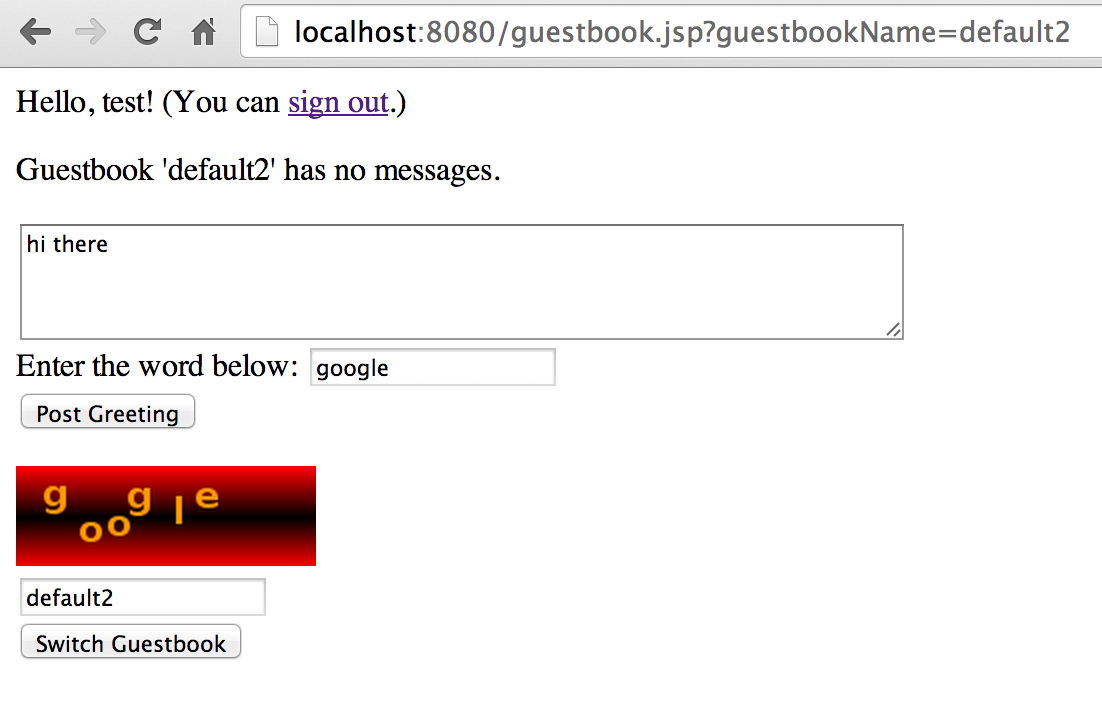 162 |
163 |
164 | **Note for IDE users**: If you are using NetBeans or Eclipse, you can stop the Cloud SDK run session with a click on the little RED icon that stop a process in the IDE terminal view. There is also a RED icon button in Android Studio and Intellij, but this one will not stop correctly the Cloud SDK: The docker containers will not be stopped and you need to stop them from the command line. You can instead execute the Maven command from CLI or the IDES to safely stop the running processes:
165 |
166 | $ mvn gcloud:run_stop
167 |
168 |
169 | ### Deploy Your Application ###
170 |
171 | Next, try deploying your application to production.
172 |
173 | First, set the project you're using with `gcloud`:
174 |
175 | $ gcloud config set project
162 |
163 |
164 | **Note for IDE users**: If you are using NetBeans or Eclipse, you can stop the Cloud SDK run session with a click on the little RED icon that stop a process in the IDE terminal view. There is also a RED icon button in Android Studio and Intellij, but this one will not stop correctly the Cloud SDK: The docker containers will not be stopped and you need to stop them from the command line. You can instead execute the Maven command from CLI or the IDES to safely stop the running processes:
165 |
166 | $ mvn gcloud:run_stop
167 |
168 |
169 | ### Deploy Your Application ###
170 |
171 | Next, try deploying your application to production.
172 |
173 | First, set the project you're using with `gcloud`:
174 |
175 | $ gcloud config set project 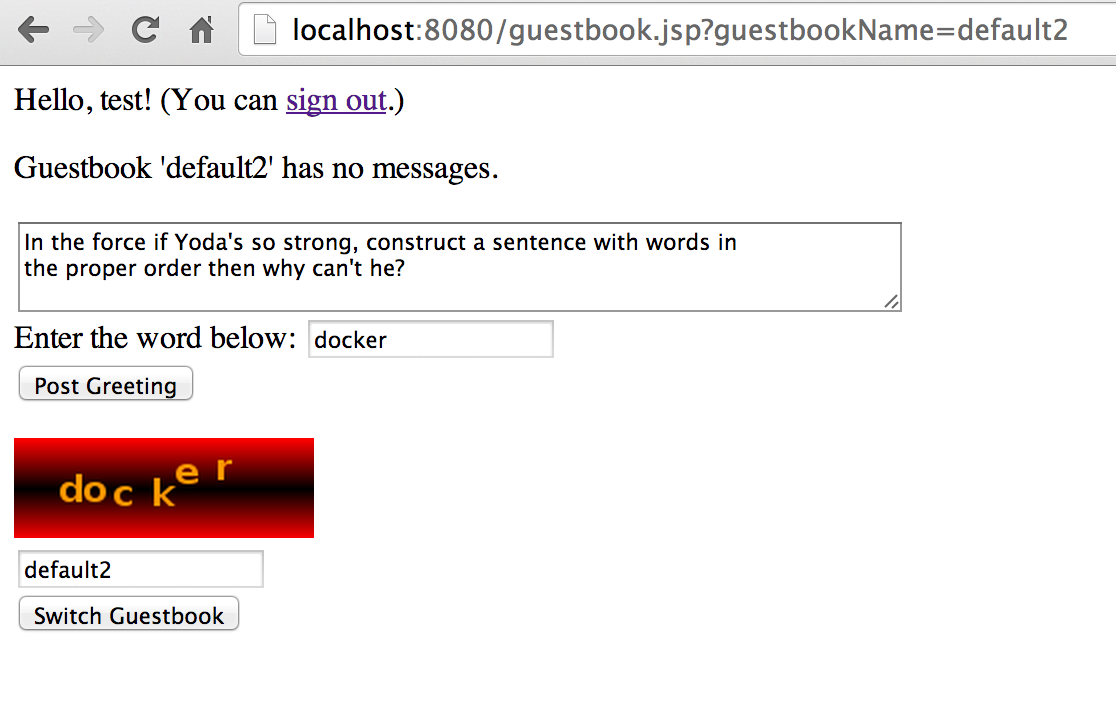 200 |
201 | Take a look at the [stage3/src/main/webapp/Dockerfile](stage3/src/main/webapp/Dockerfile) file:
202 | It looks like this:
203 |
204 | #jetty9-compat is Jetty 9.3.6 and supports only Open JDK8:
205 | FROM gcr.io/google_appengine/jetty9-compat
206 | RUN apt-get update && apt-get install -y fortunes
207 |
208 | ADD . /app
209 |
210 |
211 | The file indicates to: start with the default java8 runtime docker image, and add to it an installation of the 'fortunes' program.
212 |
213 | Build your app, via `mvn package`.
214 |
215 | ### Run Your Application Locally ###
216 |
217 | As described above for Stage 1, build your app and run it locally:
218 |
219 | # Via Maven:
220 | $ mvn gcloud:run
221 |
222 |
223 | You'll see an error:
224 |
225 | File "/Users/ludo/google-cloud-sdk/platform/google_appengine/google/appengine/tools/devappserver2/devappserver2.py", line 1026, in main
226 | dev_server.start(options)
227 | File "/Users/ludo/google-cloud-sdk/platform/google_appengine/google/appengine/tools/devappserver2/devappserver2.py", line 818, in start
228 | self._dispatcher.start(options.api_host, apis.port, request_data)
229 | File "/Users/ludo/google-cloud-sdk/platform/google_appengine/google/appengine/tools/devappserver2/dispatcher.py", line 194, in start
230 | _module.start()
231 | File "/Users/ludo/google-cloud-sdk/platform/google_appengine/google/appengine/tools/devappserver2/module.py", line 1554, in start
232 | self._add_instance()
233 | File "/Users/ludo/google-cloud-sdk/platform/google_appengine/google/appengine/tools/devappserver2/module.py", line 1706, in _add_instance
234 | expect_ready_request=True)
235 | File "/Users/ludo/google-cloud-sdk/platform/google_appengine/google/appengine/tools/devappserver2/custom_runtime.py", line 73, in new_instance
236 | assert self._runtime_config_getter().custom_config.custom_entrypoint
237 | File "/Users/ludo/google-cloud-sdk/platform/google_appengine/google/appengine/tools/devappserver2/module.py", line 382, in _get_runtime_config
238 | raise ValueError('The --custom_entrypoint flag must be set for '
239 | ValueError: The --custom_entrypoint flag must be set for custom runtimes
240 |
241 | You can also specify a custom_entrypoint in your project pom.xml. This is an executable that the Cloud SDK will run to start your application locally. If you want to use the Cloud SDK bundled Jetty9 Web Server, you can define this entry point:
242 |
243 |
200 |
201 | Take a look at the [stage3/src/main/webapp/Dockerfile](stage3/src/main/webapp/Dockerfile) file:
202 | It looks like this:
203 |
204 | #jetty9-compat is Jetty 9.3.6 and supports only Open JDK8:
205 | FROM gcr.io/google_appengine/jetty9-compat
206 | RUN apt-get update && apt-get install -y fortunes
207 |
208 | ADD . /app
209 |
210 |
211 | The file indicates to: start with the default java8 runtime docker image, and add to it an installation of the 'fortunes' program.
212 |
213 | Build your app, via `mvn package`.
214 |
215 | ### Run Your Application Locally ###
216 |
217 | As described above for Stage 1, build your app and run it locally:
218 |
219 | # Via Maven:
220 | $ mvn gcloud:run
221 |
222 |
223 | You'll see an error:
224 |
225 | File "/Users/ludo/google-cloud-sdk/platform/google_appengine/google/appengine/tools/devappserver2/devappserver2.py", line 1026, in main
226 | dev_server.start(options)
227 | File "/Users/ludo/google-cloud-sdk/platform/google_appengine/google/appengine/tools/devappserver2/devappserver2.py", line 818, in start
228 | self._dispatcher.start(options.api_host, apis.port, request_data)
229 | File "/Users/ludo/google-cloud-sdk/platform/google_appengine/google/appengine/tools/devappserver2/dispatcher.py", line 194, in start
230 | _module.start()
231 | File "/Users/ludo/google-cloud-sdk/platform/google_appengine/google/appengine/tools/devappserver2/module.py", line 1554, in start
232 | self._add_instance()
233 | File "/Users/ludo/google-cloud-sdk/platform/google_appengine/google/appengine/tools/devappserver2/module.py", line 1706, in _add_instance
234 | expect_ready_request=True)
235 | File "/Users/ludo/google-cloud-sdk/platform/google_appengine/google/appengine/tools/devappserver2/custom_runtime.py", line 73, in new_instance
236 | assert self._runtime_config_getter().custom_config.custom_entrypoint
237 | File "/Users/ludo/google-cloud-sdk/platform/google_appengine/google/appengine/tools/devappserver2/module.py", line 382, in _get_runtime_config
238 | raise ValueError('The --custom_entrypoint flag must be set for '
239 | ValueError: The --custom_entrypoint flag must be set for custom runtimes
240 |
241 | You can also specify a custom_entrypoint in your project pom.xml. This is an executable that the Cloud SDK will run to start your application locally. If you want to use the Cloud SDK bundled Jetty9 Web Server, you can define this entry point:
242 |
243 |