├── .DS_Store
├── sample1.gif
├── sample2.gif
├── Animations
├── .DS_Store
├── ._ViewController.swift
├── AnimationViews
│ ├── .DS_Store
│ ├── ._RuningMan.swift
│ ├── ._LoadingView.swift
│ ├── ._DownloadButton.swift
│ ├── RuningMan.swift
│ ├── LoadingView.swift
│ └── DownloadButton.swift
├── ._CircleViewController.swift
├── CircleViewController.swift
├── ViewController.swift
├── Info.plist
├── Base.lproj
│ ├── LaunchScreen.storyboard
│ └── Main.storyboard
├── Assets.xcassets
│ └── AppIcon.appiconset
│ │ └── Contents.json
├── AppDelegate.swift
└── SportViewController.swift
├── ._Animations.xcodeproj
├── Animations.xcodeproj
├── ._project.xcworkspace
├── project.xcworkspace
│ ├── contents.xcworkspacedata
│ └── xcuserdata
│ │ └── huangrui.xcuserdatad
│ │ └── UserInterfaceState.xcuserstate
├── xcuserdata
│ └── huangrui.xcuserdatad
│ │ ├── xcdebugger
│ │ └── Breakpoints_v2.xcbkptlist
│ │ └── xcschemes
│ │ ├── xcschememanagement.plist
│ │ └── Animations.xcscheme
└── project.pbxproj
└── README.md
/.DS_Store:
--------------------------------------------------------------------------------
https://raw.githubusercontent.com/huangrui1226/Little-Widget/HEAD/.DS_Store
--------------------------------------------------------------------------------
/sample1.gif:
--------------------------------------------------------------------------------
https://raw.githubusercontent.com/huangrui1226/Little-Widget/HEAD/sample1.gif
--------------------------------------------------------------------------------
/sample2.gif:
--------------------------------------------------------------------------------
https://raw.githubusercontent.com/huangrui1226/Little-Widget/HEAD/sample2.gif
--------------------------------------------------------------------------------
/Animations/.DS_Store:
--------------------------------------------------------------------------------
https://raw.githubusercontent.com/huangrui1226/Little-Widget/HEAD/Animations/.DS_Store
--------------------------------------------------------------------------------
/._Animations.xcodeproj:
--------------------------------------------------------------------------------
https://raw.githubusercontent.com/huangrui1226/Little-Widget/HEAD/._Animations.xcodeproj
--------------------------------------------------------------------------------
/Animations/._ViewController.swift:
--------------------------------------------------------------------------------
https://raw.githubusercontent.com/huangrui1226/Little-Widget/HEAD/Animations/._ViewController.swift
--------------------------------------------------------------------------------
/Animations/AnimationViews/.DS_Store:
--------------------------------------------------------------------------------
https://raw.githubusercontent.com/huangrui1226/Little-Widget/HEAD/Animations/AnimationViews/.DS_Store
--------------------------------------------------------------------------------
/Animations/._CircleViewController.swift:
--------------------------------------------------------------------------------
https://raw.githubusercontent.com/huangrui1226/Little-Widget/HEAD/Animations/._CircleViewController.swift
--------------------------------------------------------------------------------
/Animations.xcodeproj/._project.xcworkspace:
--------------------------------------------------------------------------------
https://raw.githubusercontent.com/huangrui1226/Little-Widget/HEAD/Animations.xcodeproj/._project.xcworkspace
--------------------------------------------------------------------------------
/Animations/AnimationViews/._RuningMan.swift:
--------------------------------------------------------------------------------
https://raw.githubusercontent.com/huangrui1226/Little-Widget/HEAD/Animations/AnimationViews/._RuningMan.swift
--------------------------------------------------------------------------------
/Animations/AnimationViews/._LoadingView.swift:
--------------------------------------------------------------------------------
https://raw.githubusercontent.com/huangrui1226/Little-Widget/HEAD/Animations/AnimationViews/._LoadingView.swift
--------------------------------------------------------------------------------
/Animations/AnimationViews/._DownloadButton.swift:
--------------------------------------------------------------------------------
https://raw.githubusercontent.com/huangrui1226/Little-Widget/HEAD/Animations/AnimationViews/._DownloadButton.swift
--------------------------------------------------------------------------------
/Animations.xcodeproj/project.xcworkspace/contents.xcworkspacedata:
--------------------------------------------------------------------------------
1 |
2 |
4 |
6 |
7 |
8 |
--------------------------------------------------------------------------------
/Animations.xcodeproj/project.xcworkspace/xcuserdata/huangrui.xcuserdatad/UserInterfaceState.xcuserstate:
--------------------------------------------------------------------------------
https://raw.githubusercontent.com/huangrui1226/Little-Widget/HEAD/Animations.xcodeproj/project.xcworkspace/xcuserdata/huangrui.xcuserdatad/UserInterfaceState.xcuserstate
--------------------------------------------------------------------------------
/README.md:
--------------------------------------------------------------------------------
1 | # Download-Button
2 | 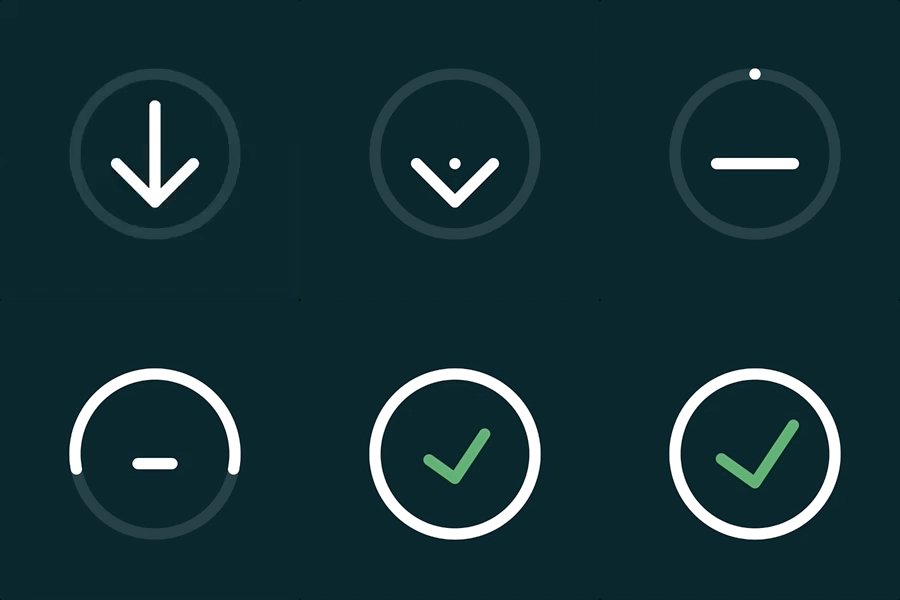
3 | 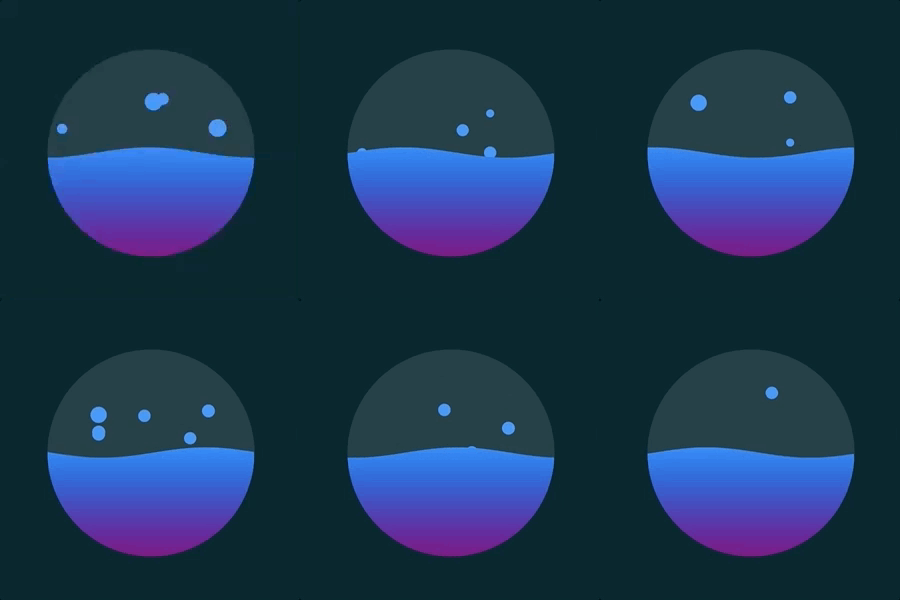
4 |
5 | 这里是出处
6 | http://www.creativebloq.com/inspiration/10-best-web-animations-by-chris-gannon
7 |
--------------------------------------------------------------------------------
/Animations/CircleViewController.swift:
--------------------------------------------------------------------------------
1 | //
2 | // CircleViewController.swift
3 | // Animations
4 | //
5 | // Created by 黄瑞 on 2017/8/25.
6 | // Copyright © 2017年 黄瑞. All rights reserved.
7 | //
8 |
9 | import UIKit
10 |
11 | class CircleViewController: UIViewController {
12 |
13 | override func viewDidLoad() {
14 | super.viewDidLoad()
15 |
16 | // Do any additional setup after loading the view.
17 | }
18 |
19 | override func didReceiveMemoryWarning() {
20 | super.didReceiveMemoryWarning()
21 | // Dispose of any resources that can be recreated.
22 | }
23 |
24 | }
25 |
--------------------------------------------------------------------------------
/Animations.xcodeproj/xcuserdata/huangrui.xcuserdatad/xcdebugger/Breakpoints_v2.xcbkptlist:
--------------------------------------------------------------------------------
1 |
2 |
5 |
6 |
8 |
14 |
15 |
16 |
17 |
18 |
--------------------------------------------------------------------------------
/Animations.xcodeproj/xcuserdata/huangrui.xcuserdatad/xcschemes/xcschememanagement.plist:
--------------------------------------------------------------------------------
1 |
2 |
3 |
4 |
5 | SchemeUserState
6 |
7 | Animations.xcscheme
8 |
9 | orderHint
10 | 0
11 |
12 |
13 | SuppressBuildableAutocreation
14 |
15 | 0420CBD01F3A990400552C82
16 |
17 | primary
18 |
19 |
20 |
21 |
22 |
23 |
--------------------------------------------------------------------------------
/Animations/ViewController.swift:
--------------------------------------------------------------------------------
1 | //
2 | // ViewController.swift
3 | // Animations
4 | //
5 | // Created by 黄瑞 on 2017/8/9.
6 | // Copyright © 2017年 黄瑞. All rights reserved.
7 | //
8 |
9 | import UIKit
10 |
11 | class ViewController: UIViewController {
12 |
13 | var length: CGFloat = 0
14 |
15 | override func viewDidLoad() {
16 | super.viewDidLoad()
17 | // Do any additional setup after loading the view, typically from a nib.
18 |
19 | length = view.frame.size.width / 2
20 |
21 | downloadButton()
22 | loadingView()
23 | }
24 |
25 | func downloadButton() {
26 |
27 | let button = DownloadButton(frame: CGRect(x: 0, y: 0, width: length, height: length))
28 | button.center = CGPoint(x: view.center.x, y: view.center.y - length / 2 - 8)
29 | self.view.addSubview(button)
30 | }
31 |
32 | func loadingView() {
33 |
34 | let waveView = LoadingView(frame: CGRect(x: 0, y: 0, width: length, height: length))
35 | waveView.center = CGPoint(x: view.center.x, y: view.center.y + length / 2 + 8)
36 | view.addSubview(waveView)
37 | }
38 | }
39 |
40 |
--------------------------------------------------------------------------------
/Animations/AnimationViews/RuningMan.swift:
--------------------------------------------------------------------------------
1 | //
2 | // RuningMan.swift
3 | // Animations
4 | //
5 | // Created by 黄瑞 on 2017/8/18.
6 | // Copyright © 2017年 黄瑞. All rights reserved.
7 | //
8 |
9 | import UIKit
10 |
11 | class RuningMan: UIView {
12 |
13 | let shapeLayer = CAShapeLayer()
14 | var currentFrame: Int = 0 // 当前帧
15 |
16 | var width: CGFloat { return self.frame.size.width }
17 | var height: CGFloat { return self.frame.size.height }
18 |
19 | override init(frame: CGRect) {
20 | super.init(frame: frame)
21 | setup()
22 | }
23 |
24 | required init?(coder aDecoder: NSCoder) {
25 | super.init(coder: aDecoder)
26 | setup()
27 | }
28 |
29 | func setup() {
30 | CADisplayLink(target: self, selector: #selector(update)).add(to: .main, forMode: .commonModes)
31 |
32 | layer.addSublayer(shapeLayer)
33 | }
34 |
35 | // 更新动画
36 | @objc func update() {
37 | currentFrame += 1
38 | if currentFrame > 60 {
39 | currentFrame = 0
40 | }
41 | shapeLayer.fillColor = UIColor.red.cgColor
42 | shapeLayer.lineWidth = 1
43 | shapeLayer.path = getPath(frame: currentFrame)
44 | }
45 |
46 | // 绘制跑动的小人
47 | func getPath(frame: Int) -> CGPath {
48 | let path = UIBezierPath()
49 |
50 | // head
51 | path.addArc(withCenter: CGPoint(x: width / 2, y: 20), radius: 10, startAngle: 0, endAngle: CGFloat.pi * 2, clockwise: true)
52 | path.fill()
53 |
54 | return path.cgPath
55 | }
56 | }
57 |
--------------------------------------------------------------------------------
/Animations/Info.plist:
--------------------------------------------------------------------------------
1 |
2 |
3 |
4 |
5 | CFBundleDevelopmentRegion
6 | $(DEVELOPMENT_LANGUAGE)
7 | CFBundleExecutable
8 | $(EXECUTABLE_NAME)
9 | CFBundleIdentifier
10 | $(PRODUCT_BUNDLE_IDENTIFIER)
11 | CFBundleInfoDictionaryVersion
12 | 6.0
13 | CFBundleName
14 | $(PRODUCT_NAME)
15 | CFBundlePackageType
16 | APPL
17 | CFBundleShortVersionString
18 | 1.0
19 | CFBundleVersion
20 | 1
21 | LSRequiresIPhoneOS
22 |
23 | UILaunchStoryboardName
24 | LaunchScreen
25 | UIMainStoryboardFile
26 | Main
27 | UIRequiredDeviceCapabilities
28 |
29 | armv7
30 |
31 | UISupportedInterfaceOrientations
32 |
33 | UIInterfaceOrientationPortrait
34 | UIInterfaceOrientationLandscapeLeft
35 | UIInterfaceOrientationLandscapeRight
36 |
37 | UISupportedInterfaceOrientations~ipad
38 |
39 | UIInterfaceOrientationPortrait
40 | UIInterfaceOrientationPortraitUpsideDown
41 | UIInterfaceOrientationLandscapeLeft
42 | UIInterfaceOrientationLandscapeRight
43 |
44 |
45 |
46 |
--------------------------------------------------------------------------------
/Animations/Base.lproj/LaunchScreen.storyboard:
--------------------------------------------------------------------------------
1 |
2 |
3 |
4 |
5 |
6 |
7 |
8 |
9 |
10 |
11 |
12 |
13 |
14 |
15 |
16 |
17 |
18 |
19 |
20 |
21 |
22 |
23 |
24 |
25 |
26 |
27 |
28 |
--------------------------------------------------------------------------------
/Animations/Assets.xcassets/AppIcon.appiconset/Contents.json:
--------------------------------------------------------------------------------
1 | {
2 | "images" : [
3 | {
4 | "idiom" : "iphone",
5 | "size" : "20x20",
6 | "scale" : "2x"
7 | },
8 | {
9 | "idiom" : "iphone",
10 | "size" : "20x20",
11 | "scale" : "3x"
12 | },
13 | {
14 | "idiom" : "iphone",
15 | "size" : "29x29",
16 | "scale" : "2x"
17 | },
18 | {
19 | "idiom" : "iphone",
20 | "size" : "29x29",
21 | "scale" : "3x"
22 | },
23 | {
24 | "idiom" : "iphone",
25 | "size" : "40x40",
26 | "scale" : "2x"
27 | },
28 | {
29 | "idiom" : "iphone",
30 | "size" : "40x40",
31 | "scale" : "3x"
32 | },
33 | {
34 | "idiom" : "iphone",
35 | "size" : "60x60",
36 | "scale" : "2x"
37 | },
38 | {
39 | "idiom" : "iphone",
40 | "size" : "60x60",
41 | "scale" : "3x"
42 | },
43 | {
44 | "idiom" : "ipad",
45 | "size" : "20x20",
46 | "scale" : "1x"
47 | },
48 | {
49 | "idiom" : "ipad",
50 | "size" : "20x20",
51 | "scale" : "2x"
52 | },
53 | {
54 | "idiom" : "ipad",
55 | "size" : "29x29",
56 | "scale" : "1x"
57 | },
58 | {
59 | "idiom" : "ipad",
60 | "size" : "29x29",
61 | "scale" : "2x"
62 | },
63 | {
64 | "idiom" : "ipad",
65 | "size" : "40x40",
66 | "scale" : "1x"
67 | },
68 | {
69 | "idiom" : "ipad",
70 | "size" : "40x40",
71 | "scale" : "2x"
72 | },
73 | {
74 | "idiom" : "ipad",
75 | "size" : "76x76",
76 | "scale" : "1x"
77 | },
78 | {
79 | "idiom" : "ipad",
80 | "size" : "76x76",
81 | "scale" : "2x"
82 | },
83 | {
84 | "idiom" : "ipad",
85 | "size" : "83.5x83.5",
86 | "scale" : "2x"
87 | }
88 | ],
89 | "info" : {
90 | "version" : 1,
91 | "author" : "xcode"
92 | }
93 | }
--------------------------------------------------------------------------------
/Animations/AppDelegate.swift:
--------------------------------------------------------------------------------
1 | //
2 | // AppDelegate.swift
3 | // Animations
4 | //
5 | // Created by 黄瑞 on 2017/8/9.
6 | // Copyright © 2017年 黄瑞. All rights reserved.
7 | //
8 |
9 | import UIKit
10 |
11 | @UIApplicationMain
12 | class AppDelegate: UIResponder, UIApplicationDelegate {
13 |
14 | var window: UIWindow?
15 |
16 |
17 | func application(_ application: UIApplication, didFinishLaunchingWithOptions launchOptions: [UIApplicationLaunchOptionsKey: Any]?) -> Bool {
18 | // Override point for customization after application launch.
19 | return true
20 | }
21 |
22 | func applicationWillResignActive(_ application: UIApplication) {
23 | // Sent when the application is about to move from active to inactive state. This can occur for certain types of temporary interruptions (such as an incoming phone call or SMS message) or when the user quits the application and it begins the transition to the background state.
24 | // Use this method to pause ongoing tasks, disable timers, and invalidate graphics rendering callbacks. Games should use this method to pause the game.
25 | }
26 |
27 | func applicationDidEnterBackground(_ application: UIApplication) {
28 | // Use this method to release shared resources, save user data, invalidate timers, and store enough application state information to restore your application to its current state in case it is terminated later.
29 | // If your application supports background execution, this method is called instead of applicationWillTerminate: when the user quits.
30 | }
31 |
32 | func applicationWillEnterForeground(_ application: UIApplication) {
33 | // Called as part of the transition from the background to the active state; here you can undo many of the changes made on entering the background.
34 | }
35 |
36 | func applicationDidBecomeActive(_ application: UIApplication) {
37 | // Restart any tasks that were paused (or not yet started) while the application was inactive. If the application was previously in the background, optionally refresh the user interface.
38 | }
39 |
40 | func applicationWillTerminate(_ application: UIApplication) {
41 | // Called when the application is about to terminate. Save data if appropriate. See also applicationDidEnterBackground:.
42 | }
43 |
44 |
45 | }
46 |
47 |
--------------------------------------------------------------------------------
/Animations.xcodeproj/xcuserdata/huangrui.xcuserdatad/xcschemes/Animations.xcscheme:
--------------------------------------------------------------------------------
1 |
2 |
5 |
8 |
9 |
15 |
21 |
22 |
23 |
24 |
25 |
31 |
32 |
33 |
34 |
40 |
41 |
42 |
43 |
44 |
45 |
56 |
58 |
64 |
65 |
66 |
67 |
68 |
69 |
75 |
77 |
83 |
84 |
85 |
86 |
88 |
89 |
92 |
93 |
94 |
--------------------------------------------------------------------------------
/Animations/SportViewController.swift:
--------------------------------------------------------------------------------
1 | //
2 | // SportViewController.swift
3 | // Animations
4 | //
5 | // Created by 黄瑞 on 2017/8/14.
6 | // Copyright © 2017年 黄瑞. All rights reserved.
7 | //
8 |
9 | import UIKit
10 |
11 | class SportViewController: UIViewController {
12 |
13 | let bgLayer: CAShapeLayer = CAShapeLayer()
14 | let extraOffset: CGFloat = 200
15 |
16 | var startX: CGFloat = 0
17 | var currentX: CGFloat = 0
18 | var offset: CGFloat = 0
19 |
20 | override func viewDidLoad() {
21 | super.viewDidLoad()
22 |
23 | view.backgroundColor = UIColor.init(red: 1.000, green: 0.500, blue: 0.500, alpha: 1.0)
24 |
25 | bgLayer.frame = view.bounds
26 | bgLayer.lineCap = kCALineCapRound
27 | bgLayer.lineJoin = kCALineJoinRound
28 | bgLayer.fillColor = UIColor.init(red: 0.500, green: 1.000, blue: 0.500, alpha: 1.0).cgColor
29 | view.layer.addSublayer(bgLayer)
30 |
31 | let run_man = RuningMan()
32 | run_man.frame = CGRect(x: 0, y: 0, width: 200, height: 200)
33 | run_man.center = view.center
34 | view.addSubview(run_man)
35 |
36 | let tapGest = UIPanGestureRecognizer(target: self, action: #selector(tapGest(_:)))
37 | view.addGestureRecognizer(tapGest)
38 | }
39 |
40 | override func viewDidAppear(_ animated: Bool) {
41 | super.viewDidAppear(animated)
42 |
43 | }
44 |
45 | @objc func tapGest(_ sender: UITapGestureRecognizer) {
46 | let touchPoint = sender.location(in: view)
47 |
48 | switch sender.state {
49 | case .began:
50 | startX = touchPoint.x
51 | case .changed:
52 | currentX = touchPoint.x
53 | bgLayer.path = getPath(offset: offset + (currentX - startX) * 1.3)
54 | case .ended:
55 | // 更新偏移量变量
56 | offset = offset + (currentX - startX) * 1.3
57 |
58 | let width = view.frame.size.width
59 |
60 | let animation = CAKeyframeAnimation(keyPath: "path")
61 | animation.delegate = self
62 | animation.duration = 0.3
63 | animation.keyTimes = [0, 1]
64 | animation.isRemovedOnCompletion = false
65 | animation.fillMode = kCAFillModeForwards
66 |
67 |
68 | if offset < (width + extraOffset) / 2 {
69 | if offset < width / 2 {
70 | animation.keyTimes = [0, 1]
71 | animation.values = [getPath(offset: offset), getPath(offset: 0)]
72 | } else {
73 | animation.keyTimes = [0, 0.5, 1]
74 | animation.values = [getPath(offset: offset), getPath(offset: width / 2), getPath(offset: 0)]
75 | }
76 | offset = 0
77 | } else {
78 | if offset < width / 2 + extraOffset {
79 | animation.keyTimes = [0, 0.5, 1]
80 | animation.values = [getPath(offset: offset), getPath(offset: width / 2 + extraOffset), getPath(offset: width + extraOffset)]
81 | } else {
82 | animation.keyTimes = [0, 1]
83 | animation.values = [getPath(offset: offset), getPath(offset: width + extraOffset)]
84 | }
85 | offset = width + extraOffset
86 | }
87 |
88 |
89 | bgLayer.add(animation, forKey: "path")
90 |
91 | default:
92 | print("default")
93 | }
94 | }
95 |
96 | // 根据偏移量画出曲线,范围是 width + extraOffset
97 | func getPath(offset: CGFloat) -> CGPath {
98 | let path = UIBezierPath()
99 | let width = view.frame.size.width
100 | let height = view.frame.size.height
101 |
102 | path.move(to: CGPoint.zero)
103 |
104 | if offset < width / 2 {
105 | path.addLine(to: CGPoint(x: offset - extraOffset / 2, y: 0))
106 | path.addCurve(to: CGPoint(x: offset, y: height / 2), controlPoint1: CGPoint(x: offset - extraOffset / 2, y: height / 3), controlPoint2: CGPoint(x: offset, y: height / 4))
107 | path.addCurve(to: CGPoint(x: offset - extraOffset / 2, y: height), controlPoint1: CGPoint(x: offset, y: height * 3 / 4), controlPoint2: CGPoint(x: offset - extraOffset / 2, y: height * 2 / 3))
108 | path.addLine(to: CGPoint(x: 0, y: height))
109 | } else if offset > width / 2 + extraOffset {
110 | path.addLine(to: CGPoint(x: offset - extraOffset + extraOffset / 2, y: 0))
111 | path.addCurve(to: CGPoint(x: offset - extraOffset, y: height / 2), controlPoint1: CGPoint(x: offset - extraOffset + extraOffset / 2, y: height / 3), controlPoint2: CGPoint(x: offset - extraOffset, y: height / 4))
112 | path.addCurve(to: CGPoint(x: offset - extraOffset + extraOffset / 2, y: height), controlPoint1: CGPoint(x: offset - extraOffset, y: height * 3 / 4), controlPoint2: CGPoint(x: offset - extraOffset + extraOffset / 2, y: height * 2 / 3))
113 | path.addLine(to: CGPoint(x: 0, y: height))
114 | } else {
115 | let xPosition = offset - extraOffset / 2
116 | if xPosition < width / 2 {
117 | path.addLine(to: CGPoint(x: xPosition, y: 0))
118 | path.addCurve(to: CGPoint(x: width / 2, y: height / 2), controlPoint1: CGPoint(x: xPosition, y: height / 3), controlPoint2: CGPoint(x: width / 2, y: height / 4))
119 | path.addCurve(to: CGPoint(x: xPosition, y: height), controlPoint1: CGPoint(x: width / 2, y: height * 3 / 4), controlPoint2: CGPoint(x: xPosition, y: height * 2 / 3))
120 | path.addLine(to: CGPoint(x: 0, y: height))
121 | } else {
122 | path.addLine(to: CGPoint(x: xPosition, y: 0))
123 | path.addCurve(to: CGPoint(x: width / 2, y: height / 2), controlPoint1: CGPoint(x: xPosition, y: height / 3), controlPoint2: CGPoint(x: width / 2, y: height / 4))
124 | path.addCurve(to: CGPoint(x: xPosition, y: height), controlPoint1: CGPoint(x: width / 2, y: height * 3 / 4), controlPoint2: CGPoint(x: xPosition, y: height * 2 / 3))
125 | path.addLine(to: CGPoint(x: 0, y: height))
126 | }
127 | }
128 | path.close()
129 |
130 | return path.cgPath
131 | }
132 | }
133 |
134 | extension SportViewController: CAAnimationDelegate {
135 |
136 | func animationDidStop(_ anim: CAAnimation, finished flag: Bool) {
137 |
138 | bgLayer.removeAnimation(forKey: "path")
139 | bgLayer.path = getPath(offset: offset)
140 | }
141 | }
142 |
--------------------------------------------------------------------------------
/Animations/AnimationViews/LoadingView.swift:
--------------------------------------------------------------------------------
1 | //
2 | // LoadingView.swift
3 | // Animations
4 | //
5 | // Created by 黄瑞 on 2017/8/10.
6 | // Copyright © 2017年 黄瑞. All rights reserved.
7 | //
8 |
9 | import UIKit
10 |
11 | class LoadingView: UIView {
12 |
13 | var width: CGFloat { return self.frame.size.width }
14 | var height: CGFloat { return self.frame.size.height }
15 | var radius: CGFloat { return self.frame.size.width > self.frame.size.height ? self.frame.size.height / 2 : self.frame.size.width / 2 }
16 |
17 | // 加载进度
18 | var progress: CGFloat = 0.5
19 |
20 | // 波浪的振幅,随着progress的增大而变小
21 | var waveScale: CGFloat { return (1 - progress) * 0.1 > 0.025 ? 0.025 : (1 - progress) * 0.05 }
22 |
23 | var waveSpeed: CGFloat = 3 // 波浪平移速度
24 | var waveTopPostition: CGFloat = 0.0 // 当前波峰位置,波谷位置距离波峰控件宽度的一半,整个波形是个正弦曲线
25 | var waveLayer = CAShapeLayer()
26 | var gradientLayer = CAGradientLayer()
27 |
28 | var bubbleLayers: [CAShapeLayer] = [] // 存放泡泡的layer数组
29 |
30 | override init(frame: CGRect) {
31 | super.init(frame: frame)
32 | self.setup()
33 | }
34 |
35 | required init?(coder aDecoder: NSCoder) {
36 | super.init(coder: aDecoder)
37 | self.setup()
38 | }
39 |
40 | func setup() {
41 |
42 | setupBgCircle()
43 | setupWave()
44 |
45 | // 让动画随着屏幕刷新而刷新
46 | let displayLink = CADisplayLink(target: self, selector: #selector(updateWave))
47 | displayLink.add(to: RunLoop.main, forMode: .defaultRunLoopMode)
48 | }
49 |
50 | func start() {
51 | }
52 |
53 | // 根据当前 progress 和 波峰位置 绘制波浪曲线
54 | func getWavePath() -> CGPath {
55 |
56 | let path = UIBezierPath()
57 |
58 | path.move(to: CGPoint(x: width * 2, y: height))
59 | path.addLine(to: CGPoint(x: 0, y: height))
60 |
61 | for i in (0..= 0.8 || progress <= 0.0 {
112 | return
113 | }
114 |
115 | // 气泡半径的极值
116 | let bubbleMinSize: CGFloat = 4
117 | let bubbleMaxSize: CGFloat = 4 + 12 * progress
118 |
119 | // 气泡半径范围 4 ~ 12
120 | let bubbleSize: CGFloat = bubbleMinSize + (bubbleMaxSize - bubbleMinSize) * (CGFloat(arc4random() % 100) / 100.0)
121 |
122 | let bubble = UIBezierPath()
123 |
124 | // 气泡间的水平间距, 边界距离小于1.2倍气泡最大半径的地方不出现气泡,避免气泡越界(简化方法,实际应该计算气泡到圆边界的距离,但是过于麻烦)
125 | let bubbleInterval: CGFloat = (width - bubbleMaxSize * 1.2 * 2) / 20
126 |
127 | // 当前 progress 下,气泡起点的水平线与圆边界的左边交点的 x 值
128 | let radiusSquare = radius * radius
129 | let startX = radius - CGFloat(sqrt(radiusSquare - fabs(radius * (1 - 2 * progress)) * fabs(radius * (1 - 2 * progress))))
130 |
131 | if radius - startX < bubbleMaxSize * 1.2 { // 距离小于泡泡的最大宽度,则不出现泡泡
132 | return
133 | }
134 |
135 | // 当前 progress 下, 气泡可能出现的水平位置的个数
136 | let horizontalBubbles = UInt32((sqrt(radiusSquare - fabs(radius * (1 - 2 * progress)) * fabs(radius * (1 - 2 * progress))) - 2 * bubbleMaxSize) * 2 / bubbleInterval)
137 |
138 | // 气泡的 center
139 | let center = CGPoint(x: startX + bubbleMaxSize + CGFloat(arc4random() % horizontalBubbles) * bubbleInterval + bubbleInterval / 2, y: (1 - progress + waveScale) * height)
140 | bubble.addArc(withCenter: center, radius: bubbleSize, startAngle: 0, endAngle: CGFloat.pi * 2, clockwise: true)
141 | bubble.fill()
142 |
143 | // 绘制气泡
144 | let bubbleLayer = CAShapeLayer()
145 | bubbleLayers.append(bubbleLayer)
146 | bubbleLayer.frame = bounds
147 | bubbleLayer.path = bubble.cgPath
148 | bubbleLayer.fillColor = UIColor.init(red: 0.000, green: 0.500, blue: 1.000, alpha: 1.0).cgColor
149 | layer.insertSublayer(bubbleLayer, at: 0)
150 |
151 | // 运动轨迹穿过圆心的气泡运动距离最长,即 totalHeight , 距离为波谷到圆圈顶部的长度
152 | let totalHeight = (1 - progress + waveScale) * height
153 |
154 | // 气泡的实际运动距离,(上弹到圆圈边缘)
155 | var toValue: CGFloat = 0
156 |
157 | // 勾股定理,算出气泡与圆心的垂直距离
158 | let a = sqrt(radius * radius - fabs(radius - center.x) * fabs(radius - center.x))
159 | if totalHeight > radius {
160 | toValue = totalHeight - radius + a
161 | } else {
162 | toValue = a - radius + totalHeight
163 | }
164 |
165 | // 气泡弹出和下落动画
166 | let positionCoe: CGFloat = (0.5 + 0.5 * (bubbleSize - bubbleMinSize) / (bubbleMaxSize - bubbleMinSize))
167 | let animation = CAKeyframeAnimation(keyPath: "position.y")
168 | animation.delegate = self
169 | animation.values = [
170 | height * 0.5,
171 | height * 0.5 - toValue * positionCoe + bubbleSize,
172 | height * 0.5
173 | ]
174 | animation.keyTimes = [0, 0.5, 1]
175 | animation.duration = TimeInterval(1.2 + 1.8 * (1 - progress))
176 | animation.timingFunctions = [CAMediaTimingFunction.init(name: kCAMediaTimingFunctionEaseOut)]
177 | animation.isRemovedOnCompletion = false
178 | animation.fillMode = kCAFillModeForwards
179 | bubbleLayer.add(animation, forKey: "bubble")
180 | }
181 |
182 | @objc func updateWave() {
183 | waveTopPostition += waveSpeed
184 |
185 | // 气泡出现几率 3%
186 | if arc4random() % 100 < 3 {
187 | addBubble()
188 | }
189 |
190 | if waveTopPostition > width {
191 | waveTopPostition -= width
192 | }
193 | waveLayer.path = getWavePath()
194 | let start = NSNumber(value: Float(1 - progress - waveScale))
195 | gradientLayer.locations = [start, 1]
196 | }
197 |
198 | }
199 |
200 | extension LoadingView: CAAnimationDelegate {
201 |
202 | // 动画结束,移除气泡
203 | func animationDidStop(_ anim: CAAnimation, finished flag: Bool) {
204 | for i in 0..
2 |
3 |
4 |
5 |
6 |
7 |
8 |
9 |
10 |
11 |
12 |
13 |
14 |
15 |
16 |
17 |
18 |
19 |
20 |
21 |
22 |
23 |
24 |
25 |
26 |
27 |
28 |
29 |
36 |
37 |
38 |
39 |
40 |
41 |
42 |
43 |
44 |
45 |
46 |
47 |
48 |
49 |
56 |
57 |
58 |
59 |
60 |
61 |
62 |
63 |
64 |
65 |
66 |
67 |
68 |
69 |
70 |
71 |
72 |
73 |
74 |
75 |
76 |
77 |
78 |
79 |
80 |
81 |
82 |
83 |
84 |
85 |
86 |
87 |
88 |
89 |
90 |
91 |
92 |
93 |
94 |
95 |
96 |
97 |
98 |
99 |
100 |
101 |
102 |
103 |
104 |
105 |
106 |
107 |
108 |
109 |
110 |
111 |
112 |
113 |
114 |
115 |
116 |
117 |
118 |
119 |
120 |
121 |
122 |
123 |
124 |
125 |
126 |
127 |
128 |
129 |
130 |
131 |
132 |
--------------------------------------------------------------------------------
/Animations/AnimationViews/DownloadButton.swift:
--------------------------------------------------------------------------------
1 | //
2 | // DownloadButton.swift
3 | // Animations
4 | //
5 | // Created by 黄瑞 on 2017/8/9.
6 | // Copyright © 2017年 黄瑞. All rights reserved.
7 | //
8 |
9 | import UIKit
10 |
11 | class DownloadButton: UIButton {
12 |
13 | var lineToPointDuration = 0.5
14 |
15 | var isComplete: Bool = false
16 |
17 | var circleSideLength: CGFloat = 0 // 进度指示器半径
18 | var lineWidth: CGFloat = 0 // 线条宽度
19 | var arrowSideLength: CGFloat = 0 // 内容视图半径(箭头和对勾)
20 | var buttonCenter: CGPoint = CGPoint.zero // 按钮中心
21 |
22 | var progress: CGFloat = 0.0 { // 进度
23 | didSet {
24 | if progress >= 1 {
25 | progress = 1
26 | }
27 | circleLayer.path = getCirclePath(progress)
28 | checkMarkLayer.path = getCheckMarkPath(progress)
29 | }
30 | }
31 | var circleLayer = CAShapeLayer() // 进度指示器
32 | var verticalLineLayer = CAShapeLayer() // 箭头竖线 -> 弹跳的点
33 | var checkMarkLayer = CAShapeLayer() // 放有箭头底部和对勾的图层
34 | var circleBgLayer = CAShapeLayer() // 指示器底圈
35 |
36 | let verticalLinePath = UIBezierPath() // 箭头的竖线
37 | let dotPath = UIBezierPath() // 箭头竖线变成的点
38 | var checkMarkPath = UIBezierPath() // 对勾曲线
39 |
40 | var timer: Timer? // 进度圈定时器
41 |
42 | override init(frame: CGRect) {
43 | super.init(frame: frame)
44 | self.addTarget(self, action: #selector(startAnimation), for: .touchUpInside)
45 | self.setup()
46 | }
47 |
48 | required init?(coder aDecoder: NSCoder) {
49 | super.init(coder: aDecoder)
50 | self.setup()
51 | }
52 |
53 | @objc func startAnimation() {
54 | if isComplete {
55 | setup()
56 | }
57 |
58 | timer?.invalidate()
59 | circleLayer.path = UIBezierPath().cgPath
60 | checkMarkLayer.path = checkMarkPath.cgPath
61 |
62 | lineToPointUpAnimation()
63 | arrowToLineAnimation()
64 | }
65 |
66 | func finishAnimation() {
67 | dotToCheckMark()
68 | isComplete = true
69 | }
70 |
71 | func setup() -> Void {
72 |
73 | circleLayer.removeFromSuperlayer()
74 | verticalLineLayer.removeFromSuperlayer()
75 | checkMarkLayer.removeFromSuperlayer()
76 | circleBgLayer.removeFromSuperlayer()
77 |
78 | circleLayer = CAShapeLayer()
79 | verticalLineLayer = CAShapeLayer()
80 | checkMarkLayer = CAShapeLayer()
81 | circleBgLayer = CAShapeLayer()
82 |
83 | progress = 0
84 |
85 | circleSideLength = (self.frame.size.width > self.frame.size.height ? self.frame.size.height : self.frame.size.width) * 0.8
86 | lineWidth = circleSideLength * 0.07
87 | arrowSideLength = circleSideLength * 0.6
88 | buttonCenter = CGPoint(x: self.frame.size.width / 2, y: self.frame.size.height / 2)
89 |
90 | // 圆圈背景
91 | let roundBgPath = UIBezierPath()
92 | roundBgPath.addArc(withCenter: buttonCenter, radius: circleSideLength / 2, startAngle: 0, endAngle: CGFloat.pi * 360 / 180, clockwise: true)
93 |
94 | circleBgLayer.path = roundBgPath.cgPath
95 | circleBgLayer.fillColor = nil
96 | circleBgLayer.strokeColor = UIColor(white: 1.0, alpha: 0.1).cgColor
97 | circleBgLayer.lineWidth = lineWidth
98 | circleBgLayer.lineJoin = kCALineJoinRound
99 | circleBgLayer.lineCap = kCALineCapRound
100 | layer.addSublayer(circleBgLayer)
101 |
102 | circleLayer.fillColor = nil
103 | circleLayer.strokeColor = UIColor.white.cgColor
104 | circleLayer.lineWidth = lineWidth
105 | circleLayer.lineJoin = kCALineJoinRound
106 | circleLayer.lineCap = kCALineCapRound
107 | layer.addSublayer(circleLayer)
108 |
109 | // 垂直线,箭头的竖线
110 | verticalLinePath.move(to: CGPoint(x: buttonCenter.x, y: buttonCenter.y - arrowSideLength / 2))
111 | verticalLinePath.addLine(to: CGPoint(x: buttonCenter.x, y: buttonCenter.y + arrowSideLength / 2))
112 |
113 | // 箭头竖线变成的点
114 | dotPath.move(to: CGPoint(x: buttonCenter.x, y: buttonCenter.y + arrowSideLength * 0.1))
115 | dotPath.addLine(to: CGPoint(x: buttonCenter.x, y: buttonCenter.y + arrowSideLength * 0.1))
116 |
117 | verticalLineLayer.path = verticalLinePath.cgPath
118 | verticalLineLayer.fillColor = nil
119 | verticalLineLayer.strokeColor = UIColor.white.cgColor
120 | verticalLineLayer.lineWidth = lineWidth
121 | verticalLineLayer.lineJoin = kCALineJoinRound
122 | verticalLineLayer.lineCap = kCALineCapRound
123 | layer.addSublayer(verticalLineLayer)
124 |
125 | // 箭头,结束时变为对勾
126 | checkMarkPath.lineJoinStyle = .round
127 | checkMarkPath.lineCapStyle = .round
128 | checkMarkPath.lineWidth = lineWidth
129 | checkMarkPath.move(to: CGPoint(x: buttonCenter.x - arrowSideLength * 0.4, y: buttonCenter.y + arrowSideLength * 0.1))
130 | checkMarkPath.addLine(to: CGPoint(x: buttonCenter.x, y: buttonCenter.y + arrowSideLength / 2))
131 | checkMarkPath.addLine(to: CGPoint(x: buttonCenter.x + arrowSideLength * 0.4, y: buttonCenter.y + arrowSideLength * 0.1))
132 |
133 | checkMarkLayer.path = checkMarkPath.cgPath
134 | checkMarkLayer.fillColor = nil
135 | checkMarkLayer.strokeColor = UIColor.white.cgColor
136 | checkMarkLayer.lineWidth = lineWidth
137 | checkMarkLayer.lineJoin = kCALineJoinRound
138 | checkMarkLayer.lineCap = kCALineCapRound
139 | layer.addSublayer(checkMarkLayer)
140 | }
141 |
142 |
143 |
144 | func getCirclePath(_ progess: CGFloat) -> CGPath {
145 | let path = UIBezierPath()
146 |
147 | path.addArc(withCenter: buttonCenter, radius: circleSideLength / 2, startAngle: -CGFloat.pi * (0.5 + progress), endAngle: -CGFloat.pi * (0.5 - progress), clockwise: true)
148 |
149 | return path.cgPath
150 | }
151 |
152 | func getCheckMarkPath(_ progress: CGFloat) -> CGPath {
153 | let path = UIBezierPath()
154 |
155 | path.move(to: CGPoint(x: buttonCenter.x - arrowSideLength * 0.4 * (1 - progress), y: buttonCenter.y + arrowSideLength * 0.1))
156 | path.addLine(to: CGPoint(x: buttonCenter.x + arrowSideLength * 0.4 * (1 - progress), y: buttonCenter.y + arrowSideLength * 0.1))
157 |
158 | return path.cgPath
159 | }
160 | }
161 |
162 | extension DownloadButton: CAAnimationDelegate {
163 |
164 | func animationDidStop(_ anim: CAAnimation, finished flag: Bool) {
165 | if anim == verticalLineLayer.animation(forKey: "group") {
166 | checkMarkLayer.removeAllAnimations()
167 |
168 | let path = UIBezierPath()
169 | path.move(to: CGPoint(x: buttonCenter.x - arrowSideLength * 0.4, y: buttonCenter.y + arrowSideLength * 0.1))
170 | path.addLine(to: CGPoint(x: buttonCenter.x, y: buttonCenter.y + arrowSideLength * 0.1))
171 | path.addLine(to: CGPoint(x: buttonCenter.x + arrowSideLength * 0.4, y: buttonCenter.y + arrowSideLength * 0.1))
172 | checkMarkLayer.path = path.cgPath
173 |
174 | self.progress = 0.0
175 | timer = Timer.scheduledTimer(withTimeInterval: 0.05, repeats: true) { (timer) in
176 | self.progress += 0.02
177 | if self.progress >= 1.0 {
178 | timer.invalidate()
179 | self.finishAnimation()
180 | }
181 | }
182 | }
183 | }
184 | }
185 |
186 | //MARK: - Animations
187 | extension DownloadButton {
188 |
189 | func arrowToLineAnimation() {
190 |
191 | let yPositions = [
192 | buttonCenter.y + arrowSideLength / 2,
193 | buttonCenter.y + arrowSideLength * 0.1 - 8,
194 | buttonCenter.y + arrowSideLength * 0.1 + 4,
195 | buttonCenter.y + arrowSideLength * 0.1 - 2,
196 | buttonCenter.y + arrowSideLength * 0.1 + 1,
197 | buttonCenter.y + arrowSideLength * 0.1,
198 | ]
199 |
200 | var paths: [CGPath] = []
201 | for i in 0..