This section includes some helpful resources for organizers of online events, as well as speakers.
9 | 10 | -------------------------------------------------------------------------------- /wordcamp-organizer/first-steps/web-presence/wordcamp-org-feedback.md: -------------------------------------------------------------------------------- 1 | # WordCamp.org Feedback 2 | 3 | How has your experience been using the tools provided by WordCamp.org to build and manage your site? What were your pain points? What should we work on improving? 4 | 5 | Name(required) 6 | 7 | Email(required) 8 | 9 | Your camp's website 10 | 11 | Comment(required) 12 | 13 | Submit 14 | 15 | Δdocument.getElementById( "ak\_js\_1" ).setAttribute( "value", ( new Date() ).getTime() ); 16 | 17 | 20 | -------------------------------------------------------------------------------- /glossary.md: -------------------------------------------------------------------------------- 1 | # 翻訳用語集 2 | 3 | 翻訳するにあたり、訳語の定義をします。悩んだ場合はまずこちらを参照してください。 4 | 5 | |原文 |日本語1 |日本語2 | 6 | |---|---|---| 7 | |Meetup |Meetup | | 8 | |local community |地域コミュニティ | | 9 | |local area |近隣地域 | | 10 | |five good-faith rules |5つの良識ルール | | 11 | |jerk-like behavior |礼儀をわきまえない振る舞い | | 12 | |chapter program |チャプタープログラム | | 13 | |WordPress Chapter Meetup |公認 WordPress Meetup | | 14 | |organizer |オーガナイザー | | 15 | |event organizer |イベント主催者 | | 16 | |co-working spaces |コワーキングスペース | | 17 | |Event Formats |イベントの構成 | | 18 | |Networking |もくもく会 | | 19 | 20 | この用語集を編集するには、[Wiki](https://github.com/jawordpressorg/community-handbook/wiki/翻訳開始から提案までの流れ)を参照してプルリクエストを送ってください。 21 | -------------------------------------------------------------------------------- /.github/workflows/lint_markdowns.yml: -------------------------------------------------------------------------------- 1 | name: textlint 2 | 3 | on: 4 | push: 5 | branches: 6 | - master 7 | - draft/** 8 | pull_request: 9 | branches: 10 | - master 11 | 12 | jobs: 13 | build: 14 | runs-on: ubuntu-latest 15 | 16 | steps: 17 | - uses: actions/checkout@v2 18 | 19 | # setup Node.js 20 | - name: Setup Node.js environment 21 | uses: actions/setup-node@v2.1.1 22 | with: 23 | # Version Spec of the version to use. Examples: 12.x, 10.15.1, >=10.15.0 24 | node-version: '12.x' 25 | 26 | # Run scripts 27 | - name: Install dependencies 28 | run: yarn install 29 | - name: linting markdown files 30 | run: yarn run lint 31 | -------------------------------------------------------------------------------- /wordcamp-organizer/video.md: -------------------------------------------------------------------------------- 1 | # Video 2 | 3 | * [Start Here!](https://make.wordpress.org/community/handbook/wordcamp-organizer-handbook/video/quick-start/) 4 | * [Video Planning](https://make.wordpress.org/community/handbook/wordcamp-organizer-handbook/video/video-planning/) 5 | * [Foundation Camera Kit List](https://make.wordpress.org/community/handbook/wordcamp-organizer-handbook/video/foundation-camera-kit-list/) 6 | * [Setting up your equipment](https://make.wordpress.org/community/handbook/wordcamp-organizer-handbook/video/setting-up-your-video-equipment/) 7 | * [Video Post Production](https://make.wordpress.org/community/handbook/wordcamp-organizer-handbook/video/after-the-event-post-production/) 8 | 9 | 12 | -------------------------------------------------------------------------------- /.textlintrc: -------------------------------------------------------------------------------- 1 | { 2 | "filters": {}, 3 | "rules": { 4 | "ja-hiragana-keishikimeishi": true, 5 | "ja-no-abusage": true, 6 | "ja-no-redundant-expression": true, 7 | // "web-plus-db": true, 8 | "max-kanji-continuous-len": { 9 | // 連続できる漢字の文字数 10 | // Allow max continuous length of kanji 11 | // If {current} > max(5), report Error. 12 | max: 5, 13 | // "倍精度浮動小数点数"という単語は例外として無視します 14 | allow: ["倍精度浮動小数点数"] 15 | }, 16 | "no-dropping-the-ra": true, 17 | "no-mixed-zenkaku-and-hankaku-alphabet": true, 18 | "ja-space-between-half-and-full-width": { 19 | "space": "always" 20 | }, 21 | "prh": { 22 | "rulePaths" :["prh-rules/wordpress.yml"] 23 | } 24 | } 25 | } -------------------------------------------------------------------------------- /meetup-organizer/event-formats/anniversary-celebrations/request-swag-for-in-person-anniversary-celebrations.md: -------------------------------------------------------------------------------- 1 | # Request Swag for In-person Anniversary Celebrations 2 | 3 | Once you have scheduled your [in-person Anniversary Celebration](https://make.wordpress.org/community/handbook/meetup-organizer/anniversary-celebrations/#organizing-an-in-person-celebration), fill out this form (**before May 5**) so that we can ship you some swag for your meetup group for you to celebrate! Note: In view of shipping delays, please fill out the request as early as possible. 4 | 5 | [Submit a form.](https://make.wordpress.org/community/handbook/meetup-organizer/event-formats/anniversary-celebrations/request-swag-for-in-person-anniversary-celebrations/) 6 | 7 | 10 | -------------------------------------------------------------------------------- /wordcamp-organizer/become-an-organizer/organizer-application.md: -------------------------------------------------------------------------------- 1 | # Organizer Application 2 | 3 | ## WordCamp 4 | 5 | Interested in organizing a **WordCamp**? Please fill out the [application to become a WordCamp organizer](https://central.wordcamp.org/wordcamp-organizer-application/). 6 | 7 | [Apply to Organize a WordCamp](https://central.wordcamp.org/wordcamp-organizer-application/) 8 | 9 | ## Other WordPress Event 10 | 11 | Interested in organizing a **WordPress event that is different than a WordCamp?** [Apply](https://central.wordcamp.org/event-organizer-application/) to organize a creative WordPress event. Your innovation is encouraged! 12 | 13 | [Apply to Organize a WordPress Event](https://central.wordcamp.org/event-organizer-application/) 14 | 15 | 18 | -------------------------------------------------------------------------------- /wordcamp-organizer/organizer-resources.md: -------------------------------------------------------------------------------- 1 | # Organizer Resources 2 | 3 | Here are some helpful resources for organizers! 4 | 5 | * [Compassionate Communication Online](https://make.wordpress.org/community/handbook/community-deputy/resources-for-community-deputies/compassionate-communication-online/) 6 | * [Inclusive and Welcoming Events](https://make.wordpress.org/community/handbook/wordcamp-organizer/first-steps/inclusive-and-welcoming-events/) 7 | * [Helpful Resources from Global Sponsors](https://make.wordpress.org/community/handbook/wordcamp-organizer/planning-details/helpful-resources-from-global-sponsors/) 8 | * [Helpful Documents and Templates](https://make.wordpress.org/community/handbook/wordcamp-organizer/first-steps/helpful-documents-and-templates/) 9 | 10 | 13 | -------------------------------------------------------------------------------- /virtual-events/welcome/applying-for-a-virtual-event.md: -------------------------------------------------------------------------------- 1 | # Applying for an online event 2 | 3 | The process for applying for an online event is the same as applying for an in person event! Just indicate in the application form that you will be hosting as an online event. 4 | 5 | Learn more about applying for: 6 | 7 | * [WordCamp](https://make.wordpress.org/community/handbook/wordcamp-organizer/become-an-organizer/application-process/) 8 | * [Meetup](https://make.wordpress.org/community/handbook/meetup-organizer/getting-started/interest-form/) 9 | * [do\_action](https://make.wordpress.org/community/handbook/meetup-organizer/event-formats/do_action-charity-hackathon/do_action-event-application/) 10 | 11 | We will be approving online events for 2020 per the [guidelines shared here](https://make.wordpress.org/community/handbook/virtual-events/welcome/new-guidelines-for-virtual-events-in-2020/). 12 | 13 | 16 | -------------------------------------------------------------------------------- /virtual-events/additional-resources-for-online-events.md: -------------------------------------------------------------------------------- 1 | # Additional Resources for Online Events 2 | 3 | This handbook is still in progress! Have suggestions? [Let us know](mailto:support@wordcamp.org)! 4 | 5 | This section includes some helpful resources for organizers of online events, as well as speakers: 6 | 7 | * [Online events Zoom Pro account Request](https://make.wordpress.org/community/handbook/meetup-organizer/getting-started/special-virtual-events-zoom-request/) 8 | * [Tips for speakers when presenting online](https://make.wordpress.org/community/handbook/virtual-events/additional-resources-for-online-events/tips-for-speakers-when-presenting-online/) 9 | * [Zoom Security Settings](https://make.wordpress.org/community/handbook/virtual-events/additional-resources-for-online-events/zoom-security-settings/) 10 | * [Chat moderation during livestream](https://make.wordpress.org/community/handbook/virtual-events/additional-resources-for-online-events/chat-moderation-during-livestream/) 11 | 12 | 15 | -------------------------------------------------------------------------------- /wordcamp-organizer/first-steps/helpful-documents-and-templates/create-wordcamp-badges-with-gravatars.md: -------------------------------------------------------------------------------- 1 | # Create WordCamp Badges with Gravatars 2 | 3 | There are two methods for creating personalized badges for attendees: HTML/CSS and InDesign. HTML/CSS is the easiest, while InDesign produces the best results. For more details, browse to Tickets > Tools > Generate Badges on your WordCamp site. 4 | 5 | Once you decide which option is best for you, can you [view the full instructions for HTML/CSS](https://make.wordpress.org/community/handbook/wordcamp-organizer-handbook/first-steps/helpful-documents-and-templates/create-wordcamp-badges-with-gravatars/personalized-badges-with-html-css/), or [for InDesign](https://make.wordpress.org/community/handbook/wordcamp-organizer-handbook/first-steps/helpful-documents-and-templates/create-wordcamp-badges-with-gravatars/personalized-badges-with-indesign/). 6 | 7 | There are also [templates available from previous WordCamps](https://make.wordpress.org/community/handbook/wordcamp-organizer/planning-details/wordcamp-name-badge-templates/). 8 | 9 | 12 | -------------------------------------------------------------------------------- /meetup-organizer/event-formats/do_action-charity-hackathon/do_action-event-application.md: -------------------------------------------------------------------------------- 1 | # do_action Event Application 2 | 3 | *Note that we will only look at building do\_action events in active WordPress communities – if you do not already have an active local WordPress meetup group, then find out more information about getting one started [here](https://make.wordpress.org/community/handbook/meetup-organizer/welcome/).* 4 | 5 | Ready to get your local WordPress community involved in working non-profits? 6 | Simply fill in your name, email address and city below to apply to become a do\_action organiser. 7 | 8 | Name(required) 9 | 10 | Email address(required) 11 | 12 | Your WordPress.org username 13 | 14 | Your City/State/Country(required) 15 | 16 | Meetup group URL (if there is no meetup group in your city, please start one before applying for a do\_action event)(required) 17 | 18 | Anything you'd like to tell us about yourself or what you hope to do with this do\_action event? 19 | 20 | Submit 21 | 22 | Δdocument.getElementById( "ak\_js\_1" ).setAttribute( "value", ( new Date() ).getTime() ); 23 | 24 | 27 | -------------------------------------------------------------------------------- /meetup-organizer/event-formats/do_action-charity-hackathon/managing-event-finances.md: -------------------------------------------------------------------------------- 1 | # Managing Event Finances 2 | 3 | In order to facilitate financial transaction for WordPress Foundation events (like do\_action) we are using [Open Collective](https://opencollective.com/) as a financial management platform. 4 | 5 | Open Collective allows organisations (known as ‘collectives’) to publish their budgets, collect sponsorship payments, and pay vendors all from a simple and transparent UI. For the purposes of these events, we are going to be naming each Collective as the event type & city (e.g. “do\_action Cape Town”) with each specific event inside the collective for each year it runs (e.g. “do\_action Cape Town 2019”). Each collective will then be under the WordPress Foundation “host collective”, which will allow all financial transactions to go through the Foundation bank account. 6 | 7 | If that all sounds a little confusing, then don’t worry – just follow the docs here to get it all set up correctly. To start off, you need to [create a new collective](https://make.wordpress.org/community/handbook/meetup-organizer/event-formats/do_action-charity-hackathon/managing-event-finances/create-a-new-collective/). 8 | 9 | 12 | -------------------------------------------------------------------------------- /meetup-organizer/event-formats/do_action-charity-hackathon/after-the-hackathon-is-over.md: -------------------------------------------------------------------------------- 1 | # After the Hackathon is Over 2 | 3 | When the hack 4 | 5 | * Mark the event as “completed” from the doaction.org dashboard. 6 |  7 | * Balance your budget. Ensure all your vendors have been paid, record any expenses or income not yet added, and determine if your hackathon was within the budget. 8 | * Send the event statistics to support@wordcamp.org. This step is vital as the WordPress Foundation uses these details for financial and activity reporting. 9 | * Number of websites created 10 | * Number of attendees 11 | * Total cost 12 | * Send a thank you note (or email) to every sponsor, supporter, and non-profit rep. Include some event stats in your email to show how many people benefited from their support. 13 | * Send a follow-up email to all attendees. Thank them for coming, make any lost/found announcements, and recommend they get involved with the local WordPress meetup group to keep the love going all year. 14 | 15 | Make sure to celebrate the work and rest up. Your team truly deserves it! 16 | 17 | 20 | -------------------------------------------------------------------------------- /meetup-organizer/event-formats/do_action-charity-hackathon/managing-event-finances/join-the-wpf-host.md: -------------------------------------------------------------------------------- 1 | # Join the WPF Host 2 | 3 | Once you have created your collective, you will need to add your collective to the WordPress Foundation (WPF) ‘host’ collective. This will allow the WPF to be you fiscal host meaning that all of the financial transactions for your collective will be run through the WPF bank account. 4 | 5 | To start, go to [the WPF host collective page here](https://opencollective.com/wpf) (you can also search for the WPF on the [hosts page](https://opencollective.com/hosts)). 6 | 7 | Click on the blue “Apply to host your collective…” button in the page header: 8 | 9 |  10 | 11 | You will get a message that says “application pending”. Wait for approval to join the WPF host – you can ask in the [#community-events](https://make.wordpress.org/community/tag/community-events/) channel in Slack to speed up this approval process. 12 | 13 | And that’s it – next step is [creating an event within your collective](https://make.wordpress.org/community/handbook/meetup-organizer/event-formats/do_action-charity-hackathon/managing-event-finances/create-an-event/). 14 | 15 | 18 | -------------------------------------------------------------------------------- /wordcamp-organizer/planning-details/selling-tickets/life-threatening-allergies.md: -------------------------------------------------------------------------------- 1 | # Severe allergies 2 | 3 | If an attendee shares that they have a severe allergy as part of the registration process, the WordCamp organizing team should reach out to the attendee right away to find out what kind of arrangements will be necessary to make a safe environment for the attendee. 4 | 5 | If the allergy is food-related, organizers should inform the caterer or food vendor(s) of the allergy, and request a list of ingredients for all the food that will be served at the event. Depending on the severity of the allergy, it may be necessary to purchase special food for the affected attendee, and even to ensure that none of the food served at the event includes a certain ingredient. 6 | 7 | The venue contact should also be informed that someone with a severe allergy will be on site. The WordCamp organizing team should make sure the volunteer staff knows how to call emergency services in case of emergency. The attendee’s name should not be shared with volunteers or vendors without the attendee’s permission. 8 | 9 | If you have questions about how to ensure that an attendee with severe allergies is safe at your event, email support@wordcamp.org and a community team deputy will help. 10 | 11 | 14 | -------------------------------------------------------------------------------- /virtual-events/online-meetup-guidelines.md: -------------------------------------------------------------------------------- 1 | # Online Meetup Guidelines 2 | 3 | This section contains suggestions for organizing online WordPress meetups. 4 | 5 | **Pages** 6 | 7 | * [Organizing Online Meetups](https://make.wordpress.org/community/handbook/virtual-events/online-meetup-guidelines/organizing-online-meetups/) 8 | * [Tips for managing an online meetup](https://make.wordpress.org/community/handbook/virtual-events/online-meetup-guidelines/tips-for-managing-an-online-meetup/) 9 | * [Using Online Events to Reactivate your Meetup Group](https://make.wordpress.org/community/handbook/virtual-events/online-meetup-guidelines/using-online-events-to-reactivate-your-meetup-group/) 10 | * [Bringing more energy to your online event](https://make.wordpress.org/community/handbook/virtual-events/online-meetup-guidelines/how-can-i-bring-more-energy-to-an-online-event/) 11 | * [Overview of Casual Online Gatherings](https://make.wordpress.org/community/handbook/virtual-events/online-meetup-guidelines/overview-of-casual-online-gatherings/) 12 | * [Organize Learn WordPress Online Workshops for your WordPress Meetup](https://make.wordpress.org/community/handbook/virtual-events/online-meetup-guidelines/organize-learn-wordpress-discussion-groups-for-your-wordpress-meetup/) 13 | 14 | 17 | -------------------------------------------------------------------------------- /meetup-organizer/quizzes.md: -------------------------------------------------------------------------------- 1 | # Quizzes 2 | 3 | In the end of some of the handbook pages, you will be presented with a quiz to test your knowledge of the material that we have covered. 4 | 5 | The goal is to highlight the important details and help you retain it. You will need to get all of the answers correct in order to pass, but do not worry – you can retake the quizzes as often as you like in order to achieve the 100% pass rate. 6 | 7 | To be able to use quizzes, you need to be logged in to your WordPress.org account. In case you don’t already have a valid WordPress.org account, [you can create one now](https://login.wordpress.org/register). 8 | 9 | Finally, all of the quizzes will be at the end of the section, as this example shows. 10 | 11 | [](https://make.wordpress.org/community/files/2021/05/contributor-training-quizzes.png) 12 | 13 | Good luck with the quizzes, and please use the [#community-team](https://wordpress.slack.com/archives/C037W5S7X) channel on [our Slack](https://chat.wordpress.org) to report if a quiz question is incorrect or ambiguous. If you need to find them later, all of our quizzes live in the [WordPress Contributor training site](https://wordpress.org/contributor-training/). 14 | 15 | 18 | -------------------------------------------------------------------------------- /wordcamp-organizer/quizzes.md: -------------------------------------------------------------------------------- 1 | # Quizzes 2 | 3 | In the end of some of the handbook pages, you will be presented with a quiz to test your knowledge of the material that we’ve covered. Its goal is to help knowledge retention and to make sure you’ve noticed all of the important details. You need to get all of the answers correct in order to pass it, but don’t worry – you can retake the quizzes as often as you like in order to the lofty goal of a 100% pass rate. 4 | 5 | [](https://make.wordpress.org/community/files/2021/05/contributor-training-quizzes.png) 6 | 7 | All our quizzes live in the [WordPress Contributor training site](https://wordpress.org/contributor-training/). To be able to use quizzes you need to be logged in to your WordPress.org account. In case you don’t already have a valid WordPress.org account, [you can create one now](https://login.wordpress.org/register). 8 | 9 | Good luck with the quizzes! And please use the [#community-team](https://wordpress.slack.com/archives/C037W5S7X) channel on [our Slack](https://chat.wordpress.org) to report if a quiz question is incorrect or ambiguous. 10 | 11 | [#community-team](https://make.wordpress.org/community/tag/community-team/) 12 | 13 | 16 | -------------------------------------------------------------------------------- /wordcamp-organizer/contributor-day.md: -------------------------------------------------------------------------------- 1 | # Planning a Contributor Day 2 | 3 | You will find the complete handbook for organising a Contributor Day [in the contributor day handbook](https://make.wordpress.org/community/handbook/contributor-day/contributor-days/). You will also find more info on organizing a contributor day [over here in the Meetup Organizer Handbook](https://make.wordpress.org/community/handbook/meetup-organizer/event-formats/contributor-day/). 4 | 5 | ### Budget 6 | 7 | If you’re planning to do a Contributor Day as part of your WordCamp, don’t forget to add all the expenses related to the Contributor Day to the preliminary [budget](https://make.wordpress.org/community/handbook/wordcamp-organizer/first-steps/budget-and-finances/) before submitting it. If you have any questions, don’t hesitate to ask in the [#community-events](https://make.wordpress.org/chat/) channel or to your mentor 🙂 8 | 9 | ### Stickers 10 | 11 | We have Contributor Badge Stickers that we send to WordCamps hosting Contributor Days. When [requesting your WordCamp’s swag](https://make.wordpress.org/community/handbook/wordcamp-organizer/planning-details/swag/#requesting-swag), please be sure to let WordCamp Central know how many attendees you expect for your contributor day so we can order an appropriate amount of stickers for your event! 12 | 13 | 16 | -------------------------------------------------------------------------------- /wordcamp-organizer/index.md: -------------------------------------------------------------------------------- 1 | # Welcome 2 | 3 | WordCamps are casual, locally-organized conferences that focus on everything WordPress. Each WordCamp is different, reflecting the local WordPress community it represents, and often includes a wide range of people from casual users to core developers participate, share ideas, and get to know each other. 4 | 5 | This handbook gives community members a playbook to help guide them through organizing WordCamps in their area. It covers information like: 6 | 7 | * [how to become an organizer](https://make.wordpress.org/community/handbook/wordcamp-organizer/become-an-organizer/) 8 | * [the first things to do once you start planning](https://make.wordpress.org/community/handbook/wordcamp-organizer/first-steps/) 9 | * [some of the more detailed aspects of planning, like fundraising and providing food](https://make.wordpress.org/community/handbook/wordcamp-organizer/planning-details/) 10 | * [things to consider during the event](https://make.wordpress.org/community/handbook/wordcamp-organizer/during-wordcamp/) 11 | * [what do when it’s all over](https://make.wordpress.org/community/handbook/wordcamp-organizer/after-its-over/) 12 | * and much more! 13 | 14 | If you find there’s information that you need that is missing from this handbook, please mention it in the [#community-team](https://make.wordpress.org/community/tag/community-team/) channel on Making WordPress Slack or email support@wordcamp.org. 15 | 16 | 19 | -------------------------------------------------------------------------------- /meetup-organizer/event-formats/do_action-charity-hackathon/maintaining-communication.md: -------------------------------------------------------------------------------- 1 | # Maintaining Communication 2 | 3 | When your participants sign up for the event, they will immediately receive a confirmation email and they will be able to find all of the relevant info from the event page itself. This is great and it takes a lot of the manual administration off your shoulders, but even so, it is still a good idea to keep in occasional contact with your non-profits and your participants in the weeks leading up to the event – especially in the final week(s) before the event takes place. 4 | 5 | When participants sign up they will provide their email address, allowing you to send them any additional info they need. If they already have all the required information from the event page, then it’s good to email them all the week of the event to finalise everything and remind them of the necessary information. 6 | 7 | The amount that you communicate with your participants is up to you, so stick with what you are comfortable with, bearing in mind that it’s nice for them to receive more personal communications from time to time. 8 | 9 | If you go to the **do\_action Tools** page in the doaction.org dashboard (once you are logged in as an organiser), then you will find a handy form that will allow you to email everyone who will be taking part in your event. You can filter the recipients by role and non-profit, so it’s very flexible and will allow you to keep in touch with people as much as you need. 10 | 11 | 14 | -------------------------------------------------------------------------------- /meetup-organizer/event-formats/do_action-charity-hackathon/handling-catering.md: -------------------------------------------------------------------------------- 1 | # Handling Catering 2 | 3 | Because do\_action events are full day affairs, you need to provide food for your participants. This usually involves the following: 4 | 5 | * Breakfast (or at least a selection of something small, like muffins, to start the day off) 6 | * Lunch 7 | * Dinner 8 | * Tea, coffee and snacks throughout the day 9 | 10 | If your venue is a co-working space, then there’s a very good chance that they will be providing tea and coffee throughout the day for you, so discuss that with them. Other than that, you can organise any kind of food you like, but be aware of potential dietary requirements of your participants and cater accordingly. 11 | 12 | While the teams will be hard at work the whole day, it is nice to take at least a small break for lunch. With that in mind, it’s great if your venue has a designated area for meals so that your participants can get some time away from their screens. If the venue does not have that as an option, however, then don’t stress – make sure the food is the type of food that can be eaten while standing and you won’t have any problems. 13 | 14 | Depending on the size if your event, catering can get quite expensive, so it’s a good idea to make sure your caterers are aware of the fact that this is a charity event. In many cases, that will allow them to bring their costs down quite considerably for you in exchange for a mention as a sponsor of the day. That is perfectly acceptable and actively encouraged. 15 | 16 | 19 | -------------------------------------------------------------------------------- /meetup-organizer/event-formats/do_action-charity-hackathon/organising-an-online-do_action-event.md: -------------------------------------------------------------------------------- 1 | # Organising an Online do_action Event 2 | 3 | > We strongly encourage in-person do\_action events, but in the current time of crisis we are making allowances and suggestions for online events until things have returned to normal again. 4 | 5 | If you are organising an online/virtual do\_action event, you can do things a little differently to an in-person event. Here are some suggestions of things you can change if you wish to do so: 6 | 7 | 1. **Organise a country-wide do\_action event.** Since these events are going to be virtual, it makes sense to bring in talents from the whole country, as well as reach more non-profit organisations that would otherwise be possible. 8 | 2. **Spread the work out over a few days/weeks.** In order to give people the time to work on the websites for the non-profit organisations, allow them to work over a longer time period than just one day. A format I quite like the idea of is giving each team 1 week to complete their work. 9 | 3. **Provide virtual communication channels.** Use your local WordPress community Slack group (or create one if you don’t have one already) and set up separate channels for each team to communicate. You could also use some of [the tools we suggest for virtual events.](https://make.wordpress.org/community/handbook/virtual-events/tools-for-running-a-virtual-event/) to expand on the communication options. 10 | 11 | **Want to learn more about how to organize an online do\_action charity hackathon? Check out this live Tuesday Training video to learn more!** 12 | 13 | 16 | -------------------------------------------------------------------------------- /wordcamp-organizer/video/logos-in-wordcamp-videos.md: -------------------------------------------------------------------------------- 1 | # Logos in WordCamp Videos 2 | 3 | Company logos are permitted in WordCamp videos under the following conditions: 4 | 5 | 1. Sponsor logos at the venue (banners, podium, etc.) that are captured on video are fine to leave in the published video. 6 | 2. Speakers are allowed to include their company logo in their slides, **but only in an optional opening/closing informational slide and not throughout the presentation**. This is fine even if their company is not a sponsor of the event. 7 | 3. Similarly, a speaker can wear clothing with their company logo on it, even if their company is not a sponsor. 8 | 4. No company logos of any kind are to be added in post-production. This includes the speaker’s company, event sponsors, the post-production company, or any other company logos. 9 | 10 | *For the sake of clarity, “logo” here includes company social media handles and even the company name written out in plain text in lieu of a logo.* 11 | 12 | The intention here isn’t to stop companies from gaining exposure (that happens naturally when someone is speaking), but rather to make the content the main focus and intent of the slides rather than any kind of company promotion. 13 | 14 | WordCamp speakers are chosen based on their knowledge and experience as individuals and not their company affiliation, and company promotion throughout a slide deck suggests that the opposite is true. An informational slide with the speaker’s company makes sense as information about who is speaking, but the rest of the slide deck should be dedicated to the content being presented. 15 | 16 | 19 | -------------------------------------------------------------------------------- /meetup-organizer/event-formats/do_action-charity-hackathon/managing-event-finances/create-an-event.md: -------------------------------------------------------------------------------- 1 | # Create an Event 2 | 3 | After you have successfully created your collective, now this is the time you can create an event under your collective. 4 | 5 | Click the ‘Create an Event’ link under the Events heading on your collective page: 6 | 7 |  8 | 9 | This will take you to the event creation form: 10 | 11 |  12 | 13 |  14 | 15 | * Since this is your first event, you cannot choose a previous template to build event, so ignore this for the moment. 16 | * Name your Event as event + city name + year – e.g. “do\_action Karachi 2019”. 17 | * Give a short description of your event 18 | * Give a long description of the event with as much detail as possible 19 | * Give start date/time & end date/time of your event 20 | * Add the event venue 21 | * **Skip the ‘Tickets’ section since WPF events are free to attend.** 22 | * Optionally add descriptive tags to the event. This would help the event show up better in search results. 23 | * Click the “Create Event” button and you’re done! 24 | 25 | Once your collective and event have been created, you will need to [set a budget for your event](https://make.wordpress.org/community/handbook/meetup-organizer/event-formats/do_action-charity-hackathon/set-event-budget/) so that you have a public goal to work towards. 26 | 27 | 30 | -------------------------------------------------------------------------------- /meetup-organizer/event-formats/do_action-charity-hackathon/managing-event-finances/set-event-budget.md: -------------------------------------------------------------------------------- 1 | # Set Event Budget 2 | 3 | In the right hand corner of your open collective account, click on the arrow by your profile name to reveal your collectives. Click on the collective you would like to set a budget for. In this case, that would be the city do\_action collective you created earlier. 4 | 5 |  6 | 7 | Click on the ‘edit collective’ link in the page header. 8 | 9 |  10 | 11 | This will open another page where you will see some options (info, images, members, goals, fiscal host, etc), click on the ‘Goals’ link. This will open up a section for you to add your goal: 12 | 13 |  14 | 15 | Fill in the required information: 16 | 17 | * **Type**: This must be ‘yearly budget’. 18 | * **Amount**: This will be the total (or estimated) budget for your event. 19 | * **Title**: This will be the name and year of your event (e.g “do\_action Lagos 2019”) 20 | * **Description**: This is optional and can be used for explaining just what costs you are including in the budget. 21 | 22 | Click ‘save’ when you are done. 23 | 24 | Now that your event budget is published you can start looking for sponsor and [submitting invoices for vendor payments](https://make.wordpress.org/community/handbook/meetup-organizer/event-formats/do_action-charity-hackathon/managing-event-finances/submit-invoices/). 25 | 26 | 29 | -------------------------------------------------------------------------------- /meetup-organizer/event-formats/do_action-charity-hackathon/publishing-your-event.md: -------------------------------------------------------------------------------- 1 | # Publishing your Event 2 | 3 | Once you have your venue & date secured then you are ready to publish your event info on [the doaction.org site](http://doaction.org/). The advantage to publishing on the site is that a large amount of the manual admin work for the event is taken off your shoulders. Specifically, the site handles the following for you: 4 | 5 | * Accepting applications from non-profits 6 | * Accepting sign-ups from participants (once you have finalised your non-profits) 7 | * Supplying people with all the info they need (including a map to the venue) 8 | * Publicly thanking your sponsors 9 | * Generally getting the word out about your event 10 | 11 | In order to add your event to the site you need to be added as an organiser – **to apply as an organiser please fill in [the application form here](https://make.wordpress.org/community/handbook/meetup-organizer/event-formats/do_action-charity-hackathon/do_action-event-application/)**. 12 | 13 | Once you have been added to the site as an organiser, you will be able to add your event along with all of the relevant details (date, venue and address) in pre-defined meta fields. You will also be able to add all of the non-profits that you will be working with on the day – however, if you allow the non-profits to sign up via this site (as outlined on the next page of this handbook) then they will already be saved as drafts for you to activate. 14 | 15 | The URL for your event will look something like this: `http://doaction.org/event/event-slug` – you can use this page to promote your event and accept participant sign-ups. 16 | 17 | 20 | -------------------------------------------------------------------------------- /wordcamp-organizer/planning-details/speakers/av-release-form.md: -------------------------------------------------------------------------------- 1 | # A/V Release Form 2 | 3 | Please ask each speaker to sign a copy of this AV release form (edited to include the name of your WordCamp) — this can be accomplished before the event, or after the event — and then scan the signed forms and upload them to the media library of your WordCamp site. 4 | 5 | [Download WordCamp AV Release (PDF)](https://make.wordpress.org/community/files/2015/09/WordCamp-AV-Release.pdf) 6 | 7 | **WordCamp AV Release Form** 8 | 9 | By participating in WordCamp \[City Name\], I understand that portions of the event will be photographed and/or audio/video-recorded for use by the WordPress Foundation. I agree that the WordPress Foundation has the right and permission to use and publish such media — which may include my name, likeness, voice, city/state of residence, or photograph — for any purpose in any format, online (including, but not limited to, WordPress.tv and WordCamp.org) and/or offline, now and hereafter without further compensation, permission, or notification. I understand that all official recordings from the event are the exclusive property of the WordPress Foundation, available under the Creative Commons Attribution-ShareAlike license for general use, and I do not ask for nor expect compensation or notification of the use of official recordings or photographs in which I appear or speak. 10 | 11 | Signed: \_\_\_\_\_\_\_\_\_\_\_\_\_\_\_\_\_\_\_\_\_\_\_\_ 12 | 13 | Date: \_\_\_\_\_\_\_\_\_\_\_\_\_\_\_\_\_\_\_ 14 | 15 | Name: \_\_\_\_\_\_\_\_\_\_\_\_\_\_\_\_\_\_\_\_\_\_\_\_\_\_\_\_\_\_\_\_\_\_ 16 | 17 | Title of Presentation:\_\_\_\_\_\_\_\_\_\_\_\_\_\_\_\_\_\_\_\_\_\_\_\_\_ 18 | 19 | 22 | -------------------------------------------------------------------------------- /wordcamp-organizer/video/foundation-camera-kit-list/jimmy.md: -------------------------------------------------------------------------------- 1 | # Jimmy 2 | 3 | **[](https://make.wordpress.org/community/files/2015/09/jimmy_smith.jpg)“Jimmy” Camera Kit** 4 | James Oscar “Jimmy” Smith was an American jazz musician who achieved the rare distinction of releasing a series of instrumental jazz albums that often charted on Billboard. Smith helped popularize the Hammond B-3 electric organ, creating an indelible link between sixties soul and jazz improvisation. 5 | 6 | **Jimmy’s** color tag is **Yellow** and contains: 7 | \*Product names link to manufacturer’s online manual (if available) 8 | 9 | * **Camera:** [Canon VIXIA HF R800](https://wptv.files.wordpress.com/2017/04/vixiahfr80-82-800-im-en.pdf) 10 | w/ Power Cord 11 | w/ 2 32GB SD Cards or 1 64GB Card 12 | * **Tripod:** Carbon Fiber Travel Tripod 13 | w/ Shoe Mount 14 | w/ Handle Mount 15 | * **Wireless Mic System:** [Audio-Technica Pro 88W](https://wptv.files.wordpress.com/2015/08/audio-technic-pro88w.pdf) 16 | **Transmitter** 17 | w/ Lavalier Lapel Mic 18 | w/ Belt Clip 19 | **Receiver** 20 | w/ Antenna 21 | w/ Earpiece 22 | w/ Audio Patch Cord 23 | w/ Mount Clip 24 | * **Optional Equipment** 25 | 3.5mm to 1/4″ adapter 26 | 27 | Make sure you let us know if you are missing any of the items in this list, using the form below: 28 | 29 | Name(required) 30 | 31 | Email(required) 32 | 33 | What are you missing?(required) 34 | 35 | Submit 36 | 37 | Δdocument.getElementById( "ak\_js\_5" ).setAttribute( "value", ( new Date() ).getTime() ); 38 | 39 | 42 | -------------------------------------------------------------------------------- /wordcamp-organizer/video/foundation-camera-kit-list/clifford.md: -------------------------------------------------------------------------------- 1 | # Clifford 2 | 3 | **[](https://make.wordpress.org/community/files/2017/04/Clifford_Brown.jpg)“Clifford” Camera Kit** 4 | Born in Delaware in 1930, Clifford Brown began exhibiting extraordinary expertise on the trumpet in his early teens. His rich tone, virtuoso technique and graceful style kept Brown continually working and growing in popularity. He was especially noted for his ability to improvise in long, melodic phrases. 5 | 6 | **Clifford’s** color tag is **Golden** and contains: 7 | \*Product names link to manufacturer’s online manual (if available) 8 | 9 | * **Camera:** [Canon VIXIA HF R800](https://wptv.files.wordpress.com/2017/04/vixiahfr80-82-800-im-en.pdf) 10 | w/ Power Cord 11 | w/ 2 32GB SD Cards or 1 64GB Card 12 | * **Tripod:** Carbon Fiber Travel Tripod 13 | w/ Shoe Mount 14 | w/ Handle Mount 15 | * **Wireless Mic System:** [Audio-Technica Pro 88W](https://wptv.files.wordpress.com/2015/08/audio-technic-pro88w.pdf) 16 | **Transmitter** 17 | w/ Lavalier Lapel Mic 18 | w/ Belt Clip 19 | **Receiver** 20 | w/ Antenna 21 | w/ Earpiece 22 | w/ Audio Patch Cord 23 | w/ Mount Clip 24 | * **Optional Equipment** 25 | 3.5mm to 1/4″ adapter 26 | 27 | Make sure you let us know if you are missing any of the items in this list, using the form below: 28 | 29 | Name(required) 30 | 31 | Email(required) 32 | 33 | What are you missing?(required) 34 | 35 | Submit 36 | 37 | Δdocument.getElementById( "ak\_js\_1" ).setAttribute( "value", ( new Date() ).getTime() ); 38 | 39 | 42 | -------------------------------------------------------------------------------- /meetup-organizer/responding-to-code-of-conduct-violations/incident-reporting.md: -------------------------------------------------------------------------------- 1 | 4 | # 問題の報告 5 | 6 | To report a code of conduct\-related issue, email [reports@wordpress.org](mailto:reports@wordpress.org). Emails sent to this address will go to a private mailbox of the [WordPress Incident Response Team](https://make.wordpress.org/community/handbook/irt/), visible only to members of that team. 7 | 8 | 11 | 出席者やコミュニティのメンバーが、所属する地域のコミュニティ主催者との間に起こった問題を報告しやすくするため、コミュニティ主催者以外の人に問題報告を行える独立した[問題報告フォーム](https://central.wordcamp.org/incident-report/)も用意しています。 12 | 13 | 16 | 問題対応チームが、地域で処理できるような報告を受け取った場合 (たとえば Meetup イベント出席者間の問題)、グローバルコミュニティチームのメンバーは地域コミュニティ主催者と連絡を取り、解決をお手伝いします。 17 | 18 | 21 | 報告がコミュニティ主催者についてのものであれば、グローバルコミュニティチームのメンバーは関係者に連絡を取り、状況を解決するために動きます。 22 | 23 | 24 | The Incident Response Team tries to respond to all reports within 72 hours of receiving the report. Resolving the issue reported may take as long as 2-3 months, depending on the nature of the issue. 25 | 26 | 29 | -------------------------------------------------------------------------------- /virtual-events/welcome/applying-for-an-online-event.md: -------------------------------------------------------------------------------- 1 | 4 | 5 | # オンラインイベントの申し込み 6 | 7 | 10 | 11 | オンラインイベントのお申し込み方法は、対面イベントのお申し込みと同じです ! 申込書にオンラインイベントとして開催する旨を明記してください。 12 | 13 | 16 | 17 | 応募についてはこちらをご覧ください: 18 | 19 | 24 | 25 | - WordCamp 26 | - Meetup 27 | - do_action 28 | 29 | 32 | 33 | ここで共有されているガイドラインに従って、2020年のオンラインイベントを承認する予定です。 34 | -------------------------------------------------------------------------------- /wordcamp-organizer/planning-details/code-of-conduct/incident-reporting.md: -------------------------------------------------------------------------------- 1 | # Incident Reporting 2 | 3 | To report a code of conduct\-related issue, email [reports@wordpress.org](mailto:reports@wordpress.org). Emails sent to this address will go to a private mailbox, visible only to members of the WordPress Incident Response Team. 4 | 5 | A stand-alone [Incident Reporting form](https://central.wordcamp.org/incident-report/) is also available, so that attendees and community members can feel comfortable reporting issues that come up with their local community organizers. 6 | 7 | If the Incident Response Team receives a report that looks like it could be handled locally — for example, between attendees at a WordCamp — a member of the incident response team will get in touch with local community organizers to offer assistance. 8 | 9 | If the report is *about* a community organizer, then we’ll reach out to the concerned parties and work to resolve the situation. 10 | 11 | If the report is about behavior that didn’t happen at an “official” WordPress event (which is to say, a chapter meetup event, WordCamp, or other event organized as part of the off WordPress community events program), we’ll request permission to pass the report along to the team it involves or to the WordPress Executive Director, Mary Hubbard. 12 | 13 | The incident response team tries to respond to all reports within 72 hours of receiving the report. Resolving the issue reported may take as long as 2-3 months, depending on the nature of the issue. 14 | 15 | [The Incident Response Team Handbook](https://make.wordpress.org/community/handbook/irt/) contains additional information about the Incident Response Team, including its members and processes. 16 | 17 | 20 | -------------------------------------------------------------------------------- /wordcamp-organizer/first-steps/web-presence/setting-up-your-wordcamp-theme/widgets.md: -------------------------------------------------------------------------------- 1 | # Widgets 2 | 3 | In addition to the widgets included in WordPress Core, there are several others available to you. 4 | 5 | ## WordCamp\-specific Content 6 | 7 | * **Speakers, Sessions, and Organizers** – These will all show a list of their corresponding posts. 8 | * **Sponsors** – This will show all of the sponsors, grouped by their sponsorship level. Make sure that you visit the Order Sponsor Levels page under the Sponsors menu in order to set the levels according to how much they contributed, with multi-event sponsors at the top. 9 | (**Note**: Do you have an [Ad Blocker](https://en.wikipedia.org/wiki/Ad_blocking) enabled in your browser? It’s common for ad blockers to hide the sponsors widget on WordCamp sites, because the sponsor logos meet their criteria for being considered an ad. 10 | 11 | ## Mailing Lists and E-mail Notifications 12 | 13 | * **Jetpack Subscriptions** – Visitors can enter their address to receive an e-mail whenever you publish a new post. 14 | * **MailChimp** – You can obtain the Campaign URL from your MailChimp list settings; it will look something like *http://your-account-name.us6.list-manage.com/subscribe/?u=323j308f1d2sdfa3c35823dsa&id=ccfd8b6e5* 15 | * **Campaign Monitor** – You can obtain the Campaign URL from your Campaign Monitor list settings; it will look something like *http://username.createsend.com/t/t/s/sjlk/* 16 | * **Subscribe to Specific Post** – This will let visitors enter their e-mail address on specific posts/pages/etc and receive e-mail notifications when the contents of that post change. Configuration options are located in the *Settings* menu, under *Email Post Changes.* 17 | 18 | 21 | -------------------------------------------------------------------------------- /wordcamp-organizer/planning-details/banners-and-flyers.md: -------------------------------------------------------------------------------- 1 | # Banners and Flyers 2 | 3 | Help your attendees understand the many different ways to get involved with WordPress. Teams are explained on [https://make.wordpress.org](https://make.wordpress.org) but for visualizing them with banners at your WordCamp or having flyers on the tables, start with the resources below: 4 | 5 | * Full page flyer – [PDF](https://make.wordpress.org/community/files/2022/08/get-involved-flyer-2022.pdf) 6 | * Contributor badge sticker sheet – [PDF](https://make.wordpress.org/community/files/2022/08/contributor-stickers-2022.pdf) 7 | * The [icons](https://github.com/WordPress/dashicons/tree/master/sources/svg) are available in svg format 8 | * *OLD archive of 2019 materials –* [*ZIP*](https://make.wordpress.org/community/files/2019/03/get-involved-source-files-2019.zip) 9 | 10 | If you want to add translations for your language, follow these steps: 11 | 12 | * Check if the Get-Involved text has been already translated into your language on [https://translate.wordpress.org/projects/meta/get-involved](https://translate.wordpress.org/projects/meta/get-involved) 13 | * If not, propose translations and/or get in contact with your translation team on [https://make.wordpress.org/polyglots/teams/](https://make.wordpress.org/polyglots/teams/) 14 | * Let us know on slack in the [community-team](https://wordpress.slack.com/messages/community-team) channel if you have created any in your language so we can centralize them! 15 | 16 | All teams follow the color coding as defined by the meta team on [https://make.wordpress.org/meta/handbook/documentation/profile-badges/](https://make.wordpress.org/meta/handbook/documentation/profile-badges/) 17 | 18 | 21 | -------------------------------------------------------------------------------- /wordcamp-organizer/video/camera-kit-request.md: -------------------------------------------------------------------------------- 1 | # Camera Kit Request 2 | 3 | **Please note that camera requests made *less than 4 weeks before your WordCamp* may not be fulfilled, due to time constraints**. 4 | 5 | If you’re in the US, Europe, or Canada, fill out the form below and we will ship you [camera kits](https://make.wordpress.org/community/handbook/wordcamp-organizer/video/foundation-camera-kit-list/) with everything you need. We’ll confirm your request within a few days. 6 | 7 | If your camp is outside of the US, Europe, or Canada, try talking to your local university’s film school to see if they are able to help with your camera needs. 8 | 9 | *Have something to ask regarding camera kits? Drop by in the [#community-events](http://wordpress.slack.com/messages/community-events/) or [#wptv](http://wordpress.slack.com/messages/wptv/) channel on [Slack](https://make.wordpress.org/chat/).* 10 | 11 | WordCamp(required) 12 | 13 | Start date (YYYY-MM-DD)(required) 14 | 15 | End date (YYYY-MM-DD) 16 | 17 | Number of cameras needed(required) 18 | 19 | A/V Wrangler (or lead organiser) name(required) 20 | 21 | A/V Wrangler (or lead organiser) email(required) 22 | 23 | A/V Wrangler (or lead organiser) username on WordPress Slack 24 | 25 | Shipping Address Line 1 (i.e., street address)(required) 26 | 27 | Shipping Address Line 2 (i.e., apartment, unit, office, box number) 28 | 29 | State/Province 30 | 31 | City(required) 32 | 33 | Postal/Zip Code(required) 34 | 35 | Country(required) 36 | 37 | Phone Number (for shipping contact purposes)(required) 38 | 39 | Additional information / questions 40 | 41 | Submit 42 | 43 | Δdocument.getElementById( "ak\_js\_1" ).setAttribute( "value", ( new Date() ).getTime() ); 44 | 45 | 48 | -------------------------------------------------------------------------------- /wordcamp-organizer/first-steps/helpful-documents-and-templates/agreement-among-wordcamp-organizers-speakers-sponsors-and-volunteers/sponsor-agreements.md: -------------------------------------------------------------------------------- 1 | # Sponsor agreements 2 | 3 | **Most sponsors will not need a sponsor agreement, but there are some cases when one is required:** 4 | **– If the sponsorship package is an amount higher of $10k** 5 | **– If it’s a legal requirement of the sponsor’s country (like the case of SiteGround)** 6 | 7 | In those cases, please follow these steps to create a sponsor agreement: 8 | 9 | 1) Go to your WordCamp site’s dashboard and click on the menu: ‘Docs’ 10 | 11 | [](https://make.wordpress.org/community/files/2015/09/1.png) 12 | 13 | 2) Select “Sponsorship Agreement” on the dropdown and click on the blue button “Next” (see image above) 14 | 15 | 3) Fill in all the fields required for creating the agreement (ask the sponsor to provide their details for the first three fields), and click on the blue button “Download PDF” 16 | 17 | [](https://make.wordpress.org/community/files/2015/09/2.png) 18 | 19 | 4) Open the PDF and make sure all details are correct, send it via email to support@wordcamp.org requesting a signature from a member of the Global Community Team with permission to sign on behalf of WordPress Community Support PBC (WPCS) 20 | 21 | 5) As soon as you receive the agreement signed by WPCS, send it to the sponsor requesting signature 22 | 23 | 6) Upload the signed sponsorship agreement on Budget > Sponsor Invoices > [following this quick tutorial](https://make.wordpress.org/community/2017/08/10/uploading-sponsorship-agreements/) 24 | 25 | And all done! 🙂 26 | 27 | 30 | -------------------------------------------------------------------------------- /wordcamp-organizer/video/foundation-camera-kit-list/count.md: -------------------------------------------------------------------------------- 1 | # Count 2 | 3 | [](https://make.wordpress.org/community/files/2015/09/Count_Basie.jpg)The **“Count”** Camera Kit. 4 | William James “Count” Basie was an American jazz pianist, organist, bandleader, and composer. He created innovations like the use of two “split” tenor saxophones, emphasizing the rhythm section, riffing with a big band, using arrangers to broaden their sound, and others. 5 | 6 | **Count’s** color tag is **Golden Rod** and contains: 7 | \*Product names link to manufacturer’s online manual (if available) 8 | 9 | * * * **Camera:** [Canon Vixia HF R600](https://wptv.files.wordpress.com/2015/08/hfr60-62-600-im-n-en.pdf) 10 | w/ Power Cord 11 | w/ 2 32GB SD Cards 12 | * **Tripod:** Sunpack 2001 UT 13 | w/ Shoe Mount 14 | w/ Bracket Mount 15 | * **Wireless Mic System:** [Audio-Technica Pro 88W](https://wptv.files.wordpress.com/2015/08/audio-technic-pro88w.pdf) 16 | **Transmitter** 17 | w/ Lavalier Lapel Mic 18 | w/ Belt Clip 19 | **Receiver** 20 | w/ Antenna 21 | w/ Earpiece 22 | w/ Audio Patch Cord 23 | w/ Mount Clip 24 | * **Optional Equipment** 25 | 3.5mm to 1/4″ adapter 26 | 27 | Make sure you let us know if you are missing any of the items in this list, using the form below: 28 | 29 | Name(required) 30 | 31 | Email(required) 32 | 33 | What are you missing?(required) 34 | 35 | Submit 36 | 37 | Δdocument.getElementById( "ak\_js\_6" ).setAttribute( "value", ( new Date() ).getTime() ); 38 | 39 | 42 | -------------------------------------------------------------------------------- /meetup-organizer/event-formats/do_action-charity-hackathon/getting-started.md: -------------------------------------------------------------------------------- 1 | 4 | # はじめかた 5 | 6 | 9 | **では、あなたは do\_action イベントを主催したいということですね?素晴らしい - ようこそ!** 10 | 11 | 14 | 幸運なことに、あなたの肩にかかる重圧の多くを取り除くように [the doaction.org ウェブサイト](http://doaction.org/) は設計されています、だからあなたは手作業の管理タスクではなく、イベントの実務的な側面に集中できます。 15 | 16 | 19 | このハンドブックの残りのページでより詳しく話していきますが、 do\_action イベントの成功にとって必要な構成要素は以下の通りです : 20 | 21 | 29 | * アクティブな [地域の WordPress meetup](https://make.wordpress.org/community/handbook/meetup-organizer/welcome/) 30 | * 会場 (と日にち) 31 | * 非営利団体の選択 32 | * 地域コミュニティからの自発的な参加者 33 | * ケータリング 34 | * スポンサー 35 | 36 | 39 | *これだけです!* 40 | 41 | 44 | このハンドブックの残りのページでこれらのことがどのように働くかを具体的に扱いますので、サイドのメニューのリンクを使ってください、そうすればあなたにとって最初となる地域の do\_action イベントへの道が開かれるでしょう。 45 | -------------------------------------------------------------------------------- /meetup-organizer/event-formats/do_action-charity-hackathon/finding-sponsors/organising-hosting.md: -------------------------------------------------------------------------------- 1 | # Organising Hosting 2 | 3 | Sponsors for the day are important, but one thing that we have not yet touched on is the fact that you will need to find sponsored hosting for the new non-profits websites. This is important as it allows the organisations the freedom to continue working with their new websites without further costs being involved. 4 | 5 | How this works will very much depend on the country that you live in, but a good idea is to contact a local hosting company and discuss the options with them. Once again, make sure the potential host is aware that this is a charity event – in many cases, hosts have free hosting plans for registered non-profit organisations and will be happy to come on board for your event. 6 | 7 | Some of your non-profits may already have hosting that they wish to continue using – that isn’t a problem at all and they are welcome to do so. In those instance you will need to get hold of the relevant connection details (FTP, etc.) in order to set up their new website. 8 | 9 | ## A few country-specific options 10 | 11 | There are a few countries where do\_action events have been run before, so we are aware of free hosting options for registered non-profits. To that end, here is some handy information for those countries – if you organise a do\_action event in your area and you become aware of a good hosting option for do\_action events then [let us know](mailto:support@wordcamp.org) and we can add the info to this page. 12 | 13 | ### South Africa 14 | 15 | In South Africa, local hosting provider, [xneelo](https://xneelo.co.za/), are happy to provide sponsored hosting for registered non-profit organisations. You can contact them directly and they will help you with sorting things out. 16 | 17 | 20 | -------------------------------------------------------------------------------- /wordcamp-organizer/video/foundation-camera-kit-list/oscar.md: -------------------------------------------------------------------------------- 1 | # Oscar 2 | 3 | [](https://make.wordpress.org/community/files/2015/09/Oscar_Peterson.jpg)The **“Oscar”** Camera Kit. 4 | Oscar Emmanuel Peterson was a Canadian jazz pianist and composer. He was called the “Maharaja of the keyboard” by Duke Ellington, but simply “O.P.” by his friends. He released over 200 recordings, won eight Grammy Awards, and received numerous other awards and honours. He is considered to have been one of the greatest jazz pianists. 5 | 6 | **Oscar’s** color tag is **Neon** and contains: 7 | \*Product names link to manufacturer’s online manual (if available) 8 | 9 | * * * **Camera:** [Canon Vixia HF R600](https://wptv.files.wordpress.com/2015/08/hfr60-62-600-im-n-en.pdf) 10 | w/ Power Cord 11 | w/ 2 32GB SD Cards 12 | * **Tripod:** Sunpack 2001 UT 13 | w/ Shoe Mount 14 | w/ Bracket Mount 15 | * **Wireless Mic System:** [Audio-Technica Pro 88W](https://wptv.files.wordpress.com/2015/08/audio-technic-pro88w.pdf) 16 | **Transmitter** 17 | w/ Lavalier Lapel Mic 18 | w/ Belt Clip 19 | **Receiver** 20 | w/ Antenna 21 | w/ Earpiece 22 | w/ Audio Patch Cord 23 | w/ Mount Clip 24 | * **Optional Equipment** 25 | 3.5mm to 1/4″ adapter 26 | 27 | Make sure you let us know if you are missing any of the items in this list, using the form below: 28 | 29 | Name(required) 30 | 31 | Email(required) 32 | 33 | What are you missing?(required) 34 | 35 | Submit 36 | 37 | Δdocument.getElementById( "ak\_js\_4" ).setAttribute( "value", ( new Date() ).getTime() ); 38 | 39 | 42 | -------------------------------------------------------------------------------- /wordcamp-organizer/first-steps/web-presence/data-handling-best-practices.md: -------------------------------------------------------------------------------- 1 | # Data Handling Best Practices 2 | 3 | The WordPress open source project thrives on transparency. Whenever possible, we prefer to do all of our work in public, sharing as much information as possible with the community and the project as a whole. 4 | 5 | In our work to organize events that provide a fantastic attendee experience, however, we collect personal data that must be kept safe. 6 | 7 | All information collected on WordCamp.org is covered by the [WordPress.org Privacy Policy](https://wordpress.org/about/privacy/). WordCamp organizers are expected to ensure the security and protection of the personal data that they have access to. 8 | 9 | When considering how to handle personal data, please be sure to always: 10 | 11 | * Only request personal information (in registration questions, speaker applications, etc) that the team absolutely needs to make the event a success. 12 | * Restrict access to information to a “need to know” basis within the organizing team. 13 | * Ensure that passwords to devices accessing information meet or exceed [security recommendations](https://make.wordpress.org/community/handbook/wordcamp-organizer/first-steps/web-presence/computer-security-best-practices/) 14 | * Shred hardcopy information when no longer required. 15 | * Delete spreadsheets or documents that contain personal data, as soon as they’re no longer needed for the organizing of the event. 16 | * Refuse to share information with any vendor whose data handling policies do not match or exceed [those of WordPress.org](https://wordpress.org/about/privacy/), or for any reason other than WordCamp organizing necessities. 17 | * [Notify us](mailto:support@wordcamp.org) if you discover or suspect that the security of data collected via WordCamp.org/WordPress.org has been compromised. 18 | 19 | 22 | -------------------------------------------------------------------------------- /meetup-organizer/index.md: -------------------------------------------------------------------------------- 1 | # Welcome 2 | 3 | Meetups are locally-organized groups that meet for events on a regular basis (commonly once a month) and power year-round WordPress communities. They are a vital part of the overall WordPress open source project. 4 | 5 | This handbook contains information to help community members start and grow meetups inside the **WordPress Chapter Meetup Program**. Curious about this program? You can learn more [here](https://make.wordpress.org/community/handbook/meetup-organizer/meetup-program-basics/#facts-about-the-chapter-meetup-program). 6 | 7 | **Important: please read carefully.** 8 | If you are a Meetup organizer, in order to receive messages from the Global Community Team via meetup.com you need to enable the *Updates from Meetup Pro Networks* option in your profile’s *Email Updates* settings. If you don’t enable it, you won’t receive important communications such us check-ins if you group becomes inactive, or major updates about upcoming changes. 9 | 10 | This handbook also covers information on: 11 | 12 | * [building and growing your meetup](https://make.wordpress.org/community/handbook/meetup-organizer/building-and-growing-a-meetup/) 13 | * [different event formats you might try](https://make.wordpress.org/community/handbook/meetup-organizer/event-formats/) 14 | * [how to respond to code of conduct violations](https://make.wordpress.org/community/handbook/meetup-organizer/responding-to-code-of-conduct-violations/) 15 | * [what to do if you need to step down as an organizer](https://make.wordpress.org/community/handbook/meetup-organizer/stepping-down-as-a-meetup-organizer/) 16 | * and much more! 17 | 18 | If you find there’s information that you need that is missing from this handbook, please mention it in the [#community-team](https://make.wordpress.org/community/tag/community-team/) channel on Making WordPress Slack or email support@wordcamp.org. 19 | 20 | 23 | -------------------------------------------------------------------------------- /wordcamp-organizer/first-steps/web-presence/your-page-on-central-wordcamp-org.md: -------------------------------------------------------------------------------- 1 | # Your Page on Central.WordCamp.org 2 | 3 | Now that your WordCamp is on the calendar we need a bit more information for WordCamp Central. We have these snazzy pages for each WordCamp, and we’d like to include some text for your “About” section. 4 | 5 | Here’s an example: [http://central.wordcamp.org/wordcamps/philippines-2012/](http://central.wordcamp.org/wordcamps/philippines-2012/) 6 | 7 | Please e-mail us at [support@wordcamp.org](mailto:support@wordcamp.org) with a paragraph or two about your event. 8 | 9 | We’re also looking for banner images that highlight the uniqueness of each WordCamp. It can be a photo or illustration, but make sure it’s something that well represents your WordCamp and its location. 10 | 11 | Banner images should be 1852 pixels wide by 320 pixels tall. They’ll be cropped and scaled to some smaller sizes across the site, so please make sure they don’t contain any text or complex imagery that would be lost at a small size. 12 | 13 | Here’s what generally makes great banner images: 14 | 15 | * Photos of landscapes or skylines 16 | * Photos of landmarks or iconic places in your city 17 | * Horizontal illustrations with bright colors and simple shapes 18 | * Photos and illustrations that are focused in the center (for optimal cropping) 19 | 20 | Here’s what usually makes bad banner images: 21 | 22 | * Anything with text, logos, or symbols 23 | * Very complex illustrations 24 | 25 | Here are a few examples of some good banner images: 26 | 27 |  28 | 29 | New York (A skyline) 30 | 31 |  32 | 33 | Reno (An iconic landmark) 34 | 35 | Also, if you haven’t already given us the official address of your venue, please share that with us too. 36 | 37 | Thanks so much! 38 | 39 | 42 | -------------------------------------------------------------------------------- /meetup-organizer/meetup-program-basics/any-member-can-organize-an-event.md: -------------------------------------------------------------------------------- 1 | # Any Member Can Organize an Event 2 | 3 | Under the WordPress Chapter Meetup Program, any member of the group may organize events. You can find the setting for this in Group Tools. 4 | 5 | * Perhaps someone wants to organize a Saturday morning WordPress coffee shop get-together that only 5 people attend, and you want to organize a more formal presentation for 80 people. Both type of events are valuable! The more people getting together and connecting to talk about WordPress, the better. 6 | * Restricting event organizing to only a few people would automatically limit the number and scope of events — instead, we love to see a variety of organizers and events, as this will also draw a variety of members! 7 | * With multiple co-organizers, the group dynamic shifts from “this is my group,” to “this is a community group, for which I am a leader.” We know this can require a shift in thinking for groups that previously allowed only one or two people to organize events. But ultimately, we want WordPress meetups to function as community groups where anyone can organize events, without gatekeepers! 8 | * This means that you would be responsible for focus and consistency in your own event series, but not for others; though we hope that anyone choosing to organize a meetup event would talk with other organizers and learn from their experiences. 9 | 10 | **That’s about it!** Oh, and follow [the Five Good Faith Rules](#five-good-faith-rules) mentioned at the beginning. If you have a problem with one of them, talk to us about it. You can email support@wordpress.org or find us in the Make WordPress Slack channel. 11 | When you become a co-organizer of a Meetup, you will receive a Meetup Organizer badge. To request a badge, please refer to the [Community Profile Badges page](https://make.wordpress.org/community/handbook/community-deputy/resources-and-tools/community-profile-badges/). 12 | 13 | 16 | -------------------------------------------------------------------------------- /meetup-organizer/resources/meetup-description.md: -------------------------------------------------------------------------------- 1 | 4 | # Meetup の説明 5 | 6 | 9 | これは、地域の Meetup グループページ用のテキストのテンプレートです。 10 | 11 | 14 | このテンプレートをコピーして貼り付け、お住まいの地域に合わせてカスタマイズしてください。 15 | 16 | 19 | \[開発者向けのミートアップ\]は、は、WordPress のもう少し技術的な知識を手に入れたい方向けです。 WordPress のテーマやプラグインを開発している開発者、クライアントサイトを構築している人、そして WordPress のエコシステムを深く理解することをしたい開発者。 20 | 21 | 24 | また、ビジネスオーナー、マーケティング、フリーランスの方の抱える問題についてもカバーしています。それは私たちのメンバーが、フリーランスのビジネスや小規模な代理店の WordPress クライアントを経験しているからです。 25 | 26 | 29 | WordPress に夢中な開発者、クライアント向けの WordPress サイトを構築している方、WordPress の知識をレベルアップしたい方、見えないところで行われるちょっとした技術的知識の取得をしたい方は Meetup にお越しください。 30 | 31 | 34 | プロジェクトに必要な開発者をお探しでしたら、Meetup という場所でいろんな人と出会い知り合うことで価値あるつながりを見つけられます。 35 | 36 | 39 | お会いできるのを楽しみにしています。 40 | 41 | 44 | -------------------------------------------------------------------------------- /meetup-organizer/event-formats/do_action-charity-hackathon/managing-event-finances/submit-invoices.md: -------------------------------------------------------------------------------- 1 | # Submit Invoices 2 | 3 | > Do not submit vendor invoices directly through Open Collective. These events require organisers to pay up front and then request reimbursement via Open Collective. Payments are made via PayPal, so please provide a PayPal address in order to receive funds. 4 | 5 | In the top right-hand corner of your Open Collective account, click on the arrow by your profile name to reveal your collectives. Click on the collective you would like to submit an invoice for: 6 | 7 | 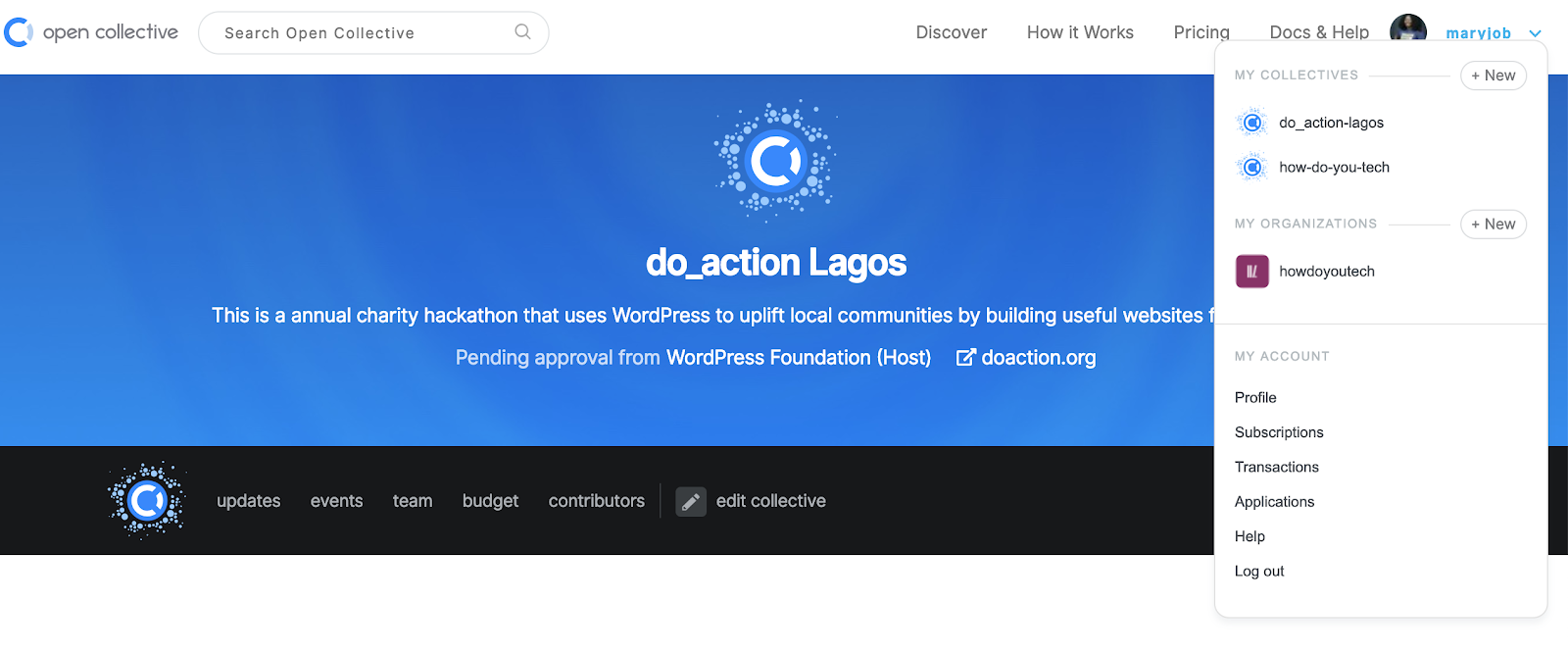 8 | 9 | Click on the ‘budget’ link in the page header: 10 | 11 |  12 | 13 | Next, it would scroll down to a section showing you ‘Budget’ and a link to ‘Submit Expense’ as well as your ‘Current balance’. Click on the ‘Submit Expense’ link: 14 | 15 | 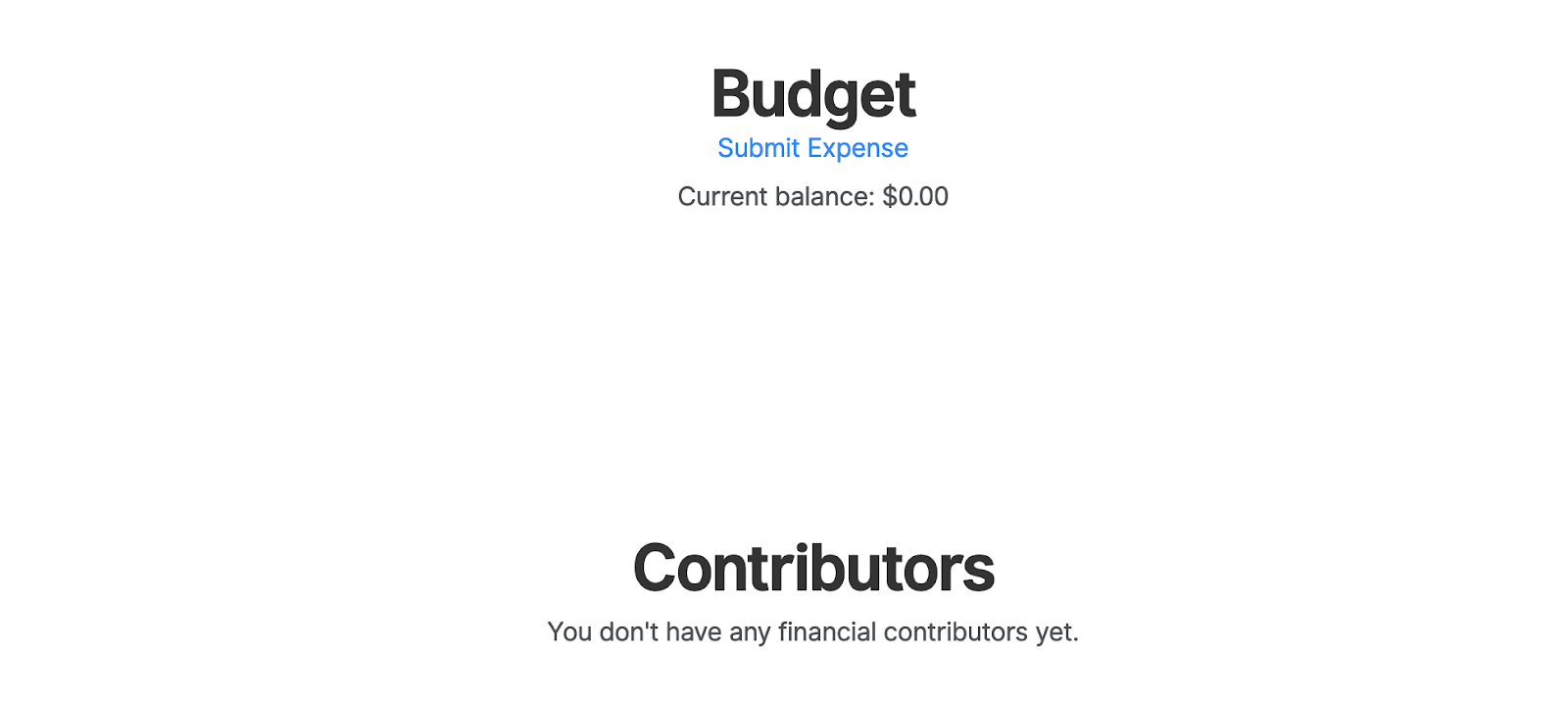 16 | 17 | This will open up a new section where you will be required to fill in the requested information including uploading your invoice or receipt, and your payout method. Please select the appropriate payout method for yourself or the vendor as well as include any special instructions for payment that are needed. 18 | 19 |  20 | 21 | **A receipt/invoice is required for** ***all*** **expenses, so do not** **submit without including one. All submitted expenses will be reviewed before payment from the WordPress Foundation account.** 22 | 23 | 26 | -------------------------------------------------------------------------------- /meetup-organizer/event-formats/do_action-charity-hackathon/additional-preparation.md: -------------------------------------------------------------------------------- 1 | # Additional Preparation 2 | 3 | Now that you’ve handled all the big ticket items for the day, there are just a few small tasks that you need to take care of. These are basic things that don’t take too long to do but are necessary for the day to run smoothly. 4 | 5 | ## Website setups 6 | 7 | Ideally, you want WordPress to be installed and set up for all teams before they arrive in the morning. This means that you will need the FTP and database details for each non-profit to run the WordPress install on their new domains. In some cases, your host may handle this for you, but if they do not, make sure to have it sorted out before the day begins. 8 | 9 | ## Connection details 10 | 11 | This is also important for your teams to all have access to on the morning of the event – the websites may be all set up with WordPress, but the teams will need the domain FTP details as well as the WordPress admin login details. Make sure to have all of that information available for each team. Often the best way to do this is to print out the info for each team and have the printed sheet available on their tables when they arrive. 12 | 13 | ## Name badges 14 | 15 | It’s a good idea to have name badges for all attendees (non-profit representatives and participants). The simplest (and altogether cheapest) way to do that is to get sheets of stickers and a few pens so that when people arrive, they can write their name on a sticker and stick it on their clothing. 16 | 17 | ## Stationery 18 | 19 | Aside from the name badges, having some basic stationery available for the teams is helpful. If you can get a notebook and pen for each individual, that would be great, but if not, then one notebook for each team is also helpful. This gives them space to sketch designs, plan UI flows, and take helpful notes. There’s a good chance that one of your sponsors can provide branded notebooks for this, so chat with them about that. 20 | 21 | 24 | -------------------------------------------------------------------------------- /meetup-organizer/event-formats/do_action-charity-hackathon/booking-a-venue.md: -------------------------------------------------------------------------------- 1 | # Booking a Venue 2 | 3 | When looking for a potential do\_action venue, you need to look for a few things that will help make your event more effective. These are a few of the things to consider: 4 | 5 | * A space with enough desks for each of your build teams – a team could have up to 10 people depending on the needs of the non-profit and how many representatives from the organisation attend on the day. 6 | * A decent area for participants to take breaks away from their screens as well as eat their meals. 7 | * An area where you can gather everyone together for delivering information as well as hosting the end of day presentations. 8 | * A private room where you can train the non-profits on how to use WordPress. 9 | 10 | You may have already worked this out, but the best type of venue for this kind of event is a co-working space. They usually have plenty of desks (that can often be moved around to accommodate your needs), a well-positioned break area, a private board room, and a projector in an accessible location. 11 | 12 | Once you have identified a few eligible venues in your area, then get out there and have a look at them. Once you have identified the best options then chat to them about available dates and secure a date that works well for. 13 | 14 | **When chatting to the venue about pricing, make sure they are aware that this is a charity event. In many cases they will offer you heavily discounted rates and sometimes even offer you the venue for free.** Given the nature of this event, these kinds of discounts are hugely beneficial and will reduce the already low costs for this event even further. 15 | 16 | ## A note about event dates 17 | 18 | When securing a date with your venue, it’s best to give yourself at least 2-3 months lead time before the actual event. The more you can have the better as this will allow you ample time to plan your event, as well as have participant sign-ups open for a decent amount of time. 19 | 20 | 23 | -------------------------------------------------------------------------------- /meetup-organizer/event-formats/state-of-the-word-watch-parties/using-a-meetup-com-template-to-schedule-a-state-of-the-word-watch-party.md: -------------------------------------------------------------------------------- 1 | # Using a Meetup.com Template to Schedule a State of the Word Watch Party 2 | 3 | We have made scheduling a [State of the Word Watch Party](https://href.li/?https://make.wordpress.org/community/handbook/meetup-organizer/event-formats/state-of-the-word-watch-parties/#top) much easier by creating dedicated templates on Meetup.com. 4 | 5 | 1. Go to your Meetup.com page and click on the red **Create Event** button, followed by the **Create New Event** button from the dropdown. 6 | 7 |  8 | 9 | 2. On the right-hand sidebar at the top, choose the option: **Start from a template**. 10 | 11 |  12 | 13 | 3. You will now see two templates—one each for the in-person and online events. Depending on the meetup format you are organizing, pick the template that is applicable to you—in-person or online. 14 | 15 |  16 | 17 | 4. The event details will now appear in the event description. **Make sure you fill in the date and time placeholders.** 18 | 19 | **Note:** If your State of the Word is happening at an odd hour in your timezone, plan your event at a different, more convenient time and enjoy watching the replay of the State of the Word stream together. 20 | 21 | 5. Add a featured image. 22 | 23 | 6. Publish the event! 24 | 25 | Feel free to use the following image as the featured image for your meetup event. 26 | 27 | #### Main banner 28 | 29 | [](https://make.wordpress.org/community/files/2024/08/SotW-2024-Watch-Party-banner-scaled.jpg) 30 | 31 | 34 | -------------------------------------------------------------------------------- /wordcamp-organizer/planning-details/fundraising/global-community-sponsor-logos.md: -------------------------------------------------------------------------------- 1 | # Global community sponsor logos 2 | 3 | This page is a repository of global community sponsor logos. 4 | 5 | If you need more information, Check out the details of the [Global Community Sponsorship Program](https://make.wordpress.org/community/handbook/wordcamp-organizer/planning-details/fundraising/global-community-sponsorship-for-event-organizers/). 6 | 7 | ### A2 Hosting 8 | 9 |  10 | 11 | [Additional versions of the A2 Hosting Logo.](https://drive.google.com/drive/folders/1zGVfNa2WBlJ8QMa8Ia3r4rUoLq4Q9KB_?usp=sharing) 12 | 13 | ### Bluehost 14 | 15 |  16 | 17 | [Additional Bluehost logos,](https://cloudup.com/c58xmM1-LXr) including PDF and EPS files 18 | 19 | ### Automattic 20 | 21 | [](https://make.wordpress.org/community/files/2015/09/automattic-logotype-color.png) 22 | 23 | For Jetpack logo, [open this folder](https://drive.google.com/drive/folders/1jIw3oB9zIs2zPpEuRGVTJsLk6E0uJGkj?usp=sharing). 24 | For WordPress.com logo, [open this folder](https://drive.google.com/drive/folders/1JLAyEe1K469r26YCCHopaAlMkHGWZMLX?usp=sharing). 25 | 26 | ### Woo 27 | 28 | [](https://make.wordpress.org/community/files/2015/09/Woo_logo_color.png) 29 | 30 | [Here are Woo logo and brand guidelines](https://woo.com/brand-and-logo-guidelines/). 31 | 32 | ### **Kinsta** 33 | 34 | [](https://make.wordpress.org/community/files/2015/09/kinsta-wordcamp-central@2x.png) 35 | 36 | [Additional Kinsta logos can be found here](https://drive.google.com/drive/folders/1XqLvC0nryban8c4PxbA_57Ft9wfoXJjE?usp=sharing) 37 | 38 | 41 | -------------------------------------------------------------------------------- /meetup-organizer/event-formats/anniversary-celebrations/using-a-meetup-com-template-to-schedule-a-wordpress-anniversary-celebration.md: -------------------------------------------------------------------------------- 1 | # Using a Meetup.com Template to Schedule a WordPress Anniversary Celebration 2 | 3 | We have made the process of scheduling an anniversary party a lot easier. We have dedicated templates created in Meetup.com to help you schedule an event. 4 | 5 | Go to your Meetup.com page and click on the red **Create Event** button followed by the **Create New Event** button from the dropdown. 6 | 7 |  8 | 9 | On the right hand sidebar at the top, choose the option: **Start from a template**. 10 | 11 |  12 | 13 | You will now see two templates – one each for the in-person and online event. Pick the template that is applicable for you — In-person or Online — depending on the meetup format you are organizing. 14 | 15 | [](https://make.wordpress.org/community/files/2023/02/Screen-Shot-2023-02-27-at-3.00.28-PM-1.png) 16 | 17 | You will now see the event details pop up in the event description. **Make sure you fill in the date and time placeholders.** 18 | 19 | **Note:** If your anniversary party is happening at an odd hour in your timezone, plan your event at a different, more convenient time and enjoy watching the replay of the State of the Word stream together. 20 | 21 | Add a featured image (download from below) 22 | 23 | Publish the event! 24 | 25 | [](https://make.wordpress.org/community/files/2023/02/wp20-web-banner-1.png) 26 | 27 | Feel free to use this image as the featured image for your meetup event. [Click to download](https://make.wordpress.org/community/files/2023/02/wp20-web-banner-1.png) the high quality png. 28 | 29 | 32 | -------------------------------------------------------------------------------- /meetup-organizer/building-and-growing-a-meetup/creating-diverse-and-inclusive-meetups.md: -------------------------------------------------------------------------------- 1 | # Creating Diverse and Inclusive Meetups 2 | 3 | * For tips on creating a welcoming environment at your meetup, see the handbook page [*Inclusive and Welcoming Events*](https://make.wordpress.org/community/handbook/wordcamp-organizer/first-steps/inclusive-and-welcoming-events/). 4 | * For resources on encouraging speakers from under-represented groups, see the handbook page [*Building a Diverse Speaker Roster*](https://make.wordpress.org/community/handbook/wordcamp-organizer/planning-details/speakers/building-a-diverse-speaker-roster/). 5 | * For a workshop to help you encourage more speakers from under-represented groups to apply to speak, run the [*Diverse Speaker Training Workshop*](https://make.wordpress.org/community/handbook/meetup-organizer/event-formats/diversity-speaker-training-workshop/). 6 | * For more information on inclusion initiatives in the WordPress community, please see the handbook page *[Community Inclusion Initiatives](https://make.wordpress.org/community/handbook/wordcamp-organizer/first-steps/inclusive-and-welcoming-events/community-inclusion-initiatives/).* 7 | 8 | ## Tips for encouraging diverse meetup speakers 9 | 10 | * **Ask!** It’s so simple, but can be quite impactful. If there’s a member of the WordPress community you admire and have enjoyed a talk they’ve given in the past, you should send them a ping. Be specific about what you are looking for, when you hold your event, and find out if they’re willing to speak to your group. 11 | * **Collaborate with other nearby groups to find speakers.** This works especially well for online events, where both presenters and attendees are not constrained by location. 12 | * **Look within your meetup group.** Your meetup group is made up of all sorts of tremendously talented and experienced individuals. Frequently people don’t think of themselves as presenters because no one has given them the opportunity or training to be a presenter. Open up speaker requests internally to your group, and encourage first-time speakers. 13 | 14 | 17 | -------------------------------------------------------------------------------- /wordcamp-organizer/planning-details/selling-tickets/paypal-guest-checkout.md: -------------------------------------------------------------------------------- 1 | # PayPal Guest Checkout 2 | 3 | If you would like to pay for a WordCamp ticket without creating a PayPal account, please follow the guide below. 4 | 5 | Please note: 6 | 7 | * The guide assume that you have no PayPal account or are not logged into PayPal.com. 8 | * PayPal often has different interfaces depending on location of the user. Please be aware that the screens and language of buttons may be different in your local area. 9 | * PayPal often change their user interface with no warning and thus these instructions could be wrong. Please [inform the Global Community Team](https://make.wordpress.org/community/contact/) if the details below become out of date. 10 | 11 | * * * 12 | 13 | ## Guide to finding the PayPal Guest Checkout 14 | 15 | 1. Select the Ticket you want from the WordCamp site and press the register button. The wording of this button will be different depending on location. 16 | 2. Fill in the attendees information page with your details. When you press `Checkout`, you will be taken to a PayPal screen. 17 | 3. Click on the button that is labeled `Create an Account`. 18 | 19 | [](https://make.wordpress.org/community/files/2018/01/paypal_create_an_account.png) 20 | 21 | Screenshot highlighting where the Create an Account button is on the screen. 22 | 23 | 4. This will bring you to the Guest checkout screen where you will be able to fill in your payment details. At the bottom of this screen, it will give you the option of creating an account with PayPal where you can select `Yes` or `No`. 24 | 25 | [](https://make.wordpress.org/community/files/2018/01/PayPal_guest_checkout_screen.png) 26 | 27 | Screenshot of PayPal’s Guest Checkout view with highlight around the area which gives you the option to Create an Account. 28 | 29 | 5. Press `Continue` and you will be taken back to the WordCamp website. 30 | 31 | 34 | -------------------------------------------------------------------------------- /meetup-organizer/meetup-program-basics/what-does-it-take-to-be-an-organizer.md: -------------------------------------------------------------------------------- 1 | # What Does it Take to be an Organizer? 2 | 3 | Since all event planning and organizing is done locally, Meetup organizers are reliable people who love WordPress and want to foster a local community in their area. If you have spoken with other people who are involved in technology in your town, you probably have some understanding of the level of interest people have. You may have also noticed that they all come from a lot of different backgrounds. 4 | 5 | Being ready to create and host family-friendly, inclusive events is incredibly important to the success of your local WordPress community. 6 | 7 | In order to create consistency in terms of people’s experiences in the WordPress community, it is important that Meetups adhere to our five good faith rules. These rules were created by a group of volunteer Meetup organizers as a means to capture the spirit of the WordPress community. 8 | 9 | #### The Five Good Faith Rules 10 | 11 | 1. WordPress Meetups are for the benefit of the WordPress community as a whole, not specific businesses or individuals. All actions taken as an event organizer are with the best interest of the community in mind. 12 | 2. Membership in the local Meetup group is open to all who wish to join, regardless of ability, skill, financial status, or any other criteria. 13 | 3. Meetups are volunteer-run with volunteer speakers. 14 | 4. Meetup groups allow events to be organized by any reliable/trusted member of the community. 15 | 5. Meetups are welcoming places where everyone works to foster an accepting environment that is free of discrimination, incitement to violence, promotion of hate, and general jerk-like behavior. 16 | 17 | We also ask everyone that organizes WordPress Chapter Meetup to uphold the principles of the WordPress open source project, including the GPL. This helps protect the user/attendee, who might not realize that by using a non-GPL plugin or theme, they are giving away the rights that WordPress provides them. 18 | 19 | Are you ready to sign up? [Complete the application form here](https://make.wordpress.org/community/handbook/meetup-organizer/getting-started/interest-form/) 20 | 21 | 24 | -------------------------------------------------------------------------------- /wordcamp-organizer/first-steps/venue-contract.md: -------------------------------------------------------------------------------- 1 | # Venue Contract 2 | 3 | For any venue – particularly a hotel, wedding banquet, convention hall, or any other professional space – we want the organizers and the venue to prepare an official contract to be signed by both parties: the venue and WordPress Community Support, PBC (WPCS, PBC). 4 | 5 | **Please, don’t sign the contract yourself. Make sure that only the venue signs the agreement, and then send it to [support@wordcamp.org](mailto:support@wordcamp.org) in one PDF document. A representative of WordPress Community Support, PBC will sign it and send it back to you.** 6 | 7 | ## Components of a complete contract: 8 | 9 | 1. An official letterhead 10 | 2. Addressed to: 11 | * WordPress Community Support, PBC 12 | 660 4th Street #119 13 | San Francisco 14 | CA 94107 15 | 16 | 3. Description of the items booked, as per the approved budget and the rate 17 | 4. Venue cancellation policy 18 | 5. Signed by the venue 19 | 6. Sent to [support@wordcamp.org](mailto:support@wordcamp.org) in **one** PDF document (not as separate documents) 20 | 21 | Some venues, such as schools, libraries, etc., might not have a procedure or template to create a formal contract that describes the booked venue package and cancellation policy and is signed by the venue. In such situations, please complete this [Simple Venue Agreement Template](https://href.li/?https://make.wordpress.org/community/handbook/wordcamp-organizer/first-steps/helpful-documents-and-templates/simple-venue-agreement-template/) and have it signed by the venue and WPCS, PBC. 22 | 23 | ## Why we require a signed contract before announcing the WordCamp date[](https://teamtardisp2.wordpress.com/team-documentation/wordcamp-venue-contracts/#why-we-require-a-signed-contract-before-announcing-the-wordcamp-date) 24 | 25 | * A signed venue contract is an official and legally binding document that we need in order to file an insurance claim if anything unexpected happens. 26 | * With a signed contract, the venue and WPCS accept some conditions in case of event cancellation, etc. 27 | * A contract signed by an international entity like WPCS elicits a bigger commitment from the venue. 28 | 29 | 32 | -------------------------------------------------------------------------------- /README.md: -------------------------------------------------------------------------------- 1 | # WordPress コミュニティハンドブック 2 | 3 | こちらは [WordPress Community Handbooks](https://make.wordpress.org/community/handbook/) の翻訳用リポジトリです。 4 | 5 | 現在、[Meetup Organizer Handbook](https://github.com/jawordpressorg/community-handbook/tree/master/meetup-organizer) は翻訳済みですが、タイポや誤訳の修正を受け付けています。 6 | 7 | [WordCamp Organizer Handbook](https://github.com/jawordpressorg/community-handbook/tree/master/wordcamp-organizer) については、このリポジトリ上以外で翻訳が完了しているものもありますので、[進捗シート](https://docs.google.com/spreadsheets/d/1q_d9JIpaXPhqvNBZIdHOmFsMUFIXHd3NqRu2wLgbFXM/edit#gid=0)をご覧ください。「優先順位」が「要」で、担当者が不在のものから始めていただけると助かります。 8 | 9 | ブラウザ上で翻訳したい md ファイルをクリックし、鉛筆マークの「Edit this file」をクリックすることでブラウザ上でも更新 (プルリクエスト) できます。 10 | GitHub が初めての方も[翻訳開始から提案までの流れ](https://github.com/jawordpressorg/community-handbook/wiki/%E7%BF%BB%E8%A8%B3%E9%96%8B%E5%A7%8B%E3%81%8B%E3%82%89%E6%8F%90%E6%A1%88%E3%81%BE%E3%81%A7%E3%81%AE%E6%B5%81%E3%82%8C)を参考に、ぜひご参加ください。 11 | 12 | ## 翻訳方法 13 | 14 | __原文例:__ 15 | 16 | ``` 17 | # Welcome 18 | ``` 19 | 20 | __手順:__ 21 | 22 | 1. __原文をコメントアウトします。__ 23 | ``` 24 | 27 | ``` 28 | _`` の前後には改行を入れてください。翻訳の最小単位 (コメントアウトの単位) は段落 (空行から空行まで) でお願いします。_ 29 | 2. __コメントアウトした原文の下に翻訳を追加します。__ 30 | ``` 31 | 34 | # ようこそ 35 | ``` 36 | 3. __`master` ブランチにプルリクエストします。__ 37 | 38 | ## 進捗シート 39 | 40 | [Meetup Organizer Handbook / WordCamp Organizer Handbook 翻訳の進捗シート](https://docs.google.com/spreadsheets/d/1q_d9JIpaXPhqvNBZIdHOmFsMUFIXHd3NqRu2wLgbFXM/edit#gid=629965050) に記入の上参加いただけますと進捗がわかりやすいのでご協力ください。 41 | 42 | ## 翻訳用語集・スタイルガイド 43 | 44 | 翻訳に悩んだ場合はまずこのコミュニティハンドブック翻訳専用の[用語集](https://github.com/jawordpressorg/community-handbook/blob/master/glossary.md)を参照してください。 45 | 46 | また、WordPress プロジェクト全般向けの[翻訳スタイルガイド](https://wpdocs.osdn.jp/WordPress_%E3%81%AE%E7%BF%BB%E8%A8%B3/%E7%BF%BB%E8%A8%B3%E3%82%B9%E3%82%BF%E3%82%A4%E3%83%AB%E3%82%AC%E3%82%A4%E3%83%89)と[用語集](https://translate.wordpress.org/projects/wp/dev/ja/default/glossary)も活用してください。 47 | 48 | ## 原文追加・更新方法 49 | 50 | 1. [`en` ブランチ](https://github.com/jawordpressorg/community-handbook/tree/en)をチェックアウトします。 51 | 2. 原文を更新します。 52 | 3. [`en` ブランチ](https://github.com/jawordpressorg/community-handbook/tree/en)にプルリクエストします。 53 | 54 | _`en` ブランチには翻訳を含めないでください。_ 55 | -------------------------------------------------------------------------------- /wordcamp-organizer/first-steps.md: -------------------------------------------------------------------------------- 1 | # First Steps 2 | 3 | Once you’ve been approved as an organizer, there are a few things you’ll need to do before your WordCamp will be added to the official schedule. 4 | 5 | * [Put together an organizing team](https://make.wordpress.org/community/handbook/wordcamp-organizer-handbook/first-steps/the-organizing-team/ "The Organizing Team"). 6 | * [Find a venue and a date](https://make.wordpress.org/community/handbook/wordcamp-organizer-handbook/first-steps/venue-and-date/ "Venue and Date"). 7 | * [Create a preliminary budget](https://make.wordpress.org/community/handbook/wordcamp-organizer-handbook/first-steps/budget-and-finances/ "Budget and Finances"). 8 | * [Send your budget to WordCamp Central for review.](mailto:support@wordcamp.org) 9 | * [Set up your wordcamp.org website](https://make.wordpress.org/community/handbook/wordcamp-organizer-handbook/first-steps/web-presence/setting-up-your-wordcamp-theme/ "WordCamp.org Website"). 10 | 11 | Video Date – April 2015 12 | 13 | Keep in touch with WordCamp Central during your early planning stages. If you get stuck trying to find a venue or filling out your organizing team, we might be able to help. If you have made absolutely no progress in finding a venue after 3 months after approval for pre-planning, your WordCamp will come off the WordCamp Central planning list. The field will then be open for other community members to join and help activate the stalled team, or apply to organize a WordCamp with a new team, with heavy preference given to the former. 14 | 15 | If a WordCamp organizing team sets a date and books a venue but then fails to update/interact with the community for more than a month during the planning period, then WordCamp Central will contact that team and try to help them get back on track. If the organizing team can’t make progress in the next month, the team will be asked to either add more organizers who can help correct the course or postpone/reschedule their event. 16 | 17 | Here is [a quiz](https://wordpress.org/contributor-training/quiz/first-steps-2/) on this article. Read [quizzes](https://make.wordpress.org/community/handbook/wordcamp-organizer/quizzes/) page if you have any questions about quizzes and how to navigate them. 18 | 19 | 22 | -------------------------------------------------------------------------------- /meetup-organizer/building-and-growing-a-meetup.md: -------------------------------------------------------------------------------- 1 | 4 | # Meetup の構築と成長 5 | 6 | 9 | 素晴らしいチームを作る 10 | 11 | 14 | Meetup グループを作ろうとする場合、やるべきことはたくさんあるでしょう。グループの成長と発展を計画しているなら、協力者を集める必要があります。あなたの Meetup グループにとって、このようなメンバーを集めるといいでしょう。 15 | 16 | 23 | 1. あなたの近くにいる人 24 | 2. お願いしなくても手伝ってくれる人 25 | 3. イベントの最初から最後までいてくれる人 26 | 4. イベントに参加する人 27 | 5. 近いエリアで WordPress に関心を持っている人 28 | 29 | 32 | 必ずしも声の大きな人や、スピーカーなどでアウトプットをする人だけが重要なメンバーとは限りません。普段は静かでも、よく参加してくれる人が重要な役割を持っていることもあります。 33 | 34 | 37 | また、GPLライセンスを含む WordPress オープンソースプロジェクトの原則を守るために、各地の Meetup に公に関わる人たち (主催、登壇、スポンサーなど) に協力を依頼します。これは、GPL以外のプラグインやテーマを使用することによって、 WordPress が提供する自由を阻害していることに気づいていないかもしれないユーザーに対して啓蒙することに役立ちます。 38 | 39 | ### Diversity and Inclusion 40 | 41 | For more information on encouraging diverse speakers and audiences, see the handbook section “[Creating Diverse and Inclusive Meetups](https://make.wordpress.org/community/handbook/meetup-organizer/building-and-growing-a-meetup/creating-diverse-and-inclusive-meetups/)”. 42 | 43 | 46 | -------------------------------------------------------------------------------- /virtual-events/welcome/new-guidelines-for-virtual-events-in-2020.md: -------------------------------------------------------------------------------- 1 | # New Guidelines for Online Events 2 | 3 | Just like all in-person events, anyone involved in an official role for your WordCamp, Meetup, do\_action, or any other WordPress community event is representing WordPress. For online events, we have the [same expectations for those organizers, speakers, sponsors, and volunteers](https://make.wordpress.org/community/handbook/wordcamp-organizer/become-an-organizer/representing-wordpress/). 4 | 5 | In order to facilitate successful community events during this global emergency, we have adapted some of our existing community guidelines to promote online community events. 6 | 7 | 1. **Regional/country WordCamps, Meetups, do\_action events.** We strongly believe that there is much value in local, in-person events, and intend to maintain this guideline when we can all meet in person again safely. During this time, however, we will approve country/regional events as long as the major meetup groups are involved in the organizing process. 8 | 2. ****Reduce the budget review process for WordCamps.**** Online WordCamps cost much less than in-person events. The WordPress Community team has identified vendors who will help produce online events, and online WordCamps will be offering free tickets. Because of these factors, it is now possible to “fast track” budget reviews! [Read more about online WordCamp cost guidelines or the budget review process here](https://make.wordpress.org/community/handbook/virtual-events/online-wordcamp-cost-guidelines-and-the-budget-review-process/). 9 | 3. **Shorter planning periods for community events.** An online event tends to be faster to organize. Organizers can propose the date of their event, allowing for enough time between orientation and the event to find speakers, volunteers, and market the event. 10 | 11 | We hope to go back to in-person gatherings with original guidelines for planning community events as soon as we can, as our in-person program has proven to empower more community leaders across a large number of local communities and to reach more people within those areas. 12 | 13 | [Learn more about how to apply for an online event!](https://make.wordpress.org/community/handbook/virtual-events/welcome/applying-for-a-virtual-event/) 14 | 15 | 18 | -------------------------------------------------------------------------------- /wordcamp-organizer/planning-details.md: -------------------------------------------------------------------------------- 1 | # Planning Details 2 | 3 | This section covers specific planning tasks that go into putting on a WordCamp. This section will grow over coming weeks as we collect more tips from past organizers. 4 | 5 | Keep your sanity and divvy up these jobs among the organizing team. 6 | 7 | * [Fundraising](https://make.wordpress.org/community/handbook/wordcamp-organizer-handbook/planning-details/fundraising/) 8 | * [Speakers](https://make.wordpress.org/community/handbook/wordcamp-organizer-handbook/planning-details/speakers/) 9 | * [A/V Release Form](https://make.wordpress.org/community/handbook/wordcamp-organizer-handbook/planning-details/speakers/av-release-form/) 10 | * [Food and Beverage](https://make.wordpress.org/community/handbook/wordcamp-organizer-handbook/planning-details/food-and-beverage/) 11 | * [Submitting Payment Requests](https://make.wordpress.org/community/handbook/wordcamp-organizer-handbook/planning-details/submitting-payment-requests/) 12 | * [Selling Tickets](https://make.wordpress.org/community/handbook/wordcamp-organizer-handbook/planning-details/selling-tickets/) 13 | * [Publicity](https://make.wordpress.org/community/handbook/wordcamp-organizer-handbook/planning-details/publicity/) 14 | * [Swag](https://make.wordpress.org/community/handbook/wordcamp-organizer-handbook/planning-details/swag/) 15 | * [Parties](https://make.wordpress.org/community/handbook/wordcamp-organizer-handbook/planning-details/parties/) 16 | * [Video](https://make.wordpress.org/community/handbook/wordcamp-organizer-handbook/video/) 17 | * [Supplies](https://make.wordpress.org/community/handbook/wordcamp-organizer-handbook/planning-details/supplies/) 18 | * [Backup Plans](https://make.wordpress.org/community/handbook/wordcamp-organizer-handbook/planning-details/backup-plans/) 19 | 20 | Check out this [calendar of WordCamp planning milestones](https://docs.google.com/spreadsheets/d/1780h9E5srRKGVAP0ppYhUARqY6ln787M1mcEiIQw8i0/edit?usp=sharing). Your WordCamp dashboard also contains a handy Planning Checklist: 21 | 22 | [](https://make.wordpress.org/community/files/2024/05/Screenshot-2024-05-02-at-10.06.57%E2%80%AFAM.png) 23 | 24 | 27 | -------------------------------------------------------------------------------- /meetup-organizer/resources/specific-meetup-info.md: -------------------------------------------------------------------------------- 1 | 4 | # Meetup の具体的情報 5 | 6 | 9 | これはローカル Meetup グループページのテキストの参考にしていただくためのテンプレートです。 10 | 11 | 14 | 最初の3文は互いに矛盾する内容になっています。1つ以上の内容があてはまるようであれば、グループに合わせて書き直すことをおすすめします。 15 | 16 | 19 | このテンプレートをコピー & ペーストし、ご自分の地域に合わせて自由にカスタマイズしてください。 20 | 21 | 24 | WordPress【地域名】Meetup は、もう少し技術的な WordPress の知識を身につけたい方を対象としています。テーマやプラグインを開発している開発者、クライアント向けのサイトを構築している方、WordPress のエコシステムにさらに深く関わり合ってみたいと思っている方などです。 25 | 26 | 29 | WordPress【地域名】Meetup は、ビジネスオーナー、マーケティング職やフリーランサーの抱える問題についての内容が多めです。多くのメンバーが、WordPress をクライアントワークとして使っているフリーランスビジネスや小規模な制作会社を運営しているからです。 30 | 31 | 34 | WordPress【地域名】Meetup は、デザインやユーザーエクスペリエンスを主に扱っています。ユーザー向けの問題を話し合ったり解決したりすることに興味がある方なら誰でも歓迎です。 35 | 36 | 39 | プロジェクトを手伝ってくれる方を雇いたいのであれば、人に会ってみて、価値のあるつながりが見つけられるか試してみるのに良い場所です。 40 | 41 | 44 | これらのうちどれかが当てはまるのであれば、次回のイベントに来てください。 45 | 46 | 49 | お会いできるのを楽しみにしています。 50 | 51 | 54 | -------------------------------------------------------------------------------- /meetup-organizer/resources/about-page.md: -------------------------------------------------------------------------------- 1 | 4 | # About ページテンプレート 5 | 6 | 9 | これは、地域の Meetup グループページの参考用のテンプレートです。 10 | 11 | 14 | このテンプレートをコピーして貼り付け、お住まいの地域に合わせてカスタマイズしてください。 15 | 16 | 19 | WordPress \[地域名\] Meetup グループは、初心者や経験者を問わず WordPress の利用や管理を行う人たちが、WordPress の様々なことについて情報交換を行っています。 20 | 21 | 24 | 月に\[数\] 回、以下の方を対象とした会を参加費無料で開催しています。 25 | 26 | 29 | • WordPress に詳しくない初心者の方 30 | 31 | 34 | • ビジネスやウェブサイトで WordPress を使っている方 35 | 36 | 39 | • WordPressをもっと使いこなしたい経験者の方 40 | 41 | 44 | • 技術系の開発者やデザイナー、フリーランスの方 45 | 46 | 49 | 開発者、デザイナー、ビジネスマン、ブロガーとして WordPress を使用しているかどうかに関わらず、Meetup はこの素晴らしいオープンソースソフトウェアをみんなが最大限に活用することを手伝います。 50 | 51 | 54 | Meetup はスポンサーの支援により参加無料となっています。 55 | 56 | 59 | 活発で熱心な人々の Meetup への参加を歓迎します。是非、次のイベントにご参加ください。 60 | 61 | 64 | 過去の開催事例はこちら \[insert your archive link here\]- 65 | 66 | 69 | 運用や開発に関するイベントについては、このページにある行動規範について参照ください。 70 | 71 | 74 | -------------------------------------------------------------------------------- /meetup-organizer/event-formats/diversity-speaker-training-workshop/creating-a-diverse-speaker-lineup.md: -------------------------------------------------------------------------------- 1 | # Creating a Diverse Speaker Lineup 2 | 3 | ## Resources for WordPress Meetup and WordCamp Organizers 4 | 5 | #### Essential Material 6 | 7 | * [Building a diverse speaker roster 8 | ](https://make.wordpress.org/community/handbook/wordcamp-organizer/planning-details/speakers/building-a-diverse-speaker-roster/)Why and how to develop a group of underrepresented speakers to apply to speak at your Meetups and WordCamps. 9 | 10 | * [WordCamp Speaker Selection](https://make.wordpress.org/community/handbook/wordcamp-organizer/planning-details/speakers/wordcamp-speaker-selection/) 11 | How to do WordCamp Speaker Selection (for content AND diversity). 12 | * [Italian](https://it.wordpress.org/team/handbook/community/wordcamp-organizer/dettagli-di-pianificazione/speaker/come-selezionare-speaker-per-i-wordcamp/) 13 | 14 | #### Optional Additional Resources 15 | 16 | * [Hold a “Diverse Speakers Workshop” for your local community](https://make.wordpress.org/community/handbook/meetup-organizer/event-formats/diversity-speaker-training-workshop/hold-an-underrepresented-speaker-workshop/) 17 | This is the fastest way to develop a group of underrepresented speakers to apply to speak at your Meetups and WordCamps. 18 | 19 | * [#diverse-speaker-support](https://wordpress.slack.com/archives/C028SE81N3H) 20 | Our Slack channel to connect organizers and underrepresented speakers for WordPress speaking opportunities. Join, try to form genuine connections, and post your speaking opportunities (with as much detail as you can). 21 | 22 | * [WP Speakers | Find A Speaker](https://wpspeakers.com/find-a-speaker/) 23 | @michelleames’s WordPress directory of speakers to speak at your WordPress event. Use the filter to find underrepresented speakers. 24 | 25 | * [Underrepresented In Tech | Search the database](https://www.underrepresentedintech.com/search-database-submissions/) 26 | Underrepresented In Tech’s database of underrepresented talent to speak at your tech events, including WordPress. 27 | 28 | * [Supporting Black Voices in WordPress](https://make.wordpress.org/community/2020/07/15/supporting-black-voices-in-wordpress/) 29 | A helpful list of tips for addressing Black voices specifically. 30 | 31 | 34 | -------------------------------------------------------------------------------- /virtual-events/index.md: -------------------------------------------------------------------------------- 1 | # Welcome 2 | 3 | We are making changes to the Online WordCamp program, and the information provided in this document may not be accurate. While we are working on updating the documentation to reflect the latest changes, please visit the [Make/Community Blog](https://make.wordpress.org/community/) for latest updates on the Online WordCamp program. 4 | 5 | Community events are an important part of the WordPress project. Due to COVID-19 concerns, many organizers beginning in February 2020 have had to cancel or postpone their WordCamp or Meetup. Ever since, many WordPress community organizers have hosted online events for their WordPress meetups. In July 2021, the community team [issued new guidelines](https://make.wordpress.org/community/2021/07/01/in-person-meetup-events-for-vaccinated-community-members/) for return to in-person events for communities with contained COVID-19 spread or with easy access to COVID-19 vaccination/testing ([more details here](https://make.wordpress.org/community/handbook/meetup-organizer/covid-19-guidelines-for-in-person-meetups/)). However, online meetups and online WordCamps are still going strong at this time (August 2021) – with a vast majority of meetup groups opting for online events due to continued COVID-19 challenges. 6 | 7 | This site is a handbook for WordPress community organizers who want to host online events so that the community can continue to connect with and inspire each other. Because our expectations for [Meetups](https://make.wordpress.org/community/handbook/meetup-organizer/) and [WordCamps](https://make.wordpress.org/community/handbook/wordcamp-organizer/), among other event types, were created with in-person formats in mind, we have proposed and are implementing some new guidelines for virtual events. 8 | 9 | In addition to providing these [new guidelines](https://make.wordpress.org/community/handbook/virtual-events/welcome/new-guidelines-for-virtual-events-in-2020/), this site also provides instructions on [how to apply for a online WordCamp](https://make.wordpress.org/community/handbook/virtual-events/welcome/applying-for-a-virtual-event/). As online events are fundamentally different from in-person events, there are also recommendations and suggested best practices for speakers and organizers of virtual events, provided by experienced community members. 10 | 11 | 14 | -------------------------------------------------------------------------------- /wordcamp-organizer/first-steps/wordcamp-mentors/outline.md: -------------------------------------------------------------------------------- 1 | # Mentorship Outline 2 | 3 | Thanks for taking part in our mentoring program! This is a great way for every WordCamp organizer to get structured support and guidance. The format we have been using has been to ask groups/pairs to meet every two weeks for 12 weeks to talk over the following points: 4 | 5 | Session 1: Recruiting organizing team / Finding a venue / Drawing up a prelim budget 6 | 7 | * building an organizing team 8 | * identifying what you want in a venue and how to get it for free or cheap 9 | * budget setup: fixed vs variable expenses, “must haves” vs “nice to haves” 10 | * event revenue: ticket pricing, multi-event sponsorship, local sponsorship packages, in-kind sponsorship 11 | 12 | Session 2: Website setup, design, and management 13 | 14 | * how to use WordCamp.org tools successfully 15 | * event site design best practices 16 | * WordCamp website content management 17 | 18 | Session 3: Recruiting & selecting speakers/sponsors 19 | 20 | * setting goals for your schedule 21 | * how to recruit local, diverse speakers. 22 | * setting the length of sessions and breaks 23 | * how to make a call for speakers and review applications 24 | 25 | Session 4: Registration / Food and parties 26 | 27 | * setting up registration with Camptix (badge design), coupon codes, managing sell-outs 28 | * planning lunch, coffee, snack for the event 29 | * planning (speaker and after-) parties/events 30 | 31 | Session 5: Recruiting & scheduling volunteers 32 | 33 | * how to make a call for volunteers that attracts reliable people 34 | * how to set a volunteer schedule 35 | * tips for wrangling volunteers 36 | 37 | Session 6: Designing swag & badges / Day Of: best practices and back-up plans 38 | 39 | * badge design best practices 40 | * swag design best practices 41 | * before-event emails to attendees, speakers, sponsors 42 | * back-up plans 43 | 44 | Bonus Session: Week-before WordCamp check-in 45 | 46 | * review backup plans 47 | * where’s your towel 48 | * don’t panic 49 | 50 | And then talking as often as necessary outside that schedule for ease of mind and all that. Volunteers in the global community team will still be available for tricky questions, but we’re hoping to make peer mentoring our first line of awesomeness for WordCamp organizers. 51 | 52 | 55 | -------------------------------------------------------------------------------- /wordcamp-organizer/become-an-organizer/should-you-be-an-organizer.md: -------------------------------------------------------------------------------- 1 | # Should You Be an Organizer? 2 | 3 | > **tl;dr:** If you want to organize a WordCamp, [apply here](https://make.wordpress.org/community/handbook/wordcamp-organizer-handbook/become-an-organizer/organizer-application/ "Organizer Application")! Successful applicants are already active in their local WP community where they want to organize an event and understand that organizing is a volunteer, group effort. 4 | 5 | Local organizers are what make each WordCamp unique. Organizing a WordCamp is a volunteer labor of love for WordPress and your local community. 6 | 7 | If you’ve never organized a large event before, we suggest that you start by organizing a WordPress meetup first for a few months. This helps gauge community interest, allows you to make contacts with the local WordPress community, and provides you with some low-key event planning experience. 8 | 9 | ## A Few Facts 10 | 11 | **Organizing Teams:** WordCamp organizing teams should have 5-10 members, and preferably will include a variety of people from the meetup group, not just one company, school, or group of friends. Inclusion and transparency should be the bywords from start to finish. 12 | 13 | **Approved by the Community team:** WordCamp organizers and events are approved by the WordPress Community team, a group of global community members who work together to promote WordPress through events around the world. 14 | 15 | **For the Benefit of the Entire Community:** WordCamps are meant to benefit the local WordPress community through live events and the broader WordPress community through the sharing of online video and other materials. They are not-for-profit events. 16 | 17 | **Leftover funds:** Leftover funds from a WordCamp budget should be discussed with your mentor and WordPress Community Support. 18 | 19 | Excess funds are not to be pocketed by the organizers; organizers are considered community volunteers. If you are interested in putting together a for-profit WordPress conference, you should do so under another brand, as this is not allowed under the WordCamp brand. 20 | 21 | Please consider taking the [Should you be an organizer? course](https://wordpress.org/contributor-training/quiz/should-you-be-an-organizer/). Read [Quizzes](https://make.wordpress.org/community/handbook/wordcamp-organizer/quizzes/) page if you have any questions about quizzes and how to navigate them. 22 | 23 | 26 | -------------------------------------------------------------------------------- /meetup-organizer/sharing-external-events-with-your-meetup.md: -------------------------------------------------------------------------------- 1 | # Sharing External Events with Your Meetup 2 | 3 | Attendees and organizers can share events that aren’t planned by anyone in the WordPress Chapter Meetup Program with their local meetup group members. These events should be shared with the meetup group using the **Discussions** board or the **email functionality** built into Meetup.com. 4 | 5 | Remember, the **Create Event** functionality should only be used to post events planned by your meetup group or another group from the WordPress Chapter Program. 6 | 7 | ## Posting Events on the Discussions Board 8 | 9 | Meetup.com has a Discussions board built into each site. This is the ideal place to post the details about external events that you think would benefit your community. 10 | 11 | [](https://make.wordpress.org/community/files/2023/04/image.png) 12 | 13 | ### What Information to Post 14 | 15 | As with any other event, include the following information: 16 | 17 | * Title 18 | * Description 19 | * Location 20 | * Time duration 21 | * Event Type (Presentation, Q&A, Hangout, Social, Help Desk, Other) 22 | * A link or contact for more information 23 | * Cost 24 | 25 | ### Why Use the Discussions Board? 26 | 27 | Posting on the Discussions board allows the meetup group members to most easily ask questions, see who else is going, and make plans around the event, along with anything else that comes to mind. 28 | 29 | These discussions can be a great way to build a stronger community. 30 | 31 | ## Emailing the Meetup Group About External Events 32 | 33 | Organizers can use the email tool in the Manage Group drop down list to share information, like events planned by anyone outside of the WordPress Chapter Meetup Program, with their meetup group. 34 | 35 | [](https://make.wordpress.org/community/files/2023/04/image.png) 36 | 37 | However, while this option is available, it should be used with caution. Too many emails from a meetup organizer can feel like spam and lead to frustration in the group. Some will even disable their email notifications. 38 | 39 | We recommend that you only send an email if you have strong reasons why every member of the meetup should be informed of this event. 40 | 41 | **Otherwise, the Discussions board is the best place to post about external events.** 42 | 43 | 46 | -------------------------------------------------------------------------------- /meetup-organizer/when-a-group-leaves-the-chapter-program.md: -------------------------------------------------------------------------------- 1 | # Leaving the Chapter Program 2 | 3 | If your group is struggling, needs help, or is ready to leave the chapter program, email [support@wordcamp.org](mailto:support@wordcamp.org). 4 | 5 | Sometimes a group will leave the chapter program. Reasons can include: 6 | 7 | * The lead organizer needs to step down and cannot find a replacement. 8 | * The group hasn’t had an event in 6 or more months, and the organizer doesn’t have plans to organize another event. 9 | * A group decides they no longer want to be part of the WordPress Meetup Chapter Program. 10 | 11 | When the meetup needs a new organizer, the Community Team attempts to find one within the group. However, the group will be removed from the chapter program if a new organizer can’t be found. 12 | 13 | ## Steps to Removing a Group from the Chapter 14 | 15 | 1. A member of the Community Team will email the group that it will be closed in two weeks and direct them to other WordPress Chapter Meetups if any are available. 16 | 2. The meetup group is marked as “**Retired**” in the Meetup.com directory. 17 | 3. A member of the Community Team will email our point of contact at meetup.com to receive all data related to the closed group. Once we remove a group, we lose access to their data in the meetup.com report tool. 18 | 19 | ## Dues Once a Group is Removed 20 | 21 | WordPress no longer pays the dues for the account since WordPress is no longer the owner of the group. Since there are no other organizers, no one will be charged dues until another member becomes the organizer. 22 | 23 | ## When the group decided to withdraw from the WordPress Meetup Chapter Program 24 | 25 | 1. Send an email to [support@wordcamp.org](mailto:support@wordcamp.org) expressing your wish to leave the chapter group. 26 | 2. The program supporter will confirm that the decision to leave is the will of all the co-organizers. 27 | 3. Once the will of all the co-organizers has been confirmed, the program supporter will contact [Meetup.com](http://meetup.com/) and ask them to transfer the organizer account to the representative member of the co-organizers. 28 | 29 | ## Re-joining the WordPress Chapter Meetup Program 30 | 31 | If a group becomes active again, and the new or now-active organizers would like to re-join the chapter, they should complete the [Meetup Interest Form](https://make.wordpress.org/community/handbook/meetup-organizer/getting-started/interest-form/). 32 | 33 | 36 | -------------------------------------------------------------------------------- /meetup-organizer/covid-19-guidelines-for-in-person-meetups.md: -------------------------------------------------------------------------------- 1 | # COVID-19 Guidelines for In-person Meetups 2 | 3 | As mandates related to COVID-19 vary around the world, the Community Team’s COVID-19 recommendations are intended to provide guidance with flexibility while keeping the well being of the overall community in mind. 4 | 5 | This handbook page — **last update: December 5, 2022** — explains the steps we recommend to organizing an in-person WordCamp as per the latest guidelines. 6 | 7 | The WordPress community team is not expecting nor requiring local organizers to organize in-person events, even for fully vaccinated people — we’re simply removing the barrier to doing so. Organizers can continue planning online events for their community – even if it is safe in their regions to organize in-person events or if local laws allow meetups. 8 | 9 | ## **Guidelines for Organizers** 10 | 11 | Here are the guidelines for organizing in-person Meetups: 12 | 13 | * Follow all local regulations. These continue to change, so please ensure you have the latest information, especially as you get closer to the event. Further, if your local hospitals are overwhelmed, please cancel, postpone, or move the event online. 14 | * Provide masks and hand sanitizer around the venue space (WPCS will cover this cost if it is not provided by your venue). 15 | * As part of swag packs, WPCS will provide a sticker to indicate to others to please wear a mask when talking with you. 16 | 17 | If legally permissible in the area, organizers can certainly opt to have more security measures for their event, like mandatory masks and checks for proof of vaccine or negative tests at the door. Of course, organizing events online will continue to be an option. 18 | 19 | ## **Recommendations for Attendees** 20 | 21 | These are strong recommendations for attendees. Organizers can help by confirming that these recommendations comply with local rules and regulations. 22 | 23 | * We still recommend that you wear a mask while at in-person WordPress events. 24 | * If you see that someone is wearing a sticker requesting people wear a mask near them, please wear a mask while within 6 feet (2 meters) of them or keep your distance. 25 | * It’s requested that you only attend in-person if you are vaccinated or have recently tested negative. 26 | * Please stay at home if you are sick or have recently come in contact with someone who is ill. 27 | 28 | These reminders will be added to WordCamp ticket purchase page 29 | 30 | 33 | -------------------------------------------------------------------------------- /wordcamp-organizer/planning-details/backup-plans.md: -------------------------------------------------------------------------------- 1 | # Backup Plans 2 | 3 | > tl;dr: Plan for failure: speakers who don’t show, doors that shouldn’t be locked; equipment malfunctions; etc. Back up your back up plan. 4 | 5 | Expect the unexpected. Please. 6 | 7 | Even the best-planned event is subject to the whims of fate and the inconveniences of things going wrong. You will want to have a variety of backup plans to cover any contingency, to reduce your risk of having something throw you for a loop during the WordCamp. 8 | 9 | * Make sure to ask the venue about construction. If there will be loud noise, it won’t be very enjoyable. 10 | * What happens if you get to the venue and the doors are locked? 11 | * Are there enough restrooms? What happens if a restroom is out of order? Are there additional bathrooms nearby that can be used? 12 | * What happens if the venue loses electricity? Do they have backup generators? 13 | * What happens if the venue’s wifi goes down? You should have a venue contact you can reach on a weekend PLUS a wifi contact that you can reach on a weekend. 14 | * If the projectors/microphones start having problems, will there be A/V staff on hand to fix things? 15 | * If a speaker gets sick, do you have someone who can fill in on the same topic? For out of town speakers, what if they miss their flights? 16 | * If there’s a disruption with local mass transit or a road closure, will people still be able to get to the venue? What alternate routes would you suggest. Have maps prepared in advance so you can put them on your site if needed. 17 | * If the food is never delivered, or arrives and has gone bad, or you run out of food before everyone’s eaten, what will you do? 18 | 19 | We often say that WordCamps are the embodiment of the WordPress open source project and community. Take a page from the guidebook of the WordPress core developers, who like to say, “I need a backup plan to the backup plan, to back up my backup plan.” Try to think of everything that could possibly go wrong, and prepare for it. 20 | 21 | *Past WordCamp Organizers: Have you had something unexpected happen? Tell us about it in the comments, so new organizers can learn from your pain and think about your situation when developing their backup plans.* 22 | 23 | Here is [a quiz](https://wordpress.org/contributor-training/quiz/backup-plans-2/) on this article. Read [quizzes](https://make.wordpress.org/community/handbook/wordcamp-organizer/quizzes/) page if you have any questions about quizzes and how to navigate them. 24 | 25 | 28 | -------------------------------------------------------------------------------- /wordcamp-organizer/sharing-social-media-accounts.md: -------------------------------------------------------------------------------- 1 | # Sharing Social Media Accounts 2 | 3 | This guide initially covers Twitter/X, but the next step would be to add other social media accounts as well in the future. 4 | 5 | As part of an effort to manage access for all social media accounts, we created this guide so you can proactively share the access with the team. 6 | 7 | This step is essential to ensure that account access isn’t limited to just a few individuals, allowing Program Managers to recover access if the next organizing team needs it or if the original team loses access. 8 | 9 | ## Twitter/X 10 | 11 | 1\. Add 2FA to your account 12 | 13 | Adding 2FA to the account should be a straightforward process, and you can do it by going to your Security settings, then selecting the two-factor authentication option, and selecting “Authentication app” from there. 14 | 15 | This link should get you directly to setup page: [https://twitter.com/i/flow/two-factor-auth-app-enrollment](https://twitter.com/i/flow/two-factor-auth-app-enrollment) 16 | 17 | This page will show you the QR code and require you to set this up with an authentication app. You can use something like [Authy](https://authy.com/) or [Google Authenticator](https://support.google.com/accounts/answer/1066447?hl=en&co=GENIE.Platform%3DAndroid) to read the QR code and save it as the code that you need to use when accessing Twitter. 18 | 19 | **Please take a screenshot of your QR Code there so we can set the same solution from our end.** This loses a bit of the benefit of 2FA, but it should still be efficient if you delete the 20 | 21 | 2\. Share the password and 2FA with the Community team 22 | 23 | Now that your 2FA is ready, it is time to share the credentials with the team. 24 | 25 | Please go to [QuickForget.com](https://quickforget.com/), and create a shareable link with the following details: 26 | 27 | * Username 28 | * Password 29 | * QR code (you can attach the image) 30 | * Backup codes 31 | 32 | After that, please share the link with the Community team — add one week for the expiration of the link. 33 | 34 | 3\. Giving access to other co-organizers 35 | 36 | After the initial setup, the most effective way to share access is by using [the Delegate feature](https://twitter.com/settings/delegate/members). You can add users as admin and they can manage it directly from their own accounts. 37 | 38 | [](https://make.wordpress.org/community/files/2024/10/image.png) 39 | 40 | 43 | -------------------------------------------------------------------------------- /wordcamp-organizer/video/foundation-camera-kit-list/duke.md: -------------------------------------------------------------------------------- 1 | # Duke 2 | 3 | [](https://make.wordpress.org/community/files/2015/09/Duke_Ellington.jpg)The “**Duke Ellington”** camera case contains **two** complete camera kits. 4 | 5 | Edward Kennedy “Duke” Ellington was an American composer, pianist and bandleader of jazz orchestras. Ellington is generally considered to have elevated the perception of jazz to an art form on a par with other traditional musical genres. 6 | 7 | **Two (2) Camera Kits 8 | ***\*Product names link to manufacturer’s online manual (if available)* 9 | 10 | **Duke’s** Color Tag is **Green** and contains: 11 | 12 | * **Camera #1:** [Canon Vixia HF M400](https://s3.amazonaws.com/wcequipment/canonhfm400.pdf) 13 | w/ Power Cord 14 | w/ 2 32GB SD Cards 15 | * **Tripod:** Sunpack 2001 UT 16 | w/ Shoe Mount 17 | w/ Handle Mount 18 | * **Wireless Mic System:** [Azden WR-PRO](https://s3.amazonaws.com/wcequipment/azdenwmpro.pdf) 19 | **Transmitter** 20 | w/ Lavalier Lapel Mic 21 | w/ Belt Clip 22 | **Receiver** 23 | w/ Antenna (attached) 24 | w/ Earpiece 25 | w/ Audio Patch Cord (attached) 26 | w/ Mount Clip 27 | * **Optional Equipment** 28 | Camera to TV Display 29 | Apple mini display to VGA 30 | 3.5mm to 1/4″ adapter 31 | 32 | **Ellington’s** Color Tag is **Hot** **Pink** and contains: 33 | 34 | * **Camera #2:** [Canon Vixia HF M400](https://s3.amazonaws.com/wcequipment/canonhfm400.pdf) 35 | w/ Power Cord 36 | w/ 2 32GB SD Cards 37 | * **Tripod:** Sunpack 2001 UT 38 | w/ Shoe Mount 39 | w/ Handle Mount 40 | * **Wireless Mic System:** [Azden WR-PRO](https://s3.amazonaws.com/wcequipment/azdenwmpro.pdf) 41 | **Transmitter** 42 | w/ Lavalier Lapel Mic 43 | w/ Belt Clip 44 | **Receiver** 45 | w/ Antenna (attached) 46 | w/ Earpiece 47 | w/ Audio Patch Cord (attached) 48 | w/ Mount Clip 49 | * **Optional Equipment** 50 | Camera to TV Display 51 | Apple mini display to VGA 52 | 3.5mm to 1/4″ adapter 53 | 54 | Make sure you let us know if you are missing any of the items in this list, using the form below: 55 | 56 | Name(required) 57 | 58 | Email(required) 59 | 60 | What are you missing?(required) 61 | 62 | Submit 63 | 64 | Δdocument.getElementById( "ak\_js\_3" ).setAttribute( "value", ( new Date() ).getTime() ); 65 | 66 | 69 | -------------------------------------------------------------------------------- /wordcamp-organizer/video/foundation-camera-kit-list/billie.md: -------------------------------------------------------------------------------- 1 | # Billie 2 | 3 | [](https://make.wordpress.org/community/files/2015/09/Billie_Holiday.jpg)The **“Billie Holiday”** camera case contains **two** complete camera kits. 4 | 5 | Billie Holiday was an American jazz singer and songwriter. Nicknamed “Lady Day”. Holiday had a seminal influence on jazz and pop singing. Her vocal style, strongly inspired by jazz instrumentalists, pioneered a new way of manipulating phrasing and tempo. 6 | 7 | *\*Product names link to manufacturer’s online manual (if available)* 8 | 9 | **Billie’s** Color Tag is **Orchid** and contains: 10 | 11 | * **Camera:** [Canon Vixia HF R600](https://wptv.files.wordpress.com/2015/08/hfr60-62-600-im-n-en.pdf) 12 | w/ Power Cord 13 | w/ 2 32GB SD Cards 14 | * **Tripod:** Sunpack 2001 UT 15 | w/ Shoe Mount 16 | w/ Bracket Mount 17 | * **Wireless Mic System:** [Audio-Technica Pro 88W](https://wptv.files.wordpress.com/2015/08/audio-technic-pro88w.pdf) 18 | **Transmitter** 19 | w/ Lavalier Lapel Mic 20 | w/ Belt Clip 21 | **Receiver** 22 | w/ Antenna 23 | w/ Earpiece 24 | w/ Audio Patch Cord 25 | w/ Mount Clip 26 | * **Optional Equipment** 27 | Apple mini display to VGA 28 | 3.5mm to 1/4″ adapter 29 | 30 | **Holliday’s** Color Tag is **Pink** and contains: 31 | 32 | * **Camera #2**: [Canon Vixia HF M300](https://wptv.files.wordpress.com/2015/08/canonhfm30-m31-m300-nim-en.pdf) 33 | w/ Power Cord 34 | w/ 2 32GB SD Cards 35 | * **Tripod:** Sunpack 2001 UT 36 | w/ Shoe Mount 37 | w/ Handle Mount 38 | * **Wireless Mic System:** [Audio-Technica Pro 88W](https://wptv.files.wordpress.com/2015/08/audio-technic-pro88w.pdf) 39 | **Transmitter** 40 | w/ Lavalier Lapel Mic 41 | w/ Belt Clip 42 | **Receiver** 43 | w/ Antenna (attached) 44 | w/ Earpiece 45 | w/ Audio Patch Cord (attached) 46 | w/ Mount Clip 47 | * **Optional Equipment** 48 | Camera to TV Display 49 | Apple mini display to VGA 50 | 3.5mm to 1/4″ adapter 51 | 52 | Make sure you let us know if you are missing any of the items in this list, using the form below: 53 | 54 | Name(required) 55 | 56 | Email(required) 57 | 58 | What are you missing?(required) 59 | 60 | Submit 61 | 62 | Δdocument.getElementById( "ak\_js\_1" ).setAttribute( "value", ( new Date() ).getTime() ); 63 | 64 | 67 | -------------------------------------------------------------------------------- /meetup-organizer/event-formats/do_action-charity-hackathon/finding-sponsors.md: -------------------------------------------------------------------------------- 1 | 4 | # スポンサーを見つける 5 | 6 | 9 | さあ、ハッカソンを計画することになりました。この種のイベントにかかる費用は実際には比較的低いことがわかるでしょう。実際、必要な費用は会場を借りる費用とケータリングくらいです。 - チャリティーイベントですからこれらの費用は両方とも、かなり減らすことができます。 10 | 11 | 14 | イベントスポンサーを見つけることに関しては、地元の企業に行くのが最善の方法です。地元の企業は、あなたの地域社会を最もよく知っていおり、実践的な方法で関わることができるからです。とはいえ、スポンサーシップの基準は、WordCamp のスポンサーシップと同じです。 - 詳しくは [WordCamp Organiser’s Handbook](https://make.wordpress.org/community/handbook/wordcamp-organizer-handbook/planning-details/fundraising/wordcamp-sponsorship/) を参照してください。 15 | 16 | 19 | イベントのスポンサーへの見返りとして、スポンサーに対してはこのような意味のあるものを勧めることができます。たとえば以下のようなものです: 20 | 21 | 24 | * イベントページにスポンサーのロゴ、リンク、会社の説明を表示する 25 | 28 | * ソーシャルメディアでスポンサーに対して公に謝辞を述べる 29 | 32 | * イベント会場で公然とスポンサーに対して感謝を述べる 33 | 36 | * イベント会場で参加者に対して、スポンサーの記念品を参加者に渡す機会 37 | 40 | * イベント当日、スクリーンにロゴを投影する 41 | 42 | 45 | 以上のことをやるかどうかは、あなた次第です。あなたのイベントとスポンサーに最も適したことをしてください。一般的な話として、スポンサーは、このような小さな見返りのある慈善活動に、投資として喜んで寄付をするものです。 46 | 47 | 50 | -------------------------------------------------------------------------------- /wordcamp-organizer/video/foundation-camera-kit-list/miles-davis.md: -------------------------------------------------------------------------------- 1 | # Miles Davis 2 | 3 | **[](https://make.wordpress.org/community/files/2015/09/Miles_Davis.jpg)“Miles Davis” Camera Kit** 4 | Miles Dewey Davis III was an American jazz musician, trumpeter, bandleader, and composer. Widely considered one of the most influential musicians of the 20th century. Miles Davis was, together with his musical groups, at the forefront of several major developments in jazz music, including bebop, cool jazz, hard bop, modal jazz, and jazz fusion. 5 | 6 | **Miles’** color tag is **Red** and contains**: 7 | \****Product names link to manufacturer’s online manual (if available)* 8 | 9 | * **Camera:** [Canon Vixia HF M50](https://wptv.files.wordpress.com/2015/08/canonhfm50-hfm52-hfm500-im3-n-en.pdf) 10 | w/ Power Cord 11 | w/ 2 32GB SD Cards 12 | * **Tripod:** Sunpack 2001 UT 13 | w/ Shoe Mount 14 | w/ Handle Mount 15 | * **Wireless Mic System:** [Audio-Technica Pro 88W](https://wptv.files.wordpress.com/2015/08/audio-technic-pro88w.pdf) 16 | **Transmitter** 17 | w/ Lavalier Lapel Mic 18 | w/ Belt Clip 19 | **Receiver** 20 | w/ Antenna 21 | w/ Earpiece 22 | w/ Audio Patch Cord 23 | w/ Mount Clip 24 | * **Optional Equipment** 25 | Camera to TV Display 26 | Apple mini display to VGA 27 | 3.5mm to 1/4″ adapter 28 | 29 | * **Camera:** [Panasonic HC-V700M](https://wptv.files.wordpress.com/2015/08/panasonichcv700.pdf) 30 | w/ Power Cord 31 | w/ 2 32GB SD Cards 32 | * **Tripod:** Sunpack 2001 UT 33 | w/ Shoe Mount 34 | w/ Handle Mount 35 | * **Wireless Mic System:** [Audio-Technica Pro 88W](https://wptv.files.wordpress.com/2015/08/audio-technic-pro88w.pdf) 36 | **Transmitter** 37 | w/ Lavalier Lapel Mic 38 | w/ Belt Clip 39 | **Receiver** 40 | w/ Antenna 41 | w/ Earpiece 42 | w/ Audio Patch Cord 43 | w/ Mount Clip 44 | * **Optional Equipment** 45 | Camera to TV Display 46 | Apple mini display to VGA 47 | 3.5mm to 1/4″ adapter 48 | Kensington Wireless Presenter w/ USB connector 49 | 50 | Make sure you let us know if you are missing any of the items in this list, using the form below: 51 | 52 | Name(required) 53 | 54 | Email(required) 55 | 56 | What are you missing?(required) 57 | 58 | Submit 59 | 60 | Δdocument.getElementById( "ak\_js\_7" ).setAttribute( "value", ( new Date() ).getTime() ); 61 | 62 | 65 | -------------------------------------------------------------------------------- /wordcamp-organizer/first-steps/wordcamp-mentors.md: -------------------------------------------------------------------------------- 1 | # Event Mentors 2 | 3 | With the new Community Team contributor role changes, event mentoring has become a task preformed by our Event Supporters and Program Supporters with event experience. 4 | 5 | ## Program Overview 6 | 7 | This program is a great way for our event organizers to get structured support and guidance. 8 | 9 | Once an event is approved and its website is create, the event organizer will be connected with their mentor through an email introduction. 10 | 11 | Mentors and organizer decided how to meet, how often to meet, and who will participate. It can be just the mentor and organizer, the mentor and entire organizing, or some meeting can be a mix of both. It has worked well to meet every two weeks for the duration of the event planning, and then talking as often as necessary outside that schedule as needed. 12 | 13 | When you meet, please be prepared to discuss the current status of the event, and prepare a list of any questions you have prior to your scheduled meeting times. 14 | 15 | ### The Mentor Role 16 | 17 | Your mentor will be your first point of contact with questions that come up. Their involvement should be one of advisement on procedure and sharing of knowledge based on their history organizing WordCamps. Mentors are not to be considered one of your planning team and should not assign themselves or be assigned any actual planning tasks. 18 | 19 | ### Getting Help 20 | 21 | As always, the volunteers at WordCamp Central will still be available for tricky questions in the [#community-events](http://wordpress.slack.com/messages/community-events/) channel on [WordPress Slack](https://make.wordpress.org/chat/), but we’re hoping to make peer mentoring our first line of awesomeness for WordCamp organizers. 22 | 23 | ## Becoming a Mentor 24 | 25 | Interested in mentoring? Apply to become an Event Supporter or Program Supporter [here](https://make.wordpress.org/community/handbook/community-deputy/the-deputy-program/join-the-deputy-program/). Please note: 26 | 27 | * WordCamps can only be mentored by community members who have successfully lead a WordCamp from application to completion. 28 | * Rotating leadership roles are key in keeping healthy communities. With this in mind, please note that Event supporters (Mentors) should not mentor an event that they have previously participated in as an organizer. This is in order to enrich the current organizers with new knowledge and ideas. 29 | 30 | If you have any questions about the mentorship program, please send us an email at [support@wordcamp.org](mailto:support@wordcamp.org). 31 | 32 | 35 | -------------------------------------------------------------------------------- /wordcamp-organizer/video/foundation-camera-kit-list/ella.md: -------------------------------------------------------------------------------- 1 | # Ella 2 | 3 | [](https://make.wordpress.org/community/files/2015/09/Ellafitzgerald.jpg)The **“Ella Fitzgerald”** camera case contains **two** complete camera kits. 4 | 5 | Ella Jane Fitzgerald was an American jazz singer often referred to as the First Lady of Song, Queen of Jazz and Lady Ella. She was noted for her purity of tone, impeccable diction, phrasing and intonation, and a “horn-like” improvisational ability, particularly in her scat singing. 6 | 7 | **Two (2) Camera Kits 8 | **\*Product names link to manufacturer’s online manual (if available) 9 | 10 | **Ella’s** color tag is **Purple** and contains: 11 | 12 | * **Camera #1:** [Canon Vixia HF R600](https://wptv.files.wordpress.com/2015/08/hfr60-62-600-im-n-en.pdf) 13 | w/ Power Cord 14 | w/ USB connector cable 15 | w/ 2 32GB SD Cards 16 | * **Tripod:** Sunpack 2001 UT 17 | w/ Shoe Mount 18 | w/ Handle Mount 19 | * **Wireless Mic System:** [Audio-Technica Pro 88W](https://wptv.files.wordpress.com/2015/08/audio-technic-pro88w.pdf) 20 | **Transmitter** 21 | w/ Lavalier Lapel Mic 22 | w/ Belt Clip 23 | **Receiver** 24 | w/ Antenna 25 | w/ Earpiece 26 | w/ Audio Patch Cord 27 | w/ Mount Clip 28 | * **Optional Equipment** 29 | Camera to TV Display 30 | Apple mini display to VGA 31 | 3.5mm to 1/4″ adapter 32 | 33 | **Fitzgerald’s** color tag is **Red** and contains: 34 | 35 | * **Camera #2:** [Canon Vixia HF R600](https://wptv.files.wordpress.com/2015/08/hfr60-62-600-im-n-en.pdf) 36 | w/ Power Cord 37 | w/ USB connector cable 38 | w/ 2 32GB SD Cards 39 | * **Tripod:** Sunpack 2001 UT 40 | w/ Shoe Mount 41 | w/ Handle Mount 42 | * **Wireless Mic System:** [Audio-Technica Pro 88W](https://wptv.files.wordpress.com/2015/08/audio-technic-pro88w.pdf) 43 | **Transmitter** 44 | w/ Lavalier Lapel Mic 45 | w/ Belt Clip 46 | **Receiver** 47 | w/ Antenna 48 | w/ Earpiece 49 | w/ Audio Patch Cord 50 | w/ Mount Clip 51 | * **Optional Equipment** 52 | Camera to TV Display 53 | Apple mini display to VGA 54 | 3.5mm to 1/4″ adapter 55 | 56 | Make sure you let us know if you are missing any of the items in this list, using the form below: 57 | 58 | Name(required) 59 | 60 | Email(required) 61 | 62 | What are you missing?(required) 63 | 64 | Submit 65 | 66 | Δdocument.getElementById( "ak\_js\_2" ).setAttribute( "value", ( new Date() ).getTime() ); 67 | 68 | 71 | -------------------------------------------------------------------------------- /meetup-organizer/event-formats/diversity-speaker-training-workshop.md: -------------------------------------------------------------------------------- 1 | # Diverse Speaker Training Group (#WPDiversity) 2 | 3 | ## Video 4 | 5 | [A video walk-through of the #WPDiversity resources on this page](https://wordpress.tv/2023/10/07/wpdiversity-resources-walk-through/) 6 | 7 | ## What is the Diverse Speaker Training Group ([#WPDiversity](https://make.wordpress.org/community/tag/wpdiversity/))? 8 | 9 | * We are a working group within the WordPress Community team 10 | * Our mission is to create diverse speaker lineups and inclusive, diverse WP events for official WordPress Meetups and WordCamps. 11 | 12 | [Our Programs and how to get involved](https://make.wordpress.org/community/handbook/meetup-organizer/event-formats/diversity-speaker-training-workshop/our-programs-diverse-speaker-training-group-wpdiversity/) 13 | 14 | ## 15 | Resources for WordPress Meetup and WordCamp Organizers 16 | 17 | [Creating a Diverse Speaker Lineup](https://make.wordpress.org/community/handbook/meetup-organizer/event-formats/diversity-speaker-training-workshop/creating-a-diverse-speaker-lineup/) 18 | 19 | [Creating a Diverse, Inclusive, Welcoming WordPress Meetup or WordCamp](https://make.wordpress.org/community/handbook/meetup-organizer/event-formats/diversity-speaker-training-workshop/creating-a-diverse-inclusive-welcoming-wordpress-meetup-or-wordcamp/) 20 | 21 | ## Resources for Underrepresented Speakers in WordPress 22 | 23 | [Resources for Underrepresented Speakers in WordPress](https://make.wordpress.org/community/handbook/meetup-organizer/event-formats/diversity-speaker-training-workshop/resources-for-underrepresented-speakers-in-wordpress/) 24 | 25 | ## Resources to Hold a Diversity Workshop 26 | 27 | [Hold An Underrepresented Speaker workshop](https://make.wordpress.org/community/handbook/meetup-organizer/event-formats/diversity-speaker-training-workshop/hold-an-underrepresented-speaker-workshop/) (aka “How to Own Your Expertise and Start Speaking at WordPress Events”) 28 | 29 | [Hold an “Organizing Diverse and Inclusive WordPress Events” workshop](https://make.wordpress.org/community/handbook/meetup-organizer/event-formats/diversity-speaker-training-workshop/how-to-run-the-inclusion-workshop/) 30 | 31 | ## Resources for WPDiversity Material Translators 32 | 33 | [Instructions to translate WPDiversity material](https://make.wordpress.org/community/handbook/meetup-organizer/event-formats/diversity-speaker-training-workshop/instructions-to-translate-wpdiversity-material/) 34 | 35 | [#community-events](https://make.wordpress.org/community/tag/community-events/), [#diverse-speaker-support](https://make.wordpress.org/community/tag/diverse-speaker-support/) 36 | 37 | 40 | -------------------------------------------------------------------------------- /wordcamp-organizer/after-its-over.md: -------------------------------------------------------------------------------- 1 | # After It’s Over 2 | 3 | Is a WordCamp ever really over? Well, yes, sadly. Before you dust off your hands and move on to something else, though, you’ll need to take care of a few things in order to call it a day. 4 | 5 | * If you used the Foundation camera kits to record your event, ask your mentor for help finding the shipping address for the WordCamp that needs them next. Inventory the camera kit contents, use the [feedback form](https://make.wordpress.org/community/handbook/wordcamp-organizer-handbook/video/foundation-camera-kit-list/#anything-missing) to let us know about anything that’s missing, and ship those camera kits. Don’t forget to submit the cost for reimbursement! 6 | * Balance your budget. Make sure all of your vendors have been paid, record any expenses or income that have not yet been added, and determine if your WordCamp was within the budget. Submit the final budget to WordCamp Central. 7 | * Send a thank you note (or email) to every speaker, sponsor/supporter, and volunteer. Also send thank you notes to your contacts at your vendors; the people you worked with at the venue and local businesses will appreciate the gesture. Be sure to include some event stats in your email, to give an idea of how many people benefited from their support. 8 | * Get all the video [processed and posted](https://make.wordpress.org/community/handbook/wordcamp-organizer-handbook/video/after-the-event-post-production/) to WordPress.tv. Name your files with city code, year, speaker’s last name, session title (or keywords) and the date of the presentation. This will ensure nothing gets lost in the shuffle. Example: WCSF-2017-wells-how-decisions-get-made-171231.mov 9 | * Send a follow-up email to all attendees. Thank them for coming, make any lost/found announcements, and recommend they get involved with the local WordPress meetup group to keep the love going all year long. Include a link to the [follow-up survey](https://form.jotform.com/WordPress_Community/wordpress-event-attendee-feedback) so that your attendees are able to provide feedback. 10 | * Take photos one of your event t-shirts, stickers, and/or any custom printed swag you had made for the event, so it can be added to the WordPress Museum. As of April 2018, there is no longer a physical museum, so the Community Team is working out a new process. Please email your photos to support@wordcamp.org in the meantime. 11 | 12 | Oh, and get some rest: you’ve earned it! 13 | 14 | Here is [a quiz](https://wordpress.org/contributor-training/quiz/after-its-over-2/) on this article. Read the [quizzes](https://make.wordpress.org/community/handbook/wordcamp-organizer/quizzes/) page if you have any questions about quizzes and how to navigate them. 15 | 16 | 19 | -------------------------------------------------------------------------------- /meetup-organizer/event-formats/diversity-speaker-training-workshop/resources-for-underrepresented-speakers-in-wordpress.md: -------------------------------------------------------------------------------- 1 | # Resources for Underrepresented Speakers in WordPress 2 | 3 | ## Take a Workshop 4 | 5 | * [Upcoming live workshops](https://make.wordpress.org/community/handbook/meetup-organizer/event-formats/diversity-speaker-training-workshop/#upcoming-wpdiversity-workshops) 6 | Same as the self-paced workshop list below, but live and with a group 7 | 8 | * Take a self-paced workshop online: 9 | * Part 1: [How to Own Your Expertise and Find A Topic](https://learn.wordpress.org/tutorial/diverse-speaker-training-workshop-part-1/) 10 | * Part 2: [Write a Great Title, Pitch, Bio](https://learn.wordpress.org/tutorial/diverse-speaker-training-workshop-part-2/) 11 | * Part 3: [Create an Outline for your Talk](https://learn.wordpress.org/tutorial/diverse-speaker-training-workshop-part-3/) 12 | * Part 4: [Become a Better Speaker, Handle Q&A questions, and Create Good Slides](https://learn.wordpress.org/tutorial/diverse-speaker-training-workshop-part-4/) 13 | 14 | ## Find A WordPress Speaking Opportunity 15 | 16 | * [#diverse-speaker-support](https://make.wordpress.org/community/handbook/meetup-organizer/event-formats/diversity-speaker-training-workshop/resources-for-underrepresented-speakers-in-wordpress/#speaker-mentorship-and-resources) 17 | Our Slack channel to find WordPress speaking opportunities, get mentorship, get connected with speaker resources, and network with fellow speakers and with WordPress event organizers. 18 | 19 | * [WP Speakers | Join As A Speaker](https://wpspeakers.com/find-a-speaker/) 20 | Add yourself to @michelleames’s directory of WordPress speakers, with ‘Yes’ for Underrepresented. 21 | 22 | * [WordPress Meetups](https://www.meetup.com/pro/wordpress/) 23 | Search for WordPress Meetups and reach out to them to ask to speak. 24 | 25 | * [WordCamps](https://central.wordcamp.org/schedule/) 26 | Use the Speaker Application pages of upcoming WordCamp websites to apply to speak. 27 | 28 | ## Speaker Mentorship and Resources 29 | 30 | * [#diverse-speaker-support](https://wordpress.slack.com/archives/C028SE81N3H) 31 | Our Slack channel to find WordPress speaking opportunities, get speaking mentorship, get connected with speaker resources (such as speaker travel funding), and network with fellow speakers and with WordPress event organizers. 32 | 33 | **How to join the channel:** 34 | * Watch our video on how to join the WordPress Slack: [](http://bit.ly/setupwp2slack)[http://bit.ly/setupwp2slack](http://bit.ly/setupwp2slack) 35 | * Join our Slack channel: [#diverse-speaker-support](https://wordpress.slack.com/archives/C028SE81N3H) 36 | 37 | 40 | -------------------------------------------------------------------------------- /wordcamp-organizer/planning-details/speakers/speaking-at-a-wordcamp/slide-decks.md: -------------------------------------------------------------------------------- 1 | # Slide Decks 2 | 3 | When preparing slides for a WordCamp talk, speakers have free reign to design them however they wish within the following guides: 4 | 5 | ## Follow the Code of Conduct 6 | 7 | The [WordPress Community Code of Conduct](https://make.wordpress.org/handbook/community-code-of-conduct/) and [WordCamp Code of Conduct](https://make.wordpress.org/community/handbook/wordcamp-organizer/planning-details/code-of-conduct/) outlines how to behave at a WordCamp, and we expect speakers to follow this guide in their slide decks as well. This means that slides should be respectful, not include demeaning, discriminatory or harassing content, and be family friendly (i.e. no foul language, nudity or other inappropriate content). 8 | 9 | ## Do not over-use company logos 10 | 11 | Speakers are allowed to include their company logo in their slides, but **only in an optional opening/closing informational slide and not throughout the presentation**. This is fine even if their company is not a sponsor of the event. Similarly, a speaker can wear clothing with their company logo on it, even if their company is not a sponsor. 12 | 13 | *For the sake of clarity, “logo” here includes company social media handles and even the company name written out in plain text in lieu of a logo.* 14 | 15 | WordCamp speakers are chosen based on their knowledge and experience as individuals and not their company affiliation, and company promotion throughout a slide deck suggests that the opposite is true. An informational slide with the speaker’s company makes sense as information about who is speaking, but the rest of the slide deck should be dedicated to the content being presented. 16 | 17 | [More info on this here](https://make.wordpress.org/community/2019/04/08/logos-in-slide-decks-and-wordcamp-videos/). 18 | 19 | ## Respect the GPL 20 | 21 | All talks (and slide decks) must respect the GPL. In practice, this means any WordPress plugins or themes that are mentioned *must* be licenced under the GPL or a compatible licence. For more information, read our [GPL Primer](https://make.wordpress.org/community/handbook/wordcamp-organizer/planning-details/gpl-primer/) and go through the [100% GPL Vetting Checklist](https://make.wordpress.org/community/handbook/wordcamp-organizer/first-steps/helpful-documents-and-templates/100-gpl-vetting-checklist/). 22 | 23 | ## Understand Copyrights and Fair Use 24 | 25 | When including images, text, videos, and any other materials that the speaker themselves didn’t produce, make sure that they are using them in accordance with copyright laws and/or the Terms of Use of the provider. Note that the Fair Use laws are interpreted differently in different countries. 26 | 27 | 30 | -------------------------------------------------------------------------------- /wordcamp-organizer/first-steps/helpful-documents-and-templates/simple-venue-agreement-template.md: -------------------------------------------------------------------------------- 1 | # Simple Venue Agreement Template 2 | 3 | Sometimes WordCamps are held at art galleries, union halls, and other places that don’t regularly rent out their space. If you need to provide a [venue agreement](https://make.wordpress.org/community/handbook/wordcamp-organizer/first-steps/venue-contract/) for the space you plan to rent, you can use this template. 4 | 5 | **Please, make sure that only the venue signs it, and then send it to support@wordcamp.org in one PDF document. A representative of WordPress Community Support, PBC will sign it and send it back to you.** 6 | 7 | The agreement is necessary for the global insurance to cover the event, please make always sure that the venue signs the agreement even if they offer the space for free. You can edit the template as needed, if you have any doubts, please reach out to the community team in the [#community-events](https://make.wordpress.org/community/tag/community-events/) Slack channel. This apply to all WordCamps, Next-Gen events, and other new event formats. 8 | 9 | * * * 10 | 11 | ## LETTER OF UNDERSTANDING REGARDING FACILITY USAGE 12 | 13 | **To:** WordPress Community Support, PBC, 660 4th Street #119, San Francisco, CA 94107 14 | 15 | In order to prevent misunderstanding or confusion between entities, WordPress Community Support, PBC (venue guest) agrees to the following stipulations as part of their understanding regarding the use of facilities owned/leased by \_\_\_\_\_\_\_\_\_\_\_\_\_\_\_\_\_\_\_\_\_\_\_\_\_\_\_\_\_\_\_\_\_\_ (venue host). 16 | 17 | 1. Facility Usage Term (including permitted times): 18 | 2. Premises Location: 19 | 3. Condition of Premises: 20 | 21 | The premises are provided “as is and with all faults” with the user accepting all defects, if any; and the provider makes no warranty of any kind, expressed or implied, with respect to the premises. 22 | 23 | 4. Facility Usage Rate: 24 | 25 | DEPOSIT (refundable less damages) $\_\_\_\_\_\_\_\_\_\_\_\_\_\_\_\_\_\_\_\_\_ 26 | 27 | Receipt of Deposit Guarantees Date: \_\_\_\_\_\_\_\_\_\_\_\_\_\_\_\_\_\_\_\_\_ 28 | 29 | FACILITY FEE $\_\_\_\_\_\_\_\_\_\_\_\_\_\_\_\_\_\_\_\_\_ 30 | 31 | 5. Cancellation Policy: 32 | 33 | 5. Acceptable Usage: 34 | 35 | The user agrees to conduct its activity at the facility so as not to endanger any person or property on the facility campus. 36 | 37 | Venue Host: 38 | \_\_\_\_\_\_\_\_\_\_\_\_\_\_\_\_\_\_\_\_\_\_ 39 | 40 | Authorized Signature and date: 41 | \_\_\_\_\_\_\_\_\_\_\_\_\_\_\_\_\_\_\_\_\_\_ 42 | 43 | WordPress Community Support, PBC: 44 | \_\_\_\_\_\_\_\_\_\_\_\_\_\_\_\_\_\_\_\_\_\_ 45 | 46 | Authorized Signature and date: 47 | \_\_\_\_\_\_\_\_\_\_\_\_\_\_\_\_\_\_\_\_\_\_ 48 | 49 | 52 | -------------------------------------------------------------------------------- /meetup-organizer/resources/sponsor-email.md: -------------------------------------------------------------------------------- 1 | 4 | # スポンサーへのメール 5 | 6 | This is a template that may inspire the text for your local Meetup group page. Feel free to copy and paste this template and customize it for your area. 7 | 8 | About \[Your Group Name\] User Group \[Your Group Name\] is a casual, volunteer-organized, non-profit meetup covering everything related to WordPress the free and open source publishing software that powers more than 27% of websites on the Internet. \[Your Group Name\] is very active and meets \[number of events\] a month. We cater to people across the spectrum when it comes to WordPress familiarity and use, from beginners who need technical support, training and information to developers who are looking to sharpen their skills. Our events tend to attract between \[number\] – \[number\] members a month, and reach an active group of nationwide \[National Community\] users and professionals as well. In \[Your Town\] we have \[number\] formal events every month, with other events happening as members choose to organize them. \[Event 1\] \[Event 2\] etc. Why Sponsor \[Your Group Name\]? By sponsoring \[Your Group Name\] you will have the opportunity to partner with a key target audience of WordPress users, designers, developers, and business people. This group of decision makers are sophisticated web professionals and heavily dependent on web services. By sponsoring \[Your Group Name\], you are not only presenting yourself to the attendees of this event, but also gaining exposure throughout their network of WordPress users and web professionals around the world. WordPress users are heavily connected, not just locally but internationally, so your support may be observed, not just in \[your town/country\], but also beyond. What will your sponsorship do? WordPress meetups are strongly geared towards making WordPress as open and accessible to anyone who is interested in learning about using it, developing for it, or making a business out of it. Our meetups are inclusive, welcoming and open to anyone at no cost. Sponsorships allow us to offer the Meetup to our members with food and a great venue for free. What will \[Your Group Name\] do for you? In return for your sponsorship, we will feature your logo, URL and a short description on our Meetup page and website. We will add your logo and details, with a description of your business on our Meetup news slides and give you a shout out at the event. From time to time, we will send you updates of what your sponsorship has done for WordPress \[your-town\], including pictures of recent events. Thank you for taking the time to consider sponsoring \[Your Group Name\]. Please do not hesitate to contact us if you would like to discuss this further or have any questions. We looking forward to the possibility of working with you. \[Your Group Name\] 9 | 10 | 13 | -------------------------------------------------------------------------------- /wordcamp-organizer/first-steps/web-presence/contributing-to-wordcamp-org/setting-up-a-local-wordcamp-org-sandbox.md: -------------------------------------------------------------------------------- 1 | # Setting up a Local WordCamp.org Sandbox 2 | 3 | If you’d prefer to develop your custom CSS and other content locally before adding it to WordCamp.org, or want to contribute to make the platform better, then the easiest way to setup a local sandbox is with [WordCamp.org’s Docker environment](https://github.com/WordPress/wordcamp.org/blob/production/.docker/readme.md). 4 | 5 | It will automatically provision a local virtual server with the same code that runs WordCamp.org, as well as some sample content so you can see how things are setup behind the scenes. 6 | 7 | After you [follow the instructions](https://github.com/WordPress/wordcamp.org/blob/production/.docker/readme.md) and can access the server, you can get started on your site by adding your content and CSS to the 2014.content.wordcamp.test demo site. You can also create a new site if you prefer, but that requires creating a new WordCamp post type on the Central site, modifying the VVV hosts file to add the domain name, etc, so it’s easier to just re-use the Content demo site. 8 | 9 | Once you’re ready to launch the production site, you can use WordPress’s import/export tools to transfer most of your content, although you’ll still need to configure some things manually. Right now there isn’t a good way to sync back and forth, so we recommend that you wait until you’re ready to launch before you transfer everything to production, and then make any post-launch changes directly on production. 10 | 11 | If you find any problems with this process, or have any ideas for making it better, please report them as [issues in the WordCamp.org repository](https://github.com/WordPress/wordcamp.org/issues). 12 | 13 | If you’d like to check out an alternative to the Docker environment, there’s also [the Meta Environment](https://github.com/WordPress/meta-environment), and [a Chassis extension to setup a WordCamp.org environment](https://github.com/stuartshields/chassis-wordcamp). The Meta Environment contains an older version of the WordCamp environment, but is based on Vagrant/VVV, which may work better than Docker on Windows machines. 14 | 15 | ## More Resources & Alternative Approaches 16 | 17 | * [Local Development for WordCamp Websites](https://ryelle.codes/2016/07/18/local-development-for-wordcamp-websites/) by Kelly Dwan (WordCamp Boston) 18 | * [WordCamp US 2019 GitHub repo](https://github.com/wcus/wcus-2019/) 19 | * [WordCamp Seattle 2019 GitHub repo](https://github.com/iandunn/wordcamp-seattle-2019) 20 | * [WordCamp São Paulo 2019 GitHub repo](https://github.com/wordpress-sao-paulo/wordcamp-saopaulo-2019) 21 | * [CampSite-2017 theme style guide](https://github.com/lucijanblagonic/wceu-2018) 22 | * [WordCamp Europe 2018](https://github.com/lucijanblagonic/wceu-2018) 23 | 24 | 27 | -------------------------------------------------------------------------------- /wordcamp-organizer/planning-details/publicity.md: -------------------------------------------------------------------------------- 1 | # Publicity 2 | 3 | > tl;dr: Get the word out to anyone who loves WordPress! Tie social media accounts to your official email address. 4 | 5 | A member of your organizing team should be in charge of publicity. There are many ways you can draw attention (and increase registrations) to your event. Here are a few that have been successful with previous WordCamps. 6 | 7 | * Meetup groups. In addition to the local WordPress meetup group, there are probably related groups for blogging, web design, PHP, etc. Drop in and let them know about the upcoming WordCamp. Tell them about your meetup group while you’re at it! 8 | * Badges. Make some graphics that speakers, sponsors, attendees, and volunteers can put in their sidebars to tell the world that they’ll be there. Provide HTML code that can be copied and pasted. 9 | * Articles. Contact your local newpaper, alternative newsweekly, radio stations, TV station and tell them about your event. Some will not be interested, but some might be. More than one WordCamp have brought people in this way. 10 | * Flyers. You don’t want to plaster your town with flyers (wasteful!), but a few in strategic locations could be helpful. The local coffeeshop with wifi where freelancers tend to work, co-working spaces, and the communications and computer science departments at local colleges might be worth it. 11 | * Social Media. Twitter, Facebook, the blogs of your community members… get these activated in promoting your event. When someone registers, be sure to put information about your accounts in the confirmation email, and ask them to be sure to let their network know they’ll be attending. The easier you can make it for people to spread the word, the better. 12 | 13 | Producing assets and finding a visual direction for conferences or big events such as WordCamp can be a tedious task and represent a lot of work for designers. From not knowing where to start, thinking about every asset that’s needed, browsing the web to find out standard dimensions and looking for visual references, the challenges arise! So, in order to facilitate and ensure an enjoyable workflow, @cristelossignol has created a [fully customizable, free and open source design kit](https://make.wordpress.org/community/2016/11/07/wordcamp-design-kit-producing-assets-and-finding-a/). 14 | 15 | Need ideas to **boost ticket sales**? Look no further than the useful comments in this [blog post](https://make.wordpress.org/community/2016/12/07/handbook-page-wordcamp-marketingticket-sales-tips/). 16 | 17 | *Past WordCamp Organizers: What methods of publicizing your event worked for you?* 18 | 19 | Here is [a quiz](https://wordpress.org/contributor-training/quiz/publicity-2/) on this article. Read [quizzes](https://make.wordpress.org/community/handbook/wordcamp-organizer/quizzes/) page if you have any questions about quizzes and how to navigate them. 20 | 21 | 24 | -------------------------------------------------------------------------------- /meetup-organizer/meetup-program-basics/venue-approval.md: -------------------------------------------------------------------------------- 1 | # Meetup Venue Support Request 2 | 3 | WordPress Community Support will cover the costs of a meetup venue if a donated venue cannot be found. If you are going to ask for WordPress Community Support to cover the costs of a meetup venue, the following conditions must be met: 4 | 5 | * Before registering, please send an email from Meetup.com to your Meetup members and ask if anybody knows if there are any venues available that would be available for free. 6 | * Your group is on the WordPress chapter account at meetup.com or has been similarly recognized as official by this team. 7 | * Your group is currently following the [Five Good Faith rules](https://make.wordpress.org/community/handbook/meetup-organizer/meetup-program-basics/#the-five-good-faith-rules). 8 | * You are unable to find a donated venue. 9 | * Your proposed new venue meets the minimum requirements for safety, adequate seating, and accessibility. 10 | 11 | **You should avoid:** 12 | 13 | * Venues with political affiliations 14 | * Venues used for religious worship (such as a church, mosque, or synagogue) 15 | * Venues with religious iconography 16 | * Venues that engage in any form of proselytizing to organizers or attendees. 17 | 18 | Venues must align with the [WordPress Community Code of Conduct Pledge](https://make.wordpress.org/handbook/community-code-of-conduct/#our-pledge) and maintain a policy of openness to hosting events for all, without discrimination. 19 | 20 | If those items are all met, we ask for a 3-6 month invoice and commitment; and please ask the venue if they will offer a discount for paying for 6 months up front. Please submit the venue invoice to support@wordcamp.org. Include your meetup location, venue contact name, contact’s email address and phone number, and any special payment information. You should expect a response in about a week. 21 | 22 | To have your venue approved and paid for, please fill in the following form: 23 | 24 | Name(required) 25 | 26 | Email(required) 27 | 28 | Your meetup group URL(required) 29 | 30 | How many people will be at the average meetup event in this venue? 31 | 32 | Why are you leaving the previous venue (if there was one)? 33 | 34 | Have you announced to the meetup group that you are looking for a new venue? 35 | 36 | Yes, I have emailed all the members of our group 37 | 38 | I mentioned it an in-person event but did not email the whole group 39 | 40 | I asked a handful of people but did not do a formal announcement request 41 | 42 | What are your requirements in a new venue?(required) 43 | 44 | Proposed venue information (name, address, url, cost, etc)(required) 45 | 46 | Submit 47 | 48 | Δdocument.getElementById( "ak\_js\_2" ).setAttribute( "value", ( new Date() ).getTime() ); 49 | 50 | Someone from WordPress Community Support will be in touch to discuss your venue request. 51 | 52 | 55 | -------------------------------------------------------------------------------- /meetup-organizer/event-formats/do_action-charity-hackathon.md: -------------------------------------------------------------------------------- 1 | 4 | # do_action: チャリティハッカソン 5 | 6 | **do\_action is a charity hackathon that uses WordPress to uplift local communities.** 7 | 8 | 11 | ## do\_action とは? 12 | 13 | [do\_action hackathons](https://doaction.org/) are community-organized events that focus on using WordPress to give deserving charitable organizations their own online presence. Each do\_action event includes participants from the local WordPress community coming together to plan and build brand-new websites for a number of local organizations in one day. 14 | 15 | The goal of do\_action is to support these charitable organizations by giving them a fresh and dynamic online presence. This enables them to get on with the work that they already do so well without basic website management getting in the way of their productivity. 16 | 17 | 20 | ## ハッカソンのやリ方 21 | 22 | Each hackathon is organized by members of the local community. Once the non-profit organizations for the day are chosen, the signup form for the event is then activated, and anyone can sign up to be involved in the event as a participant. Signing up involves selecting the organization you would like to work with and selecting your role on the build team for their website. Each build team has many roles available, which can vary depending on the organization’s needs. In general, the available roles are Project Manager, Designer, Developer (x2), Social Media Manager, Content Manager, and Quality Assurance Tester. 23 | 24 | Each event will also offer training to non-profit organizations on how to use WordPress effectively. This empowers them to be able to manage their own websites in the future. 25 | 26 | 29 | ## 名前の由来 30 | 31 | With do\_action being a WordPress-focused event, it made sense for the name to come from WordPress itself. `do_action` is a function that is used throughout WordPress core and the name of the function really fits with the goal of the events: to allow the non-profits to ramp up their own activity and really get down to business. 32 | 33 | 36 | ## 参加方法 37 | 38 | There are two ways to get involved in do\_action: You can sign up to participate in an event in your area, or organize one yourself. You will find the upcoming events listed on [the doaction.org site](http://doaction.org/), or you can have a look through this Organizer’s Handbook to find out more about how to organize your own do\_action event. 39 | 40 | *To find out a bit more about what do\_action is and how it works, here is the recap from the [event in Zurich](https://make.wordpress.org/community/2018/05/21/do_action-zurich-2018/) and here’s a video from the 2014 do\_action event in Cape Town:* 41 | 42 | 45 | -------------------------------------------------------------------------------- /virtual-events/tools-for-running-a-virtual-event.md: -------------------------------------------------------------------------------- 1 | # Tools for Online Meetups and WordCamps 2 | 3 | ## For Meetups 4 | 5 | We are reserving use of the paid online production tools for WordCamps. For meetups (and other smaller events), there are many excellent, free tools to use. [We have a list of suggested tools, along with tips and ideas from community organizers here.](https://make.wordpress.org/community/handbook/meetup-organizer/resources/organizing-virtual-meetups/) 6 | 7 | ## For WordCamps 8 | 9 | All new online WordCamps, along with existing online WordCamps that did not complete a budget review (as on August 2020), will need to rely on local sponsorship if they wish to work with A/V production vendors. If these camps are not relying on A/V vendors, they can still host the WordCamp using accessible tools (see: [Technology Resources for Online WordCamps](https://make.wordpress.org/community/handbook/virtual-events/online-wordcamp-guidelines/technology-resources-for-online-wordcamps/)) with the help of local volunteers. 10 | 11 | For more information about cost guidelines and the budget review process, [visit this page](https://make.wordpress.org/community/handbook/virtual-events/online-wordcamp-cost-guidelines-and-the-budget-review-process/). 12 | 13 | *Note: WordCamp Central had previously provided Audio Visual vendor support for online WordCamps that were held in the first half of 2020. WordCamp organizers had the option to make use of the recommended vendors or choose to work with a local supplier. You can find more background on this change [in the following blog post](https://make.wordpress.org/community/2020/07/23/moving-forward-with-online-events/).* 14 | 15 | ## Music and Copyright Considerations 16 | 17 | To comply with global copyright laws, when organizing a WordPress event, please only use royalty-free, public domain, or Creative Commons-licensed music in the live event space, in recorded video, and in live streams. [You can find public domain and CCO music on Openverse.](https://openverse.org/search/audio?q=music&license=pdm,cc0) 18 | 19 | #### **✅ Music Compliance Checklist** 20 | 21 | Before your event, confirm the following: 22 | 23 | * **Will music be played in the event space, live streams, or recordings?** 24 | If yes, confirm that it is royalty-free, public domain, or Creative Commons-licensed music. 25 | * **Are vendors or production teams using music?** 26 | If yes, verify that it is royalty-free, public domain, or Creative Commons-licensed music. 27 | * **Have you reviewed applicable copyright guidelines?** 28 | Copyright laws can vary by location. For further guidance, visit the [World Intellectual Property Organization’s (WIPO) music copyright resource](https://href.li/?https://www.wipo.int/en/web/music). 29 | 30 | By following these steps, you can prevent disruptions to your live streams, maintain control over event content, and ensure compliance with copyright laws. Please note that this is not legal advice, and i 31 | 32 | 35 | -------------------------------------------------------------------------------- /meetup-organizer/event-formats/do_action-charity-hackathon/gathering-non-profits.md: -------------------------------------------------------------------------------- 1 | # Gathering Non-profits 2 | 3 | Once you have your event details live, you can use the page to promote your event and show people what it’s all about. The initial use, however, will be to gather applications from local non-profits – something that this site will handle for you. 4 | 5 | When you are ready to start gathering applications from non-profit organisations, then you simply update the status of your event to ‘Accepting non-profit applications’. Once you have done that, a form like this will appear at the bottom of your event page: 6 | 7 | [](https://make.wordpress.org/community/files/2017/02/Screen-Shot-2016-05-17-at-9.03.18-AM.png) 8 | 9 | When a non-profit organisation fills in this form, it will add them to the system as a private post, as well as send them an email confirming their application. 10 | 11 | Once you have gathered enough applications, or your cut-off date has been reached, then you can change the status of your event to ‘Selecting non-profits’. This will display a notice on your event in place of the form stating that you have closed applications and are selecting the non-profits organisation with which you are going to work. 12 | 13 | How you select your final non-profits is largely up to you (but read the note below for some guidelines), but once you have done so, you need to make sure that all of the non-profit organisations are added to your event in the pre-defined meta field. Once you have added them all then all you need to do is update your event status to ‘Accepting participant sign-ups’ – this will open the event up for people to sign up as participants (which is explained further in the next section). 14 | 15 | You will notice that all of the available build team roles will be added to each non-profit automatically. If you feel that one of your non-profits does not need all of these roles, or would benefit from some additional role, then you can go ahead and edit that list and individualise it for each organisation. 16 | 17 | ## A note about selecting non-profits 18 | 19 | The criteria for selecting your non-profits are rather broad, so this is very much in your hands. We do, however, strongly recommend the following as guidelines: 20 | 21 | * The selected organisations must be registered non-profits – this will work differently depending on your country, but it is an important way of sorting out which ones are serious about their work, and which ones are more temporary. 22 | * They must be local to your area – this is for practical purposes as it means that they will be able to attend the event itself (which is a requirement). 23 | * They must be in need of a new website, rather than just wanting something new and shiny even though their current site is perfectly fine. 24 | 25 | Other than that, you are welcome to make your own calls with the non-profits that you select. 26 | 27 | 30 | -------------------------------------------------------------------------------- /wordcamp-organizer/planning-details/supplies.md: -------------------------------------------------------------------------------- 1 | # Supplies 2 | 3 | > tl;dr: WordCamp Central will ship you official lanyards; be sure you have extra office supplies at the registration desk. 4 | 5 | The kind of supplies you need will depend on a variety of factors, like what your venue can provide, what your organizing team and volunteers already have access to, etc. There are some things every WordCamp seems to need, after which there’s no real use for them, so we’re starting to centralize purchase of some of these things and send them from one event to another. Right now these supplies are only being shipped within the U.S. due to prohibitive costs of international shipping, but we hope to expand this in the future. 6 | 7 | ### Lanyards and Badge Holders for Name Badges 8 | 9 | You don’t need to budget for lanyards. WordPress Community Support can send an appropriate number of lanyards with clips based on the number of attendees. This is sent along with the swag that is shipped for your WordCamp. See the [handbook page on Swag](https://make.wordpress.org/community/handbook/wordcamp-organizer/planning-details/swag/) for more information. 10 | 11 | You’ll still need to print the name badges and get badge holders. However, some badges don’t need a badge holder, especially if they come with holes to attach the lanyards. 12 | 13 | If you are planning to organize an in-person WordPress event, we recommend you provide social distancing stickers to all attendees. We are currently working on getting them available, so they can be included in the welcome pack for new Meetup chapters and the swag pack for WordCamps. 14 | 15 | You can also [download the editable art print](https://drive.google.com/drive/folders/19DElUtapZ7penMz2qq3Hk-IQWghWYh_G?usp=sharing), to translate the stickers into your language and produce them locally. 16 | 17 | [Social Distancing Stickers](https://drive.google.com/drive/folders/19DElUtapZ7penMz2qq3Hk-IQWghWYh_G?usp=sharing) 18 | 19 | ### Office Supplies 20 | 21 | There are a number of generic office supplies that you might need, but you might not. What should you buy? We’ll send you a box of miscellaneous supplies: each WordCamp adds its own leftover office supplies and then sends it to the next WordCamp in line (we’ll tell you which one). Typically these supplies include things like a stapler, post-its, sharpies, pens, reinforcements, tape, and scissors. Anything you think you’ll need that we didn’t send, go ahead and buy from your event budget. When your event is over, put the leftover supplies into the box, slap one of your event stickers on it, and send it to the next WordCamp. 22 | 23 | ### Electronics 24 | 25 | In some cases, we will ship [video kits](https://make.wordpress.org/community/handbook/wordcamp-organizer/video/ "Video") to your WordCamp. 26 | 27 | Here is [a quiz](https://wordpress.org/contributor-training/quiz/supplies-2/) on this article. Read [quizzes](https://make.wordpress.org/community/handbook/wordcamp-organizer/quizzes/) page if you have any questions about quizzes and how to navigate them. 28 | 29 | 32 | -------------------------------------------------------------------------------- /wordcamp-organizer/video/adding-videos-to-your-wordcamp-site.md: -------------------------------------------------------------------------------- 1 | # Adding videos to your WordCamp site 2 | 3 | Once your videos have been uploaded to [WordPress.tv](https://wordpress.tv/), you can embed the video back on your WordCamp site. 4 | 5 | Here are the steps to do that. 6 | 7 | 1. Find the video on [WordPress.tv](https://wordpress.tv/) 8 | 2. Click on the Share button located to the top right of the video player. 9 | [](https://make.wordpress.org/community/handbook/wordcamp-organizer/video/adding-videos-to-your-wordcamp-site/screenshot-2017-08-30-12-06-21/#main) 10 | 3. Copy the permalink address. 11 | [](https://make.wordpress.org/community/handbook/wordcamp-organizer/video/adding-videos-to-your-wordcamp-site/screenshot-2017-08-30-12-07-46/#main) 12 | 4. Go to the edit screen of the WordCamp page where you want to embed the video. 13 | 5. Add in the shortcode `[wpvideo ]` where you want the video to appear. 14 | [](https://make.wordpress.org/community/handbook/wordcamp-organizer/video/adding-videos-to-your-wordcamp-site/screenshot-2017-08-30-12-32-25-2/#main) 15 | 6. Paste in the permalink address to the short code just before the final square bracket `]`. 16 | [](https://make.wordpress.org/community/handbook/wordcamp-organizer/video/adding-videos-to-your-wordcamp-site/screenshot-2017-08-30-12-12-44/#main) 17 | 7. Delete the permalink text `https://videopress.com/v/` 18 | [](https://make.wordpress.org/community/handbook/wordcamp-organizer/video/adding-videos-to-your-wordcamp-site/screenshot-2017-08-30-12-13-03/#main) 19 | 8. The shortcode should now look something like `[wpvideo abcdefgh]`. Press **publish** or **update** the post. 20 | [](https://make.wordpress.org/community/handbook/wordcamp-organizer/video/adding-videos-to-your-wordcamp-site/screenshot-2017-08-30-12-13-17-2/#main) 21 | 9. The video will appear in the content of the page where the shortcode was inserted. 22 | [](https://make.wordpress.org/community/handbook/wordcamp-organizer/video/adding-videos-to-your-wordcamp-site/screenshot-2017-08-30-12-15-14/#main) 23 | 24 | For more information on the WordPress.tv video shortcode [please see the documentation on VideoPress on the Jetpack website](https://jetpack.com/support/videopress/). 25 | 26 | 29 | -------------------------------------------------------------------------------- /wordcamp-organizer/planning-details/fundraising/global-community-sponsorship-program-for-sponsors.md: -------------------------------------------------------------------------------- 1 | # Global Community Sponsorship Program — For Sponsors 2 | 3 | This page has information for companies interested in sponsoring WordPress community events through the Global Community Sponsorship program. If you are an event organizer looking for more information about global sponsors or the global community program in general, please check out [Global Community Sponsorship — For Event Organizers](https://make.wordpress.org/community/handbook/wordcamp-organizer-handbook/planning-details/fundraising/global-community-sponsorship-for-event-organizers/) in the WordCamp Organizing Handbook. 4 | 5 | ### Sponsoring Community Events 6 | 7 | Thanks for your interest in supporting the WordPress community via event sponsorship! We’re so grateful to our sponsors, because without them we couldn’t put on the events that help our community connect and grow. 8 | 9 | When you sponsor an official WordPress event, you’re not just giving money in exchange for presence at the event. Sponsorships are donations, given to support the WordPress open source project. Attendee information (i.e., email addresses) is never provided to sponsors as part of a sponsorship package. Sponsorships are donations, given to support the WordPress open source project. 10 | 11 | There are two ways to sponsor: through the Global Community program, or through direct sponsorship of individual events. 12 | 13 | ### **WordPress Global Community Sponsorship Programs** 14 | 15 | * [2025 WordPress Global Community Sponsorship Program](https://make.wordpress.org/community/2024/12/11/announcing-the-2025-global-sponsorship-program/) 16 | * [2024 WordPress Global Community Sponsorship Program](https://make.wordpress.org/community/2024-wordpress-global-community-sponsorship-program/) 17 | * [2023 WordPress Global Community Sponsorship program](https://make.wordpress.org/community/2023-wordpress-global-community-sponsorship-program/) 18 | * [2022 WordPress Global Community Sponsorship program](https://make.wordpress.org/community/2022-wordpress-global-community-sponsorship-program-2/) 19 | * [2021 WordPress Global Community Sponsorship program](https://make.wordpress.org/community/2020-wordpress-global-community-sponsorship-program/) 20 | * [2020 WordPress Global Community Sponsorship program](https://make.wordpress.org/community/2020-wordpress-global-community-sponsorship-program/) 21 | * [2019 WordPress Global Community Sponsorship program](https://make.wordpress.org/community/2019-wordpress-global-community-sponsorship-program/) 22 | * [2018 WordPress Global Community Sponsorship program](https://make.wordpress.org/community/2018-global-community-sponsorship-program/) 23 | * [2017 WordPress Global Community Sponsorship program](https://make.wordpress.org/community/handbook/wordcamp-organizer/first-steps/budget-and-finances/global-sponsorship-program-for-2017/) 24 | * [2016 WordPress Global Community Sponsorship program](https://make.wordpress.org/community/2016-global-sponsorship-program/) 25 | 26 | 29 | -------------------------------------------------------------------------------- /wordcamp-organizer/first-steps/the-organizing-team.md: -------------------------------------------------------------------------------- 1 | # The Organizing Team 2 | 3 | > **tl;dr:** Recruit a local organizing team and distribute responsibilities. Too few people handling too many things means stuff gets missed or people get grouchy. 4 | 5 | The first step once you’ve been approved as a primary organizer is to put together an organizing team. This team should consist of 5-10 people from your immediate area who want to promote WordPress and help grow the local community. Out-of-town friends do not belong on your organizing team; though you are free to solicit advice from people anywhere, the actual organizing team should be local. 6 | 7 | It may be tempting to try and do it all yourself or with a business partner, because you know you can do it or you know you are comfortable working with this person. Challenge yourself, though, and remember that WordCamps are about building local communities. Get to know yours, and involve more of it in the planning of the event. Though you will act as the primary organizer, you should have enough people on your organizing team for everyone to take charge of 1-2 areas of responsibility: 8 | 9 | * Venue logistics (including insurance) 10 | * Fundraising 11 | * Budget/money handling 12 | * Speaker recruitment, selection 13 | * Food/beverage 14 | * Swag 15 | * Volunteer wrangling 16 | * Printing 17 | * Design (web, programs, shirts, signs, screensaver) 18 | * Website maintenance 19 | * Publicity 20 | * A/V 21 | * Afterparty 22 | * Speakers’ dinner/reception 23 | * Beginner courses 24 | * Transportation and travel details 25 | 26 | Note that all hands will need to be on deck for the first step of finding a venue and generating fundraising leads, but appoint one person to oversee each so things stay organized. 27 | 28 | If any one person winds up with too many things assigned to them, things will fall through the cracks, or that person will be burnt out by the time WordCamp happens. Keep assignments focused, and make use of community volunteers as much as possible to share the effort. 29 | 30 | Where should members of the organizing team come from? The meetup group. Businesses that are built on working with WordPress. Local bloggers using WordPress. There’s no one answer, but make sure you’re part of the local meetup group and you’ve invited meetup group members to be part of your team. 31 | 32 | The expectation is that all WordCamp organizing team members and volunteers will agree with the principles in our [Organizer’s Agreement](https://make.wordpress.org/community/handbook/wordcamp-organizer-handbook/first-steps/helpful-documents-and-templates/agreement-among-wordcamp-organizers-speakers-sponsors-and-volunteers/). 33 | 34 | *Past WordCamp Organizers: What divisions of labor worked well for your team?* 35 | 36 | Here is [a quiz](https://wordpress.org/contributor-training/quiz/the-organizing-team-2/) on this article. Read [quizzes](https://make.wordpress.org/community/handbook/wordcamp-organizer/quizzes/) page if you have any questions about quizzes and how to navigate them. 37 | 38 | 41 | -------------------------------------------------------------------------------- /wordcamp-organizer/first-steps/budget-and-finances/financial-data-privacy-and-retention.md: -------------------------------------------------------------------------------- 1 | # Financial Data Privacy and Retention 2 | 3 | The global community team uses WordCamp.org sites to budget, track, and log event expenses related to WordPress community events. This page has information on how that works. 4 | 5 | ### Entity and fiscal team 6 | 7 | The WordPress global community team uses the [WordPress Foundation’s](http://wordpressfoundation.org/) subsidiary corporation, [WordPress Community Support PBC](https://make.wordpress.org/community/handbook/wordcamp-organizer/first-steps/budget-and-finances/running-the-money-through-wpcs/#how-does-this-work). A group of financial administrators, volunteers who review and process payment and reimbursement requests currently includes: Angela Jin, Erica Varlese, Hari Shanker, and Naoko Takano. Harmony Romo also provides bookkeeping support. 8 | 9 | ### Sponsor invoices and revenue 10 | 11 | As the volunteer team recruits local sponsors, they enter the sponsors’ address and contact information into the Sponsors tool, and then request that WPCS invoice the sponsor. When a volunteer presses the “send” button on a sponsor invoice request, the request is then sent to a network admin queue. A community team deputy reviews the request and approves it, which then sends the invoice information to QuickBooks Online. An invoice is emailed to the sponsor via QuickBooks Online, and a PDF copy of that invoice is also sent to the volunteer who requested that the sponsor be invoiced. 12 | 13 | A financial administrator reviews all revenue accounts daily, and attributes income to sponsor invoices in Quickbooks Online. Once an invoice is marked Paid in Quickbooks, the status of the sponsor invoice listing on the WordCamp site is also changed to Paid, and the volunteer who requested the invoice receives an email, notifying them of the change in status. Sponsor contact information is held indefinitely in QuickBooks, for tax and audit purposes, as well as in the WordCamp site. 14 | 15 | ### Payment requests and reimbursements 16 | 17 | When a volunteer needs to request payment for a vendor, or request reimbursement for an approved WordCamp-related expense, they can fill out a [vendor payment request](https://make.wordpress.org/community/handbook/wordcamp-organizer/first-steps/budget-and-finances/submitting-payment-requests/) or a [reimbursement request](https://make.wordpress.org/community/handbook/wordcamp-organizer/first-steps/budget-and-finances/reimbursement-requests/). All financial and personal details are encrypted. Financial and personal details are only visible by the volunteer requesting the funds, plus the financial administrators who review the payment or reimbursement and execute payment. After a funding request is marked “Paid,” the financial and personal data included in the request is deleted. 18 | 19 | If you have questions about the handling or retention of personal or financial data on wordcamp.org, please [email us](mailto:support@wordcamp.org?Subject=Data%Privacy%inquiry) and we’ll be happy to answer your questions. 20 | 21 | 24 | -------------------------------------------------------------------------------- /meetup-organizer/responding-to-code-of-conduct-violations.md: -------------------------------------------------------------------------------- 1 | 4 | # 行動規範違反行為への対応 5 | 6 | 9 | 決して起こってほしくないことですが、時には主催者としてイベントにおける不快な行為に対応しなくてはなりません。イベントを不快な場にしたり、不寛容な場にしてしまう行為を見かけたり聞いたりしたら、以下の手順を踏んでください : 10 | 11 | 19 | * 優しく、しかしきっぱりと、その行為が WordPress のイベントでは許されないことを説明しましょう。必要であれば、その人に退場をお願いしましょう。公然と違反者に恥ずかしい思いをさせないように、しかし、問題も無視してはいけません。 20 | * 争いを解決するためには3つのパートに分けた方法が役に立つでしょう : 「あなたが … したとき、私は … と感じました。次は … してください。」 21 | * 他の手段として、状況を思い出させるというアプローチがあります 「これはファミリーフレンドリーなイベントということを忘れないでください。私たちは … しないのです。」 22 | * 全てがうまくいかなければ、冷静に、事実を伝えましょう 「あなたの発言は、イベントの行動規範に反しています。」 23 | * イベント終了後にもう少し説明をしてフォローアップし、対応してくれたことに感謝しましょう(もちろん、彼らがそうしたと仮定して)。 24 | * フォローアップは、必ず他の主催者と一緒にしてください。 25 | 26 | 29 | 出席者とコミニティーのメンバーは、地域コミュニティの主催者との間で起こった問題を [違反行為の報告フォーム](https://central.wordcamp.org/incident-report/) を使い、地域コミュニティ主催者以外の人へ報告することができます。 30 | 31 | 34 | 包括的な環境作りとは、終わることのない穏やかな方向修正の連続です。最初からすべてが出来る人はいません、一つ一つを正しい方向へ近づけていくことで、私たちは上達するのです。 35 | 36 | 39 | **注意事項:** 非常に重要なのは、攻撃的、暴力的、それ以外にも危険な状況になった場合、自分自身で対応しないこと。必要であれば、警察に通報しましょう。 40 | 41 | Here is [a quiz](https://wordpress.org/contributor-training/quiz/responding-to-code-of-conduct-violations/) on this article. Read [quizzes](https://make.wordpress.org/community/handbook/meetup-organizer/welcome/#quizzes) section of the welcome page if you have any questions about quizzes and how to navigate them. 42 | 43 | 46 | -------------------------------------------------------------------------------- /virtual-events/online-meetup-guidelines/organize-learn-wordpress-discussion-groups-for-your-wordpress-meetup.md: -------------------------------------------------------------------------------- 1 | # Organize Learn WordPress Online Workshops for your WordPress Meetup 2 | 3 | Meetup organizers can use the [Learn WordPress](https://learn.wordpress.org/) content for their meetup events – simply ask your meetup group to watch one of the tutorials in the weeks leading up to your scheduled event, and then host an [online workshop](https://learn.wordpress.org/online-workshops/). 4 | 5 | If you are interested, you can start right away by [organizing an online workshop based on one of the available tutorials](https://learn.wordpress.org/tutorials/) for your meetup group. You don’t need to sign up as an online workshop facilitator to organize a workshop for your local meetup. Here’s how you can get started: 6 | 7 | 1. Take a look at the available tutorials in [Learn WordPress](https://learn.wordpress.org/) and select one for your meetup group. If you want, you can seek help from other group members in finalizing a tutorial for the online workshop. 8 | 2. Once you have identified a tutorial for your local meetup group, schedule an online workshop in your Meetup.com group. Specify in the Meetup description that this is an online workshop connected to a tutorial, and ask meetup group members to watch the tutorial video before attending the workshop. Make sure that you plan the event at least a week ahead from the current date, so that your meetup members have enough time to view the tutorial before participating in the online workshop. Alternately, if the tutorial is short (~30 minutes or so), you can consider organizing a watch party for the tutorial too! 9 | 3. Send a message to your Meetup group members announcing the meetup. Encourage them to see the Learn WordPress tutorial video, and request them to participate in the online workshop. This is not a requirement if you are organizing a watch party. 10 | 4. Kick off the event on the planned date and time. If you are organizing the event as a watch party, start the event with a brief intro, and play the tutorial video for your attendees. The watch party can then be followed by an informal discussion. 11 | 5. If you are planning the event in an online workshop format (and not as a watch party), start the event by asking members about how many of them saw the tutorial. You can start by providing a very brief (5-10 minute long) summary of the content. Then, ask questions to members, and try to start a discussion. You can consider innovating – some tips include organizing a quiz towards the end of the session or containing exercises as part of the meetup event. 12 | 13 | If you would like some guidance on using the Learn WordPress platform, check out our [Tuesday Training](https://make.wordpress.org/community/tag/tuesdaytrainings/) posts on the topic: [How to be an excellent online workshop facilitator](https://make.wordpress.org/community/2020/08/11/tuesday-trainings-how-to-be-an-excellent-discussion-group-leader/) and [How to organize a successful online workshop](https://make.wordpress.org/community/2020/12/08/tuesday-trainings-how-to-organize-a-successful-discussion-group/). 14 | 15 | 18 | -------------------------------------------------------------------------------- /wordcamp-organizer/first-steps/web-presence/setting-up-your-wordcamp-theme.md: -------------------------------------------------------------------------------- 1 | # Setting up Your WordCamp Theme 2 | 3 | To get started with your WordCamp theme, you’ll want to log in and head over to the Appearance menu and pick out one of the installed themes, then activate it on your site. After that, you can start to customize it with CSS. There are three options, depending on your needs and your experience with CSS: 4 | 5 | 1. [The Remote CSS tool](https://make.wordpress.org/community/2015/11/24/remote-css-plugin-launched-on-wordcamp-org/) – This is the best option if you want to make a lot of changes, or if you have an advanced developer on your team. 6 | 2. [Jetpack’s Custom CSS module](http://jetpack.me/support/custom-css/) – This is the easiest option if you have a developer, but only need to make a few tweaks. 7 | 3. [The Site Cloner tool](https://make.wordpress.org/community/2015/07/09/site-cloner-v1-is-now-available/) – This is the best option for camps that don’t have a developer, since you can just copy another camp’s design. 8 | 9 | For security and maintainability, [we can’t allow custom PHP or JavaScript code](https://make.wordpress.org/community/2015/06/10/allowing-custom-php-and-javascript-on-wordcamp-org/), but if you have a need that the current tools don’t meet, you can request a solution that all camps can benefit from, and even [contribute it yourself](https://make.wordpress.org/community/handbook/wordcamp-organizer-handbook/first-steps/web-presence/contributing-to-wordcamp-org/). 10 | 11 | ## Coming Soon 12 | 13 | By default, vistors will see a Coming Soon page instead of your live site. This gives you the chance to add some default content and customize your theme before launching the site. Keep in mind that **any posts that you publish will be sent to subscribers**, though. 14 | 15 | When you’re ready to launch the site, just visit *Settings > Coming Soon* to disable the feature. 16 | 17 | ## Local Development Sandboxes 18 | 19 | If you plan on making a lot of CSS customizations to your theme, you may want to [setup a local sandbox](https://make.wordpress.org/community/handbook/wordcamp-organizer-handbook/first-steps/web-presence/setting-up-your-wordcamp-theme/setting-up-a-local-wordcamp-org-sandbox/) so that you can preview them. 20 | 21 | ## Theme Options and Customization 22 | 23 | If you’re using the WordCamp Base theme, it has several theme options that allow you to drastically change the arrangement of the theme. Unless noted otherwise, all options are located on the **Theme Options** page under the **Appearance** menu. 24 | 25 | You can easily alter the **grid width** or alter the layout of the theme. The **Theme Layout** section controls the width of each section of the theme, and will add/remove widget areas based on your settings. 26 | 27 | To add a **register button**, make sure *“Show a featured button in the menu.”* is checked. You can then provide text and a URL for the button. 28 | 29 | ## Web Fonts 30 | 31 | You can add web fonts by browsing to the Appearance > Fonts menu. If there’s a popular collection of open-source fonts that you’d like to use, but it isn’t available, let us know and we’ll try to add it. 32 | 33 | 36 | -------------------------------------------------------------------------------- /virtual-events/additional-resources-for-online-events/zoom-security-settings.md: -------------------------------------------------------------------------------- 1 | # Zoom Security Settings 2 | 3 | While Zoom is a widely used online event tool, its default settings are geared more towards conducting a private video chat. For a public seminar, make sure to be aware of issues such as [ZoomBombing](https://techcrunch.com/2020/03/17/zoombombing/) and adjust the settings as recommended below. 4 | 5 | ## Changing Zoom Settings 6 | 7 | To change the settings for future events, log into Zoom’s web interface and go to “[Settings](https://zoom.us/profile/setting)” screen. 8 | 9 |  10 | 11 | ### “Schedule Meeting” Section 12 | 13 | 1. **Join before host (Off)** 14 | * This will prevent any troubles to start before the host can witness. 15 | 2. **Require a password when scheduling new meetings (On) & Embed password in meeting link for one-click join (**Off**)** 16 | * If you are setting this up, use the password only trusted or verified participants would know. If the language you use to communicate with meetup members is not English, using an easy answer to a question in your language may be helpful, as the attackers often try to read your messages and scan for a Zoom link & password (they are not always native English speakers but there’s a better chance of them to comprehend English than your language). 17 | * Although this setting can increase security, use with caution and try not to alienate any participants with different levels of technical skills. 18 | 3. **Mute participants upon entry **(On)** & Participants video (Off)** 19 | * Only hosts will be able to unmute participants. However, video can be enabled by participants on their own. 20 | 21 | ### “In Meeting (Basic)” Section 22 | 23 | 1. **Sound notification when someone joins or leaves (Off)** 24 | * Unless you have a very small group, the sound can get too distracting. 25 | 2. **File transfer (Off)** 26 | 3. **Co-host (On)** 27 | * A co-host can help with moderation while the main host is speaking. 28 | * If you can, add multiple hosts. At least 3 is recommended. 29 | 4. **Polling (On)**: paid account only 30 | 5. **Disable desktop/screen share for users (Personal Preferences)** 31 | * If you know who will need to share their screen, add them as co-hosts beforehand and only allow hosts to share a screen. 32 | * If it’s necessary for the participants to share the screen, set the option of “Who can start sharing when someone else is sharing?” to “Host Only” and control the screen sharing. 33 | 6. **Allow removed participants to rejoin (Off)** 34 | 35 | ### “Other” Section 36 | 37 | 1. **Blur snapshot on iOS task switcher (On)** 38 | * If you don’t need to explicitly display the preview screen of the task switcher, blur it to hide any potentially sensitive information. 39 | 40 | ## Resources 41 | 42 | * [Hosting Troll-Free/Playful/Interactive Virtual Events with Zoom](https://docs.google.com/document/d/1KLRrnm6g5YvD8QRSPwwNWq6NPk9FYvMpZPy_XEyOmMM/edit#heading=h.1on1dg3umpkx) 43 | * [Safety and Security While Video Conferencing with Zoom](https://www.wordfence.com/blog/2020/04/safety-and-security-while-video-conferencing/) 44 | 45 | 48 | -------------------------------------------------------------------------------- /wordcamp-organizer/first-steps/web-presence/tips-and-tricks-for-working-on-your-wordcamp-org-site.md: -------------------------------------------------------------------------------- 1 | # Tips and Tricks for Working on Your WordCamp.org site 2 | 3 | ## Adding Users 4 | 5 | To add a user to your WordCamp.org site, you must know the email address associated with the user’s WordPress.org username. This is the account that someone would use to [log on](https://login.wordpress.org/) to WordPress.org [support forums](https://wordpress.org/support/forums/), for example. If you don’t remember the details of your WordPress.org account, you can send yourself a [password recovery email](https://login.wordpress.org/lostpassword). If you don’t have a WordPress.org account, you can get one [here](https://login.wordpress.org/register). 6 | 7 | If you know the email address associated with the user’s WordPress.org account, simply choose Add Existing from the Users tab to add the user by entering the email address associated with the person’s WordPress.org account. 8 | 9 | ## Contact Forms 10 | 11 | There are a variety of things that can go wrong with contact forms, and especially e-mail, so it’s a good idea to periodically test out the forms to make sure you’re receiving them. If you suspect someone filled out a form, but you never received an e-mail, you can check the Feedback screen in WordPress to view them directly from the database. 12 | 13 | ## Building Community with WordCamp Content 14 | 15 | Obviously, all WordCamp sites include a call for speakers, volunteers, and sponsors, a schedule, registration page, sponsor shout-outs, etc. But we all know that publishing more content will bring more people to your site, and thus — ideally — to your event. Here are some ideas for articles you can publish to foster community engagement: 16 | 17 | * We’re looking for a venue (include the requirements you have) – leave us a comment if you have a suggestion. 18 | * What do you want to learn at WordCamp? 19 | * Nominate a speaker for WordCamp! 20 | * We’re considering caterers for lunch! What’s the best or worst lunch you’ve ever had at a conference in Awesome Town? 21 | * Tell us about a connection you made — met someone for the first time or met someone in-person that you only knew online — at a previous WordCamp. 22 | * What kind of swag do you like? (t-shirt, pint glass, travel mug, hoodie, fedora, etc) 23 | * Watch videos from past WordCamps. 24 | * Volunteers wanted! (with “job” descriptions) 25 | * Here are some places we’re considering for our after-party; vote or suggest an alternative! 26 | * Stories from organizers or speakers about great experiences they had at WordCamp 27 | * Articles from speakers about the subject of their sessions 28 | 29 | ## Additional Plugins 30 | 31 | Most of the plugins that are available on WordCamp.org will already be activated on your site, but there are a few that are are disabled by default, because most camps don’t need them. If you’d like to have any of them activated, you can visit the Plugins screen in wp-admin to activate them. 32 | 33 | Here is [a quiz](https://wordpress.org/contributor-training/quiz/tips-and-tricks-for-working-on-your-wordcamp-org-site-2/) on this article. Read the [quizzes](https://make.wordpress.org/community/handbook/wordcamp-organizer/welcome/quizzes/) page if you have any questions about quizzes and how to navigate them. 34 | 35 | 38 | -------------------------------------------------------------------------------- /virtual-events/welcome/welcome.md: -------------------------------------------------------------------------------- 1 | 4 | # ようこそ 5 | 6 | 9 | 10 | 現在の世界的な緊急事態のため、2020年には対面ではなくオンラインでの開催を検討されることを強くおすすめします。詳細については、オンラインイベントハンドブックをご参照ください。 11 | 12 | 15 | 16 | 現在オンライン開催の WordCamp プログラムに変更を加えて続けており、このドキュメントで提供されている情報は正確ではないかもしれません。最新の変更を反映させるためにドキュメントの更新に取り組んでいますが、オンライン WordCamp プログラムの最新情報は Make/Community Blog をご覧ください。 17 | 18 | 21 | 22 | コミュニティイベントは WordPress プロジェクトの重要な一部です。COVID-19の懸念により、2020年2月以降の多くの主催者は WordCamp や Meetup をキャンセルや延期しなければなりませんでした。現時点では、再び対面開催をしても大丈夫なのかを知ることは非常に困難な状況です。 23 | 24 | 27 | 28 | このサイトは、コミュニティがつながり続け、お互いに刺激し合うことができるよう、バーチャルイベントを開催したいと考えているWordPressコミュニティオーガナイザー向けのハンドブックです。Meetup や WordCamp などのイベントは、対面での開催を想定して作られているため、バーチャルイベントのための新しいガイドラインを提案し、実施しています。 29 | 30 | 33 | 34 | このサイトでは、新しいガイドラインに加えて、バーチャル WordCamp の申し込み方法についても説明しています。バーチャルイベントは対面でのイベントとは異なるため、経験豊富なコミュニティメンバーが提供するバーチャルイベントのスピーカーや主催者のための推奨事項やベストプラクティスも紹介しています。 35 | -------------------------------------------------------------------------------- /virtual-events/online-wordcamp-guidelines/online-wordcamp-cost-guidelines-and-the-budget-review-process/selecting-and-working-with-a-production-company.md: -------------------------------------------------------------------------------- 1 | # Selecting and working with a production company 2 | 3 | The information in this document about online vendors is applicable only for WordCamps that have a date on the schedule or under budget review with the understanding that they’d be working with a professional vendor as on 23rd July 2020. Other online WordCamps (including those that are currently in planning) will need to find local sponsors if they wish to work with vendors. We will be updating the handbook to reflect the latest information, shortly. You can find [more information in the following blog post](https://make.wordpress.org/community/2020/07/23/moving-forward-with-online-events/). 4 | 5 | WPCS has some identified vendors when it comes to production companies, however, you may want to work with a local vendor who speaks your language. That’s great! If so, here are some suggestions as to what to look for with a production vendor. Broadly, the scope of work for a production company will include the following: 6 | 7 | **Pre-production (getting ready for WordCamp)** 8 | 9 | * Scheduling time with speakers to help them get prepared, checking their audio and visual quality, and walking speakers through what will happen during their talk. 10 | * Working with room moderators and explaining how moderation tools work. 11 | * Receiving graphics and presentations, and preparing them for the live event 12 | 13 | **Production (hosting WordCamp)** 14 | 15 | * Managing the online event and ensuring that everything goes smoothly 16 | * Loading and running presentations and slides 17 | 18 | **Post-Production (delivering to WordPress.tv)** 19 | 20 | * Edit and add titles (add intro), cleaning up any issues 21 | * [Encode to spec](https://make.wordpress.org/tv/handbook/about/video-submission-guidelines/) 22 | * Upload to WordPress.tv 23 | 24 | **Captioning** 25 | 26 | * Display live captions during each session at the WordCamp (not auto-generated) in the talk language itself. 27 | * Nice to have: During post production, the captioning company does a final review on the captions by correcting any mistakes, before submitting the videos to WordPress.tv for publishing. 28 | 29 | To secure a quote from your vendor, it is important to share the following information: 30 | 31 | * Dates and times of your WordCamp 32 | * Number of days and tracks you are planning on 33 | * Estimated number of speakers 34 | * Videos post-production 35 | 36 | Questions that you will want to ask include: 37 | 38 | * What platform do they recommend you use and is it fully accessible? 39 | * Will they cover all of the services listed above? 40 | * How many people will be dedicated to your WordCamp? 41 | * Does the quote include captioning? 42 | * What graphics and slide requirements do they have? 43 | 44 | *Note: Some vendors may not support captioning by default. You may need to contact a separate vendor (and get a separate quote) for captioning services. While reaching out to the captioning vendor, it might* *be a good idea to enquire if they have worked with your production vendor.* 45 | 46 | When you are ready to move forward with a production company, please request a quote or estimate, and use that to inform your budget. WPCS will sign the quote after the budget has been approved. 47 | 48 | 51 | -------------------------------------------------------------------------------- /wordcamp-organizer/planning-details/swag/swag-source-files.md: -------------------------------------------------------------------------------- 1 | # Swag Source Files 2 | 3 | If you need to get WordPress lanyards, buttons, and stickers printer locally, you will need to obtain quotes for getting them made and ensure that the costs are included in your approved WordCamp budget. 4 | 5 | ### WordPress Stickers 6 | 7 | [](https://make.wordpress.org/community/files/2018/02/wp-stickers.jpg) 8 | 9 | You can use the “W” logo found on the [Logos and Graphics page](https://wordpress.org/about/logos/) (“WordPress Logo Notext”) for stickers. 10 | 11 | ### Social Distancing Stickers 12 | 13 | You can [download the editable art print](https://drive.google.com/drive/folders/19DElUtapZ7penMz2qq3Hk-IQWghWYh_G?usp=sharing), translate the stickers into your language, and produce them locally. 14 | 15 | [](https://make.wordpress.org/community/files/2022/06/Screen-Shot-2022-06-22-at-11.09.18.png) 16 | 17 | [](https://make.wordpress.org/community/files/2022/07/Screen-Shot-2022-06-22-at-11.09.09-2.png) 18 | 19 | ### WordPress Buttons/Badges 20 | 21 | [](https://make.wordpress.org/community/files/2018/02/wpbuttons.jpg) 22 | 23 | * Multicolored buttons: [WP\_Buttons.PDF](https://make.wordpress.org/community/files/2018/02/WP_Buttons.pdf) 24 | * Diversity/WordPress Pride (rainbow) buttons: [Diversity Buttons W\_wordpresspride.PDF](https://make.wordpress.org/community/files/2018/02/Diversity-Buttons-W_wordpresspride.pdf) 25 | 26 | ### WordPress Lanyards 27 | 28 | [](https://make.wordpress.org/community/files/2018/02/lanyard-sample.png) 29 | 30 | WordPress lanyards are blue with logos printed in white. You can download the appropriate logo files on the [Logos and Graphics page](https://wordpress.org/about/logos/). The logos used on the lanyards are: 31 | 32 | * WordPress Logo Notext 33 | * WordPress Logo Textonly 34 | * Code is Poetry 35 | 36 | ### Contributor Badge Stickers 37 | 38 | [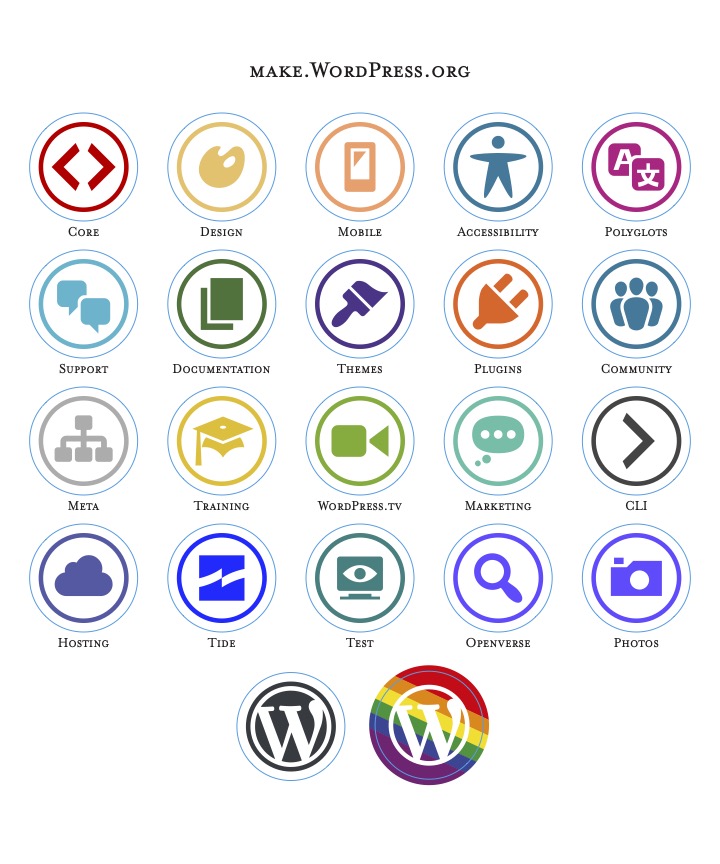](https://make.wordpress.org/community/files/2023/03/contributor-stickers-2022.jpg) 39 | 40 | This file is for printing sheets of stickers that include all the current teams that contribute to WordPress: [contributor stickers 2022.pdf](https://make.wordpress.org/community/files/2023/03/contributor-stickers-2022.pdf). 41 | 42 | **The file below is sized to A4:** 43 | 44 | [A4\_paper\_stickers\_-\_2023-CMYK](https://make.wordpress.org/community/files/2023/04/A4_paper_stickers_-_2023-CMYK.pdf)[Download](https://make.wordpress.org/community/files/2023/04/A4_paper_stickers_-_2023-CMYK.pdf) 45 | 46 | ### Contributor Badge Buttons/Badges 47 | 48 | [](https://make.wordpress.org/community/files/2018/02/contributor-button-icons-2017.jpg) 49 | 50 | This file is for printing buttons for each contributing team: [contributor-button-icons-2017.pdf](https://make.wordpress.org/community/files/2018/03/contributor-button-icons-2017.pdf) 51 | 52 | 55 | --------------------------------------------------------------------------------