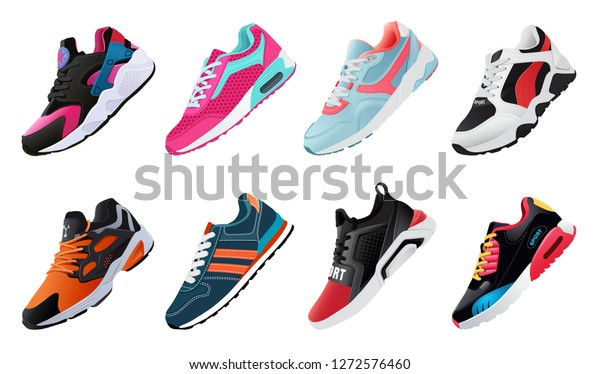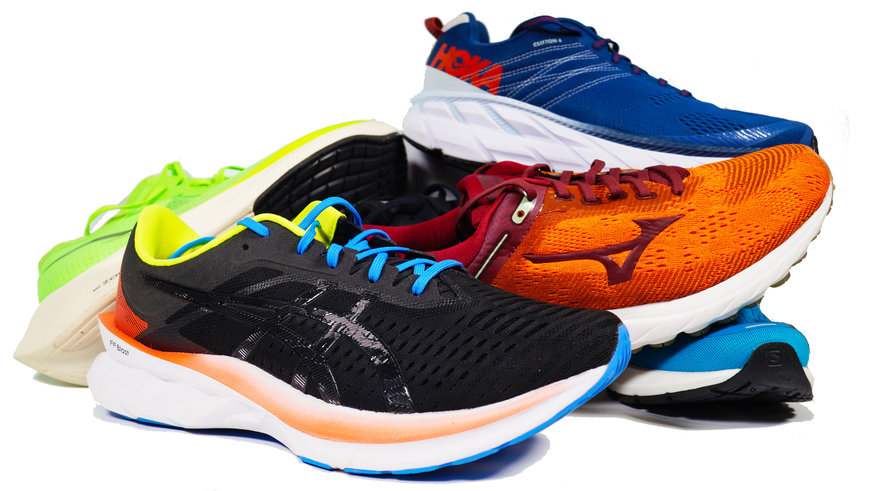
├── README.md ├── etiquetas ├── imagenes │ └── Koku.jpg └── etiquetas.html ├── PaginaZapateria_Version1 ├── PaginaZapateria_Version1.png ├── index.html └── styles.css ├── pract1 ├── styles.css └── index.html ├── grid2 ├── ejercicios2.css └── ejercicio2.html ├── pract2 ├── index.html └── styles.css ├── pract8 ├── index.html └── styles.css ├── pract3 ├── index.html └── styles.css ├── pract10 ├── index.html └── styles.css ├── pract9 ├── index.html └── styles.css ├── pract12 ├── index.html ├── styles.css └── scripts.js ├── pract11 ├── styles.css ├── index.html └── scripts.js ├── Practica3 ├── Ejercicio3.css └── Ejercicio3.html ├── pract4 ├── index.html └── styles.css ├── estructura ├── estructura.html └── css │ └── estilos.css ├── pract5 ├── index.html └── styles.css ├── pract6 ├── index.html └── styles.css ├── Lineas └── lineas.html ├── html grid ├── css │ └── estilos.css └── index.html ├── pract7 ├── index.html └── styles.css └── Fuentes └── fuentes.html /README.md: -------------------------------------------------------------------------------- 1 | # Ejercicios-CA 2 | Ejercicios del curso de cultura artística 3 | -------------------------------------------------------------------------------- /etiquetas/imagenes/Koku.jpg: -------------------------------------------------------------------------------- https://raw.githubusercontent.com/juancondorijara/Ejercicios_CA/HEAD/etiquetas/imagenes/Koku.jpg -------------------------------------------------------------------------------- /PaginaZapateria_Version1/PaginaZapateria_Version1.png: -------------------------------------------------------------------------------- https://raw.githubusercontent.com/juancondorijara/Ejercicios_CA/HEAD/PaginaZapateria_Version1/PaginaZapateria_Version1.png -------------------------------------------------------------------------------- /pract1/styles.css: -------------------------------------------------------------------------------- 1 | .box { 2 | width: 300px; 3 | height: 300px; 4 | margin: 1em; 5 | background-color: red; 6 | display: flex; 7 | justify-content: center; 8 | align-items: center; 9 | font-size: 3rem; 10 | color: white; 11 | } 12 | 13 | .box:hover { 14 | background-color: lime; 15 | } 16 | 17 | .animate { 18 | transition: background-color 3s; 19 | } 20 | -------------------------------------------------------------------------------- /grid2/ejercicios2.css: -------------------------------------------------------------------------------- 1 | main { 2 | display: grid; 3 | padding: 1rem; 4 | grid-gap: 1rem; 5 | /* grid-template-columns: 200px 200px 200px; */ 6 | grid-template-columns: repeat(3, 200px); 7 | grid-template-rows: 150px 150px; 8 | font-size: 5rem; 9 | } 10 | 11 | div { 12 | background-color: rebeccapurple; 13 | color: white; 14 | padding: 1rem; 15 | } -------------------------------------------------------------------------------- /pract2/index.html: -------------------------------------------------------------------------------- 1 | 2 | 3 | 4 | 5 | 6 | 7 | 8 | 9 | Document 10 | 11 | 12 | 13 |
BOX
14 | 15 | 16 | 17 | -------------------------------------------------------------------------------- /pract8/index.html: -------------------------------------------------------------------------------- 1 | 2 | 3 | 4 | 5 | 6 | 7 | 8 | 9 | Animations I 10 | 11 | 12 | 13 |
14 | 15 | 16 | 17 | -------------------------------------------------------------------------------- /pract3/index.html: -------------------------------------------------------------------------------- 1 | 2 | 3 | 4 | 5 | 6 | 7 | 8 | 9 | Document 10 | 11 | 12 | 13 |
BOX
14 |
BOX 2
15 | 16 | 17 | 18 | -------------------------------------------------------------------------------- /pract1/index.html: -------------------------------------------------------------------------------- 1 | 2 | 3 | 4 | 5 | 6 | 7 | 8 | 9 | Document 10 | 11 | 12 | 13 |
Instantaneo
14 |
Animado
15 | 16 | 17 | 18 | 19 | 20 | -------------------------------------------------------------------------------- /pract10/index.html: -------------------------------------------------------------------------------- 1 | 2 | 3 | 4 | 5 | 6 | 7 | 8 | 9 | Cubic Bezier 10 | 11 | 12 | 13 | 14 |
15 |
16 |
17 | 18 | 19 | 20 | 21 | -------------------------------------------------------------------------------- /pract9/index.html: -------------------------------------------------------------------------------- 1 | 2 | 3 | 4 | 5 | 6 | 7 | 8 | 9 | Animations II 10 | 11 | 12 | 13 | 14 |
15 |
16 |
17 | 18 | 19 | 20 | 21 | -------------------------------------------------------------------------------- /pract12/index.html: -------------------------------------------------------------------------------- 1 | 2 | 3 | 4 | 5 | 6 | 7 | 8 | 9 | Animation Events 10 | 11 | 12 | 13 |
14 | 15 | 16 | 17 | 18 | 19 | -------------------------------------------------------------------------------- /pract11/styles.css: -------------------------------------------------------------------------------- 1 | body { 2 | margin: 0; 3 | min-height: 100vh; 4 | background-color: royalblue; 5 | overflow: hidden; 6 | } 7 | 8 | .box { 9 | height: 200px; 10 | background-color: salmon; 11 | display: flex; 12 | align-items: center; 13 | } 14 | 15 | .box:hover .children { 16 | transform: translateX(calc(100vw - 100%)); 17 | } 18 | 19 | .children { 20 | width: 100px; 21 | height: 100px; 22 | background-color: royalblue; 23 | transform: translateX(0); 24 | transition: transform 1s linear; 25 | } 26 | 27 | .red { 28 | background-color: red; 29 | } 30 | -------------------------------------------------------------------------------- /pract11/index.html: -------------------------------------------------------------------------------- 1 | 2 | 3 | 4 | 5 | 6 | 7 | 8 | 9 | Transition Events 10 | 11 | 12 | 13 | 14 |
15 |
16 |
17 | 18 | 19 | 20 | 21 | 22 | -------------------------------------------------------------------------------- /Practica3/Ejercicio3.css: -------------------------------------------------------------------------------- 1 | main { 2 | max-width: 800px; 3 | padding: 1rem; 4 | margin: 0 auto; 5 | display: grid; 6 | padding: 1rem; 7 | grid-template-columns: 200px 200px 200px 200px; 8 | grid-template-rows: 200px 200px 200px; 9 | grid-gap: 1rem; 10 | } 11 | 12 | img { 13 | object-fit: cover; 14 | width: 100%; 15 | height: 100%; 16 | border-radius: 10px; 17 | } 18 | 19 | .item-a { 20 | grid-row: 1 / 3; 21 | } 22 | 23 | .item-b { 24 | grid-column: 3 / 5; 25 | } 26 | 27 | .item-c { 28 | grid-row: 2 / 4; 29 | } 30 | 31 | .item-d { 32 | grid-column: 3 / 5; 33 | } -------------------------------------------------------------------------------- /grid2/ejercicio2.html: -------------------------------------------------------------------------------- 1 | 2 | 3 | 4 | 5 | 6 | 7 | 8 | Document 9 | 10 | 11 |
12 |
1
13 |
2
14 |
3
15 |
4
16 |
5
17 |
6
18 |
7
19 |
8
20 |
9
21 |
22 | 23 | 24 | -------------------------------------------------------------------------------- /pract4/index.html: -------------------------------------------------------------------------------- 1 | 2 | 3 | 4 | 5 | 6 | 7 | 8 | 9 | Document 10 | 11 | 12 | 13 |
14 |
ease
15 |
ease-in
16 |
ease-out
17 |
ease-in-out
18 |
linear
19 |
20 | 21 | 22 | 23 | 24 | -------------------------------------------------------------------------------- /estructura/estructura.html: -------------------------------------------------------------------------------- 1 | 2 | 3 | 4 | 5 | 6 | Document 7 | 8 | 9 | 10 |
11 |
12 |

CURSO DE CULTURA ARTISTICA

13 |
14 | 17 |
18 |

CONTENIDOS

19 |
20 | 23 | 26 |
27 | 28 | -------------------------------------------------------------------------------- /pract10/styles.css: -------------------------------------------------------------------------------- 1 | /* 2 | https://es.wikipedia.org/wiki/Curva_de_B%C3%A9zier 3 | https://developer.mozilla.org/en-US/docs/Web/CSS/timing-function 4 | https://cubic-bezier.com 5 | https://easings.net/ 6 | 7 | cubic-bezier(x1, y1, x2, y2) 8 | */ 9 | 10 | body { 11 | margin: 0; 12 | min-height: 100vh; 13 | background-color: royalblue; 14 | overflow: hidden; 15 | } 16 | 17 | .box { 18 | height: 200px; 19 | background-color: salmon; 20 | display: flex; 21 | align-items: center; 22 | } 23 | 24 | .box:hover .children { 25 | transform: translateX(calc(100vw - 100%)); 26 | } 27 | 28 | .children { 29 | width: 100px; 30 | height: 100px; 31 | background-color: royalblue; 32 | transform: translateX(0); 33 | transition: transform 1.5s cubic-bezier(0.89, -0.6, 0.13, 1.5); 34 | } 35 | 36 | @keyframes translate { 37 | 100% { 38 | transform: translateX(calc(100vw - 100%)); 39 | } 40 | } 41 | -------------------------------------------------------------------------------- /pract5/index.html: -------------------------------------------------------------------------------- 1 | 2 | 3 | 4 | 5 | 6 | 7 | 8 | 9 | Transitions Examples I 10 | 11 | 12 | 13 |

Transitions Examples I

14 |

Menu

15 | 24 | 25 | 26 | 27 | -------------------------------------------------------------------------------- /pract6/index.html: -------------------------------------------------------------------------------- 1 | 2 | 3 | 4 | 5 | 6 | 7 | 8 | 9 | Transitions Examples II 10 | 11 | 12 | 13 |

Transitions Examples II

14 | 15 |

Buttons

16 |
17 | 18 | 19 | 20 | 21 | 22 |
23 | 24 | 25 | 26 | -------------------------------------------------------------------------------- /pract11/scripts.js: -------------------------------------------------------------------------------- 1 | /* 2 | https://developer.mozilla.org/en-US/docs/Web/API/TransitionEvent 3 | 4 | Existen 4 eventos en las transiciones 5 | transitionrun: Se dispara cuando se carga la transición 6 | transitionstart: Se dispara cuando se inicia la transición 7 | transitioncancel: Se dispara cuando se cancela la transición 8 | transitionend: Se dispara cuando se termina la transición 9 | */ 10 | 11 | const children = document.getElementById('children') 12 | 13 | children.addEventListener('transitionrun', (e) => { 14 | console.log('RUN') 15 | }) 16 | 17 | children.addEventListener('transitionstart', (e) => { 18 | console.log('START') 19 | e.target.style.border = 'none' 20 | }) 21 | 22 | children.addEventListener('transitioncancel', (e) => { 23 | console.log('CANCEL') 24 | }) 25 | 26 | children.addEventListener('transitionend', (e) => { 27 | console.log('END') 28 | e.target.classList.toggle('red') 29 | e.target.style.border = '5px solid black' 30 | }) -------------------------------------------------------------------------------- /Lineas/lineas.html: -------------------------------------------------------------------------------- 1 | 2 | 3 | 4 | 5 | 6 | Ejemplos de líneas horizontales 7 | 8 | 9 |

Línea Stándar

10 |
11 |

Línea de grosor 5px, que ocupa el 50% de la ventana:

12 |
13 |

Línea de grosor 25px y 50px de ancho

14 |
15 |

Línea de grosor 10px, que ocupa el 75% de la ventana, color azul y alineado a la izquierda

16 |
17 | 18 |

Línea de grosor 50px,que ocupa el 60% de la ventana, color rojo con borde de 10px y alineada a la derecha:

19 |
20 | 21 | 22 | 23 | -------------------------------------------------------------------------------- /pract12/styles.css: -------------------------------------------------------------------------------- 1 | body { 2 | margin: 0; 3 | background-color: #2a363b; 4 | font-family: sans-serif; 5 | min-height: 100vh; 6 | display: grid; 7 | place-items: center; 8 | } 9 | 10 | .heart { 11 | width: 100px; 12 | height: 100px; 13 | background-color: red; 14 | position: relative; 15 | transform: rotate(45deg); 16 | } 17 | 18 | .heart--animate { 19 | animation-name: heart-beat; 20 | animation-duration: 2s; 21 | animation-iteration-count: 3; 22 | } 23 | 24 | .heart::before, 25 | .heart::after { 26 | content: ""; 27 | display: block; 28 | position: absolute; 29 | width: 100px; 30 | height: 100px; 31 | background-color: red; 32 | border-radius: 50%; 33 | } 34 | 35 | .heart::before { 36 | top: 0; 37 | left: -50px; 38 | } 39 | 40 | .heart::after { 41 | top: -50px; 42 | left: 0; 43 | } 44 | 45 | @keyframes heart-beat { 46 | 0% { 47 | transform: rotate(45deg) scale(1); 48 | } 49 | 50 | 50% { 51 | transform: rotate(45deg) scale(2); 52 | } 53 | } 54 | 55 | @keyframes heart-rotate { 56 | 0% { 57 | transform: rotate(45deg); 58 | } 59 | 60 | 50% { 61 | transform: rotate(225deg); 62 | } 63 | } 64 | -------------------------------------------------------------------------------- /html grid/css/estilos.css: -------------------------------------------------------------------------------- 1 | /*Ejemplo basico sin medidas 2 | .basic { 3 | display: grid; 4 | grid-template-rows: 4rem auto 200px; 5 | grid-template-columns: 1fr 1 fr 3fr 1fr; 6 | grid-template-areas: 7 | "header header header header" 8 | ". nav main . " 9 | "footer footer footer footer"; 10 | */ 11 | 12 | .basic { 13 | display: grid; 14 | grid-template-rows: 4rem minmax(calc(100vh - 4rem - 200px), max-content) 200px; 15 | grid-template-columns: minmax(10%, 1fr) 1fr 3fr minmax(10%, 1fr); 16 | grid-template-areas: 17 | "header header header header" 18 | ". nav main . " 19 | "footer footer footer footer"; 20 | } 21 | 22 | .basic header { 23 | grid-area: header; 24 | } 25 | 26 | header { 27 | background-color: aqua; 28 | font-size: 300%; 29 | font-style: oblique; 30 | text-align: center; 31 | } 32 | 33 | .basic nav { 34 | grid-area: nav; 35 | } 36 | nav { 37 | background-color: dodgerblue; 38 | } 39 | .basic .main { 40 | grid-area: main; 41 | } 42 | .basic footer { 43 | grid-area: footer; 44 | } 45 | footer { 46 | background-color: cyan; 47 | } -------------------------------------------------------------------------------- /pract5/styles.css: -------------------------------------------------------------------------------- 1 | body { 2 | margin: 0; 3 | background-color: #2a363b; 4 | font-family: sans-serif; 5 | } 6 | 7 | .title { 8 | text-align: center; 9 | color: #aaa; 10 | } 11 | 12 | .main-menu { 13 | list-style: none; 14 | padding-left: 0; 15 | width: 95%; 16 | display: flex; 17 | margin-left: auto; 18 | margin-right: auto; 19 | justify-content: space-around; 20 | background: #ff847c; 21 | font-size: 1.2rem; 22 | color: #2a363b; 23 | text-transform: uppercase; 24 | letter-spacing: 5px; 25 | border-radius: 30px; 26 | } 27 | 28 | .main-menu__item { 29 | position: relative; 30 | cursor: pointer; 31 | padding: 1.5rem 0; 32 | overflow: hidden; 33 | } 34 | 35 | .main-menu__item::before, 36 | .main-menu__item::after { 37 | content: ""; 38 | display: block; 39 | position: absolute; 40 | width: 100%; 41 | height: 2px; 42 | background: #2a363b; 43 | transition: transform 0.2s; 44 | } 45 | 46 | .main-menu__item::before { 47 | top: 15px; 48 | transform: translateX(-100%); 49 | } 50 | 51 | .main-menu__item::after { 52 | bottom: 15px; 53 | transform: translateX(100%); 54 | } 55 | 56 | .main-menu__item:hover::before, 57 | .main-menu__item:hover::after { 58 | transform: translateX(0); 59 | } 60 | -------------------------------------------------------------------------------- /html grid/index.html: -------------------------------------------------------------------------------- 1 | 2 | 3 | 4 | 5 | 6 | 7 | 8 | Document 9 | 10 | 11 |
12 |
13 | Titulo 14 |
15 | 25 |
26 |

27 | Contenido Principal de la Pagina 28 |

29 |

30 | Lorem ipsum dolor sit amet consectetur, adipisicing elit. Explicabo, unde vero. 31 | Quaerat, veritatis vitae. Harum aperiam animi ex, fugit excepturi culpa sed inventori, 32 | sit magnam consectetur recusandae voluptates aliquid necessitatibus? 33 |

34 |
35 | 38 |
39 | 40 | 41 | -------------------------------------------------------------------------------- /pract7/index.html: -------------------------------------------------------------------------------- 1 | 2 | 3 | 4 | 5 | 6 | 7 | 8 | 9 | Transitions Examples III 10 | 11 | 12 | 13 |

Transitions Examples III

14 | 15 |

Images

16 |
17 |
18 | 19 |

Text

20 |
21 |
22 | 23 |

Anubis

24 |
25 |
26 | 27 |
28 |

Title

29 |

Lorem ipsum dolor sit amet consectetur adipisicing elit. Animi molestias architecto

30 |
31 |
32 |
33 | 34 | 35 | 36 | -------------------------------------------------------------------------------- /pract12/scripts.js: -------------------------------------------------------------------------------- 1 | /* 2 | https://developer.mozilla.org/en-US/docs/Web/API/Animation 3 | 4 | Existen 4 eventos principales en las animaciones 5 | animationstart: Se dispara cuando se inicia la animación 6 | animationiteration: Se dispara cada vez que se inicia de nuevo el ciclo de la animación 7 | animationcancel: Se dispara cuando se cancela la animación 8 | animationend: Se dispara cuando se termina la animación 9 | */ 10 | 11 | const heart = document.getElementById('heart') 12 | let duration 13 | 14 | heart.addEventListener('animationstart', (e) => { 15 | duration = getComputedStyle(e.target).animationDuration 16 | // console.log(duration.substring(0, duration.length - 1)) 17 | }) 18 | 19 | let cont = 0 20 | heart.addEventListener('animationiteration', (e) => { 21 | cont++ 22 | console.log(cont) 23 | const animationName = getComputedStyle(e.target).animationName 24 | if (animationName == 'heart-beat' && cont % 2 == 0) { 25 | e.target.style.setProperty('animation-name', 'heart-rotate') 26 | } else if (animationName == 'heart-rotate' && cont % 2 == 0) 27 | e.target.style.setProperty('animation-name', 'heart-beat') 28 | }) 29 | 30 | heart.addEventListener('animationcancel', (e) => { 31 | 32 | }) 33 | 34 | heart.addEventListener('animationend', (e) => { 35 | console.log('END') 36 | e.target.classList.remove('heart--animate') 37 | setTimeout(() => { 38 | e.target.classList.add('heart--animate') 39 | }, 0); 40 | }) -------------------------------------------------------------------------------- /estructura/css/estilos.css: -------------------------------------------------------------------------------- 1 | * { 2 | margin: 0px; 3 | padding: 0px; 4 | } 5 | body { 6 | background: #444444; 7 | color:#fff; 8 | } 9 | #contenedor { 10 | width: 960px; 11 | margin: auto; 12 | margin-top: 20px; 13 | margin-bottom: 20px; 14 | border-radius: 20px; 15 | overflow: hidden; 16 | } 17 | header { 18 | height: 150px; 19 | background: #000000; 20 | } 21 | header h1 { 22 | font-size: 40px; 23 | text-align: center; 24 | line-height: 150px; 25 | } 26 | nav { 27 | background: chocolate; 28 | height: 60px; 29 | } 30 | 31 | nav h2 { 32 | font-size: 40px; 33 | text-align: center; 34 | line-height: 60px; 35 | } 36 | #contenido { 37 | width: 700px; 38 | height: 500px; 39 | float: left; 40 | background: blue; 41 | margin-top: 10px; 42 | margin-right: 10px; 43 | margin-bottom: 10px; 44 | } 45 | #contenido h2 { 46 | font-size: 40px; 47 | text-align: center; 48 | line-height: 500px; 49 | } 50 | aside { 51 | width: 250px; 52 | height: 500px; 53 | background: green; 54 | margin-top: 10px; 55 | float: right; 56 | } 57 | aside h2 { 58 | font-size: 30px; 59 | text-align: center; 60 | line-height: 500px; 61 | } 62 | footer { 63 | background: black; 64 | clear: both; 65 | } 66 | footer h2 { 67 | font-size: 30px; 68 | text-align: center; 69 | padding: 20px; 70 | font-style: italic; 71 | } -------------------------------------------------------------------------------- /PaginaZapateria_Version1/index.html: -------------------------------------------------------------------------------- 1 | 2 | 3 | 4 | 5 | 6 | 7 | 8 | 9 | ZAPATERIA MODA 10 | 11 | 12 | 13 |

ZAPATERIA MODA

14 |

Catalogo

15 |
16 |
17 | 18 |

Zapatillas

19 |
20 |
21 | 22 |

MODA

23 |
24 |
25 | 26 |
27 |

Descuentos

28 |

Aprovecha las promociones por temporada

29 |
30 |
31 |
32 | 33 | 34 | 35 | -------------------------------------------------------------------------------- /Fuentes/fuentes.html: -------------------------------------------------------------------------------- 1 | 2 | 3 | 4 | 5 | 6 | Ejercicios sobre tamaños y formatos 7 | 8 | 9 |

Esto es un tamaño de 40px

10 |

Esto es un tamaño small

11 |

Esto es un tamaño medium

12 |

Esto es un tamaño large

13 |

Esto es un tamaño xx-large

14 |

Esto es un tamaño xx-small

15 |

Esto es un tamaño 2%

16 |

Esto es un tamaño 20%

17 |

Esto es un tamaño 80%

18 |

Esto es un tamaño 200%

19 |

Esto es un tamaño 300%

20 | 21 |

Pruebas de Formatos

22 | Esto es normal y esto es un subíndice: sub
23 | Esto es normal y esto es un superíndice: sub
24 | 25 | 26 |

27 | Loren ipsum dolor sit amet consectetur adipisicing elit. Facere dolore laboriosam, ea 28 | adipisci ducims deleniti recusandae laborum qui debitis sequi voluptatum eveniet autem 29 | eligendi resciunt est aspernatur comodi reiniciendis aliquam. 30 |

31 | 32 | 33 | 34 | -------------------------------------------------------------------------------- /pract2/styles.css: -------------------------------------------------------------------------------- 1 | /* 2 | Las transiciones necesitan un evento que las dispare, no se pueden ejecutar por sí solas 3 | 4 | Existen cuatro propiedas de las transiciones 5 | 6 | transition-property: Establece la propiedad que se va a animar. 7 | Acepta los valores: all | none | propiedad [, propiedad] 8 | 9 | transition-duration: Establece la duración de la transición, si hubiera más de una se ponen separadas por comas. 10 | Acepta valores en segundos "s" y en milisegundos "ms" 11 | 12 | transition-delay: Establece el retraso que tendrá la transición antes de empezar 13 | 14 | transition-timing-function: Establece la forma en la que se moverá la transición en cada una de las interpolaciones 15 | Acepta los valores: ease | linear | ease-in | ease-out | ease-in-out | step-start | step-end | steps() | cubic-bezier() 16 | 17 | Tenemos un shorthand que agrupa estas 4 propiedades 18 | transition: transition-property transition-duration transition-delay transition-time-function 19 | */ 20 | 21 | body { 22 | margin: 0; 23 | display: flex; 24 | justify-content: center; 25 | align-items: center; 26 | min-height: 100vh; 27 | } 28 | 29 | .box { 30 | width: 200px; 31 | height: 200px; 32 | background-color: royalblue; 33 | display: flex; 34 | justify-content: center; 35 | align-items: center; 36 | font-size: 3rem; 37 | color: white; 38 | transition-property: background-color, color; 39 | transition-duration: 1s; 40 | transition-delay: 0s, 1s; 41 | } 42 | 43 | .box:hover { 44 | background-color: green; 45 | color: black; 46 | } 47 | -------------------------------------------------------------------------------- /pract3/styles.css: -------------------------------------------------------------------------------- 1 | /* 2 | Las transformaciones pueden ser de dos tipos, 2D y 3D 3 | Para ambas tenemos una sola propiedad que recibe funciones como valor. 4 | 5 | Transformaciones 2D 6 | 7 | transform: 8 | translate(x | x, y) | translateX() | translateY() 9 | valores positivos-> derecha abajo 10 | valores negativos-> izquierda arriba 11 | 12 | scale(x = y | x,y) | scaleX() | scaleY() 13 | 14 | skew(x | x,y) | skewX(angle) | skewY(angle) 15 | 16 | rotate(angle) -> Tenemos 4 formas de dar ángulos en CSS 17 | deg (360deg) -> grados sexagesimales 18 | grad (400grad)-> es una unidad de medida de ángulos planos 19 | rad (6.2832rad)-> es una unidad de ángulo en el plano en el SI 20 | turn (1turn) -> turn es el número de vueltas 21 | 22 | Cuando usamos angulos: 23 | valores positivos-> sentido horario 24 | valores negativos-> sentido antihorario 25 | 26 | */ 27 | 28 | body { 29 | margin: 0; 30 | display: flex; 31 | justify-content: center; 32 | align-items: center; 33 | min-height: 100vh; 34 | } 35 | 36 | .box, 37 | .box-2 { 38 | width: 50px; 39 | height: 50px; 40 | background-color: royalblue; 41 | display: flex; 42 | justify-content: center; 43 | align-items: center; 44 | /* font-size: 3rem; */ 45 | margin: 0 1rem; 46 | color: white; 47 | transition: transform 0.5s; 48 | /* transition: left 0.5s; 49 | position: relative; 50 | left: 0; */ 51 | } 52 | 53 | .box:hover { 54 | background-color: green; 55 | color: black; 56 | /* transform: translate(-100%, -100%); */ 57 | /* transform: scale(2); */ 58 | /* transform: rotate(180deg); */ 59 | transform: skew(20deg); 60 | /* left: 25%; */ 61 | } 62 | -------------------------------------------------------------------------------- /Practica3/Ejercicio3.html: -------------------------------------------------------------------------------- 1 | 2 | 3 | 4 | 5 | 6 | 7 | 8 | Document 9 | 10 | 11 |
12 |
13 | 14 |
15 |
16 | 17 |
18 |
19 | 20 |
21 |
22 | 23 |
24 |
25 | 26 |
27 |
28 | 29 |
30 |
31 | 32 |
33 |
34 | 35 |
36 |
37 | 38 |
39 |
40 | 41 |
42 | 43 |
44 | 45 | 46 | -------------------------------------------------------------------------------- /pract4/styles.css: -------------------------------------------------------------------------------- 1 | /* 2 | Transition timing function 3 | 4 | ease significa desacelerar/frenar 5 | 6 | ease: La transición comienza lentamente, acelera bruscamente y luego disminuye lentamente hacia el final. 7 | 8 | ease-in: La transición comienza lentamente, y luego se acelera progresivamente hasta el final. 9 | 10 | ease-out: La animación comienza abruptamente y luego se ralentiza progresivamente hacia el final. 11 | 12 | ease-in-out: La animación comienza lentamente, se acelera y luego se ralentiza hacia el final. 13 | 14 | linear: La transición se mueve de principio a fin a una velocidad constante. 15 | 16 | función calc: Nos sirve para hacer cálculos. 17 | calc(value operation value...) 18 | 19 | Shorthand transition 20 | 21 | transition: 2s transform ease-in 22 | transition: transform 2s ease-in 23 | transition: ease-in transform 2s 24 | */ 25 | 26 | body { 27 | margin: 0; 28 | } 29 | 30 | .container { 31 | background-color: salmon; 32 | } 33 | 34 | .box { 35 | width: 80px; 36 | height: 60px; 37 | font-size: 0.8em; 38 | background-color: royalblue; 39 | margin: 2rem 0; 40 | display: flex; 41 | align-items: center; 42 | justify-content: center; 43 | /* transition-property: transform; */ 44 | /* transition-duration: 2s; */ 45 | } 46 | 47 | .container:hover .box { 48 | transform: translateX(calc(100vw - 100%)); 49 | /* transition: transform 2s 1s ease-out; */ 50 | } 51 | 52 | .ease { 53 | transition-timing-function: ease; 54 | } 55 | .ease-in { 56 | transition-timing-function: ease-in; 57 | } 58 | .ease-out { 59 | transition-timing-function: ease-out; 60 | } 61 | .ease-in-out { 62 | transition-timing-function: ease-in-out; 63 | } 64 | .linear { 65 | transition-timing-function: linear; 66 | } 67 | -------------------------------------------------------------------------------- /pract8/styles.css: -------------------------------------------------------------------------------- 1 | /* 2 | Las animaciones funcionan de una forma similar a las transiciones, pero con la principal diferencia de que estas no necesitan un evento para iniciarse, son automáticas. 3 | 4 | Las animaciones tienen varias propiedades 5 | animation-name: nombre de la animación, es obligatoria 6 | animation-duration: duración de la animación, es obligatoria 7 | animation-iteration-count: establece el número de veces que queremos repetir la animación 8 | https://developer.mozilla.org/es/docs/Web/CSS/animation 9 | 10 | Los keyframes sirven para determinar las diferentes fases de la animación. Son obligatorios. 11 | Se establecen con @keyframes nombreAnimación{} 12 | Dentro tenemos que poner los selectores de tiempo, tenemos varias opciones 13 | https://developer.mozilla.org/es/docs/Web/CSS/@keyframes 14 | */ 15 | body { 16 | margin: 0; 17 | background-color: #2a363b; 18 | font-family: sans-serif; 19 | min-height: 100vh; 20 | display: grid; 21 | place-items: center; 22 | } 23 | 24 | .box { 25 | width: 100px; 26 | height: 100px; 27 | background-color: red; 28 | position: relative; 29 | transform: rotate(45deg); 30 | animation-name: beat; 31 | animation-duration: 2s; 32 | animation-iteration-count: infinite; 33 | } 34 | 35 | .box::before, 36 | .box::after { 37 | content: ""; 38 | display: block; 39 | position: absolute; 40 | width: 100px; 41 | height: 100px; 42 | background-color: red; 43 | border-radius: 50%; 44 | } 45 | 46 | .box::before { 47 | top: 0; 48 | left: -50px; 49 | } 50 | 51 | .box::after { 52 | top: -50px; 53 | left: 0; 54 | } 55 | @keyframes beat { 56 | 0% { 57 | transform: rotate(45deg) scale(1); 58 | } 59 | 60 | 50% { 61 | transform: rotate(45deg) scale(2); 62 | } 63 | } 64 | -------------------------------------------------------------------------------- /pract9/styles.css: -------------------------------------------------------------------------------- 1 | /* 2 | https://developer.mozilla.org/es/docs/Web/CSS/animation 3 | 4 | Las animaciones tienen más propiedades: 5 | 6 | animation-play-state: Establece si una animación está en ejecución o en pausa. Acepta los valores: running | paused 7 | 8 | animation-delay: Establece el tiempo de retardo que debe transcurrir antes de comenzar la animación. 9 | 10 | animation-direction: Establece el modo en el que se va a reproducir la animación. 11 | Acepta los valores: normal | reverse | alternate 12 | 13 | animation-timing-function: Establece la forma en la que se moverá la animación en cada una de las interpolaciones. 14 | Acepta los valores: ease | linear | ease-in | ease-out | ease-in-out | steps(n,[direction]) | cubic-bezier() 15 | 16 | animation-fill-mode: Establece el modo en que una animación CSS aplica sus estilos. Acepta los valores: 17 | none: La animación no aplicará los estilos ni antes ni después de su ejecución. 18 | forwards: El objeto sobre el que se aplica la animación quedará con los valores y estilos que le aplique el último keyframe de la ejecución de la animación 19 | backwards: La animación aplicará los valores definidos en el primer keyframe tan pronto como se aplique al objeto, y los retendrá durante el tiempo de animation-delay. El primer keyframe dependerá del valor de animation-direction 20 | both: Durante el período definido por animation-delay, la animación aplicará los valores de propiedad definidos en el fotograma clave que comenzará la primera iteración de la animación. 21 | 22 | animation: name duration timing-function delay iteration-count fill-mode; 23 | */ 24 | 25 | body { 26 | margin: 0; 27 | min-height: 100vh; 28 | /* animation-name: background; */ 29 | /* animation-duration: 5s; */ 30 | background-color: royalblue; 31 | /* animation-fill-mode: both; */ 32 | /* animation-play-state: paused; */ 33 | /* animation-delay: 2s; */ 34 | /* animation-iteration-count: 3; */ 35 | /* animation-timing-function: steps(4); */ 36 | 37 | animation: background 5s steps(4) 2s 3 both; 38 | } 39 | 40 | @keyframes background { 41 | 0% { 42 | background-color: greenyellow; 43 | } 44 | 45 | 100% { 46 | background-color: red; 47 | } 48 | } 49 | 50 | /* .box { 51 | height: 200px; 52 | background-color: salmon; 53 | display: flex; 54 | align-items: center; 55 | } 56 | 57 | .children { 58 | width: 100px; 59 | height: 100px; 60 | background-color: royalblue; 61 | animation-name: translate; 62 | animation-timing-function: linear; 63 | animation-duration: 3s; 64 | animation-fill-mode: forwards; 65 | animation-direction: alternate-reverse; 66 | animation-iteration-count: infinite; 67 | } 68 | 69 | @keyframes translate { 70 | 100% { 71 | transform: translateX(calc(100vw - 100%)); 72 | } 73 | } */ 74 | -------------------------------------------------------------------------------- /pract6/styles.css: -------------------------------------------------------------------------------- 1 | body { 2 | margin: 0; 3 | background-color: #2a363b; 4 | font-family: sans-serif; 5 | } 6 | 7 | .title { 8 | text-align: center; 9 | color: #aaa; 10 | } 11 | 12 | .buttons { 13 | width: 100%; 14 | margin-left: auto; 15 | margin-right: auto; 16 | display: flex; 17 | flex-direction: column; 18 | align-items: center; 19 | justify-content: space-between; 20 | } 21 | 22 | .button { 23 | background: none; 24 | outline: none; 25 | border: 2px solid #ffd8d5; 26 | font-size: 1.3rem; 27 | color: #ff847c; 28 | padding: 0.5rem 1rem; 29 | cursor: pointer; 30 | position: relative; 31 | overflow: hidden; 32 | width: 175px; 33 | margin-bottom: 1rem; 34 | } 35 | 36 | .button--fill { 37 | transition: color 0.4s; 38 | } 39 | 40 | .button--fill:hover { 41 | color: #2a363b; 42 | } 43 | 44 | .button--fill::before { 45 | content: ""; 46 | position: absolute; 47 | display: block; 48 | width: 100%; 49 | height: 100%; 50 | top: 0; 51 | left: 0; 52 | background-color: #ff847c; 53 | transform: translateX(-100%); 54 | transition: transform 0.4s; 55 | z-index: -1; 56 | } 57 | 58 | .button--fill:hover::before { 59 | transform: translateX(0); 60 | } 61 | 62 | .button--cross { 63 | transition: color 0.4s; 64 | } 65 | 66 | .button--cross:hover { 67 | color: #2a363b; 68 | } 69 | 70 | .button--cross::before, 71 | .button--cross::after { 72 | content: ""; 73 | position: absolute; 74 | display: block; 75 | width: 100%; 76 | height: 100%; 77 | top: 0; 78 | left: 0; 79 | background-color: #ff847c; 80 | transition: transform 0.6s linear; 81 | z-index: -1; 82 | } 83 | .button--cross::before { 84 | transform: rotateY(90deg); 85 | } 86 | 87 | .button--cross::after { 88 | transform: rotateX(90deg); 89 | } 90 | 91 | .button--cross:hover::before, 92 | .button--cross:hover::after { 93 | transform: rotate(0deg); 94 | } 95 | 96 | .button--grow { 97 | letter-spacing: -1px; 98 | transition: box-shadow 0.5s, letter-spacing 0.5s; 99 | } 100 | 101 | .button--grow:hover { 102 | letter-spacing: 5px; 103 | box-shadow: 0 0 0 5px #ff847c; 104 | } 105 | 106 | .button--scale-text { 107 | transition: color 0.4s; 108 | } 109 | 110 | .button--scale-text:hover { 111 | color: #2a363b; 112 | } 113 | 114 | .button--scale-text::before { 115 | content: attr(data-content); 116 | position: absolute; 117 | display: flex; 118 | align-items: center; 119 | justify-content: center; 120 | top: 0; 121 | left: 0; 122 | width: 100%; 123 | height: 100%; 124 | transform: scale(5); 125 | color: #ff847c; 126 | background-color: #2a363b; 127 | opacity: 0; 128 | transition: transform 0.5s, opacity 0.5s; 129 | } 130 | 131 | .button--scale-text:hover::before { 132 | opacity: 1; 133 | transform: scale(1); 134 | } 135 | 136 | .button--shiney { 137 | transition: color 0.4s; 138 | } 139 | 140 | .button--shiney:hover { 141 | color: #2a363b; 142 | } 143 | 144 | .button--shiney::before, 145 | .button--shiney::after { 146 | content: ""; 147 | position: absolute; 148 | display: block; 149 | width: 100%; 150 | height: 100%; 151 | top: 0; 152 | left: 0; 153 | background-color: transparent; 154 | z-index: -1; 155 | } 156 | 157 | .button--shiney:hover::before { 158 | background-color: #7c90ff; 159 | } 160 | 161 | .button--shiney::after { 162 | display: flex; 163 | justify-content: center; 164 | align-items: center; 165 | top: 50%; 166 | height: 30%; 167 | background-color: #fff; 168 | transform: rotate(45deg) translateY(650%); 169 | transition: background-color 0.4s; 170 | } 171 | 172 | .button--shiney:hover::after { 173 | transition: background-color 0.4s, transform 0.6s; 174 | transform: rotate(45deg) translateY(-700%); 175 | } 176 | -------------------------------------------------------------------------------- /etiquetas/etiquetas.html: -------------------------------------------------------------------------------- 1 | 2 | 3 | 4 | 5 | 6 | Document 7 | 8 | 9 | 10 | 11 | 12 | 13 | 14 |
15 | 16 |
17 | 18 | 19 | 22 | 23 | 24 |
25 | 26 |
27 |

Cantidad de veces te encuentras con líneas que están aparentemente en blanco o que terminan en un 28 | punto concreto, pero que en realidad tienen muchos espacios o tabuladores a continuación. En vez 29 | de darle a Supr una y otra vez, puedes usar esta combinación y desaparecerán todos a partir de 30 | donde tengas el cursor. Una tontería, pero cuando lo descubres ya no puedes dejar de usarlo.

31 |
32 |

Lorem ipsum dolor sit amet consectetur, adipisicing elit. Praesentium sunt in, est quia, sapiente 33 | voluptatibus earum facere vitae nobis, maiores voluptate. Velit fugit, dolore quia id possimus 34 | voluptas pariatur provident.

35 | 36 |

Lorem ipsum dolor sit amet consectetur, adipisicing elit. Praesentium sunt in, est quia, sapiente 37 | voluptatibus earum facere vitae nobis, maiores voluptate. Velit fugit, dolore quia id possimus 38 | voluptas pariatur provident.

39 | Cantidad de veces te encuentras con líneas que están aparentemente en blanco o que terminan en un 40 | punto concreto, pero que en realidad tienen muchos espacios o tabuladores a continuación. En vez 41 | de darle a Supr una y otra vez, puedes usar esta combinación y desaparecerán todos a partir de 42 | donde tengas el cursor. Una tontería, pero cuando lo descubres ya no puedes dejar de usarlo. 43 |
44 | Cantidad de veces te encuentras con líneas que están aparentemente en blanco o que terminan en un 45 | punto concreto, pero que en realidad tienen muchos espacios o tabuladores a continuación. En vez 46 | de darle a Supr una y otra vez, puedes usar esta combinación y desaparecerán todos a partir de 47 | donde tengas el cursor. Una tontería, pero cuando lo descubres ya no puedes dejar de usarlo. 48 |
49 | 50 | 51 |
52 | 53 | 54 | 58 | 59 | 60 |
61 |
    62 |
  1. Computadoras
  2. 63 |
  3. Televisores
  4. 64 |
  5. Camaras
  6. 65 |
  7. Automovil
  8. 66 |
  9. Motocicleta
  10. 67 | 68 |
69 | 77 | Mi primer enlace 78 | 79 |
80 | 81 | 82 | 85 |
86 | Correo Institucional 87 |
88 | 89 | 90 | -------------------------------------------------------------------------------- /pract7/styles.css: -------------------------------------------------------------------------------- 1 | body { 2 | margin: 0; 3 | background-color: #2a363b; 4 | font-family: sans-serif; 5 | } 6 | 7 | img { 8 | max-width: 100%; 9 | } 10 | 11 | .title { 12 | text-align: center; 13 | color: #aaa; 14 | } 15 | 16 | .images { 17 | width: 90%; 18 | margin-left: auto; 19 | margin-right: auto; 20 | display: grid; 21 | grid-template-columns: repeat(3, 450px); 22 | gap: 30px; 23 | /* grid-gap: 30px; */ 24 | justify-content: center; 25 | column-gap: 20px; 26 | /* grid-column-gap: 20px; */ 27 | align-items: center; 28 | } 29 | 30 | .image { 31 | display: flex; 32 | align-items: center; 33 | justify-content: center; 34 | overflow: hidden; 35 | } 36 | 37 | .image--close { 38 | position: relative; 39 | } 40 | 41 | .image--close::before, 42 | .image--close::after { 43 | content: ""; 44 | display: block; 45 | position: absolute; 46 | width: 100%; 47 | height: 100%; 48 | background-color: rgba(23, 23, 23, 0.8); 49 | transition: transform 0.4s; 50 | } 51 | 52 | .image--close::before { 53 | top: 0; 54 | right: 0; 55 | clip-path: polygon(100% 0, 0 0, 100% 100%); 56 | transform: translateX(100%); 57 | } 58 | 59 | .image--close::after { 60 | top: 0; 61 | left: 0; 62 | clip-path: polygon(0 0, 0 100%, 100% 100%); 63 | transform: translateX(-100%); 64 | } 65 | 66 | .image--close:hover::before { 67 | transform: translateX(10%); 68 | } 69 | 70 | .image--close:hover::after { 71 | transform: translateX(-10%); 72 | } 73 | 74 | .image__title--close { 75 | background-color: #111; 76 | color: #fff; 77 | width: 25%; 78 | text-align: center; 79 | position: absolute; 80 | line-height: 2; 81 | left: 50%; 82 | transform: translateX(-50%) scale(0); 83 | z-index: 10; 84 | transition: transform 0.4s; 85 | } 86 | 87 | .image--close:hover .image__title--close { 88 | transform: translateX(-50%) scale(1); 89 | } 90 | 91 | .image--lines { 92 | position: relative; 93 | } 94 | 95 | .image--lines img { 96 | filter: grayscale(0.1); 97 | transition: filter 0.4s; 98 | } 99 | 100 | .image--lines:hover img { 101 | filter: grayscale(0.8); 102 | } 103 | 104 | .image--lines::before, 105 | .image--lines::after { 106 | content: ""; 107 | display: block; 108 | position: absolute; 109 | height: 3px; 110 | background-color: purple; 111 | transition: transform 0.4s; 112 | z-index: 10; 113 | } 114 | 115 | .image--lines::before { 116 | bottom: 110px; 117 | right: 0; 118 | width: 95%; 119 | transform: translateX(100%); 120 | } 121 | 122 | .image--lines::after { 123 | bottom: 30px; 124 | left: 0; 125 | width: 35%; 126 | transform: translateX(-100%); 127 | } 128 | 129 | .image--lines:hover::before, 130 | .image--lines:hover::after { 131 | transform: translateX(0); 132 | } 133 | 134 | .image__title--lines { 135 | background-color: turquoise; 136 | color: #111; 137 | width: 30%; 138 | text-align: center; 139 | position: absolute; 140 | line-height: 2; 141 | bottom: 30px; 142 | left: 25px; 143 | z-index: 10; 144 | transition: transform 0.4s; 145 | } 146 | 147 | .image__title--lines::before, 148 | .image__title--lines::after { 149 | content: ""; 150 | display: block; 151 | position: absolute; 152 | height: 3px; 153 | background-color: purple; 154 | transform: rotate(90deg); 155 | transition: transform 0.4s; 156 | z-index: 10; 157 | } 158 | 159 | .image__title--lines::before { 160 | left: -180px; 161 | top: -120px; 162 | width: 250%; 163 | transform: rotate(90deg) translateX(-80%); 164 | } 165 | 166 | .image__title--lines::after { 167 | left: -20px; 168 | top: 165px; 169 | width: 250%; 170 | transform: rotate(90deg) translateX(50%); 171 | } 172 | 173 | .image--lines:hover .image__title--lines::before, 174 | .image--lines:hover .image__title--lines::after { 175 | transform: rotate(90deg) translateX(0); 176 | } 177 | 178 | .image--scale { 179 | background-color: #333; 180 | overflow: initial; 181 | position: relative; 182 | } 183 | 184 | .image--scale img { 185 | position: relative; 186 | transform-origin: right center; 187 | transition: transform 0.5s; 188 | z-index: 10; 189 | } 190 | 191 | .image--scale:hover img { 192 | transform: scale(0.7) translateX(100px); 193 | } 194 | 195 | .image__text { 196 | position: absolute; 197 | color: #ccc; 198 | transition: transform 0.5s; 199 | font-size: 1rem; 200 | width: 40%; 201 | } 202 | 203 | .image--scale:hover .image__text { 204 | transform: translateX(-120px); 205 | } 206 | -------------------------------------------------------------------------------- /PaginaZapateria_Version1/styles.css: -------------------------------------------------------------------------------- 1 | body { 2 | margin: 0; 3 | background-color: #2a363b; 4 | font-family: sans-serif; 5 | } 6 | 7 | h1 { 8 | background-color: red; 9 | /* width: 200px; 10 | height: 50px; */ 11 | } 12 | 13 | h2 { 14 | background-color: blue; 15 | /* width: 200px; 16 | height: 50px; */ 17 | } 18 | 19 | img { 20 | max-width: 100%; 21 | } 22 | 23 | .title { 24 | text-align: center; 25 | color: #aaa; 26 | } 27 | 28 | .images { 29 | width: 90%; 30 | margin-left: auto; 31 | margin-right: auto; 32 | display: grid; 33 | grid-template-columns: repeat(3, 450px); 34 | gap: 30px; 35 | /* grid-gap: 30px; */ 36 | justify-content: center; 37 | column-gap: 20px; 38 | /* grid-column-gap: 20px; */ 39 | align-items: center; 40 | } 41 | 42 | .image { 43 | display: flex; 44 | align-items: center; 45 | justify-content: center; 46 | overflow: hidden; 47 | } 48 | 49 | .image--close { 50 | position: relative; 51 | } 52 | 53 | .image--close::before, 54 | .image--close::after { 55 | content: ""; 56 | display: block; 57 | position: absolute; 58 | width: 100%; 59 | height: 100%; 60 | background-color: rgba(23, 23, 23, 0.8); 61 | transition: transform 0.4s; 62 | } 63 | 64 | .image--close::before { 65 | top: 0; 66 | right: 0; 67 | clip-path: polygon(100% 0, 0 0, 100% 100%); 68 | transform: translateX(100%); 69 | } 70 | 71 | .image--close::after { 72 | top: 0; 73 | left: 0; 74 | clip-path: polygon(0 0, 0 100%, 100% 100%); 75 | transform: translateX(-100%); 76 | } 77 | 78 | .image--close:hover::before { 79 | transform: translateX(10%); 80 | } 81 | 82 | .image--close:hover::after { 83 | transform: translateX(-10%); 84 | } 85 | 86 | .image__title--close { 87 | background-color: #111; 88 | color: #fff; 89 | width: 25%; 90 | text-align: center; 91 | position: absolute; 92 | line-height: 2; 93 | left: 50%; 94 | transform: translateX(-50%) scale(0); 95 | z-index: 10; 96 | transition: transform 0.4s; 97 | } 98 | 99 | .image--close:hover .image__title--close { 100 | transform: translateX(-50%) scale(1); 101 | } 102 | 103 | .image--lines { 104 | position: relative; 105 | } 106 | 107 | .image--lines img { 108 | filter: grayscale(0.1); 109 | transition: filter 0.4s; 110 | } 111 | 112 | .image--lines:hover img { 113 | filter: grayscale(0.8); 114 | } 115 | 116 | .image--lines::before, 117 | .image--lines::after { 118 | content: ""; 119 | display: block; 120 | position: absolute; 121 | height: 3px; 122 | background-color: purple; 123 | transition: transform 0.4s; 124 | z-index: 10; 125 | } 126 | 127 | .image--lines::before { 128 | bottom: 110px; 129 | right: 0; 130 | width: 95%; 131 | transform: translateX(100%); 132 | } 133 | 134 | .image--lines::after { 135 | bottom: 30px; 136 | left: 0; 137 | width: 35%; 138 | transform: translateX(-100%); 139 | } 140 | 141 | .image--lines:hover::before, 142 | .image--lines:hover::after { 143 | transform: translateX(0); 144 | } 145 | 146 | .image__title--lines { 147 | background-color: turquoise; 148 | color: #111; 149 | width: 30%; 150 | text-align: center; 151 | position: absolute; 152 | line-height: 2; 153 | bottom: 30px; 154 | left: 25px; 155 | z-index: 10; 156 | transition: transform 0.4s; 157 | } 158 | 159 | .image__title--lines::before, 160 | .image__title--lines::after { 161 | content: ""; 162 | display: block; 163 | position: absolute; 164 | height: 3px; 165 | background-color: purple; 166 | transform: rotate(90deg); 167 | transition: transform 0.4s; 168 | z-index: 10; 169 | } 170 | 171 | .image__title--lines::before { 172 | left: -180px; 173 | top: -120px; 174 | width: 250%; 175 | transform: rotate(90deg) translateX(-80%); 176 | } 177 | 178 | .image__title--lines::after { 179 | left: -20px; 180 | top: 165px; 181 | width: 250%; 182 | transform: rotate(90deg) translateX(50%); 183 | } 184 | 185 | .image--lines:hover .image__title--lines::before, 186 | .image--lines:hover .image__title--lines::after { 187 | transform: rotate(90deg) translateX(0); 188 | } 189 | 190 | .image--scale { 191 | background-color: #333; 192 | overflow: initial; 193 | position: relative; 194 | } 195 | 196 | .image--scale img { 197 | position: relative; 198 | transform-origin: right center; 199 | transition: transform 0.5s; 200 | z-index: 10; 201 | } 202 | 203 | .image--scale:hover img { 204 | transform: scale(0.7) translateX(100px); 205 | } 206 | 207 | .image__text { 208 | position: absolute; 209 | color: #ccc; 210 | transition: transform 0.5s; 211 | font-size: 1rem; 212 | width: 40%; 213 | } 214 | 215 | .image--scale:hover .image__text { 216 | transform: translateX(-120px); 217 | } 218 | --------------------------------------------------------------------------------