├── .npmignore
├── .gitignore
├── example-chrome.png
├── example-electron.png
├── example-phantomjs.png
├── .travis.yml
├── example.js
├── index.js
├── package.json
└── README.md
/.npmignore:
--------------------------------------------------------------------------------
1 | example*
2 |
--------------------------------------------------------------------------------
/.gitignore:
--------------------------------------------------------------------------------
1 | node_modules
2 |
--------------------------------------------------------------------------------
/example-chrome.png:
--------------------------------------------------------------------------------
https://raw.githubusercontent.com/juliangruber/capture-screenshot/HEAD/example-chrome.png
--------------------------------------------------------------------------------
/example-electron.png:
--------------------------------------------------------------------------------
https://raw.githubusercontent.com/juliangruber/capture-screenshot/HEAD/example-electron.png
--------------------------------------------------------------------------------
/example-phantomjs.png:
--------------------------------------------------------------------------------
https://raw.githubusercontent.com/juliangruber/capture-screenshot/HEAD/example-phantomjs.png
--------------------------------------------------------------------------------
/.travis.yml:
--------------------------------------------------------------------------------
1 | language: node_js
2 | node_js:
3 | - 8
4 | addons:
5 | apt:
6 | packages:
7 | - xvfb
8 | install:
9 | - export DISPLAY=':99.0'
10 | - Xvfb :99 -screen 0 1024x768x24 > /dev/null 2>&1 &
11 | - npm install
12 |
--------------------------------------------------------------------------------
/example.js:
--------------------------------------------------------------------------------
1 | 'use strict'
2 |
3 | const capture = require('.')
4 | const fs = require('fs')
5 |
6 | capture({ url: 'https://twitter.com/' }).then(imgs => {
7 | Object.keys(imgs).forEach(browser => {
8 | fs.writeFileSync(`${__dirname}/example-${browser}.png`, imgs[browser])
9 | console.log(`open example-${browser}.png`)
10 | })
11 | })
12 |
--------------------------------------------------------------------------------
/index.js:
--------------------------------------------------------------------------------
1 | 'use strict'
2 |
3 | const capture = {
4 | chrome: require('capture-chrome'),
5 | electron: require('capture-electron'),
6 | phantomjs: require('capture-phantomjs')
7 | }
8 |
9 | module.exports = async opts => {
10 | const browsers = opts.browsers || Object.keys(capture)
11 | const bufs = await Promise.all(
12 | browsers.map(browser => capture[browser](opts))
13 | )
14 | return bufs.reduce((acc, buf, i) => {
15 | acc[browsers[i]] = buf
16 | return acc
17 | }, {})
18 | }
19 |
--------------------------------------------------------------------------------
/package.json:
--------------------------------------------------------------------------------
1 | {
2 | "name": "capture-screenshot",
3 | "version": "2.0.5",
4 | "license": "MIT",
5 | "repository": "juliangruber/capture-screenshot",
6 | "description": "Capture screenshots in multiple browsers headlessly",
7 | "scripts": {
8 | "test": "prettier-standard '**/*.js' && standard && node example"
9 | },
10 | "devDependencies": {
11 | "prettier-standard": "^9.1.1",
12 | "standard": "^11.0.1"
13 | },
14 | "dependencies": {
15 | "capture-chrome": "^1.0.4",
16 | "capture-electron": "^3.0.1",
17 | "capture-phantomjs": "^1.4.3"
18 | }
19 | }
20 |
--------------------------------------------------------------------------------
/README.md:
--------------------------------------------------------------------------------
1 | # capture-screenshot
2 |
3 | Capture screenshots in multiple browsers. One module, to rule them all!
4 |
5 | [](http://travis-ci.org/juliangruber/capture-screenshot)
6 |
7 | ## Browsers
8 |
9 | - [X] Chrome Headless
10 | - [X] Electron
11 | - [X] PhantomJS
12 | - [ ] Firefox Headless
13 |
14 | ## Usage
15 |
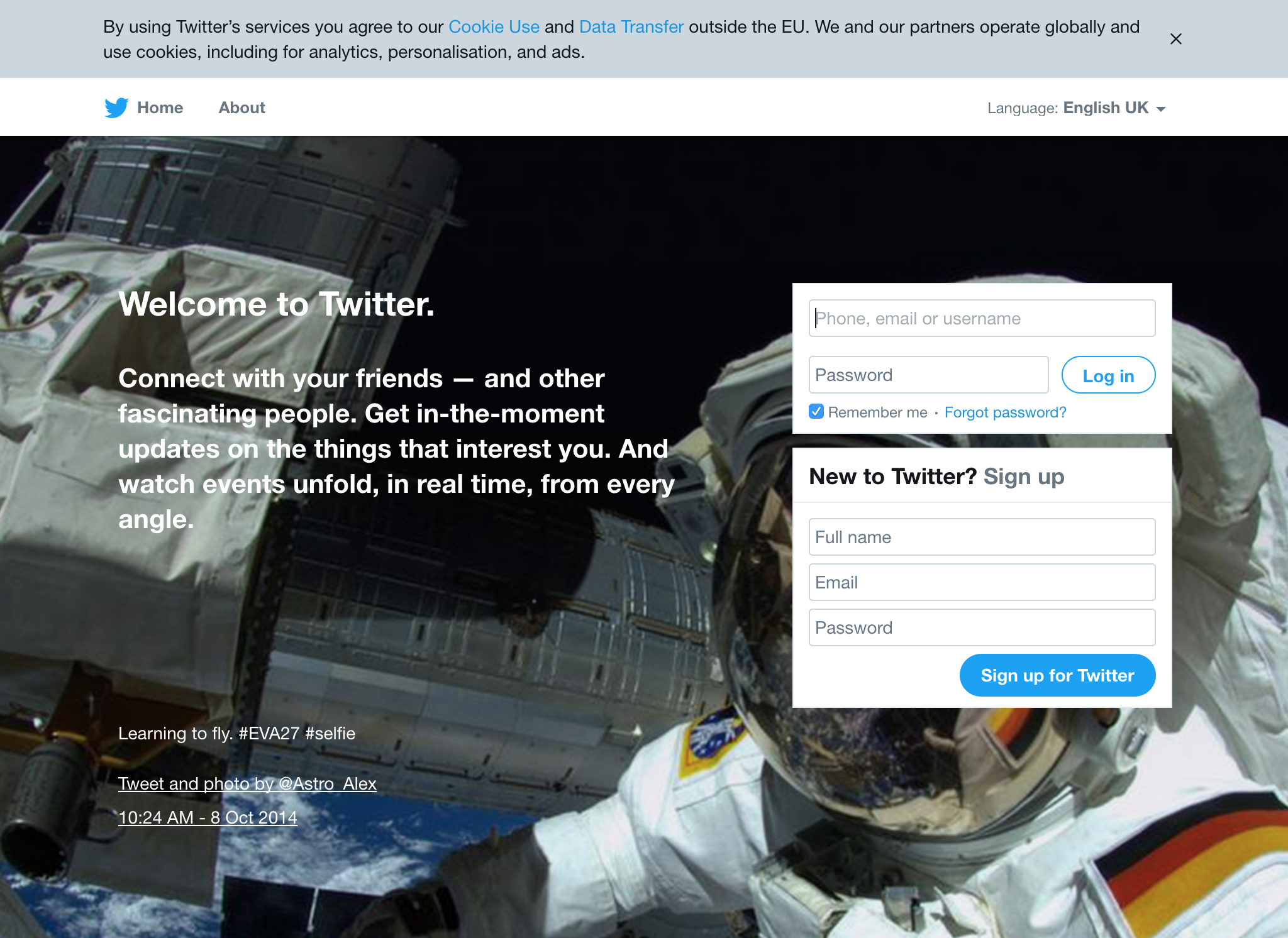
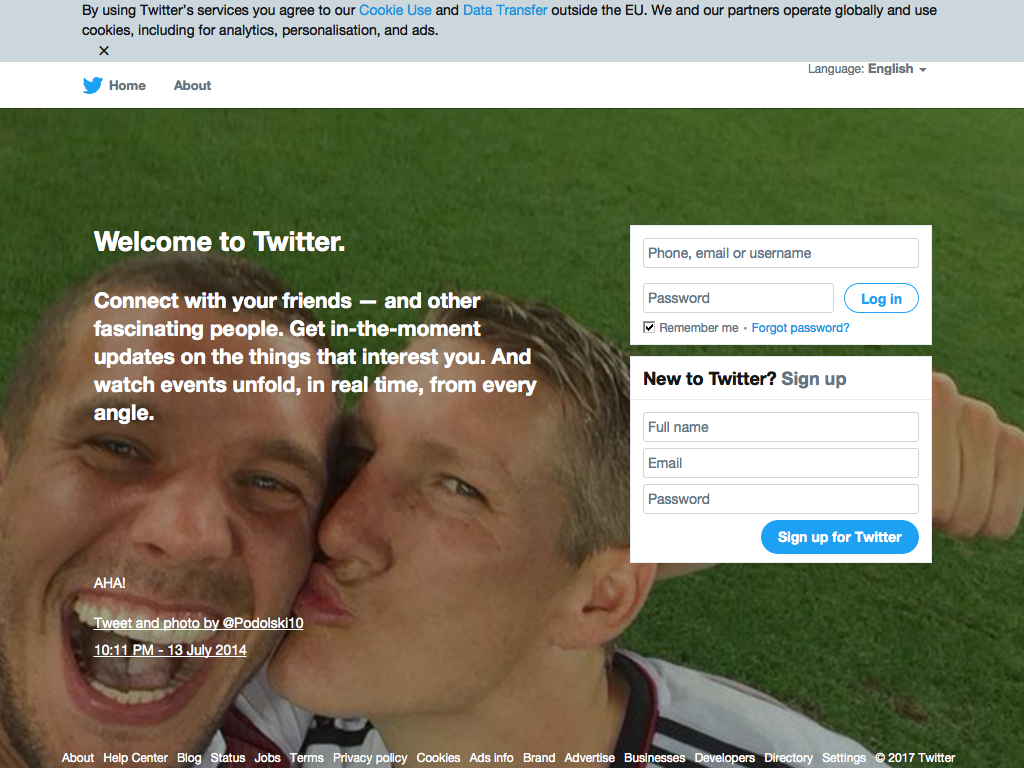
16 | Capture `1024x768` screenshots of `https://twitter.com/` in Chrome, Electron and PhantomJS:
17 |
18 | ```js
19 | const capture = require('capture-screenshot')
20 | const fs = require('fs')
21 |
22 | capture({ url: 'https://twitter.com/' })
23 | .then(imgs => {
24 | fs.writeFileSync('chrome.png', imgs.chrome)
25 | fs.writeFileSync('electron.png', imgs.electron)
26 | fs.writeFileSync('phantomjs.png', imgs.phantomjs)
27 | })
28 | ```
29 |
30 | | Chrome | Electron | PhantomJS |
31 | |---|---|--|
32 | | 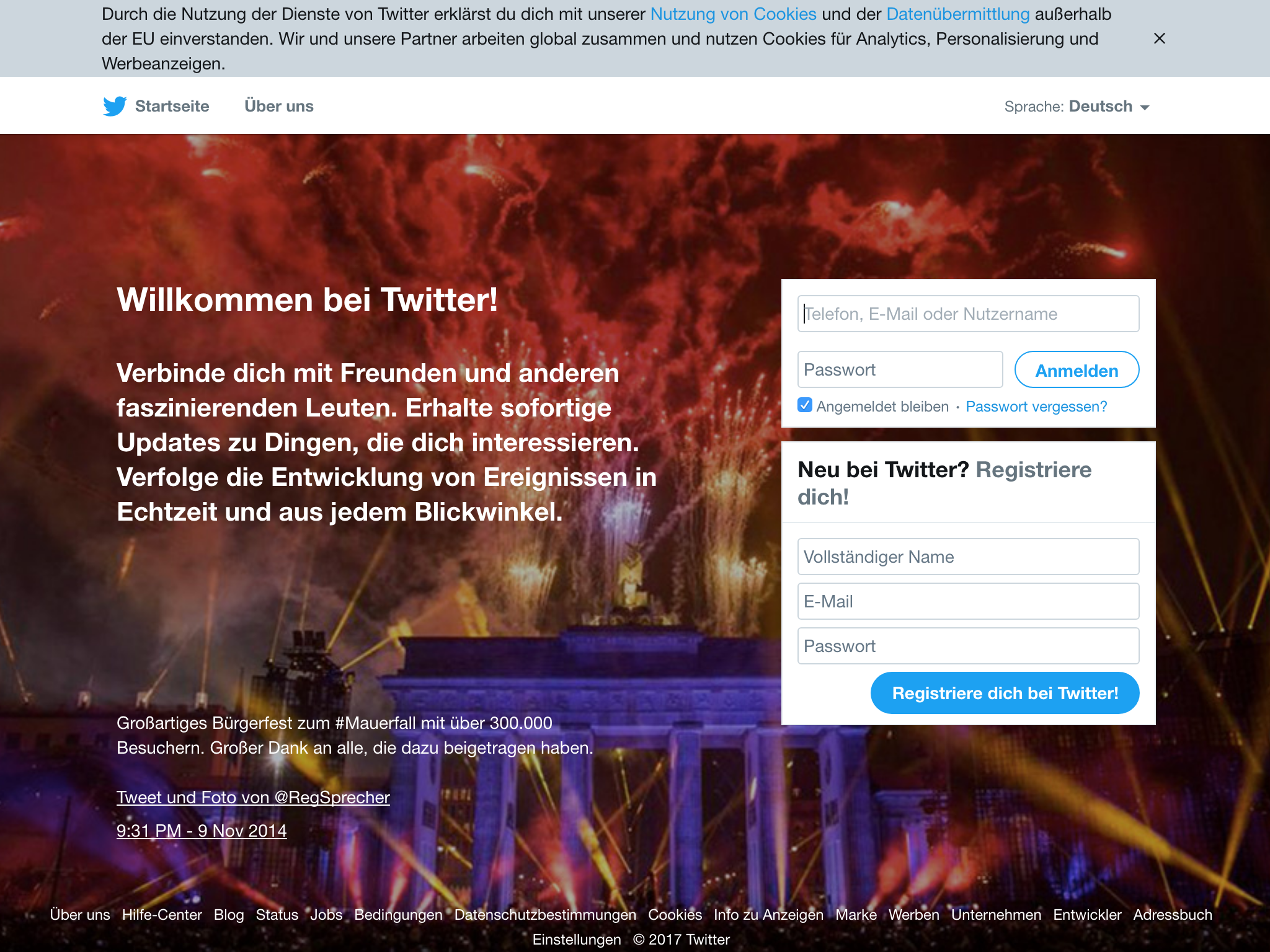 |
|  |
|  |
33 |
34 | ## API
35 |
36 | ### capture({ url, browsers = ['chrome', 'electron', 'phantomjs'], width = 1024, height = 768 })
37 |
38 | Capture a screenshot of `url`, returns a `Promise` which resolves with an Object of Buffers.
39 |
40 | Options:
41 |
42 | - `url` Page url
43 | - `browsers` The browsers to test
44 | - `width` Viewport width
45 | - `height` Viewport height
46 |
47 | ## Installation
48 |
49 | ```bash
50 | $ npm install capture-screenshot
51 | ```
52 |
53 | ## CI
54 |
55 | If you use the `electron` browser, this project requires an `xvfb` setup to be running in your CI environment.
56 | For an example how to set one up, check out the [.travis.yml](https://github.com/juliangruber/capture-screenshot/blob/master/.travis.yml).
57 | After that, no further setup is required however, as all the executables are
58 | installed automatically.
59 |
60 | ## Related projects
61 |
62 | - __[capture-chrome](https://github.com/juliangruber/capture-chrome)__ — Capture screenshots using Chrome
63 | - __[capture-electron](https://github.com/juliangruber/capture-electron)__ — Capture screenshots using Electron
64 | - __[capture-phantomjs](https://github.com/juliangruber/capture-phantomjs)__ — Capture screenshots using PhantomJS
65 |
66 | ## Sponsors
67 |
68 | This module is proudly supported by my [Sponsors](https://github.com/juliangruber/sponsors)!
69 |
70 | Do you want to support modules like this to improve their quality, stability and weigh in on new features? Then please consider donating to my [Patreon](https://www.patreon.com/juliangruber). Not sure how much of my modules you're using? Try [feross/thanks](https://github.com/feross/thanks)!
71 |
72 | ## License
73 |
74 | MIT
75 |
76 | Copyright (c) 2017 Julian Gruber <julian@juliangruber.com>
77 |
78 | Permission is hereby granted, free of charge, to any person obtaining a copy of
79 | this software and associated documentation files (the "Software"), to deal in
80 | the Software without restriction, including without limitation the rights to
81 | use, copy, modify, merge, publish, distribute, sublicense, and/or sell copies
82 | of the Software, and to permit persons to whom the Software is furnished to do
83 | so, subject to the following conditions:
84 |
85 | The above copyright notice and this permission notice shall be included in all
86 | copies or substantial portions of the Software.
87 |
88 | THE SOFTWARE IS PROVIDED "AS IS", WITHOUT WARRANTY OF ANY KIND, EXPRESS OR
89 | IMPLIED, INCLUDING BUT NOT LIMITED TO THE WARRANTIES OF MERCHANTABILITY,
90 | FITNESS FOR A PARTICULAR PURPOSE AND NONINFRINGEMENT. IN NO EVENT SHALL THE
91 | AUTHORS OR COPYRIGHT HOLDERS BE LIABLE FOR ANY CLAIM, DAMAGES OR OTHER
92 | LIABILITY, WHETHER IN AN ACTION OF CONTRACT, TORT OR OTHERWISE, ARISING FROM,
93 | OUT OF OR IN CONNECTION WITH THE SOFTWARE OR THE USE OR OTHER DEALINGS IN THE
94 | SOFTWARE.
95 |
--------------------------------------------------------------------------------
|
33 |
34 | ## API
35 |
36 | ### capture({ url, browsers = ['chrome', 'electron', 'phantomjs'], width = 1024, height = 768 })
37 |
38 | Capture a screenshot of `url`, returns a `Promise` which resolves with an Object of Buffers.
39 |
40 | Options:
41 |
42 | - `url` Page url
43 | - `browsers` The browsers to test
44 | - `width` Viewport width
45 | - `height` Viewport height
46 |
47 | ## Installation
48 |
49 | ```bash
50 | $ npm install capture-screenshot
51 | ```
52 |
53 | ## CI
54 |
55 | If you use the `electron` browser, this project requires an `xvfb` setup to be running in your CI environment.
56 | For an example how to set one up, check out the [.travis.yml](https://github.com/juliangruber/capture-screenshot/blob/master/.travis.yml).
57 | After that, no further setup is required however, as all the executables are
58 | installed automatically.
59 |
60 | ## Related projects
61 |
62 | - __[capture-chrome](https://github.com/juliangruber/capture-chrome)__ — Capture screenshots using Chrome
63 | - __[capture-electron](https://github.com/juliangruber/capture-electron)__ — Capture screenshots using Electron
64 | - __[capture-phantomjs](https://github.com/juliangruber/capture-phantomjs)__ — Capture screenshots using PhantomJS
65 |
66 | ## Sponsors
67 |
68 | This module is proudly supported by my [Sponsors](https://github.com/juliangruber/sponsors)!
69 |
70 | Do you want to support modules like this to improve their quality, stability and weigh in on new features? Then please consider donating to my [Patreon](https://www.patreon.com/juliangruber). Not sure how much of my modules you're using? Try [feross/thanks](https://github.com/feross/thanks)!
71 |
72 | ## License
73 |
74 | MIT
75 |
76 | Copyright (c) 2017 Julian Gruber <julian@juliangruber.com>
77 |
78 | Permission is hereby granted, free of charge, to any person obtaining a copy of
79 | this software and associated documentation files (the "Software"), to deal in
80 | the Software without restriction, including without limitation the rights to
81 | use, copy, modify, merge, publish, distribute, sublicense, and/or sell copies
82 | of the Software, and to permit persons to whom the Software is furnished to do
83 | so, subject to the following conditions:
84 |
85 | The above copyright notice and this permission notice shall be included in all
86 | copies or substantial portions of the Software.
87 |
88 | THE SOFTWARE IS PROVIDED "AS IS", WITHOUT WARRANTY OF ANY KIND, EXPRESS OR
89 | IMPLIED, INCLUDING BUT NOT LIMITED TO THE WARRANTIES OF MERCHANTABILITY,
90 | FITNESS FOR A PARTICULAR PURPOSE AND NONINFRINGEMENT. IN NO EVENT SHALL THE
91 | AUTHORS OR COPYRIGHT HOLDERS BE LIABLE FOR ANY CLAIM, DAMAGES OR OTHER
92 | LIABILITY, WHETHER IN AN ACTION OF CONTRACT, TORT OR OTHERWISE, ARISING FROM,
93 | OUT OF OR IN CONNECTION WITH THE SOFTWARE OR THE USE OR OTHER DEALINGS IN THE
94 | SOFTWARE.
95 |
--------------------------------------------------------------------------------