13 |
14 |
15 |
16 |
--------------------------------------------------------------------------------
/docs/day04/index1-v4.html:
--------------------------------------------------------------------------------
1 |
2 |
3 |
4 |
5 |
6 |
学习任务
7 |
8 |
9 |
10 |
11 | - 任务一:学习HTML
12 | - 任务二:学习CSS
13 | - 任务三:学习JavaScript
14 |
15 |
16 |
17 |
--------------------------------------------------------------------------------
/docs/day05/index1.html:
--------------------------------------------------------------------------------
1 |
2 |
3 |
4 |
5 |
6 |
打字游戏
7 |
8 |
9 |
10 |
11 |
12 |
13 |
14 |
00:00
15 |
16 |
17 |
18 |
--------------------------------------------------------------------------------
/docs/day06/assets/app4.js:
--------------------------------------------------------------------------------
1 | import Slider from './slider-v4.js';
2 | import {SliderController, SliderPrevious, SliderNext} from './plugins.js';
3 |
4 | const images = ['https://p5.ssl.qhimg.com/t0119c74624763dd070.png',
5 | 'https://p4.ssl.qhimg.com/t01adbe3351db853eb3.jpg',
6 | 'https://p2.ssl.qhimg.com/t01645cd5ba0c3b60cb.jpg',
7 | 'https://p4.ssl.qhimg.com/t01331ac159b58f5478.jpg'];
8 |
9 | const container = document.querySelector('.slider');
10 | const slider = new Slider({container, images});
11 | slider.registerSubComponents(SliderController, SliderPrevious, SliderNext);
12 | slider.start();
--------------------------------------------------------------------------------
/docs/day02/index2-v2.html:
--------------------------------------------------------------------------------
1 |
2 |
3 |
4 |
5 |
6 |
饼图
7 |
8 |
9 |
10 |
10%
11 |
25%
12 |
50%
13 |
80%
14 |
15 |
--------------------------------------------------------------------------------
/docs/day02/index2-v4.html:
--------------------------------------------------------------------------------
1 |
2 |
3 |
4 |
5 |
6 |
饼图
7 |
8 |
9 |
10 |
10%
11 |
25%
12 |
50%
13 |
80%
14 |
15 |
--------------------------------------------------------------------------------
/docs/day02/index2-v5.html:
--------------------------------------------------------------------------------
1 |
2 |
3 |
4 |
5 |
6 |
饼图
7 |
8 |
9 |
10 |
10%
11 |
25%
12 |
50%
13 |
80%
14 |
15 |
--------------------------------------------------------------------------------
/docs/day08/assets/style1.v2.css:
--------------------------------------------------------------------------------
1 | .main {
2 | width: 512px;
3 | height: 512px;
4 | position: relative;
5 | }
6 | #sun, #earth {
7 | position: absolute;
8 | }
9 | #sun {
10 | transform: translate(-50%, -50%);
11 | font-size: 5rem;
12 | left: 50%;
13 | top: 50%;
14 | }
15 | #earth {
16 | left: 50%;
17 | top: calc(50% - 128px);
18 | transform-origin: 50% calc(50% + 128px);
19 | font-size: 2rem;
20 |
21 | transform: translate(-50%, -50%) rotate(.0turn);
22 | animation: rotate 5s linear infinite;
23 | }
24 |
25 | @keyframes rotate {
26 | to {transform: translate(-50%, -50%) rotate(1turn)}
27 | }
--------------------------------------------------------------------------------
/docs/day03/assets/app1.v3.js:
--------------------------------------------------------------------------------
1 | const traffic = document.querySelector('.traffic');
2 |
3 | function signalLoop(subject, signals = []) {
4 | const signalCount = signals.length;
5 | function updateState(i) {
6 | const {signal, duration} = signals[i % signalCount];
7 | subject.className = signal;
8 | setTimeout(updateState.bind(null, i + 1), duration);
9 | }
10 | updateState(0);
11 | }
12 |
13 | // 数据抽象
14 | const signals = [
15 | {signal: 'traffic pass', duration: 5000},
16 | {signal: 'traffic wait', duration: 3500},
17 | {signal: 'traffic stop', duration: 1500},
18 | ];
19 | signalLoop(traffic, signals);
--------------------------------------------------------------------------------
/docs/day03/index1-v1.html:
--------------------------------------------------------------------------------
1 |
2 |
3 |
4 |
5 |
6 |
7 |
模拟交通灯
8 |
9 |
10 |
11 |
12 |
13 |
18 |
19 |
20 |
21 |
--------------------------------------------------------------------------------
/docs/day03/index1-v2.html:
--------------------------------------------------------------------------------
1 |
2 |
3 |
4 |
5 |
6 |
7 |
模拟交通灯
8 |
9 |
10 |
11 |
12 |
13 |
18 |
19 |
20 |
21 |
--------------------------------------------------------------------------------
/docs/day03/index1-v3.html:
--------------------------------------------------------------------------------
1 |
2 |
3 |
4 |
5 |
6 |
7 |
模拟交通灯
8 |
9 |
10 |
11 |
12 |
13 |
18 |
19 |
20 |
21 |
--------------------------------------------------------------------------------
/docs/day03/index1-v4.html:
--------------------------------------------------------------------------------
1 |
2 |
3 |
4 |
5 |
6 |
7 |
模拟交通灯
8 |
9 |
10 |
11 |
12 |
13 |
18 |
19 |
20 |
21 |
--------------------------------------------------------------------------------
/docs/day03/index1-v5.html:
--------------------------------------------------------------------------------
1 |
2 |
3 |
4 |
5 |
6 |
7 |
模拟交通灯
8 |
9 |
10 |
11 |
12 |
13 |
18 |
19 |
20 |
21 |
--------------------------------------------------------------------------------
/docs/day03/index1-v6.html:
--------------------------------------------------------------------------------
1 |
2 |
3 |
4 |
5 |
6 |
7 |
模拟交通灯
8 |
9 |
10 |
11 |
12 |
13 |
18 |
19 |
20 |
21 |
--------------------------------------------------------------------------------
/docs/day03/assets/style2.css:
--------------------------------------------------------------------------------
1 | html, body {
2 | width: 100%;
3 | height: 100%;
4 | padding: 0;
5 | margin: 0;
6 | overflow: hidden;
7 | display: flex;
8 | justify-content: center;
9 | align-items: center;
10 | }
11 | .lucky {
12 | position: fixed;
13 | margin-top: -180px;
14 | }
15 | .panel {
16 | display: grid;
17 | grid-template-columns: 100px 100px 100px;
18 | grid-template-rows: 100px 100px 100px;
19 | }
20 | .card {
21 | font-size: 2.5rem;
22 | line-height: 100px;
23 | text-align: center;
24 | color: #999;
25 | border: solid 1px;
26 | cursor: pointer;
27 | }
28 | .card.bingo {
29 | color: #a00;
30 | }
--------------------------------------------------------------------------------
/docs/day07/assets/pubsub.js:
--------------------------------------------------------------------------------
1 | export default class PubSub {
2 | constructor() {
3 | this.subscribers = {};
4 | }
5 |
6 | /*
7 | @type 消息类型,如scroll
8 | @receiver 订阅者
9 | @fn 响应消息的处理函数
10 | */
11 | sub(type, receiver, fn) {
12 | this.subscribers[type] = this.subscribers[type] || [];
13 | this.subscribers[type].push(fn.bind(receiver));
14 | }
15 |
16 | /*
17 | @type 消息类型
18 | @sender 派发消息者
19 | @data 数据,比如状态数据
20 | */
21 | pub(type, sender, data) {
22 | const subscribers = this.subscribers[type];
23 | subscribers.forEach((subscriber) => {
24 | subscriber({type, sender, data});
25 | });
26 | }
27 | }
--------------------------------------------------------------------------------
/docs/day03/assets/app1.v4.js:
--------------------------------------------------------------------------------
1 | const traffic = document.querySelector('.traffic');
2 |
3 | function signalLoop(subject, signals = [], onSignal) {
4 | const signalCount = signals.length;
5 | function updateState(i) {
6 | const {signal, duration} = signals[i % signalCount];
7 | onSignal(subject, signal);
8 | setTimeout(updateState.bind(null, i + 1), duration);
9 | }
10 | updateState(0);
11 | }
12 |
13 | const signals = [
14 | {signal: 'pass', duration: 5000},
15 | {signal: 'wait', duration: 3500},
16 | {signal: 'stop', duration: 1500},
17 | ];
18 | signalLoop(traffic, signals, (subject, signal) => {
19 | subject.className = `traffic ${signal}`;
20 | });
--------------------------------------------------------------------------------
/docs/day09/assets/pubsub.js:
--------------------------------------------------------------------------------
1 | // 中间人
2 | export default class PubSub {
3 | constructor() {
4 | this.subscribers = {};
5 | }
6 |
7 | /*
8 | @type 消息类型,如scroll
9 | @receiver 订阅者
10 | @fn 响应消息的处理函数
11 | */
12 | sub(type, receiver, fn) {
13 | this.subscribers[type] = this.subscribers[type] || [];
14 | this.subscribers[type].push(fn.bind(receiver));
15 | }
16 |
17 | /*
18 | @type 消息类型
19 | @sender 派发消息者
20 | @data 数据,比如状态数据
21 | */
22 | pub(type, sender, data) {
23 | const subscribers = this.subscribers[type];
24 | subscribers.forEach((subscriber) => {
25 | subscriber({type, sender, data});
26 | });
27 | }
28 | }
--------------------------------------------------------------------------------
/docs/day02/assets/style1.v2.css:
--------------------------------------------------------------------------------
1 | html, body {
2 | width: 100%;
3 | height: 100%;
4 | padding: 0;
5 | margin: 0;
6 | }
7 |
8 | ul {
9 | list-style: none;
10 | }
11 |
12 | .tree li::before {
13 | color: #999;
14 | content: '';
15 | display: inline-block;
16 | width: 0;
17 | height: 0;
18 | border-style: solid;
19 | border-width: 6px 10.4px;
20 | border-color: transparent;
21 | border-left-color: currentColor;
22 | transform: translateX(6px);
23 | }
24 |
25 | .tree li.expand::before {
26 | transform: rotate(90deg) translateX(6px) ;
27 | }
28 |
29 | .tree li > ul {
30 | display: none;
31 | }
32 |
33 | .tree li.expand > ul {
34 | display: block;
35 | }
--------------------------------------------------------------------------------
/docs/day02/index1-v1.html:
--------------------------------------------------------------------------------
1 |
2 |
3 |
4 |
5 |
6 |
7 |
树UI
8 |
9 |
10 |
11 |
12 | - 项目1
13 | - 项目2
14 | - 项目3
15 |
16 | - 子项3.1
17 | - 子项3.2
18 | - 子项3.3
19 |
20 |
21 | - 项目4
22 |
23 | - 子项4.1
24 | - 子项4.2
25 |
26 |
27 | - 项目5
28 |
29 |
30 |
--------------------------------------------------------------------------------
/docs/day02/index1-v2.html:
--------------------------------------------------------------------------------
1 |
2 |
3 |
4 |
5 |
6 |
7 |
树UI
8 |
9 |
10 |
11 |
12 | - 项目1
13 | - 项目2
14 | - 项目3
15 |
16 | - 子项3.1
17 | - 子项3.2
18 | - 子项3.3
19 |
20 |
21 | - 项目4
22 |
23 | - 子项4.1
24 | - 子项4.2
25 |
26 |
27 | - 项目5
28 |
29 |
30 |
--------------------------------------------------------------------------------
/docs/day03/assets/app1.v6.js:
--------------------------------------------------------------------------------
1 | function wait(ms) {
2 | return new Promise((resolve) => {
3 | setTimeout(resolve, ms);
4 | });
5 | }
6 |
7 | const traffic = document.querySelector('.traffic');
8 |
9 | async function signalLoop(subject, signals = [], onSignal) {
10 | const signalCount = signals.length;
11 | for(let i = 0; ;i++) {
12 | const {signal, duration} = signals[i % signalCount];
13 | await onSignal(subject, signal);
14 | await wait(duration);
15 | }
16 | }
17 |
18 | const signals = [
19 | {signal: 'pass', duration: 5000},
20 | {signal: 'wait', duration: 3500},
21 | {signal: 'stop', duration: 1500},
22 | ];
23 | signalLoop(traffic, signals, (subject, signal) => {
24 | subject.className = `traffic ${signal}`;
25 | });
--------------------------------------------------------------------------------
/docs/day01/assets/style.v3.css:
--------------------------------------------------------------------------------
1 | body, html {
2 | width: 100%;
3 | height: 100%;
4 | max-width: 600px;
5 | padding: 0;
6 | margin: 0;
7 | overflow: hidden;
8 | }
9 |
10 | body {
11 | box-sizing: border-box;
12 | }
13 |
14 | .content {
15 | padding: 10px;
16 | transition: background-color 1s, color 1s;
17 | }
18 |
19 | div.pic img {
20 | width: 100%;
21 | }
22 |
23 | #modeCheckBox {
24 | display: none;
25 | }
26 |
27 | #modeCheckBox:checked + .content {
28 | background-color: black;
29 | color: white;
30 | transition: all 1s;
31 | }
32 |
33 | #modeBtn {
34 | font-size: 2rem;
35 | float: right;
36 | }
37 |
38 | #modeBtn::after {
39 | content: '🌞';
40 | }
41 |
42 | #modeCheckBox:checked + .content #modeBtn::after {
43 | content: '🌜';
44 | }
--------------------------------------------------------------------------------
/docs/day02/index1-v3.html:
--------------------------------------------------------------------------------
1 |
2 |
3 |
4 |
5 |
6 |
7 |
树UI
8 |
9 |
10 |
11 |
12 | - 项目1
13 | - 项目2
14 | - 项目3
15 |
16 | - 子项3.1
17 | - 子项3.2
18 | - 子项3.3
19 |
20 |
21 | - 项目4
22 |
23 | - 子项4.1
24 | - 子项4.2
25 |
26 |
27 | - 项目5
28 |
29 |
30 |
31 |
--------------------------------------------------------------------------------
/docs/day06/assets/component.js:
--------------------------------------------------------------------------------
1 | export default class Component {
2 | static name = 'component';
3 |
4 | constructor({container, data, parent = null} = {}) {
5 | this.data = data;
6 | this.container = container;
7 | this.container.innerHTML = this.render(this.data);
8 | }
9 |
10 | registerSubComponents(...Comps) {
11 | const data = this.data;
12 | const container = this.container;
13 | this.children = this.children || [];
14 | Comps.forEach((Comp) => {
15 | const subContainer = document.createElement('div');
16 | const sub = new Comp({container: subContainer, data, parent: this});
17 | container.appendChild(subContainer);
18 | this.children.push(sub);
19 | });
20 | }
21 |
22 | render(data) {
23 | /* abstract */
24 | return '';
25 | }
26 | }
--------------------------------------------------------------------------------
/docs/day04/assets/app3.v2.js:
--------------------------------------------------------------------------------
1 | import {debounce} from './hof.js';
2 |
3 | const panel = document.getElementById('panel');
4 | const canvas = document.querySelector('canvas');
5 | function resize() {
6 | canvas.width = panel.clientWidth;
7 | canvas.height = panel.clientHeight;
8 | }
9 | function draw() {
10 | const context = canvas.getContext('2d');
11 | const radius = canvas.width / 2;
12 | context.save();
13 | context.translate(radius, radius);
14 | for(let i = radius; i >= 0; i -= 5) {
15 | context.fillStyle = `hsl(${i % 360}, 50%, 50%)`;
16 | context.beginPath();
17 | context.arc(0, 0, i, i, 0, Math.PI * 2);
18 | context.fill();
19 | }
20 | context.restore();
21 | }
22 |
23 | resize();
24 | draw();
25 |
26 | window.addEventListener('resize', debounce(() => {
27 | resize();
28 | draw();
29 | }, 500));
--------------------------------------------------------------------------------
/docs/day08/assets/app3.v6.js:
--------------------------------------------------------------------------------
1 | function animate({target, prop, duration, start, end, easing, interpolate} = {}) {
2 | const startTime = Date.now();
3 |
4 | return new Promise((resolve) => {
5 | function update() {
6 | const t = Date.now() - startTime;
7 | const p = Math.min(t / duration, 1);
8 |
9 | target.style[prop] = interpolate(start, end, easing ? easing(p) : p);
10 | if(p < 1) {
11 | requestAnimationFrame(update);
12 | } else {
13 | resolve(p);
14 | }
15 | }
16 | update();
17 | });
18 | }
19 |
20 | const logo = document.getElementById('logo');
21 |
22 | animate({
23 | target: logo,
24 | prop: 'webkitMask',
25 | duration: 1000,
26 | start: 0,
27 | end: 100,
28 | interpolate(start, end, p) {
29 | const v = start * (1 - p) + end * p;
30 | return `linear-gradient(to right, #000 ${v}%, transparent 0) 0/20px`;
31 | },
32 | });
--------------------------------------------------------------------------------
/docs/day04/assets/app3.v1.js:
--------------------------------------------------------------------------------
1 | const panel = document.getElementById('panel');
2 | const canvas = document.querySelector('canvas');
3 | function resize() {
4 | canvas.width = panel.clientWidth;
5 | canvas.height = panel.clientHeight;
6 | }
7 | function draw() {
8 | const context = canvas.getContext('2d');
9 | const radius = canvas.width / 2;
10 | context.save();
11 | context.translate(radius, radius);
12 | for(let i = radius; i >= 0; i -= 5) {
13 | context.fillStyle = `hsl(${i % 360}, 50%, 50%)`;
14 | context.beginPath();
15 | context.arc(0, 0, i, i, 0, Math.PI * 2);
16 | context.fill();
17 | }
18 | context.restore();
19 | }
20 |
21 | resize();
22 | draw();
23 |
24 | let debounceTimer = null;
25 | window.addEventListener('resize', () => {
26 | if(debounceTimer) clearTimeout(debounceTimer);
27 | debounceTimer = setTimeout(() => {
28 | resize();
29 | draw();
30 | }, 500);
31 | });
--------------------------------------------------------------------------------
/docs/day02/assets/style2.v2.css:
--------------------------------------------------------------------------------
1 | @import url(style2.v1.css);
2 |
3 | .pie::before {
4 | content: '';
5 | position: absolute;
6 | border: solid 75px;
7 | border-color: #37c #37c transparent transparent;
8 | transform: translate(-50%, -50%) rotate(.0turn);
9 | animation: spine 10s linear infinite,
10 | convex 10s step-end infinite;
11 | animation-play-state: paused;
12 | animation-delay: inherit;
13 | }
14 |
15 | .pie,
16 | .pie::before {
17 | display: inline-block;
18 | width: 0;
19 | border-radius: 50%;
20 | font-size: 0; /* 纯粹防止空白符,这个例子中可以不添加这个设置*/
21 | }
22 |
23 | .pie span {
24 | font-size: 1rem;
25 | position: absolute;
26 | color: #fff;
27 | transform: translate(-50%, -50%) rotate(-45deg);
28 | }
29 |
30 | @keyframes spine {
31 | to {transform: translate(-50%, -50%) rotate(1turn);}
32 | }
33 |
34 | @keyframes convex {
35 | 50% {border-color: transparent transparent #3c7 #3c7;}
36 | }
--------------------------------------------------------------------------------
/docs/day07/assets/app2.js:
--------------------------------------------------------------------------------
1 | import {useBehavior} from './behavior.js';
2 |
3 | const select = useBehavior({
4 | type: 'select',
5 | data: {
6 | picked: new Set(), // 选中的图片集合
7 | },
8 | getDetail(subject, target) {
9 | const picked = this.data.picked;
10 |
11 | if(picked.has(target)) {
12 | target.className = '';
13 | picked.delete(target);
14 | } else {
15 | target.className = 'selected';
16 | picked.add(target);
17 | }
18 |
19 | return {
20 | changed: target,
21 | picked,
22 | };
23 | },
24 | });
25 |
26 | const list = document.getElementById('list');
27 | list.addEventListener('click', (evt) => {
28 | const target = evt.target;
29 | if(target.tagName === 'IMG') {
30 | select(list, target);
31 | }
32 | });
33 |
34 | list.addEventListener('select', ({detail}) => {
35 | // do nothing
36 | console.log(detail.changed, detail.picked);
37 | });
--------------------------------------------------------------------------------
/docs/day08/assets/app2.ex2.js:
--------------------------------------------------------------------------------
1 | function animate({target, prop, duration, start, end, easing, interpolate} = {}) {
2 | const startTime = Date.now();
3 |
4 | return new Promise((resolve) => {
5 | function update() {
6 | const t = Date.now() - startTime;
7 | const p = Math.min(t / duration, 1);
8 |
9 | target.style[prop] = interpolate(start, end, easing ? easing(p) : p);
10 | if(p < 1) {
11 | requestAnimationFrame(update);
12 | } else {
13 | resolve(p);
14 | }
15 | }
16 | update();
17 | });
18 | }
19 |
20 | const sphere = document.getElementById('sphere');
21 |
22 | /* globals BezierEasing */
23 | animate({
24 | target: sphere,
25 | prop: 'top',
26 | duration: 2000,
27 | start: 400,
28 | end: 100,
29 | easing: BezierEasing(0.68, -0.55, 0.265, 1.55),
30 | interpolate(start, end, p) {
31 | return `${start * (1 - p) + end * p}px`;
32 | },
33 | });
--------------------------------------------------------------------------------
/docs/day02/assets/style2.v1.css:
--------------------------------------------------------------------------------
1 | .pie,
2 | .pie::before {
3 | display: inline-block;
4 | width: 0;
5 | border-radius: 50%;
6 | }
7 |
8 | .pie {
9 | position: relative;
10 | border: solid 75px;
11 | border-color: #3c7 #3c7 #37c #37c;
12 | box-sizing: border-box;
13 | transform: rotate(45deg);
14 | }
15 |
16 | .pie::before {
17 | content: '';
18 | position: absolute;
19 | border: solid 75px;
20 | border-color: #37c #37c transparent transparent;
21 | transform: translate(-50%, -50%);
22 | }
23 | .pie.convex::before {
24 | border-color: transparent transparent #3c7 #3c7;
25 | }
26 | .pie.one::before {
27 | transform: translate(-50%, -50%) rotate(.1turn);
28 | }
29 |
30 | .pie.two::before {
31 | transform: translate(-50%, -50%) rotate(.25turn);
32 | }
33 |
34 | .pie.three::before {
35 | transform: translate(-50%, -50%) rotate(.5turn);
36 | }
37 |
38 | .pie.four::before {
39 | transform: translate(-50%, -50%) rotate(.8turn);
40 | }
--------------------------------------------------------------------------------
/docs/day03/assets/style1.css:
--------------------------------------------------------------------------------
1 | html, body {
2 | width: 100%;
3 | height: 100%;
4 | padding: 0;
5 | margin: 0;
6 | overflow: hidden;
7 |
8 | /*设置html和body元素的布局为弹性布局*/
9 | display: flex;
10 | flex-direction: column;
11 | justify-content: center;
12 | align-items: center;
13 | }
14 | header {
15 | line-height: 2rem;
16 | font-size: 1.2rem;
17 | margin-bottom: 20px;
18 | }
19 | .traffic { /*将class=traffic元素设置为弹性布局,它的子元素按照从上面到下排列*/
20 | padding: 10px;
21 | display: flex;
22 | flex-direction: column;
23 | }
24 | .traffic .light {
25 | width: 100px;
26 | height: 100px;
27 | background-color: #999;
28 | border-radius: 50%;
29 | }
30 |
31 | /*将class=traffic & class=pass元素下的第一个class=light的元素的背景色设置为绿色*/
32 | .traffic.pass .light:nth-child(1) {
33 | background-color: #0a6; /*绿灯*/
34 | }
35 | .traffic.wait .light:nth-child(2) {
36 | background-color: #cc0; /*黄灯*/
37 | }
38 | .traffic.stop .light:nth-child(3) {
39 | background-color: #c00; /*红灯*/
40 | }
--------------------------------------------------------------------------------
/docs/day05/index2.html:
--------------------------------------------------------------------------------
1 |
2 |
3 |
4 |
5 |
6 |
Lucky boy
7 |
8 |
9 |
10 |
34 |
35 |
--------------------------------------------------------------------------------
/docs/day02/assets/style2.v4.css:
--------------------------------------------------------------------------------
1 | .pie,
2 | .pie::before {
3 | display: inline-block;
4 | width: 150px;
5 | height: 150px;
6 | border-radius: 50%;
7 | position: relative;
8 | }
9 |
10 | .pie {
11 | color: #fff;
12 | font-size: 1rem;
13 | line-height: 150px;
14 | text-align: center;
15 | background: linear-gradient(.25turn, #3c7 50%,transparent 50%);
16 | animation: convex 10s step-end infinite;
17 | animation-play-state: paused;
18 | animation-delay: -0s;
19 | }
20 |
21 | .pie::before {
22 | position: absolute;
23 | left: 0;
24 | top: 0;
25 | content: '';
26 | background: linear-gradient(90deg, #37c 50%,#3c7 50%);
27 | z-index: -1;
28 | transform: rotate(0turn);
29 | animation: spin 10s linear infinite;
30 | animation-play-state: paused;
31 | animation-delay: inherit;
32 | }
33 |
34 | @keyframes spin{
35 | to {transform: rotate(1turn)}
36 | }
37 | @keyframes convex{
38 | 50% {background: linear-gradient(90deg, transparent 50%, #37c 50% 0);}
39 | }
--------------------------------------------------------------------------------
/README.md:
--------------------------------------------------------------------------------
1 | # 前端进阶十日谈
2 |
3 | 这里是前端进阶课程内容中的**全部例子代码**(非课程内容)。
4 |
5 | 内容共10章,40节课,61个例子。
6 |
7 | 在线访问:https://junyux.github.io/FE-Advance/
8 |
9 | 完整课程内容👉🏻 [掘金小册](https://juejin.im/book/6891929939616989188)
10 |
11 | ## 课程介绍
12 |
13 | 随着前端行业的迅猛发展,前端的新技术、新框架和新解决方法也是日新月易。可能今天你刚学会的框架,到下一个项目这个框架就不合适了。你只能不得不再重新学习一个新的解决方案,久而久之,你似乎一直被技术推着走,好像学了很多,但仔细回想又什么都不透。
14 |
15 | 
16 | _前端工程师成长路线_
17 |
18 | 造成这样困局的主要原因大多数情况下在于两个方面:
19 |
20 | - 基础掌握不牢固
21 | - 学习的路线不对
22 |
23 | 所以我为你精心准备了这门课程。这门课程专注于前端的**通用基础知识**,讨论的都是一些前端工程师成长中必须要面对的问题。
24 |
25 | 本课程一共分为十个主题,基本涵盖了我们在前端工作中需要去思考和总结沉淀的方方面面,包括:
26 |
27 | - 职责分离的原则
28 | - 高级CSS的使用
29 | - 如何写好代码
30 | - 如何做好系统设计
31 | - 深入理解异步
32 | - 如何封装UI组件
33 | - 常用设计模式
34 | - 实现动画效果
35 | - 高级特性与元编程
36 | - 前端工程化
37 |
38 | 在这十个主题中,我们准备了40个小故事,用一共60多个从实际项目中总结出来的[代码示例](https://github.com/junyux/FE-Advance/tree/master/docs)来帮助你巩固这些知识,真正达到前端技能的全面提升。
39 |
40 | ## 示例本地运行
41 |
42 | Clone本项目,运行`npm i`,然后`npm start`就可以启动HTTP服务了。
43 |
44 |
45 |
--------------------------------------------------------------------------------
/docs/day01/index-v2.html:
--------------------------------------------------------------------------------
1 |
2 |
3 |
4 |
5 |
6 |
7 |
深夜食堂
8 |
9 |
10 |
11 |
15 |
16 |
17 |

18 |
20 |
21 | 这是一间营业时间从午夜十二点到早上七点的特殊食堂。这里的老板,不太爱说话,却总叫人吃得热泪盈
22 | 眶。在这里,自卑的舞蹈演员偶遇隐退多年舞界前辈,前辈不惜讲述自己不堪回首的经历不断鼓舞年轻人,最终令其重拾自信;轻言绝交的闺蜜因为吃到共同喜爱的美食,回忆起从前的友谊,重归于好;乐观的绝症患者遇到同命相连的女孩,两人相爱并相互给予力量,陪伴彼此完美地走过了最后一程;一味追求事业成功的白领,在这里结交了真正暖心的朋友,发现真情比成功更有意义。食物、故事、真情,汇聚了整部剧的主题,教会人们坦然面对得失,对生活充满期许和热情。每一个故事背后都饱含深情,情节跌宕起伏,令人流连忘返 [6] 。
23 |
24 |
26 |
27 |
28 |
--------------------------------------------------------------------------------
/docs/day01/index-v1.html:
--------------------------------------------------------------------------------
1 |
2 |
3 |
4 |
5 |
6 |
7 |
深夜食堂
8 |
9 |
10 |
11 |
15 |
16 |
17 |
18 |
20 |
21 | 这是一间营业时间从午夜十二点到早上七点的特殊食堂。这里的老板,不太爱说话,却总叫人吃得热泪盈
22 | 眶。在这里,自卑的舞蹈演员偶遇隐退多年舞界前辈,前辈不惜讲述自己不堪回首的经历不断鼓舞年轻人,最终令其重拾自信;轻言绝交的闺蜜因为吃到共同喜爱的美食,回忆起从前的友谊,重归于好;乐观的绝症患者遇到同命相连的女孩,两人相爱并相互给予力量,陪伴彼此完美地走过了最后一程;一味追求事业成功的白领,在这里结交了真正暖心的朋友,发现真情比成功更有意义。食物、故事、真情,汇聚了整部剧的主题,教会人们坦然面对得失,对生活充满期许和热情。每一个故事背后都饱含深情,情节跌宕起伏,令人流连忘返 [6] 。
23 |
24 |
26 |
27 |
28 |
--------------------------------------------------------------------------------
/docs/day09/assets/person-v2.js:
--------------------------------------------------------------------------------
1 | const _name = Symbol('name');
2 | const _birthYear = Symbol('birth-year');
3 | const _birthMonth = Symbol('birth-month');
4 |
5 | /*
6 | 这个person类的定义中,去掉了中间人的设置
7 | */
8 | export default class Person {
9 | constructor({name, birthday}) {
10 | this[_name] = name;
11 | const date = new Date(birthday);
12 | this[_birthYear] = date.getFullYear();
13 | this[_birthMonth] = date.getMonth() + 1;
14 | }
15 |
16 | get name() {
17 | return this[_name];
18 | }
19 |
20 | set name(value) {
21 | this[_name] = value;
22 | }
23 |
24 | get birthday() {
25 | return {
26 | year: this[_birthYear],
27 | month: this[_birthMonth],
28 | };
29 | }
30 |
31 | set birthday({year = this[_birthYear], month = this[_birthMonth]}) {
32 | this[_birthYear] = year;
33 | this[_birthMonth] = month;
34 | }
35 |
36 | get age() {
37 | return new Date().getFullYear() - this[_birthYear];
38 | }
39 |
40 | get portrait() {
41 | if(this.age <= 18) return '少年';
42 | return '成年';
43 | }
44 | }
--------------------------------------------------------------------------------
/docs/day01/index-v3.html:
--------------------------------------------------------------------------------
1 |
2 |
3 |
4 |
5 |
6 |
7 |
深夜食堂
8 |
9 |
10 |
11 |
12 |
13 |
17 |
18 |
19 |
20 |
22 |
23 | 这是一间营业时间从午夜十二点到早上七点的特殊食堂。这里的老板,不太爱说话,却总叫人吃得热泪盈
24 | 眶。在这里,自卑的舞蹈演员偶遇隐退多年舞界前辈,前辈不惜讲述自己不堪回首的经历不断鼓舞年轻人,最终令其重拾自信;轻言绝交的闺蜜因为吃到共同喜爱的美食,回忆起从前的友谊,重归于好;乐观的绝症患者遇到同命相连的女孩,两人相爱并相互给予力量,陪伴彼此完美地走过了最后一程;一味追求事业成功的白领,在这里结交了真正暖心的朋友,发现真情比成功更有意义。食物、故事、真情,汇聚了整部剧的主题,教会人们坦然面对得失,对生活充满期许和热情。每一个故事背后都饱含深情,情节跌宕起伏,令人流连忘返 [6] 。
25 |
26 |
28 |
29 |
30 |
--------------------------------------------------------------------------------
/docs/day02/assets/style2.v5.css:
--------------------------------------------------------------------------------
1 | .pie,
2 | .pie::before {
3 | --radius: 150px;
4 | --fg-color: #3c7;
5 | --bg-color: #37c;
6 | display: inline-block;
7 | width: var(--radius);
8 | height: var(--radius);
9 | border-radius: 50%;
10 | position: relative;
11 | }
12 |
13 | .pie {
14 | color: #fff;
15 | font-size: 1rem;
16 | line-height: var(--radius);
17 | text-align: center;
18 | background: linear-gradient(.25turn, var(--fg-color) 50%,transparent 50%);
19 | animation: convex 10s step-end infinite;
20 | animation-play-state: paused;
21 | animation-delay: -0s;
22 | }
23 |
24 | .pie::before {
25 | position: absolute;
26 | left: 0;
27 | top: 0;
28 | content: '';
29 | background: linear-gradient(90deg, var(--bg-color) 50%,var(--fg-color) 50%);
30 | z-index: -1;
31 | transform: rotate(0turn);
32 | animation: spin 10s linear infinite;
33 | animation-play-state: paused;
34 | animation-delay: inherit;
35 | }
36 |
37 | @keyframes spin{
38 | to {transform: rotate(1turn)}
39 | }
40 | @keyframes convex{
41 | 50% {background: linear-gradient(90deg, transparent 50%, var(--bg-color) 50% 0);}
42 | }
--------------------------------------------------------------------------------
/docs/day07/index1.html:
--------------------------------------------------------------------------------
1 |
2 |
3 |
4 |
5 |
6 |
7 |
图片预览
8 |
9 |
10 |
11 |
12 | -
13 |
 14 |
14 |
15 | -
16 |
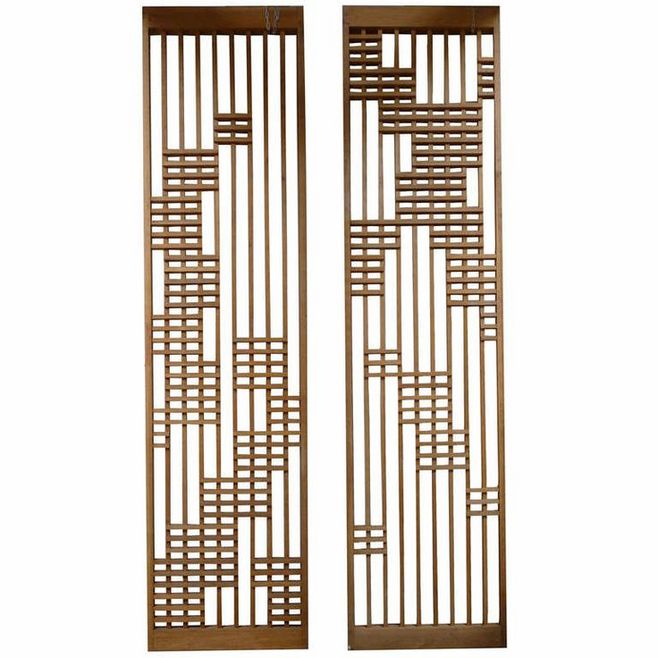 17 |
17 |
18 | -
19 |
 20 |
20 |
21 | -
22 |
 23 |
23 |
24 | -
25 |
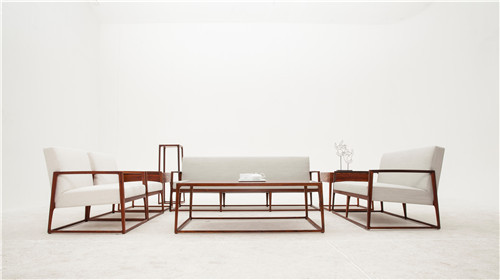 26 |
26 |
27 | -
28 |
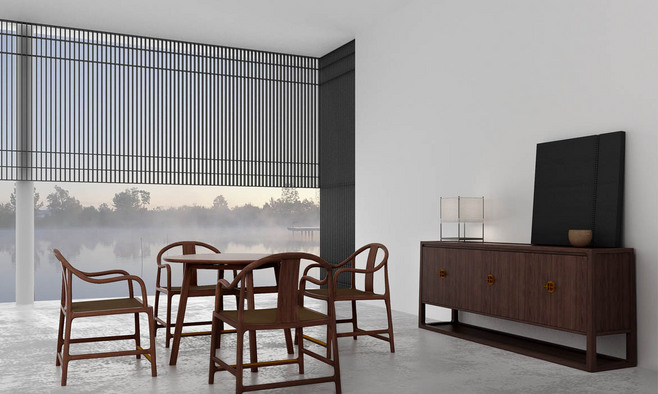 29 |
29 |
30 | -
31 |
 32 |
32 |
33 |
34 |
35 |
36 |
--------------------------------------------------------------------------------
/docs/day07/index2.html:
--------------------------------------------------------------------------------
1 |
2 |
3 |
4 |
5 |
6 |
7 |
图片选择
8 |
9 |
10 |
11 |
12 | -
13 |
14 |
15 | -
16 |
17 |
18 | -
19 |
20 |
21 | -
22 |
23 |
24 | -
25 |
26 |
27 | -
28 |
29 |
30 | -
31 |
32 |
33 |
34 |
35 |
36 |
--------------------------------------------------------------------------------
/docs/day07/index3.html:
--------------------------------------------------------------------------------
1 |
2 |
3 |
4 |
5 |
6 |
7 |
图片预览+选择
8 |
9 |
10 |
11 |
12 | -
13 |
14 |
15 | -
16 |
17 |
18 | -
19 |
20 |
21 | -
22 |
23 |
24 | -
25 |
26 |
27 | -
28 |
29 |
30 | -
31 |
32 |
33 |
34 |
35 |
36 |
--------------------------------------------------------------------------------
/docs/day05/assets/style1.css:
--------------------------------------------------------------------------------
1 | html, body {
2 | width: 100%;
3 | height: 100%;
4 | padding: 6px;
5 | margin: 0;
6 | overflow: hidden;
7 | }
8 |
9 | #main {
10 | position: relative;
11 | display: inline-block;
12 | }
13 |
14 | #panel, #typed {
15 | border: solid 1px #000;
16 | line-height: 1.5;
17 | white-space: pre-wrap;
18 | margin: 0;
19 | padding: 18px 6px 6px 6px;
20 | color: #0006;
21 | }
22 |
23 | #panel {
24 | width: 600px;
25 | min-height: 400px;
26 | }
27 | #panel:empty {
28 | cursor: pointer;
29 | }
30 | #panel:empty::after {
31 | content: '鼠标点击后开始';
32 | }
33 |
34 | #typed {
35 | max-width: 600px;
36 | position: absolute;
37 | top: 0;
38 | border-color: transparent;
39 | color: #008;
40 | background-color: #eea6;
41 | background-clip: content-box;
42 | overflow: hidden;
43 | }
44 | #typed:empty {
45 | background-color: transparent;
46 | }
47 |
48 | #starting {
49 | position: absolute;
50 | top: 50%;
51 | left: 50%;
52 | transform: translate(-50%, -50%);
53 | font-size: 3rem;
54 | }
55 |
56 | #countdown {
57 | position: absolute;
58 | top: 0;
59 | right: 10px;
60 | opacity: 0.3;
61 | }
--------------------------------------------------------------------------------
/docs/day08/assets/app2.v1.js:
--------------------------------------------------------------------------------
1 | const sphere = document.getElementById('sphere');
2 |
3 | /*
4 | @target 目标动画元素
5 | @duration 动画经历的时间
6 | @progress 动画执行回调函数
7 | */
8 | function animate(target, duration, progress) {
9 | const startTime = Date.now();
10 | return new Promise((resolve) => {
11 | function update() {
12 | const t = Date.now() - startTime;
13 | const p = Math.min(t / duration, 1);
14 | progress(target, p);
15 | if(p < 1) {
16 | requestAnimationFrame(update);
17 | } else {
18 | resolve(p);
19 | }
20 | }
21 | update();
22 | });
23 | }
24 |
25 | (async function () {
26 | let height = 400;
27 | let duration = 1000;
28 |
29 | while(1) {
30 | await animate(sphere, duration, (target, p) => {
31 | const top = (400 - height) + height * p ** 2;
32 | target.style.top = `${top}px`;
33 | });
34 |
35 | // 能量损耗后的动画执行高度和时间
36 | height *= 0.7;
37 | duration *= Math.sqrt(0.7);
38 |
39 | await animate(sphere, duration, (target, p) => {
40 | // 起点是400,反向运动,所以要用400减
41 | const top = 400 - height * p * (2 - p);
42 | target.style.top = `${top}px`;
43 | });
44 | }
45 | }());
--------------------------------------------------------------------------------
/docs/day03/index2-v1.html:
--------------------------------------------------------------------------------
1 |
2 |
3 |
4 |
5 |
6 |
7 |
幸运数字
8 |
9 |
10 |
11 |
今日幸运数字:6
12 |
13 |
33 |
34 |
--------------------------------------------------------------------------------
/docs/day03/index2-v2.html:
--------------------------------------------------------------------------------
1 |
2 |
3 |
4 |
5 |
6 |
7 |
幸运数字
8 |
9 |
10 |
11 |
今日幸运数字:6
12 |
13 |
33 |
34 |
--------------------------------------------------------------------------------
/docs/day09/assets/app1.js:
--------------------------------------------------------------------------------
1 |
2 | import Person from './person.js';
3 |
4 | const name = document.getElementById('name');
5 | const avatar = document.getElementById('avatar');
6 | const birthYear = document.getElementById('birth-year');
7 | const birthMonth = document.getElementById('birth-month');
8 | const age = document.getElementById('age');
9 | const portrait = document.getElementById('portrait');
10 |
11 | // 根据person模型数据更新UI
12 | function updatePerson(person) {
13 | name.value = person.name;
14 | const {year, month} = person.birthday;
15 | birthYear.value = `${year}年`;
16 | birthMonth.value = `${month}月`;
17 | age.value = `${person.age}岁`;
18 | portrait.value = person.portrait;
19 | avatar.innerHTML = person.name;
20 | }
21 |
22 | const p = new Person({name: '张三', birthday: '1999-12'});
23 | // 注册需要监听的change事件
24 | p.watcher.sub('change', null, ({sender}) => {
25 | updatePerson(sender); // 更新UI
26 | });
27 | updatePerson(p);
28 |
29 | name.addEventListener('change', (e) => {
30 | p.name = e.target.value;
31 | });
32 |
33 | birthYear.addEventListener('change', (e) => {
34 | p.birthday = {year: parseInt(e.target.value, 10)};
35 | });
36 |
37 | birthMonth.addEventListener('change', (e) => {
38 | p.birthday = {month: parseInt(e.target.value, 10)};
39 | });
--------------------------------------------------------------------------------
/docs/day06/index1.html:
--------------------------------------------------------------------------------
1 |
2 |
3 |
4 |
5 |
6 |
轮播组件
7 |
8 |
9 |
10 |
11 |
12 | -
13 |
 14 |
14 |
15 | -
16 |
 17 |
17 |
18 | -
19 |
 20 |
20 |
21 | -
22 |
 23 |
23 |
24 |
25 |
26 |
27 |
28 |
29 |
30 |
31 |
32 |
33 |
34 |
35 |
36 |
--------------------------------------------------------------------------------
/docs/day06/index2.html:
--------------------------------------------------------------------------------
1 |
2 |
3 |
4 |
5 |
6 |
轮播组件
7 |
8 |
9 |
10 |
11 |
12 | -
13 |
14 |
15 | -
16 |
17 |
18 | -
19 |
20 |
21 | -
22 |
23 |
24 |
25 |
26 |
27 |
28 |
29 |
30 |
31 |
32 |
33 |
34 |
35 |
36 |
--------------------------------------------------------------------------------
/docs/day02/assets/style1.ex.css:
--------------------------------------------------------------------------------
1 | .icon {
2 | display: inline-block;
3 | width: 0;
4 | font-size: 0;
5 | position: relative;
6 | margin-right: 20px;
7 | }
8 |
9 | .star {
10 | border-left: 50px solid transparent;
11 | border-right: 50px solid transparent;
12 | border-bottom: 100px solid red;
13 | }
14 |
15 | .star::after {
16 | border-left: 50px solid transparent;
17 | border-right: 50px solid transparent;
18 | border-top: 100px solid red;
19 | position: absolute;
20 | content: "";
21 | top: 30px; left: -50px;
22 | }
23 |
24 | .arrow {
25 | width: 40px;
26 | height: 40px;
27 | margin: 0 40px;
28 | background-color: red;
29 | }
30 |
31 | .arrow::before {
32 | position: absolute;
33 | left: -40px;
34 | border: solid 20px red;
35 | border-left-color: transparent;
36 | content: "";
37 | }
38 |
39 | .arrow::after {
40 | position: absolute;
41 | right: -40px;
42 | border: solid 20px transparent;
43 | border-left-color: red;
44 | content: "";
45 | }
46 |
47 | .pacman {
48 | width: 0px; height: 0px;
49 | border-right: 40px solid transparent;
50 | border-top: 40px solid red;
51 | border-left: 40px solid red;
52 | border-bottom: 40px solid red;
53 | border-top-left-radius: 40px;
54 | border-top-right-radius: 40px;
55 | border-bottom-left-radius: 40px;
56 | border-bottom-right-radius: 40px;
57 | }
--------------------------------------------------------------------------------
/docs/day03/index2-v3.html:
--------------------------------------------------------------------------------
1 |
2 |
3 |
4 |
5 |
6 |
7 |
幸运数字
8 |
9 |
10 |
11 |
今日幸运数字:6
12 |
13 |
37 |
38 |
--------------------------------------------------------------------------------
/docs/day08/assets/app2.ex.js:
--------------------------------------------------------------------------------
1 | function animate({target, prop, duration, start, end, easing, interpolate} = {}) {
2 | const startTime = Date.now();
3 |
4 | return new Promise((resolve) => {
5 | function update() {
6 | const t = Date.now() - startTime;
7 | const p = Math.min(t / duration, 1);
8 |
9 | target.style[prop] = interpolate(start, end, easing ? easing(p) : p);
10 | if(p < 1) {
11 | requestAnimationFrame(update);
12 | } else {
13 | resolve(p);
14 | }
15 | }
16 | update();
17 | });
18 | }
19 |
20 | function lerp(start, end, p) {
21 | return start * (1 - p) + end * p;
22 | }
23 |
24 | const sphere = document.getElementById('sphere');
25 |
26 | animate({
27 | target: sphere,
28 | prop: 'background',
29 | duration: 100000,
30 | start: [0, 170, 255],
31 | end: [255, 170, 0],
32 | easing(p) {
33 | return 100 * p % 1;
34 | },
35 | interpolate(start, end, p) {
36 | const color = start.map((s, i) => {
37 | return lerp(s, end[i], p);
38 | });
39 | return `rgb(${color})`;
40 | },
41 | });
42 |
43 | animate({
44 | target: sphere,
45 | prop: 'top',
46 | duration: 100000,
47 | start: 250,
48 | end: 100,
49 | easing(p) {
50 | return Math.sin(100 * Math.PI * p);
51 | },
52 | interpolate(start, end, p) {
53 | return `${start * (1 - p) + end * p}px`;
54 | },
55 | });
--------------------------------------------------------------------------------
/docs/day09/assets/person.js:
--------------------------------------------------------------------------------
1 | import PubSub from './pubsub.js';
2 |
3 | const _name = Symbol('name');
4 | const _birthYear = Symbol('birth-year');
5 | const _birthMonth = Symbol('birth-month');
6 | const _watcher = Symbol('watcher');
7 |
8 | export default class Person {
9 | constructor({name, birthday}) {
10 | this[_name] = name;
11 | const date = new Date(birthday);
12 | this[_birthYear] = date.getFullYear();
13 | this[_birthMonth] = date.getMonth() + 1;
14 | this[_watcher] = new PubSub(); // 创建监听对象
15 | }
16 |
17 | update(props) {
18 | this[_watcher].pub('change', this, props);
19 | }
20 |
21 | get watcher() {
22 | return this[_watcher];
23 | }
24 |
25 | get name() {
26 | return this[_name];
27 | }
28 |
29 | set name(value) {
30 | this[_name] = value;
31 | this.update({name: value}); // 派发name更新消息
32 | }
33 |
34 | get birthday() {
35 | return {
36 | year: this[_birthYear],
37 | month: this[_birthMonth],
38 | };
39 | }
40 |
41 | set birthday({year = this[_birthYear], month = this[_birthMonth]}) {
42 | this[_birthYear] = year;
43 | this[_birthMonth] = month;
44 | this.update({birthday: {year, month}}); // 派发birthday更新消息
45 | }
46 |
47 | get age() {
48 | return new Date().getFullYear() - this[_birthYear];
49 | }
50 |
51 | get portrait() {
52 | if(this.age <= 18) return '少年';
53 | return '成年';
54 | }
55 | }
--------------------------------------------------------------------------------
/docs/day07/assets/app4.v1.js:
--------------------------------------------------------------------------------
1 | /* globals markdown */
2 | const editor = document.getElementById('editor');
3 | const preview = document.getElementById('preview');
4 | const hintbar = document.getElementById('hintbar');
5 |
6 | function Editor(input, preview) {
7 | this.update = function () {
8 | preview.innerHTML = markdown.toHTML(input.value);
9 | };
10 | input.editor = this;
11 | this.update();
12 | }
13 |
14 | new Editor(editor, preview);
15 |
16 | // 三部分 UI 耦合在一起的 update 方法
17 | function update(src, dest, hint) {
18 | const scrollRange = src.scrollHeight - src.clientHeight,
19 | p = src.scrollTop / scrollRange;
20 |
21 | dest.scrollTop = p * (dest.scrollHeight - dest.clientHeight);
22 | hint.innerHTML = `${Math.round(100 * p)}%`;
23 | }
24 |
25 | update(editor, preview, hintbar);
26 |
27 | function debounce(fn, ms = 100) {
28 | let debounceTimer = null;
29 | return function (...args) {
30 | if(debounceTimer) clearTimeout(debounceTimer);
31 |
32 | debounceTimer = setTimeout(() => {
33 | fn.apply(this, args);
34 | }, ms);
35 | };
36 | }
37 |
38 | let scrollingTarget = null;
39 | editor.addEventListener('scroll', (evt) => {
40 | if(!scrollingTarget) scrollingTarget = editor;
41 | if(scrollingTarget === editor) update(editor, preview, hintbar);
42 | });
43 |
44 | editor.addEventListener('scroll', debounce((evt) => {
45 | scrollingTarget = null;
46 | }));
47 |
48 | preview.addEventListener('scroll', (evt) => {
49 | if(!scrollingTarget) scrollingTarget = preview;
50 | if(scrollingTarget === preview) update(preview, editor, hintbar);
51 | });
--------------------------------------------------------------------------------
/docs/day09/assets/app2.js:
--------------------------------------------------------------------------------
1 | import Person from './person-v2.js';
2 |
3 | const name = document.getElementById('name');
4 | const avatar = document.getElementById('avatar');
5 | const birthYear = document.getElementById('birth-year');
6 | const birthMonth = document.getElementById('birth-month');
7 | const age = document.getElementById('age');
8 | const portrait = document.getElementById('portrait');
9 |
10 | function updatePerson(person) {
11 | name.value = person.name;
12 | const {year, month} = person.birthday;
13 | birthYear.value = `${year}年`;
14 | birthMonth.value = `${month}月`;
15 | age.value = `${person.age}岁`;
16 | portrait.value = person.portrait;
17 | avatar.innerHTML = person.name;
18 | }
19 |
20 | let p = new Person({name: '张三', birthday: '1999-12'});
21 |
22 | function watch(obj, onchange) {
23 | /*
24 | 这个代理对象表示拦截persion对象的属性赋值操作,在属性赋值操作后,都执行一次onchange方法。这样就无需派发消息的中间人,但又实现了数据驱动UI的效果。
25 | */
26 | return new Proxy(obj, {
27 | set(target, name, value) {
28 | Reflect.set(target, name, value); // 调用person对象的原始操作(即,属性赋值操作)
29 | onchange(target, {[name]: value});
30 | return true; // 表示成功
31 | },
32 | });
33 | }
34 |
35 | p = watch(p, (subject) => {
36 | updatePerson(subject);
37 | });
38 | updatePerson(p);
39 |
40 | name.addEventListener('change', (e) => {
41 | p.name = e.target.value;
42 | });
43 |
44 | birthYear.addEventListener('change', (e) => {
45 | p.birthday = {year: parseInt(e.target.value, 10)};
46 | });
47 |
48 | birthMonth.addEventListener('change', (e) => {
49 | p.birthday = {month: parseInt(e.target.value, 10)};
50 | });
--------------------------------------------------------------------------------
/docs/day09/index1.html:
--------------------------------------------------------------------------------
1 |
2 |
3 |
4 |
5 |
6 |
用户画像
7 |
8 |
9 |
10 |
姓名
11 |
47 |
48 |
49 |
--------------------------------------------------------------------------------
/docs/day09/index2.html:
--------------------------------------------------------------------------------
1 |
2 |
3 |
4 |
5 |
6 |
用户画像
7 |
8 |
9 |
10 |
姓名
11 |
47 |
48 |
49 |
--------------------------------------------------------------------------------
/docs/day07/assets/app4.v2.js:
--------------------------------------------------------------------------------
1 | import PubSub from './pubsub.js';
2 |
3 | /* globals markdown */
4 | const editor = document.getElementById('editor');
5 | const preview = document.getElementById('preview');
6 | const hintbar = document.getElementById('hintbar');
7 |
8 | function Editor(input, preview) {
9 | this.update = function () {
10 | preview.innerHTML = markdown.toHTML(input.value);
11 | };
12 | input.editor = this;
13 | this.update();
14 | }
15 |
16 | new Editor(editor, preview);
17 |
18 | function scrollTo({data: p}) {
19 | this.scrollTop = p * (this.scrollHeight - this.clientHeight);
20 | }
21 |
22 | const mediator = new PubSub();
23 | mediator.sub('scroll', preview, scrollTo);
24 | mediator.sub('scroll', editor, scrollTo);
25 | mediator.sub('scroll', hintbar, function ({data: p}) {
26 | this.innerHTML = `${Math.round(p * 100)}%`;
27 | });
28 |
29 | function debounce(fn, ms = 100) {
30 | let debounceTimer = null;
31 | return function (...args) {
32 | if(debounceTimer) clearTimeout(debounceTimer);
33 |
34 | debounceTimer = setTimeout(() => {
35 | fn.apply(this, args);
36 | }, ms);
37 | };
38 | }
39 |
40 | let scrollingTarget = null;
41 | editor.addEventListener('scroll', debounce((evt) => {
42 | scrollingTarget = null;
43 | }));
44 |
45 | function updateScroll(evt) {
46 | const target = evt.target;
47 | if(!scrollingTarget) scrollingTarget = target;
48 | if(scrollingTarget === target) {
49 | const scrollRange = target.scrollHeight - target.clientHeight,
50 | p = target.scrollTop / scrollRange;
51 |
52 | // 中间人派发scroll消息
53 | mediator.pub('scroll', target, p);
54 | }
55 | }
56 | editor.addEventListener('scroll', updateScroll);
57 | preview.addEventListener('scroll', updateScroll);
--------------------------------------------------------------------------------
/docs/day06/assets/slider-v2.js:
--------------------------------------------------------------------------------
1 | export default class Slider {
2 | constructor({container, cycle = 3000} = {}) {
3 | this.container = container;
4 | this.items = Array.from(container.querySelectorAll('.slider__item, .slider__item--selected'));
5 | this.cycle = cycle;
6 | }
7 |
8 | registerPlugins(...plugins) {
9 | plugins.forEach(plugin => plugin(this));
10 | }
11 |
12 | /*
13 | 通过选择器`.slider__item--selected`获得被选中的元素
14 | */
15 | getSelectedItem() {
16 | const selected = this.container.querySelector('.slider__item--selected');
17 | return selected;
18 | }
19 |
20 | /*
21 | 返回选中的元素在items数组中的位置。
22 | */
23 | getSelectedItemIndex() {
24 | return this.items.indexOf(this.getSelectedItem());
25 | }
26 |
27 | slideTo(idx) {
28 | const selected = this.getSelectedItem();
29 | if(selected) {
30 | selected.className = 'slider__item';
31 | }
32 | const item = this.items[idx];
33 | if(item) {
34 | item.className = 'slider__item--selected';
35 | }
36 |
37 | const detail = {index: idx};
38 | const event = new CustomEvent('slide', {bubbles: true, detail});
39 | this.container.dispatchEvent(event);
40 | }
41 |
42 | /*
43 | 将下一张图片标记为选中状态
44 | */
45 | slideNext() {
46 | const currentIdx = this.getSelectedItemIndex();
47 | const nextIdx = (currentIdx + 1) % this.items.length;
48 | this.slideTo(nextIdx);
49 | }
50 |
51 | /*
52 | 将上一张图片标记为选中状态
53 | */
54 | slidePrevious() {
55 | const currentIdx = this.getSelectedItemIndex();
56 | const previousIdx = (this.items.length + currentIdx - 1) % this.items.length;
57 | this.slideTo(previousIdx);
58 | }
59 |
60 | start() {
61 | this.stop();
62 | this._timer = setInterval(() => this.slideNext(), this.cycle);
63 | }
64 |
65 | stop() {
66 | clearInterval(this._timer);
67 | }
68 | }
--------------------------------------------------------------------------------
/docs/day06/assets/app2.js:
--------------------------------------------------------------------------------
1 | import Slider from './slider-v2.js';
2 |
3 | /* 小圆点控件 */
4 | function pluginController(slider) {
5 | const controller = slider.container.querySelector('.slider__control');
6 | if(controller) {
7 | const buttons = controller.querySelectorAll('.slider__control-buttons, .slider__control-buttons--selected');
8 | controller.addEventListener('mouseover', (evt) => {
9 | const idx = Array.from(buttons).indexOf(evt.target);
10 | if(idx >= 0) {
11 | slider.slideTo(idx);
12 | slider.stop();
13 | }
14 | });
15 |
16 | controller.addEventListener('mouseout', (evt) => {
17 | slider.start();
18 | });
19 |
20 | slider.container.addEventListener('slide', (evt) => {
21 | const idx = evt.detail.index;
22 | const selected = controller.querySelector('.slider__control-buttons--selected');
23 | if(selected) selected.className = 'slider__control-buttons';
24 | buttons[idx].className = 'slider__control-buttons--selected';
25 | });
26 | }
27 | }
28 |
29 | function pluginPrevious(slider) {
30 | const previous = slider.container.querySelector('.slider__previous');
31 | if(previous) {
32 | previous.addEventListener('click', (evt) => {
33 | slider.stop();
34 | slider.slidePrevious();
35 | slider.start();
36 | evt.preventDefault();
37 | });
38 | }
39 | }
40 |
41 | function pluginNext(slider) {
42 | const next = slider.container.querySelector('.slider__next');
43 | if(next) {
44 | next.addEventListener('click', (evt) => {
45 | slider.stop();
46 | slider.slideNext();
47 | slider.start();
48 | evt.preventDefault();
49 | });
50 | }
51 | }
52 |
53 | const container = document.querySelector('.slider');
54 | const slider = new Slider({container});
55 | slider.registerPlugins(pluginController, pluginPrevious, pluginNext);
56 | slider.start();
--------------------------------------------------------------------------------
/docs/day05/assets/signal.js:
--------------------------------------------------------------------------------
1 | function defer() {
2 | const deferred = {};
3 | deferred.promise = new Promise((resolve, reject) => {
4 | deferred.resolve = resolve;
5 | deferred.reject = reject;
6 | });
7 | return deferred;
8 | }
9 |
10 | const _state = Symbol('state');
11 | const _checkers = Symbol('checker');
12 |
13 | export class Signal {
14 | constructor(initState) {
15 | this[_state] = initState;
16 | this[_checkers] = new Map();
17 | }
18 |
19 | get state() {
20 | return this[_state];
21 | }
22 |
23 | set state(value) {
24 | // 每次状态变化时,检查未结束的 defer 对象
25 | [...this[_checkers]].forEach(([promise, {type, deferred, state}]) => {
26 | if(type === 'while' && value !== state // 当信号状态改变时,while 信号结束
27 | || type === 'until' && value === state // 当信号状态改变为对应的 state 时,until 信号结束
28 | ) {
29 | deferred.resolve(value);
30 | this[_checkers].delete(promise);
31 | }
32 | });
33 | this[_state] = value;
34 | }
35 |
36 | while(state) {
37 | const deferred = defer();
38 | if(state !== this[_state]) {
39 | // 如果当前状态不是 while 状态, while 的 deferred 结束
40 | deferred.resolve(this[_state]);
41 | } else {
42 | // 否则将它添加到 checkers 列表中等待后续检查
43 | this[_checkers].set(deferred.promise, {type: 'while', deferred, state});
44 | }
45 | return deferred.promise;
46 | }
47 |
48 | until(state) {
49 | const deferred = defer();
50 | if(state === this[_state]) {
51 | // 如果当前状态就是 until 状态, until 的 deferred 结束
52 | deferred.resolve(this[_state]);
53 | } else {
54 | // 否则将它添加到 checkers 列表中等待后续检查
55 | this[_checkers].set(deferred.promise, {type: 'until', deferred, state});
56 | }
57 | return deferred.promise;
58 | }
59 |
60 | delete(promise) {
61 | this[_checkers].delete(promise);
62 | }
63 |
64 | deleteAll() {
65 | this[_checkers].clear();
66 | }
67 | }
--------------------------------------------------------------------------------
/docs/day06/assets/slider-v4.js:
--------------------------------------------------------------------------------
1 | import Component from './component.js';
2 |
3 | export default class Slider extends Component {
4 | static name = 'slider';
5 |
6 | constructor({container, images = [], cycle = 3000} = {}) {
7 | super({container, data: images});
8 | this.items = Array.from(this.container.querySelectorAll('.slider__item, .slider__item--selected'));
9 | this.cycle = cycle;
10 | this.slideTo(0);
11 | }
12 |
13 | render(images) {
14 | const content = images.map(image => `
15 |
16 |  17 |
17 |
18 | `.trim());
19 |
20 | return `
`;
21 | }
22 |
23 | getSelectedItem() {
24 | const selected = this.container.querySelector('.slider__item--selected');
25 | return selected;
26 | }
27 |
28 | getSelectedItemIndex() {
29 | return this.items.indexOf(this.getSelectedItem());
30 | }
31 |
32 | slideTo(idx) {
33 | const selected = this.getSelectedItem();
34 | if(selected) {
35 | selected.className = 'slider__item';
36 | }
37 | const item = this.items[idx];
38 | if(item) {
39 | item.className = 'slider__item--selected';
40 | }
41 |
42 | const detail = {index: idx};
43 | const event = new CustomEvent('slide', {bubbles: true, detail});
44 | this.container.dispatchEvent(event);
45 | }
46 |
47 | slideNext() {
48 | const currentIdx = this.getSelectedItemIndex();
49 | const nextIdx = (currentIdx + 1) % this.items.length;
50 | this.slideTo(nextIdx);
51 | }
52 |
53 | slidePrevious() {
54 | const currentIdx = this.getSelectedItemIndex();
55 | const previousIdx = (this.items.length + currentIdx - 1) % this.items.length;
56 | this.slideTo(previousIdx);
57 | }
58 |
59 | start() {
60 | this.stop();
61 | this._timer = setInterval(() => this.slideNext(), this.cycle);
62 | }
63 |
64 | stop() {
65 | clearInterval(this._timer);
66 | }
67 | }
--------------------------------------------------------------------------------
/docs/day06/assets/style1.css:
--------------------------------------------------------------------------------
1 | .slider {
2 | position: relative;
3 | width: 790px;
4 | height: 340px;
5 | }
6 |
7 | .slider ul {
8 | list-style-type:none;
9 | position: relative;
10 | width: 100%;
11 | height: 100%;
12 | padding: 0;
13 | margin: 0;
14 | }
15 |
16 | .slider__item,
17 | .slider__item--selected {
18 | position: absolute;
19 | transition: opacity 1s;
20 | opacity: 0;
21 | text-align: center;
22 | }
23 |
24 | .slider__item--selected {
25 | transition: opacity 1s;
26 | opacity: 1;
27 | }
28 |
29 | .slider__next,
30 | .slider__previous{
31 | display: inline-block;
32 | position: absolute;
33 | top: 50%; /*定位在录播图组件的纵向中间的位置*/
34 | margin-top: -25px;
35 | width: 30px;
36 | height:50px;
37 | text-align: center;
38 | font-size: 24px;
39 | line-height: 50px;
40 | overflow: hidden;
41 | border: none;
42 | color: white;
43 | background: rgba(0,0,0,0.2); /*设置为半透明*/
44 | cursor: pointer; /*设置鼠标移动到这个元素时显示为手指状*/
45 | opacity: 0; /*初始状态为透明*/
46 | transition: opacity .5s; /*设置透明度变化的动画,时间为.5秒*/
47 | }
48 |
49 | .slider__previous {
50 | left: 0; /*定位在slider元素的最左边*/
51 | }
52 |
53 | .slider__next {
54 | right: 0; /*定位在slider元素的最右边*/
55 | }
56 |
57 | .slider:hover .slider__previous {
58 | opacity: 1;
59 | }
60 |
61 | .slider:hover .slider__next {
62 | opacity: 1;
63 | }
64 |
65 | .slider__previous:after {
66 | content: '<';
67 | }
68 |
69 | .slider__next:after {
70 | content: '>';
71 | }
72 |
73 | .slider__control{
74 | position: relative;
75 | display: table; /* table 布局*/
76 | background-color: rgba(255, 255, 255, 0.5);
77 | padding: 5px;
78 | border-radius: 12px;
79 | bottom: 30px;
80 | margin: auto;
81 | }
82 |
83 | .slider__control-buttons,
84 | .slider__control-buttons--selected{
85 | display: inline-block;
86 | width: 15px;
87 | height: 15px;
88 | border-radius: 50%;/*设置为圆形*/
89 | margin: 0 5px;
90 | background-color: white;
91 | cursor: pointer;
92 | }
93 |
94 | .slider__control-buttons--selected {
95 | background-color: red;
96 | }
--------------------------------------------------------------------------------
/docs/day06/assets/plugins.js:
--------------------------------------------------------------------------------
1 | import Component from './component.js';
2 |
3 | export class SliderController extends Component {
4 | static name = 'slider__control';
5 |
6 | constructor({container, data, parent: slider}) {
7 | super({container, data});
8 |
9 | const buttons = container.querySelectorAll('.slider__control-buttons, .slider__control-buttons--selected');
10 | container.addEventListener('mouseover', (evt) => {
11 | const idx = Array.from(buttons).indexOf(evt.target);
12 | if(idx >= 0) {
13 | slider.slideTo(idx);
14 | slider.stop();
15 | }
16 | });
17 |
18 | container.addEventListener('mouseout', (evt) => {
19 | slider.start();
20 | });
21 |
22 | slider.container.addEventListener('slide', (evt) => {
23 | const idx = evt.detail.index;
24 | const selected = container.querySelector('.slider__control-buttons--selected');
25 | if(selected) selected.className = 'slider__control-buttons';
26 | buttons[idx].className = 'slider__control-buttons--selected';
27 | });
28 | }
29 |
30 | render(images) {
31 | return `
32 |
33 | ${images.map((image, i) => `
34 |
35 | `).join('')}
36 |
37 | `.trim();
38 | }
39 | }
40 |
41 | export class SliderPrevious extends Component {
42 | constructor({container, parent: slider}) {
43 | super({container});
44 | const previous = container.querySelector('.slider__previous');
45 | previous.addEventListener('click', (evt) => {
46 | slider.stop();
47 | slider.slidePrevious();
48 | slider.start();
49 | evt.preventDefault();
50 | });
51 | }
52 |
53 | render() {
54 | return '
';
55 | }
56 | }
57 |
58 | export class SliderNext extends Component {
59 | constructor({container, parent: slider}) {
60 | super({container});
61 | const previous = container.querySelector('.slider__next');
62 | previous.addEventListener('click', (evt) => {
63 | slider.stop();
64 | slider.slideNext();
65 | slider.start();
66 | evt.preventDefault();
67 | });
68 | }
69 |
70 | render() {
71 | return '
';
72 | }
73 | }
--------------------------------------------------------------------------------
/docs/day06/assets/slider-v3.js:
--------------------------------------------------------------------------------
1 | export default class Slider {
2 | constructor({container, images = [], cycle = 3000} = {}) {
3 | this.container = container;
4 | this.data = images;
5 | this.container.innerHTML = this.render(this.data);
6 | this.items = Array.from(this.container.querySelectorAll('.slider__item, .slider__item--selected'));
7 | this.cycle = cycle;
8 | this.slideTo(0);
9 | }
10 |
11 | render(images) {
12 | const content = images.map(image => `
13 |
14 |
15 |
16 | `.trim());
17 |
18 | return `
`;
19 | }
20 |
21 | registerPlugins(...plugins) {
22 | plugins.forEach((plugin) => {
23 | const pluginContainer = document.createElement('div');
24 | pluginContainer.className = 'slider__plugin';
25 | pluginContainer.innerHTML = plugin.render(this.data);
26 | this.container.appendChild(pluginContainer);
27 | plugin.initialize(this);
28 | });
29 | }
30 |
31 | /*
32 | 通过选择器`.slider__item--selected`获得被选中的元素
33 | */
34 | getSelectedItem() {
35 | const selected = this.container.querySelector('.slider__item--selected');
36 | return selected;
37 | }
38 |
39 | /*
40 | 返回选中的元素在items数组中的位置。
41 | */
42 | getSelectedItemIndex() {
43 | return this.items.indexOf(this.getSelectedItem());
44 | }
45 |
46 | slideTo(idx) {
47 | const selected = this.getSelectedItem();
48 | if(selected) {
49 | selected.className = 'slider__item';
50 | }
51 | const item = this.items[idx];
52 | if(item) {
53 | item.className = 'slider__item--selected';
54 | }
55 |
56 | const detail = {index: idx};
57 | const event = new CustomEvent('slide', {bubbles: true, detail});
58 | this.container.dispatchEvent(event);
59 | }
60 |
61 | /*
62 | 将下一张图片标记为选中状态
63 | */
64 | slideNext() {
65 | const currentIdx = this.getSelectedItemIndex();
66 | const nextIdx = (currentIdx + 1) % this.items.length;
67 | this.slideTo(nextIdx);
68 | }
69 |
70 | /*
71 | 将上一张图片标记为选中状态
72 | */
73 | slidePrevious() {
74 | const currentIdx = this.getSelectedItemIndex();
75 | const previousIdx = (this.items.length + currentIdx - 1) % this.items.length;
76 | this.slideTo(previousIdx);
77 | }
78 |
79 | start() {
80 | this.stop();
81 | this._timer = setInterval(() => this.slideNext(), this.cycle);
82 | }
83 |
84 | stop() {
85 | clearInterval(this._timer);
86 | }
87 | }
--------------------------------------------------------------------------------
/docs/day06/assets/app3.js:
--------------------------------------------------------------------------------
1 | import Slider from './slider-v3.js';
2 |
3 | const pluginController = { // 小圆点插件
4 | render(images) { // 随着图片数量的增加,小圆点元素也需要增加
5 | return `
6 |
7 | ${images.map((image, i) => `
8 |
9 | `).join('')}
10 |
11 | `.trim();
12 | },
13 |
14 | initialize(slider) {
15 | const controller = slider.container.querySelector('.slider__control');
16 |
17 | if(controller) {
18 | const buttons = controller.querySelectorAll('.slider__control-buttons, .slider__control-buttons--selected');
19 | controller.addEventListener('mouseover', (evt) => {
20 | const idx = Array.from(buttons).indexOf(evt.target);
21 | if(idx >= 0) {
22 | slider.slideTo(idx);
23 | slider.stop();
24 | }
25 | });
26 |
27 | controller.addEventListener('mouseout', (evt) => {
28 | slider.start();
29 | });
30 |
31 | slider.container.addEventListener('slide', (evt) => {
32 | const idx = evt.detail.index;
33 | const selected = controller.querySelector('.slider__control-buttons--selected');
34 | if(selected) selected.className = 'slider__control-buttons';
35 | buttons[idx].className = 'slider__control-buttons--selected';
36 | });
37 | }
38 | },
39 | };
40 |
41 | const pluginPrevious = {
42 | render() {
43 | return '
';
44 | },
45 |
46 | initialize(slider) {
47 | const previous = slider.container.querySelector('.slider__previous');
48 | if(previous) {
49 | previous.addEventListener('click', (evt) => {
50 | slider.stop();
51 | slider.slidePrevious();
52 | slider.start();
53 | evt.preventDefault();
54 | });
55 | }
56 | },
57 | };
58 |
59 | const pluginNext = {
60 | render() {
61 | return '
';
62 | },
63 |
64 | initialize(slider) {
65 | const previous = slider.container.querySelector('.slider__next');
66 | if(previous) {
67 | previous.addEventListener('click', (evt) => {
68 | slider.stop();
69 | slider.slideNext();
70 | slider.start();
71 | evt.preventDefault();
72 | });
73 | }
74 | },
75 | };
76 |
77 | const images = ['https://p5.ssl.qhimg.com/t0119c74624763dd070.png',
78 | 'https://p4.ssl.qhimg.com/t01adbe3351db853eb3.jpg',
79 | 'https://p2.ssl.qhimg.com/t01645cd5ba0c3b60cb.jpg',
80 | 'https://p4.ssl.qhimg.com/t01331ac159b58f5478.jpg'];
81 |
82 | const container = document.querySelector('.slider');
83 | const slider = new Slider({container, images});
84 | slider.registerPlugins(pluginController, pluginPrevious, pluginNext);
85 | slider.start();
--------------------------------------------------------------------------------
/docs/day07/assets/app1.js:
--------------------------------------------------------------------------------
1 | import {useBehavior} from './behavior.js';
2 |
3 | const preview = useBehavior({
4 | type: 'preview',
5 |
6 | /*
7 | @subject:
元素
8 | @target: 选中的图片元素
9 | */
10 | getDetail(subject, target) {
11 | const imgs = Array.from(subject.querySelectorAll('img'));
12 | const selected = imgs.indexOf(target); // 获取选中图片在图片集合中的索引号
13 | let mask = document.getElementById('mask');
14 |
15 | // 如果mask不存在,创建一个mask元素
16 | if(!mask) {
17 | mask = document.createElement('div');
18 | mask.id = 'mask';
19 | mask.innerHTML = `
20 | <
21 |  22 | >
23 | `;
24 | // 给 #mask 元素设置样式:
25 | Object.assign(mask.style, {
26 | position: 'absolute',
27 | left: 0,
28 | top: 0,
29 | width: '100%',
30 | height: '100%',
31 | backgroundColor: 'rgba(0,0,0,0.8)',
32 | display: 'none',
33 | alignItems: 'center',
34 | justifyContent: 'space-between',
35 | });
36 |
37 | // 给 #mask 元素左右两边的元素设置样式:
38 | mask.querySelectorAll('a').forEach((a) => {
39 | Object.assign(a.style, {
40 | width: '30px',
41 | textAlign: 'center',
42 | fontSize: '2rem',
43 | color: '#fff',
44 | textDecoration: 'none',
45 | });
46 | });
47 | document.body.appendChild(mask);
48 |
49 | // 给#mask元素添加点击事件处理函数:
50 | let idx = selected;
51 | mask.addEventListener('click', (evt) => {
52 | const target = evt.target;
53 | if(target === mask) { // 如果点击的对象是mask元素,则隐藏mask元素
54 | mask.style.display = 'none';
55 | } else if(target.className === 'previous') { // 显示上一张图片
56 | update(--idx);
57 | } else if(target.className === 'next') { // 显示下一张图片
58 | update(++idx);
59 | }
60 | });
61 | }
62 |
63 | // 设置img元素的src属性指向指定图片
64 | function update(idx) {
65 | const [previous, next] = [...mask.querySelectorAll('a')];
66 | previous.style.visibility = idx ? 'visible' : 'hidden';
67 | next.style.visibility = idx < imgs.length - 1 ? 'visible' : 'hidden';
68 | const img = mask.querySelector('img');
69 | img.src = imgs[idx].src;
70 | }
71 |
72 | return {
73 | showMask() { // 显示选中图片的预览
74 | mask.style.display = 'flex';
75 | update(selected);
76 | },
77 | };
78 | },
79 | });
80 |
81 | const list = document.getElementById('list');
82 | list.addEventListener('click', (evt) => {
83 | const target = evt.target;
84 | if(target.tagName === 'IMG') {
85 | preview(list, target);
86 | }
87 | });
88 |
89 | list.addEventListener('preview', ({detail}) => {
90 | detail.showMask();
91 | });
--------------------------------------------------------------------------------
/docs/day04/assets/hof.js:
--------------------------------------------------------------------------------
1 | export function once(fn, replacer = null) {
2 | return function (...args) {
3 | if(fn) {
4 | const ret = fn.apply(this, args);
5 | fn = null;
6 | return ret;
7 | }
8 | if(replacer) {
9 | return replacer.apply(this, args);
10 | }
11 | };
12 | }
13 |
14 | export function throttle(fn, ms = 100) {
15 | let throttleTimer = null;
16 | return function (...args) {
17 | if(!throttleTimer) {
18 | const ret = fn.apply(this, args);
19 | throttleTimer = setTimeout(() => {
20 | throttleTimer = null;
21 | }, ms);
22 | return ret;
23 | }
24 | };
25 | }
26 |
27 | export function debounce(fn, ms) {
28 | let debounceTimer = null;
29 | return function (...args) {
30 | if(debounceTimer) clearTimeout(debounceTimer);
31 |
32 | debounceTimer = setTimeout(() => {
33 | fn.apply(this, args);
34 | }, ms);
35 | };
36 | }
37 |
38 | export function deprecate(fn, oldApi, newApi) {
39 | const message = `The ${oldApi} is deprecated.
40 | Please use the ${newApi} instead.`;
41 | const notice = once(console.warn);
42 |
43 | return function (...args) {
44 | notice(message);
45 | return fn.apply(this, args);
46 | };
47 | }
48 |
49 | export function intercept(fn, {beforeCall = null, afterCall = null}) {
50 | return function (...args) {
51 | if(!beforeCall || beforeCall.call(this, args) !== false) {
52 | // 如果beforeCall返回false,不执行后续函数
53 | const ret = fn.apply(this, args);
54 | if(afterCall) return afterCall.call(this, ret);
55 | return ret;
56 | }
57 | };
58 | }
59 |
60 | export function batch(fn) {
61 | return function (subject, ...args) {
62 | if(Array.isArray(subject)) {
63 | return subject.map((s) => {
64 | return fn.call(this, s, ...args);
65 | });
66 | }
67 | return fn.call(this, subject, ...args);
68 | };
69 | }
70 |
71 | export function continous(reducer) {
72 | return function (...args) {
73 | return args.reduce((a, b) => reducer(a, b));
74 | };
75 | }
76 |
77 | export function fold(fn) {
78 | return function (...args) {
79 | const lastArg = args[args.length - 1];
80 | if(lastArg.length) {
81 | return fn.call(this, ...args.slice(0, -1), ...lastArg);
82 | }
83 | return fn.call(this, ...args);
84 | };
85 | }
86 |
87 | export function reverse(fn) {
88 | return function (...args) {
89 | return fn.apply(this, args.reverse());
90 | };
91 | }
92 |
93 | export function spread(fn) {
94 | return function (first, ...rest) {
95 | return fn.call(this, first, rest);
96 | };
97 | }
98 |
99 | export function pipe(...fns) {
100 | return function (input) {
101 | return fns.reduce((a, b) => {
102 | return b.call(this, a);
103 | }, input);
104 | };
105 | }
--------------------------------------------------------------------------------
/docs/day05/assets/app1.js:
--------------------------------------------------------------------------------
1 | const text = `If you already have experience making drawings with computers, you know that in that process you draw a circle, then a rectangle, a line, some triangles until you compose the image you want. That process is very similar to writing a letter or a book by hand - it is a set of instructions that do one task after another.
2 |
3 | Shaders are also a set of instructions, but the instructions are executed all at once for every single pixel on the screen. That means the code you write has to behave differently depending on the position of the pixel on the screen. Like a type press, your program will work as a function that receives a position and returns a color, and when it's compiled it will run extraordinarily fast.
4 |
5 | Why are shaders fast? To answer this, I present the wonders of parallel processing.
6 |
7 | Imagine the CPU of your computer as a big industrial pipe, and every task as something that passes through it - like a factory line. Some tasks are bigger than others, which means they require more time and energy to deal with. We say they require more processing power. Because of the architecture of computers the jobs are forced to run in a series; each job has to be finished one at a time. Modern computers usually have groups of four processors that work like these pipes, completing tasks one after another to keeping things running smoothly. Each pipe is also known as a thread.`;
8 |
9 | function wait(ms) {
10 | return new Promise((resolve) => {
11 | setTimeout(resolve, ms);
12 | });
13 | }
14 |
15 | async function starting(el, count = 3) {
16 | el.innerText = count;
17 | while(count--) {
18 | await wait(1000);
19 | el.innerText = count;
20 | }
21 | el.innerText = '';
22 | }
23 |
24 | function* typings(text) {
25 | for(let i = 0; i < text.length; i++) {
26 | const char = text[i];
27 | yield new Promise((resolve) => {
28 | document.addEventListener('keydown', function f({key}) {
29 | if(key === char) {
30 | document.removeEventListener('keydown', f);
31 | resolve(key);
32 | }
33 | });
34 | });
35 | }
36 | }
37 |
38 | async function countDown(el, sec) {
39 | while(sec--) {
40 | const minute = Math.floor(sec / 60);
41 | const second = sec % 60;
42 | const time = `${minute > 10 ? minute : `0${minute}`}:${second > 10 ? second : `0${second}`}`;
43 | el.innerText = time;
44 | await wait(1000);
45 | }
46 | }
47 |
48 | const typedEl = document.getElementById('typed');
49 | const startingEl = document.getElementById('starting');
50 | const countdownEl = document.getElementById('countdown');
51 |
52 | const panel = document.getElementById('panel');
53 | panel.addEventListener('click', start);
54 |
55 | async function start() {
56 | panel.innerText = text;
57 | await starting(startingEl);
58 | const countDownPromise = countDown(countdownEl, 10);
59 | typedEl.innerText = '_';
60 | for(const typing of typings(text)) {
61 | const key = await Promise.race([countDownPromise, typing]);
62 | if(key) {
63 | typedEl.innerText = `${typedEl.innerText.slice(0, -1)}${key}_`;
64 | } else {
65 | break;
66 | }
67 | }
68 | console.log('结束');
69 | }
--------------------------------------------------------------------------------
/docs/day06/assets/slider-v1.js:
--------------------------------------------------------------------------------
1 | export default class Slider {
2 | constructor({container, cycle = 3000} = {}) {
3 | this.container = container;
4 | this.items = Array.from(container.querySelectorAll('.slider__item, .slider__item--selected'));
5 | this.cycle = cycle;
6 |
7 | const controller = this.container.querySelector('.slider__control');
8 | const buttons = controller.querySelectorAll('.slider__control-buttons, .slider__control-buttons--selected');
9 |
10 | controller.addEventListener('mouseover', (evt) => {
11 | const idx = Array.from(buttons).indexOf(evt.target);
12 | if(idx >= 0) {
13 | this.slideTo(idx);
14 | this.stop();
15 | }
16 | });
17 |
18 | controller.addEventListener('mouseout', (evt) => {
19 | this.start();
20 | });
21 |
22 | /*
23 | 注册slide事件,将选中的图片和小圆点设置为selected状态
24 | */
25 | this.container.addEventListener('slide', (evt) => {
26 | const idx = evt.detail.index;
27 | const selected = controller.querySelector('.slider__control-buttons--selected');
28 | if(selected) selected.className = 'slider__control-buttons';
29 | buttons[idx].className = 'slider__control-buttons--selected';
30 | });
31 |
32 | const previous = this.container.querySelector('.slider__previous');
33 | previous.addEventListener('click', (evt) => {
34 | this.stop();
35 | this.slidePrevious();
36 | this.start();
37 | evt.preventDefault();
38 | });
39 |
40 | const next = this.container.querySelector('.slider__next');
41 | next.addEventListener('click', (evt) => {
42 | this.stop();
43 | this.slideNext();
44 | this.start();
45 | evt.preventDefault();
46 | });
47 | }
48 |
49 | /*
50 | 通过选择器`.slider__item--selected`获得被选中的元素
51 | */
52 | getSelectedItem() {
53 | const selected = this.container.querySelector('.slider__item--selected');
54 | return selected;
55 | }
56 |
57 | /*
58 | 返回选中的元素在items数组中的位置。
59 | */
60 | getSelectedItemIndex() {
61 | return this.items.indexOf(this.getSelectedItem());
62 | }
63 |
64 | slideTo(idx) {
65 | const selected = this.getSelectedItem();
66 | if(selected) {
67 | selected.className = 'slider__item';
68 | }
69 | const item = this.items[idx];
70 | if(item) {
71 | item.className = 'slider__item--selected';
72 | }
73 |
74 | const detail = {index: idx};
75 | const event = new CustomEvent('slide', {bubbles: true, detail});
76 | this.container.dispatchEvent(event);
77 | }
78 |
79 | /*
80 | 将下一张图片标记为选中状态
81 | */
82 | slideNext() {
83 | const currentIdx = this.getSelectedItemIndex();
84 | const nextIdx = (currentIdx + 1) % this.items.length;
85 | this.slideTo(nextIdx);
86 | }
87 |
88 | /*
89 | 将上一张图片标记为选中状态
90 | */
91 | slidePrevious() {
92 | const currentIdx = this.getSelectedItemIndex();
93 | const previousIdx = (this.items.length + currentIdx - 1) % this.items.length;
94 | this.slideTo(previousIdx);
95 | }
96 |
97 | start() {
98 | this.stop();
99 | this._timer = setInterval(() => this.slideNext(), this.cycle);
100 | }
101 |
102 | stop() {
103 | clearInterval(this._timer);
104 | }
105 | }
--------------------------------------------------------------------------------
/docs/day07/assets/app3.js:
--------------------------------------------------------------------------------
1 | import {useBehavior} from './behavior.js';
2 |
3 | const preview = useBehavior({
4 | type: 'preview',
5 |
6 | /*
7 | @subject:
22 | >
23 | `;
24 | // 给 #mask 元素设置样式:
25 | Object.assign(mask.style, {
26 | position: 'absolute',
27 | left: 0,
28 | top: 0,
29 | width: '100%',
30 | height: '100%',
31 | backgroundColor: 'rgba(0,0,0,0.8)',
32 | display: 'none',
33 | alignItems: 'center',
34 | justifyContent: 'space-between',
35 | });
36 |
37 | // 给 #mask 元素左右两边的元素设置样式:
38 | mask.querySelectorAll('a').forEach((a) => {
39 | Object.assign(a.style, {
40 | width: '30px',
41 | textAlign: 'center',
42 | fontSize: '2rem',
43 | color: '#fff',
44 | textDecoration: 'none',
45 | });
46 | });
47 | document.body.appendChild(mask);
48 |
49 | // 给#mask元素添加点击事件处理函数:
50 | let idx = selected;
51 | mask.addEventListener('click', (evt) => {
52 | const target = evt.target;
53 | if(target === mask) { // 如果点击的对象是mask元素,则隐藏mask元素
54 | mask.style.display = 'none';
55 | } else if(target.className === 'previous') { // 显示上一张图片
56 | update(--idx);
57 | } else if(target.className === 'next') { // 显示下一张图片
58 | update(++idx);
59 | }
60 | });
61 | }
62 |
63 | // 设置img元素的src属性指向指定图片
64 | function update(idx) {
65 | const [previous, next] = [...mask.querySelectorAll('a')];
66 | previous.style.visibility = idx ? 'visible' : 'hidden';
67 | next.style.visibility = idx < imgs.length - 1 ? 'visible' : 'hidden';
68 | const img = mask.querySelector('img');
69 | img.src = imgs[idx].src;
70 | }
71 |
72 | return {
73 | showMask() { // 显示选中图片的预览
74 | mask.style.display = 'flex';
75 | update(selected);
76 | },
77 | };
78 | },
79 | });
80 |
81 | const list = document.getElementById('list');
82 | list.addEventListener('click', (evt) => {
83 | const target = evt.target;
84 | if(target.tagName === 'IMG') {
85 | preview(list, target);
86 | }
87 | });
88 |
89 | list.addEventListener('preview', ({detail}) => {
90 | detail.showMask();
91 | });
--------------------------------------------------------------------------------
/docs/day04/assets/hof.js:
--------------------------------------------------------------------------------
1 | export function once(fn, replacer = null) {
2 | return function (...args) {
3 | if(fn) {
4 | const ret = fn.apply(this, args);
5 | fn = null;
6 | return ret;
7 | }
8 | if(replacer) {
9 | return replacer.apply(this, args);
10 | }
11 | };
12 | }
13 |
14 | export function throttle(fn, ms = 100) {
15 | let throttleTimer = null;
16 | return function (...args) {
17 | if(!throttleTimer) {
18 | const ret = fn.apply(this, args);
19 | throttleTimer = setTimeout(() => {
20 | throttleTimer = null;
21 | }, ms);
22 | return ret;
23 | }
24 | };
25 | }
26 |
27 | export function debounce(fn, ms) {
28 | let debounceTimer = null;
29 | return function (...args) {
30 | if(debounceTimer) clearTimeout(debounceTimer);
31 |
32 | debounceTimer = setTimeout(() => {
33 | fn.apply(this, args);
34 | }, ms);
35 | };
36 | }
37 |
38 | export function deprecate(fn, oldApi, newApi) {
39 | const message = `The ${oldApi} is deprecated.
40 | Please use the ${newApi} instead.`;
41 | const notice = once(console.warn);
42 |
43 | return function (...args) {
44 | notice(message);
45 | return fn.apply(this, args);
46 | };
47 | }
48 |
49 | export function intercept(fn, {beforeCall = null, afterCall = null}) {
50 | return function (...args) {
51 | if(!beforeCall || beforeCall.call(this, args) !== false) {
52 | // 如果beforeCall返回false,不执行后续函数
53 | const ret = fn.apply(this, args);
54 | if(afterCall) return afterCall.call(this, ret);
55 | return ret;
56 | }
57 | };
58 | }
59 |
60 | export function batch(fn) {
61 | return function (subject, ...args) {
62 | if(Array.isArray(subject)) {
63 | return subject.map((s) => {
64 | return fn.call(this, s, ...args);
65 | });
66 | }
67 | return fn.call(this, subject, ...args);
68 | };
69 | }
70 |
71 | export function continous(reducer) {
72 | return function (...args) {
73 | return args.reduce((a, b) => reducer(a, b));
74 | };
75 | }
76 |
77 | export function fold(fn) {
78 | return function (...args) {
79 | const lastArg = args[args.length - 1];
80 | if(lastArg.length) {
81 | return fn.call(this, ...args.slice(0, -1), ...lastArg);
82 | }
83 | return fn.call(this, ...args);
84 | };
85 | }
86 |
87 | export function reverse(fn) {
88 | return function (...args) {
89 | return fn.apply(this, args.reverse());
90 | };
91 | }
92 |
93 | export function spread(fn) {
94 | return function (first, ...rest) {
95 | return fn.call(this, first, rest);
96 | };
97 | }
98 |
99 | export function pipe(...fns) {
100 | return function (input) {
101 | return fns.reduce((a, b) => {
102 | return b.call(this, a);
103 | }, input);
104 | };
105 | }
--------------------------------------------------------------------------------
/docs/day05/assets/app1.js:
--------------------------------------------------------------------------------
1 | const text = `If you already have experience making drawings with computers, you know that in that process you draw a circle, then a rectangle, a line, some triangles until you compose the image you want. That process is very similar to writing a letter or a book by hand - it is a set of instructions that do one task after another.
2 |
3 | Shaders are also a set of instructions, but the instructions are executed all at once for every single pixel on the screen. That means the code you write has to behave differently depending on the position of the pixel on the screen. Like a type press, your program will work as a function that receives a position and returns a color, and when it's compiled it will run extraordinarily fast.
4 |
5 | Why are shaders fast? To answer this, I present the wonders of parallel processing.
6 |
7 | Imagine the CPU of your computer as a big industrial pipe, and every task as something that passes through it - like a factory line. Some tasks are bigger than others, which means they require more time and energy to deal with. We say they require more processing power. Because of the architecture of computers the jobs are forced to run in a series; each job has to be finished one at a time. Modern computers usually have groups of four processors that work like these pipes, completing tasks one after another to keeping things running smoothly. Each pipe is also known as a thread.`;
8 |
9 | function wait(ms) {
10 | return new Promise((resolve) => {
11 | setTimeout(resolve, ms);
12 | });
13 | }
14 |
15 | async function starting(el, count = 3) {
16 | el.innerText = count;
17 | while(count--) {
18 | await wait(1000);
19 | el.innerText = count;
20 | }
21 | el.innerText = '';
22 | }
23 |
24 | function* typings(text) {
25 | for(let i = 0; i < text.length; i++) {
26 | const char = text[i];
27 | yield new Promise((resolve) => {
28 | document.addEventListener('keydown', function f({key}) {
29 | if(key === char) {
30 | document.removeEventListener('keydown', f);
31 | resolve(key);
32 | }
33 | });
34 | });
35 | }
36 | }
37 |
38 | async function countDown(el, sec) {
39 | while(sec--) {
40 | const minute = Math.floor(sec / 60);
41 | const second = sec % 60;
42 | const time = `${minute > 10 ? minute : `0${minute}`}:${second > 10 ? second : `0${second}`}`;
43 | el.innerText = time;
44 | await wait(1000);
45 | }
46 | }
47 |
48 | const typedEl = document.getElementById('typed');
49 | const startingEl = document.getElementById('starting');
50 | const countdownEl = document.getElementById('countdown');
51 |
52 | const panel = document.getElementById('panel');
53 | panel.addEventListener('click', start);
54 |
55 | async function start() {
56 | panel.innerText = text;
57 | await starting(startingEl);
58 | const countDownPromise = countDown(countdownEl, 10);
59 | typedEl.innerText = '_';
60 | for(const typing of typings(text)) {
61 | const key = await Promise.race([countDownPromise, typing]);
62 | if(key) {
63 | typedEl.innerText = `${typedEl.innerText.slice(0, -1)}${key}_`;
64 | } else {
65 | break;
66 | }
67 | }
68 | console.log('结束');
69 | }
--------------------------------------------------------------------------------
/docs/day06/assets/slider-v1.js:
--------------------------------------------------------------------------------
1 | export default class Slider {
2 | constructor({container, cycle = 3000} = {}) {
3 | this.container = container;
4 | this.items = Array.from(container.querySelectorAll('.slider__item, .slider__item--selected'));
5 | this.cycle = cycle;
6 |
7 | const controller = this.container.querySelector('.slider__control');
8 | const buttons = controller.querySelectorAll('.slider__control-buttons, .slider__control-buttons--selected');
9 |
10 | controller.addEventListener('mouseover', (evt) => {
11 | const idx = Array.from(buttons).indexOf(evt.target);
12 | if(idx >= 0) {
13 | this.slideTo(idx);
14 | this.stop();
15 | }
16 | });
17 |
18 | controller.addEventListener('mouseout', (evt) => {
19 | this.start();
20 | });
21 |
22 | /*
23 | 注册slide事件,将选中的图片和小圆点设置为selected状态
24 | */
25 | this.container.addEventListener('slide', (evt) => {
26 | const idx = evt.detail.index;
27 | const selected = controller.querySelector('.slider__control-buttons--selected');
28 | if(selected) selected.className = 'slider__control-buttons';
29 | buttons[idx].className = 'slider__control-buttons--selected';
30 | });
31 |
32 | const previous = this.container.querySelector('.slider__previous');
33 | previous.addEventListener('click', (evt) => {
34 | this.stop();
35 | this.slidePrevious();
36 | this.start();
37 | evt.preventDefault();
38 | });
39 |
40 | const next = this.container.querySelector('.slider__next');
41 | next.addEventListener('click', (evt) => {
42 | this.stop();
43 | this.slideNext();
44 | this.start();
45 | evt.preventDefault();
46 | });
47 | }
48 |
49 | /*
50 | 通过选择器`.slider__item--selected`获得被选中的元素
51 | */
52 | getSelectedItem() {
53 | const selected = this.container.querySelector('.slider__item--selected');
54 | return selected;
55 | }
56 |
57 | /*
58 | 返回选中的元素在items数组中的位置。
59 | */
60 | getSelectedItemIndex() {
61 | return this.items.indexOf(this.getSelectedItem());
62 | }
63 |
64 | slideTo(idx) {
65 | const selected = this.getSelectedItem();
66 | if(selected) {
67 | selected.className = 'slider__item';
68 | }
69 | const item = this.items[idx];
70 | if(item) {
71 | item.className = 'slider__item--selected';
72 | }
73 |
74 | const detail = {index: idx};
75 | const event = new CustomEvent('slide', {bubbles: true, detail});
76 | this.container.dispatchEvent(event);
77 | }
78 |
79 | /*
80 | 将下一张图片标记为选中状态
81 | */
82 | slideNext() {
83 | const currentIdx = this.getSelectedItemIndex();
84 | const nextIdx = (currentIdx + 1) % this.items.length;
85 | this.slideTo(nextIdx);
86 | }
87 |
88 | /*
89 | 将上一张图片标记为选中状态
90 | */
91 | slidePrevious() {
92 | const currentIdx = this.getSelectedItemIndex();
93 | const previousIdx = (this.items.length + currentIdx - 1) % this.items.length;
94 | this.slideTo(previousIdx);
95 | }
96 |
97 | start() {
98 | this.stop();
99 | this._timer = setInterval(() => this.slideNext(), this.cycle);
100 | }
101 |
102 | stop() {
103 | clearInterval(this._timer);
104 | }
105 | }
--------------------------------------------------------------------------------
/docs/day07/assets/app3.js:
--------------------------------------------------------------------------------
1 | import {useBehavior} from './behavior.js';
2 |
3 | const preview = useBehavior({
4 | type: 'preview',
5 |
6 | /*
7 | @subject: 元素
8 | @target: 选中的图片元素
9 | */
10 | getDetail(subject, target) {
11 | const imgs = Array.from(subject.querySelectorAll('img'));
12 | const selected = imgs.indexOf(target); // 获取选中图片在图片集合中的索引号
13 | let mask = document.getElementById('mask');
14 |
15 | // 如果mask不存在,创建一个mask元素
16 | if(!mask) {
17 | mask = document.createElement('div');
18 | mask.id = 'mask';
19 | mask.innerHTML = `
20 | <
21 |
22 | >
23 | `;
24 | // 给 #mask 元素设置样式:
25 | Object.assign(mask.style, {
26 | position: 'absolute',
27 | left: 0,
28 | top: 0,
29 | width: '100%',
30 | height: '100%',
31 | backgroundColor: 'rgba(0,0,0,0.8)',
32 | display: 'none',
33 | alignItems: 'center',
34 | justifyContent: 'space-between',
35 | });
36 |
37 | // 给 #mask 元素左右两边的元素设置样式:
38 | mask.querySelectorAll('a').forEach((a) => {
39 | Object.assign(a.style, {
40 | width: '30px',
41 | textAlign: 'center',
42 | fontSize: '2rem',
43 | color: '#fff',
44 | textDecoration: 'none',
45 | });
46 | });
47 | document.body.appendChild(mask);
48 |
49 | // 给#mask元素添加点击事件处理函数:
50 | let idx = selected;
51 | mask.addEventListener('click', (evt) => {
52 | const target = evt.target;
53 | if(target === mask) { // 如果点击的对象是mask元素,则隐藏mask元素
54 | mask.style.display = 'none';
55 | } else if(target.className === 'previous') { // 显示上一张图片
56 | update(--idx);
57 | } else if(target.className === 'next') { // 显示下一张图片
58 | update(++idx);
59 | }
60 | });
61 | }
62 |
63 | // 设置img元素的src属性指向指定图片
64 | function update(idx) {
65 | const [previous, next] = [...mask.querySelectorAll('a')];
66 | previous.style.visibility = idx ? 'visible' : 'hidden';
67 | next.style.visibility = idx < imgs.length - 1 ? 'visible' : 'hidden';
68 | const img = mask.querySelector('img');
69 | img.src = imgs[idx].src;
70 | }
71 |
72 | return {
73 | showMask() { // 显示选中图片的预览
74 | mask.style.display = 'flex';
75 | update(selected);
76 | },
77 | };
78 | },
79 | });
80 |
81 | const select = useBehavior({
82 | type: 'select',
83 | data: {
84 | picked: new Set(), // 选中的图片集合
85 | },
86 | getDetail(subject, target) {
87 | const picked = this.data.picked;
88 |
89 | if(picked.has(target)) {
90 | target.className = '';
91 | picked.delete(target);
92 | } else {
93 | target.className = 'selected';
94 | picked.add(target);
95 | }
96 |
97 | return {
98 | changed: target,
99 | picked,
100 | };
101 | },
102 | });
103 |
104 | const list = document.getElementById('list');
105 | list.addEventListener('click', (evt) => {
106 | const target = evt.target;
107 | if(target.tagName === 'IMG') {
108 | if(evt.altKey) {
109 | select(list, target);
110 | } else {
111 | preview(list, target);
112 | }
113 | }
114 | });
115 |
116 | list.addEventListener('preview', ({detail}) => {
117 | const {showMask} = detail;
118 | showMask();
119 | });
--------------------------------------------------------------------------------
/docs/README.md:
--------------------------------------------------------------------------------
1 | # [前端进阶十日谈](https://junyux.github.io/FE-Advance/)  2 |
3 | 从前端新人到前端专家。
4 |
5 | ## https://junyux.github.io/FE-Advance/day1 遵守各司其责的原则
6 |
7 | 1. 深夜食堂:[版本一](https://junyux.github.io/FE-Advance/day01/index-v1.html)
8 | 1. 深夜食堂:[版本二](https://junyux.github.io/FE-Advance/day01/index-v2.html)
9 | 1. 深夜食堂:[版本三](https://junyux.github.io/FE-Advance/day01/index-v3.html)
10 |
11 | ## https://junyux.github.io/FE-Advance/day2 让CSS做更多的事情
12 |
13 | 1. 树形菜单:[版本一](https://junyux.github.io/FE-Advance/day02/index1-v1.html)
14 | 1. 树形菜单:[版本二](https://junyux.github.io/FE-Advance/day02/index1-v2.html)
15 | 1. 树形菜单带交互:[版本一](https://junyux.github.io/FE-Advance/day02/index1-v3.html)
16 | 1. 其他CSS图案:[版本一](https://junyux.github.io/FE-Advance/day02/index1-ex.html)
17 | 1. 饼图:[版本一](https://junyux.github.io/FE-Advance/day02/index2-v1.html)
18 | 1. 饼图:[版本二](https://junyux.github.io/FE-Advance/day02/index2-v2.html)
19 | 1. 饼图:[版本三](https://junyux.github.io/FE-Advance/day02/index2-v3.html)
20 | 1. 饼图:[版本四](https://junyux.github.io/FE-Advance/day02/index2-v4.html)
21 | 1. 饼图:[版本五](https://junyux.github.io/FE-Advance/day02/index2-v5.html)
22 |
23 | ## https://junyux.github.io/FE-Advance/day3 代码的封装性、可读性和正确性
24 |
25 | 1. 交通灯:[版本一](https://junyux.github.io/FE-Advance/day03/index1-v1.html)
26 | 1. 交通灯:[版本二](https://junyux.github.io/FE-Advance/day03/index1-v2.html)
27 | 1. 交通灯:[版本三](https://junyux.github.io/FE-Advance/day03/index1-v3.html)
28 | 1. 交通灯:[版本四](https://junyux.github.io/FE-Advance/day03/index1-v4.html)
29 | 1. 交通灯:[版本五](https://junyux.github.io/FE-Advance/day03/index1-v5.html)
30 | 1. 交通灯:[版本六](https://junyux.github.io/FE-Advance/day03/index1-v6.html)
31 | 1. 幸运数字:[版本一](https://junyux.github.io/FE-Advance/day03/index2-v1.html)
32 | 1. 幸运数字:[版本二](https://junyux.github.io/FE-Advance/day03/index2-v2.html)
33 | 1. 幸运数字:[版本三](https://junyux.github.io/FE-Advance/day03/index2-v3.html)
34 |
35 | ## https://junyux.github.io/FE-Advance/day4 过程抽象提升系统的可维护性
36 |
37 | 1. 只执行一次:[版本一](https://junyux.github.io/FE-Advance/day04/index1-v1.html)
38 | 1. 只执行一次:[版本二](https://junyux.github.io/FE-Advance/day04/index1-v2.html)
39 | 1. 只执行一次:[版本三](https://junyux.github.io/FE-Advance/day04/index1-v3.html)
40 | 1. 只执行一次:[版本四](https://junyux.github.io/FE-Advance/day04/index1-v4.html)
41 | 1. 节流:[版本一](https://junyux.github.io/FE-Advance/day04/index2-v1.html)
42 | 1. 节流:[版本二](https://junyux.github.io/FE-Advance/day04/index2-v2.html)
43 | 1. 防抖:[版本一](https://junyux.github.io/FE-Advance/day04/index3-v1.html)
44 | 1. 防抖:[版本二](https://junyux.github.io/FE-Advance/day04/index3-v2.html)
45 | 1. 拦截器:[版本一](https://junyux.github.io/FE-Advance/day04/index4-v1.html)
46 | 1. 批量操作:[版本一](https://junyux.github.io/FE-Advance/day04/index5-v1.html)
47 | 1. 批量操作:[版本二](https://junyux.github.io/FE-Advance/day04/index5-v2.html)
48 | 1. 批量操作:[版本三](https://junyux.github.io/FE-Advance/day04/index5-v3.html)
49 | 1. 批量操作:[版本四](https://junyux.github.io/FE-Advance/day04/index5-v4.html)
50 | 1. 批量操作:[版本五](https://junyux.github.io/FE-Advance/day04/index5-v5.html)
51 | 1. 批量操作:[版本六](https://junyux.github.io/FE-Advance/day04/index5-v6.html)
52 |
53 | ## https://junyux.github.io/FE-Advance/day5 用好异步
54 |
55 | 1. 打字游戏:[版本一](https://junyux.github.io/FE-Advance/day05/index1.html)
56 | 1. 幸运儿:[版本一](https://junyux.github.io/FE-Advance/day05/index2.html)
57 |
58 | ## https://junyux.github.io/FE-Advance/day6 谈谈组件封装
59 |
60 | 1. 轮播图:[版本一](https://junyux.github.io/FE-Advance/day06/index1.html)
61 | 1. 轮播图:[版本二](https://junyux.github.io/FE-Advance/day06/index2.html)
62 | 1. 轮播图:[版本三](https://junyux.github.io/FE-Advance/day06/index3.html)
63 | 1. 轮播图:[版本四](https://junyux.github.io/FE-Advance/day06/index4.html)
64 |
65 | ## https://junyux.github.io/FE-Advance/day7 常用设计模式
66 |
67 | 1. 图片预览:[版本一](https://junyux.github.io/FE-Advance/day07/index1.html)
68 | 1. 图片选择:[版本一](https://junyux.github.io/FE-Advance/day07/index2.html)
69 | 1. 图片预览+选择:[版本一](https://junyux.github.io/FE-Advance/day07/index3.html)
70 | 1. 同步滚动:[版本一](https://junyux.github.io/FE-Advance/day07/index4-v1.html)
71 | 1. 同步滚动:[版本二](https://junyux.github.io/FE-Advance/day07/index4-v2.html)
72 |
73 | ## https://junyux.github.io/FE-Advance/day8 玩转动画
74 |
75 | 1. 旋转动画:[版本一](https://junyux.github.io/FE-Advance/day08/index1-v1.html)
76 | 1. 旋转动画:[版本二](https://junyux.github.io/FE-Advance/day08/index1-v2.html)
77 | 1. 弹跳小球:[版本一](https://junyux.github.io/FE-Advance/day08/index2-v1.html)
78 | 1. 小球动画一:[版本一](https://junyux.github.io/FE-Advance/day08/index2-ex.html)
79 | 1. 小球动画二:[版本一](https://junyux.github.io/FE-Advance/day08/index2-ex2.html)
80 | 1. 图文渐显:[版本一](https://junyux.github.io/FE-Advance/day08/index3-v1.html)
81 | 1. 图文渐显:[版本二](https://junyux.github.io/FE-Advance/day08/index3-v2.html)
82 | 1. 图文渐显:[版本三](https://junyux.github.io/FE-Advance/day08/index3-v3.html)
83 | 1. 图文渐显:[版本四](https://junyux.github.io/FE-Advance/day08/index3-v4.html)
84 | 1. 图文渐显:[版本五](https://junyux.github.io/FE-Advance/day08/index3-v5.html)
85 | 1. 图文渐显:[版本六](https://junyux.github.io/FE-Advance/day08/index3-v5.html)
86 | 1. 描边动画:[版本一](https://junyux.github.io/FE-Advance/day08/index4.html)
87 |
88 | ## https://junyux.github.io/FE-Advance/day9 高级特性与元编程
89 |
90 | 1. 用户画像:[版本一](https://junyux.github.io/FE-Advance/day09/index1.html)
91 | 1. 用户画像:[版本二](https://junyux.github.io/FE-Advance/day09/index2.html)
92 |
--------------------------------------------------------------------------------
/docs/day07/index4-v1.html:
--------------------------------------------------------------------------------
1 |
2 |
3 |
4 |
5 |
6 |
7 | Document
8 |
9 |
10 |
11 |
75 |
2 |
3 | 从前端新人到前端专家。
4 |
5 | ## https://junyux.github.io/FE-Advance/day1 遵守各司其责的原则
6 |
7 | 1. 深夜食堂:[版本一](https://junyux.github.io/FE-Advance/day01/index-v1.html)
8 | 1. 深夜食堂:[版本二](https://junyux.github.io/FE-Advance/day01/index-v2.html)
9 | 1. 深夜食堂:[版本三](https://junyux.github.io/FE-Advance/day01/index-v3.html)
10 |
11 | ## https://junyux.github.io/FE-Advance/day2 让CSS做更多的事情
12 |
13 | 1. 树形菜单:[版本一](https://junyux.github.io/FE-Advance/day02/index1-v1.html)
14 | 1. 树形菜单:[版本二](https://junyux.github.io/FE-Advance/day02/index1-v2.html)
15 | 1. 树形菜单带交互:[版本一](https://junyux.github.io/FE-Advance/day02/index1-v3.html)
16 | 1. 其他CSS图案:[版本一](https://junyux.github.io/FE-Advance/day02/index1-ex.html)
17 | 1. 饼图:[版本一](https://junyux.github.io/FE-Advance/day02/index2-v1.html)
18 | 1. 饼图:[版本二](https://junyux.github.io/FE-Advance/day02/index2-v2.html)
19 | 1. 饼图:[版本三](https://junyux.github.io/FE-Advance/day02/index2-v3.html)
20 | 1. 饼图:[版本四](https://junyux.github.io/FE-Advance/day02/index2-v4.html)
21 | 1. 饼图:[版本五](https://junyux.github.io/FE-Advance/day02/index2-v5.html)
22 |
23 | ## https://junyux.github.io/FE-Advance/day3 代码的封装性、可读性和正确性
24 |
25 | 1. 交通灯:[版本一](https://junyux.github.io/FE-Advance/day03/index1-v1.html)
26 | 1. 交通灯:[版本二](https://junyux.github.io/FE-Advance/day03/index1-v2.html)
27 | 1. 交通灯:[版本三](https://junyux.github.io/FE-Advance/day03/index1-v3.html)
28 | 1. 交通灯:[版本四](https://junyux.github.io/FE-Advance/day03/index1-v4.html)
29 | 1. 交通灯:[版本五](https://junyux.github.io/FE-Advance/day03/index1-v5.html)
30 | 1. 交通灯:[版本六](https://junyux.github.io/FE-Advance/day03/index1-v6.html)
31 | 1. 幸运数字:[版本一](https://junyux.github.io/FE-Advance/day03/index2-v1.html)
32 | 1. 幸运数字:[版本二](https://junyux.github.io/FE-Advance/day03/index2-v2.html)
33 | 1. 幸运数字:[版本三](https://junyux.github.io/FE-Advance/day03/index2-v3.html)
34 |
35 | ## https://junyux.github.io/FE-Advance/day4 过程抽象提升系统的可维护性
36 |
37 | 1. 只执行一次:[版本一](https://junyux.github.io/FE-Advance/day04/index1-v1.html)
38 | 1. 只执行一次:[版本二](https://junyux.github.io/FE-Advance/day04/index1-v2.html)
39 | 1. 只执行一次:[版本三](https://junyux.github.io/FE-Advance/day04/index1-v3.html)
40 | 1. 只执行一次:[版本四](https://junyux.github.io/FE-Advance/day04/index1-v4.html)
41 | 1. 节流:[版本一](https://junyux.github.io/FE-Advance/day04/index2-v1.html)
42 | 1. 节流:[版本二](https://junyux.github.io/FE-Advance/day04/index2-v2.html)
43 | 1. 防抖:[版本一](https://junyux.github.io/FE-Advance/day04/index3-v1.html)
44 | 1. 防抖:[版本二](https://junyux.github.io/FE-Advance/day04/index3-v2.html)
45 | 1. 拦截器:[版本一](https://junyux.github.io/FE-Advance/day04/index4-v1.html)
46 | 1. 批量操作:[版本一](https://junyux.github.io/FE-Advance/day04/index5-v1.html)
47 | 1. 批量操作:[版本二](https://junyux.github.io/FE-Advance/day04/index5-v2.html)
48 | 1. 批量操作:[版本三](https://junyux.github.io/FE-Advance/day04/index5-v3.html)
49 | 1. 批量操作:[版本四](https://junyux.github.io/FE-Advance/day04/index5-v4.html)
50 | 1. 批量操作:[版本五](https://junyux.github.io/FE-Advance/day04/index5-v5.html)
51 | 1. 批量操作:[版本六](https://junyux.github.io/FE-Advance/day04/index5-v6.html)
52 |
53 | ## https://junyux.github.io/FE-Advance/day5 用好异步
54 |
55 | 1. 打字游戏:[版本一](https://junyux.github.io/FE-Advance/day05/index1.html)
56 | 1. 幸运儿:[版本一](https://junyux.github.io/FE-Advance/day05/index2.html)
57 |
58 | ## https://junyux.github.io/FE-Advance/day6 谈谈组件封装
59 |
60 | 1. 轮播图:[版本一](https://junyux.github.io/FE-Advance/day06/index1.html)
61 | 1. 轮播图:[版本二](https://junyux.github.io/FE-Advance/day06/index2.html)
62 | 1. 轮播图:[版本三](https://junyux.github.io/FE-Advance/day06/index3.html)
63 | 1. 轮播图:[版本四](https://junyux.github.io/FE-Advance/day06/index4.html)
64 |
65 | ## https://junyux.github.io/FE-Advance/day7 常用设计模式
66 |
67 | 1. 图片预览:[版本一](https://junyux.github.io/FE-Advance/day07/index1.html)
68 | 1. 图片选择:[版本一](https://junyux.github.io/FE-Advance/day07/index2.html)
69 | 1. 图片预览+选择:[版本一](https://junyux.github.io/FE-Advance/day07/index3.html)
70 | 1. 同步滚动:[版本一](https://junyux.github.io/FE-Advance/day07/index4-v1.html)
71 | 1. 同步滚动:[版本二](https://junyux.github.io/FE-Advance/day07/index4-v2.html)
72 |
73 | ## https://junyux.github.io/FE-Advance/day8 玩转动画
74 |
75 | 1. 旋转动画:[版本一](https://junyux.github.io/FE-Advance/day08/index1-v1.html)
76 | 1. 旋转动画:[版本二](https://junyux.github.io/FE-Advance/day08/index1-v2.html)
77 | 1. 弹跳小球:[版本一](https://junyux.github.io/FE-Advance/day08/index2-v1.html)
78 | 1. 小球动画一:[版本一](https://junyux.github.io/FE-Advance/day08/index2-ex.html)
79 | 1. 小球动画二:[版本一](https://junyux.github.io/FE-Advance/day08/index2-ex2.html)
80 | 1. 图文渐显:[版本一](https://junyux.github.io/FE-Advance/day08/index3-v1.html)
81 | 1. 图文渐显:[版本二](https://junyux.github.io/FE-Advance/day08/index3-v2.html)
82 | 1. 图文渐显:[版本三](https://junyux.github.io/FE-Advance/day08/index3-v3.html)
83 | 1. 图文渐显:[版本四](https://junyux.github.io/FE-Advance/day08/index3-v4.html)
84 | 1. 图文渐显:[版本五](https://junyux.github.io/FE-Advance/day08/index3-v5.html)
85 | 1. 图文渐显:[版本六](https://junyux.github.io/FE-Advance/day08/index3-v5.html)
86 | 1. 描边动画:[版本一](https://junyux.github.io/FE-Advance/day08/index4.html)
87 |
88 | ## https://junyux.github.io/FE-Advance/day9 高级特性与元编程
89 |
90 | 1. 用户画像:[版本一](https://junyux.github.io/FE-Advance/day09/index1.html)
91 | 1. 用户画像:[版本二](https://junyux.github.io/FE-Advance/day09/index2.html)
92 |
--------------------------------------------------------------------------------
/docs/day07/index4-v1.html:
--------------------------------------------------------------------------------
1 |
2 |
3 |
4 |
5 |
6 |
7 | Document
8 |
9 |
10 |
11 |
75 |
76 | 0%
77 |
78 |
79 |
80 |
--------------------------------------------------------------------------------
/docs/day07/index4-v2.html:
--------------------------------------------------------------------------------
1 |
2 |
3 |
4 |
5 |
6 |
7 | Document
8 |
9 |
10 |
11 |
75 |
76 | 0%
77 |
78 |
79 |
80 |
--------------------------------------------------------------------------------