├── tests
├── __init__.py
├── base
│ ├── __init__.py
│ └── test_simple.py
├── containers
│ ├── __init__.py
│ ├── test_instruction.py
│ └── test_spinner.py
├── prompts
│ ├── __init__.py
│ ├── test_secret.py
│ ├── test_list.py
│ ├── test_rawlist.py
│ └── test_checkbox.py
├── test_inquirer.py
├── style.py
├── test_validator.py
└── test_utils.py
├── examples
├── __init__.py
├── classic
│ ├── __init__.py
│ ├── number.py
│ ├── confirm.py
│ ├── filepath.py
│ ├── input.py
│ ├── list.py
│ ├── secret.py
│ ├── rawlist.py
│ ├── checkbox.py
│ ├── expand.py
│ └── fuzzy.py
├── alternate
│ ├── __init__.py
│ ├── confirm.py
│ ├── number.py
│ ├── filepath.py
│ ├── input.py
│ ├── secret.py
│ ├── list.py
│ ├── rawlist.py
│ ├── checkbox.py
│ ├── expand.py
│ └── fuzzy.py
├── requirements.txt
├── async.py
├── inquirer.py
├── prompt.py
├── pizza.py
├── demo_alternate.py
└── demo_classic.py
├── docs
├── pages
│ ├── changelog.md
│ ├── patched_print.md
│ ├── color_print.md
│ ├── prompts
│ │ ├── secret.md
│ │ ├── rawlist.md
│ │ ├── filepath.md
│ │ ├── checkbox.md
│ │ ├── input.md
│ │ ├── confirm.md
│ │ ├── list.md
│ │ ├── expand.md
│ │ ├── fuzzy.md
│ │ └── number.md
│ ├── inquirer.md
│ ├── separator.md
│ ├── faq.md
│ ├── api.md
│ ├── style.md
│ ├── height.md
│ ├── prompt.md
│ ├── env.md
│ ├── raise_kbi.md
│ └── validator.md
├── requirements.txt
├── Makefile
├── conf.py
└── index.md
├── InquirerPy
├── py.typed
├── containers
│ ├── __init__.py
│ ├── instruction.py
│ ├── message.py
│ ├── validation.py
│ └── spinner.py
├── __init__.py
├── enum.py
├── base
│ └── __init__.py
├── exceptions.py
├── separator.py
├── prompts
│ ├── __init__.py
│ └── secret.py
├── inquirer.py
└── validator.py
├── .readthedocs.yaml
├── pyrightconfig.json
├── .pre-commit-config.yaml
├── .github
└── workflows
│ ├── lint.yml
│ └── test.yml
├── LICENSE
├── pyproject.toml
├── .gitignore
├── CHANGELOG.md
└── README.md
/tests/__init__.py:
--------------------------------------------------------------------------------
1 |
--------------------------------------------------------------------------------
/examples/__init__.py:
--------------------------------------------------------------------------------
1 |
--------------------------------------------------------------------------------
/tests/base/__init__.py:
--------------------------------------------------------------------------------
1 |
--------------------------------------------------------------------------------
/examples/classic/__init__.py:
--------------------------------------------------------------------------------
1 |
--------------------------------------------------------------------------------
/tests/containers/__init__.py:
--------------------------------------------------------------------------------
1 |
--------------------------------------------------------------------------------
/tests/prompts/__init__.py:
--------------------------------------------------------------------------------
1 |
--------------------------------------------------------------------------------
/examples/alternate/__init__.py:
--------------------------------------------------------------------------------
1 |
--------------------------------------------------------------------------------
/examples/requirements.txt:
--------------------------------------------------------------------------------
1 | prompt-toolkit
2 |
--------------------------------------------------------------------------------
/docs/pages/changelog.md:
--------------------------------------------------------------------------------
1 | ```{include} ../../CHANGELOG.md
2 |
3 | ```
4 |
--------------------------------------------------------------------------------
/InquirerPy/py.typed:
--------------------------------------------------------------------------------
1 | # Marker file for PEP 561. The InquirerPy package uses inline types.
2 |
--------------------------------------------------------------------------------
/docs/requirements.txt:
--------------------------------------------------------------------------------
1 | Sphinx
2 | furo
3 | myst-parser
4 | sphinx-autobuild
5 | sphinx-copybutton
6 |
--------------------------------------------------------------------------------
/InquirerPy/containers/__init__.py:
--------------------------------------------------------------------------------
1 | __all__ = ["SpinnerWindow"]
2 |
3 | from .spinner import SpinnerWindow
4 |
--------------------------------------------------------------------------------
/InquirerPy/__init__.py:
--------------------------------------------------------------------------------
1 | __all__ = ["prompt", "prompt_async", "get_style"]
2 |
3 | from InquirerPy.resolver import prompt, prompt_async
4 | from InquirerPy.utils import get_style
5 |
--------------------------------------------------------------------------------
/.readthedocs.yaml:
--------------------------------------------------------------------------------
1 | version: 2
2 |
3 | sphinx:
4 | configuration: docs/config.py
5 |
6 | python:
7 | version: 3.8
8 | install:
9 | - method: pip
10 | path: .
11 | extra_requirements:
12 | - docs
13 |
--------------------------------------------------------------------------------
/pyrightconfig.json:
--------------------------------------------------------------------------------
1 | {
2 | "reportUnusedImport": "warning",
3 | "reportUnusedVariable": "warning",
4 | "reportUnusedClass": "warning",
5 | "reportDuplicateImport": "warning",
6 | "exclude": ["**/__init__.py", "./InquirerPy/inquirer.py"]
7 | }
8 |
--------------------------------------------------------------------------------
/InquirerPy/enum.py:
--------------------------------------------------------------------------------
1 | """Module contains common constants."""
2 | INQUIRERPY_KEYBOARD_INTERRUPT: str = "INQUIRERPY_KEYBOARD_INTERRUPT"
3 |
4 | INQUIRERPY_POINTER_SEQUENCE: str = "\u276f"
5 | INQUIRERPY_FILL_CIRCLE_SEQUENCE: str = "\u25c9"
6 | INQUIRERPY_EMPTY_CIRCLE_SEQUENCE: str = "\u25cb"
7 | INQUIRERPY_QMARK_SEQUENCE: str = "\u003f"
8 |
--------------------------------------------------------------------------------
/tests/containers/test_instruction.py:
--------------------------------------------------------------------------------
1 | import unittest
2 |
3 | from InquirerPy.containers.instruction import InstructionWindow
4 |
5 |
6 | class TestInstructionWindow(unittest.TestCase):
7 | def test_get_message(self):
8 | window = InstructionWindow(message="hello", filter=True, wrap_lines=True)
9 | self.assertEqual(window._get_message(), [("class:long_instruction", "hello")])
10 |
--------------------------------------------------------------------------------
/examples/alternate/confirm.py:
--------------------------------------------------------------------------------
1 | from InquirerPy import inquirer
2 |
3 |
4 | def main():
5 | proceed, service, confirm = False, False, False
6 | proceed = inquirer.confirm(message="Proceed?", default=True).execute()
7 | if proceed:
8 | service = inquirer.confirm(message="Require 1 on 1?").execute()
9 | if service:
10 | confirm = inquirer.confirm(message="Confirm?").execute()
11 |
12 |
13 | if __name__ == "__main__":
14 | main()
15 |
--------------------------------------------------------------------------------
/.pre-commit-config.yaml:
--------------------------------------------------------------------------------
1 | repos:
2 | - repo: https://github.com/psf/black
3 | rev: 22.3.0
4 | hooks:
5 | - id: black
6 | files: InquirerPy
7 |
8 | - repo: https://github.com/PyCQA/pydocstyle
9 | rev: 6.1.1
10 | hooks:
11 | - id: pydocstyle
12 | files: InquirerPy
13 | additional_dependencies: [toml]
14 |
15 | - repo: https://github.com/pycqa/isort
16 | rev: 5.10.1
17 | hooks:
18 | - id: isort
19 | args: ["--profile", "black", "--filter-files"]
20 | files: InquirerPy
21 |
--------------------------------------------------------------------------------
/examples/alternate/number.py:
--------------------------------------------------------------------------------
1 | from InquirerPy import inquirer
2 | from InquirerPy.validator import EmptyInputValidator
3 |
4 |
5 | def main() -> None:
6 | integer_val = inquirer.number(
7 | message="Enter integer:",
8 | min_allowed=-2,
9 | max_allowed=10,
10 | validate=EmptyInputValidator(),
11 | ).execute()
12 | float_val = inquirer.number(
13 | message="Enter float:",
14 | float_allowed=True,
15 | validate=EmptyInputValidator(),
16 | ).execute()
17 |
18 |
19 | if __name__ == "__main__":
20 | main()
21 |
--------------------------------------------------------------------------------
/examples/async.py:
--------------------------------------------------------------------------------
1 | import asyncio
2 |
3 | from InquirerPy import inquirer, prompt_async
4 |
5 |
6 | async def main():
7 | questions = [
8 | {"type": "input", "message": "Name:"},
9 | {"type": "number", "message": "Number:"},
10 | {"type": "confirm", "message": "Confirm?"},
11 | ]
12 | result = await prompt_async(questions)
13 | name = await inquirer.text(message="Name:").execute_async()
14 | number = await inquirer.number(message="Number:").execute_async()
15 | confirm = await inquirer.confirm(message="Confirm?").execute_async()
16 |
17 |
18 | if __name__ == "__main__":
19 | asyncio.run(main())
20 |
--------------------------------------------------------------------------------
/InquirerPy/base/__init__.py:
--------------------------------------------------------------------------------
1 | """Module contains base class for prompts.
2 |
3 | BaseSimplePrompt ← InputPrompt ← SecretPrompt ...
4 | ↑
5 | BaseComplexPrompt
6 | ↑
7 | BaseListPrompt ← FuzzyPrompt
8 | ↑
9 | ListPrompt ← ExpandPrompt ...
10 | """
11 |
12 | __all__ = [
13 | "BaseComplexPrompt",
14 | "FakeDocument",
15 | "Choice",
16 | "InquirerPyUIListControl",
17 | "BaseSimplePrompt",
18 | "BaseListPrompt",
19 | ]
20 |
21 | from .complex import BaseComplexPrompt, FakeDocument
22 | from .control import Choice, InquirerPyUIListControl
23 | from .list import BaseListPrompt
24 | from .simple import BaseSimplePrompt
25 |
--------------------------------------------------------------------------------
/examples/classic/number.py:
--------------------------------------------------------------------------------
1 | from InquirerPy import prompt
2 | from InquirerPy.validator import EmptyInputValidator
3 |
4 |
5 | def main() -> None:
6 | questions = [
7 | {
8 | "type": "number",
9 | "message": "Enter integer:",
10 | "min_allowed": -2,
11 | "max_allowed": 10,
12 | "validate": EmptyInputValidator(),
13 | },
14 | {
15 | "type": "number",
16 | "message": "Enter float:",
17 | "float_allowed": True,
18 | "validate": EmptyInputValidator(),
19 | },
20 | ]
21 |
22 | result = prompt(questions)
23 |
24 |
25 | if __name__ == "__main__":
26 | main()
27 |
--------------------------------------------------------------------------------
/InquirerPy/exceptions.py:
--------------------------------------------------------------------------------
1 | """Module contains exceptions that will be raised by `InquirerPy`."""
2 |
3 |
4 | class InvalidArgument(Exception):
5 | """Provided argument is invalid.
6 |
7 | Args:
8 | message: Exception message.
9 | """
10 |
11 | def __init__(self, message: str = "invalid argument"):
12 | self._message = message
13 | super().__init__(self._message)
14 |
15 |
16 | class RequiredKeyNotFound(Exception):
17 | """Missing required keys in dictionary.
18 |
19 | Args:
20 | message: Exception message.
21 | """
22 |
23 | def __init__(self, message="required key not found"):
24 | self.message = message
25 | super().__init__(self.message)
26 |
--------------------------------------------------------------------------------
/examples/classic/confirm.py:
--------------------------------------------------------------------------------
1 | from InquirerPy import prompt
2 |
3 |
4 | def main():
5 | questions = [
6 | {
7 | "type": "confirm",
8 | "message": "Proceed?",
9 | "name": "proceed",
10 | "default": True,
11 | },
12 | {
13 | "type": "confirm",
14 | "message": "Require 1 on 1?",
15 | "when": lambda result: result["proceed"],
16 | },
17 | {
18 | "type": "confirm",
19 | "message": "Confirm?",
20 | "when": lambda result: result.get("1", False),
21 | },
22 | ]
23 |
24 | result = prompt(questions)
25 |
26 |
27 | if __name__ == "__main__":
28 | main()
29 |
--------------------------------------------------------------------------------
/examples/alternate/filepath.py:
--------------------------------------------------------------------------------
1 | import os
2 |
3 | from InquirerPy import inquirer
4 | from InquirerPy.validator import PathValidator
5 |
6 |
7 | def main():
8 | home_path = "~/" if os.name == "posix" else "C:\\"
9 | src_path = inquirer.filepath(
10 | message="Enter file to upload:",
11 | default=home_path,
12 | validate=PathValidator(is_file=True, message="Input is not a file"),
13 | only_files=True,
14 | ).execute()
15 | dest_path = inquirer.filepath(
16 | message="Enter path to download:",
17 | validate=PathValidator(is_dir=True, message="Input is not a directory"),
18 | only_directories=True,
19 | ).execute()
20 |
21 |
22 | if __name__ == "__main__":
23 | main()
24 |
--------------------------------------------------------------------------------
/tests/test_inquirer.py:
--------------------------------------------------------------------------------
1 | import re
2 | import unittest
3 |
4 | from InquirerPy import inquirer
5 | from InquirerPy.resolver import question_mapping
6 |
7 |
8 | class TestInquirer(unittest.TestCase):
9 | def test_pkgs(self) -> None:
10 | inquirer_lookup = set()
11 | special_mapping = {"password": "secret", "input": "text", "list": "select"}
12 | for pkg in dir(inquirer):
13 | dunder_pattern = re.compile(r"^__.*")
14 | if not dunder_pattern.match(pkg):
15 | inquirer_lookup.add(pkg)
16 |
17 | for prompt in question_mapping.keys():
18 | prompt = special_mapping.get(prompt, prompt)
19 | if prompt not in inquirer_lookup:
20 | self.fail()
21 |
--------------------------------------------------------------------------------
/InquirerPy/separator.py:
--------------------------------------------------------------------------------
1 | """Module contains the :class:`.Separator` class."""
2 |
3 |
4 | class Separator:
5 | """A non selectable choice that can be used as part of the choices argument in list type prompts.
6 |
7 | It can be used to create some visual separations between choices in list type prompts.
8 |
9 | Args:
10 | line: Content to display as the separator.
11 |
12 | Example:
13 | >>> from InquirerPy import inquirer
14 | >>> choices = [1, 2, Separator(), 3]
15 | >>> inquirer.select(message="", choices=choices)
16 | """
17 |
18 | def __init__(self, line: str = 15 * "-") -> None:
19 | self._line = line
20 |
21 | def __str__(self) -> str:
22 | """Create string representation of `Separator`."""
23 | return self._line
24 |
--------------------------------------------------------------------------------
/docs/Makefile:
--------------------------------------------------------------------------------
1 | # Minimal makefile for Sphinx documentation
2 | #
3 |
4 | # You can set these variables from the command line, and also
5 | # from the environment for the first two.
6 | SPHINXOPTS ?=
7 | SPHINXBUILD ?= sphinx-build
8 | SOURCEDIR = .
9 | BUILDDIR = _build
10 |
11 | # Put it first so that "make" without argument is like "make help".
12 | help:
13 | @$(SPHINXBUILD) -M help "$(SOURCEDIR)" "$(BUILDDIR)" $(SPHINXOPTS) $(O)
14 |
15 | .PHONY: help Makefile
16 |
17 | # Catch-all target: route all unknown targets to Sphinx using the new
18 | # "make mode" option. $(O) is meant as a shortcut for $(SPHINXOPTS).
19 | %: Makefile
20 | @$(SPHINXBUILD) -M $@ "$(SOURCEDIR)" "$(BUILDDIR)" $(SPHINXOPTS) $(O)
21 |
22 | live:
23 | sphinx-autobuild "$(SOURCEDIR)" "$(BUILDDIR)"/html $(SPHINXOPTS) $(O)
24 |
--------------------------------------------------------------------------------
/examples/inquirer.py:
--------------------------------------------------------------------------------
1 | from InquirerPy import inquirer
2 | from InquirerPy.validator import NumberValidator
3 |
4 | age = inquirer.text(
5 | message="Enter your age:",
6 | validate=NumberValidator(),
7 | default="18",
8 | filter=lambda result: int(result),
9 | transformer=lambda result: "Adult" if int(result) >= 18 else "Youth",
10 | ).execute()
11 |
12 | drinks = ["Soda", "Cidr", "Water", "Milk"] if age < 18 else ["Wine", "Beer"]
13 |
14 | drink = inquirer.rawlist(
15 | message="What drinks would you like to buy:", default=2, choices=drinks
16 | ).execute()
17 |
18 | if drink in {"Wine", "Beer"}:
19 | bag = inquirer.select(
20 | message="Would you like a bag:", choices=["Yes", "No"]
21 | ).execute()
22 |
23 | confirm = inquirer.confirm(message="Confirm?", default=True).execute()
24 |
--------------------------------------------------------------------------------
/InquirerPy/prompts/__init__.py:
--------------------------------------------------------------------------------
1 | """Module contains import of all prompts classes."""
2 |
3 | __all__ = [
4 | "CheckboxPrompt",
5 | "ConfirmPrompt",
6 | "ExpandPrompt",
7 | "FilePathPrompt",
8 | "FuzzyPrompt",
9 | "InputPrompt",
10 | "ListPrompt",
11 | "NumberPrompt",
12 | "RawlistPrompt",
13 | "SecretPrompt",
14 | ]
15 |
16 | from InquirerPy.prompts.checkbox import CheckboxPrompt
17 | from InquirerPy.prompts.confirm import ConfirmPrompt
18 | from InquirerPy.prompts.expand import ExpandPrompt
19 | from InquirerPy.prompts.filepath import FilePathPrompt
20 | from InquirerPy.prompts.fuzzy import FuzzyPrompt
21 | from InquirerPy.prompts.input import InputPrompt
22 | from InquirerPy.prompts.list import ListPrompt
23 | from InquirerPy.prompts.number import NumberPrompt
24 | from InquirerPy.prompts.rawlist import RawlistPrompt
25 | from InquirerPy.prompts.secret import SecretPrompt
26 |
--------------------------------------------------------------------------------
/docs/pages/patched_print.md:
--------------------------------------------------------------------------------
1 | # patched_print
2 |
3 | ```{note}
4 | Printing values while the prompt is running can cause various side effects. Using the patched print function from
5 | `InquirerPy` can print the value above the prompt without causing side effects. Mostly useful for debugging.
6 | ```
7 |
8 | `InquirerPy` provides a helper function {func}`~InquirerPy.utils.patched_print` which can help printing to the terminal
9 | while the prompt is still running.
10 |
11 | ```{eval-rst}
12 | .. autofunction:: InquirerPy.utils.patched_print
13 | :noindex:
14 | ```
15 |
16 | The following example will print "Hello World" above the prompt when `alt-b` is pressed.
17 |
18 | ```python
19 | from InquirerPy.utils import patched_print
20 | from InquirerPy import inquirer
21 |
22 | prompt = inquirer.text(message="Name:")
23 |
24 | @prompt.register_kb("alt-b")
25 | def _(_):
26 | patched_print("Hello World")
27 |
28 | name = prompt.execute()
29 | ```
30 |
--------------------------------------------------------------------------------
/examples/classic/filepath.py:
--------------------------------------------------------------------------------
1 | import os
2 |
3 | from InquirerPy import prompt
4 | from InquirerPy.validator import PathValidator
5 |
6 |
7 | def main():
8 | home_path = "~/" if os.name == "posix" else "C:\\"
9 | questions = [
10 | {
11 | "type": "filepath",
12 | "message": "Enter file to upload:",
13 | "name": "location",
14 | "default": home_path,
15 | "validate": PathValidator(is_file=True, message="Input is not a file"),
16 | "only_files": True,
17 | },
18 | {
19 | "type": "filepath",
20 | "message": "Enter path to download:",
21 | "validate": PathValidator(is_dir=True, message="Input is not a directory"),
22 | "name": "destination",
23 | "only_directories": True,
24 | },
25 | ]
26 |
27 | result = prompt(questions)
28 |
29 |
30 | if __name__ == "__main__":
31 | main()
32 |
--------------------------------------------------------------------------------
/examples/alternate/input.py:
--------------------------------------------------------------------------------
1 | from InquirerPy import inquirer
2 | from InquirerPy.validator import NumberValidator
3 |
4 |
5 | def main():
6 | """Alternate syntax example."""
7 |
8 | name = inquirer.text(message="Enter your name:").execute()
9 | company = inquirer.text(
10 | message="Which company would you like to apply:",
11 | completer={
12 | "Google": None,
13 | "Facebook": None,
14 | "Amazon": None,
15 | "Netflix": None,
16 | "Apple": None,
17 | "Microsoft": None,
18 | },
19 | multicolumn_complete=True,
20 | ).execute()
21 | salary = inquirer.text(
22 | message="What's your salary expectation(k):",
23 | transformer=lambda result: "%sk" % result,
24 | filter=lambda result: int(result) * 1000,
25 | validate=NumberValidator(),
26 | ).execute()
27 |
28 |
29 | if __name__ == "__main__":
30 | main()
31 |
--------------------------------------------------------------------------------
/tests/style.py:
--------------------------------------------------------------------------------
1 | from typing import Dict
2 |
3 |
4 | def get_sample_style(val=None) -> Dict[str, str]:
5 | """For testing styles."""
6 | if not val:
7 | val = {}
8 | return {
9 | "questionmark": "#e5c07b",
10 | "answermark": "#e5c07b",
11 | "answer": "#61afef",
12 | "input": "#98c379",
13 | "question": "",
14 | "answered_question": "",
15 | "instruction": "#abb2bf",
16 | "long_instruction": "#abb2bf",
17 | "pointer": "#61afef",
18 | "checkbox": "#98c379",
19 | "separator": "",
20 | "skipped": "#5c6370",
21 | "marker": "#e5c07b",
22 | "validator": "",
23 | "fuzzy_prompt": "#c678dd",
24 | "fuzzy_info": "#abb2bf",
25 | "frame.border": "#4b5263",
26 | "fuzzy_match": "#c678dd",
27 | "spinner_pattern": "#e5c07b",
28 | "spinner_text": "",
29 | "bottom-toolbar": "noreverse",
30 | **val,
31 | }
32 |
--------------------------------------------------------------------------------
/examples/alternate/secret.py:
--------------------------------------------------------------------------------
1 | from InquirerPy import inquirer
2 | from InquirerPy.validator import PasswordValidator
3 |
4 | original_password = "InquirerPy45@"
5 |
6 |
7 | def main():
8 | old_password = inquirer.secret(
9 | message="Old password:",
10 | transformer=lambda _: "[hidden]",
11 | validate=lambda text: text == original_password,
12 | invalid_message="Wrong password",
13 | instruction="(abc)",
14 | long_instruction="Original password: InquirerPy45@",
15 | ).execute()
16 | new_password = inquirer.secret(
17 | message="New password:",
18 | validate=PasswordValidator(length=8, cap=True, special=True, number=True),
19 | transformer=lambda _: "[hidden]",
20 | long_instruction="Password require length of 8, 1 cap char, 1 special char and 1 number char.",
21 | ).execute()
22 | confirm = inquirer.confirm(message="Confirm?", default=True).execute()
23 |
24 |
25 | if __name__ == "__main__":
26 | main()
27 |
--------------------------------------------------------------------------------
/examples/alternate/list.py:
--------------------------------------------------------------------------------
1 | from InquirerPy import inquirer
2 | from InquirerPy.base.control import Choice
3 | from InquirerPy.separator import Separator
4 |
5 |
6 | def main():
7 | action = inquirer.select(
8 | message="Select an action:",
9 | choices=[
10 | "Upload",
11 | "Download",
12 | Choice(value=None, name="Exit"),
13 | ],
14 | default=None,
15 | ).execute()
16 | if action:
17 | region = inquirer.select(
18 | message="Select regions:",
19 | choices=[
20 | Choice("ap-southeast-2", name="Sydney"),
21 | Choice("ap-southeast-1", name="Singapore"),
22 | Separator(),
23 | "us-east-1",
24 | "us-east-2",
25 | ],
26 | multiselect=True,
27 | transformer=lambda result: f"{len(result)} region{'s' if len(result) > 1 else ''} selected",
28 | ).execute()
29 |
30 |
31 | if __name__ == "__main__":
32 | main()
33 |
--------------------------------------------------------------------------------
/docs/conf.py:
--------------------------------------------------------------------------------
1 | import os
2 | import sys
3 |
4 | sys.path.insert(0, os.path.abspath("."))
5 |
6 | project = "InquirerPy"
7 | copyright = "2021, Kevin Zhuang"
8 | author = "Kevin Zhuang"
9 | version = "0.3.4"
10 | release = version
11 |
12 | extensions = [
13 | "sphinx.ext.autodoc",
14 | "sphinx.ext.napoleon",
15 | "sphinx.ext.intersphinx",
16 | "sphinx.ext.viewcode",
17 | "sphinx.ext.autosectionlabel",
18 | "sphinx.ext.todo",
19 | "myst_parser",
20 | "sphinx_copybutton",
21 | ]
22 |
23 | templates_path = ["_templates"]
24 | exclude_patterns = ["_build", "Thumbs.db", ".DS_Store"]
25 |
26 | html_theme = "furo"
27 | html_title = "InquirerPy"
28 |
29 | napoleon_include_init_with_doc = True
30 | autosectionlabel_prefix_document = True
31 | autodoc_typehints = "description"
32 | autodoc_member_order = "bysource"
33 | intersphinx_mapping = {
34 | "python": ("https://docs.python.org/3", None),
35 | "prompt_toolkit": ("https://python-prompt-toolkit.readthedocs.io/en/master/", None),
36 | "pfzy": ("https://pfzy.readthedocs.io/en/latest/", None),
37 | }
38 |
--------------------------------------------------------------------------------
/docs/pages/color_print.md:
--------------------------------------------------------------------------------
1 | # color_print
2 |
3 | ```{note}
4 | This is a standalone feature and will work regardless if the prompt is running or not.
5 | ```
6 |
7 | `InquirerPy` provides a helper function {func}`~InquirerPy.utils.color_print` which can help print colored messages.
8 |
9 | It automatically detects if the current terminal window has a prompt running or not. If the prompt is running, the colored
10 | text will be printed above the running prompt. Otherwise the colored text will simply be outputted to the terminal window.
11 |
12 | ```{eval-rst}
13 | .. autofunction:: InquirerPy.utils.color_print
14 | :noindex:
15 | ```
16 |
17 | 
18 |
19 | ```python
20 | from InquirerPy.utils import color_print
21 | from InquirerPy import inquirer
22 |
23 | prompt = inquirer.text(message="Name:")
24 |
25 | @prompt.register_kb("alt-b")
26 | def _(_):
27 | color_print([("#e5c07b", "Hello"), ("#ffffff", "World")])
28 |
29 | name = prompt.execute()
30 | color_print([("class:aaa", "fooboo")], style={"aaa": "#000000"})
31 | ```
32 |
--------------------------------------------------------------------------------
/InquirerPy/inquirer.py:
--------------------------------------------------------------------------------
1 | """Servers as another entry point for `InquirerPy`.
2 |
3 | See Also:
4 | :ref:`index:Alternate Syntax`.
5 |
6 | `inquirer` directly interact with individual prompt classes. It’s more flexible, easier to customise and also provides IDE type hintings/completions.
7 | """
8 |
9 | __all__ = [
10 | "checkbox",
11 | "confirm",
12 | "expand",
13 | "filepath",
14 | "fuzzy",
15 | "text",
16 | "select",
17 | "number",
18 | "rawlist",
19 | "secret",
20 | ]
21 |
22 | from InquirerPy.prompts import CheckboxPrompt as checkbox
23 | from InquirerPy.prompts import ConfirmPrompt as confirm
24 | from InquirerPy.prompts import ExpandPrompt as expand
25 | from InquirerPy.prompts import FilePathPrompt as filepath
26 | from InquirerPy.prompts import FuzzyPrompt as fuzzy
27 | from InquirerPy.prompts import InputPrompt as text
28 | from InquirerPy.prompts import ListPrompt as select
29 | from InquirerPy.prompts import NumberPrompt as number
30 | from InquirerPy.prompts import RawlistPrompt as rawlist
31 | from InquirerPy.prompts import SecretPrompt as secret
32 |
--------------------------------------------------------------------------------
/.github/workflows/lint.yml:
--------------------------------------------------------------------------------
1 | name: Lint
2 | on: [push, pull_request]
3 |
4 | jobs:
5 | pyright:
6 | runs-on: ubuntu-latest
7 | steps:
8 | - uses: actions/checkout@v2
9 | - name: Setup python
10 | uses: actions/setup-python@v2
11 | with:
12 | python-version: 3.8
13 | - name: Install poetry
14 | uses: abatilo/actions-poetry@v2.0.0
15 | with:
16 | poetry-version: 1.1.6
17 | - name: Install dependencies
18 | run: poetry install --no-dev
19 | - name: Setup node
20 | uses: actions/setup-node@v1
21 | with:
22 | node-version: 12
23 | - name: Install pyright
24 | run: npm install -g pyright
25 | - name: Pyright check
26 | run: poetry run pyright InquirerPy
27 |
28 | pre-commit:
29 | runs-on: ubuntu-latest
30 | steps:
31 | - uses: actions/checkout@v2
32 | - name: Setup python
33 | uses: actions/setup-python@v2
34 | with:
35 | python-version: 3.8
36 | - name: Run pre-commit
37 | uses: pre-commit/action@v2.0.0
38 |
--------------------------------------------------------------------------------
/examples/classic/input.py:
--------------------------------------------------------------------------------
1 | from InquirerPy import prompt
2 | from InquirerPy.validator import NumberValidator
3 |
4 |
5 | def main():
6 | """Classic syntax example."""
7 | questions = [
8 | {"type": "input", "message": "Enter your name:"},
9 | {
10 | "type": "input",
11 | "message": "Which company would you like to apply:",
12 | "completer": {
13 | "Google": None,
14 | "Facebook": None,
15 | "Amazon": None,
16 | "Netflix": None,
17 | "Apple": None,
18 | "Microsoft": None,
19 | },
20 | "multicolumn_complete": True,
21 | },
22 | {
23 | "type": "input",
24 | "message": "What's your salary expectation(k):",
25 | "transformer": lambda result: "%sk" % result,
26 | "filter": lambda result: int(result) * 1000,
27 | "validate": NumberValidator(),
28 | },
29 | ]
30 |
31 | result = prompt(questions)
32 |
33 |
34 | if __name__ == "__main__":
35 | main()
36 |
--------------------------------------------------------------------------------
/examples/classic/list.py:
--------------------------------------------------------------------------------
1 | from InquirerPy import prompt
2 | from InquirerPy.base.control import Choice
3 | from InquirerPy.separator import Separator
4 |
5 |
6 | def main():
7 | questions = [
8 | {
9 | "type": "list",
10 | "message": "Select an action:",
11 | "choices": ["Upload", "Download", Choice(value=None, name="Exit")],
12 | "default": None,
13 | },
14 | {
15 | "type": "list",
16 | "message": "Select regions:",
17 | "choices": [
18 | Choice("ap-southeast-2", name="Sydney"),
19 | Choice("ap-southeast-1", name="Singapore"),
20 | Separator(),
21 | "us-east-1",
22 | "us-east-2",
23 | ],
24 | "multiselect": True,
25 | "transformer": lambda result: f"{len(result)} region{'s' if len(result) > 1 else ''} selected",
26 | "when": lambda result: result[0] is not None,
27 | },
28 | ]
29 |
30 | result = prompt(questions=questions)
31 |
32 |
33 | if __name__ == "__main__":
34 | main()
35 |
--------------------------------------------------------------------------------
/LICENSE:
--------------------------------------------------------------------------------
1 | MIT License
2 |
3 | Copyright (c) 2020 Kevin Zhuang
4 |
5 | Permission is hereby granted, free of charge, to any person obtaining a copy
6 | of this software and associated documentation files (the "Software"), to deal
7 | in the Software without restriction, including without limitation the rights
8 | to use, copy, modify, merge, publish, distribute, sublicense, and/or sell
9 | copies of the Software, and to permit persons to whom the Software is
10 | furnished to do so, subject to the following conditions:
11 |
12 | The above copyright notice and this permission notice shall be included in all
13 | copies or substantial portions of the Software.
14 |
15 | THE SOFTWARE IS PROVIDED "AS IS", WITHOUT WARRANTY OF ANY KIND, EXPRESS OR
16 | IMPLIED, INCLUDING BUT NOT LIMITED TO THE WARRANTIES OF MERCHANTABILITY,
17 | FITNESS FOR A PARTICULAR PURPOSE AND NONINFRINGEMENT. IN NO EVENT SHALL THE
18 | AUTHORS OR COPYRIGHT HOLDERS BE LIABLE FOR ANY CLAIM, DAMAGES OR OTHER
19 | LIABILITY, WHETHER IN AN ACTION OF CONTRACT, TORT OR OTHERWISE, ARISING FROM,
20 | OUT OF OR IN CONNECTION WITH THE SOFTWARE OR THE USE OR OTHER DEALINGS IN THE
21 | SOFTWARE.
22 |
--------------------------------------------------------------------------------
/examples/prompt.py:
--------------------------------------------------------------------------------
1 | from InquirerPy import prompt
2 | from InquirerPy.validator import NumberValidator
3 |
4 | questions = [
5 | {
6 | "type": "input",
7 | "message": "Enter your age:",
8 | "validate": NumberValidator(),
9 | "invalid_message": "Input should be number.",
10 | "default": "18",
11 | "name": "age",
12 | "filter": lambda result: int(result),
13 | "transformer": lambda result: "Adult" if int(result) >= 18 else "Youth",
14 | },
15 | {
16 | "type": "rawlist",
17 | "message": "What drinks would you like to buy:",
18 | "default": 2,
19 | "choices": lambda result: ["Soda", "Cidr", "Water", "Milk"]
20 | if result["age"] < 18
21 | else ["Wine", "Beer"],
22 | "name": "drink",
23 | },
24 | {
25 | "type": "list",
26 | "message": "Would you like a bag:",
27 | "choices": ["Yes", "No"],
28 | "when": lambda result: result["drink"] in {"Wine", "Beer"},
29 | },
30 | {"type": "confirm", "message": "Confirm?", "default": True},
31 | ]
32 |
33 | result = prompt(questions=questions)
34 |
--------------------------------------------------------------------------------
/examples/alternate/rawlist.py:
--------------------------------------------------------------------------------
1 | from InquirerPy import inquirer
2 | from InquirerPy.base.control import Choice
3 | from InquirerPy.separator import Separator
4 |
5 |
6 | def main():
7 | fruit = inquirer.rawlist(
8 | message="Pick your favourites:",
9 | choices=[
10 | "Apple",
11 | "Orange",
12 | "Peach",
13 | "Cherry",
14 | "Melon",
15 | "Strawberry",
16 | "Grapes",
17 | ],
18 | default=3,
19 | multiselect=True,
20 | transformer=lambda result: ", ".join(result),
21 | validate=lambda result: len(result) > 1,
22 | invalid_message="Minimum 2 selections",
23 | ).execute()
24 | method = inquirer.rawlist(
25 | message="Select your preferred method:",
26 | choices=[
27 | Choice(name="Delivery", value="dl"),
28 | Choice(name="Pick Up", value="pk"),
29 | Separator(line=15 * "*"),
30 | Choice(name="Car Park", value="cp"),
31 | Choice(name="Third Party", value="tp"),
32 | ],
33 | ).execute()
34 |
35 |
36 | if __name__ == "__main__":
37 | main()
38 |
--------------------------------------------------------------------------------
/examples/classic/secret.py:
--------------------------------------------------------------------------------
1 | from InquirerPy import prompt
2 | from InquirerPy.validator import PasswordValidator
3 |
4 | original_password = "InquirerPy45@"
5 |
6 |
7 | def main():
8 | questions = [
9 | {
10 | "type": "password",
11 | "message": "Old password:",
12 | "transformer": lambda _: "[hidden]",
13 | "validate": lambda text: text == original_password,
14 | "invalid_message": "Wrong password",
15 | "long_instruction": "Original password: InquirerPy45@",
16 | },
17 | {
18 | "type": "password",
19 | "message": "New password:",
20 | "name": "new_password",
21 | "validate": PasswordValidator(
22 | length=8, cap=True, special=True, number=True
23 | ),
24 | "transformer": lambda _: "[hidden]",
25 | "long_instruction": "Password require length of 8, 1 cap char, 1 special char and 1 number char.",
26 | },
27 | {"type": "confirm", "message": "Confirm?", "default": True},
28 | ]
29 | result = prompt(questions)
30 |
31 |
32 | if __name__ == "__main__":
33 | main()
34 |
--------------------------------------------------------------------------------
/docs/pages/prompts/secret.md:
--------------------------------------------------------------------------------
1 | # secret
2 |
3 | A text prompt which transforms the input to asterisks while typing.
4 |
5 | ## Example
6 |
7 | 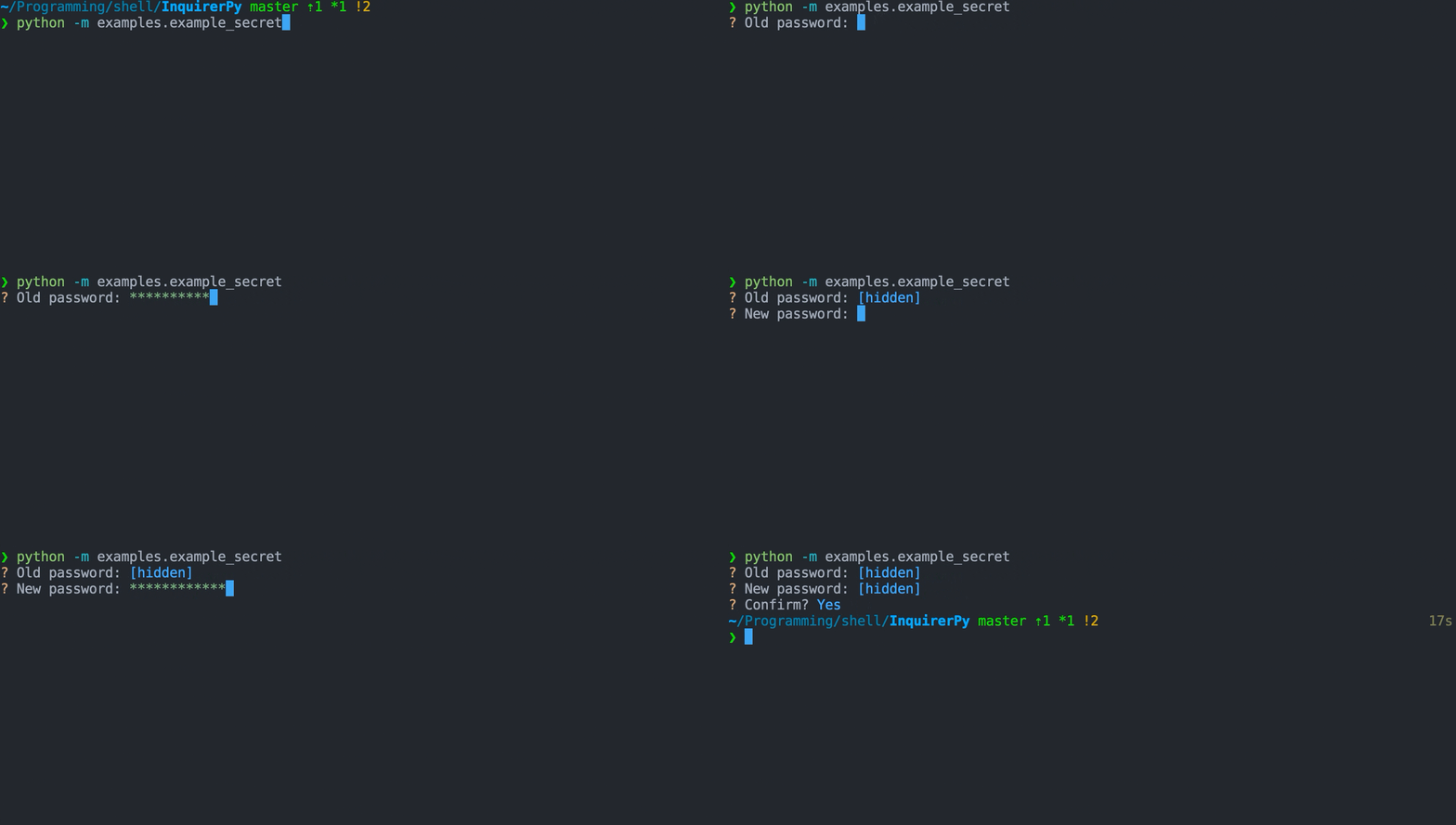
8 |
9 |
10 | Classic Syntax (PyInquirer)
11 |
12 | ```{eval-rst}
13 | .. literalinclude :: ../../../examples/classic/secret.py
14 | :language: python
15 | ```
16 |
17 |
18 |
19 |
20 | Alternate Syntax
21 |
22 | ```{eval-rst}
23 | .. literalinclude :: ../../../examples/alternate/secret.py
24 | :language: python
25 | ```
26 |
27 |
28 |
29 | ## Keybindings
30 |
31 | ```{seealso}
32 | {ref}`pages/kb:Keybindings`
33 | ```
34 |
35 | ```{include} ../kb.md
36 | :start-after:
37 | :end-before:
38 | ```
39 |
40 | There are no additional keybindings created for this prompt besides the default keybindings and input buffer keybindings.
41 |
42 | ## Password Validation
43 |
44 | ```{seealso}
45 | {ref}`pages/validator:PasswordValidator`
46 | ```
47 |
48 | ## Reference
49 |
50 | ```{eval-rst}
51 | .. autoclass:: InquirerPy.prompts.secret.SecretPrompt
52 | :noindex:
53 | ```
54 |
--------------------------------------------------------------------------------
/examples/alternate/checkbox.py:
--------------------------------------------------------------------------------
1 | from InquirerPy import inquirer
2 | from InquirerPy.base.control import Choice
3 | from InquirerPy.separator import Separator
4 |
5 | question1_choice = [
6 | Separator(),
7 | Choice("ap-southeast-2", name="Sydney", enabled=True),
8 | Choice("ap-southeast-1", name="Singapore", enabled=False),
9 | Separator(),
10 | "us-east-1",
11 | "us-west-1",
12 | Separator(),
13 | ]
14 |
15 |
16 | def question2_choice(_):
17 | return [
18 | "Apple",
19 | "Cherry",
20 | "Orange",
21 | "Peach",
22 | "Melon",
23 | "Strawberry",
24 | "Grapes",
25 | ]
26 |
27 |
28 | def main():
29 | regions = inquirer.checkbox(
30 | message="Select regions:",
31 | choices=question1_choice,
32 | cycle=False,
33 | transformer=lambda result: "%s region%s selected"
34 | % (len(result), "s" if len(result) > 1 else ""),
35 | ).execute()
36 | fruits = inquirer.checkbox(
37 | message="Pick your favourites:",
38 | choices=question2_choice,
39 | validate=lambda result: len(result) >= 1,
40 | invalid_message="should be at least 1 selection",
41 | instruction="(select at least 1)",
42 | ).execute()
43 |
44 |
45 | if __name__ == "__main__":
46 | main()
47 |
--------------------------------------------------------------------------------
/examples/alternate/expand.py:
--------------------------------------------------------------------------------
1 | from InquirerPy import inquirer
2 | from InquirerPy.prompts.expand import ExpandChoice
3 | from InquirerPy.separator import Separator
4 |
5 | question1_choice = [
6 | ExpandChoice(key="a", name="Apple", value="Apple"),
7 | ExpandChoice(key="c", name="Cherry", value="Cherry"),
8 | ExpandChoice(key="o", name="Orange", value="Orange"),
9 | ExpandChoice(key="p", name="Peach", value="Peach"),
10 | ExpandChoice(key="m", name="Melon", value="Melon"),
11 | ExpandChoice(key="s", name="Strawberry", value="Strawberry"),
12 | ExpandChoice(key="g", name="Grapes", value="Grapes"),
13 | ]
14 |
15 |
16 | def question2_choice(_):
17 | return [
18 | ExpandChoice(key="d", name="Delivery", value="dl"),
19 | ExpandChoice(key="p", name="Pick Up", value="pk"),
20 | Separator(line=15 * "*"),
21 | ExpandChoice(key="c", name="Car Park", value="cp"),
22 | ExpandChoice(key="t", name="Third Party", value="tp"),
23 | ]
24 |
25 |
26 | def main():
27 | fruit = inquirer.expand(
28 | message="Pick your favourite:", choices=question1_choice, default="o"
29 | ).execute()
30 | method = inquirer.expand(
31 | message="Select your preferred method:", choices=question2_choice
32 | ).execute()
33 |
34 |
35 | if __name__ == "__main__":
36 | main()
37 |
--------------------------------------------------------------------------------
/examples/classic/rawlist.py:
--------------------------------------------------------------------------------
1 | from InquirerPy import prompt
2 | from InquirerPy.base.control import Choice
3 | from InquirerPy.separator import Separator
4 |
5 |
6 | def main():
7 | questions = [
8 | {
9 | "type": "rawlist",
10 | "choices": [
11 | "Apple",
12 | "Orange",
13 | "Peach",
14 | "Cherry",
15 | "Melon",
16 | "Strawberry",
17 | "Grapes",
18 | ],
19 | "message": "Pick your favourites:",
20 | "default": 3,
21 | "multiselect": True,
22 | "transformer": lambda result: ", ".join(result),
23 | "validate": lambda result: len(result) > 1,
24 | "invalid_message": "Minimum 2 selections",
25 | },
26 | {
27 | "type": "rawlist",
28 | "choices": [
29 | Choice(name="Delivery", value="dl"),
30 | Choice(name="Pick Up", value="pk"),
31 | Separator(line=15 * "*"),
32 | Choice(name="Car Park", value="cp"),
33 | Choice(name="Third Party", value="tp"),
34 | ],
35 | "message": "Select your preferred method:",
36 | },
37 | ]
38 |
39 | result = prompt(questions)
40 |
41 |
42 | if __name__ == "__main__":
43 | main()
44 |
--------------------------------------------------------------------------------
/examples/classic/checkbox.py:
--------------------------------------------------------------------------------
1 | from InquirerPy import prompt
2 | from InquirerPy.base import Choice
3 | from InquirerPy.separator import Separator
4 |
5 | question1_choice = [
6 | Separator(),
7 | Choice("ap-southeast-2", name="Sydney", enabled=True),
8 | Choice("ap-southeast-1", name="Singapore", enabled=False),
9 | Separator(),
10 | "us-east-1",
11 | "us-west-1",
12 | Separator(),
13 | ]
14 |
15 |
16 | def question2_choice(_):
17 | return [
18 | "Apple",
19 | "Cherry",
20 | "Orange",
21 | "Peach",
22 | "Melon",
23 | "Strawberry",
24 | "Grapes",
25 | ]
26 |
27 |
28 | def main():
29 | questions = [
30 | {
31 | "type": "checkbox",
32 | "message": "Select regions:",
33 | "choices": question1_choice,
34 | "transformer": lambda result: "%s region%s selected"
35 | % (len(result), "s" if len(result) > 1 else ""),
36 | },
37 | {
38 | "type": "checkbox",
39 | "message": "Pick your favourites:",
40 | "choices": question2_choice,
41 | "validate": lambda result: len(result) >= 1,
42 | "invalid_message": "should be at least 1 selection",
43 | "instruction": "(select at least 1)",
44 | },
45 | ]
46 |
47 | result = prompt(questions)
48 |
49 |
50 | if __name__ == "__main__":
51 | main()
52 |
--------------------------------------------------------------------------------
/InquirerPy/containers/instruction.py:
--------------------------------------------------------------------------------
1 | """Module contains :class:`.InstructionWindow` which can be used to display long instructions."""
2 |
3 | from typing import TYPE_CHECKING
4 |
5 | from prompt_toolkit.layout.containers import ConditionalContainer, Window
6 | from prompt_toolkit.layout.controls import FormattedTextControl
7 |
8 | if TYPE_CHECKING:
9 | from prompt_toolkit.filters.base import FilterOrBool
10 | from prompt_toolkit.formatted_text.base import AnyFormattedText
11 |
12 |
13 | class InstructionWindow(ConditionalContainer):
14 | """Conditional `prompt_toolkit` :class:`~prompt_toolkit.layout.Window` that displays long instructions.
15 |
16 | Args:
17 | message: Long instructions to display.
18 | filter: Condition to display the instruction window.
19 | """
20 |
21 | def __init__(self, message: str, filter: "FilterOrBool", **kwargs) -> None:
22 | self._message = message
23 | super().__init__(
24 | Window(
25 | FormattedTextControl(text=self._get_message),
26 | dont_extend_height=True,
27 | **kwargs
28 | ),
29 | filter=filter,
30 | )
31 |
32 | def _get_message(self) -> "AnyFormattedText":
33 | """Get long instruction to display.
34 |
35 | Returns:
36 | FormattedText in list of tuple format.
37 | """
38 | return [("class:long_instruction", self._message)]
39 |
--------------------------------------------------------------------------------
/.github/workflows/test.yml:
--------------------------------------------------------------------------------
1 | name: Test
2 | on: [push, pull_request]
3 |
4 | jobs:
5 | unittest:
6 | runs-on: ubuntu-latest
7 | strategy:
8 | matrix:
9 | python-version: [3.7, 3.8, 3.9]
10 |
11 | steps:
12 | - uses: actions/checkout@v2
13 | - name: Setup python ${{ matrix.python-version }}
14 | uses: actions/setup-python@v2
15 | with:
16 | python-version: ${{ matrix.python-version }}
17 | - name: Install poetry
18 | uses: abatilo/actions-poetry@v2.0.0
19 | with:
20 | poetry-version: 1.1.6
21 | - name: Install dependencies
22 | run: poetry install --no-dev
23 | - name: Test with unittest
24 | run: poetry run python -m unittest discover
25 |
26 | coverage:
27 | runs-on: ubuntu-latest
28 | steps:
29 | - uses: actions/checkout@v2
30 | - name: Setup python ${{ matrix.python-version }}
31 | uses: actions/setup-python@v2
32 | with:
33 | python-version: 3.8
34 | - name: Install poetry
35 | uses: abatilo/actions-poetry@v2.0.0
36 | with:
37 | poetry-version: 1.1.10
38 | - name: Install dependencies
39 | run: poetry install
40 | - name: Coverage run unittest
41 | run: poetry run coverage run -m unittest discover
42 | - name: Report coverage
43 | env:
44 | GITHUB_TOKEN: ${{ secrets.GITHUB_TOKEN }}
45 | run: poetry run coveralls --service=github
46 |
--------------------------------------------------------------------------------
/docs/pages/inquirer.md:
--------------------------------------------------------------------------------
1 | # inquirer
2 |
3 | ````{attention}
4 | This document is irrelevant if you intend to use the {ref}`index:Classic Syntax (PyInquirer)`.
5 |
6 | ```{seealso}
7 | {ref}`pages/prompt:prompt`
8 | ```
9 |
10 | ````
11 |
12 | This page documents the usage of `inquirer`.
13 |
14 | ```{eval-rst}
15 | .. automodule:: InquirerPy.inquirer
16 | :noindex:
17 | ```
18 |
19 | An example using `inquirer` which incorporate multiple different types of prompts:
20 |
21 | 
22 |
23 | ```{eval-rst}
24 | .. literalinclude :: ../../examples/inquirer.py
25 | :language: python
26 | ```
27 |
28 | ```{important}
29 | The `inquirer` module serves as an entry point to each prompt classes. Refer to
30 | individual prompt documentation for prompt specific usage.
31 | ```
32 |
33 | ## Synchronous execution
34 |
35 | Each prompt contains a function `execute` to start the prompt.
36 |
37 | ```{code-block} python
38 | from InquirerPy import inquirer
39 |
40 | def main():
41 | result = inquirer.text(message="Name:").execute()
42 |
43 | if __name__ == "__main__":
44 | main()
45 | ```
46 |
47 | ## Asynchronous execution
48 |
49 | Each prompt contains a function `execute_async` to start the prompt asynchronously.
50 |
51 | ```{code-block} python
52 | import asyncio
53 | from InquirerPy import inquirer
54 |
55 | async def main():
56 | result = await inquirer.text(message="Name:").execute_async()
57 |
58 | if __name__ == "__main__":
59 | asyncio.run(main())
60 | ```
61 |
--------------------------------------------------------------------------------
/examples/classic/expand.py:
--------------------------------------------------------------------------------
1 | from InquirerPy import prompt
2 | from InquirerPy.prompts.expand import ExpandChoice
3 | from InquirerPy.separator import Separator
4 |
5 |
6 | def question1_choice(_):
7 | return [
8 | ExpandChoice(key="a", name="Apple", value="Apple"),
9 | ExpandChoice(key="c", name="Cherry", value="Cherry"),
10 | ExpandChoice(key="o", name="Orange", value="Orange"),
11 | ExpandChoice(key="p", name="Peach", value="Peach"),
12 | ExpandChoice(key="m", name="Melon", value="Melon"),
13 | ExpandChoice(key="s", name="Strawberry", value="Strawberry"),
14 | ExpandChoice(key="g", name="Grapes", value="Grapes"),
15 | ]
16 |
17 |
18 | def question2_choice(_):
19 | return [
20 | ExpandChoice(key="d", name="Delivery", value="dl"),
21 | ExpandChoice(key="p", name="Pick Up", value="pk"),
22 | Separator(line=15 * "*"),
23 | ExpandChoice(key="c", name="Car Park", value="cp"),
24 | ExpandChoice(key="t", name="Third Party", value="tp"),
25 | ]
26 |
27 |
28 | def main():
29 | questions = [
30 | {
31 | "type": "expand",
32 | "choices": question1_choice,
33 | "message": "Pick your favourite:",
34 | "default": "o",
35 | "cycle": False,
36 | },
37 | {
38 | "type": "expand",
39 | "choices": question2_choice,
40 | "message": "Select your preferred method:",
41 | },
42 | ]
43 |
44 | result = prompt(questions)
45 |
46 |
47 | if __name__ == "__main__":
48 | main()
49 |
--------------------------------------------------------------------------------
/examples/alternate/fuzzy.py:
--------------------------------------------------------------------------------
1 | import urllib.request
2 | from contextlib import ExitStack
3 | from pathlib import Path
4 |
5 | from InquirerPy import inquirer
6 |
7 |
8 | def get_choices(_):
9 | p = Path(__file__).resolve().parent.joinpath("sample.txt")
10 | choices = []
11 | result = []
12 |
13 | with ExitStack() as stack:
14 | if not p.exists():
15 | file = stack.enter_context(p.open("w+"))
16 | sample = stack.enter_context(
17 | urllib.request.urlopen(
18 | "https://assets.kazhala.me/InquirerPy/sample.txt"
19 | )
20 | )
21 | file.write(sample.read().decode())
22 | file.seek(0, 0)
23 | else:
24 | file = stack.enter_context(p.open("r"))
25 | for line in file.readlines():
26 | choices.append(line[:-1])
27 | for choice in choices:
28 | if not choice:
29 | continue
30 | result.append(choice)
31 | return result
32 |
33 |
34 | def main():
35 | action = inquirer.fuzzy(
36 | message="Select actions:",
37 | choices=["hello", "weather", "what", "whoa", "hey", "yo"],
38 | default="he",
39 | ).execute()
40 | words = inquirer.fuzzy(
41 | message="Select preferred words:",
42 | choices=get_choices,
43 | multiselect=True,
44 | validate=lambda result: len(result) > 1,
45 | invalid_message="minimum 2 selections",
46 | max_height="70%",
47 | ).execute()
48 |
49 |
50 | if __name__ == "__main__":
51 | main()
52 |
--------------------------------------------------------------------------------
/InquirerPy/containers/message.py:
--------------------------------------------------------------------------------
1 | """Module contains the main message window :class:`~prompt_toolkit.container.Container`."""
2 |
3 | from typing import TYPE_CHECKING
4 |
5 | from prompt_toolkit.layout.containers import ConditionalContainer, Window
6 | from prompt_toolkit.layout.controls import FormattedTextControl
7 | from prompt_toolkit.layout.dimension import LayoutDimension
8 |
9 | if TYPE_CHECKING:
10 | from prompt_toolkit.filters.base import FilterOrBool
11 | from prompt_toolkit.formatted_text.base import AnyFormattedText
12 |
13 |
14 | class MessageWindow(ConditionalContainer):
15 | """Main window to display question to the user.
16 |
17 | Args:
18 | message: The message to display in the terminal.
19 | filter: Condition that this message window should be displayed.
20 | Use a loading condition to only display this window while its not loading.
21 | wrap_lines: Enable line wrapping if the message is too long.
22 | show_cursor: Display cursor.
23 | """
24 |
25 | def __init__(
26 | self,
27 | message: "AnyFormattedText",
28 | filter: "FilterOrBool",
29 | wrap_lines: bool = True,
30 | show_cursor: bool = True,
31 | **kwargs
32 | ) -> None:
33 | super().__init__(
34 | content=Window(
35 | height=LayoutDimension.exact(1) if not wrap_lines else None,
36 | content=FormattedTextControl(message, show_cursor=show_cursor),
37 | wrap_lines=wrap_lines,
38 | dont_extend_height=True,
39 | **kwargs
40 | ),
41 | filter=filter,
42 | )
43 |
--------------------------------------------------------------------------------
/examples/classic/fuzzy.py:
--------------------------------------------------------------------------------
1 | import urllib.request
2 | from contextlib import ExitStack
3 | from pathlib import Path
4 |
5 | from InquirerPy import prompt
6 |
7 |
8 | def get_choices(_):
9 | p = Path(__file__).resolve().parent.joinpath("sample.txt")
10 | choices = []
11 | result = []
12 |
13 | with ExitStack() as stack:
14 | if not p.exists():
15 | file = stack.enter_context(p.open("w+"))
16 | sample = stack.enter_context(
17 | urllib.request.urlopen(
18 | "https://assets.kazhala.me/InquirerPy/sample.txt"
19 | )
20 | )
21 | file.write(sample.read().decode())
22 | file.seek(0, 0)
23 | else:
24 | file = stack.enter_context(p.open("r"))
25 | for line in file.readlines():
26 | choices.append(line[:-1])
27 | for choice in choices:
28 | if not choice:
29 | continue
30 | result.append(choice)
31 | return result
32 |
33 |
34 | def main():
35 | questions = [
36 | {
37 | "type": "fuzzy",
38 | "message": "Select actions:",
39 | "choices": ["hello", "weather", "what", "whoa", "hey", "yo"],
40 | "default": "he",
41 | "max_height": "70%",
42 | },
43 | {
44 | "type": "fuzzy",
45 | "message": "Select preferred words:",
46 | "choices": get_choices,
47 | "multiselect": True,
48 | "validate": lambda result: len(result) > 1,
49 | "invalid_message": "minimum 2 selection",
50 | "max_height": "70%",
51 | },
52 | ]
53 |
54 | result = prompt(questions=questions)
55 |
56 |
57 | if __name__ == "__main__":
58 | main()
59 |
--------------------------------------------------------------------------------
/examples/pizza.py:
--------------------------------------------------------------------------------
1 | from InquirerPy import prompt
2 | from InquirerPy.enum import INQUIRERPY_POINTER_SEQUENCE
3 | from InquirerPy.validator import EmptyInputValidator
4 |
5 | questions = [
6 | {
7 | "message": "Delivery or Takeaway?",
8 | "type": "list",
9 | "choices": ["Takeaway", "Delivery"],
10 | },
11 | {
12 | "message": "What's your name?",
13 | "type": "input",
14 | "validate": EmptyInputValidator(),
15 | },
16 | {
17 | "message": "What's your address",
18 | "type": "input",
19 | "validate": EmptyInputValidator("Address cannot be empty"),
20 | "when": lambda x: x[0] == "Delivery",
21 | },
22 | {
23 | "message": "What pizza would you like?",
24 | "type": "rawlist",
25 | "choices": [
26 | "Pepperoni",
27 | "Hawaii",
28 | "Simple Cheese",
29 | "Peri Peri Chicken",
30 | "Meath Lover",
31 | ],
32 | "pointer": INQUIRERPY_POINTER_SEQUENCE,
33 | },
34 | {
35 | "message": "Select toppings:",
36 | "type": "fuzzy",
37 | "choices": [
38 | "Pepperoni",
39 | "Mushrooms",
40 | "Sausage",
41 | "Onions",
42 | "Bacon",
43 | "Extra Cheese",
44 | "Peppers",
45 | "Black Olives",
46 | "Chicken",
47 | "Pineapple",
48 | "Spinach",
49 | "Fresh Basil",
50 | "Ham",
51 | "Pesto",
52 | "Beef",
53 | ],
54 | "multiselect": True,
55 | },
56 | {"message": "Confirm order?", "type": "confirm", "default": False},
57 | ]
58 | result = prompt(
59 | questions,
60 | style={"questionmark": "#ff9d00 bold"},
61 | vi_mode=True,
62 | style_override=False,
63 | )
64 |
--------------------------------------------------------------------------------
/tests/containers/test_spinner.py:
--------------------------------------------------------------------------------
1 | import asyncio
2 | import unittest
3 |
4 | from prompt_toolkit.filters.base import Condition, Filter
5 | from prompt_toolkit.layout.containers import ConditionalContainer
6 |
7 | from InquirerPy.containers.spinner import SPINNERS, SpinnerWindow
8 |
9 |
10 | class TestSpinner(unittest.TestCase):
11 | def setUp(self) -> None:
12 | self.spinner = SpinnerWindow(Condition(lambda: True), redraw=lambda: None)
13 |
14 | def test_init(self) -> None:
15 | self.assertIsInstance(self.spinner, ConditionalContainer)
16 | self.assertIsInstance(self.spinner._loading, Filter)
17 | self.assertEqual(self.spinner._pattern, SPINNERS.line)
18 | self.assertEqual(self.spinner._text, "Loading ...")
19 |
20 | spinner = SpinnerWindow(
21 | Condition(lambda: True),
22 | redraw=lambda: None,
23 | delay=0.2,
24 | pattern=SPINNERS.dots,
25 | text="Hello",
26 | )
27 | self.assertEqual(spinner._pattern, SPINNERS.dots)
28 | self.assertEqual(spinner._text, "Hello")
29 | self.assertEqual(spinner._delay, 0.2)
30 |
31 | def test_get_text(self):
32 | self.assertEqual(
33 | self.spinner._get_text(),
34 | [
35 | ("class:spinner_pattern", SPINNERS.line[0]),
36 | ("", " "),
37 | ("class:spinner_text", "Loading ..."),
38 | ],
39 | )
40 |
41 | def test_start(self):
42 | flag = {"loading": True, "counter": 0}
43 |
44 | async def run_start(spinner) -> None:
45 | asyncio.create_task(spinner.start())
46 | asyncio.create_task(spinner.start())
47 | await asyncio.sleep(0.4)
48 | flag["loading"] = False
49 |
50 | def count():
51 | flag["counter"] += 1
52 |
53 | spinner = SpinnerWindow(Condition(lambda: flag["loading"]), redraw=count)
54 | asyncio.run(run_start(spinner))
55 | self.assertNotEqual(flag["counter"], 0)
56 |
--------------------------------------------------------------------------------
/docs/pages/prompts/rawlist.md:
--------------------------------------------------------------------------------
1 | # rawlist
2 |
3 | A prompt that displays a list of choices and can use index numbers as key jump shortcuts.
4 |
5 | ## Example
6 |
7 | 
8 |
9 |
10 | Classic Syntax (PyInquirer)
11 |
12 | ```{eval-rst}
13 | .. literalinclude :: ../../../examples/classic/rawlist.py
14 | :language: python
15 | ```
16 |
17 |
18 |
19 |
20 | Alternate Syntax
21 |
22 | ```{eval-rst}
23 | .. literalinclude :: ../../../examples/alternate/rawlist.py
24 | :language: python
25 | ```
26 |
27 |
28 |
29 | ## Choices
30 |
31 | ```{seealso}
32 | {ref}`pages/dynamic:choices`
33 | ```
34 |
35 | For this specific prompt, due to the shortcut being created is between 1-9, the total length of choices cannot exceed 10.
36 |
37 | ## Keybindings
38 |
39 | ```{seealso}
40 | {ref}`pages/kb:Keybindings`
41 | ```
42 |
43 | ```{hint}
44 | In addition to the keybindings mentioned below, keybindings are created for keys 1-9 to jump to the target index choices.
45 | ```
46 |
47 | ```{include} ../kb.md
48 | :start-after:
49 | :end-before:
50 | ```
51 |
52 | ```{include} ./list.md
53 | :start-after:
54 | :end-before:
55 | ```
56 |
57 | ```{include} ./list.md
58 | :start-after:
59 | :end-before:
60 | ```
61 |
62 | ## Multiple Selection
63 |
64 | ```{seealso}
65 | {ref}`pages/prompts/list:Multiple Selection`
66 | ```
67 |
68 | ## Default Value
69 |
70 | ```{seealso}
71 | {ref}`pages/prompts/list:Default Value`
72 | ```
73 |
74 | The `default` parameter for rawlist can be three types of values:
75 |
76 | - shortcut index (int): an {class}`int` value between 1-9 and the default value index choice will be highlighted.
77 | - choice value (Any): default value could the value of one of the choices.
78 |
79 | ## Reference
80 |
81 | ```{eval-rst}
82 | .. autoclass:: InquirerPy.prompts.rawlist.RawlistPrompt
83 | :noindex:
84 | ```
85 |
--------------------------------------------------------------------------------
/examples/demo_alternate.py:
--------------------------------------------------------------------------------
1 | # NOTE: Following example requires boto3 package.
2 | import os
3 |
4 | import boto3
5 |
6 | from InquirerPy import inquirer
7 | from InquirerPy.exceptions import InvalidArgument
8 | from InquirerPy.validator import PathValidator
9 |
10 | client = boto3.client("s3")
11 | os.environ["INQUIRERPY_VI_MODE"] = "true"
12 |
13 |
14 | def get_bucket(_):
15 | return [bucket["Name"] for bucket in client.list_buckets()["Buckets"]]
16 |
17 |
18 | def walk_s3_bucket(bucket):
19 | response = []
20 | paginator = client.get_paginator("list_objects")
21 | for result in paginator.paginate(Bucket=bucket):
22 | for file in result["Contents"]:
23 | response.append(file["Key"])
24 | return response
25 |
26 |
27 | try:
28 | action = inquirer.select(
29 | message="Select an S3 action:", choices=["Upload", "Download"]
30 | ).execute()
31 |
32 | if action == "Upload":
33 | file_to_upload = inquirer.filepath(
34 | message="Enter the filepath to upload:",
35 | validate=PathValidator(),
36 | only_files=True,
37 | ).execute()
38 | bucket = inquirer.fuzzy(
39 | message="Select a bucket:", choices=get_bucket, spinner_enable=True
40 | ).execute()
41 | else:
42 | bucket = inquirer.fuzzy(
43 | message="Select a bucket:", choices=get_bucket, spinner_enable=True
44 | ).execute()
45 | file_to_download = inquirer.fuzzy(
46 | message="Select files to download:",
47 | choices=lambda _: walk_s3_bucket(bucket),
48 | multiselect=True,
49 | spinner_enable=True,
50 | ).execute()
51 | destination = inquirer.filepath(
52 | message="Enter destination folder:",
53 | only_directories=True,
54 | validate=PathValidator(),
55 | ).execute()
56 |
57 | confirm = inquirer.confirm(message="Confirm?").execute()
58 | except InvalidArgument:
59 | print("No available choices")
60 |
61 | # Download or Upload the file based on result ...
62 |
--------------------------------------------------------------------------------
/examples/demo_classic.py:
--------------------------------------------------------------------------------
1 | # NOTE: Following example requires boto3 package.
2 | import boto3
3 |
4 | from InquirerPy import prompt
5 | from InquirerPy.exceptions import InvalidArgument
6 | from InquirerPy.validator import PathValidator
7 |
8 | client = boto3.client("s3")
9 |
10 |
11 | def get_bucket(_):
12 | return [bucket["Name"] for bucket in client.list_buckets()["Buckets"]]
13 |
14 |
15 | def walk_s3_bucket(result):
16 | response = []
17 | paginator = client.get_paginator("list_objects")
18 | for result in paginator.paginate(Bucket=result["bucket"]):
19 | for file in result["Contents"]:
20 | response.append(file["Key"])
21 | return response
22 |
23 |
24 | def is_upload(result):
25 | return result[0] == "Upload"
26 |
27 |
28 | questions = [
29 | {
30 | "message": "Select an S3 action:",
31 | "type": "list",
32 | "choices": ["Upload", "Download"],
33 | },
34 | {
35 | "message": "Enter the filepath to upload:",
36 | "type": "filepath",
37 | "when": is_upload,
38 | "validate": PathValidator(),
39 | "only_files": True,
40 | },
41 | {
42 | "message": "Select a bucket:",
43 | "type": "fuzzy",
44 | "choices": get_bucket,
45 | "name": "bucket",
46 | "spinner_enable": True,
47 | },
48 | {
49 | "message": "Select files to download:",
50 | "type": "fuzzy",
51 | "when": lambda _: not is_upload(_),
52 | "choices": walk_s3_bucket,
53 | "multiselect": True,
54 | "spinner_enable": True,
55 | },
56 | {
57 | "message": "Enter destination folder:",
58 | "type": "filepath",
59 | "when": lambda _: not is_upload(_),
60 | "only_directories": True,
61 | "validate": PathValidator(),
62 | },
63 | {"message": "Confirm?", "type": "confirm", "default": False},
64 | ]
65 |
66 | try:
67 | result = prompt(questions, vi_mode=True)
68 | except InvalidArgument:
69 | print("No available choices")
70 |
71 | # Download or Upload the file based on result ...
72 |
--------------------------------------------------------------------------------
/docs/pages/prompts/filepath.md:
--------------------------------------------------------------------------------
1 | # filepath
2 |
3 | A text prompt which provides auto completion for system paths.
4 |
5 | ## Example
6 |
7 | 
8 |
9 |
10 | Classic Syntax (PyInquirer)
11 |
12 | ```{eval-rst}
13 | .. literalinclude :: ../../../examples/classic/filepath.py
14 | :language: python
15 | ```
16 |
17 |
18 |
19 |
20 | Alternate Syntax
21 |
22 | ```{eval-rst}
23 | .. literalinclude :: ../../../examples/alternate/filepath.py
24 | :language: python
25 | ```
26 |
27 |
28 |
29 | ## Keybindings
30 |
31 | ```{seealso}
32 | {ref}`pages/kb:Keybindings`
33 | ```
34 |
35 | ```{include} ../kb.md
36 | :start-after:
37 | :end-before:
38 | ```
39 |
40 | In addition the default keybindings, you can use `ctrl-space` to trigger completion window popup.
41 |
42 | ```
43 | {
44 | "completion": [{"key": "c-space"}] # force completion popup
45 | }
46 | ```
47 |
48 | ## Symbols and ENV Variables
49 |
50 | The auto completion can handle `~` and will start triggering completion for the home directory. However it does not handle ENV variable
51 | such as `$HOME`.
52 |
53 | If you wish to support ENV variables completion, look into `prompt_toolkit` [documentation](https://python-prompt-toolkit.readthedocs.io/en/master/pages/asking_for_input.html#autocompletion)
54 | and create a custom completion class. Directly use the {ref}`pages/prompts/input:InputPrompt` with the parameter `completer`.
55 |
56 | ```{seealso}
57 | {class}`InquirerPy.prompts.filepath.FilePathCompleter`
58 | ```
59 |
60 | ## Excluding File Types
61 |
62 | This class contains 2 basic variables `only_directories` and `only_files` that can control whether to only list
63 | files or directories in the completion.
64 |
65 | ```{note}
66 | `only_directories` takes higher priority over `only_files`.
67 | ```
68 |
69 | ```{seealso}
70 | [Example](#example)
71 | ```
72 |
73 | ## Reference
74 |
75 | ```{eval-rst}
76 | .. autoclass:: InquirerPy.prompts.filepath.FilePathPrompt
77 | :noindex:
78 | ```
79 |
--------------------------------------------------------------------------------
/InquirerPy/containers/validation.py:
--------------------------------------------------------------------------------
1 | """Module contains :class:`.ValidationWindow` which can be used to display error."""
2 |
3 | from typing import Optional
4 |
5 | from prompt_toolkit.filters.base import FilterOrBool
6 | from prompt_toolkit.formatted_text.base import AnyFormattedText
7 | from prompt_toolkit.layout.containers import ConditionalContainer, Float, Window
8 | from prompt_toolkit.layout.controls import FormattedTextControl
9 |
10 |
11 | class ValidationWindow(ConditionalContainer):
12 | """Conditional `prompt_toolkit` :class:`~prompt_toolkit.layout.Window` that displays error.
13 |
14 | Args:
15 | invalid_message: Error message to display when error occured.
16 | filter: Condition to display the error window.
17 | """
18 |
19 | def __init__(
20 | self, invalid_message: AnyFormattedText, filter: FilterOrBool, **kwargs
21 | ) -> None:
22 | super().__init__(
23 | Window(
24 | FormattedTextControl(invalid_message), dont_extend_height=True, **kwargs
25 | ),
26 | filter=filter,
27 | )
28 |
29 |
30 | class ValidationFloat(Float):
31 | """:class:`~prompt_toolkit.layout.Float` wrapper around :class:`.ValidationWindow`.
32 |
33 | Args:
34 | invalid_message: Error message to display when error occured.
35 | filter: Condition to display the error window.
36 | left: Distance to left.
37 | right: Distance to right.
38 | bottom: Distance to bottom.
39 | top: Distance to top.
40 | """
41 |
42 | def __init__(
43 | self,
44 | invalid_message: AnyFormattedText,
45 | filter: FilterOrBool,
46 | left: Optional[int] = None,
47 | right: Optional[int] = None,
48 | bottom: Optional[int] = None,
49 | top: Optional[int] = None,
50 | **kwargs
51 | ) -> None:
52 | super().__init__(
53 | content=ValidationWindow(
54 | invalid_message=invalid_message, filter=filter, **kwargs
55 | ),
56 | left=left,
57 | right=right,
58 | bottom=bottom,
59 | top=top,
60 | )
61 |
--------------------------------------------------------------------------------
/docs/pages/prompts/checkbox.md:
--------------------------------------------------------------------------------
1 | # checkbox
2 |
3 | A prompt which displays a list of checkboxes to toggle/tick.
4 |
5 | ## Example
6 |
7 | 
8 |
9 |
10 | Classic Syntax (PyInquirer)
11 |
12 | ```{eval-rst}
13 | .. literalinclude :: ../../../examples/classic/checkbox.py
14 | :language: python
15 | ```
16 |
17 |
18 |
19 |
20 | Alternate Syntax
21 |
22 | ```{eval-rst}
23 | .. literalinclude :: ../../../examples/alternate/checkbox.py
24 | :language: python
25 | ```
26 |
27 |
28 |
29 | ## Choices
30 |
31 | ```{seealso}
32 | {ref}`pages/dynamic:choices`
33 | ```
34 |
35 | In checkbox prompt, the `multiselct` option is always enabled. If you want any choices to be pre-selected,
36 | use {class}`~InquirerPy.base.control.Choice` to create choices and set `enabled` to True.
37 |
38 | ```{code-block} python
39 | from InquirerPy.base import Choice
40 |
41 | choices = [
42 | Choice("selected", enabled=True),
43 | Choice("notselected", enabled=False),
44 | "notselected2"
45 | ]
46 | ```
47 |
48 | ## Keybindings
49 |
50 | ```{seealso}
51 | {ref}`pages/kb:Keybindings`
52 | ```
53 |
54 | ```{include} ../kb.md
55 | :start-after:
56 | :end-before:
57 | ```
58 |
59 | ```{include} ./list.md
60 | :start-after:
61 | :end-before:
62 | ```
63 |
64 | ```{include} ./list.md
65 | :start-after:
66 | :end-before:
67 | ```
68 |
69 | ## Default Value
70 |
71 | ```{seealso}
72 | {ref}`pages/dynamic:default`
73 | ```
74 |
75 | The `default` parameter will be used to determine which choice is highlighted by default.
76 |
77 | It should be the value of one of the choices.
78 |
79 | If you wish to pre-select certain choices, you can leverage the `enabled` parameter/key of each choice.
80 |
81 | ```{code-block} python
82 | from InquirerPy.base import Choice
83 |
84 | choices = [
85 | Choice(1, enabled=True), # enabled by default
86 | Choice(2) # not enabled
87 | ]
88 | ```
89 |
90 | ## Reference
91 |
92 | ```{eval-rst}
93 | .. autoclass:: InquirerPy.prompts.checkbox.CheckboxPrompt
94 | :noindex:
95 | ```
96 |
--------------------------------------------------------------------------------
/docs/pages/separator.md:
--------------------------------------------------------------------------------
1 | # Separator
2 |
3 | You can use {class}`~InquirerPy.separator.Separator` to effectively group {ref}`pages/dynamic:choices` visually in the
4 | following types of prompts which involves list of choices:
5 |
6 | - {ref}`pages/prompts/list:ListPrompt`
7 | - {ref}`pages/prompts/rawlist:RawlistPrompt`
8 | - {ref}`pages/prompts/expand:ExpandPrompt`
9 | - {ref}`pages/prompts/checkbox:CheckboxPrompt`
10 |
11 | ```{eval-rst}
12 | .. autoclass:: InquirerPy.separator.Separator
13 | :noindex:
14 | ```
15 |
16 |
17 | Classic Syntax
18 |
19 | ```python
20 | """
21 | ? Select regions: █
22 | Sydney
23 | ❯ Singapore
24 | --------------- <- Separator
25 | us-east-1
26 | us-east-2
27 | """
28 | from InquirerPy import prompt
29 | from InquirerPy.base.control import Choice
30 | from InquirerPy.separator import Separator
31 |
32 | result = prompt(
33 | questions=[
34 | {
35 | "type": "list",
36 | "message": "Select regions:",
37 | "choices": [
38 | Choice("ap-southeast-2", name="Sydney"),
39 | Choice("ap-southeast-1", name="Singapore"),
40 | Separator(),
41 | "us-east-1",
42 | "us-east-2",
43 | ],
44 | "multiselect": True,
45 | "transformer": lambda result: f"{len(result)} region{'s' if len(result) > 1 else ''} selected",
46 | },
47 | ],
48 | )
49 | ```
50 |
51 |
52 |
53 |
54 | Alternate Syntax
55 |
56 | ```python
57 | """
58 | ? Select regions: █
59 | Sydney
60 | ❯ Singapore
61 | --------------- <- Separator
62 | us-east-1
63 | us-east-2
64 | """
65 | from InquirerPy import inquirer
66 | from InquirerPy.base.control import Choice
67 | from InquirerPy.separator import Separator
68 |
69 | region = inquirer.select(
70 | message="Select regions:",
71 | choices=[
72 | Choice("ap-southeast-2", name="Sydney"),
73 | Choice("ap-southeast-1", name="Singapore"),
74 | Separator(),
75 | "us-east-1",
76 | "us-east-2",
77 | ],
78 | multiselect=True,
79 | transformer=lambda result: f"{len(result)} region{'s' if len(result) > 1 else ''} selected",
80 | ).execute()
81 | ```
82 |
83 |
84 |
--------------------------------------------------------------------------------
/docs/pages/faq.md:
--------------------------------------------------------------------------------
1 | # FAQ
2 |
3 | ## Can I change how the user answer is displayed?
4 |
5 | ```{seealso}
6 | {ref}`pages/dynamic:transformer`
7 | ```
8 |
9 | Yes, especially for list type prompts with multiple selection, printing selection
10 | as a list is not ideal in a lot of scenarios. Use `transformer` parameter to customise it.
11 |
12 | ## How can I do unittest when using `InquirerPy`?
13 |
14 | ```{tip}
15 | Since `InquirerPy` module itself is tested, there's no need to mock any futher/deeper than the API entrypoint (`prompt` and `inquirer`).
16 | ```
17 |
18 | For {ref}`index:Classic Syntax (PyInquirer)` user, it would be just a direct mock on the {ref}`pages/prompt:prompt` function.
19 |
20 | ```{code-block} python
21 | ---
22 | caption: Module/somefunction.py
23 | ---
24 | from InquirerPy import prompt
25 |
26 | def get_name():
27 | return prompt({"type": "input", "message": "Name:"})
28 | ```
29 |
30 | ```{code-block} python
31 | ---
32 | caption: tests/test_somefunction.py
33 | ---
34 | import unittest
35 | from unittest.mock import patch
36 |
37 | from Module.somefunction import get_name
38 |
39 | class TestPrompt(unittest.TestCase):
40 | @patch("Module.somefunction.prompt")
41 | def test_get_name(self, mocked_prompt):
42 | mocked_prompt.return_value = "hello"
43 | result = get_name()
44 | self.assertEqual(result, "hello")
45 | ```
46 |
47 | For {ref}`index:Alternate Syntax` user, you'd have to mock 1 level deeper to the prompt class level.
48 |
49 | ```{code-block} python
50 | ---
51 | caption: Module/somefunction.py
52 | ---
53 | from InquirerPy import inquirer
54 |
55 | def get_name():
56 | return inquirer.text(message="Name:").execute()
57 | ```
58 |
59 | ```{code-block} python
60 | ---
61 | caption: tests/test_somefunction.py
62 | ---
63 | import unittest
64 | from unittest.mock import patch
65 |
66 | from Module.somefunction import get_name
67 |
68 | class TestPrompt(unittest.TestCase):
69 | @patch("Module.somefunction.inquirer.text")
70 | def test_get_name(self, mocked_prompt):
71 | mocked_prompt.return_value = "hello"
72 | result = get_name()
73 | self.assertEqual(result, "hello")
74 | ```
75 |
76 | ## Can I navigate back to the previous question?
77 |
78 | No. With the current implementation this is not possible since the control of the prompt is terminated after it is answered.
79 | This may be supported in the future but not a priority at the moment.
80 |
--------------------------------------------------------------------------------
/pyproject.toml:
--------------------------------------------------------------------------------
1 | [tool.poetry]
2 | name = "InquirerPy"
3 | version = "0.3.4"
4 | description = "Python port of Inquirer.js (A collection of common interactive command-line user interfaces)"
5 | authors = ["Kevin Zhuang "]
6 | maintainers = ["Kevin Zhuang "]
7 | readme = "README.md"
8 | repository = "https://github.com/kazhala/InquirerPy"
9 | documentation = "https://inquirerpy.readthedocs.io"
10 | license = "MIT"
11 | keywords=["cli", "prompt-toolkit", "commandline", "inquirer", "development"]
12 | classifiers = [
13 | "Development Status :: 2 - Pre-Alpha",
14 | "Environment :: Console",
15 | "Intended Audience :: Developers",
16 | "License :: OSI Approved :: MIT License",
17 | "Operating System :: Unix",
18 | "Operating System :: Microsoft",
19 | "Programming Language :: Python :: 3",
20 | "Programming Language :: Python :: 3.7",
21 | "Programming Language :: Python :: 3.8",
22 | "Programming Language :: Python :: 3.9",
23 | "Topic :: Software Development",
24 | "Topic :: Software Development :: User Interfaces",
25 | "Topic :: Software Development :: Libraries",
26 | "Topic :: Software Development :: Libraries :: Application Frameworks",
27 | ]
28 | packages = [
29 | {include = "InquirerPy"}
30 | ]
31 | include = ["InquirerPy/py.typed"]
32 |
33 | [tool.poetry.dependencies]
34 | python = "^3.7"
35 | prompt-toolkit = "^3.0.1"
36 | pfzy = "^0.3.1"
37 | Sphinx = {version = "^4.1.2", optional = true}
38 | furo = {version = "^2021.8.17-beta.43", optional = true}
39 | sphinx-copybutton = {version = "^0.4.0", optional = true}
40 | sphinx-autobuild = {version = "^2021.3.14", optional = true}
41 | myst-parser = {version = "^0.15.1", optional = true}
42 |
43 | [tool.poetry.dev-dependencies]
44 | pre-commit = "^2.11.1"
45 | isort = "^5.9.1"
46 | black = "^21.6b0"
47 | pydocstyle = "^6.1.1"
48 | coveralls = "^3.2.0"
49 |
50 | [tool.poetry.extras]
51 | docs = ["Sphinx", "furo", "myst-parser", "sphinx-autobuild", "sphinx-copybutton"]
52 |
53 | [tool.isort]
54 | profile = "black"
55 |
56 | [tool.pydocstyle]
57 | match = "^(?!(.*(init|main))).*\\.py"
58 | convention = "pep257"
59 | add-ignore = "D107"
60 | match_dir = "^(?!(example)).*"
61 |
62 | [tool.coverage.run]
63 | source = ["InquirerPy"]
64 |
65 | [tool.coverage.report]
66 | ignore_errors = true
67 | exclude_lines = [
68 | "if TYPE_CHECKING:"
69 | ]
70 |
71 | [build-system]
72 | requires = ["poetry-core>=1.0.0"]
73 | build-backend = "poetry.core.masonry.api"
74 |
--------------------------------------------------------------------------------
/.gitignore:
--------------------------------------------------------------------------------
1 | # Byte-compiled / optimized / DLL files
2 | __pycache__/
3 | *.py[cod]
4 | *$py.class
5 |
6 | # C extensions
7 | *.so
8 |
9 | # Distribution / packaging
10 | .Python
11 | build/
12 | develop-eggs/
13 | dist/
14 | downloads/
15 | eggs/
16 | .eggs/
17 | lib/
18 | lib64/
19 | parts/
20 | sdist/
21 | var/
22 | wheels/
23 | share/python-wheels/
24 | *.egg-info/
25 | .installed.cfg
26 | *.egg
27 | MANIFEST
28 |
29 | # PyInstaller
30 | # Usually these files are written by a python script from a template
31 | # before PyInstaller builds the exe, so as to inject date/other infos into it.
32 | *.manifest
33 | *.spec
34 |
35 | # Installer logs
36 | pip-log.txt
37 | pip-delete-this-directory.txt
38 |
39 | # Unit test / coverage reports
40 | htmlcov/
41 | .tox/
42 | .nox/
43 | .coverage
44 | .coverage.*
45 | .cache
46 | nosetests.xml
47 | coverage.xml
48 | *.cover
49 | *.py,cover
50 | .hypothesis/
51 | .pytest_cache/
52 | cover/
53 |
54 | # Translations
55 | *.mo
56 | *.pot
57 |
58 | # Django stuff:
59 | *.log
60 | local_settings.py
61 | db.sqlite3
62 | db.sqlite3-journal
63 |
64 | # Flask stuff:
65 | instance/
66 | .webassets-cache
67 |
68 | # Scrapy stuff:
69 | .scrapy
70 |
71 | # Sphinx documentation
72 | docs/_build/
73 |
74 | # PyBuilder
75 | .pybuilder/
76 | target/
77 |
78 | # Jupyter Notebook
79 | .ipynb_checkpoints
80 |
81 | # IPython
82 | profile_default/
83 | ipython_config.py
84 |
85 | # pyenv
86 | # For a library or package, you might want to ignore these files since the code is
87 | # intended to run in multiple environments; otherwise, check them in:
88 | # .python-version
89 |
90 | # pipenv
91 | # According to pypa/pipenv#598, it is recommended to include Pipfile.lock in version control.
92 | # However, in case of collaboration, if having platform-specific dependencies or dependencies
93 | # having no cross-platform support, pipenv may install dependencies that don't work, or not
94 | # install all needed dependencies.
95 | #Pipfile.lock
96 |
97 | # PEP 582; used by e.g. github.com/David-OConnor/pyflow
98 | __pypackages__/
99 |
100 | # Celery stuff
101 | celerybeat-schedule
102 | celerybeat.pid
103 |
104 | # SageMath parsed files
105 | *.sage.py
106 |
107 | # Environments
108 | .env
109 | .venv
110 | env/
111 | venv/
112 | ENV/
113 | env.bak/
114 | venv.bak/
115 |
116 | # Spyder project settings
117 | .spyderproject
118 | .spyproject
119 |
120 | # Rope project settings
121 | .ropeproject
122 |
123 | # mkdocs documentation
124 | /site
125 |
126 | # mypy
127 | .mypy_cache/
128 | .dmypy.json
129 | dmypy.json
130 |
131 | # Pyre type checker
132 | .pyre/
133 |
134 | # pytype static type analyzer
135 | .pytype/
136 |
137 | # Cython debug symbols
138 | cython_debug/
139 | sample.txt
140 |
141 | .vscode
--------------------------------------------------------------------------------
/docs/pages/api.md:
--------------------------------------------------------------------------------
1 | # API Reference
2 |
3 | ## prompt
4 |
5 | ```{eval-rst}
6 | .. automodule:: InquirerPy.resolver
7 | :members:
8 | ```
9 |
10 | ### input
11 |
12 | ```{eval-rst}
13 | .. automodule:: InquirerPy.prompts.input
14 | :members:
15 | ```
16 |
17 | ### secret
18 |
19 | ```{eval-rst}
20 | .. automodule:: InquirerPy.prompts.secret
21 | :members:
22 | ```
23 |
24 | ### filepath
25 |
26 | ```{eval-rst}
27 | .. automodule:: InquirerPy.prompts.filepath
28 | :members:
29 | ```
30 |
31 | ### confirm
32 |
33 | ```{eval-rst}
34 | .. automodule:: InquirerPy.prompts.confirm
35 | :members:
36 | ```
37 |
38 | ### list
39 |
40 | ```{eval-rst}
41 | .. automodule:: InquirerPy.prompts.list
42 | :members:
43 | ```
44 |
45 | ### rawlist
46 |
47 | ```{eval-rst}
48 | .. automodule:: InquirerPy.prompts.rawlist
49 | :members:
50 | ```
51 |
52 | ### expand
53 |
54 | ```{eval-rst}
55 | .. automodule:: InquirerPy.prompts.expand
56 | :members:
57 | ```
58 |
59 | ### checkbox
60 |
61 | ```{eval-rst}
62 | .. automodule:: InquirerPy.prompts.checkbox
63 | :members:
64 | ```
65 |
66 | ### fuzzy
67 |
68 | ```{eval-rst}
69 | .. automodule:: InquirerPy.prompts.fuzzy
70 | :members:
71 | ```
72 |
73 | ## separator
74 |
75 | ```{eval-rst}
76 | .. automodule:: InquirerPy.separator
77 | :members:
78 | ```
79 |
80 | ## utils
81 |
82 | ```{eval-rst}
83 | .. automodule:: InquirerPy.utils
84 | :members:
85 | ```
86 |
87 | ## validator
88 |
89 | ```{eval-rst}
90 | .. automodule:: InquirerPy.validator
91 | :members:
92 | ```
93 |
94 | ## Containers
95 |
96 | ### spinner
97 |
98 | ```{eval-rst}
99 | .. automodule:: InquirerPy.containers.spinner
100 | :members:
101 | ```
102 |
103 | ### message
104 |
105 | ```{eval-rst}
106 | .. automodule:: InquirerPy.containers.message
107 | :members:
108 | ```
109 |
110 | ### validation
111 |
112 | ```{eval-rst}
113 | .. automodule:: InquirerPy.containers.validation
114 | :members:
115 | ```
116 |
117 | ### instruction
118 |
119 | ```{eval-rst}
120 | .. automodule:: InquirerPy.containers.instruction
121 | :members:
122 | ```
123 |
124 | ## base
125 |
126 | ### simple
127 |
128 | ```{eval-rst}
129 | .. automodule:: InquirerPy.base.simple
130 | :members:
131 | ```
132 |
133 | ### complex
134 |
135 | ```{eval-rst}
136 | .. automodule:: InquirerPy.base.complex
137 | :members:
138 | ```
139 |
140 | ### list
141 |
142 | ```{eval-rst}
143 | .. automodule:: InquirerPy.base.list
144 | :members:
145 | ```
146 |
147 | ### control
148 |
149 | ```{eval-rst}
150 | .. automodule:: InquirerPy.base.control
151 | :members:
152 | ```
153 |
154 | ## exceptions
155 |
156 | ```{eval-rst}
157 | .. automodule:: InquirerPy.exceptions
158 | :members:
159 | ```
160 |
--------------------------------------------------------------------------------
/tests/test_validator.py:
--------------------------------------------------------------------------------
1 | import os
2 | import unittest
3 | from contextlib import contextmanager
4 | from pathlib import Path
5 |
6 | from prompt_toolkit.document import Document
7 | from prompt_toolkit.validation import ValidationError
8 |
9 | from InquirerPy.validator import *
10 |
11 |
12 | class TestValidators(unittest.TestCase):
13 | def setUp(self):
14 | self.document = Document()
15 |
16 | @contextmanager
17 | def chdir(self, directory):
18 | orig_dir = os.getcwd()
19 | os.chdir(directory)
20 | try:
21 | yield
22 | finally:
23 | os.chdir(orig_dir)
24 |
25 | def execute_success_case(self, validator, name: str):
26 | try:
27 | validator.validate(self.document)
28 | except ValidationError:
29 | self.fail("%s raised Exception when input is valid" % name)
30 |
31 | def test_PathValidator(self):
32 | self.document._text = "asfasfd"
33 | validator = PathValidator()
34 | file_dir = Path(__file__).resolve().parent
35 | with self.chdir(file_dir):
36 | self.assertRaises(ValidationError, validator.validate, self.document)
37 |
38 | self.document._text = "test_validator.py"
39 | self.execute_success_case(validator, "test_PathValidator")
40 | validator = PathValidator(is_file=True)
41 | self.execute_success_case(validator, "test_PathValidator")
42 | validator = PathValidator(is_dir=True)
43 | self.assertRaises(ValidationError, validator.validate, self.document)
44 | self.document._text = "prompts"
45 | self.execute_success_case(validator, "test_PathValidator")
46 |
47 | def test_EmptyInputValidator(self):
48 | self.document._text = ""
49 | validator = EmptyInputValidator()
50 | self.assertRaises(ValidationError, validator.validate, self.document)
51 | self.document._text = "asdfa"
52 | self.execute_success_case(validator, "test_EmptyInputValidator")
53 |
54 | def test_PasswordValidator(self):
55 | self.document._text = "fasfasfads"
56 | validator = PasswordValidator(length=8, cap=True, special=True, number=True)
57 | self.assertRaises(ValidationError, validator.validate, self.document)
58 | self.document._text = "!iiasdfasfafdsfad99"
59 | self.assertRaises(ValidationError, validator.validate, self.document)
60 | self.document._text = "!Iiasdfasfafdsfad"
61 | self.assertRaises(ValidationError, validator.validate, self.document)
62 | self.document._text = "!Iiasdfasfafdsfad99"
63 | self.execute_success_case(validator, "test_PasswordValidator")
64 |
65 | def test_numberValidator(self):
66 | self.document._text = "asfasdf"
67 | validator = NumberValidator()
68 | self.assertRaises(ValidationError, validator.validate, self.document)
69 | self.document._text = "12"
70 | self.execute_success_case(validator, "test_numberValidator")
71 | self.document._text = "1.2"
72 | validator = NumberValidator(float_allowed=False)
73 | self.assertRaises(ValidationError, validator.validate, self.document)
74 | validator = NumberValidator(float_allowed=True)
75 | self.execute_success_case(validator, "test_numberValidator")
76 |
--------------------------------------------------------------------------------
/docs/pages/prompts/input.md:
--------------------------------------------------------------------------------
1 | # text
2 |
3 | A text prompt that accepts user input.
4 |
5 | ## Example
6 |
7 | 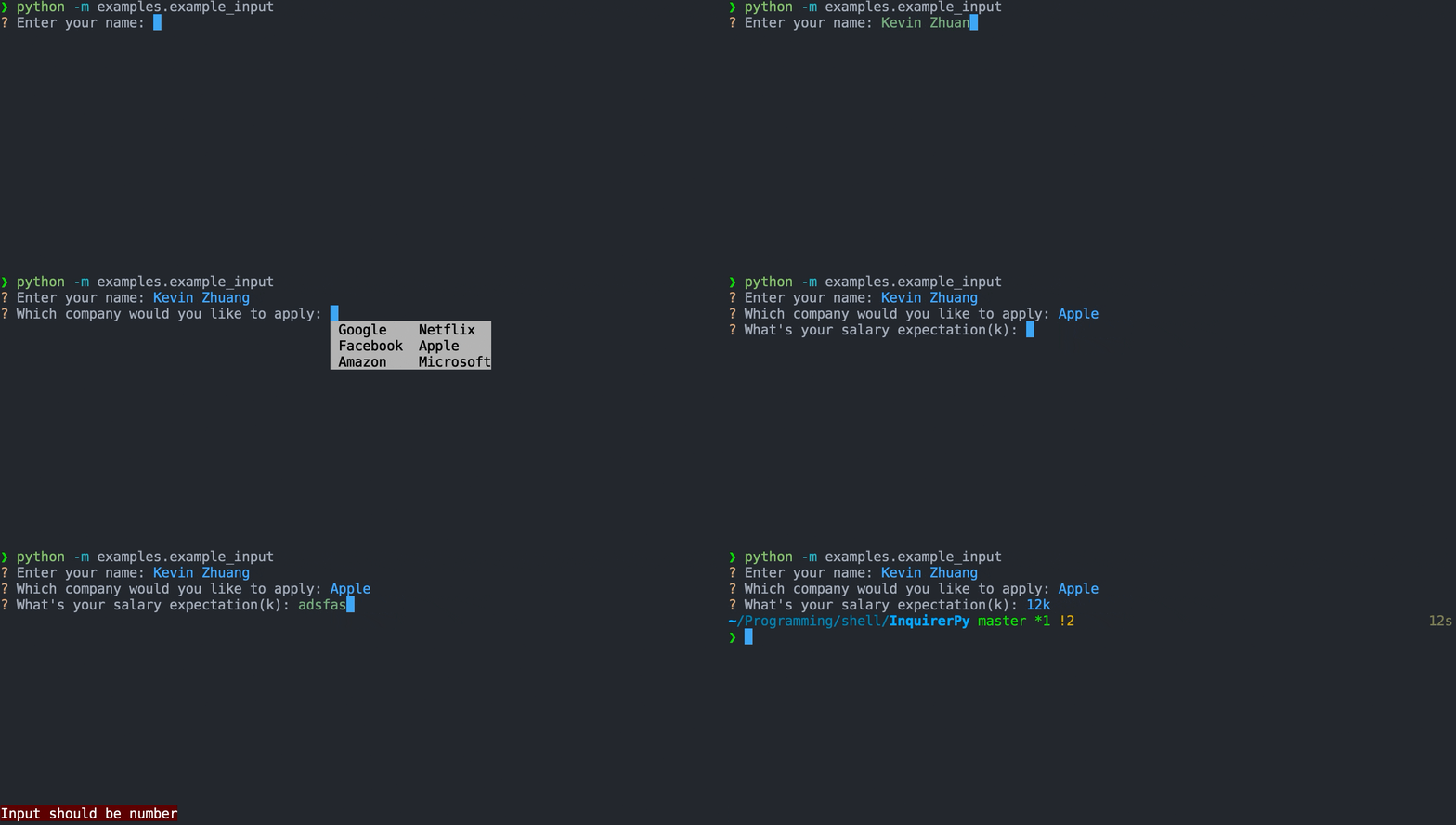
8 |
9 |
10 | Classic Syntax (PyInquirer)
11 |
12 | ```{eval-rst}
13 | .. literalinclude :: ../../../examples/classic/input.py
14 | :language: python
15 | ```
16 |
17 |
18 |
19 |
20 | Alternate Syntax
21 |
22 | ```{eval-rst}
23 | .. literalinclude :: ../../../examples/alternate/input.py
24 | :language: python
25 | ```
26 |
27 |
28 |
29 | ## Keybindings
30 |
31 | ```{seealso}
32 | {ref}`pages/kb:Keybindings`
33 | ```
34 |
35 | ```{include} ../kb.md
36 | :start-after:
37 | :end-before:
38 | ```
39 |
40 | Besides the default keybindings and input buffer keybindings, if you have autocompletion enabled, you can use
41 | `ctrl-space` to trigger completion window popup.
42 |
43 | ```
44 | {
45 | "completion": [{"key": "c-space"}] # force completion popup
46 | }
47 | ```
48 |
49 | ## Auto Completion
50 |
51 | ```{tip}
52 | Use `ctrl-space` to force completion window popup.
53 | ```
54 |
55 | You can add auto completion to the prompt via the parameter/key `completer`. Provide a {class}`~prompt_toolkit.completion.Completer` class or a dictionary of words to enable auto-completion of the prompt.
56 | Below is a simple {class}`dict` completer.
57 |
58 |
59 | Classic Syntax
60 |
61 | ```python
62 | from InquirerPy import prompt
63 |
64 | completer = {
65 | "hello": {
66 | "world": None
67 | },
68 | "foo": {
69 | "boo": None
70 | },
71 | "fizz": {
72 | "bazz": None
73 | }
74 | }
75 |
76 | questions = [
77 | {
78 | "type": "input",
79 | "message": "FooBoo:",
80 | "completer": completer
81 | }
82 | ]
83 |
84 | result = prompt(questions=questions)
85 | ```
86 |
87 |
88 |
89 |
90 | Alternate Syntax
91 |
92 | ```python
93 | from InquirerPy import inquirer
94 |
95 | completer = {
96 | "hello": {
97 | "world": None
98 | },
99 | "foo": {
100 | "boo": None
101 | },
102 | "fizz": {
103 | "bazz": None
104 | }
105 | }
106 |
107 | result = inquirer.text(message="FooBoo:", completer=completer).execute()
108 | ```
109 |
110 |
111 |
112 | Checkout `prompt_toolkit` [documentation](https://python-prompt-toolkit.readthedocs.io/en/master/pages/asking_for_input.html#autocompletion)
113 | for more examples and information on how to create more dynamic/complex completer.
114 |
115 | ## Multi-line Input
116 |
117 | By setting the parameter `multiline` to `True`, the prompt will change from single line input to multiple line input.
118 | While `multiline` is `True`, `enter` will causing a new line to be used instead of finish answering the question. Press
119 | `esc` and then press `enter` to finish answer the question.
120 |
121 | ```{code-block} python
122 | from InquirerPy import inquirer
123 |
124 | result = inquirer.text(message="FooBoo:", multiline=True).execute()
125 | ```
126 |
127 | ## Reference
128 |
129 | ```{eval-rst}
130 | .. autoclass:: InquirerPy.prompts.input.InputPrompt
131 | :noindex:
132 | ```
133 |
--------------------------------------------------------------------------------
/docs/pages/prompts/confirm.md:
--------------------------------------------------------------------------------
1 | # confirm
2 |
3 | A prompt that provides 2 options (confirm/deny) and can be controlled via single keypress.
4 |
5 | ## Example
6 |
7 | 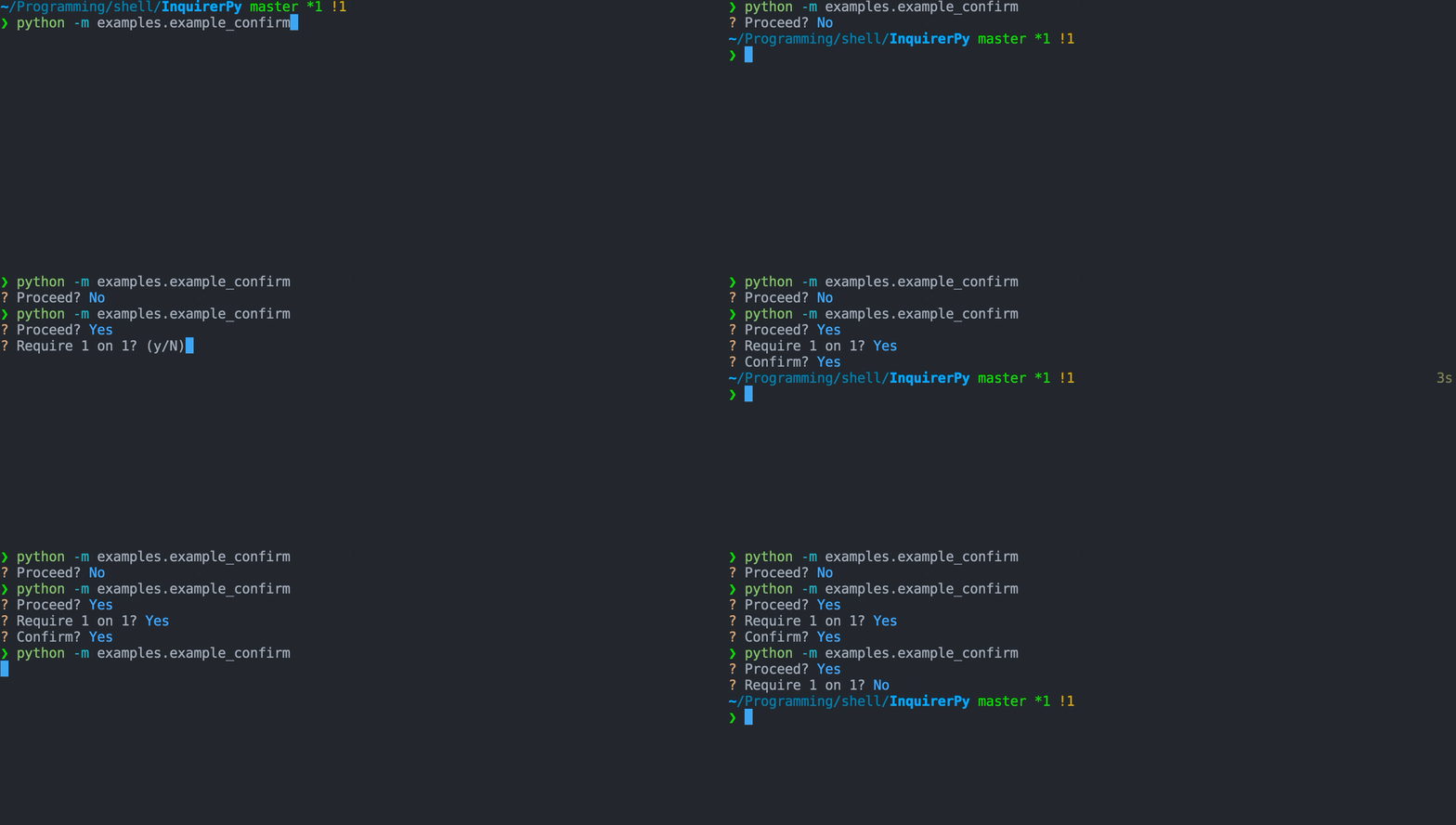
8 |
9 |
10 | Classic Syntax (PyInquirer)
11 |
12 | ```{eval-rst}
13 | .. literalinclude :: ../../../examples/classic/confirm.py
14 | :language: python
15 | ```
16 |
17 |
18 |
19 |
20 | Alternate Syntax
21 |
22 | ```{eval-rst}
23 | .. literalinclude :: ../../../examples/alternate/confirm.py
24 | :language: python
25 | ```
26 |
27 |
28 |
29 | ## Keybindings
30 |
31 | ```{seealso}
32 | {ref}`pages/kb:Keybindings`
33 | ```
34 |
35 | ```{include} ../kb.md
36 | :start-after:
37 | :end-before:
38 | ```
39 |
40 | Besides the default keybindings, keybindings will be created for the parameter `confirm_letter` and `reject_letter` which
41 | by default are `y` and `n` respectively.
42 |
43 | Pressing `y` will answer the prompt with the value True and `n` will answer the prompt with the value False.
44 |
45 | ```
46 | {
47 | "confirm": [{"key": "y"}, {"key": "Y"}], # confirm the prompt
48 | "reject": [{"key": "n"}, {"key": "N"}], # reject the prompt
49 | }
50 | ```
51 |
52 | ## Using Different Letters For Confirm/Deny
53 |
54 | ```{tip}
55 | You can also change the letter by using the `keybindings` parameter and change the value for "confirm" and "reject" key.
56 | ```
57 |
58 | In certain scenarios using `Y/y` for "yes" and `N/n` for "no" may not
59 | be appropriate (e.g. multilingual).
60 |
61 | You can change this behavior by customising the following parameters:
62 |
63 | - `confirm_letter`
64 | - `reject_letter`
65 | - `transformer`
66 |
67 | ```{hint}
68 | Changing the `transformer` is also necessary as the default behavior will print `Yes` for `True`
69 | value and `No` for `False` value.
70 | ```
71 |
72 | ```{note}
73 | This have effects on keybindings, new keybindings will be created based on the value of `confirm_letter` and `reject_letter`
74 | to answer the question with True/False.
75 | ```
76 |
77 |
78 | Classic Syntax (PyInquirer)
79 |
80 | ```{code-block} python
81 | from InquirerPy import prompt
82 |
83 | questions = [
84 | {
85 | "type": "confirm",
86 | "default": True,
87 | "message": "Proceed?",
88 | "confirm_letter": "s",
89 | "reject_letter": "n",
90 | "transformer": lambda result: "SIm" if result else "Não",
91 | }
92 | ]
93 |
94 | result = prompt(questions=questions)
95 | ```
96 |
97 |
98 |
99 |
100 | Alternate Syntax
101 |
102 | ```{code-block} python
103 | from InquirerPy import inquirer
104 |
105 | inquirer.confirm(
106 | message="Proceed?",
107 | default=True,
108 | confirm_letter="s",
109 | reject_letter="n",
110 | transformer=lambda result: "SIm" if result else "Não",
111 | ).execute()
112 | ```
113 |
114 |
115 |
116 | ## Default Value
117 |
118 | The parameter `default` controls 2 behaviors for the prompt.
119 |
120 | It affects how the instruction is displayed, whether the `confirm_letter` is capitalised or `reject_letter` is capitalised.
121 |
122 | It affects what value to be returned when user directly hit the key `enter` instead of the `confirm_letter` or `reject_letter`.
123 |
124 | By default, since `default` value is `False`, the `reject_letter` is capitalised.
125 |
126 | ```
127 | ? Proceed? (y/N)
128 | ```
129 |
130 | If `default` is `True`, the `confirm_letter` is capitalised.
131 |
132 | ```
133 | ? Proceed? (Y/n)
134 | ```
135 |
136 | ## Reference
137 |
138 | ```{eval-rst}
139 | .. autoclass:: InquirerPy.prompts.confirm.ConfirmPrompt
140 | :noindex:
141 | ```
142 |
--------------------------------------------------------------------------------
/docs/pages/prompts/list.md:
--------------------------------------------------------------------------------
1 | # select
2 |
3 | A prompt that displays a list of choices to select.
4 |
5 | ## Example
6 |
7 | 
8 |
9 |
10 | Classic Syntax (PyInquirer)
11 |
12 | ```{eval-rst}
13 | .. literalinclude :: ../../../examples/classic/list.py
14 | :language: python
15 | ```
16 |
17 |
18 |
19 |
20 | Alternate Syntax
21 |
22 | ```{eval-rst}
23 | .. literalinclude :: ../../../examples/alternate/list.py
24 | :language: python
25 | ```
26 |
27 |
28 |
29 | ## Choices
30 |
31 | ```{seealso}
32 | {ref}`pages/dynamic:choices`
33 | ```
34 |
35 | ## Keybindings
36 |
37 | ```{seealso}
38 | {ref}`pages/kb:Keybindings`
39 | ```
40 |
41 | ```{include} ../kb.md
42 | :start-after:
43 | :end-before:
44 | ```
45 |
46 |
47 |
48 | The following dictionary contains the additional keybindings created by this prompt.
49 |
50 | ```{code-block} python
51 | {
52 | "down": [
53 | {"key": "down"},
54 | {"key": "c-n"}, # move down
55 | ],
56 | "up": [
57 | {"key": "up"},
58 | {"key": "c-p"}, # move up
59 | ],
60 | "toggle": [
61 | {"key": "space"}, # toggle choices
62 | ],
63 | "toggle-down": [
64 | {"key": "c-i"}, # toggle choice and move down (tab)
65 | ],
66 | "toggle-up": [
67 | {"key": "s-tab"}, # toggle choice and move up (shift+tab)
68 | ],
69 | "toggle-all": [
70 | {"key": "alt-r"}, # toggle all choices
71 | {"key": "c-r"},
72 | ],
73 | "toggle-all-true": [
74 | {"key": "alt-a"}, # toggle all choices true
75 | {"key": "c-a"}.
76 | ],
77 | "toggle-all-false": [], # toggle all choices false
78 | }
79 | ```
80 |
81 |
82 |
83 |
84 |
85 | When `vi_mode` is True, the "up" and "down" navigation key will be changed.
86 |
87 | ```{code-block} python
88 | {
89 | "down": [
90 | {"key": "down"},
91 | {"key": "j"},
92 | ],
93 | "up": [
94 | {"key": "up"},
95 | {"key": "k"},
96 | ],
97 | }
98 | ```
99 |
100 |
101 |
102 | ## Multiple Selection
103 |
104 | ```{seealso}
105 | {ref}`pages/prompts/list:Keybindings`
106 | ```
107 |
108 | You can enable multiple selection on the prompt by configuring the parameter `multiselect` to `True`.
109 |
110 | You can also have certain choices pre-selected during the mode. The choices to be pre-selected requires to be either an instance
111 | of {class}`~InquirerPy.base.control.Choice` or {class}`dict`.
112 |
113 | The following example will have `1` and `2` pre-selected.
114 |
115 | ```{code-block} python
116 | from InquirerPy import inquirer
117 | from InquirerPy.base.control import Choice
118 |
119 | choices = [
120 | Choice(1, enabled=True),
121 | Choice(2, enabled=True),
122 | 3,
123 | 4,
124 | ]
125 |
126 | result = inquirer.select(
127 | message="Selct one:", choices=choices, multiselect=True
128 | ).execute()
129 | ```
130 |
131 | ## Default Value
132 |
133 | ```{seealso}
134 | {ref}`pages/dynamic:default`
135 | ```
136 |
137 | The `default` parameter will be used to determine which choice is highlighted by default.
138 |
139 | It should be the value of one of the choices.
140 |
141 | If you wish to pre-select certain choices in multiselect mode, you can leverage the `enabled` parameter/key of each choice.
142 |
143 | ```{code-block} python
144 | from InquirerPy.base import Choice
145 |
146 | choices = [
147 | Choice(1, enabled=True), # enabled by default
148 | Choice(2) # not enabled
149 | ]
150 | ```
151 |
152 | ## Reference
153 |
154 | ```{eval-rst}
155 | .. autoclass:: InquirerPy.prompts.list.ListPrompt
156 | :noindex:
157 | ```
158 |
--------------------------------------------------------------------------------
/InquirerPy/containers/spinner.py:
--------------------------------------------------------------------------------
1 | """Module contains spinner related resources.
2 |
3 | Note:
4 | The spinner is not a standalone spinner to run in the terminal
5 | but rather a `prompt_toolkit` :class:`~prompt_toolkit.layout.Window` that displays a spinner.
6 |
7 | Use library such as `yaspin `_ if you need a plain spinner.
8 | """
9 | import asyncio
10 | from typing import TYPE_CHECKING, Callable, List, NamedTuple, Optional, Tuple, Union
11 |
12 | from prompt_toolkit.filters.utils import to_filter
13 | from prompt_toolkit.layout.containers import ConditionalContainer, Window
14 | from prompt_toolkit.layout.controls import FormattedTextControl
15 |
16 | if TYPE_CHECKING:
17 | from prompt_toolkit.filters.base import Filter
18 |
19 | __all__ = ["SPINNERS", "SpinnerWindow"]
20 |
21 |
22 | class SPINNERS(NamedTuple):
23 | """Presets of spinner patterns.
24 |
25 | See Also:
26 | https://github.com/pavdmyt/yaspin/blob/master/yaspin/data/spinners.json
27 |
28 | This only contains some basic ones thats ready to use. For more patterns, checkout the
29 | URL above.
30 |
31 | Examples:
32 | >>> from InquirerPy import inquirer
33 | >>> from InquirerPy.spinner import SPINNERS
34 | >>> inquirer.select(message="", choices=lambda _: [1, 2, 3], spinner_pattern=SPINNERS.dots)
35 | """
36 |
37 | dots = ["⠋", "⠙", "⠹", "⠸", "⠼", "⠴", "⠦", "⠧", "⠇", "⠏"]
38 | dots2 = ["⣾", "⣽", "⣻", "⢿", "⡿", "⣟", "⣯", "⣷"]
39 | line = ["-", "\\", "|", "/"]
40 | line2 = ["⠂", "-", "–", "—", "–", "-"]
41 | pipe = ["┤", "┘", "┴", "└", "├", "┌", "┬", "┐"]
42 | star = ["✶", "✸", "✹", "✺", "✹", "✷"]
43 | star2 = ["+", "x", "*"]
44 | flip = ["_", "_", "_", "-", "`", "`", "'", "´", "-", "_", "_", "_"]
45 | hamburger = ["☱", "☲", "☴"]
46 | grow_vertical = ["▁", "▃", "▄", "▅", "▆", "▇", "▆", "▅", "▄", "▃"]
47 | grow_horizontal = ["▏", "▎", "▍", "▌", "▋", "▊", "▉", "▊", "▋", "▌", "▍", "▎"]
48 | box_bounce = ["▖", "▘", "▝", "▗"]
49 | triangle = ["◢", "◣", "◤", "◥"]
50 | arc = ["◜", "◠", "◝", "◞", "◡", "◟"]
51 | circle = ["◡", "⊙", "◠"]
52 |
53 |
54 | class SpinnerWindow(ConditionalContainer):
55 | """Conditional `prompt_toolkit` :class:`~prompt_toolkit.layout.Window` that displays a spinner.
56 |
57 | Args:
58 | loading: A :class:`~prompt_toolkit.filters.Condition` to indicate if the spinner should be visible.
59 | redraw: A redraw function (i.e. :meth:`~prompt_toolkit.application.Application.invalidate`) to refresh the UI.
60 | pattern: List of pattern to display as the spinner.
61 | delay: Spinner refresh frequency.
62 | text: Loading text to display.
63 | """
64 |
65 | def __init__(
66 | self,
67 | loading: "Filter",
68 | redraw: Callable[[], None],
69 | pattern: Optional[Union[List[str], SPINNERS]] = None,
70 | delay: float = 0.1,
71 | text: str = "",
72 | ) -> None:
73 | self._loading = to_filter(loading)
74 | self._spinning = False
75 | self._redraw = redraw
76 | self._pattern = pattern or SPINNERS.line
77 | self._char = self._pattern[0]
78 | self._delay = delay
79 | self._text = text or "Loading ..."
80 |
81 | super().__init__(
82 | content=Window(content=FormattedTextControl(text=self._get_text)),
83 | filter=self._loading,
84 | )
85 |
86 | def _get_text(self) -> List[Tuple[str, str]]:
87 | """Dynamically get the text for the :class:`~prompt_toolkit.layout.Window`.
88 |
89 | Returns:
90 | Formatted text.
91 | """
92 | return [
93 | ("class:spinner_pattern", self._char),
94 | ("", " "),
95 | ("class:spinner_text", self._text),
96 | ]
97 |
98 | async def start(self) -> None:
99 | """Start the spinner."""
100 | if self._spinning:
101 | return
102 | self._spinning = True
103 | while self._loading():
104 | for char in self._pattern:
105 | await asyncio.sleep(self._delay)
106 | self._char = char
107 | self._redraw()
108 | self._spinning = False
109 |
--------------------------------------------------------------------------------
/docs/pages/style.md:
--------------------------------------------------------------------------------
1 | # Style
2 |
3 | Each `InquirerPy` prompt contains several [components](#components) which you can
4 | [customise](#customising-style) the style.
5 |
6 | ## Customising Style
7 |
8 | ```{seealso}
9 | Checkout [Default Style](#default-style) for all available style classes to customise.
10 | ```
11 |
12 | ### Classic Syntax (PyInquirer)
13 |
14 | ```{tip}
15 | `InquirerPy` also supports style customisation via ENV variables. Checkout {ref}`ENV ` documentation.
16 | ```
17 |
18 | The entry point function {ref}`pages/prompt:prompt` has a parameter `style` which you can use to apply custom styling using {class}`dict`.
19 |
20 | ```
21 | from InquirerPy import prompt
22 |
23 | result = prompt(
24 | {"message": "Confirm order?", "type": "confirm", "default": False},
25 | style={"questionmark": "#ff9d00 bold"},
26 | vi_mode=True,
27 | style_override=False,
28 | )
29 | ```
30 |
31 | The parameter `style_override` can be used to remove all [Default Style](#default-style). Value is `True` by default.
32 |
33 | ```
34 | from InquirerPy import prompt
35 |
36 | result = prompt(
37 | {"message": "Confirm order?", "type": "confirm", "default": False},
38 | style={"questionmark": "#ff9d00 bold"},
39 | vi_mode=True,
40 | style_override=True,
41 | )
42 | ```
43 |
44 | ### Alternate Syntax
45 |
46 | ```{eval-rst}
47 | When using the :ref:`index:Alternate Syntax`, each `prompt` class requires a :class:`~InquirerPy.utils.InquirerPyStyle` instance instead of a dictionary. You can get
48 | this object by using :func:`~InquirerPy.utils.get_style`.
49 |
50 | .. autofunction:: InquirerPy.utils.get_style
51 | :noindex:
52 | ```
53 |
54 | ## Default Style
55 |
56 | ```{note}
57 | The default style is based on [onedark](https://github.com/joshdick/onedark.vim/blob/master/colors/onedark.vim) color palette.
58 | ```
59 |
60 | Checkout [Components](#components) to see how the following styles are applied to each `prompt`.
61 |
62 | ```python
63 | {
64 | "questionmark": "#e5c07b",
65 | "answermark": "#e5c07b",
66 | "answer": "#61afef",
67 | "input": "#98c379",
68 | "question": "",
69 | "answered_question": "",
70 | "instruction": "#abb2bf",
71 | "long_instruction": "#abb2bf",
72 | "pointer": "#61afef",
73 | "checkbox": "#98c379",
74 | "separator": "",
75 | "skipped": "#5c6370",
76 | "validator": "",
77 | "marker": "#e5c07b",
78 | "fuzzy_prompt": "#c678dd",
79 | "fuzzy_info": "#abb2bf",
80 | "fuzzy_border": "#4b5263",
81 | "fuzzy_match": "#c678dd",
82 | "spinner_pattern": "#e5c07b",
83 | "spinner_text": "",
84 | }
85 | ```
86 |
87 | ## Color Syntax
88 |
89 | Applying basic style.
90 |
91 | ```python
92 | {
93 | "questionmark": "blue"
94 | }
95 | ```
96 |
97 | Coloring both foreground and background.
98 |
99 | ```python
100 | {
101 | "questionmark": "fg:#e5c07b bg:#ffffff"
102 | }
103 | ```
104 |
105 | Adding additional styles to text.
106 |
107 | ```python
108 | {
109 | "questionmark": "fg:#e5c07b bg:#ffffff underline bold"
110 | }
111 | ```
112 |
113 | ## Available Options
114 |
115 | ### Colors
116 |
117 | - [ANSI color palette](https://www.lihaoyi.com/post/BuildyourownCommandLinewithANSIescapecodes.html#8-colors): `ansired`
118 | - Named color: `red`
119 | - Hexadecimal notation: `#ffffff`
120 |
121 | ### Text
122 |
123 | - `underline`
124 | - `italic`
125 | - `bold`
126 | - `reverse`
127 | - `hidden`
128 | - `blink`
129 |
130 | ### Negative Variants
131 |
132 | - `noblink`
133 | - `nobold`
134 | - `nounderline`
135 | - `noreverse`
136 | - `nohidden`
137 | - `noitalic`
138 |
139 | ## Support
140 |
141 | The styling functionality leverages [prompt_toolkit](https://github.com/prompt-toolkit/python-prompt-toolkit).
142 | For more reference of the styling options, visit `prompt_toolkit` [documentation](https://python-prompt-toolkit.readthedocs.io/en/master/pages/advanced_topics/styling.html).
143 |
144 | The colors and styling support will be limited by the terminal and font and experience may vary between different environments. Avoid
145 | adding styles such as `italic` since lots of font or terminal doesn't support it.
146 |
147 | ## Components
148 |
149 | 
150 | 
151 | 
152 |
--------------------------------------------------------------------------------
/docs/pages/height.md:
--------------------------------------------------------------------------------
1 | # Height
2 |
3 | ```{attention}
4 | Height configuration only applies to prompts that spans over multiple lines.
5 |
6 | Prompts such as {ref}`pages/prompts/input:InputPrompt` and similar prompts that only uses 1 line
7 | total space does not support height configuration.
8 | ```
9 |
10 | ```{tip}
11 | For a better user experience, using the `max_height` parameter is preferred over `height`.
12 |
13 | The `max_height` parameter allows the height of the prompt to be more dynamic, prompt will only take as much space
14 | as it needs. When reaching the number specified via `max_height`, user will be able to scroll.
15 | ```
16 |
17 | The total height of the prompt can be adjusted using the parameter `height` and `max_height`.
18 |
19 | The value of both parameters can be either a {class}`int` or a {class}`str`. An {class}`int` indicates an exact value in how many
20 | lines in the terminal the prompt should take (e.g. setting `height=1` will cause the prompt to only display 1 choice at a time).
21 | A {class}`str` indicates a percentile in respect tot he entire visible terminal.
22 |
23 | ## height
24 |
25 | ```
26 | Union[int, str]
27 | ```
28 |
29 | The `height` parameter will set the prompt height to a fixed value no matter how much space the content requires.
30 | The following example will only display 2 choices at a time, meaning only the choice 1 and 2 will be visible. The choice 3
31 | will be visible when user scroll down.
32 |
33 |
34 | Classic Syntax (PyInquirer)
35 |
36 | ```{code-block} python
37 | from InquirerPy import prompt
38 |
39 | questions = [
40 | {
41 | "type": "list",
42 | "message": "Select one:",
43 | "choices": [1, 2, 3],
44 | "default": 2,
45 | "height": 2
46 | }
47 | ]
48 |
49 | result = prompt(questions=questions)
50 | ```
51 |
52 |
53 |
54 |
55 | Alternate Syntax
56 |
57 | ```{code-block} python
58 | from InquirerPy import inquirer
59 |
60 | result = inquirer.select(
61 | message="Select one:",
62 | choices=[1, 2, 3],
63 | default=2,
64 | height=2
65 | ).execute()
66 | ```
67 |
68 |
69 |
70 | The following example will take 50% of the entire terminal as its height.
71 |
72 |
73 | Classic Syntax (PyInquirer)
74 |
75 | ```{code-block} python
76 | from InquirerPy import prompt
77 |
78 | questions = [
79 | {
80 | "type": "list",
81 | "message": "Select one:",
82 | "choices": [1, 2, 3],
83 | "default": 2,
84 | "height": "50%" # or "50" also works
85 | }
86 | ]
87 |
88 | result = prompt(questions=questions)
89 | ```
90 |
91 |
92 |
93 |
94 | Alternate Syntax
95 |
96 | ```{code-block} python
97 | from InquirerPy import inquirer
98 |
99 | result = inquirer.select(
100 | message="Select one:",
101 | choices=[1, 2, 3],
102 | default=2,
103 | height="50%" # or "50" also works
104 | ).execute()
105 | ```
106 |
107 |
108 |
109 | ## max_height
110 |
111 | ```
112 | Union[int, str]
113 | ```
114 |
115 | ```{tip}
116 | The default value for `max_height` is configured to be "70%" if not specified.
117 | ```
118 |
119 | The `max_height` will set the prompt height to a dynamic value and will only stop increasing if the total height
120 | reaches the specified `max_height` value.
121 |
122 | The following example will let the prompt to display all of its content unless the visible terminal is less than 10 lines and
123 | is not enough to display all 3 choices, then user will be able to scroll.
124 |
125 |
126 | Classic Syntax (PyInquirer)
127 |
128 | ```{code-block} python
129 | from InquirerPy import prompt
130 |
131 | questions = [
132 | {
133 | "type": "list",
134 | "message": "Select one:",
135 | "choices": [1, 2, 3],
136 | "default": 2,
137 | "max_height": "50%" # or just "50"
138 | }
139 | ]
140 |
141 | result = prompt(questions=questions)
142 | ```
143 |
144 |
145 |
146 |
147 | Alternate Syntax
148 |
149 | ```{code-block} python
150 | from InquirerPy import inquirer
151 |
152 | result = inquirer.select(
153 | message="Select one:",
154 | choices=[1, 2, 3],
155 | default=2,
156 | max_height="50%" # or just "50"
157 | ).execute()
158 | ```
159 |
160 |
161 |
--------------------------------------------------------------------------------
/docs/pages/prompts/expand.md:
--------------------------------------------------------------------------------
1 | # expand
2 |
3 | A compact prompt with the ability to expand and select available choices.
4 |
5 | ## Example
6 |
7 | 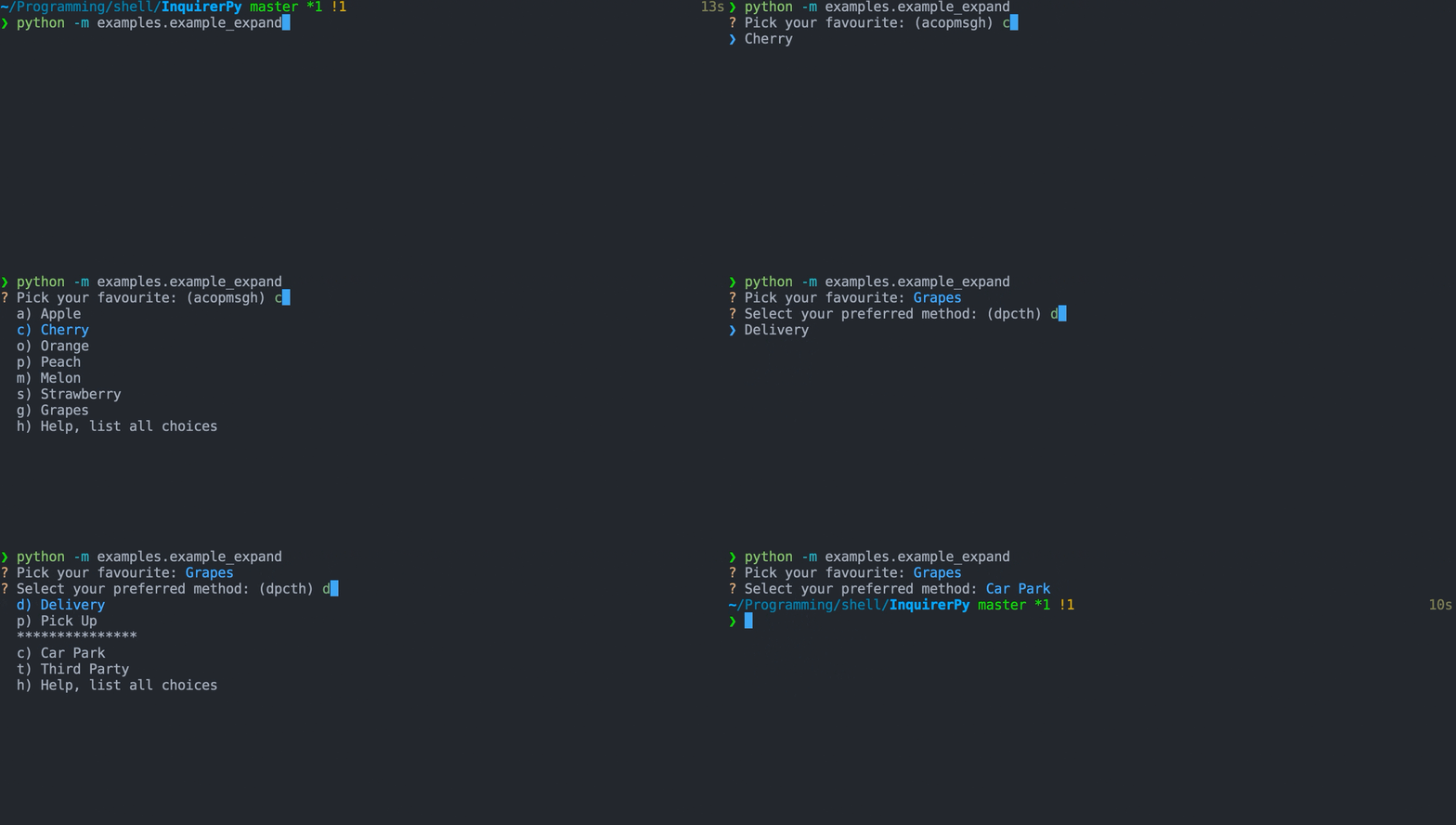
8 |
9 |
10 | Classic Syntax (PyInquirer)
11 |
12 | ```{eval-rst}
13 | .. literalinclude :: ../../../examples/classic/expand.py
14 | :language: python
15 | ```
16 |
17 |
18 |
19 |
20 | Alternate Syntax
21 |
22 | ```{eval-rst}
23 | .. literalinclude :: ../../../examples/alternate/expand.py
24 | :language: python
25 | ```
26 |
27 |
28 |
29 | ## Choices
30 |
31 | ```{seealso}
32 | {ref}`pages/dynamic:choices`
33 | ```
34 |
35 | ```{tip}
36 | Avoid using character such as `h`, `j` and `k` as the key of choices since they are already taken and used as the default
37 | expansion key or navigation key.
38 | ```
39 |
40 | ```{tip}
41 | It is recommended to use {class}`~InquirerPy.prompts.expand.ExpandChoice` to create choices for expand prompt.
42 |
43 | However if you prefer {class}`dict` chocies, in addition to the 2 required keys `name` and `value`, an additional
44 | key called `key` is also required. The value from `key` should be a single char and will be binded to the choice. Pressing
45 | the value will jump to the choice.
46 | ```
47 |
48 | For this specific prompt, a dedicated class {class}`~InquirerPy.prompts.expand.ExpandChoice` is created.
49 |
50 | ```{eval-rst}
51 | .. autoclass:: InquirerPy.prompts.expand.ExpandChoice
52 | :noindex:
53 | ```
54 |
55 | ```{code-block}
56 | from InquirerPy.prompts.expand import ExpandChoice
57 |
58 | choices = [
59 | ExpandChoice("Apple", key="a"),
60 | ExpandChoice("Cherry", key="c"),
61 | ExpandChoice("Orange", key="o"),
62 | ExpandChoice("Peach", key="p"),
63 | ExpandChoice("Melon", key="m"),
64 | ExpandChoice("Strawberry", key="s"),
65 | ExpandChoice("Grapes", key="g"),
66 | ]
67 | ```
68 |
69 | ## Keybindings
70 |
71 | ```{seealso}
72 | {ref}`pages/kb:Keybindings`
73 | ```
74 |
75 | ```{hint}
76 | In addition to the keybindings mentioned below, keybindings are created for all the `key` specified for each choice which you can
77 | use to jump to the target choce.
78 | ```
79 |
80 | ```{include} ../kb.md
81 | :start-after:
82 | :end-before:
83 | ```
84 |
85 | ```{include} ./list.md
86 | :start-after:
87 | :end-before:
88 | ```
89 |
90 | ```{include} ./list.md
91 | :start-after:
92 | :end-before:
93 | ```
94 |
95 | ## Multiple Selection
96 |
97 | ```{seealso}
98 | {ref}`pages/prompts/list:Multiple Selection`
99 | ```
100 |
101 | ## Default Value
102 |
103 | ```{seealso}
104 | {ref}`pages/prompts/list:Default Value`
105 | ```
106 |
107 | The `default` parameter for expand prompt can be two types of values:
108 |
109 | - shortcut char (str): one of the `key` assigned to the choice.
110 | - choice value (Any): default value could the value of one of the choices.
111 |
112 | ## Expand and Help
113 |
114 | By default, the expand shortcut is bonded to `h` char and the help message is `Help, List all choices.`.
115 |
116 | If you would like to have a different key for expansion or help message, you can change this behavior via `expand_help` parameter.
117 |
118 | The `expand_help` parameter accepts value that's an instance of `ExpandHelp`.
119 |
120 | ```{eval-rst}
121 | .. autoclass:: InquirerPy.prompts.expand.ExpandHelp
122 | :noindex:
123 | ```
124 |
125 | The following example will change the expansion key to `o` and the help message to `Help`.
126 |
127 |
128 | Classic Syntax (PyInquirer)
129 |
130 | ```{code-block} python
131 | from InquirerPy import prompt
132 | from InquirerPy.prompts.expand import ExpandHelp
133 |
134 | questions = [
135 | {
136 | "type": "expand",
137 | "message": "Select one:",
138 | "choices": [{"key": "a", "value": "1", "name": "1"}],
139 | "expand_help": ExpandHelp(key="o", message="Help"),
140 | }
141 | ]
142 |
143 | result = prompt(questions=questions)
144 | ```
145 |
146 |
147 |
148 |
149 | Alternate Syntax
150 |
151 | ```{code-block} python
152 | from InquirerPy import inquirer
153 | from InquirerPy.prompts.expand import ExpandHelp
154 |
155 | result = inquirer.expand(
156 | message="Select one:",
157 | choices=[{"key": "a", "value": "1", "name": "1"}],
158 | expand_help=ExpandHelp(key="o", message="Help"),
159 | ).execute()
160 | ```
161 |
162 |
163 |
164 | ## Reference
165 |
166 | ```{eval-rst}
167 | .. autoclass:: InquirerPy.prompts.expand.ExpandPrompt
168 | :noindex:
169 | ```
170 |
--------------------------------------------------------------------------------
/docs/pages/prompts/fuzzy.md:
--------------------------------------------------------------------------------
1 | # fuzzy
2 |
3 | A prompt that lists choices to select while also allowing fuzzy search like fzf.
4 |
5 | ## Example
6 |
7 | ```{note}
8 | The following example will download a sample file and demos the performance of searching with 100k words.
9 | ```
10 |
11 | 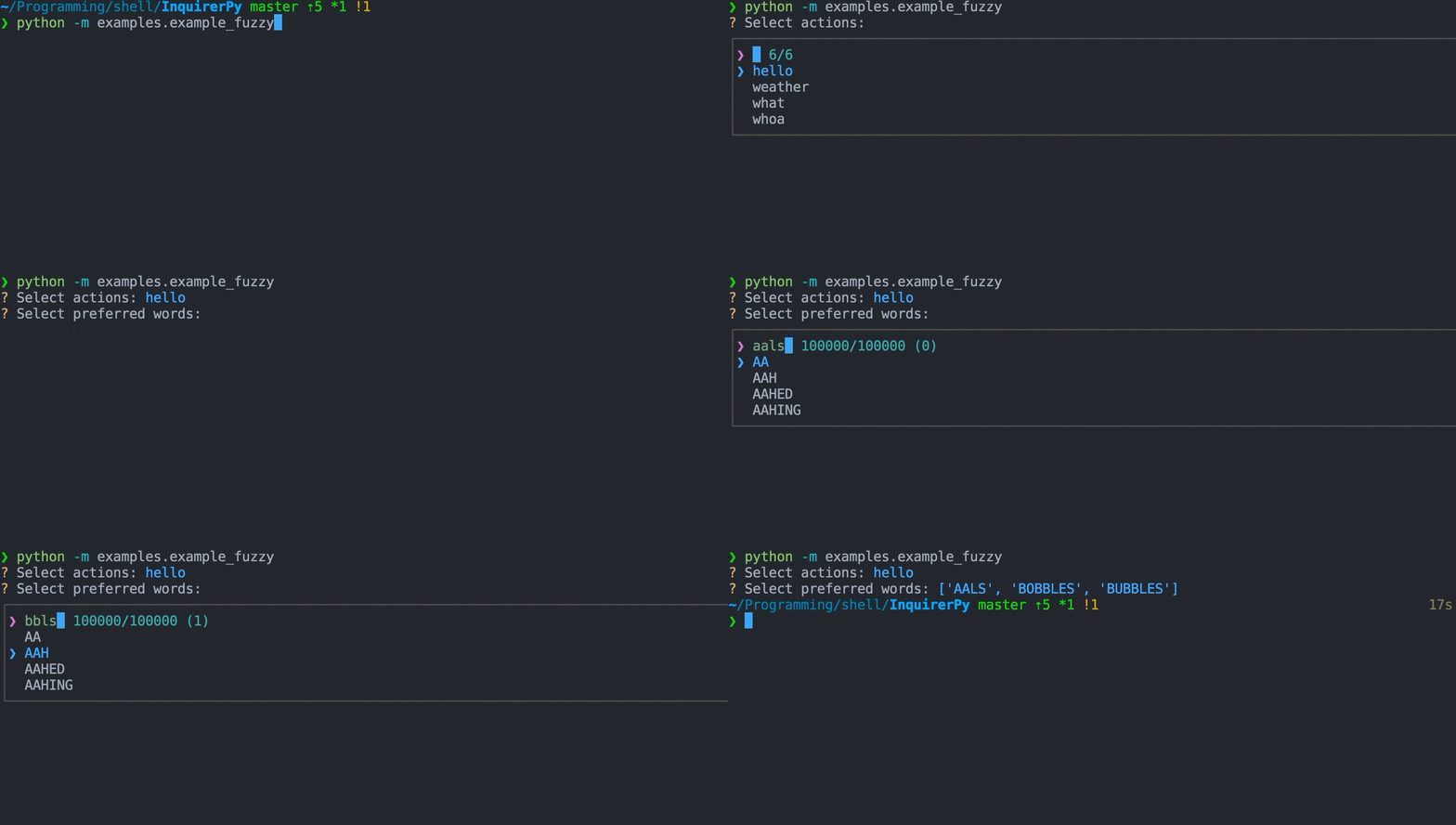
12 |
13 |
14 | Classic Syntax (PyInquirer)
15 |
16 | ```{eval-rst}
17 | .. literalinclude :: ../../../examples/classic/fuzzy.py
18 | :language: python
19 | ```
20 |
21 |
22 |
23 |
24 | Alternate Syntax
25 |
26 | ```{eval-rst}
27 | .. literalinclude :: ../../../examples/alternate/fuzzy.py
28 | :language: python
29 | ```
30 |
31 |
32 |
33 | ## Choices
34 |
35 | ```{seealso}
36 | {ref}`pages/dynamic:choices`
37 | ```
38 |
39 | ```{attention}
40 | This prompt does not accepts choices containing {ref}`pages/separator:Separator` instances.
41 | ```
42 |
43 | ## Keybindings
44 |
45 | ```{seealso}
46 | {ref}`pages/kb:Keybindings`
47 | ```
48 |
49 | ```{hint}
50 | This prompt does not enable `j/k` navigation when `vi_mode` is `True`. When `vi_mode` is `True` in fuzzy prompt, the input buffer
51 | will become vim input mode, no other keybindings are altered.
52 |
53 | The `space` key for toggle choice is also disabled since it blocks user from typing space in the input buffer.
54 | ```
55 |
56 | ```{include} ../kb.md
57 | :start-after:
58 | :end-before:
59 | ```
60 |
61 | ```{include} ./list.md
62 | :start-after:
63 | :end-before:
64 | ```
65 |
66 | In addition, with the release of [0.3.2](https://github.com/kazhala/InquirerPy/releases/tag/0.3.2), you can now also toggle string matching algorithm.
67 |
68 | ```{seealso}
69 | {ref}`pages/prompts/fuzzy:Exact Sub-String match`
70 | ```
71 |
72 | ```{code-block}
73 | {
74 | "toggle-exact": [] # toggle string matching algorithm between fuzzy or exact
75 | }
76 | ```
77 |
78 | ## Multiple Selection
79 |
80 | ```{seealso}
81 | {ref}`pages/prompts/list:Multiple Selection`
82 | ```
83 |
84 | ## Default Value
85 |
86 | ```{seealso}
87 | {ref}`pages/dynamic:default`
88 | ```
89 |
90 | The `default` parameter for this prompt will set the default search text in the input buffer (sort of replicate the behavior of fzf).
91 |
92 | If you wish to pre-select certain choices, you can leverage the `enabled` parameter/key of each choice.
93 |
94 | ```{code-block} python
95 | from InquirerPy.base import Choice
96 |
97 | choices = [
98 | Choice(1, enabled=True), # enabled by default
99 | Choice(2) # not enabled
100 | ]
101 | ```
102 |
103 | ## Exact Sub-String Match
104 |
105 | This prompt uses the [fzy](https://github.com/jhawthorn/fzy) fuzzy match algorithm by default. You can enable exact sub-string match
106 | by using the parameter `match_exact`.
107 |
108 |
109 | Classic Syntax (PyInquirer)
110 |
111 | ```{code-block} python
112 | from InquirerPy import prompt
113 |
114 | questions = [
115 | {
116 | "type": "fuzzy",
117 | "message": "Select actions:",
118 | "choices": ["hello", "weather", "what", "whoa", "hey", "yo"],
119 | "match_exact": True,
120 | "exact_symbol": " E", # indicator of exact match
121 | },
122 | ]
123 |
124 | result = prompt(questions=questions)
125 | ```
126 |
127 |
128 |
129 |
130 | Alternate Syntax
131 |
132 | ```{code-block} python
133 | from InquirerPy import inquirer
134 |
135 | result = inquirer.fuzzy(
136 | message="Select actions:",
137 | choices=["hello", "weather", "what", "whoa", "hey", "yo"],
138 | match_exact=True,
139 | exact_symbol=" E", # indicator of exact match
140 | ).execute()
141 | ```
142 |
143 |
144 |
145 | You can also enable a keybinding to toggle the matching algorithm.
146 |
147 |
148 | Classic Syntax (PyInquirer)
149 |
150 | ```{code-block} python
151 | from InquirerPy import prompt
152 |
153 | questions = [
154 | {
155 | "type": "fuzzy",
156 | "message": "Select actions:",
157 | "choices": ["hello", "weather", "what", "whoa", "hey", "yo"],
158 | "keybindings": {"toggle-exact": [{"key": "c-t"}]},
159 | },
160 | ]
161 |
162 | result = prompt(questions=questions)
163 | ```
164 |
165 |
166 |
167 |
168 | Alternate Syntax
169 |
170 | ```{code-block} python
171 | from InquirerPy import inquirer
172 |
173 | result = inquirer.fuzzy(
174 | message="Select actions:",
175 | choices=["hello", "weather", "what", "whoa", "hey", "yo"],
176 | keybindings={"toggle-exact": [{"key": "c-t"}]},
177 | ).execute()
178 | ```
179 |
180 |
181 |
182 | ## Reference
183 |
184 | ```{eval-rst}
185 | .. autoclass:: InquirerPy.prompts.fuzzy.FuzzyPrompt
186 | :noindex:
187 | ```
188 |
--------------------------------------------------------------------------------
/docs/index.md:
--------------------------------------------------------------------------------
1 | # InquirerPy
2 |
3 | ```{include} ../README.md
4 | :start-after:
5 | :end-before:
6 | ```
7 |
8 | 
9 |
10 | ## Install
11 |
12 | ```{admonition} Requirements
13 | python >= 3.7
14 | ```
15 |
16 | ```
17 | pip3 install InquirerPy
18 | ```
19 |
20 | ## Basic Usage
21 |
22 | `InquirerPy` provides two types of syntax that you can choose to use: [Classic syntax](#classic-syntax-pyinquirer) and [Alternate Syntax](#alternate-syntax).
23 |
24 | ```{Tip}
25 | For any new users, [Alternate Syntax](#alternate-syntax) is recommended as its more flexible and extensible.
26 | ```
27 |
28 | ```{Note}
29 | Checkout the sidebar on the left for detailed explanation and usage.
30 | ```
31 |
32 | ### Classic Syntax (PyInquirer)
33 |
34 | ```{Note}
35 | Syntax ported from [PyInquirer](https://github.com/CITGuru/PyInquirer) which allows easy transition between the two projects.
36 | Checkout [migration guide](#migrating-from-pyinquirer).
37 | ```
38 |
39 | ```{eval-rst}
40 | The :ref:`pages/prompt:prompt` function takes a list of questions and return the result.
41 | Each question should be an instance of :class:`dict`. Different types of `prompt` could require different keys, please
42 | refer to individual `prompt` documentation for detailed explanation.
43 | ```
44 |
45 | As a rule of thumb, each question requires a `type` (type of prompt) and `message` (question to ask) key. For any `prompt`
46 | involving lists, a `choices` (list of available choices) key is also required.
47 |
48 | Optionally provide a `name` key, `prompt` will store the result under the provided name key in the final result. If
49 | no `name` key is provided, the index of the question will be used.
50 |
51 | ```python
52 | from InquirerPy import prompt
53 |
54 | questions = [
55 | {"type": "input", "message": "What's your name:", "name": "name"},
56 | {
57 | "type": "list",
58 | "message": "What's your favourite programming language:",
59 | "choices": ["Go", "Python", "Rust", "JavaScript"],
60 | },
61 | {"type": "confirm", "message": "Confirm?"},
62 | ]
63 | result = prompt(questions)
64 | name = result["name"]
65 | fav_lang = result[1]
66 | confirm = result[2]
67 | ```
68 |
69 | ### Alternate Syntax
70 |
71 | Alternate syntax directly interact with individual `prompt` classes. It's more flexible, easier to customise
72 | and also provides IDE type hintings/completions.
73 |
74 | ```python
75 | from InquirerPy import inquirer
76 |
77 | name = inquirer.text(message="What's your name:").execute()
78 | fav_lang = inquirer.select(
79 | message="What's your favourite programming language:",
80 | choices=["Go", "Python", "Rust", "JavaScript"],
81 | ).execute()
82 | confirm = inquirer.confirm(message="Confirm?").execute()
83 | ```
84 |
85 | ## Detailed Usage
86 |
87 | ```{admonition} Info
88 | Please visit the sidebar on the left.
89 | ```
90 |
91 | ## Running Examples
92 |
93 | `InquirerPy` provides several examples that you can run and play around.
94 |
95 | 1. Clone the repository
96 |
97 | ```
98 | git clone https://github.com/kazhala/InquirerPy.git
99 | cd InquirerPy
100 | ```
101 |
102 | 2. Create a Virtual Environment (Recommended)
103 |
104 | ```
105 | python3 -m venv venv
106 | source venv/bin/activate
107 | ```
108 |
109 | 3. Install dependencies
110 |
111 | ```
112 | pip3 install -r examples/requirements.txt
113 | ```
114 |
115 | 4. View all available examples
116 |
117 | ```{Warning}
118 | `demo_alternate.py` and `demo_classic.py` requires [boto3](https://github.com/boto/boto3) package and setup AWS credentials.
119 | ```
120 |
121 | ```
122 | ls examples/*.py
123 | ls examples/classic/*.py
124 | ls examples/alternate/*.py
125 | ```
126 |
127 | 5. Edit and run any examples of your choice
128 |
129 | ```
130 | python3 -m examples.classic.rawlist
131 | # or
132 | python3 examples/classic/rawlist
133 | ```
134 |
135 | ```{include} ../README.md
136 | :start-after:
137 | :end-before:
138 | ```
139 |
140 | ```{toctree}
141 | :caption: prompts
142 | :hidden:
143 |
144 | pages/prompts/input.md
145 | pages/prompts/secret.md
146 | pages/prompts/filepath.md
147 | pages/prompts/number.md
148 | pages/prompts/confirm.md
149 | pages/prompts/list.md
150 | pages/prompts/rawlist.md
151 | pages/prompts/expand.md
152 | pages/prompts/checkbox.md
153 | pages/prompts/fuzzy.md
154 | ```
155 |
156 | ```{toctree}
157 | :caption: Customisation
158 | :hidden:
159 |
160 | pages/style.md
161 | pages/kb.md
162 | pages/height.md
163 | pages/env.md
164 | pages/dynamic.md
165 | pages/raise_kbi.md
166 | ```
167 |
168 | ```{toctree}
169 | :caption: API
170 | :hidden:
171 |
172 | pages/inquirer.md
173 | pages/prompt.md
174 | pages/validator.md
175 | pages/separator.md
176 | pages/patched_print.md
177 | pages/color_print.md
178 | ```
179 |
180 | ```{toctree}
181 | :caption: Reference
182 | :hidden:
183 |
184 | pages/faq.md
185 | pages/api.md
186 | pages/changelog.md
187 | GitHub Repository
188 | ```
189 |
--------------------------------------------------------------------------------
/tests/prompts/test_secret.py:
--------------------------------------------------------------------------------
1 | import unittest
2 | from unittest.mock import ANY, call, patch
3 |
4 | from prompt_toolkit.buffer import Buffer
5 | from prompt_toolkit.enums import EditingMode
6 | from prompt_toolkit.input import create_pipe_input
7 | from prompt_toolkit.output import DummyOutput
8 | from prompt_toolkit.shortcuts.prompt import CompleteStyle
9 |
10 | from InquirerPy.exceptions import InvalidArgument
11 | from InquirerPy.prompts.secret import SecretPrompt
12 | from InquirerPy.utils import InquirerPyStyle
13 | from InquirerPy.validator import PasswordValidator
14 | from tests.style import get_sample_style
15 |
16 |
17 | class TestSecret(unittest.TestCase):
18 | def setUp(self):
19 | self.inp = create_pipe_input()
20 |
21 | def tearDown(self):
22 | self.inp.close()
23 |
24 | def test_prompt_result(self):
25 | self.inp.send_text("what\n")
26 | secret_prompt = SecretPrompt(
27 | message="hello",
28 | style=InquirerPyStyle({"answer": ""}),
29 | default="yes",
30 | qmark="~",
31 | vi_mode=False,
32 | input=self.inp,
33 | output=DummyOutput(),
34 | )
35 | result = secret_prompt.execute()
36 | self.assertEqual(result, "yeswhat")
37 | self.assertEqual(
38 | secret_prompt.status,
39 | {"answered": True, "result": "yeswhat", "skipped": False},
40 | )
41 |
42 | @patch.object(Buffer, "validate_and_handle")
43 | def test_prompt_validation(self, mocked_validate):
44 | def _hello():
45 | secret_prompt._session.app.exit(result="yes")
46 |
47 | mocked_validate.side_effect = _hello
48 | self.inp.send_text("afas\n")
49 | secret_prompt = SecretPrompt(
50 | message="what",
51 | style=InquirerPyStyle({}),
52 | validate=PasswordValidator(length=8),
53 | input=self.inp,
54 | output=DummyOutput(),
55 | )
56 | result = secret_prompt.execute()
57 | mocked_validate.assert_called_once()
58 | self.assertEqual(result, "yes")
59 | self.assertEqual(secret_prompt.status["answered"], False)
60 | self.assertEqual(secret_prompt.status["result"], None)
61 |
62 | def test_prompt_message(self):
63 | secret_prompt = SecretPrompt(
64 | message="fooboo", style=InquirerPyStyle({}), qmark="[?]", vi_mode=True
65 | )
66 | message = secret_prompt._get_prompt_message()
67 | self.assertEqual(
68 | message,
69 | [
70 | ("class:questionmark", "[?]"),
71 | ("class:question", " fooboo"),
72 | ("class:instruction", " "),
73 | ],
74 | )
75 |
76 | secret_prompt.status["answered"] = True
77 | secret_prompt.status["result"] = "hello"
78 | message = secret_prompt._get_prompt_message()
79 | self.assertEqual(
80 | message,
81 | [
82 | ("class:answermark", "?"),
83 | ("class:answered_question", " fooboo"),
84 | ("class:answer", " *****"),
85 | ],
86 | )
87 |
88 | # instruction
89 | secret_prompt = SecretPrompt(
90 | message="fooboo",
91 | style=InquirerPyStyle({}),
92 | qmark="[?]",
93 | vi_mode=True,
94 | instruction="(abc)",
95 | )
96 | message = secret_prompt._get_prompt_message()
97 | self.assertEqual(
98 | message,
99 | [
100 | ("class:questionmark", "[?]"),
101 | ("class:question", " fooboo"),
102 | ("class:instruction", " (abc) "),
103 | ],
104 | )
105 |
106 | @patch("InquirerPy.prompts.input.SimpleLexer")
107 | @patch("InquirerPy.prompts.secret.SecretPrompt._get_prompt_message")
108 | @patch("InquirerPy.base.simple.Style.from_dict")
109 | @patch("InquirerPy.base.simple.KeyBindings")
110 | @patch("InquirerPy.prompts.input.PromptSession")
111 | def test_callable_called(
112 | self,
113 | MockedSession,
114 | MockedKeyBindings,
115 | MockedStyle,
116 | mocked_message,
117 | MockedLexer,
118 | ):
119 | kb = MockedKeyBindings()
120 | style = MockedStyle()
121 | lexer = MockedLexer()
122 | SecretPrompt(
123 | message="what",
124 | style=None,
125 | default="111",
126 | qmark="[!]",
127 | vi_mode=True,
128 | )
129 |
130 | MockedSession.assert_called_once_with(
131 | message=mocked_message,
132 | key_bindings=kb,
133 | style=style,
134 | completer=None,
135 | validator=ANY,
136 | validate_while_typing=False,
137 | input=None,
138 | output=None,
139 | editing_mode=EditingMode.VI,
140 | lexer=lexer,
141 | is_password=True,
142 | multiline=False,
143 | complete_style=CompleteStyle.COLUMN,
144 | wrap_lines=True,
145 | bottom_toolbar=None,
146 | )
147 | MockedStyle.assert_has_calls(
148 | [
149 | call(),
150 | call(get_sample_style()),
151 | ]
152 | )
153 | MockedLexer.assert_has_calls([call("class:input")])
154 |
155 | def test_invalid_argument(self):
156 | self.assertRaises(InvalidArgument, SecretPrompt, "hello", None, 12)
157 | SecretPrompt(message="hello", default=lambda _: "12")
158 |
--------------------------------------------------------------------------------
/docs/pages/prompt.md:
--------------------------------------------------------------------------------
1 | # prompt
2 |
3 | ````{attention}
4 | This document is irrelevant if you intend to use the {ref}`index:Alternate Syntax`.
5 |
6 | ```{seealso}
7 | {ref}`pages/inquirer:inquirer`
8 | ```
9 |
10 | ````
11 |
12 | ```{tip}
13 | It's recommended to use {ref}`pages/inquirer:inquirer` over [prompt](#prompt) for new users.
14 | ```
15 |
16 | This page documents the param and usage of the {func}`~InquirerPy.resolver.prompt` function.
17 | It's the entry point for {ref}`index:Classic Syntax (PyInquirer)`.
18 |
19 | ## Synchronous execution
20 |
21 | ```{eval-rst}
22 | .. autofunction:: InquirerPy.resolver.prompt
23 | :noindex:
24 | ```
25 |
26 | An example using `prompt` which incorporate multiple different types of prompts:
27 |
28 | 
29 |
30 | ```{eval-rst}
31 | .. literalinclude :: ../../examples/prompt.py
32 | :language: python
33 | ```
34 |
35 | ### questions
36 |
37 | ```
38 | Union[List[Dict[str, Any]], Dict[str, Any]]
39 | ```
40 |
41 | A {class}`list` of question to ask.
42 |
43 | ```python
44 | from InquirerPy import prompt
45 |
46 | questions = [
47 | {
48 | "type": "input",
49 | "message": "Enter your name:",
50 | },
51 | {
52 | "type": "Confirm",
53 | "message": "Confirm?",
54 | }
55 | ]
56 |
57 | result = prompt(questions=questions)
58 | ```
59 |
60 | If there's only one [question](#question), you can also just provide a {class}`dict` instead of a {class}`list` of {class}`dict`.
61 |
62 | ```python
63 | from InquirerPy import prompt
64 |
65 | result = prompt(questions={"type": "input", "message": "Enter your name:"})
66 | ```
67 |
68 | #### question
69 |
70 | Each question is a Python {class}`dict` consisting the following keys:
71 |
72 | ```{important}
73 | The list below are the common keys that exists across all types of prompt. Checkout the individual prompt documentation
74 | for their specific options/parameters.
75 | ```
76 |
77 | - type (`str`): Type of the prompt.
78 |
79 | ```{seealso}
80 | {ref}`pages/prompts/input:InputPrompt`,
81 | {ref}`pages/prompts/secret:SecretPrompt`,
82 | {ref}`pages/prompts/filepath:FilePathPrompt`,
83 | {ref}`pages/prompts/confirm:ConfirmPrompt`,
84 | {ref}`pages/prompts/list:ListPrompt`,
85 | {ref}`pages/prompts/rawlist:RawlistPrompt`,
86 | {ref}`pages/prompts/expand:ExpandPrompt`,
87 | {ref}`pages/prompts/checkbox:CheckboxPrompt`,
88 | {ref}`pages/prompts/fuzzy:FuzzyPrompt`
89 | ```
90 |
91 | - name (`Optional[str]`): The key name to use when storing into the result. If not present, the question index within the list of questions will be used as the key name.
92 | - message (`str, Callable[[Dict[str, Any]], str]`): The question to print. If provided as a function, the current prompt session result will be provided as an argument.
93 | - default (`Union[Any, Callable[[Dict[str, Any]], Any]]`): Default value to set for the prompt. If provided as a function, the current prompt result will be provided as an argument.
94 | Default values can have different meanings across different types of prompt, checkout individual prompt documentation for more info.
95 | - validate (`Union[Callable[[Any], bool], Validator]`): Check the user answer and return a {class}`bool` indicating whether the user answer passes the validation or not.
96 | ```{seealso}
97 | {ref}`pages/validator:Validator`
98 | ```
99 | - invalid_message (`str`): The invalid message to display to the user when `validate` failed.
100 | ```{seealso}
101 | {ref}`pages/validator:Validator`
102 | ```
103 | - filter (`Callable[[Any], Any]`): A function which performs additional transformation on the result. This affects the actual value stored in the final result.
104 | - transformer (`Callable[[str], Any]`): A function which performs additional transformation on the value that gets printed to the terminal. Different than the `filter` key, this
105 | is only visual effect and won't affect the final result.
106 |
107 | ```{tip}
108 | `filter` and `transformer` key run separately and won't have side effects when running both.
109 | ```
110 |
111 | - when (`Callable[[SessionResult], bool]`): A function to determine if the question should be asked or skipped. The current prompt session result will be provided as an argument.
112 | You can use this key to ask certain questions based on previous question answer conditionally.
113 | - qmark (`str`): Custom symbol that will be displayed in front of the question message before its answered.
114 | - amark (`str`): Custom symbol that will be displayed in front of the question message after its answered.
115 | - instruction (`str`): Short instruction to display next to the question message.
116 | - wrap_lines (`bool`): Soft wrap question line when question message exceeds the terminal width.
117 | - mandatory (`bool`): Indicate if the prompt is mandatory. If True, then the question cannot be skipped.
118 | - mandatory_message (`str`): Error message to show when user attempts to skip mandatory prompt.
119 | - raise_keyboard_interrupt (`bool`): Raise the {class}`KeyboardInterrupt` exception when `ctrl-c` is pressed. If false, the result
120 | will be `None` and the question is skiped.
121 |
122 | ## Asynchronous execution
123 |
124 | ```{eval-rst}
125 | .. autofunction:: InquirerPy.resolver.prompt_async
126 | :noindex:
127 | ```
128 |
129 | ```{code-block} python
130 | import asyncio
131 |
132 | from InquirerPy import inquirer, prompt_async
133 |
134 |
135 | async def main():
136 | questions = [
137 | {"type": "input", "message": "Name:"},
138 | {"type": "number", "message": "Number:"},
139 | {"type": "confirm", "message": "Confirm?"},
140 | ]
141 | result = await prompt_async(questions)
142 |
143 |
144 | if __name__ == "__main__":
145 | asyncio.run(main())
146 | ```
147 |
--------------------------------------------------------------------------------
/docs/pages/env.md:
--------------------------------------------------------------------------------
1 | # Environment Variables
2 |
3 | ```{tip}
4 | If you make calls to `InquirerPy` multiple times with a lot of customisation, you can consider utilising ENV variables.
5 | ```
6 |
7 | Several options can be configured via ENV variables.
8 |
9 | ## Style
10 |
11 | ```{note}
12 | Checkout {ref}`pages/style:Style` for more information about style customisation.
13 | ```
14 |
15 | ```{admonition} Priority
16 | ENV -> `style` parameter -> default style
17 | ```
18 |
19 | ### Usage
20 |
21 |
22 | Classic Syntax
23 |
24 | ```python
25 | from InquirerPy import prompt
26 | from InquirerPy import get_style
27 |
28 | # before
29 | result = prompt(questions=[{"type": "confirm", "message": "Confirm?"}], style={"questionmark": "#ffffff"})
30 |
31 | # after
32 | import os
33 | os.environ["INQUIRERPY_STYLE_QUESTIONMARK"] = "#ffffff"
34 | result = prompt(questions=[{"type": "confirm", "message": "Confirm?"}])
35 | ```
36 |
37 |
38 |
39 |
40 | Alternate Syntax
41 |
42 | ```python
43 | from InquirerPy import inquirer
44 | from InquirerPy import get_style
45 |
46 | # before
47 | result = inquirer.confirm(message="Confirm?", style=get_style({"questionmark": "#ffffff"})).execute()
48 |
49 | # after
50 | import os
51 | os.environ["INQUIRERPY_STYLE_QUESTIONMARK"] = "#ffffff"
52 | result = inquirer.confirm(message="Confirm?").execute()
53 | ```
54 |
55 |
56 |
57 | ### Mapping
58 |
59 | | style class | ENV |
60 | | ----------------- | ---------------------------------- |
61 | | questionmark | INQUIRERPY_STYLE_QUESTIONMARK |
62 | | answermark | INQUIRERPY_STYLE_ANSWERMARK |
63 | | answer | INQUIRERPY_STYLE_ANSWER |
64 | | input | INQUIRERPY_STYLE_INPUT |
65 | | question | INQUIRERPY_STYLE_QUESTION |
66 | | answered_question | INQUIRERPY_STYLE_ANSWERED_QUESTION |
67 | | instruction | INQUIRERPY_STYLE_INSTRUCTION |
68 | | pointer | INQUIRERPY_STYLE_POINTER |
69 | | checkbox | INQUIRERPY_STYLE_CHECKBOX |
70 | | separator | INQUIRERPY_STYLE_SEPARATOR |
71 | | skipped | INQUIRERPY_STYLE_SKIPPED |
72 | | validator | INQUIRERPY_STYLE_VALIDATOR |
73 | | marker | INQUIRERPY_STYLE_MARKER |
74 | | fuzzy_prompt | INQUIRERPY_STYLE_FUZZY_PROMPT |
75 | | fuzzy_info | INQUIRERPY_STYLE_FUZZY_INFO |
76 | | fuzzy_border | INQUIRERPY_STYLE_FUZZY_BORDER |
77 | | fuzzy_match | INQUIRERPY_STYLE_FUZZY_MATCH |
78 | | spinner_pattern | INQUIRERPY_STYLE_SPINNER_PATTERN |
79 | | spinner_text | INQUIRERPY_STYLE_SPINNER_TEXT |
80 |
81 | ## Keybinding
82 |
83 | ```{note}
84 | Checkout {ref}`pages/kb:Keybindings` for more information about customising keybindings.
85 | ```
86 |
87 | ```{admonition} Priority
88 | ENV -> `vi_mode` parameter
89 | ```
90 |
91 | ### Usage
92 |
93 |
94 | Classic Syntax
95 |
96 | ```python
97 | from InquirerPy import prompt
98 |
99 | # before
100 | result = prompt(questions=[{"type": "input", "message": "Name:"}], vi_mode=True)
101 |
102 | # after
103 | import os
104 | os.environ["INQUIRERPY_VI_MODE"] = "true"
105 | result = prompt(questions=[{"type": "input", "message": "Name:"}])
106 | ```
107 |
108 |
109 |
110 |
111 | Alternate Syntax
112 |
113 | ```python
114 | from InquirerPy import inquirer
115 |
116 | # before
117 | result = inquirer.text(message="Name:", vi_mode=True).execute()
118 |
119 | # after
120 | import os
121 | os.environ["INQUIRERPY_VI_MODE"] = "true"
122 | result = inquirer.text(message="Name").execute()
123 | ```
124 |
125 |
126 |
127 | ### Mapping
128 |
129 | ```{note}
130 | The value of `INQUIRERPY_VI_MODE` does not matter, as long as its a string longer than 0, `InquirerPy` will set `vi_mode=True`.
131 | ```
132 |
133 | | parameter | ENV |
134 | | -------------- | ------------------ |
135 | | `vi_mode=True` | INQUIRERPY_VI_MODE |
136 |
137 | ## Keyboard Interrupt
138 |
139 | ```{note}
140 | Classic Syntax: Checkout {ref}`pages/prompt:Keyboard Interrupt` section for more information.
141 | Alternate Syntax: Checkout {ref}`pages/inquirer:Keyboard Interrupt` section for more information.
142 | ```
143 |
144 | ```{admonition} Priority
145 | ENV -> `raise_keyboard_interrupt` parameter
146 | ```
147 |
148 | ### Usage
149 |
150 |
151 | Classic Syntax
152 |
153 | ```python
154 | from InquirerPy import prompt
155 |
156 | # before
157 | result = prompt(questions=[{"type": "secret", "message": "Password:"}], raise_keyboard_interrupt=False)
158 |
159 | # after
160 | import os
161 | os.environ["INQUIRERPY_NO_RAISE_KBI"] = "true"
162 | result = prompt(questions=[{"type": "secret", "message": "Password:"}])
163 | ```
164 |
165 |
166 |
167 |
168 | Alternate Syntax
169 |
170 | ```python
171 | from InquirerPy import inquirer
172 |
173 | # before
174 | result = inquirer.text(message="Name:", vi_mode=True).execute(raise_keyboard_interrupt=False)
175 |
176 | # after
177 | import os
178 | os.environ["INQUIRERPY_NO_RAISE_KBI"] = "true"
179 | result = inquirer.text(message="Name").execute()
180 | ```
181 |
182 |
183 |
184 | ### Mapping
185 |
186 | ```{note}
187 | The value of `INQUIRERPY_NO_RAISE_KBI` does not matter, as long as its a string longer than 0,
188 | InquirerPy will not raise {class}`KeyboardInterrupt` when user hit `ctrl-c`.
189 | ```
190 |
191 | | parameter | ENV |
192 | | -------------------------------- | ----------------------- |
193 | | `raise_keyboard_interrupt=False` | INQUIRERPY_NO_RAISE_KBI |
194 |
--------------------------------------------------------------------------------
/tests/test_utils.py:
--------------------------------------------------------------------------------
1 | import os
2 | import unittest
3 | from unittest.mock import PropertyMock, patch
4 |
5 | from prompt_toolkit.application.application import Application
6 |
7 | from InquirerPy.exceptions import InvalidArgument
8 | from InquirerPy.utils import InquirerPyStyle, calculate_height, color_print, get_style
9 |
10 | from .style import get_sample_style
11 |
12 |
13 | class TestUtils(unittest.TestCase):
14 | @patch("InquirerPy.utils.shutil.get_terminal_size")
15 | def test_prompt_height(self, mocked_terminal_size):
16 | mocked_terminal_size.return_value = (24, 80)
17 | height, max_height = calculate_height(None, None)
18 | self.assertEqual(height, None)
19 | self.assertEqual(max_height, 54)
20 |
21 | height, max_height = calculate_height("50%", None)
22 | self.assertEqual(height, 38)
23 | self.assertEqual(max_height, 78)
24 |
25 | calculate_height("50%", "80")
26 |
27 | self.assertRaises(InvalidArgument, calculate_height, "adsfa", "40%")
28 | self.assertRaises(InvalidArgument, calculate_height, "50%", "asfasdds")
29 |
30 | height, max_height = calculate_height(None, "80%")
31 | self.assertEqual(height, None)
32 | self.assertEqual(max_height, 62)
33 |
34 | height, max_height = calculate_height("1%", None)
35 | self.assertEqual(height, 1)
36 |
37 | def test_style(self):
38 | style = get_style()
39 | self.assertEqual(
40 | style,
41 | InquirerPyStyle(get_sample_style()),
42 | )
43 |
44 | os.environ["INQUIRERPY_STYLE_QUESTIONMARK"] = "#000000"
45 | os.environ["INQUIRERPY_STYLE_ANSWERMARK"] = "#000000"
46 | os.environ["INQUIRERPY_STYLE_ANSWER"] = "#111111"
47 | os.environ["INQUIRERPY_STYLE_QUESTION"] = "#222222"
48 | os.environ["INQUIRERPY_STYLE_ANSWERED_QUESTION"] = "#222222"
49 | os.environ["INQUIRERPY_STYLE_INSTRUCTION"] = "#333333"
50 | os.environ["INQUIRERPY_STYLE_INPUT"] = "#444444"
51 | os.environ["INQUIRERPY_STYLE_POINTER"] = "#555555"
52 | os.environ["INQUIRERPY_STYLE_CHECKBOX"] = "#66666"
53 | os.environ["INQUIRERPY_STYLE_SEPARATOR"] = "#777777"
54 | os.environ["INQUIRERPY_STYLE_SKIPPED"] = "#888888"
55 | os.environ["INQUIRERPY_STYLE_FUZZY_PROMPT"] = "#999999"
56 | os.environ["INQUIRERPY_STYLE_FUZZY_INFO"] = "#aaaaaa"
57 | os.environ["INQUIRERPY_STYLE_MARKER"] = "#bbbbbb"
58 | os.environ["INQUIRERPY_STYLE_FUZZY_BORDER"] = "#cccccc"
59 | os.environ["INQUIRERPY_STYLE_FUZZY_MATCH"] = "#dddddd"
60 | os.environ["INQUIRERPY_STYLE_VALIDATOR"] = "#dddddd"
61 | os.environ["INQUIRERPY_STYLE_SPINNER_PATTERN"] = "#ssssss"
62 | os.environ["INQUIRERPY_STYLE_SPINNER_TEXT"] = "#llllll"
63 | os.environ["INQUIRERPY_STYLE_LONG_INSTRUCTION"] = "#kkkkkk"
64 | style = get_style()
65 | self.assertEqual(
66 | style,
67 | InquirerPyStyle(
68 | {
69 | "questionmark": "#000000",
70 | "answermark": "#000000",
71 | "answer": "#111111",
72 | "input": "#444444",
73 | "question": "#222222",
74 | "answered_question": "#222222",
75 | "instruction": "#333333",
76 | "long_instruction": "#kkkkkk",
77 | "pointer": "#555555",
78 | "checkbox": "#66666",
79 | "separator": "#777777",
80 | "skipped": "#888888",
81 | "fuzzy_prompt": "#999999",
82 | "fuzzy_info": "#aaaaaa",
83 | "marker": "#bbbbbb",
84 | "validation-toolbar": "#dddddd",
85 | "fuzzy_match": "#dddddd",
86 | "frame.border": "#cccccc",
87 | "spinner_pattern": "#ssssss",
88 | "spinner_text": "#llllll",
89 | "bottom-toolbar": "noreverse",
90 | },
91 | ),
92 | )
93 |
94 | def test_format_style(self):
95 | raw = {
96 | "questionmark": "#000000",
97 | "answermark": "#mmmmmm",
98 | "answer": "#111111",
99 | "input": "#444444",
100 | "question": "#222222",
101 | "answered_question": "#222222",
102 | "instruction": "#333333",
103 | "long_instruction": "#kkkkkk",
104 | "pointer": "#555555",
105 | "checkbox": "#66666",
106 | "separator": "#777777",
107 | "skipped": "#888888",
108 | "fuzzy_prompt": "#999999",
109 | "fuzzy_info": "#aaaaaa",
110 | "marker": "#bbbbbb",
111 | "validator": "#dddddd",
112 | "fuzzy_match": "#dddddd",
113 | "fuzzy_border": "#cccccc",
114 | "spinner_pattern": "#ssssss",
115 | "spinner_text": "#llllll",
116 | "bottom-toolbar": "noreverse",
117 | }
118 | style = get_style(raw)
119 | raw["frame.border"] = raw.pop("fuzzy_border")
120 | raw["validation-toolbar"] = raw.pop("validator")
121 | self.assertEqual(
122 | style,
123 | InquirerPyStyle(raw),
124 | )
125 |
126 | @patch("InquirerPy.utils.print_formatted_text")
127 | @patch("InquirerPy.utils.run_in_terminal")
128 | @patch.object(Application, "is_running", new_callable=PropertyMock)
129 | def test_color_print(self, mocked_running, mocked_term, mocked_print):
130 | mocked_running.return_value = True
131 | color_print([("class:aa", "haha")], style={"aa": "#ffffff"})
132 | mocked_term.assert_called_once()
133 |
134 | mocked_term.reset_mock()
135 | mocked_running.return_value = False
136 | color_print([("class:aa", "haha")], style={"aa": "#ffffff"})
137 | mocked_term.assert_not_called()
138 | mocked_print.assert_called_once()
139 |
--------------------------------------------------------------------------------
/docs/pages/raise_kbi.md:
--------------------------------------------------------------------------------
1 | # Skip & KeyboardInterrupt
2 |
3 | Prior to version `0.3.0`, the parameter `raise_keyboard_interrupt` can control whether to raise the exception
4 | {class}`KeyboardInterrupt` when user hit `ctrl-c` or let `InquirerPy` handle the exception which will skip the prompt when
5 | user hit `ctrl-c`. However this would cause issues when user actually want to terminate the program and also will have some side effects
6 | if future prompts depends on the result.
7 |
8 | With the release of `0.3.0`, dedicated skipping functionality is introduced along with the parameter `mandatory` which
9 | is used to indicate if a prompt is skippable. The parameter [raise_keyboard_interrupt](#raise-keyboard-interrupt) also behaves a little different than before.
10 |
11 | ## Skip
12 |
13 | ```{important}
14 | All prompts are mandatory and cannot be skipped by default.
15 | ```
16 |
17 | ````{note}
18 | Default keybinding for skip is `ctrl-z`.
19 |
20 | ```{seealso}
21 | {ref}`pages/kb:Default Keybindings`
22 | ```
23 | ````
24 |
25 | When `mandator=False` for a prompt, user will be able to skip the prompt. In the case of a skip attempt when
26 | `mandatory=True`, an error message will be displayed using the parameter `madatory_message="Mandatory prompt"`.
27 |
28 |
29 | Classic Syntax
30 |
31 | ```python
32 | from InquirerPy import prompt
33 |
34 | result = prompt(
35 | questions=[
36 | {
37 | "type": "list",
38 | "message": "Select one:",
39 | "choices": ["Fruit", "Meat", "Drinks", "Vegetable"],
40 | "mandatory": False,
41 | },
42 | {
43 | "type": "list",
44 | "message": "Select one:",
45 | "choices": ["Fruit", "Meat", "Drinks", "Vegetable"],
46 | "mandatory": True,
47 | "mandatory_message": "Cannot skip"
48 | },
49 | ],
50 | vi_mode=True,
51 | )
52 | ```
53 |
54 |
55 |
56 |
57 | Alternate Syntax
58 |
59 | ```python
60 | from InquirerPy import inquirer
61 |
62 | result = inquirer.select(
63 | message="Select one:",
64 | choices=["Fruit", "Meat", "Drinks", "Vegetable"],
65 | vi_mode=True,
66 | mandatory=False,
67 | ).execute()
68 | result = inquirer.select(
69 | message="Select one:",
70 | choices=["Fruit", "Meat", "Drinks", "Vegetable"],
71 | vi_mode=True,
72 | mandatory=True,
73 | mandatory_message="Cannot skip",
74 | ).execute()
75 | ```
76 |
77 |
78 |
79 | ## KeyboardInterrupt
80 |
81 | ````{note}
82 | Default keybinding for terminating the program with KeyboardInterrupt is `ctrl-c`.
83 |
84 | ```{seealso}
85 | {ref}`pages/kb:Default Keybindings`
86 | ```
87 | ````
88 |
89 | There are multiple ways you can control how {class}`KeyboardInterrupt` is raised.
90 |
91 | ### keybindings
92 |
93 | ```{seealso}
94 | {ref}`pages/kb:Customising Keybindings`
95 | ```
96 |
97 | You can directly change the keybinding for raising {class}`KeyboardInterrupt` using the `keybindings` parameter.
98 |
99 |
100 | Classic Syntax
101 |
102 | ```python
103 | from InquirerPy import prompt
104 |
105 | result = prompt(
106 | questions=[
107 | {
108 | "type": "list",
109 | "message": "Select one:",
110 | "choices": ["Fruit", "Meat", "Drinks", "Vegetable"],
111 | "mandatory_message": "Prompt is mandatory, terminate the program using ctrl-d",
112 | },
113 | ],
114 | keybindings={"skip": [{"key": "c-c"}], "interrupt": [{"key": "c-d"}]},
115 | )
116 | ```
117 |
118 |
119 |
120 |
121 | Alternate Syntax
122 |
123 | ```python
124 | from InquirerPy import inquirer
125 |
126 | result = inquirer.select(
127 | message="Select one:",
128 | choices=["Fruit", "Meat", "Drinks", "Vegetable"],
129 | mandatory_message="Prompt is mandatory, terminate the program using ctrl-d",
130 | keybindings={"skip": [{"key": "c-c"}], "interrupt": [{"key": "c-d"}]},
131 | ).execute()
132 | ```
133 |
134 |
135 |
136 | ### raise_keyboard_interrupt
137 |
138 | ```{warning}
139 | If you are already customising `skip` and `interrupt` using [keybindings](#keybindings) parameter, avoid using
140 | [raise_keyboard_interrupt](#raise-keyboard-interrupt) since it also attempts to change `skip` and `interrupt`.
141 | ```
142 |
143 | ```{tip}
144 | `raise_keyboard_interrupt` is bascially a managed way of customising keybindings similar to parameter `vi_mode`.
145 | ```
146 |
147 | ```{tip}
148 | It'd be helpful inform the user how to terminate the program using the parameter `long_instruction` or `mandatory_message`.
149 | ```
150 |
151 | If you prefer to have a keybinding style like Python REPL (e.g. `ctrl-c` to skip the prompt and `ctrl-d` to terminate the program),
152 | you can leverage the parameter `raise_keyboard_interrupt`.
153 |
154 | When `raise_keyboard_interrupt` is set to False:
155 |
156 | - `ctrl-c` will be binded to skip the prompt
157 | - `ctrl-d` can be used to raise {class}`KeyboardInterrupt`
158 |
159 |
160 | Classic Syntax
161 |
162 | ```python
163 | from InquirerPy import prompt
164 |
165 | result = prompt(
166 | questions=[
167 | {
168 | "type": "list",
169 | "message": "Select one:",
170 | "choices": ["Fruit", "Meat", "Drinks", "Vegetable"],
171 | "mandatory_message": "Prompt is mandatory, terminate the program using ctrl-d",
172 | },
173 | ],
174 | raise_keyboard_interrupt=False,
175 | )
176 | ```
177 |
178 |
179 |
180 |
181 | Alternate Syntax
182 |
183 | ```python
184 | from InquirerPy import inquirer
185 |
186 | result = inquirer.select(
187 | message="Select one:",
188 | choices=["Fruit", "Meat", "Drinks", "Vegetable"],
189 | raise_keyboard_interrupt=False,
190 | mandatory_message="Prompt is mandatory, terminate the program using ctrl-d",
191 | ).execute()
192 | ```
193 |
194 |
195 |
--------------------------------------------------------------------------------
/docs/pages/prompts/number.md:
--------------------------------------------------------------------------------
1 | # number
2 |
3 | A prompt for entering numbers. All non number input will be disabled for this prompt.
4 |
5 | ## Example
6 |
7 | 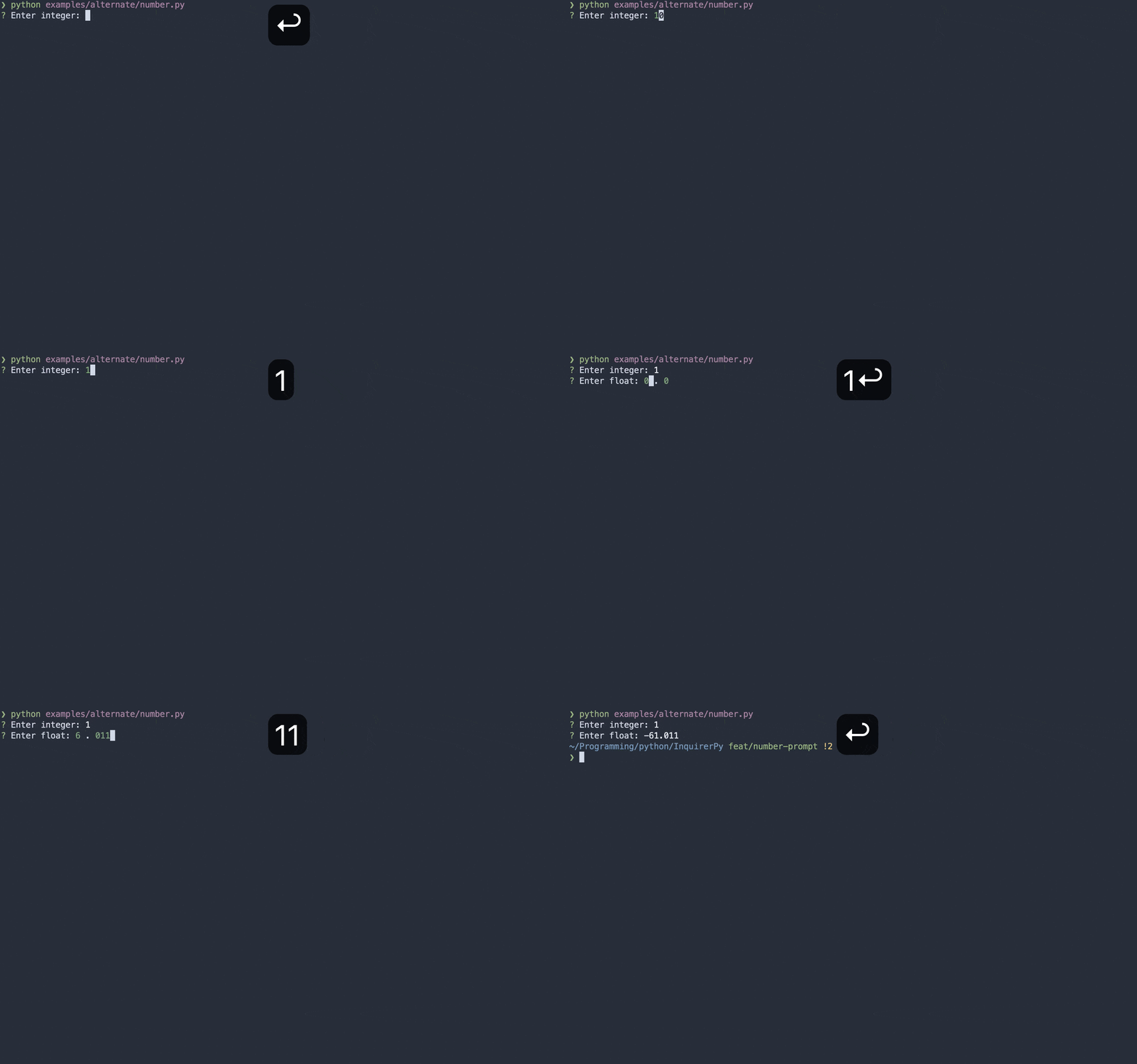
8 |
9 |
10 | Classic Syntax (PyInquirer)
11 |
12 | ```{eval-rst}
13 | .. literalinclude :: ../../../examples/classic/number.py
14 | :language: python
15 | ```
16 |
17 |
18 |
19 |
20 | Alternate Syntax
21 |
22 | ```{eval-rst}
23 | .. literalinclude :: ../../../examples/alternate/number.py
24 | :language: python
25 | ```
26 |
27 |
28 |
29 | ## Keybindings
30 |
31 | ```{seealso}
32 | {ref}`pages/kb:Keybindings`
33 | ```
34 |
35 | ```{include} ../kb.md
36 | :start-after:
37 | :end-before:
38 | ```
39 |
40 | The following dictionary contains the additional keybindings created by this prompt.
41 |
42 | ```
43 | {
44 | "down": [
45 | {"key": "down"}, # decrement the number
46 | {"key": "c-n"},
47 | ],
48 | "up": [
49 | {"key": "up"}, # increment the number
50 | {"key": "c-p"},
51 | ],
52 | "left": [
53 | {"key": "left"}, # move cursor to the left
54 | {"key": "c-b"},
55 | ],
56 | "right": [
57 | {"key": "right"}, # move cursor to the right
58 | {"key": "c-f"},
59 | ],
60 | "focus": [
61 | {"key": "c-i"}, # focus the alternate input buffer when float_allowed=True
62 | {"key": "s-tab"},
63 | ],
64 | "negative_toggle": [{"key": "-"}], # toggle result negativity
65 | "dot": [{"key": "."}], # focus the integral buffer when float_allowed=True to enter decimal points
66 | }
67 | ```
68 |
69 | When `vi_mode` is True, the direction navigation key will be changed.
70 |
71 | ```{tip}
72 | Additionally, the input buffer can also enter normal mode by pressing `esc` when `vi_mode` is True.
73 | ```
74 |
75 | ```
76 | {
77 | "down": [
78 | {"key": "down"},
79 | {"key": "j"},
80 | ],
81 | "up": [
82 | {"key": "up"},
83 | {"key": "k"},
84 | ],
85 | "left": [
86 | {"key": "left"},
87 | {"key": "h"},
88 | ],
89 | "right": [
90 | {"key": "right"},
91 | {"key": "l"},
92 | ],
93 | }
94 | ```
95 |
96 | ## Default Value
97 |
98 | The default value of the input buffer is set to `0` to help differentiate with {ref}`InputPrompt `. You could disable
99 | this value and have an empty input buffer by setting the parameter `default=None`.
100 |
101 |
102 | Classic Syntax (PyInquirer)
103 |
104 | ```{code-block} python
105 | from InquirerPy import prompt
106 |
107 | questions = [
108 | {
109 | "type": "number",
110 | "message": "Number:",
111 | "default": None,
112 | }
113 | ]
114 |
115 | result = prompt(questions)
116 | ```
117 |
118 |
119 |
120 |
121 | Alternate Syntax
122 |
123 | ```{code-block} python
124 | from InquirerPy import inquirer
125 |
126 | result = inquirer.number(message="Number:", default=None).execute()
127 | ```
128 |
129 |
130 |
131 | ## Max and Min
132 |
133 | You can set the maximum allowed value as well as the minimum allowed value for the prompt via `max_allowed` and `min_allowed`.
134 |
135 | ```{hint}
136 | When the input value goes above/below the max/min value, the input value will automatically reset to the
137 | configured max/min value.
138 | ```
139 |
140 |
141 | Classic Syntax (PyInquirer)
142 |
143 | ```{code-block} python
144 | from InquirerPy import prompt
145 |
146 | questions = [
147 | {
148 | "type": "number",
149 | "message": "Number:",
150 | "max_allowed": 10,
151 | "min_allowed": -100
152 | }
153 | ]
154 |
155 | result = prompt(questions)
156 | ```
157 |
158 |
159 |
160 |
161 | Alternate Syntax
162 |
163 | ```{code-block} python
164 | from InquirerPy import inquirer
165 |
166 | result = inquirer.number(
167 | message="Number:", max_allowed=10, min_allowed=-100,
168 | ).execute()
169 | ```
170 |
171 |
172 |
173 | ## Decimal Input
174 |
175 | ```{tip}
176 | Once you enable decimal input, the prompt will have a second input buffer. You can keep navigating `left`/`right`
177 | to enter the other input buffer or you can use the `tab`/`shit-tab` to focus the other buffer.
178 | ```
179 |
180 | You can enable decimal input by setting the argument `float_allowed` to True.
181 |
182 |
183 | Classic Syntax (PyInquirer)
184 |
185 | ```{code-block} python
186 | from InquirerPy import prompt
187 |
188 | questions = [
189 | {
190 | "type": "number",
191 | "message": "Number:",
192 | "float_allowed": True,
193 | }
194 | ]
195 |
196 | result = prompt(questions)
197 | ```
198 |
199 |
200 |
201 |
202 | Alternate Syntax
203 |
204 | ```{code-block} python
205 | from InquirerPy import inquirer
206 |
207 | result = inquirer.number(
208 | message="Number:", float_allowed=True,
209 | ).execute()
210 | ```
211 |
212 |
213 |
214 | ## Replace Mode
215 |
216 | By default, all input buffer has the exact same behavior as terminal input behavior. There is an optional replace mode
217 | which you could enable for a better experience when working with decimal points input. You can enable it via
218 | parameter `replace_mode=True`.
219 |
220 | ```{warning}
221 | Replace mode introduce some slight inconsistency with the terminal input behavior that we are used to.
222 | ```
223 |
224 |
225 | Classic Syntax (PyInquirer)
226 |
227 | ```{code-block} python
228 | from InquirerPy import prompt
229 |
230 | questions = [
231 | {
232 | "type": "number",
233 | "message": "Number:",
234 | "replace_mode": True,
235 | }
236 | ]
237 |
238 | result = prompt(questions)
239 | ```
240 |
241 |
242 |
243 |
244 | Alternate Syntax
245 |
246 | ```{code-block} python
247 | from InquirerPy import inquirer
248 |
249 | result = inquirer.number(
250 | message="Number:", replace_mode=True,
251 | ).execute()
252 | ```
253 |
254 |
255 |
256 | The following gif demonstrate the different behavior when we are trying to input number "123.102". The first prompt is `replace_mode=False`
257 | and the second prompt is `replace_mode=True`.
258 |
259 | 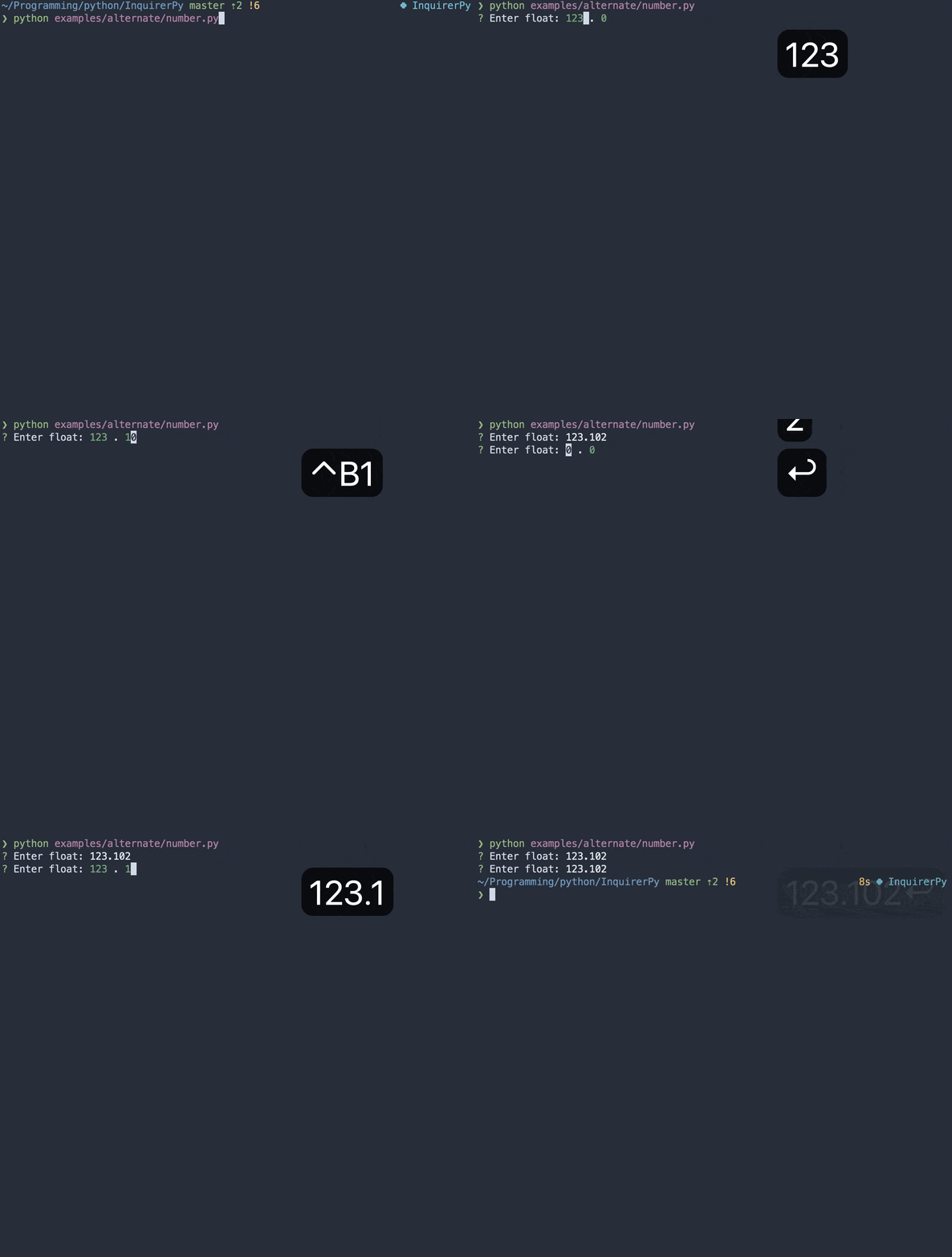
260 |
261 | ## Reference
262 |
263 | ```{eval-rst}
264 | .. autoclass:: InquirerPy.prompts.number.NumberPrompt
265 | :noindex:
266 | ```
267 |
--------------------------------------------------------------------------------
/InquirerPy/validator.py:
--------------------------------------------------------------------------------
1 | """Module contains pre-built validators."""
2 | import re
3 | from pathlib import Path
4 | from typing import Optional
5 |
6 | from prompt_toolkit.validation import ValidationError, Validator
7 |
8 | __all__ = [
9 | "PathValidator",
10 | "EmptyInputValidator",
11 | "PasswordValidator",
12 | "NumberValidator",
13 | ]
14 |
15 |
16 | class NumberValidator(Validator):
17 | """:class:`~prompt_toolkit.validation.Validator` to validate if input is a number.
18 |
19 | Args:
20 | message: Error message to display in the validatation toolbar when validation failed.
21 | float_allowed: Allow input to contain floating number (with decimal).
22 | """
23 |
24 | def __init__(
25 | self, message: str = "Input should be a number", float_allowed: bool = False
26 | ) -> None:
27 | self._message = message
28 | self._float_allowed = float_allowed
29 |
30 | def validate(self, document) -> None:
31 | """Check if user input is a valid number.
32 |
33 | This method is used internally by `prompt_toolkit `_.
34 |
35 | See Also:
36 | https://python-prompt-toolkit.readthedocs.io/en/master/pages/asking_for_input.html?highlight=validator#input-validation
37 | """
38 | try:
39 | if self._float_allowed:
40 | float(document.text)
41 | else:
42 | int(document.text)
43 | except ValueError:
44 | raise ValidationError(
45 | message=self._message, cursor_position=document.cursor_position
46 | )
47 |
48 |
49 | class PathValidator(Validator):
50 | """:class:`~prompt_toolkit.validation.Validator` to validate if input is a valid filepath on the system.
51 |
52 | Args:
53 | message: Error message to display in the validatation toolbar when validation failed.
54 | is_file: Explicitly check if the input is a valid file on the system.
55 | is_dir: Explicitly check if the input is a valid directory/folder on the system.
56 | """
57 |
58 | def __init__(
59 | self,
60 | message: str = "Input is not a valid path",
61 | is_file: bool = False,
62 | is_dir: bool = False,
63 | ) -> None:
64 | self._message = message
65 | self._is_file = is_file
66 | self._is_dir = is_dir
67 |
68 | def validate(self, document) -> None:
69 | """Check if user input is a filepath that exists on the system based on conditions.
70 |
71 | This method is used internally by `prompt_toolkit `_.
72 |
73 | See Also:
74 | https://python-prompt-toolkit.readthedocs.io/en/master/pages/asking_for_input.html?highlight=validator#input-validation
75 | """
76 | path = Path(document.text).expanduser()
77 | if self._is_file and not path.is_file():
78 | raise ValidationError(
79 | message=self._message,
80 | cursor_position=document.cursor_position,
81 | )
82 | elif self._is_dir and not path.is_dir():
83 | raise ValidationError(
84 | message=self._message,
85 | cursor_position=document.cursor_position,
86 | )
87 | elif not path.exists():
88 | raise ValidationError(
89 | message=self._message,
90 | cursor_position=document.cursor_position,
91 | )
92 |
93 |
94 | class EmptyInputValidator(Validator):
95 | """:class:`~prompt_toolkit.validation.Validator` to validate if the input is empty.
96 |
97 | Args:
98 | message: Error message to display in the validatation toolbar when validation failed.
99 | """
100 |
101 | def __init__(self, message: str = "Input cannot be empty") -> None:
102 | self._message = message
103 |
104 | def validate(self, document) -> None:
105 | """Check if user input is empty.
106 |
107 | This method is used internally by `prompt_toolkit `_.
108 |
109 | See Also:
110 | https://python-prompt-toolkit.readthedocs.io/en/master/pages/asking_for_input.html?highlight=validator#input-validation
111 | """
112 | if not len(document.text) > 0:
113 | raise ValidationError(
114 | message=self._message,
115 | cursor_position=document.cursor_position,
116 | )
117 |
118 |
119 | class PasswordValidator(Validator):
120 | """:class:`~prompt_toolkit.validation.Validator` to validate password compliance.
121 |
122 | Args:
123 | message: Error message to display in the validatation toolbar when validation failed.
124 | length: The minimum length of the password.
125 | cap: Password should include at least one capital letter.
126 | special: Password should include at least one special char "@$!%*#?&".
127 | number: Password should include at least one number.
128 | """
129 |
130 | def __init__(
131 | self,
132 | message: str = "Input is not compliant with the password constraints",
133 | length: Optional[int] = None,
134 | cap: bool = False,
135 | special: bool = False,
136 | number: bool = False,
137 | ) -> None:
138 | password_pattern = r"^"
139 | if cap:
140 | password_pattern += r"(?=.*[A-Z])"
141 | if special:
142 | password_pattern += r"(?=.*[@$!%*#?&])"
143 | if number:
144 | password_pattern += r"(?=.*[0-9])"
145 | password_pattern += r"."
146 | if length:
147 | password_pattern += r"{%s,}" % length
148 | else:
149 | password_pattern += r"*"
150 | password_pattern += r"$"
151 | self._re = re.compile(password_pattern)
152 | self._message = message
153 |
154 | def validate(self, document) -> None:
155 | """Check if user input is compliant with the specified password constraints.
156 |
157 | This method is used internally by `prompt_toolkit `_.
158 |
159 | See Also:
160 | https://python-prompt-toolkit.readthedocs.io/en/master/pages/asking_for_input.html?highlight=validator#input-validation
161 | """
162 | if not self._re.match(document.text):
163 | raise ValidationError(
164 | message=self._message, cursor_position=document.cursor_position
165 | )
166 |
--------------------------------------------------------------------------------
/InquirerPy/prompts/secret.py:
--------------------------------------------------------------------------------
1 | """Module contains the class to create a secret prompt."""
2 | from typing import TYPE_CHECKING, Any, Callable, List, Optional, Tuple
3 |
4 | from InquirerPy.prompts.input import InputPrompt
5 | from InquirerPy.utils import (
6 | InquirerPyDefault,
7 | InquirerPyKeybindings,
8 | InquirerPyMessage,
9 | InquirerPySessionResult,
10 | InquirerPyStyle,
11 | InquirerPyValidate,
12 | )
13 |
14 | if TYPE_CHECKING:
15 | from prompt_toolkit.input.base import Input
16 | from prompt_toolkit.output.base import Output
17 |
18 | __all__ = ["SecretPrompt"]
19 |
20 |
21 | class SecretPrompt(InputPrompt):
22 | """Create a text prompt which transforms the input to asterisks while typing.
23 |
24 | A wrapper class around :class:`~prompt_toolkit.shortcuts.PromptSession`.
25 |
26 | Args:
27 | message: The question to ask the user.
28 | Refer to :ref:`pages/dynamic:message` documentation for more details.
29 | style: An :class:`InquirerPyStyle` instance.
30 | Refer to :ref:`Style ` documentation for more details.
31 | vi_mode: Use vim keybinding for the prompt.
32 | Refer to :ref:`pages/kb:Keybindings` documentation for more details.
33 | default: Set the default text value of the prompt.
34 | Refer to :ref:`pages/dynamic:default` documentation for more details.
35 | qmark: Question mark symbol. Custom symbol that will be displayed infront of the question before its answered.
36 | amark: Answer mark symbol. Custom symbol that will be displayed infront of the question after its answered.
37 | instruction: Short instruction to display next to the question.
38 | long_instruction: Long instructions to display at the bottom of the prompt.
39 | validate: Add validation to user input.
40 | Refer to :ref:`pages/validator:Validator` documentation for more details.
41 | invalid_message: Error message to display when user input is invalid.
42 | Refer to :ref:`pages/validator:Validator` documentation for more details.
43 | transformer: A function which performs additional transformation on the value that gets printed to the terminal.
44 | Different than `filter` parameter, this is only visual effect and won’t affect the actual value returned by :meth:`~InquirerPy.base.simple.BaseSimplePrompt.execute`.
45 | Refer to :ref:`pages/dynamic:transformer` documentation for more details.
46 | filter: A function which performs additional transformation on the result.
47 | This affects the actual value returned by :meth:`~InquirerPy.base.simple.BaseSimplePrompt.execute`.
48 | Refer to :ref:`pages/dynamic:filter` documentation for more details.
49 | keybindings: Customise the builtin keybindings.
50 | Refer to :ref:`pages/kb:Keybindings` for more details.
51 | wrap_lines: Soft wrap question lines when question exceeds the terminal width.
52 | raise_keyboard_interrupt: Raise the :class:`KeyboardInterrupt` exception when `ctrl-c` is pressed. If false, the result
53 | will be `None` and the question is skiped.
54 | mandatory: Indicate if the prompt is mandatory. If True, then the question cannot be skipped.
55 | mandatory_message: Error message to show when user attempts to skip mandatory prompt.
56 | session_result: Used internally for :ref:`index:Classic Syntax (PyInquirer)`.
57 | input: Used internally and will be removed in future updates.
58 | output: Used internally and will be removed in future updates.
59 |
60 | Examples:
61 | >>> from InquirerPy import inquirer
62 | >>> result = inquirer.secret(message="Password:").execute()
63 | >>> print(f"Password: {result}")
64 | Password: asdf123
65 | """
66 |
67 | def __init__(
68 | self,
69 | message: InquirerPyMessage,
70 | style: Optional[InquirerPyStyle] = None,
71 | default: InquirerPyDefault = "",
72 | qmark: str = "?",
73 | amark: str = "?",
74 | instruction: str = "",
75 | long_instruction: str = "",
76 | vi_mode: bool = False,
77 | validate: Optional[InquirerPyValidate] = None,
78 | invalid_message: str = "Invalid input",
79 | transformer: Optional[Callable[[str], Any]] = None,
80 | filter: Optional[Callable[[str], Any]] = None,
81 | keybindings: Optional[InquirerPyKeybindings] = None,
82 | wrap_lines: bool = True,
83 | raise_keyboard_interrupt: bool = True,
84 | mandatory: bool = True,
85 | mandatory_message: str = "Mandatory prompt",
86 | session_result: Optional[InquirerPySessionResult] = None,
87 | input: Optional["Input"] = None,
88 | output: Optional["Output"] = None,
89 | ) -> None:
90 | super().__init__(
91 | message=message,
92 | style=style,
93 | vi_mode=vi_mode,
94 | default=default,
95 | qmark=qmark,
96 | amark=amark,
97 | instruction=instruction,
98 | long_instruction=long_instruction,
99 | validate=validate,
100 | invalid_message=invalid_message,
101 | is_password=True,
102 | transformer=transformer,
103 | filter=filter,
104 | keybindings=keybindings,
105 | wrap_lines=wrap_lines,
106 | raise_keyboard_interrupt=raise_keyboard_interrupt,
107 | mandatory=mandatory,
108 | mandatory_message=mandatory_message,
109 | session_result=session_result,
110 | input=input,
111 | output=output,
112 | )
113 |
114 | def _get_prompt_message(self) -> List[Tuple[str, str]]:
115 | """Get message to display infront of the input buffer.
116 |
117 | Args:
118 | pre_answer: The formatted text to display before answering the question.
119 | post_answer: The formatted text to display after answering the question.
120 |
121 | Returns:
122 | Formatted text in list of tuple format.
123 | """
124 | pre_answer = (
125 | "class:instruction",
126 | " %s " % self.instruction if self.instruction else " ",
127 | )
128 | post_answer = (
129 | "class:answer",
130 | ""
131 | if not self.status["result"]
132 | else " %s" % "".join(["*" for _ in self.status["result"]]),
133 | )
134 | return super()._get_prompt_message(pre_answer, post_answer)
135 |
--------------------------------------------------------------------------------
/CHANGELOG.md:
--------------------------------------------------------------------------------
1 | # CHANGELOG
2 |
3 | Notable changes are documented in this file.
4 |
5 | ## 0.3.4 (28/06/22)
6 |
7 | ## 0.3.3 (04/02/2022)
8 |
9 | - Fixed windows filepath completion [#32](https://github.com/kazhala/InquirerPy/issues/32)
10 |
11 | ## 0.3.2 (28/01/2022)
12 |
13 | - Added exact match option for fuzzy prompt [#34](https://github.com/kazhala/InquirerPy/issues/34)
14 |
15 | ## 0.3.1 (13/12/2021)
16 |
17 | ### Fixed
18 |
19 | - Fixed InvalidArgument raised for callable default
20 |
21 | ### Added
22 |
23 | - [number prompt](https://inquirerpy.readthedocs.io/en/latest/pages/prompts/number.html)
24 | - Built for receiving number input
25 | - Supports decimal
26 | - Supports negative
27 | - Non number input is disabled
28 | - Supports thresholds
29 | - async support [#30](https://github.com/kazhala/InquirerPy/issues/30)
30 | - [classic syntax](https://inquirerpy.readthedocs.io/en/latest/pages/prompt.html#asynchronous-execution)
31 | - [alternate syntax](https://inquirerpy.readthedocs.io/en/latest/pages/inquirer.html#asynchronous-execution)
32 |
33 | ## 0.3.0 (12/10/2021)
34 |
35 | **New Documentation: [inquirerpy.readthedocs.io](https://inquirerpy.readthedocs.io/en/latest/)**
36 |
37 | ### Added
38 |
39 | - ~~Added optional spinner to display while loading choices for list prompts~~
40 | - Added parameter `border` for list prompts to display a border around the choices
41 | - Added parameter `long_instruction` to display longer instructions such as keybinding instructions at the bottom [#7](https://github.com/kazhala/InquirerPy/issues/7)
42 | - Added parameter `expand_help` for `expand` prompt to customise the help message and expansion key
43 | - `help_msg` parameter is deprecated and should use `expand_help`
44 | - Added alternate way of creating choices. Introduced a new class `Choice` as an alternate option for dictionary choice
45 | - Added `ExpandChoice` for `expand` prompt as well
46 | - Added `raise_keyboard_interrupt` option to all prompt initialisation options
47 | - The `raise_keyboard_interrupt` in execute function will be deprecated in future releases
48 | - Added parameter `mandatory` and `mandatory_message` to indicate if a prompt can be skipped
49 | - Added ability to skip prompt [#10](https://github.com/kazhala/InquirerPy/issues/10)
50 |
51 | ### Fixed
52 |
53 | - Fixed fuzzy prompt cannot type space [#20](https://github.com/kazhala/InquirerPy/issues/20)
54 | - Fixed multiselect malfunction [#25](https://github.com/kazhala/InquirerPy/issues/25)
55 | - Fixed fuzzy prompt toggle_all [#14](https://github.com/kazhala/InquirerPy/issues/14)
56 |
57 | ### Changed
58 |
59 | - Changed fuzzy prompt `border` default to `False`
60 | - It was `True` by default, changing this to keep it consistent with other prompts
61 | - Changed style `fuzzy_info` and `instruction` default color to `#abb2bf`
62 | - Automatic spacing added for checkbox prompt, if you have customised the prompt using `enabled_symbol` and `disabled_symbol`,
63 | you may need to remove the extra space you have previously added. The change here is to align with other prompts current behavior
64 | - Checkbox prompt default value for `enabled_symbol` and `disabled_symbol` is changed from hex symbol to circle [#22](https://github.com/kazhala/InquirerPy/issues/22)
65 | - **Behavior of `raise_keyboard_interrupt` is changed. Checkout the documentation for more info**
66 |
67 | ## 0.2.4 (12/08/2021)
68 |
69 | ### Fixed
70 |
71 | - Fixed fuzzy prompt choices are centered
72 |
73 | ## 0.2.3 (04/08/2021)
74 |
75 | ### Added
76 |
77 | - Added option `wrap_lines` to all prompts to configure line wrapping
78 | - Added option `instruction` for non-list type prompts. This is already supported in all list type prompts previously
79 | - Added option `confirm_letter` and `reject_letter` to confirm prompts. Use the 2 value to change from the default "y/n"
80 | - For updating the result value, please use the `transformer` parameter. By default, no matter what confirm_letter or
81 | reject letter you set, it will always be Yes or No
82 |
83 | ```python
84 | from InquirerPy import inquirer
85 |
86 | inquirer.confirm(
87 | message="Proceed?",
88 | default=True,
89 | confirm_letter="s",
90 | reject_letter="n",
91 | transformer=lambda result: "SIm" if result else "Não",
92 | ).execute()
93 | ```
94 |
95 | ### Fixed
96 |
97 | - Line wrapping [#11](https://github.com/kazhala/InquirerPy/issues/11)
98 |
99 | ### Changed
100 |
101 | - Answered question prefix spacing now depends on `amark` parameter instead of `qmark`
102 | - If you previously disable the `qmark` by setting it to empty string, please also set `amark` to empty string
103 |
104 | ## 0.2.2 (03/07/2021)
105 |
106 | N/A
107 |
108 | ## 0.2.1 (03/07/2021)
109 |
110 | ### Added
111 |
112 | - Added option to disable cycle behavior in list type prompts [#9](https://github.com/kazhala/InquirerPy/issues/9)
113 | - Added parameter `amark`. You can use this value to change the `qmark` after the question is answered
114 | - Added some more style customisation option
115 | - `answermark`: Used to change the color and style of `amark`
116 | - `answered_question`: Used to change the color and style of `question` message once the question is answered
117 |
118 | ## 0.2.0 (01/05/2021)
119 |
120 | ### Added
121 |
122 | - Defaults for multi-select list [#2](https://github.com/kazhala/InquirerPy/issues/2)
123 | - Disable qmark [#3](https://github.com/kazhala/InquirerPy/issues/3)
124 | - Configure `marker_pl`
125 | - This value exists in all list type prompts which by default is an empty space
126 | This space is replaced when the choice is selected in multiselect scenario
127 |
128 | ### Changed
129 |
130 | - Spacing in `checkbox` prompt `enabled_symbol` and `disabled_symbol`
131 | - If you have customised these values, add an empty space at the end
132 | - Spacing in `expand` prompt `separator`
133 | - If you have customised these values, add an empty space at the end
134 | - Spacing in `rawlist` prompt `separator`
135 | - If you have customised these values, add an empty space at the end
136 |
137 | ```python
138 | # v0.1.1
139 | regions = inquirer.checkbox(
140 | message="Select regions:",
141 | choices=["us-east-1", "us-east-2"],
142 | enabled_symbol=">",
143 | disabled_symbol="<"
144 | ).execute()
145 |
146 | # v0.2.0
147 | regions = inquirer.checkbox(
148 | message="Select regions:",
149 | choices=["us-east-1", "us-east-2"],
150 | enabled_symbol="> ", # add a space
151 | disabled_symbol="< " # add a space
152 | ).execute()
153 | ```
154 |
155 | ## 0.1.1 (03/04/2021)
156 |
157 | ### Fixed
158 |
159 | - Height and visual glitch on smaller data sets for fuzzy prompt
160 |
161 | ## 0.1.0 (17/01/2020)
162 |
--------------------------------------------------------------------------------
/README.md:
--------------------------------------------------------------------------------
1 | # InquirerPy
2 |
3 | [](https://github.com/kazhala/InquirerPy/actions?query=workflow%3ATest)
4 | [](https://github.com/kazhala/InquirerPy/actions?query=workflow%3ALint)
5 | [](https://ap-southeast-2.console.aws.amazon.com/codesuite/codebuild/378756445655/projects/InquirerPy/history?region=ap-southeast-2&builds-meta=eyJmIjp7InRleHQiOiIifSwicyI6e30sIm4iOjIwLCJpIjowfQ)
6 | [](https://coveralls.io/github/kazhala/InquirerPy?branch=master)
7 | [](https://pypi.org/project/InquirerPy/)
8 | [](https://pypi.org/project/InquirerPy/)
9 |
10 | Documentation: [inquirerpy.readthedocs.io](https://inquirerpy.readthedocs.io/)
11 |
12 |
13 |
14 | ## Introduction
15 |
16 | `InquirerPy` is a Python port of the famous [Inquirer.js](https://github.com/SBoudrias/Inquirer.js/) (A collection of common interactive command line user interfaces).
17 | This project is a re-implementation of the [PyInquirer](https://github.com/CITGuru/PyInquirer) project, with bug fixes of known issues, new prompts, backward compatible APIs
18 | as well as more customisation options.
19 |
20 |
21 |
22 | 
23 |
24 | ## Motivation
25 |
26 | [PyInquirer](https://github.com/CITGuru/PyInquirer) is a great Python port of [Inquirer.js](https://github.com/SBoudrias/Inquirer.js/), however, the project is slowly reaching
27 | to an unmaintained state with various issues left behind and no intention to implement more feature requests. I was heavily relying on this library for other projects but
28 | could not proceed due to the limitations.
29 |
30 | Some noticeable ones that bother me the most:
31 |
32 | - hard limit on `prompt_toolkit` version 1.0.3
33 | - various color issues
34 | - various cursor issues
35 | - No options for VI/Emacs navigation key bindings
36 | - Pagination option doesn't work
37 |
38 | This project uses python3.7+ type hinting with focus on resolving above issues while providing greater customisation options.
39 |
40 | ## Requirements
41 |
42 | ### OS
43 |
44 | Leveraging [prompt_toolkit](https://github.com/prompt-toolkit/python-prompt-toolkit), `InquirerPy` works cross platform for all OS. Although Unix platform may have a better experience than Windows.
45 |
46 | ### Python
47 |
48 | ```
49 | python >= 3.7
50 | ```
51 |
52 | ## Getting Started
53 |
54 | Checkout full documentation **[here](https://inquirerpy.readthedocs.io/)**.
55 |
56 | ### Install
57 |
58 | ```sh
59 | pip3 install InquirerPy
60 | ```
61 |
62 | ### Quick Start
63 |
64 | #### Classic Syntax (PyInquirer)
65 |
66 | ```python
67 | from InquirerPy import prompt
68 |
69 | questions = [
70 | {"type": "input", "message": "What's your name:", "name": "name"},
71 | {"type": "confirm", "message": "Confirm?", "name": "confirm"},
72 | ]
73 | result = prompt(questions)
74 | name = result["name"]
75 | confirm = result["confirm"]
76 | ```
77 |
78 | #### Alternate Syntax
79 |
80 | ```python
81 | from InquirerPy import inquirer
82 |
83 | name = inquirer.text(message="What's your name:").execute()
84 | confirm = inquirer.confirm(message="Confirm?").execute()
85 | ```
86 |
87 |
88 |
89 | ## Migrating from PyInquirer
90 |
91 | Most APIs from [PyInquirer](https://github.com/CITGuru/PyInquirer) should be compatible with `InquirerPy`. If you have discovered more incompatible APIs, please
92 | create an issue or directly update README via a pull request.
93 |
94 | ### EditorPrompt
95 |
96 | `InquirerPy` does not support [editor](https://github.com/CITGuru/PyInquirer#editor---type-editor) prompt as of now.
97 |
98 | ### CheckboxPrompt
99 |
100 | The following table contains the mapping of incompatible parameters.
101 |
102 | | PyInquirer | InquirerPy |
103 | | --------------- | --------------- |
104 | | pointer_sign | pointer |
105 | | selected_sign | enabled_symbol |
106 | | unselected_sign | disabled_symbol |
107 |
108 | ### Style
109 |
110 | Every style keys from [PyInquirer](https://github.com/CITGuru/PyInquirer) is present in `InquirerPy` except the ones in the following table.
111 |
112 | | PyInquirer | InquirerPy |
113 | | ---------- | ---------- |
114 | | selected | pointer |
115 |
116 | Although `InquirerPy` support all the keys from [PyInquirer](https://github.com/CITGuru/PyInquirer), the styling works slightly different.
117 | Please refer to the [Style](https://inquirerpy.readthedocs.io/en/latest/pages/style.html) documentation for detailed information.
118 |
119 |
120 |
121 | ## Similar projects
122 |
123 | ### questionary
124 |
125 | [questionary](https://github.com/tmbo/questionary) is a fantastic fork which supports `prompt_toolkit` 3.0.0+ with performance improvement and more customisation options.
126 | It's already a well established and stable library.
127 |
128 | Comparing with [questionary](https://github.com/tmbo/questionary), `InquirerPy` offers even more customisation options in styles, UI as well as key bindings. `InquirerPy` also provides a new
129 | and powerful [fuzzy](https://inquirerpy.readthedocs.io/en/latest/pages/prompts/fuzzy.html) prompt.
130 |
131 | ### python-inquirer
132 |
133 | [python-inquirer](https://github.com/magmax/python-inquirer) is another great Python port of [Inquirer.js](https://github.com/SBoudrias/Inquirer.js/). Instead of using `prompt_toolkit`, it
134 | leverages the library `blessed` to implement the UI.
135 |
136 | Before implementing `InquirerPy`, this library came up as an alternative. It's a more stable library comparing to the original [PyInquirer](https://github.com/CITGuru/PyInquirer), however
137 | it has a rather limited customisation options and an older UI which did not solve the issues I was facing described in the [Motivation](#Motivation) section.
138 |
139 | Comparing with [python-inquirer](https://github.com/magmax/python-inquirer), `InquirerPy` offers a slightly better UI,
140 | more customisation options in key bindings and styles, providing pagination as well as more prompts.
141 |
142 | ## Credit
143 |
144 | This project is based on the great work done by the following projects & their authors.
145 |
146 | - [PyInquirer](https://github.com/CITGuru/PyInquirer)
147 | - [prompt_toolkit](https://github.com/prompt-toolkit/python-prompt-toolkit)
148 |
149 | ## License
150 |
151 | This project is licensed under [MIT](https://github.com/kazhala/InquirerPy/blob/master/LICENSE).
152 |
--------------------------------------------------------------------------------
/tests/prompts/test_list.py:
--------------------------------------------------------------------------------
1 | import unittest
2 | from unittest.mock import patch
3 |
4 | from InquirerPy.enum import INQUIRERPY_KEYBOARD_INTERRUPT, INQUIRERPY_POINTER_SEQUENCE
5 | from InquirerPy.exceptions import InvalidArgument, RequiredKeyNotFound
6 | from InquirerPy.prompts.list import InquirerPyListControl, ListPrompt
7 | from InquirerPy.separator import Separator
8 | from InquirerPy.utils import InquirerPyStyle
9 |
10 |
11 | class TestListPrompt(unittest.TestCase):
12 | choices = [
13 | {"name": "apple", "value": "peach"},
14 | "pear",
15 | {"name": "melon", "value": "watermelon"},
16 | ]
17 |
18 | def test_list_control_enabled(self) -> None:
19 | list_control = InquirerPyListControl(
20 | [
21 | {"name": "apple", "value": "peach", "enabled": True},
22 | "pear",
23 | {"name": "melon", "value": "watermelon"},
24 | ],
25 | "watermelon",
26 | INQUIRERPY_POINTER_SEQUENCE,
27 | ">",
28 | None,
29 | True,
30 | " ",
31 | )
32 | self.assertEqual(
33 | list_control.choices,
34 | [
35 | {"name": "apple", "value": "peach", "enabled": True},
36 | {"name": "pear", "value": "pear", "enabled": False},
37 | {"name": "melon", "value": "watermelon", "enabled": False},
38 | ],
39 | )
40 |
41 | def test_list_control_exceptions(self):
42 | self.assertRaises(
43 | RequiredKeyNotFound,
44 | InquirerPyListControl,
45 | [
46 | {"what": "apple", "value": "peach"},
47 | "pear",
48 | ],
49 | "watermelon",
50 | "",
51 | "",
52 | None,
53 | False,
54 | " ",
55 | )
56 | self.assertRaises(
57 | InvalidArgument, InquirerPyListControl, [], "", "", "", None, False, " "
58 | )
59 |
60 | def test_choice_combination(self):
61 | prompt = ListPrompt(message="Test combo", choices=["hello"])
62 | self.assertEqual(prompt._qmark, "?")
63 | self.assertEqual(prompt.instruction, "")
64 |
65 | self.assertRaises(InvalidArgument, ListPrompt, "", [Separator(), Separator()])
66 |
67 | def test_list_prompt_message(self):
68 | prompt = ListPrompt(
69 | message="Select a fruit",
70 | choices=self.choices,
71 | default="watermelon",
72 | style=InquirerPyStyle({"pointer": "#61afef"}),
73 | vi_mode=True,
74 | qmark="[?]",
75 | pointer=">",
76 | instruction="(j/k)",
77 | )
78 | self.assertEqual(
79 | prompt._get_prompt_message(),
80 | [
81 | ("class:questionmark", "[?]"),
82 | ("class:question", " Select a fruit"),
83 | ("class:instruction", " (j/k) "),
84 | ],
85 | )
86 |
87 | def test_list_bindings(self):
88 | prompt = ListPrompt(
89 | message="Select a fruit",
90 | choices=self.choices,
91 | default="watermelon",
92 | style=InquirerPyStyle({"pointer": "#61afef"}),
93 | vi_mode=True,
94 | qmark="[?]",
95 | pointer=">",
96 | instruction="(j/k)",
97 | )
98 | self.assertEqual(prompt.content_control.selected_choice_index, 2)
99 | prompt._handle_down(None)
100 | self.assertEqual(prompt.content_control.selected_choice_index, 0)
101 | prompt._handle_up(None)
102 | self.assertEqual(prompt.content_control.selected_choice_index, 2)
103 | prompt._handle_up(None)
104 | self.assertEqual(prompt.content_control.selected_choice_index, 1)
105 | prompt._handle_down(None)
106 | self.assertEqual(prompt.content_control.selected_choice_index, 2)
107 |
108 | self.assertEqual(
109 | prompt.status, {"result": None, "answered": False, "skipped": False}
110 | )
111 | with patch("prompt_toolkit.utils.Event") as mock:
112 | event = mock.return_value
113 | prompt._handle_enter(event)
114 | self.assertEqual(
115 | prompt.status, {"result": "melon", "answered": True, "skipped": False}
116 | )
117 |
118 | def test_separator_movement(self):
119 | prompt = ListPrompt(message="..", choices=[Separator("hello"), "yes"])
120 | self.assertEqual(prompt.content_control.selected_choice_index, 1)
121 | prompt._handle_down(None)
122 | self.assertEqual(prompt.content_control.selected_choice_index, 1)
123 | prompt._handle_up(None)
124 | self.assertEqual(prompt.content_control.selected_choice_index, 1)
125 |
126 | prompt = ListPrompt(
127 | message="..", choices=[Separator("hello"), "yes", Separator(), "no"]
128 | )
129 | self.assertEqual(prompt.content_control.selected_choice_index, 1)
130 | prompt._handle_down(None)
131 | self.assertEqual(prompt.content_control.selected_choice_index, 3)
132 | prompt._handle_up(None)
133 | self.assertEqual(prompt.content_control.selected_choice_index, 1)
134 | prompt._handle_up(None)
135 | self.assertEqual(prompt.content_control.selected_choice_index, 3)
136 |
137 | def test_list_enter_empty(self):
138 | prompt = ListPrompt(
139 | message="",
140 | choices=["haha", "haah", "what", "I don't know"],
141 | )
142 | with patch("prompt_toolkit.utils.Event") as mock:
143 | event = mock.return_value
144 | prompt._handle_enter(event)
145 | self.assertEqual(prompt.status["result"], "haha")
146 |
147 | prompt = ListPrompt(
148 | message="",
149 | choices=["haha", "haah", "what", "I don't know"],
150 | multiselect=True,
151 | )
152 | with patch("prompt_toolkit.utils.Event") as mock:
153 | event = mock.return_value
154 | prompt._handle_enter(event)
155 | self.assertEqual(prompt.status["result"], ["haha"])
156 | prompt.content_control.choices[1]["enabled"] = True
157 | prompt._handle_enter(event)
158 | self.assertEqual(prompt.status["result"], ["haah"])
159 |
160 | @patch("InquirerPy.base.complex.Application.run")
161 | def test_prompt_execute(self, mocked_run):
162 | mocked_run.return_value = "hello"
163 | result = ListPrompt("hello world", ["yes", "no"]).execute()
164 | self.assertEqual(result, "hello")
165 |
166 | result = ListPrompt(
167 | "hello world", ["yes", "no"], filter=lambda _: "no"
168 | ).execute()
169 | self.assertEqual(result, "no")
170 |
171 | mocked_run.return_value = INQUIRERPY_KEYBOARD_INTERRUPT
172 | prompt = ListPrompt("hello world", ["yes", "no"], filter=lambda _: "no")
173 | self.assertRaises(KeyboardInterrupt, prompt.execute)
174 |
175 | mocked_run.return_value = INQUIRERPY_KEYBOARD_INTERRUPT
176 | prompt = ListPrompt("hello world", ["yes", "no"])
177 | try:
178 | result = prompt.execute(raise_keyboard_interrupt=False)
179 | except KeyboardInterrupt:
180 | self.assertFalse(prompt._is_rasing_kbi())
181 | else:
182 | self.fail("should raise kbi")
183 |
--------------------------------------------------------------------------------
/docs/pages/validator.md:
--------------------------------------------------------------------------------
1 | # Validator
2 |
3 | All `InquirerPy` prompts can validate user input and display an error toolbar when the input or selection is invalid.
4 |
5 | ## Parameters
6 |
7 | Each prompt accepts two parameters for validation: [validate](#validate) and [invalid_message](#invalid_message).
8 |
9 | Below is an example of ensuring the user doesn't by pass an empty input.
10 |
11 |
12 | Classic Syntax
13 |
14 | ```{code-block} python
15 | from InquirerPy import prompt
16 |
17 | result = prompt(
18 | [
19 | {
20 | "type": "input",
21 | "message": "Name:",
22 | "validate": lambda result: len(result) > 0,
23 | "invalid_message": "Input cannot be empty.",
24 | }
25 | ]
26 | )
27 | ```
28 |
29 |
30 |
31 |
32 | Alternate Syntax
33 |
34 | ```{code-block} python
35 | from InquirerPy import inquirer
36 |
37 | result = inquirer.text(
38 | message="Name:",
39 | validate=lambda result: len(result) > 0,
40 | invalid_message="Input cannot be empty.",
41 | ).execute()
42 | ```
43 |
44 |
45 |
46 | Below is another example which ensure that at least 2 options are checked.
47 |
48 |
49 | Classic Syntax
50 |
51 | ```{code-block} python
52 | from InquirerPy import prompt
53 |
54 | result = prompt(
55 | [
56 | {
57 | "type": "list",
58 | "message": "Select toppings:",
59 | "choices": ["Bacon", "Chicken", "Cheese", "Pineapple"],
60 | "multiselect": True,
61 | "validate": lambda selection: len(selection) >= 2,
62 | "invalid_message": "Select at least 2 toppings.",
63 | }
64 | ]
65 | )
66 | ```
67 |
68 |
69 |
70 |
71 | Alternate Syntax
72 |
73 | ```{code-block} python
74 | from InquirerPy import inquirer
75 |
76 | result = inquirer.checkbox(
77 | message="Select toppings:",
78 | choices=["Bacon", "Chicken", "Cheese", "Pineapple"],
79 | validate=lambda selection: len(selection) >= 2,
80 | invalid_message="Select at least 2 toppings.",
81 | ).execute()
82 | ```
83 |
84 |
85 |
86 | ### validate
87 |
88 | ```
89 | Union[Callable[[Any], bool], "Validator"]
90 | ```
91 |
92 | Validation callable or class to validate user input.
93 |
94 | #### Callable
95 |
96 | ```{note}
97 | The `result` provided will vary depending on the prompt types. E.g. `checkbox` prompt will receive a list of checked choices as the result.
98 | ```
99 |
100 | When providing validate as a {func}`callable`, it will be provided with the current user input and should return a boolean
101 | indicating if the input is valid.
102 |
103 | ```python
104 | def validator(result) -> bool:
105 | """Ensure the input is not empty."""
106 | return len(result) > 0
107 | ```
108 |
109 | #### prompt_toolkit.validation.Validator
110 |
111 | ```{note}
112 | To maintain API compatibility, for prompts that doesn't have a {class}`string` type result such as `checkbox`, you'll still need to access the result via `document.text`.
113 | ```
114 |
115 | You can also provide a `prompt_toolkit` {class}`~prompt_toolkit.validation.Validator` instance.
116 |
117 | This method removes the need of providing the `invalid_message` parameter.
118 |
119 | ```python
120 | from prompt_toolkit.validation import ValidationError, Validator
121 |
122 | class EmptyInputValidator(Validator):
123 | def validate(self, document):
124 | if not len(document.text) > 0:
125 | raise ValidationError(
126 | message="Input cannot be empty.",
127 | cursor_position=document.cursor_position,
128 | )
129 | ```
130 |
131 | ### invalid_message
132 |
133 | ```
134 | str
135 | ```
136 |
137 | The error message you would like to display to user when the input is invalid.
138 |
139 | ## Pre-built Validators
140 |
141 | There's a few pre-built common validator ready to use.
142 |
143 | ### PathValidator
144 |
145 | ```{eval-rst}
146 | .. autoclass:: InquirerPy.validator.PathValidator
147 | :noindex:
148 | ```
149 |
150 |
151 | Classic Syntax
152 |
153 | ```python
154 | from InquirerPy import prompt
155 | from InquirerPy.validator import PathValidator
156 |
157 | result = prompt(
158 | [
159 | {
160 | "type": "filepath",
161 | "message": "Enter path:",
162 | "validate": PathValidator("Path is not valid"),
163 | }
164 | ]
165 | )
166 | ```
167 |
168 |
169 |
170 |
171 | Alternate Syntax
172 |
173 | ```python
174 | from InquirerPy import inquirer
175 | from InquirerPy.validator import PathValidator
176 |
177 | result = inquirer.filepath(message="Enter path:", validate=PathValidator()).execute()
178 | ```
179 |
180 |
181 |
182 | ### EmptyInputValidator
183 |
184 | ```{eval-rst}
185 | .. autoclass:: InquirerPy.validator.EmptyInputValidator
186 | :noindex:
187 | ```
188 |
189 |
190 | Classic Syntax
191 |
192 | ```python
193 | from InquirerPy import prompt
194 | from InquirerPy.validator import EmptyInputValidator
195 |
196 | result = prompt(
197 | [{"type": "input", "message": "Name:", "validate": EmptyInputValidator()}]
198 | )
199 | ```
200 |
201 |
202 |
203 |
204 | Alternate Syntax
205 |
206 | ```python
207 | from InquirerPy import inquirer
208 | from InquirerPy.validator import EmptyInputValidator
209 |
210 | result = inquirer.text(
211 | message="Name:", validate=EmptyInputValidator("Input should not be empty")
212 | ).execute()
213 | ```
214 |
215 |
216 |
217 | ### PasswordValidator
218 |
219 | ```{eval-rst}
220 | .. autoclass:: InquirerPy.validator.PasswordValidator
221 | :noindex:
222 | ```
223 |
224 |
225 | Classic Syntax
226 |
227 | ```python
228 | from InquirerPy import prompt
229 | from InquirerPy.validator import PasswordValidator
230 |
231 | result = prompt(
232 | [
233 | {
234 | "type": "secret",
235 | "message": "New Password:",
236 | "validate": PasswordValidator(
237 | length=8,
238 | cap=True,
239 | special=True,
240 | number=True,
241 | message="Password does not meet compliance",
242 | ),
243 | }
244 | ]
245 | )
246 | ```
247 |
248 |
249 |
250 |
251 | Alternate Syntax
252 |
253 | ```python
254 | from InquirerPy import inquirer
255 | from InquirerPy.validator import PasswordValidator
256 |
257 | result = inquirer.secret(
258 | message="New Password:",
259 | validate=PasswordValidator(
260 | length=8,
261 | cap=True,
262 | special=True,
263 | number=True,
264 | message="Password does not meet compliance",
265 | ),
266 | ).execute()
267 | ```
268 |
269 |
270 |
271 | ### NumberValidator
272 |
273 | ```{eval-rst}
274 | .. autoclass:: InquirerPy.validator.NumberValidator
275 | :noindex:
276 | ```
277 |
278 |
279 | Classic Syntax
280 |
281 | ```python
282 | from InquirerPy import prompt
283 | from InquirerPy.validator import NumberValidator
284 |
285 | result = prompt(
286 | [
287 | {
288 | "type": "text",
289 | "message": "Age:",
290 | "validate": NumberValidator(
291 | message="Input should be number", float_allowed=False
292 | ),
293 | }
294 | ]
295 | )
296 | ```
297 |
298 |
299 |
300 |
301 | Alternate Syntax
302 |
303 | ```python
304 | from InquirerPy import inquirer
305 | from InquirerPy.validator import NumberValidator
306 |
307 | result = inquirer.text(message="Age:", validate=NumberValidator()).execute()
308 | ```
309 |
310 |
311 |
--------------------------------------------------------------------------------
/tests/prompts/test_rawlist.py:
--------------------------------------------------------------------------------
1 | import unittest
2 | from unittest.mock import ANY, call, patch
3 |
4 | from InquirerPy.base import BaseComplexPrompt
5 | from InquirerPy.exceptions import InvalidArgument, RequiredKeyNotFound
6 | from InquirerPy.prompts.rawlist import InquirerPyRawlistControl, RawlistPrompt
7 | from InquirerPy.separator import Separator
8 |
9 |
10 | class TestRawList(unittest.TestCase):
11 | choices = [
12 | {"name": "foo", "value": "boo", "enabled": True},
13 | "hello",
14 | Separator(),
15 | "yes",
16 | ]
17 |
18 | def test_content_control(self):
19 | content_control = InquirerPyRawlistControl(
20 | self.choices, "yes", " ", ") ", ">", None, True, " "
21 | )
22 | self.assertEqual(content_control._pointer, " ")
23 | self.assertEqual(content_control._separator, ") ")
24 | self.assertEqual(content_control.choice_count, 4)
25 | self.assertEqual(content_control.selected_choice_index, 3)
26 | self.assertEqual(
27 | content_control._get_hover_text(content_control.choices[0]),
28 | [
29 | ("class:pointer", " "),
30 | ("class:marker", ">"),
31 | ("class:pointer", "1) "),
32 | ("[SetCursorPosition]", ""),
33 | ("class:pointer", "foo"),
34 | ],
35 | )
36 | self.assertEqual(
37 | content_control._get_normal_text(content_control.choices[0]),
38 | [("", " "), ("class:marker", ">"), ("", "1) "), ("", "foo")],
39 | )
40 | self.assertEqual(
41 | content_control.choices,
42 | [
43 | {
44 | "actual_index": 0,
45 | "display_index": 1,
46 | "name": "foo",
47 | "value": "boo",
48 | "enabled": True,
49 | },
50 | {
51 | "actual_index": 1,
52 | "display_index": 2,
53 | "name": "hello",
54 | "value": "hello",
55 | "enabled": False,
56 | },
57 | {"name": "---------------", "value": ANY, "enabled": False},
58 | {
59 | "actual_index": 3,
60 | "display_index": 3,
61 | "name": "yes",
62 | "value": "yes",
63 | "enabled": False,
64 | },
65 | ],
66 | )
67 | self.assertEqual(
68 | content_control._get_formatted_choices(),
69 | [
70 | ("", " "),
71 | ("class:marker", ">"),
72 | ("", "1) "),
73 | ("", "foo"),
74 | ("", "\n"),
75 | ("", " "),
76 | ("class:marker", " "),
77 | ("", "2) "),
78 | ("", "hello"),
79 | ("", "\n"),
80 | ("", " "),
81 | ("class:marker", " "),
82 | ("class:separator", "---------------"),
83 | ("", "\n"),
84 | ("class:pointer", " "),
85 | ("class:marker", " "),
86 | ("class:pointer", "3) "),
87 | ("[SetCursorPosition]", ""),
88 | ("class:pointer", "yes"),
89 | ],
90 | )
91 |
92 | content_control = InquirerPyRawlistControl(
93 | self.choices, 2, " ", ")", ">", None, False, " "
94 | )
95 | self.assertEqual(content_control.selected_choice_index, 1)
96 |
97 | def test_content_control_exceptions(self):
98 | choices = [{"hello": "hello"}]
99 | self.assertRaises(
100 | RequiredKeyNotFound,
101 | InquirerPyRawlistControl,
102 | choices,
103 | "",
104 | "",
105 | "",
106 | "",
107 | None,
108 | False,
109 | " ",
110 | )
111 |
112 | choices = [Separator(), Separator()]
113 | self.assertRaises(
114 | InvalidArgument,
115 | InquirerPyRawlistControl,
116 | choices,
117 | "",
118 | "",
119 | "",
120 | "",
121 | None,
122 | True,
123 | " ",
124 | )
125 |
126 | choices = []
127 | self.assertRaises(
128 | InvalidArgument,
129 | InquirerPyRawlistControl,
130 | choices,
131 | "",
132 | "",
133 | "",
134 | "",
135 | None,
136 | False,
137 | " ",
138 | )
139 |
140 | def test_prompt(self):
141 | rawlist_prompt = RawlistPrompt(
142 | message="hello",
143 | choices=self.choices,
144 | default="hello",
145 | separator=".",
146 | instruction="bb",
147 | )
148 | self.assertEqual(rawlist_prompt.instruction, "bb")
149 | self.assertEqual(rawlist_prompt._message, "hello")
150 |
151 | def test_minimum_args(self):
152 | RawlistPrompt(message="what", choices=self.choices)
153 |
154 | def test_prompt_message(self):
155 | prompt = RawlistPrompt(
156 | message="hello",
157 | choices=self.choices,
158 | default="hello",
159 | separator=".",
160 | instruction="bb",
161 | )
162 | self.assertEqual(
163 | prompt._get_prompt_message(),
164 | [
165 | ("class:questionmark", "?"),
166 | ("class:question", " hello"),
167 | ("class:instruction", " bb "),
168 | ("class:input", "2"),
169 | ],
170 | )
171 | prompt.status["answered"] = True
172 | prompt.status["result"] = []
173 | self.assertEqual(
174 | prompt._get_prompt_message(),
175 | [
176 | ("class:answermark", "?"),
177 | ("class:answered_question", " hello"),
178 | ("class:answer", " []"),
179 | ],
180 | )
181 |
182 | def test_prompt_bindings(self):
183 | prompt = RawlistPrompt(
184 | message="hello",
185 | choices=self.choices,
186 | default="hello",
187 | separator=".",
188 | instruction="bb",
189 | )
190 | self.assertEqual(prompt.content_control.selected_choice_index, 1)
191 | prompt._handle_down(None)
192 | self.assertEqual(prompt.content_control.selected_choice_index, 3)
193 | prompt._handle_down(None)
194 | self.assertEqual(prompt.content_control.selected_choice_index, 0)
195 | prompt._handle_up(None)
196 | self.assertEqual(prompt.content_control.selected_choice_index, 3)
197 | prompt._handle_up(None)
198 | self.assertEqual(prompt.content_control.selected_choice_index, 1)
199 |
200 | self.assertEqual(prompt.status["result"], None)
201 | self.assertEqual(prompt.status["answered"], False)
202 | with patch("prompt_toolkit.utils.Event") as mock:
203 | event = mock.return_value
204 | prompt._handle_enter(event)
205 | self.assertEqual(prompt.status["result"], "hello")
206 | self.assertEqual(prompt.status["answered"], True)
207 |
208 | @patch.object(BaseComplexPrompt, "register_kb")
209 | def test_kb_added(self, mocked_add):
210 | prompt = RawlistPrompt(
211 | message="hello",
212 | choices=self.choices,
213 | default="hello",
214 | separator=".",
215 | instruction="bb",
216 | )
217 | prompt._on_rendered("")
218 | mocked_add.assert_has_calls([call("1")])
219 | mocked_add.assert_has_calls([call("2")])
220 | mocked_add.assert_has_calls([call("3")])
221 |
222 | def test_rawlist_10(self):
223 | prompt = RawlistPrompt(message="", choices=[i for i in range(10)])
224 | self.assertRaises(InvalidArgument, prompt._on_rendered, "")
225 | prompt = RawlistPrompt(message="", choices=[i for i in range(9)])
226 | prompt._after_render(None)
227 |
--------------------------------------------------------------------------------
/tests/prompts/test_checkbox.py:
--------------------------------------------------------------------------------
1 | import unittest
2 | from unittest.mock import ANY, patch
3 |
4 | from prompt_toolkit.enums import EditingMode
5 | from prompt_toolkit.key_binding.key_bindings import KeyBindings
6 | from prompt_toolkit.styles.style import Style
7 |
8 | from InquirerPy.exceptions import InvalidArgument, RequiredKeyNotFound
9 | from InquirerPy.prompts.checkbox import CheckboxPrompt, InquirerPyCheckboxControl
10 | from InquirerPy.separator import Separator
11 |
12 |
13 | class TestCheckbox(unittest.TestCase):
14 | separator = Separator()
15 | choices = [
16 | "boy",
17 | "girl",
18 | separator,
19 | {"name": "mix", "value": "boy&girl", "enabled": True},
20 | ]
21 |
22 | def test_checkbox_control(self):
23 | checkbox_control = InquirerPyCheckboxControl(
24 | self.choices, "boy&girl", "1", "2", "3", None
25 | )
26 | self.assertEqual(
27 | checkbox_control.choices,
28 | [
29 | {"name": "boy", "value": "boy", "enabled": False},
30 | {"name": "girl", "value": "girl", "enabled": False},
31 | {"name": 15 * "-", "value": self.separator, "enabled": False},
32 | {"name": "mix", "value": "boy&girl", "enabled": True},
33 | ],
34 | )
35 | self.assertEqual(checkbox_control.selected_choice_index, 3)
36 | self.assertEqual(
37 | checkbox_control._get_formatted_choices(),
38 | [
39 | ("", " "),
40 | ("", " "),
41 | ("class:checkbox", "3"),
42 | ("", " "),
43 | ("", "boy"),
44 | ("", "\n"),
45 | ("", " "),
46 | ("", " "),
47 | ("class:checkbox", "3"),
48 | ("", " "),
49 | ("", "girl"),
50 | ("", "\n"),
51 | ("", " "),
52 | ("", " "),
53 | ("class:separator", "---------------"),
54 | ("", "\n"),
55 | ("class:pointer", "1"),
56 | ("", " "),
57 | ("class:checkbox", "2"),
58 | ("", " "),
59 | ("[SetCursorPosition]", ""),
60 | ("class:pointer", "mix"),
61 | ],
62 | )
63 | self.assertEqual(checkbox_control.choice_count, 4)
64 | self.assertEqual(
65 | checkbox_control.selection,
66 | {"name": "mix", "value": "boy&girl", "enabled": True},
67 | )
68 |
69 | def test_checkbox_control_exceptions(self):
70 | self.assertRaises(
71 | RequiredKeyNotFound,
72 | InquirerPyCheckboxControl,
73 | [
74 | {"what": "apple", "value": "peach"},
75 | "pear",
76 | ],
77 | "watermelon",
78 | "",
79 | "",
80 | "",
81 | None,
82 | )
83 | self.assertRaises(
84 | InvalidArgument, InquirerPyCheckboxControl, [], None, "", "", "", None
85 | )
86 | self.assertRaises(
87 | InvalidArgument,
88 | InquirerPyCheckboxControl,
89 | [Separator(), Separator()],
90 | None,
91 | "",
92 | "",
93 | "",
94 | None,
95 | )
96 |
97 | def test_checkbox_prompt(self):
98 | prompt = CheckboxPrompt(
99 | message="Select something",
100 | choices=self.choices,
101 | default="boy&girl",
102 | style=None,
103 | vi_mode=False,
104 | qmark="!",
105 | pointer="<",
106 | instruction="TAB",
107 | )
108 | self.assertEqual(prompt._editing_mode, EditingMode.EMACS)
109 | self.assertIsInstance(prompt.content_control, InquirerPyCheckboxControl)
110 | self.assertIsInstance(prompt._kb, KeyBindings)
111 | self.assertIsInstance(prompt._style, Style)
112 | self.assertEqual(prompt._message, "Select something")
113 | self.assertEqual(prompt._qmark, "!")
114 | self.assertEqual(prompt.instruction, "TAB")
115 |
116 | def test_minimum_args(self):
117 | CheckboxPrompt(message="yes", choices=self.choices)
118 |
119 | def test_checkbox_prompt_message(self):
120 | prompt = CheckboxPrompt(
121 | message="Select something",
122 | choices=self.choices,
123 | instruction="TAB",
124 | )
125 | self.assertEqual(
126 | prompt._get_prompt_message(),
127 | [
128 | ("class:questionmark", "?"),
129 | ("class:question", " Select something"),
130 | ("class:instruction", " TAB "),
131 | ],
132 | )
133 |
134 | def test_checkbox_bindings(self):
135 | prompt = CheckboxPrompt(message="", choices=self.choices)
136 | self.assertEqual(prompt.content_control.selected_choice_index, 0)
137 | prompt._handle_down(None)
138 | self.assertEqual(prompt.content_control.selected_choice_index, 1)
139 | prompt._handle_down(None)
140 | self.assertEqual(prompt.content_control.selected_choice_index, 3)
141 | prompt._handle_down(None)
142 | self.assertEqual(prompt.content_control.selected_choice_index, 0)
143 | prompt._handle_up(None)
144 | self.assertEqual(prompt.content_control.selected_choice_index, 3)
145 | prompt._handle_up(None)
146 | self.assertEqual(prompt.content_control.selected_choice_index, 1)
147 |
148 | self.assertEqual(prompt.status["result"], None)
149 | self.assertEqual(prompt.status["answered"], False)
150 | self.assertEqual(prompt.status["skipped"], False)
151 | with patch("prompt_toolkit.utils.Event") as mock:
152 | event = mock.return_value
153 | prompt._handle_enter(event)
154 | self.assertEqual(prompt.status["result"], ["mix"])
155 | self.assertEqual(prompt.status["answered"], True)
156 |
157 | prompt._handle_toggle_choice(None)
158 | self.assertEqual(
159 | prompt.content_control.choices,
160 | [
161 | {"enabled": False, "name": "boy", "value": "boy"},
162 | {"enabled": True, "name": "girl", "value": "girl"},
163 | {"enabled": False, "name": "---------------", "value": ANY},
164 | {"enabled": True, "name": "mix", "value": "boy&girl"},
165 | ],
166 | )
167 |
168 | prompt._handle_toggle_all(None)
169 | self.assertEqual(
170 | prompt.content_control.choices,
171 | [
172 | {"enabled": True, "name": "boy", "value": "boy"},
173 | {"enabled": False, "name": "girl", "value": "girl"},
174 | {"enabled": False, "name": "---------------", "value": ANY},
175 | {"enabled": False, "name": "mix", "value": "boy&girl"},
176 | ],
177 | )
178 |
179 | prompt._handle_toggle_all(None, True)
180 | self.assertEqual(
181 | prompt.content_control.choices,
182 | [
183 | {"enabled": True, "name": "boy", "value": "boy"},
184 | {"enabled": True, "name": "girl", "value": "girl"},
185 | {"enabled": False, "name": "---------------", "value": ANY},
186 | {"enabled": True, "name": "mix", "value": "boy&girl"},
187 | ],
188 | )
189 |
190 | def test_validator(self):
191 | prompt = CheckboxPrompt(
192 | message="",
193 | choices=self.choices,
194 | validate=lambda x: len(x) > 2,
195 | invalid_message="hello",
196 | )
197 | with patch("prompt_toolkit.utils.Event") as mock:
198 | self.assertEqual(prompt._invalid, False)
199 | event = mock.return_value
200 | prompt._handle_enter(event)
201 | self.assertEqual(prompt._invalid, True)
202 | self.assertEqual(prompt._invalid_message, "hello")
203 |
204 | def test_kb(self):
205 | prompt = CheckboxPrompt(message="", choices=self.choices)
206 | prompt._invalid = True
207 |
208 | @prompt.register_kb("b")
209 | def test(_):
210 | pass
211 |
212 | test("") # type: ignore
213 | self.assertEqual(prompt._invalid, False)
214 |
215 | def test_checkbox_enter_empty(self):
216 | prompt = CheckboxPrompt(message="", choices=["haah", "haha", "what"])
217 | with patch("prompt_toolkit.utils.Event") as mock:
218 | event = mock.return_value
219 | prompt._handle_enter(event)
220 | self.assertEqual(prompt.status["result"], [])
221 |
--------------------------------------------------------------------------------
/tests/base/test_simple.py:
--------------------------------------------------------------------------------
1 | import os
2 | import unittest
3 | from functools import partial
4 | from unittest.mock import ANY, call, patch
5 |
6 | from prompt_toolkit.buffer import ValidationState
7 | from prompt_toolkit.enums import EditingMode
8 | from prompt_toolkit.filters.base import Condition
9 | from prompt_toolkit.keys import Keys
10 |
11 | from InquirerPy.enum import INQUIRERPY_KEYBOARD_INTERRUPT
12 | from InquirerPy.exceptions import RequiredKeyNotFound
13 | from InquirerPy.prompts.input import InputPrompt
14 | from InquirerPy.utils import get_style
15 | from InquirerPy.validator import NumberValidator
16 | from tests.style import get_sample_style
17 |
18 |
19 | class TestBaseSimple(unittest.TestCase):
20 | @patch("InquirerPy.base.simple.KeyBindings.add")
21 | @patch("InquirerPy.base.simple.Validator.from_callable")
22 | @patch("InquirerPy.base.simple.Style.from_dict")
23 | def test_constructor_default(self, mocked_style, mocked_validator, mocked_kb):
24 | input_prompt = InputPrompt(message="Enter your name", style=None, default="1")
25 | self.assertEqual(input_prompt._message, "Enter your name")
26 | mocked_style.assert_has_calls([call(get_sample_style())])
27 | self.assertEqual(input_prompt._default, "1")
28 | self.assertEqual(input_prompt._qmark, "?")
29 | self.assertEqual(input_prompt._amark, "?")
30 | self.assertEqual(input_prompt._editing_mode, EditingMode.EMACS)
31 | mocked_validator.assert_has_calls(
32 | [call(ANY, "Invalid input", move_cursor_to_end=True)]
33 | )
34 | mocked_kb.assert_has_calls([call("c-c")])
35 |
36 | @patch("InquirerPy.base.simple.Validator.from_callable")
37 | @patch("InquirerPy.base.simple.Style.from_dict")
38 | def test_constructor_custom(self, mocked_style, mocked_validator):
39 | input_prompt = InputPrompt(
40 | message=lambda _: "Enter your name",
41 | style=get_style({"questionmark": "#111111"}, style_override=False),
42 | qmark="[?]",
43 | amark="*",
44 | default=lambda _: "1",
45 | vi_mode=True,
46 | validate=NumberValidator(),
47 | )
48 | style = get_sample_style()
49 | style["questionmark"] = "#111111"
50 | self.assertEqual(input_prompt._message, "Enter your name")
51 | mocked_style.assert_has_calls([call(style)])
52 | self.assertEqual(input_prompt._default, "1")
53 | self.assertEqual(input_prompt._qmark, "[?]")
54 | self.assertEqual(input_prompt._amark, "*")
55 | self.assertEqual(input_prompt._editing_mode, EditingMode.VI)
56 | mocked_validator.assert_not_called()
57 |
58 | def test_vi_kb(self):
59 | prompt = InputPrompt(message="")
60 | self.assertEqual(prompt._editing_mode, EditingMode.EMACS)
61 | os.environ["INQUIRERPY_VI_MODE"] = "true"
62 | prompt = InputPrompt(message="")
63 | self.assertEqual(prompt._editing_mode, EditingMode.VI)
64 | prompt = InputPrompt(message="", vi_mode=False)
65 | self.assertEqual(prompt._editing_mode, EditingMode.VI)
66 | del os.environ["INQUIRERPY_VI_MODE"]
67 |
68 | def test_prompt_message_initial(self):
69 | input_prompt = InputPrompt(message="Enter your name", style=None, qmark="[?]")
70 | message = input_prompt._get_prompt_message()
71 | message = input_prompt._get_prompt_message()
72 | self.assertEqual(
73 | message,
74 | [
75 | ("class:questionmark", "[?]"),
76 | ("class:question", " Enter your name"),
77 | ("class:instruction", " "),
78 | ],
79 | )
80 |
81 | def test_prompt_message_answered(self):
82 | input_prompt = InputPrompt(message="Enter your name", style=None, qmark="[?]")
83 | input_prompt.status["answered"] = True
84 | input_prompt.status["result"] = "haha"
85 | message = input_prompt._get_prompt_message()
86 | self.assertEqual(
87 | message,
88 | [
89 | ("class:answermark", "?"),
90 | ("class:answered_question", " Enter your name"),
91 | ("class:answer", " haha"),
92 | ],
93 | )
94 |
95 | def test_prompt_message_kbi(self):
96 | input_prompt = InputPrompt(message="Enter your name", style=None, qmark="[?]")
97 | input_prompt.status["answered"] = True
98 | input_prompt.status["result"] = INQUIRERPY_KEYBOARD_INTERRUPT
99 | input_prompt.status["skipped"] = True
100 | message = input_prompt._get_prompt_message()
101 | self.assertEqual(
102 | message, [("class:skipped", "[?]"), ("class:skipped", " Enter your name ")]
103 | )
104 |
105 | @patch("InquirerPy.base.simple.KeyBindings.add")
106 | def test_register_kb(self, mocked_kb):
107 | prompt = InputPrompt(message="")
108 | hello = prompt.register_kb("alt-a", "alt-b", filter=True)
109 |
110 | @hello
111 | def _(_): # type:ignore
112 | pass
113 |
114 | mocked_kb.assert_has_calls([call("escape", "a", "escape", "b", filter=True)])
115 |
116 | condition = Condition(lambda: True)
117 | hello = prompt.register_kb("c-i", filter=condition)
118 |
119 | @hello
120 | def _(_):
121 | pass
122 |
123 | mocked_kb.assert_has_calls([call("c-i", filter=condition)])
124 |
125 | @patch("InquirerPy.base.simple.BaseSimplePrompt.register_kb")
126 | def test_keybinding_factory(self, mocked_kb):
127 | prompt = InputPrompt(message="")
128 | mocked_kb.assert_has_calls([call(Keys.Enter, filter=ANY)])
129 | mocked_kb.assert_has_calls([call(Keys.Escape, Keys.Enter, filter=ANY)])
130 | mocked_kb.assert_has_calls([call("c-c", filter=prompt._is_rasing_kbi)])
131 | mocked_kb.assert_has_calls([call("c-d", filter=~prompt._is_rasing_kbi)])
132 | mocked_kb.assert_has_calls([call("c-c", filter=~prompt._is_rasing_kbi)])
133 | mocked_kb.reset_mock()
134 | prompt = partial(
135 | InputPrompt, message="", keybindings={"hello": [{"key": "c-d"}]}
136 | )
137 | self.assertRaises(RequiredKeyNotFound, prompt)
138 |
139 | def test_handle_interrupt(self):
140 | prompt = InputPrompt(message="")
141 | with patch("prompt_toolkit.utils.Event") as mock:
142 | event = mock.return_value
143 | prompt._handle_interrupt(event)
144 | self.assertEqual(prompt.status["answered"], True)
145 | self.assertEqual(prompt.status["result"], INQUIRERPY_KEYBOARD_INTERRUPT)
146 | self.assertEqual(prompt.status["skipped"], True)
147 |
148 | @patch.object(InputPrompt, "_run")
149 | def test_execute_kbi(self, mocked_run):
150 | prompt = InputPrompt(message="")
151 | mocked_run.return_value = INQUIRERPY_KEYBOARD_INTERRUPT
152 | self.assertTrue(prompt._raise_kbi)
153 | self.assertRaises(KeyboardInterrupt, prompt.execute, True)
154 |
155 | os.environ["INQUIRERPY_NO_RAISE_KBI"] = "True"
156 | prompt = InputPrompt(message="")
157 | self.assertFalse(prompt._raise_kbi)
158 | del os.environ["INQUIRERPY_NO_RAISE_KBI"]
159 |
160 | @patch.object(InputPrompt, "_run")
161 | def test_execute_filter(self, mocked_run):
162 | mocked_run.return_value = "1"
163 | prompt = InputPrompt(message="")
164 | result = prompt.execute()
165 | self.assertEqual(result, "1")
166 |
167 | prompt = InputPrompt(message="", filter=lambda result: int(result) * 2)
168 | result = prompt.execute()
169 | self.assertEqual(result, 2)
170 |
171 | def test_handle_skip(self) -> None:
172 | prompt = InputPrompt(message="", mandatory=True, mandatory_message="hello")
173 | with patch("prompt_toolkit.utils.Event") as mock:
174 | event = mock.return_value
175 | prompt._handle_skip(event)
176 |
177 | self.assertEqual(
178 | prompt._session.default_buffer.validation_state, ValidationState.INVALID
179 | )
180 | self.assertEqual(str(prompt._session.default_buffer.validation_error), "hello")
181 | self.assertEqual(prompt.status["answered"], False)
182 | self.assertEqual(prompt.status["skipped"], False)
183 | self.assertEqual(prompt.status["result"], None)
184 |
185 | prompt = InputPrompt(message="", mandatory=False)
186 | with patch("prompt_toolkit.utils.Event") as mock:
187 | event = mock.return_value
188 | prompt._handle_skip(event)
189 | self.assertEqual(prompt.status["answered"], True)
190 | self.assertEqual(prompt.status["skipped"], True)
191 | self.assertEqual(prompt.status["result"], None)
192 |
--------------------------------------------------------------------------------