├── Package_Download
├── Brew.md
├── goproxy.md
├── Pip.md
├── NPM.md
├── Maven.md
├── README.md
├── gcr.io.md
└── Docker.md
├── Service
├── README.md
└── ansible_1000台服务器性能速度优化实践.md
├── CMD
└── README.md
├── Compile
└── README.md
├── Linux_System_Repositories
├── README.md
├── CentOS.md
└── Ubuntu.md
└── README.md
/Package_Download/Brew.md:
--------------------------------------------------------------------------------
1 | ## 替换brew.git
2 |
3 | ```bash
4 | $ cd "$(brew --repo)"
5 | $ git remote set-url origin https://mirrors.ustc.edu.cn/brew.git
6 | ```
7 |
8 |
9 |
--------------------------------------------------------------------------------
/Package_Download/goproxy.md:
--------------------------------------------------------------------------------
1 | ## 阿里云的源
2 |
3 | 使用go1.11以上版本并开启go module机制
4 |
5 | 导出GOPROXY环境变量
6 |
7 | ```
8 | export GOPROXY=https://mirrors.aliyun.com/goproxy/
9 | ```
10 |
11 | ## 七牛的源
12 |
13 | ```
14 | export GOPROXY=https://goproxy.cn,direct
15 | ```
16 |
17 |
--------------------------------------------------------------------------------
/Service/README.md:
--------------------------------------------------------------------------------
1 | **需要注意的,软件的速度优化是和业务强绑定的**
2 |
3 | - [Ansible](https://github.com/lijinghuatongxue/awesome-accelerate/blob/master/Service/ansible_1000%E5%8F%B0%E6%9C%8D%E5%8A%A1%E5%99%A8%E6%80%A7%E8%83%BD%E9%80%9F%E5%BA%A6%E4%BC%98%E5%8C%96%E5%AE%9E%E8%B7%B5.md)
4 | - Nginx
5 | - MySQL
6 | - to do
--------------------------------------------------------------------------------
/CMD/README.md:
--------------------------------------------------------------------------------
1 | ## Scp
2 |
3 | ```bash
4 | $ echo "alias scp='scp -c aes128-ctr'" >> /root/.bashrc
5 | $ source /root/.bashrc
6 | ```
7 |
8 | ## Ssh
9 |
10 | vim /etc/ssh/sshd_config
11 |
12 | ```
13 | UseDNS no
14 | GSSAPIAuthentication no
15 | ```
16 |
17 | ```bash
18 | $ service sshd restart
19 | ```
20 |
21 |
--------------------------------------------------------------------------------
/Compile/README.md:
--------------------------------------------------------------------------------
1 | ## make
2 |
3 | ```bash
4 | $ make -j `grep 'processor' /proc/cpuinfo | wc -l`
5 | ```
6 |
7 | ## Jenkins plugins install
8 |
9 | 使用国内源
10 |
11 | 进入jenkins系统管理==》进入插件管理==》高级 ==》升级站点
12 |
13 | ```
14 | https://mirrors.tuna.tsinghua.edu.cn/jenkins/updates/update-center.json
15 |
16 | ```
17 |
18 |
--------------------------------------------------------------------------------
/Linux_System_Repositories/README.md:
--------------------------------------------------------------------------------
1 |
2 |
3 | **Linux 发行版 Ubuntu和CentOS 源国内加速**
4 |
5 |
6 |
7 | - [CentOS](https://github.com/lijinghuatongxue/awesome-accelerate/blob/master/Linux_System_Repositories/CentOS.md)
8 | - [Ubuntu](https://github.com/lijinghuatongxue/awesome-accelerate/blob/master/Linux_System_Repositories/Ubuntu.md)
9 |
10 |
--------------------------------------------------------------------------------
/Package_Download/Pip.md:
--------------------------------------------------------------------------------
1 | 临时生效
2 |
3 | ```bash
4 | $ pip install -r requirements.txt -i https://pypi.douban.com/simple #豆瓣源
5 | $ pip install -r requirements.txt -i http://mirrors.aliyun.com/pypi/simple/ #阿里云源
6 | ```
7 |
8 | 永久生效
9 |
10 | ```bash
11 | $ touch $HOME/.pip/pip.conf ; vim $HOME/.pip/pip.conf
12 | ···
13 | [global]
14 | index-url = http://mirrors.aliyun.com/pypi/simple
15 | ···
16 | ```
--------------------------------------------------------------------------------
/Package_Download/NPM.md:
--------------------------------------------------------------------------------
1 | ### cnpm
2 |
3 | ```bash
4 | $ npm install -g cnpm --registry=https://registry.npm.taobao.org
5 | $ cnpm install package_name
6 | ```
7 |
8 | ### npm 源加速
9 |
10 | ```bash
11 | $ npm config set registry https://registry.npm.taobao.org
12 | ```
13 |
14 | #### 验证
15 |
16 | ```bash
17 | $ npm config get registry
18 | http://registry.npm.taobao.org/
19 | ```
20 |
21 | #### 临时
22 |
23 | ```bash
24 | $ npm install package_name --registry https://registry.npm.taobao.org/
25 | ```
--------------------------------------------------------------------------------
/Package_Download/Maven.md:
--------------------------------------------------------------------------------
1 | 阿里云加速
2 |
3 | ```
4 | $ cd $M2_HOME/conf
5 | $ vim settings.xml
6 | · · ·
7 |
8 | nexus-aliyun
9 | central
10 | Nexus aliyun
11 | http://maven.aliyun.com/nexus/content/groups/public
12 |
13 | #pom.xlm
14 |
15 |
16 | nexus-aliyun
17 | Nexus aliyun
18 | http://maven.aliyun.com/nexus/content/groups/public
19 |
20 |
21 | · · ·
22 | ```
--------------------------------------------------------------------------------
/Linux_System_Repositories/CentOS.md:
--------------------------------------------------------------------------------
1 | ### CentOS 5
2 |
3 | ```bash
4 | $ mv /etc/yum.repos.d/CentOS-Base.repo /etc/yum.repos.d/CentOS-Base.repo.bak && wget -O /etc/yum.repos.d/CentOS-Base.repo http://mirrors.aliyun.com/repo/Centos-5.repo
5 | ```
6 |
7 | ### CentOS 6
8 |
9 | ```bash
10 | $ mv /etc/yum.repos.d/CentOS-Base.repo /etc/yum.repos.d/CentOS-Base.repo.bak && wget -O /etc/yum.repos.d/CentOS-Base.repo http://mirrors.aliyun.com/repo/Centos-6.repo
11 | ```
12 |
13 | ### CentOS 7
14 |
15 | ```bash
16 | $ mv /etc/yum.repos.d/CentOS-Base.repo /etc/yum.repos.d/CentOS-Base.repo.bak && wget -O /etc/yum.repos.d/CentOS-Base.repo http://mirrors.aliyun.com/repo/Centos-7.repo
17 | ```
18 |
19 |
--------------------------------------------------------------------------------
/Package_Download/README.md:
--------------------------------------------------------------------------------
1 | 包下载管理的国内加速
2 |
3 | - [Pip](https://github.com/lijinghuatongxue/awesome-accelerate/blob/master/Package_Download/Pip.md)
4 | - [Docker](https://github.com/lijinghuatongxue/awesome-accelerate/blob/master/Package_Download/Docker.md)
5 | - [NPM](https://github.com/lijinghuatongxue/awesome-accelerate/blob/master/Package_Download/NPM.md)
6 | - [Maven](https://github.com/lijinghuatongxue/awesome-accelerate/blob/master/Package_Download/Maven.md)
7 | - [k8s images download](https://github.com/lijinghuatongxue/awesome-accelerate/blob/master/Package_Download/gcr.io.md)
8 | - [Brew for Mac](https://github.com/lijinghuatongxue/awesome-accelerate/blob/master/Package_Download/Brew.md)
9 |
10 |
--------------------------------------------------------------------------------
/Package_Download/gcr.io.md:
--------------------------------------------------------------------------------
1 | 曲线救国策略
2 |
3 | 别整什么 github 和docker hub auto build,麻烦
4 |
5 |
6 |
7 | `pull.sh`
8 |
9 | ```
10 | #!/bin/bash
11 | images=(
12 | kube-proxy-amd64:v1.9.0
13 | kube-scheduler-amd64:v1.9.0
14 | kube-controller-manager-amd64:v1.9.0
15 | kube-apiserver-amd64:v1.9.0
16 | etcd-amd64:3.1.10
17 | pause-amd64:3.0
18 | kubernetes-dashboard-amd64:v1.8.3
19 | k8s-dns-sidecar-amd64:1.14.7
20 | k8s-dns-kube-dns-amd64:1.14.7
21 | k8s-dns-dnsmasq-nanny-amd64:1.14.7
22 | )
23 | for image in ${images[@]} ; do
24 | docker pull mirrorgooglecontainers/$image
25 | docker tag mirrorgooglecontainers/$image gcr.io/google_containers/$image
26 | docker rmi mirrorgooglecontainers/$image
27 | done
28 | ```
29 |
30 | ```
31 | $ bash pull.sh
32 | ```
33 |
34 |
--------------------------------------------------------------------------------
/Package_Download/Docker.md:
--------------------------------------------------------------------------------
1 | 适用于绝大多数发行版
2 |
3 | ```bash
4 | $ sudo mkdir -p /etc/docker
5 | $ sudo tee /etc/docker/daemon.json <<-'EOF'
6 | {
7 | "registry-mirrors": [
8 | "https://1nj0zren.mirror.aliyuncs.com",
9 | "https://docker.mirrors.ustc.edu.cn",
10 | "http://f1361db2.m.daocloud.io",
11 | "https://registry.docker-cn.com"
12 | ]
13 | }
14 | EOF
15 | $ sudo systemctl daemon-reload
16 | $ sudo systemctl restart docker
17 | ```
18 |
19 | | **镜像加速器** | **镜像加速器地址** | **获取渠道** |
20 | | ------------------------------------------------------------ | --------------------------------------- | ---------------- |
21 | | [Docker 中国官方镜像](https://docker-cn.com/registry-mirror) | https://registry.docker-cn.com | 公开 |
22 | | [DaoCloud 镜像站](https://daocloud.io/mirror) | http://.m.daocloud.io | 需要注册登陆获取 |
23 | | [Azure 中国镜像](https://github.com/Azure/container-service-for-azure-china/blob/master/aks/README.md#22-container-registry-proxy) | https://dockerhub.azk8s.cn | 公开 |
24 | | [科大镜像站](https://mirrors.ustc.edu.cn/help/dockerhub.html) | https://docker.mirrors.ustc.edu.cn | 公开 |
25 | | [阿里云](https://cr.console.aliyun.com/) | https://.mirror.aliyuncs.com | 需要注册登陆获取 |
26 | | [七牛云](https://kirk-enterprise.github.io/hub-docs/#/user-guide/mirror) | https://reg-mirror.qiniu.com | 公开 |
27 | | [网易云](https://c.163yun.com/hub) | https://hub-mirror.c.163.com | 公开 |
28 | | [腾讯云](https://cloud.tencent.com/document/product/457/9113) | https://mirror.ccs.tencentyun.com | 公开 |
29 | | ··· | ··· | ··· |
30 |
31 | 验证
32 |
33 | ```bash
34 | $ docker info
35 | ···
36 | Registry Mirrors:
37 | https://.mirror.aliyuncs.com/
38 | ···
39 | ```
--------------------------------------------------------------------------------
/Linux_System_Repositories/Ubuntu.md:
--------------------------------------------------------------------------------
1 | ### 16.04
2 |
3 | ```bash
4 | $ cp /etc/apt/sources.list /etc/apt/sources.list.bak
5 | $ > /etc/apt/sources.list
6 | $ tee /etc/apt/sources.list <<-'EOF'
7 | #deb包
8 | deb http://mirrors.aliyun.com/ubuntu/ xenial main restricted universe multiverse
9 | deb http://mirrors.aliyun.com/ubuntu/ xenial-security main restricted universe multiverse
10 | deb http://mirrors.aliyun.com/ubuntu/ xenial-updates main restricted universe multiverse
11 | deb http://mirrors.aliyun.com/ubuntu/ xenial-backports main restricted universe multiverse
12 | ##测试版源
13 | deb http://mirrors.aliyun.com/ubuntu/ xenial-proposed main restricted universe multiverse
14 | # 源码
15 | deb-src http://mirrors.aliyun.com/ubuntu/ xenial main restricted universe multiverse
16 | deb-src http://mirrors.aliyun.com/ubuntu/ xenial-security main restricted universe multiverse
17 | deb-src http://mirrors.aliyun.com/ubuntu/ xenial-updates main restricted universe multiverse
18 | deb-src http://mirrors.aliyun.com/ubuntu/ xenial-backports main restricted universe multiverse
19 | ##测试版源
20 | deb-src http://mirrors.aliyun.com/ubuntu/ xenial-proposed main restricted universe multiverse
21 | EOF
22 | ```
23 |
24 | ### 18.04
25 |
26 | ```bash
27 | $ cp /etc/apt/sources.list /etc/apt/sources.list.bak
28 | $ > /etc/apt/sources.list
29 | $ tee /etc/apt/sources.list <<-'EOF'
30 | deb http://mirrors.aliyun.com/ubuntu/ bionic main restricted universe multiverse
31 | deb-src http://mirrors.aliyun.com/ubuntu/ bionic main restricted universe multiverse
32 | deb http://mirrors.aliyun.com/ubuntu/ bionic-security main restricted universe multiverse
33 | deb-src http://mirrors.aliyun.com/ubuntu/ bionic-security main restricted universe multiverse
34 | deb http://mirrors.aliyun.com/ubuntu/ bionic-updates main restricted universe multiverse
35 | deb-src http://mirrors.aliyun.com/ubuntu/ bionic-updates main restricted universe multiverse
36 | deb http://mirrors.aliyun.com/ubuntu/ bionic-backports main restricted universe multiverse
37 | deb-src http://mirrors.aliyun.com/ubuntu/ bionic-backports main restricted universe multiverse
38 | deb http://mirrors.aliyun.com/ubuntu/ bionic-proposed main restricted universe multiverse
39 | deb-src http://mirrors.aliyun.com/ubuntu/ bionic-proposed main restricted universe multiverse
40 | EOF
41 | ```
--------------------------------------------------------------------------------
/README.md:
--------------------------------------------------------------------------------
1 | **持续更新中,致力于提高工程师生产力,人生苦短,不要等!!!**
2 |
3 | 服务器端速度的提升,大多是以安全和剧烈的资源消耗作为牺牲。
4 |
5 |
6 |
7 | ### [CMD](https://github.com/lijinghuatongxue/awesome-accelerate/blob/master/CMD/README.md)
8 |
9 | - [SCP](https://github.com/lijinghuatongxue/awesome-accelerate/blob/master/CMD/README.md)
10 | - [SSH](https://github.com/lijinghuatongxue/awesome-accelerate/blob/master/CMD/README.md)
11 |
12 | ### [Linux_System_Repositories](https://github.com/lijinghuatongxue/awesome-accelerate/tree/master/Linux_System_Repositories)
13 |
14 | - [CentOS](https://github.com/lijinghuatongxue/awesome-accelerate/blob/master/Linux_System_Repositories/CentOS.md)
15 | - [Ubuntu](https://github.com/lijinghuatongxue/awesome-accelerate/blob/master/Linux_System_Repositories/Ubuntu.md)
16 |
17 | ### [Package_Download](https://github.com/lijinghuatongxue/awesome-accelerate/tree/master/Package_Download)
18 |
19 | - [Pip](https://github.com/lijinghuatongxue/awesome-accelerate/blob/master/Package_Download/Pip.md)
20 | - [Docker](https://github.com/lijinghuatongxue/awesome-accelerate/blob/master/Package_Download/Docker.md)
21 | - [NPM](https://github.com/lijinghuatongxue/awesome-accelerate/blob/master/Package_Download/NPM.md)
22 | - [Maven](https://github.com/lijinghuatongxue/awesome-accelerate/blob/master/Package_Download/Maven.md)
23 | - [K8s images download](https://github.com/lijinghuatongxue/awesome-accelerate/blob/master/Package_Download/gcr.io.md)
24 | - [Brew for Mac](https://github.com/lijinghuatongxue/awesome-accelerate/blob/master/Package_Download/Brew.md)
25 | - [Goproxy](https://github.com/lijinghuatongxue/awesome-accelerate/blob/master/Package_Download/goproxy.md)
26 |
27 | ### [Service](https://github.com/lijinghuatongxue/awesome-accelerate/tree/master/Service)
28 |
29 | - [Ansible 1000台服务器性能速度优化实践.md](https://github.com/lijinghuatongxue/awesome-accelerate/blob/master/Service/ansible_1000台服务器性能速度优化实践.md)
30 | - MySQL to do
31 | - Nginx to do
32 |
33 | ### [Compile](https://github.com/lijinghuatongxue/awesome-accelerate/tree/master/Compile)
34 |
35 | - [Make](https://github.com/lijinghuatongxue/awesome-accelerate/tree/master/Compile)
36 | - [Jenkins plugins install](https://github.com/lijinghuatongxue/awesome-accelerate/tree/master/Compile)
37 |
38 |
39 |
40 | ## Stargazers over time
41 |
42 | [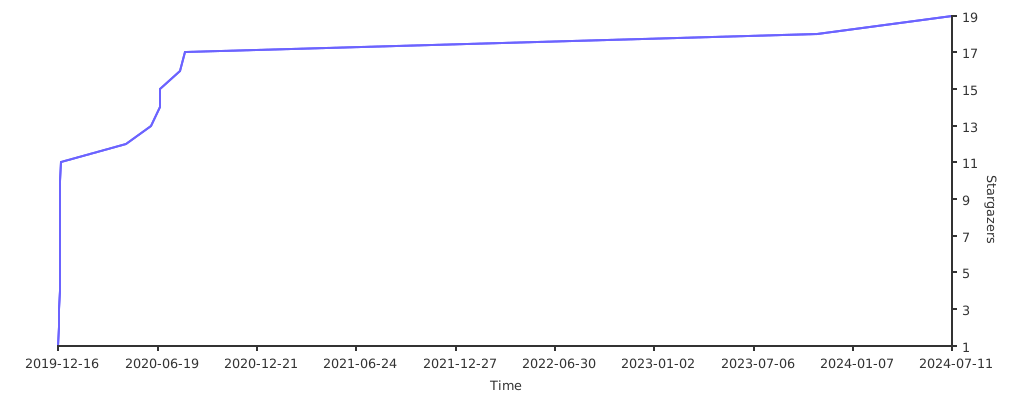](https://starchart.cc/lijinghuatongxue/awesome-accelerate)
43 |
44 |
45 |
46 |
--------------------------------------------------------------------------------
/Service/ansible_1000台服务器性能速度优化实践.md:
--------------------------------------------------------------------------------
1 | ## Environmental
2 | Software:
3 | ansible
4 |
5 | host num:
6 | 1000+
7 |
8 | ## Demo
9 |
10 | 基数为220台,fork设置为50,大概执行时间为20s,1s能发送指令并收集信息的机器是11台
11 |
12 | 基数为400台,fork设置为100,大概执行时间为34s,1s能发送指令并收集信息的机器是11.7台
13 |
14 | 1000台服务器Ansible速度CMD测试,200Fork,最终速度稳定在76s,13.15 台/s
15 |
16 | [测试视频地址](https://www.bilibili.com/video/av78457543/)
17 |
18 | 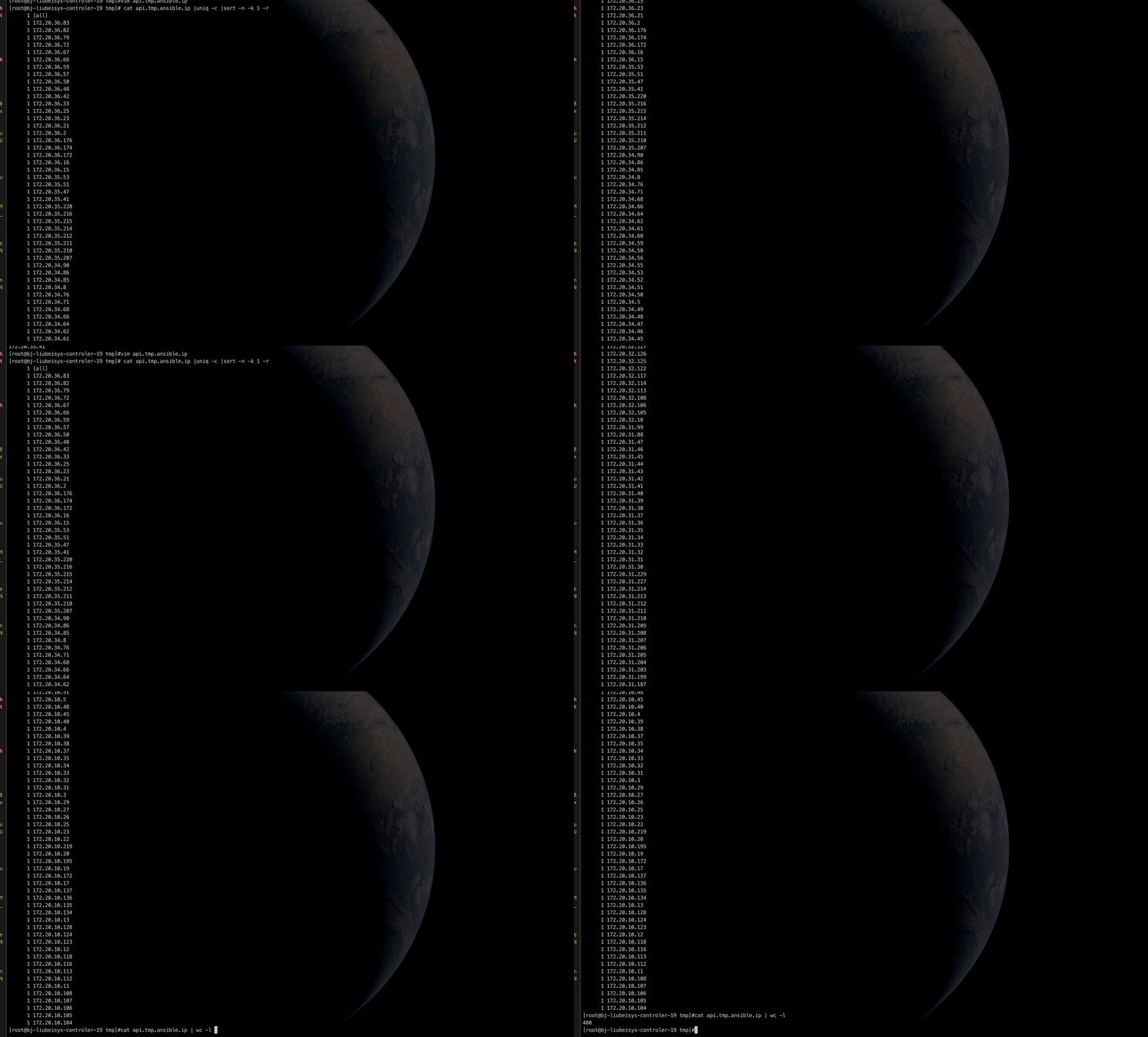
19 |
20 | ## Physical aspect
21 |
22 | 1. 增加server端带宽,减少延迟 ---- 网络
23 | 2. 尽量打包发包,用算力换时间 ----- 算力时间权衡
24 | 3. 涉及到的目录换为SSD盘 ----- 读写io
25 |
26 | ## Based on ssh protocol
27 |
28 | ### Scp_if_ssh
29 |
30 | 使用scp替代sftp,如果在内网且对安全性要求较高时。ansible默认采用sftp模式传输模块,一般情况下我们保持它不变,除非sftp出问题,我们可以在配置文件中修改为scp模式
31 |
32 | sftp是Secure File Transfer Protocol的缩写,安全文件传送协议。可以为传输文件提供一种安全的加密方法。sftp 与 ftp 有着几乎一样的语法和功能。SFTP 为 SSH的一部分,是一种传输档案至 Blogger 伺服器的安全方式。其实在SSH软件包中,已经包含了一个叫作SFTP(Secure File Transfer Protocol)的安全文件传输子系统,SFTP本身没有单独的守护进程,它必须使用sshd守护进程(端口号默认是22)来完成相应的连接操作,所以从某种意义上来说,SFTP并不像一个服务器程序,而更像是一个客户端程序。SFTP同样是使用加密传输认证信息和传输的数据,所以,使用SFTP是非常安全的。但是,由于这种传输方式使用了加密/解密技术,所以传输效率比普通的FTP要低得多,如果您对网络安全性要求更高时,可以使用SFTP代替FTP
33 |
34 | `ansible.cfg`
35 |
36 | ```
37 | [defaults]
38 | ···
39 | scp_if_ssh = True
40 | ···
41 | ```
42 |
43 | ### SSH PIPElinING
44 |
45 | SSH pipelining 是一个加速 Ansible 执行速度的简单方法。ssh pipelining 默认是关闭,之所以默认关闭是为了兼容不同的 sudo 配置,主要是 requiretty 选项。如果不使用 sudo,建议开启。打开此选项可以减少 ansible 执行没有传输时 ssh 在被控机器上执行任务的连接数。不过,如果使用 sudo,必须关闭 requiretty 选项。修改 /etc/ansible/ansible.cfg 文件可以开启 pipelining
46 |
47 | `ansible.cfg`
48 |
49 | ```
50 | [defaults]
51 | ···
52 | pipelining = True
53 | ···
54 | ```
55 |
56 | ## Based on ansible Configuration Optimization
57 |
58 | ### Forks 并发执行主机数量
59 |
60 | `ansible.cfg`
61 |
62 | ```
63 | [defaults]
64 | ···
65 | forks = 100
66 | ···
67 | ```
68 |
69 | ### 关闭agent检查
70 |
71 | `ansible.cfg`
72 |
73 | ```
74 | [defaults]
75 | ···
76 | gather_facts = False
77 | host_key_checking = False #关闭StrictHostKeyChecking检查,检测主机秘钥
78 | ···
79 | ```
80 |
81 | ### 缓存
82 |
83 | ```
84 | facts_caching_timeout = 86400 # 设置缓存过期时间86400秒,一天
85 | facts_caching = jsonfile # cache文件是json格式
86 | facts_caching_connection = /tmp/ansible_facts_cache #缓存文件的存储路径
87 | ```
88 |
89 | ## Result
90 |
91 | `ansible.cfg`
92 |
93 | ```
94 | [defaults]
95 | deprecation_warnings=False
96 | library = /usr/share/ansible
97 | remote_tmp = $HOME/.ansible/tmp
98 | pattern = *
99 | forks = 100
100 | poll_interval = 15
101 | transport = smart
102 | pipelining = True
103 | # remote_port = 22
104 | display_failed_stderr = yes
105 | host_key_checking = False
106 | gather_facts = False
107 | log_path = /var/log/ansible.log
108 | ansible_managed = Ansible managed: {file} modified on %Y-%m-%d %H:%M:%S by {uid} on {host}
109 | callback_whitelist = log_plays,timer,oneline
110 | [paramiko_connection]
111 | [ssh_connection]
112 | scp_if_ssh = True
113 | [accelerate]
114 | facts_caching_timeout = 86400 # 设置缓存过期时间86400秒,一天
115 | facts_caching = jsonfile # cache文件是json格式
116 | facts_caching_connection = /tmp/ansible_facts_cache #缓存文件的存储路径
117 | ```
--------------------------------------------------------------------------------