├── restart-interface.sh
├── dns-test.sh
├── restart-router.sh
├── internet-keep-alive.sh
└── README.md
/restart-interface.sh:
--------------------------------------------------------------------------------
1 | #!/bin/ash
2 | # This file is responsible for restarting the network interface.
3 | # Should be run once OFFLINE state is detected.
4 |
5 | INTERFACE="wwan"
6 |
7 | # syslog entry
8 | logger -s "INTERNET KEEP ALIVE SYSTEM: Restarting the LTE interface."
9 |
10 | echo "SH RESTART IFACE DOWN"
11 | ifdown $INTERFACE
12 |
13 | sleep 2
14 |
15 | echo "SH RESTART IFACE UP"
16 | ifup $INTERFACE
--------------------------------------------------------------------------------
/dns-test.sh:
--------------------------------------------------------------------------------
1 | #!/bin/ash
2 | # This file is responsible for DNS check. The return value of its process
3 | # determines the ONLINE/OFFLINE state.
4 |
5 | IP_TO_PING=8.8.8.8
6 | PACKET_COUNT=4
7 |
8 | ONLINE=0
9 |
10 | for i in `seq 1 $PACKET_COUNT`;
11 | do
12 | nc -G 2 -z $IP_TO_PING 53
13 | RETVAL=$?
14 | if [ $RETVAL -eq 0 ]; then
15 | ONLINE=1
16 | fi
17 | done
18 |
19 | if [ $ONLINE -eq 1 ]; then
20 | # ONLINE
21 | exit 0
22 | else
23 | # OFFLINE
24 | exit 1
25 | fi
26 |
--------------------------------------------------------------------------------
/restart-router.sh:
--------------------------------------------------------------------------------
1 | #!/bin/ash
2 | # This file is responsible for restarting the router using reboot command.
3 | # There is a stratery to write few lines into the log, so that grepping last lines
4 | # returns less occurences of word OFFLINE. Too many occurences actually run this script.
5 |
6 | DIR=$( cd $(dirname $0) ; pwd -P )
7 | LOG_FILE="$DIR/log.txt"
8 |
9 | echo "$(date) > TOO MANY OFFLINE TRYOUTS" >> $LOG_FILE
10 | echo "$(date) > GOING TO REBOOT NOW" >> $LOG_FILE
11 | echo "$(date) > NOW!" >> $LOG_FILE
12 | echo "$(date) > SORRY FOR ANY INCONVENIENCE." >> $LOG_FILE
13 |
14 | echo "SH REBOOT"
15 | reboot
16 |
--------------------------------------------------------------------------------
/internet-keep-alive.sh:
--------------------------------------------------------------------------------
1 | #!/bin/ash
2 | # The main script file. I recommend putting into cron, e.g.:
3 | # */2 * * * * /root/internet-keep-alive/internet-keep-alive.sh
4 |
5 | DIR=$( cd $(dirname $0) ; pwd -P )
6 | LOG_FILE="$DIR/log.txt"
7 |
8 | OFFLINE_COUNT=$(cat $LOG_FILE | tail -4 | grep OFFLINE | wc -l)
9 | OFFLINE_COUNT_TRESHOLD=4
10 |
11 | SH_DNS_TESTS="$DIR/dns-test.sh"
12 | SH_RESTART_INTERFACE="$DIR/restart-interface.sh"
13 | SH_RESTART_ROUTER="$DIR/restart-router.sh"
14 |
15 | LINES_MAX=11000
16 | LINES_MIN=6000
17 | LINES_COUNT=$(wc -l $LOG_FILE | awk '{print $1}')
18 |
19 | # if the log files gets huge, strip it, keep last LINES_MIN lines
20 | if [[ "$LINES_COUNT" -ge "$LINES_MAX" ]]; then
21 | echo "$(tail -$LINES_MIN $LOG_FILE)" > $LOG_FILE
22 | fi
23 |
24 | # DNS test, it's result defines the ONLINE/OFFLINE state
25 | `$SH_DNS_TESTS`
26 |
27 | if [ $? -eq 1 ]; then
28 | echo "Ooops, we're offline!"
29 | echo "$(date) OFFLINE > RESTARTING INTERFACE" >> $LOG_FILE
30 |
31 | if [[ "$OFFLINE_COUNT" -ge "$OFFLINE_COUNT_TRESHOLD" ]]; then
32 | echo ">> Restarting router.."
33 | $SH_RESTART_ROUTER
34 | else
35 | echo ">> Restarting interface.."
36 | $SH_RESTART_INTERFACE
37 | fi
38 | else
39 | echo "We're okay!"
40 | echo "$(date) ONLINE" >> $LOG_FILE
41 | fi
42 |
--------------------------------------------------------------------------------
/README.md:
--------------------------------------------------------------------------------
1 | # OpenWRT LTE Keep-alive scripts
2 |
3 | 
4 | 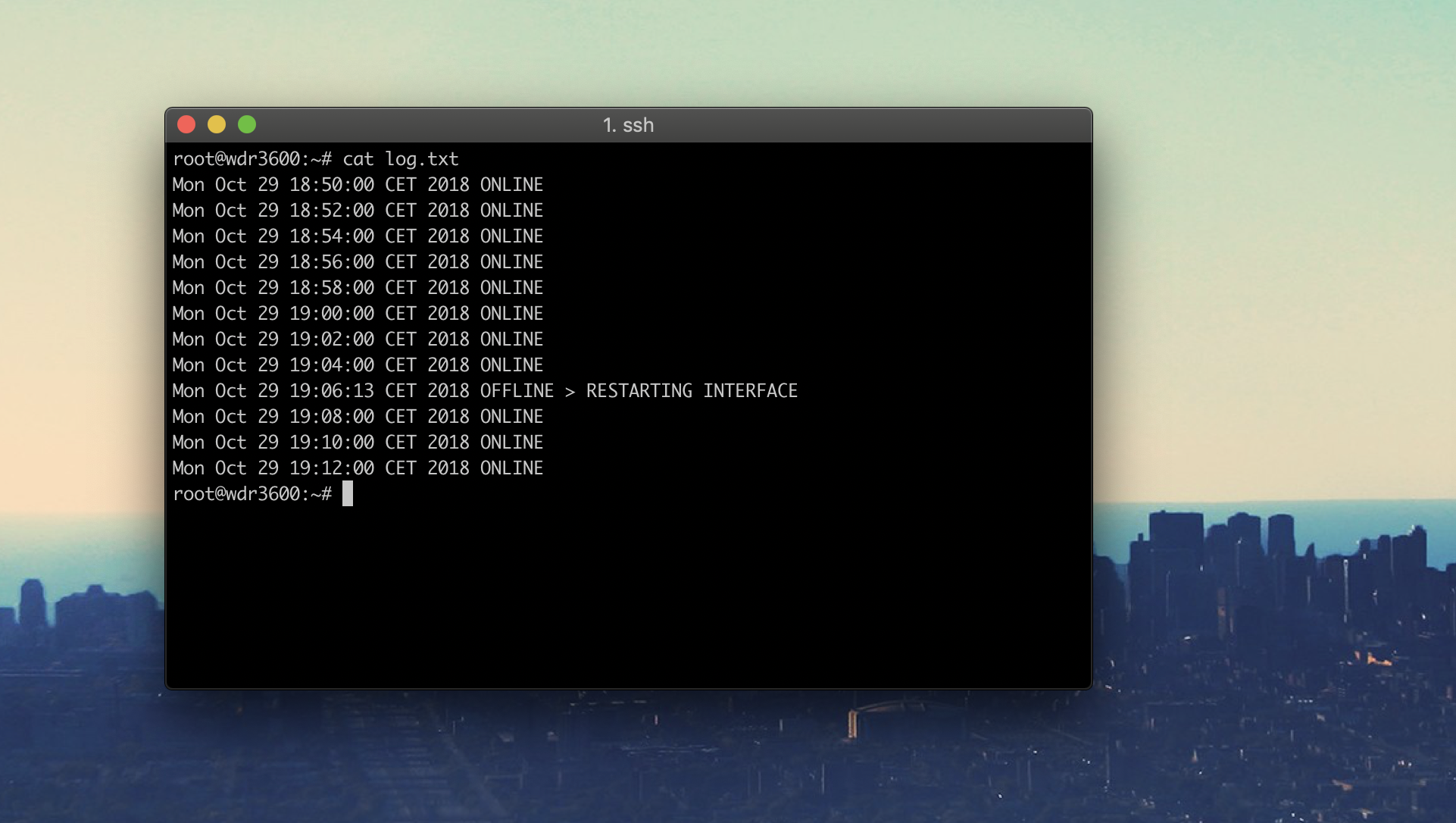
5 |
6 | **What is this? Long story short.**
7 | If your `WAN` interface using `WWAN/QMI/NCM/3G protocol` with your modem is working but your connection drops from time to time, you have just found the safe heaven. These scripts make sure your router is online, managing your interface or router itself. You would probably find use of it when you need to have working internet in **locations with difficult access**, e.g. cabin in the woods, garage or your house on Seychelles.
8 |
9 | **How it works?**
10 | All the scripts run on [ash](https://www.in-ulm.de/~mascheck/various/ash/) which is the basic shell for OpenWRT.
11 | The main script (`internet-keep-alive.sh`) tries to ping Google DNS servers (8.8.8.8) using [Netcat](http://netcat.sourceforge.net/).
12 | - If it fails, it restarts the interface.
13 | - If it fails 4 times in a row, it restarts whole system.
14 | Online/offline results are being logged into `log.txt`, which has a cap of `11000` lines, not to flood the whole space on the device.
15 |
16 | **Requirements**
17 | [Netcat package](https://openwrt.org/packages/pkgdata/netcat) The TCP/IP Network R/W Utility. The installer installs this package.
18 |
19 | **Installation**
20 | 1. Log into the router via SSH and go to the directory where you want to keep the script files.
21 | 2. Make sure the router is online, then **run the installer using this command** and follow the instructions:
22 | `wget -q --no-check-certificate https://raw.githubusercontent.com/mchsk/openwrt-lte-keep-alive/assets/install.sh -O install.sh && chmod +x install.sh && ./install.sh`
23 |
24 | Simple, right?
25 |
26 | Enjoy ❤️🏠📡📶!
27 |
--------------------------------------------------------------------------------