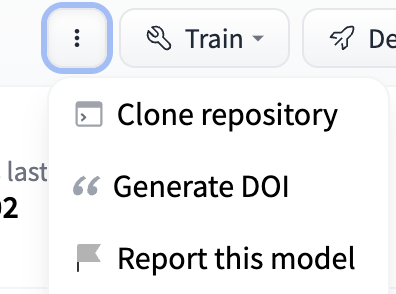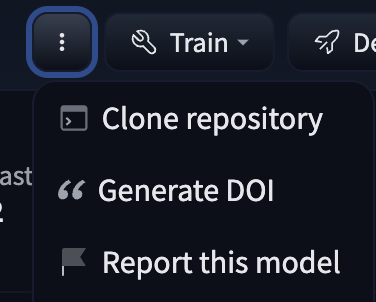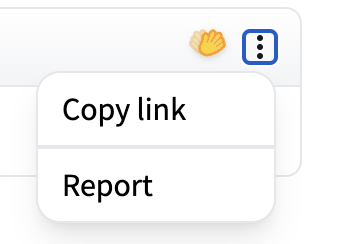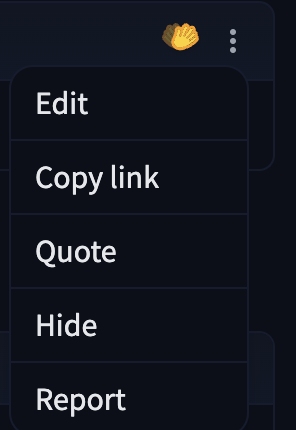
├── docs
├── hub
│ ├── _config.py
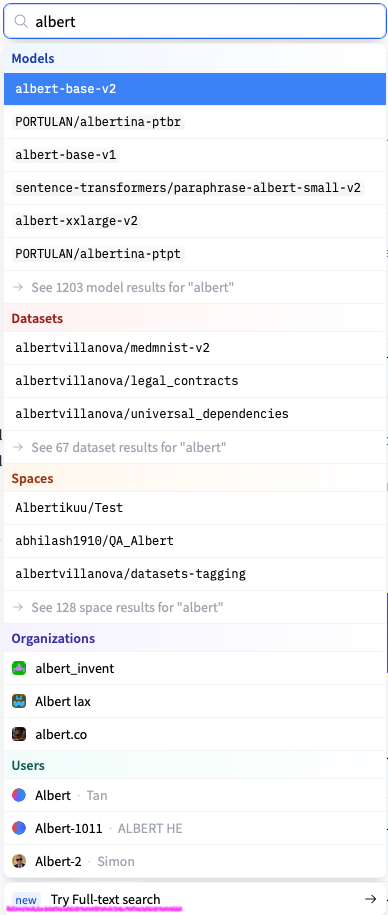
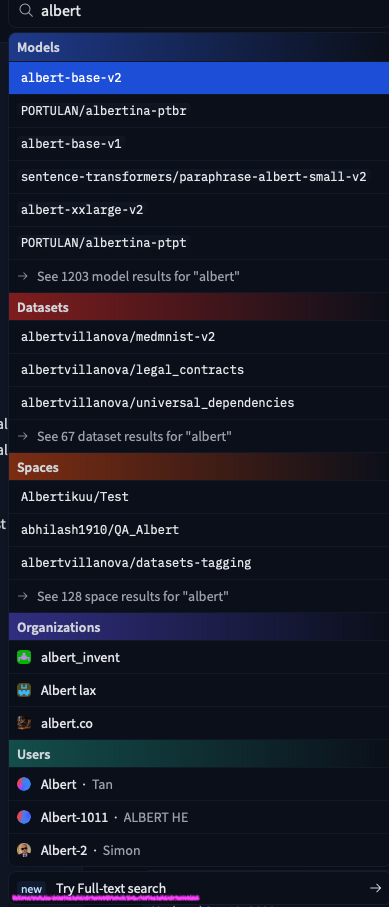
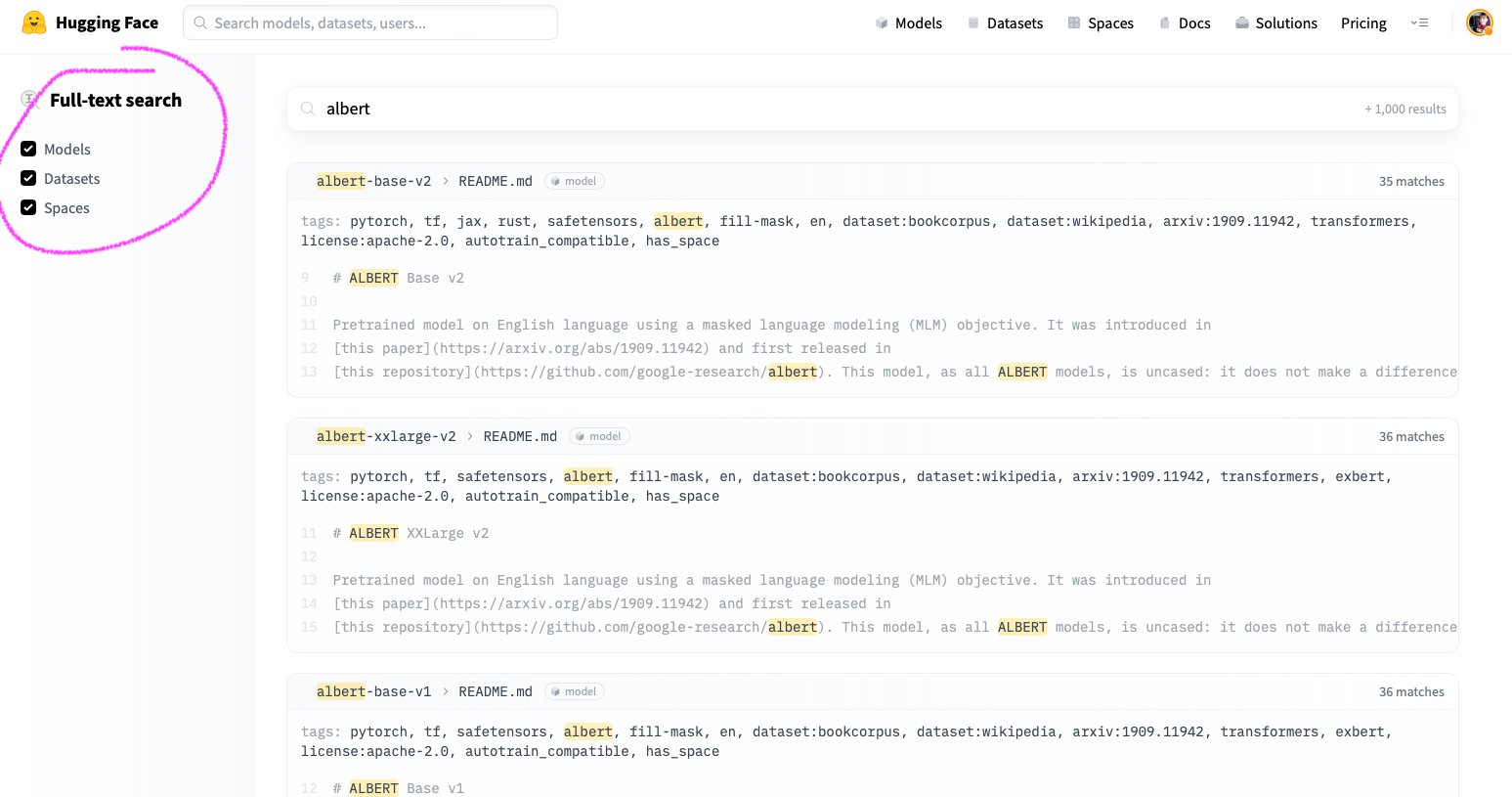
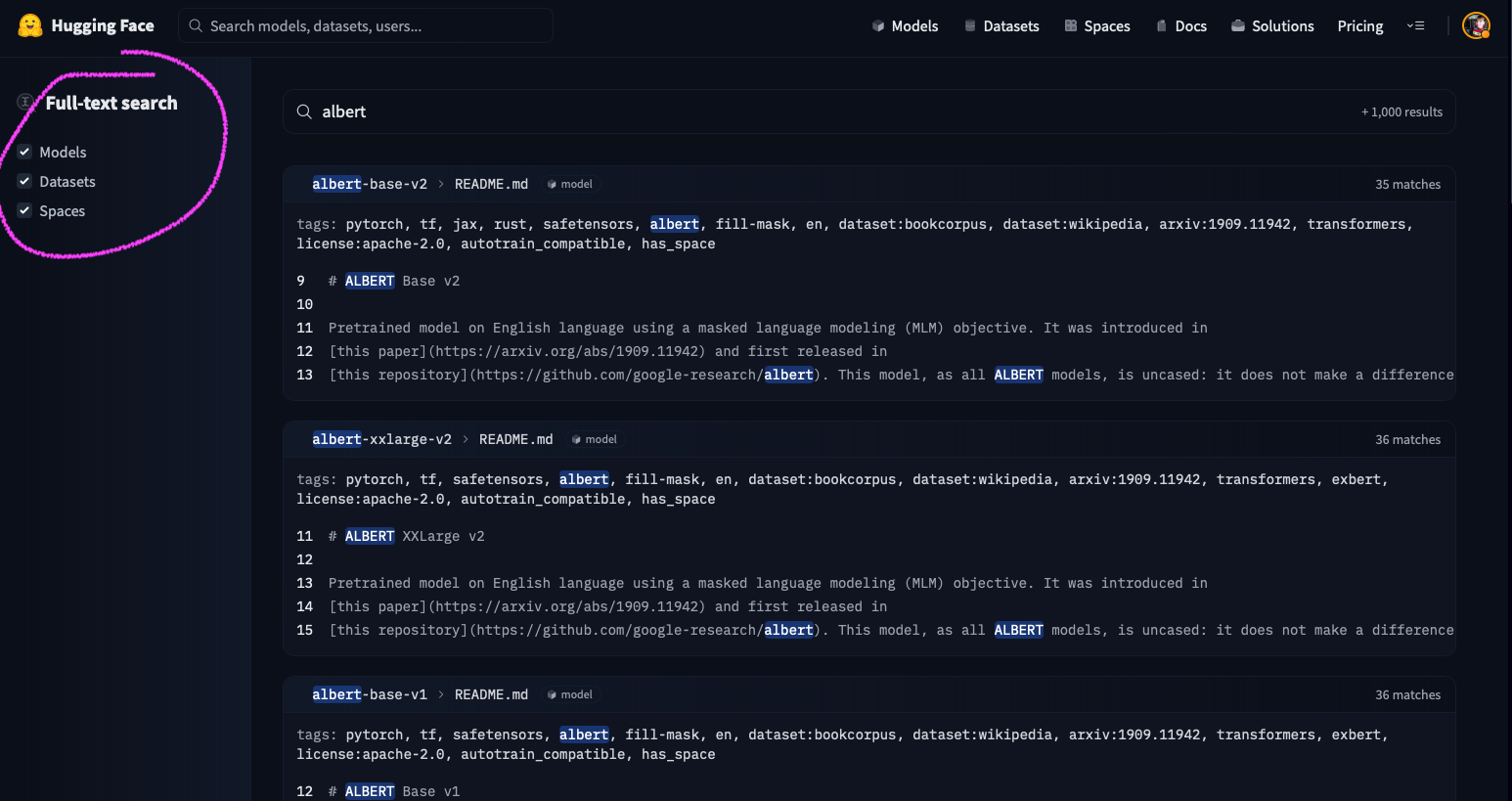
│ ├── models-advanced.md
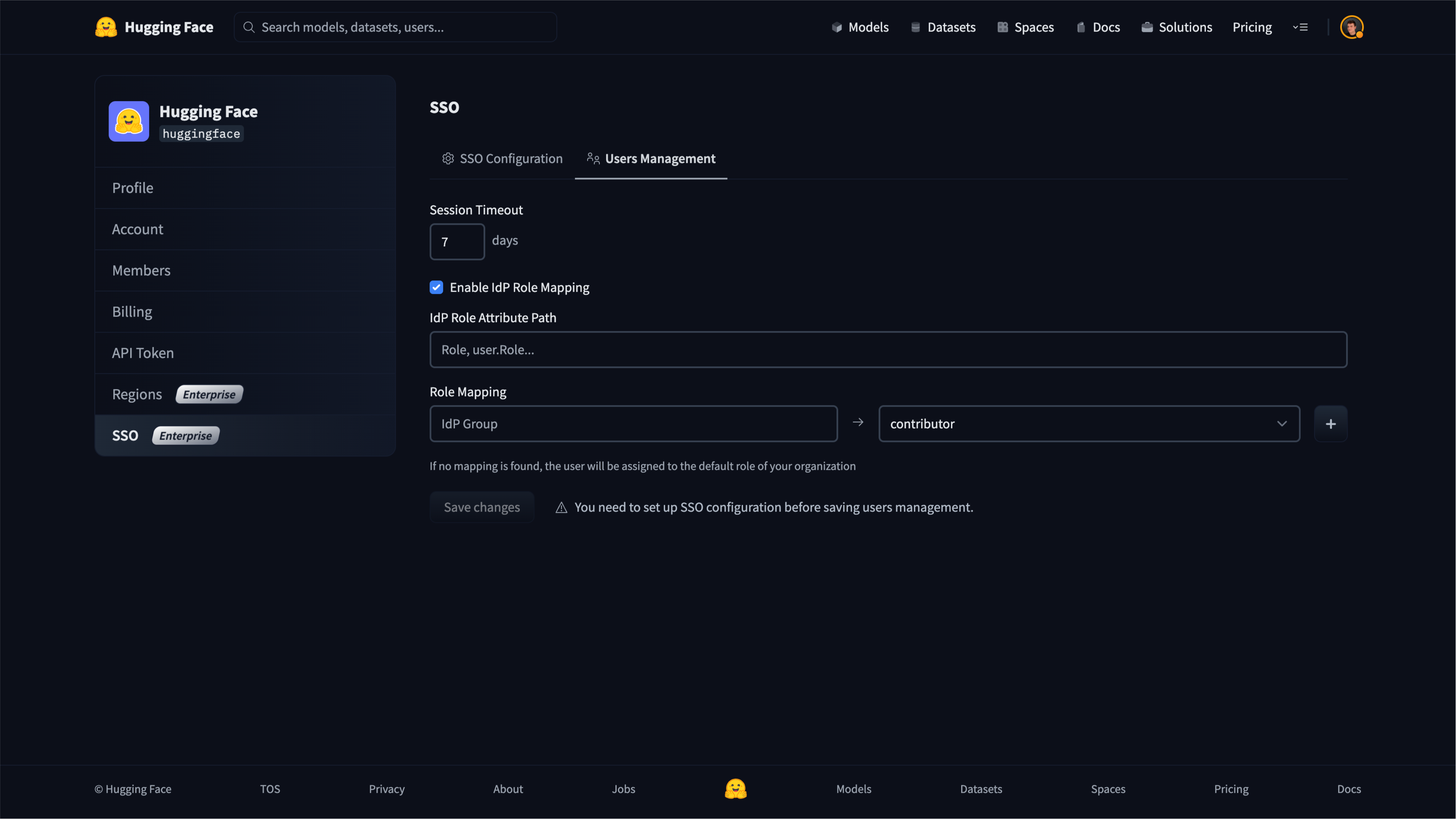
│ ├── enterprise-sso.md
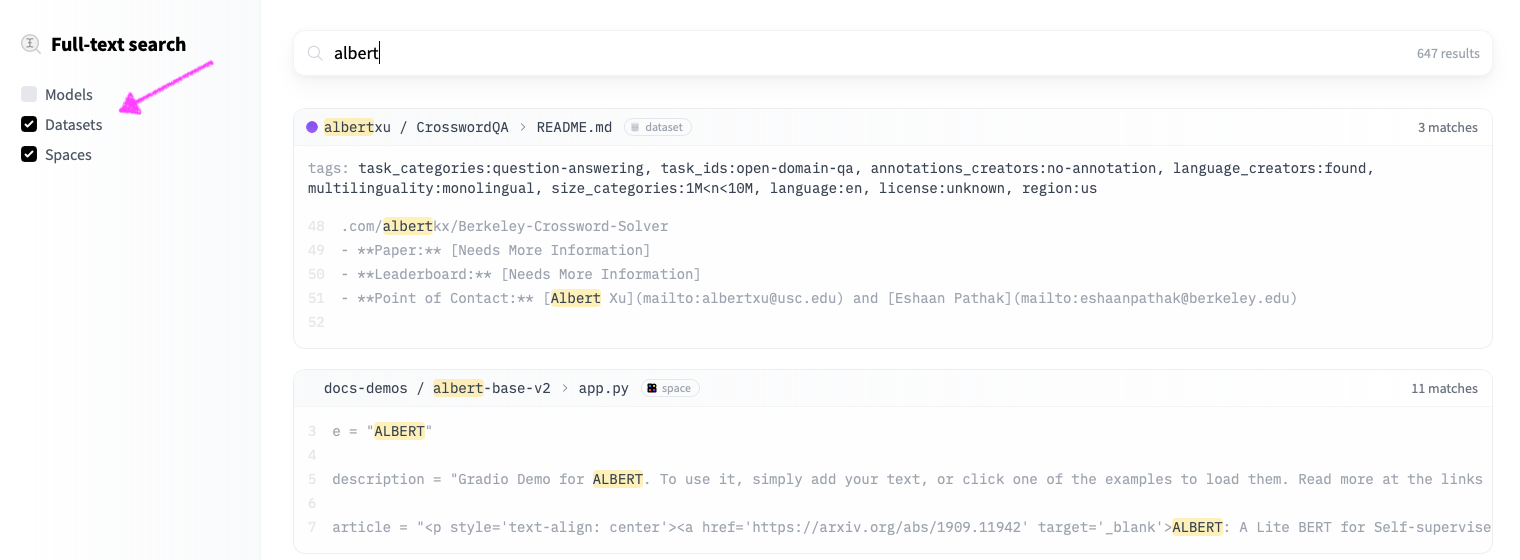
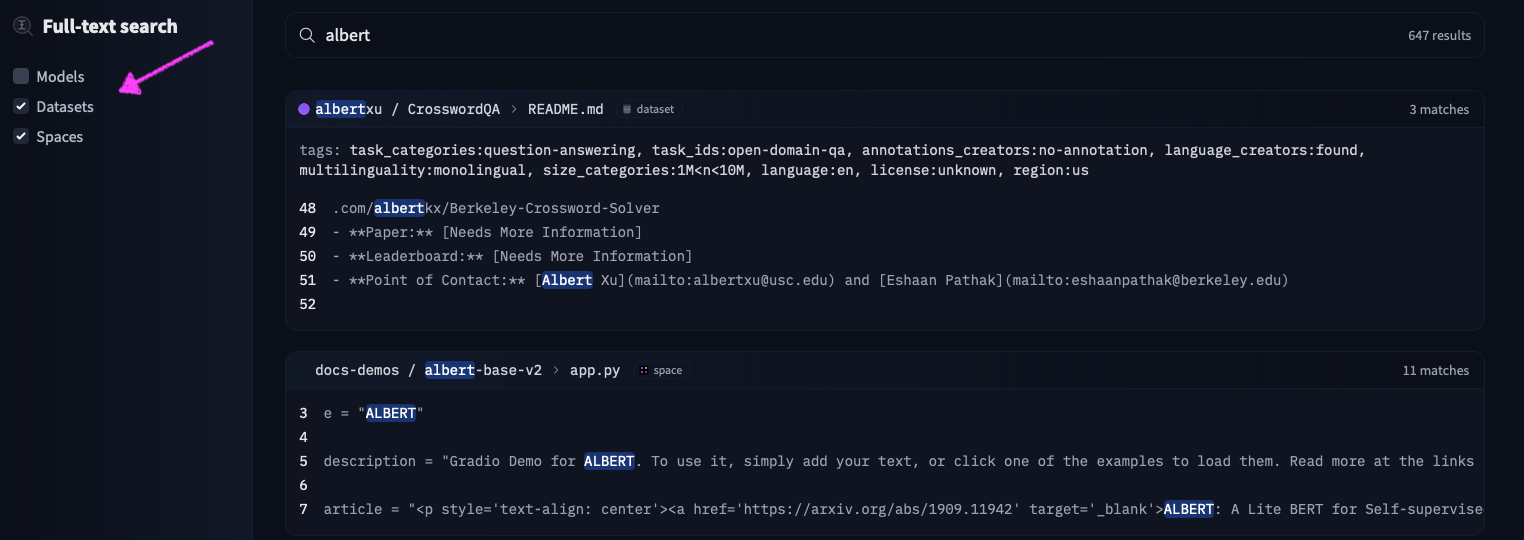
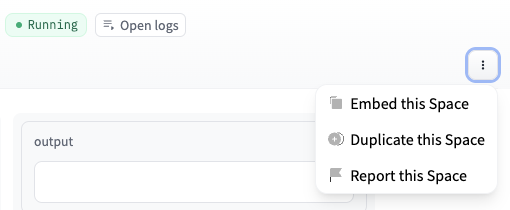
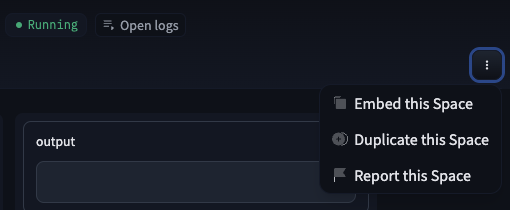
│ ├── spaces-organization-cards.md
│ ├── enterprise-hub-resource-groups.md
│ ├── spaces-using-opencv.md
│ ├── audit-logs.md
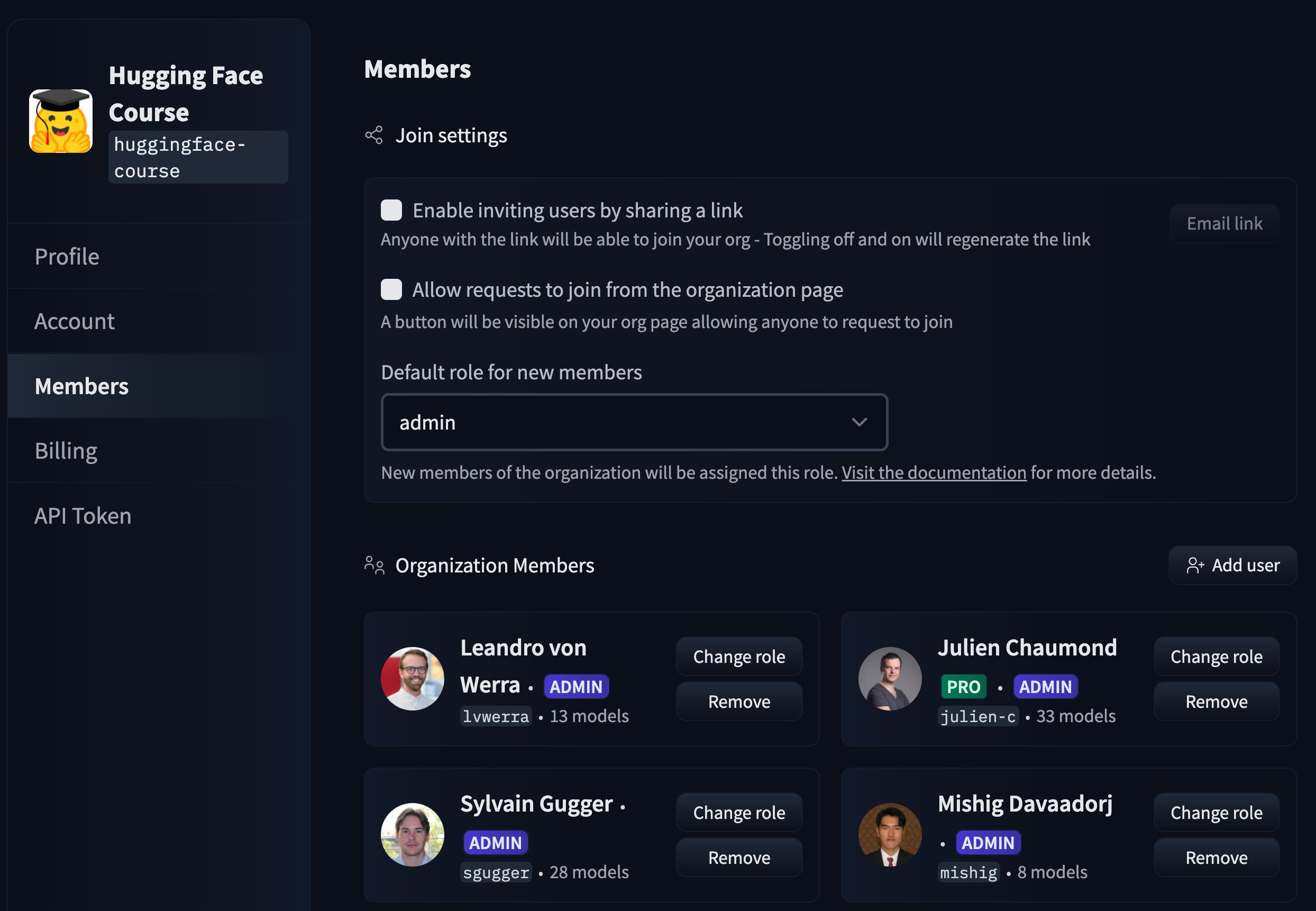
│ ├── spaces-advanced.md
│ ├── spaces-settings.md
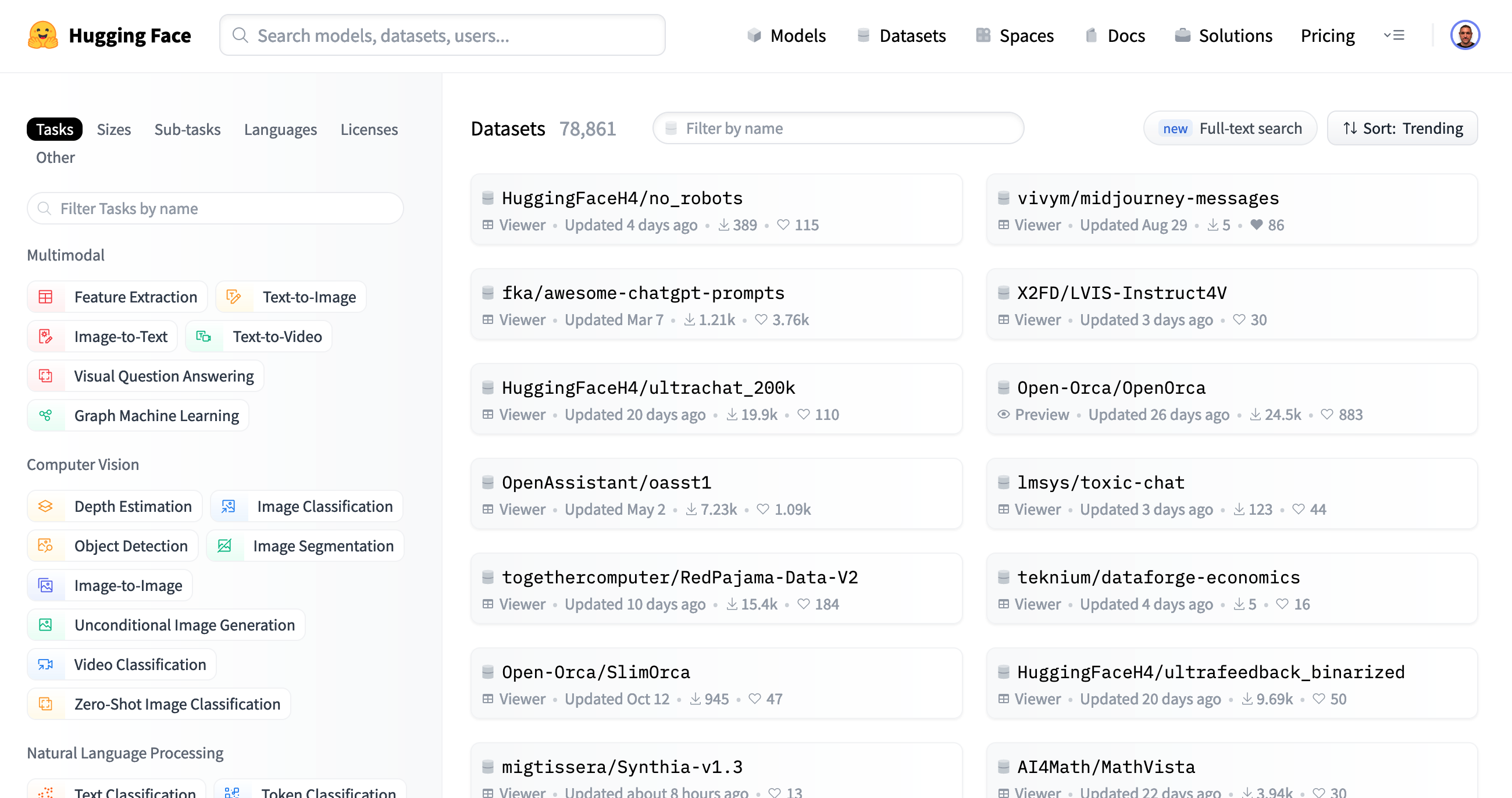
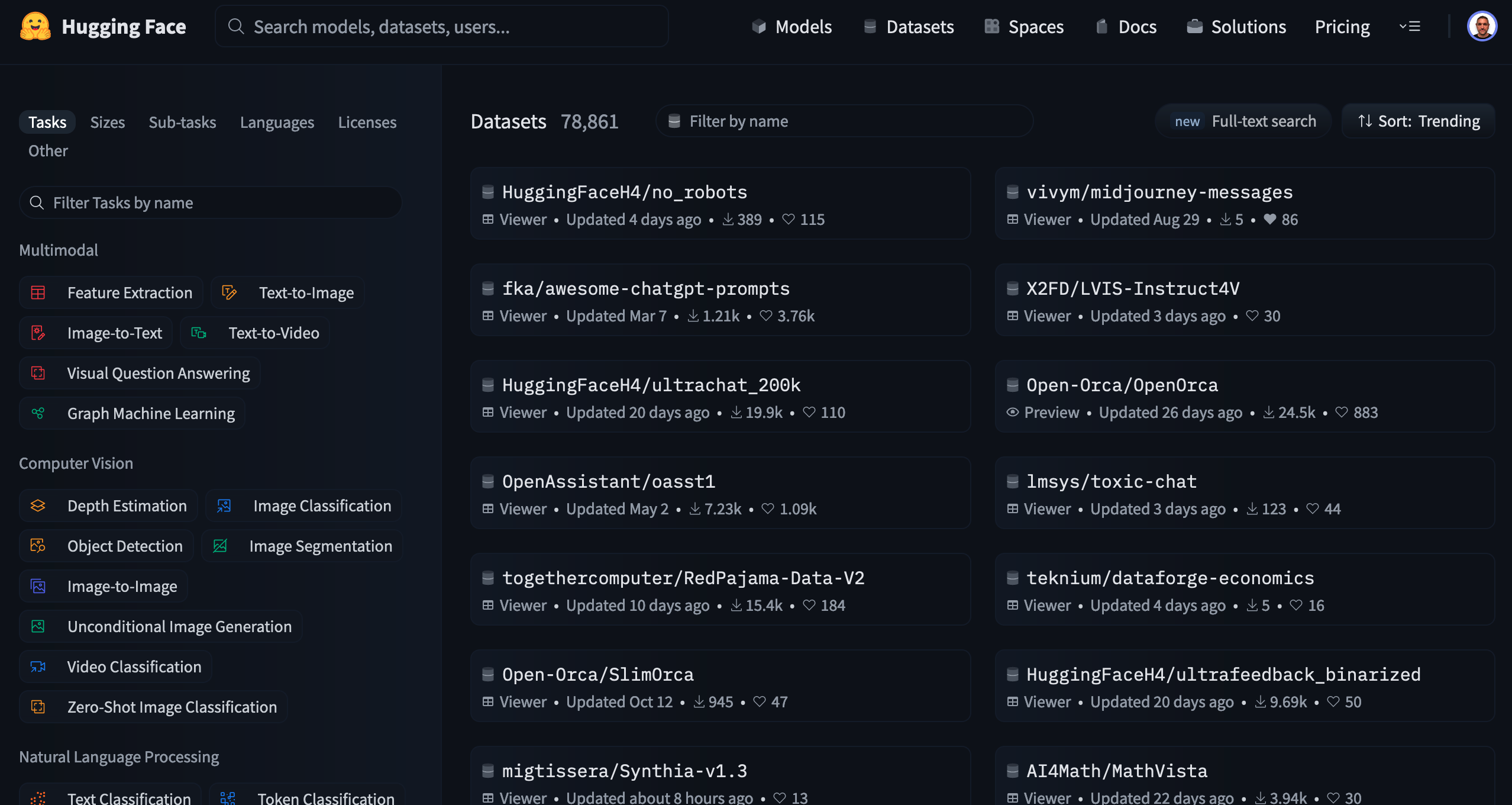
│ ├── enterprise-hub.md
│ ├── other.md
│ ├── _redirects.yml
│ ├── gguf-llamacpp.md
│ ├── datasets-download-stats.md
│ ├── spaces-more-ways-to-create.md
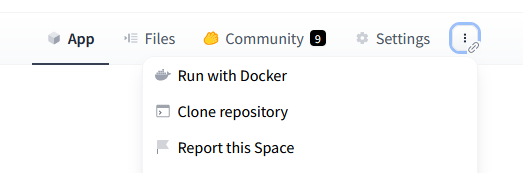
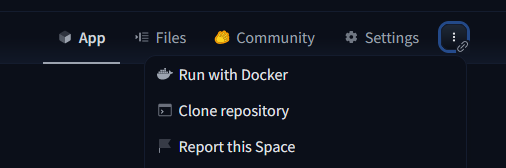
│ ├── spaces-run-with-docker.md
│ ├── datasets.md
│ ├── organizations.md
│ ├── models-the-hub.md
│ ├── models.md
│ ├── repositories.md
│ ├── enterprise-hub-datasets.md
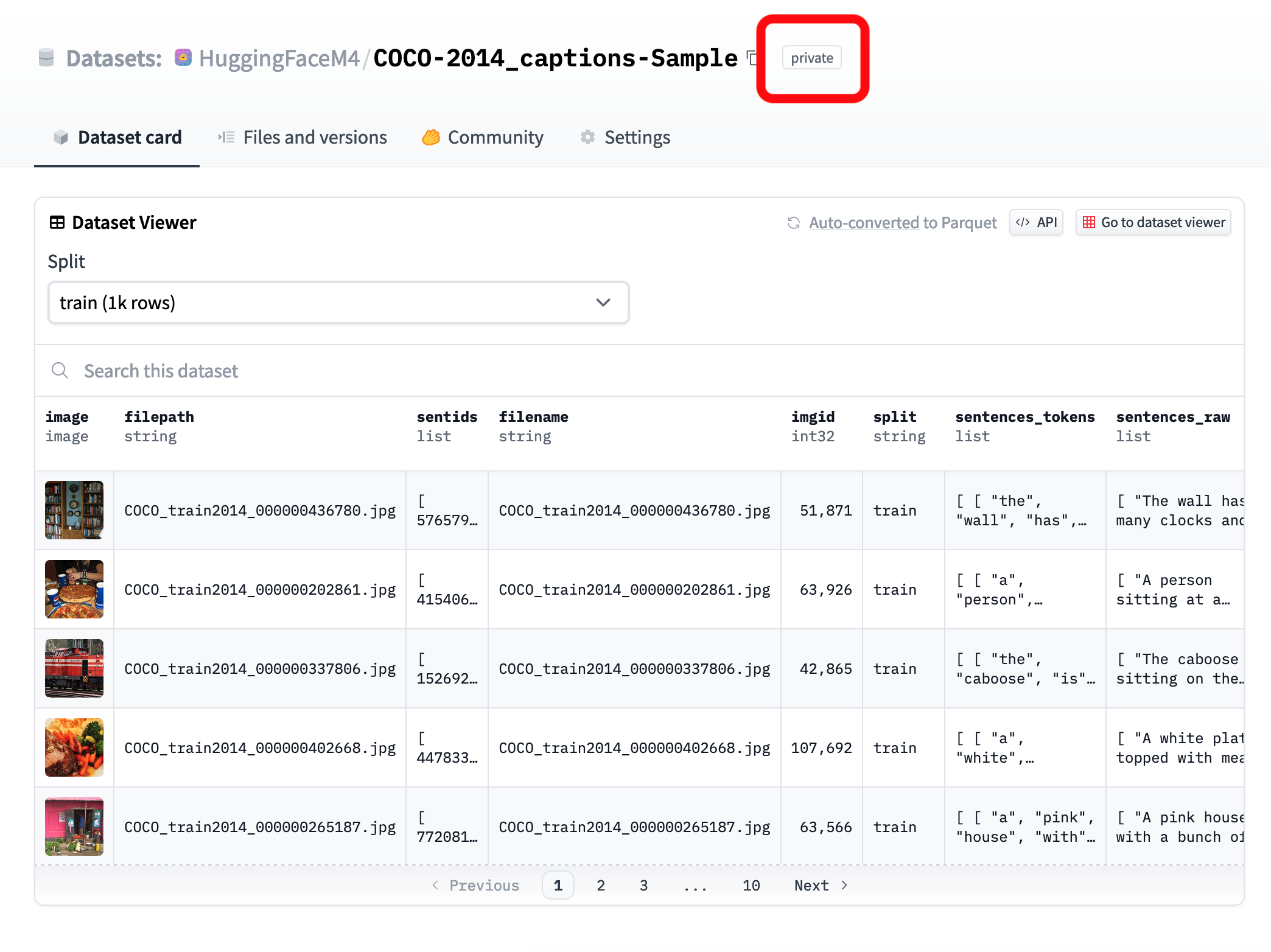
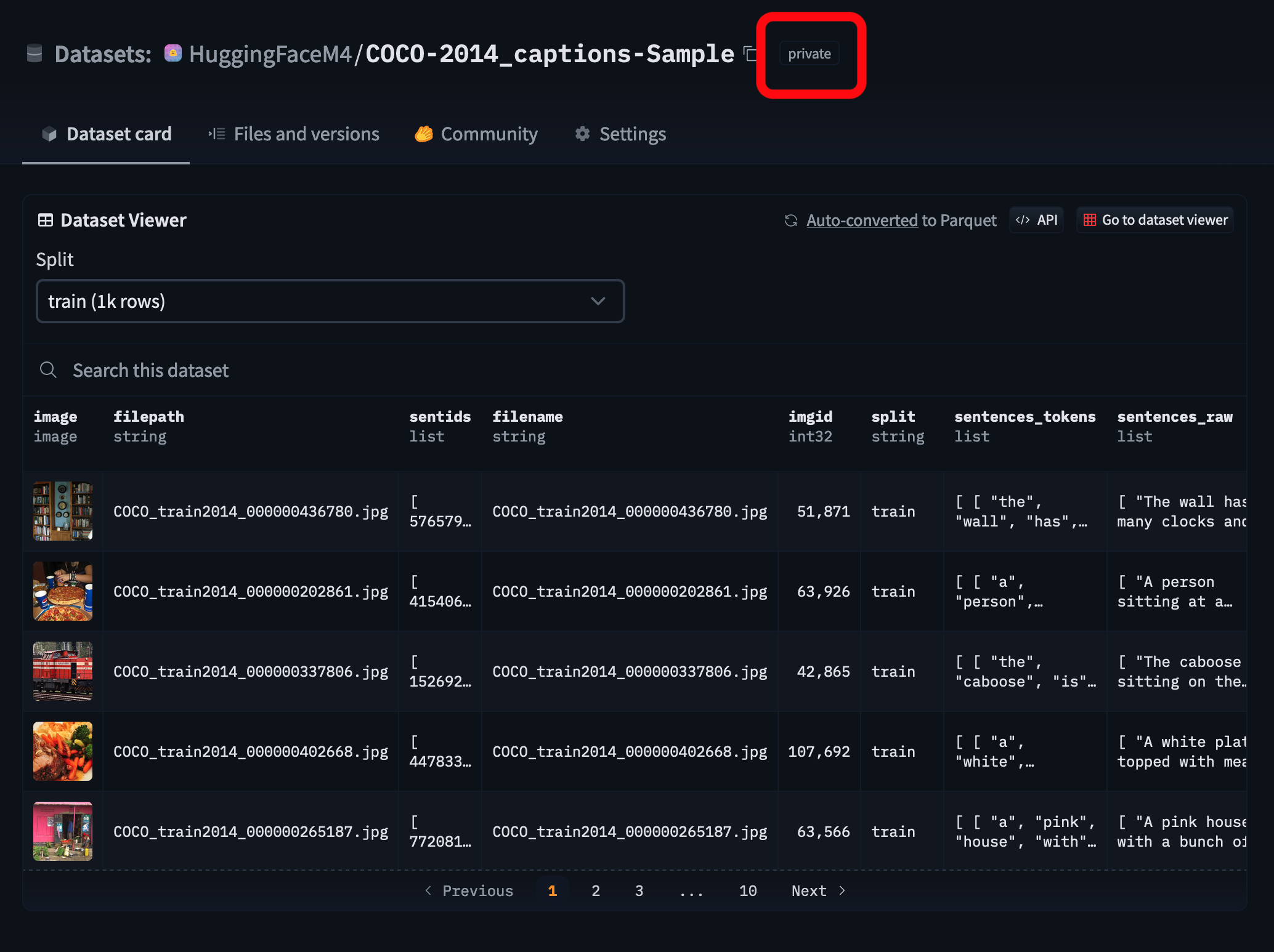
│ ├── security-secrets.md
│ ├── spaces-sdks-static.md
│ ├── organizations-managing.md
│ ├── notebooks.md
│ ├── spaces-sdks-python.md
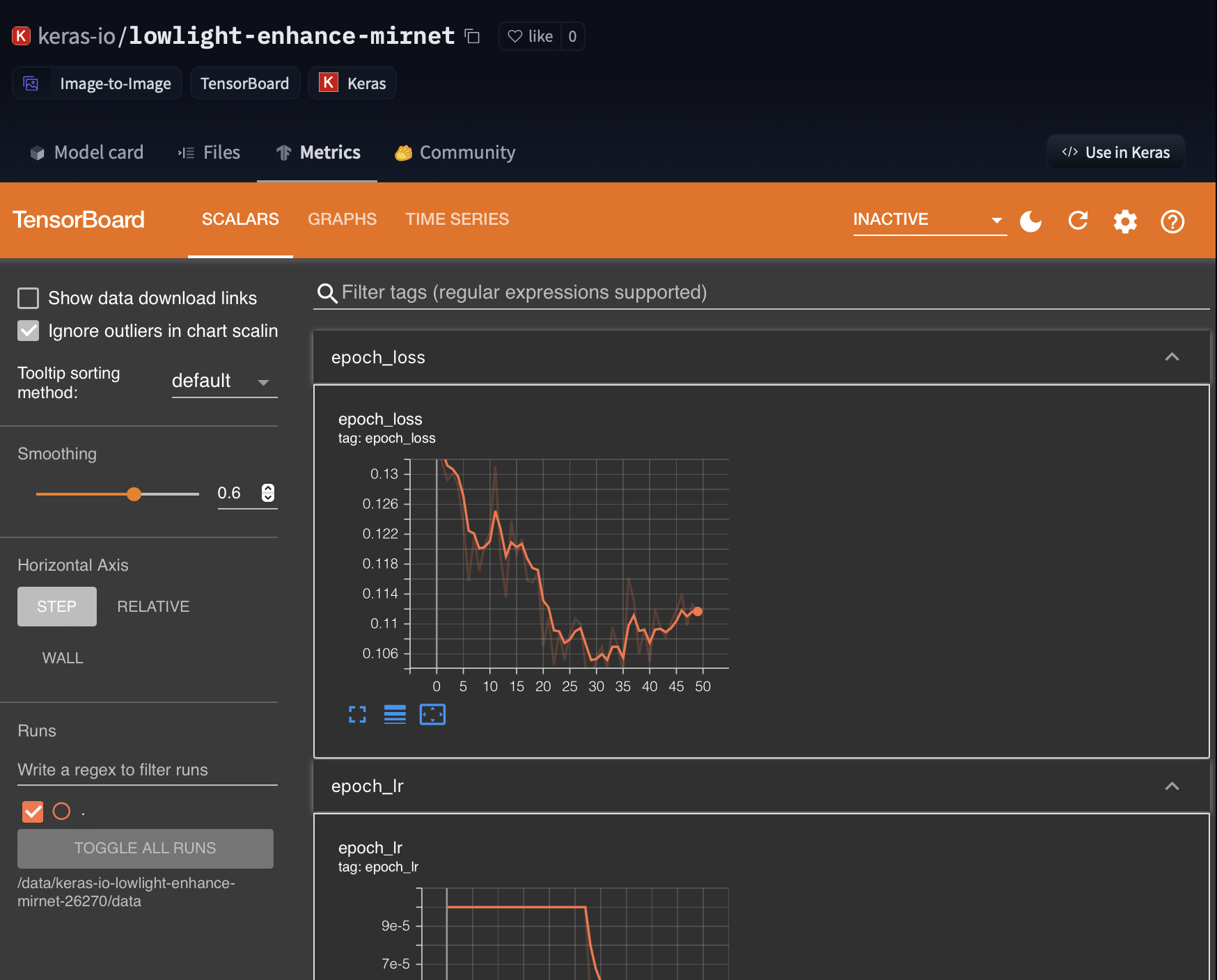
│ ├── tensorboard.md
│ ├── spaces-sdks-docker-examples.md
│ ├── moderation.md
│ ├── datasets-usage.md
│ ├── datasets-viewer-configure.md
│ ├── security.md
│ ├── organizations-cards.md
│ ├── spaces-cookie-limitations.md
│ ├── spaces-handle-url-parameters.md
│ ├── model-cards-components.md
│ ├── security-malware.md
│ ├── search.md
│ ├── datasets-overview.md
│ ├── datasets-duckdb-auth.md
│ ├── spaces-dependencies.md
│ ├── datasets-libraries.md
│ ├── stanza.md
│ ├── gguf-gpt4all.md
│ ├── billing.md
│ ├── datasets-dask.md
│ ├── rl-baselines3-zoo.md
│ ├── datasets-pandas.md
│ ├── models-downloading.md
│ ├── spaces.md
│ ├── datasets-downloading.md
│ ├── storage-regions.md
│ ├── datasets-data-files-configuration.md
│ ├── spaces-github-actions.md
│ ├── models-inference.md
│ ├── spaces-circleci.md
│ ├── spaces-sdks-docker-jupyter.md
│ ├── transformers-js.md
│ ├── repositories-settings.md
│ ├── spaces-sdks-docker-chatui.md
│ ├── speechbrain.md
│ ├── spaces-embed.md
│ ├── ml-agents.md
│ ├── flair.md
│ ├── organizations-security.md
│ ├── datasets-duckdb.md
│ ├── setfit.md
│ ├── fastai.md
│ ├── models-download-stats.md
│ ├── espnet.md
│ ├── asteroid.md
│ ├── diffusers.md
│ ├── stable-baselines3.md
│ ├── open_clip.md
│ ├── span_marker.md
│ ├── paper-pages.md
│ ├── doi.md
│ ├── model-cards-co2.md
│ ├── peft.md
│ ├── spaces-sdks-docker-tabby.md
│ ├── datasets-cards.md
│ ├── datasets-manual-configuration.md
│ ├── datasets-webdataset.md
│ ├── spaces-sdks-docker-aim.md
│ ├── security-resource-groups.md
│ ├── spaces-storage.md
│ ├── models-faq.md
│ ├── security-sso.md
│ ├── mlx.md
│ ├── model-card-guidebook.md
│ ├── spaces-sdks-docker-panel.md
│ ├── mlx-image.md
│ └── keras.md
└── sagemaker
│ └── _toctree.yml
├── .gitignore
├── .git-blame-ignore-revs
├── .github
├── workflows
│ ├── delete_doc_comment_trigger.yml
│ ├── sagemaker_delete_doc_comment.yml
│ ├── delete_doc_comment.yml
│ ├── upload_pr_documentation.yml
│ ├── sagemaker_upload_pr_documentation.yml
│ ├── build_documentation.yml
│ ├── sagemaker_build_documentation.yml
│ ├── build_pr_documentation.yml
│ ├── sagemaker_build_pr_documentation.yml
│ └── model_card_consistency_reminder.yml
└── ISSUE_TEMPLATE
│ ├── documentation-request.md
│ ├── feature_request.md
│ └── bugs.md
└── README.md
/docs/hub/_config.py:
--------------------------------------------------------------------------------
1 | disable_toc_check = True
2 |
--------------------------------------------------------------------------------
/.gitignore:
--------------------------------------------------------------------------------
1 | node_modules/
2 | .vscode/
3 | .idea/
4 |
5 | .DS_Store
6 |
--------------------------------------------------------------------------------
/.git-blame-ignore-revs:
--------------------------------------------------------------------------------
1 | # Format & lint all files see https://github.com/huggingface/hub-docs/pull/924 and https://github.com/huggingface/hub-docs/pull/936
2 | b1a591d6174852341bfd69e9e0be4168c53b2ebb
3 |
--------------------------------------------------------------------------------
/docs/hub/models-advanced.md:
--------------------------------------------------------------------------------
1 | # Advanced Topics
2 |
3 | ## Contents
4 |
5 | - [Integrate your library with the Hub](./models-adding-libraries)
6 | - [Adding new tasks to the Hub](./models-tasks)
7 | - [GGUF format](./gguf)
--------------------------------------------------------------------------------
/docs/hub/enterprise-sso.md:
--------------------------------------------------------------------------------
1 | # Single Sign-On (SSO)
2 |
3 |
4 | This feature is part of the Enterprise Hub.
5 |
6 |
7 | Read the [documentation for SSO under the Security section](./security-sso).
8 |
--------------------------------------------------------------------------------
/docs/hub/spaces-organization-cards.md:
--------------------------------------------------------------------------------
1 | # Using Spaces for Organization Cards
2 |
3 | Organization cards are a way to describe your organization to other users. They take the form of a `README.md` static file, inside a Space repo named `README`.
4 |
5 | Please read more in the [dedicated doc section](./organizations-cards).
6 |
--------------------------------------------------------------------------------
/docs/sagemaker/_toctree.yml:
--------------------------------------------------------------------------------
1 | - local: index
2 | title: Hugging Face on Amazon SageMaker
3 | - local: getting-started
4 | title: Get started
5 | - local: train
6 | title: Run training on Amazon SageMaker
7 | - local: inference
8 | title: Deploy models to Amazon SageMaker
9 | - local: reference
10 | title: Reference
--------------------------------------------------------------------------------
/.github/workflows/delete_doc_comment_trigger.yml:
--------------------------------------------------------------------------------
1 | name: Delete doc comment trigger
2 |
3 | on:
4 | pull_request:
5 | types: [ closed ]
6 |
7 |
8 | jobs:
9 | delete:
10 | uses: huggingface/doc-builder/.github/workflows/delete_doc_comment_trigger.yml@main
11 | with:
12 | pr_number: ${{ github.event.number }}
13 |
14 |
--------------------------------------------------------------------------------
/.github/workflows/sagemaker_delete_doc_comment.yml:
--------------------------------------------------------------------------------
1 | name: Delete sagemaker doc comment trigger
2 |
3 | on:
4 | pull_request:
5 | types: [ closed ]
6 |
7 |
8 | jobs:
9 | delete:
10 | uses: huggingface/doc-builder/.github/workflows/delete_doc_comment_trigger.yml@main
11 | with:
12 | pr_number: ${{ github.event.number }}
13 |
14 |
--------------------------------------------------------------------------------
/.github/ISSUE_TEMPLATE/documentation-request.md:
--------------------------------------------------------------------------------
1 | ---
2 | name: Documentation request
3 | about: Suggest an idea for new docs
4 | title: ''
5 | labels: 'docs'
6 | assignees: ''
7 |
8 | ---
9 |
10 | **Doc request**
11 | A clear and concise description of what you would like to see documented or what is unclear.
12 |
13 | **Additional context**
14 | Add any other context or screenshots about the feature request here.
15 |
--------------------------------------------------------------------------------
/.github/workflows/delete_doc_comment.yml:
--------------------------------------------------------------------------------
1 | name: Delete doc comment
2 |
3 | on:
4 | workflow_run:
5 | workflows: ["Delete doc comment trigger", "Delete sagemaker doc comment trigger"]
6 | types:
7 | - completed
8 |
9 |
10 | jobs:
11 | delete:
12 | uses: huggingface/doc-builder/.github/workflows/delete_doc_comment.yml@main
13 | secrets:
14 | comment_bot_token: ${{ secrets.COMMENT_BOT_TOKEN }}
--------------------------------------------------------------------------------
/docs/hub/enterprise-hub-resource-groups.md:
--------------------------------------------------------------------------------
1 | # Resource groups
2 |
3 |
4 | This feature is part of the Enterprise Hub.
5 |
6 |
7 | Resource Groups allow Enterprise Hub organizations to enforce fine-grained access control to their repositories.
8 |
9 | Read the [documentation for Resource Groups under the Security section](./security-resource-groups).
10 |
--------------------------------------------------------------------------------
/.github/workflows/upload_pr_documentation.yml:
--------------------------------------------------------------------------------
1 | name: Upload PR Documentation
2 |
3 | on:
4 | workflow_run:
5 | workflows: ["Build PR Documentation"]
6 | types:
7 | - completed
8 |
9 | jobs:
10 | build:
11 | uses: huggingface/doc-builder/.github/workflows/upload_pr_documentation.yml@main
12 | with:
13 | package_name: hub
14 | secrets:
15 | hf_token: ${{ secrets.HF_DOC_BUILD_PUSH }}
16 | comment_bot_token: ${{ secrets.COMMENT_BOT_TOKEN }}
--------------------------------------------------------------------------------
/docs/hub/spaces-using-opencv.md:
--------------------------------------------------------------------------------
1 | # Using OpenCV in Spaces
2 |
3 | In order to use OpenCV in your Gradio or Streamlit Spaces, you'll need to make the Space install both the Python and Debian dependencies
4 |
5 | This means adding `python3-opencv` to the `packages.txt` file, and adding `opencv-python` to the `requirements.txt` file. If those files don't exist, you'll need to create them.
6 |
7 | To see an example, [see this Gradio project](https://huggingface.co/spaces/templates/gradio_opencv/tree/main).
8 |
--------------------------------------------------------------------------------
/.github/workflows/sagemaker_upload_pr_documentation.yml:
--------------------------------------------------------------------------------
1 | name: Upload sagemaker PR Documentation
2 |
3 | on:
4 | workflow_run:
5 | workflows: ["Build sagemaker PR DocumentationDocumentation"]
6 | types:
7 | - completed
8 |
9 | jobs:
10 | build:
11 | uses: huggingface/doc-builder/.github/workflows/upload_pr_documentation.yml@main
12 | with:
13 | package_name: sagemaker
14 | secrets:
15 | hf_token: ${{ secrets.HF_DOC_BUILD_PUSH }}
16 | comment_bot_token: ${{ secrets.COMMENT_BOT_TOKEN }}
--------------------------------------------------------------------------------
/docs/hub/audit-logs.md:
--------------------------------------------------------------------------------
1 | # Audit Logs
2 |
3 |
4 | This feature is part of the Enterprise Hub.
5 |
6 |
7 | Audit Logs enable organization admins to easily review actions taken by members, including organization membership, repository settings and billing changes.
8 |
9 | Audit Logs are accessible through your organization admin settings.
10 |
11 | 
12 |
--------------------------------------------------------------------------------
/.github/workflows/build_documentation.yml:
--------------------------------------------------------------------------------
1 | name: Build documentation
2 |
3 | on:
4 | push:
5 | paths:
6 | - "docs/hub/**"
7 | branches:
8 | - main
9 |
10 | jobs:
11 | build:
12 | uses: huggingface/doc-builder/.github/workflows/build_main_documentation.yml@main
13 | with:
14 | commit_sha: ${{ github.sha }}
15 | package: hub-docs
16 | package_name: hub
17 | path_to_docs: hub-docs/docs/hub/
18 | additional_args: --not_python_module
19 | secrets:
20 | hf_token: ${{ secrets.HF_DOC_BUILD_PUSH }}
21 |
--------------------------------------------------------------------------------
/docs/hub/spaces-advanced.md:
--------------------------------------------------------------------------------
1 | # Advanced Topics
2 |
3 | ## Contents
4 |
5 | - [Using OpenCV in Spaces](./spaces-using-opencv)
6 | - [More ways to create Spaces](./spaces-more-ways-to-create)
7 | - [Managing Spaces with Github Actions](./spaces-github-actions)
8 | - [Managing Spaces with CircleCI Workflows](./spaces-circleci)
9 | - [Custom Python Spaces](./spaces-sdks-python)
10 | - [How to Add a Space to ArXiv](./spaces-add-to-arxiv)
11 | - [Cookie limitations in Spaces](./spaces-cookie-limitations)
12 | - [How to handle URL parameters in Spaces](./spaces-handle-url-parameters)
13 |
--------------------------------------------------------------------------------
/docs/hub/spaces-settings.md:
--------------------------------------------------------------------------------
1 | # Spaces Settings
2 |
3 | You can configure your Space's appearance and other settings inside the `YAML` block at the top of the **README.md** file at the root of the repository. For example, if you want to create a Space with Gradio named `Demo Space` with a yellow to orange gradient thumbnail:
4 |
5 | ```yaml
6 | ---
7 | title: Demo Space
8 | emoji: 🤗
9 | colorFrom: yellow
10 | colorTo: orange
11 | sdk: gradio
12 | app_file: app.py
13 | pinned: false
14 | ---
15 | ```
16 |
17 | For additional settings, refer to the [Reference](./spaces-config-reference) section.
18 |
--------------------------------------------------------------------------------
/.github/workflows/sagemaker_build_documentation.yml:
--------------------------------------------------------------------------------
1 | name: Build sagemaker documentation
2 |
3 | on:
4 | push:
5 | paths:
6 | - "docs/sagemaker/**"
7 | branches:
8 | - main
9 |
10 | jobs:
11 | build:
12 | uses: huggingface/doc-builder/.github/workflows/build_main_documentation.yml@main
13 | with:
14 | commit_sha: ${{ github.sha }}
15 | package: hub-docs
16 | package_name: sagemaker
17 | path_to_docs: hub-docs/docs/sagemaker/
18 | additional_args: --not_python_module
19 | secrets:
20 | hf_token: ${{ secrets.HF_DOC_BUILD_PUSH }}
21 |
--------------------------------------------------------------------------------
/docs/hub/enterprise-hub.md:
--------------------------------------------------------------------------------
1 | # Enterprise Hub
2 |
3 | Enterprise Hub adds advanced capabilities to organizations, enabling safe, compliant and managed collaboration for companies and teams on Hugging Face.
4 |
5 | 
6 |
7 | In this section we will document the following Enterprise Hub features:
8 |
9 | - [SSO](./enterprise-sso)
10 | - [Audit Logs](./audit-logs)
11 | - [Storage Regions](./storage-regions)
12 | - [Dataset viewer for Private datasets](./enterprise-hub-datasets)
13 | - [Resource Groups](./security-resource-groups)
14 |
--------------------------------------------------------------------------------
/.github/workflows/build_pr_documentation.yml:
--------------------------------------------------------------------------------
1 | name: Build PR Documentation
2 |
3 | on:
4 | pull_request:
5 | paths:
6 | - "docs/hub/**"
7 |
8 | concurrency:
9 | group: ${{ github.workflow }}-${{ github.head_ref || github.run_id }}
10 | cancel-in-progress: true
11 |
12 | jobs:
13 | build:
14 | uses: huggingface/doc-builder/.github/workflows/build_pr_documentation.yml@main
15 | with:
16 | commit_sha: ${{ github.event.pull_request.head.sha }}
17 | pr_number: ${{ github.event.number }}
18 | package: hub-docs
19 | package_name: hub
20 | path_to_docs: hub-docs/docs/hub/
21 | additional_args: --not_python_module
22 |
23 |
--------------------------------------------------------------------------------
/docs/hub/other.md:
--------------------------------------------------------------------------------
1 | # Organizations, Security, and the Hub API
2 |
3 | ## Contents
4 |
5 | - [Organizations](./organizations)
6 | - [Managing Organizations](./organizations-managing)
7 | - [Organization Cards](./organizations-cards)
8 | - [Access control in organizations](./organizations-security)
9 | - [Moderation](./moderation)
10 | - [Billing](./billing)
11 | - [Digital Object Identifier (DOI)](./doi)
12 | - [Security](./security)
13 | - [User Access Tokens](./security-tokens)
14 | - [Signing commits with GPG](./security-gpg)
15 | - [Malware Scanning](./security-malware)
16 | - [Pickle Scanning](./security-pickle)
17 | - [Hub API Endpoints](./api)
18 | - [Webhooks](./webhooks)
--------------------------------------------------------------------------------
/.github/workflows/sagemaker_build_pr_documentation.yml:
--------------------------------------------------------------------------------
1 | name: Build sagemaker PR Documentation
2 |
3 | on:
4 | pull_request:
5 | paths:
6 | - "docs/sagemaker/**"
7 |
8 | concurrency:
9 | group: ${{ github.workflow }}-${{ github.head_ref || github.run_id }}
10 | cancel-in-progress: true
11 |
12 | jobs:
13 | build:
14 | uses: huggingface/doc-builder/.github/workflows/build_pr_documentation.yml@main
15 | with:
16 | commit_sha: ${{ github.event.pull_request.head.sha }}
17 | pr_number: ${{ github.event.number }}
18 | package: hub-docs
19 | package_name: sagemaker
20 | path_to_docs: hub-docs/docs/sagemaker/
21 | additional_args: --not_python_module
22 |
--------------------------------------------------------------------------------
/.github/ISSUE_TEMPLATE/feature_request.md:
--------------------------------------------------------------------------------
1 | ---
2 | name: Feature request
3 | about: Suggest an idea for this project
4 | title: ''
5 | labels: ''
6 | assignees: ''
7 |
8 | ---
9 |
10 | **Is your feature request related to a problem? Please describe.**
11 | A clear and concise description of what the problem is. Ex. I'm always frustrated when [...]
12 |
13 | **Describe the solution you'd like**
14 | A clear and concise description of what you want to happen.
15 |
16 | **Describe alternatives you've considered**
17 | A clear and concise description of any alternative solutions or features you've considered.
18 |
19 | **Additional context**
20 | Add any other context or screenshots about the feature request here.
21 |
--------------------------------------------------------------------------------
/docs/hub/_redirects.yml:
--------------------------------------------------------------------------------
1 | # This first_section was backported from nginx
2 | adding-a-model: models-uploading
3 | model-repos: models
4 | endpoints: api
5 | adding-a-library: models-adding-libraries
6 | libraries: models-libraries
7 | inference: models-inference
8 | org-cards: organizations-cards
9 | adding-a-task: models-tasks
10 | models-cards: model-cards
11 | models-cards-co2: model-cards-co
12 | how-to-downstream: /docs/huggingface_hub/how-to-downstream
13 | how-to-upstream: /docs/huggingface_hub/how-to-upstream
14 | how-to-inference: /docs/huggingface_hub/how-to-inference
15 | searching-the-hub: /docs/huggingface_hub/searching-the-hub
16 | # end of first_section
17 | api-webhook: webhooks
18 | adapter-transformers: adapters
19 | security-two-fa: security-2fa
20 |
--------------------------------------------------------------------------------
/docs/hub/gguf-llamacpp.md:
--------------------------------------------------------------------------------
1 | # GGUF usage with llama.cpp
2 |
3 | Llama.cpp directly allows you to download and run inference on a GGUF simply by providing a path to the Hugging Face repo path and the file name. llama.cpp would download the model checkpoint in the directory you invoke it from:
4 |
5 | ```bash
6 | ./main \
7 | --hf-repo lmstudio-community/Meta-Llama-3-8B-Instruct-GGUF \
8 | -m Meta-Llama-3-8B-Instruct-Q8_0.gguf \
9 | -p "I believe the meaning of life is " -n 128
10 | ```
11 |
12 | Replace `--hf-repo` with any valid Hugging Face hub repo name and `-m` with the GGUF file name in the hub repo - off you go! 🦙
13 |
14 | Find more information [here](https://github.com/ggerganov/llama.cpp/pull/6234).
15 |
16 | Note: Remember to `build` llama.cpp with `LLAMA_CURL=ON` :)
--------------------------------------------------------------------------------
/.github/ISSUE_TEMPLATE/bugs.md:
--------------------------------------------------------------------------------
1 | ---
2 | name: Bug
3 | about: Report a bug you face in the Hub
4 | title: ''
5 | labels: ''
6 | assignees: ''
7 |
8 | ---
9 |
10 | **This repository is focused on the Hub experience and documentation. If you're facing an issue with a specific library, please open an issue in the corresponding GitHub repo. If you're facing an issue with a specific model or dataset, please open an issue in the corresponding HF repo.**
11 |
12 |
13 | **Bug description.**
14 | A clear and concise description of what the problem is. Ex. Clicking this button is not working when [...]
15 |
16 | **Describe the expected behaviour**
17 | A clear and concise description of what you want to happen.
18 |
19 | **Additional context**
20 | Add any other relevant context or screenshots here. Please share details such as browser when appropriate.
21 |
--------------------------------------------------------------------------------
/docs/hub/datasets-download-stats.md:
--------------------------------------------------------------------------------
1 | # Datasets Download Stats
2 |
3 | ## How are download stats generated for datasets?
4 |
5 | The Hub provides download stats for all datasets loadable via the `datasets` library. To determine the number of downloads, the Hub counts every time `load_dataset` is called in Python, excluding Hugging Face's CI tooling on GitHub. No information is sent from the user, and no additional calls are made for this. The count is done server-side as we serve files for downloads. This means that:
6 |
7 | * The download count is the same regardless of whether the data is directly stored on the Hub repo or if the repository has a [script](https://huggingface.co/docs/datasets/dataset_script) to load the data from an external source.
8 | * If a user manually downloads the data using tools like `wget` or the Hub's user interface (UI), those downloads will not be included in the download count.
9 |
--------------------------------------------------------------------------------
/docs/hub/spaces-more-ways-to-create.md:
--------------------------------------------------------------------------------
1 | # More ways to create Spaces
2 |
3 | ## Duplicating a Space
4 |
5 | You can duplicate a Space by clicking the three dots at the top right and selecting **Duplicate this Space**. Learn more about it [here](./spaces-overview#duplicating-a-space).
6 |
7 | ## Creating a Space from a model
8 |
9 | New! You can now create a Gradio demo directly from most model pages, using the "Deploy -> Spaces" button.
10 |
11 |
12 |
13 | As another example of how to create a Space from a set of models, the [Model Comparator Space Builder](https://huggingface.co/spaces/farukozderim/Model-Comparator-Space-Builder) from [@farukozderim](https://huggingface.co/farukozderim) can be used to create a Space directly from any model hosted on the Hub.
14 |
--------------------------------------------------------------------------------
/docs/hub/spaces-run-with-docker.md:
--------------------------------------------------------------------------------
1 | # Run with Docker
2 |
3 | You can use Docker to run most Spaces locally.
4 | To view instructions to download and run Spaces' Docker images, click on the "Run with Docker" button on the top-right corner of your Space page:
5 |
6 |
7 |

8 |

9 |
10 |
11 | ## Login to the Docker registry
12 |
13 | Some Spaces will require you to login to Hugging Face's Docker registry. To do so, you'll need to provide:
14 | - Your Hugging Face username as `username`
15 | - A User Access Token as `password`. Generate one [here](https://huggingface.co/settings/tokens).
16 |
17 |
--------------------------------------------------------------------------------
/docs/hub/datasets.md:
--------------------------------------------------------------------------------
1 | # Datasets
2 |
3 | The Hugging Face Hub is home to a growing collection of datasets that span a variety of domains and tasks. These docs will guide you through interacting with the datasets on the Hub, uploading new datasets, exploring the datasets contents, and using datasets in your projects.
4 |
5 | This documentation focuses on the datasets functionality in the Hugging Face Hub and how to use the datasets with supported libraries. For detailed information about the 🤗 Datasets python package, visit the [🤗 Datasets documentation](https://huggingface.co/docs/datasets/index).
6 |
7 | ## Contents
8 |
9 | - [Datasets Overview](./datasets-overview)
10 | - [Dataset Cards](./datasets-cards)
11 | - [Gated Datasets](./datasets-gated)
12 | - [Uploading Datasets](./datasets-adding)
13 | - [Downloading Datasets](./datasets-downloading)
14 | - [Libraries](./datasets-libraries)
15 | - [Dataset Viewer](./datasets-viewer)
16 | - [Data files Configuration](./datasets-data-files-configuration)
17 |
--------------------------------------------------------------------------------
/docs/hub/organizations.md:
--------------------------------------------------------------------------------
1 | # Organizations
2 |
3 | The Hugging Face Hub offers **Organizations**, which can be used to group accounts and manage datasets, models, and Spaces. The Hub also allows admins to set user roles to [**control access to repositories**](./organizations-security) and manage their organization's [payment method and billing info](https://huggingface.co/pricing).
4 |
5 | If an organization needs to track user access to a dataset due to licensing or privacy issues, an organization can enable [user access requests](./datasets-gated).
6 |
7 | ## Contents
8 |
9 | - [Managing Organizations](./organizations-managing)
10 | - [Organization Cards](./organizations-cards)
11 | - [Access Control in Organizations](./organizations-security)
12 | - [Enterprise Hub features](./enterprise-hub)
13 | - [SSO in Organizations](./enterprise-sso)
14 | - [Audit Logs](./audit-logs)
15 | - [Storage Regions](./storage-regions)
16 | - [Dataset viewer for Private datasets](./enterprise-hub-datasets)
17 | - [Resource Groups](./security-resource-groups)
18 |
--------------------------------------------------------------------------------
/docs/hub/models-the-hub.md:
--------------------------------------------------------------------------------
1 | # The Model Hub
2 |
3 | ## What is the Model Hub?
4 |
5 | The Model Hub is where the members of the Hugging Face community can host all of their model checkpoints for simple storage, discovery, and sharing. Download pre-trained models with the [`huggingface_hub` client library](https://huggingface.co/docs/huggingface_hub/index), with 🤗 [`Transformers`](https://huggingface.co/docs/transformers/index) for fine-tuning and other usages or with any of the over [15 integrated libraries](./models-libraries). You can even leverage the [Serverless Inference API](./models-inference) or [Inference Endpoints](https://huggingface.co/docs/inference-endpoints). to use models in production settings.
6 |
7 | You can refer to the following video for a guide on navigating the Model Hub:
8 |
9 |
10 |
11 | To learn how to upload models to the Hub, you can refer to the [Repositories Getting Started Guide](./repositories-getting-started).
--------------------------------------------------------------------------------
/docs/hub/models.md:
--------------------------------------------------------------------------------
1 | # Models
2 |
3 | The Hugging Face Hub hosts many models for a [variety of machine learning tasks](https://huggingface.co/tasks). Models are stored in repositories, so they benefit from [all the features](./repositories) possessed by every repo on the Hugging Face Hub. Additionally, model repos have attributes that make exploring and using models as easy as possible. These docs will take you through everything you'll need to know to find models on the Hub, upload your models, and make the most of everything the Model Hub offers!
4 |
5 | ## Contents
6 |
7 | - [The Model Hub](./models-the-hub)
8 | - [Model Cards](./model-cards)
9 | - [CO2 emissions](./model-cards-co2)
10 | - [Gated models](./models-gated)
11 | - [Libraries](./models-libraries)
12 | - [Uploading Models](./models-uploading)
13 | - [Downloading Models](./models-downloading)
14 | - [Widgets](./models-widgets)
15 | - [Widget Examples](./models-widgets-examples)
16 | - [Inference API](./models-inference)
17 | - [Frequently Asked Questions](./models-faq)
18 | - [Advanced Topics](./models-advanced)
19 | - [Integrating libraries with the Hub](./models-adding-libraries)
20 | - [Tasks](./models-tasks)
21 |
--------------------------------------------------------------------------------
/docs/hub/repositories.md:
--------------------------------------------------------------------------------
1 | # Repositories
2 |
3 | Models, Spaces, and Datasets are hosted on the Hugging Face Hub as [Git repositories](https://git-scm.com/about), which means that version control and collaboration are core elements of the Hub. In a nutshell, a repository (also known as a **repo**) is a place where code and assets can be stored to back up your work, share it with the community, and work in a team.
4 |
5 | In these pages, you will go over the basics of getting started with Git and interacting with repositories on the Hub. Once you get the hang of it, you can explore the best practices and next steps that we've compiled for effective repository usage.
6 |
7 | ## Contents
8 |
9 | - [Getting Started with Repositories](./repositories-getting-started)
10 | - [Settings](./repositories-settings)
11 | - [Pull Requests & Discussions](./repositories-pull-requests-discussions)
12 | - [Pull Requests advanced usage](./repositories-pull-requests-discussions#pull-requests-advanced-usage)
13 | - [Webhooks](./webhooks)
14 | - [Notifications](./notifications)
15 | - [Collections](./collections)
16 | - [Repository size recommendations](./repositories-recommendations)
17 | - [Next Steps](./repositories-next-steps)
18 | - [Licenses](./repositories-licenses)
19 |
--------------------------------------------------------------------------------
/docs/hub/enterprise-hub-datasets.md:
--------------------------------------------------------------------------------
1 | # Datasets
2 |
3 |
4 | This feature is part of the Enterprise Hub.
5 |
6 |
7 | The Dataset Viewer is enabled on private datasets owned by an Enterprise Hub organization.
8 |
9 | The Dataset Viewer allows teams to understand their data and to help them build better data processing and filtering for AI. The Viewer allows to explore the datasets content, inspect data distributions, filter by values and even search for keywords. It also includes the datasets conversion to Parquet which can be used for programmatic data visualization.
10 |
11 | See [Dataset Viewer](./datasets-viewer) for more information.
12 |
13 |
14 |

15 |

16 |
17 |
--------------------------------------------------------------------------------
/docs/hub/security-secrets.md:
--------------------------------------------------------------------------------
1 | # Secrets Scanning
2 |
3 | It is important to manage [your secrets (env variables) properly](./spaces-overview#managing-secrets-and-environment-variables). The most common way people expose their secrets to the outside world is by hard-coding their secrets in their `app.py` files directly, which makes it possible for a malicious user to utilize your secrets and services your secrets have access to.
4 |
5 | For example, this is what a compromised `app.py` file might look like:
6 |
7 | ```py
8 | import numpy as np
9 | import scipy as sp
10 |
11 | api_key = "sw-xyz1234567891213"
12 |
13 | def call_inference(prompt: str) -> str:
14 | result = call_api(prompt, api_key)
15 | return result
16 | ```
17 |
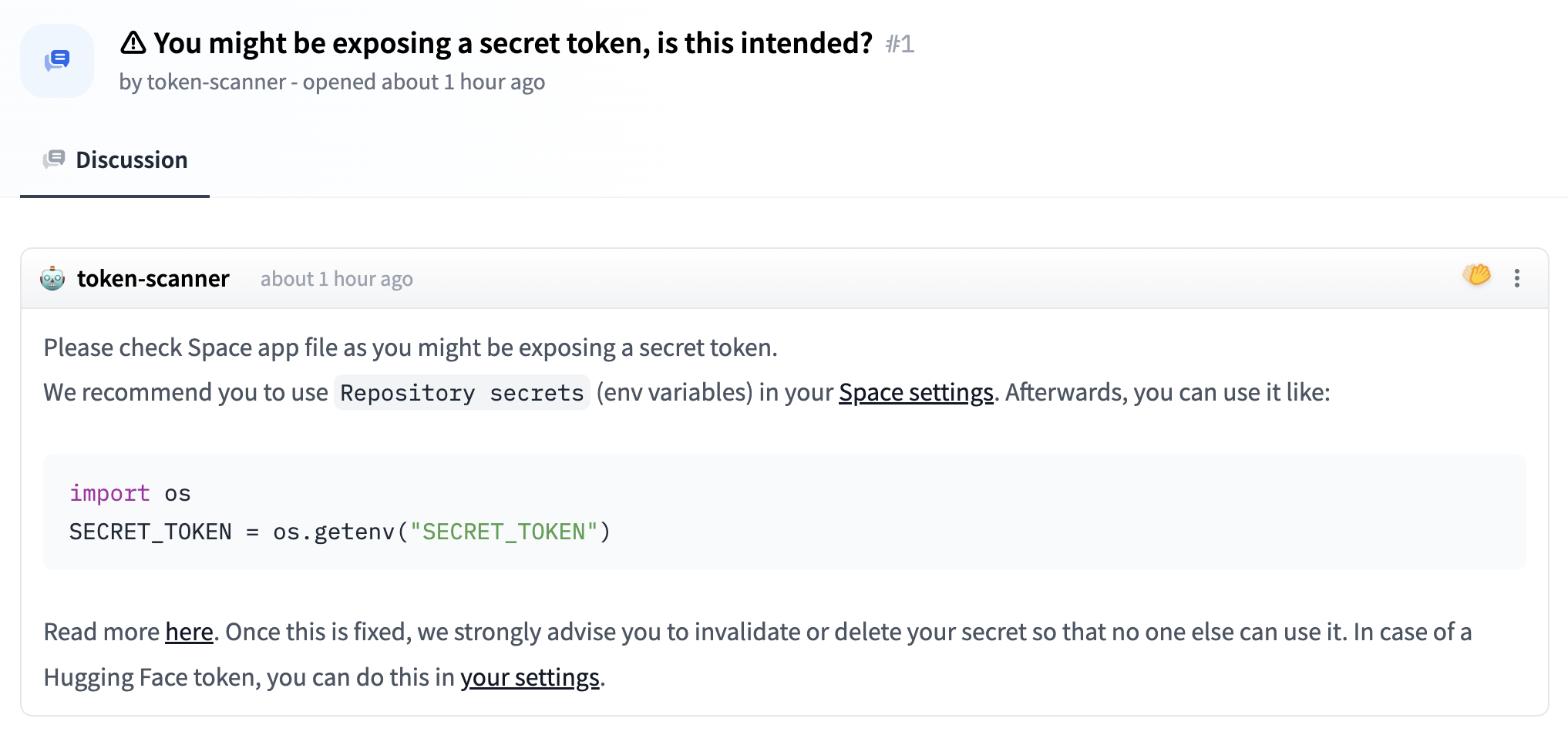
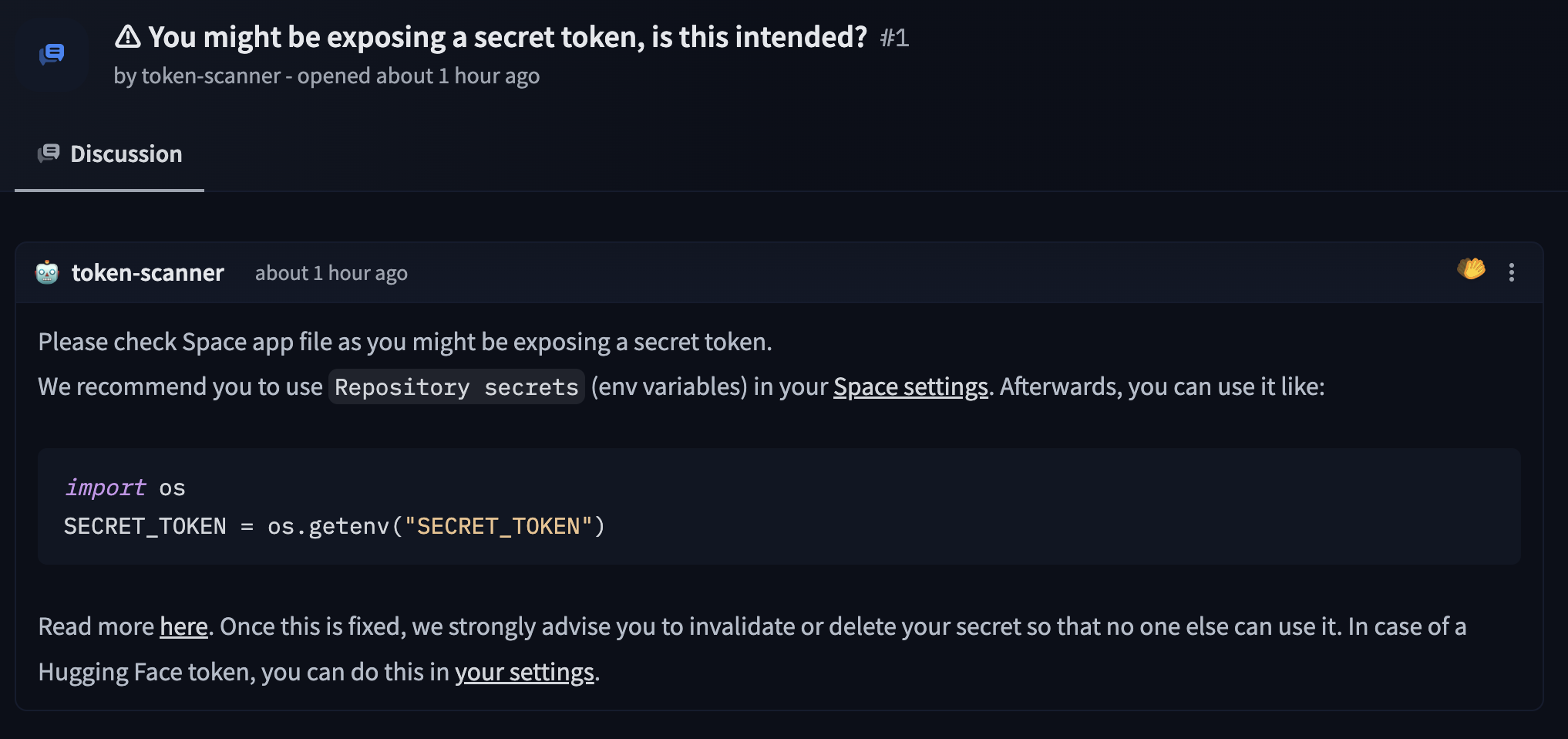
18 | To prevent this issue, we run an automated bot (Spaces Secrets Scanner) that scans for hard-coded secrets and opens a discussion (in case hard-coded secrets are found) about the exposed secrets & how to handle this problem.
19 |
20 |
21 |

22 |

23 |
24 |
--------------------------------------------------------------------------------
/docs/hub/spaces-sdks-static.md:
--------------------------------------------------------------------------------
1 | # Static HTML Spaces
2 |
3 | Spaces also accommodate custom HTML for your app instead of using Streamlit or Gradio. Set `sdk: static` inside the `YAML` block at the top of your Spaces **README.md** file. Then you can place your HTML code within an **index.html** file.
4 |
5 | Here are some examples of Spaces using custom HTML:
6 |
7 | * [Smarter NPC](https://huggingface.co/spaces/mishig/smarter_npc): Display a PlayCanvas project with an iframe in Spaces.
8 | * [Huggingfab](https://huggingface.co/spaces/pierreant-p/huggingfab): Display a Sketchfab model in Spaces.
9 |
10 | ## Space variables
11 |
12 | Custom [environment variables](./spaces-overview#managing-secrets) can be passed to your Space. OAuth information such as the client ID and scope are also available as environment variables, if you have [enabled OAuth](./spaces-oauth) for your Space.
13 |
14 | To use these variables in JavaScript, you can use the `window.huggingface.variables` object. For example, to access the `OAUTH_CLIENT_ID` variable, you can use `window.huggingface.variables.OAUTH_CLIENT_ID`.
15 |
16 | Here is an example of a Space using custom environment variables and oauth enabled and displaying the variables in the HTML:
17 |
18 | * [Static Variables](https://huggingface.co/spaces/huggingfacejs/static-variables)
--------------------------------------------------------------------------------
/docs/hub/organizations-managing.md:
--------------------------------------------------------------------------------
1 | # Managing organizations
2 |
3 | ## Creating an organization
4 |
5 | Visit the [New Organization](https://hf.co/organizations/new) form to create an organization.
6 |
7 | ## Managing members
8 |
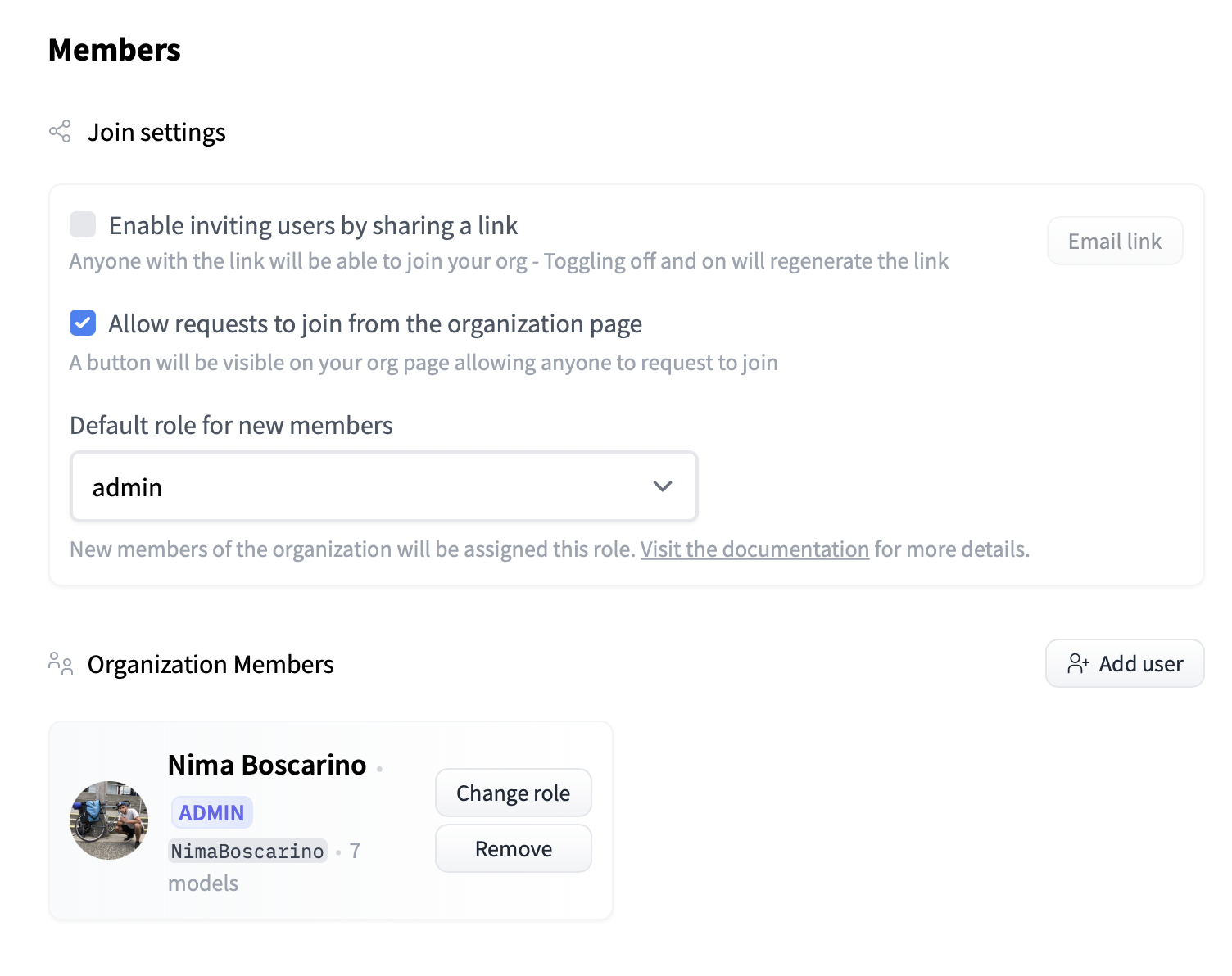
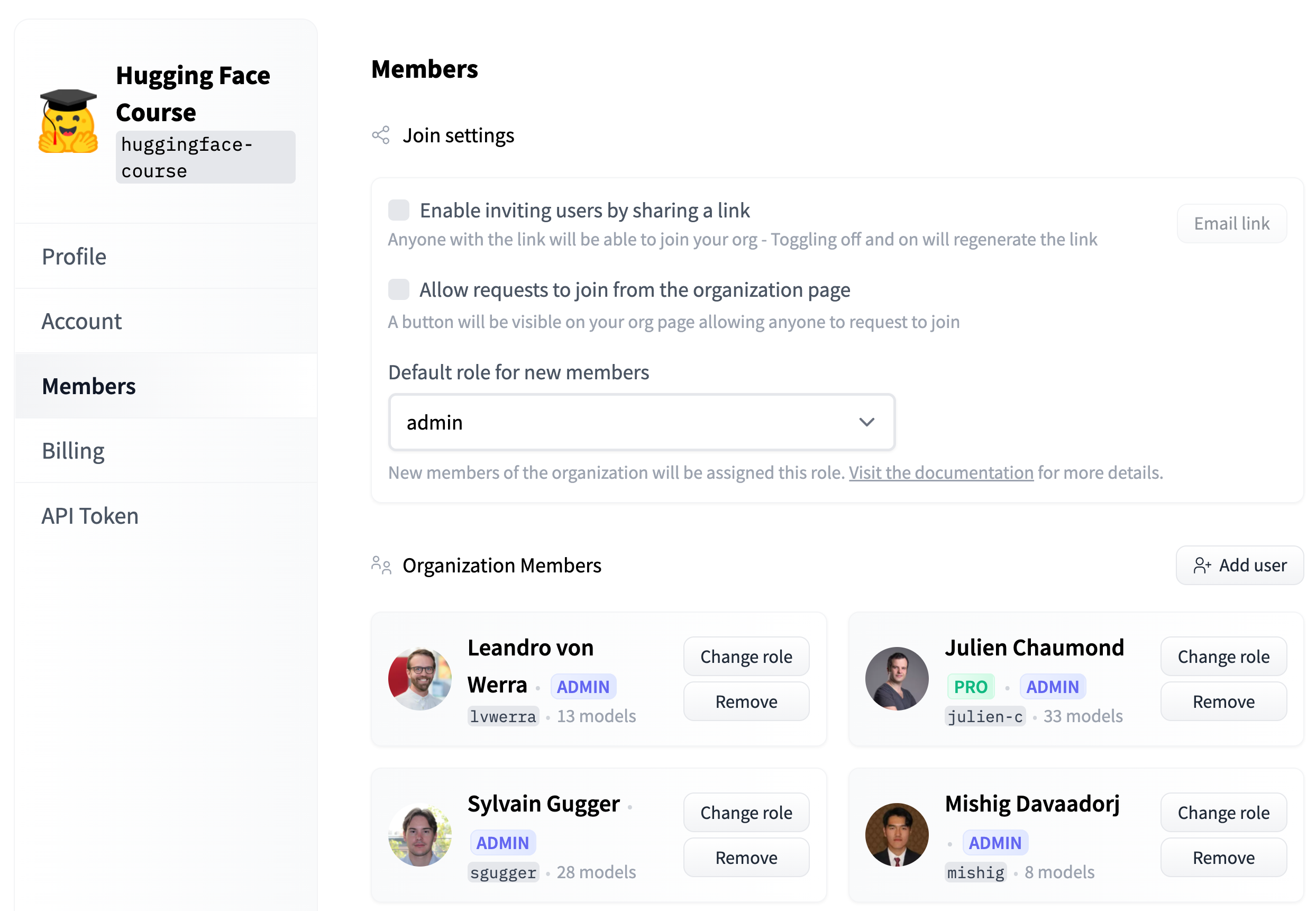
9 | New members can be added to an organization by visiting the **Organization settings** and clicking on the **Members** tab. There, you'll be able to generate an invite link, add members individually, or send out email invitations in bulk. If the **Allow requests to join from the organization page** setting is enabled, you'll also be able to approve or reject any pending requests on the **Members** page.
10 |
11 |
12 |

13 |

14 |
15 |
16 | You can also revoke a user's membership or change their role on this page.
17 |
18 | ## Organization domain name
19 |
20 | Under the **Account** tab in the Organization settings, you can set an **Organization domain name**. Specifying a domain name will allow any user with a matching email address on the Hugging Face Hub to join your organization.
--------------------------------------------------------------------------------
/docs/hub/notebooks.md:
--------------------------------------------------------------------------------
1 | # Jupyter Notebooks on the Hugging Face Hub
2 |
3 | [Jupyter notebooks](https://jupyter.org/) are a very popular format for sharing code and data analysis for machine learning and data science. They are interactive documents that can contain code, visualizations, and text.
4 |
5 | ## Rendering Jupyter notebooks on the Hub
6 |
7 | Under the hood, Jupyter Notebook files (usually shared with a `.ipynb` extension) are JSON files. While viewing these files directly is possible, it's not a format intended to be read by humans. The Hub has rendering support for notebooks hosted on the Hub. This means that notebooks are displayed in a human-readable format.
8 |
9 | 
10 |
11 | Notebooks will be rendered when included in any type of repository on the Hub. This includes models, datasets, and Spaces.
12 |
13 | ## Launch in Google Colab
14 |
15 | [Google Colab](https://colab.google/) is a free Jupyter Notebook environment that requires no setup and runs entirely in the cloud. It's a great way to run Jupyter Notebooks without having to install anything on your local machine. Notebooks hosted on the Hub are automatically given a "launch in Google Colab" button. This allows you to open the notebook in Colab with a single click.
--------------------------------------------------------------------------------
/docs/hub/spaces-sdks-python.md:
--------------------------------------------------------------------------------
1 | # Custom Python Spaces
2 |
3 |
4 |
5 | Spaces now support arbitrary Dockerfiles so you can host any Python app directly using [Docker Spaces](./spaces-sdks-docker).
6 |
7 |
8 |
9 | While not an official workflow, you are able to run your own Python + interface stack in Spaces by selecting Gradio as your SDK and serving a frontend on port `7680`. See the [templates](https://huggingface.co/templates#spaces) for examples.
10 |
11 | Spaces are served in iframes, which by default restrict links from opening in the parent page. The simplest solution is to open them in a new window:
12 |
13 | ```HTML
14 | Spaces
15 | ```
16 |
17 | Usually, the height of Spaces is automatically adjusted when using the Gradio library interface. However, if you provide your own frontend in the Gradio SDK and the content height is larger than the viewport, you'll need to add an [iFrame Resizer script](https://cdnjs.com/libraries/iframe-resizer), so the content is scrollable in the iframe:
18 |
19 | ```HTML
20 |
21 | ```
22 | As an example, here is the same Space with and without the script:
23 | - https://huggingface.co/spaces/ronvolutional/http-server
24 | - https://huggingface.co/spaces/ronvolutional/iframe-test
25 |
--------------------------------------------------------------------------------
/docs/hub/tensorboard.md:
--------------------------------------------------------------------------------
1 | # Using TensorBoard
2 |
3 | TensorBoard provides tooling for tracking and visualizing metrics as well as visualizing models. All repositories that contain TensorBoard traces have an automatic tab with a hosted TensorBoard instance for anyone to check it out without any additional effort!
4 |
5 | ## Exploring TensorBoard models on the Hub
6 |
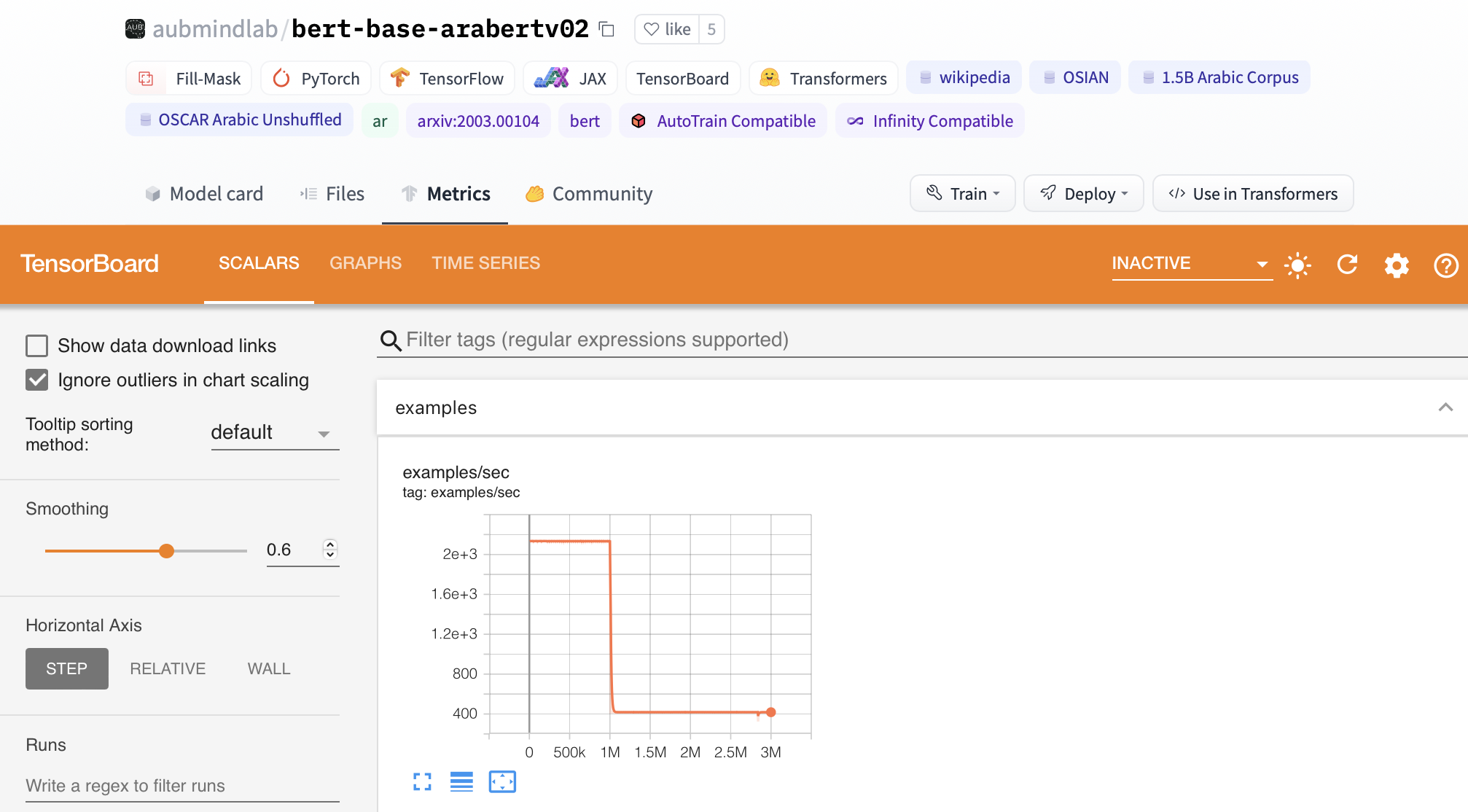
7 | Over 52k repositories have TensorBoard traces on the Hub. You can find them by filtering at the left of the [models page](https://huggingface.co/models?filter=tensorboard). As an example, if you go to the [aubmindlab/bert-base-arabertv02](https://huggingface.co/aubmindlab/bert-base-arabertv02) repository, there is a **Metrics** tab. If you select it, you'll view a TensorBoard instance.
8 |
9 |
10 |

11 |

12 |
13 |
14 | ## Adding your TensorBoard traces
15 |
16 | The Hub automatically detects TensorBoard traces (such as `tfevents`). Once you push your TensorBoard files to the Hub, they will automatically start an instance.
17 |
18 |
19 | ## Additional resources
20 |
21 | * TensorBoard [documentation](https://www.tensorflow.org/tensorboard).
--------------------------------------------------------------------------------
/docs/hub/spaces-sdks-docker-examples.md:
--------------------------------------------------------------------------------
1 | # Docker Spaces Examples
2 |
3 | We gathered some example demos in the [Spaces Examples](https://huggingface.co/SpacesExamples) organization. Please check them out!
4 |
5 | * Dummy FastAPI app: https://huggingface.co/spaces/DockerTemplates/fastapi_dummy
6 | * FastAPI app serving a static site and using `transformers`: https://huggingface.co/spaces/DockerTemplates/fastapi_t5
7 | * Phoenix app for https://huggingface.co/spaces/DockerTemplates/single_file_phx_bumblebee_ml
8 | * HTTP endpoint in Go with query parameters https://huggingface.co/spaces/XciD/test-docker-go?q=Adrien
9 | * Shiny app written in Python https://huggingface.co/spaces/elonmuskceo/shiny-orbit-simulation
10 | * Genie.jl app in Julia https://huggingface.co/spaces/nooji/GenieOnHuggingFaceSpaces
11 | * Argilla app for data labelling and curation: https://huggingface.co/spaces/argilla/live-demo and [write-up about hosting Argilla on Spaces](./spaces-sdks-docker-argilla) by [@dvilasuero](https://huggingface.co/dvilasuero) 🎉
12 | * JupyterLab and VSCode: https://huggingface.co/spaces/DockerTemplates/docker-examples by [@camenduru](https://twitter.com/camenduru) and [@nateraw](https://hf.co/nateraw).
13 | * Zeno app for interactive model evaluation: https://huggingface.co/spaces/zeno-ml/diffusiondb and [instructions for setup](https://zenoml.com/docs/deployment#hugging-face-spaces)
14 | * Gradio App: https://huggingface.co/spaces/sayakpaul/demo-docker-gradio
15 |
--------------------------------------------------------------------------------
/docs/hub/moderation.md:
--------------------------------------------------------------------------------
1 | # Moderation
2 |
3 |
4 |
5 | Check out the [Code of Conduct](https://huggingface.co/code-of-conduct) and the [Content Guidelines](https://huggingface.co/content-guidelines).
6 |
7 |
8 |
9 | ## Reporting a repository
10 |
11 | To report a repository, you can click the three dots at the top right of a repository. Afterwards, you can click "Report the repository". This will allow you to explain what's the reason behind the report (Ethical issue, legal issue, not working, or other) and a description for the report. Once you do this, a **public discussion** will be opened.
12 |
13 |
14 |

15 |

16 |
17 |
18 | ## Reporting a comment
19 |
20 | To report a comment, you can click the three dots at the top right of a comment. That will submit a request for the Hugging Face team to review.
21 |
22 |
23 |

24 |

25 |
26 |
--------------------------------------------------------------------------------
/README.md:
--------------------------------------------------------------------------------
1 | # hub-docs
2 |
3 | This repository regroups documentation and information that is hosted on the Hugging Face website.
4 |
5 | You can access the Hugging Face Hub documentation in the `docs` folder at [hf.co/docs/hub](https://hf.co/docs/hub).
6 |
7 | For some related components, check out the [Hugging Face Hub JS repository](https://github.com/huggingface/huggingface.js)
8 | - Utilities to interact with the Hub: [huggingface/huggingface.js/packages/hub](https://github.com/huggingface/huggingface.js/tree/main/packages/hub)
9 | - Hub Widgets: [huggingface/huggingface.js/packages/widgets](https://github.com/huggingface/huggingface.js/tree/main/packages/widgets)
10 | - Hub Tasks (as visible on the page [hf.co/tasks](https://hf.co/tasks)): [huggingface/huggingface.js/packages/tasks](https://github.com/huggingface/huggingface.js/tree/main/packages/tasks)
11 |
12 | ### How to contribute to the docs
13 |
14 | Just add/edit the Markdown files, commit them, and create a PR.
15 | Then the CI bot will build the preview page and provide a url for you to look at the result!
16 |
17 | For simple edits, you don't need a local build environment.
18 |
19 | ### Previewing locally
20 |
21 | ```bash
22 | # install doc-builder (if not done already)
23 | pip install hf-doc-builder
24 |
25 | # you may also need to install some extra dependencies
26 | pip install black watchdog
27 |
28 | # run `doc-builder preview` cmd
29 | doc-builder preview hub {YOUR_PATH}/hub-docs/docs/hub/ --not_python_module
30 | ```
31 |
--------------------------------------------------------------------------------
/docs/hub/datasets-usage.md:
--------------------------------------------------------------------------------
1 | # Using 🤗 Datasets
2 |
3 | Once you've found an interesting dataset on the Hugging Face Hub, you can load the dataset using 🤗 Datasets. You can click on the [**Use in dataset library** button](https://huggingface.co/datasets/samsum?library=true) to copy the code to load a dataset.
4 |
5 | First you need to [Login with your Hugging Face account](../huggingface_hub/quick-start#login), for example using:
6 |
7 | ```
8 | huggingface-cli login
9 | ```
10 |
11 | And then you can load a dataset from the Hugging Face Hub using
12 |
13 | ```python
14 | from datasets import load_dataset
15 |
16 | dataset = load_dataset("username/my_dataset")
17 |
18 | # or load the separate splits if the dataset has train/validation/test splits
19 | train_dataset = load_dataset("username/my_dataset", split="train")
20 | valid_dataset = load_dataset("username/my_dataset", split="validation")
21 | test_dataset = load_dataset("username/my_dataset", split="test")
22 | ```
23 |
24 | You can also upload datasets to the Hugging Face Hub:
25 |
26 | ```python
27 | my_new_dataset.push_to_hub("username/my_new_dataset")
28 | ```
29 |
30 | This creates a dataset repository `username/my_new_dataset` containing your Dataset in Parquet format, that you can reload later.
31 |
32 | For more information about using 🤗 Datasets, check out the [tutorials](https://huggingface.co/docs/datasets/tutorial) and [how-to guides](https://huggingface.co/docs/datasets/how_to) available in the 🤗 Datasets documentation.
33 |
--------------------------------------------------------------------------------
/docs/hub/datasets-viewer-configure.md:
--------------------------------------------------------------------------------
1 | # Configure the Dataset Viewer
2 |
3 | The Dataset Viewer supports many [data files formats](./datasets-adding#file-formats), from text to tabular and from image to audio formats.
4 | It also separates the train/validation/test splits based on file and folder names.
5 |
6 | To configure the Dataset Viewer for your dataset, first make sure your dataset is in a [supported data format](./datasets-adding#files-formats).
7 |
8 | ## Configure dropdowns for splits or subsets
9 |
10 | In the Dataset Viewer you can view the [train/validation/test](https://en.wikipedia.org/wiki/Training,_validation,_and_test_data_sets) splits of datasets, and sometimes additionally choose between multiple subsets (e.g. one per language).
11 |
12 | To define those dropdowns, you can name the data files or their folder after their split names (train/validation/test).
13 | It is also possible to customize your splits manually using YAML.
14 |
15 | For more information, feel free to check out the documentation on [Data files Configuration](./datasets-data-files-configuration).
16 |
17 | ## Disable the viewer
18 |
19 | The dataset viewer can be disabled. To do this, add a YAML section to the dataset's `README.md` file (create one if it does not already exist) and add a `viewer` property with the value `false`.
20 |
21 | ```
22 | ---
23 | viewer: false
24 | ---
25 | ```
26 |
27 | ## Private datasets
28 |
29 | For **private** datasets, the Dataset Viewer is enabled for [PRO users](https://huggingface.co/pricing) and [Enterprise Hub organizations](https://huggingface.co/enterprise).
30 |
--------------------------------------------------------------------------------
/docs/hub/security.md:
--------------------------------------------------------------------------------
1 | # Security
2 |
3 | The Hugging Face Hub offers several security features to ensure that your code and data are secure. Beyond offering [private repositories](./repositories-settings#private-repositories) for models, datasets, and Spaces, the Hub supports access tokens, commit signatures, and malware scanning.
4 |
5 | Hugging Face is GDPR compliant. If a contract or specific data storage is something you'll need, we recommend taking a look at our [Expert Acceleration Program](https://huggingface.co/support). Hugging Face can also offer Business Associate Addendums or GDPR data processing agreements through an [Enterprise Plan](https://huggingface.co/pricing).
6 |
7 | Hugging Face is also [SOC2 Type 2 certified](https://us.aicpa.org/interestareas/frc/assuranceadvisoryservices/aicpasoc2report.html), meaning we provide security certification to our customers and actively monitor and patch any security weaknesses.
8 |
9 |
10 |
11 | For any other security questions, please feel free to send us an email at security@huggingface.co.
12 |
13 | ## Contents
14 |
15 | - [User Access Tokens](./security-tokens)
16 | - [Two-Factor Authentication (2FA)](./security-2fa)
17 | - [Git over SSH](./security-git-ssh)
18 | - [Signing commits with GPG](./security-gpg)
19 | - [Single Sign-On (SSO)](./security-sso)
20 | - [Malware Scanning](./security-malware)
21 | - [Pickle Scanning](./security-pickle)
22 | - [Secrets Scanning](./security-secrets)
23 | - [Resource Groups](./security-resource-groups)
24 |
--------------------------------------------------------------------------------
/docs/hub/organizations-cards.md:
--------------------------------------------------------------------------------
1 | # Organization cards
2 |
3 | You can create an organization card to help users learn more about what your organization is working on and how users can use your libraries, models, datasets, and Spaces.
4 |
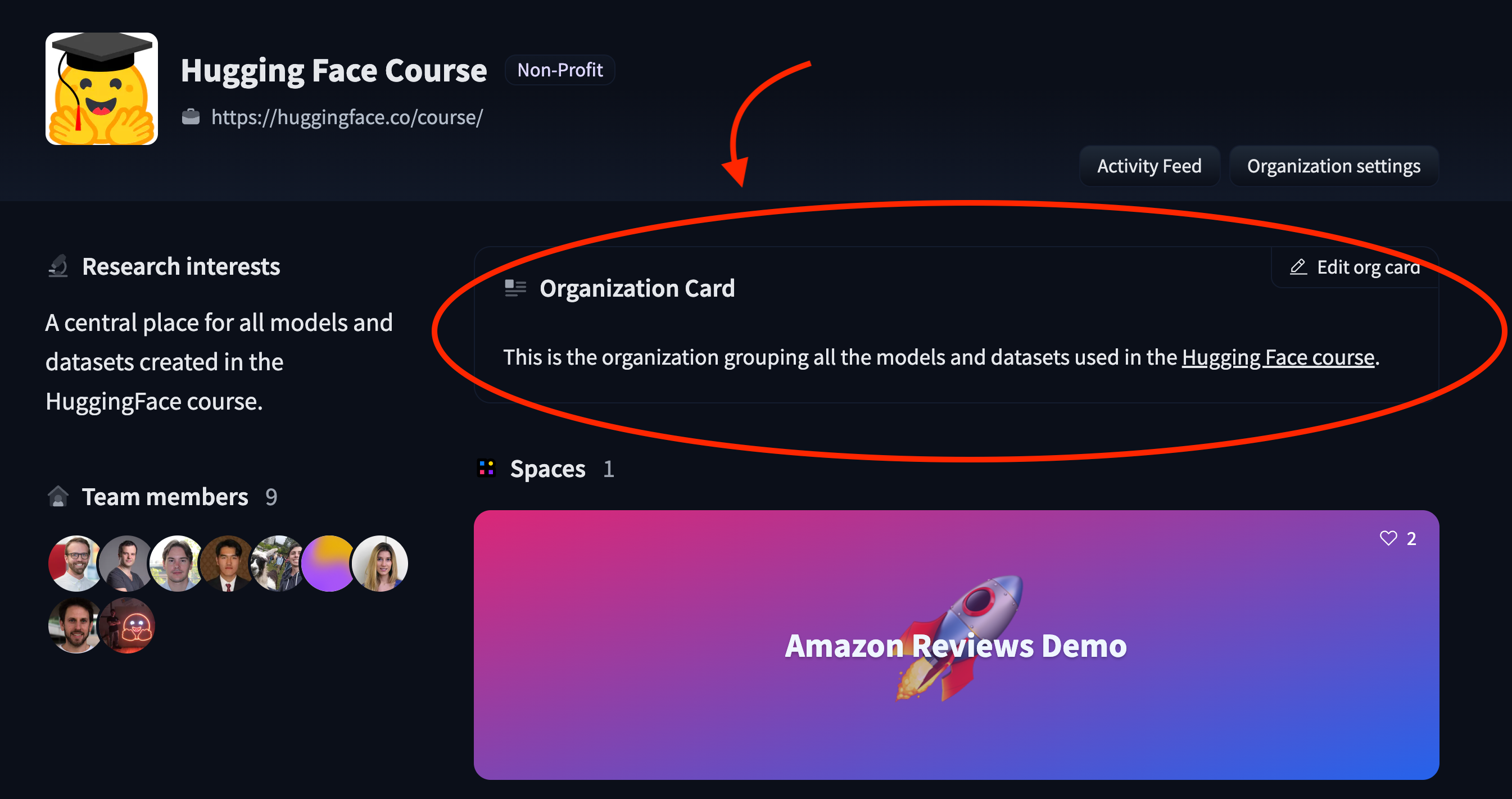
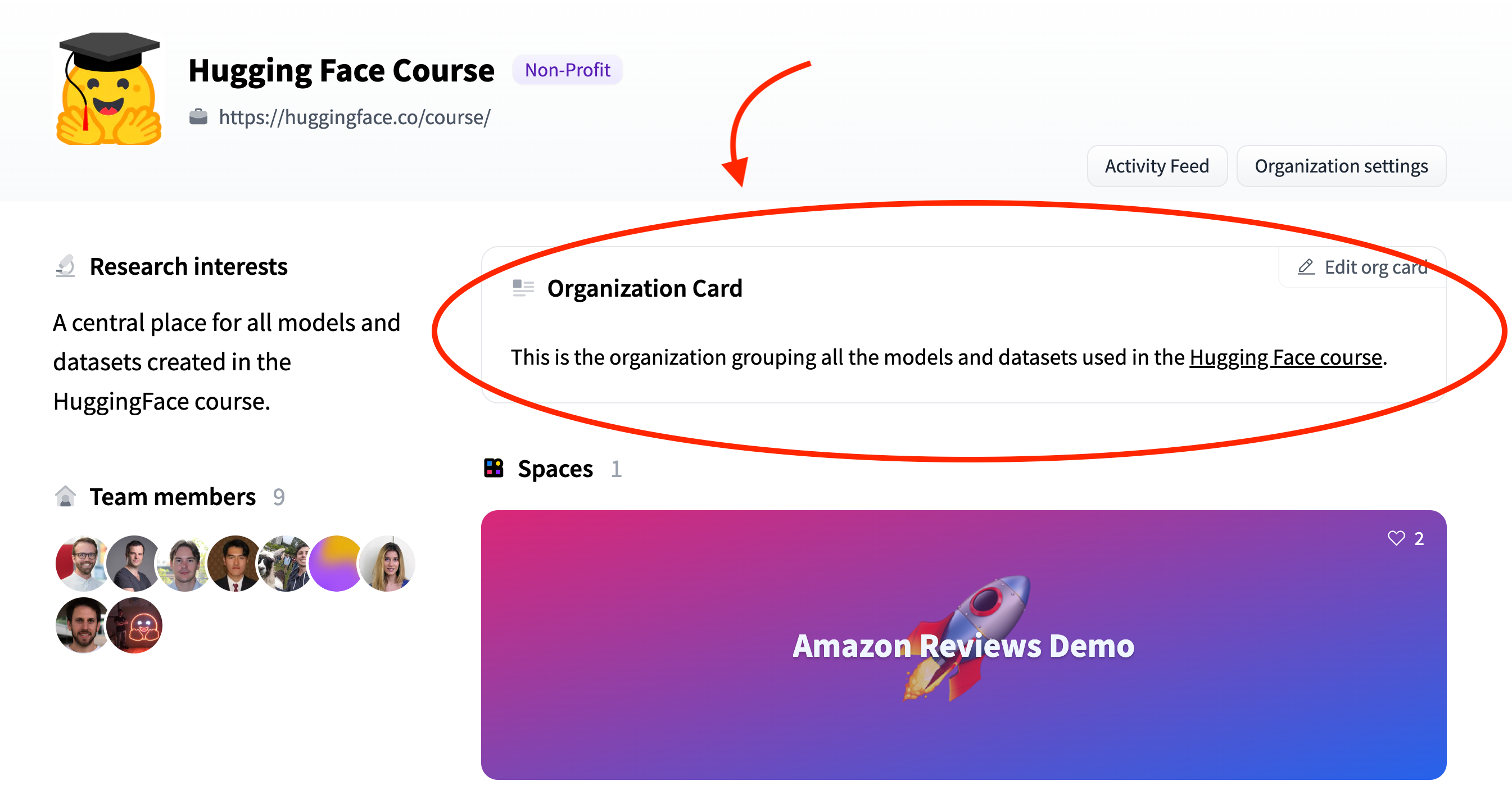
5 | An organization card is displayed on an organization's profile:
6 |
7 |
8 |

9 |

10 |
11 |
12 |
13 | If you're a member of an organization, you'll see a button to create or edit your organization card on the organization's main page. Organization cards are a `README.md` static file inside a Space repo named `README`. The card can be as simple as Markdown text, or you can create a more customized appearance with HTML.
14 |
15 | The card for the [Hugging Face Course organization](https://huggingface.co/huggingface-course), shown above, [contains the following HTML](https://huggingface.co/spaces/huggingface-course/README/blob/main/README.md):
16 |
17 | ```html
18 |
19 | This is the organization grouping all the models and datasets used in the Hugging Face course.
20 |
21 | ```
22 |
23 | For more examples, take a look at:
24 |
25 | * [Amazon's](https://huggingface.co/spaces/amazon/README/blob/main/README.md) organization card source code
26 | * [spaCy's](https://huggingface.co/spaces/spacy/README/blob/main/README.md) organization card source code.
27 |
--------------------------------------------------------------------------------
/docs/hub/spaces-cookie-limitations.md:
--------------------------------------------------------------------------------
1 | # Cookie limitations in Spaces
2 |
3 | In Hugging Face Spaces, applications have certain limitations when using cookies. This is primarily due to the structure of the Spaces' pages (`https://huggingface.co/spaces//`), which contain applications hosted on a different domain (`*.hf.space`) within an iframe. For security reasons, modern browsers tend to restrict the use of cookies from iframe pages hosted on a different domain than the parent page.
4 |
5 | ## Impact on Hosting Streamlit Apps with Docker SDK
6 |
7 | One instance where these cookie restrictions can become problematic is when hosting Streamlit applications using the Docker SDK. By default, Streamlit enables cookie-based XSRF protection. As a result, certain components that submit data to the server, such as `st.file_uploader()`, will not work properly on HF Spaces where cookie usage is restricted.
8 |
9 | To work around this issue, you would need to set the `server.enableXsrfProtection` option in Streamlit to `false`. There are two ways to do this:
10 |
11 | 1. Command line argument: The option can be specified as a command line argument when running the Streamlit application. Here is the example command:
12 | ```shell
13 | streamlit run app.py --server.enableXsrfProtection false
14 | ```
15 |
16 | 2. Configuration file: Alternatively, you can specify the option in the Streamlit configuration file `.streamlit/config.toml`. You would write it like this:
17 | ```toml
18 | [server]
19 | enableXsrfProtection = false
20 | ```
21 |
22 |
23 | When you are using the Streamlit SDK, you don't need to worry about this because the SDK does it for you.
24 |
25 |
--------------------------------------------------------------------------------
/docs/hub/spaces-handle-url-parameters.md:
--------------------------------------------------------------------------------
1 | # How to handle URL parameters in Spaces
2 |
3 | You can use URL query parameters as a data sharing mechanism, for instance to be able to deep-link into an app with a specific state.
4 |
5 | On a Space page (`https://huggingface.co/spaces//`), the actual application page (`https://*.hf.space/`) is embedded in an iframe. The query string and the hash attached to the parent page URL are propagated to the embedded app on initial load, so the embedded app can read these values without special consideration.
6 |
7 | In contrast, updating the query string and the hash of the parent page URL from the embedded app is slightly more complex.
8 | If you want to do this in a Docker or static Space, you need to add the following JS code that sends a message to the parent page that has a `queryString` and/or `hash` key.
9 |
10 | ```js
11 | const queryString = "...";
12 | const hash = "...";
13 |
14 | window.parent.postMessage({
15 | queryString,
16 | hash,
17 | }, "https://huggingface.co");
18 | ```
19 |
20 | **This is only for Docker or static Spaces.**
21 |
22 | For Streamlit apps, Spaces automatically syncs the URL parameters. Gradio apps can read the query parameters from the Spaces page, but do not sync updated URL parameters with the parent page.
23 |
24 | Note that the URL parameters of the parent page are propagated to the embedded app *only* on the initial load. So `location.hash` in the embedded app will not change even if the parent URL hash is updated using this method.
25 |
26 | An example of this method can be found in this static Space,
27 | [`whitphx/static-url-param-sync-example`](https://huggingface.co/spaces/whitphx/static-url-param-sync-example).
28 |
--------------------------------------------------------------------------------
/docs/hub/model-cards-components.md:
--------------------------------------------------------------------------------
1 | # Model Card components
2 |
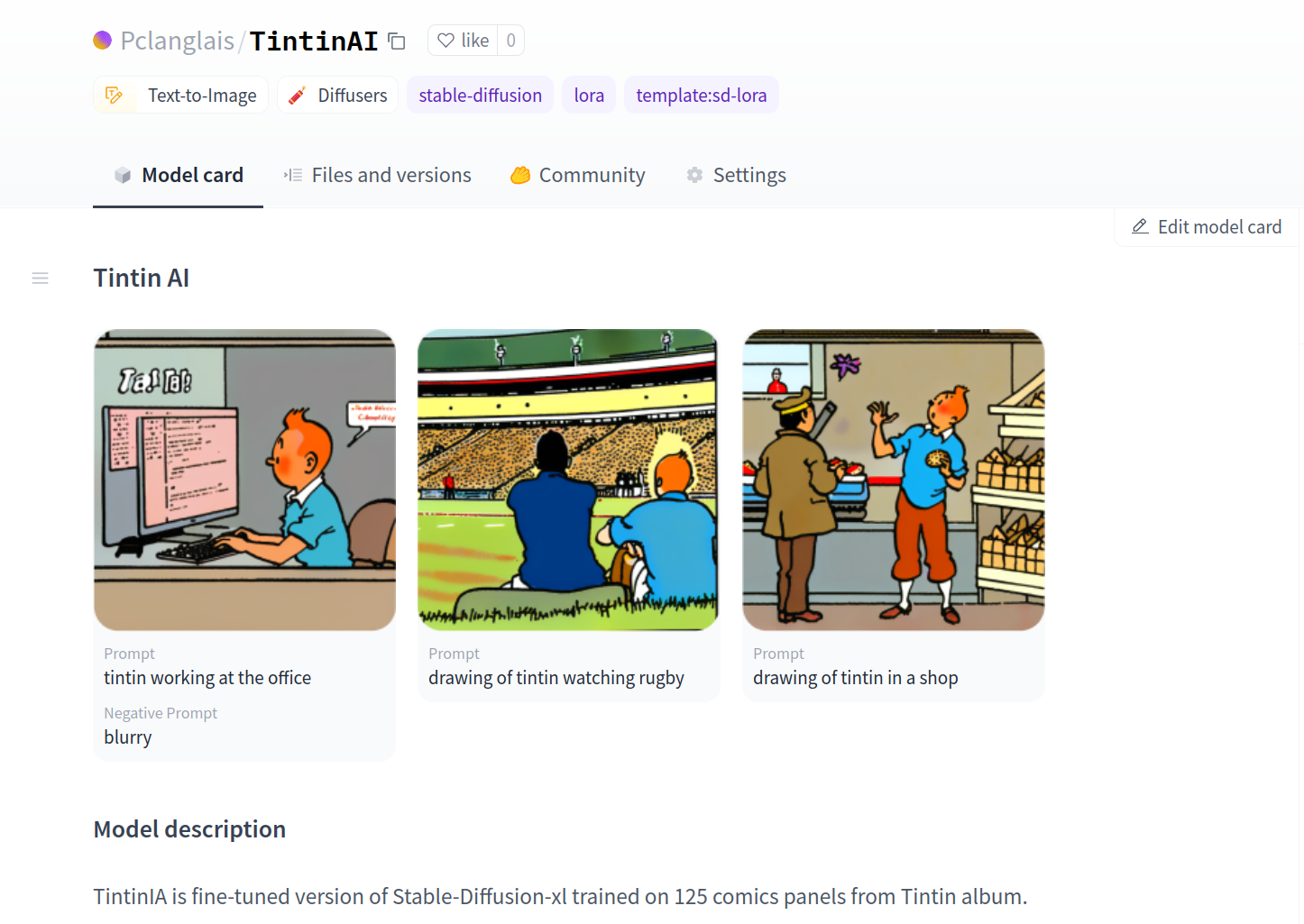
3 | **Model Card Components** are special elements that you can inject directly into your Model Card markdown to display powerful custom components in your model page. These components are authored by us, feel free to share ideas about new Model Card component in [this discussion](https://huggingface.co/spaces/huggingface/HuggingDiscussions/discussions/17).
4 |
5 | ## The Gallery component
6 |
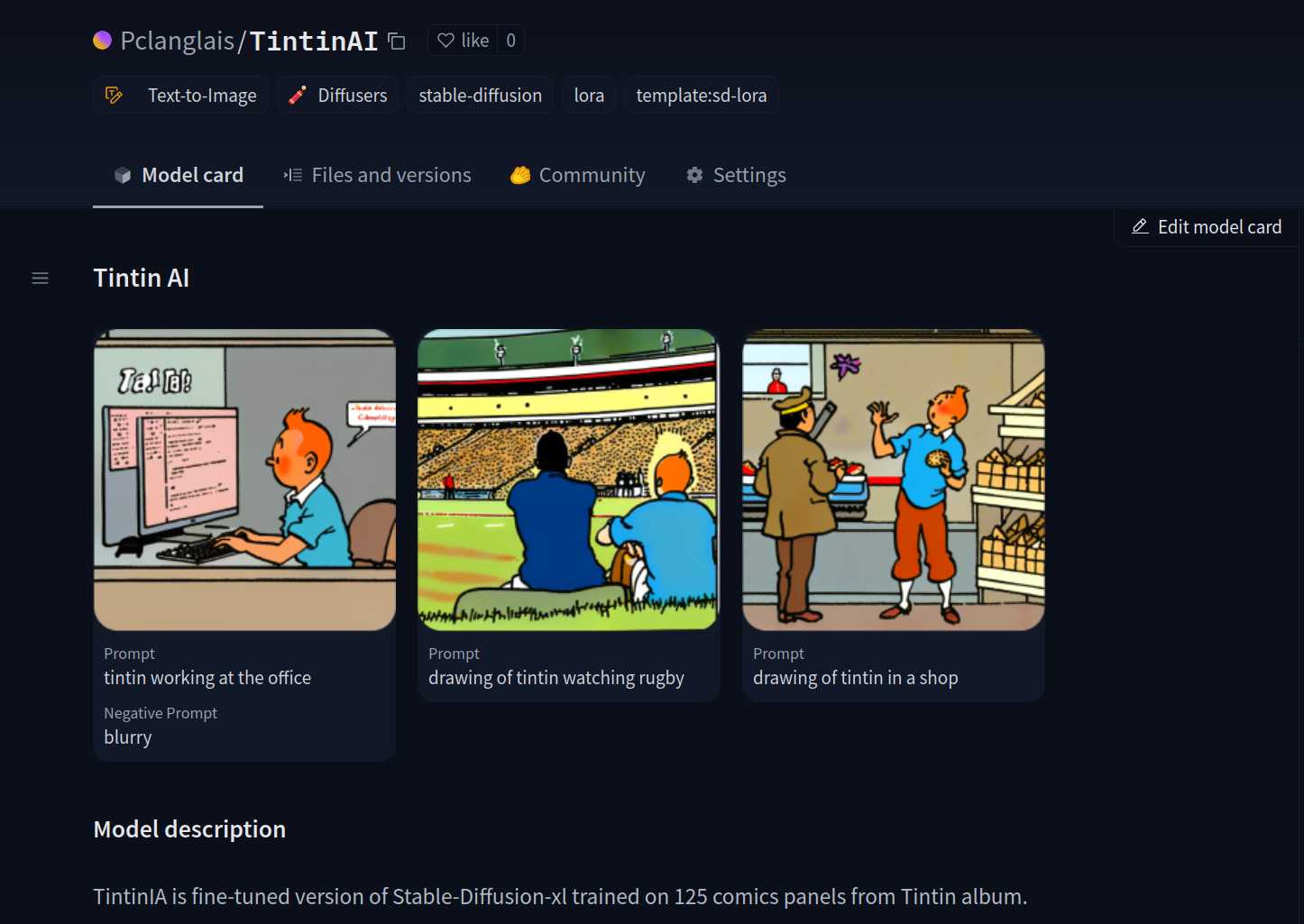
7 | Add the `` component to your text-to-image model card to showcase your images generation.
8 |
9 | For example,
10 | ```md
11 |
12 |
13 |
14 | ## Model description
15 |
16 | TintinIA is fine-tuned version of Stable-Diffusion-xl trained on 125 comics panels from Tintin album.
17 |
18 | ```
19 |
20 |
21 |
22 |

23 |

24 |
25 |
26 | The `` component will use your Model Card [widget metadata](/docs/hub/models-widgets-examples#text-to-image) to display the images with each associated prompt.
27 |
28 | ```yaml
29 | widget:
30 | - text: "drawing of tintin in a shop"
31 | output:
32 | url: "images/shop.png"
33 | - text: "drawing of tintin watching rugby"
34 | output:
35 | url: "images/rugby.png"
36 | parameters:
37 | negative_prompt: "blurry"
38 | - text: "tintin working at the office"
39 | output:
40 | url: "images/office.png"
41 | ```
42 |
43 | > Hint: Support of Card Components through the GUI editor coming soon...
44 |
--------------------------------------------------------------------------------
/docs/hub/security-malware.md:
--------------------------------------------------------------------------------
1 | # Malware Scanning
2 |
3 | We run every file of your repositories through a [malware scanner](https://www.clamav.net/).
4 |
5 | Scanning is triggered at each commit or when you visit a repository page.
6 |
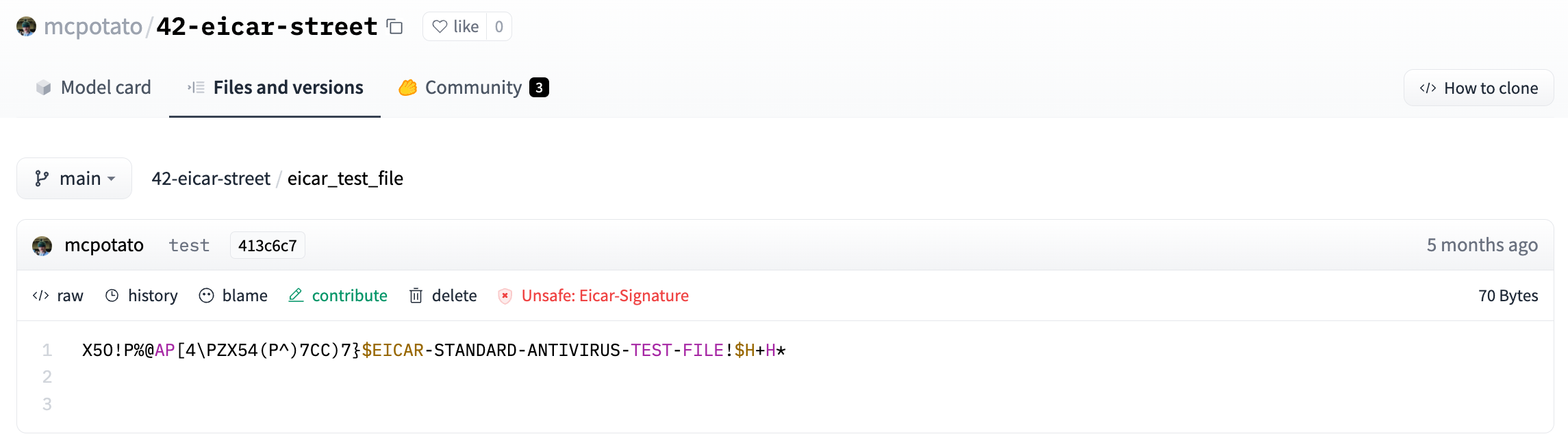
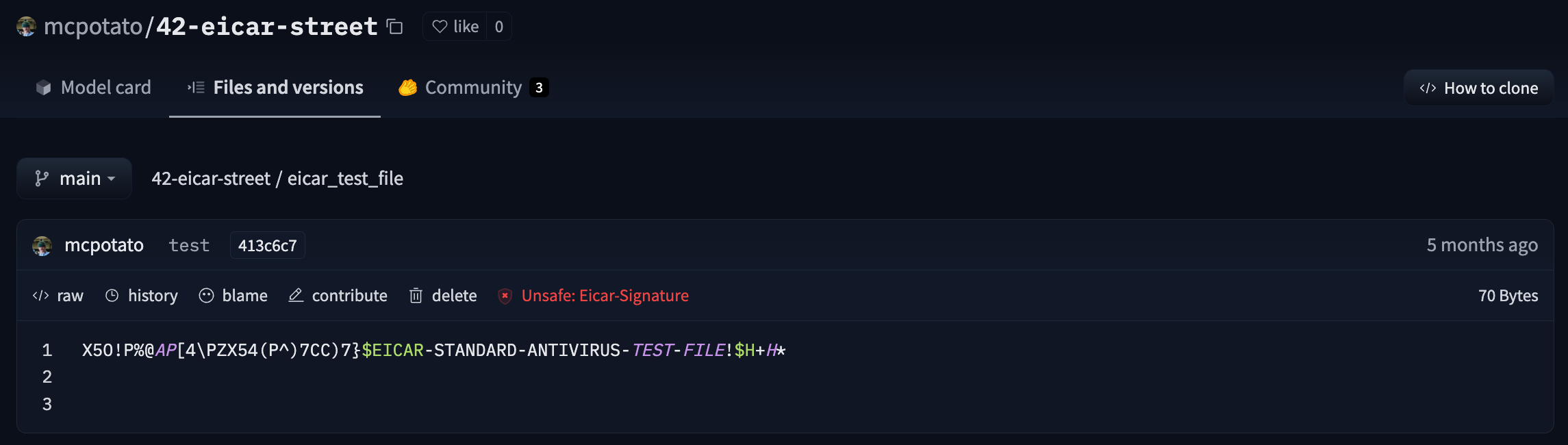
7 | Here is an [example view](https://huggingface.co/mcpotato/42-eicar-street/tree/main) of an infected file:
8 |
9 |
10 |

11 |

12 |
13 |
14 |
15 | If your file has neither an ok nor infected badge, it could mean that it is either currently being scanned, waiting to be scanned, or that there was an error during the scan. It can take up to a few minutes to be scanned.
16 |
17 |
18 | If at least one file has a been scanned as unsafe, a message will warn the users:
19 |
20 |
21 |

22 |

23 |
24 |
25 |

26 |

27 |
28 |
29 |
30 | As the repository owner, we advise you to remove the suspicious file. The repository will appear back as safe.
31 |
32 |
--------------------------------------------------------------------------------
/docs/hub/search.md:
--------------------------------------------------------------------------------
1 | # Search
2 |
3 | You can now easily search anything on the Hub with **Full-text search**. We index model cards, dataset cards, and Spaces app.py files.
4 |
5 | Go directly to https://huggingface.co/search or, using the search bar at the top of https://huggingface.co, you can select "Try Full-text search" to help find what you seek on the Hub across models, datasets, and Spaces:
6 |
7 |
8 |

9 |

10 |
11 |
12 |
13 |

14 |

15 |
16 |
17 | ## Filter with ease
18 |
19 | By default, models, datasets, & spaces are being searched when a user enters a query. If one prefers, one can filter to search only models, datasets, or spaces.
20 |
21 |
22 |

23 |

24 |
25 |
26 | Moreover, one can copy & share the URL from one's browser's address bar, which should contain the filter information as URL query. For example, when one searches for a query `llama` with a filter to show `Spaces` only, one gets URL https://huggingface.co/search/full-text?q=llama&type=space
27 |
--------------------------------------------------------------------------------
/docs/hub/datasets-overview.md:
--------------------------------------------------------------------------------
1 | # Datasets Overview
2 |
3 | ## Datasets on the Hub
4 |
5 | The Hugging Face Hub hosts a [large number of community-curated datasets](https://huggingface.co/datasets) for a diverse range of tasks such as translation, automatic speech recognition, and image classification. Alongside the information contained in the [dataset card](./datasets-cards), many datasets, such as [GLUE](https://huggingface.co/datasets/nyu-mll/glue), include a [Dataset Viewer](./datasets-viewer) to showcase the data.
6 |
7 | Each dataset is a [Git repository](./repositories) that contains the data required to generate splits for training, evaluation, and testing. For information on how a dataset repository is structured, refer to the [Data files Configuration page](./datasets-data-files-configuration). Following the supported repo structure will ensure that the dataset page on the Hub will have a Viewer.
8 |
9 | ## Search for datasets
10 |
11 | Like models and spaces, you can search the Hub for datasets using the search bar in the top navigation or on the [main datasets page](https://huggingface.co/datasets). There's a large number of languages, tasks, and licenses that you can use to filter your results to find a dataset that's right for you.
12 |
13 |
14 |

15 |

16 |
17 |
18 | ## Privacy
19 |
20 | Since datasets are repositories, you can [toggle their visibility between private and public](./repositories-settings#private-repositories) through the Settings tab. If a dataset is owned by an [organization](./organizations), the privacy settings apply to all the members of the organization.
21 |
--------------------------------------------------------------------------------
/docs/hub/datasets-duckdb-auth.md:
--------------------------------------------------------------------------------
1 | # Authentication for private and gated datasets
2 |
3 | To access private or gated datasets, you need to configure your Hugging Face Token in the DuckDB Secrets Manager.
4 |
5 | Visit [Hugging Face Settings - Tokens](https://huggingface.co/settings/tokens) to obtain your access token.
6 |
7 | DuckDB supports two providers for managing secrets:
8 |
9 | - `CONFIG`: Requires the user to pass all configuration information into the CREATE SECRET statement.
10 | - `CREDENTIAL_CHAIN`: Automatically tries to fetch credentials. For the Hugging Face token, it will try to get it from `~/.cache/huggingface/token`.
11 |
12 | For more information about DuckDB Secrets visit the [Secrets Manager](https://duckdb.org/docs/configuration/secrets_manager.html) guide.
13 |
14 | ## Creating a secret with `CONFIG` provider
15 |
16 | To create a secret using the CONFIG provider, use the following command:
17 |
18 | ```bash
19 | CREATE SECRET hf_token (TYPE HUGGINGFACE, TOKEN 'your_hf_token');
20 | ```
21 |
22 | Replace `your_hf_token` with your actual Hugging Face token.
23 |
24 | ## Creating a secret with `CREDENTIAL_CHAIN` provider
25 |
26 | To create a secret using the CREDENTIAL_CHAIN provider, use the following command:
27 |
28 | ```bash
29 | CREATE SECRET hf_token (TYPE HUGGINGFACE, PROVIDER credential_chain);
30 | ```
31 |
32 | This command automatically retrieves the stored token from `~/.cache/huggingface/token`.
33 |
34 | First you need to [Login with your Hugging Face account](../huggingface_hub/quick-start#login), for example using:
35 |
36 | ```bash
37 | huggingface-cli login
38 | ```
39 |
40 | Alternatively, you can set your Hugging Face token as an environment variable:
41 |
42 | ```bash
43 | export HF_TOKEN="hf_xxxxxxxxxxxxx"
44 | ```
45 |
46 | For more information on authentication, see the [Hugging Face authentication](https://huggingface.co/docs/huggingface_hub/main/en/quick-start#authentication) documentation.
47 |
--------------------------------------------------------------------------------
/docs/hub/spaces-dependencies.md:
--------------------------------------------------------------------------------
1 | # Handling Spaces Dependencies
2 |
3 | ## Default dependencies
4 |
5 | The default Spaces environment comes with several pre-installed dependencies:
6 |
7 | * The [`huggingface_hub`](https://huggingface.co/docs/huggingface_hub/index) client library allows you to manage your repository and files on the Hub with Python and programmatically access the Inference API from your Space. If you choose to instantiate the model in your app with the Inference API, you can benefit from the built-in acceleration optimizations. This option also consumes less computing resources, which is always nice for the environment! 🌎
8 |
9 | Refer to this [page](https://huggingface.co/docs/huggingface_hub/how-to-inference) for more information on how to programmatically access the Inference API.
10 |
11 | * [`requests`](https://docs.python-requests.org/en/master/) is useful for calling third-party APIs from your app.
12 |
13 | * [`datasets`](https://github.com/huggingface/datasets) allows you to fetch or display any dataset from the Hub inside your app.
14 |
15 | * The SDK you specified, which could be either `streamlit` or `gradio`. The version is specified in the `README.md` file.
16 |
17 | * Common Debian packages, such as `ffmpeg`, `cmake`, `libsm6`, and few others.
18 |
19 | ## Adding your own dependencies
20 |
21 | If you need other Python packages to run your app, add them to a **requirements.txt** file at the root of the repository. The Spaces runtime engine will create a custom environment on-the-fly. You can also add a **pre-requirements.txt** file describing dependencies that will be installed before your main dependencies. It can be useful if you need to update pip itself.
22 |
23 | Debian dependencies are also supported. Add a **packages.txt** file at the root of your repository, and list all your dependencies in it. Each dependency should be on a separate line, and each line will be read and installed by `apt-get install`.
24 |
--------------------------------------------------------------------------------
/docs/hub/datasets-libraries.md:
--------------------------------------------------------------------------------
1 | # Libraries
2 |
3 | The Datasets Hub has support for several libraries in the Open Source ecosystem.
4 | Thanks to the [huggingface_hub Python library](../huggingface_hub), it's easy to enable sharing your datasets on the Hub.
5 | We're happy to welcome to the Hub a set of Open Source libraries that are pushing Machine Learning forward.
6 |
7 | The table below summarizes the supported libraries and their level of integration.
8 |
9 | | Library | Description | Download from Hub | Push to Hub |
10 | |-----------------------------------------------------------------------------|---------------------------------------------------------------------------------------------------------------------|---|----|
11 | | [Dask](./datasets-dask) | Parallel and distributed computing library that scales the existing Python and PyData ecosystem. | ✅ | ✅ |
12 | | [Datasets](./datasets-usage) | 🤗 Datasets is a library for accessing and sharing datasets for Audio, Computer Vision, and Natural Language Processing (NLP). | ✅ | ✅ |
13 | | [DuckDB](./datasets-duckdb) | In-process SQL OLAP database management system. | ✅ | ✅ |
14 | | [FiftyOne](./datasets-fiftyone) | FiftyOne is a library for curation and visualization of image, video, and 3D data | ✅ | ✅ |
15 | | [Pandas](./datasets-pandas) | Python data analysis toolkit. | ✅ | ✅ |
16 | | [WebDataset](./datasets-webdataset) | Library to write I/O pipelines for large datasets. | ✅ | ❌ |
17 |
--------------------------------------------------------------------------------
/docs/hub/stanza.md:
--------------------------------------------------------------------------------
1 | # Using Stanza at Hugging Face
2 |
3 | `stanza` is a collection of accurate and efficient tools for the linguistic analysis of many human languages. Starting from raw text to syntactic analysis and entity recognition, Stanza brings state-of-the-art NLP models to languages of your choosing.
4 |
5 | ## Exploring Stanza in the Hub
6 |
7 | You can find `stanza` models by filtering at the left of the [models page](https://huggingface.co/models?library=stanza&sort=downloads). You can find over 70 models for different languages!
8 |
9 | All models on the Hub come up with the following features:
10 | 1. An automatically generated model card with a brief description and metadata tags that help for discoverability.
11 | 2. An interactive widget you can use to play out with the model directly in the browser (for named entity recognition and part of speech).
12 | 3. An Inference API that allows to make inference requests (for named entity recognition and part of speech).
13 |
14 |
15 | ## Using existing models
16 |
17 | The `stanza` library automatically downloads models from the Hub. You can use `stanza.Pipeline` to download the model from the Hub and do inference.
18 |
19 | ```python
20 | import stanza
21 |
22 | nlp = stanza.Pipeline('en') # download th English model and initialize an English neural pipeline
23 | doc = nlp("Barack Obama was born in Hawaii.") # run annotation over a sentence
24 | ```
25 |
26 |
27 | ## Sharing your models
28 |
29 | To add new official Stanza models, you can follow the process to [add a new language](https://stanfordnlp.github.io/stanza/new_language.html) and then [share your models with the Stanza team](https://stanfordnlp.github.io/stanza/new_language.html#contributing-back-to-stanza). You can also find the official script to upload models to the Hub [here](https://github.com/stanfordnlp/huggingface-models/blob/main/hugging_stanza.py).
30 |
31 | ## Additional resources
32 |
33 | * `stanza` [docs](https://stanfordnlp.github.io/stanza/).
--------------------------------------------------------------------------------
/docs/hub/gguf-gpt4all.md:
--------------------------------------------------------------------------------
1 | # GGUF usage with GPT4All
2 |
3 | [GPT4All](https://gpt4all.io/) is an open-source LLM application developed by [Nomic](https://nomic.ai/). Version 2.7.2 introduces a brand new, experimental feature called `Model Discovery`.
4 |
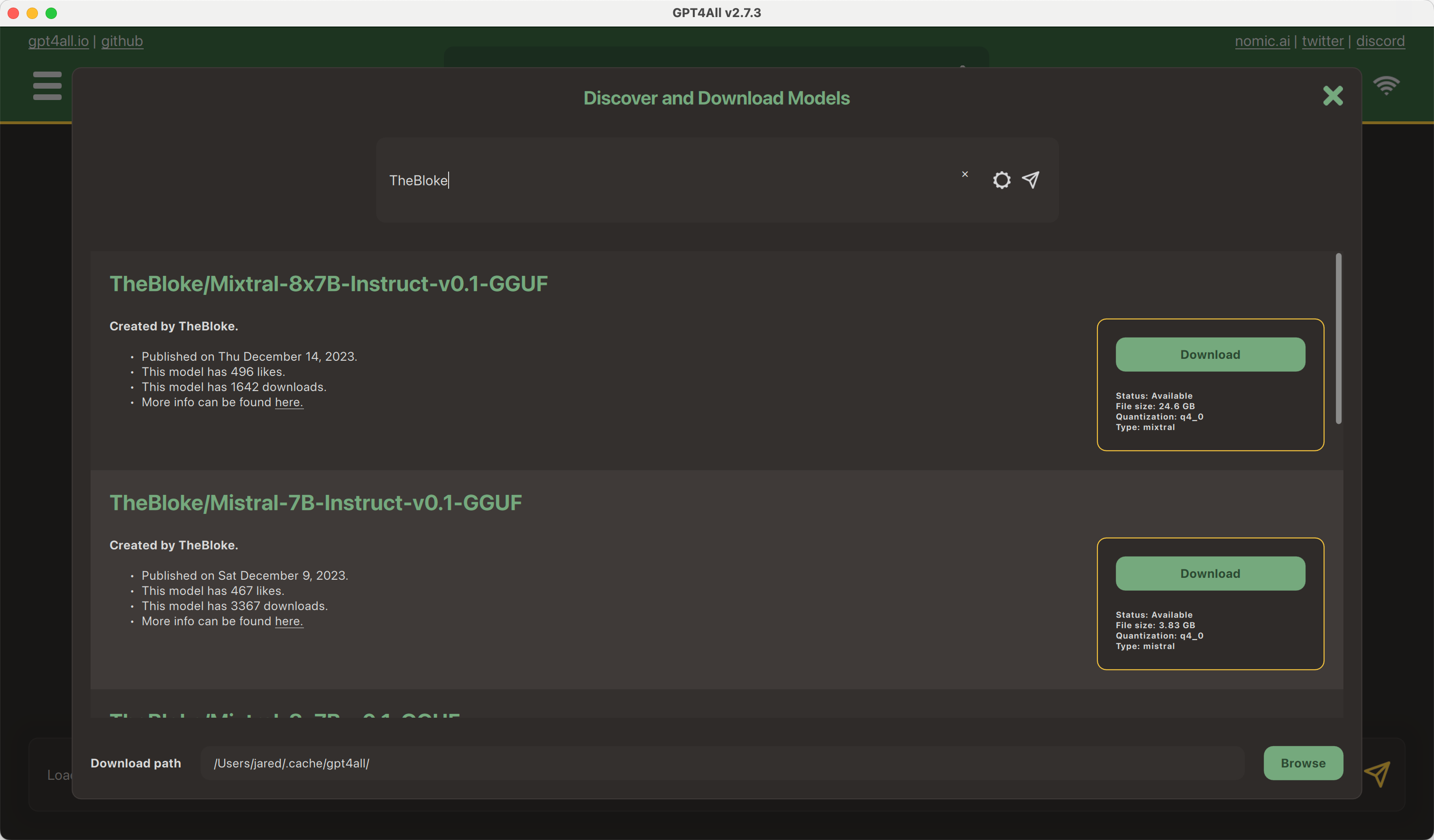
5 | `Model Discovery` provides a built-in way to search for and download GGUF models from the Hub. To get started, open GPT4All and click `Download Models`. From here, you can use the search bar to find a model.
6 |
7 |
8 |

9 |

10 |
11 |
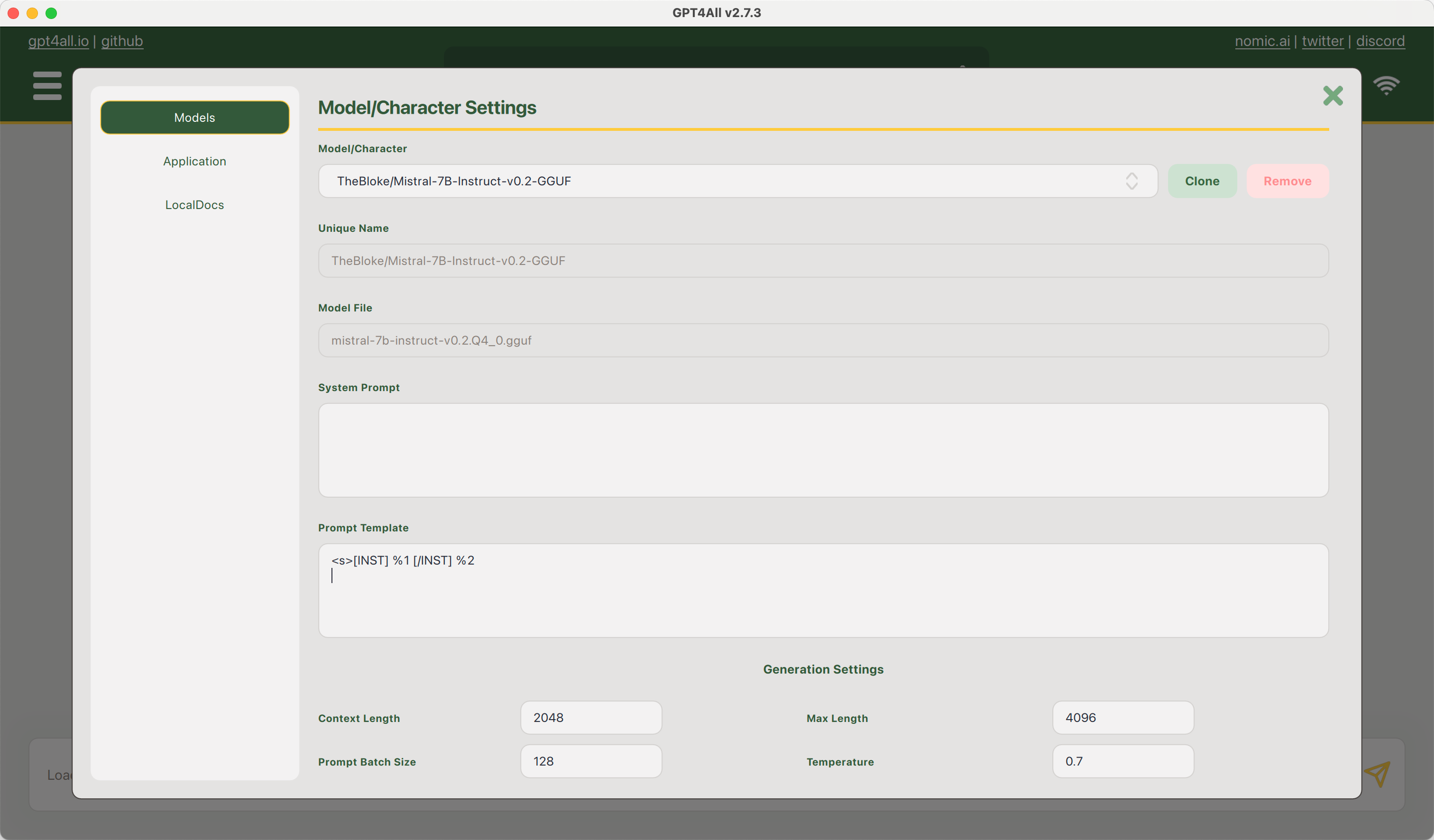
12 | After you have selected and downloaded a model, you can go to `Settings` and provide an appropriate prompt template in the GPT4All format (`%1` and `%2` placeholders).
13 |
14 |
15 |

16 |

17 |
18 |
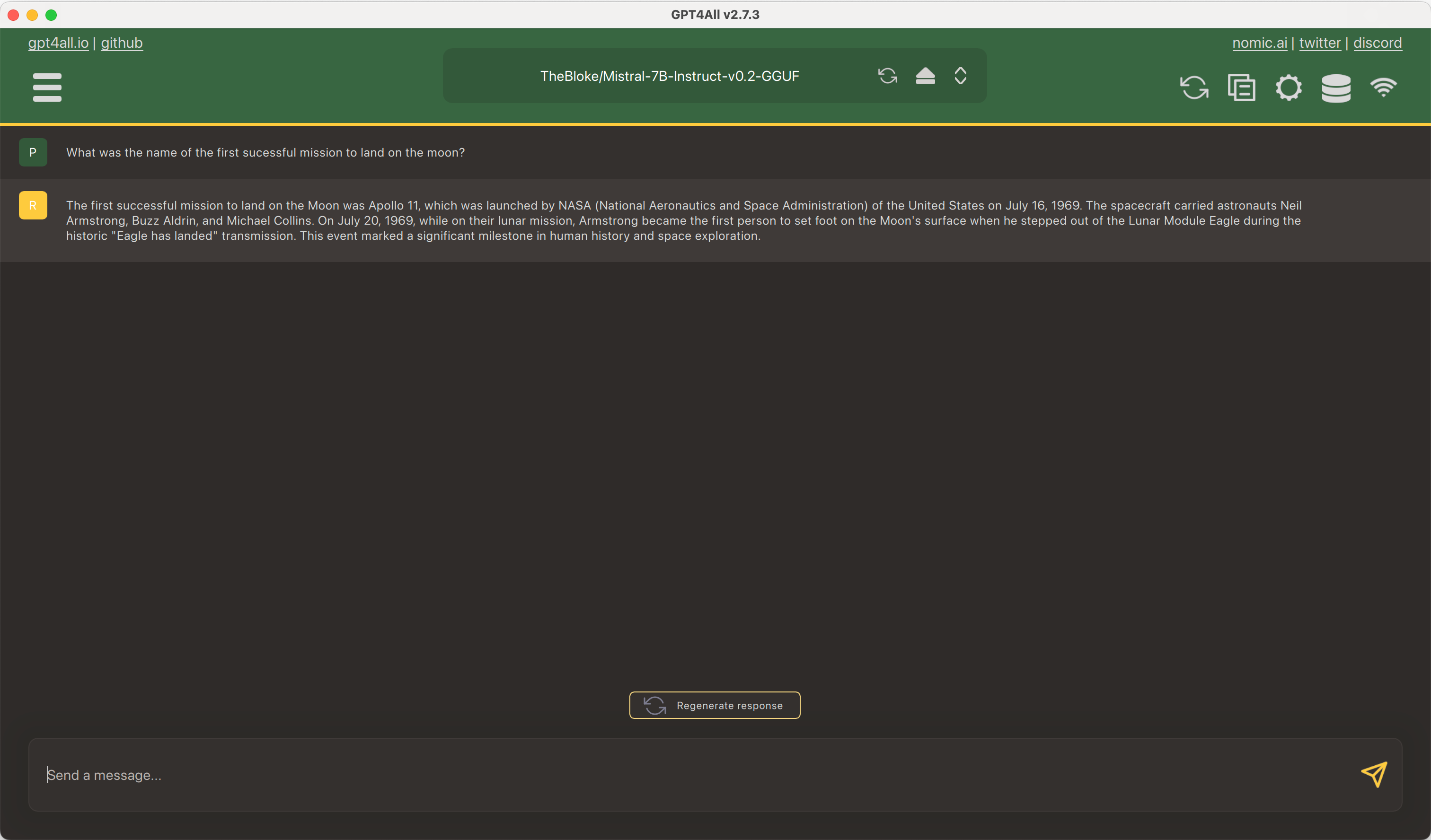
19 | Then from the main page, you can select the model from the list of installed models and start a conversation.
20 |
21 |
22 |

23 |

24 |
25 |
--------------------------------------------------------------------------------
/.github/workflows/model_card_consistency_reminder.yml:
--------------------------------------------------------------------------------
1 | name: Model and Dataset Card consistency reminder
2 |
3 | on:
4 | pull_request:
5 | paths:
6 | - modelcard.md
7 | - datasetcard.md
8 | - docs/hub/datasets-cards.md
9 | - docs/hub/model-cards.md
10 | - docs/hub/model-card-annotated.md
11 |
12 | jobs:
13 | comment:
14 | runs-on: ubuntu-latest
15 | steps:
16 | - name: maintain-comment
17 | uses: actions-cool/maintain-one-comment@v3
18 | with:
19 | body: |
20 | It looks like you've updated documentation related to model or dataset cards in this PR.
21 |
22 | Some content is duplicated among the following files. Please make sure that everything stays consistent.
23 | - [modelcard.md](https://github.com/huggingface/hub-docs/blob/main/modelcard.md)
24 | - [docs/hub/model-cards.md](https://github.com/huggingface/hub-docs/blob/main/docs/hub/model-cards.md)
25 | - [docs/hub/model-card-annotated.md](https://github.com/huggingface/hub-docs/blob/main/docs/hub/model-card-annotated.md)
26 | - [src/.../modelcard_template.md](https://github.com/huggingface/huggingface_hub/blob/main/src/huggingface_hub/templates/modelcard_template.md) (`huggingface_hub` repo)
27 | - [src/.../datasetcard_template.md](https://github.com/huggingface/huggingface_hub/blob/main/src/huggingface_hub/templates/datasetcard_template.md) (`huggingface_hub` repo)
28 | - [src/.../repocard.py](https://github.com/huggingface/huggingface_hub/blob/main/src/huggingface_hub/repocard.py) (`huggingface_hub` repo)
29 | - [datasetcard.md](https://github.com/huggingface/hub-docs/blob/main/datasetcard.md)
30 | - [docs/hub/datasets-cards.md](https://github.com/huggingface/hub-docs/blob/main/docs/hub/datasets-cards.md)
31 | token: ${{ secrets.comment_bot_token }}
32 | body-include: ''
33 |
--------------------------------------------------------------------------------
/docs/hub/billing.md:
--------------------------------------------------------------------------------
1 | # Billing
2 |
3 | At Hugging Face, we build a collaboration platform for the ML community (i.e., the Hub), and we **monetize by providing simple access to compute for AI**, with services like AutoTrain, Spaces and Inference Endpoints, directly accessible from the Hub, and billed by Hugging Face to the credit card on file.
4 |
5 | We also partner with cloud providers, like [AWS](https://huggingface.co/blog/aws-partnership) and [Azure](https://huggingface.co/blog/hugging-face-endpoints-on-azure), to make it easy for customers to use Hugging Face directly in their cloud of choice. These solutions and usage are billed directly by the cloud provider. Ultimately we want people to be able to have great options to use Hugging Face wherever they build Machine Learning.
6 |
7 | All user and organization accounts have a billing system. You can submit your payment info to access "pay-as-you-go" services.
8 |
9 | From the [Settings > Billing](https://huggingface.co/settings/billing) page, you can see a real time view of your paid usage across all HF services, for instance:
10 |
11 | - [Spaces](./spaces),
12 | - [AutoTrain](https://huggingface.co/docs/autotrain/index),
13 | - [Inference Endpoints](https://huggingface.co/docs/inference-endpoints/index)
14 | - [PRO subscription](https://huggingface.co/pricing) (for users)
15 | - [Enterprise Hub subscription](https://huggingface.co/enterprise) (for organizations)
16 |
17 |
18 |

19 |

20 |
21 |
22 | Any feedback or support request related to billing is welcome at billing@huggingface.co.
23 |
24 | ## Invoicing
25 |
26 | Hugging Face paid services are billed in arrears, meaning you get charged for monthly usage at the end of each month.
27 |
28 | We send invoices on the 5th of each month.
29 |
30 | You can modify the billing address and name displayed on your invoice by updating your payment method in your [billing settings](https://huggingface.co/settings/billing).
31 |
--------------------------------------------------------------------------------
/docs/hub/datasets-dask.md:
--------------------------------------------------------------------------------
1 | # Dask
2 |
3 | [Dask](https://github.com/dask/dask) is a parallel and distributed computing library that scales the existing Python and PyData ecosystem.
4 | Since it uses [fsspec](https://filesystem-spec.readthedocs.io) to read and write remote data, you can use the Hugging Face paths ([`hf://`](https://huggingface.co/docs/huggingface_hub/guides/hf_file_system#integrations)) to read and write data on the Hub:
5 |
6 | First you need to [Login with your Hugging Face account](../huggingface_hub/quick-start#login), for example using:
7 |
8 | ```
9 | huggingface-cli login
10 | ```
11 |
12 | Then you can [Create a dataset repository](../huggingface_hub/quick-start#create-a-repository), for example using:
13 |
14 | ```python
15 | from huggingface_hub import HfApi
16 |
17 | HfApi().create_repo(repo_id="username/my_dataset", repo_type="dataset")
18 | ```
19 |
20 | Finally, you can use [Hugging Face paths](https://huggingface.co/docs/huggingface_hub/guides/hf_file_system#integrations) in Dask:
21 |
22 | ```python
23 | import dask.dataframe as dd
24 |
25 | df.to_parquet("hf://datasets/username/my_dataset")
26 |
27 | # or write in separate directories if the dataset has train/validation/test splits
28 | df_train.to_parquet("hf://datasets/username/my_dataset/train")
29 | df_valid.to_parquet("hf://datasets/username/my_dataset/validation")
30 | df_test .to_parquet("hf://datasets/username/my_dataset/test")
31 | ```
32 |
33 | This creates a dataset repository `username/my_dataset` containing your Dask dataset in Parquet format.
34 | You can reload it later:
35 |
36 | ```python
37 | import dask.dataframe as dd
38 |
39 | df = dd.read_parquet("hf://datasets/username/my_dataset")
40 |
41 | # or read from separate directories if the dataset has train/validation/test splits
42 | df_train = dd.read_parquet("hf://datasets/username/my_dataset/train")
43 | df_valid = dd.read_parquet("hf://datasets/username/my_dataset/validation")
44 | df_test = dd.read_parquet("hf://datasets/username/my_dataset/test")
45 | ```
46 |
47 | For more information on the Hugging Face paths and how they are implemented, please refer to the [the client library's documentation on the HfFileSystem](https://huggingface.co/docs/huggingface_hub/guides/hf_file_system).
48 |
--------------------------------------------------------------------------------
/docs/hub/rl-baselines3-zoo.md:
--------------------------------------------------------------------------------
1 | # Using RL-Baselines3-Zoo at Hugging Face
2 |
3 | `rl-baselines3-zoo` is a training framework for Reinforcement Learning using Stable Baselines3.
4 |
5 | ## Exploring RL-Baselines3-Zoo in the Hub
6 |
7 | You can find RL-Baselines3-Zoo models by filtering at the left of the [models page](https://huggingface.co/models?library=stable-baselines3).
8 |
9 | The Stable-Baselines3 team is hosting a collection of +150 trained Reinforcement Learning agents with tuned hyperparameters that you can find [here](https://huggingface.co/sb3).
10 |
11 | All models on the Hub come up with useful features:
12 | 1. An automatically generated model card with a description, a training configuration, and more.
13 | 2. Metadata tags that help for discoverability.
14 | 3. Evaluation results to compare with other models.
15 | 4. A video widget where you can watch your agent performing.
16 |
17 | ## Using existing models
18 | You can simply download a model from the Hub using `load_from_hub`:
19 |
20 | ```
21 | # Download ppo SpaceInvadersNoFrameskip-v4 model and save it into the logs/ folder
22 | python -m rl_zoo3.load_from_hub --algo dqn --env SpaceInvadersNoFrameskip-v4 -f logs/ -orga sb3
23 | python enjoy.py --algo dqn --env SpaceInvadersNoFrameskip-v4 -f logs/
24 | ```
25 |
26 | You can define three parameters:
27 | - `--repo-name`: The name of the repo.
28 | - `-orga`: A Hugging Face username or organization.
29 | - `-f`: The destination folder.
30 |
31 | ## Sharing your models
32 | You can easily upload your models with `push_to_hub`. That will save the model, evaluate it, generate a model card and record a replay video of your agent before pushing the complete repo to the Hub.
33 |
34 | ```
35 | python -m rl_zoo3.push_to_hub --algo dqn --env SpaceInvadersNoFrameskip-v4 --repo-name dqn-SpaceInvadersNoFrameskip-v4 -orga ThomasSimonini -f logs/
36 | ```
37 |
38 | You can define three parameters:
39 | - `--repo-name`: The name of the repo.
40 | - `-orga`: Your Hugging Face username.
41 | - `-f`: The folder where the model is saved.
42 |
43 |
44 | ## Additional resources
45 |
46 | * RL-Baselines3-Zoo [official trained models](https://huggingface.co/sb3)
47 | * RL-Baselines3-Zoo [documentation](https://github.com/DLR-RM/rl-baselines3-zoo)
48 |
--------------------------------------------------------------------------------
/docs/hub/datasets-pandas.md:
--------------------------------------------------------------------------------
1 | # Pandas
2 |
3 | [Pandas](https://github.com/pandas-dev/pandas) is a widely used Python data analysis toolkit.
4 | Since it uses [fsspec](https://filesystem-spec.readthedocs.io) to read and write remote data, you can use the Hugging Face paths ([`hf://`](https://huggingface.co/docs/huggingface_hub/guides/hf_file_system#integrations)) to read and write data on the Hub:
5 |
6 | First you need to [Login with your Hugging Face account](../huggingface_hub/quick-start#login), for example using:
7 |
8 | ```
9 | huggingface-cli login
10 | ```
11 |
12 | Then you can [Create a dataset repository](../huggingface_hub/quick-start#create-a-repository), for example using:
13 |
14 | ```python
15 | from huggingface_hub import HfApi
16 |
17 | HfApi().create_repo(repo_id="username/my_dataset", repo_type="dataset")
18 | ```
19 |
20 | Finally, you can use [Hugging Face paths](https://huggingface.co/docs/huggingface_hub/guides/hf_file_system#integrations) in Pandas:
21 |
22 | ```python
23 | import pandas as pd
24 |
25 | df.to_parquet("hf://datasets/username/my_dataset/data.parquet")
26 |
27 | # or write in separate files if the dataset has train/validation/test splits
28 | df_train.to_parquet("hf://datasets/username/my_dataset/train.parquet")
29 | df_valid.to_parquet("hf://datasets/username/my_dataset/validation.parquet")
30 | df_test .to_parquet("hf://datasets/username/my_dataset/test.parquet")
31 | ```
32 |
33 | This creates a dataset repository `username/my_dataset` containing your Pandas dataset in Parquet format.
34 | You can reload it later:
35 |
36 | ```python
37 | import pandas as pd
38 |
39 | df = pd.read_parquet("hf://datasets/username/my_dataset/data.parquet")
40 |
41 | # or read from separate files if the dataset has train/validation/test splits
42 | df_train = pd.read_parquet("hf://datasets/username/my_dataset/train.parquet")
43 | df_valid = pd.read_parquet("hf://datasets/username/my_dataset/validation.parquet")
44 | df_test = pd.read_parquet("hf://datasets/username/my_dataset/test.parquet")
45 | ```
46 |
47 | To have more information on the Hugging Face paths and how they are implemented, please refer to the [the client library's documentation on the HfFileSystem](https://huggingface.co/docs/huggingface_hub/guides/hf_file_system).
48 |
--------------------------------------------------------------------------------
/docs/hub/models-downloading.md:
--------------------------------------------------------------------------------
1 | # Downloading models
2 |
3 | ## Integrated libraries
4 |
5 | If a model on the Hub is tied to a [supported library](./models-libraries), loading the model can be done in just a few lines. For information on accessing the model, you can click on the "Use in _Library_" button on the model page to see how to do so. For example, `distilbert/distilgpt2` shows how to do so with 🤗 Transformers below.
6 |
7 |
8 |

9 |

10 |
11 |
12 |
13 |

14 |

15 |
16 |
17 | ## Using the Hugging Face Client Library
18 |
19 | You can use the [`huggingface_hub`](https://github.com/huggingface/huggingface_hub) library to create, delete, update and retrieve information from repos. You can also download files from repos or integrate them into your library! For example, you can quickly load a Scikit-learn model with a few lines.
20 |
21 | ```py
22 | from huggingface_hub import hf_hub_download
23 | import joblib
24 |
25 | REPO_ID = "YOUR_REPO_ID"
26 | FILENAME = "sklearn_model.joblib"
27 |
28 | model = joblib.load(
29 | hf_hub_download(repo_id=REPO_ID, filename=FILENAME)
30 | )
31 | ```
32 |
33 | ## Using Git
34 |
35 | Since all models on the Model Hub are Git repositories, you can clone the models locally by running:
36 |
37 | ```bash
38 | git lfs install
39 | git clone git@hf.co: # example: git clone git@hf.co:bigscience/bloom
40 | ```
41 |
42 | If you have write-access to the particular model repo, you'll also have the ability to commit and push revisions to the model.
43 |
44 | Add your SSH public key to [your user settings](https://huggingface.co/settings/keys) to push changes and/or access private repos.
45 |
--------------------------------------------------------------------------------
/docs/hub/spaces.md:
--------------------------------------------------------------------------------
1 | # Spaces
2 |
3 | [Hugging Face Spaces](https://huggingface.co/spaces) offer a simple way to host ML demo apps directly on your profile or your organization's profile. This allows you to create your ML portfolio, showcase your projects at conferences or to stakeholders, and work collaboratively with other people in the ML ecosystem.
4 |
5 | We have built-in support for two awesome SDKs that let you build cool apps in Python in a matter of minutes: **[Streamlit](https://streamlit.io/)** and **[Gradio](https://gradio.app/)**, but you can also unlock the whole power of Docker and host an arbitrary Dockerfile. Finally, you can create static Spaces using JavaScript and HTML.
6 |
7 | You'll also be able to upgrade your Space to run [on a GPU or other accelerated hardware](./spaces-gpus). ⚡️
8 |
9 | ## Contents
10 |
11 | - [Spaces Overview](./spaces-overview)
12 | - [Handling Spaces Dependencies](./spaces-dependencies)
13 | - [Spaces Settings](./spaces-settings)
14 | - [Using OpenCV in Spaces](./spaces-using-opencv)
15 | - [Using Spaces for Organization Cards](./spaces-organization-cards)
16 | - [More ways to create Spaces](./spaces-more-ways-to-create)
17 | - [Managing Spaces with Github Actions](./spaces-github-actions)
18 | - [How to Add a Space to ArXiv](./spaces-add-to-arxiv)
19 | - [Spaces GPU Upgrades](./spaces-gpus)
20 | - [Spaces Persistent Storage](./spaces-storage)
21 | - [Gradio Spaces](./spaces-sdks-gradio)
22 | - [Streamlit Spaces](./spaces-sdks-streamlit)
23 | - [Docker Spaces](./spaces-sdks-docker)
24 | - [Static HTML Spaces](./spaces-sdks-static)
25 | - [Custom Python Spaces](./spaces-sdks-python)
26 | - [Embed your Space](./spaces-embed)
27 | - [Run your Space with Docker](./spaces-run-with-docker)
28 | - [Reference](./spaces-config-reference)
29 | - [Changelog](./spaces-changelog)
30 |
31 | ## Contact
32 |
33 | Feel free to ask questions on the [forum](https://discuss.huggingface.co/c/spaces/24) if you need help with making a Space, or if you run into any other issues on the Hub.
34 |
35 | If you're interested in infra challenges, custom demos, advanced GPUs, or something else, please reach out to us by sending an email to **website at huggingface.co**.
36 |
37 | You can also tag us [on Twitter](https://twitter.com/huggingface)! 🤗
38 |
--------------------------------------------------------------------------------
/docs/hub/datasets-downloading.md:
--------------------------------------------------------------------------------
1 | # Downloading datasets
2 |
3 | ## Integrated libraries
4 |
5 | If a dataset on the Hub is tied to a [supported library](./datasets-libraries), loading the dataset can be done in just a few lines. For information on accessing the dataset, you can click on the "Use in dataset library" button on the dataset page to see how to do so. For example, [`samsum`](https://huggingface.co/datasets/samsum?library=true) shows how to do so with 🤗 Datasets below.
6 |
7 |
8 |

9 |

10 |
11 |
12 |
13 |

14 |

15 |
16 |
17 | ## Using the Hugging Face Client Library
18 |
19 | You can use the [`huggingface_hub`](https://huggingface.co/docs/huggingface_hub) library to create, delete, update and retrieve information from repos. You can also download files from repos or integrate them into your library! For example, you can quickly load a CSV dataset with a few lines using Pandas.
20 |
21 | ```py
22 | from huggingface_hub import hf_hub_download
23 | import pandas as pd
24 |
25 | REPO_ID = "YOUR_REPO_ID"
26 | FILENAME = "data.csv"
27 |
28 | dataset = pd.read_csv(
29 | hf_hub_download(repo_id=REPO_ID, filename=FILENAME, repo_type="dataset")
30 | )
31 | ```
32 |
33 | ## Using Git
34 |
35 | Since all datasets on the Hub are Git repositories, you can clone the datasets locally by running:
36 |
37 | ```bash
38 | git lfs install
39 | git clone git@hf.co:datasets/ # example: git clone git@hf.co:datasets/allenai/c4
40 | ```
41 |
42 | If you have write-access to the particular dataset repo, you'll also have the ability to commit and push revisions to the dataset.
43 |
44 | Add your SSH public key to [your user settings](https://huggingface.co/settings/keys) to push changes and/or access private repos.
45 |
--------------------------------------------------------------------------------
/docs/hub/storage-regions.md:
--------------------------------------------------------------------------------
1 | # Storage Regions on the Hub
2 |
3 | Regions let you decide where your org's models and datasets will be stored.
4 |
5 |
6 | This feature is part of the Enterprise Hub.
7 |
8 |
9 | This has two main benefits:
10 |
11 | - Regulatory and legal compliance
12 | - Performance (improved download and upload speeds and latency)
13 |
14 | Currently we support the following regions:
15 |
16 | - US 🇺🇸
17 | - EU 🇪🇺
18 | - coming soon: Asia-Pacific 🌏
19 |
20 | ## How to set up
21 |
22 | If your organization is subscribed to Enterprise Hub, you will be able to see the Regions settings page:
23 |
24 | 
25 |
26 | On that page you can see:
27 |
28 | - an audit of where your organization repos are currently located
29 | - dropdowns to select where your repos will be created
30 |
31 | ## Repository Tag
32 |
33 | Any repo (model or dataset) stored in a non-default location will display its Region directly as a tag. That way your organization's members can see at a glance where repos are located.
34 |
35 |
36 |

37 |
38 |
39 | ## Regulatory and legal compliance
40 |
41 | In regulated industries, companies may be required to store data in a specific region.
42 |
43 | For companies in the EU, that means you can use the Hub to build ML in a GDPR compliant way: with datasets, models and inference endpoints all stored within EU data centers.
44 |
45 | ## Performance
46 |
47 | Storing your models or your datasets closer to your team and infrastructure also means significantly improved performance, for both uploads and downloads.
48 |
49 | This makes a big difference considering model weights and dataset files are usually very large.
50 |
51 | 
52 |
53 | As an example, if you are located in Europe and store your repositories in the EU region, you can expect to see ~4-5x faster upload and download speeds vs. if they were stored in the US.
54 |
--------------------------------------------------------------------------------
/docs/hub/datasets-data-files-configuration.md:
--------------------------------------------------------------------------------
1 | # Data files Configuration
2 |
3 | There are no constraints on how to structure dataset repositories.
4 |
5 | However, if you want the Dataset Viewer to show certain data files, or to separate your dataset in train/validation/test splits, you need to structure your dataset accordingly.
6 | Often it is as simple as naming your data files according to their split names, e.g. `train.csv` and `test.csv`.
7 |
8 | ## What are splits and configurations?
9 |
10 | Machine learning datasets typically have splits and may also have configurations. A dataset is generally made of _splits_ (e.g. `train` and `test`) that are used during different stages of training and evaluating a model. A _configuration_ is a sub-dataset contained within a larger dataset. Configurations are especially common in multilingual speech datasets where there may be a different configuration for each language. If you're interested in learning more about splits and configurations, check out the [Splits and configurations](https://huggingface.co/docs/datasets-server/configs_and_splits) guide!
11 |
12 | 
13 |
14 | ## File names and splits
15 |
16 | To structure your dataset by naming your data files or directories according to their split names, see the [File names and splits](./datasets-file-names-and-splits) documentation.
17 |
18 | ## Manual configuration
19 |
20 | You can choose the data files to show in the Dataset Viewer for your dataset using YAML.
21 | It is useful if you want to specify which file goes into which split manually.
22 |
23 | You can also define multiple configurations (or subsets) for your dataset, and pass dataset building parameters (e.g. the separator to use for CSV files).
24 |
25 | See the documentation on [Manual configuration](./datasets-manual-configuration) for more information.
26 |
27 | ## Image and Audio datasets
28 |
29 | For image and audio classification datasets, you can also use directories to name the image and audio classes.
30 | And if your images/audio files have metadata (e.g. captions, bounding boxes, transcriptions, etc.), you can have metadata files next to them.
31 |
32 | We provide two guides that you can check out:
33 |
34 | - [How to create an image dataset](./datasets-image)
35 | - [How to create an audio dataset](https://huggingface.co/docs/datasets/audio_dataset)
36 |
--------------------------------------------------------------------------------
/docs/hub/spaces-github-actions.md:
--------------------------------------------------------------------------------
1 | # Managing Spaces with Github Actions
2 |
3 | You can keep your app in sync with your GitHub repository with **Github Actions**. Remember that for files larger than 10MB, Spaces requires Git-LFS. If you don't want to use Git-LFS, you may need to review your files and check your history. Use a tool like [BFG Repo-Cleaner](https://rtyley.github.io/bfg-repo-cleaner/) to remove any large files from your history. BFG Repo-Cleaner will keep a local copy of your repository as a backup.
4 |
5 | First, you should set up your GitHub repository and Spaces app together. Add your Spaces app as an additional remote to your existing Git repository.
6 |
7 | ```bash
8 | git remote add space https://huggingface.co/spaces/HF_USERNAME/SPACE_NAME
9 | ```
10 |
11 | Then force push to sync everything for the first time:
12 |
13 | ```bash
14 | git push --force space main
15 | ```
16 |
17 | Next, set up a GitHub Action to push your main branch to Spaces. In the example below:
18 |
19 | * Replace `HF_USERNAME` with your username and `SPACE_NAME` with your Space name.
20 | * Create a [Github secret](https://docs.github.com/en/actions/security-guides/encrypted-secrets#creating-encrypted-secrets-for-an-environment) with your `HF_TOKEN`. You can find your Hugging Face API token under **API Tokens** on your Hugging Face profile.
21 |
22 | ```yaml
23 | name: Sync to Hugging Face hub
24 | on:
25 | push:
26 | branches: [main]
27 |
28 | # to run this workflow manually from the Actions tab
29 | workflow_dispatch:
30 |
31 | jobs:
32 | sync-to-hub:
33 | runs-on: ubuntu-latest
34 | steps:
35 | - uses: actions/checkout@v3
36 | with:
37 | fetch-depth: 0
38 | lfs: true
39 | - name: Push to hub
40 | env:
41 | HF_TOKEN: ${{ secrets.HF_TOKEN }}
42 | run: git push https://HF_USERNAME:$HF_TOKEN@huggingface.co/spaces/HF_USERNAME/SPACE_NAME main
43 | ```
44 |
45 | Finally, create an Action that automatically checks the file size of any new pull request:
46 |
47 |
48 | ```yaml
49 | name: Check file size
50 | on: # or directly `on: [push]` to run the action on every push on any branch
51 | pull_request:
52 | branches: [main]
53 |
54 | # to run this workflow manually from the Actions tab
55 | workflow_dispatch:
56 |
57 | jobs:
58 | sync-to-hub:
59 | runs-on: ubuntu-latest
60 | steps:
61 | - name: Check large files
62 | uses: ActionsDesk/lfs-warning@v2.0
63 | with:
64 | filesizelimit: 10485760 # this is 10MB so we can sync to HF Spaces
65 | ```
66 |
--------------------------------------------------------------------------------
/docs/hub/models-inference.md:
--------------------------------------------------------------------------------
1 | # Serverless Inference API
2 |
3 | Please refer to [Serverless Inference API Documentation](https://huggingface.co/docs/api-inference) for detailed information.
4 |
5 |
6 | ## What technology do you use to power the Serverless Inference API?
7 |
8 | For 🤗 Transformers models, [Pipelines](https://huggingface.co/docs/transformers/main_classes/pipelines) power the API.
9 |
10 | On top of `Pipelines` and depending on the model type, there are several production optimizations like:
11 | - compiling models to optimized intermediary representations (e.g. [ONNX](https://medium.com/microsoftazure/accelerate-your-nlp-pipelines-using-hugging-face-transformers-and-onnx-runtime-2443578f4333)),
12 | - maintaining a Least Recently Used cache, ensuring that the most popular models are always loaded,
13 | - scaling the underlying compute infrastructure on the fly depending on the load constraints.
14 |
15 | For models from [other libraries](./models-libraries), the API uses [Starlette](https://www.starlette.io) and runs in [Docker containers](https://github.com/huggingface/api-inference-community/tree/main/docker_images). Each library defines the implementation of [different pipelines](https://github.com/huggingface/api-inference-community/tree/main/docker_images/sentence_transformers/app/pipelines).
16 |
17 | ## How can I turn off the Serverless Inference API for my model?
18 |
19 | Specify `inference: false` in your model card's metadata.
20 |
21 | ## Why don't I see an inference widget, or why can't I use the API?
22 |
23 | For some tasks, there might not be support in the Serverless Inference API, and, hence, there is no widget.
24 | For all libraries (except 🤗 Transformers), there is a [library-to-tasks.ts file](https://github.com/huggingface/huggingface.js/blob/main/packages/tasks/src/library-to-tasks.ts) of supported tasks in the API. When a model repository has a task that is not supported by the repository library, the repository has `inference: false` by default.
25 |
26 | ## Can I send large volumes of requests? Can I get accelerated APIs?
27 |
28 | If you are interested in accelerated inference, higher volumes of requests, or an SLA, please contact us at `api-enterprise at huggingface.co`.
29 |
30 | ## How can I see my usage?
31 |
32 | You can check your usage in the [Inference Dashboard](https://ui.endpoints.huggingface.co/endpoints). The dashboard shows both your serverless and dedicated endpoints usage.
33 |
34 | ## Is there programmatic access to the Serverless Inference API?
35 |
36 | Yes, the `huggingface_hub` library has a client wrapper documented [here](https://huggingface.co/docs/huggingface_hub/how-to-inference).
37 |
--------------------------------------------------------------------------------
/docs/hub/spaces-circleci.md:
--------------------------------------------------------------------------------
1 | # Managing Spaces with CircleCI Workflows
2 |
3 | You can keep your app in sync with your GitHub repository with a **CircleCI workflow**.
4 |
5 | [CircleCI](https://circleci.com) is a continuous integration and continuous delivery (CI/CD) platform that helps automate the software development process. A [CircleCI workflow](https://circleci.com/docs/workflows/) is a set of automated tasks defined in a configuration file, orchestrated by CircleCI, to streamline the process of building, testing, and deploying software applications.
6 |
7 | *Note: For files larger than 10MB, Spaces requires Git-LFS. If you don't want to use Git-LFS, you may need to review your files and check your history. Use a tool like [BFG Repo-Cleaner](https://rtyley.github.io/bfg-repo-cleaner/) to remove any large files from your history. BFG Repo-Cleaner will keep a local copy of your repository as a backup.*
8 |
9 | First, set up your GitHub repository and Spaces app together. Add your Spaces app as an additional remote to your existing Git repository.
10 |
11 | ```bash
12 | git remote add space https://huggingface.co/spaces/HF_USERNAME/SPACE_NAME
13 | ```
14 |
15 | Then force push to sync everything for the first time:
16 |
17 | ```bash
18 | git push --force space main
19 | ```
20 |
21 | Next, set up a [CircleCI workflow](https://circleci.com/docs/workflows/) to push your `main` git branch to Spaces.
22 |
23 | In the example below:
24 |
25 | * Replace `HF_USERNAME` with your username and `SPACE_NAME` with your Space name.
26 | * [Create a context in CircleCI](https://circleci.com/docs/contexts/) and add an env variable into it called *HF_PERSONAL_TOKEN* (you can give it any name, use the key you create in place of HF_PERSONAL_TOKEN) and the value as your Hugging Face API token. You can find your Hugging Face API token under **API Tokens** on [your Hugging Face profile](https://huggingface.co/settings/tokens).
27 |
28 | ```yaml
29 | version: 2.1
30 |
31 | workflows:
32 | main:
33 | jobs:
34 | - sync-to-huggingface:
35 | context:
36 | - HuggingFace
37 | filters:
38 | branches:
39 | only:
40 | - main
41 |
42 | jobs:
43 | sync-to-huggingface:
44 | docker:
45 | - image: alpine
46 | resource_class: small
47 | steps:
48 | - run:
49 | name: install git
50 | command: apk update && apk add openssh-client git
51 | - checkout
52 | - run:
53 | name: push to Huggingface hub
54 | command: |
55 | git config user.email ""
56 | git config user.name ""
57 | git push -f https://HF_USERNAME:${HF_PERSONAL_TOKEN}@huggingface.co/spaces/HF_USERNAME/SPACE_NAME main
58 | ```
--------------------------------------------------------------------------------
/docs/hub/spaces-sdks-docker-jupyter.md:
--------------------------------------------------------------------------------
1 | # JupyterLab on Spaces
2 |
3 | [JupyterLab](https://jupyter.org/) is a web-based interactive development environment for Jupyter notebooks, code, and data. It is a great tool for data science and machine learning, and it is widely used by the community. With Hugging Face Spaces, you can deploy your own JupyterLab instance and use it for development directly from the Hugging Face website.
4 |
5 | ## ⚡️ Deploy a JupyterLab instance on Spaces
6 |
7 | You can deploy JupyterLab on Spaces with just a few clicks. First, go to [this link](https://huggingface.co/new-space?template=SpacesExamples/jupyterlab) or click the button below:
8 |
9 |
10 |
11 |
12 |
13 | Spaces requires you to define:
14 |
15 | * An **Owner**: either your personal account or an organization you're a
16 | part of.
17 |
18 | * A **Space name**: the name of the Space within the account
19 | you're creating the Space.
20 |
21 | * The **Visibility**: _private_ if you want the
22 | Space to be visible only to you or your organization, or _public_ if you want
23 | it to be visible to other users.
24 |
25 | * The **Hardware**: the hardware you want to use for your JupyterLab instance. This goes from CPUs to H100s.
26 |
27 | * You can optionally configure a `JUPYTER_TOKEN` password to protect your JupyterLab workspace. When unspecified, defaults to `huggingface`. We strongly recommend setting this up if your Space is public or if the Space is in an organization.
28 |
29 |
30 |
31 | Storage in Hugging Face Spaces is ephemeral, and the data you store in the default configuration can be lost in a reboot or reset of the Space. We recommend to save your work to a remote location or to use persistent storage for your data.
32 |
33 |
34 |
35 | ### Setting up persistent storage
36 |
37 | To set up persistent storage on the Space, you go to the Settings page of your Space and choose one of the options: `small`, `medium` and `large`. Once persistent storage is set up, the JupyterLab image gets mounted in `/data`.
38 |
39 |
40 | ## Read more
41 |
42 | - [HF Docker Spaces](https://huggingface.co/docs/hub/spaces-sdks-docker)
43 |
44 | If you have any feedback or change requests, please don't hesitate to reach out to the owners on the [Feedback Discussion](https://huggingface.co/spaces/SpacesExamples/jupyterlab/discussions/3).
45 |
46 | ## Acknowledgments
47 |
48 | This template was created by [camenduru](https://twitter.com/camenduru) and [nateraw](https://huggingface.co/nateraw), with contributions from [osanseviero](https://huggingface.co/osanseviero) and [azzr](https://huggingface.co/azzr).
49 |
--------------------------------------------------------------------------------
/docs/hub/transformers-js.md:
--------------------------------------------------------------------------------
1 | # Using `Transformers.js` at Hugging Face
2 |
3 | Transformers.js is a JavaScript library for running 🤗 Transformers directly in your browser, with no need for a server! It is designed to be functionally equivalent to the original [Python library](https://github.com/huggingface/transformers), meaning you can run the same pretrained models using a very similar API.
4 |
5 | ## Exploring `transformers.js` in the Hub
6 |
7 | You can find `transformers.js` models by filtering by library in the [models page](https://huggingface.co/models?library=transformers.js).
8 |
9 |
10 |
11 | ## Quick tour
12 |
13 |
14 | It's super simple to translate from existing code! Just like the Python library, we support the `pipeline` API. Pipelines group together a pretrained model with preprocessing of inputs and postprocessing of outputs, making it the easiest way to run models with the library.
15 |
16 |
17 |
18 | | Python (original) |
19 | Javascript (ours) |
20 |
21 |
22 | |
23 |
24 | ```python
25 | from transformers import pipeline
26 |
27 | # Allocate a pipeline for sentiment-analysis
28 | pipe = pipeline('sentiment-analysis')
29 |
30 | out = pipe('I love transformers!')
31 | # [{'label': 'POSITIVE', 'score': 0.999806941}]
32 | ```
33 |
34 | |
35 |
36 |
37 | ```javascript
38 | import { pipeline } from '@xenova/transformers';
39 |
40 | // Allocate a pipeline for sentiment-analysis
41 | let pipe = await pipeline('sentiment-analysis');
42 |
43 | let out = await pipe('I love transformers!');
44 | // [{'label': 'POSITIVE', 'score': 0.999817686}]
45 | ```
46 |
47 | |
48 |
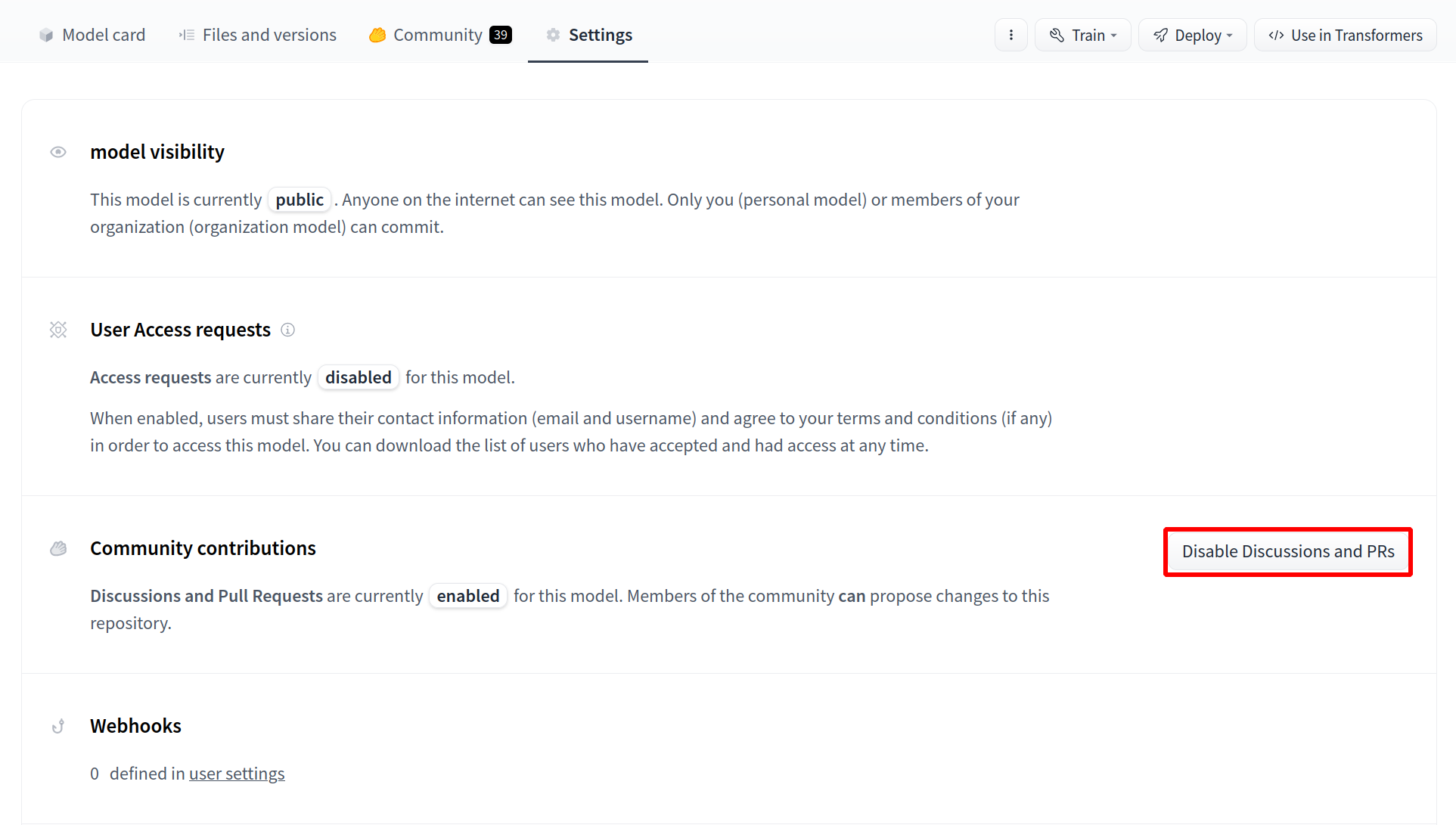
49 |
50 |
51 |
52 | You can also use a different model by specifying the model id or path as the second argument to the `pipeline` function. For example:
53 | ```javascript
54 | // Use a different model for sentiment-analysis
55 | let pipe = await pipeline('sentiment-analysis', 'nlptown/bert-base-multilingual-uncased-sentiment');
56 | ```
57 |
58 | Refer to the [documentation](https://huggingface.co/docs/transformers.js) for the full list of supported tasks and models.
59 |
60 | ## Installation
61 |
62 | To install via [NPM](https://www.npmjs.com/package/@xenova/transformers), run:
63 | ```bash
64 | npm i @xenova/transformers
65 | ```
66 |
67 | For more information, including how to use it in vanilla JS (without any bundler) via a CDN or static hosting, refer to the [README](https://github.com/xenova/transformers.js/blob/main/README.md#installation).
68 |
69 |
70 | ## Additional resources
71 |
72 | * Transformers.js [repository](https://github.com/xenova/transformers.js)
73 | * Transformers.js [docs](https://huggingface.co/docs/transformers.js)
74 | * Transformers.js [demo](https://xenova.github.io/transformers.js/)
75 |
--------------------------------------------------------------------------------
/docs/hub/repositories-settings.md:
--------------------------------------------------------------------------------
1 | # Repository Settings
2 |
3 | ## Private repositories
4 |
5 | You can choose a repository's visibility when you create it, and any repository that you own can have its visibility toggled between *public* and *private* in the **Settings** tab. Unless your repository is owned by an [organization](./organizations), you are the only user that can make changes to your repo or upload any code. Setting your visibility to *private* will:
6 |
7 | - Ensure your repo does not show up in other users' search results.
8 | - Other users who visit the URL of your private repo will receive a `404 - Repo not found` error.
9 | - Other users will not be able to clone your repo.
10 |
11 | ## Renaming or transferring a repo
12 |
13 | If you own a repository, you will be able to visit the **Settings** tab to manage the name and ownership. Note that there are certain limitations in terms of use cases.
14 |
15 | Moving can be used in these use cases ✅
16 | - Renaming a repository within same user.
17 | - Renaming a repository within same organization. The user must be part of the organization and have "write" or "admin" rights in the organization.
18 | - Transferring repository from user to an organization. The user must be part of the organization and have "write" or "admin" rights in the organization.
19 | - Transferring a repository from an organization to yourself. You must be part of the organization, and have "admin" rights in the organization.
20 | - Transferring a repository from a source organization to another target organization. The user must have "admin" rights in the source organization **and** either "write" or "admin" rights in the target organization.
21 |
22 | Moving does not work for ❌
23 | - Transferring a repository from an organization to another user who is not yourself.
24 | - Transferring a repository from a source organization to another target organization if the user does not have both "admin" rights in the source organization **and** either "write" or "admin" rights in the target organization.
25 | - Transferring a repository from user A to user B.
26 |
27 | If these are use cases you need help with, please send us an email at **website at huggingface.co**.
28 |
29 | ## Disabling Discussions / Pull Requests
30 |
31 | You can disable all discussions and Pull Requests. Once disabled, all community and contribution features won't be available anymore. This action can be reverted without losing any previous discussions or Pull Requests.
32 |
33 |
34 |

35 |

36 |
--------------------------------------------------------------------------------
/docs/hub/spaces-sdks-docker-chatui.md:
--------------------------------------------------------------------------------
1 | # ChatUI on Spaces
2 |
3 | **Hugging Chat** is an open-source interface enabling everyone to try open-source large language models such as Falcon, StarCoder, and BLOOM. Thanks to an official Docker template called ChatUI, you can deploy your own Hugging Chat based on a model of your choice with a few clicks using Hugging Face's infrastructure.
4 |
5 | ## Deploy your own Chat UI
6 |
7 | To get started, simply head [here](https://huggingface.co/new-space?template=huggingchat/chat-ui-template). In the backend of this application, [text-generation-inference](https://github.com/huggingface/text-generation-inference) is used for better optimized model inference. Since these models can't run on CPUs, you can select the GPU depending on your choice of model.
8 |
9 |
10 |
11 |
12 |
13 | You should provide a MongoDB endpoint where your chats will be written. If you leave this section blank, your logs will be persisted to a database inside the Space. Note that Hugging Face does not have access to your chats. You can configure the name and the theme of the Space by providing the application name and application color parameters.
14 | Below this, you can select the Hugging Face Hub ID of the model you wish to serve. You can also change the generation hyperparameters in the dictionary below in JSON format.
15 |
16 | _Note_: If you'd like to deploy a model with gated access or a model in a private repository, you can simply provide `HF_TOKEN` in repository secrets. You need to set its value to an access token you can get from [here](https://huggingface.co/settings/tokens).
17 |
18 |
19 |
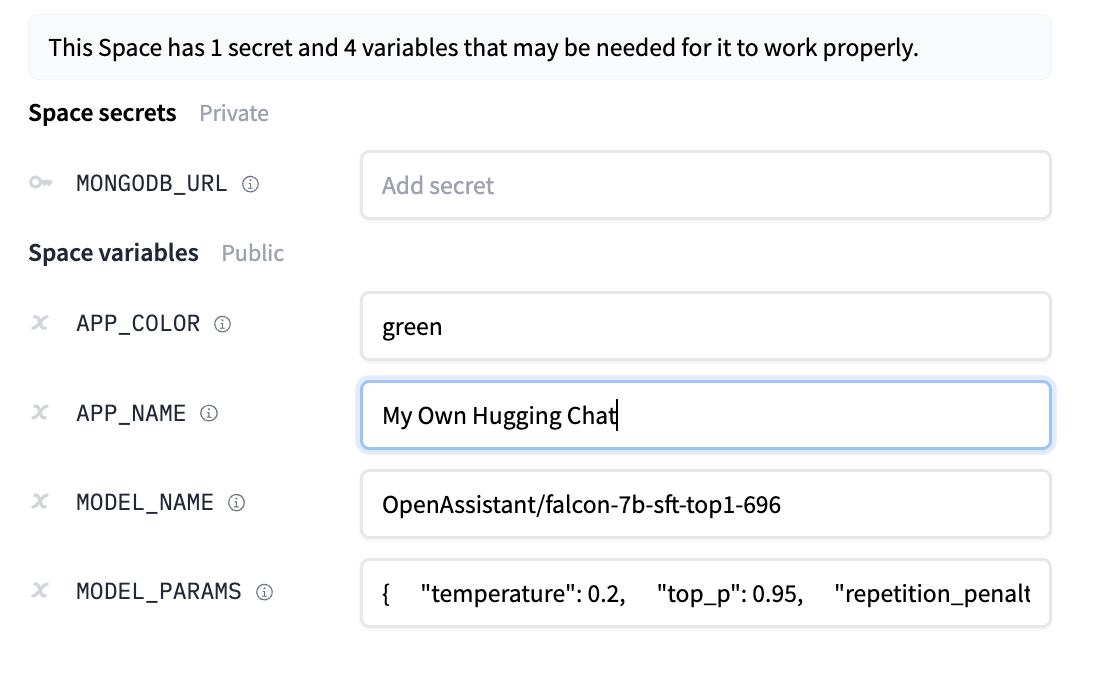
20 |
21 |
22 | Once the creation is complete, you will see `Building` on your Space. Once built, you can try your own HuggingChat!
23 |
24 |
25 |
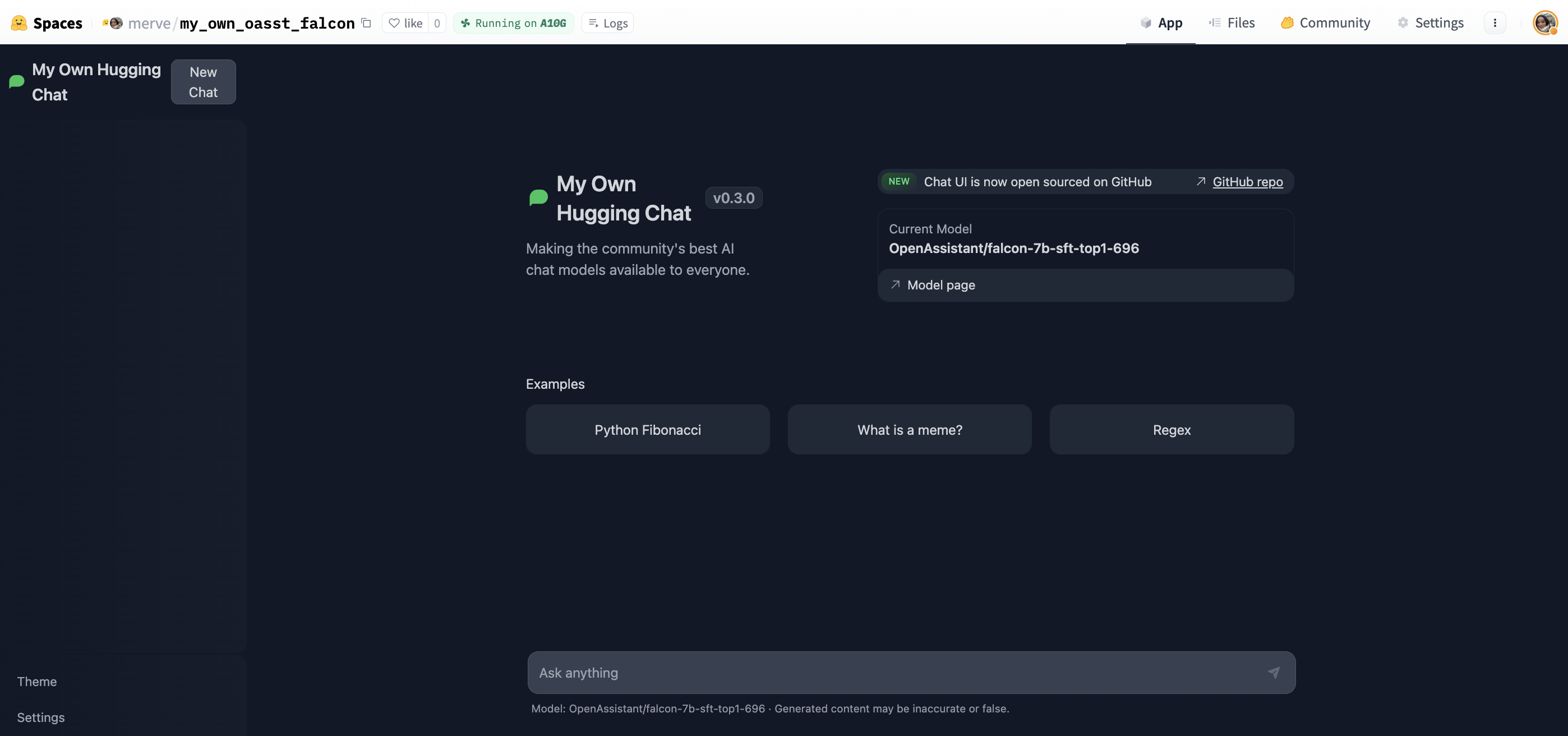
26 |
27 |
28 | Start chatting!
29 |
30 |
31 |
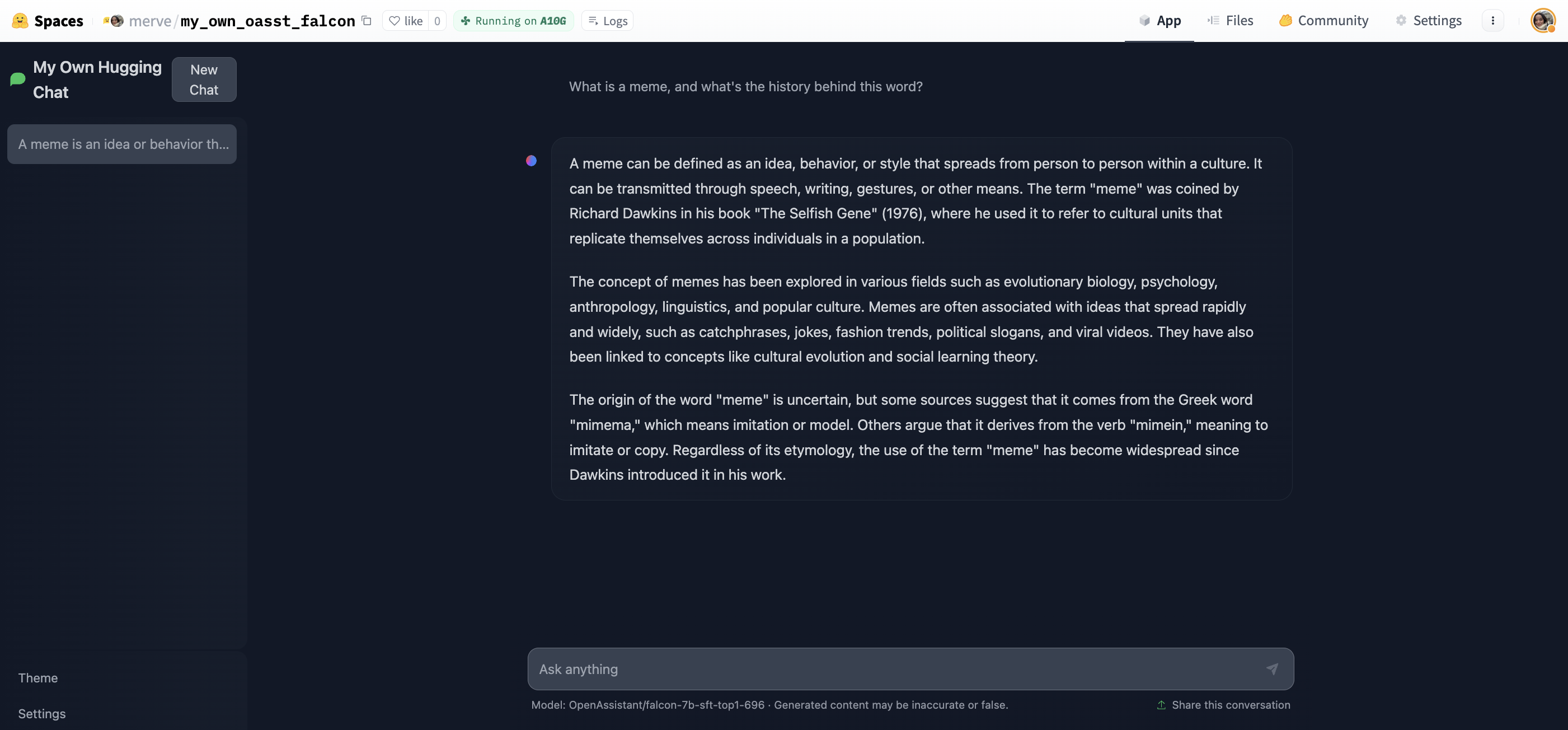
32 |
33 |
34 | ## Read more
35 |
36 | - [HF Docker Spaces](https://huggingface.co/docs/hub/spaces-sdks-docker)
37 | - [chat-ui GitHub Repository](https://github.com/huggingface/chat-ui)
38 | - [text-generation-inference GitHub repository](https://github.com/huggingface/text-generation-inference)
39 |
--------------------------------------------------------------------------------
/docs/hub/speechbrain.md:
--------------------------------------------------------------------------------
1 | # Using SpeechBrain at Hugging Face
2 |
3 | `speechbrain` is an open-source and all-in-one conversational toolkit for audio/speech. The goal is to create a single, flexible, and user-friendly toolkit that can be used to easily develop state-of-the-art speech technologies, including systems for speech recognition, speaker recognition, speech enhancement, speech separation, language identification, multi-microphone signal processing, and many others.
4 |
5 | ## Exploring SpeechBrain in the Hub
6 |
7 | You can find `speechbrain` models by filtering at the left of the [models page](https://huggingface.co/models?library=speechbrain).
8 |
9 | All models on the Hub come up with the following features:
10 | 1. An automatically generated model card with a brief description.
11 | 2. Metadata tags that help for discoverability with information such as the language, license, paper, and more.
12 | 3. An interactive widget you can use to play out with the model directly in the browser.
13 | 4. An Inference API that allows to make inference requests.
14 |
15 | ## Using existing models
16 |
17 | `speechbrain` offers different interfaces to manage pretrained models for different tasks, such as `EncoderClassifier`, `EncoderClassifier`, `SepformerSeperation`, and `SpectralMaskEnhancement`. These classes have a `from_hparams` method you can use to load a model from the Hub
18 |
19 | Here is an example to run inference for sound recognition in urban sounds.
20 |
21 | ```py
22 | import torchaudio
23 | from speechbrain.pretrained import EncoderClassifier
24 |
25 | classifier = EncoderClassifier.from_hparams(
26 | source="speechbrain/urbansound8k_ecapa"
27 | )
28 | out_prob, score, index, text_lab = classifier.classify_file('speechbrain/urbansound8k_ecapa/dog_bark.wav')
29 | ```
30 |
31 | If you want to see how to load a specific model, you can click `Use in speechbrain` and you will be given a working snippet that you can load it!
32 |
33 |

34 |

35 |

36 |
37 |
38 |

39 |

40 |
41 |
42 | ## Additional resources
43 |
44 | * SpeechBrain [website](https://speechbrain.github.io/).
45 | * SpeechBrain [docs](https://speechbrain.readthedocs.io/en/latest/index.html).
46 |
--------------------------------------------------------------------------------
/docs/hub/spaces-embed.md:
--------------------------------------------------------------------------------
1 | # Embed your Space in another website
2 |
3 | Once your Space is up and running you might wish to embed it in a website or in your blog.
4 | Embedding or sharing your Space is a great way to allow your audience to interact with your work and demonstrations without requiring any setup on their side.
5 | To embed a Space its visibility needs to be public.
6 |
7 | ## Direct URL
8 |
9 | A Space is assigned a unique URL you can use to share your Space or embed it in a website.
10 |
11 | This URL is of the form: `"https://.hf.space"`. For instance, the Space [NimaBoscarino/hotdog-gradio](https://huggingface.co/spaces/NimaBoscarino/hotdog-gradio) has the corresponding URL of `"https://nimaboscarino-hotdog-gradio.hf.space"`. The subdomain is unique and only changes if you move or rename your Space.
12 |
13 | Your space is always served from the root of this subdomain.
14 |
15 | You can find the Space URL along with examples snippets of how to embed it directly from the options menu:
16 |
17 |
18 |

19 |

20 |
21 |
22 | ## Embedding with IFrames
23 |
24 | The default embedding method for a Space is using IFrames. Add in the HTML location where you want to embed your Space the following element:
25 |
26 | ```html
27 |
33 | ```
34 |
35 | For instance using the [NimaBoscarino/hotdog-gradio](https://huggingface.co/spaces/NimaBoscarino/hotdog-gradio) Space:
36 |
37 |
38 | ## Embedding with WebComponents
39 |
40 | If the Space you wish to embed is Gradio-based, you can use Web Components to embed your Space. WebComponents are faster than IFrames and automatically adjust to your web page so that you do not need to configure `width` or `height` for your element.
41 | First, you need to import the Gradio JS library that corresponds to the Gradio version in the Space by adding the following script to your HTML.
42 |
43 |
44 |

45 |
46 |
47 | Then, add a `gradio-app` element where you want to embed your Space.
48 | ```html
49 |
50 | ```
51 |
52 | Check out the [Gradio documentation](https://gradio.app/sharing_your_app/#embedding-hosted-spaces) for more details.
--------------------------------------------------------------------------------
/docs/hub/ml-agents.md:
--------------------------------------------------------------------------------
1 | # Using ML-Agents at Hugging Face
2 |
3 | `ml-agents` is an open-source toolkit that enables games and simulations made with Unity to serve as environments for training intelligent agents.
4 |
5 | ## Exploring ML-Agents in the Hub
6 |
7 | You can find `ml-agents` models by filtering at the left of the [models page](https://huggingface.co/models?library=ml-agents).
8 |
9 | All models on the Hub come up with useful features:
10 | 1. An automatically generated model card with a description, a training configuration, and more.
11 | 2. Metadata tags that help for discoverability.
12 | 3. Tensorboard summary files to visualize the training metrics.
13 | 4. A link to the Spaces web demo where you can visualize your agent playing in your browser.
14 |
15 |
16 |

17 |
18 |
19 | ## Install the library
20 |
21 | To install the `ml-agents` library, you need to clone the repo:
22 |
23 | ```
24 | # Clone the repository
25 | git clone https://github.com/Unity-Technologies/ml-agents
26 |
27 | # Go inside the repository and install the package
28 | cd ml-agents
29 | pip3 install -e ./ml-agents-envs
30 | pip3 install -e ./ml-agents
31 | ```
32 |
33 | ## Using existing models
34 |
35 | You can simply download a model from the Hub using `mlagents-load-from-hf`.
36 |
37 | ```
38 | mlagents-load-from-hf --repo-id="ThomasSimonini/MLAgents-Pyramids" --local-dir="./downloads"
39 | ```
40 |
41 | You need to define two parameters:
42 | - `--repo-id`: the name of the Hugging Face repo you want to download.
43 | - `--local-dir`: the path to download the model.
44 |
45 | ## Visualize an agent playing
46 |
47 | You can easily watch any model playing directly in your browser:
48 |
49 | 1. Go to your model repo.
50 | 2. In the `Watch Your Agent Play` section, click on the link.
51 | 3. In the demo, on step 1, choose your model repository, which is the model id.
52 | 4. In step 2, choose what model you want to replay.
53 |
54 | ## Sharing your models
55 |
56 | You can easily upload your models using `mlagents-push-to-hf`:
57 |
58 | ```
59 | mlagents-push-to-hf --run-id="First Training" --local-dir="results/First Training" --repo-id="ThomasSimonini/MLAgents-Pyramids" --commit-message="Pyramids"
60 | ```
61 |
62 | You need to define four parameters:
63 | - `--run-id`: the name of the training run id.
64 | - `--local-dir`: where the model was saved.
65 | - `--repo-id`: the name of the Hugging Face repo you want to create or update. It’s `/`.
66 | - `--commit-message`.
67 |
68 |
69 | ## Additional resources
70 |
71 | * ML-Agents [documentation](https://github.com/Unity-Technologies/ml-agents/blob/develop/docs/Hugging-Face-Integration.md)
72 | * Official Unity ML-Agents Spaces [demos](https://huggingface.co/unity)
73 |
--------------------------------------------------------------------------------
/docs/hub/flair.md:
--------------------------------------------------------------------------------
1 | # Using Flair at Hugging Face
2 |
3 | [Flair](https://github.com/flairNLP/flair) is a very simple framework for state-of-the-art NLP.
4 | Developed by [Humboldt University of Berlin](https://www.informatik.hu-berlin.de/en/forschung-en/gebiete/ml-en/) and friends.
5 |
6 | ## Exploring Flair in the Hub
7 |
8 | You can find `flair` models by filtering at the left of the [models page](https://huggingface.co/models?library=flair).
9 |
10 | All models on the Hub come with these useful features:
11 |
12 | 1. An automatically generated model card with a brief description.
13 | 2. An interactive widget you can use to play with the model directly in the browser.
14 | 3. An Inference API that allows you to make inference requests.
15 |
16 | ## Installation
17 |
18 | To get started, you can follow the [Flair installation guide](https://github.com/flairNLP/flair?tab=readme-ov-file#requirements-and-installation).
19 | You can also use the following one-line install through pip:
20 |
21 | ```
22 | $ pip install -U flair
23 | ```
24 |
25 | ## Using existing models
26 |
27 | All `flair` models can easily be loaded from the Hub:
28 |
29 | ```py
30 | from flair.data import Sentence
31 | from flair.models import SequenceTagger
32 |
33 | # load tagger
34 | tagger = SequenceTagger.load("flair/ner-multi")
35 | ```
36 |
37 | Once loaded, you can use `predict()` to perform inference:
38 |
39 | ```py
40 | sentence = Sentence("George Washington ging nach Washington.")
41 | tagger.predict(sentence)
42 |
43 | # print sentence
44 | print(sentence)
45 | ```
46 |
47 | It outputs the following:
48 |
49 | ```text
50 | Sentence[6]: "George Washington ging nach Washington." → ["George Washington"/PER, "Washington"/LOC]
51 | ```
52 |
53 | If you want to load a specific Flair model, you can click `Use in Flair` in the model card and you will be given a working snippet!
54 |
55 |
56 |

57 |

58 |
59 |
60 |

61 |

62 |
63 |
64 | ## Additional resources
65 |
66 | * Flair [repository](https://github.com/flairNLP/flair)
67 | * Flair [docs](https://flairnlp.github.io/docs/intro)
68 | * Official Flair [models](https://huggingface.co/flair) on the Hub (mainly trained by [@alanakbik](https://huggingface.co/alanakbik) and [@stefan-it](https://huggingface.co/stefan-it))
--------------------------------------------------------------------------------
/docs/hub/organizations-security.md:
--------------------------------------------------------------------------------
1 | # Access control in organizations
2 |
3 |
4 |
5 | You can set up [Single Sign-On (SSO)](./security-sso) to be able to map access control rules from your organization's Identity Provider.
6 |
7 |
8 |
9 |
10 |
11 | Advanced and more fine-grained access control can be achieved with [Resource Groups](./security-resource-groups).
12 |
13 | The Resource Group feature is part of the Enterprise Hub.
14 |
15 |
16 |
17 | Members of organizations can have four different roles: `read`, `contributor`, `write`, or `admin`:
18 |
19 | - `read`: read-only access to the Organization's repos and metadata/settings (eg, the Organization's profile, members list, API token, etc).
20 |
21 | - `contributor`: additional write rights to the subset of the Organization's repos that were created by the user. I.e., users can create repos and _then_ modify only those repos. This is similar to the `write` role, but scoped to repos _created_ by the user.
22 |
23 | - `write`: write rights to all the Organization's repos. Users can create, delete, or rename any repo in the Organization namespace. A user can also edit and delete files from the browser editor and push content with `git`.
24 |
25 | - `admin`: in addition to write rights on repos, admin members can update the Organization's profile, refresh the Organization's API token, and manage Organization members.
26 |
27 | As an organization `admin`, go to the **Members** section of the org settings to manage roles for users.
28 |
29 |
30 |

31 |

32 |
33 |
34 |
35 | ## Viewing members' email address
36 |
37 |
38 | This feature is part of the Enterprise Hub.
39 |
40 |
41 | You may be able to view the email addresses of members of your organization. The visibility of the email addresses depends on the organization's SSO configuration, or verified organization status.
42 |
43 | - If you [verify a domain for your organization](./organizations-managing#organization-domain-name), you can view members' email addresses for the verified domain.
44 | - If SSO is configured for your organization, you can view the email address for each of your organization members by setting `Matching email domains` in the SSO configuration
45 |
46 |
47 |
48 |

49 |

50 |
51 |
52 |
--------------------------------------------------------------------------------
/docs/hub/datasets-duckdb.md:
--------------------------------------------------------------------------------
1 | # DuckDB
2 |
3 | [DuckDB](https://github.com/duckdb/duckdb) is an in-process SQL [OLAP](https://en.wikipedia.org/wiki/Online_analytical_processing) database management system.
4 | You can use the Hugging Face paths (`hf://`) to access data on the Hub:
5 |
6 | The [DuckDB CLI](https://duckdb.org/docs/api/cli/overview.html) (Command Line Interface) is a single, dependency-free executable.
7 | There are also other APIs available for running DuckDB, including Python, C++, Go, Java, Rust, and more. For additional details, visit their [clients](https://duckdb.org/docs/api/overview.html) page.
8 |
9 |
10 |
11 | For installation details, visit the [installation page](https://duckdb.org/docs/installation).
12 |
13 |
14 |
15 | Starting from version `v0.10.3`, the DuckDB CLI includes native support for accessing datasets on the Hugging Face Hub via URLs with the `hf://` scheme. Here are some features you can leverage with this powerful tool:
16 |
17 | - Query public datasets and your own gated and private datasets
18 | - Analyze datasets and perform SQL operations
19 | - Combine datasets and export it to different formats
20 | - Conduct vector similarity search on embedding datasets
21 | - Implement full-text search on datasets
22 |
23 | For a complete list of DuckDB features, visit the DuckDB [documentation](https://duckdb.org/docs/).
24 |
25 | To start the CLI, execute the following command in the installation folder:
26 |
27 | ```bash
28 | ./duckdb
29 | ```
30 |
31 | ## Forging the Hugging Face URL
32 |
33 | To access Hugging Face datasets, use the following URL format:
34 |
35 | ```plaintext
36 | hf://datasets/{my-username}/{my-dataset}/{path_to_file}
37 | ```
38 |
39 | - **my-username**, the user or organization of the dataset, e.g. `ibm`
40 | - **my-dataset**, the dataset name, e.g: `duorc`
41 | - **path_to_parquet_file**, the parquet file path which supports glob patterns, e.g `**/*.parquet`, to query all parquet files
42 |
43 |
44 |
45 |
46 | You can query auto-converted Parquet files using the @~parquet branch, which corresponds to the `refs/convert/parquet` revision. For more details, refer to the documentation at https://huggingface.co/docs/datasets-server/en/parquet#conversion-to-parquet.
47 |
48 | To reference the `refs/convert/parquet` revision of a dataset, use the following syntax:
49 |
50 | ```plaintext
51 | hf://datasets/{my-username}/{my-dataset}@~parquet/{path_to_file}
52 | ```
53 |
54 | Here is a sample URL following the above syntax:
55 |
56 | ```plaintext
57 | hf://datasets/ibm/duorc@~parquet/ParaphraseRC/test/0000.parquet
58 | ```
59 |
60 |
61 |
62 | Let's start with a quick demo to query all the rows of a dataset:
63 |
64 | ```sql
65 | FROM 'hf://datasets/ibm/duorc/ParaphraseRC/*.parquet' LIMIT 3;
66 | ```
67 |
68 | Or using traditional SQL syntax:
69 |
70 | ```sql
71 | SELECT * FROM 'hf://datasets/ibm/duorc/ParaphraseRC/*.parquet' LIMIT 3;
72 | ```
73 | In the following sections, we will cover more complex operations you can perform with DuckDB on Hugging Face datasets.
74 |
--------------------------------------------------------------------------------
/docs/hub/setfit.md:
--------------------------------------------------------------------------------
1 | # Using SetFit with Hugging Face
2 |
3 | SetFit is an efficient and prompt-free framework for few-shot fine-tuning of [Sentence Transformers](https://sbert.net/). It achieves high accuracy with little labeled data - for instance, with only 8 labeled examples per class on the Customer Reviews sentiment dataset, SetFit is competitive with fine-tuning RoBERTa Large on the full training set of 3k examples 🤯!
4 |
5 | Compared to other few-shot learning methods, SetFit has several unique features:
6 |
7 | * 🗣 **No prompts or verbalizers:** Current techniques for few-shot fine-tuning require handcrafted prompts or verbalizers to convert examples into a format suitable for the underlying language model. SetFit dispenses with prompts altogether by generating rich embeddings directly from text examples.
8 | * 🏎 **Fast to train:** SetFit doesn't require large-scale models like [T0](https://huggingface.co/bigscience/T0) or GPT-3 to achieve high accuracy. As a result, it is typically an order of magnitude (or more) faster to train and run inference with.
9 | * 🌎 **Multilingual support**: SetFit can be used with any [Sentence Transformer](https://huggingface.co/models?library=sentence-transformers&sort=downloads) on the Hub, which means you can classify text in multiple languages by simply fine-tuning a multilingual checkpoint.
10 |
11 | ## Exploring SetFit on the Hub
12 |
13 | You can find SetFit models by filtering at the left of the [models page](https://huggingface.co/models?library=setfit).
14 |
15 | All models on the Hub come with these useful features:
16 | 1. An automatically generated model card with a brief description.
17 | 2. An interactive widget you can use to play with the model directly in the browser.
18 | 3. An Inference API that allows you to make inference requests.
19 |
20 | ## Installation
21 |
22 | To get started, you can follow the [SetFit installation guide](https://huggingface.co/docs/setfit/installation). You can also use the following one-line install through pip:
23 |
24 | ```
25 | pip install -U setfit
26 | ```
27 |
28 | ## Using existing models
29 |
30 | All `setfit` models can easily be loaded from the Hub.
31 |
32 | ```py
33 | from setfit import SetFitModel
34 |
35 | model = SetFitModel.from_pretrained("tomaarsen/setfit-paraphrase-mpnet-base-v2-sst2-8-shot")
36 | ```
37 |
38 | Once loaded, you can use [`SetFitModel.predict`](https://huggingface.co/docs/setfit/reference/main#setfit.SetFitModel.predict) to perform inference.
39 |
40 | ```py
41 | model.predict("Amelia Earhart flew her single engine Lockheed Vega 5B across the Atlantic to Paris.")
42 | ```
43 | ```bash
44 | ['positive', 'negative']
45 | ```
46 |
47 | If you want to load a specific SetFit model, you can click `Use in SetFit` and you will be given a working snippet!
48 |
49 | ## Additional resources
50 | * [All SetFit models available on the Hub](https://huggingface.co/models?library=setfit)
51 | * SetFit [repository](https://github.com/huggingface/setfit)
52 | * SetFit [docs](https://huggingface.co/docs/setfit)
53 | * SetFit [paper](https://arxiv.org/abs/2209.11055)
54 |
--------------------------------------------------------------------------------
/docs/hub/fastai.md:
--------------------------------------------------------------------------------
1 | # Using fastai at Hugging Face
2 |
3 | `fastai` is an open-source Deep Learning library that leverages PyTorch and Python to provide high-level components to train fast and accurate neural networks with state-of-the-art outputs on text, vision, and tabular data.
4 |
5 | ## Exploring fastai in the Hub
6 |
7 | You can find `fastai` models by filtering at the left of the [models page](https://huggingface.co/models?library=fastai&sort=downloads).
8 |
9 | All models on the Hub come up with the following features:
10 | 1. An automatically generated model card with a brief description and metadata tags that help for discoverability.
11 | 2. An interactive widget you can use to play out with the model directly in the browser (for Image Classification)
12 | 3. An Inference API that allows to make inference requests (for Image Classification).
13 |
14 |
15 | ## Using existing models
16 |
17 | The `huggingface_hub` library is a lightweight Python client with utlity functions to download models from the Hub.
18 |
19 | ```bash
20 | pip install huggingface_hub["fastai"]
21 | ```
22 |
23 | Once you have the library installed, you just need to use the `from_pretrained_fastai` method. This method not only loads the model, but also validates the `fastai` version when the model was saved, which is important for reproducibility.
24 |
25 | ```py
26 | from huggingface_hub import from_pretrained_fastai
27 |
28 | learner = from_pretrained_fastai("espejelomar/identify-my-cat")
29 |
30 | _,_,probs = learner.predict(img)
31 | print(f"Probability it's a cat: {100*probs[1].item():.2f}%")
32 |
33 | # Probability it's a cat: 100.00%
34 | ```
35 |
36 |
37 | If you want to see how to load a specific model, you can click `Use in fastai` and you will be given a working snippet that you can load it!
38 |
39 |
40 |

41 |

42 |
43 |
44 |

45 |

46 |
47 |
48 | ## Sharing your models
49 |
50 | You can share your `fastai` models by using the `push_to_hub_fastai` method.
51 |
52 | ```py
53 | from huggingface_hub import push_to_hub_fastai
54 |
55 | push_to_hub_fastai(learner=learn, repo_id="espejelomar/identify-my-cat")
56 | ```
57 |
58 |
59 | ## Additional resources
60 |
61 | * fastai [course](https://course.fast.ai/).
62 | * fastai [website](https://www.fast.ai/).
63 | * Integration with Hub [docs](https://docs.fast.ai/huggingface.html).
64 | * Integration with Hub [announcement](https://huggingface.co/blog/fastai).
65 |
--------------------------------------------------------------------------------
/docs/hub/models-download-stats.md:
--------------------------------------------------------------------------------
1 | # Models Download Stats
2 |
3 | ## How are download stats generated for models?
4 |
5 | Counting the number of downloads for models is not a trivial task, as a single model repository might contain multiple files, including multiple model weight files (e.g., with sharded models) and different formats depending on the library (GGUF, PyTorch, TensorFlow, etc.). To avoid double counting downloads (e.g., counting a single download of a model as multiple downloads), the Hub uses a set of query files that are employed for download counting. No information is sent from the user, and no additional calls are made for this. The count is done server-side as the Hub serves files for downloads.
6 |
7 | Every HTTP request to these files, including `GET` and `HEAD`, will be counted as a download. By default, when no library is specified, the Hub uses `config.json` as the default query file. Otherwise, the query file depends on each library, and the Hub might examine files such as `pytorch_model.bin` or `adapter_config.json`.
8 |
9 | ## Which are the query files for different libraries?
10 |
11 | By default, the Hub looks at `config.json`, `config.yaml`, `hyperparams.yaml`, and `meta.yaml`. Some libraries override these defaults by specifying their own filter (specifying `countDownloads`). The code that defines these overrides is [open-source](https://github.com/huggingface/huggingface.js/blob/main/packages/tasks/src/model-libraries.ts). For example, for the `nemo` library, all files with `.nemo` extension are used to count downloads.
12 |
13 | ## Can I add my query files for my library?
14 |
15 | Yes, you can open a Pull Request [here](https://github.com/huggingface/huggingface.js/blob/main/packages/tasks/src/model-libraries.ts). Here is a minimal [example](https://github.com/huggingface/huggingface.js/pull/561/files) adding download metrics for Grok-1.
16 |
17 | ## How are `GGUF` files handled?
18 |
19 | GGUF files are self-contained and are not tied to a single library, so all of them are counted for downloads. This will double count downloads in the case a user performs cloning of a whole repository, but most users and interfaces download a single GGUF file for a given repo.
20 |
21 | ## How is `diffusers` handled?
22 |
23 | The `diffusers` library is an edge case and has its filter configured in the internal codebase. The filter ensures repos tagged as `diffusers` count both files loaded via the library as well as through UIs that require users to manually download the top-level safetensors.
24 |
25 | ```
26 | filter: [
27 | {
28 | bool: {
29 | /// Include documents that match at least one of the following rules
30 | should: [
31 | /// Downloaded from diffusers lib
32 | {
33 | term: { path: "model_index.json" },
34 | },
35 | /// Direct downloads (LoRa, Auto1111 and others)
36 | /// Filter out nested safetensors and pickle weights to avoid double counting downloads from the diffusers lib
37 | {
38 | regexp: { path: "[^/]*\\.safetensors" },
39 | },
40 | {
41 | regexp: { path: "[^/]*\\.ckpt" },
42 | },
43 | {
44 | regexp: { path: "[^/]*\\.bin" },
45 | },
46 | ],
47 | minimum_should_match: 1,
48 | },
49 | },
50 | ]
51 | }
52 | ```
53 |
--------------------------------------------------------------------------------
/docs/hub/espnet.md:
--------------------------------------------------------------------------------
1 | # Using ESPnet at Hugging Face
2 |
3 | `espnet` is an end-to-end toolkit for speech processing, including automatic speech recognition, text to speech, speech enhancement, dirarization and other tasks.
4 |
5 | ## Exploring ESPnet in the Hub
6 |
7 | You can find hundreds of `espnet` models by filtering at the left of the [models page](https://huggingface.co/models?library=espnet&sort=downloads).
8 |
9 | All models on the Hub come up with useful features:
10 | 1. An automatically generated model card with a description, a training configuration, licenses and more.
11 | 2. Metadata tags that help for discoverability and contain information such as license, language and datasets.
12 | 3. An interactive widget you can use to play out with the model directly in the browser.
13 | 4. An Inference API that allows to make inference requests.
14 |
15 |
16 |

17 |

18 |
19 |
20 | ## Using existing models
21 |
22 | For a full guide on loading pre-trained models, we recommend checking out the [official guide](https://github.com/espnet/espnet_model_zoo)).
23 |
24 | If you're interested in doing inference, different classes for different tasks have a `from_pretrained` method that allows loading models from the Hub. For example:
25 | * `Speech2Text` for Automatic Speech Recognition.
26 | * `Text2Speech` for Text to Speech.
27 | * `SeparateSpeech` for Audio Source Separation.
28 |
29 | Here is an inference example:
30 |
31 | ```py
32 | import soundfile
33 | from espnet2.bin.tts_inference import Text2Speech
34 |
35 | text2speech = Text2Speech.from_pretrained("model_name")
36 | speech = text2speech("foobar")["wav"]
37 | soundfile.write("out.wav", speech.numpy(), text2speech.fs, "PCM_16")
38 | ```
39 |
40 | If you want to see how to load a specific model, you can click `Use in ESPnet` and you will be given a working snippet that you can load it!
41 |
42 |
43 |

44 |

45 |
46 |
47 | ## Sharing your models
48 |
49 | `ESPnet` outputs a `zip` file that can be uploaded to Hugging Face easily. For a full guide on sharing models, we recommend checking out the [official guide](https://github.com/espnet/espnet_model_zoo#register-your-model)).
50 |
51 | The `run.sh` script allows to upload a given model to a Hugging Face repository.
52 |
53 | ```bash
54 | ./run.sh --stage 15 --skip_upload_hf false --hf_repo username/model_repo
55 | ```
56 |
57 | ## Additional resources
58 |
59 | * ESPnet [docs](https://espnet.github.io/espnet/index.html).
60 | * ESPnet model zoo [repository](https://github.com/espnet/espnet_model_zoo).
61 | * Integration [docs](https://github.com/asteroid-team/asteroid/blob/master/docs/source/readmes/pretrained_models.md).
62 |
--------------------------------------------------------------------------------
/docs/hub/asteroid.md:
--------------------------------------------------------------------------------
1 | # Using Asteroid at Hugging Face
2 |
3 | `asteroid` is a Pytorch toolkit for audio source separation. It enables fast experimentation on common datasets with support for a large range of datasets and recipes to reproduce papers.
4 |
5 | ## Exploring Asteroid in the Hub
6 |
7 | You can find `asteroid` models by filtering at the left of the [models page](https://huggingface.co/models?filter=asteroid).
8 |
9 | All models on the Hub come up with the following features:
10 | 1. An automatically generated model card with a description, training configuration, metrics, and more.
11 | 2. Metadata tags that help for discoverability and contain information such as licenses and datasets.
12 | 3. An interactive widget you can use to play out with the model directly in the browser.
13 | 4. An Inference API that allows to make inference requests.
14 |
15 |
16 |

17 |

18 |
19 |
20 | ## Using existing models
21 |
22 | For a full guide on loading pre-trained models, we recommend checking out the [official guide](https://github.com/asteroid-team/asteroid/blob/master/docs/source/readmes/pretrained_models.md).
23 |
24 | All model classes (`BaseModel`, `ConvTasNet`, etc) have a `from_pretrained` method that allows to load models from the Hub.
25 |
26 | ```py
27 | from asteroid.models import ConvTasNet
28 | model = ConvTasNet.from_pretrained('mpariente/ConvTasNet_WHAM_sepclean')
29 | ```
30 |
31 | If you want to see how to load a specific model, you can click `Use in Adapter Transformers` and you will be given a working snippet that you can load it!
32 |
33 |
34 |

35 |

36 |
37 |
38 | ## Sharing your models
39 |
40 | At the moment there is no automatic method to upload your models to the Hub, but the process to upload them is documented in the [official guide](https://github.com/asteroid-team/asteroid/blob/master/docs/source/readmes/pretrained_models.md#share-your-models).
41 |
42 | All the recipes create all the needed files to upload a model to the Hub. The process usually involves the following steps:
43 | 1. Create and clone a model repository.
44 | 2. Moving files from the recipe output to the repository (model card, model filte, TensorBoard traces).
45 | 3. Push the files (`git add` + `git commit` + `git push`).
46 |
47 | Once you do this, you can try out your model directly in the browser and share it with the rest of the community.
48 |
49 | ## Additional resources
50 |
51 | * Asteroid [website](https://asteroid-team.github.io/).
52 | * Asteroid [library](https://github.com/asteroid-team/asteroid).
53 | * Integration [docs](https://github.com/asteroid-team/asteroid/blob/master/docs/source/readmes/pretrained_models.md).
54 |
--------------------------------------------------------------------------------
/docs/hub/diffusers.md:
--------------------------------------------------------------------------------
1 | # Using 🧨 `diffusers` at Hugging Face
2 |
3 | Diffusers is the go-to library for state-of-the-art pretrained diffusion models for generating images, audio, and even 3D structures of molecules. Whether you’re looking for a simple inference solution or want to train your own diffusion model, Diffusers is a modular toolbox that supports both. The library is designed with a focus on usability over performance, simple over easy, and customizability over abstractions.
4 |
5 | ## Exploring Diffusers in the Hub
6 |
7 | There are over 10,000 `diffusers` compatible pipelines on the Hub which you can find by filtering at the left of [the models page](https://huggingface.co/models?library=diffusers&sort=downloads). Diffusion systems are typically composed of multiple components such as text encoder, UNet, VAE, and scheduler. Even though they are not standalone models, the pipeline abstraction makes it easy to use them for inference or training.
8 |
9 | You can find diffusion pipelines for many different tasks:
10 |
11 | * Generating images from natural language text prompts ([text-to-image](https://huggingface.co/models?library=diffusers&pipeline_tag=text-to-image&sort=downloads)).
12 | * Transforming images using natural language text prompts ([image-to-image](https://huggingface.co/models?library=diffusers&pipeline_tag=image-to-image&sort=downloads)).
13 | * Generating videos from natural language descriptions ([text-to-video](https://huggingface.co/models?library=diffusers&pipeline_tag=text-to-video&sort=downloads)).
14 |
15 |
16 | You can try out the models directly in the browser if you want to test them out without downloading them, thanks to the in-browser widgets!
17 |
18 |
19 |

20 |
21 |
22 | ## Using existing pipelines
23 |
24 | All `diffusers` pipelines are a line away from being used! To run generation we recommended to always start from the `DiffusionPipeline`:
25 |
26 | ```py
27 | from diffusers import DiffusionPipeline
28 |
29 | pipeline = DiffusionPipeline.from_pretrained("stabilityai/stable-diffusion-xl-base-1.0")
30 | ```
31 |
32 | If you want to load a specific pipeline component such as the UNet, you can do so by:
33 |
34 | ```py
35 | from diffusers import UNet2DConditionModel
36 |
37 | unet = UNet2DConditionModel.from_pretrained("stabilityai/stable-diffusion-xl-base-1.0", subfolder="unet")
38 | ```
39 |
40 | ## Sharing your pipelines and models
41 |
42 | All the [pipeline classes](https://huggingface.co/docs/diffusers/main/api/pipelines/overview), [model classes](https://huggingface.co/docs/diffusers/main/api/models/overview), and [scheduler classes](https://huggingface.co/docs/diffusers/main/api/schedulers/overview) are fully compatible with the Hub. More specifically, they can be easily loaded from the Hub using the `from_pretrained()` method and can be shared with others using the `push_to_hub()` method.
43 |
44 | For more details, please check out the [documentation](https://huggingface.co/docs/diffusers/main/en/using-diffusers/push_to_hub).
45 |
46 | ## Additional resources
47 |
48 | * Diffusers [library](https://github.com/huggingface/diffusers).
49 | * Diffusers [docs](https://huggingface.co/docs/diffusers/index).
50 |
--------------------------------------------------------------------------------
/docs/hub/stable-baselines3.md:
--------------------------------------------------------------------------------
1 | # Using Stable-Baselines3 at Hugging Face
2 |
3 | `stable-baselines3` is a set of reliable implementations of reinforcement learning algorithms in PyTorch.
4 |
5 | ## Exploring Stable-Baselines3 in the Hub
6 |
7 | You can find Stable-Baselines3 models by filtering at the left of the [models page](https://huggingface.co/models?library=stable-baselines3).
8 |
9 | All models on the Hub come up with useful features:
10 | 1. An automatically generated model card with a description, a training configuration, and more.
11 | 2. Metadata tags that help for discoverability.
12 | 3. Evaluation results to compare with other models.
13 | 4. A video widget where you can watch your agent performing.
14 |
15 | ## Install the library
16 |
17 | To install the `stable-baselines3` library, you need to install two packages:
18 | - `stable-baselines3`: Stable-Baselines3 library.
19 | - `huggingface-sb3`: additional code to load and upload Stable-baselines3 models from the Hub.
20 |
21 | ```
22 | pip install stable-baselines3
23 | pip install huggingface-sb3
24 | ```
25 |
26 | ## Using existing models
27 | You can simply download a model from the Hub using the `load_from_hub` function
28 |
29 | ```
30 | checkpoint = load_from_hub(
31 | repo_id="sb3/demo-hf-CartPole-v1",
32 | filename="ppo-CartPole-v1.zip",
33 | )
34 | ```
35 |
36 | You need to define two parameters:
37 | - `--repo-id`: the name of the Hugging Face repo you want to download.
38 | - `--filename`: the file you want to download.
39 |
40 |
41 | ## Sharing your models
42 | You can easily upload your models using two different functions:
43 |
44 | 1. `package_to_hub()`: save the model, evaluate it, generate a model card and record a replay video of your agent before pushing the complete repo to the Hub.
45 |
46 | ```
47 | package_to_hub(model=model,
48 | model_name="ppo-LunarLander-v2",
49 | model_architecture="PPO",
50 | env_id=env_id,
51 | eval_env=eval_env,
52 | repo_id="ThomasSimonini/ppo-LunarLander-v2",
53 | commit_message="Test commit")
54 | ```
55 |
56 | You need to define seven parameters:
57 | - `--model`: your trained model.
58 | - `--model_architecture`: name of the architecture of your model (DQN, PPO, A2C, SAC...).
59 | - `--env_id`: name of the environment.
60 | - `--eval_env`: environment used to evaluate the agent.
61 | - `--repo-id`: the name of the Hugging Face repo you want to create or update. It’s `/`.
62 | - `--commit-message`.
63 | - `--filename`: the file you want to push to the Hub.
64 |
65 | 2. `push_to_hub()`: simply push a file to the Hub
66 |
67 | ```
68 | push_to_hub(
69 | repo_id="ThomasSimonini/ppo-LunarLander-v2",
70 | filename="ppo-LunarLander-v2.zip",
71 | commit_message="Added LunarLander-v2 model trained with PPO",
72 | )
73 | ```
74 | You need to define three parameters:
75 | - `--repo-id`: the name of the Hugging Face repo you want to create or update. It’s `/`.
76 | - `--filename`: the file you want to push to the Hub.
77 | - `--commit-message`.
78 |
79 |
80 | ## Additional resources
81 |
82 | * Hugging Face Stable-Baselines3 [documentation](https://github.com/huggingface/huggingface_sb3#hugging-face--x-stable-baselines3-v20)
83 | * Stable-Baselines3 [documentation](https://stable-baselines3.readthedocs.io/en/master/)
84 |
--------------------------------------------------------------------------------
/docs/hub/open_clip.md:
--------------------------------------------------------------------------------
1 | # Using OpenCLIP at Hugging Face
2 |
3 | [OpenCLIP](https://github.com/mlfoundations/open_clip) is an open-source implementation of OpenAI's CLIP.
4 |
5 | ## Exploring OpenCLIP on the Hub
6 |
7 | You can find OpenCLIP models by filtering at the left of the [models page](https://huggingface.co/models?library=open_clip&sort=trending).
8 |
9 | OpenCLIP models hosted on the Hub have a model card with useful information about the models. Thanks to OpenCLIP Hugging Face Hub integration, you can load OpenCLIP models with a few lines of code. You can also deploy these models using [Inference Endpoints](https://huggingface.co/inference-endpoints).
10 |
11 |
12 | ## Installation
13 |
14 | To get started, you can follow the [OpenCLIP installation guide](https://github.com/mlfoundations/open_clip#usage).
15 | You can also use the following one-line install through pip:
16 |
17 | ```
18 | $ pip install open_clip_torch
19 | ```
20 |
21 | ## Using existing models
22 |
23 | All OpenCLIP models can easily be loaded from the Hub:
24 |
25 | ```py
26 | import open_clip
27 |
28 | model, preprocess = open_clip.create_model_from_pretrained('hf-hub:laion/CLIP-ViT-g-14-laion2B-s12B-b42K')
29 | tokenizer = open_clip.get_tokenizer('hf-hub:laion/CLIP-ViT-g-14-laion2B-s12B-b42K')
30 | ```
31 |
32 | Once loaded, you can encode the image and text to do [zero-shot image classification](https://huggingface.co/tasks/zero-shot-image-classification):
33 |
34 | ```py
35 | import torch
36 | from PIL import Image
37 |
38 | url = 'http://images.cocodataset.org/val2017/000000039769.jpg'
39 | image = Image.open(requests.get(url, stream=True).raw)
40 | image = preprocess(image).unsqueeze(0)
41 | text = tokenizer(["a diagram", "a dog", "a cat"])
42 |
43 | with torch.no_grad(), torch.cuda.amp.autocast():
44 | image_features = model.encode_image(image)
45 | text_features = model.encode_text(text)
46 | image_features /= image_features.norm(dim=-1, keepdim=True)
47 | text_features /= text_features.norm(dim=-1, keepdim=True)
48 |
49 | text_probs = (100.0 * image_features @ text_features.T).softmax(dim=-1)
50 |
51 | print("Label probs:", text_probs)
52 | ```
53 |
54 | It outputs the probability of each possible class:
55 |
56 | ```text
57 | Label probs: tensor([[0.0020, 0.0034, 0.9946]])
58 | ```
59 |
60 | If you want to load a specific OpenCLIP model, you can click `Use in OpenCLIP` in the model card and you will be given a working snippet!
61 |
62 |
63 |

64 |

65 |
66 |
67 |

68 |

69 |
70 |
71 |
72 | ## Additional resources
73 |
74 | * OpenCLIP [repository](https://github.com/mlfoundations/open_clip)
75 | * OpenCLIP [docs](https://github.com/mlfoundations/open_clip/tree/main/docs)
76 | * OpenCLIP [models in the Hub](https://huggingface.co/models?library=open_clip&sort=trending)
77 |
--------------------------------------------------------------------------------
/docs/hub/span_marker.md:
--------------------------------------------------------------------------------
1 | # Using SpanMarker at Hugging Face
2 |
3 | [SpanMarker](https://github.com/tomaarsen/SpanMarkerNER) is a framework for training powerful Named Entity Recognition models using familiar encoders such as BERT, RoBERTa and DeBERTa. Tightly implemented on top of the 🤗 Transformers library, SpanMarker can take good advantage of it. As a result, SpanMarker will be intuitive to use for anyone familiar with Transformers.
4 |
5 | ## Exploring SpanMarker in the Hub
6 |
7 | You can find `span_marker` models by filtering at the left of the [models page](https://huggingface.co/models?library=span-marker).
8 |
9 | All models on the Hub come with these useful features:
10 | 1. An automatically generated model card with a brief description.
11 | 2. An interactive widget you can use to play with the model directly in the browser.
12 | 3. An Inference API that allows you to make inference requests.
13 |
14 | ## Installation
15 |
16 | To get started, you can follow the [SpanMarker installation guide](https://tomaarsen.github.io/SpanMarkerNER/install.html). You can also use the following one-line install through pip:
17 |
18 | ```
19 | pip install -U span_marker
20 | ```
21 |
22 | ## Using existing models
23 |
24 | All `span_marker` models can easily be loaded from the Hub.
25 |
26 | ```py
27 | from span_marker import SpanMarkerModel
28 |
29 | model = SpanMarkerModel.from_pretrained("tomaarsen/span-marker-bert-base-fewnerd-fine-super")
30 | ```
31 |
32 | Once loaded, you can use [`SpanMarkerModel.predict`](https://tomaarsen.github.io/SpanMarkerNER/api/span_marker.modeling.html#span_marker.modeling.SpanMarkerModel.predict) to perform inference.
33 |
34 | ```py
35 | model.predict("Amelia Earhart flew her single engine Lockheed Vega 5B across the Atlantic to Paris.")
36 | ```
37 | ```json
38 | [
39 | {"span": "Amelia Earhart", "label": "person-other", "score": 0.7629689574241638, "char_start_index": 0, "char_end_index": 14},
40 | {"span": "Lockheed Vega 5B", "label": "product-airplane", "score": 0.9833564758300781, "char_start_index": 38, "char_end_index": 54},
41 | {"span": "Atlantic", "label": "location-bodiesofwater", "score": 0.7621214389801025, "char_start_index": 66, "char_end_index": 74},
42 | {"span": "Paris", "label": "location-GPE", "score": 0.9807717204093933, "char_start_index": 78, "char_end_index": 83}
43 | ]
44 | ```
45 |
46 | If you want to load a specific SpanMarker model, you can click `Use in SpanMarker` and you will be given a working snippet!
47 |
48 |
59 |
60 | ## Additional resources
61 |
62 | * SpanMarker [repository](https://github.com/tomaarsen/SpanMarkerNER)
63 | * SpanMarker [docs](https://tomaarsen.github.io/SpanMarkerNER)
64 |
--------------------------------------------------------------------------------
/docs/hub/paper-pages.md:
--------------------------------------------------------------------------------
1 | # Paper Pages
2 |
3 | Paper pages allow people to find artifacts related to a paper such as models, datasets and apps/demos (Spaces). Paper pages also enable the community to discuss about the paper.
4 |
5 |
6 |

7 |

8 |
9 |
10 | ## Linking a Paper to a model, dataset or Space
11 |
12 | If the repository card (`README.md`) includes a link to a paper on arXiv, the Hugging Face Hub will extract the arXiv ID and include it in the repository's tags. Clicking on the arxiv tag will let you:
13 |
14 | * Visit the Paper page.
15 | * Filter for other models or datasets on the Hub that cite the same paper.
16 |
17 |
18 |

19 |

20 |
21 |
22 | ## Claiming authorship to a Paper
23 |
24 | The Hub will attempt to automatically match paper to users based on their email.
25 |
26 |
27 |

28 |

29 |
30 |
31 | If your paper is not linked to your account, you can click in your name in the corresponding Paper page and click "claim authorship". This will automatically re-direct to your paper settings where you can confirm the request. The admin team will validate your request soon. Once confirmed, the Paper page will show as verified.
32 |
33 |
34 |

35 |

36 |
37 |
38 |
39 | ## Frequently Asked Questions
40 |
41 | ### Can I control which Paper pages show in my profile?
42 |
43 | Yes! You can visit your Papers in [settings](https://huggingface.co/settings/papers), where you will see a list of verified papers. There, you can click the "Show on profile" checkbox to hide/show it in your profile.
44 |
45 | ### Do you support ACL anthology?
46 |
47 | We're starting with Arxiv as it accounts for 95% of the paper URLs Hugging Face users have linked in their repos organically. We'll check how this evolve and potentially extend to other paper hosts in the future.
48 |
49 | ### Can I have a Paper page even if I have no model/dataset/Space?
50 |
51 | Yes. You can go to [the main Papers page](https://huggingface.co/papers), click search and write the name of the paper or the full Arxiv id. If the paper does not exist, you will get an option to index it. You can also just visit the page `hf.co/papers/xxxx.yyyyy` replacing with the arxiv id of the paper you wish to index.
52 |
--------------------------------------------------------------------------------
/docs/hub/doi.md:
--------------------------------------------------------------------------------
1 | # Digital Object Identifier (DOI)
2 |
3 | The Hugging Face Hub offers the possibility to generate DOI for your models or datasets. DOIs (Digital Object Identifiers) are strings uniquely identifying a digital object, anything from articles to figures, including datasets and models. DOIs are tied to object metadata, including the object's URL, version, creation date, description, etc. They are a commonly accepted reference to digital resources across research and academic communities; they are analogous to a book's ISBN.
4 |
5 | ## How to generate a DOI?
6 |
7 | To do this, you must go to the settings of your model or dataset. In the DOI section, a button called "Generate DOI" should appear:
8 |
9 |
10 |

11 |

12 |
13 |
14 | To generate the DOI for this model or dataset, you need to click on this button and acknowledge that some features on the hub will be restrained and some of your information (your full name) will be transferred to our partner DataCite:
15 |
16 |

17 |

18 |
19 |
20 | After you agree to those terms, your model or dataset will get a DOI assigned, and a new tag should appear in your model or dataset header allowing you to cite it.
21 |
22 |
23 |

24 |

25 |
26 |
27 |
28 | ## Can I regenerate a new DOI if my model or dataset changes?
29 |
30 | If ever there’s a new version of a model or dataset, a new DOI can easily be assigned, and the previous version of the DOI gets outdated. This makes it easy to refer to a specific version of an object, even if it has changed.
31 |
32 |
33 |

34 |

35 |
36 |
37 | You just need to click on "Generate new DOI" and tadaam!🎉 a new DOI is assigned for the current revision of your model or dataset.
38 |
39 | ## Why is there a 'locked by DOI' message on delete, rename and change visibility action on my model or dataset?
40 |
41 | DOIs make finding information about a model or dataset easier and sharing them with the world via a permanent link that will never expire or change. As such, datasets/models with DOIs are intended to persist perpetually and may only be deleted, renamed and changed their visibility upon filing a request with our support (website at huggingface.co)
42 |
43 | ## Further Reading
44 |
45 | - [Introducing DOI: the Digital Object Identifier to Datasets and Models](https://huggingface.co/blog/introducing-doi)
46 |
--------------------------------------------------------------------------------
/docs/hub/model-cards-co2.md:
--------------------------------------------------------------------------------
1 | # Displaying carbon emissions for your model
2 |
3 | ## Why is it beneficial to calculate the carbon emissions of my model?
4 |
5 | Training ML models is often energy-intensive and can produce a substantial carbon footprint, as described by [Strubell et al.](https://arxiv.org/abs/1906.02243). It's therefore important to *track* and *report* the emissions of models to get a better idea of the environmental impacts of our field.
6 |
7 |
8 | ## What information should I include about the carbon footprint of my model?
9 |
10 | If you can, you should include information about:
11 | - where the model was trained (in terms of location)
12 | - the hardware used -- e.g. GPU, TPU, or CPU, and how many
13 | - training type: pre-training or fine-tuning
14 | - the estimated carbon footprint of the model, calculated in real-time with the [Code Carbon](https://github.com/mlco2/codecarbon) package or after training using the [ML CO2 Calculator](https://mlco2.github.io/impact/).
15 |
16 | ## Carbon footprint metadata
17 |
18 | You can add the carbon footprint data to the model card metadata (in the README.md file). The structure of the metadata should be:
19 |
20 | ```yaml
21 | ---
22 | co2_eq_emissions:
23 | emissions: number (in grams of CO2)
24 | source: "source of the information, either directly from AutoTrain, code carbon or from a scientific article documenting the model"
25 | training_type: "pre-training or fine-tuning"
26 | geographical_location: "as granular as possible, for instance Quebec, Canada or Brooklyn, NY, USA. To check your compute's electricity grid, you can check out https://app.electricitymap.org."
27 | hardware_used: "how much compute and what kind, e.g. 8 v100 GPUs"
28 | ---
29 | ```
30 |
31 | ## How is the carbon footprint of my model calculated? 🌎
32 |
33 | Considering the computing hardware, location, usage, and training time, you can estimate how much CO2 the model produced.
34 |
35 | The math is pretty simple! ➕
36 |
37 | First, you take the *carbon intensity* of the electric grid used for the training -- this is how much CO2 is produced by KwH of electricity used. The carbon intensity depends on the location of the hardware and the [energy mix](https://electricitymap.org/) used at that location -- whether it's renewable energy like solar 🌞, wind 🌬️ and hydro 💧, or non-renewable energy like coal ⚫ and natural gas 💨. The more renewable energy gets used for training, the less carbon-intensive it is!
38 |
39 | Then, you take the power consumption of the GPU during training using the `pynvml` library.
40 |
41 | Finally, you multiply the power consumption and carbon intensity by the training time of the model, and you have an estimate of the CO2 emission.
42 |
43 | Keep in mind that this isn't an exact number because other factors come into play -- like the energy used for data center heating and cooling -- which will increase carbon emissions. But this will give you a good idea of the scale of CO2 emissions that your model is producing!
44 |
45 | To add **Carbon Emissions** metadata to your models:
46 |
47 | 1. If you are using **AutoTrain**, this is tracked for you 🔥
48 | 2. Otherwise, use a tracker like Code Carbon in your training code, then specify
49 | ```yaml
50 | co2_eq_emissions:
51 | emissions: 1.2345
52 | ```
53 | in your model card metadata, where `1.2345` is the emissions value in **grams**.
54 |
55 | To learn more about the carbon footprint of Transformers, check out the [video](https://www.youtube.com/watch?v=ftWlj4FBHTg), part of the Hugging Face Course!
56 |
--------------------------------------------------------------------------------
/docs/hub/peft.md:
--------------------------------------------------------------------------------
1 | # Using PEFT at Hugging Face
2 |
3 | 🤗 [Parameter-Efficient Fine-Tuning (PEFT)](https://huggingface.co/docs/peft/index) is a library for efficiently adapting pre-trained language models to various downstream applications without fine-tuning all the model’s parameters.
4 |
5 | ## Exploring PEFT on the Hub
6 |
7 | You can find PEFT models by filtering at the left of the [models page](https://huggingface.co/models?library=peft&sort=trending).
8 |
9 |
10 | ## Installation
11 |
12 | To get started, you can check out the [Quick Tour in the PEFT docs](https://huggingface.co/docs/peft/quicktour). To install, follow the [PEFT installation guide](https://huggingface.co/docs/peft/install).
13 | You can also use the following one-line install through pip:
14 |
15 | ```
16 | $ pip install peft
17 | ```
18 |
19 | ## Using existing models
20 |
21 | All PEFT models can be loaded from the Hub. To use a PEFT model you also need to load the base model that was fine-tuned, as shown below. Every fine-tuned model has the base model in its model card.
22 |
23 | ```py
24 | from transformers import AutoModelForCausalLM, AutoTokenizer
25 | from peft import PeftModel, PeftConfig
26 |
27 | base_model = "mistralai/Mistral-7B-v0.1"
28 | adapter_model = "dfurman/Mistral-7B-Instruct-v0.2"
29 |
30 | model = AutoModelForCausalLM.from_pretrained(base_model)
31 | model = PeftModel.from_pretrained(model, adapter_model)
32 | tokenizer = AutoTokenizer.from_pretrained(base_model)
33 |
34 | model = model.to("cuda")
35 | model.eval()
36 | ```
37 |
38 | Once loaded, you can pass your inputs to the tokenizer to prepare them, and call `model.generate()` in regular `transformers` fashion.
39 |
40 | ```py
41 | inputs = tokenizer("Tell me the recipe for chocolate chip cookie", return_tensors="pt")
42 |
43 | with torch.no_grad():
44 | outputs = model.generate(input_ids=inputs["input_ids"].to("cuda"), max_new_tokens=10)
45 | print(tokenizer.batch_decode(outputs.detach().cpu().numpy(), skip_special_tokens=True)[0])
46 | ```
47 |
48 | It outputs the following:
49 |
50 | ```text
51 | Tell me the recipe for chocolate chip cookie dough.
52 |
53 | 1. Preheat oven to 375 degrees F (190 degrees C).
54 | 2. In a large bowl, cream together 1/2 cup (1 stick) of butter or margarine, 1/2 cup granulated sugar, and 1/2 cup packed brown sugar.
55 | 3. Beat in 1 egg and 1 teaspoon vanilla extract.
56 | 4. Mix in 1 1/4 cups all-purpose flour.
57 | 5. Stir in 1/2 teaspoon baking soda and 1/2 teaspoon salt.
58 | 6. Fold in 3/4 cup semisweet chocolate chips.
59 | 7. Drop by
60 | ```
61 |
62 | If you want to load a specific PEFT model, you can click `Use in PEFT` in the model card and you will be given a working snippet!
63 |
64 |
65 |

66 |

67 |
68 |
69 |

70 |

71 |
72 |
73 | ## Additional resources
74 |
75 | * PEFT [repository](https://github.com/huggingface/peft)
76 | * PEFT [docs](https://huggingface.co/docs/peft/index)
77 | * PEFT [models](https://huggingface.co/models?library=peft&sort=trending)
78 |
--------------------------------------------------------------------------------
/docs/hub/spaces-sdks-docker-tabby.md:
--------------------------------------------------------------------------------
1 | # Tabby on Spaces
2 |
3 | [Tabby](https://tabby.tabbyml.com) is an open-source, self-hosted AI coding assistant. With Tabby, every team can set up its own LLM-powered code completion server with ease.
4 |
5 | In this guide, you will learn how to deploy your own Tabby instance and use it for development directly from the Hugging Face website.
6 |
7 | ## Your first Tabby Space
8 |
9 | In this section, you will learn how to deploy a Tabby Space and use it for yourself or your orgnization.
10 |
11 | ### Deploy Tabby on Spaces
12 |
13 | You can deploy Tabby on Spaces with just a few clicks:
14 |
15 | [](https://huggingface.co/spaces/TabbyML/tabby-template-space?duplicate=true)
16 |
17 | You need to define the Owner (your personal account or an organization), a Space name, and the Visibility. To secure the api endpoint, we're configuring the visibility as Private.
18 |
19 | 
20 |
21 |
22 |
23 | You’ll see the *Building status*. Once it becomes *Running*, your Space is ready to go. If you don’t see the Tabby Swagger UI, try refreshing the page.
24 |
25 | 
26 |
27 |
28 |
29 | If you want to customize the title, emojis, and colors of your space, go to "Files and Versions" and edit the metadata of your README.md file.
30 |
31 |
32 |
33 | ### Your Tabby Space URL
34 |
35 | Once Tabby is up and running, for a space link such as https://huggingface.com/spaces/TabbyML/tabby, the direct URL will be https://tabbyml-tabby.hf.space.
36 | This URL provides access to a stable Tabby instance in full-screen mode and serves as the API endpoint for IDE/Editor Extensions to talk with.
37 |
38 | ### Connect VSCode Extension to Space backend
39 |
40 | 1. Install the [VSCode Extension](https://marketplace.visualstudio.com/items?itemName=TabbyML.vscode-tabby).
41 | 2. Open the file located at `~/.tabby-client/agent/config.toml`. Uncomment both the `[server]` section and the `[server.requestHeaders]` section.
42 | * Set the endpoint to the Direct URL you found in the previous step, which should look something like `https://UserName-SpaceName.hf.space`.
43 | * As the Space is set to **Private**, it is essential to configure the authorization header for accessing the endpoint. You can obtain a token from the [Access Tokens](https://huggingface.co/settings/tokens) page.
44 |
45 | 
46 |
47 | 3. You'll notice a ✓ icon indicating a successful connection.
48 | 
49 |
50 | 4. You've complete the setup, now enjoy tabing!
51 |
52 | 
53 |
54 | You can also utilize Tabby extensions in other IDEs, such as [JetBrains](https://plugins.jetbrains.com/plugin/22379-tabby).
55 |
56 |
57 | ## Feedback and support
58 |
59 | If you have improvement suggestions or need specific support, please join [Tabby Slack community](https://join.slack.com/t/tabbycommunity/shared_invite/zt-1xeiddizp-bciR2RtFTaJ37RBxr8VxpA) or reach out on [Tabby’s GitHub repository](https://github.com/TabbyML/tabby).
60 |
--------------------------------------------------------------------------------
/docs/hub/datasets-cards.md:
--------------------------------------------------------------------------------
1 | # Dataset Cards
2 |
3 | ## What are Dataset Cards?
4 |
5 | Each dataset may be documented by the `README.md` file in the repository. This file is called a **dataset card**, and the Hugging Face Hub will render its contents on the dataset's main page. To inform users about how to responsibly use the data, it's a good idea to include information about any potential biases within the dataset. Generally, dataset cards help users understand the contents of the dataset and give context for how the dataset should be used.
6 |
7 | You can also add dataset metadata to your card. The metadata describes important information about a dataset such as its license, language, and size. It also contains tags to help users discover a dataset on the Hub, and [data files configuration](./datasets-manual-configuration) options. Tags are defined in a YAML metadata section at the top of the `README.md` file.
8 |
9 | ## Dataset card metadata
10 |
11 | A dataset repo will render its README.md as a dataset card. To control how the Hub displays the card, you should create a YAML section in the README file to define some metadata. Start by adding three --- at the top, then include all of the relevant metadata, and close the section with another group of --- like the example below:
12 |
13 | ```yaml
14 | language:
15 | - "List of ISO 639-1 code for your language"
16 | - lang1
17 | - lang2
18 | pretty_name: "Pretty Name of the Dataset"
19 | tags:
20 | - tag1
21 | - tag2
22 | license: "any valid license identifier"
23 | task_categories:
24 | - task1
25 | - task2
26 | ```
27 |
28 | The metadata that you add to the dataset card enables certain interactions on the Hub. For example:
29 |
30 | * Allow users to filter and discover datasets at https://huggingface.co/datasets.
31 | * If you choose a license using the keywords listed in the right column of [this table](./repositories-licenses), the license will be displayed on the dataset page.
32 |
33 | When creating a README.md file in a dataset repository on the Hub, use Metadata UI to fill the main metadata:
34 |
35 |
36 |

37 |

38 |
39 |
40 | To see metadata fields, see the detailed [Dataset Card specifications](https://github.com/huggingface/hub-docs/blob/main/datasetcard.md?plain=1).
41 |
42 | ### Dataset card creation guide
43 |
44 | For a step-by-step guide on creating a dataset card, check out the [Create a dataset card](https://huggingface.co/docs/datasets/dataset_card) guide.
45 |
46 | Reading through existing dataset cards, such as the [ELI5 dataset card](https://huggingface.co/datasets/eli5/blob/main/README.md), is a great way to familiarize yourself with the common conventions.
47 |
48 | ### Linking a Paper
49 |
50 | If the dataset card includes a link to a paper on arXiv, the Hub will extract the arXiv ID and include it in the dataset tags with the format `arxiv:`. Clicking on the tag will let you:
51 |
52 | * Visit the Paper page
53 | * Filter for other models on the Hub that cite the same paper.
54 |
55 |
56 |

57 |

58 |
59 |
60 | Read more about paper pages [here](./paper-pages).
61 |
--------------------------------------------------------------------------------
/docs/hub/datasets-manual-configuration.md:
--------------------------------------------------------------------------------
1 | # Manual Configuration
2 |
3 | This guide will show you how to configure a custom structure for your dataset repository.
4 |
5 | A dataset with a supported structure and [file formats](./datasets-adding#file-formats) automatically has a Dataset Viewer on its dataset page on the Hub. You can use YAML to define the splits, configurations and builder parameters that are used by the Viewer.
6 |
7 | It is also possible to define multiple configurations for the same dataset (e.g. if the dataset has various independent files).
8 |
9 | ## Splits
10 |
11 | If you have multiple files and want to define which file goes into which split, you can use YAML at the top of your README.md.
12 |
13 | For example, given a repository like this one:
14 |
15 | ```
16 | my_dataset_repository/
17 | ├── README.md
18 | ├── data.csv
19 | └── holdout.csv
20 | ```
21 |
22 | You can define a configuration for your splits by adding the `configs` field in the YAML block at the top of your README.md:
23 |
24 | ```yaml
25 | ---
26 | configs:
27 | - config_name: default
28 | data_files:
29 | - split: train
30 | path: "data.csv"
31 | - split: test
32 | path: "holdout.csv"
33 | ---
34 | ```
35 |
36 | You can select multiple files per split using a list of paths:
37 |
38 | ```
39 | my_dataset_repository/
40 | ├── README.md
41 | ├── data/
42 | │ ├── abc.csv
43 | │ └── def.csv
44 | └── holdout/
45 | └── ghi.csv
46 | ```
47 |
48 | ```yaml
49 | ---
50 | configs:
51 | - config_name: default
52 | data_files:
53 | - split: train
54 | path:
55 | - "data/abc.csv"
56 | - "data/def.csv"
57 | - split: test
58 | path: "holdout/ghi.csv"
59 | ---
60 | ```
61 |
62 | Or you can use glob patterns to automatically list all the files you need:
63 |
64 | ```yaml
65 | ---
66 | configs:
67 | - config_name: default
68 | data_files:
69 | - split: train
70 | path: "data/*.csv"
71 | - split: test
72 | path: "holdout/*.csv"
73 | ---
74 | ```
75 |
76 |
77 |
78 | Note that `config_name` field is required even if you have a single configuration.
79 |
80 |
81 |
82 | ## Multiple Configurations
83 |
84 | Your dataset might have several subsets of data that you want to be able to use separately.
85 | For example each configuration has its own dropdown in the Dataset Viewer the Hugging Face Hub.
86 |
87 | In that case you can define a list of configurations inside the `configs` field in YAML:
88 |
89 | ```
90 | my_dataset_repository/
91 | ├── README.md
92 | ├── main_data.csv
93 | └── additional_data.csv
94 | ```
95 |
96 | ```yaml
97 | ---
98 | configs:
99 | - config_name: main_data
100 | data_files: "main_data.csv"
101 | - config_name: additional_data
102 | data_files: "additional_data.csv"
103 | ---
104 | ```
105 |
106 | ## Builder parameters
107 |
108 | Not only `data_files`, but other builder-specific parameters can be passed via YAML, allowing for more flexibility on how to load the data while not requiring any custom code. For example, define which separator to use in which configuration to load your `csv` files:
109 |
110 | ```yaml
111 | ---
112 | configs:
113 | - config_name: tab
114 | data_files: "main_data.csv"
115 | sep: "\t"
116 | - config_name: comma
117 | data_files: "additional_data.csv"
118 | sep: ","
119 | ---
120 | ```
121 |
122 | Refer to the [specific builders' documentation](../datasets/package_reference/builder_classes) to see what configuration parameters they have.
123 |
124 |
125 |
126 | You can set a default configuration using `default: true`
127 |
128 | ```yaml
129 | - config_name: main_data
130 | data_files: "main_data.csv"
131 | default: true
132 | ```
133 |
134 |
135 |
--------------------------------------------------------------------------------
/docs/hub/datasets-webdataset.md:
--------------------------------------------------------------------------------
1 | # WebDataset
2 |
3 | [WebDataset](https://github.com/webdataset/webdataset) is a library for writing I/O pipelines for large datasets.
4 | Its sequential I/O and sharding features make it especially useful for streaming large-scale datasets to a DataLoader.
5 |
6 | ## The WebDataset format
7 |
8 | A WebDataset file is a TAR archive containing a series of data files.
9 | All successive data files with the same prefix are considered to be part of the same example (e.g., an image/audio file and its label or metadata):
10 |
11 |
12 |

13 |

14 |
15 |
16 | Labels and metadata can be in a `.json` file, in a `.txt` (for a caption, a description), or in a `.cls` (for a class index).
17 |
18 | A large scale WebDataset is made of many files called shards, where each shard is a TAR archive.
19 | Each shard is often ~1GB but the full dataset can be multiple terabytes!
20 |
21 | ## Streaming
22 |
23 | Streaming TAR archives is fast because it reads contiguous chunks of data.
24 | It can be orders of magnitude faster than reading separate data files one by one.
25 |
26 | WebDataset streaming offers high-speed performance both when reading from disk and from cloud storage, which makes it an ideal format to feed to a DataLoader:
27 |
28 |
29 |

30 |

31 |
32 |
33 | For example here is how to stream the [timm/imagenet-12k-wds](https://huggingface.co/datasets/timm/imagenet-12k-wds) dataset directly from Hugging Face:
34 |
35 | First you need to [Login with your Hugging Face account](../huggingface_hub/quick-start#login), for example using:
36 |
37 | ```
38 | huggingface-cli login
39 | ```
40 |
41 | And then you can stream the dataset with WebDataset:
42 |
43 | ```python
44 | >>> import webdataset as wds
45 | >>> from huggingface_hub import get_token
46 | >>> from torch.utils.data import DataLoader
47 |
48 | >>> hf_token = get_token()
49 | >>> url = "https://huggingface.co/datasets/timm/imagenet-12k-wds/resolve/main/imagenet12k-train-{{0000..1023}}.tar"
50 | >>> url = f"pipe:curl -s -L {url} -H 'Authorization:Bearer {hf_token}'"
51 | >>> dataset = wds.WebDataset(url).decode()
52 | >>> dataloader = DataLoader(dataset, batch_size=64, num_workers=4)
53 | ```
54 |
55 | ## Shuffle
56 |
57 | Generally, datasets in WebDataset formats are already shuffled and ready to feed to a DataLoader.
58 | But you can still reshuffle the data with WebDataset's approximate shuffling.
59 |
60 | In addition to shuffling the list of shards, WebDataset uses a buffer to shuffle a dataset without any cost to speed:
61 |
62 |
63 |

64 |

65 |
66 |
67 | To shuffle a list of sharded files and randomly sample from the shuffle buffer:
68 |
69 | ```python
70 | >>> buffer_size = 1000
71 | >>> dataset = (
72 | ... wds.WebDataset(url, shardshuffle=True)
73 | ... .shuffle(buffer_size)
74 | ... .decode()
75 | ... )
76 | ```
77 |
--------------------------------------------------------------------------------
/docs/hub/spaces-sdks-docker-aim.md:
--------------------------------------------------------------------------------
1 | # Aim on Spaces
2 |
3 | **Aim** is an easy-to-use & supercharged open-source experiment tracker. Aim logs your training runs and enables a beautiful UI to compare them and an API to query them programmatically.
4 | ML engineers and researchers use Aim explorers to compare 1000s of training runs in a few clicks.
5 |
6 | Check out the [Aim docs](https://aimstack.readthedocs.io/en/latest/) to learn more about Aim.
7 | If you have an idea for a new feature or have noticed a bug, feel free to [open a feature request or report a bug](https://github.com/aimhubio/aim/issues/new/choose).
8 |
9 | In the following sections, you'll learn how to deploy Aim on the Hugging Face Hub Spaces and explore your training runs directly from the Hub.
10 |
11 | ## Deploy Aim on Spaces
12 |
13 | You can deploy Aim on Spaces with a single click!
14 |
15 |
16 |
17 |
18 |
19 | Once you have created the Space, you'll see the `Building` status, and once it becomes `Running,` your Space is ready to go!
20 |
21 |
22 |
23 | Now, when you navigate to your Space's **App** section, you can access the Aim UI.
24 |
25 | ## Compare your experiments with Aim on Spaces
26 |
27 | Let's use a quick example of a PyTorch CNN trained on MNIST to demonstrate end-to-end Aim on Spaces deployment.
28 | The full example is in the [Aim repo examples folder](https://github.com/aimhubio/aim/blob/main/examples/pytorch_track.py).
29 |
30 | ```python
31 | from aim import Run
32 | from aim.pytorch import track_gradients_dists, track_params_dists
33 |
34 | # Initialize a new Run
35 | aim_run = Run()
36 | ...
37 | items = {'accuracy': acc, 'loss': loss}
38 | aim_run.track(items, epoch=epoch, context={'subset': 'train'})
39 |
40 | # Track weights and gradients distributions
41 | track_params_dists(model, aim_run)
42 | track_gradients_dists(model, aim_run)
43 | ```
44 |
45 | The experiments tracked by Aim are stored in the `.aim` folder. **To display the logs with the Aim UI in your Space, you need to compress the `.aim` folder to a `tar.gz` file and upload it to your Space using `git` or the Files and Versions sections of your Space.**
46 |
47 | Here's a bash command for that:
48 |
49 | ```bash
50 | tar -czvf aim_repo.tar.gz .aim
51 | ```
52 |
53 | That’s it! Now open the App section of your Space and the Aim UI is available with your logs.
54 | Here is what to expect:
55 |
56 | 
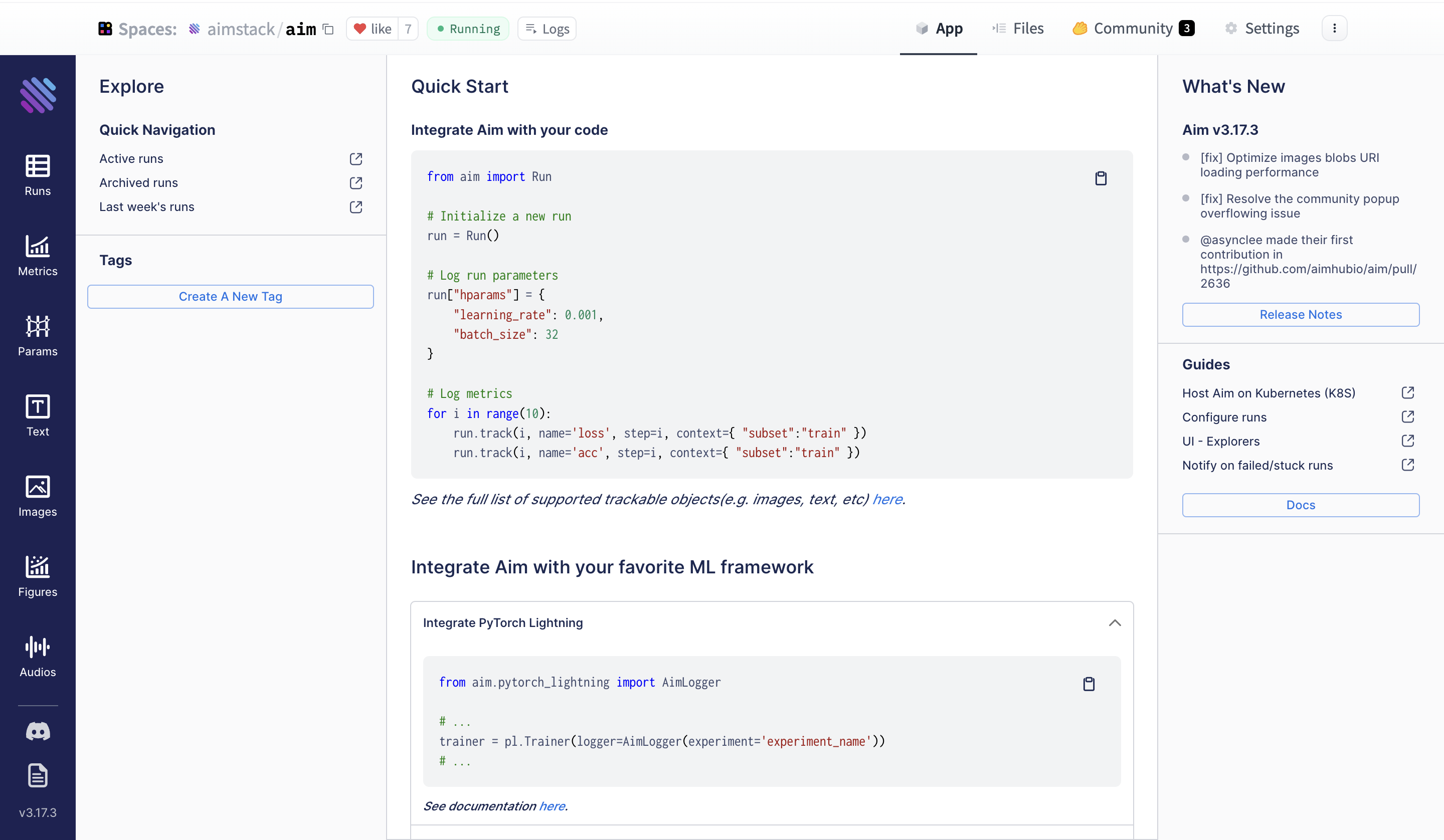
57 |
58 | Filter your runs using Aim’s Pythonic search. You can write pythonic [queries against](https://aimstack.readthedocs.io/en/latest/using/search.html) EVERYTHING you have tracked - metrics, hyperparams etc. Check out some [examples](https://huggingface.co/aimstack) on HF Hub Spaces.
59 |
60 |
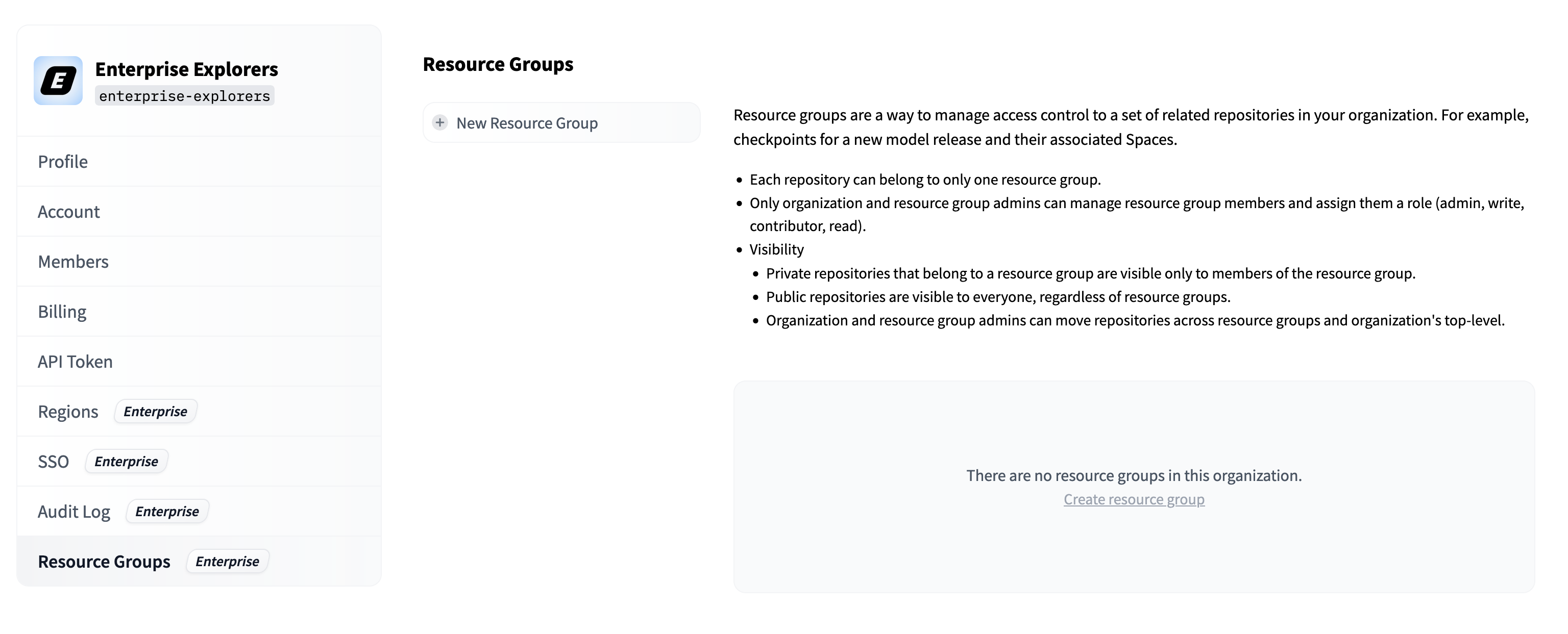
61 | Note that if your logs are in TensorBoard format, you can easily convert them to Aim with one command and use the many advanced and high-performant training run comparison features available.
62 |
63 |
64 | ## More on HF Spaces
65 |
66 | - [HF Docker spaces](https://huggingface.co/docs/hub/spaces-sdks-docker)
67 | - [HF Docker space examples](https://huggingface.co/docs/hub/spaces-sdks-docker-examples)
68 |
69 | ## Feedback and Support
70 |
71 | If you have improvement suggestions or need support, please open an issue on [Aim GitHub repo](https://github.com/aimhubio/aim).
72 |
73 | The [Aim community Discord](https://github.com/aimhubio/aim#-community) is also available for community discussions.
74 |
--------------------------------------------------------------------------------
/docs/hub/security-resource-groups.md:
--------------------------------------------------------------------------------
1 | # Advanced Access Control in Organizations with Resource Groups
2 |
3 |
4 | This feature is part of the Enterprise Hub.
5 |
6 |
7 | In your Hugging Face organization, you can use Resource Groups to control which members have access to specific repositories.
8 |
9 | ## How does it work?
10 |
11 | Resource Groups allow organizations administrators to group related repositories together, and manage access to those repos.
12 |
13 | Resource Groups allow different teams to work on their respective repositories within the same organization.
14 |
15 | A repository can belong to only one Resource Group.
16 |
17 | Organizations members need to be added to the Resource Group to access its repositories. An Organization Member can belong to several Resource Groups.
18 |
19 | Members are assigned a role in each Resource Group that determines their permissions for the group's repositories. Four distinct roles exist for Resource Groups:
20 |
21 | - `read`: Grants read access to repositories within the Resource Group.
22 | - `contributor`: Provides extra write rights to the subset of the Organization's repositories created by the user (i.e., users can create repos and then modify only those repos). Similar to the 'Write' role, but limited to repos created by the user.
23 | - `write`: Offers write access to all repositories in the Resource Group. Users can create, delete, or rename any repository in the Resource Group.
24 | - `admin`: In addition to write permissions on repositories, admin members can administer the Resource Group — add, remove, and alter the roles of other members. They can also transfer repositories in and out of the Resource Group.
25 |
26 | In addition, Organization admins can manage all resource groups inside the organization.
27 |
28 | Resource Groups also affect the visibility of private repositories inside the organization. A private repository that is part of a Resource Group will only be visible to members of that Resource Group. Public repositories, on the other hand, are visible to anyone, inside and outside the organization.
29 |
30 | ## Getting started
31 |
32 | Head to your Organization's settings, then navigate to the "Resource Group" tab in the left menu.
33 |
34 |
35 |

36 |

37 |
38 |
39 | If you are an admin of the organization, you can create and manage Resource Groups from that page.
40 |
41 | After creating a resource group and giving it a meaningful name, you can start adding repositories and users to it.
42 |
43 |
44 |

45 |

46 |
47 |
48 | Remember that a repository can be part of only one Resource Group. You'll be warned when trying to add a repository that already belongs to another Resource Group.
49 |
50 |
51 |

52 |

53 |
54 |
55 | ## Programmatic management (API)
56 |
57 | Coming soon!
58 |
59 |
--------------------------------------------------------------------------------
/docs/hub/spaces-storage.md:
--------------------------------------------------------------------------------
1 | # Disk usage on Spaces
2 |
3 | Every Space comes with a small amount of disk storage. This disk space is ephemeral, meaning its content will be lost if your Space restarts or is stopped.
4 | If you need to persist data with a longer lifetime than the Space itself, you can:
5 | - [Subscribe to a persistent storage upgrade](#persistent-storage)
6 | - [Use a dataset as a data store](#dataset-storage)
7 |
8 | ## Persistent storage
9 |
10 | You can upgrade your Space to have access to persistent disk space from the **Settings** tab.
11 |
12 |
13 |
14 |

15 |

16 |
17 |
18 | You can choose the storage tier of your choice to access disk space that persists across restarts of your Space.
19 |
20 | Persistent storage acts like traditional disk storage mounted on `/data`.
21 |
22 | That means you can `read` and `write to` this storage from your Space as you would with a traditional hard drive or SSD.
23 |
24 | Persistent disk space can be upgraded to a larger tier at will, though it cannot be downgraded to a smaller tier. If you wish to use a smaller persistent storage tier, you must delete your current (larger) storage first.
25 |
26 | If you are using Hugging Face open source libraries, you can make your Space restart faster by setting the environment variable `HF_HOME` to `/data/.huggingface`. Libraries like `transformers`, `diffusers`, `datasets` and others use that environment variable to cache any assets downloaded from the Hugging Face Hub. Setting this variable to the persistent storage path will make sure that cached resources do not need to be re-downloaded when the Space is restarted.
27 |
28 |
29 | WARNING: all data stored in the storage is lost when you delete it.
30 |
31 |
32 | ### Persistent storage specs
33 |
34 | Here are the specifications for each of the different upgrade options:
35 |
36 | | **Tier** | **Disk space** | **Persistent** | **Monthly Price** |
37 | |------------------ |------------------ |------------------ |---------------------- |
38 | | Free tier | 50GB | No (ephemeral) | Free! |
39 | | Small | 20GB | Yes | $5 |
40 | | Medium | 150 GB | Yes | $25 |
41 | | Large | 1TB | Yes | $100 |
42 |
43 |
44 | ### Billing
45 |
46 | Billing of Spaces is based on hardware usage and is computed by the minute: you get charged for every minute the Space runs on the requested hardware, regardless of whether the Space is used.
47 |
48 | Persistent storage upgrades are billed until deleted, even when the Space is not running and regardless of Space status or running state.
49 |
50 | Additional information about billing can be found in the [dedicated Hub-wide section](./billing).
51 |
52 | ## Dataset storage
53 |
54 | If you need to persist data that lives longer than your Space, you could use a [dataset repo](./datasets).
55 |
56 | You can find an example of persistence [here](https://huggingface.co/spaces/Wauplin/space_to_dataset_saver), which uses the [`huggingface_hub` library](https://huggingface.co/docs/huggingface_hub/index) for programmatically uploading files to a dataset repository. This Space example along with [this guide](https://huggingface.co/docs/huggingface_hub/main/en/guides/upload#scheduled-uploads) will help you define which solution fits best your data type.
57 |
58 | Visit the [`datasets` library](https://huggingface.co/docs/datasets/index) documentation and the [`huggingface_hub` client library](https://huggingface.co/docs/huggingface_hub/index)
59 | documentation for more information on how to programmatically interact with dataset repos.
60 |
--------------------------------------------------------------------------------
/docs/hub/models-faq.md:
--------------------------------------------------------------------------------
1 | # Models Frequently Asked Questions
2 |
3 | ## How can I see what dataset was used to train the model?
4 |
5 | It's up to the person who uploaded the model to include the training information! A user can [specify](./model-cards#specifying-a-dataset) the dataset used for training a model. If the datasets used for the model are on the Hub, the uploader may have included them in the [model card's metadata](https://huggingface.co/Jiva/xlm-roberta-large-it-mnli/blob/main/README.md#L7-L9). In that case, the datasets would be linked with a handy card on the right side of the model page:
6 |
7 |
8 |

9 |

10 |
11 |
12 | ## How can I see an example of the model in action?
13 |
14 | Models can have inference widgets that let you try out the model in the browser! Inference widgets are easy to configure, and there are many different options at your disposal. Visit the [Widgets documentation](models-widgets) to learn more.
15 |
16 | The Hugging Face Hub is also home to Spaces, which are interactive demos used to showcase models. If a model has any Spaces associated with it, you'll find them linked on the model page like so:
17 |
18 |
19 |

20 |

21 |
22 |
23 | Spaces are a great way to show off a model you've made or explore new ways to use existing models! Visit the [Spaces documentation](./spaces) to learn how to make your own.
24 |
25 | ## How do I upload an update / new version of the model?
26 |
27 | Releasing an update to a model that you've already published can be done by pushing a new commit to your model's repo. To do this, go through the same process that you followed to upload your initial model. Your previous model versions will remain in the repository's commit history, so you can still download previous model versions from a specific git commit or tag or revert to previous versions if needed.
28 |
29 | ## What if I have a different checkpoint of the model trained on a different dataset?
30 |
31 | By convention, each model repo should contain a single checkpoint. You should upload any new checkpoints trained on different datasets to the Hub in a new model repo. You can link the models together by using a tag specified in the `tags` key in your [model card's metadata](./model-cards), by using [Collections](./collections) to group distinct related repositories together or by linking to them in the model cards. The [akiyamasho/AnimeBackgroundGAN-Shinkai](https://huggingface.co/akiyamasho/AnimeBackgroundGAN-Shinkai#other-pre-trained-model-versions) model, for example, references other checkpoints in the model card under *"Other pre-trained model versions"*.
32 |
33 | ## Can I link my model to a paper on arXiv?
34 |
35 | If the model card includes a link to a paper on arXiv, the Hugging Face Hub will extract the arXiv ID and include it in the model tags with the format `arxiv:`. Clicking on the tag will let you:
36 |
37 | * Visit the paper page
38 | * Filter for other models on the Hub that cite the same paper.
39 |
40 |
41 |

42 |

43 |
44 |
45 | Read more about paper pages [here](./paper-pages).
46 |
--------------------------------------------------------------------------------
/docs/hub/security-sso.md:
--------------------------------------------------------------------------------
1 | # Single Sign-On (SSO)
2 |
3 | The Hugging Face Hub gives you the ability to implement mandatory Single Sign-On (SSO) for your organization.
4 |
5 | We support both SAML 2.0 and OpenID Connect (OIDC) protocols.
6 |
7 |
8 | This feature is part of the Enterprise Hub.
9 |
10 |
11 | ## How does it work?
12 |
13 | When Single Sign-On is enabled, the members of your organization must authenticate through your Identity Provider (IdP) to access any content under the organization's namespace. Public content will still be available to users who are not members of the organization.
14 |
15 | **We use email addresses to identify SSO users. Make sure that your organizational email address (e.g. your company email) has been added to [your user account](https://huggingface.co/settings/account).**
16 |
17 | When users log in, they will be prompted to complete the Single Sign-On authentication flow with a banner similar to the following:
18 |
19 |
20 |

21 |

22 |
23 |
24 | Single Sign-On only applies to your organization. Members may belong to other organizations on Hugging Face.
25 |
26 | We support [role mapping](#role-mapping): you can automatically assign [roles](./organizations-security#access-control-in-organizations) to organization members based on attributes provided by your Identity Provider.
27 |
28 | ### Supported Identity Providers
29 |
30 | You can easily integrate Hugging Face Hub with a variety of Identity Providers, such as Okta, OneLogin or Azure Active Directory (Azure AD). Hugging Face Hub can work with any OIDC-compliant or SAML Identity Provider.
31 |
32 | ## How to configure OIDC/SAML provider in the Hub
33 |
34 | We have some guides available to help with configuring based on your chosen SSO provider, or to take inspiration from:
35 |
36 | - [How to configure OIDC with Okta in the Hub](./security-sso-okta-oidc)
37 | - [How to configure OIDC with Azure in the Hub](./security-sso-azure-oidc)
38 | - [How to configure SAML with Okta in the Hub](./security-sso-okta-saml)
39 | - [How to configure SAML with Azure in the Hub](./security-sso-azure-saml)
40 |
41 | ### Users Management
42 |
43 |
44 |

45 |

46 |
47 |
48 | #### Session Timeout
49 |
50 | This value sets the duration of the session for members of your organization.
51 |
52 | After this time, members will be prompted to re-authenticate with your Identity Provider to access the organization's resources.
53 |
54 | The default value is 7 days.
55 |
56 | #### Role Mapping
57 |
58 | When enabled, Role Mapping allows you to dynamically assign [roles](./organizations-security#access-control-in-organizations) to organization members based on data provided by your Identity Provider.
59 |
60 | This section allows you to define a mapping from your IdP's user profile data from your IdP to the assigned role in Hugging Face.
61 |
62 | - IdP Role Attribute Mapping
63 |
64 | A JSON path to an attribute in your user's IdP profile data.
65 |
66 | - Role Mapping
67 |
68 | A mapping from the IdP attribute value to the assigned role in the Hugging Face organization.
69 |
70 | You must map at least one admin role.
71 |
72 | If there is no match, a user will be assigned the default role for your organization. The default role can be customized in the `Members` section of the organization's settings.
73 |
74 | Role synchronization is performed on login.
75 |
--------------------------------------------------------------------------------
/docs/hub/mlx.md:
--------------------------------------------------------------------------------
1 | # Using MLX at Hugging Face
2 |
3 | [MLX](https://github.com/ml-explore/mlx) is a model training and serving framework for Apple silicon made by Apple Machine Learning Research.
4 |
5 | It comes with a variety of examples:
6 |
7 | - [Generate text with MLX-LM](https://github.com/ml-explore/mlx-examples/tree/main/llms/mlx_lm) and [generating text with MLX-LM for models in GGUF format](https://github.com/ml-explore/mlx-examples/tree/main/llms/gguf_llm).
8 | - Large-scale text generation with [LLaMA](https://github.com/ml-explore/mlx-examples/tree/main/llms/llama).
9 | - Fine-tuning with [LoRA](https://github.com/ml-explore/mlx-examples/tree/main/lora).
10 | - Generating images with [Stable Diffusion](https://github.com/ml-explore/mlx-examples/tree/main/stable_diffusion).
11 | - Speech recognition with [OpenAI's Whisper](https://github.com/ml-explore/mlx-examples/tree/main/whisper).
12 |
13 |
14 | ## Exploring MLX on the Hub
15 |
16 | You can find MLX models by filtering at the left of the [models page](https://huggingface.co/models?library=mlx&sort=trending).
17 | There's also an open [MLX community](https://huggingface.co/mlx-community) of contributors converting and publishing weights for MLX format.
18 |
19 | Thanks to MLX Hugging Face Hub integration, you can load MLX models with a few lines of code.
20 |
21 | ## Installation
22 |
23 | MLX comes as a standalone package, and there's a subpackage called MLX-LM with Hugging Face integration for Large Language Models.
24 | To install MLX-LM, you can use the following one-line install through `pip`:
25 |
26 | ```bash
27 | pip install mlx-lm
28 | ```
29 |
30 | You can get more information about it [here](https://github.com/ml-explore/mlx-examples/blob/main/llms/README.md#generate-text-with-llms-and-mlx).
31 |
32 | If you install `mlx-lm`, you don't need to install `mlx`. If you don't want to use `mlx-lm` but only MLX, you can install MLX itself as follows.
33 |
34 | With `pip`:
35 |
36 | ```bash
37 | pip install mlx
38 | ```
39 |
40 | With `conda`:
41 |
42 | ```bash
43 | conda install -c conda-forge mlx
44 | ```
45 |
46 | ## Using Existing Models
47 |
48 | MLX-LM has useful utilities to generate text. The following line directly downloads and loads the model and starts generating text.
49 |
50 | ```bash
51 | python -m mlx_lm.generate --model mistralai/Mistral-7B-Instruct-v0.2 --prompt "hello"
52 | ```
53 |
54 | For a full list of generation options, run
55 |
56 | ```bash
57 | python -m mlx_lm.generate --help
58 | ```
59 |
60 | You can also load a model and start generating text through Python like below:
61 |
62 | ```python
63 | from mlx_lm import load, generate
64 |
65 | model, tokenizer = load("mistralai/Mistral-7B-Instruct-v0.2")
66 |
67 | response = generate(model, tokenizer, prompt="hello", verbose=True)
68 | ```
69 |
70 | MLX-LM supports popular LLM architectures including LLaMA, Phi-2, Mistral, and Qwen. Models other than supported ones can easily be downloaded as follows:
71 |
72 | ```py
73 | pip install huggingface_hub hf_transfer
74 |
75 | export HF_HUB_ENABLE_HF_TRANSFER=1
76 | huggingface-cli download --local-dir /
77 | ```
78 |
79 | ## Converting and Sharing Models
80 |
81 | You can convert, and optionally quantize, LLMs from the Hugging Face Hub as follows:
82 |
83 | ```bash
84 | python -m mlx_lm.convert --hf-path mistralai/Mistral-7B-v0.1 -q
85 | ```
86 |
87 | If you want to directly push the model after the conversion, you can do it like below.
88 |
89 | ```bash
90 | python -m mlx_lm.convert \
91 | --hf-path mistralai/Mistral-7B-v0.1 \
92 | -q \
93 | --upload-repo /
94 | ```
95 |
96 | ## Additional Resources
97 |
98 | * [MLX Repository](https://github.com/ml-explore/mlx)
99 | * [MLX Docs](https://ml-explore.github.io/mlx/)
100 | * [MLX Examples](https://github.com/ml-explore/mlx-examples/tree/main)
101 | * [MLX-LM](https://github.com/ml-explore/mlx-examples/tree/main/llms/mlx_lm)
102 | * [All MLX models on Hub](https://huggingface.co/models?library=mlx&sort=trending)
103 |
--------------------------------------------------------------------------------
/docs/hub/model-card-guidebook.md:
--------------------------------------------------------------------------------
1 | # Model Card Guidebook
2 |
3 | Model cards are an important documentation and transparency framework for machine learning models. We believe that model cards have the potential to serve as *boundary objects*, a single artefact that is accessible to users who have different backgrounds and goals when interacting with model cards – including developers, students, policymakers, ethicists, those impacted by machine learning models, and other stakeholders. We recognize that developing a single artefact to serve such multifaceted purposes is difficult and requires careful consideration of potential users and use cases. Our goal as part of the Hugging Face science team over the last several months has been to help operationalize model cards towards that vision, taking into account these challenges, both at Hugging Face and in the broader ML community.
4 |
5 | To work towards that goal, it is important to recognize the thoughtful, dedicated efforts that have helped model cards grow into what they are today, from the adoption of model cards as a standard practice at many large organisations to the development of sophisticated tools for hosting and generating model cards. Since model cards were proposed by Mitchell et al. (2018), the landscape of machine learning documentation has expanded and evolved. A plethora of documentation tools and templates for data, models, and ML systems have been proposed and have developed – reflecting the incredible work of hundreds of researchers, impacted community members, advocates, and other stakeholders. Important discussions about the relationship between ML documentation and theories of change in responsible AI have created continued important discussions, and at times, divergence. We also recognize the challenges facing model cards, which in some ways mirror the challenges facing machine learning documentation and responsible AI efforts more generally, and we see opportunities ahead to help shape both model cards and the ecosystems in which they function positively in the months and years ahead.
6 |
7 | Our work presents a view of where we think model cards stand right now and where they could go in the future, at Hugging Face and beyond. This work is a “snapshot” of the current state of model cards, informed by a landscape analysis of the many ways ML documentation artefacts have been instantiated. It represents one perspective amongst multiple about both the current state and more aspirational visions of model cards. In this blog post, we summarise our work, including a discussion of the broader, growing landscape of ML documentation tools, the diverse audiences for and opinions about model cards, and potential new templates for model card content. We also explore and develop model cards for machine learning models in the context of the Hugging Face Hub, using the Hub’s features to collaboratively create, discuss, and disseminate model cards for ML models.
8 |
9 | With the launch of this Guidebook, we introduce several new resources and connect together previous work on Model Cards:
10 |
11 | 1) An updated Model Card template, released in the `huggingface_hub` library [modelcard_template.md file](https://github.com/huggingface/huggingface_hub/blob/main/src/huggingface_hub/templates/modelcard_template.md), drawing together Model Card work in academia and throughout the industry.
12 |
13 | 2) An [Annotated Model Card Template](./model-card-annotated), which details how to fill the card out.
14 |
15 | 3) A [Model Card Creator Tool](https://huggingface.co/spaces/huggingface/Model_Cards_Writing_Tool), to ease card creation without needing to program, and to help teams share the work of different sections.
16 |
17 | 4) A [User Study](./model-cards-user-studies) on Model Card usage at Hugging Face
18 |
19 | 5) A [Landscape Analysis and Literature Review](./model-card-landscape-analysis) of the state of the art in model documentation.
20 |
21 | We also include an [Appendix](./model-card-appendix) with further details from this work.
22 |
23 | ---
24 |
25 | **Please cite as:**
26 | Ozoani, Ezi and Gerchick, Marissa and Mitchell, Margaret. Model Card Guidebook. Hugging Face, 2022. https://huggingface.co/docs/hub/en/model-card-guidebook
27 |
--------------------------------------------------------------------------------
/docs/hub/spaces-sdks-docker-panel.md:
--------------------------------------------------------------------------------
1 | # Panel on Spaces
2 |
3 | [Panel](https://panel.holoviz.org/) is an open-source Python library that lets you easily build powerful tools, dashboards and complex applications entirely in Python. It has a batteries-included philosophy, putting the PyData ecosystem, powerful data tables and much more at your fingertips. High-level reactive APIs and lower-level callback based APIs ensure you can quickly build exploratory applications, but you aren’t limited if you build complex, multi-page apps with rich interactivity. Panel is a member of the [HoloViz](https://holoviz.org/) ecosystem, your gateway into a connected ecosystem of data exploration tools.
4 |
5 | Visit [Panel documentation](https://panel.holoviz.org/) to learn more about making powerful applications.
6 |
7 | ## 🚀 Deploy Panel on Spaces
8 |
9 | You can deploy Panel on Spaces with just a few clicks:
10 |
11 |
12 |
13 | There are a few key parameters you need to define: the Owner (either your personal account or an organization), a Space name, and Visibility. In case you intend to execute computationally intensive deep learning models, consider upgrading to a GPU to boost performance.
14 |
15 |
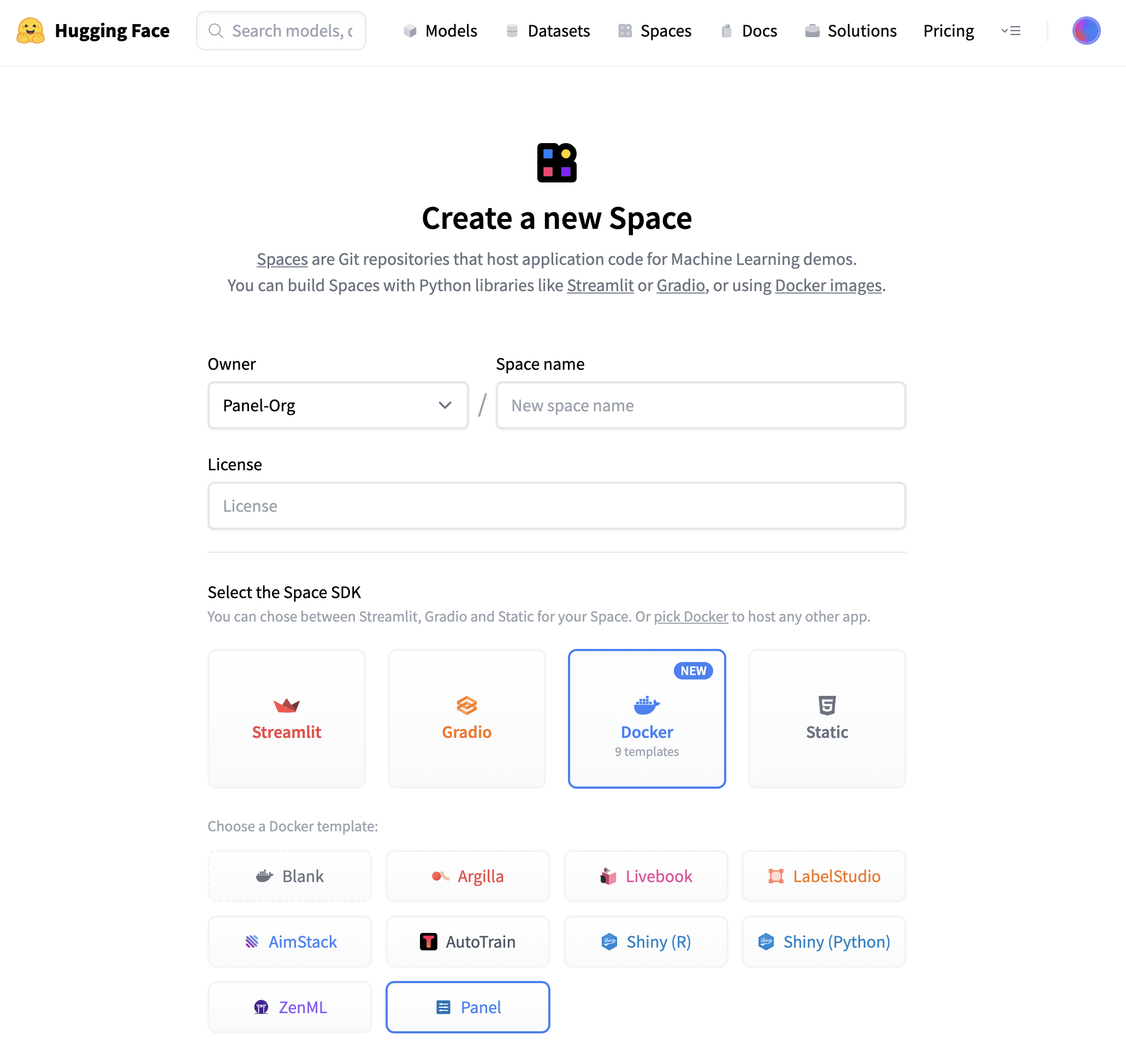
16 |
17 | Once you have created the Space, it will start out in “Building” status, which will change to “Running” once your Space is ready to go.
18 |
19 | ## ⚡️ What will you see?
20 |
21 | When your Space is built and ready, you will see this image classification Panel app which will let you fetch a random image and run the OpenAI CLIP classifier model on it. Check out our [blog post](https://blog.holoviz.org/building_an_interactive_ml_dashboard_in_panel.html) for a walkthrough of this app.
22 |
23 |
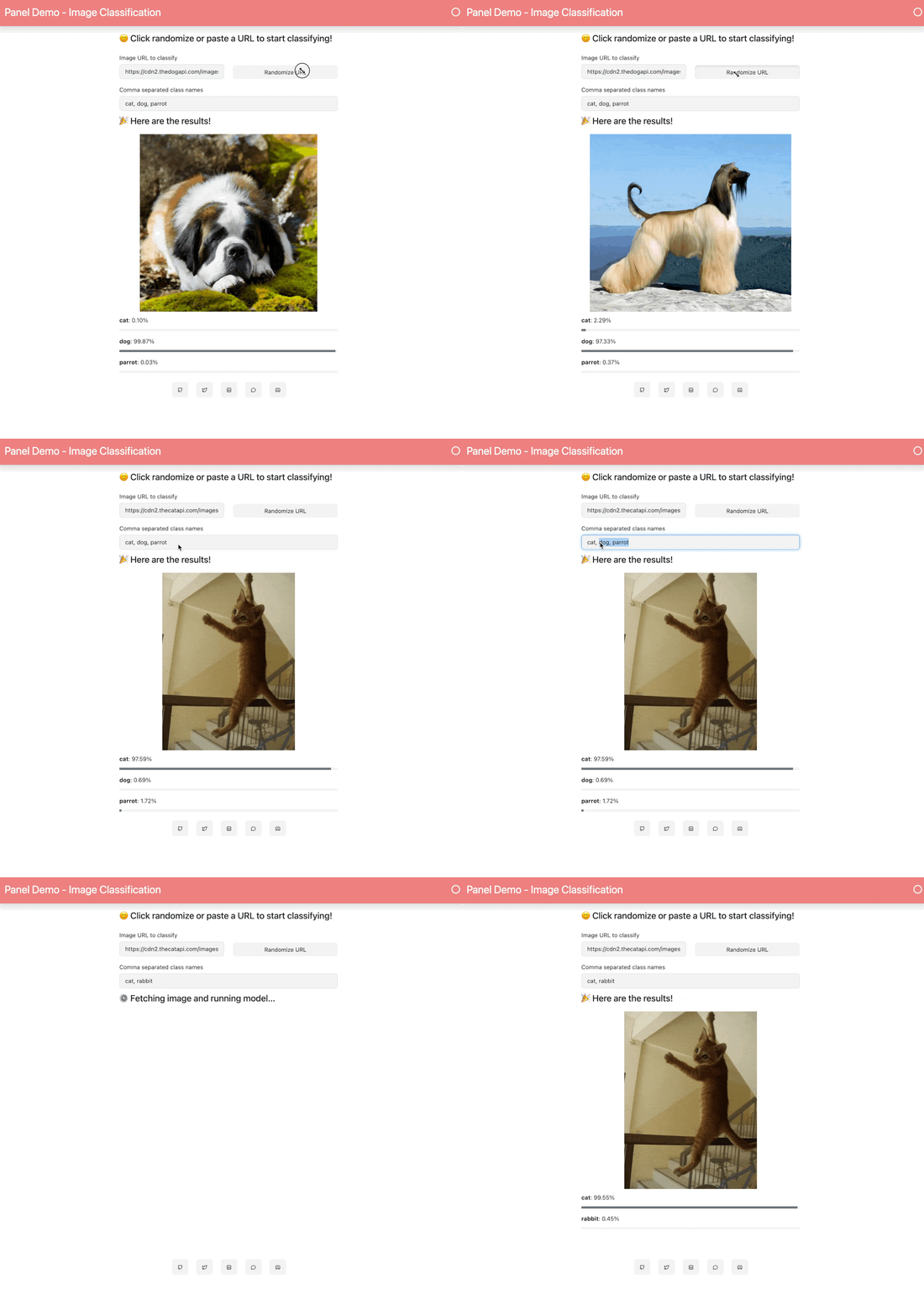
24 |
25 | ## 🛠️ How to customize and make your own app?
26 |
27 | The Space template will populate a few files to get your app started:
28 |
29 |

30 |
31 | Three files are important:
32 |
33 | ### 1. app.py
34 |
35 | This file defines your Panel application code. You can start by modifying the existing application or replace it entirely to build your own application. To learn more about writing your own Panel app, refer to the [Panel documentation](https://panel.holoviz.org/).
36 |
37 | ### 2. Dockerfile
38 |
39 | The Dockerfile contains a sequence of commands that Docker will execute to construct and launch an image as a container that your Panel app will run in. Typically, to serve a Panel app, we use the command `panel serve app.py`. In this specific file, we divide the command into a list of strings. Furthermore, we must define the address and port because Hugging Face will expect to serve your application on port 7860. Additionally, we need to specify the `allow-websocket-origin` flag to enable the connection to the server's websocket.
40 |
41 |
42 | ### 3. requirements.txt
43 |
44 | This file defines the required packages for our Panel app. When using Space, dependencies listed in the requirements.txt file will be automatically installed. You have the freedom to modify this file by removing unnecessary packages or adding additional ones that are required for your application. Feel free to make the necessary changes to ensure your app has the appropriate packages installed.
45 |
46 | ## 🌐 Join Our Community
47 | The Panel community is vibrant and supportive, with experienced developers and data scientists eager to help and share their knowledge. Join us and connect with us:
48 |
49 | - [Discord](https://discord.gg/aRFhC3Dz9w)
50 | - [Discourse](https://discourse.holoviz.org/)
51 | - [Twitter](https://twitter.com/Panel_Org)
52 | - [LinkedIn](https://www.linkedin.com/company/panel-org)
53 | - [Github](https://github.com/holoviz/panel)
54 |
--------------------------------------------------------------------------------
/docs/hub/mlx-image.md:
--------------------------------------------------------------------------------
1 | # Using mlx-image at Hugging Face
2 |
3 | [`mlx-image`](https://github.com/riccardomusmeci/mlx-image) is an image models library developed by [Riccardo Musmeci](https://github.com/riccardomusmeci) built on Apple [MLX](https://github.com/ml-explore/mlx). It tries to replicate the great [timm](https://github.com/huggingface/pytorch-image-models), but for MLX models.
4 |
5 |
6 | ## Exploring mlx-image on the Hub
7 |
8 | You can find `mlx-image` models by filtering using the `mlx-image` library name, like in [this query](https://huggingface.co/models?library=mlx-image&sort=trending).
9 | There's also an open [mlx-vision](https://huggingface.co/mlx-vision) community for contributors converting and publishing weights for MLX format.
10 |
11 | ## Installation
12 |
13 | ```bash
14 | pip install mlx-image
15 | ```
16 |
17 | ## Models
18 |
19 | Model weights are available on the [`mlx-vision`](https://huggingface.co/mlx-vision) community on HuggingFace.
20 |
21 | To load a model with pre-trained weights:
22 | ```python
23 | from mlxim.model import create_model
24 |
25 | # loading weights from HuggingFace (https://huggingface.co/mlx-vision/resnet18-mlxim)
26 | model = create_model("resnet18") # pretrained weights loaded from HF
27 |
28 | # loading weights from local file
29 | model = create_model("resnet18", weights="path/to/resnet18/model.safetensors")
30 | ```
31 |
32 | To list all available models:
33 |
34 | ```python
35 | from mlxim.model import list_models
36 | list_models()
37 | ```
38 | > [!WARNING]
39 | > As of today (2024-03-15) mlx does not support `group` param for nn.Conv2d. Therefore, architectures such as `resnext`, `regnet` or `efficientnet` are not yet supported in `mlx-image`.
40 |
41 | ## ImageNet-1K Results
42 |
43 | Go to [results-imagenet-1k.csv](https://github.com/riccardomusmeci/mlx-image/blob/main/results/results-imagenet-1k.csv) to check every model converted to `mlx-image` and its performance on ImageNet-1K with different settings.
44 |
45 | > **TL;DR** performance is comparable to the original models from PyTorch implementations.
46 |
47 |
48 | ## Similarity to PyTorch and other familiar tools
49 |
50 | `mlx-image` tries to be as close as possible to PyTorch:
51 | - `DataLoader` -> you can define your own `collate_fn` and also use `num_workers` to speed up data loading
52 | - `Dataset` -> `mlx-image` already supports `LabelFolderDataset` (the good and old PyTorch `ImageFolder`) and `FolderDataset` (a generic folder with images in it)
53 |
54 | - `ModelCheckpoint` -> keeps track of the best model and saves it to disk (similar to PyTorchLightning). It also suggests early stopping
55 |
56 | ## Training
57 |
58 | Training is similar to PyTorch. Here's an example of how to train a model:
59 |
60 | ```python
61 | import mlx.nn as nn
62 | import mlx.optimizers as optim
63 | from mlxim.model import create_model
64 | from mlxim.data import LabelFolderDataset, DataLoader
65 |
66 | train_dataset = LabelFolderDataset(
67 | root_dir="path/to/train",
68 | class_map={0: "class_0", 1: "class_1", 2: ["class_2", "class_3"]}
69 | )
70 | train_loader = DataLoader(
71 | dataset=train_dataset,
72 | batch_size=32,
73 | shuffle=True,
74 | num_workers=4
75 | )
76 | model = create_model("resnet18") # pretrained weights loaded from HF
77 | optimizer = optim.Adam(learning_rate=1e-3)
78 |
79 | def train_step(model, inputs, targets):
80 | logits = model(inputs)
81 | loss = mx.mean(nn.losses.cross_entropy(logits, target))
82 | return loss
83 |
84 | model.train()
85 | for epoch in range(10):
86 | for batch in train_loader:
87 | x, target = batch
88 | train_step_fn = nn.value_and_grad(model, train_step)
89 | loss, grads = train_step_fn(x, target)
90 | optimizer.update(model, grads)
91 | mx.eval(model.state, optimizer.state)
92 | ```
93 |
94 | ## Additional Resources
95 |
96 | * [mlx-image repository](https://github.com/riccardomusmeci/mlx-image)
97 | * [mlx-vision community](https://huggingface.co/mlx-vision)
98 |
99 | ## Contact
100 |
101 | If you have any questions, please email `riccardomusmeci92@gmail.com`.
102 |
103 |
--------------------------------------------------------------------------------
/docs/hub/keras.md:
--------------------------------------------------------------------------------
1 | # Using Keras at Hugging Face
2 |
3 | `keras` is an open-source machine learning library that uses a consistent and simple API to build models leveraging TensorFlow and its ecosystem.
4 |
5 | ## Exploring Keras in the Hub
6 |
7 | You can find over 200 `keras` models by filtering at the left of the [models page](https://huggingface.co/models?library=keras&sort=downloads).
8 |
9 | All models on the Hub come up with useful feature:
10 | 1. An automatically generated model card with a description, a plot of the model, and more.
11 | 2. Metadata tags that help for discoverability and contain information such as license.
12 | 3. If provided by the model owner, TensorBoard logs are hosted on the Keras repositories.
13 |
14 |
15 | ## Using existing models
16 |
17 | The `huggingface_hub` library is a lightweight Python client with utility functions to download models from the Hub.
18 |
19 | ```
20 | pip install huggingface_hub["tensorflow"]
21 | ```
22 |
23 | Once you have the library installed, you just need to use the `from_pretrained_keras` method. Read more about `from_pretrained_keras` [here](https://huggingface.co/docs/huggingface_hub/main/en/package_reference/mixins#huggingface_hub.from_pretrained_keras).
24 |
25 | ```py
26 | from huggingface_hub import from_pretrained_keras
27 |
28 | model = from_pretrained_keras("keras-io/mobile-vit-xxs")
29 | prediction = model.predict(image)
30 | prediction = tf.squeeze(tf.round(prediction))
31 | print(f'The image is a {classes[(np.argmax(prediction))]}!')
32 |
33 | # The image is a sunflower!
34 | ```
35 |
36 | If you want to see how to load a specific model, you can click **Use in keras** and you will be given a working snippet that you can load it!
37 |
38 |

39 |

40 |

41 |
42 |
43 |

44 |

45 |
46 |
47 | ## Sharing your models
48 |
49 | You can share your `keras` models by using the `push_to_hub_keras` method. This will generate a model card that includes your model’s hyperparameters, plot of your model and couple of sections related to the usage purpose of your model, model biases and limitations about putting the model in production. This saves the metrics of your model in a JSON file as well. Read more about `push_to_hub_keras` [here](https://huggingface.co/docs/huggingface_hub/main/en/package_reference/mixins#huggingface_hub.push_to_hub_keras).
50 |
51 | ```py
52 | from huggingface_hub import push_to_hub_keras
53 |
54 | push_to_hub_keras(model,
55 | "your-username/your-model-name",
56 | "your-tensorboard-log-directory",
57 | tags = ["object-detection", "some_other_tag"],
58 | **model_save_kwargs,
59 | )
60 | ```
61 | The repository will host your TensorBoard traces like below.
62 |
63 |
64 |

65 |

66 |
67 |
68 |
69 | ## Additional resources
70 |
71 | * Keras Developer [Guides](https://keras.io/guides/).
72 | * Keras [examples](https://keras.io/examples/).
73 | * Keras [examples on 🤗 Hub](https://huggingface.co/keras-io).
74 | * Keras [learning resources](https://keras.io/getting_started/learning_resources/#moocs)
75 | * For more capabilities of the Keras integration, check out [Putting Keras on 🤗 Hub for Collaborative Training and Reproducibility](https://merveenoyan.medium.com/putting-keras-on-hub-for-collaborative-training-and-reproducibility-9018301de877) tutorial.
76 |
--------------------------------------------------------------------------------