Error loading maps
;
23 | if (!isLoaded) return Loading...
;
24 |
25 | return (
26 |
27 |
32 | {markers.map((marker, index) => (
33 |
40 |
41 | );
42 | };
43 |
44 | export default GoogleMapComponent;
45 |
--------------------------------------------------------------------------------
/nextjs-frontend/package.json:
--------------------------------------------------------------------------------
1 | {
2 | "name": "nextjs-frontend",
3 | "version": "0.1.0",
4 | "private": true,
5 | "scripts": {
6 | "dev": "next dev",
7 | "build": "next build",
8 | "start": "next start",
9 | "lint": "next lint"
10 | },
11 | "dependencies": {
12 | "@googlemaps/js-api-loader": "^1.13.9",
13 | "@radix-ui/react-icons": "^1.3.0",
14 | "@radix-ui/react-slot": "^1.0.2",
15 | "@radix-ui/react-tabs": "^1.0.4",
16 | "@react-google-maps/api": "^2.19.2",
17 | "@vercel/analytics": "^1.1.1",
18 | "ai": "^2.2.29",
19 | "class-variance-authority": "^0.7.0",
20 | "clsx": "^2.0.0",
21 | "framer-motion": "^10.16.16",
22 | "lucide-react": "^0.299.0",
23 | "next": "14.0.4",
24 | "openai": "^4.24.0",
25 | "react": "^18",
26 | "react-dom": "^18",
27 | "sharp": "^0.33.1",
28 | "tailwind-merge": "^2.1.0",
29 | "tailwindcss-animate": "^1.0.7",
30 | "three": "^0.138.3",
31 | "use-places-autocomplete": "^4.0.1",
32 | "zod": "^3.22.4",
33 | "zustand": "^4.4.7"
34 | },
35 | "devDependencies": {
36 | "@types/node": "^20",
37 | "@types/react": "^18",
38 | "@types/react-dom": "^18",
39 | "@types/three": "^0.159.0",
40 | "autoprefixer": "^10.0.1",
41 | "eslint": "^8",
42 | "eslint-config-next": "14.0.4",
43 | "postcss": "^8",
44 | "tailwindcss": "^3.3.0",
45 | "typescript": "^5"
46 | }
47 | }
48 |
--------------------------------------------------------------------------------
/nextjs-frontend/src/app/page.tsx:
--------------------------------------------------------------------------------
1 | import { Tabs, TabsContent, TabsList, TabsTrigger } from "@/components/ui/tabs";
2 | import { AnimatedPage } from "./ui/AnimatedHero";
3 | import BottomBar from "@/components/BottomBar";
4 | // import MapAIServiceAssistant from "./ui/openai/MapAIServiceAssistant";
5 | import GeminiChatBox from "./ui/gemini/GeminiChatBox";
6 |
7 | const page = () => {
8 | return (
9 |
10 |
17 |
18 | GeminiPro Streaming Fast API
19 | {/* OpenAI Assistant */}
20 |
21 |
22 |
24 | {/*
25 | */}
27 |
28 |
29 |
32 | );
33 | };
34 |
35 | export default page;
36 |
--------------------------------------------------------------------------------
/nextjs-frontend/src/components/Visuals.tsx:
--------------------------------------------------------------------------------
1 | "use client";
2 |
3 | import { cn } from "@/lib/utils";
4 | import { useFeatureStore } from "@/store/FeatureStore";
5 | import { motion } from "framer-motion";
6 |
7 | type Props = {
8 | id: string;
9 | };
10 |
11 | type VisualProps = {
12 | children: React.ReactNode;
13 | } & Props;
14 |
15 | const Visual = ({ children, id }: VisualProps) => {
16 | return (
17 | 11 | Wandering AI Assistant 12 |
13 |
23 |
25 | );
26 | };
27 |
28 | export default Visual;
29 |
30 | export const MusicVisual = ({ id }: Props) => {
31 | const fullscreenFeature = useFeatureStore((store) => store.fullscreenFeature);
32 | const isFullscreen = fullscreenFeature === id;
33 |
34 | return (
35 | {children}
24 | 47 | {children} 48 |
49 | ); 50 | }; 51 | -------------------------------------------------------------------------------- /backend/app/utils/add_markers.py: -------------------------------------------------------------------------------- 1 | from typing import Union, Any 2 | from openai.types.shared_params import FunctionDefinition 3 | 4 | addMarkersTemplate: FunctionDefinition = { 5 | "name": "add_markers", 6 | "description": "Add list of markers to the map", 7 | "parameters": { 8 | "type": "object", 9 | "properties": { 10 | "longitudes": { 11 | "type": "array", 12 | "items": { 13 | "type": "number" 14 | }, 15 | "description": "List of longitude of the location to each marker" 16 | }, 17 | "latitudes": { 18 | "type": "array", 19 | "items": { 20 | "type": "number" 21 | }, 22 | "description": "List of latitude of the location to each marker" 23 | }, 24 | "labels": { 25 | "type": "array", 26 | "items": { 27 | "type": "string" 28 | }, 29 | "description": "List of text to display on the location of each marker" 30 | } 31 | }, 32 | "required": ["longitudes", "latitudes", "labels"] 33 | } 34 | } 35 | 36 | 37 | markers_state: dict[str, list[Any]] = { 38 | "latitudes": [], 39 | "longitudes": [], 40 | "labels": [], 41 | } 42 | 43 | # Function 2 - Add markers to map 44 | 45 | 46 | def add_markers(latitudes: list[float], longitudes: list[float], labels: list[str]) -> dict[str, Union[str, Any]]: 47 | """Add list of markers to the map and return status and markers state.""" 48 | 49 | if not longitudes or not latitudes or not labels: 50 | return {"status": "Review Add Markers Template", "markers_state": addMarkersTemplate} 51 | 52 | global map_state # Refer to the global map_state 53 | 54 | try: 55 | markers_state["latitudes"] = latitudes 56 | markers_state["longitudes"] = longitudes 57 | markers_state["labels"] = labels 58 | 59 | return {"status": "Markers added successfully", "markers_state": markers_state} 60 | 61 | except (ValueError, TypeError) as e: 62 | return {"status": f"Error in add_markers function: {e}", "markers_state": markers_state} 63 | -------------------------------------------------------------------------------- /nextjs-frontend/src/app/ui/openai/ChatMessage.tsx: -------------------------------------------------------------------------------- 1 | import Image from "next/image"; 2 | import HUMAN from "/public/human.png"; 3 | import AIIMAGE from "/public/ai.png"; 4 | // import AI from" /public/ai.png"; 5 | interface ChatMessageProps { 6 | userMessage: string; 7 | aiResponse: string; 8 | } 9 | 10 | const ChatMessage: React.FC; 22 | } else { 23 | return
{line}
; 24 | } 25 | }); 26 | 27 | return{formattedResponse}
;
28 | };
29 |
30 | return (
31 |
32 | {/* User Message */}
33 |
61 | );
62 | };
63 |
64 | export default ChatMessage;
65 |
--------------------------------------------------------------------------------
/backend/app/utils/get_assistant.py:
--------------------------------------------------------------------------------
1 | from openai.types.beta.assistant import Assistant
2 | from openai import OpenAI
3 |
4 | from ..utils.seed_assistant import travel_agent_tools, SEED_INSTRUCTION
5 |
6 |
7 | from openai.types.beta.assistant import Assistant
8 | from openai import OpenAI
9 |
10 |
11 | class GetAssistant():
12 | def __init__(self, client: OpenAI):
13 | if client is None:
14 | raise Exception("OpenAI Client is not initialized")
15 | self.client = client
16 | print("OpenAI Client initialized successfully.")
17 |
18 | def retrieve_assistant(self, assistant_id: str) -> Assistant:
19 | """Retrieve an Assistant using the ID stored in the env variables.
20 | If the assistant is not found, create a new one."""
21 | print(f"Attempting to retrieve Assistant with ID: {assistant_id}")
22 |
23 | if assistant_id is None or assistant_id == '':
24 | print("No valid Assistant ID provided. Creating a new Assistant.")
25 | travel_agent = self.create_assistant()
26 | return travel_agent
27 |
28 | try:
29 | print(f"Retrieving existing Assistant with ID: {assistant_id}")
30 | ret_travel_agent: Assistant = self.client.beta.assistants.retrieve(
31 | assistant_id=assistant_id
32 | )
33 | print("Assistant retrieved successfully.")
34 | return ret_travel_agent
35 |
36 | except Exception as e:
37 | print(f"""Error retrieving Assistant: {
38 | e}. Creating a new Assistant.""")
39 | travel_agent = self.create_assistant()
40 | return travel_agent
41 |
42 | def create_assistant(self) -> Assistant:
43 | """Create an Assistant Once and Store its ID in the env variables.
44 | Next retrieve the assistant and use it. You can modify it."""
45 | print("Creating a new Assistant...")
46 |
47 | travel_agent: Assistant = self.client.beta.assistants.create(
48 | model="gpt-4-1106-preview",
49 | name="AI Travel Agent",
50 | instructions=SEED_INSTRUCTION,
51 | tools=travel_agent_tools
52 | )
53 |
54 | print("New Assistant created successfully.")
55 | return travel_agent
56 |
--------------------------------------------------------------------------------
/nextjs-frontend/src/components/Icons.tsx:
--------------------------------------------------------------------------------
1 | import { LucideProps } from "lucide-react";
2 |
3 | interface ExchangeIconProps extends LucideProps {}
4 |
5 | export const Icons = {
6 | isLoading: (props: ExchangeIconProps) => (
7 |
25 | ),
26 | sendMesssage: (props: ExchangeIconProps) => (
27 | <>
28 |
44 | Send message
45 |
46 | ),
47 | };
48 |
--------------------------------------------------------------------------------
/backend/app/utils/files.py:
--------------------------------------------------------------------------------
1 | from openai.types.file_deleted import FileDeleted
2 | from typing import Literal
3 | from openai.types.file_list_params import FileListParams
4 | from openai.types.file_object import FileObject
5 | from openai import OpenAI
6 | # For the retrival we will upload files and in message we will pass the file id.
7 | # Remember to destroy the file afterwards
8 |
9 | # For Cost Optimization Create a Thread with Attached File Once and then Use it for All Operations/Questions Related to That File
10 |
11 |
12 | class TravelFiles():
13 | def __init__(self, client: OpenAI):
14 | if (client is None):
15 | raise Exception("OpenAI Client is not initialized")
16 | self.client = client
17 |
18 | def list_files(self, purpose: str = 'assistants') -> FileListParams:
19 | """Retrieve a list of files with the specified purpose."""
20 | files = self.client.files.list(purpose=purpose)
21 | file_list = files.model_dump()
22 | return file_list['data'] if 'data' in file_list else []
23 |
24 | def upload_file(self, file_path: str, purpose: Literal['fine-tune', 'assistants'] = 'assistants') -> str:
25 | """Create or find a file in OpenAI.
26 | https://platform.openai.com/docs/api-reference/files/list
27 | Returns File ID. """
28 |
29 | with open(file_path, "rb") as file:
30 | file_obj: FileObject = self.client.files.create(
31 | file=file, purpose=purpose)
32 | self.file_id: str = file_obj.id
33 | return file_obj.id
34 |
35 | def deleteFile(self, file_id: str) -> dict[str, FileDeleted | str]:
36 | """Delete an Uploaded File
37 | args: Pass file Id
38 | returns deleted file id, object and deleted (bool)"""
39 |
40 | response: dict[str, FileDeleted | str] = {}
41 | try:
42 | deleted_file = self.client.files.delete(
43 | file_id) # Assuming this returns FileDeleted
44 | response['data'] = deleted_file
45 | response['status'] = 'success'
46 | print("Deleted File", response['data'])
47 |
48 | except Exception as e:
49 | # Handle other potential exceptions
50 | response['status'] = 'error'
51 | response['error'] = str(e)
52 |
53 | return response
54 |
--------------------------------------------------------------------------------
/nextjs-frontend/src/components/ui/tabs.tsx:
--------------------------------------------------------------------------------
1 | "use client"
2 |
3 | import * as React from "react"
4 | import * as TabsPrimitive from "@radix-ui/react-tabs"
5 |
6 | import { cn } from "@/lib/utils"
7 |
8 | const Tabs = TabsPrimitive.Root
9 |
10 | const TabsList = React.forwardRef<
11 | React.ElementRef
34 |
43 |
44 | {/* AI Response */}
45 |
40 |
42 | {userMessage}
41 |
46 |
55 |
56 | {/* SVG Buttons (Optional, depending on functionality) */}
57 |
52 | {formatResponse(aiResponse)}
53 |
54 |
58 | {/* SVG buttons here */}
59 |
60 |
44 |
64 | );
65 | };
66 |
67 | export default MapAIServiceAssistant;
68 |
--------------------------------------------------------------------------------
/backend/app/service/save_chat_db.py:
--------------------------------------------------------------------------------
1 |
2 | from sqlalchemy import create_engine
3 | from sqlalchemy.engine.base import Engine
4 | from sqlalchemy.orm import sessionmaker
5 | from sqlalchemy import select
6 | from sqlalchemy import update
7 | import os
8 | from ..model.save_chat_db import UserInteraction, Base
9 |
10 |
11 | def save_chat_db(thread_id: str, last_prompt: str, thread_message: str) -> str:
12 | """Inserts or Update a thread into the database.
13 |
14 | Args:
15 | thread_id (str): The thread's ID.
16 | last_prompt (str): The last_prompt of user.
17 | thread_message: All User Interaction.
18 | """
19 |
20 | # Add a try catch block to catch any errors
21 | try:
22 | conn_str = os.getenv("DB_CONN_STR")
23 |
24 | if not conn_str:
25 | raise ValueError("Environment variable DB_CONN_STR is not set")
26 |
27 | engine: Engine = create_engine(conn_str, echo=True)
28 |
29 | Session = sessionmaker(bind=engine)
30 |
31 | db = Session()
32 |
33 | Base.metadata.create_all(bind=engine)
34 |
35 | thread_to_add = UserInteraction(
36 | thread_id=thread_id, last_prompt=last_prompt, thread_message=thread_message
37 | )
38 |
39 | is_thread_present = select(UserInteraction.thread_id).where(
40 | UserInteraction.thread_id == thread_id)
41 |
42 | print('is_thread_present', is_thread_present)
43 | print('is_thread_present', type(is_thread_present))
44 |
45 | check_is_thread_present = db.scalars(is_thread_present).all()
46 | print('check_is_thread_present', (check_is_thread_present))
47 |
48 | if (check_is_thread_present == []):
49 | db.add_all([thread_to_add])
50 | db.commit()
51 | return 'Thread added to database'
52 |
53 | print('Thread already present in database, updating thread', is_thread_present)
54 | print(thread_id, last_prompt)
55 |
56 | update_query = (
57 | update(UserInteraction)
58 | .where(UserInteraction.thread_id == thread_id)
59 | .values(thread_id=thread_id, last_prompt=last_prompt, thread_message=thread_message))
60 |
61 | res = db.execute(update_query)
62 | print('db.execute(update_query)', res)
63 | db.commit()
64 |
65 | return 'Thread updated in database'
66 |
67 | except Exception as e:
68 | # Print the error
69 | print(e)
70 |
71 | # Rollback the changes
72 | db.rollback()
73 |
74 | # Return None
75 | return f'Failed database action: {e}'
76 |
--------------------------------------------------------------------------------
/nextjs-frontend/src/components/AnimatedCards.tsx:
--------------------------------------------------------------------------------
1 | "use client";
2 |
3 | import { cn } from "@/lib/utils";
4 | import { useFeatureStore } from "@/store/FeatureStore";
5 | import Image from "next/image";
6 | // import IMAGE1 from "../../../../public/spotify-card/song-1.webp";
7 | // import IMAGE2 from "../../../../public/spotify-card/song-2.webp";
8 | // import IMAGE3 from "../../../../public/spotify-card/song-3.webp";
9 | import { motion } from "framer-motion";
10 |
11 | type FeatureCardProps = {
12 | gradient: string;
13 | children: React.ReactNode;
14 | } & CardProps;
15 |
16 | type CardProps = {
17 | id: string;
18 | };
19 |
20 | const FeatureCard = ({ gradient, children, id }: FeatureCardProps) => {
21 | const inViewFeature = useFeatureStore((state) => state.inViewFeature);
22 | const setFullscreenFeature = useFeatureStore(
23 | (state) => state.setFullscreenFeature
24 | );
25 |
26 | return (
27 |
45 |
56 |
46 | {messages.map((msg: any, index: number) => (
47 |
54 |
57 |
63 |
35 |
41 | {children}
42 | {/* */}
48 |
49 | );
50 | };
51 |
52 | export const Todo = ({ id }: CardProps) => {
53 | return (
54 |
122 |
151 | );
152 | };
153 |
--------------------------------------------------------------------------------
/backend/app/utils/chat_assistant.py:
--------------------------------------------------------------------------------
1 | from typing import Literal, Callable
2 | from openai.types.beta.threads import Run
3 | from openai.types.beta.thread import Thread
4 | from openai.types.beta.assistant import Assistant
5 | from openai.types.beta.threads.run_submit_tool_outputs_params import ToolOutput
6 |
7 | from openai import OpenAI
8 |
9 | from ..utils.seed_assistant import available_functions
10 |
11 | import time
12 | import json
13 |
14 |
15 | class TravelAIChat():
16 | def __init__(self, client: OpenAI, assistant: Assistant, thread: Thread):
17 | if (client is None):
18 | raise Exception("OpenAI Client is not initialized")
19 | self.client = client
20 | self.assistant: Assistant | None = assistant
21 | self.thread: Thread | None = thread
22 |
23 | def modifyAssistant(self, new_instructions: str, tools: list, file_obj: list[str], model: str = "gpt-4-1106-preview") -> Assistant:
24 | """Update an existing assistant."""
25 | print("Updating edisting assistant...")
26 | if self.assistant is None:
27 | raise ValueError("Assistant is not set!")
28 | self.assistant = self.client.beta.assistants.update(
29 | assistant_id=self.assistant.id,
30 | instructions=new_instructions,
31 | tools=tools,
32 | model=model,
33 | file_ids=file_obj
34 | )
35 | return self.assistant
36 |
37 | def add_message_to_thread(self, role: Literal['user'], content: str, file_obj_ids: list[str] = ['']) -> None:
38 | if self.thread is None:
39 | raise ValueError("Thread is not set!")
40 |
41 | self.client.beta.threads.messages.create(
42 | thread_id=self.thread.id,
43 | role=role,
44 | content=content,
45 | file_ids=file_obj_ids
46 | )
47 |
48 | def run_assistant(self) -> Run:
49 |
50 | if self.assistant is None:
51 | raise ValueError(
52 | "Assistant is not set. Cannot run assistant without an assistant.")
53 |
54 | if self.thread is None:
55 | raise ValueError(
56 | "Thread is not set!")
57 |
58 | self.run: Run = self.client.beta.threads.runs.create(
59 | thread_id=self.thread.id,
60 | assistant_id=self.assistant.id,
61 | )
62 | return self.run
63 |
64 | # Polling
65 | def wait_for_completion(self, run: Run):
66 |
67 | if run is None:
68 | raise ValueError("Run is not set!")
69 |
70 | if self.thread is None:
71 | raise ValueError(
72 | "Thread is not set!")
73 |
74 | # while run.status in ["in_progress", "queued"]:
75 | while run.status not in ["completed", "failed"]:
76 | run_status = self.client.beta.threads.runs.retrieve(
77 | thread_id=self.thread.id,
78 | run_id=run.id
79 | )
80 | time.sleep(3) # Wait for 3 seconds before checking again
81 | print(f"Status: {run_status.status}")
82 |
83 | if run_status.status == 'completed':
84 | print("Run completed.")
85 | return self.client.beta.threads.messages.list(thread_id=self.thread.id)
86 | elif run_status.status == 'requires_action' and run_status.required_action is not None:
87 | print(f"Function Calling ...")
88 | toolCalls = run_status.required_action.submit_tool_outputs.model_dump()
89 | self.call_required_functions(
90 | toolCalls=toolCalls,
91 | thread_id=self.thread.id,
92 | run_id=run.id
93 | )
94 | elif run.status == "failed":
95 | print("Run failed.")
96 | break
97 | else:
98 | print(f"Waiting for the Assistant to process...: {run.status}")
99 |
100 | # Function to call the required functions
101 | def call_required_functions(self, toolCalls, thread_id: str, run_id: str):
102 |
103 | tool_outputs: list[ToolOutput] = []
104 |
105 | # for toolcall in toolCalls:
106 | for toolcall in toolCalls["tool_calls"]:
107 | function_name = toolcall['function']['name']
108 | function_args = json.loads(toolcall['function']['arguments'])
109 |
110 | if function_name in available_functions:
111 |
112 | # Displaying the message with values
113 | print(f"calling function {function_name} with args:")
114 | for key, value in function_args.items():
115 | print(f"{key}: {value}")
116 |
117 | if function_name in available_functions:
118 | function_to_call: Callable[...,
119 | dict] = available_functions[function_name]
120 | print("function_to_call >>>>>", function_to_call)
121 | output = function_to_call(**function_args)
122 |
123 | print("Output Status", output)
124 |
125 | tool_outputs.append({
126 | "tool_call_id": toolcall['id'],
127 | "output": output['status'] if 'status' in output else output,
128 | })
129 |
130 | else:
131 | raise ValueError(f"Unknown function: {function_name}")
132 |
133 | print('submit_tool_outputs >>>>>', tool_outputs,)
134 | # Submit tool outputs and update the run
135 | self.client.beta.threads.runs.submit_tool_outputs(
136 | thread_id=thread_id,
137 | run_id=run_id,
138 | tool_outputs=tool_outputs
139 | )
140 |
--------------------------------------------------------------------------------
/nextjs-frontend/src/app/ui/gemini/GeminiChatBox.tsx:
--------------------------------------------------------------------------------
1 | "use client";
2 | import { useState } from "react";
3 | import UiMessage from "./ChatUi";
4 | import { Icons } from "@/components/Icons";
5 | import GoogleMapComponent from "@/components/GoogleMapComponent";
6 |
7 | async function consumeStream(
8 | response: any,
9 | updateAiResponse: any,
10 | setError: any
11 | ) {
12 | const reader = response.body.getReader();
13 | try {
14 | while (true) {
15 | const { done, value } = await reader.read();
16 | if (done) {
17 | break;
18 | }
19 | const textChunk = new TextDecoder("utf-8").decode(value);
20 | updateAiResponse(textChunk); // Update with each new chunk
21 | }
22 | } catch (error) {
23 | setError("Error while reading data from the stream.");
24 | console.error("Stream error:", error);
25 | }
26 | }
27 |
28 | const GeminiChatBox = () => {
29 | const [inputValue, setInputValue] = useState("");
30 | const [isLoading, setIsLoading] = useState(false);
31 | const [error, setError] = useState(null);
32 | const [conversation, setConversation] = useState
123 |
127 |
124 |
126 |
128 | {features.map((feature) => (
129 |
150 |
132 |
149 |
133 |
141 | -
134 | {features.map((feature) => (
135 |
-
136 |
{feature.title} 137 |
138 | ))}
139 |
142 |
148 |
143 | {features.map((feature) => (
144 |
147 |
125 |
166 | );
167 | };
168 |
169 | export default GeminiChatBox;
170 |
--------------------------------------------------------------------------------
/streamlit/app.py:
--------------------------------------------------------------------------------
1 | import streamlit as st
2 | import requests
3 | from requests.models import Response
4 | import json
5 | from dotenv import load_dotenv, find_dotenv
6 | import plotly.graph_objects as go
7 | import os
8 |
9 | # Load environment variables
10 | _: bool = load_dotenv(find_dotenv()) # read local .env file
11 | MAPBOX_ACCESS_TOKEN = os.environ.get("MAPBOX_TOKEN")
12 | BACKEND_API_URL = os.environ.get("BACKEND_API_URL")
13 |
14 | # Set page configuration
15 | st.set_page_config(
16 | page_title="Wandering AI Trips",
17 | page_icon="🧠",
18 | layout="wide",
19 | initial_sidebar_state="collapsed",
20 | )
21 |
22 | # Header
23 | st.header("Wandering AI Trips")
24 |
25 | # API Selection
26 | api_choice = st.radio("Select Travel AI FastAPI", ("Gemini Streaming & Functional Calling FastAPI",
27 | "OpenAI Assistants API FastAPI"), index=0)
28 |
29 | # Initialize session states
30 | if "map" not in st.session_state:
31 | st.session_state.map = {
32 | "latitude": 39.949610,
33 | "longitude": -75.150282,
34 | "zoom": 16,
35 | }
36 |
37 | if "markers_state" not in st.session_state:
38 | st.session_state.markers_state = None
39 |
40 | if "conversation_state" not in st.session_state:
41 | st.session_state.conversation_state = []
42 |
43 | # Save Database Post URL in Session
44 | if "databast_request_data" not in st.session_state:
45 | st.session_state.databast_request_data = None
46 |
47 | # Function definition
48 |
49 |
50 | def on_text_input_gemini():
51 | if st.session_state.input_user_msg == "":
52 | return
53 |
54 | st.session_state.conversation_state.append(
55 | ("user", st.session_state.input_user_msg)
56 | )
57 |
58 | final_res = requests.get(f'{BACKEND_API_URL}/gemini_streaming_travel_ai/?query={st.session_state.input_user_msg}', stream=True)
59 |
60 | if final_res.encoding is None:
61 | final_res.encoding = 'utf-8'
62 |
63 | print('final_res.iter_lines(decode_unicode=True)',
64 | final_res.iter_lines(decode_unicode=True))
65 |
66 | for line in final_res.iter_lines(decode_unicode=True):
67 | print('line', line)
68 | if line.strip(): # Check if line is not empty
69 | # Parse the line to extract the message
70 | st.session_state.conversation_state.append(
71 | ("gemini", line))
72 |
73 | map_state_res = requests.get(f'{BACKEND_API_URL}/gemini_streaming_travel_ai/mapstate')
74 | if map_state_res.status_code == 200:
75 | new_map_state = map_state_res.json()
76 | update_map_state(new_map_state)
77 |
78 | st.session_state.databast_request_data = f"{BACKEND_API_URL}/save_chat/?last_prompt={st.session_state.input_user_msg}&thread_id={'GEMINICALL'}&thread_message={st.session_state.conversation_state}"
79 |
80 |
81 |
82 | def update_map_state(new_map_state):
83 | # Update only if the map state is different
84 | if new_map_state["map_state"] != st.session_state.map or new_map_state["markers_state"] != st.session_state.markers_state:
85 | st.session_state.map = new_map_state["map_state"]
86 | st.session_state.markers_state = new_map_state["markers_state"]
87 |
88 |
89 | def on_text_input_openai():
90 | """Callback method for any chat_input value change"""
91 |
92 | if st.session_state.input_user_msg == "":
93 | return
94 |
95 | st.session_state.conversation_state.append(
96 | ("user", st.session_state.input_user_msg)
97 | )
98 |
99 | # TODO: CALL API HERE
100 | final_res: Response = requests.post(f'{BACKEND_API_URL}/travel_assistant/?prompt={st.session_state.input_user_msg}',)
101 |
102 | # Convert the bytes object to a JSON object
103 | response_json = json.loads(final_res.content.decode('utf-8'))
104 |
105 | # Access the map_state and markers_state from the JSON object
106 | st.session_state.map = response_json['map_state']
107 | st.session_state.markers_state = response_json['markers_state']
108 |
109 | # Update convcersation_state
110 | st.session_state.conversation_state = [
111 | (message['role'], message['content'][0]['text']['value'])
112 | for message in response_json["openai_response"]["data"]
113 | if 'role' in message and 'content' in message
114 | ]
115 |
116 | thread_message = response_json["openai_response"]["data"]
117 | thread_id = response_json["openai_response"]["data"][0]["thread_id"]
118 |
119 | st.session_state.databast_request_data = f"{BACKEND_API_URL}/save_chat/?last_prompt={st.session_state.input_user_msg}&thread_id={thread_id}&thread_message={thread_message}"
120 |
121 |
122 | # Choose which function to call based on API selection
123 | on_text_input = on_text_input_gemini if api_choice == "Gemini Streaming & Functional Calling FastAPI" else on_text_input_openai
124 |
125 | left_col, right_col = st.columns(2)
126 |
127 | with left_col:
128 | for role, message in st.session_state.conversation_state:
129 | with st.chat_message(role):
130 | st.write(message)
131 |
132 | with right_col:
133 | figure = go.Figure(go.Scattermapbox(
134 | mode="markers",
135 | ))
136 | if st.session_state.markers_state is not None:
137 | figure.add_trace(
138 | go.Scattermapbox(
139 | mode="markers",
140 | marker=dict(
141 | symbol='marker',
142 | size=14,
143 |
144 | ),
145 | lat=st.session_state.markers_state["latitudes"],
146 | lon=st.session_state.markers_state["longitudes"],
147 | text=st.session_state.markers_state["labels"],
148 | customdata=st.session_state.markers_state.get("altitudes", []),
149 | hovertemplate=(
150 | "%{text}
126 |
158 |
127 | {conversation.map((entry: any, index: any) => (
128 |
135 |
157 |
159 |
165 | " + 151 | "Latitude: %{lat}
" + 152 | "Longitude: %{lon}
" + 153 | "Altitude: %{customdata}
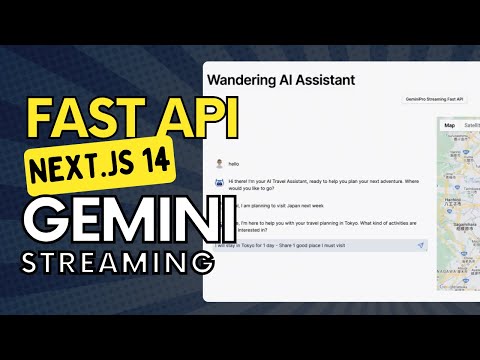 ](https://www.youtube.com/embed/qas4aLEkXTk)
22 |
23 | ## Features
24 |
25 | 1. Open AI Assistants API Implementation
26 | 2. GEMINI STREAMING & FUNCTION CALLING Implementation
27 |
28 | gemmini => fastapi backend => nextjs frontend (fully streamed response)
29 |
30 | - Interactive map to explore travel destinations.
31 | - Real-time data fetching and display using FastAPI.
32 | - Easy-to-navigate user interface with Streamlit.
33 |
34 | ## Locally Run the Project
35 |
36 | ## Option 1: Run on The Machine
37 |
38 | ### A. Installation
39 |
40 | Clone the repository to your local machine:
41 |
42 | ### B. Environment Variables Setup
43 |
44 | Rename .env.template to .env and add your API Keys and Database URLs there. Create an issue or feel free to message me if you face any issue while setting up the application
45 |
46 | ### C. Setup and Running FastAPI Backend Service
47 |
48 | Install the required Python packages:
49 |
50 | 1. Go to the `backend -> src` directory.
51 |
52 | ```
53 | pip install -r requirements.txt
54 | ```
55 |
56 | 2. Start the FastAPI server by running:
57 |
58 | ```
59 | uvicorn main:app
60 | ```
61 |
62 | Test the backend directly by making following POST request in PostMan or any API testing software.
63 |
64 | `http://localhost:8000/travel_assistant?prompt="Share 2 places to visit in UAE"`
65 |
66 | Ensure that both the frontend and backend services are running simultaneously for the application to function properly.
67 |
68 | ### D. Streamlit Frontend
69 |
70 | 1. Navigate to the streamlit directory containing `app.py`.
71 | 2. Run the Streamlit application using the following command:
72 | ```
73 | streamlit run app.py
74 | ```
75 |
76 | Access the frontend at: `http://localhost:8501/`
77 |
78 |
79 | ### E. NextJS Frontend
80 |
81 | Go to nextjs dir, run pnpm install and the pnpm dev
82 |
83 | ## Option 2: Run on Docker
84 |
85 | Pull te docker images and run there
86 |
87 | ## Usage
88 |
89 | With both the frontend and backend services running, access the Streamlit application in your web browser and interact with the travel assistant's features.
90 |
91 | ## Containorization & Deployment
92 |
93 | ### 1. Backend - Create Docker image and Deplpoy on Google Cloud Run
94 |
95 | Let's create a docker image first and run the frontend using a container running from this image.
96 |
97 | Next we will push the image and deply our backend on Google Run
98 |
99 | 1. Build Docker Image
100 |
101 | `docker build -t travel_ai_service .`
102 |
103 | For Mac M2 Users use this command instead: `docker buildx build --platform linux/amd64 -t
](https://www.youtube.com/embed/qas4aLEkXTk)
22 |
23 | ## Features
24 |
25 | 1. Open AI Assistants API Implementation
26 | 2. GEMINI STREAMING & FUNCTION CALLING Implementation
27 |
28 | gemmini => fastapi backend => nextjs frontend (fully streamed response)
29 |
30 | - Interactive map to explore travel destinations.
31 | - Real-time data fetching and display using FastAPI.
32 | - Easy-to-navigate user interface with Streamlit.
33 |
34 | ## Locally Run the Project
35 |
36 | ## Option 1: Run on The Machine
37 |
38 | ### A. Installation
39 |
40 | Clone the repository to your local machine:
41 |
42 | ### B. Environment Variables Setup
43 |
44 | Rename .env.template to .env and add your API Keys and Database URLs there. Create an issue or feel free to message me if you face any issue while setting up the application
45 |
46 | ### C. Setup and Running FastAPI Backend Service
47 |
48 | Install the required Python packages:
49 |
50 | 1. Go to the `backend -> src` directory.
51 |
52 | ```
53 | pip install -r requirements.txt
54 | ```
55 |
56 | 2. Start the FastAPI server by running:
57 |
58 | ```
59 | uvicorn main:app
60 | ```
61 |
62 | Test the backend directly by making following POST request in PostMan or any API testing software.
63 |
64 | `http://localhost:8000/travel_assistant?prompt="Share 2 places to visit in UAE"`
65 |
66 | Ensure that both the frontend and backend services are running simultaneously for the application to function properly.
67 |
68 | ### D. Streamlit Frontend
69 |
70 | 1. Navigate to the streamlit directory containing `app.py`.
71 | 2. Run the Streamlit application using the following command:
72 | ```
73 | streamlit run app.py
74 | ```
75 |
76 | Access the frontend at: `http://localhost:8501/`
77 |
78 |
79 | ### E. NextJS Frontend
80 |
81 | Go to nextjs dir, run pnpm install and the pnpm dev
82 |
83 | ## Option 2: Run on Docker
84 |
85 | Pull te docker images and run there
86 |
87 | ## Usage
88 |
89 | With both the frontend and backend services running, access the Streamlit application in your web browser and interact with the travel assistant's features.
90 |
91 | ## Containorization & Deployment
92 |
93 | ### 1. Backend - Create Docker image and Deplpoy on Google Cloud Run
94 |
95 | Let's create a docker image first and run the frontend using a container running from this image.
96 |
97 | Next we will push the image and deply our backend on Google Run
98 |
99 | 1. Build Docker Image
100 |
101 | `docker build -t travel_ai_service .`
102 |
103 | For Mac M2 Users use this command instead: `docker buildx build --platform linux/amd64 -t