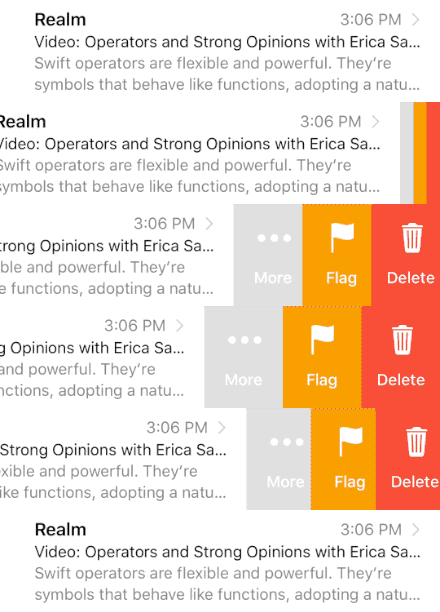
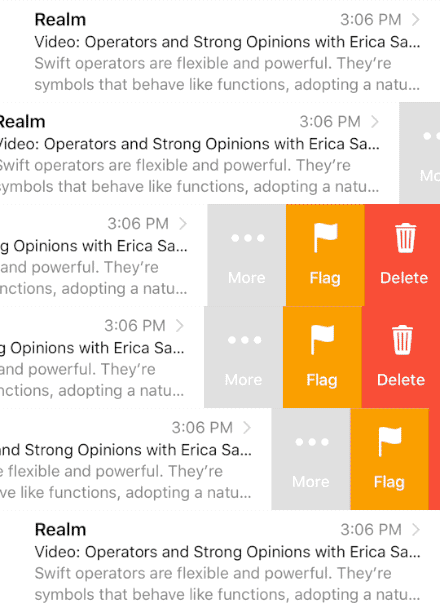
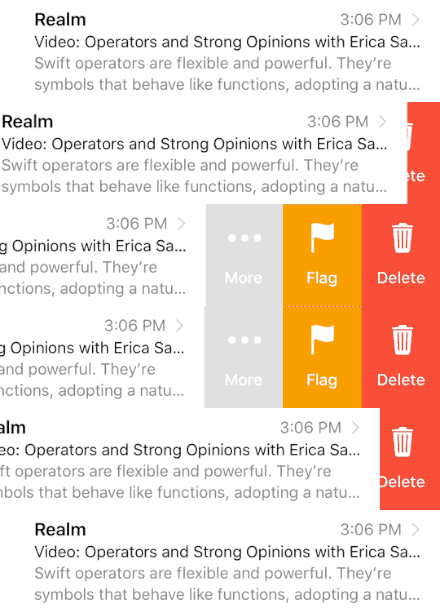
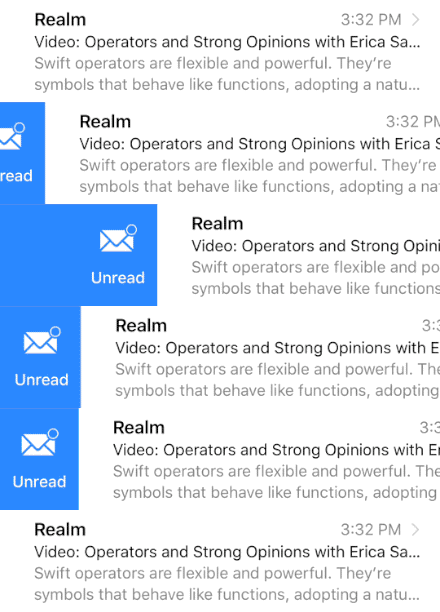
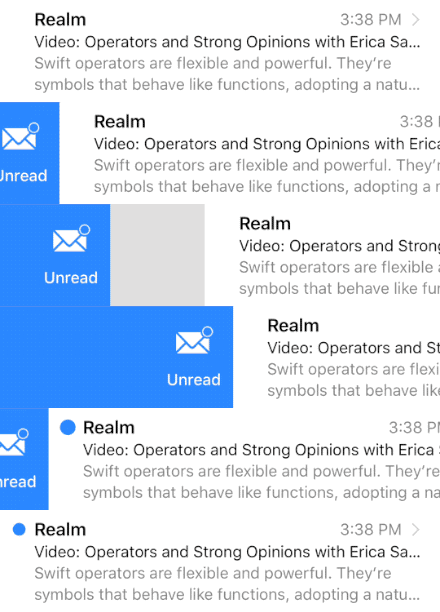
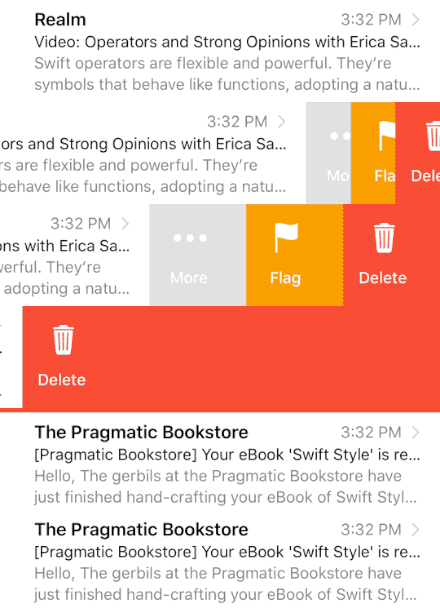
├── .swift-version ├── docs ├── img │ ├── gh.png │ ├── carat.png │ └── dash.png ├── docsets │ ├── SwipeCellKit.tgz │ └── SwipeCellKit.docset │ │ └── Contents │ │ ├── Resources │ │ ├── docSet.dsidx │ │ └── Documents │ │ │ ├── undocumented.json │ │ │ ├── img │ │ │ ├── dash.png │ │ │ ├── gh.png │ │ │ └── carat.png │ │ │ ├── js │ │ │ └── jazzy.js │ │ │ ├── css │ │ │ ├── highlight.css │ │ │ └── jazzy.css │ │ │ ├── Guides.html │ │ │ ├── Protocols │ │ │ └── SwipeActionTransitioning.html │ │ │ └── Enums │ │ │ ├── SwipeActionStyle.html │ │ │ └── ExpansionFulfillmentStyle.html │ │ └── Info.plist ├── undocumented.json ├── js │ └── jazzy.js ├── css │ ├── highlight.css │ └── jazzy.css ├── Guides.html ├── Protocols │ └── SwipeActionTransitioning.html └── Enums │ ├── SwipeActionStyle.html │ ├── ExpansionFulfillmentStyle.html │ └── SwipeActionsOrientation.html ├── Screenshots ├── Hero.gif ├── Expansion-None.gif ├── Transition-Drag.gif ├── Expansion-Delegate.gif ├── Transition-Border.gif ├── Transition-Reveal.gif ├── Expansion-Selection.gif ├── Transition-Delegate.gif └── Expansion-Destructive.gif ├── Example ├── MailExample │ ├── Assets.xcassets │ │ ├── Contents.json │ │ ├── Read.imageset │ │ │ ├── read.png │ │ │ └── Contents.json │ │ ├── Flag.imageset │ │ │ ├── Flag Icon.png │ │ │ └── Contents.json │ │ ├── More.imageset │ │ │ ├── More Icon.png │ │ │ └── Contents.json │ │ ├── Trash.imageset │ │ │ ├── Trash Icon.png │ │ │ └── Contents.json │ │ ├── Archive.imageset │ │ │ ├── Archive Icon.png │ │ │ └── Contents.json │ │ ├── Unread.imageset │ │ │ ├── Unread Icon.png │ │ │ └── Contents.json │ │ ├── Disclosure.imageset │ │ │ ├── Disclosure.png │ │ │ └── Contents.json │ │ ├── Flag-circle.imageset │ │ │ ├── flag-circle.png │ │ │ └── Contents.json │ │ ├── More-circle.imageset │ │ │ ├── more-circle.png │ │ │ └── Contents.json │ │ ├── MoreOutline.imageset │ │ │ ├── MoreOutline.png │ │ │ └── Contents.json │ │ ├── Read-circle.imageset │ │ │ ├── read-circle.png │ │ │ └── Contents.json │ │ ├── Trash-circle.imageset │ │ │ ├── trash-circle.png │ │ │ └── Contents.json │ │ ├── Unread-circle.imageset │ │ │ ├── unread-circle.png │ │ │ └── Contents.json │ │ └── AppIcon.appiconset │ │ │ └── Contents.json │ ├── AppDelegate.swift │ ├── Info.plist │ ├── LaunchScreen.storyboard │ └── Data.swift └── MailExample.xcodeproj │ ├── project.xcworkspace │ └── contents.xcworkspacedata │ └── xcshareddata │ └── xcschemes │ └── MailExample.xcscheme ├── Package.swift ├── Source ├── SwipeTableViewCell+Display.swift ├── SwipeCellKit.h ├── Swipeable.swift ├── Info.plist ├── SwipeFeedback.swift ├── Extensions.swift ├── SwipeTableViewCellDelegate.swift ├── SwipeAnimator.swift ├── SwipeActionButton.swift ├── SwipeTableViewCell+Accessibility.swift ├── SwipeTableOptions.swift ├── SwipeTransitionLayout.swift ├── SwipeActionTransitioning.swift ├── SwipeExpanding.swift └── SwipeAction.swift ├── SwipeCellKit.xcodeproj ├── project.xcworkspace │ └── contents.xcworkspacedata └── xcshareddata │ └── xcschemes │ └── SwipeCellKit.xcscheme ├── SHOWCASE.md ├── SwipeCellKit.xcworkspace └── contents.xcworkspacedata ├── SwipeCellKit.podspec ├── LICENSE ├── .travis.yml ├── .gitignore ├── CHANGELOG.md ├── Guides └── Advanced.md └── README.md /.swift-version: -------------------------------------------------------------------------------- 1 | 3.0 2 | -------------------------------------------------------------------------------- /docs/img/gh.png: -------------------------------------------------------------------------------- https://raw.githubusercontent.com/mschonvogel/SwipeCellKit/HEAD/docs/img/gh.png -------------------------------------------------------------------------------- /docs/img/carat.png: -------------------------------------------------------------------------------- https://raw.githubusercontent.com/mschonvogel/SwipeCellKit/HEAD/docs/img/carat.png -------------------------------------------------------------------------------- /docs/img/dash.png: -------------------------------------------------------------------------------- https://raw.githubusercontent.com/mschonvogel/SwipeCellKit/HEAD/docs/img/dash.png -------------------------------------------------------------------------------- /Screenshots/Hero.gif: -------------------------------------------------------------------------------- https://raw.githubusercontent.com/mschonvogel/SwipeCellKit/HEAD/Screenshots/Hero.gif -------------------------------------------------------------------------------- /docs/docsets/SwipeCellKit.tgz: -------------------------------------------------------------------------------- https://raw.githubusercontent.com/mschonvogel/SwipeCellKit/HEAD/docs/docsets/SwipeCellKit.tgz -------------------------------------------------------------------------------- /Screenshots/Expansion-None.gif: -------------------------------------------------------------------------------- https://raw.githubusercontent.com/mschonvogel/SwipeCellKit/HEAD/Screenshots/Expansion-None.gif -------------------------------------------------------------------------------- /Screenshots/Transition-Drag.gif: -------------------------------------------------------------------------------- https://raw.githubusercontent.com/mschonvogel/SwipeCellKit/HEAD/Screenshots/Transition-Drag.gif -------------------------------------------------------------------------------- /Screenshots/Expansion-Delegate.gif: -------------------------------------------------------------------------------- https://raw.githubusercontent.com/mschonvogel/SwipeCellKit/HEAD/Screenshots/Expansion-Delegate.gif -------------------------------------------------------------------------------- /Screenshots/Transition-Border.gif: -------------------------------------------------------------------------------- https://raw.githubusercontent.com/mschonvogel/SwipeCellKit/HEAD/Screenshots/Transition-Border.gif -------------------------------------------------------------------------------- /Screenshots/Transition-Reveal.gif: -------------------------------------------------------------------------------- https://raw.githubusercontent.com/mschonvogel/SwipeCellKit/HEAD/Screenshots/Transition-Reveal.gif -------------------------------------------------------------------------------- /Example/MailExample/Assets.xcassets/Contents.json: -------------------------------------------------------------------------------- 1 | { 2 | "info" : { 3 | "version" : 1, 4 | "author" : "xcode" 5 | } 6 | } -------------------------------------------------------------------------------- /Screenshots/Expansion-Selection.gif: -------------------------------------------------------------------------------- https://raw.githubusercontent.com/mschonvogel/SwipeCellKit/HEAD/Screenshots/Expansion-Selection.gif -------------------------------------------------------------------------------- /Screenshots/Transition-Delegate.gif: -------------------------------------------------------------------------------- https://raw.githubusercontent.com/mschonvogel/SwipeCellKit/HEAD/Screenshots/Transition-Delegate.gif -------------------------------------------------------------------------------- /Screenshots/Expansion-Destructive.gif: -------------------------------------------------------------------------------- https://raw.githubusercontent.com/mschonvogel/SwipeCellKit/HEAD/Screenshots/Expansion-Destructive.gif -------------------------------------------------------------------------------- /docs/undocumented.json: -------------------------------------------------------------------------------- 1 | { 2 | "warnings": [ 3 | 4 | ], 5 | "source_directory": "/Users/jeremy/Development/personal/SwipeCellKit" 6 | } -------------------------------------------------------------------------------- /Example/MailExample/Assets.xcassets/Read.imageset/read.png: -------------------------------------------------------------------------------- https://raw.githubusercontent.com/mschonvogel/SwipeCellKit/HEAD/Example/MailExample/Assets.xcassets/Read.imageset/read.png -------------------------------------------------------------------------------- /Example/MailExample/Assets.xcassets/Flag.imageset/Flag Icon.png: -------------------------------------------------------------------------------- https://raw.githubusercontent.com/mschonvogel/SwipeCellKit/HEAD/Example/MailExample/Assets.xcassets/Flag.imageset/Flag Icon.png -------------------------------------------------------------------------------- /Example/MailExample/Assets.xcassets/More.imageset/More Icon.png: -------------------------------------------------------------------------------- https://raw.githubusercontent.com/mschonvogel/SwipeCellKit/HEAD/Example/MailExample/Assets.xcassets/More.imageset/More Icon.png -------------------------------------------------------------------------------- /docs/docsets/SwipeCellKit.docset/Contents/Resources/docSet.dsidx: -------------------------------------------------------------------------------- https://raw.githubusercontent.com/mschonvogel/SwipeCellKit/HEAD/docs/docsets/SwipeCellKit.docset/Contents/Resources/docSet.dsidx -------------------------------------------------------------------------------- /Example/MailExample/Assets.xcassets/Trash.imageset/Trash Icon.png: -------------------------------------------------------------------------------- https://raw.githubusercontent.com/mschonvogel/SwipeCellKit/HEAD/Example/MailExample/Assets.xcassets/Trash.imageset/Trash Icon.png -------------------------------------------------------------------------------- /Example/MailExample/Assets.xcassets/Archive.imageset/Archive Icon.png: -------------------------------------------------------------------------------- https://raw.githubusercontent.com/mschonvogel/SwipeCellKit/HEAD/Example/MailExample/Assets.xcassets/Archive.imageset/Archive Icon.png -------------------------------------------------------------------------------- /Example/MailExample/Assets.xcassets/Unread.imageset/Unread Icon.png: -------------------------------------------------------------------------------- https://raw.githubusercontent.com/mschonvogel/SwipeCellKit/HEAD/Example/MailExample/Assets.xcassets/Unread.imageset/Unread Icon.png -------------------------------------------------------------------------------- /docs/docsets/SwipeCellKit.docset/Contents/Resources/Documents/undocumented.json: -------------------------------------------------------------------------------- 1 | { 2 | "warnings": [ 3 | 4 | ], 5 | "source_directory": "/Users/jeremy/Development/personal/SwipeCellKit" 6 | } -------------------------------------------------------------------------------- /Example/MailExample/Assets.xcassets/Disclosure.imageset/Disclosure.png: -------------------------------------------------------------------------------- https://raw.githubusercontent.com/mschonvogel/SwipeCellKit/HEAD/Example/MailExample/Assets.xcassets/Disclosure.imageset/Disclosure.png -------------------------------------------------------------------------------- /Example/MailExample/Assets.xcassets/Flag-circle.imageset/flag-circle.png: -------------------------------------------------------------------------------- https://raw.githubusercontent.com/mschonvogel/SwipeCellKit/HEAD/Example/MailExample/Assets.xcassets/Flag-circle.imageset/flag-circle.png -------------------------------------------------------------------------------- /Example/MailExample/Assets.xcassets/More-circle.imageset/more-circle.png: -------------------------------------------------------------------------------- https://raw.githubusercontent.com/mschonvogel/SwipeCellKit/HEAD/Example/MailExample/Assets.xcassets/More-circle.imageset/more-circle.png -------------------------------------------------------------------------------- /Example/MailExample/Assets.xcassets/MoreOutline.imageset/MoreOutline.png: -------------------------------------------------------------------------------- https://raw.githubusercontent.com/mschonvogel/SwipeCellKit/HEAD/Example/MailExample/Assets.xcassets/MoreOutline.imageset/MoreOutline.png -------------------------------------------------------------------------------- /Example/MailExample/Assets.xcassets/Read-circle.imageset/read-circle.png: -------------------------------------------------------------------------------- https://raw.githubusercontent.com/mschonvogel/SwipeCellKit/HEAD/Example/MailExample/Assets.xcassets/Read-circle.imageset/read-circle.png -------------------------------------------------------------------------------- /Example/MailExample/Assets.xcassets/Trash-circle.imageset/trash-circle.png: -------------------------------------------------------------------------------- https://raw.githubusercontent.com/mschonvogel/SwipeCellKit/HEAD/Example/MailExample/Assets.xcassets/Trash-circle.imageset/trash-circle.png -------------------------------------------------------------------------------- /docs/docsets/SwipeCellKit.docset/Contents/Resources/Documents/img/dash.png: -------------------------------------------------------------------------------- https://raw.githubusercontent.com/mschonvogel/SwipeCellKit/HEAD/docs/docsets/SwipeCellKit.docset/Contents/Resources/Documents/img/dash.png -------------------------------------------------------------------------------- /docs/docsets/SwipeCellKit.docset/Contents/Resources/Documents/img/gh.png: -------------------------------------------------------------------------------- https://raw.githubusercontent.com/mschonvogel/SwipeCellKit/HEAD/docs/docsets/SwipeCellKit.docset/Contents/Resources/Documents/img/gh.png -------------------------------------------------------------------------------- /Example/MailExample/Assets.xcassets/Unread-circle.imageset/unread-circle.png: -------------------------------------------------------------------------------- https://raw.githubusercontent.com/mschonvogel/SwipeCellKit/HEAD/Example/MailExample/Assets.xcassets/Unread-circle.imageset/unread-circle.png -------------------------------------------------------------------------------- /docs/docsets/SwipeCellKit.docset/Contents/Resources/Documents/img/carat.png: -------------------------------------------------------------------------------- https://raw.githubusercontent.com/mschonvogel/SwipeCellKit/HEAD/docs/docsets/SwipeCellKit.docset/Contents/Resources/Documents/img/carat.png -------------------------------------------------------------------------------- /Package.swift: -------------------------------------------------------------------------------- 1 | // 2 | // Created by Jeremy Koch. 3 | // Copyright © 2017 Jeremy Koch. All rights reserved. 4 | // 5 | 6 | import PackageDescription 7 | 8 | let package = Package( 9 | name: "SwipeCellKit" 10 | ) -------------------------------------------------------------------------------- /Source/SwipeTableViewCell+Display.swift: -------------------------------------------------------------------------------- 1 | // 2 | // SwipeTableViewCell+Display.swift 3 | // 4 | // Created by Jeremy Koch 5 | // Copyright © 2017 Jeremy Koch. All rights reserved. 6 | // 7 | 8 | import UIKit 9 | 10 | 11 | -------------------------------------------------------------------------------- /SwipeCellKit.xcodeproj/project.xcworkspace/contents.xcworkspacedata: -------------------------------------------------------------------------------- 1 | 2 | 4 | 6 | 7 | 8 | -------------------------------------------------------------------------------- /Example/MailExample.xcodeproj/project.xcworkspace/contents.xcworkspacedata: -------------------------------------------------------------------------------- 1 | 2 | 4 | 6 | 7 | 8 | -------------------------------------------------------------------------------- /SHOWCASE.md: -------------------------------------------------------------------------------- 1 | # Showcase 2 | 3 | These are the apps that we know about who use *SwipeCellKit*. 4 | 5 | Please submit a [pull request](https://github.com/jerkoch/SwipeCellKit/compare) to add your app! 6 | 7 | * [Your App Here](https://itunes.apple.com/us/app/yourlink) 8 | 9 | 10 | -------------------------------------------------------------------------------- /SwipeCellKit.xcworkspace/contents.xcworkspacedata: -------------------------------------------------------------------------------- 1 | 2 | 4 | 6 | 7 | 9 | 10 | 11 | -------------------------------------------------------------------------------- /Example/MailExample/Assets.xcassets/Read.imageset/Contents.json: -------------------------------------------------------------------------------- 1 | { 2 | "images" : [ 3 | { 4 | "idiom" : "universal", 5 | "scale" : "1x" 6 | }, 7 | { 8 | "idiom" : "universal", 9 | "filename" : "read.png", 10 | "scale" : "2x" 11 | }, 12 | { 13 | "idiom" : "universal", 14 | "scale" : "3x" 15 | } 16 | ], 17 | "info" : { 18 | "version" : 1, 19 | "author" : "xcode" 20 | } 21 | } -------------------------------------------------------------------------------- /Example/MailExample/Assets.xcassets/Flag.imageset/Contents.json: -------------------------------------------------------------------------------- 1 | { 2 | "images" : [ 3 | { 4 | "idiom" : "universal", 5 | "scale" : "1x" 6 | }, 7 | { 8 | "idiom" : "universal", 9 | "filename" : "Flag Icon.png", 10 | "scale" : "2x" 11 | }, 12 | { 13 | "idiom" : "universal", 14 | "scale" : "3x" 15 | } 16 | ], 17 | "info" : { 18 | "version" : 1, 19 | "author" : "xcode" 20 | } 21 | } -------------------------------------------------------------------------------- /Example/MailExample/Assets.xcassets/More.imageset/Contents.json: -------------------------------------------------------------------------------- 1 | { 2 | "images" : [ 3 | { 4 | "idiom" : "universal", 5 | "scale" : "1x" 6 | }, 7 | { 8 | "idiom" : "universal", 9 | "filename" : "More Icon.png", 10 | "scale" : "2x" 11 | }, 12 | { 13 | "idiom" : "universal", 14 | "scale" : "3x" 15 | } 16 | ], 17 | "info" : { 18 | "version" : 1, 19 | "author" : "xcode" 20 | } 21 | } -------------------------------------------------------------------------------- /Example/MailExample/Assets.xcassets/Trash.imageset/Contents.json: -------------------------------------------------------------------------------- 1 | { 2 | "images" : [ 3 | { 4 | "idiom" : "universal", 5 | "scale" : "1x" 6 | }, 7 | { 8 | "idiom" : "universal", 9 | "filename" : "Trash Icon.png", 10 | "scale" : "2x" 11 | }, 12 | { 13 | "idiom" : "universal", 14 | "scale" : "3x" 15 | } 16 | ], 17 | "info" : { 18 | "version" : 1, 19 | "author" : "xcode" 20 | } 21 | } -------------------------------------------------------------------------------- /Example/MailExample/Assets.xcassets/Archive.imageset/Contents.json: -------------------------------------------------------------------------------- 1 | { 2 | "images" : [ 3 | { 4 | "idiom" : "universal", 5 | "scale" : "1x" 6 | }, 7 | { 8 | "idiom" : "universal", 9 | "filename" : "Archive Icon.png", 10 | "scale" : "2x" 11 | }, 12 | { 13 | "idiom" : "universal", 14 | "scale" : "3x" 15 | } 16 | ], 17 | "info" : { 18 | "version" : 1, 19 | "author" : "xcode" 20 | } 21 | } -------------------------------------------------------------------------------- /Example/MailExample/Assets.xcassets/Disclosure.imageset/Contents.json: -------------------------------------------------------------------------------- 1 | { 2 | "images" : [ 3 | { 4 | "idiom" : "universal", 5 | "scale" : "1x" 6 | }, 7 | { 8 | "idiom" : "universal", 9 | "filename" : "Disclosure.png", 10 | "scale" : "2x" 11 | }, 12 | { 13 | "idiom" : "universal", 14 | "scale" : "3x" 15 | } 16 | ], 17 | "info" : { 18 | "version" : 1, 19 | "author" : "xcode" 20 | } 21 | } -------------------------------------------------------------------------------- /Example/MailExample/Assets.xcassets/Unread.imageset/Contents.json: -------------------------------------------------------------------------------- 1 | { 2 | "images" : [ 3 | { 4 | "idiom" : "universal", 5 | "scale" : "1x" 6 | }, 7 | { 8 | "idiom" : "universal", 9 | "filename" : "Unread Icon.png", 10 | "scale" : "2x" 11 | }, 12 | { 13 | "idiom" : "universal", 14 | "scale" : "3x" 15 | } 16 | ], 17 | "info" : { 18 | "version" : 1, 19 | "author" : "xcode" 20 | } 21 | } -------------------------------------------------------------------------------- /Example/MailExample/Assets.xcassets/Flag-circle.imageset/Contents.json: -------------------------------------------------------------------------------- 1 | { 2 | "images" : [ 3 | { 4 | "idiom" : "universal", 5 | "scale" : "1x" 6 | }, 7 | { 8 | "idiom" : "universal", 9 | "filename" : "flag-circle.png", 10 | "scale" : "2x" 11 | }, 12 | { 13 | "idiom" : "universal", 14 | "scale" : "3x" 15 | } 16 | ], 17 | "info" : { 18 | "version" : 1, 19 | "author" : "xcode" 20 | } 21 | } -------------------------------------------------------------------------------- /Example/MailExample/Assets.xcassets/More-circle.imageset/Contents.json: -------------------------------------------------------------------------------- 1 | { 2 | "images" : [ 3 | { 4 | "idiom" : "universal", 5 | "scale" : "1x" 6 | }, 7 | { 8 | "idiom" : "universal", 9 | "filename" : "more-circle.png", 10 | "scale" : "2x" 11 | }, 12 | { 13 | "idiom" : "universal", 14 | "scale" : "3x" 15 | } 16 | ], 17 | "info" : { 18 | "version" : 1, 19 | "author" : "xcode" 20 | } 21 | } -------------------------------------------------------------------------------- /Example/MailExample/Assets.xcassets/MoreOutline.imageset/Contents.json: -------------------------------------------------------------------------------- 1 | { 2 | "images" : [ 3 | { 4 | "idiom" : "universal", 5 | "scale" : "1x" 6 | }, 7 | { 8 | "idiom" : "universal", 9 | "filename" : "MoreOutline.png", 10 | "scale" : "2x" 11 | }, 12 | { 13 | "idiom" : "universal", 14 | "scale" : "3x" 15 | } 16 | ], 17 | "info" : { 18 | "version" : 1, 19 | "author" : "xcode" 20 | } 21 | } -------------------------------------------------------------------------------- /Example/MailExample/Assets.xcassets/Read-circle.imageset/Contents.json: -------------------------------------------------------------------------------- 1 | { 2 | "images" : [ 3 | { 4 | "idiom" : "universal", 5 | "scale" : "1x" 6 | }, 7 | { 8 | "idiom" : "universal", 9 | "filename" : "read-circle.png", 10 | "scale" : "2x" 11 | }, 12 | { 13 | "idiom" : "universal", 14 | "scale" : "3x" 15 | } 16 | ], 17 | "info" : { 18 | "version" : 1, 19 | "author" : "xcode" 20 | } 21 | } -------------------------------------------------------------------------------- /Example/MailExample/Assets.xcassets/Trash-circle.imageset/Contents.json: -------------------------------------------------------------------------------- 1 | { 2 | "images" : [ 3 | { 4 | "idiom" : "universal", 5 | "scale" : "1x" 6 | }, 7 | { 8 | "idiom" : "universal", 9 | "filename" : "trash-circle.png", 10 | "scale" : "2x" 11 | }, 12 | { 13 | "idiom" : "universal", 14 | "scale" : "3x" 15 | } 16 | ], 17 | "info" : { 18 | "version" : 1, 19 | "author" : "xcode" 20 | } 21 | } -------------------------------------------------------------------------------- /Example/MailExample/Assets.xcassets/Unread-circle.imageset/Contents.json: -------------------------------------------------------------------------------- 1 | { 2 | "images" : [ 3 | { 4 | "idiom" : "universal", 5 | "scale" : "1x" 6 | }, 7 | { 8 | "idiom" : "universal", 9 | "filename" : "unread-circle.png", 10 | "scale" : "2x" 11 | }, 12 | { 13 | "idiom" : "universal", 14 | "scale" : "3x" 15 | } 16 | ], 17 | "info" : { 18 | "version" : 1, 19 | "author" : "xcode" 20 | } 21 | } -------------------------------------------------------------------------------- /Source/SwipeCellKit.h: -------------------------------------------------------------------------------- 1 | // 2 | // SwipeCellKit.h 3 | // SwipeCellKit 4 | // 5 | // Created by Jeremy Koch on 2/3/17. 6 | // 7 | // 8 | 9 | #import 10 | 11 | //! Project version number for SwipeCellKit. 12 | FOUNDATION_EXPORT double SwipeCellKitVersionNumber; 13 | 14 | //! Project version string for SwipeCellKit. 15 | FOUNDATION_EXPORT const unsigned char SwipeCellKitVersionString[]; 16 | 17 | // In this header, you should import all the public headers of your framework using statements like #import 18 | 19 | 20 | -------------------------------------------------------------------------------- /SwipeCellKit.podspec: -------------------------------------------------------------------------------- 1 | Pod::Spec.new do |s| 2 | s.name = 'SwipeCellKit' 3 | s.version = '1.8.0' 4 | s.license = 'MIT' 5 | 6 | s.summary = 'Swipeable UITableViewCell based on the stock Mail.app, implemented in Swift.' 7 | s.homepage = 'https://github.com/jerkoch/SwipeCellKit' 8 | s.documentation_url = 'http://www.jerkoch.com/SwipeCellKit/' 9 | s.social_media_url = 'https://twitter.com/jerkoch' 10 | s.author = 'Jeremy Koch' 11 | 12 | s.source = { :git => 'https://github.com/jerkoch/SwipeCellKit.git', :tag => s.version } 13 | s.source_files = 'Source/*.swift' 14 | 15 | s.ios.deployment_target = '9.0' 16 | end -------------------------------------------------------------------------------- /docs/docsets/SwipeCellKit.docset/Contents/Info.plist: -------------------------------------------------------------------------------- 1 | 2 | 3 | 4 | 5 | CFBundleIdentifier 6 | com.jazzy.swipecellkit 7 | CFBundleName 8 | SwipeCellKit 9 | DocSetPlatformFamily 10 | swipecellkit 11 | isDashDocset 12 | 13 | dashIndexFilePath 14 | index.html 15 | isJavaScriptEnabled 16 | 17 | DashDocSetFamily 18 | dashtoc 19 | 20 | 21 | -------------------------------------------------------------------------------- /Example/MailExample/AppDelegate.swift: -------------------------------------------------------------------------------- 1 | // 2 | // AppDelegate.swift 3 | // 4 | // Created by Jeremy Koch 5 | // Copyright © 2017 Jeremy Koch. All rights reserved. 6 | // 7 | 8 | import UIKit 9 | 10 | @UIApplicationMain 11 | class AppDelegate: UIResponder, UIApplicationDelegate { 12 | 13 | var window: UIWindow? 14 | 15 | 16 | func application(_ application: UIApplication, didFinishLaunchingWithOptions launchOptions: [UIApplicationLaunchOptionsKey : Any]? = nil) -> Bool { 17 | 18 | window = UIWindow(frame: UIScreen.main.bounds) 19 | window?.makeKeyAndVisible() 20 | 21 | window?.rootViewController = UINavigationController(rootViewController: MailViewController()) 22 | 23 | return true 24 | } 25 | } 26 | 27 | -------------------------------------------------------------------------------- /Source/Swipeable.swift: -------------------------------------------------------------------------------- 1 | // 2 | // Swipeable.swift 3 | // 4 | // Created by Jeremy Koch 5 | // Copyright © 2017 Jeremy Koch. All rights reserved. 6 | // 7 | 8 | import UIKit 9 | 10 | // MARK: - Internal 11 | 12 | protocol Swipeable { 13 | var actionsView: SwipeActionsView? { get } 14 | 15 | var state: SwipeState { get } 16 | 17 | var frame: CGRect { get } 18 | } 19 | 20 | extension SwipeTableViewCell: Swipeable {} 21 | 22 | enum SwipeState: Int { 23 | case center = 0 24 | case left 25 | case right 26 | case dragging 27 | case animatingToCenter 28 | 29 | init(orientation: SwipeActionsOrientation) { 30 | self = orientation == .left ? .left : .right 31 | } 32 | 33 | var isActive: Bool { return self != .center } 34 | } 35 | -------------------------------------------------------------------------------- /Source/Info.plist: -------------------------------------------------------------------------------- 1 | 2 | 3 | 4 | 5 | CFBundleDevelopmentRegion 6 | en 7 | CFBundleExecutable 8 | $(EXECUTABLE_NAME) 9 | CFBundleIdentifier 10 | $(PRODUCT_BUNDLE_IDENTIFIER) 11 | CFBundleInfoDictionaryVersion 12 | 6.0 13 | CFBundleName 14 | $(PRODUCT_NAME) 15 | CFBundlePackageType 16 | FMWK 17 | CFBundleShortVersionString 18 | 1.8.0 19 | CFBundleVersion 20 | $(CURRENT_PROJECT_VERSION) 21 | NSPrincipalClass 22 | 23 | 24 | 25 | -------------------------------------------------------------------------------- /LICENSE: -------------------------------------------------------------------------------- 1 | MIT License 2 | Copyright (c) 2017 Jeremy Koch 3 | 4 | http://jerkoch.com 5 | 6 | Permission is hereby granted, free of charge, to any person obtaining a copy 7 | of this software and associated documentation files (the "Software"), to deal 8 | in the Software without restriction, including without limitation the rights 9 | to use, copy, modify, merge, publish, distribute, sublicense, and/or sell 10 | copies of the Software, and to permit persons to whom the Software is 11 | furnished to do so, subject to the following conditions: 12 | 13 | The above copyright notice and this permission notice shall be included in all 14 | copies or substantial portions of the Software. 15 | 16 | THE SOFTWARE IS PROVIDED "AS IS", WITHOUT WARRANTY OF ANY KIND, EXPRESS OR 17 | IMPLIED, INCLUDING BUT NOT LIMITED TO THE WARRANTIES OF MERCHANTABILITY, 18 | FITNESS FOR A PARTICULAR PURPOSE AND NONINFRINGEMENT. IN NO EVENT SHALL THE 19 | AUTHORS OR COPYRIGHT HOLDERS BE LIABLE FOR ANY CLAIM, DAMAGES OR OTHER 20 | LIABILITY, WHETHER IN AN ACTION OF CONTRACT, TORT OR OTHERWISE, ARISING FROM, 21 | OUT OF OR IN CONNECTION WITH THE SOFTWARE OR THE USE OR OTHER DEALINGS IN THE 22 | SOFTWARE. -------------------------------------------------------------------------------- /docs/js/jazzy.js: -------------------------------------------------------------------------------- 1 | window.jazzy = {'docset': false} 2 | if (typeof window.dash != 'undefined') { 3 | document.documentElement.className += ' dash' 4 | window.jazzy.docset = true 5 | } 6 | if (navigator.userAgent.match(/xcode/i)) { 7 | document.documentElement.className += ' xcode' 8 | window.jazzy.docset = true 9 | } 10 | 11 | // On doc load, toggle the URL hash discussion if present 12 | $(document).ready(function() { 13 | if (!window.jazzy.docset) { 14 | var linkToHash = $('a[href="' + window.location.hash +'"]'); 15 | linkToHash.trigger("click"); 16 | } 17 | }); 18 | 19 | // On token click, toggle its discussion and animate token.marginLeft 20 | $(".token").click(function(event) { 21 | if (window.jazzy.docset) { 22 | return; 23 | } 24 | var link = $(this); 25 | var animationDuration = 300; 26 | var tokenOffset = "15px"; 27 | var original = link.css('marginLeft') == tokenOffset; 28 | link.animate({'margin-left':original ? "0px" : tokenOffset}, animationDuration); 29 | $content = link.parent().parent().next(); 30 | $content.slideToggle(animationDuration); 31 | 32 | // Keeps the document from jumping to the hash. 33 | var href = $(this).attr('href'); 34 | if (history.pushState) { 35 | history.pushState({}, '', href); 36 | } else { 37 | location.hash = href; 38 | } 39 | event.preventDefault(); 40 | }); 41 | -------------------------------------------------------------------------------- /docs/docsets/SwipeCellKit.docset/Contents/Resources/Documents/js/jazzy.js: -------------------------------------------------------------------------------- 1 | window.jazzy = {'docset': false} 2 | if (typeof window.dash != 'undefined') { 3 | document.documentElement.className += ' dash' 4 | window.jazzy.docset = true 5 | } 6 | if (navigator.userAgent.match(/xcode/i)) { 7 | document.documentElement.className += ' xcode' 8 | window.jazzy.docset = true 9 | } 10 | 11 | // On doc load, toggle the URL hash discussion if present 12 | $(document).ready(function() { 13 | if (!window.jazzy.docset) { 14 | var linkToHash = $('a[href="' + window.location.hash +'"]'); 15 | linkToHash.trigger("click"); 16 | } 17 | }); 18 | 19 | // On token click, toggle its discussion and animate token.marginLeft 20 | $(".token").click(function(event) { 21 | if (window.jazzy.docset) { 22 | return; 23 | } 24 | var link = $(this); 25 | var animationDuration = 300; 26 | var tokenOffset = "15px"; 27 | var original = link.css('marginLeft') == tokenOffset; 28 | link.animate({'margin-left':original ? "0px" : tokenOffset}, animationDuration); 29 | $content = link.parent().parent().next(); 30 | $content.slideToggle(animationDuration); 31 | 32 | // Keeps the document from jumping to the hash. 33 | var href = $(this).attr('href'); 34 | if (history.pushState) { 35 | history.pushState({}, '', href); 36 | } else { 37 | location.hash = href; 38 | } 39 | event.preventDefault(); 40 | }); 41 | -------------------------------------------------------------------------------- /Source/SwipeFeedback.swift: -------------------------------------------------------------------------------- 1 | // 2 | // SwipeFeedback.swift 3 | // 4 | // Created by Jeremy Koch 5 | // Copyright © 2017 Jeremy Koch. All rights reserved. 6 | // 7 | 8 | import UIKit 9 | 10 | final class SwipeFeedback { 11 | enum Style { 12 | case light 13 | case medium 14 | case heavy 15 | } 16 | 17 | @available(iOS 10.0, *) 18 | private var feedbackGenerator: UIImpactFeedbackGenerator? { 19 | get { 20 | return _feedbackGenerator as? UIImpactFeedbackGenerator 21 | } 22 | set { 23 | _feedbackGenerator = newValue 24 | } 25 | } 26 | 27 | private var _feedbackGenerator: Any? 28 | 29 | init(style: Style) { 30 | if #available(iOS 10.0, *) { 31 | switch style { 32 | case .light: 33 | feedbackGenerator = UIImpactFeedbackGenerator(style: .light) 34 | case .medium: 35 | feedbackGenerator = UIImpactFeedbackGenerator(style: .medium) 36 | case .heavy: 37 | feedbackGenerator = UIImpactFeedbackGenerator(style: .heavy) 38 | } 39 | } else { 40 | _feedbackGenerator = nil 41 | } 42 | } 43 | 44 | func prepare() { 45 | if #available(iOS 10.0, *) { 46 | feedbackGenerator?.prepare() 47 | } 48 | } 49 | 50 | func impactOccurred() { 51 | if #available(iOS 10.0, *) { 52 | feedbackGenerator?.impactOccurred() 53 | } 54 | } 55 | } 56 | 57 | -------------------------------------------------------------------------------- /.travis.yml: -------------------------------------------------------------------------------- 1 | language: objective-c 2 | osx_image: xcode8.3 3 | 4 | env: 5 | global: 6 | - LANG=en_US.UTF-8 7 | 8 | - PROJECT="SwipeCellKit.xcodeproj" 9 | - IOS_SCHEME="SwipeCellKit" 10 | - IOS_SDK=iphonesimulator10.3 11 | 12 | matrix: 13 | - DESTINATION="OS=9.0,name=iPhone 6 Plus" SDK="$IOS_SDK" SCHEME="$IOS_SCHEME" BUILD_EXAMPLE="YES" POD_LINT="YES" 14 | - DESTINATION="OS=9.1,name=iPhone 6s" SDK="$IOS_SDK" SCHEME="$IOS_SCHEME" BUILD_EXAMPLE="YES" POD_LINT="NO" 15 | - DESTINATION="OS=9.2,name=iPhone 6s Plus" SDK="$IOS_SDK" SCHEME="$IOS_SCHEME" BUILD_EXAMPLE="YES" POD_LINT="NO" 16 | - DESTINATION="OS=9.3,name=iPad Air 2" SDK="$IOS_SDK" SCHEME="$IOS_SCHEME" BUILD_EXAMPLE="YES" POD_LINT="NO" 17 | 18 | - DESTINATION="OS=10.0,name=iPhone 6s" SDK="$IOS_SDK" SCHEME="$IOS_SCHEME" BUILD_EXAMPLE="YES" POD_LINT="NO" 19 | - DESTINATION="OS=10.1,name=iPhone 7" SDK="$IOS_SDK" SCHEME="$IOS_SCHEME" BUILD_EXAMPLE="YES" POD_LINT="NO" 20 | - DESTINATION="OS=10.2,name=iPad Pro (9.7-inch)" SDK="$IOS_SDK" SCHEME="$IOS_SCHEME" BUILD_EXAMPLE="YES" POD_LINT="NO" 21 | - DESTINATION="OS=10.3,name=iPhone 7" SDK="$IOS_SDK" SCHEME="$IOS_SCHEME" BUILD_EXAMPLE="YES" POD_LINT="NO" 22 | 23 | script: 24 | - set -o pipefail 25 | 26 | - if [ $POD_LINT == "YES" ]; then 27 | pod lib lint; 28 | fi 29 | 30 | 31 | - if [ $BUILD_EXAMPLE == "YES" ]; then 32 | xcodebuild build analyze -project Example/MailExample.xcodeproj -scheme MailExample -sdk "$SDK" -destination "$DESTINATION" ONLY_ACTIVE_ARCH=NO CODE_SIGNING_REQUIRED=NO | xcpretty -c; 33 | fi 34 | -------------------------------------------------------------------------------- /Example/MailExample/Info.plist: -------------------------------------------------------------------------------- 1 | 2 | 3 | 4 | 5 | CFBundleDevelopmentRegion 6 | en 7 | CFBundleExecutable 8 | $(EXECUTABLE_NAME) 9 | CFBundleIdentifier 10 | $(PRODUCT_BUNDLE_IDENTIFIER) 11 | CFBundleInfoDictionaryVersion 12 | 6.0 13 | CFBundleName 14 | $(PRODUCT_NAME) 15 | CFBundlePackageType 16 | APPL 17 | CFBundleShortVersionString 18 | 1.0 19 | CFBundleVersion 20 | 1 21 | LSRequiresIPhoneOS 22 | 23 | UILaunchStoryboardName 24 | LaunchScreen 25 | UIRequiredDeviceCapabilities 26 | 27 | armv7 28 | 29 | UISupportedInterfaceOrientations 30 | 31 | UIInterfaceOrientationPortrait 32 | UIInterfaceOrientationLandscapeLeft 33 | UIInterfaceOrientationLandscapeRight 34 | 35 | UISupportedInterfaceOrientations~ipad 36 | 37 | UIInterfaceOrientationPortrait 38 | UIInterfaceOrientationPortraitUpsideDown 39 | UIInterfaceOrientationLandscapeLeft 40 | UIInterfaceOrientationLandscapeRight 41 | 42 | 43 | 44 | -------------------------------------------------------------------------------- /.gitignore: -------------------------------------------------------------------------------- 1 | ## Build generated 2 | build/ 3 | DerivedData/ 4 | 5 | ## Various settings 6 | *.pbxuser 7 | !default.pbxuser 8 | *.mode1v3 9 | !default.mode1v3 10 | *.mode2v3 11 | !default.mode2v3 12 | *.perspectivev3 13 | !default.perspectivev3 14 | xcuserdata/ 15 | 16 | ## Other 17 | *.moved-aside 18 | *.xccheckout 19 | *.xcscmblueprint 20 | 21 | ## Obj-C/Swift specific 22 | *.hmap 23 | *.ipa 24 | *.dSYM.zip 25 | *.dSYM 26 | 27 | ## Playgrounds 28 | timeline.xctimeline 29 | playground.xcworkspace 30 | 31 | # Swift Package Manager 32 | # 33 | # Add this line if you want to avoid checking in source code from Swift Package Manager dependencies. 34 | # Packages/ 35 | # Package.pins 36 | .build/ 37 | 38 | # CocoaPods 39 | # 40 | # We recommend against adding the Pods directory to your .gitignore. However 41 | # you should judge for yourself, the pros and cons are mentioned at: 42 | # https://guides.cocoapods.org/using/using-cocoapods.html#should-i-check-the-pods-directory-into-source-control 43 | # 44 | # Pods/ 45 | 46 | # Carthage 47 | # 48 | # Add this line if you want to avoid checking in source code from Carthage dependencies. 49 | # Carthage/Checkouts 50 | 51 | Carthage/Build 52 | 53 | # fastlane 54 | # 55 | # It is recommended to not store the screenshots in the git repo. Instead, use fastlane to re-generate the 56 | # screenshots whenever they are needed. 57 | # For more information about the recommended setup visit: 58 | # https://github.com/fastlane/fastlane/blob/master/fastlane/docs/Gitignore.md 59 | 60 | fastlane/report.xml 61 | fastlane/Preview.html 62 | fastlane/screenshots 63 | fastlane/test_output 64 | 65 | .DS_Store 66 | -------------------------------------------------------------------------------- /Example/MailExample/LaunchScreen.storyboard: -------------------------------------------------------------------------------- 1 | 2 | 3 | 4 | 5 | 6 | 7 | 8 | 9 | 10 | 11 | 12 | 13 | 14 | 15 | 16 | 17 | 18 | 19 | 20 | 21 | 22 | 23 | 24 | 25 | 26 | 27 | 28 | -------------------------------------------------------------------------------- /Source/Extensions.swift: -------------------------------------------------------------------------------- 1 | // 2 | // Extensions.swift 3 | // 4 | // Created by Jeremy Koch 5 | // Copyright © 2017 Jeremy Koch. All rights reserved. 6 | // 7 | 8 | import UIKit 9 | 10 | extension UICollectionView { 11 | var swipeCells: [SwipeTableViewCell] { 12 | return visibleCells.flatMap({ $0 as? SwipeTableViewCell }) 13 | } 14 | 15 | func hideSwipeCell() { 16 | swipeCells.forEach { $0.hideSwipe(animated: true) } 17 | } 18 | 19 | func setGestureEnabled(_ enabled: Bool) { 20 | gestureRecognizers?.forEach { 21 | guard $0 != panGestureRecognizer else { return } 22 | 23 | $0.isEnabled = enabled 24 | } 25 | } 26 | } 27 | 28 | extension UIPanGestureRecognizer { 29 | func elasticTranslation(in view: UIView?, withLimit limit: CGSize, fromOriginalCenter center: CGPoint, applyingRatio ratio: CGFloat = 0.20) -> CGPoint { 30 | let translation = self.translation(in: view) 31 | 32 | guard let sourceView = self.view else { 33 | return translation 34 | } 35 | 36 | let updatedCenter = CGPoint(x: center.x + translation.x, y: center.y + translation.y) 37 | let distanceFromCenter = CGSize(width: abs(updatedCenter.x - sourceView.bounds.midX), 38 | height: abs(updatedCenter.y - sourceView.bounds.midY)) 39 | 40 | let inverseRatio = 1.0 - ratio 41 | let scale: (x: CGFloat, y: CGFloat) = (updatedCenter.x < sourceView.bounds.midX ? -1 : 1, updatedCenter.y < sourceView.bounds.midY ? -1 : 1) 42 | let x = updatedCenter.x - (distanceFromCenter.width > limit.width ? inverseRatio * (distanceFromCenter.width - limit.width) * scale.x : 0) 43 | let y = updatedCenter.y - (distanceFromCenter.height > limit.height ? inverseRatio * (distanceFromCenter.height - limit.height) * scale.y : 0) 44 | 45 | return CGPoint(x: x, y: y) 46 | } 47 | } 48 | -------------------------------------------------------------------------------- /Example/MailExample/Assets.xcassets/AppIcon.appiconset/Contents.json: -------------------------------------------------------------------------------- 1 | { 2 | "images" : [ 3 | { 4 | "idiom" : "iphone", 5 | "size" : "20x20", 6 | "scale" : "2x" 7 | }, 8 | { 9 | "idiom" : "iphone", 10 | "size" : "20x20", 11 | "scale" : "3x" 12 | }, 13 | { 14 | "idiom" : "iphone", 15 | "size" : "29x29", 16 | "scale" : "2x" 17 | }, 18 | { 19 | "idiom" : "iphone", 20 | "size" : "29x29", 21 | "scale" : "3x" 22 | }, 23 | { 24 | "idiom" : "iphone", 25 | "size" : "40x40", 26 | "scale" : "2x" 27 | }, 28 | { 29 | "idiom" : "iphone", 30 | "size" : "40x40", 31 | "scale" : "3x" 32 | }, 33 | { 34 | "idiom" : "iphone", 35 | "size" : "60x60", 36 | "scale" : "2x" 37 | }, 38 | { 39 | "idiom" : "iphone", 40 | "size" : "60x60", 41 | "scale" : "3x" 42 | }, 43 | { 44 | "idiom" : "ipad", 45 | "size" : "20x20", 46 | "scale" : "1x" 47 | }, 48 | { 49 | "idiom" : "ipad", 50 | "size" : "20x20", 51 | "scale" : "2x" 52 | }, 53 | { 54 | "idiom" : "ipad", 55 | "size" : "29x29", 56 | "scale" : "1x" 57 | }, 58 | { 59 | "idiom" : "ipad", 60 | "size" : "29x29", 61 | "scale" : "2x" 62 | }, 63 | { 64 | "idiom" : "ipad", 65 | "size" : "40x40", 66 | "scale" : "1x" 67 | }, 68 | { 69 | "idiom" : "ipad", 70 | "size" : "40x40", 71 | "scale" : "2x" 72 | }, 73 | { 74 | "idiom" : "ipad", 75 | "size" : "76x76", 76 | "scale" : "1x" 77 | }, 78 | { 79 | "idiom" : "ipad", 80 | "size" : "76x76", 81 | "scale" : "2x" 82 | }, 83 | { 84 | "idiom" : "ipad", 85 | "size" : "83.5x83.5", 86 | "scale" : "2x" 87 | } 88 | ], 89 | "info" : { 90 | "version" : 1, 91 | "author" : "xcode" 92 | } 93 | } -------------------------------------------------------------------------------- /Source/SwipeTableViewCellDelegate.swift: -------------------------------------------------------------------------------- 1 | // 2 | // SwipeTableViewCellDelegate.swift 3 | // 4 | // Created by Jeremy Koch 5 | // Copyright © 2017 Jeremy Koch. All rights reserved. 6 | // 7 | 8 | import UIKit 9 | 10 | /** 11 | The `SwipeTableViewCellDelegate` protocol is adopted by an object that manages the display of action buttons when the cell is swiped. 12 | */ 13 | public protocol SwipeTableViewCellDelegate: class { 14 | /** 15 | Asks the delegate for the actions to display in response to a swipe in the specified row. 16 | 17 | - parameter tableView: The table view object which owns the cell requesting this information. 18 | 19 | - parameter indexPath: The index path of the row. 20 | 21 | - parameter orientation: The side of the cell requesting this information. 22 | 23 | - returns: An array of `SwipeAction` objects representing the actions for the row. Each action you provide is used to create a button that the user can tap. Returning `nil` will prevent swiping for the supplied orientation. 24 | */ 25 | func collectionView(_ collectionView: UICollectionView, editActionsForRowAt indexPath: IndexPath, for orientation: SwipeActionsOrientation) -> [SwipeAction]? 26 | 27 | /** 28 | Asks the delegate for the display options to be used while presenting the action buttons. 29 | 30 | - parameter tableView: The table view object which owns the cell requesting this information. 31 | 32 | - parameter indexPath: The index path of the row. 33 | 34 | - parameter orientation: The side of the cell requesting this information. 35 | 36 | - returns: A `SwipeTableOptions` instance which configures the behavior of the action buttons. 37 | 38 | - note: If not implemented, a default `SwipeTableOptions` instance is used. 39 | */ 40 | func collectionView(_ collectionView: UICollectionView, editActionsOptionsForRowAt indexPath: IndexPath, for orientation: SwipeActionsOrientation) -> SwipeTableOptions 41 | 42 | /** 43 | Tells the delegate that the table view is about to go into editing mode. 44 | 45 | - parameter tableView: The table view object providing this information. 46 | 47 | - parameter indexPath: The index path of the row. 48 | 49 | - parameter orientation: The side of the cell. 50 | */ 51 | func collectionView(_ collectionView: UICollectionView, willBeginEditingRowAt indexPath: IndexPath, for orientation: SwipeActionsOrientation) 52 | 53 | /** 54 | Tells the delegate that the table view has left editing mode. 55 | 56 | - parameter tableView: The table view object providing this information. 57 | 58 | - parameter indexPath: The index path of the row. 59 | 60 | - parameter orientation: The side of the cell. 61 | */ 62 | func collectionView(_ collectionView: UICollectionView, didEndEditingRowAt indexPath: IndexPath?, for orientation: SwipeActionsOrientation) 63 | } 64 | 65 | /** 66 | Default implementation of `SwipeTableViewCellDelegate` methods 67 | */ 68 | public extension SwipeTableViewCellDelegate { 69 | func collectionView(_ collectionView: UICollectionView, editActionsOptionsForRowAt indexPath: IndexPath, for orientation: SwipeActionsOrientation) -> SwipeTableOptions { 70 | return SwipeTableOptions() 71 | } 72 | 73 | func collectionView(_ collectionView: UICollectionView, willBeginEditingRowAt indexPath: IndexPath, for orientation: SwipeActionsOrientation) {} 74 | 75 | func collectionView(_ collectionView: UICollectionView, didEndEditingRowAt indexPath: IndexPath?, for orientation: SwipeActionsOrientation) {} 76 | } 77 | -------------------------------------------------------------------------------- /Source/SwipeAnimator.swift: -------------------------------------------------------------------------------- 1 | // 2 | // SwipeAnimator.swift 3 | // 4 | // Created by Jeremy Koch 5 | // Copyright © 2017 Jeremy Koch. All rights reserved. 6 | // 7 | 8 | import Foundation 9 | 10 | protocol SwipeAnimator { 11 | /// A Boolean value indicating whether the animation is currently running. 12 | var isRunning: Bool { get } 13 | 14 | /** 15 | The animation to be run by the SwipeAnimator 16 | 17 | - parameter animation: The closure to be executed by the animator 18 | */ 19 | func addAnimations(_ animation: @escaping () -> Void) 20 | 21 | /** 22 | Completion handler for the animation that is going to be started 23 | 24 | - parameter completion: The closure to be execute on completion of the animator 25 | */ 26 | func addCompletion(completion: @escaping (Bool) -> Void) 27 | 28 | /** 29 | Starts the defined animation 30 | */ 31 | func startAnimation() 32 | 33 | /** 34 | Starts the defined animation after the given delay 35 | 36 | - parameter delay: Delay of the animation 37 | */ 38 | func startAnimation(afterDelay delay: TimeInterval) 39 | 40 | /** 41 | Stops the animations at their current positions. 42 | 43 | - parameter withoutFinishing: A Boolean indicating whether any final actions should be performed. 44 | */ 45 | func stopAnimation(_ withoutFinishing: Bool) 46 | } 47 | 48 | @available(iOS 10.0, *) 49 | extension UIViewPropertyAnimator: SwipeAnimator { 50 | func addCompletion(completion: @escaping (Bool) -> Void) { 51 | addCompletion { position in 52 | completion(position == .end) 53 | } 54 | } 55 | } 56 | 57 | class UIViewSpringAnimator: SwipeAnimator { 58 | var isRunning: Bool = false 59 | 60 | let duration:TimeInterval 61 | let damping:CGFloat 62 | let velocity:CGFloat 63 | 64 | var animations:(() -> Void)? 65 | var completion:((Bool) -> Void)? 66 | 67 | required init(duration: TimeInterval, 68 | damping: CGFloat, 69 | initialVelocity velocity: CGFloat = 0) { 70 | self.duration = duration 71 | self.damping = damping 72 | self.velocity = velocity 73 | } 74 | 75 | func addAnimations(_ animations: @escaping () -> Void) { 76 | self.animations = animations 77 | } 78 | 79 | func addCompletion(completion: @escaping (Bool) -> Void) { 80 | self.completion = { [weak self] finished in 81 | guard self?.isRunning == true else { return } 82 | 83 | self?.isRunning = false 84 | self?.animations = nil 85 | self?.completion = nil 86 | 87 | completion(finished) 88 | } 89 | } 90 | 91 | func startAnimation() { 92 | self.startAnimation(afterDelay: 0) 93 | } 94 | 95 | func startAnimation(afterDelay delay:TimeInterval) { 96 | guard let animations = animations else { return } 97 | 98 | isRunning = true 99 | 100 | UIView.animate(withDuration: duration, 101 | delay: delay, 102 | usingSpringWithDamping: damping, 103 | initialSpringVelocity: velocity, 104 | options: [.curveEaseInOut, .allowUserInteraction], 105 | animations: animations, 106 | completion: completion) 107 | } 108 | 109 | func stopAnimation(_ withoutFinishing: Bool) { 110 | isRunning = false 111 | } 112 | } 113 | -------------------------------------------------------------------------------- /SwipeCellKit.xcodeproj/xcshareddata/xcschemes/SwipeCellKit.xcscheme: -------------------------------------------------------------------------------- 1 | 2 | 5 | 8 | 9 | 15 | 21 | 22 | 23 | 24 | 25 | 30 | 31 | 32 | 33 | 39 | 40 | 41 | 42 | 43 | 44 | 54 | 56 | 62 | 63 | 64 | 65 | 66 | 67 | 73 | 74 | 80 | 81 | 82 | 83 | 85 | 86 | 89 | 90 | 91 | -------------------------------------------------------------------------------- /Source/SwipeActionButton.swift: -------------------------------------------------------------------------------- 1 | // 2 | // SwipeActionButton.swift 3 | // 4 | // Created by Jeremy Koch. 5 | // Copyright © 2017 Jeremy Koch. All rights reserved. 6 | // 7 | 8 | import UIKit 9 | 10 | class SwipeActionButton: UIButton { 11 | var spacing: CGFloat = 8 12 | var shouldHighlight = true 13 | 14 | var maximumImageHeight: CGFloat = 0 15 | var verticalAlignment: SwipeVerticalAlignment = .centerFirstBaseline 16 | 17 | var currentSpacing: CGFloat { 18 | return (currentTitle?.isEmpty == false && maximumImageHeight > 0) ? spacing : 0 19 | } 20 | 21 | var alignmentRect: CGRect { 22 | let contentRect = self.contentRect(forBounds: bounds) 23 | let titleHeight = titleBoundingRect(with: verticalAlignment == .centerFirstBaseline ? CGRect.infinite.size : contentRect.size).height 24 | let totalHeight = maximumImageHeight + titleHeight + currentSpacing 25 | 26 | return contentRect.center(size: CGSize(width: contentRect.width, height: totalHeight)) 27 | } 28 | 29 | convenience init(action: SwipeAction) { 30 | self.init(frame: .zero) 31 | 32 | contentHorizontalAlignment = .center 33 | 34 | tintColor = action.textColor ?? .white 35 | 36 | titleLabel?.font = action.font ?? UIFont.systemFont(ofSize: 15, weight: UIFontWeightMedium) 37 | titleLabel?.textAlignment = .center 38 | titleLabel?.lineBreakMode = .byWordWrapping 39 | titleLabel?.numberOfLines = 0 40 | 41 | accessibilityLabel = action.accessibilityLabel 42 | 43 | setTitle(action.title, for: .normal) 44 | setTitleColor(tintColor, for: .normal) 45 | setImage(action.image, for: .normal) 46 | setImage(action.highlightedImage ?? action.image, for: .highlighted) 47 | } 48 | 49 | override var isHighlighted: Bool { 50 | didSet { 51 | guard shouldHighlight else { return } 52 | 53 | backgroundColor = isHighlighted ? UIColor.black.withAlphaComponent(0.1) : .clear 54 | } 55 | } 56 | 57 | func preferredWidth(maximum: CGFloat) -> CGFloat { 58 | let width = maximum > 0 ? maximum : CGFloat.greatestFiniteMagnitude 59 | let textWidth = titleBoundingRect(with: CGSize(width: width, height: CGFloat.greatestFiniteMagnitude)).width 60 | let imageWidth = currentImage?.size.width ?? 0 61 | 62 | return min(width, max(textWidth, imageWidth) + contentEdgeInsets.left + contentEdgeInsets.right) 63 | } 64 | 65 | func titleBoundingRect(with size: CGSize) -> CGRect { 66 | guard let title = currentTitle, let font = titleLabel?.font else { return .zero } 67 | 68 | return title.boundingRect(with: size, options: [.usesLineFragmentOrigin], attributes: [NSFontAttributeName: font], context: nil) 69 | } 70 | 71 | override func titleRect(forContentRect contentRect: CGRect) -> CGRect { 72 | var rect = contentRect.center(size: titleBoundingRect(with: contentRect.size).size) 73 | rect.origin.y = alignmentRect.minY + maximumImageHeight + currentSpacing 74 | return rect 75 | } 76 | 77 | override func imageRect(forContentRect contentRect: CGRect) -> CGRect { 78 | var rect = contentRect.center(size: currentImage?.size ?? .zero) 79 | rect.origin.y = alignmentRect.minY + (maximumImageHeight - rect.height) / 2 80 | return rect 81 | } 82 | } 83 | 84 | extension CGRect { 85 | func center(size: CGSize) -> CGRect { 86 | let dx = width - size.width 87 | let dy = height - size.height 88 | return CGRect(x: origin.x + dx * 0.5, y: origin.y + dy * 0.5, width: size.width, height: size.height) 89 | } 90 | } 91 | -------------------------------------------------------------------------------- /Example/MailExample.xcodeproj/xcshareddata/xcschemes/MailExample.xcscheme: -------------------------------------------------------------------------------- 1 | 2 | 5 | 8 | 9 | 15 | 21 | 22 | 23 | 24 | 25 | 30 | 31 | 32 | 33 | 39 | 40 | 41 | 42 | 43 | 44 | 54 | 56 | 62 | 63 | 64 | 65 | 66 | 67 | 73 | 75 | 81 | 82 | 83 | 84 | 86 | 87 | 90 | 91 | 92 | -------------------------------------------------------------------------------- /Source/SwipeTableViewCell+Accessibility.swift: -------------------------------------------------------------------------------- 1 | // 2 | // SwipeTableViewCell+Accessibility.swift 3 | // 4 | // Created by Jeremy Koch 5 | // Copyright © 2017 Jeremy Koch. All rights reserved. 6 | // 7 | 8 | import UIKit 9 | 10 | extension SwipeTableViewCell { 11 | /// :nodoc: 12 | open override func accessibilityElementCount() -> Int { 13 | guard state != .center else { 14 | return super.accessibilityElementCount() 15 | } 16 | 17 | return 1 18 | } 19 | 20 | /// :nodoc: 21 | open override func accessibilityElement(at index: Int) -> Any? { 22 | guard state != .center else { 23 | return super.accessibilityElement(at: index) 24 | } 25 | 26 | return actionsView 27 | } 28 | 29 | /// :nodoc: 30 | open override func index(ofAccessibilityElement element: Any) -> Int { 31 | guard state != .center else { 32 | return super.index(ofAccessibilityElement: element) 33 | } 34 | 35 | return element is SwipeActionsView ? 0 : NSNotFound 36 | } 37 | } 38 | 39 | extension SwipeTableViewCell { 40 | /// :nodoc: 41 | open override var accessibilityCustomActions: [UIAccessibilityCustomAction]? { 42 | get { 43 | guard let collectionView = collectionView, let indexPath = collectionView.indexPath(for: self) else { 44 | return super.accessibilityCustomActions 45 | } 46 | 47 | let leftActions = delegate?.collectionView(collectionView, editActionsForRowAt: indexPath, for: .left) ?? [] 48 | let rightActions = delegate?.collectionView(collectionView, editActionsForRowAt: indexPath, for: .right) ?? [] 49 | 50 | let actions = [rightActions.first, leftActions.first].flatMap({ $0 }) + rightActions.dropFirst() + leftActions.dropFirst() 51 | 52 | if actions.count > 0 { 53 | return actions.map({ SwipeAccessibilityCustomAction(action: $0, 54 | indexPath: indexPath, 55 | target: self, 56 | selector: #selector(performAccessibilityCustomAction(accessibilityCustomAction:))) }) 57 | } else { 58 | return super.accessibilityCustomActions 59 | } 60 | } 61 | 62 | set { 63 | super.accessibilityCustomActions = newValue 64 | } 65 | } 66 | 67 | func performAccessibilityCustomAction(accessibilityCustomAction: SwipeAccessibilityCustomAction) -> Bool { 68 | guard let collectionView = collectionView else { return false } 69 | 70 | let swipeAction = accessibilityCustomAction.action 71 | 72 | swipeAction.handler?(swipeAction, accessibilityCustomAction.indexPath) 73 | 74 | if swipeAction.style == .destructive { 75 | collectionView.deleteItems(at: [accessibilityCustomAction.indexPath]) 76 | } 77 | 78 | return true 79 | } 80 | } 81 | 82 | class SwipeAccessibilityCustomAction: UIAccessibilityCustomAction { 83 | let action: SwipeAction 84 | let indexPath: IndexPath 85 | 86 | init(action: SwipeAction, indexPath: IndexPath, target: Any, selector: Selector) { 87 | guard let name = action.accessibilityLabel ?? action.title ?? action.image?.accessibilityIdentifier else { 88 | fatalError("You must provide either a title or an image for a SwipeAction") 89 | } 90 | 91 | self.action = action 92 | self.indexPath = indexPath 93 | 94 | super.init(name: name, target: target, selector: selector) 95 | } 96 | } 97 | -------------------------------------------------------------------------------- /Source/SwipeTableOptions.swift: -------------------------------------------------------------------------------- 1 | // 2 | // Options.swift 3 | // 4 | // Created by Jeremy Koch. 5 | // Copyright © 2017 Jeremy Koch. All rights reserved. 6 | // 7 | 8 | import UIKit 9 | 10 | /// The `SwipeTableOptions` class provides options for transistion and expansion behavior for swiped cell. 11 | public struct SwipeTableOptions { 12 | /// The transition style. Transition is the style of how the action buttons are exposed during the swipe. 13 | public var transitionStyle: SwipeTransitionStyle = .border 14 | 15 | /// The expansion style. Expansion is the behavior when the cell is swiped past a defined threshold. 16 | public var expansionStyle: SwipeExpansionStyle? 17 | 18 | /// The object that is notified when expansion changes. 19 | /// 20 | /// - note: If an `expansionDelegate` is not provided, and the expanding action is configured with a clear background, the system automatically uses the default `ScaleAndAlphaExpansion` to show/hide underlying actions. 21 | public var expansionDelegate: SwipeExpanding? 22 | 23 | /// The background color behind the action buttons. 24 | public var backgroundColor: UIColor? 25 | 26 | /// The largest allowable button width. 27 | /// 28 | /// - note: By default, the value is set to the table view divided by the number of action buttons minus some additional padding. If the value is set to 0, then word wrapping will not occur and the buttons will grow as large as needed to fit the entire title/image. 29 | public var maximumButtonWidth: CGFloat? 30 | 31 | /// The smallest allowable button width. 32 | /// 33 | /// - note: By default, the system chooses an appropriate size. 34 | public var minimumButtonWidth: CGFloat? 35 | 36 | /// The vertical alignment mode used for when a button image and title are present. 37 | public var buttonVerticalAlignment: SwipeVerticalAlignment = .centerFirstBaseline 38 | 39 | /// The amount of space, in points, between the border and the button image or title. 40 | public var buttonPadding: CGFloat? 41 | 42 | /// The amount of space, in points, between the button image and the button title. 43 | public var buttonSpacing: CGFloat? 44 | 45 | /// Constructs a new `SwipeTableOptions` instance with default options. 46 | public init() {} 47 | } 48 | 49 | /// Describes the transition style. Transition is the style of how the action buttons are exposed during the swipe. 50 | public enum SwipeTransitionStyle { 51 | /// The visible action area is equally divide between all action buttons. 52 | case border 53 | 54 | /// The visible action area is dragged, pinned to the cell, with each action button fully sized as it is exposed. 55 | case drag 56 | 57 | /// The visible action area sits behind the cell, pinned to the edge of the table view, and is revealed as the cell is dragged aside. 58 | case reveal 59 | } 60 | 61 | /// Describes which side of the cell that the action buttons will be displayed. 62 | public enum SwipeActionsOrientation: CGFloat { 63 | /// The left side of the cell. 64 | case left = -1 65 | 66 | /// The right side of the cell. 67 | case right = 1 68 | 69 | var scale: CGFloat { 70 | return rawValue 71 | } 72 | } 73 | 74 | /// Describes the alignment mode used when action button images and titles are provided. 75 | public enum SwipeVerticalAlignment { 76 | /// All actions will be inspected and the tallest image and first baseline offset of title text will be used to create the alignment rectangle. 77 | /// 78 | /// - note: This mode will ensure the image and first line of each button title and consistently aligned across the swipe view. 79 | case centerFirstBaseline 80 | 81 | /// The action button image height and full title height are used to create the aligment rectange. 82 | /// 83 | /// - note: Buttons with varying number of lines will not be consistently aligned across the swipe view. 84 | case center 85 | } 86 | -------------------------------------------------------------------------------- /Source/SwipeTransitionLayout.swift: -------------------------------------------------------------------------------- 1 | // 2 | // SwipeTransitionLayout.swift 3 | // 4 | // Created by Jeremy Koch 5 | // Copyright © 2017 Jeremy Koch. All rights reserved. 6 | // 7 | 8 | import UIKit 9 | 10 | // MARK: - Layout Protocol 11 | 12 | protocol SwipeTransitionLayout { 13 | func container(view: UIView, didChangeVisibleWidthWithContext context: ActionsViewLayoutContext) 14 | func layout(view: UIView, atIndex index: Int, with context: ActionsViewLayoutContext) 15 | func visibleWidthsForViews(with context: ActionsViewLayoutContext) -> [CGFloat] 16 | } 17 | 18 | // MARK: - Layout Context 19 | 20 | struct ActionsViewLayoutContext { 21 | let numberOfActions: Int 22 | let orientation: SwipeActionsOrientation 23 | let contentSize: CGSize 24 | let visibleWidth: CGFloat 25 | let minimumButtonWidth: CGFloat 26 | 27 | init(numberOfActions: Int, orientation: SwipeActionsOrientation, contentSize: CGSize = .zero, visibleWidth: CGFloat = 0, minimumButtonWidth: CGFloat = 0) { 28 | self.numberOfActions = numberOfActions 29 | self.orientation = orientation 30 | self.contentSize = contentSize 31 | self.visibleWidth = visibleWidth 32 | self.minimumButtonWidth = minimumButtonWidth 33 | } 34 | 35 | static func newContext(for actionsView: SwipeActionsView) -> ActionsViewLayoutContext { 36 | return ActionsViewLayoutContext(numberOfActions: actionsView.actions.count, 37 | orientation: actionsView.orientation, 38 | contentSize: actionsView.contentSize, 39 | visibleWidth: actionsView.visibleWidth, 40 | minimumButtonWidth: actionsView.minimumButtonWidth) 41 | } 42 | } 43 | 44 | // MARK: - Supported Layout Implementations 45 | 46 | class BorderTransitionLayout: SwipeTransitionLayout { 47 | func container(view: UIView, didChangeVisibleWidthWithContext context: ActionsViewLayoutContext) { 48 | } 49 | 50 | func layout(view: UIView, atIndex index: Int, with context: ActionsViewLayoutContext) { 51 | let diff = context.visibleWidth - context.contentSize.width 52 | view.frame.origin.x = (CGFloat(index) * context.contentSize.width / CGFloat(context.numberOfActions) + diff) * context.orientation.scale 53 | } 54 | 55 | func visibleWidthsForViews(with context: ActionsViewLayoutContext) -> [CGFloat] { 56 | let diff = context.visibleWidth - context.contentSize.width 57 | let visibleWidth = context.contentSize.width / CGFloat(context.numberOfActions) + diff 58 | 59 | // visible widths are all the same regardless of the action view position 60 | return (0.. [CGFloat] { 74 | return (0.. [CGFloat] { 86 | return super.visibleWidthsForViews(with: context).reversed() 87 | } 88 | } 89 | -------------------------------------------------------------------------------- /Source/SwipeActionTransitioning.swift: -------------------------------------------------------------------------------- 1 | // 2 | // SwipeActionTransitioning.swift 3 | // 4 | // Created by Jeremy Koch 5 | // Copyright © 2017 Jeremy Koch. All rights reserved. 6 | // 7 | 8 | import UIKit 9 | 10 | /** 11 | Adopt the `SwipeActionTransitioning` protocol in objects that implement custom appearance of actions during transition. 12 | */ 13 | public protocol SwipeActionTransitioning { 14 | /** 15 | Tells the delegate that transition change has occured. 16 | */ 17 | func didTransition(with context: SwipeActionTransitioningContext) -> Void 18 | } 19 | 20 | /** 21 | The `SwipeActionTransitioningContext` type provides information relevant to a specific action as transitioning occurs. 22 | */ 23 | public struct SwipeActionTransitioningContext { 24 | /// The unique action identifier. 25 | public let actionIdentifier: String? 26 | 27 | /// The button that is changing. 28 | public let button: UIButton 29 | 30 | /// The old visibility percentage between 0.0 and 1.0. 31 | public let newPercentVisible: CGFloat 32 | 33 | /// The new visibility percentage between 0.0 and 1.0. 34 | public let oldPercentVisible: CGFloat 35 | 36 | internal let wrapperView: UIView 37 | 38 | internal init(actionIdentifier: String?, button: UIButton, newPercentVisible: CGFloat, oldPercentVisible: CGFloat, wrapperView: UIView) { 39 | self.actionIdentifier = actionIdentifier 40 | self.button = button 41 | self.newPercentVisible = newPercentVisible 42 | self.oldPercentVisible = oldPercentVisible 43 | self.wrapperView = wrapperView 44 | } 45 | 46 | /// Sets the background color behind the action button. 47 | /// 48 | /// - parameter color: The background color. 49 | public func setBackgroundColor(_ color: UIColor?) { 50 | wrapperView.backgroundColor = color 51 | } 52 | } 53 | 54 | /** 55 | A scale transition object drives the custom appearance of actions during transition. 56 | 57 | As button's percentage visibility crosses the `threshold`, the `ScaleTransition` object will animate from `initialScale` to `identity`. The default settings provide a "pop-like" effect as the buttons are exposed more than 50%. 58 | */ 59 | public struct ScaleTransition: SwipeActionTransitioning { 60 | 61 | /// Returns a `ScaleTransition` instance with default transition options. 62 | public static var `default`: ScaleTransition { return ScaleTransition() } 63 | 64 | /// The duration of the animation. 65 | public let duration: Double 66 | 67 | /// The initial scale factor used before the action button percent visible is greater than the threshold. 68 | public let initialScale: CGFloat 69 | 70 | /// The percent visible threshold that triggers the scaling animation. 71 | public let threshold: CGFloat 72 | 73 | /** 74 | Contructs a new `ScaleTransition` instance. 75 | 76 | - parameter duration: The duration of the animation. 77 | 78 | - parameter initialScale: The initial scale factor used before the action button percent visible is greater than the threshold. 79 | 80 | - parameter threshold: The percent visible threshold that triggers the scaling animation. 81 | 82 | - returns: The new `ScaleTransition` instance. 83 | */ 84 | public init(duration: Double = 0.15, initialScale: CGFloat = 0.8, threshold: CGFloat = 0.5) { 85 | self.duration = duration 86 | self.initialScale = initialScale 87 | self.threshold = threshold 88 | } 89 | 90 | /// :nodoc: 91 | public func didTransition(with context: SwipeActionTransitioningContext) -> Void { 92 | if context.oldPercentVisible == 0 { 93 | context.button.transform = .init(scaleX: initialScale, y: initialScale) 94 | } 95 | 96 | if context.oldPercentVisible < threshold && context.newPercentVisible >= threshold { 97 | UIView.animate(withDuration: duration) { 98 | context.button.transform = .identity 99 | } 100 | } else if context.oldPercentVisible >= threshold && context.newPercentVisible < threshold { 101 | UIView.animate(withDuration: duration) { 102 | context.button.transform = .init(scaleX: self.initialScale, y: self.initialScale) 103 | } 104 | } 105 | } 106 | } 107 | -------------------------------------------------------------------------------- /Example/MailExample/Data.swift: -------------------------------------------------------------------------------- 1 | // 2 | // Data.swift 3 | // 4 | // Created by Jeremy Koch 5 | // Copyright © 2017 Jeremy Koch. All rights reserved. 6 | // 7 | 8 | import Foundation 9 | 10 | class Email { 11 | let from: String 12 | let subject: String 13 | let body: String 14 | let date: Date 15 | var unread = false 16 | 17 | init(from: String, subject: String, body: String, date: Date) { 18 | self.from = from 19 | self.subject = subject 20 | self.body = body 21 | self.date = date 22 | } 23 | 24 | var relativeDateString: String { 25 | if Calendar.current.isDateInToday(date) { 26 | let formatter = DateFormatter() 27 | formatter.timeStyle = .short 28 | return formatter.string(from: date) 29 | } else { 30 | let formatter = DateFormatter() 31 | formatter.dateStyle = .short 32 | formatter.doesRelativeDateFormatting = true 33 | return formatter.string(from: date) 34 | } 35 | } 36 | } 37 | 38 | extension Calendar { 39 | static func now(addingDays days: Int) -> Date { 40 | return Date().addingTimeInterval(Double(days) * 60 * 60 * 24) 41 | } 42 | } 43 | 44 | let mockEmails: [Email] = [ 45 | Email(from: "Realm", subject: "Video: Operators and Strong Opinions with Erica Sadun", body: "Swift operators are flexible and powerful. They’re symbols that behave like functions, adopting a natural mathematical syntax, for example 1 + 2 versus add(1, 2). So why is it so important that you treat them like potential Swift Kryptonite? Erica Sadun discusses why your operators should be few, well-chosen, and heavily used. There’s even a fun interactive quiz! Play along with “Name That Operator!” and learn about an essential Swift best practice.", date: Calendar.now(addingDays: 0)), 46 | Email(from: "The Pragmatic Bookstore", subject: "[Pragmatic Bookstore] Your eBook 'Swift Style' is ready for download", body: "Hello, The gerbils at the Pragmatic Bookstore have just finished hand-crafting your eBook of Swift Style. It's available for download at the following URL:", date: Calendar.now(addingDays: 0)), 47 | Email(from: "Instagram", subject: "mrx, go live and send disappearing photos and videos", body: "Go Live and Send Disappearing Photos and Videos. We recently announced two updates: live video on Instagram Stories and disappearing photos and videos for groups and friends in Instagram Direct.", date: Calendar.now(addingDays: -1)), 48 | Email(from: "Smithsonian Magazine", subject: "Exclusive Sneak Peek Inside | Untold Stories of the Civil War", body: "For the very first time, the Smithsonian showcases the treasures of its Civil War collections in Smithsonian Civil War. This 384-page, hardcover book takes readers inside the museum storerooms and vaults to learn the untold stories behind the Smithsonian's most fascinating and significant pieces, including many previously unseen relics and artifacts. With over 500 photographs and text from forty-nine curators, the Civil War comes alive.", date: Calendar.now(addingDays: -2)), 49 | Email(from: "Apple News", subject: "How to Change Your Personality in 90 Days", body: "How to Change Your Personality. You are not stuck with yourself. New research shows that you can troubleshoot personality traits — in therapy.", date: Calendar.now(addingDays: -3)), 50 | Email(from: "Wordpress", subject: "New WordPress Site", body: "Your new WordPress site has been successfully set up at: http://example.com. You can log in to the administrator account with the following information:", date: Calendar.now(addingDays: -4)), 51 | Email(from: "IFTTT", subject: "See what’s new & notable on IFTTT", body: "See what’s new & notable on IFTTT. To disable these emails, sign in to manage your settings or unsubscribe.", date: Calendar.now(addingDays: -5)), 52 | Email(from: "Westin Vacations", subject: "Your Westin exclusive expires January 11", body: "Last chance to book a captivating 5-day, 4-night vacation in Rancho Mirage for just $389. Learn more. No images? CLICK HERE", date: Calendar.now(addingDays: -6)), 53 | Email(from: "Nugget Markets", subject: "Nugget Markets Weekly Specials Starting February 15, 2017", body: "Scan & Save. For this week’s Secret Special, let’s “brioche” the subject of breakfast. This Friday and Saturday, February 24–25, buy one loaf of Euro Classic Brioche and get one free! This light, soft, hand-braided buttery brioche loaf from France is perfect for an authentic French toast feast. Make Christmas morning extra special with our Signature Recipe for Crème Brûlée French Toast Soufflé!", date: Calendar.now(addingDays: -7)), 54 | Email(from: "GeekDesk", subject: "We have some exciting things happening at GeekDesk!", body: "Wouldn't everyone be so much happier if we all owned GeekDesks?", date: Calendar.now(addingDays: -8)) 55 | ] 56 | 57 | -------------------------------------------------------------------------------- /Source/SwipeExpanding.swift: -------------------------------------------------------------------------------- 1 | // 2 | // SwipeExpanding.swift 3 | // 4 | // Created by Jeremy Koch 5 | // Copyright © 2017 Jeremy Koch. All rights reserved. 6 | // 7 | 8 | import UIKit 9 | 10 | /** 11 | Adopt the `SwipeExpanding` protocol in objects that implement custom appearance of actions during expansion. 12 | */ 13 | public protocol SwipeExpanding { 14 | 15 | /** 16 | Asks your object for the animation timing parameters. 17 | 18 | - parameter buttons: The expansion action button, which includes expanding action plus the remaining actions in the view. 19 | 20 | - parameter expanding: The new expansion state. 21 | 22 | - parameter otherActionButtons: The other action buttons in the view, not including the action button being expanded. 23 | */ 24 | 25 | func animationTimingParameters(buttons: [UIButton], expanding: Bool) -> SwipeExpansionAnimationTimingParameters 26 | 27 | /** 28 | Tells your object when the expansion state is changing. 29 | 30 | - parameter button: The expansion action button. 31 | 32 | - parameter expanding: The new expansion state. 33 | 34 | - parameter otherActionButtons: The other action buttons in the view, not including the action button being expanded. 35 | */ 36 | func actionButton(_ button: UIButton, didChange expanding: Bool, otherActionButtons: [UIButton]) 37 | } 38 | 39 | /** 40 | Specifies timing information for the overall expansion animation. 41 | */ 42 | public struct SwipeExpansionAnimationTimingParameters { 43 | 44 | /// Returns a `SwipeExpansionAnimationTimingParameters` instance with default animation parameters. 45 | public static var `default`: SwipeExpansionAnimationTimingParameters { return SwipeExpansionAnimationTimingParameters() } 46 | 47 | /// The duration of the expansion animation. 48 | public var duration: Double 49 | 50 | /// The delay before starting the expansion animation. 51 | public var delay: Double 52 | 53 | /** 54 | Contructs a new `SwipeExpansionAnimationTimingParameters` instance. 55 | 56 | - parameter duration: The duration of the animation. 57 | 58 | - parameter delay: The delay before starting the expansion animation. 59 | 60 | - returns: The new `SwipeExpansionAnimationTimingParameters` instance. 61 | */ 62 | public init(duration: Double = 0.6, delay: Double = 0) { 63 | self.duration = duration 64 | self.delay = delay 65 | } 66 | } 67 | 68 | /** 69 | A scale and alpha expansion object drives the custom appearance of the effected actions during expansion. 70 | */ 71 | public struct ScaleAndAlphaExpansion: SwipeExpanding { 72 | 73 | /// Returns a `ScaleAndAlphaExpansion` instance with default expansion options. 74 | public static var `default`: ScaleAndAlphaExpansion { return ScaleAndAlphaExpansion() } 75 | 76 | /// The duration of the animation. 77 | public let duration: Double 78 | 79 | /// The scale factor used during animation. 80 | public let scale: CGFloat 81 | 82 | /// The inter-button delay between animations. 83 | public let interButtonDelay: Double 84 | 85 | /** 86 | Contructs a new `ScaleAndAlphaExpansion` instance. 87 | 88 | - parameter duration: The duration of the animation. 89 | 90 | - parameter scale: The scale factor used during animation. 91 | 92 | - parameter interButtonDelay: The inter-button delay between animations. 93 | 94 | - returns: The new `ScaleAndAlphaExpansion` instance. 95 | */ 96 | public init(duration: Double = 0.15, scale: CGFloat = 0.8, interButtonDelay: Double = 0.1) { 97 | self.duration = duration 98 | self.scale = scale 99 | self.interButtonDelay = interButtonDelay 100 | } 101 | 102 | /// :nodoc: 103 | public func animationTimingParameters(buttons: [UIButton], expanding: Bool) -> SwipeExpansionAnimationTimingParameters { 104 | var timingParameters = SwipeExpansionAnimationTimingParameters.default 105 | timingParameters.delay = expanding ? interButtonDelay : 0 106 | return timingParameters 107 | } 108 | 109 | /// :nodoc: 110 | public func actionButton(_ button: UIButton, didChange expanding: Bool, otherActionButtons: [UIButton]) { 111 | let buttons = expanding ? otherActionButtons : otherActionButtons.reversed() 112 | 113 | buttons.enumerated().forEach { index, button in 114 | UIView.animate(withDuration: duration, delay: interButtonDelay * Double(expanding ? index : index + 1), options: [], animations: { 115 | button.transform = expanding ? .init(scaleX: self.scale, y: self.scale) : .identity 116 | button.alpha = expanding ? 0.0 : 1.0 117 | }, completion: nil) 118 | } 119 | } 120 | } 121 | -------------------------------------------------------------------------------- /Source/SwipeAction.swift: -------------------------------------------------------------------------------- 1 | // 2 | // SwipeAction.swift 3 | // 4 | // Created by Jeremy Koch 5 | // Copyright © 2017 Jeremy Koch. All rights reserved. 6 | // 7 | 8 | import UIKit 9 | 10 | /// Constants that help define the appearance of action buttons. 11 | public enum SwipeActionStyle: Int { 12 | /// Apply a style that reflects standard non-destructive actions. 13 | case `default` 14 | 15 | /// Apply a style that reflects destructive actions. 16 | case destructive 17 | } 18 | 19 | /** 20 | The `SwipeAction` object defines a single action to present when the user swipes horizontally in a table row. 21 | 22 | This class lets you define one or more custom actions to display for a given row in your table. Each instance of this class represents a single action to perform and includes the text, formatting information, and behavior for the corresponding button. 23 | */ 24 | public class SwipeAction: NSObject { 25 | /// An optional unique action identifier. 26 | public var identifier: String? 27 | 28 | /// The title of the action button. 29 | /// 30 | /// - note: You must specify a title or an image. 31 | public var title: String? 32 | 33 | /// The style applied to the action button. 34 | public var style: SwipeActionStyle 35 | 36 | /// The object that is notified as transitioning occurs. 37 | public var transitionDelegate: SwipeActionTransitioning? 38 | 39 | /// The font to use for the title of the action button. 40 | /// 41 | /// - note: If you do not specify a font, a 15pt system font is used. 42 | public var font: UIFont? 43 | 44 | /// The text color of the action button. 45 | /// 46 | /// - note: If you do not specify a color, white is used. 47 | public var textColor: UIColor? 48 | 49 | /// The image used for the action button. 50 | /// 51 | /// - note: You must specify a title or an image. 52 | public var image: UIImage? 53 | 54 | /// The highlighted image used for the action button. 55 | /// 56 | /// - note: If you do not specify a highlight image, the default `image` is used for the highlighted state. 57 | public var highlightedImage: UIImage? 58 | 59 | /// The closure to execute when the user taps the button associated with this action. 60 | public var handler: ((SwipeAction, IndexPath) -> Void)? 61 | 62 | /// The background color of the action button. 63 | /// 64 | /// - note: Use this property to specify the background color for your button. If you do not specify a value for this property, the framework assigns a default color based on the value in the style property. 65 | public var backgroundColor: UIColor? 66 | 67 | /// The visual effect to apply to the action button. 68 | /// 69 | /// - note: Assigning a visual effect object to this property adds that effect to the background of the action button. 70 | public var backgroundEffect: UIVisualEffect? 71 | 72 | /// A Boolean value that determines whether the actions menu is automatically hidden upon selection. 73 | /// 74 | /// - note: When set to `true`, the actions menu is automatically hidden when the action is selected. The default value is `false`. 75 | public var hidesWhenSelected = false 76 | 77 | /** 78 | Constructs a new `SwipeAction` instance. 79 | 80 | - parameter style: The style of the action button. 81 | - parameter title: The title of the action button. 82 | - parameter handler: The closure to execute when the user taps the button associated with this action. 83 | */ 84 | public init(style: SwipeActionStyle, title: String?, handler: ((SwipeAction, IndexPath) -> Void)?) { 85 | self.title = title 86 | self.style = style 87 | self.handler = handler 88 | } 89 | 90 | /** 91 | Calling this method performs the configured expansion completion animation including deletion, if necessary. Calling this method more than once has no effect. 92 | 93 | You should only call this method from the implementation of your action `handler` method. 94 | 95 | - parameter style: The desired style for completing the expansion action. 96 | */ 97 | public func fulfill(with style: ExpansionFulfillmentStyle) { 98 | completionHandler?(style) 99 | } 100 | 101 | // MARK: - Internal 102 | 103 | internal var completionHandler: ((ExpansionFulfillmentStyle) -> Void)? 104 | } 105 | 106 | /// Describes how expansion should be resolved once the action has been fulfilled. 107 | public enum ExpansionFulfillmentStyle { 108 | /// Implies the item will be deleted upon action fulfillment. 109 | case delete 110 | 111 | /// Implies the item will be reset and the actions view hidden upon action fulfillment. 112 | case reset 113 | } 114 | 115 | // MARK: - Internal 116 | 117 | internal extension SwipeAction { 118 | var hasBackgroundColor: Bool { 119 | return backgroundColor != .clear && backgroundEffect == nil 120 | } 121 | } 122 | -------------------------------------------------------------------------------- /docs/css/highlight.css: -------------------------------------------------------------------------------- 1 | /* Credit to https://gist.github.com/wataru420/2048287 */ 2 | .highlight { 3 | /* Comment */ 4 | /* Error */ 5 | /* Keyword */ 6 | /* Operator */ 7 | /* Comment.Multiline */ 8 | /* Comment.Preproc */ 9 | /* Comment.Single */ 10 | /* Comment.Special */ 11 | /* Generic.Deleted */ 12 | /* Generic.Deleted.Specific */ 13 | /* Generic.Emph */ 14 | /* Generic.Error */ 15 | /* Generic.Heading */ 16 | /* Generic.Inserted */ 17 | /* Generic.Inserted.Specific */ 18 | /* Generic.Output */ 19 | /* Generic.Prompt */ 20 | /* Generic.Strong */ 21 | /* Generic.Subheading */ 22 | /* Generic.Traceback */ 23 | /* Keyword.Constant */ 24 | /* Keyword.Declaration */ 25 | /* Keyword.Pseudo */ 26 | /* Keyword.Reserved */ 27 | /* Keyword.Type */ 28 | /* Literal.Number */ 29 | /* Literal.String */ 30 | /* Name.Attribute */ 31 | /* Name.Builtin */ 32 | /* Name.Class */ 33 | /* Name.Constant */ 34 | /* Name.Entity */ 35 | /* Name.Exception */ 36 | /* Name.Function */ 37 | /* Name.Namespace */ 38 | /* Name.Tag */ 39 | /* Name.Variable */ 40 | /* Operator.Word */ 41 | /* Text.Whitespace */ 42 | /* Literal.Number.Float */ 43 | /* Literal.Number.Hex */ 44 | /* Literal.Number.Integer */ 45 | /* Literal.Number.Oct */ 46 | /* Literal.String.Backtick */ 47 | /* Literal.String.Char */ 48 | /* Literal.String.Doc */ 49 | /* Literal.String.Double */ 50 | /* Literal.String.Escape */ 51 | /* Literal.String.Heredoc */ 52 | /* Literal.String.Interpol */ 53 | /* Literal.String.Other */ 54 | /* Literal.String.Regex */ 55 | /* Literal.String.Single */ 56 | /* Literal.String.Symbol */ 57 | /* Name.Builtin.Pseudo */ 58 | /* Name.Variable.Class */ 59 | /* Name.Variable.Global */ 60 | /* Name.Variable.Instance */ 61 | /* Literal.Number.Integer.Long */ } 62 | .highlight .c { 63 | color: #999988; 64 | font-style: italic; } 65 | .highlight .err { 66 | color: #a61717; 67 | background-color: #e3d2d2; } 68 | .highlight .k { 69 | color: #000000; 70 | font-weight: bold; } 71 | .highlight .o { 72 | color: #000000; 73 | font-weight: bold; } 74 | .highlight .cm { 75 | color: #999988; 76 | font-style: italic; } 77 | .highlight .cp { 78 | color: #999999; 79 | font-weight: bold; } 80 | .highlight .c1 { 81 | color: #999988; 82 | font-style: italic; } 83 | .highlight .cs { 84 | color: #999999; 85 | font-weight: bold; 86 | font-style: italic; } 87 | .highlight .gd { 88 | color: #000000; 89 | background-color: #ffdddd; } 90 | .highlight .gd .x { 91 | color: #000000; 92 | background-color: #ffaaaa; } 93 | .highlight .ge { 94 | color: #000000; 95 | font-style: italic; } 96 | .highlight .gr { 97 | color: #aa0000; } 98 | .highlight .gh { 99 | color: #999999; } 100 | .highlight .gi { 101 | color: #000000; 102 | background-color: #ddffdd; } 103 | .highlight .gi .x { 104 | color: #000000; 105 | background-color: #aaffaa; } 106 | .highlight .go { 107 | color: #888888; } 108 | .highlight .gp { 109 | color: #555555; } 110 | .highlight .gs { 111 | font-weight: bold; } 112 | .highlight .gu { 113 | color: #aaaaaa; } 114 | .highlight .gt { 115 | color: #aa0000; } 116 | .highlight .kc { 117 | color: #000000; 118 | font-weight: bold; } 119 | .highlight .kd { 120 | color: #000000; 121 | font-weight: bold; } 122 | .highlight .kp { 123 | color: #000000; 124 | font-weight: bold; } 125 | .highlight .kr { 126 | color: #000000; 127 | font-weight: bold; } 128 | .highlight .kt { 129 | color: #445588; } 130 | .highlight .m { 131 | color: #009999; } 132 | .highlight .s { 133 | color: #d14; } 134 | .highlight .na { 135 | color: #008080; } 136 | .highlight .nb { 137 | color: #0086B3; } 138 | .highlight .nc { 139 | color: #445588; 140 | font-weight: bold; } 141 | .highlight .no { 142 | color: #008080; } 143 | .highlight .ni { 144 | color: #800080; } 145 | .highlight .ne { 146 | color: #990000; 147 | font-weight: bold; } 148 | .highlight .nf { 149 | color: #990000; } 150 | .highlight .nn { 151 | color: #555555; } 152 | .highlight .nt { 153 | color: #000080; } 154 | .highlight .nv { 155 | color: #008080; } 156 | .highlight .ow { 157 | color: #000000; 158 | font-weight: bold; } 159 | .highlight .w { 160 | color: #bbbbbb; } 161 | .highlight .mf { 162 | color: #009999; } 163 | .highlight .mh { 164 | color: #009999; } 165 | .highlight .mi { 166 | color: #009999; } 167 | .highlight .mo { 168 | color: #009999; } 169 | .highlight .sb { 170 | color: #d14; } 171 | .highlight .sc { 172 | color: #d14; } 173 | .highlight .sd { 174 | color: #d14; } 175 | .highlight .s2 { 176 | color: #d14; } 177 | .highlight .se { 178 | color: #d14; } 179 | .highlight .sh { 180 | color: #d14; } 181 | .highlight .si { 182 | color: #d14; } 183 | .highlight .sx { 184 | color: #d14; } 185 | .highlight .sr { 186 | color: #009926; } 187 | .highlight .s1 { 188 | color: #d14; } 189 | .highlight .ss { 190 | color: #990073; } 191 | .highlight .bp { 192 | color: #999999; } 193 | .highlight .vc { 194 | color: #008080; } 195 | .highlight .vg { 196 | color: #008080; } 197 | .highlight .vi { 198 | color: #008080; } 199 | .highlight .il { 200 | color: #009999; } 201 | -------------------------------------------------------------------------------- /docs/docsets/SwipeCellKit.docset/Contents/Resources/Documents/css/highlight.css: -------------------------------------------------------------------------------- 1 | /* Credit to https://gist.github.com/wataru420/2048287 */ 2 | .highlight { 3 | /* Comment */ 4 | /* Error */ 5 | /* Keyword */ 6 | /* Operator */ 7 | /* Comment.Multiline */ 8 | /* Comment.Preproc */ 9 | /* Comment.Single */ 10 | /* Comment.Special */ 11 | /* Generic.Deleted */ 12 | /* Generic.Deleted.Specific */ 13 | /* Generic.Emph */ 14 | /* Generic.Error */ 15 | /* Generic.Heading */ 16 | /* Generic.Inserted */ 17 | /* Generic.Inserted.Specific */ 18 | /* Generic.Output */ 19 | /* Generic.Prompt */ 20 | /* Generic.Strong */ 21 | /* Generic.Subheading */ 22 | /* Generic.Traceback */ 23 | /* Keyword.Constant */ 24 | /* Keyword.Declaration */ 25 | /* Keyword.Pseudo */ 26 | /* Keyword.Reserved */ 27 | /* Keyword.Type */ 28 | /* Literal.Number */ 29 | /* Literal.String */ 30 | /* Name.Attribute */ 31 | /* Name.Builtin */ 32 | /* Name.Class */ 33 | /* Name.Constant */ 34 | /* Name.Entity */ 35 | /* Name.Exception */ 36 | /* Name.Function */ 37 | /* Name.Namespace */ 38 | /* Name.Tag */ 39 | /* Name.Variable */ 40 | /* Operator.Word */ 41 | /* Text.Whitespace */ 42 | /* Literal.Number.Float */ 43 | /* Literal.Number.Hex */ 44 | /* Literal.Number.Integer */ 45 | /* Literal.Number.Oct */ 46 | /* Literal.String.Backtick */ 47 | /* Literal.String.Char */ 48 | /* Literal.String.Doc */ 49 | /* Literal.String.Double */ 50 | /* Literal.String.Escape */ 51 | /* Literal.String.Heredoc */ 52 | /* Literal.String.Interpol */ 53 | /* Literal.String.Other */ 54 | /* Literal.String.Regex */ 55 | /* Literal.String.Single */ 56 | /* Literal.String.Symbol */ 57 | /* Name.Builtin.Pseudo */ 58 | /* Name.Variable.Class */ 59 | /* Name.Variable.Global */ 60 | /* Name.Variable.Instance */ 61 | /* Literal.Number.Integer.Long */ } 62 | .highlight .c { 63 | color: #999988; 64 | font-style: italic; } 65 | .highlight .err { 66 | color: #a61717; 67 | background-color: #e3d2d2; } 68 | .highlight .k { 69 | color: #000000; 70 | font-weight: bold; } 71 | .highlight .o { 72 | color: #000000; 73 | font-weight: bold; } 74 | .highlight .cm { 75 | color: #999988; 76 | font-style: italic; } 77 | .highlight .cp { 78 | color: #999999; 79 | font-weight: bold; } 80 | .highlight .c1 { 81 | color: #999988; 82 | font-style: italic; } 83 | .highlight .cs { 84 | color: #999999; 85 | font-weight: bold; 86 | font-style: italic; } 87 | .highlight .gd { 88 | color: #000000; 89 | background-color: #ffdddd; } 90 | .highlight .gd .x { 91 | color: #000000; 92 | background-color: #ffaaaa; } 93 | .highlight .ge { 94 | color: #000000; 95 | font-style: italic; } 96 | .highlight .gr { 97 | color: #aa0000; } 98 | .highlight .gh { 99 | color: #999999; } 100 | .highlight .gi { 101 | color: #000000; 102 | background-color: #ddffdd; } 103 | .highlight .gi .x { 104 | color: #000000; 105 | background-color: #aaffaa; } 106 | .highlight .go { 107 | color: #888888; } 108 | .highlight .gp { 109 | color: #555555; } 110 | .highlight .gs { 111 | font-weight: bold; } 112 | .highlight .gu { 113 | color: #aaaaaa; } 114 | .highlight .gt { 115 | color: #aa0000; } 116 | .highlight .kc { 117 | color: #000000; 118 | font-weight: bold; } 119 | .highlight .kd { 120 | color: #000000; 121 | font-weight: bold; } 122 | .highlight .kp { 123 | color: #000000; 124 | font-weight: bold; } 125 | .highlight .kr { 126 | color: #000000; 127 | font-weight: bold; } 128 | .highlight .kt { 129 | color: #445588; } 130 | .highlight .m { 131 | color: #009999; } 132 | .highlight .s { 133 | color: #d14; } 134 | .highlight .na { 135 | color: #008080; } 136 | .highlight .nb { 137 | color: #0086B3; } 138 | .highlight .nc { 139 | color: #445588; 140 | font-weight: bold; } 141 | .highlight .no { 142 | color: #008080; } 143 | .highlight .ni { 144 | color: #800080; } 145 | .highlight .ne { 146 | color: #990000; 147 | font-weight: bold; } 148 | .highlight .nf { 149 | color: #990000; } 150 | .highlight .nn { 151 | color: #555555; } 152 | .highlight .nt { 153 | color: #000080; } 154 | .highlight .nv { 155 | color: #008080; } 156 | .highlight .ow { 157 | color: #000000; 158 | font-weight: bold; } 159 | .highlight .w { 160 | color: #bbbbbb; } 161 | .highlight .mf { 162 | color: #009999; } 163 | .highlight .mh { 164 | color: #009999; } 165 | .highlight .mi { 166 | color: #009999; } 167 | .highlight .mo { 168 | color: #009999; } 169 | .highlight .sb { 170 | color: #d14; } 171 | .highlight .sc { 172 | color: #d14; } 173 | .highlight .sd { 174 | color: #d14; } 175 | .highlight .s2 { 176 | color: #d14; } 177 | .highlight .se { 178 | color: #d14; } 179 | .highlight .sh { 180 | color: #d14; } 181 | .highlight .si { 182 | color: #d14; } 183 | .highlight .sx { 184 | color: #d14; } 185 | .highlight .sr { 186 | color: #009926; } 187 | .highlight .s1 { 188 | color: #d14; } 189 | .highlight .ss { 190 | color: #990073; } 191 | .highlight .bp { 192 | color: #999999; } 193 | .highlight .vc { 194 | color: #008080; } 195 | .highlight .vg { 196 | color: #008080; } 197 | .highlight .vi { 198 | color: #008080; } 199 | .highlight .il { 200 | color: #009999; } 201 | -------------------------------------------------------------------------------- /docs/Guides.html: -------------------------------------------------------------------------------- 1 | 2 | 3 | 4 | Guides Reference 5 | 6 | 7 | 8 | 9 | 10 | 11 | 12 | 13 | 14 |
15 |
16 |

SwipeCellKit Docs (100% documented)

17 |

View on GitHub

18 |
19 |
20 |
21 | 26 |
27 |
28 | 120 |
121 |
122 |
123 |

Guides

124 |

The following guides are available globally.

125 | 126 |
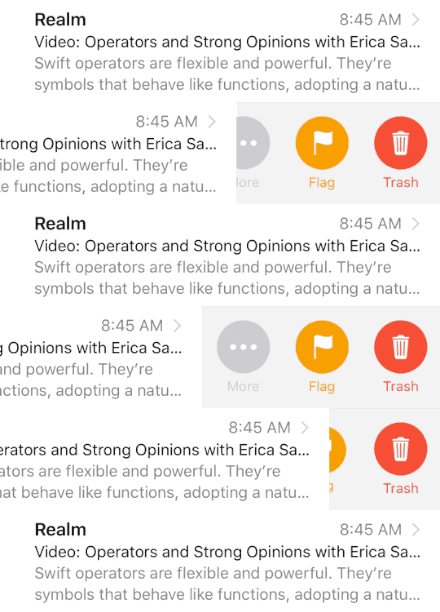
127 |
128 |
129 |
130 | 134 |
135 |
136 | 137 | 138 | 139 | -------------------------------------------------------------------------------- /docs/docsets/SwipeCellKit.docset/Contents/Resources/Documents/Guides.html: -------------------------------------------------------------------------------- 1 | 2 | 3 | 4 | Guides Reference 5 | 6 | 7 | 8 | 9 | 10 | 11 | 12 | 13 | 14 |
15 |
16 |

SwipeCellKit Docs (100% documented)

17 |

View on GitHub

18 |
19 |
20 |
21 | 26 |
27 |
28 | 120 |
121 |
122 |
123 |

Guides

124 |

The following guides are available globally.

125 | 126 |
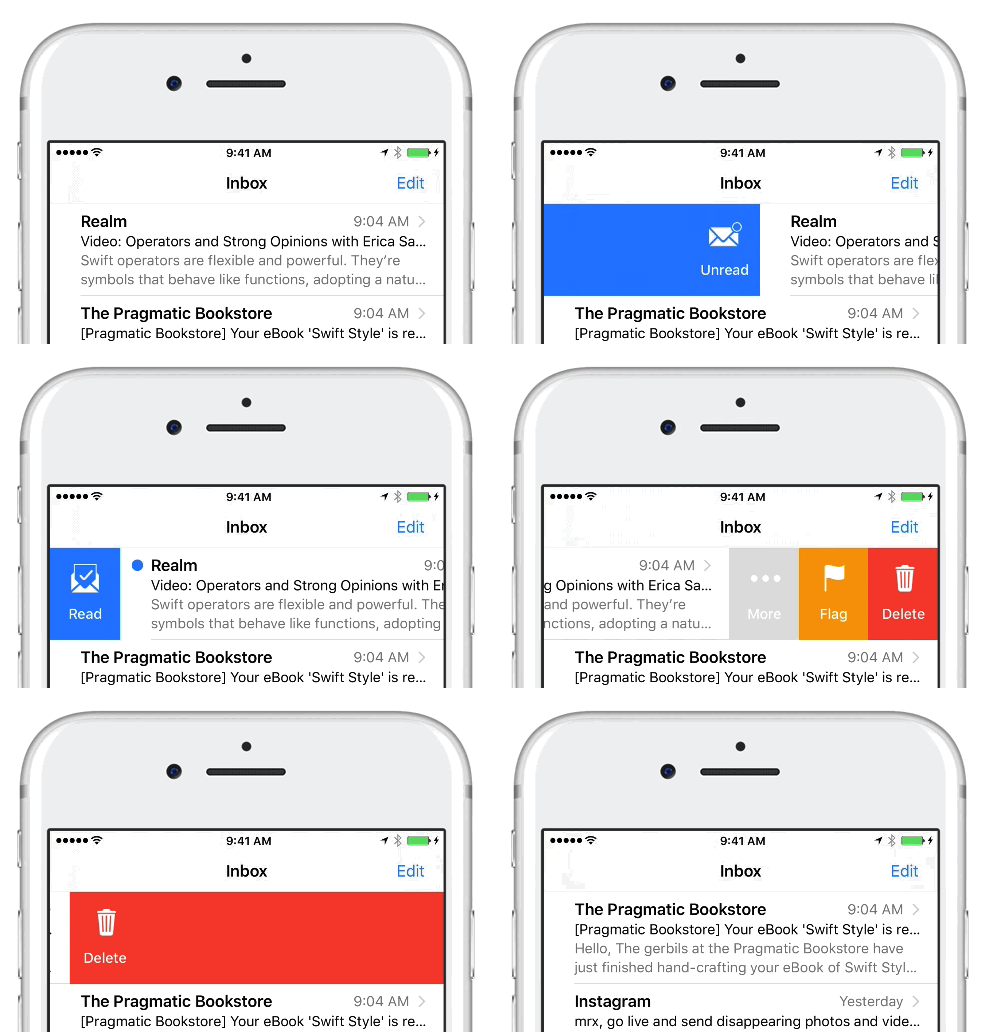
127 |
128 |
129 |
130 | 134 |
135 |
136 | 137 | 138 | 139 | -------------------------------------------------------------------------------- /CHANGELOG.md: -------------------------------------------------------------------------------- 1 | # CHANGELOG 2 | 3 | `SwipeCellKit` adheres to [Semantic Versioning](http://semver.org/). 4 | 5 | ## [1.8.0](https://github.com/jerkoch/SwipeCellKit/releases/tag/1.8.0) 6 | 7 | #### Added 8 | 9 | - New `targetOverscrollElasticity` property in `SwipeExpansionStyle` to support customization of elasticity when dragging past the expansion target. (#30) 10 | - New `swipeOffset` property and `setSwipeOffset(_:animated:completion:)` in `SwipeTableViewCell` to support programmatically setting the swipe offset. (#19) 11 | - Add support for relayout of action buttons if cell frame changes while swiped (ie. rotation/tableview resizing). Now that active/swiped `SwipeTableViewCells` no longer reset to center when the parent `UITableView` performs layout (#28), better support for `UITableView` frame/bounds changes are required. The `UITableView` frame/bounds may change during rotation or whenever its parent view frame changes. The `SwipeActionsView` was already using auto layout to resize appropriately, but its button (and wrapper) subviews were using constraints derived from the default autoresizingMask. This change ensures the `SwipeActionButtonWrapperView` flexes with its parent `SwipeActionsView`, and button subviews pin to the appropriate left/right side of their wrapper view depending on orientation. 12 | 13 | #### Fixed 14 | 15 | - Fix issue where mask was not removed when using `.reset` style action fulfillment. (#27) 16 | - Fix to adjust the cell's new frame origin `x` value when it's already active. This ensures a swiped cell is not reset to center whenever the `UITableView` performs layout on it's cell subviews. 17 | 18 | --- 19 | 20 | ## [1.7.0](https://github.com/jerkoch/SwipeCellKit/releases/tag/1.7.0) 21 | 22 | #### Added 23 | 24 | - Support for iOS 9. Thanks to @DMCApps! 25 | - Showcase link in the README to track apps using the framework. Please submit a pull request to add your app! 26 | 27 | #### Updated 28 | 29 | - The *Advanced Customization* section in the README and moved it to a separate file. 30 | - The *Requirements* section in the README to reflect iOS 9 support. 31 | 32 | --- 33 | 34 | ## [1.6.1](https://github.com/jerkoch/SwipeCellKit/releases/tag/1.6.1) 35 | 36 | #### Fixed 37 | 38 | - Issue where transitions are messed up when `expansionStyle` is set to `nil`. 39 | 40 | --- 41 | 42 | ## [1.6.0](https://github.com/jerkoch/SwipeCellKit/releases/tag/1.6.0) 43 | 44 | #### Added 45 | 46 | - Fully customizable expansion styles. See README documentation for more details. (#14) 47 | - `SwipeTableViewDelegate` delegate methods for `willBeginEditingRowAt` and `didEndEditingRowAt`. (#18) 48 | 49 | #### Fixed 50 | 51 | - Removed action view cleanup when cell moved moved off UIWindow. Initially, this was added to prevent retain cycles caused by `SwipeAction` handlers capturing `self`. Instead, it should be left up to the implementor to use `[weak self]` in handler implementations or ensure the action view is hidden before dismissing/popping a temporary parent view controller. I've verified this behaves the same way as `UITableViewRowAction`. (#23) 52 | - Issue where the table view pan gesture was being disabled along with all other table view gestures when a cell was swiped. (#21) 53 | 54 | --- 55 | 56 | ## [1.5.0](https://github.com/jerkoch/SwipeCellKit/releases/tag/1.5.0) 57 | 58 | #### Fixed 59 | 60 | - Issue where the destructive action animation relied on the table view to animate covering the deleted cell with the cells below it in order for its height to appear to shrink. If the cell being deleted was the last row, or the remaining cells below were not tall enough, the height of the deleted cell would not appear to shrink. Fixed by adding a mask to cell and animate its height to zero. (#15) 61 | - Missing call to `super.didMoveToSuperview` causing accessory taps to be ignored. (#16) 62 | - The previous action button `textColor` fix to re-add also setting the tint color to the text color. The tint color effects button images rendered as template images. 63 | 64 | #### Added 65 | 66 | - Ability to programmatically show swipe actions. (#13) 67 | - Support for action background effect. (#10) 68 | 69 | --- 70 | 71 | ## [1.4.0](https://github.com/jerkoch/SwipeCellKit/releases/tag/1.4.0) 72 | 73 | #### Fixed 74 | 75 | - The expansion threshold for selection-style was always 50% of the screen width regardless of if the action view width was larger. 76 | - Issue where the `textColor` property in `SwipeAction` was not being applied. 77 | 78 | #### Added 79 | 80 | - Accessibility support. (#5) 81 | - New `expansionDelegate` property in `SwipeTableOptions` providing ability to customize expansion behavior. See the README and API documentation for more details. 82 | - New `transitionDelegate` property in `SwipeAction` providing ability to customize transition behavior of individual actions as the swipe gesture is performed. See the README and API documentation for more details. (#9) 83 | - Example app now lets you choose *circular* button style to demo the new `transitionDelegate` and `expansionDelegate`. 84 | 85 | #### Updated 86 | 87 | - Internal `SwipeActionButton` layout to separate the background color from the actual `UIButton` 88 | 89 | --- 90 | 91 | ## [1.3.0](https://github.com/jerkoch/SwipeCellKit/releases/tag/1.3.0) 92 | 93 | #### Fixed 94 | 95 | - Active animations were not always stopped when a new pan gesture began. 96 | - Images are not aligned properly on buttons without a title. (#6) 97 | 98 | #### Added 99 | 100 | - New options in `SwipeTableOptions` to for more layout customization. (#7) 101 | - Example app now lets you choose between buttons with *title + image*, *title only*, and *image only* 102 | 103 | --- 104 | 105 | ## [1.2.1](https://github.com/jerkoch/SwipeCellKit/releases/tag/1.2.1) 106 | 107 | #### Fixed 108 | 109 | - Call `reset` at the end of a destructive swipe to ensure the tableView gestures are re-enabled (#3). 110 | - Feedback was not being generated when swiping from non-centered state 111 | - `SwipeTableViewCellDelegate` compiler error in README example. 112 | 113 | --- 114 | 115 | ## [1.2.0](https://github.com/jerkoch/SwipeCellKit/releases/tag/1.2.0) 116 | 117 | #### Breaking 118 | 119 | - Update `SwipeTableViewCellDelegate` allowing `editActionsForRowAt` to return `nil` and prevent swiping in the supplied orientation (#2). 120 | 121 | #### Added 122 | 123 | - Example app now lets you choose to disable swiping right. 124 | - Expose `hideSwipe(animated:)` to allow the cell to be programmatically hidden. 125 | 126 | --- 127 | 128 | ## [1.1.1](https://github.com/jerkoch/SwipeCellKit/releases/tag/1.1.1) 129 | 130 | #### Fixed 131 | 132 | - Memory leak in `SwipeActionsView` holding reference to actions causing a retain cycle. 133 | 134 | --- 135 | 136 | ## [1.1.0](https://github.com/jerkoch/SwipeCellKit/releases/tag/1.1.0) 137 | This release is mainly for Swift Package Manager support and some minor documentation clean up. 138 | 139 | #### Added 140 | 141 | - Swift Package Manager support. 142 | - A CHANGELOG to the project documenting each official release. 143 | - Examples of available transitions and expansions to the README. 144 | 145 | #### Fixed 146 | 147 | - The `SwipeTableViewCellDelegate` default implementation not exposed as `public`. 148 | 149 | --- 150 | 151 | ## [1.0.0](https://github.com/jerkoch/SwipeCellKit/releases/tag/1.0.0) 152 | 153 | Initial release! 154 | -------------------------------------------------------------------------------- /Guides/Advanced.md: -------------------------------------------------------------------------------- 1 | ## Customizing Transitions 2 | 3 | You can customize the transition behavior of individual actions by assigning a `transitionDelegate` to the `SwipeAction` type. 4 | 5 | The provided `ScaleTransition` type monitors the action button's visibility as it crosses the `threshold`, and animates between `initialScale` and `identity`. This provides a "pop-like" effect as the action buttons are exposed more than 50% of their target width. 6 | 7 |

8 | 9 | ````swift 10 | let action = SwipeAction(style: .default, title: "More") { action, indexPath in return } 11 | action.transitionDelegate = ScaleTransition.default 12 | ```` 13 | 14 | The `ScaleTransition` type provides a static `default` configuration, but it can also be initiantiated with custom parameters to suit your needs. 15 | 16 | You can also easily provide your own completely custom transition behavior by adopting the `SwipeActionTransitioning` protocol. The supplied `SwipeActionTransitioningContext` to the delegate methods reflect the current swipe state as the gesture is performed. 17 | 18 | ## Customizing Expansion 19 | 20 | Expansion behavior is defined by the properties available in the `SwipeExpansionStyle` type: 21 | 22 | * `target`: The relative target expansion threshold. Expansion will occur at the specified value. 23 | * `additionalTriggers`: Additional triggers to useful for determining if expansion should occur. 24 | * `elasticOverscroll`: Specifies if buttons should expand to fully fill overscroll, or expand at a percentage relative to the overscroll. 25 | * `completionAnimation`: Specifies the expansion animation completion style. 26 | * `minimumTargetOverscroll`: Specifies the minimum amount of overscroll required if the configured target is less than the fully exposed action view. 27 | * `targetOverscrollElasticity`: The amount of elasticity applied when dragging past the expansion target. 28 | 29 | ### Target 30 | 31 | The target describes a location to which the view will scroll when expansion is triggered. A trigger is simply a threshold causing expansion to occur. 32 | 33 | The `SwipeExpansionStyle.Target` enumeration defines the following target options: 34 | 35 | 1. `.percentage(CGFloat)`: Percentage of superview's width (0.0 to 1.0). 36 | 2. `.edgeInset(CGFloat)`: Inset from superview's opposite edge (in points). 37 | 38 | By default, the configured *target* will also act as a trigger. For instance, if a target is configured with `.percentage(0.5)`, expansion will trigger when the view is scrolled more than 50% of its superview. 39 | 40 | ### Additional Triggers 41 | 42 | It may be desirable to add additional triggers to complement the default target trigger. For instance, destructive expansion adds a touch threshold, triggering expansion when a touch occurs towards the opposite edge of the view. The `SwipeExpansionStyle.Trigger` enumeration defines the following options: 43 | 44 | 1. `.touchThreshold(CGFloat)`: The trigger a specified by a touch occuring past the supplied percentage in the superview (0.0 to 1.0). The action view must also be fully exposed for this trigger to activate. 45 | 2. `.overscroll(CGFloat)`: The trigger is specified by the distance past the fully exposed action view (in points). 46 | 47 | ### Elastic Overscroll 48 | 49 | When `elasticOverscroll` is enabled, the action buttons will only fill 25% percent of the additional space provided to the actions view. 50 | 51 | ### Completion Animations 52 | 53 | The completion animation occurs on touch up if expansion is actively triggered. The `SwipeExpansionStyle.CompletionAnimation` enumeration defines the following expansion animation completion style options: 54 | 55 | 1. `.fill(FillOptions)`: The default expansion button will completely expand to fill the previous place of the cell. 56 | 2. `.bounce`: The expansion will bounce back from the trigger point and hide the action view, resetting the cell. 57 | 58 | For fill expansions, you can use the `FillOptions` type to configure the behavior of the fill completion animation along with the timing of the invocation of the action handler. These options are defined by the `ExpansionFulfillmentStyle` and `HandlerInvocationTiming`. 59 | 60 | The `ExpansionFulfillmentStyle` allows you to configure how to resolve the actively filled state . The built-in `.destructive`, and `.destructiveAfterFill` expansion styles configure the `ExpansionFulfillmentStyle` to automatically perform the `.delete` when the action handler is invoked. This is done by created a `FillOptions` instance using the static `automatic(_ style:timing:)` method. When you need to determine this behavior at runtime or coordinate deletion with other animations, you can create a `FillOptions` instance using the static `manual(timing:)` function and call `action.fulfull(style:)` asynchronously after your action handler is invoked. 61 | 62 | You can use the `HandlerInvocationTiming` to configure if the action handler should be invoked `.with` the fill animation, or `.after` the fill animation completes. Using the `.with` option behaves like the stock Mail.app, while the `.after` option behaves more like the 3rd party Mailbox and Tweetbot apps. 63 | 64 | ### Built-in Styles 65 | 66 | The framework provides four built-in `SwipeExpansionStyle` instances which configure the above components accordingly: 67 | 68 | 1. `.selection` 69 | 70 | ``` 71 | target: .percentage(0.5) 72 | elasticOverscroll: true 73 | addditionalTriggers: [] 74 | completionAnimation: .bounce 75 | ``` 76 | 77 | 2. `.destructive` 78 | 79 | ``` 80 | target: .edgeInset(30) 81 | elasticOverscroll: false 82 | addditionalTriggers: [.touchThreshold(0.8)] 83 | completionAnimation: .fill(.automatic(.delete, timing: .with)) 84 | ``` 85 | 86 | 3. `.destructiveAfterFill` 87 | 88 | ``` 89 | target: .edgeInset(30) 90 | elasticOverscroll: false 91 | addditionalTriggers: [.touchThreshold(0.8)] 92 | completionAnimation: .fill(.automatic(.delete, timing: .after)) 93 | ``` 94 | 95 | 4. `.fill` 96 | 97 | ``` 98 | target: .edgeInset(30) 99 | elasticOverscroll: false 100 | addditionalTriggers: [.overscroll(30)] 101 | completionAnimation: .fill(.manual(timing: .after)) 102 | ``` 103 | 104 | ### Button Behavior 105 | 106 | It is also possible to customize the button expansion behavior by assigning a `expansionDelegate` to the `SwipeTableOptions` type. The delegate is invoked during the (un)expansion process and allows you to customize the display of the action being expanded, as well as the other actions in the view. 107 | 108 | The provided `ScaleAndAlphaExpansion` type is useful for actions with clear backgrounds. When expansion occurs, the `ScaleAndAlphaExpansion` type automatically scales and fades the remaining actions in and out of the view. By default, if the expanded action has a clear background, the default `ScaleAndAlphaExpansion` will be automatically applied by the system. 109 | 110 |

111 | 112 | ````swift 113 | var options = SwipeTableOptions() 114 | options.expansionDelegate = ScaleAndAlphaExpansion.default 115 | ```` 116 | 117 | The `ScaleAndAlphaExpansion` type provides a static `default` configuration, but it can also be instantiated with custom parameters to suit your needs. 118 | 119 | You can also provide your own completely custom expansion behavior by adopting the `SwipeExpanding` protocol. The protocol allows you to customize the animation timing parameters prior to initiating the (un)expansion animation, as well as customizing the action during (un)expansion. 120 | -------------------------------------------------------------------------------- /docs/css/jazzy.css: -------------------------------------------------------------------------------- 1 | html, body, div, span, h1, h3, h4, p, a, code, em, img, ul, li, table, tbody, tr, td { 2 | background: transparent; 3 | border: 0; 4 | margin: 0; 5 | outline: 0; 6 | padding: 0; 7 | vertical-align: baseline; } 8 | 9 | body { 10 | background-color: #f2f2f2; 11 | font-family: Helvetica, freesans, Arial, sans-serif; 12 | font-size: 14px; 13 | -webkit-font-smoothing: subpixel-antialiased; 14 | word-wrap: break-word; } 15 | 16 | h1, h2, h3 { 17 | margin-top: 0.8em; 18 | margin-bottom: 0.3em; 19 | font-weight: 100; 20 | color: black; } 21 | 22 | h1 { 23 | font-size: 2.5em; } 24 | 25 | h2 { 26 | font-size: 2em; 27 | border-bottom: 1px solid #e2e2e2; } 28 | 29 | h4 { 30 | font-size: 13px; 31 | line-height: 1.5; 32 | margin-top: 21px; } 33 | 34 | h5 { 35 | font-size: 1.1em; } 36 | 37 | h6 { 38 | font-size: 1.1em; 39 | color: #777; } 40 | 41 | .section-name { 42 | color: gray; 43 | display: block; 44 | font-family: Helvetica; 45 | font-size: 22px; 46 | font-weight: 100; 47 | margin-bottom: 15px; } 48 | 49 | pre, code { 50 | font: 0.95em Menlo, monospace; 51 | color: #777; 52 | word-wrap: normal; } 53 | 54 | p code, li code { 55 | background-color: #eee; 56 | padding: 2px 4px; 57 | border-radius: 4px; } 58 | 59 | a { 60 | color: #0088cc; 61 | text-decoration: none; } 62 | 63 | ul { 64 | padding-left: 15px; } 65 | 66 | li { 67 | line-height: 1.8em; } 68 | 69 | img { 70 | max-width: 100%; } 71 | 72 | blockquote { 73 | margin-left: 0; 74 | padding: 0 10px; 75 | border-left: 4px solid #ccc; } 76 | 77 | .content-wrapper { 78 | margin: 0 auto; 79 | width: 980px; } 80 | 81 | header { 82 | font-size: 0.85em; 83 | line-height: 26px; 84 | background-color: #414141; 85 | position: fixed; 86 | width: 100%; 87 | z-index: 1; } 88 | header img { 89 | padding-right: 6px; 90 | vertical-align: -4px; 91 | height: 16px; } 92 | header a { 93 | color: #fff; } 94 | header p { 95 | float: left; 96 | color: #999; } 97 | header .header-right { 98 | float: right; 99 | margin-left: 16px; } 100 | 101 | #breadcrumbs { 102 | background-color: #f2f2f2; 103 | height: 27px; 104 | padding-top: 17px; 105 | position: fixed; 106 | width: 100%; 107 | z-index: 1; 108 | margin-top: 26px; } 109 | #breadcrumbs #carat { 110 | height: 10px; 111 | margin: 0 5px; } 112 | 113 | .sidebar { 114 | background-color: #f9f9f9; 115 | border: 1px solid #e2e2e2; 116 | overflow-y: auto; 117 | overflow-x: hidden; 118 | position: fixed; 119 | top: 70px; 120 | bottom: 0; 121 | width: 230px; 122 | word-wrap: normal; } 123 | 124 | .nav-groups { 125 | list-style-type: none; 126 | background: #fff; 127 | padding-left: 0; } 128 | 129 | .nav-group-name { 130 | border-bottom: 1px solid #e2e2e2; 131 | font-size: 1.1em; 132 | font-weight: 100; 133 | padding: 15px 0 15px 20px; } 134 | .nav-group-name > a { 135 | color: #333; } 136 | 137 | .nav-group-tasks { 138 | margin-top: 5px; } 139 | 140 | .nav-group-task { 141 | font-size: 0.9em; 142 | list-style-type: none; 143 | white-space: nowrap; } 144 | .nav-group-task a { 145 | color: #888; } 146 | 147 | .main-content { 148 | background-color: #fff; 149 | border: 1px solid #e2e2e2; 150 | margin-left: 246px; 151 | position: absolute; 152 | overflow: hidden; 153 | padding-bottom: 60px; 154 | top: 70px; 155 | width: 734px; } 156 | .main-content p, .main-content a, .main-content code, .main-content em, .main-content ul, .main-content table, .main-content blockquote { 157 | margin-bottom: 1em; } 158 | .main-content p { 159 | line-height: 1.8em; } 160 | .main-content section .section:first-child { 161 | margin-top: 0; 162 | padding-top: 0; } 163 | .main-content section .task-group-section .task-group:first-of-type { 164 | padding-top: 10px; } 165 | .main-content section .task-group-section .task-group:first-of-type .section-name { 166 | padding-top: 15px; } 167 | 168 | .section { 169 | padding: 0 25px; } 170 | 171 | .highlight { 172 | background-color: #eee; 173 | padding: 10px 12px; 174 | border: 1px solid #e2e2e2; 175 | border-radius: 4px; 176 | overflow-x: auto; } 177 | 178 | .declaration .highlight { 179 | overflow-x: initial; 180 | padding: 0 40px 40px 0; 181 | margin-bottom: -25px; 182 | background-color: transparent; 183 | border: none; } 184 | 185 | .section-name { 186 | margin: 0; 187 | margin-left: 18px; } 188 | 189 | .task-group-section { 190 | padding-left: 6px; 191 | border-top: 1px solid #e2e2e2; } 192 | 193 | .task-group { 194 | padding-top: 0px; } 195 | 196 | .task-name-container a[name]:before { 197 | content: ""; 198 | display: block; 199 | padding-top: 70px; 200 | margin: -70px 0 0; } 201 | 202 | .item { 203 | padding-top: 8px; 204 | width: 100%; 205 | list-style-type: none; } 206 | .item a[name]:before { 207 | content: ""; 208 | display: block; 209 | padding-top: 70px; 210 | margin: -70px 0 0; } 211 | .item code { 212 | background-color: transparent; 213 | padding: 0; } 214 | .item .token { 215 | padding-left: 3px; 216 | margin-left: 15px; 217 | font-size: 11.9px; } 218 | .item .declaration-note { 219 | font-size: .85em; 220 | color: gray; 221 | font-style: italic; } 222 | 223 | .pointer-container { 224 | border-bottom: 1px solid #e2e2e2; 225 | left: -23px; 226 | padding-bottom: 13px; 227 | position: relative; 228 | width: 110%; } 229 | 230 | .pointer { 231 | background: #f9f9f9; 232 | border-left: 1px solid #e2e2e2; 233 | border-top: 1px solid #e2e2e2; 234 | height: 12px; 235 | left: 21px; 236 | top: -7px; 237 | -webkit-transform: rotate(45deg); 238 | -moz-transform: rotate(45deg); 239 | -o-transform: rotate(45deg); 240 | transform: rotate(45deg); 241 | position: absolute; 242 | width: 12px; } 243 | 244 | .height-container { 245 | display: none; 246 | left: -25px; 247 | padding: 0 25px; 248 | position: relative; 249 | width: 100%; 250 | overflow: hidden; } 251 | .height-container .section { 252 | background: #f9f9f9; 253 | border-bottom: 1px solid #e2e2e2; 254 | left: -25px; 255 | position: relative; 256 | width: 100%; 257 | padding-top: 10px; 258 | padding-bottom: 5px; } 259 | 260 | .aside, .language { 261 | padding: 6px 12px; 262 | margin: 12px 0; 263 | border-left: 5px solid #dddddd; 264 | overflow-y: hidden; } 265 | .aside .aside-title, .language .aside-title { 266 | font-size: 9px; 267 | letter-spacing: 2px; 268 | text-transform: uppercase; 269 | padding-bottom: 0; 270 | margin: 0; 271 | color: #aaa; 272 | -webkit-user-select: none; } 273 | .aside p:last-child, .language p:last-child { 274 | margin-bottom: 0; } 275 | 276 | .language { 277 | border-left: 5px solid #cde9f4; } 278 | .language .aside-title { 279 | color: #4b8afb; } 280 | 281 | .aside-warning { 282 | border-left: 5px solid #ff6666; } 283 | .aside-warning .aside-title { 284 | color: #ff0000; } 285 | 286 | .graybox { 287 | border-collapse: collapse; 288 | width: 100%; } 289 | .graybox p { 290 | margin: 0; 291 | word-break: break-word; 292 | min-width: 50px; } 293 | .graybox td { 294 | border: 1px solid #e2e2e2; 295 | padding: 5px 25px 5px 10px; 296 | vertical-align: middle; } 297 | .graybox tr td:first-of-type { 298 | text-align: right; 299 | padding: 7px; 300 | vertical-align: top; 301 | word-break: normal; 302 | width: 40px; } 303 | 304 | .slightly-smaller { 305 | font-size: 0.9em; } 306 | 307 | #footer { 308 | position: absolute; 309 | bottom: 10px; 310 | margin-left: 25px; } 311 | #footer p { 312 | margin: 0; 313 | color: #aaa; 314 | font-size: 0.8em; } 315 | 316 | html.dash header, html.dash #breadcrumbs, html.dash .sidebar { 317 | display: none; } 318 | html.dash .main-content { 319 | width: 980px; 320 | margin-left: 0; 321 | border: none; 322 | width: 100%; 323 | top: 0; 324 | padding-bottom: 0; } 325 | html.dash .height-container { 326 | display: block; } 327 | html.dash .item .token { 328 | margin-left: 0; } 329 | html.dash .content-wrapper { 330 | width: auto; } 331 | html.dash #footer { 332 | position: static; } 333 | -------------------------------------------------------------------------------- /docs/docsets/SwipeCellKit.docset/Contents/Resources/Documents/css/jazzy.css: -------------------------------------------------------------------------------- 1 | html, body, div, span, h1, h3, h4, p, a, code, em, img, ul, li, table, tbody, tr, td { 2 | background: transparent; 3 | border: 0; 4 | margin: 0; 5 | outline: 0; 6 | padding: 0; 7 | vertical-align: baseline; } 8 | 9 | body { 10 | background-color: #f2f2f2; 11 | font-family: Helvetica, freesans, Arial, sans-serif; 12 | font-size: 14px; 13 | -webkit-font-smoothing: subpixel-antialiased; 14 | word-wrap: break-word; } 15 | 16 | h1, h2, h3 { 17 | margin-top: 0.8em; 18 | margin-bottom: 0.3em; 19 | font-weight: 100; 20 | color: black; } 21 | 22 | h1 { 23 | font-size: 2.5em; } 24 | 25 | h2 { 26 | font-size: 2em; 27 | border-bottom: 1px solid #e2e2e2; } 28 | 29 | h4 { 30 | font-size: 13px; 31 | line-height: 1.5; 32 | margin-top: 21px; } 33 | 34 | h5 { 35 | font-size: 1.1em; } 36 | 37 | h6 { 38 | font-size: 1.1em; 39 | color: #777; } 40 | 41 | .section-name { 42 | color: gray; 43 | display: block; 44 | font-family: Helvetica; 45 | font-size: 22px; 46 | font-weight: 100; 47 | margin-bottom: 15px; } 48 | 49 | pre, code { 50 | font: 0.95em Menlo, monospace; 51 | color: #777; 52 | word-wrap: normal; } 53 | 54 | p code, li code { 55 | background-color: #eee; 56 | padding: 2px 4px; 57 | border-radius: 4px; } 58 | 59 | a { 60 | color: #0088cc; 61 | text-decoration: none; } 62 | 63 | ul { 64 | padding-left: 15px; } 65 | 66 | li { 67 | line-height: 1.8em; } 68 | 69 | img { 70 | max-width: 100%; } 71 | 72 | blockquote { 73 | margin-left: 0; 74 | padding: 0 10px; 75 | border-left: 4px solid #ccc; } 76 | 77 | .content-wrapper { 78 | margin: 0 auto; 79 | width: 980px; } 80 | 81 | header { 82 | font-size: 0.85em; 83 | line-height: 26px; 84 | background-color: #414141; 85 | position: fixed; 86 | width: 100%; 87 | z-index: 1; } 88 | header img { 89 | padding-right: 6px; 90 | vertical-align: -4px; 91 | height: 16px; } 92 | header a { 93 | color: #fff; } 94 | header p { 95 | float: left; 96 | color: #999; } 97 | header .header-right { 98 | float: right; 99 | margin-left: 16px; } 100 | 101 | #breadcrumbs { 102 | background-color: #f2f2f2; 103 | height: 27px; 104 | padding-top: 17px; 105 | position: fixed; 106 | width: 100%; 107 | z-index: 1; 108 | margin-top: 26px; } 109 | #breadcrumbs #carat { 110 | height: 10px; 111 | margin: 0 5px; } 112 | 113 | .sidebar { 114 | background-color: #f9f9f9; 115 | border: 1px solid #e2e2e2; 116 | overflow-y: auto; 117 | overflow-x: hidden; 118 | position: fixed; 119 | top: 70px; 120 | bottom: 0; 121 | width: 230px; 122 | word-wrap: normal; } 123 | 124 | .nav-groups { 125 | list-style-type: none; 126 | background: #fff; 127 | padding-left: 0; } 128 | 129 | .nav-group-name { 130 | border-bottom: 1px solid #e2e2e2; 131 | font-size: 1.1em; 132 | font-weight: 100; 133 | padding: 15px 0 15px 20px; } 134 | .nav-group-name > a { 135 | color: #333; } 136 | 137 | .nav-group-tasks { 138 | margin-top: 5px; } 139 | 140 | .nav-group-task { 141 | font-size: 0.9em; 142 | list-style-type: none; 143 | white-space: nowrap; } 144 | .nav-group-task a { 145 | color: #888; } 146 | 147 | .main-content { 148 | background-color: #fff; 149 | border: 1px solid #e2e2e2; 150 | margin-left: 246px; 151 | position: absolute; 152 | overflow: hidden; 153 | padding-bottom: 60px; 154 | top: 70px; 155 | width: 734px; } 156 | .main-content p, .main-content a, .main-content code, .main-content em, .main-content ul, .main-content table, .main-content blockquote { 157 | margin-bottom: 1em; } 158 | .main-content p { 159 | line-height: 1.8em; } 160 | .main-content section .section:first-child { 161 | margin-top: 0; 162 | padding-top: 0; } 163 | .main-content section .task-group-section .task-group:first-of-type { 164 | padding-top: 10px; } 165 | .main-content section .task-group-section .task-group:first-of-type .section-name { 166 | padding-top: 15px; } 167 | 168 | .section { 169 | padding: 0 25px; } 170 | 171 | .highlight { 172 | background-color: #eee; 173 | padding: 10px 12px; 174 | border: 1px solid #e2e2e2; 175 | border-radius: 4px; 176 | overflow-x: auto; } 177 | 178 | .declaration .highlight { 179 | overflow-x: initial; 180 | padding: 0 40px 40px 0; 181 | margin-bottom: -25px; 182 | background-color: transparent; 183 | border: none; } 184 | 185 | .section-name { 186 | margin: 0; 187 | margin-left: 18px; } 188 | 189 | .task-group-section { 190 | padding-left: 6px; 191 | border-top: 1px solid #e2e2e2; } 192 | 193 | .task-group { 194 | padding-top: 0px; } 195 | 196 | .task-name-container a[name]:before { 197 | content: ""; 198 | display: block; 199 | padding-top: 70px; 200 | margin: -70px 0 0; } 201 | 202 | .item { 203 | padding-top: 8px; 204 | width: 100%; 205 | list-style-type: none; } 206 | .item a[name]:before { 207 | content: ""; 208 | display: block; 209 | padding-top: 70px; 210 | margin: -70px 0 0; } 211 | .item code { 212 | background-color: transparent; 213 | padding: 0; } 214 | .item .token { 215 | padding-left: 3px; 216 | margin-left: 15px; 217 | font-size: 11.9px; } 218 | .item .declaration-note { 219 | font-size: .85em; 220 | color: gray; 221 | font-style: italic; } 222 | 223 | .pointer-container { 224 | border-bottom: 1px solid #e2e2e2; 225 | left: -23px; 226 | padding-bottom: 13px; 227 | position: relative; 228 | width: 110%; } 229 | 230 | .pointer { 231 | background: #f9f9f9; 232 | border-left: 1px solid #e2e2e2; 233 | border-top: 1px solid #e2e2e2; 234 | height: 12px; 235 | left: 21px; 236 | top: -7px; 237 | -webkit-transform: rotate(45deg); 238 | -moz-transform: rotate(45deg); 239 | -o-transform: rotate(45deg); 240 | transform: rotate(45deg); 241 | position: absolute; 242 | width: 12px; } 243 | 244 | .height-container { 245 | display: none; 246 | left: -25px; 247 | padding: 0 25px; 248 | position: relative; 249 | width: 100%; 250 | overflow: hidden; } 251 | .height-container .section { 252 | background: #f9f9f9; 253 | border-bottom: 1px solid #e2e2e2; 254 | left: -25px; 255 | position: relative; 256 | width: 100%; 257 | padding-top: 10px; 258 | padding-bottom: 5px; } 259 | 260 | .aside, .language { 261 | padding: 6px 12px; 262 | margin: 12px 0; 263 | border-left: 5px solid #dddddd; 264 | overflow-y: hidden; } 265 | .aside .aside-title, .language .aside-title { 266 | font-size: 9px; 267 | letter-spacing: 2px; 268 | text-transform: uppercase; 269 | padding-bottom: 0; 270 | margin: 0; 271 | color: #aaa; 272 | -webkit-user-select: none; } 273 | .aside p:last-child, .language p:last-child { 274 | margin-bottom: 0; } 275 | 276 | .language { 277 | border-left: 5px solid #cde9f4; } 278 | .language .aside-title { 279 | color: #4b8afb; } 280 | 281 | .aside-warning { 282 | border-left: 5px solid #ff6666; } 283 | .aside-warning .aside-title { 284 | color: #ff0000; } 285 | 286 | .graybox { 287 | border-collapse: collapse; 288 | width: 100%; } 289 | .graybox p { 290 | margin: 0; 291 | word-break: break-word; 292 | min-width: 50px; } 293 | .graybox td { 294 | border: 1px solid #e2e2e2; 295 | padding: 5px 25px 5px 10px; 296 | vertical-align: middle; } 297 | .graybox tr td:first-of-type { 298 | text-align: right; 299 | padding: 7px; 300 | vertical-align: top; 301 | word-break: normal; 302 | width: 40px; } 303 | 304 | .slightly-smaller { 305 | font-size: 0.9em; } 306 | 307 | #footer { 308 | position: absolute; 309 | bottom: 10px; 310 | margin-left: 25px; } 311 | #footer p { 312 | margin: 0; 313 | color: #aaa; 314 | font-size: 0.8em; } 315 | 316 | html.dash header, html.dash #breadcrumbs, html.dash .sidebar { 317 | display: none; } 318 | html.dash .main-content { 319 | width: 980px; 320 | margin-left: 0; 321 | border: none; 322 | width: 100%; 323 | top: 0; 324 | padding-bottom: 0; } 325 | html.dash .height-container { 326 | display: block; } 327 | html.dash .item .token { 328 | margin-left: 0; } 329 | html.dash .content-wrapper { 330 | width: auto; } 331 | html.dash #footer { 332 | position: static; } 333 | -------------------------------------------------------------------------------- /README.md: -------------------------------------------------------------------------------- 1 | # SwipeCellKit 2 | 3 | [![Build Status](https://travis-ci.org/jerkoch/SwipeCellKit.svg)](https://travis-ci.org/jerkoch/SwipeCellKit) 4 | [![Version Status](https://img.shields.io/cocoapods/v/SwipeCellKit.svg)][podLink] 5 | [![Swift 3.0](https://img.shields.io/badge/Swift-3.0-orange.svg?style=flat)](https://developer.apple.com/swift/) 6 | [![license MIT](https://img.shields.io/cocoapods/l/SwipeCellKit.svg)][mitLink] 7 | [![Platform](https://img.shields.io/cocoapods/p/SwipeCellKit.svg)][docsLink] 8 | [![Carthage compatible](https://img.shields.io/badge/Carthage-compatible-4BC51D.svg?style=flat)](https://github.com/Carthage/Carthage) 9 | [![Twitter](https://img.shields.io/badge/twitter-@jerkoch-blue.svg?style=flat)](https://twitter.com/jerkoch) 10 | 11 | *Swipeable UITableViewCell based on the stock Mail.app, implemented in Swift.* 12 | 13 |

14 | 15 | ## About 16 | 17 | A swipeable UITableViewCell with support for: 18 | 19 | * Left and right swipe actions 20 | * Action buttons with: *text only, text + image, image only* 21 | * Haptic Feedback 22 | * Customizable transitions: *Border, Drag, and Reveal* 23 | * Customizable action button behavior during swipe 24 | * Animated expansion when dragging past threshold 25 | * Customizable expansion animations 26 | * Accessibility 27 | 28 | ## Background 29 | 30 | Check out my [blog post](https://jerkoch.com/2017/02/07/swiper-no-swiping.html) on how *SwipeCellKit* came to be. 31 | 32 | ## Demo 33 | 34 | ### Transition Styles 35 | 36 | The transition style describes how the action buttons are exposed during the swipe. 37 | 38 | #### Border 39 | 40 |

41 | 42 | #### Drag 43 | 44 |

45 | 46 | #### Reveal 47 | 48 |

49 | 50 | #### Customized 51 | 52 |

53 | 54 | ### Expansion Styles 55 | 56 | The expansion style describes the behavior when the cell is swiped past a defined threshold. 57 | 58 | #### None 59 | 60 |

61 | 62 | #### Selection 63 | 64 |

65 | 66 | #### Destructive 67 | 68 |

69 | 70 | #### Customized 71 | 72 |

73 | 74 | ## Requirements 75 | 76 | * Swift 3.0 77 | * Xcode 8 78 | * iOS 9.0+ 79 | 80 | ## Installation 81 | 82 | #### [CocoaPods](http://cocoapods.org) (recommended) 83 | 84 | ````ruby 85 | use_frameworks! 86 | 87 | # Latest release in CocoaPods 88 | pod 'SwipeCellKit' 89 | 90 | # Get the latest on develop 91 | pod 'SwipeCellKit', :git => 'https://github.com/jerkoch/SwipeCellKit.git', :branch => 'develop' 92 | ```` 93 | 94 | #### [Carthage](https://github.com/Carthage/Carthage) 95 | 96 | ````bash 97 | github "jerkoch/SwipeCellKit" 98 | ```` 99 | 100 | ## Documentation 101 | 102 | Read the [docs][docsLink]. Generated with [jazzy](https://github.com/realm/jazzy). Hosted by [GitHub Pages](https://pages.github.com). 103 | 104 | ## Usage 105 | 106 | Set the `delegate` property on `SwipeTableViewCell`: 107 | 108 | ````swift 109 | override func tableView(_ tableView: UITableView, cellForRowAt indexPath: IndexPath) -> UITableViewCell { 110 | let cell = tableView.dequeueReusableCell(withIdentifier: "Cell") as! SwipeTableViewCell 111 | cell.delegate = self 112 | return cell 113 | } 114 | ```` 115 | 116 | Adopt the `SwipeTableViewCellDelegate` protocol: 117 | 118 | ````swift 119 | func tableView(_ tableView: UITableView, editActionsForRowAt indexPath: IndexPath, for orientation: SwipeActionsOrientation) -> [SwipeAction]? { 120 | guard orientation == .right else { return nil } 121 | 122 | let deleteAction = SwipeAction(style: .destructive, title: "Delete") { action, indexPath in 123 | // handle action by updating model with deletion 124 | } 125 | 126 | // customize the action appearance 127 | deleteAction.image = UIImage(named: "delete") 128 | 129 | return [deleteAction] 130 | } 131 | ```` 132 | 133 | Optionally, you can implement the `editActionsOptionsForRowAt` method to customize the behavior of the swipe actions: 134 | 135 | ````swift 136 | func tableView(_ tableView: UITableView, editActionsOptionsForRowAt indexPath: IndexPath, for orientation: SwipeActionsOrientation) -> SwipeTableOptions { 137 | var options = SwipeTableOptions() 138 | options.expansionStyle = .destructive 139 | options.transitionStyle = .border 140 | return options 141 | } 142 | ```` 143 | ### Transitions 144 | 145 | Three built-in transition styles are provided by `SwipeTransitionStyle`: 146 | 147 | * .border: The visible action area is equally divide between all action buttons. 148 | * .drag: The visible action area is dragged, pinned to the cell, with each action button fully sized as it is exposed. 149 | * .reveal: The visible action area sits behind the cell, pinned to the edge of the table view, and is revealed as the cell is dragged aside. 150 | 151 | See [Customizing Transitions](https://github.com/jerkoch/SwipeCellKit/blob/develop/Guides/Advanced.md) for more details on customizing button appearance as the swipe is performed. 152 | 153 | ### Expansion 154 | 155 | Four built-in expansion styles are provided by `SwipeExpansionStyle`: 156 | 157 | * .selection 158 | * .destructive (like Mail.app) 159 | * .destructiveAfterFill (like Mailbox/Tweetbot) 160 | * .fill 161 | 162 | Much effort has gone into making `SwipeExpansionStyle` extremely customizable. If these built-in styles do not meet your needs, see [Customizing Expansion](https://github.com/jerkoch/SwipeCellKit/blob/develop/Guides/Advanced.md) for more details on creating custom styles. 163 | 164 | The built-in `.fill` expansion style requires manual action fulfillment. This means your action handler must call `SwipeAction.fulfill(style:)` at some point during or after invocation to resolve the fill expansion. The supplied `ExpansionFulfillmentStyle` allows you to delete or reset the cell at some later point (possibly after further user interaction). 165 | 166 | The built-in `.destructive`, and `.destructiveAfterFill` expansion styles are configured to automatically perform row deletion when the action handler is invoked (automatic fulfillment). Your deletion behavior may require coordination with other row animations (eg. inside `beginUpdates` and `endUpdates`). In this case, you can easily create a custom `SwipeExpansionStyle` which requires manual fulfillment to trigger deletion: 167 | 168 | ````swift 169 | var options = SwipeTableOptions() 170 | options.expansionStyle = .destructive(automaticallyDelete: false) 171 | ```` 172 | 173 | > **NOTE**: You must call `SwipeAction.fulfill(with style:)` at some point while/after your action handler is invoked to trigger deletion. Do not call `deleteRows` directly. 174 | 175 | ````swift 176 | let delete = SwipeAction(style: .destructive, title: nil) { action, indexPath in 177 | // Update model 178 | self.emails.remove(at: indexPath.row) 179 | 180 | // Coordinate table view update animations 181 | self.tableView.beginUpdates() 182 | self.tableView.insertRows(at: [IndexPath(row: 0, section: 1)], with: .automatic) 183 | action.fulfill(with: .delete) 184 | self.tableView.endUpdates() 185 | } 186 | ```` 187 | 188 | ## Advanced 189 | 190 | See the [Advanced Guide](https://github.com/jerkoch/SwipeCellKit/blob/develop/Guides/Advanced.md) for more details on customization. 191 | 192 | ## Credits 193 | 194 | Maintained by [**@mkurabi**](https://twitter.com/mkurabi). 195 | 196 | ## Showcase 197 | 198 | We're interested in knowing [who's using *SwipeCellKit*](https://github.com/jerkoch/SwipeCellKit/blob/develop/SHOWCASE.md) in their app. Please submit a pull request to add your app! 199 | 200 | ## License 201 | 202 | `SwipeCellKit` is released under an [MIT License][mitLink]. See `LICENSE` for details. 203 | 204 | *Please provide attribution, it is greatly appreciated.* 205 | 206 | [podLink]:https://cocoapods.org/pods/SwipeCellKit 207 | [docsLink]:http://www.jerkoch.com/SwipeCellKit 208 | [mitLink]:http://opensource.org/licenses/MIT 209 | -------------------------------------------------------------------------------- /docs/Protocols/SwipeActionTransitioning.html: -------------------------------------------------------------------------------- 1 | 2 | 3 | 4 | SwipeActionTransitioning Protocol Reference 5 | 6 | 7 | 8 | 9 | 10 | 11 | 12 | 13 | 14 | 15 |
16 |
17 |

SwipeCellKit Docs (100% documented)

18 |

View on GitHub

19 |
20 |
21 |
22 | 27 |
28 |
29 | 121 |
122 |
123 |
124 |

SwipeActionTransitioning

125 |
126 |
127 |
public protocol SwipeActionTransitioning
128 | 129 |
130 |
131 |

Adopt the SwipeActionTransitioning protocol in objects that implement custom appearance of actions during transition.

132 | 133 |
134 |
135 |
136 |
    137 |
  • 138 |
    139 | 140 | 141 | 142 | didTransition(with:) 143 | 144 |
    145 |
    146 |
    147 |
    148 |
    149 |
    150 |

    Tells the delegate that transition change has occured.

    151 | 152 |
    153 |
    154 |

    Declaration

    155 |
    156 |

    Swift

    157 |
    func didTransition(with context: SwipeActionTransitioningContext) -> Void
    158 | 159 |
    160 |
    161 |
    162 |
    163 |
  • 164 |
165 |
166 |
167 |
168 | 172 |
173 |
174 | 175 | 176 | 177 | -------------------------------------------------------------------------------- /docs/docsets/SwipeCellKit.docset/Contents/Resources/Documents/Protocols/SwipeActionTransitioning.html: -------------------------------------------------------------------------------- 1 | 2 | 3 | 4 | SwipeActionTransitioning Protocol Reference 5 | 6 | 7 | 8 | 9 | 10 | 11 | 12 | 13 | 14 | 15 |
16 |
17 |

SwipeCellKit Docs (100% documented)

18 |

View on GitHub

19 |
20 |
21 |
22 | 27 |
28 |
29 | 121 |
122 |
123 |
124 |

SwipeActionTransitioning

125 |
126 |
127 |
public protocol SwipeActionTransitioning
128 | 129 |
130 |
131 |

Adopt the SwipeActionTransitioning protocol in objects that implement custom appearance of actions during transition.

132 | 133 |
134 |
135 |
136 |
    137 |
  • 138 |
    139 | 140 | 141 | 142 | didTransition(with:) 143 | 144 |
    145 |
    146 |
    147 |
    148 |
    149 |
    150 |

    Tells the delegate that transition change has occured.

    151 | 152 |
    153 |
    154 |

    Declaration

    155 |
    156 |

    Swift

    157 |
    func didTransition(with context: SwipeActionTransitioningContext) -> Void
    158 | 159 |
    160 |
    161 |
    162 |
    163 |
  • 164 |
165 |
166 |
167 |
168 | 172 |
173 |
174 | 175 | 176 | 177 | -------------------------------------------------------------------------------- /docs/Enums/SwipeActionStyle.html: -------------------------------------------------------------------------------- 1 | 2 | 3 | 4 | SwipeActionStyle Enum Reference 5 | 6 | 7 | 8 | 9 | 10 | 11 | 12 | 13 | 14 | 15 |
16 |
17 |

SwipeCellKit Docs (100% documented)

18 |

View on GitHub

19 |
20 |
21 |
22 | 27 |
28 |
29 | 121 |
122 |
123 |
124 |

SwipeActionStyle

125 |
126 |
127 |
public enum SwipeActionStyle: Int
128 | 129 |
130 |
131 |

Constants that help define the appearance of action buttons.

132 | 133 |
134 |
135 |
136 |
    137 |
  • 138 |
    139 | 140 | 141 | 142 | default 143 | 144 |
    145 |
    146 |
    147 |
    148 |
    149 |
    150 |

    Apply a style that reflects standard non-destructive actions.

    151 | 152 |
    153 |
    154 |

    Declaration

    155 |
    156 |

    Swift

    157 |
    case `default`
    158 | 159 |
    160 |
    161 |
    162 |
    163 |
  • 164 |
165 |
166 |
167 |
    168 |
  • 169 |
    170 | 171 | 172 | 173 | destructive 174 | 175 |
    176 |
    177 |
    178 |
    179 |
    180 |
    181 |

    Apply a style that reflects destructive actions.

    182 | 183 |
    184 |
    185 |

    Declaration

    186 |
    187 |

    Swift

    188 |
    case destructive
    189 | 190 |
    191 |
    192 |
    193 |
    194 |
  • 195 |
196 |
197 |
198 |
199 | 203 |
204 |
205 | 206 | 207 | 208 | -------------------------------------------------------------------------------- /docs/Enums/ExpansionFulfillmentStyle.html: -------------------------------------------------------------------------------- 1 | 2 | 3 | 4 | ExpansionFulfillmentStyle Enum Reference 5 | 6 | 7 | 8 | 9 | 10 | 11 | 12 | 13 | 14 | 15 |
16 |
17 |

SwipeCellKit Docs (100% documented)

18 |

View on GitHub

19 |
20 |
21 |
22 | 27 |
28 |
29 | 121 |
122 |
123 |
124 |

ExpansionFulfillmentStyle

125 |
126 |
127 |
public enum ExpansionFulfillmentStyle
128 | 129 |
130 |
131 |

Describes how expansion should be resolved once the action has been fulfilled.

132 | 133 |
134 |
135 |
136 |
    137 |
  • 138 |
    139 | 140 | 141 | 142 | delete 143 | 144 |
    145 |
    146 |
    147 |
    148 |
    149 |
    150 |

    Implies the item will be deleted upon action fulfillment.

    151 | 152 |
    153 |
    154 |

    Declaration

    155 |
    156 |

    Swift

    157 |
    case delete
    158 | 159 |
    160 |
    161 |
    162 |
    163 |
  • 164 |
165 |
166 |
167 |
    168 |
  • 169 |
    170 | 171 | 172 | 173 | reset 174 | 175 |
    176 |
    177 |
    178 |
    179 |
    180 |
    181 |

    Implies the item will be reset and the actions view hidden upon action fulfillment.

    182 | 183 |
    184 |
    185 |

    Declaration

    186 |
    187 |

    Swift

    188 |
    case reset
    189 | 190 |
    191 |
    192 |
    193 |
    194 |
  • 195 |
196 |
197 |
198 |
199 | 203 |
204 |
205 | 206 | 207 | 208 | -------------------------------------------------------------------------------- /docs/docsets/SwipeCellKit.docset/Contents/Resources/Documents/Enums/SwipeActionStyle.html: -------------------------------------------------------------------------------- 1 | 2 | 3 | 4 | SwipeActionStyle Enum Reference 5 | 6 | 7 | 8 | 9 | 10 | 11 | 12 | 13 | 14 | 15 |
16 |
17 |

SwipeCellKit Docs (100% documented)

18 |

View on GitHub

19 |
20 |
21 |
22 | 27 |
28 |
29 | 121 |
122 |
123 |
124 |

SwipeActionStyle

125 |
126 |
127 |
public enum SwipeActionStyle: Int
128 | 129 |
130 |
131 |

Constants that help define the appearance of action buttons.

132 | 133 |
134 |
135 |
136 |
    137 |
  • 138 |
    139 | 140 | 141 | 142 | default 143 | 144 |
    145 |
    146 |
    147 |
    148 |
    149 |
    150 |

    Apply a style that reflects standard non-destructive actions.

    151 | 152 |
    153 |
    154 |

    Declaration

    155 |
    156 |

    Swift

    157 |
    case `default`
    158 | 159 |
    160 |
    161 |
    162 |
    163 |
  • 164 |
165 |
166 |
167 |
    168 |
  • 169 |
    170 | 171 | 172 | 173 | destructive 174 | 175 |
    176 |
    177 |
    178 |
    179 |
    180 |
    181 |

    Apply a style that reflects destructive actions.

    182 | 183 |
    184 |
    185 |

    Declaration

    186 |
    187 |

    Swift

    188 |
    case destructive
    189 | 190 |
    191 |
    192 |
    193 |
    194 |
  • 195 |
196 |
197 |
198 |
199 | 203 |
204 |
205 | 206 | 207 | 208 | -------------------------------------------------------------------------------- /docs/docsets/SwipeCellKit.docset/Contents/Resources/Documents/Enums/ExpansionFulfillmentStyle.html: -------------------------------------------------------------------------------- 1 | 2 | 3 | 4 | ExpansionFulfillmentStyle Enum Reference 5 | 6 | 7 | 8 | 9 | 10 | 11 | 12 | 13 | 14 | 15 |
16 |
17 |

SwipeCellKit Docs (100% documented)

18 |

View on GitHub

19 |
20 |
21 |
22 | 27 |
28 |
29 | 121 |
122 |
123 |
124 |

ExpansionFulfillmentStyle

125 |
126 |
127 |
public enum ExpansionFulfillmentStyle
128 | 129 |
130 |
131 |

Describes how expansion should be resolved once the action has been fulfilled.

132 | 133 |
134 |
135 |
136 |
    137 |
  • 138 |
    139 | 140 | 141 | 142 | delete 143 | 144 |
    145 |
    146 |
    147 |
    148 |
    149 |
    150 |

    Implies the item will be deleted upon action fulfillment.

    151 | 152 |
    153 |
    154 |

    Declaration

    155 |
    156 |

    Swift

    157 |
    case delete
    158 | 159 |
    160 |
    161 |
    162 |
    163 |
  • 164 |
165 |
166 |
167 |
    168 |
  • 169 |
    170 | 171 | 172 | 173 | reset 174 | 175 |
    176 |
    177 |
    178 |
    179 |
    180 |
    181 |

    Implies the item will be reset and the actions view hidden upon action fulfillment.

    182 | 183 |
    184 |
    185 |

    Declaration

    186 |
    187 |

    Swift

    188 |
    case reset
    189 | 190 |
    191 |
    192 |
    193 |
    194 |
  • 195 |
196 |
197 |
198 |
199 | 203 |
204 |
205 | 206 | 207 | 208 | -------------------------------------------------------------------------------- /docs/Enums/SwipeActionsOrientation.html: -------------------------------------------------------------------------------- 1 | 2 | 3 | 4 | SwipeActionsOrientation Enum Reference 5 | 6 | 7 | 8 | 9 | 10 | 11 | 12 | 13 | 14 | 15 |
16 |
17 |

SwipeCellKit Docs (100% documented)

18 |

View on GitHub

19 |
20 |
21 |
22 | 27 |
28 |
29 | 121 |
122 |
123 |
124 |

SwipeActionsOrientation

125 |
126 |
127 |
public enum SwipeActionsOrientation: CGFloat
128 | 129 |
130 |
131 |

Describes which side of the cell that the action buttons will be displayed.

132 | 133 |
134 |
135 |
136 |
    137 |
  • 138 |
    139 | 140 | 141 | 142 | left 143 | 144 |
    145 |
    146 |
    147 |
    148 |
    149 |
    150 |

    The left side of the cell.

    151 | 152 |
    153 |
    154 |

    Declaration

    155 |
    156 |

    Swift

    157 |
    case left = -1
    158 | 159 |
    160 |
    161 |
    162 |
    163 |
  • 164 |
165 |
166 |
167 |
    168 |
  • 169 |
    170 | 171 | 172 | 173 | right 174 | 175 |
    176 |
    177 |
    178 |
    179 |
    180 |
    181 |

    The right side of the cell.

    182 | 183 |
    184 |
    185 |

    Declaration

    186 |
    187 |

    Swift

    188 |
    case right = 1
    189 | 190 |
    191 |
    192 |
    193 |
    194 |
  • 195 |
196 |
197 |
198 |
199 | 203 |
204 |
205 | 206 | 207 | 208 | --------------------------------------------------------------------------------