├── _template
├── vendor
│ └── chromium
│ │ └── crx
│ │ └── README.txt
├── icon.png
├── _locales
│ └── en
│ │ └── messages.json
├── app_main.html
└── manifest.json
├── chromeos-apk
├── misc
├── ARChonLogo.png
└── ARChonLogo.svg
├── lib
└── parseApk.js
├── CHANGELOG
├── .gitignore
├── .travis.yml
├── package.json
├── multiple-apps.md
├── LICENSE
├── manually-convert.md
├── manifest.md
├── chromeos-apk.js
├── README.md
└── archon.md
/_template/vendor/chromium/crx/README.txt:
--------------------------------------------------------------------------------
1 | APK goes here.
2 |
--------------------------------------------------------------------------------
/chromeos-apk:
--------------------------------------------------------------------------------
1 | #!/usr/bin/env node
2 |
3 | require('./chromeos-apk.js')();
4 |
--------------------------------------------------------------------------------
/_template/icon.png:
--------------------------------------------------------------------------------
https://raw.githubusercontent.com/no-problemo/chromeos-apk/master/_template/icon.png
--------------------------------------------------------------------------------
/misc/ARChonLogo.png:
--------------------------------------------------------------------------------
https://raw.githubusercontent.com/no-problemo/chromeos-apk/master/misc/ARChonLogo.png
--------------------------------------------------------------------------------
/lib/parseApk.js:
--------------------------------------------------------------------------------
1 | var ApkReader = require('adbkit-apkreader');
2 |
3 | module.exports = function parseApk(apk, cb) {
4 | try {
5 | var reader = ApkReader.readFile(apk);
6 | var manifest = reader.readManifestSync();
7 |
8 | cb(null, manifest);
9 | } catch (e) {
10 | cb(e);
11 | }
12 | };
13 |
--------------------------------------------------------------------------------
/CHANGELOG:
--------------------------------------------------------------------------------
1 | v4.0.0:
2 | changes:
3 | - "key" param is not required anymore for ChromeOS (Chrome 38+).
4 | - "--scale" option added to enable application window scaling.
5 | v3.0.0:
6 | changes:
7 | - Windows support for the CLI tool.
8 | v2.0.0:
9 | changes:
10 | - ARChon runtime.
11 | v1.0.0:
12 | changes:
13 | - Initial release.
14 |
--------------------------------------------------------------------------------
/_template/_locales/en/messages.json:
--------------------------------------------------------------------------------
1 | {
2 | "appNotSupported": {
3 | "description": "Message displayed when the app is not supported.",
4 | "message": "This app is incompatible with your device. Check to make sure other Android apps work for you from the Chrome Web Store"
5 | },
6 | "extName": {
7 | "description": "Extension name",
8 | "message": "App"
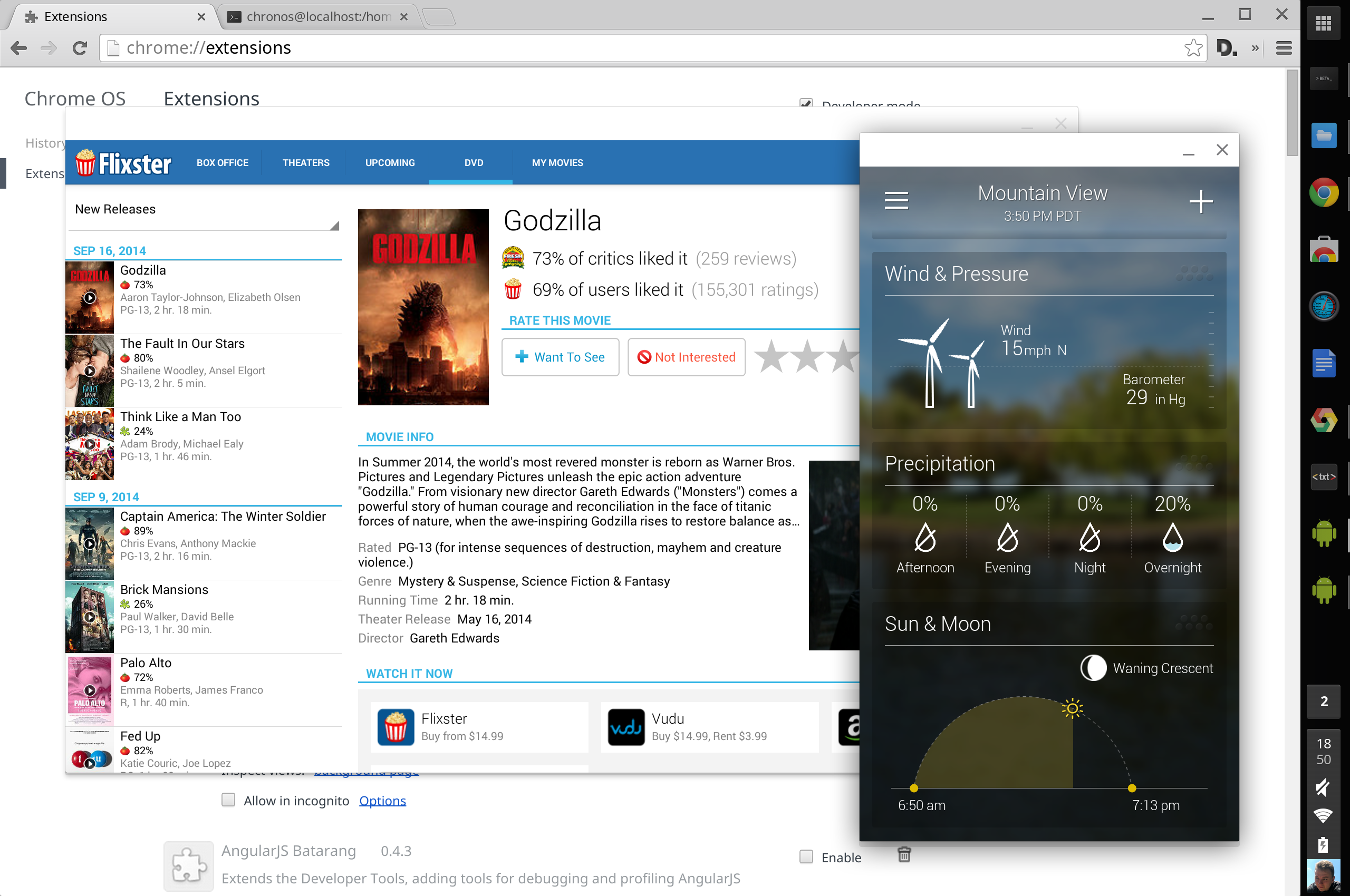
9 | }
10 | }
11 |
--------------------------------------------------------------------------------
/_template/app_main.html:
--------------------------------------------------------------------------------
1 |
10 |
11 |
12 |
13 |
--------------------------------------------------------------------------------
/.gitignore:
--------------------------------------------------------------------------------
1 | # Logs
2 | logs
3 | *.log
4 |
5 | # Runtime data
6 | pids
7 | *.pid
8 | *.seed
9 |
10 | # Directory for instrumented libs generated by jscoverage/JSCover
11 | lib-cov
12 |
13 | # Coverage directory used by tools like istanbul
14 | coverage
15 |
16 | # Grunt intermediate storage (http://gruntjs.com/creating-plugins#storing-task-files)
17 | .grunt
18 |
19 | # Compiled binary addons (http://nodejs.org/api/addons.html)
20 | build/Release
21 |
22 | # Dependency directory
23 | # Commenting this out is preferred by some people, see
24 | # https://www.npmjs.org/doc/misc/npm-faq.html#should-i-check-my-node_modules-folder-into-git-
25 | node_modules
26 |
27 | # Users Environment Variables
28 | .lock-wscript
29 |
--------------------------------------------------------------------------------
/.travis.yml:
--------------------------------------------------------------------------------
1 | language: node_js
2 | node_js:
3 | - "0.10"
4 |
5 | script:
6 | - cd .. && npm link chromeos-apk
7 | - wget https://github.com/uberspot/2048-android/archive/v1.91.zip && unzip v1.91.zip
8 | - chromeos-apk 2048-android-1.91/2048.apk -a -t
9 | - stat com.uberspot.a2048.android/vendor/chromium/crx/custom-android-release-1400197.apk
10 | - rm -rf com.uberspot.a2048.android
11 | - chromeos-apk 2048-android-1.91/2048.apk
12 | - stat com.uberspot.a2048.android/vendor/chromium/crx/custom-android-release-1400197.apk
13 | - rm -rf com.uberspot.a2048.android
14 | - chromeos-apk 2048-android-1.91/2048.apk --scale
15 | - stat com.uberspot.a2048.android/vendor/chromium/crx/custom-android-release-1400197.apk
16 |
--------------------------------------------------------------------------------
/package.json:
--------------------------------------------------------------------------------
1 | {
2 | "name": "chromeos-apk",
3 | "version": "4.0.2",
4 | "description": "Run Android APKs on Chromebooks",
5 | "main": "chromeos-apk.js",
6 | "scripts": {
7 | "test": "echo \"Error: no test specified\" && exit 1"
8 | },
9 | "bin": {
10 | "chromeos-apk": "chromeos-apk"
11 | },
12 | "repository": {
13 | "type": "git",
14 | "url": "https://github.com/vladikoff/chromebook-apk-creator.git"
15 | },
16 | "author": "Vlad Filippov",
17 | "license": "MIT",
18 | "bugs": {
19 | "url": "https://github.com/vladikoff/chromebook-apk-creator/issues"
20 | },
21 | "homepage": "https://github.com/vladikoff/chromebook-apk-creator",
22 | "dependencies": {
23 | "adbkit-apkreader": "^1.0.0",
24 | "chalk": "^0.5.1",
25 | "commander": "^2.3.0",
26 | "ncp": "^0.6.0"
27 | }
28 | }
29 |
--------------------------------------------------------------------------------
/multiple-apps.md:
--------------------------------------------------------------------------------
1 | # Running Multiple Apps
2 |
3 |
4 | *****
5 |
6 | ~~Currently you can load up to 4 of your favorite Android applications with the official ARC runtime.~~
7 | ~~By default the `chromeos-apk` tool replaces the Vine application and everytime you load a different app it replaces it. However you can load 3 more apps by replacing Evernote and other apps. For each extra app adjust the `"key"` value in the `manifest.json` file of that app, then use `"Load unpacked extension..."`.~~
8 |
9 | **Chrome OS:** With Chrome 38+ you can now side load as many applications as you want. If you have older apps that
10 | were created using `chromeos-apk` tool then re-convert them or remove the `"key"` option from `manifest.json`.
11 |
12 | **Windows, Linux and OS X:** To load unlimited number of apps on you need a custom runtime, see the [ARChon runtime guide](archon.md) for details.
13 |
--------------------------------------------------------------------------------
/LICENSE:
--------------------------------------------------------------------------------
1 | The MIT License (MIT)
2 |
3 | Copyright (c) 2014 Vlad Filippov
4 |
5 | Permission is hereby granted, free of charge, to any person obtaining a copy
6 | of this software and associated documentation files (the "Software"), to deal
7 | in the Software without restriction, including without limitation the rights
8 | to use, copy, modify, merge, publish, distribute, sublicense, and/or sell
9 | copies of the Software, and to permit persons to whom the Software is
10 | furnished to do so, subject to the following conditions:
11 |
12 | The above copyright notice and this permission notice shall be included in all
13 | copies or substantial portions of the Software.
14 |
15 | THE SOFTWARE IS PROVIDED "AS IS", WITHOUT WARRANTY OF ANY KIND, EXPRESS OR
16 | IMPLIED, INCLUDING BUT NOT LIMITED TO THE WARRANTIES OF MERCHANTABILITY,
17 | FITNESS FOR A PARTICULAR PURPOSE AND NONINFRINGEMENT. IN NO EVENT SHALL THE
18 | AUTHORS OR COPYRIGHT HOLDERS BE LIABLE FOR ANY CLAIM, DAMAGES OR OTHER
19 | LIABILITY, WHETHER IN AN ACTION OF CONTRACT, TORT OR OTHERWISE, ARISING FROM,
20 | OUT OF OR IN CONNECTION WITH THE SOFTWARE OR THE USE OR OTHER DEALINGS IN THE
21 | SOFTWARE.
22 |
--------------------------------------------------------------------------------
/manually-convert.md:
--------------------------------------------------------------------------------
1 | # Instructions to convert APKs manually
2 | > Use this if the command line tool (`chromeos-apk`) fails to parse work for you.
3 |
4 | *****
5 |
6 |
7 | - Get the APK that you want to convert. Find the package name of the APK (i.e `com.soundcloud.android`, you can easily find it by looking at the URL in the Play Store). This process will not work without the proper package name.
8 | - Make a copy of the [_template](https://github.com/vladikoff/chromeos-apk/tree/master/_template) directory. Name the **new directory** `com.soundcloud.android` for instance.
9 | - Using the new directory, put the APK file into the `crx` directory, like so: [com.soundcloud.android/vendor/chromium/crx](https://github.com/vladikoff/chromeos-apk/tree/master/_template/vendor/chromium/crx)
10 | - Update the [manifest.json](https://github.com/vladikoff/chromeos-apk/blob/master/_template/manifest.json#L8) file to suite your APK file. You can also change other stuff, such as `formFactor`: (`phone` or `tablet`), `orientation`: (`landscape` or `portrait`) for tablet apps. Note: some apps may crash with `tablet` or `portrait` settings.
11 | - Now you can load the new directory and it as an unpacked extension in Chrome Extensions.
12 |
13 | ## For ARChon runtime
14 |
15 | - Remove the `"key"` parameter from `manifest.json`.
16 |
--------------------------------------------------------------------------------
/_template/manifest.json:
--------------------------------------------------------------------------------
1 | {
2 | "app": {
3 | "background": {
4 | "page": "app_main.html"
5 | }
6 | },
7 | "arc_metadata": {
8 | "apkList": [ "custom-android-release-1400197.apk" ],
9 | "enableExternalDirectory": false,
10 | "formFactor": "phone",
11 | "name": "__PACKAGE__",
12 | "orientation": "portrait",
13 | "packageName": "__PACKAGE__",
14 | "useGoogleContactsSyncAdapter": false,
15 | "usePlayServices": [ "gcm" ]
16 | },
17 | "default_locale": "en",
18 | "icons": {
19 | "128": "icon.png",
20 | "16": "icon.png"
21 | },
22 | "import": [ {
23 | "id": "mfaihdlpglflfgpfjcifdjdjcckigekc"
24 | } ],
25 | "manifest_version": 2,
26 | "name": "__MSG_extName__",
27 | "oauth2": {
28 | "client_id": "133701689125-jj0hr4gb0ff4ulsbrn0uk2i4th946d4c.apps.googleusercontent.com",
29 | "scopes": [ ]
30 | },
31 | "offline_enabled": true,
32 | "permissions": [ "gcm", {
33 | "socket": [ "tcp-connect", "tcp-listen", "udp-bind", "udp-send-to", "resolve-host" ]
34 | }, "unlimitedStorage", "notifications", "clipboardRead", {
35 | "fileSystem": [ "write" ]
36 | }, "https://clients2.google.com/", "videoCapture", "clipboardWrite", "identity.email", "alarms", "storage", "identity", "audioCapture" ],
37 | "requirements": {
38 | "3D": {
39 | "features": [ "webgl" ]
40 | }
41 | },
42 | "update_url": "https://localhost",
43 | "version": "1337"
44 | }
45 |
--------------------------------------------------------------------------------
/manifest.md:
--------------------------------------------------------------------------------
1 | # `manifest.json` configuration
2 |
3 | ## `arc_metadata`
4 | Raw list of possible values for `arc_metadata`:
5 |
6 | ```
7 | "arc_metadata": {
8 | "allowEmptyActivityStack": false,
9 | "apkList": [
10 | "custom-android-release-1400197.apk"
11 | ],
12 | "canRotate": false,
13 | "disableAutoBackButton": false,
14 | "enableAdb": false,
15 | "enableArcStrace": false,
16 | "enableExternalDirectory": false,
17 | "enableGlErrorCheck": false,
18 | "formFactor": "phone",
19 | "fpsLimit": 60,
20 | "isSlowDebugRun": false,
21 | "jdbPort": 0,
22 | "logLoadProgress": false,
23 | "minimumLaunchDelay": 0,
24 | "name": "",
25 | "ndkAbi": "",
26 | "orientation": "portrait",
27 | "packageName": "org.chromium.arc",
28 | "resize": "disabled",
29 | "shell": [],
30 | "stderrLog": "S",
31 | "useGoogleContactsSyncAdapter": false,
32 | "usePlayServices": [
33 | "gcm"
34 | ],
35 | "sleepOnBlur": true
36 | }
37 | ```
38 |
39 | ## `file_handlers`
40 |
41 | See https://developer.chrome.com/apps/manifest/file_handlers.
42 | This is useful for Chrome OS users. You can experiment opening files with certain Android apps by setting their file handlers. Add to `manifest.json` in your app:
43 | ```
44 | "file_handlers": {
45 | "any": {
46 | "title": "Open with SOME_APP",
47 | "types": [ "*/*" ]
48 | }
49 | },
50 | ```
51 | This way your file manager will get this option:
52 |
53 |
--------------------------------------------------------------------------------
/misc/ARChonLogo.svg:
--------------------------------------------------------------------------------
1 |
2 |
3 |
4 |
18 |
--------------------------------------------------------------------------------
/chromeos-apk.js:
--------------------------------------------------------------------------------
1 | var path = require('path');
2 | var fs = require('fs');
3 | var readline = require('readline');
4 |
5 | var program = require('commander');
6 | var ncp = require('ncp').ncp;
7 | var chalk = require('chalk');
8 | var rl = readline.createInterface(process.stdin, process.stdout);
9 |
10 | var parseApk = require('./lib/parseApk');
11 |
12 | function success(appPath) {
13 | console.log(chalk.green('Directory "', appPath, '" created. Copy that directory onto your Chromebook and use "Load unpacked extension" to load the application.'));
14 | process.exit(0);
15 | }
16 |
17 | module.exports = function (callback) {
18 |
19 | program
20 | .version('4.0.2')
21 | .option('-t, --tablet', 'Create a tablet version')
22 | .option('-s, --scale', 'Enable application window scaling')
23 | .option('-n, --name [value]', 'Extension display name')
24 | .usage('')
25 | .parse(process.argv);
26 |
27 | var apk = program.args[0];
28 | callback = callback || success;
29 |
30 | if (!apk) {
31 | throw new Error('Please provide a path to an APK file...');
32 | }
33 |
34 | parseApk(apk, function (err, data) {
35 | if (err) {
36 | console.log(chalk.yellow('Failed to load APK'));
37 | }
38 |
39 | var packageName = null;
40 |
41 | try {
42 | packageName = data.package;
43 | } catch (e) {
44 | console.log(chalk.yellow('Failed to parse package name in the APK.'));
45 | }
46 |
47 | if (!packageName) {
48 | console.log(chalk.yellow('Unknown APK package.'));
49 | console.log('Please enter the package name (i.e "com.skype.raider", if you get this wrong your app will NOT work): ');
50 | rl.prompt();
51 | rl.on('line', function (text) {
52 | text = text.trim();
53 |
54 | if (/\.apk$/.test(text)) {
55 | console.log(chalk.red('Package names do not end with .apk'));
56 | console.log('They usually look like com.application.developer or com.website.www');
57 | process.exit(0);
58 | } else if (text.indexOf(' ') !== -1) {
59 | console.log(chalk.red('Package names do not contain spaces'));
60 | console.log('They usually look like com.application.developer or com.website.www');
61 | process.exit(0);
62 | }
63 | else {
64 | createExtension(text);
65 | }
66 | })
67 | .on('close', function () {
68 | process.exit(0);
69 | });
70 | } else {
71 | createExtension(packageName);
72 | }
73 |
74 | function createExtension(packageName) {
75 | var templatePath = path.join(__dirname, '_template');
76 | var appPath = path.join(packageName + '.android');
77 |
78 | // TODO: refactor this if needed in the future
79 | ncp(templatePath, appPath, function (err) {
80 | if (err) {
81 | throw err;
82 | }
83 |
84 | fs.writeFileSync(path.join(appPath, 'vendor', 'chromium', 'crx', 'custom-android-release-1400197.apk'), fs.readFileSync(apk));
85 |
86 | var manifest = JSON.parse(fs.readFileSync(path.join(templatePath, 'manifest.json')));
87 | var messages = JSON.parse(fs.readFileSync(path.join(templatePath, '_locales', 'en', 'messages.json')));
88 | manifest.arc_metadata.name = packageName;
89 | manifest.arc_metadata.packageName = packageName;
90 | manifest.version = '1337';
91 |
92 | if (program.name) {
93 | messages.extName.message = program.name;
94 | } else if (packageName) {
95 | messages.extName.message = packageName;
96 | } else {
97 | messages.extName.message = 'App';
98 | }
99 |
100 | if (program.tablet) {
101 | manifest.arc_metadata.formFactor = 'tablet';
102 | manifest.arc_metadata.orientation = 'landscape';
103 | }
104 |
105 | if (program.scale) {
106 | manifest.arc_metadata.resize = 'scale';
107 | }
108 |
109 | fs.writeFileSync(path.join(appPath, 'manifest.json'), JSON.stringify(manifest, null, 2));
110 | fs.writeFileSync(path.join(appPath, '_locales', 'en', 'messages.json'), JSON.stringify(messages, null, 2));
111 |
112 | // done.
113 | callback(appPath);
114 | });
115 | }
116 | });
117 |
118 | };
119 |
--------------------------------------------------------------------------------
/README.md:
--------------------------------------------------------------------------------
1 | chromeos-apk
2 | ======================
3 |
4 | > Run Android APKs on Chrome OS, OS X, Linux and Windows.
5 |
6 |
7 |
8 |
9 |
10 |
11 |
12 |
13 |
14 | ### Now supports OS X, Linux and Windows
15 |
16 |
17 |
18 |
19 | >See the [Custom ARChon runtime guide](archon.md) to run apps on other operating systems besides Chrome OS.
20 |
21 |
22 | ### [Video Demo](https://www.youtube.com/watch?v=O-yFLqp_sXs)
23 |
24 | ## Quick Demo for Chrome OS
25 | - Download an official app, [such as Evernote](https://chrome.google.com/webstore/detail/evernote/dhfolfjkgpeaojbiicgheljefkfbbfkc), from the Chrome Web Store.
26 | - Then download this open source game: [2048.APK Game](https://github.com/vladikoff/chromeos-apk/releases/download/v1.1.0/com.uberspot.a2048.android-OFFICIAL.zip) by [Uberspot](https://github.com/uberspot/2048-android) and load it as an unpacked extension. Press "Launch", ignore warnings.
27 |
28 | ## Setup for Chrome OS / App Conversion
29 | > Conversion Tool Tested on OS X, Windows and Ubuntu. You can also [convert APKs manually](manually-convert.md).
30 |
31 | - Install [a sample Android app from the Chrome Store](https://chrome.google.com/webstore/detail/kids-sight-words/inpoiemibmljfjmjmlokfdllnkjejhai) to get the runtime. Test out that app, make sure it runs on your hardware.
32 | - (Ubuntu might need `sudo apt-get install lib32stdc++6`)
33 | - Install Node.js (via http://nodejs.org/)
34 | - Install the tool (might need a `sudo` prefix):
35 | ```
36 | npm install chromeos-apk -g
37 | ```
38 | or
39 |
40 | ```
41 | sudo npm install chromeos-apk -g
42 | ```
43 |
44 | ## Usage
45 |
46 | Run
47 | `chromeos-apk [path to apk file]`
48 |
49 | ### Example phone app
50 |
51 | ```
52 | chromeos-apk com.soundcloud.android.apk
53 | ```
54 |
55 | #### Example tablet app
56 |
57 | ```
58 | chromeos-apk com.soundcloud.android.apk --tablet
59 | ```
60 |
61 | This will generate a directory for you, i.e `com.soundcloud.android`. Copy this directory to your Chromebook.
62 | On your Chromebook go to `chrome://extensions`, enable "Developer mode", and load the directory using the "Load unpacked extension" button.
63 |
64 |
65 | ## Troubleshooting
66 |
67 | Make sure Android applications are compatible with your Chromebook, first try to install an official application such as Vine:
68 | https://chrome.google.com/webstore/detail/vine/plfjlfohfjjpmmifkbcmalnmcebkklkh
69 |
70 | If you get a `Failed to parse package name in the APK.` error, then you will have to type it the proper package name for the application. You can find out the package name by looking at the URL of the app in the Play Store.
71 |
72 | ## Note
73 |
74 | **Chrome OS:** With Chrome 38+ you can now side load as many applications as you want. If you have older apps that
75 | were created using `chromeos-apk` tool then re-convert them or remove the `"key"` option from `manifest.json`.
76 |
77 | **Windows, Linux and OS X:** To load unlimited number of apps on you need a custom runtime, see the [ARChon runtime guide](archon.md) for details.
78 |
79 | THE SOFTWARE IS PROVIDED "AS IS", WITHOUT WARRANTY OF ANY KIND, EXPRESS OR
80 | IMPLIED, INCLUDING BUT NOT LIMITED TO THE WARRANTIES OF MERCHANTABILITY,
81 | FITNESS FOR A PARTICULAR PURPOSE AND NONINFRINGEMENT. IN NO EVENT SHALL THE
82 | AUTHORS OR COPYRIGHT HOLDERS BE LIABLE FOR ANY CLAIM, DAMAGES OR OTHER
83 | LIABILITY, WHETHER IN AN ACTION OF CONTRACT, TORT OR OTHERWISE, ARISING FROM,
84 | OUT OF OR IN CONNECTION WITH THE SOFTWARE OR THE USE OR OTHER DEALINGS IN THE
85 | SOFTWARE.
86 |
87 | ## Tested Apps
88 |
89 | Read [the manifest guide](manifest.md) to tweak applications. Android `Menu` key is accessible using `ctrl` + `ESC`.
90 |
91 | - Flipboard, Flixster, Twitter - Works.
92 | - Pandora - Works [[Screenshot](http://i.imgur.com/0d8XvXr.png)]
93 | - Yahoo Screens, Weather and Mail work in Phone mode (might need to remove `gcm` from `usePlayServices` in `manifest.json`).
94 | - Soundcloud - Works, crashes when playing sound.
95 | - Chrome, Firefox, Opera, Spotify - Crashes (require native libraries).
96 | - Opera Mini - Works, issues with the back button.
97 | - [Gyro Game](https://play.google.com/store/apps/details?id=pl.submachine.gyro&hl=en) - Works
98 | - [Break Bricks Game](https://play.google.com/store/apps/details?id=com.tongwei.blockbreaker) - Works
99 | - Swing Copters - Crashes on Google Play Services.
100 | - WhatsApp - Crashes
101 | - IMDB - Works
102 | - Skype `com.skype.raider` - Works, requires you to enter the package name manually in the CLI, use `com.skype.raider`. Use an older version of APK 5.0.0.x to get this to work.
103 | - XBMC - Crash after initial load.
104 | - Microsoft Remote Desktop - App seems to work properly after crashing once.
105 |
106 |
107 | ### Author
108 |
109 | | [](https://twitter.com/vladikoff "Follow @vladikoff on Twitter") |
110 | |---|
111 | | [@vladikoff](https://twitter.com/vladikoff) |
112 |
--------------------------------------------------------------------------------
/archon.md:
--------------------------------------------------------------------------------
1 | # ARChon Custom Runtime Guide
2 |
3 | > ARChon runtime lets you run unlimited number of Android APKs created with `chromeos-apk` on Chrome OS and across any desktop platform that supports Chrome.
4 |
5 |
6 |
7 |
8 | ## Instructions
9 |
10 |
11 | **Note: This can be unstable on operating systems other than Chrome OS.**
12 |
13 | **Warning: The custom runtime will replace the official runtime component. To go back to the official runtime you will need to uninstall the custom one and reinstall the official one.**
14 |
15 | Tested on OS X, Windows 64-bit and Ubuntu. You must have Chrome 37+ installed. (If it doesn't work try Chrome Canary).
16 |
17 | - Download the runtime that is appropriate for your system:
18 |
19 | | Runtime | Download |
20 | |---|---|
21 | | ARChon 1.2 - Intel x86 **Chrome 64-bit / Chrome OS 64-bit** | [BitBucket](https://bitbucket.org/vladikoff/archon/get/v1.2-x86_64.zip) :: [Mirror](http://archon.vf.io/ARChon-v1.2-x86_64.zip) MD5:d77b468339cc512e121c003cc97715db |
22 | | ARChon 1.2 - Intel x86 **Chrome 32-bit / Chrome OS 32-bit** (Win7 32-bit: Use something like Chrome Beta 38.0.2125.77 beta-m) | [BitBucket](https://bitbucket.org/vladikoff/archon/get/v1.2-x86_32.zip) :: [Mirror](http://archon.vf.io/ARChon-v1.2-x86_32.zip) MD5:9c9844e2591a27d952098581011a2bce |
23 | | ARChon 1.2 - **ARM (i.e ARM-based Chromebooks)** | [BitBucket](https://bitbucket.org/vladikoff/archon/get/v1.2-ARM.zip) :: [Mirror](http://archon.vf.io/ARChon-v1.2-ARM.zip) MD5:3d6955c7702baf1e1d16a000d9f67b10 |
24 |
25 |
26 | - Unzip it, Load it as an unpacked extension.
27 |
28 |
29 | - (Try out this pre-packaged open source game: [2048-ARChon.APK](https://github.com/vladikoff/chromeos-apk/releases/download/v1.1.0/com.uberspot.a2048.android-ARChon-runtime.zip) by [Uberspot](https://github.com/uberspot/2048-android) and load it as an unpacked extension. Press "Launch", ignore warnings.)
30 | - To load custom applications, make sure you have `chromeos-apk@2.0.0` or higher. (Update using `npm install -g chromeos-apk@latest`). See [README.md](README.md) for more help with the `chromeos-apk` tool.
31 | - Create your custom APKs with the ARChon flag: `chromeos-apk com.imdb.mobile.apk`.
32 | This will create an app directory for you.
33 | - Load as many APKs as you want as unpacked extensions on any platform of your choice.
34 |
35 |
36 | ## Notes
37 |
38 | ### Google Play Services
39 |
40 | - See https://github.com/vladikoff/chromeos-apk/issues/66
41 |
42 | ### Load additional files
43 |
44 | - Put any additional files into `/vendor/chromium/crx/`, those would be accessible within the app environment
45 | - OBB files, one way: enable the `enableAdb` flag in `manifest.json`, `adb push // /storage/sdcard/Android/obb//`
46 |
47 | ### Convert older apps created with `chromeos-apk` tool to ARChon runtime.
48 |
49 | - Remove the `"key"` parameter from `manifest.json`.
50 |
51 | ### Uninstalling ARChon
52 |
53 | - Remove the component and all applications that depend on it from `chrome://extensions` using the "Remove" button.
54 | - Chrome OS: Reinstall an app such as Evernote to get the official runtime.
55 |
56 | ### ARChon source
57 |
58 | ARChon source is hosted here: https://bitbucket.org/vladikoff/archon/src. It's on BitBucket because GitHub has a 100mb file limit. Feel free to hack on ARChon and tweak it.
59 |
60 | ### Changing app resolution
61 |
62 | Tweak the runtime in 2 places: You need to change the tablet resolution values in these 2 places: https://bitbucket.org/vladikoff/archon/src/master/gen_main.min.js and
63 | https://bitbucket.org/vladikoff/archon/src/master/gen_index.min.js
64 |
65 | Find `tablet: {"long": 1280, "short": 800}`, tweak it, fit your resolution, reload the run time.
66 |
67 | ### Tweak Apps
68 |
69 | Add `"resize": "scale"` to `"arc_metadata"` in `manifest.json`.
70 |
71 | **How to adjust font size**
72 |
73 | 1. Modify the two files (gen_index.min.js and gen_main.min.js).
74 |
75 | 2. Search a.prototype.computeValues_.
76 |
77 | 3. Change the value of a.prototype.computeValues_.
78 |
79 | 4. Let the value c double. Just like the following codes.
80 | ```JavaScript
81 | a.prototype.computeValues_ = function (a) {
82 | var c = 2*window.devicePixelRatio / getCurrentZoom()
83 | .....
84 | }
85 | ```
86 | Read [the manifest guide](manifest.md) for more advanced tweaks.
87 |
88 | ### Older downloads
89 | > These are downloads for previous versions of ARChon
90 |
91 | | Runtime | Download |
92 | |---|---|
93 | | ARChon 1.1 - Intel x86 **Chrome 64-bit / Chrome OS 64-bit** (OSX: Use this in Chrome Canary) | [BitBucket](https://bitbucket.org/vladikoff/archon/get/v1.1-x86_64.zip) :: [GitHub](https://github.com/vladikoff/chromeos-apk/releases/download/v3.0.0/ARChon-v1.1-x86_64.zip) MD5:d409801cac97cdff9ea6aad468ddc927 |
94 | | ARChon 1.1.1 - Intel x86 **Chrome 32-bit / Chrome OS 32-bit** (OSX: Use this in Chrome Stable) (Win7 32-bit: Use something like Chrome Beta 38.0.2125.77 beta-m) | [BitBucket](https://bitbucket.org/vladikoff/archon/get/v1.1.1-x86_32.zip) :: [GitHub](https://github.com/vladikoff/chromeos-apk/releases/download/v3.0.0/ARChon-v1.1.1-x86_32.zip) MD5:5780637446ba941bd2969756f56f9671 |
95 | | ARChon 1.1 - **ARM (i.e ARM-based Chromebooks)** | [BitBucket](https://bitbucket.org/vladikoff/archon/get/v1.1-ARM.zip) :: [GitHub](https://github.com/vladikoff/chromeos-apk/releases/download/v3.0.0/ARChon-v1.1-ARM.zip) MD5:d0a69d822399545ff67292b50f8c4047 |
96 | | ARChon 1.0 - Intel x86 64-bit | [BitBucket](https://bitbucket.org/vladikoff/archon/get/v1.0.zip) MD5:3bd2e6014a0cba0b1ee3c69462a9b46d |
97 | | ARChon 1.1 - Intel x86 **Chrome 32-bit / Chrome OS 32-bit** (OSX: Use this in Chrome Stable) | [BitBucket](https://bitbucket.org/vladikoff/archon/get/v1.1-x86_32.zip) :: [GitHub](https://github.com/vladikoff/chromeos-apk/releases/download/v3.0.0/ARChon-v1.1-x86_32.zip) MD5:873c4d116eabd1a5ebedec65d11d6d8a |
98 |
--------------------------------------------------------------------------------
 3 |
4 | *****
5 |
6 | ~~Currently you can load up to 4 of your favorite Android applications with the official ARC runtime.~~
7 | ~~By default the `chromeos-apk` tool replaces the Vine application and everytime you load a different app it replaces it. However you can load 3 more apps by replacing Evernote and other apps. For each extra app adjust the `"key"` value in the `manifest.json` file of that app, then use `"Load unpacked extension..."`.~~
8 |
9 | **Chrome OS:** With Chrome 38+ you can now side load as many applications as you want. If you have older apps that
10 | were created using `chromeos-apk` tool then re-convert them or remove the `"key"` option from `manifest.json`.
11 |
12 | **Windows, Linux and OS X:** To load unlimited number of apps on you need a custom runtime, see the [ARChon runtime guide](archon.md) for details.
13 |
--------------------------------------------------------------------------------
/LICENSE:
--------------------------------------------------------------------------------
1 | The MIT License (MIT)
2 |
3 | Copyright (c) 2014 Vlad Filippov
4 |
5 | Permission is hereby granted, free of charge, to any person obtaining a copy
6 | of this software and associated documentation files (the "Software"), to deal
7 | in the Software without restriction, including without limitation the rights
8 | to use, copy, modify, merge, publish, distribute, sublicense, and/or sell
9 | copies of the Software, and to permit persons to whom the Software is
10 | furnished to do so, subject to the following conditions:
11 |
12 | The above copyright notice and this permission notice shall be included in all
13 | copies or substantial portions of the Software.
14 |
15 | THE SOFTWARE IS PROVIDED "AS IS", WITHOUT WARRANTY OF ANY KIND, EXPRESS OR
16 | IMPLIED, INCLUDING BUT NOT LIMITED TO THE WARRANTIES OF MERCHANTABILITY,
17 | FITNESS FOR A PARTICULAR PURPOSE AND NONINFRINGEMENT. IN NO EVENT SHALL THE
18 | AUTHORS OR COPYRIGHT HOLDERS BE LIABLE FOR ANY CLAIM, DAMAGES OR OTHER
19 | LIABILITY, WHETHER IN AN ACTION OF CONTRACT, TORT OR OTHERWISE, ARISING FROM,
20 | OUT OF OR IN CONNECTION WITH THE SOFTWARE OR THE USE OR OTHER DEALINGS IN THE
21 | SOFTWARE.
22 |
--------------------------------------------------------------------------------
/manually-convert.md:
--------------------------------------------------------------------------------
1 | # Instructions to convert APKs manually
2 | > Use this if the command line tool (`chromeos-apk`) fails to parse work for you.
3 |
4 | *****
5 |
6 |
7 | - Get the APK that you want to convert. Find the package name of the APK (i.e `com.soundcloud.android`, you can easily find it by looking at the URL in the Play Store). This process will not work without the proper package name.
8 | - Make a copy of the [_template](https://github.com/vladikoff/chromeos-apk/tree/master/_template) directory. Name the **new directory** `com.soundcloud.android` for instance.
9 | - Using the new directory, put the APK file into the `crx` directory, like so: [com.soundcloud.android/vendor/chromium/crx](https://github.com/vladikoff/chromeos-apk/tree/master/_template/vendor/chromium/crx)
10 | - Update the [manifest.json](https://github.com/vladikoff/chromeos-apk/blob/master/_template/manifest.json#L8) file to suite your APK file. You can also change other stuff, such as `formFactor`: (`phone` or `tablet`), `orientation`: (`landscape` or `portrait`) for tablet apps. Note: some apps may crash with `tablet` or `portrait` settings.
11 | - Now you can load the new directory and it as an unpacked extension in Chrome Extensions.
12 |
13 | ## For ARChon runtime
14 |
15 | - Remove the `"key"` parameter from `manifest.json`.
16 |
--------------------------------------------------------------------------------
/_template/manifest.json:
--------------------------------------------------------------------------------
1 | {
2 | "app": {
3 | "background": {
4 | "page": "app_main.html"
5 | }
6 | },
7 | "arc_metadata": {
8 | "apkList": [ "custom-android-release-1400197.apk" ],
9 | "enableExternalDirectory": false,
10 | "formFactor": "phone",
11 | "name": "__PACKAGE__",
12 | "orientation": "portrait",
13 | "packageName": "__PACKAGE__",
14 | "useGoogleContactsSyncAdapter": false,
15 | "usePlayServices": [ "gcm" ]
16 | },
17 | "default_locale": "en",
18 | "icons": {
19 | "128": "icon.png",
20 | "16": "icon.png"
21 | },
22 | "import": [ {
23 | "id": "mfaihdlpglflfgpfjcifdjdjcckigekc"
24 | } ],
25 | "manifest_version": 2,
26 | "name": "__MSG_extName__",
27 | "oauth2": {
28 | "client_id": "133701689125-jj0hr4gb0ff4ulsbrn0uk2i4th946d4c.apps.googleusercontent.com",
29 | "scopes": [ ]
30 | },
31 | "offline_enabled": true,
32 | "permissions": [ "gcm", {
33 | "socket": [ "tcp-connect", "tcp-listen", "udp-bind", "udp-send-to", "resolve-host" ]
34 | }, "unlimitedStorage", "notifications", "clipboardRead", {
35 | "fileSystem": [ "write" ]
36 | }, "https://clients2.google.com/", "videoCapture", "clipboardWrite", "identity.email", "alarms", "storage", "identity", "audioCapture" ],
37 | "requirements": {
38 | "3D": {
39 | "features": [ "webgl" ]
40 | }
41 | },
42 | "update_url": "https://localhost",
43 | "version": "1337"
44 | }
45 |
--------------------------------------------------------------------------------
/manifest.md:
--------------------------------------------------------------------------------
1 | # `manifest.json` configuration
2 |
3 | ## `arc_metadata`
4 | Raw list of possible values for `arc_metadata`:
5 |
6 | ```
7 | "arc_metadata": {
8 | "allowEmptyActivityStack": false,
9 | "apkList": [
10 | "custom-android-release-1400197.apk"
11 | ],
12 | "canRotate": false,
13 | "disableAutoBackButton": false,
14 | "enableAdb": false,
15 | "enableArcStrace": false,
16 | "enableExternalDirectory": false,
17 | "enableGlErrorCheck": false,
18 | "formFactor": "phone",
19 | "fpsLimit": 60,
20 | "isSlowDebugRun": false,
21 | "jdbPort": 0,
22 | "logLoadProgress": false,
23 | "minimumLaunchDelay": 0,
24 | "name": "",
25 | "ndkAbi": "",
26 | "orientation": "portrait",
27 | "packageName": "org.chromium.arc",
28 | "resize": "disabled",
29 | "shell": [],
30 | "stderrLog": "S",
31 | "useGoogleContactsSyncAdapter": false,
32 | "usePlayServices": [
33 | "gcm"
34 | ],
35 | "sleepOnBlur": true
36 | }
37 | ```
38 |
39 | ## `file_handlers`
40 |
41 | See https://developer.chrome.com/apps/manifest/file_handlers.
42 | This is useful for Chrome OS users. You can experiment opening files with certain Android apps by setting their file handlers. Add to `manifest.json` in your app:
43 | ```
44 | "file_handlers": {
45 | "any": {
46 | "title": "Open with SOME_APP",
47 | "types": [ "*/*" ]
48 | }
49 | },
50 | ```
51 | This way your file manager will get this option:
52 |
3 |
4 | *****
5 |
6 | ~~Currently you can load up to 4 of your favorite Android applications with the official ARC runtime.~~
7 | ~~By default the `chromeos-apk` tool replaces the Vine application and everytime you load a different app it replaces it. However you can load 3 more apps by replacing Evernote and other apps. For each extra app adjust the `"key"` value in the `manifest.json` file of that app, then use `"Load unpacked extension..."`.~~
8 |
9 | **Chrome OS:** With Chrome 38+ you can now side load as many applications as you want. If you have older apps that
10 | were created using `chromeos-apk` tool then re-convert them or remove the `"key"` option from `manifest.json`.
11 |
12 | **Windows, Linux and OS X:** To load unlimited number of apps on you need a custom runtime, see the [ARChon runtime guide](archon.md) for details.
13 |
--------------------------------------------------------------------------------
/LICENSE:
--------------------------------------------------------------------------------
1 | The MIT License (MIT)
2 |
3 | Copyright (c) 2014 Vlad Filippov
4 |
5 | Permission is hereby granted, free of charge, to any person obtaining a copy
6 | of this software and associated documentation files (the "Software"), to deal
7 | in the Software without restriction, including without limitation the rights
8 | to use, copy, modify, merge, publish, distribute, sublicense, and/or sell
9 | copies of the Software, and to permit persons to whom the Software is
10 | furnished to do so, subject to the following conditions:
11 |
12 | The above copyright notice and this permission notice shall be included in all
13 | copies or substantial portions of the Software.
14 |
15 | THE SOFTWARE IS PROVIDED "AS IS", WITHOUT WARRANTY OF ANY KIND, EXPRESS OR
16 | IMPLIED, INCLUDING BUT NOT LIMITED TO THE WARRANTIES OF MERCHANTABILITY,
17 | FITNESS FOR A PARTICULAR PURPOSE AND NONINFRINGEMENT. IN NO EVENT SHALL THE
18 | AUTHORS OR COPYRIGHT HOLDERS BE LIABLE FOR ANY CLAIM, DAMAGES OR OTHER
19 | LIABILITY, WHETHER IN AN ACTION OF CONTRACT, TORT OR OTHERWISE, ARISING FROM,
20 | OUT OF OR IN CONNECTION WITH THE SOFTWARE OR THE USE OR OTHER DEALINGS IN THE
21 | SOFTWARE.
22 |
--------------------------------------------------------------------------------
/manually-convert.md:
--------------------------------------------------------------------------------
1 | # Instructions to convert APKs manually
2 | > Use this if the command line tool (`chromeos-apk`) fails to parse work for you.
3 |
4 | *****
5 |
6 |
7 | - Get the APK that you want to convert. Find the package name of the APK (i.e `com.soundcloud.android`, you can easily find it by looking at the URL in the Play Store). This process will not work without the proper package name.
8 | - Make a copy of the [_template](https://github.com/vladikoff/chromeos-apk/tree/master/_template) directory. Name the **new directory** `com.soundcloud.android` for instance.
9 | - Using the new directory, put the APK file into the `crx` directory, like so: [com.soundcloud.android/vendor/chromium/crx](https://github.com/vladikoff/chromeos-apk/tree/master/_template/vendor/chromium/crx)
10 | - Update the [manifest.json](https://github.com/vladikoff/chromeos-apk/blob/master/_template/manifest.json#L8) file to suite your APK file. You can also change other stuff, such as `formFactor`: (`phone` or `tablet`), `orientation`: (`landscape` or `portrait`) for tablet apps. Note: some apps may crash with `tablet` or `portrait` settings.
11 | - Now you can load the new directory and it as an unpacked extension in Chrome Extensions.
12 |
13 | ## For ARChon runtime
14 |
15 | - Remove the `"key"` parameter from `manifest.json`.
16 |
--------------------------------------------------------------------------------
/_template/manifest.json:
--------------------------------------------------------------------------------
1 | {
2 | "app": {
3 | "background": {
4 | "page": "app_main.html"
5 | }
6 | },
7 | "arc_metadata": {
8 | "apkList": [ "custom-android-release-1400197.apk" ],
9 | "enableExternalDirectory": false,
10 | "formFactor": "phone",
11 | "name": "__PACKAGE__",
12 | "orientation": "portrait",
13 | "packageName": "__PACKAGE__",
14 | "useGoogleContactsSyncAdapter": false,
15 | "usePlayServices": [ "gcm" ]
16 | },
17 | "default_locale": "en",
18 | "icons": {
19 | "128": "icon.png",
20 | "16": "icon.png"
21 | },
22 | "import": [ {
23 | "id": "mfaihdlpglflfgpfjcifdjdjcckigekc"
24 | } ],
25 | "manifest_version": 2,
26 | "name": "__MSG_extName__",
27 | "oauth2": {
28 | "client_id": "133701689125-jj0hr4gb0ff4ulsbrn0uk2i4th946d4c.apps.googleusercontent.com",
29 | "scopes": [ ]
30 | },
31 | "offline_enabled": true,
32 | "permissions": [ "gcm", {
33 | "socket": [ "tcp-connect", "tcp-listen", "udp-bind", "udp-send-to", "resolve-host" ]
34 | }, "unlimitedStorage", "notifications", "clipboardRead", {
35 | "fileSystem": [ "write" ]
36 | }, "https://clients2.google.com/", "videoCapture", "clipboardWrite", "identity.email", "alarms", "storage", "identity", "audioCapture" ],
37 | "requirements": {
38 | "3D": {
39 | "features": [ "webgl" ]
40 | }
41 | },
42 | "update_url": "https://localhost",
43 | "version": "1337"
44 | }
45 |
--------------------------------------------------------------------------------
/manifest.md:
--------------------------------------------------------------------------------
1 | # `manifest.json` configuration
2 |
3 | ## `arc_metadata`
4 | Raw list of possible values for `arc_metadata`:
5 |
6 | ```
7 | "arc_metadata": {
8 | "allowEmptyActivityStack": false,
9 | "apkList": [
10 | "custom-android-release-1400197.apk"
11 | ],
12 | "canRotate": false,
13 | "disableAutoBackButton": false,
14 | "enableAdb": false,
15 | "enableArcStrace": false,
16 | "enableExternalDirectory": false,
17 | "enableGlErrorCheck": false,
18 | "formFactor": "phone",
19 | "fpsLimit": 60,
20 | "isSlowDebugRun": false,
21 | "jdbPort": 0,
22 | "logLoadProgress": false,
23 | "minimumLaunchDelay": 0,
24 | "name": "",
25 | "ndkAbi": "",
26 | "orientation": "portrait",
27 | "packageName": "org.chromium.arc",
28 | "resize": "disabled",
29 | "shell": [],
30 | "stderrLog": "S",
31 | "useGoogleContactsSyncAdapter": false,
32 | "usePlayServices": [
33 | "gcm"
34 | ],
35 | "sleepOnBlur": true
36 | }
37 | ```
38 |
39 | ## `file_handlers`
40 |
41 | See https://developer.chrome.com/apps/manifest/file_handlers.
42 | This is useful for Chrome OS users. You can experiment opening files with certain Android apps by setting their file handlers. Add to `manifest.json` in your app:
43 | ```
44 | "file_handlers": {
45 | "any": {
46 | "title": "Open with SOME_APP",
47 | "types": [ "*/*" ]
48 | }
49 | },
50 | ```
51 | This way your file manager will get this option:
52 |  53 |
--------------------------------------------------------------------------------
/misc/ARChonLogo.svg:
--------------------------------------------------------------------------------
1 |
2 |
3 |
4 |
18 |
--------------------------------------------------------------------------------
/chromeos-apk.js:
--------------------------------------------------------------------------------
1 | var path = require('path');
2 | var fs = require('fs');
3 | var readline = require('readline');
4 |
5 | var program = require('commander');
6 | var ncp = require('ncp').ncp;
7 | var chalk = require('chalk');
8 | var rl = readline.createInterface(process.stdin, process.stdout);
9 |
10 | var parseApk = require('./lib/parseApk');
11 |
12 | function success(appPath) {
13 | console.log(chalk.green('Directory "', appPath, '" created. Copy that directory onto your Chromebook and use "Load unpacked extension" to load the application.'));
14 | process.exit(0);
15 | }
16 |
17 | module.exports = function (callback) {
18 |
19 | program
20 | .version('4.0.2')
21 | .option('-t, --tablet', 'Create a tablet version')
22 | .option('-s, --scale', 'Enable application window scaling')
23 | .option('-n, --name [value]', 'Extension display name')
24 | .usage('
53 |
--------------------------------------------------------------------------------
/misc/ARChonLogo.svg:
--------------------------------------------------------------------------------
1 |
2 |
3 |
4 |
18 |
--------------------------------------------------------------------------------
/chromeos-apk.js:
--------------------------------------------------------------------------------
1 | var path = require('path');
2 | var fs = require('fs');
3 | var readline = require('readline');
4 |
5 | var program = require('commander');
6 | var ncp = require('ncp').ncp;
7 | var chalk = require('chalk');
8 | var rl = readline.createInterface(process.stdin, process.stdout);
9 |
10 | var parseApk = require('./lib/parseApk');
11 |
12 | function success(appPath) {
13 | console.log(chalk.green('Directory "', appPath, '" created. Copy that directory onto your Chromebook and use "Load unpacked extension" to load the application.'));
14 | process.exit(0);
15 | }
16 |
17 | module.exports = function (callback) {
18 |
19 | program
20 | .version('4.0.2')
21 | .option('-t, --tablet', 'Create a tablet version')
22 | .option('-s, --scale', 'Enable application window scaling')
23 | .option('-n, --name [value]', 'Extension display name')
24 | .usage('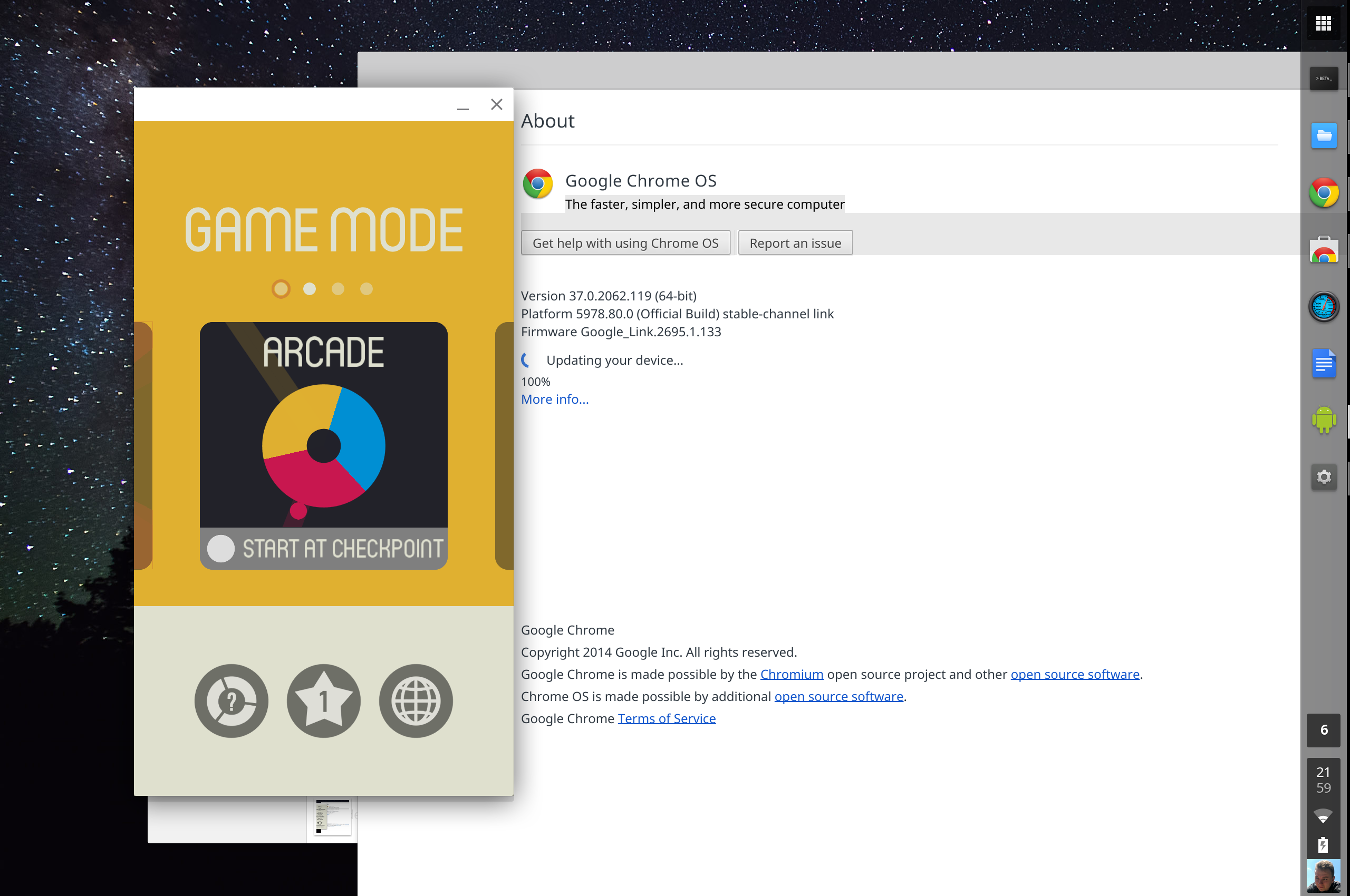 7 |
7 | 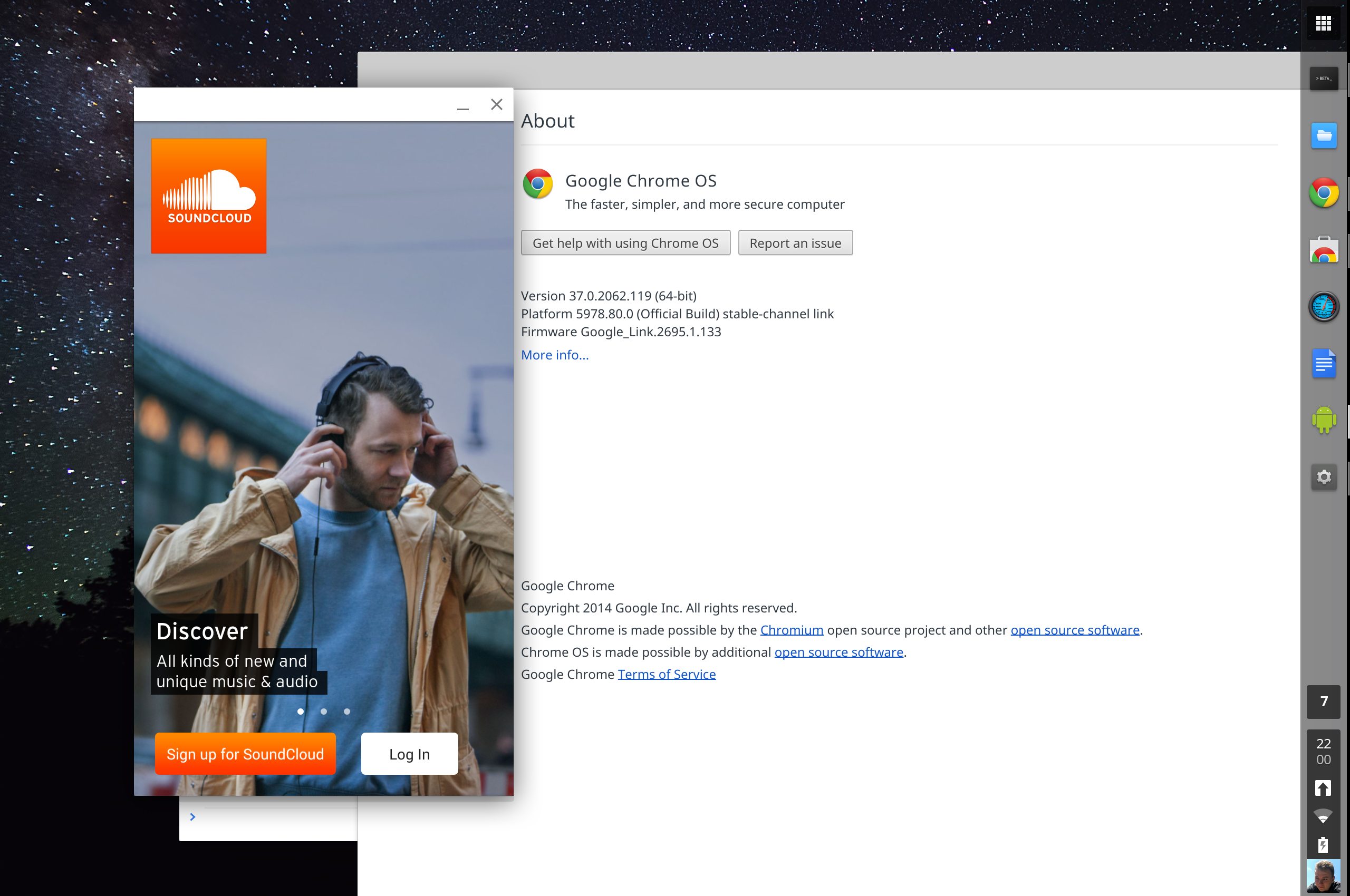 8 |
8 | 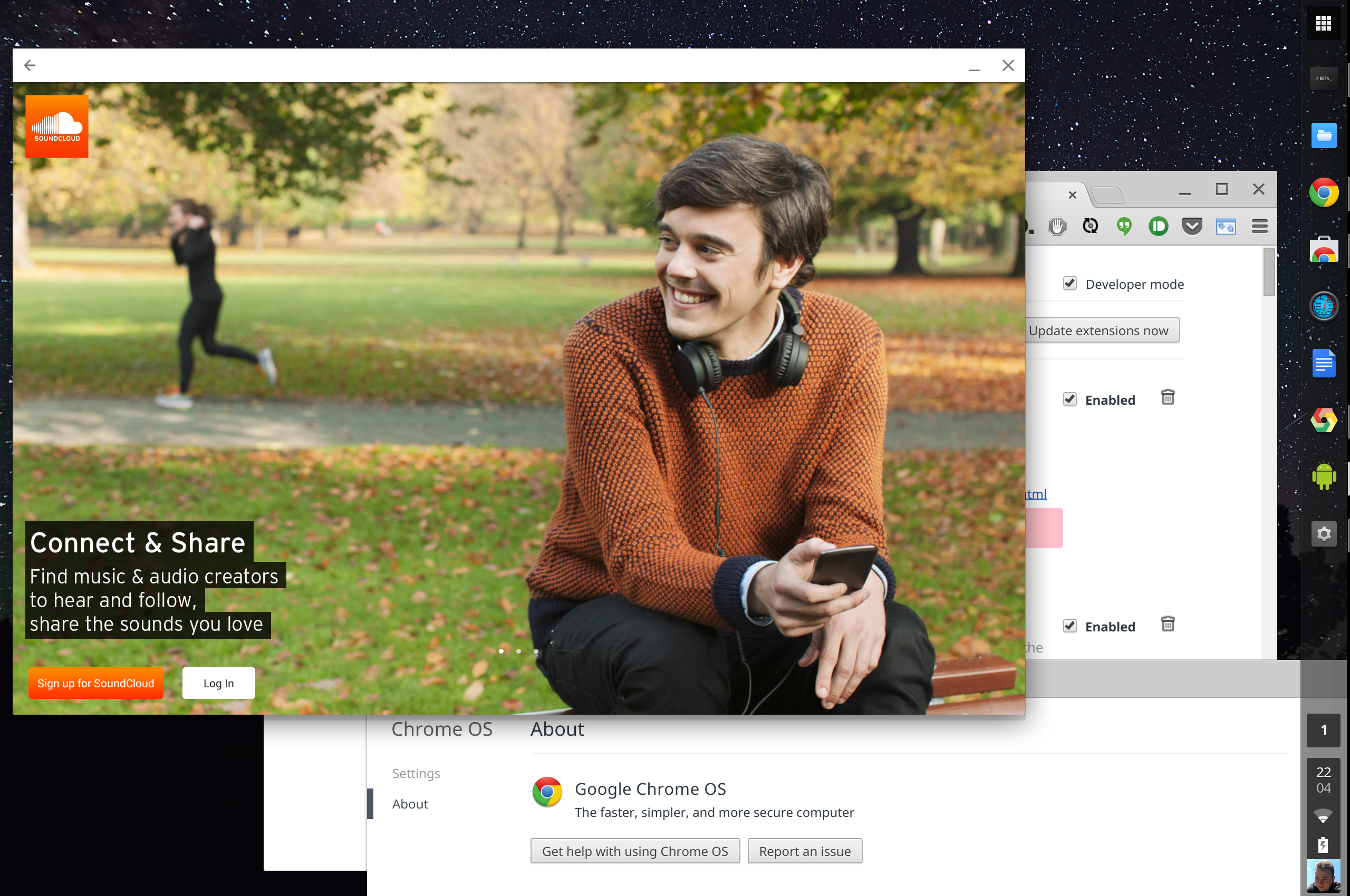 9 |
9 | 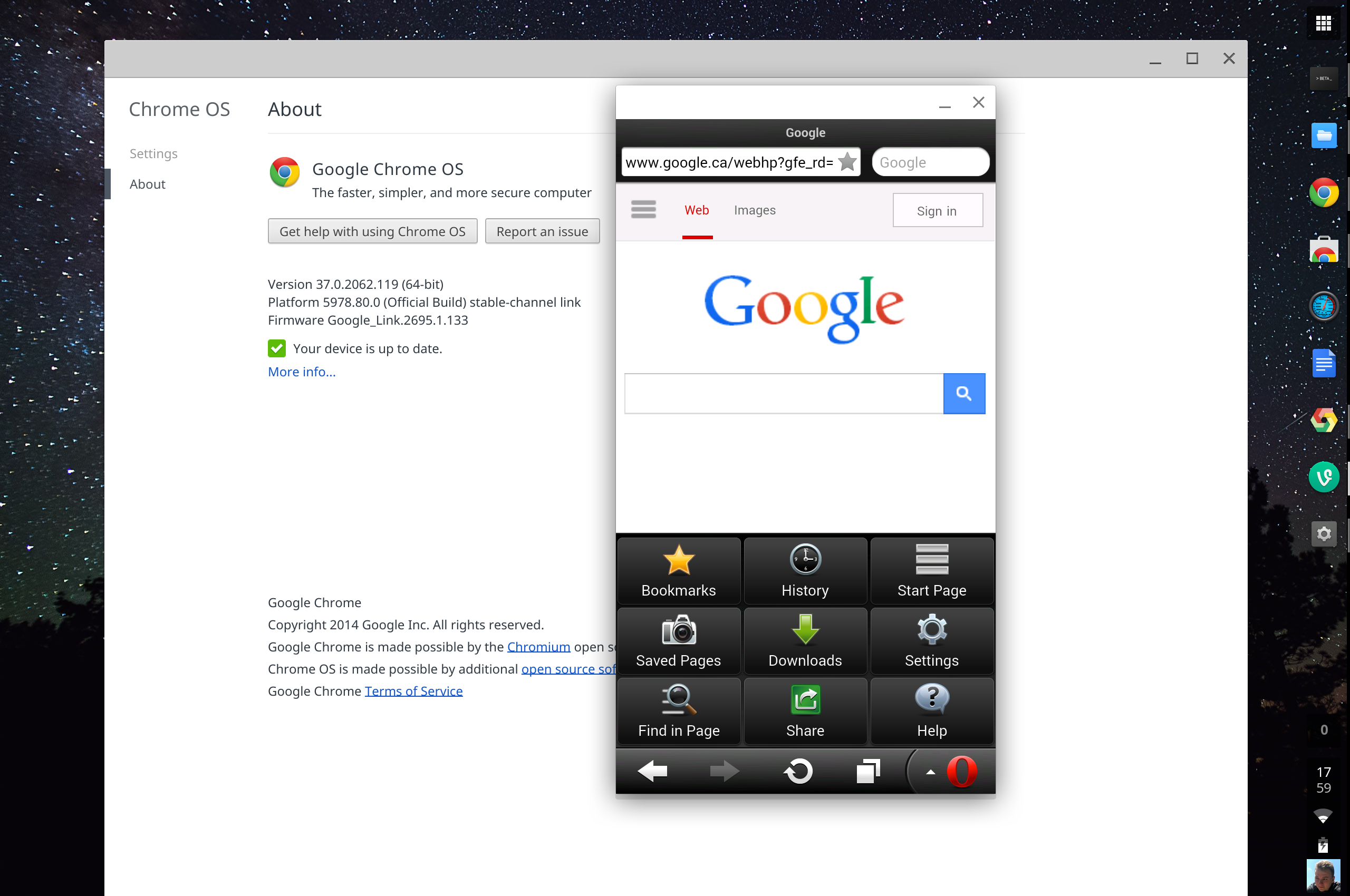 10 |
10 | 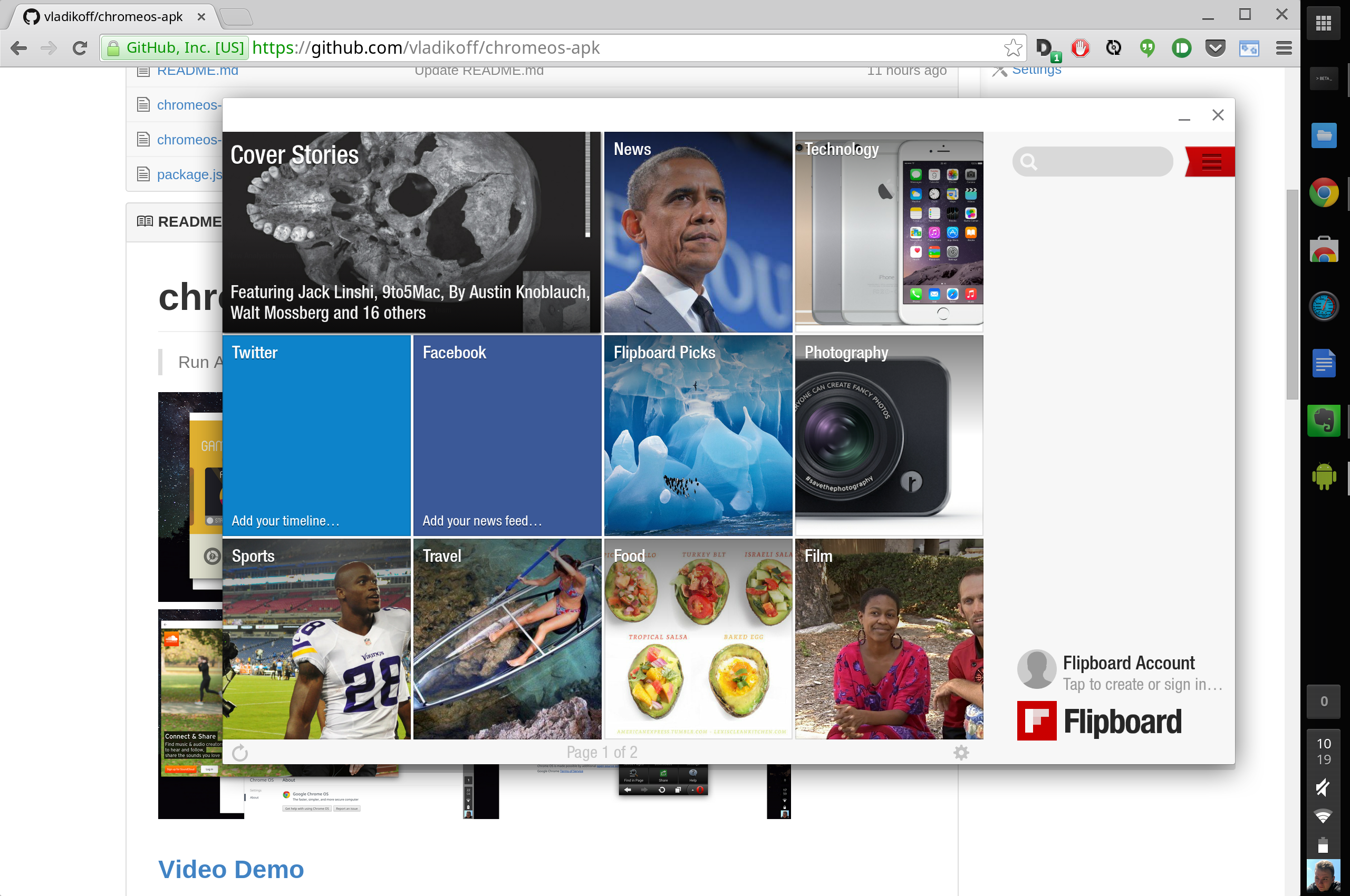 11 |
11 | 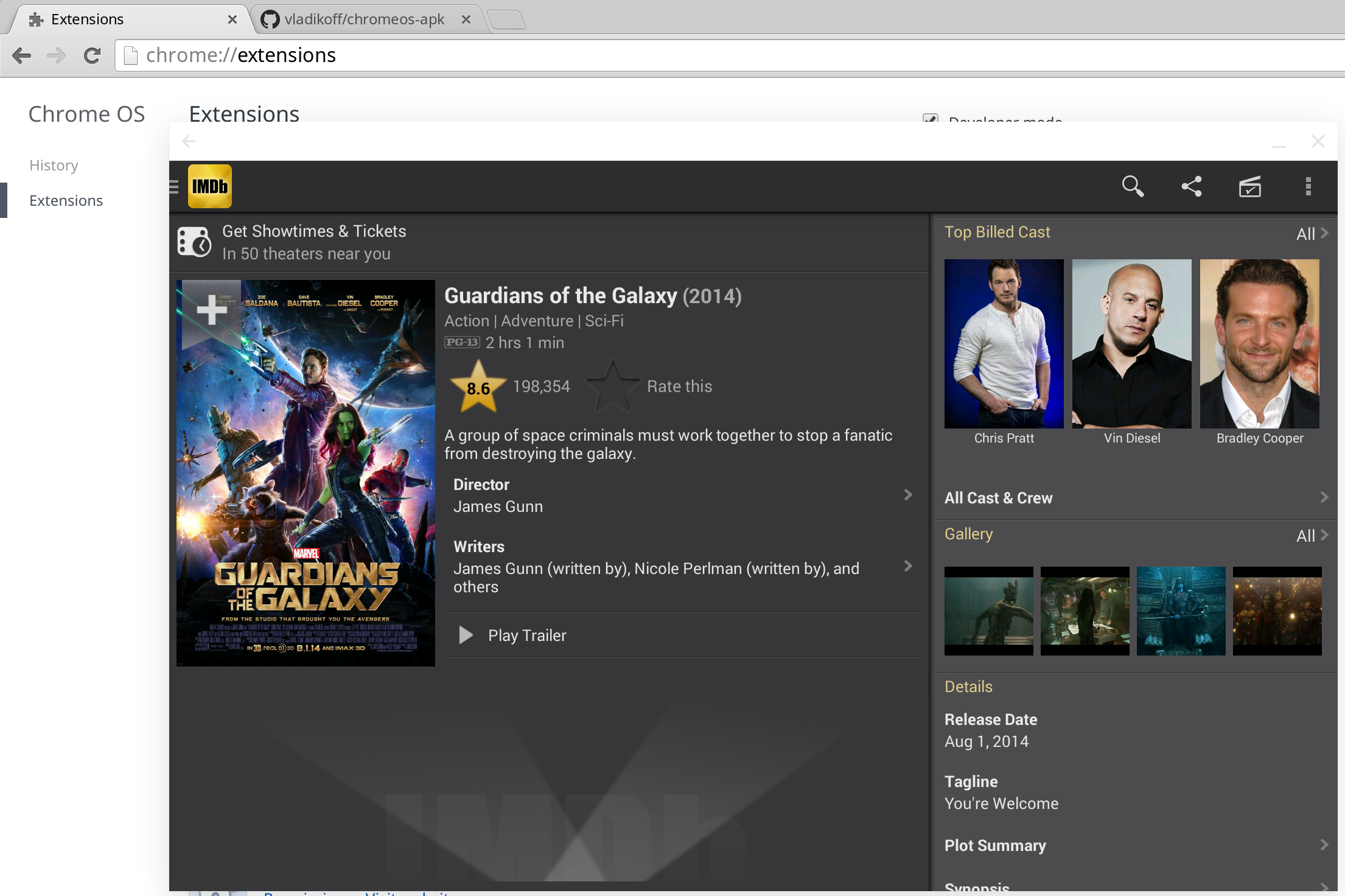 12 |
12 | 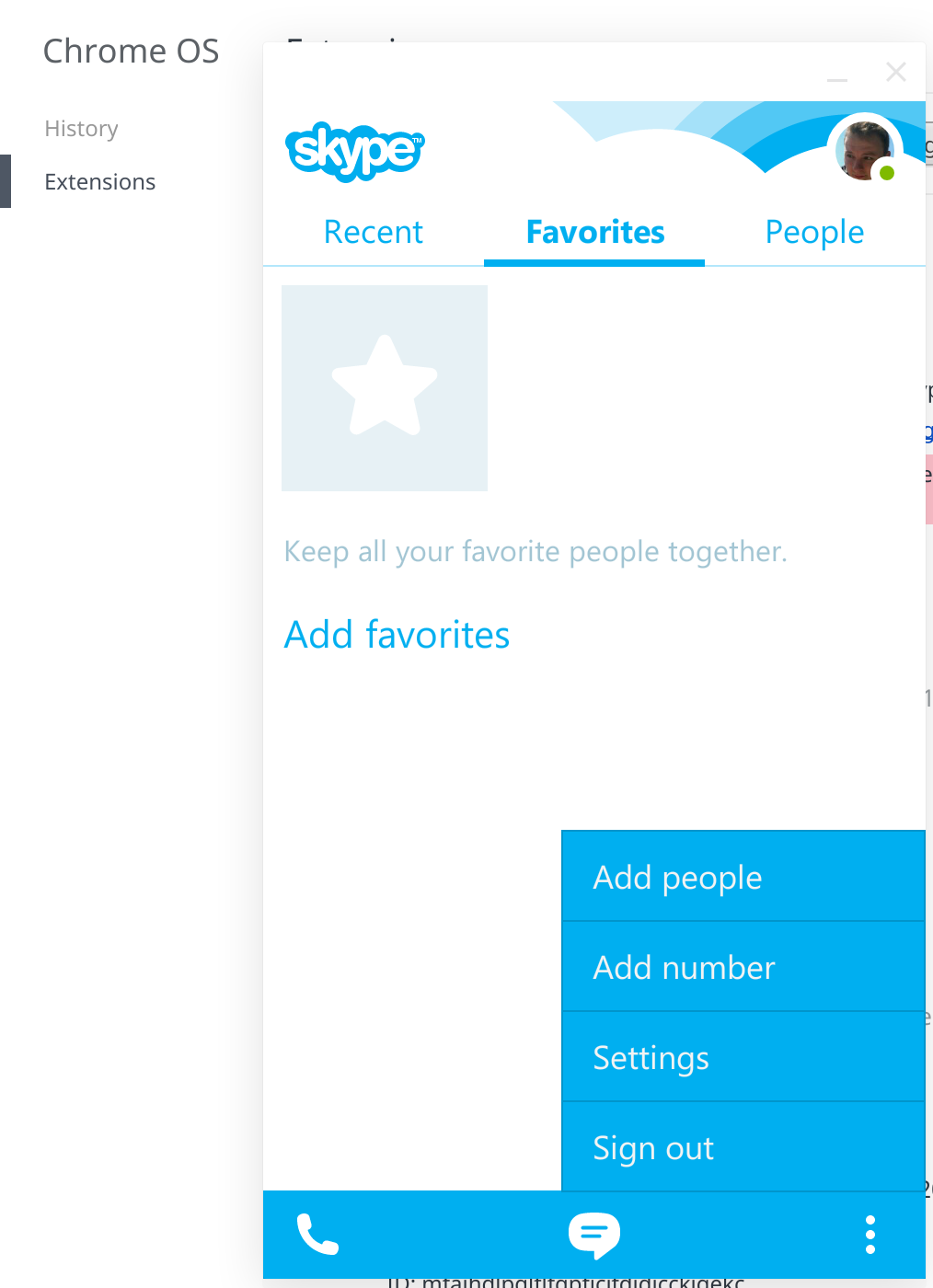 13 |
14 | ### Now supports OS X, Linux and Windows
15 |
16 |
13 |
14 | ### Now supports OS X, Linux and Windows
15 |
16 | 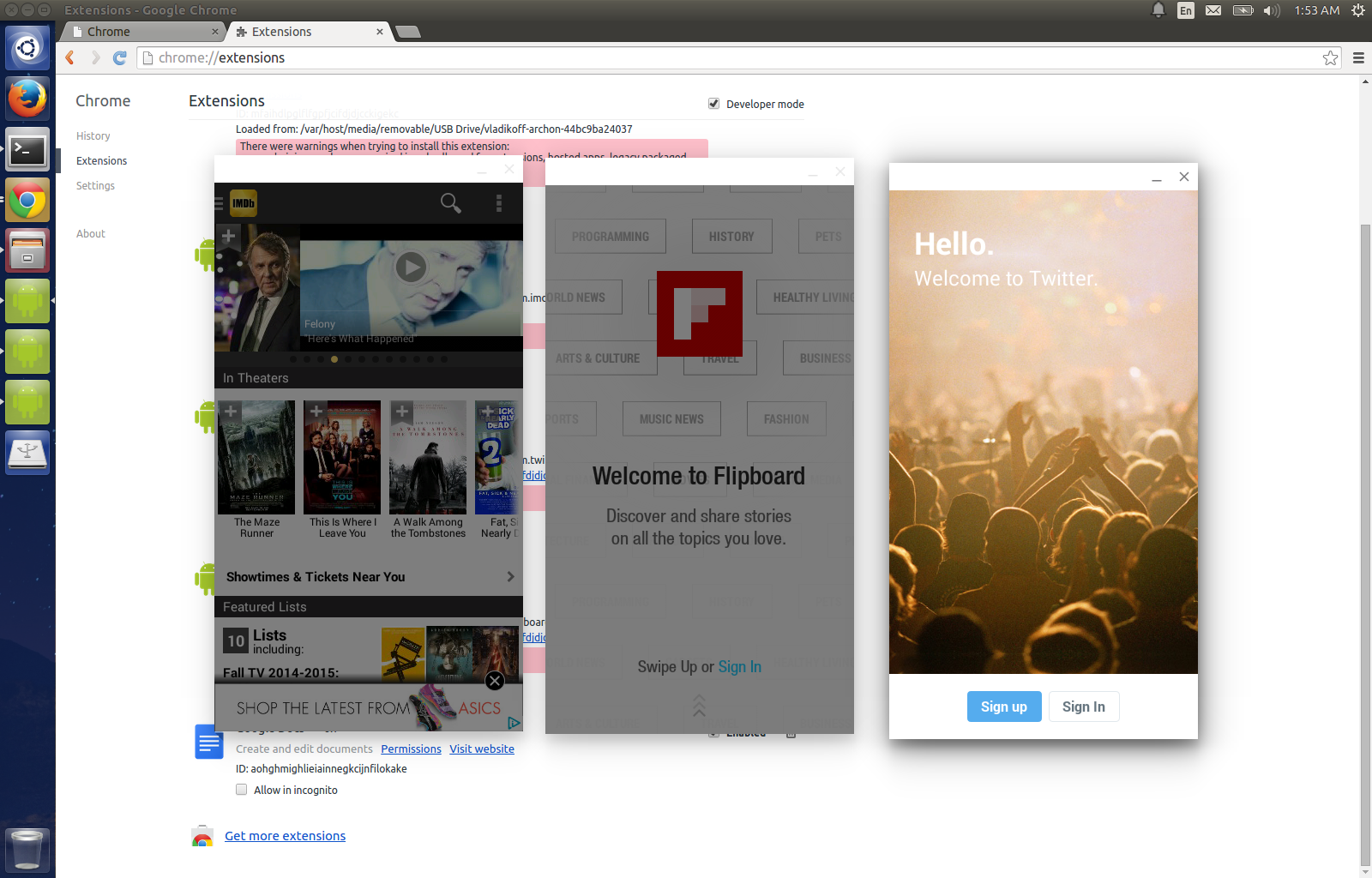 17 |
17 | 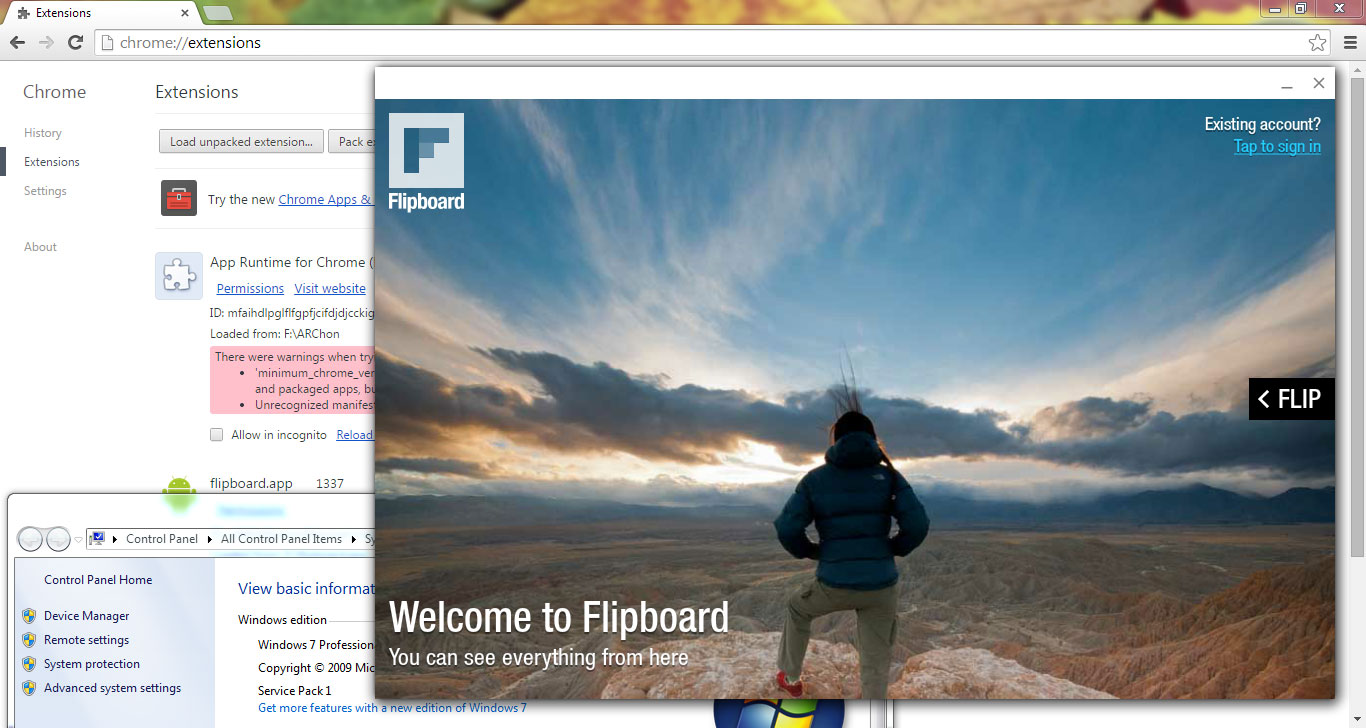 18 |
19 | >See the [Custom ARChon runtime guide](archon.md) to run apps on other operating systems besides Chrome OS.
20 |
21 |
22 | ### [Video Demo](https://www.youtube.com/watch?v=O-yFLqp_sXs)
23 |
24 | ## Quick Demo for Chrome OS
25 | - Download an official app, [such as Evernote](https://chrome.google.com/webstore/detail/evernote/dhfolfjkgpeaojbiicgheljefkfbbfkc), from the Chrome Web Store.
26 | - Then download this open source game: [2048.APK Game](https://github.com/vladikoff/chromeos-apk/releases/download/v1.1.0/com.uberspot.a2048.android-OFFICIAL.zip) by [Uberspot](https://github.com/uberspot/2048-android) and load it as an unpacked extension. Press "Launch", ignore warnings.
27 |
28 | ## Setup for Chrome OS / App Conversion
29 | > Conversion Tool Tested on OS X, Windows and Ubuntu. You can also [convert APKs manually](manually-convert.md).
30 |
31 | - Install [a sample Android app from the Chrome Store](https://chrome.google.com/webstore/detail/kids-sight-words/inpoiemibmljfjmjmlokfdllnkjejhai) to get the runtime. Test out that app, make sure it runs on your hardware.
32 | - (Ubuntu might need `sudo apt-get install lib32stdc++6`)
33 | - Install Node.js (via http://nodejs.org/)
34 | - Install the tool (might need a `sudo` prefix):
35 | ```
36 | npm install chromeos-apk -g
37 | ```
38 | or
39 |
40 | ```
41 | sudo npm install chromeos-apk -g
42 | ```
43 |
44 | ## Usage
45 |
46 | Run
47 | `chromeos-apk [path to apk file]`
48 |
49 | ### Example phone app
50 |
51 | ```
52 | chromeos-apk com.soundcloud.android.apk
53 | ```
54 |
55 | #### Example tablet app
56 |
57 | ```
58 | chromeos-apk com.soundcloud.android.apk --tablet
59 | ```
60 |
61 | This will generate a directory for you, i.e `com.soundcloud.android`. Copy this directory to your Chromebook.
62 | On your Chromebook go to `chrome://extensions`, enable "Developer mode", and load the directory using the "Load unpacked extension" button.
63 |
18 |
19 | >See the [Custom ARChon runtime guide](archon.md) to run apps on other operating systems besides Chrome OS.
20 |
21 |
22 | ### [Video Demo](https://www.youtube.com/watch?v=O-yFLqp_sXs)
23 |
24 | ## Quick Demo for Chrome OS
25 | - Download an official app, [such as Evernote](https://chrome.google.com/webstore/detail/evernote/dhfolfjkgpeaojbiicgheljefkfbbfkc), from the Chrome Web Store.
26 | - Then download this open source game: [2048.APK Game](https://github.com/vladikoff/chromeos-apk/releases/download/v1.1.0/com.uberspot.a2048.android-OFFICIAL.zip) by [Uberspot](https://github.com/uberspot/2048-android) and load it as an unpacked extension. Press "Launch", ignore warnings.
27 |
28 | ## Setup for Chrome OS / App Conversion
29 | > Conversion Tool Tested on OS X, Windows and Ubuntu. You can also [convert APKs manually](manually-convert.md).
30 |
31 | - Install [a sample Android app from the Chrome Store](https://chrome.google.com/webstore/detail/kids-sight-words/inpoiemibmljfjmjmlokfdllnkjejhai) to get the runtime. Test out that app, make sure it runs on your hardware.
32 | - (Ubuntu might need `sudo apt-get install lib32stdc++6`)
33 | - Install Node.js (via http://nodejs.org/)
34 | - Install the tool (might need a `sudo` prefix):
35 | ```
36 | npm install chromeos-apk -g
37 | ```
38 | or
39 |
40 | ```
41 | sudo npm install chromeos-apk -g
42 | ```
43 |
44 | ## Usage
45 |
46 | Run
47 | `chromeos-apk [path to apk file]`
48 |
49 | ### Example phone app
50 |
51 | ```
52 | chromeos-apk com.soundcloud.android.apk
53 | ```
54 |
55 | #### Example tablet app
56 |
57 | ```
58 | chromeos-apk com.soundcloud.android.apk --tablet
59 | ```
60 |
61 | This will generate a directory for you, i.e `com.soundcloud.android`. Copy this directory to your Chromebook.
62 | On your Chromebook go to `chrome://extensions`, enable "Developer mode", and load the directory using the "Load unpacked extension" button.
63 |  64 |
65 | ## Troubleshooting
66 |
67 | Make sure Android applications are compatible with your Chromebook, first try to install an official application such as Vine:
68 | https://chrome.google.com/webstore/detail/vine/plfjlfohfjjpmmifkbcmalnmcebkklkh
69 |
70 | If you get a `Failed to parse package name in the APK.` error, then you will have to type it the proper package name for the application. You can find out the package name by looking at the URL of the app in the Play Store.
71 |
72 | ## Note
73 |
74 | **Chrome OS:** With Chrome 38+ you can now side load as many applications as you want. If you have older apps that
75 | were created using `chromeos-apk` tool then re-convert them or remove the `"key"` option from `manifest.json`.
76 |
77 | **Windows, Linux and OS X:** To load unlimited number of apps on you need a custom runtime, see the [ARChon runtime guide](archon.md) for details.
78 |
79 | THE SOFTWARE IS PROVIDED "AS IS", WITHOUT WARRANTY OF ANY KIND, EXPRESS OR
80 | IMPLIED, INCLUDING BUT NOT LIMITED TO THE WARRANTIES OF MERCHANTABILITY,
81 | FITNESS FOR A PARTICULAR PURPOSE AND NONINFRINGEMENT. IN NO EVENT SHALL THE
82 | AUTHORS OR COPYRIGHT HOLDERS BE LIABLE FOR ANY CLAIM, DAMAGES OR OTHER
83 | LIABILITY, WHETHER IN AN ACTION OF CONTRACT, TORT OR OTHERWISE, ARISING FROM,
84 | OUT OF OR IN CONNECTION WITH THE SOFTWARE OR THE USE OR OTHER DEALINGS IN THE
85 | SOFTWARE.
86 |
87 | ## Tested Apps
88 |
89 | Read [the manifest guide](manifest.md) to tweak applications. Android `Menu` key is accessible using `ctrl` + `ESC`.
90 |
91 | - Flipboard, Flixster, Twitter - Works.
92 | - Pandora - Works [[Screenshot](http://i.imgur.com/0d8XvXr.png)]
93 | - Yahoo Screens, Weather and Mail work in Phone mode (might need to remove `gcm` from `usePlayServices` in `manifest.json`).
94 | - Soundcloud - Works, crashes when playing sound.
95 | - Chrome, Firefox, Opera, Spotify - Crashes (require native libraries).
96 | - Opera Mini - Works, issues with the back button.
97 | - [Gyro Game](https://play.google.com/store/apps/details?id=pl.submachine.gyro&hl=en) - Works
98 | - [Break Bricks Game](https://play.google.com/store/apps/details?id=com.tongwei.blockbreaker) - Works
99 | - Swing Copters - Crashes on Google Play Services.
100 | - WhatsApp - Crashes
101 | - IMDB - Works
102 | - Skype `com.skype.raider` - Works, requires you to enter the package name manually in the CLI, use `com.skype.raider`. Use an older version of APK 5.0.0.x to get this to work.
103 | - XBMC - Crash after initial load.
104 | - Microsoft Remote Desktop - App seems to work properly after crashing once.
105 |
106 |
107 | ### Author
108 |
109 | | [](https://twitter.com/vladikoff "Follow @vladikoff on Twitter") |
110 | |---|
111 | | [@vladikoff](https://twitter.com/vladikoff) |
112 |
--------------------------------------------------------------------------------
/archon.md:
--------------------------------------------------------------------------------
1 | # ARChon Custom Runtime Guide
2 |
3 | > ARChon runtime lets you run unlimited number of Android APKs created with `chromeos-apk` on Chrome OS and across any desktop platform that supports Chrome.
4 |
5 |
64 |
65 | ## Troubleshooting
66 |
67 | Make sure Android applications are compatible with your Chromebook, first try to install an official application such as Vine:
68 | https://chrome.google.com/webstore/detail/vine/plfjlfohfjjpmmifkbcmalnmcebkklkh
69 |
70 | If you get a `Failed to parse package name in the APK.` error, then you will have to type it the proper package name for the application. You can find out the package name by looking at the URL of the app in the Play Store.
71 |
72 | ## Note
73 |
74 | **Chrome OS:** With Chrome 38+ you can now side load as many applications as you want. If you have older apps that
75 | were created using `chromeos-apk` tool then re-convert them or remove the `"key"` option from `manifest.json`.
76 |
77 | **Windows, Linux and OS X:** To load unlimited number of apps on you need a custom runtime, see the [ARChon runtime guide](archon.md) for details.
78 |
79 | THE SOFTWARE IS PROVIDED "AS IS", WITHOUT WARRANTY OF ANY KIND, EXPRESS OR
80 | IMPLIED, INCLUDING BUT NOT LIMITED TO THE WARRANTIES OF MERCHANTABILITY,
81 | FITNESS FOR A PARTICULAR PURPOSE AND NONINFRINGEMENT. IN NO EVENT SHALL THE
82 | AUTHORS OR COPYRIGHT HOLDERS BE LIABLE FOR ANY CLAIM, DAMAGES OR OTHER
83 | LIABILITY, WHETHER IN AN ACTION OF CONTRACT, TORT OR OTHERWISE, ARISING FROM,
84 | OUT OF OR IN CONNECTION WITH THE SOFTWARE OR THE USE OR OTHER DEALINGS IN THE
85 | SOFTWARE.
86 |
87 | ## Tested Apps
88 |
89 | Read [the manifest guide](manifest.md) to tweak applications. Android `Menu` key is accessible using `ctrl` + `ESC`.
90 |
91 | - Flipboard, Flixster, Twitter - Works.
92 | - Pandora - Works [[Screenshot](http://i.imgur.com/0d8XvXr.png)]
93 | - Yahoo Screens, Weather and Mail work in Phone mode (might need to remove `gcm` from `usePlayServices` in `manifest.json`).
94 | - Soundcloud - Works, crashes when playing sound.
95 | - Chrome, Firefox, Opera, Spotify - Crashes (require native libraries).
96 | - Opera Mini - Works, issues with the back button.
97 | - [Gyro Game](https://play.google.com/store/apps/details?id=pl.submachine.gyro&hl=en) - Works
98 | - [Break Bricks Game](https://play.google.com/store/apps/details?id=com.tongwei.blockbreaker) - Works
99 | - Swing Copters - Crashes on Google Play Services.
100 | - WhatsApp - Crashes
101 | - IMDB - Works
102 | - Skype `com.skype.raider` - Works, requires you to enter the package name manually in the CLI, use `com.skype.raider`. Use an older version of APK 5.0.0.x to get this to work.
103 | - XBMC - Crash after initial load.
104 | - Microsoft Remote Desktop - App seems to work properly after crashing once.
105 |
106 |
107 | ### Author
108 |
109 | | [](https://twitter.com/vladikoff "Follow @vladikoff on Twitter") |
110 | |---|
111 | | [@vladikoff](https://twitter.com/vladikoff) |
112 |
--------------------------------------------------------------------------------
/archon.md:
--------------------------------------------------------------------------------
1 | # ARChon Custom Runtime Guide
2 |
3 | > ARChon runtime lets you run unlimited number of Android APKs created with `chromeos-apk` on Chrome OS and across any desktop platform that supports Chrome.
4 |
5 |  11 | **Note: This can be unstable on operating systems other than Chrome OS.**
12 |
13 | **Warning: The custom runtime will replace the official runtime component. To go back to the official runtime you will need to uninstall the custom one and reinstall the official one.**
14 |
15 | Tested on OS X, Windows 64-bit and Ubuntu. You must have Chrome 37+ installed. (If it doesn't work try Chrome Canary).
16 |
17 | - Download the runtime that is appropriate for your system:
18 |
19 | | Runtime | Download |
20 | |---|---|
21 | | ARChon 1.2 - Intel x86 **Chrome 64-bit / Chrome OS 64-bit** | [BitBucket](https://bitbucket.org/vladikoff/archon/get/v1.2-x86_64.zip) :: [Mirror](http://archon.vf.io/ARChon-v1.2-x86_64.zip) MD5:d77b468339cc512e121c003cc97715db |
22 | | ARChon 1.2 - Intel x86 **Chrome 32-bit / Chrome OS 32-bit** (Win7 32-bit: Use something like Chrome Beta 38.0.2125.77 beta-m) | [BitBucket](https://bitbucket.org/vladikoff/archon/get/v1.2-x86_32.zip) :: [Mirror](http://archon.vf.io/ARChon-v1.2-x86_32.zip) MD5:9c9844e2591a27d952098581011a2bce |
23 | | ARChon 1.2 - **ARM (i.e ARM-based Chromebooks)** | [BitBucket](https://bitbucket.org/vladikoff/archon/get/v1.2-ARM.zip) :: [Mirror](http://archon.vf.io/ARChon-v1.2-ARM.zip) MD5:3d6955c7702baf1e1d16a000d9f67b10 |
24 |
25 |
26 | - Unzip it, Load it as an unpacked extension.
27 |
28 |
11 | **Note: This can be unstable on operating systems other than Chrome OS.**
12 |
13 | **Warning: The custom runtime will replace the official runtime component. To go back to the official runtime you will need to uninstall the custom one and reinstall the official one.**
14 |
15 | Tested on OS X, Windows 64-bit and Ubuntu. You must have Chrome 37+ installed. (If it doesn't work try Chrome Canary).
16 |
17 | - Download the runtime that is appropriate for your system:
18 |
19 | | Runtime | Download |
20 | |---|---|
21 | | ARChon 1.2 - Intel x86 **Chrome 64-bit / Chrome OS 64-bit** | [BitBucket](https://bitbucket.org/vladikoff/archon/get/v1.2-x86_64.zip) :: [Mirror](http://archon.vf.io/ARChon-v1.2-x86_64.zip) MD5:d77b468339cc512e121c003cc97715db |
22 | | ARChon 1.2 - Intel x86 **Chrome 32-bit / Chrome OS 32-bit** (Win7 32-bit: Use something like Chrome Beta 38.0.2125.77 beta-m) | [BitBucket](https://bitbucket.org/vladikoff/archon/get/v1.2-x86_32.zip) :: [Mirror](http://archon.vf.io/ARChon-v1.2-x86_32.zip) MD5:9c9844e2591a27d952098581011a2bce |
23 | | ARChon 1.2 - **ARM (i.e ARM-based Chromebooks)** | [BitBucket](https://bitbucket.org/vladikoff/archon/get/v1.2-ARM.zip) :: [Mirror](http://archon.vf.io/ARChon-v1.2-ARM.zip) MD5:3d6955c7702baf1e1d16a000d9f67b10 |
24 |
25 |
26 | - Unzip it, Load it as an unpacked extension.
27 |
28 |