51 |
52 |
53 |
54 |
55 |
58 |
--------------------------------------------------------------------------------
/content/speaking.yml:
--------------------------------------------------------------------------------
1 | title: Talks & Workshops
2 | description: Explore talks and workshops I've given on UX design, front-end development, and building better digital products.
3 | links:
4 | - label: Invite me to speak
5 | size: md
6 | events:
7 | - category: Conference
8 | title: "Bridging the Gap: Design Systems for Designer-Developer Collaboration"
9 | date: "2024-10-26"
10 | location: "VueConf US, Miami, FL"
11 | url: "#"
12 | - category: Conference
13 | title: "Intuitive Interfaces: Applying UX Principles in Nuxt.js Applications"
14 | date: "2024-06-15"
15 | location: "Nuxt Nation, Online"
16 | url: "#"
17 | - category: Conference
18 | title: "Accessibility First: Building Inclusive Web Apps"
19 | date: "2023-11-08"
20 | location: "Boston Web Performance Meetup, Boston, MA"
21 | - category: Live talk
22 | title: "Mastering Component Design in Figma & Vue"
23 | date: "2024-08-20"
24 | location: "Design & Dev Boston Meetup, Boston, MA"
25 | url: "#"
26 | - category: Live talk
27 | title: "From Wireframe to Web: A Practical Front-End Workflow"
28 | date: "2024-03-05"
29 | location: "Internal Workshop @ PreviousCompany Inc."
30 | - category: Live talk
31 | title: "The Power of User Research in Product Development"
32 | date: "2023-09-12"
33 | location: "Boston University Guest Lecture, Boston, MA"
34 | - category: Podcast
35 | title: "Designing for Developers: A UX Perspective"
36 | date: "2024-07-18"
37 | location: "Syntax.fm (Guest)"
38 | url: "#"
39 | - category: Podcast
40 | title: "The Future of Front-End Frameworks & Design Tooling"
41 | date: "2024-01-30"
42 | location: "Design Details Podcast (Guest)"
43 | url: "#"
44 | - category: Podcast
45 | title: "Building a Career in UX/UI & Development"
46 | date: "2023-05-22"
47 | location: "TechForward Boston Podcast"
48 | url: "#"
49 |
--------------------------------------------------------------------------------
/app/components/landing/Blog.vue:
--------------------------------------------------------------------------------
1 |
15 |
16 |
17 |
26 |
30 |
43 |
44 |
50 |
51 |
55 |
56 |
57 |
58 |
59 |
60 |
61 |
62 |
--------------------------------------------------------------------------------
/app/components/ColorModeButton.vue:
--------------------------------------------------------------------------------
1 |
45 |
46 |
47 |
48 |
57 |
58 |
59 |
60 |
61 |
62 |
63 |
77 |
--------------------------------------------------------------------------------
/app/components/landing/FAQ.vue:
--------------------------------------------------------------------------------
1 |
26 |
27 |
28 |
37 |
42 |
43 |
53 |
54 |
59 |
60 |
61 |
62 |
63 |
64 |
65 |
--------------------------------------------------------------------------------
/content/blog/slow-design-in-fast-paced-digital-world.md:
--------------------------------------------------------------------------------
1 | ---
2 | title: The Case for Slow Design in a Fast-Paced Digital World
3 | description: Why designing digital experiences that encourage users to slow down
4 | and engage deeply can lead to more meaningful interactions and better
5 | outcomes.
6 | date: 2025-01-28
7 | image: https://images.pexels.com/photos/4050314/pexels-photo-4050314.jpeg?auto=compress&cs=tinysrgb&w=1260&h=750&dpr=1
8 | minRead: 7
9 | author:
10 | name: Emma Thompson
11 | avatar:
12 | src: https://images.unsplash.com/photo-1701615004837-40d8573b6652?q=80&w=1480&auto=format&fit=crop&ixlib=rb-4.0.3&ixid=M3wxMjA3fDB8MHxwaG90by1wYWdlfHx8fGVufDB8fHx8fA%3D%3D
13 | alt: Emma Thompson
14 | ---
15 |
16 | I recently took on a project that challenged everything about my usual design process. A small literary journal wanted a digital platform that encouraged readers to slow down and engage deeply with content—the exact opposite of most websites optimized for quick consumption.
17 |
18 | This got me thinking about what I'm calling "slow design"—an approach that intentionally creates space for contemplation rather than rapid interaction.
19 |
20 | For the Wordsmith Journal, I experimented with subtle animations that respond to reading pace, typography that encourages focus, and navigation that reveals content gradually rather than all at once. The result feels more like turning pages in a physical book than scrolling through a typical website.
21 |
22 | User testing revealed something fascinating: readers spent 3x longer with articles and reported higher satisfaction and better recall of content compared to the journal's previous site. By designing for attention rather than distraction, we created a digital experience that honors the thoughtful nature of the content itself.
23 |
24 | I'm now incorporating elements of slow design into all my projects, asking: "Where can we create moments of pause? How can we reward attention rather than just capturing it?"
25 |
26 | In our rush to optimize for engagement metrics, I think we've forgotten that sometimes the most meaningful digital experiences are the ones that don't demand immediate action but instead create space for thought.
27 |
--------------------------------------------------------------------------------
/README.md:
--------------------------------------------------------------------------------
1 | # Nuxt Portfolio Template
2 |
3 | [](https://ui.nuxt.com)
4 |
5 | Use this template to create your own portfolio with [Nuxt UI](https://ui.nuxt.com).
6 |
7 | - [Live demo](https://portfolio-template.nuxt.dev/)
8 | - [Documentation](https://ui.nuxt.com/getting-started/installation)
9 |
10 |
11 |
12 |
13 |
14 |
15 |
16 |
17 |
18 | ## Quick Start
19 |
20 | ```bash [Terminal]
21 | npm create nuxt@latest -- -t github:nuxt-ui-templates/portfolio
22 | ```
23 |
24 | ## Deploy your own
25 |
26 | [](https://vercel.com/new/clone?repository-name=portfolio&repository-url=https%3A%2F%2Fgithub.com%2Fnuxt-ui-templates%2Fportfolio&demo-image=https%3A%2F%2Fui.nuxt.com%2Fassets%2Ftemplates%2Fnuxt%2Fportfolio-dark.png&demo-url=https%3A%2F%2Fportfolio-template.nuxt.dev%2F&demo-title=Nuxt%20Portfolio%20Template&demo-description=A%20sleek%20portfolio%20template%20to%20showcase%20your%20work%2C%20skills%20and%20blog%20powered%20by%20Nuxt%20Content.)
27 |
28 | ## Setup
29 |
30 | Make sure to install the dependencies:
31 |
32 | ```bash
33 | pnpm install
34 | ```
35 |
36 | ## Development Server
37 |
38 | Start the development server on `http://localhost:3000`:
39 |
40 | ```bash
41 | pnpm dev
42 | ```
43 |
44 | ## Production
45 |
46 | Build the application for production:
47 |
48 | ```bash
49 | pnpm build
50 | ```
51 |
52 | Locally preview production build:
53 |
54 | ```bash
55 | pnpm preview
56 | ```
57 |
58 | Check out the [deployment documentation](https://nuxt.com/docs/getting-started/deployment) for more information.
59 |
60 | ## Renovate integration
61 |
62 | Install [Renovate GitHub app](https://github.com/apps/renovate/installations/select_target) on your repository and you are good to go.
63 |
--------------------------------------------------------------------------------
/content/blog/how-i-built-my-own-design-system-from-scratch.md:
--------------------------------------------------------------------------------
1 | ---
2 | title: How I Built My Design System from Scratch
3 | description: A practical guide to creating your own design system, from initial
4 | audit to implementation, and the lessons learned along the way.
5 | date: 2025-03-05
6 | image: https://images.pexels.com/photos/196644/pexels-photo-196644.jpeg?auto=compress&cs=tinysrgb&w=1260&h=750&dpr=1
7 | minRead: 6
8 | author:
9 | name: Emma Thompson
10 | avatar:
11 | src: https://images.unsplash.com/photo-1701615004837-40d8573b6652?q=80&w=1480&auto=format&fit=crop&ixlib=rb-4.0.3&ixid=M3wxMjA3fDB8MHxwaG90by1wYWdlfHx8fGVufDB8fHx8fA%3D%3D
12 | alt: Emma Thompson
13 | ---
14 |
15 | After years of starting each project with a blank Figma file, I finally took the plunge and created my own comprehensive design system. The process was both challenging and incredibly rewarding, and I wanted to share my approach for other designers considering the same journey.
16 |
17 | I started by auditing five of my recent projects, identifying common patterns and components that appeared across different designs. This revealed inconsistencies in my work that I hadn't noticed before—seven slightly different button styles, inconsistent spacing rules, and text styles that varied without clear purpose.
18 |
19 | Rather than creating a rigid system upfront, I built it iteratively through a real client project. For the EcoTrack app, I documented each component as I designed it, creating a living system that evolved with the project's needs.
20 |
21 | The core of my system includes:
22 |
23 | - A flexible color system with semantic naming conventions
24 | - Typography scales based on the golden ratio
25 | - Component variants with clear usage guidelines
26 | - Spacing and layout rules that maintain consistency across devices
27 |
28 | The biggest challenge wasn't technical but psychological—learning to trust the system instead of reinventing solutions for each new problem. But the payoff has been enormous: my design process is now 40% faster, client revisions have decreased significantly, and handoff to development is much smoother.
29 |
30 | If you're considering building your own system, my advice is to start small with core elements, test them on real projects, and document as you go. A good design system should feel like a trusted collaborator, not a set of restrictions.
31 |
32 | I've attached a template of my component documentation method below—feel free to adapt it for your own workflow!
33 |
--------------------------------------------------------------------------------
/app/pages/blog/index.vue:
--------------------------------------------------------------------------------
1 |
30 |
31 |
32 |
33 |
43 |
48 |
49 |
57 |
72 |
73 |
74 |
75 |
76 |
77 |
--------------------------------------------------------------------------------
/content/about.yml:
--------------------------------------------------------------------------------
1 | title: About Me
2 | description: Learn more about my journey as a Boston-based UX/UI Designer & Front-End Developer, my design philosophy, and my passion for crafting intuitive digital experiences.
3 | content: |
4 | Hi, I'm **Emma Thompson**, a UX/UI Designer and Front-End Developer based right here in Boston. For the past six years, I've been immersed in the world of digital product creation, focusing on building experiences that are not just functional, but genuinely intuitive and engaging for users.
5 |
6 | My path started at **Boston University**, where I earned a degree in Interactive Design. It was there I discovered my dual passion for the visual language of design and the logical puzzle of code. Since then, I've honed my skills in both areas, believing that the best digital products are born from a deep understanding of both aesthetics and implementation.
7 |
8 | ### My Design Philosophy
9 |
10 | My design philosophy is rooted in **empathy** and **problem-solving**. I believe great design starts with understanding the 'why' – the user's needs, motivations, and pain points. I use research, iterative prototyping (often with tools like Figma), and user testing to ensure the solutions I build are truly effective.
11 |
12 | I strive to create interfaces that feel effortless, where functionality and beauty work hand-in-hand. Whether I'm crafting pixel-perfect UIs or writing clean Vue.js/Nuxt.js code, my focus is always on creating value for the end-user.
13 |
14 | ### What Drives Me
15 |
16 | What keeps me excited about this work is the constant learning and the challenge of translating complex ideas into simple, elegant solutions. There's nothing more rewarding than seeing a design come to life and knowing it's making someone's digital interaction easier or more enjoyable.
17 |
18 | ### Beyond the Screen
19 |
20 | When I'm not designing or coding, you might find me exploring Boston's latest coffee shops, hiking nearby trails, or occasionally contributing to open-source projects.
21 |
22 | Thanks for stopping by. Feel free to browse my [projects](/projects) or [get in touch](/#contact) if you'd like to collaborate!
23 | images:
24 | - src: https://images.unsplash.com/photo-1744877478622-a78c7a3336f6?q=80&w=1587&auto=format&fit=crop&ixlib=rb-4.0.3&ixid=M3wxMjA3fDB8MHxwaG90by1wYWdlfHx8fGVufDB8fHx8fA%3D%3D
25 | alt: My coffee workspace
26 | - src: https://images.unsplash.com/photo-1744429523595-2c06b8611242?q=80&w=1587&auto=format&fit=crop&ixlib=rb-4.0.3&ixid=M3wxMjA3fDB8MHxwaG90by1wYWdlfHx8fGVufDB8fHx8fA%3D%3D
27 | alt: My trip to Tokyo
28 |
--------------------------------------------------------------------------------
/content/blog/psychology-of-color-in-ui-design.md:
--------------------------------------------------------------------------------
1 | ---
2 | title: The Psychology of Color in UI Design
3 | description: Exploring how strategic color choices can influence user behavior,
4 | evoke emotions, and enhance the overall user experience of digital products.
5 | date: 2025-03-15
6 | image: https://images.pexels.com/photos/40799/paper-colorful-color-loose-40799.jpeg?auto=compress&cs=tinysrgb&w=1260&h=750&dpr=1
7 | minRead: 5
8 | author:
9 | name: Emma Thompson
10 | avatar:
11 | src: https://images.unsplash.com/photo-1701615004837-40d8573b6652?q=80&w=1480&auto=format&fit=crop&ixlib=rb-4.0.3&ixid=M3wxMjA3fDB8MHxwaG90by1wYWdlfHx8fGVufDB8fHx8fA%3D%3D
12 | alt: Emma Thompson
13 | ---
14 |
15 | Color is one of the most powerful tools in my design arsenal, yet I find it's often reduced to mere aesthetics or brand guidelines. After conducting a series of A/B tests for the Wavelength music app redesign, I've gathered some fascinating insights about how color psychology directly impacts user behavior.
16 |
17 | When we initially launched the app, we used a vibrant purple as our primary action color. The color looked great with our brand palette, but our conversion metrics were underwhelming. On a hunch, I proposed testing different primary colors while keeping all other elements identical.
18 |
19 | The results were striking: switching to a specific shade of blue increased our call-to-action conversion by 34%. Even more interesting was how different user segments responded to color variations—younger users engaged more with vibrant tones, while our 35+ demographic showed stronger preference for more subdued colors.
20 |
21 | Beyond conversion metrics, I discovered that color significantly affected how users perceived waiting times. By implementing a softer color progression in our loading animations, users reported that the app felt faster, even though the actual loading times remained unchanged.
22 |
23 | I've since developed a framework for color decision-making that goes beyond aesthetics:
24 |
25 | 1. Consider the emotional response you want to evoke
26 | 2. Test color choices with your specific user demographics
27 | 3. Use color to create visual hierarchies that guide users naturally
28 | 4. Consider cultural associations of colors for international audiences
29 | 5. Ensure sufficient contrast for readability and accessibility
30 |
31 | The most valuable lesson I've learned is that there are no universal "right" colors—only colors that effectively communicate your message and guide users toward their goals within your specific context.
32 |
33 | Next time you're selecting a color palette, think beyond what looks good and consider what your colors are actually saying to your users.
34 |
--------------------------------------------------------------------------------
/app/pages/projects.vue:
--------------------------------------------------------------------------------
1 |
26 |
27 |
28 |
29 |
39 |
40 |
157 |
158 |
159 |
163 |
181 |
188 |
189 |
190 |
191 |
192 |
--------------------------------------------------------------------------------
/content/blog/from-mockup-to-market.md:
--------------------------------------------------------------------------------
1 | ---
2 | title: "From Mockup to Market: My End-to-End Product Design Process"
3 | description: A detailed breakdown of my iterative design methodology, from
4 | initial research to final handoff, with practical tips for designers at every
5 | stage.
6 | date: 2025-04-23
7 | image: https://images.pexels.com/photos/1050312/pexels-photo-1050312.jpeg?auto=compress&cs=tinysrgb&w=1260&h=750&dpr=1
8 | minRead: 8
9 | author:
10 | name: Emma Thompson
11 | avatar:
12 | src: https://images.unsplash.com/photo-1701615004837-40d8573b6652?q=80&w=1480&auto=format&fit=crop&ixlib=rb-4.0.3&ixid=M3wxMjA3fDB8MHxwaG90by1wYWdlfHx8fGVufDB8fHx8fA%3D%3D
13 | alt: Emma Thompson
14 | ---
15 |
16 | Creating successful digital products isn't about following a rigid formula—it's about developing a flexible framework that adapts to the unique challenges of each project. After refining my approach across dozens of products, I've developed a process that consistently delivers results while leaving room for creativity and iteration.
17 |
18 | In this article, I'll walk through my end-to-end design process, from initial discovery to developer handoff, using my recent work on the EcoTrack application as a case study.
19 |
20 | ## Phase 1: Discovery & Research
21 |
22 | Every great product starts with understanding the problem it's trying to solve. For EcoTrack, our challenge was creating an engaging way for users to track their environmental impact without feeling overwhelmed by guilt or complex data.
23 |
24 | ### User Interviews
25 |
26 | I began by conducting interviews with 12 potential users across different demographics, focusing on their current habits and attitudes toward sustainability. These conversations revealed a crucial insight: most people wanted to make environmentally friendly choices but felt paralyzed by the complexity of calculating their impact.
27 |
28 | > "I care about the environment, but I have no idea if using a paper bag is actually better than plastic, or if my reusable water bottle makes any difference." — Interview participant
29 |
30 | ### Competitive Analysis
31 |
32 | Next, I analyzed existing sustainability apps, creating a feature comparison matrix to identify gaps and opportunities. Most competitors focused on carbon footprint calculations but failed to provide actionable guidance or positive reinforcement.
33 |
34 | ### Defining Success
35 |
36 | Before opening Figma, I collaborated with stakeholders to define clear success metrics:
37 |
38 | - Increase daily active usage by 40%
39 | - Improve user-reported understanding of environmental impact
40 | - Drive measurable behavior changes in at least two sustainability categories
41 |
42 | ## Phase 2: Ideation & Conceptualization
43 |
44 | With a solid understanding of the problem space, I moved into the creative phase of the process.
45 |
46 | ### Sketching
47 |
48 | I always start with pen and paper, rapidly exploring different approaches without the constraints of digital tools. For EcoTrack, I filled three sketchbooks with concepts ranging from gamified experiences to data-heavy dashboards.
49 |
50 | ### Information Architecture
51 |
52 | Based on research insights, I developed a user-centered information architecture that prioritized simplicity and actionable information:
53 |
54 | 1. **Dashboard** — Personalized overview with immediate impact insights
55 | 2. **Daily Tracker** — Simple logging of activities with immediate feedback
56 | 3. **Impact Journey** — Visualization of progress over time
57 | 4. **Action Center** — Customized recommendations based on user behavior
58 |
59 | ### Design Principles
60 |
61 | I established four core design principles to guide all decisions:
62 |
63 | - **Simplify complexity** — Translate environmental impact into understandable units
64 | - **Celebrate progress** — Focus on positive reinforcement rather than guilt
65 | - **Enable informed choices** — Provide context for decision-making
66 | - **Design for habit formation** — Create satisfying interaction loops
67 |
68 | ## Phase 3: Prototyping & Testing
69 |
70 | With the conceptual framework in place, I moved into the iterative cycle of prototyping and testing.
71 |
72 | ### Low-Fidelity Wireframes
73 |
74 | I created wireframes focusing on user flows and information hierarchy, deliberately keeping the visual design minimal to focus feedback on functionality and structure.
75 |
76 | ### User Testing (Round 1)
77 |
78 | Testing wireframes with 8 participants revealed several key insights:
79 |
80 | - Users wanted more immediate feedback when logging activities
81 | - The impact visualization wasn't intuitive for most users
82 | - People were confused by technical environmental terminology
83 |
84 | ### Mid-Fidelity Prototypes
85 |
86 | Based on testing feedback, I refined the concept and developed interactive prototypes with more visual detail, focusing on:
87 |
88 | - Simplified data visualization using familiar metaphors
89 | - Immediate positive reinforcement for logged activities
90 | - Progressive disclosure of more complex environmental information
91 |
92 | ### User Testing (Round 2)
93 |
94 | A second round of testing showed significant improvements in usability, but highlighted new challenges:
95 |
96 | - Users wanted to compare their impact with friends or community averages
97 | - Weekly summaries were more motivating than daily statistics
98 | - The onboarding process felt too lengthy
99 |
100 | ## Phase 4: Visual Design & Refinement
101 |
102 | With the core experience validated, I moved into high-fidelity visual design.
103 |
104 | ### Visual Language
105 |
106 | I developed a visual language that balanced approachability with credibility:
107 |
108 | - A nature-inspired color palette with clear functional color coding
109 | - Custom iconography that simplified complex concepts
110 | - Typography that prioritized readability across devices
111 | - Micro-interactions that provided satisfaction and reinforcement
112 |
113 | ### Design System
114 |
115 | To ensure consistency and facilitate development, I created a comprehensive design system including:
116 |
117 | - Component library with documented states and behaviors
118 | - Responsive layout guidelines
119 | - Animation specifications
120 | - Accessibility standards
121 |
122 | ### Final Prototype
123 |
124 | The final prototype brought together all elements into a cohesive experience, which we tested with a broader user group before moving to development.
125 |
126 | ## Phase 5: Implementation & Iteration
127 |
128 | The design process doesn't end when development begins—it evolves.
129 |
130 | ### Developer Collaboration
131 |
132 | I worked closely with developers throughout implementation, participating in code reviews and adjusting designs to address technical constraints while preserving the core experience.
133 |
134 | ### Analytics Implementation
135 |
136 | We integrated analytics to track our success metrics, setting up dashboards to monitor key interactions and user journeys.
137 |
138 | ### Post-Launch Iteration
139 |
140 | After launch, we established a regular cycle of analysis and iteration:
141 |
142 | - Weekly reviews of user feedback and behavior data
143 | - Bi-weekly design sprints to address emerging issues
144 | - Monthly feature planning based on usage patterns
145 |
146 | ## Results & Learnings
147 |
148 | Six months after launch, EcoTrack has exceeded our initial success metrics:
149 |
150 | - 52% increase in daily active usage
151 | - 78% of users report better understanding of their environmental impact
152 | - Average user has adopted 3.4 new sustainable habits
153 |
154 | The most valuable lesson from this project was the importance of making abstract concepts tangible. By translating complex environmental data into personal, actionable insights, we created an experience that not only educated users but empowered them to make meaningful changes.
155 |
156 | ## Conclusion
157 |
158 | Effective product design is never a linear journey—it's a continuous cycle of learning and refinement. By staying focused on user needs while maintaining a flexible approach to problem-solving, we can create products that not only meet business objectives but genuinely improve people's lives.
159 |
160 | I'd love to hear about your own design process and how you approach similar challenges. Feel free to reach out with questions or share your experiences in the comments below.
161 |
--------------------------------------------------------------------------------
/content/index.yml:
--------------------------------------------------------------------------------
1 | seo:
2 | title: "Emma Thompson - UX/UI Designer"
3 | description: "Welcome to my portfolio! I'm Emma Thompson, a UX/UI designer and front-end developer based in Boston. I specialize in creating user-centered digital experiences that are both beautiful and functional."
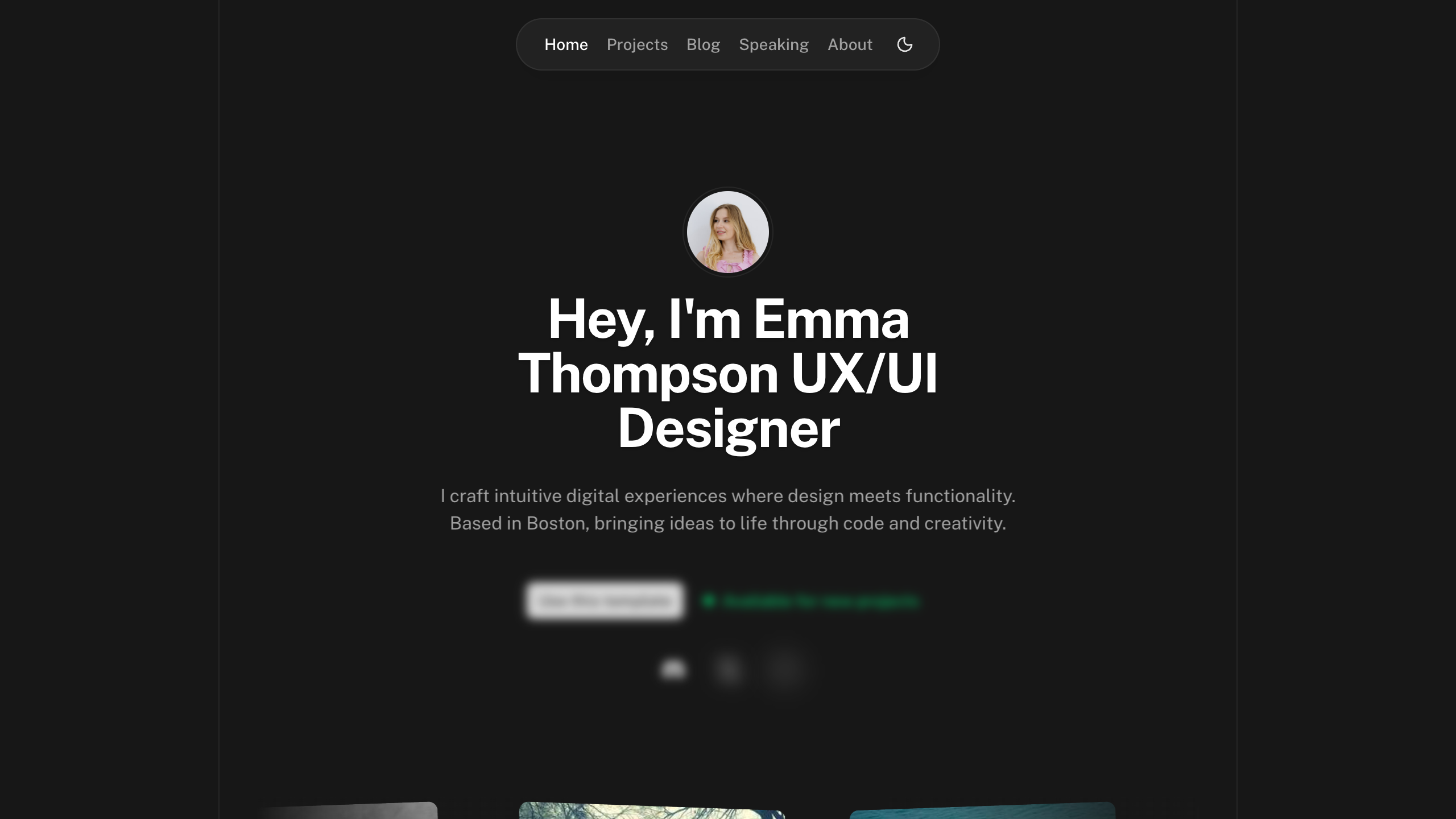
4 | title: "Hey, I'm Emma Thompson UX/UI Designer"
5 | description: "I craft intuitive digital experiences where design meets functionality. Based in Boston, bringing ideas to life through code and creativity."
6 | hero:
7 | links:
8 | - label: "Use this template"
9 | to: https://github.com/nuxt-ui-templates/portfolio
10 | color: "neutral"
11 | images:
12 | - src: /hero/random-1.avif
13 | alt: Random Image 1
14 | - src: /hero/random-2.avif
15 | alt: Random Image 2
16 | - src: /hero/random-3.avif
17 | alt: Random Image 3
18 | - src: /hero/random-4.avif
19 | alt: Random Image 4
20 | - src: /hero/random-5.avif
21 | alt: Random Image 5
22 | - src: /hero/random-6.avif
23 | alt: Random Image 6
24 | - src: /hero/random-7.avif
25 | alt: Random Image 7
26 | - src: /hero/random-8.avif
27 | alt: Random Image 8
28 | - src: /hero/random-9.avif
29 | alt: Random Image 9
30 | about:
31 | title: "About Me"
32 | description: |
33 | As a UX/UI designer and front-end developer with 6 years of experience, I leverage my Boston University Interactive Design degree to craft user-centered digital experiences.
34 | My approach blends creative strategy with technical expertise, transforming concepts into functional, purposeful digital products that seamlessly integrate design and technology.
35 | experience:
36 | title: Work Experience
37 | items:
38 | - position: "Brand Designer at"
39 | date: "2023 - Present"
40 | company:
41 | name: Nuxt
42 | logo: "i-simple-icons-nuxtdotjs"
43 | url: "https://nuxt.com"
44 | color: "#00DC82"
45 | - position: "Assets Designer at"
46 | date: "2022 - 2023"
47 | company:
48 | name: Raycast
49 | logo: "i-simple-icons-raycast"
50 | url: "https://raycast.com"
51 | color: "#FF6363"
52 | - position: "Senior UX/UI Designer at"
53 | date: "2020 - 2021"
54 | company:
55 | name: Linear
56 | logo: "i-simple-icons-linear"
57 | url: "https://linear.app"
58 | color: "#5E6AD2"
59 | testimonials:
60 | - quote: "Emma's approach to UX design completely transformed our product. She has a rare ability to balance beautiful aesthetics with functional simplicity. The redesign not only looked better, but it reduced our customer support tickets by 40% and increased conversion rates across all key metrics."
61 | author:
62 | name: 'Sarah Chen'
63 | description: 'Product Director at Bloom Finance'
64 | avatar:
65 | src: 'https://images.unsplash.com/photo-1487412720507-e7ab37603c6f?ixlib=rb-1.2.1&ixid=eyJhcHBfaWQiOjEyMDd9&auto=format&fit=facearea&facepad=2&w=40&h=40&q=80'
66 | srcset: 'https://images.unsplash.com/photo-1487412720507-e7ab37603c6f?ixlib=rb-1.2.1&ixid=eyJhcHBfaWQiOjEyMDd9&auto=format&fit=facearea&facepad=2&w=80&h=80&q=80 2x'
67 | - quote: "Working with Emma was the best decision we made for our startup. She didn't just deliver designs—she challenged our assumptions, conducted thorough user research, and created an experience that truly resonated with our audience. Her technical knowledge of front-end development meant the handoff to our engineering team was seamless."
68 | author:
69 | name: 'Michael Rodriguez'
70 | description: 'Co-founder of Wavelength Music'
71 | avatar:
72 | src: 'https://images.unsplash.com/photo-1472099645785-5658abf4ff4e?ixlib=rb-1.2.1&ixid=eyJhcHBfaWQiOjEyMDd9&auto=format&fit=facearea&facepad=2&w=40&h=40&q=80'
73 | srcset: 'https://images.unsplash.com/photo-1472099645785-5658abf4ff4e?ixlib=rb-1.2.1&ixid=eyJhcHBfaWQiOjEyMDd9&auto=format&fit=facearea&facepad=2&w=80&h=80&q=80 2x'
74 | - quote: "Emma stands out in her ability to translate complex sustainability data into intuitive interfaces. Her work on EcoTrack wasn't just visually stunning—it fundamentally changed how our users interact with environmental information. She approaches each problem with both creativity and analytical rigor, which is exactly what we needed."
75 | author:
76 | name: 'Dr. Aisha Johnson'
77 | description: 'Chief Innovation Officer at GreenTech Solutions'
78 | avatar:
79 | src: 'https://images.unsplash.com/photo-1573497019940-1c28c88b4f3e?ixlib=rb-1.2.1&ixid=eyJhcHBfaWQiOjEyMDd9&auto=format&fit=facearea&facepad=2&w=40&h=40&q=80'
80 | srcset: 'https://images.unsplash.com/photo-1573497019940-1c28c88b4f3e?ixlib=rb-1.2.1&ixid=eyJhcHBfaWQiOjEyMDd9&auto=format&fit=facearea&facepad=2&w=80&h=80&q=80 2x'
81 | blog:
82 | title: "Latest Articles"
83 | description: "Some of my recent thoughts"
84 | faq:
85 | title: Frequently Asked Questions
86 | description: Answers to common questions about my process and services.
87 | categories:
88 | - title: Services & Process
89 | questions:
90 | - label: What services do you offer?
91 | content: |
92 | I specialize in UX/UI design and front-end development. This includes user research, wireframing, interactive prototyping, creating intuitive user interfaces, building responsive websites and web applications (especially with Vue.js/Nuxt.js), and developing design systems. My goal is to create seamless digital experiences from concept to deployment.
93 | - label: What is your design process like?
94 | content: |
95 | My process is collaborative and iterative, typically involving stages like Discovery & Research, Ideation & Prototyping, User Testing, Visual Design, and close collaboration with development teams during implementation. I tailor the process based on project needs, always focusing on user-centered solutions.
96 | - label: Do you work with startups?
97 | content: |
98 | Absolutely! I enjoy working with startups to help shape their product vision and create user-friendly interfaces from the ground up. I can adapt my process to fit the fast-paced startup environment.
99 | - title: Pricing & Timelines
100 | questions:
101 | - label: How much does a project typically cost?
102 | content: |
103 | Project costs vary based on scope, complexity, features, and timeline. For comprehensive UX/UI design and front-end development projects, my engagements typically start around $5,000, with average projects ranging between $8,000 and $25,000. For consulting or specific design tasks, my day rate is $700.
104 | - label: What are your payment terms?
105 | content: |
106 | I generally require a 40% deposit to schedule the project and begin work, with the remaining 60% due upon successful project completion and delivery. I accept payments via bank transfer and Stripe.
107 | - label: How long does a typical project take?
108 | content: |
109 | Timelines depend heavily on the project's scope and complexity. Smaller projects might take 3-4 weeks, while larger, more involved projects can range from 2 to 4 months. I always provide a detailed timeline estimate after the initial discovery phase.
110 | - label: Do you offer retainers or ongoing support?
111 | content: |
112 | Yes, for clients needing ongoing design support, feature development, or maintenance, I offer monthly retainer options tailored to specific needs. Let's discuss if this is something you're interested in.
113 | - title: About Me
114 | questions:
115 | - label: What do you enjoy most about your work?
116 | content: |
117 | I love the challenge of solving complex problems through design and technology. It's incredibly rewarding to see people interact with something I've created and find it genuinely useful and easy to navigate. Bridging the gap between user needs and technical possibilities is what truly excites me.
118 | - label: What are your hobbies outside of work?
119 | content: |
120 | When I'm not designing or coding, I enjoy exploring Boston's neighborhoods, trying out new coffee shops, and hiking in the nearby reservations. I'm also passionate about photography and occasionally contribute to open-source projects.
121 |
--------------------------------------------------------------------------------
 15 |
15 |