├── logo.png
├── docs
├── 02-AFLplusplus-Nyx.md
└── 01-Nyx-VMs.md
└── README.md
/logo.png:
--------------------------------------------------------------------------------
https://raw.githubusercontent.com/nyx-fuzz/Nyx/HEAD/logo.png
--------------------------------------------------------------------------------
/docs/02-AFLplusplus-Nyx.md:
--------------------------------------------------------------------------------
1 | ### Nyx / AFL++
2 |
3 | This file is outdated. The latest version can be found in the [AFL++ repository](https://github.com/AFLplusplus/AFLplusplus/blob/stable/nyx_mode/README.md).
4 |
--------------------------------------------------------------------------------
/README.md:
--------------------------------------------------------------------------------
1 | # Nyx
2 |
3 | This repository contains an overview of the Nyx project. The Nyx project consists of its core component, a modified version of QEMU that allows to take and reset VM snapshots thousands of times per second, a modified version of KVM to enabled nested fuzzing and Intel-PT tracing during fuzzing, as well as some auxilary tools such as Spec-Fuzzer, a fuzzer specificially designed for fuzzing complex interactive targets. Spec-Fuzzer is capable of fuzzing anything that runs inside of KVM. This includes applications, kernels and even hypervisors - Nyx can be used to easily build fuzzers for almost anything.
4 |
5 |
6 |  7 |
7 |
8 |
9 | ## Repositories
10 |
11 | Nyx framework consists in total of the following modules.
12 |
13 | #### Core
14 | - [libnyx](https://github.com/nyx-fuzz/libnyx) - a library that you can readily use to run, snapshot and restore VMs to build your own fuzzers.
15 | - [packer](https://github.com/nyx-fuzz/packer) - a tool that allows to bundle and pack targets into the type of VM we mostly use for ring-3 fuzzing.
16 | - [QEMU-Nyx](https://github.com/nyx-fuzz/QEMU-Nyx) - a modified version of QEMU that allows to take and restore snapshot, as well as communication via shared memory and hypercalls.
17 | - [KVM-Nyx](https://github.com/nyx-fuzz/KVM-Nyx) - a modified version of KVM that enables Nyx's ability to use Intel-PT.
18 | - [libxdc](https://github.com/nyx-fuzz/libxdc) - the fastest Intel-PT decoder in the west. Used to get coverage information from binary targets.
19 |
20 | #### Fuzzer-Frontends
21 |
22 | - [Spec-Fuzzer](https://github.com/nyx-fuzz/spec-fuzzer) - An example fuzzer that allows to fuzz targets with highly interactive inputs such as syscalls, hypercalls, API calls, GUI interations or -of course - network applications.
23 | - [AFL++](https://github.com/AFLplusplus/AFLplusplus/tree/stable/nyx_mode) - Nyx integration has just landed in AFL++. It is implemented by using libnyx to enable fast snapshot-based fuzzing of arbitrary x86/x86-64 code running in QEMU-Nyx. It supports almost all features provided by Nyx (with the exception of REDQUEEN and some other more advanced features). If you want to fuzz userland targets, in-process file parsers, kernel interfaces or something else, you should definitely check it out.
24 | - [kAFL](https://github.com/IntelLabs/kAFL) - Intel's actively mainted fork of kAFL, which now uses Nyx as its backend. kAFL is a fast coverage-guided fuzzer-frontend for Nyx written in Python3. It is great for anything that runs inside a QEMU/KVM VM — in particular x86 firmware, kernels and even full-blown operating systems. It supports all major Nyx features like Redqueen and Intel PT.
25 | - [LibAFL](https://github.com/AFLplusplus/LibAFL/pull/693) - A popular fuzzing library that supports various platforms, architectures, and fuzzing modes. Nyx mode is currently WIP (as part of an ongoing *Google Summer of Code* project).
26 |
27 | You can find an incomplete documentation and some tutorials [here](docs/).
28 |
29 | ## Talk
30 | [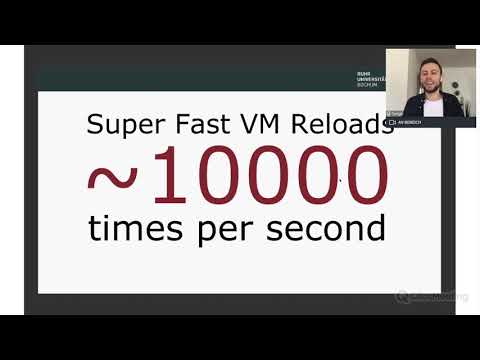](https://www.youtube.com/watch?v=jkNao0SjBAA)
31 |
32 | ## Papers
33 |
34 | In case you use one of Nyx`s components for your work, please consider to cite our papers:
35 |
36 |
37 | ```
38 | @inproceedings{schumilo2017kafl,
39 | author = {Schumilo, Sergej and Aschermann, Cornelius and Gawlik, Robert and Schinzel, Sebastian and Holz, Thorsten},
40 | title = {{kAFL: Hardware-Assisted Feedback Fuzzing for OS Kernels}},
41 | year = {2017},
42 | booktitle = {USENIX Security Symposium}
43 | }
44 |
45 | @inproceedings{redqueen,
46 | title={REDQUEEN: Fuzzing with Input-to-State Correspondence},
47 | author={Aschermann, Cornelius and Schumilo, Sergej and Blazytko, Tim and Gawlik, Robert and Holz, Thorsten},
48 | booktitle={Symposium on Network and Distributed System Security (NDSS)},
49 | year={2019},
50 | }
51 |
52 | @inproceedings{nautilus,
53 | title={{Nautilus: Fishing for Deep Bugs with Grammars}},
54 | author={Aschermann, Cornelius and Frassetto, Tommaso and Holz, Thorsten and Jauernig, Patrick and Sadeghi, Ahmad-Reza and Teuchert, Daniel },
55 | booktitle={Symposium on Network and Distributed System Security (NDSS)},
56 | year={2019}
57 | }
58 |
59 | @inproceedings{blazytko2019grimoire,
60 | author = {Tim Blazytko and Cornelius Aschermann and Moritz Schl{\"o}gel and Ali Abbasi and Sergej Schumilo and Simon W{\"o}rner and Thorsten Holz},
61 | title = {{GRIMOIRE}: Synthesizing Structure while Fuzzing},,
62 | year = {2019},
63 | booktitle = {USENIX Security Symposium}
64 | }
65 |
66 | @inproceedings{ijon,
67 | author = {Cornelius Aschermann and Sergej Schumilo and Ali Abbasi and Thorsten Holz},
68 | title = {Ijon: Exploring Deep State Spaces via Fuzzing},
69 | booktitle = {IEEE Symposium on Security and Privacy},
70 | year = {2020},
71 | }
72 |
73 | @inproceedings{hypercube,
74 | title={{HYPER-CUBE: High-Dimensional Hypervisor Fuzzing}},
75 | author={Schumilo, Sergej and Aschermann, Cornelius and Abbasi, Ali and W{\"o}rner, Simon and Holz, Thorsten},
76 | booktitle=isoc-ndss,
77 | year={2020}
78 | }
79 |
80 | @inproceedings {nyx,
81 | author = {Sergej Schumilo and Cornelius Aschermann and Ali Abbasi and Simon W{\"o}r-ner and Thorsten Holz},
82 | title = {Nyx: Greybox Hypervisor Fuzzing using Fast Snapshots and Affine Types},
83 | booktitle = {30th {USENIX} Security Symposium ({USENIX} Security 21)},
84 | year = {2021},
85 | url = {https://www.usenix.org/conference/usenixsecurity21/presentation/schumilo},
86 | }
87 |
88 | @inproceedings{ nyx-net,
89 | author = {Schumilo, Sergej and Aschermann, Cornelius and Jemmett, Andrea and Abbasi, Ali and Holz, Thorsten},
90 | title = {Nyx-Net: Network Fuzzing with Incremental Snapshots},
91 | year = {2022},
92 | isbn = {9781450391627},
93 | url = {https://doi.org/10.1145/3492321.3519591},
94 | doi = {10.1145/3492321.3519591},
95 | booktitle = {Proceedings of the Seventeenth European Conference on Computer Systems},
96 | keywords = {testing, software security, fuzzing},
97 | location = {Rennes, France},
98 | series = {EuroSys '22}
99 | }
100 | ```
101 |
102 |
103 | ## Bug Reports and Contributions
104 |
105 | If you found and fixed a bug on your own: We are very open to patches, please create a pull request!
106 |
107 | ### License
108 |
109 | This framework is provided under **MIT**, **GPLv2** and **AGPL license**. Please check each repository for its own specific license.
110 |
111 | **Free Software Hell Yeah!**
112 |
113 | Proudly provided by:
114 | * [Sergej Schumilo](http://schumilo.de) - sergej@schumilo.de / [@ms_s3c](https://twitter.com/ms_s3c)
115 | * [Cornelius Aschermann](https://hexgolems.com) - cornelius@hexgolems.com / [@is_eqv](https://twitter.com/is_eqv)
116 |
--------------------------------------------------------------------------------
/docs/01-Nyx-VMs.md:
--------------------------------------------------------------------------------
1 | # Nyx VMs
2 |
3 | This guide will introduce the option of using a full-blown virtual machine as a base image for fuzzing. In the past, we already used this mode to fuzz different parts of the Windows Kernel, Linux, macOS and FreeBSD. This mode also allowed us to get more complex targets running in a Nyx virtual machine, such as games (like Counter-Strike) or even web browsers like Firefox. Once the target is executed in this mode, you can use either source-level instrumentation or Intel PT for fuzzing.
4 |
5 | ## Nyx VM Running Modes
6 |
7 | Nyx supports two running modes to provide a virtualized environment in which the target application is executed. The first and probably most commonly used mode is called "Kernel Running Mode" in Nyx. Both a Linux kernel bzImage and a small RAMFS image are used to boot a virtual machine in that mode. No virtual hard disks are emulated in this mode, and everything is executed from the initial boot RAM disk. This provides some performance benefits compared to the other running mode. Moreover, the packer repository already contains a pre-build busy box RAMFS image, which is suitable to run most Linux CLI programs.
8 |
9 | But at the same time, this mode has several limitations: first, since this is just a busy box image, more sophisticated subsystems are not present, which a target application might rely on. In particular, a program might expect several `systemd` components, an X-Server or any other UI environment, or even another operating system than Linux.
10 |
11 | Another limitation is that everything is stored on a RAM disk, which means that huge applications like web browsers (especially when built with several debug options enabled) are not supported due to limited space on that RAM disk. For these cases, Nyx offers another running mode (called "Snapshot") which expects a typical KVM / QEMU virtual machine image and turns that into a base image for fuzzing.
12 |
13 | The snapshot running mode in Nyx is obviously more powerful because it is not limited to one operating system or a specific OS configuration (like subsystems, which must be present to get a target application running). But at the same time, this mode is more complex to set up, and due to the emulation of virtual hard drives, there will be an additional performance overhead.
14 |
15 | ## Terminology
16 |
17 | Nyx uses different types of snapshots. The following table briefly introduces the 3 most important ones:
18 |
19 | | Nyx Snapshot Types | |
20 | | -------------------- | ------------------------------------------------------------ |
21 | | Pre-Snapshot | This snapshot stores the entire delta up from the beginning of the boot time until the snapshot is created. A Pre-Snapshot is usually created by the loader agent program. This snapshot type is only used in Snapshot running mode. In the Kernel running mode, the agent is part of the init script and is thus automatically executed during the boot process. But in this running mode, no pre-snapshot will be created. |
22 | | Fuzzing-Snapshot | A Fuzzing Snapshot is created with the first input request by the guest. Depending on various running options, the fuzzer will usually always jump back to this state after each execution has finished. |
23 | | Incremental-Snapshot | The concept of incremental snapshots is described in detail in our Paper Nyx-Net. For now, this feature is only used by Nyx-Net, but it can easily be adapted to other fuzzers. This snapshot type stores another delta of the time between the Fuzzing Snapshot and the time the incremental snapshot is created (like all other snapshot types, the creation of this snapshot is initiated by the guest via hypercalls). |
24 |
25 | Note that the old kAFL `savevm` and qcow2 overlay snapshot format is no longer supported.
26 |
27 |
28 | ## Howto: Use Ubuntu 22-04 LTS as a Nyx VM image for fuzzing
29 |
30 | In the following section, we will present how to install and prepare a QEMU / KVM virtual machine, which we will later use as a Nyx base image for fuzzing. Like with any other virtual machine, you need to manually install and prepare everything as you would normally do. This includes installing an OS and the subsequent setup of other components (like installing specific packages). This guide provides step-by-step instructions for Ubuntu 22-04 LTS.
31 |
32 | **Note**: If you want to use the packer utility to prepare the target, use the same Linux distribution (including the same version of it) as on the host system to avoid issues with different library versions. The following guide can also be applied to other Linux distributions.
33 |
34 | First, we need to compile QEMU-Nyx and check out a compatible version of the Nyx packer utility:
35 |
36 | ```bash
37 | git clone git@github.com:nyx-fuzz/QEMU-Nyx.git
38 | git clone git@github.com:nyx-fuzz/packer.git
39 |
40 | cd QEMU-Nyx
41 | ./compile_qemu_nyx.sh static
42 | cd -
43 |
44 | cd packer/packer
45 | # run the following command once to create a nyx.ini config file
46 | python3 python nyx_packer.py > /dev/null
47 | cd -
48 |
49 | # run the following commands to compile the agent (more on that later)
50 | cd packer/packer/linux_x86_64-userspace/
51 | make
52 | cd -
53 | ```
54 |
55 | Please keep in mind that the Nyx snapshot file format might have changed and, therefore, be incompatible with the latest version. This is especially true for Nyx-Net, which still uses an old version of QEMU-Nyx. To avoid any issues, please make sure you are using a compatible version of QEMU-Nyx and the packer by checking out the same commit version as used by the Git submodules of Nyx-Net , kAFL or AFL++.
56 |
57 | ### OS Install
58 |
59 | Next, we create and move into a dedicated directory containing the base image, the install image, and the Nyx snapshot folder. Here, we create a new VM image file (which represents the virtual hard disk of our fuzzing VM) and download the install image:
60 |
61 | ```bash
62 | mkdir ubuntu
63 | cd ubuntu
64 |
65 | # create a VM image file (15GB in size)
66 | ../packer/qemu_tool.sh create_image ubuntu.img $((1024*15))
67 |
68 | # download Ubuntu 22.04 LTS
69 | wget https://releases.ubuntu.com/22.04/ubuntu-22.04.1-desktop-amd64.iso
70 | ```
71 |
72 | You can use the following command to start the virtual machine and begin with the OS install. This command will also open a VNC port on port 5900. Note that this port is not limited to the loopback device.
73 |
74 | ```bash
75 | ../packer/qemu_tool.sh install ubuntu.img ubuntu-22.04.1-desktop-amd64.iso
76 | ```
77 |
78 | Once the VM is launched, use a VNC viewer (`tigerVNC` works best for this purpose) to get through the OS install.
79 |
80 | Once the installation process has finished, reboot the VM and install the following packages via `apt` in the VM. You can either use `install` or `post_install` mode if you need to restart the VM.
81 |
82 | ```bash
83 | sudo apt-get update && \
84 | sudo apt-get install openssh-server vmtouch
85 | ```
86 |
87 | OpenSSH will ease file transfer from the host to the guest. But you can also use any other tool to copy files into the virtual machine. Next, the utility program `vmtouch` allows it to prefetch files and entire directories, such that data is not fetched from the hard disk during fuzzing. Nyx supports snapshots with `read` and `write` accesses to emulated hard disks. Still, these accesses are notoriously slow (due to device emulation) -- something you wouldn't notice in normal use cases because the data is usually cached in RAM by the kernel after the first access. If data is fetched from emulated hard disks on each iteration of the fuzzing loop, it might have an impact on the overall performance. To avoid that, you can use `vmtouch` to prefetch all essential application files before the fuzzing snapshot is created.
88 |
89 | Next, shutdown the VM gracefully and start the VM in `post_install'mode:
90 |
91 | ```bash
92 | ../packer/qemu_tool.sh post_install ubuntu.img
93 | ```
94 |
95 | The VM's port 22 (SSH) in this mode is redirected to the host's port 2222. You can use the following `scp` command to transfer files from the host into the VM. In our case, we copy the Nyx agent into the VM (depending on the chosen user name, the command might need to be adjusted accordingly):
96 |
97 | ```bash
98 | scp -P 2222 packer/packer/linux_x86_64-userspace/bin64/loader user@localhost:/home/user/
99 | ```
100 |
101 | Once the loader executable is copied into the VM, everything is ready at this point. You can now use SSH (`ssh -p 2222 user@localhost`) or VNC to shutdown the VM.
102 |
103 |
104 | ### Create a Nyx Pre-Snapshot
105 |
106 | In the final step, we use the `create_snapshot` mode of the `qemu_tool.sh` utility program to create the pre-snapshot. No network devices are emulated in this mode, and write accesses to the hard disks are cached in memory and not stored in the image file (and later saved in a dedicated file as part of the snapshot).
107 |
108 | ```bash
109 | # start the VM with a RAM size of 2048 MB
110 | ../packer/qemu_tool.sh create_snapshot ubuntu.img 2048 ./nyx_snapshot/
111 | ```
112 |
113 | Connect via VNC and launch the agent program in the virtual machine (preferably as root):
114 |
115 | ```bash
116 | sudo ./loader
117 | ```
118 |
119 | At this point, the snapshot is created, and once that process is finished, the VM and QEMU-Nyx are automatically terminated. The snapshot folder should now contain the following files:
120 |
121 | ```bash
122 | $ ls nyx_snapshot/
123 | fast_snapshot.mem_dump fast_snapshot.qemu_state fs_drv_ubuntu.img.khash global.state ready.lock
124 | fast_snapshot.mem_meta fs_cache.meta fs_drv_ubuntu.img.pcow INFO.txt
125 | ```
126 |
127 | ### Prepare a Nyx Fuzzer Configuration
128 |
129 | To use our VM image and the pre-snapshot as a base image, we need to modify the `nyx.ini` file first and then generate a new configuration file. Set the following options in the `../packer/packer/nyx.ini` file and point both to the image file and snapshot folder:
130 |
131 | ```bash
132 | default_vm_hda = /home/user/ubuntu/ubuntu.img
133 | default_vm_presnapshot = /home/user/ubuntu/nyx_snapshot/
134 | ```
135 |
136 | Now we can simply generate a new configuration. Instead of the `Kernel` option, which we usually use, we chose the `Snapshot` option. Also, don't forget to specify the RAM size used (in our case 2048MB):
137 |
138 | ```bash
139 | python3 ../packer/packer/nyx_config_gen.py Snapshot -m 2048
140 | ```
141 |
142 | At this point, you can now use Nyx-Net or AFL++ to start fuzzing.
143 |
144 |
145 | ## Performance Considerations:
146 |
147 | We strongly recommend prefetching as much application data as possible to avoid as many IOPS as possible (remember that these will re-occur after every execution due to snapshot resets). This is especially important for huge targets such as web browsers with multiple application files (fonts, images, etc.). To do so, you can simply use `vmtouch` to prefetch data between the time the pre-snapshot is loaded and the creation of the fuzzing snapshot. Then, simply add the following line to the `fuzz.sh` script (or `fuzz_no_pt.sh` if you are running Nyx without KVM-Nyx):
148 |
149 | `vmtouch -t `
150 |
151 | Another simple yet effective optimization is to avoid input writes to the file system and instead use a RAM disk for that. So, instead of configuring the packer with the following options
152 |
153 | ```bash
154 | python3 nyx_packer.py <...> -args `/tmp/input` -file `/tmp/input`
155 | ```
156 |
157 | we can use the `/dev/shm` directory for that. By doing so, we can gain a significant performance boost.
158 |
--------------------------------------------------------------------------------