├── docs ├── .nojekyll ├── assets │ ├── favicon.ico │ ├── favicon-16x16.png │ ├── favicon-32x32.png │ ├── apple-touch-icon.png │ ├── android-chrome-192x192.png │ ├── android-chrome-512x512.png │ ├── images │ │ ├── practicalli-logo.png │ │ └── social │ │ │ └── README.md │ ├── stylesheets │ │ ├── extra.css │ │ └── practicalli-light.css │ ├── favicon.svg │ └── practicalli-logo.svg ├── tools │ ├── index.md │ ├── aws-vault.md │ ├── amazon-linux.md │ ├── docker │ │ ├── index.md │ │ └── localstack.md │ └── aws-cli.md ├── clojure │ ├── index.md │ ├── congnitect-labs-aws-api.md │ └── amazonica.md ├── service │ ├── index.md │ └── simple-storage-solution.md ├── account │ ├── index.md │ ├── iam.md │ ├── iam-identity-center.md │ └── root.md ├── introduction │ ├── aws-services.md │ ├── contributing.md │ ├── repl-workflow.md │ └── writing-tips.md └── index.md ├── .cspell └── custom-dictionary.txt ├── .github ├── CODEOWNERS ├── config │ ├── secretlintrc.json │ ├── markdown-link-check.json │ ├── gitleaks.toml │ ├── lychee.toml │ ├── megalinter.yaml │ └── markdown-lint.jsonc ├── pull_request_template.md └── workflows │ ├── changelog-check.yaml │ ├── scheduled-version-check.yaml │ ├── publish-book.yaml │ ├── scheduled-stale-check.yaml │ └── megalinter.yaml ├── .cspell.json ├── CHANGELOG.md ├── .gitattributes ├── overrides ├── main.html ├── partials │ ├── source.html │ ├── palette.html │ └── header.html └── 404.html ├── .gitignore ├── Makefile ├── GLOSSARY.md ├── README.md ├── mkdocs.yml └── LICENSE /docs/.nojekyll: -------------------------------------------------------------------------------- 1 | -------------------------------------------------------------------------------- /.cspell/custom-dictionary.txt: -------------------------------------------------------------------------------- 1 | -------------------------------------------------------------------------------- /docs/assets/favicon.ico: -------------------------------------------------------------------------------- https://raw.githubusercontent.com/practicalli/amazon-web-services/main/docs/assets/favicon.ico -------------------------------------------------------------------------------- /docs/assets/favicon-16x16.png: -------------------------------------------------------------------------------- https://raw.githubusercontent.com/practicalli/amazon-web-services/main/docs/assets/favicon-16x16.png -------------------------------------------------------------------------------- /docs/assets/favicon-32x32.png: -------------------------------------------------------------------------------- https://raw.githubusercontent.com/practicalli/amazon-web-services/main/docs/assets/favicon-32x32.png -------------------------------------------------------------------------------- /docs/assets/apple-touch-icon.png: -------------------------------------------------------------------------------- https://raw.githubusercontent.com/practicalli/amazon-web-services/main/docs/assets/apple-touch-icon.png -------------------------------------------------------------------------------- /docs/assets/android-chrome-192x192.png: -------------------------------------------------------------------------------- https://raw.githubusercontent.com/practicalli/amazon-web-services/main/docs/assets/android-chrome-192x192.png -------------------------------------------------------------------------------- /docs/assets/android-chrome-512x512.png: -------------------------------------------------------------------------------- https://raw.githubusercontent.com/practicalli/amazon-web-services/main/docs/assets/android-chrome-512x512.png -------------------------------------------------------------------------------- /docs/assets/images/practicalli-logo.png: -------------------------------------------------------------------------------- https://raw.githubusercontent.com/practicalli/amazon-web-services/main/docs/assets/images/practicalli-logo.png -------------------------------------------------------------------------------- /docs/tools/index.md: -------------------------------------------------------------------------------- 1 | # Amazon Command Line tools 2 | 3 | AWS CLI 4 | 5 | AWS Vault 6 | 7 | Amazon Linux docker image 8 | 9 | Congitect AWS tools 10 | -------------------------------------------------------------------------------- /.github/CODEOWNERS: -------------------------------------------------------------------------------- 1 | # Codeowners 2 | 3 | # Default owner accounts for the current repository 4 | # Automatically added as a reviewr to all pull requests (not including drafts) 5 | 6 | * @practicalli-johnny 7 | -------------------------------------------------------------------------------- /docs/clojure/index.md: -------------------------------------------------------------------------------- 1 | # Clojure with Amazon Web Services 2 | 3 | 4 | [Cognitect Labs AWS API](congnitect-labs-aws-api.md){target=_blank .md-button} 5 | 6 | [Amazonica](amazonica.md){target=_blank .md-button} 7 | -------------------------------------------------------------------------------- /.cspell.json: -------------------------------------------------------------------------------- 1 | {"dictionaryDefinitions": [ 2 | { 3 | "name": "practicalli", 4 | "path": "./.cspell/custom-dictionary.txt", 5 | "description": "Practicalli Custom Dictionary", 6 | "addWords": true} 7 | ], 8 | "dictionaries": ["practicalli"], 9 | "ignorePaths": ["**/*.yml", "**/*.yaml"] 10 | } 11 | -------------------------------------------------------------------------------- /docs/service/index.md: -------------------------------------------------------------------------------- 1 | # Services 2 | 3 | | Service | Description | 4 | | ---------------------------------------------------------- | ----------------------------- | 5 | | [Simple Storage Solution (S3)](simple-storage-solution.md) | Store a range of file types | 6 | 7 | -------------------------------------------------------------------------------- /CHANGELOG.md: -------------------------------------------------------------------------------- 1 | # Changelog 2 | 3 | ## Unreleased 4 | ### Added 5 | ### Changed 6 | - ci: spell lychee & repository trufflehog linters warn only (false positives) 7 | - dev: checkout action v4 & sparse-checkout in GitHub workflows 8 | - mkdocs: header icon links to practical.li, title links to book 9 | - dev: ci scheduled stale issue & pr check (monthly) 10 | -------------------------------------------------------------------------------- /.gitattributes: -------------------------------------------------------------------------------- 1 | # Configure Languages for GitHub repository using Linguist 2 | 3 | # Markdown & Make detection, 4 | # exclude HTML, CSS & JavaScript 5 | docs/** linguist-detectable 6 | *.md linguist-detectable=true 7 | make linguist-detectable=true 8 | *.css linguist-detectable=false 9 | *.js linguist-detectable=false 10 | *.html linguist-detectable=false 11 | -------------------------------------------------------------------------------- /overrides/main.html: -------------------------------------------------------------------------------- 1 | 7 | 8 | 9 | {% extends "base.html" %} 10 | 11 | 12 | {% block announce %} 13 | 14 | ⚠ Practicalli Amazon Web Services 15 | is new and only contains minimal guides at present 16 | 17 | {% endblock %} 18 | -------------------------------------------------------------------------------- /.github/config/secretlintrc.json: -------------------------------------------------------------------------------- 1 | { 2 | "rules": [ 3 | { 4 | "id": "@secretlint/secretlint-rule-basicauth", 5 | "options": { 6 | "allows": [ 7 | "hostname.domain.com", 8 | "jdbc:postgresql://:port/?user=&password=", 9 | "postgres://postgres://username:password@hostname.domain.com:1234/database-name" 10 | ] 11 | } 12 | } 13 | ] 14 | } 15 | -------------------------------------------------------------------------------- /docs/assets/images/social/README.md: -------------------------------------------------------------------------------- 1 | # Social Cards 2 | 3 | Social Cards are visual previews of the website that are included when sending links via social media platforms. 4 | 5 | Material for MkDocs is [configured to generate beautiful social cards automatically](https://squidfunk.github.io/mkdocs-material/setup/setting-up-social-cards/), using the colors, fonts and logos defined in `mkdocs.yml` 6 | 7 | Generated images are stored in this directory. 8 | -------------------------------------------------------------------------------- /overrides/partials/source.html: -------------------------------------------------------------------------------- 1 | 2 |
3 | {% set icon = config.theme.icon.repo or "fontawesome/brands/git-alt" %} 4 | {% include ".icons/" ~ icon ~ ".svg" %} 5 |
6 |
7 | {{ config.repo_name }} 8 |
9 |
10 | -------------------------------------------------------------------------------- /.gitignore: -------------------------------------------------------------------------------- 1 | # Exclude all files from root directory 2 | /* 3 | 4 | # ------------------------ 5 | # Common project files 6 | !CHANGELOG.md 7 | !README.md 8 | !LICENSE 9 | 10 | # ------------------------ 11 | # Include MkDocs files 12 | !docs/ 13 | !includes/ 14 | !overrides/ 15 | !mkdocs.yml 16 | 17 | # ------------------------ 18 | # Project automation 19 | !Makefile 20 | 21 | # ------------------------ 22 | # Version Control 23 | !.gitignore 24 | !.gitattributes 25 | !.github/ 26 | 27 | -------------------------------------------------------------------------------- /docs/service/simple-storage-solution.md: -------------------------------------------------------------------------------- 1 | # Simple Storage Solution 2 | 3 | ![Amazon S3 Logo](https://upload.wikimedia.org/wikipedia/commons/thumb/b/bc/Amazon-S3-Logo.svg/150px-Amazon-S3-Logo.svg.png){align=right loading=lazy} 4 | 5 | Amazon S3 or Amazon Simple Storage Service is a service offered by Amazon Web Services that provides object storage through a web service interface. 6 | 7 | 8 | ## References 9 | 10 | [:globe_with_meridians: Wikipedia: Amazon S3](https://en.wikipedia.org/wiki/Amazon_S3){target=_blank .md-button} 11 | -------------------------------------------------------------------------------- /.github/config/markdown-link-check.json: -------------------------------------------------------------------------------- 1 | { 2 | "ignorePatterns": [ 3 | { 4 | "pattern": "^http://localhost" 5 | }, 6 | { 7 | "pattern": "^mailto:*" 8 | }, 9 | { 10 | "pattern": "^#*" 11 | }, 12 | { 13 | "pattern": "^https://127.0.0.0/" 14 | } 15 | ], 16 | "timeout": "20s", 17 | "retryOn429": true, 18 | "retryCount": 5, 19 | "fallbackRetryDelay": "30s", 20 | "aliveStatusCodes": [ 21 | 200, 22 | 206 23 | ] 24 | } 25 | -------------------------------------------------------------------------------- /.github/config/gitleaks.toml: -------------------------------------------------------------------------------- 1 | title = "gitleaks config" 2 | 3 | [allowlist] 4 | description = "global allow lists" 5 | paths = [ 6 | '''gitleaks.toml''', 7 | '''(.*?)(jpg|gif|doc|docx|zip|xls|pdf|bin|svg|socket)$''', 8 | '''(go.mod|go.sum)$''', 9 | '''gradle.lockfile''', 10 | '''node_modules''', 11 | '''package-lock.json''', 12 | '''pnpm-lock.yaml''', 13 | '''Database.refactorlog''', 14 | '''vendor''', 15 | ] 16 | 17 | [[rules]] 18 | description = "AWS Example API Key" 19 | id = "aws-example-api-key" 20 | regex = '''AKIAIOSFODNN7EXAMPLE''' 21 | keywords = [ 22 | "awstoken", 23 | ] 24 | -------------------------------------------------------------------------------- /docs/tools/aws-vault.md: -------------------------------------------------------------------------------- 1 | # AWS Vault 2 | 3 | AWS Vault is a tool to securely store and access AWS credentials in a development environment. 4 | 5 | AWS Vault stores IAM credentials in the operating system secure keystore, generating temporary credentials to the shell and command line applications. Vault is designed to be complementary to the AWS CLI tools and is aware of profiles and configuration in `~/.aws/config`. 6 | 7 | 8 | !!! EXAMPLE "Practicalli dotfiles .aws/config" 9 | [practicalli/dotfiles .aws/config file](https://github.com/practicalli/dotfiles/blob/main/aws/config) is an example of an AWS Config with profiles and Okta single sign-on 10 | 11 | ## Creating profiles 12 | 13 | 14 | ```bash 15 | aws-vault exec practicalli-staging-sso -- aws ecr get-login-password 16 | aws-vault exec practicalli-staging-sso -- env | grep AWS 17 | ``` 18 | -------------------------------------------------------------------------------- /docs/account/index.md: -------------------------------------------------------------------------------- 1 | # AWS Accounts 2 | 3 | An account is required to use AWS services 4 | 5 | - Root account - general adminstration of the overall AWS account, including management of IAM accounts 6 | - IAM account - daily use account, either for humans or code/scripts/command line access 7 | 8 | Engineers and systems should use an IAM account 9 | 10 | Only persons responsible for administrating the whole AWS account should login via the root account and only when carrying out administrative duties. 11 | 12 | 13 | ## Root Account Requirements 14 | 15 | A credit card is required to create a Root account and a temporary change of $1 is made, which is returned within 3-5 days. 16 | 17 | 18 | 19 | 20 | 21 | 22 | 23 | ## Local configuration 24 | 25 | 26 | 27 | 28 | 29 | Copy the ARN value for the new user 30 | 31 | arn:aws:iam::184444675381:user/jr0cket-cli 32 | -------------------------------------------------------------------------------- /docs/introduction/aws-services.md: -------------------------------------------------------------------------------- 1 | # AWS Services 2 | 3 | [:globe_with_meridians: AWS Cloud Products search](https://aws.amazon.com/products/){target=_blank .md-button} 4 | 5 | Commonly used services include 6 | 7 | - [Management Console](https://aws.amazon.com/console/) administer AWS account 8 | - [IAM Identity Center](https://aws.amazon.com/iam/) account directory 9 | - [S3](https://aws.amazon.com/s3/) serving static data 10 | - [RDS](https://aws.amazon.com/rds/) relational database services, e.g. Postgres 11 | - [Lambda](https://aws.amazon.com/lambda/){target=_blank} code without infrastructure provision 12 | - [EC2](https://aws.amazon.com/ec2/) compute service 13 | - [Lightsail](https://aws.amazon.com/lightsail/) pre-configured cloud resources, LAMP, Nginex, MEAN, Node.js 14 | 15 | 16 | ## Services overview 17 | 18 | ![Amazon Web Services Periodic table of Services](https://github.com/practicalli/graphic-design/blob/live/cloud-services/aws/amazon%20web%20services%20-%20periodic%20table.jpg?raw=true#only-dark#{3}){loading=lazy} 19 | -------------------------------------------------------------------------------- /.github/config/lychee.toml: -------------------------------------------------------------------------------- 1 | 2 | # ---------------------------------------- 3 | # Base URL or website root directory to check relative URLs. 4 | base = "https://practical.li/amazon-web-services" 5 | 6 | # Only test links with the given schemes (e.g. https). 7 | # Omit to check links with any other scheme. 8 | # At the moment, we support http, https, file, and mailto. 9 | scheme = ["https"] 10 | 11 | # ---------------------------------------- 12 | # Exclusions 13 | 14 | # Exclude URLs and mail addresses from checking (supports regex). 15 | exclude = ['^https://127.0.0.0', '^https://www\.linkedin\.com', '^https://web\.archive\.org/web/'] 16 | 17 | # Exclude these filesystem paths from getting checked. 18 | exclude_path = ["mkdocs.yml", "overrides", "includes", ".github", ".git"] 19 | 20 | # Exclude all private IPs from checking. 21 | # Equivalent to setting `exclude_private`, `exclude_link_local`, and 22 | # `exclude_loopback` to true. 23 | exclude_all_private = true 24 | 25 | # Check mail addresses 26 | include_mail = false 27 | # ---------------------------------------- 28 | -------------------------------------------------------------------------------- /overrides/404.html: -------------------------------------------------------------------------------- 1 | 4 | 5 | 6 | {% extends "main.html" %} 7 | 8 | 9 | {% block content %} 10 |
This is not the page you are looking for

11 | 12 |

13 | Sorry we have arrived at a page that does not exist... 14 |

15 | 16 |

17 | Practicalli Amazon Web Services is in early stage of development 18 |

19 | 20 |

21 | Try use the Search bar at the top of the page 22 |

23 | 38 | 39 | {% endblock %} 40 | -------------------------------------------------------------------------------- /docs/tools/amazon-linux.md: -------------------------------------------------------------------------------- 1 | # Amazon Linux 2 | 3 | ![Amazon Linux Logo](https://d1.awsstatic.com/AmazonLinux/Amazon-Linux_logo_105x150.4eaa5b67982445554e032ef6cf5fcfa517902b75.png){align=right loading=lazy style="height:150px;width:150px"} 4 | 5 | [Amazon Linux 2](https://aws.amazon.com/amazon-linux-2/){target=_blank} is a Linux operating system from Amazon Web Services (AWS). It provides a security-focused, stable, and high-performance execution environment to develop and run cloud applications. Amazon Linux 2 is provided at no additional charge. AWS provides ongoing security and maintenance updates for Amazon Linux 2. 6 | 7 | 8 | ## Benefits 9 | 10 | * Amazon Linux is provides at no additional charge 11 | * tuned for enhanced performance with support for the latest Amazon EC2 instance capabilities 12 | * includes packages that help ease integration with other AWS Services 13 | * a virtual machine and container image for on-premises development and testing 14 | * avoid environment issues affecting development by building, testing and integrating on the same Linux distribution used in the production environment 15 | * long-term support without compromising access to the latest versions of popular software packages 16 | * a growing community of Technology Partners applications from Independent Software Vendors (ISVs) 17 | -------------------------------------------------------------------------------- /docs/tools/docker/index.md: -------------------------------------------------------------------------------- 1 | # Docker 2 | 3 | Docker provides a relatively straightforward container service and had a very wide range of pre-made container images. 4 | 5 | Docker works best on Linux, although should run on MacOSX and Windows, perhaps with a bit of encouragement. 6 | 7 | Docker images can be pulled onto a local development environment and used or customised as needed. 8 | 9 | ## Docker compose 10 | 11 | [Deploy applications on Amazon ECS using Docker Compose](https://aws.amazon.com/blogs/containers/deploy-applications-on-amazon-ecs-using-docker-compose/){target=_blank .md-button} 12 | 13 | 14 | ## Building Apps Locally 15 | 16 | 17 | ### Leiningen project 18 | 19 | ```docker 20 | FROM clojure:openjdk-8-lein-slim-buster 21 | 22 | RUN apt-get update 23 | 24 | WORKDIR /app 25 | 26 | COPY project.clj . 27 | 28 | # We need to fetch all dependencies as otherwise the `lein compile` command will download them anyway 29 | RUN lein with-profile dev deps 30 | RUN lein with-profile test deps 31 | 32 | COPY . . 33 | 34 | RUN lein compile 35 | 36 | CMD lein with-profile prod run -m practicalli.game-statistics.core 37 | ``` 38 | 39 | ### Database 40 | 41 | ```docker 42 | CREATE ROLE gameadmin LOGIN SUPERUSER PASSWORD 'TrustNo1'; 43 | CREATE DATABASE game-stats 44 | WITH 45 | OWNER = practicalli; 46 | ``` 47 | -------------------------------------------------------------------------------- /overrides/partials/palette.html: -------------------------------------------------------------------------------- 1 | 2 | 3 | 4 | 5 |
6 | {% for option in config.theme.palette %} 7 | {% set scheme = option.scheme | d("default", true) %} 8 | {% set primary = option.primary | d("indigo", true) %} 9 | {% set accent = option.accent | d("indigo", true) %} 10 | 25 | {% if option.toggle %} 26 | 34 | {% endif %} 35 | {% endfor %} 36 |
37 | -------------------------------------------------------------------------------- /.github/pull_request_template.md: -------------------------------------------------------------------------------- 1 | :memo: Description 2 | 3 | 4 | :white_check_mark: Checklist 5 | 6 | - [ ] Commits should be cryptographically signed (SSH or GPG) 7 | 8 | 9 | ## Practicalli Guidelines 10 | 11 | Please follow these guidelines when submitting a pull request 12 | 13 | - refer to all relevant issues, using `#` followed by the issue number (or paste full link to the issue) 14 | - PR should contain the smallest possible change 15 | - PR should contain a very specific change 16 | - PR should contain only a single commit (squash your commits locally if required) 17 | - Avoid multiple changes across multiple files (raise an issue so we can discuss) 18 | - Avoid a long list of spelling or grammar corrections. These take too long to review and cherry pick. 19 | 20 | ## Submitting articles 21 | 22 | [Create an issue using the article template](https://github.com/practicalli/blog-content/issues/new?assignees=&labels=article&template=article.md&title=Suggested+article+title), 23 | providing as much detail as possible. 24 | 25 | ## Website design 26 | 27 | Suggestions about website design changes are most welcome, especially in terms of usability and accessibility. 28 | 29 | Please raise an issue so we can discuss changes first, especially changes related to aesthetics. 30 | 31 | ## Review process 32 | 33 | All pull requests are reviewed by @practicalli-johnny and feedback provided, usually the same day but please be patient. 34 | -------------------------------------------------------------------------------- /.github/workflows/changelog-check.yaml: -------------------------------------------------------------------------------- 1 | --- 2 | # Check CHANGELOG.md file updated for every pull request 3 | 4 | name: Changelog Check 5 | on: 6 | pull_request: 7 | paths-ignore: 8 | - "README.md" 9 | types: [opened, synchronize, reopened, ready_for_review, labeled, unlabeled] 10 | 11 | jobs: 12 | changelog: 13 | name: Changelog Update Check 14 | runs-on: ubuntu-latest 15 | steps: 16 | - run: echo "🚀 Job automatically triggered by ${{ github.event_name }}" 17 | - run: echo "🐧 Job running on ${{ runner.os }} server" 18 | - run: echo "🐙 Using ${{ github.ref }} branch from ${{ github.repository }} repository" 19 | 20 | # Git Checkout 21 | - name: Checkout Code 22 | uses: actions/checkout@v4 23 | with: 24 | fetch-depth: 0 25 | sparse-checkout: | 26 | docs 27 | overrides 28 | .github 29 | CHANGELOG.md 30 | - run: echo "🐙 Sparse Checkout of ${{ github.repository }} repository to the CI runner." 31 | 32 | # Changelog Enforcer 33 | - name: Changelog Enforcer 34 | uses: dangoslen/changelog-enforcer@v3 35 | with: 36 | changeLogPath: "CHANGELOG.md" 37 | skipLabels: "skip-changelog-check" 38 | 39 | # Summary and status 40 | - run: echo "🎨 Changelog Enforcer quality checks completed" 41 | - run: echo "🍏 Job status is ${{ job.status }}." 42 | -------------------------------------------------------------------------------- /.github/workflows/scheduled-version-check.yaml: -------------------------------------------------------------------------------- 1 | --- 2 | # ------------------------------------------ 3 | # Scheduled check of versions 4 | # - use as non-urgent report on versions 5 | # - Uses POSIX Cron syntax 6 | # - Minute [0,59] 7 | # - Hour [0,23] 8 | # - Day of the month [1,31] 9 | # - Month of the year [1,12] 10 | # - Day of the week ([0,6] with 0=Sunday) 11 | # 12 | # Using liquidz/anta to check: 13 | # - GitHub workflows 14 | # - deps.edn 15 | # ------------------------------------------ 16 | 17 | name: "Scheduled Version Check" 18 | on: 19 | schedule: 20 | # - cron: "0 4 * * *" # at 04:04:04 ever day 21 | # - cron: "0 4 * * 5" # at 04:04:04 ever Friday 22 | - cron: "0 4 1 * *" # at 04:04:04 on first day of month 23 | workflow_dispatch: # Run manually via GitHub Actions Workflow page 24 | 25 | jobs: 26 | scheduled-version-check: 27 | name: "Scheduled Version Check" 28 | runs-on: ubuntu-latest 29 | steps: 30 | - run: echo "🚀 Job automatically triggered by ${{ github.event_name }}" 31 | - run: echo "🐧 Job running on ${{ runner.os }} server" 32 | - run: echo "🐙 Using ${{ github.ref }} branch from ${{ github.repository }} repository" 33 | 34 | - name: Checkout Code 35 | uses: actions/checkout@v4 36 | with: 37 | fetch-depth: 0 38 | sparse-checkout: | 39 | .github 40 | - run: echo "🐙 ${{ github.repository }} repository sparse-checkout to the CI runner." 41 | - name: "Antq Check versions" 42 | uses: liquidz/antq-action@main 43 | with: 44 | excludes: "" 45 | skips: "boot clojure-cli pom shadow-cljs leiningen" 46 | 47 | # Summary 48 | - run: echo "🎨 library versions checked with liquidz/antq" 49 | - run: echo "🍏 Job status is ${{ job.status }}." 50 | -------------------------------------------------------------------------------- /.github/workflows/publish-book.yaml: -------------------------------------------------------------------------------- 1 | --- 2 | name: Publish Book 3 | on: 4 | # Manually trigger workflow 5 | workflow_dispatch: 6 | 7 | # Run work flow conditional on linter workflow success 8 | workflow_run: 9 | workflows: 10 | - "MegaLinter" 11 | paths: 12 | - "docs/**" 13 | - "includes/**" 14 | - "overrides/**" 15 | - "mkdocs.yaml" 16 | branches: 17 | - main 18 | types: 19 | - completed 20 | 21 | permissions: 22 | contents: write 23 | 24 | jobs: 25 | publish-book: 26 | name: MkDocs Publish 27 | runs-on: ubuntu-latest 28 | steps: 29 | - run: echo "🚀 Job automatically triggered by ${{ github.event_name }}" 30 | - run: echo "🐧 Job running on ${{ runner.os }} server" 31 | - run: echo "🐙 Using ${{ github.ref }} branch from ${{ github.repository }} repository" 32 | 33 | - name: Checkout Code 34 | uses: actions/checkout@v4 35 | with: 36 | fetch-depth: 0 37 | sparse-checkout: | 38 | docs 39 | includes 40 | overrides 41 | - run: echo "🐙 ${{ github.repository }} repository sparse-checkout to the CI runner." 42 | 43 | - name: Setup Python 44 | uses: actions/setup-python@v5 45 | with: 46 | python-version: 3.x 47 | 48 | - name: Cache 49 | uses: actions/cache@v4 50 | with: 51 | key: ${{ github.ref }} 52 | path: .cache 53 | 54 | - run: pip install mkdocs-material mkdocs-callouts mkdocs-glightbox mkdocs-git-revision-date-localized-plugin mkdocs-redirects pillow cairosvg 55 | - run: mkdocs gh-deploy --force 56 | - run: echo "🐙 ." 57 | 58 | # Summary and status 59 | - run: echo "🎨 MkDocs Publish Book workflow completed" 60 | - run: echo "🍏 Job status is ${{ job.status }}." 61 | -------------------------------------------------------------------------------- /docs/tools/docker/localstack.md: -------------------------------------------------------------------------------- 1 | # Local stack 2 | 3 | ![LocalStack](https://localstack.cloud/images/landing/laptop_stacks.svg#only-dark){align=right loading=lazy style="height:150px;width:150px"} 4 | 5 | [LocalStack](https://github.com/localstack/localstack) is a cloud service emulator that runs in a single container on your laptop or in your CI environment. With LocalStack, you can run your AWS applications or Lambdas entirely on your local machine without connecting to a remote cloud provider! Whether you are testing complex CDK applications or Terraform configurations, or just beginning to learn about AWS services, LocalStack helps speed up and simplify your testing and development workflow. 6 | 7 | LocalStack supports a growing number of AWS services, like AWS Lambda, S3, Dynamodb, Kinesis, SQS, SNS, and many more! The Pro version of LocalStack supports additional APIs and advanced features. You can find a comprehensive list of supported APIs on our ballot_box_with_check Feature Coverage page. 8 | 9 | LocalStack also provides additional features to make your life as a cloud developer easier! Check out LocalStack's Cloud Developer Tools for more information. 10 | 11 | 12 | === "LocalStack CLI" 13 | Start localstack in a Docker image using the LocalStack cli 14 | 15 | ```shell 16 | % localstack start -d 17 | ``` 18 | 19 | The output should look similar to 20 | 21 | ```shell 22 | / / ____ _________ _/ / ___// /_____ ______/ /__ 23 | / / / __ \/ ___/ __ `/ /\__ \/ __/ __ `/ ___/ //_/ 24 | / /___/ /_/ / /__/ /_/ / /___/ / /_/ /_/ / /__/ ,< 25 | /_____/\____/\___/\__,_/_//____/\__/\__,_/\___/_/|_| 26 | 27 | 💻 LocalStack CLI 1.4.0 28 | 29 | [20:22:20] starting LocalStack in Docker mode 🐳 30 | [20:22:21] detaching 31 | ``` 32 | 33 | === "Docker" 34 | 35 | ```shell 36 | docker run --rm -it -p 4566:4566 -p 4510-4559:4510-4559 localstack/localstack 37 | ``` 38 | -------------------------------------------------------------------------------- /.github/workflows/scheduled-stale-check.yaml: -------------------------------------------------------------------------------- 1 | # ---------------------------------------- 2 | # Scheduled stale issue & pull request check 3 | # 4 | # Adds 'stale' label after a set piece of time, 5 | # then closes stale issues & pull requests a short period after 6 | # 7 | # Using "Close Stale Issues" action 8 | # https://github.com/marketplace/actions/close-stale-issues 9 | # ---------------------------------------- 10 | 11 | name: 'Scheduled stale check' 12 | on: 13 | workflow_dispatch: 14 | schedule: 15 | - cron: "0 1 1 * *" # at 01:00 on first day of month 16 | 17 | jobs: 18 | stale: 19 | runs-on: ubuntu-latest 20 | steps: 21 | - run: echo "🚀 Job automatically triggered by ${{ github.event_name }}" 22 | - run: echo "🐧 Job running on ${{ runner.os }} server" 23 | - run: echo "🐙 Using ${{ github.ref }} branch from ${{ github.repository }} repository" 24 | 25 | - uses: actions/stale@v9 26 | with: 27 | stale-issue-message: 'After 30 days with no activity, the issue was automatically marked stale. Remove stale label or add a comment to prevent the issue being closed in 5 days.' 28 | stale-pr-message: 'After 45 days with no activity, the Pull Request was automatically marked stale. Remove stale label or comment to prevent the PR being closed in 10 days.' 29 | close-issue-message: 'This issue was closed because it has been stalled for 5 days with no activity.' 30 | close-pr-message: 'This PR was closed because it has been stalled for 10 days with no activity.' 31 | days-before-issue-stale: 30 32 | days-before-pr-stale: 45 33 | days-before-issue-close: 5 34 | days-before-pr-close: 10 35 | start-date: '2025-04-05T00:00:00Z' # only affect issues/PRs from date created (ISO 8601 or RFC 2822 format) 36 | any-of-labels: 'future,keep' # labels to keep 37 | exempt-issue-assignees: 'practicalli-johnny' 38 | exempt-pr-assignees: 'practicalli-johnny' 39 | 40 | # Summary 41 | - run: echo "🎨 Issues & Pull Request checked with actions/stale" 42 | - run: echo "🍏 Job status is ${{ job.status }}." 43 | -------------------------------------------------------------------------------- /.github/workflows/megalinter.yaml: -------------------------------------------------------------------------------- 1 | --- 2 | # MegaLinter GitHub Action configuration file 3 | # More info at https://megalinter.io 4 | # All variables described in https://megalinter.io/latest/configuration/ 5 | 6 | name: MegaLinter 7 | on: 8 | workflow_dispatch: 9 | pull_request: 10 | branches: [main] 11 | push: 12 | branches: [main] 13 | 14 | # Run Linters in parallel 15 | # Cancel running job if new job is triggered 16 | concurrency: 17 | group: "${{ github.ref }}-${{ github.workflow }}" 18 | cancel-in-progress: true 19 | 20 | jobs: 21 | megalinter: 22 | name: MegaLinter 23 | runs-on: ubuntu-latest 24 | steps: 25 | - run: echo "🚀 Job automatically triggered by ${{ github.event_name }}" 26 | - run: echo "🐧 Job running on ${{ runner.os }} server" 27 | - run: echo "🐙 Using ${{ github.ref }} branch from ${{ github.repository }} repository" 28 | 29 | # Git Checkout 30 | - name: Checkout Code 31 | uses: actions/checkout@v4 32 | with: 33 | fetch-depth: 0 34 | sparse-checkout: | 35 | docs 36 | overrides 37 | .github 38 | - run: echo "🐙 Sparse Checkout of ${{ github.repository }} repository to the CI runner." 39 | 40 | # MegaLinter Configuration 41 | - name: MegaLinter Run 42 | id: ml 43 | ## latest release of major version 44 | uses: oxsecurity/megalinter/flavors/documentation@v8 45 | env: 46 | # ADD CUSTOM ENV VARIABLES OR DEFINE IN MEGALINTER_CONFIG file 47 | MEGALINTER_CONFIG: .github/config/megalinter.yaml 48 | 49 | GITHUB_TOKEN: "${{ secrets.GITHUB_TOKEN }}" # report individual linter status 50 | # Validate all source when push on main, else just the git diff with live. 51 | VALIDATE_ALL_CODEBASE: >- 52 | ${{ github.event_name == 'push' && github.ref == 'refs/heads/main'}} 53 | 54 | # Upload MegaLinter artifacts 55 | - name: Archive production artifacts 56 | if: ${{ success() }} || ${{ failure() }} 57 | uses: actions/upload-artifact@v4 58 | with: 59 | name: MegaLinter reports 60 | path: | 61 | megalinter-reports 62 | mega-linter.log 63 | 64 | # Summary and status 65 | - run: echo "🎨 MegaLinter quality checks completed" 66 | - run: echo "🍏 Job status is ${{ job.status }}." 67 | -------------------------------------------------------------------------------- /Makefile: -------------------------------------------------------------------------------- 1 | # ------------------------------------------ 2 | # Practicalli: Makefile 3 | # 4 | # Consistent set of targets to support local book development 5 | # ------------------------------------------ 6 | 7 | # .PHONY: ensures target used rather than matching file name 8 | # https://makefiletutorial.com/#phony 9 | .PHONY: all clean docs lint pre-commit-check test 10 | 11 | # ------- Makefile Variables --------- # 12 | # run help if no target specified 13 | .DEFAULT_GOAL := help 14 | SHELL := /usr/bin/zsh 15 | 16 | # Column the target description is printed from 17 | HELP-DESCRIPTION-SPACING := 24 18 | 19 | # Tool Commands 20 | MEGALINTER_RUNNER := npx mega-linter-runner --flavor documentation --env "'MEGALINTER_CONFIG=.github/config/megalinter.yaml'" --env "'VALIDATE_ALL_CODEBASE=true'" --remove-container 21 | MKDOCS_SERVER := mkdocs serve --dev-addr localhost:7777 22 | 23 | # Makefile file and directory name wildcard 24 | EDN-FILES := $(wildcard *.edn) 25 | # ------------------------------------ # 26 | 27 | # ------ Quality Checks ------------ # 28 | pre-commit-check: lint 29 | 30 | lint: ## Run MegaLinter with custom configuration (node.js required) 31 | $(info --------- MegaLinter Runner ---------) 32 | $(MEGALINTER_RUNNER) 33 | 34 | lint-fix: ## Run MegaLinter with custom configuration (node.js required) 35 | $(info --------- MegaLinter Runner ---------) 36 | $(MEGALINTER_RUNNER) --fix 37 | 38 | lint-clean: ## Clean MegaLinter report information 39 | $(info --------- MegaLinter Clean Reports ---------) 40 | - rm -rf ./megalinter-reports 41 | 42 | megalinter-upgrade: ## Upgrade MegaLinter config to latest version 43 | $(info --------- MegaLinter Upgrade Config ---------) 44 | npx mega-linter-runner@latest --upgrade 45 | # ------------------------------------ # 46 | 47 | # --- Documentation Generation ------ # 48 | python-venv: ## Enable Python Virtual Environment for MkDocs 49 | $(info --------- Mkdocs Local Server ---------) 50 | source ~/.local/venv/bin/activate 51 | 52 | docs: ## Build and run mkdocs in local server (python venv) 53 | $(info --------- Mkdocs Local Server ---------) 54 | source ~/.local/venv/bin/activate && $(MKDOCS_SERVER) 55 | 56 | docs-changed: ## Build only changed files and run mkdocs in local server (python venv) 57 | $(info --------- Mkdocs Local Server ---------) 58 | source ~/.local/venv/bin/activate && $(MKDOCS_SERVER) --dirtyreload 59 | 60 | docs-build: ## Build mkdocs (python venv) 61 | $(info --------- Mkdocs Local Server ---------) 62 | source ~/.local/venv/bin/activate && mkdocs build 63 | # ------------------------------------ # 64 | 65 | # ------------ Help ------------------ # 66 | # Source: https://nedbatchelder.com/blog/201804/makefile_help_target.html 67 | 68 | help: ## Describe available tasks in Makefile 69 | @grep '^[a-zA-Z]' $(MAKEFILE_LIST) | \ 70 | sort | \ 71 | awk -F ':.*?## ' 'NF==2 {printf "\033[36m %-$(HELP-DESCRIPTION-SPACING)s\033[0m %s\n", $$1, $$2}' 72 | # ------------------------------------ # 73 | -------------------------------------------------------------------------------- /overrides/partials/header.html: -------------------------------------------------------------------------------- 1 | 2 | {% set class = "md-header" %} {% if "navigation.tabs.sticky" in features %} {% 3 | set class = class ~ " md-header--shadow md-header--lifted" %} {% elif 4 | "navigation.tabs" not in features %} {% set class = class ~ " md-header--shadow" 5 | %} {% endif %} 6 | 7 | 8 |
9 | 74 | 75 | 76 | {% if "navigation.tabs.sticky" in features %} {% if "navigation.tabs" in 77 | features %} {% include "partials/tabs.html" %} {% endif %} {% endif %} 78 |
79 | -------------------------------------------------------------------------------- /.github/config/megalinter.yaml: -------------------------------------------------------------------------------- 1 | --- 2 | # Configuration file for MegaLinter 3 | # 4 | # General configuration: 5 | # https://megalinter.io/latest/configuration/ 6 | # 7 | # Specific Linters: 8 | # https://megalinter.io/latest/supported-linters/ 9 | 10 | # ------------------------ 11 | # Validate all files if true 12 | # or new / edited files if false 13 | VALIDATE_ALL_CODEBASE: false 14 | 15 | # ------------------------ 16 | # Linters 17 | 18 | # Run linters in parallel 19 | PARALLEL: true 20 | 21 | # ENABLE specific linters, all other linters automatically disabled 22 | ENABLE: 23 | # - CLOJURE 24 | - CREDENTIALS 25 | - DOCKERFILE 26 | - MAKEFILE 27 | - MARKDOWN 28 | - GIT 29 | - SPELL 30 | - YAML 31 | - REPOSITORY 32 | 33 | # Linter specific configuration 34 | 35 | # CLOJURE_CLJ_KONDO_CONFIG_FILE: ".github/config/clj-kondo-ci-config.edn" 36 | # CLOJURE_CLJ_KONDO_ARGUMENTS: "--lint deps.edn" 37 | # CLOJURE_CLJ_KONDO_FILTER_REGEX_EXCLUDE: "dev|develop" 38 | # CLOJURE_CLJ_KONDO_FILTER_REGEX_EXCLUDE: "resources" 39 | 40 | # CREDENTIALS_SECRETLINT_DISABLE_ERRORS: true 41 | CREDENTIALS_SECRETLINT_CONFIG_FILE: ".github/config/secretlintrc.json" 42 | 43 | MARKDOWN_MARKDOWNLINT_CONFIG_FILE: ".github/config/markdown-lint.jsonc" 44 | MARKDOWN_MARKDOWNLINT_FILTER_REGEX_EXCLUDE: ".github/pull_request_template.md|CHANGELOG.md|README.md|GLOSSARY.md|java-17-flags.md|abbreviations.md" 45 | # MARKDOWN_MARKDOWNLINT_DISABLE_ERRORS: true 46 | MARKDOWN_MARKDOWN_LINK_CHECK_CONFIG_FILE: ".github/config/markdown-link-check.json" 47 | # MARKDOWN_MARKDOWN_LINK_CHECK_CLI_LINT_MODE: "project" 48 | # MARKDOWN_MARKDOWN_LINK_CHECK_DISABLE_ERRORS: false 49 | MARKDOWN_REMARK_LINT_DISABLE_ERRORS: true 50 | # MARKDOWN_MARKDOWN_TABLE_FORMATTER_DISABLE_ERRORS: false 51 | 52 | REPOSITORY_GITLEAKS_CONFIG_FILE: ".github/config/gitleaks.toml" 53 | REPOSITORY_TRUFFLEHOG_DISABLE_ERRORS: true # Errors only as warnings 54 | 55 | # SPELL_CSPELL_DISABLE_ERRORS: true 56 | SPELL_MISSPELL_DISABLE_ERRORS: true 57 | SPELL_LYCHEE_CONFIG_FILE: ".github/config/lychee.toml" 58 | SPELL_LYCHEE_DISABLE_ERRORS: true # Errors are only warnings 59 | 60 | # YAML_PRETTIER_FILTER_REGEX_EXCLUDE: (docs/) 61 | # YAML_YAMLLINT_FILTER_REGEX_EXCLUDE: (docs/) 62 | 63 | # Explicitly disable linters to ensure they are never run 64 | # DISABLE: 65 | # - COPYPASTE # checks for excessive copy-pastes 66 | # - SPELL # spell checking - often creates many false positives 67 | # - CSS # 68 | 69 | # Disable linter features 70 | DISABLE_LINTERS: 71 | - YAML_PRETTIER # draconian format rules 72 | - SPELL_CSPELL # many clojure references causing false positives 73 | - YAML_YAMLLINT # vague error mesages, investigation required 74 | - REPOSITORY_GIT_DIFF # warnings about LF to CRLF 75 | - REPOSITORY_SECRETLINT # reporting errors in its own config file 76 | # - REPOSITORY_DEVSKIM # unnecessary URL TLS checks 77 | - REPOSITORY_CHECKOV # fails on root user in Dockerfile 78 | - REPOSITORY_SECRETLINT 79 | 80 | # Ignore all errors and return without error status 81 | # DISABLE_ERRORS: true 82 | 83 | # ------------------------ 84 | 85 | # ------------------------ 86 | # Reporting 87 | 88 | # Activate sources reporter 89 | UPDATED_SOURCES_REPORTER: false 90 | 91 | # Show Linter timings in summary table at end of run 92 | SHOW_ELAPSED_TIME: true 93 | 94 | # Upload reports to file.io 95 | FILEIO_REPORTER: false 96 | # ------------------------ 97 | 98 | # ------------------------ 99 | # Over-ride errors 100 | 101 | # detect errors but do not block CI passing 102 | # DISABLE_ERRORS: true 103 | # ------------------------ 104 | -------------------------------------------------------------------------------- /docs/assets/stylesheets/extra.css: -------------------------------------------------------------------------------- 1 | [data-md-color-scheme="default"] { 2 | --md-default-bg-color: hsla(42, 100%, 96%, 0.94); 3 | --md-code-bg-color: hsla(42, 80%, 88%, 0.64); 4 | --md-code-hl-color: hsla(42, 88%, 80%, 0.92); 5 | --md-admonition-bg-color: hsla(42, 80%, 92%, 0.92); 6 | --md-typeset-kbd-color: hsla(42, 100%, 98%, 0.98); 7 | } 8 | 9 | /* Custom Admonitions */ 10 | 11 | 12 | :root { 13 | /* Clojure Idiom*/ 14 | --md-admonition-icon--clojure-idiom: url(https://raw.githubusercontent.com/practicalli/graphic-design/c40cc063cc5bb07525b524d8a3d638e2f42bc38a/logos/clojure-logo-bullet.svg); 15 | 16 | /* Round corners */ 17 | --base-border-radius: 0.5rem; 18 | } 19 | 20 | /*Admonitions colors*/ 21 | .md-typeset .admonition.clojure-idiom, 22 | .md-typeset details.clojure-idiom { 23 | border-color: rgb(43, 155, 70); 24 | } 25 | .md-typeset .clojure-idiom > .admonition-title, 26 | .md-typeset .clojure-idiom > summary { 27 | background-color: rgba(43, 155, 70, 0.1); 28 | } 29 | .md-typeset .clojure-idiom > .admonition-title::before, 30 | .md-typeset .clojure-idiom > summary::before { 31 | background-color: rgb(250, 250, 250); 32 | background-image: var(--md-admonition-icon--clojure-idiom); 33 | -webkit-mask-image: var(--md-admonition-icon--clojure-idiom); 34 | mask-image: var(--md-admonition-icon--clojure-idiom); 35 | } 36 | 37 | 38 | /* Change font family of filename present on top of code block. */ 39 | .highlight span.filename { 40 | border-bottom: none; 41 | border-radius: var(--base-border-radius); 42 | display: inline; 43 | font-family: var(--md-code-font-family); 44 | border-bottom-left-radius: 0; 45 | border-bottom-right-radius: 0; 46 | margin-bottom: 5px; 47 | text-align: center; 48 | } 49 | .highlight span.filename + pre > code { 50 | border-radius: var(--base-border-radius); 51 | border-top-left-radius: 0; 52 | } 53 | .md-typeset pre > code { 54 | border-radius: var(--base-border-radius); 55 | } 56 | 57 | /* Grid Cards */ 58 | .md-typeset .grid.cards > ul > li { 59 | border-radius: var(--base-border-radius); 60 | } 61 | .md-typeset .grid.cards > ul > li:hover { 62 | box-shadow: 0 0 0.2rem #ffffff40; 63 | } 64 | 65 | /* Markdown Button */ 66 | .md-typeset .md-button { 67 | border-radius: var(--base-border-radius); 68 | } 69 | 70 | /* Critic, Mark */ 71 | ins.critic, 72 | del.critic { 73 | text-decoration: none; 74 | } 75 | 76 | .md-typeset .critic, 77 | .md-typeset mark { 78 | border-radius: 0.2rem; 79 | padding: 0 0.2rem; 80 | } 81 | 82 | .md-typeset mark { 83 | box-shadow: 0 0 0 0.1rem var(--md-typeset-mark-color); 84 | } 85 | 86 | .md-typeset ins.critic { 87 | box-shadow: 0 0 0 0.1rem var(--md-typeset-ins-color); 88 | } 89 | 90 | .md-typeset del.critic { 91 | box-shadow: 0 0 0 0.1rem var(--md-typeset-del-color); 92 | } 93 | 94 | /* Forms */ 95 | .md-search__form { 96 | border-radius: var(--base-border-radius); 97 | } 98 | 99 | [data-md-toggle="search"]:checked ~ .md-header .md-search__form { 100 | border-top-right-radius: var(--base-border-radius); 101 | border-top-left-radius: var(--base-border-radius); 102 | } 103 | 104 | [dir="ltr"] .md-search__output { 105 | border-bottom-right-radius: var(--base-border-radius); 106 | border-bottom-left-radius: var(--base-border-radius); 107 | } 108 | 109 | /* Blog - index.md */ 110 | .md-post--excerpt { 111 | background-color: var(--md-accent-fg-color--transparent); 112 | box-shadow: 0 0 0 1rem var(--md-accent-fg-color--transparent); 113 | border-radius: var(--base-border-radius); 114 | } 115 | 116 | /* Table */ 117 | .md-typeset table:not([class]) { 118 | border-radius: var(--base-border-radius); 119 | } 120 | -------------------------------------------------------------------------------- /docs/account/iam.md: -------------------------------------------------------------------------------- 1 | # IAM Account 2 | 3 | 4 | 5 | ## Create IAM Account 6 | 7 | Visit [aws.amazon.com](https://aws.amazon.com/) in a browser. 8 | 9 | Sign In via the link in the top navigation bar, or select **Create an AWS Account** 10 | 11 | Login using the Root account which is typically used to administrate all other accounts. 12 | 13 | Search for **Identity and Access Management (IAM)** 14 | 15 | Select **IAM** > **Users** 16 | 17 | Select **Add User** 18 | 19 | Step 1: 20 | - Enter user name `jr0cket-cli` 21 | - Select Next 22 | 23 | > do not provide access to the AWS management console for programmatic users 24 | 25 | Step 2: 26 | 27 | - Select **Create Group** 28 | - enter user group name, e.g. `cli-access` 29 | - search for Permission Policies, e.g. `s3` 30 | - select checkbox next to relevant permission, e.g. `AmazonS3FullAccess` 31 | - Select **Next** 32 | 33 | 34 | Step 3: 35 | - Select **Create User** 36 | 37 | View the user to see th user passwork and email instructions for signing into the AWS Management Console (which we didnt select, so that seems to be a generic message) 38 | 39 | 40 | ## Configure CLI Access 41 | 42 | - Access Keys for personal AWS Account (you are the owner of the whole account, not for commercial account) 43 | - SSO & IAM Identity Center for commercial accounts 44 | 45 | > Most other operations seem redundant 46 | 47 | 48 | !!! INFO "AWS CloudShell" 49 | [AWS CloudShell](https://aws.amazon.com/cloudshell/) is a browser-based CLI for running commands. 50 | 51 | Essentially an Amazon Linux environment running in the AWS environment which can be connected to run commands 52 | 53 | assumption: code will need to be run in the Cloudshell environment to use the credentials or use a supported editor - VSCode or IntelliJ 54 | 55 | 56 | === "Access Keys" 57 | 58 | Access Keys have a maximum 12 hours lifespan (assumption: can be regenerated via the web console) 59 | 60 | Scroll to **Access Keys** section in IAM user view 61 | 62 | Select Create access keybinding 63 | 64 | Step 1 - Access key best practices and alternatives 65 | Select **Command Line Interface (CLI)** 66 | 67 | AWS form prompts with alternative recommendation (which should be used instead of this approach) 68 | 69 | !!! WARNING "Alternatives recommended" 70 | Use [AWS CloudShell](https://aws.amazon.com/cloudshell/), a browser-based CLI, to run commands 71 | 72 | Use the [AWS CLI V2](https://aws.amazon.com/cli/) and [enable authentication through a user in IAM Identity Center (SSO)](https://docs.aws.amazon.com/cli/latest/userguide/cli-configure-sso.html) 73 | 74 | Check *I understand the above recommendation and want to proceed to create an access key* 75 | 76 | 77 | Step 2 - set description tag: 78 | Optionally set a tag (maybe this helps search for things or provide some content about how the key is used) 79 | 80 | Select **Create access key** 81 | 82 | Step 3 - retrieve access keys 83 | Copy the Access Key and Secret access key to somewhere safe, e.g. a local GPG encrypted file 84 | 85 | Keep the page open and open a command line terminal to run the AWS CLI configuration wizard. 86 | 87 | > If running the aws cli config later, create a file called `~/.aws/access-keys.gpg`, add the Access Key and Secret Access Key and encrypt the file, e.g. `SPC a Y e` in spacemace, selecting a GPG key. 88 | 89 | [:globe_with_meridians: Recommended Practices for Access Keys](https://docs.aws.amazon.com/accounts/latest/reference/credentials-access-keys-best-practices.html){target=_blank .md-button} 90 | 91 | !!! WARNING "aws_session_token not required" 92 | The IAM user should be part of an AWS group and that group should be assigned the relevant service permissions, e.g. `AwsS3FullAccess` 93 | 94 | An AWS group can be created or assigne when creating a new IAM user or anytime after the user is created. 95 | -------------------------------------------------------------------------------- /GLOSSARY.md: -------------------------------------------------------------------------------- 1 | ## Arity 2 | The number of arguments a function takes. This can be a fixed number or variable number of arguments. Simple polymorphism can also be used to have one function take different numbers of arguments. 3 | 4 | ```clojure 5 | 6 | (defn single-arity [argument] 7 | (str "I take 1 argument only")) 8 | 9 | (defn triple-arity [argument1 argument2 argument3] 10 | (str "I take 3 arguments only")) 11 | 12 | (defn multi-arity 13 | ([argument] 14 | (str "I match 1 argument only")) 15 | ([argument1 argument2] 16 | (str "I match when 2 arguments are used"))) 17 | 18 | (defn variable-arity [argument & more-arguments] 19 | (str "I assign the first argument to argument, 20 | all other arguments to more-arguments")) 21 | ``` 22 | --- 23 | 24 | ## Higher Order Functions 25 | > A function for which both the input and the output are functions. 26 | 27 | ```js 28 | let greet = (name) => () => `Hello ${name}!`; 29 | ``` 30 | 31 | ```js 32 | greet("HOF")(); // Hello HOF! 33 | ``` 34 | 35 | ## Partial 36 | > The process of getting a function with lesser arity compared to the original function by fixing the number of arguments is known as partial application. 37 | 38 | ```js 39 | let sum = (a, b) => a + b; 40 | 41 | // partially applying `a` to `40` 42 | let partial = sum.bind(null, 40); 43 | 44 | // Invoking it with `b` 45 | partial(2); //=> 42 46 | ``` 47 | 48 | --- 49 | 50 | ## Currying 51 | > The process of converting a function with multiple arity into the same function with less arity. 52 | 53 | ```js 54 | let sum = (a,b) => a+b; 55 | 56 | let curriedSum = function(a) { 57 | return function(b) { 58 | return a + b; 59 | }; 60 | }; 61 | 62 | curriedSum(40)(2) // 42. 63 | ``` 64 | 65 | --- 66 | 67 | ## Purity 68 | > A function is said to be pure if the return value is only determined by its input values, without any side effects. 69 | 70 | ```js 71 | let greet = "yo"; 72 | 73 | greet.toUpperCase(); // YO; 74 | 75 | greet // yo; 76 | ``` 77 | --- 78 | 79 | 80 | 81 | --- 82 | 83 | ## Idempotent 84 | 85 | > A function is said to be idempotent if it has no side-effects on multiple executions with the the same input parameters. 86 | 87 | `f(f(x)) = f(x)` 88 | 89 | `Math.abs(Math.abs(10))` 90 | 91 | --- 92 | 93 | 94 | 95 | --- 96 | 97 | 98 | 99 | --- 100 | 101 | 102 | ## Functor 103 | > Structure that can be mapped over. 104 | 105 | Simplest functor in javascript is an `Array` 106 | 107 | ```js 108 | [2,3,4].map( function(n) { 109 | return n + 2; 110 | }); // [4,6,8] 111 | ``` 112 | --- 113 | 114 | ## Referential Transparency 115 | 116 | > An expression that can be replaced with its value without changing the behaviour of the program is said to be referential transparent. 117 | 118 | Say we have function greet: 119 | 120 | ```js 121 | let greet = () => "Hello World!"; 122 | ``` 123 | 124 | Any invocation of `greet()` can be replaced with `Hello World!` hence greet is referential transparent. 125 | 126 | --- 127 | 128 | ## Lazy evaluation 129 | > a.k.a. call-by-need is an evaluation mechanism which delays the evaluation of an expression until its value is needed. 130 | 131 | ```js 132 | let rand = function*() { 133 | while(1<2) { 134 | yield Math.random(); 135 | } 136 | } 137 | ``` 138 | ``` 139 | let randIter = random(); 140 | randIter.next(); // Each execution gives a random value, expression is evaluated on need. 141 | ``` 142 | --- 143 | 144 | 145 | 146 | --- 147 | 148 | 149 | 150 | --- 151 | 152 | 153 | --- 154 | 155 | 156 | 157 | --- 158 | 159 | 160 | 161 | 162 | --- 163 | 164 | 165 | 166 | --- 167 | 168 | 169 | 170 | --- 171 | 172 | 173 | --- 174 | -------------------------------------------------------------------------------- /docs/clojure/congnitect-labs-aws-api.md: -------------------------------------------------------------------------------- 1 | # Congnitect Labs AWS API 2 | 3 | [:fontawesome-brands-github: Congnitect Labs AWS API](https://github.com/cognitect-labs/aws-api){target=_blank .md-button} 4 | 5 | [:fontawesome-brands-github: Congnitect Labs AWS API](https://github.com/cognitect-labs/aws-api){target=_blank} is an idiomatic, data-oriented Clojure library for invoking AWS APIs. 6 | 7 | AWS APIs are described in data that specifies operations, inputs and outputs. 8 | 9 | aws-api uses the data descriptions to expose a data-oriented interface, using service descriptions, documentation and specs generated from the source descriptions. 10 | 11 | Data descriptions are versioned, e.g. `com.cognitect.aws/dynamo-db-653.2.351.0` 12 | 13 | [:fontawesome-brands-github: AWS API Descriptors](https://github.com/aws/aws-sdk-js/tree/master/apis){target=_blank .md-button} 14 | 15 | > AWS API uses data descriptions from [:fontawesome-brands-github: aws-sdk-js](https://github.com/aws/aws-sdk-js/) but does not wrap the any language SDK, which would tie you to that workflow 16 | 17 | The main functions are 18 | 19 | - `client` - create a client for a given service 20 | - `invoke` - an operation on the service (assumption:? via the client), takes and returns a hash-map 21 | 22 | 23 | Helper functions: 24 | 25 | 26 | ## Library Dependencies 27 | 28 | [:fontawesome-brands-github: AWS API - latest-releases.edn](https://github.com/cognitect-labs/aws-api/blob/main/latest-releases.edn){target=_blank .md-button} 29 | 30 | !!! EXAMPLE "S3 Bucket" 31 | ```clojure 32 | com.cognitect.aws/api {:mvn/version "0.8.666"} 33 | com.cognitect.aws/endpoints {:mvn/version "1.1.12.456"} 34 | com.cognitect.aws/s3 {:mvn/version "847.2.1365.0"} 35 | ``` 36 | 37 | ## REPL workflow 38 | 39 | Create a project with a `deps.edn` file that contains the library dependencies for Cognitect Labs AWS API. 40 | 41 | Require the client API. 42 | 43 | ``` clojure 44 | (require '[cognitect.aws.client.api :as aws]) 45 | ``` 46 | 47 | Create a client 48 | 49 | ```clojure 50 | (def s3 (aws/client {:api :s3})) 51 | ``` 52 | 53 | Ask what operations the client can perform 54 | 55 | ``` clojure 56 | (aws/ops s3) 57 | ``` 58 | 59 | Request documentation for an operation 60 | 61 | ``` clojure 62 | (aws/doc s3 :CreateBucket) 63 | ``` 64 | 65 | Instruct the client to validate requests, reporting when incorrect arguments are used 66 | 67 | ``` clojure 68 | (aws/validate-requests s3 true) 69 | ``` 70 | 71 | List the S3 buckets 72 | 73 | ``` clojure 74 | (aws/invoke s3 {:op :ListBuckets}) 75 | ;; => {:Buckets [{:Name :CreationDate ,,,}]} 76 | 77 | Get the meta data from the previous expression, i.e. list buckets 78 | http-request and http-response are in the metadata 79 | ```clojure 80 | (meta *1) 81 | ;; => {:http-request {:request-method :get, 82 | ;; :scheme :https, 83 | ;; :server-port 443, 84 | ;; :uri "/", 85 | ;; :headers {,,,}, 86 | ;; :server-name "s3.amazonaws.com", 87 | ;; :body nil}, 88 | ;; :http-response {:status 200, 89 | ;; :headers {,,,}, 90 | ;; :body } 91 | ``` 92 | 93 | Create bucket in the same region as client 94 | 95 | ```clojure 96 | (aws/invoke s3 {:op :CreateBucket :request {:Bucket "my-unique-bucket-name"}}) 97 | ``` 98 | 99 | Create a bucket in a region other than us-east-1 100 | 101 | ```clojure 102 | (aws/invoke s3 {:op :CreateBucket :request {:Bucket "my-unique-bucket-name-in-us-west-1" 103 | :CreateBucketConfiguration 104 | {:LocationConstraint "us-west-1"}}}) 105 | ``` 106 | 107 | > NOTE: be sure to create a client with region "us-west-1" when accessing that bucket. 108 | 109 | ```clojure 110 | (aws/invoke s3 {:op :ListBuckets}) 111 | ``` 112 | -------------------------------------------------------------------------------- /docs/account/iam-identity-center.md: -------------------------------------------------------------------------------- 1 | # IAM Identity Center 2 | 3 | !!! WARNING "Email confirmation may not arrive" 4 | Dont wait for an email to say that the Identity Center is ready, it may never come. Practicalli never recieved an email. 5 | 6 | IAM Identity Center can manage accounts and provide credentials to enable access to AWS services. 7 | 8 | Use Identity Center to manage IAM user accounts and groups in its own directory. Or use accounts managed via an external identity provider, e.g. 9 | 10 | - Microsoft Active Directory Domain Services 11 | - Okta Universal Directory 12 | - Microsoft Azure AD 13 | 14 | [:globe_with_meridians: AWS Docs - IAM Identity Center - Getting Started](https://docs.aws.amazon.com/singlesignon/latest/userguide/getting-started.html){target=_blank .md-button} 15 | 16 | ??? INFO "IAM Identity Center is has no charge" 17 | 18 | ??? INFO "IAM Identity Center replaces the AWS Single Sign-on service" 19 | 20 | 24 | 25 | ## Requirements 26 | 27 | AWS Organisation is required for IAM Identity Center. An Organisation can be created when enabling the AWS IAM Identity Center 28 | 29 | Existing IAM accounts should be well within [:globe_with_meridians: quota limits](https://docs.aws.amazon.com/IAM/latest/UserGuide/reference_iam-quotas.html#reference_iam-quotas-entities){target=_blank .md-button} 30 | 31 | ## Enable IAM Identity Center 32 | 33 | Sign in to AWS Management Console using the Root user account 34 | 35 | Search for and select the IAM Identity Center 36 | 37 | ![AWS Management Console - search for IAM Identity Service](){loading=lazy} 38 | 39 | Select **Enable** button on the IAM Identity Center page 40 | 41 | ![AWS IAM Identity Service - enable button](){loading=lazy} 42 | 43 | IAM Identity Center requires AWS Organizations. 44 | 45 | ![AWS IAM Identity Service - organisation required](){loading=lazy} 46 | 47 | Select **Create AWS organization** or choose and existing organisation 48 | 49 | ![AWS IAM Identity Service - organisation required](){loading=lazy} 50 | 51 | AWS Organizations automatically sends a verification email to the address that is associated with your management account. There might be a delay before you receive the verification email. Verify your email address within 24 hours. 52 | 53 | ### Choose your identity source 54 | 55 | Your identity source in IAM Identity Center defines where your users and groups are managed. You can choose one of the following as your identity source: 56 | 57 | Identity Center directory – When you enable IAM Identity Center for the first time, it is automatically configured with an Identity Center directory as your default identity source. This is where you create your users and groups, and assign their level of access to your AWS accounts and applications. 58 | 59 | ## Integrate with AWS CLI 60 | 61 | Sign-in using the credentials defined in IAM Identity Center or external identity provider 62 | 63 | Use Named role profiles in AWS CLI configuration to run commands in desired accounts and roles. 64 | 65 | AWS CLI manages short-term credentials automatically so developers can start in and stay in the CLI securely without interruption, and run long running scripts 66 | 67 | [Configure AWS CLI for AWS IMA Identity Center](https://docs.aws.amazon.com/cli/latest/userguide/cli-configure-sso.html){target=_blank .md-button} 68 | [Integrate AWS CLI with IAM Identity Center](https://docs.aws.amazon.com/singlesignon/latest/userguide/integrating-aws-cli.html){target=_blank .md-button} 69 | 70 | ## Terminology 71 | 72 | - Workforce identities: human users 73 | 74 | [AWS IAM Identity Center quotas](https://docs.aws.amazon.com/singlesignon/latest/userguide/limits.html){target=_blank .md-button} 75 | 76 | Not relevant for IAM Identity Center 77 | 78 | !!! HINT "AWS Resources Search" 79 | Type /Resources (forward slash) to focus search results on resources such as EC2 instances, S3 buckets, and more. 80 | -------------------------------------------------------------------------------- /docs/index.md: -------------------------------------------------------------------------------- 1 | # Practicalli Amazon Web Services (AWS) 2 | 3 | Amazon web services are an ever increasing and evolving set of Cloud services to support a wide range of deployment requirements for custom software services. AWS also includes a growing number of off-the-shelf services, especially in the realm of data science. 4 | 5 | > Practicalli content focuses on tools and services the team has used for commercial projects, so will not cover all services offered 6 | 7 | ??? HINT "Localstack provides AWS services locally" 8 | Use [Localstack](https://docs.localstack.cloud/getting-started) instead of creating an account if only using the services locally. 9 | 10 | Localstack [implements many of the AWS services](https://docs.localstack.cloud/references/coverage/), although some services are only commercially available 11 | 12 | 13 | ## Getting Started 14 | 15 | === "Personal projects" 16 | [:fontawesome-solid-book-open: Setup Root and IAM accounts](accounts/) 17 | 18 | - Find a valid credit / debit card needed to create the account (temporary $1 charge) 19 | - Create a root account for to administer the overall AWS account 20 | - Create an IAM account with Management Console login for working with AWS services 21 | - Create an IAM account for services to access AWS (non-login) 22 | 23 | === "Commercial projects" 24 | Ask the AWS administrator within the organisation to create an IAM user fs 25 | 26 | Specify the access required or identify a colleague that has the same AWS access required 27 | 28 | [:fontawesome-solid-book-open: Install AWS CLI version 2](/amazon-web-services/tools/aws-cli/) 29 | 30 | [:fontawesome-solid-book-open: Configure access via the IAM account](/amazon-web-services/tools/aws-cli/#create-local-configuration) 31 | 32 | [Start Hacking](clojure/) 33 | 34 | 35 | ## Resources 36 | 37 | [Practicalli Books and Videos](https://practical.li){target=_blank .md-button} 38 | [Practicalli YouTube channel](https://youtube.co/practicalli){target=_blank .md-button} 39 | 40 | [Getting Started with AWS](https://aws.amazon.com/getting-started/){target=_blank .md-button} 41 | [AWS Developer Center](https://aws.amazon.com/developer/){target=_blank .md-button} 42 | 43 | [AWS Regions and Availability Zones map](https://aws.amazon.com/about-aws/global-infrastructure/regions_az/){target=_blank .md-button} 44 | 45 | [AWS Region Names](https://docs.aws.amazon.com/AWSEC2/latest/UserGuide/using-regions-availability-zones.html#concepts-available-regions){target=_blank .md-button} 46 | 47 | [AWS Architecture Center](https://aws.amazon.com/architecture/){target=_blank .md-button} 48 | [Kindle Architecture white-papers](https://www.amazon.co.uk/s?i=digital-text&rh=p_27%3AAmazon+Web+Services){target=_blank .md-button} 49 | 50 | 51 | ## Navigate the book 52 | 53 | Use the mouse or built-in key bindings to navigate the pages of the book 54 | 55 | - ++p++ , ++comma++ : go to previous page 56 | - ++n++ , ++period++ : go to next page 57 | 58 | Use the search box to quickly find a specific topic 59 | 60 | - ++f++ , ++s++ , ++slash++ : open search dialog 61 | - ++arrow-down++ , ++arrow-up++ : select next / previous result 62 | - ++esc++ , ++tab++ : close search dialog 63 | - ++enter++ : follow selected result 64 | 65 | 66 | ## Sponsor Practicalli 67 | 68 | [![Sponsor practicalli-johnny](https://raw.githubusercontent.com/practicalli/graphic-design/live/buttons/practicalli-github-sponsors-button.png){ align=left loading=lazy }](https://github.com/sponsors/practicalli-johnny/) 69 | 70 | All sponsorship funds are used to support the continued development of [Practicalli series of books and videos](https://practical.li/){target=_blank}, although most work is done at personal cost and time. 71 | 72 | Thanks to [Cognitect](https://www.cognitect.com/){target=_blank}, [Nubank](https://nubank.com.br/){target=_blank} and a wide range of other [sponsors](https://github.com/sponsors/practicalli-johnny#sponsors){target=_blank} from the Clojure community for your continued support 73 | 74 | 75 | ## Creative commons license 76 | 77 |
78 | Creative Commons License 79 | This work is licensed under a Creative Commons Attribution 4.0 ShareAlike License (including images & stylesheets). 80 |
81 | -------------------------------------------------------------------------------- /docs/account/root.md: -------------------------------------------------------------------------------- 1 | # Root account 2 | 3 | A root account is used for administration of an Amazon Web Service (AWS) account. This includes management of IAM accounts which are used for day to day work and programmatic (code) access. 4 | 5 | ??? WARNING "Credit / Debit card required" 6 | A working credit card is required to setup a root account and AWS will charge the card $1 to verify identity and that the card is legitimate. This amount will be returned within 3-5 days. 7 | 8 | Apart from the temporary charge, this approach should not incur any charges so long as the account stays within the free plan limits. Recommend using a digital card that can be set to frozen when not explicitly used as a safety precaution. 9 | 10 | 11 | ## Create root account 12 | 13 | Create a root account by [singing up for AWS](https://portal.aws.amazon.com/billing/signup#/start/email) 14 | 15 | Enter an email for the root account and a name for the AWS account 16 | 17 | ![AWS Sign up website](https://github.com/practicalli/graphic-design/blob/live/cloud-services/aws/aws-sign-up-webpage.png?raw=true) 18 | 19 | An email is sent to the address entered with a verification code. Enter the code and select **Verify** 20 | 21 | ![AWS sign up website - verify code](https://github.com/practicalli/graphic-design/blob/live/cloud-services/aws/aws-sign-up-webpage-confirm-verification-code.png?raw=true) 22 | 23 | Generate a secure password for the root account, e.g. using a Password Manager such as NordPass or 1Password 24 | 25 | ![AWS sign up website - set root account password](https://github.com/practicalli/graphic-design/blob/live/cloud-services/aws/aws-sign-up-webpage-root-password.png?raw=true) 26 | 27 | > Save the account password with your favourite password manager 28 | 29 | 30 | Select **Personal** plan as this account is only used for personal projects & hacking (not cracking). 31 | 32 | Complete contact information with your actual details (used when AWS confirms the credit card is legitimate) and confirm the [AWS Customer Agreement](https://aws.amazon.com/agreement/). 33 | 34 | ![AWS sign up website - contact details](https://github.com/practicalli/graphic-design/blob/live/cloud-services/aws/aws-sign-up-webpage-contact-information.png?raw=true) 35 | 36 | Enter details of a valid credit/debit card. AWS will charge $1 to the card, which will be returned in 3-5 days. 37 | 38 | ![AWS sign up - billing information](https://github.com/practicalli/graphic-design/blob/live/cloud-services/aws/aws-sign-up-webpage-billing-information.png?raw=true) 39 | 40 | 41 | **Confirm identity** 42 | 43 | > NOTE: do not include spaces in the security code even if they are in the image 44 | 45 | Select **Send SMS** 46 | 47 | ![AWS sign up website - select confirm identity method](https://github.com/practicalli/graphic-design/blob/live/cloud-services/aws/aws-sign-up-webpage-confirm-identity.png?raw=true) 48 | 49 | 50 | Confirm identity pin number 51 | 52 | 4 digit code (dont use the 5 digit phone number by mistake) 53 | 54 | ![AWS sign up website - confirm identity code](https://github.com/practicalli/graphic-design/blob/live/cloud-services/aws/aws-sign-up-webpage-confirm-identity-code.png?raw=true) 55 | 56 | Select support plan - **Basic support - Free** 57 | 58 | Select **Complete Sign up** 59 | 60 | ![AWS sign up website - select basic support plan](https://github.com/practicalli/graphic-design/blob/live/cloud-services/aws/aws-sign-up-webpage-support-plan-basic-free.png?raw=true) 61 | 62 | Congratulations 63 | 64 | 65 | An email will be sent to the root account address once the account is ready, which make take a few minutes. 66 | 67 | Take a break from the form filling by stretching and taking some deep breaths. 68 | 69 | ![AWS sign up website - congratulations](https://github.com/practicalli/graphic-design/blob/live/cloud-services/aws/aws-sign-up-webpage-congratulations.png?raw=true) 70 | 71 | 72 | ## Multi-factor authentication 73 | 74 | Visit the IAM dashboard and assign Multi-Factor authentication (MFA) to the root user account for additional security. 75 | 76 | Select **Assign MFA** 77 | 78 | ![AWS IAM Dashboard](https://github.com/practicalli/graphic-design/blob/live/cloud-services/aws/aws-management-console-iam-security-credentials-root-user.png?raw=true){loading=lazy} 79 | 80 | Specify MFA device name and select MFA device 81 | 82 | !!! HINT "Authy Authentication App" 83 | Practicalli uses the [Authy app](https://authy.com/) to generate Multi-Factor authentication codes for all services 84 | 85 | ![AWS IAM Dashboard](https://github.com/practicalli/graphic-design/blob/live/cloud-services/aws/aws-management-console-iam-security-credentials-assign-mfa-device.png?raw=true){loading=lazy} 86 | 87 | Set up authenticator app 88 | 89 | ![AWS IAM Dashboard](https://github.com/practicalli/graphic-design/blob/live/cloud-services/aws/aws-management-console-iam-security-credentials-assing-mfa-device-setup.png?raw=true){loading=lazy} 90 | 91 | The MFA device is now assigned 92 | 93 | ![AWS IAM Dashboard](https://github.com/practicalli/graphic-design/blob/live/cloud-services/aws/aws-management-console-iam-security-credentials-assign-mfa-device-confirmation.png?raw=true){loading=lazy} 94 | 95 | -------------------------------------------------------------------------------- /docs/assets/favicon.svg: -------------------------------------------------------------------------------- 1 | 2 | 3 | 4 | 5 | 6 | 7 | 8 | 9 | image/svg+xml 10 | 11 | 12 | 13 | 14 | 15 | 16 | 17 | 18 | I 19 | P 20 | 9 21 | 22 | 23 | 24 | 25 | -------------------------------------------------------------------------------- /docs/assets/stylesheets/practicalli-light.css: -------------------------------------------------------------------------------- 1 | // ---------------------------------------------------------------------------- 2 | // Rules 3 | // ---------------------------------------------------------------------------- 4 | 5 | // Color variables 6 | :root { 7 | @extend %root; 8 | 9 | // Primary color shades 10 | --md-primary-fg-color: hsla(#{hex2hsl($clr-indigo-500)}, 1); 11 | --md-primary-fg-color--light: hsla(#{hex2hsl($clr-indigo-400)}, 1); 12 | --md-primary-fg-color--dark: hsla(#{hex2hsl($clr-indigo-700)}, 1); 13 | --md-primary-bg-color: hsla(0, 0%, 100%, 1); 14 | --md-primary-bg-color--light: hsla(0, 0%, 100%, 0.7); 15 | 16 | // Accent color shades 17 | --md-accent-fg-color: hsla(#{hex2hsl($clr-indigo-a200)}, 1); 18 | --md-accent-fg-color--transparent: hsla(#{hex2hsl($clr-indigo-a200)}, 0.1); 19 | --md-accent-bg-color: hsla(0, 0%, 100%, 1); 20 | --md-accent-bg-color--light: hsla(0, 0%, 100%, 0.7); 21 | } 22 | 23 | // ---------------------------------------------------------------------------- 24 | 25 | // Allow to explicitly use color schemes in nested content 26 | [data-md-color-scheme="practicalli"] { 27 | @extend %root; 28 | } 29 | 30 | // ---------------------------------------------------------------------------- 31 | // Placeholders 32 | // ---------------------------------------------------------------------------- 33 | 34 | // Default theme, i.e. light mode 35 | %root { 36 | 37 | // Default color shades 38 | --md-default-fg-color: hsla(0, 0%, 0%, 0.87); 39 | --md-default-fg-color--light: hsla(0, 0%, 0%, 0.54); 40 | --md-default-fg-color--lighter: hsla(0, 0%, 0%, 0.32); 41 | --md-default-fg-color--lightest: hsla(0, 0%, 0%, 0.07); 42 | --md-default-bg-color: hsla(53, 90%, 90%, 1); 43 | --md-default-bg-color--light: hsla(53, 90%, 90%, 0.7); 44 | --md-default-bg-color--lighter: hsla(53, 90%, 90%, 0.3); 45 | --md-default-bg-color--lightest: hsla(53, 90%, 90%, 0.12); 46 | 47 | // Code color shades 48 | --md-code-fg-color: hsla(200, 18%, 26%, 1); 49 | --md-code-bg-color: hsla(0, 0%, 96%, 1); 50 | 51 | // Code highlighting color shades 52 | --md-code-hl-color: hsla(#{hex2hsl($clr-yellow-a200)}, 0.5); 53 | --md-code-hl-number-color: hsla(0, 67%, 50%, 1); 54 | --md-code-hl-special-color: hsla(340, 83%, 47%, 1); 55 | --md-code-hl-function-color: hsla(291, 45%, 50%, 1); 56 | --md-code-hl-constant-color: hsla(250, 63%, 60%, 1); 57 | --md-code-hl-keyword-color: hsla(219, 54%, 51%, 1); 58 | --md-code-hl-string-color: hsla(150, 63%, 30%, 1); 59 | --md-code-hl-name-color: var(--md-code-fg-color); 60 | --md-code-hl-operator-color: var(--md-default-fg-color--light); 61 | --md-code-hl-punctuation-color: var(--md-default-fg-color--light); 62 | --md-code-hl-comment-color: var(--md-default-fg-color--light); 63 | --md-code-hl-generic-color: var(--md-default-fg-color--light); 64 | --md-code-hl-variable-color: var(--md-default-fg-color--light); 65 | 66 | // Typeset color shades 67 | --md-typeset-color: var(--md-default-fg-color); 68 | 69 | // Typeset `a` color shades 70 | --md-typeset-a-color: var(--md-primary-fg-color); 71 | 72 | // Typeset `mark` color shades 73 | --md-typeset-mark-color: hsla(#{hex2hsl($clr-yellow-a200)}, 0.5); 74 | 75 | // Typeset `del` and `ins` color shades 76 | --md-typeset-del-color: hsla(6, 90%, 60%, 0.15); 77 | --md-typeset-ins-color: hsla(150, 90%, 44%, 0.15); 78 | 79 | // Typeset `kbd` color shades 80 | --md-typeset-kbd-color: hsla(0, 0%, 98%, 1); 81 | --md-typeset-kbd-accent-color: hsla(0, 100%, 100%, 1); 82 | --md-typeset-kbd-border-color: hsla(0, 0%, 72%, 1); 83 | 84 | // Typeset `table` color shades 85 | --md-typeset-table-color: hsla(0, 0%, 0%, 0.12); 86 | 87 | // Admonition color shades 88 | --md-admonition-fg-color: var(--md-default-fg-color); 89 | --md-admonition-bg-color: var(--md-default-bg-color); 90 | 91 | // Footer color shades 92 | --md-footer-fg-color: hsla(0, 0%, 100%, 1); 93 | --md-footer-fg-color--light: hsla(0, 0%, 100%, 0.7); 94 | --md-footer-fg-color--lighter: hsla(0, 0%, 100%, 0.3); 95 | --md-footer-bg-color: hsla(0, 0%, 0%, 0.87); 96 | --md-footer-bg-color--dark: hsla(0, 0%, 0%, 0.32); 97 | 98 | // Shadow depth 1 99 | --md-shadow-z1: 100 | 0 #{px2rem(4px)} #{px2rem(10px)} hsla(0, 0%, 0%, 0.05), 101 | 0 0 #{px2rem(1px)} hsla(0, 0%, 0%, 0.1); 102 | 103 | // Shadow depth 2 104 | --md-shadow-z2: 105 | 0 #{px2rem(4px)} #{px2rem(10px)} hsla(0, 0%, 0%, 0.1), 106 | 0 0 #{px2rem(1px)} hsla(0, 0%, 0%, 0.25); 107 | 108 | // Shadow depth 3 109 | --md-shadow-z3: 110 | 0 #{px2rem(4px)} #{px2rem(10px)} hsla(0, 0%, 0%, 0.2), 111 | 0 0 #{px2rem(1px)} hsla(0, 0%, 0%, 0.35); 112 | } 113 | -------------------------------------------------------------------------------- /docs/introduction/contributing.md: -------------------------------------------------------------------------------- 1 | # Contributing to Practicalli 2 | 3 | Practicalli books are written in markdown and use MkDocs to generate the published website via a GitHub workflow. MkDocs can also run a local server using the `make docs` target from the `Makefile` 4 | 5 | By submitting content ideas and corrections you are agreeing they can be used in this book under the [Creative Commons Attribution ShareAlike 4.0 International license](https://creativecommons.org/licenses/by-sa/4.0/){target=_blank}. Attribution will be detailed via [GitHub contributors](https://github.com/practicalli/amazon-web-services/graphs/contributors){target=_blank}. 6 | 7 | All content and interaction with any persons or systems must be done so with respect and within the Practicalli Code of Conduct. 8 | 9 | ## Book status 10 | 11 | [![MegaLinter](https://github.com/practicalli/amazon-web-services/actions/workflows/megalinter.yaml/badge.svg)](https://github.com/practicalli/clojure/actions/workflows/megalinter.yaml)[![Publish Book](https://github.com/practicalli/clojure/actions/workflows/publish-book.yaml/badge.svg)](https://github.com/practicalli/clojure/actions/workflows/publish-book.yaml){target=_blank} 12 | [![pages-build-deployment](https://github.com/practicalli/amazon-web-services/actions/workflows/pages/pages-build-deployment/badge.svg)](https://github.com/practicalli/clojure/actions/workflows/pages/pages-build-deployment){target=_blank} 13 | 14 | [![Ideas & Issues](https://img.shields.io/github/issues/practicalli/amazon-web-services?label=content%20ideas%20and%20issues&logoColor=green&style=for-the-badge)](https://github.com/practicalli/clojure-practicalli-content/issues){target=_blank} 15 | [![Pull requests](https://img.shields.io/github/issues-pr/practicalli/amazon-web-services?style=for-the-badge)](https://github.com/practicalli/clojure-practicalli-content/pulls){target=_blank} 16 | 17 | ![GitHub commit activity](https://img.shields.io/github/commit-activity/m/practicalli/amazon-web-services?style=for-the-badge) 18 | ![GitHub contributors](https://img.shields.io/github/contributors/practicalli/amazon-web-services?style=for-the-badge&label=github%20contributors) 19 | 20 | ## Submit and issue or idea 21 | 22 | If something doesnt seem quite right or something is missing from the book, please [raise an issue via the GitHub repository](https://github.com/practicalli/clojure/issues){target=_blank} explaining in as much detail as you can. 23 | 24 | Raising an issue before creating a pull request will save you and the maintainer time. 25 | 26 | ## Considering a Pull request? 27 | 28 | !!! INFO "Pull Request Commits must be cryptographically signed" 29 | All commits contributed to Practicalli must be signed via a legitimate SSH or GPG key to avoid the risk of commit spoofing. 30 | 31 | [Configure commit signing with SSH key - Practicalli Engineering](https://practical.li/engineering-playbook/source-control/git-configuration/#commit-signing-with-ssh-key){target=_blank .md-button} 32 | 33 | All pull requests must include an entry in CHANGELOG.md or will not be merged. A changelog entry allows the community to follow the changes to the book. 34 | 35 | Each pull request will have a number of CI workflows run against the contribution, checking the format of the content and if a changelog entry has been provided. 36 | 37 | Please keep pull requests small and focused, as they are much quicker to review and easier to accept. Ideally PR's should be for a specific page or at most a section. 38 | 39 | A PR with a list of changes across different sections will be closed without merging as these take considerable time to review. 40 | 41 | Issues such as grammar improvements are typically a sign of a rushed section that requires a rewrite, so a pull request to fix a typeographic error will probably not be merged. Raise an issue, or post a thread in the [:globe_with_meridians: Clojurians Slack #practicall channel](https://clojurians.slack.com/messages/practicalli) 42 | 43 | ## Thank you to everyone that has contributed 44 | 45 | A huge thank you to Rich Hickey and the team at Cognitect for creating and continually guiding the Clojure language. Special thank you to Alex Miller who has provided excellent advice on working with Clojure and the CLI tooling. 46 | 47 | The Clojure community has been highly supportive of everyone using Clojure and I'd like to thank everyone for the feedback and contributions. I would also like to thank everyone that has joined in with the [London Clojurins community](https://www.meetup.com/London-Clojurians/){target=_blank}, [ClojureBridgeLondon](https://clojurebridgelondon.github.io/){target=_blank}, [Clojurians Slack community](http://clojurians.net/){target=_blank}, [Clojurians Zulip](https://clojurians.zulipchat.com/){target=_blank} community and [Clojureverse community](https://clojureverse.org/){target=_blank}. 48 | 49 | Thank you to everyone who sponsors the Practicalli websites and videos and for the [Clojurists Together sponsorship](https://www.clojuriststogether.org/){target=_blank}, it helps me continue the work at a much faster pace. 50 | 51 | Special thanks to [Bruce Durling](https://twitter.com/otfrom){target=_blank} for getting me into Cloure in the first place. 52 | 53 | ![GitHub contributors](https://img.shields.io/github/contributors/practicalli/amazon-web-services?style=for-the-badge&label=github%20contributors) 54 | -------------------------------------------------------------------------------- /README.md: -------------------------------------------------------------------------------- 1 | # Practicalli Amazon Web Services 2 | 3 | ```none 4 | ██████╗ ██████╗ █████╗ ██████╗████████╗██╗ ██████╗ █████╗ ██╗ ██╗ ██╗ 5 | ██╔══██╗██╔══██╗██╔══██╗██╔════╝╚══██╔══╝██║██╔════╝██╔══██╗██║ ██║ ██║ 6 | ██████╔╝██████╔╝███████║██║ ██║ ██║██║ ███████║██║ ██║ ██║ 7 | ██╔═══╝ ██╔══██╗██╔══██║██║ ██║ ██║██║ ██╔══██║██║ ██║ ██║ 8 | ██║ ██║ ██║██║ ██║╚██████╗ ██║ ██║╚██████╗██║ ██║███████╗███████╗██║ 9 | ╚═╝ ╚═╝ ╚═╝╚═╝ ╚═╝ ╚═════╝ ╚═╝ ╚═╝ ╚═════╝╚═╝ ╚═╝╚══════╝╚══════╝╚═╝ 10 | ``` 11 | 12 | ## Book status 13 | 14 | [![MegaLinter](https://github.com/practicalli/amazon-web-services/actions/workflows/megalinter.yaml/badge.svg)](https://github.com/practicalli/amazon-web-services/actions/workflows/megalinter.yaml)[![Publish Book](https://github.com/practicalli/amazon-web-services/actions/workflows/publish-book.yaml/badge.svg)](https://github.com/practicalli/amazon-web-services/actions/workflows/publish-book.yaml){target=_blank} 15 | [![pages-build-deployment](https://github.com/practicalli/amazon-web-services/actions/workflows/pages/pages-build-deployment/badge.svg)](https://github.com/practicalli/amazon-web-services/actions/workflows/pages/pages-build-deployment){target=_blank} 16 | 17 | [![Ideas & Issues](https://img.shields.io/github/issues/practicalli/amazon-web-services?label=content%20ideas%20and%20issues&logoColor=green&style=for-the-badge)](https://github.com/practicalli/amazon-web-services/issues){target=_blank} 18 | [![Pull requests](https://img.shields.io/github/issues-pr/practicalli/amazon-web-services?style=for-the-badge)](https://github.com/practicalli/amazon-web-services/pulls){target=_blank} 19 | 20 | ![GitHub commit activity](https://img.shields.io/github/commit-activity/m/practicalli/amazon-web-services?style=for-the-badge) 21 | ![GitHub contributors](https://img.shields.io/github/contributors/practicalli/amazon-web-services?style=for-the-badge&label=github%20contributors) 22 | 23 | ## Creative commons license 24 | 25 |
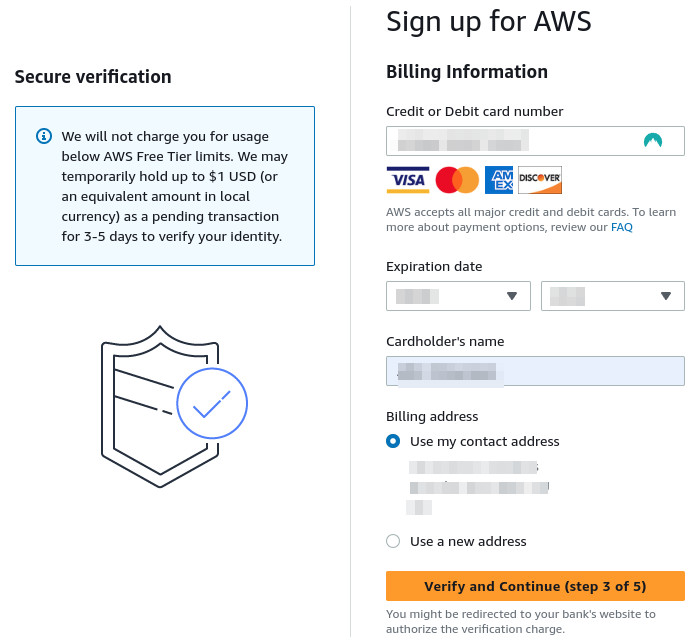
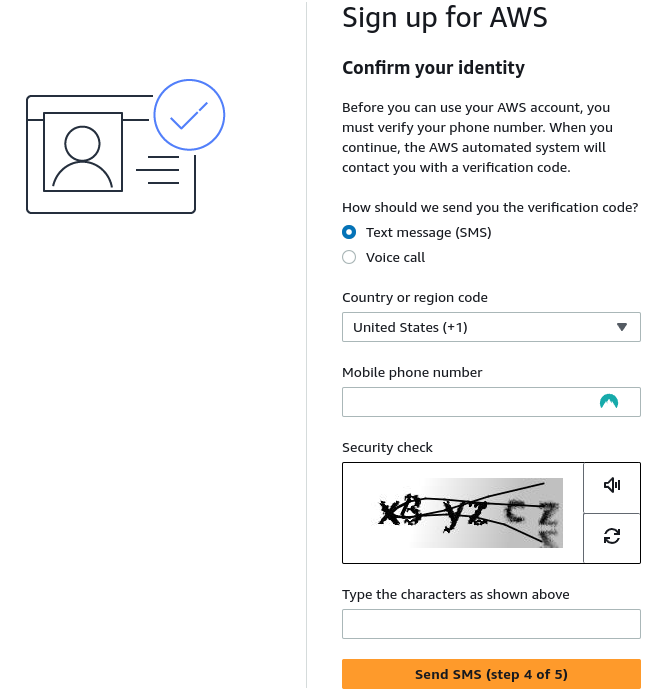
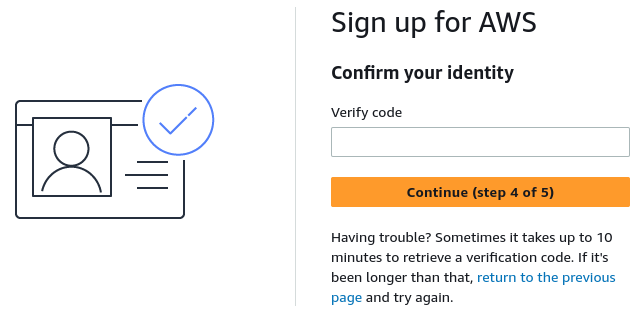
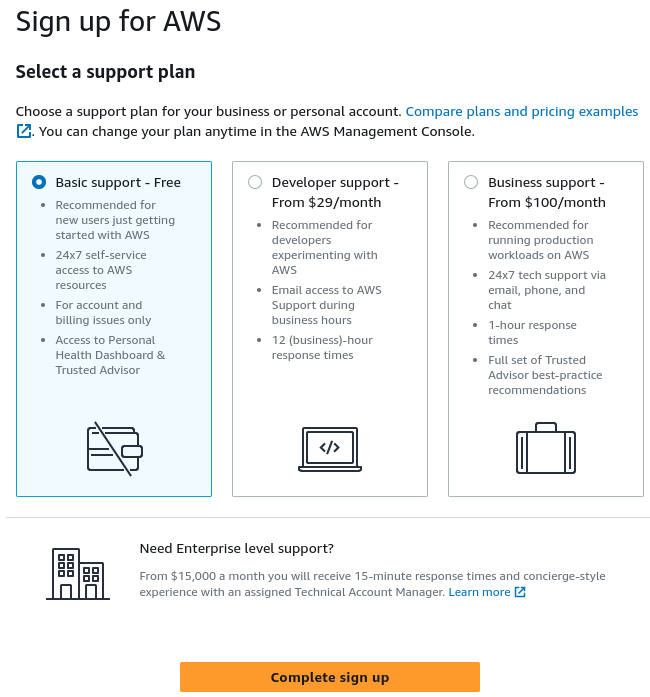







26 | Creative Commons License 27 | This work is licensed under a Creative Commons Attribution 4.0 ShareAlike License (including images & stylesheets). 28 |
29 | 30 | ## Contributing 31 | 32 | Issues and pull requests are welcome. Please detail issues as much as you can. Pull requests are simpler to work with when they are specific to a page or at most a section. The smaller the change the quicker it is to review and merge. 33 | 34 | Please see the detailed contributing section of the book before raising an issue or pull request 35 | 36 | * [Current Issues](https://github.com/practicalli/amazon-web-services/issues) 37 | * [Current pull requests](https://github.com/practicalli/amazon-web-services/pulls) 38 | 39 | By submitting content ideas and corrections you are agreeing they can be used in this workshop under the [Creative Commons Attribution ShareAlike 4.0 International license](https://creativecommons.org/licenses/by-sa/4.0/). Attribution will be detailed via [GitHub contributors](https://github.com/practicalli/amazon-web-services/graphs/contributors). 40 | 41 | ## Sponsor Practicalli 42 | 43 | [![Sponsor Practicalli via GitHub](https://raw.githubusercontent.com/practicalli/graphic-design/live/buttons/practicalli-github-sponsors-button.png)](https://github.com/sponsors/practicalli-johnny/) 44 | 45 | All sponsorship funds are used to support the continued development of [Practicalli series of books and videos](https://practical.li/), although most work is done at personal cost and time. 46 | 47 | Thanks to [Cognitect](https://www.cognitect.com/), [Nubank](https://nubank.com.br/) and a wide range of other [sponsors](https://github.com/sponsors/practicalli-johnny#sponsors) for your continued support 48 | 49 | 50 | ## Star History 51 | 52 | [![Star History Chart](https://api.star-history.com/svg?repos=practicalli/amazon-web-services&type=Date)](https://star-history.com/#practicalli/amazon-web-services&Date) 53 | 54 | 55 | ## GitHub Actions 56 | 57 | The megalinter GitHub actions will run when a pull request is created,checking basic markdown syntax. 58 | 59 | A review of the change will be carried out by the Practicalli team and the PR merged if the change is acceptable. 60 | 61 | The Publish Book GitHub action will run when PR's are merged into main (or the Practicalli team pushes changes to the default branch). 62 | 63 | Publish book workflow installs Material for MkDocs version 9 64 | 65 | 66 | ## Local development 67 | 68 | Install mkdocs version 9 using the Python pip package manager 69 | 70 | ```shell 71 | pip install mkdocs-material=="9.5" 72 | ``` 73 | 74 | Install the plugins used by the Practicalli site using Pip (these are also installed in the GitHub Action workflow) 75 | 76 | ```shell 77 | pip3 install mkdocs-material mkdocs-callouts mkdocs-glightbox mkdocs-git-revision-date-localized-plugin mkdocs-redirects pillow cairosvg 78 | ``` 79 | 80 | > pillow and cairosvg python packages are required for [Social Cards](https://squidfunk.github.io/mkdocs-material/setup/setting-up-social-cards/) 81 | 82 | Fork the GitHub repository and clone that fork to your computer, 83 | 84 | ```shell 85 | git clone https://github.com//.git 86 | ``` 87 | 88 | Run a local server from the root of the cloned project 89 | 90 | ```shell 91 | make docs 92 | ``` 93 | 94 | The website will open at 95 | 96 | If making smaller changes, then only rebuild the content that changes, speeding up the local development process 97 | 98 | ```shell 99 | make docs-changed 100 | ``` 101 | 102 | > NOTE: navigation changes may not be correctly reflected without reloading the page in the web browser or carrying out a full `make docs` build 103 | 104 | -------------------------------------------------------------------------------- /mkdocs.yml: -------------------------------------------------------------------------------- 1 | --- 2 | # Practicalli Amazon Web Services 3 | site_name: Practicalli Amazon Web Services 4 | site_url: https://practical.li/amazon-web-services 5 | site_description: Practical guide to Amazon Web Services with Clojure 6 | site_author: Practicalli 7 | site_org: https://practical.li 8 | copyright: Copyright © 2023 Practicali CC BY-SA 4.0 9 | repo_url: https://github.com/practicalli/amazon-web-services/ 10 | edit_uri: https://github.com/practicalli/amazon-web-services/edit/main/docs/ 11 | 12 | # Deployment 13 | # remote_name: origin 14 | remote_branch: gh-pages # deployment branch 15 | 16 | # Theme and styling 17 | theme: 18 | name: material 19 | logo: assets/images/practicalli-logo.png 20 | favicon: assets/favicon.svg 21 | features: 22 | - announce.dismiss 23 | - content.action.edit 24 | - content.action.view 25 | - content.code.annotate 26 | - content.code.copy 27 | - content.tabs.link 28 | - navigation.footer 29 | - navigation.indexes # Nav sections can have files 30 | - navigation.instant # Avoid page reloading for internal links 31 | - navigation.top 32 | - navigation.tracking # Update URL with sub-heading anchor names 33 | palette: 34 | # Palette toggle for light mode 35 | - media: "(prefers-color-scheme: light)" 36 | scheme: default 37 | primary: orange 38 | accent: deep orange 39 | toggle: 40 | icon: material/brightness-7 41 | name: Switch to dark mode 42 | # Palette toggle for dark mode 43 | - media: "(prefers-color-scheme: dark)" 44 | scheme: slate 45 | primary: orange 46 | accent: deep orange 47 | toggle: 48 | icon: material/brightness-4 49 | name: Switch to light mode 50 | # Override theme 51 | custom_dir: overrides 52 | 53 | extra_css: 54 | - assets/stylesheets/extra.css 55 | 56 | ## Additional styling 57 | markdown_extensions: 58 | - admonition 59 | - pymdownx.details 60 | - pymdownx.superfences 61 | - attr_list 62 | - md_in_html # Grids 63 | - footnotes # footnotes and abbreviations 64 | - pymdownx.emoji: 65 | emoji_index: !!python/name:material.extensions.emoji.twemoji 66 | emoji_generator: !!python/name:material.extensions.emoji.to_svg 67 | - pymdownx.highlight: 68 | anchor_linenums: true 69 | - pymdownx.inlinehilite 70 | - pymdownx.snippets: 71 | url_download: true 72 | - pymdownx.superfences: 73 | custom_fences: 74 | - name: mermaid 75 | class: mermaid 76 | format: !!python/name:pymdownx.superfences.fence_code_format 77 | - pymdownx.tabbed: 78 | alternate_style: true 79 | - pymdownx.keys # keyboard keys 80 | - pymdownx.magiclink 81 | - def_list # lists 82 | - pymdownx.tasklist: 83 | custom_checkbox: true # checkboxes 84 | - toc: 85 | permalink: λ︎ 86 | 87 | ## Plugins 88 | plugins: 89 | # Explicitly add search plugin when defining plugins in this configuration file 90 | - search 91 | - callouts 92 | - glightbox # Image aligning 93 | - git-revision-date-localized: # Update and Creation date of each page 94 | # enable_creation_date: true 95 | fallback_to_build_date: true 96 | 97 | # Generate Social Cards via CI only 98 | # in assets/images/social 99 | - social: 100 | cards: !ENV [MKDOCS_SOCIAL_CARDS_GENERATE, true] 101 | 102 | # Redirect pages when moved or changed 103 | # - redirects: 104 | # redirect_maps: 105 | # repl-driven-development.md: introduction/repl-workflow.md 106 | 107 | # Footer / Social Media 108 | extra: 109 | analytics: 110 | provider: google 111 | property: G-HK61FVGJ3Z 112 | social: 113 | - icon: material/web 114 | link: https://practical.li/ 115 | - icon: fontawesome/brands/linkedin 116 | link: https://www.linkedin.com/in/jr0cket/ 117 | - icon: fontawesome/brands/slack 118 | link: https://clojurians.slack.com/messages/practicalli 119 | - icon: fontawesome/brands/twitter 120 | link: https://twitter.com/practical_li 121 | - icon: fontawesome/brands/github 122 | link: https://github.com/practicalli 123 | - icon: fontawesome/brands/docker 124 | link: https://hub.docker.com/u/practicalli 125 | 126 | # Navigation 127 | nav: 128 | - Introduction: 129 | - index.md 130 | - AWS Services: introduction/aws-services.md 131 | - REPL Workflow: introduction/repl-workflow.md 132 | - Contributing: introduction/contributing.md 133 | - Writing Tips: introduction/writing-tips.md 134 | - Account: 135 | - account/index.md 136 | - account/root.md 137 | - account/iam.md 138 | - Tools: 139 | - tools/index.md 140 | - AWS CLI: tools/aws-cli.md 141 | - AWS Vault: tools/aws-vault.md 142 | - Amazon Linux: tools/amazon-linux.md 143 | - Docker: 144 | - tools/docker/index.md 145 | - AWS Images: tools/docker/aws-images.md 146 | - Localstack: tools/docker/localstack.md 147 | - Clojure: 148 | - clojure/index.md 149 | - Cognitect Labs AWS API: clojure/congnitect-labs-aws-api.md 150 | - Amazonica: clojure/amazonica.md 151 | - Service: 152 | - service/index.md 153 | - service/simple-storage-solution.md 154 | # - Cloudwatch: 155 | # - services/cloudwatch/index.md 156 | # - Cloudwatch: services/cloudwatch/searching-logs.md 157 | # - mulog: services/cloudwatch/mulog.md 158 | # - Fargate: services/fargate/index.md 159 | # - Proton: services/proton/index.md 160 | # - DynamoDB: services/dynamodb/index.md 161 | # - Integrations: 162 | # - integrations/index.md 163 | # - GitHub: 164 | # - integrations/github/index.md 165 | # - Actions: integrations/github/actions.md 166 | # - Observability: 167 | # - observability/index.md 168 | # - Prometheus: observability/prometheus.md 169 | # - Graphana: observability/graphana.md 170 | -------------------------------------------------------------------------------- /docs/assets/practicalli-logo.svg: -------------------------------------------------------------------------------- 1 | 2 | 3 | 4 | 5 | 6 | 7 | 8 | 9 | 10 | 11 | 12 | 13 | image/svg+xml 14 | 15 | 16 | 17 | 18 | 19 | 20 | 21 | 22 | 23 | 24 | 25 | 26 | 27 | 28 | 29 | 30 | I 31 | P 32 | 9 33 | 34 | 35 | 36 | -------------------------------------------------------------------------------- /docs/clojure/amazonica.md: -------------------------------------------------------------------------------- 1 | # Amazonica 2 | 3 | !!! WARNING "Very Rough Draft" 4 | 5 | ![Amazonica logo](https://github.com/mcohen01/amazonica/blob/master/claws.png?raw=true){align=right loading=lazy} 6 | 7 | A comprehensive Clojure client for the entire [Amazon AWS API][1], essentially a wrapper acound the Java client library for AWS. 8 | 9 | [![amazonica](https://circleci.com/gh/mcohen01/amazonica.svg?style=shield)](https://app.circleci.com/pipelines/github/mcohen01/amazonica) 10 | 11 | 12 | !!! WARNING "Examples in Amazonica project readme not working" 13 | 14 | 15 | ## Project Dependency 16 | 17 | Add amazonica as a project dependency, to either a Clojure CLI or Leiningen project. 18 | 19 | === "Clojure CLI" 20 | ```clojure title="deps.edn" 21 | amazonica/amazonica {:mvn/version "0.3.165"} 22 | ``` 23 | 24 | === "Leiningen" 25 | ```clojure title="project.clj" 26 | [amazonica "0.3.165"] 27 | ``` 28 | 29 | 30 | ## Basic example 31 | 32 | ```clojure 33 | (ns com.example 34 | (:require [amazonica.aws.ec2 :as aws-ec2])) 35 | 36 | (aws-ec2/describe-instances) 37 | 38 | (aws-ec2/create-snapshot 39 | :volume-id "vol-8a4857fa" 40 | :description "snapshot for testing") 41 | ``` 42 | 43 | Amazonica uses the Java client library to support the complete set of remote service calls implemented by each of the service-specific AWS client classes (e.g. AmazonEC2Client, AmazonS3Client, etc.) 44 | 45 | - [AWS Javadocs][2]. 46 | - [cljdoc function references][25] 47 | 48 | Reflection is used to create idiomatically named Clojure Vars in the library namespaces corresponding to the AWS service. 49 | 50 | camelCase Java methods become lower-case, hyphenated Clojure functions. 51 | 52 | 53 | !!! EXAMPLE "Create snapshot of running EC2 instance" 54 | ```clojure 55 | (aws-ec2/create-snapshot 56 | :volume-id "vol-8a4857fa" 57 | :description "my_new_snapshot") 58 | ``` 59 | 60 | aws-ec2/create-snapshot delegates to [createSnapshot()][3] method of AmazonEC2Client. 61 | 62 | Java methods that take a parameter, e.g. [CreateSnapshotRequest][4] have their bean properties exposed via mutators and can be supplied as key-value pairs passed as arguments to the Clojure function. 63 | 64 | All of the AWS Java APIs (except S3) follow this pattern, either having a single implementation method that takes an AWS Java bean as its only argument, or being overloaded and having a no-arg implementation. 65 | 66 | The corresponding Clojure function will either require key-value pairs as arguments, or be variadic and allow a no-arg invocation. 67 | 68 | AmazonEC2Client's [describeImages()][7] method is overloaded and can be invoked either with no args or with a [DescribeImagesRequest][8]. 69 | 70 | Clojure invocation 71 | 72 | ```clojure 73 | (aws-ec2/describe-images) 74 | ``` 75 | 76 | or 77 | 78 | ```clojure 79 | (aws-ec2/describe-images 80 | :owners ["self"] 81 | :image-ids ["ami-f00f9699" "ami-e0d30c89"]) 82 | ``` 83 | 84 | 85 | ??? INFO "Supported Services" 86 | AWS services supported by Amazonica 87 | * Amplify 88 | * API Gateway 89 | * AppConfig 90 | * Application Insights 91 | * App Mesh 92 | * Augmented AI 93 | * [Autoscaling](#autoscaling) 94 | * Austocaling Plans 95 | * Backup 96 | * [Batch](#batch) 97 | * Budgets 98 | * Certificate Manager 99 | * CloudDirectory 100 | * [CloudFormation](#cloudformation) 101 | * [CloudFront](#cloudfront) 102 | * [CloudSearch](#cloudsearch) 103 | * [CloudSearchV2](#cloudsearchv2) 104 | * [CloudSearchDomain](#cloudsearchdomain) 105 | * [CloudWatch](#cloudwatch) 106 | * [CloudWatchEvents](#cloudwatchevents) 107 | * CodeBuild 108 | * CodeCommit 109 | * [CodeDeploy](#codedeploy) 110 | * CodePipeline 111 | * CodeStar 112 | * Cognito 113 | * [CognitoIdentityProviders](#cognitoidentityproviders) 114 | * [Comprehend](#comprehend) 115 | * Compute Optimizer 116 | * Config 117 | * Connect 118 | * CostAndUsageReport 119 | * CostExplorer 120 | * DatabaseMigrationService 121 | * [DataPipeline](#datapipeline) 122 | * Data Exchange 123 | * Data Sync 124 | * Dax 125 | * Detective 126 | * DeviceFarm 127 | * DirectConnect 128 | * Directory 129 | * DLM 130 | * DocDB 131 | * [DynamoDBV2](#dynamodbv2) 132 | * [EC2](#ec2) 133 | * [EC2InstanceConnect](#ec2instanceconnect) 134 | * [ECR](#ecr) 135 | * [ECS](#ecs) 136 | * [ElastiCache](#elasticache) 137 | * [ElasticBeanstalk](#elasticbeanstalk) 138 | * ElasticFileSystem 139 | * [ElasticLoadBalancing](#elasticloadbalancing) 140 | * [ElasticMapReduce](#elasticmapreduce) 141 | * [Elasticsearch](#elasticsearch) 142 | * [ElasticTranscoder](#elastictranscoder) 143 | * Event Bridge 144 | * [Forecast](#forecast) 145 | * Fraud Detector 146 | * GameLift 147 | * [Glacier](#glacier) 148 | * Global Accelerator 149 | * Glue 150 | * GreenGrass 151 | * Groundstation 152 | * GuardDuty 153 | * [IdentityManagement](#identitymanagement) 154 | * Image Builder 155 | * ImportExport 156 | * [IoT](#iot) 157 | * Kafka 158 | * Kendra 159 | * [Kinesis](#kinesis) 160 | * [Kinesis Analytics](#kinesisanalytics) 161 | * [KinesisFirehose](#kinesisfirehose) 162 | * Kinesis Video Streams with WebRTC (Signaling Channels) 163 | * [KMS](#kms) 164 | * Lake Formation 165 | * [Lambda](#lambda) 166 | * Lex 167 | * Lightsail 168 | * [Logs](#logs) 169 | * MachineLearning 170 | * Macie 171 | * Managed Blockcahin 172 | * MechanicalTurk 173 | * MediaConvert 174 | * MediaLive 175 | * MediaPackage 176 | * MediaStore 177 | * MigrationHub 178 | * Mobile 179 | * MQ 180 | * MSK (Managed Kafka) 181 | * [OpsWorks](#opsworks) 182 | * Personalize 183 | * [Pinpoint](#pinpoint) 184 | * Pricing 185 | * Polly 186 | * QLDB 187 | * Quicksight 188 | * RDS 189 | * [Redshift](#redshift) 190 | * Rekognition 191 | * [Route53](#route53) 192 | * [Route53Domains](#route53domains) 193 | * [S3](#s3) 194 | * Sagemaker 195 | * Secrets Manager 196 | * Security Hub 197 | * Security Token 198 | * ServerMigration 199 | * ServiceCatalog 200 | * Service Discovery 201 | * Shield 202 | * [SimpleDB](#simpledb) 203 | * [SimpleEmail](#simpleemail) 204 | * [SimpleSystemsManager](#SimpleSystemsManager) 205 | * [SimpleWorkflow](#simpleworkflow) 206 | * Snowball 207 | * [SNS](#sns) 208 | * [SQS](#sqs) 209 | * [StepFunctions](#stepfunctions) 210 | * StorageGateway 211 | * Support 212 | * Textract 213 | * Timestream 214 | * Transcribe 215 | * Transfer 216 | * Translate 217 | * WAF 218 | * Workspaces 219 | * XRay 220 | -------------------------------------------------------------------------------- /docs/tools/aws-cli.md: -------------------------------------------------------------------------------- 1 | # AWS Command Line Interface - CLI 2 | 3 | The [AWS Command Line Interface (AWS CLI)](https://aws.amazon.com/cli/) is a unified tool to manage your AWS services. With just one tool to download and configure, you can control multiple AWS services from the command line and automate them through scripts. 4 | 5 | !!! EXAMPLE "Practicalli dotfiles .aws/config" 6 | [practicalli/dotfiles .aws/config file](https://github.com/practicalli/dotfiles/blob/main/aws/config) is an example of an AWS Config with profiles and Okta single sign-on 7 | 8 | ??? INFO "AWS CLI 2 version" 9 | print the currently installed version 10 | ```shell 11 | aws --version 12 | ``` 13 | The output should be similar to: 14 | ```shell 15 | aws-cli/2.11.20 Python/3.11.3 Linux/5.15.0-71-generic exe/x86_64.ubuntu.22 prompt/off 16 | ``` 17 | 18 | ## Install 19 | 20 | Download the relevant install from [AWS Command Line Interface website](https://aws.amazon.com/cli/) 21 | 22 | 23 | === "Linux" 24 | 25 | [Install and update guide](https://docs.aws.amazon.com/cli/latest/userguide/getting-started-install.html#cliv2-linux-install){target=_blank .md-button} 26 | 27 | Check the [AWS CLI version 2 changelog](https://raw.githubusercontent.com/aws/aws-cli/v2/CHANGELOG.rst){target=_blank} to see the latest version available. 28 | 29 | > The script will install AWS CLI in `usr/local/` by default, although this can be overriddent with `--bin-dir` and `--install-dir` options on the `aws/install` command. 30 | 31 | Download the install script archive file 32 | ```shell 33 | curl "https://awscli.amazonaws.com/awscli-exe-linux-x86_64.zip" -o "awscliv2.zip" 34 | ``` 35 | Extract the install script, ideally to the local application directory for the user for later updates. 36 | ```shell 37 | unzip awscliv2.zip -d ~/.local/apps 38 | ``` 39 | Run the install script, providing the user password when prompted 40 | ```shell 41 | sudo ~/.local/apps/aws/install 42 | ``` 43 | 44 | Update via the `install` script in the extracted awscliv2 archive 45 | ```shell 46 | sudo ~/.local/apps/aws/install --bin-dir /usr/local/bin --install-dir /usr/local/aws-cli --update 47 | ``` 48 | 49 | 50 | 51 | ## Create local configuration 52 | 53 | [Setup AWS CLI](https://docs.aws.amazon.com/cli/latest/userguide/getting-started-quickstart.html){target=_blank .md-button} 54 | 55 | > `aws configure` provides a wizard for some kinds of credentials but not all. `aws configure set` will set specific variables and values 56 | 57 | Create an IAM user for programmatic access using a group (create if neccessary) that include the Permission profiles for the services that will be accesses. 58 | 59 | Copy the ARN for the IAM user (login as root user if the IAM user does not have web console login - which ideally it should not) 60 | 61 | === "Short Term Credentials" 62 | [:globe_with_meridians: Authenticating using short-term credentials](https://docs.aws.amazon.com/cli/latest/userguide/cli-authentication-short-term.html){target=_blank .md-button} 63 | 64 | !!! WARNING "Session Token have 12 hours maximum life" 65 | 66 | Create Access Keys in an IAM user to get values for `AWS Access Key ID` and `AWS Secret Access Key`. 67 | 68 | Use the AWS CLI configuration wizard to set up most of the configuration :) 69 | 70 | !!! EXAMPLE "AWS CLI configure short-term credentials" 71 | ```shell 72 | aws configure 73 | ``` 74 | Example ouput 75 | ```shell 76 | AWS Access Key ID [None]: AKIAIOSFODNN7EXAMPLE 77 | AWS Secret Access Key [None]: wJalrXUtnFEMI/K7MDENG/bPxRfiCYEXAMPLEKEY 78 | Default region name [None]: us-west-2 79 | Default output format [None]: json 80 | ``` 81 | 82 | A `default` profile is created in `"~/.aws/config"` with the above values 83 | 84 | Optionally edit the `"~/.aws/config"` file and add additional environment variables and profiles 85 | 86 | DO NOT Create a session token, its not required. 87 | 88 | 89 | === "IAM role" 90 | 91 | Profiles which use IAM roles pull credentials from another profile and then apply IAM role permissions. 92 | 93 | `default` is the source profile for credentials and jr0cket-cli borrows the same credentials then assumes a new role. 94 | 95 | Use the aws cli to set specific environment variables for the IAM role. 96 | 97 | ```shell 98 | aws configure set 99 | ``` 100 | Example commands 101 | ```shell 102 | aws configure set role_arn arn:aws:iam::123456789012:role/defaultrole 103 | aws configure set source_profile default 104 | aws configure set role_session_name session_user1 105 | aws configure set region us-west-2 106 | aws configure set output json 107 | ``` 108 | 109 | === "IAM Idetity Center" 110 | 111 | Requires a single sign-on token provider, e.g. [Okta](https://developer.okta.com/){target=_blank}, Active Directory, LDAP service, etc. 112 | 113 | ```shell 114 | aws configure sso 115 | ``` 116 | 117 | Example output 118 | ```shell 119 | SSO session name (Recommended): my-sso 120 | SSO start URL [None]: https://my-sso-portal.awsapps.com/start 121 | SSO region [None]:us-east-1 122 | ``` 123 | 124 | Attempting to automatically open the SSO authorization page in your default browser. 125 | 126 | There are 2 AWS accounts available to you. 127 | > DeveloperAccount, developer-account-admin@example.com (111122223333) 128 | ProductionAccount, production-account-admin@example.com (444455556666) 129 | 130 | Using the account ID 111122223333 131 | 132 | There are 2 roles available to you. 133 | > ReadOnly 134 | FullAccess 135 | 136 | Using the role name "ReadOnly" 137 | 138 | CLI default client Region [None]: us-west-2 139 | CLI default output format [None]: json 140 | CLI profile name [123456789011_ReadOnly]: user1 141 | ``` 142 | 143 | !!! EXAMPLE "Practicalli dotfiles .aws/config" 144 | [practicalli/dotfiles .aws/config file](https://github.com/practicalli/dotfiles/blob/main/aws/config-sso-okta){target=_blank} is an example of an AWS Config with profiles and Okta single sign-on 145 | 146 | 147 | ## Creating profiles for environments 148 | 149 | Software engineering teams should have the ability to deploy on at least a test and staging environment (with production typically kept for operations focused roles or teams). 150 | 151 | The AWS CLI can have multiple profiles with configuration specific to the environment. 152 | 153 | ```shell 154 | ## Default settings used with all profiles 155 | # [default] 156 | # region = eu-west-2 157 | 158 | 159 | # [profile test] 160 | # role_arn = arn:aws:iam::************:role/Developer 161 | # mfa_serial = arn:aws:iam::************:mfa/my.email@company-domain.com 162 | # source_profile = default 163 | 164 | # [profile staging] 165 | # role_arn = arn:aws:iam::************:role/Developer 166 | # mfa_serial = arn:aws:iam::************:mfa/my.email@company-domain.com 167 | # source_profile = default 168 | ``` 169 | 170 | 171 | ## Okta Single Sign-on 172 | 173 | Okta is a widely used Single Sign-on solution for managing access to business apps as well as Amazon Web Services (AWS) console and APIs. 174 | 175 | Define a profile (optional, but recommended) that contains the URL for the Okta single sign-on service and its authorisation endpoint. 176 | 177 | Define an `sso_region` that matches the AWS region in which the AWS profile should operate within. 178 | 179 | Add and `sso_account_id` and `sso_role_name` to define identity within AWS. 180 | 181 | ```shell 182 | [profile domain-staging] 183 | sso_start_url = https://.com/start 184 | sso_region = eu-west-2 185 | sso_account_id = 186 | sso_role_name = PowerUserAccess 187 | region = eu-west-2 188 | ``` 189 | 190 | 191 | ## AWS CloudShell 192 | 193 | AWS Linux instance running in AWS with pre-configured accounts and tools to provide CLI access to AWS services 194 | -------------------------------------------------------------------------------- /.github/config/markdown-lint.jsonc: -------------------------------------------------------------------------------- 1 | // Example markdownlint configuration with all properties set to their default value 2 | { 3 | 4 | // Default state for all rules 5 | "default": true, 6 | 7 | // Path to configuration file to extend 8 | "extends": null, 9 | 10 | // MD001/heading-increment/header-increment - Heading levels should only increment by one level at a time 11 | "MD001": true, 12 | 13 | // MD002/first-heading-h1/first-header-h1 - First heading should be a top-level heading 14 | "MD002": { 15 | // Heading level 16 | "level": 1 17 | }, 18 | 19 | // MD003/heading-style/header-style - Heading style 20 | "MD003": { 21 | // Heading style 22 | "style": "consistent" 23 | }, 24 | 25 | // MD004/ul-style - Unordered list style 26 | "MD004": { 27 | // List style 28 | "style": "consistent" 29 | }, 30 | 31 | // MD005/list-indent - Inconsistent indentation for list items at the same level 32 | "MD005": true, 33 | 34 | // MD006/ul-start-left - Consider starting bulleted lists at the beginning of the line 35 | "MD006": true, 36 | 37 | // MD007/ul-indent - Unordered list indentation 38 | "MD007": { 39 | // Spaces for indent 40 | "indent": 2, 41 | // Whether to indent the first level of the list 42 | "start_indented": false, 43 | // Spaces for first level indent (when start_indented is set) 44 | "start_indent": 2 45 | }, 46 | 47 | // MD009/no-trailing-spaces - Trailing spaces 48 | "MD009": { 49 | // Spaces for line break 50 | "br_spaces": 2, 51 | // Allow spaces for empty lines in list items 52 | "list_item_empty_lines": false, 53 | // Include unnecessary breaks 54 | "strict": true 55 | }, 56 | 57 | // MD010/no-hard-tabs - Hard tabs 58 | "MD010": { 59 | // Include code blocks 60 | "code_blocks": true, 61 | // Fenced code languages to ignore 62 | "ignore_code_languages": [], 63 | // Number of spaces for each hard tab 64 | "spaces_per_tab": 1 65 | }, 66 | 67 | // MD011/no-reversed-links - Reversed link syntax 68 | "MD011": true, 69 | 70 | // MD012/no-multiple-blanks - Multiple consecutive blank lines 71 | "MD012": { 72 | // Consecutive blank lines 73 | "maximum": 2 74 | }, 75 | 76 | // MD013/line-length - Line length 77 | "MD013": { 78 | // Number of characters 79 | "line_length": 420, 80 | // Number of characters for headings 81 | "heading_line_length": 90, 82 | // Number of characters for code blocks 83 | "code_block_line_length": 420, 84 | // Include code blocks 85 | "code_blocks": true, 86 | // Include tables 87 | "tables": true, 88 | // Include headings 89 | "headings": true, 90 | // Include headings 91 | "headers": true, 92 | // Strict length checking 93 | "strict": false, 94 | // Stern length checking 95 | "stern": true 96 | }, 97 | 98 | // MD014/commands-show-output - Dollar signs used before commands without showing output 99 | "MD014": true, 100 | 101 | // MD018/no-missing-space-atx - No space after hash on atx style heading 102 | "MD018": true, 103 | 104 | // MD019/no-multiple-space-atx - Multiple spaces after hash on atx style heading 105 | "MD019": true, 106 | 107 | // MD020/no-missing-space-closed-atx - No space inside hashes on closed atx style heading 108 | "MD020": true, 109 | 110 | // MD021/no-multiple-space-closed-atx - Multiple spaces inside hashes on closed atx style heading 111 | "MD021": true, 112 | 113 | // MD022/blanks-around-headings/blanks-around-headers - Headings should be surrounded by blank lines 114 | "MD022": { 115 | // Blank lines above heading 116 | "lines_above": 1, 117 | // Blank lines below heading 118 | "lines_below": 1 119 | }, 120 | 121 | // MD023/heading-start-left/header-start-left - Headings must start at the beginning of the line 122 | "MD023": true, 123 | 124 | // MD024/no-duplicate-heading/no-duplicate-header - Multiple headings with the same content 125 | "MD024": { 126 | // Only check sibling headings 127 | "allow_different_nesting": false, 128 | // Only check sibling headings 129 | "siblings_only": false 130 | }, 131 | 132 | // MD025/single-title/single-h1 - Multiple top-level headings in the same document 133 | "MD025": { 134 | // Heading level 135 | "level": 1, 136 | // RegExp for matching title in front matter 137 | "front_matter_title": "^\\s*title\\s*[:=]" 138 | }, 139 | 140 | // MD026/no-trailing-punctuation - Trailing punctuation in heading 141 | "MD026": { 142 | // Punctuation characters not allowed at end of headings 143 | "punctuation": ".,;:!。,;:!" 144 | }, 145 | 146 | // MD027/no-multiple-space-blockquote - Multiple spaces after blockquote symbol 147 | "MD027": true, 148 | 149 | // MD028/no-blanks-blockquote - Blank line inside blockquote 150 | "MD028": true, 151 | 152 | // MD029/ol-prefix - Ordered list item prefix 153 | "MD029": { 154 | // List style 155 | "style": "one_or_ordered" 156 | }, 157 | 158 | // MD030/list-marker-space - Spaces after list markers 159 | "MD030": { 160 | // Spaces for single-line unordered list items 161 | "ul_single": 1, 162 | // Spaces for single-line ordered list items 163 | "ol_single": 1, 164 | // Spaces for multi-line unordered list items 165 | "ul_multi": 1, 166 | // Spaces for multi-line ordered list items 167 | "ol_multi": 1 168 | }, 169 | 170 | // MD031/blanks-around-fences - Fenced code blocks should be surrounded by blank lines 171 | "MD031": { 172 | // Include list items 173 | "list_items": true 174 | }, 175 | 176 | // MD032/blanks-around-lists - Lists should be surrounded by blank lines 177 | "MD032": true, 178 | 179 | // MD033/no-inline-html - Inline HTML 180 | "MD033": { 181 | // Allowed elements 182 | "allowed_elements": ["a", "iframe", "img", "p", "div"] 183 | }, 184 | 185 | // MD034/no-bare-urls - Bare URL used 186 | "MD034": true, 187 | 188 | // MD035/hr-style - Horizontal rule style 189 | "MD035": { 190 | // Horizontal rule style 191 | "style": "consistent" 192 | }, 193 | 194 | // MD036/no-emphasis-as-heading/no-emphasis-as-header - Emphasis used instead of a heading 195 | "MD036": { 196 | // Punctuation characters 197 | "punctuation": ".,;:!?。,;:!?" 198 | }, 199 | 200 | // MD037/no-space-in-emphasis - Spaces inside emphasis markers 201 | "MD037": true, 202 | 203 | // MD038/no-space-in-code - Spaces inside code span elements 204 | "MD038": true, 205 | 206 | // MD039/no-space-in-links - Spaces inside link text 207 | "MD039": true, 208 | 209 | // MD040/fenced-code-language - Fenced code blocks should have a language specified 210 | "MD040": { 211 | // List of languages 212 | "allowed_languages": [], 213 | // Require language only 214 | "language_only": false 215 | }, 216 | 217 | // MD041/first-line-heading/first-line-h1 - First line in a file should be a top-level heading 218 | "MD041": { 219 | // Heading level 220 | "level": 1, 221 | // RegExp for matching title in front matter 222 | "front_matter_title": "^\\s*title\\s*[:=]" 223 | }, 224 | 225 | // MD042/no-empty-links - No empty links 226 | "MD042": true, 227 | 228 | // MD043/required-headings/required-headers - Required heading structure 229 | "MD043": {}, 230 | 231 | // MD044/proper-names - Proper names should have the correct capitalization 232 | "MD044": { 233 | // List of proper names 234 | "names": [], 235 | // Include code blocks 236 | "code_blocks": true, 237 | // Include HTML elements 238 | "html_elements": true 239 | }, 240 | 241 | // MD045/no-alt-text - Images should have alternate text (alt text) 242 | "MD045": true, 243 | 244 | // MD046/code-block-style - Code block style 245 | "MD046": { 246 | // Block style 247 | "style": "consistent" 248 | }, 249 | 250 | // MD047/single-trailing-newline - Files should end with a single newline character 251 | "MD047": true, 252 | 253 | // MD048/code-fence-style - Code fence style 254 | "MD048": { 255 | // Code fence style 256 | "style": "consistent" 257 | }, 258 | 259 | // MD049/emphasis-style - Emphasis style should be consistent 260 | "MD049": { 261 | // Emphasis style should be consistent 262 | "style": "consistent" 263 | }, 264 | 265 | // MD050/strong-style - Strong style should be consistent 266 | "MD050": { 267 | // Strong style should be consistent 268 | "style": "consistent" 269 | }, 270 | 271 | // MD051/link-fragments - Link fragments should be valid 272 | "MD051": true, 273 | 274 | // MD052/reference-links-images - Reference links and images should use a label that is defined 275 | "MD052": true, 276 | 277 | // MD053/link-image-reference-definitions - Link and image reference definitions should be needed 278 | "MD053": { 279 | // Ignored definitions 280 | "ignored_definitions": ["//"] 281 | } 282 | } 283 | -------------------------------------------------------------------------------- /docs/introduction/repl-workflow.md: -------------------------------------------------------------------------------- 1 | # REPL Driven Development 2 | 3 | ![Clojure repl driven development](https://raw.githubusercontent.com/practicalli/graphic-design/live/clojure/clojure-repl-workflow-concept.png){loading=lazy} 4 | 5 | !!! Quote "Always be REPL'ing" 6 | Coding without a REPL feels limiting. The REPL provides fast feedback from code as its crafted, testing assumptions and design choices every step of the journey to a solution 7 | - John Stevenson, Practical.li 8 | 9 | Clojure is a powerful, fun and highly productive language for developing applications and services. 10 | The clear language design is supported by a powerful development environment known as the REPL (read, evaluate, print, loop). The REPL gives you instant feedback on what your code does and enables you to test either a single expression or run the whole application (including tests). 11 | 12 | **REPL driven development is the foundation of working with Clojure effectively** 13 | 14 | An effective Clojure workflow begins by running a REPL process. Clojure expressions are written and evaluated immediately to provide instant feedback. The REPL feedback helps test the assumptions that are driving the design choices. 15 | 16 | * Read - code is read by the Clojure reader, passing any macros to the macro reader which converts those macros into Clojure code. 17 | * Evaluate - code is compiled into the host language (e.g. Java bytecode) and executed 18 | * Print - results of the code are displayed, either in the REPL or as part of the application. 19 | * Loop - the REPL is a continuous process that evaluates code, either a single expression or the whole application. 20 | 21 | Design decisions and valuable data from REPL experiments can be codified as [specifications](#data-and-function-specifications) and [unit tests](#test-driven-development-and-repl-driven-development) 22 | 23 | !!! HINT "Practicalli REPL Reloaded Workflow" 24 | The principles of REPL driven development are implemented in practice using the [Practicalli REPL Reloaded Workflow and supporting tooling](https://practical.li/clojure/clojure-cli/repl-reloaded/){target=_blank}. This workflow uses Portal to inspect all evaluation results and log events, hot-load libraries into the running REPL process and reloads namespaces to support major refactor changes. 25 | 26 | ## Evaluating source code 27 | 28 | ![Clojure repl driven development using Clojure aware editor](https://raw.githubusercontent.com/practicalli/graphic-design/live/clojure/clojure-repl-driven-development-clojure-aware-editor.png){align=right loading=lazy} 29 | 30 | A REPL connected editor is the primary tool for evaluating Clojure code from source code files, displaying the results inline. 31 | 32 | Source code is automatically evaluated in its respective namespace, removing the need to change namespaces in the REPL with (`in-ns`) or use fully qualified names to call functions. 33 | 34 |

35 | 36 |

37 | 38 | ??? HINT "Evaluate Clojure in a Terminal UI REPL" 39 | Entering expressions at the REPL prompt evaluates the expression immediately, returning the result directly underneath 40 | ![Clojure Terminal UI REPL](https://raw.githubusercontent.com/practicalli/graphic-design/live/clojure/rebel/clojure-repl-rebel-eval-map-function-dark.png#only-dark){loading=lazy} 41 | ![Clojure Terminal UI REPL](https://raw.githubusercontent.com/practicalli/graphic-design/live/clojure/rebel/clojure-repl-rebel-eval-map-function-light.png#only-light){loading=lazy} 42 | 43 | ## Rich Comment blocks - living documentation 44 | 45 | The `(comment ,,,)` function wraps code that is only run directly by the developer using a [Clojure aware editor](https://practical.li/clojure/clojure-editors/){target=_blank}. 46 | 47 | Expressions in rich comment blocks can represent how to use the functions that make up the namespace API. For example, starting/restarting the system, updating the database, etc. Expressions provide examples of calling functions with typical arguments and make a project more accessible and easier to work with. 48 | 49 | !!! EXAMPLE "Clojure Rich Comment to manage a service" 50 | ```clojure 51 | (ns practicalli.gameboard.service) 52 | 53 | (defn app-server-start [port] ,,,) 54 | (defn app-server-start [] ,,,) 55 | (defn app-server-restart [] ,,,) 56 | 57 | (defn -main 58 | "Start the service using system components" 59 | [& options] ,,,) 60 | 61 | (comment 62 | (-main) 63 | (app-server-start 8888) 64 | (app-server-stop) 65 | (app-server-restart 8888) 66 | 67 | (System/getenv "PORT") 68 | (def environment (System/getenv)) 69 | (def system-properties (System/getProperties)) 70 | ) ; End of rich comment block 71 | ``` 72 | 73 | Rich comment blocks are very useful for rapidly iterating over different design decisions by including the same function but with different implementations. Hide [clj-kondo linter](https://practical.li/clojure/clojure-cli/install/code-analysis.html){target=_blank} warnings for redefined vars (`def`, `defn`) when using this approach. 74 | 75 | ```clojure 76 | ;; Rich comment block with redefined vars ignored 77 | #_{:clj-kondo/ignore [:redefined-var]} 78 | (comment 79 | (defn value-added-tax [] 80 | ;; algorithm design - first idea) 81 | 82 | (defn value-added-tax [] 83 | ;; algorithm design - second idea) 84 | 85 | ) ;; End of rich comment block 86 | ``` 87 | 88 | The "Rich" in the name is an honourary mention to Rich Hickey, the author and benevolent dictator of Clojure design. 89 | 90 | ## Design Journal 91 | 92 | A journal of design decisions makes the code easier to understand and maintain. Code examples of design decisions and alternative design discussions are captured, reducing the time spent revisiting those discussions. 93 | 94 | Journals simplify the developer on-boarding processes as the journey through design decisions are already documented. 95 | 96 | A Design Journal is usually created in a separate namespace, although it may start as a rich comment at the bottom of a namespace. 97 | 98 | A journal should cover the following aspects 99 | 100 | * Relevant expressions use to test assumptions about design options. 101 | * Examples of design choices not taken and discussions why (saves repeating the same design discussions) 102 | * Expressions that can be evaluated to explain how a function or parts of a function work 103 | 104 | The design journal can be used to create meaningful documentation for the project very easily and should prevent time spent on repeating the same conversations. 105 | 106 | !!! HINT "Example design journal" 107 | [Design journal for TicTacToe game using Reagent, ClojureScript and Scalable Vector Graphics](https://github.com/practicalli-john/tictactoe-reagent/blob/master/src/tictactoe_reagent/core.cljs#L124){target=_blank} 108 | 109 | ## Viewing data structures 110 | 111 | Pretty print shows the structure of results from function calls in a human-friendly form, making it easier for a developer to parse and more likely to notice incorrect results. 112 | 113 | Tools to view and navigate code 114 | 115 | * [:fontawesome-solid-book-open: Cider inspector](https://practical.li/spacemacs/evaluating-clojure/inspect/){target=_blank} is an effective way to navigate nested data and page through large data sets. 116 | * [:fontawesome-solid-book-open: Portal Inspector](https://practical.li/clojure/clojure-tools/data-inspector/portal){target=_blank} to visualise many kinds of data in many different forms. 117 | 118 | ![Portal - view and navigate Clojure data and event logs](https://raw.githubusercontent.com/practicalli/graphic-design/live/portal/portal-data-browser-example.png) 119 | 120 | 121 | ## Code Style and idiomatic Clojure 122 | 123 | Clojure aware editors should automatically apply formatting that follows the [:globe_with_meridians: Clojure Style guide](https://github.com/bbatsov/clojure-style-guide){target=_blank}. 124 | 125 | Live linting with [clj-kondo](:fontawesome-brands-github: } suggests common idioms and highlights a wide range of syntax errors as code is written, minimizing bugs and therefore speeding up the development process. 126 | 127 | ![Clojure code static analysis for live linting](https://raw.githubusercontent.com/practicalli/graphic-design/live/spacemacs/screenshots/spacemacs-clojure-live-linting-flycheck-errors-light.png#only-light) 128 | ![Clojure code static analysis for live linting](https://raw.githubusercontent.com/practicalli/graphic-design/live/spacemacs/screenshots/spacemacs-clojure-live-linting-flycheck-errors-dark.png#only-dark) 129 | 130 | !!! INFO "Clojure LSP is build on top of clj-kondo" 131 | [:fontawesome-solid-book-open: Clojure LSP](https://practical.li/clojure/clojure-editors/clojure-lsp/){target=_blank} uses clj-kondo static analysis to provide a standard set of development tools (format, refactor, auto-complete, syntax highlighting, syntax & idiom warnings, code navigation, etc). 132 | 133 | Clojure LSP can be used with any Clojure aware editor that provides an LSP client, e.g. [:fontawesome-solid-book-open: Spacemacs](https://practical.li/spacemacs/install-spacemacs/clojure-lsp/){target=_blank}, [:fontawesome-solid-book-open: Doom Emacs](https://practical.li/doom-emacs/install/clojure-configuration/#clojure-cli){target=_blank}, [:fontawesome-solid-book-open: Neovim](https://practical.li/neovim/repl-driven-development/){target=_blank}, VSCode. 134 | 135 | !!! INFO "Clojure Style Guide" 136 | The [:globe_with_meridians: Clojure Style guide](https://github.com/bbatsov/clojure-style-guide){target=_blank} provides examples of common formatting approaches, although the development team should decide which of these to adopt. Emacs `clojure-mode` will automatically format code and so will Clojure LSP (via cljfmt). These tools are configurable and should be tailored to the teams standard. 137 | 138 | ## Data and Function specifications 139 | 140 | [:fontawesome-solid-book-open: Clojure spec](https://practical.li/clojure/clojure-spec/){target=_blank} is used to define a contract on incoming and outgoing data, to ensure it is of the correct form. 141 | 142 | As data structures are identified in REPL experiments, create data specification to validate the keys and value types of that data. 143 | 144 | ```clojure 145 | ;; --------------------------------------------------- 146 | ;; Address specifications 147 | (spec/def ::house-number string?) 148 | (spec/def ::street string?) 149 | (spec/def ::postal-code string?) 150 | (spec/def ::city string?) 151 | (spec/def ::country string?) 152 | (spec/def ::additional string?) 153 | 154 | (spec/def ::address ; Composite data specification 155 | (spec/keys 156 | :req-un [::street ::postal-code ::city ::country] 157 | :opt-un [::house-number ::additional])) 158 | ;; --------------------------------------------------- 159 | ``` 160 | 161 | As the public API is designed, specifications for each functions arguments are added to validate the correct data is used when calling those functions. 162 | 163 | [:fontawesome-solid-book-open: Generative testing](https://practical.li/clojure/clojure-spec/generative-testing/){target=_blank} provides a far greater scope of test values used incorporated into unit tests. Data uses clojure.spec to randomly generate data for testing on each test run. 164 | 165 | ## Test Driven Development and REPL Driven Development 166 | 167 | ![Clojure REPL driven development (RDD) and Test Driven Development (TDD)](https://raw.githubusercontent.com/practicalli/graphic-design/live/clojure/repl-tdd-flow.png){align=right loading=lazy} 168 | 169 | Test Driven Development (TDD) and REPL Driven Development (RDD) complement each other as they both encourage incremental changes and continuous feedback. 170 | 171 | > Test Driven Development fits well with Hammock Time, as good design comes from deep thought 172 | 173 | * RDD enables rapid design experiments so different approaches can easily and quickly be evaluated . 174 | * TDD focuses the results of the REPL experiments into design decisions, codified as unit tests. These tests guide the correctness of specific implementations and provide critical feedback when changes break that design. 175 | 176 | [:fontawesome-solid-book-open: Unit tests](https://practical.li/clojure/testing/unit-testing/){target=_blank} should support the public API of each namespace in a project to help prevent regressions in the code. Its far more efficient in terms of thinking time to define unit tests as the design starts to stabilize than as an after thought. 177 | 178 | `clojure.test` library is part of the Clojure standard library that provides a simple way to start writing unit tests. 179 | 180 | [:fontawesome-solid-book-open: Clojure spec](https://practical.li/clojure/clojure-spec/){target=_blank} can also be used for generative testing, providing far greater scope in values used when running unit tests. Specifications can be defined for values and functions. 181 | 182 | Clojure has a number of [:fontawesome-solid-book-open: test runners](https://practical.li/clojure/testing/test-runners/){target=_blank} available. Kaocha is a test runner that will run unit tests and function specification checks. 183 | 184 | !!! Hint "Automate local test runner" 185 | Use [:fontawesome-solid-book-open: kaocha test runner](https://practical.li/clojure/testing/test-runners/kaocha-test-runner/){target=_blank} in watch mode to run tests and specification check automatically (when changes are saved) 186 | ```bash 187 | clojure -X:test/watch 188 | ``` 189 | 190 | ## Continuous Integration and Deployment 191 | 192 | Add a [:fontawesome-solid-book-open: continuous integration service](https://practical.li/clojure/continuous-integration/){target=_blank} to run tests and builds code on every shared commit. Spin up testable review deployments when commits pushed to a pull request branch, before pushing commits to the main deployment branch, creating an effective pipeline to gain further feedback. 193 | 194 | - [:globe_with_meridians: CircleCI](https://practical.li/clojure/continuous-integration/circle-ci/){target=_blank} provides a simple to use service that supports Clojure projects. 195 | - [:globe_with_meridians: GitHub Workflows](https://docs.github.com/en/actions/using-workflows){target=_blank} and [GitHub actions marketplace](https://github.com/marketplace?type=actions){target=_blank} to quickly build a tailored continuous integration service, e.g. [Setup Clojure GitHub Action](https://github.com/marketplace/actions/setup-clojure){target=_blank}. 196 | - [:globe_with_meridians: GitLab CI](https://docs.gitlab.com/ee/ci/introduction/index.html){target=_blank} 197 | 198 | ![Continuous Integration](https://raw.githubusercontent.com/practicalli/graphic-design/live/continuous-integration/continuous-integration-overview.svg) 199 | 200 | ## Live Coding with Data - Stuart Halloway 201 | 202 | There are few novel features of programming languages, but each combination has different properties. The combination of dynamic, hosted, functional and extended Lisp in Clojure gives developers the tools for making effective programs. The ways in which Clojure's unique combination of features can yield a highly effective development process. 203 | 204 | Over more than a decade we have developed an effective approach to writing code in Clojure whose power comes from composing many of its key features. As different as Clojure programs are from e.g. Java programs, so to can and should be the development experience. You are not in Kansas anymore! 205 | 206 | This talk presents a demonstration of the leverage you can get when writing programs in Clojure, with examples, based on my experiences as a core developer of Clojure and Datomic. 207 | 208 |

209 | 210 |

211 | -------------------------------------------------------------------------------- /docs/introduction/writing-tips.md: -------------------------------------------------------------------------------- 1 | # Writing tips for MkDocs 2 | 3 | Making the docs more engaging using the [mkdocs-material theme reference guide](https://squidfunk.github.io/mkdocs-material/reference/){target=_blank} 4 | 5 | ??? INFO "Configuring Colors" 6 | [Material for MkDocs - Changing the colors](https://squidfunk.github.io/mkdocs-material/setup/changing-the-colors/){target=_blank} lists the primary and accent colors available. 7 | 8 | [HSL Color Picker](https://hslpicker.com/) for codes to modify the theme style, overriding colors in `docs/assets/stylesheets/extra.css` 9 | 10 | ## Hypertext links 11 | 12 | Links open in the same browser window/tab by default. 13 | 14 | Add `{target=_blank}` to the end of a link to configure opening in a new tab 15 | 16 | ```markdown 17 | [link text](url){target=_blank} 18 | ``` 19 | 20 | ## Buttons 21 | 22 | Convert any link into a button by adding `{.md-button}` class names to end of the markdown for a link, which uses `.md-button-primary` by default. Include `target=_blank` for buttons with links to external sites. 23 | 24 | ```markdown 25 | [link text](http://practical.li/blog){.md-button target=_blank} 26 | ``` 27 | 28 | Or specify a different class 29 | 30 | ```markdown 31 | [link text](http://practical.li/blog){.md-button .md-button-primary} 32 | ``` 33 | 34 | Add an icon to the button 35 | 36 | [:fontawesome-brands-github: Practicalli Issues](http://practical.li/blog){ .md-button .md-button-primary } 37 | [:octicons-heart-fill-24: Practicalli Blog](http://practical.li/blog){ .md-button .md-button-primary } 38 | 39 | ```markdown 40 | [:fontawesome-brands-github: Practicalli Issues](http://practical.li/blog){ .md-button .md-button-primary } 41 | [:octicons-heart-fill-24: Practicalli Blog](http://practical.li/blog){ .md-button .md-button-primary } 42 | ``` 43 | 44 | [Search all supported icons](https://squidfunk.github.io/mkdocs-material/reference/icons-emojis/){target=_blank .md-button} 45 | 46 | ## YouTube video 47 | 48 | Use an iframe element to include a YouTube video, wrapping in a paragraph tag with center alignment to place the video in a centered horizontal position 49 | 50 | ```html 51 |

52 | 53 |

54 | ``` 55 | 56 | > mkdocs material does not have direct support for adding a YouTube video via markdown. 57 | 58 | ## Admonitions 59 | 60 | [Supported admonition types](https://squidfunk.github.io/mkdocs-material/reference/admonitions/#supported-types) 61 | 62 | !!! NOTE 63 | Use `!!!` followed by `NOTE` 64 | 65 | !!! NOTE "Adding a title" 66 | Use `!!!` followed by `NOTE` and a `"title in double quotes"` 67 | 68 | !!! NOTE "" 69 | Shh, no title bar just the text... 70 | Use `!!!` followed by `NOTE` and a `""` empty double quotes 71 | 72 | !!! ABSTRACT 73 | Use `!!!` followed by `ABSTRACT` 74 | 75 | !!! INFO 76 | Use `!!!` followed by `INFO` 77 | 78 | !!! TIP 79 | Use `!!!` followed by `TIP` 80 | 81 | !!! SUCCESS 82 | Use `!!!` followed by `SUCCESS` 83 | 84 | !!! QUESTION 85 | Use `!!!` followed by `QUESTION` 86 | 87 | !!! WARNING 88 | Use `!!!` followed by `WARNING` 89 | 90 | !!! FAILURE 91 | Use `!!!` followed by `FAILURE` 92 | 93 | !!! DANGER 94 | Use `!!!` followed by `DANGER` 95 | 96 | !!! BUG 97 | Use `!!!` followed by `BUG` 98 | 99 | !!! EXAMPLE 100 | Use `!!!` followed by `EXAMPLE` 101 | 102 | !!! QUOTE 103 | Use `!!!` followed by `QUOTE` 104 | 105 | ### Collapsing admonitions 106 | 107 | ??? NOTE 108 | Collapse those admonitions using `???` instead of `!!!` 109 | 110 | ??? NOTE "Replace with a title" 111 | Use `???` followed by `NOTE` and a `"title in double quotes"` 112 | 113 | ???+ NOTE "Expanded by default" 114 | Use `???+`, note the `+` character, followed by `NOTE` and a `"title in double quotes"` 115 | 116 | ### Inline blocks 117 | 118 | Inline blocks of text to make a very specific callout within text 119 | 120 | !!! info inline 121 | 122 | Lorem ipsum dolor sit amet, consectetur 123 | adipiscing elit. Nulla et euismod nulla. 124 | Curabitur feugiat, tortor non consequat 125 | finibus, justo purus auctor massa, nec 126 | semper lorem quam in massa. 127 | 128 | Lorem ipsum dolor sit amet, consectetur adipiscing elit. Nulla et euismod nulla. Curabitur feugiat, tortor non consequat finibus, justo purus auctor massa, nec semper lorem quam in massa. 129 | 130 | Lorem ipsum dolor sit amet, consectetur adipiscing elit. Nulla et euismod nulla. Curabitur feugiat, tortor non consequat finibus, justo purus auctor massa, nec semper lorem quam in massa. 131 | 132 | Adding something to then end of text is probably my favourite 133 | 134 | !!! info inline end 135 | 136 | Lorem ipsum dolor sit amet, consectetur 137 | adipiscing elit. Nulla et euismod nulla. 138 | Curabitur feugiat, tortor non consequat 139 | finibus, justo purus auctor massa, nec 140 | semper lorem quam in massa. 141 | 142 | Lorem ipsum dolor sit amet, consectetur adipiscing elit. Nulla et euismod nulla. Curabitur feugiat, tortor non consequat finibus, justo purus auctor massa, nec semper lorem quam in massa. 143 | 144 | Lorem ipsum dolor sit amet, consectetur adipiscing elit. Nulla et euismod nulla. Curabitur feugiat, tortor non consequat finibus, justo purus auctor massa, nec semper lorem quam in massa. 145 | 146 | ## Code blocks 147 | 148 | Code blocks include a copy icon automatically 149 | 150 | Syntax highlighting in code blocks 151 | 152 | ```clojure 153 | (defn my-function ; Write a simple function 154 | "With a lovely doc-string" 155 | [arguments] 156 | (map inc [1 2 3])) 157 | ``` 158 | 159 | Give the code block a title using `title=""` after the backtics and language name 160 | 161 | ```clojure title="src/practicalli/gameboard.clj" 162 | (defn my-function 163 | "With a lovely doc-string" 164 | [arguments] 165 | (map inc [1 2 3])) 166 | ``` 167 | 168 | We all like line numbers, especially when you can set the starting line 169 | 170 | ```clojure linenums="42" title="src/practicalli/gameboard.clj" 171 | (defn my-function 172 | "With a lovely doc-string" 173 | [arguments] 174 | (map inc [1 2 3])) 175 | ``` 176 | 177 | Add `linenums=42` to start line numbers from 42 onward 178 | 179 | ```shell 180 | clojure linenums="42" title="src/practicalli/gameboard.clj" 181 | ``` 182 | 183 | ### Annotations 184 | 185 | Annotations in a code block help to highlight important aspects. Use the comment character for the language followed by a space and a number in brackets 186 | 187 | For example, in a shell code block, use `# (1)` where 1 is the number of the annotation 188 | 189 | Use a number after the code block to add the text for the annotation, e.g. `1.`. Ensure there is a space between the code block and the annotation text. 190 | 191 | ```shell 192 | ls -la $HOME/Downloads # (1) 193 | ``` 194 | 195 | 1. :woman_raising_hand: I'm a code annotation! I can contain `code`, __formatted text__, images, ... basically anything that can be written in Markdown. 196 | 197 | 198 | Code blocks with annotation, add `!` after the annotation number to suppress the `#` character 199 | 200 | ```clojure 201 | (defn helper-function 202 | "Doc-string with description of function purpose" ; (1)! 203 | [data] 204 | (merge {:fish 1} data) 205 | ) 206 | ``` 207 | 208 | 1. Always include a doc-string in every function to describe the purpose of that function, identifying why it was added and what its value is. 209 | 210 | GitHub action example with multiple annotations 211 | 212 | ```yaml 213 | name: ci # (1)! 214 | on: 215 | push: 216 | branches: 217 | - master # (2)! 218 | - main 219 | permissions: 220 | contents: write 221 | jobs: 222 | deploy: 223 | runs-on: ubuntu-latest 224 | steps: 225 | - uses: actions/checkout@v3 226 | - uses: actions/setup-python@v4 227 | with: 228 | python-version: 3.x 229 | - run: pip install mkdocs-material # (3)! 230 | - run: mkdocs gh-deploy --force 231 | ``` 232 | 233 | 1. You can change the name to your liking. 234 | 235 | 2. At some point, GitHub renamed `master` to `main`. If your default branch 236 | is named `master`, you can safely remove `main`, vice versa. 237 | 238 | 3. This is the place to install further [MkDocs plugins] or Markdown 239 | extensions with `pip` to be used during the build: 240 | 241 | ```shell 242 | pip install \ 243 | mkdocs-material \ 244 | mkdocs-awesome-pages-plugin \ 245 | ... 246 | ``` 247 | 248 | ### Highlight lines in code blocks 249 | 250 | Add highlight line meta data to a code block after the opening backticks and code block language. 251 | 252 | `hl_lines="2"` highlights line 2 in the codeblock 253 | 254 | ```clojure hl_lines="4 5 6" 255 | (defn my-function 256 | "With a lovely doc-string" 257 | [arguments] 258 | (map 259 | inc 260 | [1 2 3])) 261 | ``` 262 | 263 | ### Embed external files 264 | 265 | `--8<--` in a code block inserts code from a source code file or other text file 266 | 267 | Specify a local file from the root of the book project (the directory containing mkdocs.yml) 268 | 269 | ??? EXAMPLE "Scheduled Version Check GitHub Workflow from source code file" 270 | ```yaml title="scheduled version check" 271 | --8<-- ".github/workflows/scheduled-version-check.yaml" 272 | ``` 273 | 274 | ??? EXAMPLE "Practicalli Project Templates" 275 | ```markdown title="Emacs project configuration - .dir-locals.el" 276 | --8<-- "https://raw.githubusercontent.com/practicalli/project-templates/main/.dir-locals.el" 277 | ``` 278 | 279 | !!! HINT "Code example reuse" 280 | Use an embedded local or external file (URL) when the same content is required in more than one place in the book. 281 | 282 | An effective way of sharing code and configuration mutliple times in a book or across multiple books. 283 | 284 | ## Content tabs 285 | 286 | Create in page tabs that can also be 287 | 288 | Setting up a project 289 | 290 | === "Clojure CLI" 291 | ```shell 292 | clojure -T:project/new :template app :name practicalli/gameboard 293 | ``` 294 | 295 | === "Leiningen" 296 | ```shell 297 | lein new app practicalli/gameboard 298 | ``` 299 | 300 | Or nest the content tabs in an admonition 301 | 302 | !!! INFO "Run a terminal REPL" 303 | 304 | === "Clojure CLI" 305 | ```shell 306 | clojure -T:repl/rebel 307 | ``` 308 | 309 | 310 | === "Leiningen" 311 | ```shell 312 | lein repl 313 | ``` 314 | 315 | ## Diagrams 316 | 317 | Neat flow diagrams 318 | 319 | [Diagrams - Material for MkDocs](https://squidfunk.github.io/mkdocs-material/reference/diagrams/){target=_blank .md-button} 320 | 321 | ```mermaid 322 | graph LR 323 | A[Start] --> B{Error?}; 324 | B -->|Yes| C[Hmm...]; 325 | C --> D[Debug]; 326 | D --> B; 327 | B ---->|No| E[Yay!]; 328 | ``` 329 | 330 | UML Sequence Diagrams 331 | 332 | ```mermaid 333 | sequenceDiagram 334 | Alice->>John: Hello John, how are you? 335 | loop Healthcheck 336 | John->>John: Fight against hypochondria 337 | end 338 | Note right of John: Rational thoughts! 339 | John-->>Alice: Great! 340 | John->>Bob: How about you? 341 | Bob-->>John: Jolly good! 342 | ``` 343 | 344 | state transition diagrams 345 | 346 | ```mermaid 347 | stateDiagram-v2 348 | state fork_state <> 349 | [*] --> fork_state 350 | fork_state --> State2 351 | fork_state --> State3 352 | 353 | state join_state <> 354 | State2 --> join_state 355 | State3 --> join_state 356 | join_state --> State4 357 | State4 --> [*] 358 | ``` 359 | 360 | Class diagrams - not needed for Clojure 361 | 362 | Entity relationship diagrams are handy though 363 | 364 | ```mermaid 365 | erDiagram 366 | CUSTOMER ||--o{ ORDER : places 367 | ORDER ||--|{ LINE-ITEM : contains 368 | LINE-ITEM { 369 | customer-name string 370 | unit-price int 371 | } 372 | CUSTOMER }|..|{ DELIVERY-ADDRESS : uses 373 | ``` 374 | 375 | ## Keyboard keys 376 | 377 | Represent key bindings with [Keyboard keys](https://facelessuser.github.io/pymdown-extensions/extensions/keys/#extendingmodifying-key-map-index){target=_blank}. Each number and alphabet character has their own key. 378 | 379 | * ++1++ `++1++` for numbers 380 | * ++"l"++ `++"l"++` for lowercase character 381 | * ++u++ `++u++` for uppercase character or `++"U"++` for consistency 382 | 383 | [Punctionation keys](https://facelessuser.github.io/pymdown-extensions/extensions/keys/#punctuation-keys){target=_blank} use their name 384 | 385 | * ++spc++ `++spc++` 386 | * ++comma++ `++comma++` 387 | * ++arrow-left++ `++arrow-left++` 388 | 389 | For key sequences, place a space between each keyboard character 390 | 391 | * ++spc++ ++"g"++ ++"s"++ `++spc++ ++"g"++ ++"s"++` 392 | 393 | For key combinations, use join they key identifies with a `+` 394 | 395 | * ++meta+x++ `++meta+x++` 396 | * ++ctrl+alt+del++ `++ctrl+alt+del++` 397 | 398 | [MkDocs keyboard keys reference](https://facelessuser.github.io/pymdown-extensions/extensions/keys/#extendingmodifying-key-map-index){target=_blank .md-button} 399 | 400 | ## Images 401 | 402 | Markdown images can be appended with material tags to set the size of the image, whether to appear on light or dark theme and support lazy image loading in browsers 403 | 404 | === "Size" 405 | `{style="height:150px;width:150px"}` specifies the image size 406 | ```markdown 407 | ![Kitty Logo](https://raw.githubusercontent.com/practicalli/graphic-design/live/icons/kitty-light.png#only-dark){style="height:150px;width:150px"} 408 | ``` 409 | 410 | ![Kitty Logo](https://raw.githubusercontent.com/practicalli/graphic-design/live/icons/kitty-light.png#only-dark){style="height:150px;width:150px"} 411 | 412 | === "Lazy Loading" 413 | 414 | `{loading=lazy}` specifies an image should lazily load in the browser 415 | ```markdown 416 | ![Kitty Logo](https://raw.githubusercontent.com/practicalli/graphic-design/live/icons/kitty-light.png){loading=lazy} 417 | ``` 418 | 419 | === "Align" 420 | 421 | `{aligh=left}` or `{aligh=right}` specifies the page alignment of an image. 422 | ```markdown 423 | ![Kitty Logo](https://raw.githubusercontent.com/practicalli/graphic-design/live/icons/kitty-light.png#only-dark){align=right} 424 | ![Kitty Logo](https://raw.githubusercontent.com/practicalli/graphic-design/live/icons/kitty-dark.png#only-light){align=right} 425 | ``` 426 | 427 | ![Kitty Logo](https://raw.githubusercontent.com/practicalli/graphic-design/live/icons/kitty-light.png){align=left style="height:64px;width:64px"} 428 | ![Kitty Logo](https://raw.githubusercontent.com/practicalli/graphic-design/live/icons/kitty-dark.png){align=right style="height:64px;width:64px"} 429 | Lorem ipsum dolor sit amet, consectetur adipiscing elit. Nulla et euismod nulla. Curabitur feugiat, tortor non consequat finibus, justo purus auctor massa, nec semper lorem quam in massa. 430 | 431 | === "Theme Specific" 432 | 433 | `![Kitty Logo](image/kitty-light.png#only-dark)` or `![Kitty Logo](image/kitty-light.png#only-light)` specifies the theme the image should be shown, allowing different versions of images to be shown based on the theme. 434 | ```markdown 435 | ![Kitty Logo](https://raw.githubusercontent.com/practicalli/graphic-design/live/icons/kitty-light.png#only-dark){style="height:150px;width:150px"} 436 | ![Kitty Logo](https://raw.githubusercontent.com/practicalli/graphic-design/live/icons/kitty-dark.png#only-light){style="height:150px;width:150px"} 437 | ``` 438 | Use the theme toggle in the top nav bar to see the icon change between light and dark. 439 | ![Kitty Logo](https://raw.githubusercontent.com/practicalli/graphic-design/live/icons/kitty-light.png#only-dark){style="height:150px;width:150px"} 440 | ![Kitty Logo](https://raw.githubusercontent.com/practicalli/graphic-design/live/icons/kitty-dark.png#only-light){style="height:150px;width:150px"} 441 | 442 | > Requires the [color pallet toggle](https://squidfunk.github.io/mkdocs-material/setup/changing-the-colors/#color-palette-toggle) 443 | 444 | === "All Image Attributes" 445 | Alight right, lazy load and set image to 150x150 446 | 447 | ```markdown 448 | ![Kitty Logo](https://raw.githubusercontent.com/practicalli/graphic-design/live/icons/kitty-light.png#only-dark){align=right loading=lazy style="height:64px;width:64px"} 449 | ![Kitty Logo](https://raw.githubusercontent.com/practicalli/graphic-design/live/icons/kitty-dark.png#only-light){align=right loading=lazy style="height:64px;width:64px"} 450 | ``` 451 | 452 | ![Kitty Logo](https://raw.githubusercontent.com/practicalli/graphic-design/live/icons/kitty-light.png#only-dark){align=right loading=lazy style="height:64px;width:64px"} 453 | ![Kitty Logo](https://raw.githubusercontent.com/practicalli/graphic-design/live/icons/kitty-dark.png#only-light){align=left loading=lazy style="height:64px;width:64px"} 454 | Lorem ipsum dolor sit amet, consectetur adipiscing elit. Nulla et euismod nulla. Curabitur feugiat, tortor non consequat finibus, justo purus auctor massa, nec semper lorem quam in massa. 455 | 456 | ## Lists 457 | 458 | Task lists 459 | 460 | - [x] Lorem ipsum dolor sit amet, consectetur adipiscing elit 461 | - [ ] Vestibulum convallis sit amet nisi a tincidunt 462 | * [x] In hac habitasse platea dictumst 463 | * [x] In scelerisque nibh non dolor mollis congue sed et metus 464 | * [ ] Praesent sed risus massa 465 | - [ ] Aenean pretium efficitur erat, donec pharetra, ligula non scelerisque 466 | 467 | !!! EXAMPLE "Task List example" 468 | ```markdown 469 | - [x] Lorem ipsum dolor sit amet, consectetur adipiscing elit 470 | - [ ] Vestibulum convallis sit amet nisi a tincidunt 471 | * [x] In hac habitasse platea dictumst 472 | * [x] In scelerisque nibh non dolor mollis congue sed et metus 473 | * [ ] Praesent sed risus massa 474 | - [ ] Aenean pretium efficitur erat, donec pharetra, ligula non scelerisque 475 | ``` 476 | 477 | ## Tooltips 478 | 479 | The humble tool tip 480 | 481 | [Hover me](https://example.com "I'm a tooltip!") 482 | 483 | with references 484 | 485 | [Hover me][example] 486 | 487 | [example]: https://example.com "I'm a tooltip!" 488 | 489 | Icon tool tip with a title 490 | 491 | :material-information-outline:{ title="Important information" } 492 | 493 | ### Abreviations 494 | 495 | The HTML specification is maintained by the W3C. 496 | 497 | *[HTML]: Hyper Text Markup Language 498 | *[W3C]: World Wide Web Consortium 499 | 500 | ## Magic links 501 | 502 | [MagicLink](https://facelessuser.github.io/pymdown-extensions/extensions/magiclink/) can auto-link HTML, FTP, and email links. It can auto-convert repository links (GitHub, GitLab, and Bitbucket) and display them in a more concise, shorthand format. 503 | 504 | [Email Practicalli](mailto:info@) 505 | 506 | [Practicalli Neovim](https://github.com/practicalli/neovim) 507 | -------------------------------------------------------------------------------- /LICENSE: -------------------------------------------------------------------------------- 1 | Attribution-ShareAlike 4.0 International 2 | 3 | ======================================================================= 4 | 5 | Creative Commons Corporation ("Creative Commons") is not a law firm and 6 | does not provide legal services or legal advice. Distribution of 7 | Creative Commons public licenses does not create a lawyer-client or 8 | other relationship. Creative Commons makes its licenses and related 9 | information available on an "as-is" basis. Creative Commons gives no 10 | warranties regarding its licenses, any material licensed under their 11 | terms and conditions, or any related information. Creative Commons 12 | disclaims all liability for damages resulting from their use to the 13 | fullest extent possible. 14 | 15 | Using Creative Commons Public Licenses 16 | 17 | Creative Commons public licenses provide a standard set of terms and 18 | conditions that creators and other rights holders may use to share 19 | original works of authorship and other material subject to copyright 20 | and certain other rights specified in the public license below. The 21 | following considerations are for informational purposes only, are not 22 | exhaustive, and do not form part of our licenses. 23 | 24 | Considerations for licensors: Our public licenses are 25 | intended for use by those authorized to give the public 26 | permission to use material in ways otherwise restricted by 27 | copyright and certain other rights. Our licenses are 28 | irrevocable. Licensors should read and understand the terms 29 | and conditions of the license they choose before applying it. 30 | Licensors should also secure all rights necessary before 31 | applying our licenses so that the public can reuse the 32 | material as expected. Licensors should clearly mark any 33 | material not subject to the license. This includes other CC- 34 | licensed material, or material used under an exception or 35 | limitation to copyright. More considerations for licensors: 36 | wiki.creativecommons.org/Considerations_for_licensors 37 | 38 | Considerations for the public: By using one of our public 39 | licenses, a licensor grants the public permission to use the 40 | licensed material under specified terms and conditions. If 41 | the licensor's permission is not necessary for any reason--for 42 | example, because of any applicable exception or limitation to 43 | copyright--then that use is not regulated by the license. Our 44 | licenses grant only permissions under copyright and certain 45 | other rights that a licensor has authority to grant. Use of 46 | the licensed material may still be restricted for other 47 | reasons, including because others have copyright or other 48 | rights in the material. A licensor may make special requests, 49 | such as asking that all changes be marked or described. 50 | Although not required by our licenses, you are encouraged to 51 | respect those requests where reasonable. More_considerations 52 | for the public: 53 | wiki.creativecommons.org/Considerations_for_licensees 54 | 55 | ======================================================================= 56 | 57 | Creative Commons Attribution-ShareAlike 4.0 International Public 58 | License 59 | 60 | By exercising the Licensed Rights (defined below), You accept and agree 61 | to be bound by the terms and conditions of this Creative Commons 62 | Attribution-ShareAlike 4.0 International Public License ("Public 63 | License"). To the extent this Public License may be interpreted as a 64 | contract, You are granted the Licensed Rights in consideration of Your 65 | acceptance of these terms and conditions, and the Licensor grants You 66 | such rights in consideration of benefits the Licensor receives from 67 | making the Licensed Material available under these terms and 68 | conditions. 69 | 70 | 71 | Section 1 -- Definitions. 72 | 73 | a. Adapted Material means material subject to Copyright and Similar 74 | Rights that is derived from or based upon the Licensed Material 75 | and in which the Licensed Material is translated, altered, 76 | arranged, transformed, or otherwise modified in a manner requiring 77 | permission under the Copyright and Similar Rights held by the 78 | Licensor. For purposes of this Public License, where the Licensed 79 | Material is a musical work, performance, or sound recording, 80 | Adapted Material is always produced where the Licensed Material is 81 | synched in timed relation with a moving image. 82 | 83 | b. Adapter's License means the license You apply to Your Copyright 84 | and Similar Rights in Your contributions to Adapted Material in 85 | accordance with the terms and conditions of this Public License. 86 | 87 | c. BY-SA Compatible License means a license listed at 88 | creativecommons.org/compatiblelicenses, approved by Creative 89 | Commons as essentially the equivalent of this Public License. 90 | 91 | d. Copyright and Similar Rights means copyright and/or similar rights 92 | closely related to copyright including, without limitation, 93 | performance, broadcast, sound recording, and Sui Generis Database 94 | Rights, without regard to how the rights are labeled or 95 | categorized. For purposes of this Public License, the rights 96 | specified in Section 2(b)(1)-(2) are not Copyright and Similar 97 | Rights. 98 | 99 | e. Effective Technological Measures means those measures that, in the 100 | absence of proper authority, may not be circumvented under laws 101 | fulfilling obligations under Article 11 of the WIPO Copyright 102 | Treaty adopted on December 20, 1996, and/or similar international 103 | agreements. 104 | 105 | f. Exceptions and Limitations means fair use, fair dealing, and/or 106 | any other exception or limitation to Copyright and Similar Rights 107 | that applies to Your use of the Licensed Material. 108 | 109 | g. License Elements means the license attributes listed in the name 110 | of a Creative Commons Public License. The License Elements of this 111 | Public License are Attribution and ShareAlike. 112 | 113 | h. Licensed Material means the artistic or literary work, database, 114 | or other material to which the Licensor applied this Public 115 | License. 116 | 117 | i. Licensed Rights means the rights granted to You subject to the 118 | terms and conditions of this Public License, which are limited to 119 | all Copyright and Similar Rights that apply to Your use of the 120 | Licensed Material and that the Licensor has authority to license. 121 | 122 | j. Licensor means the individual(s) or entity(ies) granting rights 123 | under this Public License. 124 | 125 | k. Share means to provide material to the public by any means or 126 | process that requires permission under the Licensed Rights, such 127 | as reproduction, public display, public performance, distribution, 128 | dissemination, communication, or importation, and to make material 129 | available to the public including in ways that members of the 130 | public may access the material from a place and at a time 131 | individually chosen by them. 132 | 133 | l. Sui Generis Database Rights means rights other than copyright 134 | resulting from Directive 96/9/EC of the European Parliament and of 135 | the Council of 11 March 1996 on the legal protection of databases, 136 | as amended and/or succeeded, as well as other essentially 137 | equivalent rights anywhere in the world. 138 | 139 | m. You means the individual or entity exercising the Licensed Rights 140 | under this Public License. Your has a corresponding meaning. 141 | 142 | 143 | Section 2 -- Scope. 144 | 145 | a. License grant. 146 | 147 | 1. Subject to the terms and conditions of this Public License, 148 | the Licensor hereby grants You a worldwide, royalty-free, 149 | non-sublicensable, non-exclusive, irrevocable license to 150 | exercise the Licensed Rights in the Licensed Material to: 151 | 152 | a. reproduce and Share the Licensed Material, in whole or 153 | in part; and 154 | 155 | b. produce, reproduce, and Share Adapted Material. 156 | 157 | 2. Exceptions and Limitations. For the avoidance of doubt, where 158 | Exceptions and Limitations apply to Your use, this Public 159 | License does not apply, and You do not need to comply with 160 | its terms and conditions. 161 | 162 | 3. Term. The term of this Public License is specified in Section 163 | 6(a). 164 | 165 | 4. Media and formats; technical modifications allowed. The 166 | Licensor authorizes You to exercise the Licensed Rights in 167 | all media and formats whether now known or hereafter created, 168 | and to make technical modifications necessary to do so. The 169 | Licensor waives and/or agrees not to assert any right or 170 | authority to forbid You from making technical modifications 171 | necessary to exercise the Licensed Rights, including 172 | technical modifications necessary to circumvent Effective 173 | Technological Measures. For purposes of this Public License, 174 | simply making modifications authorized by this Section 2(a) 175 | (4) never produces Adapted Material. 176 | 177 | 5. Downstream recipients. 178 | 179 | a. Offer from the Licensor -- Licensed Material. Every 180 | recipient of the Licensed Material automatically 181 | receives an offer from the Licensor to exercise the 182 | Licensed Rights under the terms and conditions of this 183 | Public License. 184 | 185 | b. Additional offer from the Licensor -- Adapted Material. 186 | Every recipient of Adapted Material from You 187 | automatically receives an offer from the Licensor to 188 | exercise the Licensed Rights in the Adapted Material 189 | under the conditions of the Adapter's License You apply. 190 | 191 | c. No downstream restrictions. You may not offer or impose 192 | any additional or different terms or conditions on, or 193 | apply any Effective Technological Measures to, the 194 | Licensed Material if doing so restricts exercise of the 195 | Licensed Rights by any recipient of the Licensed 196 | Material. 197 | 198 | 6. No endorsement. Nothing in this Public License constitutes or 199 | may be construed as permission to assert or imply that You 200 | are, or that Your use of the Licensed Material is, connected 201 | with, or sponsored, endorsed, or granted official status by, 202 | the Licensor or others designated to receive attribution as 203 | provided in Section 3(a)(1)(A)(i). 204 | 205 | b. Other rights. 206 | 207 | 1. Moral rights, such as the right of integrity, are not 208 | licensed under this Public License, nor are publicity, 209 | privacy, and/or other similar personality rights; however, to 210 | the extent possible, the Licensor waives and/or agrees not to 211 | assert any such rights held by the Licensor to the limited 212 | extent necessary to allow You to exercise the Licensed 213 | Rights, but not otherwise. 214 | 215 | 2. Patent and trademark rights are not licensed under this 216 | Public License. 217 | 218 | 3. To the extent possible, the Licensor waives any right to 219 | collect royalties from You for the exercise of the Licensed 220 | Rights, whether directly or through a collecting society 221 | under any voluntary or waivable statutory or compulsory 222 | licensing scheme. In all other cases the Licensor expressly 223 | reserves any right to collect such royalties. 224 | 225 | 226 | Section 3 -- License Conditions. 227 | 228 | Your exercise of the Licensed Rights is expressly made subject to the 229 | following conditions. 230 | 231 | a. Attribution. 232 | 233 | 1. If You Share the Licensed Material (including in modified 234 | form), You must: 235 | 236 | a. retain the following if it is supplied by the Licensor 237 | with the Licensed Material: 238 | 239 | i. identification of the creator(s) of the Licensed 240 | Material and any others designated to receive 241 | attribution, in any reasonable manner requested by 242 | the Licensor (including by pseudonym if 243 | designated); 244 | 245 | ii. a copyright notice; 246 | 247 | iii. a notice that refers to this Public License; 248 | 249 | iv. a notice that refers to the disclaimer of 250 | warranties; 251 | 252 | v. a URI or hyperlink to the Licensed Material to the 253 | extent reasonably practicable; 254 | 255 | b. indicate if You modified the Licensed Material and 256 | retain an indication of any previous modifications; and 257 | 258 | c. indicate the Licensed Material is licensed under this 259 | Public License, and include the text of, or the URI or 260 | hyperlink to, this Public License. 261 | 262 | 2. You may satisfy the conditions in Section 3(a)(1) in any 263 | reasonable manner based on the medium, means, and context in 264 | which You Share the Licensed Material. For example, it may be 265 | reasonable to satisfy the conditions by providing a URI or 266 | hyperlink to a resource that includes the required 267 | information. 268 | 269 | 3. If requested by the Licensor, You must remove any of the 270 | information required by Section 3(a)(1)(A) to the extent 271 | reasonably practicable. 272 | 273 | b. ShareAlike. 274 | 275 | In addition to the conditions in Section 3(a), if You Share 276 | Adapted Material You produce, the following conditions also apply. 277 | 278 | 1. The Adapter's License You apply must be a Creative Commons 279 | license with the same License Elements, this version or 280 | later, or a BY-SA Compatible License. 281 | 282 | 2. You must include the text of, or the URI or hyperlink to, the 283 | Adapter's License You apply. You may satisfy this condition 284 | in any reasonable manner based on the medium, means, and 285 | context in which You Share Adapted Material. 286 | 287 | 3. You may not offer or impose any additional or different terms 288 | or conditions on, or apply any Effective Technological 289 | Measures to, Adapted Material that restrict exercise of the 290 | rights granted under the Adapter's License You apply. 291 | 292 | 293 | Section 4 -- Sui Generis Database Rights. 294 | 295 | Where the Licensed Rights include Sui Generis Database Rights that 296 | apply to Your use of the Licensed Material: 297 | 298 | a. for the avoidance of doubt, Section 2(a)(1) grants You the right 299 | to extract, reuse, reproduce, and Share all or a substantial 300 | portion of the contents of the database; 301 | 302 | b. if You include all or a substantial portion of the database 303 | contents in a database in which You have Sui Generis Database 304 | Rights, then the database in which You have Sui Generis Database 305 | Rights (but not its individual contents) is Adapted Material, 306 | 307 | including for purposes of Section 3(b); and 308 | c. You must comply with the conditions in Section 3(a) if You Share 309 | all or a substantial portion of the contents of the database. 310 | 311 | For the avoidance of doubt, this Section 4 supplements and does not 312 | replace Your obligations under this Public License where the Licensed 313 | Rights include other Copyright and Similar Rights. 314 | 315 | 316 | Section 5 -- Disclaimer of Warranties and Limitation of Liability. 317 | 318 | a. UNLESS OTHERWISE SEPARATELY UNDERTAKEN BY THE LICENSOR, TO THE 319 | EXTENT POSSIBLE, THE LICENSOR OFFERS THE LICENSED MATERIAL AS-IS 320 | AND AS-AVAILABLE, AND MAKES NO REPRESENTATIONS OR WARRANTIES OF 321 | ANY KIND CONCERNING THE LICENSED MATERIAL, WHETHER EXPRESS, 322 | IMPLIED, STATUTORY, OR OTHER. THIS INCLUDES, WITHOUT LIMITATION, 323 | WARRANTIES OF TITLE, MERCHANTABILITY, FITNESS FOR A PARTICULAR 324 | PURPOSE, NON-INFRINGEMENT, ABSENCE OF LATENT OR OTHER DEFECTS, 325 | ACCURACY, OR THE PRESENCE OR ABSENCE OF ERRORS, WHETHER OR NOT 326 | KNOWN OR DISCOVERABLE. WHERE DISCLAIMERS OF WARRANTIES ARE NOT 327 | ALLOWED IN FULL OR IN PART, THIS DISCLAIMER MAY NOT APPLY TO YOU. 328 | 329 | b. TO THE EXTENT POSSIBLE, IN NO EVENT WILL THE LICENSOR BE LIABLE 330 | TO YOU ON ANY LEGAL THEORY (INCLUDING, WITHOUT LIMITATION, 331 | NEGLIGENCE) OR OTHERWISE FOR ANY DIRECT, SPECIAL, INDIRECT, 332 | INCIDENTAL, CONSEQUENTIAL, PUNITIVE, EXEMPLARY, OR OTHER LOSSES, 333 | COSTS, EXPENSES, OR DAMAGES ARISING OUT OF THIS PUBLIC LICENSE OR 334 | USE OF THE LICENSED MATERIAL, EVEN IF THE LICENSOR HAS BEEN 335 | ADVISED OF THE POSSIBILITY OF SUCH LOSSES, COSTS, EXPENSES, OR 336 | DAMAGES. WHERE A LIMITATION OF LIABILITY IS NOT ALLOWED IN FULL OR 337 | IN PART, THIS LIMITATION MAY NOT APPLY TO YOU. 338 | 339 | c. The disclaimer of warranties and limitation of liability provided 340 | above shall be interpreted in a manner that, to the extent 341 | possible, most closely approximates an absolute disclaimer and 342 | waiver of all liability. 343 | 344 | 345 | Section 6 -- Term and Termination. 346 | 347 | a. This Public License applies for the term of the Copyright and 348 | Similar Rights licensed here. However, if You fail to comply with 349 | this Public License, then Your rights under this Public License 350 | terminate automatically. 351 | 352 | b. Where Your right to use the Licensed Material has terminated under 353 | Section 6(a), it reinstates: 354 | 355 | 1. automatically as of the date the violation is cured, provided 356 | it is cured within 30 days of Your discovery of the 357 | violation; or 358 | 359 | 2. upon express reinstatement by the Licensor. 360 | 361 | For the avoidance of doubt, this Section 6(b) does not affect any 362 | right the Licensor may have to seek remedies for Your violations 363 | of this Public License. 364 | 365 | c. For the avoidance of doubt, the Licensor may also offer the 366 | Licensed Material under separate terms or conditions or stop 367 | distributing the Licensed Material at any time; however, doing so 368 | will not terminate this Public License. 369 | 370 | d. Sections 1, 5, 6, 7, and 8 survive termination of this Public 371 | License. 372 | 373 | 374 | Section 7 -- Other Terms and Conditions. 375 | 376 | a. The Licensor shall not be bound by any additional or different 377 | terms or conditions communicated by You unless expressly agreed. 378 | 379 | b. Any arrangements, understandings, or agreements regarding the 380 | Licensed Material not stated herein are separate from and 381 | independent of the terms and conditions of this Public License. 382 | 383 | 384 | Section 8 -- Interpretation. 385 | 386 | a. For the avoidance of doubt, this Public License does not, and 387 | shall not be interpreted to, reduce, limit, restrict, or impose 388 | conditions on any use of the Licensed Material that could lawfully 389 | be made without permission under this Public License. 390 | 391 | b. To the extent possible, if any provision of this Public License is 392 | deemed unenforceable, it shall be automatically reformed to the 393 | minimum extent necessary to make it enforceable. If the provision 394 | cannot be reformed, it shall be severed from this Public License 395 | without affecting the enforceability of the remaining terms and 396 | conditions. 397 | 398 | c. No term or condition of this Public License will be waived and no 399 | failure to comply consented to unless expressly agreed to by the 400 | Licensor. 401 | 402 | d. Nothing in this Public License constitutes or may be interpreted 403 | as a limitation upon, or waiver of, any privileges and immunities 404 | that apply to the Licensor or You, including from the legal 405 | processes of any jurisdiction or authority. 406 | 407 | 408 | ======================================================================= 409 | 410 | Creative Commons is not a party to its public 411 | licenses. Notwithstanding, Creative Commons may elect to apply one of 412 | its public licenses to material it publishes and in those instances 413 | will be considered the “Licensor.” The text of the Creative Commons 414 | public licenses is dedicated to the public domain under the CC0 Public 415 | Domain Dedication. Except for the limited purpose of indicating that 416 | material is shared under a Creative Commons public license or as 417 | otherwise permitted by the Creative Commons policies published at 418 | creativecommons.org/policies, Creative Commons does not authorize the 419 | use of the trademark "Creative Commons" or any other trademark or logo 420 | of Creative Commons without its prior written consent including, 421 | without limitation, in connection with any unauthorized modifications 422 | to any of its public licenses or any other arrangements, 423 | understandings, or agreements concerning use of licensed material. For 424 | the avoidance of doubt, this paragraph does not form part of the 425 | public licenses. 426 | 427 | Creative Commons may be contacted at creativecommons.org. 428 | --------------------------------------------------------------------------------


