33 |
36 |
5 |
16 | {% endblock %}
17 |
--------------------------------------------------------------------------------
/content/md/posts/testing-live-coding.md:
--------------------------------------------------------------------------------
1 | {:title "Testing Klipse Integration"
2 | :layout :post
3 | :date "2016-10-17"
4 | :klipse true
5 | :tags ["clojure" "klipse"]}
6 |
7 | A simple article to test the klipse integration
8 |
9 |
10 |
11 | Lets do some simple Clojure code
12 |
13 | ```klipse-clj
14 | (map inc [1 2 3 4 5])
15 | ```
16 |
17 | That should be code that can be evaluated in klipse.
18 |
19 | Klipse only works when showing the full article, it does not display in the preview.
20 |
21 | Thank you.
22 |
--------------------------------------------------------------------------------
/.github/config/markdown-link-check.json:
--------------------------------------------------------------------------------
1 | {
2 | "ignorePatterns": [
3 | {
4 | "pattern": "^http://localhost"
5 | },
6 | {
7 | "pattern": "^mailto:*"
8 | },
9 | {
10 | "pattern": "^#*"
11 | },
12 | {
13 | "pattern": "^https://127.0.0.0/"
14 | }
15 | ],
16 | "timeout": "20s",
17 | "retryOn429": true,
18 | "retryCount": 5,
19 | "fallbackRetryDelay": "30s",
20 | "aliveStatusCodes": [
21 | 200,
22 | 206
23 | ]
24 | }
25 |
--------------------------------------------------------------------------------
/content/README.org:
--------------------------------------------------------------------------------
1 | # Practicalli Blog Content
2 |
3 | A static website generated from a Clojure project using Cryogen.
4 |
5 | The [[https://practicalli.github.io/blog][Practicalli blog]] website is currently generated from markdown content (although will be trialling asciidoc soon).
6 |
7 | Please raise [[https://github.com/practicalli/blog-content/issues][issues]] or [[https://github.com/practicalli/blog-content/projects/1][Kanban card]] for feedback (article ideas, updates, etc) on the [[https://github.com/practicalli/blog-content/][practicalli/blog-content GitHub repository]].
8 |
--------------------------------------------------------------------------------
/themes/practicalli/html/author.html:
--------------------------------------------------------------------------------
1 | {% extends "/html/base.html" %}
2 | {%block subtitle %}: Posts by {{author}} {% endblock %}
3 | {% block content %}
4 |
6 |
8 | Posts Tagged "{{name}}"
7 |-
9 | {% for post in posts %}
10 |
- 11 | {{post.title}} 12 | 13 | {% endfor %} 14 |
5 |
19 | {% endblock %}
20 |
--------------------------------------------------------------------------------
/themes/practicalli/html/archives.html:
--------------------------------------------------------------------------------
1 | {% extends "/html/base.html" %}
2 | {%block subtitle %}: Archives{% endblock %}
3 | {% block content %}
4 |
6 |
8 | {% for group in groups %}
9 | Posts by {{author}}
7 |{{group.group}}
10 |-
11 | {% for post in group.posts %}
12 |
- 13 | {{post.date|date:"MMM dd"}} - {{post.title}} 14 | 15 | {% endfor %} 16 |
5 |
20 | {% endblock %}
21 |
--------------------------------------------------------------------------------
/content/md/pages/about.md:
--------------------------------------------------------------------------------
1 | {:title "About"
2 | :layout :page
3 | :page-index 0
4 | :navbar? true}
5 |
6 | ## Putting the fun in functional programming
7 |
8 | Practical approaches to learning Functional Programming with Clojure, all open and freely available to support your journey into Clojure.
9 |
10 | * YouTube broadcasts & screencasts
11 | * Free online guides
12 | * Blog articles
13 |
14 |
15 | ## Additional services
16 |
17 | * Developer / team leader mentorship
18 | * Developer psychologist
19 | * Agile and Lean coaching
20 |
21 | Visit [practical.li](https://practicalli.github.io/) for more information
22 |
--------------------------------------------------------------------------------
/deploy-to-gh-pages:
--------------------------------------------------------------------------------
1 | #!/bin/sh
2 |
3 | ## A quick hack to deploy a generated website onto a Github repository, to be served as static content by github pages. This is an example of a very bad shell script.
4 |
5 | # This should only be run from the root of the gitbook project
6 | # Replace the remote Github URL to use this on a different project
7 |
8 | # Generate the live website
9 | lein run content/config.edn
10 |
11 | # Deploy new build
12 | cd public/blog && rm -rf .git && git init && git add . && git commit -m "initial commit" && git branch -m live gh-pages && git remote add practicalli git@github.com:practicalli/blog.git && git push -f practicalli gh-pages
13 |
--------------------------------------------------------------------------------
/themes/practicalli/html/home.html:
--------------------------------------------------------------------------------
1 | {% extends "/html/base.html" %}
2 | {% block content %}
3 |
6 |
8 | {% for group in groups %}
9 | Archives
7 |{{group.group}}
10 |-
11 | {% for post in group.posts %}
12 |
- 13 | {{post.date|date:"MMM dd"}} - {{post.title}} 14 | 15 | {% endfor %} 16 |
4 | {% include "/html/post-content.html" %}
5 | {% if disqus? %}
6 |
20 | {% endblock %}
21 |
--------------------------------------------------------------------------------
/.github/ISSUE_TEMPLATE/blog-design.md:
--------------------------------------------------------------------------------
1 | ---
2 | name: blog-design
3 | about: issues and improvements to usability and graphic design of the website
4 | title: ''
5 | labels: blog-design
6 | assignees: ''
7 |
8 | ---
9 |
10 | **Describe the issue or improvement**
11 | A clear and concise description of the change you would like to make to the website design.
12 |
13 | Please link to any images showing proposed changes to the design if relevant.
14 |
15 | Please discuss changes in the [#practicalli channel of the Clojurians slack community](https://clojurians.slack.com/messages/practicalli)
16 |
17 | ## Include mention to project maintainer for faster response
18 |
19 | @practicalli-john
20 |
--------------------------------------------------------------------------------
/.github/FUNDING.yaml:
--------------------------------------------------------------------------------
1 | ---
2 | # GitHub Supported funding model platforms
3 |
4 | github: [practicalli-john]
5 | # patreon: # Replace with a single Patreon username
6 | # open_collective: # Replace with a single Open Collective username
7 | # ko_fi: # Replace with a single Ko-fi username
8 | # tidelift: # Replace with a single Tidelift platform-name/package-name e.g., npm/babel
9 | # community_bridge: # Replace with a single Community Bridge project-name e.g., cloud-foundry
10 | # liberapay: # Replace with a single Liberapay username
11 | # issuehunt: # Replace with a single IssueHunt username
12 | # otechie: # Replace with a single Otechie username
13 | # custom: # Replace with up to 4 custom sponsorship URLs e.g., ['link1', 'link2']
14 |
--------------------------------------------------------------------------------
/.github/ISSUE_TEMPLATE/update.md:
--------------------------------------------------------------------------------
1 | ---
2 | name: update
3 | about: Add content to a published article
4 | title: ''
5 | labels: correction
6 | assignees: ''
7 |
8 | ---
9 |
10 | Update relate to any content that is published, including descriptions, images and code.
11 |
12 | **Describe the correction**
13 | Please give clear and concise description of the content to be updated, preferably for a specific article. Add or link to any content should be used to update the published article.
14 |
15 | Use the [correction issue](https://github.com/practicalli/blog-content/issues/new?labels=correction&template=correction.md) if you find any published content that has factual errors.
16 |
17 | **Mention the project maintainers**
18 | @jr0cket
19 |
--------------------------------------------------------------------------------
/.github/ISSUE_TEMPLATE/update-article.md:
--------------------------------------------------------------------------------
1 | ---
2 | name: update article
3 | about: Add content to a published article
4 | title: ''
5 | labels: correction
6 | assignees: ''
7 |
8 | ---
9 |
10 | Update relate to any content that is published, including descriptions, images and code.
11 |
12 | **Describe the correction**
13 | Please give clear and concise description of the content to be updated, preferably for a specific article. Add or link to any content should be used to update the published article.
14 |
15 | Use the [correction issue](https://github.com/practicalli/blog-content/issues/new?labels=correction&template=correction.md) if you find any published content that has factual errors.
16 |
17 | **Mention the project maintainers**
18 | @jr0cket
19 |
--------------------------------------------------------------------------------
/themes/practicalli/html/page.html:
--------------------------------------------------------------------------------
1 | {% extends "/html/base.html" %}
2 | {%block subtitle %}: {{page.title}}{% endblock %}
3 | {% block content %}
4 |
7 | View Comments
8 |
9 | {% endif %}
10 |
11 |
12 | {% if post.prev %}
13 | « {{post.prev.title}}
14 | {% endif %}
15 | {% if post.next %}
16 | {{post.next.title}} »
17 | {% endif %}
18 |
19 |
5 |
23 | {% endblock %}
24 |
--------------------------------------------------------------------------------
/.github/ISSUE_TEMPLATE/correction.md:
--------------------------------------------------------------------------------
1 | ---
2 | name: correction
3 | about: Correction for a published blog article
4 | title: ''
5 | labels: Correction
6 | assignees: ''
7 |
8 | ---
9 |
10 | **Describe the correction**
11 | Corrections relate to any content that is published, including descriptions, images and code.
12 |
13 | Please give clear and concise description of what should be corrected, why you consider the existing content incorrect and any references that support a change.
14 |
15 | Please also add or link to any content that can be used to readily change the published article.
16 |
17 | If you only wish to add content, consider using an [update issue](https://github.com/practicalli/blog-content/issues/new?labels=update&template=update.md)
18 |
19 | **Mention the project maintainers**
20 | @jr0cket
21 |
--------------------------------------------------------------------------------
/deps.edn:
--------------------------------------------------------------------------------
1 | {
2 | :deps
3 | {org.clojure/clojure {:mvn/version "1.10.1"}
4 | ring-server/ring-server {:mvn/version "0.5.0"}
5 | ring/ring-devel {:mvn/version "1.8.2"}
6 | compojure/compojure {:mvn/version "1.6.2"}
7 | cryogen-flexmark/cryogen-flexmark {:mvn/version "0.1.4"}
8 | cryogen-core/cryogen-core {:mvn/version "0.4.0"}}
9 |
10 | :aliases
11 | {;; Run with `clojure -M:build`
12 | :build
13 | {:main-opts ["-m" "cryogen.core"]}
14 |
15 | ;; Start a server serving the blog: `clojure -X:serve`
16 | ;; (requires tools-deps 0.9.745+)
17 | :serve
18 | {:exec-fn cryogen.server/serve
19 | :exec-args {:port 3000}}
20 |
21 | :serve-fast
22 | {:exec-fn cryogen.server/serve
23 | :exec-args {:port 3000, :fast true}}}}
24 |
--------------------------------------------------------------------------------
/test-deploy-to-gh-pages:
--------------------------------------------------------------------------------
1 | #!/bin/sh
2 |
3 | ## Deploy to test environment to review articles and other changes to the blog website.
4 |
5 | ## A quick hack to deploy a generated website onto a Github repository, to be served as static content by github pages. This is an example of a very bad shell script.
6 |
7 | # This should only be run from the root of the gitbook project
8 | # Replace the remote Github URL to use this on a different project
9 |
10 |
11 | # Generate test website - using content/config-test.edn configuration file
12 | # which sets the :blog-prefix to /test-blog
13 | lein run content/config-test.edn
14 |
15 | # Deploy new build
16 | cd public/test-blog && rm -rf .git && git init && git add . && git commit -m "initial commit" && git branch -m live gh-pages && git remote add practicalli git@github.com:practicalli/test-blog.git && git push -f practicalli gh-pages
17 |
--------------------------------------------------------------------------------
/deploy-staging-to-gh-pages:
--------------------------------------------------------------------------------
1 | #!/bin/sh
2 |
3 | ## Deploy to test environment to review articles and other changes to the blog website.
4 |
5 | ## A quick hack to deploy a generated website onto a Github repository, to be served as static content by github pages. This is an example of a very bad shell script.
6 |
7 | # This should only be run from the root of the gitbook project
8 | # Replace the remote Github URL to use this on a different project
9 |
10 |
11 | # Generate test website - using content/config-test.edn configuration file
12 | # which sets the :blog-prefix to /test-blog
13 | lein run content/config-staging.edn
14 |
15 | # Deploy new build
16 | cd public/test-blog && rm -rf .git && git init && git add . && git commit -m "initial commit" && git branch -m live gh-pages && git remote add practicalli git@github.com:practicalli/test-blog.git && git push -f practicalli gh-pages
17 |
--------------------------------------------------------------------------------
/content/asc/posts/2014-10-10-adoc-post.asc:
--------------------------------------------------------------------------------
1 | {:title "Adoc Post"
2 | :layout :post
3 | :tags ["cryogen" "asciidoc"]
4 | :toc false
5 | }
6 |
7 | :toc: macro
8 |
9 | == Example Asciidoc Post ==
10 | This is an example asciidoc post.
11 |
12 | You can use a manually placed table of contents by setting `:toc false` in the front matter, but use `:toc: macro` at the top of the post, and `toc::[]` where the table of contents is supposed to be, like here:
13 |
14 | toc::[]
15 |
16 | === Section 1 ===
17 |
18 | .Heading
19 |
20 | With some text and maybe even a bulleted list:
21 |
22 | - Thing 1
23 | - Thing 2
24 |
25 | Or how about some *bold* or _italicized_ text?
26 |
27 | === Section 2 ===
28 |
29 | Will a code snippet work?
30 |
31 | .bash
32 | [source,bash]
33 | ----
34 | $ echo "foo"
35 | ----
36 |
37 | .clojure
38 | [source,clojure]
39 | ----
40 | (defn echo [s]
41 | (println s))
42 | ----
43 |
44 |
45 |
--------------------------------------------------------------------------------
/.github/ISSUE_TEMPLATE/article.md:
--------------------------------------------------------------------------------
1 | ---
2 | name: Article
3 | about: Article content or ideas for a new article
4 | title: Suggested article title
5 | labels: article
6 | assignees: ''
7 |
8 | ---
9 |
10 | **Article title**
11 | A meaningful title for the article, summing up the focus of the article
12 |
13 | **Article description or content**
14 | A good article would include
15 |
16 | * an introduction to the subject to be covered and why its valuable
17 | * detailed description of the subject, including lots of examples (code, screenshots, videos, etc).
18 | * a summary of the lessons learned in the article
19 |
20 | Content should be written in markdown (although I am experimenting with asciidoc). Images and videos should be shared as publicly accessible links
21 |
22 | **Creative Commons license**
23 | All ideas and content submitted will be used for any Practicalli content under a Creative Commons license and will be freely available
24 |
--------------------------------------------------------------------------------
/project.clj:
--------------------------------------------------------------------------------
1 | (defproject cryogen "0.1.0"
2 | :description "Simple static site generator"
3 | :url "https://github.com/lacarmen/cryogen"
4 | :license {:name "Eclipse Public License"
5 | :url "http://www.eclipse.org/legal/epl-v10.html"}
6 | :dependencies [[org.clojure/clojure "1.10.1"]
7 | [ring/ring-devel "1.8.2"]
8 | [compojure "1.6.2"]
9 | [ring-server "0.5.0"]
10 | [cryogen-flexmark "0.1.4"]
11 | [cryogen-core "0.4.0"]]
12 | :plugins [[lein-ring "0.12.5"]]
13 | :main cryogen.core
14 | :ring {:init cryogen.server/init
15 | :handler cryogen.server/handler}
16 | :aliases {"serve" ["run" "-m" "cryogen.server"]
17 | "serve-fast" ["run" "-m" "cryogen.server" "fast"]})
18 |
--------------------------------------------------------------------------------
/themes/practicalli/html/post-content.html:
--------------------------------------------------------------------------------
1 |
6 |
8 | {% if page.toc %}{{page.toc|safe}}{% endif %}
9 | {{page.content|safe}}
10 |
11 | {{page.title}}
7 |
12 | {% if page.prev %}
13 | « {{page.prev.title}}
14 | {% endif %}
15 | {% if all page.prev page.next %}
16 | ||
17 | {% endif %}
18 | {% if page.next %}
19 | {{page.next.title}} »
20 | {% endif %}
21 |
22 |
2 |  13 | {% endif %}
14 |
13 | {% endif %}
14 |
15 |
3 |
8 | {{post.date|date:longDate}}
4 | {% if post.author %}
5 | By: {{post.author}}
6 | {% endif %}
7 | {{post.title}}
9 | 10 | 11 | {% if post.topic %} 12 |
13 | {% endif %}
14 |
16 | {% if post.toc %}{{post.toc|safe}}{% endif %}
17 | {{post.content|safe}}
18 |
19 | {% if post.tags|not-empty %}
20 |
26 | {% endif %}
27 |
--------------------------------------------------------------------------------
/.github/workflows/publish-blog.yml:
--------------------------------------------------------------------------------
1 | name: Publish Blog
2 |
3 | on:
4 | push:
5 | branches:
6 | - live
7 | paths-ignore:
8 | - '.github/**'
9 | - 'CHANGELOG.md'
10 | - 'README.md'
11 | - 'deps.edn'
12 |
13 | jobs:
14 | publish:
15 | runs-on: ubuntu-latest
16 | steps:
17 | - name: Checkout
18 | uses: actions/checkout@v3
19 |
20 | - name: Prepare java
21 | uses: actions/setup-java@v2
22 | with:
23 | distribution: 'temurin'
24 | java-version: '11'
25 |
26 | - name: Install clojure tools
27 | uses: DeLaGuardo/setup-clojure@3.5
28 | with:
29 | cli: 1.10.3.943
30 |
31 | - name: Build Blog site
32 | run: clojure -M:build
33 |
34 | - name: Publish to GitHub Pages
35 | uses: JamesIves/github-pages-deploy-action@4.1.4
36 | with:
37 | branch: gh-pages # The branch the action should deploy to.
38 | folder: public/blog # The folder the action should deploy.
39 | commit-message: ${{ github.event.head_commit.message }}
40 | single-commit: yes
41 |
--------------------------------------------------------------------------------
/.github/pull_request_template.md:
--------------------------------------------------------------------------------
1 | Please follow these guidelines when submitting a pull request
2 |
3 | - refer to all relevant issues, using `#` followed by the issue number (or paste full link to the issue)
4 | - PR should contain the smallest possible change
5 | - PR should contain a very specific change
6 | - PR should contain only a single commit (squash your commits locally if required)
7 | - Avoid multiple changes across multiple files (raise an issue so we can discuss)
8 | - Avoid a long list of spelling or grammar corrections. These take too long to review and cherry pick.
9 |
10 |
11 | ## Submitting articles
12 | [Create an issue using the article template](https://github.com/practicalli/blog-content/issues/new?assignees=&labels=article&template=article.md&title=Suggested+article+title),
13 | providing as much detail as possible.
14 |
15 | ## Website design
16 | Suggestions about website design changes are most welcome, especially in terms of usability and accessibility.
17 |
18 | Please raise an issue so we can discuss changes first, especially changes related to aesthetics.
19 |
20 |
21 | ## Review process
22 | All pull requests are reviewed by @jr0cket and feedback provided, usually the same day but please be patient.
23 |
--------------------------------------------------------------------------------
/themes/practicalli/html/post.html:
--------------------------------------------------------------------------------
1 | {% extends "/html/base.html" %}
2 | {%block subtitle %}: {{post.title}}{% endblock %}
3 | {% block content %}
4 |
5 | {% include "/html/post-content.html" %}
6 |
32 | {% endblock %}
33 |
--------------------------------------------------------------------------------
/themes/practicalli/html/previews.html:
--------------------------------------------------------------------------------
1 | {% extends "/html/base.html" %}
2 | {% block content %}
3 |
7 | {% if post.prev %}
8 | « {{post.prev.title}}
9 | {% endif %}
10 | {% if post.next %}
11 | {{post.next.title}} »
12 | {% endif %}
13 |
14 |
15 | {% if disqus-shortname %}
16 |
17 |
28 | {% endif %}
29 |
30 |
31 |
4 | {% for post in posts %}
5 |
23 | {% endfor %} 24 | 25 | 33 |
34 | {% endblock %}
35 |
--------------------------------------------------------------------------------
/content/config.edn:
--------------------------------------------------------------------------------
1 | {:site-title "Practicalli"
2 | :author "Practicalli"
3 | :description "Discovering the fun in Functional Programming with Clojure"
4 | :site-url "http://practical.li/"
5 | :post-root "posts"
6 | :page-root "pages"
7 | :post-root-uri "posts"
8 | :page-root-uri "pages"
9 | :tag-root-uri "tags"
10 | :author-root-uri "authors"
11 | :public-dest "public"
12 | :blog-prefix "/blog"
13 | :rss-name "feed.xml"
14 | :rss-filters ["cryogen"]
15 | :recent-posts 9
16 | :post-date-format "yyyy-MM-dd"
17 | :archive-group-format "yyyy MMMM"
18 | :sass-src []
19 | :sass-path "sass"
20 | :compass-path "compass"
21 | :theme "practicalli"
22 | :resources ["images" ".nojekyll" "README.org"]
23 | :keep-files [".git"]
24 | :disqus? true
25 | :disqus-shortname "practicalli-blog"
26 | :ignored-files [#"\.#.*" #".*\.swp$"]
27 | :previews? true
28 | :posts-per-page 5
29 | :blocks-per-preview 3
30 | :clean-urls :trailing-slash
31 | :collapse-subdirs? false
32 | :hide-future-posts? true
33 | :klipse {:settings {:selector ".klipse-clj"
34 | :selector-reagent ".klipse-reagent"}}
35 | :debug? false}
36 |
--------------------------------------------------------------------------------
/content/config-test.edn:
--------------------------------------------------------------------------------
1 | {:site-title "Practicalli"
2 | :author "Practicalli"
3 | :description "Discovering the fun in Functional Programming with Clojure"
4 | :site-url "http://practical.li/"
5 | :post-root "posts"
6 | :page-root "pages"
7 | :post-root-uri "posts"
8 | :page-root-uri "pages"
9 | :tag-root-uri "tags"
10 | :author-root-uri "authors"
11 | :public-dest "public"
12 | :blog-prefix "/test-blog"
13 | :rss-name "feed.xml"
14 | :rss-filters ["cryogen"]
15 | :recent-posts 9
16 | :post-date-format "yyyy-MM-dd"
17 | :archive-group-format "yyyy MMMM"
18 | :sass-src []
19 | :sass-path "sass"
20 | :compass-path "compass"
21 | :theme "practicalli"
22 | :resources ["images" ".nojekyll" "README.org"]
23 | :keep-files [".git"]
24 | :disqus? true
25 | :disqus-shortname "practicalli-blog"
26 | :ignored-files [#"\.#.*" #".*\.swp$"]
27 | :previews? true
28 | :posts-per-page 5
29 | :blocks-per-preview 3
30 | :clean-urls :trailing-slash
31 | :collapse-subdirs? false
32 | :hide-future-posts? false
33 | :klipse {:settings {:selector ".klipse-clj"
34 | :selector-reagent ".klipse-reagent"}}
35 | :debug? false}
36 |
--------------------------------------------------------------------------------
/content/config-staging.edn:
--------------------------------------------------------------------------------
1 | {:site-title "Practicalli"
2 | :author "Practicalli"
3 | :description "Discovering the fun in Functional Programming with Clojure"
4 | :site-url "http://practical.li/"
5 | :post-root "posts"
6 | :page-root "pages"
7 | :post-root-uri "posts"
8 | :page-root-uri "pages"
9 | :tag-root-uri "tags"
10 | :author-root-uri "authors"
11 | :public-dest "public"
12 | :blog-prefix "/blog-staging"
13 | :rss-name "feed.xml"
14 | :rss-filters ["cryogen"]
15 | :recent-posts 9
16 | :post-date-format "yyyy-MM-dd"
17 | :archive-group-format "yyyy MMMM"
18 | :sass-src []
19 | :sass-path "sass"
20 | :compass-path "compass"
21 | :theme "practicalli"
22 | :resources ["images" ".nojekyll" "README.org"]
23 | :keep-files [".git"]
24 | :disqus? true
25 | :disqus-shortname "practicalli-blog"
26 | :ignored-files [#"\.#.*" #".*\.swp$"]
27 | :previews? true
28 | :posts-per-page 5
29 | :blocks-per-preview 3
30 | :clean-urls :trailing-slash
31 | :collapse-subdirs? false
32 | :hide-future-posts? false
33 | :klipse {:settings {:selector ".klipse-clj"
34 | :selector-reagent ".klipse-reagent"}}
35 | :debug? false}
36 |
--------------------------------------------------------------------------------
/.github/config/markdown-lint.yaml:
--------------------------------------------------------------------------------
1 | ---
2 | # ------------------------------------------
3 | # Markdown Linter rules
4 | # https://github.com/DavidAnson/markdownlint
5 | #
6 | # Used by MegaLinter GitHub Action and mega-linter-runner
7 |
8 | # Rules by id
9 | # https://github.com/DavidAnson/markdownlint/blob/main/doc/Rules.md
10 | # ------------------------------------------
11 |
12 | MD001: false # Header increment - callouts break rule
13 | MD004: false # Unordered list style
14 | MD007:
15 | indent: 2 # Unordered list indentation
16 | MD009: true # no trailing spaces
17 | MD012: false # no consecutive blank lines
18 | MD013:
19 | line_length: 400 # Line length 80 is far to short
20 | MD026:
21 | punctuation: ".,;:!。,;:" # List of not allowed
22 | MD029: false # Ordered list item prefix
23 | MD033: true # Allow inline HTML
24 | MD034: false # no bare urls
25 | MD036: false # Emphasis used instead of a heading
26 | MD038: false # No inline html
27 | MD041: false # first line heading should be top level heading
28 | MD046: false # Fenced code block - complains when intended
29 |
30 |
31 | # ------------------------------------------
32 | # Rules by tags #
33 | # ------------------------------------------
34 |
35 | blank_lines: false # Error on blank lines
36 |
--------------------------------------------------------------------------------
/themes/practicalli/html/404.html:
--------------------------------------------------------------------------------
1 |
2 |
3 |
28 |
29 |
30 |
6 |
18 | {% endif %}
19 |
20 | {{post.content|safe}}
21 | Continue reading →
22 | 7 | {{post.title}} 8 |
9 |
10 | {% if post.author %}
11 |
12 | {% endif %}
13 |
15 |
16 | {% if post.topic %}
17 | {{post.date|date:longDate}}
14 |
18 | {% endif %}
19 | 23 | {% endfor %} 24 | 25 | 33 |
31 |
32 |
37 |
38 |
39 |
40 |
41 |
--------------------------------------------------------------------------------
/CHANGELOG.md:
--------------------------------------------------------------------------------
1 | # Changelog
2 | All notable changes to this project will be documented in this file.
3 |
4 | The format is based on [Keep a Changelog](https://keepachangelog.com/en/1.0.0/),
5 | and this project adheres to [Semantic Versioning](https://semver.org/spec/v2.0.0.html).
6 |
7 | ## [Unreleased]
8 | ### Added
9 | ### Changed
10 | ### Removed
11 |
12 | ## [2.0.3] - 2022-10-02
13 | ### Changed
14 | * Update setup-clojure, setup-java, github-pages-deploy GitHub actions to latest versions for staging blog publish
15 |
16 |
17 | ## [2.0.3] - 2022-01-28
18 |
19 | ### Added
20 | * [YASnippets for faster clojure coding](https://practical.li/blog/posts/yasnippets-for-faster-clojure-development/)
21 | * [Writing custom snippets for yasnippet](https://practical.li/blog/posts/writing-custom-snippets-for-yasnippets/)
22 | * [Code Snippets for Clojure LSP](https://practical.li/blog-staging/posts/code-snippets-for-clojure-lsp/)
23 |
24 | ## [2.0.2] - 2021-12-20
25 |
26 | ### Changed
27 | * [#106](https://github.com/practicalli/blog/pull/106) CSS for inline code set to green in pratcialli theme
28 |
29 | ## [2.0.1] - 2021-12-13
30 |
31 | ### Added
32 | * publish-blog-staging.yml GitHub actions workflow to publish pull request changes
33 |
34 |
35 | ## [2.0.0] - 2021-08-28
36 |
37 | ### Added
38 | * CHANGELOG started using [keep a changelog format](https://keepachangelog.com/en/1.0.0/)
39 | * `deps.edn` configuration file for Clojure CLI tools
40 | * Publish Cryogen blog via GitHub Actions
41 |
42 | ### Changed
43 | * Update Cryogen code to latest version from project template
44 |
--------------------------------------------------------------------------------
/.github/workflows/publish-blog-staging.yml:
--------------------------------------------------------------------------------
1 | name: Publish Blog Staging
2 |
3 | on: [pull_request]
4 | jobs:
5 | publish:
6 | runs-on: ubuntu-latest
7 | steps:
8 | - name: Checkout
9 | uses: actions/checkout@v3
10 |
11 | - name: Prepare java
12 | uses: actions/setup-java@v3.5.1
13 | with:
14 | distribution: 'temurin'
15 | java-version: '17'
16 |
17 | - name: 'Cache Clojure Dependencies'
18 | uses: actions/cache@v3
19 | with:
20 | path: |
21 | ~/.m2/repository
22 | ~/.gitlibs
23 | key: cache-clojure-deps-${{ hashFiles('**/deps.edn') }}
24 | restore-keys: cache-clojure-deps-
25 |
26 | - name: Install clojure tools
27 | uses: DeLaGuardo/setup-clojure@9.5
28 | with:
29 | cli: 1.11.1.1165
30 |
31 | - name: Build Blog site
32 | run: clojure -M:build content/config-staging.edn
33 |
34 | - name: Publish to GitHub Pages
35 | # Publish to a separate repository as GitHub pages can only be served from one branch
36 | # Requires developer token as deploying across repositories
37 | uses: JamesIves/github-pages-deploy-action@v4.4.1
38 | with:
39 | repository-name: practicalli/blog-staging
40 | token: ${{ secrets.CRYOGEN_PUBLISH_TOKEN }}
41 | branch: gh-pages # The branch the action should deploy to.
42 | folder: public/blog-staging # The folder the action should deploy.
43 | commit-message: ${{ github.event.head_commit.message }}
44 | single-commit: yes
45 |
--------------------------------------------------------------------------------
/content/md/pages/contributing.md:
--------------------------------------------------------------------------------
1 | {:title "Contributing"
2 | :layout :page
3 | :page-index 1}
4 |
5 | All blog content and associated code created by Practicalli is under the [Creative Commons Attribution 4.0 ShareAlike License](http://creativecommons.org/licenses/by-sa/4.0/)
6 |
7 | Contributions by other people will be fully credited (or can remain anonymous if you prefer) and will also be under the same license.
8 |
9 | All content is public and no fees or subscriptions will ever be required to access the content via this website.
10 |
11 | ## Feedback
12 |
13 | Please use the Disqus comment at the end of each page to provide simple or very short feedback, including corrections or blog ideas.
14 |
15 | For more substantial feedback, please create an issue on the [practicalli/blog-content repository](https://github.com/practicalli/blog-content/issues). Please review these issues to see if your feedback has already been raised.
16 |
17 |
18 | ## Contributing
19 |
20 | Please raise an issue using one of the following issue templates
21 |
22 | * [Article](https://github.com/practicalli/blog-content/issues/new?assignees=&labels=article&template=article.md&title=Suggested+article+title)
23 | * [blog-design](https://github.com/practicalli/blog-content/issues/new?assignees=&labels=blog-design&template=blog-design.md&title=) - issues and improvements to the overall usability and graphic design of the blog website
24 | * [correction](https://github.com/practicalli/blog-content/issues/new?assignees=&labels=Correction&template=correction.md) - a fix for a specific article
25 | * [update](https://github.com/practicalli/blog-content/issues/new?labels=update&template=update.md) - additional content for a published article
26 |
27 | Please [raise a blank issue](https://github.com/practicalli/blog-content/issues/new?assignees=&labels=article&template=article.md&title=Suggested+article+title) for anything else.
28 |
--------------------------------------------------------------------------------
/README.org:
--------------------------------------------------------------------------------
1 | * Archived: Practicalli Blog Content
2 |
3 | ##[Practicalli Blog powered by Material for MkDocs with updated content](https://practical.li/blog)
4 | No further updates will be made to this GitHub project.
5 |
6 | A Cryogen project containing the raw markdown content that is used to generate the [[https://practicalli.github.io/blog][Practicalli blog website]]
7 |
8 | A detailed description of putting this site together can be found in
9 |
10 | [[https://practicalli.github.io/blog/posts/clojure-powered-blogging-with-cryogen/][Clojure powered blogging with Cryogent]] explains in detail how this project was developed. Here is just the essential information.
11 |
12 | ** Local website
13 |
14 | Run a local server that generates the website
15 |
16 | #+BEGIN_SRC shell
17 | make blog
18 | #+END_SRC
19 |
20 | This generates all the files for the website in the ~public~ directory
21 |
22 | > The blog task calls `clojure -X:serve` command, which should be used if make is not available
23 |
24 | ** GitHub Actions Deployment
25 | Pull requests are automatically built and deployed to https://practical.li/blog-staging/ to assist with reviewing articles. The Publish Blog Staging GitHub workflow uses the [[https://github.com/JamesIves/github-pages-deploy-action][GitHub Pages Deploy Action]] with the Practicalli Organisation secret `CRYOGEN_PUBLISH_TOKEN` to push commits to the `gh-pages` branch of the practicalli/blog-staging repository.
26 |
27 | Merged pull request and commits to the default branch will deploy to https://practical.li/blog/
28 |
29 | ** Suggestions / issues / bugs
30 | Suggestions for posts, should be issues or bugs [[https://practicalli.github.io/blog][Practicalli blog website]] reported as an issue on the practicalli/blog-content repository] should be reported as an issue or pull request on the practicalli/blog-content repository.
31 |
32 | Deployment of the blog is not automated at the moment, but an updated site will be manually generated once any pull request is accepted by the maintainers.
33 |
--------------------------------------------------------------------------------
/Makefile:
--------------------------------------------------------------------------------
1 | # ------------------------------------------
2 | # Practicalli Blog
3 | #
4 | # Makefile for Cryogen powered blog
5 | # using Clojure CLI and deps.edn configuration
6 | #
7 | # ------------------------------------------
8 |
9 | # .PHONY: ensures target used rather than matching file name
10 | # https://makefiletutorial.com/#phony
11 | .PHONY: all clean docs lint pre-commit-check test
12 |
13 |
14 | # ------- Makefile Variables --------- #
15 |
16 | # run help if no target specified
17 | .DEFAULT_GOAL := help
18 |
19 | # Column the target description is printed from
20 | HELP-DESCRIPTION-SPACING := 24
21 |
22 | # Makefile file and directory name wildcard
23 | MARKDOWN-FILES := $(wildcard *.md)
24 |
25 | # ------------------------------------ #
26 |
27 |
28 | # ------- Help ----------------------- #
29 |
30 | # Source: https://nedbatchelder.com/blog/201804/makefile_help_target.html
31 |
32 | help: ## Describe available tasks in Makefile
33 | @grep '^[a-zA-Z]' $(MAKEFILE_LIST) | \
34 | sort | \
35 | awk -F ':.*?## ' 'NF==2 {printf "\033[36m %-$(HELP-DESCRIPTION-SPACING)s\033[0m %s\n", $$1, $$2}'
36 |
37 | # ------------------------------------ #
38 |
39 |
40 | # ------ Static Site Generator ------ #
41 |
42 | blog: ## Generate blog and run local server
43 | $(info --------- Static Site Generator ---------)
44 | clojure -X:serve
45 |
46 | # ------------------------------------ #
47 |
48 |
49 | # ------- Code Quality --------------- #
50 |
51 | lint: ## Run MegaLinter with custom configuration
52 | $(info --------- MegaLinter Runner ---------)
53 | npx mega-linter-runner --flavor documentation --release beta --env "'MEGALINTER_CONFIG=.github/config/megalinter.yaml'" --remove-container
54 |
55 | lint-fix: ## Run MegaLinter with custom configuration
56 | $(info --------- MegaLinter Runner ---------)
57 | npx mega-linter-runner --fix --flavor documentation --release beta --env "'MEGALINTER_CONFIG=.github/config/megalinter.yaml'" --remove-container
58 |
59 | lint-clean: ## Clean MegaLinter report information
60 | $(info --------- MegaLinter Clean Reports ---------)
61 | - rm -rf ./megalinter-reports
62 |
63 | # ------------------------------------ #
64 |
--------------------------------------------------------------------------------
/.github/workflows/megalinter.yaml:
--------------------------------------------------------------------------------
1 | ---
2 | # MegaLinter GitHub Action configuration file
3 | # More info at https://megalinter.github.io
4 | # All variables described in https://megalinter.github.io/configuration/
5 |
6 | name: MegaLinter
7 | on:
8 | workflow_dispatch:
9 | pull_request:
10 | branches: [live]
11 | push:
12 | branches: [live]
13 |
14 | # Run Linters in parallel
15 | # Cancel running job if new job is triggered
16 | concurrency:
17 | group: "${{ github.ref }}-${{ github.workflow }}"
18 | cancel-in-progress: true
19 |
20 | jobs:
21 | megalinter:
22 | name: MegaLinter
23 | runs-on: ubuntu-latest
24 | steps:
25 | - run: echo "🚀 Job automatically triggered by ${{ github.event_name }}"
26 | - run: echo "🐧 Job running on ${{ runner.os }} server"
27 | - run: echo "🐙 Using ${{ github.ref }} branch from ${{ github.repository }} repository"
28 |
29 | # Git Checkout
30 | - name: Checkout Code
31 | uses: actions/checkout@v3
32 | with:
33 | token: "${{ secrets.PAT || secrets.GITHUB_TOKEN }}"
34 | fetch-depth: 0
35 | - run: echo "🐙 ${{ github.repository }} repository was cloned to the runner."
36 |
37 | # MegaLinter Configuration
38 | - name: MegaLinter Run
39 | id: ml
40 | ## latest release of major version
41 | uses: oxsecurity/megalinter/flavors/documentation@v6.22.2
42 | env:
43 | # ADD CUSTOM ENV VARIABLES OR DEFINE IN MEGALINTER_CONFIG file
44 | MEGALINTER_CONFIG: .github/config/megalinter.yaml
45 |
46 | GITHUB_TOKEN: "${{ secrets.GITHUB_TOKEN }}" # report individual linter status
47 | # Validate all source when push on main, else just the git diff with live.
48 | VALIDATE_ALL_CODEBASE: >-
49 | ${{ github.event_name == 'push' && github.ref == 'refs/heads/main'}}
50 |
51 | # Upload MegaLinter artifacts
52 | - name: Archive production artifacts
53 | if: ${{ success() }} || ${{ failure() }}
54 | uses: actions/upload-artifact@v3
55 | with:
56 | name: MegaLinter reports
57 | path: |
58 | megalinter-reports
59 | mega-linter.log
60 |
61 | # Summary and status
62 | - run: echo "🎨 MegaLinter quality checks completed"
63 | - run: echo "🍏 Job status is ${{ job.status }}."
64 |
--------------------------------------------------------------------------------
/content/md/posts/my-ideal-content-publisher.md:
--------------------------------------------------------------------------------
1 | {:title "Content publishing with Clojure"
2 | :layout :post
3 | :draft? true
4 | :date "2022-10-23"
5 | :topic "clojure-cli"
6 | :tags ["clojure" "blogging"]}
7 |
8 |
9 | ## My ideal content publisher
10 |
11 | * Supports content writing in org, markdown and asciidoc simultaneously
12 | * meta-data written in edn, org-mode, markdown
13 | * configuration in edn format or aero
14 | * Supports different output types, blog, website, landing page, workshop, book
15 | * templating for content - i.e. selma
16 | * RSS feeds - tailored to specific tag or topic content
17 | * Uses tools.deps
18 | * Clojure CLI support, eg. `clojure site build`, `clojure site drafts` or `clojure site test` where site is the name of the application. With aliases this should be possible with `clojure -Asite:build`
19 | * Easy to use test framework
20 | * Can be built using continuous integration server (PR accepted and new version of site is built and published)
21 | * deploy to GitHub pages easily (no need for an unsophisticated script)
22 | * import from other blog sites
23 |
24 | ## Existing projects
25 |
26 | ## Cryogen
27 |
28 | Pros
29 |
30 | * simple to use
31 | * nice themes, easily customisable
32 | * edn for post metadata and configuration
33 |
34 | Cons
35 |
36 | * doesnt support markdown defined tables in posts
37 |
38 |
39 | ## [Bootleg](https://github.com/retrogradeorbit/bootleg)
40 |
41 | Bootleg is a command line tool that rapidly renders clojure based templates. With inbuilt support for html, hiccup, hickory, mustache, enlive, json, yaml and edn, it enables you to pull together disparate elements and glue them together to generate the static website of your dreams.
42 |
43 |
44 | ## [Stasis](https://github.com/magnars/stasis) - magnars
45 |
46 | A Clojure library of tools for developing static web sites.
47 |
48 |
49 | ## [Blog](https://github.com/Olical/blog) - Olical
50 |
51 | A new project to generate blog websites from asciidoc
52 |
53 |
54 | ## [Static](https://nakkaya.com/static.html) - nakkaya
55 |
56 | Pros
57 |
58 | * Supported markup languages - markdown org-mode (via emacs) clojure (hiccup) cssgen html
59 |
60 | Cons
61 |
62 | * very basic styles for theme
63 |
64 | ## [incise](https://github.com/RyanMcG/incise)
65 |
66 | Pros
67 |
68 | * a deployer (does this support Github pages ??)
69 | * extensible
70 |
71 | Cons
72 |
73 | * Eclipse public license
74 | * no new development in 5 years
75 |
76 | Summary
77 | Possible source of inspiration
78 |
79 | ### [Misaki](https://github.com/liquidz/misaki)
80 |
81 | A jekyll inspired static site generator
82 |
83 | Pros
84 |
85 | * expandable built in functions
86 |
87 | Cons
88 |
89 | * project archived by owner - no new development in 5 years
90 | * no klipse integration (although probably not hard as you can add your own cljs compiler)
91 | * leiningen
92 |
93 | Summary
94 | Could be a useful source of inspiration
95 |
96 |
97 | Thank you.
98 | [@practicalli](https://twitter.com/practicalli)
99 |
--------------------------------------------------------------------------------
/src/cryogen/server.clj:
--------------------------------------------------------------------------------
1 | (ns cryogen.server
2 | (:require
3 | [clojure.string :as string]
4 | [compojure.core :refer [GET defroutes]]
5 | [compojure.route :as route]
6 | [ring.util.response :refer [redirect file-response]]
7 | [ring.util.codec :refer [url-decode]]
8 | [ring.server.standalone :as ring-server]
9 | [cryogen-core.watcher :refer [start-watcher! start-watcher-for-changes!]]
10 | [cryogen-core.plugins :refer [load-plugins]]
11 | [cryogen-core.compiler :refer [compile-assets-timed]]
12 | [cryogen-core.config :refer [resolve-config]]
13 | [cryogen-core.io :refer [path]]))
14 |
15 | (defn init [fast?]
16 | (println "Init: fast compile enabled = " (boolean fast?))
17 | (load-plugins)
18 | (compile-assets-timed)
19 | (let [ignored-files (-> (resolve-config) :ignored-files)]
20 | (run!
21 | #(if fast?
22 | (start-watcher-for-changes! % ignored-files compile-assets-timed {})
23 | (start-watcher! % ignored-files compile-assets-timed))
24 | ["content" "themes"])))
25 |
26 | (defn wrap-subdirectories
27 | [handler]
28 | (fn [request]
29 | (let [{:keys [clean-urls blog-prefix public-dest]} (resolve-config)
30 | req-uri (.substring (url-decode (:uri request)) 1)
31 | res-path (if (or (.endsWith req-uri "/")
32 | (.endsWith req-uri ".html")
33 | (-> (string/split req-uri #"/")
34 | last
35 | (string/includes? ".")
36 | not))
37 | (condp = clean-urls
38 | :trailing-slash (path req-uri "index.html")
39 | :no-trailing-slash (if (or (= req-uri "")
40 | (= req-uri "/")
41 | (= req-uri
42 | (if (string/blank? blog-prefix)
43 | blog-prefix
44 | (.substring blog-prefix 1))))
45 | (path req-uri "index.html")
46 | (path (str req-uri ".html")))
47 | :dirty (path (str req-uri ".html")))
48 | req-uri)]
49 | (or (file-response res-path {:root public-dest})
50 | (handler request)))))
51 |
52 | (defroutes routes
53 | (GET "/" [] (redirect (let [config (resolve-config)]
54 | (path (:blog-prefix config)
55 | (when (= (:clean-urls config) :dirty)
56 | "index.html")))))
57 | (route/files "/")
58 | (route/not-found "Page not found"))
59 |
60 | (def handler (wrap-subdirectories routes))
61 |
62 | (defn serve
63 | "Entrypoint for running via tools-deps (clojure)"
64 | [{:keys [fast] :as opts}]
65 | (ring-server/serve
66 | handler
67 | (merge {:init (partial init fast)} opts)))
68 |
69 | (defn -main [& args]
70 | (serve {:port 3000, :fast ((set args) "fast")}))
71 |
--------------------------------------------------------------------------------
/.github/config/megalinter.yaml:
--------------------------------------------------------------------------------
1 | ---
2 | # Configuration file for MegaLinter
3 | #
4 | # General configuration:
5 | # https://oxsecurity.github.io/megalinter/configuration/
6 | #
7 | # Specific Linters:
8 | # https://oxsecurity.github.io/megalinter/latest/supported-linters/
9 |
10 | # ------------------------
11 | # Linters
12 |
13 | # Run linters in parallel
14 | PARALLEL: true
15 |
16 | # ENABLE specific linters, all other linters automatically disabled
17 | ENABLE:
18 | - CLOJURE
19 | - CREDENTIALS
20 | - DOCKERFILE
21 | - MAKEFILE
22 | - MARKDOWN
23 | - GIT
24 | - SPELL
25 | - YAML
26 | - REPOSITORY
27 |
28 | # Linter specific configuration
29 |
30 | CLOJURE_CLJ_KONDO_CONFIG_FILE: ".github/config/clj-kondo-ci-config.edn"
31 | # CLOJURE_CLJ_KONDO_ARGUMENTS: "--lint deps.edn"
32 | # CLOJURE_CLJ_KONDO_FILTER_REGEX_EXCLUDE: "dev|develop"
33 | CLOJURE_CLJ_KONDO_FILTER_REGEX_EXCLUDE: "resources"
34 |
35 | # CREDENTIALS_SECRETLINT_DISABLE_ERRORS: true
36 | CREDENTIALS_SECRETLINT_CONFIG_FILE: ".github/config/secretlintrc.json"
37 |
38 | MARKDOWN_MARKDOWNLINT_CONFIG_FILE: ".github/config/markdown-lint.jsonc"
39 | MARKDOWN_MARKDOWNLINT_FILTER_REGEX_EXCLUDE: ".github/pull_request_template.md|CHANGELOG.md"
40 | # MARKDOWN_MARKDOWNLINT_DISABLE_ERRORS: false
41 | MARKDOWN_MARKDOWN_LINK_CHECK_CONFIG_FILE: ".github/config/markdown-link-check.json"
42 | # MARKDOWN_MARKDOWN_LINK_CHECK_CLI_LINT_MODE: "project"
43 | # MARKDOWN_MARKDOWN_LINK_CHECK_DISABLE_ERRORS: false
44 | MARKDOWN_REMARK_LINT_DISABLE_ERRORS: true
45 | # MARKDOWN_MARKDOWN_TABLE_FORMATTER_DISABLE_ERRORS: false
46 |
47 | # SPELL_CSPELL_DISABLE_ERRORS: true
48 | SPELL_MISSPELL_DISABLE_ERRORS: true
49 |
50 | # YAML_PRETTIER_FILTER_REGEX_EXCLUDE: (docs/)
51 | # YAML_YAMLLINT_FILTER_REGEX_EXCLUDE: (docs/)
52 |
53 | # Explicitly disable linters to ensure they are never run
54 | # DISABLE:
55 | # - COPYPASTE # checks for excessive copy-pastes
56 | # - SPELL # spell checking - often creates many false positives
57 | # - CSS #
58 |
59 | # Disable linter features
60 | DISABLE_LINTERS:
61 | - YAML_PRETTIER # draconian format rules
62 | - SPELL_CSPELL # many clojure references causing false positives
63 | - YAML_YAMLLINT # vague error mesages, investigation required
64 | - REPOSITORY_GIT_DIFF # warnings about LF to CRLF
65 | - REPOSITORY_SECRETLINT # reporting errors in its own config file
66 | # - REPOSITORY_DEVSKIM # unnecessary URL TLS checks
67 | - REPOSITORY_CHECKOV # fails on root user in Dockerfile
68 | - REPOSITORY_SECRETLINT
69 |
70 | # Ignore all errors and return without error status
71 | # DISABLE_ERRORS: true
72 |
73 | # ------------------------
74 |
75 | # ------------------------
76 | # Fix Errors
77 |
78 | # Automatically update files with corrections
79 | # APPLY_FIXES: all # all, none, or list of linter keys
80 | # ------------------------
81 |
82 | # ------------------------
83 | # Reporting
84 |
85 | # Activate sources reporter
86 | UPDATED_SOURCES_REPORTER: false
87 |
88 | # Show Linter timings in summary table at end of run
89 | SHOW_ELAPSED_TIME: true
90 |
91 | # Upload reports to file.io
92 | FILEIO_REPORTER: false
93 | # ------------------------
94 |
95 | # ------------------------
96 | # Over-ride errors
97 |
98 | # detect errors but do not block CI passing
99 | # DISABLE_ERRORS: true
100 | # ------------------------
101 |
--------------------------------------------------------------------------------
/content/md/posts/improving-communication-with-github-issue-templates.md:
--------------------------------------------------------------------------------
1 | {:title "Improving communication with GitHub issue templates"
2 | :date "2019-11-04"
3 | :layout :post
4 | :topic "github"
5 | :tags ["github"]}
6 |
7 | Create templates for issues and pull requests can greatly improve feedback and contributions, especially as an open source project maintainer. We will look specifically at issue templates.
8 |
9 | Templates can ask people to provide specific information, or request use of a tool for generating system information (e.g. Spacemacs). Automatic assignment and labelling saves time on issue triage by the project maintainers.
10 |
11 | Templates can be created for most shared Git repository services, i.e GitHub, GitLab, BitBucket, etc.
12 |
13 | We will discuss what to include in these templates and use GitHub as an example of how to create and edit issue templates.
14 |
15 |
16 | ## Creating an issue template
17 |
18 | In your GitHub project, open the **Settings** tab and scroll down to the **features** section.
19 |
20 | Ensure **Issues** is selected and click on the **Set up templates** button
21 |
22 | 
23 |
24 |
25 | Select an existing template to change it or select **Custom template** to create a new blank template.
26 |
27 | 
28 |
29 |
30 | ## Changing an existing template
31 |
32 | You can change everything about an existing template, even the name.
33 |
34 | 
35 |
36 | Click the pencil icon to edit the template and change as much as you wish.
37 |
38 | Click **Close preview** to finish editing.
39 |
40 | The filename will be renamed to the **Template name** of the issue template once you save
41 |
42 | Here is an example of changing the bug to an article template.
43 |
44 | 
45 |
46 | ## Saving the template
47 |
48 | Click the **Propose changes** button to make the change permanent, entering a commit message and committing changes.
49 |
50 | 
51 |
52 | Once you commit a template it can be found in the directory **.github/ISSUE_TEMPLATE/** directory.
53 |
54 | 
55 |
56 |
57 | ## Creating an issue with a template
58 |
59 | Click the **New issue** button to choose a template for a new issue.
60 |
61 | 
62 |
63 | All the available templates are now listed when creating a new issue. There is also a link to **Edit teamplates** if you have access rights on the repository.
64 |
65 | There is also a link to create a blank issue.
66 |
67 | 
68 |
69 | The issue has the article label and the text of the template, making it simple for a contributor to add information that helps the project maintainer.
70 |
71 | 
72 |
73 | A contributor can always choose a different type of issue template before submitting the issue.
74 |
75 | ## Summary
76 |
77 | Adding Issue templates is really easy and saves a lot of time getting the basics of communication established between contributors and project maintainers.
78 |
79 | Templates minimise the amount of work a project maintainer has to do for each issue and also supports contributors involvement be much more efficient.
80 |
--------------------------------------------------------------------------------
/content/md/posts/clojure-advent-of-code-2019.md:
--------------------------------------------------------------------------------
1 | {:title "Clojure Advent Of Code - a fun way to learn"
2 | :layout :post
3 | :date "2019-12-02"
4 | :topic "clojure"
5 | :tags ["clojure" "challenges"]}
6 |
7 | Advent of Code is the annual coding challenge with a festive theme. Each day there is a new challenge in two parts, the first fairly easy the second a little more involved. The challenges are an investment of your time to complete them all, although even trying just a few is enough to help you think in different ways.
8 |
9 | Every programming language requires regular practice to maintain your skills. A full time developer role gives you lots of opportunities to practice every day, however, its often focused in around solving problems within a specific business domain, with little time to explore others. The Advent of Code puts you in a different domain, so its great for extending your coding experiences.
10 |
11 | Solving challenges in a different language is another great way to extend your experiences, so here are some tips and examples for solving the advent of code in Clojure.
12 |
13 |
14 |
15 |
16 |
17 |
18 | ## Tips to solving the challenges
19 |
20 | * Keep the solution as simple as possible. Its very easy to over-complicate the solution and end up simply confusing yourself.
21 |
22 | * Don't try and make the perfect solution. Write something that works, this will give you a nice ego boost. Then you can experiment with the code and see if you can improve your approach.
23 |
24 | * Break down the problem into the simplest thing you can solve first. Trying to solve a problem all at once will quickly have you going around in circles.
25 |
26 | * Keep all the code and make notes. I use a a design journal in my projects to document my thinking process, capture decisions that worked and those that didn't work for this project. The journal is a great way to cement learning from solving the challenge.
27 |
28 | * Challenges are only accessible from their day of the month onwards. There is a count-down clock displayed on the next challenge to open, so you know when it will be available. Don't feel pressured to keep up with the challenges though, enjoy the experience and have fun, you will learn more that way.
29 |
30 | 
31 |
32 | ## A previous example
33 |
34 | In the following video I walk through the first challenge of Advent of Code from 2018, trying out different solutions at increasing levels of abstraction. With each level of abstraction it helps to think in a more functional way.
35 |
36 |
37 |
38 |
39 |
40 | ## Creating a project for the challenge
41 |
42 | I created [practcialli/advent-of-clojure-code-2019](https://github.com/practicalli/advent-of-clojure-code-2019), a deps.edn project created with [clj-new](https://github.com/seancorfield/clj-new). I will be sharing any challenges I complete.
43 |
44 | ```shell
45 | clojure -A:new lib practicalli/advent-of-clojure-code-2019
46 | ```
47 |
48 | Create a new Clojure file for each of the daily challenges. It makes sense to keep both parts of each day in the same file.
49 |
50 |
51 | ## Useful Resources And Examples
52 |
53 | Here are some videos of solving advent of code challenges and code solutions to many challenges from 2019 and past years.
54 |
55 | * [fdlk/advent-2019](https://github.com/fdlk/advent-2019) - example Clojure solutions to the advent of code
56 | * [Awesome Advent Of Code](https://github.com/Bogdanp/awesome-advent-of-code) - a collection of solutions in various languages
57 | * [Advent of Code 2018 video walk-through of Clojure solutions by Tim Pote](https://potetm.com/videos.html) and [GitHub repository](https://github.com/potetm/advent-of-code)
58 |
59 | Also take a look at the [#adventofcode channel in the Clojurians slack channel](https://clojurians.slack.com/messages/adventofcode).
60 |
61 | Thank you.
62 |
--------------------------------------------------------------------------------
/content/md/posts/pin-emacs-package-to-manage-issues.md:
--------------------------------------------------------------------------------
1 | {:title "Pin Emacs packages to manage issues"
2 | :layout :post
3 | :date "2023-08-15"
4 | :topic "spacemacs"
5 | :tags ["emacs" "spacemacs"]}
6 |
7 | Emacs provides a huge amount of features via packages. Community configurations like Spacmacs orchestrate packages so they work seemlessly together. It is rare, but sometimes a package will have a breaking issue.
8 |
9 | [Melpa](https://melpa.org/#/) provides (5,544) up-to-date packages automatically built from each projects Git repository. Builds are defined by a recipe for each package.
10 |
11 | A custom recipe can be used to control which version of a package is used with the Emacs configuration, to work around issues or changes to a package.
12 |
13 |
14 |
15 | ## Melpa recipes
16 |
17 | Search for packages on the Melpa website and view its recipe to understand how it is built.
18 |
19 | ```elisp
20 | (treemacs
21 | :fetcher github
22 | :repo "Alexander-Miller/treemacs"
23 | :files (:defaults
24 | "Changelog.org"
25 | "icons"
26 | "src/elisp/treemacs*.el"
27 | "src/scripts/treemacs*.py"
28 | (:exclude "src/extra/*")))
29 | ```
30 |
31 | Melpa will build the package from the lastest commit.
32 |
33 | `:commit` with a specific Git SHA value can be used to specify a different commit, especially useful for using an earlier package known to be issue free.
34 |
35 | > Visit the shared Git repository of the package and review the commit history to find a likely working package.
36 |
37 |
38 | ## Custom recipe in Spacemacs
39 |
40 | Spacemacs uses packages from Melpa so the latest package versions are downloaded when Spacemacs is installed.
41 |
42 | Users of Spacemacs can decide when to update packages by manually running a package update, `SPC f e U`, usually when a new feature in a package is desirable.
43 |
44 | If there is an issue with updated package, then run a package rollback via the link on the Spacemacs home buffer, `SPC b h`.
45 |
46 | If the majority of package updates are required, then a specific package version can be pinned by providing a custom recipe.
47 |
48 | Add a custom recipe to the Spacemacs user configuration, to the `dotspacemacs-additional-packages`.
49 |
50 | Move the newest package version from the `elpa/
52 |
53 |
54 |
111 |
112 |
113 | {% script "js/highlight.pack.js" %}
114 |
115 | {% if post.klipse %} {{post.klipse|safe}} {% endif %}
116 | {% if page.klipse %} {{page.klipse|safe}} {% endif %}
117 |
118 |
119 |
--------------------------------------------------------------------------------
/.github/config/clj-kondo-ci-config.edn:
--------------------------------------------------------------------------------
1 | ;; ---------------------------------------------------------
2 | ;; Clojure Linter - clj-kondo configuration for Continuous Integration
3 | ;;
4 | ;; Essential linter checks during CI workflows
5 | ;; disabling non-essential checks to optimise workflow feedback
6 | ;; ---------------------------------------------------------
7 |
8 |
9 | {;; Ignore code in comment blocks
10 | :skip-comments true
11 |
12 | :linters {:invalid-arity {:level :error
13 | :skip-args [#_riemann.test/test-stream]}
14 | :not-a-function {:level :error
15 | :skip-args [#_user/foo]}
16 | :private-call {:level :error}
17 | :inline-def {:level :error}
18 | :redundant-do {:level :off}
19 | :redundant-let {:level :warning}
20 | :cond-else {:level :off}
21 | :syntax {:level :warning}
22 | :file {:level :error}
23 | :missing-test-assertion {:level :warning}
24 | :conflicting-alias {:level :error}
25 | :duplicate-map-key {:level :error}
26 | :duplicate-set-key {:level :error}
27 | :missing-map-value {:level :error}
28 | :redefined-var {:level :off}
29 | :unreachable-code {:level :warning}
30 | :datalog-syntax {:level :off}
31 | :unbound-destructuring-default {:level :warning}
32 | :unused-binding {:level :off
33 | ;; :exclude-destructured-keys-in-fn-args false
34 | ;; :exclude-destructured-as false
35 | ;; :exclude-unused-as true
36 | }
37 |
38 | :unsorted-required-namespaces {:level :off}
39 | :unused-namespace {:level :off
40 | ;; don't warn about these namespaces:
41 | :exclude [#_clj-kondo.impl.var-info-gen]}
42 | ;; :simple-libspec true
43 |
44 | :unresolved-symbol {:level :error
45 | :exclude [;; ignore globally:
46 | #_js*
47 | ;; ignore occurrences of service and event in call to riemann.streams/where:
48 | #_(riemann.streams/where [service event])
49 | ;; ignore all unresolved symbols in one-of:
50 | #_(clj-kondo.impl.utils/one-of)
51 | #_(user/defproject) ; ignore project.clj's defproject
52 | #_(clojure.test/are [thrown? thrown-with-msg?])
53 | #_(cljs.test/are [thrown? thrown-with-msg?])
54 | #_(clojure.test/is [thrown? thrown-with-msg?])
55 | #_(cljs.test/is [thrown? thrown-with-msg?])]}
56 | :unresolved-var {:level :warning}
57 | :unresolved-namespace {:level :warning
58 | :exclude [#_foo.bar]}
59 | ;; for example: foo.bar is always loaded in a user profile
60 |
61 | :misplaced-docstring {:level :warning}
62 | :not-empty? {:level :off}
63 | :deprecated-var {:level :off
64 | #_:exclude
65 | #_{foo.foo/deprecated-fn
66 | ;; suppress warnings in the following namespaces
67 | {:namespaces [foo.bar "bar\\.*"]
68 | ;; or in these definitions:
69 | :defs [foo.baz/allowed "foo.baz/ign\\.*"]}}}
70 | :unused-referred-var {:level :off
71 | :exclude {#_#_taoensso.timbre [debug]}}
72 | :unused-private-var {:level :off}
73 | :duplicate-require {:level :warning}
74 | :refer {:level :off}
75 | :refer-all {:level :warning
76 | :exclude #{}}
77 | :use {:level :error}
78 | :missing-else-branch {:level :warning}
79 | :type-mismatch {:level :error}
80 | :missing-docstring {:level :warning}
81 | :consistent-alias {:level :off
82 | ;; warn when alias for clojure.string is
83 | ;; different from str
84 | :aliases {#_clojure.string #_str}}
85 | :unused-import {:level :off}
86 | :single-operand-comparison {:level :off}
87 | :single-logical-operand {:level :off}
88 | :single-key-in {:level :off}
89 | :missing-clause-in-try {:level :off}
90 | :missing-body-in-when {:level :off}
91 | :hook {:level :error}
92 | :format {:level :error}
93 | :shadowed-var {:level :off
94 | #_#_:suggestions {clojure.core/type tajpu
95 | clojure.core/name nomspaco}
96 | #_#_:exclude [frequencies]
97 | #_#_:include [name]}
98 | :deps.edn {:level :warning}}
99 |
100 | ;; Format the output of clj-kondo for GitHub actions
101 | :output {:pattern "::{{level}} file={{filename}},line={{row}},col={{col}}::{{message}}"}}
102 |
--------------------------------------------------------------------------------
/content/md/posts/code-snippets-for-clojure-lsp.md:
--------------------------------------------------------------------------------
1 | {:title "Code Snippets for Clojure LSP"
2 | :layout :post
3 | :date "2022-01-28"
4 | :topic "clojure"
5 | :tags ["clojure" "clojure-lsp" "snippets"]}
6 |
7 | [Clojure LSP snippets](https://clojure-lsp.io/features/#snippets) are an editor agnostic approach to expanding common code forms from snippet names, saving typing and acting as a guide to the syntax of a Clojure form. Practicalli also uses snippets for rich comments, documentation and highlighting logical sections of code in a namespace.
8 |
9 | Clojure LSP snippets are defined using the EDN syntax and have the same tab stop syntax as [Yasnippets](/posts/yasnippets-for-faster-clojure-development/) and other snippet tools.
10 |
11 | > [Clojure LSP snippets are covered in Practiclli Spacemacs](https://practical.li/spacemacs/snippets/clojure-lsp/), including a large number of examples of custom snippets. Install [practicalli/clojure-lsp-config](https://github.com/practicalli/clojure-lsp-config) for additions to the built-in snippets.
12 |
13 |
14 |
15 | ## Clojure-lsp snippets
16 |
17 | Clojure LSP includes snippets as part of the completion feature, so when typing the name of a snippet it will appear in a completion popup. In the same way that happens for Clojure functions and other symbols.
18 |
19 | 
20 |
21 | * [Built-in clojure-lsp snippets](https://clojure-lsp.io/features/#snippets)
22 | * [practicalli/clojure-lsp-config](https://github.com/practicalli/clojure-lsp-config) with additional snippets
23 |
24 |
25 | ## Writing Custom snippets
26 |
27 | [Creating custom snippets](https://clojure-lsp.io/settings/#snippets) by adding `:additional-snippets` key to the Clojure LSP configuration, either `.lsp/config.edn` in the root of the project or in the global config (`$XDG_CONFIG_HOME/clojure-lsp/config.edn` or `$HOME/.lsp/config.edn`)
28 |
29 | The `:additional-snippets` key is associated with a vector or hash-maps, `[{}{},,,]` with each hash-map defining a snippet using the keys:
30 |
31 | `:name` - name of the snippet, typed into the editor for completion
32 |
33 | `:detail` - a meaningful description of the snippet
34 |
35 | `:snippet` - the definition of the snippet, with tab stops and current-form syntax
36 |
37 | The `:snippet` can be any text, ideally with syntax that is correct for the particular language
38 |
39 | > [practicalli/clojure-lsp-config](https://github.com/practicalli/clojure-lsp-config) defines additional snippets, including clojure.core functions, documentation, rich comments and Clojure CLI dependencies.
40 |
41 |
42 | ### Snippets and Tab Stops
43 |
44 | Tab stops are a way to customise the generated snippet text, so unique values for that snippet can be added.
45 |
46 | Include `$` with a number, e.g. `$1`,`$2`,`$3`, to include tab stops in the snippet. Once the snippet code has been generated, `TAB` key jumps through the tab stops in sequence, allowing customisation of a generic snippet.
47 |
48 | `${1:placeholder-text}` adds placeholder text on a first tab stop, providing a guide to the type of value should be entered. The default text is replaces when typing in the tab stop.
49 |
50 | Using a tab stop number multiple times will concurrently add text to all matching tab stops
51 |
52 | `$0` marks the final position of the cursor, after which `TAB` has no more positions in the snippet to jump to.
53 |
54 | ```clojure
55 | {:name "deps-git-url"
56 | :detail "Git URL dependency"
57 | :snippet
58 | "${1:domain/library-name}
59 | {:git/url \"https://github.com/$1\"
60 | :git/sha \"${2:git-sha-value}\"}$0"}
61 | ```
62 |
63 |
64 | ### Snippet current-form
65 |
66 | Snippets using `$current-form` will pull in the next Clojure form when expanding the snippet.
67 |
68 | ```clojure
69 | {:additional-snippets
70 | [{:name "wrap-let-sexp"
71 | :detail "Wrap sexpr in let form"
72 | :snippet "(let [${1:name} $current-form] $0)"}]}
73 | ```
74 |
75 | Expanding `wrap-let-sexp` before the form `(* 2 21)` will create the form `(let [life (* 2 21)])` (when `life` is typed into the first tab stop placeholder).
76 |
77 | > Note that a snippet containing $current-form will only be active when typing directly in front of an existing Clojure expression. At the top level LSP will act like the Snippet does not exist.
78 |
79 |
80 | ### Clojure code driven snippet - built-in snippets only
81 |
82 | The built-in `defn` snippet uses Clojure code to help generate the snippet.
83 |
84 | `%s` is a substitution point within a snippet, used by the standard Clojure `format` command. The value substituted is either `defn ^:private` or `defn-`, depending on the value returned from the `if` expression.
85 |
86 | `:use-metadata-for-privacy?` is a key from the Clojure LSP configuration, set to `true` or `false`
87 |
88 | ```clojure
89 | {:label "defn-"
90 | :detail "Create private function"
91 | :insert-text (format "(defn%s ${1:name} [$2]\n ${0:body})"
92 | (if (:use-metadata-for-privacy? settings)
93 | " ^:private"
94 | "-"))}
95 | ```
96 |
97 | The syntax for built-in snippets is slightly different that the `:additional-syntax` form. The internal form uses `:label` for `:name` and `:insert-text` for `:snippet`.
98 |
99 | > Clojure code only works for built-in snippets and not `:additional-snippets`. Clojure LSP is compiled by Graal to a native binary, including the built-in snippets. To include Clojure code in a snippet then consider submitting a pull request to the Clojure LSP project to add a built-in snippet.
100 |
101 |
102 | Clojure LSP snippets are [defined in `clojure-lsp.feature.completion-snippet` namespace](https://github.com/clojure-lsp/clojure-lsp/blob/master/lib/src/clojure_lsp/feature/completion_snippet.clj).
103 |
104 |
105 | ## Summary
106 |
107 | Clojure LSP can define quite rich text expansions and built-in snippets can go further using Clojure code to expand the text.
108 |
109 | [Clojure LSP snippets and Yasnippets are covered in more detail in Practiclli Spacemacs](https://practical.li/spacemacs/snippets/clojure-lsp/), including a large number of examples of custom snippets
110 |
111 | [practicalli/clojure-lsp-config](https://github.com/practicalli/clojure-lsp-config) repository contains numerous additional snippets (that hopefully will be added to the built-in snippets).
112 |
113 | [practicalli GitHub Org](https://github.com/practicalli) I [@practical_li](https://twitter.com/practcial_li)
114 |
--------------------------------------------------------------------------------
/content/md/posts/automate-cryogen-clojure-blog-with-github-actions.md:
--------------------------------------------------------------------------------
1 | {:title "Automate Cryogen Clojure blog with GitHub Actions"
2 | :layout :post
3 | :date "2021-08-28"
4 | :topic "cryogen"
5 | :tags ["cryogen" "blogging" "static-sites" "github-actions"]}
6 |
7 | [Practicalli uses Cryogen static site generator for its blog website](https://practical.li/blog/posts/clojure-powered-blogging-with-cryogen/). Cryogen is fast and simple to use thanks to the Clojure EDN file used for configuration.
8 |
9 | Cryogen documentation shows [how to publish a Cryogen blog to GitHub pages](https://cryogenweb.org/docs/deploying-to-github-pages.html) using Git command. The deployment can be automated using GitHub actions, so that a new version of the site is deployed when Pull Requests are merged to the specified branch (or on direct commits to that branch).
10 |
11 |
12 |
13 | ## What does the GitHub workflow do?
14 |
15 | This is a combination of GitHub actions, each doing a specific part of the automated workflow.
16 |
17 | The **publish** job runs on an Ubuntu docker image and the **Checkout** step performs a git checkout of the project into the docker image.
18 |
19 | **Prepare Java** step uses the [setup-java action](https://github.com/actions/setup-java) to add Java 11 to the docker image, using the Eclipse Foundation `temurin` image ([OpenJDK / AdoptOpenJDK is now part of the Eclipse Foundation](https://blog.adoptopenjdk.net/2021/08/goodbye-adoptopenjdk-hello-adoptium/)).
20 |
21 | **Install clojure tools** step uses the [setup-clojure action](https://github.com/DeLaGuardo/setup-clojure) to add the specified version of Clojure CLI tools (Leiningen and Boot build tools are also supported)
22 |
23 | **Build blog site** step calls the Cryogen function using Clojure CLI tools to build the static site
24 |
25 | **Publish to GitHub pages** step uses the [github-pages-deploy-action](https://github.com/JamesIves/github-pages-deploy-action) to deploy a specific directory, the directory built by Cryogen, to another branch of the original repository or a different repository. If the branch does not exist, the action will create it.
26 |
27 |
28 | ## Deploying to other repositories
29 |
30 | When deploying the Cryogen site to the same GitHub repository as the source files, the [github-pages-deploy-action](https://github.com/JamesIves/github-pages-deploy-action) does not require an explicit token to be added. The action uses the default repository scoped GitHub token.
31 |
32 | If deploying the site to another repository from that of its source files, create a GitHub secret with a value of a Personal Access Token (PAT). The personal access token should have the least permissions necessary, usually only `repo`.
33 |
34 | A GitHub secret can be added at user or organisation level and configured for specific repositories.
35 |
36 |
37 | ## Add GitHub Action
38 |
39 | Create a file called `.github/workflows/cryogen-publish.yml` and add a workflow configuration.
40 |
41 | ```json
42 | name: Publish Blog
43 | on:
44 | push:
45 | branches:
46 | - live
47 |
48 | jobs:
49 | publish:
50 | runs-on: ubuntu-latest
51 | steps:
52 | - name: Checkout
53 | uses: actions/checkout@v2
54 |
55 | - name: Prepare java
56 | uses: actions/setup-java@v2
57 | with:
58 | distribution: 'temurin'
59 | java-version: '11'
60 |
61 | - name: Install clojure tools
62 | uses: DeLaGuardo/setup-clojure@3.5
63 | with:
64 | cli: 1.10.3.943
65 |
66 | - name: Build Blog site
67 | run: clojure -M:build
68 |
69 | - name: Publish to GitHub Pages
70 | uses: JamesIves/github-pages-deploy-action@4.1.4
71 | with:
72 | commit-message: ${{ github.event.head_commit.message }}
73 | branch: gh-pages # branch to deploy to
74 | single-commit: yes # no commit history
75 | folder: public/blog # directory to deploy from
76 | ```
77 |
78 |
79 | ## GitHub Action configuration with token
80 |
81 | If deploying to a different repository than the source, then add a token to either a [repository, account or organisation secret](https://docs.github.com/en/actions/reference/encrypted-secrets). Use a [GitHub Personal Access Token](https://docs.github.com/en/github/authenticating-to-github/keeping-your-account-and-data-secure/creating-a-personal-access-token) for the value of the token secret.
82 |
83 |
84 | ```json
85 | - name: Publish to GitHub Pages
86 | uses: JamesIves/github-pages-deploy-action@4.1.4
87 | with:
88 | commit-message: ${{ github.event.head_commit.message }}
89 | token: ${{ secrets.PRACTICALLI_BLOG_PUBLISH_TOKEN }} # GitHub secret
90 | repository-name: practicalli/deployed-blog # repository to deploy to
91 | branch: gh-pages # branch to deploy to
92 | single-commit: yes # no commit history
93 | folder: public/blog # directory to deploy from
94 | ```
95 |
96 |
97 | ## Deploying to AWS S3 bucket
98 |
99 | Cryogen can also be published to an Amazon S3 bucket by taking the above GitHub action and replacing the **Publish to GitHub Pages** step.
100 |
101 | Add the following step in its place and add GitHub secrets to the Git Repository for AWS access and the name of the AWS bucket.
102 |
103 | ```json
104 | - name: Publish to AWS S3
105 | uses: jakejarvis/s3-sync-action@master
106 | with:
107 | args: --follow-symlinks --delete --acl public-read
108 | env:
109 | AWS_S3_BUCKET: ${{ secrets.AWS_S3_BUCKET }}
110 | AWS_ACCESS_KEY_ID: ${{ secrets.AWS_ACCESS_KEY_ID }}
111 | AWS_SECRET_ACCESS_KEY: ${{ secrets.AWS_SECRET_ACCESS_KEY }}
112 | AWS_REGION: 'eu-west-2'
113 | SOURCE_DIR: 'public/blog'
114 | ```
115 |
116 | > NOTE: also check the AWS region is the correct one for your needs
117 |
118 |
119 | ## Summary
120 |
121 | Once the `.github/workflows/cryogent-publish.yml` file is committed to the default branch of the repository, any commits to that branch or merged pull requests to that branch will trigger the workflow and publish a new version of the Cryogen static website.
122 |
123 | Consider adding linters and other GitHub Actions to check for potential issues with markdown and other aspects of the website, to avoid checking in content that may break the website.
124 |
125 | Setting up monitoring of the website is also recommended, using simple monitoring tools such as [StatusCake](https://www.statuscake.com/).
126 |
127 | Thank you.
128 | [Practicalli](https://twitter.com/practical_li)
129 |
--------------------------------------------------------------------------------
/content/md/posts/brave-clojure-redux-part01-the-repl.md:
--------------------------------------------------------------------------------
1 | {:title "Brave Clojure redux - part 1 - the REPL"
2 | :layout :post
3 | :date "2021-02-16"
4 | :topic "learning-clojure"
5 | :tags ["clojure-cli"]}
6 |
7 | Brave Clojure redux is series that revisits the code examples and tooling covered in the book: "Clojure for the Brave and the True". The good news is you do not need to be brave or true to read the book or learn Clojure either. It does help if you have some time and motivation though.
8 |
9 | Brave Clojure redux uses Clojure CLI tools rather than Leiningen as used in Brave Clojure. Code examples will be used from the book, complemented with additional examples where relevant.
10 |
11 | Part 1 covers the Clojure REPL process, a vital part of Clojure development. The basics of building and running a project are also included.
12 |
13 | Practicalli Clojure covers Clojure CLI tools installation, along with example aliases in `practicalli/clojure-deps-edn`, to provide a wide set of tools to support Clojure development.
14 |
15 | A Clojure aware editor is also recommended, which part 2 will cover.
16 |
17 |
18 |
19 | ## Practicalli Clojure study group
20 |
21 | The Practicalli Study guide playlist contains 100+ videos on Clojure and ClojureScript development. From episode 97 onwards, the the videos are the Brave Clojure Redux series.
22 |
23 |
24 |
25 |
26 | ## Coding with the REPL
27 |
28 | The REPL is a process that reads Clojure code and returns the results. Specifically, the REPL Reads the code and ensures its of a good form. Then it Evaluates the code to return a value. Then it Prints that value out to the terminal or editor. Finally it Loops around again if there is more Clojure to read.
29 |
30 | The REPL evaluates a single expression at a time, so you can see exactly what a piece of code does and see the result instantaneously.
31 |
32 | Clojure development benefits greatly when actively using the REPL to create Clojure code.
33 |
34 | > Static analysis tools may be more familiar with other languages (Java, C#, etc.). and can useful in supporting Clojure development with the REPL.
35 |
36 |
37 | ## Which Clojure development tool?
38 |
39 | The Brave Clojure book uses the Leiningen build automation tool for its examples. Leiningen is a commonly used tool to create an manage Clojure projects for the last decade.
40 |
41 | Brave Clojure redux uses the newer Clojure CLI tools which takes a data centric approach to the configuration, using a `deps.edn` file. As the name suggests, this file uses the Extensible Data Notation (EDN) which the Clojure syntax is written with. A `deps.edn` file is simply a hash-map that defines your project and the tools used with the project.
42 |
43 | > ["A Case for Clojure" by James Reeves](https://www.youtube.com/watch?v=7d53ABMqpqU) covers in detail the EDN foundation of the Clojure language
44 |
45 | Clojure CLI tools focuses on dependency management and running Clojure code. Community projects are added as aliases, e.g. [practicalli/clojure-deps.edn](https://github.com/practicalli/clojure-deps-edn), providing a wide range of features as and when they are needed.
46 |
47 | Practicalli Clojure has a more in depth [comparison of Clojure CLI tools and Leiningen](http://practicalli.github.io/clojure/alternative-tools/clojure-tools/compare-with-leiningen.html).
48 |
49 |
50 | ## Creating a New Clojure project
51 |
52 | [clj-new](https://github.com/seancorfield/clj-new) will create the directory and file structure for a Clojure project, from one of many available templates.
53 |
54 | ```shell
55 | clojure -X:project/new :template app :name practicalli/brave-clojure-redux
56 | ```
57 |
58 | This creates a simple project structure with matching `src` and `test` directory trees, with one `*_test.clj` file for each `*_.clj` source file. The only difference between this project and the example in the Brave Clojure book is the project configuration file, `deps.edn` rather than `project.clj`
59 |
60 | `deps.edn` project configuration and contains the paths used in the project, libraries required as dependencies and aliases for tasks and tools to support working with the project.
61 |
62 | > Install [practicalli/clojure-deps.edn](https://github.com/practicalli/clojure-deps-edn) for the aliases used in this series.
63 |
64 |
65 | ## Using the REPL
66 |
67 | The Clojure REPL can be used without a Clojure project to quickly try out some ideas with Clojure. Its far more useful to use a Clojure project with a REPL, where code and experiments can be saved to files for later use.
68 |
69 | Clojure CLI tools provides the `clojure` command that runs a REPL process and provides a simple terminal user interface. `clj` is a wrapper that adds history support to the terminal REPL UI. The Rebel readline project provides a rich terminal REPL UI experience.
70 |
71 | Open a terminal window and change to the root of the Clojure project created previously.
72 |
73 | Use the `:repl/rebel` alias from [practicalli/clojure-deps-edn](https://github.com/practicalli/clojure-deps-edn) to start a REPL process with the Rebel UI.
74 |
75 | ```shell
76 | clojure -M:repl/rebel
77 | ```
78 |
79 | Use the `:repl/rebel-nrepl` alias instead to connect a Clojure aware editor to the REPL process via the nREPL server.
80 |
81 | ```shell
82 | clojure -M:repl/rebel-nrepl
83 | ```
84 |
85 |
86 | ## Running the Clojure project
87 |
88 | Using the `app` tempate, the `practicalli/brave_clojure_redux.clj` file contains a definition for a function called `-main`. You can edit the `println` in this function to return a different string if you wish, such as `"I'm a little teapot!"` from the Brave Clojure book.
89 |
90 | Run this function with Clojure CLI tools:
91 |
92 | ```shell
93 | clojure -M -m practicalli.brave-clojure-redux
94 | ```
95 |
96 | The `-M` flag tells the Clojure command to use Clojure.main to look for a function called `-main` in the namespace specified by the `-m` flag.
97 |
98 |
99 | ## Building a Clojure project
100 |
101 | A Clojure project is packaged into a Java archive file (`.jar`). This is a zip compressed file with a particular structure and configuration files.
102 |
103 | The `app` template used to create the project includes aliases to create jar files in the `deps.edn` configuration file.
104 |
105 | - `:jar` packages the project code into a .jar file. This is used for deploying libraries to a shared repository such as [Maven Central](https://mvnrepository.com/repos/central) and [Clojars](https://clojars.org/), or to a local repository such as [Artifactory](https://jfrog.com/artifactory/)
106 |
107 | - `:uberjar` creates a .jar containing the project code and the Clojure runtime environment, so all that is required to run the uberjar is a Java Virtual Machine.
108 |
109 | Thank you.
110 | [@practical_li](https://twitter.com/practical_li)
111 |
--------------------------------------------------------------------------------
/content/md/posts/community-tools-for-clojure-cli.md:
--------------------------------------------------------------------------------
1 | {:title "Community projects for Clojure CLI tools"
2 | :date "2019-08-09"
3 | :layout :post
4 | :topic "clojure-cli"
5 | :tags ["clojure-cli"]}
6 |
7 | There are a number of tools from the Clojure community which add build tool features to the Clojure CLI tools. This enables developers to have a very lightweight and customisable set of tools that just do what they need.
8 |
9 | This article just covers the very basics of each tool, see each projects documentation to get the full benefit of each tool.
10 |
11 | * [depot](https://github.com/Olical/depot) finds newer versions of libraries (from Clojars and Git repositories)
12 | * [kaocha](https://github.com/lambdaisland/kaocha) full featured next gen Clojure test runner
13 | * [depstar](https://github.com/seancorfield/depstar) to package up your application for the JVM platform
14 |
15 | Please see earlier articles in this series for background:
16 |
17 | * [Experimenting With Clojure CLI Tools Options](http://jr0cket.co.uk/2019/07/gaining-confidence-with-Clojure-CLI-tools.html)
18 | * [A Deeper Understanding of Clojure CLI Tools](http://jr0cket.co.uk/2019/07/a-deeper-understanding-of-Clojure-CLI-tools.html)
19 | * [Getting Started With Clojure CLI Tools](http://jr0cket.co.uk/2019/07/getting-started-with-Clojure-CLI-tools.html)
20 |
21 |
22 |
23 | ## [depot](https://github.com/Olical/depot) - find new library versions
24 |
25 | [depot](https://github.com/Olical/depot) will look for newer versions of the maven (clojars, maven central) and git dependencies in the project `deps.edn` file.
26 |
27 | Install depot by adding an alias to the project `deps.edn` file or `$HOME/.clojure/deps.edn` file
28 |
29 | ```clojure
30 | :outdated {:extra-deps
31 | {olical/depot {:mvn/version "1.8.4"}}
32 | :main-opts ["-m" "depot.outdated.main"]}
33 | ```
34 |
35 | To automatically update the dependency, add the `--update` option
36 |
37 | ```clojure
38 | :depot {:extra-deps
39 | {olical/depot {:mvn/version "1.8.4"}}
40 | :outdated {:main-opts ["-m" "depot.outdated.main"]}
41 | :outdated-update {:main-opts ["-m" "depot.outdated.main" "--version"]}}
42 | ```
43 |
44 | Show the outdated dependencies with `clojure -A:depot:outdated`.
45 |
46 | Automatically update the dependencies with `clojure -A:depot:outdated-update`
47 |
48 |
49 | ## [koacha](https://github.com/lambdaisland/kaocha) test runner
50 |
51 | [koacha](https://github.com/lambdaisland/kaocha) is a new test runner that works with Clojure CLI tools, Leiningen and Boot. Kaocha understands different types of tests including clojure.test, ClojureScript, Cucumber, Fudje, Expectations, allowing all tests to be handled in the same way. This test runner also produces very useful reports using pretty printing so its easy to get meaning from them.
52 |
53 | Install by editing your `deps.edn` file and add an alias for kaocha
54 |
55 | ```clojure
56 | :test {:extra-deps
57 | {lambdaisland/kaocha {:mvn/version "0.0-529"}}}
58 | ```
59 |
60 | Create a wrapper script called `bin/kaocha`
61 |
62 | ```bash
63 | #!/usr/bin/env bash
64 | clojure -A:test -m kaocha.runner "$@"
65 | ```
66 |
67 | [Create a tests.edn file](https://cljdoc.org/d/lambdaisland/kaocha/0.0-529/doc/3-configuration) at the root of the project. Start with a default configuration by just adding the following line:
68 |
69 | ```clojure
70 | #kaocha/v1 {}
71 | ```
72 |
73 | [Read the detailed documentation](https://cljdoc.org/d/lambdaisland/kaocha/0.0-529/doc/readme) to get the most out of Kaocha.
74 |
75 |
76 | ## [depstar](https://github.com/seancorfield/depstar)
77 |
78 | [depstar](https://github.com/seancorfield/depstar) creates a jar of your application or uberjar that also includes the Clojure library and can be deployed directly on the JVM platform. depstar does not ahead of time (aot) compile your project.
79 |
80 | Add the `:depstar` alias to the project `deps.edn` or `$HOME/.clojure/deps.edn` to make depstar available for all projects.
81 |
82 | ```clojure
83 | :aliases {:depstar
84 | {:extra-deps
85 | {seancorfield/depstar {:mvn/version "0.3.1"}}}}
86 | ```
87 |
88 | Create a jar or uberjar file using the respective command:
89 |
90 | ```shell
91 | clojure -A:depstar -m hf.depstar.jar myJar.jar
92 | clojure -A:depstar -m hf.depstar.uberjar myUberJar.jar
93 | ```
94 |
95 | The `-v` or `--verbose` after the filename lists all the files that are added to the jar file.
96 |
97 | Add web assets into an uberjar by including an alias in your deps.edn:
98 |
99 | ```clojure
100 | {:paths ["src"]
101 | :aliases {:webassets {:extra-paths ["public-html"]}}}
102 | ```
103 |
104 | Then invoke depstar with the chosen aliases:
105 |
106 | ```shell
107 | clojure -A:depstar:webassets -m hf.depstar.uberjar MyProject.jar
108 | ```
109 |
110 | An uberjar is run using the command:
111 |
112 | ```shell
113 | java -jar MyProject.jar -m project.core
114 | ```
115 |
116 | ## Other tools to investigate at another time
117 |
118 | * [clj-kondo](https://github.com/borkdude/clj-kondo/) linter written in Clojure with [GraphViz based dependency graph](https://github.com/borkdude/clj-kondo/blob/master/analysis/README.md#namespace-graph) and [other tools](https://github.com/borkdude/clj-kondo/blob/master/analysis/README.md#example-tools)
119 | * [juxt.pack](https://github.com/juxt/pack.alpha) to package your applications as a jar, uberjar, clojars, maven, lambda and docker
120 | * [lein-tools-deps](https://github.com/RickMoynihan/lein-tools-deps) - dependencies with Leiningen
121 | * [aka](https://github.com/matthias-margush/aka) is for sharing aliases (not very clear what that means or why its useful - see project)
122 | * [Plum](https://laughing-banach-af1115.netlify.com/) is a tool for managing Clojure projects - a wrapper for several community projects.
123 | * [version-clj](https://github.com/xsc/version-clj) Clojure & ClojureScript library for analysis and comparison of artifact version numbers (used by depot)
124 | * [Meyvn](https://github.com/danielsz/meyvn) enables you to generate uberjars (executables) and jars (libraries), and to deploy them on remote servers, e.g. Clojars
125 | * [jet](https://github.com/borkdude/jet) - CLI to transform between JSON, EDN and Transit, powered with a minimal query language.
126 |
127 |
128 | > Visit [Sean Corfield's dot-clojure repository](https://github.com/seancorfield/dot-clojure) for more tools and how to configure them with Clojure CLI tools.
129 |
130 |
131 | ## Interesting articles on Clojure CLI tools
132 |
133 | * [Clojure CLI projects from scratch Oli.me.uk](https://oli.me.uk/2018-02-26-clojure-projects-from-scratch/)
134 | * [Clojure on Heroku](https://devcenter.heroku.com/categories/clojure-support) now supports Clojure CLI tools.
135 | * [Clojure deps.edn - a basic guide](https://tomekw.com/clojure-deps-edn-a-basic-guide/)
136 | * [Moving to deps.edn and shadow-cljs](https://manuel-uberti.github.io/programming/2018/11/14/deps-shadow-cljs/)
137 | * [a streamlined template for developing a new Clojure+Clojurescript web application with the Clojure CLI tools](https://gitlab.com/lambdatronic/clojure-webapp-template)
138 | *
139 |
140 | Thank you.
141 |
142 | [@jr0cket](https://twitter.com/jr0cket)
143 |
--------------------------------------------------------------------------------
/content/md/posts/cloure-community-getting-help.md:
--------------------------------------------------------------------------------
1 | {:title "Clojure community - getting help"
2 | :layout :post
3 | :date "2020-07-15"
4 | :topic "clojure"
5 | :tags ["clojure" "community" "help"]}
6 |
7 |
8 | A guide to getting help from the Clojure community. There are several ways you can get help so you can use which you find more valuable and rewarding. The most active tools include:
9 |
10 | * [ask.clojure.org](https://ask.clojure.org/) - official forum with the Clojure maintainers, help shape the development of Clojure
11 | * [Clojurian Slack community](https://clojurians.slack.com/) - very active community chat for immediate / shot term discussions
12 | * [Clojurians Zulip](http://clojurians.zulipchat.com/) - active community chat with topic-based threading and full history, strong data science community and archive of most slack channels
13 | * [ClojureVerse](https://clojureverse.org/) - community forum for friendly short to long-term discussions
14 | * [New Clojurians: Ask Anything](https://old.reddit.com/r/Clojure/comments/hqpyv9/new_clojurians_ask_anything/) - simple web based threaded discussions
15 |
16 | General website such as [redit/clojure](https://www.reddit.com/r/Clojure/) are useful ways for the Clojure community to reach out to the more general development community.
17 |
18 | > Hundreds of Clojure related videos are available on [Clojure.tv](https://www.youtube.com/user/ClojureTV), the [London Clojurians community](https://www.youtube.com/c/LondonClojurians) and [Practicalli](https://www.youtube.com/practicalli) YouTube channels.
19 |
20 |
21 |
22 | ## ask.clojure.org
23 |
24 | An official place to ask questions about Clojure, ClojureScript, ClojureCLR, Clojure contrib libraries and any other Clojure topic. This forum is used by the Clojure maintainer team and so discussions can shape the direction of Clojure.
25 |
26 | 
27 |
28 | Questions must have one or more of the fixed categories, enabling discussions to be simpler to find and engage with. Questions can also have tags which are an extensible set of attributes, with several special tags
29 |
30 | * `problem` - problem in the language or library
31 | * `request` - request for enhancement in the language or library
32 | * `jira` - a jira ticket has been raised for development, Jira link included in an answer
33 |
34 | An account is required to ask questions, using GitHub authentication. Once logged in, click the user name in the upper right corner and add an email address if notifications are required.
35 |
36 | Account holders may vote on both questions and answers. Votes are used to inform decisions about future releases of Clojure, ClojureScript, libraries, etc.
37 |
38 | The [@AskClojure](https://twitter.com/askclojure) twitter account tweets new questions posted to the ask.clojure.org forum on its feed, providing another channel to keep track of discussions.
39 |
40 |
41 | ## Clojurians Slack channels
42 |
43 | [clojurians.net](https://clojurians.net) provides a self-service way to sign up to the Clojurians slack community, which contains many channels where you can get help. The community is very active with a relatively quick response time in the most popular channels, especially #beginners.
44 |
45 | Discussions are only visible for a few days as the community uses the free Slack plan, there is no way to scroll back through history in Slack once its archived. A [community log of the discussions](https://clojurians-log.clojureverse.org/) is provided by the ClojureVerse team and many channels are mirrored by the [Clojurians Zulip community](https://clojurians.zulipchat.com/).
46 |
47 | Channels of note include:
48 |
49 | * `#beginners` - channel for help on most topics to do with Clojure, occasionally re-directed to focused channels
50 | * `#announcements` - occasional project / library announcements only. Use a threaded reply or jump to specific topic channel for follow-on discussions.
51 | * `#news-and-articles` - published content related to Clojure development, basically everything that is not a project/library announcement
52 | * `#events` taking place around the world, from meetups to conferences and anything in-between
53 | * `#jobs` `#remote-jobs` for posting legitimate job vacancies (and their location), with `#jobs-discuss` for experiences and advice on finding, getting and doing a job with Clojure
54 | * `#spacemacs` `#calva` `#chlorine` - editor specific channel with questions about using those tools, customising and developing features
55 | * `#cider` `#clj-kondo` `#figwheel-main` `#kaocha` - Clojure tooling discussions (there are many more)
56 | * `#clojuredesign-podcast` `#defnpodcast` `#practicalli` - supporting live and recorded broadcasts
57 | * `#admin-announcements` - messages from the administrators of the Clojurians Slack channel
58 | * `#community-development` community growth & support, reporting code of conduct breaches to the administrators
59 |
60 | All discussions in Slack are bound by [the Clojurians community code of conduct](https://github.com/clojurians/community-development/blob/master/Code-of-Conduct.md)
61 |
62 | Post only in one specific channel rather than potentially spamming other channels. If there are valid exceptions, then use a short summary or link to the original post or delete the original post and add it to another channel.
63 |
64 |
65 | ## Clojurians Zulip
66 |
67 | Discussions history is easier to follow in the [Clojurians Zulip](http://clojurians.zulipchat.com/) than in Slack, especially where discussions take place over time, thanks to the Zulip topic-based threading. Slack does have discussion threading, but this is often not used as conversation don't last in Slack.
68 |
69 | 
70 |
71 | The Clojurians Zulip is very actively used, although not yet quite as busy as Slack. There is a strong [data science community](https://clojurians.zulipchat.com/#narrow/stream/151924-data-science) on Zulip and is also used for [SciCoj](https://scicloj.github.io/pages/about/) hackathons and other (virtual) events. It would be great to see more Clojurians using Zulip either via the website or the excellent [Zulip app](https://zulipchat.com/apps/).
72 |
73 | Discussions in Clojurians Zulip are also available indefinitely, whereas Slack conversations are only visible for a few days. If a zulipchat bot has been added to a channel in the Clojurians Slack, that channel discussion history is available as a full-text-searchable archive. To [search the history of the #beginners channel](https://clojurians.zulipchat.com/#narrow/stream/180378-slack-archive/topic/beginners), use `/` to start a search and use the query:
74 |
75 | ```
76 | stream:slack-archive topic:beginners
77 | ```
78 |
79 | An account is required and authentication is via GitHub, GitLab, Google or username/password.
80 |
81 |
82 | ## ClojureVerse
83 |
84 | A [Clojure community forum](https://clojureverse.org/) that is enjoyable to use with a rich user interface (topics, participant icons, etc.). Responses may not be as immediate as Slack, however, it is far easier to track discussions as they evolve and review past discussions.
85 |
86 | All the usual forum features are available and direct and private messages can be sent between user accounts.
87 |
88 | 
89 |
--------------------------------------------------------------------------------
/content/md/posts/clojure-cli-aliases-deserve-designing-too.md:
--------------------------------------------------------------------------------
1 | {:title "Clojure CLI tools aliases deserve good design too"
2 | :layout :post
3 | :date "2020-12-11"
4 | :topic "clojure-cli"
5 | :tags ["clojure-cli" "aliases"]}
6 |
7 | Aliases in [Clojure CLI tools](https://practicalli.github.io/clojure/clojure-tools/using-clojure-tools.html) are an important way to configure how to work with a Clojure project effectively, so they deserve the same attention and clean design applied to source code, test code and other configuration.
8 |
9 | [`practicalli/clojure-deps-edn`](https://github.com/practicalli/clojure-deps-edn) provides examples of over 50 aliases crafted to use over multiple projects and providing access to a wide range of Clojure CLI community tools.
10 |
11 | One way to kill the excellent experience that Clojure CLI tools bring is to write aliases that conflate concepts and are just a catch all for loosely related configuration. Without applying a little thought and design to aliases it just makes more work later on.
12 |
13 | The `clojure` command line provided by Clojure CLI tools allows the chaining of aliases together, providing a very flexible way to use and re-use aliases across all your projects.
14 |
15 | Crafting the design of your aliases with some design thinking reduces conflict between loosely related tools and libraries, minimizes duplication and simplifies the `deps.edn` configuration for all your projects.
16 |
17 |
18 |
19 | ## Conflated design of aliases
20 |
21 | Aliases are not buckets to throw random configuration together, they should have a very clear and specific purpose.
22 |
23 | Aliases that are used for different purposes just add to complexity.
24 |
25 | In this example, a very generic name is used for an alias that servers at least two different purposes.
26 |
27 | ```
28 | :test {:extra-paths ["test"]
29 | :extra-deps {lambdaisland/kaocha {:mvn/version "1.0.690"}
30 | lambdaisland/kaocha-cloverage {:mvn/version "1.0.63"}
31 | lambdaisland/kaocha-junit-xml {:mvn/version "0.0.76"}
32 | ring/ring-mock {:mvn/version "0.3.2"}
33 | mockery {:mvn/version "0.1.4"}
34 | http-kit.fake/http-kit.fake {:mvn/version "0.2.1"}}
35 | :main-opts ["-m" "kaocha.runner"]}
36 | ```
37 |
38 | In one scenario, the alias is used with the Kaocha test runner on the command line to run all tests defined on the class path, to which the `test` directory is added. The alias loads all the libraries and runs the `-main` function in the `kaocha.runner`. Although the alias name is vauge as to the purpose of the alias, it does successfully run the kaocha test runner.
39 |
40 | Using the same alias to run a REPL to include the "test" directory and dependencies is a source of several issues. As kaocha is an external process to the REPL, the kaocha dependencies are simply not used and consume more resources and slows down startup time. As the `:test` alias has a `:main-opts` that will run the `-main` function from `kaocha.runner`, it adds complexity as the REPL process also has a `-main` function to run. Clojure main can only run one `-main` function, so which one wins.
41 |
42 | > There is discussion on the Cider GitHub repository to [force the Cider jack-in process to win](https://github.com/clojure-emacs/cider/issues/2941) regardless of aliases provided. However, designing good aliases would remove this issue.
43 |
44 | What if another test runner is going to be used on the command line? Using this `:test` alias again causes issues as to which `-main` function will run, the `:main-opts` in the alias or `-main` function from the other test runner. It would also load in dependencies that are not required which is very inefficient.
45 |
46 |
47 | ## Designed aliases
48 |
49 | Aliases are just like code and other configuration, they should be designed well for the purpose the serve.
50 |
51 | The `:env/test` alias adds the `test` directory to the class path so tests can be found. It includes specific libraries that the unit tests require to run.
52 |
53 | ```
54 | :env/test
55 | {:extra-paths ["test"]
56 | :extra-deps {ring/ring-mock {:mvn/version "0.3.2"}
57 | mockery {:mvn/version "0.1.4"}
58 | http-kit.fake/http-kit.fake {:mvn/version "0.2.1"}}}
59 | ```
60 |
61 | The `:env/test` provides a clear description to it purpose, to provide the environment configuration for testing. The alias is usable with a range of test runners, both in process (cider-test) and external (kaocha, cognitect labs, eftest, etc.). The `:env/test` alias can also be used with continuous integration services.
62 |
63 | Specific aliases can be defined for a test runner, for example kaocha with cloverage and junit xml reporting.
64 |
65 | ```
66 | :test-runner/kaocha
67 | {:extra-paths ["test"]
68 | :extra-deps {lambdaisland/kaocha {:mvn/version "1.0.690"}
69 | lambdaisland/kaocha-cloverage {:mvn/version "1.0.63"}
70 | lambdaisland/kaocha-junit-xml {:mvn/version "0.0.76"}}
71 | :main-opts ["-m" "kaocha.runner"]}
72 | ```
73 |
74 | A specific alias for the Cognitect labs runner
75 |
76 | ```
77 | :test-runner/cognitect
78 | {:extra-paths ["test"]
79 | :extra-deps {com.cognitect/test-runner
80 | {:git/url "https://github.com/cognitect-labs/test-runner.git"
81 | :sha "b6b3193fcc42659d7e46ecd1884a228993441182"}}
82 | :main-opts ["-m" "cognitect.test-runner"]}
83 | ```
84 |
85 | Both test runner aliases can be added to the user level configuration (~/.clojure/deps.edn) and used with any Clojure project
86 |
87 | The `:env/test` alias can be used with either these aliases to run the tests within the specific environment required for the project.
88 |
89 | ```shell
90 | clojure -M:env/test:test-runner/kaocha
91 | ```
92 |
93 |
94 | ## Summary
95 |
96 | A little design thinking about the aliases and borrowing from community examples (practicalli & seancorfield) can make your projects more consistent to work with, easier to maintain and onboard new developers and far simpler overall.
97 |
98 |
99 | ## Looking to the future - Clojure exec
100 |
101 | Clojure exec was introduced in September 2020 (Clojure ClI tools version 1.10.1.697) and brings the capacity to run any fully qualified function, rather than just Clojure main.
102 |
103 | Rather than using string based adhoc arguments, Clojure exec takes a hash-map of key / value pairs, making the arguments self describing values and providing scope to do far more with functions.
104 |
105 | Clojure exec has already been adopted by several community projects, e.g. clj-new, depstar, and others, like vlaaad/reveal, are following on with that approach too.
106 |
107 | It is likely that most tools for Clojure CLI will evolve into using Clojure exec and embrace this more flexible and structured approach to running Clojure.
108 |
109 | * [clj exec - Inside Clojure](https://insideclojure.org/2020/07/28/clj-exec/)
110 | * [clj exec update - Inside Clojure](https://insideclojure.org/2020/09/04/clj-exec/)
111 |
112 | Thank you.
113 | [@practical_li](https://twitter.com/practical_li)
114 |
--------------------------------------------------------------------------------
/content/md/posts/advent-of-parens-2019.md:
--------------------------------------------------------------------------------
1 | {:title "Advent Of Parens 2019 - feast on Clojure this holiday season"
2 | :layout :post
3 | :date "2019-12-01"
4 | :topic "clojure"
5 | :tags ["clojure" "advent-of-parens"]}
6 |
7 |
8 |
9 |
10 | The holiday season is know for over indulge, so why not stuff your head full of Clojure and functional programming. Its far healthier than the alternatives :)
11 |
12 | To help you indulge, [Arne from LambdaIsland](https://lambdaisland.com/blog/2019-11-25-advent-of-parens), [Bobby Towers](https://porkostomus.gitlab.io/), [Alexander Oloo](https://alexanderoloo.com/) and I are writing a blog post each day as part of the Advent Of Parens 2019 celebration. Every day we plan to publish a short posts that share tips and experiences with functional programming and Clojure.
13 |
14 | You can find the articles I am planning to write on the [practicalli blog project board](https://github.com/practicalli/blog-content/projects/1?card_filter_query=label%3Aadvent-of-parens).
15 |
16 | While you wait to open these posts each day of December, I am kickstarting your feast of Clojure in this article.
17 |
18 | I also encourage you to take some time over the holiday season to practice Clojure
19 |
20 | * [Clojure Advent of Code](/posts/clojure-advent-of-code-2019/)
21 | * [Practicalli Clojure study group](https://www.youtube.com/watch?v=MZcuL4lRw5E&list=PLpr9V-R8ZxiDjyU7cQYWOEFBDR1t7t0wv)
22 |
23 |
24 |
25 |
26 |
55 |
96 |
110 |
56 |
61 |
62 |
57 | {% block content %}
58 | {% endblock %}
59 |
60 |
63 |
94 |
95 |
27 | [](https://www.youtube.com/user/ClojureTV)
28 |
29 |
30 | ## Discover new ideas with Clojure videos
31 |
32 | [Clojure TV YouTube channel](https://www.youtube.com/user/ClojureTV) has hundreds of videos from Clojure Conj conferences over the last 6 years. Some of my favourites include
33 |
34 | * [Follow the Data: Product Development in Clojure - Derek Troy-West](https://www.youtube.com/watch?v=MnvtPzEH-d8&list=PLZdCLR02grLqSy15ALLAZDU6LGpAJDrAQ)
35 | * [From Lazy Lisper to Confident Clojurist - Alexander Oloo](https://www.youtube.com/watch?v=U99UHYUW63k&list=PLZdCLR02grLqSy15ALLAZDU6LGpAJDrAQ&index=5)
36 | * [Interactive Programming for Artificial Intelligence - Dragan Djuric](https://www.youtube.com/watch?v=m0rSJ9xdsdk&list=PLZdCLR02grLqSy15ALLAZDU6LGpAJDrAQ&index=10)
37 | * [Sherlock Holmes, Consulting Developer - Stuart Halloway](https://www.youtube.com/watch?v=OUZZKtypink&list=PLZdCLR02grLqSy15ALLAZDU6LGpAJDrAQ&index=11)
38 |
39 | Or just sit back and watch [all the amazing Clojure/conj 2019 talks](https://www.youtube.com/watch?v=MnvtPzEH-d8&list=PLZdCLR02grLqSy15ALLAZDU6LGpAJDrAQ) back to back
40 |
41 | > [reClojure conference videos](https://www.youtube.com/channel/UCbZW8yCqEncYciie8_1yy7w) will be available soon, subscribe to find out when the are published
42 |
43 |
44 | [](https://practicalli.github.io/)
45 |
46 |
47 | ## Studying Clojure
48 |
49 | For the last year I have run a YouTube based study and there are over 50 hours of video, introducing Clojure concepts and building applications with Clojure and ClojureScript.
50 |
51 | See the Clojure Study group playlist for all the videos. I am currently creating videos to introduce Clojure CLI and tools.deps approach to Clojure and ClojureScript projects.
52 |
53 |
54 | TODO create a playlist for just the 4Clojure solutions
55 |
56 | start learning Clojure CLI and tools.deps approach for Clojure
57 |
58 | > Discuss any of the content that Practicalli creates on the [#practicalli channel of the Clojurians Slack community](https://clojurians.slack.com/messages/practicalli).
59 |
60 |
61 | There are several excellent professional courses and tutorials available to help you deep dive into specific areas. Take some time out and learn something new for the new year.
62 |
63 | * [Lambda Island](https://lambdaisland.com/blog/2019-11-25-advent-of-parens) - high quality and effective video tutorials on Clojure, with detailed transcripts
64 | * [Purelyfunctional.tv](https://purelyfunctional.tv/) - comprehensive training courses for Clojure
65 | * [Learn re-frame](https://www.learnreframe.com/) - a detailed video-based course from an experienced JavaScript & ClojureScript developer, Jacek Schae
66 |
67 | ## Cool projects to try out
68 |
69 | [Bobby Towers](https://github.com/porkostomus/mecca-pix) has some excellent projects that are very creative and inspiring projects, so great fun for all over the holiday season.
70 |
71 | * Games: Conways Game of Life, Sudoku, Minesweeper, Tic-tac on my toe
72 | * Music: [MECCA Music Platform](https://github.com/porkostomus/mecca-pix), Exploring MIDI files,
73 | * Graphics: [Convert images into SVG](https://github.com/porkostomus/mecca-pix)
74 |
75 | [Michiel Borkent](https://github.com/borkdude) has been a prolific developer in the Clojure community, creating many excellent projects this year. It is definitely worth investing a little time getting to know these projects
76 |
77 | * [re-find](https://github.com/borkdude/re-find) - to find a function based on arguments and expected return value. Try the [re-find website](https://borkdude.github.io/re-find.web/) too.
78 | * clj-kondo - my favourite Clojure lint tool that can be used interactively in your editor or as a script in a CI or other batch process.
79 | * [jet](https://github.com/borkdude/jet) - a command line tool to transform between JSON, EDN and Transit
80 | * [babashka](https://github.com/borkdude/babashka) - when you want to write Clojure rather than a bash script
81 |
82 |
83 | ## Clojure podcasts
84 |
85 | There are many engaging discussions on Clojure and functional programming in the following podcasts.
86 |
87 | * [Apropos cast](https://www.youtube.com/channel/UC1UxEQuBvfLJgWR5tk_XIXA) - an eclectic discussion and collaborative hack session with Clojure.
88 |
89 | * [clojurescript podcast](https://clojurescriptpodcast.com/) - with many Clojure and ClojureScript contributors, giving a deep insight into the language and development aproach.
90 |
91 | * [clojure design club](https://clojuredesign.club/) - a very enjoyable discussion between two experienced developers working with Clojure, discussing issues raised by the community.
92 |
93 | * [cognicast](http://blog.cognitect.com/cognicast) - a long running podcast from the stewards of the Clojure language
94 |
95 | * [defn podcast](https://twitter.com/defnpodcast?lang=en) - an enjoyable but occasionally sweary podcast by one of the characters in the Clojure community.
96 |
97 | * [The REPL](https://www.therepl.net/) - regular news about Clojure and activities in the community (also a mailing list)
98 |
99 | * [JUXT Cast](https://www.youtube.com/channel/UC5G6p4wwKuDKZsgDrbp5j5A) - a new broadcasts from the development team at JUXT, a very active Clojure consultancy company
100 |
101 | I listen to these podcasts when I go for a walk in the park or shopping for fresh fruit and vegetables.
102 |
103 |
104 | ## Summary
105 |
106 | I hope you enjoy the rich content available in the Clojure community and have a very merry Clojure holiday season.
107 |
108 | If there are any topics or tips you need help with, please get in touch via the [Clojurians Slack community](https://clojurians.slack.com/messages/practicalli).
109 |
--------------------------------------------------------------------------------
/content/md/posts/streamline-contributions-with-github-pull-request-templates.md:
--------------------------------------------------------------------------------
1 | {:title "Streamline Contributions with GitHub Pull Request Templates"
2 | :date "2019-11-05"
3 | :layout :post
4 | :topic "github"
5 | :tags ["github"]}
6 |
7 | Pull requests are very valuable to project maintainers, especially if they follow guidelines for the project. Using a pull request template allows project maintainers to define the most effective way to contribute right inside the contribution projects.
8 |
9 | Project maintainers, especially on very active projects, rarely have time to spend on triage of pull requests. Generally the simpler a pull request the easier it is for a maintainer to review it and accept it.
10 |
11 | Previously we created GitHub issue templates, for which their can be many. one pull request template as all pull requests are the same type.
12 |
13 | We will discuss what to include in these pull request templates and use GitHub as an example of how to create them.
14 |
15 | ## What to put in a pull request template
16 |
17 | Guidelines that are important to you as a maintainer should go in the template, especially on open source projects where you have a very diverse audience.
18 |
19 | * coding style and formatting rules the project follows
20 | * license used for contributions
21 | * the pull request review process (or link to it)
22 | * the scale of changes preferred (usually very small and specific)
23 |
24 | Define specific content that any pull request should include to make it worth reviewing
25 |
26 | * referring to one or more related issues
27 | * a meaningful description of the proposed change the pull request proposes
28 | * a single commit
29 | * mention a specific GitHub user using the `@` character followed by the users name
30 |
31 | Look at the examples towards the end of this article for inspiration.
32 |
33 | > Mentioning different maintainers when you have multiple pull request templates can help deligate work automatically and reduce the amount of triage to be done on a pull request.
34 | >
35 | > Even with a single pull request template, you may wish to have yourself mentioned to receive a notification for each pull request.
36 | >
37 | > Automation of mentions (and other metadata) is done [using query parameters with issues and pull requests](https://help.github.com/en/github/managing-your-work-on-github/about-automation-for-issues-and-pull-requests-with-query-parameters).
38 |
39 |
40 | ## Single or multiple pull request templates
41 |
42 | GitHub defines [several locations where you can add a pull request template](https://help.github.com/en/github/building-a-strong-community/creating-a-pull-request-template-for-your-repository), in the root of the project, in `/docs` or in the hidden directory `.github`. GitHub will look in each of these locations for a template.
43 |
44 | I recommend using `.github` as the base location for your templates as this is where the GitHub template editor saves [issue templates](improving-communication-with-github-issue-templates.md).
45 |
46 | * `.github/pull_request_template.md` - for a single pull request template
47 | * `.github/PULL_REQUEST_TEMPLATE/one_of_many_template.md` - for multiple templates, each with a unique name.
48 |
49 | ## Add template to local project
50 |
51 | Create a template file in your favourite editor and save it to `.github/pull_request_template.md`.
52 |
53 | Commit this file into your local repository, to the default branch set in GitHub. You must use the default GitHub branch or the template will not be visible.
54 |
55 | 
56 |
57 |
58 | ## Add a template using GitHub
59 |
60 | Unlike issue templates, there is no specific editor for pull request templates (at time of writing), so just use the generic **Create new file** editor.
61 |
62 | Select **Create new file** button to open a file editor.
63 |
64 | Update the file name to `.github/pull_request_template.md`.
65 |
66 | 
67 |
68 | Add the information you wish to add to the pull request template and commit the file.
69 |
70 | 
71 |
72 | entering a commit message and click the **Commit new file** button to add the template to the repository.
73 |
74 | 
75 |
76 |
77 | ## Creating a pull request with a template
78 |
79 | Every time a new pull request is created, the default template is shown.
80 |
81 |
82 | The issue has the article label and the text of the template, making it simple for a contributor to add information that helps the project maintainer.
83 |
84 | ?
97 | - [ x] Have you signed the Clojure Contributor Agreement?
98 | - [ x] Have you verified your asciidoc markup is correct?
99 | ```
100 |
101 |
102 | **Practicalli**
103 |
104 | The [pull request template used by Practicalli](https://github.com/practicalli/blog-content/blob/master/.github/pull_request_template.md) is quite detailed and encourages very specific pull requests, so I minimise time doing triage on those pull requests (as I prefer to just create content).
105 |
106 | ```markdown
107 | Please follow these guidelines when submitting a pull request
108 |
109 | - refer to all relevant issues, using `#` followed by the issue number (or paste full link to the issue)
110 | - PR should contain the smallest possible change
111 | - PR should contain a very specific change
112 | - PR should contain only a single commit (squash your commits locally if required)
113 | - Avoid multiple changes across multiple files (raise an issue so we can discuss)
114 | - Avoid a long list of spelling or grammar corrections. These take too long to review and cherry pick.
115 |
116 |
117 | ## Submitting articles
118 | [Create an issue using the article template](https://github.com/practicalli/blog-content/issues/new?assignees=&labels=article&template=article.md&title=Suggested+article+title),
119 | providing as much detail as possible.
120 |
121 | ## Website design
122 | Suggestions about website design changes are most welcome, especially in terms of usability and accessibility.
123 |
124 | Please raise an issue so we can discuss changes first, especially changes related to aesthetics.
125 |
126 |
127 | ## Review process
128 | All pull requests are reviewed by @jr0cket and feedback provided, usually the same day but please be patient.
129 | ```
130 |
131 |
132 | ## Summary
133 |
134 | Adding Issue templates is really easy and saves a lot of time getting the basics of communication established between contributors and project maintainers.
135 |
136 | Templates minimise the amount of work a project maintainer has to do for each issue and also supports contributors involvement be much more efficient.
137 |
--------------------------------------------------------------------------------
/content/md/posts/clojure-powered-blogging-with-cryogen.md:
--------------------------------------------------------------------------------
1 | {:title "Clojure powered blogging with Cryogen"
2 | :layout :post
3 | :date "2019-10-20"
4 | :topic "cryogen"
5 | :tags ["cryogen" "blogging" "static-sites"]}
6 |
7 |
8 | A website for blogging doesn't need to be a complex content management system, a simple and lightweight static website generator can create engaging websites that are easy to manage with Git.
9 |
10 | Cryogen is a static site generator written in Clojure, allowing content to be written in either markdown or asciidoc. Posts and pages are configured with Clojure hash-maps to manage the meta-data and layout information for each, including .
11 |
12 | Cryogen seems very quick to generate a site and a local server can be run to automatically generate an updated website when changes to posts and pages are saved.
13 |
14 | All that is required is a Java virtual Machine (eg. [AdoptOpenJDK](https://adoptopenjdk.net/)) and the [Leiningen build tool](https://leiningen.org/).
15 |
16 | [practicalli/blog-content](https://github.com/practicalli/blog-content/blob/master/content/config.edn) contains all the content and configuration used to create the Practicalli blog website.
17 |
18 | > **Limitation/bug** so far I have not been able to generate tables in markdown posts. This may be an issue with [cryogen-markdown library](https://github.com/cryogen-project/cryogen-markdown), no results from searching at present
19 |
20 | ## Create a new site
21 |
22 | Use the `cryogen` template for Leiningen to create a new project
23 |
24 | Here we create a project called `practicalli-blog` using the template
25 |
26 | ```
27 | lein new cryogen practicalli-blog
28 | ```
29 |
30 | Change into the project directory and use Leiningen to run the project
31 |
32 | ```
33 | lein ring server
34 | ```
35 |
36 | A server will now start and generate the sample posts that are part of the Leiningen template. Your default web browser will automatically open a new page at `http://localhost:3000/blog`
37 |
38 | > Changing any files in the project will trigger a new compilation of the website. You will need to manually refresh the browser page if you kept it open.
39 |
40 | ## Configure the site
41 |
42 | The configuration defines the site title (banner heading), author (copyright message), description (not sure where this is used).
43 |
44 | `content/config.edn` is the configuration file for the generated site
45 |
46 | ```
47 | :site-title "Practicalli"
48 | :author "Practicalli"
49 | :description "Discovering the fun in Functional Programming with Clojure"
50 | :site-url "http://practical.li/"
51 | ```
52 |
53 |
54 | ### Enable live evaluation with Klipse
55 |
56 | Make your sample code executable and interactive to the user by enabling Klipse in Cryogen. Klipse provides live evaluation for a number of programming language.
57 |
58 | Enable Klipse by defining a specific CSS selector and use that name when defining a code block, e.g. ```klipse-clj```
59 |
60 | ```
61 | :klipse {:settings {:selector ".klipse-clj"
62 | :selector-reagent ".klipse-reagent"}}
63 | ```
64 |
65 | > Example [config.edn file](https://github.com/practicalli/blog-content/blob/master/content/config.edn) from the practicalli/blog-content GitHub repository
66 |
67 |
68 | ## Version control
69 |
70 | A `.gitignore` file is created when using the cryogen Leiningen template to create a project.
71 |
72 | This contains the `/public/` pattern to exclude the generated website, as well as the common patterns for a Leiningen project.
73 |
74 | A separate git repository is used to deploy the website (to GitHub pages).
75 |
76 | ```
77 | pom.xml
78 | pom.xml.asc
79 | *jar
80 | /lib/
81 | /classes/
82 | /target/
83 | /checkouts/
84 | .lein-deps-sum
85 | .lein-repl-history
86 | .lein-plugins/
87 | .lein-failures
88 | /public/
89 | ```
90 |
91 |
92 | ## Writing posts
93 |
94 | Posts can be written in either markdown or asciidoc. Markdown is the default and all posts should be placed inthe `content/md/` directory.
95 |
96 | The filename can be prefixed with the date of the post, however, I find it more flexible to specify the date in the post metadata header as if you change the date then the URL of the post will remain the same. This is really handy if you need to update the post and need to reflect that in the date, or if you had planned to publish the post a few weeks in the future and then realise its ready sooner.
97 |
98 | ### Post header - metadata
99 |
100 | The start of each post is a Clojure hash-map, `{}` containing metadata for the specific blog
101 |
102 | `:title` and `:layout` are mandatory keys, the rest are optional. You can also define your own custom keys which can be used in the selma templates, for example `:topic`
103 |
104 | * `:title` The `h1` title used for the blog post
105 | * `:layout` A keyword corresponding to an HTML file under themes/{theme}/html.
106 | * `:date` The published date of the blog (future blogs can be hidden)
107 | * `:author` The name of the post author as a string, displayed at the top of the post in the default theme.
108 | * `:tags` Tags associated with the blog, as a vector of strings e.g. ["clojure" "cryogen"]
109 | * `:klipse` Enable live evaluation of code in the post (see live evaluation with Klipse)
110 | * `:toc` Include a table of contents at the top of the page, with links to all the headings in the post
111 | * `:draft?` `true` will skip this post from the static site generation
112 | * `:topic` A custom key I use to manage a topic image displayed on each post (theme development will be covered in a future post)
113 |
114 |
115 | ## Deploying the site to GitHub pages
116 |
117 | GitHub pages is a free static site hosting service and we can deploy the cryogen website by a git push.
118 |
119 | Create a repository in either a user account or GitHub organisation (eg. using the GitHub website).
120 |
121 | An unsophisticated script is used to deploy the generated website. The script creates a Git repository in the `public` directory, all files are committed with a generic message, a remote repository added and the content pushed.
122 |
123 | ```
124 | cd public/blog && rm -rf .git && git init && git add . && git commit -m "initial commit" && git branch -m master gh-pages && git remote add practicalli git@github.com:practicalli/blog.git && git push -f practicalli gh-pages
125 | ```
126 |
127 | Edit the `deploy-to-gh-pages` script and update the URL of the GitHub repository created to host the website.
128 |
129 | If the website is not displayed, check the GitHub repository settings and ensure the `gh-pages` is set.
130 |
131 | [GitHub repository settings - GitHub pages gh-branch selected](/images/github-settings-github-pages-gh-pages-branch.png)
132 |
133 | > Practicalli recommends using two repositories, one for the cryogen project and another for the generated website.
134 | >
135 | > If you are creating a website for a software project or library, then it may be useful to generate the cryogen website the `docs` directory and set that as the GitHub pages source.
136 |
137 | ### Prevent GitHub pages Jekyll compilation
138 |
139 | A Jekyll process runs every time a change is pushed to a GitHub pages branch. As Cryogen generates the finished website Jekyll processing is not required and it can be switch it off.
140 |
141 | Add an empty file called `.nojekyll` to the `content` directory.
142 |
143 | Edit the `config.edn` configuration file and add the `.nojekyll` file to the resources. This ensures the `.nojekyll` file is copied over to the generated website in the `public` directory.
144 |
145 | ```
146 | :resources ["images" ".nojekyll"]
147 | ```
148 |
--------------------------------------------------------------------------------
/content/md/posts/practicalli-plans-2023.md:
--------------------------------------------------------------------------------
1 | {:title "Practicalli future plans"
2 | :layout :post
3 | :date "2023-04-24"
4 | :topic "practicalli"
5 | :tags ["practicalli"]}
6 |
7 |
8 | The plan of work for Practicalli during 2023 focuses on improving the developer experience for Clojure curious and experienced developers alike. A slow start to the year has changed into very good pace, especially after updating the tooling and theme for all the Practicalli books. My health is much improved and motivation is very high (although still working on my fitness).
9 |
10 | New work will follow the [Practicalli REPL Reloaded workflow](https://practical.li/clojure/clojure-cli/repl-reloaded/) and will include videos showing how I work, based on my commercial experiences with Clojure. I am also keen to start a regular live broadcast of Hacking Clojure, these will be live and unscripted, allowing for an experimental experience and an opportunity to understand what information would be useful to create in the more polished Practicalli books and videos.
11 |
12 | UPDATE: Practicalli was not selected for [Clojurists Together](https://www.clojuriststogether.org/) for funding this time around, so the planned work will take more time as I look for commercial work.
13 |
14 | Although I get some funding from Cognitect/Nubank and a few generous people this only covers the regular maintaintenance and mintor updates to the work. Most of the effort is (and mostly has been) on my own time. This does mean that I will be working on what is most useful for myself and any commercial work I obtain. Thank you to everyone who has provided financial and emotional support.
15 |
16 |
17 |
18 | ## Book refresh
19 |
20 | [Practical.li books](https://practical.li/) are now using [Material for MkDocs](https://squidfunk.github.io/mkdocs-material/) and provide a light and dark theme, toggled via the sun icon in the top menu bar of each book.
21 |
22 | 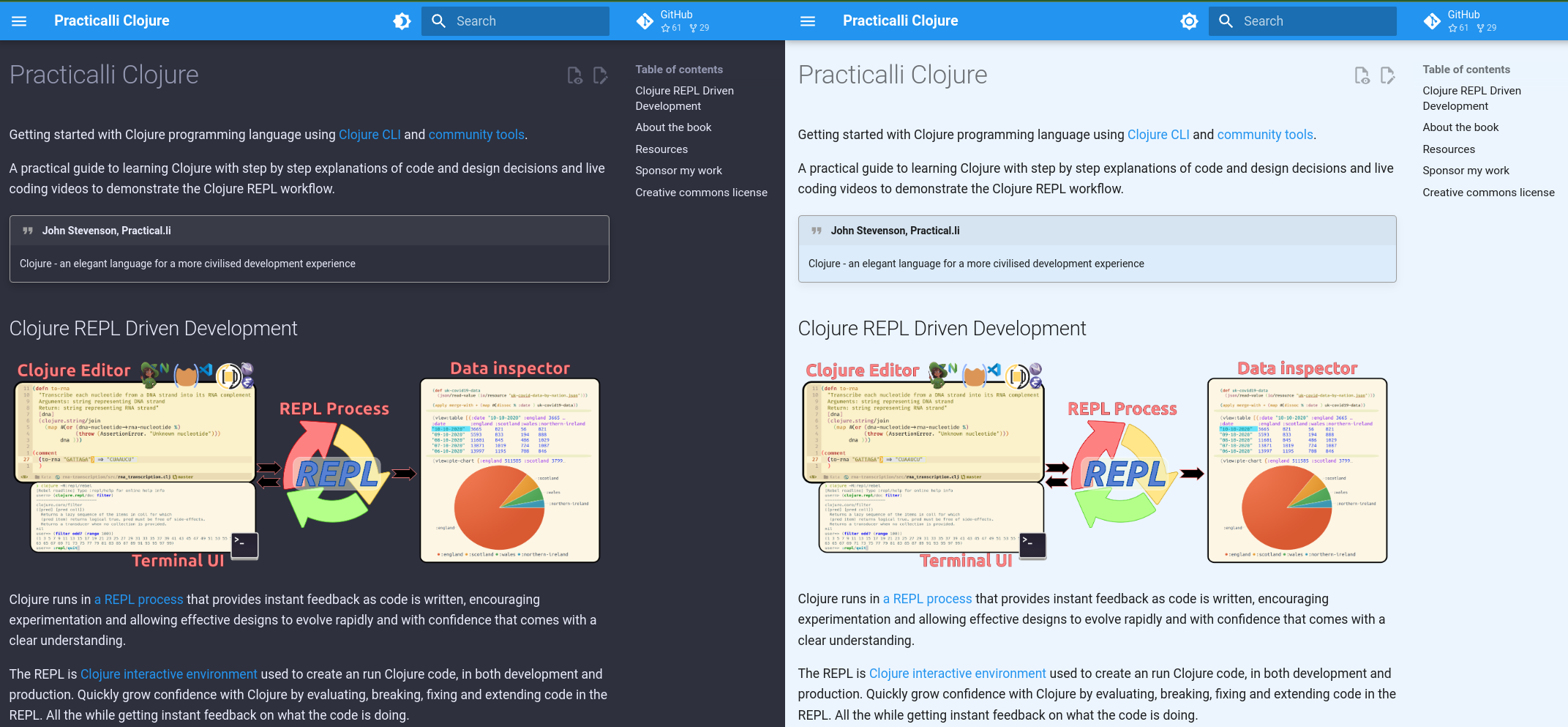
23 |
24 | Books can be edited directly via the pencil icon and changes added as a pull request. A full CI workflow checks all pull requests via MegaLinter. If a pull request is merged by Practicalli a new version of the book is build and published automatically.
25 |
26 | Please read the contributing guide for each book, e.g.