",
9 | "postgres://postgres://username:password@hostname.domain.com:1234/database-name"
10 | ]
11 | }
12 | }
13 | ]
14 | }
15 |
--------------------------------------------------------------------------------
/docs/assets/images/social/README.md:
--------------------------------------------------------------------------------
1 | # Social Cards
2 |
3 | Social Cards are visual previews of the website that are included when sending links via social media platforms.
4 |
5 | Material for MkDocs is [configured to generate beautiful social cards automatically](https://squidfunk.github.io/mkdocs-material/setup/setting-up-social-cards/), using the colors, fonts and logos defined in `mkdocs.yml`
6 |
7 | Generated images are stored in this directory.
8 |
--------------------------------------------------------------------------------
/overrides/partials/source.html:
--------------------------------------------------------------------------------
1 |
2 |
3 | {% set icon = config.theme.icon.repo or "fontawesome/brands/git-alt" %}
4 | {% include ".icons/" ~ icon ~ ".svg" %}
5 |
6 |
7 | {{ config.repo_name }}
8 |
9 |
10 |
--------------------------------------------------------------------------------
/.gitignore:
--------------------------------------------------------------------------------
1 | # Exclude all files from root directory
2 | /*
3 |
4 | # ------------------------
5 | # Common project files
6 | !CHANGELOG.md
7 | !README.md
8 | !LICENSE
9 |
10 | # ------------------------
11 | # Include MkDocs files
12 | !docs/
13 | !includes/
14 | !overrides/
15 | !mkdocs.yml
16 | !mkdocs-staging.yml
17 |
18 | # ------------------------
19 | # Project automation
20 | !Makefile
21 |
22 | # ------------------------
23 | # Version Control
24 | !.gitignore
25 | !.github/
26 |
--------------------------------------------------------------------------------
/.github/config/markdown-link-check.json:
--------------------------------------------------------------------------------
1 | {
2 | "ignorePatterns": [
3 | {
4 | "pattern": "^http://localhost"
5 | },
6 | {
7 | "pattern": "^mailto:*"
8 | },
9 | {
10 | "pattern": "^#*"
11 | },
12 | {
13 | "pattern": "^https://127.0.0.0/"
14 | }
15 | ],
16 | "timeout": "20s",
17 | "retryOn429": true,
18 | "retryCount": 5,
19 | "fallbackRetryDelay": "30s",
20 | "aliveStatusCodes": [
21 | 200,
22 | 206
23 | ]
24 | }
25 |
--------------------------------------------------------------------------------
/docs/using-neovim/comments.md:
--------------------------------------------------------------------------------
1 | # Comments
2 |
3 | [comment.nvim](https://github.com/terrortylor/nvim-comment){target=_blank} toggles a comment for lines, visual selections or for motions
4 |
5 | `gcc` comment current line, `4gcc` comment current line and next 4 lines
6 |
7 | `gc` comment region or use with motion e.g. `gcap` comment paragraph,
8 |
9 | gc in operator pending mode to target a comment TODO: what is operator pending mode
10 |
11 | `:7,17Commentary` comment a range
12 |
13 | `:g/TODO/Commentary` as part of a :global invocation
14 |
15 | `gcgc` removes comments from a set of adjacent commented lines.
16 |
--------------------------------------------------------------------------------
/.github/config/gitleaks.toml:
--------------------------------------------------------------------------------
1 | title = "gitleaks config"
2 |
3 | [allowlist]
4 | description = "global allow lists"
5 | paths = [
6 | '''gitleaks.toml''',
7 | '''(.*?)(jpg|gif|doc|docx|zip|xls|pdf|bin|svg|socket)$''',
8 | '''(go.mod|go.sum)$''',
9 | '''gradle.lockfile''',
10 | '''node_modules''',
11 | '''package-lock.json''',
12 | '''pnpm-lock.yaml''',
13 | '''Database.refactorlog''',
14 | '''vendor''',
15 | ]
16 |
17 | [[rules]]
18 | description = "AWS Example API Key"
19 | id = "aws-example-api-key"
20 | regex = '''AKIAIOSFODNN7EXAMPLE'''
21 | keywords = [
22 | "awstoken",
23 | ]
24 |
--------------------------------------------------------------------------------
/docs/reference/configuration/index.md:
--------------------------------------------------------------------------------
1 | # Practicalli Configuration Designs
2 |
3 | Practicalli Astro 5 is the current configuration used for the Practicalli Neovim book.
4 |
5 | [Customising Astro 5](../../install/customise-configuration.md) describes the design of that configuration.
6 |
7 |
8 | [Astrocommunity](astrocommunity.md) - override plugin defaults
9 |
10 |
11 | ## Retired Configurations
12 |
13 | Designs of previous Neovim configurations are kept for posterity, although none of these configurations are actively maintained.
14 |
15 | - [Astro (Astro 4)](astro4.md)
16 | - [neovim-config-redux](fenel-config/index.md) (fenel)
17 |
18 |
19 |
20 | > NOTE: Practicalli may return to a fennel based configuration in future, although a Lua based configuration is very easy to work with.
21 |
--------------------------------------------------------------------------------
/docs/reference/modal-editing/visual-select.md:
--------------------------------------------------------------------------------
1 | # Visual Select
2 |
3 | Select characters, words, lines and regions with visual select. The background changes color to visually indicate which text is selected
4 |
5 | `v` enters visual select mode and can be with objects such as word `w` and locations such as end of line `$`.
6 |
7 | `o` to expand from left side of selection and `O` to expand from the right side of a selection, using the `hjkl` navigation keys
8 |
9 |
10 | ## Line and block
11 |
12 | ++"V"++ enters visual line select mode
13 |
14 | ++"j"++ and ++"k"++ alter the selection by line
15 |
16 |
17 | ++ctrl+"v"++ enters visual region select mode
18 |
19 | !!! HINT "Switch between visual modes"
20 | Once in visual mode:
21 |
22 | ++"V"++ switches to visual line mode
23 | ++ctrl+"v"++ switches to visual line mode
24 |
--------------------------------------------------------------------------------
/docs/reference/lua-language/index.md:
--------------------------------------------------------------------------------
1 | # Lua
2 |
3 | Lua is the default language for Neovim configuration.
4 |
5 |
6 | ## Learning Lua
7 |
8 | [:globe_with_meridians: Neovim Lua introduction](https://neovim.io/doc/user/lua.html){target=_blank .md-button}
9 |
10 | [:globe_with_meridians: Lua.org - Programming in Lua (first edition)](https://www.lua.org/pil/contents.html){target=_blank .md-button}
11 |
12 | [:globe_with_meridians: Codecademy - learn lua course](https://www.codecademy.com/learn/learn-lua){target=_blank .md-button}
13 |
14 |
15 | ## Reference
16 |
17 | [:globe_with_meridians: Lua.org 5.4 Reference Manual](https://www.lua.org/manual/5.4/){target=_blank .md-button}
18 |
19 | [:globe_with_meridians: Introduction to Lua - Codecademy](https://www.codecademy.com/learn/learn-lua/modules/learn-lua-introduction/cheatsheet){target=_blank .md-button}
20 |
--------------------------------------------------------------------------------
/docs/using-neovim/spell-check.md:
--------------------------------------------------------------------------------
1 | # Spell Check
2 |
3 | Neovim has a built-in spell check tool. Grammar checks are not supported.
4 |
5 | Incorrect words have a red squiggly underscore.
6 |
7 | ++"z"++ ++equal++ with the cursor on a word shows a list of possible spelling and similar words.
8 |
9 | Select a word using its number in list to replace the word under the cursor, or ++esc++ to close the spelling list.
10 |
11 | | Key | Description |
12 | |---------------------------|----------------------------|
13 | | ++"z"++ ++equal++ | spelling suggestions |
14 | | ++bracket-left++ ++"s"++ | next incorrect word |
15 | | ++bracket-right++ ++"s"++ | previous incorrect word |
16 | | ++"z"++ ++"g"++ | add word to spelling list |
17 | | ++"z"++ ++"w"++ | mark word as misspelled |
18 | | ++spc++ ++"u"++ ++"s"++ | toggle spellcheck |
19 |
--------------------------------------------------------------------------------
/overrides/404.html:
--------------------------------------------------------------------------------
1 |
4 |
5 |
6 | {% extends "main.html" %}
7 |
8 |
9 | {% block content %}
10 | This is not the page you are looking for
11 |
12 |
13 | Sorry we have arrived at a page that does not exist or has been reorganised...
14 |
15 |
16 |
17 | Use the Search bar at the top of the page to find the topic and examples required
18 |
19 |
20 |
21 | Practicalli Neovim continues to evolve and
26 |
29 |
30 |
31 | {% endblock %}
32 |
--------------------------------------------------------------------------------
/.github/config/lychee.toml:
--------------------------------------------------------------------------------
1 |
2 | # ----------------------------------------
3 | # Base URL or website root directory to check relative URLs.
4 | base = "https://practical.li/neovim"
5 |
6 | # Only test links with the given schemes (e.g. https).
7 | # Omit to check links with any other scheme.
8 | # At the moment, we support http, https, file, and mailto.
9 | scheme = ["https"]
10 |
11 | # ----------------------------------------
12 | # Exclusions
13 |
14 | # Exclude URLs and mail addresses from checking (supports regex).
15 | exclude = ['^https://www\.linkedin\.com', '^https://127.0.0.0']
16 |
17 | # Exclude these filesystem paths from getting checked.
18 | exclude_path = ["mkdocs.yml", "overrides", "includes", ".github", ".git"]
19 |
20 | # Exclude all private IPs from checking.
21 | # Equivalent to setting `exclude_private`, `exclude_link_local`, and
22 | # `exclude_loopback` to true.
23 | exclude_all_private = true
24 |
25 | # Check mail addresses
26 | include_mail = false
27 | # ----------------------------------------
28 |
--------------------------------------------------------------------------------
/docs/using-neovim/terminal.md:
--------------------------------------------------------------------------------
1 | # Terminal
2 |
3 | [akinsho/toggleterm.nvim](https://github.com/akinsho/toggleterm.nvim) plugin provides a terminal session within Neovim, using a float, split or tab.
4 |
5 |
6 | ++spc++ ++"t"++ for the Terminal sub-menu
7 |
8 | ++spc++ ++"t"++ ++"f"++ opens a terminal in a floating window, useful for one-off commands or short sessions
9 |
10 | ++spc++ ++"t"++ ++"f"++ opens a terminal in a horizontal split, useful for a process that prints valuable feedback, e.g. a test runner in watch mode
11 |
12 | `:Toggleterm direction=tab` opens a terminal in a tab page, useful for long running processes
13 |
14 |
15 |
16 | {loading=lazy}
17 | {loading=lazy}
18 |
--------------------------------------------------------------------------------
/docs/reference/modal-editing/g-menu.md:
--------------------------------------------------------------------------------
1 | # Evil G menu
2 |
3 | g` in normal mode opens a menu of convenient utilities. Practicalli uses this menu to comment existing lines, jumping to top or bottom of the buffer and changing text case.
4 |
5 |
6 | ## Comment lines and regions
7 |
8 | `g c c` will comment the current line using the buffer major mode comment character(s). A prompt will ask if no comment character is set for the major mode.
9 |
10 | `g c` with a selected region will comment all lines with the major mode comment character(s)
11 |
12 |
13 | ## Jumping around
14 |
15 | `g g` jumps to the top of the buffer, `g G` to the bottom of the buffer
16 |
17 | `g d` to jump to the source code of a function definition, `g D` to open that in a different window.
18 |
19 | `g f` to jump to file name under cursor (if file exists).
20 |
21 |
22 | ## Changing text case
23 |
24 | `g u` to change the current character or selection to lowercase, `g U` for uppercase.
25 |
26 | !!! Hint "Toggle case with `~`"
27 | > `~` will toggle the case of the current character or selected region.
28 |
29 |
35 |
--------------------------------------------------------------------------------
/docs/source-control/lazygit.md:
--------------------------------------------------------------------------------
1 | # Lazygit version control
2 |
3 | ??? INFO "Command Line or AstroNvim configuration"
4 | Lazygit interface not provided by Practicalli Neovim Config Redux
5 |
6 |
7 | ## Requirements
8 |
9 | Install lazygit command line tool
10 |
11 |
12 | ## Open Lazygit
13 |
14 | === "AstroNvim"
15 |
16 | `SPC g g` to open git status with lazygit in a popup window
17 |
18 |
19 | === "Command Line"
20 | Change to the root directory of the git managed project.
21 |
22 | Run the lazygit rich terminal UI
23 |
24 | ```shell
25 | lazygit
26 | ```
27 |
28 | ## Use Lazygit
29 |
30 | `SPC` to stage files or directories in the files section of the UI
31 |
32 | `c` for a simple commit message prompt in the lazygit UI
33 |
34 | `C` to create a commit message within the
35 |
36 |
37 | !!! INFO "Define Editor for Git Commit Messages"
38 | Set `core.editor` in the user Git configuration (i.e. `.config/git/config`) to the name of the editor to use for commit messages, e.g. `nvim`, `emacsclient`)
39 | ```shell title=
40 | git config --global core.editor = nvim
41 | ```
42 | Alternatively, use the `VISUAL` or `EDITOR` environment variable to the choice of editor
43 |
--------------------------------------------------------------------------------
/docs/termux/neovim.md:
--------------------------------------------------------------------------------
1 | # Install neovim
2 |
3 | Neovim version 0.11 is currently available as a Termux package
4 |
5 | ```
6 | pkg install neovim
7 | ```
8 |
9 | ## Neovim config
10 |
11 | [Practicalli Astro 5 config](/neovim/install/astro5-configuration/) provides tools for an effective Clojure workflow and software engineering tasks.
12 |
13 |
14 | ## Treesitter language support
15 |
16 | Treesitter provides excellent language syntax parsing and highlighting performance, allowing any Neovim package to benefit.
17 |
18 | Install C compiler to compile the parser for each specific programming language.
19 |
20 | ```shell
21 | pkg install clang
22 | ```
23 |
24 | > NOTE: `gcc` is not packaged for Termux, although there are guides to install gcc if preferred. clang has proved to be capable of creating the parsers used in the Practicalli configuration.
25 |
26 |
27 | ## Searching files
28 |
29 | ripgrep is a highly optomised tool to search through files on the operating system, used by system pickers to optomise search results.
30 |
31 | ```shell
32 | pkg install ripgrep
33 | ```
34 |
35 |
36 | ## LSP language servers
37 |
38 | Some LSP servers require node.js to install and run.
39 |
40 | ```shell
41 | pkg install nodejs
42 | ```
43 |
--------------------------------------------------------------------------------
/docs/install/index.md:
--------------------------------------------------------------------------------
1 | # Install Overview
2 |
3 | Practicalli Neovim provides a feature rich configuration for Neovim and all the tools required for effective Clojure development (and other Lisp dialects too).
4 |
5 | - [:fontawesome-solid-book-open: Terminal, Fonts and Tools](terminal-tools.md)
6 | - [:fontawesome-solid-book-open: Clojure tooling and Java SDK](https://practical.li/clojure/install/){target=_blank} (Practicalli Clojure)
7 | - [:fontawesome-solid-book-open: Neovim 0.11.x](neovim.md) and supporting CLI tools
8 | - [:fontawesome-solid-book-open: Practicalli Astro5](astro5-configuration.md) configuration
9 | - Optional: [:fontawesome-solid-book-open: Customise configuration](customise-configuration.md) configuration
10 | - Optional: [:fontawesome-solid-book-open: Neovide](neovide.md) GUI for Neovim
11 | - [:fontawesome-solid-book-open: Troubleshoot](troubleshoot.md) if strange things occur
12 |
13 | !!! INFO "Neovim 0.11 latest stable release"
14 | Content and configuration in this book has been tested against Neovim 0.11, but not against Neovim nightly builds.
15 |
16 | !!! HINT "Already have Neovim & Practicalli Astro 5 installed?"
17 | [Learn how to use Neovim](../using-neovim/index.md) and how to [use Conjure for REPL driven development](../clojure-repl-workflow/index.md)
18 |
--------------------------------------------------------------------------------
/overrides/partials/palette.html:
--------------------------------------------------------------------------------
1 |
2 |
3 |
4 |
5 |
37 |
--------------------------------------------------------------------------------
/docs/reference/modal-editing/folding.md:
--------------------------------------------------------------------------------
1 | # Folding
2 |
3 | Folding
4 |
5 | Focus on the most important part of a buffer or file by folding source code and other text that is not currently needed.
6 |
7 |
8 | ++"z"++ menu has key mappings to control folds
9 |
10 | ++"z"++ ++"a"++ toggle current fold is very convenient for unfolding and folding the last fold.
11 |
12 |
13 | There are six methods to select folds:
14 |
15 | - manually define folds
16 | - more indent means a higher fold level
17 | - specify an expression to define folds
18 | - folds defined by syntax highlighting
19 | - diff folds for unchanged text
20 | - folds defined by markers in the text
21 |
22 |
23 | !!! INFO "fold docs"
24 | ```
25 | :help fold
26 | ```
27 |
28 | [Fold - Neovim docs](https://neovim.io/doc/user/fold.html){target=_blank .md-button}
29 |
30 |
31 | ## objects
32 |
33 |
34 | ++"z"++ ++"f"++ ++"a"++ ++"("++ wraps around matching parentheses ?
35 |
36 |
37 |
38 | ## Motions
39 |
40 |
41 |
42 |
43 | ## Treesitter folding
44 |
45 | Fold using Treesitter based text objects.
46 |
47 | ++"z"++ ++"a"++ will toggle the fold for the current treesitter text object, e.g folds the top level expression that contains the cursor.
48 |
49 | Specific text objects can be specified
50 |
51 | ++"z"++ ++"f"++ ++"a"++ ++"f"++ fold around top-level form at cursor
52 |
53 |
54 |
55 |
56 | TODO: fold with markers
57 |
--------------------------------------------------------------------------------
/.github/pull_request_template.md:
--------------------------------------------------------------------------------
1 | :memo: Description
2 |
3 |
4 | :white_check_mark: Checklist
5 |
6 | - [ ] Commits should be cryptographically signed (SSH or GPG)
7 |
8 |
9 | ## Practicalli Guidelines
10 |
11 | Please follow these guidelines when submitting a pull request
12 |
13 | - refer to all relevant issues, using `#` followed by the issue number (or paste full link to the issue)
14 | - PR should contain the smallest possible change
15 | - PR should contain a very specific change
16 | - PR should contain only a single commit (squash your commits locally if required)
17 | - Avoid multiple changes across multiple files (raise an issue so we can discuss)
18 | - Avoid a long list of spelling or grammar corrections. These take too long to review and cherry pick.
19 |
20 | ## Submitting articles
21 |
22 | [Create an issue using the article template](https://github.com/practicalli/blog-content/issues/new?assignees=&labels=article&template=article.md&title=Suggested+article+title),
23 | providing as much detail as possible.
24 |
25 | ## Website design
26 |
27 | Suggestions about website design changes are most welcome, especially in terms of usability and accessibility.
28 |
29 | Please raise an issue so we can discuss changes first, especially changes related to aesthetics.
30 |
31 | ## Review process
32 |
33 | All pull requests are reviewed by @practicalli-johnny and feedback provided, usually the same day but please be patient.
34 |
--------------------------------------------------------------------------------
/.github/workflows/changelog-check.yaml:
--------------------------------------------------------------------------------
1 | ---
2 | # Check CHANGELOG.md file updated for every pull request
3 |
4 | name: Changelog Check
5 | on:
6 | pull_request:
7 | paths-ignore:
8 | - "README.md"
9 | types: [opened, synchronize, reopened, ready_for_review, labeled, unlabeled]
10 |
11 | jobs:
12 | changelog:
13 | name: Changelog Update Check
14 | runs-on: ubuntu-latest
15 | steps:
16 | - run: echo "🚀 Job automatically triggered by ${{ github.event_name }}"
17 | - run: echo "🐧 Job running on ${{ runner.os }} server"
18 | - run: echo "🐙 Using ${{ github.ref }} branch from ${{ github.repository }} repository"
19 |
20 | # Git Checkout
21 | - name: Checkout Code
22 | uses: actions/checkout@v5
23 | with:
24 | fetch-depth: 0
25 | sparse-checkout: |
26 | docs
27 | overrides
28 | .github
29 | CHANGELOG.md
30 | - run: echo "🐙 Sparse Checkout of ${{ github.repository }} repository to the CI runner."
31 |
32 | # Changelog Enforcer
33 | - name: Changelog Enforcer
34 | uses: dangoslen/changelog-enforcer@v3
35 | with:
36 | changeLogPath: "CHANGELOG.md"
37 | skipLabels: "skip-changelog-check"
38 |
39 | # Summary and status
40 | - run: echo "🎨 Changelog Enforcer quality checks completed"
41 | - run: echo "🍏 Job status is ${{ job.status }}."
42 |
--------------------------------------------------------------------------------
/docs/reference/neovim/language-providers.md:
--------------------------------------------------------------------------------
1 | # Language Providers
2 |
3 | Neovim delegates some features to [language providers](https://neovim.io/doc/user/provider.html){target=_blank}.
4 |
5 | `:checkhealth` command in Neovim shows if the binaries and tools required by each provider are available in the operating system.
6 |
7 | Resolve the issue with providers that generate a warning in the checkhealth report, following the ADVICE steps provided.
8 |
9 |
10 | ## Disable Language Providers
11 |
12 | If a language is not used with Neovim, then its provider can be disabled. Details on how to disable a provider are included at the end of the ADVICE in the report section for that provider.
13 |
14 | 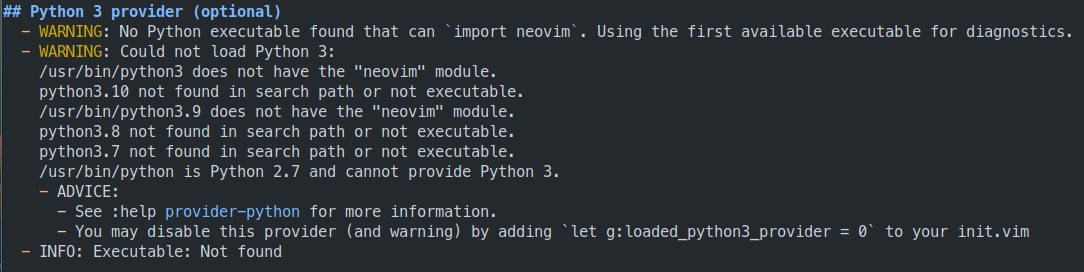
15 |
16 | Disable language providers in the `init.lua` configuration file
17 |
18 | ```lua title="init.lua"
19 | -- Disable Language providers
20 | vim.g.loaded_node_provider = 0 --- (1)!
21 | vim.g.loaded_perl_provider = 0
22 | vim.g.loaded_python3_provider = 0
23 | vim.g.loaded_ruby_provider = 0
24 | ```
25 |
26 | 1. Example configuration to disable providers is provided in the [practicalli/neovim-config-redux](https://github.com/practicalli/neovim-config-redux){target=_blank} configuration
27 |
28 |
29 | !!! TIP "Ignore Language Provider warnings"
30 | If the programming language is not used, there are no issues with using Neovim if the warnings are simply ignored
31 |
--------------------------------------------------------------------------------
/docs/reference/modal-editing/case.md:
--------------------------------------------------------------------------------
1 | # Modifying text case
2 |
3 | Convert Characters and regioins to upper or lower case text.
4 |
5 |
6 | ## Toggle case with visual select
7 |
8 | `v` to visually select a character or use the vim motion keys to select a region
9 |
10 | `U` to uppercase current character or selected region
11 |
12 | `u` to lowercase current character or selected region
13 |
14 | `~` to toggle the case of the text in the selected region
15 |
16 | > `.` will repeat the previous selection size and case toggle
17 |
18 |
19 | ## Toggle case menu
20 |
21 | Toggle the current character using vim motion keys, without needing to select a region.
22 |
23 | `g ~` opens the toggle case menu
24 |
25 | > TODO: Add screenshot of `g ~` toggle case menu
26 |
27 | > `g ~ ~` uppercase current line (also works for `RET` and maybe other none-menu characters, but not `SPC`)
28 |
29 |
30 | ## Cheatsheet
31 |
32 | - `~` Changes the case of current character
33 | - `guu` Change current line from upper to lower.
34 | - `gUU` Change current LINE from lower to upper.
35 | - `guw` Change to end of current WORD from upper to lower.
36 | - `guaw` Change all of current WORD to lower.
37 | - `gUw` Change to end of current WORD from lower to upper.
38 | - `gUaw` Change all of current WORD to upper.
39 | - `g~~` Invert case to entire line
40 | - `g~w` Invert case to current WORD
41 | - `guG` Change to lowercase until the end of document.
42 | - `gU)` Change until end of sentence to upper case
43 | - `gu}` Change to end of paragraph to lower case
44 | - `gU5j` Change 5 lines below to upper case
45 | - `gu3k` Change 3 lines above to lower case
46 |
--------------------------------------------------------------------------------
/docs/reference/modal-editing/index.md:
--------------------------------------------------------------------------------
1 | # Reference: Learn Vim-style Editing
2 |
3 | Learning vim-style multi-modal editing takes time and can be learned in stages
4 |
5 | Start with the multi-modal concept and the basics of navigation. Then adopt more normal and visual mode actions, including motions
6 |
7 |
8 | !!! INFO "Interactive Tutorial in Neovim"
9 | `:Tutor` runs the intteractive tutorial built into neovim `(:help tutor` also runs the tutor)
10 |
11 | !!! INFO Online learning resources
12 | [:globe_with_meridians: vim adventures](https://vim-adventures.com/) is a simple online game to teach the fundamentals of vim-style editing.
13 |
14 |
15 | ## Essential commands
16 |
17 | Before starting Neovim for the first time, you should know these commands:
18 |
19 | ++"i"++ to enter insert mode to type text as in any other editor
20 |
21 | ++esc++ to leave insert mode and type commands in normal mode
22 |
23 | ++"q"++ to quit Neovim
24 |
25 | ++"q"++ ++"!"++ to save files and quit
26 |
27 | ++"q"++ ++"!"++ to quit without saving
28 |
29 | [:fontawesome-solid-book-open: Learn to speak Vim-style editing](speaking-vim.md){.md-button}
30 | [:fontawesome-solid-book-open: Quick Reference](neovim-quick-reference.md){.md-button}
31 | [:fontawesome-solid-book-open: Editing tips for Clojure](tips-for-clojure.md){.md-button}
32 |
33 |
34 | ## Navigation and searching
35 |
36 | - [moving around](moving-arround.md)
37 | - [Motions](speaking-vim/#motions)
38 | - [G menu: common shortcuts](g-menu.md)
39 | - [Z menu: folds and scrolling](z-menu.md)
40 | - search and replace
41 |
42 |
43 | ## Text format
44 |
45 | - [modify text case](case.md)
46 |
--------------------------------------------------------------------------------
/docs/reference/modal-editing/moving-around.md:
--------------------------------------------------------------------------------
1 | # Moving around the cursor
2 |
3 | Scrolling is quite inefficient in most editors and moving (jumping) the curor around is far more effective.
4 |
5 | Using the `h` `j` `k` `l` as a common part of navigation provides consistency and keeps fingers on the most convienient part of the keyboard.
6 |
7 |
8 | ## Moving by charater
9 |
10 | `h` `j` `k` `l` keys move the cursor once character or can be used with numbers to move further.
11 |
12 | - `h` move left (often used to move up a path or tree, e.g. a directory path)
13 | - `j` move down
14 | - `k` move up
15 | - `l` move right (often used to move down a path or tree, e.g. a directory path)
16 |
17 |
18 | ## Moving with numbers
19 |
20 | `:` followed by a number then one of `h` `j` `k` `l` keys will move the cursor that number in the director of the key.
21 |
22 | `3j` will move 3 lines down the buffer (or to the end of the fuffer if there are fewer lines remaining)
23 |
24 | Using Relative line numbers showws how far each line is from the current line. The practicalli/neovim-config sets `:relativenames true` in `fnl/config/init.fnl`.
25 |
26 | `42l` moves 42 charaters to the right
27 |
28 | > moving by [motions](motions.md) avoids the need to count characters
29 |
30 |
31 | ## Moving around the buffer
32 |
33 | `g g` to jump to the top of the current buffer
34 |
35 | `G` to jump to the bottom of the buffer
36 |
37 | `z z` moves the current line and cursor to the middle of the window
38 |
39 | `z t` moves the current line and cursor to the top of the window
40 |
41 | `z t` moves the current line and cursor to the bottom of the window (or as far as the buffer will move in the window)
42 |
--------------------------------------------------------------------------------
/docs/using-neovim/plugin-manager.md:
--------------------------------------------------------------------------------
1 | # Lazy Plugin manager & Mason tool manager
2 |
3 | Neovim community provides a wide range of plugins to extend the features of Neovim.
4 |
5 | There is a basic built-in plugin manager although the Neovim roadmap describes its intent as to support community plugin managers.
6 |
7 | Lazy plugin manager creates a resource efficient use of Neovim by only loading plugins when needed and provides an excellent user experience.
8 |
9 | Mason manages Language Server Protocol (LSP) servers, Debug Adaptor
10 |
11 | !!! NOTE "Update everything"
12 |
13 | ++spc++ ++"p"++ ++"a"++ to update lazy plugins and mason tools
14 |
15 |
16 | !!! TIP "Update again for AstroNvim plugins"
17 | A notification ... change in AstroNvim plugins.
18 |
19 | TODO: insert screenshot of notification
20 |
21 | `U` in the lay plugin runs the update again and installs the new plugins.
22 |
23 |
24 | 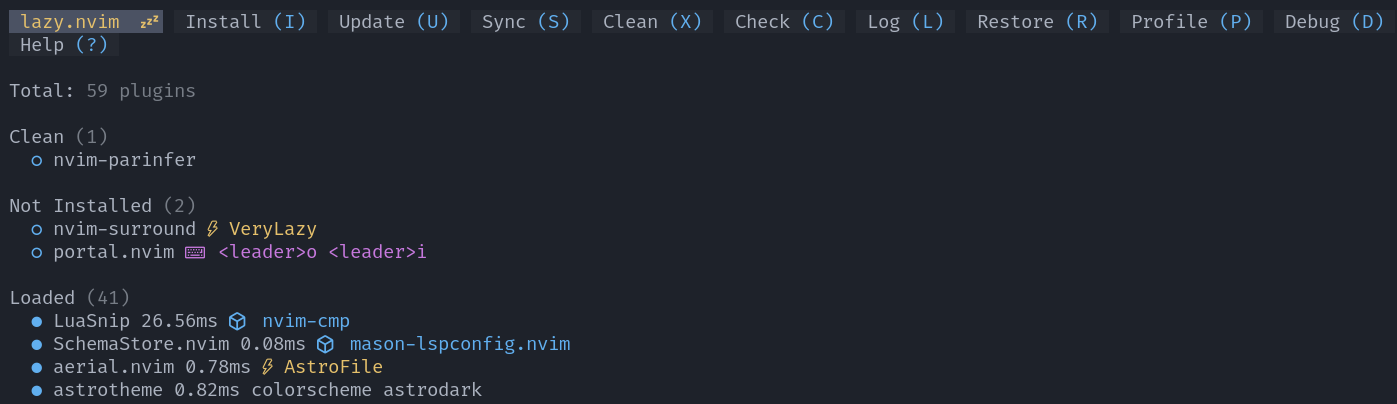{loading=lazy}
25 | {loading=lazy}
26 |
27 |
28 | ### Plugin status
29 |
30 | The Lazy popup shows the plugins installed and there status and changelog.
31 |
32 | The changelog is shown for updated plugins, highlighting breaking changes. Conventional commits style is used for most plugins, making it easier to follow the most important changes.
33 |
34 | `RET` on a plugin name expands to show the source of the plugin.
35 |
36 |
37 | TODO: example plugin changelog
38 |
--------------------------------------------------------------------------------
/.github/workflows/scheduled-version-check.yaml:
--------------------------------------------------------------------------------
1 | ---
2 | # ------------------------------------------
3 | # Scheduled check of versions
4 | # - use as non-urgent report on versions
5 | # - Uses POSIX Cron syntax
6 | # - Minute [0,59]
7 | # - Hour [0,23]
8 | # - Day of the month [1,31]
9 | # - Month of the year [1,12]
10 | # - Day of the week ([0,6] with 0=Sunday)
11 | #
12 | # Using liquidz/anta to check:
13 | # - GitHub workflows
14 | # - deps.edn
15 | # ------------------------------------------
16 |
17 | name: "Scheduled Version Check"
18 | on:
19 | schedule:
20 | # - cron: "0 4 * * *" # at 04:04:04 ever day
21 | # - cron: "0 4 * * 5" # at 04:04:04 ever Friday
22 | - cron: "0 4 1 * *" # at 04:04:04 on first day of month
23 | workflow_dispatch: # Run manually via GitHub Actions Workflow page
24 |
25 | jobs:
26 | scheduled-version-check:
27 | name: "Scheduled Version Check"
28 | runs-on: ubuntu-latest
29 | steps:
30 | - run: echo "🚀 Job automatically triggered by ${{ github.event_name }}"
31 | - run: echo "🐧 Job running on ${{ runner.os }} server"
32 | - run: echo "🐙 Using ${{ github.ref }} branch from ${{ github.repository }} repository"
33 |
34 | - name: Checkout Code
35 | uses: actions/checkout@v5
36 | with:
37 | fetch-depth: 0
38 | sparse-checkout: |
39 | .github
40 | - run: echo "🐙 ${{ github.repository }} repository sparse-checkout to the CI runner."
41 | - name: "Antq Check versions"
42 | uses: liquidz/antq-action@main
43 | with:
44 | excludes: ""
45 | skips: "boot clojure-cli pom shadow-cljs leiningen"
46 |
47 | # Summary
48 | - run: echo "🎨 library versions checked with liquidz/antq"
49 | - run: echo "🍏 Job status is ${{ job.status }}."
50 |
--------------------------------------------------------------------------------
/docs/clojure-repl-workflow/index.md:
--------------------------------------------------------------------------------
1 | # REPL Driven Development with Clojure
2 |
3 | Conjure provides the REPL driven development workflow for Clojure (and many other fun languages) and includes a built-in tutorial.
4 |
5 | - [:fontawesome-solid-book-open: Starting a REPL & Evaluating code](conjure/) - using Conjure
6 | - [:fontawesome-solid-book-open: Structural Editing](structural-editing/) - parinfer or paredit
7 | - [:fontawesome-solid-book-open: Refactor tools](refactor-tools/) - Language Server Protocol features
8 | - [:fontawesome-solid-book-open: Unit Testing](testing/) - run REPL or external test runners
9 | - Inspecting data, e.g. [:fontawesome-solid-book-open: Portal](https://practical.li/clojure/data-inspector/portal/){target=_blank}
10 |
11 |
12 | !!! INFO "Pre-requisite: multi-modal editing"
13 | [:fontawesome-solid-book-open: Multi-modal Editing](/neovim/neovim-basics/multi-modal-editing/) is a recommended pre-requisite
14 |
15 | !!! INFO "Aliases to run Clojure REPL - Practicalli Clojure CLI Config"
16 | [:fontawesome-solid-book-open: Practicalli Clojure CLI config](https://practical.li/clojure/clojure-cli/practicalli-config/){target=_blank} contains aliases used to start a Clojure REPL and other development tools. Aliases are used extensively through the Clojure sections of this book.
17 |
18 | ??? WARNING "Practicalli Neovim config replaces some key bindings"
19 | [Practicalli Neovim Config](/neovim/configuration/practicalli/){target=_blank} replaces several key bindings to make them consistent with other Clojure editors
20 |
21 |
22 | ## References
23 |
24 | * [Which Clojure CLI option - M T X P - should be used](https://practical.li/blog/posts/clojure-which-execution-option-to-use/)
25 | * [Make task to simplify Clojure development](https://practical.li/engineering-playbook/build-tool/make/)
26 |
--------------------------------------------------------------------------------
/docs/termux/index.md:
--------------------------------------------------------------------------------
1 | # NeoVim on Termux
2 |
3 | A smart phone or tablet and an external keyboard can make an excellent ultra-portable development environment, especially when travelling with limited space or restricted weight constraints.
4 |
5 | Termux can be [installed using the F-Droid marketplace](fdroid-install.md){target=_blank}, as with installing any other Android app.
6 |
7 | !!! WARNING "Do not install Termux App from the Google Play store"
8 | The Termux App in Google Play store is significantly out of date and will not work properly and probably not at all
9 |
10 | 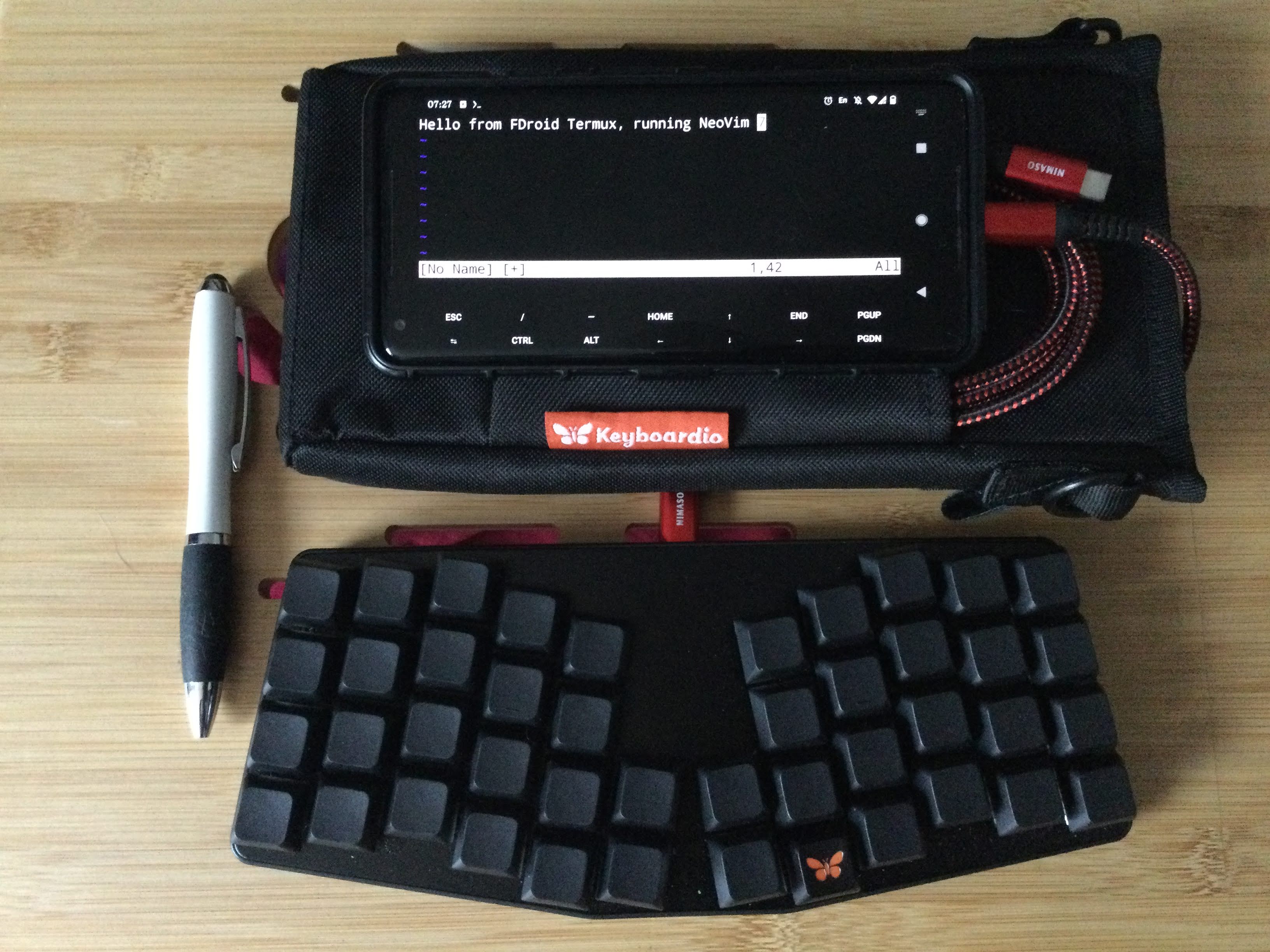
11 |
12 |
13 | ## Keyboard
14 |
15 | [Atreus from Keyboardio](https://shop.keyboard.io/products/keyboardio-atreus) is an excellent travel keyboard and was used to write most of the Practicalli Neovim configuration and Neovim book (especially during delays at airports)
16 |
17 |
18 | [Model 100 from Keyboardio](https://shop.keyboard.io/products/model-100) is used by Practicalli at the office
19 |
20 |
21 | ## Running Termux
22 |
23 | Run Termux from the app launcher added as an android app by the F-Droid install.
24 |
25 | A help menu will show the basic command needed to work with packages.
26 |
27 | Software keys for Termux specific controls are shown. Keys can be toggled with the `Volume Up + q` key combination.
28 |
29 | 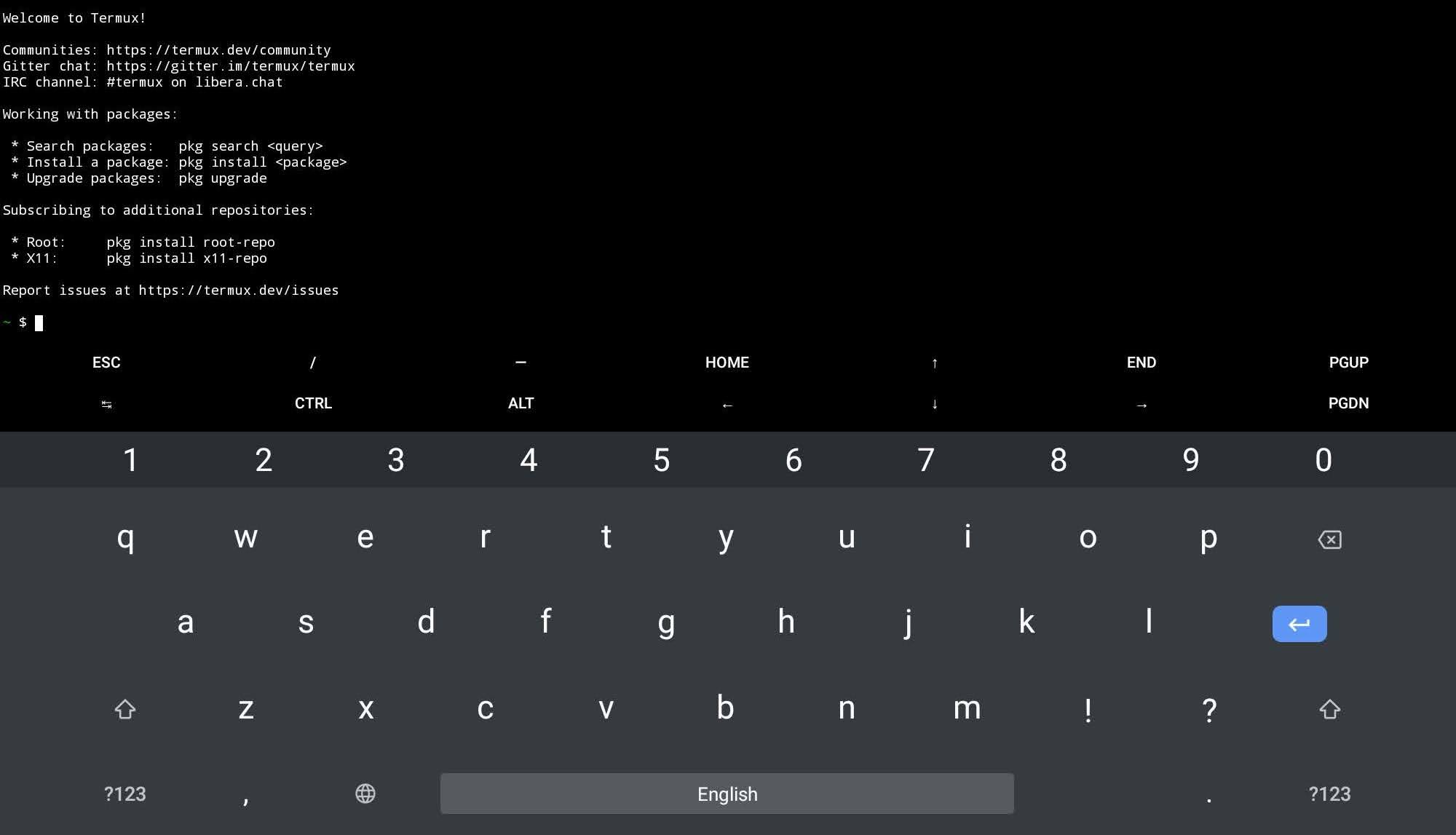
30 |
31 | > Termux may not display in fullscreen when Android productivity mode, usually activated on tablets when physical keyboard or mouse is attached. Disabling productivity mode in the Android settings is recommended.
32 |
--------------------------------------------------------------------------------
/.github/workflows/publish-book.yaml:
--------------------------------------------------------------------------------
1 | ---
2 | name: Publish Book
3 | on:
4 | # Manually trigger workflow
5 | workflow_dispatch:
6 |
7 | # Run work flow conditional on linter workflow success
8 | workflow_run:
9 | workflows:
10 | - "MegaLinter"
11 | paths:
12 | - "docs/**"
13 | - "includes/**"
14 | - "overrides/**"
15 | - "mkdocs.yaml"
16 | branches:
17 | - main
18 | types:
19 | - completed
20 |
21 | permissions:
22 | contents: write
23 |
24 | jobs:
25 | publish-book:
26 | name: MkDocs Publish
27 | runs-on: ubuntu-latest
28 | steps:
29 | - run: echo "🚀 Job automatically triggered by ${{ github.event_name }}"
30 | - run: echo "🐧 Job running on ${{ runner.os }} server"
31 | - run: echo "🐙 Using ${{ github.ref }} branch from ${{ github.repository }} repository"
32 |
33 | - name: Checkout Code
34 | uses: actions/checkout@v5
35 | with:
36 | fetch-depth: 0
37 | sparse-checkout: |
38 | docs
39 | includes
40 | overrides
41 | - run: echo "🐙 ${{ github.repository }} repository sparse-checkout to the CI runner."
42 |
43 | - name: Setup Python
44 | uses: actions/setup-python@v6
45 | with:
46 | python-version: 3.x
47 |
48 | - run: echo "cache_id=$(date --utc '+%V')" >> $GITHUB_ENV
49 | - uses: actions/cache@v4
50 | with:
51 | key: mkdocs-material-${{ env.cache_id }}
52 | path: .cache
53 | restore-keys: |
54 | mkdocs-material-
55 |
56 | - run: pip install mkdocs-material mkdocs-callouts mkdocs-glightbox mkdocs-git-revision-date-localized-plugin mkdocs-redirects pillow cairosvg
57 | - run: mkdocs gh-deploy --force
58 | - run: echo "🐙 ."
59 |
60 | # Summary and status
61 | - run: echo "🎨 MkDocs Publish Book workflow completed"
62 | - run: echo "🍏 Job status is ${{ job.status }}."
63 |
--------------------------------------------------------------------------------
/docs/source-control/octo.md:
--------------------------------------------------------------------------------
1 | # Octo - GitHub issues and PRs
2 |
3 | List, create and edit issues and pull requests from Neovim with Octo package.
4 |
5 | Octo connects to GitHub via the GitHub CLI, using a developer token for authentication
6 |
7 | Neogit provides a Magit style client, creating commits, pull & push changes with remote repositories.
8 |
9 |
10 | ## GitHub interaction
11 |
12 | [GitHub CLI](https://cli.github.com/){target=_blank .md-button}
13 |
14 | Work with GitHub issues and Pull Requests from the comfort of Neovim.
15 |
16 | [GitHub CLI](https://cli.github.com/){target=_blank} to authentication to a GitHub account. Successful login creates a local developer token that is used by Octo to communicate with GitHub.
17 |
18 | ```shell
19 | gh auth login
20 | ```
21 |
22 | ### Octo commands
23 |
24 | Command line form: `Octo [arguments]` - [Object, Action and Arguments commands](https://github.com/pwntester/octo.nvim#-commands){target=_blank}
25 |
26 | List issues from current project (optionally add a specific repository)
27 |
28 | ```sh
29 | :Octo issue list practicalli/neovim
30 | ```
31 |
32 | > The account/repository-name is required if Octo cannot find the repository
33 |
34 | 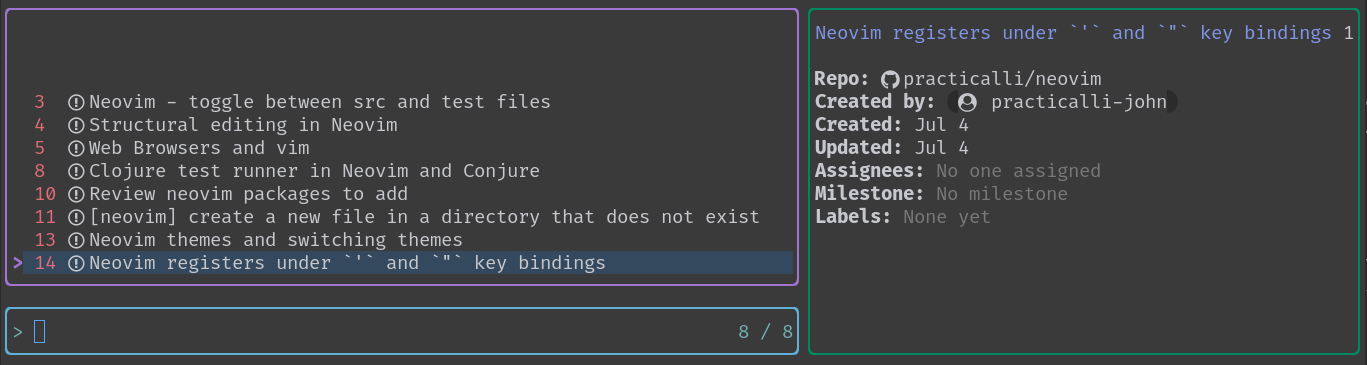
35 |
36 | Create a pull requests from current project
37 |
38 | ```sh
39 | :Octo pr create
40 | ```
41 |
42 | Add a comment to the current topic (issue/pr)
43 | ```sh
44 | :Octo comment add
45 |
46 | ```
47 |
48 | ```sh
49 | :Octo gist list
50 | ```
51 |
52 | 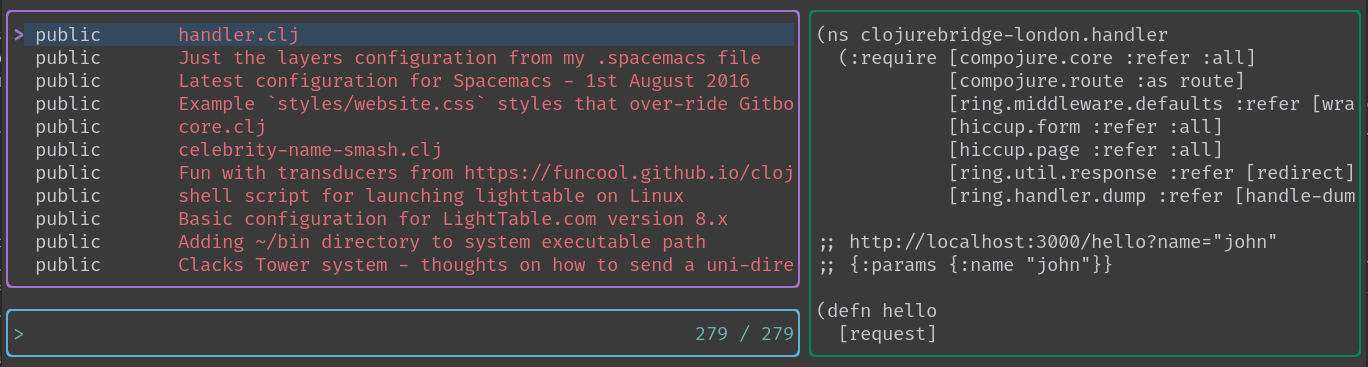
53 |
54 | !!! HINT "Octo.nvim configuration options"
55 | [Octo.nvim configuration options](https://github.com/pwntester/octo.nvim#%EF%B8%8F-configuration){target=_blank}
56 |
--------------------------------------------------------------------------------
/docs/reference/configuration/fenel-config/packages/nvim-treesitter.md:
--------------------------------------------------------------------------------
1 | # Nvim Treesitter
2 |
3 | Treesitter provides language specific parsing, highlight and indent features and so is a fundamental plugin to use with Neovim.
4 |
5 | `clojure`, `fennel`, `markdown` and `org` parsers are automatically installed in the practicalli/neovim-config-redux configuration.
6 |
7 | * `:TSInstallInfo` lists language parsers and install status
8 | * `:TSUpdate {language}` to update a parser to the latest compatible version (specified in nvim-treesitter lockfile.json).
9 | * `:TSInstall {language}` compiles and installs a parser for the given language.
10 | * `:TSUpdateSync` to update all parsers to the latest available versions
11 |
12 |
13 | ## nvim-treesitter configuration
14 |
15 | `clojure`, `fennel`, `markdown` and `org` parsers are automatically installed if not already available.
16 |
17 | `:sync_install true` automatically updates the parsers when the nvim-treesitter plugin is updated. Treesitter and its parsers are actively developed, so its important to ensure parsers are kept up to date. This is the equivalent of manually running `:TSUpdateSync`.
18 |
19 | Parser highlight and indent modules are enabled by default
20 |
21 | In `fnl/config/plugin/treesitter.fnl`
22 |
23 | ```fennel
24 | (module config.plugin.treesitter
25 | {autoload {treesitter nvim-treesitter.configs}})
26 |
27 | (treesitter.setup
28 | {:ensure_installed ["clojure" "fennel" "markdown" "org"]
29 | :sync_install true
30 | :highlight {:enable true}
31 | :indent {:enable true}})
32 | ```
33 |
34 |
35 | ## Manually Install Parsers
36 |
37 | nvim-treesitter provides the `TSInstall` command to generate a parser for a specific language, assuming that language is supported.
38 |
39 | > A compiler (gcc, clang, etc) should be installed in the operating system on which nvim is running
40 |
41 | ```
42 | :TSInstall {language}
43 | ```
44 | > `TAB` completion lists the available language parsers, `TAB` and `S-TAB` to navigate the auto-completion popup.
45 |
--------------------------------------------------------------------------------
/docs/using-neovim/snippets.md:
--------------------------------------------------------------------------------
1 | # Snippets
2 |
3 | [LuaSnip](https://github.com/L3MON4D3/LuaSnip) can use several different sources for snippets
4 |
5 | - VSCode JSON snippets ([Friendly-snippets](https://github.com/rafamadriz/friendly-snippets/tree/main/snippets))
6 | - [LSP style snippets](https://microsoft.github.io/language-server-protocol/specifications/lsp/3.17/specification/#snippet_syntax)
7 |
8 | ??? EXAMPLE "LuaSnip Configuration"
9 | [Practicalli Neovim Config Redux](https://github.com/practicalli/neovim-config-redux) includes the LuaSnip package which also adds friendly-snippets and cmp_luasnip.
10 | ```fennel
11 | ; snippets
12 | :L3MON4D3/LuaSnip
13 | {:requires [:rafamadriz/friendly-snippets
14 | :saadparwaiz1/cmp_luasnip]
15 | :mod :lua-snip}
16 | ```
17 | Configure LSP snippet locations
18 | ```json
19 | {
20 | "name": "practicalli-snippets",
21 | "engines": {
22 | "vscode": "^1.11.0"
23 | },
24 | "contributes": {
25 | "snippets": [
26 | {
27 | "language": [
28 | "markdown",
29 | "global",
30 | "all"
31 | ],
32 | "comment": "snippets accross several languages",
33 | "path": "./global.json"
34 | },
35 | {
36 | "language":
37 | "markdown",
38 | "path": "./markdown.json"
39 | }
40 | ]
41 | }
42 | }
43 | ```
44 |
45 | ## Snippet Definitions
46 |
47 | `snippets` directory contains snippet definitions, with a JSON file for each language, e.g. `markdown.json`
48 |
49 | [Practicalli Neovim Config Redux](https://github.com/practicalli/neovim-config-redux) contains several groups of snippet definitions
50 |
51 | - MkDocs format and icons (`markdown.json` VSCode syntax)
52 |
53 | !!! HINT "Restart Neovim to load new defintions"
54 | Snippets added to VSCode JSON snippets are only loaded when Neovim starts, so newly added snippets will only be available after Neovim is restarted.
55 |
--------------------------------------------------------------------------------
/docs/install/terminal-tools.md:
--------------------------------------------------------------------------------
1 | # Terminal Tools and Fonts
2 |
3 | Neovim is a terminal based application and [Kitty Terminal](#kitty-terminal) is highly recommended.
4 |
5 | File system search and other system information based features relie on [external command line tools](#command-line-tools).
6 |
7 | Language Server Protocol servers, format and lint tools managed by Mason often require [Nodejs](#nodejs) to install & run.
8 |
9 |
10 | ## Kitty Terminal
11 |
12 | Kitty Terminal provides multiple shell tabs, Nerd fonts, web icons and graphics support too, so is an excellent choice for running Neovim. Kitty is available on all good operating systems.
13 |
14 | [:fontawesome-solid-book-open: Kitty Terminal - Practicalli Engineering Playbook](https://practical.li/engineering-playbook/os/command-line/kitty-terminal/){target=_blank .md-button}
15 |
16 |
17 | ## Command line tools
18 |
19 | - [:fontawesome-brands-github: ripgrep](https://github.com/BurntSushi/ripgrep) fast text search tool
20 | - [:fontawesome-brands-github: fzf](https://github.com/junegunn/fzf) fuzzy finder
21 | - [:fontawesome-brands-github: gdu](https://github.com/dundee/gdu) disk usage analyzer
22 | - [:fontawesome-brands-github: bottom (btm)](https://github.com/ClementTsang/bottom) graphical process/system monitor for the terminal
23 |
24 |
25 | === "Debian packages"
26 | Install fzf, gdu and node.js via debian package manager
27 | ```shell
28 | apt install ripgrep fzf gdu
29 | ```
30 |
31 | === "Homebrew"
32 | Install ripgrep, fzf, gdu and node.js via Homebrew package manager
33 | ```shell
34 | brew install ripgrep fzf gdu nodejs
35 | ```
36 |
37 | Install btm from its [:fontawesome-brands-github: GitHub repository release page](https://github.com/ClementTsang/bottom/releases/){target=_blank}
38 |
39 |
40 | ## Nodejs
41 |
42 | Mason installs LSP servers, format and lint tools. Many LSP servers require node.js to install and function.
43 |
44 | [Node.js install - Practicalli Engineering Playbook](https://practical.li/engineering-playbook/programming-languages/javascript/nodejs/){target=_blank .md-button}
45 |
--------------------------------------------------------------------------------
/docs/using-neovim/refactor.md:
--------------------------------------------------------------------------------
1 | # Refactor
2 |
3 | Neovim has several built-in tools for general refactor and debugging.
4 |
5 | Most languages are suppored by an LSP server which provides common refactor tools across editors (when the server is fully implemented).
6 |
7 |
8 | ## Language Server Protocol
9 |
10 | Neovim provides a Language Server Protocol (LSP) client that uses a language specific LSP server to provides code refactoring features using semantic analysis of the current project.
11 |
12 | - find-references
13 | - rename
14 | - code actions (convert to function, let, etc)
15 |
16 |
17 | # Search and Replace in Multiple Buffers
18 |
19 | There are multiple ways to search and replace a pattern in multiple buffers. We can use the commands listed below to search and replace a pattern in multiple buffers.
20 |
21 | - `:argdo` — command for each file in the argument list
22 | - `:bufdo` — command in each buffer in the buffer list
23 | - `:tabdo` — command in each tab page
24 | - `:windo` — command in each window
25 | - `:cdo` — entry in the quickfix list
26 | - `:cfdo` — file in the quickfix list
27 |
28 |
29 | ## Quickfix
30 |
31 | Quickfix mode is used to speedup the edit-compile-edit cycle by saving error messages in a file that is then used to jump to relevant places in the code base.
32 |
33 | This allow addressing all of the errors generated without having to remember each and every error.
34 |
35 | Any generated list of position in a file can be used by Quickfix for more general editing speedups.
36 |
37 | > NOTE: Commonly used quickfix commands: `:cclose`, `:cnext`, `:copen`, `:grep`, `:make`
38 |
39 | Quickfix commands to try:
40 |
41 | - `:copen` opens the quickfix window
42 | - `:cclose` or `:ccl` closes quickfix window
43 | - `:cw` open it if there are "errors", close it otherwise
44 | - `:cn` Go to the next error in the window
45 | - `:cp` Go to the previous error in the window
46 | - `:cnf` Go to the first error in the next file
47 | - `:.cc` Go to error under cursor (if cursor is in quickfix window)
48 |
49 |
50 | [Quickfix - Neovim docs](https://neovim.io/doc/user/quickfix.html){target=_blank .md-button}
51 |
--------------------------------------------------------------------------------
/docs/source-control/diff.md:
--------------------------------------------------------------------------------
1 | # Diff
2 |
3 | Compare differences between different files or between a file and its versions.
4 |
5 | `:diffsplit filename` Neovim command opens a split containing the selected filename, showing a diff comparision to the currently opened file
6 |
7 | > file path completion helps select the correct file for comparison
8 |
9 |
10 | ## nvimdiff
11 |
12 | The Git `difftool` can specify Neovim as a diff viewer to show Git diff views of all the files that have changes
13 |
14 | !!! NOTE "nvimdiff as a command line option"
15 | ```shell
16 | git difftool --tool=nvimdiff
17 | ```
18 |
19 | `git difftool` can be configured to use Neovim
20 |
21 | !!! EXAMPLE "Git client config to set `nvimdiff` as `difftool`"
22 | ```config title="~/.config/git/config"
23 | [diff]
24 | # Neovim diff tool
25 | tool = nvimdiff
26 | ```
27 |
28 | Run `git difftool` in the root of the project to show the diff of each changed file.
29 |
30 | !!! NOTE ""
31 | ```shell
32 | git difftool
33 | ```
34 |
35 | ++colon++ ++"q"++ ++"a"++ to close the current diff view. The command line prompts to open the next file as a diff view (assuming there are more files to view).
36 |
37 |
38 |
39 | ## DiffView
40 |
41 | DiffView compares working space and staged changes side by side, or a diff for git merge conflicts.
42 |
43 | ++spc++ ++"g"++ ++"d"++ or `d` in neogit status buffer (`SPC g s`) will open diffview in a new tab
44 |
45 | ++bracket-left++ ++"c"++ to move to previous hunk
46 |
47 | ++bracket-right++ ++"c"++ to move to next hunk
48 |
49 | ++spc++ ++"g"++ to return to neovim buffer or ++"q"++ to return to neogit status buffer
50 |
51 | ++ctrl++ ++"h"++ / ++"j"++ / ++"k"++ / ++"l"++ to navigate between open splits
52 |
53 |
54 | 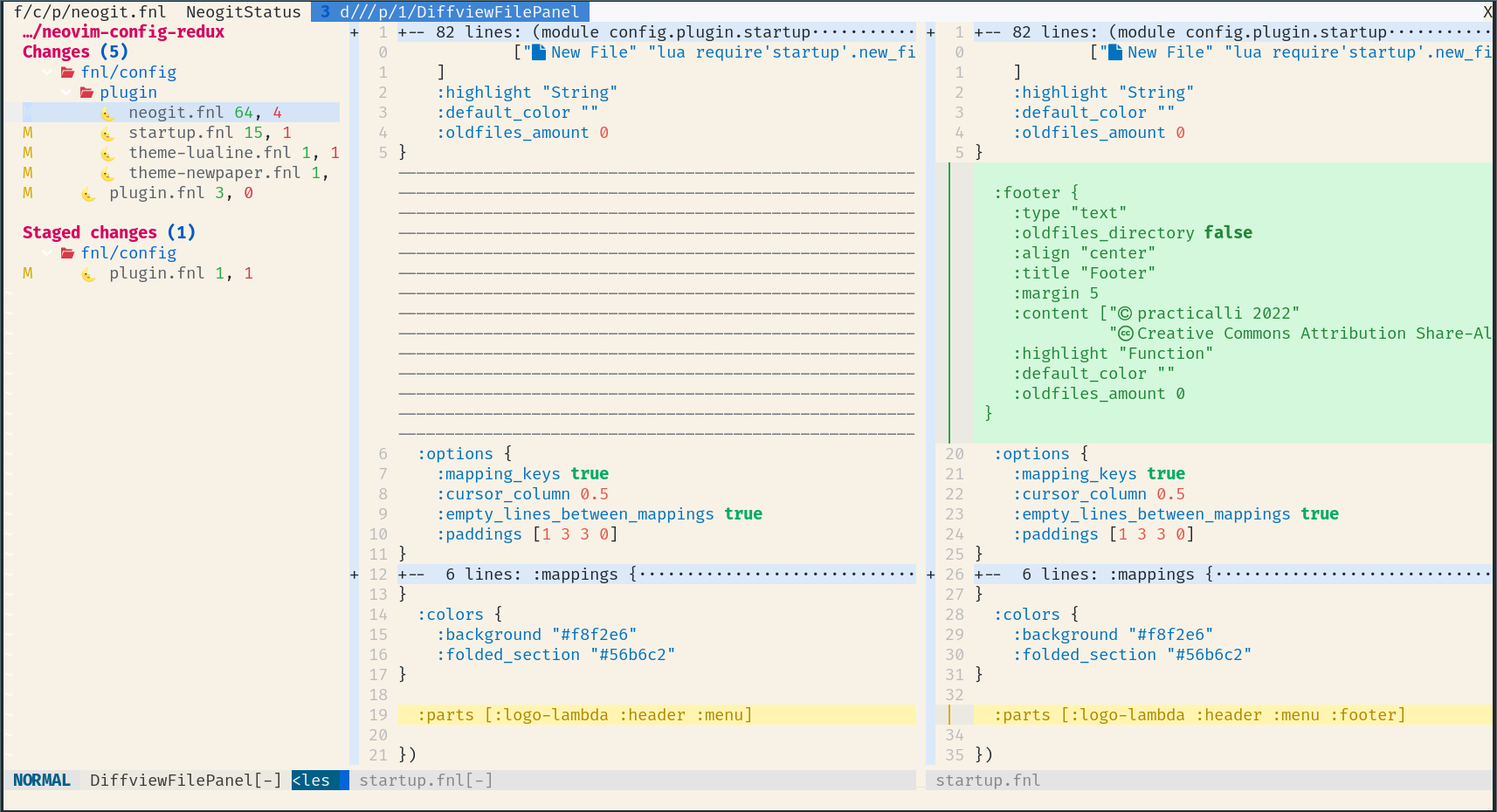
55 |
56 | * Green - added lines
57 | * Yellow - changed line
58 | * Red - deleted lines
59 |
--------------------------------------------------------------------------------
/docs/termux/fdroid-install.md:
--------------------------------------------------------------------------------
1 | # Install Termux via the F-Droid App
2 |
3 | Visit the [FDroid app](https://f-droid.org/){target=_blank} website and download F-Droid, which saves an F-Droid.apk file. Android may display a security prompt stating the browser does not have permissions to install software. The popup should include a configure link that opens the Android settings to allow the browser to install software.
4 |
5 | F-Droid should now be installed and its icon added to the Android system alongside all other Android apps.
6 |
7 | Open the F-Droid App and allow it to update its repositories, to ensure the latest list of apps are shown.
8 |
9 | Search for the **Termux** application, clicking on the Termux name if more details are required.
10 |
11 | Select the Install button.
12 |
13 | 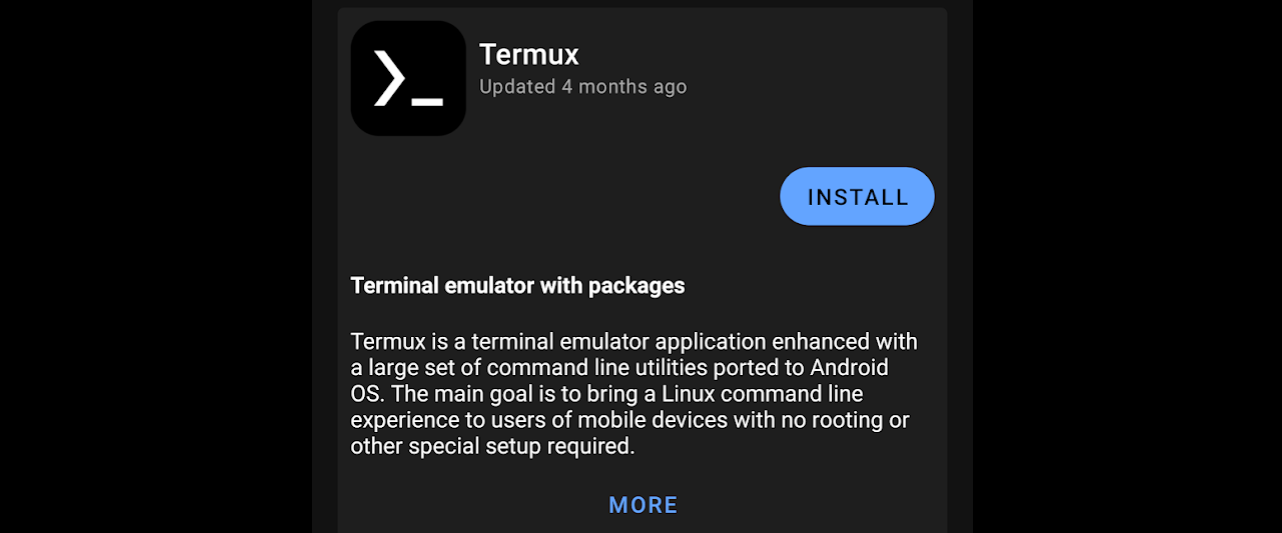
14 |
15 | When installing apps from F-Droid for the first time, a security prompt is show as F-Droid is an unknown source.
16 |
17 | Select *Settings* to open the Android settings and enable *Allow from this source* for the F-Droid app.
18 |
19 | 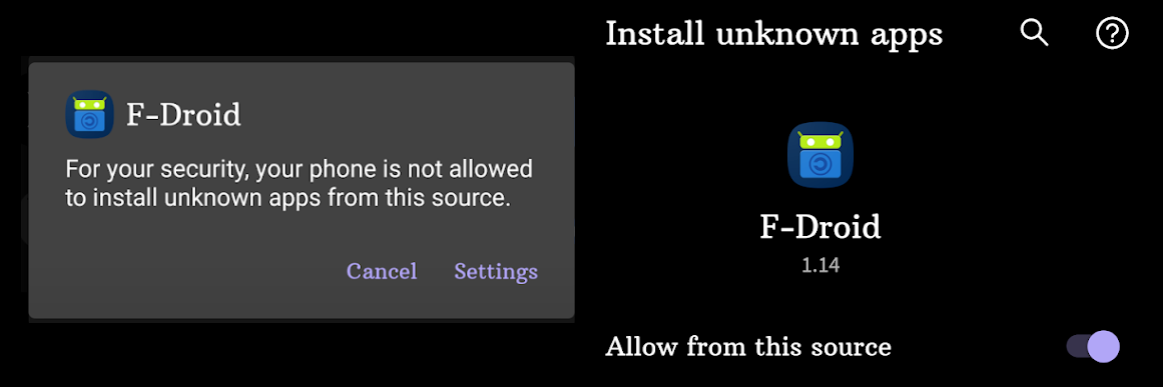
20 |
21 |
22 | A Termux App launcher will be added to the Android screen. Consider adding the Termux icon to the commonly used icons bar.
23 |
24 |
25 | ## Termux Styling
26 |
27 | Styling is a Termux plugin that provides a visually richer experience. Styling contains beautiful color schemes and powerline-reaqdy fonts to customise the appearance of the terminal
28 |
29 | Install the package via F-Droid
30 |
31 | 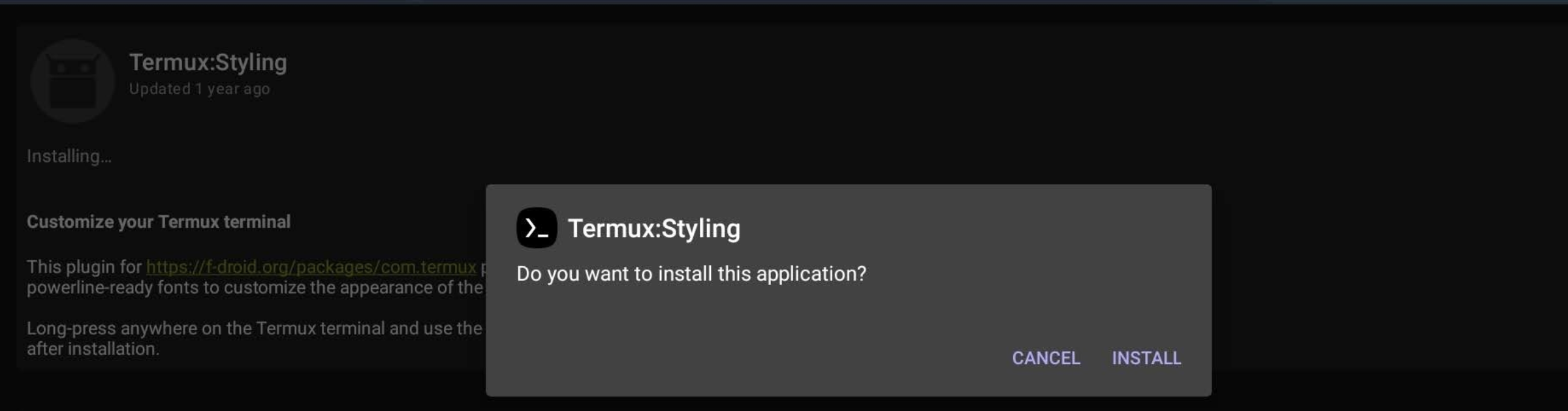
32 |
33 | > The styling menu is accessed via a long press on the Termux app screen, showing a **More > Style** option on the usual cut/copy/paste popup menu. Practicalli recommends `FiraCode` fonts.
34 |
--------------------------------------------------------------------------------
/.github/workflows/scheduled-stale-check.yaml:
--------------------------------------------------------------------------------
1 | # ----------------------------------------
2 | # Scheduled stale issue & pull request check
3 | #
4 | # Adds 'stale' label after a set piece of time,
5 | # then closes stale issues & pull requests a short period after
6 | #
7 | # Using "Close Stale Issues" action
8 | # https://github.com/marketplace/actions/close-stale-issues
9 | # ----------------------------------------
10 |
11 | name: 'Scheduled stale check'
12 | on:
13 | workflow_dispatch:
14 | schedule:
15 | - cron: "0 1 1 * *" # at 01:00 on first day of month
16 |
17 | jobs:
18 | stale:
19 | runs-on: ubuntu-latest
20 | steps:
21 | - run: echo "🚀 Job automatically triggered by ${{ github.event_name }}"
22 | - run: echo "🐧 Job running on ${{ runner.os }} server"
23 | - run: echo "🐙 Using ${{ github.ref }} branch from ${{ github.repository }} repository"
24 |
25 | - uses: actions/stale@v10
26 | with:
27 | stale-issue-message: 'After 30 days with no activity, the issue was automatically marked stale. Remove stale label or add a comment to prevent the issue being closed in 5 days.'
28 | stale-pr-message: 'After 45 days with no activity, the Pull Request was automatically marked stale. Remove stale label or comment to prevent the PR being closed in 10 days.'
29 | close-issue-message: 'This issue was closed because it has been stalled for 5 days with no activity.'
30 | close-pr-message: 'This PR was closed because it has been stalled for 10 days with no activity.'
31 | days-before-issue-stale: 30
32 | days-before-pr-stale: 45
33 | days-before-issue-close: 5
34 | days-before-pr-close: 10
35 | start-date: '2025-04-05T00:00:00Z' # only affect issues/PRs from date created (ISO 8601 or RFC 2822 format)
36 | any-of-labels: 'future,keep' # labels to keep
37 | exempt-issue-assignees: 'practicalli-johnny'
38 | exempt-pr-assignees: 'practicalli-johnny'
39 |
40 | # Summary
41 | - run: echo "🎨 Issues & Pull Request checked with actions/stale"
42 | - run: echo "🍏 Job status is ${{ job.status }}."
43 |
--------------------------------------------------------------------------------
/docs/using-neovim/index.md:
--------------------------------------------------------------------------------
1 | # Using Neovim
2 |
3 | The fundamental controls of Neovim which apply across all editing tasks.
4 |
5 | ## Fundamentals
6 |
7 | [:fontawesome-solid-book-open: Multi-modal Editing](multi-modal-editing.md){.md-button}
8 | [:fontawesome-solid-book-open: File Buffer Window and Tab page](file-buffer-window-tab.md){.md-button}
9 |
10 |
11 | ## Plugins & Tools Managers
12 |
13 | [:fontawesome-solid-book-open: Plugin Management](plugin-manager.md){.md-button}
14 | [:fontawesome-solid-book-open: LSP Server, Format & Lint tools](mason.md){.md-button}
15 |
16 |
17 | ## Editing Tools
18 |
19 | [:fontawesome-solid-book-open: Multiple Cursors](multiple-cursors.md){.md-button}
20 | [:fontawesome-solid-book-open: Search & Replace](search-replace/index.md){.md-button}
21 |
22 |
23 | ## Writing Tools
24 |
25 | [:fontawesome-solid-book-open: Snippets](snippets.md){.md-button}
26 |
27 |
28 | ## Development Tools
29 |
30 | [:fontawesome-solid-book-open: Comments](comments.md){.md-button}
31 | [:fontawesome-solid-book-open: Clojure Development](../repl-driven-development/index.md){.md-button}
32 | [:fontawesome-solid-book-open: Version Control](../version-control/index.md){.md-button}
33 |
34 | > Format and Lint tools are installed via Mason
35 |
36 |
37 |
38 |
39 |
40 | ## Keyboard mappings
41 |
42 | `:verbose map` followed by a key binding shows the location of the configuration that was last used to set the key mapping. Use when its not clear what command a key mapping is calling or if a plugin is over-riding an expected mapping.
43 |
44 | ++spc++ ++"f"++ ++"n"++ to list all notifications and ++enter++ on the relevant notification to see the details.
45 |
46 |
47 | `:verbose map ` shows the last place in the neovim config that defines a mapping for ++ctrl+arrow-up++.
48 |
49 | [Map Listing: Neovim docs](https://neovim.io/doc/user/map.html#map-listing){target=_blank .md-button}
50 | [Key Notation: Neovim docs](https://neovim.io/doc/user/intro.html#key-notation){target=_blank .md-button}
51 |
--------------------------------------------------------------------------------
/docs/clojure-repl-workflow/structural-editing.md:
--------------------------------------------------------------------------------
1 | # Structural Editing
2 |
3 | Structural editing ensures parenthesis (parens) and other pairs of characters remain balanced when entering or changing code, i.e. an open paren is not removed without removing the closing paren.
4 |
5 | Parinfer and Paredit plugins provides a way to manage parens effectively
6 |
7 | - [nvim-parinfer](https://github.com/gpanders/nvim-parinfer) manages the surrounding parens with indentation used for nested parens stuctures.
8 | - [nvim-treesitter-sexp](https://github.com/PaterJason/nvim-treesitter-sexp) paredit features, automatic balancing of parens and commands to refactor code structure
9 |
10 | !!! TIP "Practicalli recommends Parinfer & vim-style editing"
11 |
12 | ??? INFO "AstroNvim Community Clojure Pack includes parinfer & paredit"
13 | [nvim-parinfer](https://github.com/gpanders/nvim-parinfer) plugin is included in the [AstroNvim Community Clojure pack](https://github.com/AstroNvim/astrocommunity/tree/main/lua/astrocommunity/pack/clojure)
14 |
15 | ```lua
16 | { import = "astrocommunity.pack.clojure" },
17 | ```
18 |
19 | ## Parinfer
20 |
21 | Parinfer provides an easy to use approach that works in concert with vim-style modal editing.
22 |
23 | The author of the code focuses on aligning code and parinfer takes care of balancing the parens.
24 |
25 | To include new lines of code within an expression, create a new line `o` and indent.
26 |
27 | Parinfer will move the preceeding closing paren(s) to the new line, enclosing the new code in the overall expression.
28 |
29 | [Parinfer website](https://shaunlebron.github.io/parinfer/){target=_blank .md-button}
30 |
31 |
32 | ## Paredit
33 |
34 | [nvim-treesitter-sexp](https://github.com/PaterJason/nvim-treesitter-sexp) will automatically manage open and close parens.
35 |
36 | Paredit commands are provided to refactor lisp-style code and keep the parens balanced, e.g. slup, barf, promote (raise) expression, etc.
37 |
38 | !!! EXAMPLE "Example nvim-treesitter-sexp commands"
39 | ```shell
40 | swap_prev_elem, swap_next_elem, swap_prev_form, swap_next_form, promote_elem, promote_form, splice, slurp_left, slurp_right, barf_left, barf_right
41 | ```
42 |
43 | [The Animated Guide to Paredit](http://danmidwood.com/content/2014/11/21/animated-paredit.html){target=_blank .md-button}
44 |
--------------------------------------------------------------------------------
/docs/reference/neovim/standard-path.md:
--------------------------------------------------------------------------------
1 | # Neovim Standard Path
2 |
3 | View the standard paths used by Neovim using the help menu
4 |
5 | ```neovim
6 | :help standard-path
7 | ```
8 |
9 | Output of command
10 |
11 | ```neovim
12 | Standard Paths *standard-path*
13 |
14 | Nvim stores configuration, data, and logs in standard locations. Plugins are
15 | strongly encouraged to follow this pattern also. Use |stdpath()| to get the
16 | paths.
17 |
18 | *base-directories* *xdg*
19 | The "base" (root) directories conform to the XDG Base Directory Specification.
20 | https://specifications.freedesktop.org/basedir-spec/basedir-spec-latest.html
21 | The $XDG_CONFIG_HOME, $XDG_DATA_HOME, $XDG_RUNTIME_DIR, and $XDG_STATE_HOME
22 | environment variables are used if defined, else default values (listed below)
23 | are used.
24 |
25 | CONFIG DIRECTORY (DEFAULT) ~
26 | *$XDG_CONFIG_HOME* Nvim: stdpath("config")
27 | Unix: ~/.config ~/.config/nvim
28 | Windows: ~/AppData/Local ~/AppData/Local/nvim
29 |
30 | DATA DIRECTORY (DEFAULT) ~
31 | *$XDG_DATA_HOME* Nvim: stdpath("data")
32 | Unix: ~/.local/share ~/.local/share/nvim
33 | Windows: ~/AppData/Local ~/AppData/Local/nvim-data
34 |
35 | RUN DIRECTORY (DEFAULT) ~
36 | *$XDG_RUNTIME_DIR* Nvim: stdpath("run")
37 | Unix: /tmp/nvim.user/xxx /tmp/nvim.user/xxx
38 | Windows: $TMP/nvim.user/xxx $TMP/nvim.user/xxx
39 |
40 | STATE DIRECTORY (DEFAULT) ~
41 | *$XDG_STATE_HOME* Nvim: stdpath("state")
42 | Unix: ~/.local/state ~/.local/state/nvim
43 | Windows: ~/AppData/Local ~/AppData/Local/nvim-data
44 |
45 | Note: Throughout the user manual these defaults are used as placeholders, e.g.
46 | "~/.config" is understood to mean "$XDG_CONFIG_HOME or ~/.config".
47 |
48 | LOG FILE *$NVIM_LOG_FILE* *E5430*
49 | Besides 'debug' and 'verbose', Nvim keeps a general log file for internal
50 | debugging, plugins and RPC clients. >
51 | :echo $NVIM_LOG_FILE
52 | By default, the file is located at stdpath('log')/log unless that path
53 | is inaccessible or if $NVIM_LOG_FILE was set before |startup|.
54 | ```
55 |
--------------------------------------------------------------------------------
/docs/reference/modal-editing/z-menu.md:
--------------------------------------------------------------------------------
1 | # Evil Z menu
2 |
3 | `z` in normal mode opens a menu of convenient utilities
4 |
5 |
6 | ## Folding code, comments and other content
7 |
8 | Code folding is very useful for hiding different levels of detail, for example you could hide everything but the function names in a namespace, showing just the API for that namespace.
9 |
10 | Comments and documentation can be folded to help you focus on a specific part of the content.
11 |
12 | | Key | Description |
13 | |-------|---------------------------------------------|
14 | | `z a` | toggle fold of code, comment, section, etc. |
15 | | `z A` | toggle all folds |
16 | | `z c` | close fold |
17 | | `z f` | create fold |
18 | | `z M` | close all folds |
19 | | `z o` | open fold |
20 | | `z O` | open fold recursive (capital o) |
21 | | `z r` | fewer folds |
22 | | `z R` | open all folds |
23 | | `z x` | update folds |
24 |
25 | See [narrowing](narrowing.md) for a focused approach to editing.
26 |
27 |
28 | ## Scrolling
29 |
30 | Jump the current line to the center, top or bottom of the buffer.
31 |
32 | | Key | Description |
33 | |-------|---------------------------------------------|
34 | | `z b` | scroll the current line to bottom of buffer |
35 | | `z t` | scroll the current line to top of buffer |
36 | | `z z` | scroll the current line to center of buffer |
37 |
38 |
39 | ## Spelling
40 |
41 | ++"z"++ ++equal++ with the cursor on a word shows a list of possible spelling and similar words.
42 |
43 | Select a word using its number in list to replace the word under the cursor, or ++esc++ to close the spelling list.
44 |
45 | | Key | Description |
46 | |---------------------------|----------------------------|
47 | | ++"z"++ ++equal++ | spelling suggestions |
48 | | ++bracket-left++ ++"s"++ | next incorrect word |
49 | | ++bracket-right++ ++"s"++ | previous incorrect word |
50 | | ++"z"++ ++"g"++ | add word to spelling list |
51 | | ++"z"++ ++"w"++ | mark word as misspelled |
52 |
--------------------------------------------------------------------------------
/docs/using-neovim/notifications.md:
--------------------------------------------------------------------------------
1 | # Notifications
2 |
3 | Notification messages are shown in the bottom right corner of Neovim. Multiple messages are show bottom upwards.
4 |
5 | Notifications are set to show for 2 seconds and then are automatically closed.
6 |
7 | Notification popups show information, warnings and errors.
8 |
9 | 
10 |
11 |
12 | ## Message History
13 |
14 | History of notifications can be browsed to see more detail and to select the text of a notification.
15 |
16 | ++spc++ ++"f"++ ++"n"++ lists the history of notifications for the current session
17 |
18 | ++enter++ to open the highlighted item in the list in its own pop-up
19 |
20 | ++"y"++ ++"y"++ to yank the text of a notification when displayed in a pop-up
21 |
22 | 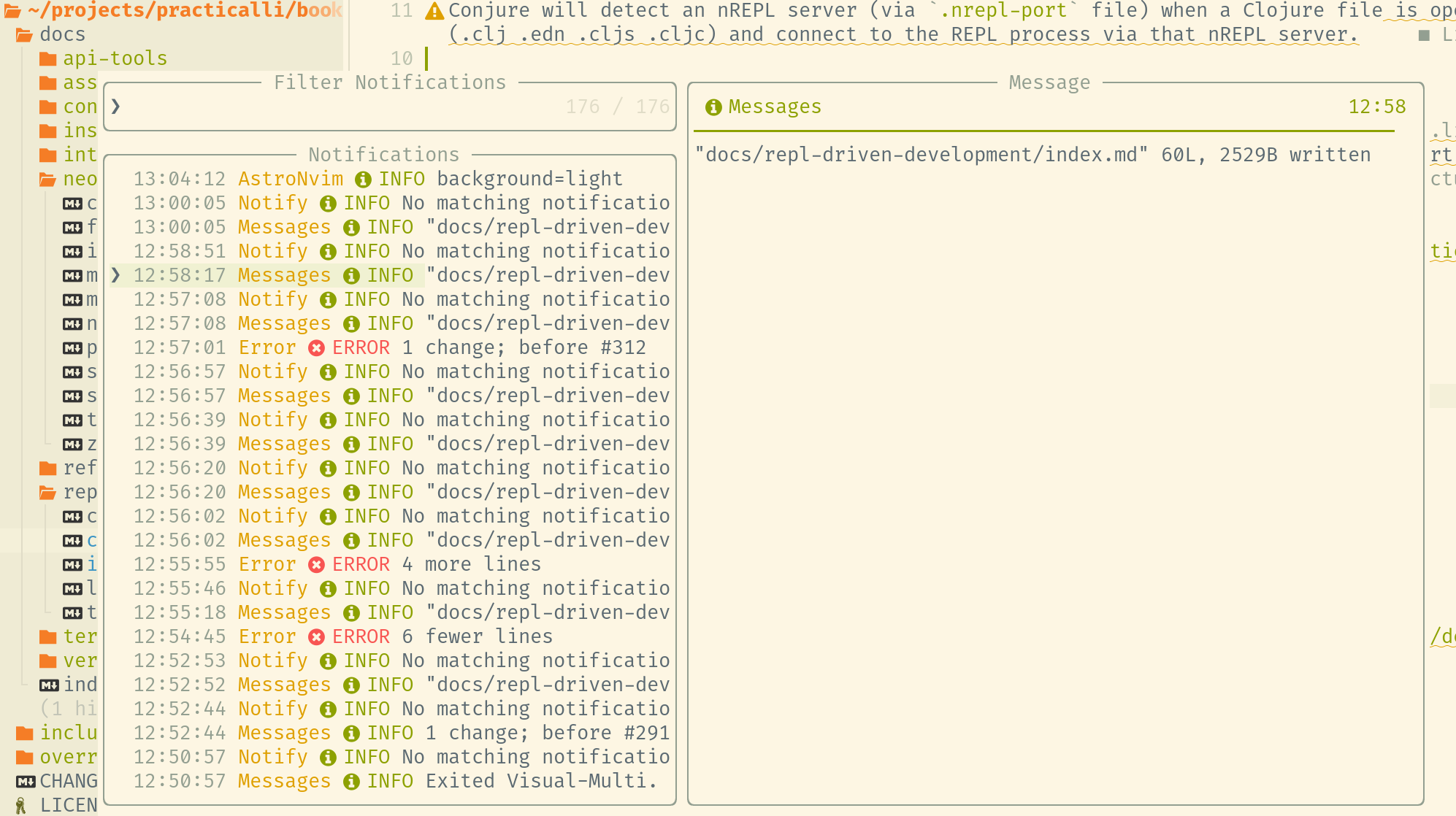{loading=lazy}
23 | 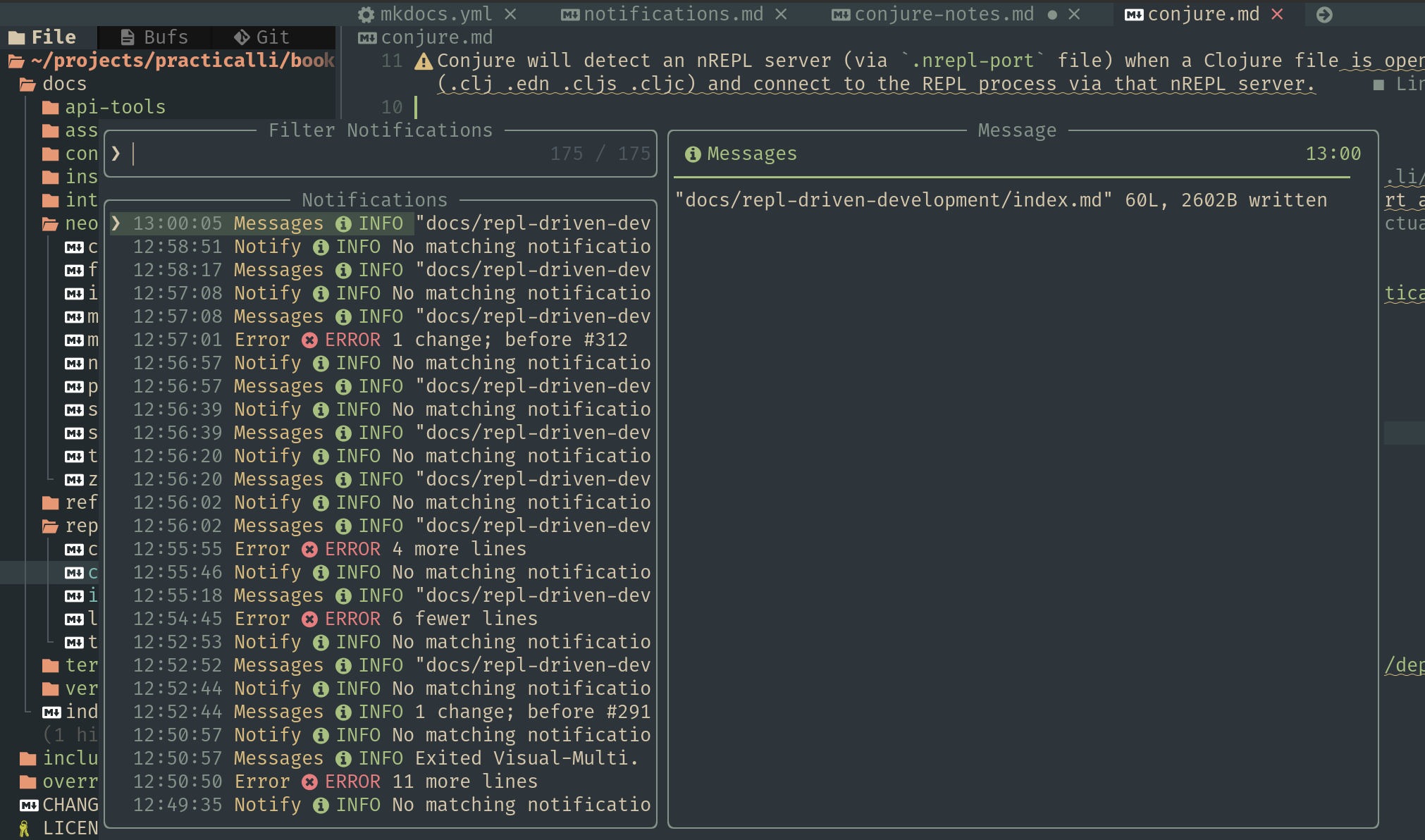{loading=lazy}
24 |
25 |
26 | !!! INFO "Noice used for notifications UI"
27 | Practicalli Astro config uses [Noice](https://github.com/folke/noice.nvim) to draw the UI for notification messages, command line and popup menus.
28 |
29 |
30 | ## Configure notifications
31 |
32 | Notifications are controlled by [:globe_with_meridians: nvim-notify](https://github.com/rcarriga/nvim-notify)
33 |
34 | - `top_down` position of notifications, `false` shows popups from bottom of screen
35 | - `timeout` value controls how long a popup displays, default `3000`
36 | - `level` of information displayed, level 3 hides less important information, e.g. file write messages, default 5
37 |
38 | !!! EXAMPLE "Practicalli Astro Configuration for notifications"
39 | ```lua title="lua/community.lua"
40 | -- Configure notify popups
41 | {
42 | "rcarriga/nvim-notify",
43 | opts = {
44 | top_down = false,
45 | timeout = 2000,
46 | -- log level - 3 hide file write messages - default 5
47 | level = 3,
48 | -- background_color = "#000000",
49 | },
50 | },
51 | ```
52 |
--------------------------------------------------------------------------------
/.github/workflows/megalinter.yaml:
--------------------------------------------------------------------------------
1 | ---
2 | # MegaLinter GitHub Action configuration file
3 | # More info at https://megalinter.io
4 | # All variables described in https://megalinter.io/latest/configuration/
5 |
6 | name: MegaLinter
7 | on:
8 | workflow_dispatch:
9 | pull_request:
10 | branches: [main]
11 | push:
12 | branches: [main]
13 |
14 | # Run Linters in parallel
15 | # Cancel running job if new job is triggered
16 | concurrency:
17 | group: "${{ github.ref }}-${{ github.workflow }}"
18 | cancel-in-progress: true
19 |
20 | jobs:
21 | megalinter:
22 | name: MegaLinter
23 | runs-on: ubuntu-latest
24 | steps:
25 | - run: echo "🚀 Job automatically triggered by ${{ github.event_name }}"
26 | - run: echo "🐧 Job running on ${{ runner.os }} server"
27 | - run: echo "🐙 Using ${{ github.ref }} branch from ${{ github.repository }} repository"
28 |
29 | # Git Checkout
30 | - name: Checkout Code
31 | uses: actions/checkout@v5
32 | with:
33 | fetch-depth: 0
34 | sparse-checkout: |
35 | docs
36 | overrides
37 | .github
38 | - run: echo "🐙 Sparse Checkout of ${{ github.repository }} repository to the CI runner."
39 |
40 | # MegaLinter Configuration
41 | - name: MegaLinter Run
42 | id: ml
43 | ## latest release of major version
44 | uses: oxsecurity/megalinter/flavors/documentation@v9
45 | env:
46 | # ADD CUSTOM ENV VARIABLES OR DEFINE IN MEGALINTER_CONFIG file
47 | MEGALINTER_CONFIG: .github/config/megalinter.yaml
48 |
49 | GITHUB_TOKEN: "${{ secrets.GITHUB_TOKEN }}" # report individual linter status
50 | # Validate all source when push on main, else just the git diff with live.
51 | VALIDATE_ALL_CODEBASE: >-
52 | ${{ github.event_name == 'push' && github.ref == 'refs/heads/main'}}
53 |
54 | # Upload MegaLinter artifacts
55 | - name: Archive production artifacts
56 | if: ${{ success() }} || ${{ failure() }}
57 | uses: actions/upload-artifact@v4
58 | with:
59 | name: MegaLinter reports
60 | path: |
61 | megalinter-reports
62 | mega-linter.log
63 |
64 | # Summary and status
65 | - run: echo "🎨 MegaLinter quality checks completed"
66 | - run: echo "🍏 Job status is ${{ job.status }}."
67 |
--------------------------------------------------------------------------------
/docs/using-neovim/search-replace/grug-far.md:
--------------------------------------------------------------------------------
1 | # Grug Far
2 |
3 | A very efficient search and replace tool using the external [ripgrep command](https://github.com/BurntSushi/ripgrep/blob/master/GUIDE.md) line tool.
4 |
5 | ++spc++ ++"s"++ is the search and replace menu
6 |
7 | ++"g"++ ++"?"++ for help menu in the Grug-far buffer
8 |
9 |
10 | !!! NOTE "Search and replace with Grug-Far"
11 |
12 | ++spc++ ++"s"++ ++"s"++ to search across the current workspace (project)
13 |
14 | Enter a Search pattern, press ++esc++ and all occurrences across the project are shown
15 |
16 | Enter a Replace pattern, press ++esc++ to see occurrences with their replacement
17 |
18 | ++comma++ ++"r"++ to replace all occurrences with the replace pattern
19 |
20 | ++comma++ ++"j"++ / ++"k"++ replace at current line & move to next / previous change
21 |
22 |
23 | ??? TIP "Search results in Quicklist"
24 | ++comma++ ++"q"++ adds search results to quickfix list to edit occurrences with other Neovim tools
25 |
26 |
27 | ## Search buffer
28 |
29 | Enter patterns in the **Search** and **Replace** and the results are show in a diff below.
30 |
31 | ++tab++ and ++shift++ ++tab++ navigate between search buffer sections.
32 |
33 | {loading=lazy}
34 |
35 | ??? EXAMPLE "Ripgrep options for Grug-Far"
36 | - `-i/--ignore-case`: ignore case differences, e.g. `rg -i fast` matches `fast`, `fASt`, `FAST`, etc.
37 | - `-F/--fixed-strings`: Disable regular expression matching and treat the pattern as a literal string.
38 | - `-w/--word-regexp`: pattern matches are surrounded by word boundaries, e.g. `pattern` is `\b(?:pattern)\b`.
39 | - `-c/--count`: a count of total matched lines.
40 | - `-a/--text`: Search binary files as if they were plain text.
41 | - `-U/--multiline`: Permit matches to span multiple lines.
42 | - `-z/--search-zip`: Search compressed files (gzip, bzip2, lzma, xz, lz4, brotli, zstd). This is disabled by default.
43 | - `-C/--context`: Show the lines surrounding a match.
44 | - `-L/--follow`: Follow symbolic links while recursively searching.
45 | - `-M/--max-columns`: Limit the length of lines printed by ripgrep.
46 |
47 | [All Ripgrep Options](https://github.com/BurntSushi/ripgrep/blob/master/GUIDE.md#common-options)
48 |
--------------------------------------------------------------------------------
/docs/using-neovim/zen-mode.md:
--------------------------------------------------------------------------------
1 | # Focus Modes
2 |
3 | Focus on the code or text being created, without distractions
4 |
5 | `zZ` toggles Zen mode
6 |
7 | `SPC z a` ataraxis focus mode
8 |
9 | `SPC z f` focus current buffer
10 |
11 | `SPC z n` narrow to current buffer
12 |
13 | `SPC z n` remove status bar and window decorations
14 |
15 | `v SPC z n` narrow to selection
16 |
17 |
18 | ## Zen Mode
19 |
20 | [Zen Mode](https://github.com/folke/zen-mode.nvim) distraction-free coding for Neovim
21 |
22 | Available via the Astrocommunity repository.
23 |
24 | !!! EXAMPLE "Zen Mode configuration for AstroNvim"
25 | ```lua title=".config/astronvim-config/plugins/community.lua"
26 | { import = "astrocommunity.editing-support.zen-mode-nvim" },
27 | {
28 | "folke/zen-mode.nvim",
29 | opts = {
30 | -- override default configuration
31 | -- https://github.com/folke/zen-mode.nvim#%EF%B8%8F-configuration
32 | plugins = {
33 | options = {
34 | enabled = true,
35 | },
36 | kitty = {
37 | enabled = true,
38 | font = "+4", -- font size increment
39 | },
40 | },
41 | },
42 | },
43 | ```
44 |
45 | [kitty configuration](#kitty-configuration) enables Zen Mode to resize kitty fonts.
46 |
47 |
48 | ## True Zen
49 |
50 | [true-zen.nvim](https://github.com/Pocco81/true-zen.nvim) clean and elegant distraction-free writing for NeoVim
51 |
52 | !!! EXAMPLE "True Zen Mode configuration for AstroNvim"
53 | ```lua
54 | {
55 | "Pocco81/true-zen.nvim",
56 | lazy = false,
57 | opts = {
58 | integrations = {
59 | kitty = {
60 | -- increment font size in Kitty.
61 | enabled = true,
62 | font = "+4",
63 | },
64 | },
65 | },
66 | },
67 | ```
68 |
69 | See [kitty configuration](#kitty-configuration) to enable Zen Mode to resize kitty fonts.
70 |
71 |
72 | ## Kitty configuration
73 |
74 | Add `allow_remote_control socket-only` and `listen_on unix:/tmp/kitty` to the kitty config
75 |
76 | !!! EXAMPLE "Kitty support for Zen Mode"
77 | ```config title=".config/kitty/kitty.config"
78 | # ---------------------------------------------------------
79 | # Neovim zen-mode-nvim
80 | # - change the font size on kitty when in zen mode
81 | allow_remote_control socket-only
82 | listen_on unix:/tmp/kitty
83 | # ---------------------------------------------------------
84 | ```
85 |
--------------------------------------------------------------------------------
/docs/using-neovim/search-replace/spectre.md:
--------------------------------------------------------------------------------
1 | # Spectre
2 |
3 | !!! WARNING "Not included in Astro 5 - see Grug-Far"
4 |
5 | ++spc++ ++"s"++ ++"s"++ to toggle Spectre (open/close) to search and replace tool.
6 |
7 | `?` for the Spectre key mappings
8 |
9 | 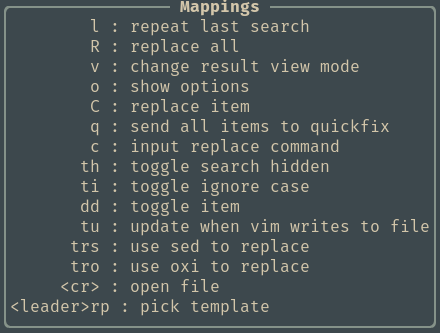{loading=lazy}
10 |
11 |
12 | ## Search & Replace
13 |
14 | ++"i"++ underneath Search and enter a search pattern, ++esc++ to see resuts in a popup below.
15 |
16 | ++"i"++ underneath Replace and enter a replace pattern, ++esc++ to see in-line diff results
17 |
18 | > ++"v"++ toggles Spectre results view between diff to search to replace view
19 |
20 | 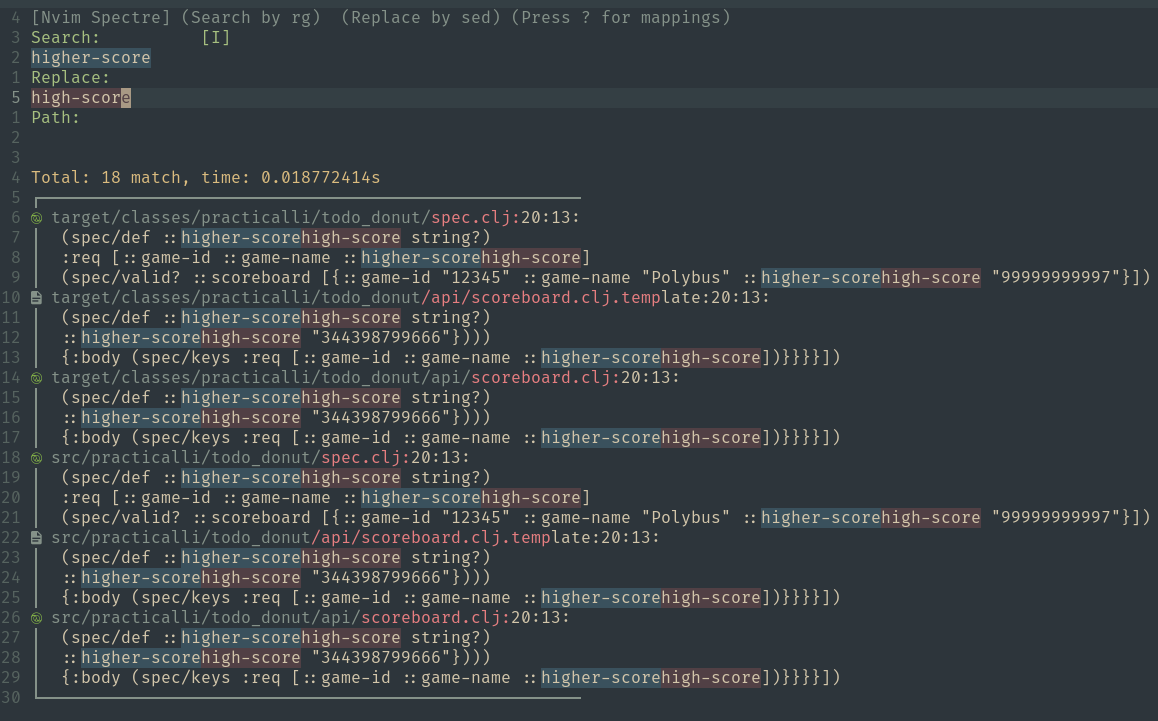{loading=lazy}
21 | {loading=lazy}
22 |
23 |
24 | ++"d"++ ++"d"++ to toggle an occurance
25 |
26 | ++"R"++ replaces all occurances (after selecting the occurances to change)
27 |
28 | A DONE checkbox is show at then end of each selection which has been reaplaced
29 |
30 | > To replace single occurance, toggle all occurances that should not be changes and press ++"R"++
31 |
32 | 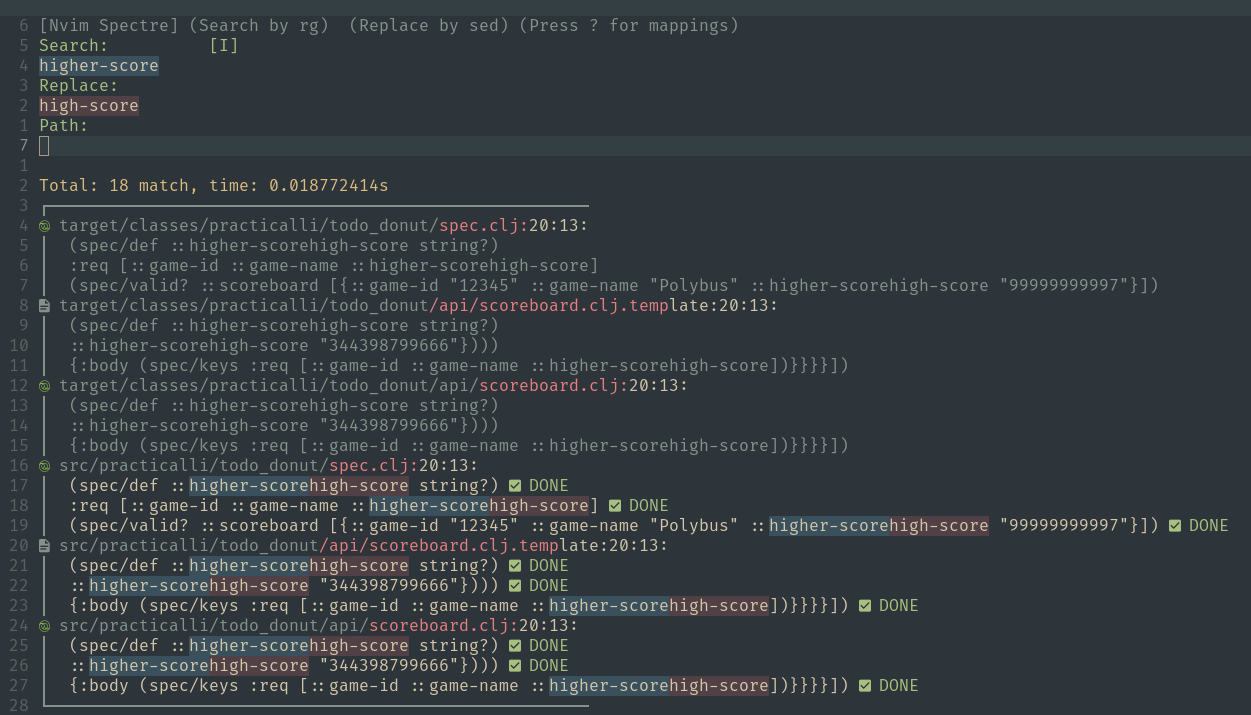{loading=lazy}
33 | {loading=lazy}
34 |
35 |
36 | !!! HINT "Spectre does not undo changes"
37 | Use Git or Neovim undo to rollback changes made by Spectre.
38 |
39 |
40 | [:globe_with_meridians: Spectre](https://github.com/nvim-pack/nvim-spectre){target=_blank} is available via the AstroNvim Community project pack and included in the Practicalli astronvim-config
41 |
42 | [:globe_with_meridians: ripgrep](https://github.com/BurntSushi/ripgrep){target=_blank} and [:globe_with_meridians: sed](https://www.gnu.org/software/sed/) are required.
43 |
44 | [:fontawesome-brands-github: Spectre project](https://github.com/nvim-pack/nvim-spectre){target=_blank .md-button}
45 |
--------------------------------------------------------------------------------
/docs/writing-documentation/index.md:
--------------------------------------------------------------------------------
1 | # Writing Documentation
2 |
3 | Markdown is a simple and commonly used format for writing documentation. It can be used to create a project README.md to a complete guide to using the project.
4 |
5 |
6 | ## LSP support
7 |
8 | Install [Marksman](https://github.com/artempyanykh/marksman) plugin via Mason to provide anchor link completion.
9 |
10 | {loading=lazy}
11 | {loading=lazy}
12 |
13 |
14 | ## Static Site Generators
15 |
16 | Markdown can be converted into a simple landing page or a fully navigable website.
17 |
18 | [Material for MkDocs](https://squidfunk.github.io/mkdocs-material/) is used by Practicalli to render professional books and blog websites.
19 |
20 |
21 | ## Markdown Syntax
22 |
23 | `#` to denote a heading, the number of `#` defines the level of header, one `#` being the largest.
24 |
25 | `[name](link-url or #anchor-path)` is the form for an in-page anchor and external URL
26 |
27 | `_underline text_` is surrounded by underscore character
28 |
29 | `**Bold Text**` is surrounded by double star characters
30 |
31 |
32 | ### Comments
33 |
34 | Markdown uses the HTML comment form but with three dashes rather than two.
35 |
36 | ```markdown
37 |
38 | ```
39 |
40 | This comment also supports [TODO Comments](/neovim/using-neovim/comments/) in Neovim
41 |
42 | ```markdown
43 |
44 | ```
45 |
46 | {loading=lazy}
47 | {loading=lazy}
48 |
49 | !!! HINT "View TODO comments in quicklink buffer"
50 | `:TODOQuickFix` shows all todos within the current project in the quickfix list, each list item is used to jump to the file and line of that todo.
51 |
52 |
53 | ## Tables
54 |
55 | Define the edges of a table with `|` character. `:-` to separate table column headings and table data.
56 |
57 | ```markdown
58 | | OS | PATH |
59 | | :- | :--- |
60 | | Linux, MacOS | `$XDG_CONFIG_HOME/nvim`, `~/.config/nvim` |
61 | ```
62 |
--------------------------------------------------------------------------------
/docs/termux/clojure-development.md:
--------------------------------------------------------------------------------
1 | # Clojure development environment
2 |
3 | A comprehensive development environment for Clojure, supporting a REPL workflow and static analysis of code via Clojure Language Server Protocol.
4 |
5 |
6 | ## Java host platform
7 |
8 | Install OpenJDK to host the Clojure REPL process and run packaged Clojure applications.
9 |
10 | Java 17 Long Term Support version is recommended as it is very stable, receives security updates and has the latest highly tested performance improvements.
11 |
12 | ```
13 | pkg install openjdk-21
14 | ```
15 |
16 |
17 |
18 |
19 | ## Install Clojure
20 |
21 | Clone practicalli/clojure-deps-edn to add a wide range of community tools to the Clojure CLI
22 |
23 | ```bash
24 | git clone git@github.com:practicalli/clojure-deps-edn.git ~/.config/clojure
25 | ```
26 |
27 |
28 | Use the Linux install with a prefix path pointing to Termux equivalent of `/usr/local`. Find the path using `echo $PATH` and remove `bin` from the end. Without the prefix Clojure will not install correctly
29 |
30 | ```bash
31 | curl -L -O https://github.com/clojure/brew-install/releases/latest/download/linux-install.sh && \
32 | chmod +x linux-install.sh && \
33 | ./linux-install.sh --prefix /data/data/com.termux/files/usr/
34 | ```
35 |
36 | `clojure` binary is installed in the existing bin, lib and share directories in `/data/..../usr/`, placing that binary on the system execution path.
37 |
38 | Test by calling `clojure` with the --help option, which shows the options available to the command
39 |
40 | ```shell
41 | clojure --help
42 | ```
43 |
44 | Run a Clojure REPL session from a Clojure project configured with a `deps.edn` file
45 |
46 | ```shell
47 | clojure -M:repl/rebel
48 | ```
49 |
50 | > optionally install rlwrap package if using the basic REPL terminal UI with the `clj` wrapper script
51 |
52 |
53 | ## Install Clojure LSP
54 |
55 | Visit [clojure-lsp GitHub releases page](https://github.com/clojure-lsp/clojure-lsp/releases){target=_blank} and download the `clojure-lsp` file
56 |
57 | - visit the relases page in firefox and copy the link to the file.
58 | - use wget and paste the link to the file to download
59 | - make executable `chmod 755 clojure-lsp`
60 | - test locally `./clojure-lsp --version` - should print clojure-lsp version and clj-kondo version
61 | - copy or move file to path `mv clojure-lsp $PATH`
62 |
63 | If the [practicalli/clojure-lsp-config](https://github.com/practicalli/clojure-lsp-config){target=_blank} repository was cloned, move or link the `clojure-lsp` directory to `~/.config/clojure-lsp`
64 |
--------------------------------------------------------------------------------
/docs/using-neovim/registers.md:
--------------------------------------------------------------------------------
1 | # Neovim Registers
2 |
3 | Neovim use registers to store and access text using Neovim commands.
4 |
5 | ++double-quote++ to access a register by name.
6 |
7 | The name of a register is a number, alphabetical or special character.
8 |
9 | `SPC f r` lists the values of registers in a telescope popup
10 |
11 | ??? EXAMPLE "Yank and paste commit message"
12 | Select the text of the commit message
13 |
14 | ++double-quote++ ++"m"++ ++"y"++ yanks the selected text into register `m`
15 |
16 | Complete the Git commit. When creating a new commit, paste the message from the register
17 |
18 | ++double-quote++ ++"m"++ ++"p"++ pastes the register text into the commit message buffer
19 |
20 | ??? EXAMPLE "Paste last evaluation result from Conjure"
21 | When Conjure evaluates code the result is stored in the `C` register.
22 |
23 | ++double-quote++ ++"C"++ ++"p"++ pastes the register text into the commit message buffer
24 |
25 | ## Registers
26 |
27 | !!! INFO "Neovim help - registers"
28 | ```shell
29 | :help registers
30 | ```
31 |
32 | ++double-quote++ the unnamed register, used by Neovim normal commands, e.g. `c` `d` `p` `s` `x` `y`, etc.
33 |
34 | ++0++ to ++9++ numbered registers containing yank and delete history
35 |
36 | ++minus++ small delete register for text smaller than a line
37 |
38 | ++"a"++ to ++"z"++ named registers manually selected, ++"A"++ to ++"Z"++ to append to the text already in the register
39 |
40 | ++colon++ ++period++ and ++"%"++ read-only registers use with put commands (last inserted, current file name, recent command)
41 |
42 | ++"#"++ alternate buffer file name
43 |
44 | ++equal++ expression register for the result of runing a Neovim command expression
45 |
46 | ++plus++ and ++"*"++ selection registers for GUI
47 |
48 | ++underscore++ black hole register does not store text, use when normal commands shouldnt update other registers
49 |
50 | ++slash++ last search pattern register used
51 |
52 |
53 | ## Find Registers
54 |
55 | `SPC f r` opens the list of registers in a telescope popup.
56 |
57 | 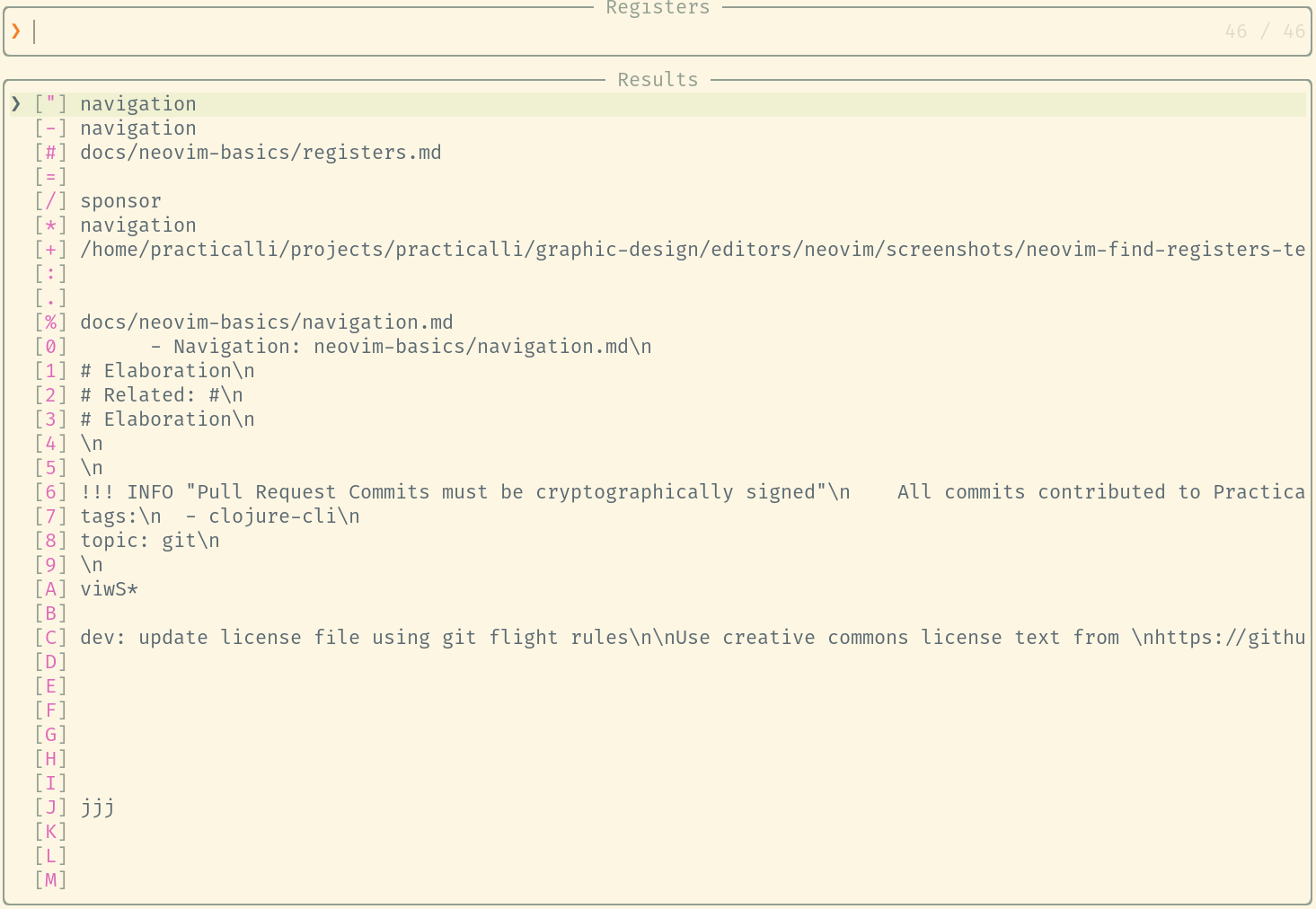{loading=lazy}
58 | 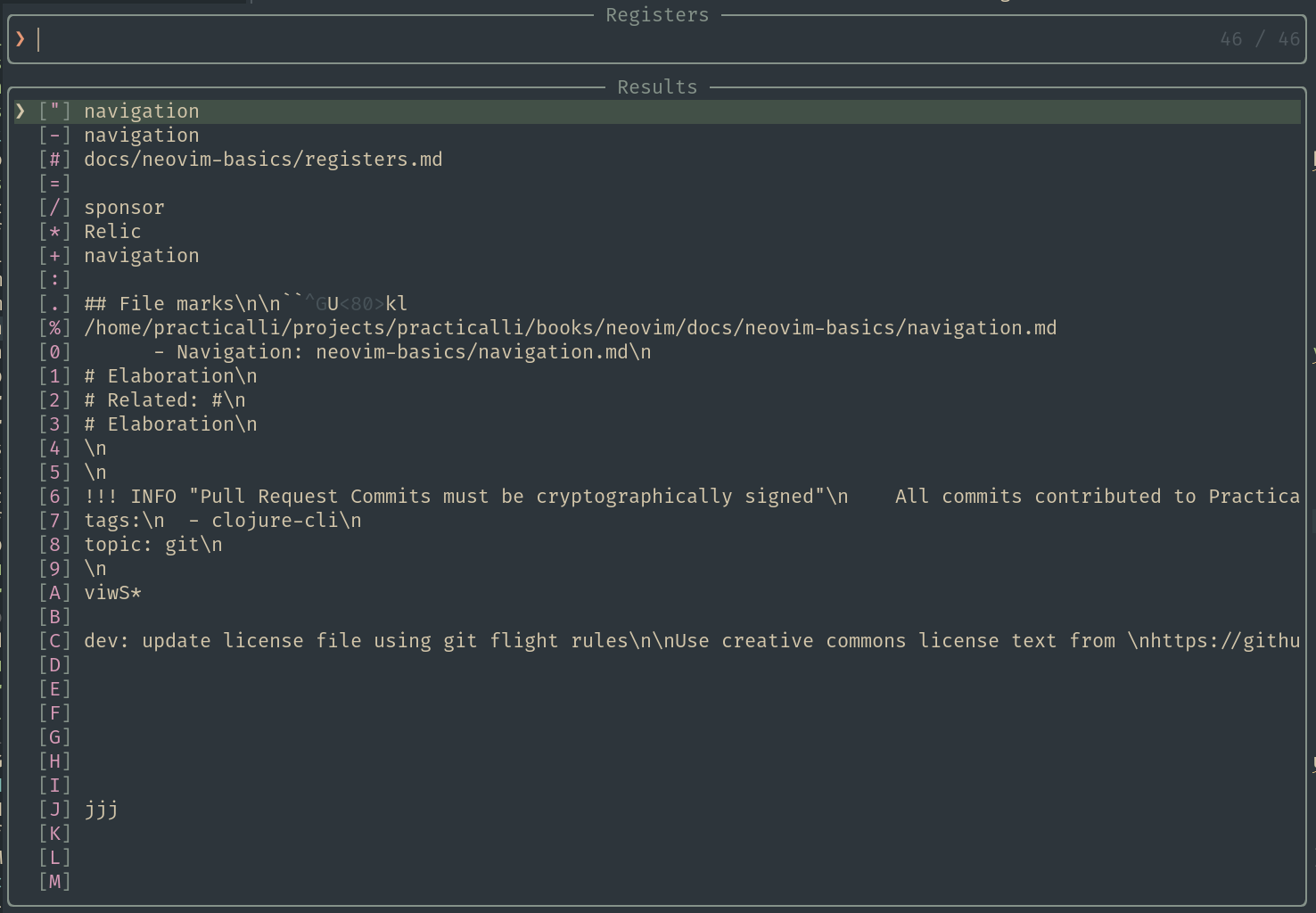{loading=lazy}
59 |
60 |
61 | !!! HINT "Registers in insert mode"
62 | `C-r` in insert mode pastes the content of the given register, e.g. `C-r a` to paste the content of `"a`
63 |
--------------------------------------------------------------------------------
/docs/reference/modal-editing/narrowing.md:
--------------------------------------------------------------------------------
1 | # Narrowing
2 |
3 | Narrowing to a region enables vim commands to be applied to a specific part of the current buffer, rather than the whole buffer.
4 |
5 | Common examples include
6 | - replacing local variables within a specific function (avoiding affecting other function definitions)
7 |
8 | ## NrrwRgn plugin
9 |
10 | [:fontawesome-brands-github: NrrwRgn plugin](https://github.com/chrisbra/NrrwRgn) is inspired by the [:globe_with_meridians: Narrowing feature of Emacs](http://www.emacswiki.org/emacs/Narrowing)
11 | and means to focus on a selected region while making the rest inaccessible.
12 |
13 |
14 | {loading=lazy}
15 |
16 |
17 | ## Yode plugin
18 |
19 | [yode-nvim](https://github.com/hoschi/yode-nvim){target=_blank} will focus on selected text within a file.
20 |
21 | Narrow by replacing the current buffer
22 |
23 | - `YodeCreateSeditorReplace` focus on a code part and replace it with the current buffer
24 | - `YodeBufferDelete` delete the current buffer and jump back to file, if it is a seditor
25 |
26 | Or narrow using a floating window
27 |
28 | - YodeCreateSeditorFloating focus on a code part and make it floating, stay at the current (main) view
29 |
30 |
31 | [hoschi/yode-nvim](https://github.com/hoschi/yode-nvim){target=_blank .md-button}
32 |
33 |
70 |
--------------------------------------------------------------------------------
/docs/api-tools/index.md:
--------------------------------------------------------------------------------
1 | # API Tools
2 |
3 | Astrocommunity proivdes plugins to support working with APIs and the JSON format
4 |
5 | - [:fontawesome-brands-github: nvim-jqx](https://github.com/AstroNvim/astrocommunity/tree/main/lua/astrocommunity/programming-language-support/nvim-jqx)
6 | - [:fontawesome-brands-github: rest-nvim](https://github.com/AstroNvim/astrocommunity/tree/main/lua/astrocommunity/programming-language-support/rest-nvim)
7 |
8 | !!! HINT "Included in Practicalli Astronvim Config"
9 | [Practicalli Astronvim Config](/neovim/configuration/astronvim/) includes nvim-jqx and rest.nvim plugins
10 |
11 | ## Inspect JSON
12 |
13 | Browse and preview json files in neovim.
14 |
15 | `:JqxList` prettify JSON and start the inspector
16 |
17 | `JqxQuery` to run complex `jq` commands
18 |
19 | ??? INFO "jq binary required"
20 | `jq` binary should be available on the command line as nvim-jqx runs jq queries internally
21 |
22 | {loading=lazy}
23 |
24 | [:fontawesome-brands-github: nvim-jqx](https://github.com/gennaro-tedesco/nvim-jqx){target=_blank .md-button}
25 |
26 |
27 | ## Call APIs
28 |
29 | ++spc++ ++"r"++ ++"r"++ to run an http request under the cursor from within an `*.http` file.
30 |
31 | A fast Neovim http client written in Lua, providing a curl wrapper.
32 |
33 |
34 | ### http file
35 |
36 | Open a file with an `*.http` extension
37 |
38 | Write a call to an API, e.g. a call to a local server health care endpoint
39 |
40 | !!! EXAMPLE "Call locally running API"
41 | ```http title="health-check.http"
42 | GET http://localhost:8080/system-admin/status
43 | ```
44 | A new window opens with the result of the API call
45 |
46 | ??? EXAMPLE "Result of API call with rest.nvim"
47 | ```http
48 | GET http://localhost:8080/system-admin/status
49 | Command :curl -sSL --compressed -X 'GET' --data-raw '' 'http://localhost:8080/system-admin/status'
50 | #+END
51 | HTTP/1.1 200 OK
52 | Content-Type: application/json; charset=utf-8
53 | Content-Length: 66
54 | Server: http-kit
55 | Date: Mon, 10 Jul 2023 16:21:33 GMT
56 |
57 | #+RESPONSE
58 | {"application":"practicalli hole-in-one Service","status":"Alive"}
59 | #+END
60 | ```
61 |
62 | The `Content-Type` can be explicitly set, especially useful when not using JSON
63 |
64 | !!! EXAMPLE "API call returning EDN data"
65 | ```http
66 | GET http://localhost:8080/api/v1/scoreboard
67 | accept: application/edn
68 | ```
69 |
70 | [:fontawesome-brands-github: rest.nvim test examples](https://github.com/rest-nvim/rest.nvim/tree/main/tests){target=_blank .md-button}
71 |
72 | [:fontawesome-brands-github: rest.nvim](https://github.com/rest-nvim/rest.nvim){target=_blank .md-button}
73 |
--------------------------------------------------------------------------------
/docs/reference/modal-editing/tips-for-clojure.md:
--------------------------------------------------------------------------------
1 | # Editing tips for Clojure
2 |
3 |
4 |
5 | Vim keybindings that drive Vim editing tools that are common for developers
6 |
7 |
8 | ## Comments and Commenting code
9 |
10 | - `g c c` comment line
11 | - `g c c` comment line
12 | - `v (select) g c` comment region
13 | - `g c 9 j` comment 9 lines from current, downwards
14 |
15 |
16 | ## Simulated structural editing with surround ##
17 |
18 | | Keybinding | Description |
19 | |------------|---------------------------------------------------------------------------------|
20 | | `v s ]` | surround with [characters] without spaces |
21 | | `v s [` | surround with [ characters ] without spaces |
22 | | `c s ( [` | change surrounding from ( to [ |
23 | | `c i (` | change in ( |
24 | | `c a (` | change “around” ( |
25 | | `%` | jump forwards to next paren, further `%` toggles between open and close parens. |
26 | | `x p` | transpose characters (cut current, paste after) |
27 |
28 |
29 | ## Moving around quickly
30 |
31 | `f` to jump forward to a given character on the current line. `F` to jump backwards.
32 |
33 | `zt`, `zz`, and `zb` to pull the current line to the top/middle/bottom of the screen.
34 |
35 | `[number] G` jump to line number or `:22` to jump to line 22
36 |
37 | `:7j` to jump 7 lines down
38 |
39 | `gf` jump to file name under the cursor - try this in the summary.md file
40 |
41 |
42 |
43 | ## Selection, find and replace
44 |
45 | `viw` to visual-select in (within) the current word
46 |
47 |
48 | ## Source code and configuration files
49 |
50 | `g D`open definition in another window
51 |
52 | `=` (code-aware indenting) operator. Nice with the `ap` (a paragraph) text object.
53 |
54 | `C-]` Jump to definition of keyword under the cursor
55 |
56 |
57 | ## code folding
58 |
59 | `zc` and `zo` are useful to close and open folds, which can be a nice way of focusing on certain pieces of code.
60 |
61 |
62 | ## Transposing characters and sections ##
63 |
64 | `x p` simple transpose of the current and next character
65 |
66 | `M-t` transpose words before and after cursor position
67 |
68 | `{`, `}` motions jump to next and previous empty lines. This motion makes it simple to rearrange paragraphs
69 |
70 | `{ d }` will kill the paragraph (or multiple paragraphs)
71 |
72 | `{` will jump to the start of the previous paragraph
73 |
74 | `p` pastes the killed paragraph before the current paragraph
75 |
76 | `>` and `<` (indent and dedent) operators, useful with the aforementioned `}`/`{` motions.
77 |
78 |
79 |
80 | /* ## multi-replace with iedit and narrowing */
81 |
--------------------------------------------------------------------------------
/docs/using-neovim/search-replace/index.md:
--------------------------------------------------------------------------------
1 | # Search and Replace
2 |
3 | Neovim has several built-in commands to search for patterns in the current buffer and quickfix list can be used to run commands across all the files in a project.
4 |
5 | Additional tools that work across all the files in a project:
6 |
7 | - ++spc++ ++"s"++ ++"s"++ search and replace using [Grug-far](grug-far.md)
8 | - ++spc++ ++"l"++ ++"r"++ to rename symbols using [Clojure LSP](/neovim/clojure-repl-workflow/refactor-tools/)
9 |
10 | > [:fontawesome-solid-book-open: multiple cursors](../multiple-cursors.md) for in-place editing within a buffer
11 |
12 |
13 | ## Buffer search
14 |
15 | ++slash++ searches through the current buffer, prompting for a pattern to search.
16 |
17 | !!! EXAMPLE "Symbol highlight and dot repeat"
18 | ++"#"++ on a word highlights each occurrence in the buffer, ++"n"++ and ++"N"++ to jump backward and forward for each instance.
19 |
20 | Change the current occurrence (e.g. cw followed by new word)
21 |
22 | Use ++period++ to repeat the change after jumping to the next instance.
23 |
24 |
25 | ### Substitute command
26 |
27 | Use the `:substitute` (`:s`) to replace all occurrences of the current-pattern with the new pattern within the buffer.
28 |
29 | !!! EXAMPLE "Replace using substitute command"
30 | ```vim
31 | :%s/current-pattern/new-pattern/g
32 | ```
33 |
34 | Add the `c` option to confirm each replacement
35 |
36 | [:fontawesome-solid-book-open: `:substitue` neovim command examples](substitue.md){.md-button}
37 |
38 |
39 | ## Project search and replace
40 |
41 | Use search to populate the Neovim quickfix list and change occurrences across all the files in the current project, e.g.:
42 |
43 | !!! EXAMPLE "Search word and replace across project using quickfix list"
44 | ++spc++ ++"f"++ ++"w"++ to search for the supplied word or pattern
45 |
46 | ++ctrl++ ++"q"++ opens the search results in quickfix list
47 |
48 | Use `:cdo` command to search and replace in the quickfix list
49 |
50 | ```vim
51 | :cdo %s/current-pattern/new-pattern/g
52 | ```
53 |
54 | Including the `c` option to confirm each replacement
55 |
56 |
57 |
81 |
--------------------------------------------------------------------------------
/docs/source-control/neogit.md:
--------------------------------------------------------------------------------
1 | # Neogit - interactive client for Git
2 |
3 | {align=right loading=lazy style="height:150px;width:150px"}
4 |
5 | Neogit is an interactive git client that provides the core features of version control with Git. Neogit emulates many of the features found in magit.
6 |
7 | `SPC g n t` to open `:Neogit` status buffer in a new tab page (vertical & horizontal split options available)
8 |
9 | `TAB` toggles expansion of sections, files and hunks
10 |
11 | `d` provide [a side-by-side view of changes](diff.md#diffview)
12 |
13 | `q` to quit Neogit and return to the previous tab
14 |
15 | 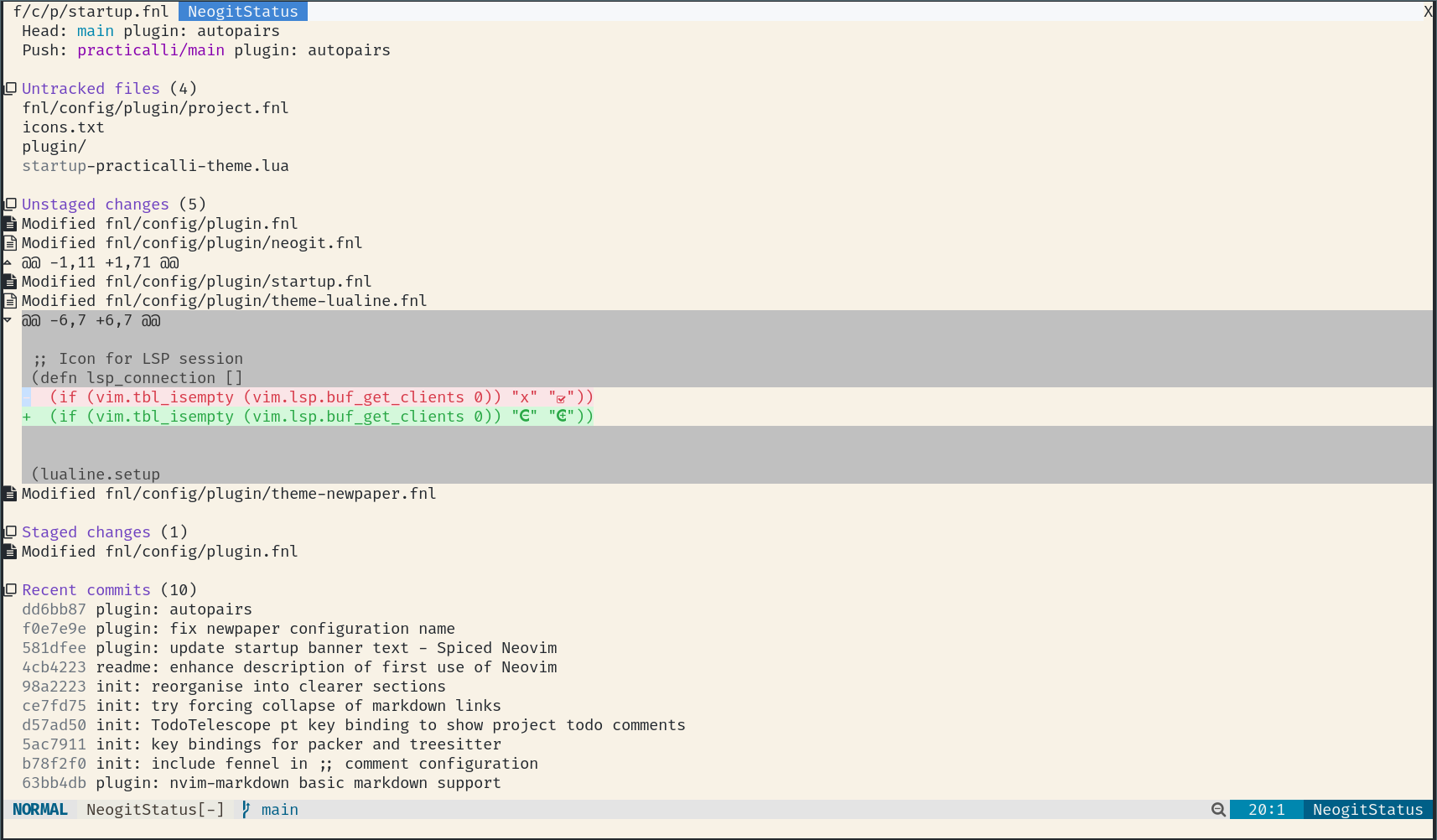
16 |
17 | > Neovim is configured to use the magit style key bindings in practicalli/neovim-config-redux
18 |
19 |
20 | ## Branching
21 |
22 | `b` opens the branch menu,
23 |
24 | * `b` - checkout a branch
25 | * `c` - create a new branch
26 | * `d` - delete a branch, `D` deletes local and remote branch
27 | * `l` - checkout a remote branch and create a local tracking branch
28 | * `m` - rename an existing local branch
29 | * `n` - create a new branch
30 |
31 |
32 | ## Staging changes
33 |
34 | `s` to stage change under cursor, either file or hunk. `S` to stage all changes
35 |
36 | `u` to unstage change under cursor, `U` to unstage all changes
37 |
38 | `v` to select lines to stage within a hunk using `s` or unstage with `u`
39 |
40 | ## Commit
41 |
42 | `c` for the commit menu
43 |
44 | `c` for a new commit, `a` to amend the latest commit, `w` to reword a commit message, `e` to add staged changes to existing commit
45 |
46 | A new commit or amend commit qill open a new window to write a commit message (using a git commit message template if defined)
47 |
48 | `:wq` to save a commit message and initiate the commit.
49 |
50 | `:q!` to cancel the commit from the commit message buffer.
51 |
52 |
53 | ## Stashing changes
54 |
55 | `Z` to open the stash menu
56 |
57 | `z` to stash the working copy and staged files (index)
58 |
59 | `i` to only stash the staged files (index)
60 |
61 |
62 | ## Remote changes
63 |
64 | `F` to open the pull menu, `p` to pull changes (fetch and merge) from the remote repository, `u` t pull from the upstream repository, or `e` to specify the remote and branch names.
65 |
66 | `P` to open the push menu to open, `-u` to push to the current remote
67 |
68 | ??? BUG "Confused when remote is not origin"
69 | Use `e` option to push to elsewhere when the remote name is not set to `origin`. The `e` option will prompt for a remote name and branch.
70 |
71 |
72 | ## Commit history
73 |
74 | `L l` to view git commit history log
75 |
76 | `RET` on a log entry shows the commit details in a new window (split)
77 |
78 | `q` to close the commit details window
79 |
80 |
81 | ## Modify Git commit history
82 |
83 | `r` opens the rebase menu
84 |
--------------------------------------------------------------------------------
/docs/source-control/index.md:
--------------------------------------------------------------------------------
1 | # Version Control
2 |
3 | There are several ways to interact with Git version control, although Practicalli recommends Neogit interactive git client and Octo to manage GitHub issues and pull requests
4 |
5 | - [lazygit](lazygit.md) terminal UI (requires lazygit cli tool)
6 | - [Neogit](neogit.md) rich git client (similar to Emacs Magit), with Diffview integration
7 | - [Octo](octo.md) for GitHub Issue and Pull Requests
8 | - [Open files & lines in Git website](#open-in-git-website)
9 | - Shell out to the command line, `:!`
10 | - Git commands in Neovim terminal buffer
11 |
12 |
13 |
14 | ## Common Git actions
15 |
16 | ### Initialise local repository"
17 |
18 | ++spc++ ++"t"++ ++"f"++ opens floating terminal window in the current root directory root (use `:cd` to change the root directory).
19 |
20 | ```shell
21 | git init .
22 | ```
23 |
24 | ### Stage change in buffer
25 |
26 | The current hunk or the whole buffer can be staged from the buffer using Git Signs, saving a trip to the Git Status buffer.
27 |
28 | ++spc++ ++"g"++ ++"H"++ stages the current hunk
29 |
30 | ++spc++ ++"g"++ ++"S"++ stages the current buffer
31 |
32 |
33 | ### Git Status
34 |
35 | ++spc++ ++"g"++ ++"g"++ opens lazygit terminal UI client
36 |
37 | 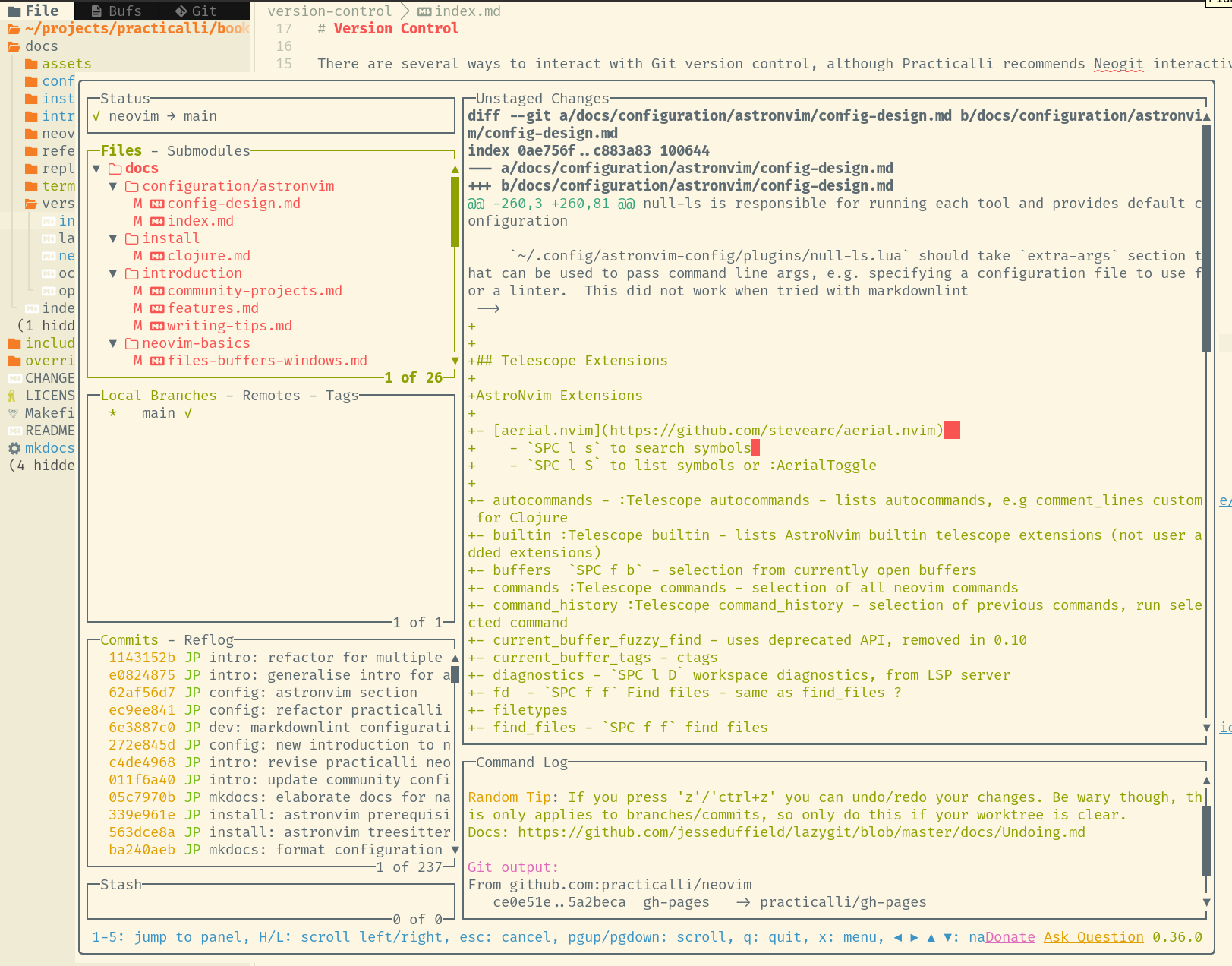{loading=lazy}
38 | 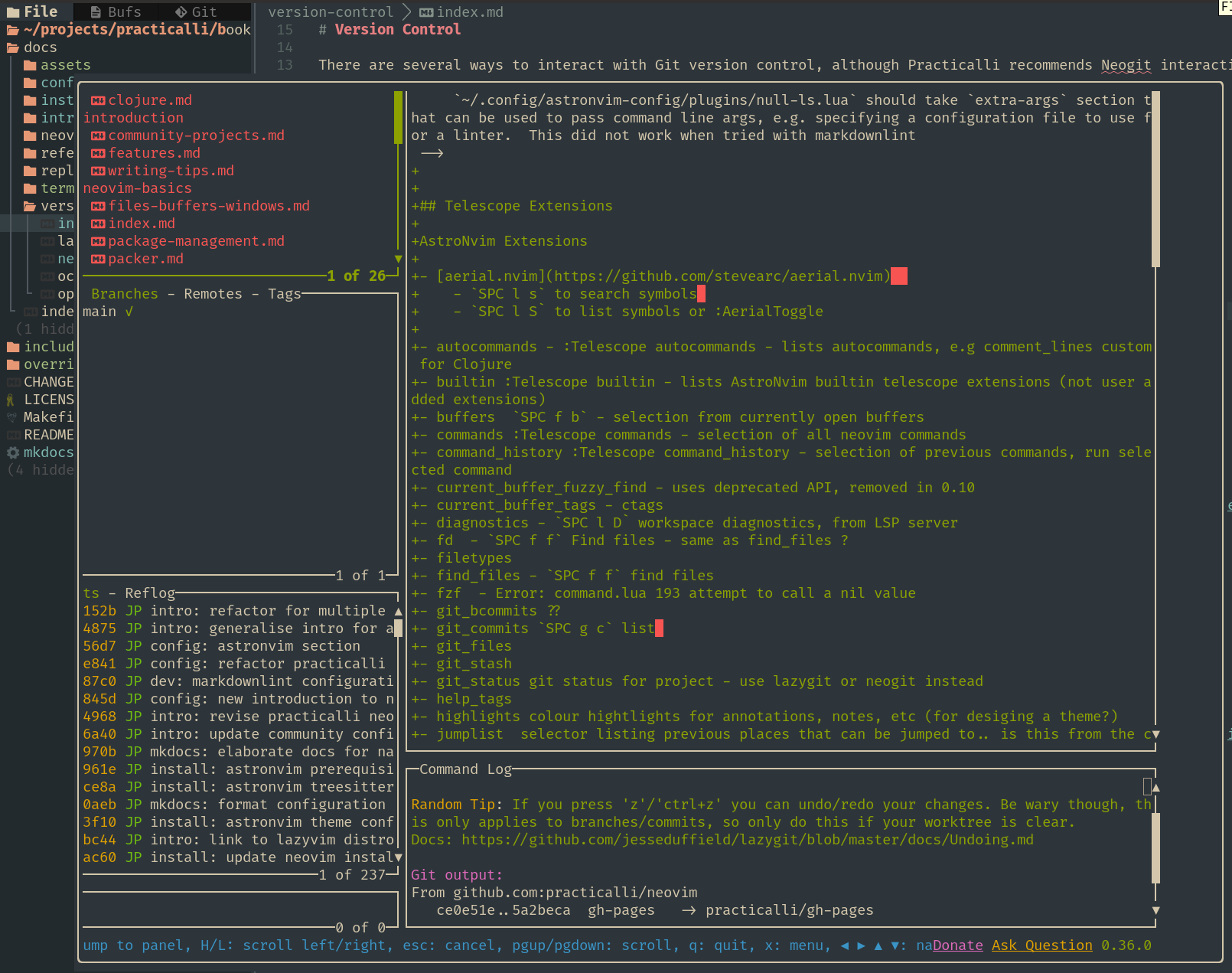{loading=lazy}
39 |
40 |
41 | ++spc++ ++"g"++ ++"n"++ ++"t" opens neogit in a new tab for Magit style experience
42 |
43 | 
44 | 
45 |
46 |
47 | ## Open in Git website
48 |
49 | ++spc++ ++"g"++ ++"z"++ to open a git controlled file or visually selected lines in the Git sharing website (e.g. GitHub, GitLab)
50 |
51 | ++spc++ ++"g"++ ++"y"++ to yank the URL for the current file or visually selected lines.
52 |
53 | > [gitlinker.nvim](https://github.com/AstroNvim/astrocommunity/tree/main/lua/astrocommunity/git/gitlinker-nvim) plugin provides via Astrocommunity
54 |
55 |
56 | ## GitHub Issues & Pull Requests
57 |
58 | Interact with the remote GitHub repository using [Octo](octo.md)
59 |
60 | List issues from a specific repository
61 |
62 | ```shell
63 | :Octo issue list practicalli/neovim
64 | ```
65 |
66 | 
67 |
68 |
69 | Create a pull request on a specific repository
70 |
71 | ```shell
72 | :Octo pr create practicalli/neovim
73 | ```
74 |
--------------------------------------------------------------------------------
/overrides/partials/header.html:
--------------------------------------------------------------------------------
1 |
2 | {% set class = "md-header" %} {% if "navigation.tabs.sticky" in features %} {%
3 | set class = class ~ " md-header--shadow md-header--lifted" %} {% elif
4 | "navigation.tabs" not in features %} {% set class = class ~ " md-header--shadow"
5 | %} {% endif %}
6 |
7 |
8 |
9 |
74 |
75 |
76 | {% if "navigation.tabs.sticky" in features %} {% if "navigation.tabs" in
77 | features %} {% include "partials/tabs.html" %} {% endif %} {% endif %}
78 |
79 |
--------------------------------------------------------------------------------
/docs/using-neovim/search-replace/substitute.md:
--------------------------------------------------------------------------------
1 | # Substitute command
2 |
3 | `:substitute` or `:s` command highlights the matches for a text pattern and substitute for a new pattern
4 |
5 | ??? INFO "Neovim :help :substitute"
6 | ```vim
7 | :help :substitute
8 | ```
9 |
10 | Subsitute the first matching patterns in the current line
11 |
12 | ```vim
13 | :s/current-pattern/new-pattern/
14 | ```
15 |
16 | > If the new-pattern text is ommitted, then substitute deletes the current-pattern occurances, e.g `:s/current-pattern//`
17 |
18 |
19 | Subsitute all the matching patterns in the current line, `g` representing all occurances in a line
20 |
21 | ```vim
22 | :s/current-pattern/new-pattern/g
23 | ```
24 |
25 | Use `%` to specify the current buffer as the scope to change all matches
26 |
27 | ```vim
28 | :%s/current-pattern/new-pattern/g
29 | ```
30 |
31 | An inclusive line range can be specified to narrow the search
32 |
33 | ```vim
34 | :4,24s/current-pattern/new-pattern/g
35 | ```
36 |
37 | `.` can be used to represent the current line of buffer
38 |
39 | `$` to represent the last line of the current buffer
40 |
41 | ```vim
42 | :.,$s/current-pattern/new-pattern/g
43 | ```
44 |
45 | Match the whole word
46 |
47 |
48 | ```vim
49 | :.,$s/\/new-pattern/g
50 | ```
51 |
52 | ### Substitute history
53 |
54 | `:s` and the ++arrow-up++ / ++arrow-down++ will navigate through the substitution history for the current session (from when Neovim was last opened if session was not restored)
55 |
56 |
57 | ### Confirm replacement
58 |
59 | ++"c"++ option at the end prompt for confirmation to replace each occurance
60 |
61 | ```vim
62 | :%s/current-pattern/new-pattern/gc
63 | ```
64 |
65 | ++"y"++ confirms the repacement
66 |
67 | ++"l"++ confirms the repacement and quits
68 |
69 | ++"n"++ skips the current occurance and goes to the next one
70 |
71 | ++"y"++ or ++esc++ to quit substitution
72 |
73 |
74 | ### Regular expression
75 |
76 | regular expressions can be used as a search pattern.
77 |
78 | To replace all lines starting with ‘foo’ with ‘NeoVim Rocks’:
79 |
80 | ```vim
81 | :%s/^foo.*/NeoVim rocks/gc
82 | ```
83 |
84 | Replace all instances of ‘apple’, ‘orange’, and ‘mango’ with ‘fruit’:
85 |
86 | ```vim
87 | :%s/apple\|orange\|mango/fruit/g
88 | ```
89 |
90 | Remove trailing blank space at the end of each line:
91 |
92 | ```vim
93 | :%s/\s\+$//e
94 | ```
95 |
96 |
97 | ## Matching case
98 |
99 | `i` option disables the default case sensitive search
100 |
101 | ```vim
102 | :%s/current-pattern/new-pattern/gi
103 | ```
104 |
105 | ### Visual Select
106 |
107 | Use a visual select to search and replace, with confirmation
108 |
109 | Note: `'<,'>` is automatically included when in visual mode and `:` is pressed to start a command
110 |
111 | ```vim
112 | :'<,'>s/search-text/replace-text/g
113 | ```
114 |
115 | A potentially more effecitve approach:
116 |
117 | - visually select the text
118 | - `*` to select all matching occurances
119 | - `:%s//replace-text/g`
120 |
--------------------------------------------------------------------------------
/docs/reference/configuration/fenel-config/packages/lualine.md:
--------------------------------------------------------------------------------
1 | # Lualine - modeline theme
2 |
3 | [nvim-lualine/lualine.nvim](https://github.com/nvim-lualine/lualine.nvim) is a fast and configurable statusline for neovim
4 |
5 | Example status line: evil_lualine
6 |
7 | 
8 |
9 |
10 |
11 | ## Lualine configuration in Fennel
12 |
13 | `nvim/fnl/config/plugin/lualine.fnl`
14 |
15 | ```fennel
16 | (module config.plugin.lualine
17 | {autoload {core aniseed.core
18 | lualine lualine
19 | lsp config.plugin.lspconfig}})
20 |
21 | (defn lsp_connection []
22 | (if (vim.tbl_isempty (vim.lsp.buf_get_clients 0)) "" ""))
23 |
24 | (def github-lua-theme
25 | (core.assoc
26 | (require :lualine.themes.auto)
27 | :inactive {:a {:bg "#19181e" :fg "#a4a3a6"}
28 | :b {:bg "#19181e" :fg "#a4a3a6"}
29 | :c {:bg "#19181e" :fg "#a4a3a6"}}
30 | :normal {:a {:bg "#131217" :fg "#24292e"}
31 | :b {:bg "#131217" :fg "#3b8eea"}
32 | :c {:bg "#19181e" :fg "#d1d5da"}}
33 | :command {:a {:bg "#131217" :fg "#24292e"}
34 | :b {:bg "#131217" :fg "#ccbed8"}
35 | :c {:bg "#19181e" :fg "#d1d5da"}}
36 | :visual {:a {:bg "#131217" :fg "#24292e"}
37 | :b {:bg "#131217" :fg "#ced4b1"}
38 | :c {:bg "#19181e" :fg "#d1d5da"}}
39 | :replace {:a {:bg "#131217" :fg "#24292e"}
40 | :b {:bg "#131217" :fg "#d1b6bd"}
41 | :c {:bg "#19181e" :fg "#d1d5da"}}
42 | :insert {:a {:bg "#131217" :fg "#24292e"}
43 | :b {:bg "#131217" :fg "#a8d1c9"}
44 | :c {:bg "#19181e" :fg "#d1d5da"}}))
45 |
46 | (lualine.setup
47 | {:options {:theme github-lua-theme
48 | :icons_enabled true
49 | :section_separators ["" ""]
50 | :component_separators ["" ""]}
51 | :sections {:lualine_a []
52 | :lualine_b [[:mode {:upper true}]]
53 | :lualine_c [["FugitiveHead"]
54 | [:filename {:filestatus true
55 | :path 1}]]
56 | :lualine_x [[:diagnostics {:sections [:error
57 | :warn
58 | :info
59 | :hint]
60 | :sources [:nvim_lsp]}]
61 | [lsp_connection]
62 | :location
63 | :filetype]
64 | :lualine_y [:encoding]
65 | :lualine_z []}
66 | :inactive_sections {:lualine_a []
67 | :lualine_b []
68 | :lualine_c [[:filename {:filestatus true
69 | :path 1}]]
70 | :lualine_x []
71 | :lualine_y []
72 | :lualine_z []}})
73 | ```
74 |
--------------------------------------------------------------------------------
/docs/install/neovide.md:
--------------------------------------------------------------------------------
1 | # Neovide GUI
2 |
3 |
4 | {align=right loading=lazy style="height:150px"}
5 |
6 | Neovide provides a GUI for Neovim and supports the use of AstroNvim community configuration.
7 |
8 | [:globe_with_meridians: Neovide features](https://neovide.dev/features.html){target=_blank}
9 |
10 | ## Install Neovide
11 |
12 | [:globe_with_meridians: Download from Neovide.dev website](https://neovide.dev/)
13 |
14 | === "Debian"
15 | [Download neovide.AppImage](https://github.com/neovide/neovide/releases/latest/download/neovide.AppImage)
16 |
17 | Move the `neovide.AppImage` to the execution path, e.g. `$HOME/.local/bin`
18 |
19 | Create the `$HOME/.local/bin/neovide` symbolic link pointing to the neovide.AppImage
20 |
21 | !!! NOTE ""
22 | ```shell
23 | ln -s $HOME/.local/bin/neovide.AppImage $HOME/.local/bin/neovide
24 | ```
25 |
26 | === "MacOSX"
27 |
28 | [Download the MacOSX dmg.zip file](https://github.com/neovide/neovide/releases/latest/download/neovide.dmg.zip)
29 |
30 | Extract the .zip file
31 |
32 | Run the extracted dmg file and use the install wizard to copy Neovide to the Applications directory.
33 |
34 | Create symbolic link from Neovide install to `~/.local/bin`
35 |
36 | ```bash
37 | ln -s /Applications/neovide.app/Contents/MacOS/neovide ~/.local/bin/neovide
38 | ```
39 |
40 | Add alias to use neovide with astronvim configuration to `.bashrc` , `.zshrc` or shared `shell-aliases` file
41 |
42 | ```shell
43 | alias neovide="NVIM_APPNAME=astronvim neovide"
44 | ```
45 |
46 |
47 | ## Neovide with NVIM_APPNAME
48 |
49 | `NVIM_APPNAME` sets the configuration used when starting Neovim.
50 |
51 | Use a shell alias to run Neovide with a specific configuration
52 |
53 | ```shell
54 | # Neovide alias with AstroNvim configuration
55 | alias neovide="NVIM_APPNAME=astronvim neovide"
56 | ```
57 |
58 |
59 | ## Set Neovide Font
60 |
61 | The `guifont` Neovim option is used to set a font family and size specifically for a GUI appliction, i.e. Neovide. It is not used by Neovim itself.
62 |
63 | ++ctrl+"="++ and ++ctrl+"-"++ increase & decrease the font size in Neovide (move the cursor if no immediate effect is seen)
64 |
65 |
66 | !!! EXAMPLE "Neovide recipe"
67 | Astro Community provides an [:fontawesome-solid-book-open: neovide recipe](https://docs.astronvim.com/recipes/neovide) with recommended options.
68 |
69 | ```lua title="lua/plugins/community.lua"
70 | { import = "astrocommunity.recipes.neovide" },
71 | ```
72 |
73 | This recipe is include in the `lua/community.lua` file from Practicalli Astro configuration, with a font override in `lua/plugins/user-practicalli.lua` to set the preferred font.
74 |
75 | ```lua
76 | {
77 | "AstroNvim/astrocore",
78 | ---@type AstroCoreOpts
79 | opts = {
80 | options = {
81 | -- configure general options: vim.opt.
82 | opt = {
83 | guifont = "Fira Code:h16", -- neovide font family & size (height)
84 | },
85 | },
86 | },
87 | }
88 | ```
89 |
90 | 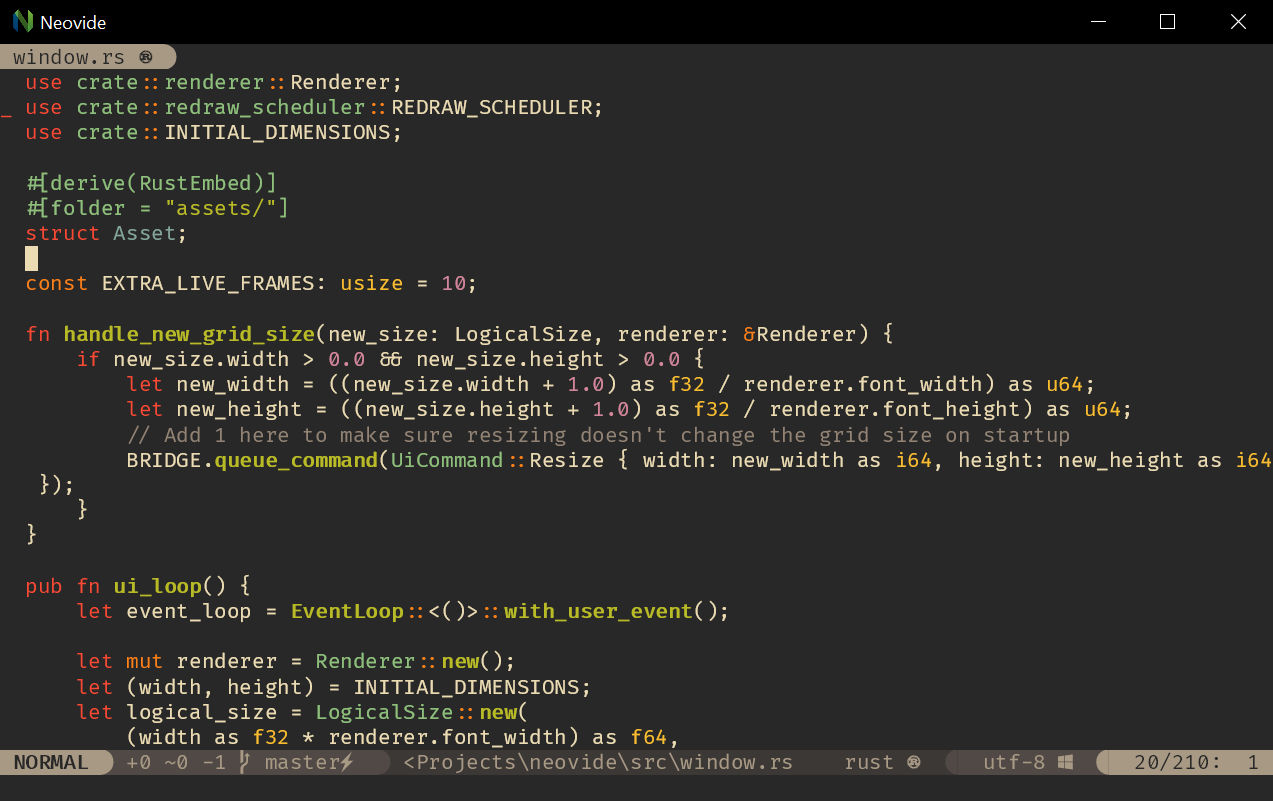{loading=lazy}
91 |
--------------------------------------------------------------------------------
/.github/config/megalinter.yaml:
--------------------------------------------------------------------------------
1 | ---
2 | # Configuration file for MegaLinter
3 | #
4 | # General configuration:
5 | # https://megalinter.io/latest/configuration/
6 | #
7 | # Specific Linters:
8 | # https://megalinter.io/latest/supported-linters/
9 |
10 | # ------------------------
11 | # Validate all files if true
12 | # or new / edited files if false
13 | VALIDATE_ALL_CODEBASE: false
14 |
15 | # ------------------------
16 | # Linters
17 |
18 | # Run linters in parallel
19 | PARALLEL: true
20 |
21 | # ENABLE specific linters, all other linters automatically disabled
22 | ENABLE:
23 | # - CLOJURE
24 | - CREDENTIALS
25 | - DOCKERFILE
26 | - MAKEFILE
27 | - MARKDOWN
28 | - GIT
29 | - SPELL
30 | - YAML
31 | - REPOSITORY
32 |
33 | # Linter specific configuration
34 |
35 | # CLOJURE_CLJ_KONDO_CONFIG_FILE: ".github/config/clj-kondo-ci-config.edn"
36 | # CLOJURE_CLJ_KONDO_ARGUMENTS: "--lint deps.edn"
37 | # CLOJURE_CLJ_KONDO_FILTER_REGEX_EXCLUDE: "dev|develop"
38 | # CLOJURE_CLJ_KONDO_FILTER_REGEX_EXCLUDE: "resources"
39 |
40 | # CREDENTIALS_SECRETLINT_DISABLE_ERRORS: true
41 | CREDENTIALS_SECRETLINT_CONFIG_FILE: ".github/config/secretlintrc.json"
42 |
43 | MARKDOWN_MARKDOWNLINT_CONFIG_FILE: ".github/config/markdown-lint.jsonc"
44 | MARKDOWN_MARKDOWNLINT_FILTER_REGEX_EXCLUDE: ".github/pull_request_template.md|CHANGELOG.md|README.md|GLOSSARY.md|java-17-flags.md|abbreviations.md"
45 | # MARKDOWN_MARKDOWNLINT_DISABLE_ERRORS: true
46 | MARKDOWN_MARKDOWN_LINK_CHECK_CONFIG_FILE: ".github/config/markdown-link-check.json"
47 | # MARKDOWN_MARKDOWN_LINK_CHECK_CLI_LINT_MODE: "project"
48 | # MARKDOWN_MARKDOWN_LINK_CHECK_DISABLE_ERRORS: false
49 | MARKDOWN_REMARK_LINT_DISABLE_ERRORS: true
50 | # MARKDOWN_MARKDOWN_TABLE_FORMATTER_DISABLE_ERRORS: false
51 |
52 | REPOSITORY_GITLEAKS_CONFIG_FILE: ".github/config/gitleaks.toml"
53 | REPOSITORY_TRUFFLEHOG_DISABLE_ERRORS: true # Errors only as warnings
54 |
55 | # SPELL_CSPELL_DISABLE_ERRORS: true
56 | SPELL_MISSPELL_DISABLE_ERRORS: true
57 | SPELL_LYCHEE_CONFIG_FILE: ".github/config/lychee.toml"
58 | SPELL_LYCHEE_DISABLE_ERRORS: true # Errors are only warnings
59 |
60 | # YAML_PRETTIER_FILTER_REGEX_EXCLUDE: (docs/)
61 | # YAML_YAMLLINT_FILTER_REGEX_EXCLUDE: (docs/)
62 |
63 | # Explicitly disable linters to ensure they are never run
64 | # DISABLE:
65 | # - COPYPASTE # checks for excessive copy-pastes
66 | # - SPELL # spell checking - often creates many false positives
67 | # - CSS #
68 |
69 | # Disable linter features
70 | DISABLE_LINTERS:
71 | - YAML_PRETTIER # draconian format rules
72 | - SPELL_CSPELL # many clojure references causing false positives
73 | - YAML_YAMLLINT # vague error mesages, investigation required
74 | - REPOSITORY_GIT_DIFF # warnings about LF to CRLF
75 | - REPOSITORY_SECRETLINT # reporting errors in its own config file
76 | # - REPOSITORY_DEVSKIM # unnecessary URL TLS checks
77 | - REPOSITORY_CHECKOV # fails on root user in Dockerfile
78 | - REPOSITORY_SECRETLINT
79 |
80 | # Ignore all errors and return without error status
81 | # DISABLE_ERRORS: true
82 |
83 | # ------------------------
84 |
85 | # ------------------------
86 | # Reporting
87 |
88 | # Activate sources reporter
89 | UPDATED_SOURCES_REPORTER: false
90 |
91 | # Show Linter timings in summary table at end of run
92 | SHOW_ELAPSED_TIME: true
93 |
94 | # Upload reports to file.io
95 | FILEIO_REPORTER: false
96 | # ------------------------
97 |
98 | # ------------------------
99 | # Over-ride errors
100 |
101 | # detect errors but do not block CI passing
102 | # DISABLE_ERRORS: true
103 | # ------------------------
104 |
--------------------------------------------------------------------------------
/docs/index.md:
--------------------------------------------------------------------------------
1 | # Neovim for Clojure development
2 |
3 | Practicalli Neovim provides an install & user guide for a simple and powerful [:fontawesome-solid-book-open: REPL driven workflow](introduction/repl-workflow.md) for Clojure.
4 |
5 | [:fontawesome-solid-book-open: Practicalli Astro5 configuration](install/astro-configurtion.md) for Neovim provides Conjure REPL client and structural editing support (parinfer & paredit).
6 |
7 | 
8 |
9 |
10 | ## Quick Start
11 |
12 | [:fontawesome-solid-book-open: Install](install/index.md){.md-button}
13 | [:fontawesome-solid-book-open: Using Neovim](using-neovim/index.md){.md-button}
14 | [:fontawesome-solid-book-open: Clojure REPL workflow](clojure-repl-workflow/index.md){.md-button}
15 |
16 |
17 | ## Neovim overview
18 |
19 | Neovim is a highly extensible and powerful editor, supporting multi-modal editing and Vim-style sequential key bindings. Highly responsive and low resource use makes Neovim ideal for development on any computer or [:fontawesome-solid-book-open: mobile device](termux/), e.g. tablet, smartphone.
20 |
21 | Neovim has [:globe_with_meridians: a diverse set of plugins](https://neovimcraft.com/){target=_blank} to provide a [:fontawesome-solid-book-open: rich set of features](introduction/features.md) for Clojure development and wider engineering tasks.
22 |
23 | !!! QUOTE "coding at the speed of thought"
24 | Neovim is incredibly fast and efficient, so thoughts flow from brain to editor without unnecessary delay.
25 |
26 |
27 | 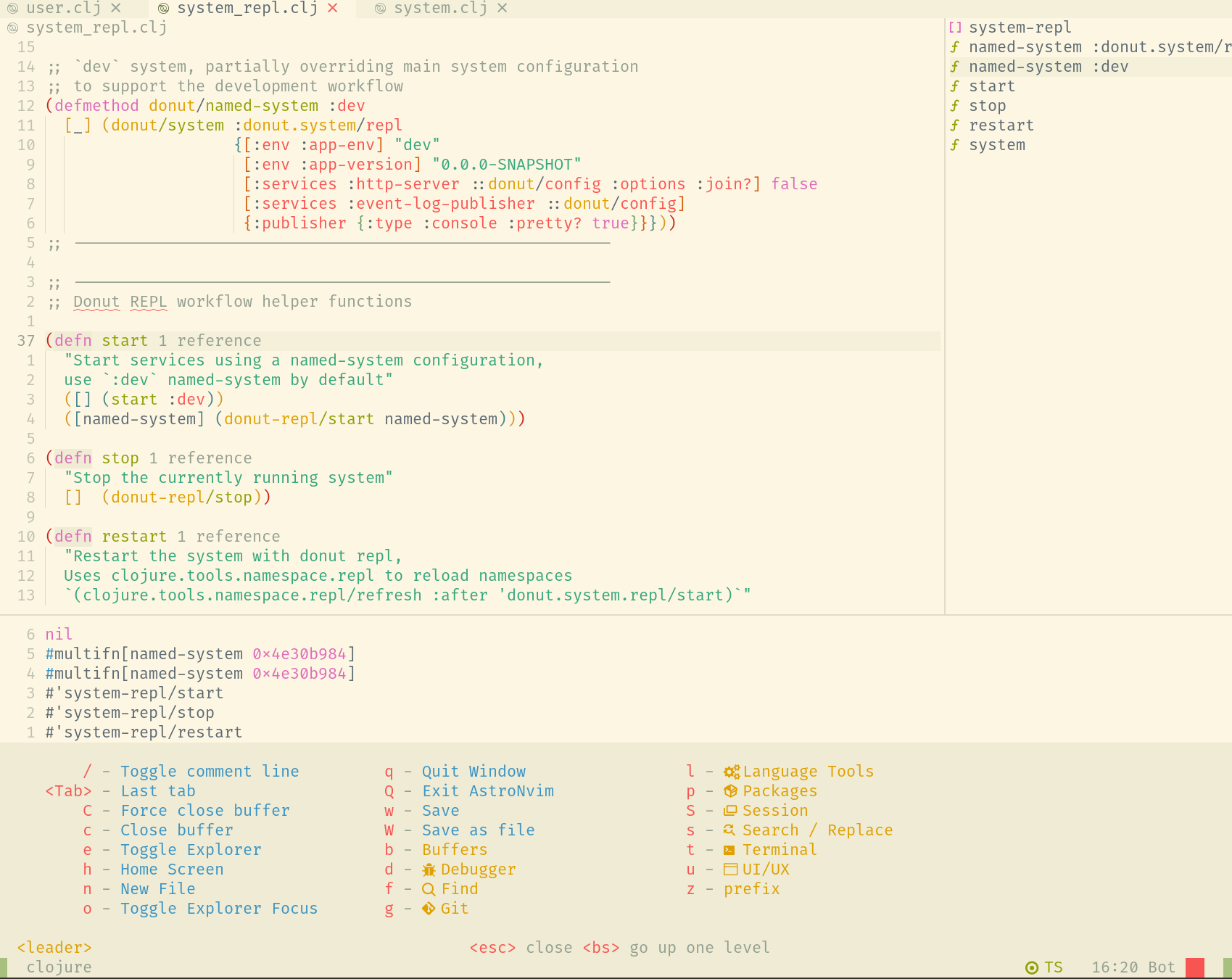{loading=lazy}
28 | 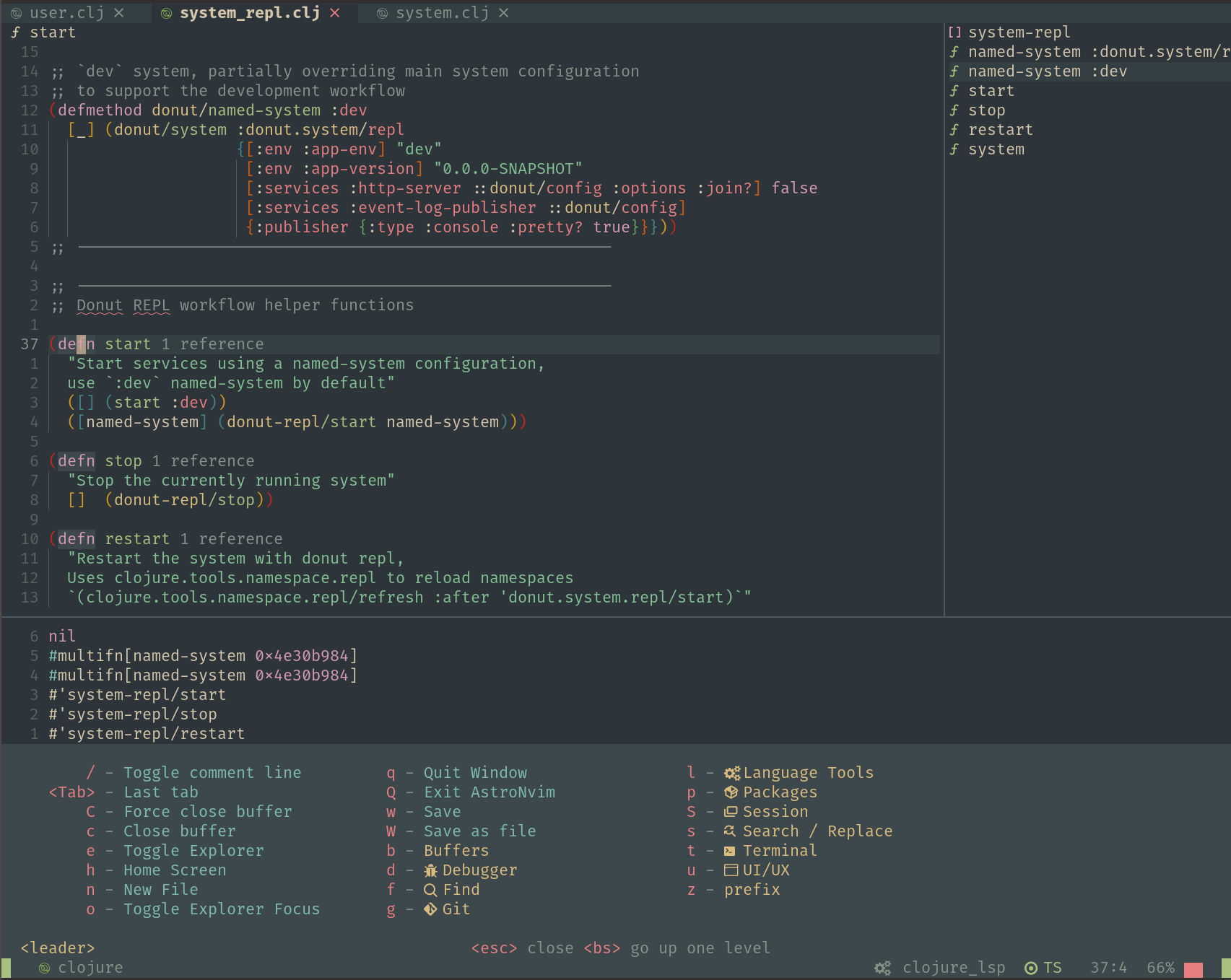{loading=lazy}
29 |
30 |
31 | ## Navigate the book
32 |
33 | Use the mouse or built-in key bindings to navigate the pages of the book
34 |
35 | - ++p++ , ++comma++ : go to previous page
36 | - ++n++ , ++period++ : go to next page
37 |
38 | Use the search box to quickly find a specific topic
39 |
40 | - ++f++ , ++s++ , ++slash++ : open search dialog
41 | - ++arrow-down++ , ++arrow-up++ : select next / previous result
42 | - ++esc++ , ++tab++ : close search dialog
43 | - ++enter++ : follow selected result
44 |
45 |
46 | ## Sponsor Practicalli
47 |
48 | [{ align=left loading=lazy }](https://github.com/sponsors/practicalli-johnny/)
49 |
50 | All sponsorship funds are used to support the continued development of [Practicalli series of books and videos](https://practical.li/){target=_blank}, although most work is done at personal cost and time.
51 |
52 | Thanks to [Cognitect](https://www.cognitect.com/){target=_blank}, [Nubank](https://nubank.com.br/){target=_blank} and a wide range of other [sponsors](https://github.com/sponsors/practicalli-johnny#sponsors){target=_blank} from the Clojure community for your continued support
53 |
54 |
55 | ## Creative commons license
56 |
57 |
58 |
59 | This work is licensed under a Creative Commons Attribution 4.0 ShareAlike License (including images & style sheets).
60 |
37 |
38 | This work is licensed under a Creative Commons Attribution 4.0 ShareAlike License (including images & stylesheets).
39 |
/.git
86 | ```
87 |
88 | Run a local server from the root of the cloned project
89 |
90 | ```bash
91 | make docs
92 | ```
93 |
94 | The website will open at
95 |
96 | If making smaller changes, then only rebuild the content that changes, speeding up the local development process
97 |
98 | ```bash
99 | make docs-changed
100 | ```
101 |
--------------------------------------------------------------------------------
/docs/assets/favicon.svg:
--------------------------------------------------------------------------------
1 |
2 |
3 |
4 |
7 |
8 |
9 | image/svg+xml
10 |
13 |
14 |
15 |
16 |
18 | I P 9
22 |
25 |
--------------------------------------------------------------------------------
/docs/assets/stylesheets/practicalli-light.css:
--------------------------------------------------------------------------------
1 | // ----------------------------------------------------------------------------
2 | // Rules
3 | // ----------------------------------------------------------------------------
4 |
5 | // Color variables
6 | :root {
7 | @extend %root;
8 |
9 | // Primary color shades
10 | --md-primary-fg-color: hsla(#{hex2hsl($clr-indigo-500)}, 1);
11 | --md-primary-fg-color--light: hsla(#{hex2hsl($clr-indigo-400)}, 1);
12 | --md-primary-fg-color--dark: hsla(#{hex2hsl($clr-indigo-700)}, 1);
13 | --md-primary-bg-color: hsla(0, 0%, 100%, 1);
14 | --md-primary-bg-color--light: hsla(0, 0%, 100%, 0.7);
15 |
16 | // Accent color shades
17 | --md-accent-fg-color: hsla(#{hex2hsl($clr-indigo-a200)}, 1);
18 | --md-accent-fg-color--transparent: hsla(#{hex2hsl($clr-indigo-a200)}, 0.1);
19 | --md-accent-bg-color: hsla(0, 0%, 100%, 1);
20 | --md-accent-bg-color--light: hsla(0, 0%, 100%, 0.7);
21 | }
22 |
23 | // ----------------------------------------------------------------------------
24 |
25 | // Allow to explicitly use color schemes in nested content
26 | [data-md-color-scheme="practicalli"] {
27 | @extend %root;
28 | }
29 |
30 | // ----------------------------------------------------------------------------
31 | // Placeholders
32 | // ----------------------------------------------------------------------------
33 |
34 | // Default theme, i.e. light mode
35 | %root {
36 |
37 | // Default color shades
38 | --md-default-fg-color: hsla(0, 0%, 0%, 0.87);
39 | --md-default-fg-color--light: hsla(0, 0%, 0%, 0.54);
40 | --md-default-fg-color--lighter: hsla(0, 0%, 0%, 0.32);
41 | --md-default-fg-color--lightest: hsla(0, 0%, 0%, 0.07);
42 | --md-default-bg-color: hsla(53, 90%, 90%, 1);
43 | --md-default-bg-color--light: hsla(53, 90%, 90%, 0.7);
44 | --md-default-bg-color--lighter: hsla(53, 90%, 90%, 0.3);
45 | --md-default-bg-color--lightest: hsla(53, 90%, 90%, 0.12);
46 |
47 | // Code color shades
48 | --md-code-fg-color: hsla(200, 18%, 26%, 1);
49 | --md-code-bg-color: hsla(0, 0%, 96%, 1);
50 |
51 | // Code highlighting color shades
52 | --md-code-hl-color: hsla(#{hex2hsl($clr-yellow-a200)}, 0.5);
53 | --md-code-hl-number-color: hsla(0, 67%, 50%, 1);
54 | --md-code-hl-special-color: hsla(340, 83%, 47%, 1);
55 | --md-code-hl-function-color: hsla(291, 45%, 50%, 1);
56 | --md-code-hl-constant-color: hsla(250, 63%, 60%, 1);
57 | --md-code-hl-keyword-color: hsla(219, 54%, 51%, 1);
58 | --md-code-hl-string-color: hsla(150, 63%, 30%, 1);
59 | --md-code-hl-name-color: var(--md-code-fg-color);
60 | --md-code-hl-operator-color: var(--md-default-fg-color--light);
61 | --md-code-hl-punctuation-color: var(--md-default-fg-color--light);
62 | --md-code-hl-comment-color: var(--md-default-fg-color--light);
63 | --md-code-hl-generic-color: var(--md-default-fg-color--light);
64 | --md-code-hl-variable-color: var(--md-default-fg-color--light);
65 |
66 | // Typeset color shades
67 | --md-typeset-color: var(--md-default-fg-color);
68 |
69 | // Typeset `a` color shades
70 | --md-typeset-a-color: var(--md-primary-fg-color);
71 |
72 | // Typeset `mark` color shades
73 | --md-typeset-mark-color: hsla(#{hex2hsl($clr-yellow-a200)}, 0.5);
74 |
75 | // Typeset `del` and `ins` color shades
76 | --md-typeset-del-color: hsla(6, 90%, 60%, 0.15);
77 | --md-typeset-ins-color: hsla(150, 90%, 44%, 0.15);
78 |
79 | // Typeset `kbd` color shades
80 | --md-typeset-kbd-color: hsla(0, 0%, 98%, 1);
81 | --md-typeset-kbd-accent-color: hsla(0, 100%, 100%, 1);
82 | --md-typeset-kbd-border-color: hsla(0, 0%, 72%, 1);
83 |
84 | // Typeset `table` color shades
85 | --md-typeset-table-color: hsla(0, 0%, 0%, 0.12);
86 |
87 | // Admonition color shades
88 | --md-admonition-fg-color: var(--md-default-fg-color);
89 | --md-admonition-bg-color: var(--md-default-bg-color);
90 |
91 | // Footer color shades
92 | --md-footer-fg-color: hsla(0, 0%, 100%, 1);
93 | --md-footer-fg-color--light: hsla(0, 0%, 100%, 0.7);
94 | --md-footer-fg-color--lighter: hsla(0, 0%, 100%, 0.3);
95 | --md-footer-bg-color: hsla(0, 0%, 0%, 0.87);
96 | --md-footer-bg-color--dark: hsla(0, 0%, 0%, 0.32);
97 |
98 | // Shadow depth 1
99 | --md-shadow-z1:
100 | 0 #{px2rem(4px)} #{px2rem(10px)} hsla(0, 0%, 0%, 0.05),
101 | 0 0 #{px2rem(1px)} hsla(0, 0%, 0%, 0.1);
102 |
103 | // Shadow depth 2
104 | --md-shadow-z2:
105 | 0 #{px2rem(4px)} #{px2rem(10px)} hsla(0, 0%, 0%, 0.1),
106 | 0 0 #{px2rem(1px)} hsla(0, 0%, 0%, 0.25);
107 |
108 | // Shadow depth 3
109 | --md-shadow-z3:
110 | 0 #{px2rem(4px)} #{px2rem(10px)} hsla(0, 0%, 0%, 0.2),
111 | 0 0 #{px2rem(1px)} hsla(0, 0%, 0%, 0.35);
112 | }
113 |
--------------------------------------------------------------------------------
/docs/using-neovim/mason.md:
--------------------------------------------------------------------------------
1 | # Mason
2 |
3 | Manage packages for LSP servers, format & lint tools from within Neovim.
4 |
5 | ++spc++ ++"p"++ ++"m"++ opens the Mason status,
6 |
7 | - ++"i"++ to install package under cursor
8 | - ++"U"++ to update all packages.
9 | - ++"X"++ to remove package under cursor
10 |
11 | The [Mason Registry](https://mason-registry.dev/registry/list){target=_blank} maintains a list of all packages and automatically updated packages to the latest available version.
12 |
13 | [Mason Registry - Package List](https://mason-registry.dev/registry/list){target=_blank .md-button}
14 |
15 | !!! TIP "SPC p a updates plugins and tools"
16 |
17 | {loading=lazy}
18 |
19 |
20 | ## Help
21 |
22 | ++"g"++ ++"?"++ on Mason status popup shows key maps and description of mason
23 |
24 | `:checkhealth mason` health status of mason
25 |
26 | `:help mason-debugging` for help with debugging
27 |
28 | {loading=lazy}
29 |
30 | ??? EXAMPLE "Mason Log"
31 | ```shell-session
32 | [INFO Wed 02 Apr 2025 15:40:41 BST] ...astro5/lazy/mason.nvim/lua/mason-core/installer/init.lua:184: Executing installer for Package(name=lua-language-server) {}
33 | [INFO Wed 02 Apr 2025 15:40:41 BST] ...astro5/lazy/mason.nvim/lua/mason-core/installer/init.lua:184: Executing installer for Package(name=stylua) {}
34 | [INFO Wed 02 Apr 2025 15:40:41 BST] ...astro5/lazy/mason.nvim/lua/mason-core/installer/init.lua:184: Executing installer for Package(name=selene) {}
35 | [INFO Wed 02 Apr 2025 15:40:41 BST] ...astro5/lazy/mason.nvim/lua/mason-core/installer/init.lua:184: Executing installer for Package(name=clojure-lsp) {}
36 | [INFO Wed 02 Apr 2025 15:40:43 BST] ...astro5/lazy/mason.nvim/lua/mason-core/installer/init.lua:245: Installation succeeded for Package(name=stylua)
37 | [INFO Wed 02 Apr 2025 15:40:44 BST] ...astro5/lazy/mason.nvim/lua/mason-core/installer/init.lua:245: Installation succeeded for Package(name=lua-language-server)
38 | [INFO Wed 02 Apr 2025 15:40:44 BST] ...astro5/lazy/mason.nvim/lua/mason-core/installer/init.lua:245: Installation succeeded for Package(name=selene)
39 | [INFO Wed 02 Apr 2025 15:40:48 BST] ...astro5/lazy/mason.nvim/lua/mason-core/installer/init.lua:245: Installation succeeded for Package(name=clojure-lsp)
40 | [INFO Mon 07 Apr 2025 22:43:03 BST] ...astro5/lazy/mason.nvim/lua/mason-core/installer/init.lua:184: Executing installer for Package(name=json-lsp) {}
41 | [INFO Mon 07 Apr 2025 22:43:08 BST] ...astro5/lazy/mason.nvim/lua/mason-core/installer/init.lua:245: Installation succeeded for Package(name=json-lsp)
42 | [INFO Thu 10 Apr 2025 11:14:42 BST] ...astro5/lazy/mason.nvim/lua/mason-core/installer/init.lua:184: Executing installer for Package(name=gh-actions-language-server) {}
43 | [INFO Thu 10 Apr 2025 11:14:51 BST] ...astro5/lazy/mason.nvim/lua/mason-core/installer/init.lua:245: Installation succeeded for Package(name=gh-actions-language-server)
44 | [INFO Mon 14 Apr 2025 21:00:36 BST] ...astro5/lazy/mason.nvim/lua/mason-core/installer/init.lua:184: Executing installer for Package(name=lua-language-server) {
45 | version = "3.14.0"
46 | }
47 | [INFO Mon 14 Apr 2025 21:00:39 BST] ...astro5/lazy/mason.nvim/lua/mason-core/installer/init.lua:245: Installation succeeded for Package(name=lua-language-server)
48 | [INFO Thu 24 Apr 2025 10:09:44 BST] ...astro5/lazy/mason.nvim/lua/mason-core/installer/init.lua:184: Executing installer for Package(name=clojure-lsp) {
49 | version = "2025.04.23-18.16.46"
50 | }
51 | [INFO Thu 24 Apr 2025 10:09:44 BST] ...astro5/lazy/mason.nvim/lua/mason-core/installer/init.lua:184: Executing installer for Package(name=stylua) {
52 | version = "v2.1.0"
53 | }
54 | [INFO Thu 24 Apr 2025 10:09:46 BST] ...astro5/lazy/mason.nvim/lua/mason-core/installer/init.lua:245: Installation succeeded for Package(name=stylua)
55 | [INFO Thu 24 Apr 2025 10:09:49 BST] ...astro5/lazy/mason.nvim/lua/mason-core/installer/init.lua:245: Installation succeeded for Package(name=clojure-lsp)
56 | [INFO Thu 24 Apr 2025 10:39:26 BST] ...astro5/lazy/mason.nvim/lua/mason-core/installer/init.lua:184: Executing installer for Package(name=clojure-lsp) {
57 | version = "2025.03.27-20.21.36"
58 | }
59 | [ERROR Thu 24 Apr 2025 10:39:30 BST] ...astro5/lazy/mason.nvim/lua/mason-core/installer/init.lua:249: Installation failed for Package(name=clojure-lsp) error="Installation was aborted."
60 | [INFO Thu 01 May 2025 21:15:13 BST] ...astro5/lazy/mason.nvim/lua/mason-core/installer/init.lua:184: Executing installer for Package(name=marksman) {}
61 | [INFO Thu 01 May 2025 21:15:13 BST] ...astro5/lazy/mason.nvim/lua/mason-core/installer/init.lua:184: Executing installer for Package(name=prettierd) {}
62 | [INFO Thu 01 May 2025 21:15:15 BST] ...astro5/lazy/mason.nvim/lua/mason-core/installer/init.lua:245: Installation succeeded for Package(name=marksman)
63 | [INFO Thu 01 May 2025 21:15:18 BST] ...astro5/lazy/mason.nvim/lua/mason-core/installer/init.lua:245: Installation succeeded for Package(name=prettierd)
64 | [ERROR Sun 20 Apr 2025 20:00:55 BST] ...astro5/lazy/mason.nvim/lua/mason-core/providers/init.lua:81: Provider "github" "get_latest_release" failed: spawn: wget failed with exit code 5 and signal 0.
65 | ```
66 |
--------------------------------------------------------------------------------
/docs/reference/configuration/fenel-config/packages/index.md:
--------------------------------------------------------------------------------
1 | # Add Neovim Packages
2 |
3 | !!! HINT "Evolving Packages in Practicalli config"
4 | Check the [practicalli/neovim-config-reduct configuration](https://github.com/practicalli/neovim-config-redux). Many packages have been added to the configuration and `fnl/config/package.fnl` is the most up to date list of packages currently used.
5 |
6 | List of packages and their purpose
7 |
8 | | Package | Description |
9 | |:----------------------|:---------------------------------------------------------------------|
10 | | conjure | Clojure REPL Driven Development (and other language REPLs) |
11 | | sexp | Structured Editing |
12 | | newpaper theme | Clean and simple UI & colour scheme, aimed at readably |
13 | | [lualine](lualine.md) | Fast and configurable statusline |
14 | | nvim-treesitter | Parse code highly efficiently, client for LSP servers |
15 | | telescope | Completion tool, e.g. select files, buffers tabs, packages, etc |
16 | | nvim-tree | Visual file manager - open, create, delete, etc. files & directories |
17 | | neogit | Magit style visual Git client |
18 | | Octo | Git Issues and Pull Requests |
19 | | gitsigns | Show diff changes in buffer gutter and status line |
20 |
21 | Any specific package configuration & key bindings (on sub page if significant content)
22 |
23 |
24 | ## Package selection criteria
25 |
26 | Packages are more likely to be adopted if:
27 |
28 | - provide valuable (or fun) features
29 | - work reliably, without generating errors
30 | - do not conflict with other valuable packages in this configuration
31 | - written in fennel or lua to aid maintenance
32 | - provides a `setup` or `config` function for setting package options
33 | - use features provided by Neovim (e.g treesitter)
34 | - are well documented
35 | - are easy to configure
36 | - are easy to use
37 | - work well with themes (where relevant)
38 |
39 | ## Package Updates
40 |
41 | [This Week In Neovim - community update](https://this-week-in-neovim.org/){target=_blank .md-button}
42 |
43 |
44 |
45 |
46 |
47 |
48 |
49 |
50 |
51 |
52 |
53 |
54 |
55 |
56 |
57 |
58 |
59 |
60 |
61 |
62 |
63 |
64 |
65 |
66 |
67 |
68 |
69 |
70 |
71 |
72 |
73 |
74 |
75 |
76 |
77 |
78 |
79 |
80 |
81 |
82 |
--------------------------------------------------------------------------------
/docs/reference/modal-editing/speaking-vim.md:
--------------------------------------------------------------------------------
1 | # Learning to speak Vim
2 |
3 | Learning to speak the language of vim-style editing significantly accelerates the performance of communicating with the computer.
4 |
5 | The language is constructed from
6 |
7 | - [actions](#actions) to navigate or manipulate text
8 | - [motions](#motions) defining the scope of a cursor movement
9 | - [multipliers](#multipliers) defining the number of times an action or motion takes place
10 | - [text objects](#text-objects) are common scopes within a text document
11 |
12 | Actions are coupled with motions or text objects
13 |
14 | !!! TIP "keys are mnemonic or regex and have capitalised variants"
15 | Keys were designed to be mnemonic where possible, e.g. ++"d"++ for delete and ++"c"++ for change
16 |
17 | Common regular expression scopes are used, e.g. ++0++ first character, ++"$"++ last character
18 |
19 | Keys often have a variant of the action in the capitalised key, e.g. ++shift++ ++"c"++ changes to end of line
20 |
21 |
22 | ## Actions
23 |
24 | First learn some verbs, these are your actions:
25 |
26 | ++"c"++ change
27 |
28 | ++"d"++ delete
29 |
30 | ++"g"++ go
31 |
32 | ++"v"++ visual select
33 |
34 | ++"y"++ yank (copy)
35 |
36 | ++"p"++ paste (yanks selected text after pasting), ++"P"++ pastes without yanking
37 |
38 | !!! TIP "Double tap to act on current line"
39 | ++"d"++ ++"d"++ deletes the current line
40 |
41 | ++"y"++ ++"y"++ yanks (copies) the current line
42 |
43 |
44 | ## Motions
45 |
46 | Then use those verbs with some motions
47 |
48 | ++"j"++ ++"k"++ ++"h"++ ++"l"++ move one character down, up, left or right
49 |
50 | ++"%"++ matching paren `() [] {}` (toggle between open and closed paren)
51 |
52 | ++grave++ mark character (specify existing mark character)
53 |
54 | ++open-brace++ ++close-brace++ beginning/end of paragraph
55 |
56 | ++0++ start of line
57 |
58 | ++"^"++ first non white-space character of line
59 |
60 | ++"$"++ end of line
61 |
62 | ++"a"++ around
63 |
64 | ++"f"++ find specified character forward, ++"F"++ find backward
65 |
66 | ++"i"++ inside a range (e.g. a text object like word, or parens)
67 |
68 | ++"s"++ surround
69 |
70 | ++"t"++ till (move just before specified character)
71 |
72 |
73 | ## multipliers
74 |
75 | An action or motion can be repeated by a given number
76 |
77 | ++3++ ++"d"++ ++"w"++ deletes the next three words by repeating the action
78 |
79 | ++"d"++ ++3++ ++"w"++ deletes three words by repeating the motion (follows how this would be said in English)
80 |
81 | !!! TIP "Relative line numbers"
82 | Using relative line numbers an effective way to jump around the visible text of a buffer.
83 |
84 | Each line shows how many lines away it is from the current line.
85 |
86 | ++"j"++ ++"k"++ navigation motions will move down or up the number of lines, e.g. ++1++ ++0++ ++"j"++ will jump down 10 lines.
87 |
88 |
89 | ## Text Objects
90 |
91 | Then learn the text objects you can apply verbs and modifiers too
92 |
93 | ++"b"++ **block/parentheses** a text block or text between parens
94 |
95 | ++"p"++ **paragraph** text to the next blank line
96 |
97 | ++"s"++ **sentence** text to a full stop character
98 |
99 | ++"t"++ **tag** e.g. html/xml tag and its contents
100 |
101 | ++"w"++ **word** - start of next word, ++"W"++ ignores punctuation
102 |
103 |
104 | ## Examples of speaking Vim
105 |
106 | Practice speaking evil with these examples
107 |
108 | | Keybinding | Description |
109 | |-------------|-------------------------------------------------------------------------------------------------------------|
110 | | ++"c"++ ++"i"++ ++"s"++ | change inside current sentence (change the whole sentence) |
111 | | ++"c"++ ++"i"++ ++double-quote++ | change inside double quotes |
112 | | ++"c"++ ++"f"++ ++")"++ | change from cursor to next `)` character |
113 | | ++"c"++ ++"s"++ ++single-quote++ ++double-quote++ | change by the surrounding single quotes with double quotes |
114 | | ++"c"++ ++"t"++ ++"X"++ | change till the character `X` (not including `X`) |
115 | | ++"d"++ `/foo` | change until the first search result of ‘foo’ |
116 | | ++"d"++ ++"d"++ | delete current line |
117 | | ++"D"++ | delete current line from cursor onward |
118 | | ++"d"++ ++"w"++ ++"w"++ | delete arround current word (includes trailing space) |
119 | | ++"d"++ ++"i"++ ++"w"++ | delete inside current word (delete word regardless of cusor position) |
120 | | ++"v"++ ++"t"++ ++spc++ | visual select till the next `Space` character |
121 | | ++"v"++ ++"s"++ ++close-bracket++ | visually select and surround with `[]` without spaces |
122 | | ++"v"++ ++"s"++ ++open-bracket++ | as above with `[ ]` with spaces between parens and content |
123 | | ++"g"++ ++"v"++ | go to last visual selection (select last visual selection) |
124 | | ++"v"++ ++"a"++ ++"p"++ | visually select around current paragraph |
125 | | ++"v"++ ++"i"++ ++"w"++ ++"S"++ ++double-quote++ | visually select, insert around current word, and surround with quotes |
126 | | ++"y"++ ++"y"++ | yank (copy) current line |
127 | | ++"y"++ ++"w"++ | yank (copy) current word |
128 | | ++"y"++ ++grave++ ++"y"++ | yank (copy) to mark `a` (`m a` creates a mark called `a`) |
129 |
--------------------------------------------------------------------------------
/docs/using-neovim/navigation.md:
--------------------------------------------------------------------------------
1 | # Navigation
2 |
3 | Move the cursor one space at a time
4 |
5 | - ++"h"++ move left
6 | - ++"j"++ move down
7 | - ++"k"++ move up
8 | - ++"l"++ move right
9 |
10 |
11 | ## Jump along line
12 |
13 | Move to specific points within a line
14 |
15 | - ++"w"++ jump to start of next word
16 | - ++"b"++ jump to start of word
17 | - ++"e"++ jump to end of next word
18 | - ++"$"++ jumps to end of line
19 | - ++"0"++ jumps to start of line
20 | - ++"^"++ jumps to first character of line
21 |
22 | !!! HINT "Uppercase w b e consider word delimited by blank characters"
23 | Jump joined-word using ++"W"++ ++"B"++ ++"E"++
24 |
25 | Use w b e movement with a number to move the cursor larger distances
26 |
27 | ```vim title="jump 3 words forward"
28 | 3w
29 | ```
30 |
31 | ++"f"++ jumps forward in the current line to the given character
32 |
33 | ```vim title="jump to next q character"
34 | fq
35 | ```
36 |
37 | ++"F"++ jumps backward in the current line to the given character
38 |
39 | ```vim title="jump to previous [ character"
40 | F[
41 | ```
42 |
43 | ++"t"++ jumps forward in the current line to before the given character
44 |
45 | ```vim title="jump before q character"
46 | tq
47 | ```
48 |
49 | ++"T"++ jumps backward in the current line to after the given character
50 |
51 | ```vim title="jump after [ character"
52 | T[
53 | ```
54 |
55 |
56 | ## Jump around buffer
57 |
58 | - ++"H"++ jump to top of window
59 | - ++"M"++ jump to middle of window
60 | - ++"L"++ jump to bottom of window
61 | - ++"{"++ jump to previous paragraph
62 | - ++"}"++ jump to next paragraph
63 | - ++"gg"++ jump to first character of line
64 | - ++"G"++ jump to first character of line
65 |
66 | Use cursor movement with a number to move the cursor larger distances
67 |
68 | ```vim title="jump down 12 lines"
69 | 12j
70 | ```
71 |
72 | ??? HINT "Relative line numbers for line navigation"
73 | Enable relative line numbers to show how far away from the current line each other line is.
74 |
75 | ```vim
76 | set relativenumber
77 | set number
78 | ```
79 |
80 | [Practicalli AstroNvim-Config](/neovim/configuration/astronvim/) enables relative line numbers
81 |
82 |
83 | Jump to a specific line using the number as a command
84 |
85 | ```vim title="jump to line number"
86 | :127
87 | ```
88 |
89 | ## Navigate position history
90 |
91 | ++ctrl+"o" jumps to a previous postion in the cursor history
92 |
93 | ++ctrl+"i" jumps to a previous postion in the cursor history
94 |
95 |
96 | ## File marks
97 |
98 | Navigate within the current file or globally using file marks.
99 |
100 | ++"m"++ followed by a lower case character creates a mark within the current file.
101 |
102 | ++"m"++ followed by an upper case character creates a global mark.
103 |
104 | ++grave++ (backtick) followed by a character jumps to the mark created
105 |
106 | ++spc++ ++"f"++ ++single-quote++ displays marks in telescope popup
107 |
108 | !!! EXAMPLE "File marks within file"
109 | ++"m"++ ++"f"++ creates a mark lablled `f`
110 |
111 | ++grave++ ++"f"++ jumps to the mark labelled `f`
112 |
113 | ??? EXAMPLE "Global mark to jump between source and test code"
114 | ++"m"++ ++"S"++ with the cursor in the source code file.
115 |
116 | ++"m"++ ++"T"++ with the cursor in the test code file.
117 |
118 | ++grave++ ++"S"++ to jump to the source code
119 |
120 | ++grave++ ++"T"++ to jump to the source code
121 |
122 | ## Jumplist
123 |
124 | `:jumps` shows the Neovim jumplist containing all points from any buffer recently jumped to using neovim commands
125 |
126 | - ++ctrl++ ++"o"++ jump back
127 | - ++ctrl++ ++"i"++ jump forward
128 | - ++"ctrl"++ and navigation key (hjkl) to move to changelist window
129 | - ++"q"++ closes the jumplist buffer
130 |
131 |
132 | ## Changes
133 |
134 | `:changes` shows the Neovim changelist containing all points in the current buffer which have changed
135 |
136 | - ++"g"++ ++semicolon++ jump back (previous edit)
137 | - ++"g"++ ++period++ jump forward
138 | - ++"ctrl"++ and navigation key (hjkl) to move to changelist window
139 | - ++"q"++ closes the changelist buffer
140 |
141 |
142 | ## Navigation menus
143 |
144 | - ++bracket-left++ ++"("++ & ++bracket-right++ ++")"++ previous & next paren
145 | - ++bracket-left++ ++"brace-left"++ & ++bracket-right++ ++"brace-right"++ previous and next square brackets
146 | - ++bracket-left++ ++"g"++ & ++bracket-right++ ++"g"++ previous and next Git hunks
147 | - ++bracket-left++ ++"s"++ & ++bracket-right++ ++"s"++ previous and next misspelled word
148 |
149 |
150 | ## Search in buffer
151 |
152 | ++slash++ searches buffer for the following pattern
153 |
154 | - ++"n"++ jumps to next match
155 | - ++"N"++ jumps to previous match
156 |
157 | > AstroNvim user config enables `incsearch` incremental search and `hlsearch` to highlight every search match
158 |
159 |
160 | ## Git
161 |
162 | AstroNvim includes [Gitsigns](https://github.com/lewis6991/gitsigns.nvim) which highlights changes to the working directory in the buffer margin.
163 |
164 | Git hunks can be navigated
165 |
166 | - ++bracket-left++ ++"g"++ jumps to previous hunk
167 | - ++bracket-right++ ++"g"++ jumps to next hunk
168 | - ++bracket-left++ ++"G"++ jumps to first hunk
169 | - ++bracket-right++ ++"G"++ jumps to last hunk
170 |
171 | > [Source Control](/neovim/source-control/index.md) section describes additional features of Gitsigns and other Git tools.
172 |
173 |
174 | ## Projects
175 |
176 | ++colon++ ++"c"++ ++"d"++ followed by a path changes the root directory for Neovim.
177 |
178 | ++tab++ completion simplifies typing the new path of the root directory.
179 |
180 | {loading=lazy}
181 | {loading=lazy}
182 |
183 | !!! HINT "AstroNvim rooter"
184 | AstroNvim has a built-in project root detection utility that updates the current working directory automatically.
185 |
--------------------------------------------------------------------------------
/docs/reference/configuration/astrocommunity.md:
--------------------------------------------------------------------------------
1 | # Override Astrocommunity Configuration
2 |
3 | Configuration in the AstroNvim Community clojure language pack can be overridden and plugins disabled to meet your needs
4 |
5 | ### Parinfer
6 |
7 | By aligning clojure code correctly, parinfer will automatically correct the position of parenthesis and other delimiters, i.e. `()`, `[]`, `{}`
8 |
9 | Parinfer can be disabled if preferred and the more traditional slurp/barf structural editing be done via [nvim-treesitter-sexp](#nvim-treesitter-sexp)
10 |
11 | Include the Clojure language pack and disable the parinfer plugin by setting the plugin name to equal false
12 |
13 | ```lua
14 | { import = "astrocommunity.pack.clojure" },
15 | { "gpanders/nvim-parinfer", enabled = false },
16 | ```
17 |
18 | ### Conjure
19 |
20 | Configure the Clojure REPL client via the conjure plugin.
21 |
22 | > NOTE: `:help conjure-client-clojure-nrepl` for full list of Conjure options for Clojure.
23 |
24 | Set HUD location to full width along the bottom of the screen. The HUD appears in the top right corner of the screen by default.
25 |
26 | ```lua
27 | ["conjure#log#hud#enabled"] = true, -- enable HUD
28 | ["conjure#log#hud#width"] = 1,
29 | ["conjure#log#hud#anchor"] = "SE",
30 | ["conjure#log#botright"] = true,
31 | ```
32 |
33 | Disable the auto repl (babashka) if an nREPL process is not listening, i.e. `.nrepl-port` file does not exist or does not contain a port number.
34 |
35 | ```lua
36 | -- Disable auto repl (babashka)
37 | ["conjure#client#clojure#nrepl#connection#auto_repl#enabled"] = false,
38 | ["conjure#client#clojure#nrepl#connection#auto_repl#hidden"] = true,
39 | ["conjure#client#clojure#nrepl#connection#auto_repl#cmd"] = nil,
40 | ["conjure#client#clojure#nrepl#eval#auto_require"] = false,
41 |
42 | ```
43 |
44 | Change the test runner used by Conjure. `clojure.test` runner is used by default
45 |
46 | - `"clojure"` clojure.test (default)
47 | - `"clojuresCRipt" cljs.test
48 | - `"kaocha"` lambdaisland/kaocha
49 |
50 | ```lua
51 | -- Set Test runner: "clojure", "clojuresCRipt", "kaocha"
52 | ["conjure#client#clojure#nrepl#test#runner"] = "kaocha",
53 | ```
54 |
55 | Working example with additional configuration options to show HUD along bottom, enable auto repl if no nREPL process found and set test runner to use lambdaisland/kaocha.
56 |
57 | ```lua
58 | { import = "astrocommunity.pack.clojure" },
59 | {
60 | "AstroNvim/astrocore",
61 | opts = {
62 | options = {
63 | g = {
64 | -- Enable HUD and show full lenght along bottom
65 | ["conjure#log#hud#enabled"] = true, -- show log by default?
66 | ["conjure#log#hud#width"] = 1,
67 | ["conjure#log#hud#anchor"] = "SE",
68 | ["conjure#log#botright"] = true,
69 |
70 | -- Disable auto repl (babashka)
71 | ["conjure#client#clojure#nrepl#connection#auto_repl#enabled"] = false,
72 | ["conjure#client#clojure#nrepl#connection#auto_repl#hidden"] = true,
73 | ["conjure#client#clojure#nrepl#connection#auto_repl#cmd"] = nil,
74 | ["conjure#client#clojure#nrepl#eval#auto_require"] = false,
75 |
76 | -- Set Test runner: "clojure", "clojuresCRipt", "kaocha"
77 | ["conjure#client#clojure#nrepl#test#runner"] = "kaocha",
78 | },
79 | },
80 | },
81 | },
82 | ```
83 |
84 | ### nvim-treesitter-sexp
85 |
86 | Treesitter based structural editing with normal mode key mappings, which can be set to false to disable. Two commands are disabled in the example.
87 |
88 | Additional which-key keymaps can be included for greater discoverability. Example includes keymaps inspired by Spacemacs Lisp mode, `SPC k`.
89 |
90 | ```lua
91 | { import = "astrocommunity.pack.clojure" },
92 | {
93 | "PaterJason/nvim-treesitter-sexp",
94 | dependencies = {
95 | "AstroNvim/astrocore",
96 | opts = {
97 | -- configuration & keymaps overrides:
98 | -- https://github.com/PaterJason/nvim-treesitter-sexp#configuration
99 | -- enabled = false, -- Set to false to disable individual keymaps
100 | -- set_cursor = true,
101 | -- keymaps = {
102 | -- Default key bindings - set to false to disable
103 | -- commands = {
104 | -- promote_elem = false,
105 | -- promote_form = false,
106 | -- },
107 | -- motions = {
108 | -- },
109 | -- textobjects = {
110 | -- },
111 | -- },
112 | options = {
113 | g = {},
114 | },
115 | mappings = {
116 | n = {
117 | -- Additional Which-key key bindings for nvim-treesitter-sexp
118 | ["k"] = { name = "Structural Editing" },
119 | ["kE"] = { "TSSexp swap_prev_elem", desc = "Swap Previous Element" },
120 | ["ke"] = { "TSSexp swap_next_elem", desc = "Swap Previous Element" },
121 | ["kF"] = { "TSSexp swap_prev_form", desc = "Swap Previous Form" },
122 | ["kf"] = { "TSSexp swap_next_form", desc = "Swap Previous Form" },
123 | ["kk"] = { "TSSexp promote_elem", desc = "Promote Element" },
124 | ["kr"] = { "TSSexp promote_form", desc = "Promote Form" },
125 | ["k@"] = { "TSSexp splice", desc = "Splice" },
126 | ["kS"] = { "TSSexp slurp_left", desc = "Slurp Left" },
127 | ["ks"] = { "TSSexp slurp_right", desc = "Slurp Right" },
128 | ["kB"] = { "TSSexp barf_left", desc = "Barf Left" },
129 | ["kb"] = { "TSSexp barf_right", desc = "Barf Right" },
130 | ["kI"] = { "TSSexp barf_right", desc = "Insert Head" },
131 | ["ki"] = { "TSSexp barf_right", desc = "Insert Tail" },
132 | },
133 | t = {
134 | -- terminal? mode key bindings
135 | },
136 | v = {
137 | -- visual mode key bindings
138 | },
139 | },
140 | },
141 | },
142 | },
143 |
144 | ```
145 |
--------------------------------------------------------------------------------
 28 |
29 |
28 |
29 |