CheckBox Maths is : %s
" % math_flag 26 | print "CheckBox Physics is : %s
" % physics_flag 27 | print "" 28 | print "" 29 | -------------------------------------------------------------------------------- /https_web_server/test/python/checkbox.cgi: -------------------------------------------------------------------------------- 1 | #!/usr/bin/python 2 | 3 | # Import modules for CGI handling 4 | import cgi, cgitb 5 | 6 | # Create instance of FieldStorage 7 | form = cgi.FieldStorage() 8 | 9 | # Get data from fields 10 | if form.getvalue('maths'): 11 | math_flag = "ON" 12 | else: 13 | math_flag = "OFF" 14 | 15 | if form.getvalue('physics'): 16 | physics_flag = "ON" 17 | else: 18 | physics_flag = "OFF" 19 | 20 | print "" 21 | print "" 22 | print "CheckBox Maths is : %s
" % math_flag 26 | print "CheckBox Physics is : %s
" % physics_flag 27 | print "" 28 | print "" 29 | -------------------------------------------------------------------------------- /https_web_server/HttpsAcceptor.hpp: -------------------------------------------------------------------------------- 1 | #ifndef HTTPACCEPTOR_HPP 2 | #define HTTPACCEPTOR_HPP 3 | 4 | #includeCSS = Styles and Colors
10 |CSS = Styles and Colors
10 |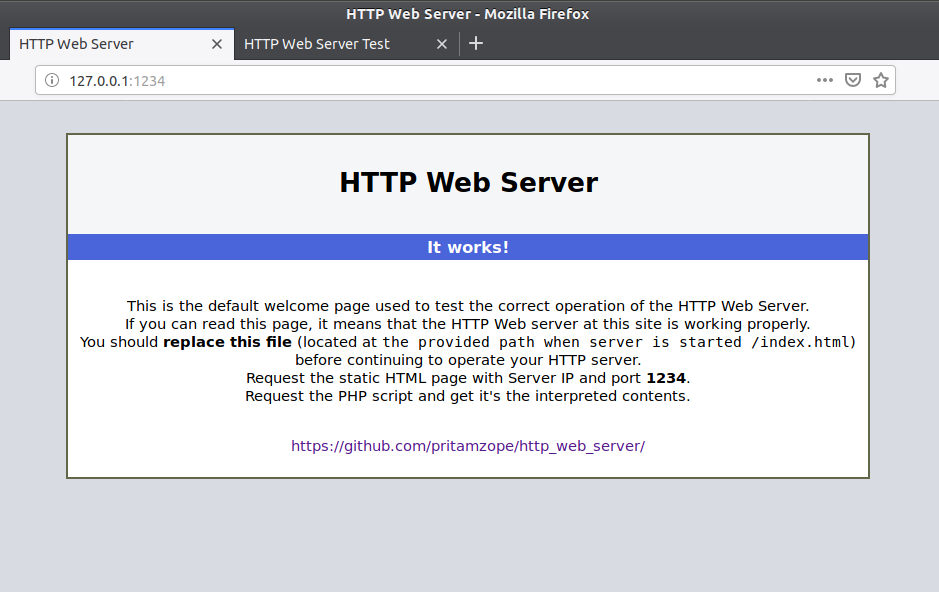 25 |
26 |
27 | ## HTTPS Web Server Main Page:-
28 |
29 |
25 |
26 |
27 | ## HTTPS Web Server Main Page:-
28 |
29 | 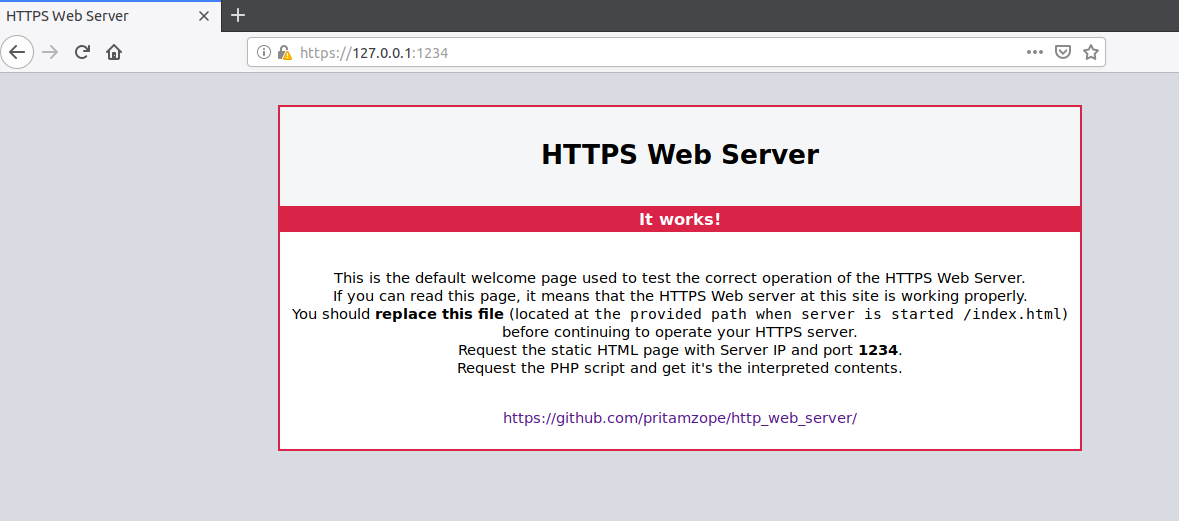 30 |
31 |
32 |
33 |
--------------------------------------------------------------------------------
/https_web_server/HttpsServer.cpp:
--------------------------------------------------------------------------------
1 | #include
30 |
31 |
32 |
33 |
--------------------------------------------------------------------------------
/https_web_server/HttpsServer.cpp:
--------------------------------------------------------------------------------
1 | #include Test Form
7 |Tell us about yourself.
8 | 47 | 48 | 49 | -------------------------------------------------------------------------------- /https_web_server/test/perl/perl_test_2.html: -------------------------------------------------------------------------------- 1 | 2 | 3 |Test Form
7 |Tell us about yourself.
8 | 47 | 48 | 49 | -------------------------------------------------------------------------------- /http_web_server/HttpAcceptor.cpp: -------------------------------------------------------------------------------- 1 | #includeTesting Web Server
31 | 32 |Static HTML
33 || demo_1.html | 36 |demo_2.html | 37 |form_validation.html | 38 |
PHP
41 |Python
52 || Python Demo 2 | 58 |CheckBox Demo | 59 |
Perl
62 || Perl Form Test | 71 |
Testing Web Server
31 | 32 |Static HTML
33 || demo_1.html | 36 |demo_2.html | 37 |form_validation.html | 38 |
PHP
41 |Python
52 || Python Demo 2 | 58 |CheckBox Demo | 59 |
Perl
62 || Perl Form Test | 71 |
42 | Copy the contents of **test** folder into /home/pritam/resource directory.
43 | Now open Web Browser and goto address **127.0.0.1:1234**.
44 | Server uses port 1234 by default which can be changed in source(main.cpp).
45 | It will show following server default page. 46 | 47 |
48 |
49 | That means server is started successfully and ready to serve clients.
50 | Many clients are given in **test** directory such as static HTML pages,PHP, CGI, Python and Perl scripts.
51 |
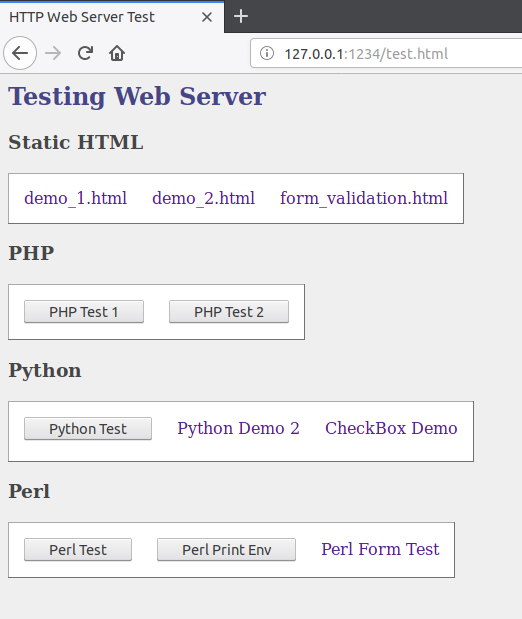
52 | Navigate your browser URL to **127.0.0.1:1234/test.html**, it will show following page for testing each web scripts.53 | If server is running on another machine then use that machine's IP address. 54 | 55 |
 56 |
57 |
58 |
--------------------------------------------------------------------------------
/https_web_server/README.md:
--------------------------------------------------------------------------------
1 |
2 | # HTTPS Web Server
3 |
4 | --------------------------------------------------------------------------------
5 |
6 | # What Is It?
7 |
8 | An synchronous tiny HTTPS web server that supports HTTP web requests over Secure Socket Layer(SSL) as well as
9 | PHP, CGI, Python, Perl etc. scripts execution on server sides.
10 |
11 | # Compilation
12 |
13 | ### Dependency
14 |
15 | ##### GCC with C++11 compiler(g++)
16 | ##### Boost C++ Library
17 | ##### OpenSSL library
18 |
19 | ### Step 1: Getting the Source Code
20 |
21 | You can download source by command:
22 |
23 | $ git clone https://github.com/pritamzope/http_web_server.git
24 | $ cd http_web_server
25 |
26 | or you can get source via other ways you prefer at
56 |
57 |
58 |
--------------------------------------------------------------------------------
/https_web_server/README.md:
--------------------------------------------------------------------------------
1 |
2 | # HTTPS Web Server
3 |
4 | --------------------------------------------------------------------------------
5 |
6 | # What Is It?
7 |
8 | An synchronous tiny HTTPS web server that supports HTTP web requests over Secure Socket Layer(SSL) as well as
9 | PHP, CGI, Python, Perl etc. scripts execution on server sides.
10 |
11 | # Compilation
12 |
13 | ### Dependency
14 |
15 | ##### GCC with C++11 compiler(g++)
16 | ##### Boost C++ Library
17 | ##### OpenSSL library
18 |
19 | ### Step 1: Getting the Source Code
20 |
21 | You can download source by command:
22 |
23 | $ git clone https://github.com/pritamzope/http_web_server.git
24 | $ cd http_web_server
25 |
26 | or you can get source via other ways you prefer at  88 |
89 | Some testing examples are given in **test** directory.
88 |
89 | Some testing examples are given in **test** directory.90 | Copy the contents of **test** folder into /home/pritam/resource directory.
91 | Now open Web Browser and goto address **127.0.0.1:1234**.
92 | Server uses port 1234 by default which can be changed in source(main.cpp).
93 | It will show following server default page. 94 | 95 |
96 |
97 | That means server is started successfully and ready to serve clients.
98 | Many clients are given in **test** directory such as static HTML pages,PHP, CGI, Python and Perl scripts.
99 |
100 | Navigate your browser URL to **127.0.0.1:1234/test.html**, it will show following page for testing each web scripts.101 | If server is running on another machine then use that machine's IP address. 102 | 103 | 104 | 105 | -------------------------------------------------------------------------------- /http_web_server/HttpService.hpp: -------------------------------------------------------------------------------- 1 | #ifndef HTTPSERVICE_HPP 2 | #define HTTPSERVICE_HPP 3 | 4 | #include
HTTP Web Server
\
93 | This is the default welcome page used to test the correct operation of the HTTP Web Server.\
94 |
If you can read this page, it means that the HTTP Web server at this site is working properly.\
95 |
You should replace this file (located at\
96 | the provided path when server is started /index.html)\
97 | before continuing to operate your HTTP server.\
98 |
Request the static HTML page with Server IP and port 1234.\
99 |
Request the PHP script and get it's the interpreted contents.\
100 |
\ 102 | https://github.com/pritamzope/http_web_server/
\ 103 |
HTTPS Web Server
\
95 | This is the default welcome page used to test the correct operation of the HTTPS Web Server.\
96 |
If you can read this page, it means that the HTTPS Web server at this site is working properly.\
97 |
You should replace this file (located at\
98 | the provided path when server is started /index.html)\
99 | before continuing to operate your HTTPS server.\
100 |
Request the static HTML page with Server IP and port 1234.\
101 |
Request the PHP script and get it's the interpreted contents.\
102 |
\ 104 | https://github.com/pritamzope/http_web_server/
\ 105 |