
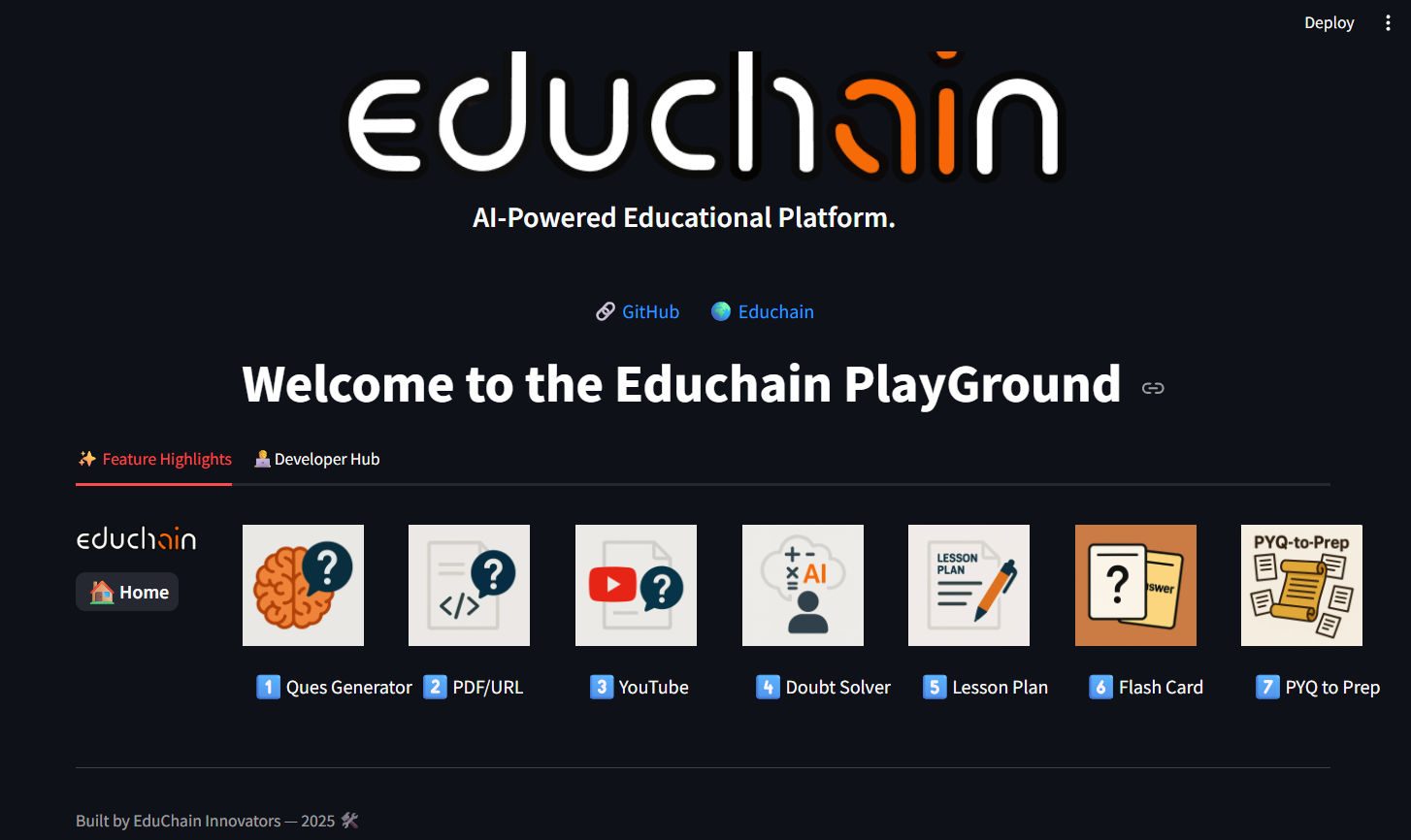
 6 |
7 | A Python + Streamlit powered web application that showcases various core features of **Educhain** — built as a playground for testing, exploration, and building new use-cases for developers.
8 |
9 | Live Demo Linke to Playground : [PlaygroundLink](https://educhain-playground-sgrbz8rwmyhefwqcvnpekj.streamlit.app/)
10 |
11 | ---
12 |
13 | ## 📦 Installation
14 | Install all required dependencies using [requirements.txt](.\requirements.txt):
15 | ``` pip install -r requirements.txt ```
16 | - educhain
17 | - langchain-google-genai
18 | - google-generativeai
19 | - python-dotenv
20 | - streamlit
21 | - PyPDF2
22 | - fpdf
23 |
24 | ## 🚀 Running Educhain Playground Locally
25 | 1. Setup your Gemini or your prefered LLM API KEY
26 | - For use of other LLMs refer to [educhain_llms.txt](../../educhain_llms.txt)
27 | 2. Follow the steps:
28 | > ```` cd educhain\cookbook\starter-apps\playground ```
29 | 3. Use the command ``` Streamlit run Home.py ``` In CLI to run the Streamlit application.
30 |
31 | ## 🎯 You're Ready!
32 | Now explore all the powerful tools of Educhain:
33 | ✅ Question Generator · 📚 Lesson Planner · 🌐 Web/YT Input · 🌍 Indic MCQs · 🧠 Doubt Solver · 📘 PYQ-to-Prep and more!
34 |
35 |
--------------------------------------------------------------------------------
/images/educhain.svg:
--------------------------------------------------------------------------------
1 |
54 |
--------------------------------------------------------------------------------
/CONTRIBUTING.md:
--------------------------------------------------------------------------------
1 | # Contributing to Educhain
2 |
3 | Thank you for your interest in contributing to Educhain! We value your input and are excited to collaborate. Here’s how you can get involved:
4 |
5 | ## Reporting Issues
6 |
7 | - Use the GitHub issue tracker to report bugs or suggest enhancements.
8 | - Provide a detailed description, including steps to reproduce the issue.
9 | - Share your environment details (OS, Python version, etc.) to help us resolve issues faster.
10 |
11 | ## Submitting Changes
12 |
13 | 1. **Fork** the repository.
14 | 2. **Create a new branch** for your feature or fix:
15 | ```
16 | git checkout -b feature/AmazingFeature
17 | ```
18 | 3. **Make your changes**.
19 | 4. **Commit** with a clear message:
20 | ```
21 | git commit -m 'Add some AmazingFeature'
22 | ```
23 | 5. **Push** your branch:
24 | ```
25 | git push origin feature/AmazingFeature
26 | ```
27 | 6. **Open a Pull Request** describing your changes and their motivation.
28 |
29 | ## Coding Conventions
30 |
31 | - Follow the [PEP 8](https://pep8.org/) style guide.
32 | - Write clear, well-commented code.
33 | - Include unit tests for any new features or bug fixes.
34 |
35 | ## Documentation
36 |
37 | - Update `README.md` with any interface changes.
38 | - Update the `docs/` folder for substantial modifications or new features.
39 |
40 | ## Questions?
41 |
42 | We’re here to help! Reach out anytime:
43 |
44 | - **Email:** satvik@buildfastwithai.com | shubham@buildfastwithai.com
45 | - **Website:** [@educhain_in](https://educhain.in)
46 |
47 | Thank you for helping make Educhain better!
48 | Made with ❤️ by the Educhain Team
49 |
--------------------------------------------------------------------------------
/cookbook/starter-apps/Educhain_pedagogy/frontend/src/components/PedagogyCard.jsx:
--------------------------------------------------------------------------------
1 | const ICONS = {
2 | blooms_taxonomy: "🎓",
3 | socratic_questioning: "❓",
4 | project_based_learning: "🧩",
5 | flipped_classroom: "🔁",
6 | inquiry_based_learning: "🔎",
7 | constructivist: "🏗️",
8 | gamification: "🎮",
9 | peer_learning: "🤝",
10 | };
11 |
12 | function toTitleCase(text) {
13 | return String(text)
14 | .replace(/_/g, " ")
15 | .replace(/\b\w/g, (m) => m.toUpperCase());
16 | }
17 |
18 | export default function PedagogyCard({ name, description, onClick }) {
19 | const pretty = toTitleCase(name);
20 | const icon = ICONS[name] || "📚";
21 |
22 | return (
23 |
6 |
7 | A Python + Streamlit powered web application that showcases various core features of **Educhain** — built as a playground for testing, exploration, and building new use-cases for developers.
8 |
9 | Live Demo Linke to Playground : [PlaygroundLink](https://educhain-playground-sgrbz8rwmyhefwqcvnpekj.streamlit.app/)
10 |
11 | ---
12 |
13 | ## 📦 Installation
14 | Install all required dependencies using [requirements.txt](.\requirements.txt):
15 | ``` pip install -r requirements.txt ```
16 | - educhain
17 | - langchain-google-genai
18 | - google-generativeai
19 | - python-dotenv
20 | - streamlit
21 | - PyPDF2
22 | - fpdf
23 |
24 | ## 🚀 Running Educhain Playground Locally
25 | 1. Setup your Gemini or your prefered LLM API KEY
26 | - For use of other LLMs refer to [educhain_llms.txt](../../educhain_llms.txt)
27 | 2. Follow the steps:
28 | > ```` cd educhain\cookbook\starter-apps\playground ```
29 | 3. Use the command ``` Streamlit run Home.py ``` In CLI to run the Streamlit application.
30 |
31 | ## 🎯 You're Ready!
32 | Now explore all the powerful tools of Educhain:
33 | ✅ Question Generator · 📚 Lesson Planner · 🌐 Web/YT Input · 🌍 Indic MCQs · 🧠 Doubt Solver · 📘 PYQ-to-Prep and more!
34 |
35 |
--------------------------------------------------------------------------------
/images/educhain.svg:
--------------------------------------------------------------------------------
1 |
54 |
--------------------------------------------------------------------------------
/CONTRIBUTING.md:
--------------------------------------------------------------------------------
1 | # Contributing to Educhain
2 |
3 | Thank you for your interest in contributing to Educhain! We value your input and are excited to collaborate. Here’s how you can get involved:
4 |
5 | ## Reporting Issues
6 |
7 | - Use the GitHub issue tracker to report bugs or suggest enhancements.
8 | - Provide a detailed description, including steps to reproduce the issue.
9 | - Share your environment details (OS, Python version, etc.) to help us resolve issues faster.
10 |
11 | ## Submitting Changes
12 |
13 | 1. **Fork** the repository.
14 | 2. **Create a new branch** for your feature or fix:
15 | ```
16 | git checkout -b feature/AmazingFeature
17 | ```
18 | 3. **Make your changes**.
19 | 4. **Commit** with a clear message:
20 | ```
21 | git commit -m 'Add some AmazingFeature'
22 | ```
23 | 5. **Push** your branch:
24 | ```
25 | git push origin feature/AmazingFeature
26 | ```
27 | 6. **Open a Pull Request** describing your changes and their motivation.
28 |
29 | ## Coding Conventions
30 |
31 | - Follow the [PEP 8](https://pep8.org/) style guide.
32 | - Write clear, well-commented code.
33 | - Include unit tests for any new features or bug fixes.
34 |
35 | ## Documentation
36 |
37 | - Update `README.md` with any interface changes.
38 | - Update the `docs/` folder for substantial modifications or new features.
39 |
40 | ## Questions?
41 |
42 | We’re here to help! Reach out anytime:
43 |
44 | - **Email:** satvik@buildfastwithai.com | shubham@buildfastwithai.com
45 | - **Website:** [@educhain_in](https://educhain.in)
46 |
47 | Thank you for helping make Educhain better!
48 | Made with ❤️ by the Educhain Team
49 |
--------------------------------------------------------------------------------
/cookbook/starter-apps/Educhain_pedagogy/frontend/src/components/PedagogyCard.jsx:
--------------------------------------------------------------------------------
1 | const ICONS = {
2 | blooms_taxonomy: "🎓",
3 | socratic_questioning: "❓",
4 | project_based_learning: "🧩",
5 | flipped_classroom: "🔁",
6 | inquiry_based_learning: "🔎",
7 | constructivist: "🏗️",
8 | gamification: "🎮",
9 | peer_learning: "🤝",
10 | };
11 |
12 | function toTitleCase(text) {
13 | return String(text)
14 | .replace(/_/g, " ")
15 | .replace(/\b\w/g, (m) => m.toUpperCase());
16 | }
17 |
18 | export default function PedagogyCard({ name, description, onClick }) {
19 | const pretty = toTitleCase(name);
20 | const icon = ICONS[name] || "📚";
21 |
22 | return (
23 | 93 | Built with ❤️ by Build Fast with AI 94 |
95 | -------------------------------------------------------------------------------- /docs/getting-started/quick-start.md: -------------------------------------------------------------------------------- 1 | ## 🏃♂️ getting-started/quick-start.md 2 | 3 | ```markdown 4 | # 🏃♂️ Quick Start Guide 5 | 6 | Get up and running with Educhain in minutes! 🚀 7 | 8 | ## 📚 Basic Usage 9 | 10 | Here's a simple example to generate multiple-choice questions: 11 | 12 | ```python 13 | from educhain import qna_engine 14 | 15 | questions = qna_engine.generate_mcq( 16 | topic="Python Programming", 17 | level="Beginner", 18 | num=5 19 | ) 20 | 21 | for i, q in enumerate(questions, 1): 22 | print(f"Question {i}: {q['question']}") 23 | for j, option in enumerate(q['options'], 1): 24 | print(f" {j}. {option}") 25 | print(f"Correct Answer: {q['correct_answer']}\n") 26 | ``` 27 | 28 | ## 🔧 Customization 29 | 30 | Customize your questions with additional parameters: 31 | 32 | ```python 33 | questions = qna_engine.generate_mcq( 34 | topic="Machine Learning", 35 | level="Intermediate", 36 | num=3, 37 | question_type="conceptual", 38 | language="English" 39 | ) 40 | ``` 41 | 42 | ## 📊 Generating Lesson Plans 43 | 44 | Create comprehensive lesson plans with ease: 45 | 46 | ```python 47 | from educhain import content_engine 48 | 49 | lesson_plan = content_engine.generate_lesson_plan( 50 | topic="World War II", 51 | grade_level="High School", 52 | duration="60 minutes" 53 | ) 54 | 55 | print(lesson_plan) 56 | ``` 57 | 58 | ## 🎉 Next Steps 59 | 60 | - Explore [📝 MCQ Generation](../features/mcq-generation.md) in depth 61 | - Learn about [📊 Lesson Plan Generation](../features/lesson-plans.md) 62 | - Check out [🔢 Different Question Types](../features/question-types.md) 63 | 64 | Happy learning with Educhain! 🎓✨ 65 | ``` 66 | 67 | ## ⚙️ getting-started/configuration.md 68 | 69 | ```markdown 70 | # ⚙️ Configuration 71 | 72 | Customize Educhain to fit your needs perfectly! 🎛️ 73 | 74 | ## 🔑 API Key Configuration 75 | 76 | Set your OpenAI API key: 77 | 78 | ```python 79 | import educhain 80 | 81 | educhain.api_key = "your-api-key-here" 82 | ``` 83 | 84 | Or use an environment variable: 85 | 86 | ```bash 87 | export EDUCHAIN_API_KEY="your-api-key-here" 88 | ``` 89 | 90 | ## 🌐 Language Model Selection 91 | 92 | Choose your preferred language model: 93 | 94 | ```python 95 | from educhain import qna_engine 96 | 97 | qna_engine.set_model("gpt-4") # Default is "gpt-3.5-turbo" 98 | ``` 99 | 100 | ## 🎨 Customizing Prompt Templates 101 | 102 | Define your own prompt templates: 103 | 104 | ```python 105 | from educhain import qna_engine 106 | 107 | custom_template = """ 108 | Generate {num} multiple-choice questions about {topic} at {level} level. 109 | Each question should have 4 options and one correct answer. 110 | """ 111 | 112 | qna_engine.set_prompt_template(custom_template) 113 | ``` 114 | 115 | 116 | 117 | ## 🎉 Next Steps 118 | 119 | - Explore [🔬 Advanced Usage](../advanced-usage/custom-prompts.md) 120 | - Learn about [🤖 Different LLM Models](../advanced-usage/llm-models.md) 121 | - Check out our [💡 Best Practices](../guides/best-practices.md) 122 | 123 | Need more help? Join our [💬 Discord community](https://discord.gg/educhain)! 124 | ``` 125 | -------------------------------------------------------------------------------- /cookbook/starter-apps/Educhain_pedagogy/Backend/app/services/educhain_services.py: -------------------------------------------------------------------------------- 1 | from educhain import Educhain , LLMConfig 2 | from typing import Any, Dict 3 | import logging 4 | from dotenv import load_dotenv 5 | load_dotenv() 6 | 7 | 8 | logger = logging.getLogger(__name__) 9 | custom_config = LLMConfig(model_name="gpt-4o") 10 | 11 | # Initialize the Educhain client with the custom configuration 12 | client = Educhain(custom_config) 13 | #client = Educhain() # Global client 14 | 15 | def generate_content(topic: str, pedagogy: str, params: Dict[str, Any]) -> Any: 16 | try: 17 | # Ensure params is a dictionary 18 | if not isinstance(params, dict): 19 | params = {} 20 | 21 | # Add default values for all pedagogy parameters 22 | default_params = get_default_params(pedagogy) 23 | for key, default_value in default_params.items(): 24 | if not params.get(key): 25 | params[key] = default_value 26 | 27 | logger.info(f"Generating content for {pedagogy} with topic '{topic}' and params: {params}") 28 | 29 | result = client.content_engine.generate_pedagogy_content( 30 | topic=topic, 31 | pedagogy=pedagogy, 32 | **params 33 | ) 34 | 35 | logger.info(f"Generated content result: {result}") 36 | return result 37 | except Exception as e: 38 | logger.error(f"Educhain error: {e}") 39 | raise 40 | 41 | def get_default_params(pedagogy: str) -> Dict[str, str]: 42 | """Get default parameters for each pedagogy""" 43 | defaults = { 44 | "blooms_taxonomy": { 45 | "grade_level": "High School", 46 | "target_level": "Intermediate" 47 | }, 48 | "socratic_questioning": { 49 | "depth_level": "Intermediate", 50 | "student_level": "High School" 51 | }, 52 | "project_based_learning": { 53 | "project_duration": "4-6 weeks", 54 | "team_size": "3-4 students", 55 | "industry_focus": "General" 56 | }, 57 | "flipped_classroom": { 58 | "class_duration": "50 minutes", 59 | "prep_time": "30-45 minutes", 60 | "technology_level": "Moderate" 61 | }, 62 | "inquiry_based_learning": { 63 | "inquiry_type": "Guided", 64 | "investigation_scope": "Moderate", 65 | "student_autonomy": "Balanced" 66 | }, 67 | "constructivist": { 68 | "prior_knowledge_level": "Mixed", 69 | "social_interaction_focus": "High", 70 | "reflection_emphasis": "Strong" 71 | }, 72 | "gamification": { 73 | "game_mechanics": "Points, badges, levels", 74 | "competition_level": "Moderate", 75 | "technology_platform": "Web-based" 76 | }, 77 | "peer_learning": { 78 | "group_size": "3-4 students", 79 | "collaboration_type": "Mixed", 80 | "skill_diversity": "Moderate" 81 | } 82 | } 83 | return defaults.get(pedagogy, {}) 84 | 85 | 86 | def get_pedagogies() -> Dict[str, Dict[str, Any]]: 87 | try: 88 | return client.content_engine.get_available_pedagogies() 89 | except Exception as e: 90 | logger.error(f"Failed to fetch pedagogies: {e}") 91 | raise 92 | -------------------------------------------------------------------------------- /archive/utils.py: -------------------------------------------------------------------------------- 1 | import pandas as pd 2 | from .models import MCQList ### 3 | from reportlab.lib.pagesizes import letter 4 | from reportlab.platypus import SimpleDocTemplate, Paragraph, Spacer, PageBreak 5 | from reportlab.lib.styles import getSampleStyleSheet 6 | from typing import List, Optional 7 | 8 | def to_csv(quiz_data : MCQList, file_name): 9 | """ 10 | Generate a CSV file from a Quiz object. 11 | 12 | Args: 13 | quiz_data (Quiz): Instance of the Quiz class containing a list of Question objects. 14 | file_name (str): Name of the CSV file to be created. 15 | """ 16 | mcq_data = [] 17 | 18 | for question in quiz_data.questions: 19 | mcq_data.append({ 20 | 'question': question.question, 21 | 'option_1': question.options[0], 22 | 'option_2': question.options[1], 23 | 'option_3': question.options[2], 24 | 'option_4': question.options[3], 25 | 'correct_answer': question.correct_answer 26 | }) 27 | 28 | df = pd.DataFrame(mcq_data) 29 | df.to_csv(file_name, index=False) 30 | 31 | 32 | def to_json(quiz_data : MCQList, file_name=None): 33 | 34 | """ 35 | Convert a list of Question objects to JSON and create a JSON file. 36 | 37 | Args: 38 | questions (list): List of Question objects. 39 | file_name (str): Name of the JSON file to be created. 40 | """ 41 | data = [{"question": question.question, "options": question.options, "correct_answer": question.correct_answer} for question in quiz_data.questions] 42 | 43 | df = pd.DataFrame(data) 44 | 45 | if file_name: 46 | df.to_json(file_name, orient='records', indent=4) 47 | 48 | return data 49 | 50 | 51 | def to_pdf(quiz_data : MCQList, file_name, heading=None, subheading=None): 52 | """ 53 | Create a PDF file from a list of MCQ (Multiple Choice Questions). 54 | 55 | Args: 56 | questions (list): List of Question objects. 57 | file_name (str): Name of the PDF file to be created. 58 | heading (str): Heading for the PDF document. (optional) 59 | subheading (str): Subheading for the PDF document. (optional) 60 | """ 61 | styles = getSampleStyleSheet() 62 | 63 | doc = SimpleDocTemplate(file_name, pagesize=letter) 64 | elements = [] 65 | 66 | if heading: 67 | elements.append(Paragraph(heading, styles["Heading1"])) 68 | 69 | if subheading: 70 | elements.append(Paragraph(subheading, styles["Heading2"])) 71 | elements.append(Spacer(1, 12)) 72 | 73 | for i, question in enumerate(quiz_data.questions, start=1): 74 | question_text = f"{i}. {question.question}" 75 | elements.append(Paragraph(question_text, styles["BodyText"])) 76 | 77 | for j, option in enumerate(question.options, start=97): 78 | option_text = f"{chr(j)}) {option}" 79 | elements.append(Paragraph(option_text, styles["BodyText"])) 80 | 81 | elements.append(Spacer(1, 12)) 82 | 83 | elements.append(PageBreak()) # Add a page break before the answers 84 | elements.append(Paragraph("Answers", styles["Heading1"])) 85 | 86 | for i, question in enumerate(quiz_data.questions, start=1): 87 | correct_answer_text = f"{i}. {chr(question.options.index(question.correct_answer) + 97)}) {question.correct_answer}" 88 | elements.append(Paragraph(correct_answer_text, styles["BodyText"])) 89 | 90 | doc.build(elements) 91 | -------------------------------------------------------------------------------- /docs/features/mcq_from_data.md: -------------------------------------------------------------------------------- 1 | # 🖋️ Multiple Choice Question (MCQ) Generation from Data 2 | 3 | Generate engaging MCQs from various data sources using AI! 🧠✨ 4 | 5 | ## 🚀 Basic Usage 6 | 7 | ```python 8 | from educhain import Educhain 9 | 10 | client = Educhain() 11 | 12 | # From URL 13 | url_questions = client.qna_engine.generate_questions_from_data( 14 | source="https://example.com/article", 15 | source_type="url", 16 | num=3 17 | ) 18 | 19 | # From PDF 20 | pdf_questions = client.qna_engine.generate_questions_from_data( 21 | source="path/to/document.pdf", 22 | source_type="pdf", 23 | num=3 24 | ) 25 | 26 | # From Text File 27 | text_questions = client.qna_engine.generate_questions_from_data( 28 | source="path/to/content.txt", 29 | source_type="text", 30 | num=3 31 | ) 32 | ``` 33 | 34 | ## 🎡 Function Parameters 35 | 36 | | Parameter | Description | Example Values | 37 | |-----------|-------------|----------------| 38 | | `source` | Data source for question generation | PDF file path, URL, or text content | 39 | | `source_type` | Type of the data source | "pdf", "url", "text" | 40 | | `num` | Number of questions to generate | 5, 10, 20 | 41 | | `question_type` | Type of questions to generate | "Multiple Choice", "True/False" | 42 | | `prompt_template` | Custom prompt template (optional) | "Generate questions about {topic}..." | 43 | | `custom_instructions` | Additional instructions for question generation (optional) | "Focus on technical details." | 44 | | `response_model` | Custom response model (optional) | CustomModelClass | 45 | | `output_format` | Format for the output questions (optional) | "JSON", "PDF", "Text" | 46 | 47 | ## 🖋️ Example Output 48 | 49 | ```python 50 | MCQList( 51 | questions=[ 52 | MCQ( 53 | question="What is artificial intelligence primarily concerned with?", 54 | options=[ 55 | "Creating intelligent machines", 56 | "Developing faster computers", 57 | "Improving internet connectivity", 58 | "Designing user interfaces" 59 | ], 60 | correct_answer="Creating intelligent machines", 61 | explanation="Artificial intelligence focuses on creating machines that can perform tasks requiring human-like intelligence." 62 | ), 63 | # More questions... 64 | ] 65 | ) 66 | ``` 67 | 68 | ## 🌍 Supported Data Sources 69 | 70 | 1. **PDF Files** 📄: Provide a file path to generate questions from PDF content. 71 | 2. **URLs** 🌐: Input a web page URL to create questions from online content. 72 | 3. **Text Files** 🖋️: Provide text files for generating questions from custom content. 73 | 74 | ## ✨ Advanced Customization 75 | 76 | Enhance your MCQ generation with additional customization: 77 | 78 | - **Custom Prompt Templates:** Use the `prompt_template` parameter to provide specific instructions. 79 | - **Fine-Tune Outputs:** Leverage `custom_instructions` to focus on particular aspects of the source content. 80 | - **Flexible Output Formats:** Choose between JSON, PDF, or plain text for your generated questions. 81 | 82 | 83 | ## 📊 Pro Tips 84 | 85 | - **Refine the Source Content:** Use specific URLs or curated text for targeted question generation. 86 | - **Optimize Learning Objectives:** Adjust the `learning_objective` to align with your educational goals. 87 | - **Experiment with Difficulty Levels:** Tailor `difficulty_level` to your audience, ranging from "Beginner" to "Advanced." 88 | 89 | Ready to create high-quality MCQs? Dive in and let Educhain streamline your educational content creation! 🚀📚 90 | 91 | -------------------------------------------------------------------------------- /cookbook/starter-apps/playground/pages/6_🎴_Flash Card.py: -------------------------------------------------------------------------------- 1 | import streamlit as st 2 | from utils.models import client_model 3 | client = client_model() 4 | 5 | st.set_page_config(page_title="🧠 Flashcard Generator", layout="wide") 6 | st.markdown("🃏 AI Flashcard Generator
", unsafe_allow_html=True) 7 | st.markdown("Generate clean, effective flashcards instantly using Gemini Flash + EduChain ⚡
", unsafe_allow_html=True) 8 | st.divider() 9 | 10 | st.subheader("📋 Topic for Flashcards") 11 | 12 | with st.form(key="flashcard_form"): 13 | col1, col2 = st.columns([3, 1]) 14 | with col1: 15 | topic = st.text_input("🔍 Enter Topic", placeholder="e.g., Python Basics") 16 | with col2: 17 | num_flashcards = st.slider("🃏 No. of Flashcards", min_value=1, max_value=20, value=5) 18 | 19 | submit = st.form_submit_button("🚀 Generate Flashcards") 20 | 21 | if submit and topic: 22 | with st.spinner("Generating Flashcards using Gemini Flash..."): 23 | try: 24 | flashcards = client.content_engine.generate_flashcards( 25 | topic=topic, 26 | num=num_flashcards 27 | ) 28 | 29 | st.success("✅ Flashcards Generated Successfully!") 30 | st.markdown("---") 31 | for i, card in enumerate(flashcards.flashcards, start=1): 32 | st.markdown(f"### 🃏 Card {i}") 33 | st.markdown(f"**Q:** {card.front}") 34 | st.markdown(f"**A:** {card.back}") 35 | st.markdown("---") 36 | 37 | except Exception as e: 38 | st.error(f"❌ Error generating flashcards:\n\n{e}") 39 | 40 | st.caption("Crafted with ❤️ by EduChain + Gemini Flash ✨") 41 | 42 | with st.popover("Open popover"): 43 | st.markdown("Turn On Developer Mode?") 44 | Developer_Mode = st.checkbox("Check 'On' to Turn-on Developer Mode") 45 | 46 | if Developer_Mode: 47 | st.write("Welcome Developers!! Here is an in-depth explanation of all of the tools used here.") 48 | st.page_link("https://github.com/satvik314/educhain/blob/main/cookbook/features/generate_flashcards_with_educhain.ipynb", label="GitHub", icon="🔗") 49 | st.markdown(""" 50 | 📦 Key Initialization 51 | ----------------------------------- 52 | from educhain import Educhain, LLMConfig 53 | from langchain_google_genai import ChatGoogleGenerativeAI 54 | 55 | # Step 1: Setup the Gemini Flash LLM 56 | gemini_flash = ChatGoogleGenerativeAI( 57 | model="gemini-2.0-flash", 58 | google_api_key=GOOGLE_API_KEY 59 | ) 60 | 61 | # Step 2: Wrap the model in LLMConfig 62 | flash_config = LLMConfig(custom_model=gemini_flash) 63 | 64 | # Step 3: Create Educhain client using the model config 65 | client = Educhain(flash_config) 66 | 67 | 🧠 What Does client.content_engine.generate_flashcards() Do? 68 | -------------------------------------------------------------- 69 | This is the core function responsible for generating flashcards from a given topic. 70 | 71 | Example: 72 | flashcards = client.content_engine.generate_flashcards( 73 | topic="Python Basics", 74 | num=5 75 | ) 76 | 77 | 🔍 It likely does the following: 78 | - Crafts a structured flashcard generation prompt 79 | - Sends it to Gemini Flash 80 | - Parses and returns clean Q&A flashcards 81 | 82 | ✅ Sample Output: 83 | [ 84 | { 85 | front: "What is a variable in Python?", 86 | back: "A storage location for data with a name." 87 | }, 88 | ... 89 | ] 90 | 91 | ❤️ Summary 92 | Educhain makes flashcard generation effortless using LLMs. 93 | It's perfect for revision, study sessions, and spaced repetition. 94 | """) -------------------------------------------------------------------------------- /cookbook/starter-apps/Origami_tutorial_generator/README.md: -------------------------------------------------------------------------------- 1 | # 📐 Paperfold.ai 2 | 3 |  4 |  5 |  6 | [](https://openrouter.ai) 7 | 8 | > **⭐ Horizon Beta | 🌸 Make amazing origami just by uploading a picture! 🌸** 9 | 10 | PaperFold.AI is an intuitive, AI-powered web app that turns any image of an origami object into a **child-friendly, step-by-step folding guide**. Drop a photo, click **“Generate Tutorial”**, and watch as the Horizon Beta AI model explains where every fold should go—perfect for beginners, educators, and crafty learners of all ages. 11 | 12 | --- 13 | 14 | ## ✨ Features 15 | * 📷 **Upload-and-Create** – simple drag-and-drop or browse for your photo 16 | * 🧠 **AI-Powered Steps** – each fold described in beginner language with emojis 17 | * 🖥️ **Streamlined UI** – built with modern Streamlit for a smooth user experience 18 | * 🔑 **OpenRouter Integration** – configurable API key and gold-standard Horizon Beta model 19 | 20 | --- 21 | 22 | ## 📦 Quickstart 23 | 24 | ### 1. Clone the repo 25 | ```bash 26 | git clone https://github.com/your-org/paperfold.ai.git 27 | cd paperfold.ai 28 | ``` 29 | 30 | ### 2. Set up Python ≥ 3.13 31 | Using **uv**, pipenv, or vanilla venv: 32 | ```bash 33 | # uv (blazing-fast) 34 | uv venv 35 | source .venv/bin/activate 36 | uv pip install -r requirements.txt 37 | 38 | # or traditional 39 | python -m venv .venv 40 | source .venv/bin/activate 41 | pip install -r requirements.txt 42 | ``` 43 | 44 | By default, PaperFold.ai will install `educhain`, `langchain-openai`, and `streamlit`. 45 | 46 | ### 3. Get your OpenRouter API key 47 | 1. Register at [openrouter.ai](https://openrouter.ai/settings/keys) 48 | 2. Create a new key and copy it to the sidebar when you launch the app. 49 | 50 | ### 4. Launch locally 51 | ```bash 52 | streamlit run app.py 53 | # Your browser opens at http://localhost:8501 54 | ``` 55 | 56 | --- 57 | 58 | ## 🪧 Usage 59 | 1. **Start the App** – `streamlit run app.py` 60 | 2. **Enter API Key** – paste your OpenRouter API key in the left sidebar 61 | 3. **Upload Image** – drag a JPG/PNG/PNG of any origami piece into the uploader 62 | 4. **Generate Guide** – click **“✨ Generate Origami Tutorial”** 63 | 5. **Follow Steps** – easy, emoji-rich instructions appear dynamically 64 | 65 | --- 66 | 67 | ## 🏗️ Tech Stack 68 | | Layer | Technology | 69 | |-------|------------| 70 | | LLM & Reasoning | OpenRouter (`horizon-beta`) & Educhain | 71 | | Chat Model | `langchain-openai` ChatOpenAI wrapper | 72 | | UI & Frontend | Streamlit (Python) | 73 | | Requirements | uv/pip (see `pyproject.toml`) | 74 | | OS | macOS, Linux, Windows (Python ≥3.13 recommended) | 75 | 76 | --- 77 | 78 | ## 🧑💻 Contributing 79 | We ❤️ contributions! Here’s how to jump in: 80 | 81 | 1. **Fork & branch** 82 | `git checkout -b feature/your-awesome-feature` 83 | 84 | 2. **Install dev tools** 85 | ``` 86 | pip install ruff black pytest 87 | ``` 88 | 89 | 3. **Run checks** 90 | ``` 91 | ruff check . # lint 92 | black . --check # auto-format check 93 | pytest # tests (when added) 94 | ``` 95 | 96 | 4. **Commit with love** 97 | Use [Conventional Commits](https://www.conventionalcommits.org): 98 | `feat(sidebar): dark-mode switch` 99 | 100 | 5. **Open a Pull Request** – describe the problem, the fix, and add screenshots/GIFs for UI changes. 101 | 102 | --- 103 | 104 | ## 📜 License 105 | MIT © 2024 Build Fast with AI community 106 | 107 | --- 108 | 109 | Made with ❤️ by [**Build Fast with AI**](https://buildfastwithai.com) -------------------------------------------------------------------------------- /cookbook/starter-apps/Educhain_pedagogy/frontend/src/pages/pedagogy/[name].jsx: -------------------------------------------------------------------------------- 1 | import { useRouter } from "next/router"; 2 | import dynamic from "next/dynamic"; 3 | import { useEffect, useState } from "react"; 4 | import { getPedagogies, generateContent } from "../../lib/api"; 5 | import ParamForm from "../../components/ParamForm"; 6 | import OutputRenderer from "../../components/OutputRenderer"; 7 | 8 | function toTitleCase(text) { 9 | return String(text || "") 10 | .replace(/_/g, " ") 11 | .replace(/\b\w/g, (m) => m.toUpperCase()); 12 | } 13 | 14 | function PedagogyPageInner() { 15 | const router = useRouter(); 16 | const { name, topic } = router.query; 17 | const [paramsDef, setParamsDef] = useState({}); 18 | const [output, setOutput] = useState(null); 19 | const [loading, setLoading] = useState(false); 20 | const [error, setError] = useState(""); 21 | 22 | useEffect(() => { 23 | if (name) { 24 | getPedagogies().then((data) => { 25 | setParamsDef(data[name]?.parameters || {}); 26 | }); 27 | } 28 | }, [name]); 29 | 30 | const handleGenerate = async (params) => { 31 | setError(""); 32 | const trimmedTopic = (topic || "").trim(); 33 | if (!trimmedTopic || trimmedTopic.length < 3) { 34 | setError("Please provide a valid topic (at least 3 characters) on the home page and try again."); 35 | return; 36 | } 37 | try { 38 | setLoading(true); 39 | console.log("Sending params:", params); // Debug log 40 | const result = await generateContent(trimmedTopic, name, params); 41 | console.log("Received result:", result); // Debug log 42 | setOutput(result.content); 43 | } catch (e) { 44 | const message = 45 | e?.response?.data?.detail || 46 | e?.message || 47 | "Failed to generate content. Please try again."; 48 | setError(String(message)); 49 | } finally { 50 | setLoading(false); 51 | } 52 | }; 53 | 54 | const displayName = toTitleCase(name); 55 | 56 | return ( 57 |61 | {displayName || "Pedagogy"} 62 |
63 |Topic: {topic}
64 | 65 | {!output ? ( 66 |74 | Configure {displayName} Parameters 75 |
76 |77 | Select the appropriate options for your learning context. All fields will use sensible defaults if not specified. 78 |
79 |13 | 14 | --- 15 | 16 | ## 🧩 Pedagogies Supported 17 | - Blooms Taxonomy 🎓 18 | - Socratic Questioning 🧠 19 | - Project Based Learning 🧩 20 | - Flipped Classroom 🔁 21 | - Inquiry Based Learning 🔎 22 | - Constructivist 🏗️ 23 | - Gamification 🎮 24 | - Peer Learning 🤝 25 | - Game-Based Learning 🎮 26 | 27 | 28 | --- 29 | 30 | ## ⚡ Quickstart 31 | 32 | ### 1. Prerequisites 33 | - **Python 3.13+** & **uv** (or pip) 34 | - Node.js ≥ 20 & **pnpm** or **npm** 35 | 36 | ```bash 37 | # install uv if you don’t have it 38 | pip install uv 39 | ``` 40 | 41 | ### 2. Clone & install 42 | 43 | ```bash 44 | git clone https://github.com/YOUR_ORG/educhain-pedagogy.git 45 | cd educhain-pedagogy 46 | 47 | # backend 48 | cd backend 49 | `uv add -r requirements.txt ` or `pip install -r requirements.txt` 50 | 51 | de # or `npm install` 52 | ``` 53 | 54 | > The project uses **git-locked Educhain** (`ai-dev` branch). No extra config needed. 55 | 56 | ### 3. Run locally 57 | 58 | #### Backend 59 | ```bash 60 | uv run uvicorn main:app --reload # http://localhost:8000 61 | ``` 62 | 63 | #### Frontend 64 | ```bash 65 | npm run dev # http://localhost:3000 66 | ``` 67 | 68 | ### 4. Environment 69 | A `.env` in `backend/` is automatically loaded via `dotenv`. 70 | Only required key: 71 | ``` 72 | OPENAI_API_KEY=sk-XXXXXXXX 73 | ``` 74 | ### 5 . Backend url in frontend 75 | In `frontend/src/lib/_app.jsx`, set the backend URL of your backend deployment (or `http://localhost:8000` for local dev): 76 | ``` 77 | 78 | --- 79 | 80 | ## 🛠️ Tech Stack 81 | 82 | | Layer | Stack | 83 | |--------------|-----------------------------------------------------------| 84 | | Backend | Python, FastAPI, Educhain (GPT-4o), Pydantic | 85 | | Frontend | Next.js 15, TailwindCSS 4, React 19, Axios, Lucide Icons | 86 | | Package Mgmt | uv (Python) & npm (Node) | 87 | | Deployment | Render (free tier) , Vercel | 88 | 89 | --- 90 | 91 | ## 📘 API Usage Examples 92 | 93 | ### 1. List available pedagogies 94 | ```bash 95 | curl https://educhain-pedagogy.onrender.com/available-pedagogies 96 | ``` 97 | 98 | ### 2. Generate content 99 | ```bash 100 | curl -X POST https://educhain-pedagogy.onrender.com/generate-content \ 101 | -H "Content-Type: application/json" \ 102 | -d '{ 103 | "topic": "Photosynthesis in Grade 8", 104 | "pedagogy": "blooms_taxonomy", 105 | "params": { 106 | "grade_level": "8th Grade", 107 | "target_level": "Intermediate" 108 | } 109 | }' 110 | ``` 111 | 112 | --- 113 | 114 | ## 📁 Project Structure 115 | 116 | ``` 117 | educhain-pedagogy/ 118 | ├── backend/ 119 | │ ├── main.py 120 | │ ├── app/ 121 | │ │ ├── api/ 122 | │ │ ├── models/ 123 | │ │ └── services/ 124 | │ └── pyproject.toml 125 | ├── frontend/ 126 | │ ├── src/ 127 | │ │ ├── components/ 128 | │ │ ├── lib/ 129 | │ │ └── pages/ 130 | │ └── next.config.js 131 | └── README.md 132 | ``` 133 | 134 | --- 135 | 136 | ## 🤝 Contributing 137 | 138 | 1. Fork the repository 139 | 2. Create a feature branch: `git checkout -b feat/
28 | Educhain Pedagogy 29 |
30 |31 | Generate tailored learning experiences across pedagogical styles. Choose a pedagogy, set your topic, and explore. 32 |
33 | "
24 | "
"
24 | "📋 Step-by-step Folding Guide
72 |-
73 | """, unsafe_allow_html=True
74 | )
75 |
76 | for step in steps:
77 | cleaned_step = step.strip().replace("\n", "
- 81 | {cleaned_step} 82 | 83 | """, unsafe_allow_html=True 84 | ) 85 | 86 | st.markdown("
") 78 | st.markdown( 79 | f""" 80 |
📝 Keep in mind:
94 | #{notes}
95 | # 6 |
7 | ## 🚀 Quick Links
8 |
9 | | 📚 Getting Started | 🌟 Features | 🛠️ Advanced | 🤝 Community |
10 | |:----------------:|:---------:|:----------:|:-----------:|
11 | | [🔧 Installation](getting-started/installation.md) | [📝 MCQ Generation](features/mcq_generation.md) | [🎨 Custom Prompts](advanced-usage/custom-prompts.md) | [👥 Contributing](contributing.md) |
12 | | [🏃♂️ Quick Start](getting-started/quick-start.md) | [📊 MCQ_from_data](features/mcq_from_data.md) | [🤖 LLM Models](advanced-usage/llm-models.md) | [💬 Discord](https://discord.gg/educhain) |
13 | | [⚙️ Configuration](getting-started/configuration.md) | [📤 Export Options](features/export-options.md) | [📚 Data Sources](advanced-usage/data-sources.md) | [🌐 Website](https://educhain.in) |
14 |
15 | ## 📊 Why Educhain?
16 |
17 | Educhain consistently outperforms traditional methods in content generation speed and quality. Our AI-powered platform enables educators to create high-quality learning materials in minutes instead of hours. [Learn more about our performance](resources/case-studies.md)
18 |
19 | ## 🌟 Key Features
6 |
7 | ## 🚀 Quick Links
8 |
9 | | 📚 Getting Started | 🌟 Features | 🛠️ Advanced | 🤝 Community |
10 | |:----------------:|:---------:|:----------:|:-----------:|
11 | | [🔧 Installation](getting-started/installation.md) | [📝 MCQ Generation](features/mcq_generation.md) | [🎨 Custom Prompts](advanced-usage/custom-prompts.md) | [👥 Contributing](contributing.md) |
12 | | [🏃♂️ Quick Start](getting-started/quick-start.md) | [📊 MCQ_from_data](features/mcq_from_data.md) | [🤖 LLM Models](advanced-usage/llm-models.md) | [💬 Discord](https://discord.gg/educhain) |
13 | | [⚙️ Configuration](getting-started/configuration.md) | [📤 Export Options](features/export-options.md) | [📚 Data Sources](advanced-usage/data-sources.md) | [🌐 Website](https://educhain.in) |
14 |
15 | ## 📊 Why Educhain?
16 |
17 | Educhain consistently outperforms traditional methods in content generation speed and quality. Our AI-powered platform enables educators to create high-quality learning materials in minutes instead of hours. [Learn more about our performance](resources/case-studies.md)
18 |
19 | ## 🌟 Key Features  103 |
104 | Made with ❤️ by Buildfastwithai
105 |
106 | [www.educhain.in](https://educhain.in)
107 |
--------------------------------------------------------------------------------
/cookbook/starter-apps/playground/pages/1_🧠_Generate_Questions.py:
--------------------------------------------------------------------------------
1 | import streamlit as st
2 | from utils.models import client_model
3 | client = client_model()
4 |
5 | st.set_page_config(page_title="🧠 Generate Questions", layout="wide")
6 | st.markdown("
103 |
104 | Made with ❤️ by Buildfastwithai
105 |
106 | [www.educhain.in](https://educhain.in)
107 |
--------------------------------------------------------------------------------
/cookbook/starter-apps/playground/pages/1_🧠_Generate_Questions.py:
--------------------------------------------------------------------------------
1 | import streamlit as st
2 | from utils.models import client_model
3 | client = client_model()
4 |
5 | st.set_page_config(page_title="🧠 Generate Questions", layout="wide")
6 | st.markdown("🧠 AI-Powered Question Generator
", unsafe_allow_html=True) 7 | st.markdown("Generate smart, quality questions instantly using Gemini Flash + EduChain ⚡
", unsafe_allow_html=True) 8 | st.divider() 9 | st.subheader("📋 Topic & Options") 10 | 11 | with st.form(key="question_form"): 12 | col1, col2 = st.columns([3, 1]) 13 | with col1: 14 | topic = st.text_input("🔍 Enter Topic", placeholder="e.g., Thermodynamics") 15 | with col2: 16 | num_questions = st.slider("📊 No. of Questions", min_value=1, max_value=20, value=5) 17 | 18 | qtype = st.selectbox("❓ Question Type", [ 19 | "Multiple Choice", 20 | "True/False", 21 | "Fill in the Blank", 22 | "Short Answer" 23 | ]) 24 | instructions = st.text_area("📝 Custom Instructions (Optional)", placeholder="e.g., Focus on beginner-level concepts") 25 | 26 | submit = st.form_submit_button("🚀 Generate Questions") 27 | 28 | if submit and topic: 29 | with st.spinner("Thinking with Gemini Flash..."): 30 | try: 31 | result = client.qna_engine.generate_questions( 32 | topic=topic, 33 | num=num_questions, 34 | question_type=qtype, 35 | custom_instructions=instructions 36 | ) 37 | 38 | st.success("✅ Questions Generated Successfully!") 39 | st.markdown("---") 40 | for i, q in enumerate(result.questions, start=1): 41 | st.markdown(f"### Q{i}. {q.question}") 42 | if hasattr(q, "options") and q.options: 43 | for j, opt in enumerate(q.options): 44 | st.markdown(f"- **{chr(65+j)}.** {opt}") 45 | st.markdown(f"✅ **Correct Answer:** `{q.answer}`") 46 | elif hasattr(q, "answer"): 47 | st.markdown(f"✅ **Answer:** `{q.answer}`") 48 | if hasattr(q, "blank_word") and q.blank_word: 49 | st.caption(f"✏️ Fill in: `{q.blank_word}`") 50 | if getattr(q, "explanation", None): 51 | st.info(f"💡 {q.explanation}") 52 | st.markdown("---") 53 | 54 | except Exception as e: 55 | st.error(f"❌ Error generating questions:\n\n{e}") 56 | 57 | st.caption("Crafted with ❤️ by EduChain + Gemini Flash ✨") 58 | 59 | 60 | with st.popover("Open popover"): 61 | st.markdown(" Turn On Developer Mode? ") 62 | Developer_Mode = st.checkbox("Check 'On' to Turn-on Developer Mode") 63 | 64 | if Developer_Mode == True: 65 | st.write("Welcome Developers!! Here is an in-depth explanation of all of the tools used here.") 66 | st.page_link("https://github.com/satvik314/educhain/blob/main/cookbook/features/Generate_MCQs_from_Data_Educhain_v3.ipynb", label="GitHub", icon = "🔗") 67 | st.markdown(""" 68 | 📦 Key Initialization 69 | ----------------------------------- 70 | from educhain import Educhain, LLMConfig 71 | from langchain_google_genai import ChatGoogleGenerativeAI 72 | 73 | # Step 1: Setup the Gemini Flash LLM 74 | gemini_flash = ChatGoogleGenerativeAI( 75 | model="gemini-2.0-flash", 76 | google_api_key=GOOGLE_API_KEY 77 | ) 78 | 79 | # Step 2: Wrap the model in LLMConfig 80 | flash_config = LLMConfig(custom_model=gemini_flash) 81 | 82 | # Step 3: Create Educhain client using the model config 83 | client = Educhain(flash_config) 84 | 85 | 🧠 What Does client.qna_engine.generate_questions() Do? 86 | ---------------------------------------------------------- 87 | This is the core function responsible for generating questions from a given topic. 88 | 89 | Example: 90 | result = client.qna_engine.generate_questions( 91 | topic=topic, 92 | num=num_questions, 93 | question_type=qtype, 94 | custom_instructions=instructions 95 | ) 96 | 97 | 🔍 It likely does the following: 98 | - Builds a prompt using topic, number, type, and instructions 99 | - Calls the Gemini Flash model with the prompt 100 | - Parses and returns a structured list of question objects 101 | 102 | ✅ Sample Output: 103 | [ 104 | { 105 | question: "What is the first law of thermodynamics?", 106 | options: ["Energy cannot be created", "Energy can be destroyed", ...], 107 | answer: "A", 108 | explanation: "The first law states...", 109 | blank_word: "energy" # For fill-in-the-blank type 110 | }, 111 | ... 112 | ] 113 | 114 | 🧪 What are Custom Instructions? 115 | ------------------------------------ 116 | This is an optional input that enhances control over output. Examples: 117 | - "Beginner level" 118 | - "Only fact-based MCQs" 119 | - "Include short explanations" 120 | These get incorporated in the prompt to guide the LLM better. 121 | 122 | 🖼️ Output Rendering in Streamlit 123 | ------------------------------------- 124 | After generation, each question is displayed: 125 | - With options (for MCQ) 126 | - Answer is shown clearly 127 | - Explanation is highlighted 128 | - Fill-in-the-blank terms are captioned 129 | 130 | ❤️ Summary 131 | Educhain simplifies interaction with LLMs like Gemini Flash by: 132 | - Abstracting prompt engineering 133 | - Managing model interaction 134 | - Parsing the result into clean Q&A format 135 | 136 | It gives you a plug-and-play question generation engine, perfect for educational tools. 137 | """) 138 | -------------------------------------------------------------------------------- /cookbook/use-cases/Long_PDFs_to_Quiz.ipynb: -------------------------------------------------------------------------------- 1 | { 2 | "cells": [ 3 | { 4 | "cell_type": "markdown", 5 | "metadata": {}, 6 | "source": [ 7 | " \n",
8 | "\n",
9 | "Educhain is a powerful Python package that leverages Generative AI to create engaging and personalized educational content. From generating multiple-choice questions to crafting comprehensive lesson plans, Educhain makes it easy to apply AI in various educational scenarios."
10 | ]
11 | },
12 | {
13 | "cell_type": "markdown",
14 | "metadata": {
15 | "id": "KzHK2RLHcw_E"
16 | },
17 | "source": [
18 | "[](https://colab.research.google.com/drive/1xV9PZiEFTwTZJUtttk2bEvX6NKIGJzBd?usp=sharing)"
19 | ]
20 | },
21 | {
22 | "cell_type": "markdown",
23 | "metadata": {
24 | "id": "Eh0egNoRdb6F"
25 | },
26 | "source": [
27 | "## Generate MCQs from Data using [Educhain](https://github.com/satvik314/educhain)\n",
28 | "\n",
29 | "\n",
30 | "Explore the power of AI-driven education with Educhain! This notebook demonstrates how to create high-quality Multiple Choice Questions (MCQs) from various data sources using the Educhain package. ✅\n",
31 | "\n",
32 | "Key Features:\n",
33 | "- Generate MCQs from PDF files, web pages, and plain text\n",
34 | "- Customize difficulty levels and learning objectives\n",
35 | "- Leverage advanced language models for question generation\n",
36 | "\n",
37 | "Perfect for educators, content creators, and e-learning developers looking to automate and enhance their question creation process. Dive in to revolutionize your approach to educational content generation!\n",
38 | "\n"
39 | ]
40 | },
41 | {
42 | "cell_type": "code",
43 | "execution_count": null,
44 | "metadata": {
45 | "colab": {
46 | "base_uri": "https://localhost:8080/"
47 | },
48 | "id": "iVsx0ZrTcw08",
49 | "outputId": "d81b7976-59ae-4252-cac3-b8344974fdcb"
50 | },
51 | "outputs": [],
52 | "source": [
53 | "!pip install -qU educhain langchain-google-genai"
54 | ]
55 | },
56 | {
57 | "cell_type": "markdown",
58 | "metadata": {
59 | "id": "W1AOh8qd9wbq"
60 | },
61 | "source": [
62 | "### Initiating Educhain with Gemini Pro 002"
63 | ]
64 | },
65 | {
66 | "cell_type": "code",
67 | "execution_count": null,
68 | "metadata": {
69 | "id": "kkM9e1xM93hS"
70 | },
71 | "outputs": [],
72 | "source": [
73 | "from langchain_google_genai import ChatGoogleGenerativeAI\n",
74 | "from educhain import Educhain, LLMConfig\n",
75 | "from google.colab import userdata\n",
76 | "\n",
77 | "gemini = ChatGoogleGenerativeAI(\n",
78 | " model=\"gemini-2.0-flash\",\n",
79 | " api_key=userdata.get(\"GOOGLE_API_KEY\"))\n",
80 | "\n",
81 | "gemini_config = LLMConfig(custom_model=gemini)\n",
82 | "\n",
83 | "client = Educhain(gemini_config)"
84 | ]
85 | },
86 | {
87 | "cell_type": "markdown",
88 | "metadata": {
89 | "id": "pLKufnaS9qIv"
90 | },
91 | "source": [
92 | "### Generating MCQs from a PDF"
93 | ]
94 | },
95 | {
96 | "cell_type": "code",
97 | "execution_count": null,
98 | "metadata": {
99 | "colab": {
100 | "base_uri": "https://localhost:8080/"
101 | },
102 | "id": "zcMOtAdlAlxH",
103 | "outputId": "621b500c-9546-4dd6-a151-6152815a285f"
104 | },
105 | "outputs": [],
106 | "source": [
107 | "!wget https://arxiv.org/pdf/2306.05499.pdf"
108 | ]
109 | },
110 | {
111 | "cell_type": "code",
112 | "execution_count": null,
113 | "metadata": {
114 | "colab": {
115 | "base_uri": "https://localhost:8080/"
116 | },
117 | "id": "ABbLIaYiArLb",
118 | "outputId": "7a1b29ae-d746-4dbd-c8b6-dd03a80a181a"
119 | },
120 | "outputs": [],
121 | "source": [
122 | "%%time\n",
123 | "mcqs_from_url = client.qna_engine.generate_questions_from_data(\n",
124 | " source=\"2306.05499.pdf\",\n",
125 | " source_type=\"pdf\",\n",
126 | " num=10\n",
127 | " )\n",
128 | "\n",
129 | "mcqs_from_url.show()"
130 | ]
131 | },
132 | {
133 | "cell_type": "markdown",
134 | "metadata": {
135 | "id": "oTbvK5QkBR2n"
136 | },
137 | "source": [
138 | "### It also supports URLs "
139 | ]
140 | },
141 | {
142 | "cell_type": "code",
143 | "execution_count": null,
144 | "metadata": {
145 | "colab": {
146 | "base_uri": "https://localhost:8080/"
147 | },
148 | "id": "qHIPmn5c9txq",
149 | "outputId": "b68bf577-7927-4e9e-e6c1-122de1871c97"
150 | },
151 | "outputs": [],
152 | "source": [
153 | "mcqs_from_url = client.qna_engine.generate_questions_from_data(\n",
154 | " source=\"https://en.wikipedia.org/wiki/Butterfly_effect\",\n",
155 | " source_type=\"url\",\n",
156 | " num=5\n",
157 | " )\n",
158 | "\n",
159 | "mcqs_from_url.show()"
160 | ]
161 | }
162 | ],
163 | "metadata": {
164 | "colab": {
165 | "provenance": []
166 | },
167 | "kernelspec": {
168 | "display_name": "Python 3",
169 | "name": "python3"
170 | },
171 | "language_info": {
172 | "name": "python"
173 | }
174 | },
175 | "nbformat": 4,
176 | "nbformat_minor": 0
177 | }
178 |
--------------------------------------------------------------------------------
/cookbook/starter-apps/playground/pages/3_🎥_YouTube_to_Questions.py:
--------------------------------------------------------------------------------
1 | import streamlit as st
2 | from utils.models import client_model
3 | client = client_model()
4 |
5 | # Title and instructions
6 | st.markdown("
\n",
8 | "\n",
9 | "Educhain is a powerful Python package that leverages Generative AI to create engaging and personalized educational content. From generating multiple-choice questions to crafting comprehensive lesson plans, Educhain makes it easy to apply AI in various educational scenarios."
10 | ]
11 | },
12 | {
13 | "cell_type": "markdown",
14 | "metadata": {
15 | "id": "KzHK2RLHcw_E"
16 | },
17 | "source": [
18 | "[](https://colab.research.google.com/drive/1xV9PZiEFTwTZJUtttk2bEvX6NKIGJzBd?usp=sharing)"
19 | ]
20 | },
21 | {
22 | "cell_type": "markdown",
23 | "metadata": {
24 | "id": "Eh0egNoRdb6F"
25 | },
26 | "source": [
27 | "## Generate MCQs from Data using [Educhain](https://github.com/satvik314/educhain)\n",
28 | "\n",
29 | "\n",
30 | "Explore the power of AI-driven education with Educhain! This notebook demonstrates how to create high-quality Multiple Choice Questions (MCQs) from various data sources using the Educhain package. ✅\n",
31 | "\n",
32 | "Key Features:\n",
33 | "- Generate MCQs from PDF files, web pages, and plain text\n",
34 | "- Customize difficulty levels and learning objectives\n",
35 | "- Leverage advanced language models for question generation\n",
36 | "\n",
37 | "Perfect for educators, content creators, and e-learning developers looking to automate and enhance their question creation process. Dive in to revolutionize your approach to educational content generation!\n",
38 | "\n"
39 | ]
40 | },
41 | {
42 | "cell_type": "code",
43 | "execution_count": null,
44 | "metadata": {
45 | "colab": {
46 | "base_uri": "https://localhost:8080/"
47 | },
48 | "id": "iVsx0ZrTcw08",
49 | "outputId": "d81b7976-59ae-4252-cac3-b8344974fdcb"
50 | },
51 | "outputs": [],
52 | "source": [
53 | "!pip install -qU educhain langchain-google-genai"
54 | ]
55 | },
56 | {
57 | "cell_type": "markdown",
58 | "metadata": {
59 | "id": "W1AOh8qd9wbq"
60 | },
61 | "source": [
62 | "### Initiating Educhain with Gemini Pro 002"
63 | ]
64 | },
65 | {
66 | "cell_type": "code",
67 | "execution_count": null,
68 | "metadata": {
69 | "id": "kkM9e1xM93hS"
70 | },
71 | "outputs": [],
72 | "source": [
73 | "from langchain_google_genai import ChatGoogleGenerativeAI\n",
74 | "from educhain import Educhain, LLMConfig\n",
75 | "from google.colab import userdata\n",
76 | "\n",
77 | "gemini = ChatGoogleGenerativeAI(\n",
78 | " model=\"gemini-2.0-flash\",\n",
79 | " api_key=userdata.get(\"GOOGLE_API_KEY\"))\n",
80 | "\n",
81 | "gemini_config = LLMConfig(custom_model=gemini)\n",
82 | "\n",
83 | "client = Educhain(gemini_config)"
84 | ]
85 | },
86 | {
87 | "cell_type": "markdown",
88 | "metadata": {
89 | "id": "pLKufnaS9qIv"
90 | },
91 | "source": [
92 | "### Generating MCQs from a PDF"
93 | ]
94 | },
95 | {
96 | "cell_type": "code",
97 | "execution_count": null,
98 | "metadata": {
99 | "colab": {
100 | "base_uri": "https://localhost:8080/"
101 | },
102 | "id": "zcMOtAdlAlxH",
103 | "outputId": "621b500c-9546-4dd6-a151-6152815a285f"
104 | },
105 | "outputs": [],
106 | "source": [
107 | "!wget https://arxiv.org/pdf/2306.05499.pdf"
108 | ]
109 | },
110 | {
111 | "cell_type": "code",
112 | "execution_count": null,
113 | "metadata": {
114 | "colab": {
115 | "base_uri": "https://localhost:8080/"
116 | },
117 | "id": "ABbLIaYiArLb",
118 | "outputId": "7a1b29ae-d746-4dbd-c8b6-dd03a80a181a"
119 | },
120 | "outputs": [],
121 | "source": [
122 | "%%time\n",
123 | "mcqs_from_url = client.qna_engine.generate_questions_from_data(\n",
124 | " source=\"2306.05499.pdf\",\n",
125 | " source_type=\"pdf\",\n",
126 | " num=10\n",
127 | " )\n",
128 | "\n",
129 | "mcqs_from_url.show()"
130 | ]
131 | },
132 | {
133 | "cell_type": "markdown",
134 | "metadata": {
135 | "id": "oTbvK5QkBR2n"
136 | },
137 | "source": [
138 | "### It also supports URLs "
139 | ]
140 | },
141 | {
142 | "cell_type": "code",
143 | "execution_count": null,
144 | "metadata": {
145 | "colab": {
146 | "base_uri": "https://localhost:8080/"
147 | },
148 | "id": "qHIPmn5c9txq",
149 | "outputId": "b68bf577-7927-4e9e-e6c1-122de1871c97"
150 | },
151 | "outputs": [],
152 | "source": [
153 | "mcqs_from_url = client.qna_engine.generate_questions_from_data(\n",
154 | " source=\"https://en.wikipedia.org/wiki/Butterfly_effect\",\n",
155 | " source_type=\"url\",\n",
156 | " num=5\n",
157 | " )\n",
158 | "\n",
159 | "mcqs_from_url.show()"
160 | ]
161 | }
162 | ],
163 | "metadata": {
164 | "colab": {
165 | "provenance": []
166 | },
167 | "kernelspec": {
168 | "display_name": "Python 3",
169 | "name": "python3"
170 | },
171 | "language_info": {
172 | "name": "python"
173 | }
174 | },
175 | "nbformat": 4,
176 | "nbformat_minor": 0
177 | }
178 |
--------------------------------------------------------------------------------
/cookbook/starter-apps/playground/pages/3_🎥_YouTube_to_Questions.py:
--------------------------------------------------------------------------------
1 | import streamlit as st
2 | from utils.models import client_model
3 | client = client_model()
4 |
5 | # Title and instructions
6 | st.markdown("🎥 YouTube to Questions
", unsafe_allow_html=True) 7 | st.markdown("Generate smart, quality questions instantly using Gemini Flash + EduChain ⚡
", unsafe_allow_html=True) 8 | st.markdown(""" 9 | Paste a YouTube video URL and generate questions from the content! 10 | Make sure the video has subtitles or clear speech for best results. 11 | """) 12 | 13 | # Input controls 14 | video_url = st.text_input("Enter YouTube Video URL") 15 | num_questions = st.slider("Number of Questions", 1, 20, 5) 16 | question_type = st.selectbox("Question Type", ["Multiple Choice", "True/False", "Fill in the Blank", "Short Answer"]) 17 | difficulty = st.selectbox("Difficulty Level", ["Beginner", "Intermediate", "Advanced"]) 18 | custom_instr = st.text_area("Custom Instructions (Optional)", "", height=68) 19 | 20 | # Function to display results 21 | def show_result(result): 22 | st.success("✅ Questions Generated!") 23 | for i, q in enumerate(result.questions, 1): 24 | st.markdown(f"### Q{i}. {q.question}") 25 | if hasattr(q, "options") and q.options: 26 | for j, opt in enumerate(q.options): 27 | st.markdown(f"- **{chr(65+j)}.** {opt}") 28 | st.markdown(f"✅ **Answer:** `{q.answer}`") 29 | elif hasattr(q, "answer"): 30 | st.markdown(f"✅ **Answer:** `{q.answer}`") 31 | if hasattr(q, "blank_word") and q.blank_word: 32 | st.caption(f"✏️ Fill in: `{q.blank_word}`") 33 | if getattr(q, "explanation", None): 34 | st.info(f"💡 {q.explanation}") 35 | st.markdown("---") 36 | 37 | # Button action 38 | if st.button("🚀 Generate from YouTube") and video_url: 39 | with st.spinner("Processing video and generating questions..."): 40 | result = client.qna_engine.generate_questions_from_youtube( 41 | url=video_url, 42 | num=num_questions, 43 | question_type=question_type, 44 | difficulty_level=difficulty, 45 | custom_instructions=custom_instr 46 | ) 47 | show_result(result) 48 | 49 | st.markdown("---") 50 | st.caption("Powered by EduChain QnA Engine · Gemini Flash ✨") 51 | 52 | with st.popover("Open popover"): 53 | st.markdown(" Turn On Developer Mode? ") 54 | Developer_Mode = st.checkbox("Check 'On' to Turn-on Developer Mode") 55 | 56 | if Developer_Mode == True: 57 | st.write("Welcome Developers!! Here is an in-depth explanation of all of the tools used here.") 58 | st.page_link("https://github.com/satvik314/educhain/blob/main/cookbook/features/Generate_questions_from_youtube.ipynb", label="GitHub", icon = "🔗") 59 | st.markdown(""" 60 | 🔧 Overview: 61 | ------------ 62 | This Streamlit app allows users to input a YouTube video link and automatically generate structured questions from its content using Gemini Flash via Educhain. 63 | 64 | It is ideal for turning educational videos, lectures, or tutorials into practice material — assuming the video has subtitles or clear speech. 65 | 66 | 📦 Initialization and Setup: 67 | ----------------------------- 68 | from educhain import Educhain, LLMConfig 69 | from langchain_google_genai import ChatGoogleGenerativeAI 70 | 71 | # Load Gemini API key from .env 72 | GOOGLE_API_KEY = os.getenv("GEMINI_KEY") 73 | 74 | # Create Gemini Flash model and wrap it 75 | gemini_flash = ChatGoogleGenerativeAI( 76 | model="gemini-2.0-flash", 77 | google_api_key=GOOGLE_API_KEY 78 | ) 79 | 80 | # Configure and initialize Educhain 81 | flash_config = LLMConfig(custom_model=gemini_flash) 82 | client = Educhain(flash_config) 83 | 84 | 📝 User Inputs: 85 | ---------------- 86 | - YouTube Video URL 87 | - Number of questions to generate 88 | - Question type (MCQ, True/False, Fill in the Blank, Short Answer) 89 | - Difficulty level (Beginner, Intermediate, Advanced) 90 | - Optional instructions for tone/style/focus 91 | 92 | 🚀 Main Function: 93 | ------------------ 94 | The core function triggered on clicking the button: 95 | 96 | client.qna_engine.generate_questions_from_youtube( 97 | url=video_url, 98 | num=num_questions, 99 | question_type=question_type, 100 | difficulty_level=difficulty, 101 | custom_instructions=custom_instr 102 | ) 103 | 104 | ✨ Internally, this likely performs: 105 | - Downloading/transcribing audio or extracting captions from the YouTube video 106 | - Summarizing or chunking the video content 107 | - Prompting Gemini Flash with structured instructions 108 | - Parsing the response to generate clear, formatted Q&A objects 109 | 110 | 📤 Display Logic: 111 | ------------------ 112 | Results are rendered using the `show_result()` function: 113 | - Displays each question in numbered format 114 | - Lists options for MCQs with the correct answer 115 | - Shows answer directly for other types 116 | - Explanation is shown in an info box if available 117 | - Fill-in-the-blank word is displayed for that type 118 | 119 | Example: 120 | 121 | ### Q1. What is the boiling point of water? 122 | - A. 50°C 123 | - B. 100°C 124 | - C. 150°C 125 | ✅ Answer: B 126 | 💡 Explanation: Water boils at 100°C under standard pressure. 127 | 128 | 🧠 Benefits: 129 | ------------ 130 | - Great for educators converting lectures to quizzes 131 | - Students can auto-generate practice material from videos 132 | - Supports multiple formats and difficulty tuning 133 | 134 | ⚠️ Tip: 135 | -------- 136 | - Videos must have clear speech or captions for best accuracy. 137 | - For noisy, silent, or music-based videos, question quality may drop. 138 | 139 | ❤️ Summary: 140 | ------------- 141 | This YouTube-powered question generation app uses: 142 | - Gemini Flash for fast LLM responses 143 | - Educhain to handle transcription, prompting, and parsing 144 | - Streamlit for a clean user interface 145 | 146 | Together, they provide a powerful way to generate assessments from video learning content. 147 | """) -------------------------------------------------------------------------------- /cookbook/starter-apps/playground/pages/4_🔮_Doubt Solver.py: -------------------------------------------------------------------------------- 1 | import streamlit as st 2 | from pydantic import BaseModel, Field 3 | from typing import List, Optional 4 | 5 | from utils.models import client_model 6 | client = client_model() 7 | 8 | class SolvedDoubt(BaseModel): 9 | explanation: str 10 | steps: Optional[List[str]] = Field(default_factory=list) 11 | additional_notes: Optional[str] = None 12 | 13 | st.markdown("🔮 Visual Doubt Solver
", unsafe_allow_html=True) 14 | st.markdown("Generate smart, quality questions instantly using Gemini Flash + EduChain ⚡
", unsafe_allow_html=True) 15 | st.markdown(""" 16 | Upload a question image or diagram and receive a detailed step-by-step explanation. 17 | You can optionally add a specific prompt to guide the response. 18 | """) 19 | 20 | image_file = st.file_uploader("Upload Image of the Doubt (JPG/PNG)", type=["jpg", "jpeg", "png"]) 21 | prompt_text = st.text_area("Add a Custom Prompt (Optional)", "Explain this image in detail.") 22 | detail_level = st.selectbox("Explanation Detail Level", ["High", "Medium", "Low"], index=0) 23 | 24 | def show_doubt_solution(result: SolvedDoubt): 25 | st.success("✅ Doubt Solved!") 26 | 27 | st.markdown("### 📄 Explanation") 28 | st.markdown(result.explanation) 29 | 30 | if result.steps: 31 | st.markdown("### 🔹 Steps:") 32 | for i, step in enumerate(result.steps, 1): 33 | st.markdown(f"**{i}.** {step}") 34 | 35 | if result.additional_notes: 36 | st.markdown("### 📄 Additional Notes") 37 | st.markdown(result.additional_notes) 38 | 39 | if st.button("🚀 Solve Doubt") and image_file: 40 | with st.spinner("Solving your visual doubt with AI..."): 41 | img_path = "temp_doubt_image.png" 42 | with open(img_path, "wb") as f: 43 | f.write(image_file.read()) 44 | 45 | raw_result = client.qna_engine.solve_doubt( 46 | image_source=img_path, 47 | prompt=prompt_text, 48 | detail_level=detail_level 49 | ) 50 | parsed_result = raw_result 51 | show_doubt_solution(parsed_result) 52 | 53 | 54 | st.markdown("---") 55 | st.caption("Powered by EduChain Doubt Solver · Gemini Flash 🌟") 56 | 57 | with st.popover("Open popover"): 58 | st.markdown(" Turn On Developer Mode? ") 59 | Developer_Mode = st.checkbox("Check 'On' to Turn-on Developer Mode") 60 | 61 | if Developer_Mode == True: 62 | st.write("Welcome Developers!! Here is an in-depth explanation of all of the tools used here.") 63 | st.markdown(""" Code Use: 64 | from educhain import Educhain 65 | 66 | client = Educhain() #Default is 4o-mini (make sure to use a multimodal LLM!) 67 | 68 | question = client.qna_engine.solve_doubt( 69 | image_source="https://i.ytimg.com/vi/OQjkFQAIOck/maxresdefault.jpg", 70 | prompt="Explain the diagram in detail", 71 | detail_level = "High" 72 | ) 73 | 74 | print(question) 75 | """) 76 | st.markdown(""" 77 | 📷 Overview: 78 | ------------- 79 | This Streamlit app allows users to upload an image (question diagram, handwritten math problem, etc.) and receive an AI-generated detailed explanation. 80 | It uses the Educhain `solve_doubt()` engine powered by Gemini Flash to interpret and respond intelligently to visual content. 81 | 82 | 📦 Initialization and Setup: 83 | ----------------------------- 84 | from educhain import Educhain, LLMConfig 85 | from langchain_google_genai import ChatGoogleGenerativeAI 86 | 87 | # Load API key 88 | GOOGLE_API_KEY = os.getenv("GEMINI_KEY") 89 | 90 | # Create Gemini Flash wrapper and config 91 | gemini_flash = ChatGoogleGenerativeAI( 92 | model="gemini-2.0-flash", 93 | google_api_key=GOOGLE_API_KEY 94 | ) 95 | 96 | # Setup Educhain client 97 | flash_config = LLMConfig(custom_model=gemini_flash) 98 | client = Educhain(flash_config) 99 | 100 | 🧠 Model Definition: 101 | --------------------- 102 | Using Pydantic for structured parsing of Educhain's `SolvedDoubt` output: 103 | 104 | class SolvedDoubt(BaseModel): 105 | explanation: str 106 | steps: Optional[List[str]] = Field(default_factory=list) 107 | additional_notes: Optional[str] = None 108 | 109 | This ensures the response from the AI is structured and easily renderable in Streamlit. 110 | 111 | 📝 User Inputs: 112 | ---------------- 113 | - Image upload: PNG, JPG, or JPEG 114 | - Custom prompt: Optional input to guide explanation (e.g., "Explain this in the context of algebra") 115 | - Detail level: High / Medium / Low, influencing how comprehensive the answer will be 116 | 117 | 🚀 Main Function Call: 118 | ----------------------- 119 | Upon clicking “Solve Doubt”, the app: 120 | 121 | 1. Saves the uploaded image temporarily. 122 | 2. Calls: 123 | client.qna_engine.solve_doubt( 124 | image_source=img_path, 125 | prompt=prompt_text, 126 | detail_level=detail_level 127 | ) 128 | 129 | This triggers: 130 | - Image understanding (possibly OCR or visual LLM parsing) 131 | - Prompt fusion (merging the image with your optional instruction) 132 | - LLM-based reasoning and response generation 133 | 134 | 📤 Output Rendering: 135 | ---------------------- 136 | The AI-generated explanation is shown in sections: 137 | 138 | - 📄 Explanation: Main concept or answer derived from the image 139 | - 🔹 Steps: If present, a breakdown of logical/mathematical steps 140 | - 📄 Additional Notes: Extra insights, tips, or warnings (optional) 141 | 142 | Example: 143 | 144 | 📄 Explanation: 145 | "This is a graph of a quadratic function with roots at x = 1 and x = 3..." 146 | 147 | 🔹 Steps: 148 | 1. Identify the function structure. 149 | 2. Note key points and curvature. 150 | 3. Solve for x-intercepts using the factorized form. 151 | 152 | 📄 Additional Notes: 153 | "The vertex lies at the midpoint of the roots: x = 2." 154 | 155 | 🧠 Benefits: 156 | ------------- 157 | - Converts visual academic content into detailed understanding 158 | - Great for solving diagrams, geometry, physics questions, etc. 159 | - Helps students get clarity without typing the entire question 160 | 161 | ❤️ Summary: 162 | ------------- 163 | The Visual Doubt Solver is powered by: 164 | - EduChain’s visual QnA engine 165 | - Gemini Flash for fast, rich language understanding 166 | - Streamlit for interactive UX 167 | 168 | It creates a seamless experience to turn images into structured, step-by-step learning. 169 | """ 170 | ) 171 | -------------------------------------------------------------------------------- /archive/models.py: -------------------------------------------------------------------------------- 1 | import hashlib 2 | #import fitz # PyMuPDF for handling PDF files 3 | import re 4 | import requests 5 | from bs4 import BeautifulSoup 6 | from typing import List, Optional, Dict, Any, Literal 7 | # from langchain_core.pydantic_v1 import BaseModel, Field 8 | from pydantic import BaseModel, Field 9 | from langchain_openai import ChatOpenAI 10 | from langchain.prompts import PromptTemplate 11 | from langchain.output_parsers import PydanticOutputParser 12 | import os 13 | import json 14 | from PyPDF2 import PdfReader 15 | 16 | 17 | # Pydantic models 18 | class BaseQuestion(BaseModel): 19 | question: str 20 | answer: str 21 | explanation: Optional[str] = None 22 | 23 | def show(self): 24 | print(f"Question: {self.question}") 25 | print(f"Answer: {self.answer}") 26 | if self.explanation: 27 | print(f"Explanation: {self.explanation}") 28 | print() 29 | 30 | class MultipleChoiceQuestion(BaseQuestion): 31 | options: List[str] 32 | 33 | def show(self): 34 | print(f"Question: {self.question}") 35 | options_str = "\n".join(f" {chr(65 + i)}. {option}" for i, option in enumerate(self.options)) 36 | print(f"Options:\n{options_str}") 37 | print(f"\nCorrect Answer: {self.answer}") 38 | if self.explanation: 39 | print(f"Explanation: {self.explanation}") 40 | print() 41 | 42 | class ShortAnswerQuestion(BaseQuestion): 43 | keywords: List[str] = Field(default_factory=list) 44 | 45 | def show(self): 46 | super().show() 47 | if self.keywords: 48 | print(f"Keywords: {', '.join(self.keywords)}") 49 | print() 50 | 51 | class TrueFalseQuestion(BaseQuestion): 52 | answer: bool 53 | 54 | def show(self): 55 | super().show() 56 | print(f"True/False: {self.answer}") 57 | print() 58 | 59 | class FillInBlankQuestion(BaseQuestion): 60 | blank_word: Optional[str] = None 61 | 62 | def show(self): 63 | super().show() 64 | print(f"Word to fill: {self.blank_word or self.answer}") 65 | print() 66 | 67 | class QuestionList(BaseModel): 68 | questions: List[BaseQuestion] 69 | 70 | def show(self): 71 | for i, question in enumerate(self.questions, 1): 72 | print(f"Question {i}:") 73 | question.show() 74 | 75 | class MCQList(QuestionList): 76 | questions: List[MultipleChoiceQuestion] 77 | 78 | class ShortAnswerQuestionList(QuestionList): 79 | questions: List[ShortAnswerQuestion] 80 | 81 | class TrueFalseQuestionList(QuestionList): 82 | questions: List[TrueFalseQuestion] 83 | 84 | class FillInBlankQuestionList(QuestionList): 85 | questions: List[FillInBlankQuestion] 86 | 87 | class MCQ(MultipleChoiceQuestion): 88 | """A class representing a multiple choice question.""" 89 | correct_answer: str 90 | 91 | def show(self): 92 | super().show() 93 | print(f"Correct Answer: {self.correct_answer}") 94 | print() 95 | 96 | class LessonPlan(BaseModel): 97 | """A class representing a lesson plan.""" 98 | topic: str 99 | objectives: List[str] 100 | introduction: str 101 | content: str 102 | assessment: str 103 | conclusion: str 104 | 105 | def show(self): 106 | print(f"Topic: {self.topic}") 107 | print("Objectives:") 108 | for objective in self.objectives: 109 | print(f"- {objective}") 110 | print(f"Introduction: {self.introduction}") 111 | print(f"Content: {self.content}") 112 | print(f"Assessment: {self.assessment}") 113 | print(f"Conclusion: {self.conclusion}\n") 114 | 115 | class QuestionPaper(BaseModel): 116 | """A class representing a question paper.""" 117 | subject: str 118 | grade_level: int 119 | num_questions: int 120 | question_types: List[str] 121 | time_limit: Optional[int] 122 | difficulty_level: Optional[str] 123 | topics: Optional[List[str]] 124 | questions: List[BaseQuestion] 125 | 126 | def show(self): 127 | print(f"Subject: {self.subject}") 128 | print(f"Grade Level: {self.grade_level}") 129 | print(f"Number of Questions: {self.num_questions}") 130 | print(f"Question Types: {', '.join(self.question_types)}") 131 | print(f"Time Limit: {self.time_limit} minutes" if self.time_limit else "No time limit") 132 | print(f"Difficulty Level: {self.difficulty_level}" if self.difficulty_level else "Not specified") 133 | print(f"Topics: {', '.join(self.topics)}" if self.topics else "Not specified") 134 | print("\nQuestions:") 135 | for i, question in enumerate(self.questions, 1): 136 | print(f"Question {i}:") 137 | question.show() 138 | 139 | 140 | # Loader classes 141 | class PdfFileLoader: 142 | def load_data(self, file_path): 143 | reader = PdfReader(file_path) 144 | all_content = [] 145 | 146 | for page in reader.pages: 147 | content = page.extract_text() 148 | content = self.clean_string(content) 149 | all_content.append(content) 150 | 151 | return " ".join(all_content) 152 | 153 | def clean_string(self, text): 154 | text = re.sub(r'\s+', ' ', text) 155 | return text.strip() 156 | 157 | class UrlLoader: 158 | def load_data(self, url): 159 | response = requests.get(url) 160 | soup = BeautifulSoup(response.content, 'html.parser') 161 | content = soup.get_text() 162 | return self.clean_string(content) 163 | 164 | def clean_string(self, text): 165 | text = re.sub(r'\s+', ' ', text) 166 | return text.strip() 167 | 168 | # Vision Doubt Solving 169 | class LLMConfig(BaseModel): 170 | model_name: str 171 | api_key_name: str 172 | max_tokens: int = 1000 173 | 174 | model_config = { 175 | 'protected_namespaces': () 176 | } 177 | 178 | class DoubtSolverConfig(BaseModel): 179 | gpt4: LLMConfig = LLMConfig(model_name="gpt-4o-mini", api_key_name="OPENAI_API_KEY") 180 | 181 | class SolvedDoubt(BaseModel): 182 | explanation: str 183 | steps: Optional[List[str]] = Field(default_factory=list) 184 | additional_notes: Optional[str] = None 185 | 186 | def show(self): 187 | print("Explanation:") 188 | print(self.explanation) 189 | print("\nSteps:") 190 | for i, step in enumerate(self.steps, 1): 191 | print(f"{i}. {step}") 192 | if self.additional_notes: 193 | print("\nAdditional Notes:") 194 | print(self.additional_notes) 195 | -------------------------------------------------------------------------------- /educhain/utils/output_formatter.py: -------------------------------------------------------------------------------- 1 | # educhain/utils/output_formatter.py 2 | 3 | from typing import Any, Optional, List, Dict 4 | import pandas as pd 5 | from reportlab.lib import colors 6 | from reportlab.lib.pagesizes import letter 7 | from reportlab.lib.styles import getSampleStyleSheet, ParagraphStyle 8 | from reportlab.platypus import SimpleDocTemplate, Paragraph, Spacer, Table, TableStyle 9 | from reportlab.pdfbase import pdfmetrics 10 | from reportlab.pdfbase.ttfonts import TTFont 11 | import json 12 | from datetime import datetime 13 | 14 | class OutputFormatter: 15 | @staticmethod 16 | def _convert_to_dict_list(data: Any) -> List[Dict]: 17 | """Convert Pydantic model data to a list of dictionaries""" 18 | if hasattr(data, 'questions'): 19 | # If it's a question list model 20 | return [q.model_dump() for q in data.questions] 21 | elif isinstance(data, list): 22 | # If it's already a list 23 | return [item.model_dump() if hasattr(item, 'model_dump') else item for item in data] 24 | else: 25 | # Single item 26 | return [data.model_dump() if hasattr(data, 'model_dump') else data] 27 | 28 | @staticmethod 29 | def to_csv(data: Any, filename: Optional[str] = None) -> str: 30 | """Convert data to CSV format""" 31 | if filename is None: 32 | filename = f"questions_{datetime.now().strftime('%Y%m%d_%H%M%S')}.csv" 33 | 34 | dict_list = OutputFormatter._convert_to_dict_list(data) 35 | df = pd.DataFrame(dict_list) 36 | 37 | # Handle nested structures (like options in MCQs) 38 | for col in df.columns: 39 | if isinstance(df[col].iloc[0], (list, dict)): 40 | df[col] = df[col].apply(json.dumps) 41 | 42 | df.to_csv(filename, index=False) 43 | return filename 44 | 45 | @staticmethod 46 | def _format_question(question: Dict, styles: Dict) -> List: 47 | """Format a single question for PDF output""" 48 | elements = [] 49 | 50 | # Question number and text 51 | question_text = Paragraph(f"Q{question.get('id', '')}: {question.get('question', '')}", 52 | styles['Question']) 53 | elements.append(question_text) 54 | elements.append(Spacer(1, 12)) 55 | 56 | # Options (if present) 57 | if 'options' in question: 58 | options = question['options'] 59 | if isinstance(options, str): 60 | try: 61 | options = json.loads(options) 62 | except: 63 | options = [options] 64 | 65 | for i, opt in enumerate(options): 66 | if isinstance(opt, dict): 67 | opt_text = opt.get('text', '') 68 | is_correct = opt.get('correct', 'false') == 'true' 69 | else: 70 | opt_text = str(opt) 71 | is_correct = False 72 | 73 | option_style = styles['CorrectOption'] if is_correct else styles['Option'] 74 | option_text = Paragraph(f"{chr(65+i)}. {opt_text}", option_style) 75 | elements.append(option_text) 76 | elements.append(Spacer(1, 6)) 77 | 78 | # Correct Answer (if not MCQ) 79 | if 'answer' in question: 80 | answer_text = Paragraph(f"Correct Answer: {question['answer']}", 81 | styles['CorrectAnswer']) 82 | elements.append(answer_text) 83 | elements.append(Spacer(1, 6)) 84 | 85 | # Explanation 86 | if question.get('explanation'): 87 | explanation_text = Paragraph(f"Explanation: {question['explanation']}", 88 | styles['Explanation']) 89 | elements.append(explanation_text) 90 | 91 | elements.append(Spacer(1, 20)) 92 | return elements 93 | 94 | @staticmethod 95 | def to_pdf(data: Any, filename: Optional[str] = None) -> str: 96 | """Convert data to PDF format using ReportLab""" 97 | if filename is None: 98 | filename = f"questions_{datetime.now().strftime('%Y%m%d_%H%M%S')}.pdf" 99 | 100 | # Create the PDF document 101 | doc = SimpleDocTemplate( 102 | filename, 103 | pagesize=letter, 104 | rightMargin=72, 105 | leftMargin=72, 106 | topMargin=72, 107 | bottomMargin=72 108 | ) 109 | 110 | # Define styles 111 | styles = getSampleStyleSheet() 112 | styles.add(ParagraphStyle( 113 | name='Question', 114 | parent=styles['Normal'], 115 | fontSize=12, 116 | spaceAfter=6, 117 | fontName='Helvetica-Bold' 118 | )) 119 | styles.add(ParagraphStyle( 120 | name='Option', 121 | parent=styles['Normal'], 122 | fontSize=11, 123 | leftIndent=20, 124 | fontName='Helvetica' 125 | )) 126 | styles.add(ParagraphStyle( 127 | name='CorrectOption', 128 | parent=styles['Normal'], 129 | fontSize=11, 130 | leftIndent=20, 131 | textColor=colors.green, 132 | fontName='Helvetica-Bold' 133 | )) 134 | styles.add(ParagraphStyle( 135 | name='CorrectAnswer', 136 | parent=styles['Normal'], 137 | fontSize=11, 138 | textColor=colors.green, 139 | fontName='Helvetica-Bold' 140 | )) 141 | styles.add(ParagraphStyle( 142 | name='Explanation', 143 | parent=styles['Normal'], 144 | fontSize=10, 145 | leftIndent=20, 146 | textColor=colors.gray, 147 | fontName='Helvetica-Oblique' 148 | )) 149 | 150 | # Build the document content 151 | elements = [] 152 | 153 | # Add title 154 | title = Paragraph("Generated Questions", styles['Title']) 155 | elements.append(title) 156 | elements.append(Spacer(1, 30)) 157 | 158 | # Process questions 159 | dict_list = OutputFormatter._convert_to_dict_list(data) 160 | for i, question in enumerate(dict_list, 1): 161 | question['id'] = i 162 | elements.extend(OutputFormatter._format_question(question, styles)) 163 | 164 | # Generate the PDF 165 | doc.build(elements) 166 | return filename -------------------------------------------------------------------------------- /cookbook/starter-apps/playground/pages/7_PYQ to Pre Tool.py: -------------------------------------------------------------------------------- 1 | import streamlit as st 2 | from PyPDF2 import PdfReader 3 | from utils.models import client_model 4 | client = client_model() 5 | 6 | st.set_page_config(page_title="📘 PYQ-to-Prep", layout="wide") 7 | st.markdown("📘 PYQ-to-Prep: Smarter Practice from Past Papers
", unsafe_allow_html=True) 8 | st.markdown("Upload PYQs or Type Your Own to Auto-Generate Practice Questions with AI ⚡
", unsafe_allow_html=True) 9 | st.divider() 10 | 11 | st.subheader("🎛️ Select Your Input Mode") 12 | mode = st.radio("Input Method", ["Upload PYQ PDF", "Paste Text Content", "Mock Practice (AI-Generated)"]) 13 | 14 | def clear_quiz_session_state(): 15 | for key in list(st.session_state.keys()): 16 | if key.startswith("q") and isinstance(st.session_state[key], str): 17 | del st.session_state[key] 18 | 19 | def display_questions(result): 20 | st.success("🎯 Smart Questions Ready!") 21 | score = 0 22 | 23 | for i, q in enumerate(result.questions, 1): 24 | st.markdown(f"### Q{i}. {q.question}") 25 | answer_key = f"q{i}" 26 | 27 | if hasattr(q, "options") and q.options: 28 | selected = st.radio("Choose an answer:", q.options, key=answer_key) 29 | correct_ans = q.answer 30 | if selected == correct_ans: 31 | score += 1 32 | else: 33 | st.markdown(f"✅ **Answer:** `{q.answer}`") 34 | 35 | if getattr(q, "explanation", None): 36 | st.info(f"💡 {q.explanation}") 37 | st.markdown("---") 38 | 39 | if result.questions: 40 | st.success(f"Your Score: {score}/{len(result.questions)}") 41 | 42 | if mode == "Upload PYQ PDF": 43 | uploaded_file = st.file_uploader("📄 Upload PYQ PDF File", type=["pdf"]) 44 | doubt = st.text_input("❓ Got Doubt on Specific Portion? Mention It Here (Optional)") 45 | num_q = st.slider("🔢 Number of Practice Questions", 5, 30, 10) 46 | 47 | if st.button("⚡ Generate from PDF") and uploaded_file: 48 | with st.spinner("Reading your PYQ and preparing questions..."): 49 | clear_quiz_session_state() 50 | reader = PdfReader(uploaded_file) 51 | text = " ".join([page.extract_text() or "" for page in reader.pages]) 52 | text = " ".join(text.split()) 53 | 54 | prompt = doubt if doubt else "Generate diverse questions from this PYQ" 55 | result = client.qna_engine.generate_questions_from_data( 56 | source=text, 57 | source_type="text", 58 | num=num_q, 59 | custom_instructions="Generate a mix of MCQs, True/False, Short and Long Answer questions based on this content. Add Bloom's taxonomy & difficulty levels where relevant." 60 | ) 61 | st.session_state["pdf_result"] = result 62 | clear_quiz_session_state() 63 | 64 | if "pdf_result" in st.session_state and mode == "Upload PYQ PDF": 65 | display_questions(st.session_state["pdf_result"]) 66 | 67 | elif mode == "Paste Text Content": 68 | user_text = st.text_area("📝 Paste Your PYQ Text Here", height=300) 69 | doubt = st.text_input("❓ Any Specific Doubt to Focus On? (Optional)") 70 | num_q = st.slider("🔢 Number of Practice Questions", 5, 30, 10) 71 | 72 | if st.button("📘 Generate from Text") and user_text.strip(): 73 | with st.spinner("Analyzing text and building questions..."): 74 | clear_quiz_session_state() 75 | prompt = doubt if doubt else "Create useful questions from this content" 76 | result = client.qna_engine.generate_questions_from_data( 77 | source=user_text, 78 | source_type="text", 79 | num=num_q, 80 | custom_instructions="Generate a mix of MCQs, True/False, Short and Long Answer questions based on this content.", 81 | ) 82 | st.session_state["text_result"] = result 83 | clear_quiz_session_state() 84 | 85 | if "text_result" in st.session_state and mode == "Paste Text Content": 86 | display_questions(st.session_state["text_result"]) 87 | 88 | 89 | elif mode == "Mock Practice (AI-Generated)": 90 | exam_type = st.selectbox("🎯 Choose Mock Exam Style", ["NEET", "JEE", "Class 10", "Class 12"]) 91 | subject = st.text_input("📘 Enter Subject", placeholder="e.g., Biology") 92 | topic = st.text_input("📚 Optional Topic", placeholder="e.g., Genetics") 93 | num_q = st.slider("🎯 Number of Mock Questions", 5, 30, 10) 94 | 95 | if st.button("🎲 Generate Mock PYQs") and subject: 96 | with st.spinner("Generating fresh questions with Gemini..."): 97 | topic_query = f"{exam_type} {subject} {topic}" 98 | result = client.qna_engine.generate_questions( 99 | topic=topic_query, 100 | num=num_q, 101 | custom_instructions="Generate diverse PYQ-style MCQ, TF, Short and Long answer questions with explanations, Bloom's levels, and difficulty rating." 102 | ) 103 | st.session_state["mock_result"] = result 104 | clear_quiz_session_state() 105 | 106 | if "mock_result" in st.session_state and mode == "Mock Practice (AI-Generated)": 107 | display_questions(st.session_state["mock_result"]) 108 | 109 | st.divider() 110 | st.subheader("🧠 Doubt Solver") 111 | doubt_img = st.file_uploader("📷 Upload Image of Your Doubt", type=["jpg", "jpeg", "png"]) 112 | doubt_prompt = st.text_input("📝 Enter Specific Doubt Prompt (Optional)", placeholder="Explain this diagram in detail") 113 | 114 | if st.button("🤖 Solve Doubt") and doubt_img: 115 | with st.spinner("Analyzing your doubt..."): 116 | img_path = "temp_doubt.png" 117 | with open(img_path, "wb") as f: 118 | f.write(doubt_img.read()) 119 | 120 | explanation = client.qna_engine.solve_doubt( 121 | image_source=img_path, 122 | prompt=doubt_prompt or "Explain this image in detail", 123 | detail_level="High" 124 | ) 125 | 126 | st.success("✅ Doubt Solved!") 127 | st.markdown(f"**Explanation:**\n{explanation.explanation}") 128 | if explanation.steps: 129 | st.markdown("**Steps:**") 130 | for i, step in enumerate(explanation.steps, 1): 131 | st.markdown(f"{i}. {step}") 132 | if explanation.additional_notes: 133 | st.markdown(f"**Additional Notes:**\n{explanation.additional_notes}") 134 | 135 | st.caption("✨ PYQ-to-Prep powered by EduChain + Gemini Flash · With Interactive Quizzes & Doubt Solver") 136 | -------------------------------------------------------------------------------- /cookbook/starter-apps/Jee_problem_solver_and_analyzer/app.py: -------------------------------------------------------------------------------- 1 | from langchain_openai import ChatOpenAI 2 | import streamlit as st 3 | from educhain import Educhain, LLMConfig 4 | from PIL import Image 5 | import os 6 | 7 | # Initialize Educhain client 8 | def initialize_educhain(api_key): 9 | openai_model = ChatOpenAI( 10 | model_name="gpt-5", # Use GPT-5 model 11 | openai_api_key=api_key, 12 | temperature=1 # Adjust temperature if needed 13 | ) 14 | openai_config = LLMConfig(custom_model=openai_model) 15 | client = Educhain(openai_config) 16 | return client 17 | 18 | # Main Streamlit app 19 | def main(): 20 | st.set_page_config(page_title="JEE GPT-5 Solver", layout="wide") 21 | st.title("📚 JEE Advanced Problem Solver and Analyzer") 22 | st.subheader("⭐ GPT-5 X Educhain ⭐") 23 | 24 | # Sidebar 25 | with st.sidebar: 26 | st.markdown( 27 | ""
36 | "📘 AI-Powered Lesson Plan Generator
", unsafe_allow_html=True) 97 | st.markdown("Generate complete academic lesson plans using Gemini Flash + EduChain ⚡
", unsafe_allow_html=True) 98 | lesson_topic = st.text_input("🔎 Enter a Topic for the Lesson Plan") 99 | add_watermark = st.checkbox("Add Educhain Watermark to PDF", value=True) 100 | 101 | if st.button("📖 Generate Lesson Plan") and lesson_topic: 102 | with st.spinner("Generating your lesson plan..."): 103 | try: 104 | result = client.content_engine.generate_lesson_plan( 105 | topic=lesson_topic, 106 | response_model = LessonPlan 107 | ) 108 | result.show() 109 | 110 | pdf_path = result.to_pdf(watermark=add_watermark) 111 | with open(pdf_path, "rb") as f: 112 | st.download_button("📥 Download Lesson Plan as PDF", f, file_name="lesson_plan.pdf", mime="application/pdf") 113 | 114 | except Exception as e: 115 | st.error("❌ Failed to parse the lesson plan. The topic might be too short or malformed.") 116 | st.exception(e) 117 | 118 | st.markdown("---") 119 | st.caption("Built with ❤️ using EduChain · Gemini Flash 🌟") 120 | 121 | 122 | with st.popover("Open popover"): 123 | st.markdown(" Turn On Developer Mode? ") 124 | Developer_Mode = st.checkbox("Check 'On' to Turn-on Developer Mode") 125 | 126 | if Developer_Mode == True: 127 | st.write("Welcome Developers!! Here is an in-depth explanation of all of the tools used here.") 128 | st.page_link("https://github.com/satvik314/educhain/blob/main/cookbook/features/educhain_generate_lesson_plan.ipynb", label="GitHub", icon = "🔗") 129 | st.markdown(""" 130 | 🧠 Overview: 131 | ------------- 132 | This Streamlit app allows educators to **automatically generate full lesson plans** using a single topic input. It utilizes EduChain’s content engine with Gemini Flash for generating structured educational plans including: 133 | 134 | - Objectives 135 | - Introduction 136 | - Main content 137 | - Assessment ideas 138 | - Conclusion 139 | 140 | You can also **download the plan as a PDF**, optionally branded with a watermark. 141 | 142 | 📦 Setup and Configuration: 143 | ----------------------------- 144 | from educhain import Educhain, LLMConfig 145 | from langchain_google_genai import ChatGoogleGenerativeAI 146 | 147 | # Load the Gemini API key 148 | GOOGLE_API_KEY = os.getenv("GEMINI_KEY") 149 | 150 | # Configure Gemini Flash and Educhain 151 | gemini_flash = ChatGoogleGenerativeAI(model="gemini-2.0-flash", google_api_key=GOOGLE_API_KEY) 152 | flash_config = LLMConfig(custom_model=gemini_flash) 153 | client = Educhain(flash_config) 154 | 155 | 📐 LessonPlan Model: 156 | ---------------------- 157 | This app defines a Pydantic model `LessonPlan` that represents the expected structure of the lesson plan returned by Educhain’s API. 158 | 159 | It includes fields for: 160 | - topic 161 | - objectives (list of strings) 162 | - introduction 163 | - content 164 | - assessment 165 | - conclusion 166 | 167 | Two custom methods: 168 | - `.show()` → Renders the plan in the Streamlit UI. 169 | - `.to_pdf(path, watermark)` → Exports the plan to a downloadable PDF. 170 | 171 | 🚀 Main Logic: 172 | ---------------- 173 | When the user inputs a lesson topic and clicks the generate button, the following happens: 174 | 175 | 1. The topic is sent to: 176 | ```python 177 | client.content_engine.generate_lesson_plan( 178 | topic=lesson_topic, 179 | response_model=LessonPlan 180 | ) 181 | """ 182 | ) 183 | -------------------------------------------------------------------------------- /archive/content_engine.py: -------------------------------------------------------------------------------- 1 | from langchain_openai import ChatOpenAI 2 | from langchain.prompts import PromptTemplate 3 | from langchain.chains import LLMChain 4 | from langchain.output_parsers import PydanticOutputParser 5 | from .models import LessonPlan,QuestionPaper , DoubtSolverConfig, SolvedDoubt 6 | from typing import List, Optional ,Any 7 | from langchain.schema import HumanMessage, SystemMessage 8 | import os 9 | import base64 10 | 11 | # Generated Lesson Plan 12 | def generate_lesson_plan(topic, llm=None, response_model=None, prompt_template=None, **kwargs): 13 | if response_model == None: 14 | parser = PydanticOutputParser(pydantic_object=LessonPlan) 15 | format_instructions = parser.get_format_instructions() 16 | else: 17 | parser = PydanticOutputParser(pydantic_object=response_model) 18 | format_instructions = parser.get_format_instructions() 19 | 20 | if prompt_template is None: 21 | prompt_template = """ 22 | Generate a comprehensive lesson plan for the given topic and duration. 23 | Include the following details in the lesson plan: 24 | - Objectives: List the learning objectives of the lesson. 25 | - Introduction: Provide an engaging introduction to the lesson. 26 | - Content Outline: Outline the main points or sections of the lecture content. 27 | - Assessment: Describe how the students' understanding will be assessed. 28 | - Conclusion: Summarize the key takeaways and provide a conclusion for the lesson. 29 | 30 | Topic: {topic} 31 | """ 32 | 33 | # Append the JSON format instruction line to the custom prompt template 34 | prompt_template += "\nThe response should be in JSON format. \n {format_instructions}" 35 | 36 | lesson_plan_prompt = PromptTemplate( 37 | input_variables=["topic"], 38 | template=prompt_template, 39 | partial_variables={"format_instructions": format_instructions} 40 | ) 41 | 42 | if llm: 43 | llm = llm 44 | else: 45 | llm = ChatOpenAI(model="gpt-3.5-turbo") 46 | 47 | lesson_plan_chain = lesson_plan_prompt | llm 48 | 49 | results = lesson_plan_chain.invoke( 50 | {"topic": topic, **kwargs}, 51 | ) 52 | results = results.content 53 | structured_output = parser.parse(results) 54 | return structured_output 55 | 56 | def generate_question_paper( 57 | subject: str, 58 | grade_level: int, 59 | num_questions: int, 60 | question_types: List[str] = ['multiple_choice'], 61 | time_limit: Optional[int] = None, 62 | difficulty_level: Optional[str] = None, 63 | topics: Optional[List[str]] = None, 64 | llm=None, 65 | response_model=None, 66 | prompt_template=None, 67 | **kwargs 68 | ): 69 | if response_model is None: 70 | parser = PydanticOutputParser(pydantic_object=QuestionPaper) 71 | format_instructions = parser.get_format_instructions() 72 | else: 73 | parser = PydanticOutputParser(pydantic_object=response_model) 74 | format_instructions = parser.get_format_instructions() 75 | 76 | if prompt_template is None: 77 | prompt_template = """ 78 | Generate a {num_questions}-question multiple-choice {subject} assessment for grade {grade_level}. 79 | 80 | The assessment should have a time limit of {time_limit} minutes if provided, and a difficulty level of {difficulty_level} if provided. 81 | The assessment should cover the following topics if provided: {topics} 82 | 83 | The response should be in JSON format. 84 | {format_instructions} 85 | """ 86 | 87 | QP_prompt = PromptTemplate( 88 | input_variables=["subject", "grade_level", "num_questions", "time_limit", "difficulty_level", "topics"], 89 | template=prompt_template, 90 | partial_variables={"format_instructions": format_instructions} 91 | ) 92 | 93 | if llm: 94 | llm = llm 95 | else: 96 | llm = ChatOpenAI(model="gpt-3.5-turbo") 97 | 98 | QP_chain = QP_prompt | llm 99 | 100 | results = QP_chain.invoke( 101 | { 102 | "subject": subject, 103 | "grade_level": grade_level, 104 | "num_questions": num_questions, 105 | "question_types": question_types, 106 | "time_limit": time_limit, 107 | "difficulty_level": difficulty_level, 108 | "topics": topics, 109 | **kwargs 110 | } 111 | ) 112 | 113 | structured_output = parser.parse(results.content) 114 | 115 | return structured_output 116 | 117 | # Vision Class 118 | class DoubtSolver: 119 | def __init__(self, config: DoubtSolverConfig = DoubtSolverConfig()): 120 | self.config = config 121 | 122 | def solve(self, 123 | img_path: str, 124 | prompt: str = "Explain how to solve this problem", 125 | llm: Optional[Any] = None, 126 | custom_instructions: Optional[str] = None, 127 | **kwargs) -> Optional[SolvedDoubt]: 128 | 129 | if not img_path: 130 | raise ValueError("Image path or URL is required") 131 | 132 | image_content = self._get_image_content(img_path) 133 | 134 | parser = PydanticOutputParser(pydantic_object=SolvedDoubt) 135 | format_instructions = parser.get_format_instructions() 136 | 137 | system_message = SystemMessage(content="You are a helpful assistant that responds in Markdown. Help with math homework.") 138 | 139 | human_message_content = f""" 140 | Analyze the image and {prompt} 141 | 142 | Provide: 143 | 1. A detailed explanation 144 | 2. Step-by-step solution (if applicable) 145 | 3. Any additional notes or tips 146 | 147 | {custom_instructions or ''} 148 | 149 | {format_instructions} 150 | """ 151 | 152 | human_message = HumanMessage(content=[ 153 | {"type": "text", "text": human_message_content}, 154 | {"type": "image_url", "image_url": {"url": image_content}} 155 | ]) 156 | 157 | if llm is None: 158 | llm = self._get_chat_model() 159 | 160 | try: 161 | response = llm([system_message, human_message]) 162 | result = parser.parse(response.content) 163 | return result 164 | except Exception as e: 165 | print(f"Error in solve: {type(e).__name__}: {str(e)}") 166 | return None 167 | 168 | def _get_chat_model(self) -> ChatOpenAI: 169 | config = self.config.gpt4 170 | return ChatOpenAI( 171 | model_name=config.model_name, 172 | api_key=os.getenv(config.api_key_name), 173 | max_tokens=config.max_tokens, 174 | temperature=0, 175 | ) 176 | 177 | @staticmethod 178 | def _get_image_content(img_path: str) -> str: 179 | try: 180 | if img_path.startswith(('http://', 'https://')): 181 | return img_path 182 | elif img_path.startswith('data:image'): 183 | return img_path 184 | elif os.path.isfile(img_path): 185 | with open(img_path, "rb") as image_file: 186 | image_data = image_file.read() 187 | base64_image = base64.b64encode(image_data).decode('utf-8') 188 | return f"data:image/jpeg;base64,{base64_image}" 189 | else: 190 | raise ValueError("Invalid image path or URL") 191 | except Exception as e: 192 | print(f"Error in _get_image_content: {type(e).__name__}: {str(e)}") 193 | raise 194 | -------------------------------------------------------------------------------- /cookbook/starter-apps/playground/pages/2 📄_Generate From Text-PDF-URL.py: -------------------------------------------------------------------------------- 1 | import streamlit as st 2 | from utils.models import client_model 3 | from PyPDF2 import PdfReader 4 | client = client_model() 5 | 6 | st.markdown("📄 Text / PDF / URL to Question Bank
", unsafe_allow_html=True) 7 | st.markdown("Generate smart, quality questions instantly using Gemini Flash + EduChain ⚡
", unsafe_allow_html=True) 8 | st.markdown(""" 9 | Easily create questions from a block of text, an online article, or an academic PDF. 10 | Select your data source below and customize the question type and difficulty. 11 | """) 12 | st.divider() 13 | 14 | source_type = st.selectbox("Choose Source Type", ["Text", "URL", "PDF"], index=0) 15 | num = st.slider("Number of Questions", 1, 20, 5) 16 | question_type = st.selectbox("Question Type", ["Multiple Choice", "True/False", "Fill in the Blank", "Short Answer"]) 17 | difficulty = st.selectbox("Difficulty Level", ["Beginner", "Intermediate", "Advanced"]) 18 | custom_instr = st.text_area("Custom Instructions (Optional)", "", height=68) 19 | 20 | def show_result(result): 21 | st.success("✅ Questions Generated!") 22 | for i, q in enumerate(result.questions, 1): 23 | st.markdown(f"### Q{i}. {q.question}") 24 | if hasattr(q, "options") and q.options: 25 | for j, opt in enumerate(q.options): 26 | st.markdown(f"- **{chr(65+j)}.** {opt}") 27 | st.markdown(f"✅ **Answer:** `{q.answer}`") 28 | elif hasattr(q, "answer"): 29 | st.markdown(f"✅ **Answer:** `{q.answer}`") 30 | if hasattr(q, "blank_word") and q.blank_word: 31 | st.caption(f"✏️ Fill in: `{q.blank_word}`") 32 | if getattr(q, "explanation", None): 33 | st.info(f"💡 {q.explanation}") 34 | st.markdown("---") 35 | 36 | if source_type == "Text": 37 | text_input = st.text_area("Paste your content here:", height=200) 38 | if st.button("🚀 Generate from Text") and text_input: 39 | with st.spinner("Generating questions from text..."): 40 | result = client.qna_engine.generate_questions_from_data( 41 | source=text_input, 42 | source_type="text", 43 | num=num, 44 | question_type=question_type, 45 | difficulty_level=difficulty, 46 | custom_instructions=custom_instr 47 | ) 48 | show_result(result) 49 | 50 | elif source_type == "URL": 51 | url_input = st.text_input("Enter the URL of an article or webpage:") 52 | if st.button("🌐 Generate from URL") and url_input: 53 | with st.spinner("Fetching and processing URL..."): 54 | result = client.qna_engine.generate_questions_from_data( 55 | source=url_input, 56 | source_type="url", 57 | num=num, 58 | question_type=question_type, 59 | difficulty_level=difficulty, 60 | custom_instructions=custom_instr 61 | ) 62 | show_result(result) 63 | 64 | elif source_type == "PDF": 65 | uploaded_file = st.file_uploader("Upload a PDF file", type=["pdf"]) 66 | if uploaded_file and st.button("📄 Generate from PDF"): 67 | with st.spinner("Extracting text and generating questions..."): 68 | reader = PdfReader(uploaded_file) 69 | pdf_text = " ".join([page.extract_text() or "" for page in reader.pages]) 70 | pdf_text = " ".join(pdf_text.split()) 71 | 72 | result = client.qna_engine.generate_questions_from_data( 73 | source=pdf_text, 74 | source_type="text", 75 | num=num, 76 | question_type=question_type, 77 | difficuly_level = difficulty, 78 | custom_instructions=custom_instr 79 | ) 80 | show_result(result) 81 | 82 | st.markdown("---") 83 | st.caption("Built with ❤️ using EduChain · Gemini Flash ✨") 84 | 85 | with st.popover("Open popover"): 86 | st.markdown(" Turn On Developer Mode? ") 87 | Developer_Mode = st.checkbox("Check 'On' to Turn-on Developer Mode") 88 | 89 | if Developer_Mode == True: 90 | st.write("Welcome Developers!! Here is an in-depth explanation of all of the tools used here.") 91 | st.page_link("https://github.com/satvik314/educhain/blob/main/cookbook/features/Bulk_Question_Generation_Using_Educhain.ipynb", label="GitHub", icon = "🔗") 92 | st.markdown(""" 93 | 🔧 Overview: 94 | ------------ 95 | This app lets users generate intelligent, structured questions from three types of data sources: 96 | 1. Raw Text 97 | 2. Web URL (articles, blogs, etc.) 98 | 3. Uploaded PDF documents 99 | 100 | It uses the Educhain library with Gemini Flash (via LangChain) to extract and convert content into question banks. 101 | 102 | 💡 Initialization and Setup: 103 | ----------------------------- 104 | from educhain import Educhain, LLMConfig 105 | from langchain_google_genai import ChatGoogleGenerativeAI 106 | 107 | # Load Gemini API key from .env 108 | GOOGLE_API_KEY = os.getenv("GEMINI_KEY") 109 | 110 | # Create Gemini Flash model and config 111 | gemini_flash = ChatGoogleGenerativeAI(model="gemini-2.0-flash", google_api_key=GOOGLE_API_KEY) 112 | flash_config = LLMConfig(custom_model=gemini_flash) 113 | 114 | # Initialize Educhain client 115 | client = Educhain(flash_config) 116 | 117 | 📥 User Input: 118 | -------------- 119 | - Source type: Choose between Text / URL / PDF 120 | - Number of questions 121 | - Question type: MCQ / T/F / Fill-in / Short Answer 122 | - Difficulty: Beginner / Intermediate / Advanced 123 | - Optional: Custom instructions to guide the model (e.g., “focus on factual questions”) 124 | 125 | 🔍 How Generation Works: 126 | -------------------------- 127 | For each data type, the app calls: 128 | 129 | client.qna_engine.generate_questions_from_data( 130 | source=..., # raw text, URL, or filepath 131 | source_type="text|url|pdf", 132 | num=..., # number of questions 133 | question_type=..., # question format 134 | difficulty_level=..., # difficulty 135 | custom_instructions=... # optional text 136 | ) 137 | 138 | Educhain handles: 139 | - Reading and preprocessing the source (e.g., parsing PDF or scraping URL) 140 | - Prompting Gemini Flash with structured prompts 141 | - Extracting Q&A from the response 142 | 143 | 📤 Streamlit Display: 144 | ---------------------- 145 | A helper function `show_result()` displays the generated questions: 146 | - Numbered question titles 147 | - Answer options (for MCQ) 148 | - Final answer (highlighted) 149 | - Explanation or fill-in-the-blank word, if present 150 | 151 | Example output display: 152 | 153 | ### Q1. What is photosynthesis? 154 | - A. Energy from the moon 155 | - B. Conversion of light to chemical energy 156 | ✅ Answer: B 157 | 💡 Explanation: Photosynthesis is the conversion of light energy into chemical energy by plants. 158 | 159 | 📁 Special Notes on PDF Handling: 160 | ----------------------------------- 161 | - Uploaded PDF is saved temporarily as `temp_uploaded.pdf` 162 | - This file path is passed to Educhain which extracts the text from the document internally before generating questions 163 | 164 | ❤️ Summary: 165 | ------------- 166 | This Streamlit app provides a seamless way to generate question banks from multiple content formats. The combination of: 167 | - LangChain + Gemini Flash for fast LLM response 168 | - Educhain for educational logic 169 | - Streamlit for clean UI 170 | 171 | ...makes it a powerful tool for teachers, students, and edtech developers alike. 172 | """) 173 | -------------------------------------------------------------------------------- /cookbook/use-cases/generate_quiz_on_latest_news.ipynb: -------------------------------------------------------------------------------- 1 | { 2 | "nbformat": 4, 3 | "nbformat_minor": 0, 4 | "metadata": { 5 | "colab": { 6 | "provenance": [] 7 | }, 8 | "kernelspec": { 9 | "name": "python3", 10 | "display_name": "Python 3" 11 | }, 12 | "language_info": { 13 | "name": "python" 14 | } 15 | }, 16 | "cells": [ 17 | { 18 | "cell_type": "markdown", 19 | "source": [ 20 | "\n",
21 | "\n",
22 | "Educhain is a powerful Python package that leverages Generative AI to create\n",
23 | "engaging and personalized educational content. From generating multiple-choice questions to crafting comprehensive lesson plans, Educhain makes it easy to apply AI in various educational scenarios."
24 | ],
25 | "metadata": {
26 | "id": "lQJLfaE-EszB"
27 | }
28 | },
29 | {
30 | "cell_type": "markdown",
31 | "source": [
32 | "[](https://colab.research.google.com/drive/1gfcqUjJKuPNmPRoP5y0u6B3kSZWhZKha?usp=sharing)"
33 | ],
34 | "metadata": {
35 | "id": "Wo6WLPxvU0og"
36 | }
37 | },
38 | {
39 | "cell_type": "markdown",
40 | "source": [
41 | "## Generating MCQs on Latest News"
42 | ],
43 | "metadata": {
44 | "id": "K3OpxF6KTf5W"
45 | }
46 | },
47 | {
48 | "cell_type": "markdown",
49 | "source": [
50 | "This Colab notebook demonstrates how to generate multiple-choice questions (MCQs)\n",
51 | "based on the latest news using AI-powered tools.\n",
52 | "\n",
53 | "Key features:\n",
54 | "1. Fetches recent news on a specified topic using Perplexity's Sonar API\n",
55 | "2. Generates MCQs from the fetched news content using Educhain's qna_engine\n",
56 | "3. Customizable number of questions and topic selection\n"
57 | ],
58 | "metadata": {
59 | "id": "gqUYIUkVw8-w"
60 | }
61 | },
62 | {
63 | "cell_type": "code",
64 | "execution_count": null,
65 | "metadata": {
66 | "id": "5P_SfI0SNKfF"
67 | },
68 | "outputs": [],
69 | "source": [
70 | "!pip install -qU educhain --quiet"
71 | ]
72 | },
73 | {
74 | "cell_type": "code",
75 | "source": [
76 | "import os\n",
77 | "from google.colab import userdata\n",
78 | "\n",
79 | "os.environ[\"OPENAI_API_KEY\"] = userdata.get('OPENAI_API_KEY')"
80 | ],
81 | "metadata": {
82 | "id": "yzzBu9RWPT8p"
83 | },
84 | "execution_count": 3,
85 | "outputs": []
86 | },
87 | {
88 | "cell_type": "markdown",
89 | "source": [
90 | "### Using Perplexity Online APIs to fetch latest news"
91 | ],
92 | "metadata": {
93 | "id": "mK-xA8GKUgzk"
94 | }
95 | },
96 | {
97 | "cell_type": "code",
98 | "source": [
99 | "from langchain_openai import ChatOpenAI\n",
100 | "from google.colab import userdata\n",
101 | "\n",
102 | "sonar = ChatOpenAI(model = \"perplexity/llama-3.1-sonar-large-128k-online\",\n",
103 | " openai_api_key = userdata.get(\"OPENROUTER_API_KEY\"),\n",
104 | " openai_api_base = \"https://openrouter.ai/api/v1\"\n",
105 | "\n",
106 | ")\n",
107 | "\n",
108 | "response = sonar.invoke(\"Give me the latest upates on AI\")\n",
109 | "print(response.content)"
110 | ],
111 | "metadata": {
112 | "id": "4H0l7i6oNRKW"
113 | },
114 | "execution_count": null,
115 | "outputs": []
116 | },
117 | {
118 | "cell_type": "markdown",
119 | "source": [
120 | "### Generating questions with Educhain on Latest news content"
121 | ],
122 | "metadata": {
123 | "id": "VWwFbjX8VJqx"
124 | }
125 | },
126 | {
127 | "cell_type": "code",
128 | "source": [
129 | "from educhain import Educhain\n",
130 | "\n",
131 | "client = Educhain()\n",
132 | "\n",
133 | "response = sonar.invoke(\"Give me the latest news on US Presidential Elections\")\n",
134 | "\n",
135 | "news_content = response.content\n",
136 | "\n",
137 | "news_mcq = client.qna_engine.generate_questions_from_data(\n",
138 | " source=news_content,\n",
139 | " source_type=\"text\",\n",
140 | " num=5,\n",
141 | " )\n",
142 | "\n",
143 | "news_mcq.show()"
144 | ],
145 | "metadata": {
146 | "id": "cCn40vfeOqMA"
147 | },
148 | "execution_count": null,
149 | "outputs": []
150 | },
151 | {
152 | "cell_type": "markdown",
153 | "source": [
154 | "###Generate Quiz on Given Topic Using Prompt template"
155 | ],
156 | "metadata": {
157 | "id": "Wb0ExmBBETfu"
158 | }
159 | },
160 | {
161 | "cell_type": "code",
162 | "source": [
163 | "from educhain import Educhain\n",
164 | "\n",
165 | "client = Educhain()\n",
166 | "\n",
167 | "def generate_news_mcqs(topic, num_questions=5):\n",
168 | " \"\"\"\n",
169 | " Generate multiple-choice questions based on current news about a given topic.\n",
170 | "\n",
171 | " Args:\n",
172 | " topic (str): The news topic to fetch and generate questions about.\n",
173 | " num_questions (int): The number of questions to generate (default is 5).\n",
174 | "\n",
175 | " Returns:\n",
176 | " None: Prints the generated questions.\n",
177 | " \"\"\"\n",
178 | " try:\n",
179 | " # Create a prompt template for Sonar\n",
180 | " sonar_prompt = f\"\"\"Fetch and summarize the latest news articles about {topic}.\n",
181 | " Focus on the most significant events and developments.\n",
182 | " Provide a concise summary of 3-5 key points.\"\"\"\n",
183 | "\n",
184 | " # Fetch news using Sonar\n",
185 | " response = sonar.invoke(sonar_prompt)\n",
186 | " news_content = response.content\n",
187 | "\n",
188 | " print(f\"Fetched news about {topic}:\")\n",
189 | " print(news_content)\n",
190 | " print(\"\\nGenerating questions based on the news...\\n\")\n",
191 | "\n",
192 | " # Generate MCQs using the qna_engine\n",
193 | " mcq_list = client.qna_engine.generate_questions_from_data(\n",
194 | " source=news_content,\n",
195 | " source_type=\"text\",\n",
196 | " num=num_questions,\n",
197 | " )\n",
198 | "\n",
199 | " # Display the generated questions\n",
200 | " print(f\"Generated {num_questions} questions on the latest news about {topic}:\\n\")\n",
201 | " mcq_list.show()\n",
202 | " except Exception as e:\n",
203 | " print(f\"An error occurred: {str(e)}\")"
204 | ],
205 | "metadata": {
206 | "id": "E4mwsKsQUfmy"
207 | },
208 | "execution_count": 7,
209 | "outputs": []
210 | },
211 | {
212 | "cell_type": "markdown",
213 | "source": [
214 | "###Usage"
215 | ],
216 | "metadata": {
217 | "id": "B5EdlGrsEeCt"
218 | }
219 | },
220 | {
221 | "cell_type": "code",
222 | "source": [
223 | "generate_news_mcqs(\"US Presidential Elections\", num_questions=5)"
224 | ],
225 | "metadata": {
226 | "id": "d-5pqKfLUzPS"
227 | },
228 | "execution_count": null,
229 | "outputs": []
230 | }
231 | ]
232 | }
--------------------------------------------------------------------------------
/cookbook/starter-apps/AI CourtRoom/app.py:
--------------------------------------------------------------------------------
1 | import streamlit as st
2 | from educhain import Educhain, LLMConfig
3 | from langchain_cerebras import ChatCerebras
4 | from cerebras.cloud.sdk import Cerebras
5 | import os
6 | import json
7 |
8 |
9 | st.set_page_config(page_title="AI Courtroom — Mock Trials with Cerebras & Educhain", layout="wide")
10 |
11 | st.title("⚖️ AI Courtroom ⚖️")
12 | st.markdown("👨⚖️Judge , ⚔️ Prosecutor , 🛡️Defense , 👤 Defendant and 📜 The Verdict 🔨
", unsafe_allow_html=True) 13 | st.markdown("_Use a real case URL from Wikipedia, news, or a court report to begin._") 14 | st.divider() 15 | # Sidebar: API key input 16 | with st.sidebar: 17 | st.markdown( 18 | ""
27 | "