├── .gitignore
├── Context-Menu.PNG
├── open-in-browsers.PNG
├── resources
└── fonts
│ └── fontawesome-webfont.woff
├── keymaps
└── open-in-browsers.cson
├── package.json
├── 1.html
├── LICENSE.md
├── CHANGELOG.md
├── styles
└── open-in-browsers.less
├── README.md
└── lib
├── config.coffee
├── open-in-browsers-view.coffee
└── open-in-browsers.coffee
/.gitignore:
--------------------------------------------------------------------------------
1 | .DS_Store
2 | npm-debug.log
3 | node_modules
4 | .gitignore
5 |
--------------------------------------------------------------------------------
/Context-Menu.PNG:
--------------------------------------------------------------------------------
https://raw.githubusercontent.com/skandasoft/open-in-browsers/HEAD/Context-Menu.PNG
--------------------------------------------------------------------------------
/open-in-browsers.PNG:
--------------------------------------------------------------------------------
https://raw.githubusercontent.com/skandasoft/open-in-browsers/HEAD/open-in-browsers.PNG
--------------------------------------------------------------------------------
/resources/fonts/fontawesome-webfont.woff:
--------------------------------------------------------------------------------
https://raw.githubusercontent.com/skandasoft/open-in-browsers/HEAD/resources/fonts/fontawesome-webfont.woff
--------------------------------------------------------------------------------
/keymaps/open-in-browsers.cson:
--------------------------------------------------------------------------------
1 | # Keybindings require three things to be fully defined: A selector that is
2 | # matched against the focused element, the keystroke and the command to
3 | # execute.
4 | #
5 | # Below is a basic keybinding which registers on all platforms by applying to
6 | # the root workspace element.
7 |
8 | # For more detailed documentation see
9 | # https://atom.io/docs/latest/behind-atom-keymaps-in-depth
10 | 'atom-workspace':
11 | 'ctrl-alt-o': 'open-in-browsers:toggle'
12 |
--------------------------------------------------------------------------------
/package.json:
--------------------------------------------------------------------------------
1 | {
2 | "name": "open-in-browsers",
3 | "main": "./lib/open-in-browsers",
4 | "version": "0.0.30",
5 | "description": "Open in IE/Chrome/Firefox/Opera",
6 | "keywords": [
7 | "open in browser",
8 | "IE",
9 | "Firefox",
10 | "chrome",
11 | "Opera"
12 | ],
13 | "repository": "https://github.com/skandasoft/open-in-browsers",
14 | "license": "MIT",
15 | "engines": {
16 | "atom": ">=1.0.0 <2.0.0"
17 | },
18 | "consumedServices": {
19 | "status-bar": {
20 | "versions": {
21 | "^1.0.0": "consumeStatusBar"
22 | }
23 | },
24 | "pp": {
25 | "versions": {
26 | ">=0.0.0": "consumeAddPreview"
27 | }
28 | }
29 | },
30 | "dependencies": {
31 | "atom-space-pen-views": "^2.0.3",
32 | "lodash": "^3.10.1",
33 | "load-json-file": "^2.0.0"
34 | }
35 | }
36 |
--------------------------------------------------------------------------------
/1.html:
--------------------------------------------------------------------------------
1 |
2 |
3 |
4 | Font Awesome Icons
5 |
6 |
11 |
12 |
13 |
14 | fa fa-safari
15 |
16 |
17 |
18 |
19 |
20 |
21 |
22 |
23 |
24 | Used Button Secular press
25 |
26 |
27 |
28 |
29 |
--------------------------------------------------------------------------------
/LICENSE.md:
--------------------------------------------------------------------------------
1 | Copyright (c) 2015
2 |
3 | Permission is hereby granted, free of charge, to any person obtaining
4 | a copy of this software and associated documentation files (the
5 | "Software"), to deal in the Software without restriction, including
6 | without limitation the rights to use, copy, modify, merge, publish,
7 | distribute, sublicense, and/or sell copies of the Software, and to
8 | permit persons to whom the Software is furnished to do so, subject to
9 | the following conditions:
10 |
11 | The above copyright notice and this permission notice shall be
12 | included in all copies or substantial portions of the Software.
13 |
14 | THE SOFTWARE IS PROVIDED "AS IS", WITHOUT WARRANTY OF ANY KIND,
15 | EXPRESS OR IMPLIED, INCLUDING BUT NOT LIMITED TO THE WARRANTIES OF
16 | MERCHANTABILITY, FITNESS FOR A PARTICULAR PURPOSE AND
17 | NONINFRINGEMENT. IN NO EVENT SHALL THE AUTHORS OR COPYRIGHT HOLDERS BE
18 | LIABLE FOR ANY CLAIM, DAMAGES OR OTHER LIABILITY, WHETHER IN AN ACTION
19 | OF CONTRACT, TORT OR OTHERWISE, ARISING FROM, OUT OF OR IN CONNECTION
20 | WITH THE SOFTWARE OR THE USE OR OTHER DEALINGS IN THE SOFTWARE.
21 |
--------------------------------------------------------------------------------
/CHANGELOG.md:
--------------------------------------------------------------------------------
1 | todo
2 |
3 | * hyper live -browser-plus live/refresh issues..?
4 | * rewrite pp - reduce the no of function - cleaner implementation- live preview ???
5 | * sync scroll
6 | * more plugins/zoom in plugin
7 | * at project level -> ui for localhost->
8 | * make scroll sync for browser-plus
9 |
10 | ##0.4.0 - Fourth Release (Current)
11 | changed linux setting for opening chrome to google-chrome (https://github.com/skandasoft/open-in-browsers/issues/7)
12 | checking if it is a real editor before opening file(https://github.com/skandasoft/open-in-browsers/issues/11)
13 | fix the MS Edge issue - added colon as per the thread
14 | (https://github.com/skandasoft/open-in-browsers/issues/3)
15 |
16 | ## 0.3.0 - Third Release
17 | * config for maintaining the fileTypes for open-in-browsers
18 | * ContextMenu as per the config #6
19 | * added icon from font-awesome for all the browsers #5
20 | * added edge browser to the list of windows browser..did not get a chance to test #3
21 | * fixed notifications.addSuccess #4
22 | * fixed default browser menu open-in-browsers:toggle #2
23 | * made PP Compliant(https://github.com/skandasoft/pp ~ https://atom.io/packages/pp : Preview-Plus - will be releasing soon) ( works!!!)
24 | * added localhost setting - (in next release ~with ability to maintain at the project level if project manager package is available )
25 |
26 |
27 | ## 0.2.0 - Second Release
28 | * Added Config setting to select display of browsers to be shown in status bar
29 | * Context Menu for html and htm files with all browsers
30 |
31 | ## 0.1.0 - First Release
32 | * Every feature added
33 | * Every bug fixed
34 |
--------------------------------------------------------------------------------
/styles/open-in-browsers.less:
--------------------------------------------------------------------------------
1 | // The ui-variables file is provided by base themes provided by Atom.
2 | //
3 | // See https://github.com/atom/atom-dark-ui/blob/master/styles/ui-variables.less
4 | // for a full listing of what's available.
5 |
6 | @import "octicon-utf-codes";
7 |
8 | .open-in-browsers {
9 | }
10 |
11 | .open-in-browsers span:hover{
12 | color: green;
13 | font-size: large;
14 | }
15 |
16 | .open-in-browsers span{
17 | padding: 5px 10px;
18 | }
19 |
20 | .open-in-browsers span.selected{
21 | background-color: #105a6b;
22 | border: 1px solid black;
23 | }
24 |
25 | @font-face {
26 | font-family: "FontAwesome";
27 | font-style: normal;
28 | font-weight: normal;
29 | src: url(atom://open-in-browsers/resources/fonts/fontawesome-webfont.woff) format('woff')
30 | }
31 |
32 |
33 | .fa {
34 | font-family: "FontAwesome";
35 | display: inline-block;
36 | font: normal normal normal 14px/1 FontAwesome;
37 | font-size: inherit;
38 | text-rendering: auto;
39 | -webkit-font-smoothing: antialiased;
40 | -moz-osx-font-smoothing: grayscale;
41 | }
42 |
43 |
44 | .browser-plus-icon::before {
45 | font-family: "Octicons Regular";
46 | content: @browser;
47 | }
48 | .Safari::before,
49 | .SafariPortable::before {
50 | .fa; content: "\f267";
51 | }
52 | .Chrome::before,
53 | .ChromePortable::before {
54 | .fa; content: "\f268";
55 | }
56 | .Firefox::before,
57 | .FirefoxPortable::before {
58 | .fa; content: "\f269";
59 | }
60 | .Opera::before {
61 | .fa; content: "\f26a";
62 | }
63 | .IE::before {
64 | .fa; content: "\f26b";
65 | }
66 | .Edge::before {
67 | content: "\f282";
68 | }
69 | .hide{
70 | display: none;
71 | }
72 |
--------------------------------------------------------------------------------
/README.md:
--------------------------------------------------------------------------------
1 | # open-in-browsers
2 |
3 | 1. Open Current File in Different Browsers - IE,Chrome,Firefox,Opera,BrowserPlus
4 | 2. Access browser list from context Menu/status bar
5 | 3. customize the list of browser being displayed through settings
6 | 2. With Support for localhost(enable it using settings)
7 | 3. Ability to add custom browsers.
8 |
9 | Opening Browsers are available in status bar
10 |
11 | 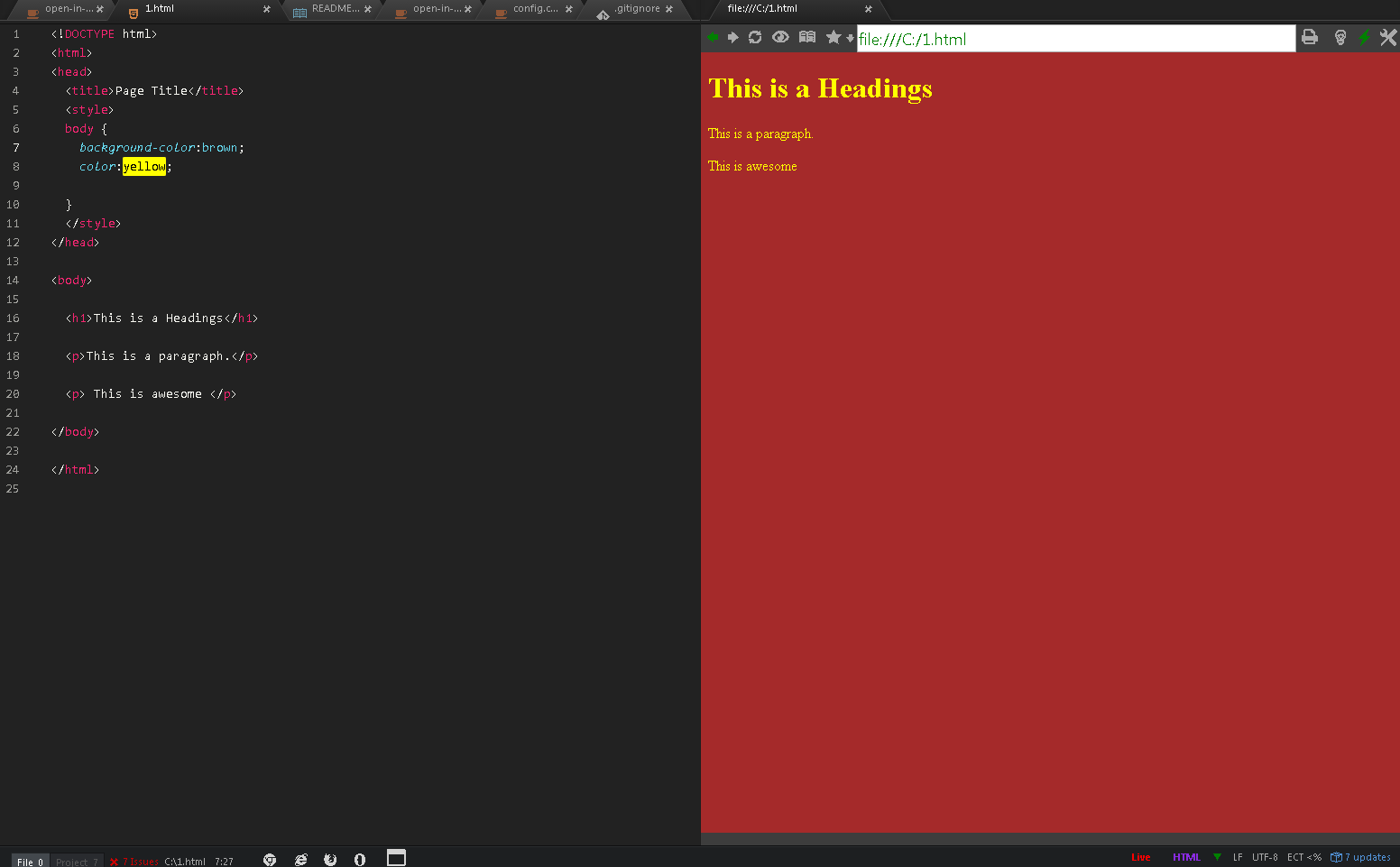
12 |
13 | Browser List in context menu(possible to limit the list of browsers by settings)
14 |
15 | 
16 |
17 | ~~Update: Ability to add New Browsers~~
18 | ~~command open-in-browsers:addBrowser~~
19 |
20 |
21 | Update: 05/25/2017
22 | ~~open-in-browsers:addBrowser - removed the command. as it makes the package complicated.~~
23 |
24 | ~~Adding new browsers can be done by PR(Pull Request).
25 | Check the lib/config.coffee and send the cmd needed for opening the browser. I can also add if you send me the details of browsers/cmd~~
26 |
27 | __Microsoft-Edge__ doesn't yet allow opening file system files..Once it allows this plugin will start to work automatically.
28 |
29 | ### How to Add Your Browser
30 | ChromePortable/FirefoxPortable/SafariPortable can be used to define your own browser through setting. Fill the path to your custom browser / tooltip/color to differentiate the icons from chrome/Firefox/safari
31 |
32 | fix to issue https://github.com/skandasoft/open-in-browsers/issues/34
33 | __path to browser__ has to be maintained within quotes if __there are spaces in the path__
34 | for eg. C:\\__"Program Files\\Mozilla Firefox"__\\firefox.exe
35 |
36 |
37 | __How to View from local host?__
38 | Maintain "proj.json" file in the root directory of the project root folder. The file name can be configured from settings, but has to be in the root folder.
39 | Here is sample structure of the file
40 | ```
41 | {
42 | "localhost": {
43 | "url": "http://localhost:8000",
44 | "folder": "C:/Users/admin/myproj/public"
45 | }
46 | }
47 | ```
48 | There are 2 parameters:
49 | 1. __url__: This is base url against which the file path will be shown. Just maintaining url would make the file path being added to end of the maintained url.
50 | 2. __folder__: folder directory will be compared with the path of the file being displayed and will be replaced for eg. in the above case if you view a file under the root directory
51 | ```
52 | /public/view/hello.html
53 | would be shown as
54 | http://localhost:8000/view/hello.html
55 | ```
56 |
57 | This can be maintained differently for each project under each project's root directory.
58 |
--------------------------------------------------------------------------------
/lib/config.coffee:
--------------------------------------------------------------------------------
1 | module.exports =
2 | browser:
3 | title: 'Browser'
4 | type: 'boolean'
5 | default: true
6 |
7 | win32:
8 | IE:
9 | cmd: 'start iexplore '
10 | Edge:
11 | cmd: 'start microsoft-edge:'
12 | Chrome:
13 | cmd: 'start chrome '
14 | ChromePortable:
15 | cmd: 'start ' + atom.config.get("open-in-browsers.ChromePortable.path") + ' '
16 | Firefox:
17 | cmd: 'start firefox '
18 | FirefoxPortable:
19 | cmd: 'start ' + atom.config.get('open-in-browsers.FirefoxPortable.path') + ' '
20 | Opera:
21 | cmd: 'start opera '
22 | Safari:
23 | cmd: 'start safari '
24 | SafariPortable:
25 | cmd: 'start ' + atom.config.get('open-in-browsers.SafariPortable.path') + ' '
26 |
27 | win64:
28 | Edge:
29 | cmd: 'start microsoft-edge:'
30 | IE:
31 | cmd: 'start iexplore '
32 | Chrome:
33 | cmd: 'start chrome '
34 | ChromePortable:
35 | cmd: 'start ' + atom.config.get('open-in-browsers.ChromePortablePath') + ' '
36 | Firefox:
37 | cmd: 'start firefox '
38 | FirefoxPortable:
39 | cmd: 'start ' + atom.config.get('open-in-browsers.FirefoxPortablePath') + ' '
40 | Opera:
41 | cmd: 'start opera '
42 | Safari:
43 | cmd: 'start safari '
44 | SafariPortable:
45 | cmd: 'start ' + atom.config.get('open-in-browsers.SafariPortablePath') + ' '
46 |
47 | darwin:
48 | Chrome:
49 | cmd: 'open -a "Google Chrome" '
50 | Firefox:
51 | cmd: 'open -a "Firefox" '
52 | Safari:
53 | cmd: 'open -a "Safari" '
54 | Opera:
55 | cmd: 'open -a "Opera" '
56 | ChromePortable:
57 | cmd: 'open -a ' + atom.config.get('open-in-browsers.ChromePortablePath') + ' '
58 | FirefoxPortable:
59 | cmd: 'open -a ' + atom.config.get('open-in-browsers.FirefoxPortable.path') + ' '
60 | SafariPortable:
61 | cmd: 'open -a ' + atom.config.get('open-in-browsers.SafariPortable.path') + ' '
62 |
63 |
64 | linux:
65 | Chrome:
66 | cmd: 'google-chrome '
67 | Firefox:
68 | cmd: 'firefox '
69 | Safari:
70 | cmd: 'safari '
71 | Opera:
72 | cmd: 'opera '
73 | ChromePortable:
74 | cmd: 'open -a ' + atom.config.get('open-in-browsers.ChromePortablePath') + ' '
75 | FirefoxPortable:
76 | cmd: 'open -a ' + atom.config.get('open-in-browsers.FirefoxPortable.path') + ' '
77 | SafariPortable:
78 | cmd: 'open -a ' + atom.config.get('open-in-browsers.SafariPortable.path') + ' '
79 |
--------------------------------------------------------------------------------
/lib/open-in-browsers-view.coffee:
--------------------------------------------------------------------------------
1 | {View} = require 'atom-space-pen-views'
2 | {CompositeDisposable} = require 'atom'
3 |
4 | class OpenInBrowsersView extends View
5 | constructor: ->
6 | @subscriptions = new CompositeDisposable
7 | super
8 |
9 | initialize: ->
10 | @browsers = require('./config.coffee').browser[process.platform]
11 | browserList = atom.config.get('open-in-browsers.browsers')
12 | for browser in browserList
13 | title = @[browser]?.attr?('title')
14 | @subscriptions.add atom.tooltips.add(@[browser],{title:title}) if title
15 |
16 | @content: (browsers = atom.config.get('open-in-browsers.browsers'))->
17 | browserClass = ''
18 | pkgs = atom.packages.getAvailablePackageNames()
19 | @pp = !!~pkgs.indexOf('pp')
20 | @bp = !!~pkgs.indexOf('browser-plus')
21 | @span class: 'open-in-browsers', =>
22 | for browser in browsers
23 | if atom.config.get("open-in-browsers.#{browser}")
24 | continue if browser is 'BrowserPlus' and not @bp
25 | continue if browser is 'BrowserPlus' and @pp and browsers.length > 1
26 | if browser is 'BrowserPlus'
27 | browserClass = "browser-plus-icon"
28 | else
29 | browserClass = "fa #{browser}"
30 | if @curBrowser is browser
31 | browserClass =+ " selected "
32 |
33 | if typeof atom.config.get("open-in-browsers.#{browser}") is "object"
34 | if atom.config.get("open-in-browsers.#{browser}.path").trim() is ''
35 | browserClass += " hide "
36 | else
37 | color = atom.config.get("open-in-browsers.#{browser}.color")
38 | style = "color: rgb(#{color.red}, #{color.green}, #{color.blue});"
39 | title = atom.config.get("open-in-browsers.#{browser}.tooltip")
40 | @span style:"#{style}", title:"#{title}", class:browserClass,'data-browser':"#{browser}", mousedown:'openBrowser'
41 | else
42 | title = browser
43 | @span title:"#{browser}", class:browserClass,'data-browser':"#{browser}", mousedown:'openBrowser',outlet:"#{browser}"
44 |
45 |
46 | openBrowser: (evt,target,browser)->
47 | if browser
48 | @currBrowser = browser
49 | else
50 | @currBrowser = target.data('browser') if target?.data?('browser')
51 |
52 | unless @currBrowser
53 | @currBrowser = atom.config.get('open-in-browsers.defBrowser') or 'Chrome'
54 |
55 | @curBrowserCmd = @browsers["#{@currBrowser}"]?.cmd
56 |
57 | @children?().removeClass("selected")
58 | @children?(".#{@currBrowser}").addClass('selected')
59 | unless @pp
60 | @open(@curBrowserCmd,evt,target)
61 | return
62 | unless evt
63 | @open(@curBrowserCmd,evt,target)
64 | return
65 |
66 | getFilePath: (target)->
67 | return @htmlURL if @htmlURL
68 | if target
69 | fpath = target.closest?('.entry')?.getPath?()
70 | unless fpath
71 | unless @fileName
72 | editor = atom.workspace.getActiveTextEditor()
73 | return unless editor
74 | fpath = editor.getPath()
75 | else
76 | fpath = @fileName
77 | OpenInBrowsersView.getFilePath(fpath)
78 |
79 | open: (cmd = @curBrowserCmd,evt,target)->
80 | exec = require('child_process').exec
81 | if @currBrowser is 'BrowserPlus'
82 | fpath = @getFilePath(target)
83 | atom.workspace.open(fpath)
84 | return false
85 | unless cmd
86 | @openBrowser()
87 | return false
88 | fpath = @getFilePath(target)
89 | cmd = "#{cmd}\"#{fpath}\""
90 | #cmd = cmd.replace "/\\/g", '/'
91 | exec cmd if fpath
92 | @selectList?.cancel()
93 |
94 | return false
95 |
96 | # Returns an object that can be retrieved when package is activated
97 | serialize: ->
98 |
99 | # Tear down any state and detach
100 | destroy: ->
101 | # @element.remove()
102 | @subscriptions.dispose()
103 | getElement: ->
104 | # @element
105 |
106 | @getFilePath: (fpath)->
107 | # order of the acceptance
108 | # 1. setting for localhost
109 | # 2. project
110 | # 3. filepath - what ever is passed
111 | projectPath = atom.project.getPaths()[0]?.replace(/\\/g,'/')
112 | fpath = fpath.replace(/\\/g,'/')
113 |
114 | loadJson = require('load-json-file')
115 | try
116 | projFile = atom.config.get("open-in-browsers.project") or "proj.json"
117 | proj = loadJson.sync("#{projectPath}/#{projFile}")
118 | if(proj)
119 | url = proj.localhost.url
120 | folder = (proj.localhost.folder)?.replace(/\\/g,'/')
121 | if folder and fpath.startsWith(folder) and fpath.indexOf(folder) >= 0
122 | fpath = fpath.replace(folder,url)
123 | else
124 | fpath = "#{url}/#{fpath}" if url
125 | else
126 | fpath = "file:///#{fpath}"
127 | catch e
128 | fpath = "file:///#{fpath}"
129 | module.exports = { OpenInBrowsersView}
130 |
--------------------------------------------------------------------------------
/lib/open-in-browsers.coffee:
--------------------------------------------------------------------------------
1 | {CompositeDisposable} = require 'atom'
2 | {OpenInBrowsersView} = require './open-in-browsers-view'
3 |
4 | module.exports = OpenInBrowsers =
5 | openInBrowsersView: null
6 | subscriptions: null
7 | config:
8 |
9 | browsers:
10 | title: 'List of Browsers'
11 | type: 'array'
12 | default: [ 'IE', 'Edge', 'Chrome', 'ChromePortable', 'Firefox', 'FirefoxPortable', 'Opera', 'Safari', 'SafariPortable', 'BrowserPlus' ]
13 |
14 | defBrowser:
15 | title: 'Default Browser'
16 | type: 'string'
17 | default: 'Chrome'
18 | enum: [ 'IE', 'Edge', 'Chrome', 'ChromePortable', 'Firefox', 'FirefoxPortable', 'Opera', 'Safari', 'SafariPortable', 'BrowserPlus']
19 |
20 | fileTypes:
21 | title: 'HTML File Types'
22 | type: 'array'
23 | default: ['html','htm','xhtml']
24 | IE:
25 | title: 'IE'
26 | type: 'boolean'
27 | default: true
28 |
29 | Edge:
30 | title: 'Edge'
31 | type: 'boolean'
32 | default: false
33 |
34 | Chrome:
35 | title: 'Chrome'
36 | type: 'boolean'
37 | default: true
38 |
39 | Firefox:
40 | title: 'Firefox'
41 | type: 'boolean'
42 | default: true
43 |
44 | Opera:
45 | title: 'Opera'
46 | type: 'boolean'
47 | default: true
48 |
49 | Safari:
50 | title: 'Safari'
51 | type: 'boolean'
52 | default: true
53 |
54 | BrowserPlus:
55 | title: 'Browser Plus'
56 | type: 'boolean'
57 | default: true
58 |
59 | ChromePortable:
60 | title: 'Chrome Portable'
61 | type: 'object'
62 | properties:
63 | path:
64 | type: 'string'
65 | default: ''
66 | description: 'eg. C:\\Users\\Admin\\AppData\\Local\\Google\\"Chrome SxS"\\Application\\chrome.exe'
67 | tooltip:
68 | type: 'string'
69 | default : 'Chrome Canary'
70 | color:
71 | type: 'color'
72 | default: 'red'
73 |
74 | FirefoxPortable:
75 | title: 'Firefox Portable'
76 | type: 'object'
77 | properties:
78 | path:
79 | type: 'string'
80 | default: ''
81 | tooltip:
82 | type: 'string'
83 | default : 'Firefox Developer'
84 | color:
85 | type: 'color'
86 | default: 'blue'
87 |
88 | SafariPortable:
89 | title: 'Safari Portable'
90 | type: 'object'
91 | properties:
92 | path:
93 | type: 'string'
94 | default: ''
95 | tooltip:
96 | type: 'string'
97 | default : 'Safari Portable'
98 | color:
99 | type: 'color'
100 | default: 'green'
101 |
102 | project:
103 | title: 'Project/Local Host Combination Config File'
104 | type: 'string'
105 | description: 'contains the url and home folder'
106 | default: 'proj.json'
107 |
108 | getPosition: ->
109 | activePane = atom.workspace.paneForItem atom.workspace.getActiveTextEditor()
110 | return unless activePane
111 | paneAxis = activePane.getParent()
112 | return unless paneAxis
113 | paneIndex = paneAxis.getPanes().indexOf(activePane)
114 | orientation = paneAxis.orientation ? 'horizontal'
115 | if orientation is 'horizontal'
116 | if paneIndex is 0 then 'right' else 'left'
117 | else
118 | if paneIndex is 0 then 'down' else 'up'
119 |
120 | consumeAddPreview: (@addPreview)->
121 | requires =
122 | pkgName: 'open-in-browsers'
123 | fileTypes: do->
124 | types = atom.config.get('open-in-browsers.fileTypes')
125 | # types.concat ['htm','html'] #filetypes against which this compileTo Option will show
126 | browser:
127 | noPreview: true
128 | hyperLive: ->
129 | # if false
130 | # atom.notifications.addSuccess('Live Not Availble')
131 | # return false
132 | return true
133 | quickPreview: true
134 | viewClass: OpenInBrowsersView
135 | viewArgs: ['BrowserPlus']
136 | exe: (src,options,data,fileName,quickPreview,hyperLive,editor,view)->
137 | unless atom.packages.getActivePackage('browser-plus')
138 | atom.notifications.addSuccess('APM Install Browser-Plus to display in browser-plus')
139 | return
140 | unless pp = atom.packages.getLoadedPackage('pp')
141 | atom.notifications.addSuccess('APM Install PP(Preview-Plus) to display in browser-plus')
142 | return
143 | split = module.exports.getPosition()
144 | if options.url
145 | atom.workspace.open options.url, {searchAllPanes:true,split:split}
146 | return false
147 | else
148 | fpath = OpenInBrowsersView.getFilePath(fileName)
149 | editor = atom.workspace.paneForURI(fpath)?.getItems()?.find (pane)-> pane.getURI() is fpath
150 | unless editor
151 | fpath = fpath.replace(/\\/g,"/")
152 | editor = atom.workspace.paneForURI(fpath)?.getItems()?.find (pane)-> pane.getURI() is fpath
153 | if quickPreview or hyperLive or fileName.indexOf "~pp~"
154 | # src = src.split('\n').join('
')
155 | # src = """
156 | #
157 |               #   #{src}
158 |               #
159 | # """
160 | if editor
161 | editor.setText(src)
162 | else
163 | atom.workspace.open fpath, {src,split}
164 | else
165 | if target?.dataset?.path?
166 | fpath = target.dataset.path
167 | if editor
168 | editor.setText('')
169 | editor.refresh()
170 | else
171 | atom.workspace.open fpath,{split}
172 | return false
173 |
174 | # localhost:
175 | #
176 | browsers:
177 | noPreview: true
178 | hyperLive: false
179 | quickPreview: false
180 | viewClass: OpenInBrowsersView
181 | exe: (src,options,data,fileName,quickPreview,hyperLive,editor,view)->
182 | if options['url']
183 | @vw.htmlURL = options['url']
184 | else
185 | @vw.htmlURL = undefined
186 | @vw.fileName = fileName
187 | @vw.open()
188 | @ids = @addPreview requires
189 |
190 | activate: (state) ->
191 | # bring back to life new browsers added
192 | # if atom.config.get('open-in-browsers.requires')
193 | # req = require atom.config.get('open-in-browsers.requires')
194 | # for key,val of req.config
195 | # properties = atom.config.getSchema('open-in-browsers').properties
196 | # if properties[key]
197 | # properties.enum.concat val
198 | # else
199 | # properties[key] = {}
200 | # properties[key]['default'] = val
201 | # properties[key]['type'] = 'string'
202 | # properties[key]['title'] = key
203 |
204 | @openInBrowsersView = new OpenInBrowsersView()
205 | # Events subscribed to in atom's system can be easily cleaned up with a CompositeDisposable
206 | @subscriptions = new CompositeDisposable
207 | submenu = []
208 | # Register command that toggles this view
209 | # @subscriptions.add atom.commands.add 'atom-workspace', 'open-in-browsers:addBrowser': (target)=>
210 | # open input view for browser name/command/default
211 | @subscriptions.add atom.commands.add 'atom-workspace', 'open-in-browsers:toggle': (target)=>
212 | @openInBrowsersView.openBrowser(null,target)
213 | browsers = atom.config.get('open-in-browsers.browsers')
214 | pkgs = atom.packages.getAvailablePackageNames()
215 | for browser in browsers
216 | if atom.config.get("open-in-browsers.#{browser}")
217 | unless (typeof atom.config.get("open-in-browsers.#{browser}") is "object" and atom.config.get("open-in-browsers.#{browser}.path").trim() is '')
218 | continue if browser is 'BrowserPlus' and pkgs.indexOf('browser-plus') is -1
219 | atom.commands.add 'atom-workspace', "open-in-browsers:#{browser}", do(browser) =>
220 | return ({target}) =>
221 | @openInBrowsersView.openBrowser(null,target,browser)
222 | title = atom.config.get("open-in-browsers.#{browser}").tooltip or browser
223 | submenu.push {label: "Open in #{title}", command: "open-in-browsers:#{browser}"}
224 |
225 | for fileType in atom.config.get('open-in-browsers.fileTypes')
226 | sel = {}
227 | sel['.tree-view .file .name[data-name$=".'+fileType+'"]'] =
228 | [
229 | {
230 | label: 'Open in Browsers',
231 | submenu: submenu
232 | }
233 | ]
234 |
235 | atom.contextMenu.add sel
236 |
237 |
238 | atom.workspace.onDidChangeActivePaneItem (activePane)=>
239 | if @pp is undefined
240 | pkgs = atom.packages.getAvailablePackageNames()
241 | @pp = !!~pkgs.indexOf('pp')
242 | unless @pp
243 | @updateStatusBar(activePane)
244 | activePane?.onDidChangeTitle? => @updateStatusBar()
245 |
246 | consumeStatusBar: (@statusBar)->
247 | if @pp is undefined
248 | pkgs = atom.packages.getAvailablePackageNames()
249 | @pp = !!~pkgs.indexOf('pp')
250 | if @pp
251 | return ""
252 | else
253 | @openInBrowsersView or= new OpenInBrowsersView()
254 | @updateStatusBar()
255 |
256 | updateStatusBar: (editor = atom.workspace.getActivePaneItem())->
257 | path = require 'path'
258 | filePath = editor?.buffer?.file?.path
259 | if filePath and path.extname(filePath).substr(1) in atom.config.get('open-in-browsers.fileTypes')
260 | @browserBar = @statusBar.addLeftTile item: @openInBrowsersView, priority:100
261 | else
262 | @browserBar?.destroy()
263 |
264 | deactivate: ->
265 | @openInBrowsersView.destroy()
266 |
267 | serialize: ->
268 | openInBrowsersViewState: @openInBrowsersView.serialize()
269 |
270 | toggle: ->
271 |
--------------------------------------------------------------------------------