├── .gitmodules ├── LICENSE.txt └── README.md /.gitmodules: -------------------------------------------------------------------------------- 1 | [submodule "Generative-AI-Bot-UI"] 2 | path = Generative-AI-Bot-UI 3 | url = https://github.com/UBOS-Asset-Store/Generative-AI-Bot-UI.git 4 | [submodule "Generative-AI-Bot-NR"] 5 | path = Generative-AI-Bot-NR 6 | url = https://github.com/UBOS-Asset-Store/Generative-AI-Bot-NR.git 7 | -------------------------------------------------------------------------------- /LICENSE.txt: -------------------------------------------------------------------------------- 1 | MIT License 2 | 3 | Copyright (c) 2023 UBOS 4 | 5 | Permission is hereby granted, free of charge, to any person obtaining a copy 6 | of this software and associated documentation files (the "Software"), to deal 7 | in the Software without restriction, including without limitation the rights 8 | to use, copy, modify, merge, publish, distribute, sublicense, and/or sell 9 | copies of the Software, and to permit persons to whom the Software is 10 | furnished to do so, subject to the following conditions: 11 | 12 | The above copyright notice and this permission notice shall be included in all 13 | copies or substantial portions of the Software. 14 | 15 | THE SOFTWARE IS PROVIDED "AS IS", WITHOUT WARRANTY OF ANY KIND, EXPRESS OR 16 | IMPLIED, INCLUDING BUT NOT LIMITED TO THE WARRANTIES OF MERCHANTABILITY, 17 | FITNESS FOR A PARTICULAR PURPOSE AND NONINFRINGEMENT. IN NO EVENT SHALL THE 18 | AUTHORS OR COPYRIGHT HOLDERS BE LIABLE FOR ANY CLAIM, DAMAGES OR OTHER 19 | LIABILITY, WHETHER IN AN ACTION OF CONTRACT, TORT OR OTHERWISE, ARISING FROM, 20 | OUT OF OR IN CONNECTION WITH THE SOFTWARE OR THE USE OR OTHER DEALINGS IN THE 21 | SOFTWARE. 22 | -------------------------------------------------------------------------------- /README.md: -------------------------------------------------------------------------------- 1 |
2 | 3 | logo 4 | 5 | # AI Chatbot Starter Kit 6 | 7 | An README for template AI Chatbot Starter Kit 8 | 9 | [![contributors](https://img.shields.io/badge/contributors-3-blue)](https://github.com/UBOS-tech/AI-Chatbot-Starter-Kit/graphs/contributors) 10 | [![last commit](https://img.shields.io/github/last-commit/UBOS-Asset-Store/Generative-AI-Bot-NR?color=blue)](https://github.com/UBOS-Asset-Store/Generative-AI-Bot-NR/commits/master) 11 | [![stars](https://img.shields.io/github/stars/UBOS-tech/AI-Chatbot-Starter-Kit?style=social)](https://github.com/UBOS-tech/AI-Chatbot-Starter-Kit/stargazers) 12 | [![open issues](https://img.shields.io/github/issues/UBOS-tech/AI-Chatbot-Starter-Kit?color=blue)](https://github.com/UBOS-tech/AI-Chatbot-Starter-Kit/issues) 13 | [![license](https://img.shields.io/badge/license-MIT-blue)](https://github.com/UBOS-tech/AI-Chatbot-Starter-Kit/blob/main/LICENSE.txt) 14 | 15 | #### [View Demo](https://platform.ubos.tech/?aiBotV3=true) · [Report Bug](https://github.com/UBOS-tech/AI-Chatbot-Starter-Kit/issues) · [Request Feature](https://github.com/UBOS-tech/AI-Chatbot-Starter-Kit/issues) 16 | 17 | [![Deploy on UBOS](https://ubos.tech/wp-content/uploads/2024/07/deploy_ubos.svg)](https://platform.ubos.tech/?templateId=65397499fe34080011cedbb5) 18 | 19 |

20 | 21 | ## 📔 Table of Contents 22 | 23 | - [:star2: About the Project](#star2-about-the-project) 24 | - [:space_invader: Built With](#space_invader-built-with) 25 | - [:package: Dependencies](#package-dependencies) 26 | - [:dart: Features](#dart-features) 27 | - [:key: Environment Variables](#key-environment-variables) 28 | - [:toolbox: Getting Started](#toolbox-getting-started) 29 | - [:bangbang: Prerequisites](#bangbang-prerequisites) 30 | - [:gear: Installation](#gear-installation) 31 | - [:eyes: Usage](#eyes-usage) 32 | - [:compass: Roadmap](#compass-roadmap) 33 | - [:wave: Contributing](#wave-contributing) 34 | - [:warning: License](#warning-license) 35 | - [:handshake: Contact](#handshake-contact) 36 | - [:gem: Acknowledgements](#gem-acknowledgements) 37 | 38 | 39 | ## :star2: About the Project 40 | The AI Bot – Custom GPT project, built by the UBOS team, leverages Node-RED for workflow orchestration, MongoDB for scalable data storage, and an intuitive UI based on Appsmith. This project empowers users to create, customize, and deploy advanced chatbots with ease. 41 | 42 |
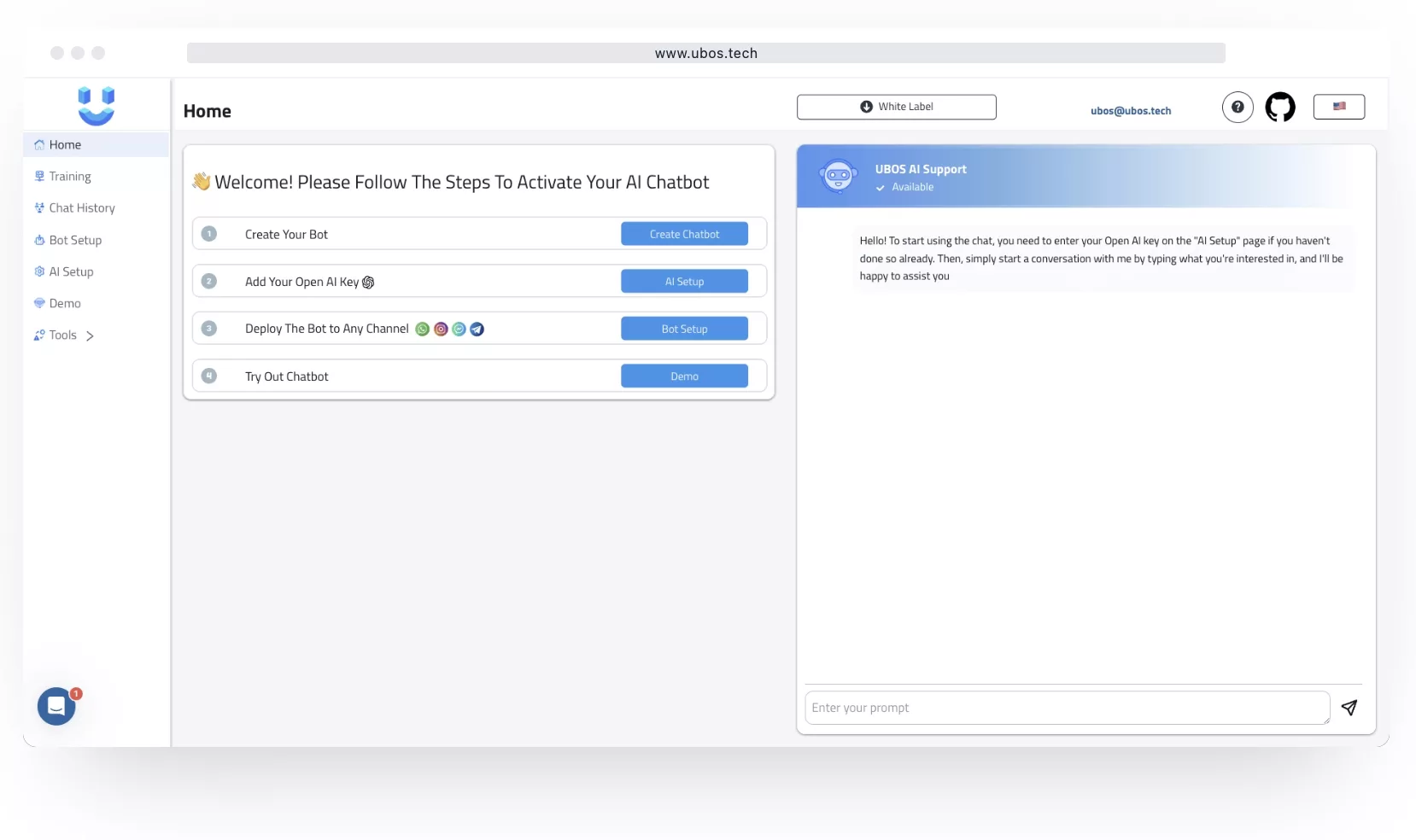
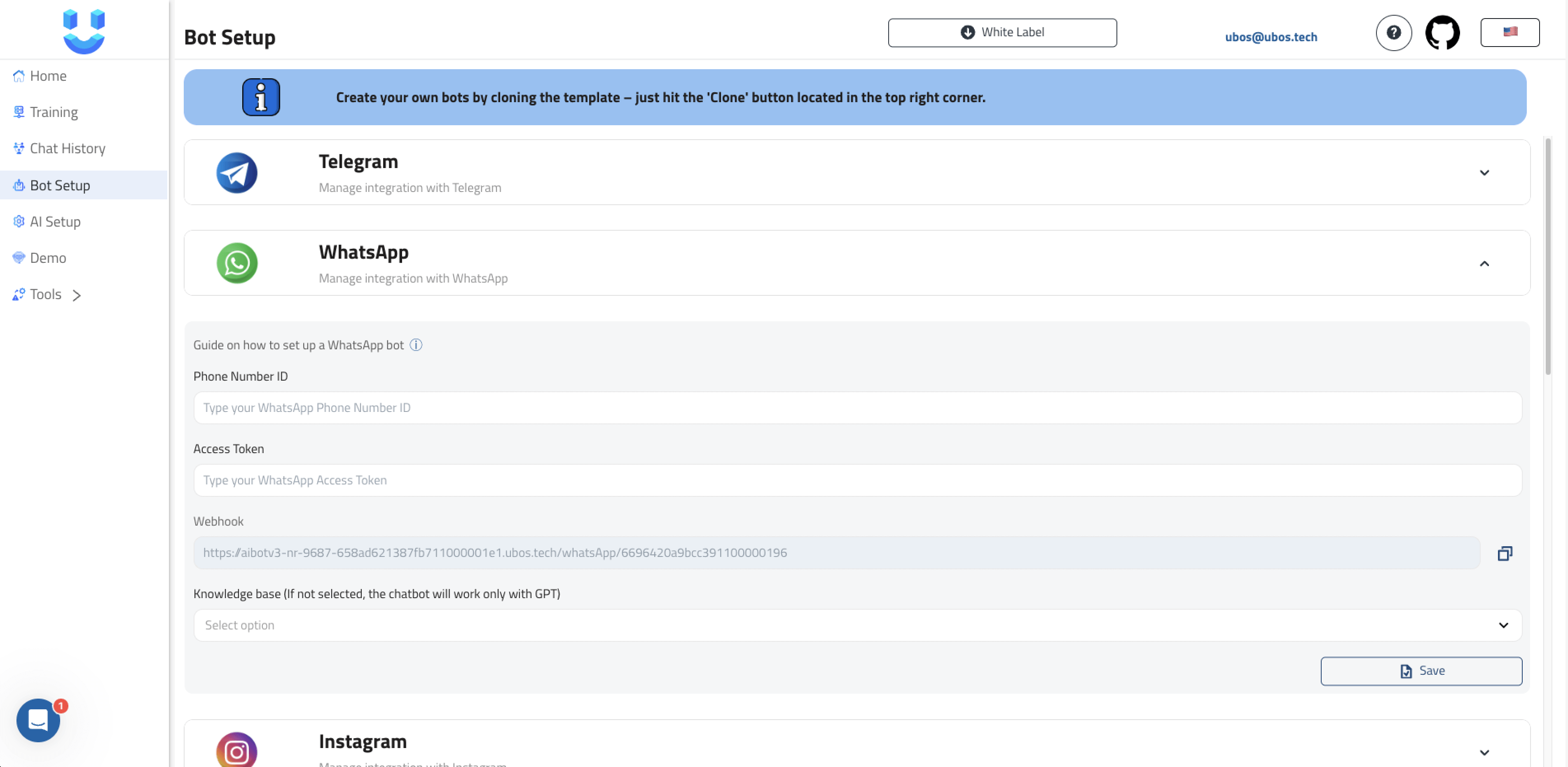
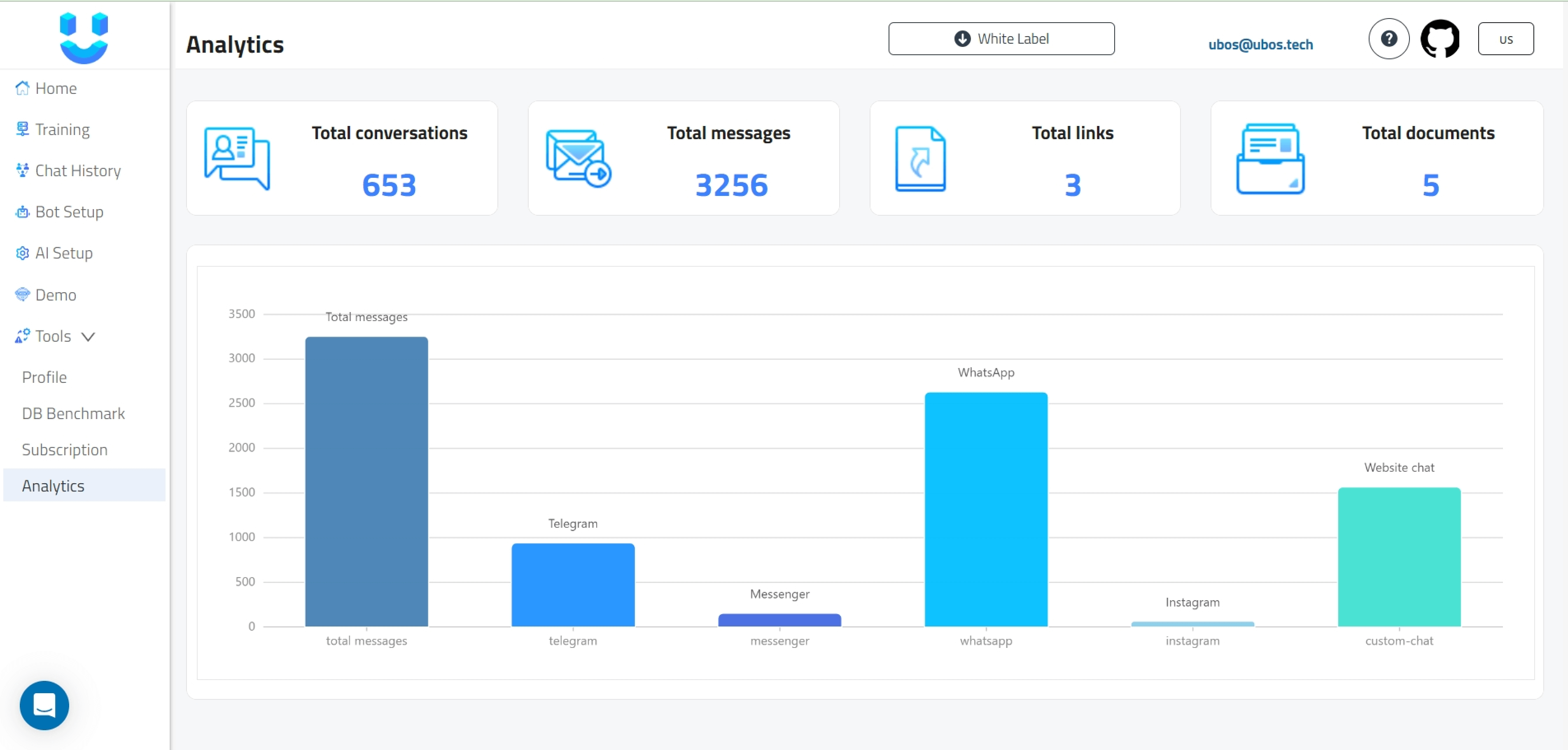
43 | demo_pages_analytics 44 | start page 45 | start page 46 |
47 | 48 | 49 | ### :space_invader: Built With 50 | 51 | - [AppSmith](https://github.com/UBOS-Asset-Store/Generative-AI-Bot-UI) 52 | - [Node-RED](https://github.com/UBOS-Asset-Store/Generative-AI-Bot-NR) 53 | - [MongoDB](https://www.mongodb.com/) 54 | - [ChromaDB](https://www.trychroma.com/) 55 | - [Pinecone](https://www.pinecone.io/) 56 | 57 | ![Technology Stack](https://ubos.tech/wp-content/uploads/2024/07/ubos_example-1.png) 58 | 59 | ## :package: Dependencies 60 | 61 | Our project relies on several Node-RED nodes and additional libraries. Below is a list of the key dependencies: 62 | 63 | ### Node-RED Nodes 64 | - `node-red-contrib-fs`: `1.4.1` - File system operations 65 | - `node-red-contrib-loop-processing`: `0.5.1` - Loop processing 66 | - `node-red-contrib-openai-ubos`: `1.0.4` - OpenAI integration 67 | - `node-red-contrib-telegrambot`: `15.1.9` - Telegram bot integration 68 | - `node-red-node-mongodb`: `0.2.5` - MongoDB integration 69 | - `node-red-contrib-pdfparse`: `1.0.6` - PDF parsing 70 | - `node-red-contrib-pinecone`: `1.0.7` - Pinecone integration 71 | - `node-red-contrib-chromadb`: `1.0.0` - Chroma DB integration 72 | 73 | ### Libraries 74 | - `jsdom`: `22.1.0` - JavaScript DOM manipulation 75 | - `@martip/node-red-xlsx`: `1.0.2` - XLSX file handling 76 | - `chromadb`: `1.5.11` - Chroma DB client 77 | - `openai`: `4.14.2` - OpenAI API client 78 | - `moment`: `2.29.4` - Date and time manipulation 79 | - `bcrypt`: `5.1.1` - Password hashing 80 | 81 | Please ensure these dependencies are installed and properly configured to utilize the full capabilities of the AI Bot. 82 | 83 | ### :dart: Features 84 | 85 | - `Multiple LLM Models: GPT-4o, GPT-4o Mini, Claude 3.5, Llama 3.1` 86 | - `Multi-Language Support` 87 | - `Unlimited Knowledge Bases` 88 | - `AI Chatbot Personality Configuration` 89 | - `Unlimited Chatbots` 90 | - `Use Your Own OpenAI API Key` 91 | - `Seamless Integration` 92 | 93 | ### :key: Environment Variables 94 | 95 | **Node-RED Environment Variables** 96 | - `nodered` 97 | - `uiUrl` 98 | - `VECTORDB-CHROMA-HOST-NAME` 99 | - `AIBOTDB-MONGO-HOST-NAME` 100 | - `AIBOTDB-MONGO-DB-NAME` 101 | - `AIBOTDB-MONGO-USER-NAME` 102 | - `AIBOTDB-MONGO-PASSWORD` 103 | - `OPENAI-KEY` 104 | - `PINECONE-INDEX` 105 | - `PINECONE-API-KEY` 106 | - `PINECONE-URL` 107 | 108 | **UI Environment Variables** 109 | - `uiUrl` 110 | - `nodeUrl` 111 | 112 | ## :toolbox: Getting Started 113 | 114 | ### :bangbang: Prerequisites 115 | 116 | - Sign up for a free [UBOS](https://platform.ubos.tech/) account. 117 | - Ensure you have a server with at least 2GB of RAM and 1 CPU. 118 | 119 | ### :gear: Installation 120 | 121 | **White Label** 122 | 1. Open the Template Manager on the UBOS platform and search for "AI Chatbot Starter Kit" or use [this direct link](https://platform.ubos.tech/?templateId=6683ed1f52da610011914678). 123 | 2. Select your desired server plan. 124 | 3. Click on "Install." 125 | 4. Wait 5-7 minutes for the installation to complete and all settings to be applied. 126 | 127 | **SAAS** 128 | 1. Access the project using [this link](https://platform.ubos.tech/?aiBotV3=true). 129 | 130 | 131 | ## :eyes: Usage 132 | 133 | ### ADA-VectorDB-ChatGPT 134 | 135 | ![image](https://github.com/user-attachments/assets/29199ec9-a548-43c1-9fff-8dc51b942c65) 136 | 137 | **Key Components** 138 | 139 | 1. **Input Data Unification**: Consolidates various configuration parameters and user input into a standardized format. 140 | 2. **Embedding Generation**: Utilizes OpenAI's text-embedding-ada-002 model to create embeddings for user queries. 141 | 3. **Vector Database Integration**: Supports both Pinecone and Chroma for semantic search functionality. 142 | 4. **GPT Model Integration**: Uses OpenAI's chat completion API to generate responses based on retrieved context and user queries. 143 | 5. **History Management**: Saves conversation history for potential future use or analysis. 144 | 145 | **Flow Structure** 146 | 147 | 1. **Input Processing**: 148 | - Unifies input data (BOT_NAME, DATABASE settings, AI_SETTINGS, etc.) 149 | - Generates embeddings for user queries 150 | 151 | 2. **Vector Database Query**: 152 | - Determines the appropriate vector database (Pinecone or Chroma) 153 | - Queries the database with the generated embedding 154 | 155 | 3. **Context Creation**: 156 | - Processes retrieved vectors to create a context for the GPT model 157 | 158 | 4. **GPT Query**: 159 | - Formulates a prompt including the context and user query 160 | - Sends the prompt to OpenAI's chat completion API 161 | 162 | 5. **Response Handling**: 163 | - Processes the GPT response 164 | - Saves conversation history 165 | - Sends the response back to the user 166 | 167 | **Key Functions** 168 | 169 | - `Input Data Unification`: Standardizes input data format 170 | - `create vector`: Prepares the context for GPT based on vector database results 171 | - `send to user from chat`: Processes GPT response and prepares it for the user 172 | - `save history`: Stores conversation details for future reference 173 | 174 | **Integrations** 175 | 176 | - OpenAI API: For embedding generation and GPT-based response generation 177 | - Pinecone: Vector database for semantic search 178 | - Chroma: Alternative vector database option 179 | - Telegram Bot API: For sending typing indicators and messages (implied from the code) 180 | 181 | **Configuration** 182 | 183 | The flow requires several configuration parameters, including: 184 | 185 | - OpenAI API key 186 | - Vector database credentials (Pinecone or Chroma) 187 | - Bot settings (name, prepared messages, AI settings) 188 | - Telegram bot token (for sending messages and typing indicators) 189 | 190 | **Error Handling** 191 | 192 | The flow includes basic error handling, particularly for API failures and unexpected responses. It uses prepared error messages when issues occur. 193 | 194 | **Debugging** 195 | 196 | Multiple debug nodes are included throughout the flow for monitoring and troubleshooting purposes. 197 | 198 | ### **RAG Architecture** 199 | 200 | Our AI Bot utilizes a Retrieval-Augmented Generation (RAG) architecture to provide accurate and context-aware responses. 201 | 202 | ![image](https://github.com/user-attachments/assets/f83c4ee5-0e94-4330-9795-fe9c6e8f6c41) 203 | 204 | ## :compass: Roadmap 205 | 206 | - [x] Implement more robust error handling and logging. 207 | - [x] Multi-Language Support. 208 | - [x] Add Models: GPT-4o, GPT-4o Mini. 209 | - [ ] Add support for additional vector databases. 210 | - [ ] Enhance the context creation process for more accurate responses. 211 | - [ ] Implement rate limiting to prevent API overuse. 212 | - [x] Integrate additional Large Language Models (LLMs). 213 | - [ ] Add CRM integration. 214 | 215 | 216 | ## :wave: Contributing 217 | 218 | Contributions are what make the open source community such an amazing place to learn, inspire, and create. Any contributions you make are greatly appreciated. 219 | 220 | If you have a suggestion that would make this better, please fork the repo and create a pull request. You can also simply open an issue with the tag "enhancement". Don't forget to give the project a star! Thanks again! 221 | 222 | ## :warning: License 223 | 224 | This source code is licensed under the MIT license. See [LICENSE.txt](https://github.com/UBOS-tech/AI-Chatbot-Starter-Kit/blob/main/LICENSE.txt) for more information 225 | 226 | ## :handshake: Contact 227 | 228 | UBOS Team - [@ubos_tech](https://twitter.com/ubos_tech) - [support@ubos.tech](mailto:support@ubos.tech) 229 | 230 | Project Link: [AI-Chatbot-Starter-Kit](https://github.com/UBOS-tech/AI-Chatbot-Starter-Kit) 231 | 232 | Discord: [Discord Community](https://discord.gg/xj6xnmG7KZ) 233 | 234 | ## :gem: Acknowledgements 235 | 236 | - [Working with Chroma DB](https://community.ubos.tech/dmytro_mytsak/how-to-work-with-chroma-db-4oe) 237 | - [Training Bots with Different Types of Sources](https://community.ubos.tech/vika/how-to-training-bot-by-different-types-of-source-46h9) 238 | - [ChatGPT Prompt Configuration](https://community.ubos.tech/vika/chatgpt-prompt-configuration-14p2) 239 | - [Setting Up a Messenger Bot: A Step-by-Step Guide](https://community.ubos.tech/olha/setting-up-a-messenger-bot-a-step-by-step-guide-2hk4) 240 | - [Setting Up an Instagram Bot: A Step-by-Step Guide](https://community.ubos.tech/olha/setting-up-an-instagram-bot-a-step-by-step-guide-k95) 241 | - [Guide to Setting Up a WhatsApp Bot on Facebook API](https://community.ubos.tech/olha/step-by-step-guide-setting-up-whatsapp-bot-on-facebook-api-gn3) 242 | - [Working with Large Files in AI Chatbots](https://community.ubos.tech/vika/working-with-large-files-in-ai-chat-bot-2aap) 243 | - [Customer Support Chatbot](https://community.ubos.tech/vika/customersupportchatbot-1ac8) 244 | 245 | Additional Resources: 246 | - [7-Minute Guide to Training Custom AI Chatbots with a Private Knowledge Base](#) 247 | - [Getting Started with UBOS.tech: A Comprehensive Platform Guide](#) – Platform overview and API connection. 248 | - [Build AI-Powered CRUD App with Node-RED, Appsmith, MongoDB, and OpenAI API | Course Intro](#) – Guide to building CRUD applications. 249 | 250 | --------------------------------------------------------------------------------